#blueprint
402296 messages · Page 561 of 403
 wind atlas
oh sorry yes
 upper linden
i made a "AI_Controller_BP" that moves a "AI_Enemy_BP", if i put x number of enemy in the world
will they share the same controller or they will have different instances of controllers
wind atlas
cheers!
 static charm
different instances
i mean you could write the controller so that it controls multiple actors
wind atlas
I just need to test it
upper linden
are you sure ? it looks to me as they share the same
 hexed saffron
Ah that guy did a blueprint example. Allright thank you. I´ll read all of that. I think it´s a good idea to add a deadzone for people who use an older controller or have a lose stick.
upper linden
i understand, i put 3 enemies to go to waypoints 0-1-2-3
i aggro 1, he kills me to continue patrolling to next waypoint
but the other change to another waypoint on my death
my death must have started patrolling event that added +1 to current waypoint
thank you for clarification @static charm
static charm
not sure what i did but glad to help lol
wind atlas
I just tried that node, but I'm trying it in the construction script, and it seems to be returning a lot of.. stuff..
I don't really understand construction script well enough
its adding a 2 and a C.. not sure why, and its all happening 6 times
static charm
2 and C would be the different instances of the blueprint
static charm
the open blueprint might count as one
wind atlas
so if I use this setup, is it going to mess up because its re-triggering 3x times?
i'll just mess about with it and see, I have a feeling it will be fine
construction scripts (cs) really confuse me, like, if you have a bp in cs and it is setting positions of components in the bp, and you save the bp, wouldnt there be a conflict?
I guess theres an original position, and thats loaded when bp loads, then cs is executed?
so when you save BP it doesn't store that new position set by the cs?
 weak flare
Hi all,
Does anyone know how to get material properties via blueprint? In my case, I need to know if a material is Opaque or Translucent.
 trim matrix
Do you want the alpha or the shader parameters?
weak flare
I want the type. If it's translucent then I will replace it with matA, otherwise matB.
I tried to use this node to get the property but not sure how to use it. There is no info from the internet.😧
 fair magnet
is it possible for me to finterp without using Event Tick ?
 sand shore
yes but you have to keep track of time passing manually, yourself
there's really no reason to not use tick for interpolation
 earnest tangle
Tick is not inherently some boogieman
For certain things tick is the way to go, but it's always good to consider alternatives since ticks do run every frame :)
earnest tangle
True. It sorta depends on what you're doing... With interps, you'd often want them to be smooth (eg. if visually positioning something with it or something), so having a per frame update is useful for them
fair magnet
For me I rather only update stuff once it actually changes
 surreal peak
@fair magnet If you change the Tick Interval and you end up using Tick, use the Nodes DeltaSeconds and not the WorldDeltaSeconds.
upper linden
what is that function ?
fair magnet
what's the diffence
surreal peak
DeltaSeconds is the Time between two frames. If your actor ticks less often, the time will be greater.
I assume WorldDeltaSeconds isn't relative to this one Actor, so you would use Tick with the wrong DeltaSeconds.
It's also important to always utilize DeltaSeconds if you perform any accumulative math on Tick.
Because if you just add "1" to a variable every frame, you would end up with +30 on 30FPS and +60 on 60FPS.
DeltaSeconds would make sure that you always end up with the same value. So if you want +60 after 1 second, you would add 60*DeltaSeconds to your variable.
On 60 FPS, DeltaSeconds is basically 1/60 = 0,0166667, given you have perfectly stable fps.
On 30 FPS, DeltaSeconds is 1/30 = 0,0333333, so ~ twice as high. So half the FPS, twice the high DeltaSeconds.
If you custom Actor now only ticks 10 times per second, while your WorldDeltaSeconds are from 60 times per second, you would end up with some wrong values in the end.
:D Hope that makes sort of sence.
Also Tick is not that harmful. It's just the stuff you call on tick that can be. You should not perform actions on Tick that can be done EventBased.
E.g. if you set a boolean to true somewhere and on tick you check for the boolean to be true to them perform an action and set it to false again, you could have done that when you set the bool to begin with.
Another way to smoothly interp stuff is using a Timeline.
They do tick though
But they are a nicer package :D
fair magnet
is it really a difference ? o,o
fair magnet
could someone explain ? :o
 atomic salmon
@fair magnet yes it is the difference between the world time at this frame and the world time at the previous frame
To your second issue, on screen widgets can only be local, so you need to assign them to a local player controller (i.e. on the client, not on the server)
 fair holly
hey guys, i wonder if you can help - i'm looking for the Blutility editor scripting in a stock install of ue 4.25 but it ain't there. I have the editor scripting plugin enabled but in editor prefs/experimental/tools the enabling option is missing. i also tried 4.24 and its missing there also. googling reveals just a couple of people with the same problem and their posts are unanswered
 worn nebula
Hey, I'm trying to do it so when an AI character overlaps with a box in a door blueprint the door opens, how do I get it so AI that's in Get All Actors from Class is registered as what needs to be overlapped?
 barren salmon
hello i am having a issue here i'm trying to save the current user dir of the game to it is being set but it is not being saved
atomic salmon
@fair holly you should see an EditorUtilityActor class and an EditorUtilityWidget class
 grizzled garden
guys i made an AIenemy
and i have a small issue!
so when it start to reach its distnaction point ( the target point )
it start to deaccelerate
i made a code that destroy the actor when it reach its distention but it take too long when it start to get closer to the target point
but in mid of the way it just move norally
as the desired sped
 maiden wadi
@worn nebula Don't do GetAllActorsOfClass. Drag out the OtherActor pin from the event, and do GetClass on it. Drag off of the purple class pin and do ==. In lower one of that, select your AI's class. Use that boolean in a Branch before playing the timeline.
@grizzled garden Are you using InterpTo?
grizzled garden
hi
worn nebula
Oh nice one, I'll give it a go
grizzled garden
what do u mean?
maiden wadi
What moves your AI?
maiden wadi
Which movement component does the AI use?
grizzled garden
i showed it in the video
600
chachter movemnt: walking
...
...
max speed = 600
 plain flare
Hey My camera is confuse. I can see back https://i.gyazo.com/fd7457a8bd291455a77bbe0ec3b899b2.gif
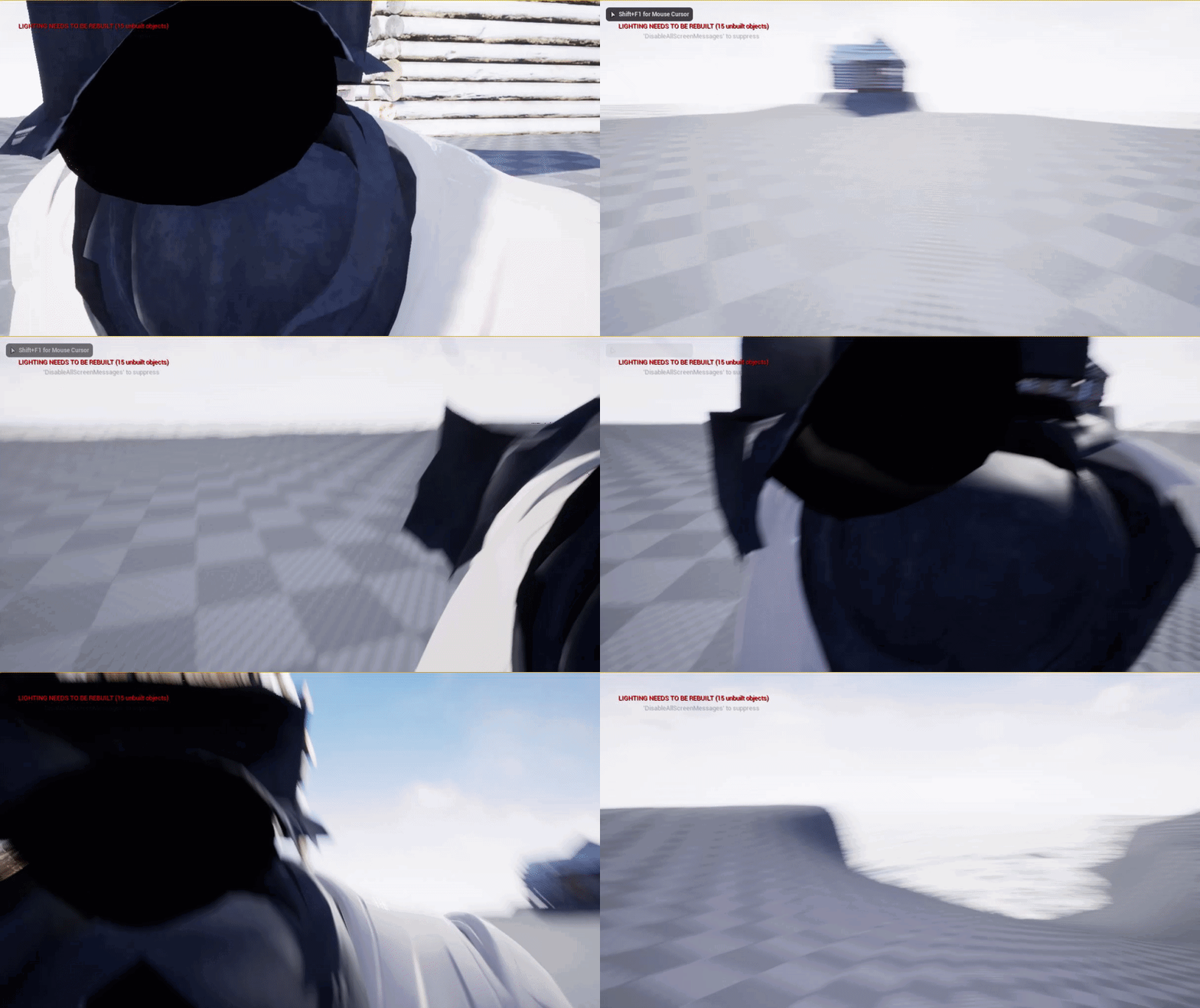
But i want to if my character looks back, then, my characters turn back
How can i do ?
I checked use pawn control rotation
grizzled garden
@maiden wadi what now?
plain flare
Please help
maiden wadi
@grizzled garden Hard to say. Character shouldn't really slow that much until it's ready to stop.
 hollow cape
@plain flare You are just rotating the camera there, the skeletal mesh has no idea what it's supposed to do until you make it do something. One way to handle that would be to drive the rotation of the head/neck instead of the camera and have the camera attached to the head socket
@grizzled garden please stop sending me friend requests, if you have questions feel free to ask them here
grizzled garden
@hollow cape can u help me in the issue above
hollow cape
Well what Authaer said is correct, the character shouldn't slow down before it gets to the end. My guess is there's some other code or something that you haven't shown yet
grizzled garden
ok
 gaunt kayak
Blueprints - Spline-Based Generation and Object Destruction.
So, hello there 🙂
This is a project I'm working on and I'm trying to shed some light upon to see how possible is to do stuff T:
I have a spline-based procedurally generated tree and river.
I'd like to make the tree/river "grow" in real-time (speed up) to see the effect it could have on sorroundings such as:
- overflow of the river from the margins of it's bed
- The damage that could cause a tree root to a surface
- etc.
Could this even be done?
Thank you in advance, and have a nice day 🙂
 tawdry pawn
hey guys i need help
i have exisitng project already in ue4.24
and i wanted to added a vr support
the project was started on empty templete
most of the project only use widget
also vr preview wont even start since the tracking is not working
 dim robin
can you help me with some basic casting? I have a pawn which needs to change the material of a static mesh inside an actor. But I can't make the cast work. any help?
these are 2 buttons in my widget, controlling an int in 2 directions (next & previous)
and this is the custom event for that "cycle skins"
until the print string everything works fine, as soon as I click the buttons I cycle through all the materials (skins array)
 hollow juniper
I also have a problem with casting / communications, I have no idea how to help you there so I wait until you get your issue solved haha
dim robin
but soon after I need to set material on another actor, is it possible?
 upper adder
i cant change the scale of an actor
dim robin
if I do this it doesn't work
upper adder
i tried every possible way but id doesnt work
every other node works but scale just doesnt change anything
dim robin
if I do this it doesn't work
@dim robin the "char selector" is the other actor i need to change the material into
maiden wadi
@dim robin You should show where you're populating those pointer variables. And always, always check validity before using pointers.
@hollow juniper What is your casting/communication issue?
dim robin
@maiden wadi these variables are on the pawn
(which is BP_menu)
but i need to use those variables on the pawn to change the material on another actor
maiden wadi
What is CharSelector?
dim robin
is the other actor i'm talking about
maiden wadi
Where are you setting that pointer?
dim robin
mmmh I just created a reference to it, but not setting it anywhere
hollow juniper
@maiden wadi
I'm trying to communicate between multiple interactable objects in my world and the player's HUD Widget. I want my interactable objects to be highlighted and display their Item Name on the HUD. Each of them have their own exposed Variable called "Item Name" that I would like to pass over to the HUD widget each time the object is highlighted. Since I recently learned about interfaces, I was wondering if that was actually possible to do just with them and completely skip the player's Blueprint. But I have never used Interfaces before.
Do you have an idea how to go about it?
I'm trying to write "good" kind of Code. I could technically make tons of casts to all individual objects in my player blueprint character and stack widgets on top of one another, but I recently learned that Blueprint interfaces exist and I was wondering if using those would be a good way, and if yes, how I'd go about doing it? Communication between Blueprints is a difficult concept for me :/ Is there maybe another more effective method?
dim robin
i guess I should cast to it somewhere, but I have no clue on what to put on the object wildcard
maiden wadi
@dim robin To try and explain it, a pointer(the light blue variables) are blank when you first create them. They're like ID tags, when you create them, they're just a blank tag. You know that it's supposed to have a name on it and belong to someone, but no one has had their name put on it. In this case, you need to programmatically get an actor that is the same type as your nametag and put their name there, in a sense. There are a lot of ways to do this, depending on the case. Most common are things like GetPlayerCharacter, GetPlayerPawn, LineTraceByChannel, SphereOverlapsActors, GetAllActorsOfClass, etc. You need to use one of these functions to 'find' the actual object, that is what you'd plug into the Object slot in a Cast to tell your compiler that you want it to treat your object as if it's the type it's being cast to. The cast will then either output true if it can cast that object to that type, or false if the object was invalid or could not be cast to that type.
@hollow juniper In general, assuming that your objects are all different types, and they don't have a common class that they can all inherit from, then you'd use an interface. Either way works fine, though interfaces are slightly more work because you have to actually add that specific event to each and every class and also the return, where as inheritance allows you simply to set the variable in each child class after making a simple return function in the common class.
As for how to use an interface, they're pretty straight forward. Create the interface, make the empty function in the interface with your desired inputs or returns. Do take note that in an Interface, any function that has returns will always be a Function, anything without a return will always be an Event. You open your class that you want those functions or events in, click on ClassSettings at the top and then add it to the Interfaces list on the right. You only have to do this in the class that actually has the events or functions NOT in the class that is calling them.
hollow juniper
Technically speaking, I could make an interactable main class. I just also found that checking if it has an interface implemented is an easy way of showing / hiding my widget, too. Don't know if that's such a good idea though - basically every object, apart from world geometry and items on the player are supposed to be highlightable or interactible in some way. Picking up / throwing items, frobbing NPCs, pushing buttons.
maiden wadi
On a side note though... Are you doing this with onCursorOverlap events?
hollow juniper
Thanks a lot for the explanation on interfaces. Sounds pretty straightforward! I was confused a bit
I do it with LineTraces.
dim robin
but even if i "get actor of class" (charselector), cast to it, set the reference, and call that pointer, this doens't work.. this is what I don't understand
maiden wadi
@hollow juniper Kay, Interface is the way to go then. If you were doing it with click or onoverlap events, you'd go a different route and make a function somewhere like your HUD class that you could pass in arbitrary data like the names and stuff through and have that one function toggle the widget on or off and call functions in that widget to update it's data.
@dim robin Do you only have one of that class in your entire level?
dim robin
yes
maiden wadi
@dim robin Hard to say without seeing what you're currently doing, but in theory that should work. I wouldn't really bother with setting a ref either, and you don't need to cast it from the GetActorOfClass node, it should already be cast to that class.
 latent junco
Hey, is there a simple method for finding the closest location on the navmesh to a given input location? I have an item that the player can drop, but I only want it to drop where it can be picked up, so if the desired location is invalid (for ex. by the character holding the item over the side of a cliff), I'd like it to be dropped at the nearest valid location to the desired invalid location instead
hollow juniper
@hollow juniper Kay, Interface is the way to go then. If you were doing it with click or onoverlap events, you'd go a different route and make a function somewhere like your HUD class that you could pass in arbitrary data like the names and stuff through and have that one function toggle the widget on or off and call functions in that widget to update it's data.
@maiden wadi
Alright then. Thanks a lot for the info. I'll try playing around with the blueprint interfaces then and trying to get it to work. Thanks a lot!
maiden wadi
@latent junco I've had varying luck with ProjectPointToNavigation. I find the best use for it is to query in incremental steps until it finds something, although it seems to derp out a little around 6,000 units.
dim robin
@dim robin Hard to say without seeing what you're currently doing, but in theory that should work. I wouldn't really bother with setting a ref either, and you don't need to cast it from the GetActorOfClass node, it should already be cast to that class.
@maiden wadi i posted some screenshots above: basically i have a widget (widget_menu) with arrows right and left. clicking on those arrows i perform event on pawn (bp_menu) to set an integer corrisponding to an array of materials which have to be changed on the other actor (charselector). basically everything works except the "set material" which i'm performing on the pawn to change material on the charselector
maiden wadi
@dim robin Is the print on CycleSkins being printed to screen?
latent junco
@maiden wadi Gotcha, I was hoping there was a simpler way, I'll do that then 😄
maiden wadi
@dim robin Where are those Materials being set? Where is that execution line coming from?
maiden wadi
Right, but where is the line coming from? Is it the same line as the PrintString?
dim robin
yes
btw I just tried this
and it's working, so I guess the "static mesh" target there was previously was bugged
probably was still taking it from the charselector which was not setted
thanks a lot for your help
you're the king
maiden wadi
Do try to find a better way to handle stuff like this though. Using GetActorOfClass or GetAllActorsOfClass is generally not a good way to do most gameplay coding. You'll end up with issues where you want more than one and break your GetActorOfClass, or end up not knowing which one you need from GetAllActorsOfClass. Once you get used to getting references from different sources, and get over the casting hurdle, it'll open up a lot of design options.
dim robin
yes, I'm still a super noob beginner. as my experience is growing I'm always finding new ways to improve the blueprints
but for now I'm satisfied as long as I get the wanted results
 latent arch
Anyone here got something that uses rays to "measure" and guess the approximate size of the environment as you move around? I'm going to use a few traces but I'm unsure of how many to use and how to space them out 😆
maiden wadi
What are you tracing for? Or what is your use case?
 full perch
Does anyone know what variable to set in a struc so that you can set animations in a data table and use later?
maiden wadi
@full perch Depends on how you plan on playing them back. Montage or literal PlayAnimation?
 spark robin
Is there a class similar to the blackboard but for use in Blueprints? (A class just for storing variables)
(Please ping on reply ❤️ )
 odd ember
@spark robin it really depends on what you want to do. you could technically make something like a struct work that way. but the use case is much more important
the reason it works between BT and BB is because there is a strong coupling
spark robin
I wanna store game settings like mouse sensitivity, FOV (etc) somewhere
odd ember
something that is frowned upon in the general OOP that BP is
those variables I reckon are already stored in the "game settings" or some such
 shadow bone
Trying to understand event dispatchers --- was wondering if a use case is when you attack an enemy that the event dispatcher is listening in order to play a reactionary anim? Or am I thinking wrong
odd ember
yes @shadow bone
spark robin
How would I use a struct for storing the settings? 🤔 If I modify it during runtime I would need a way of accessing the updated values, which as far as I know wouldnt work?
atomic salmon
@spark robin https://docs.unrealengine.com/en-US/Gameplay/DataDriven/index.html or you can also use persistent properties
Driving gameplay elements using externally stored data.
odd ember
to be honest what most games do in that regard is store the values externally in an .ini file @spark robin
shadow bone
Thanks! I'm trying to design out a turn based system, and just thinking about the design phase (interfaces, event dispatchers, game mode etc) before doing actual coding
odd ember
putting thought into the process before actually coding stuff?! that's unheard of
there may still be hope for humanity after all
shadow bone
It helps that I have a job in software development by day haha
odd ember
good luck
shadow bone
thanks!
spark robin
This kinda looks right?
odd ember
BP savegame objects are largely useless, sorry
there is a game settings class that I'm sure holds some of these variables
I can't remember the exact name
atomic salmon
@spark robin for configuration related properties you have save/load support built directly into UPROPERTY
The advantage is that they are stored to ini files so they can be edited also externally
odd ember
pretty sure that is available in BP as in the class defaults as a tickbox
maybe under advanced
latent arch
@maiden wadi hey there dude sorry for the late reply! im purely tracing as a form of measurement in this case. I want to approximate the size of the environment around you. So an average sort of thing
going to try hooking it up to a control for reverb in the audio setup
maiden wadi
Something like a general room size?
latent arch
yeah basicaly
but dynamically so i can use a couple of the cosest object to determin if were stood near a wall etc
in addition to the average area size
i know i want a few loops of line traces but not sure how to set them up to fire out at angles etc hehe
they can also stay worrld relative i guess cause its just a scanner sort of thing
maiden wadi
I mean, honestly if I was setting something like that up, I'd seriously make the rooms themselves have properties I could get, get the room the player is in and use that property. But if you're looking for a more dynamic approach, you're pretty much stuck with doing a lot of line traces and math.
latent arch
yeah thats fair enough, unfortunately im modding this one so dont have access to the original map data. Im happy to do a few traces, just need to figure out how i can get em to fan out from centre 🙂
maiden wadi
Hmm. That's a hard one. Never done much spatial work like that. Initially it seems easy, but that's assuming all the rooms are cubic. Did some looking and a few other people are trying the same thing, but there's not much information on the matter easily found.
latent arch
yeah thats why im here haha 😄
ive also seen some people demoing it but not sure how to tackle it hehe
ill experiment, the hardest part for me right now is knowing how to rotate the traces one after another so they make a fan
maiden wadi
@latent arch Like, doing a trace every 45 degrees you mean?
latent arch
yeah basically, but also up wards and downwards so its makes a sort of sphere
maiden wadi
Hmm. So your end result needs a basic room size, and like the closest surface to the player?
latent arch
yeah that would be fantasic
maiden wadi
Well, the one problem will be that the closest surface will generally always be their feet unless they're right up next to a wall, that okay?
 magic surge
Wonder does anyone know a good how to make this style of grid base movement, where you only move on a grid. https://www.youtube.com/watch?v=7lZRiiKjINg&ab_channel=GracesGames
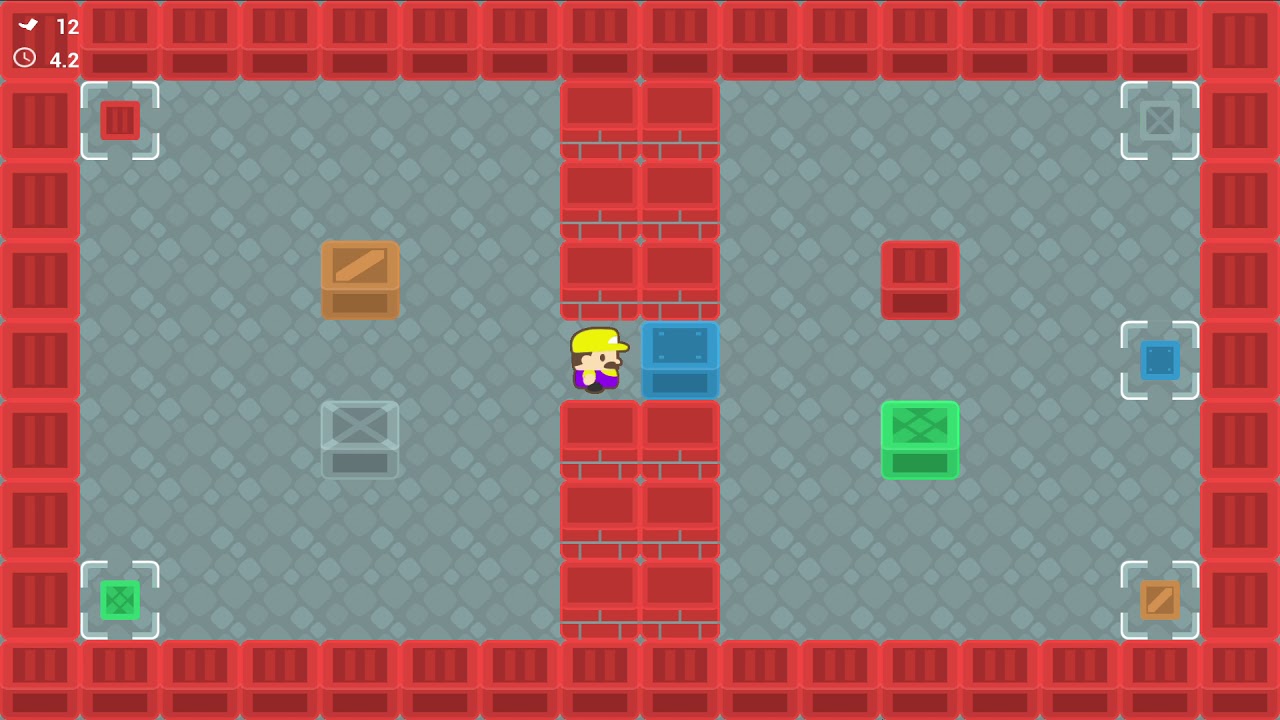
Demonstration video for the Push Push Puzzle 2D Kit available in the Unreal Engine Marketplace https://www.unrealengine.com/marketplace/en-US/product/push-push-puzzle-2d-kit
latent arch
probably best if we ignore the floor i suppose
maybe ignore the "closest" and get the 2nd closest 🙂
odd ember
@magic surge you move the pawn one "grid size" at a time
no movement component required
magic surge
been looking at stuff like that but not giving much answer to how to properly set it up
odd ember
well you have a grid size
you have a node along the lines of set actor position
done
might be set actor location
then you just have to configure movement depending on camera and input direction
but that's an extra select node basically
if you want to be really fancy you can use a timeline and a lerp to do it over time so the actor actually is seen moving
very cool in action
magic surge
yeah, I assume that, I am mostly figuring out on making restrictions and stuff. I'm basically experimenting with making a 2D Side-Scroller that is set-up in the tile base movements. my concerns is making sure the character stays in the exact grid locations, dispite maybe a player bumps into a wall or the player gets hit by an enemy or obsticle
odd ember
if the world is made up of grid size tiles
then you can assert that moving only by grid size distance will never give you incorrect results
magic surge
Mmm I'm a bit confused on what you mean, Sorry I tend to have issues understanding through text compared to visuals
odd ember
it's math
mathematically you will never be able to "move incorrectly"
as long as everything is based on the same grid size
so your grid size becomes alpha and omega
 open crypt
Is there a way to "send to the ground" on an object like the END key in the editor, but in blueprint???
magic surge
I see, I'm just thinking through the set up and such and would it work or go against some other aspects of the game I'm experimenting with
odd ember
Line trace down, get location, offset by pivot location @open crypt
open crypt
lol so not just end
 daring adder
I'm trying to create a destructible mesh that would break but provide almost no resistance to the projectile and just let it pass through, could anybody point me in the right direction on how I could achieve that kind of result?
odd ember
Overlap collision @daring adder
daring adder
So far the projectile breaks it but just bounces off
Well... That's not exactly what I want but it might get the job done
daring adder
I wanted something like the way that projectiles behave in Smash Hit
Yeah fair point
Wait. Destructibles work with overlaps?
odd ember
If not
In the blueprint just add an extra collision box with overlaps that triggers destruction
You can be as precise or lazy as you want
daring adder
I think that will work. Thanks a lot
full perch
Does anyone know what variable to set in a struc so that you can set animations in a data table and use later in having a looped movement animation?
odd ember
lol so not just end
@open crypt I mean under the hood that's what pressing "end" does
the functionality of that isn't exposed though
odd ember
yeah
open crypt
?
odd ember
I'd say probably up that value to be more than 600
open crypt
cool, thanks for confirming that
odd ember
try with like 10k or something
also
remember to offset the pivot or collision. right now you might end up with the thing in question to be "stuck" in the ground
so you'll have to take that offset into your math considerations
alternatively try with a sweep
maybe that will actually function well
then you can adjust the location
automatically based on the sweep hit test
open crypt
hmm, thanks I'll take al ook
 winter garnet
Hey guys! I'm trying to integrate my game with Steam but there's no way I can make it work on Play as Standalone.
I've followed several tutorials, and it works on Shipping Build, but can't play it on Standalone. :/
Ideas?
Probably this is not the best place to ask, but unsure where to put this question though.
odd ember
you're probably not going to be able to make it work in editor which seems to be what you're asking @winter garnet
winter garnet
I was almost accepting that, except that this guy made it -> https://www.youtube.com/watch?v=jkzG-7_d_3w

Hi guys, sorry for rushing the video a bit but hopefully I was clear enough for you to understand how to play together with friends from steam using the invite system from the advanced sessions plugin!
If you want to give me money (lol) you can use my paypal email: francisco...
I followed all his steps and nothing :/
odd ember
I guess ask him? I've never seen this done before. nor am I convinced it is necessary
odd ember
Build, test, build, test?
@winter garnet that's the standard yes
testing within UE4 is good for prototyping but you wouldnt want to roll out features to use that won't work
so testing on builds is always advised
 still sigil
https://gyazo.com/123bee529e8563c833acdfd4f7f772ed
Alright, day 4 (?) of me pulling my hair out trying to get this AI jumping to work right. :P
So I've almost gotten it working how it's supposed to, and before this afternoon, I thought I was finally done with it. But of course some other strange bug that I can't explain the existence of crops up. Here's how it's set up. I have a BP with two box colliders. One for the left jump point, and one for the right jump point. Once the enemy BP overlaps with one of these box colliders, it sets a vector value, which determines the location the enemy should jump to.

https://gyazo.com/d4f8d139c47801b65d1ba0fe4e3184db
Jumping into the enemy BP now, I have a "Suggest Projectile Velocity" node, which is supposed to launch the enemy to the vector that the trigger box BP set.

https://gyazo.com/8135065c100ef09b81fd511160df2bf8
And lastly, I have a SmartLink BP with a "Event Receive Smart Link Reached" node, which triggers the event that causes the "Suggest Projectile Velocity" to happen. This is so the enemy only jumps when he reaches one of the Nav Links.

All of these combined creates a scripted jumping system that sometimes works. ...Sometimes. Other times, once the Jump event is triggered, the enemy will get flung in a completely different direction that's nowhere close to the one I specified. What makes this even weirder, is that the debug line that shows the jump arc clearly shows that it is aiming for the vector that the trigger box sets. And yet, the enemy doesn't follow said jump arc. So here I am again, completely lost on what I could be doing wrong here.
 maiden wadi
@latent arch Are you still working on that room thing? I 'might' have found a fairly simple solution for you.
odd ember
@still sigil to be fair it is only suggesting the projectile velocity
still sigil
Then what's a node I can use that's more reliable than that one?
still sigil
Then I guess I'm shelving this for now. Cause I can't really do anything more complicated than this.
odd ember
have you considered trying with nav links?
still sigil
A little bit, but there's veeeeeeerrrrrrrrry little information on it.
And the one tutorial I could find did the math wrong, and I don't have the technical know how to correct it. So I kinda hit a road block there.
odd ember
did it explain the intent even if it got the math wrong?
still sigil
Yes. The intent was basically what I'm trying to do now. Have the AI land on the other end of the Nav Link every single time it's triggered.
I'm not even sure how the math was wrong honestly. In the tutorial, it works perfectly. But when I try to do it, it doesn't even launch the character in the air.
And I followed it beat for beat.
odd ember
so what changes did you make?
still sigil
None! I followed it to the letter.
odd ember
okay
still sigil
I might even be able to find an earlier post showing it. Hold on.
odd ember
have you debugged why he jumps the other way?
I'm thinking that perhaps a quick fix would be to add in a heuristic
which could work
but it's not going to be perfect
but I'd want you to debug it with breakpoints first to see if you can catch what happens to the velocity/vector for the second jump
still sigil

 odd ember
can I also recommend using the windows snipping tool over gyazo?
you can paste that directly into discord
still sigil
I dunno. I don't really mind it. 😛
odd ember
well it's less readable
and you have to open the gyazo site
but w/e just a suggestion
still sigil
Anyways, I'm not really sure how to debug this honestly, cause I don't even really know what I'm looking for.
odd ember
I just told you
the vectors and velocity
those are clearly off when he's jumping the other way yeah?
try it
still sigil
I'm noticing also that not even the "Receive Smart Link Reached" event is always triggering. There, the enemy also doesn't always perform the jump event at all.
maiden wadi
The math is fine. It's the same math just in a slightly more complicated layout that I posted before. You should do some DrawDebugPoint functions on your destination vectors.
still sigil
https://gyazo.com/35ab4fe7dbb4f958f318775ae87037e8
Kay but like, when I tried that method, this is happens.

 boreal helm
my friends i have problem
still sigil
Notice how he like, jitters a bit? As if he's trying to do the jump?
boreal helm
in this video it shows launch character
but when i search for launch character it does not show up
you can ping if you have asnwer
odd ember
@boreal helm you're trying to launcher the character without a character to launch. inside the character blueprint itself it's there because it knows the character. in your other blueprint you have no reference to the character it wants to launch
I'm noticing also that not even the "Receive Smart Link Reached" event is always triggering. There, the enemy also doesn't always perform the jump event at all.
@still sigil well given that you branch off from there it won't always jump
still sigil
Hmm? I do?
odd ember
IsJumping
still sigil
Ohhhh.
still sigil
Whyyyyyyy?
odd ember
because you want your conditions to be true to execute the main part of the logic. it's easier to debug, especially when you start having really complex conditionals
still sigil
I would've thought that telling it to execute jump logic while the character isn't jumping already would make sense.
odd ember
youcan just put a (not) node to negate the value and put it on true
 junior elm
waht
still sigil
O-Oh, uhh.... A-Alright. Just went through the effort of recreating the velocity function again, cause I deleted it before, thinking I made my own system that works.... And uhh.....
https://gyazo.com/26bea9ea532d66e4607e77fbb18746c1
This happens now... 😛
odd ember
there is no third index
in a map
a map is a dictionary
it has keys and values
that's it
still sigil
I'm thinking the problem might be that it is launching the character to the Nav Link, but it's launching him to the wrong Nav Link. It keeps launching to where it starts, rather than where it ends. So he just gets stuck in the loop where he's launching to the same Nav Link over and over and over again.
maiden wadi
@flat raft If you know for a fact your map has at least three entries, you could get the Keys array and get the third entry, but by default they don't really have indexes.
 flat raft
Yea, I knew that it doesn't. I was just hoping there wassome secret lol
odd ember
the secret is using cpp to get access to the data structures you need instead of those available in BP
 opaque carbon
Whats the best way to start learning unreal engine?
maiden wadi
Yeah, blueprint is really sparse with map functions. Not very friendly with them.
flat raft
yea.. i'm just prototyping.. so im sticking with bp
still sigil
@opaque carbon Tutorials my man. 😛
flat raft
but eventually .. it will be cpp
odd ember
you can always create a data structure in cpp and expose it to BP
I've made a priority queue this way
maiden wadi
@opaque carbon How much programming or developing experience do you have?
maiden wadi
With that experience, I'd consider learning blueprints first just because it'll give you great access to a lot of the library functions without searching much.. Find a nice long tutorial and follow it. Since you're used to datatypes and such, most of them should be fairly easy to follow. Beyond that, a lot of it is just trial and error and experience. I learned a lot of what I know just frequenting the discord here. People would ask questions and I'd make it a game to see if I even understood their question, if I vaguely did I'd try and solve it myself with searches just because I knew I'd probably hit the same issue at some point.
opaque carbon
oh ok thanks
boreal helm
ok so i did the double jump blueprint for the character
but now how do i play as it
because i am doing 3rd person game and im currently experimenting, so is there a way to make that character as a player start?
because when i only have that character instead of playing as the double jump character it makes a seperate character
still sigil
@boreal helm You have to set it as the player character in the world settings.
 static fulcrum
thats the value
still sigil
https://gyazo.com/72962639ccfc27c99200ee150946cd26
@boreal helm Go to the window that displays the game world, click "Settings," then in the window that appears to the right, select whatever you called your double jump character as your default pawn.
 boreal helm
ill check it out
ok
so i set it as spawnpoint but now sometimes when i click play the camera zooms
would this work for forwards
becuase when i try to move iwth the third person character he doesnt move at all
still sigil
How come you're not just using the default Third Person Character that Unreal gives you when you make a new project?
And then adding stuff on top of it?
still sigil
"Enable Input" is for re-enabling the player's controls. "Disable Input" disables the controls. These would be used for instances like cutscenes, where you want to make sure the player can't move around when the cutscene starts, then you can re-enable movement when the cutscene ends.
It makes it to where you can press buttons on the controller to control the player again basically. 😛
still sigil
Fixed it?
boreal helm
yes i got the double jump working
still sigil
Nice. 😄
flat raft
Can I make this simpler ?
boreal helm
One final question, is there a way to make an object be able to pass through when it's not visible?
Because what I'm trying to make is a very small game where you have to cross a path and toggle the bridge. And so you have to cross the gap with your double jump, but if you dont make it you fall through. And so I make the bridge (wall) not visible until you toggle the switch. But you can still stand on the bridge. So is there a way to make the bridge be able to go through until it is visible?
surreal peak
@flat raft The last Add node seems redundant
Although
The Find Node on Maps returns a copy I guess. Freaking BPs.
flat raft
need the last Add
surreal peak
@boreal helm Gotta set the Collision on it to Disabled
boreal helm
ok
surreal peak
@flat raft Yeah looks like the minimum then.
flat raft
Yea seems like it
 tidal thistle
how can i access a variable from c++ in a widget blueprint? trying to make a binding for some ui text to a c++ variable.
i have marked the variable with a uproperty UPROPERTY(BlueprintReadWrite, VisibleAnywhere) but i still can't see it in the bp
flat raft
Thanks for checking
surreal peak
Can you show the code @tidal thistle ?
tidal thistle
oh i have it now, seems a vs build isn't enough, had to hit compile through the ue window
latent arch
@maiden wadi hey there dude, sorry for the late reply - yeah still trying to wrap my head around it 🙂
surreal peak
@tidal thistle Well, first of all, the Compile button in UE4 is HotReload, which you should avoid
Second, you should close the Editor between Code changes and just hit F5 to restart it
tidal thistle
how come i need to avoid it? restarting it each time seems a bit tedious no?
 dense mica
Whats that self object reference? Is it just designed to use "self"?
or is this just because of i am in the "Inventory Component" already?
dense mica
Understood. Its something like "this" right? I didnt know "this" could be an object and used as input, at least like that way*. Just trying to understand back-end of blueprints, nothing special.
surreal peak
self is exactly like this
dense mica
Okay eXi, thanks 🙂
boreal helm
where would i turn off the collision for the square until i toggle it back on with E
https://youtu.be/Aa6u_lqnNsc also here it what i have so far

my first 'game' in unreal engine purely from the blueprinting system
the song name is gangsta's paradise
surreal peak
@boreal helm Where you are setting the Visibility.
You can also set the Collision of your Meshes
Also, please don't put music in those videos.
boreal helm
thank you for the information exi
flat raft
Just finished a very challenging part to my game. Was frustrating.. but now its done!
 sonic pine
Hiho how i can give the SetActorRelativeRotation back to the character?
My actor rotation is in the CharacterController_BP but if im trying to change my cammerasettings ingame i will get this error
So im thinking my rotation need a way to communicate with the Character ^^
Both Rotation´s get this error ^^
Cast to Parent will not work...
sonic pine
an other problem is this
Between Controller Char and SetActorRelativRotation should be linked the Camera Arm from the ParentChar, but i cant find the Camera Arm
flat raft
Still a few bugs.. but it's working
 hidden hatch
is it possible to add an image to the hud using blueprints?
still sigil
@hidden hatch Yes. Fairly easily in fact.
It's pretty much the same process of displaying hud elements in general.
hidden hatch
which is
still sigil
Do you know how widget's work?
still sigil
I recommend looking up some tutorial online on how to use widgets. They're pretty easy to use actually.
 unborn maple
is it possible to destroy actor of certain type with interface? i tried doing a does implement interface and anytime it overlap with box collision it would detect that it had the interface but when sending the event the call event of the interface n ever fired the destroyed actor.
if i did it with out the message sending to the interface and just checking if the interface is implemented it destroy the actor but then comes with a bunch of error saying the actor is still trying to destroy itself
grizzled garden
guys i have FBX file, and i made a new blueprint class character
why i cant add the fbx to the chrarcter?
as a skeleton
dense mica
@unborn maple how do you checking the collision
 karmic zealot
@unborn maple Next time show blueprint logic screenshots when asking for help
grizzled garden
help
unborn maple
i always show them but i still dont get a response. let me repost.
the collision overlap is a actor it self.
grizzled garden
so guys what do i do now?
unborn maple
karmic zealot
What?
What are you trying to accomplish exactly?
Here, it's telling me that on overlap, you are getting every single actor in the level with a certain interface, then checking every single actor if it uses the same exact interface you already checked for
flat raft
@grizzled garden is ur fbx a skeletal mesh?
unborn maple
pretty much im trying to have it if it hit the bottom floor where that collision even is to destroy the actor
karmic zealot
pretty much im trying to have it if it hit the bottom floor where that collision even is to destroy the actor
@unborn maple destroy what actor?
flat raft
Fbx is a static mesh, or skeletal ? @grizzled garden
grizzled garden
i just want my characrter to have that desgin
unborn maple
the ones that are associated with the interface
grizzled garden
it is static
coz the character does not need a movement in its skeleton
but it hover as walking
unborn maple
because if i dont use the interface i would have to cast to every actor wouldnt i?
karmic zealot
@unborn maple damn BP, lines. Anyway, you can only kill one of them. And that's the one that was overlapped
flat raft
ok, then you need to use Static Mesh Component @grizzled garden
grizzled garden
in the add compomenet button?
karmic zealot
Why are you even casting to every single actor?
flat raft
Ya
grizzled garden
ok
flat raft
Lookup, on YouTube, how to attach mesh to skeletal mesh or sockets
grizzled garden
i did and it did not apply
on an actor it does
on a character it does not
what now?
flat raft
Same
unborn maple
is there a way to do that with out casting?
karmic zealot
No clue what you're trying to do exactly with your logic
But what I am telling you, is you are being redundant here
sonic pine
Hiho i have a question for Rotations
karmic zealot
If every single actor in the array has that interface, then it will just be true always
sonic pine
How i can create a "blue" CameraArm
karmic zealot
It's called a reference
Find it
I assume it's a tutorial you are following. Drag out the camera arm component
grizzled garden
@flat raft i will use thta https://www.youtube.com/watch?v=h-FwbntKmMU&ab_channel=InuGames

is that good practice ?
flat raft
Yup
grizzled garden
ok
flat raft
What are you attaching ?
grizzled garden
an enitre character desgin, not like the video, he did attach things, but i want to attach the whole character desgin
unborn maple
i understand just trying to make sure im not leaving messy code all over the place.
will try to fix it
sonic pine
@karmic zealot I know but my problem is i need the reference of the CamArm in a controller not in the character, so there isnt any camArm of the character
grizzled garden
and i cant use it directly sadly
flat raft
What do you mean design?
flat raft
ok
karmic zealot
I know but my problem is i need the reference of the CamArm in a controller not in the character, so there isnt any camArm of the character
@sonic pine Cast to the character and get it then...
grizzled garden
and it only accpet skeleton thingie
and my desgin is not skeelton
it is a mesh
grizzled garden
ik, it is not animted
karmic zealot
@sonic pine Watch this https://www.youtube.com/watch?v=EM_HYqQdToE, all of it

Announce Post: https://forums.unrealengine.com/showthread.php?101051
This Training Stream takes a look at Blueprint Communication. We find that Unreal Developers of all levels can sometimes struggle through the concepts behind moving data between objects. So in this video we'...
grizzled garden
must it be animated?
flat raft
If you want it to animate
grizzled garden
?
grizzled garden
@flat raft wait i added a static mesh
and now it show the desgin
in the character view port
now i dont need to follow the video?
flat raft

This is a follow-up of the "Create a Movable Player Character From Scratch"-tutorial. Here we look at how to make a third-person game by adding a skeletal mesh to the "MyPlayerCharacter"-blueprint class we created in the first tutorial.
Download the mesh I'm using in the tuto...
@grizzled garden
flat raft
If you have what you need, then no
grizzled garden
ok
grizzled garden
guys how to delete a task in black borad?
 weary jackal
you can make a decorator to execute the task
thats how the task won't be executed unnecessary
grizzled garden
ok
 late shuttle
Anyone have any ideas on how to have "items" that can be picked up that are custom events in the player's blueprint, and if they have said "items" in their inventory when he/she press Fire_Button they all active? I don't want to go through a bunch of nested (IF>THEN) Statements.
I'm going to read up on Flow Control while I see if anyone can point me in the right direction. Thank you.
Maybe I should add abilities/items as names to an array of strings, execute a For_Each_Loop each time the player fires, then connect the For_Each_Loop w/array to a Switch_On_String 🙂
trim matrix
Anyone know why "Set Resolution Scale Normalized" does nothing? If I use "GetResolutionScaleInformation" afterwards, current value correctly changes between 25 and 100, but the actual screen resolution does not change.
@late shuttle Not quite sure if I read you correctly, but couldn't you just implement an interface on the item?
late shuttle
I think I've figured it out, thanks.
Now I'm wondering if anyone ever figured out this problem of drawing 2D circles in UE4 runtime: https://answers.unrealengine.com/questions/606705/draw-fixed-in-pixels-thickness-lines.html?sort=oldest
Sounds like that's a function reserved for C++ https://docs.unrealengine.com/en-US/API/Runtime/Engine/DrawCircle/2/index.html
Draws a circle using lines.
 wet steppe
I need a blueprint for a in game clock
like The Long Dark if you have ever played that. Id like it to keep track of time survived
anybody know any tutorials on this? all my searches dont exactly come up with what I am looking for
 spark steppe
@late shuttle you can archive that with a relative simple material setup https://3.bp.blogspot.com/-xtlhnBZfovY/Vq31GxvlcXI/AAAAAAAAJKk/SFERZDqHEqc/s1600/Decal3.jpg
you'll need a plane to render the material on, tho
maiden wadi
@latent arch I made a function that might help. It can at least get a rough approximation of the room's half width, ceiling height average, and the very closest traced wall surface(avoiding nearby ceiling or floor). They might be numbers you could work with
latent arch
@maiden wadi hey buddy, your a legend thats amazing! definately gives me a lot to play with
hope you didnt mind doing that? hope it was interesting at least! 😄
maiden wadi
Nah, I don't mind at all. I love vector math stuff and this gave me a reason to procrastinate from my own UI stuff. On a side note, do you do any C++ or pure blueprint?
maiden wadi
So. There is one issue with this. Which I'm slowly trying to fix in an elegant manner, but at the moment, it only works if you do the math from a straight up vector. Meaning that it only works well in level situations. Normally it wouldn't be an issue, but it might make things like a long tunnel that is going down at 90 degrees instead of flat feel like a small room. Working on being able to rotate it better. But if that's not an issue and most of your use cases will be flat I can send what I already have working.
latent arch
yeah that sounds good, luckillly right now most of the environments are outdoors but there are many urban areas and valleys etc
maiden wadi
Right now it's tracing like this. Using the returns to draw that blue square as the closest point on the right side.
 weary jay
Any good tutorials for making a simple top down vehicle game using blueprints?
maiden wadi
Code wise, I am just calling this to get the current values.
So, find room size is a bit odd at the moment. But I have it set up like this. Next three screenshots are the same function.
latent arch
ok sweet
maiden wadi
And very last is the actual tracing function, which is called the four times in that FindRoomSize function.
latent arch
thank you so much dude thats awesome!
ill experiment with that later this afternoon and let you know how it goes 🙂
latent arch
hey @maiden wadi is that circular trace node one that you have made? i cant seem to find it 😄
maiden wadi
@latent arch Yep, it's the last screenshot.
dim robin
can you please help me understanding one thing about playercontroller?
So I'm spawning some pawns on a given array of playerstart points, creating players. Now I need to access and set those playercontrollers 1 for each player.
I was expecting the first player to have playercontroller0, the second one playercontroller1, and so on, but apparently the first player has playercontroller-1
this is the spawn system
since I have to implement player turns, I would like to access those controllers to enable/disable inputs.
Is there anyway to set the playercontrollers start from index0, so that player1 will have controller0, and so on? I hope my question is clear
should I remove "createplayer" and set controllers in another way?
maiden wadi
@dim robin Where are you calling this function from?
dim robin
gamemode
maiden wadi
Which event?
dim robin
this is a function "spawnplayers" running after another function "getplayerstarts" (which get player starts array)
maiden wadi
But what event in GameMode are you running these functions on?
dim robin
beginplay
maiden wadi
The reason your first playercontroller is 1 instead of 0 is because GameMode has already spawned a player controller for your first player by that point. Is this for local coop or something?
maiden wadi
Hmm. I don't have any experience with local coop. Let me look at the create player function really quick in C++
If I'm vaguely understanding this correctly, you would more or less spawn the extra players with your function and assume you're always going to have a player0 for any map. I do wonder if these persist across maps though? It's spawning them from the GameInstance, which usually persists map loads. So you may only need to do this once per game load instead of once per map. Not sure on that though.
But yeah, if you're playing with like four players total, you'd only need to manually spawn three controllers instead of four.
dim robin
like more or less every multiplayer game I would like to chose the number of players on main menu, and spawn them accordingly. but also i would like to give controller0 to player1, controller1 to player2, and so on
maiden wadi
So just assume you'll always have one and do your functions with that in mind. For example. If you start a game from the main menu with two players, then you'd spawn 2-1 controllers. If you wanted five players, you'd spawn 5-1 controllers. If you wanted single player, you'd spawn 1-1 controllers.
dim robin
isn't there a way to set that -1 to 0, 1, 2, 3 accordingly to the player number?
mmh ok i think i understood
i just need to find a way to differenciate players to enable or disable their inputs
but as far as i understood the controller will be -1 for each player, no matter how many are they
maiden wadi
If I understand that function right, that is only if there are already player controllers in the game. If there are not player controllers, you can just leave that at -1 and spawn player controller to true and it'll spawn a new controller for that new player.
So their ID shouldn't be -1, for example, if you spawned three new players. Your original would be 0, and each one in your function would be 1 2 and 3
latent arch
@maiden wadi hey buddy ive got your code replicated looks great so far, only i must have made an error somewhere cfause im getting an infinite loop from the "For each Loop" on runtime
boreal helm
my friends what was the input to put that white box around a script and then write what it does? i watched intro to blueprints on unreal engine channel but i cant remember how to do it
latent arch
this section i believe 🙂
maiden wadi
@latent arch Is WallPoints a local function variable?
maiden wadi
I tried to avoid actor level variables for those to keep the outputs consistent.
latent arch
yeah
hmm it ran for a bit but still gave an inf loop
ill go through and make everything local
maiden wadi
@boreal helm You should be able to just select the nodes, and hit C. From there you can edit it's text in the graph and the color off to the right in the details panel.
maiden wadi
@latent arch You get that loop sorted out?
 fair sierra
@latent arch Don't forget the maximum loop counter setting in Project settings -> Engine -> General settings, depending on what you are doing a big loop may fall foul of this size, I sometimes do 512x512 processing and this needs to be changed to accommodate that.
full perch
Would anyone be able to help hook up animations in a stuc such that you can retrieve from datatable and have the spawned entity use for movement?
 wild moth
Hello everyone,
I have my SpringArm setup properly to be blocked by the Camera channel and I have walls setup to Block Camera channel BUT it still goes through them
Does anyone have any tip for me here? 🤔
maiden wadi
@wild moth Assuming that your collision channels are set up correctly, then the only other issues could be that your SpringArm doesn't have DoCollisionTest set to true, or your walls don't actually have collision which would make the collision settings useless.
wild moth
It is strange, I've been working on this for a year and it's a released game, and the designer did something and I can't find it 😂 spring arm is setup like it was before
even a new "Cube" setup with the proper "Block" on the channel isn't triggering the probe collision
maiden wadi
Is the DoCollisionTest set to true?
wild moth
of course yes
maiden wadi
Something must be changed at runtime then. Cause if a cube with collision is set to blockall, and the DoCollisionTest is true, and the camera is definitely a child of the spring arm, it should react correctly.
wild moth
I'll investigate. I 100% have the same Pawn and the same object (a structure) which used to block the camera and it isn't blocking
So something is odd
maiden wadi
Check those collision values and DoCollisionTest at runtime with Tick or a Keypress somehow. One of those has got to be off.
wild moth
Very odd, I found that the camera component (attached to the SpringArm) had a position of (-3000,0,-5) inside the BP, probably a mistake by the designer touching it
but that made the collision not work even if the camera view was on the end of the SpringArm
if you're curious @maiden wadi
👍
maiden wadi
Ah, that'll do it. Hadn't considered that.
trim matrix
Hey anyone got any idea how to give a little bit of random spread to a fired projectile?
maiden wadi
@trim matrix Sure. Are you just spawning from a socket on the weapon?

 maiden wadi
If I'm not mistaken, all you should need to do is use a RotateVector node, randomize the Pitch and Yaw by a very small amount, and rotate your GetForwardVector that's coming from the ControlRotation.
Ah, wait.
maiden wadi
Rotates a facing vector, that was wrong though. It would have changed the spawn point, not the rotation.
maiden wadi
This is the same thing, but less nodes.
Roll is pointless here for aiming, just need to randomize the pitch and yaw.
trim matrix
ah yea ofc roll is useless haha
maiden wadi
@trim matrix Also don't forget the negatives. Or they'll only randomize towards one side.
 rough wing
I'm looking for a blueprint to execute some code in game
Code's such as spawn actor etc
trim matrix
Call Spawn Actor in bp
rough wing
I know there are BT Tasks but I'm looking for something I can call from an actor
trim matrix
What do you mean call from an actor?
trim matrix
Inside another BP?
trim matrix
You need a reference/instance of the actor you want to perform tasks in.
Then call the method from that instance/reference.
rough wing
No
I want a blueprint that can hold some code
And have an execution event
Like an AI Task
There are gameplay tasks but I couldn't get that to work
trim matrix
I'm not following. You have an Actor with functions/events that you want to execute in another actor BP correct?
rough wing
No, I want to execute blueprint tasks from an empty actor
 signal cosmos
Hi! Is there a simple way to make the Car from the vehicle template to stop sliding like crazy when I'm turning at high speed? There's a ton of settings in the vehicle movement component, I don't know what to touch
 austere copper
Hi I have two questions. One is there any way to animate the location of a spline point? Two, I animated an object to rotate but it only does so when in the play mode. Will the animation work when I render out a video through unreal?
 pine trellis
does anyone know if you have to replicate footsteps? This is my code for my footsteps but t hey wont play on other machines
odd ember
are they used for gameplay?
austere copper
@odd ember I have a spline blueprint of a rope bridge. I want to keyframe the location of the middle spline point to move back and forth so that the bridge sways
odd ember
you'll need a skeletal mesh for that, not a spline
boreal helm
Hey guys, so for this very tiny game its where you are being chased by a scary guy and so you have to open the door (toggling the visibilty and collision) and then you close the door.
rough wing
You can add physics to spline manually
boreal helm
However when you close the door and you try to go through the door again there is still no collision. So I was wondering how would you be able to turn off and on collision, like with visibilty.
rough wing
How do you toggle collision?
boreal helm
Hold on.
odd ember
@rough wing physics perhaps, animation no
boreal helm
boreal helm
reset collision?
odd ember
and leaves the door without collision
rough wing
Where are you togglnig the collision to true
odd ember
if you want the door to have collision again you will have to specify that
the engine can't read your mind
boreal helm
ok
odd ember
in your case it might be a question of adding a delay (of let's say 4 seconds) to the end of your "set collision enabled" to reset the collision and visibility
I'm kind of amazed that you managed to get 2 events of the same type in the same graph
since no event should duplicate within the same graph
latent arch
@maiden wadi Are you there Buddy? no worries if not 🙂
maiden wadi
@latent arch Sup?
boreal helm
whats the reset collions command called my frreinds
latent arch
@maiden wadi been playng some more with the area measurement system. Keep trying but cant seem to get it to do anything - no traces showing up. I did however after some digging find some code from elsewhere specific to audio that i think does a simillar thing but im not sure. can i send it to you?
maiden wadi
Sure sure.
latent arch
cool ill send in DM
upper linden
i created an enemy blue print with a sphere collision(Overlap all)
i put 2 enemies in world, i killed 1 of them, i want the other to detect it through the spehere overlap
i start the game, they detect them selves, but when live enemy sphere overlaps dead enemy, there's no overlap
i've set the enemy meshes collision to pawn
odd ember
@boreal helm literally the same node you're using with whatever value it was before
probably physics collision enabled
trim matrix
Hey guys
I have 2 different features that they both need to be in "default pawn class" in my gane mode to work but well there is only one slot
What should i do?
How can i have and use them both at the same time?
 crystal kettle
What do you mean by "features"? @trim matrix
 faint pasture
@trim matrix Yeah that makes no sense.
rough wing
Has anyone passes a wildcard through a function before?
The question is, is it possible?
trim matrix
Like i meant like blueprints
One lets me to travel between different maps and the other is to grab objects with my mouse cursor
@faint pasture @crystal kettle
One is pawn and the other is my playabel character blueprint
crystal kettle
The default pawn class variable you set on game mode would be the pawn class you want the game mode to instantiate when a player joins the game, in this case it sounds like you want that to be assigned to your playable character. I don't understand how map travel and object grabbing has anything to do with this. Are you saying you want both your playable character AND this other pawn to have both of those features? If so then you can either use class inheritence (put that logic on a base pawn class and have your pawn and playable pawn/character inherit the base class) or put those 2 pieces of functionality in actor components and add them to your current pawn and character
trim matrix
Nevermind yall, foundout the tutorial is not what i was looking for :|
I soent 2 hours just to know it's not what i was thinking it is XD
good thing i found another one... Hopefully this one is what I'm thinking it is
grizzled garden
ok
grizzled garden
guys help me
i have 2 characters, fps and tps
when i click play it will control the fps chrarcter
how to let it control tps character?
 sonic crescent
Hi guys, where is the profiler? What was the shortcut? Ctrl+Shift+?
crystal kettle
@grizzled garden are they truly separate pawns for example third person humanoid character can control a turret (first person view) or are you just wanting to switch between first and third person for the same pawn? If the latter then you probably don't need two characters, just have two cameras on your character and switch between them
sonic crescent
@sonic crescent find it
dense mica
does ForEachWithBreak's "break" input returns to "completed"?
grizzled garden
guys i plan to spawn 20 robots
that move the same way and move to the same point on the same path
is it best to use blackborad and behavior tree
or simple move an actor from point a to point b
?? i need ur help
earnest tangle
It's hard to say because it depends on what you need them to do
But in general, if you do the simplest thing that works, it's hard to go wrong with that
simple = easy to change if you need to later
 obtuse current
Hello everyone, I need to get an idea of where my playable space is, for spawning things not in walls and so forth. My idea was to use the nav system for this - but this is a spaceship game, there's no "ground" to generate navmesh on - any ideas?
grizzled garden
which one is better
oreniton rotation to movement or use controller desired rotation
 haughty ember
@grizzled garden They are different behaviors, there's no "better"
 tacit maple
Hey guys, I'm not sure if this is the best place to ask this but I'm having trouble getting a save system/progression system for my roguelite game going. If anyone is specifically learned in the ways of going around the proper way to creating an 'achievement'/unlockable system please send pop me a dm so I can explain (its decently lengthy). Thanks a lot!
haughty ember
@obtuse current EQS perhaps
 full venture
is it possible to make DrawDebugXXX stuff not lag behind? position seems to be off by some frames. context is vr if that matters
grizzled garden
@grizzled garden They are different behaviors, there's no "better"
@haughty ember ok! so all are the same but diffrent behavior?
 sharp stirrup
hi guys, how can i replicate it? i don't know how create that type of node in my blueprints
maiden wadi
@sharp stirrup The GameInstanceRef?
sharp stirrup
no, the target to condition to link the game reference to a branch
maiden wadi
That's just a variable inside of your GameInstance class. In that screenshot, the GameInstance class would have a variable named CanStart or bCanStart.
grizzled garden
guys i made a behavior tree task, and i renamed it, and when i open it
it show an empty window
no graph no detail nothing no anything
 zenith pond
So I'm modding a game so my options are a little more limited, is there a way to detect if the graphics settings have been changed or updated within a blueprint? I need to set different exposure values on low-medium than high-epic and right now I can either check/update that on a timer or on restarting the game? I guess it is probably cheap/quick enough to check every second
maiden wadi
@zenith pond I doubt there's a way even outside of modding for that. Checking often isn't terrible if you only have a singular item checking. But if you start adding more and more of those, you should consider something more like setting that value somewhere where new instances of those can get it and set it themselves, and finding all of the current instances at the time of the change and changing them there. A delegate might not be out of the question either. Put a function in an easily reachable class that can be called on settings change, and have all of your objects that need updated hook into it with their own events. Not sure what you have access to.
 haughty crypt
Hi! So I've been trying to rotate a board along an environment only on the Y axis but I'm getting a strange result... Uphill, the board works correctly, but downhill, it rotates the other way...
Here's a screenshot of my graph
here's my result
and here's the desired result
maybe I'm going about this the wrong way?
maiden wadi
Is the character always facing the positive Y direction?
maiden wadi
Oh, No, I read your first post wrong. So 3d environment.
haughty crypt
yeah
that's why I tried doing the rotation from axis in the blueprint, but that's not working right either
but yeah the world offset part is wrong

 queen raven
Hey, does anybody know how to start composure capturing from a blueprint?
maiden wadi
@haughty crypt I've been trying to math that around in my head, and to be honest, by the time you write out the checks and such for the facing direction and normal conversion blah blah stuff I don't know the terminology for. I think it'd be easier just to do two close by traces and find the look at rotation from their hit points.
haughty crypt
ah yeah I see what you mean, like one trace coming from the center of the character and one trace from the front?
maiden wadi
Like, if your board lays flat as if the player was on a level field, do one trace at -5.0,0,10, and another at 5,0,10. In local space.Just in front of or behind the center spot on the local X axis. It should give fairly good results.
Or that too. Either way. But I think two traces would simplify that a ton.
It's possible to do the math for once trace, but you'd have to add in the character's velocity, and some extra checks, etc. It's just not worth the hassle.
haughty crypt
I get you, yeah that sounds like it makes sense
thanks @maiden wadi that was very helpful
maiden wadi
Anytime! Just don't forget to limit the pitch amount from the math on the second trace so that if your character goes off a cliff it doesn't derp out.
trim matrix

The Print value is the result of a Find Look at Rotation node from the center of the body (Trace End of Raycast).
The hands are supposed to be capped at min -45 and max 45 for the Relative Rotation.
So I guess the Trace End would also have to rotate towards the player in ord...
I'm attempting a Goldeneye-like auto-aim.
I spotted the problem but I'm not sure how to resolve it.
surreal peak
@trim matrix You can compare the Player's Forward Vector to the Person's Forward Vector.
Use a Dot Product on them. If it's 1, they look into the same direction. If it's 0 they are 90° apart and if it's -1 they look into opposite directions.
So you can check if the result is > 0 and then swap your rotation
Although I see you aren't basing it on the traced actor, so this might be a different issue.
Looks like a rotator issue actually
Something with one being 0 to 360 and the other being -180 to 180?
trim matrix
The hands should be able to auto-aim no matter the Forward Vector I think.
I'll try using dot product somehow.
I'm quite sure rotating the body Center towards the player is the way to do it.
So that Find Look at Rotation would be updated somehow.
Yeah, maybe the Find Look should go both ways.
 amber marsh
Hey just had a power outage and now the engine is not able to see my player controller anymore
how do I force it to see it again?
maiden wadi
@amber marsh As in your playercontroller class doesn't exist in the content browser, or?
amber marsh
its gone from content browser but the file is still there
yeah this is really annoying. All of a sudden the my player controller is fucking not being seen in the content browser because of a power outage
haughty ember
how can I edit an Actor without the Constructor being executed?
I have code in it that causes a crash.
edit: nvm, found a solution.
worn nebula
Hey, how can I change the intensity of an array of lights? You can see where I store them into the array, but I can't get a set intensity pin to come up or anything like that
haughty ember
@worn nebula Use get value with the ref option
worn nebula
How do you mean, sorry? Get the manor lights array, then what?
Oh I see what you mean, then just a for loop through the index?
This is currently what I get come up, not sure how to make it the right reference
 proud hull
@worn nebula use a foreach loop.
haughty ember
@worn nebula Manor Lights Arr is of type Actor. So you'll want to get the light component from it.
If you can, use a specific type rather than Actor, then use the light component.
If not, you can use Get Component by Class
maiden wadi
@amber marsh By file, I assume that you mean in the Content folder in the project directory?
@amber marsh If your file isn't above 1kb there, I'd consider checking the Saved/Backups folder for an older version of the player controller file and place that in your Content folder
 quaint fog
is my understanding correct in that instead of creating and detroying widgets, I can just hide them and show them as they are needed? is that taking work away from the processor abd instead increasing constant RAM load?
worn nebula
Thanks @haughty ember and @proud hull , I think I'm pretty much there, the for each loop is looping more times then I want instead of just through each light but I'm pretty much there!
 tender sierra
How do I read values from an array and use them in a timeline, eg I want to use a transition from the value of index 0 to index 1 in that array. Or from index 1 to 2 in that array?
maiden wadi
@quaint fog Creating and destroying will cause more cpu usage. Generally it's preferred to just keep them and hide them. For simple widgets it's whatever, but with some widgets that spawn a lot of other widgets like scroll boxes with hundreds of entries, destroying and spawning them will cause cpu thread hitches. Where simply making them visible and updating their look will take much much less processing power at once.
@tender sierra I think you're looking for Lerp unless I'm mistaken. Your timeline should usually output a 0 to 1 float. And you use that value as the alpha to lerp between index 0 and 1.
quaint fog
Thanks @maiden wadi !
tender sierra
@tender sierra I think you're looking for Lerp unless I'm mistaken. Your timeline should usually output a 0 to 1 float. And you use that value as the alpha to lerp between index 0 and 1.
@maiden wadi
this is how I solved it now.
This would require a new timeline for each value transitions. Good thing, a timeline supports multiple graphs, so it is not entirely bad.
but I wondered if I could read values from an array and use them inside a timeline.
What I am demonstrating here is a transition of values, eg rotate from 0 > 90 degrees + change its height from 0 > 100 and change water level from 0 > 50 (these are just dummy values, never mind them)
But what if I oculd read values from the array by referring to its index. In english it would be "timeline value from array[0] to array[1]", next time I would do a transition from array[1] to array[2]
this way, I would only need to adjust the array values instead of going through all the timelines.
Sorry for the lengthy text. But with that said, you still think Lerp is what I need to look up? I gave it a quick look and seemed not to be what I wanted. There was no time-management in it, what I saw.
maiden wadi
@tender sierra Right. That's what I was saying though. You'd just make a timeline that outputs from 0 to 1, then you can lerp whatever values you need along that timeline's playtime. Here, let me make a small example.
@tender sierra On a side note. Do your timelines always play at the same length? Because if you need a varying length of time, timeline might not be the best way to go.
tender sierra
Okay, thank you @maiden wadi
couldnt imagine in my wildest fantasy that this is how you do it
Learning every day! * pling * 0,001 XP earned ⭐
@tender sierra On a side note. Do your timelines always play at the same length? Because if you need a varying length of time, timeline might not be the best way to go.
@maiden wadi
Right now, 5 seconds
But what if the length were different? What options can you tell me about?
maiden wadi
I normally use tick and a timer with a gate. It's a pretty elegant solution, I can showcase, really quick.
tender sierra
yes, please 🙂
maiden wadi
@tender sierra Okay. So if this was using the lerp on a Timeline.
Then the tick gate method would be...
This.
And to start it, you'd just call the StartTimer event with the duration you want as an input.
Same as calling Play in the timeline.
But it allows you to very easily add functionality how you want, specially to change the length of the timer without altering the alpha curve at all. Changing the duration alone would lengthen the alpha for you.
tender sierra
thank you @maiden wadi
will try it out
all roads leat to rome, ey? :D
but some are bumpy while others are smooth 😄
 muted anchor
I have 200+ animations I'd like to be able to use with a "layered blend per pose". I want to set the animation to be blended from another blueprint, is there a way of doing this without predefining several hundred animations in the anim graph? Ideally I just want to be able to set it via an animation sequence variable
I've seen pictures of a "play anim sequence" node with an anim sequence input and pose output but I can't find it anywhere in my anim graph so I wonder if it's been removed?
proud hull
@muted anchor Like this? https://cdn.discordapp.com/attachments/748189959999193221/754368059988377717/unknown.png

You can change the details of the play animation sequence node to expose the animation sequence as a pin.
trim matrix
hey can someone help me
trying to make my collision hit an actor and static meshes
but it can only do either one for some reason
cause on component Hit doesnt work on the actor?
actorbeginoverlap only works on actors obviously
muted anchor
@proud hull That's exactly what I want but I don't seem to be able to find the play animation sequence node to use it! All I have in my menu is the Random Sequence Player node. Is it called something different in the actions menu?
muted anchor
@proud hull Aahh amazing thanks! That solved it
proud hull
I only wish they allowed variables in blend spaces since the first screenshot I showed you was me recreating a blend space to work with any skeleton, haha.
Too lazy to make the same blend space over and over 100 times for different skeletons.
muted anchor
Maybe some day...
trim matrix
@proud hull how do i combine an overlap and hit event?
proud hull
@trim matrix Either one should be capable of dealing with actors and/or components. How accurate do you need the test to be? Like if you hit a skeletal mesh, do you need to know what specific bone was hit?
trim matrix
Nah, I just got a projectile that does things on hit(like play a sound and emit a particle etc)
I want it so when it hits an actor like an npc, that the npc can read it got hit
but it seems its not overlapping
proud hull
Can you show what you currently have?
trim matrix
yea
this is my spaghetti mess projectle
wich works somehow
and this is what im trying to do
proud hull
Other Actor and Other Component pins are what you will need to test to see what specifically was hit.
Ah, you are testing there.
I see
You might want your projectile itself to determine what it hit. Then it can call an interface event on whatever it hit.
Or do an apply damage event.
trim matrix
well i got no idea how to do that lol
its weird cause i set the sphere to generate overlap events
odd ember
have you checked that your physics settings are actually set up correctly?
trim matrix
if i set it to overlap on presets it works
proud hull
In your ball blueprint, on component hit add a print string to print out the name of the other actor pin. Easy way to test your logic.
Do it before the branch.
errr do once
trim matrix
i mean they both work thats not the issue
the issue is they dont work at the same time
if i use overlap
it goes trough walls
cause walls are not actors theyr static meshes
if i do on hit it wont overlap the actor
odd ember
so maybe change your collision settings so that it doesn't overlap walls?
trim matrix
how?
proud hull
I don't get the issue. On hit can also deal with actors, but you aren't even using the other actor or other component pins from the event to run the test to see what was hit.
odd ember
how?
@trim matrix in your collision settings. where you set the overlap. you can set it to custom and have e.g.WorldStatictype objects be set to blocking
that will prevent it from going through walls
or you can check and use a preset that already does that for you
you can check the radio buttons for each preset
trim matrix
k that kinda works but i still dont understand why on hit doesnt work lol
odd ember
did you enable hit events?
 mortal wharf
Ok so what i want to do with an ai is, i have a cone on my firstpersoncharacter bp and when that cone is over the ai he should freeze and not move at all but if it is not over the ai he should move towards me
Kinda like a weeping angel if you know what that is
https://gyazo.com/22022642c9144e92a432f0f4f3edf963 this is what i tried to do but it didn't work neither did he walk or stop

Gyazo
odd ember
that's going to be way more complex to implement than what you have there
mortal wharf
how?
odd ember
you need a state machine or behavior tree
trim matrix
but yeah its a bit complicated youre missing a lot of stuff
odd ember
you need math instead of a cone overlap
odd ember
you dont want detection hinging on an overlap because it's too expensive difficult to get working properly
UE4's collision system is wonky af
 carmine prawn
I'm guessing you have the cone tip attached to the actors head, and are using it like a cone of vision? If so, there is a plugin on the marketplace that moves AI Perception to the head to allow it to move with the actors head animation. That may be of some use to you.
In any case, you'll need to set up your behaviour tree/Ai correctly
odd ember
anyway the cone thing is the least concern
mortal wharf
Ok thanks!
odd ember
the bigger concern is getting AI to have orders stored
for which you need a behavior tree or other type of machine
carmine prawn
Agreed. 🙂
mortal wharf
i know nothing about behavior trees rip...
carmine prawn
They are fairly simple to learn, and as CE says, there are loads of tutorials on them.
odd ember
mmm I dunno if I could call them simple to learn, but it's not impossible to understand for sure. state machines would be easier to learn but they're not used in UE4 and making a custom one would be more work than it is worth... especially since BTs are readily available
I think that guy who does the WTF IS? series has some good BT tuts
carmine prawn
I'll rephrase: The basics of behaviour trees and AI are relatively simple to learn. Imo of course. Everybody is different.
odd ember
getting the order correct, sure, but even selectors and sequences have terrible descriptions for how they work
and it gets exponentially harder to understand as you start nesting them
carmine prawn
I think we have drifted off topic now 🙂
maiden wadi
I don't care much for the behavior tree method myself. My tactical squad game does the AI in actor components added to the AI itself. I found the Behavior Trees a little too linear.
odd ember
BTs are only as linear as you make them
decorators allow you to do a lot of stuff that breaks sequence
I have a BT I use for camera movement that I've made to work more like a state machine
maiden wadi
Eh, BTs are just a long list of if statements in the end. It's just a design choice on whether to do it in a tree view, or in code.
odd ember
depends on the use case
if you have 200+ AIs in a level you don't want to use BPs for their AI logic
maiden wadi
You're using it for the logic anyhow if you create anything that does more than follows something. You have to program the nodes to call.
odd ember
BTs are optimized for this type of flow though. yes you have to do most nodes yourself but in the end the payoff is that you can have more AIs in your level without significant impact to performance
plus the fact that it is so modular that you can iterate over behaviors real fast
 hearty dagger
Hello people, may be somebody can help me figuring out how to add an child actor of my room generator multiple times. I get it working to a specific point. The Blueprint works fine. But when im adding the blueprint as an child actor only some functions are working.
sand shore
I prefer BTs for the simple nature of creating a discrete block of functionality which is super easy to move around or reuse. You can do that in regular old BP, but it definitely is a worse UX than just slapping some nodes into the BT graph
It's sort of analogous to how you can basically do anything in C++ but some things are a couple of nodes in BP compared to dozens of lines of code
odd ember
@hearty dagger child actors are buggy as hell. can you perhaps explain what you are trying to do?
true
some people swear by using cpp for widgets
hearty dagger
@odd ember i'm generating an procedural room with windows and doors.. With an second Blueprint i'd like to add that blueprint as child and would like to add the same Blueprint at the door Locations.
odd ember
but if the rooms are procedural, why do you want the actors to be spawned in already?
carmine prawn
Sounds like you may want to look into Prefrabricator, free in the marketplace.
hearty dagger
It generate only one room
maiden wadi
What functions aren't working exactly when it is a child actor?
hearty dagger
Inside of the Blueprint im generating random roomsizes. After that floors, Ceiling and room boundary works well but my walls arent generating
But when im placing the room blueprint manually or spawn it they are working fine. But i'd like to see the actors when moving in editor not only when playing
maiden wadi
You need to use the construction script for that.
odd ember
if you're not spawning them in the construction script then they wont show in editor
hearty dagger
Im using the construction script but spawn actors only visible during play
 sullen oar
Can anyone please link a great video tutorial for blueprints for modular assets (such as prop or buildings)?
Please ping me so I can see it as I am not looking at this channel
maiden wadi
@hearty dagger Does the room show up fine if you just drop that actor in the level?
hearty dagger
@maiden wadi Yup
maiden wadi
But you're wanting another blueprint to 'spawn' this actor into the editor?
If that's the case, I'm not even sure if that's possible? I'm not sure that actor classes have the ability to spawn other actors in the editor. More of a blueprint utility thing.
hearty dagger
I don't have the option to enable blutility. I'm using 4.25.3
I tried several things out and the only working version was using spawn actors. But that is not needed on my side
hearty dagger
So inside BP it isn't possible...
sand shore
Here's what I'd do.
Well that approach doesn't work in BP
Somewhere, you want to define a map of Actor Class to Static Mesh
Then just loop over your ChildActorComponents and add a Static Mesh Component at each of their transforms. You use the map to lookup which mesh should be used for the actor class which would be spawned by the ChildActorComponent (CAC).
Store each spawned mesh component into an array. At begin play, you want to destroy all of the preview components.
So, you get a diluted preview of what all the CACs would spawn - obviously not ideal - and that preview is cleaned up when you go to play.
Actually I'd do this with a series of Instanced Static Mesh Components ... but that's a lot of overhead and is easy to mess up
mortal wharf
@odd ember @carmine prawn Does this look like a good tutorial for it? https://www.youtube.com/watch?v=ryPhmI-_g-w
hello everyone
im sorry for the bad narration i didnt take extra procedures to make it better which'll hopefully change in the next video
cya
odd ember
I don't know, watch it and find out?
fair magnet
how to fix these ?
mortal wharf
It still doesn't work, i did everything the video told me but it works for him and other people in his comment section but not for me? BT: https://gyazo.com/2cb33348fc8565d3d117a471585db13c BB: https://gyazo.com/453d9f39ddd94fb79189890e908077b2 Ai Controller: https://gyazo.com/ad6164c797d301c89149189cd99395a3 I don't exactly know what this one is but he told me to make it: https://gyazo.com/16449cd05141e4a5387ed56812ba7d34




@odd ember
 tight schooner
@fair magnet looks like something is trying to communicate with an object that had Destroy called on it. "Accessed none" means it can't find a thing, and "pending kill" means you're trying to manipulate a destroyed object.
odd ember
I don't know why you're tagging me. I just pointed you towards learning about BTs. I didn't watch the tutorial
 rose hazel
I need help with modular guns. The first issue is holding multiple actors together, and the next is spawning a prebuilt gun
Each actor is made up of multiple static meshes, which I’ve at least been able to keep from falling apart
mortal wharf
Why does this work in one level but not another? https://gyazo.com/5bee81fadbb953370d35d5527d3206de And yes i do have a nav mesh

Gyazo
barren salmon
i am able to save yet i can't load my save am i making a mistake
this is how i first save in the game
and how i acctually save
saving works but loading it keeps staying at 0
maiden wadi
@barren salmon What keeps staying at zero?