#blueprint
402296 messages · Page 548 of 403
 maiden wadi
Your game mode has the correct default pawn class, and your map or project are using the right game mode?
 trim matrix
uhm
 fleet quail
@amber rune sorry i don't really do much BP, i know a lot of beginner, but not any splines
 dire onyx
yes everything is set correctly
trim matrix
maiden wadi
The look controls still work with the camera to look around?
dire onyx
Once more the mouse is working
maiden wadi
@dire onyx Add this to your SetupPlayerInputComponent function under the bind axis calls. Jump is a character default, so it should work without needing to define it if your project has the Jump input setup already which most do for spacebar.
PlayerInputComponent->BindAction("Jump", IE_Pressed, this, &AFPS_Character::Jump);
dire onyx
@maiden wadi Yeah nothing m8
maiden wadi
What if you drag the player start location up and click play? Character should fall to the ground?
dire onyx
Yes he does indeed fall
maiden wadi
No jump, no movement?
 haughty ember
@dire onyx Show the project setting where you set the input?
maiden wadi
His input was working fine earlier. He tested the Axis values and they were changing from zero to 1
dire onyx
haughty ember
Well looks like you guys got a long conv and I'm not sure what's the state.
2 tips I can tell you: (1) Keyboard require focus while moues doesn't. (2) As a last resort - debug.
maiden wadi
Well, the charactermovement component isn't broken, it's what affects the character's gravity. I'd wager if you change your move forward line to the following it would still not move
AddMovementInput(GetActorForwardVector(), 1.0f);
dire onyx
that is correct
 plain sigil
when i get actor of class it works for only one of the coffins, i cant open or close the other copies
maiden wadi
I mean, you could always add
#include "Kismet/KismetSystemLibrary.h"
and do
UKismetSystemLibrary::PrintString(this, "ThisWorks");
on beginplay, make sure your C++ is working there, and then move it to the move forward to see if that printing if beginplay does. If those print I dunno. Your CMC doesn't like inputs I guess.
dire onyx
Lol ok I'll give it a shot. Thank you so much for your time. Sorry to take up so much of it @maiden wadi
 chrome sundial
Can I call procedural Foliage Spawner from Blueprint? Simulate() Function call does nothing for me
haughty ember
@plain sigil Add print message when Coffin is created to see who has it. Add print message in that event to see who's calling it.
plain sigil
@haughty ember i fixed it by get all actors of class
haughty ember
ha right you used the single version.
 oblique ruin
So I solved my problem...
My god I'm so mad
But I want to share in case anyone else has to deal with the bs of data assets.
It's one of these potential 3 settings
 flat raft
What was your problem ?
oblique ruin
Characters weren't spawning correctly in the build but were in the pie
K so EITHER change to always cook
check is runtime label
Or Label assets in my directory
I have no idea
which one actually solved it
But at this point idc ;_;
For context issue had to do with not being able to read the Data Asset sheet, they wouldn't spawn cause they'd just read null for which character they were supposed to be.
 vernal wind
I would like a hint how to implement a universal save/load system. Optimal would be a GameTag based solution, so I can just get all tagged instances and serialize them into a save game.
Some questions that arise are:
How do I ensure consistency between tags and the implementation of the 'save/load' interface?
How do I handle the different 'unknown' data types? Use SaveGame objects as universal return value container and collect them in a meta SaveGame?
How to call all the different constructors/load functions of the corresponding classes with the correct data? Encode the class information into the save game itself via yet another layer consisting of the class info and then 3rd layer raw saved data to pass to the classes' load function?
There are many tutorials how primitive save/load works and there are advanced save/load systems on the market place but can't find much how to build something alike.
 heavy gulch
Hi guys, I am having some trouble with a custom crouch function. I need to relocate the mesh to adjust for the resized capsule, but when I do that it causes some skippyness in the animation to uncrouch. Anyone run into this/ know what might be going on?
I think it may be that the mesh is getting its location set in A pose?
but not sure
 robust cliff
So i have noticed that in the side scroller movement even though you can move left right up and down. When you move left or right there is a point in which you are actually facing the screen is there a way to prevent this from happening
 mortal wharf
https://gyazo.com/6b73c6a221e78742c95a958af29859a9 how do i fix this? I duplicated one of my levels called Reaknight 2 and i made a duplicate called reaknight 3 for another reason but when i try to save reaknight 3 the following appears.

 open crypt
Can I make a data table that allows me to pick levels in a list? How do I make a reference to different levels in my level browser, without just using level names variable?
 north herald
Hey guys. I'm making an inventory system, and I wanted to have a data base with all the types of item that can be stored/spawned. Where would it be best to store that? Currently, I thought of maybe storing it in a variable inside the game instance but that felt kind of messy. What would be the best practice for that?
open crypt
you can make a data table containing a lists of all the structures
or just make a main data structure and then save that to savegame objects
north herald
Is that possible to do in blueprints? I thought you couldn't make thoses with BPs
open crypt
no, there are a bunch of tutorials on youtube that walk you through the whole thing
you can even set something up in excel as a CSV file and import that into unreal to make a data table
but first watch through those inventory tutorials, yes they can be kinda long, but most of them are broken up into separate videos
north herald
Thanks for the suggestion Blake. My inventory system is already functional and all, I just wanted to know best practice to store the types of item. Rest is fine. I'll look into data tables.
@trim matrix Is your cube generating overlap events?
See, for the overlap events and hit events to fire, it needs to be enabled in the first place or it won't trigger. You can check that in the details section of your component:
mortal wharf
https://gyazo.com/6b73c6a221e78742c95a958af29859a9 how do i fix this? I duplicated one of my levels called Reaknight 2 and i made a duplicate called reaknight 3 for another reason but when i try to save reaknight 3 the following appears.
north herald
@trim matrix Gotcha. Next step then would be to try playing your sound outside of the collision to see if you can even get it to work in the first place probably
so you have managed to make the sound play?
outside of the collision I mean
Might want to look into the sound then, since it's probably related to the file / settings. I can't help you much more than that, I haven't done a lot of projects that use sounds tbh
Try the different ways/nodes to play sound maybe?
 slender idol
Hi guys, any reason why I can't modify my pawn's rotation in sequencer? Everything else works fine, but the rotation isn't affected at all. Might this have something to do with the fact that I link the rotation of the pawn to the controller?
I don't want to do that- I need the sequencer
defeats the whole purpose if I do it manually
 meager spade
If I have float A and want to set it to the value of B incrementally over X amount of time, how would I achieve this?
 dapper kiln
Is there a way to get the length of an animation in blueprint when the animation has a play rate of something different than 1?
 lucid granite
I am using for(APlayerState* BasePlayerState : GetWorld()->GetGameState()->PlayerArray)
and for some reason, when I make a change to one player state, the changes are adjusted for both player states.
Any reason why that would be with the loop above?
 marsh blade
Hello everyone, I am following a tutorial to create IK on the default third Person Mannequin (http://unrealdevelop.byethost11.com/wp-content/uploads/2016/11/BigIKUpdate.png). I've reached a point where I need to create then end of this image (http://unrealdevelop.byethost11.com/wp-content/uploads/2016/11/IKUpdate_part_4.png) - after the branch. I am unsure how to create the DisableIK in the comments the author says that DisableIK and EnableIK are "Custom Events" but this blueprint is inside a function and from google it doesn't look as though a custom event can be created inside a function. The author says they use SetFloatByRef but when I drag off from the Branch node the only option is Set-By-Ref. Little confused at this point how to create the node to finish this off.
lucid granite
my bad, I just realized i posted C++ in the blueprint
slender idol
Is there any event to know when Set View Target with Blend is done?
north herald
Hello everyone, I am following a tutorial to create IK on the default third Person Mannequin (http://unrealdevelop.byethost11.com/wp-content/uploads/2016/11/BigIKUpdate.png). I've reached a point where I need to create then end of this image (http://unrealdevelop.byethost11.com/wp-content/uploads/2016/11/IKUpdate_part_4.png) - after the branch. I am unsure how to create the DisableIK in the comments the author says that DisableIK and EnableIK are "Custom Events" but this blueprint is inside a function and from google it doesn't look as though a custom event can be created inside a function. The author says they use SetFloatByRef but when I drag off from the Branch node the only option is Set-By-Ref. Little confused at this point how to create the node to finish this off.
@marsh blade From what you say, it sounds like the tutorial expects you to create a custom event named "DisableIK" outside of the function, inside the eventgraph, and then call it from inside the function.
marsh blade
@north herald Thanks I will give that a shot
marsh blade
@north herald Thankyou so much that set me on the right path, the EnableIK / DisableIK were custom events in a graph.......made in the next step of the tutorial.
north herald
@marsh blade Glad to hear that! Hope you'll nail the rest too
 quartz pawn
my bullet wont have gravity
it just floats
 modern cove
How do I tell my UMG widget, "Don't start this event until this other event is finished running"?
 woven kelp
You can just use a bool property for that
Or if you’re working with something really abstract, bind and unbind the event on the fly so that it’s only ever bound when it expects to be called
modern cove
I'm having a problem where one Event has delays so the messages can be read at a reasonable speed. WHat I want is for the widget to vanish and change over to another after all the messages have shown, but instead it immediately loads up the next one while the current one is still showing its messages
it's also loading up 2 similar looking widgets for some reason
 surreal lantern
Tried to add a delay node on a for loop but it doesnt add any delay, any1 knows whats the problem ?
modern cove
@surreal lantern I tried that too; I ended up switching over to a Custom Event that simulates the Loop. It's doing some things better but per my messages just now, it still has trouble
surreal lantern
Its strange cause I created the actions manually ( the iterations one by one ) since it was a loop with only 4 iterations
And the delay worked properly
woven kelp
@modern cove it sounds like you want your message widget to consume the event so that it doesn’t pass through to the other widget. UE doesn’t provide this out of the box for custom events, so you’ll have to implement it yourself. I’d recommend making a handler for the event that can perform the logic-based firing you’re looking for
surreal lantern
But when I try to use the forloop to optimize the graph, it just run all iterations without delay
woven kelp
@surreal lantern make sure your loop is in your event graph. You can only delay on the event graph. Function graphs etc don't support it.
quartz pawn
my bullet wont have gravity
it just floats
@quartz pawn
modern cove
I kinda see what you're saying; so where I do go to add this Handler of which you speak? Is it somewhere within the UMG I'm working in?
woven kelp
@surreal lantern Try this. Looks like For Loop doesn't actually wait for the execution to complete for some reason. So instead of doing this...
you should implement it yourself
like this:
this worked for me in a quick test
You can look at what the For Loop is doing by double clicking it. It's in blueprint. Pretty sure the sequence node is not respecting the execution interrupt from the delay, and is instead immediately continuing when the first execution yields. causing all the loop bodies to fire at once
so when you bind it to the end of your execution like in my example you force your loop body to execute in order
 narrow wyvern
Using Unreal is so humbling, because it makes me feel like an absolute moron for not understanding why stuff isn't working or what the hell is going on.
lol
 earnest tangle
Games programming is complicated
trim matrix
Samantha are you new?
earnest tangle
Most software just runs one thing at a time so it's a lot easier to reason about the result
but games have so many things going on at the same time it's much more complicated :)
narrow wyvern
I'm not a programmer; I do sound design and prop stuff. I'd love to hop into programming but holy fuck
trim matrix
well take a look at this channel https://www.youtube.com/channel/UCwt9gg3t19wDNY1TVpm97sw

YouTube
best youtube tutorials
you can learn from
narrow wyvern
I managed to get the first person camera person working
No guns or hands or anything yet, but it's a start
My next goal is to create an enemy that simply walks on a predetermined path, like a guard going on a patrol route
haughty ember
@modern cove @surreal lantern The reason it doesn't work is because delay works by adding a latent function based on a key (made from the node and the object). If key already exist, it uses it. So calling Delay in a loop 4 times, before any of them execute, will actually only do it once.
flat raft
There is a base set of rules for programming most languages.
earnest tangle
A lot of the outdated guides will still work.. The main difference seems to usually be the UI is a little bit different in UE, but the logic itself still works the same way
narrow wyvern
@earnest tangle they haven't been working :(
flat raft
learn the few rules, and blueprints become more understandable
earnest tangle
Oh, that's unlucky then
narrow wyvern
It seems like such a common system, I'm surprised there aren't more tutorials on it
earnest tangle
If you mean the guard that walks a path, I think there's some guides on "waypoint following AI" or something along those lines
trim matrix
should be able to google it and get some understanding of what blueprints are connected and stuff
narrow wyvern
I have a basic understanding of how they work, for the most part
I've dabbled in HTML/CSS and C#
But still, I feel like such a huge moron right now
Even just trying to use a simple move to location doesn't seem to be working
I don't know if I'm not running the right type of parent object/character to function as the enemy or what
But I've tried everything over the past 2 days
modern cove
@woven kelp I've used an Event Dispatcher in my game within some of the UI Widgets, but are logic based Event Handlers different? I could post a few screens of what I currently have if that'd help show what I'm trying to accomplish
trim matrix
well if you're spawning ai you have to spawn it with the correct function
"Spawn ai from class"
that might be the problem with the ai
narrow wyvern
I just wanna throw in a nondescript cube or whatever basic humanoid shape I can get (elongated sphere) and have it move from point to point in a loop :(
narrow wyvern
This was one attempt
I've tried a lot of various methods from all sorts of tutorials
trim matrix
whats the actors base class?
earnest tangle
The basic logic looks alright to me at least
narrow wyvern
@trim matrix I don't know what that means D:
haughty ember
(A)Character
narrow wyvern
Fuck, um, what should it be if I were to start from scratch?
trim matrix
what is it now?
narrow wyvern
Nothing
trim matrix
deleted?
narrow wyvern
I have been trying so many variations of that idea for about 6 hours now
yes
I tried doing it with target points, I tried it with scene components
trim matrix
did you use an AI controller?
 dense mica
something is weird goes on*
trim matrix
and link it?
narrow wyvern
idk what an AI controller is, my apologies
dense mica
This was one attempt
i believe this is not the way set waypoints and move AI to them
trim matrix
narrow wyvern
I was reading some documentation about it, but it didn't show up in my list of classes of actors
dense mica
is there any navmesh in the scene?
trim matrix
that aswell
dense mica
what actor/scene component/or any other thing you use to set waypoints
and how do you store them in your character
narrow wyvern
I've done a navmeshboundsvolume
trim matrix
kk that should be good then
you basically just need an AI controller class linked to the actor/character you are using for the pawn
so when you run the ai logic from those functions
the controller knows what to do
dense mica
You really need Behavior Tree first lol
even if you dont need, you should use actors instead of determined vector locations
trim matrix
yah she just wanted it to work
narrow wyvern
I'm sorry if I come across as needy or clueless, I've been trying to do my due diligence and look up documentation and tons of other stuff but something so simple seems so far out of my reach
trim matrix
🙂
narrow wyvern
@dense mica I assumed it would be the opposite
That vector locations would be more efficient
trim matrix
you can actually make vectors into 3d widgets
dense mica
but not dynamic
trim matrix
and move then around
dense mica
3d widgets?
trim matrix
lel
dense mica
first time i heard that 🤔
narrow wyvern
You make the scene component instance editable and then you can do it
trim matrix
i'm tlaking about something different actually
narrow wyvern
The problem is that when you move the parent class the scene component moves as well
earnest tangle
The vectors are probably easier to setup if you just want something done quickly because you don't need references to them in your actor
But using actors as waypoints is not going to cause perf issues :)
trim matrix
narrow wyvern
The goal is an eventual stealth system, so I want to do whatever can facilitate that further scope
earnest tangle
Take a look at this series of tutorials https://www.youtube.com/watch?v=zNJEvAGiw7w
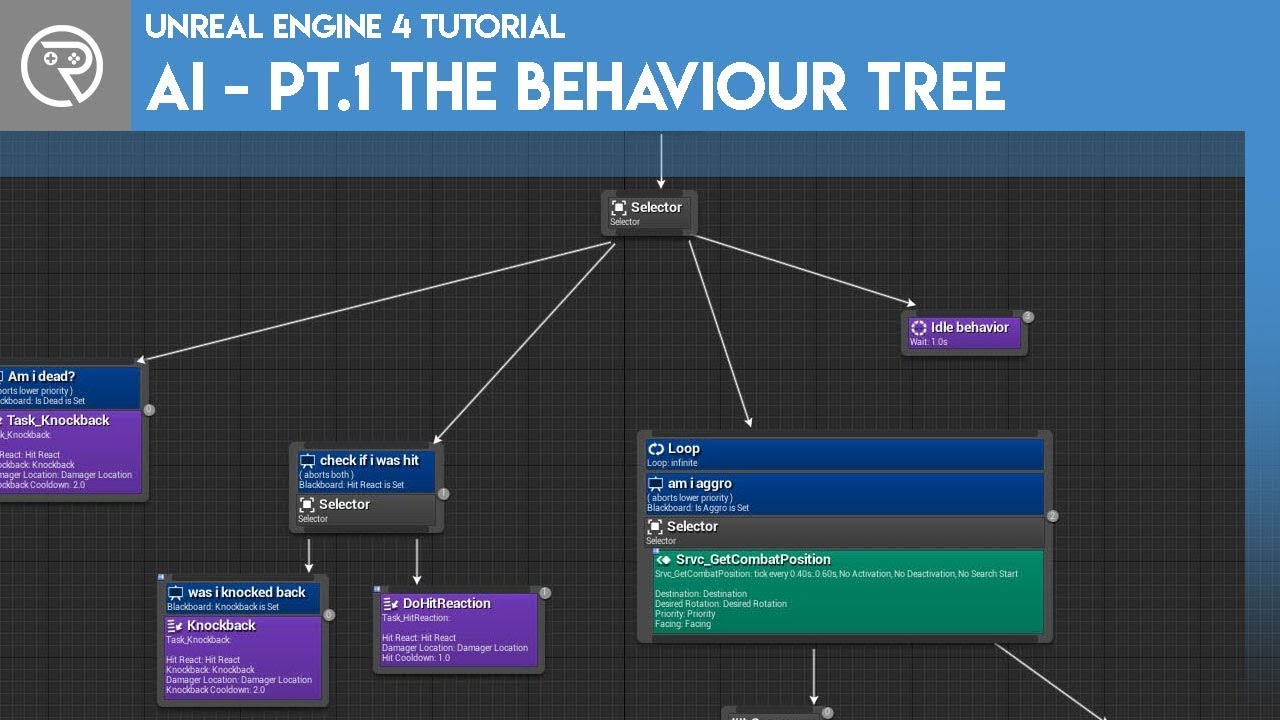
Welcome to the start of a brand new series. This time we are diving into AI for games. This episode introduces the concepts being used in AI design and in particular, the behaviour tree. In this episode we add an NPC that can randomly roam around the level.
Support me on Patr...
trim matrix
then you will see a little diamond in the level by the actor location and you can move it
narrow wyvern
holy fuck what is that monstrosity
dense mica
this collision boxes are my AI helpers, I use them to spawn classes or as waypoints
earnest tangle
This starts from the AI basics and goes into patrolling via waypoints
it also does chasing players etc. in later videos
so I think it should show most of what you're looking to do
dense mica
and i reference them like this on my spawn manager blueprint
for waypoints its the same idea
just dont use them as spawn points, create a new empty actor, place them and reference them like this
trim matrix
@narrow wyvern so you just got to remember to have an ai controller for your "AI" tehe
dense mica
for further advanced examples you should use EQS or BT systems
trim matrix
and if you spawn ai via blueprint use the spawn ai function
dense mica
yep you should use AI Controller also zykoz is right
trim matrix
yah three days grace your little game its looking pretty fun
narrow wyvern
Where do I get an AI controller it's not showing up with the "place actors" D:
trim matrix
click on blueprint
dense mica
i hope everyone thinks same when its out 🥺
yah three days grace your little game its looking pretty fun
trim matrix
dense mica
and this
trim matrix
yah you can use actor
dense mica
for AI Controller

A quick tutorial on setting up basic waypoints for Ai Characters. After this tutorial, you should have a working Ai character who patrols along 4 target points.
dense mica
@narrow wyvern we can explain the further progress but i believe it will take too long and actually if you are really beginner waypoints are kinda complex for starting blueprints, this tutorial helped me back when i started learning unreal
you should know how to store variables and how to use them with effience and learn about gameplay framework a little to understand the logic behind AI waypoint system, its not that complex or hard thing to do, actually very easy but for a beginner there are terms that might come hard to explain
trim matrix
@narrow wyvern if you want a basic ai use pawn or character
so you can link a controller
if you use actor then that doesn't use a controller
anyways if you have questions get stuck i wouldn't be afraid to ask for a little help
a lot of people are willing
marsh blade
@north herald Still Need to dial in some numbers and tweak but She's working
trim matrix
ik>?
 pulsar orchid
Anyone have an idea why my camera is only allowing me to turn +/- 90 degrees instead of full 360s?
marsh blade
Yeah I was having some issues earlier: I followed this tutorial: http://unrealdevelop.byethost11.com/2016/11/15/ik-feet-placement-setup/?i=1
pulsar orchid
It's acting as if my cursor (which isn't visible) is hitting the left/right side of the window and stopping the rotation.
trim matrix
anything weird with this in your character?
narrow wyvern
Sorry friends, I'm falling asleep on my computer so I'm going to head to bed
My apologies, I'll read everything you say when I wake up
:)
trim matrix
@pulsar orchid something wrong with camera spring arm?
pulsar orchid
It doesn't seem to be. It seems to be something with the rotation. I'm looking into a few articles online, but none seem to be helping, though the issue is the same. I set my cursor to be visible, what happens is as I spin left/right (or up/down) when the cursor hits the walls of my screen it stops the rotation from going in that direction further.
pulsar orchid
The cursor was going out of the game window and hitting the edges of my screen. I just fixed it by setting Hide Cursor During Capture to True.
 grizzled rain
I have a animBP that's being put on a mesh but it's not registering as valid
the animBP can't even cast to the owning player
pulsar orchid
Is the AnimBP and Mesh using the same skeleton?
grizzled rain
Maybe not? is there a easy way to convert this?
pulsar orchid
You'd have to create a new AnimBP, set it to use the same Skeleton as your mesh, and attach that new one. As far as I'm aware you can't (safely/reliably) change the skeleton from an established AnimBP, but I could be wrong on that.
grizzled rain
Alright I'll see if that fixes it
That fixed it! thank you. Someone that worked on this project had like 5 different skeletons because of imports so it made it very confusing. haha
pulsar orchid
Anytime! Believe me, I've had my fair share of AnimBP issues. 😉
vernal wind
Hit the wall again with my save/load system. Thought I could build a general SaveGame + Class container but there are no dynamic casts to specify on load to 'unpack' the given SaveGame object by casting into the specified class type.
Is this even possible to do in blueprints? The more I try the harder I fail. I could try the chain-cast-workaround but without dynamically specifying the type I can't iterate through them and would have to place every damn possible node in every place or build yet another abstraction like a library function for the issue.
If you don't have any ideas I guess I'll scrap that system, hard code the stuff and someday implement it properly in C++ :/
haughty ember
@vernal wind Not sure where you're actually problem is, but you can make structs from uclass
earnest tangle
There's some savegame plugins on marketplace
EasyMultiSave was also free at some point, maybe check if you have it?
vernal wind
@haughty ember I try to create a system where I don't need to explicitly add everything to a save game object or data struct and dynamically grab all things that implement an interface to de/serialize themselves, so the logic can be contained inside the very objects.
The whole save/load game blueprint system seems to be quite lackluster and basic in it's feature set. Also no 'detect all save files' to list them or support version differences available at all.
Thought I could make it work good enough but missing dynamic casts in blueprints is yet another road block. Feels like trying very hard to do something those very basic nodes where never designed to do in the first place. Hence my question. No need to force things.
@earnest tangle that's basically what I tried to build myself. But seems to be impossible without complicated workarounds in BP only.
earnest tangle
Yeah, I haven't really looked at the "native" BP savegame support but it looked pretty basic
I'm using EMS in my project and it works pretty well especially since I got the plugin for free
I do get the feeling I might have to move to a custom system at some point in the future because I have some more advanced features that I'm using UObjects and such with, and EMS doesn't really seem to be able to handle saving those
vernal wind
writes an issue in his backlog to implement a proper Save/Load system for UE if time allows in the future.
 neon sorrel
Does anyone know how I can cast to a hit actor from the line trace results and get components from it? Trying to get a widget inside the hit actor to display it when hit.
haughty ember
@vernal wind Not sure what's the problem is still. I'm assuming you're doing something like GetAllActors and finding those implementing the interface.
Just create a unique key for each actor, call Serialize to create the data, and save it into a map.
On load you use the same key, load data from the map based on the key, and call deserialize.
Or am I missing something here?
@neon sorrel looks like you're already doing it..
neon sorrel
The current way im doing that gets the component from the player that called the line trace
Not the one it hits, which is confusing me
Also sorry for the lines being a mess, Ill clean it when its working
haughty ember
It sounds like the line trace collides with it self the actor you don't want it to. Add "self" to the ignore actors
Showing the actual line trace node would help though
neon sorrel
Its already set to ignore self though 🤔
vernal wind
@vernal wind Not sure what's the problem is still. I'm assuming you're doing something like GetAllActors and finding those implementing the interface.
Just create a unique key for each actor, call Serialize to create the data, and save it into a map.
On load you use the same key, load data from the map based on the key, and call deserialize.
Or am I missing something here?
@haughty ember interesting idea to circumvent the dynamic casting problem. Might give it a last try after another coffee. 🤔
haughty ember
@neon sorrel Weird. Print the HitActor to verify? it really shouldn't.
neon sorrel
When printing the hit actor it does properly target the other player
haughty ember
@vernal wind I kind of assumed how your serialize method in the interface looks like btw
neon sorrel
Just when I try to show the nametag it shows the local players nametag (nametag = widget in player)
haughty ember
if the printing show the correct one, the issue isn't with the line trace.
how are you trying to show the nametag
neon sorrel
Just cast to that player and then set visibility of that widget to visible.
haughty ember
Just when I try to show the nametag it shows the local players nametag (nametag = widget in player)
@neon sorrel what do you mean by "local" ? you're talking about multiplayer?
neon sorrel
Sorry should have said that, yeah trying to get it to work with 2 clients
haughty ember
yeah mention that next time. Anyway what you're doing is going to only run on the client
Notice how you're using the B event, which is an input event. The server has no input hence it will only execute on the client.
neon sorrel
Hm interesting, thought I could just use that for debugging.
So just execute all that code from a server event then I would assume
haughty ember
You can just use another custom event, make it execute on server, then call that on the B key.
 manic knot
Is there a non-streamed level equivalent of Remote Event when loading a whole new Persistent Level? Like, call a function thats on the level im about to load?
 quiet valley
hey, anyone around to drop some help with BP Interfaces?
Its driving me crazy, I made a BP with the Object Class as Parent, and Implements a Interface I made..
when I get I instance of that BP, I ask if it "Implements Interface" and I'm always getting not implemented..
Interface Implementation
Actual use of the implementation
@everyone any thoughts?
neon sorrel
Not really blueprint, but got my system working after a lot of configs, is it safe to run it on event tick with a delay of 0.2 seconds if I want to check constantly if a player is looking at another player?
haughty ember
It looks fine to me. I would add a Print to make sure you get the correct class you're expecting.
If you can debug the code it would also help.
quiet valley
I did the debug, and the class its the expected the BP_DebugCmd, which implements the interface
haughty ember
@neon sorrel why delay? but if you're asking if it's safe to run a line trace on tick - it is. If you can avoid it it's better, but it's safe.
@quiet valley Debug UKismetSystemLibrary::DoesImplementInterface. Check both arguments match what you're expecting
neon sorrel
Well was thinking a delay would make it a bit less prone to crashing by running too fast
And im not sure what else to use to constantly check if the player is looking at another like that
quiet valley
@neon sorrel just use LineTrace, its realtime, no delay needed and I think its safe to use in event Tick
haughty ember
You can also look at the Interfaces property of TestObject, to see the interfaces it actually implements
@neon sorrel You can describe the bigger picture of you want to do, sometimes you can avoid it. But it's safe to run it on tick
neon sorrel
Basically my system currently displays a name tag on another player when one player looks at them, I just want to constantly check if that player is looking at that other player and if so show the name tag
haughty ember
well if you're actually talking about "looking" so yeah there's no other way. Just do a line trace. No need for delay
neon sorrel
And stupid question, but is there any way to make that line trace invisible? So it doesnt show on the players screen?
quiet valley
@haughty ember yeah I didn't get too much involved in the c++ code yet, so far the blueprint debug, shows me the object is being received ok..
@neon sorrel sure it does
haughty ember
@neon sorrel It's a debug line. You used it on your line trace, in the "Draw Debug Type".
neon sorrel
Ah yeah just found that, perfect ty once again!
quiet valley
yeah, just set that to None
neon sorrel
Now im just going to experiment with moving the widget based on where the line trace hits the actor
Probably going to be all kinds of fun
quiet valley
@haughty ember object is being sent in the BP debug..
haughty ember
@haughty ember yeah I didn't get too much involved in the c++ code yet, so far the blueprint debug, shows me the object is being received ok..
@quiet valley not sure then. It should work though according to the images and what you're saying
@quiet valley I wouldn't trust that tooltip too much. Use print
quiet valley
lol
lets see
yeap, BP_DebugCmd prints for Display Name
its REALLY weird
thats why its driving me crazy
haughty ember
if it's small enough you can upload the project and I'll take a look. But other than that or debug I don't have any other ideas
quiet valley
about 100mb, its small enough, just working on BP prototyping
let me upload it

its 7zipped
haughty ember
Looking into it now
quiet valley
big thanks
once you play, press ENTER, its enables you to write "chat", and the text "/debug" should trigger the problem
neon sorrel
Just popped back in to also ask, I keep getting errors logged in console that its trying to access none when the line trace detects something without the tag specified, is there any way I could stop that error from constantly showing?
quiet valley
check the boolean return value
returned*
branch into it
and if its true, go on
the boolean value tells you if there was a hit, otherwise returns false
neon sorrel
It seems to just print out false when it doesnt then when hitting the actor true, as it should be. Its just showing up an error accessing none but the script is working.
quiet valley
can you post a screenshot?
of the usage I mean, where you are getting the None error
neon sorrel
Right here on that branch
Still works, it just does that whenever its looking at an actor without the tag
quiet valley
hit test
check the first branch I did
IF there is a Hit, I check the Actor Tag
otherwise the error is clear, you are just check the Tag of "None" when no hit is returned..
checking*
neon sorrel
Ahhh I should have thought of that! Makes sense, thats why it was constantly making that error
quiet valley
yeap
neon sorrel
Thank you for that
quiet valley
np!
makes me feel competent lol
anyway, still big amateur.. >.<
but the moment you get more and more involved, your thinking process while you play any game, goes into "this mechanic could be done like this" or "this is a nice approach to block users from escaping landscape"
your thinking process while you play any game changes*, it goes
non english native and sometimes writing too fast to speak well haha
neon sorrel
Yeah, thats the same with any programming once you get into it you appreciate it a ton more in games.
And you look for things most people dont notice.
Everyone always has more to learn no matter how advanced they are also, so its helpfull to have communitys like this.
quiet valley
yeah, thats exactly what I mean.. I've been much more analytical since kid when started poking with programming
@haughty ember figured smth?
haughty ember
yeah >< can't believe I missed it
debugged the hell just to figure that one out lol
haughty ember
Let me verify though, 1m
quiet valley
sure
haughty ember
quiet valley
Niceee
haughty ember
I did it the "dirty" way though. I'll explain the issue and how you should fix it:
haughty ember
@quiet valley so your Commands map is mapping from string to Object. The thing is though, you don't have object. What you're really assigning into that map is the class.
So when you call DoesImplementInterface(ObjectFromMap, BP_BaseCommand_Interface), ObjectFromMap is actually equal to the class of BP_BesCommand_Interface rather than the object. Inside the function they call GetClass() again, which just returns UClass pretty much.
quiet valley
thats a big OH
haughty ember
So first, change your map type to have key=string, and value = Actor object class
then, there are 2 ways to continue:
- Add a c++ function that you can call in blueprints, that takes a Class and an interface class, and checks if it implements it
- At the beginning, create actual objects of your commands. You can uses
ConstructObjectfor that
The first is better, but require c++.
The dirty way I did it btw.
Which is really bad, since it will also construct an object every time you enter the command, and will actually do it twice.
quiet valley
you know, I tried that, but not using the object class as value, but the object reference which I deleted later because it didn't make sense..
ok, now I get it.. I'll just implement these in the constructor.. I don't want to go still with C++, even if I feel C
C++ proficient, I have almost zero knowledge of UE coding
haughty ember
yeah it takes a bit getting used to. the BP isn't that bad tbh though.
And anyway thinking about it constructing the object while costing a bit more in memory is probably worth it, makes the code more robust and elegant
quiet valley
yeah, I feel "its the way to go"
 obsidian folio
This for each loop with break only executes the completed node. Does anyone know how to resolve this so it will actually run the loop body node and the rest of the code there?
I see that the local variable "Loaded Save L" and the "player stats" variables are showing as "variable is not in scope". Not sure if that's contributing to it or not.
quiet valley
does the array have elements?
obsidian folio
Yeah it has a break to get a specific variable from the struct
I just ran a print string off the false for the player ID check and that didn't execute either.
haughty ember
@obsidian folio I'd first move the PrintString node, making sure the lines are connected correctly.
But then debug, if the array has element the body will run, there's no other way.
quiet valley
@haughty ember done, its working.. made another empty map for the objects ref and fill it in the constructor with the classes I setup..
@haughty ember any constructive critic? anything you think I should get better? I mean seeing my code..
 lapis knot
how do i make laser beam with niagara?
haughty ember
@quiet valley Didn't look at most of it, only focused on the problematic area. But it seems good
lapis knot
oh well thanks
haughty ember
lapis knot
oh i see thanks ill try google
quiet valley
its really hard to be a indie developer.. even if you learn how to make some low poly 3d models, you lack of another 80%.. textures, interfaces.. jiz
sometimes I feel I dont find anything even near of what I'm looking for..
obsidian folio
Alright, I see that for some reason the save system is not saving that particular element of the save file. Time to do some digging. Thank you guys for your help!
I do have a ton of "Variable is not in scope" issues though :S
obsidian folio
Yup. My bad. Next time I'll make sure that it actually saved prior to questioning why it's not running that for each loop lol
 zealous surge
uggg I'm starting to crack over here over the simplest thing lmao. I have a sphere attached to my character and all that I'm trying to do is rotate it to match the direction of my left joystick.
it's so simple, I'd think there would be something that already exists to do it really
if I move it left or right only, it seems to work fine (Green Arrow)
but if I move it up, it's the same as if I moved it left, same for down turning into right
and this is what I'm using...incorrectly lol
zealous surge
I get why it's happening, but can't for the life of me think of a way to make it do a full 360 (or -180 to +180...whatever works)
 fading parcel
i do not get the logic, all works but i do not see the outliner attach like a child-parent, i tested on all 3 nodes, all the same result, ingame attached but not in the outliner. and its the simplest code i use triggerbox, onenter, disable collision and attach
and the print result from this outputs true
even when i check on childcomponents attached to the mesh he shows the epicguy as child
 rich falcon
Hey folks, I have a weird input issue:
This guy is refusing to work when I'm clicking directly in screen center, theres a 140p*140p area where the clicks wont register.
I have no UI present in said area and inputs do work anywhere else so....
Anyone have any idea as to what can this be?
 boreal ether
@zealous surge Try this https://answers.unrealengine.com/storage/temp/52121-atan2.png
 zealous surge
hah nice, will give that a shot!
boreal ether
 steep hollow
I have a little working buddy how is looking for new wood objects to cut down
unfortunatelly, i have some problems ins finding the navigation to actor in the components?
zealous surge
@boreal ether that freaking worked! Thank you so much dude
I spent a couple hours just staring at it like... how in the world lmao. This immediately worked perfectly
 fervent trellis
I'm having trouble having trouble set percent being visually represented in game. I did some debugging and proper values make it all the way. But the bar never changes.
 wet steppe
Hello?
I want to have it so the landscape overlapped by my collision box goes away
so gets casted to the visibility mask I suppose
rich falcon
Hey folks, I have a weird input issue:
This guy is refusing to work when I'm clicking directly in screen center, theres a 140p*140p area where the clicks wont register.I have no UI present in said area and inputs do work anywhere else so....
Anyone have any idea as to what can this be?
@rich falcon
Right click works in that area, only left click is inactive
boreal ether
@zealous surge np 🙂 In the future you could try sketching it out, then you can see you need to calculate the angle of a triangle, which you can with atan2.
fading parcel
my code above shown on image, Seems to be a UE version issue, tested the same code on 4.22.3 till 4.25.3 and only 4.22.3 does not show the parent/child relation in the outliner all the other versions have the actor attached to the character
haughty ember
@fervent trellis Use the widget reflection to check the actual value. Also, you can use a simple division instead of Map Ranged Clamped
fervent trellis
@haughty ember Where do I find Widget Reflection? How would I use simple division if my hp value is >100?
haughty ember
Use the Widget Reflector (Ctrl+Shift+W) to get information and statistics about your Widgets.
@fervent trellis
fervent trellis
That tool doesn't seem to be able to find my widget. Cannot find them in the hierarchy manually either.
Both numbers show proper value, it just never gets visually updated.
If I render it to Screen instead of Space it works. But the sizing gets all wild.
 warped quail
Uh haha, I've accidentally made a blueprint that causes infinite recursion (crashes the editor) in its constructor or something, so I can't even open it to undo my mistake 🤔 I could start over but I'd rather not. Is there a way to copy its text form, edit it and paste it back without opening it, or something like that?
Nevermind, I found a way to keep it from happening by removing a property from the Property Matrix
 unkempt patio
Hello everybody
is there a wey to get the camera transform matrix in the material editor ?
 broken night
Hi, I'm wondering if it was possible to call a function of the parent of my component's parent class?
earnest tangle
just call the function
haughty ember
Hello everybody
is there a wey to get the camera transform matrix in the material editor ?
@unkempt patio Not without custom code, but you can get the various parameters of it (e.g. camera position)
unkempt patio
how can I do it with code ? I'm not afraid of it !
haughty ember
Well you can add custom node, but I have no idea what's the name of the view matrix.
You can also create custom shader completely, but it's a topic on it's own. You should google that
trim matrix
hello guys I am trying to make s shader for my strategy project from august 2020 but I can't still make it, noone could help me, I watched the whole yt for thess videos ,read the whole do and when I do it, it doesn't work 😦 , if someone can help me tag me or dm me, will appreciate it a lot
quartz pawn
my bullets dont have gravity for some reason
 worldly gyro
Hello you see sometimes when we put a tower we have its radius of action. It makes a circle appear around the tower.
how do we make this circle?
And the circle is filled of a color
 primal smelt
Hello you see sometimes when we put a tower we have its radius of action. It makes a circle appear around the tower.
how do we make this circle?
@worldly gyro There is probably a ton of ways to go about it, off the top of my head you could go for a materials solution using something like what is found in this video: https://www.youtube.com/watch?v=GXbE0IqbA7w

Announce Post: https://forums.unrealengine.com/showthread.php?84886
Alan Willard discusses different depth and location-based effects, like hiding objects that the player is behind relative to the camera.
@worldly gyro I've played around with this a little and have implemented something where if the player possess a pawn the textures around that pawn change to look as though there is a bright circle around them
my bullets dont have gravity for some reason
@quartz pawn Might be a good idea to open a project with the fps starter content and study the FirstPersonProjectile blueprint. Be sure to check the Details panel as there are a bunch of physics options there
 opaque blade
Workflow question here
Often when I introduce a new variable to a base blueprint / abstract one, inheriting blueprints null the new default value
i.e. adding a FName variable to add ability to change the DynamicMaterialInstance Vector Property I want to change, however the default value entered in the base blueprint is just "None" in the inheriting ones
Is there any way to "detect" that issue? I mean I didn't set the value explicitly to None here.. which is kind of annoying when suddenly nothing works anymore 😱
 weary jackal
Anyone can suggest a good way of skeleton dismemberment based on shoot(let's say line trace hit ). Something like gore system in zombie games
 proud hull
What is the most accurate and efficient way to do hit testing for attacks? Currently, I can think of at least 5 ways to accomplish this, all with their own pros and cons:
- Multiple single line traces from the weapon during an attack, 2) capsule/sphere/box trace around the weapon during an attack, 3) permanent collision capsule/sphere/box around the weapon and it is activated only during an attack triggered by an animation notify, 4) permanent "hit zone" in front of characters that gets a list of characters inside it during an attack triggered by an animation notify, 5) all attacks are simple attacks and they either hit or miss based on random rolls and current target.
earnest tangle
Well as you said they all have their pros and cons
It depends entirely on what style and "feel" of combat you want
proud hull
Mainly wondering if I am missing something major. Maybe a better way to do hit testing altogether.
 shadow saddle
anyone know how to get location of this sphere on spline
earnest tangle
I think you listed pretty much all of the alternatives unless there's something really crazy left :D
proud hull
Thought so. Thanks for your quick reply. So far, I opted for number 3 since it is easiest to implement (while still being accurate), hehe.
earnest tangle
@shadow saddle if you know the world location of the sphere, there should be a get location on spline closest to point or something like that
 feral ice
1000 should be 2 and 30 should be 6 and so on. I want function that makes higher values lower and lower values higher
shadow saddle
@earnest tangle no
not working
the sphere thing move along with the spline
i want to use it on my AI car
when the car move the sphere will move along the path and guide the ai car
if i control manually yes it will work
now i want my ai vehicle to track the location of this point
but i dunno waht is the name of the node
that allow me to get the location
of this sphere
earnest tangle
Is there sphere an actor or what exactly?
proud hull
@feral ice You more so want a math formula, not a function, hehe. Although I'd assume you would run that math formula in a function.
earnest tangle
If it's an actor, use Get Actor Location
shadow saddle
do you know what is spline
earnest tangle
Yes
proud hull
@feral ice I am uncertain of how you are scaling those numbers, but a quick way to get you started would be to simply use the inverse of the input, 1/x. So, 1/1000 is lower than 1/30.
maiden wadi
@shadow saddle Zomg was trying to ask what the sphere is. It is not a "spline point" if it moves along the spline. A spline point is a point inside of the spline that determines how the spline is made up. You cannot move a spline point or the whole spline would change. Thus you cannot move a spline point along the spline. So if your sphere moves along the spline, it's most likely not a spline point. So what is it?
proud hull
@feral ice with more examples, you can plot a better graph. Currently, you have (1000, 2) and (30, 6), which we can easily find a line formula of y = -2/485x + 594/97
 charred vale
what do i do if BP behave incorrect when put on the level?
proud hull
Troubleshoot the blueprint, hehe. We need more specifics.
mortal wharf
Anyway to filter what a box brush should remove?
proud hull
Did you compile/save the BP?
primal smelt
@earnest tangle have you tried "Find Input Key Closest To World Location"? You plug in the spline, plug in a scene component and it should give you the exact position along the spline.
charred vale
@proud hull sure
maiden wadi
@charred vale What kind of lights are those?
primal smelt
Is there a way other than hit bones to determine where abouts an actor has been hit? I have a grapple hook that fires out like a projectile and essentially I want it to "stick" to the exact position on the actor and follow that position while they move.
proud hull
@charred vale are those lights directly added to the actor hierarchy or are they spawned through logic (blueprint nodes)?
charred vale
@proud hull oh my bad i forgot to transform world vector to relatve
proud hull
Ah, so they were in the world, just the wrong location, hehe.
charred vale
ok next thing. i'm using a sockets to place cables and lights. in bp, how do i get all sockets with a specific names?
proud hull
Should be a get all sockets by name node.
charred vale
currently i'm using "get all sockets" to set the cables, but i need only sockets with "cable" names
maiden wadi
@primal smelt How are you updating the grapple's location? I doubt you'll find much beyond attaching your grapple to the mesh hit at the relative location from the hit bone.
maiden wadi
Actually, I just remembered a niagara rope. You might be able to do the visuals with a particle system pretty easily based on the hit polygon. Won't help gameplay too much though.
charred vale
it's a bool. if there's a way to get just another array but only with the names i need
proud hull
Add a branch before your validation check and use that bool.
Run that contains node off the individual name, not the array of names.
primal smelt
@primal smelt How are you updating the grapple's location? I doubt you'll find much beyond attaching your grapple to the mesh hit at the relative location from the hit bone.
@maiden wadi Right now I'm still using simple placeholders so I don't have an actual model with a skele rig or anything. I was thinking of using some kind of offset on setworldlocation (on hit actor's location). I suppose I could have a component within the hit actor that is invisible and moves to the location of the grapple point when it hits. How could I make it so that invisible component stays in that relative position when the actor moves and turns etc?
proud hull
Current Socket Name > Contains "Cable" > Branch (if true) > Is Valid (street pole)
charred vale
there's no individual name
proud hull
Convert to string and do the check that way.
quartz pawn
@primal smelt but where is the code the pushes it forwards?
charred vale
no again
proud hull
@charred vale will there only ever be 5 cables? You can also "hard-code" it to check for only those 5 sockets. For loop that goes from 1 through 5 and make a string that you append the word "Cable" and the index, then convert to name and use that.
Last option is the correct one. String->Contains.
primal smelt
@quartz pawn I only know how to move an actor/scene component along a spline using timelines. What you see here is plugged into the update pin of a timeline. You'd need to create a float track to plug into the alpha of the lerp.
 real loom
hey, I have a weird issue. I'm rotating a plane so it always faces the camera and it all works fine within the editor, but on the packaged build it doesn't turn, it's just static. any clue as to why this is? at this point I'd assume it's an engine bug. using ue 4.25.3
primal smelt
@quartz pawn You could probably come up with a convincing solution by manipulating the play rate
quartz pawn
but what i was hoping for is to
apply velocity
and have gravity automatically apply bullet drop like the sphere
wait
i found a projectile component
primal smelt
@quartz pawn No idea I'm afraid, why are you using a spline for a bullet?
quartz pawn
a spline?
primal smelt
@quartz pawn Oh woops sorry I lost track of who I was responding to there :p
proud hull
@real loom it probably is not getting passed that validation check.
primal smelt
@quartz pawn But the projectile component is what you want, check the details panel for velocity etc. You might have to disable "simulate physics" otherwise it might fire, the projectilecomponent should have its own thing for that
proud hull
@real loom Don't you want to check if "Portal" and "Portalcollision" are valid? No clue what you are checking there though, looks like you are checking the class those variables use instead of testing the variables themselves.
quartz pawn
how can I rotate the root of a blueprint
proud hull
@quartz pawn generally you would rotate the mesh (and all other components) to match the direction of the blueprint.
quartz pawn
i know
but i have a capsule collider
on a bullet
so one way
it will point up
and I cant move the root
proud hull
@quartz pawn The capsule doesn't need to cover the whole projectile. You can make it a tiny sphere at the tip of the bullet if you wanted.
Otherwise, if the entire projectile does need collision, you can ignore the root capsule and make your own that better fit the shape.
On another note, a horizontal capsule does need to be added. This will make a lot of things easier.
primal smelt
Ok I am so god damn confused right now. So actor: Steve. Spawned projectile: Bob. Bob hits Steve. Steve recognises Bob, casts to Bob and tells Bob "hey, that swanky empty object reference you've got there? Stick my name in that bad boy, cool? Cool." About an hour or so again I was playing around with this to see if it works, and it did! I was able to call a custom event from bob to steve and I don't think I even needed to cast back to Steve, the object reference was enough. That works cool, I delete that articular custom event call and move on with my life.
Now, however, I am trying to get Bob to reference a scene component from Steve. "No" says Unreal. "Actor object reference is not compatible."
"Huh" I say. "Did I try this already? I feel as though I tried this already."
So I try that custom event call again, because I definitely remember testing that.
Nope! Doesn't work any more. Unless I am going crazy, I have not changed anything at all. Is this a known bug? Anything I may have accidentally changed that has screwed this up somehow?
*hour or so ago
Casting doesn't work either, I have to get all actors of class like a pleb
quartz pawn
my bullet is still facing me
when i spawn a actor can I like just add 180 degrees to it to make it spawn the other way
proud hull
Rotating it is exactly what you need to do anyways. When you add an actor to the world, it will always have default values unless you specifically change them.
quartz pawn
but how can i change it
proud hull
SetActorRotation?
GetActorRotation > Do what you need to do to that to get it to face the correct way > SetActorRotation.
quartz pawn
will try
primal smelt
Here is Steve casting to Bob, like a champ
And here is bob sh*tting himself not able to find the "test" custom event. Why is this not working? This was definitely working before.
proud hull
@primal smelt remove that self node in Steve and instead connect your B Rope Spline to that set node. You are currently setting a Dude Ref in Steve and not in Bob.
You may need to recreate the set node, as it may not let you directly change the target.
proud hull
@primal smelt wait nvm, I saw that backwards. You have that correct.
primal smelt
@primal smelt wait nvm, I saw that backwards. You have that correct.
@proud hull Yeah I was getting even more confused then. I have no idea why this was working and now isn't!
proud hull
@primal smelt you are casting to actor, that is why.
Cast to the class that Steve uses instead.
@primal smelt Skip the cast altogether and instead do a validation check on the Dude Ref.
Dude Ref I am assuming is already set to an object of Steve class, so it doesn't need to be cast as another class, but can directly use Steve's functions.
primal smelt
@primal smelt Skip the cast altogether and instead do a validation check on the Dude Ref.
@proud hull I've not used one of those before, is that just the "? is valid" node?
proud hull
Yep
There are 2 types of validation nodes, one is a pure cast, that you then need to connect to a branch and another is a function that contains valid and not valid paths, you can use either.
primal smelt
Ok it states that it is valid
proud hull
You might not even need the validation check, but it will prevent errors if the DudeHit event runs without Dude Ref being set.
primal smelt
Sorry what do I do from here? I still can't hook up the event, do I need a different is valid node?
proud hull
General rule of thumb is to always validation check variables that are being set by another class.
primal smelt
Only output pins I have are is valid/is not valid
proud hull
Drag off of Dude Ref and you should see the test event.
What is the name of the blueprint you are calling Steve? Is Dude Ref set to an object of that class or set as an actor object?
proud hull
Change your Dude Ref variable type to bDude01
 dreamy kindle
how do I make a seperate mesh folder that uses ue4 skeleton be able to attach over another skeleton in another folder, that has 2 extra non weighted weapon bones? Is retargeting required, if so which as source and target, do the bones need to be set to certain options in advanced panel?
proud hull
Or cast to bDude01 instead of actor.
primal smelt
This is what is vexxing me though, I swear I was able to just drag off the reference without having to cast or anything else and get that event
proud hull
Not as an actor though
primal smelt
Or cast to bDude01 instead of actor.
@proud hull This is the problem though, there are several bDudes and I want to update that variable based on which one is hit. Is there a better way of doing this?
proud hull
The actor class is built-in to UE and unless you changed the C++ code yourself, it will not have any custom event you created in it.
You need to make a parent class for all your dudes that will share common code.
Actor > ParentDude > Dude01, Dude02, etc.
primal smelt
You need to make a parent class for all your dudes that will share common code.
@proud hull Ah I see, then do I do an all actor of class on that parent class?
proud hull
Not all actors of, you already are saving the dude ref variable.
You would then cast dude ref to the parent class.
See the note in your 2nd screenshot. Dude Ref is already an Actor class, which is fine as long as the parent dude class is a child of the Actor class.
primal smelt
Ok gotcha, I'll start looking into that. I have no idea what I had done before but going forward rather then deleting little experiments I am going to comment them out because I did something to make this all so much simpler! I probably can't remember exactly what I had done but I thought for sure I was able to just get a direct ref before
proud hull
If you make a parent class, you can skip the cast by setting Dude Ref as the parent class instead of Actor class. Since you are using Actor class for Dude Ref, you will always need to cast to the child class.
trim matrix
How could I make some eyes follow my character like this? 0:37 -1:00
https://www.youtube.com/watch?v=XQvYTFJCezk

A quickly recorded video of what I've been working on this week. The (very rough and ugly) menu interface for selecting and buying powers, grabby hands that catch and hold objects and switches (the crystals) that do various things when hit.
primal smelt
If you make a parent class, you can skip the cast by setting Dude Ref as the parent class instead of Actor class. Since you are using Actor class for Dude Ref, you will always need to cast to the child class.
@proud hull Ok cool thanks, really appreciate it 🙂
trim matrix
@proud hull But wont that just rotate the entire object?
I have the eyes as the same object
 random ginkgo
@trim matrix No, it will set the orientation so it looks at the player
proud hull
@primal smelt learning to use the parent/child hierarchy will help a lot. All common code should always go into a parent class or a component that can be added.
@trim matrix depends on what you tell it to rotate. You can get components of an actor and rotate them individually.
For example: BP_Eyes > Eye1, Eye2. Don't rotate BP_Eyes, rotate Eye1 and Eye2 individually. Being components of BP_Eyes, they should automatically be created as variables too which you can access.
primal smelt
@primal smelt learning to use the parent/child hierarchy will help a lot. All common code should always go into a parent class or a component that can be added.
@proud hull Yeah I knew I would have to take a proper look at it soon enough, I got a bit sloppy as I was just testing a bunch of one-off use mechanics. Definitely going to reorient myself towards object orientation as I start to properly work on a prototype
proud hull
@primal smelt if you ever find yourself copying and pasting large chunks of code (nodes) from one BP to another, then that is a clear sign it should be contained in a parent class, function, macro, component, etc. so that the multiple classes can all access the same code from one location. So much easier to edit in the future too. Imagine if you had 100 dudes and they all needed the same edit.
primal smelt
@primal smelt if you ever find yourself copying and pasting large chunks of code (nodes) from one BP to another, then that is a clear sign it should be contained in a parent class, function, macro, component, etc. so that the multiple classes can all access the same code from one location. So much easier to edit in the future too. Imagine if you had 100 dudes and they all needed the same edit.
@proud hull Haha yeah I had created a template bp that I would duplicate. I knew it wasn't the right approach, I was just eager to get stuck in. I am actually now refining, cleaning up everything that I have so I may as well start doing things properly haha
proud hull
Haha, instead of selecting "Duplicate" use "Create Child". The simple way to use the parent/child hierarchy. 😁
primal smelt
Haha, instead of selecting "Duplicate" use "Create Child". The simple way to use the parent/child hierarchy. 😁
@proud hull That is very helpful! Can I change the parent of my prexisting dudes? Can that only be done in c++? When I click the "Actor" button at the top right of bp it opens visual studio
real loom
@real loom Don't you want to check if "Portal" and "Portalcollision" are valid? No clue what you are checking there though, looks like you are checking the class those variables use instead of testing the variables themselves.
@proud hull you might be right. I missed the validation check, I believe it's a leftover from when I was debugging something and it was throwing errors. but my dumb question still stands, if it's working in the editor, shouldn't it also be working on the packaged build?
proud hull
@real loom not necessarily. The packaged build will only include the files that it thinks it needs unless you specifically add in other files that may be missed. That validation check may have been referencing something that didn't get packaged. Or the way it is currently setup may cause packaged builds to think it is referencing NULL instead of BP_whatever.
real loom
fair point. gonna try messing around with removing it and report back the result. thanks a lot for your suggestion!
proud hull
Removing it should solve the problem as long as Portal and PortalCollision are valid, which I am assuming they are since they are probably actor components.
real loom
yep, they're actor components
primal smelt
File > Reparent, I believe.
@proud hull perfect, thanks again!
dreamy kindle
guys if I have a UE4 marketplace character rigged to epic skeleton, and I want to attach it to a skeleton that is UE4 + camera bone and weapon bone, when I assign the character to the updated skeleton with extra bones, they are greyed out and cant be accessed?
It says "this bone exsists on the skeleton and not the current mesh"
trim matrix
@random ginkgo sry I am kind of a noob should I import the eyes without rigging them?
random ginkgo
@trim matrix I think it might be best, since you're manually controlling them
trim matrix
Should the eyes be the same object or seperate when importing?
random ginkgo
@trim matrix Maybe import just 1 eye and make 2 copies and apply the same logic to both?
That way they go cross eyed if the person is at the middle
real loom
@proud hull sorry for tagging you again, but thanks. it worked!
proud hull
@real loom no problem. Glad it worked.
random ginkgo
@trim matrix So, in your actor, OnTick, set the orientation of each eyeball to a LookAt rotation targeting the player or whatever they are looking at
plain sigil
How do i replicate (play sound at location)
weary jackal
Anyone can suggest a good way of skeleton dismemberment based on shoot(let's say line trace hit ). Something like gore system in zombie games
@weary jackal 🤓
plain sigil
need help replicating sound!!!
quiet valley
@plain sigil i think you should make a call to a server function and spawn the play the sound from there
plain sigil
@quiet valley my problem is that everyone can hear the sound where ever they are
quiet valley
@plain sigil can or can't ? because you stated you need to replicate as they can't hear it
plain sigil
they can
but i dont want them to hear the sound where ever they are
only at the location that the sound is being played
quiet valley
then you need to define a distance or hearing
and play around with sound atenuation
plain sigil
how do i do that
quiet valley
Reference for the various models available for controlling the attenuation of sounds.
not the easiest topic I see, but playing around a day maybe, you will get it
primal smelt
@proud hull Hey mind if I pick your brains a bit more about parent/child casting?
plain sigil
@quiet valley nice! thanks i got it worked
primal smelt
Ok so I'm pretty new to this and just starting to get my head wrapped around doing things properly with parent/child classes and what not. I have a projectile where its effect will depend on what it hits. I'm trying to avoid having cast nodes specific to every actor it could potentially hit, so how would I tell that projectile what it has hit?
 gritty elm
my line trace is not hitting proper when i set simulate physics to true for static mesh
primal smelt
The problem i have is that I am doing this within the blueprint of a spawned actor so I cannot get a direct reference of the parent blueprint
quiet valley
@primal smelt I woudl say, go with interfaces..
@primal smelt then implement the "OnHit" directly on the hited object
primal smelt
@quiet valley I do have BPIs on my reading list, guess I'll bring that forward. I wanted to have the code in the projectile though seeing as there will only be one spawned at any given time whereas there will be tons of actors it can hit at any given time. The problem though is getting the projectile to pull component references from the actor it hits.
quiet valley
why is that a problem? I think its the easiest part..
in the moment it "hits", you get an actor/object
just check if that actor does have the interface implemented, and if it does, call the impl
that should trigger the object implementation effect you want for every object
 wind harbor
When I add a new Asset in the Asset manager, Unreal adds an extra Map and PrimaryAssetLabel next time I open the project.
Is there a way to not get these doublets???
Especially annoying when unreal complains about it too
primal smelt
@quiet valley Well its a problem because I've been doing it wrong and lack the necessary knowledge lol
primal smelt
@quiet valley Ok so its in a bit of a state at the moment because I was able to send a ref from the actor hit (Dude Ref plugged into that equals node) which worked but if I try to get component information from that ref it doesn't work. I will research BPIs but if you could give me a heads up on how I would look for said BPI from this event hit that'd be a huge help 🙂
Or from what I can gather, how to check if an actor has inhereted said BPI
quiet valley
im not sure exactly but I think you just need the "Other" param
random ginkgo
@primal smelt Cast is how you check if an actor (or any class really) inherits from another class
If you cast and you get a result back, then it inherits from that class
primal smelt
Yeah so I had other plugged into that equals sign and it works in so much that I can execute code from this BP but I still cannot get anything from what it hits
quiet valley
like this..
the Execute Command is custom, but that should be your "OnHit" implementation
of the object, you know?
primal smelt
@random ginkgo I was discussing this with somebody earlier and casting wasn't the way to go. Its to do with how I am giving the reference to the projectile, I think.
@quiet valley That looks very promising indeed, thanks!
quiet valley
try that one and let me know if it works
primal smelt
@quiet valley Its getting late where I am so I'll be winding down, gonna read up on BPIs and then I will try what you suggested in the morning 🙂
 maiden burrow
how would i get the world location of a pawn using casting
haughty ember
get actor location
 tight schooner
You don't even have to cast if all you're doing is getting actor location
It'll work on any actor reference
maiden wadi
Unless they're assuming that casting somehow gets that reference for them. Seen an influx of that again lately.
surreal lantern
trying to create a moveable plataform
any1 knows if its possible to create interpolation without using any animation
I was just able to teleport the plataform instead of create movement
maiden wadi
Usually most designers will just create a timeline for simpler platforms. Lerp their location between vectors. Really depends on your use case though.
maiden wadi
Timelines have nothing to do with animations.
surreal lantern
there isnt a node capable of create interpolation just giving 2 different points like
a starting location vector
and a end location vector
maiden wadi
Sure there is. You don't even need a full vector if you just want it to go straight up and down.
surreal lantern
I want but not in a teleport way
 past patrol
Does anybody know how I would make a slingshot movement system? Like the one found in Angry Birds.
maiden wadi
What exactly do you mean by 'teleport' way? You have to move the object. Most simple movement is done by setting the object's location in very small increments every frame modified by a delta seconds method that makes it framerate independent, so that the elevator would move at the same speed on a 30fps machine as it would on a 120 fps machine.
surreal lantern
this is the most used way or people use the timeline u mentioned ?
dreamy kindle
I put a UE4 skeleton model with a new skeleton asset of new UE4 skeleton w/ bone from root and head. The new bone additions dont seem to be working with ue4 skeleton model. Any help appreciated if this is possible to do!

says this bone only exists to the skeleton and not the mesh, any idea how to unlock?
maiden wadi
@surreal lantern Are you working in single or multiplayer?
trim matrix
yo, anyone know why my particles won't play in animaiton notifier?
I get a ssuper weird error that I'm pretty sure is super bugged
surreal lantern
@maiden wadi single
 maiden wadi
Do you want the elevator to go straight up and down, and do you want it to simply keep moving back and forth?
 glossy summit
sorry to interrupt, shouldnt this be the way to acess other BP method?(custom event)
maiden wadi
@glossy summit It is. Assuming that you've populated CrashBP with something.
glossy summit
Yeah it has that specific event and a print, but it isn’t being called
maiden wadi
Are you getting an Accessed None trying to read property CrashBP after clicking that button and closing PIE?
 past hazel
collision remaining after moving static mesh. what could be the problem? Use Complex Collision As Simple does not help
maiden wadi
After moving the static mesh where? What static mesh? What Actor is it a part of? How do you know the collision is still there? How are you moving the static mesh? Are there any other components in the same actor that have collision?
glossy summit
@maiden wadi I don't think so, converted my asset into BP, then added custom event, and public variable in the screenshot tried to call from there
maiden wadi
Can't say much else. I'd put an isvalid node before that print on the button click, make sure that CrashBP is valid. If it's valid, something is stopping it inside of the ChangeMaterial function in the CrashBP.
If it's not valid, you need to check where you're populating the CrashBP variable, because whatever reference you're setting it with wasn't a valid one.
 odd ember
@glossy summit did you use the dispatch event that comes with the button?
 fallen tartan
hey guys, is there any way to do array shuffle but with a stream?
nvm, i guess i just loop the array and swap elements with random positions
 chilly lodge
Hello. How do I add pysics to a custom BP, Actor i have created it has 2 components
 wicked magnet
If I'm teleporting the player between one spot and another, does it matter too much what kind of actor I am using to set teleport locations? I've used targets, but someone else is wanting to use pawns, and to me, I'd rather not use a pawn, but not sure if it really matters?
glossy summit
i managed to see with other direction of function accesed none error thanks authaer and cranzestebogen, ill try to fix it
trim matrix
Why cant I set an actor in my actor array variable? I am not referencing it and when I set any index in the array to a value it immediately reverts to None again 🤔
It is visible and I am trying to change it in editor not through blueprint
Actually did some more testing and it seems to only work for items after the 6th item in the heirarchy Why is this happening 👀
It also seems to be an issue on all actors that I try to set that variable with. (If I make another bp with another array of the same kind)
All the variable settings if you need them
My bad 🤦♂️ I was on the master stream level trying to reference a streaming object
 mental cliff
Hey, I am trying to make these in Blueprint to follow the direction of the drag of the actor. I got it to work but I am struggeling to re apply the rotation from the parent actor.
I found some tutorials but Iam unsure if I messed up but it did not work. You got any hint or idea on how to fix it?
 vast lion
How do I use Out Row here?
 south meadow
 pulsar moss
Why is this bitmask returning zero? I expect one here.
am I doing this bit check incorrectly?
trim matrix
Anyone know which node is param(0)?
I don't know the hotkey for it
@pulsar moss what were you expecting it to return?
@pulsar moss you're using integers which only returns numbers. And you're not comparing anything to sum?
It's not going to return the number of the checked items in the list because you're not asking it to count anything, and you're not asking it to return anything
 vestal plinth
how do you use z-kill?
pulsar moss
I expected it to return non-zero
I'm not asking it to count anything
I have a bitmask (0 is false, 1 is true, 2 is true, 3 is false), and I am doing a & bit operator against 1, which should return non zero, correct?
also it shows as int but the tooltip correctly identifies the variable as a bitmask integer
I convert the enum (byte) to an int and do a bitwise &, is that not right?
ah there we go, found the solution
need to convert the int properly with exponent
 zealous moth
i set a couple of soft references in an array in my level and in a box collider actor. When overlap is ending, i would like to respawn all those actors... is this the right way to go about it?
trim matrix
@pulsar moss My bad I thought you were trying to get the items that were checked... lol
@zealous moth a foreach loop is a good way to do that
zealous moth
the issue isn't the for loop, it's the soft actor ref
i don't think i understand what it does
 teal burrow
@trim matrix param(0) in material editor?
trim matrix
@teal burrow yeah but I figured it out, thanks man
teal burrow
Aight
trim matrix
@zealous moth I don't really understand. That is exactly how most people do it I believe
If you're asking if it will cause problems in the future then no it won't
teal burrow
Cast to soft class reference then spawn foreach
I don't really know either, seems like a vague question
trim matrix
agreed
zealous moth
-_- do you guys even use the engine?
you can't do much with that soft ref in blueprints
hence why i am asking if a soft ref is even used for this
teal burrow
Async load asset?
trim matrix
You said you set soft references in an array. Then you said is this the right way to do it.
You're not giving any context on what you are trying to do
It seems more like you are using a soft reference and you don't even know what a soft reference is used for.
teal burrow
Tbh they can be tricky until you figure out that it's a bit more complex than just the reference
zealous moth
🙂
teal burrow
Thing with them is that they're references without requiring the referenced object to be loaded
Hence, soft reference
To make sure it's loaded, you'll need to either async load or primary load, depending on your use case
It's preferable to use async as it avoids some render thread stutter
When you have a static mesh in a BP that you've loaded, it's a hard reference and requires the static mesh to be loaded too
Which can become slow, depending on how many hard references you have
Casting to a class also hard references that class
Beware of how many things you hard reference
 heady jay
Currently trying to display a ui on all players screens, but with my current code, it only does so if the function is called by the player in the main viewport/editor and ran on another player. Any ideas? Here is the code:
 tardy hollow
I have an AI character and it's associated controller, when I move the character a certain location using SimpleMoveToLocation on the Controller class, the mesh is oriented perpendicular to where it's going
Anyone knows how to fix that?
earnest tangle
I'm not sure why they seem to face the wrong way by default it's a bit weird but yeah :)
tardy hollow
I think it's the mesh default that is sideway, rotating make it point towards the forward vector
maiden wadi
Modeling and animation programs. Some use Y forward, some use X forward.
dense mica
Does set actor scale 3d also affects the collision?
My collision set properly but its not overlapping
 untold void
hello where can I find my gameinstance class?
dense mica
you can create a new one inherited from base gameinstance class
or if you are looking for the base class itself look for Engine Classes folder
enable context sensivite option if you cant find it
untold void
@dense mica Thanks
 exotic cradle
How come I can see that an object was spawned using print screen and see it pop up in the level overview tab but when I look around after hitting play the object it said was spawned is no where to be found

 jade falcon
Hello, I am new to unreal and am having a problem. I made a blueprint to make an ai walk back and forth on a platform. Well I want the enemy to hurt the player if it touches the player but, it keeps lowering the player health anytime it runs into a wall. I have not been able to figure out how to make it only trigger when it collides with the player not other objects. It is a 2D game.I will post screenshots of my blueprint. I have been Googling all day trying to figure out a fix but have not found anything, I am using Unreal 4.25.
 zinc portal
@jade falcon You are not doing any checking on what the collision is with. On the "on component hit" node there is the output pin called "other actor". You need to check if it matches the player and only then do the Health reduction.
@jade falcon This is not exact copy of yours but I hope it helps.
jade falcon
@zinc portal you are literally a life saver! I have been following tutorials on Youtube and not one of them ever showed or explained that. I figured with how intuitive the engine was it had to have a simple solution and I was right. Thank you so so much 😄
zinc portal
I am pretty noobie myself. started in March. glad to help
jade falcon
I ended up doing it like that but I think im gonna change it to be like yours since it seems like a better solution to learn better habits.
zinc portal
👍
 primal moss

Hey guys, I'm trying to make my burstfire work on server-multiplayer stuff
but for some reason I can't make the second customevent replicated

This is the overall firing mechanism
If someone has an answer, please ping me
opaque blade
Workflow question here
Often when I introduce a new variable to a base blueprint / abstract one, inheriting blueprints null the new default value
i.e. adding a FName variable to add ability to change the DynamicMaterialInstance Vector Property I want to change, however the default value entered in the base blueprint is just "None" in the inheriting onesIs there any way to "detect" that issue? I mean I didn't set the value explicitly to None here.. which is kind of annoying when suddenly nothing works anymore 😱
@opaque blade to whoever this is interesting I just could reproduce the bug
It happens when you use "Promote to Variable" on fields with an actual value
earnest tangle
I've noticed this on occasion as well, it's a bit annoying
You have to manually go and updated all the child BP's
haughty ember
but for some reason I can't make the second customevent replicated
@primal moss What do you mean by the second?
opaque blade
You have to manually go and updated all the child BP's
@earnest tangle yeah it also happens on instances of that blueprint which is woah 😄 the value was even hidden (not exposed)
primal moss
Oh, i mean - you see how there's a Fire Burst, then a Fire Burst Shot - the second custom event, Fire Burst Shot, doesn't have the option to be set to Replicated in the details panel
opaque blade
Yeah but this may have changed in later version for this project where it just happened we are using 4.24
primal moss
If the issue for me is happening 'because' I'm not replicating the actions to the server, because Fire Burst Shot is the event that actually does the firing loop for my burst fire gun, that may be why. But since I can't set Fire Burst Shot (custom event) to Replicated on server, it doesn't work at all
opaque blade
oh wow really
@earnest tangle yup but maybe restarting the editor fixes it also idk we tried reloading the level, issue was still there
At last I just looked at the instance value through Instance editable and it just was (0,0,0)
Might have to dig into and may test it on 4.26 to form a bug report later today
haughty ember
@primal moss Where is the bool on the first branch connected to btw, if it's relevant?
@primal moss Anyway notice that FireBurst is only called on the server, at least from your pictures.
so calling Fire in there will simply do it on the server, and then you're calling ServerFire which should replicate to server, if Owning client. I could be wrong here, but i don't think that will do anything - since the server is not an owning client.
primal moss
hmm. To be honest, I don't have much of a clue how to fix this. The first branch I think you're referring to is the branch that checks for what type of gun it is
I could just change the FireBurst to 'on owning client' so when the client fires it, then it does all of the functionality?
hmm, no, that didnt fix it
I could make it reliable too
haughty ember
I think that should work. Print strings to see what is/isn't being called?
primal moss
Yeah, there's a print string in the bottom that should print 1 2 3 when the bullets are being fired, but the implication is that it's not reaching the FireBurstShot at all
I'll try doing it on a different client
nope, doesnt work
haughty ember
is Fire Burst happening?
primal moss
I'll do a check
(with a printstring)
Huh, it's not happening at all. Then... maybe something's screwed up with my weapon type assignment
I'll show you the BPs but it doesn't seem like there's anything wrong there
I'll also show you the branch
(that you asked about)
haughty ember
Or could be the settings on the FireBurst custom event. Put a print string before calling that method as well?
after the branch, that is
primal moss
Ahh, good call
It's not even reaching the branch. Then there's something wrong in the type assignment, but I don't see what it could be

Here, it pulls the gun's weapon type but I wouldn't know why it doesn't work
It worked before for the shotgun but the logic for the shotgun is contained in the gun itself, while the burst fire is controlled externally (I'm a noob at this kind of thing so I wouldn't know how to make them unified)
haughty ember
I don't really know what you mean by contained-controlled vs externally, but where do you set the gun type?
primal moss
Weapon pickup, I'll show you that
Oh, basically:
Shotgun's spread pattern happens in the Fire function of Gunbp while burstfire works in Playerbp, the thing you're looking at right now
it's because I can't use the timer delay thing in the fire function
haughty ember
Not sure how that's relevant but ok

 primal smelt
(Part1/3) Ugh reaching the end of my wits with this one. So I have a spawned projectile with a "hook" component, amongst other things. I want it so when the projectile hits a "dude" the dude moves a scene component called "hook receipt" to the position where it was hit. The projectile will then use a timeline to keep the hook at the location of the "hook receipt" (should be recipient really but f it). Problem is getting a hard reference of the hook receipt for the projectile is proving to be an utter nightmare. So I'm new to BPIs, the "dudes" abide and inherits the BPI and here are the outputs of the function.
(Part 2/3) Here is what the "dudes" plug in to these outputs
(Part 3/3) And here is the code in the projectile. Highlighted red circle is my problem. I just cannot get this scene component from the "dudes" to play nice. Can you see what it is I am trying to do? Could somebody please let me know what I am doing wrong here.
primal moss
Basically - the Weapon Pickup spawns in with a type, rarity and other stats, though the rarity doesn't matter besides its visual appearance. Most of the variables in the GunBp that's being set in the big chain of setting aren't replicated except Magazine, which is RepNotify.
haughty ember
@primal smelt Looks like your variable Hook Receipt Ref is of type Object rather than being of type Scene Component
primal moss
The relevant ones are public, which is why the cast can get 'em I believe
 indigo osprey
Hey there, I am currently struggling with putting some kind of delay in my Blueprint Logic. I have a custom event which triggers a for loop running through a text array and printing the strings. In each iteration there should be a delay for example 5 seconds before the loop continues to execute.
Somehow I cant get it working. When I put the delay inside it will only output 1 element and dont continue after the first delay. If I dont put the delay in it just prints all strings of the array. Any ideas?
haughty ember
@primal moss If other variables are not replicated, including weapon type - then it will only be set on the server
primal moss
That's really quite strange - picking up the gun updates the other corresponding stats without issue
haughty ember
@primal moss Note above in your branch to check the weapon type, is being called after an Input event. Input events always happen on the client (which make sense - the mouse/keyboard/controller/etc are on the client, not on the server)
Well there is a Replicated property on an actor. See if it's checked?
primal smelt
@primal smelt Looks like your variable
Hook Receipt Refis of typeObjectrather than being of typeScene Component
@haughty ember You beautiful, beautiful person! I knew I had to be doing something stupid and sure enough I was! Thanks ever so much, that sorted it 🙂
primal moss
Which actor in particular?
oh, wait
I'm doing the replication in the c++. But before you ask, I believe type is also replicated there
haughty ember
@indigo osprey Delay uses a key-based callbacks. That is, when you call delay it will add the callback based on the node. So if you call Delay 5 times in a row (or in a loop), it will actually only be set once.
You can use recursion for that though.
Create a function that accepts an index and (1) prints the string from the array, then (2) Calls the same function with the index value + 1
primal moss
void AWeaponPickup::GetLifetimeReplicatedProps(TArray<FLifetimeProperty>& OutLifetimeProps) const
{
    Super::GetLifetimeReplicatedProps(OutLifetimeProps);

    DOREPLIFETIME(AWeaponPickup, Rarity);
    DOREPLIFETIME(AWeaponPickup, Type);
    DOREPLIFETIME(AWeaponPickup, BulletDamage);
    DOREPLIFETIME(AWeaponPickup, MuzzleVelocity);
    DOREPLIFETIME(AWeaponPickup, MagazineSize);
    DOREPLIFETIME(AWeaponPickup, WeaponAccuracy);
    DOREPLIFETIME(AWeaponPickup, PelletCount);
    DOREPLIFETIME(AWeaponPickup, FireRate);
}
    virtual void GetLifetimeReplicatedProps(TArray<FLifetimeProperty>& OutLifetimeProps) const override;

    UFUNCTION(BlueprintImplementableEvent)
    void OnPickup(AActor* ActorThatPickedUp) override;
    UFUNCTION(BlueprintCallable)
    void OnGenerate() override;

    UPROPERTY(Replicated, VisibleAnywhere, BlueprintReadOnly)
    WeaponPickupRarity Rarity;
    UPROPERTY(Replicated, VisibleAnywhere, BlueprintReadOnly)
        WeaponPickupType Type;
    UPROPERTY(Replicated, VisibleAnywhere, BlueprintReadOnly)
    float BulletDamage;
    UPROPERTY(Replicated, VisibleAnywhere, BlueprintReadOnly)
    float MuzzleVelocity;
    UPROPERTY(Replicated, VisibleAnywhere, BlueprintReadOnly)
    int32 MagazineSize;
    UPROPERTY(Replicated, VisibleAnywhere, BlueprintReadOnly)
    float WeaponAccuracy;
    UPROPERTY(Replicated, BlueprintReadOnly, VisibleAnywhere)
        int32 PelletCount;
    UPROPERTY(Replicated, BlueprintReadOnly, VisibleAnywhere)
        float FireRate;
@primal moss I don't see weapon type here either. But anyway, let's verify it that way:
After the "Set WeaponType" node above, call a function that will execute on all clients (if needed use 2, one to call the server, than the server calls it on all clients), and it will print the current weapon type.
primal moss
At least, I think that's why Shotgun is still working, though i'm a little baffled why it's not even going into the burst fire true branch since if the gun can detect itself being a shotgun, why can't the cast detect it being a burstfire
weapontype is in the gunbp rather than the playerbp so I was retrieving it via a cast
so I guess maybe the bp is struggling to get it from the cast? In the gunbp it always has the shotgun type 'known'
haughty ember
Honestly I have no idea anymore. Your project seems to be bigger and it's hard to understand all the pieces like that.
The suggestion above is one way to debug it, but the idea is you take every step of your process and see where it fails, or not.
primal moss
Alright, well, I'll try the debug first. So are you wanting me to make a new custom event after the set type that's.... replicated to everything and prints current weapon type?
haughty ember
I don't know if it's being called on the server or client so I can't fully answer that, but I want it to run on both the server and on all clients
primal moss
Sorry, the part I 'don't know' how to do right now is actually getting it to run on both the server and all clients. Are you telling me to make a whole separate function, or is a custom event that I.... set replicated on that prints string fine?
haughty ember
If it runs on the client - you need a custom event that will replicate to server, and another custom event that will replicate to all clients.
If it runs on the server - you need a custom event that will replicate to all the clients.
primal moss

I just did a raw print string that returns the type
Burst is being set properly
so the question is why the branch == enum refuses to acknowledge it
indigo osprey
@haughty ember okay understood but where do I place the delay then ? Just checked and saw that I cant call delay inside a function
haughty ember
@indigo osprey Use a custom event instead then
@primal moss It's being set on the server. I want to see that message on all the clients as well.
or just the owning client of the gun actually
primal moss
Ah, but, that's the thing - the type setting occurs after I get a specific client to walk over the gun and set itself
feral ice
yo i have a kinda simple question. I want to see for how long ive been holding down the leftmouse when i release the button
haughty ember
Ah, but, that's the thing - the type setting occurs after I get a specific client to walk over the gun and set itself
@primal moss then print it.
yo i have a kinda simple question. I want to see for how long ive been holding down the leftmouse when i release the button
@feral ice Use a variable and set the current time when it's pressed. On release, subtract the current time from that variable
primal moss
That was the node that was printing it. I'm not sure how to replicate it to all the clients like you said to, unless you want me to do that weird multicast thing?
haughty ember
it's not werid, but yes
feral ice
hwo do i set the current time? Cuz in python there is a code timt.time() that gets you the curretn ttime in secounds from 1970
whats the node called in ue4
@haughty ember


 haughty ember
@feral ice Right click the empty area in blueprints and look for "time". You should fine it quite easily
@primal moss I would remove that DestroyActor for now, just for the print message. Not sure how well it would work with the replication
wet steppe
anybody know how to create a hole in landscape at the location of my blueprint
cast to the visibility mask layer
primal moss
Hmm, I ran it, but the console just says it's from the server twice. Though the main screen I'm viewing the console from is the server 'player' I think.
wet steppe
everything I connect does not inherit. Where should I build it at least? within the actor blueprint on in the level blueprint>
primal moss
Okay, doing that shows the client + the server all with the right weapon type
Wait, no.
haughty ember
ok, then print the weapon type before the branch as well then
primal moss
Okay, if I did it with the destroy actor, it only does it on the server
Without the destroy actor, it does it on all clients
which is again, kinda strange since functionality worked perfectly fine in terms of assigning stats - it's just that the burst fire type is never recognised.
Ok, gonna test the new printstring
Okay! Found a strange bug: the printstring says it's single.
so externally (in the playerbp after the fire button is pressed), the server/clients all think it's single, when inside of the gunbp (which is attached to the player), it's a burst.
haughty ember
perhaps they are different variables? hard to see from here
primal moss
Hmm, well. If you mean the type, I'm unsure that would be the case.
In the pickup bp (the ones that spawn in the world and change the equipped gun's stats), I'm directly setting WeaponType to be the type from the C++ scripts
same enum
and in the playerbp, it's also the same enum because I'm able to select it to check if it's BURST or not
the setting seems fine, though I did mention that the clients only seem to set it if the destroy doesnt work - but the thing is that the stats are assigned even with the destroy
Gunbp's default enum for the gun is single, though
haughty ember
Different variables, not different types.
how does the gun gets a reference to the player?
primal moss


Oh, but that's what I mean, it should be the same variable retrieved each time
the only time it's different is the weaponpickup setting the type, but that one is where the type originates from and the multicast print confirmed it to be correct
the gun itself doesnt really call anything - it's specifically the fire function being called externally after casting
haughty ember
@primal moss Let me correct something from before
primal moss
so there's quite a confounding paradox: the enum retrieved from the gun itself in PlayerCharacter is always Single, despite it being set otherwise
haughty ember
Remember those print strings where you printed the type?
Don't print the type variable of the actor it self (Pickup), but rather print the Weapon Type variable on the GunBP
@primal moss
primal moss
Hmm, gotcha, I'll try doing that
oh drat, I see what you mean by that
I was feeding the wrong variable into the print string
I shouldve used the output anchor from the set instead since that's what the gun's type is, not the 'assigned' type from the c++ script
Ah! The server says burst but the clients are single!
(and I got some weird bp errors)
Blueprint Runtime Error: "Accessed None trying to read property K2Node_DynamicCast_AsGun_Blueprint". Blueprint: WeaponPickupBlueprint Function: Execute Ubergraph Weapon Pickup Blueprint Graph: EventGraph Node: Print String
haughty ember
Add the GunBP as an argument to the custom event and try again
primal moss
though, this still confuses me. If the gun's type is never being assigned, then why the hell does my shotgun work... Oh! It's because the type is a variable contained in the blueprint readable variable, so there it's correct. But since it's not actually on the gun, because playerbp's check does it outside of the gunbp's context, it reads it as single
Hmm, which custom event in specific? the printstring?
Sorry for leading you down such a rabbithole, but I appreciate your patience with me.
haughty ember
Hmm, which custom event in specific? the printstring?
@primal moss yeah
primal moss


Like this?


that's the start of the weaponpickup area
(oops, forgot to set the string to the type in that image)
clients are all single, servers are burst


feels a tad redundant though
haughty ember
Like this?
@primal moss No. Add an argument to the custom eventMulticastPrint
primal moss
Oh!
Hmm, do you mean an input?
Not sure how to add an argument to custom events
I've only dipped my toes into 'em
@haughty ember
https://puu.sh/GETho/e8a71b1f8c.png


Okay, how about this? the input/argument's the same one from before though
Same issue, it seems. Server is bursts, clients are singles