#blueprint
402296 messages · Page 547 of 403
 tulip iris
Alternatively, if anyone knows how to create a struct via the asset registry of a specific type that would also get the job done.
 clever lark
Anyone know what would be best approach to spawn 10,000 items with minimal performance take away? I will be using around 50 different items/meshes, reset would be instance static meshes.
@tulip iris use, set members of struct node.
tulip iris
How would that reset the struct to its in editor parent?
clever lark
make strut in child node. pls share screenshot of problem
tulip iris
sure 1 sec
Parent struct in editor.
I want to refrence it in bp
But changes will not propagate to the variable version in a bp.
I need to either update the struct manualy each time, which I dont want to do.
Or I need to be able to reset it.
or generate the struct with the asset registry.
So to be clear. What ever gets changed in the parent struct will not be changed in a version thats a varible in BP.
clever lark
why not using node Make struct parent light ....
clever lark
when you say parent what do u mean?
tulip iris
The main struct from the content browser. The original.
tulip iris
a variable version in a BP
But if I update the original it will not update the base variable in the BP
My problem in a nut shell
 clever lark
hmm sorry i am bit confused
tulip iris
Which part exactly?
clever lark
what is variable version of BP, you have a structure with default values, you want to update it in BP, that what i got and i dont see any problem to update any variable in this, correct me if i m wrong
tulip iris
See this variable in a BP that is the struct?
If I change its parent struct, this will not be updated to reflect it.
Parent struct being the one you see in the content browser.
clever lark
I see, what you mean.
clever lark
give me a min
tulip iris
Sure thing
its driving me nuts
Why cant you reset a struct to its parent, or , at least use the asset registry to make a new struct. Why can we make structs on the fly?
we can make general objects.
tulip iris
1 sec
clever lark
if i create a struct, add some value, make variable in any bp . update value it will show updated values.
 proud hull
Updating the struct also updates it in blueprints.
tulip iris
It was not working before and now it's just crashing when any struct is changed.
clever lark
if donest work, may restart will help or try file, refresh all nodes
tulip iris
Set a bool value in the parent. Tick a different value in the variable in BP. How do you rest it back to its parent?
an integer might be more clear
clever lark
this should work by default. something is not correct there. you can test in blank project
tulip iris
OK, I keep gettign crashes and I think I'm running into a bug.
THANK YOU for the sanity check
I thought I was going mad, haha
(more than normal)
 trim matrix
This should for loop for every component in the array right? (Learning more useful array stuff now)
proud hull
@trim matrix you can also use foreach loop.
clever lark
yes loop from 0 index to length of array, which is last index technically
trim matrix
Does foreach loop automatically use the array size? 🤔
proud hull
@tulip iris I was able to recreate the problem you were experiencing, but it may actually be working as intended. I set an int the in struct to 0, then change the default value in the variable to 1, compile/save. Then change the struct default to 10 and this is where you now want to reset the variable to 10 as well?
@trim matrix yes, it is the same loop essentially.
clever lark
with only exception, that you will not have index variable.
proud hull
Index is still available.
trim matrix
Array index doesnt equal what index would be in that screenshot?
proud hull
clever lark
@proud hull oh yes, wow did not noticed that...
trim matrix
That index should be the same right?
clever lark
😛
trim matrix
Oh alright :p
proud hull
Both loops are the same, the foreach just automatically takes into account the number of items in the array.
trim matrix
The loop would be useless for all my purposes if it did not have the index 😆
Alright thank you very much :)
proud hull
Both will be identical in performance too.
trim matrix
If there is nothing in the array that is input then will the for each loop fail to execute?
trim matrix
Soooo would it automatically return the completed exec node or would it just fail entirely and cause an error to happen? (Basically do I need to check if the first index is valid before executing it?)
clever lark
No you will not need
proud hull
It should go to completed.
clever lark
will go to complete,
trim matrix
Alright thanks for the help 😄
clever lark
Anyone know what would be best approach to spawn 10,000 items with minimal performance take away? I will be using around 50 different items/meshes, reset would be instance static meshes.
tulip iris
@proud hull I think that's correct, yes.
proud hull
Looks like once the variable is is no longer default value, then when its struct's default value is changed, the variable is not changed by intention since it assumes you want it to be a non-default value. I'm not seeing a built-in way to reset it to the struct's defaults, but you can try using the "set" node if you do not wish to manually change the values of the variable. The "set" node does have its defaults change with the struct's defaults.
tulip iris
Ok, I appreciate the clarification. I'm having a lot of crashes when I edit my structs so its been challenging.
trim matrix
Wait so why wouldnt this work? It successfully returns the names of all the children but does not send the event to them (They are the same BP type so they all have the interface applied)
tulip iris
@trim matrix Aren't you using a local interface call not a global?
You want a global call.
trim matrix
I am using the only available message option for it 🤔
Unless I'm missing something? (This system works to have the initial button message this wire to activate, so Idk why this wire cant activate the other child wires using the same method?)
tulip iris
turn off context sensitive?
Maybe this will help?
Those Bps you are trying to call. are the implementing the interface?
trim matrix
Yes they are implementing the interface
Could I cast to a wire and trigger an event? 🤔
tulip iris
what components are they?
Are they actually implenting the interface or is the parent that they are on implementing it?
trim matrix
All of the actors are the same blueprint and it implements the interface. I'm trying to call the interface function on all children of the parent actor from first child to the last one.
The parent is activated via another actor called a Button, and I thought I should be able to use the same process here for the child wires (Since it already works for the button to activate the parent wire)
trim matrix
I'm going to try casting a custom event first
I think I found the issue, It's trying to send the interface to scene components and not actual actors 🤔 How would you get the actual actors from that?
tulip iris
so drag off the comp ref
get child actor
then cast to the main actor
you might not need to cast but it cant hurt
Give that a try
trim matrix
Yeah that doesnt work either, it immediately completes the foreach loop
tulip iris
chat and screen share?
trim matrix
Limited internet rn so I cant really screen share 🤔 What I have shared with you is the only part thats failing 
tulip iris
Well, I cant really help without seeing things more indepth. Sorry 😦
trim matrix
Its alright :) I'll figure out a solution (hopefully :p)
tulip iris
@trim matrix did you try clicking include all descendants?
on the get all child comps node?
trim matrix
Yeah and that didnt work Thanks for all the help so far btw
Im going to see if I can somehow get the actor using the component ID
 broken quiver
is there a bug in get viewport size?
I am trying to get viewport size it gives wrong size everytime when I am windowed or something
I'm trying to do something for RTS scrolling
tulip iris
I have a struct with class I want to create. The classes wont create and i get this PLACEHOLDER-CLASS string. What is this?
 lucid granite
I just made that blueprint and my new locations get printed on screen but I don't move
I only move on the server
If I select to play as the client, the print shows me my new location, but I don't move
If I play offline it works as well (because then I basically am the server again).
also, my pawn has
    bReplicates = true;
    AActor::SetReplicateMovement(true);
in the constructor
any ideas why the blueprint doesn't move me?
 icy saddle
Can someone explain to me how does this select node work?
I think it should be passing the 2nd value which is "True/Right",
but it ends up passing the 1st value which is "False/Left"
oh nvm I figured it out
 flat raft
@lucid granite How are you changing the MoveSpeed ?
flat raft
Oh, sorry.. I know nothing of networking 😅
lucid granite
nooooo
flat raft
Try #multiplayer
 rough wing
Is there any way I can customize my camera shake dynamically
I want the camera shake's behaviour to be effected by the player movement
lucid granite
so I found out I was missing
    UFUNCTION(BlueprintImplementableEvent, Server, Reliable, Category = "Event")
    void Server_SendMoveTo(FTargetView NewTransform);
some declarations
but they are not compatible in blueprint?
hmmm, any workarounds, timers make blueprint viable for this sort of thing
BlueprintImplementableEvent doesn't agree with Server
help
Maybe they will be cross compatible in UE5
blueprinting and networking
broken quiver
is there a bug in Get Viewport Size?
I am trying to get viewport size it gives wrong size everytime when I am windowed or something
I'm trying to do something for RTS scrolling
lucid granite
    UFUNCTION(BlueprintImplementableEvent, Category = "Event")
    void MoveTo(FTargetView NewTransform);

    UFUNCTION(Server, Reliable)
    void Server_MoveTo(FTargetView NewTransform);

    UFUNCTION(Client, Reliable)
    void Client_MoveTo(FTargetView NewTransform);
void AHoldemPlayer::Server_MoveTo_Implementation(FTargetView NewTransform)
{
    //GetOwner()->SetActorLocationAndRotation(NewTransform.Location, NewTransform.Rotation);
    MoveTo(NewTransform);
}

void AHoldemPlayer::Client_MoveTo_Implementation(FTargetView NewTransform)
{
    //SetActorLocationAndRotation(NewTransform.Location, NewTransform.Rotation);
    MoveTo(NewTransform);
}
So my blueprint method MoveTo which has my blueprint timeline lerp method doesn't work when I call the Client_ / Server_ functions below
The functions do work with SetActorLocationAndRotation but not the BlueprintImplementableEvent that is MoveTo
too bad, no work-around
I'm heading out for now, please let me know if you find a way to merge networking and blueprinting, thanks
 devout geyser
Hey guys, does anyone know how can I make collision box detect geometry floor?
 robust cliff
Ok where should i handle the death animation in the Anim blueprint or just a montage?
 grave nebula
Hello, can i ask what thing that affect cost performances in blueprints so i can efficiently optimize it? (AIs, Character Blueprints, Anim Blueprints)
in each part, what function that cost much performances
 earnest tangle
The question is too broad to answer
It depends on how you are using the different nodes
earnest tangle
It depends on what your framerate target is
 plain flare
please help me
earnest tangle
The Set node in the pic you showed is a variable
so it would be "set name of variable" when you drag from the cast result pin
plain flare
@earnest tangle i did it now, thank you !
 full wind
if i seperate the keys and values of a map,will the indexies of both be equal ie X[Y] ,Z[B] will 0)X 1)Z and 0)Y 1)B
trim matrix
see I wish to respawn the vehicle if it falls off the track
any help????
I have implemented a box trigger but not working as I thought
any one can help
full wind
can't you just get a reference to the start location
and just teleport the vehicle to the start location
if it triggers the triiger
@trim matrix
trim matrix
my trigger not working
buddy
biggest problem I am facing
on hitting it is now t=working
not working
@full wind
trim matrix
this is my trigger
and let me show you level blueprint
this one buddy
have a look
@full wind
can u tell me which collision preset to use
dude
full wind
Sooo
Here's the issue
Player start is just the location
It won't refer to your vehicle
trim matrix
noo
wait
it also not priniting
player start is my vehicle
and it is also a multiplayer so I want it to implement for all player
hope you get my problem
 tiny meteor
@trim matrix drag the other actor pin and type Cast To [VehicleActorName]
then it will check if the vehicle started the trigger
on success, you need to get the vehicle actor and set actor location equal to playerstart
@full wind if you seperate them and put them into an array they should be equal
trim matrix
@tiny meteor Ok
 maiden wadi
@trim matrix On a side note, you may want to double check that. Player Start is not a vehicle, it is in fact a player start actor based on your last screenshot. A vehicle reference type would have a little chess pawn figure on it, not the controller with the flag.
maiden wadi
That won't ever print.
maiden wadi
You're literally asking if one of your vehicles drives through this box, take the reference, cast it to the vehicle, that will succeed. We know it's a vehicle now. Now, is this vehicle equal to a player start actor?
A vehicle cannot equal a player start.
trim matrix
ohh
 late kraken
Hello!
I wandered if there is an easy way of making that one collider can be used to check what overlap it but doesn't trigger others overlap rom others actors?
I want to us the sphere collider to check if there is an interactable in range but I don't want that it get detected by "OnActorBeginOverlap" events of o thers actors.
 upbeat smelt
hi im trying to do this based on value set from editor but when I try to change the boolean value the mesh appears but its collision doesnt work. any ideas why?
 boreal ether
Is collision enabled by default in the static mesh component? Are you sure the mesh has collision?
 umbral surge
Hello! I have what I think is a "I'm being really stupid" maths problem with a slider. I just can't seem to work out the solution. I have a slider. If the value is over 0.5 it correctly goes towards 1 faster the closer it gets. I am simply trying to replicate that but the other way, i.e. from 0.5 down to 0. Here is the BP code:
So the bottom section is correct, and is for 0.5 to 1. The top section is wrong... I'm trying to make the opposite, but I just can't seem to figure it out! Can anyone point out my stupidity? Thanks!
 mortal verge
Hello guys,
I made a zombie slayer fps in Unreal. In which I have to kill the zombies in the specified time to win. There are 3 types of Zombies in my game each dealing a different damage%
i.e.,
- Yaku damage 20%
- zombie cop damage 10%
- Romero damage 15%
I use the timeline method to spawn zombies at random times and a blueprint to spawn them at random location.
Now only the Zombie cop is spawns and other 2 zombies don't . Can someone help me figure out the problem?
Thanks in advance.
umbral surge
So it should go down from 0.5 to 0, getting faster as it gets closer to 0.
upbeat smelt
@boreal ether yes im pretty sure the collision is enabled on the mesh
boreal ether
try set collision enabled after setting the mesh?
upbeat smelt
still its not colliding
its so freaking weird that i changed from simple to complex as simple and it started to work
im not sure what happened there
yup its defiantly due to simple collision
 raven pewter
Anyone know of a cleanish way to get all the child bones of a skeletal mesh bone?
racking my head a little on this one
you can always go through each bone and get whether they are parent or not, but needs some recursiveness to check against itself to fill a 'child array'
sort of at a loss why this functionality isn't build into bps but here we are
upbeat smelt
@boreal ether its basically bsp converted into mesh and Ive set its collision as use complex collision as simple from mesh editor
boreal ether
But does it have simple collision? That would explain why it suddenly works if you switch to complex as simple
upbeat smelt
nope no simple collision
boreal ether
@raven pewter Looks like there is GetChildBones in c++ if that's an option.
raven pewter
eeegh unfortunately thats beyond my perview. my solution it seems (because this is for an editor bp widget, so i can do things abstractly)
- Is use unreals own actor spawning and heirarchies. Spawning bones as all as scene actors - parenting them using 'get parent bone' to attach them to their scene actor counterparts - then return that information back to me - changing the scene actor names back to bone names. should work fine.
its a workaround but will give me what i need. thanks for the tip however
then I can use 'get all children + descendants' node to get all children, feed that into a data table ill be using later on
 twilit abyss
Guys, is there a good way to find unreferenced / unused functions & macros in a class?
 orchid stream
Hi, all. Is there a variable type that could store the returned BP instance from different Cast To nodes?
twilit abyss
@orchid stream Object
twilit abyss
But to execute events with object reference you either have to cast again or use a interface with message events
orchid stream
Ah right yeah, it's not stored in the variable in the same way as it is when it's returned from the cast (apologies for lack of good terminology, very new to UE)
so I can't access its public vars
twilit abyss
all fine, its a legit question
twilit abyss
@orchid stream You don't have to validate after casting. If the cast doesn't fail, the reference will be valid.
 tawny tinsel
so i need to get a boolean from the character. should i just cast it? is theres a better way casting is heavy
 supple dome
cast is not heavy
orchid stream
@twilit abyss that validation branches off and handles some cleanup for some AI stuff, without it i was getting pending kill errors
twilit abyss
Ah kk
@tawny tinsel Just cast once at the initialization event and promote a variable. Use that variable instead of casting again and again
tawny tinsel
seems good but doesnt anim bp even support event begin
twilit abyss
Anim BP's Beginplay is the Initialization Event
@tawny tinsel https://docs.unrealengine.com/en-US/Engine/Animation/NodeReference/Events/index.html first one
Events called by the animation system to initialize and update the Animation Blueprint.
tawny tinsel
nope its not setting the bool
think i failed at code
i got lots of errors
didnt work
proud hull
@tawny tinsel your cast is most likely failing. Add a print string after cast failed to check.
You may need to setup your default pawn class for the map or project.
tawny tinsel
yea the string says its broken
but what do i get then?
i tried all everything fails
proud hull
Have you made a custom GameMode BP for your project?
tawny tinsel
why would game mode even matter
proud hull
If so, you can change the default pawn class itself there.
tawny tinsel
also it is using the right game mode
do i need to get the default pawn class from gamemode?
is that how anim bp works?
proud hull
Get Player Pawn node seems to be affected by it. I've noticed this when helping others in the past.
tawny tinsel
usaly get player pawn works perfectly but not in anim bp it seems
proud hull
Print the result of Get Player Pawn and see if its display name is ThirdPersonCharacter, or whatever it is.
I have it setup on my end in an animBP and it works perfectly.
tawny tinsel
thats a fair idea
proud hull
Do you have a player being spawned?
tawny tinsel
yes
i was printing wrong
and yes it works it gives me the third person charctater
so why cant i read it
 cobalt cradle
@cobalt cradle You should do the level streaming for loading screen. Describe the actual problem with the gamemodes
@haughty ember I use gamemodes for do different gamemodes, like BattleRoyale, Zombie mode etc...
proud hull
@tawny tinsel I got those same errors when trying to use the reference. It works, but the first few tries throw that error. Event begin play is probably called after a few of the update animation events. Moving the creation of the reference to initialize animation causes it to find SpectatorPawn and then the cast fails.
You can get the errors to stop by adding a validation check.
tawny tinsel
ill try that out thanks
if it still doesnt work ill dm ya
oh sorry that link i was suposted to post it in work in progress
proud hull
@tawny tinsel just watched your video and it looks like the player is the seal that is using that animBP. In that case, you were trying to reference the pawn owner of the animBP, which is already done for you. Just need to cast that to the ThirdPersonCharacter.
tawny tinsel
ill try this thank you 👍
 pastel rivet
I asked in the wrong channel.
What could cause that the open level node works only on first try when playing the game?
I run"open level" and it works. I close the pie, and start again to try, and while transferring, it crashes. Now I have to restart the pc for the same level to work again
umbral surge
Hello! I have a maths problem with a slider. I just can't seem to work out the solution. I have a slider. If the value is over 0.5 it correctly goes towards 1 faster the closer it gets. I am trying to replicate that acceleration but the other way, i.e. from 0.5 down to 0. So as it gets closer to 0 (from 0.5) it speeds up. Here's the blueprint code:
Movement LR is the input of Left/Right movement.
the multiplier is currently 1.01
trim matrix
thanks for helping me
maiden wadi
@umbral surge Movement LR is an axis value? -1 to 1?
 ember thunder
can i use while loop block as a wait for task?
maiden wadi
@ember thunder Loops run instantly. If you tell a while loop to run until something happens, your cpu will constantly run that loop until it's true and stall the thread it's running on. In short, no.
For example, if you have a task that needs to run every five seconds. If you do this on tick with an FPS of 60, it will check to see if it needs to run 300 times. If you do this in a while loop, it will probably run closer to 15 million times, or stall your application.
ember thunder
so, what can i use?
maiden wadi
Depends on your case. What is the task? How often does it need to run? Is it conditional or something that happens all of the time?
ember thunder
event enables ragdoll, before disabling it i want to check if capsule velocity is 0, then continue
only on overlap
maiden wadi
You could either have it check on tick. Or create a timer when this all starts and have it check at the end of the timer. Can even make the timer loop if you want to have it keep checking until it's done, then disable the timer.
trim matrix
Can you cast to an object that is hidden in level streaming? 🤔
Or somehow communicate with it? (sorry for the interruption)
ember thunder
i can check on tick, but how to wait until it's verified in the event?
maiden wadi
Just to clarify, casting doesn't actually get you a reference in any way, it only tells your code what type to treat your reference as.
trim matrix
Ah alright 👍
maiden wadi
@trim matrix As for getting that reference before casting in the first place, I'm unsure. I haven't done a lot of level streaming but initially I'd say no since I think level streaming literally unloads the object unless the level is streamed in. If it's streamed in, then sure you could just like any other object.
@ember thunder Possible just a bool variable, or a gate. Either way. Same thing in the end depending on which is more convenient for you.
For example, both of these do pretty much the same thing.
 neat stream
Hello guys, Any idea or hint on how I can have my custom hardware cursor on mac os displaying after packaging? It's working well on PC and on Standalone on Mac but not after the package
ember thunder
@maiden wadi ty
 split wasp
actually, Event C button -> DoOnce -> Print -> Delay 0 -> Reset DoOnce
which lets you specify how fast it can be repeated, 0 is just every frame
umbral surge
@maiden wadi Hi there! Sorry, was away. Yep movement is -1, 0 or 1 depending upon player input
maiden wadi
@umbral surge Are your slider values always 0 to 1 as well?
umbral surge
@maiden wadi Yep
@maiden wadi So if above 0.5 then they get progressively larger all the way to 1, e.g. 0.55, 0.6, 0.7 etc (but in much smaller increments). However, if less than 0.5, they get smaller and smaller as they go towards 0.; e.g. 0.45, 0.35, 0.3, 0.28,
@maiden wadi (thanks for looking into this!) - BRB
devout geyser
how can I make it so it will disable the preview? like what can a false branch statement can be possible here?
 open linden
should i first "master" blueprints or jump straight into c++
@spring birch http://youtu.be/j6mskTgL7kU
hes like - make base classes in c++, everything else in BP.
whatever floats your boat man.
I'd do BP first, then you'll stumble upon stuff like "iwant THIS but its not possible with BP or too expensive" -> c++.
but this expensive part - damn, you gotta do a LOT of stuff that will pull performance of nativized BPs down...
maiden wadi
Doing blueprints first will give you both a good understanding of an artist's perception and also give you much easier engine tools. Jumping into C++ straight away can maybe be a bit limiting if you don't know what libraries to look for functions in, that or you'll end up just writing all of your own functions which can lead to quite a bit of time lost. But like Megagoth said, whatever works for you.
open linden
Doing blueprints first will give you both a good understanding of an artist's perception and also give you much easier engine tools. Jumping into C++ straight away can maybe be a bit limiting if you don't know what libraries to look for functions in, that or you'll end up just writing all of your own functions which can lead to quite a bit of time lost. But like Megagoth said, whatever works for you.
@maiden wadi @spring birch yes, and this - artists. gotta know what theyre looking at & working with in order to efficiently work with them. 🙂
maiden wadi
@umbral surge This seemed to work okay. Modifiable by the multiplier and goes both ways, clamped between 0 and 1.
umbral surge
@maiden wadi Thanks! I'll give that a go now.
rough wing
The rotation part doesn't get set anyone know why this may be?
 plain sigil
how do i replicate those sounds so only the client can hear those , or maybe those who are around
because now where ever the player is can hear the other ones step sounds
maiden wadi
I don't think you're supposed to replicate sounds really. Things should be 'simulating' on a client. For example. I don't know what this is for but lets take footsteps as a point. Instead of making the server version replicate a sound every time a player takes a step on the server, you would make the client play their animation as the character moves. The only replication is the movement. Client gets their own data and then plays their own animation and plays their own animnotifies for the sound.
umbral surge
@maiden wadi Thank you! It's definitely correct in that it now accelerates both towards 1 and 0. It doesn't move by itself at all i.e. if I provide no input. (But I'm thinking i probably didn't explain that part!)
@maiden wadi Now that you've fixed the bit that was difficult and I was struggling with I think I can work that out though. I think I'll just need to get the last Movement direction, and then if Movement is 0 I'll change it to its previous value... i think 🙂
maiden wadi
@umbral surge You're wanting it to go back towards 0.5 when not pressed?
umbral surge
@maiden wadi Sorry. No it should continue in the direction it's going by itself
@maiden wadi So if the player stops providing input, it should continue towards 1 (if it's over 0.5), and towards 0 if it was under
@maiden wadi (It's kinda like an overbalancing thing)
@maiden wadi Let's say like walking over a log, once you tip to your left and overbalance slightly, you will keep tipping that way (accelerating towards 0), until the player adds some Right input
@maiden wadi I'm now realising I should have started my explanation with that! Sorry.
@maiden wadi You've definitely sorted out the main part for me already. It works as I'd like now (other than the continued momentum)
@maiden wadi I think I've done it
@maiden wadi There may be a more elegant way I haven't yet spotted but this seems to work:
@maiden wadi
@maiden wadi It seems to work
@maiden wadi thank you very much! I really appreciate your help. You definitely fixed it and I just tweaked it at the end for reasons I hadn't properly explained. So thanks again
trim matrix
@maiden wadi bro I need help
@maiden wadi this is working only for server as I am able to only its controller how can I get all my clients controller so it work for clients too
please anyone can help
 marble compass
What’s a quick way to sort an array in blueprint ? Assuming you have an array full of characters and you want to sort them by movement speed.
 empty quail
I don't think there is a good way to do that (if there is, I would love to know). This is one of the cases I typically code up a C++ function for.
 sudden spear
Hey guys!
I want to trigger a camera shake and set the Z oscillation dynamically with the players Z velocity (so that that on Event On Landed the players camera lowers on Z / raises after). I want to use an interface for that but for some reason it does not trigger. The target on the interface call is a reference to the camera shake that I want to play. I also used the parent class "camera shake" as target but it didn't work either.
maiden wadi
@marble compass Your only real choice is to write your own function for it. Should be fairly easy for just sorting by movement speed though.
@trim matrix Assuming that this is for your respawn car thing. Out of curiosity, how come you're fully destroying them? It might be easier and more performant, less buggy to just zero their movement and set their position/rotation back onto the track. Then there's no necessity for destroying, recreating, and possessing. And if you ever do anything where you save a variable in the pawn for some reason, this won't break it. For example, if you do something like damage to the car, or tire wear, you'd want that in the pawn. But then driving off the road would reset all of that to brand new, or you'd have to save that stuff in a strange spot and retrieve it each time you respawn the car.
sudden spear
I found a much easier solution now. I'm just using the "client play camera shake" function and use the Z velocity to scale the oscillation. Needs a little tweaking but works just fine!
 chilly lodge
Is it possible to record inside the engine. ie cam rec,
 brittle fiber
Evening
ADvise 1 command to Access parameters of BP from: 2 whether to use Editor Utility Widget or Regular UMG?
question is in white
 thorn ermine
@brittle fiber if you want to access parameters of BP in design time, meaning not in the game, then editor utility is the only way to go as regular umg is not available without the game running.
 simple dragon
someone can explain me why value is snapping to current
speed = 0.01
raw direction = raw input axis range -2 , 2
thorn ermine
@simple dragon Generally the value you are lerping (Current), and the value you are setting after the lerp would be the same. But it seems it is lerping from Raw Dir, and Setting Dir
So Raw Dir never changes because of the lerp
or Dir is always reset on lerp, because Raw Dir is Current.
is what the above code would do kind of thing.
so maybe you rather want to. Dir = Lerp(Dir, RawDir, DeltaTime * Speed)
in stead of Dir = Lerp(RawDir, Dir, DeltaTime * Speed)
Where the construct is: Current = Lerp(Current, Target, Speed)
simple dragon
ok now i see this
chilly lodge
Is it possible to record inside the engine. ie cam rec,
 ripe rose
where's an appropriate place to set a global variable?
i.e. something i want any random blueprint to have access to
earnest tangle
it kinda depends on what it is and how it needs to work, but GameInstance, GameMode, GameState and PlayerState would be some potential locations for it
Well, PlayerState probably to a bit lesser degree if anything might access it
 zealous moth
i'd recommend you read this http://cedric-neukirchen.net/Downloads/Compendium/UE4_Network_Compendium_by_Cedric_eXi_Neukirchen.pdf
and learn and know inside out the major classes and how they replicate
ripe rose
i'll give it a read and see if it answers my question
 winter garnet
Hey there! Quick question. Is there any way I can add a Material over another? Pretty much dynamically adding Opacity to a Static Mesh while keeping its original Material.
 twilit heath
you can make the original material opaque, expose a parameter for it, create a dynamic material instance, assign it, then change the parameter
winter garnet
Always a beast, @twilit heath. Thank you!
 sterile fjord
Hey everyone just joined in bc I haven’t been able to figure out what I’m doing wrong between documentation, tutorials, and comparing to example projects.
I’m making a simple 3rd person camera system from scratch and I want the camera to move up and down on the pitch between a clamped angle range. Using blueprints and this is the most recent iteration- it moves up and down, just can’t limit the min and max values of the rotation on the camera correctly.
brittle fiber
@thorn ermine ty bro, a little late
 tight schooner
@sterile fjord I think you're using the wrong "-" node. If you're trying to make that number a negative, use a "Float * Float" node (or a "Float * Int" node), and set the other input to -1
winter garnet
Created quite a simple material to see through walls. Turns out it is too 3D-ish. Ideas on how I can "2Dify" it, so I don't see the floors?
sterile fjord
Still coming up with the same results @tight schooner
Confused on what’s going on in that image and what you’re trying to go for. If you elaborate I can probably help @winter garnet
winter garnet
Oh, sorry. Pretty much, have this house.
Actually, a better example.
When my Character gets close, I'm "hiding" things so the player can see the Character.
sterile fjord
Ah but you’re wanting to limit it to only view the floor you’re currently on instead of seeing the full building all at once?
marble compass
i have a blueprint class, i wanna create just 1 function for it in c++, is this possible?
the entire project is blueprints so far
winter garnet
Exactly, @sterile fjord.
marble compass
oh really? thanks, i'll look into it
winter garnet
Yeah, pretty simple. Just create a C++ file in your project and you're good to go.
You'll need to inherit your Blueprint though.
I mean, you're going to make your Blueprint inherit from the C++ class you just created for that function to be available.
marble compass
hmmm alright i'll try to do that
so the blueprint class is a game instance, should the c++ class also be game instance?
so it can inherit from it
winter garnet
Yes, @marble compass.
Open your GameInstance Blueprint, check from whom it inherits, then create your C++ class inheriting from the same dude.
Then reparent your Blueprint and voi là!
marble compass
amazing!
sterile fjord
So you could have achieved the current effect you have a few different ways and idk which you used @winter garnet so it could have multiple ways of getting it done.
What I would do is adjust the camera distance and rending draw from the character when hitting different Z values in the world that you define. The material you made could still help by making the closest ceiling actor transparent so your camera rig doesn’t have to get too close and will already have the next floor rendered if you walk up stairs
That’s if I’m understanding the goal correctly
winter garnet
Oh, it's a material. But I'm sensing it won't scale well.
I mean, this is a pretty complicated situation, actually.
I mean, X floors is being quite complicated.
I went for a material with the idea I wouldn't have to setup something for each/every floor. And I achieved it, but it doesn't look good. :/
sterile fjord
That’s the life lol
Time to start again and try it a different way
winter garnet
Yeah, you're right. I think your idea would be better.
BUT!
Given a non-layered static mesh; I mean, a mesh I don't have control over its props. I have no idea on how to hide only its ceiling, for instance. >_<
Say this one-floor house.
This is what my material has achieved.
sterile fjord
Ahh yeah for angular views like that to achieve the best result it would be voxel based.... but that’s too much of a change for your project- at least until the next UE4 update comes out and all my plugins get updated lol
Material approach might be the right way then. Might just want to thicken the walls to give it some depth still while you’re standing in the buildings
And you can apply that material using the Z constraints for every actor like I was mentioning before with advanced render distances
winter garnet
Lol, just made it.
"Speaking out loud" is magical.
And thank you for two magical keywords: Z and distances, lol. @sterile fjord
Where Location is my camera's position.
sterile fjord
Looking good! Keep us posted in #work-in-progress 😁
trim matrix
can anyone help me also
ember thunder
@haughty ember sorry for ping, is there a way to adjust skeletal mesh collision?
 haughty ember
@ember thunder define "adjust" ?
ember thunder
haughty ember
Notice the character also a capsule component, usually used for simple collisions. I'd check that first
ember thunder
I noticed that capsule size wasn't the problen
I tried changing it but this still happens
Then I checked on cylinder collision box, but it was perfect
@haughty ember I'm using the overlap event, Should I use the hit event?
haughty ember
@haughty ember I'm using the overlap event, Should I use the hit event?
@ember thunder Shouldn't matter. Turn off collisions for the mesh it self and see if that still happens.
ember thunder
I'll check on that ty
haughty ember
I'll check on that ty
@ember thunder I was suggesting it just to test if that is the issue, not as a solution. Use that as a solution only if the capsule collision is enough for everything in your game.
ember thunder
Sure I'll try
ember thunder
@haughty ember using no-collision seems to work, but when overlap event starts it go trought meshes
haughty ember
@ember thunder Right so now we know the issue we talked about before happens for sure because of the mesh collision, and you should work on that.
Here's an official guide on how to do that: https://docs.unrealengine.com/en-US/Engine/Actors/SkeletalMeshActors/index.html#Collision
Specifically the Collision section
ember thunder
I already did that @haughty ember
orchid stream
Following a tutorial on colour masking but can't find this Mask (G) node they're using.
only found this
It's a couple years old so, is the mask node different now?
the documentation makes it sound like I should be able to select a single colour
Ah, found it
sorry, ignore me
haughty ember
@ember thunder Well the page doesn't say it but you can change the collision in the physics asset, iirc
 surreal peak
SkeletalMeshCollision is setup in its assigned PhysicsAsset. That is correct.
 merry yew
I'm trying to figure out how to change the character type in game based on what the player selects.
But I already have bluprint of the player character in the game.
Or I've set the parent bp in the game and I want to switch it to one of its child blueprints
 frigid thicket
can you make a boolean in datatable when the boolean is true, new options will appear(float,vector,etc), and when it false, the new options will disappear?
twilit heath
yes, it requires editor customization module and slate UI
chilly lodge
Is it possible to record in engine say a video rec i can record gameplay then watch it in game
devout geyser
Does anyone here knows how to remove a widget from a player's screen? this happens when I try to remove from parent
devout geyser
surreal peak
You call "RemoveFromParent" on it
The error you are posting means that you called this on a nullpointer, or empty reference variable
chilly lodge
does anyone know the answe to my question
surreal peak
You want to record the video in the Editor, or later in the game when its released?
@chilly lodge
ember thunder
how to update widget text on actor overlap?
chilly lodge
@surreal peak I mean in game itself say my character has a can rec
devout geyser
Still doesn't work
chilly lodge
cam, sorry
surreal peak
Okay, that's an important difference @chilly lodge . Because you can record stuff in the Editor and export it as a video files as well as probably import that later to play it.
Recording IN the game, on the other hand, is something I wouldn't know without researching it myself.
@devout geyser Please make sure to save the ReturnValue of the CreateWidget node into a variable and then use that variable with an "IsValid" check before calling RemoveFromParent.
Further you might even want to check if Widget is already valid before creating a new one
And if it is already valid, only call AddToViewport on it
chilly lodge
@surreal peak THANKS
@surreal peak I have a overlap but for some reason its not detecting my AI any ideas
 fair magnet
is there somewhere a tutorial for tutorial blueprints ?
devout geyser
@surreal peak Thx for the help man, highly appreciated
 weary jackal
The best advice I can give from my experience is try to make something @fair magnet you'll learn things as you make
Also documentation is still better than videos
fair magnet
@weary jackal looking for a tutorial for tutorial blueprints... not a tutorial for blueprints
like..
 violet wagon
My mouse cursor is leaving the window in my game. Its an fps game with no visible cursor so if i turn my character and click to shoot, i exit out of the game. Anyone have a fix? (Im running input mode game only on begin play)
fair magnet
dese
weary jackal
Ah this one
surreal peak
@violet wagon Didn the InputMode node have some "LockToViewport" option or so?
Also what fullscreen mode are you using?
violet wagon
@surreal peak Nope only a player controller pin, and Im using windowed.
surreal peak
Are you testing this in the Editor?
surreal peak
Hm, then I'm not sure, sorry ):
chilly lodge
I have a overlap but for some reason its not detecting my AI any ideas
violet wagon
Your box collison setting dont have your Ai on overlap @chilly lodge
 gritty vapor
Is there a way to quickly "comment out" nodes like I can with text based code? For example, I can select some of my code and press Ctrl+/ and my IDE would add // in the beginning of every line so the selected lines don't get included in compilation
Was there a feature request for this that I missed?
devout geyser
Hey guys, I have this collision box, And 2 events first event is if the player enters the collision box it will print "in" and if the player is out of the collision box it will say "out" now every time I get it the collision box it keeps printing "In" and "Out" constantly, any fix?
violet wagon
in the collision settings of your actor
chilly lodge
orchid stream
stuck here for hours. Any idea why setting the colour of a particle isn't working? I can set other parameters just fine, but colour seems to not play ball.
just always follow the constant value
sterile fjord
I’d have to see the blueprints, which collisions you have set up, and the settings from them to be able to help at all. I would recommend you just check all of those thoroughly first bc that’s where you’re problem is most likely. @devout geyser
Only other option would be if you had a debug/print screen thing set up somewhere extra but I doubt that
 weary jackal
Rather than doing this the collision box begin and end overlap event there's an other actor pin
Cast that to player
And from that do interact
No need of begin play
 chilly lodge
is that for my question ?
trim matrix
hmm anyone have a idea on why launching my game though ue4 steam overlay works but when i package the project steam is gone.. using 480 app id for a test
devout geyser
Fixed it @weary jackal I had a collision sphere on the arm, needed to make it a different object type and then make the Interaction box ignore it, ty for the assistant
weary jackal
@devout geyser i still think rather than making custom events and bools, you should go with interface
That's how you can do interaction for different objects
devout geyser
Can you elaborate?
weary jackal
So you have to make an blueprint interface and implement it to the intractable item. After that in your player bp get overlapping actors. It will give you an array. From that array for each loop with break check if the overlapping item has that interface or not. If yes that interact (message). And break loop.
 bright dagger
Basically want to turn a - number into a + number of the same value. pretty sure its simple math but i suck at math hah googles no help so far but ill keep searching.
never mind after days of trying to work it out. all i needed was an absolute int node LOL
maiden wadi
@bright dagger On a side note and for future reference, if you want to switch a number's negativity back and forth, multiply it by -1. 15 will become -15 and -15 will become 15.
maiden wadi
You might need to elaborate more on that question.
maiden wadi
I'm guessing that your M_Frame property needs to be marked as Instanced or Transient?
trim matrix
hey my vehicle get inverted during play and I wish it too get back in position and continue any better way to do it
earnest tangle
One fairly easy way to do it would be to add a collision box on the roof of the vehicle and when it triggers an overlap with the ground, you could reset teh car
you could also check the car orientation on tick or on a timer - there's lots of ways
 quartz pawn
hi, so i am using the advanced locomotion system v4 and I want to know how I can end a ragdoll when the ragdoll is not moving, is on the ground, and is not touching a wall
how can I do so?
 oblique bear
does anyone know how to add dynamic resolustion?
i did this
but when i check it still says unsupported
surreal peak
Editor Viewport might not support it if you are testing it there
oblique bear
this is packaged
quartz pawn
hi, so i am using the advanced locomotion system v4 and I want to know how I can end a ragdoll when the ragdoll is not moving, is on the ground, and is not touching a wall
@quartz pawn
oblique bear
i put that code in my game instance
surreal peak
And what platform?
oblique bear
win 64
surreal peak
I assume this is not Supported on PCs
Supported Platforms
Currently, the Xbox One, PlayStation 4 (excluding PSVR), Nintendo Switch, and Oculus VR support Dynamic Resolution. Additional platform support is planned for future Engine versions.Enabling dynamic resolution for non-whitlisted platforms is dangerous and can have unintended consequences. This could include having the wrong GPU timings which could unnecessarily drop the resolution or increase the resolution too much and drop frames. Ultimately, it could ruin the gameplay experience. By default, the Engine does not allow you to use non-whitelisted platforms.
oblique bear
😐 welp thats big rip
quartz pawn
does anyone know how to help me?
oblique bear
thanks for the info i will use this for xbox port then
quartz pawn
hi, so i am using the advanced locomotion system v4 and I want to know how I can end a ragdoll when the ragdoll is not moving, is on the ground, and is not touching a wall
@quartz pawn
earnest tangle
Not sure if there's a loco v4 specific solution, but I'd imagine you could compare velocity
quartz pawn
like what do you mean
earnest tangle
As in, velocity of your character would probably be close to 0 when it has stopped moving
quartz pawn
getting infinite loop error's now
 gritty elm
switch has authority doesn't exist on widget, why?
what is alternative to this, because i only want to open level if game is in offline mode, not any serer or client
earnest tangle
I think widgets only exist on their respective clients, they don't exist on servers
You could probably work around it by adding your logic for example into your GameMode or something, and having your widget call that
This way you can do the authority checks etc. in the gamemode func where they should be available
gritty elm
is there anyway to set two game modes for one map?
or change game mode at runtime for specific map?
earnest tangle
I don't think so... Why do you need to do this?
chilly lodge
Can someone please show me how to Set up a simple tag for AI
 heady jay
How can I show a widget to all clients? Any suggestions or resources helps
surreal peak
By using the GameState and multicasting the call to add the widget.
@gritty elm You can only have one GameMode at a time on a Map.
BUT you can change GameMode runtime.
In your "Maps&Modes" Project settings, you can select something called "GameMode Aliases" or so
That maps a name to a GameMode class. E.g. "TDM" to your TeamDeathmatch GameMode.
When you open a new map (ServerTravel or OpenLevel) you can then use the option parameter ?game=TDM to tell it to open the map with that GameMode.
chilly lodge
can someone help with my collision please
 runic plinth
Same; I need to set up a sequence of triggers; basically after player goes through trigger 1 it opens trigger 2 and so on; so far doing a set collision to query doesn't work because the trigger becomes an invisible wall.
chilly lodge
jut want my ai to be able to use overlaps
 amber rune
ok so i made a blueprint with a spline that looks like and bends and all (it builds in the construction script)but how can i make the player character add more points
haughty ember
@runic plinth Changing to collision is what you'd want to do. That is, start with everything disabled except the first, and each one having a reference to the next, which enables the collision once triggered.
chilly lodge
my pawn is falling through the floor. his collision is set to block all ?
haughty ember
Check the floor collision then. UE uses a "least collision response" policy. So if the floor is set to ignore the character and the character is set to block the floor, the "least" collision, hence ignore, wins.
@chilly lodge
runic plinth
Thank you msh91
 grave wigeon
Quick question: I've been reading that you should be able to edit aa single child component of an instanced blueprint. but nothing i've run across says how you do that. I have a blueprint that i'm placing several instances of in my scene and am using an arrow component to mark the location of where i want to place other items on a click.
Does anyone know how i do this?
earnest tangle
If you select the BP you have in your level, then you should be able to see the components it has in the sidebar
You click on one of the components and you can then change its settings in that instance
chilly lodge
Does my collision look correct in the pictures
Ive tried everthing he just falls through the floor
 light glen
i am trying to get the skeletal mesh from a UPROPERTY(EditAnywhere, BlueprintReadWrite) TSubclassOf<class AMyCharacter> MyCharacterClassType; in BP
grave wigeon
@earnest tangle ah, there it is. thank you
maiden wadi
@light glen From the class defaults you mean?
light glen
@maiden wadi yes i pulled out the class defaults but i see all sorts of inherited defaults but no skeletal mesh
maiden wadi
We are talking about the skeletal mesh and not a skeletal mesh component?
I'm not even sure how you'd do that without creating a class default Skeletal Mesh variable and setting the skeletal mesh component to that skeletal mesh in OnConstruction or something.
light glen
i am looking to get a reference to the skeletal mesh, not the component, the element in the content
 valid lintel
Hey guys, does anyone know how I would go about changing the default third person controller to be able to always face forward while moving. Similar to how dark souls works when you lock onto a target?
light glen
ah i need to reference the mesh component to get the mesh reference
maiden wadi
Yeah. Otherwise you'd need to set a class default and populate the component OnConstruction.
Then you could just get that class default.
quartz pawn
anyone an expert with ALS v4?
frigid thicket
yes, it requires editor customization module and slate UI
@twilit heath sorry i just woke up, are you answering my question? if so, i still dont understand whats your explanation is. cus, datatable requires structure and have nothing to do with UI. CMIIW
twilit heath
but it does
you can make a custom slate layout for your datatable struct
with an editor module and slate (c++, nothing can be done with BP_
surreal peak
The action of "Press Boolean and more UI appears." is not a supported without customizations.
The only thing that's somewhat supported is "EditConditions" in C++, where stuff is not selectable if the boolean is false.
But not sure that works in DataTable Structs.
frigid thicket
ahh, so its c++ only...
twilit heath
should be just fine, datatable structs don't use special layout
surreal peak
I had trouble with it not evaluating the inner struct properties. It just ignored the setting on them
ahh, so its c++ only...
Yeah, but even then it's a good chunk of code to do this. It's making the Editor display your struct differently.
light glen
swapping in and out anim blueprints isn't a good idea
twilit heath
and there is the one time cost of adding an extra module to the project
for the first one
surreal peak
Can't you do it in the Game Module?
twilit heath
technically you can make customizations in game module, but yuck
surreal peak
Ah yeah, "yuck" but possible hehe
frigid thicket
do you by any chance have youtube tutorial refering to that?
i dont understand anything about c++ 😦
surreal peak
Ha, I don't. I watch one old ass info video from Epic and the rest was reading through the Paper2D plugin
Yeah then just forget about it tbh
twilit heath
i just read through the engine customization code to figure it out
frigid thicket
okay. thankyou guys for your explanation
chilly lodge
I figured it out it was the damm capsule#
Can someone teach me how to add a tag to my ai so he effects overlap, thanks
 stray folio
hello
i have sweep on, and the dragon has no collison
but it still keeps disappearing
any ideas??
theres a lot more to code, but what this is a flying dragon code
where you can fly a dragon
frigid thicket
but it still keeps disappearing
@stray folio i think you need to add your dragon location to the + vector, not just velocity
stray folio
@frigid thicket well here is this
its a print of my velocity
and here is stting the velocity
chilly lodge
Can someone please help me with tags for my ai.
earnest tangle
Tags?
chilly lodge
yeah just so my ai can use trigger
earnest tangle
You mean adding tags to your AI controlled pawns or what exactly?
You need to be more specific about what you're trying to do because your question is very vague
chilly lodge
yes sorry
yes tags to my ai controled pawn
i just want him to be able to overlap a cetain trigger
earnest tangle
If you look in the class defaults of your pawn blueprint, use the search box to look for tags
this should get you the tags list where you can add them
earnest tangle
Yep
frigid thicket
and here is stting the velocity
@stray folio maybe you should check wheres your dragon location after it disappeared? sometimes it will be at the center of the world. and based on that i think you will know what to do. if the problem still exist then im not sure anymore, im new to unreal.
chilly lodge
di i have to add a tag on overlap aswell
earnest tangle
You would have to check if the overlapped actor has that tag yes
stray folio
@frigid thicket its falling
frigid thicket
falling as its moving down? not cus gravity?
then maybe you should check the Z vector value
earnest tangle
You probably should just try it and see :)
But it looks like it should - you might have to make sure the tags have the same letter case, eg. AI, not ai
frigid thicket
is this a problem maybe?
@stray folio depends if moving down is what you want or not. if not then set Z value to 0
stray folio
i fixed it
thank you vazva
i made that gravity 0
okay i think i learned everything about verctor
frigid thicket
nice
stray folio
i can only vector, but now my question is
how do make it hwere if it hits the ground it makes z=o
frigid thicket
you can do boolean (is falling). then if its no longer falling = set z value to 0
chilly lodge
@earnest tangle tHANKS MATE
It worked
Is there a random node I can use so i can trigger events like lights randomly turning on off etc
chilly lodge
The tag works
 heavy gulch
Anyone solve for camera not moving when attached to capsule component and the capsule resizes? I can't seems to get it to reset to the right location
 fickle blaze
anyone know how long a delta second is in normal seconds?
stray folio
i want to know that myself
heavy gulch
haha
stray folio
i just got done leaning about delta

What is the Delta Time in Unreal Engine 4 .
Source Files: https://github.com/MWadstein/wtf-hdi-files
 autumn surge
hey guys, if you get hit normal or hit impact normal. how do I get the rotation so it points into the drection of the normal? I want to have particle effects rotated correctly.
stray folio
i cant get my dragon to go down
question
if
how do you make the game check if the flying dragon hit a certain Z in the game
 bright frigate
Can someone help me with my scene crashing upon open. I know its connected to a physics asset. Can I just delete the asset?
I moved the physics asset out of the project folder and it works now 🙂
chilly lodge
how do you stop audio 2d ?
earnest tangle
if you use spawn audio 2d instead of play audio 2d, you'll get a reference to a component from it
you can use that to stop it
flat raft
is it possible to remove an item from a MAP type variable, given the value? I used GetValues on a MAP, found the item I would like to remove...and now...how do I remove it?
earnest tangle
I think you'd have to iterate the whole thing to find which key matches it
in C++ you can do FindKey but I don't think that's exposed to BP's for some reason
 terse goblet
Hello! Is possible to get variables from events in the object the same way like in functions?
So instead of dragging wire from the event to the target node, ill just write 'get location (custom event name)' ?
earnest tangle
Events can't return values
flat raft
Thx
terse goblet
hahahahahaha
I meant, from the input
need to provide more info sorry
instead of this
I want this
flat raft
@terse goblet I believe there is a expression node
earnest tangle
Ohh right you meant get the parameter to the event as a node like that?
Not sure if that's possible... You could always convert your event into a function, or call a function from your event
terse goblet
I know thanks.
But I also don't want to spam with events and functions just to get it clean
Just need to create the node that would create its instance for each event input variable's and show them in search box
Without actually creating new variable
Just passing id or something like that
yeah, really
its k2nodes stuff
Even function local variables still buggy
If you rename input param of function, all getParam nodes would broke
 tranquil gorge
hey guys i want the camera to rotate with my character mesh's rotation. any tips
terse goblet
:0
heavy gulch
Cant you just parent your spring arm to the mesh?
tranquil gorge
no that wont do it apparently it needs more code than that
terse goblet
Also you can attach actor component co actor component
heavy gulch
assuming your mesh rotates when the root component doesnt?
terse goblet
@tranquil gorge This is actor components actually
you can specify the bone name you want it attach to
heavy gulch
@terse goblet do you know if that leads to other issues down the line?
I am also struggling with a problem where my camera moves when the root component resizes, but I am afraid to attach to the armature
tranquil gorge
yeah and what about if my character flips or i want to interpolate elements. will this option still be viable
terse goblet
You can adjust transform modes here
In this case you can select 'world'
@tranquil gorge You need to create custom camera controller/component then and do the code for all those cases
tranquil gorge
ive already started working on that preety much. do all my rotation and stuff with the spring arm
heavy gulch
in whos case
terse goblet
this
I mean camera parent component can just ignore the scale to keep camera in the same place
tranquil gorge
im gonna find a quick example of what im going for exactly before i type alot
terse goblet
:(
y, its always to check the reference first
history is great in that case
tranquil gorge
https://youtu.be/_hbVDKHGG8s?list=PLsfB0IwdkyTLlfMKVX8PQ1t048cuYNYTZ&t=56 ok the video should start at the correct time possition when you click play but its that spacific type of camera rotation that im going for and im just been a little confused on my jorney @terse goblet
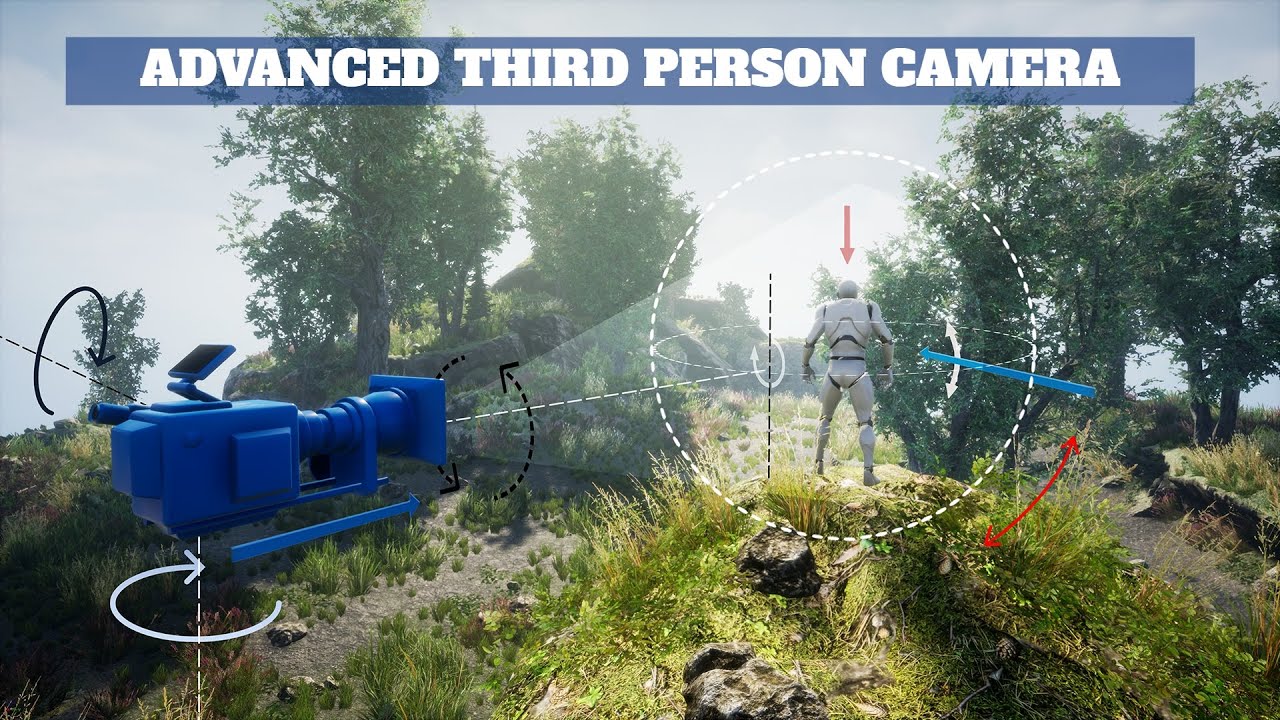
Advanced 3rd Person camera is a very flexible, powerful and scalable system that allows you to conveniently create and manage various camera modes with unique behavior and many parameters for configuring, creating custom scripts with logic for each camera mode.
If you have a ...
rough wing
Ah yes, flying dick
 rancid crag
.
 tacit kestrel
is there any flow control method i can use to stop a certain block of code from continuing besides setting a boolean, preferable similar to break or etc
rough wing
@tacit kestrel Gate
tacit kestrel
@tacit kestrel Gate
@rough wing thanks ill try this out
rough wing
np
 woven kelp
I made this little macro for getting the last object in an array. Is there a way to make it chonky and have the cool array icon like the default macros have?
also how do I make the pins center-aligned on the node? They're sliding off toward the bottom and it's freaking me out, man
 fleet estuary
does anyone have the horror engine for unreal? i'm trying to figure out a way to connect the fear events to a custom health meter that way every time a fear event happens they'll lose hp. any help ? pm me please.
haughty ember
also how do I make the pins center-aligned on the node? They're sliding off toward the bottom and it's freaking me out, man
@woven kelp You can select 2 nodes and use "q" and it will align them based on the connection edge line between them
I made this little macro for getting the last object in an array. Is there a way to make it chonky and have the cool array icon like the default macros have?
@woven kelp Not sure exactly what nodes you're using, but don't forget null/range check.
Regarding the "cool array icon" - do you mean wildcard?
 winged holly
why the hell CameraShake is class not something like AssetData. I want to edit the properties during PIE 😦
😿
 late cave
@winged holly camerashake is still on the old matinee that's being deprecated now... they haven't updated it to sequencer yet
make a bug report about it if you want to light some fires under their assess (I've already made a ticket about it too)
 fading parcel
Hi all, i having trouble on keeping a second player attached to the same vehicle. the rider possess the car and the corider just attach to the seat. the attaching is ok but the codriver turn around. what would be a good way to keep him locked in the seat?
 primal smelt
Ok so I'm having a timeline act rather f***y. I've had a google and can't find anything but basically my finished pin is not firing off. I have my play rate set up quite quickly, is it a thing in Unreal where if a timeline plays too fast it might miss the finished pin?
quartz pawn
hi so I am trying to reference a character but everything I tried wont work
primal smelt
hi so I am trying to reference a character but everything I tried wont work
@quartz pawn What have you tried?
quartz pawn
a lot with errors
but
il try anything
because I have a separate actor
its a gun
maiden wadi
Use case might be useful to. Which character are you trying to get a reference to?
maiden wadi
Non multiplayer?
quartz pawn
in the future, yes multiplayer
just getting the basics down
and then plan to modify my gun system to work with multiplayer
maiden wadi
If you're trying to get a reference to the currently possessed player character, you can just use GetPlayerCharacter0
primal smelt
Try unticking context sensitive?
maiden wadi
What class are you working in? That should show up anywhere.
What is the ParentClass in the top right of the blueprint you're working in?
quartz pawn
actor
maiden wadi
Where mine says CPlayerCharacter, yours says Actor?
quartz pawn
yes
maiden wadi
Then you're trying to do this in the Construction Script Try moving your stuff to BeginPlay.
quartz pawn
now it wont work
maiden wadi
This actor is the gun?
maiden wadi
Is both it and your character placed in the level?
Or is it placed in the level and your character is spawned from a PlayerSpawn point?
primal smelt
Ok so I'm having a timeline act rather f***y. I've had a google and can't find anything but basically my finished pin is not firing off. I have my play rate set up quite quickly, is it a thing in Unreal where if a timeline plays too fast it might miss the finished pin?
@primal smelt bump
 chrome sundial
yoyo, cant i create landscapes in blueprints? or just add created ones?
maiden wadi
@primal smelt Is your timeline looping?
@chrome sundial I don't know about 'creating' an actual landscape. Maybe. I do know that the "Landmass" plugin allows you to easily create mountains and other stuff on existing landscapes.
marble compass
I have a collision box and a volume, i want the collision box to set a boolean to true only when the entire box is inside the volume (if half of it is outside the volume it shouldn't work). anyone know best and quickest way to do this?
quartz pawn
hi so I am using ALS v4 and I want to bind a skeletal mesh in my blueprint to the attach hand function bur Unreal wont let me because it says its not a skeletal mesh.
chrome sundial
@maiden wadi thanks because currently I cant even add a existing Landscape to a Blueprint, I will try that
maiden wadi
@marble compass That is a semi complex question because it depends on a few factors. In short, you could get the inside box's smallest and largest bound vector and convert them both into the local space of the containing box. If both vectors are then smaller than that box's greatest/least extent, the inside box is inside of the containing box.
chrome sundial
Cant I just put a Landscape into a blueprint?
 coral valley
Hello 🙂 I'm trying to connect TouchDesigner and Unreal Engine via OSC, but I can't don't manage to receive the data from Touch. What's weird is that I can send data from Unreal and it works, but no way to receive it. Here is a screenshot of my setup to test data reception :
I've tried it in Unreal 4.25 and 4.26, same result is both, data can go out but can't come in
quartz pawn
hi so I am using ALS v4 and I want to bind a skeletal mesh in my blueprint to the attach hand function bur Unreal wont let me because it says its not a skeletal mesh.
@quartz pawn bump
 astral epoch
What exactly does the timeline Get Playback Position return? Is it a percentage between 0 and 1 or the actual time on the chart?
Because for some reason a timeline of 1.5 seconds has its playback position still being registered as below 1.1 on completion.
trim matrix
hello guys I am trying to make s shader for my strategy project from august 2020 but I can't still make it, noone could help me, I watched the whole yt for thess videos ,read the whole do and when I do it, it doesn't work 😦 , if someone can help me tag me or dm me, will appreciate it a lot
 grizzled rain
@astral epoch if you're trying to get a float of the current time in the timeline have you thought of making a float in the timeline?
weary jackal
@quartz pawn Als v4 already has its own skeleton. If you want to attach a gun then the best way would be creating a socket in skeleton and attach weapon in that socket by 'attach to component' where the parent would be als character mesh and target would be the gun actor
astral epoch
Just did that. Kinda dumb that you can't directly pull the time though.
astral epoch
The playback position is a percentage, 0 to 1 though.
grizzled rain
gotcha
astral epoch
I ask because I was making a timed event and was using a slight overflow on the timeline so I could register if the player took too long to hit.
grizzled rain
Interesting.
So I'm having a problem with lerping between 2 rotations.
The output of a lerp with an alpha <= 0 give the rotation of rotation A, yes?
astral epoch
It should do, unless lerps now extrapolate.
grizzled rain
Because sometimes it's given rotation != rotation A even though the alpha is <=0
astral epoch
Might want to just have a setter after that checks what the alpha input is, and if its <= 0 then set to A?
Even if the lerp should do that, its a good idea to be doubly-sure its happening.
grizzled rain
That's good idea. haha
Is there a way to have something like a switch but it outputs variables rather then exe pins?
maiden wadi
Might also help to know how you're doing your interp on the rotator.
grizzled rain
When I plug rotation directly in without the lerp it doesn't have this bug
It's only with the lerp
maiden wadi
@grizzled rain Are you actually plugging in values to Alpha that are below zero?
grizzled rain
Yes
maiden wadi
It will reverse your lerp then.
For instance. lerp a x0,y0,z0 rotator against a x0,y0,z130 rotator. Set the lerp alpha to 0.5 It should spit out 0,0,65 since the yaw's alpha at 0.5 from 0-130 is 65. Do that with -0.5 and it'll give you -65 because it reverses the lerp to the other direction.
grizzled rain
Dude
thank you
I had no idea that was a thing
And people I've asked before didn't know either XD
 dire onyx
So I have an odd problem with my player controller. The mouse input works but I can't move the player. I set up the input in the project settings etc...
maiden wadi
The fun gameplay programming is all about the vector math.
 oblique ruin
@boreal ether Hey sorry, I got sidetracked last week. Spawn Player Handlers creates the handlers for the players in match. The player handlers store relevant data like stock count, costume selection etc.
maiden wadi
@dire onyx That's an odd one. I've seen other people have that issue sometimes. For some reason some inputs don't work correctly when called on the possessed character from the controller. Which is fine, because usually you should be placing these inputs in the character anyhow.
oblique ruin
For reference I'm having an issue in the packaged version of my game, where characters won't spawn correctly.
dire onyx
Well lol @maiden wadi I tried it there first and it was doing the same thing that's why I moved it to the controller thinking that would work
maiden wadi
@dire onyx Can I see the player blueprint?
dire onyx
Sure thing, lol it's empty
maiden wadi
Mostly care about the class and components.
boreal ether
@oblique ruin hard to say without seeing the code. But it seems like you're getting an error somewhere in that function because something is missing and that's causing the function to stop before spawning. Something related to the costumes was missing iirc. No idea why it would only be missing in a packaged game. Are you nativizing blueprints?
dire onyx
This?
oblique ruin
What do you mean by nativizing blueprints?
I believe it's disabled in my project settings
maiden wadi
@dire onyx Sec, I need to redo my inputs from C++ to blueprint, this character is the one that your controller is possessing at game start? You see the hands and such?
dire onyx
Yes that's correct
oblique ruin
@boreal ether What does nativizing do in the project settings?
I had it disabled by default.
maiden wadi
Assuming you have changed nothing else like character movement component settings and the like, this should work fine for lateral character movement.
boreal ether
Converts blueprints to c++. But it can cause a lot of issues. If it was disabled then that's not causing it.
maiden wadi
@dire onyx Your mouse controls work though, to look around?
dire onyx
Yes that's what's odd the mouse input works just fine
maiden wadi
Are those in the character or controller?
dire onyx
Controller
@maiden wadi I moved mouse into Character just for you know, and the mouse input still works just fine
maiden wadi
Did you delete what was in the controller to make sure it's not causing conflicts with the input stack?
dire onyx
Yes I did. The controller is empty
maiden wadi
Any changes at all to the CharacterMovement component?
dire onyx
Nope didn't touch that
maiden wadi
What about FPSCharacter? Judging naming conventions I assume that's a C++ class?
dire onyx
Yes that's correct
maiden wadi
Is there anything going on there in the PlayerInputComponent function?
dire onyx
Nope. I was just doing the movement in BP real quick just to get going on this project
maiden wadi
Well hell. I'm at a loss then. Doing nothing more than inheriting from Character, adding a camera and making the camera use PawnControlRotation and setting up this should allow you general movement
Can you put prints on the MoveForward/Right events and see if the Axis changes from 0?
Or if it's printing at all?
maiden wadi
Print the Axis from the MoveForward event
dire onyx
Like this?
dire onyx
Yeah it changes to 1
maiden wadi
Well, input is working fine then, but for some reason your CharacterMovement component isn't cooperating.
maiden wadi
Sec
If you don't have much data in the class, you could try reparenting it to Character class and adding the camera back to see if it'll work.
Kind of odd though. Never seen anything break movement like that.
dire onyx
Yeah the class is basically empty I just made this project lol
maiden wadi
Actually. Another fair question, are you using Livecoding?
dire onyx
No idea what that is so probably not?
maiden wadi
Compiling normally with UE4 open is called HotReloading. It's generally considered really bad. Most people enable Livecoding, and then if you change anything in either the .h file or the class constructor, close UE4 and compile in your IDE.
Livecoding stops HotReload from happening, but also lets you quickly recompile functions for testing after they've been declared.
TLDR, Hotreload causes strange issues. Close UE4 to compile and then restart. Make sure that wasn't your issue with the movement.
dire onyx
Oh didn't think to try that. I always close the editor when compiling because hot reload always breaks my stuff lol
maiden wadi
I highly doubt it's the issue here, but I was out of ideas.
dire onyx
You're fine. I'm just going to delete and restart
maiden wadi
I moved most of my input axis stuff to C++ most all of the time. Premature optimization I suppose. Blueprint is terrible with most non event driven stuff.
dire onyx
@maiden wadi ok. Well lol I know how to write the movement input in C++ lol I was just being lazy so I wrote it in BP lol
plain sigil
How do i get player index or controller id for each client so i can set it to an integer variable
maiden wadi
You could get the list of player controllers on the server? Not sure what you're trying to do though, so unable to help much.
oblique ruin
@boreal ether so I'm narrowing down the problem
Even in the packaged version it will print out the correct character name
But when I try to set the class this is where things start to become different...
In the editor the class loads properly
However in the packaged game the class doesn't.
maiden wadi
Where is the pointer inside of that struct being set?
And is the pointer itself valid?
oblique ruin
You mean the CharacterAssetStruct?
That's all held in the game instance
So the player handler gets it's info based on it's index from the game instance.
It then checks a reference to a character asset sheet to see what Character it needs to load in and what mesh/costume it's set to
maiden wadi
You may want to be sure that that pointer is actually valid. If you set that from one map and change maps at any time, that pointer should become invalid.
oblique ruin
Well currently since there is no character select screen is already set in the game instance.
trim matrix
Guys, i have my main menu, i wanted to my game always open first main menu, but when i go to Game level and press start, it starts first the game and not the main menu
oblique ruin
@maiden wadi So the character asset struct seems to be valid.
This is what it contains
I don't know if there is some weird property with data assets
Maybe they load in a different order in the editor???
amber rune
how can i set the location of a spline point from the player character
 fleet quail
Is it possible to spawn/despawn a camera at a specific point (mouse position) upon hovering over a mesh?
or object?
Spawn on hover, despawn on not hover
Branch True or False
i'm new to BP
@amber rune might look at thiss document, it should explain a lot of functions for player characters, not specifically with splines, but i would google where to find splines on players characters and then use this: https://docs.unrealengine.com/en-US/Gameplay/HowTo/CharacterMovement/Blueprints/index.html
A How To Guide for Setting Up Character Movement in Blueprints.
amber rune
no i mean i have a actor with a spline and in the player bp i would like to change the location of a point
on the spline
dire onyx
Hey @maiden wadi so I deleted and remade my project wrote the movement logic in C++ etc.. and still the same issue
amber rune
nevermind
maiden wadi
@dire onyx That is really odd. Can I see your C++ class?
dire onyx
Sure one minute
@maiden wadi https://pastebin.com/xFmmw1ja
Pastebin
Pastebin.com is the number one paste tool since 2002. Pastebin is a website where you can store text online for a set period of time.
I swear it has to do with my GameMode but idk tbh
trim matrix
Guys, i have my main menu, i wanted to my game always open first main menu, but when i go to Game level and press start, it starts first the game and not the main menu