#blueprint
402296 messages · Page 542 of 403
 proud hull
Or a common component, such as a health component?
For example: Character > BaseEnemy > SpecificEnemy
 grim meadow
No i did not know how to do that. lol
proud hull
No problem, you can integrate it fairly easily.
Make a new BP of character class (or whatever class you used for your enemies) and call it BaseEnemy or something along those lines.
Then you can reparent your enemy blueprints.
Make this new BP the parent of all your enemies. Now they will inherit whatever that base class has.
Any code that is used by all the enemies can be put into this parent class and will never need to be copied into another enemy ever again. You would simply make changes in one location for all the enemies.
@grim meadow let me know if you need any help with setting up a parent class, you can DM me. I kinda threw a lot at you all at once, hehe. Once you get the hang of the parent/child relationship, it will make things so much easier in the long run.
 trim matrix
one of my nodes say "launch direction is set to read only in this context and can not be set to a new value" its a variable btw
grim meadow
@proud hull will do. thanks for the help!
trim matrix
anyone know why its doing this?
proud hull
@trim matrix might be similar to this issue: https://forums.unrealengine.com/development-discussion/content-creation/53087-ue4-training-advanced-ai-variable-is-read-only
Unreal Engine Forums
Talk about Level Design, Static Meshes, Physics, and more.
trim matrix
nvm i found the issue. My function was set to const
why does it keep crashing saying i ran out of memory?
 placid talon
hi man @proud hull , I just learned about game instance. so if I want to retrieve the variabel from game instance in actor so it still need a continuous cast to game instance trhough event tick right?
like if I want my plant at 12 open the flower, so I need to save time variabel from player, send it to game instance trhough event tick, then retrieve it from my flower actor through event tick also?
 weary jackal
hi man @proud hull , I just learned about game instance. so if I want to retrieve the variabel from game instance in actor so it still need a continuous cast to game instance trhough event tick right?
@placid talon first, doing casting every tick is very expensive. You will face fps drop
proud hull
@placid talon you only need to know what time to start with when the game first loads.
You can do math to figure out what time it should be based on how much time has passed since the game loaded.
Using a timed event to keep track of when to call events based on the current time is more efficient than making the call every tick. No need to update more than once per second to keep track of time.
placid talon
oh so it's better to use event begin play then use set timer by event?
proud hull
There are also other ways to keep track of time.
weary jackal
@placid talon are there more than one level and you want to keep track of time persistently?
proud hull
I believe there is a built in one if you use the sun light or whatever it is called in your level.
 river wigeon
can someone help me via pm? I wanna do something like procedural animation, and i got realtively far, but i miss some steps. here the video of my outcome https://youtu.be/kxQpB8uO25Q

Today i tried to make a Procedural actor, i want it to become an enemy, it still needs tons of work, but i will figure it out.
placid talon
no, it just I have actor that its appearance would change when the time changed. but the time variable come from the player bp, so the plant BP require that time variable anytime in player is changed
weary jackal
Okay use tick for time and some math to get time in seconds or hours whatever you're using. Also use modulo to limit it, otherwise at some point the float variable will exceed the limit. For changing you can do is create an event dispatcher in player and when the time == yourValue then call that dispatcher.
In your flower actor, on begin play cast to your player bp and from that bind that event dispatcher. Make a custom event in flower bp which will gonna do the flower opening code and attach the delegate of that custom event with the bind of the dispatcher. Delegate means the little red square box in the custom event
placid talon
@weary jackal thank you so much dude, I tried using the dispatcher to retrieve the time stored in game instance now it works better. exactly like you said, when I use event tick my ++ math exceeding the limit so often
thank you once again also @proud hull , really love how supportive this forum
trim matrix
I have a system where when you shoot a cube it gets destroyed. How do i make it so i have to shoot it 2-3 times for it to destroy?
 heady jay
I've been trying to make a multiplayer spawning system, but when I run it, only one player is able to control their pawn. Additionally, for the rest of the players, their view is of somewhere completely different than the spawn location, but the actual pawn is spawned in the right locations. Here is the blueprint function: https://blueprintue.com/blueprint/f01eupz_/
If you have any resources that may help with my issue or any ideas on the cause, let me know.
BlueprintUE
trim matrix
ive tryed do n
 supple folio
can anyone recommend reference projects that mostly use blueprint? like besides the stuff by epic. like I know tom looman has some but his is c++. I would like to see something like that but in bp? Google is is not really helpful today.
trim matrix
someone help. I want to make it so when you sprint (shift) it activates particles.
 tender sierra
@tender sierra The player controller is a separate entity from the character. They are separate classes and serve different functions. The player controller mainly handles input. Sure, you can do some input functions and have some input events in the character. But the player controller handles input even in the absence of character. You can Google up the player controller to learn more.
P.S The function SetIgnoreMouseInput is defined in the player controller not the character
@paper galleon
The PlayerController is basically what identifies you as the Player. (There are also ULocalPlayer and UPlayer, but let's ignore that for now).
The PlayerCharacter (or simplier just Pawn) is what your PlayerController controls.
There are also AIController, which take the same part but for AIs.
They are both a child class of just Controller.Controllers (Player/AI) Possess Pawns/Characters, which then are controlled. Imagine it like a puppet.
It's good habit to not use "GetPlayerController" or "GetPlayerCharacter" at all, although it's not that big of a deal when you make a singleplayer game.
But generally speaking, you can get the Controller that is currently controlling a Pawn/Character via just the "GetController" function.
That way you are sure that you mean the Controller of that specific Pawn/Character. Very important for any Multiplayer coding.
@surreal peak
thank you @paper galleon and @surreal peak
This is what I noticed when hovering over the SetIgnoreMoveInput function.
Does it mean it reveals what controller it uses?
Also, @surreal peak mentioned that I shouldnt use GetPlayerController at all (even though it worked in my case), does it mean I can/should use GetController as a general habit?
As for GetCharacterController, is it only relevant for the pawn?
 surreal peak
It's "releative" to the Pawn class
There are other instances where you can get the "relative" Controller
E.g. the Owner of the PlayerState is the PlayerController/AIController
If you specify an Owner on Widgets you can get the Owner via special nodes there
etc.
trim matrix
@tender sierra i have a system where i shoot a cube it destroys it. Is there a way where i can make it so is shoot it 2 or 3 times and i destroys instead of just one shot?
tender sierra
here is the image I was referring to earlier
surreal peak
Do you understand Inheritance of Classes?
tender sierra
somewhat
I noticed that I was communicating with Mesh with isnt _self, since it was inherited
surreal peak
The AController (Controller) is the Parent Class of the PlayerController.
The function is from that Controller adn the PlayerController can use it (and might override it to do some extra stuff)
tender sierra
I could not tell however what class it was inherited from
Shall I assume it is Controller?
surreal peak
Which one?
"Self"?
The (inherited) behind the Mesh just means that one of the parent classes is the one that added the mesh component
"Self" always referes to the BP you are in
If you use self in BP_ThirdPersonCharacter, then Self is just that
In C++ it's called "this"
tender sierra
I am inside the thirdperson character, its parent class is Character > Pawn
So far, fine.
_self would point to that class, and this is not what I was looking for, since I dragged the mesh component to the graph editor
I now realized that mesh is inherited, therefore _self didnt work
but can I tell where it is inherited from?
surreal peak
Only by looking at the Parent classes
Mesh comes from the Character class
_self would point to that class, and this is not what I was looking for, since I dragged the mesh component to the graph editor
That part I don't get
Mesh is a SkeletalMeshComponent
Neither a Controller nor a PlayerController nor a BP_ThirdPersonCharacter
The (inherited) only means that it's not the BP_ThridPersonCharacter that added the component
tender sierra
That part I don't get
@surreal peak
like this
surreal peak
That's just getting a ref to the Mesh into your graph
So you can get and set data on it
Or call functions on it
tender sierra
yes
So I was calling functions and that was when I wondered why _self didnt work and GetPlayerController did.
later I discovered that Mesh is inherited, so _self wasnt the right target
which made me ask "why GetPlayerController"
surreal peak
Most functions that work on the class you are in will auto default their Target pin to Self
trim matrix
@surreal peak i have a system where i shoot a cube it destroys it. Is there a way where i can make it so is shoot it 2 or 3 times and i destroys instead of just one shot?
surreal peak
which made me ask "why GetPlayerController"
Always depends on what you are calling
tender sierra
aha
surreal peak
PlayerController and your BP_ThirdPersonCharacter (which is "self" in that context) aren't the same classes
tender sierra
yes, I got that
surreal peak
It's like trying to ask a Smith to paint an image
later I discovered that Mesh is inherited, so _self wasnt the right target
This is still super confusing, because for me you are stating two different things
tender sierra
Always depends on what you are calling
@surreal peak
like this? is this the way I know that this function requires GetController?
surreal peak
Yes
That means that the function is declared and defined in the Controller class
So it needs a Controller, or a Child of the Controller class
tender sierra
So the thirdperson bp could contain components inherited from different classes than just Controller? and I must always check what I am calling, right?
surreal peak
If you make your own function and call it you'll see "Target is BP_ThirdPersonCharacter" or so
tender sierra
mm, yes
surreal peak
So the thirdperson bp could contain components inherited from different classes than just Controller? and I must always check what I am calling, right?
Seems like you are struggling with the "basics"
tender sierra
unfortunately yes, I am a couple weeks in UE
but I got things done so far 🙂
with the help of people like you 😉
surreal peak
The BP_ThirdPersonCharacter inherits functions and variables (which are for example the components that are added) from its Parents.
May it be Character, Pawn or Actor.
The Controller class is not giving your BP anything in terms of Inheritance
All you are doing is getting a reference to a Spawned Instance of "PlayerController" and call a function on it
You can do that from more or less everywhere
tender sierra
i think I got quite a handle of it for now
two questions left to sum it up, I hope
- you said
So it needs a Controller, or a Child of the Controller class
Are there situation where the parent class (in opposite to the child class) lacks functions, that the child class has? I remember you said I should as a rule always use GetController instead of Get Player Controller or Get Character Controller
- beside hovering the mouse over a function, is there other ways to see where the components are inherited from? Eg
Mesh (inherited)
trim matrix
I have a system where when you shoot a cube it gets destroyed. How do i make it so i have to shoot it 2-3 times for it to destroy?
surreal peak
Are there situation where the parent class (in opposite to the child class) lacks functions, that the child class has? I remember you said I should as a rule always use GetController instead of Get Player Controller or Get Character Controller
Inheritance is one way. Child can(!) inherit from the Parent. The Parent can limit access, but that goes a bit too far atm.
A Pawn for example has no Variables and Functions from a Character. If you spawn an Instance of the Pawn class, then that's all you have access to (+ exposed Parent function).
Same goes for Character when you have functions and variables in your Blueprint class.
The reason you should use "GetController" instead of "GetPlayerController" is the following:
GetPlayerController is a so called static function. It can be called from nearly everywhere, without any context. It will always return the first local PlayerController.
That means if you are in a Multiplayer situation, you can call this in multiple Characters, and you will always get the same Controller.
Sometimes that useful, but in that specific case it might be better to call GetController.
GetController is not static. It's a function that exists in the Pawn class. It returns the Controller that is controlling that specific Pawn/Character.
So if you are again in your Multiplayer situation, calling GetController in CharacterA, will give you ControllerA, as well as ControllerB if called in CharacterB.
There are lots of rules to this, but that's the main reason I suggested it.
trim matrix
does anyone know?
surreal peak
- beside hovering the mouse over a function, is there other ways to see where the components are inherited from? Eg Mesh (inherited)
Ehhh. Don't know. Components are the things in the list on the top right. They are also classes but build in a way that you can add them to your Actors.
Usually it's not that important to know tbh
Unless you made the Parent class that added the Component and you want to do something about that
That's all I can give you for now :D heading out now. Cheers!
trim matrix
I have a system where when you shoot a cube it gets destroyed. How do i make it so i have to shoot it 2-3 times for it to destroy? Does anyone know?
 rustic sluice
need help im missing somthing.
Default land movement mode is Walking.
First time I press N it gous to flying and reports that. its working.
Secend time I press N it reports goint back to walking but character still flys????
Even luckt up a video on youtub and for him it works.
What em I missing??
 stray folio
a if flying boolan?
trim matrix
please help
surreal peak
@trim matrix Please don't spam the chat that much. If no one is able to help or has time right now, you should simply wait and post later.
trim matrix
sorry
tender sierra
thank you @surreal peak
stray folio
your flying has a var right
rustic sluice
yes
stray folio
i was wondering if anyone has a good idea where to start on character customizaton
rustic sluice
is flying bolian reports true
and land mode reports walking
stray folio
and or whys to find models
well if flying is true it would report flying
if false its walk
right?
rustic sluice
I can go from walking to flying but can't go back to walking
do I need to change more than "land movement mode"
to get from flying back to walking
stray folio
idk
rustic sluice
thanks anyway
surreal peak
DefaultLandMovementMode is something else than the CurrentMovementMode
The Default one should more or less stay the same, cause it#s default after all
Flying is also not really a "Land" movement mode :D
trim matrix
my on hit event destroys objects whenever they touch anything. How do i make it so only the projectiles destroy the object?
rustic sluice
Thanks again. Found it and its works like a charm
tender sierra
If I'd want to spawn this actor three times, what would be the best approach? A loop with a bransch that stops once I ran it three times?
Or other ways?
 foggy ferry
Hello! Im having an issue with my character not doing damage unless my blueprint window is open.. am i missing something? (to go further into detail, i can click play and run up to enemy and hit him 3 times to do enough damage to kill him, but that only works if i hit play when a character blueprint is open. If i hit play from the level screen with no blueprint open, it does not do damage to the enemy but the enemy will still play the 'hurt' animation. ) please help, im very confused by this one.. here is a video link to my issue to help better explain https://drive.google.com/file/d/1l74APldSS8o6k-9V7mcGkpAdADESFpZ1/view?usp=sharing Thanks!

Google Drive
trim matrix
Please help. I have a event set up with on hit and destroy component. When i shoot the cube it destroys. But when it touches anything it also destroys. Is there another event that will only destroy the object when i shoot it? Im really new to ue4.
 feral ice
why wont my character launch forward when im on the ground? I have to same coding as him. I have disabled root motion. And its not working... anyone have any idea

Project Files : https://www.patreon.com/CodeLikeMe/posts?tag=source code
Support my work on Patreon : https://www.patreon.com/CodeLikeMe
I have missed the video i did on covering the attack move part and therefore I have added an explanation on that in this video.
When the ...
 ancient stag
Does anybody the best way to re-attach a static camera after an actor is destroyed and respawned?
The camera actor is in the world, so I can't locate it in the Player Pawn or Game Mode
^Level BP
 haughty axle
have fast question guys, i added sprite in my character BP for minimap, i set it to Owner No See, but i can see other palyers mini map arrows above them, then testing multi paly, how can i turn that off.. any ideas?
ancient stag
Please help. I have a event set up with on hit and destroy component. When i shoot the cube it destroys. But when it touches anything it also destroys. Is there another event that will only destroy the object when i shoot it? Im really new to ue4.
@trim matrix You could either work with custom object types or tags. Since you're new I'd recommend working with tags. Make a branch on the cube actor that asks if the hit component (the projectile) has a tag (e.g. "bullet") Then the cube only gets destroyed when you shoot it.
Click on the component and you will find the category "tags" in the details panel. Hope this helps!
trim matrix
@trim matrix You could either work with custom object types or tags. Since you're new I'd recommend working with tags. Make a branch on the cube actor that asks if the hit component (the projectile) has a tag (e.g. "bullet") Then the cube only gets destroyed when you shoot it.
Click on the component and you will find the category "tags" in the details panel. Hope this helps!
@ancient stag Thanks for trying to help. But i dont really know how to do that.
 crisp willow
Heyo! I have a question about the Character Movement Component. For normal input based movement I'm using AddMovementInput. But how would I go about moving the character in other ways? Lets say sliding down a wall for example. Where the movement is not coming from an input, but rather due to the state the character is in. SetActorLocation doesn't seem like a nice solution, since you could basically teleport the character inside a wall right? And using SetActorLocation using sweeps seems unnecessary since we already have a sphere collider hooked up in the Movement Component itself. Any ideas?
trim matrix
how do i make it so a box collider will follow a projectile?
 earnest tangle
add the box collider to your projectile BP?
@crisp willow you can call add movement input even if it's not player inputs. Alternatively, you could try adding forces, or adjusting velocity, etc. - there's a bunch of ways to work with it
trim matrix
I have a enemy that shoots projectiles that doesnt have a projectile bp. I want to add the box collider to that.
earnest tangle
what is the projectile if it's not an actor?
trim matrix
Its a blueprint that shoots projectiles from a cube.
trim matrix
Oh its the normal yellow ball that comes with the fps template if thats what you are talking about.
earnest tangle
yeah, so that's an actor, and it should already have a collider, so I'm not quite sure why you need to add another collider to it :)
trim matrix
What im trying to do is make the bullet damage the player.
earnest tangle
Right, the easiest way to do that would probably be to modify the projectile you're spawning, so that it has logic inside it to trigger the damage when it collides with something
trim matrix
the thing is i dont know how to do that lol
earnest tangle
open the yellow ball blueprint and look in there :)
you can probably add a "on actor hit" event into it, which you can then use to "apply damage" to the other actor
trim matrix
you can probably add a "on actor hit" event into it, which you can then use to "apply damage" to the other actor
@earnest tangle I cannot thank you enough. Thank you so much.
foggy ferry
Hello! Im having an issue with my character not doing damage unless my blueprint window is open.. am i missing something? (to go further into detail, i can click play and run up to enemy and hit him 3 times to do enough damage to kill him, but that only works if i hit play when a character blueprint is open. If i hit play from the level screen with no blueprint open, it does not do damage to the enemy but the enemy will still play the 'hurt' animation. ) please help, im very confused by this one.. here is a video link to my issue to help better explain https://drive.google.com/file/d/1l74APldSS8o6k-9V7mcGkpAdADESFpZ1/view?usp=sharing Thanks!
Google Drive
 gritty elm
question: can i test multiplayer on two computers using project (not game packaged build), does it works?
 pine trellis
nah you gotta pack
ancient stag
@ancient stag Thanks for trying to help. But i dont really know how to do that.
@trim matrix I literally explained it step by step...
 simple lantern
Hi all, I could use some help with vectors - I need to get the position of my player in relation to ObjectA and convert that into a scalar, such that when the player is in front of ObjectA the scalar=1, and when the player is to the side of ObjectA, the scalar=0. Camera and object rotation don't matter, just the positional vector
the 'front' and 'side' of ObjectA should be worldspace, so that ObjectA's rotation shouldn't affect the relationship
 tight schooner
@simple lantern if im reading you right, you need to feed two vectors into a dot product node. One is the forward vector of Object A. The other is the player's location relative to object A, normalized.
That'd be player's location - ObjectA location, then into a normalize node, then plugged into the dot product node.
What the dot product node does is compare the similarity of the two vectors. -1 for total dissimilarity and +1 for total similarity (and 0 for perpendicular). I think that's how it works
 autumn surge
Hey Guys, does someone know how big the performance difference is between "get all actors of class" and "get all actors with tag"?
 twilit heath
none
it still iterates over every Actor on the level
just checks a different condition to see if they quality
autumn surge
hmm yeah I thought about that.
trim matrix
@trim matrix I literally explained it step by step...
@ancient stag sorry
earnest tangle
It sounds like there could be a tiny difference since there'd be the tag check in the other one
But the difference is most likely rather inconsequential :P
tight schooner
@autumn surge oddly enough I benchmarked it at one point #blueprint message
get all actors is faster, but you really have to do it a whole lot for it to make a dent in performance
so the practical answer is they're both pretty fast
autumn surge
I thought also it might be better because the data received is only a name while class is the BP as a data block.
okay thanks man, Im not using it often anyway so. thats fine I guess.
simple lantern
@tight schooner Cool that's helpful
trim matrix
hey guys, so I'm ultra confused as to how to branch out my 2d paper flipbook animations with how the tutorial shows it. Every time I do the tutorial, I'm able to get through the end with my character's flipbook changing accordingly, but every time I try to add more and more, my character doesn't show up, my character stays idling or the animations for what used to work don't work anymore.... I just want to be able to make more complicated animations and it seems like it's harder than I'm making it seem or the way I'm trying to make it work doesn't actually make it work.... any help?
earnest tangle
I'm not sure what that has to do with binding delegates?
 fickle blaze
hey I have a question. I want to make it so when an actor dies my AI will index it's array and go to attack the next target
anyone know how to do it?
should I just use an is valid check on the current array index?
earnest tangle
Sounds reasonable to me
 sterile sun
I'm not sure what that has to do with binding delegates?
@earnest tangle Trying to get owning player to later bind delegates from that class
earnest tangle
Right, it looks like that would work yes
sterile sun
Awesome. 🙂
trim matrix
this is inside a widget?
sterile sun
Also, what is BP function to bind a delegate to a widget?
Basically, what I'm trying to do is show RELOAD sign whenever players run out of ammo; disable it as soon as they reload.
this is inside a widget?
@trim matrix Nope, player class
trim matrix
inside widget: GetOwningPlayerPawn() -> cast to your custom character class -> Bind Event to (YourEvent)
can be done inside of construct
sterile sun
And then the Delegate will be declared in CPP inside player class?
trim matrix
yes for example here is my delegate/event that I use for updating my HUD with ammo:
// OnAmmoChanged event signature
DECLARE_DYNAMIC_MULTICAST_DELEGATE_OneParam(FOnAmmoChangedSignature, int, CurrentAmmo)

// invokable event
UPROPERTY(BlueprintAssignable, Category = "Ammo")
FOnAmmoChangedSignature OnAmmoChanged;
then in widget blueprint I just bind to OnAmmoChanged
trim matrix
How do i run a node more than once?
@sterile sun
Get Owning Player Pawn, it's not an executable so just right click on the blank/grey area and it will show
but the casting/assigning etc. will come from constructor
sterile sun
Cool, I get it
 wide nimbus
@trim matrix you can use Do N or just call it multiple times
trim matrix
@trim matrix you can use
Do Nor just call it multiple times
@wide nimbus I want my enemy to follow me when im in his range. But when he cant see me, he will roam around. I have a system that will make him roam and make him follow me. But they dont work at the same time.
fickle blaze
@trim matrix are you using AI controller?
trim matrix
@trim matrix are you using AI controller?
@fickle blaze AI move to node
fickle blaze
you will have to use AI controller and set up a behavior tree
make a few tasks like sense player/did sense player fail
then if sense player fails it roams around
trim matrix
How do i set up a AI controller? Is it a node?
trim matrix
Ok. Thank you.
trim matrix
Ok im gonna do that later because i probably should work on other things. With the hit component anything my enemy touches will destroy him. How do i make it so only my gun projectiles destroy him?
fickle blaze
use apply damage
then give the actor you're shooting a health number and if it takes damage <= to max hp it dies?
trim matrix
Health number as in a variable right?
fickle blaze
yeah a float is what I use
trim matrix
Ok.
fickle blaze
it has to be on the one taking damage not the one dealing it
on the hit actor put event any damage
then drag the damage output to a get health
if current health <= max health take damage
so current health - damage
sorry I forgot to mention you need 2 floats
one for current health and one for max health
leave current health at 0 but set max health to 100 or something
then if you make the damage 10 points it will take 10 hits to kill
trim matrix
Got that but not the nodes. So apply damage and event any damage?
trim matrix
Ok. On the damaged actor do i drag my object?
fickle blaze
yes exactly
fickle blaze
the event any damage has to be in the cube enemy blueprint
for damaged actor you can do it multiple ways
you can do an event overlap/actor/apply damage
trim matrix
Got the damaged actor
fickle blaze
1 sec ill show a picture
trim matrix
Alright.
fickle blaze
so this would be an example of a thing which is doing the damage
you have to have some way of telling the engine which actor you're targeting with the damage
you can use something like an overlap or linetrace by channel
trim matrix
Which is that right?
fickle blaze
yeah anything that creates a reference to the hit actor and allows you to feed it back into the apply damage node will work
you can even create a var that acts as a reference for one actor if you only want to ever damage one thing
so to do that you go to the bottom left click the add var button then click the var type and enter the name of your object
fickle blaze
no it would be the actors name
so if the name of the actor you want to damage is freddy you would get a reference to him then name it freddy then plug him into the apply damage node
so you click on the var after making it in the bottom left
then go to the top right with the dropdown and type in the name of the actor which will be damaged
then rename the var to that actors name
fickle blaze
yep name it to the actor you want to damage
then you put the apply damage node in that things bp
and do a print string after damage is applied so you can know it's working
trim matrix
Alright its working but its not destroying.
fickle blaze
after it's health hits 0 put in a destroy actor
trim matrix
How do i do that?
 faint granite
Does anyone here know a way to mask off a part of a model from a post-process material? I have a custom made toon shader, hadn't been working with Unreal too long, and I was wondering the way to do this. I'm using the toon shader on the entirety of one of my models, and I want to mask out the eyes so that the eyes aren't all wonky and have shading over them.
Another thing is too, I have an issue with everything being extremely dark. I can't figure out what it is that I need to make it brighter-- but this model needs to be almost entirely white on the light parts, and it's just not. Can't figure out why.
The shading on the eyes is doing weird stuff like this;
fickle blaze
did you set max health to 100 and current health to 0?
trim matrix
Ya.
 thin grail
xd
The camera thing I mentioned earlier
It is attached to the ball
But I can't reference the ball if its not a parent
trim matrix
I dont know. I just selected my enemy and pressed on component overlap
faint granite
That camera is wonky, wtf did you do @thin grail
fickle blaze
make a sphere collision volume on the player and make it 5 m then use that for overlap
so add component then type in sphere collision then event begin overlap
trim matrix
Alright.
thin grail
That camera is wonky, wtf did you do @thin grail
@faint granite Attach the camera to the ball
faint granite
simple enough
thin grail
the idea is that the camera Follows the ball
but at the same time stays on a consistant position
like, following on the X access for example
thin grail
the thing is... how do I get the position of the ball (an actor) from the camera?
if they are not parents
trim matrix
i gtg @fickle blaze
 haughty egret
Does anyone know what might cause unreal source control to fail to find revisions?
faint granite
..There should be a way you can do it without parenting, at least that's how it works to my experience in other engines/languages.
@thin grail
And just keep fetching the x/y values
 wintry storm
Not sure where the correct place to post this is. I'm trying to do masks but for multiple objects (using custom depth buffer). Is there a way I can make chairs red and the table blue - essentially two different depth buffers? Right now it blends them.
wintry storm
@tight schooner yep i reposted there as well
 weak grove
i need a help
after i attach my weapon to player
the animations are glitinch
glitching
my player is not moving well
 twin chasm
moderators are here to moderate this server, please don't ping us for development assistance
 fiery escarp
Whoever sees your question and has an answer. 🙂
 quasi frost
How do I do a for each loop from a data table in random order instead of ordered?
earnest tangle
iirc there's a Shuffle node you can use on arrays
 dense mica
the animations are glitinch
check for your collisions
if your weapon has collision enabled or collision setup is not ignoring your pawn, it will glitch
@weak grove
earnest tangle
Ah, it might be shuffling in place
Save the array into a variable first, then shuffle
earnest tangle
it's probably working via reference then, hopefully that won't cause problems with the data table lol
 pale blade
Are event dispatcher synonymous to a "message"?
I get the idea of events. You listen to something (Bind). Then somewhere else you notify (Call). When the listener receives the notify, it'll trigger a handle function to do whatever you want to happen.
At my workplace (non-gamedev), we use something similar but with messages.
There is a specific message with data defined, "TestMessage".
Somewhere else in the code we Subscribe to "TestMessage". We also have a Handler function to do something should we happen to have received the message.
Then somewhere else in the code we have a Publisher to send out that message to anyone subscribed.
To relate "Messages vs. Event", you can kind of think things like:
Subscribe = Listener (Bind)
Publisher = Notifier (Call)
Message = Dispatcher*?*
earnest tangle
yeah sounds like it's the same thing except the terminology you use at work sounds a bit confusing :)
in most event based systems, you have a dispatcher or event source, which you can listen or subscribe to
the dispatcher then sends out events
a message in context of event systems would usually be the data that's being sent to the event listener
pale blade
Hmm, you say dispatcher is what you can subcribe to, but also the dispatcher sends out the event?
Actually, I guess I'm confused about what the "Event Dispatcher" is.
According to the definition, it is both receiving and sending? So is it both a subscriber/listener and a publisher/notifier?
Or is it more like a "Message" without the data?
earnest tangle
@pale blade the dispatcher is called to send events, it doesn't really receive any by itself. But it needs to know who to send them to, thus listeners need to register with the dispatcher that they want the event
It's really a quite simple system on a basic level: You have an array of listeners, and a function to add listeners, and a function to send an event. When you call AddListener(), the new listener is added into the array. When you call SendEvent(), the array is looped and each listener is called... it's probably a little bit more elaborate than that in practice, but that's the gist of it
@swift pewter yes
Is the other object within 5 meters? And is Damage higher than 0?
Have you tried putting a print into the event radialdamage to see if it's getting called or not?
just as the first node before anything else
Right, so the problem isn't in the radial damage, but in the logic you use to handle the damage event
I don't really see anything that sticks out as being wrong, so you'd have to try and debug this to see what goes wrong
breakpoints can be quite handy for that :)
pale blade
I see. So the dispatcher is the.. "system" that (1) holds the data of who is listening (array), (2) allows listeners to be added, and (3) allows the event to be sent?
earnest tangle
Yep
pale blade
Does the array actually exists in the dispatcher, or that was just an example?
earnest tangle
It depends on how it's implemented, it would have to exist somewhere at least
pale blade
Hmm, okay but the explanation makes sense
Thanks
earnest tangle
Something like this is fairly simple to implement in JavaScript or such if you want to try it :) Might give a better intuition on how it works
pale blade
Actually, you said depends on implementation? What about in Unreal? Is there a hidden array in the Event Dispatcher?
earnest tangle
unreal implements them as what they call delegates on the C++ side
I'm not really familiar with how those work behind the scenes, but I'd imagine they have a list of delegates saved somewhere for each dispatcher
pale blade
Hmm, I see
 gilded pebble
mesh tangents
I have an array of tangents of the mesh, but not the normals
and I need the normals
 glacial eagle
You'll need the binormals too IIRC
Then normals are crossproduct(tangent, binormal)
or maybe the other way around... but one of those
 rough sinew
Could anybody help me with this issue? When creating a hub level with multiple entry/exit points how do make the character spawn at the correct point everytime the map is loaded? How do I pass the parameter "Player has entered from point A/B/C" to define which section of the hub to set the player location to?
earnest tangle
you could probably store that in game instance
gilded pebble
I see, thank you
rough sinew
@earnest tangle Ok, but how can pass tais variable to a loading level?
earnest tangle
you can also read it from the game instance
rough sinew
In the level blueprint?
earnest tangle
yeah, any actor including level bp can read it
rough sinew
Ah! Ok! Thank you!
 little cosmos
I have a Widget BP with buttons to choose where to go to on the level. How can I implement it?
As in, how do I script it to spawn my player controller to a certain area in the map? and what to do with the player start actor?
little cosmos
this is NOT working. I know I stuck at BP
 dull iron
HI, I'm feeding camera position data over TCP but motion is not smooth. I used lerp with event tick (current position - target position) but this delays the camera movement a bit (since TCP is faster than event tick I think). Any ideas how to smooth it out and stay in sync?
I thought of making timer to count TCP ticks (when every message is received) but do not know how to do it in blueprint?
Would this even be a solution?
 spark robin
 lyric urchin
what are the best general tips to increasing fps? i figured i would start simple again and made an empty level with a default pawn with nothing running in it and cant get higher than like 150fps.
 hollow drift
hi folks, can y help me please? I am stuck on a stupid issue lol
I need to be able to create a variable with target
Either something is kaputt or i forgot to change somewhere something
I added the new variable in PuzzleBlockGrid but it doesnt seems to be appearing in my PuzzleBlock where i try to paste it in
The last two I could add as seen above, the new ones do not appear. I also already complied the code, so it should be there
Nevermind, i found it in the menue. I did not show up in autosearch
trim matrix
So for some reason my AI dosen't seem like it can see me the value in behavior tree canseeplayer never changes from false but I am setting it by using the perception updated node
 ancient torrent
Hello everyone! whats the best way to find out the world surface Z location? Like find out the distance from a spaceship/plane to the ground? 😁
placid talon
guys, regarding save data and game instance, shall I update for each variable or you can simply store the actor blueprint in there?
@ancient torrent I might be wrong but by using line trace from your spaceship to the ground you can have the world surface in the hit vector
ancient torrent
ah and then get Hit location?
placid talon
after the line trace node you can split the output, there you will see an output vector variable
ancient torrent
Ah thanks very much, in your case i would only want to save the variables to preserve space (dont know if thats the right way or not tho)
 rough wing
@ancient torrent do you have a fixed world location or do you have multiple planets etc.?
ancient torrent
only one world but with mountains so the Z changes
rough wing
Oh okay, I guess a line trace would be enough
ancient torrent
Gonna try that 🥳
tight schooner
@lyric urchin You have to profile performance to determine the bottleneck. Quick and dirty way is "stat unit" in the console to determine if the game thread or draw thread is the issue on the CPU side. For the GPU, try typing in "profilegpu"
lyric urchin
thanks for the reply! yeah ive been looking at both of those
i dont know exactly how to read a bottleneck out of this though
tight schooner
it's either the GPU or the gamethread. Try typing in profilegpu to see a more accurate picture of the GPU frametime
Gamethread is like, BP execution, physics, and all the rest that goes into updating the state of the world
and a more detailed look at that can entail more stat commands (stat game, stat physics, etc.) or using Unreal Insights
(some stat commands that put a whole lot of stuff on the screen can actually impact performance lol so you have to watch out for that)
the deceptive thing about Stat Unit is the GPU thread includes the "wait" time for the other threads, so the GPU readout can be inaccurate if it's underutilized
so my guess based on your screenshot is the gamethread is the bottleneck
lyric urchin
so what kind of changes would i have to make to improve the gamethread? like i have an empty level with nothing happening in it lol
im assuming its some project settings or something?
tight schooner
I super don't know cuz it depends what's happening in the game
lyric urchin
ive removed everything from the world outliner
tight schooner
it depends what in the gamethread is limiting performance, etc.
if you're playing in editor
drawing the editor UI can have an impact, lol
so you can try other previewing modes, or package the game as a standalone program and run it
and you'll probably get the crazy frame rates you'd expect
from an empty level
lyric urchin
ok yeah ill have to test that..
i just remembered my packaged game ran at 300+ fps and now it cant push past 150. i have no idea what happened
thank you for the info tho dood
 proven mason
okay so I want to apply momentum to my third person character.
in which the character runs and then after releasing the analog button/stick the character still continues moving until rest; similar to when you put on the gas to the car and then release; the car uses the moment to trail onward till rest.
how would I incorporate something like that to my third person character in UE4's provided third person example?
earnest tangle
adjust the movement settings on the character movement component
there's stuff like braking force or something like that which affects how quickly you come to a stop when no inputs are given
 maiden wadi
IIRC you will need to change the braking deceleration value to something very low, along with Ground Friction.
proven mason
okay I'll look into them
 arctic radish
I’m trying to make a mod for a game...I am going to need some help because it will require recreating blueprints and stuff and im not the best at it. If anyone can help that would be great! The game is Minecraft dungeons if your wondering
 opal pendant
what exactly do you need help with in blueprints? @arctic radish
arctic radish
I’m not 100% sure if I’m being honest. I’m not a pro at UE4. I know what I want to do but not how to execute it
opal pendant
so what I’d do is try to start whatever it is that you want to do, and then code until you get stuck and then come here and post a question specifically about the code you started to write
if you don’t know where to get started, take a look at the starting points of the blueprints you want to recreate
arctic radish
Ok thanks
 hearty gazelle
 vast lion
Why does this node only work once?
opal pendant
@hearty gazelle what is supposed to happen when your sphere overlaps something?
opal pendant
cool, glad you got it worked out
@high phoenix have you checked to make sure that it isn’t caused by animations trying to add on to each other? it looks to me like your side to side movement animations are being added on to your aiming animation in an abrupt way
opal pendant
go to your state machine in your animation blueprint and check to see how each animation is activated. go ahead and take a screenshot of the code inside your state machine and post it here so I can take a look
opal pendant
@vast lion I don’t know much about that particular node, but how exactly are you trying to call it twice, and when does it fail to call again?
opal pendant
I see it, give me a minute to read over it
 high phoenix
ok
opal pendant
where is the “idle_aiming” animation held within this state machine, or is it in another state machine?
high phoenix
its idle itself
there is no idle its just idle_aiming
holy stigis is tying from a long time
 jade elm
Hello! Can someone suggest a tutorial or show an example on object pooling in Unreal using blueprints? I really can’t find anything on the internet about this topic. There are some tutorials for C++, but that’s not an option for me. There is also a plugin for that, but I mostly like to understand what’s happening behind the scenes and not only rely on ready made solutions. It was quite easy in Unity, but I like Unreal overall much better and Blueprints are great. Thank you!
@high phoenix 😄
high phoenix
ok
dude

If you've ever wanted to create a first person shooter game but weren't sure where to start, this is the tutorial series for you. You'll learn everything you need to create an FPS from scratch using Unreal Engine 4.
You'll learn everything ranging from creating characters to ...
here
opal pendant
@high phoenix https://youtu.be/1K-Hyu4Xn3g

Hey guys, in today's video I'm going to be showing you how to create an animation blueprint and blendspace to smoothly transition between your animations in your game, such as idle, walk, run and jump.
Previous Video - Creating The Character And Animations: https://youtu.be/H...
watch that video, the most important part is the blend space
you’re going to want to create blend spaces so you can properly meld your aiming and movement animations
@jade elm I’m not sure if there’s native object pooling support in UE4 but if you follow those C++ tutorials you can turn the C++ class(es) into blueprint usable nodes
also you might not need to worry about object pooling unless you’re spawning/destroying thousands of actors at once
jade elm
Well, I’m quite new to Unreal and programming in general, so going through C++ kind of scares me. I am making oculus quest game and have figured out that performance is an issue at spawning, destroying, so yeah.. probably need pooling.
Thank you for advise, will check out and get back to you with more questions, I’m sure. 🙂
opal pendant
if I find anything I’ll ping you
 true valve
Is there a way to copy data during blueprint break? Let's say I'm populating an array with some data. I add a breakpoint and I want to copy the array from it.
 past girder
how to deactivate the set timer by event node or turn of looping in blueprint?
true valve
Clear and Invalidate Timer by Handle
weary jackal
how to deactivate the set timer by event node or turn of looping in blueprint?
@past girder when you're setting timer, promote it to variable. Get that variable. Drag a node from it. Search clear and invalidate timer
past girder
When i hold shift i increase the speed over time but when i release shift it just resets the timer instead of setting the speed to normal and wait for me to hold shift
weary jackal
Attach these 'set timer by event' in pressed. Grab a node from return value of timer and promote it to variable. Get that timer variable. Grab a node from that and search clear and invalidate timer and attach it to released. After invalidating set maxWalkSpeed to default
past girder
Thanks
trim matrix
@fickle blaze Hey.
 solid falcon
Hello guys. I have this problem that a server function is not being called at all. What is really strange is that if I right click on the project and run as "Launch Game" it does call the server function, but either in shipping or editor it does not call it
I am testing both in local server and an online one
opal pendant
when you do the launch game option, does it also launch a dedicated server?
solid falcon
Yes, I'm running the server through the console
opal pendant
are you starting a dedicated server when you launch it as a packaged game?
 vernal ibex
solid falcon
vernal ibex
solid falcon
are you starting a dedicated server when you launch it as a packaged game?
@opal pendant Yes, actually I'm using an AWS server
And all my other server functions are working as intended
opal pendant
interesting...
I assume the node doesn't throw errors?
also, where is the "Server Process Message" being called?
solid falcon
It does not throw any error.
It's being called in the blueprint up to it, you can see it in the SS it is the one with the breakpoint
Of course it is being called from the client, the one who sends the message.
opal pendant
aha
I would put the "Server Process Message" in a server controlled blueprint like the gamestate or gamemode (I haven't done networking in a while so I might be wrong). I do remember though that when trying to have the server do something from inside a client controlled blueprint things didn't work properly for me. I fixed it by putting my event into the gamestate and calling the event from a reference in the client controlled blueprint
but I could be completely wrong
trim matrix
Good time of day. Need to make the Game gamma setting. Any ideas. I am trying to use console command gamma, but it doesn't work.
vast lion
@opal pendant I'm calling Async load with a UMG button. It always fails after the first time
 dusk flame
Hi. Hoping somebody can help guide a bit. I'm trying to dynamically change an exposed paramater of a Material Instance.
The Material is being used on a particle.
From what I understand, I need to use Create Dynamic Material Instance to create the Dynamic Material.
And then I somehow need to get a reference to my particle, and like, set the material somehow? This is strange to me because the particle has many materials attached.
Is there any way I can just globally edit the Material Instance at runtime? Its only being used in one place.
The particle is placed into the world, so I am trying to use the Level-blueprint EventOnBeginPlay to set it up. For now I am just trying to set the value, then I can try and make it dynamic.
 tender magnet
Hey guys, what node is this?
 sonic crescent
Anybody can explain to me why the LineTrace hit location do not have the same Y value than the start and End vector?
 supple dome
nodes without the white line wont have their output cached
which means you are running random twice, getting two different values
@sonic crescent
tender magnet
@supple dome You have any idea what node this is that feeds into the select?
sonic crescent
@supple dome thanks Takain
tender magnet
Thank you @supple dome That was it!
 halcyon surge
Hello experts 🙂 I just started using unreal engine, I wonder if anyone have any ideas on how to accomplish a game like Bards tale or Eye of the beholder? a viewport with the 3d world and a GUI surrounding it. I would like to use Blueprints if possible. thanks.
 fervent trellis
I'm having a bit of trouble that I can't figure out. I have a tower with a sphere for target acquisition. Intentionally trying to stay off tick. What is happening though is the tower will fire on targets well outside its range sometimes.
maiden wadi
@fervent trellis There's nothing wrong with tick in situations like this. In fact I'd recommend a timer set at something like 0.25 seconds to update a SphereOverlapActors. It'd be much more accurate.
fervent trellis
That isn't really the part that is a problem, even if it was on tick it would still be miss targeting.
Unless you mean doing a multisphere trace, I don't want to do that.
maiden wadi
By targeting, do you mean it's shooting something outside of it's range, or that your shot misses the target because it's moved?
fervent trellis
It shoots something outside of the targeting sphere
Not like a, it fires just as a target leaves and tracks, that is fine, I mean it kills its current target, then will shoot something that has already come and left the shere.
 simple berry
Heyo, how would I go about adding a non euclidian effect to a surface in ue4? Something like this, like a one way window thats 3d kinda thing
sonic crescent
I'm trying to random generate Instances. I have severals Plantes in an array of StaticMesh but no instances are displaying. What i'm doing wrong?
fervent trellis
@maiden wadi I want to keep it off tick because if each player has 20 towers and I have 10 players. that would be a lot of unneeded ticking. I do intend to do object pooling for the projectiles once I get more things working.
 neon siren
@simple berry You could probably start by looking at render targets.
maiden wadi
@fervent trellis This is kind of more what I meant.
neon siren
@fervent trellis Just use the end and begin overlaps to add/remove from the target pool. If when you add to the target pool it is first empty then start a firing timer. If when you remove from the targeting pool it is now empty stop the firing timer. Use collision channels to ensure only things you want to target cause an overlap.
maiden wadi
I personally don't care for keeping an array of pointers updated based on overlap events. Too much maintenance, maintenance makes things more prone to bugs.
neon siren
What maintenance ? It only exists while they are needed for targeting.
It's no different than using something like AI perception and just getting the perceived actors.
Which is likely how I would do this anyway. Just use AI perception and update targets on perception change
 ember dawn
So I'm doing a Spawn Actor node and then taking the Actor output and storing it in an array to reference later. When I reference from that array and try to get the world location of the actor, it's giving me to the location of where they were spawned rather than where they are now. Anybody help me out? Trying to get their current location.
trim matrix
How do i make my fps template character slide.
ember dawn
@trim matrix If you look up Unreal FPS Slide on YouTube there's multiple tutorials on ways to do it
 low stirrup
Problem: Currency savingsytem
Hi Guys 👋
I am a student and started withe programming as my new hobby 💪 The only way i make progress is learning through yt videos or look it up on Googel/communitys...
Informations about my Projekt:
My first game is a endless runner game whitout ads or microtransactions just a fun free game to enjoy... I have set up a endless track, obstacles , a scoring system, coins to pick up and a higscore that will be saved even if zou quid the game...
My courent problem is that I can't save the coins you pick up when you are playing the game ... I have tried to find any source that could help me but I couldn't finde a answer.
Doese anyone of you knows how to save my courenzy in a save game or maby even has a finished blueprintsystem ? Thx for you help guys 💪 If you need any further information let me know
 vestal plinth
I'm calling the node "Set overall scalability settings" in blueprints and nothing is happening. do I need to do anything after that to apply it?
sonic crescent
hmm do i understand right?: in a instancedStaticMesh, it must be the same static mesh? it can't be randomelly changed at runtime?
neon siren
@fervent trellis Don't DM for help with an issue unless someone invites you to. Just ask in the right channel.
sonic crescent
if i want flowers and rocks, i need 2 instancedStaticMesh?
fervent trellis
Bro it was directly related to the suggestion you gave lol
neon siren
All righty then. Best of luck.
fervent trellis

 ruby basin
@simple berry one way window is pretty easy, I think- you can add a glass material to one side and a non-clear material to the other
trim matrix
@low stirrup yea using a savegame would be how to do that mhm.
You know the game instance?
You can have the game instance be in charge of loading and saving that save game.
Should be super simple and I can walk you through it if you need.
low stirrup
@trim matrix thx for your offer 💪 what time zone do you live in?
low stirrup
@trim matrix k i will pn you in a sec 😀
trim matrix
ok
 frozen dune
Is there any command to know if a named slot has content ? I am setting content in namedslotA and want to go to namedslotB if A already has content
I can make that declaring booleans, just wondering if named slot doesn't already have that
 dry glen
Hi my weapon system is currently using a bone socket to spawn projectiles but i want to change it to a scene component spawn how could i do this?
vestal plinth
were haptic effects deprecated in 4.25?
https://forums.unrealengine.com/development-discussion/vr-ar-development/1775438-haptic-feedback-effect-in-4-25
Unreal Engine Forums
A few engine versions ago, there was a possibility to add haptic feedback effects under Add New -> Miscellaneous -> Haptic Feedback Effect <something>, like below:
This option is missing now:
Where did it go? How do I create haptic feedback on the newer engine version (4.25 ...
all I can find is this:
 void night
Hey all, after months of on and off looking for a clear and final answer, or waiting for responses from others who have asked the same question in different forums, can anyone provide a method as to how to one can systematically generate a minimap image that leverages the nav mesh? Thanks in advance
vestal plinth
leverages the nav mesh how?
you could use blutilities to make the minimap in the editor and save it as an asset
if you wanted runtime minimap generation then the visible navmesh preview won't work for you, as it's compiled out
I have a thing I'm stuck on. my distant foliage is drawing on my tablet but not in the editor. it's killing performance. the foliage is set to scale density, and the scalability setting is low. The foliage is set to cull from 10k to 20k but it's drawing EVERYTHING and culling nothing on the mobile device. I'm not sure what else could be scaling the cull distance up.
simple lantern
Random, but does anyone use any custom macros that they couldn't live without?
high phoenix
@high phoenix https://youtu.be/1K-Hyu4Xn3g
@opal pendant i made all the animations in wake_run to idle_aiming and still the same thing. i don't BS is the problem
Hey guys, in today's video I'm going to be showing you how to create an animation blueprint and blendspace to smoothly transition between your animations in your game, such as idle, walk, run and jump.
Previous Video - Creating The Character And Animations: https://youtu.be/H...
pale blade
So I have everything compiled and everything saved.
No changes have been made after.
Then I compiled a blueprint and the level got dirty, even though there were no changes. Is this normal? Compiling some blueprint will dirty the level, some will not.
It's really bothering me, is this a bug?
simple berry
quick question, i recently implemented multiplayer into my game, how do i run a check every time a player dies to see if all players have the "dead?" bool to true to end the run?
vestal plinth
I'm getting fucked off with this foliage draw distance. I can't figure out why it's so massive. I tried changing the device profile to low and checked which one it was using, and that didn't help.
 upbeat shadow
is there anything wrong with this loop? since i get no output on the widget
this is how it outputs the name
surreal peak
Why aren't you using the node that gives you all row names to then loop over?
That Loop from 1 to 5700 looks pretty weird
Also row names as numbers? Could just use an array or a tmap for what it's worth
In addition you are adding the Nationality to the Surnames array. Wanted?
And that random int in range node is wrong too
Who says you have 100 entries for each Nationality at a times?
Use the arrays length or last index for the max value of your random function
upbeat shadow
ye i fixed the non connection.. i made the data table and i use 100 names for each nation thats why i know it
surreal peak
Still a bad habit though
vestal plinth
my foliage culling works in a packaged windows build. has anyone had this happen to them on android?
upbeat shadow
so i should use get data table row names or column to string?
vestal plinth
row names
always row names
then if your row names are numbers, that's fine.
I guess if you know what rows you want then you can still use a for loop, but it will confuse other developers
upbeat shadow
hhu got it now to work with the for loop still i used a new local variable for the string and used the array lenght for max range
high phoenix
how to filter an array of components in ue4
high phoenix
ya
 bitter iron
i swear, the worst part about blueprint is it being so hard to tell if anything you are doing is actually working or just the numbers are off
i feel like I don't have that happen in c++, I'll be trying to troubleshoot something but because there are like 15 different variables I don't think to mess with them in odd ways to see if its just not sensitive enough
 white crypt
you can say the same about c++
bitter iron
maybe for me its just because some of the nodes are a little misleading in input/output and how they work
but I guess you can inspect them
white crypt
try using print strings/break points for debugging
bitter iron
so its my fault, just a personal problem
yea
I think the biggest offender is how curves work, but thats just me
white crypt
but if you dont know for sure what that node does, then I understand that it can get confusing
high phoenix
but i want to see components leaving the player's mesh overlapping a sphere collision
high phoenix
What do you mean 'filter' ?
@flat raft but i want to see components leaving the player's mesh overlapping a sphere collision
white crypt
on component end overlap remove that component from your array
high phoenix
how to remove
 flat raft
Sorry, I don't understand your question.
white crypt
 high phoenix
ya this is not working
white crypt
it works, just your overlap(collision) is not set up correctly
white crypt
doesnt matter
if you are using mesh overlap then make sure your physics asset has collisions
high phoenix
white crypt
if i were you I would use another sphere collision
high phoenix
hmm
white crypt
thats not how you remove
high phoenix
then?
white crypt
i dont think you can remove from that array since you are only getting a copy
make your own array, so on overlap start you add that component into your own array
and on overlap end you remove it
the get overlapped components will always return the same results
white crypt
also after "add" put a print string to see if it was added or not
if not then you will have to take a look at your collision settings
 frigid ether
I'm new to UE4 and was following a tutorial to make a time manipulation mechanic. I strayed off a little to make something different. I'm encountering a weird bug that I can't figure out.
What I want it to do:
Press ability -> Time slows down
Press ability again -> Time goes back to normal speed
The bug: While moving, the ability can't be turned on. If the ability is on, it can't be turned off unless I am moving
 swift dome
hey guys, i am using UPROPERTY(EditAnywhere, BlueprintReadWrite, Category = "ctalyst") FString Token;
The category "ctalyst" displays as "Ctalyst"
any idea on how to make the category lowercase
weary jackal
@frigid ether the Haxis should be axisvalue of Move Forward and Vaxis should be axisvalue of Move Right
Use flip flop instead
frigid ether
You mean like this?
tight schooner
Flipflop is a node
frigid ether
Place it after the branch right?
no wait instead of the branch
Ah ok yeah that fixed it
Thank you!
tight schooner
Here's some interesting documentation to skim through if you've never seen it — https://docs.unrealengine.com/en-US/Engine/Blueprints/UserGuide/FlowControl/index.html
Nodes that allow for controlling the flow of execution based on conditions.
haughty egret
Did anyone else find version 4.25 broke blueprint diffs?
frigid ether
Thank you @tight schooner
bitter iron
Any reason why this only lets me rotate about 90 degrees in a single pan attempt?
or.. ok, its only doing that when it hides my cursor at the start of play
wtf
what the hell
simple lantern
I have an object that rotates back and forth 90 degrees, but moves in 15 degree chunks. In my case it would be easier to interpolate this movement instead of re-writing the code to make the motion smoother. What's the best way to Finterp to Constant with a float (yaw) that's going back and forth like this?
flat raft
Does all my data, in my datatable get loaded if I call a single item? If I have an inventory, and the info is based of that datatable, and I add a single item to the inventory (with icon), does all the item's icon get loaded into memory? I feel so, but I have get to test it.
So, if so, I should Soft Reference them, right?
 desert sentinel
Hey guys I have issue when implemented touches for mobile, I need to movement using left joystick but looking around need to use mobile screen touch instead right joystick I have done but the character behaves weird
Here is the link for reddit with screen recording and the blueprint code
https://reddit.com/r/unrealengine/comments/j4v3ro/help_me_i_dont_know_why_he_is_rotating_like_this/

reddit
0 votes and 2 comments so far on Reddit
 lucid granite
Say you have 52 playing cards that are all static-meshes and you want to make blueprints from all of the 52 static meshes.
Is there a faster way than right clicking and making the blueprint individually for all of them and then individually re-sizing every blueprint?
This may sound like a lazy question but truth be told, the lazy programmers always get their shit done fast!
earnest tangle
tbh the way I'd do it is I'd just have one BP
since I'd assume all the cards are exactly the same, except for suit and number
surreal peak
One Blueprint and a DataTable
lucid granite
oh
surreal peak
You will have the hardest time casting around with tons of card bps
If at all have a base card BP
And inherit from it.
lucid granite
what is this base class blueprint type
surreal peak
I assume just actor?
 boreal ether
@simple lantern
surreal peak
Please use DeltaSeconds when doing stuff on tick
boreal ether
Isn't game time framerate independent already?
lucid granite
can you show me a reference material the explains your blue-print data-table method? @surreal peak ?
so I know what you are talking about?
surreal peak
@boreal ether You are probably right, sorry. I didn't see the name of the top left node properly on my phone.
@lucid granite Not really. YOu can google for data driven gameplay to get some ue4 docs
lucid granite
https://www.youtube.com/watch?v=nt1hlJO-DPo
I saw this, maybe this is what you are talking about

What is a Data Table in Unreal Engine 4
Source Files: https://github.com/MWadstein/UnrealEngineProjects/tree/WTF-Examples
Note: You will need to be logged into your Epic approved GitHub account to access these examples files.
surreal peak
Generally speaking, you'd make a Base Blueprint of Type Actor.
You give it all the Components that all cards share
boreal ether
@surreal peak No worries, it's definitely a common mistake 🙂
surreal peak
All the variables that cards have in common
And all the functions that cards have in common
And put all the static data, like name, description, icon, mesh, into the DataTable
Then you make a variable of type "DataTableRowHandle"
Which lets you select a DataTable, and then creates a dropdown with the row entries, so you can select from it
Then you can inherit from that base card Blueprint if you need any additional logic for specific cards
Kinda depends on what you are doing
If cards don't have any special abilities or so, then just the base class would be fine
lucid granite
yeah, that makes sense
lucid granite
now that I think of it, I don't need all the blueprints anyway, I should just spawn the static-mesh and give it a size
surreal peak
Passing in the row name when spawning it, e.g. via an Init function, and the card can setup it self
It's generally adviced to make your own BP
Even if it just has a StaticMeshComponent
You will curse your lungs out if you later notice that you should have done that at the start
lucid granite
got it, yeah, having the flexibility sounds important
surreal peak
But yeah, there are multiple ways of doing it
simple lantern
@boreal ether Thanks for the example. Instead of re-writing what I have (to make your solution work), I'll need to Interpolate the values as the are. Which means interpreting the chunky 15 degrees-at-a-time movement into smooth rotation. Have any clues for that?
surreal peak
Base Class with DataTableRowHandle that sets up the default values on BeginPlay based on the selection.
Then Child CLasses for Custom Logic. And when building a list of possible cards you'd reference the CLASS of the Blueprint and spawn that (instead of the base).
or
Base Class with just an FName Variable that is set to ExposedOnSpawn and then looping over the Rows of the DataTable and spawning the Base Class directly, passing in the Name of the Row and setting the Card up in BeginPlay based on that FName.
boreal ether
@simple lantern Hard to say without seeing what you have now tbh
simple lantern
fair enough
earnest tangle
Humm, this is kind of peculiar 🤔
"Get Class Defaults" doesn't allow you to get a Map<MyEnum, SoundBase>
But it allows you to get Map<MyEnum, MyStruct>
simple lantern
@boreal ether The value that comes from the Delta is updated in 5 degree chunks (not 15, my bad) every .25 seconds. It oscillates from 0 to 62. That gets mapped to 0-1, which is the alpha for a curve, which then drives a scalar. The execution for what you see is on a .01 timer, but the execution that drives the values for the delta are on a .2 timer, hence the chunkiness
lucid granite
@surreal peak got it, so setting the scale would be base class but the card value type would be derived
surreal peak
Whatever all cards share is in the Base Class
Because the Child Classes inherit that logic
You are also not forced to use a DataTable. You could very well put all variables into the base class and make 52 child classes.
The DataTable is just very nice because you can reuse the data, it's easier visible if you need to balance stuff, and you can export/import them from csv files (e.g. google spreadsheet)
lucid granite
that's handy 👍
surreal peak
Just don't make 52 "base classes"
lucid granite
understood
surreal peak
Because then when you need to access the data, you first have to figure out what card you are dealing with
Because if you want to put all 52 cards into an array, it would need to be an Actor array
And then you don't know what card you are dealing with without worst case casting 52 times
Very bad.
With a base class you could have an Array of "BP_Card_Base" and since that already has a function to get all the data that all cards share, you can blindly call that and whatever the instance of the child class you are calling it on has implemented will be returned
"Data that all the cards share" means the properties that describe it. Not that all 52 have the same value or mesh. Only that they have a value and a mesh to begin with basically. Hope that makes sense
bitter iron
having a rough time with extreme exhaustion, my brain is unable to comprehend how to lock a pawn to the XY axis without using floatingmovementcomponent
to move with local offset but prevent moving in Z axiz
lucid granite
I made my actor base class and then set it to the new base class on one of my cards. I think that is the main thing I needed for right now. I'll just keep setting the same base class for the rest of the cards
surreal peak
@bitter iron Can't you make it a character, disable gravity and select the XY lock on the MovementComponent?
bitter iron
well floatingmovement doesn't seem to work unless you use it's input vectors
does nothing
surreal peak
Characters also support flying, so yo ucould set the movement mode to flying
bitter iron
there are no movementcomponent
only default pawn has it
so you have to use floating
bitter iron
can't use character T_T
surreal peak
Theeeen good luck :<
surreal peak
Epic put 95% of the good movement code into the Character class
bitter iron
maybe ill just migrate everything to a character tomorrow
surreal peak
Last time I had to do something custom, like a hovering drone, I had to redo that MovementComponent in C++
earnest tangle
if the character has the good movement code I don't know if I wanna know what the bad code is like 
surreal peak
Good in terms of features compared to basically naked PawnMovement
earnest tangle
hehe
it's possible my weird usecase where I wanted to rotate the character around the roll axis was just unusual :p
bitter iron
pawn movement is barebones so you can have thousands I presume
surreal peak
That said, the Drones I made had to replicate their movement without using physics, so that was a bit more complex a:D
bitter iron
but locking to certain axis would have no overhead
bitter iron
so if I pitch up and down, and move in local offset, it causes Z axis movement
boreal ether
@simple lantern Try an finterp to constant after the map range with the output of the map range as the target, and you'll need a variable for the current value
surreal peak
Youa re using the ForwardVector then?
bitter iron
and for some reason when I try and just passthrough current position and set Z to 0 it just stops all movement
no, just X vector
no forward
surreal peak
Why current position?
That makes no sense for Input
INput usually is a Direction + some scale
bitter iron
yes I do that
surreal peak
Position is no Direction
bitter iron
but i meant
for just manually forcing Z to 0
it just stops doing anything? and it made no sense to me so I just deleted that and looked for another way
surreal peak
get ForwardVector, break Vector, and make vector. Only pass in X,Y
bitter iron
nope
because forward is now pitched up
yea i need to just go to character controller
or do all of this in c++
earnest tangle
if you want to move along the world forward you can use that instead of the pitched one
simple lantern
@simple lantern Try an finterp to constant after the map range with the output of the map range as the target, and you'll need a variable for the current value
@boreal ether thanks for the help. What makes sense to use as the variable in this setup?
boreal ether
@simple lantern Something like this I guess?
gritty elm
how to stop an object that is moving along spline
earnest tangle
Stop running the logic you have for moving it?
white crypt
@swift pewter try using this https://prnt.sc/utxvy1

just tested on my projectiles and it does work
event gets called either when projectile colides or lifespan ends
either your logic doesnt reach "destroy actor" or you have a very long lifespan or both
add a print string after event destroyed and see if that gets called, because i have a feeling that you should not be applying damage when an actor is destroyed. do that before with a timer or smth
it works with end play too
it can be that the actor is marked for garbage collection and you have limited functionality
so instead make a delay or a timer on begin play to apply damage before lifespan ends
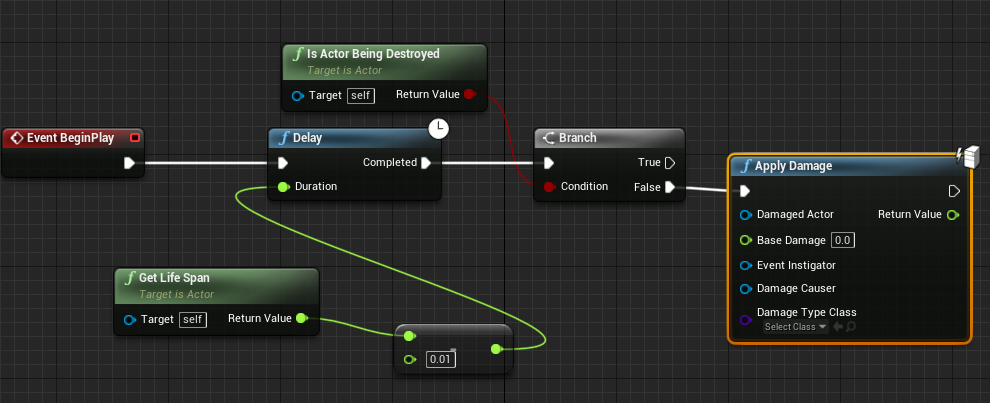
just an idea
use radial
its just an idea
there are plenty of different approaches
you will have to adapt this to your own needs
first of all will you always be applying radial damage?
why not use event on damage
that will track any type of damage being applied
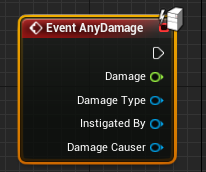
and that should be inside your character bp, not the projectile
because now you are trying to apply damage to the projectile
so that event gets called when your projectile gets damaged
which makes 0 sense
you want your character to be checking if it received any damage or not
thats one of the reasons why it doesnt work for you but there could be plenty more
it does matter
your character needs to have "event anydamage" for apply radial damage to work
trim matrix
Guys if I broadcast regardless of whos listening, this would still be called right? And how well would multiple delegates work in a large scale game?
white crypt
receiving, your projectile has to contain apply damage and your character needs to have "on anydamage"
apply damage will tell the other event that something happened
earnest tangle
If you're talking about the damage sense in ai perception, iirc that's a separate system requiring the use of "report damage" nodes instead of apply damage nodes
Ah right
Event AnyDamage should function for any kind of damage event
white crypt
ok zomg will try to explain to you in better english 😄
earnest tangle
the others are specific to their individual types
@white crypt I dunno considering I already misunderstood what he was referring to lol
white crypt
he has both apply and recieve inside projectile
if i understand correctly
is it an actor comp or a scene
or smth else
you cant put these events inside a component
so it will never work
the event that is listening for damage (on any damage) should be inside your character bp
it does not even exist in an actor component
try adding it if you dont believe me
your collision sphere should be checking for overlaps in the first place
so when it overlaps you call the damage event
apply damage or radial damage
only after overlap
when you use "apply radial damage" all actors in that range who have "on anydamage" will communicate with each other
to put it simply apply damage will call on any damage by its own
just for apply damage you have to specify the actor that is being hit/overlapped, you dont need to do that for radial ofc
first of all make sure your overlap events work correctly
well you could either use hit or overlap, depends on your needs/game
actually its rather simple, try looking some tutorials
there will be plenty
yeah so even with the apply damage you were calculating it maunally probably
but you dont need to since apply damage will tell the "on anydamage" that it received damage and from there you can update your health
these events run on server so less replication stuff
this means server only or something similar
that small white PC icon
just to sum everything up your logic should go like this:
- Projectile overlaps something (on begin overlap event from your collision sphere/box)
- Check if it was a character or anything that you want to pass the damage to
- Apply Damage when conditions are met
- Character that received damage should have an event "on anydamage" that way the "apply damage" will know which event to call
- After "On anydamage" you update your health there (which is inside character bp)
1-2-3 is done inside projectile bp
4-5 character bp
@swift pewter
after "on anydamage" which is inside your character bp, you can call your component to do some stuff
but the initial on any damage must be inside your character bp, after it do what ever you want
but remember that on any damage is a server event, you might want to set your health variable there. if you want to do some local stuff then call owning client event afterwards (if i remember correctly)
simple lantern
Is there a node that can fire off a single execution when it stops receiving it's own execution? sort of like a branch but the condition is that it no longer is receiving any execution.
Sorry if that's confusing
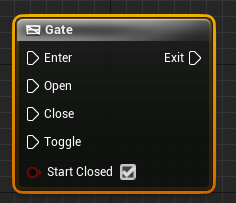 simple lantern
hmm i'll look into it, thanks
white crypt
@simple lantern when you close your gate you should make a sequence, first sequence closes it, second one does what you asked for

the only downside that you will need to add extra logic for opening/closing the gate
simple lantern
I might not totally understand, but I think i'm going for something different. It would all be coming from a single execution line, and when it stops, the node would have to be sort of self aware to fire off one last execution.
kind of like this
so it would print A, until custom event stopped firing, then it would print B once, then done
white crypt
if you add do once then yeah should work
but you will need to reset it when you want to run your logic again
 viscid raven
Hey guys, does anyone know of something like "Replace Selected Actors With" that exists in the Level viewport, but for blueprints? I feel pretty locked when working in the Blueprint viewport.
earnest tangle
What are you trying to do specifically?
viscid raven
Replace a bunch of static meshes to blueprints, but with the same location
earnest tangle
I don't think the replace with option exists in the blueprint editor unfortunately
viscid raven
Also my conclusion so far :/
white crypt
@viscid raven https://prnt.sc/uu044i
 viscid raven
Hey Tsauken, that looks like it's in the Level Viewport, and not the Blueprint Viewport?
white crypt
oh i misread probably, so you want to change components that are inside a bp?
viscid raven
yeah 😄
viscid raven
actually to a blueprint
viscid raven
yeah, multiple of the same blueprint inside a blueprint
white crypt
is it a child actor component or something else
what type of component you want to turn into a bp
well not to give you any hopes its impossible, unless you are using child actors
technically you could do it with blutility but it wouldnt create new bps it would replace the old ones into your desired bps
you can make scripts that spawn blueprints inside a level even when not running the game
viscid raven
So basically I have a small Level which is part of a bigger level which i need to turn into a Blueprint. When i turn the level into a blueprint, it messes some of the blueprints inside the level up. instead it turns those blueprint into the meshes they are made up of. I'm on 4.23 and can see that there is a fix for this in 4.25, but i can't change that atm.
So I just want to revert those meshes back to Blueprints if possible
And yeah an editor utility tool would be perfect if that could actually change the assets within the blueprint, but I haven't found anything yet that is able to do that.
white crypt
hmm trying to think of a way but nothing comes to my mind. I dont think that putting your whole level inside a bp is a good idea
you should seperate them into different levels (like maps) and use level streaming to load/unload them when needed
viscid raven
@white crypt Generally I agree, but I'm working with a small procedural map where I need to be able to discern the different parts from each other, and where I need to know some parameters of those "levels" before I spawn them. So this is atm the best way to handle this I could come up with
white crypt
seems like theres no easy answer for that, but i would still recommend looking into blutility. lets say your levelbp is only a landscape so when clicking on it you could make some custom logic. For example I have a puzzle game and to make a new map i need to drag the blueprint into the level and click generate, then it spawn bunch of tiles
one sec, will show a small demo (just pay attention to the beginning when clicking generate)
you could make your own logic like get all actors of class and spawn a new bp for each actor, afterwards destroy the previous actors
oh right thats totally doable
look into scripted actions
viscid raven
I actually have something similar to that as well 😄
white crypt
you can add your own functions when you right click inside a level
Create Blueprints that you can invoke by right-clicking an Asset in the Content Browser or an Actor in the Level.
maybe this will help
viscid raven
I looked a bit at blutility, but can't find anything that actually alters the blueprint. For instance I guess "Destroy Actor" doesn't actually remove that from the Blueprint
white crypt
one sec i will test
@viscid raven it works if thats what you asked
i knew that it works but lack of sleep made me doubt 😄
you could also spawn something else instead of deleting
i think you would get more flexibility from scripted actions, you could select bunch of different stuff and run your own logic for selected assets. it would even promt you a new window with bunch of custom settings
viscid raven
But can you do that and save the blueprint with the new actors/BPs then?
viscid raven
I would love to have scripted actions that can alter BPs
white crypt
so like your level bp on construct would have an array(which would spawn child actors) and you would keep adding to that array
 sacred maple
I am completely new to unreal and I am trying to learn the blueprints. I am making a 2.5d and I am working with Sprite Flipbooks movement and animations. I have been watching a video on how to do it, but for some reason the the flipbook animations wont play when I move. Is anybody willing to help me with this?
white crypt
just cant be 100%sure, since i havent tested, but im sure if you dig deep enough you will find a way 😄
@sacred maple you need to have seperate flipbooks for each movement type, when you stand use idle flipbook, when you run use another flipbook etc..
sacred maple
Yea Ive got that setup. I must of missed something
white crypt
you can simply check if velocity or input axis is not equal to 0, then it means your character is running so you would need to change a flippbook
viscid raven
@Tsauken Thanks for helping me 😛 There are still some caveat I need to get through though ^^
white crypt
np, its somewhat of an unique question so not a lot of people could answer that without going the same route
but in most cases you will be on your own 😦
viscid raven
I know 😄 And the documentation for Unreal is... well unreal
white crypt
you said that it was fixed on 4.25 you can also try looking into the fix
trim matrix
Guys if I broadcast regardless of whos listening, this would still be called right? And how well would multiple delegates work in a large scale game?
white crypt
and implement that to 4.23 if you are using source, easier said than done but bigger teams tend to stick with the same engine and manually apply fixes
@trim matrix who ever is binded to that dispatcher will get called
viscid raven
Right now I'm a one man army on the coding front ^^ We definitely need to upgrade at some point soon, but we are too early right now to have that luxury.
sacred maple
@white crypt would you be willing to vc and take a quick peek at what I have currently setup on the blueprints?
white crypt
umm sorry but i hate doing that, when you have no control over mouse its not that fun to work with
sacred maple
parsec?
white crypt
and takes much longer to figure out whats the issue
still i would have to go through your whole system and thats pretty time consuming
might spend a lot of time and not even find the problem, best case is when you have that project on your own pc
so you can debug easier
sacred maple
I must of used a wrong blueprint at a certain point.
white crypt
@viscid raven better upgrade when you can, when your project gets much bigger it wont be fun
early is the best time when you can do this
trim matrix
@white crypt so having n number of broadcaster is not a bad thing ? Ex: Update Shoot count would only be bound if a quest is active, but im broadcasting either way right?
viscid raven
I know ^^ Well the project is already huge AF. Waiting with upgrade until we go into production
white crypt
In terms of good/bad i cant really tell. you will have to use either method anyways. if its a hard reference or even using an interface. honestly i havent played a lot with dispatches but as far as I understand if you dont have any active binded events then nothing will get called
 stoic narwhal
Quick lil issue here. I cant seem to figure out why I cant alter the max speed for my pawn in runtime. I'm calling this event using the floating pawn movement comp
white crypt
max walk speed
trim matrix
Oh thats better then, rather have function pointers than interface calls
white crypt
for you to feel any significant difference in performance you would probably need to test it with thousands of actors
@stoic narwhal oh you are using floating
white crypt
then my guess would be max speed is not the same as current speed
personally i hate using floating component and always go back to the regular one 😄
stoic narwhal
I'm trying to alter the maximum speed though, as if I do it manually in editor it will make the pawn move faster
so I'm 95% sure its the value I need to change, it just seems to not 'apply' itself
white crypt
have you tried changing the velocity?
stoic narwhal
hehe yeah I hate it too, but its easy for a screenshot cam
This is to permanently make the cam move faster/slower so I dont think velocity would help here, unless I rig a super hacky system
stoic narwhal
problem solved. I wasnt increasing the value enough to make a noticeable difference. lol. Cheers anyway Tsauken 🙂
trim matrix
can anyone help with my camera
when my new level load I wish to change my camera location
white crypt
you should move the logic that casts to your component
to the character
after on any damage
 vapid hatch
whenever i try to build my game i get this error, but i have no idea what it wants from me. does anybody have an idea?
void night
@vestal plinth leverage the nav mesh like conceptually using the preview itself or generating something akin to the preview to use, preferably dynamically. I never heard of blutilities, so I will look into that too. Thank you for responding!
proud hull
@swift pewter If you were using a component for your health system, that should also work as long as that component is added to all the BPs that need to utilize it. You can even cast directly to the component. In my project, I do not have any health logic in my character BP, it is all stored in the health component that is added to the character BP, enemy BP, NPC BP, etc.
Moving that logic out of the component will only cause you to have to copy that to countless other BPs, hehe.
Or create a new parent to store it for the child classes.
Yeah, sorry for the late response to that, just caught up in this channel, hehe.
True, using parent/child hierarchy will be just as efficient and clean.
I preferred the component route since it could be easily transferred to other projects.
 empty current
hello does anyone knows well Widget and canvas positions ?
I have a issue I am stuck
with mouse hovering canvas
rough wing
I'm trying to get the distance traveled between frames, how can I do that?
twilit heath
by setting the last frame location after you pull the distance
 gusty shuttle
When making a binding in a widget for text or number, inside the binding, is using "GetActorOfClass" expensive? Says it shouldn't be used every frame. So the question is, in a binding, is it getting called each frame?
twilit heath
its a definition of a disaster @gusty shuttle
white crypt
please no
twilit heath
UMG binding functions are horrible on their own
without running additional expensive logic on Tick
gusty shuttle
Lol okay then, what do you suggest?