#blueprint
402296 messages · Page 538 of 403
 orchid thicket
oh
 stray folio
._.
stray folio
it has a destruable mesh
orchid thicket
well
stray folio
but thats not it
stray folio
okay
orchid thicket
and it should stay where u leave it at
stray folio
still moves
wait
i hit the arrow
let me see
yeah still does
nothing enable on phyics
its a actor
 neon sorrel
I have a simple blueprint that random gens a number between 0-1 and if the number is about 0.85 it destroys the object, giving random spawning to objects. Problem is it loads per player it seems, and makes invisible objects to players it doesnt spawn for. Is there any way I can make it run on the server instead somehow? Its just a blueprint object in the world.
Please ping me with any replies, ty!
stray folio
is this it?!
let me test
no
not it
:L
which one would make it not be able to move
okay im lost
okay figured it out
when you have destr mesh, you have to take off physics on both
how different is a box from a capsule
i guess not very
stray folio
alright heres a more advanced question
i have my harvest fuction. Now i want to use beginplay to use this fuction right
and use a delay
 neat pond
https://blueprintue.com/blueprint/9jomx5e3/
I've been trying since this morning trying to translate this blueprint (first person ) to topdowncontroller , i just want want to and being enable to disable via ( Render custom depth ) for hightlighting object
BlueprintUE
stray folio
i dont like how that looks
i actually can read that code, but i dont know the problem
any erros?
 dapper kiln
Do I need to Unbind "Bind Event to On Destroy" if I change the target? For example If I bind my AI enemy to my player's death so he'll chase someone else. Do I have to unbind it or will binding him to someone else overwrite the original bind?
stray folio
maybe set prnts on both
and see if you get more than one
does that work for calling a collison check with this harvest node?
o-o
i cant get it to prnc text
hello
DX<
okay so i got the prnt to work!
but my trace is all
wrong
any advice?
i got it
kk
Finally got that going
Think thats a good stopping point for today
 trim matrix
hello
im currently trying to do a jumping motion similar to flappy birds and it works but every time i press start in editor mode the amount of presses it takes to jump changes, and im not sure why
this is the logic i have for it to jump
nvm i solved it 🙂
 marble compass
anyone know how i can categorize areas of a terrain? i have game where the player places buildings but i only want him to be able to place buildings in certain parts of terrain, whats a possible way to achieve that?
 fervent trellis
I have a building system that works but I'm trying to smooth it out a bit before I expand on it. I noticed that even though from my perspective I'm telling it to ignore the collision boxes it still seems to fill the variable with them when they overlap. I can't figure out what I am missing.
 flat raft
Wasn't able to play ur vid
 inland swallow
this is probably the right place to ask - I am trying to have one BP set an ENUM on another BP, and I can't understand what needs to go in the object reference for the cast - or if a cast is actually necessary
the object is a book, that when used, sets a spell BP to the assigned hand.. to do this, i have to cast to the character and set the BP class,, no problem. the spell BP is set up to switch out to different particle effects on enums, but thats where my understanding just kaputs. is this even the right place to try and set that?
 weary jackal
so your book has the enum and based on that you are doing the switch part of another actor's emitter
trim matrix
Hi all, I'm having an issue finding out what replaces "Get Controller" (Target is a pawn) to Cast to Player Controller from Version 4.24.2 of UE4, as I am on Version 4.25.3 and cannot find either of these.
Sorry if this is the wrong channel. I can't read.
 modern cove
trying to see what the best way to do this is.
I want to set up enemy encounters for my RPG. I made a tentative Data Table with indexes and enemy classes in it. What I'd like ultimately is to have it so when a battle occurs, the game picks from a list of Enemy arrangements containing 1-9 monsters each, and for that list of possible arrangement to depend on where the player (a first person character) is standing and what direction they're facing at the time of the encounter.
I was thinking some combination of arrays, structs, and data tables was in order but I'm trying to decide how.
 dense mica
this is same as "override;" in cpp right?
by calling this event i am overriding my base class's event?
weary jackal
yea
 kindred garnet
Hello. I'm looking to invoke the system file picker, and save the selected file in the project folder. Is this something I can do with blueprints?
weary jackal
delegate is not compatible with delegate. what does it mean
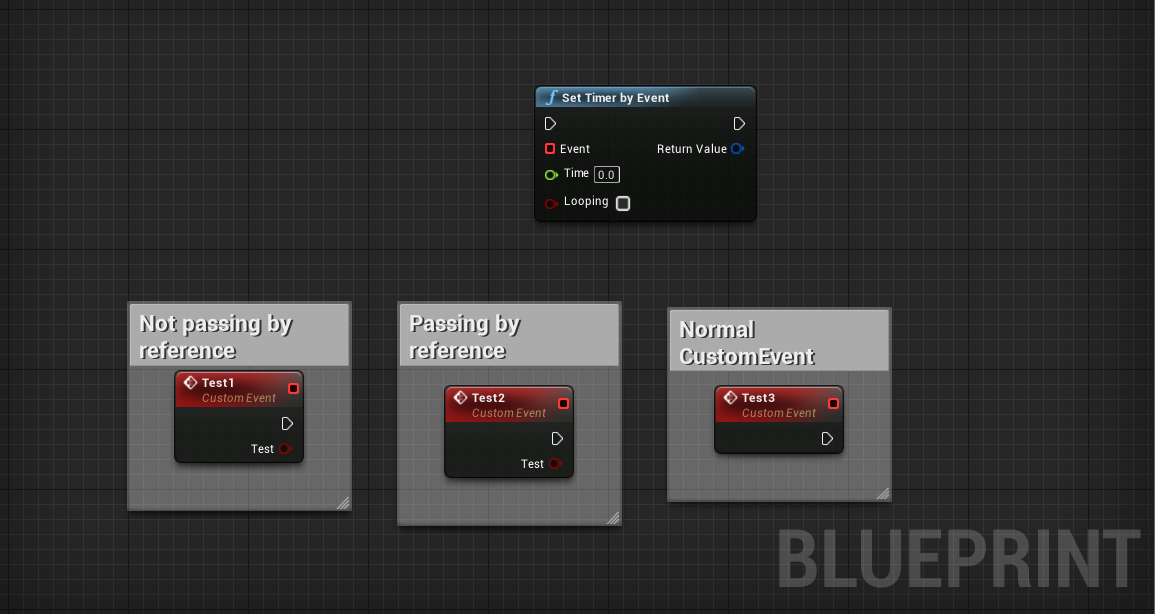
so i've these 3 custom events. 2 have inputs and 1 doesn't
I can't attach the event to those 2 which does have input
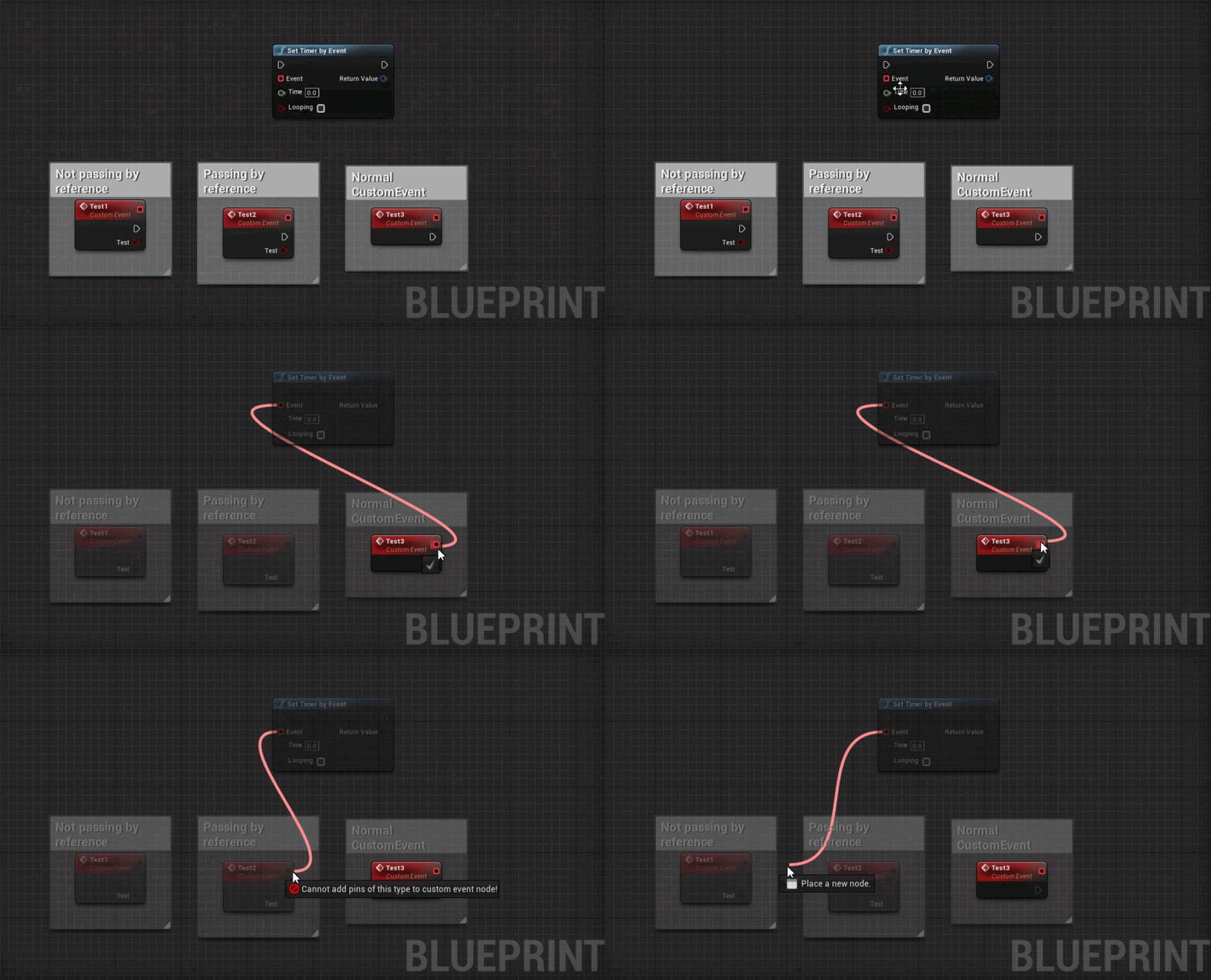
 wind kernel
how to get the actor/pawn to appear here ?
dense mica
why not do this @weary jackal
how to get the actor/pawn to appear here ?
@wind kernel drag the pawn bp to world
weary jackal
No am just curious what does delegate is not compatible with delegate mean
dense mica
delegate is the red square
wind kernel
@wind kernel drag the pawn bp to world
@dense mica Now I have to pawns in the game . What i need to do is visualise the character at the player start
dense mica
the red square on the timer node is a delegate too
it says delegates with inputs are not compatible with timer delegates
as far as i know latent functions can not have inputs
also outputs
not sure tho
@dense mica Now I have to pawns in the game . What i need to do is visualise the character at the player start
what do you mean by "visualizing"
weary jackal
it says delegates with inputs are not compatible with timer delegates
@dense mica yea you're right. method is calling without parameters. and inside that have to define.
dense mica
an instance of the pawn object
i guess i dont understand, its also an instance if you drag it
@dense mica yea you're right. method is calling without parameters. and inside that have to define.
same rule apply for RPCs
cant use parameters a lot in timers & rpcs
 grizzled rain
Currently in my game I have splines that move you by the based on the direction of the closest spline point. What I'm trying to do is make a realistic way of going between splines like a branch in a river no matter the angle as long as it acts like a flowing river. And suggestions on how to achieve the effect?
weary jackal
4.22
dense mica
mine is 4.25
weary jackal
no idea
flat raft
actor
 flat raft
What version are you on?
dense mica
4.25.3
 tight schooner
@dense mica custom events or functions with inputs can't have timers set on them
weary jackal
https://i.gyazo.com/ffc4d3445e06dbd217c4a5e5734b2e01.gif
@weary jackal this
weary jackal
Okay so i was surfing around in forums and found. When you connect delegate to event. The event becomes latent function which neither have input parameters nor return value
flat raft
So for me... it will hookup
I don't get the delegate not compatible
But...when I run the game
I get this error
tight schooner
It hooks up as long as you don't compile the BP? 
weary jackal
It hooks up as long as you don't compile the BP?
@tight schooner i see this as an absolute win
 deep elbow
thats because it hasnt compiled yet
flat raft
I complied the BP, but when I ran the game it failed
Ohh I seee... you mean when I made the var
deep elbow
what even is this topic, why do you want a delegate event with an input - or are you just trying to repro bugs to send to Epic
dense mica
he just wondered lol
 marble lantern
this question might be really dumb but i wanna force my character to look at something behind them
and ive tried teleport set world rotation and find look at rotation
deep elbow
set control rotation i presume would be the next place to look
 idle galleon
Hey!
deep elbow
Hey!
 whole rose
hmm, do i see something underhill
marble compass
anyone know how to find if an actor does not overlap anything?
end overlap doesn't work since actor can stop overlapping object A while still overlapping object B
marble compass
alright thanks, will try this
neon sorrel
Can anyone help with triggering a event from a component? Im trying to trigger an event in the main character which this component resides in, but it keeps trying to ask for a target and I cant get the local player so im confused.
(Please ping with responses)
tight schooner
@neon sorrel If you're in a component's BP graph, you can Get Owner and then cast to the class that has that event
neon sorrel
Cast to the class? Or just cast to the character?
tight schooner
on the Death Event node, it says "target is"... something I can't quite read in the screenshot lol
but that's the class you need to cast to
the "target" wants a reference from that class
neon sorrel
BP_TFPCharacter, the name of my character which these components reside in
tight schooner
Something I like to do is get owner --> cast --> save the reference into a variable on BeginPlay, so the component will always have that reference ready to go
neon sorrel
I tried just using a variable with that class reference but yeah didnt work
tight schooner
huh.
neon sorrel
Ohhh
Thats probably why
I see lmao, I tried setting the a variable without ever casting it, so it was essentially blank.
tight schooner
yeah. And casting just checks if a generic reference is of a specific class
Get Owner is the key, ultimately
tight schooner
yeah, and then you can use Target1 to call events/functions on the owner, or get/set variables on it, etc.
neon sorrel
Ah perfect! Alright ill give that a shot, Thank you!
Interesting though, When I plug that into begin play, It says target on get owner needs a connection because its not an actor. Probably because im in a component?
tight schooner
huhhhh... Get Owner usually pertains to components cuz components are necessarily "owned" by an actor
neon sorrel
Yeah so thats a bit confusing since its all under that actor 🤔
tight schooner
is there a get owner for components node?
Get Owner
sometimes UE4 has similarly-named nodes but for different "targets"
I see that you have a Get Owner but for actors in your screenshot
neon sorrel
Yeah looking through there now to see if theres something that pertains to components specifically
Looks like there is one for actor component
Trying that now
Hmmm, seems it has its own class or something?
tight schooner
@neon sorrel Are you casting to "BP TFPCharacter"?
neon sorrel
Yep, Should I be casting to the base character maybe instead?
tight schooner
your variable type also needs to be set to that
neon sorrel
Ah that may be it
Seems to for some reason still not trigger the event, It goes straight past it and prints out the next string, but doesnt print out the print string command in the event, so seems to be skipping it.
tight schooner
@neon sorrel do you also get an "Accessed None" error?
neon sorrel
Just checked the output log yep
tight schooner
so that could mean it's failing the cast, and thus not setting the variable
tight schooner
or whatever node the error is reporting that's trying to "access none"
tight schooner
"accessed none" means a node is trying to acquire data but is getting nothing, like from an unset variable or otherwise null reference
neon sorrel
Yeah but thats odd, it seems like that node is in a different event im calling, but that one is working fine it seems.
I figured out thats a separate event I worked on before
Said nothing about this one though I was trying to work on though
Ah heres something interesting
PIE: Error: Blueprint Runtime Error: "Attempted to access BP_TFPCharacter_C_1 via property target1, but BP_TFPCharacter_C_1 is pending kill". Blueprint: Component_Health Function: Execute Ubergraph Component Health Graph: EventGraph Node: Death Event```Pending kill? 🤔
tight schooner
that means you ran a Destroy node on it, but it's still executing stuff
Unreal doesn't destroy "for real" until a process called "garbage collection"
pending kill means it's marked for destruction
and anything marked for destruction complains if further nodes are executed on it
I guess what it's saying is the owner has been destroyed
your BP_TFPCharacter somewhere in your game world
neon sorrel
I think I just solved it yeah
tight schooner
so the reference to it in Target1 is no longer valid
neon sorrel
I had another event before that that forced them to spectator class
So that would have destroyed the actor yeah
I just swapped them so this runs first and it seems to work fine
Its interesting hearing about how unreal destroys things like that.
tight schooner
yeah, garbage collection is a thing. You can set the interval somewhere in project settings
it produces a 50-100ms hitch every three minutes or so because it's taking a list of destroyed actors and clearing them from memory
neon sorrel
I wonder if that would be much of a problem for a multiplayer game. I mean if its only for a second it wouldnt be that bad.
tight schooner
100ms is 1/10th of a second but anyway
it really depends on what you're doing, how much stuff you're destroying, etc.
I wouldn't worry too much about it unless it's an actual problem in practice
when you do your performance profiling
neon sorrel
I was meaning if it would lag the entire server if it does that on every client, but I think I was wrong thinking that was client based.
Ill keep it in mind though for optimization, and you did say there was a interval somewhere too so thats handy
tight schooner
yeah, you can call garbage collection manually in BP script too, so
it's possible to disable automatic GC and call it strategically
tight schooner
np
 pale blade
I don't know why but switching between tabs makes the blueprint dirty
I compiled and saved everything and it becomes non-dirty (as expected). Then I switch tabs and it becomes dirty even though I didn't make any changes at all.
Also I compiled and saved everything then close UE. Then re-open it and the blueprint automatically becomes dirty on open.
Doesn't happen on other blueprints, only this one
Is something in my blueprint wrong?
For some reason, adding this interface causes this issue.
Removing that interface fixes the issue
But none of my other interfaces causes that issue
pale blade
Deleted the interface file and all the references, then remade it exactly, and then painstakingly reverted everything that was referenced
Now the issue's fixed. Makes no sense at all.
Using UE, I'm surprised actual professionals use something so buggy, how can they stand it? Not to mention it crashes so damn often seemingly at random. And basic things like deleting folders don't even work without having to do work arounds. It's literally unbelievable.
whole rose
Pft nobody professionally uses blueprint.
tight schooner
Aside from Epic and other triple-A studios but otherwise yeah
Nobody uses that crap
@pale blade Unreal Engine is probably one of the most complex publicly available pieces of software available short of Microsoft Windows so yeah, it crashes a lot and has weird bugs.
I doubt you're gonna find an Unreal Engine alternative that matches its capability but just works at every turn
 obsidian pelican
Can somebody tell me why the beginplay event don't trigger ?
It triggers one time at the beginning for existing meshes. It when I spawn an actor it doesn't
 simple sky
In a key event, you have the option to "consume input" (which is on by default).. I want to be able to control this, i.e. give the actor the change to consume it, or hand it down.. How is this accomplished?
 wise raven
If i possess a vehicle pawn, is there a way i can still call functions of my player pawn?
even when i have possessed another vehicle
( pawn ) ?
 earnest tangle
Yes, but you would need to save a reference to the player pawn somewhere
or get it by some means
whole rose
or don't directly possess it
 latent basin
Guys, do you know what are the UVs in the Calculate Tangents for mesh node? i need this to set the normals for a Procedural Mesh.
 oak cosmos
Hey guys, is there a way to make procedurally generated levels using Unreal Engine? Please @ me if you can. I'm new to game development and I'm just trying to start with some of the basic concepts in this game I've wanted to make for years.
 tranquil steeple
of course you can
UE4 is a game engine, not a toy tool, so if you think of a game idea, it will be most of the times possible to do in UE4.
Unless you want to do a very engine-dependent specific thing that requires cutting edge and out of the box technology
so yeah, you can make mmorpgs using unreal, but it is not realistic to do one as a starter
and sometimes, not even as a veteran in the matter... the complexity of some of the design and technology that you might need to develop might go out of the scope of what a little studio can make
oak cosmos
Are there any guides I can find or read to develop a dungeon generation/level generation/landscape generation system which I can use to add enemy generation, item generation, loot generation and other systems of generation?
 neon perch
@oak cosmos Each one of those separately is a pretty big undertaking, all of them together is quite the project. There isn't one single guide or tutorial that will guide you through everything. You'll have to put in a lot of research on individual bits and pieces and slowly get familiar with the engine, coding (if you're not already) and how to put it all together. Just putting in "procedural generation unreal engine" into google will get you started.
oak cosmos
I thought Unreal Engine was a visual code engine
neon perch
The blueprint system is a visual code system, it's still coding though.
oak cosmos
Well, that is fine. The reason I got this engine was for the visual.
Well, wish me luck. I probably won't get very far but we shall see! haha.
neon perch
Good luck! I suggest you start with one part of your idea, and break that part down further until you have something small to work on that allows you to make progress and not get discouraged.
oak cosmos
Well I will attempt to make randomly generating rooms and dungeons
Since I kind of need levels to have a game
So part 1: let's get it
haha
 mortal wharf
@mortal wharf I guess that's depending on what you're trying to achieve, but I assume if you're putting a bool in your save game file that when you load, you want the value that was in the save.
Yes that is what i want i just want to save and load if the value of the variable @autumn vector
 pure heron
 sage urchin
When I set a static mesh actor mobility to "Movable" the character standing on top of it flies away....... anyone knows why?
Happens in default third person template as well.
 maiden wadi
Are you setting that at runtime, in the editor? What mesh are you using in the Actor's StaticMeshComponent? What are it's collisions? Default third person character?
sage urchin
Runtime yes playing in editor.
I just dropped a default "cube" in the level
I pressed "H" when standing on top and he just flies away.
maiden wadi
Yeah, just confirmed it on a few other meshes too. Let me see what that actually does.
So.. that call shouldn't do that in itself. The SetMobility that you're calling, It basically takes the AStaticMeshActor, and gets the UStaticMeshComponent from it and calls a SetMobility on that specific component, which then if it's changing to mobile, also iterates through any of the UStaticMeshComponent's attached children and sets them all to mobile.
tldr, sets a lot of variables to mobile, does not affect anything else around it.
sage urchin
In USceneComponent::SetMobility there is FComponentReregisterContext. I can see that it unregisters the component from the world in its Constructor and then re-registers it in the Deconstructor.
Maybe it's coming from that.
maiden wadi
Here is a fun one. In multiplayer, a client is not kicked off of the mesh, but the server player is. However, unchecking AlwaysCheckFloor in the CMC kicks both of them off.
whole rose
Looks like its penetrating for some stupid reason during the transition. You could try lifting the character up off the ground like 2cm or something and see what happens
Like set the actor location up by 2cm then toggle the mesh, stupid hack that might work.
maiden wadi
Jumping does stop it from booting the player, and I'd assume the setting I just mentioned affects it the same way for that reason. Server resets the client's position but not it's own since it has authority and doesn't think it should move.
whole rose
Or the cube is penetrating the ground, being lifted up to compensate and is now penetrating the player and then it moves 🤷♂️ lots of penetration going on.
maiden wadi
It doesn't seem to kick the player off if it STARTS as movable and then gets switched back and forth.
@sage urchin You might be able to set your mesh as movable in the level and on beginplay set it to Static, then change it to movable where you need it. That fixed it on my end for whatever reason.
sage urchin
Thanks but in my case all mesh actors are spawned dynamically. I will try to set it to movable once on spawn.
And if it doesn't work then just move all players on top of it a few centimeters up 
maiden wadi
Might also work to create a child of StaticMeshActor that has Movable as a default and cause less stress in the end if it works.
 thorny cedar
is there a way to show the camera vie as a vollision?
 zealous sundial
Hey boys, simple ask
When a for each with break is break, do we go trough complete node, or we don't ?
Like Looping -> break -> complete or it's just looping -> break and complete is reach only if there is no break.
 dawn glacier
Complete is called on break as well
zealous sundial
Thanks
 proven mason
@proven mason Your stick input system script needs to keep track of which state it's in, which can be done with a custom enumerator variable with states like Normal and Dash and etc. And then you basically make a function or macro or otherwise graph that polls the axis inputs and situationally sets the enumerator.
You can run this graph on Tick.
@tight schooner responding to your quotes in bold; do you mean I have to place in an Event Tick node?
I'm still learning BP so forgive me if this sounds noobish
 rough plinth
when i try to launch my game, all i see is this (only a blackscreen)
and couple of months ago it worked fine and i didn't touch it
it's pretty strange
 astral epoch
How can I prevent Unreal from complaining about "infinite loops" when said loop is intentional?
I have a while loop running, the boolean for it is changed by external forces but the engine keeps registering it as being infinite.
 vestal turret
I've been trying to find nodes I need in the UE docs but I guess I am looking for it under wrong name.
I want to find a node that lets me enter a string. when the string is confirmed It'll crosscheck it with database of strings and whichever it finds match it should start action belonging to corresponding string.
neon perch
There is no single node that will do all that. You could use a combination of arrays and enums
For a permanent "database" that doesn't change you could use data tables
 celest eagle
Hi, I'm just learning the editor utility blueprints and trying to make a tool that sets the seleted assets and set their collision complexity as 'use simple collision as complex' but I can only get the enum and not set it, any thoughts?
 cerulean siren
Heya, anybody here that has experience with ALS V4? After some changes I made, the foot IK now lags behind when jumping, and I need help fixing it..
cerulean siren
This is what I am talking about
I was able to make out my commit that caused this, but not the cause of the issue 😦
neat pond
https://blueprintue.com/blueprint/bavm2uxv/
Any clue on how i could hit Character component in my scene instead of static mesh
BlueprintUE
 cloud trellis
Hey so i have a player camera setup, and then a craft station. it is set as a custom actor, and in the actor i added a camera. how do i set that as the player character, until its out of the craft area, which is used by a box collision
 fossil crystal
I made a prefab of a building with some tables in it and lighting. the prefab didnt carry over the room geometry so the shadows arnt there. is there a way to fix this?
maiden wadi
@cloud trellis If the camera is part of the CraftArea actor, then you can just set view target with blend on the craft area. Then when it leaves, set it back to the character.
cloud trellis
@maiden wadi do u have a video example, more visual learner
maiden wadi
I don't really have an example.
fossil crystal
Having a hard time replicating these lights. I exported them as a prefab but they won’t illuminate
weary jackal
@cloud trellis https://youtu.be/83iDyza6dWc this?

In this series we will be creating an in-game shop with a NPC where you can spend in game currency.
In episode 1 we create our NPC and set up the transition from game to shop UI with the NPC.
Support me on Patreon and get access to videos early, join our developer community ...
latent basin
hey guys, i was trying to set the normals on a procedural mesh, but for some reason, the normals are blending in the end result
here are the blueprints
tight schooner
@proven mason usually for analog inputs you want to process them every frame for responsiveness, and one way to do that is by running the graph on (or calling a custom function/event from) Event Tick
because Event Tick fires once per frame
neon sorrel
@gritty elm Make a variable that you increase every time the player moves a certain distance or for a certain time [Youd have to lookup what to use there idk for sure] And then check that variable every time the player runs and if its over your value (1km) then execute code
 worthy frost
@gritty elm you have GOT to STOP asking the same questions in multiple channels
neon sorrel
Also anyone know why my Controller variable gets the proper reading when its run from event possessed, but then when I later call it in another event it no longer has any value just shows up as null? Do I maybe have to call event possessed before my custom event? 🤔
Green is the value that is working well before with the event possessed and red is the same variable but returning null
neon sorrel
Because the Clear Inventory PC Event is in the local players player controller
So was told I need to set the players controller ref to properly use that
worthy frost
so where are you setting it?
worthy frost
and what happens if its not the correct Controller?
print a string on the cast Failed
neon sorrel
I did, didnt print out anything.
neon sorrel
Seems the cast works there the first time, and I can print it secondly, just cant when I use my custom event
worthy frost
ill let you figure it out 😉
or i can be nice and tell you?
how much do you know about UE4 networking
neon sorrel
I mean I would appreciate the second option? From that it seems like its something really simple I missed 😅
worthy frost
i want you to figure it out
neon sorrel
Ive been learning a bit over the past week or two, so mostly still basic knowledge. Was experimenting with replication for the past few days
worthy frost
if i give you hints, as i feel like ytou wll learn more
Possessed node only runs on the server
neon sorrel
And Id rather not have the answer given to me rather would learn yeah
worthy frost
DeathEvent is a Run on Owning client
neon sorrel
Ahhh hmm, that makes sense. Give me just a moment here
neon sorrel
Wouldnt it be player state ref?
worthy frost
no
ControllerRef on the client will be null/invalid
as you only set it on the server
do this
neon sorrel
Yeah I realize that, so I would have to set the clients controller ref on the client then somehow
worthy frost
Get Controller
Cast to your controller
in that Death Event
you can't use ControllerRef here, UNLESS you replicate that property
which is kinda pointless, casting here is cheap.
neon sorrel
Hm yeah, I can see what you mean there if I cast to the controller in the death event thatll go to the clients controller if im not mistaken? So not running on the server.
worthy frost
only owning client and server has the controller, so yes
so GetController -> Cast to your controller -> DoWhatever
neon sorrel
Alright ill give that a go and do some experimentation
Thank you for the assistance!
 sleek dust
someone know how can i make the third person character stop moving when i try to teleport it? like im falling down and im trying to teleport it back to that edge but somehow that falling speed or force is still active when i teleport it and it keeps fall of the edge
trim matrix
Anybody know a different method of getting variables to a Behavior Tree without casting? This method works but I really hate casting outside of begin play
 marble compass
@sleek dust disable physics , teleport, enable physics ?
trim matrix
I need an alternative way to grab the Is Attack, and Attacker variables
marble compass
I used that in a sumo ball game where I had the same situation, wanted to get rid of physics forces
sleek dust
@sleek dust disable physics , teleport, enable physics ?
@marble compass i will try that.. but you know what object have the physics on third person character?
marble compass
The movement component probably, if you are using ragdoll then the mesh too
You can click on any component and see if it has simulate physics enabled aswell
fervent trellis
@trim matrix Could you put that in a function on pigbp, then run that function from that event?
trim matrix
@fervent trellis That's the Behavior Tree, I'd have to cast to PigBP
fervent trellis
Oooh my bad.
trim matrix
@fervent trellis you just gave me a solid Idea though, ty!
 mental robin
Why does scaling the actor in run time have no effect???????
I have to scale all the objects seperately why can't I just scale the whole actor..tf
 gritty elm
need help, does ue4 support ps4? how i can build game for ps4?
tight schooner
@gritty elm I've never gone through this process myself but you need to register as a developer with Sony, sign a bunch of NDAs and then you'll get access to software/resources/support for Playstation development
 livid thorn
mental robin
livid thorn
mental robin
How could I go through an array of floats in blueprints and sort them from smallest to largest value
 strange stream
How would you start on a turn based combat system? You take a turn, then the enemy.. ect
 wild parrot
someone plz recognize this bonk
setting input to ui only means releasing the key doesnt register, so it doesnt set it back to game only
ie I get stuck in ui only mode
desired effect: hold key to show inventory and move mouse around, release key to close inventory back down
 fierce birch
I have a button that you press and i want it to sink down as your overlapping it, but when you get off it comes back up, but apparently when i overlap the sphere comp that is used for the button, the button goes down, and when i get off it goes down again, any suggestions?
wild parrot
bill try ur 2 timeline starters yoink em down 1 slot, to play from start and reverse from end
-or it may be a need to multiply instead of adding, the z value at the end @fierce birch
 crimson charm
trying to set up aiming while scoped and i cant figure out how to pause the idle animation in my animation blueprint while they are scoping. is this possible and how?
wild parrot
repost restated: after I switch to "input mode UI only"
- how do I press a key to switch to "input mode Game only"?
(Inputaction seems to be game input, so releasing key pressed in game mode, won't switch back to game.)
wild parrot
I wanna hold a button to manage inventory via ui, close back down when I release
What do you mean UI event?
 dusk wing
Do Data Assets not support TTuples?
nevermind, guess this answers that. https://answers.unrealengine.com/questions/583650/view.html
 final nacelle
Do you guys recommend using blue print or C++ for developing VR Games
grizzled rain
Can you already do C++? if so do a mix. If you can't then just learn blueprint for now
Blueprint can do almost everything C++ can and unless you have a very very large game the performance gain isn't worth learning C++ unless you already are in it.
Especially when starting out
Took me years to finally start learning C++ simply because it was too complex to just start out especially with the added complexity that UE4 adds to it.
@final nacelle
final nacelle
@grizzled rain sounds good, we're developing a game specifically for Oculus Quest, so performance is priority
i was looking into a combination of the two, but the main thing that concerns me regarding blueprint is the lack of performance and scalability
grizzled rain
Combining them is fine
I tried converting my old dead project to 100% C++
It's not pretty
A combination gives you the best of both worlds
Make sure you make your Enums in C++ so you don't have to switch later btw. It's a struggle to switch
final nacelle
awesome sounds good, thank you so much!
marble lantern
Hey yall, Im trying to make an elevator where you get in the doors close and then it goes up and opens again
the problem is the door is wacky when it opens
weary jackal
Wdym by wacky door
marble lantern
weary jackal
someone plz recognize this bonk
@wild parrot the reason you're facing this problem is because when you press the button it sets the input to ui. So it stops listening the input events in the game. So you have to set the release functionality inside your ui
marble lantern
@weary jackal what do you think?
weary jackal
@marble lantern you should make mechanism of door opening with timeline. Where you have to set relative location
marble lantern
weary jackal
Yea
marble lantern
@weary jackal ive tried that but not really workign
 golden wren
Try creating a start vector and an end vector variables and setting them on begin play. Then use those as the lerp A and B values and well the timeline is from 0 to 1 anyway.
And yeah also check the collisions
marble lantern
how would collision affect it?
neon sorrel
Don't know exactly where to put this, but I made it in blueprints so 🤷♂️ .
I have a ragdoll system for my player death in my game, but it seems that at least in editor when testing it crashes the game sometimes when moving the ragdoll around. Stating this error
Unhandled Exception: EXCEPTION_ACCESS_VIOLATION reading address 0x00000518
Is this something normal with ragdolls? Have not yet tested it in packaged build beta testers are doing that tommorow.
(Please ping with any responses)
 chilly moon
Alright, I'm stumped and need some help understanding this...
I have an actor that triggers on overlap to bring up a game over menu. When I use that to reset the level, I get an error because the trigger happens again. I've included the blueprint nodes I think are relevant, but let me know if you want to see something else that may help. Thanks in advance!
This is the error - the referenced node is called in the trigger volume's OnComponentBeginOverlap event, which I think should be called only once. But it's getting called once with no error (when it should, as I start to overlap it), and once with these 2 errors, after I click the new game button.
deep elbow
Those two images don't match, click on the actual error message, the set location
the problem is there is no reference to player pawn, or it cant find it - i presume you have destroyed the player pawn
if you are sure everythign should work fine and you juist want to supress the error, plug the get player pawn into a IsValid node and only run the logic from the Valid pin
chilly moon
I did that, and I didn't think it was relevant (it's just a call to get the pawn), but here is the referenced node. I got this code from a tutorial, I didn't write this one.
wild parrot
@weary jackal yea I realized that almost right away, but how do I handle things "in UI" ? - handle it in a widget? any quick pointers?
(in the widget event graph I cannot get the event thing for inputs like in the controller.. so it's bugging me)
deep elbow
yeha ok, so the timeline is probably the issue, it's playing while the pawn is most liekly destroyed or in the process of getting destroyed. whenever you destroy the pawn you should stop the timeline, or run the get player pawn thru an IsValid, both will work, stopping the timeline will be better
chilly moon
I never mess with the pawn at all, idk why it wouldn't be valid
deep elbow
"better", i mean it just won't run needless stuff
but you have a game over
so what happens with the pawn
chilly moon
It just overlaps the component, it isn't destroyed
I run to the actor with this code, and it triggers a "game over", but nothing happens to the pawn/character.
unless the open level node does something behind the scenes?
deep elbow
mhmmm ok but it might be the open level, with timeline still playing somehow, can't be sure exactly, but the error is you don't have a reference to the player pawn, so something is happening somewhere that causes that reference to be lost, i don't know your project so i can't tell you exactly, but just try the two suggestions, use IsValid on the getplayerPawn or Stop the timeline when you grab the pickup
chilly moon
Oh wait, is it because the animation continues to play after the level is reset?
deep elbow
I think it's just a timing issue
chilly moon
but there's a moment when loading that no pawn exists?
deep elbow
you only have two errors from a timeline, so it's like two ticks of the timeline playing and failing to get the player pawn, so it's probably just stuff happening right before the open level
chilly moon
stopping the animation didn't do it... It's odd to me, because the OnComponentBeginOverlap event is called after I click on the new game button. You can see the code that fires there, and there's no code in the map that opens. So where else could this be getting called from?
The order is overlap ... click on new game ... open level ... (before next level is open - camera still pointing at last location) overlap again ...
trim matrix
Anyone know how to default event tick to false for actors?
I've heard before you can just make it off by default when making actors.
deep elbow
probably a project config, but you can open the blueprint class and check class defaults and set tick to be off at the start
@chilly moon f you look at your error its not the overlap that causes the error, the end point of the error is tryign to reference the player pawn when setting location
trim matrix
yea just getting tired of having todo that everytime
chilly moon
@deep elbow I understand where the error is occurring. But I think the problem is less about where the error is getting thrown (of course I can just add some validity checks) -- my question is, why is this section of code getting run at all? And this section of code is the OnComponentBeginOverlap event, which I don't think should be getting called when the level loads.
deep elbow
oh, ok, then perhaps it's the collision settings on the volume, perhaps somethiong other than player is triggering it
chilly moon
I print out the name of the "other actor" and it's the name of my character class
both before and after the level loads. And it's in the same spot, too (give or take a few ticks of movement as my character comes to a rest)
marble lantern
@golden wren sorry for not updating i did it that way and it worked
chilly moon
Another possibly relevant bit about this project - the game win actor is a "pickup", which I have bound to the character's OnDestroy event, to respawn (to restart the level). Is it possible that when I call OpenLevel, it first destroys the character, triggering a respawn, but the respawned pickup triggers off of the recently-destroyed character?
deep elbow
most likely, like i said the timeline is ticking and looking for a player pawn that doesnt exist, most likely because it;s destroyed
chilly moon
I added a 0.2 second delay to the respawn code, and it sorted out the problem. But this still seems like a workaround to me...
in any case, thank you for your help, @deep elbow. It's greatly appreciated 🙂
wild parrot
once I set input mode to ui only
how do I make a keypress (esc) return input mode to game only?
this doesnt work.
chilly moon
By default, you can't use the escape key in the editor, you have to change your stop key in editor preferences -> stop.
But in general, what you have there should work, given your ExitUIMode action binding is bound properly. You'll probably want to do other things at the same time, but that will change the UI mode to game-only, at least.
wild parrot
o rite tru on esc key, o then fx
I had the 'on release' for openclose but since input gets set to ui only
and this stuff is called from game mode..//game.. input mode game
well.. the released part and the other key input for exit wont fire lul
chilly moon
I don't know anything about your project, but why is your game mode handling the UI?
wild parrot
its just opening it
chilly moon
I would think the controller would be a better place, since you open/close it with action mappings
wild parrot
that is the controller
its not called from game mode
its called while input mode is game only
then I change it to ui only
chilly moon
Your controller should still get both pressed/released events
Oh no you're right, if it's just UI mode. I use Game and UI for almost all applications.
wild parrot
if using game and ui, and you write something, hitting a bind that's used in game..
doesnt that cause you to write + perform the bound action?
not with input consume perhaps
I just wanted the dude to stop turning while mouse was on screen lol
deep elbow
normally you'd handle input in controller and have a check for if the game is in UI mode and block input being sent to anything except the UI
but if you directly reference input action mappings in the player character you could set a bool (or whatever) from the player controller to the player and say "im in UI mode now, don't parse any input or button inputs"
or create an event dispatcher in PlayerController that can get called when game is in UI mode and then bind to that event from anythign else that needs to know if the player is looking at a UI
wild parrot
its ok
Imma find a basic menu tutorial tomorrow and figure out how to close the menu :b
(inb4 they all click a button <.<)
thx ^^
deep elbow
👍🏼
 marble temple
to close the menu, assuming it's a pause menu, you just have to destroy the widget, unpause the game, and return the controls to game mode
which can all be done in the ui code if it's for a resume button
but for unpausing with escape make sure to mark the inputaction as ignore pause
wild parrot
not a pause menu, just bring up inventory overlay that can be messed with
really just need to know why the game cant figure out Im pressing the key that I set up in the controller
cuz it's in ui only mode
but its legit watever Im headed to bed
weary jackal
@wild parrot
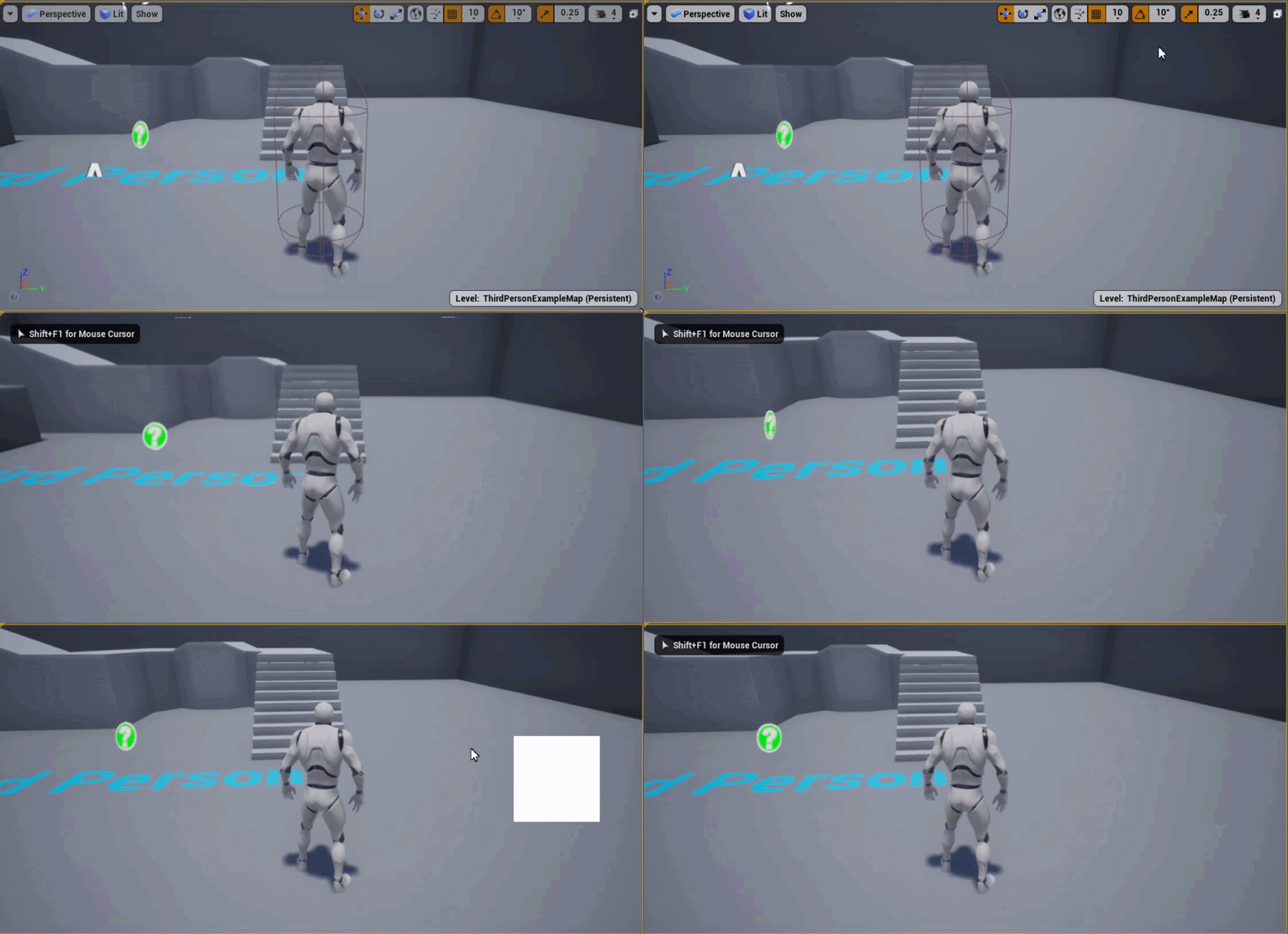
so when i press 'Q' this white image appear. and when i release 'Q' it's gone
flat raft
@trim matrix project settings .. search event tick
trim matrix
yea i did, couldent find it
flat raft
It's there.. I did it recently. I also was getting tired of setting it 😂
trim matrix
D:
It wont show up for me then
I looked in editor settings as well and not there
There is an option called can blueprints tick by default in the project settings although. But ive had that off for along time and it doesnt seem like its changing anything
flat raft
trim matrix
oh lol
read its description
yea thats the one i turned off awhile ago hoping it would solve this.
flat raft
Doesn't do it?
trim matrix
no it doesnt do anything
flat raft
Bummer 😂
trim matrix
It says it bps that dereive from AActor will always be able to tick
So that flag wont affect it lame
Maybe i would have to like edit the AActor in cpp and make it false by default
I wonder if thats even a thing or if it doing that would create additional issues.
trim matrix
Yea just a child would work also
They just need to add that as a setting though oml
so annoying todo that everytime
flat raft
Then any Bp that inherits from that will not tick
trim matrix
yea
flat raft
well...you do it only once per project
trim matrix
still sucks tho couldent press the actor button when making a Bp D:
flat raft
Yea.. true
trim matrix
xD so either way its prob just as annoying
whole rose
just make a custom actor class, adn then add it to the list
flat raft
Dev Lyfe
trim matrix
You can add things there?
whole rose
yup
trim matrix
oh nice then thats what ill do
flat raft
not to the main pop up
whole rose
defaulteditor.ini
trim matrix
ill look there then
whole rose
[/Script/UnrealEd.UnrealEdOptions]
+NewAssetDefaultClasses=(ClassName="/Script/YourModule.YourClass", AssetClass="/Script/Engine.Blueprint")```oh thx
marble temple
i have a grab system in my project and i'd like it to ignore the pitch axis when moving something around, so I tried going into the GrabConstraint details and setting some angular limits but they don't seem to actually be doing anything
whole rose
and if you want to change the text
flat raft
@whole rose thanks!
marble temple
the linear limits don't do anything either, even though i don't need them
which makes me wonder why it's all being ignored
whole rose
UCLASS(meta = (ShortTooltip = "The text you want to appear in the window beside the button"))
class YOURMODULE_API AYourClass : public AActor```ty
deep elbow
odd Q, rich text in widgets, I do some parsing of text to check for formatting, adding a manual line break with ctrl+enter breaks formatting, anyone know what is being output, the character or how it's read, that would cause line breaks to go boo-boo, like i'm checking for the characters "<" ">" "=" and "/" - and i guess the "/" is the problems because line breaks get treated as "/r"
whole rose
not using the built in formatting?
deep elbow
yeah using that, but putting in some extra stuff for writing the text
explained that badly, but simplifying the built in formatting at the end-users point of view
whole rose
there is a bug with it though, i can't remember exactly off the top of my head, but it has to do with locations of spaces
and the tags
deep elbow
right, makes sense, i'll start looking there, i might just have to put in more formatting, worst case scenario would be to have some custom bit for the line breaks
whole rose
i think it was something like, if there are any spaces outside of the formatting tags
they all break
deep elbow
and this is the formatting: <regular_medium_orange>th</>is is a rich <bold_large_white>text</>
whole rose
like if you have <SomeTag>blah</> <SomeNewTag></>
that space
between the </> and <SomeNewTag>
will break it
deep elbow
yeah i wrap every character in formatting, its ugly but there arent spaces without formatting
but perhaps the line break is what ruins that
whole rose
yeah if line break is outside of the tag too, same thing
line break works inside the formatting
but not outside it
deep elbow
right ok that makes sense, i wonder how to fix that, i guess i'd have to have a special character for a line break and make sure that gets wrapped in the formatting
just as a moon shot, do you know what the internal character is for a line break, i could have sworn it was ^r or /r - if not i'll test
 stone zephyr
what would be the best way of displaying health bars and their color in depending of the other player is an enemy or not? And also hide the health bar when the other player is behind an object?
at the current time I'm doing a line trace on tick and I get all players and check if there is a hit between them etc etc... but doing line trace on tick is not very efficient specially if I have lots of players. what would be the best way to do this?
weary jackal
what would be the best way of displaying health bars and their color in depending of the other player is an enemy or not? And also hide the health bar when the other player is behind an object?
at the current time I'm doing a line trace on tick and I get all players and check if there is a hit between them etc etc... but doing line trace on tick is not very efficient specially if I have lots of players. what would be the best way to do this?
@stone zephyr are you making your health bar on the player's head? Or displaying it in the ui? For enemies
marble temple
heres the first part of the relevant code
 tiny meteor
stone zephyr
tiny meteor
stone zephyr
I've put them abve player's head and set the mode to ui so it always faces each player
tiny meteor
hi, I am trying to fade in multiple materials at the same time
however the loop re-triggers the timeline
is there some way to make an instance of a timeline for each loop instance
marble temple
and ive highlighted everything relevant here
what really irks me is there are two variables set AFTER HeldObject2 and they're set just fine
so why is HeldObject2 null
tiny meteor
ok, derped out, need to use timeline before the loop
marble temple
does nobody know why this is happening
i made sure there's nothing like one input taking two outputs
guess i'll just restart the editor and hope that fixes it
nope
:)
marble temple
im losing my mind over this
theres another function in the same blueprint
thats structured almost the same and works fine
that ive disabled
weary jackal
@marble temple try adding a delay after tick
tight schooner
@marble temple or start with tick disabled and explicitly enable it when the conditions are ready (Set Actor Tick Enable node), or change the "tick group"... What's probably going on is the tick is being executed before the variable is being set
"accessed none" = there's nothing in there
 devout tide
is there a way to push another character by moving onto him without applying forces and such? Like a default movement component setting?
marble temple
@tight schooner i turned it into a branch to make explicitly sure it would only start executing when Holding Object is true and as soon as i picked up the object the errors came flooding in
tight schooner
hmm
do you know about IsValid or "validated get"?
you can place your Get HeldObject2 onto the graph, right click it, and "convert to validated get"
and that'll actually prevent your BP script from executing until HeldObject2 is set with a valid reference
without throwing "accessed none" errors
trim matrix
im having stuff spawning in my level and i dont really want that.. how to see the most recent spawned item in level.. i have about 1000 actors so its hard to me to find it..
devout tide
@trim matrix You can handle that from the blueprint you spawn the actors from, one way would be by having a ref to the last spawned actor.
trim matrix
I dont know what the spawned actors are!
so i dont know what bp is that
there is hide temp actors in level view options but no show only temp actors..
i press hide temp actors and the list is getting smaller..
tiny meteor
when I set new time using a timeline
it fires the update, it shouldnt do that, right?
 echo scaffold
Got a weird one

I'm trying out DLC and packaging maps separately as plugins, it all works pretty well but I want the player to obviously not be able to travel to maps they don't have placed in the game folder
But this always seems to return true somehow, even if the plugin isn't placed where it should be
I'm using another system which exports pictures out into the game directory and it also uses Get Project Directory, and it does place the pictures into the correct place. So I'm wondering why this isn't working here
echo scaffold
I made a debug text to show the directory it thinks it's finding, and it does return the correct directory and file, but it shouldn't return true for "File Exists" because I haven't placed the DLC there yet
 proper vale
Hi!
I figure out how to attach or reattach actors(Bindings) in Level Sequence via blueprint or python or C++?
I want to optimize editing hundreds of recorded sequence
I was trying a lot of method to do it, but can't find working method
What I tryed:
- Python
I was tryed to find way to attach via python(pic 1), but get this error in OutputLog
LogPython: Error: sectionConst = section.cast(unreal.MovieScene3DConstraintSection)
LogPython: Error: TypeError: MovieScene3DAttachSection: Cannot cast type 'MovieScene3DConstraintSection' to 'MovieScene3DAttachSection'
I think it happens because "section" should has MovieScene3DConstraintSection type, but I also can't cast section in Attach track to MovieScene3DConstraintSection because it has MovieScene3DAttachSection type.
2)BLUEPRINTS
I also tried to do this via blueprints
I created Editor Script, which get selected Level Sequence from Content browser, than get needed binding actor, than get add attach track and add attach section(I tried to cast section as AttachSection and ConstraintSection - both ways don't work), and then "get the section and set constraint binding ID" usint "get sequence Binding" node (pic 2)
And I tryed to do this in another way that use "Get Binding" and "Make Binding ID" nodes(pic3), but it also doesn't work and can't set new Constraint binding ID(Attach actor to another actor)
If anybody has any suggetions please help me. I figure out 1 month around this issues and can't get this to work.
 primal laurel
i need help regarding character movement in blueprint
I m new to Unreal and all the tutorials basically tell you to follow their steps and dont explain anything
Can someone help me
 cyan surge
How would I check if the first element in a text variable is a space?
 fallow path
@cyan surge you always need to change to a string first to do any evaluation. Also I would add a comment to the == node that tells that you compare against a whitespace so its clear whats going on. If you can programm, or have a programmer, it is also reasonable to have a function WhitespaceLiteral (or something like that) with a enum selection for "space, newline, tab"
 west jasper
Hey!
Need some advice please 🙂 So i'm trying to plan out a simple exp system for my tree cutting system. Am i right in saying that I should do something like this:
1 - create a variable in the player controller that stores exp called "WoodCuttingExp"
2 - Then in my wood cutting blueprint i get the total exp from cutting a tree down and then get the current player exp from the player controller
3 - Then add them together then & send the total to the player controller "WoodCuttingExp"
maiden wadi
Really depends on your use case. Is woodcutting going to be your only XP system?
west jasper
No. I have created a general interaction system that i will adapt to woodcutting, fishing, allsorts really
i feel this stuff should be stored in a database if im honest but have been reading that UE's Database are read only
maiden wadi
Singleplayer?
west jasper
i would in future like to expand it out to multiplayer
 humble imp
Hello all,
I need to download an image from url and save it to location.
How can download and save image from url in ue4? Who can help share for me the sample this? Thanks you!
maiden wadi
If you wanted to keep your player controller clean, you could create an actor component inside of it to handle all of your experience stuff. Then create altering functions for it. Don't pull values from it elsewhere and then set it from somewhere else. Keep it OOP. For example, if you want to grant the player XP, make an enum for experience types and a function that takes that enum and a number. Then you can call that function from anywhere, be it a fishing, woodcutting or whatever type of XP gain. Use the correct enum, and then inside of where you're keeping the experience, that function chooses which experience value to add to via the enum and how much via the number. Then all you need is one function call with the right parameters no matter where you're using it or for what type and if you decide to expand later, you only need to change that one function by expanding the enum switch or however you do it.
west jasper
@maiden wadi Thanks for the detailed reply 🙂 really appreciate it. By actor component do you mean an Blueprint type Actor and everything is stored in that blueprint? sorry if im being thick
maiden wadi
Like the CharacterMovementComponent. A UActorComponent more or less is a UObject that attaches to actors to help them compartmentalize tasks.
west jasper
@maiden wadi ... i literally just thought "what are am i on about im being stupid here" 😂 thanks it will be good to look into this!
so just to be clear i've understood. in the player controller add an Actor component and then store everything i need in there?
and all the processing is done in this actor component (so get number 2 from my exp enum which then gets current exp and adds the exp gained from the enum)
maiden wadi
Blueprint feels so clunky after using C++ for a few weeks.
Just made a small actor component with an AddXP function and an enum.
west jasper
id love to move to C++ but im concerned It will take years to get an understanding
earnest tangle
@west jasper do you have experience in any other programming languages?
west jasper
i've used HTML, PHP, CSS, SQL but not for a few years
maiden wadi
Honestly, start with writing some static functions in BlueprintFunctionLibraries that you can call in blueprint. You'll pick it up really fast.
earnest tangle
Yeah, I think that's a good approach for it :)
west jasper
I'm more of a visually creative person. I was a web coder for a long time and hated it i love creating visual stuff if that makes sense
earnest tangle
If you know how to do PHP, you should have a basic idea of how to code stuff... the main difference is gonna be the type system
west jasper
but im not like "oh i'll never do that"
earnest tangle
tbh I just do everything in BP's unless I have a good reason to go into C++, despite having 20 years of experience as a programmer lol
maiden wadi
I like the visual stuff too. But once you really start implementing real systems, C++ just simplifies a LOOOT. Fifteen nodes into a BP function, and you realize you could write this in five C++ lines.
west jasper
i did buy a class from udemy a week ago that is supported by epic on C++
do you suggest any lessons that are good. I like lessons where they explain, without being to "x=1*3=hello" where your stat there thinking whaaaaaat haha and they also don't just say "this is how you do it, bye" i like hands on
maiden wadi
I'm gonna be honest, I mostly skipped the tutorial and lessons phase. I just read, a lot. Docs, forums, etc. Too many people teach things very badly and do it just for youtube views.
west jasper
yeh i foudn that with blueprints. I follows loads and came out the other end not actually learning anything. I did get a great course from udemy on blueprints but this guy delved right into each part and what they do and then how it worked in practice it was great as it all soaked in quick
ill check out C++
i always have this thing that further down the line i will need to learn it or atleast parts of it at some point
maiden wadi
Maybe. You can honestly make a game entirely out of blueprints with some ease.
 near yarrow
i have a bunch of child weapons that have not been spawned yet. i made an array variable in the character blueprint. i wanted to just set the default values to the weapons i wanted
is there no way to do this
i was just flipflopping between weapons
is there any way to loop thru a list of possible weapns with a for loop and break
maiden wadi
By child weapons, do you mean child actors, attached actors, or a class that inherits from a main weapon class?
near yarrow
child actors
i have weapon parent
all the actual weapons are children
i tried some soft ref thing but could not ref the children
maybe i didnt pick the right thing. it just said try soft ref but what i tried was not working
maiden wadi
If it's an actual child actor, it should come with a setting that dictates what type of class that it should spawn. For the array, I'm unsure of how to fix that. The actors won't spawn until the components are created and spawned, so there's nothing to populate the array with until spawn.
earnest tangle
if you want to get all the spawned child actors into an array, you would need to do that from BeginPlay
near yarrow
thought maybe i could set up a for loop to loop through a list of children
earnest tangle
you could do that yeah
 unique wyvern
If I do set actor location on a character, if the location is inside something, say inside a cube, will the character adjust its position or stay in the same position?
near yarrow
how do i get the list of children that havent been spawned
the character is spawning them right now
earnest tangle
you can get all the child actor components, then loop over them, then get the child actor from it
maiden wadi
You could always make a little function that gets all child actors, and if their spawned actor is of weapon parent type, then add to array, return that array in that function and use that array where needed.
 open sedge
so im trying to find some sort of documention of how to make a simple mechanic system for attatching parts together for a mechanic simulator im going to make what is the best way to do this?
like in the game wrench or car mechanic sim. you can unscrew parts and detatch them from others how can one achieve this?
weary jackal
Yea
near yarrow
q equals 1
ya ya
thanks guys
ill let you know how it goes
i suspect i will need a replicated event with an integer input
open sedge
would you guys know how to achieve that? @near yarrow @weary jackal
near yarrow
sounds like a lot of animation work
but if you werent going that route
like just putting together legos and stuff
near yarrow
could blueprint a screw static mesh turning and moving
open sedge
i could probably do the unscrew/screw animation with bolts
weary jackal
Parts having certain sockets where you can attach component to
maiden wadi
Sounds like just a list of dependancies. If this actor is in place, don't allow this one to be removed. IE, if any of the bolts are in place, the oil pan isn't interactable.
open sedge
the question is how to attatch a part to another and them remove them/have them snap back together
gotchu
near yarrow
^^^
near yarrow
i would search for ue4 legos
open sedge
okay
near yarrow
i dont know if it exists
but if you were talking about a building sim surely someone made one. maybe no tuts.
earnest tangle
if you have a specific point where you want to attach something, you can use a scene component and a box collision for example
you use the scene component as the position target where the attached actor is snapped into
weary jackal
 earnest tangle
and you use the box collision as a trigger for a linecast to detect when the player is pointing at it
open sedge
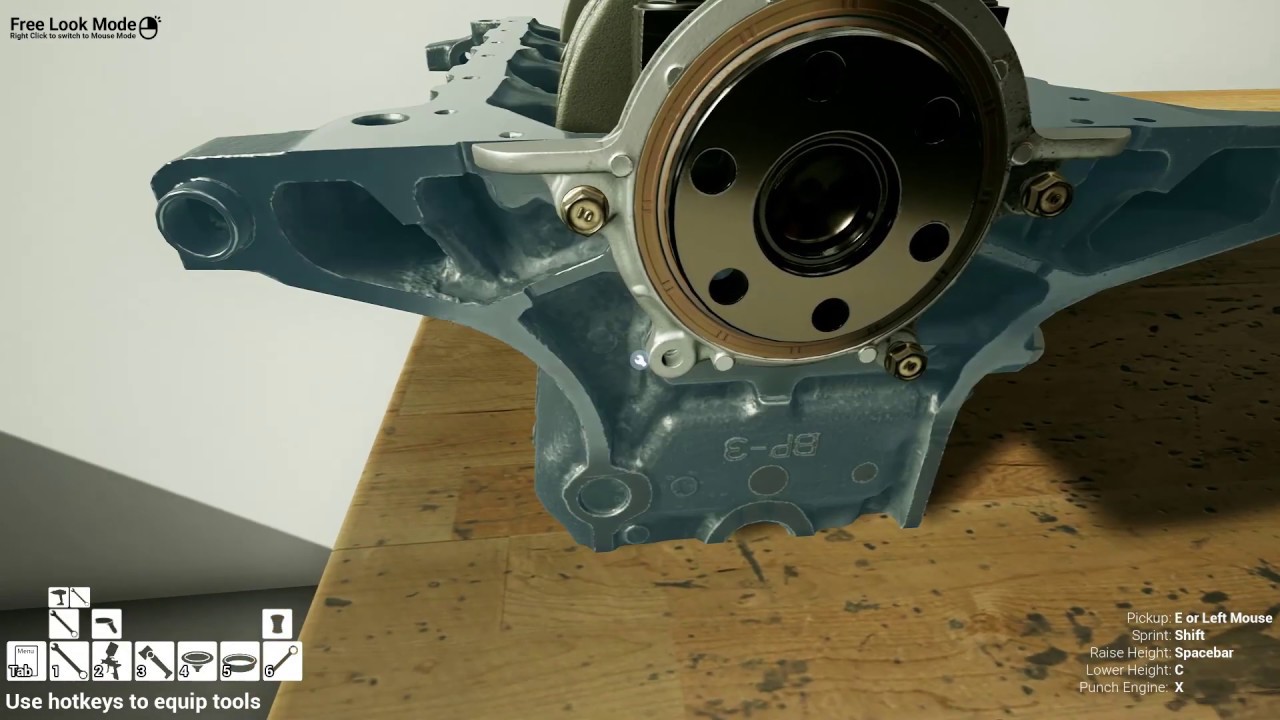
Wrench - The Game I always wished Car Mechanic Simulator to be | PC Gameplay -
10% off your total purchase when you order using code TNA
https://www.advancedsimulationproducts.com/products
link to all th...
similar to this game
@weary jackal YES!
maiden wadi
If you're not doing anything complex, and you're just trying to make MechanicSimulator2053, you should be able to just put a bunch of parts in place, and add certain parts to other part's array lists. If the array is empty, they can move. If it's not empty, any parts in the array need to be remove/destroyed before that part can be interacted with.
weary jackal
That was developed by @flat raft.
maiden wadi
Detroit series diesel for the win.
open sedge
i want to have most diesels in this game
like a mechanic sim but only diesels
big trucks, pick ups
tractors
generators
etc
semis
all these mechanic games only do gas engines and im like damn no cummins? or cat engines
or duramaxs
pffff
maiden wadi
A lot of people get bored with Diesel. IZ kewlr when RPMZ hi bra.
open sedge
idk why haha in my opinion they are better in every way
way heavier duty. more low end torque and power
way higher fuel pressure
most come with turbos already out of the gate
stronger trannies usually
sound amazing lol
the list goes on
xD
maiden wadi
But the RPM gauge redlines at 3500, bored.
open sedge
you can build them to get up to like 4500
but honeslty they make so much power down low you dont need more lol
maiden wadi
BUT IT DOESN'T SPIN AS FAST
open sedge
xD
ill take a 1500hp diesel over a gasser tho
lol
i just love the jet engine sound over the high rp screaming
lol
earnest tangle
The reason diesels come with turbos out of the gate is because they need that to generate any kind of power without ridiculous displacement lol
maiden wadi
You know.. It took me forever in VS to realize to start pressing tab to finish searches for the auto complete... I really wish that UE4's blueprint editor would at least not make the search useless when you tap tab.
open sedge
lol
 gusty shuttle
How do you guys go about your widget set up. Do you use a HUD class or do you just CreateWidgetOFClass, create a variable from it, then RemoveFromParent or RemoveAllWidgets to clear it up. As I understand, once you create a widget, it never gets garbage collected?
earnest tangle
they should get GC'd if you have no more refs to it anywhere
gusty shuttle
So the question is, do I just SET the widget ref to none to null it out? @earnest tangle
earnest tangle
That should do it yeah
maiden wadi
It can sometimes take a long time, but widgets that don't have anything pointing to them will get collected eventually. That being said, it's still often good practice to reuse them as much as you can.
near yarrow
i checked with print strings
the weapons are valid
they are spawning
but they arent there
lol
ill define some absurd spot
gusty shuttle
Yeah @maiden wadi Agreed, perhaps I should just set their visibility instead? IF not needed, hide it, if needed, add it back to viewport?
earnest tangle
@gusty shuttle I usually just save my widgets into variables in my HUD, and then either add to viewport or remove from viewport when needed
gusty shuttle
As in, you still use a HUD class in your Game Mode @earnest tangle ? Then just cast to the HUD when needed to show them?
earnest tangle
Yeah, mostly just as a container for this logic. You could use a player controller or something for it too I guess :)
gusty shuttle
Cool cool, I'll give that a shot, thanks guys for your knowledge and suggestions
maiden wadi
I always liked HUD for UI. It helps to remind that UI shouldn't be replicated in any way.
sleek dust
does someone know how can i disable and activate player physics for third person character? i've search and not finding anything
gusty shuttle
Aye, As I've been growing my skills with Ue4, I've wanted to clean up the way I've been using widgets. Seems funky to keep making them and creating variables in different bp's
@sleek dust When you say "player physics" what do you mean
You can select the capsule and false Simulate Physics
your characters capsule
near yarrow
dude this is weird
 sinful zealot
I added [child_actors] to my [grid] object and made a construction blueprint to place them ina grid pattern on top of my terrain. Can I make this setup manually editable on the viewport? (say, I select the tiles I want to enable/disable)
near yarrow
strings claim the weapons are valid and all but no where to be seen
gusty shuttle
Is "SetHiddenInGame" checked @near yarrow
near yarrow
they not
all weapons worked when we went with a two slot setup
i changed it to this
refreshed node
delted it just incase
made a new one
started my checks
everything checks out
but no dice
the spawn transform is the socket we were using before
near yarrow
ya
should be this
but now no guns
lol
homing missiles arent weapon based so they still work lol
but any rifle i try to select by the int replicated doesnt spawn
sleek dust
@sleek dust When you say "player physics" what do you mean
@gusty shuttle soo i want when i fall off to teleport back the player on the last position when he was on the ground, the problem is when i fall and teleport it back have that falling force and it keep pushing it off the edge.. and i want to teleport it disable physics and enable them to stop that falling force
i hope i explain it ok :))
gusty shuttle
@earnest tangle In your HUD class, on BeginPlay, do you create all your widgets there and promote variables there, that way they are all valid?
earnest tangle
Yeah, if I have widgets that need to be immediately visible I do that
I have some custom events used to toggle some other widgets, for those I do it within those using an Is Valid to check whether the widget needs to be created or not
gusty shuttle
For sure, sounds like a reasonable approtch, I'll probably do the same. Do you use "RemoveFromParent" when you want to hide it?
earnest tangle
Yeah
gusty shuttle
Cool, and it should still be vaild even though it's been removed from parent right?
That way I can AddToViewPort if Valid
near yarrow
hey guys
earnest tangle
It should, as long as you keep a ref in your variable it should remain valid and not GC'd
near yarrow
omg
gusty shuttle
Sweet. easy peasy then
near yarrow
i know what it is
nvm i thought it might be the valid owner check inside the weapon
but its good
gusty shuttle
@sleek dust Sounds like you're doing some Prince of Persia Sands of Time stuff with reversing time haha. I have no clue how they did that. Or how Overwatch does that with Tracer
Glad you figured it out @near yarrow
near yarrow
no dice yet
earnest tangle
@sleek dust you would need to keep some kind of "position history" stored in your actor
near yarrow
the owner is valid lol
for some reason they are spawning and are valid
but at the same time they dont exist because the line traces dont deal the damage
earnest tangle
If you want to disable the force from the actor, you can try setting its velocity to 0
the physics forces act upon the velocity
 onyx pawn
If I want to have a clickable button on interface rotate players camera sorta like these buttons what would be the best way to have on button click activated the players pawn camera rotation?
sleek dust
@sleek dust Sounds like you're doing some Prince of Persia Sands of Time stuff with reversing time haha. I have no clue how they did that. Or how Overwatch does that with Tracer
@gusty shuttle no no not reverse time... soo i have an vector wich get updated every time with the player pos when player is on ground... when player is not grounded and die it get teleported back to last ground position
near yarrow
the instance editable isnt available on this kind of spawning for what ever reason. prob cuz you cant be sure which one it will be
thanks for letting me think out loud guys ❤️ much love from me and my girlfriend
gusty shuttle
@sleek dust You could use a simple checkpoint system that once your player crosses it, it saves to your transform to game instance/save game and when you die it loads that transform and SetActorWorldLocation
near yarrow
will a "get owner to pure cast" replace the original instance editable variable of the character?
mental robin
How doth one store an array of static mesh 'actors' (not components) ..and spawn them at run time whenever I want to..only way I can see to get them into an array is if they're already into the level...
sleek dust
@gusty shuttle something like that... the problem is .. it keep falling off https://i.gyazo.com/1116e8655db1ff95fbaeb87fe970ec6b.mp4

and this is the code
near yarrow
or should i set this variable to a pure cast of owner inside the parents construction script
begin play maybe
onyx pawn
Anyone able to give pointers on my problem?
earnest tangle
@sleek dust try setting velocity to 0 when you teleport it back to the last position
gusty shuttle
@earnest tangle When you cast to the hud, this is the proper way right? lol, I was under the impression I didn't need to get the hud via player controller haha
earnest tangle
yeah that should work
if you're doing that within your HUD BP tho you shouldn't need it
gusty shuttle
No no, im calling to view port in my game instance right now, so I can show the loading screen on loading call
earnest tangle
Ah, it might be a good idea to use a custom event instead.. Eg. in your HUD BP you have "ShowLoadingScreen" event
weary jackal
@onyx pawn you want something that when you press the button it change the rotation and when you release it, it stops?
It will be based on the axis values.
earnest tangle
you'd have the add to viewport stuff in there, so your gamemode won't need to have UI logic inside it
gusty shuttle
Aye, I would just be casting a bunch then to the HUD haha, not a problem
@earnest tangle Pretty much this right?
earnest tangle
That'd work
gusty shuttle
Cew
onyx pawn
@onyx pawn you want something that when you press the button it change the rotation and when you release it, it stops?
It will be based on the axis values.
@weary jackal yeah I just want to when I press the orbit camera button on interface it will use the orbit camera button like I was pressing the key i have bound for its action on the key board.
near yarrow
is there a reason a pure cast doesnt occur correctly on clients
weary jackal

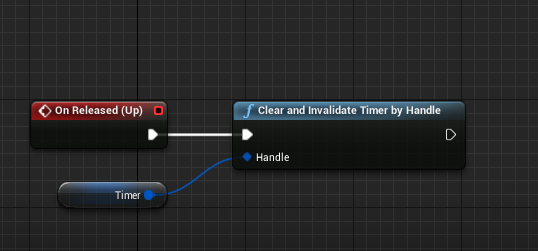
Okay so this is my ui button code for moving character forward when pressed. And when released it will stop.
You can manipulate with this and have the orbit rotation thing
onyx pawn
thanks will give that a try 🙂 thanks
weary jackal
Also make sure the UI is 'IsFocusable' otherwise the interactions won't happen
onyx pawn
Where do I set if UI is focusable?
weary jackal
@onyx pawn in the designer window of the widget. Click on the root in the hierarchy. You'll find IsFocusable in the details panel
near yarrow
none of my guns work on client side
i cant pass in the variable i was using when i spawned the weapon
i tried casting the owner or instigator but no dice
sleek dust
guys, how can i detect in wich direction i move? i need to detect if im moving in x or y axis
 brisk lake
get forward vector
sleek dust
yea but i think its not what i really want
 opaque forum
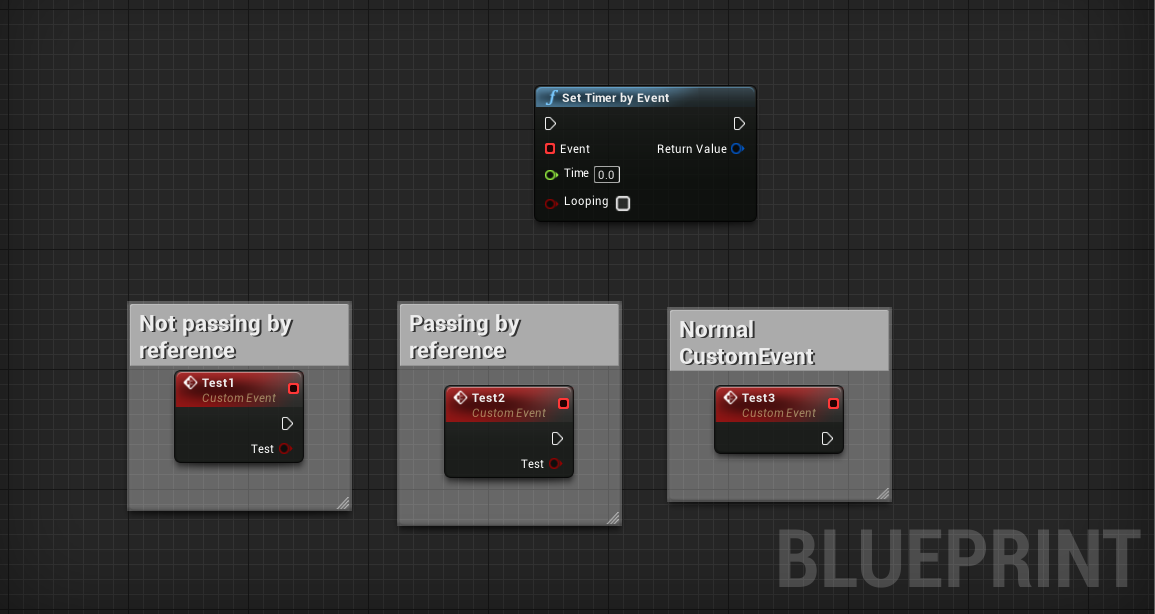
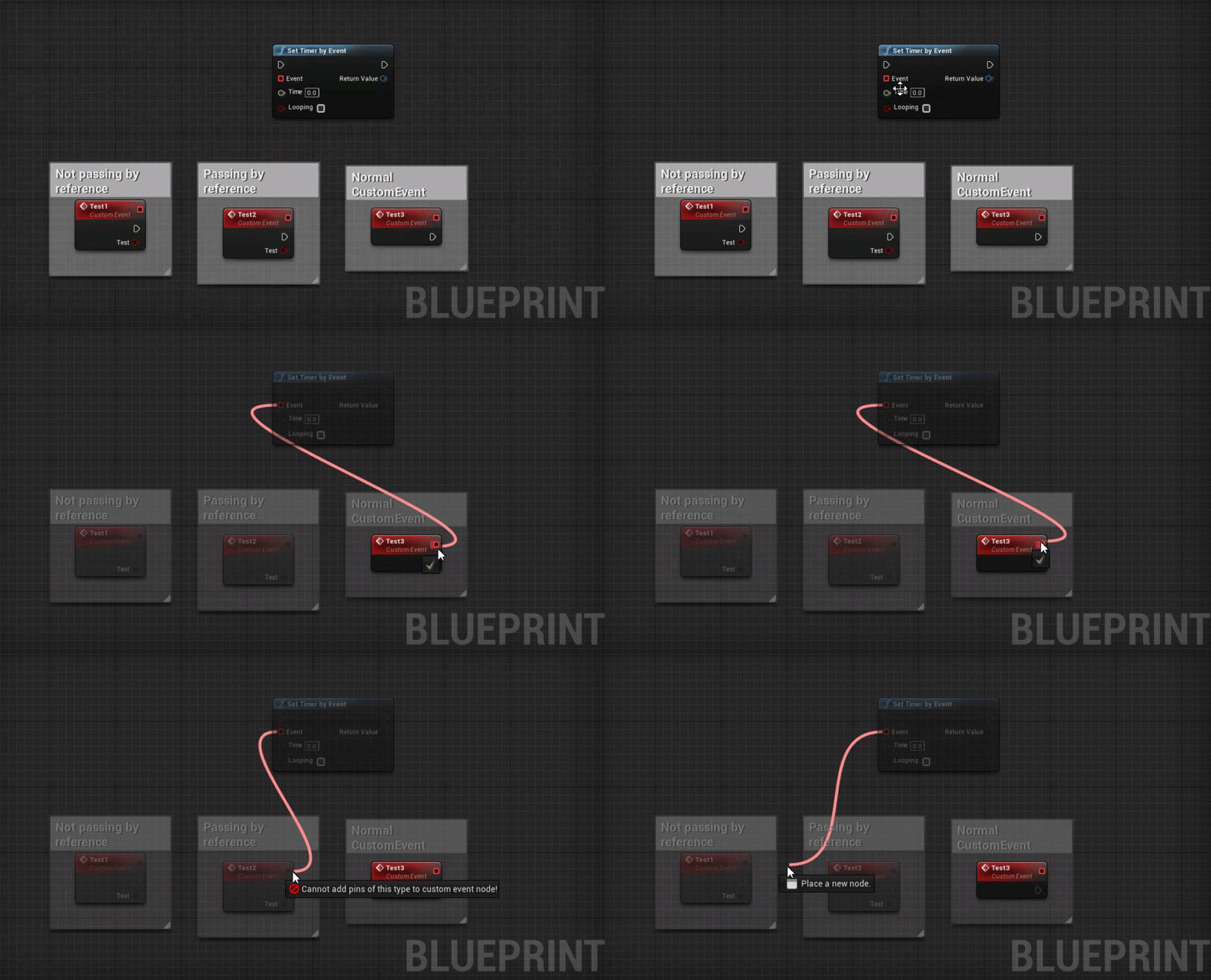
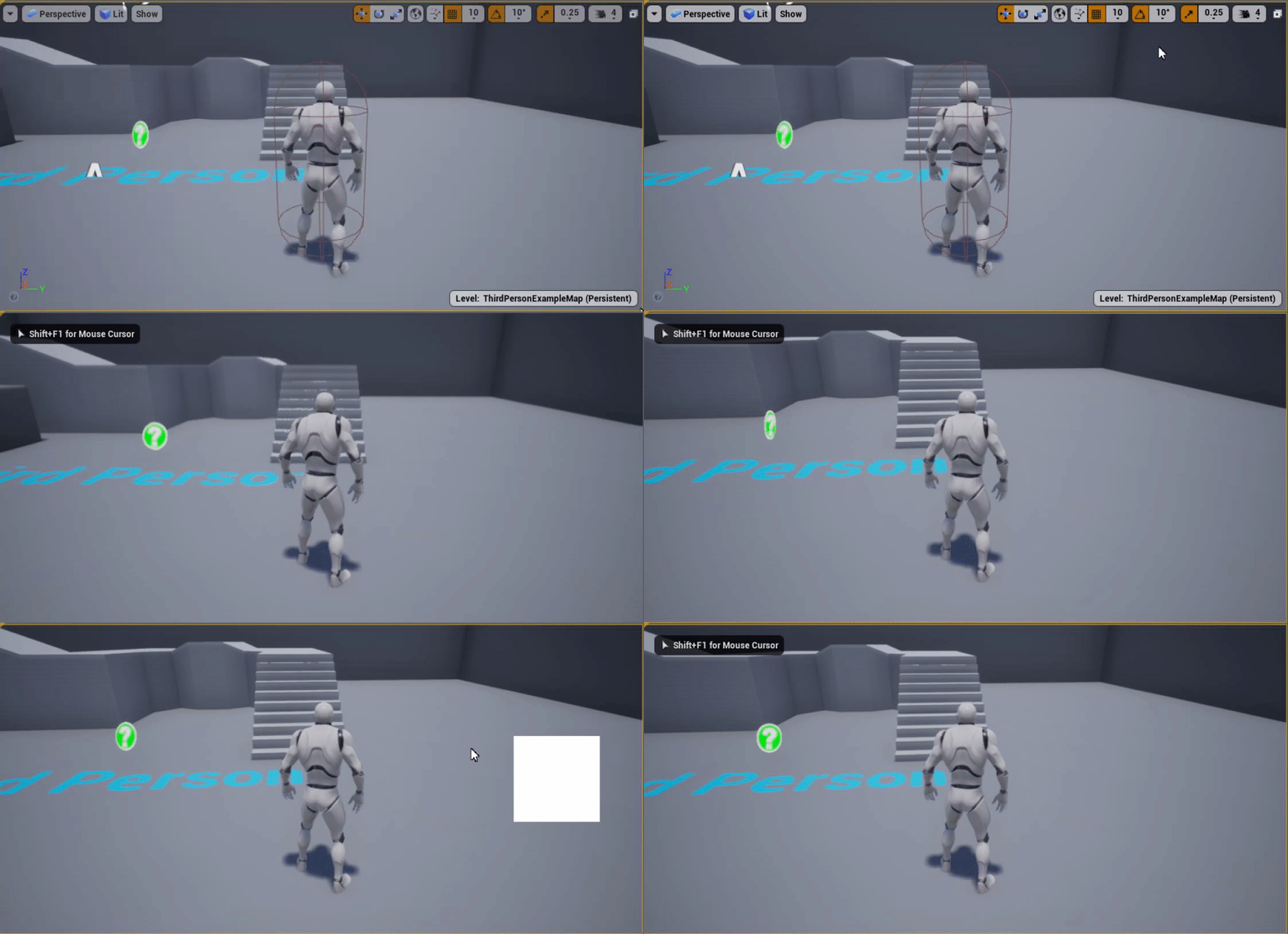

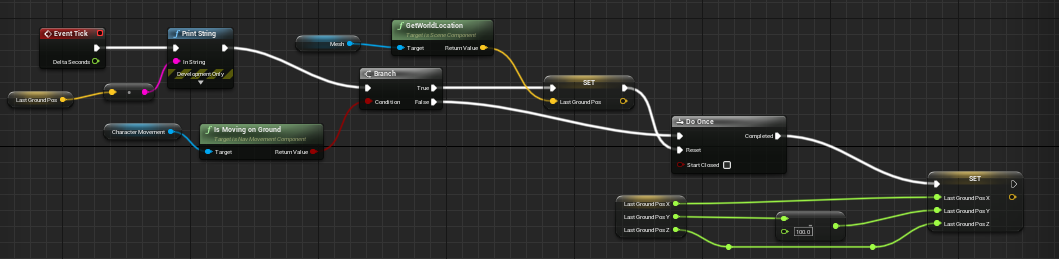
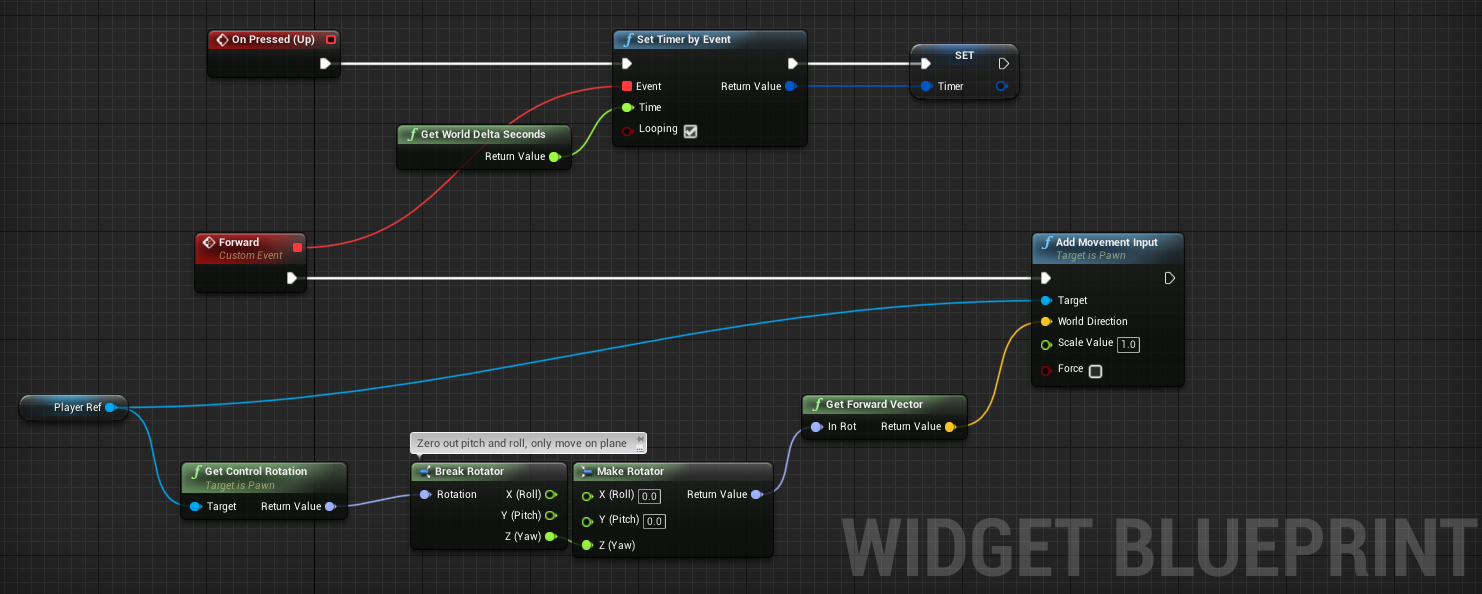
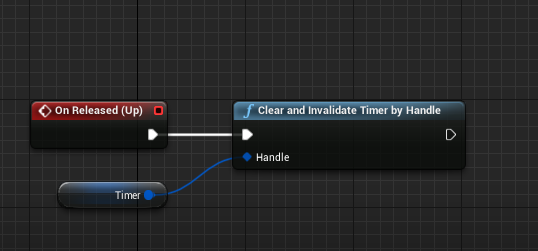
 torn jolt
Hey guys can you create an offset of a spline in blueprint? Like I have hand drawn spline in editor and I would like to create an offset as you would in some cad software.
 meager vessel
Hey everyone, I'm getting this output log
"LogScript: Warning: Script Msg: Attempted to access index -1 from array 'Crystals' of length 1 in '/Game/Player/InventoryComponent.InventoryComponent_C'!"
sometimes when i run my game and I want to find the spot where this happens but the log message doesn't give me enough information. Is there any way to find out more about this warning? Or an easy way to find all the array accesses?
I know what happens here but i want to change my code so that i don't have any out of bounds accesses but can't find the correct spot
 random ginkgo
@meager vessel It's in an Array named Crystals
@meager vessel In InventoryComponent blueprint
meager vessel
@random ginkgo Inside my InventoryComponent Blueprint i'm never trying to access an index of Crystal. I never do this anywhere in this blueprint
That's why i think this happens somewhere else
The array is a member of my InventoryComponent and I do access it like that but not inside InventoryComponent directly
That's why I can't find the spot where this actually happens
 keen goblet
@meager vessel You can right-click the Crystals var (in a graph or in the BP panel) -> Find References -> click the binoculars button to search all BPs
meager vessel
Oh i didn't see the binocular button. Yeah that helps at least a little bit. Still have to check every single spot. I did find it already but the warning wasn't of any help sadly
Thank you @keen goblet
random ginkgo
@meager vessel When does it happen?
meager vessel
I already fixed it @random ginkgo but thanks
keen goblet
@meager vessel You're welcome! Best way I've found to search for things like this, despite its clunkiness. Wish those warnings would say where the code that caused it is...
 gray quarry
Hi everyone! I want to make a multiplayer game and I want to select my char before entering a server aand starting to play. The server hits the open level command and the variables from PC and GM reset, how can I transfer a variable from pregame to ingame? Hope I explained ok
earnest tangle
If you save stuff into GameInstance you can keep them between different levels
gray quarry
I tried that but everyone gets the same character
GameInstance is different for each player?
earnest tangle
each client has a gameinstance locally
gray quarry
Perfect, thanks! I did something wrong then
 static mountain
Hello everyone, I'd like to know if there's a way for me to use the Editor Utility Widget feature to change a specific parameters in a object blueprint asset.
I tried this approach but it seems the cast is not good, any idea how I could fix it? thank you very much
 twilit heath
asset is not an instance of your object
so cast to object can never work
cast to object class would
but im not sure BP will allow you to alter it, as it returns a const pointer
static mountain
thank you! It's a bummer but I think I found a workaround using an Execute Python node and a bit of code I found here:
https://forums.unrealengine.com/development-discussion/python-scripting/1591378-can-you-edit-a-blueprint-variable-from-python
Unreal Engine Forums
I have been digging around, but I have been unable to find anything that looks like a way to edit an Animation Blueprint directly. There are ways to create
yep, it worked with Python 😉
 craggy shadow
So i have a camera based turning system, but it turns to fast, what can i add to slow the turning down for the creature ?
trim matrix
Hello, can anyone here help me with shading issues ? i'm trying to apply my normal map to an existing material, but I get bad results ...
 ashen sparrow
Why can’t I expose this to be editable?
 vestal plinth
how do you modify collisions for an actor at runtime? I'm trying this on the collision component but it's not making a difference.
the actor continues to be blocked by things
sinful zealot
First you should make sure your nodes are being reacvhed with something like a debug print statement. (or some other debug)
vestal plinth
they are
sinful zealot
Second we must understand all other meshes/actors in the scene. I recall there being numerous different collision layers.
vestal plinth
they're world dynamic
and set to block all
this is how I move the pawn/actor that I want to stop blocking sometimes
will disabling sweep when it's meant to be ghosting help?
sinful zealot
I recall sweeping being a "please stop me if something is in my way" try hovering "sweep" with your mouse for the tooltip. (not a very clear tooltip though)
sinful zealot
I wnder if "overlap" also counts/includes as collision.
vestal plinth
or if it ends up inside the object
overlap is a separate behaviour, but I want to maintain that
changing that won't help probably
hmm
I would have thought setting the collision channel would do it
sinful zealot
Hmm.
Here's a bad theory of mine. Maybe some other nodes are re-enabling collision again immediately.
vestal plinth
this is the first time I've modified collision at runtime, so I'd hope not
 crude timber
Hey everyone ! Is it possible to detect an overlapping from another actor ?
I have an Actor A, I want it to trigger an action if an actor overlaps the collision box of Actor B
vestal plinth
yeah it is
get actor B to own the overlap event and have the overlap event connect to the collision component
crude timber
I'm a beginner, been searching for it but I can't find the solution
vestal plinth
then get it to message actor A to handle the event if you want
try typing "begin overlap" into the right-click menu in the actor with the collision box
it should have an option that looks like "Begin Overlap Event (Collision Box)"
sinful zealot
So [Actor B]'s job is to tell [Actor A] that an overlap is happening
crude timber
So [Actor B]'s job is to tell [Actor A] that an overlap is happening
exactly
sinful zealot
I guess [Actor B] would need a reference to [actor A]
vestal plinth
maybe if I turn off sim generates hit events at runtime
in your hit event you have a reference to both actors
and both components if there are any
do casts and validity tests
 winter garnet
Hey guys! Pretty much, when I do 'PIE', there's a ball that I think represents the default player controller or something on the scene. Do you know how can I remoev it?
sinful zealot
@crude timber You could have a variable in [Actor B]'s BP reference your [Actor A] (and manually assign [A] as the default value for this variable) and have [B] tell [A] to run his the event/fucntionality you want.
vestal plinth
also, begin overlap and hit event are two different things (exactly what I'm dealing with right now)
a hit event is a specific thing, an overlap is something else
hard to tell the difference
I wouldn't have a fixed reference to actor A, that's not very flexible or scalable. just use the reference provided by the hit/overlap event. ¯_(ツ)_/¯
sinful zealot
@winter garnet Check the default player controller's BP.
vestal plinth
nope, sim generates hit events is not it for me. I'm not simulating physics in the first place.
sinful zealot
Won't look exactly like this, but something similar should pop up if you double click any BP.
winter garnet
@winter garnet Check the default player controller's BP.
@sinful zealot Oh well, pretty much I'm not using it. And that's what's weird. 😦
crude timber
ok thanks guys, I'll look into it a bit more 🙂
vestal plinth
an actor with a USceneComponent root object will display that ball. just replace it with something.
sinful zealot
@vestal plinth You could try to create a custom channel for this collision/overlapping sim and see if it works. Existing channels might have some weird things going on we are not aware of.
sinful zealot
@winter garnet I understand now. You are not sure about the origin of this sphere, mesh thing. Try hiding objects in youyr scene outliner 1 by 1. The ball should eventually hide and you'll be able to tell the origin.
winter garnet
@winter garnet I understand now. You are not sure about the origin of this sphere, mesh thing. Try hiding objects in youyr scene outliner 1 by 1. The ball should eventually hide and you'll be able to tell the origin.
@sinful zealot Believe it or not, I've already tried that. Turns outthis sphere has no fixed place. It seems it is spawning where my PC was supposed to spawn.
sinful zealot
A nefarious sphere indeed. Is it visible in the editor or during run-time only?