#blueprint
402296 messages · Page 520 of 403
 flat raft
 rich lava
lmao
flat raft
you've got the Tomb Raider/Uncharted/red dead style... the Witcher 3 style and the The Order 1886
rich lava
@flat raft do u know any good tutorials for setting up camera system to achieve that
 tight venture
Yeah @flat raft it worked as a function, just not as a macro. Weird, indeed.
flat raft
Any 3rd person setup will have the camera... just move it where you want. (Camera Spring Arm)
 hallow nebula
@rich lava Look into the CameraManager class.
It's MUCH more in-depth than traditional camera components.
flat raft
Just curious cus I'm playing Mario, but how does one make a one sided geo collision?
When Mario jumps onto a tree, he can land on the leaves.
If he is under the leaf and jumps up, he can go through the leaf, and land on the other side
Other than tracing for normal direction, and turning off the collision.
 simple lantern
is there a way to get the name of a variable as a string? I'd like to append the name of the variable to the value itself and plug it into a print, to get a little more information during runtime
 trim matrix
Hello guys, how can I reference an actor from a level on another blueprint actor class?
simple lantern
you're trying to reference something from the level BP or an actor you've placed in the world?
trim matrix
So for context, I want to make a door that teleports you upon being within the proximity And if only you press E key. The problem I had was, using Box Triggers and making them only to correspond when pressing the E key (whilst ofcourse being in their proximity) is that it would teleport me even when I am not within it's proximity.
flat raft
Try a Gate node, or you can do isOverlappingComponent, or OnOverlap set a variable..bool on exit uncheck bool
trim matrix
Using this blueprint class that I made instead of a trigger box from the menu helped me to get it to work, only downside is how would I go on about referencing another actor? so I can make my character teleport to that actor's destination by using "Get actor location"
flat raft
A Gate might be a cleaner solution
trim matrix
Will try it out, thanks for the suggestion.
flat raft
As for the location.. make a variable, expose it on spawn, and choose the location.
 winged furnace
Hey all, I am working on a kind of laser based "collision" puzzle similar to this one
But I am having issues with my lasers, I thought I could use LineTraceByChannel but I can't figure out how to make the lasers themselves collide 🤔
Any ideas?
https://www.youtube.com/watch?v=0o7Ox-_pk5k

Blingtron's Circuit Design Tutorial is an item in the game World of Warcraft, created by players with the engineering trade skill.
Wowhead item details:
http://www.wowhead.com/item=132518/blingtrons-circuit-design-tutorial
The item is categorised as a toy and once used it un...
trim matrix
Thanks again, Thor-bie
 maiden wadi
@winged furnace Line traces have no collision themselves. What are you trying to detect with the collision?
winged furnace
@maiden wadi I am trying to detect if the "lines" are covering each other, and if they are you cannot complete the puzzle until you have moved to source of the "lines" away so they don't "overlap" / "collide"
flat raft
I don't think you can collide with a trace line
try a spline....maybe?
It's tough cus it will be more position based , rather than trace
 tight schooner
I'm not clear on how the puzzle you describe works. Is it like trying to untangle something? You have to untangle lines without having them collide in the process?
winged furnace
@tight schooner I linked a video, the first 5-10 seconds should be enough to explain what I am trying to achieve
flat raft
Will there be only 1 solution to the puzzle?
winged furnace
Well for starters sure, but I plan to have multiple versions of the puzzle as the player goes through the game.
flat raft
Gooosh.. that's a good puzzle 😂
tight schooner
Oh lol didn't notice it was a vid. Short of someone coming up with a better idea, you could spawn thin collision boxes on the lines and then check for overlaps. (Though make sure they don't overlap at the verticies.) Not the most elegant idea but it would work.
flat raft
Spline .. check for overlaps .. that's how I would do it
The other way I thought of is too math heavy.
trim matrix
this is embaressing, i forgot how to set the main character and switch to the one placed in the level and not spawn it in
flat raft
Auto Possess
winged furnace
So what you say @tight schooner is that I can spawn collision boxes on my linetraces? 🤔
Or would I have to create the lines differently similar to what Thor-Bie is saying?
flat raft
It's the same idea
winged furnace
Time to deep dive into splines then 😄
flat raft
spline component might be easier because you don't need to figure out the collision box length
winged furnace
Thanks guys
winged furnace
Probably will take forever 
winged furnace
I am still a pretty noob, so I gotta research a bit before I jump into this
winged furnace
If you end up with something good, please let me know 😄
flat raft
Kk
winged furnace
Would be interested in seeing you solution 🤔
flat raft
K, I added you
winged furnace
Cheers
trim matrix
so im testing out add force and add impulse nodes with even begin play, but nothing is happening
the character does not get forced or accelerated into the air along z axis
trim matrix
simple empty character
and this
@flat raft you're my hero!
You were correct!
It was the gate solution!
flat raft
Sweet!
trim matrix
Now on to the next question, how would I add a fade in and fade out effect? Is there some sort of widget or screen effect that I can do when triggering such events?
trim matrix
Yes
 hexed oasis
does anyone know when hud bp get destroyed?
 flat raft
create a widget , add it to the screen, animate the alpha
trim matrix
Thanks!
hexed oasis
I think that they use video for that
trim matrix
Is there a way to linking that widget to the blueprint?
flat raft
border widget I think .. draw as box
hexed oasis
I mean you can do that with widgets but it wont look as good
also its unnecessary pain
flat raft
Ya, just make a reference to it. There are a million of YT tuts on adding widgets to screen
trim matrix
Thanks dude, you already done a lot of good work here.
flat raft
You're not going to win any awards with the look, but I assume you are just prototyping.
trim matrix
awards?
flat raft
@hexed oasis there is a Event for on destroy. Attach a print to it and you'll see the moment it gets destroyed
trim matrix
If you're referring to awards as in for a game jam? Then I'm not participating in those, this is just a personal project that I'm working on 😅
flat raft
Hahaha.. joke... for teleporting you want a cool magic particle looking effect.
trim matrix
Here is the context for what I wanted to add the fade in and fade out effect along with getting that door mechanic fixed. I'm working on a personal PS1 style game.
trim matrix
Cheers :)
 elfin hazel
@winged furnace The most practical thing to do is to expose FMath::SegmentIntersection2D to BP.
winged furnace
Even if my case is a 3D puzzle similar to my example? @elfin hazel
elfin hazel
Oh, so it's line segments in a sphere?
winged furnace
In my case, it's cubes on a floor that has these "lines" between them. You have to untangle the cubes so the lines don't overlap anymore.
elfin hazel
Right, so do you utilize two axies or three?
winged furnace
Well all the cubes are on the same plane. No change in the Z. So I am gonna say 2?
elfin hazel
Then yeah, you can use that.
winged furnace
But I guess you can "pick up" the cubes which makes the Z change. But I can avoid calculating the overlapping until it's on the floor to check if puzzle is solved or not
elfin hazel
The only thing I can think of being a problem is if you use say the location of the actor to start/end your segment, it will probably detect an intersection there. So you'll probably have to offset the start and end a little bit so it doesn't detect an intersection with segment connected to the same Node.
Or you can make an algorithm that ignores segments connected to the same node, because those segments will never intersect.
elfin hazel
Because As you query a segment, you'll have to check if it intersects with each other segment. Which shouldn't be a problem if you make it event driven - only query when you place a node. But it may not scale very well and I'm not sure how to optimize a very large number of segment checks.
 wicked lance
Is there any way I can get the keycode from a key structure? I'm trying to get a number between 1 and 9 from the number keys, and I don't want to make a input for each key, or parse the the name to an int
wicked lance
second is parsing the name, first one is pretty much the same as if I had multiple events, but thanks ^^
I think I'll just use a map
trim matrix
Hello i have a slight problem. i want a system that will keep track of all the enemies the player has killed. but i don't want to add the value every time.
i add points like this which is started on a collision event
this is meant to be the bulk of the logic in the main menu blueprint which adds the two scores together but since
the twinstick game mode
is not used in the main menu plus the value is not saved between scenes
i need a way to add it without it becoming pernemant
as i have an event tick which checks for the value being added
if a bool which is called first timeplayed is true
and sets it to overall score
i then save overall score
and use that to keep hold of everything
my only issue is making sure TargetScore is never saved
so i need a vaule to add to overall score in the main menu blueprint which then sets it to mini vaule
but i dont want target score to be saved at all but i need a vaule to add to overall score so then i can set it as mini score. which makes the new overall score vaule so that i can then add it all again. without Target Score ever being saved sorry for multi posting
 autumn heath
Why is does getting the player state from a (possessed) pawn always return null?
Okay nvm, it doesn't work with a pawn but works with the player controller
 trail condor
I'm using a Gamepad Face Button Bottom node, Is there any way to see which controller hit that button from a level blueprint?
Ultimately I'm just trying to get a button input from any connected controller, and then get that controller's ID
 faint pasture
Is the button being implemented in the level blueprint? like how does the level of blueprint even know the button was pressed?
 thin apex
 marsh meadow
I have a UParticleSystemComponent on my actor. Is there a way to keep emitting the particle after I destroyed the Actor?
trail condor
@faint pasture I'm using the Gamepad Face Button Bottom event node
(I'm not sure if "event node" is the right terminology. I'm pretty new to unreal and am helping someone else out with a project.)
I'm pretty ok at C++, so I ended up making a function in C++ that took in the key, to see if I could get any useful info out of it, but I didn't see anything useful :/
trim matrix
bReturnPhysicalMaterial must be true, if I wanna to get material.. is it works in BP?
faint pasture
@trail condor that event lives in the level blueprint?
trail condor
Yes
faint pasture
That's a weird way to do it but input only happens locally so PlayerController 0 will be the one.
faint pasture
Don't do the input handling in the level then.
Do it in the controller or pawn and have it call i to the level.
trail condor
Like I said I'm pretty new to unreal, what is the normal way to do main menu input, where multiple controllers may be connected?
faint pasture
All in the player controller
trail condor
Sorry I'm coming mostly from Unity. To me a player controller is like a physical thing that moves around the map. Is that not the case?
faint pasture
In Unreal the PlayerController is the representation of the player and is the first stop for input.
Every player has exactly one PlayerController.
The player sorta IS the PlayerController
trail condor
if there are multiple phyisical controllers connected, does this automatically generate multiple player controllers?
faint pasture
Nah I think you gotta call Add Player which will make a PC and also a PlayerState
Or create player or whatever
trail condor
I don't see any player controllers in the World Outliner for this scene. Is there a good way to quickly find where the input is currently being handled?
faint pasture
Look at page 9 and 10 in that linked pdf
@trail condor are you talking in the world outliner when the game is running or not? The controller will not exist until the game is running
trail condor
I meant when it wasn't running. That's gotta be it then. I'll take a look
it's very confusing how multiple things will use identical terminology for different concepts
There it is. Thank you!
It is just a data blueprint though, which surprises me. Does that make sense?
faint pasture
@trail condor it's only a data BP now cuz you havnt changed anything.
trail condor
I'm just surprised that the player controller, which I'd assume would be responsible for input, isn't actually running any code
faint pasture
It runs tons of code. your blueprinted subclass of the player controller isn't running anything custom because you haven't added anything custom to it yet.
trail condor
Damn. I appreciate your patience. Thank you
faint pasture
@trail condor Here's how I suggest setting it up. It depends on how your game is set up to a certain extent.
PlayerController: This is the center of a players interaction with the game. It is what possesses pawns, and it has references to pretty much anything you need. This is where I like to handle UI and certain input (pause, ESC menu, etc). You can handle all input here if you want.
Pawn: This is the thing that acts in the world. It can be more elegent to handle pawn specific input here if you want. This would be your character or car or whatever you're controlling.
Gamemode: Only exists on server, defines what controllers and pawns everyone is using and handles the map flow.
GameState; exists everywhere. This is where I'd put global state like team score of match time.
PlayerState: GameState already holds an array of player states. This is where you'd store individual player stuff that you want public.
The reason why you would want to handle input in the pawn/character is so the same input can do different things depending on what you're possessing. Like Grand theft Auto for example, the same controls do something different whether you're on foot or in a car. You could just as easily have some logic in your player controller to call events on the possessed pawn depending on what it is.
trail condor
I really appreciate that.
trim matrix
How get collided phys mat in BP?
 gritty elm
i downloaded fbx character from mixamo, it gives me this kind of texture for face, how to use this texture
 tender sierra
I know that here is where you define blueprints in those slots. But I have seem projects with no custom blueprints and hence the "default slots" (right terminology?) are showing like in the screenshot. Can you define things in eg Default Pawn Class etc, or does this image always mean unaltered Classes?
 meager vessel
Hey guys, i have a question. I have a PlayerActor. The player has an Inventory which I made an ActorComponent and added it to my PlayerActor Blueprint. I'm using structures and dataTables to create items. Now I want to make a loot system that drops items for my player. I have it working that the loot system spits out the structures. Now I need to add those structures to my inventory. I need to be able to edit those values though. So just passing the structure wont work, right? I don't want to spawn those items in my level, so making them an actor and spawn them doesn't work either. Can someone help me with this?
faint pasture
@tender sierra Sometimes you don't need a custom game state or whatever.
meager vessel
My Inventory should be able to store those dropped items as their own objects, not just a structure cause i want to edit individual items. Like level them up
faint pasture
@meager vessel you can make struct
@meager vessel What is the base level? What is the smallest thing that can be said to exist in your inventory?
meager vessel
@faint pasture this is my struct. I want to add an item of this structure to my inventory and afterwards do stuff with it. Change values like the level or rarity
 near crag
Okay, so I tried to use an enum to clean this but now I'm stuck.
faint pasture
@meager vessel That's easy, once it's in the inventory you can just get it, break it, modify values, remake, set
near crag
I have 8 different conditions each with it's own outcome, how to I set those?
near crag
Someone mentioned I could use a for loop, but I still don't know how or where to apply all those conditions
faint pasture
@near crag just spell out exactly what you're trying to do.
meager vessel
@faint pasture oh so you mean like this. Get the struct, modify values and use those to make a new one and overwrite the old one?
faint pasture
@meager vessel Ya
meager vessel
Thanks, somehow overlooked i could just make the struct again
faint pasture
@meager vessel there's also a set elements in struct node if you just wanna override a few elements.
near crag
I want to set a different sprite depending on the angle between the player and the hit point. 90 degrees for a right-facing sprite, 180 for a front facing one, etc. It worked (kinda) with the messy set of blueprints.
meager vessel
@faint pasture yeah i found that one but didn't quite understand how to use it
faint pasture
@near crag okay so right now you're trying to calculate the Sprite directions state
Is it top-down or what's the geometry like. Show a screenshot
meager vessel
@faint pasture oh nevermind i just figured it out! Thank you very much. That's exactly what i need
faint pasture
@near crag however you're generating your angle, whether it's 0 to 360 or negative 180 to 180, just divide by 45, round to int, then select enum from int
You'll need -180/0 and 180/360 to map to the same enum so therelly be 9 possibilities
tender sierra
@tender sierra Sometimes you don't need a custom game state or whatever.
@faint pasture yes, but can it mean stuff are defined on the Default Pawn Class for example?
I want to know that, for if so, then i want to know where to look 🙂
faint pasture
@tender sierra The Gamemode is just spelling out which classes are being used at the game start.
tender sierra
@faint pasture I understand. If we look into the Pawn Class for example, I know that you can specify blueprints for that. But if the default one is set, my question is; can you do alterations to it? Can you tweak the Default Pawn Class?
faint pasture
@swift pewter You can either check if current time is greater than last hit time plus 3 seconds, or whenever you are hit, set can regen to false and set a re-triggerable delay that will set it to true
@tender sierra No, you don't want to do that. You want to make a new pawn class that inherits from pawn. Then you can set Default Pawn Class in the Gamemode to be MyCustomPawn.
"Default Pawn Class" is just a variable, whatever class you set it to is what pawn is given to a player.
tender sierra
@faint pasture Basically, when I open a project and there is nothing defined under eg Pawn Class, I want to make sure the developer of this project did not alter pawn-related stuff somewhere else. So the question is not whether if this is a good thing or not, but if this is doable or not
faint pasture
At runtime you could spawn any pawn and tell the controller to possess it. The player will always start with whatever is Default Pawn Class though.
tender sierra
Anf if nothing is defined? There isnt anything "hidden" somewhere, correct?
faint pasture
You could also have a pawn exist on the map and have auto possessed checked
Just because the game mode default pawn isn't changed doesn't mean anything besides that you will start with the default pawn. That's it.
If you know what you're doing, you can hide stuff everywhere. The level blueprint could spawn upon and make the controller possess it, for example
tender sierra
So the options are
Define under Game Mode
Define in a pawn on the map
Anywere else?
faint pasture
Literally anywhere else. Pretty much anything on the server can do whatever it wants.
tender sierra
😄 ouch, "anywhere" is a large place to hide things for a beginner to look for
faint pasture
What exactly are you getting at? You're worrying about the most obscure thing
 earnest tangle
If you're looking to guide the developer, write documentation :D
It's gonna be hard to make sure they don't screw up in the editor by doing what you didn't want them to do
tender sierra
What exactly are you getting at? You're worrying about the most obscure thing
@faint pasture Well, it may be so
When learning, I look at how things are done
so I want to make sure if things are somewhere where I did not look
earnest tangle
You can set up your project to do sanity checks and for example display error messages to the user.. but those are also something that could theoretically just be circumvented if the user wanted to :P
tender sierra
you said a level can spawn and make the controler possess it; can you give me an example, documentation or tutorial youve seen?
The most tricky thing for me is that different developer have different approaches, so different project examples are doing the same thing in different ways 🤦
faint pasture
@tender sierra I am leet haxzor
@swift pewter Then do it all when they attack instead
 chrome orchid
hey i am making a widget display on thee screen every time an actor comes in collision. Its a multiplayer game and the widget will only show on the server even if the client overlaps the collision
tender sierra
@tender sierra I am leet haxzor
@faint pasture If that was your project I am opening, where would you store this blueprint? I know it is an example ..
faint pasture
@tender sierra literally anywhere.
Any actor could do that
It'd be stupid to but it's possible
@chrome orchid show how you're displaying the widget
chrome orchid
ok
tender sierra
@faint pasture okay
So if I notice this sort of behaviour, a certain pawn yet nothing is defined under Pawn, then I go hunting it down in all the available blueprints.
but nothing under Project setting and such, right?
chrome orchid
@faint pasture
near crag
@faint pasture It's a 2D sprite in a 3D map with a top-down view. I have a way to get the angle. The problem is that I don't know if the loads of branches are necessary. And no matter how much I search it up I don't see an alternative.
faint pasture
@near crag Do what I said, take the angle, divide by 45, round it, then you have an integer. Then use the integer to select the enum
@chrome orchid show where you call that event.
near crag
So like this?
chrome orchid
@faint pasture i fixed the problem but the only thing is if the client comes into the collision, nothing will happen and only the server can trigger it
faint pasture
@chrome orchid That's normal. How is the client getting into collision range but not the server?
Show where you're triggering it with the overlap
chrome orchid
no if the client enters the collision nothing happens but if the server does, the event happens how do i make it so the clients and server can both do this @faint pasture
@faint pasture
faint pasture
That is just setting a variable, where are you actually spawning the widget?
faint pasture
wtf. so you're creating it at begin play and not when the overlap happens?
chrome orchid
yes beacuse its my hud and i have it working execpt when the client overlaps it wont display on screen but when the server overlaps, it will display it on the screen
@faint pasture
faint pasture
What is that PS_tag
if it's a player state blueprint, and you're changing the active player state blueprint at runtime, that is totally not the way to do it.
trail condor
Hello again @faint pasture - sorry for tagging you but you seem to be around and you know my situation. I'm getting the player's controller ID now, unfortunately it's always controller #0, which isn't what I actually needed. I'm trying to figure out what kind of controller they're using. Part of that involves getting some kind of unique ID for each connected controller. Any thoughts?
faint pasture
@trail condor are you running create player for the second local player?
trail condor
I think I'm not being very clear about something
I'm trying to figure out which gamepad was most recently used
I keep saying "controller" but that's probably not helping lol
near crag
I think I'm starting to get the idea but I don't think I set this up correctly.
The angle calculations are returning negatives so some of the enums aren't working.
earnest tangle
You can add or subtract from the value
Eg. if you're getting like a -180 to 180 ranged value and you want 0 to 360, just add 180 to the initial value
This way you can adjust where the numbers fall in the range so you get the result you want :)
faint pasture
@near crag Why are you not just breaking the rotator and getting the yaw?
Then just add to it, either before or after the round. I would do it after rounding. If y'all is -180 to 180, then it would round to negative 4 to 4, so you add 4 to it to get the 0 to 8 index range
If you end up having to do the eight directions stuff everywhere in your code, make it a function. Just make it a pure function that takes a float and returns a an enum
 primal smelt
Hello everyone. For blueprints, does anybody know of a way to do a smooth lerp between external vector curves on a timeline? I have a timeline set up which the player can change the direction an actor is facing, I would like to be able to switch curve on the fly using SetVectorCurve but right now it jumps from one set of coordinates to another with no interpolation between. Any ideas?
faint pasture
@primal smelt have timeline output a float alpha, use the alpha to interp between the vector output of the curves
How many distinct curves are we talking about?
primal smelt
Forgive me, I may be mistaking the terminology, but it is switching from one graph to another
near crag
@earnest tangle @faint pasture Ah, it works now. Thanks!
And I yeah, I'll change that, I'm not familiar with all the functions n stuff
↖️ Newbie
primal smelt
I'm not sure where I would plug in a lerp because the SetVectorCurve function does not have an input for vector coordinates
faint pasture
How many distinct vector curves do you have? Are you just swapping between 2 or 10 or 100?
primal smelt
@faint pasture Its just X Y and Z per graph, is that what you mean?
faint pasture
@primal smelt just show a screenshot
primal smelt
@faint pasture Evidently not, sorry I'm new to this! One sec..
@faint pasture
Highlighted track plugs into an external curve, last screenshot is the curve that replaces it - the position of keyframes are not final - its basically the same as what is referenced by default in the main timeline I just shifted some Z coords from negative to positive just to see if it works
The vector output going into the rotator is basically switching from one graph to another when I press F (again, just for testing) so I'm not sure how I would go about lerping from one to another because they both have the same output on the timeline
 wanton radish
Hi, How to add ads to android game?
faint pasture
@primal smelt ok so you already have a sort of master alpha
@primal smelt I can't really follow all the logic but basically I think you'll want to modify it such that instead of the switch changing the curve being evaluated, you evaluate both curves at all times and the switch fires a timeline that outputs an alpha. The alpha is used as input to an interp between the 2 curve outputs
primal smelt
Ok cool, I was thinking I might need to do something like that but wanted to see if I could lerp between the curves being switched on the same track as eventually there will be quite a few instances where I'll be doing this at the same time so the timeline will get somewhat bloated. Thanks for your help, I'll start giving that a try 🙂
 fervent kestrel
hey guys
if i wanted to make a game where should i start, i already have the story and everything, i just dont know where to start
 warm scarab
When my character bumps into another NPC character, the NPC goes flying. I don't want that. Here are my collision settings on the NPC character; any suggestions?
primal smelt
@fervent kestrel - depends how best you learn. Personally I'm somebody who prefers to get stuck in and learn as I go rather than following a course from start to finish. As such, my recommendation would be to learn the basic UI of Unreal Editor - Youtube will have plenty of options for you there. If you're like me, after that think about what specific gameplay mechanics youy have in mind and search youtube/google etc to see if others have done something similar and see how they did it. If you prefer a more guided curriculum type of approach, there are some great courses where you build projects along with the instructors - I picked up a couple of courses on Udemy that are great. Even though I don't learn that way, I still find them helpful to refer to.
fervent kestrel
okay, yeah maybe getting familiar with unreal editors ui would be helpful
primal smelt
@fervent kestrel I'd say its essential knowing how to navigate the software. Some of that does come from playing about but just get the basics down first so you know broadly where to look for things.
For courses, I have a couple from these guys (via Udemy), their Blueprint course is easy to follow and their intro course to Blender I recommend also
 faint pasture
@fervent kestrel Start with making something happen on the screen, and don't even THINK about doing anything multiplayer.
 cosmic lagoon
hi guys I've been stuck on this blueprint AI issue for the past few days wondering if anybody could offer any insights. am I allowed to post links if I'm new to this discord server?
fervent kestrel
@faint pasture just curious i wasnt planning on it but why wouldnt i want to do something multiplayer?
faint pasture
@fervent kestrel Because its enough to learn just trying to do something single player. Multiply it by at least 3x for multiplayer.
maiden wadi
@fervent kestrel To put it simply, programming in singleplayer, you have everything you need at your fingertips. All actors exist on the current machine and you can affect them however you like and there are no bandwidth constraints or lag considerations. The moment you even consider multiplayer, you have to start thinking in a way that you are programming to play as a player who has very limited access to the real data. Your client has most of the same visuals, but you have to 'request' for the server to make changes or make things happen.
 alpine halo
https://i.gyazo.com/dc9f4ddb63c9e0acb0ba81c283f61433.png
@alpine halo well i had 2 curves in one timeline and i switched rather than setting
 trim matrix
Is Player controller supposed to run BeginPlay everytime you change scene or only the first time you open the game?
Mine runs everytime I change scene and the variables doesn't persist
everytime
if u want the variables to persist u need to set them in game instance class
its the only class that persists
then when changing the scene u need to read these variables from game instance and set them in the controller
tight venture
Can I return a value from an event that was dispatched to, or should I just pass in a bool reference or something
I don't want to continue execution if that fails
trim matrix
The docs says "The Player controller persist throughout the game, while the Pawn can be transient" @trim matrix
So only the game mode and game instance persist the whole time? @trim matrix
game mode is also reset if im not mistaken
Okay so I'm gonna use the game instance
@tight venture what do u mean? if u assign to the dispatcher it should automatically create an event returning these values
tight venture
If that action fails, I don't want to continue executing from where I called it
So I added a bHasError
trim matrix
sure 😛
but also
what u could do is just unbind the event
if theres an error
without calling it
or simply not call it if possible ;D
 edgy galleon
I want to show a simple print string when entering a room and then another print for exiting that room. When my character collides with the door the message should appear, but i get both the entrance and the exit. Anyone has a simple solution for that?
trim matrix
can u show a screen?
trim matrix
i mean.. screen of the bp
edgy galleon
edgy galleon
it covers the door only
trim matrix
so the answer is simple
whenever you enter the door box it says hello, but once u leave the box it says goodbye
if the trigger was as big as room that would make sense
edgy galleon
hmm, so how do i solve it, having that same door as entrance and exit but with different messages?
edgy galleon
and the box collision will stay on the door?
edgy galleon
haha yea
trim matrix
so the direction u come from
matters?
and u only want say hello when coming in, good bye when going out
edgy galleon
basically its the same direction, you get in the same way you get out (there's no collider on the door at all right now and its ok)
exactly, yea
trim matrix
theres a simple way, but i fear that might not be simple for you
u know what dot product is?
edgy galleon
no 😦 im supposed to keep it simple as well but i fear i might be missing something. other then just getting another door for the exit, i see no solution
edgy galleon
that would be great, thank you so much!
tight venture
grrrr.... now I'm getting this:
"Warning: No value will be returned by reference."
Uhhh duh, compiler.
I'm changing it, not returning it.
tight venture
I'm passing in a reference
Not returning anything
You can't return anything
I don't understand what it's talking about
trim matrix
@edgy galleon look
edgy galleon
looking :)_
edgy galleon
i think its someething to do with the direction the character goes in, and that's how it knows whether he's going in or out, maybe?
trim matrix
yeah
edgy galleon
that's smart
trim matrix
do u want me to draw it for ya?
how it works
so u just dont copy it without knowing
edgy galleon
no ill try to figure it, worst case ill ask here again. thank you so much, appriciate it!
 brazen frigate
What should a level blueprint primarily be used for?
trim matrix
well. lets say u have a linear game
in the middle of the level u wanna play a cutscene once the character enters a boss arena
makes sense to do it in level blueprint
brazen frigate
I guess I'm looking for a rule of thumb? If "this is the case", then it should be in a level blueprint.
trim matrix
we generally build the flow of the level in there
u can do anything in there but be wise about where u put things, u dont want to program movement of the player in level blueprint 😄
brazen frigate
So does it have a Director role of sorts? Manages save/load data, triggers level starting events first, handles events otherwise?
trim matrix
u could say that theoretically it should be used for things regarding the level, so yea events strating the level is one of these things
could also handle events
literally anything can be done there
;D
trail condor
Sorry for the vague question, but what's generally the way to figure out which blueprint is causing something? In C++ I'd just search the project for some key word etc.
Is there an equivalent in blueprints?
(I'm not a blueprint person, and I'm helping someone else out with their project)
trim matrix
u can look for nodes globally with ctrl shift f
trail condor
oh that's definitely helpful
trim matrix
nodes variables etc
trail condor
if I can elaborate a little:
I'm trying to figure out why something specific is happening when you exit the game from the pause menu
I haven't seen any of the relevant blueprints, and now I have to find them. I could ask the guy I'm helping, but I'm trying to figure out how to be a little more self-sufficient.
What would be your workflow?
trail condor
Right, but I need to find the blueprint first, yeah?
trail condor
Yeah, and I guess I can try to find what blueprints are running at that point by pausing the game in PIE mode, ejecting, and selecting the button object?
or at least the pause menu object?
trim matrix
yea, but it should automatically jump to breakpoint without selecting the actor/widget
trail condor
right, but I mean to place the breakpoint in the first place
trim matrix
yea
trail condor
just figuring out where stuff is is the hard part for me rn
trim matrix
id start from button
trail condor
I have a way to attack this kind of problem with code but with blueprints... not so much
Thanks a bunch for the help though, really
trim matrix
its kinda the same
trail condor
yeah I get that but like... my mental pattern recognition hasn't really kicked in yet for blueprints so I'm kinda just confused all the time 😅
trail condor
it's just failing to do anything haha. I've got it from here though 😛
trim matrix
ok 😄
trail condor
(at least for now)
 bitter mason
anyone ever implemented the "custom movement mode" in blueprint?
there like no documentation on it
trim matrix
i dont think u can create it without code
if u could it would be in ALS
which is super advanced and 100% bp
trail condor
ugh I'm stuck on a dumb thing again lol
I'm trying to figure out what code is running in the pause menu, but I can't actually select it when I pause the game and eject because it's stuck to the damn screen. Any good way to grab it in a pretty full scene?
bitter mason
whats ALS?
trim matrix
advanced locomotion system
ah wait
Nubsy
u dont need to select the widget
if u know whats the name of the widget u can open it before clicking play
trim matrix
Hello i have a question does anybody knows how would i go about making that npc's can build logically and not just place blocks randomly ?
build?
 static charm
pre designate rules or instructions that always results in something
trim matrix
yea
write down a few steps and try to code them
as for blocks if u wanna have them one after another u gotta code it like it
static charm
other thing to look at is just copy someones Procedural "whatever you want to build" and then randomize it and pretend like the NPC's built it.
bitter mason
i dont think u can create it without code
@trim matrix it ist in the docs.. kinda but not well explained
trim matrix
i mean its like 2d in 3d so i just want them to put down the walls
bitter mason
"UCharacterMovementComponent is not normally Blueprintable, so custom movement in Blueprint is usually implemented directly inside Character using the UpdateCustomMovement event. "
 brazen hatch
hi, is there a way to convert a blueprint from actor to pawn?
i imported via fbx scene to keep the hierarchy inside a vehicle
static charm
in the blueprint settings, you can change the class to pawn
 sick galleon
not sure if that works in all cases tough
trim matrix
"Destroy Actor" blueprint is getting called but doesn't work unless its called twice, any idea?
static charm
destroy is almost never an immediate effect
unless it never gets destroyed with one call
then i dunno
brazen hatch
@sick galleon it compiled the blueprint and the icon in the content browser in the blueprint's corner now a pawn. any other way to check if it went through?
faint pasture
@brazen hatch check if you can do pawn stuff like possess it. I mean if it says it's parent class is pawn then it's a pawn.
brazen hatch
so i would have gotten an error in the conversion process or something if it didn't work
faint pasture
@brazen hatch lemme see that heirarchy. Did everything import with correct local origins?
Or is it just a bunch of meshes all at 0,0,0
brazen hatch
the positions are fine
static charm
if it says class is now pawn, then its now pawn
brazen hatch
well that settles it
 high ocean
I have the following problem: Each NPC in the level calls the following code in GameInstance:
The code needs a valid PP_World. I'm delaying and waiting for it to be spawned and valid. But in that time, the next NPC calls the code, overriding the GUID values and messing everything up. Because by the time the delay is done, it grabs the wrong GUID value because it got overwritten.
static charm
when the code is called, set a boolean that prevents anything from being set until the code is complete
when code is complete set boolean to false or whatever
also can Set the NPC or guids or whatever
high ocean
hm...I think setting a temp guid+actor might work, especially since that branch should only fire true for one single NPC
so if I set it after the branch on true, i'll just feed that forward the temp var forward.
lemme try 🙂 brb
@static charm yup, ofc it works. Thanks alot! It was sooo simple. I think I'm just tired. And I hate needing to code like this, keeping track of everything in the GI at all times because of savegame 😐
high ocean
Is there no other way? It's rather tiring...None of my previous game systems made for prototypes work in any way, I had to rethink almost everything from scratch with GI as proxy to track down everything...
static charm
there's always "another way" for doing things
whether its easy or not is situational
tight venture
How can I look into and inspect the values contained in a struct at runtime? I've tried watching the variable but all it tells me when I stop at a breakpoint is the class name of it
Just FYI, I could do this in an IDE, but I'm asking it here, to see if I can do it in the editor
static charm
break struct or print string, etc
tight venture
Yeah I could break it I guess, good idea
flat raft
Naaa...not for my case.
Basically I need a combo box in the details panel with the list of components available
static charm
there might be a blu tility ability to add enums though
flat raft
Kk, I'll look into that.. Thanks!
static charm
but for your situation there should be something already available in construct to add your components to a list to the details panels
just cant think of it right now
flat raft
All good
high ocean
Does setting a GUID node with an empty pin make it set to 0000 or do I need to invalidate it to obtain a 0000?
 still trellis
confused about destruction of classes that derive from Object instead of Actor. I'm creating an object that I then pass as an argument to an event dispatcher. After the event dispatcher is called, I check a variable on the object to see if any of the responders to the dispatcher modified it, then i want to destroy the object as I won't need it anymore.
how would i go about making sure the object is destroyed?
earnest tangle
UE should handle GC automatically
when you no longer have refs to something it gets deleted
still trellis
ok, does this also apply to objects that are subobjects of other objects? my buffs component spawns buffs as objects that it holds in an array, and each of those buffs creates objects for different functionalities. when i remove the buff from its array in the component, will all of its subobjects also be destroyed even though they reference each other?
 royal rain
Hello I have a better idea on how I want this dumb melee combat idea to work out, but I cant find any good tutorials on melee combat in first person, or in general
earnest tangle
@still trellis afaik it should be able to detect that too
still trellis
okay thanks
royal rain
is there a good way to go about making melee combat in unreal? everyone has very botched animations in their tutorials, and most the time isnt what im looking for
earnest tangle
there's a lot of things that go into a system like that and animations are just a small part of it
it would probably be easier to give you a useful answer if you can be more specific about the problem you're trying to solve
royal rain
I mean even if i have little to no animaions on my character im fine with it
yeah I can, just wanted to ask in more of general term first becuase i have no idea where to start
so I have an idea for this melee system that I want to prototype. at least the simple parts first. I need a FPS melee system that just can let me swing a sword, in a smooth way that isnt like most the other tutorials. most melee animations are very static, if i was to put a name on the melee i would say dying light mixed with dark messiah. idk i just need smooth melee attacks
either way. i have a cool idea for blocking but i might be able to do it on my own first
i do also plan to add physics to combat so i can push enemies around but im just trying to get free flow melee attacks in first
fervent kestrel
guys i need help
i cant add a widget to my screen because event begin play is already in use
by something else
fervent kestrel
so on my character blueprint there is already something using eventbeginplay
but this guide says i need to use eventbeginplay to show a widget on my screen, is there any other way that i can get it to show up?
 viral rampart
Hey where can I learn how to Programm blueprint with UE?
 fair magnet
@viral rampart have you tried youtube yet
viral rampart
Yeah but I don’t get it really.....I mean I’m just copying in the End...I need something which I really learn from.....
fair magnet
what you wanna do
viral rampart
Uhm so first....I wanted to make classes for the Killer and the Survivor
But I don’t know how to make classes...And also I don’t know how I can make a terror radius
?
fair magnet
@viral rampart Firstly you might wanna create a folder If you haven't already... the next step would be to create a Player Character
If you're using the third person template you should already have one in the Third person BP folder
viral rampart
One question....If I start a Vr project....Is full finger tracking already included?
fair magnet
I don't know anything about vr
viral rampart
Ok hm
royal rain
these animations for attacks are perfect but i dont really want to buy it https://www.youtube.com/watch?v=iHvYJE-eAVs&feature=youtu.be
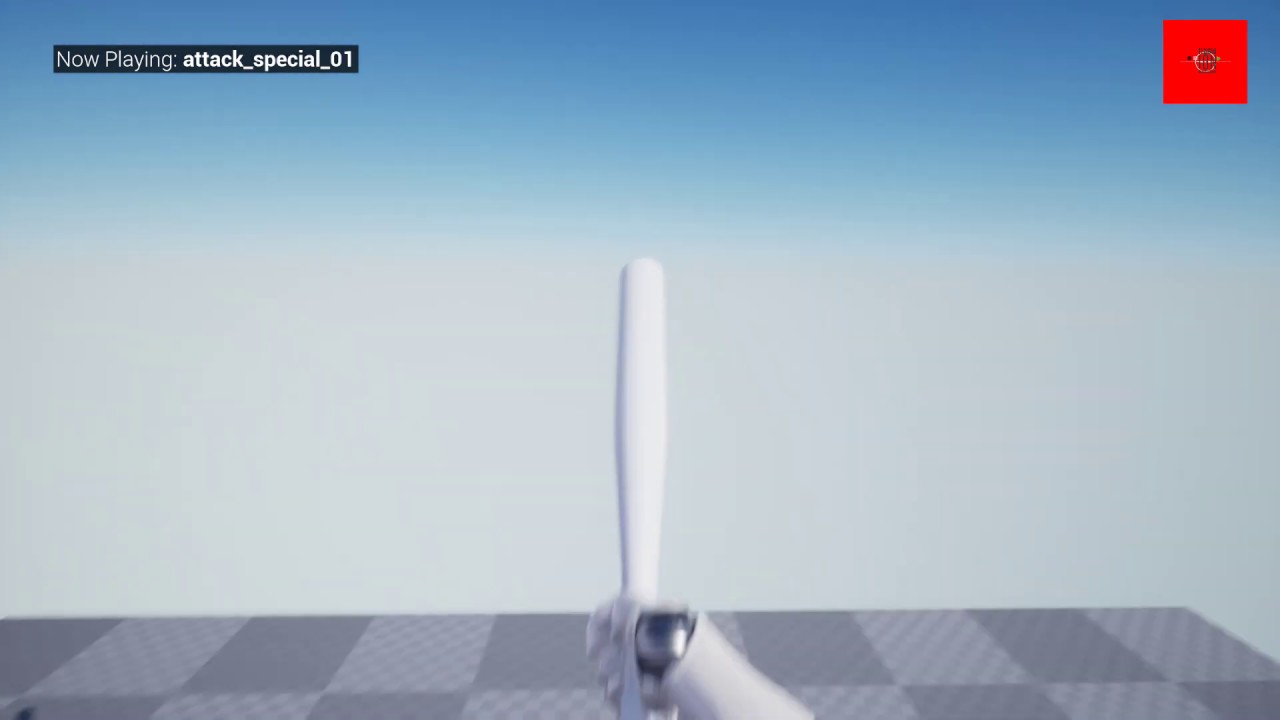
https://www.unrealengine.com/marketplace/en-US/product/fpp-baseball-bat
FPP handkey animation for baseball bat melee
viral rampart
@fair magnet im Right now not at the PC....I was just asking because I wanna start tomorrow....Uhm I don’t know anything....I don’t know where I have to create the folder and so on....I’m Depressed😔....I learned Java and SQL because I thought it would help me....But nothing😔
royal rain
its ok im in the same boat most of the time @viral rampart
viral rampart
No I meant where do I have to create the folder? Doesn’t it have to be on a specific location?
fair magnet
No o: You can name it whatever you want
viral rampart
Ok
fair magnet
see right at the top
viral rampart
Ayuma do you know the Game Dead by Daylight?
fair magnet
I've never played it
viral rampart
Hm ok
Uhm.......Is blueprint hard? So could I Programm a Game without any knowledge? Except of Java and SQL?
viral rampart
Hmm
Ayuma.....Would you help me sometimes and so on? I know I’m in a Discord right now....But I need a person..
I would be really happy
fair magnet
I'm not sure
viral rampart
Ok another question......In Java I created classes and Methods and so on.....How does it work in Blueprint?
fair magnet
making multiplayer is a bit of a struggle for me lmao
viral rampart
Np
fair magnet
depends on what you wanna create
you create a blueprint class
which you can then edit to whatever you need
viral rampart
Uhm....Something like a terror radius...If a Killer is more than 20m near....Then play that sound and so on
fair magnet
that's something you better do inside the character
OR
create an actor component for it
which you can apply to anyone who needs it
viral rampart
Ok
Could you send me a Tutorial which is really good? I think I’ll try it one time again with YouTube
fair magnet
Maybe this helps you out here https://docs.unrealengine.com/en-US/Engine/Blueprints/Anatomy/index.html
The User Guide is the go-to source to learn the different parts of Blueprints and nodes that are available to use within Blueprint graphs.
fair magnet
Blender/Photoshop/Maya ?
you cannot do it inside unreal
I mean you can do use animations but you cannot create them from scratch
 hushed spoke
Hello, do I need an animation asset to be able to view/edit animation curves that are stored in a skeleton?
 tulip lion
Can anybody help me with my wall running blueprint it does not work
faint pasture
@tulip lion That doesn't exactly narrow it down, spell out your problem.
chrome orchid
My line trace wont follow the middle of the screen for my clients. it will for the server
 fickle blaze
I have a question I want to get the status of a component when I hit the actor with a line trace
How do I do that?
trim matrix
i got a line trace that gets the objects name feeds it into a switch but this only works for one object because the 2nd object with have a number appended to its name how should i go about this?
 worthy frost
dont use object names?
trim matrix
well i need to know which child object it was
worthy frost
use either actor tags or some other identification
tulip lion
@faint pasture I followed a video https://www.youtube.com/watch?v=OpoTTJQOADU and when you get to the wall nothing happens

Hey everyone! In this Let's Create we're creating wall running that you see in games such as Titan fall 2 and mirrors edge. I hope you enjoy this video!
Consider supporting me on Patreon: https://www.patreon.com/matthewpalaje
Foundation video: https://www.youtube.com/watch?...
faint pasture
@chrome orchid You aren't replicating something right, show where you do the trace
trim matrix
anyone have any suggestions on how I could use event dispatchers to create an ingame keybind thing, like to create custom binds for specific things?
i.e. I have a car W is regular way to drive forward, but to not actually change the exact engine binding for the player, but for the car so its S to go forward for anyone who attempts to drive the car even though their actual keybind is also W.
I thought about using event dispatchers but idk where to start regarding changing bind (like W in car)
fickle blaze
@flat raft you like stargate?
flat raft
Hellz ya
 dusk whale
What can I use instead of the 'Cast To' function so that I can set a variable from another blueprint? Thanks
flat raft
@dusk whale create a reference variable
dusk whale
wdym by that
trim matrix
You want S to go forward?
@flat raft by this I mean say the engine binding for the player is W. But I want some function to change this so I thought about using an event dispatcher and rebinding the dispatcher to the other keys - dispatcher W moves forward, dispatcher S moves backwards but rebind the dispatchers to the reverse keys. But I dont want to use the regular Red Key events.
flat raft
You can pick ur character from the world
dusk whale
I'm not trying to actually use my character for anything there's just a variable I want to change in that blueprint class so I use the 'Cast To' function, but for some reason it doesn't work
trim matrix
is the owner that type of bp
flat raft
So... you have 2 blueprints, and you want 1 to talk to the other without casting
dusk whale
well I try to use casting but for some reason the code never gets past that
I watch the simulation and it shows the link going into the cast to function and nothing comes out
dusk whale
essentially, it's a locked door. The character walks up to the door and presses 'E', which starts an unlocking scenario. I want the door to set a variable in the character's blueprint so that it cannot move
ooooh
flat raft
Is there a overlapevent on the door?
trim matrix
oh wait I realize I need to use interface to communicate axis scale oops scratch that replace dispatcher with interface
dusk whale
yeah one sec I'm building lighting so my unreal engine is frozen
flat raft
@trim matrix sorry , I still don't understand 😂
tulip lion
can anybody help me on my wall running?
flat raft
Are you trying to bind an action to hotkeys?
trim matrix
yes something like that, but it is specific to the pawn per say
dusk whale
flat raft
@tulip lion lots of tuts on wall running on YT. You have a specific issue?
tulip lion
yea
flat raft
@dusk whale from your OtherActor... set the variable on ur player
tulip lion
so im watching this video right here :https://www.youtube.com/watch?v=OpoTTJQOADU and it does not work at all like I cant even get on the wall
Hey everyone! In this Let's Create we're creating wall running that you see in games such as Titan fall 2 and mirrors edge. I hope you enjoy this video!
Consider supporting me on Patreon: https://www.patreon.com/matthewpalaje
Foundation video: https://www.youtube.com/watch?...
flat raft
@trim matrix so if I press W to drive forward, and for whatever reason I want to press S to go forward, you wanna know how to map those.
trim matrix
yes but to that pawn specifically
so they players forward key is still W but if they use that pawn though it is reveresed
or it is switched in their pawn using functions
flat raft
Ohh... just map it then as a key
trim matrix
this is without use of engine binding input/action bindings
flat raft
So you have 2 pawns.. you want one to move forward when you press W, but when you possess the other, you want S to move that Pawn forward
trim matrix
yes but the engine bindings are the same
the functions inside the pawn are just reversed
without manually changing it in bp but runtime
flat raft
hmm..
dusk whale
Sorry for all the stupid questions but how can I connect the OtherActor to my set variable? It won't let me
flat raft
when you overlap, the OtherActor is your character.
the guy that walked into the door, is your character
flat raft
no prob.. drag off the other actor pin.. and Get<variablename>
dusk whale
it doesnt show up
flat raft
Ok, the try again, and select Cast to <ur character>
dusk whale
It works! I just had the object set wrong
I had to set the object as OtherActor
ty so much
trim matrix
I mean that is how it is going to cus I need an axis value. But I dont know proper way of making an actor just listen to a specific non action/axis key
flat raft
To be honest I don't understand 100% ... I dropped off at engine binding remains the same
If you wanna make a junk project with your issue and send it, I'll take a look. @trim matrix
@tulip lion where did you leave off?
flat raft
Kk
tulip lion
or this is a video so its high res
flat raft
Imma watch the tutorial.. 1 min
flat raft
Do you have the double jump working? @tulip lion
trim matrix
this is code in my game state casting to gamemode and calling custom events in my game mode this is not wrong is it not? just double checking
tulip lion
yep
flat raft
So the capsule detects the wall?
add a print to the overlap of the second capsule. Just to make sure it's detecting the wall.
flat raft
By the way... do you know about the "watch variable" switch ?
tulip lion
no im pretty knew
flat raft
If you click on a colored pin.. right click... you'll find Watch Variable
tulip lion
I cant find it
flat raft
This will tell you the current value that's going through ur node
Ok... see your set 'playerdirection' node
tulip lion
yea
flat raft
It has a yellow pin. (Input/output)
tulip lion
yep
flat raft
right click on it
flat raft
ok
To get it to work.. you have to select this bp from the debug filter up top .. by the play button
Give it a try
flat raft
No worries lol
tulip lion
now what
flat raft
you see the value printed above the node?
tulip lion
it said watching vector no debug data
flat raft
Hit play to start ur game, and then from the debug filter choose the bp , then watch the variable
tulip lion
uh huh
flat raft
lol... no?
tulip lion
ok well like the lines light up when they are on
and the and gate is not on
like the and gate does not pass or whatever
flat raft
Ok, but do you see the little watch variable balloon over the node
Zoom in to your gate
lemme see it
flat raft
Use this https://blueprintue.com
BlueprintUE
BlueprintUE.com is a tool for sharing, rendering and rating blueprints for Unreal Engine 4. UE4 is a game engine which use visual scripting called blueprint.
Copy all the nodes and paste it there
tulip lion
BlueprintUE
flat raft
a Gate is a actual node
tulip lion
huh
flat raft
a "Gate" is a node in Unreal
tulip lion
ok
flat raft
anyway.. so it's false...
tulip lion
yes
flat raft
Let's check it
tulip lion
so to turn it on or whatever it goes through a and node but the and node does not turn on or whatever
tulip lion
ok
flat raft
Hit Play, Select DebugFilter, and look at the hastag
is it True or false when you jump on the wall
flat raft
Ok.. check your wall object now
Make sure it has that Tag, and make sure it's spelled correctly
tulip lion
yep
 stiff hatch
Quick question, if I execute a evemt dispatcher will other bps execute the event dispatcher without any interfaces or casts?
flat raft
Ya, I think so
@tulip lion your wall has the Tag? and is spelled exactly like u have it in ur HasRag
tulip lion
so is a cube an actor?
flat raft
ya
tulip lion
and I dont have to change any settings?
flat raft
maybe collision ...
But before we do that.. let's see what's coming through the overlap first
tulip lion
I have a feeling that its not a actor or something because after that there is nothing that could not work
flat raft
disconnect everything from the OnOverlap pin...
Add a Print..
off the other actor , plug into print
tulip lion
yep
flat raft
you'll get a display name
tulip lion
it turns on
flat raft
lemme see a screen shot
flat raft
I mean the bp
tulip lion
o
flat raft
U are viewing wireframe
flat raft
Plug other actor into print
tulip lion
?
flat raft
Ok, cube3 is the wall u are trying to run on, ya?
ok, so we know the collision with the wall is working..
tulip lion
yea
tulip lion
I cant
flat raft
Play, debugfilter to ur bp, then look at watch var
ok.. let's print the tags... see the dotted square pins...
tulip lion
yea
flat raft
That means it's a Array. So you have to make a For Each Loop node
tulip lion
alright
flat raft
I'm on my IPad...else I would show you a screen shot 😅
flat raft
ok attach it.. square to square
flat raft
what?
tulip lion
like where do I hook up the string or whatever
flat raft
Screenshot .. lemme see
flat raft
Array Element to String
tulip lion
I just use the geforce one
flat raft
Loop Exec to Overlap
tulip lion
yea
fickle blaze
You have to have the exe of the for loop triggered by something
flat raft
So.... big moment.... what are your tags
tulip lion
uh nothing
tulip lion
very big moment
 tulip lion
it does have a tag
flat raft
ok.. let's go look at ur wall
Select your wall in the viewport, show me the details panel
flat raft
That's not Cube3
flat raft
Oh ok
tulip lion
I feel like unreal engine is broken or something lol
flat raft
Wrong tags
Erase that
Click on Class Defaults up top
Look for Actor Tags
@tulip lion still here
tulip lion
yea
flat raft
There is Component Tags and Actor Tags
tulip lion
ok
flat raft
Find Actor Tags
or... you have to use GetComponentTags in the loop.
let's set the Actor Tags though, and erase the component tag u have set
tulip lion
here?
flat raft
There it is..
tulip lion
ok so I just type in runwall?
flat raft
Ya
flat raft
Lemme see
flat raft
lol.. remake.. gotta make sure the tags are coming through
tulip lion
I just undo
flat raft
K
flat raft
Exec for the loop to the overlap
flat raft
Great.. now the tags are coming through
Now your Actor has Tag should be True
So.. Now hookup your Overlap to your Sequence , delete the For and the Print
tulip lion
ok

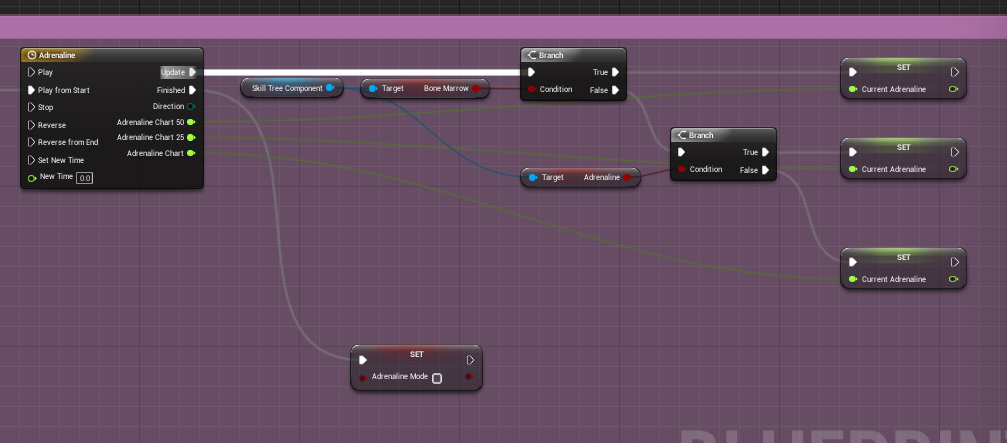 flat raft
LoL
tulip lion
the actor has tag is saying no debug info
flat raft
True?
flat raft
Your AND should be True also
tulip lion
its working now
flat raft
Wall running?
tulip lion
yep
flat raft
niceee! High Five!
flat raft
But the Wall run is working , ya?
tulip lion
yea but I keep doing it
flat raft
Ok.. well.. now you know how to debug...
Follow the stream... find where the stop wall run should happen..
Watch the variable...
tulip lion
ok
flat raft
Makes these things a lot easier to hunt down
flat raft
10% is building... 90% is googling and hunting for info
trim matrix
I think kind of maybe
flat raft
lol ok
 dusk bolt
still getting this error and can not figure it out for the life of me. Nothing is wrong with my level code either
It crashes on a specific level. No other level has this issue. And nothing about this level is unique as far as I can tell
 quasi frost
How would you guys go about doing Ai movement on tiles? I want to make a battle system similar to rise of mythos. Basically you summon a unit and every turn it moves a few tiles towards the enemy. Making sure it doesnt move to a tile with another actor on it is easy enough, but what do you think the best way to do movement is? I am using actors as tiles, so should I set up an array with each tile actor and do some sort of math based off of the index?
quasi frost
which one did you watch?
hallow nebula
Add me on LinkedIn :)
https://www.linkedin.com/in/alexquevillon/
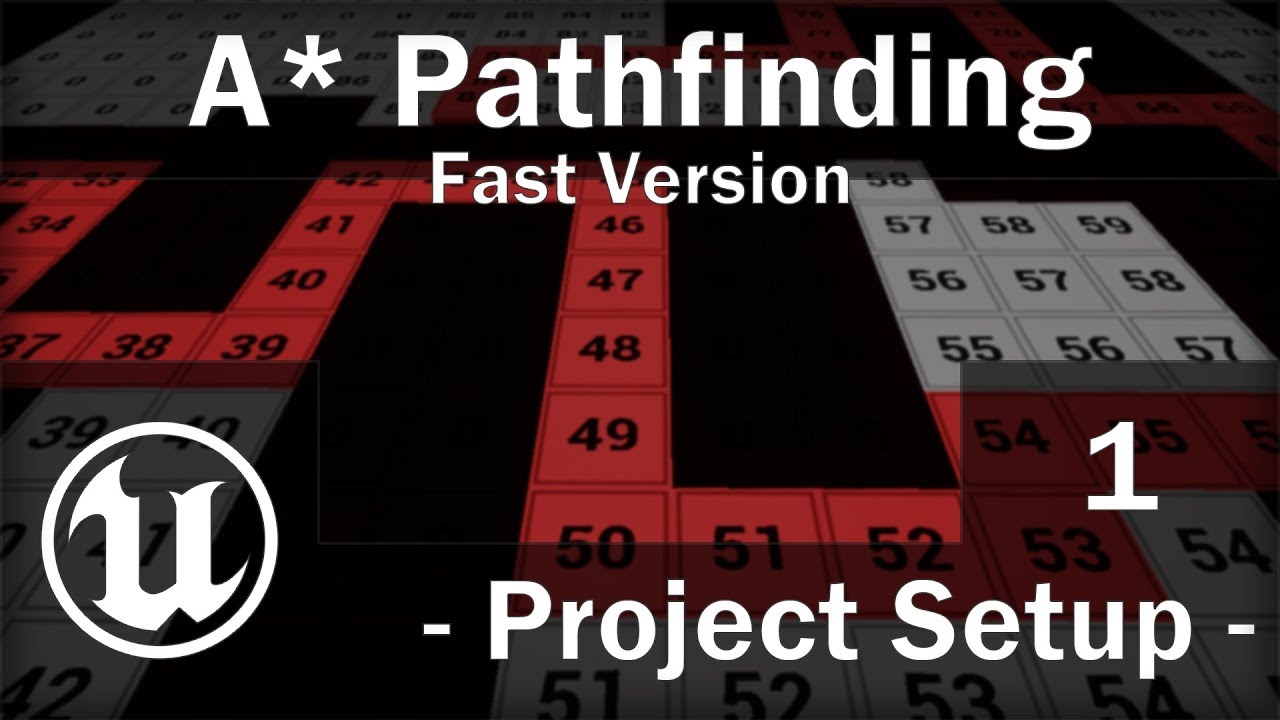
[Fast Version] UE4 - A* Pathfinding Tutorial - Part 1 - Project Setup
Good morning,
This is the exact same content than the original version, but only the important steps.
No explanation and as little waste o...
Longwinded but VERY thorough.
You can dynamically create grids for movement, establish movement penalties for grids (impassable, difficult terrain, smooth-sailing, etc).
And it'll determine the shortest path between two points using this movement cost per tile feature.
So if it's faster to go the long way that's easier to traverse, an AI will do that.
Obviously also capable of circumventing walls or obstacles.
Very good, highly recommend.
quasi frost
thanks I will add it to my watch list
hallow nebula
Now with that said, does anyone know how to do math?
Cuz I sure don't.
And I need help.
quasi frost
What are you doing math for?
hallow nebula
Ignore everything but the placement of the circles.
I want to create a menu of sorts, node-based.
The rules are simple.
- Each node is either the Origin (the largest, central node, located at the bottom) or a child of another node.
- Every child is equally spaced with the other children. That is to say, child placement is symmetrical.
- For all children, 90 degrees is offset to equal Radial Out as seen from the Origin node.
And that's it.
I've been fiddling all day and I've found four different ways to do it, none of them satisfying every condition.
Here, maybe I should illustrate the goal a little better.
That was confusing.
If there's one "child" node, it'll be located at 90 degrees. Straight up, away from the parent node.
If there's two, it'll be at 120 degrees for the first and 60 degrees for the second.
I've managed to do this, no sweat.
If there's three, then it's divided into thirds, etc.
However.
 noble imp
Hi everybody! I would like to set a StaticMesh component in my blueprint dynamically by finding it in the content folder at runtime. I was hoping to use tags but it doesn't seem possible to add tags to library meshes. Any other ideas? Thank you 🙂 (I would rather avoid using arrays...I have...a LOT of assets! 😅 )
noble imp
I don't eeeek :p
noble imp
Will investigate, thx