#blueprint
402296 messages · Page 501 of 403
 kindred cairn
I used functions
bur will start using pure functions
ok thanks a ton mahn
I will post more questions when I start working
 tepid cipher
👌
 grizzled rain
My game instance is not keeping variables when a level stream is loaded. I'm wanting to have a loading screen load up with text based on selected level. The text is being set in game instance by the level selector and then loading the loading screen but when I get the text it's blank
 rough wing
How can I get a variable from the widget class of this node
Because I cant cast from widget component to an actual widget
 zealous moth
something is amiss, i have a material and on my mesh, it looks like it should:
but when i create an actor with a poseable mesh component, i cannot change the material
ok now it work
curse you cache!!!
@rough wing try get parent
@grizzled rain are you actually using your game instance? check the settings
grizzled rain
I am
 trim matrix
Uh, so. Can you guys help a newbie out here?
Im trying to cause the sprite to change depending on character speed.
and i can move them just fine
but the sprite isnt actually changing
It shoudl give out an exec signal to the Set Flipbook nodes once it detects im moving
but instead im stuck in idle
im just testing up and down animations for now
so dont worry
bout the others.
zealous moth
@grizzled rain gonna go on a limb and say that you're setting them to nothing on level load; add a breakpoint or load those values on your pawn spawn
 flat cedar
Hi Guys, I'm pretty new on Unreal and I'm making one panorama Viewer, I wanted to show the model and the panorama on a split screen view.
To do that, I created a new player and changed the view of that player for a camera inside the panorama sphere.
When I go into that splitview I want the player 0 to go to a specific camera to, but it isn't working.
chiild that i'm trying to go
zealous moth
@trim matrix if you add a print string here, do they show?
trim matrix
You mean this method?
zealous moth
@flat cedar why are you blending twice for?
zealous moth
@trim matrix yeah but print like "1" and "2"
and see if they both show
if they do, it might be too instantaneous
flat cedar
The player 0 should be there
@flat cedar why are you blending twice for?
@zealous moth one for each player
zealous moth
ah ok i see
i'm a bit confused; what is your expected result and what do you get? "it doesn't work" doesn't mean much :/
trim matrix
nope, still doesnt play.
trim matrix
No.
zealous moth
ok, add 2 more print strings in your false branches
call them 3 and 4
it might be it's always false
flat cedar
Ok, I will try to explain better.
I have a widget with all my panoramas listed as buttons
when I click on that button, I create a second player and change his view to the current panorama view.
the first player is supposed to change to, but not in the panorama, in the 3d moved to the "same location" (actually all the panoramas are inside inverted normal spheres 10000 offset on X value).
I already have the waypoint with the camera for the second player and is working just fine. the camera that player one should go is a child of the waypoint the secund blend that is not working. I even tryied to get the player one camera by tag and that didn't work.
I actually would prefer to move the player one to the waypoint location, but that is not working for me also with the node setactorlocation
zealous moth
ah?! ok, so there are a couple of things, can you show me the set actor location method?
flat cedar
this is not working also
zealous moth
for the blending, its odd, you refer to an actor at first and then to a child
yeah, i see why now
the player controller is not a real actor
it's a controller
it takes your inputs and gives it to the pawn
what you want to modify is the player character
or whatever pawn it is you control
that's first of all\
secondly, location doesn't infer rotation; use transform instead
zealous moth
did you add the other print strings i mentioned?
trim matrix
Yes, none print
trim matrix
ah shit, i might be stupid
flat cedar
it takes your inputs and gives it to the pawn
@zealous moth you are my hero
zealous moth
put a print string right at the beginning, cause you should have at least 1 ouput
flat cedar
That is doing exacly what I wanted
trim matrix
@zealous moth i've been blueprint scripting for about a day now, how would i call a upon a function on spawn of character?
cause i have no clue
 dreamy ice
Event BeginPlay
trim matrix
ah
so i would use my spawner to call on the function?
i see
Ehrm, i can't seem to call upon the function through my spawner.
Any toher method>?
?*
i can do it manually through console
trim matrix
i tried
all i find are ebooks
i just need to be able to call upon a function
as soon as my character spawns
Its a seperate entity from the actual spawner
zealous moth
how do you make your character spawn?
player start class? do you actually create it and possess it?
zealous moth
ok, you can also call the class after spawn actor and trigger it there
 heavy lion
Why do you need to do that? The default character should be possessed automatically
zealous moth
usually the actor will have a begin play function you can se it up
maybe it's different from the default
heavy lion
Set it in your game mode
trim matrix
NOT MY MAIN ISSUE THOUGH
Cap
s
my bad
Im trying to launch a function at game start
within the character
or call upon it
ig
heavy lion
Create a function or custom event. And plug it in at begin play.
Where does your function exist?
In the character class?
trim matrix
aye
heavy lion
so just drag a pin off of the begin play and type the name of the function
trim matrix
got it
 graceful trench
Question - I am using a "Set Editor Property" to modify an existing Material Instance. I am able to load the "Parent" material inside the Material Instance with a "Master Mateiral". But when I try to change the parameters inside the Material Instance with the Master Material now loaded. It doesn't work. Why?
heavy lion
Are you using a Dynamic Material Instance?
graceful trench
The blueprint is inside a Graph of a Widget.
I'm accessing it as an "Asset" file, instead of a runtime connection.
heavy lion
Bah. Not sure on that one sorry
graceful trench
No problem. Thanks for trying.
 true valve
I have a swimming system. The player descend slowly to the bottom. Any idea why that happens?
 earnest tangle
@graceful trench the name of the property needs to match the name of the variable in C++ afaik. Check what it's called in the C++ code for the material, and check that it's actually a bool
SwitchBaseColor or switchBaseColor could be worth trying
 dapper kiln
How do you make a smooth rotation of the character like the gif below? I tried disabling "use control rotation and yaw" when not moving, then re-enabling it. But as soon as you re-enable it, it just snaps your rotation to wherever your camera is looking. I did this inside the AnimBP. Should I do it somewhere else? https://i.gyazo.com/d9dc95ba4882aa6333d629275a2323cd.gif

I could use RInterp to but then I'd still need to re-enable the "use control rotation and yaw" which will just intantly snap my rotation. I'm not sure how to know when my rotation is done so I can then set the "use control rotation" back to true.
 worthy frost
adjust your rotation rate
so it doesnt rotate so quick in the CMC
default value is quite high
 balmy rampart
have anyone tried to spawn an actor that has a media player inside?
guess what. this actor that has the media player works fine when used directly in the world.
BUT, when spawned by other blueprint, cant play the video. any thoughs?
 oblique ruin
Is it possible for an actor to create it's own post process material?
 jovial bobcat
Umm I have a question
i dont really know how to program this
i want my character ti be able to dash 8 directions
I got it so it reconises what my input is, but i dont know how to make the character so if i press AS i want it to dash 45degress backward
but i dont know how to do that in blueprint
i heard you have to use \the make rotation from x vector
trim matrix
what do I use an object library for exactly?
 split ginkgo
Is there a way I could receive InputAction events inside my player class and also receive them in ChildActor components?
 haughty egret
I have a custom c++ struct which i put into an array in blueprint. I can't seem to see anything when debugging though. Is there a way to expose current values to the debugger?
trim matrix
@jovial bobcat use a "key press node" with a branch, use an and operator, and have it operate if only both the keys are pressed. if only W is pressed but not A do not operate, etc.
jovial bobcat
I got the keypress working
its just I dont know how to do dash direction
like WD = 45 degress to the right
trim matrix
thats what i said above, use the and operator with a branch
to have it detect if both keys are pressed simultaneously
jovial bobcat
um
like
I dont know how to use
get actor forward location
and like add 45 degress to it
to make it dash sideways
I tried to like split the vector and add 90 degress on the the yaw but it dosnt work
trim matrix
@jovial bobcat Easiest way is to use the RotateVectorAroundAxis node. Set the rotation degree to 90 to test, then try 45 or whatever is desired.
Axis for a typical 3D game in 2D plane is UpVector: (0, 0, 1). For tilted objects you have to find UpVector yourself.
 jovial bobcat
what
trim matrix
wish i knew it from memory though so it would be cooler
yeah. i had no idea either lol
jovial bobcat
lol
yo
its working
thank you so much i googled around so much fort this
but somehow I didnt find the node
@trim matrix
jovial bobcat
yeah
trim matrix
nice. i have 4 games to my name so far. unreal is really fun to use man. stick with it
jovial bobcat
Thanks man
 marble tusk
So you know the 3D widgets you can use for Vector and Transform variables? They're pretty handy to edit directly in the viewport, but if I have an array of them I can't alt-drag to add new points. Anyone know if you can do something like an alt-drag to add points without adding to the array in the details panel?
 golden kite
what is wrong here?
oblique ruin
@golden kite What is it supposed to do and what is it not doing?
golden kite
select thingy
the index is false, false input is 1, but it returns 0
you can see at right top that it is being used
golden kite
yet it still returns 0
 lilac lance
@golden kite what are you trying to do
oblique ruin
Yeah I'm trying to solve your problem, but I think your implementation is a little uhhh... interesting.
So it multiplies the value by negative 1
golden kite
use left and right (1 and -1)
if the bool is reverse, invert it
if left and right is 0, use 1
lilac lance
Explain what is this for, someone will help
golden kite
okay so.
pressing left and right makes the value go between 1 and -1
if not pressing left or right, it makes the value 0
what Im trying to do there is, if reverse boolean is true, use the rotation value right away, if its false, use the negative one
and then, check if rotation value is 0, if its 0, use the value 1
lilac lance
What condition makes the bool be true or false ?
golden kite
the part being at the left or right side of the vehicle
if its at right, its 0
there are 4 of the parts, wheels
this is a skid steering wheel
oblique ruin
Are you just trying to get it to return of value of either -1 or 1?
lilac lance
Congrats
oblique ruin
My stupid little hack for returning 1 or -1 based on a bool is to subtract boolean from the inverse of itself.
1-0 or 0-1
lilac lance
Niceee
trim matrix
Good time of day. Want to achieve this effect. https://www.youtube.com/watch?v=bLYhrB0w09U Need some help with understanding how I can apply the procedural slicing to the skeletal mesh. Also as I understood the destructible skeletal mesh also included into the slicing. https://www.youtube.com/watch?v=-04qNDKFFq0 but I also don't know how to make the destructible skeletal mesh. Any ideas. The dismember system don't want to use.

Download Link: https://www.unrealengine.com/marketplace/slice-skeletal-mesh-now
Inspired by VerumBit's works.
Recorded on i5-2500 with GTX660, 8GB RAM.

Releated Threads:
https://forums.unrealengine.com/showthread.php?29880-Rama-s-Per-Bone-Collision-System-Entire-Content-Only-Project-For-You
StepByStep:
- Import Skeletal Mesh
- Drag & Drop Skeletal Mesh into the Scene
- Activate "Simulate Physics" in the options of this Me...
 half osprey
Is there a way to... "disable" acceleration movement? For example, could I make it so if the player presses forward for a second they are already at max speed?
 atomic salmon
@half osprey if you are using a Character based player, click on the Character Movement Component within it, then look on the right under Details. You will find plenty of options and settings to fine tune its movement.
Find Max Acceleration and increase it.
 obsidian pelican
Hey Guys is anybody here that could help me out ? this should be triggered when im placing my item. It should check if the components of the placing actor is overlapping other actors.....if so then the overlapping component should destroy itself.
Here are my current problems :
-
the components are really close to each other and they fire overlapping if another component of his own actor overlapps it.
-
The check doesnt seem to work when placing those items and the components are overlapping each other (of the 2 actors)
The green spots are created over each other instead that the currently building one is destroy its representative component
 outer sparrow
any idea how can I solve this?
obsidian pelican
those components should perform the checking if it is build
@outer sparrow looks like you dont have a hit and you use a variable of the resulting hit for the location
outer sparrow
outer sparrow
okay, I will try that
outer sparrow
I did it from a tutorial
obsidian pelican
as i can see you check when component is hit and you get the actor which is hitting but you are destroying the actor which was hit not the one hitting is that right ?
outer sparrow
yes
obsidian pelican
maybe i should try that too with my problem 😄
outer sparrow
😄
 narrow breach
is there a way to tick an actor in the editor without c++?
atomic salmon
@narrow breach if you need some basic in-editor behavior you can use the Construction Script.
narrow breach
The construction scrip is my issue xD
So I have two plugins, that cannot "depend" on one another due to user selection variance. So, I do a one time get all actors and search by a custom name. All fine here
The issue is, OceanBP searches for SkyBP, this is usually fine via constructor
But, if I update SkyBP, the reference in OceanBP TO SkyBP, gets trashed. But, since I updated SkyBP, it does not re-construct OceanBP
And because it does not re-construct, when I hit play, the reference is still invalid.
While this isn't an issue for me, its an issue for the 300 questions I will get "Why is the sky dark?"
atomic salmon
Any chance you can use a BP_Manager to handle that and query/inform A and B?
Usually adding a managing actor helps to deal with these issues.
narrow breach
A BP_Manager would run into the same dependency issue
Some users may not want the sky plugin, others may only want the sky plugin. Some both sky and ocean
I'll just have to add the viewport tick via c++
atomic salmon
Or have the two BP's update each other in a way that doesn't break if one of the two is not valid
Interface-style
narrow breach
They don't break. The issue is, if I update Actor A, then Actor B will not update
But actor B references Actor A, which just got destroyed and recreated
atomic salmon
So B would need to constantly refresh its reference to A
narrow breach
Yes. Tick in editor basically.
I really wish epic would stop hand holding users, and allow us to enable things like this via blueprint with a serious warning.
atomic salmon
Sorry what would prevent A, once updated, to get a reference to B and ask B to update its reference to A?
narrow breach
Because A does not know the B class exists, so cannot update a custom variable inside of it
The only reason B can reference A, is because I am looking for a custom named directional light. Which is a class that already exists
B does not actually reference the A Actor itself
atomic salmon
And A does not even know the base class of B?
Something it can surely call on?
Not even the class name? If not the instance?
narrow breach
There is no common class between A and B other than engine defaults
 twilit heath
use a generic Actor Tag
atomic salmon
You don't need a common class. You need something to retrieve an instance of B and update the reference to A.
twilit heath
its one of the few situations where they are useful
narrow breach
If I updated Actor A in the editor, how would I use tags to force Actor B to rerun its constructor?
I have no issue getting the reference
twilit heath
c++ available?
twilit heath
override PreSave on the level
or on the Actors themselves
to find and set the ref
narrow breach
I figured as much
twilit heath
every time you hit Save button, on Actor or Level, references will get updated
narrow breach
Eh, I'll stick with using "virtual bool ShouldTickIfViewportsOnly() override;" because there are many times I don't want to save xD
Its a shame unreal cripples blueprints to "save the newbs from themselves".
twilit heath
some things aren't all that easy to expose, either
narrow breach
Also really basic stuff like copying and pasting blueprint variables from the My Blueprint Tab, reordering functions as well.
4.26 and we have all these new toys, but be damned if they do anything about quality of life xD
narrow breach
I really really love blueprints, when it comes down to repetitive iteration, experimenting ect, blueprints are a godsend.
But sometimes I just want to hurt someone with how "limited" it can be sometimes xD
twilit heath
they have their uses, there are also situations where doing something in BP is just asking for pain
narrow breach
Sure, sure, but whats wrong with allowing BP users to update the seamless travel actor array? xD
twilit heath
where do you draw a line though?
twilit heath
some things not being exposed, like SetPawn in Controller not being BPNative is almost criminal
but if you turned everything BPNative all games not exclusively made in BP would take a significant performanc ehit
also, the codebase would be significantly more unpleasant to read
narrow breach
I thought they just duplicated the c++ stuff to BP, or extended/exposed it
twilit heath
but when you call a native function
you don't have to find that function by name via unreal's reflection system
and if its exposed to BP you have to go with by name
 upper dirge
hey their. ive got a problem the an overlapbox
the eventEndOverlap is triggered while im still standing in it 🤔
some ideas to what might cause that?
twilit heath
updating collisions while you're standing in it?
 thorny cedar
how can i make this working
get distance to expects an actor but my Current Interactor or spheres arent actors
narrow breach
Can you get both of their locations?
thorny cedar
@narrow breach the relative location of one should be 0 0 0 the other i can get
narrow breach
narrow breach
locationA-LocationB->Vector Length
thorny cedar
narrow breach
If you are sure it will be 0,0,0 for the other actor, you don't need to subtract
thorny cedar
im still not sure, if i need world or relative location, but my wheel only rotates around Z
narrow breach
If object B is relative to A, then you won't need 0,0,0
thorny cedar
yep understand that
narrow breach
Z is still distance
thorny cedar
my main problem was that i can grab a wheel and spin it but it wont move in a specific area
narrow breach
0,0,100 = 100 distance
thorny cedar
narrow breach
So, can you show more of the function?
 hollow flame
how to make array of maps? i want to assign multiple values to map
 crimson briar
Super beginner question: I've created a blueprint and want to reference an object in the world to change its position. How do I get the reference to the object in my level?
thorny cedar
when i grab the wheel and spin it it works, but not in the marked area
hollow flame
@crimson briar click on object on scene, and then go to level blueprint, right click then you have first option to get reference
crimson briar
@narrow breach So I need to change the type of blue print I use? Is this the right choice to for triggering events? My goal is to animate a couple objects and niagara systems for a VFX. (water rising, lowering)
narrow breach
@crimson briar If you want to manage actors already placed in the scene, you want to do this in the level blueprint. It comes with every map
narrow breach
then follow what slack766 said above. I am not familiar with niagara
crimson briar
Looks like what I've been searching for, thanks guys!
narrow breach
@thorny cedar so if you grab it in a "valid" area, can you drag it through the bad area?
thorny cedar
Grabbing works perfectly
narrow breach
You can grab it in the bad area?
thorny cedar
It just rotates the wheel with a find look at
It's just when I wanna spin the wheel
Maybe the vector is not the right, when I move it not far away to the left or right
narrow breach
You still have not explain the issue. I'm only even more confused now
thorny cedar
ok im not that good at explaining^^ will start from the beginning
narrow breach
Just make it simple, if you grab in the 12 o clock position, and do a full rotation what happens?
narrow breach
And if you start from the 6 o clock position?
thorny cedar
6 o clock it doesnt spin, if i let go in the range of 5 to 7 o clock
out of that range it spins, so i guess maybe the distance is not long enough
narrow breach
You are jumping the gun, does it GRAB in the 6 o clock position?
thorny cedar
i can grab it at any position
narrow breach
Does the OnClicked fire?
crimson briar
I'm not sure, how do I debug?
narrow breach
rightclick the event, and at the bottom should be "enable breakpoint"
then hit play, and click on your actor
crimson briar
nothing happened
narrow breach
ALSO:
https://docs.unrealengine.com/en-US/API/Runtime/Engine/GameFramework/AActor/OnClicked/index.html
you need to enable clicks in your controller
Called when the left mouse button is clicked while the mouse is over this actor and click events are enabled in the player controller.
crimson briar
I think I found the playercontroller for the project (I'm just the artist), but where would that setting be?
narrow breach
try using the search bar above that, "click" and see if anything comes up
crimson briar
Nothing
narrow breach
crimson briar
wrong blue print then?
narrow breach
yea
crimson briar
Got it
narrow breach
btw, you might want to work with overlaps, hit events. so when your character reaches the sink, you can enable a dialog to "Press F to use" or something. But that might be over the top for the artist, please proceed to beg your nearest programmer xD
crimson briar
Well, I'm not really doing the programming at all. I just want to animate the whole systems I created to showcase how they will look and for that I need a basic trigger
So water fills up or down
A key press would be even better, mouse click is still not detected
narrow breach
Yes, a key press would be much better, but you would need to watch some overlap and keypress tutorials
narrow breach
Its like a trigger, but when two objects overlap each other. Or like when an actor walks into a sphere. It triggers "Begin Overlap" and "End Overlap" as you enter/leave
crimson briar
ah
narrow breach
But im serious, you will need to watch some tutorials, its easy for it to not work
crimson briar
I'm watching one right now, thanks 🙂
narrow breach
NP
obsidian pelican
@narrow breach are you good with those overlap things ? if so could you help me ?
hollow flame
how to convert world transform to relative transform
 prime quartz
not sure where to post so i figured id ask in here.
im spawning an actor and hes setup to mimic my attacks. but his root motion doesnt work ? the anims are montage and hes using the exact same anim controller as me so im not sure why its not working
https://gfycat.com/GeneralUnacceptableEnglishpointer
any ideas are good ideas ^^

 coarse forge
Are there any good write ups that make sense on how to properly soft reference an object in a blueprint
I'd like to make sure I don't pull my entire game into itself
coarse forge
When is it okay to use vs not then?
I noticed that a hard refrence pulls in all the object dep tree of the other object
 teal burrow
I use them to async load assets whether from mod content or pre-loading to avoid lag spikes during the game
teal burrow
It's always good to use a soft reference especially if you're working with large assets, like Paragon heroes
During a lobby you might find it much better to just use strings of the respective paths so you don't load every character in existence
coarse forge
Ah
yeah i brought in a storm engine
that i made a blueprint to call that blueprint to change the water and waves
the storm blueprint is pretty big, because all the wave math etc.. so trying to make sure I don't bring it all in everytime i need it somewhere
teal burrow
If it's a persistent object in the level, a soft reference might not be what you need
coarse forge
i.e. Player completes something bp -> Storm Caller bp -> storm engine bp.. i'd like not to bring in the whole storm engine bp everytime i need it
well.. its an actor that is in the scene...
has to be there to do the things
teal burrow
Soft references are much more useful for things that are selectable but not loaded every instance
And by your words it seems like the storm is loaded every instance
worthy frost
@coarse forge don't ask the same question in multiple channels #old-rules 7 😄
worthy frost
i mean i have no authority just don't want people to get infracted for doing it so its just a heads up 😄
coarse forge
Thanks
teal burrow
The entirety of my project is BPs, including modding support
coarse forge
i basically am trying to figure paterns to reuse for other things i want to build
teal burrow
The only C++ I use is to adapt 3rd party libraries like Discord rich presence or exposing functions to BPs that otherwise aren't there
teal burrow
Soft ref for things that won't necessarily be loaded
coarse forge
is there a BP way of saying.. its already loaded once..
teal burrow
If it's already loaded once, it'll remain loaded
Whether in the PC's page file or RAM
worthy frost
and all other soft pointers to it, would automatically pull the loaded one
coarse forge
ah
cool
so in memory its object not object.memoryidentifier
like object.2345677 and the next time its object.84747389
worthy frost
would be silly to have 10 assets the same loaded
coarse forge
ha.. have you used javascript or java 😐
worthy frost
engine is smarter than that
coarse forge
^ thats nice
teal burrow
I've used both but my primary languages are C++, Ruby, Lua
teal burrow
Understandable, I dislike it too, but it was much more comfortable to write in it to create a JSON editor for my use case
coarse forge
But. point.. in other places i have to think about cleaning string objects up so it doesn't memory leak.. in this case it seems UE does the work for you so you don't have to worry so much
teal burrow
Aye, garbage collection does its job
teal burrow
There's ways to create memory leaks ofc, but those are easy to predict once you get used to it
teal burrow
Generally I think UClass and UProperty types are garbage collected automatically
Unless you add your own type that isn't a U-something, memory leaks are only dependent on how your thing works
coarse forge
thanks!
so build it first.. deal with memory later 🙂
im finding more of this is.. just getting it done and working then decide what to optimize later
teal burrow
I'd recommend you keep an eye out for potential leaks yourself
It's good to keep a mental note of what could happen before you have to fix it
coarse forge
yeah, which is part of why im in here asking 1000 questions before i click a mouse or type a letter
 fleet cedar
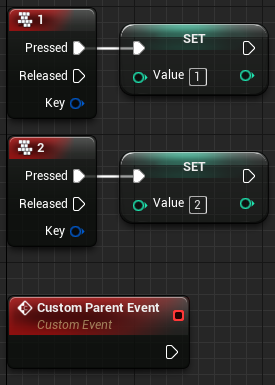
Hi guys... I'm a blueprint noob. What is the orange one?
coarse forge
@fleet cedar under class settings there is a parent class
that Parent BeingPlay is calling the being play function of the parent class
crimson briar
How can I set a public variable from a materialinstance inside level blueprint?
fleet cedar
What does it mean to be a "child" class? It inherits the logic in the parent?
I'm not a programmer either clearly
@crimson briar would this sort of thing not work?
crimson briar
what's the dynamic instance variable? how can I create that? The only blue one I found is of type property reference, which doesn't work @fleet cedar
fleet cedar
Did you try dropping the create dynamic material instance function and then promoting it to variable?
I'm a noob but I've gotten this sort of thing to work in the past
 plain flare
What will the object ? This is an enemy character. I tried lots of thing but always fail. Pls help
fleet cedar
try "Get player character"?
plain flare
yes
fleet cedar
Oh wait it's not your player is it
plain flare
yes
crimson briar
@fleet cedar you mean promoting the whole dynamic instance block to a variable? that doesnt work
fleet cedar
the "return value" as it is in the picture
crimson briar
ah, that worked!
plain flare
what should i do
fleet cedar
I'm not sure Berke sorry, beyond my ability
plain flare
is it hard to know object ? Im asking because i dont understand how we are getting objects to casts
crimson briar
@fleet cedar is the set material function really necessary?
isnt the previous block setting it already?
fleet cedar
Promoting it to a variable? yeah maybe not necessary
I guess that's just if you want to use it elsewhere
coarse forge
@fleet cedar https://couchlearn.com/parent-and-child-blueprints-in-unreal-engine-4/ try this, it may help. or there are lots of videos on UE4 Inheritance you could look at
In this guide I will be going through Parent and Child blueprints in Unreal Engine 4. They are a key part of making manageable code and preventing repeated blueprint nodes in similar classes. Inheritance is an important feature in many object oriented programming languages. It...
fleet cedar
Bless you sir!
@trim matrix
Not sure what the math is for most of those, but you can google it
Add and multiply are the obvious ones
Overlay looks quite good
Oh wow even better
Didn't know this existed
crimson briar
How can I save curves to re-use in other timelines?
fleet cedar
Set a boolean for each button and do a "branch" to check
thorny cedar
isnt there a built in function?
plain flare
hey my progress bar working wrong. This is enemy's health and it is just taking 0 and max https://i.gyazo.com/1734e0a9044d6155b6fc329119e08342.gif

normally in the beginning of gif, progress bar have to be very low
because enemy damaged a lot
but progress bar updating when enemy died
how can i solve ?
 supple dome
are you setting it directly? remember progress bar is 0-1, if your health goes from 0-1000 you divide by 1000 so it gives you 0-1
hollow flame
@plain flare https://www.youtube.com/watch?v=XLwseuHI-wk

What is the Get all Actors of Class Node in Unreal Engine 4?
Source Files: https://github.com/MWadstein/wtf-hdi-files
 molten ridge
Anyone available to help me please?
fleet cedar
Zee, post your question so we know if we can help
molten ridge
Hello, my gun fires only once and wont do it again. Ive linked it back to the start but still isnt working
im sure ive done everything right
atomic salmon
@molten ridge show your code otherwise it is impossible to advise
molten ridge
1 moment
there you go xD
i have the ammo float set to 30 so that isnt the problem
atomic salmon
@molten ridge I see some suspicious code already in your first image
rough wing
@fleet cedar I thing it checks if the two bytes (enum) are the same, if they are not, it returns true
Think*
molten ridge
whats that?
atomic salmon
The execution line from the Shoot event seems to connect also to something else (runs below the first Branch)
rough wing
You have a loop going on there
atomic salmon
Not sure this is wanted
Plus you are ORing a variable with itself, not sure this is wanted (but it is definitely redundant)
molten ridge
ill check with the OR bool, but that was because ill be adding more weapons etc
and where shall the delay go? at the end of the code?
atomic salmon
This should be an automatic weapon, right?
The idea is that, as long as the trigger is and stays pressed (and it has bullets) it will keep firing
molten ridge
correct
ive checked if the ORbool was the issue and still doesnt work with the shootAK variable connected straight to the condition
atomic salmon
The proper way to do it is to use the input action (Shoot) to set the bFire boolean, true on Pressed and flase on Released
molten ridge
Im sure it should still work the way ive done it right?
atomic salmon
When the trigger is pressed, you can start a looping timer for the firing code, also checking the availability of bullets
@molten ridge your problem is that input actions are only triggered once when the key is pressed and once when it is released
If you want continuous input, you should use input axis
Input Axis fire continuously
molten ridge
Ive added a delay and it continues firing until there are no bullets
this is by pressing once
atomic salmon
Yes because it loops continuosly and there is nothing telling it to step when the key is released
Do this
molten ridge
do i need to add a stopShoot variable onto the released?
atomic salmon
When the key is pressed you set bFire to true and if, it is true, then you go into your first branch
You need to loop back to the bFire branch
Then from released you set bFire to false, that will stop the loop and hence the automatic firing
Coding-wise is not very elegant but it will work
molten ridge
ahh okay, i understand now
thank you.
This is my first game im creating without tutorials etc so just going with how my brain finds easiest
atomic salmon
You are welcome. We all went through this automatic weapon firing thing at a certain point.
An there are many ways to do it, also depending on whether your game is multiplayer or not etc.
molten ridge
This is just a game for friends to play before i fully create a multiplayer game
 fast garden
I am trying to spawn a row of houses but I am not getting the right bounds. They are a bit too close together and thus overlapping.
Not sure how to fix that
zealous moth
@molten ridge you're in for a heck of a time
fast garden
I am doing it with a blueprint and a "Instanced Static Mesh" component
zealous moth
multiplayer is created ground up, not added at the end
molten ridge
i understand that
zealous moth
@fast garden it would mean your boundary vectors are off, add a fudge factor to it
molten ridge
thats why i said this game im creating now is for friends and then ill make another for multiplayer
fast garden
@zealous moth I don't quite understand. I checked the bounds on the mesh and they are aOK.
Seems alright. That's why I am confused
fast garden
Yep I checked that
zealous moth
usually X is front, Y is right side
zealous moth
thinking
fast garden
Ok I tested it with a cube and it's not doing it right either. I'll look in the source to find out what those 'Min' 'Max' values actually mean.
@zealous moth Thanks anyways
zealous moth
maybe it is using your collision boundaries?
i personally work on a spline and use the length of the mesh
fast garden
Ha. Guess that's another way of doing it. Is it using 'Instanced Mesh' as well?
zealous moth
i think so
it's using this
@fast garden what I did was i created an actor, added a spline component to it (not spline mesh), defined the boundaries and used a for loop to add onto it spline meshes - the rest was tweaking it
so when you extend it, it adds meshes
fast garden
So you'll have to manually edit the boundries if you choose another mesh, right? The idea for my blueprint is to choose any mesh I want and find the appropriate distance automatically
zealous moth
yeah i haven't gone that far, my meshes are all 100 by 100 by 100
on the brightside, it makes making levels a breeze 😛 so small price to pay
fast garden
Defenitly a good solution. Doesn't cost that much time.
Should I ping you a message when I found out what the problem was?
zealous moth
if you wanna but i am overly busy with a kid and all, so I'm not always around
oblique ruin
Does anyone have any understanding of how to properly use the screen position node as part of a UI Material? I've looked around at a few tutorials and haven't be able to find anything on it at all.
zealous moth
can you zoom out? @oblique ruin
oblique ruin
I've been experimenting with it a bit so there's not much to see
I posted this in umg but what I'm trying to achieve is a sort of scaling from the center of the material
When I added in a lerp that scales based on time
it scales it up and to the top left... which isn't the effect I'm going for
 shut fiber
Should be "select children/descendants" in the right click menu
 cobalt gulch
Hi, when exporting my makehuman character with a UE4 rig to UE4 I get this weird thing where the skeleton doesn't move and stays as it was in the pose on makehuman?
Do i need to select the rig which was imported somehow?
I'm using the default third person character
atomic salmon
@cobalt gulch check whether an Animation Blueprint is assigned to your Skeletal Mesh. Animations are handled by the AnimBP.
atomic salmon
Open your character BP
Click on the Skeletal Mesh under Components
Check the Details panel on the right
cobalt gulch
Ok
atomic salmon
@cobalt gulch For an easier start, you should create a project using the Third Person template, then import your new character to it and replace the existing one
cobalt gulch
It appears to not be working, the character stays still
atomic salmon
Did you compile and save?
cobalt gulch
Yes
atomic salmon
Then open the Animation Blueprint as a separate window, go to the EventGraph tab and hit play. You should see the execution flow.
cobalt gulch
When importing should I have used the UE4 skeleton from the engine or the one from makehuman?
atomic salmon
If you want it to be compatible with the Mannequin and all its animations, you need to select the Mannequin skeleton on import
I assume it is rigged in the same way
atomic salmon
Yep. Seems about right.
cobalt gulch
"No smoothing group information was found in this FBX scene. Please make sure to enable the 'Export Smoothing Groups' option in the FBX Exporter plug-in before exporting the file. Even for tools that don't support smoothing groups, the FBX Exporter will generate appropriate smoothing data at export-time so that correct vertex normals can be inferred while importing.
"
cobalt gulch
It looks like the rig is maybe broken or it imported wrong
kindred cairn
I did what you told me yesterday by creating the game Instance and then setting it and then using that to get my mesh
but I am not able to get it
cobalt gulch
This is the rig which says it supports UE4
atomic salmon
@cobalt gulch That is a typical message which is solved switching to face smoothing, but just a warning. I am not familiar with exporting from MakeHuman to UE4, so I cannot really help
cobalt gulch
Ok
atomic salmon
I assume if there is a UE4 compatible rig there should also be a way to export/import it correctly
cobalt gulch
It so frustrating because it says its the UE4 rig but i don't think it is
Is there anyone here who works with Makehuman?
@atomic salmon is there a way to change the third person skeleton to the one from makehuman?
Here is the third person with the default makehuman rig
trim matrix
Uh, still having issues with this.
So, i fixed the call function
pretty simple but it works
now
i've set the input value to be 1,0 or -1,0 depending on movement
Yet it absoloutely refuses to update the animation
trim matrix
Ok... im back! Ive got a widget component on an enemy.. but the enemies height changes. How do i make it so that the widget stays at the top of his head? because when the enemy is small.. it just hovers like 3 feet above him and looks very off
and when hes tall.. the widget is inside him
 lusty escarp
Hi, I have a peculiar bug that I'm not too sure how I could go around fixing. I'm creating my own inventory with icons, but for some reason when I launched the project today, the icons no longer displayed on the Item. While debugging the issue, I placed a Print string to see where the blueprint would end, Hit play, and suddenly the icons are displayed? Seems like a weird refreshing of the blueprint type bug, but not sure. any help would be appreciated 🙂
 stiff hatch
@lusty escarp if you have a master parent/class of items then sometimes the master item needs to be re-compiled. I've had this sometimes when working on my inventory
I have a question. I have this line trace function and it should work shouldnt it? (use distance var is 200) and it is set to display for duration. why wont this trace? (yes it is being called by an input action)
shut fiber
I would debug it by getting the hit result and displaying the name of whatever it hit
I've had issue where some rogue object has a massive collision mesh that doesn't show up in collision view simply because it's so big that you're inside it - sometimes causing the line trace to hit that
stiff hatch
I have a branch at the end and it says there is no hit reguardless
trim matrix
could anyone help me find the cause of this?
my character is still stuck in idle animation
 wet notch
Hello there! First time digging in to blueprints... I've got a dodge roll animation that plays, but it stops player movement and rolls in place. What am I missing here?
stiff hatch
big dumb. just restarted my edior and fixed my issue
you have to move the player upon rolling @wet notch
moving the character with interp and stuff could work. or if the animation moves outside the player's capsule you could look into root motion.
wet notch
Interesting, I had Root Motion enabled, but as soon as I disabled it, it worked as intended. Thanks for the help anyway! @stiff hatch
 valid osprey
Hey guys I have a question on projectiles!
I am creating a projectile on a multicast event. Then when I go to destroy the projectile when it hits something it works fine if it hits a rock or a tree (everyone sees it explode and die). But if the projectile hits a player, the projectile deletes for everyone except the client who casted it. I cannot figure it out.
I would like it to also get destroyed for the caster, but for some reason it plays the explode particle but then keeps flying through the player
stiff hatch
@wet notch sorry that it wasnt too much help..you might be able to get some help from others that know more in #animation
wet notch
No worries, it's working now! But I'll definitely check out that channel as well if more issues pop up! 😄
trim matrix
Any good tutorial about character wounds by materials or other ways?
dreamy ice
If I wanted my characters to be able to interact with a load of objects throughout a map how would I go about creating that functionality? I'm assuming I'd use trigger volumes to let the player know they're able to interact with this object. But how would I notify the player that they can interact? Would I cast to the character that overlaps and run an event or function on that character or is there some sort of InteractComponent I could code in. I'm looking for a clean reusable method.
 quick lark
Hi all, is it possible to match a blueprint's spline to an existing landscape spline? This is to have a vehicle follow the landscape spline of a road
 sly finch
Hi, i have a problem with playing an audio
So i added a box trigger in the map and it will change an actor location when the player overlap with the box trigger, and it will play an audio at the same time. But the problem is the audio is playing multiple times at once
How can i fix this problem?
dreamy ice
When inside that box it's calling the audio multiple times before teleporting by the sound of it. First make sure the audio will only be triggered if a player is inside the box. Other actors can set off overlaps. Then if the problem persists before calling the audio to play check to see if it's already playing. I haven't worked with audio much but at worst a Boolean would suffice. @sly finch
stiff hatch
@dreamy ice look into blueprint interfaces. you can send a message to any blueprint so long as you have a reference to the actor your interacting with and send it a message to trigger an event without casts. if it sends a message to a blueprint that does not implement the interface nothing will happen. no access nones or anything. but if it does implement the interface, it will execute the event corresponding with the message sent to it.
on the actor the message has been sent to
@sly finch the event you're using is it a "actor begin overlap" or "component begin overlap"?
quick lark
I am trying to have a blueprint spline match a landscape spline. Is it possible to get the control point locations, rotations, and tangents of a landscape spline in blueprint?
I am able to get a landscape spline, but it seems that I am only able to get its spline mesh components. The mesh components do not accurately give the info needed for the control points.
kindred cairn
sly finch
@stiff hatch actor begin overlap
quick lark
a landscape spline with 7 control points ends up returning 160 spline mesh components 😆
stiff hatch
you could have the audio as a component, and when overlapping you can check if the sound is already playing and if so dont play it again to prevent overlap if you want it to be re-usable
quick lark
I see that it exists when turnign off context sensitivity, but am not sure how to access them
sly finch
@Birb ok i managed to fix it by calling the Play Sound 2D node before changing the actor location
stiff hatch
ahh okay. that being said it was overlapping another actor upon setting the location activating it more than once.
sly finch
I think the reason it was playing multiple times because of the timeline I'm using to change the actor location
 feral stream
So I'm trying to create a dash to Location function but it's creating an infinite loop because it's not happening over ticks : What are ways to fix this ? I'm thinking of just sticking it in a component to be called every tick and just execute it based on a variable within the main char- Would this be a feasible solution ?
teal burrow
One variant would be to create a projectile and attach the character to it @feral stream
That's how I do dashes in my game and it's been working so far
However I won't be able to help you with UE4's projectiles, I've made my custom ones for better performance and easier manipulation
 unreal wing
this is a big question, but im currently working on a game where its a fps without arms, i cant find any tutorials on weapon sway and picking up and dropping weapons. if anyone can help me out, lmk :)))
earnest tangle
you can just move the weapon based on a curve for example
unreal wing
how would i do that?
earnest tangle
you could use set relative location or something
earnest tangle
it would help if you explained what the problem is lol
 weak cosmos
Skeleton is broken when i change skeletal mesh
When i click that button skeletal mesh is changing (skeletal mesh is connected to "set master pose component" at consruction script)
And when its changed the animation or mesh is broken
I have 3 meshes connected to "set master pose component" like this, i guess it is causing the problem but i dont have an alternative way to make modular characters 🤔
 tardy hazel
Hi all! Is there a way to control elements of the unreal UI from a separate blueprint? i.e Enable 'Compress Lightmaps' (under World Settings) from a user made blueprint?
feral stream
One variant would be to create a projectile and attach the character to it @feral stream
@teal burrow
Hwat - so in that case I would - Create projectile -> link char to it -> "shoot" projectile to location -> at location decouple projectile from char -> destroy projectile ?
teal burrow
Ye
feral stream
Can you show me some implementation of this cause i can barely wrap my head around it
@teal burrow
teal burrow
In the ability I use to dash
Though that's why I said I can't give you much of an implementation
On the BeginPlay of the projectile, you can attach your character to it
Or in the ability itself
Mine's essentially custom-written abilities and projectiles and makes it rather hard to give an implementation
In the On Tick of the projectile you can alternatively do this
But again, mine is really specific to my project so that's basically all the example I can give right now
feral stream
Hmm ok after writing it out I think I get what you're doing - It's a bit out of scope for me to implement it like you but I like the idea and am gonna save it for future reference - I can imagine use cases for it actually - the dash in Gunpoint -type of stuff
teal burrow
Projectiles are how I do all my dashes
Though I use projectiles for custom movement like sliding on the ground or having an acceleration that's not just gravity
And it's focused on performance once again
This is how the full projectile BP looks like for reference
feral stream
Considering Im working on a 2D sidescroller and am still in the alpha prototypes stages- performance isn't that big of a concern at the moment - I just want to get everything working as in the design
feral stream
So seing as you sync up the movement of both objects i presume your character collisions stay in tact ?
teal burrow
Yep
The only difference is that I set my character to overlap with other characters
Instead of blocking (which is the default in my case)
split ginkgo
How would I check if an actor has a component?
teal burrow
You have an option to get children components of another component @split ginkgo
In most cases that can be a DefaultSceneRoot
feral stream
Do you ease in /out at some point ?
while dashing and could you please show me how you do that ?
split ginkgo
Ah okay
@feral stream You mean FOV?
I actually made something like this not too long ago
I used a time line
teal burrow
In this case no, this dash is one that slides on the ground and the speed is tailored to be fitting with movement speed
feral stream
no I mean during the movement - do you move at a linear velocity at all times ?
teal burrow
Linear yes
feral stream
hmm ok ty for the explanation
 worldly citrus
anyone got any tips for making a runtime mesh
teal burrow
I use procedural meshes to generate an arc similar to this one
Considering custom projectiles, having something to "emulate" them to know where they're going is a bonus
worldly citrus
you do that in blueprints? or cpp
teal burrow
BPs
Extensive example of how I've done it
Open original because it'll be tiny otherwise
The long For is to generate where the vertices will be
What you want is maybe after the Completed pin out
worldly citrus
I think I understand it for the most part
teal burrow
If you want to copy the BP 1 for 1, Width must be >0, Tickrate is the emulated tick delay, 0.01666 for 60 FPS, Init Velocity/Rotation generally says which direction it'll go
My material is 2-sided, you'll have to keep in mind the order in which you add vertices since it'll dictate which side is "up" for the generated triangle
 oblique tulip
I'm looking for a method to spawn a "moving" decal under the X/Y pos of an actor. Looking to add a crosshair under a flying airplane to show where the "bomb" will drop on the ground. My first thought was to do a linetrace on the event tick, but that seems way more intensive than it needs to be.
teal burrow
Traces aren't as heavy on performance as you think
I'm using tracing for every single projectile and I can have hundreds of them tracing per tick
Tracing once for 1 object is negligible on performance
oblique tulip
I'm experimenting with doing a single linetrace, then using "spawn decal attached" at the hit result, attaching to the player.
teal burrow
I don't think attacked is the one you need
oblique tulip
didn't work lol
teal burrow
Spawn Decal At Location is
oblique tulip
That wont follow the player though, I'm going to use event tick as a last resort lol
teal burrow
It will
Just spawn a decal with lifetime of 0.001
Also make sure your decal has all 3 axises set to >0
It won't work with just X, Y, 0
oblique tulip
Yeah I believe I have the location where I need it to be, going to try using tick now
teal burrow
Also I'm not sure if I remember correctly, but spawning a decal attached applies the decal only to whatever you attach it
oblique tulip
yeah I never really messed with decals before, I think you're right since I couldn't even get it to show up using that node
 dense tulip
This BP is make from a Spline, but i seem to be unable to edit the spline itself to change its shape, how can i edit it ?
 static shuttle
Hey does anyone have any experience with using APIs in blueprint? I want to get info for my web game from the website im hosting on
teal burrow
I've exposed something like the Discord API for my project but most of the stuff is specific to discord
oblique tulip
thanks mehtehtrollface, got it working perfect from tick.
Except the decal material is really messed up, no clue why. Can decals not use Masked blend mode or something? It looks nothing like the material I made.
teal burrow
Make sure it's rotated properly
Usually you have to apply like 90 degrees to the pitch so it looks fine when applied on top of something
oblique tulip
Yeah I tried -90, 90 and 180 degrees on the Pitch, same result :/
180 on the roll too
teal burrow
In your material properties, you have those set right?
oblique tulip
Whoops lol, didn't even know those settings existed. Thanks!
 latent arch
Hi All, i wonder if someone can help me with this. Id like to know if there is a way that i can have a arent blueprint have a list of all the child classes and then have a switch slector dependent on the detected class run different logic for them?
teal burrow
That eliminates the purpose of abstraction
Have an overridable function/event that gets called in the parent
In every child, override that function to whatever you need it to do
latent arch
yeah I've been doing that but all i want to do is destroy some certain components on one or two child types and i figured this might be a easier quicker way to do it without modifying more than one BP
 tawdry osprey
is this the right spot to ask a question?
teal burrow
If it's related to Blueprints, yes
tawdry osprey
yeah it is
teal burrow
Do you set that actor to be something before you destroy it?
 narrow kelp
Is there a way to use a timer to call an event every frame?
teal burrow
Timeline
dense tulip
isnt that what Tick is for ?
narrow kelp
I have an object that doesn't tick
but I want to simulate the behavior in some cases
teal burrow
Try adding a timeline
static shuttle
@teal burrow oh but is there any ready nodes for getting info from the web page or do i have to create my own API?
teal burrow
That's all I can tell your right now
There's HTTP request I think integrated by default, you can try that @static shuttle
teal burrow
Ah
narrow kelp
but I can make timers and stuff
teal burrow

narrow kelp
I was thinking to make a timer with a very low time val, and check game time to prevent too much duplicate behavior
but thought i would check discord first 🙂
oblique tulip
sorry for the strange actor / socket names, but I'm trying to spawn this simple physics actor and have it fall straight down, but it's not going where it should. Any ideas why?
it's set to overlap pawns, so I don't think it's colliding with the pawn spawning it
oblique tulip
Sorry, figured it out! I just locked the X and Y constraints on the physics actor
trim matrix
Im working on a 2D topdown game, and im running into issues when switching between movement states in terms of sprite animations playing.
Any idea how i could intergrate MCWalkUp and MCWalk Down without everything going haywire?
trim matrix
can someone teach me how to do the following for a Yoshi-tongue mechanic I'm trying to replicate? (I'm really new to UE4 so I need help):
Spawn a projectile that moves forward (the direction the player is facing). Have a cable component starting at the player with the endpoint attached to the projectile. If the projectile hits the other player (overlap, hit event, etc.) then attach the projectile, create radial force behind the player to launch them towards you then despawn the projectile and cable after a short delay.
trim matrix
you just need to add a comparison for the up/down float
@earnest tangle I've tried that, it doesnt really work, the sprite gets stuck in one of the animations depending on which was triggered
and wont actually play
earnest tangle
It shouldn't really make any difference. For example, you could hook it up from the == pin
trim matrix
lemme show you how i did it
@earnest tangle This is basically the script i whipped up for it
Its a mess
i know
but it should work in theory
yet it DOnt
earnest tangle
let's see..
I think the problem is that you have return nodes at the end
the return node will exit from the function, so it would never go into the up or down comparison part
trim matrix
i see.
earnest tangle
you could simplify this by modifying it so the up/down comparison comes from the == pin of the left/right comparison, so it would be a bit simpler
trim matrix
Gow would it difirenciate between the two if i can't compare it then?
How*
I'm using this in a top down
so it'd be moving on two axisa
axis
earnest tangle
well, if you think of it, when your left/right movement is 0, then you could still be moving up or down
trim matrix
Well yes, but i have an animation for both
i can't just make it guess which direction
earnest tangle
oh you have like 8 separate animations for it and not just the 4 up/down/left/right?
trim matrix
No, but if i'd set it to me ==, then my flipbook woudlnt know which one to display
i have 4
earnest tangle
ah right
trim matrix
The issue im having now is this, hold on
none other than the standard idle animation is playing.https://gyazo.com/33a0f2fd0e4dff270b39e89ddf4de0f8
hold on, lemme show you the issue i had if i made it simpler
now the left/right ones play
but up/down freezes mid animation
Like sure its a step towards ana nswer
but still no clue why it wont loop the animation
earnest tangle
I'm not a 100% sure but it might be switching the animation twice when going up and down which resets the position
because with your current logic, when left/right is 0, it sets the animation to idle, and then it compares up/down, and chooses one of the up/down animations
trim matrix
Correct
earnest tangle
it's kind of quick and shitty edit I did in paint but if you did it like that, then it would not switch it twice
trim matrix
Dude
i've been strugglign wtih this for hours
whats your paypal, im selling my kidney for this
jk, but fr
Thanks
 earnest tangle
👍
trim matrix
can someone help me blueprint this to replicate Yoshi's tongue mechanic? I'm super new
 steep wind
if im having issues with the detection of certain inputs during gameplay where should I go?
tawdry osprey
are there any good tuts or documentation on making a wave system that spawn enemies in increasing numbers out there? Preferably multiplayer? if not im sure i can figure out how to replicate it
thanks
trim matrix
@tawdry osprey https://www.youtube.com/watch?v=6FmUGF1trlY
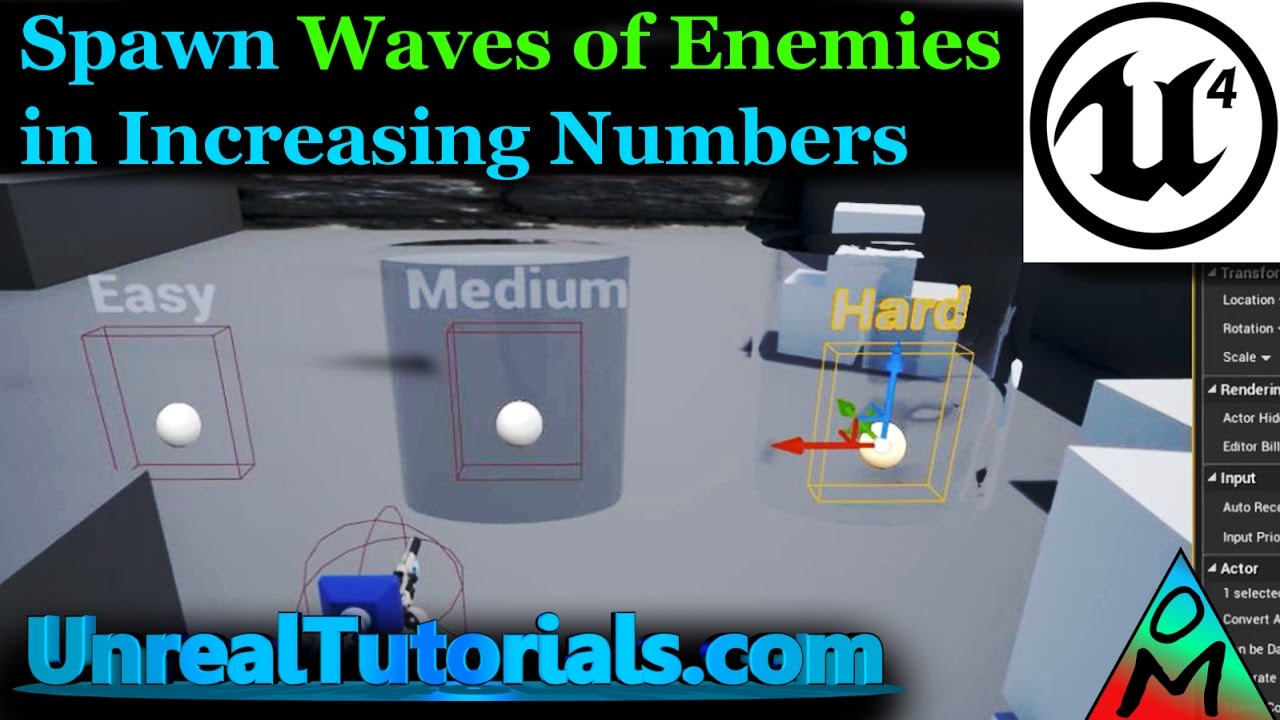
In this Unreal Engine 4 tutorial, we'll look at one way you can spawn enemies in waves, and increase the number of enemies each round plus how quickly each enemy spawns. To learn how to create an enemy that follows the Player, check this tutorial: https://youtu.be/lipLWMbyMq0
...
tawdry osprey
thanks ill give this a look. saw it a while ago and wasnt to sure this would work for my project but ill give it another go around
trim matrix
@tawdry osprey dude, if I've learned anything, it's that you just gotta sometimes throw shit at the wall and see what sticks
steep wind
@trim matrix always a good way to go about things, in and out of mechanic creation
 rich lava
after turning off and on use pawn controller rotation how to I set the camera to be the the same position as it was when it was off when i turn it on
zealous moth
would anyone know how to get the camera from either a player or pawn without casting into it?
steep wind
what do you mean @zealous moth ?
zealous moth
I am setting up an animation notify that is intended to not cast. Instead, it will find the owner, get the common component that contains a BPI reference and then send a message to such component to change the forward facing value to that of the camera
my problem is a way to refer to the active camera
steep wind
hhmm
zealous moth
i'd like to refer to the player controller and its active camera however i have no node to do so unless i cast...
earnest tangle
you might have to use get component by class or something
or use a BP interface I guess?
zealous moth
ah, the camera component by class was a good idea, thanks!
awww yeah @earnest tangle
 valid compass
Anyone know why this math expression is giving me an error? It's something about the negative 2 but it's not really saying anything other than "error"
valid compass
Ya, that worked too. @ hcorion helped me with it; turns out the math expression node doesn't support the unary operator, so no literal negatives
I'm looking to create a macro that only runs when it needs to, kind of like a pure function. However, the macro has a while loop inside of it that I need to activate somehow. Is there a way to implement something like that
 cosmic forge
I'm having trouble equipping both swords to my character.
I was given some advice to:
"Create a blueprint "DualSword", and have two meshes in it. You can spawn this blueprint and attach the two sword meshes individually to left and right hand."
When I create two meshes in the Master weapon they stack.
This is currently where I am at:
I have the Equip Function equipping the weapons based off the equip sockets that I set for each mesh.
I've copied both my Equip Function and my PickUp Event. To give you an idea of where I am.
 wind atlas
hello, I'd like to modify the position of a specific spline point, but I can't find any "get spline point(s)" node, only set spline points, which requires a spline point array, but how can I get that?
oooh
oh no
its just an array of vectors?
ahh ok lol
 prime bison
also, if you want to get spline points you can get how many and loop through with a for loop
prime bison
I have a problem with navmesh I had back in 2015.. and I dont know how to fix it anymore in editor the cost of a path is cut of at the navmesh tiles
wind atlas
get location at spline point?
prime bison
yep
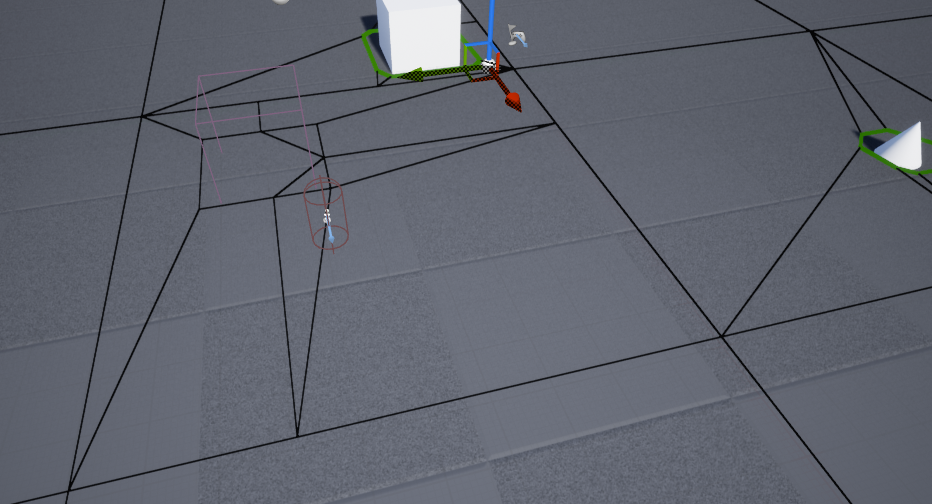
this is my navmesh and all those lines cut of pathcost calculation when in editor
makes it hard for me to work on it even tho it might work in game
 tame owl
how should I make this work better/less messy? Right now i have a line trace by channel thats being used to detect when a bullet hits something which is then connected to this break hit result which does... all of that.. and I also have some code in the enemy itself
this is what all of that code looks like in game
I'm using the word "code" even though I'm referring to blueprint functions but you know what i mean
trim matrix
Is the issue the messiness or is there an issue that you need help debugging?
tame owl
I just honestly hate how messy it is, and i'm wondering if theres a way to detect when an enemy is hit within the enemy blueprint itself rather then the gun. (I'm hoping to add multiple enemy types)
earnest tangle
the messiness is probably because you didn't straighten up any of those lines lol
trim matrix
yes there are ways you can detect when hes hit
earnest tangle
it doesn't look very messy in terms of the logic
trim matrix
And yea take some time to clean that up oml
earnest tangle
it's just that... seriously just clean up the layout of the nodes lol
tame owl
im kinda newish to making blueprints like this
trim matrix
Anyways theres an on any damage taken event. It looks like your applying damage to the enemy so you can use that from within the enemy which will let it know when it takes damage
tame owl
ah, thanks
 covert arrow
@trim matrix after you're done helping pryzm i want to ask you is it better to line trace for climb/vault or what do i use instead
trim matrix
Oh im not sure never made any climbing or vaulting.
covert arrow
oh ok thx
tame owl
is there a better way to apply damage? or is this fine?
trim matrix
Your using a random float in range?
Im guessing you wanna add in some randomness to the damage?
@tame owl
tame owl
yes
trim matrix
maybe you might want to save the amount of damage variance to a variable.
Then use that to calculate the minimum and maximum damage value.
tame owl
aah, i think i get it
trim matrix
If you see the minimum damage is the Damage number - Damage varianece. And the Maximum is the Damage number + the variance
You could even improve on that by having the variance represent a percent.
meaning like the damage could fluctuate within 10% of the damage dealt or something
covert arrow
@trim matrix is this the best way to check if he is moving or failing and if he is falling dont set max walk speed but if he is not falling check if he is moving if he is moving set max walk speed is that good
trim matrix
I don't think there's any problem with how your doing determining if the charecter is moving or falling.
Although your trying to set your walk speed or something?
Im wondering why and exactly what your trying todo
covert arrow
@trim matrix im doing a stamina system
trim matrix
Oh stamina
Well anyways yea that’s totally fine way to figure that out
It should work for you
covert arrow
@trim matrix ask that in cpp channel this is blueprint
srry
maybe someone in this channel does know
 thorn ermine
@trim matrix yes. UPROPERTY(EditAnywhere, BlueprintReadWrite)
will expose as an editable programmable property in blueprint
No, then you can make it VisibleAnywhere, then it(the property itself) can not be overwritten from blueprint.
But a good place to find the documentation on this. https://docs.unrealengine.com/en-US/Programming/UnrealArchitecture/Reference/Properties/Specifiers/index.html
So my understanding of EditAnywhere is wrong, it has more to do with editing it in property windows. 🙂
I always get confused between EditAnywhere and BlueprintReadWrite.
😛
covert arrow
@trim matrix like i said there probably someone who knows c++ I'm just begginer
@trim matrix but asking cpp channel is more reasonable and you will probably get a answer faster than here
just saying
i see
ok
im not forcing you too ask the cpp channel instead i know that some c++ games use some blueprint or are balanced

 plush compass
i haven't really done much with huds yet but i'm working on finally implementing one. Should I put it in the character bp or the controller bp for best practice
 wise gulch
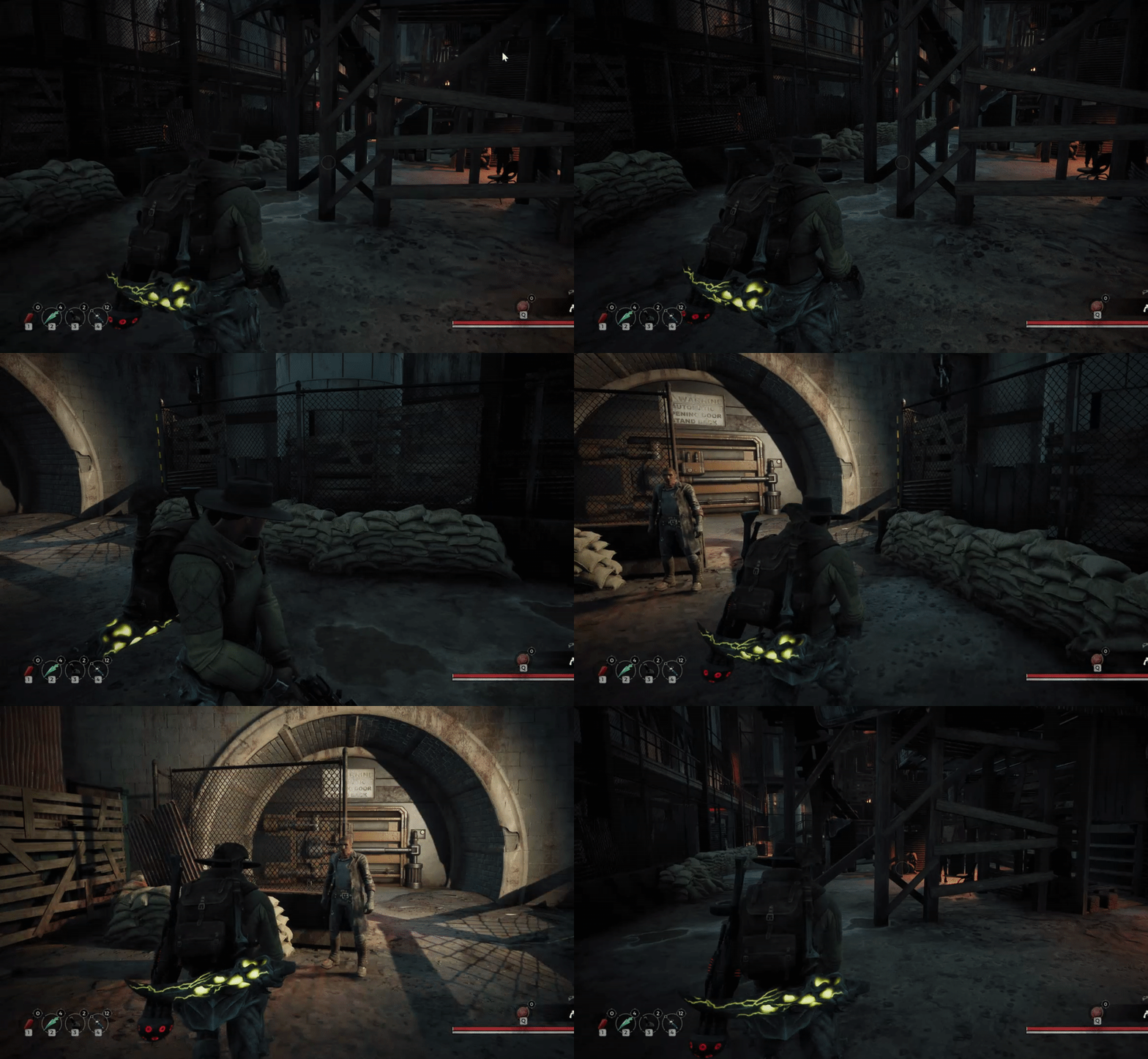
is there an editor option - NEVER show the inner part of any or standard macros when debugging blueprints?
like this: https://i.imgur.com/ytIZIR8.png



 earnest tangle
@wise gulch not sure but you could use the stepping option that steps over it without stepping into the macro?
crimson briar
Does anybody have an idea why my value is getting overwritten? I set it at the beginning of the level blueprint and when I use my acion key to start an animation the z value is at 0 even though it was set to 75 at the beginning?
Do I have to save the value somehow? Is using the set method not enough?
 stuck frost
are you sure its being set to 75?
thorny cedar
maybe im not in the right mood, but how can i have a object in my player pawn, that is attached to the pawn, but not the camera?
earnest tangle
Attach it to one of the other components in your pawn
thorny cedar
then it doesnt move, when i test it somehow
stuck frost
I don't understand the question