#blueprint
402296 messages · Page 500 of 403
 livid plinth
 earnest tangle
note that it says class
you're casting into a class type, not the correct object type
earnest tangle
if you declared the variable in C++ you might need to specify it's BP accessible
 weak cosmos
every thread says "waiting for event" with 10ms, any ideas?
my garbage collection settings are like this
weak cosmos
i tried to google it
some people had difficulties with GC when it comes to CPU Stall
earnest tangle
You need to get the owner of the car, right?
and the car is the object which is triggering the overlap
earnest tangle
yeah, so you need to hook up the "other actor" into the get owner node
because that's gonna be the object that overlapped, which should be the car
earnest tangle
sorry it's called other actor :)
 mortal wharf
How would i play a level sequence when i press an actor with a widget with a widget interaction component?
livid plinth
it workssssss
im sorry to bother you @earnest tangle and thank you for being super super patient with me
earnest tangle
no worries
 atomic salmon
@livid plinth once you have a reference to another actor (the traffic light) you can always query the state variables of that actor.
Just cast the reference to the actor BP and, from there on, you can access its variables and functions.
livid plinth
I was thinking about doing something close to a if statement
if "Red" then do this
etc..
earnest tangle
That makes sense. You might also want to check out the switch node which can be pretty handy with enums
livid plinth
I was exploring and What I thought ,to get the state and compare it, was this
but that boolean pin is kinda meh I guess
i have to expllore a little more
earnest tangle
I mean that's pretty much the way to go if you want to do a branch/if-else
livid plinth
I was looking at "switch on string" atm
hmm I got it now
if it is true then do this
earnest tangle
you can try doing a switch from the State variable which should give you pins for each enum state
livid plinth
if it is false, then check if it is yellow or green
and so on
@earnest tangle do you understand this?
earnest tangle
sure
livid plinth
if the color is yellow then increase speed to 300
if not, 0
problem is, when is not yellow he stops, but when it becomes yellow he does not increase speed to 300
earnest tangle
@livid plinth try using a print node to print what the state value is, perhaps the value isn't what you think it is at the time when it does the wrong thing
@trim matrix BP macro is more like a C++ function call with the INLINE specifier
ie. the contents of the macro are copied to where the macro is being called
livid plinth
hmm weird
atomic salmon
@trim matrix a BP macro is also expanded by the BP Virtual Machine upon compilation, so works pretty much in the same way (hence the name Macro). Respect to a function doesn't have any calling overhead, but of course it duplicates the code.
livid plinth
when It stops on the red it does not move anymore lmao
the traffic light is printing well the state
 covert crane
hey folks, I've been writing a library in CPP to bring my company's SDK into UE4 with Blueprint support. My first pass was to make everything a variable (client, event listeners, config objects, user attribute stores, etc) but I noticed (with the event listeners in particular) that they would get gobbled up by the garbage collector eventually. I think I've figured out how to get around it by changing the workflow to instead use components (which makes things much more elegant anyway). However, and here's the question: the client needs to be a singleton which is why I store it in the game instance but it seems that the game instance is not compatible with the component architecture; is there an equivalent construct/pattern for the game instance class? (edit: misspelling)
livid plinth
this is not printing the state , it only prints "red" and then nothing
and does not move when the red turns to green
@earnest tangle any way to fix this? when the car stops at the red light the state is "red", when the red turns green UE4 does not print anymore states
earnest tangle
Ohh I think I understand your problem now
I guess you wanted it to start moving once it has stopped at red light, and the light changes to green, and that's not happening?
livid plinth
exactly
earnest tangle
Right - so the problem is that the overlap event only runs when the car starts overlapping with the light
So you need to put that logic somewhere where it can be triggered from the light changing
because when the car is stopped, it's already overlapping, and the event won't trigger again for it
earnest tangle
it depends on how it's set up I guess
if you're doing the light switch logic in C++, it might be easier to do there. Or, you could expose it as a delegate from C++, so you could use an event for it similar to the overlap event
livid plinth
Cant I just tell him "check for collision every frame" ?
atomic salmon
@trim matrix which part was unclear?
earnest tangle
@livid plinth try it and see I guess. It might fix it, but it could also be more expensive since it would check for collision more often
 twilit heath
you can do either, as long both are set together
in case of multiplayer, better to go with just one variable, singleplayer, doesn't really matter
you should make a function for it, it will couple your health component to that character base tho
IsAttacking() const, pure => GetOwner->CasttoYourCharacter->getisattacking
as one option
or
in Character
function to SetAttacking that sets the bool and also does HealthComponent->SetIsHealing(NOT IsAttacking)
 humble willow
Hello everyone
twilit heath
components have getowner function
unless you had context off so it didn't filter out actor's getowner
humble willow
There is a problem in UE4.
I can't connect a third person character to the Death event, what should I do?

Help me, please!
 cold kestrel
@trim matrix just because no one replies to you in here does not mean you start posting in every other channel. Repost in here. People didn't reply earlier either because the didn't see your post or because they didn't have an answer.
@trim matrix in any case, what have you tried so far to debug the issue?
@humble willow hover your mouse over the pin in the death node and tell us what it says the type of the pin is.
cold kestrel
No, the target pin.
 spark steppe
animation instance isn't a character
spark steppe
get the owner of the animation instance
and his health stats object
which is required for the "death" node

 wet briar
I'm having a mathematical brain fart, how do you determine on which side of a line a point is on? (left or right)
Nevermind I figured it out
humble willow
:)))
spark steppe
your death node requires a health stats object as reference, so you have to pass one there
animation instance isn't a health stats object obviously
cold kestrel
💯
 trim matrix
Hey! If any of you have worked in vr.. can someone tell me how to make a pickup actor with a skeletal mesh in the default vr template? When i add a sm physics no longer work...
atomic salmon
@trim matrix you may want to ask that in #virtual-reality. In few words, you attach the Skeletal Mesh as usual, through its root bone. Then use Set All Bodies Below Simulate Physics to make the rest of the SM to simulate physics.
trim matrix
Hmm ok
atomic salmon
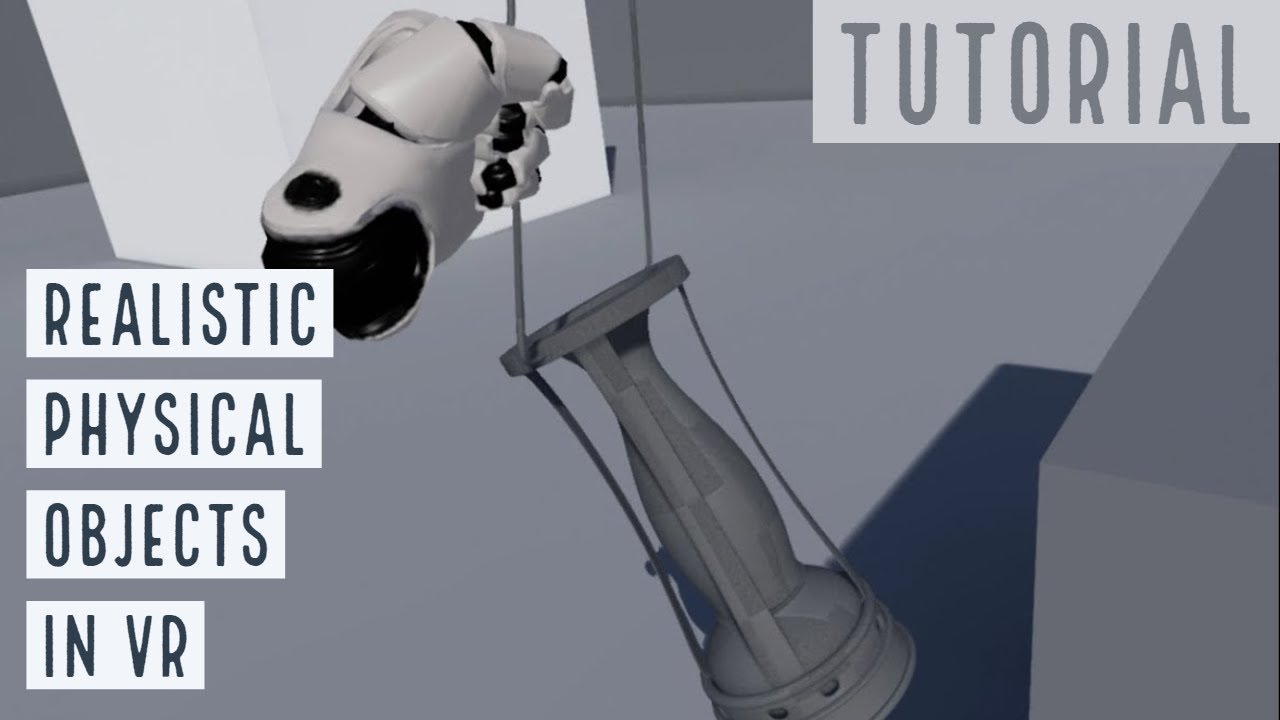
This step-by-step tutorial shows how to rig in Blender and then use in UE4 a realistic physical object like an old lamp.
The object can be grabbed and carried around while it still collides with the other physical objects in the level.
Based on my demo here: https://www.yout...
My tutorial
livid plinth
💯
atomic salmon
Tnx! 👍
trim matrix
Your such a huge help dude! Tysm!
atomic salmon
You are welcome. Happy the help the Community.
livid plinth
I wish u had a how to do splines in c++ video
atomic salmon
There are quite some tuts already on splines. Depends on the application of course.
livid plinth
I only find splines done with BP. But I need in c++
atomic salmon
The visual handling of splines is better done in the editor with Blueprints
livid plinth
I know, but Im doing an admission exam and they ask for C++ only, not blueprint
atomic salmon
Got it.
You can always look into the engine source code, check what the respective BP functions do through the underlying C++ code.
Most BP functions are just wrappers around some C++ code.
livid plinth
I can only stop an actor in the spline's points right?
atomic salmon
Does your actor follow the spline?
atomic salmon
It can stop anywhere along the spline
livid plinth
Im having troubles with that
Everytime I set my actor speed to 0 because I want him to stop, he immediatly teleports to a point
atomic salmon
It may depend on how you do the path following
livid plinth
and its always the same point
atomic salmon
What's your actor? How do you move it along the spline?
livid plinth
I move it through c++, I'll post a print in #cpp and tag you if you dont mind
My actor is a pawn (vehicle)
atomic salmon
Ok
 shell oasis
Hey, not sure if this is the right place to ask this question. I am working on a VR simulation and I am trying to attach a physics actor(a monkey wrench) to a pipe fitting and then use VR controls to rotate it. I have tried using the "attach actor to actor" node from this post but the physics body just kind of drops past the socket onto the ground. I am using a box trigger volume to trigger the event and I see that its being triggered, but no attachment seems to happen. Any good resources on attaching actors at runtime that you all could point me to?
https://forums.unrealengine.com/development-discussion/blueprint-visual-scripting/21261-how-do-i-attach-an-actor-to-an-actor
I would ultimately like to apply physics constraints to lock the wrench to a specific axis, but I am taking baby steps for now.
Unreal Engine Forums
Build powerful visual scripts without code.
 sour urchin
 wind atlas
hello, I have a pawn which requires a lot of FInterp To nodes, every time I use one I find I need to create an additional float parameter to act as the float buffer, and its starting to get a bit messy, I would love to encapuslate it into a function or a macro, but when I do that, the interpolation stops working, like theres no persistent memory in the function, and then macros don't allow for local variables, so I was just curious if there is another way to make interpolation simpler
earnest tangle
@shell oasis you have to disable physics on the actor if you want it to be attached to something else iirc
 quick lark
I have a car with a turret on it - it is a single mesh. I can rotate the turret via the skeleton. How can I rotate the turret via blueprint?
I suppose I am asking for what APIs should I be looking into?
shell oasis
@earnest tangle so I did try setting the physics on the actor, however that made the object stop and hover in place wherever I placed it within the trigger volume instead of relocating to the actual socket. I do have the settings for the node set to "snap to socket".
 fallen wedge
hello, I have a pawn which requires a lot of FInterp To nodes, every time I use one I find I need to create an additional float parameter to act as the float buffer, and its starting to get a bit messy, I would love to encapuslate it into a function or a macro, but when I do that, the interpolation stops working, like theres no persistent memory in the function, and then macros don't allow for local variables, so I was just curious if there is another way to make interpolation simpler
@wind atlas Have you tried Timelines, they're not the least messy approach, but they might be able to help with interpolation
wind atlas
I thought about it but they don't exactly interpolate to a specific / varying target value
I was thinking maybe one way would be to make an actor with an finterp to node inside, then spawn an instance of it, but I'm not sure how to do that, and its probably not very efficient
oh yeah.. and then I'm referencing actors instead of buffer floats
 wheat snow
Hey guys, I'm working with the top down blueprint to make a shooter. I've been using line trace to simulate bullets until I put an effect, but now I'm having a problem with getting the correct rotation when spawning in an visual effect. Would anyone be able to help me understand what rotation value I should be getting? I want it to shoot in a straight line (ideally without effecting the verticality of the shot)
I'm also having issue where there appears to be an offset based on if the player is looking above or below the mid point on the screen, and would really appreciate some feedback on what causes that?
Even if it's just pointing me to the correct UE4 forum thread, as googling is leaving me lost, would be super appreciated 🙂
fallen wedge
@wheat snow I had the same problem as you, I wasn't doing it in a top-down shooter, but my muzzle fire was way off, only way I solved it was by trial and error,
experiment with different rotations, see if it works, then change again: rinse repeat
wheat snow
@fallen wedge Yeah, it does feel pretty trial and error. A shame because in 1st Person it was just a case of getting the players world rotation, but I'm having no luck in top down
trim matrix
How do i limit my rotation to e.g., 1 degrees?
or how would I measure the angle of rotation?
fallen wedge
@trim matrix you could try clamp, or map range, not sure about your second question
@wheat snow what if you got the rotation of the line trace and saved that as a variable, then called it when creating the muzzle fire
trim matrix
h. my intention is to set my maximum rotation speed to like 360 degrees per second, and also to either slow or speed up when close to target rotation
wheat snow
@fallen wedge One of the rot methods I tried was finding the look at rot of the location of the hit, but it didn't seem interested
fallen wedge
@wheat snow lol what went wrong?
trim matrix
clamping works for one-speed solution but if I want my rotation speed to depend on the arc of rotation to be had then I surely need to know what's the distance
fallen wedge
right
And you can just plug in varying values with a variable, so the question is how to measure the speed/distance of rotation right? @trim matrix
wheat snow
@fallen wedge this 😅
wheat snow
Oh yeah I'm releasing international rave gun simulator 2020 Rockdown during the Lockdown edition
times like this I miss steam greenlight
trim matrix
yeah measuring the distance of rotation, and by looking at the FQuat I'd say the correct term would be Angular Distance
and I might have just answered my own question
fallen wedge
u genius
yeh try looking around for that
let me know if you do get a fix, im interested now @trim matrix
@wheat snow have you tried attaching the particle to a socket on the gun mesh/skeletal mesh itself?
 feral stream
Hello guys sorry to but in the conversation that you're having but can somebody tell me why this is giving me a sweep distance of 2.15 when im on the ground:
Im trying to find out how far away the floor is so that I can play harder and harder falling animations and was trying to use the built in function
fallen wedge
@feral stream the advanced locomotion system (made by longmire locomotion) does this exact thing, maybe try looking in that project for a tested solution
wheat snow
@fallen wedge I have not, I'm still pretty new to using effects (i.e today)
Would you be able to point in the right direction for a solution / tutorial to look at? Ideally using Niagara
quick lark
Hi all, I have a wheeled vehicle which inherits a SkeletalMeshComponent. It has a bone that I'd like to pose. Is it possible to get a PoseableMeshComponent from this?
 molten ridge
Hi everyone, currently still making my rpg and have been trying to figure out how i can target the projectile fireball so that it hits a crosshair
fallen wedge
@wheat snow hmm, one secondo, gonna try and make some epic diagrams
wheat snow
cool, ty ty
earnest tangle
@molten ridge I'm assuming you don't want to fire it from camera for some reason, so the other options would be to either make the effect "fake" and fire an invisible projectile from camera, or do a linetrace from camera and see where it hits and fire the projectile into that point
 flat raft
@molten ridge https://youtu.be/yVY6Nv4hY5k

MY FB PAGE https://www.facebook.com/groups/UnrealMastersAcademy/
Hi Guys in this Tutorial we are goint to setup Projectile which spawn from the tip of gun and travel exact centre of crosshair location Hope u like it and please like and share subscrobe my channel
there are a few tutorials on YT
feral stream
@fallen wedge YOU HAVE SHOWN ME THE LIGHT ! I WILL FOR SURE CHECK IT OUT - god damn i've been looking for good tutorials on locomotion
fallen wedge
@feral stream glad I could help, yeh thats a free project, the guy who made it is a madlad: so many things to look at in his system
molten ridge
@earnest tangle good idea, ill give that a go! Also, its just to make aiming a little bit easier and different to other rpgs.
@flat raft I've already watched a few and they don't really help and tell me what i don't already know but haven't watched that one so i'll definitely give it a watch. Thank you!
feral stream
@fallen wedge A true madlad indeed
fallen wedge
@wheat snow you still here?
wheat snow
I am
fallen wedge
right
here i have a skeletal mesh of an ak
on the muizzle, i;ve added a socket, called muzzle
I then spawn an emitter at the Muzzle socket on the equipped weapon ( the ak)
is this the effect you're looking for?
@wheat snow
wheat snow
Soooooooooooo
I'm not using emitter, I'm using Niagara after following a tutorial that used it
Using the dynamic beam effect and one of the systems created through that process
wheat snow
This basically, ignoring the tangle of wires as I try to discern what is a valid rotation
fallen wedge
oh wait, maybe that would still work
ive never used niagra
but surely you could just plug in the socket's rotation?
wheat snow
I will check
wheat snow
If we shoot on the right side of the screen, the shots now go through the floor
If we shoot on the left, they ascend to the sky
fallen wedge
welp
wheat snow
So while I was putting stuff in place I was using two sphere collisions to line trace the shots to and from, I used them for the look at rotation
And used a public vector that I could move in scene to do it
but we're not out of the woods yet
we are still in the woods
It works, but if we attempt to update the vector variable (e.g. updating the vector the location of the hit actor) it goes back to shooting to the sky
 main lake
Is it normal that I created a widgetblueprint with the name "test", then I changed it's name for another name, then I tried to create another widgetblueprint with the name "test" again it tells me that I can't because there's already an existing one with the name "test" even if I changed it to another name ...
wind atlas
@main lake check in exporer if its still there, sometimes its not properly deleted
main lake
@wind atlas Thank you, effectively it was deleted in Unreal but not in the file Explorer, is it a bug ? Will it be fixed in the next version ?
wind atlas
it happens to me quite often, I think its normal, sometimes you can right click on the folders in the content browser and select "fix up redirectors"
sometimes that helps
 winged badge
has anyone else experienced a "bug" where duplicating a level through the editor crashes the engine
humble willow
Character anim BP Object reference is not compatible with self object reference
 latent arch
is there a way i can add collision to the player camera manager?
trim matrix
uhh the only way to quaternion rotators in BP is to Rotator -> Transform -> Matrix -> Quaternion (?)
There's FRotator::Quaternion, but not in BP.
but the conversion chain looks cool though
There's some magic here
It's like deadpool, neo and starwars joined my game!
in one sweep
"You seek the power of Quaternions? You will need more than just Force!"
 silver bolt
Hi frens, I just made a tutorial on how to start out programming in the engine ❤️ https://youtu.be/4-c4Ws7WcFs
The introduction to the engine I've always wanted to give. Ever heard of the gameplay framework in Unreal? Let me show you how to use it and react to player input in a meaningful way. Enjoy!
 quartz mural
Where do I find the GravityMovementComponent to plug into this thing?
trim matrix
that's a plugin, right?
the author propably has a video about using it
not to brag but im making my completely unique gravity system here as we speak straightens his shirt and wipes dust off the shoulder
quartz mural
Yea, it's Directional & Planet Gravity by Tefel
I'll double check everything I can there.
It'd be interested, I'm not even sure if I can do what I want.
I'm trying to basically create reverse planet gravity on the inside of a hollow sphere.
trim matrix
riiight yeah im up to something vaguely similar
 quartz gull
When creating a SaveGame class, do you need to manually create a data structure to save the position of existing actors, or is that baked into the functionality?
 noble sigil
I'm pretty sure this comes under mainly blueprints, however I'm having some trouble with adjusting the world origin location, I'm able to change the world origin, but whenever i do, my spacecraft goes out of control. The spacecraft is a pawn blueprint, using physics thruster to move around and reorient. I've set up a grid system which always spawns nodes around the player, once the player has overlapped one of the collision volumes. the world origin is shifted to the node's world position then the nodes are destroyed and placed around the character again in order to be able to keep shifting the origin as far as i want. But i can't seem to find out why the craft goes out of control, I've spent a couple of hours researching and can't seem to find anything. Any help would be appreciated. Thanks in advance :).
@noble sigil,
I thought I'll post one possible solution to the problem, I did this by replacing the physics thrusters with the node for movement 'set all physics linear velocity' and for reorientation, 'set all physics angular velocity', both of these nodes requires a static mesh reference to access them.
 shut fiber
It'd be interested, I'm not even sure if I can do what I want.
I'm trying to basically create reverse planet gravity on the inside of a hollow sphere.
@quartz mural Plugin works but it's a really janky setup if you plan to use it on things other than pawns
Try #umg
 crimson charm
in my character blueprint i am trying to get the idle animation to play after the melee animation.
What should happen is after the melee animation is complete, it should then play the idle animation
Individually the animations work fine, but when i link them, the idle animation cancels the melee animation and doesnt play
 split ginkgo
Is there some type of naming convention for blueprints?
 worthy frost
could use https://github.com/Allar/ue4-style-guide

GitHub
An attempt to make Unreal Engine 4 projects more consistent - Allar/ue4-style-guide
oops
for style guide references
 rugged epoch
Hey guys I have a question about getting angle between vectors and stuff
When you try to get the angle between two vectors does it have to return the exact angle or at least a close result?
Cuz I know 3d space in computers can be tricky
 steep hazel
Is a timeline the best option for aim acceleration?
as in for controller
I'll just go ahead and try it
 mossy bronze
So I have a simple on interact destroy actor... How could I do the same thing on the server side? I've been stuck all day trying this.
 low venture
What do you mean with "exact", @rugged epoch? It will not be better than float precision.
Depending on the math it will be close or not.
@split ginkgo https://github.com/Allar/ue4-style-guide
GitHub
An attempt to make Unreal Engine 4 projects more consistent - Allar/ue4-style-guide
rugged epoch
@low venture i was calculating the angle between two vectors, I was expecting 90 degrees but it was showing 95
that's what i mean with exact results
worthy frost
but was it 90 degrees?
 young holly
I am not able to call a custom event from the Character Blueprint
the first one the the custom event, but when I try to call it using the variable, it doesn't show up
what could be the reason
earnest tangle
I'm not sure if you can call editor utility widgets from non-editor utility BP's
I could be wrong but I can't think of any other reason since the types all look correct
young holly
I think I selected Editor Utility widget when I wanted to select Widget Blueprint, my bad. both have the same icon, hence got confused
 glass crypt
Am I correct in my understanding that a component should work out of the box when attached to an actor, without any additional blueprint logic?
 dense mantle
@glass crypt it should do what is in its begin play when it is attached/spawned is that what you mean
 vast olive
my turn to ask a question! I'm modifying a marketplace-bought engine plugin because reasons. I'm
- Shut down UE4 Project
- copying the plugin into another folder
- running RunUAT.bat BuildPlugin -plugin="U:/<Copied Plugin Location>/Plugin.uplugin" -package ="U:/<Destination Folder>"
- copy the resulting Binaries and Intermediate folders into the original engine plugin location
- restart UE4 Project
But it seems that the changes I made are not working, I even inserted a UE_LOG on a ctor and methods I know for a fact are getting called but nothing appears on my Output Log. What am I doing wrong?
rugged epoch
@worthy frost I already solved it, thxs
 true valve
I'm trying to get my horse jump properly using root motion. But after it jumps it snaps back.
 tight schooner
@glass crypt depends on the component. If you don't see your component, maybe check in the details rollout that:
- The translation section is set to relative instead of world
- Auto activate is checked (for e.g. particle effects)
- Visible is checked
- Hide during play is unchecked
 icy schooner
hopefully no one roast me on my blueprint, im still learning so idk what im doing really, but im getting a weird bug thingy and i dont know whats causing it. for some reason even when im still in the collider of the door it saids i get out of it which disables my input then that doesnt let me press e untill i get out of the collision zone and get back in
dont worry about the visibility thing, im just doing it that way for now, cause have different ideas for the doors, just make main gameplay
 midnight kiln
@icy schooner I haven't tested it, but could disabling collision be triggering OnComponentEndOverlap?
cold kestrel
I have a large, heavy vehicle I want the AI to drive around a landscape. I cant decide what the best way to align it to the ground should be. Physics or just raytrace and align to normal and hit pos?
young holly
I am facing some problem with the Interpolate function
This is my blueprint
this is the blueprint of a widget
I am getting this color even though target color is white. the variable "Aiming Enemy color" is red
cold kestrel
The issue with physics is that it's realistic but sometimes too realistic. Or rather, it treats the sand like a the vehicle is a bit of plastic on a surface made of plastic
And I have to control it by adding impulses and that gives unpredictable results
Although it does do some stuff nicely, like if it crests a dune it tips over nicely
I could also just move it around on the landscape directly but then i have to do all the alignment stuff from scratch and I was wondering if that's genuinely a smart way to do things
@young holly your target colour is white? hmm, wait
young holly
yes, the center one is constant
cold kestrel
and the aiming enemy colour variable is white too?
young holly
it is red
cold kestrel
so you're expecting it to change from red to white?
young holly
yes, I have a bool variable for the branch. when the bool is true, it changes from white to red and when bool is false, back to white. currently the bool is always false
I want the transition to be smooth, hence using interpolation instead of directly assigning
cold kestrel
and currently its not change from red, it's just staying red all the time?
this would be easier with a video or gif haha
where does world delta seconds come from?
young holly
i think it is staying in a color between white and red, I printed the rgb values, R is 1 and others are around 0.5
world dela seconds is inbuilt function
fallen wedge
You could do a timeline. Forward is red to white, reverse is white to red etc.
fallen wedge
Maybe split struct pin of the colour pin, plug in seperate floats?
Right click the pin on colour
cold kestrel
its not an issue with using world delta seconds instead of you tick event delta, is it?
young holly
hmm, let me try using that
shut fiber
Hi frens, I just made a tutorial on how to start out programming in the engine ❤️ https://youtu.be/4-c4Ws7WcFs
@silver bolt bruh tweet it so I can retweet
The introduction to the engine I've always wanted to give. Ever heard of the gameplay framework in Unreal? Let me show you how to use it and react to player input in a meaningful way. Enjoy!
young holly
Still the same, no change
still getting that color
Maybe split struct pin of the colour pin, plug in seperate floats?
@fallen wedge tried that as well, still getting 0.5
 thorny cedar
can i set the position and size of a trigger box in my level on runtime?
glass crypt
if a component relies on another component to function, is that a code smell?
or should it be thought more of like a required dependency?
 spark bridge
Not really imo. You could do stuff on Component A depending on whether Component B is valid or not.
However, if they are ALWAYS relying on each other, there isn't exactly much point on separating the functionality.
 hazy igloo
I want to made a game like Civ. I use hierarchical instances as tiles (mountains, grasland...), but how can I use the NavMeshModifier with them? Does it need special triggerbox instances too or can I combine a NavModifier with one of the tiles (but how?)?
feral stream
How would one go about creating a fixed distance dash - Once I dash I want to always dash a certain distance BEFORE anything else is applied to the char, but all the tutorials i'm seeing are using velocity changes and are not calculating distance in any way, so help would be appreciated
livid plinth
@earnest tangle you around ?
 lilac lance
@feral stream total distance traversed is equal to velocity times time
So use delta time times a number wich you will call velocity, that should always result in a certain distance regardless of framerate
@feral stream time in game is kind of measured in frames, real time in between what it takes to draw each frame is what delta time is
Delta time is not constant
So you want to multiply delta time and time and your velocity var if im correct
Time will be smaller when delta time is bigger and viceversa
 graceful forum
Is there a more detailed explanation for Replication Conditions for a replicated Event Dispatch? I checked on the official docs but I'm not sure that I get the terms used there
 glacial eagle
@graceful forum What do you mean? Event Dispatchers aren't replicated
The conditions all have tooltips AFAIK, there's not much else too it other than what they say
 fallen glade
Any idea why my array keeps adding to index one?
here is the print
shouldn't it be 0 -1 -2 -3 -4 ?
fallen glade
this is all it's printing @worthy frost
worthy frost
yeah but that wire mess is hard to see what is what
 mellow stump
the bool array is one thing long, your printing that, maybe you want to print the blue pin coming from the Get?
fallen glade
wouldn't it have the first bool in it?
worthy frost
that is kinda silly
fallen glade
oh cool, I diodn't know that6
mellow stump
Print index of your Find?
worthy frost

 trim matrix
Anyone have experience with the VaRest plug in? i dont understand how to use it to send an array of bytes
worthy frost
also you could have just used a foreach loop, that also returns the index for even cleaner 😄
fallen glade
yeah, I'm an idiot lol but it's still broken : /
the loop runs 5 times but the final array has just 2 entries ? I am so confused
fallen glade
done, no "no entries" and index is always =1
so strange
sorry I mean the added index... in your example I get the correct numbers
so I went from a local array to an actual array and everything works 😤 WTF
I don't want to use a dirty dirty real variable lol
Got too many already haha
 hard charm
how can i access a socket by blueprints
i want change the rotation por code
for code
 elfin hazel
Don't think you modify socket transforms from BP. But what you can do is attach a scene component to the socket. Then you can attach things to the scene comp and modify its transform.
 lethal jungle
I need some help, in the video, i aim at the tree in front of me, although it looks like im barely moving my mouse really im moving mouse down/up a lot. my mouse sort of gets locked up and can only move left and right, if i move down then left to get my gun off of the tree, it looks like the gun is being teleported. it sometimes does it with other actors in the level (but not all) this is really confusing and i can provide pics of my BP if needed, and for some reason when i dont ADS, this doesnt happen
 heavy lion
Got this super simple setup which has worked the last few days and not changed.
Now it is throwing out errors about not accessing none when trying to reference MainMenuRef
 covert swan
Wouldn't this try to add it twice if it is not valid?
mellow stump
the only thing that looks wonky to me is the 2 main menu ref'f going into the same add to viewport node, the one from the Set could be cut. Other than that it seems normal to me idk
graceful forum
@glacial eagle Sorry for late reply, I'm able to set my event to replicate here. And I don't get who/what is Replay related values or Custom value in here which are not listed under the property replication conditions on docs. So that's why I wanted extra explanation
glacial eagle
BP editor is dumb is the answer, you can mark anything as replicated even if it isn't supported
delegates/events can't be replicated either way
 thin heart
Hi how to move assets to other folder in runtime with programing
Any one can help me please
heavy lion
@thin heart I don't believe that is possible in blueprints
thin heart
Ok
 zealous moth
@heavy lion first off, use validated gets instead of "isValid?" when you can. You save overall 17% more cpu power.
second, at which stage is it giving off that error? I suggest you add a breakpoint and follow it around. Once you pass that node and get the error, check the actual value. It sounds like its a null value. Why? I dunno, what calls for it elsewise?
heavy lion
Its just odd because it hasnt changed in the last two days. No error in that time. Now its giving an error
I will investigate
And everything still works fine
 fallow agate
Im new to unreal can someone help me with some text thats been displayed ? It shows up when i walk up to the object but it wont disappear when i walk away from the object
mellow stump
text shows up on Begin Overlap?
fallow agate
yeah so when i walk up to the gun the name comes up but doesnt go away when i walk away from the object
mellow stump
click on collider and on right hand side, scroll all the way down, you'll find End Overlap under Begin Overlap. Use that
Green Buttons
fallow agate
shall i join voice shall and stream because im lost haha
or the ones at the top sorry didnt see them
this?
 gusty shuttle
I'm having a collision issue. For some reason my trace is not getting a blocking hit on a actor that specifically has only that collision trace channel
I have no clue why it's not connecting
Any tips, please? Collision and rotations are my weakpoints haha
 cerulean summit
Show the actor's collision shape please?
gusty shuttle
Sure, stand by
It's for a VR menu
The blue is the plane where my trace should hit, and on blocking hit then I can do some magic. It's just not blocking it
cerulean summit
Are you seeing the debug line trace go through it?
gusty shuttle
Yes, no green
cerulean summit
does anything happen if it's all set to block?
gusty shuttle
I haven't tried. It shouldn't have to though, menu should only block menu
gusty shuttle
I just tried, it didn't work. And what do you mean presets? This should be pretty simple, trace for menu, if you find menu, register as a block
cerulean summit
gusty shuttle
Yeah Ill toss on some print strings and shit but still, this is a easy issue for some reason it's not reading the bloody block
I tried that too man
I tried on a random block seemed like it blocked it
So it's gotta be my mesh
cerulean summit
Whatever it is its probably gonna be something dumb. Check to see if you have a different collision shape on that plane asset than you expect
 worldly citrus
question, if i am making a golf game, with exchangeable balls and clubs and such. how do I set that up with blueprints. like each ball will have different material spin and such.
sorry for any stupid questions I ask, I am coming from unity and learning blueprints
I assume it's just an actor class right?
 dusk dust
How can I make procedural tree formations using splines
Or just procedural tree formation in general
I wanted to make something like the sapling tree gen add on in blender
Except in ue4
 rough wing
How do I get parent beginplay
 trail rampart
right click on the node, there will be an option
gusty shuttle
@cerulean summit I got around it by adding a box collision and just set that instead of the plane.
icy schooner
@midnight kiln no cause I’m disabling the collision of the door not the box collider
 obsidian moon
anyone know if there is a way in blueprint to update "can Ever affect Navigation"
on a component
I'm using dynamic navigation on vehicles and I'd like to not influence navigation when they are driven yet influence navigation when they are parked so AI doesn't run into them
having it update the navigation while players drive them around is a bit cpu heavy for the host
I can do this with a seperate blocking volume but I'd like to just update this property on the volume I'm using to detect AI collision's
 quasi frost
Just a question for you guys, I am making the structs and db for a card game I am working on, should I keep all cards in a single DB or should I split card types into separate dbs? Like one db for creatures, one for spells etc?
 meager spade
I personally would have split them up to ease the creation in the factory or w/e you use
I would also work with components if you want things like battle cry, taunt, on death etc
 inland plinth
SPAWN ACTOR COLLISION QUESTION: I'm struggling with a problem when I spawn an actor in runtime by my player character. My character is spawning buildings(Walls, floors, etc... using resources). The spawning works but the spawned meshes have no collision(my character and things like a grenade mesh go right thru). The static meshes have collision b/c if I just place them in the world they block my character. I'm not changing collision on the spawned items (even tried setting collision to enable and BlockAll after spawning) but still no collision. Any help with why this might be happening, please advise (been trying to figure this out for three days).
the pink wall is the spawned wall
the blue wall is the same mesh but simpled placed into the level
this is the visibility collision view
@worthy frost i know you are a cpp genius but any clue on this?
worthy frost
if you spawn an actor with different mobility inside another actor, strange things happen.
so if the wall is inside another actor
and they have different mobilities, then collisions can break
we once had issue where we spawned an item in the floor, and it broke all floor collisions, and players fell through the map
inland plinth
@worthy frost would the other actor include the Landscape?
Wouldn't that possibly be any spawned actor? If I set the spawn params to spawn but no collision you would think this would solve that issue?
quasi frost
@meager spade Can you explain what you mean by working with components for things like battlecries? I had originally planned to just add the cast type (Things like battlecries) to the database. Is there a better way to do this?
meager spade
I have no idea what the best practices are but I would have created an enum array for the card class(you probably want to use different classes for creatures and spells) with all the things the card can have, battecry, taunt, on death etc etc. Then I would loop through it with a switch and add components based on what's in the enum. This should be the easiest way to make a creature easily have as many features as you desire
@quasi frost
I'm by no means claiming that it's a best solution but it's one that I am using for similar purposes but in a totally different project
quasi frost
Yeah that is more or less what I was planning to do. I am also adding a "custom effect" option to branch to a hardcoded effect for cards with unique abilities.
trim matrix
Is there a way to cast to and have the object class be unspecified? (So you can specify it through variables)
spark bridge
I don't think there is. However you can use Interfaces if you need to "blind shot" a functionality
google for blueprint interface tutorials
trim matrix
I need a system where the message/event receiver knows who sent the message 🤔
Is that possible with interfaces? Because I have not been able to do that.
 dapper kiln
Yea you can pass along the character, or player controller through the interface message, that way the person that receives the message has that info and can do whatever you want with it
trim matrix
Ah alright I will look into it then, Thanks :)
 wind harbor
I'm trying to see if my static mesh is clipping through the map, map is made with brushes, but I don't know what to check. I don't get any overlapping components. Anyone know how to see if Static mesh overlaps Brushes?
 timid forge
With the character movement component can you only implement 1 custom movement mode?
wind harbor
You can add your own Enumeration that you use while in Custom Movement mode 🙂
timid forge
So basically when I switch to my custom mode, I just make my own implementations for the movement mode system?
Also for something like a wall run, would it be best to implement that as a movement mode?
trim matrix
@dapper kiln would you use a Blueprint Function Library? In a normal interface I cannot seem to edit the functions themselves to send data.
dapper kiln
You would add inputs to the interface function and change their type to whatever you need such as actor, or player controller or whatever
trim matrix
The problem is that it is greyed out so it wont return anything when I call the function on another actor
I cannot connect the notes at all 🤔
dapper kiln
I think you're missing the point on how to use an interface. You have to create a function in the top right. Then click it, then in the details panel in the bottom right, you add inputs
trim matrix
🤦♂️ My bad, I misunderstood and thought the input needed to be connected to the return node with an output to it. (like functions in a graph) Thanks for the help! :)
dapper kiln
Oh your good. It is a bit confusing because they show you the nodes but you can't edit them like you're used to doing it. It's all good. 🙂
wind harbor
@timid forge There are lots of different ways to do wall run, but you could use a Movement mode for that
 viral cedar
Hi guys need some help
https://www.youtube.com/watch?v=FW5YNMdJruY&start=9s
Anyone know how to do the stuff on this video:
-0:20 the enemy do leap attack and the camera change(focus on enemy)
-0:30 when he blocks the enemy, the camera zoom in and play slow motion

練習中的Project,非商用
Music : https://youtu.be/xggWJLgN-Es
=====================================
正式的專案已經開始經營FB了!將會延用影片中的戰鬥系統,歡迎關注以便獲取更多開發消息!
FB粉絲頁 : https://www.facebook.com/Thymesia-記憶邊境-373963936505367/
wind harbor
But if you first do the wall run functions, then it could be easier to determine if it's worth make it's own movement mode
dapper kiln
Do I have to use IK to rotate my character to match the floor?
 wintry grove
not sure why but my normal maps don't look that good
heavy lion
@wintry grove Wrong channel.
wintry grove
thanks ill re-state
wind harbor
@dapper kiln It is probably easier to rotate the skeletal mesh in the actor, if not the actor itself
dapper kiln
I'm trying but it looks like absolute garbage. My character is a crocodile so he's real low to the ground.
trim matrix
Why would I get this if there isnt a second event 🤔
This is my graph zoomed out as far as I could and I dont see another one
The error started happening as soon as I added the boolean input
Removing the boolean input did not get rid of the error either
@dapper kiln
zealous moth
looking for some input; i am trying to recreate the speedboost ability from the metroid series. It works by continuously walking in a direction without jumping/falling for a set amount of time and then you trigger the speedboost bool; apart from a counter that increases while moving, would anyone have a better solution?
split ginkgo
I want to add camera zoom when a player locks onto most actors. The issue is, I don't want to have to cast to all the possible actors that they can lock onto to get the zoom of the camera. I first thought I could make a "master" class that all actors the player can lock onto inherit from. But some of the actors I want to allow the player to lock onto already inherit from Character. Is there a way I could add these variables without having to have tons of seperate casts to all the possible actors?
wind harbor
@dapper kiln ok, if your character is long and flat, then yes, IK is probably a good solution =d
Also, cool that it's a crocodile , we need more crocodiles in games ^^
trim matrix
My blueprint is now completely broken  This error always happens when I removed the interface and added it back
 rare ember
This will always be valid, right?
zealous moth
@rare ember yes? not sure why do it in the first place
wind harbor
I would think so. I can't think of a situation where an object would not be valid and still run the blueprint
rare ember
My thought exactly, it's from a marketplace package...
zealous moth
@trim matrix remove the interface and break all links; compile; add it again. alternatively copy it and rework it; could be a cache error
ah the marketplace
when i try to sell a super pack, it's not "good quality" but stuff like this gets through
trim matrix
I'm going to try to re-do the bp, removing the interface and events and then adding it back broke it even without the events in the BP
 unique shale
I have problem with rotation, for the controller
however the movement works fine, it's the rotation I'm having problems with
 tall root
is there something wrong with the attach to nodes?
when i put in a socket name it only snaps to the socket half of the time
only thing i can think of is the collision having some sort of effect on it snapping
well ill be damned lol
that was the issue
earnest tangle
usually you'd do it in the BP in question
since it sounds like this is specific to that BP, rather than specific to your level
you should be able to use "get location" or something like this from your component
trim matrix
Is there a node to delay and have it reset the delay every time it is activated? When it is activated many times it plays all the way through the delay before being restarting the delay again, but I want it to be reset so it is delaying from the start of the delay again every time it is activated.
earnest tangle
"retriggerable delay" sounds like what you're looking for
nodes like that one are in the flow control category, worth looking through it :)
trim matrix
Ah yes thank you very much! I will take a look through it now... :p
earnest tangle
so you're using spawn emitter? are you attaching the spawned emitter into the actor?
yeah so this would spawn a completely new emitter, so you'd have to attach it to the actor in order for it to follow it
zealous moth
is there a way to check if a timer is ongoing?
the isvalid doesn't fulfill that role... does something else do?
a-ha! found it
earnest tangle
Ugh, so apparently construction scripts don't actually get a "clean" instance of the actor every time. I was trying to change a material instance to a material instance dynamic, and sometimes it was just randomly failing. Turns out sometimes the material would be the one set previously by the construction script, instead of the one that was set as the default in the class 🤦
crimson charm
I am using an image for my ammo counter and cant figure out how to get my function to accept an integer
 vital ingot
I'm trying to find Tau in my material function, and apparently it's called (Get Tau), but I can't seem to find it? Anyone know if I'm doing something wrong? Right now I'm just using a workaround by doing 2*Pi
https://docs.unrealengine.com/en-US/BlueprintAPI/Math/Trig/GetTAU/index.html
Get TAU
earnest tangle
that's a blueprint function, not a material function... maybe that's the problem?
vital ingot
Ohhh. I see... So is there not a material function for that in Unreal then? 😦
split ginkgo
Whats the best way to add a "cursor" to a player that makes it so when they move on top of an actor the player gets locked to the actor and it follows that actors movement until the player presses a movement key to stop following the actor?
 wind kernel
Can i Transform a static mesh component in a blueprint in the main Viewport ?
 thorn ermine
@wind kernel sorry, misread, yes, just double click the component in the main editor viewport, then you can transform just that instance component ( you can also select it from the detail panel in the main editor )
wind kernel
What i have is a door and a pressure plate . (both in one blueprint) . I want the Door_Static mesh to be scaled , rotated and transformed with the main viewport as reference , like near some elements in the mainviewport.
thorn ermine
@wind kernel example, you can select the static mesh component within the blueprint in the main editor, and edit its transform, without it affecting any other instances of the blueprint placed in the level. if that makes any sense.
wind kernel
I Tried this . but then when i went back into the blueprint viewport the values are different
thorn ermine
@wind kernel yes, that is correct, edits made in the editor, do not affect the main blueprint.
wind kernel
but when i change the values in the blueprint ediotr , the values are updated correctly here ^^
its like a one way link
thorn ermine
@wind kernel yes, to update from instance in editor to "main blueprint" you have to use the 'Apply Instance Changes to Blueprint':
wind kernel
Thank you ❤️
I was ignoring the blueprint values, Transforming the mesh in the viewport then copy-pasting the values
-_-
thorny cedar
is there any good way to check, if an object made a full rotation?
 sonic tapir
Is there a way to change my player character mesh when I load into a new level?
thorn ermine
@thorny cedar yes, you can store initial rotation somewhere, then assert delta rotation by subtracting current from stored value and check each component, yaw pitch roll etc. although if it goes over 180 it will reset to 0 so... maybe good to do the check often, say every 0.1 seconds ? if you are doing component rotation vs world space rotation, this becomes easier as component has relative rotation, no need to store the initial rotation. if i understand your question corectly.
@sonic tapir yes, you can update your character mesh by accessing the skeletal mesh component (Blueprint or C) and calling SetSkeletalMesh (BP or C), note you may need to set a different AnimClass | AnimBP if this is done. You can do this in begin play for example of the character, which will fire when you enter a new map (not using streaming).
 devout tide
is there a way to save a level and then spawn multiple instances of it in the same world at the actor position specified?
thorn ermine
@devout tide jeepers, i also would like to know. maybe ask in #ue4-general or some of the gurus in #cpp , this is gonna be a toughy
 jovial bobcat
I have a problem where the homing projectiles dosnt actually go towards the enemy even though it set the homing target
devout tide
this can probably work if levels have a different name @thorn ermine
thorn ermine
@devout tide but still, how to spawn more levels while in a level.. mind = blown i have not heard of this before..
devout tide
yeah you cant do the same more than once
thorn ermine
@devout tide would it not be possible to put the functionality (all meshes, actors and required components) of the "level" in a blueprint? and spawn this in it's entirety?
devout tide
Thing is how is that possible @thorn ermine
thorny cedar
@thorn ermine thank you i will try to do make it working 🙂 gonna ask you some question, if i have some troubles
thorn ermine
@devout tide taking an existing level, with existing complex functionality, and existing blueprints and making one single blueprint out of them would be at the very least error prone and messy. let's hear some more suggestions and see.
devout tide
Yeah I only meant the actual level assets without any logic, but yeah, you can join the #cpp, someone suggested one possible solution for this
thorn ermine
@devout tide then you are in luck. if it is static meshes (not landscape) it is quite easy. to create a single blueprint from all of them 🙂
thorny cedar
@thorn ermine my wheel is in the world and i spin it with my hand and wanna update the number of completed rotations. thats the set up
thorn ermine
@devout tide ok i see a potential candidate using level streaming. try it and let's see! 🙂
@thorny cedar right, is it rotated using physics? or AddRotation etc?
thorn ermine
@thorny cedar ok. then it is maybe something like this, store the wheel rotation on release ( on the wheel itself maybe? ), start a timer ( on the wheel too if it is blueprint, makes it easier to manage ) that loops and calls a function every 0.1 seconds on the wheel, in that function, you can subtract the stored rotation, from the current rotation, and you would need to inspect the rotation components (pitch , yaw, or roll) to see if they are nearing your threshold of say 180? would something like that work?
weak cosmos
"AI Move To" vs "Add Movement Input" > Which one costs less performance?
There are something like 60 pawns on level, all of them inherit "floating pawn movement"
devout tide
@thorn ermine how would I only include all the meshes from the world into one bp?
thorn ermine
@thorny cedar you may need to compensate for "fast" rotation, so maybe use a threshold of some kind, and not check for delta == 180 say, something like delta > 170 or delta < previous delta.. something like that.
thorny cedar
i try to make a blueprint, can you double check it?
thorn ermine
@devout tide so you can select all meshes you want in the editor, and above the menu, Blueprints->Convert Actors to Blueprint
devout tide
oh okay thats interesting,will try
thorn ermine
@thorny cedar but something like this would not work for example a car wheel, as it rotates too fast, we would need to somehow calculate and monitor the revolutions per minute, and use a timer to count. 🙂
thorn ermine
@devout tide and BACKUP YOUR LEVEL first.. here be dragons
thorny cedar
flywheel
thorn ermine
@thorny cedar ok, then perhaps that wont work so well... 🙂 let me see if i can find a calc for rpm
thorny cedar
just for starting the engine and then it blends to an animation
thorn ermine
@thorny cedar pretty
thorny cedar
but yes it depends on how fast you spin the wheel 😄
maybe making it pretty heavy so you cant spin it that fast ?
thorn ermine
@thorny cedar yes, we could do it every frame, but if it does 2 rotation in one frame, our calc will be wrong. math should help us here
@thorny cedar can also work yes. 🙂
 gilded chasm
Quick question..can I use vr controllers(rift,vive) input to reflect in non vr play mode or non vr editor mode..basically make vr controller behave like normal ip controllers?
thorn ermine
@thorny cedar oh dear, looking for rpm calcs we find the same result, use the timer, and everytime your delta rotation goes past some threshold, increment a count. you can maybe set torque damper on your physics body, to prevent it from going too fast, but, i have another idea now
@thorny cedar maybe try and use the angular velocity, this is a value expressed in unreal units, and come up with a value that should "start the wheel"
thorny cedar
do have to check for equal == 170?
thorn ermine
the <= will also check for equals. BUT, <= will always be true while the delta is less than or equals to 170
thorny cedar
ok then i have the right thoughts
thorn ermine
@thorny cedar also look at angular velocity, you dont have to calculate it yourself, it comes from the physics body. might be more useful
thorny cedar
its a physic actor so yep it can work, i guess
thorn ermine
@thorny cedar so once the angular velocity reaches say 100, or some value, then you know it has enough torque, to start the wheel
you can use angular velocity, then get it's size, so FVector::Size()
thorny cedar
if my players spined the wheel fast enough
thorn ermine
yes. 🙂
thorny cedar
i can grab the angulöar velocity directly out of my mesh?
thorny cedar
and than just check while spinning
thorn ermine
thorny cedar
great
thorn ermine
in blueprint it is called -VectorLength, that will give you a float. then you use that value.
thorny cedar
my still in wiork method was having sphere that is hitting a collider^^
thorn ermine
@thorny cedar attached to the wheel, and as it overlaps you count?
thorny cedar
collider that blocks overlapping a sphere that is attached to the static mesh
thorn ermine
oh isee, but wont that stop the wheel?
thorn ermine
@thorny cedar can def work too. just set it to overlap, and it mauy jsut work fine. depends on speed of course but if manually spinning should work too.
@thorny cedar and increment on oncomponentbeginoverlap
to cleanup blueprint a bit, you can select parts of your blueprint, and right click and say "Collapse Nodes"
thorny cedar
i like the idea of setting the treshhold how fast you have to spin the wheel. its more natural and less calculating
jovial bobcat
I mean by like making the logic better cause it kinnda like hardlogic right now
 kindred cairn
hi I am creating a building generator and I have a problem I am getting random type of window spawns and I have been trying to rack my brain on it but am not able to get an answer if anyone out there would like to help me please dm me so that I can explain my code to them
jovial bobcat
like this dosnt seem very efficient
thorny cedar
counting the full rotations was just a way to imating the fast rotating
thorn ermine
@jovial bobcat oh right. in any time, you find yourself, copying and pasting large chunks of blueprint|code, you must think, i can make this a function
jovial bobcat
oh i know that
I meant that
like can I use some like select and switch or whatever in there
thorny cedar
@thorn ermine so just find the wished spot for the <=
jovial bobcat
cause right now Im using a bunch of and and branches
thorny cedar
thorn ermine
@jovial bobcat ok, you mean to optimize or refactor the branches specifically.. you could maybe refactor those branches to a single function, that returns one boolean, that may make it easier to read and make it reusable, but as for performance i am not sure if switch will help here.
@thorny cedar just one thing, you dont have to check it every tick, you can even check it in a timer, set to maybe 0.1 or something
thorny cedar
perfect thanks, maybe adding a timer that is killing itself, after some seconds?
same idea 😛
thorn ermine
yes.
thorny cedar
setting a timer right after releasing the wheel and if it wasnt fast enough i can call an OnEvent to for example tell the player to try it again
thorn ermine
@kindred cairn anyone can help of course, just ask your question. 🙂
thorny cedar
i guess everyon tries to help 😄
thorn ermine
setting a timer right after releasing the wheel and if it wasnt fast enough i can call an OnEvent to for example tell the player to try it again
@thorny cedar you could also do it with a sound effect, to indicate it did not work, and set the wheel angular physics to 0, to indicate failure. 🙂
thorny cedar
i have a character that is giving the task to start the engine
thorn ermine
@kindred cairn yes, of course. i am sure you can show the screen shot
kindred cairn
ok let me try
sonic tapir
@thorn ermine when I try to call setskeltal mesh in the level BP it doesn't show up. I know this might seem like a very nooby question but I've genuinely not been able to figure this out. I do have different anim bps for the characters but I just don't know how to setup the call function
thorn ermine
@sonic tapir thirdperson character, or are you using a custom pawn?
sonic tapir
Third person character with my own mesh and anim BP retargetted on it. Thanks for the help btw!
thorn ermine
@sonic tapir one second
kindred cairn
this is how it looks
sonic tapir
Basically I have 4 levels and I want to change the character at the start of the other levels which are swapped to with a trigger at the end of each resp
thorn ermine
@sonic tapir do this in your character blueprint. ( rather dont use the level blueprint )
kindred cairn
and I am also using Spawn Actor
thorn ermine
@sonic tapir your character begin play should fire on new level, then you can do any logic you need there to set the mesh.
kindred cairn
just to explain in the first Image what I did was make 2 loops one for the Z position and one for the x Direction and then spawn my objects accordingly
I know what I need to do is get the random number before my loop starts in the first image the only thing is I am not able to do it
It would be really helpful if I could get some input
sonic tapir
But when I do it with the begin event play it just makes that one character spwan, also it doesn't keep the anim as it needs another anim bp
Regardless of the level I mean. And I want specific levels to have specific character meshes
thorny cedar
@thorn ermine looks good
thorn ermine
@sonic tapir you can make a TMap in your GameInstance, key is your levelname, and Value is a SkeletalMesh, you can make one for the character mesh, and one for the AnimBP, set that up in design time, then at runtime in your begin play, you have the level naem, you get the mesh and animbp to set.
thorn ermine
@kindred cairn i am trying to figure out what is what.. coz i have a pea brain... you are setting a random value in your begin play, that you would like to access in another function?
kindred cairn
not another function in a different blueprint
ok so they are screenshots of 2 different blueprints
one is called building parts
and is called generator
the generator calls the buildingParts by using the function spawnActor
thorn ermine
@sonic tapir https://docs.unrealengine.com/en-US/Engine/Blueprints/UserGuide/Maps/index.html Blueprint maps i believe it is called.
Creating and editing Map containers, an advanced container type, in Blueprints, including an overview of this container's properties.
kindred cairn
and the spawnActor has the class buildingParts in it
thorn ermine
@kindred cairn ok, then are you trying to access a random number set in the generator , from the spawnActor ? or am i drunk?
kindred cairn
no random number is set in building parts
so everytime you click play
you get differnet windows
because it calls the building parts
and I tried messing around but I need one number to come out of it and one type of window needs to be spawned
in all floors
from the array
called meshes in building Parts
thorn ermine
@kindred cairn if each building part is spawning a random number, then each building part will have a different number, is this the issue?
do you want the generator to use the same random number for each part, like windows? before each loop?
thorn ermine
ok cool. let me think for a second.
trim matrix
sorry guys, noob question. but I can never find the "get / set angular velocity" node and only linear velocity. I keep seeing it being used online. am I missing something?
thorn ermine
@kindred cairn do the building parts need to know the number? or only the generator
@kindred cairn so the loop exists in the building parts, and not in the generator.
kindred cairn
yes that is the annoying part because as the window is being spawned from the array the blueprints that has the windows opening and closing should spawn accordingly
no the loop exists in generator and not in building parts
and therefore I used the switch
 grizzled wyvern
What is a task owner? I am trying to start Task Wait Delay node but not sure what to send as owner.
thorn ermine
@kindred cairn so if you move the random number to the generator, and get it before you start the loop, then spawn the building part, but move whatever code you have in begin play, to a function (in buildingpart), then set the random number on the building part, and call this new function. spawn will auto fire begin play, and you wont have a chance to set any varables beforehand. if i undertstand your problem correctly.
kindred cairn
I already tried that
but the windows dont spawn when I use set static mesh
so what I did was instead of using spawn Actor
thorn ermine
@trim matrix it is only available on a Physics Body. LIke a capsule component for example.
 blazing ridge
hey guys, im having trouble getting my app running on my android device
cant find anything to those errors/assertions + i dont know why its tearingdown
log code below
thorn ermine
@sonic tapir does that make sense?
blazing ridge
trim matrix
@thorn ermine thank you so much, I really appreciate the help!
kindred cairn
ok so what I want is one number from random but instead of it happening every time I need it to happen once and spawn one type of mesh from the array
instead of spawning a different mesh every time
@thorn ermine
and it is happening everytime because I am using spawn actor
thorn ermine
@kindred cairn it sounds like you need to create a variable, and then in stead of directly connecting it to "get random number", call "get random number" and Set this new variable with the result, before your loop, then in your loop, use this variable, and dont call 'getrandom number' again until you need a new value.
@kindred cairn but if the scope is an issue, say you want this to be global, then put this in your game instance
kindred cairn
scope is the Issue I think
I would be able to explain this more clearly if we talked
instead of chat
thorn ermine
@kindred cairn chat is gonna be tough, i have a meeting in few minutes. 🙂
livid plinth
is there a way to get the reference of a box trigger placed in the world ?
sonic tapir
This seems so complicated. I'm wondering if there's a way I could just have different pawn classes for different levels other wise @thorn ermine
grizzled wyvern
What is a task owner? I am trying to start Task Wait Delay node but not sure what to send as owner
Anyone ☝️ ?
or Is there a way to interrupt/cancel a delay node?
thorn ermine
@sonic tapir he he. not that i know of.
TMap is quite easy to use.
all BP, no C required.
fallow agate
Can anyone help me my blend space 1d character will not show up on the list on my animation BP?
sonic tapir
Okay I'll give the tmap thing a try. Thanks for the help. I'm just really new to unreal
thorn ermine
@sonic tapir let me find you a good example if i can to use map in blueprint
kindred cairn
@thorn ermine I think I may have got a solution
I got an Idea which might work let me see tho
thorn ermine
@sonic tapir I think this will get you half way there. Maybe an understanding first of how to use Map. https://www.youtube.com/watch?v=cf25ekO-AFs The idea would be you add a map to your game instance ( Subclass a new Game Instance as blueprint, so you can edit it directly, and set this as your default game instance in editor settings [ maps and modes ] ) Then add a Map with type string, value SkeletalMesh as an editable variable to your game instance blueprint, add another Map with key string and value AnimBP. Populate the map in the content browser, by opening the game instance and edit the values there directly. In your character begin play, get level name ( remove level prefix ) and get your game instance, access the map and simply get the value of the mesh by the level name.
kindred cairn
@thorn ermine nmd it didnt work
trim matrix
hey i did a player objectif system and it worked fine until i binded the hud text nothing show up
thorn ermine
Can anyone help me my blend space 1d character will not show up on the list on my animation BP?
@fallow agate Is there any chance that the blendspace was done using a skeleton other than the same skeleton the animation blueprint is bound to?
fallow agate
im not sure im new to this my im completely lost i think i need to make a new BP class and Animation BP?
then copy the event graphs over would that work @thorn ermine
thorn ermine
@fallow agate i doubt that. but i have been wrong before. so maybe first verify which skeleton your blendspace is on. open it up and check on the left.
fallow agate
So current im stuck with the ones in the blue but i want to switch it to the idle one (in the red) but when i look through the animations on the SGAnimBP it only lists everyone but the one i need
thorn ermine
so the problem could be when importing new characters or animations
if you want them to use a specific anim blueprint, against an existing skeleton, when you import animations|characters, you have to select that existing skeleton from the list. to retarget an animbp and blendspace would be tricky .
fallow agate
i kind of just left it so i could come back to it later on but now its stopping me from addding a new animation which draws my gun out becuase the animation that is already on is the draw gun if you get me
Could i join voice channel and stream my screen so you can show me or are you busy :/
thorn ermine
always busy... lol... crazy day at the office
so maybe open up the blend space, show me the skeleton there
fallow agate
thorn ermine
right, now open the the animation blueprint, and lets see whats it pointing to
sonic tapir
@thorn ermine I'll check it out. Thanks again :)
thorn ermine
ok cool.
fallow agate
thats the animation tab
basically stuck on that pose i dont want and i want it to switch to idlerun if you get me
thorn ermine
ok, it looks like they are using the same skeleton, so in your animation list, the 1d blend space is not there?
fallow agate
yeah they are not on that list
or are they 2 different skeletons but with a samet name?
thorn ermine
ok, open up the blend space again, and click on the hour glass of the skeletal mesh. lets see where they are in the content browser
or are they 2 different skeletons but with a samet name?
@fallow agate that is what i suspect.
fallow agate
wheres the hour glass lol
thorn ermine
oh sorry, is it a search glass? lol.. what do we call it..
a magnifying glass
LOL
thorn ermine
make a note of this skeleton, you can copy a reference by right clicking it, and say copy reference
fallow agate
so i think its using a differnet skel from another folder i must have more than 1
thorn ermine
yes, and we can fix that in a few ways, but first lets find out where what is. 🙂
fallow agate
yeah done that
thorn ermine
ok cool, now open your animbp, and go to your skeleton tab
@fallow agate click on browse at the top
fallow agate
thorn ermine
ok sweet
fallow agate
so it is 2 differnt ones
i never thought that because if their is more than one it would add a +1
thorn ermine
@fallow agate there are of course always more than one way to fix anything. but here is my advice. reimport that animation, and choose the existing (One your animbp points to) skeleton on import, then create the blendspace
and you should be good
and backup your project, delete those nasty 'duplicates'
fallow agate
just gonna re name first so i know where i am
thorn ermine
sorry @trim matrix , maybe #legacy-physics ?
fallow agate
i found another 2 of the same skeletons lol so had 4
thorn ermine
@trim matrix i don't see any reason why it should not block. but man those channels and collision setup is tricky.
thorn ermine
@fallow agate you can right click an asset, and say 'reference viewer', this will give you a good way to find anything referencing that skeleton. to make 100% sure you dont accidentally remove something you cant easily get back.
fallow agate
so my animBP is skele1 and my blendspace is skele2 i need to transfer it all onto one of them
thorn ermine
my advice would be to recreate the blend space. unless anyone knows a way to update the skeleton in the animation blueprint?
fallow agate
all my folders are empty when i try import something
 astral granite
How can I add a widget to an actor, follow the character (in terms of rotation), because the widget is stopped
thorn ermine
@fallow agate show me your import setting quick
fallow agate
import setting where do i look at that>?
thorn ermine
when you import your animation
astral granite
How can I add a widget to an actor, follow the character (in terms of rotation), because the widget is stopped
This widget: "Uploaded on: seconds
fallow agate
i have all files selected when i try import if thats what you mean
thorn ermine
@fallow agate so if i import an skeletal mesh | animation, i get this import window:
fallow agate
how did you get to that
thorn ermine
@fallow agate ok, now i understand
@fallow agate that is coming from a plugin, or market place content
fallow agate
market place content then adding to project from libary/vault
thorn ermine
@fallow agate ok perfect, i understand. so your animation blueprint, should be created from the same as your animation blend space. but now, if you want to add more animation? you will have more skeletons. so you have to retarget those to the skeleton that you want it on.
@fallow agate there is a good tutorial on this
fallow agate
been trying to find a tutorial but didnt know how to word it becuase of how much a mess my stuff was in haha
 spare vessel
how do i get this view in a development packaged game
thorn ermine
@fallow agate first a little bit of reading.. may or may not help, https://docs.unrealengine.com/en-US/Engine/Animation/AnimationRetargeting/index.html then a good one, one that we also use from time to time: https://www.youtube.com/watch?v=xy9aLbZLdeA This is by Unreal Engine so there are a few on the topic. they should get you close to what you want. just choose a skeleton to be your 'Base', and create your animbp, and retarget animations to that same skeleton. then when you create your blend space, it will work.
@spare vessel you have to press CTL+F5 in packaged game if i remember correctly. where PIE is just F5.
spare vessel
@thorn ermine Hmm doesn't seem to do anything
fallow agate
Thanks @thorn ermine ill have a look now see what this can do for me if not im not sure what im gonna do haha
thorn ermine
@spare vessel when you press ` do you get the debug command window to enter debug commands in the packaged game?
@spare vessel if you packaged for development, you should get that capability by default.
spare vessel
yeah its a dev bui;d
thorn ermine
@spare vessel maybe try the console command then, viewmode ShaderComplexity . https://docs.unrealengine.com/latest/INT/Engine/UI/LevelEditor/Viewports/ViewModes/ seems like the key combo is getting consumed or ignored.
LOL. there they list it as ALT+7
fallow agate
@thorn ermine its now listing the animation that i need and i have it selected on both skels but when i click play its still showing the pose i dont want
thorn ermine
@fallow agate for that you probably need to look at your animation blueprint state machine, what are you doing in there. it will the pose from the blueprint.
fallow agate
omfg i did it fml
thanks @thorn ermine respect for that mate
i went to bpclass then viewport and change anim class
now its messed by guns up and when i switch then it snaps to my feet 🤦♂️
fallow agate
How do i add the notify onto the time graph at 23sec (Need the equip/unequip there)
 stable birch
Does anyone know if its possible to play two anim-montages and blend them simaultanesouly
Does Just playing a montage and than stopping it with a long blend out time work?
 torpid trench
Hi there, I'm new to Blueprint, I am trying to code chess (I've seen tutorials on youtube but they are quite old) I can't figure out how to make a piece move, I've made every single piece and I've assigned them to different teams using an E-num, any ideas people?
All of my pieces are also created from one BP class that has many children
torpid trench
Can the "MoveTo" task follow vector movement?
stable birch
@torpid trench unsure what you mean by "Vector" movement, though the MoveTo task accepts a Vector as a location and moves your pawn to that location
torpid trench
Okay, thanks man I'll give it a go, I'm new to blueprint so the stuff I say might not make sense
stable birch
@torpid trench no worries! (Everyone here at one point asked "how do I make it move") haha
astral granite
Guys, how can I create a new camera function? Like that aiming function:
 gray hare
Any reason why a BlueprintImplementableEvent wouldn't work from within the CheatManager?
 cedar sparrow
Does anyone know how to render blueprints in the UI without having to place a copy of the actor in the world and use scene capture?
 pearl rose
you basically want to create an actor in the world from your UI?
if yes, use "spawn actor from class"
cedar sparrow
no i want an actor in the UI widget not in the world
cedar sparrow
yes i want to render a mesh in my UI
cedar sparrow
ty
pearl rose

Useful for making: Survelence cameras, mirrors, teleporters, and HUD mini maps!
basically a render target camera component that is streaming to a render target texture which can be use in your material/UI whatever you want 🙂
cedar sparrow
yeah that sounds like what i want, thanks ill start looking into them
pearl rose
My pleasure
 fickle nebula
Hey guys, when I use the spawn actor it's creating an new obj with the same display name of another existing one, why?
trim matrix
Uh, so, i have a spawner entity to spawn in a Paper2D Character that looks like this. The issue, i'm pretty sure is the fact that the character isnt being possessed, hence the movement inputs are being ignored?
im not too sure
but i've been going about this for half an hour rambling with my scripter lol
I have no clue what would be wrong though
 wind agate
Anyone know if you can linetrace etc for world position offset actors? For example i have 10x10x10 object that is offset 100 units to whatever direction, how could i trace the visible part?
fickle nebula
ahahahaha
spark bridge
It will be a challenge.
trim matrix
I FORGOT TO SET IT TO EXCEC
spark bridge
I will call you "baka".
trim matrix
HAHAHA
NO SHIT IT WASNT EXCECUTING
I WASNT GIVING IT INPUT
Man i hate myself sometime
s
fickle nebula
it happens
trim matrix
this is worse than actually having a hard to solve problem
spark bridge
blueprints were a mistake
trim matrix
I used blueprints when i was like ten
Little Big Planet
back then, even i'd have seen that
and punched my own gut
quasi frost
I am having a bit of a brain freeze, how exactly do I go about connecting data table data to widget variables?
trim matrix
ah dang
now it doesnt work with movement
its so simple
how can it NOT run
like this is it
the only godamn thing i need to run
and the character wont
No, didnt forget to compile either
but its likely something stupidly obvious
(this is for a top down Paper2D btw
my inputs arent screwed either
sorry if there's alot of obvious answers.
Just switched from unity
 tepid cipher
@kindred cairn sorry im in bed did you get it sorted?
Tell me what you're trying to do in a nut shell
kindred cairn
no
I have some other stuff to take care of
and then I will get back to t
I still have to work on the roofs
I am creating a building generator @tepid cipher
using blueprint
the problem is that I reated a blueprint called building parts where I have made an array called meshes with 4 types of windows
tepid cipher
How many windows is it?
kindred cairn
it depends on the number of floors
that is not the problem
the problem is that I am not able to spawn1 type of window because I am using spawn actor from class
in another blueprint called bp generator where I have the location set
and with loops etc
tepid cipher
Right, you can have your variables set to editable i think it is so when spawn actor is called it creates a variable you need to plug in
Have that as like your seed or something
kindred cairn
and the randomize is happening in the bleuprint called building parts
but I want it to happen befor the loop begins in bp generator
I could send the screenshots again
if you like
tepid cipher
Why not randomize a number, hold that on game instance then reuse it where you want?
kindred cairn
what do you mean hold that on game instance
because if you see both my blueprints
and also I have use spawn actor in the building parts to spawn the blueprints where the type of windows open and close
tepid cipher
Hmm i get the feeling you need functions and pure functions here
kindred cairn
I dont know what you mean because I have already put in a lot of time
into this and it is for a project for uni
and the due date is really close
tepid cipher
I probably wouldve used structs too
kindred cairn
hmm ok
tepid cipher
So all you need is a number generated pre building generated?
tepid cipher
Yep
kindred cairn
but is there a way where I can still spawn the blueprints I have created for the windows openeing
per type
if ther ehas to be a major change in the code
it would be really cool if you could help me as I am on a tight deadline
tepid cipher
So setup a random number before it, on your game instance you want a a temp variable, feed that value into your gsme instance then call that number when u need to use it
tepid cipher
Nah im in bed trying to sleep before work
tepid cipher
Your game instance
kindred cairn
you mean spawn actor??
tepid cipher
No
1 sec

How do I use the GameInstance Object in Unreal Engine 4?
Source Files: https://github.com/MWadstein/wtf-hdi-files
Use this and itll solve your problem
Since you're on a deadline
kindred cairn
will I have to make major changes to my code??
tepid cipher
You make a random variable before the loop.
You save it to the game instance.
You then call that variable where you need it, it wont change till you override it. 
kindred cairn
ok so the place where I do the meshes and last index and raandom integer in range
I do that before the loop right??
and not in building parts
and the I can use that same variable in building parts as well right??
because I have used a switch in blueprint building parts
@tepid cipher
tepid cipher
Yep
Until you random that number again.
It will remain the same.
When's your deadline?
kindred cairn
ok and that will happen only once begin I have called everything on Event Beginplay
my deadline is on Mondya
monday
tepid cipher
That's alright ill be here over the weekend anyway
kindred cairn
and also one more question
tepid cipher
Sure
kindred cairn
When I use Event begin play my building is spawned
but when I make a custom event and make that editable
the building doesnt spawn but the actor does without the mesh
tepid cipher
You might have to assign a mesh to it
After it spawns, get the mesh reference, then assign it something
kindred cairn
what do you mean
tepid cipher
Oh your building doesn't spawn, im not sure why that would be
kindred cairn
like the actors do but the meshes dont
so they are a bunch of white speheres instead of the meshes
tepid cipher
You need to assign a mesh to the actors mesh reference
I think you have to pull out the spawned actors pin then set mesh
Then assign it something
kindred cairn
ok
tepid cipher
That's all from memory though, ill have to check it in 13 hours when i get home
kindred cairn
ok
thats not a problem
I have to go to bed in sometime as well
so its not a proble
tepid cipher
I would look up how to assign meshes on spawned actors