#blueprint
402296 messages · Page 498 of 403
 trim matrix
needed to be added to the pawn
its resolved now
@supple peak my advice would be, don't use sql on a local client. Since that's implying anyone who uses the client needs to have an sql servers installed right?
But if you do want to take that route and not use plugins,
Third party libraries are always an option.
Like sql libraries for C/C++
Which you can link with unreal engine.
Other than parsing the files manually or using a plugin.
I can't give much more advice
 small oracle
I'm using UE4.23 and I've got "Add Cable Component" in one of my blueprints, however whenever I startup my project it removes that from my blueprints. Is this a known/fixed bug?
 cedar sparrow
if im doing level streaming, do i have access to all of the level bp for each sublevel in my persistent level?
 astral fiber
How can I merge two texts, I did not find something like append text or a text + text node
Should I use the "Format Text" node?
 dense ledge
When i call unbind all events, are events which were bound in another object (or which were bound in c++) also unbound (as in, is the delegate which we bind to reset to an empty state where absolutely nothing is bound to it)? And if so, is there a way to unbind only delegates which were bound by a specific object?
 deep ferry
Hi i am new here, sorry for interrupting. I am looking for a tips or tutorial for mounted combat, holding and aiming a weapon like sword or lance while riding horse.. I managed to create the mounting system, but have problem to blend the attack and mount animation. Anyone know of any? let me know please.
ahh i see, i will try thanks
astral fiber
You only can work with Components inside an Actor @jaunty dome
What exactly are you trying to achieve?
 jaunty dome
procedural generation
astral fiber
a little more information please
jaunty dome
the goal is an actor BP class
first step i want to do is add the goal on a random location
add the player start (just an arrow component) on another random location
create a path between the player start component and goal
astral fiber
You can spawn a ChildActorComponent, and there you can select your BP
astral fiber
jaunty dome
that's what i am using
it doesn't spawn it
Goal variable is a BP_Goal object reference
astral fiber
Are you sure you spawn it in the correct location?
jaunty dome
even if i play this BP_ProcGen blueprint into a level
it doesn't spawn the said goal
this is the referenced BP
jaunty dome
any clues ? 😦
 boreal ether
Did you select the "add child actor component" node and set the class?
And target should just be self I think?
@jaunty dome
 spiral egret
How can I merge two texts, I did not find something like append text or a text + text node
@astral fiber What version of UE are you on? I see a string append node in BP
 worthy frost
Format node
astral fiber
@spiral egret This is for Strings, but nor for texts,
@worthy frost thanks I used the format node
 true valve
Is it possible to create something similar to No Man's Sky star system in UE4 using bleuprint?
I know how to do it using World Composition but you have to place the planets manually. I was wondering if you randomly generate them.
 gusty shuttle
I need some guidance on my rotation. It always snaps to the side once I grab the box. It should be tracking where the box is in world space. It does, but always snaps to the side. The axis of the bone AND socket should only be on the Y. Any tips? @ me pleasssse 🙂
 lucid dove
Hello, can someone explain to me how the node " Simulate " from Foliage Spawner work ?
https://i.gyazo.com/b8f608db81c293d01566d44374d1af54.png
It doesn't appear to resimulate the foliage for spawning. Or maybe i'm missing something

 proven coral
Hi, is it possible to create a new ActorComponent in a custom GameInstance?
trim matrix
So if you get the X and Y axis of a thumbstick and put the thumbstick immediately diagonally, it will need a couple of frames where it gets one of either as 0.0
 wet siren
@proven coral unfortunately not directly, but you can make a function in your actor that will create a component and call it from the gameinstance
proven coral
I'm a bit new to Unreal... How can I create a new instance in BP?
proven coral
of the ActorComponent
wet siren
right click on your actor blueprint graph and type add (which ever type) component you want
proven coral
I added the ActorComponent to the GameController, but this looks like missing the point of having a GameInstance holding project data...
 devout geyser
Hey guys quick simple question: how do i use the boolean variable correct with HP? I mean, I have a boolean variable named "IsDead?" the point is he will be true if "HP"(float) will set to 0 how do I do it correctly this is what i have: https://prnt.sc/tilb5j a cute picture of cat will be sent to who ever will help me 😄
 gusty shuttle
@devout geyser Well first, you can connect your SET to your Branch
But normally I use the node Event AnyDamage
I think that's what it's called
What you have is not bad, but getting the info from the cast is wack

What are the Apply and Receive Damage Nodes in Unreal Engine 4
Source Files: https://github.com/MWadstein/wtf-hdi-files
Apply Damage
gusty shuttle
So on the weapon thats shooting, slap in the Apply Damage, and in your character/pawn that's getting shot, slap in the Event AnyDamage. Then reduce your heath from there. This vid covers that stuff
gusty shuttle
You also set the amount of damage in the thing that's applying the damage, that way, you can get hit from multiple things and not have to redue the code a bunch
Yeah, Mathew Wadstein is the go-to for most stuff.
Dude, half of game dev is finding the key root word for searching
devout geyser
@gusty shuttle Thank you man 🙂
 cunning turret
Hey does anyone know why my graphics settings aren't saving? It does write to the file but I don't see anything in there about anti-aliasing or post-processing https://i.imgur.com/ttlPNWP.png https://i.imgur.com/s42r645.png
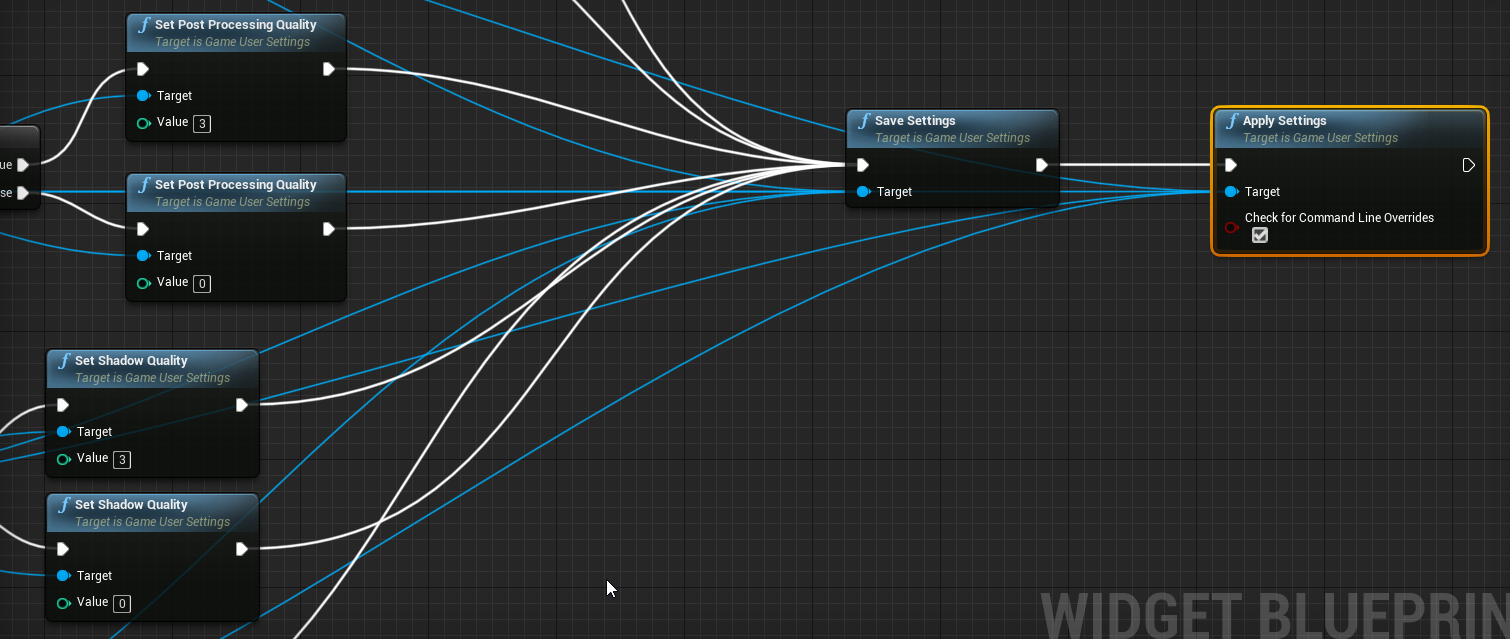
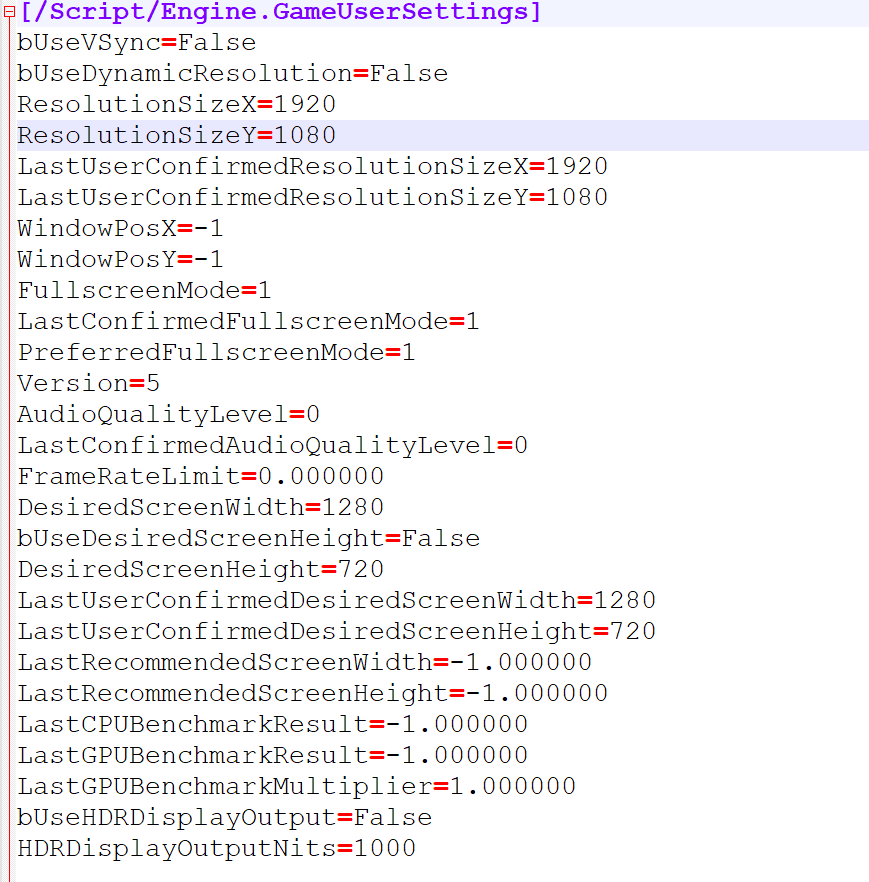
 tranquil hazel
Why does that keep coming up and how do i fix it?
 pearl rose
It is telling you exactly what to do
 late shuttle
In your CapsuleComponent or Collision - you need to have Physics > Simulate Physics enabled.
pearl rose
your mesh need to have "Simulate physic" enabled to work with addForce
late shuttle
*your collision needs to have Simulate Physics enabled.
pearl rose
@tranquil hazel I'm quite sure you'll get some surprise if you are using the basic characterMovementComponent. Still very interesting to be able to do your own movement system using physic, so I encourage you trying at least! 😄
tranquil hazel
i'm not talking about the simulate physics i'm talking about the "collision enable is incompatible"
@pearl rose
pearl rose
You are not reading well the message or talking about something else
Ha, I was looking the picture with my phone, but if still the same issue and the same fix :)
tranquil hazel
this is what i need help with
pearl rose
Make sure you have the physic and queries in your collision setting
That all and then you should be good
Need a screenshot or you found it?
tranquil hazel
i found it but it makes the character ragdoll
 nova herald
@paper quail maybe try closing and re-opening the project (after hitting save all of coarse) I've had the editor wack out and restarting it fixed the issue at the moment
pearl rose
@tranquil hazel that mean you did simulate physic on a skeletal Mesh, you could reduce or turn off physic on specific part of the Mesh. Maybe you should tell me what you are trying to achieve
My guess is that you are trying to push the character in a direction, you could apply the physic on the collision capsule instead
Or simply use launchCharacter directly
tranquil hazel
@pearl rose ya i'm trying to push the character in the direction they're facing
pearl rose
You could use physic for this, a little more hard to replicate on Network, but a lot more control
But maybe give a try to launch character, just make sure it doesn't launch toward or at the same level of the ground, cause friction Will stop the launch
@paper quail My guess is that you have put invalide animations in your animeBP
Or you disconnect some important pin
Cause the A poses is the default skeleton position
 pine idol
unity has a way to implement a message system on their prefabs, so that one prefab, can be reused multiple times, but have different methods/effects called when you interact with it. Is there a way to do that with actors and blueprints?
For example, i have a jail door. one one side you can use the jail key, and the other, a key card. I want to be able to use either way, independently, and have it highlight the keyhole/keypad when i raytrace over it, etc.
astral fiber
I have multiple maps, I want to check something when those maps start. Do I have to implement this logic in every Event Begin Play inside the LevelBlueprint or is there a function for event begin play or something in e.g. the GameMode?
 native plover
what am i sdoing wrong here?

im trying to make char jump where im looking or forwards it doesn't go forward for some reason
it works on ground but doesn't work when im hanging on ledge
 robust cliff
@worthy frost Hey bro I am sorry to bother you. Are you able to answer a question in here regarding timelines?
native plover
ask
robust cliff
Ok so i have a montage playing and I am trying to set it on a timeline so it does not execute a behavior tree sequence. I am able to get it to work but only with a delay node. Basically i use the return value from the montage and plug it into the delay node and it works. However I cannot get it to work with a timeline. I would rather use a timeline. I guess it does not matter but I would like to know because I hate using delay nodes because they can be inconsistent
@native plover how do you get those nice diagonals in your nodes?
robust cliff
cool
native plover
Ok so i have a montage playing and I am trying to set it on a timeline so it does not execute a behavior tree sequence. I am able to get it to work but only with a delay node. Basically i use the return value from the montage and plug it into the delay node and it works. However I cannot get it to work with a timeline. I would rather use a timeline. I guess it does not matter but I would like to know because I hate using delay nodes because they can be inconsistent
@robust cliff u can set a event in timeline. If it triggers do whatever
robust cliff
ok
 slate wasp
is there a way to open the level bp of a level that's not currently active? the only way I've found so far is via find in blueprints - if it finds what you're looking for in another map's bp and you double click it gets opened
robust cliff
I am not sure. I don't and have not used level blueprints because I heard it can be a hassle. But also considered nor have I needed to do so. Sorry
jaunty dome
is there a builtin function to get a path between two points ?
cedar sparrow
My brain isn't working right now, I have a camera component called MyCamera in my blueprint in my level. How do i set the player controller's view to be from that camera when the level starts?
 coral pebble
Hey I'm working on multiplayer replication right now and I was wondering how I could reset the actors rotation. https://i.gyazo.com/127d52b967a557029d7d57ae2912603f.mp4
 twilit heath
@cedar sparrow there is AutoManage Camera option that will aggressively set the camera to what it determines player should look at, all the way until BeignPlay
cameras have a dropdown that lets them become automanaged camera for Player0/1....
cedar sparrow
not when they're components in bps i tried that
twilit heath
if you want to handle it manually, you should disable the option in PC
twilit heath
ah, thats later
cedar sparrow
yeah its to change view points of a level they can't move in
like security cameras
twilit heath
yeah, i was talking about camera while the level is still not ready to play
cedar sparrow
yeah appreciate it, ill need that later for initial spawning i think
trim matrix
I have this simple piece of script that doesn't work how it's supposed to. I'm not sure what I'm missing here.
twilit heath
first thing first, replace those branches with SelectFloat nodes
trim matrix
Basically when the relative rotation of a mesh is over a value, the Turn / Look sensitivities of the camera are set to Default, other wise the camera don't move.
twilit heath
makes the blueprint far more readable
trim matrix
SelectFloat...
Not sure I'm supposed to use this.
Ah ok.
But I need the Set nodes.
Nevermind.
Ok so I use this instead of Branches.
It does not work...
Maybe Event Tick should be plugged so it is updated ?
Yep ! Had to use Event Tick. It works now.
Ok, there's another problem. It's supposed to work when I press a key / button, when I release it I need the values to go back to default and it doesn't when the sensitivity is at 0
Using Tick makes the Pressed state continuous when it's Pressed and after.
Ok, just had to use a Branch for this one. I'm set.
So I am trying to create a constantly bouncing ball, just for practicing some things, but the blueprint doesn't work like it should
The bounce happens once and then stops, how could I make it go indefinitely
I am able to do it by setting the timeline on a loop but I would like to know if there is another way to do it
 grim lantern
Can I set a console variable to force a certain LOD ? I saw r.ForceLOD but not sure what it exactly does, doesn't seem to effect skeletons.
Ah i guess it is: r.SkeletalMeshLODBias
boreal ether
@trim matrix I think you need to use play from start on your timelines
trim matrix
Ah okay will give it a try
boreal ether
Otherwise it just tries to continue playing from the end
trim matrix
I see, thanks a lot mate
I just completed the Tutorial from Matthew Waddestein for beginners, and am experimenting to learn stuff.
boreal ether
That's a good way to learn 🙂
trim matrix
I am making trying to make animation blueprints now
 jovial bobcat
Does anyone know how to make plhysics based enermy like TABS because all i can find is physics based animation and thats not what im looking for because you cant make the enemy go back if you hit him with something and i heard that you need to use inverkinematics but all i can can on that is foot IK and i dont really know how to apply it to the whole enemy, so is there any tutorials of documantation on how to do it? i would really appreciate it. thanks
 latent arch
Right, latest puzzle! :). I've got an event that is ticked monitoring the left and right view angle of the player (bit like a turret) what id like to do is check for when the turret stops moving and fire a sound effect once. Then once it moves again it needs to reset to the sound fires again when it stops. I've had a couple of tries but unfortunately i cant get the event to only be called once, it stops on movement but then will keep repeating on movement stop. Anyone got any tips? 🙂
trim matrix
Could we have blueprint screenshots/
latent arch
sure
ive tried gates branches do once's haha
its a bit of a mess ill tidiy it a little and get a SS
cedar sparrow
How do i access stuff in the level blueprint from other blueprints? I have a group of portals in each level but how do i tell the game mode where those are? do i have to constantly do Get All Actors of Class?
latent arch
@trim matrix this is the simplest thing i could think might work but it doesnt quite
trim matrix
Welp, this is a level above my current knowledge so....
can't help ya with this mate Sorry
boreal ether
Maybe you can interp the angular velocity so it's less likely to be 0 one frame and > 0.01 the next (If I'm understanding this correctly)
Or use a timer to reset the do once
latent arch
hmm
a timer might be a good idea, but the touble is if i sit at 0 velocity it keeps doing it despiter the do onece lol. Is that the interp yourr speaking ofs role?
curse my fat fingers this morning lol
boreal ether
I guess that means the value is jittering a bit and doesn't stick to 0 when it stops moving? interp should help with that
latent arch
yeah cool ill try that
boreal ether
but it would also cause a delay before it plays a sound when it stops moving...
latent arch
where should i put it? infront of the value checks?
well that ok providing its not huge
boreal ether
Maybe when it stops store the current angle, then every frame check the difference between current angle and stop angle, if it's greater than a treshold reset the do once
instead of interping
abs value
latent arch
hmm thats an idea, what would that look like? 🙂
 sturdy crane
i want to do a few execute consol commands in a blueprint. is it possible to make a small interface out of it with checkboxes? need your help guys 🙂
latent arch
speaking of colsole commands, is there a way to enable the console in the realeased game?
 mellow stump
Anyone know how i can have lighting and shadow work on a 100km wide object? Object is fully lit and no shadow, i feel like ive tried everything(i totally havent😆) . Any one ever done it? Its a planet.
Also, its Procedural Mesh Component. Created at runtime using math, no static meshes.
latent arch
@boreal ether thanks so much buddy ill try it out 🙂
@boreal ether can i ask how you got such lovely clean bends to you connections? 😄
love the circuit diagram look! 🙂
 barren flower
@twilit heath Got it done!
Haha jokes on you, its only 3000ms for 48 nodes!
Im going to go commit the big sad now
 latent arch
wow thats so cool thanks! 🙂
barren flower
@mellow stump Okay well first a single level in UE4 has a limit of 20x20km, then floating point errors, so theres that
Dynamic directional light rotating based on player position to center of the map as an approach, maybe?
 hidden coral
Hello everybody! Did someone know the name of this node?
barren flower
hidden coral
Thank you for the quick answer!
mellow stump
@barren flower This is what i got so far. World Composition is on and also World Origin Rebasing. The planet is 1 billion units out. Maybe the lighting doesn't work with bebasing, breaks down? I still feel like it might be the planet size, idk 😢 https://www.youtube.com/watch?v=Y51wdah5kVM
 jaunty dome
is there a node to get a random point in a vector ?
barren flower
@mellow stump When you say no shadows, do you mean the planet self shadowing? I see shadows on your character
Is whatever is lighting the char and ship dynamic or static?
mellow stump
I disabled static lighting in the engine, so all lighting would be dynamic. The universe creates itself when you press the play button so i wanted to make sure Build Lighting would never happen, advised by Epic as well.
Ive got Generate Distance Fields on and Light Propagation Volumes on.
barren flower
Im jelous of what you've been able to do so far, and ill be straight with you, you are dabbling in things above my paygrade currently, haha.
I do know that UE4 is a bit of a bitch with procedural mesh generation, and its one of the things the unity people bang on about when converting people to the other side.
So, full disclosure I dont really know over, potentially it is distance related. As said, UE4 expects 20km max. What I would try? Spawn a new direction light in the center of your planet, toggle the old one off, does is fix?
mellow stump
hmmm, ill try it
jaunty dome
@trim matrix Lerp gives a random point in a vector ?
barren flower
@jaunty dome I think you are confused to what a vector is
A vector, as is normally understood, is an XYZ co-ordinate as a direction. So, like, an arrow pointing at something. You would describe the direction it was pointing as a vector. Look at how anything rotates with its XYZ in the details panel to understand this
jaunty dome
that's exactly what i'm looking for
so i use random int in range 0,100, use it as alpha in the lerp function
oh yes
random float in range 0,1
barren flower
@jaunty dome , yes, multiply it by a random float in range 0,1
jaunty dome
both A,B vectors are generated using a function i made that gets a random location in bounds (X,Y)
so they won't always be 0,0,0
thank you
i'm trying generate a level
my current idea is to randomly set the player start, and the goal
then generate a random path between them and place the tiles
how i'm going to get a random path, is by using a square centered by the first point i get using Lerp
and use its extents to create a new point between the square extent and the goal
and so forth until the path is filled with tiles
i don't know if this is a reasonable plan or not
 hazy igloo
You have a path. You set the first tile on a point. Your tile has a fixed size: Why not "last point+(tilesize/2)" as the next tile centerpoint on the path?
barren flower
Yeah, this is not a reasonable plan. You are using tiles, so you know the grid, and its dimensions
jaunty dome
hazy igloo
@jaunty dome You generate a random path and filled it with tiles then.
jaunty dome
i'm looking on how to generate a random path in the first place
barren flower

Stack Overflow
I need to generate a simple random path in 2D tile map. An input parameter is a number of steps. The condition is that each tile has just two adjacent tiles on the path so there are no rooms and no
create 2D map
add N random obstacles
use A* to find shortest path
hazy igloo
Or create 2D map, add random points, search the next point, build a line and use midpoint displacement
barren flower
Actually, a WAY better way to do this is setup a grid, set a start and exit point, and just do a straight up A* Pathfinding
BUT, on each visited node, add a random percentage to make it an obstacle, and control the percentage
jaunty dome
not as easy as expected it to be
the publication i sent, has this usage of squares that somehow make it easier for me to generate the level
barren flower
OR, grid, set a start and exit point, and just do a straight up A* Pathfinding, but give each node a random weight on its F value, so some nodes are cheaper for no reason. Make every other tile an obsticle
there are a million ways to do this, and none of them involve vectors
jaunty dome
the squares idea seems to be helpful because i can use it to generate other stuff
for example the two points on each squares left side would simply be the wall
one of the two points on the right can be either an obstacle, a danger or a floor tile
barren flower
Alright, go away and have fun now
jaunty dome
the last point in the square will be used to calculate distance between it and the goal
barren flower
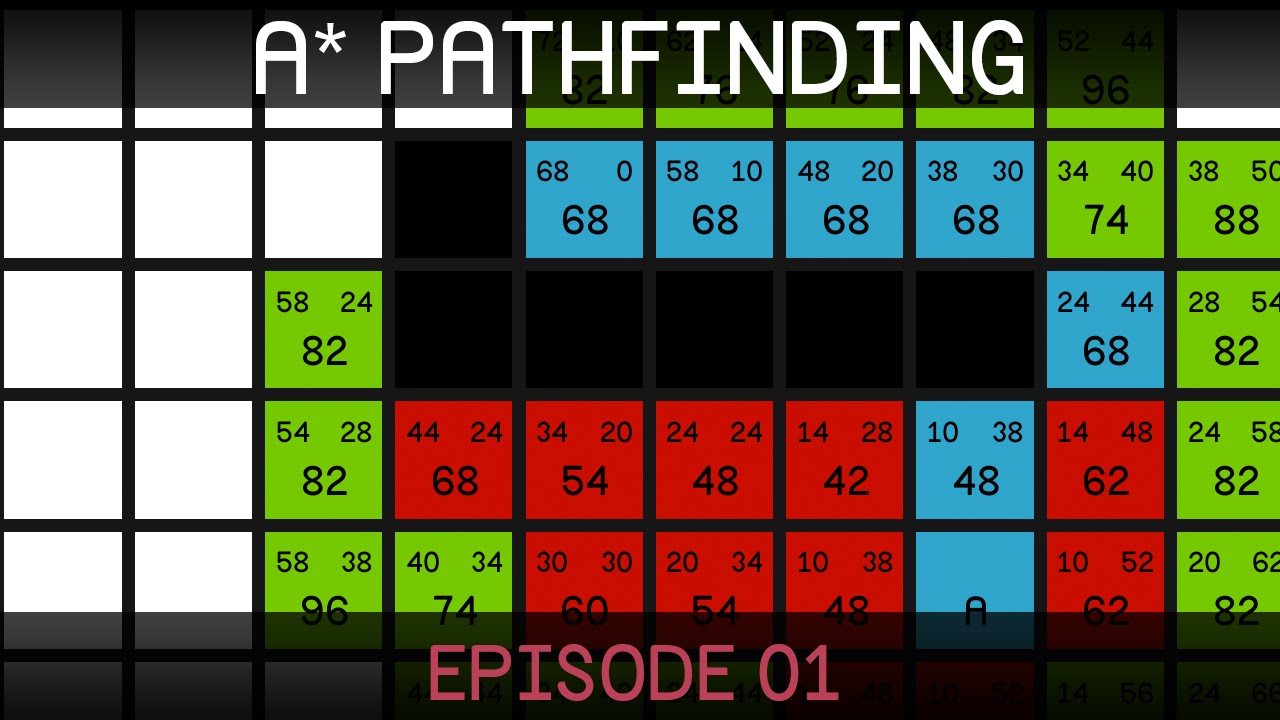
Welcome to the first part in a series teaching pathfinding for video games. In this episode we take a look at the A* algorithm and how it works.
Some great A* learning resources:
http://theory.stanford.edu/~amitp/GameProgramming/
http://www.policyalmanac.org/games/aStarTutori...
barren flower
IF ONLY THERE WAS SOME KIND OF VIDEO SOMEONE MIGHT LINK TO EXPLAIN THE INTRICATE DETAILS OF IT, FOR THE PURPOSE OF ITS USE IN A VIDEOGAME
Alas, the technology just isnt there
barren flower
Haha, I mean, its a gentle ribbing all in good fun. I forget that doesnt come over text sometimes
not bothered at all my good man. Seriously though, its 11 mins and you will be sorted. The other vids are for unity, but the principles are the same. This is what you want, based on what you told us
jaunty dome
i understand that it's a solution
however what i'm looking for is a bit more complex
the problem is i don't know how to paraphrase it
jaunty dome
nope
well in a sense yes
that's the first step
however working in grids feels a bit limiting
for example
the obstacles themselves can be on a different height
yeah
it solves my problem, i'm just not sure on how to add the other features
barren flower
Create a square, spawn a square witht the same locaion 200 units away, in the direction of the exit. Randomly move the X location of the square some number of units to the last squares left or right. Loop that 40 times. Draw lines through each of the cubes to the next. Path generated.
barren flower
jaunty dome
the only thing i missed
i generate the path
on a random occasion there is a river
it will cutdown the entire path
select a point next to the river, that's the first "mini goal"
barren flower
jaunty dome
on the other side of the river, same spot "parallel to the mini goal via river" i find the path to the goal
barren flower

No one creates a perfect game, book, or project on their first try. Don't waste time trying to polish your idea: put yourself out there, create something, and learn quickly to improve upon your failures.
Subscribe for new episodes every Wednesday! http://bit.ly/SubToEC (---Mor...
Stop planning your perfect system, start prototyping
jaunty dome
yeah well
i'll chip at it piece by piece until i find something suitable
I did, and it was tested by a couple of people i know and they all loved it
now
I don't want to be designing the levels/puzzles
I mean the 10 I included in the "vertical slice"
took me too much time to do
so i'm looking to make a plugin for the game, add some inputs like difficulty and such, and it churns out levels
I can go over them myself and see what goes
it's one of those "casual" puzzle games you find in the playstore
barren flower
Im gonna stop you all right there. We've come far enough in this discussion. If you have a specific blueprint question, ask away, but this is a blueprint room, not the #design-chat room. None of you pay me enough to design your game for you anyway 😛
jaunty dome
fair enough
 lunar nest
Hey, I've got a very specific problem with sound mix classes. Essentially, if I start any effect at volume 0.0, or set the volume to 0.0 at any time, the sounds of that class will never play anymore (silent even after increasing the volume). Does anyone know why this is happening?
barren flower
Unreal Engine Forums
Hi everyone, just wanted to drop a note of something that bothered me for days, and i finally found out why and how to fix it, so im leaving it here in case
Go into your SoundWave (not SoundCue) and look for "Virtualize when Silent".
Turn this on.
Apparently it was a known issue in 2018, shoutout to whatever UE devs are in charge of audio
lunar nest
Thank you
That did it
Well, the option exists both in the sound wave and the sound cue. Changing it in the sound wave only didn't work, but changing in both did the trick.
 rancid quartz
Good morning. Is it more efficient to have consecutive branches or to use an And node?
barren flower
Nodes that allow for controlling the flow of execution based on conditions.
What you want is a switch node
rancid quartz
I don't need it to be efficient down to the metal but I do wonder if it's technically more efficient to check the most likely false first instead of always checking all of the conditions. Does anyone know if the And node executes sequentially?
barren flower
Blueprint is only a few percentage points below c++ when nativized
rancid quartz
Thanks for the suggestion, Bengaman.
barren flower
@rancid quartz Sorry I only glanced at the million branch nodes
you are indeed using bools, use an AND
and a single branch
rancid quartz
Okay, thanks guys.
barren flower
@rancid quartz Not a problem. Also protip, comparitors like AND, OR, XOR, NOT, and the like are a tiny bit faster than branches. Not that branches are sllllooooowwww, they are fine, normal ways to program. But theres an emerging 'branchless coding' movement that does get down to the metal, and they will gush all day about their savings.
Anyway, when you can use a comparison/multiply/incriment/gate, instead of a branch, its the right decision.
rancid quartz
Thanks a lot!
mellow stump
@barren flower i found the fix, my bounding box is being created at 0,0,0 box extent/ 0 sphere radius. I have to change it in c++ cause theres no node that does it, wish me luck 😆 Thanks for the help! https://answers.unrealengine.com/questions/45961/how-do-you-get-a-custom-mesh-to-self-shadow-and-ca.html
mellow stump
aww, it only accepts a ARCandidate object
barren flower
Aww shit hes coming in for a second right hook
https://docs.unrealengine.com/en-US/BlueprintAPI/EditableMesh/ComputeBoundingBoxandSphere/index.html
Compute Bounding Box and Sphere
mellow stump
closer, but alas, no cigar
mellow stump
Yup
barren flower
... what... uhhh..... uhm
mother forgive me
what happens if you create a sphere with the same radius, disable collision and make it invisible?
mellow stump

lets find out
These numbers are perfect, but i still cant feed them into my procedural mesh, halfway there tho 👍
barren flower
Wait, why not?
mellow stump
theres no node or pins for it anywhere
I can get bounds but not set them, for Procedural Mesh Component
barren flower
You cant use set bounding box?
mellow stump
nope
mellow stump
The Procedural Mesh node wont hook up to the Editable Mesh node
barren flower
You get a reference to mesh, you put the reference into get bounding box, you then put that return value into set bounding box, you blow all your money on blackjack
barren flower
Shutup baby, i know it
barren flower
what have you brought upon this cursed land
I cant even
Just use a retriggerable delay and rethink your life
Also I KNOW youre not casting damage to that robot man. You're firing a custom damage event to it, and letting it sort itself out, like a sensible person
That way you can just fire 'damage' at EVERYTHING, and it can just decide if it cares or not, apply armour and powerup modifications, the works
ALSO just do a SINGLE sphere overlap check over your player, do a quick calculation if the overlapping actors are in your arcs degrees of fire, and be done with it. You are doing like a billion sphere casts
Know I love you, and im very proud of everything you've done so far, and how far you have come
 spark robin
How would I rotate an actor with the add torque node based on the axis I want to rotate on (a rotation variable, which I already have) and a vector giving the direction of the spin (which I also have) (to get the spin the greenish circle is marking out)?
barren flower
Well, CarterTeal'c
Its very simple
im sure
But can you explain what you want?
You have a vector?
spark robin
Yeah well image that the purple line would be an axis that the ball can spin around, and the yellow line represents force making it spin
Thats essentially what I want
barren flower
Okay, gotcha
Pretty sure you want RotateVectorAroundAxis
RotateVectorAroundAxis takes in three parameters. First is vector you want to rotate. Second is angle in degrees you want to rotate vector. Third is on what axis you want to rotate vector
spark robin
That does sound like what Im looking for 🙂
 wispy star
Newb question. I have an array of SphereCollisions, but by default it's not initialized, (all references are NULL), how to make array of default SC?
barren flower
Yup 100% it is
"To rotate around arbitrary vector:
- get forward vector,
- rotate it around your vector (there is blueprint node to rotate vector around axis).
- you should get new vector,
- use "Find look at rotation" from [0,0,0] to your newly rotated vector.
- you get rotator as result, now rotate mesh."
wispy star
default sphere collision
barren flower
@wispy star What do you mean defult SC?
Yeah but
what does that mean
You want to populate the array already?
wispy star
the one that initialized when you use add sphere collision
wispy star
yes
barren flower
And whats it set to? Objects?
wispy star
barren flower
Its already set to SC
wispy star
yes...but they are all NULL
spark robin
Pretty sure you want RotateVectorAroundAxis
Actually it might not be what Im looking for, Im using the ball template which is physics based
wispy star
barren flower
@spark robin It has a forward vector, though, surely?
@wispy star How are you populating it?
wispy star
i'm not
spark robin
The ball? Yeah but I want to keep using physics for the project
barren flower
I mean, if you are trying to store the result of Sphere collisions, you actually need to do sphere collision calculations
@spark robin oh right, that just physically manipulates the ball, you want to apply force
spark robin
Yeah
wispy star
@barren flower what? i'm trying to store sphere collision component
i need 5 of those as array
barren flower
OOOH, gotcha, sorry. See, its midnight here, and ive fallen from grace a little
okay
so
Drag that bad boy into the blueprint, get a ref, and throw that into a set array node with the numbered position you want
Also, you should be able to click the array variable, and in the details panel on the right, you can add elements. Not sure if you can do it from there, actually
I suspect not
wispy star
yep, that's the problem
barren flower
Alright, then you need to do the above get references and set array trick
Unless you can click and drag them in from there
wispy star
duh...i've hoped to avoid that
EPIC, why not to initialize arrays if they made in BP?!
barren flower
@spark robin Alright my respectful matey, are you ready?
spark robin
Yes I am
barren flower
Unreal Engine Forums
Build powerful visual scripts without code.
Those both are different, but apparently workable solutions
Looks like maybe Set Physics Angular Velocity
spark robin
Thanks, I read up a little on what the add torque in radians node does (didnt quite understand it before to be honest), and the vector length of the vector you input is basically the amount of force you apply, and the vector is the axis that you spin around, so I think I can solve it
jaunty dome
ummm
is there a matrix variable i am missing ?
in other languages i'd use array[x][y]
what's the equivalent of that in blueprints ?
 worldly moss
Have you tried using a flattened array for a matrix? array[x][y] is equivalent to FlatArray[x*number of columns+ y].
jaunty dome
yeah i've used that in an old project, now i forgot the math behind it
that's² a good keyword thanks
worldly moss
haha, I've only discovered it recently. I had a bit of a difficult time to wrap my head around it
wispy star
How to bind an event by name? I.e. without that red string
i've seen it on twitter, but cant find
jaunty dome
i gotta write down the common operations to use flattened array
ex: getting x with only y etc etc
 onyx swan
I'm trying to save/load an array of object references, but something seems to not be working. Am I supposed to reconstruct all the items in the array on load?
jovial bobcat
Hey I just have one question, should i be making components for everything such as experiance and movemnt and stuff or do I just put them all into the player BP?
and also my line trace dosnt hit the enemy for some reason...
I just dont understnad
 maiden wadi
@jovial bobcat Your first question is mostly about personal preference. I like to keep throw away stats like health/mana/energy directly in the character since these might be reset if you're allowing character respawns. You'd maybe want to set these at a new value on respawn. Things like experience might be kept somewhere else. Playerstate or PlayerController.
jovial bobcat
Oh can you not save the player though?
and also I have a really wired problem for the enemy I cant seem to get headshot on him, like the trace dosnt report as hitting the head, but when is is walking i can hit his head. but when he stands still i cant hit his head
maiden wadi
I suppose you could save the player, but a lot of the time the character is a throw away. Think FPS game in general. Spawn character, character gets shot, health goes to zero, character dies and then gets destroyed, new character spawns with the default full health and is possesed ready to play again, but maybe the player gained xp in that span of time. You'd want to keep that on the controller or playerstate instead of the character. Unless you want it to zero out every time the character dies. If your character can't die and you never lose it, it doesn't matter so much.
jovial bobcat
Oh ok
I see other tutorials they use actor component but you mentions player controller and playstate, but isnt the player controller used for controling the player?? and what is playstate?
Oh I see that that the default pawn collision profile ignores visibility traces thats why it wasnt working earlier.
 obsidian pelican
Hey there is it possible to destroy only one component of an actor ?
My actor contains 3 meshes
And I want to destroy one component which is overlapping with other ones
maiden wadi
@jovial bobcat Components aren't bad to use. But it really just depends on how complex things are getting. As for the controller vs character argument, there are some people that believe all input should be ran through the controller, which really only works if you have one controllable object. Simplest example is a third person shooter with cars. When not in a car, you'd run around with WASD, but go up to a car and get in, and you want to attach your character to the car, but change possession to the car. Then use WASD to drive the car. That gets incredibly complex if you only use the player controller. Instead, consider using any input that directly relates to the pawn in that pawn and anything else in the controller. If you've ever played a PvP point capture game, you might understand with the common Tab screen. Character can die and you can lose the movement input and be unable to move around until the next character spawns, but still have a controller that has Tab enabled. Holding or pressing tab would show the score screen or a map of what's going on and work both while you do or do not have a character possessed.
jovial bobcat
ohhhhhhh i fixed it, you have to set the outer collision to ignor both camera and visibility
ok i understand
but i still dont really get why when a character is moving its collsion box is like lagging behind or something allowing me to hit the head even though its blocking visibility traces
obsidian pelican
Do you have an delay node ?
jovial bobcat
??
what do you mean by delay node
i have one in the blueprint but it dosnt get triggered
its for other stuff
also i have one last question, i asked it here before but no one responded was i asking in the wrong chat? but my question was
Does anyone know how to make plhysics based enermy like TABS because all i can find is physics based animation and thats not what im looking for because you cant make the enemy go back if you hit him with something and i heard that you need to use inverkinematics but all i can can on that is foot IK and i dont really know how to apply it to the whole enemy, so is there any tutorials of documantation on how to do it? i would really appreciate it. thanks
Oh well @maiden wadi thank you for telling all these stuff , it was really helpful, sorry to make you type this much...
 balmy rampart
hey everyone. Im changing the level using open level.
in this new level I have another gamemode (with other controller)
but it doesnt change. I tried in the editor and in the packaged version..
if I open the level in the editor it´s working fine.
someone can give me some advice?
 lucid cargo
If I add a child actor and assign a blueprint to it, is there any way to see the public variables in the details tab while playing the game??
 frank hare
Does anyone knows a is divisible by 2 blueprint node that returns boolean or that doesn't exist?
Yea that % sign confused me. I thought it is percentage. Thx
It works
 rotund basalt
Can someone help me with something by dming me ?
jovial bobcat
umm i have a gun parent blueprint and im creating child of the parent blueprint for different guns but the probelm is that the variable for the mag size and fire rate in on the parent gun and how do i make it so each child blueprint have their own values instead of the parents
???? but i dont see variables on the child blueprint
and the problem is that the reloading in on the parent gun so the parent gun reloads the amount specified on the variable but the variable is always 30 all the guns have to have a 30 mag size
 earnest tangle
you have to choose to display inherited variables
click the eye icon above the variable list, it should be in there
I think it might also show up if you click on the class defaults button
 fleet cedar
Hello. I am trying to make a "hookshot" type thing that would allow you to drag objects... I am trying to use a spline to do this, is this possible? How do I maintain the length of the spline?
And can I attach an object that has physics to the location so that it will be draggable
Thanks I'll have a look
jovial bobcat
@earnest tangle oh
 oblique ruin
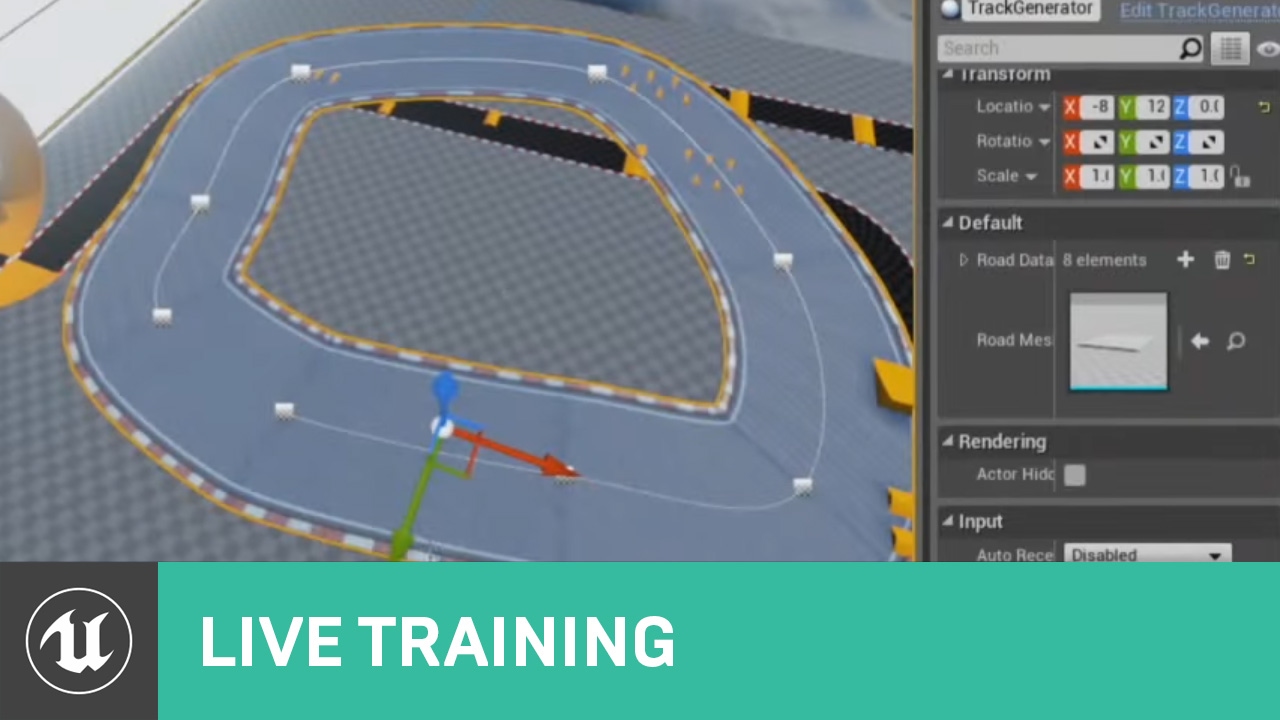
In this Livestream Tutorial we'll show how to use both Spline and Spline Mesh Components to construct an easy-to-use racetrack generator tool in UE4. Viewers will learn about custom structs, functions with local variables, using for loops, and much more!
[00:00:45] - Google D...
jovial bobcat
thanks alot
oblique ruin
So I am currently following this tutorial
Dealing with Splines
However for some reason all my spline meshes only want to connect to my first point
Here's the Constructor Script
And here is the function I've built
I realize the tutorial is a little old, but it should still be functioning
 tired wolf
Does anyone know how to use the Event CopyProperties in the Player State?
I can't figure out how it fires
 hearty herald
Hey guys, I have a pawn that pawn-senses my player (who is standing on a custom actor platform) but the pawn clips right through the platform to get to my player. Both the pawn and platform have collisions set to BlockAll. Can anyone think of what I may be missing to prevent my pawn from moving through my actor platform?
jovial bobcat
is there a reason why i cant simulate physics?
nvm i figured it out you need to have proper collsion for it to work
 shut hinge
Does anyone know how to update the flycam altitude value in the widget? I can't get the widget to update.
 indigo bough
Hello, quick question:
Looking to get the velocity of the camera within my pawn blueprint, however "Get Component Velocity" doesn't work as it's relative to the parent which is naturally 0. Any way to get velocity of the camera/a component in relation to the world?
twilit heath
sum its relative velcocity with the pawns velocity
(if it moves relative too pawn)
if not just use pawn's
indigo bough
So this is more in relation to rotation of the camera arm. Basically to explain what I'm trying to do, I have a looping "whoosh" sound which I'd like to change the volume of based on the movement of my RTS camera (rotation and directional movement). When I'm rotating the camera, the pawn isn't moving so velocity is 0, but component velocity of the camera is also 0. Slightly baffled
Ahh, had to use Get Physics Linear/Angular Velocity instead 🙂
 lethal jungle
So when I'm aiming down sights of my gun then shoot something in my game (I use line trace) and don't move for about a second and then try to move around, my gun/camera get stuck and then a little bit later the gun/camera teleport to where I was supposed to be looking if it didn't get stuck. It only works when I'm aiming and not when I'm hip firing
 narrow wyvern
Hello friends!
Hello!!!!
I was going to message you directly but I didn't want to be rude
Or invasive
😅
the mesh is visible from this view
(bottom left)
I'm looking at the "vehicle blueprint" as well but the static mesh isn't showing up
but it's not visible here :(
I don't believe so
When the car overlaps with a sphere on the ground I want the rectangle to appear next to the car as well as having collision
when the car touches the sphere, the sphere disappears and the rectangle appears next to the car (basically acting as a powerup)
 oblique sequoia
Hi guys, my first post here. Have you guys idea how to make a FPS hand rotation that will follow weapon sway? Because right now, my weapon is rolling right and left but left hand is staying still because its attached straight forward to gun socket. Any thoughts? ❤️
narrow wyvern
@trim matrix I just added it from the "add component" button on the blueprint
by the way, I am away from my PC at the moment so I can't send pictures and will simply just type off of memory
 static goblet
is there a way to make a console command stay active in a project even when you are in editior and not playing?
after closing/reopening unreal?
cedar sparrow
How do i deal with someone having a widescreen monitor? This is two images of us, both possessing the same camera actor in the level. His screen gets cut off at the top because he has a widescreen.
is there a way for me to lock the resolution? because then he'd just have black bars on the side
earnest tangle
Usually locking resolution in fullscreen mode does not produce black bars, instead it just stretches the application which would probably look pretty ugly
cedar sparrow
well i locked it and it produces black bars but the UI now still uses the whole screen
earnest tangle
maybe you can calculate where the camera would need to be for the playing field to fit on screen fully?
not sure, maybe there's some other ways to do it, but that should at least work :)
true valve
For Loop Delay was removed in UE4.25?
 thorny marsh
You cant delay in a for loop? Theres never been a for loop with delay. Unless you wrote a macro yourself for it.
wispy star
Newb question. I have bound key action. one is mouse one is keyboard. Both work from the controller, but only keyboard events work from possessed pawn, why not mouse events?
 dense badger
Anyone here used "GetPointDistanceToLine"? I'm getting really strange results from it and I wonder if I'm using it wrong somehow.
When I use this function as a sorting metric it doesn't return the furthest point
wispy star
@dense badger do you know that a-b not points in your case?
dense badger
@wispy star Not quite sure what you are asking? They are vectors that represent the two points on the line in world space
wispy star
nope...B is direction vector...
dense badger
oooh
duh
TYTY!
I was so blind, I read the tooltip like 6 times... each time not actually reading it.
wispy star
to make B the target point you may use (A-B) instead
trim matrix
Does anyone know how to change Camera Shake values in runtime ?
The Play Camera Shake node seem quite problematic.
dense badger
Ok now you will be a superhero if you can help me figure out if a point is inside a triangle.
There doesn't seem to be a BP function for that
trim matrix
The only thing I see is not using Camera Shake class and create something that acts like it.
twilit heath
there it a Daedalic Third Person Camera blog on the internets, they did go pretty deep into tips&tricks
even if it doesn't help your specific case, its a good read
wispy star
@trim matrix it's all there
@dense badger nope, sorry, i've seen some general math examples on yt
dense badger
Yeah np I'm getting the math together 🙂
trim matrix
What's your Camera shake Actor ?
Is it just a new Variable ?
How do you make straight Links btw ?
wispy star
links are Electronic Nodes addon
it's camera shake object
trim matrix
Oh, okay. I didn't knew you could get this as an object.
wispy star
yep, my bad
afaik you cant make new custom shake from scratch, cause there's no way to attach it back to component, but you can use class as a template and modify it before play
trim matrix
Where do I plug RotOscillation ?
It's obviously not the way to change the values.
Play World Camera Shake is such a troll. It doesn't allow to modify the values the class holds.
wispy star
you cant use world camera shake for that
make camera shake component and modify it, this is the only way i can imagine
if you just type add camera shake it will be there
sorry nap time
trim matrix
It's so twisted...
grim lantern
How do I turn off physics simulation for the entire game?
 vast lion
Can you rebase while flying around in the editor?
 sullen maple
Is it possible to make a "Pure" Blueprint function thread safe?
I have a helper function in my animation blueprint but Unreal says it is potentially thread-unsafe
I've tried marking it as both "const" and "pure", but that doesn't seem to help
Hmm, I suppose it could work as a macro instead
Guess I solved it myself
twilit heath
you likely just removed the warning
animation graphs are better if you prepare the data in UpdateAnimation
and do not do any blueprint logic in AnimGraphs
if you do, your animation is forced on game thread
 cloud temple
Hello. Does any one know why are there only two inputs in the leftmost node?
 fickle nebula
I'm trying to use a spline to generate a palmtree, Does anyone know how can I add the leaves on the top of it?
 cold harness
@cloud temple I assume you mean outputs. With a lot of pins, including structs like Out Hit there, you can right click on it and go 'split struct pin'.
cloud temple
Thanks
cold harness
Also works on transforms, vectors, rotators and a few others.
 steep hazel
I can't seem to get custom variables working on my damage types. I've placed them in a child of the original called "BaseDamage," but I can't call the custom variables from my object array elements. I've set the array variables to be children of the "BaseDamage" class, and I've got the correct variable type chosen, but nothing seems to be going right.
trim matrix
can anyone point me to a third person weapon tutorial? i sercehd for 30 mins and i havent found one that is straight forward. a fourm or anything i just need a guide :)
spark robin
If i Have a rotator, how would I get the axis and angle (that I could later modify to feed into this node)?
Please ping on reply ❤️
trim matrix
anyone here like virtus or find him a god learning reasource?
spark robin
I watched his fps series, generally he is quite good at explaining things, tho his code is not very performant in all cases
trim matrix
If i Have a rotator, how would I get the axis and angle (that I could later modify to feed into this node)?
@spark robin tried saving it to varibles?
spark robin
Im using set (Not add) rotation nodes in 3D space, Im honestly not sure how I would do that (if you mean that I would set the axis and angle when setting the rotation)
trim matrix
@spark robin i've heard he's somewhat frowned upon in the community and when i was new to ue4 he was my resource but as i've leant more and more i see his work as sloppy myself and i just found out he changed his channel name so i have a feeling its because a chunk of the UE community doesnt like him
@spark robin okay so how do you want them to be set each time, i would advise sending a zoomed out pic so i can see more of what you're trying to achieve and understand your question better
 thorny cedar
can i set a value in a animation vlueprint within another Blueprint?
its value ho fast sth is spinning
i tried to get the AnimClass and cast to the specific class, but i cant access the variables
 clear pecan
Big problem: I have a door that opens and closes if you aro overlapping a box, but now the door makes strange things! Help
My door script
mellow stump
Looks like you are trying to lerp a lerp that is lerping. Set starting location to a variable and lerp from that Dani. Everything is moving while your trying to move i mean
spark robin
Its a bit of code involved but, Im using the ball template, and Im implementing a system that lets you roll on all surfaces (no matter the angle they have), so Ive removed gravity and use apply impulse on event tick to simulate gravity based on the normal of the face the ball last had an event hit on.
Scene1's world rotation is always facing the direction that the ball is rolling towards if I were to hit W on my keyboard (no matter the rotation of the ball, or the rotation of the surface the ball is upon). My surface normal, is the normal output of the "event hit" node that comes with the template (so its the vector of the face the ball last collided with).
Now with the code in this screenshot Im setting the world rotation of Scene to get a rotation based on Scene1's forward vector (As the rotators X) and the surface normal, however then Im getting this weird issue where when I move my mouse in-game, the camera will continue to turn in that direction that I moved my mouse towards until I move the mouse back to the original location (And I honestly cant understand why this is tbh).
So Im looking for another solution for this that would help me get around this.
If I were to replace the "Make rot from XZ" node with the "Make rot from Z" node, this issue with my mouse and camera goes away, however the "Make rot from Z" seems to just pick a random value for the untold rotation, causing the camera to jump instead.
I will post videos demonstrating what happens in game when using both Make rot from XZ and make rot from Z in a moment
Make rot from XZ:
clear pecan
Looks like you are trying to lerp a lerp that is lerping. Set starting location to a variable and lerp from that Dani. Everything is moving while your trying to move i mean
@mellow stump i tried this but now goes better but still making rare things
spark robin
Make rot from Z:
@trim matrix Hey sorry that it took a while :p
But yeah, I kinda agree about that he doesnt put a lot of effort into the way he design his code and therefore he doesnt really teach when to use what methods very well
mellow stump
Nah, Dani. Sorry
spark robin
Ah okay
mellow stump
Im not sure about the ball
spark robin
Yeah :l things get kinda difficult when dealing with many rotations
Ive solved everything related to the movement and controls tho except for this camera issue
If I could set the SpringArms X and Y rotation to local but Z to global (So Z doesnt get inherited from "Scene"), then I think this issue would go away
trim matrix
@spark robin it might fix it if you unparent the cam from the ball, still taking a look through your code tho
 umbral whale
hi guys, i have a big problem in unreal engine , i just want set a seperate fov for my first person gun
spark robin
The "Scene" component is set to world rotation @trim matrix , so the ball itself doesnt affect the rotation of any of the other components, it just passes over its location and scale
clear pecan
that may be the problem
@mellow stump wow now works fine thx
mellow stump
Dani i think your bottom components are switched and y should be negative on the new first one
oh, nice Dani
spark robin
@umbral whale
Idk how much you know about blueprints, tell us if you need like an example
spark robin
So do you have a variable that you can use to determine when the FOV should be what? How does the game know when you're in your "weapon view"?
 blazing ridge
hey peoplez, i have a short question.
i am making a little dice game, currently only the d6 is working. i am checking which side is up by checking the face normals.
now this will get a bit more complicated for like a d20,. but should still work. However, for this to work i need to know every face normal preemptively. any reference on that? cant find something sueful on my own 😦
mellow stump
Seperate each face in your 3d modelling program and export it as a seperate FBX, then put them all on one actor as static mesh components
spark robin
@blazing ridge This is not really the answer on getting all the face normals at once/before the dice rolls but, an idea on how you could solve it would be running a line trace from above the dice once its sitting still on the table and reading the vertex color to determine what the number of the side that is up has
Actually I just realized that vertex colors cant be read in blueprints :l
@blazing ridge Otherwise use the object transform instead of the faces
blazing ridge
can i make a combobox or something similiar like a dropdown in a widget that uses an enum?
thanks for the responses btw
spark robin
I solved it 😄
blazing ridge
@spark robin is that in response to my issue?
 normal rampart
Anyone happen to know how to prevent a character from "slipping" down a little bit when using the charactermovement component and having "Can walk off ledges" set to false? It seems because the capsule component can physically slip down a bit, it does. Here's an example:
 uneven violet
@normal rampart I beleive that this problem occurs exactly because of the capsule component - the character doesnt step off the platform but as the gravity is still pulling down and his bottom part is round, he just slips off. You can try adding another collision box into the character so it is flat or smt
normal rampart
@uneven violet Exactly what I was thinking. I just tried that, but it seems that with a CharacterMovement component, the capsule component will always override any other blocking physics collision
uneven violet
@normal rampart You can try changing capsule shape parameters and maybe you'll get a result that somehow works, otherwise I would suggest switching to a custom character, altho it wouldnt have as much ready-to-go features, it allows for more control over the character himself
afterall, the character class preset is made to work only with the capsule collision for the sake of optimization or smt
normal rampart
@uneven violet Oh! Good idea. I set the capsule component radius to .1 so it's basically just a line straight up from the center, which eliminates the roundness and thus the slipping problem I'll just have to add another capsule collision for the actual character collision, but that should be just fine. Thank you! 🙂
normal rampart
@uneven violet This message used to say I had a problem with the capsulecomponent overriding the new component, but this turned out to be incorrect and actually an error on my part 😛
uneven violet
@normal rampart Sorry to hear that, but making ledge detection isnt that hard in the pawn preset if you really need it, another option would be to create invisible walls by the edges so the player cant fall off or smt
anyway, good luck
normal rampart
@uneven violet Ty
 stray rain
best practice question: do you guys suggest using just one widget for your UI or multiple? I was using a new widget for every menu but now I saw a tutorial where created everything in one and just set the visibility
 calm dock
Using multiple smaller widgets is better imo.
Once you want to change the look, you would need to change the whole menu instead of only one widget for the entries
 rain wedge
I may ask a recurrent question, but is it possible to "mix" Blueprint programming with C++ ? By mix, I am not talking about much interaction between both, but for ease of production in one future project I'd like to use Blueprints for the cinematics and C++ for the rest
spark robin
@rain wedge You can create both c++ classes and blueprint classes. Ive never worked with sequences but, yeah, Unreal Engine is very much designed so that you can mix and match C++ and Blueprint based programming, both by adding "custom nodes" in the Blueprint graph ( a node where you can type in c++, and get inputs and outputs to have it "communicate" with the rest of the blueprint and that everything that is accessible and modifiable with blueprints, can also be accessed via C++
Then like in my screenshot, there are special classes designed for stuff like cinematics (Which arent blueprints)
Question: Im having struggles with the event hit node not always calling when my collision mesh hits another surface (Like in the video).
How would you guys tackle this? Do I have to be using overlap instead or are there any settings that I can tweak to get the event hit to call more often/every time it hits a surface?
(Please ping on reply ❤️ )
rain wedge
Alright, that's good to hear ! Thank you very much !
spark robin
@rain wedge I dont do C++ however just so you know, so Idk what kind of challenges that you would face with it. But Im certain of everything I said
rain wedge
It's okay, just wanted to know how I'd go and if the way I imagined was accurate. I'll face that, found a couple resources to help me get started
If I really am stuck I'll ask in the #cpp channel
spark robin
👍🏻
thorny cedar
can somone help me with finding a concept?
i want to spwan a trigger on top of my camera, when i enter a trigger box
 unique basin
Anyone happen to know if it's possible to run multiple functions with input dialogues from a single function call in an EditorUtility blueprint?
And if it's possible to create a blueprint class from there?
 woven saddle
you guys think it's possible to shake a mesh without animations?
 frozen spear
@woven saddle yes..with impulses and physics simulating...
Thats a very vague question tho, i guess it also depends on what type of mesh and for what purpose, and what are your intended results
Heck you could even do it by sweeping setlocation on a time line...again the question is a little vague
thorny cedar
my UE 24.4 project is crashing so often :/ should set up my pc anew?
validating doesnt help anything :/
good idea
@trim matrix whats the best way to check mem?
when i restart my PC it works, but its not 100% prove fix
I was carrying my PC back to another place 10 km per car
woven saddle
@frozen spear my apologies, it's a simple projectile, during like a second or two I just want it to vibrate like it's being charged, I'm intrigued by the sweeping setlocation bit !
frozen spear
@thorny cedar are you getting an error report for the crash or is it a crash to desktop no error?
thorny cedar
@frozen spear just not responding in task manager
frozen spear
In a fresh project? Or just trying to start the engine?
thorny cedar
out of the blue
when saving, opening sth, play selected viewport and closing the preview
its just a bit annoying, it has tot do sth with my pc or settings
oh i should have ask in #ue4-general not here
frozen spear
It could be any number of things but fresh or on a project you've been working on makes a huge difference...for example you could be getting stuck in a loop with ai logic which engine cant catch
thorny cedar
its just this pc on other it runs perfectly fine :/
frozen spear
Condiational loop is notorious for that which is why i avoid it at all cost
Make sure this pc meets the minimum specs required for the engine...
thorny cedar
2080 Ti should be enough same with the other components
frozen spear
I had an issue with my 2080 ti with raytrace enabled until i reinstalled my drivers
It would sit forever trying to compile lights
wispy star
@umbral whale search for panini projection
umbral whale
i did, but i have some issue with camera shake @wispy star
 coarse obsidian
Hi guys, I'm getting crazy with an issue with my character falling through the floor ... If I launch and spawn directly on the level everything is good, If I go to that level using a openLevel node called from some UMG in my "mainmenu level" I'll spawn and fall through the floor ... I can't get my finger on the reason why it's happening ... anyone ?
umbral whale
@wispy star but tnx for your answer btw 🙂
wispy star
well obviously, not a simple task to handle
umbral whale
yea
fleet cedar
Sorry if this is really basic but I'd like to attach a physics object to a location, so that my player can shoot a rope to it and drag it along, any thoughts how to attach it to the player while also having it simulate?
umbral whale
@coarse obsidian maybe you forgot to set the collision in your new level
coarse obsidian
Collision on the floor ? It's working well if I set the level as "default map"
umbral whale
@coarse obsidian i dont know whats going on there, can you send some picture about it ?
coarse obsidian
sure, you want to see colision profile ?
umbral whale
yeah
coarse obsidian
Here is the collision of the floor
Just to be sure, I'm not using my own character etc ... I set value like pawn class etc to default one
the character will also fall through blocking volume ...
he receives input from the controller
umbral whale
do have a character ? are you sure about it ?
i think you just playing game with camera
coarse obsidian
yeah I'm using the third person one, I can see the character falling
coarse obsidian
set block all on capsule component of the ThirdPersonCharacter, still falling
still falling only if i go to the level from an "open level" node
umbral whale
there is a problem with open level node
wait let me check
where is your open level node ? in your level blueprint ?
coarse obsidian
in a widget
The user widget has a button, onclick event will execute the open level node
coarse obsidian
hum
umbral whale
you have collision problem
coarse obsidian
but the objects are the same between fresh launch from editor and open level ... I mean the level, game mode etc are all the same
but yeah, definitly something somewhere that is triggering this
I printed the collision profile of the character during gameplay, and it's all the same
 shrewd sparrow
hey guys i was wondering if i can get some help or advice on a system im trying to implement
coarse obsidian
@umbral whale thanks for your help 🙂
 late blaze
What kind of Blueprint class or C++ class would I need to store data like stats in a turn based combat system?
 faint pasture
@late blaze I would store the stats on the actor / character
You'll probably want a component to hold everything
late blaze
Yeah, I am just wondering what kind of component that should be
faint pasture
It should be an actor component.
Actor component is the bass class, then scene component is an actor component that has location properties, and a primitive component is a scene component that can be rendered
late blaze
So just a regular blueprint actor?
faint pasture
No, a component, that you add to whatever actors you want to have stats do you know what a component is?
late blaze
Well, I am kind of new. But I was hoping to store that kind of stats in its own component and then have IDs set up to cast to the different blueprint characters given that I have like 20+ characters that I want to store data on.
I am trying to make a battle system inspired on tem-tem and pokemon which is why I am asking 😛
faint pasture
You won't need to do any casting. Put the stats in the component, then in each character you can change like the HP and power or whatever on a character by character basis.
Idk if he knows what casting is really. Casting should be rare.
Make a base character. Add the component to the base character.
When you spawn a character, you can set the mesh, the stat values, etc.
Using Pokemon as an example, you wouldn't have a Charizard BP. You would have a Pokemon BP, and to make a Charizard, you spawn a Pokemon with the name Charizard, the Charizard model, and the stats it should have, and the move Ember.
cedar sparrow
I have a question about which blueprints to use for my game. So the game is 2 different campaigns. Each campaign has its own unique 4 levels, but both campaigns follow all the same gameplay rules, they just have different narratives. So do I have 1 gamemode that both campaigns use? Or do I have a GameMode class that has all of the general stuff but then made a child for each campaign that stores its specific narrative stuff? Or do i just use the same GameMode but have different GameStates?
sure but what if a choice on level 1 affects what they can do in level 4?
faint pasture
@cedar sparrow store that in Gamestate
cedar sparrow
gamestates get cleared between each level
fleet cedar
Anyone familiar with the cable component? I can't get it to follow the parent of skeletal animation... is this possible? I've parented it to the bone and zeroed its transforms
shrewd sparrow
hey guys im trying to make a claim land/territories system where the player places an object it creates a large box collision trigger around so that every time the player enters they know its owned by that clan. but what i want is when multiple objects are placed close together the overlapping box collisions should display like a DMZ zone but i cant get that overlap to work properly any ideas?
cedar sparrow
Yeah I guess I'll start simple and see where that takes me
ill try doing it in the levels
and maybe just make variables for important decisions in the GameMode or GameInstance, we'll see what works best
fleet cedar
shrewd sparrow
have you watched the Cable Component training stream epic did on there youtube channel?
shrewd sparrow
ill link it

Announce post: https://forums.unrealengine.com/showthread.php?129989
Alan Willard is back in action with instructions on how to use the new 4.14 cable component and some of the new rendering features. A ton of new features have arrived with the release of 4.14, so Alan is goi...
fleet cedar
tyvm!
shrewd sparrow
no problem!
im trying to get this intersection point to be its on section of the trigger box
this is my code but i cant seem to get any luck going
i am trying to set a value that gets incremented every time the player enters a trigger box so that the section where to trigger boxes meet the int would be 2 and i can do something with that 2 but it only works going in and not leaving the box
faint pasture
Question. Is there a way to setup a component to automatically implement interface calls? That is, so when I call Damage on an actor, the HPComponent is what handles it, or do I have to implement the damage interface on the actor and have it communicate with the HPComponent?
 echo snow
I don't know whether I've confused myself or it's not clear.
I'm trying to extract a parameter value within a material - instance or master, it doesn't matter. It is a scalar.
This is for a day cycle, and light detection as the built-in exposure detection has troubles with cell shading.
Nevermind, got it 🙂
trim matrix
@shrewd sparrow you still around?
shrewd sparrow
yeah i am
trim matrix
Oh hi do you still need help making your zone thing?
shrewd sparrow
yeah i do, do you have any ideas?
trim matrix
Yea I’ve done almost this exact thing awhile ago
I’m not sure your understanding of programming but are you familier with arrays and blueprint references?
shrewd sparrow
i sure do! been programming for 6 years
trim matrix
Oh perfect then!!
true valve
Do I have to have suspension in a vehicle skeleton mesh in order for it to drive properly? If so, is there a way to add it in UE4?
trim matrix
Ok so how I acomplished it was by having an array on my player that saved every “zone” it was overlapping with.
The zone would add/remove itself from the array on overlap start and end.
shrewd sparrow
oh wow that’s smart i didn’t even think of using arrays for that!
trim matrix
Then each time it would call a function on the player which would update the widget based on like array length or something
I hope that helps!
shrewd sparrow
i’m going to try that out thanks a lot for your help really approximate it!
trim matrix
Oh just make sure to use add unique
shrewd sparrow
appreciate!*
trim matrix
Np
shrewd sparrow
i’ll keep you updated on how it goes thanks!
trim matrix
Awesome
 hard kettle
Hey looking for some advice
I'm using a primary data asset for my items, storing the static mesh
When the items are in the inventory, they're being stored as class references
But when they're dropped on the floor I want to be able to get the static mesh
Is there a way to grab a static mesh other than spawning the object from the class?
wet siren
@hard kettle That would require a static class variable, which I don't think you can do in only blueprints.
you might be able to code in c++ something that takes an actor class and gets the first static mesh component and returns the mesh reference
hard kettle
Yeah okay I'll just spawn it
shrewd sparrow
@trim matrix It Worked perfectly! thanks again
the code is a bit messy but for testing works beautifully
 tight schooner
@faint pasture in my head you could do something messy like get all components, loop-with-break until you find one that implements interface.
Or get component with tag etc but yeah. Not sure if there's an automatic way
 fading pewter
Is there a way to grab the Soft Object/Class Path from an asset in the Context Browser?
 gentle tusk
Is there a way to block a component rotation ?
fading pewter
All the rotation? Or just on a specific axis?
 pine trellis
does anyone know if there is an enable disable post process effect node?
I have a post process component in my character and I need to turn it off or on with a button press but i cant find a node
 keen goblet
@gentle tusk In the component's Details panel -> Physics -> Constraints, you can set which axes to block rotation in
 white field
how do you Allow CPU Access, required for converting StaticMesh to ProceduralMeshComponent in cooked builds?
Calling GetSectionFromStaticMesh on Orbal-073SM02-11kTri-HAND but 'Allow CPU Access' is not enabled. This is required for converting StaticMesh to ProceduralMeshComponent in cooked builds.
 gloomy linden
twilit heath
gloomy linden
twilit heath
it is an option on static mesh assets iirc, just a checkbox
 flat raft
Is there something special that needs to be done to Drag a button widget ? I get a drag detect from a image, but not a button.
twilit heath
thats because button consumes your click
and doesn't detect drag
in theory having it on PreciseClick mode should make it draggable, but i don't think its working
other solution is not to use a button
flat raft
is there another widget that has hover like the button?
twilit heath
all custom widgets have OnMouseEnter/OnMouseLeave
so you can slap something together
twilit heath
you do need to be really careful when you return handled or unhandled from mouse function overrides with drag&drop
flat raft
How so?
twilit heath
you'll likely also have to have click functionality OnMouseButton up
otherwise you might end up activating and dragging a widget at the same time
flat raft
ok, I'll try it now
twilit heath
i know precise click was broken on 4.22-4.23, not sure what its at atm
flat raft
seems like its still broken
I followed a older tutorial, and it works for him, but not for me
flat raft
so, OnPreviewMouseButtonDown was what I needed, instead of OnMouseButtonDown. (in the drag detect override) @twilit heath
Now the button detects the drag.
twilit heath
nods
flat raft
It was in the comments section for the tutorial I was watching 😂
 main lake
Hi, guys I'm trying to create a simple flying camera (like a spectator mode) that I can move with WASD, Shift to go down, Space to go up, but it doesn't work for me 😦
flat raft
it passes through the event
@main lake youtube 'unreal spectator pawn'
there are a few HowTos on it
main lake
already watched alot of tutorials but it works for them but not me 😦
flat raft
youre just trying to make a flying camera, right?
main lake
yeah that's the first part, later I want to be able to drop objects on the level like Sims 4 and other RTS games (but I don't want a camera that has a fixed angle)
flat raft
create a pawn, add a camera, possess it by your player controller
main lake
Look at the picture above that's what I did
flat raft
thats a pawn? or character?
main lake
pawn
flat raft
remove the movement component
main lake
where ?
flat raft
sorry movement component
main lake
yes ?
flat raft
remove it
flat raft
hold on my engine crashed
main lake
is it good now ?
pearl rose
Does someone know what would be the best way to remove a variable that doesn't show up in the list?
I had to do some manual copy/past and that reference was broke and not showing up somehow
 crimson charm
so if you have 2 players, how would you go about hiding a skeletal mesh in the current players camera, but not the second players
pearl rose
No worries, I used to code it myself using "Is locally control" into a "branch"
flat raft
@main lake yea sorry
make a pawn, add a camera, add the FloatingPawnMovement component
 static charm
Disconnect the loop to see if thats even the error detected.
 weak cosmos
Disconnecting "for loop" solves the problem but i need it
static charm
Where is max follwers set. It might be setting incorrectly or at wrong time?
static charm
Ah i see the loop is spawning zombiebase, zombie base is where the looop error is
Is this function that spawns zombie bases, also a zombie base?
static charm
Nice work
main lake
@flat raft Still not working, should I drop the pawn on the scene or just a Player Start is enough ?
pine trellis
how can I get the post process settings out of my post process component? I can only find guides for the camera
main lake
the video doesn't work



 trim matrix
hey there! ive got a question thats hard to explain.. ill try my best.. but i may just fail completely. as a test project im attempting to recreate some Pokémon mechanics. basically when the player throws the ball... it checks to see if it hit a pkmn. if yes... i need the game to find out what kind of pokemon it is.. and let me mess with the pokemons values from inside the ball BP. all pokemon are a child actor of a BasePokemon actor i put together.
i figured id do this with casting.. but id have to cast for every single pokemon.. how can i streamline this?
if that was too dumb to understand id be down to call 🤣
crimson charm
so you need the game to determine what pokemon was hit with the ball the player threw?
trim matrix
yes/no. it can already tell which pokemon was hit.. what i need it to do is grab information on what was hit.. for example.. the catch rate.. which is a byte variable inside the pokemon
i take that back.. it cant tell XD
it can tell what actor was hit... but it doesnt know its a pokemon
again.. i believe i did a poor job of explaining
crimson charm
just think it over for awhile and find a way to rephrase it or if someone is helping you out explain it a bit at a time
flat raft
@trim matrix use an Enum to label your pokemon. Then use a MAP variable to fetch it's data
look up inventory tutorials on YT.. Its basically the principal
flat raft
a MAP uses a Key to get a set of values
What is the Variable: Map in Unreal Engine 4
Source Files: https://github.com/MWadstein/wtf-hdi-files
trim matrix
ok.. but what do you mean by using an enum to label my pokemon? i know what an enum is.. but what exactly am i labeling?
i have a stream going... if someone can pop in and help me
ill put the link in #share-your-stream
flat raft
Here is what you do...
Make a Structure variable. Add the attributes you want. Things like HP, MP, Name, Type of Pokémon...whatever
From that, make a DataTable. Using a DataTable you can fill out all the info you need
In your base class add a structure var, and get the info from the table.
you're basically making an inventory of your Pokémon.
flat raft
Your Pokémon
trim matrix
what is the datatable used for
ive used datatables before in other projects.. but not like this
flat raft
it will have all the attributes of your Pokémon
so at anytime when you are play testing, and your pikachu is too weak, or strong...you just need to change it in the DataTable, and all the pikachus in ur level will update
flat raft
coolz
trim matrix
I still don't get the Cast To OBject node. This is a Weapon Blueprint that communiates with the Character BP.
I think the Object should be what holds the Weapon in the Character BP.
try get player character
or get player controller
Bit I'm not sure what's supposed to hold the Weapon.
It doesn't work.
NewAgent is the player?
Oh sorry ! Character does.
lmao
I confound both.
flat raft
Plug, get playercharacter into object
trim matrix
Yep. Now I need to know how to get the Weapon BP in the Character hierarchy. It has to be Child of the Camera.
trim matrix
It has to be Child of the camera.
Yes Actor.
I guess.
ok @flat raft .. i need the Iv's (6 different integers) and the shininess (bool) to be random. how would i go about that
flat raft
Look up math random
trim matrix
?
can i use that in a range? the integers need to be a 0-31.. and the bool is 1/8000
flat raft
Yuki, I think it's Get Children Components... or child component... somethinglike that
trim matrix
and if it needs to be random... do i include in the structure?
flat raft
RandRange
trim matrix
is that a variable?
flat raft
node
trim matrix
ok.. but where do i put that
flat raft
I don't know... lol what are you doing with it?
trim matrix
in the structure you told me to make.. you told me to put in all the pokemons data into it.. however.. some of that data is random... such as shininess.. level.. IV's ... Max HP... ect
how would i make those random.. do i just not include them in the DT.. and make them variables right in the pokemon?
flat raft
I don't think you can do that. You have to set it manually in ur table.
DataTables are read only
flat raft
how many different Pokémons u have ?
weak cosmos
Their "can ever affect nagivation" tick is checked, why they dony affect navigation?
Collision set to "BlockAll"
Dynamic Obstacle is set to true
this was where the first pawn spawned, its navigation didnt changed while moving
crimson charm
i have 2 skeletal meshes on my character. one is the body and its child mesh are the arms.
I am trying to make it so only the arms will move up and down with the camera. How would i do that
Please tag me if you respond
crimson charm
I need both meshes to move side to side with the camera, but only have "mesh2p" rotate up and down with the camera
@flat raft Also is that thor on your pfp?
crimson charm
nice
flat raft
Look up Skeletal Controls. You can link the root joint to ur camera on X

UE4 Bone Driven Controller basic how to use
Not sure what your end goal is, but maybe that will help.
Are you trying to do a "aim where you look" kinda thing?
crimson charm
yeah
flat raft

New here? Start at Part 1: https://youtu.be/maG2YnVnIVM
In this video, you’ll learn how to create an Aim Offset in UE4 that working for multiplayer. This is part of my coop survival game tutorial series but this video can help anyone who is looking to make an aim offset in Un...

In this video i show how you can combine an aimoffset with a blend per bone node to add a fire animation along with the aming.
These two show what you want.
trim matrix
Ha... I have a problem with my Weapon BP offset now.
I used a ChildActor in my Character BP to use my Weapon BP, but now the Weapon BP offsets are overridden by the Character BP's Child Actor.
So it's locations and rotations are 0 0 0 by default.
I have to use the offsets I use in Weapon BP.
crimson charm
@flat raft the problem is with those is they are designed for a body that is 1 piece
i have a body and arms that are seperate
flat raft
Just apply it to ur arms
trim matrix
should still be generally the same