#blueprint
402296 messages · Page 497 of 403
 undone timber
ah...
 worthy frost
who can do distance checks for you
undone timber
celestian objects are also affected by other celestial objects
 twilit heath
you would still have to partition the data properly
worthy frost
ofc, but its better than overlaps
twilit heath
because even distance squared checks are problematic if you have 2000 objects distance checking each other
worthy frost
well do they need to check that often?
i mean how often does things change, how often do they need to know and be updated?
twilit heath
but also
spacing things out
nobody will notice if an asteroid orbits close enough to apply its miniscule gravity
and you apply its gravity 5-10 seconds later rather then that very tick
worthy frost
Smoke and Mirrors is also a good thing here
undone timber
they dont need to update that often, ships dont fly that fast, players would not notice if i checked every 2 or 3 seconds probably for objects in gravity range
twilit heath
you can also simplify stuff in places
a gas giant with 80 moons, for example
applies the same gravity if you calculate the planet + all the moons as one body unless you're inside its system
so you could introduce the concept of gravitationally relevant
undone timber
given my current game scale 90% of the time you are flying between objects like the moons of a planet and its planet (scale is totally non realistic at all whatsoever (not even trying, is kind of arcadish))
twilit heath
you are not gravitationally relevant to a moon unless you're within 0,1 AU of the planet its orbiting
and it just adds its mass to the planet instead of applying its own gravity if you aren't
undone timber
and that you guys mentioned... i just did a small change... and that cut my tick time by 4ms XD
twilit heath
we did all kings of crazy stuff to improve performance
at one point we got a 0,2ms just when Kaos deleted an empty Tick node in BP that we had 800 instances of
undone timber
yeah i am very very new on ue4 honestly, and my coding skills are utter garbage, sure i know what stuff means but when i have to do it i mess up a lot... (plus i kind of set a high bar myself for the game i am making all alone)
on the good side.. because i am in spce.. i can be kind of lazy as i dont get that many actors around (tho collisions are giving me a headachee due to scale and i thin fp precision)
think*
worthy frost
😄
undone timber
from what i read it seems to be a common... noob mistake to try to do solar sized simulations in ue4
undone timber
oh yeah that is true, just on this case i wanted to dynamically generate a gigantic universe for player to explore... but things like positions, levle streaming, level composition, all of this have given me headachees
so i settled on making it simple, make every object much smaller
but every once and them i see a bullet that just doesnt collide with something
twilit heath
i mean 1AU = 1000 UU, 2AU = 2000 UU, 4AU = 3000 UU, 8 AU = 4000 UU...
undone timber
i know what log is 😛
twilit heath
ok
undone timber
haha
twilit heath
how fast is the bullet?
 indigo bough
How many layers deep in structs can I keep going before the world implodes on itself? 😄
twilit heath
as many as you want, but unless you want to compete for top blueprints from hell entry, i would limit it in blueprints
undone timber
2000ue units /s so 20 meters per second i think
(game scale is much smaller so that is actually quite damn fast)
when my biggest ship right now is about 4meters long game wise
twilit heath
thing is, when the bullets are very fast compared to the target
without CCD, it can go through the target without figuring out it hit it
undone timber
i am using ccd
twilit heath
but with those numbers, floating points shouldn't be a problem
undone timber
is just my scale is kinda small so i understand there is quite some precision lost there
you think so?
then i dont know what is causing my collision detection issues
twilit heath
yeah
undone timber
hmmm a random world i did just generated almost 3000 actors... ticks are nasty (tho better than before)
sadly i honestly dont know how to exactly pinpoint what is giving me the biggest perfhit
twilit heath
thats what profilers are for
undone timber
i dont know how to use them proeprly
(i didnt learn programming as a career but as a side thing) i am a sysadmin hah
i just needed to know what the programmers i work with were doing
 pine idol

Any reason why the lights all turn on when i hit play?
this is just the default third person template. lol
 spring cosmos
@pine idol did you check you have built the lighting or not
pine idol
it needs to be rebuilt
does that turn lighting back ON?
Tried rebuilding lighting, same result. all light comes back, and those actors are re-enabled
even if I delete them, it turns back on
spring cosmos
@pine idol Hi I noticed that you have manually switched off the eye icon in the world outliner. That eye icon switch off the object in the view port while editing only. It does not mean that it will switch off the lights actually in-game.
 teal nexus
it seems that in my project player is spawned last (out of all other actors). I need either to spawn actors (that will cast to player pawn) after player is spawned, or somehow delay getting player's reference if they spawned ahead of player. How do I do either of those things ?
 kindred walrus
hi all how to smooth interpolate for multiple vector, I need constant speed to go through all the vectors
pine idol
@kindred walrus lerp them?
kindred walrus
I tried to use Vinterp , it has a problem looks like lagging when switch one point to another point
 kindred walrus
maybe setting alpha is more easy let me try
pine idol
yeah, that, combined with a timeline... SUPER easy.
 tight schooner
@teal nexus you can set a timer for next tick
Or just a delay for a very small number
 peak flicker
@teal nexus cast to your character if it fails loop back to a delay then cast again
 trim matrix
Does anyone got a working blueprint setup with gyroscope inputs for moving the camera in FPS or TPS ?
 worthy seal
Hello, I am having an issue with rotations, and I don't know how to fix, I am going absolutely crazy with this.
This is my situation:
I have a small creature and my character, when my character is close to the creature, the creature rotates its head to look at the character.
The rotation works well on the Yaw axis, as soon as I add the Pitch, only works when the creature doesn't have a rotation, but If I rotate the creature the Yaw axis doesn't do well.
Can someone help me?
 mellow stump
Are you trying to rotate a rotator thats currently rotating? That makes things go nuts sometimes. Try storing current rotation in a variable then use that as the starting point? I just had to do that to lerp from one location to another.
worthy seal
I tried with lerp and with no lerp
The logic is simple but I think I have to do a conversion of something
I basically take the location of the creature, then I take the location of the character and use FindLookAtRotation function to get a rotator.
After that I get the rotation of the creature and subtract that to the rotation got from FindLookAtRotation
it works well for yaw but not for pitch and it's driving me crazy!
 lilac lance
@worthy seal rotations can be a pain.
Is the creature controlled?
Maybe get control rotation.
Or maybe try and rotate the root of the bp and not a component of it.
Im just throwing some ideas to see if you get inspired.
worthy seal
It extends from character I am using the control rotation as well
It's a complete pain!
indigo bough
Quick Q: Is there a way to decouple something from game time dilation? I've got a some input (movement) that now gets slowed down along with everything else.
Ahh I suppose I just get a local Event Tick's delta seconds, instead of World Delta Seconds
Hm no 😄
indigo bough
Ahh it does work, and I've had to use the Pause Game function instead of 0 Time Dilation to still allow input, but now the TXAA is going mental 😄
 visual whale
My NPC has all the actions of my player, how do I call those actions from an AI controller?
 bleak vector
Is there any way to set switch on int to values like 64, 128? etc
undone timber
okay so i was able to kind of see what is eating the most time on my ticks and tho the overlay checks are heavy turns out they are not the biggest offender at all
bleak vector
other than clicking + 128 times
undone timber
but the move components...
 nova pagoda
Hey guys, any way to add a destructible mesh as a component to another actorBP? When I try to add a Destructible Component and set the destructible mesh it doesn't show up/it's not visible. Am I missing something here?
undone timber
did you make sure is checked as visible?
and is it getting the scale from the parent? could be that maybe is being rendered smaller or in an odd position
are you using physics? perhaps it was thrown flying away (happens when physic objects overlap improperly)
nova pagoda
is it getting the scale from the parent?
@undone timber
Not sure where to check that bit
otherwise, yeah tried all kinds of physics settings
nova pagoda
So interestingly enough it shows up on a child blueprint of this one but only if attached to a collision box. It shows up with some crazy scaling as well. I'm really confused
And after fiddling with different configurations of components of different actors suddenly I can add my specific destructible mesh as a component (as opposed to adding a "destructible" component and then setting the DM. and it works 😕 . I think it was a bug actually
Scratch that. You need to have your destructible selected in the browser, then it points to the specific DM and only then it works. Hope that helps someone else.
 gritty elm
@bleak vector this is alternative solution to switch, if you larger int you should do this
indigo bough
I'm storing an array of previously triggered "Gameplay Events" (which are Structs), and I'd like to check if the array contains a certain Event Struct, but I can't seem to use the 'contains' node and reference a variable within the contained struct to check against, but just checking the struct always returns false 😦
I guess the confusion comes with the fact that the array doesn't seem to store the Data Table Row Name
 undone saffron
Hey, i have a widget reference inside my widget that gets emptied every time i restart UE4. Tho the second widget saves it's references. Any ideas?
the said variables are "RequiredSkillWidget" and "WidgetThatRequiresThisWidget"
 astral granite
Hello guys! All right? How can I make a LineTraceByChannel with gravity system, to be more realistic?
astral granite
Can't do a gravity system like a projectile?
 warm furnace
𝖣𝗈 𝗌𝗉𝗈𝗍𝗅𝗂𝗀𝗁𝗍𝗌 𝗐𝗂𝗍𝗁𝗂𝗇 𝖻𝗅𝗎𝖾𝗉𝗋𝗂𝗇𝗍𝗌 𝗐𝗈𝗋𝗄, 𝗈𝗋 𝖽𝗈 𝗍𝗁𝖾𝗒 𝗇𝖾𝖾𝖽 𝗍𝗈 𝖻𝖾 𝗌𝖾𝗉𝖺𝗋𝖺𝗍𝖾 𝖺𝖼𝗍𝗈𝗋𝗌 𝗍𝗁𝖺𝗍 𝖺𝗋𝖾 𝖺𝖼𝗍𝗎𝖺𝗅𝗅𝗒 𝗂𝗇 𝗍𝗁𝖾 𝗅𝖾𝗏𝖾𝗅 𝗍𝗈 𝖽𝗈 𝖺𝗇𝗒𝗍𝗁𝗂𝗇𝗀?
 flint nymph
@astral granite you can make a bent line trace, it just needs to be stepped
astral granite
As well?
flint nymph
take the start and end point, get the distance, divide that distance by an increment (say 50 units), truncate it, and then do a forloop
astral granite
There's no way to send me a print, it's kind of complicated to understand like that......
flint nymph
in the forloop you'd need to calculate the current increment's location factoring in gravity and time etc and use that for your traces as the end point, start point being the previous increment
but yeah this is kind of complicated if you're a beginner
I think Unreal has a node for calculating arcs?
predict projectile path by trace channel
should do the trick
astral granite
It’s just that, I’m Brazilian and makes it very difficult to understand
indigo bough
Okay I'm going spare here, my brain must be cooking in this heat. Any idea why the EventTriggerCount isn't incrementing each time the event runs (assuming it's matching the requirements to do so of course)
 remote meteor
@indigo bough make a version of for each loop
with Get(Ref) instead of Get(Copy)
double click the for each loop
and copy an exact thing to your own macro library
but with Get(Ref) instead
the built in For Each Loop returns a copy of the element that doesnt propagate back to the array. hence, it isnt why your increment isnt working. its not being saved instead.
indigo bough
Ahhhhh, right! Thank you 🙂
remote meteor
just becareful when dealing with reference
they can get sensitive really quick. just remember to never remove/invalidate stuff from the array within a loop
@astral granite you can use https://docs.unrealengine.com/en-US/BlueprintAPI/Game/PredictProjectilePathByObjectTyp-/index.html
Predict Projectile Path By ObjectType
 wide nimbus
Hey friends! I'm using GameUserSettings to set resolution / fullscreen mode but regardless of resolution set, if I use windowed fullscreen, the game renders at whatever my monitor's resolution is.
 north kelp
hey guys, question on actors and arrays - if I have an actor in the world and want to put it into a player's inventory (just an array of that object) and then remove the object from the world itself, it seems the item inside of the inventory becomes invalid - if i don't delete it then it continues to work properly - how would i make a "copy" of the world object to put into the inventory?
wide nimbus
@north kelp you probably want a reference to that actor's asset and then when you're ready to use it, you can do a spawn actor, or component using that reference
north kelp
@wide nimbus well right now it seems it's doing a reference but given that i want to remove it from the game world entirely and just have all of the actor's data in the inventory until it's "claimed" i won't ever need to spawn it again
it's like a flag in capture the flag, you have a flag on the ground, pick it up (in your inventory), it gets destroyed from the game world itself and then when you claim it the information is used to determine where it came from etc.
wouldn't that be "copying" the object into the array rather than using a reference?
wide nimbus
Yea sorry I didn't have all the context to what you were trying to do. But I meant a reference to the asset in your game content. So like if you just needed a static mesh to get picked up, when you "use" the item, it would spawn another actor with that static mesh.
north kelp
ahh ok no problem - i appreciate you helping out. 🙂 so this object is more than a static mesh, it's an actor that is inheriting from it's parent and has lots of properties to it so i need to keep those in memory so I can reference them when the item is brought back to their own base
 late blaze
Alright, so I am trying to create an eye blink event that triggers every 2-8 seconds. I got my blueprint set up for my 3D character with 2D eyes.
As you can see from the image, I got a constant2 which sets the offset of the material. So 0,0 basically the values of the U and V. 0.25 on the V will make the eyes halfway closed and 0.5 will make them closed.
From the Event BeginPlay, I created a Create Dynamic Material Instance Node, used the mesh as the target and set the element index to 1 as that is the material for the eyes. Now, I don't really know how I can define the constant2 values for my material in the actual character blueprint itself. Any help?
wide nimbus
and it sounds like you already tried storing a copy of that actor into that array, right @north kelp ?
@late blaze right click those constants, and convert them to parameters
then from the dynamic material instance, you can use set parameter
north kelp
yes, well "adding it" to the array and then deleting the object
when the player walks up and presses E it triggers an interface call for "use" in which causes the game to "add" to the players array of these actors
and then it deletes it after adding it, which breaks the item inside the array as well - as if they are both pointers to the same object
north kelp
ahh ok so just found something... looks like i have to spawn a new actor from class and copy the properties over
 meager spade
@north kelp You have a couple of options if it's an inventory system you are talking about
You could either use a factory approach and have an inventory slot store a class ref + maybe some data if the same type of class instance can have different data or you could use a data table and only store a row name that gets the data
trim matrix
Hi I'm having big problems, I have an AI character I want to rotate but I'm confused. Basically it moves from point A to point B and back periodically and I want to rotate my skeletal mesh (or capsule component) to face the direction of movement. 'Orient rotation to movement' I don't think works because I think that works with physics and I handle my movement with 'set location'. What is even more confusing to me is that, in the following logic, the outputted rotations are both 0 (whether or not the 'point' integer is 1 or 2):
I also try 'get control rotation' but that also has no effect and still doesn't explain why my second rotator is printing as 0
the timeline goes from 0 to 1 in 2 seconds
north kelp
hmmm data tables sound pretty powerful! For the first option are you saying store the class of the actor? how would you keep unique data with it for the instance of the object itself?
right now i only have 2 unique values... original owner (the player who put down this item) and the base it belongs to which im referencing the actual actors for the those variables i can quickly access details
 agile loom
Can anyone help me?
On 'O' keyboard press I'm trying to possess a different ACharacter that's in my level... Below is my blueprint. It causes a hard cash with the editor every time.
I've looked up and down online and can't find what the solution might be.
trim matrix
When I try to call OpenLevel and enter the map name
the unreal editor just crashes
do I have to enter the map path or something?
 scenic mesa
Anyone able to help my character rotation?
I'm able to get my char to rotate to face my cursor, but it's rotating around the circumference of a circle, instead of rotating on the spot This also causes my camera to move when it rotates.
I'm not too sure how else to describe it.
I've uncheck inherit yaw and use controller rotation yaw
 tropic robin
im stumped, tick isnt firing.
late blaze
Trying to clamp a delay, making it max 8 seconds for the next trigger and minimum 2 seconds. However, it seems to only do the 2 seconds. Any help? 😛
tropic robin
you are not feeding anything into your value node
late blaze
That's the thing @tropic robin I don't know what to fill there. I made a float with a value range from 2 to 8 and feeded it that, but it didnt work either.
tropic robin
So are you looking for a random number between 2 and 8 and using that as a delay?
trim matrix
In general, I dont fully know why you need the clamp. You can just use random float in range. with a min of 2 and a max of 8. Up to you.
late blaze
Yeah got it working now 🙂 Thanks
agile loom
yo
scenic mesa
How do i fix my camera so it doesnt rotate when my char rotates?
agile loom
ThirdPersonCameraComp->bUsePawnControlRotation = false;
SpringArm->bUsePawnControlRotation = true; //rotates the arm based on the controller
scenic mesa
I've already unchecked inherit yaw from my character's springarm
I'll give it a try*
agile loom
That's how mine is set up... I can swing the cam around the player and it doesn't rotate him
scenic mesa
What's ThirdPersonCameraComp?
astral granite
@flint nymph Can't you send me a print?
flint nymph
did you try this node?
astral granite
But I'm not going to use a projectile, only the line trace
flint nymph
this is just a line trace basically
 flint nymph
yeah you can use the predict projectile path node for that
pine idol
So, i'm trying to create a physical inventory system. One that brings all the items (actors) in view on the screen, kinda like astroneer does, but i want it just laid out in a grid fashion, full screen.
this is my current attempt, using the camera: https://gyazo.com/8ac122d8376cb6aa0fbd173c4ebed9b0

i've tried other things too, but nothing works. if I just use the forward vector, i have no problems. but as soon as i try adding right vectors, it's either 0, or no where near me.
i'm trying to get all the items to pop up between the character, and camera. I have the item system done, just can't get them to display properly on the screen
any ideas?
scenic mesa
I'm getting this error that i can't seem to solve,
Can anyone help me with it?
I'm trying to get the char to rotate on the spot, to face the mouse cursor.Currently, it's rotating, but rotating around the circumference of an "imaginary circle" instead of doing so on the spot
EDIT: Turns out my my springarm has a non-zero x position in the transform, offsetting it's position whenever my char rotates
pine idol
nvm, i got it. 🙂
 brisk kestrel
@scenic mesa I guess there is an offset
scenic mesa
my spring arm had a non zero x transform
@brisk kestrel
Yea...
Thanks a bunch for your help @brisk kestrel
I'll just leave my qn up just in case it helps someone else😅
trim matrix
Looking for the name of this node
brisk kestrel
@trim matrix
trim matrix
@brisk kestrel Thank you very much 🙂
 teal dove
Hey guys! I want to spawn multiple square sprites on a plane (x+y), so that they create a sphere (flat) together.
Does anyone know the math for that? :3
 cursive sage
hi did you guys know how to set the opacity of a material through a blueprint
teal dove
@cursive sage If you create a parameter in the material blueprint, you should be able to call that from another blueprint.
 wild moth
If I have a temp variable (Map) inside Blueprint Function Library function, does calling that function initiate that map every single time?
cursive sage
@teal dove ye but i've tried to get the material but i can't find the opacity param i've created
like
i've set the material to translucant too
scenic mesa
Hey guys! I want to spawn multiple square sprites on a plane (x+y), so that they create a sphere (flat) together.
Does anyone know the math for that? :3
@teal dove Not quite sure what you mean?
Are you looking for the area of a circle or smth?
teal dove
@scenic mesa Yes I want to spawn sprites next to each other, so that they form a circle. I know how to form a square out of multiple "boxes", but not how to make a circle.
@cursive sage Let me open my editor to see how it can be done
cursive sage
ok :D
teal dove
The material is assigned to the same actor?
cursive sage
ye
wait
i'm using a raycast to get the actor
idk if thats the problem
but i think
teal dove
a linetrace?
teal dove
puh let me think, it was a long time since I have done that 😄
cursive sage
ok
wild moth
To be able to edit parameters on a material, you can use Dynamic Material instances
Create one and assign it to the material, then you can edit parameters by name in code
cursive sage
ye but i have to create a DM for every mat
and thats very annoying but still a good idea
wild moth
How many mats do you have on this actor?
cursive sage
only one
but i have a lot of materials in my folder
wait i find something
what is material parameters instance
teal dove
@cursive sage https://www.youtube.com/watch?v=6OTaEHfRyH8 this should help 🙂

A few people wanted to know how you can use blueprints to change materials around. :)
Twitter: https://twitter.com/Play_Ruff
Patreon: https://www.patreon.com/deanashford
cursive sage
thx
@teal dove how can i let the same material and don't change it?
oh i know how to do this
why is it not working
well the timeline is working but nothing is happening
teal dove
@trim matrix Thank you! I will try this out now 🙂
cursive sage
@trim matrix thx u , i've missed the Opacity param 🤦♂️
 warped forum
Perhaps a stupid question, but I have an actor spawning from blueprint, I'm then setting a few uproperty fields, and then calling functions based on these fields. The odd thing is tho, in editor preview these all work as expected, but when I run standalone, the values are all null/0/empty dven having called set on reference to the spawned object itself
gritty elm
@cursive sage https://www.youtube.com/watch?v=IVKVXjaT6QM you can create a custom paramter with opacity in material editor and do like in this video
What are Dynamic Material Instances in Unreal Engine 4?
Source Files: https://github.com/MWadstein/wtf-hdi-files
trim matrix
Thats increment int
it returns the input number + 1
yea pretty much just a little shortcut
Its more optimized also if your doing a lot of math with the output number.
 haughty axle
guys how you been?
need some help, i need to make cylinder out of pie pieces 😄 with loop. i don't know how to approach it...
flint nymph
@trim matrix it also actually sets the input variable, unlike a normal +1 math function
 tight schooner
@haughty axle if you have a readymade pie slice model then you gotta know the angle of each slice.
Create a Hierarchical Instanced Static Mesh Component with that slice model. Then...
For Loop --> Add Instance node (or something similar). The number of loops should be the number of slices it takes to make a pie. For the rotation input on that node, multiply the angle of each slice with the Index output of the For Loop node.
You don't have to use a Hierarchical Instanced Static Mesh Component. The other approach is to just spawn individual static mesh components. Each approach is similar but has some different features / implications.
Feel free to try either
haughty axle
this is what i am trying to do, but i am using streaming levels, i think i need to get there is pie tip in the level
tight schooner
I've never tried level streaming myself so I can't help you there, sorry
flint nymph
so your streaming levels are shaped like pie slices?
haughty axle
@tight schooner done 😄 i ma stupid, feed same amount of pie cuts to loop and then from loop to same variable what i feeded to loop 😄 😄 😄
now iot works 😄
yeagh
 zealous moth
in a 2d sidescroller (2.5d), is there a way to transform the input axis value into a vector value?
haughty axle
@flint nymph they will change eventually, its for my rng world
trim matrix
Anyone ever did it?
zealous moth
in the material editor there is a node that allows you to choose outcomes based on numerical values > < or = to a number, often 0, what is it called again?
trim matrix
When I try calling OpenLevel and entering the level name, unreal editor crashes
even though I typed the level name correctly.
IS there a path for the level?
 undone plover
Hey guys, I was wondering if anyone knew of a node that I could use to "warp" an alpha with a greyscale noise inside of the material editor?
 latent arch
Hey guys n gals, ive got a puzzle id like to try and solve 😄
so i have a throttle / speed value that obviously goes up and down. How can i trigger some events at certain speeds and also dependant on the direction towards that speed? 🙂
visual whale
id guess get actor velocity then get vector length from that for speed, use some branches after checking speed ranges?
 modern cove
Grr..I made several menus that have an Initially focused button, thus can be controlled with Keyboard and gamepad, but my newest one, despite using what looks like the same method, refuses to set Initial Focus to a button thus need to have one pressed by a Mouse before it responds to Arrow Keys or Gamepad directions. The only difference I can find now is that one has a scroll box/wrap box/Named Slot, while the other is a Grid Panel
haughty axle
guys need bit help, i have this loop, it loads in my Levels fine, but i need to do another one loop who loads in few other levels after this one. and i cant figure out for few pats hours. any ideas?
 rough blade
For anyone familiar with the Advanced Locomotion System (V4) - why would my animation curve (Layering_Arm_R) not activate until after I have my character ragdoll and get back up? IE - I am unable to get animations to play (holding rifle / bow / box) until after I enter ragdoll and get back up. By passing the Blend in the screenshot below get this to work so i know that it is the curve causing the miss-hap.
 elfin hazel
@latent arch I think it's an interesting question. the solution very much depends on your needs. I'll preface this by saying that I'm not a programmer and I don't really know how overlaps are determined or handled. But in my imagination, 3D objects overlap event happen when something was not overlapped but now is, and that overlapped actor is stored in a list, so that it does not trigger overlap the next frame. See Image 1.
If you have an object in 1D space, it has a location and a magnitude, and as it moves in 1D space it enters and leaves overlap objects at their locations. So it could register and unregister those points just like a 3D object. See Image 2.
But really you just have a Speed value. But that could be seen as an object at location 0, and its magnitude changing. Then the question becomes, does it have to be its own object and does the overlap points have to be their own objects? Well, no. You could just Query if V > threshold to trigger that overlap. But then that has to be remembered for the next frame. For few points, booleans could work. Or if you always wants whole numbers, you can make a list of ints to remember the ones that has been overlapped. See image 3.
Then again what if we were only wanted to query when a point is overlapped? You would have to have the previous V and the new V and compare if each point is within that range. And in order to determine direction (enter or leave overlap), you'd have to check if the magnitude is positive or negative. See Image 4.
But what if you have a ridiculous amount of points to overlap and arbitrary values? At that point I think I would store the overlapping points in an array and have a variable for Current Index. The Current Index would indicate which index HAS been overlapped, and then you only really need to check if CI leaves overlap or if CI+1 enters overlap. See Image 5.
The only real problem left is how to deal with multiple overlaps.
This is all just speculation and not tested.
Now it is way too late and I got to sleep. gl.
latent arch
wow thanks buddy really appreciate it! 🙂
 hardy veldt
did i do something wrong, or why does any sufficiently subdivided mesh freak out when used as a spline mesh? here's a subdivided cube
dragging the spline point further it eventually fixes itself?
it even does it with the default UE4 cube mesh
i thought maybe it was trying to set the end point of the mesh to behind the starting point, but i don't see how that would occur
modern cove
found my answer: the whole child widget containing the button had to be focusable and not just the Button part of it. Devious!
 tight venture
If you have GenerateHitEvents unchecked and GenerateOverlapEvents unchecked and all the channels are set to Block, then what difference does the Collision=(None,Query,Physics,Both) setting make?
 old bobcat
man, i'm struggling hard. I'm trying to copy the multiplayershootout multiplayer functionaltiy but tweaking it for matchmaking instead. Basically, the listen host is able to spawn in with their selected character but the 2nd player who joins the session doesn't spawn anything.
i dunno, maybe it's the gamestate playerarray playerid == playerstate player id branch that's mucking things up, hard to debuf with gamemode and 2 clients
 surreal peak
 jovial bobcat
Is there anyguides or tutorial on how to make a physics based enemy like TABS where they react to your hits, i heard that you need to use inverkinematics and stuff but arent those used for like making sure the foot stays on the ground?
 minor galleon
So I have set up a projectile to fire from my pawn, but I have a few issues
For one, it only fires in one direction, and.
2 and 3 are pretty related. The sphere clips through the floor and also spawns in on play for some reason
bleak vector
Are there any built in options for "has flag" or is this the main way to interact with bitmasking in blueprints? 🤔
also I don't need the == do I
hardy veldt
you don't need to check equality to that specific number, you just need to check that the result isn't zero. but you do need to check the result of the &
you could make a simple macro for it
 olive ingot
What ways can you go about making icons in Unreal Engine that can be seen as a location through walls?
The image is an example from APB Reloaded (made in UE3).
 bold garden
@olive ingot WidgetComponent set to Screen Space
olive ingot
Exactly what I needed. Thank you 👍
 north oriole
Is there a simple way to Lerp two floats over 1 second?
bold garden
@north oriole Depends on where you want to do that. You could use a timeline or construct your own little time counter using Delta Time.
north oriole
Yeah, I was thinking of using FInterp to Constant to feed the Lerp alpha in the tick
 pale orbit
It works until play animation
 trail citrus
hello....i've seen tutorial on youtube from japanese or china programmer. he making blueprint system for megaman 2d game.....but now i could not find it...mb some one of you know him or seen his video too? could some of u help find this videos?
 dapper cradle
Hi guys, I found this online (turns out someone was having a similar problem to me, but they fixed it with code...
this is basically hiraglyphs to me.
could anyone please explain to me how I might be able to translate their fix to blueprint ?
I am pretty sure function libraries can be done @trim matrix
@trim matrix when you say to set the owner, do you mean to parent it ?
 weary ledge
Hey team, I have 2 material instances. How can I test if they source from the same instance? == doesn't work as they are different object instances, get parent/base material doesnt work as that ignores the instance.
Get class doesn't work as that just returns material.
I'm trying to avoid generating a thumbnail for a material instance if its already the material being displayed, so the only real info I have is the current material interface object (which is an instance) and the new material interface object.
Basically this, only this doesnt work.
Perhaps the instances actually have no knowledge of what they were spawned from, as instances are only really a collection of parameters?
 hardy swallow
@weary ledge Just a guess, but you could try using "Get Display Name" though that may only return for objects. If you're doing this many times a frame I would use that though because string compares are costly. What you're doing in the picture above doesn't work because they are (presumably) using the same base class, so your branch should always return false.
weary ledge
The screenshot was more about the display name than the logic.
But yeah pretty easy to cut up the string
this isnt on tick so its fine
but i worry about how the display/object name changes on different devices/builds
Object path is weirdly instance specific too.
oh I posted the wrong screenshot lol
This is what i meant to post
hardy swallow
You could do a substring compare starting from the last character going backwards, that would get rid of the path issue
weary ledge
yeah or some regex to just remove everything passed that _C on the interface name.
Still pretty painful though haha
hardy swallow
If you want to overly-complex you could program a fuzzy compare :p
weary ledge
String manipulation is already too complex lol
Gonna have a look at the .h to see if MaterialInstance has a private name or something I can pull out.
 hazy goblet
wtf.. it's possible to set a UClass* property to an interface, but it's impossible to set the default of same property to an interface
dapper cradle
its just a bummer because it is the only thing holding me back now, my hands are stuck in the floor and apparently this is a fix
hazy goblet
@trim matrix it's a reference to the interface class. it works.
you are not getting my point
it's a UClass* property
except they are.
it works.
just the picker for the default doesn't show the interfaces
what i do now is: instead of setting the property default in the "class defaults" panel, i set the property in the BP construction script
trim matrix
Guys im new in ue4 and i dont know anything about blueprint, any ideas where should i start
????
How it works
Pls help
weary ledge
If you are just getting started with Blueprints, this provides a high-level overview of what they are and what they can do.
trim matrix
Many thanks man, is it All about blueprints?
Will i know how to make a game after learning this?
 knotty topaz
Is anyone available to help me with a series of questions about how to structure my blueprints for a game I am working on?
worthy frost
ask away
knotty topaz
Can I DM you? I don’t want to post a wall of text
I am sort of confused and could use some serious help trying to wrap my head around what is the appropriate way to tackle this problem. I’m not a coder and don’t expect to be spoon fed exactly what to do but maybe suggest some possible solutions to explore.
I want to make a multiplayer top down isometric arena game. I want the player to be able to create a loadout where they can select a class, race, weapons and armor to customize their hero. They will also be able to select abilities/skills based on any of those categories. The players damage and skills should also scale based on a stat distribution in their build. The idea is to allow the player to make their own builds as a loadout and then jump into matches with their own custom character.
The thing I’m getting stuck on is I don’t understand how I should build out my blueprints. Do I make a separate blueprint for race, class, weapon and race and then create a child blueprint for each of those things? What is the best practice for creating a large range of skills, weapons or things with functionality and stats? I have tried looking into Data-tables but that doesn’t seem correct to me. I have also recently stumbled upon the Gameplay Ability System but don’t know if I should go down that rabbit hole.
And then how do I go about actually getting those things to communicate with each other? For example if a player puts a lot of points into a strength stat and chooses a weapon with a high damage value then I want them to scale. And the player should only be present options in the menu based on valid selections they made above so how do you think I should go about populating those options?
twilit heath
we have different classes, weapons, stats... etc, we only have one hero class
simplest approach is to have a struct you can replicate (also send from client => server) that holds all the data you need to compose the character
so it would have a race, stats, class, equipment....
and you construct your character so it can unpack that struct and adjust to match it
trim matrix
how does one unragdoll? lol
knotty topaz
Cool, so I’ll start looking into tutorials on Structs then! Thanks Zlo!
twilit heath
there is very little
its just a data container that can fit into a server RPC when managed from blueprints
i should point out that i would never willingly do something like this in blueprints
knotty topaz
Is it too complex?
twilit heath
it has 10% struct functionality and 10% networking tools available
it is enough to technically make a game, but you don't have fine control over when things replicate/execute with only blueprints
if i were you, i would stay well away from multiplayer until you are at least comfortable with blueprints and blueprint communication
UI for building a character is also fairly complex, compared to ingame HUD
knotty topaz
I appreciate the advice. I was worried that the scope I had was too large but figured I would start and see where I got with it. I’ll take that into consideration, thanks again!
twilit heath
make a single player variant first
doesn't have to be deep or anything
if you get to the point where its working, you'll find yourself wanting to rewrite everything you did anyways
so thats a good point to start adding multiplayer
knotty topaz
But I should probably try to learn how to code it if blueprint doesn’t support structs and networking, right?
twilit heath
but i have seen programmers with few years under their belt bang their heads against the wall with multiplayer for weeks++
you really don't want to tackle that and general coding at the same time
knotty topaz
It does seem complicated
twilit heath
and @knotty topaz it does support them, but a bare minimum
knotty topaz
Maybe I’ll table my idea and revisit it when I feel less green
twilit heath
do something that will solve at least part of the problems you'll be facing when you go for the main thing
a RPG, that has same character creation system you imagined, and can construct a character from a struct data, for example
knotty topaz
I think I can make something that is just picking a class and race for starters to make it simpler. I have had some success with making my movement, camera panning and stats function but I have been worried that some of the mechanics wouldn’t communicate well together
Plus I wasn’t sure if I was tackling it in the right way. My google-fu was failing me.
Gonna go dive into more tutorials. Thanks for all your help!
worthy frost
and Data driven! One character BP == All possible characters.
unless they vary wildly
knotty topaz
They all functionally do the same at a base level. The class just gives them access to other skills basically.
So you just pass the skills into the character instead of creating a boatload of children
BP children*
Okay, that makes sense
Should I spend time on learning the gameplay ability system?
knotty topaz
It seems useful for making a lot of abilities but the ue4 page says it’s for mmos and mobas.
trim matrix
how does one unragdoll? lol
twilit heath
and unreal is best used with composition over inheritance, but still using a mix of those 2
say you have an AttackComponentBase, AttackComponentBow and AttackComponentSword inherit from it
AttackComponentBase has a function Attack(), which is empty - but the other 2 components inherit from the Base, override that Attack() function and implement the actual logic to swing a sword/fire a bow
now your character has a variable holding a pointer to an AttackComponent and an Attack() function
his AttackFunction just does AttackComponent->Attack();
and what kind of attack the character does, depends on which subclass of the AttackComponent does it have on him
it can also have multiple AttackComponents, and a variable would then be called ActiveAttackComponent, or SelectedAttackComponent
knotty topaz
I think I get that.
twilit heath
you have a piece of UI that selects a weapon, it sets the corresponding AttackComponent subclass as Active/Selected
knotty topaz
The parent doesnt need to specify what you want the children to pass into it.
twilit heath
and character skill does the same thing, his Attack function does SelectedAttackComponent->Attack()
and as your, say radial weapon goes through weapons, the SelectedAttackComponent changes, and with it the logic that gets executed when CHaracter gets Attack input
its a fairly simple example, but it demonstrates composition fairly well
same way you can have an array of 5 pointers to SkillComponentBase and dozens of inheriuted classes, each one has UseSkill(const FVector TargetLocation) function
knotty topaz
I’m gonna have to reread that a few times to understand it I think.
twilit heath
and using 2nd skill would be SkillsArray[1]->UseSkill from character
and what those skills are changes depending on what subclasses of SkillBaseComponent you instantiate on a hero
knotty topaz
Okay, I think I get the theory at least.
Make base that works as a placeholder for weapons/skills and then it will read whatever the sub information is that is overriding it, right?
twilit heath
base is there to provide a common API for the subclasses
as well as any shared functionality
knotty topaz
Like Attack or Cast Spell 1. It doesn’t matter what the skill is to the base. The functionality for the skill is in the subclasses and is taken from there.
So base says do X. X is defined in the sub.
knotty topaz
Gotcha
twilit heath
character gets an input, say 1-4 on keyboard
it accesses the corresponding skill in the array of skill pointers it has
and calls CastSpell on that pointer
knotty topaz
Okay, that makes sense.
So if pointer is pointing at skill 1, it will cast skill 1.
Spell 1*
twilit heath
yes
knotty topaz
Cool, I appreciate yalls help. Time to reread this conversation a few times over and absorb the information. Definitely a lot to learn. 😄
 unique wyvern
how do I wait for a level loaded in with load stream level to completely load?
I tried binding an event to On Level Loaded but it seems that fires before the level has finished loading too
 past girder
How can i show a camera at start?
 barren flower
Does casting to a parent class also cast to child classes?
worthy frost
no
worthy frost
well
i don't understand what you mean
but when you cast, you can only access stuff in that object you casted too
barren flower
Okay, so im doing an overlap check with a collision volume
hmm
How do I even explain this
Im doing an A* pathfinding solution of mine, where each node is a blueprint, and has a sphere collision checking for neighbours
twilit heath
that will be beyond expensive, and then some
you'll have the game stuttering every time you do a pathfinding query
barren flower
So, some of the nodes are children of AStarNode
So, each node makes a list of its overlapping neighbours, and then a pather queries each node as required, but that Neighbours array keeps coming up empty after the cast
Will that cast to the parent AStarNode class include them? If not, does that explain why my neighbours array isnt populating?
@twilit heath Its actually not as bad as you would think for my particular implimentation, and the colis sphere is destroyed on runtime
twilit heath
someone on #gameplay-ai was doing that same approach recently, i think it was 750ms for a query
even without the overlaps, the blueprint overhead for large loops is prohibitive
barren flower
Noted, but its literally done barring this single problem, so id at least like to see this materpeice of mistakes running
twilit heath
there is not enough information to figure out your problem
barren flower
and it will also expand my knowledge into something I dont understand properly. Do you know if that cast I linked above will cast to, and obtain the array from the children also, or just that litteral exact class?
twilit heath
if you have ASomeNode which inherits from AStarNode
ASomeNode is AStarNode
and all AStarNode API is accessible after the Cast
provided that object you're trying to Cast is an instance AStarNode or an instance of a class inheriting from it
barren flower
Well, that clears it up, thanks so much!
That answer is almost worse than a no, though, because it means I have no idea whats wrong then!!!! :((
twilit heath
Cast will work just fine
you also do not need or should cast an instance of a derived class into an instance of the base class
 strange pike
hi there, im trying to make a wind mechanic where the player gets slowed against or propelled faster/further due to tailwinds depending on the direction of the current of said wind. (example of what i mean: https://www.youtube.com/watch?v=sv7B0XFwHh4) due to what im attempting to make, I'm not sure if this belongs either in here or in the #legacy-physics channel. (without telling me the full solution) is there anyone that can point me in the right directin of what i should be looking/researching for this?
ps im going to be using the 2.5d template so no z-axis.... i think...

Super Mario Maker 2 Walkthrough
Level 31: Deep in the Windy Valley
#supermariomaker2
 stable plume
Hi - if i set an object reference to one thing can I change it to ref another in ue4 blueprint or is it forever 'locked' to the first thing and I must make a new ref?
 fallow path
how you come to think its locked?
barren flower
Knocked it over, I was deleting my colis volumes before colis was finalised over casts, added a tiny delay before destruction and all is happy
@stable plume depends how you get the refence, which is the key
If you are manually setting the reference, say to self, then you are stuck, but if you are allowing youself to dynamically grab a ref, then it will be dynamic
What are you trying to do?
 warped musk
Hi all. Apologies if this may be better suited for the UMG area, but I felt like there might be something more fundamental at play here.
Here's my issue: I've been implementing gamepad support throughout my user interface. I've been - don't laugh - using event dispatchers for input events. And it's worked perfectly, even though it's clearly not the most elegant or scalable solution.
The last screen in the game to not have gamepad support is the Main Menu, and I'm doing that now. But I'm running into weirdness.
The main menu is the only screen in the game where the Player Controller seems to not be initialised. :/ The events inside my Player Controller are simply not firing while the main menu is up. And since I'm listening for the Player Controller's events to drive the gamepad support, I'm kind of stuck.
Is there any way to make the Player Controller be operational while the Main Menu is up?
For what it's worth, the Main Menu has its own GameState. I'm guessing that might somehow be the culprit.
stable plume
@fallow path Well I don't really I just used that term. I am in the process of changing some bp's and I'm wondering if I can just plug in my new versions to my already named REFs or will that break things? @barren flower I set them manually on spawn but would love to know more about setting them dynamically! I have searched high and low on theTube for info on that!!
barren flower
I know you said not to laugh, but even I, far from a master of the blueprint craft, am going to laugh
fallow path
@stable plume You can always change reference variables to any other suitable object of the class/subclass. If that will break your code because of overriden functions, other defaults values,... is up to your/your code
barren flower
From my understanding, you need to cast to the gamestate? Can you setup a printscreen debug or something to verify the player controller isnt initialised? Just to confirm thats the root cause, and not bad casting or something.
warped musk
My test case has been to put a breakpoint at the relevant events in the player controller. Works at every single other screen in the game.
barren flower
@stable plume Is it okay if I PM you, you seem very confused about references
stable plume
@fallow path Cool thanks - am I right in thinking they are addresses in memory?
@barren flower sure
All I know is they are molto important and one needs them lol
fallow path
yes, a reference is a memory adress to the object that is referenced
stable plume
so you can change the object it is referencing - cool thanks - saves some work 😄
fallow path
that might not be entirely true for blueprint, as it is an interpreted text (script), but the meaning is the same
warped musk
Oooooh, that Set Input Node Game and UI targetting the Main Menu widget did the trick.
Wonder what else I broke by doing that. 🙂
 wet yew
why is Highrise separated by this much Maps?
should i have no GameMode assigned in the main HighRise and only at Highrise_Gameplay? or Gameplay only contains the stuffs like spawn point/powerups?, that's my rough understanding so far
in that case if i want to make something new game mode on top of this would that means making copy of all then changing the game mode settings appropriately?
 vale torrent
if a team is working on a project, they can all work on it at same time if different jobs are different maps
so the lighting guy saves to lights
audio guy to audio
etc.
wet yew
oh that makes a lot of sense
 hidden lagoon
Hey guys; I'm new to the platform.
I'm struggling with the whole process at the moment, and I'd appreciate someone to point me in the right direction;
I'm struggling to make a game mode for my levels; specifically I'd like a 5v5 PvP where every one has a single life, and it's last-man/team standing - resetting at each round with players teams spawning on their own sides of the map.... and it plays out over 5 rounds.
At this point i'd be happy to have someone just do it for me, me compensate them, and then try to dissect it so I can get a better understanding of the systems; but any pointers would be appreciated; Thanks! I'm off to bed now, so please @mention me or PM me!
twilit heath
first you have your gamemode track the players - their characters can register with gamemode server side, or gamemode->getnumplayers-> for 90 to numplayers -1 -> getplayercharacter[index], recommend registration though
so each character calls a RegisterPlayer on GameMode on its BeginPlay if its on Server
and each Character also REgisters death with the GameMode
every time a character dies, gamemode checks if any team is wiped out, if it is awards a point, resets everything, respawns players, repeat
if some team won 3 points, calls it quits
@hidden lagoon
tropic robin
Can I ensure that if I use the random number from stream functions that they are deterministic? I need deterministic random numbers and want to make sure that I can rely on this.
 opaque blade
If you use the same seed on the stream it is determinstic
tropic robin
ok thanks, just wanted to make sure
opaque blade
Tried it here. https://twitter.com/HatiEth/status/1243508502200492032


Had a bit of lunch fun with a visualization of an algorithm I wanted to try
#ue4 #gamedev #indiedev
Really nice shapes coming out of it. https://t.co/wZKGAcHD2J
 Twitter
Atleast in editor never compared in builds 😄
pale orbit
So my blueprint (FirstPersonCharacter) is working through a bool that tells the game if it has a Gun (true) or a Drone (false), it sets/should be bool to false when i press Z to equip my drone but as soon as i press Mouse1 (Shooting event) again it goes to true. any ideas on what could it be?
Main blueprint: https://blueprintue.com/blueprint/qhhtol59/
Level blueprint: https://blueprintue.com/blueprint/76gg81za/
zealous moth
when i playtest, everything works fine but when i stream and playtest, sometimes delays and actions that require time are off or shoot prematurely before the animations are done. Is there a way to remedy this?
mellow stump
What is more performant for 1000 things in a scene, a stationary particle or an actor?
 hazy igloo
Instances?
mellow stump
Oh, i guess they could be
 static shuttle
Hey guys, anyone know how i can download an image(texture) at runtime to my pc?
 crystal mural
Hi, All! I'm posting this here because I find as soon as I do I spot my problem! 😛 This should come out as true. My bounds are -600 and 600, and my character is sitting at 0. The NOR part at the top does work fine, I'm now adding to check that the player is in bounds to stop him moving off screen.
🤦♂️ I see it... I added, I didn't multiply.
trim matrix
Trying to set visibility on when clicked, but how to set off when "unclicked"?
mellow stump
flip flop and branch?
trim matrix
I've tried this but doesn't work 🤔
mellow stump
flip flop node
trim matrix
But it goes on if i click on the actor twice. It should work only when clicking on the ground
And if i create a boolean to check if the actor is clicked, i can't go back to "unclicked"
 plush ridge
For anyone who has done achievements before, is "Progress" incremental or fixed? If I want to add 10% (for a total of 50%), do I assume it's 40% and add 10% or do I do my math and set it to 50%?
 oblique ruin
Is there a way to set collision on an instance by instance basis?
As in, let's say I have an instance of a platform that has single sided collision. If I have it set up that depending on which side the player is on the collision settings for that player instance changes, can I also make it so that the collision settings only apply for that particular platform?
minor galleon
Hey everyone. Can't seem to find an answer on how to set up a toggle switch for a retractable turret.
If you need more info, I have imported a mesh from blender and attached it to my pawn in blueprint. I want to have it retract upwards into pawn, if possible at a 45 degree angle, by hitting the v key. '
and also deploy again
nova pagoda
Is there a way to set collision on an instance by instance basis?
As in, let's say I have an instance of a platform that has single sided collision. If I have it set up that depending on which side the player is on the collision settings for that player instance changes, can I also make it so that the collision settings only apply for that particular platform?
@oblique ruin
Do you mean the Set Collision Response to Channel node?
oblique ruin
@nova pagoda That's what I've been using right now
I have it so that it changes the collision for the instanced player that is colliding with it depending on where it is relative to it.
But I was wondering if there's a way to do that so the interaction is both unique to the player and the platform.
This is a multiplayer game I'm working on with a variety of character options and if I wanted to make a stack of one sided platforms, I'm afraid that depending on the character they might not be able to pass through if they are still touching the one below them.
nova pagoda
Oh i see, so it's more of a network client issue
nova pagoda
I'm struggling to make my character (using character movement component) react to pushes from other physics bodies. Let's say he's standing on a platform and the platform is receiving an Add Impulse node. Right now the platform's physics state "resets" when it receives an impulse with the player standing on top. Any ideas?
oblique ruin
Hmmm... not that I can think of.. don't know much about the character movement component node.
Also what would the add impulse node do?
nova pagoda
launch the platform
 hallow night
@paper quail did you check “consume input”?
When you click on the Input Event node, the checkbox should be visible in the Details panel.
latent arch
hey chaps, its probably cause its late - but i cant figure out how to get an actor components location
i can get an actor
and i can get a scene component
but not an "Actor Component"
i want to get a location and then also its vectors
 bright knot
an actor component does not have a concept of location
 chilly lodge
Anyone know what,s wrong please.
hidden lagoon
@twilit heath yeah Zlo, thanks for your reply! something like that - I'm new to Unreal and barely understand blueprints or their work flow and at this point I have no idea whatsoever on how to implement this.
Anywhere I can find a learning resource to learn specifically this thing?
Most stuff online is 'how to make a barely functioning "shoot at an object" game and lacks the depth of knowledge that I'm looking for.
hardy swallow
@hidden lagoon Udemy tends to have pretty in depth tutorials. If the one you want is a lot of money, wait a few days. Their sales are constantly rotating.
The only issue would be none of them are (likely) teaching EOS since it's so new
hidden lagoon
@hardy swallow I just finished going through one that was a 'introduction'. it was very thourough with the UI etc but when it came to 'how to make a game' parts it just started dilling through menus that made no sense to do hyper specific things that I didn't know exsisted;
I don't know C++ and I get a feeling that I'm sufferring because of that
hardy swallow
@hidden lagoon You don't need C++ to make a multiplayer game in UE4, but that's also like saying you don't need a fork to eat a salad. If you're serious about learning how to make an MP game, I'd look into Epic Online Services since that does a lot of work for you and it's already setup to work great with UE4, plus it comes with a sample project. Fair warning, I haven't looked at it yet since I'm not doing MP.
hidden lagoon
thanks, loooking at that now
 stuck hedge
Is it possible to split the keyboard and a gamepad into 2 player controllers for local coop? Currently I'm working on something and you can use a keyboard/mouse or a gamepad for input. But those both seem to map to the same player controller. I was just wondering if it is possible to somehow tell UE4 to see the gamepad not as the first player controller, but as a second player controller
 nova herald
does anyone know of the Set Padding node causing wierd issues ? its hard to explain but I'm working on an inventory system where I add a umg widget to a grid panel and everything was fine 1 day. I close the project and came back to it today. now if I have the set padding node linked, it only creates the first widget and completely exits the foreach loop. it was driving me crazy for hours but it makes no sense.
its UE 4.25.1 also by the way
also absolutely no runtime errors.
 green fiber
Hello, I have a small problem. I made a blueprint where my SpringArm changes side (for a third person project). It works in a timeline with a vector track, then Set Socket Offset. However, I did the same thing for crouching, so the camera goes down slowly.
The problem is that if I change the view side while crouched, it resets the camera up (because of the switch view timeline that changes the offset). And If I crouch while switched too side B, the camera does down but the side goes back to A.
I understand why this doesn't work like intended, I'm just wondering if there's a simple solution for this ? Is there a way to just change Y or Z value for the Camera Boom from it's new location ?
green fiber
I think I found a solution. I first childed the camera boom to the mesh instead of the capsule so it stops going down, so then I could manually tweak its down speed. I'm gonna put it back childed to the capsule and instead make the capsule shriink slower, so it doesnt interfere with my other BP
trim matrix
@chilly lodge lmao idk if it's too late, but you need to enable the APEX destruction plugin
 grave ginkgo
Hi, anyone here can help me with stopping the car for a period of time, when it passes at stop sign blueprint with a trigger box. The car is following a spline to move. So along the spline i added at stop sign blueprint with triggerbox. When i try to add eventactorbeginoverlap event and print a string, it’s all ok. Now i am stuck on what nodes to add to stop the car for a few seconds and let it run again. Thanks in advance.
grave ginkgo
@trim matrix i dont know that. Sorry i am a noob at blueprints. I just bought the polymodels traffic car blueprint from the marketplace. And when i use the stop sign blue print, it is not stopping. I am playing around on the eventgraph.
I am adding an eventactorbegin overlap but i can seem to find the right node to stop anycar when passing the trigger box
barren flower
Hey all, im at a total loss here. Can you search and array of structs for a single variable?
Like, lets say every struct in the array has a distance variable. I want the index of each one that is a distance of 3, for instance
Actually, lets make it real world. I want to find out if any of the structs in that "closed array" contain that node
I dont know or care about the other variables for an exact match, though.
minor galleon
.Hey everyone. Can't seem to find an answer on how to set up a toggle switch for a retractable turret. If you need more info, I have imported a mesh from blender and attached it to my pawn in blueprint. I want to have it retract upwards into pawn, if possible at a 45 degree angle, by hitting the v key... and also deploy again
barren flower
@minor galleon Flipflop node is your answer
minor galleon
I have been trying to make it work but to no avail
On a simpler problem, I have also been trying to set up a "cruise control toggle button" with flip flop, and failing
barren flower
Keyboard element V (Search for V, and scroll to keyboard elements)
What do you mean, failing?
pale orbit
Does anyone know how to make this work? I need to press a button in the HUD to Possess a Pawn which is just a camera following my Char
minor galleon
As in, I have not been succeeding lol
@pale orbit I know how to set up a 3rd person camera with a button to toggle 1st/3rd if you need
minor galleon
oh. i see
i dont have much then
@barren flower So if I start with keyboard element V, Do I still need to set up input in the project settings?
barren flower
@pale orbit The error message you havent checked would have told you, but just looking I can see you have no object reference. You arent casting to anything.
I have no idea what a char select BP is, so yeah maybe? You need to refence that charBP in particular you want to talk to. You could have millions of them
pale orbit
charselectBP is a pawn which is just a camera and a character doing a animation
barren flower
@minor galleon Its a defult input I think. You are a game dev now, use your own brain and test it! Throw down the node, add something dumb after it, and right click (orF9) and attach a breakpoint to that thing, see if it fires okay.
minor galleon
Or, I have been attempting to make this work for 2 days now, and learning as I go,... Im only asking for guidance because I barely understand any of this stuff at the moment and would like to move on to other features.
Thanks for your help
Ive had 2 hours of sleep in the last couple days, so I just want to achieve this goal this week
barren flower
All good, happy to help, and get you understanding this stuff.
But when you are asking other strangers, that are presumably all busy doing their own dev, be mindful you arent making your problems their problems. If you can easily google or quickly test something, do that first
thats all 🙂
Anyway, give it a go and call out if you run into problems with the new approach
minor galleon
I have attempted this already, but will try messing with it again
minor galleon
So after failing for the millionth time again, if anyone has a more specific answer, I would be VERY grateful. I have been researching this for two days or so and cant seem to figure it out at all
This is my thruster function
Ive set input in project settings for cruise control to be tied to CAPS lock
 silk thorn
How can i easyest BP for flipbook ?
minor galleon
How can I plug it in to toggle this thruster
Ill admit, I dont understand a whole lot of what Im doing right now, but the game is nevertheless moving closer and closer to a working prototype
If you can help, thank you. If not, no sweat... I will continue Ctrl Xing my way to the moment when I inevitably get it to work out of nowhere, with no idea how haha.
Clearly this is not how do.
I did have the second FlipFlop pin sent to deactivate which Im sure was stupid, and definitely didnt work
 south dome
Hi, Im trying to make a system that allows for ship parts to be chosen to create a spaceship, the system works but when I tried to advance the system and add features that require specific information for certain parts by changing Static Meshes for Child Actors to find out they can't collide, is anyone aware of a way around this or a way to make child actors sweep as well as the parent.
My only solution is to create a struct for information for each part but I cant figure out a good way to keep track of all the elements or to grab the appropriate struct without first having a struct of all of them as a ref inside the parent
If thats the only way then thats what ill have to do but it feels like there is a much more elegant solution than this
olive ingot
When my projectiles are sliding along the ground, the sound is called rapidly (unwanted).
I only need it to make a sound when the projectile has a certain speed left. So I imagine I need to get somekind of velocity impact value. I cannot get Velocity Length.
Any suggestions?
I came up with a temporary fix. But I'm still open to ideas
trim matrix
hi im trying to get a camera locked on all of this so i can start with touch interfaces, only i dont know how any help please?
mobile
 buoyant mason
anybody know how to send variables from a blueprint to the controller blue print?
trim matrix
https://www.youtube.com/watch?v=ffDVHyi_hcI
how can i make this ?

Quick video showing the different inputs offered by Advanced Mobile Input, which has been submitted to the UE4 marketplace.
pinch zoom and pan i need to do
 cedar sparrow
I have two plugins that require your GameInstance to be a child of their GameInstance, is there a way for me to take plugin A's GameInstance and reparent it to plugin B's GameInstance instead of the base GameInstance
hallow night
@trim matrix https://forums.unrealengine.com/development-discussion/ios-development/114125-how-to-pinch-to-zoom
https://www.youtube.com/watch?v=0V_ee1EvOpY
Unreal Engine Forums
For iOS developers to discuss development and ask questions.

In this video I'm going to show how i managed to pan my camera using swipe in unreal engine 4.18.
 thorny cedar
can i delete spline elements on runtime?
trim matrix
thanks
nova herald
@cedar sparrow file -> reparent blueprint isn't giving any options ?
 leaden helm
brainfart time. Should be storing an itemID in an array in a savegame, doesnt ever seem to find it afterwards.
Unless its another init error, where its doing the check before it loads the save?
grr. yup.
barren flower
A How To Guide for setting up input on an Actor in Blueprints.
 noble cape
hey, can you not execute or broadcast a delegate from blueprint?
I have the option to unbind all/events but not execute
cedar sparrow
@nova herald no i need to modify the plugin's GameInstance not just reparent a child that i create
I need to modify the classes themselves in cpp just not sure how =/
nova herald
your game instance is in a plugin ?
nova herald
oh nvm I see what your saying now.
I don't think there is any way to do that with 2 seperate plugins
you can only have 1 parent no matter what language
cedar sparrow
yeah i need to change it from the Engine's GI class
to the other plugin's GI class
i think i have an idea on how
nova herald
do you have the source to them both ?
cedar sparrow
yup
#include "Engine/GameInstance.h"
#include "Blueprint/UserWidget.h"
#include "Delegates/IDelegateInstance.h"
#include "GameInstance_Modified.generated.h"```I think i just change that engine/gameinstance to the other plugin's path
nova herald
if I recall there is a little more to it, but been a while since I have dug that deep into c++
cedar sparrow
yeah im sure there is but changing that should at least give me some errors to follow
i'll try it out and see where i get
nova herald
should also be a line like this
UPROPERTY(EditAnywhere, Category=Foo) TSubclassOf<AMyBaseClass> MyProperty;
bleak vector
I'm trying to do cover movement. Right now I'm getting the normal of the object I'm clinging to and doing movement based off of that. This works so far, but there's a few oddities I'd like to fix 🙂
first of all, it's turning the character in the direction of the movement and I'd like it to strafe
Secondly, for some reason it's getting the forward/backward axis input even though I'm only feeding in the right/left axis 🤔
Third, probably due to the first one: its not picking up right/left velocity in my animation, it treats it as forward/backward
bold garden
@bleak vector There's an option to tell the character to automatically rotate towards the movement direction. Not sure whether it was in the Movement Component or Player Controller though without looking it up. You should be able to find it. Maybe this option is activated at the moment.
bleak vector
aha 🙂
I'm a dummy thanks 🙂 @bold garden
it's under "Character Movement (Rotation Settings)" in the movement component
I wonder how that acts for the ais using this class though 🤔
Yep, acts poorly. Just have to enable/disable it when on cover.
bold garden
@bleak vector https://forums.unrealengine.com/development-discussion/blueprint-visual-scripting/95595-difference-between-orient-rotation-to-movement-and-use-controller-desired-rotation?p=834512#post834512 Just a little bit more background info 🙂
Unreal Engine Forums
Build powerful visual scripts without code.
bleak vector
One weird thing though is I'm still getting forward/backwards input
trim matrix
When i click an enemy the selection circle appears. How can i make it disappear when i click anything that isn't the enemy? Tried Left Mouse but doesn't work
bleak vector
you're going to have to do some event binding
Right now you're using left mouse button input to deselect the enemy
but only the player pawn/controller is bound to that
In the controller, you're going to have to put some kind of event, when it clicks on an enemy it sends a message to everyone who is listening who the new selection is.
or gamemode or w/e
trim matrix
I see. Thanks
 uneven violet
Hey, I have a node-based system where each actor in the system is a node that knows next and previous node to it and I've run into a kinda stupid error: Usually I can just select the node I want to be the next/previous one, but it seems that if I select a node in another map (world composition) it auto-deselects it as if it is incompatible. Is there any way to convince it that a node in another map is just as fine as the node in current map, or do I have to transfer everything to persistent level and have it loaded all the time?
trim matrix
Why does my Unreal Editor crash when I call Open Level in blue prints?
I give it the exact name too.
Do I have to specify a path to the map name or something?
uneven violet
@trim matrix what are you calling it for?
oh, wait, I misunderstood your sentence
you should check if everything in the level is compiled (lighting and paths if you are using navigation) sometimes unbuilt stuff does weird things
trim matrix
Yes I built and compiled before pressing play
But both levels are in the same folder
So it shouldn't be a path issue
uneven violet
no, open level doesnt care about where the level is so its not that
does it give you any error message when it crashes or smt?
trim matrix
yes it does. let me see if I can find the important bits
uneven violet
just make a screenshot and send it here or smt
trim matrix
Gives a weird error
Assertion failed: (Index >= 0) & (Index < ArrayNum) [File:/Users/build/Build/++UE4+Licensee/Sync/Engine/Source/Runtime/Core/Public/Containers/Array.h] [Line: 674] Array index out of bounds: 0 from an array of size 0
But
I'm not creating an array anywhere..
That's how I'm launching the level
uneven violet
- in the level options you should use "?listen" and not "Listen" afaik
- if you disconnect open level from host level event, does it work fine?
also, why have custom event when you can hook up "open level" to the "create session" directly?
trim matrix
i was going to add more things later
i can try ?listen
Yes I must be doing something wrong elsewhere..
This is weird
 rancid quartz
Hello. I'm trying to understand framerate independence. Here, my interpolation nodes fail to output the same values at different framerates. If it's not DeltaSeconds that I need to input into DeltaTime, then what might it be?
Thanks for any advice.
 split musk
Hello. I'm trying to understand framerate independence. Here, my interpolation nodes fail to output the same values at different framerates. If it's not DeltaSeconds that I need to input into DeltaTime, then what might it be?
@rancid quartz Where do u get ur deltaseconds?
rancid quartz
Hey, thanks for your time. This is where.
split musk
Do u do global time dilation in ur project?
rancid quartz
If that's something I need to enable, I never have, no.
split musk
Can u try GetWorldDeltaSeconds?
rancid quartz
Unfortunately, that doesn't seem to have a different effect.
split musk
In my project I did do global time dilation and I have to use both GetWorldDeltaSeconds and EventTick's DeltaSeconds
@rancid quartz Does the problem only occur in ur FinterpTo?
rancid quartz
I think it occurs in both.
FInterp and RInterp.
I think I need to multiply the DeltaSeconds by a certain value but I'm not sure where or what.
split musk
Try remove the DeltaSeconds multiplication at Target of FInterpTo
Cuz the DeltaTime is multiply into the Target alr
rancid quartz
Removing it doesn't seem to effect anything one way or the other. 😅
split musk
hmm then that weird lol
rancid quartz
Thanks anyways, I appreciate the help.
split musk
Its ok, sorry for taking u around an empty solution lol
trim matrix
How exactly do I create a playerstart? They're in the world by default when I create a new project
But is there a way to actually create them or bring them back into the world if I've deleted them?
rancid quartz
You can find them under Basic in the Place Actors tab.
 hoary orchid
How to add camera shake for all players who are in range of grenade when it explodes
split musk
@hoary orchid PlayerCameraManager class has a play Camera Shake function
 vague stream
hey guys i'm having an issue with widgets, i can't seem to make my overlay not block mouse inputs
my mouse refuses to click through it
 static goblet
Im looking for a way to add a function to the HDRI backdrop blueprint that allows me to cycle thru multiple HDR images. how can i do this?
 keen goblet
@hoary orchid If you don't have refs to the players in the grenade's range, you could get those refs with something like a SphereOverlapActors for your player class, at the explosion point, and w/ radius equal to your grenade blast radius
latent arch
Hi all, can anyone tell of a way to call and get the forward vector of the "Wind Directional Source" ?
long story short ive created an audio emitter that follows the player and moved around your head slowly emitting wind sound - but i want to tie its X axis to the wind direction
so it doesn't look weird with the particles for rain etc
 faint pasture
@latent arch how often does the direction need to update?
latent arch
well
for now on map start once so i get the correct direction
but if i wanted it to be dynamic id say once per second perhaps
or less if its interpolated
i need to keep it out of the map BP and have it in my audio one
 stoic dock
Hello, i'm trying to make it so, that when right clicked, the mouse can't be dragged, but the character's view will still move. How could I do that? If i lock the cursor, the character's view will be locked aswell
 gentle tusk
Ok so you know when you click the play button, you gotta click again to move? anyone knows how to fix this ?
mellow stump
@gentle tusk SetInputModeGameOnly node
 knotty quail
Hello all, I have a two part question here, each can be solved independently of one another I figure. I'm working on an AI system, I have it set up to where if you come up behind him at a certain angle and distance he plays a dodge anim. However, there are two issues I'm running into. Firstly, when the dodge anim is over he teleports back to his original position instead of where the animation ended. Secondly, if you spin around him as the animation plays, it glitches out. https://www.dropbox.com/s/qbf89cb5hspghe3/osk832FFqT.mp4?dl=0

 sly spade
anyone know how to get this to use the actual nav mesh
sly spade
turns out you need to add a new agent with your desired radius
 light nymph
Hey gamers, quick question: I'm currently trying to work on a debug system for my game and I'm tying to use the restart game node, but when I type in restart nothing prompts as available. Any ideas as to why?
dapper cradle
hey guys, is setting owner the same as parenting ?
I need to try and do this in my project somehow...
uneven violet
@dapper cradle if I understand everything correctly from screenshot, you should just plug the owner into "spawn actor" node's "owner" input
otherwise, afaik ownership is "tying" one object to another - say, if owner actor is destroyed, all actors it owns are destroyed too, eg.: a person has a dog, if a person leaves, the dog will too
parenting is making children of an object/actor, children derived from a parent will have everything the parent had + you will be able to set new stuff inside children that the parent didnt have eg.: fruit is a parent, apple and pineapple are its children, children have different appearances and tastes but they both are still fruits, though fruit is neither a pineapple nor apple
trim matrix
I still don't understand how to communicate between Blueprints. I'd like to make an Actor visible or invisible when I press a UMG button.
Or when the button is selected.
uneven violet
@trim matrix you can cast to an actor when the button is pressed, casting node has an output "as actor" and if you drag from it you will be able to set a value that is inside that value
warning: casting is expensive performance-wise so try not to cast on event tick or smt
for example if you want to cast to your player character class, you'd want to "get player character" and then "cast to [actor_name_here]"
or if you already have the reference to the thing in which you want to change something, just drag from it and do what you want (almost)
trim matrix
I see the cast to Actor node but how do I get the level Actors from the Level in the Object Pin ?
Oh, ok, I could get a Cast To the Actor I want from my level.
Umh... What's the Object supposed to be here ?
faint pasture
@latent arch if the actor already has a reference to the character so it can follow it around, just haven't set a variable on the character updating the wind direction
dapper cradle
thank you for the explanation @uneven violet that was really well thought out!
uneven violet
@trim matrix Object is anything that you want to "try being" the actor you are casting to if that's a way to put it
basically what "cast to" node is doing is taking some object and asking it "hey, are you this class?" if it is - cast succeeds and you can work with said object as if it is of this class
if it isnt - cast fails
you should either have a reference to the object you want to change, or get that reference somehow and then cast it to the class you want
latent arch
@faint pasture hey dude, thanks for the reply, well the thing is - what i have following the character is just an audio emitter. What i want to do is get that audio emitter to have the same forward vector as the wind direction component of the map - and for it to inherit it if it changes
trim matrix
I got the Skeletal Mesh Component in the Object pin but it still asks me what it should be.
uneven violet
mind sending a screenshot?
trim matrix
It should be this but it's in the Level Blueprint and I can access it here.
There doesn't seem to be a Cast To Level or something.
hardy veldt
is anyone able to help me with a problem im having with spline meshes? I've done a very simple road building script and the spline just obliterates my meshes
uneven violet
@trim matrix ah, you see, the level blueprint (as it is the level itself) knows about everything it has inside itself, so you can just get autosg you need and get its skeletal mesh
widgets and other actors have no idea though what things are in the level, so when you try to get the skeletal mesh, it cant know from what to get said mesh
you need to pass the reference to autosg and get what you need from that reference
hardy veldt
@ my problem, i should also add, if i twist the point at all...
trim matrix
The thing is, I have to do this in a UMG Blueprint.
Unless it's better to access the button from the level Blueprint, I don't know.
mellow stump
GetActorOfClass node? is there just 1 autosg in your level?
uneven violet
The thing is, I have to do this in a UMG Blueprint.
@trim matrix pass the variable with the reference to the widget and do it from there all you want
trim matrix
mellow stump
could GetActorOfClass and drag off pin and Promote To Variable
uneven violet
I am not really sure, altho I can say that a lot of devs try not to put excessive amounts of code in level bp, especially on event tick :p
uneven violet
@trim matrix well, duh, cuz it isnt the widget bp and has no idea what that button is :D
again, you'd need a reference for it, altho I have absolutely no idea why you are casting your button to the terminal ui, then for some reason binding the event as it has nothing to do with casting
uneven violet
I know :p
try this: in your widget, create a variable called autosg_ref, then at the place you create your widget, set the autosg_ref you just created to the autosg you have in your level. Then in the widget get the autosg_ref and do what you want
trim matrix
Oh, so the "Object" should be the "subject" I want to make something to (autosg), and not the button.
At least there's no errors.
uneven violet
cuz your bind node isnt connected
still, try what I suggested
try this: in your widget, create a variable called autosg_ref, then at the place you create your widget, set the autosg_ref you just created to the autosg you have in your level. Then in the widget get the autosg_ref and do what you want
at place you create widget:
and then inside the widget
(sry that I have to replace actual nodes with comments)
trim matrix
What NewBlueprint is supposed to be ? The Level Blueprint ?
I cant link the pin.
Oh wait, had to delete the skeletal mesh thing.
uneven violet
@trim matrix yeah, and get the skeletal mesh inside the widget
trim matrix
There's no Get Skeletal Mesh node in the UMG BP.
uneven violet
set your variable to be not just the actor object reference but to autosg actor reference
uneven violet
as I wrote here (stupid discord link incoming)
https://discordapp.com/channels/187217643009212416/221798862938046464/732712078061600840
or like that, yeah
although if you change the variable type to autosg it will work without any casting
uneven violet
well, gl
also, read ue4 documentation, even though it is kinda boring, it helps a lot
trim matrix
Just when I create variables I always tell myself they're just "empty things" with no references.
uneven violet
well, variables are literary a pieces of data that can hold some informmation for you, whatever you tell it to hold from just a number or boolean to a reference to an object
trim matrix
Ok, so they have to work with "Set" nodes. Otherwise they're just empty nodes.
 chrome orchid
i need help with making a car that you can repair by finding parts like friday the 13th
 thorn fiber
@chrome orchid At its core you need to be able to grab/store references to the parts in an array on the players lets say and then when you interact with the car update its array with the parts (if making a deposit) or just check if player has all the required items in the array before the car is fixed.
green fiber
Hi everyone. I'm not sure what I did...I probably clicked something somewhere by mistake. So my 3rd person character was all doing ok, with his jumping animation. But now, when I jump, he suddenly clips into the air instead of doing it smoothly. And also I can repeatedly jump while in the air (it restarts the animation). Any insight ? (here's my anim graph )
 thorn fiber
@chrome orchid Plenty but most are generic, you likely wont' find a tutorial on making lets say an entire game like Friday the 13th but you can find tutorials on mechanics/features that would get you there. Just start youtubing and google searching.
green fiber
Ok I cornered my problem.... not sure where I messed up but at least I know which node is probblematic...it's somewhere else
 quick lark
for some reason this tanks my performance in VR. Does anyone know why?
funny enough, my GPU and CPU usage drops from ~70% to ~20% when it is happening
FrameRenderFinish in stat gpu drops from 5 to .11
stat unit shows GPU raise from 20ms to 100ms
dang I cant make it bigger
I think its UpdateOverlaps time and ...nent(Primtiive) Time which are spiking
knotty quail
My AI wont follow his BT
The decorator is checking for the status of dead and the status is definitely dead
im in the debugger and it says so in the game
twilit heath
but your decorators don't abort anything, or you didn't handle abort
knotty quail
@twilit heath No, they are not aborting
twilit heath
well, there is nothing to pull you out of move to task then
knotty quail
I've set the decorator to abort both
twilit heath
the !IsDead decorator should abort everything under it on value changed
knotty quail
I have two IsDead? decorators,
Are you saying my settings are wrong here?
Because they look right to me
twilit heath
the right one needs to abort self
or the left one lower priority
doesn't really matter, you don't need 2 of them anyhow
knotty quail
Okay, I did that but it's still not aborting
knotty quail
No change
You think I should remove one of the decorators? This is my first day using Behavior Trees, thought I needed both
twilit heath
you don't need both, you only need the left one
with lower priority abort, but not self
knotty quail
This is how I have it set up now, still nothing
Well, not nothing
It only fires the right side
knotty quail
To give a little more insight on what I'm doing, within my AI Controller Blueprint I have an event tick node doing this
There are 3 selectors, which one?
twilit heath
one up from where it is
you have your BT making a decision without updating from service first
knotty quail
Alright, so I need to make a service that basically checks the isdead value from my pawn or my controller?
twilit heath
i see calculate distance angle has status key
so i assumed it was updating the entire BB
 dapper kiln
So I have a horse and buggy that I want to travel along a spline in my level. It's just for looks and atmosphere but I want it setup correctly so that it doesn't hurt performance or network performance. I'm getting various results on how to accomplish this while searching online. The most common way is to use Event tick and set the location and rotation. Another is to use a timeline and do the same thing. Is there a correct way to make an AI follow a spline? Also is there an easy way to know if you are at the end of the spline? That way you can restart the AI back at the beginning of the spline.
knotty quail
Hmm, whenever I stealth kill the AI the BT works as intended. So it's a discrepancy I can figure out by comparing the code
dapper kiln
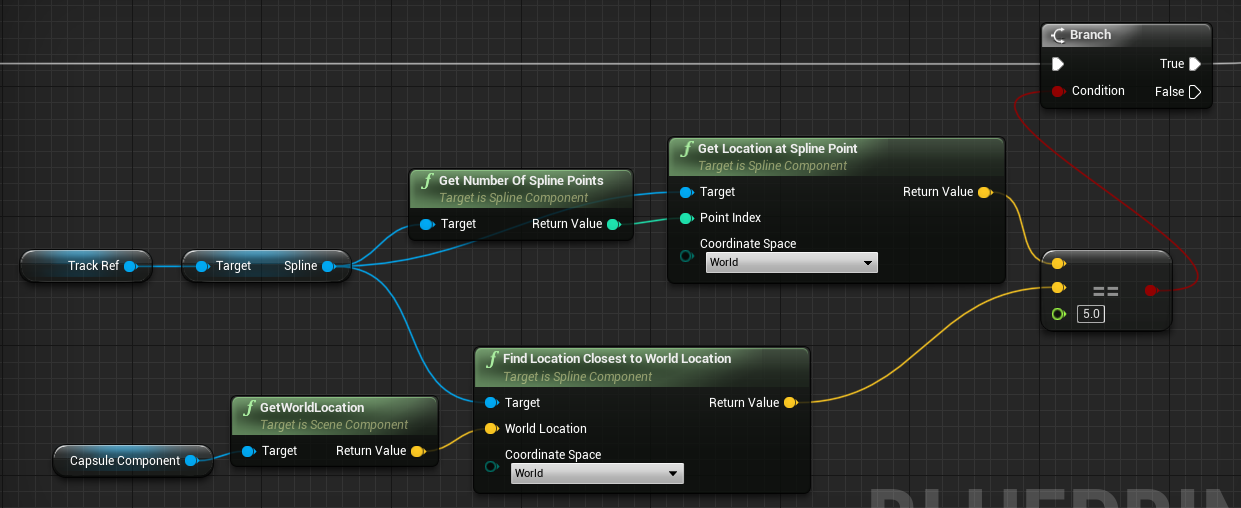
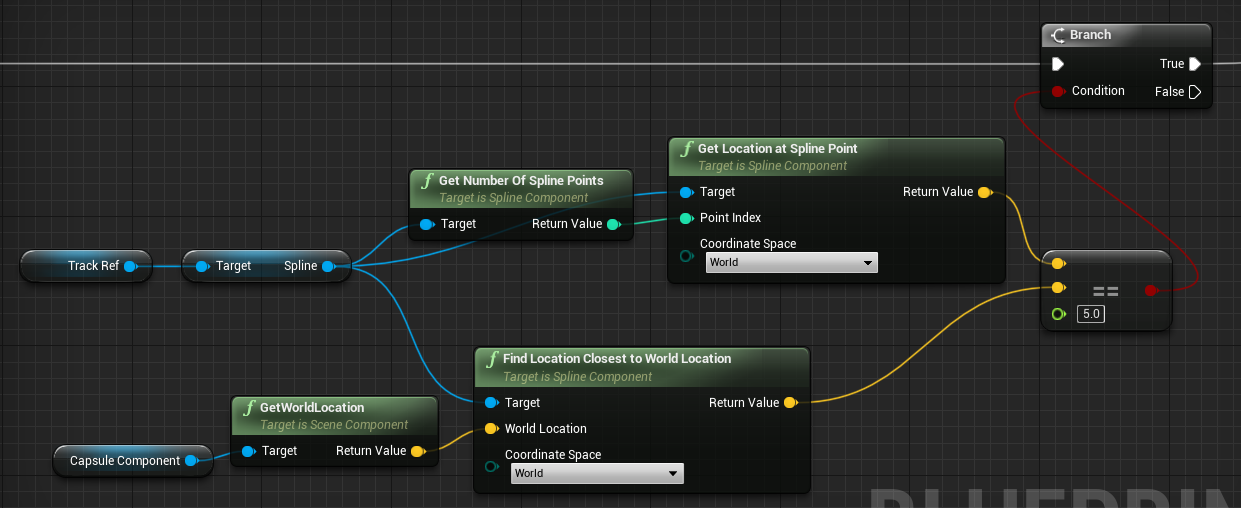
This is how I'm measuring if I'm at the end of the spline right now
It works. It just seems wrong
knotty quail
@twilit heath I don't even see my blueprints firing in simulation mode. It's so weird
It also seems like my BT is getting hung up and rapid firing at times
chrome orchid
in the latest version of ue4, is attach to component gone
weary ledge
Did I find a bug, or is this a setting? My springarm that is set to probe on WorldStatic is hitting skeletalmeshcomponents that are set to WorldDynamic?
weary ledge
yeah its hitting a bunch of static meshes too..
How do i got about making it only collide with WorldStatic objects, rather than objects that block world static?
teal nexus
I am having massive brain fart - I am doing Component Begin Overlap and I need to proceed if overlapping actor matches base class. How do I do that?
(let's say I have parent BP Class Main and then derived BP Class A)
when I pull off the Other Actor and do == Class Main, it doesn't work
if I do == Class A, it passes
but I will have Class B, C, D, E, etc. which all derive from Class Main and I don't want to be checking against every single newly derived class when I really just need to check for Class Main
pine idol
I want the ability to use interfaces on multiple different child actors, attached to a singular parent actor
is there a way to do that, without creating seperate actors?
for instance, i have a jail door, and I want you to be able to enter with either a key card on one side, or a jail key on the other. I'd use a line trace to determine which one i'm looking at, so that I can draw texts and outlines
i've done this years ago, but i can't remember how... haha
green fiber
Any suggestions on how to make my characters have AddMovementInput for a set time ? I.E.; if I press Shift, the character moves for 10 seconds without me touching ? (but still being able to dictate its rotation with the controller)
static shuttle
Hey everyone, quick question, if I have 5 TVs in my scene do i have to have 5 media players and video materials or is there a way to have 1 setup with many video source files and pick the video source file i need for each tv? Thanks for your help
twilit heath
@teal nexus Cast OtherActor to ClassMain or pull the actor class, and use IsChildOf<ClassMain>
static shuttle
They are all completely seperate.. each one is displaying a different video
hidden lagoon
so you could pull from the same pool of videos, but to my understanding you could use the same blueprint script, they each need their own instance of it - but the randomized picker could be set up as a funtion
static shuttle
ive already made a bp script and i guess using the same media player is possible but the media texture and material are where im not sure how to do it
hidden lagoon
its in the media framework
ive seen it but dont know much more than that
its literally a pre built in function
https://docs.unrealengine.com/en-US/Engine/MediaFramework/QuickStart/index.html
A guide on how to quickly add and play videos inside your game levels with the Media Framework tools.
 hollow flame
i have issue with animations, when my camera is far away from ai character, the character animation is stopped, and set to idle pose
static shuttle
@hidden lagoon Thanks ill take a look at it
 inland magnet
Hey there. I want to play live video captures on android devices. I followed the steps in the documentation (https://docs.unrealengine.com/en-US/Engine/MediaFramework/HowTo/UsingWebCams/index.html). It works on windows using webcams but changing the bitmask enum to get the front or rear camera on a mobile device doesn't work at all. Any help?
 velvet viper
Been prototyping a sort of freeflow combat system and I'm pretty happy with it so far, one thing I haven't been able to nail that something like the Arkham games does really well is moving to the enemy, I've got the logic for detecting the nearest based on keyboard inputs and mouse movement, but I don't know how I can make the player actually moving to the enemy smoother! Any help would be greatly appreciated, thanks!
 earnest tangle
perhaps you can interp between current location and where the target is?
velvet viper
@earnest tangle That's what I'm doing in that GIF but it still looks choppy as
earnest tangle
what if you make it a bit slower? looks like it's interpolating between the positions but it's just very fast
 true valve
I'm working on creating an efficient AI spawners. I'm trying to find out what is better:
- Use event overlaps to detect player entering or exiting
- Use Sphere radius with an event timer and check every couple of secs using GetPlayerCharacter->GetDistanceTo.
 fleet nimbus
Hi! Excuse me, I've got a problem, I have a blueprint, and it's flow continue to execute through the condition to do so is false.. any idea why it's done ?
Sure !
If my remaining shots test return false, (I tested it by both printing the value and breakpoint at the condition), its still does
Yup, I have to, 'cause you should have 1 bullet for suicide (a long story to explain but.. anyway, it's intended >.>)
But debugging litteraly tells me that it's false, wait a sec, I'll provide screenshot
First passage, everything's alright
Second time, don't have any bullet to shot anymore
Still firing, my value even go'd down to -1
Gonna try this
Okay, so
I wasn't doing it
But
I'm stupid, I find the problem
Sorry to have bothered you ^^'
Yup ! :P
u2!
rancid quartz
Good morning. Does it make sense to use an interpolation node inside of a function looped by a timer? In that case, can I just make the DeltaTime value on the node the same value as the interval of the timer?
surreal peak
At that point you can just use Tick lol
rancid quartz
Here's what I ended up with. This runs every 0.033 seconds on a timer. It rotates a 2.5D spaceship as it flies up and down the screen.
 astral fiber
I got a main menu where you can choose which mission you want to play.
After that the map gets loaded.
Where should I store which mission got selected?
Should I create a PlayerState?
Or should I create a GameState?
Or only a GameStateBase?
Or something entirely different
rancid quartz
I like to store that information in the game instance.
astral fiber
I just read this, because in later stages it should also support multiplayer.
http://cedric-neukirchen.net/Downloads/Compendium/UE4_Network_Compendium_by_Cedric_eXi_Neukirchen.pdf
But if its only locally at the moment Game Instance is the easiest I guess?
rancid quartz
The game instance is the only class that persists across maps. The only other way I know of would be to save the mission name to a save file, and then load that save file when the new map loads.
astral fiber
@rancid quartz thanks for your help, I think I will use the Game Instance then.
twilit heath
its not the only class that persists, nor is it the only way to persist data
you are somewhat limited with blueprints though
it is the simplest solution - and one that usually leads to cluttering GI
hidden lagoon
@true valve I'd look at makeing the camera follow slower
rancid quartz
Zlo knows best. I concede.
trim matrix
How do I set default player pawn spawn location?
trim matrix
Yes but
my pawn isn't spawning where player start is for some reason.
In my game mode I set my default pawn.
Then I place player start in the game world.
But my pawn spawns elsewhere
hidden lagoon
well look at where it's spawning, and see whats there
maybe youve got 'spawn to camera' set on your play button?
twilit heath
how many pawns?
trim matrix
Just 1
twilit heath
is this PIE?
trim matrix
I have a pawn called PlayerViewPawn and a game base called BPGridGameBase and a player controller called BPGridPlayerController
I set my default player controller and default pawns in BPGridGameBase
Then I set that game base in my maps and modes
And then I place a player start in the game world
Maybe I need to attach a camera and spring arm to the pawn
 supple peak
Hey Everyone. Wonder if anyone out there can assist me. I think I've watched every YouTube tutorial on this topic but still don't have an answer. So I need to get data out of a SQL database and into Unreal. Is there anyways to do this without using a 3rd party plugin... Or maybe a free plugin. I've read about the VARest plugin and that it should be possible but I have no idea how. Even the VARest tutorials are not very helpful. I know it's not good practise to have your SQL server credentials inside your Unreal project but it's just for a demo and I am not worried about security issues etc. I just need to connect to a database and get some data from it - Any help on this would be greatly appreciated. Thanks!