#blueprint
402296 messages · Page 496 of 403
 hot fjord
 dense ledge
Is there a way to make a mesh "thicker" through its material? Imagine you have a cube and you wish to scale this cube the further the camera is and you wish to do so by changing a material parameter. In my case it's a more complex mesh than a cube (and I can't just set its scale because the mesh is hollow in the middle and If i scale the mesh the hole in the middle gets bigger too)
 neat birch
im working in blueprints right now, making my first game, how can i effect every object that is simulating physics? one of my characters is going to have control of the environment so im trying to set him up to be able to perform an ability that applies force to all physics objects
dense ledge
im working in blueprints right now, making my first game, how can i effect every object that is simulating physics? one of my characters is going to have control of the environment so im trying to set him up to be able to perform an ability that applies force to all physics objects
@neat birch You can get all actors in a radius and then apply the physics to the retrieved actors (you can check if they are simulating physics). If you really want every actor in the scene you can also loop through all actors in the scene and do the same
In order to get actors in a radius you can use SphereOverlapActors. If you want all actors in the scene you can call GetAllActorsOfClass and use Actor as class
In order to check if they simulate physics you can get get all components by class MeshComponent and for each component check if it is simulating physics
 sharp charm
how do i make a projectile not "freeze" when it spawns inside the player's collision?
i'd like it to always spawn, but completely ignore the player
i tried "ignore actor when moving" but that still doesnt fix the problem entirely
 haughty axle
Guys have a question, is where any way to setup automatic level streaming? because i have random generated map, and cant figure out a way to set up streaming levels
 keen goblet
@sharp charm Maybe set up a collision channel for your projectiles that ignore the channel your player uses and vice-versa
sharp charm
@keen goblet oh, this seems like it could work. thank you
 past girder
I have an Bluprint Actor that i want to delete from the ThirdPersonCharacter bluprint how can i delete the actor?
I know i need to use Destroy actor
keen goblet
@dense ledge I'm by no means an expert on shaders, but maybe World Position Offset could help: https://docs.unrealengine.com/en-US/Resources/ContentExamples/MaterialNodes/1_10/index.html
An overview of the Material Nodes example level, example 1.10: World Position Offset.
sharp charm
@keen goblet your suggestion worked, but now a direct hit from a projectile just passes through other players (i am in multiplayer)
i was thinking of enable overlap instead of just ignore, and making a check to see if the hit actor is not the owner?
unless there's a simpler solution
but then again, that wouldnt generate hit events
keen goblet
@sharp charm My first thought (and maybe this is a horribly unoptimized idea) is code a special case. Have your bullet start out overlapping players, then check when it spawns if it spawned overlapping a player. If not, set it to hit players. If yes, on EndOverlap w/ the player, set it to hit players.
sharp charm
@keen goblet just realised that would be tricky, as the overlap/ignore collision only works when i set it on the player
so that code cant be run on the projectile itself
 obtuse glacier
Hi, does anyone know if it's possible to procedurally generate a montage and add a notify to it?
past girder
How to change the default controls? in the bluprints
becuse, i am making a game where the controlls change overtime and the controls are getting displayed on the screen.
How can i make a system that randomly changes the controls?
 gritty elm
@hard cloud
https://www.youtube.com/watch?v=Cq2_OwR3DGA
https://www.youtube.com/watch?v=7GItdkVrml0
https://www.youtube.com/watch?v=5pY4rcxmk_Y
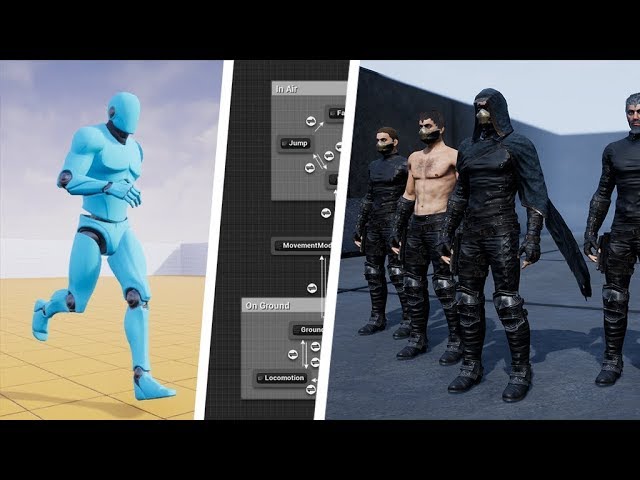
In this video I follow tutorial from Longmire Locomotion: https://www.youtube.com/playlist?list=PLAR8Kc1ZLLKZjnKI_idX7Ik7mN0VORSm_ to make this video
Advanced Locomotion System V3: https://www.unrealengine.com/marketplace/en-US/slug/advanced-locomotion-system-v1
RavensS1 char...

In this quick tutorial I will show you how easy to add your character mesh to ALS V4
Did you like what saw? Please support me in my journey https://www.paypal.me/imaginedreams7 or join the project Discord https://discor...

This video is part 1 of a multiple part tutorial on merging Advanced Locomotion System v4 with Character Customizer.
The same method could be used for other custom characters too.
Marketplace Links:
ALSv4 - https://www.unrealengine.com/marketplace/en-US/product/advanced-l...
 ripe drift
Hi all, (Multilplayer) would I be correct in storing pawn changes for example skin material/colour on the player selection screen in my GameInstance?
I currently have it setup this way and working but wanted to get a 2nd opinion or more if this is the correct place?
 trim matrix
for initial setup sure
but you need store it somewhere where everyone can access as well too
because other players will need to know how that player looks as well
instance is not shared
after game starts
ripe drift
@trim matrix current setup casts to instance to set and get which seems to work but on occasions colour's don't replicate, almost like I need a delay somewhere. Hence asking the question to gain better understanding
trim matrix

dont use instance for replicating properties its not for that
use it to transfer the information between levels
then set it up once player joins in
How to avoid jump trajectory to be interrupted by player movement input? I'm using the top down level, and air control is already set to 0
ripe drift
So playerstate should be my port of call for colour changes on players and other items.
I have all my player names map names and image changes etc already in player state replicated which works fine, I had already added my colour stuff in instance some time ago.. so now time to setup correctly I think (nice flow)
@trim matrix thanks for tip, appreciated 👍
trim matrix
you`re welcome
ripe drift
Gotta love replicating haha, took me 4 days to fix my loading screens and get in sync hehe
Only 2 hours a night though 😋
 junior rapids
Okay so I am fully prepared to be told this is not possible and so will have to look for another method, I am currently using a for each loop for some data, at present there is around 24 rows of data within the array but there may be more in the future (array is created using using json via the VaRest plugin) I want to be able to take the data produced and update a variable for each row so that I can access this data else where in the project, is this something that is possible or am I as well looking for an alternative?
 small ridge
gritty elm
small ridge
gritty elm
@small ridge check your construction script, disconnect everything from construction script
 frank viper
I had to waste a whole day with event dispatchers which wouldn't subscribe unless you pull out from the out pin of the casting node and select "bind ..."
I right clicked on node graph to bring up "bind ..." and they wouldn't work
Took me a whole day to figure that one out
oof
I would call an event dispatcher and all of them in that BP would fire
Couldn't figure out why it was so weird
 zealous moth
in what situation would you use event dispatchers? I find myself mainly using casts or interfaces...
 formal mesa
formal mesa
formal mesa
Ok so lets start with i would like to be able to generate these rooms as i walk into the first room and so on and then i would like them not to overlap when i generate the next set of rooms next to the ones that already have rooms made
zealous moth
i can agree with that one but anything else? :/
i set up the bars once like that, it was fun
 worthy frost
when you want information
trim matrix
Hi, any of you guys know how to avoid jump to be interrupted by player movement? Air control is already set to 0
zealous moth
while in air, disable inputs
 hexed saffron
Hi, I have a Material here and setup Domain to PostProcess. In it is a VectorParameter. I added to my pawn PostProcess and can´t figure out how to change the color of the Tint of the PostProcess. I can´t just pull out Set Vector Paramater Value, because it is no Material Dynamic. Is there a way to color tint a PostProcess, like when firing a wepon becomes red or if jumping into water becomes blue?
trim matrix
Something like that?
zealous moth
hm, I would put it on the anim BP
while jumping animation is true, disable input
you'll have to cast to your PC
@hexed saffron look up material parameter collection
trim matrix
So I'm trying to make an interaction system. Here is a general idea of what I'm trying to do. When I pick up an item using a line trace, I check if it has a certain tag and if it does, I check whether I'm pressing a key and then I add the item in my inventory and use the destroy actor node to remove it from my level. The issue I'm running into is that when I have the destroy actor node plugged in to remove the item from my level, after like a minute my entire inventory will reset and go back to being empty. Now this only happens when I destroy the actor that is in the level. I really don't understand why and any help would be great.
I don't see any node for jump or disable input on the animation blueprint. Maybe it's because i'm using the top down level?
 inner ginkgo
@trim matrix When you 'store' the actor, it doesn't create a copy. It just makes a copy of the reference. So when you destroy the actor later, it goes away from everywhere that it was referenced. You'll have to either hide the actor (turn off rendering, collision, tick, etc) and not destroy it. Or the route that I prefer is that you'll need to come up with a way to represent the actor you are storing (probably with a struct) and convert your actor that data before destroying it.
trim matrix
Oh. That is generally what I was wondering. Thanks a lot!
hexed saffron
@zealous moth The MaterialParameterCollection seems not the correct solution.
inner ginkgo
@trim matrix I would do this in the character code, not the animation. Somewhere you handle the jump command. Put the disable input in there. If you are using the character class, you should have an OnLanded event that you can use for enabling the input.
@hexed saffron It should work. Can you explain why it isn't?
zealous moth
@hexed saffron then you're doing it wrong. Make sure you are changing the correct thing.
hexed saffron
Also I created a MaterialParameterCollection. VectorParamters, a test color. And put that into the main material right?
zealous moth
yeah in the main material, set up a "parameter" you rename to wahtever you want to modify the value of
and then in your actor BP, you refer to that parameter collection and get the vars
hexed saffron
I have this error now.
inner ginkgo
You are using a vector4 in the parameter, when you are using vector3 in the other nodes.
zealous moth
^ yeah that, make a vector 3 param
inner ginkgo
Change the param to a vector3 or mask it out.
zealous moth
or mas... dang it
inner ginkgo
🙂
hexed saffron
Ah mask yeah, that worked. Okay and then call it from Blueprint... Okay I´ll continue trying it. Thank you man.
zealous moth
np
formal mesa
Never mind my ? fixed the issue with ray cast
trim matrix
Is that how it works?
inner ginkgo
That's what I was thinking. Does it work?
inner ginkgo
Shouldn't have much to do with it, as long as control is through the controller.
A less elegant approach is to create a jump boolean. Replace the disable/enable input with setting that boolean. And then in your left click movement code, check if jumping before allowing it to execute.
I say less elegant, but it might actually be more versatile if you want to allow some actions while jumping, but disallow others.
 visual whale
I have a third person multiplayer game im working on. everything actually works great, I can get animations syncing movement seems smooth. but when clients are standing still, the camera seems to jitter a lot. only on client, and only when standing still on 90% of meshes (There is one when standing on it the jittering stops) I cannot figure out why
inner ginkgo
Sounds like the server and the client don't have an exact sync and are fighting over who's right.
visual whale
Thats what I was thinking, I just cant figure out how to trace the issue. It showed up out of nowhere. maybe I just suck lol
inner ginkgo
Nah, networking is just hard.
I don't actually have enough netcode experience with UE4 to help too much here. But there is a #multiplayer channel that might have some more expertise in it.
visual whale
There was no jittering issue for a while. also when characvters collide they seem to throw eachother around, which it wasnt doing before
snap! I didnt realize I switched to the BP channel either fml
Thanks though
inner ginkgo
Np. Good Luck.
worthy frost
that is a bit broad
 white crypt
set a different mesh? 😄
zealous moth
@past girder the best way is to have both skeletal meshes part of a same actor; on trigger, scale one to 0 and the other to 1 and swap controls
Has anyone used the footstep plugin that is free on the market place?
when i swap cameras it stops getting picked up
on overlap, i change the camera using a blend but then the sound stops; the component still plays sounds somewhere but nothing is picking it up
or would anyone know where sound is picked up on?
trim matrix
This is more of something I just wanted to learn rather than something I need help on, but do face normals (when using line traces) change if an object is rotated real time? Or are face normals only a local thing for an object?
 lethal night
Hey, so im looking for some help. Im currently trying to setup an intentional movement delay which is essentially a state the player can be in. Im using a PaperCharacter and using add movement input. The actual moving works but when I add a delay the movement itself becomes slow rather than just being delayed.
This is the movement logic
without a delay behind the movement input
 rugged geode
Hi! Could I get some help pretty please
I've been working on this BP for about 9 hours
I want to die and just need a solution :p
inner ginkgo
@zealous moth Do you have attenuation settings on the sound?
rugged geode
I have two meshes in my blueprint, I want my beam emitter to go between them
inner ginkgo
@trim matrix Face normals are usually only relevant for rendering. Collision and traces shouldn't use them. They 'might' be relevant when doing a visibility trace, but I don't actually know off hand.
rugged geode
At the moment it's doing this instead of going between them
Any help would be seriously appreciated, I feel so exhausted :/
inner ginkgo
@lethal night How were you doing the delay before where it ran slow?
lethal night
I set the delay just before the add movement input @inner ginkgo
and when the delay is there it makes the character move slowly
otherwise its fine
inner ginkgo
You mean a Delay node?
lethal night
F
rugged geode
It works in my blueprint viewport but not my level editor 
zealous moth
@inner ginkgo yes
but why would the attenuation change when you swap cameras?
i thought it was the sound itself that drove it
inner ginkgo
@lethal night Yeah, I don't think that's what's you want. This might actually be a little tricky.
lethal night
Oh really?
inner ginkgo
@zealous moth It is distance from the camera based. So, if your camera is further away from the sound, it'll be softer. Or even silent.
zealous moth
nah distance is same
inner ginkgo
@lethal night Yeah, you'll need to store the inputs and a time they were inputted with the axis value. Then process them after your delay has happened.
inner ginkgo
If it wasn't for the axis value, you could get away with setting a bunch of timers and process them.
inner ginkgo
@zealous moth In the sound itself, try changing the virtualization mode to Play when silent. I wonder if the inactive camera isn't picking up the sounds.
@rugged geode You are using world location in your construction script. When looking in the viewport, I have no idea what world location means in that context. But it has a world location when placed in the world.
rugged geode
So interestingly replacing the blueprint in the world updated it and it worked
But when when I simulate, it breaks again
zealous moth
@inner ginkgo nope did not do it
inner ginkgo
@rugged geode Are the beam settings supposed to be in world space? I would have figured they would be in local space.
You can try replacing all of your get world location nodes with get relative location nodes.
rugged geode
So interestingly placing the exact same thing in both construction script and in the event graph fixed it
UE4 was not updating the beam emitter unless I moved the model manually
Yeah every time I compile I have to move the speeder manually at least a unit
weird
Well at least i'm glad that's 9 hours of wondering over
zealous moth
@inner ginkgo it is not the camera being the issue, it is the overlapping with another actor collider
no clue why
lol
inner ginkgo
So if you disable the camera swap from that execution, it behaves the same way?
zealous moth
yup, i am working on the collision channels
if i set all to ignore collisions and no query, it works as intended
so a collision somewhere is at fault
inner ginkgo
Gotcha. That's at least debugging progress. 🙂
zealous moth
k i found it
so the footsteps uses an event overlap trigger
the foot strikes the ground and then the ray trace would do a check
however, when my actor's collider is set to static, like the ground, it would repeatedly try to play a sound
but the actor has no tracks
inner ginkgo
Is it doing material based sounds? Otherwise, I don't know why it wouldn't just play on an anim notify.
zealous moth
yup iy is using both materials and anim notify
inner ginkgo
Gotcha.
zealous moth
the anim notify calls the ray trace, the ray trace checks what you're standing on and what material it has and then plays the appropriate sound
 quasi relic
Hello everyone, I have a 'Gun' class that has an array of 'Starting Attachments' (attachments that the gun will spawn with), how would I alter that array before the gun is spawned into the game?
zealous moth
the easiest i can think of is to do it on beginplay (or even construct) and when you spawn it, cast into it and set the values before rendering the mesh
hah take that eckish
inner ginkgo
@quasi relic You can edit the default values in the editor, but that will be for all of them. If you want to change it at runtime, set it public and expose on spawn. Then the array will be there on the spawn actor node.
quasi relic
@inner ginkgo ok thanks!
inner ginkgo
Np (Take that back Zanet)
quasi relic
@zealous moth thank you also! sorry, i didn't see your message!
zealous moth
unforgiveable
 cedar sparrow
How intensive is the Get Data Table Row node? I have some UI elements that use different values for the same stats, but instead of making a bunch of copies, id rather just use a data table and pull info. Does it use a lot of resources or not so much?
inner ginkgo
I haven't actually measured it, but I use them a LOT and have not had any issues.
cedar sparrow
ok that's good. I won't be using them too much, and only on creation of the widgets so shouldn't have to it it too many times
thanks
 hard charm
Guys how I could make the draw of cicle In My minimap widget
 hardy swallow
Enjoy the videos and music you love, upload original content, and share it all with friends, family, and the world on YouTube.
 worn zodiac
Hi everyone, Can someone please tell me how or a workaround on avoiding world composition streaming hitches
trim matrix
@trim matrix Face normals are usually only relevant for rendering. Collision and traces shouldn't use them. They 'might' be relevant when doing a visibility trace, but I don't actually know off hand.
@inner ginkgo So if you wanted to get the direction a face is pointing how would you go about that? (Not using a trace of some sort to grab the normal)
inner ginkgo
Are you talking about a material or outside of materials? Outside of materials, I'm not sure without getting the mesh data.
trim matrix
On blueprints to get the vector of where a face is facing. :p
 mellow stump
In code in game engines and 3d modelling software, normals are calculated using Cross Product. There is a Cross Product node in blueprint. That is the extent of my knowledge on that. I saw it on google trying to figure out spherical gravity
inner ginkgo
You can convert a static mesh to a procedural mesh. And from there, get the mesh data. You'll have to apply your own transforms, too. Then you can calculate the normals of any face you want. What is the use-case? Why don't you want to use a trace?
trim matrix
I would be fine with using trace but your message seemed to say that it was impractical to use a trace
Specifically for changing gravity based on the vector of a face.
inner ginkgo
What 'face' are we talking about.
trim matrix
Let me get an example just a sec :)
 robust cliff
is it possible to rotate a socket while i am spawning a projectile from it?
i need to account for slopes
inner ginkgo
Do you mean rotate it before spawning the projectile? Or as a result of it?
trim matrix
A perfect example is from a game called Marble It Up. Surfaces that have a gravity material change the gravity to be down based on how the gravity surface is facing (when your marble rolls up the surface) so gravity has a smooth transition. @inner ginkgo
robust cliff
@inner ginkgo before
inner ginkgo
@trim matrix You can do a trace on complex and it'll get you the normal of the impact. Which in this case should be the same as the normal of the face. But that's probably not the solution to this problem, because you still need to decide to trace that direction to begin with.
@robust cliff Then yes. You should be able to rotate it before and it'll pick up the changes right away.
mellow stump
Get Unit Direction Vector is how i calculated spherical noise on my planet, this is a demonstration, may help?
Anyone know how to World Origin Rebase an object that wont World Origin Rebase. It is the new Sky Atmosphere. It will Rebase in 4.26 but im impatient. Im sure it has to do with linear algebra and my location and the starting location of the Sky Atmosphere actor but i just cant quite get it. Its the rebasing math that Unreal uses but im just not quite that smart to get it.
inner ginkgo
Are you doing it in the engine code?
mellow stump
No, all blueprint. Im moving it around but its slightly off all the time, im 80% there, my math is just wrong
inner ginkgo
It should just be current location + current offset - new offset. But there would likely be a hitch, since rebasing doesn't happen immediately.
mellow stump
Ill give that a shot, thx
robust cliff
@inner ginkgo do you have any code examples for this?
inner ginkgo
Not offhand.
 old bobcat
Something about this logic is not right: the variable is not being stored or transferred correctly. When I try to print the displayname of the actor class it simply comes up null.
-> Storing a selected actor's class in the player's GameInstance
-> When a player enters the game, the PlayerState on BeginPlay gets that variable and creates a new variable inside the PlayerState mirroring it.
-> The GameMode then attempts to spawn the actor when an OnPostLogin event occurs, using the PlayerController's PlayerState to get the actor class variable
inner ginkgo
The variable in the GameInstance should still be set at that point. Have you verified if that one is showing a value? That will help determine where the failure is.
old bobcat
hrm ok, so the playerstate is storing it successfully but in the onpostlogin it is not getting the variable
inner ginkgo
@old bobcat So, I wasn't sure on the timing there, so I just ran a quick test. PostLogin fires before the PlayerState BeginPlay. You'll need to think of a different way to coordinate that handoff. It might be best to just look it up directly from your GameInstance var.
old bobcat
ah that would do it, thanks
 modern cove
If I have an array of structs, and a boolean within each struct, is there a quick way to count how many of the array items are True and how many are False? Or am I looking at needing a ForEach with Break?
inner ginkgo
As is, a foreach without a break.
But you could keep an active count as you add them to the array and then just use that.
modern cove
I have a semi-operational item finding system. right now if an item is found on the field, the Lead character gets it, or it stays if his bag is full.
I want it so that if the Leader's inventory is full, the item goes to the next character, and so on until there's a character with an empty slot, or if everyone's full up, the item stays on the field.
Thus: I was looking to set up a For Each with a Break to get the Index of the character with the next available item slot.
I have it set up as a big intricate "Things within Things" matrix.
inner ginkgo
Gotcha, I was focused on the count part. A foreach with a break would be a fine solution, then.
modern cove
Ya for counting it would be no break. I asked about counting to see if any quick way was possible
My Setup goes
Team: Array of PLayable Character Structs
Playable Character Structs have several variables including Inventory
Inventory is an Array of Item Slot Structs
And the Item Slot Structs have a Boolean for Full vs Open
so yea, it's a lot of 'Things within Things'
old bobcat
is there any way to get a player controller's game instance from inside the gamemode?
inner ginkgo
There's only ever one game instance. So the one you get from game mode is the same in the player controller.
 maiden wadi
What's wrong with just running them through a simple function that takes an array and returns an integer that loops through the array and adds one to the returned integer every time a true is found?
 spring cosmos
Please suggest some tips on how to use curves to move object with BP
modern cove
I've got items passing to the next character when bags are full!
modern cove
So I've got a Child Widget that shows a character's name and acts as a button. Right now all it does is print a string that Confirm it was pressed. Both my Items Menu and Status Menu have these 'Character Line Buttons' on them; the setup adds one of these buttons for each character currently on the team.
My question is: If I want the button to go into Item Inventory when pressed on the Items Menu, or Full Character Stats when pressed on the Status Menu, will I need to Duplicate the widget and make sure each menu calls for its own customized Child Widget Buttons, or is there a node that can detect which menu is currently active and allow me to direct it to the correct function accordingly? Or perhaps I can cast 'Current Menu' to the Game Instance each time the Menu changes and have it check that to see which sub-menu to summon?
robust cliff
Anyone have an idea why my overlap event on my projectile is dealing more damage than the amount I have set in the variable?
 grim lantern
Can I access the items in a Group Actor through Blueprints?
 rich lava
i am using the third person default setup and when standing still and looking at the character from the front side i want the character to turn when i click/fire my weapon how would i do this
trim matrix
hi ! b
i dont know how to make character with animations and stuff
i am willing to learn blender
and i am willing to learn all u need to make your own ai base, i only dont know how
if u can make animations made on my own character my game is complete
i would like to ask for liiiiitle help . please 🙂
 lilac lance
@trim matrix if you are starting check out mixamo.com
 untold fossil
Is there a way to get convert a key to a string? There is the "GetKeyDisplayName" node, but this returns a full length name of the key. For example instead of "&" it returns "Ampersand". How can I get "&" instead?
It's for displaying keybinds in an actionbar, and "Ampersand" isn't exactly short 😛
 tropic robin
Why would I be able to use AI Move To in my event graph but not in a function in the same pawn?
I had wanted to pull something out into a function but it appears I cant do that
 bleak vector
unreal has some oddities
anything like a task or to do with time can't go inside a function
you'll have to make it an event
tropic robin
gotcha, np just was curious
trim matrix
Can somebody please expain
how the "OnClick" thing functions
I have a BP that has a bunch of cameras, and collision boxes
the idea is the player interacts with it. Moving the camera over to the Blueprints viewport
and then the player clicks around for collisions inside that which in turns moves the camera around
When I was testing, I realized that the OnClick doesn't function at all inside that BP. However it functions on objects besides it
Having these lined up like this.If you interact with the bed on the left. No OnClick call inside that Bed BP will fire
HOWEVER, if you click on any other bed that you're currently not zoomed INTO, the OnClick fires fine
 flint nymph
@trim matrix what does your graph setup look like
spring cosmos
please suggest how to use curves in BP to move objects ?
trim matrix
For changing the camera
flint nymph
are the collision settings for the head hitbox set to allow for clicks
trim matrix
trim matrix
I'm changing a few things around. As a collider is sometimes in the way
so I want the skeletal mesh to be able to receive hits from this
old bobcat
how would I go about storing a 'selected character' actor class variable for use in a dedicated server? essentially I have a characterselectmap/hud that is followd by the matchmaking and subsequent entering of the multiplayer map/session.
I'm just trying to figure out how to actually store the actor class variable so I can spawn the player's character into the game. Right now I'm storing it in the gameinstance but I have no idea how to get the server to read a player's GameInstance. I also tried the PlayeState and PlayerController but the event BeginPlays of those fire after the OnPostLogin event, so the variable is not instantiated yet.
can't seem to wrap my head around it, might have to make the character select inside of the actual game or something
fixed: made an event in playerstate that gets called during the onpostlogin that instantiates the selected character variable yahoo
trim matrix
And this does not seem to actually be able to recieve the trace call
 true valve
Could this be done any better?
https://gyazo.com/0d82c0d85e206ad998d96aba6625c33f

 tight schooner
I can't tell what's going on lol
There's lots of ways to consolidate repetitive nodes... Functions, macros, loops, select nodes...
true valve
It works though. But I was wondering if it could be done any other ways lol
tight schooner
But I don't understand your signalflow from the screenshot cuz there's a ton of crisscrossing stuff
So idk what to suggest
true valve
Based on horse movements, I decide which sound to play and also I reset the other do once.
So if horse is walking I need to reset the other nodes so that when done walking it could run or do other movements
tight schooner
It seems like the thing that's actually different in each "line" is the sound cue
So you could have one line, and a Select node connected to the sound cue input
And then that node selects the appropriate cue based on some value (int, enum, bool, etc)
true valve
I have do once which needs to be there as well
Because the movements are active. When I press W, the horse is walking. So that's why i used do once
tight schooner
It's running on tick or something?
tight schooner
Am I correct in assuming the problem the gate solves is preventing the game from playing the exact same sound cue multiple times?
true valve
yea
tight schooner
You could do something like... Check if a certain sound is already playing before spawning a new sound. You're spawning a sound cue and saving a reference. I don't have UE4 open rn, but I imagine there's a way to get the currently playing sound cue from your Horse Footstep Sound variable.
You basically do a check that's like...
The sound I want to play == The sound currently playing
If they match, then abort
(or use a does-not-equal comparison if that's easier to read. If it's true that they don't match, then spawn the new sound)
But yeah if you find yourself making repetitive lines of execution in BP, there's always some way to consolidate it.
 ancient topaz
 autumn heath
Put the character's location into destination
 plain flare
i did it but isnt working
plain flare
yes, i forget it
trim matrix
@lilac lance Mixamo isnt that good xD know that already and hate it xD
 ocean raptor
How do you delete an extra input to an audio Random node? I want to get rid of that last one: https://i.imgur.com/XZAs4Ye.png

 surreal peak
Rightclick -> Delete
ocean raptor
Dang, thought I tried that. I must have clicked off the input. Thanks!
 crystal mural
Quick child/parent question. I want to be able to change a couple montages per child. I'm not sure how though. Would I have a few exit pins from the parent, if so, then how? Or can I make these montages variables some how?
HAHA! I think I just answered my question. Would making them variables be the right way to go?
 sand shore
crystal mural
sand shore
crystal mural
I'm happy with good enough 🙂
 dreamy ice
instead of casting to each individual actor on trace from my character to have interaction whats the most efficient method?
autumn heath
@dreamy ice wdym casting to each individual actor
dreamy ice
previously I would cast my hit object to my "basedoor" or "baseitem" actors and if one failed I cast to the next and so on until I either got a hit or ran out of things to cast to.
autumn heath
You can use either composition or inheritance
On hit you can check whether the hit actor has a InteractionComponent for example and then have your interaction functionality implemented there
 sturdy crane
Hey Guys,
im searching for a solution/tutorial how to control a Unreal Scene via html website hosted in network. Any ideas where to find?
dreamy ice
That sounds like the solution I was looking for thanks. 🙂
autumn heath
Or you could have all the things you want to be able to interact with inherit from a base interactable class (which is bad lol)
@sturdy crane you won't find something this specific
 mental cliff
Hello, how do i repeat a float between 0 and 1 if the input value exeeds this , so that 2.5 would only be 0.5
autumn heath
Just get the decimal part? I think there was a function for that
sturdy crane
@autumn heath okay sadly. Any idea where to get something programmed like this?
autumn heath
You could ask around I suppose
@mental cliff you can do something like that:
- Floor the float
- Substract your floored float from your current float
So if you have:
float1 = 2.5
float2 = floor(float1) // in this case that is float2 will be equal to 2
float3 = float1 - float2
and here float3 will be your float that only goes from 0 to 1
mental cliff
@autumn heath Thank you
autumn heath
floor should be a function available in blueprint
Perhaps there is also a function in blueprint that return only the decimal part of the float, you might wanna check that
mental cliff
I haven´t found this decimal function but perhaps must have overlooked it everytime
 arctic rune
Weird question, anyone know if you can put a "Target Point" on a blueprint class /player?
autumn heath
You can spawn a target point and attach it to the player
Perhaps just use the player's location
@arctic rune
surreal peak
@autumn heath @mental cliff
float_one = 2.123
float_two = float_one % 1
Whaaat
surreal peak
% being modulo operation
autumn heath
Didn't know the modulo did that for floats
surreal peak
UE4s math library has fmod, so pretty sure blueprints have that too
autumn heath
Well that is a nicer solution
arctic rune
@autumn heath Hate to keep asking questions, but how would you attatch it to the player? I know you can add constraints to the Target, but that is just a Z-X-Y thig?
surreal peak
If TargetPoint is an actor, you could just add a ChildActorComponent with it
autumn heath
You can also attachactortoactor
arctic rune
Ill give it a go, thanks
mental cliff
@surreal peak thank you. Now i just need to check if the output is divisible by 4 and if so the output is true
autumn heath
That's easy
Cast to int, however idk why you are checking if a float is divisible by a number, perhaps it's something else
hard charm
guys who can help me?
hard charm
ok wait me a moment
I want to know how to put the circle and paint it on the minimap
put it there
my cicle is drawn in my big map but in my mini map no
gritty elm
@sturdy crane you need to setup pixel streaming:
->https://www.youtube.com/watch?v=9V6Iy-OSlc4
->https://www.youtube.com/watch?v=Qh2-x68Of7I
->https://docs.unrealengine.com/en-US/Platforms/PixelStreaming/index.html
Learn how to setup pixel streaming for remote connection.
With the Unreal Engine 4.24 version, Epic Games changed a bit how Pixel Streaming works, embedding Web RTC directly into the plugin and simplifying the setup process.
In this video, we are going through the setup proces...

Unreal Engine 4.21 has added the ability to run a packaged Unreal Engine application on a desktop PC in the cloud, and stream the viewport directly to any modern web browser on any platform! Get the highest-quality rendering in lightweight apps, even on mobile devices, with ze...
Run your Unreal Engine application on a server in the cloud, and stream its rendered frames and audio to browsers and mobile devices over WebRTC.
autumn heath
So there was a guide after all
@hard charm seems like your minimap is too zoomed in
hard charm
my minimap is map with zoom
autumn heath
lol
hard charm
It is made with a material
arctic rune
Okay real basic question here, if I just want the enemy to move to the player, whats the best blueprint class to use? Would it be Character? - Dont really want to use a behaviour tree as I just want something really basic to test ideas
hard charm
yes i have texture of my map since up
autumn heath
@arctic rune I mean you could use just a pawn
gritty elm
@spring cosmos ->https://www.youtube.com/watch?v=JWN7ljhAOMM
->https://www.youtube.com/watch?v=NOG0RsuqRUg

A quick dive into how to cast objects in BluePrints!
If you have a good idea for a Quick! How To video or have a question about UE4 let me know in the comments. If I can answer it quickly I'll try to make a video response!
If this was helpful and you want to see more subscr...
This is a part of the seasons requested tutorials. ________________________________________________________
Like my content or found it helpful!
Subscribe for more!
Support me on Patreon - https://www.patreon.com/Realtime3D
Paypal - https://www.paypal.me/NowYoshi
Visit - h...
arctic rune
Ok ty
sturdy crane
@gritty elm to advanced. i really just need a UI Interface (html) on a ipad to change states of materials and so on....
gritty elm
@hard charm https://unrealpossibilities.blogspot.com/2016/01/unreal-engine-tutorial-create-circular.html

A blog about video games & game design.
 pine idol
I'm trying to get this box to attach to my back, kinda like a backpack, but I can't seem to do it. What am I doing wrong?

 inner ginkgo
Looks attached to me! If you mean it isn't following his back, then double check that the socket you named is correct. Sockets are different from bones. You would probably have to create one.
autumn heath
^
It's requesting a socket name but you are giving it a bone name
Since there is no socket with this name, it just doesn't attach it to that socket
@pine idol
 bold isle
I have a little issue here.
How do I simulate controller pressing for VR
Like for example in the blueprint, I can make something that does "If Key X is pressed, then do this"
How do I do that for a VR Controller because I can't find that in the blueprints
@ me if you answer
autumn heath
@bold isle set up in the input section
Set an action for a specific vr controller press
bold isle
Where's the input section ?
autumn heath
In the project settings -> input
bold isle
Thank you so much
arctic rune
Okay this might be hard to explain, and since I dont think I can upload videos here this might be hard to understand. I have an enemy, thats entire purpose is to run at the player. It does this fine as long as its on a navmesh. If the player leaves the nav mesh it will run at them and stop at the end of the nav. When the player re-enters the nav mesh, it does not keep following.
TLDR - It follows me out of the Nav mesh, then cant move to get back into it xD
inner ginkgo
How are you handling the move code?
autumn heath
It's because you are only calling this on BeginPlay
When he exits the nav mesh your execution chain is broken
arctic rune
Moving it to tick would fix this wouldnt it? Or would that create some issues further down the line
autumn heath
And you shouldn't write code like this
spring cosmos
@gritty elm thanks this is really helpful
inner ginkgo
He has it setup recursively, which isn't great, but works. But if the pawn is actually leaving the navmesh, then yeah, it won't get back in.
autumn heath
Moving it to tick would probably crash
arctic rune
Yeah the worst part is the pawn actually leaves the nav mesh to follow xD
Should I just add a loop after the begin play?
autumn heath
You should really use a behavior tree for that
inner ginkgo
You need to get the pawn back in the mesh. Or prevent it from leaving.
You could create invisible collisions that only react with the pawn's channels. That would keep him in the play area.
But they may stop moving as soon as you cross the barrier, rather than going up to the edge.
arctic rune
Well tbh, in terms of the "game" im trying to create there shouldnt be any areas the enemy cant get too, so I could just fill the entire map in a Nav Mesh. But that feels like a really bad habit to get into xD
autumn heath
If the map is small it's ok
arctic rune
Yeah plan is just a couple small arenas where enemies spawn, run at you, and you shoot them xD
inner ginkgo
You need a navmesh in every spot you want AI moves to work. If you want to avoid large navmeshes, you'd have to go the route of writing your own move code.
inner ginkgo
Because of perf. 🙂
There's a bunch of settings in project settings for configuring how your navmeshes work.
You'll need to tighten a few things to get the coverage you want.
arctic rune
Ahh okay, what is perf? If you dont mind me asking xD
inner ginkgo
Performance
They could build the best navmesh possible with tons of coverage, but it would consume a lot of memory and more CPU time.
robust cliff
As far as taking damage from a projectile should i use onOVerlap or Onhit???
arctic rune
Ahh okay, Is it Project settings? Trying to find how to edit this xD
inner ginkgo
Yes, Project Settings -> Navigation Mesh
Depends on your design, @robust cliff. Either is valid.
arctic rune
Oh, there is a ALOT of options any guides that would help here? Little bit overwhelming as to what to change to fix this
robust cliff
@inner ginkgo Right now I have it set on overlap but I notice that when I am closer to the projectile that it deals more than the damage amount I am setting the float variable to, any thoughts?
inner ginkgo
@arctic rune I haven't tweaked them in a while, but I remember a few coming up with google searches when I was messing with mine.
I would imagine slope and step height are the ones that will resolve the issue you screenshotted.
arctic rune
Turns out they still walk there so its not a big issue. Just need to the NavMesh to actually go to the edge of each Mesh in the level
As for now If I move to close to the edge they just break xD
inner ginkgo
@robust cliff Throw some print strings in your damage handling. You might be getting multiple overlaps on a single actor. It'll register an overlap with each component.
robust cliff
cool thanks
pine idol
@inner ginkgo @autumn heath same problem, unfortunately.
autumn heath
So you made the socket?
autumn heath
Checked if the name is correct?
pine idol
mhmm
autumn heath
Hmm, change the collision settings when spawning the thing to ignore collision
pine idol
the collision is off completely, other than visibility
set to overlap for everything else
inner ginkgo
What does it look like attached? Does it track anything?
autumn heath
Hmm can you send the code again
pine idol

it depends on the rotation rule I use.
so should I just say snap, and the manually set the rotation, or does that not work?
autumn heath
Try to set location to keep world
pine idol
Keep world is the only thing that's close.
inner ginkgo
Depends on the problem. If it is tracking, but in the wrong place, then relative position is the issue. If it is tracking the wrong thing, that's a diff issue.
 autumn heath
Btw you are not attaching it
In the target you need to put a reference to the actor
pine idol
ahh, so i have them reversed?
inner ginkgo
The default of self should work assuming this is in the backpack actor.
But you can plug self in there to be more explicit about it.
 autumn heath
Hmmm
inner ginkgo
Well you do have a branch there. Verify that code is getting executed.
pine idol
yup! it goes through succesfully
pickup just makes sure no one else can take it from someone who already possesses it.
autumn heath
Still, try to take the pin out of the set node and put it to target
 inner ginkgo
I still need to ask. Is it tracking with the animation, just in the wrong place? Or is it not tracking at all?
inner ginkgo
Then it is your relative location.
autumn heath
I thought it didn't move at all
inner ginkgo
So the attach is working, you just need to get the position.
autumn heath
Yeah
When spawning the actor
Take the socket transform and put it in the transform pin
pine idol
i think the position and socket are correct, because the backpack moves with the animation
 inner ginkgo
You need to position it after the attach. I would personally choose snap to target, then do an update on the relative transform.
trim matrix
Hi! So im new in Unreal and I have a question. I have a Character BP, where it is the movement. Now I want to add it health / weapons etc. Where would I add it? If it were Unity all the health system would be another script, same with weapons. Can I add another BP? Or which would be the workflow? Thx
autumn heath
Components probably
trim matrix
Actor components?
autumn heath
Yes
 faint pasture
@trim matrix You would probably want to make a weapon another Actor, but I'd put health in a health component.
Health can also be a variable on the Character, depends on how robust you need your system to be. If anything besides a Character needs to have health, make a health component.
pine idol
Same result @inner ginkgo k
faint pasture
@trim matrix actor components are the base, scene components have a location, rotation, and scale inside the actor, and primitive components are scene components that are renderable
trim matrix
Ok, thx guys
inner ginkgo
@pine idol What was your transform like? I wouldn't expect it to be right on the first go.
faint pasture
@pine idol set up your sockets such that you can snap the attached actor to the socket, and it lines up.
trim matrix
how do you guys clean up your materials?? I mean i'm just looking for clean blueprint reference
faint pasture
@trim matrix What do you mean by clean up?
trim matrix
cleaning up noodles
faint pasture
I just make them not spaghet to begin with. Lol
faint pasture
How many materials do you have? You really shouldn't have tons of master materials, just like one per material type and then parametric instances of them
 undone plover
Hey guys, I was wondering if there's a node in the material blueprint system that could be used similarly to the texture sampler but instead of a texture, it would reference a material instance to be used inside the graph? If that makes sense?
inner ginkgo
You can use material functions to help isolate some portions of the code.
trim matrix
i mean is theere any secret stuff or i just have to accept the spaghetti
faint pasture
If your spaghetti has repeated things, make material functions
trim matrix
okssss
pine idol
@faint pasture yes, i'm currently using sockets, but no dice still
inner ginkgo
What does your relative transform code look like?
pine idol
I just deleted it, but it was grabbing the position and rotation of the socket in question, then using those values for the backpack to set the transform
inner ginkgo
It won't be an automatic thing. This is an asset prep thing.
Looking at the box attached, it is attaching the center of the box with the forward coming out of the side.
pine idol
so i need to manually place the box, get the offsets, and use that for the transform?
inner ginkgo
You'll need to do a 90 degree rotation and some translation.
pine idol
ahhh, ok
inner ginkgo
You can modify the box actor to have the right offsets. Or move the socket. Or do the relative transform change after attaching. All would work equally if you no future use-cases for this attach point.
pine idol
yeah, i moved the socket in the right position
just gotta figure out how to get the socket rotation to apply correction.
correctly*
inner ginkgo
If you changed it in the editor, snap to target should pick it up on the attachment.

 inner ginkgo
Looks rotated to me. I think you just did the wrong 90 degrees.
inner ginkgo
What does your socket look like?
 inner ginkgo
The details 🙂

 inner ginkgo
So you do have a slight rotation. But that's where you'd correct it. Need to get the correct rotation there.
pine idol
yeah, that's just to correct for the curvature of the spine.
i'm just not sure, when it's snapping, why it's rotating so badly like that
so i'll try here then
yup. that did it.
thanks!
still, very odd to me that that happens. lol
inner ginkgo
The socket is attached to a bone. The bone picks up rotation from the hierarchy. So you need to likely correct for any rotations the bones collectively had.
pine idol
yeah, but it's the default UE4 project. i started this last night, so I doubt there's an issue there. haha
well, thanks again for the help. 🙂
inner ginkgo
Np
 inner ginkgo
Yeah. But for the confusion you have, the default bones have a lot of rotation. Like click on the pelvis.
90 degree across the board.
Each of the spines picks that up and adds its own.
pine idol
dafuq... lol
welp, good to know!
probably saved me a lot of headache down the road. lol
inner ginkgo
Yup. Lots of manual tweaking when doing attaches.
pine idol
well, that was the easy part of this project, onto the hard stuff. haha
inner ginkgo
Haha, good luck.
pine idol
thanks, imma need it
trying to make a UI-less inventory. look in the bag sorta thing.
no idea HOW i'm going to do this. haha
 indigo bough
Hey all, so my understanding is Event Tick = Bad if there is a way not to use it. (oversimplifying here, but anyway...)
Question regarding this... My project is essentially a city builder in terms of gameplay mechanics, and part of that is a constant ticking clock for time of day / passing time. I'm wondering whether driving my calendar (counting up minutes/hours/days to form seasons/years) is best to use the Event tick as it persists the life of the game, rather than using a Timer?
The other thing that I need to mention is that you can increase the speed that time passes in the game by x2/x4/x8, and I'm wondering how that interacts with Event Tick? I guess the increase would need to be applied separately for the clock, as changing the game speed won't impact the tick rate?
(I have it running on Event Tick right now, but questioning this decision)
inner ginkgo
The Tick disdain is targeted at new developers that tend to use Tick as a first choice solution rather than a last choice solution. If you have something that truly needs to run every frame, there's nothing wrong with putting it in Tick.
indigo bough
Thanks Eckish, yeah I'm aware of the target for newer developers with that advice, more just double-checking my logic here to see if anyone else feels this is wrong usage (still new-ish to blueprints, more of an art guy 😄 )
inner ginkgo
For your timer, I imagine it is going to be run in a single actor instance for the whole game and it'll just accumulate time. That's pretty low impact. You could avoid it by saving Now to a variable on game start and then comparing Now to the saved value when you want to check the time. But handling time dilation would be tricky with that method.
indigo bough
Yeah I did think of that approach before but came to the same conclusion. My main concern going forward is I'm planning to run timer-driven events, which can occur during a range of time (perhaps, randomly triggered in Summer, for example), and I'm concerned about the amount of checks occurring for a catalogue of events every X seconds might get a bit overwhelming. I suppose it's an issue regardless of using tick or not though
I'll stick with my current implementation for now, anyway 🙂 - Events is a problem for another day
faint pasture
@indigo bough Tick is fine for updating Time.
trim matrix
@pine idol In the actor, on pickup attach to socket. Add a variable for offsetting the mesh (to change X value of mesh move the bag forward/backward depending on mesh) and a variable for the mesh itself. I'd also suggest putting the code to hide/show the interact text in here (parent).
I think the socket should be attached to spine_02. Add the inverses of the relative rotation to the spine_01 to your new socket rotation. And set the location where ever. Try to fix the socket on the character to be 180 degrees from character mesh at desired Z and X, and 0 on the Y for the socket (middle of back).
Though after you have done that create a child blueprints for say bag types, then create child classes of that.
ParentBag (offset var, mesh var, make those two instance editable (for use with Backpack1/2, etc), and then an inventory array var/add all relevant vars you need to create the inventory system which will be done inside this blueprint, size/etc, all relevant animations (pick animation/drop animation var, instance editable)
ChildParentBagTypeBackpack (set pickup/drop animation on type specific if they have different animations/rigs)
Backpack1, Backpack2, etc. (set offest var, mesh var in these blueprints here)
After animation plays, attach to socket.
Only a suggestion for improvement, but don't need to.
faint pasture
@indigo bough What you don't want to do is run some crazy logic every tick. If you had every agent evaulating its behavior every tick you'd have some serious problems. In your use case, I'd have Tick update Time, and every time that Time hits a certain value (Every second or whatever), have some subset of the agents do their logic.
trim matrix
Hi I have a question about animation blueprints, I have 2 animations and a boolean that switches between them, basically I want a simple AI where this boolean goes on/off periodically using a timeline, how do I do this? I'm assuming I need to have the anim blueprint as a subclass of the class I use for my AI but do I need to make my AI of 'character' class to do this?
faint pasture
@trim matrix The Boolean lives in the AnimBP on the logic side, and is used to blend between the 2 animations on the anim graph side. You could also have the boolean drive a state machine if that better fits. The boolead can be changed in the AnimBP or from outside by the BP for the Character or whatever.
@indigo bough For random events in Summer, I'd have Time update on tick, then whenever Time crosses a day, run the random event logic.
indigo bough
@faint pasture Thanks! Yeah currently the Tick just adds +1 to my minutes (which resets at 59, adding +1 to hours, etc.)
faint pasture
Don't do that, it'll make time framerate dependent
In your case, just have a looping timer at 1s that adds 1 to the time variable minute
so if someone plays at 30 fps it doesnt go half speed and double speed at 120 fps
indigo bough
Right, of course 🙂
So looping Timer adds to my 'calendar', and then events can just check each day if it's within the required date range, if so +X% to the event's chance of occuring until it triggers.
faint pasture
I think the approach would be that the calendar has an array of possible events, and selects the event for the day.
If your events are setup as data, just have a struct with a date range, chance of happening, etc. So BlockParty might have the range June 1st to August 31st, and a 10% chance of happening. The Calender logic (In Gamemode I'd guess) takes the current date, checks its array of events, finds those that have the right date ranges, then for each one rolls the chance.
The event struct might then have some data representing what to do when the event fires like spawn a special actor or whatever.
indigo bough
Yeah they're set up as data.
Awesome, really appreciate the help! Solo dev is hard 😅
 solid condor
Does anyone know how I could go about implementing a restart feature? For a specific reason, I need the game to close and reopen.
inner ginkgo
Restarting the level isn't enough? Or do you need the application to actually restart?
solid condor
@inner ginkgo The application needs to fully close. Modern warfare requires something similar. It's required when players are downloading data in realtime, like an update.
inner ginkgo
Gotcha. I can't think of a way to get that done in blueprints. Might have better luck on the C++ side.
true valve
Hi guys! So let's say I have a running train. I want to play a train sound cue and I want that to be with the train. So If I jump out of the train the sound should go with the train. Is that possible?
I tried Spawn audio at location but no luck
inner ginkgo
Yes. You can use PlaySoundAttached.
Make sure you setup some attenuation on it or it won't actually fade into the distance.
crystal mural
Hi. I've got a casting problem. I've got a parent CharBP and a parent AnimBP. I'm making a child of each. In the parents the CharBP would cast to the AnimBP changing a variable. Now in the children I want them to cast to each other and I'm not sure how to change the casting nodes. I'm literally setting two variables in the AnimBP to drive animation.
I may be thinking about this wrong so I would really appreciate being pointed in the right direction 🙂
true valve
@inner ginkgo Ok I'm trying now. If I want to stop the audio do I leave the scene input blank?
inner ginkgo
Sorry, just looked. The node is SpawnSoundAttached. And you get a return value from that. Store that return value somewhere and you can use it to stop the sound.
true valve
I added attenuation to my cue. I kept everything default unless I have to change some settings?
inner ginkgo
Defaults are probably fine.
Just need to select the cue and then the component to attach it too.
@crystal mural Which part of your cast isn't working?
crystal mural
It is working. But it's casting to the parent class.
I'm not sure I'm explaining myself properly.
Which is why I think I'm doing this wrong! HAHA!
inner ginkgo
So I see a cast to EnemyAnim_BP. Is that one of the child classes? Which is the parent? AnimBP?
crystal mural
This screenshot is in the EnemyChar_BP, casting to the EnemyAnim_BP, which are both parents.
I make a child of the EnemyChar_BP. Call it a ghost... And make a child of the Anim_BP. I make the EnemyChar_Ghost_BP use the Ghost_Anim_BP... but now I don't think they'll talk to each other.
inner ginkgo
As long as the instances are actually of that type, you can cast to them. But you have to tell the editor to do it. So you would need a cast to ghost.
crystal mural
So how do I cast to GhostAnimBP from the GhostCharBP?
inner ginkgo
But if you don't need to change anything in the child class, just parent variables, then casting to the parent is also viable.
The same way you did it in the screenshot. Get the anim instance, but instead cast it to GhostAnimBP.
If you mean take a GhostCharBP an cast it to GhostAnimBP, then that's not how casting works.
crystal mural
Ah OK, now here I'm lost. Let me show you quick...
This, I'm sure you know, is all that's inside the child.
I'm not sure where I would change what it's casting to. Or how to make the cast a variable.
Thanks for helping, I'm sure I'm thinking about this wrong.
inner ginkgo
You don't. If you are trying to change the behavior of the parent class, that's not the right approach.
You have that call to the parent function in your child class. If you want to add more stuff, you keep that call and then add your child logic in the child class. If you want to replace the parent logic with only child logic, then you delete the call to the parent function and again add the logic in the child class.
crystal mural
OK, then maybe my whole approach is wrong.
inner ginkgo
If you want to only replace some parts of the parent logic, put them in separate functions and then do overrides on only the functions that you want changed.
crystal mural
That's right, I only want to replace this casting part.
inner ginkgo
Just curious, but what are you changing about the variable setup in the child class?
crystal mural
Child class would be the skeleton, health, points, montages, and on the mesh I change the AnimBP.
And the reason I'm changing the AnimBP is because the characters have unique animations.
But not unique behaviours.
inner ginkgo
Let me rephrase. What do you think casting to the child class gains you over the parent class in this logic? What does that code look like when you get the cast correct?
worthy frost
why not have just the one class?
change the skeleton and anim bp
based on what they chose?
AnimInstance doesn't care what the base is to play montages
nor should you ever ever need to cast to your animbp
crystal mural
nor should you ever ever need to cast to your animbp
@worthy frost Ah you see. I'm doing this. Should it rather be that the AnimBP checks the Character for variable changes?
worthy frost
animbp should only pull stuff
you should never be setting stuff externally to it
i see a lot of bad practices where people are setting the animbp stuff from there character
that is wrong
crystal mural
Let me rephrase. What do you think casting to the child class gains you over the parent class in this logic? What does that code look like when you get the cast correct?
@inner ginkgo This would be because the child animBP has the animations of the related child character in it.
inner ginkgo
It would already have those, if you created a child instance.
worthy frost
so you can have 10 child classes
doesnt matter what anim instance is selected
cause you never need to access it.
inner ginkgo
Keep in mind that casting doesn't change the actual variable. You have to create a Ghost to begin with and it will come with all of the ghost stuff.
worthy frost
so : GhostA is your parent, Ghost B is your child, Ghost A uses GhostA_AnimBP, Ghost B uses GhostB_AnimBP
crystal mural
It would already have those, if you created a child instance.
@inner ginkgo Yes, and then what happens when I make a zombie? I would make another child of the original parent and then another child of the animBP, replace everything because the animations are different correct? Or is that wrong?
worthy frost
you play a montage, you just do, SkeletalMesh->AnimInstance->PlayMontage
you don't care that the type of anim bp is
crystal mural
Ja the montages aren't a problem.
worthy frost
so what is the problem?
your animbp on its update, will cast to its respective character via TryGetPawn and casting to the correct BP of that character, and pulling the stuff it needs.
i really don't see what the issue is here?
crystal mural
I think the problem is that both the animBP and the CharBP are children. I can't change who they're casting to.
worthy frost
why do you need to change
its called polymorphism
honestly just stop and think about the problem
and explain it fully in detail
cause i really think you are confusing yourself and trying to over complicate things
inner ginkgo
Your parent class has a mesh. Doesn't matter what is assigned. Create a ghost child and change the assigned mesh to ghost and it'll always spawn with a ghost mesh. Create a zombie child and change the mesh to use a zombie mesh and all Zombies will look like zombies. You won't actually need to do any code changes to make that happen. The same logic will apply to all of your animations and such. Get the components in the parent, then set the data in the child and you won't have to worry about casting.
Alternatively, you could go full data based approach and just have one class, but that's a bit more advanced.
crystal mural
cause i really think you are confusing yourself and trying to over complicate things
@worthy frost HAHA! I'm trying the opposite. But like I said I'm probably thinking about this wrong.
worthy frost
you really are
i mean its really quite simple
i always have a BaseCharacter
this character is shared by AI and Players
this has shared logic between AI and Player
then Player has player specific logic, its own skeletal mesh, etc. Same as AI, AI has around 20 different versions of AI
but they all start from BaseCharacter.
crystal mural
Cool, 100% with you there.
worthy frost
and my AI characters/Player doesn't care what anim instance is selected either
as the anim instances pulls from the character, so only it cares.
@minor stream #multiplayer
crystal mural
So then what does the cast look like in the parent animBP? Or would I only do that in the child BP?
arctic rune
Anyone know what I can cast that enemy_bp to ?
worthy frost
in the child @crystal mural
crystal mural
Ah.
worthy frost
@arctic rune reference to your player?
inner ginkgo
@arctic rune You will want to already have a reference to the enemy_bp. Add a var to the widget and set it to expose on spawn. When you create the widget, pass a reference in.
worthy frost
or enemy
crystal mural
Then that's probably my issue, I'm casting in the parent and no the child.
Cool, I'll rework. Thanks for all the assistance!!
I wrongly assumed that I could just reassign a casting node in a child.
arctic rune
@inner ginkgo What variable type for that?
inner ginkgo
Enemy_BP 🙂
arctic rune
@inner ginkgo Well I definitely didnt do that right xD
inner ginkgo
Nope, I don't see it in your var list.
You won't need that cast when we are done here.
Make sure you add it as a variable and not a local variable.
arctic rune
Okay yeah I did that and have a reference to it in the Widget. But it still is not updating the Bar %
crystal mural
Here's in the child. This correct now yeah? Pity they broke the Anim Graph Overrides this version.
worthy frost
yes
inner ginkgo
You also need to pass it in when you create the widget. Can you show the widget creation code?
arctic rune
Its a component on the enemy
worthy frost
@arctic rune what you need to do
grab the component
get the User Widget Object
cast it to your widget
and set a reference to the enemy
on beginplay
arctic rune
User Widget Object?
worthy frost
yes
inner ginkgo
It's a node if you drag off the component node.
worthy frost
drop you component reference into the graph
drag of it, type User Widget Object
cast that to Enemy Widget
then set the enemy reference
arctic rune
Yeah got that, not sure what you mean by then set the enemy reference
arctic rune
So I do all this in the enemy_bp Blueprint?
arctic rune
Im ngl mate, im lost
arctic rune
I have an enemyreference in my widget


 inner ginkgo
Not to toss more confusion in there, but to go this route, you also need a delay 0 in front the cast. The user widget isn't set in the first frame.
worthy frost
it is
arctic rune
So do I set the User Widget Object as the enemy reference?
arctic rune
Wtf do I set as the enemy reference then. I dont understand what this is doing...
inner ginkgo
You pass self in.
arctic rune
Yeah Ive done that.
worthy frost
now in your widget
that ref points to your character
and can get anything it needs
including health
arctic rune
Its still not changing anything on the progress bar, and I still get a bunch of errors xD
inner ginkgo
What are the errors?
arctic rune
inner ginkgo
Show your percent binding again, please?
 hasty dock
Has anyone seen or used pointclouds(not lidar) https://docs.unrealengine.com/en-US/BlueprintAPI/PointCloud/index.html
Point Cloud
worthy frost
and also show your completed begin play on the enemy ai bp
arctic rune
inner ginkgo
You missed a wire.
inner ginkgo
Happens. Especially when you've been staring at the graph for a while.
arctic rune
True. Thanks for the help anyway
inner ginkgo
So it is working now?
arctic rune
Yeah :@D
inner ginkgo
Awesome. I guess I need to recheck some of my own code. I've always had issues with user widgets in begin play.
arctic rune
Seems super simple to you guys, but considering I'm new to this Im kinda happy xD
worthy frost
we all learnt somewhere
then again having 10+ years programming experience before using UE4
you kinda understand things by looking
but i can understand someone with little programming experience struggle with things like this
arctic rune
Okay Im back again xD - When I spawn in the Enemy_bp manually it works fine. If I use this actor to spawn it in, it dosnt move, any ideas?
crystal mural
LOL.
arctic rune
@inner ginkgo I think its becuase the the custom event "MoveTo" is only running on begin play. Can I run a custom event from the Enemy BP on the SpawnEnemy Bp?
inner ginkgo
Oh, I remember that setup, now. How were getting the target, again? That's probably the issue.
Btw, Begin Play is executed no matter how you spawn it.
worthy frost
there is a special node
Spawn AI
for spawning AI
more likely havent got a controller
that is why it isnt moving
arctic rune
Yeah but the Enemy spawns 3-12 seconds after the game starts, so they are not there when the game begins, would that not cause issues
inner ginkgo
Show that code again, please.
arctic rune
Which one, the MoveTo event or?
inner ginkgo
Your move to loop.
arctic rune
This works fine if I spawn in the enemy manually
inner ginkgo
That looks fine. Check under Class Defaults.
Pawn -> AutoPossessAI.
Make sure that reads placed or spawned.
arctic rune
Okay might sound super stupid here, what is Class Defaults?
inner ginkgo
It is a button on the top bar.
arctic rune
Ohhh class settings?
inner ginkgo
Class Defaults is next to it.
arctic rune
Shhh
inner ginkgo
🙂
arctic rune
Aha, gonna want it to be placed in world/spawned 😄
inner ginkgo
Yup
 stiff hatch
Is my math wrong or can the line trace almost never end up on the crosshair all the time?
inner ginkgo
@stiff hatch The math is "fine", but you are both aiming at a point that is the weapon's range away. So the triangle you form is colliding before then.
stiff hatch
ohhhh!
inner ginkgo
What you can do is cast a ray from the camera (deproject might be more reliable) and use that collision for where to then line the gun up with.
stiff hatch
so the deproject is kinda a line trace on screen?
inner ginkgo
It converts screen space x/y into world spawn x/y/z.
There's project and deproject. I always forget which one is which. One goes from screen space to world and the other does the opposite.
stiff hatch
ahh okay.
inner ginkgo
So you get your x/y of your reticle and then deproject it. to get a straight forward line.
stiff hatch
it ask's for screen position. How can I always get the center of the screen for the screen position considering it anchors to the corners
 rough blade
anyone know where i can find the modulo operator? (Determining if int is odd or even)
inner ginkgo
% is the mod operator.
rough blade
thank you!
arctic rune
Is this something to worry about?
inner ginkgo
@stiff hatch Been a while since I've done it in UE4. If you can't get the widget coordinates, then take the resolution / 2.
@arctic rune I always worry about every error, lol.
Do you have the project open twice?
stiff hatch
Idk if im being dumb or something but is there a way to get current screen resolution
arctic rune
@inner ginkgo No, but I did accidently open up a node to try something. Im guessing its that?
inner ginkgo
GetViewportSize
@arctic rune Opening a file in the editor shouldn't stop it. If Retry keeps failing, something has it locked. Can try Cancel and then attempt to save it again.
 mental robin
How would I go about spawning actors in a group, but never spawn overlapping each other..and then 'scaling' in size slowly over time
inner ginkgo
For the first part, there's a collision handling override that lets you attempt to move them before placing them. But that's going to be up to the engine how they get moved and might not be the best.
Do they need to be random? Otherwise spawning them in a uniform grid shape would get you non-overlapping results.
As for the scaling, what do you mean there?
They spawn scaled? Or the actors scale themselves over time?
stiff hatch
Srry to interrupt but I tried this and all it does is draw a line from the muzzle to the center of the screen. I feel as though I misinterpreted something
inner ginkgo
You need to do 2 traces here. The first one straight out from the screen. The 2nd is the trace you have, but the end point is the collision of the first trace.
stiff hatch
if there is going to be 2 traces I could just use the forward vector of the camera instead of adding more math.
I thought that this would only use 1 trace
inner ginkgo
Gotcha, sorry no. The forward vector might work fine.
stiff hatch
okay, I have one more question
weapons have a range to them and the trace only goes as far as the range. how would I incorperate it? would that be on the first cast?
inner ginkgo
Yes, you can do that in the first cast. And when you are out of range (no hit) use the Trace End as your end point for the second trace.
stiff hatch
one last question (also thank you for the help btw!)
is trace end the hit point as well?
as in if it hits something the location of the hit is the same as trace end?
or would I have to use impact point instead with some select node
inner ginkgo
I do not actually know, to be honest.
stiff hatch
okay, just to be safe I'll use a select for "hit point" or "trace end" until I figure out that.
 thin rapids
one last question (also thank you for the help btw!)
is trace end the hit point as well?
as in if it hits something the location of the hit is the same as trace end?
@stiff hatch trace end is where the total of the trace ends, the hit point (impact location) is where the trace hit something
stiff hatch
Thank you! so in my case I would need a select
thin rapids
np
 woven saddle
anyone knows if when pressing two input actions at the same time, one of them doesn't fire, and they're not requesting the same keys, what could be the issue?
I'm having a weird issue, I have a sprint and a dash, when pressing any other direction other than forwards (W) I can fire both of then, but when pressing W one of them doesn't fire, really weird
 undone timber
how can i create a directional light component that is client side only that tracks the local player camera?
 twilit heath
you actually answered your own question @undone timber
just instantiate the component if the pawn/controller IsLocallyControlled on BeginPlay
undone timber
my issue is that this component belongs to an actor that is replicated... so i have a mental spaguetti
basically, star provides light, for each player, but players can be in different positions so i need the starlight to yeah be instanced per player client side only
but it is still stuck to said star
twilit heath
actor being replicated doesn't mean its components are replicated
any component on CDO is net addressable, but that is not the same as replicated
any component spawned at runtime isn't even net addressable, unless you explicitly mark it as replicated
so replicated actor can spawn components that don't replicate, different components on different machines
undone timber
ohh...
this component is not spawned, so if i were on tick to use a switch to make the light track the camera authoritative player, it would track only the local player?
twilit heath
you should spawn it in for performance sake
component transform updates are pricey
but you could put it on CDO and just enable/disable it depending if its local player's or not
tick should be in no way involvd
undone timber
yeah i am kind of new... i still dont know how can i keep some things updated without using ticks or an event that runs every second or so wit ha timer
like... how to keep the glow of a star to keep cycling
without using tick
(like the first version of my game had everything on tick... then i understood the horrible performance penalty and switched to events everywhere, but some things that need constnat updated i just... can't figure how to
twilit heath
no tick, no timer
component won't magically migrate to another machine
it needs to be spawned/enabled/disabled once
undone timber
okay
that part i get
but after that, how do i blueprint it to track the local player only for each instance?
twilit heath
for example (if spawning on the playerpawn) BeginPlay-> Branch (IsLocallyControlled) True -> AddComponent
undone timber
is not on the player pawn
this is for a star, a literal star
i am using a point light with a gigantic radius right now, but obviously that is terrible performance wise (not to mention you can have multiple stars)
and players fly around it
twilit heath
what is the exact purpose of this component?
hmmm, nvm
you can have whatever is holding the player camera register with each star, if its local player's camera
and star would then adjust its non replicated directional light to track the registered (local) player
undone timber
well.. to illuminate the map for the players but it need it to be logically consistent
oh i get what you mean, so component is not replicated, players register themselves with star component, component on each star just tracks the self registered player
twilit heath
pretty much
+/- the component part
as star actor is quite capable of tracking a reference to the local player itself
undone timber
oaky so all of this i know what to do then, except a single thing
twilit heath
how to find the star actors?
undone timber
how do i run tick logic just locally?
twilit heath
you don't have to
undone timber
nah my gmaemode alreayd keeps track of stars and stuff as the maps are generated procedurally and so i needed to keep track of them for saving purposes
twilit heath
each machine has one instance of the same star
each machine has one local player that registers
each machine on tick adjusts its light to track the local player
undone timber
ohhh.... i see
twilit heath
all the ticks run locally
undone timber
okay perfect, last question for now... which node exactly gets the current local player
i am 100% new to the network part so its driving me a bit crazy
twilit heath
in case of dedicated server, you don't do anything if no local player registered
undone timber
because as i understand players always get replicated everywhere
twilit heath
IsLocalPlayerController i think for PC, IsLocallyControlled for pawn
for other stuff you'll have to resolve it via PC or Pawn
undone timber
oh okay
okay i got it , thanks a lot
oh side question... do you know if in blueprints i can create a constnatly updating function in a parallel thread? some of my ticks (very few but still) are being use for things that i know can be run async or totally separate (think target tracking (as in space tracking for targets)) or some animations like that of a texture glowing...
twilit heath
also if you haven't already
goto #multiplayer , check pinned messages, find NetworkCompendium and give it a read
undone timber
oh god... i know as much about shaders as an ant about quantum physics...
twilit heath
i would definitely not attempt to do any multithreading in BP
for something as trivial as simple vector math i would not do it in c++ either
undone timber
it is vector math but more like a in game targetting computer that is showing information on the UI to the player of the closest 4 enemy targets, and some of their statuses (so it is just reading information from memory)
twilit heath
that hardly requires multithreading
and UMG will crash if you try to run it off game thread
undone timber
oh it goes when you have thousands of objects on map ...
i mean so far i got my performance acceptable but is just borderline acceptable
twilit heath
structure your data better to allow faster queries
depending on your technical background, consider using c++
few things are as inefficient in BP compared to c++ as custom sorting an array
undone timber
i can use C++, i have just been trying to push the blueprints the most possible before i start converting to c++
twilit heath
figuring out what are 4 closest enemies from list of 50 of them is downright suicidal in BP
undone timber
oh no i use something smarter hahah
twilit heath
you use 2 screens of space to do equivalent of c++ one-liner
undone timber
i use an event with a collision sphere
to register and unregister enemies within range
twilit heath
also, networking code is best avoided in BP if you can help it, as it has ~10% of the available tools
undone timber
twilit heath
collision spheres are typically pricier then sorting large arrays
undone timber
that is with 60 actors
this is with 1150 actors
all moving and doing stuff around, plus gravity effects and such
(yes it hammers the cpu on world generation)
twilit heath
i'd probably have everyone just register with closest planetary system
instead of using overlaps
undone timber
the overlaps are also what handle enemy spawning and partially gravity effects
twilit heath
i am also not sold on procedural generation of a networked level in BP
we have a 33k actor procedural level, that is fully spawned, networked to 8 players and ready to play in 12 or so seconds
twilit heath
and we accomplish that by not actually replicating anything until play starts
except the seed
undone timber
i mean just creating 3d gravity that worked for every single actor on the map without killing the cpu took me like a week to sort out
(every actor on my map (asteroid (thousands) planet, moon etc, has gravity force
twilit heath
and they all affect every ship, or is it just the closest celestial body?
undone timber
its own gravity force as ue4 gravity only points downwards
they affect every ship within certain radius
of course if no ship is within that radius the logic turns off
twilit heath
don't know about your scale
undone timber
so yes yo ucan have n body gravity
where a single ship is affected by the gravity field of multiple objects
twilit heath
but overlaps updates go O(N^2) with the number of ships
undone timber
yep.. i know
twilit heath
so put 2 fleets of 200 in the same area, and it will be a disaster
undone timber
its why i use overlaps just to register and unregister ships in range
but yes i am aware right now half my game performance is getting hammered by overlaps on large maps
twilit heath
you can do it with smarter registration system
each celestial body tracks other celestial bodies which are close enough to affect it with their gravity
each large enough celestial body to matter tracks the ships in its system
and you eliminate the need for overlaps
undone timber
so create an array with the position of every relevant actor, calculate the distance to each actor, and if the distance is less than radius, do gravity?
twilit heath
ships know what celestial body they orbit/fly in proximity off
so it pulls that body's array of close celestials
and applies gravity effect for each of them
undone timber
ships can be affected by multiple objects the ships themselves dont know what is pulling them, they just get messaged to receive a force push towards some direction
twilit heath
and always do distance squared checks instead of distance, its cheaper when you don't calculate square root a million times
undone timber
its the same for the spawning logic, asteroids have a collision sphere, something gets into it, they trigger the spawning logic
so... remove all the collision spheres, and make gamemode track all the positions of ships and players? or every actor itself tracks? brain explodes
twilit heath
not gamemode
each celestial body tracks celestial bodies that can get close enough to be gravity relevant
each planet or so tracks ships in orbit/proximity
undone timber
that means hundreds of moons and planets...
undone timber
thats faster than overlap events?
twilit heath
and have the references set in editor each time you save a level
that way you don't actually do anything in runtime
and there you can use more expensive logic
undone timber
that doesnt help when the level is changing dynamically constantly tho
but i get what you mean
twilit heath
that is true
undone timber
i dont have to create all the references just add the new ones
worthy frost
in bp your gonna struggle to make it "optimal"
undone timber
tho 99% of my maps are randomly generated
twilit heath
also, a periodic overlap check is far cheaper then an always active primitive with overlap
worthy frost
you would ideally offload the math to another thread
undone timber
oh i know, and i will switch to c++
just trying to do as much as ican on bp before i switch
kinda pushing myself
twilit heath
you should just switch to c++ now 😄
undone timber
you know how inconvenient it is to have to write everything?... 😛