#blueprint
402296 messages · Page 487 of 403
 shut hinge
 tight cobalt
I think I'll create flying example map and see how it is handled there, the starting spaceship had collisions if I remember correctly.
@shut hinge Actually its just short 1min sequence before my actual level
Player will fly on generic path and after some time get hit by lightening..then this happens
And he lands down

 spring magnet
Wait, so the movement of the plane is controlled by the ue4 sequencer?
tight cobalt
No..player controlls it
spring magnet
Oh okay good, lol
 remote meteor
its definitely working for me..
 mortal wharf
So everything goes as planned now apart from one major issue. https://gyazo.com/b7db2a018ec4333e2c3c939533a8e6b7 This is my blueprint and as i said everything goes good apart from that if i enable my IsStand Variable it will do this: It doesn't detect if the character is sitting or not for example: if i make my character sit again after standing the delay is still ticking and then changes camera when character is in sitting form. But if i disable it he won't attack me at all please help.
@mortal wharf
 tight cobalt
The whole idea was to make video of how player got to the island, rather to just drop him on the ground. Then after a failure of finding some video footage I decided I will simulate some parts in Maya, and some parts make as sequences in UE. But after I created everything I felt it was too nice to jsut make one sequence but rather let player fly for some time before he gets struck by lightning.. I am still working on audio and navigation for flight, but the guy will guide player where to go..and so on
remote meteor
try changing the static mesh to something from the engine
tight cobalt
here is the event how it happens in order https://youtu.be/1TSYUpgJ5rY
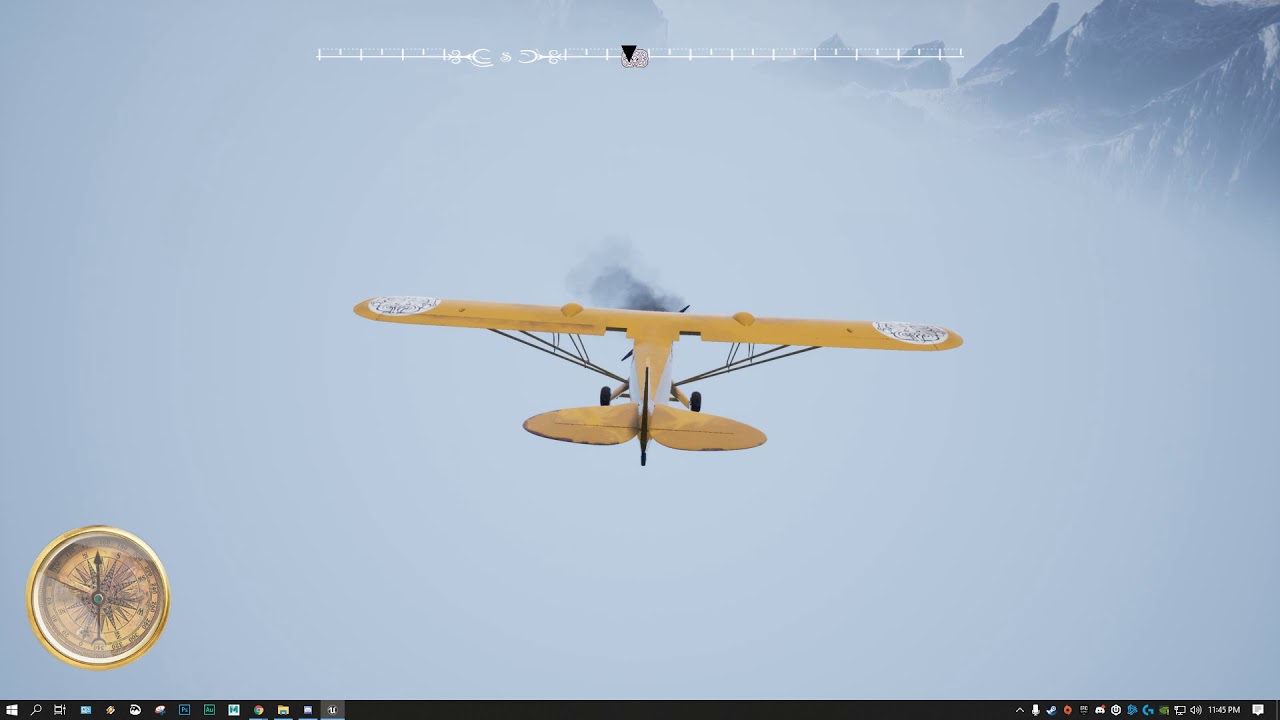
Although the flight time will be longer when i fix everything
try changing the static mesh to something from the engine
@remote meteor Will try now
 sterile sun
How can I change text's color in Blueprint? Somthing like Set Text Color node?
tight cobalt
@remote meteor behold of the flying pillar :)https://www.youtube.com/watch?v=vlgHQ7f1occ
 remote meteor
umg Text
tight cobalt
@remote meteor Changed mesh..still no collision
sterile sun
And, I guess, Color is Vector4?
remote meteor
not exactly but yes
sterile sun
What do you mean not exactly?
 woeful dawn
Hi, I was just wondering if anyone knew a way or a tutoiral which can allow me to have a dash mechanic which looks really smooth and not choppy. Like in this video 🙂

Watch the Ghostrunner Gameplay 2020 on PC. Free Ghostrunner Demo Available on Steam Today Alongside New CGI Trailer. The Ghostrunner demo is available May 6 - May 13, 2020.
Become a cyber-warrior and experience fierce, dynamic combat both in the physical world and in cyberspa...
sterile sun
I pretty much want simple red, so 1.0, 0.0, 0.0, 1.0 will do, but thanks ❤️
remote meteor
@woeful dawn Timeline with the Update to update your movement speed and movement inputs
the Timeline curve decides the smoothness of the dash
woeful dawn
Thanks 🙂
remote meteor
quick example
woeful dawn
Thaannks
remote meteor
such as fixed dash direction
not able to move while dashing
and such
the dashing distance is abit clunky in this method as you need to manually calculate it from the velocity and time you have
 hot fjord
Hey, I'm having an issue, that I don't understand.
I'm running an event that creates a widget and it gets removed from parent a bit later. (as planned)
But when the same event gets activated again, it doesnt bring the widget to viewport
remote meteor
you need to Add to Viewport
 dense badger
Can someone help me find the workflow for accessing event bindings by function name instead of by wiring the binding? I swear I have seen a little green node with a popup function name list but can't figure out how to access it.
remote meteor
which ever one applies to you
 dusk flame
How do I get a reference to an actor in the scene?
remote meteor
@dense badger that object needs to have a event or function that has the same signature as the Event Delegate
 full fog
Heya, and good evening from the grumpy Viking!
@dense badger Dang, as you mentioned it..I think i saw something like this on a tutorial couple of hours ago. I will look around if I can find it.
Another little thingy from my side:
https://i.imgur.com/J5aD9Db.png
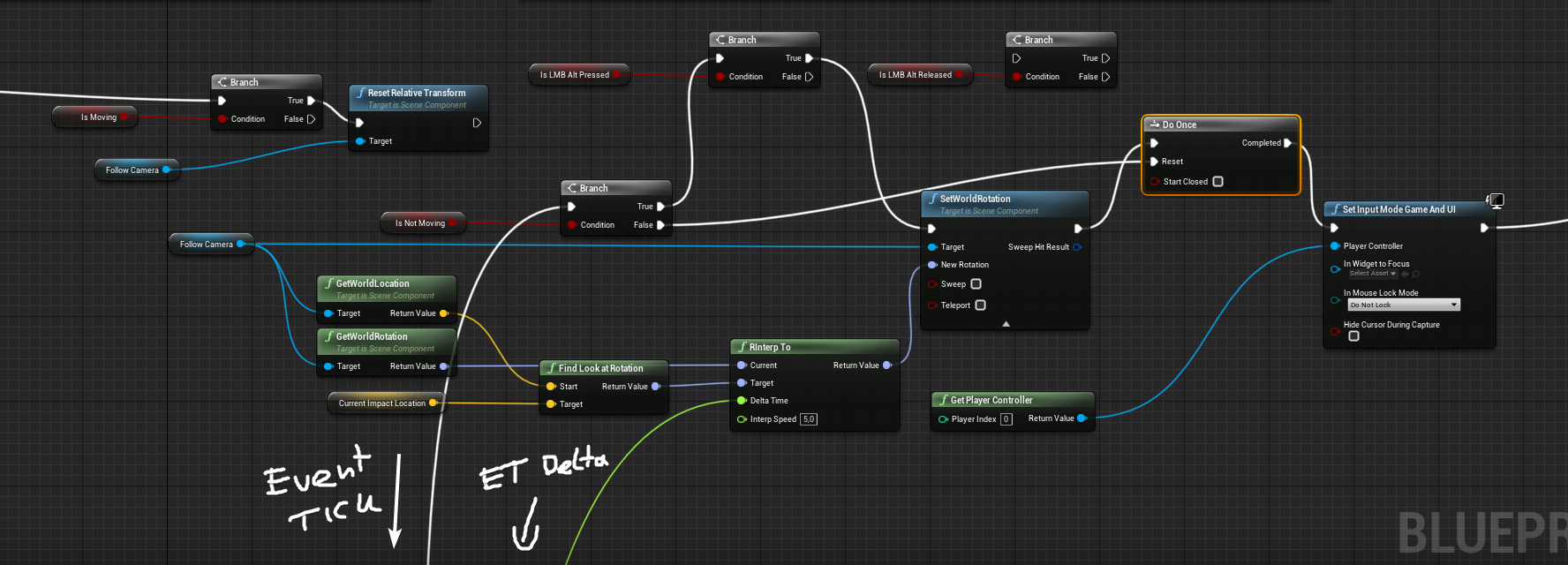
So close...by Odin! I can actually click somewhere and the camera is moving. I just wonder how I could tell the system that "after" I move the character and the camera snaps back = also resets the look at function so that the camera stops looking at the given point.
 remote meteor
@dusk flame if you mean referencing them in level blueprint, select them in the viewport, go into a level blueprint, hold 'R', and left click anywhere in the blueprint space
full fog
I am not sure a Gate for the Tick event would work?
dusk flame
I meant in the event graph
So a blueprint can reference some actor in its event graph.
remote meteor
within the same blueprint?
dusk flame
Oooh wait I guess I got confused.
it doesn't make sense to edit a blueprint based on actors.
remote meteor
@full fog if you camera forward is symmetrical to your actor, lerp its relative rotation back to 0 when you move.
 thin rapids
Heya, and good evening from the grumpy Viking!
@dense badger Dang, as you mentioned it..I think i saw something like this on a tutorial couple of hours ago. I will look around if I can find it.
Another little thingy from my side:
https://i.imgur.com/J5aD9Db.png
So close...by Odin! I can actually click somewhere and the camera is moving. I just wonder how I could tell the system that "after" I move the character and the camera snaps back = also resets the look at function so that the camera stops looking at the given point.
@full fog make a boolean to check if you're not in the player default camera position, and then you change the value in the walking event (to false for example) and when you click somewhere else(to true for example)
and in tick, for example, you can check that it's value to change the camera position back to default
dense badger
@remote meteor Ahah thank you, could not find that "create event" node...
remote meteor
swear I have seen a little green node with a popup function name list but can't figure out how to access it.
dint you meant the create event?

or this one?
full fog
@remote meteor @thin rapids Will try it!
Oh god i just read both things
Trust me, its so embarrassing not understanding like 80% of the things from people who know all of it out of the box. But on the other side its a nice other riddle. The last one took me six hours to solve. 😄
Unreal BP - The Puzzle Game
remote meteor
oh well
full fog
But will get to it!
remote meteor
there always another hill higher than the one you crossing
full fog
I take this as a marathon, not a sprint
remote meteor
in unreal bp
full fog
yep
 full fog
So then I might ask: I know about setting bools - how to check for the default cam position?
remote meteor
for me
i will just have another scene in between the camera and the arm
for your pointing camera turn thing, i will turn the camera
then resets(lerp) its relative location to 0 when you move
so i wont have to record anything if they arent really useful 😂
full fog
huh
full fog
oh thats what you meant with scene
remote meteor
yeah
full fog
See.. I totally didnt know..and..don't know what a scene is
remote meteor
when you rotate the camera, do it on the camera
full fog
"there"
remote meteor
and when you want to reset
 trim matrix
hhiiiii !!! 😄 hihi
full fog
Hello DevTim
remote meteor
it only has transforms
full fog
ah ok
trim matrix
so this is an actor, i want the actor to put away that nice looking folliage 😄 ,
hi kaji xD
so whats the problem, i dont know how to remove the foliage xD
remote meteor
im not experienced with foliage 
haven't used one actually
trim matrix
holy xD
hmmm
i got another question to and i dont know how to ask xD
so dont mind the weird text im going to say xD
full fog
from a forum dude: you can try using a render texture to remove the zone, but the resolution and placement of the render texture would be level wide. This makes it rather poor performance and look wise (depending a lot on overall landscape size).
What else could work...don't laugh but it might be an material/shader thing:

The Physical water Surface document can be found here:
https://wiki.unrealengine.com/Physical_Water_Surface
The project can be purchased at:
https://www.unrealengine.com/marketplace/en-US/product/physical-water-surface
I would look how water can be hidden
"maybe" it could work with foliage as well
thin rapids
maybe you could try using 'remove instance' node and try finding precisely the colliding foliage?
not sure if it works with foliage 🤔
hmm.... forget what i said, apparently that's for instanced static meshes
trim matrix
read this and think you are playing a game:
OOOhh look there within all that land ! a weird looking broken house ! o well lets go in there,...
hmmm i can make this my home how nice is that, lets to to that door and o nice i see there is an interaction!
10 logs for a stupid upgrade. why not 😄
holy dam ! its becoming a house ! check how beatifull that is...
hmmm i got some seeds and within the house i can start up a farm .... wel lets do that...
Endless of gameplay later....
o finely i can make an castle !
Poef! piem paf !
nice ! finely i got a castle, oooh what? i can buy a pessant ooohh ! even a guard to guard my castle for other AI !
oke daniel i try that there is a free project from ue4 it has a bp that removes foliage going to learn from that
so people please read whay i said, i want that kinda game were u can make your house a kingdom, i hate placement stuff, so maybe i beter can make an actor that can do all of this , or how shal i do this?
i got everything ready for gameplay except this xD
full fog
perfect
thin rapids
@trim matrix spawning actors for different parts of the house
maybe making traces so it knows the location you want to spawn it in
full fog
if the house is already there.. maybe alter the mesh itself a little so the ground floor is higher than your foliage..
"or" use some bounding box that would lower the height from the landscape "under" the house
trim matrix
the house have to be made first xD i got everything ready to game only one thing, u dont have a house xD
 dim robin
why dont you just use the foliage editor to remove those?
trim matrix
o nice thats a good one kaji
full fog
That would even give you the capability to make a dungeon
trim matrix
i cant do that , i want the game to be so natural as it can be
full fog
I bet he wants to have a very big world
thin rapids
why dont you just use the foliage editor to remove those?
@dim robin it has to be removed in runtime i think is what he wants
trim matrix
yes it has to be in runtime
dim robin
ah, dunno then, sorry
trim matrix
i saw a houseblueprint were u can toggle all the visibilitys of an actor on and off, what if i make it all in 1 actor make it invisibile and with interaction it will be visible again ?
is that going to spoil performance?
#components
remote meteor
technically you can do that
thin rapids
it will be fine if thats how you want to do that
remote meteor
but if you have many many actors uhh
thin rapids
if you have a ton of components, good luck
remote meteor
good luck
exactly
 tight cobalt
@remote meteor @spring magnet @shut hinge Fixed the plane collisions, collision sphere as root and some messing with scales fixed it. Still have no clue why plane mesh didnt collide, but it doesnt matter, I am glad that it works now.
Thanks for help
remote meteor
np
trim matrix
sooow the best things to do is make more actors and let then hook up on eachother like i readed in the chat
spawning actors for different usages
full fog
@remote meteor I have added a scene actor now. So whats actually happening is that it alters my start distance from the camera which snaps back once I do the "reset relative transform".
I try to figure out whats actually the purpose of the scene component there.
And yes, I need to exchange that "reset" function with a lerp thing.
remote meteor
to act as another layer of transform for your camera angle
thin rapids
@full fog i think the scene component will guide the camera position without making its transform different from 0 0 0
remote meteor
yeah
full fog
oke
remote meteor
look how my camera is levitated and still pointed at the same direction?
full fog
yeah so far, panning works on the camera, and this look at
yep and this is..well semi optimal probably. Maybe I post my video again
remote meteor
since the camera transform is reserved for your mouse camera pointing thing
you need another layer to achieve this
hence the extra scene
also dont just use reset relative transform
full fog

Testvideo to show the camera system of Second Life
The thing is.. this camera is a beast..sort of
remote meteor
full fog
It actually works in like three stages:
LMB + Alt: 1. When you click somewhere, it points the camera view to it. (this already works). 2. When you move mouse axis Y, you can move the camera to the impact point, and moving axis X will orbit around.
LMB + Alt + Ctrl: It changes the forward to up down
LMB + Alt + Ctrl + Shift: Panning the view (already works and stable)
lerp rotator..oh
remote meteor
well
you want it to smoothly goes back to default rotation isnt it
not snapped back
full fog
yes!
pain snap.. there is still something looking automatic to that impact point when moving
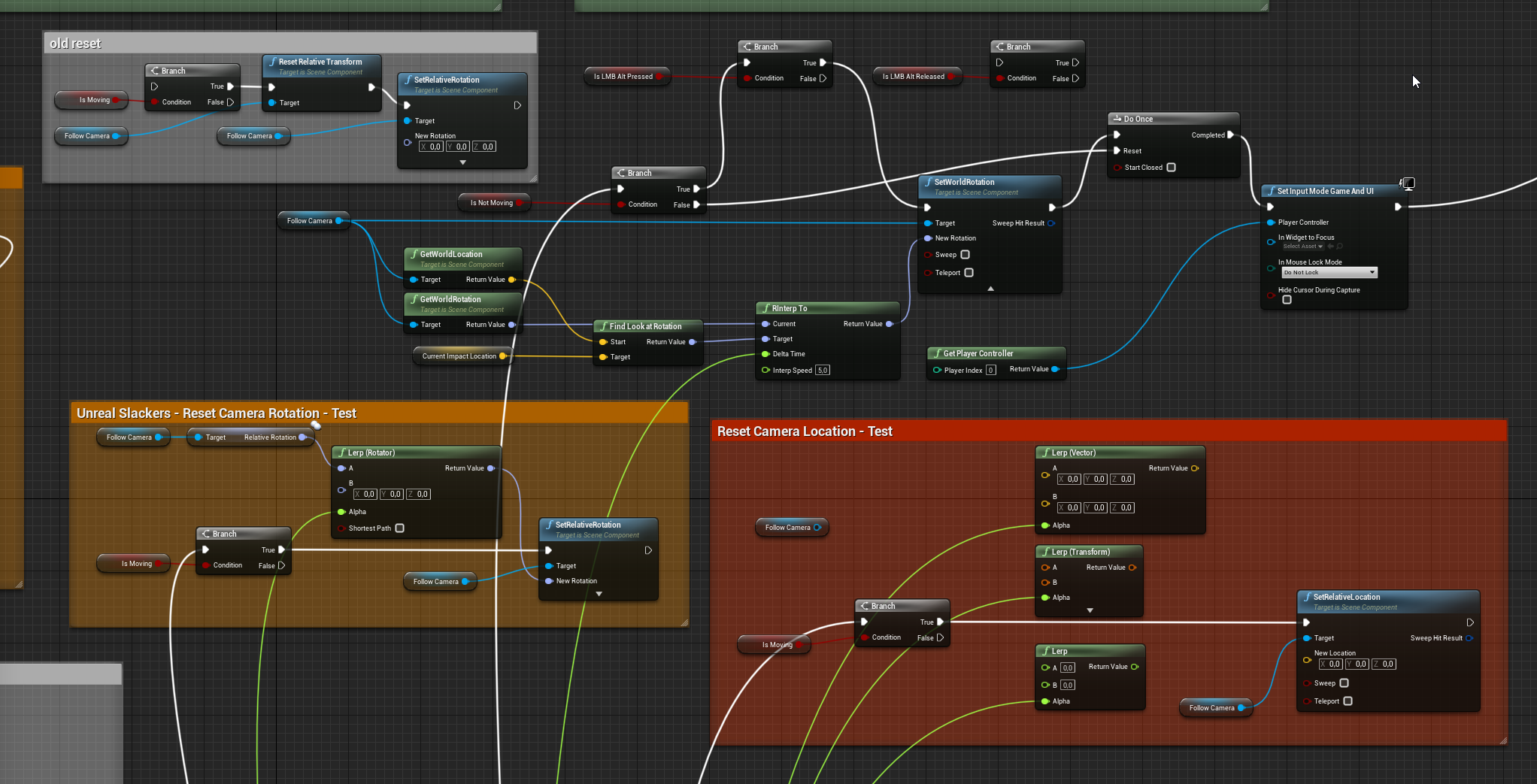
really brain-cooking
 hexed coral
What node do i use to play and pause music?
shut hinge
Here's the issue I was having with the Layley RPG Levelling Component. The stats stop all showing on the pawns soon as I start to switch to other pawns.
 white crypt
my guess is that you are using get player pawn/character
which changes when you posses a different pawn
shut hinge
At the moment I'm switched to the Skynar Pawn, so his stats show, but all the others are all shut down.... When they should be tinted and greyed out.
white crypt
you should promote each pawn to a variable and use that instead get player char
shut hinge
can you show me an example of this yes I was using get player character for the pawns..
white crypt
yeah thats your issue then, cant really show because i dont know how the widget is set in the first place
you should probably store all the pawn references somewhere
you can even use your player controller for that
shut hinge
Its actually 10 separate widgets for each party stats, reason why I had to break it all up, because the main widget got corrupted with the display.. Apparently when I changed a variable while it was still bound to the widget caused the corruption..
white crypt
oof, first thing you should do is change your system to use 1 widget
shut hinge
Once the widget gets corrupted, the opacity stops working and turns black instead of invsiible.
I did, but the widget got corrupted.
white crypt
redo it again then, try to figure out which action got it corrupted
shut hinge
I know what did it, you must not delete or change any variables once they are binded to the widget.
And the same goes for splines in constructions scripts, must not delete spline BP's that are still connected to the construction script even if the are not in the game level.
white crypt
personally i wouldnt do any binds, instead make events that would update all the info only when needed
now each of your bind is running on a tick as well
ofc if you delete a variable you need to remove the bind
i dont see a problem here
shut hinge
When I changed a variable while it was still bound to the widget, its corrupted the font of the Roboto text and made it blurry.
You know when you change a variable type to another type and it indexes all the blueprints. That's what did it. I got to be more careful with widgets from now on.
hexed coral
How do i play and stop sound in ue4?
white crypt
for sure these kind of changes will bring problems, but its easy to fix each of them
shut hinge
I didn't know how to fix a bad widget once it gets corrupted except to start all over again building a new one.
white crypt
you have to find the bind and click remove
your widget shouldnt be able to compile until you do this
@hexed coral https://prnt.sc/t5tlsn

either use stop/play or "set paused"
shut hinge
some of the Text that did get corrupted wasn't bound. Next time that happens I will do that. For I cleared the widget. But yes the levelling system unfortunately runs off the tick. I would've prefered it to run off a timer but then my dialog system is running on a timer.
shut hinge
ok
white crypt
so that might add up and have an impact if you continue doing this for every single bind
better would be to have an event which fetches and sets all the info, for example when you open that widget
hexed coral
thanks @white crypt
shut hinge
i could not do that because I couldn't get the text and other settings to change in it using blueprints, so I had to create new widgets so I can just switch them on and off.
white crypt
its definitely possible
shut hinge
I lack knowledge of widgets in blueprints. I only know how to set widgets up and turn them off, not about customizing text and other settings from the blueprints. I don't know how to do that.
white crypt
yes understandable, will take some time. theres no easy answer that I could give you
it takes time and experience to set everything up
shut hinge
And since I have 10 party members with 27 variables on display, that would be a ton of nodes just to change all the settings for all of them in one widget.
white crypt
you could basiclly make a widget which would act like a "slot"
and add that to the parent widget
when creating you can expose all the variables you want and set them
shut hinge
This is what I don't know how to do and that's making dynamic driven widgets for if I could do that then I could do the choice menus for my dialog system.....
white crypt
i dont think i could link you any tutorial regarding that, most of the inventories are done using this method
you populate your grid with smaller widgets
shut hinge
So at the moment, all I have running is the basic dialog system running off the data tables without the menu choices yet as you need dynamic driven widgets.
white crypt
have you looked at the dialogue plugin?
shut hinge
I have a custom made dialog system.
white crypt

Dialogue Plugin allows you to easily create dialogues within UE4 using a node-based editor.
hexed coral
Just wondering, will the sound loop once spawned? if not, how do i make it loop?
shut hinge
Because my game has tens of thousands of lines of dialog in it.
white crypt
@hexed coral https://prnt.sc/t5trel
 hexed coral
is that in the asset itself?
white crypt
yes
hexed coral
ah ok.
white crypt
might need to disable "auto destroy", not exactly sure
shut hinge
The thing I do want to add into the dialog system is camera switching while players are talking (I don't have 3d model lip synchimg yet, only 2d.)
white crypt
you can bind different events to your dialogue using the plugin that i linked
just take a look at it, maybe thats what you need
shut hinge
the thing with that plugin because its node editor based, is its suited for small sized dialog systems. That's why I use data tables to store my dialog in.
white crypt
it states that it supports huge dialogues
shut hinge
This is for small systems, like 1,000-5000 lines of dialog, I have over 100,000 lines and when you have a dialog system of this size, you need data tables to pipe it in from.
 astral fiber
I have an actor which has a child actor with a spline.
When I drag the actor on the map it gets constructed correct. When I move the spline afterwards the construction script does not get called again. When I use the spline actor normally than everything works, any ideas why?
The posts get generated along the spline
shut hinge
yes its got alot of lines.
that's why i have to use data tables to put it in.
I do have an issue with my flycam, giving me a none access error on flycam sound after using it.
I use batch code for all the dialog. Then I put it in Unreal Engine. I just put a little bit of it in the engine for testing and the once the dialog system is ok, i will put the rest in..
I do it that way, in text form first before putting it into the engine is because its harder to make changes in the engine than outside of it. So I make all the changes outside the engine for the dialog...
full fog
don't laugh now. I have to do some dialogue things as well and thought about getting google spreadsheet to work - so the game could actually treat it as database for the lines
hexed coral
how do i trigger custom event in the level blueprint via UMG?
shut hinge
i have over 200 characters in my game that's why I need a dialog system.
full fog
I would start with looking for ue4 database tutorials and cheaper bp/plugins on the marketplace first, see if something might be of any use @unique flicker
shut hinge
no, we just tell the data table to pipe the text into the widget.
full fog
DevTim..old nose.. that did not took long
shut hinge
I did have it corrupt on me, not saying it happens all the time, but it does happen once in a while.
trim matrix
kaji old nose? xD
 elfin hazel
@trim matrix how far does the execution get?
shut hinge
unreal engine also links files you import into the engine as well to the hard drive.
so you do NOT want to be moving files all around on your hard drive that the engine has hard referenced to its editor.
trim matrix
what do you mean with that ?
elfin hazel
Does the cast succeed, does the query succeed, does the print after remove instance print?
trim matrix
ow i check
shut hinge
You can't import in fbx files or delete them without unreal engine linking them all back to the hard drive. A nuisance because the hard drive fills up with tons of FBX files
 odd plume
How can I add keyframes? It keeps asking me to track things.
trim matrix
this is going to be a loooong night to do this xD
elfin hazel
@trim matrix Does your foliage have collision? Can you detect them with a linetrace?
I know that it's possible to remove foliage instances, because I've done it. It can be a bit fiddly though.
trim matrix
yes i first tried linetrace so within the mesh i as an collision and within the foliage setup the collision is custom everything it will ignlore except the linetracing
so when i do the linetrace it removes the intance
if i can make contact with the foliage within a colission box then i think it will dissipear i only dont know how
hard xD
elfin hazel
I can't quite remember if it is possible to trigger overlap with foliage or not. I'll have to try it.
trim matrix
yes please 😄
trim matrix
any luck yet 😄
elfin hazel
It's a project from 3 years ago, so I can't get it working but its set up to get overlap with foliage. Just got to figure out why it has stopped working.
trim matrix
ow i figured something out 😄
the collision with the box and the grass foliage has to be synct
a first step Casting failed xD haha you dont know how happy this makes me
elfin hazel
well I wanna do it too!
trim matrix
the colission box you have to make it custom , and make overlap all, then you have to go to the foliage settings and custom overlaps everything to and then within the grass mesh you have to do block all
elfin hazel
Print what the component is that it is overlapping
trim matrix
ow it only hitted when i hitted the box -.-
elfin hazel
yeah, it's not the foliage.
elfin hazel
connect it to the print string.
 static pivot
Hey guys would anyone know what option I accidentally enabled for allowing this to happen: anytime I select a BP node, any other node which doesn't belong to this path will be transparent.
Example:
How can I avoid that?
full fog
There is a little button right next to "Find" called Hide unrelated
that?
compile, save, browse, find, "Hide Unrelated"
@static pivot
static pivot
🤦♂️ damn it ofc
I wondered what it was supposed to do few days ago haha
thanks a lot @full fog
full fog
The white lines just going to the Event Tick
odd plume
How can I correctly make this fade animation play? It is supposed to fade in when health is not at full, and fade out when full
full fog
Hard to define
Did you tried to add some print on the true false branch to see if "anything" goes to the play animation?
odd plume
like an is valid?
full fog
For me (but I don't have much knowledge about) it looks pretty much out of context. Yeah some validation thingy
odd plume
Would you play this inside of the visibility function, or somewhere else
full fog
The thing is.. if the game starts.. the health is probably full..so it doesnt need a fade in, just a fade out
maybe try it step by step
does fade-out work "if" health goes down
elfin hazel
@trim matrix Got it working, turned out my foliage didn't actually have any collision primitive. Make sure you have that, is your foliage painted with the landscape tool? if so, change the mesh to the default cube or something.
full fog
maybe try it outside of any function first? Not sure atm.
 solemn zephyr
just to make sure is this the right way to set up a bar for a scaling health stat?
full fog
@solemn zephyr maybe this one here helps?
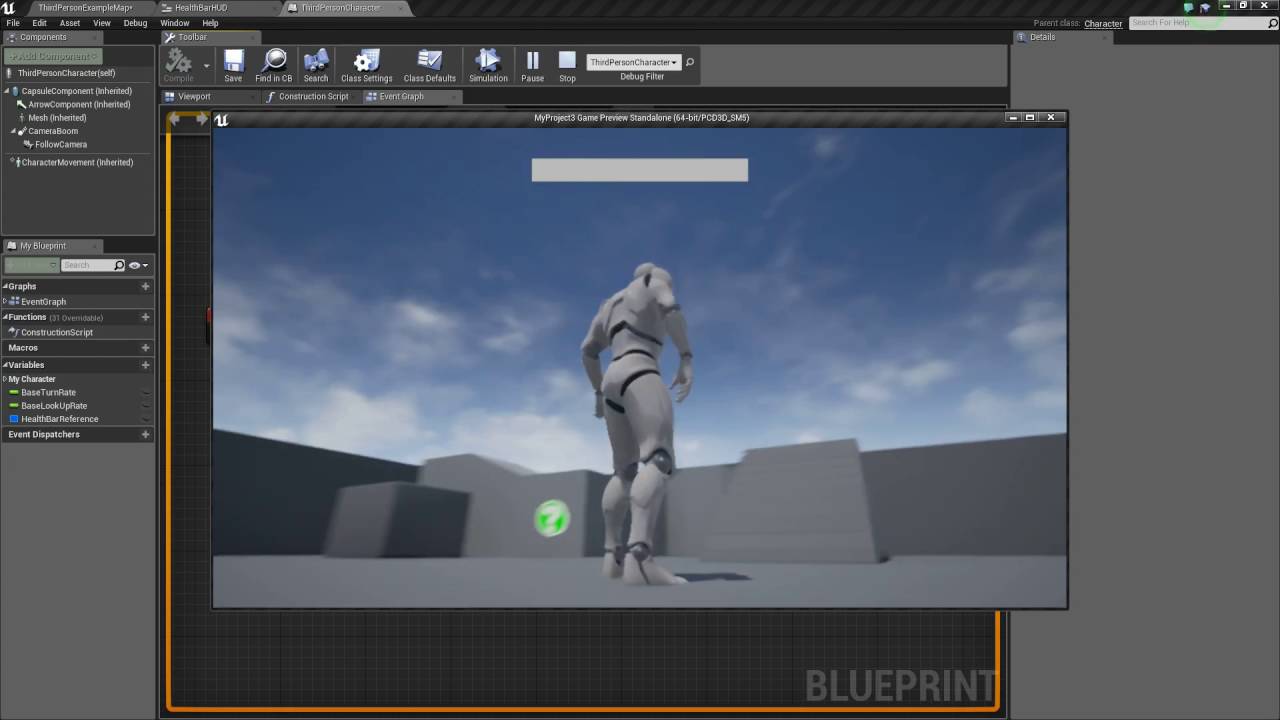
In this tutorial I show you how to create a basic health bar that fills up an decreases based on the player taking damage. If you have any questions or comments please let us know. If you like the video and want to see more, go ahead and subscribe. Or consider supporting us on...
 proud hull
@solemn zephyr a better place to run that would be when you actually change your current vitality instead of on every tick.
solemn zephyr
I was thinking that too but didn't know how to check when it changes
I'll look at that video
elfin hazel
@solemn zephyr You'll want use division, instead of modulo.
proud hull
Yes, that too
full fog
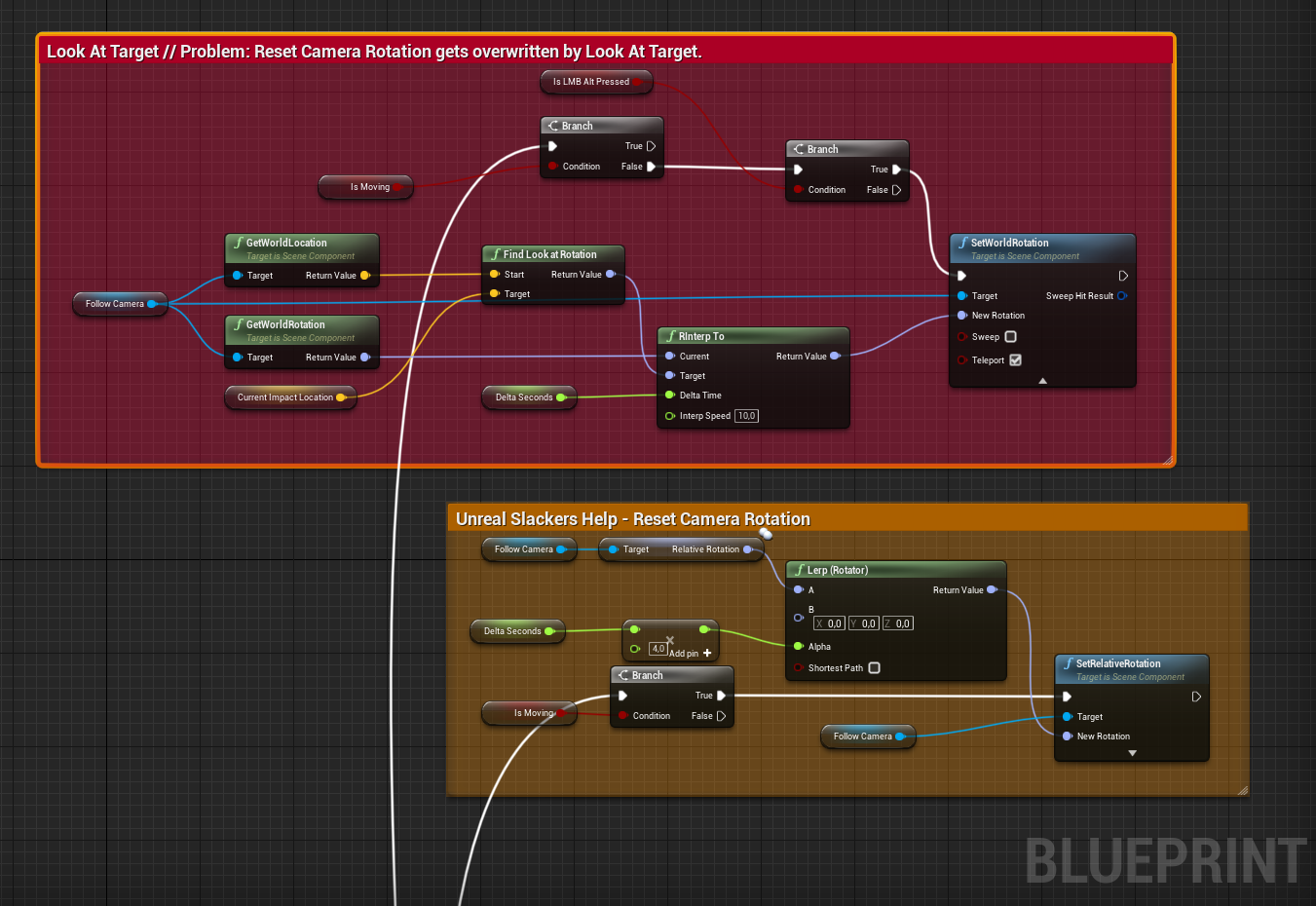
Alright, I am almost done with the camera look-at task and it works fine..except still one thing: The look-at function is still overwriting the camera reset.
When I move the character, the camera goes back behind the character. Works smooth and nice! Orbit with RMB perfect. But once I stop the character, it snaps back to this old impact point. I probably need to reset some location as well at some point but I was not able to figure that out. I tried to do the same look-at functionality on "is not moving" in reverse with Tick, but did not worked out. -,- https://i.imgur.com/Yzuxe3W.png
 proud hull
@solemn zephyr it shouldn't be hard to determine when your vitality changes since you literally would need to create the functionality to change it.
You will need to create a way to reference your variables in other classes however
full fog
 full crypt
Hiya guys, any ideas how how you would get this type of accurate blood effects?
https://youtu.be/gQ7NOhTvyFo?t=108

A review of the blood and gore effects in Overgrowth (Wolfire Games)
For direct monthly support (and rewards!):
https://www.patreon.com/RandomMadness
The channel is partnered with PC online retailer Gamesplanet. You can support Random Madness whenever you buy a game ther...
trim matrix
oke robin going to try that
elfin hazel
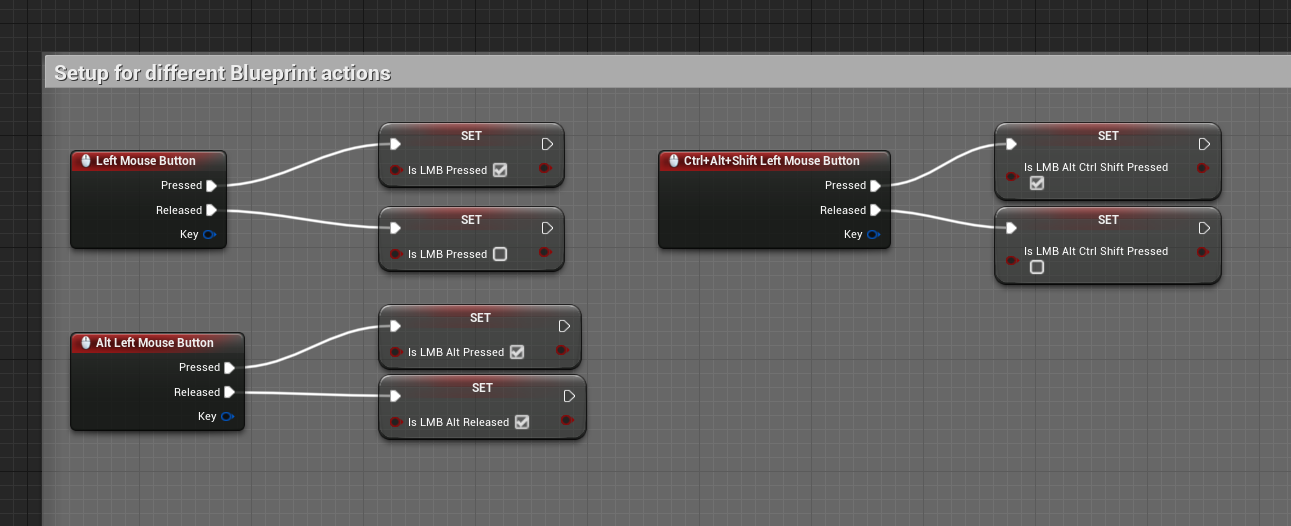
@full fog What events do you check and uncheck the lmb alt pressed bool?
 elfin hazel
In that gif, did you only press and release the lmb?
full fog
But at the moment I am creating a cam system like this step by step: https://www.youtube.com/watch?v=lpaBUUVDRbY
Testvideo to show the camera system of Second Life
So actually yes. The character moves with wasd, nothing big. Right mouse button pressed is for orbit cam and move character into that direction.
Now here comes that system into play: when you stand still and hold ALT, then clicking on something with the Left Mouse Button in the world, the cam looks at it.
when you release the button, cam is still looking at it.
If you would hold Alt and mouse, you can move the cam to that point with Y axis (forward vector from camera) and orbit around that point in space.. but at the moment I am not there, but at the beginning to tell: once you move your character again, the camera lerps back to default..no matter where your cam was in the scene
So.. the first part works..the look-at.. and once I move, the cam goes back to default..that totally fine. But once I stand still..flupp..cam looks at the old impact point
I tried gates, i trief flip flops.. tried to set locations, rotations, prevent that f* impact point to give up
elfin hazel
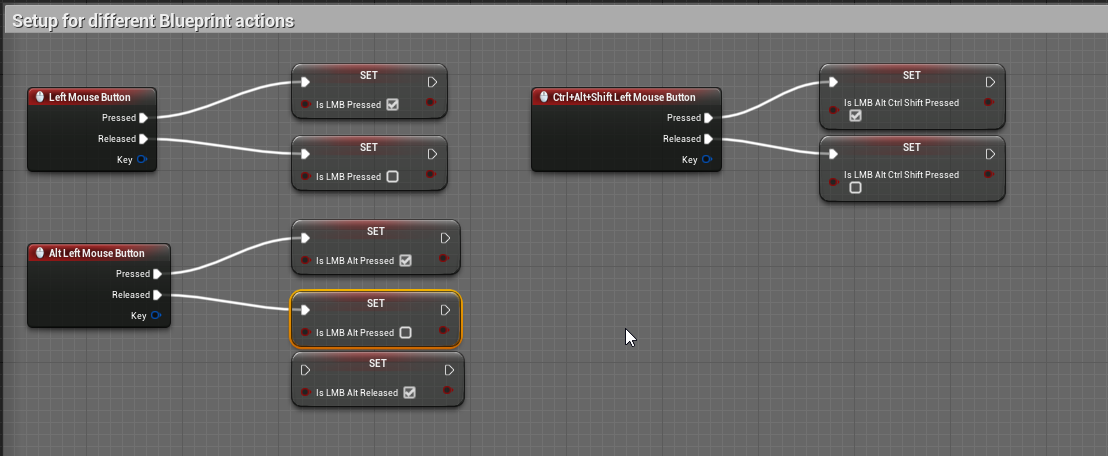
But there's no event for setting the LMB Alt bool to false, so when you stop moving, LMB Alt will still be true, so it will change to looking at the target again.
full fog

elfin hazel
I guess the question is, if you're aware of this problem and looking for a solution to it, or if you didn't think of it.
full fog
Actually, didn't think of it.
And yeah I would need to figure out when and where to tell the alt button to stop
Or at least what to deactivate
 elfin hazel
Okay. Well, when it comes to this kind of state thing - what state an object should be in, it can quickly get very complex. So a state machine can be useful. the simplest kind of state machine is just an enum. Where as a more complex one is a finite state machine with objects determining state, transition and rules. I'd suggest you try an enum. You can read more about it at https://gameprogrammingpatterns.com/state.html
And yeah I would need to figure out when and where to tell the alt button to stop
@full fog When the character starts moving seems like a good location.
full fog
whisper < is happy that "anything" works.. cow's can better code than me.
elfin hazel
Although, there would still be the problem of the user start walking and then releasing lmb alt. State machine to the rescue really.
full fog
Shit.. thought that would end up more tough than just if, else and do it once.
Guess I need to grab some money aside and look for some coder.
Btw this is my number of tabs, looking for solutions about camera resets and co: https://i.imgur.com/NmjXe8V.png

By end of the day, I am just an Artist who tries to build up a little project.
 verbal magnet
hello fellow programmers, newbie here! i have a question, ive made a trigger box that checks for the player and plays a list of sounds one after another, my question is how can I make the trigger to check if another trigger box is playing and start imediately after it?
full fog
Sorry..just had to vent, sitting here for days now and my brain is just f*d by nodes.
 dense tulip
hey guys, i am doing a tutorial in 4.24 for a pinball to learn UE. I get an error that i can't figure out. Anything in the screenshot that seems wrong ? The red X means i cant connect to it
this is what i have in the tutorial video
verbal magnet
try dragging the blue wire from array element and search for the flip type
dense tulip
i get this
verbal magnet
should be one of the get floats
elfin hazel
@dense tulip Looks like you made the Get all actors of class node, then connected your forloop and then selected the class you wanted to search for. Delete the forloop and make a new one when dragging off the array.
Also, check the context sensitive box, for your own good.
dense tulip
ok, will try
verbal magnet
Also, check the context sensitive box, for your own good.
that might help
dense tulip
this is weird, does not seem to work
verbal magnet
hello fellow programmers, newbie here! i have a question, ive made a trigger box that checks for the player and plays a list of sounds one after another, my question is how can I make the trigger to check if another trigger box is playing and start imediately after it?
I used a bp interface and made all triggers to check a bool until its finished, is there an easiers way?
@dense tulip wierd, maybe you skipped a step somewhere
elfin hazel
Man, I don't know anything about sound. Which of all the sound objects are you using?
dense tulip
afaik .. i did follow properly .. guess i'll complain to UDEMY !
verbal magnet
used a simple audio component with a ”play” node and a ”is playing” to check if its finished
basically i just want to keep the other triggers on hold untill the triggered one finishes the code
dense tulip
dont the audio have a lenght ? .. just use that time with a node .. no ?
like a delay node ?
verbal magnet
it uses an array to check if its playing a sound and plays the next one when its finished... and so on until the array finishes and the object destroys itself
dense tulip
ah cool
elfin hazel
I don't know if it is a good idea, but my first thought would be to have the trigger register to the object (player? from now on), and add itself to a queue, an array. So the array would be a reference to the trigger and when the trigger finishes playing the sound, inform that to the player, which grabs the next trigger in the list, tells it to play and removes it from the array.
Or maybe it's a bit convoluted? Oh, sounds like you're already doing that?
 crimson charm
I am using the ui navigation plugin https://www.unrealengine.com/marketplace/en-US/product/uinavigation and the game keeps crashing when i set the parent class of the ui blueprint to "UINav Widget" any ideas?

A simple-to-use and flexible UMG framework that allows you to build menus that can be navigated with Mouse, Keyboard and Gamepad in one go.
verbal magnet
Sounds simple enough... i should take a look
elfin hazel
@dense tulip It really should be as easy as making a new foreach loop and connect it to the Out Actors pin.
dense tulip
thanks, looks like it worked this time
guess this is the kind of thing someone learns with time and experience 🙂
verbal magnet
True
 pure yew
is there a way to make an abstract function in blueprints?
I know interfaces exist, but interfaces can be implemented regardless of scope, right? I want an abstract function that's just for a specific class and its children
altho i guess that could just be a blank function more or less in the parent class :/
full crypt
hey how do you push and pull objects in the physics asset window? i wanna move my ragdoll around
 high ocean
@full crypt I think right-click & drag but I'm not sure
or maybe alt+rightclick was it?! 😛
high ocean
@full crypt xD sry 😛
dense tulip
quick question .. how do i disable red hittrace ?
full crypt
it should be ON the node @dense tulip
its like a drop down list
"draw debug type"
set NONE
dense tulip
ok, thank
full crypt

high ocean
@sterile sun The function is fine. It depends on where you're calling it. If you are calling it "often" like on a timer or something, and that bool changes, that's why. If you're calling it on tick, just don't 😛
 plain owl
When I melee attack the enemy and he's supposed to be knocked back with Launch Character, it only works as long as our capsule components aren't touching. I've tried disabling collision on both meshes and I've tried Add Impulse instead of Launch Character. Anyone got an idea?
I currently get the launch velocity from player's rotation -> forward vector -> normalized * float, breaking and making vector without yaw.
 teal nexus
I am using Spawn Emitter at Location BP node with Manual Pooling (which I use inside a function). I need to release emitter back to the pool when particles effect done playing. Is it this the correct way of doing it:
 rough blade
Bit of a curve ball for everyone. I am currently trying to work on a penetration system that runs multiple ray traces to find the depths of whatever my projectile hits at a high enough speed. Currently, I find the max pen depth the projectile can go, using this I find how many traces need to be run (every 100m currently) and use a "For Loop" to run this many traces. Each trace ends at the impact point and each trace start vector is multiplied by a fraction (Trace # / Traces To Run) to incrementally move the start point closer and closer to the end point until either we run out of traces to run or we get an impact, indicating the other side of the object. The problem I am having is that the traces seem to be starting much farther out than needed. In testing, I can see multiple traces run, all returning no hits until 1 does and the traces stop running. Am I able to plug a fraction into a vector as shown to get various starting points between the max start vector and the end vector?
trim matrix
In Class BPs that have a child actor in them, can you send messages via interface to that child actor?
I'm using an event tick to determine if the camera is underwater or not (using a collision box near the camera) This part of the code works, but when I look at the child actor it seems that it's receiving no messages. 🤔
crimson charm
what do i do to make this only play the first time the widget is loaded (so if you open another widget and go back it will not repeat)
proud hull
@rough blade can't you multi trace first and collect the points of impact from that, then multi trace again in the reverse direction starting from the end of the first trace and collect those points of impact then just do simple distance between the points?
rough blade
Ill give it a shot. Thank you! @proud hull
@crimson charm someone feel free to correct me but I think a "Do Once" node is what you need
proud hull
@crimson charm Event Construct. So when your main menu is first created, that event will trigger and start your delay to remove the image.
crimson charm
@proud hull the problem is the ui buttons open new widgets, so by coming back, it is reloading the blueprint and triggers the event
proud hull
@trim matrix you could use your camera check on begin overlap event instead of running that check on event tick. Then if your collision type for camera check is set to water volume, then you know every time overlap is triggered, it will be water triggering it.
@crimson charm do you want your image to disappear once and then never show again?
crimson charm
yeah
i have an issue where the buttons are blurry for like 5 seconds and then they clear up
so i figured if i cover it that would work
proud hull
If the main menu has to be created multiple times, then you will need a boolean variable to check if it has already been opened for the first time.
You would still run that in event construct since you do want it to run when the widget is created, right? But, you would have a boolean check to see if it has already been opened before and if so, instantly remove the image instead of delaying to remove it.
@trim matrix so begin overlap will trigger your water music, then end overlap will set music back to normal.
crimson charm
so get boolean and attach to a branch and if true run the delay?
proud hull
Boolean variable will need to be stored somewhere outside the main menu bp. Then you reference it in the main menu bp.
Yeah, so let's say it is called bMenuFirstOpen, when true, run the delay, when false, skip it.
trim matrix
@proud hull Ah thank you for the help!
proud hull
Yes, except FirstLoad variable needs to be outside the main menu bp, or every time you create it again it will be filled with the class default.
crimson charm
wdym outside?
proud hull
In another blueprint that is easily accessible. Player controller, HUD, any of the states. All depends on the type of game you are making and where else that variable may be used.
crimson charm
sorry my brain is slow rn. been up for too long. How would i reference it in the main menu bp?
proud hull
@crimson charm Some good info I found on making global variables:
"You could make a blueprint function library and have pure functions that simply return a value, this allows them to be used as global variables and accessible anywhere without having to get something first, such as game instance. This way they don't live on an instance of an object, but are more like static globals.
Alternatively you could place them on things like game instance and fetch them with a blueprint function library to consolidate the get process and make it more visible in the right click menu.
Game State, and Game Mode will both get destroyed and remade when you transition levels (generally speaking), so you could put stuff there, but it is a little less encouraged for information you effectively want always available that doesn't change."
I notice a lot of projects use a blueprint function library for this.
crimson charm
got it. I appreciate your help. This is the last thing I needed to patch before I could make a reveal trailer. It would be kind of weird to have the main menu music start halfway through cause I had to cut out part of the video due to the blurriness
 brittle fiber
Morning users.. Is there any way to call 3D text actor (plug In) from BluePrint?
 pine ledge
Hi, Does anyone know how to open Url Youtube with the API key you already had? I had created an API key for google and youtube, but I only can open URL google, but not with youtube. Is my Url wasn't correct or I missing something? It'll be great if someone has example Url youtube
Of course, the video and API were created with the same account.
 oblique tulip
Why the hell does my ThirdPersonChar's movement speed increase while crouched if I press any movement key other than W?
Pls no comment on the Is Running == 1 being connected to the IF lol, I just noticed that
pine ledge
@oblique tulip Because you using node "Crouch" it will use the speed of "Max Walk Speed Crouched" (It will be 300 for default)(It in Charactermovement too) not "Max Walk Speed"
pine ledge
Why does not it repeat widget
Is there something missing?
@trim matrix Depending on how your widget setup, how the anchors of the widget was created? Is that Event Construct active (Add printstring for sure) ?
oblique tulip
I would also try printing the result of that "Add Child," just to debug
proud hull
@trim matrix you can also clean that up a bit. The way it is laid out I assume those variables are only used in the for loop. If that is the case, then they are not really needed.
oblique tulip
What is it supposed to look like?
pine ledge
if you make inventory, you should use wrap box instead uniform grid
 bitter star
Hi guys, I cant find how to change my camera location at the begining of the game. I looked into the thirdpersoncharacter BP but no matter how I move the camera it doesnt change. Should I be looking somewhere else?
 tender glen
Maybe adjusting the player start rotation
trim matrix
I only use "Simple Move To" on AI zombies, why does it cause so much lag?
In mobile device its up to "38ms"
bitter star
@tender glen I ve tried moving and rotation both the camera and the player but it doesnt change anything when I press play
tender glen
Does your camera connect to a spring arm?
bitter star
its got a boom
tender glen
Disable use pawn control rotation
shut hinge
How do I get out of this error.
Can't Play In Editor when performing edit comment Color Operation
bitter star
pawn control rotation it not on
tender glen
If theres only one camera on you character, perhaps you can try print out the camera rotation at tick, ensure what is output is what you desire
shut hinge
I've triggered some kind of BUG just by changing the color in the Comments on the Blueprints.
spring magnet
@shut hinge it's a weird bug, i usually hit Save All and then it gives in, or load a new map and load back in
if all else fails, restart engine unfortunately
bitter star
If theres only one camera on you character, perhaps you can try print out the camera rotation at tick, ensure what is output is what you desire
@tender glen Im not sure what you mean, I m pretty new at this
shut hinge
I wish epic would FIX their little bugs.
tender glen
Go to event tick, print out the rotation of the camera
Just to find out isit the rotation being set correctly but what you see is not affected or the rotation is not being set correctly when playing
shut hinge
Thanks Tyler, that worked.
I have reference error I need to solve. And its in th flycam system (flycam is very similar to a jetpack fuel system).
Zecam Reference is dishing out a ton of none access errors on the Play Sound, Set world location, Activate, Set Sound and so on. But I don't know where in the code to set the Refrence to stop all the errors.
 warm cipher
I'm having an issue with a door blueprint I'm working on. I've got it set to check relative rotation and give me an option to open/close based on that rotation - but for some reason when I rotate the frame of the door (let's say 90 degrees) in the world, the relative rotation of the door itself, which is PARENTED to the frame, shows as the same as the world rotation as its parent.
Is this some bug with 4.25 or am I missing something dumb?
bitter star
@tender glen I dont have an event tick in the thirdpersonBP
tender glen
Just add one then
warm cipher
bitter star
@tender glen and link it to?
warm cipher
The relative rotation of the door is always the same as the world rotation as its parent...
tender glen
Hmm this is pretty basic, i'll try to be as thorough as possible. So you drag off from the camera and get relative rotation then you connect it to the print string node. You connect all those into the event tick
shut hinge
I got a none access error I can't yet resolve. but the flycam all works.. i just get the error after playing..
warm cipher
It makes no sense cause you can clearly see it's not rotated relative to the frame.
tender glen
Well the origin is not at the frame so it will rotate at its origin
warm cipher
I had world rotation enabled in the editor ignore that
So here the entire BP is rotated 40 degrees, so the frame (the parent) is rotated to 40. The door, relatively speaking, should be set at 0, but it also shows 40
bitter star
Here's the result
tender glen
Yeah is the rotation shown what you intend to use?
bitter star
No. Isn't there q way to have a physical representation of the placement of the camera in relation to the pawn in the viewport?
warm cipher
Well if I MoveComponentTo relative rotation if 0 it should close the door relative to the frame, and if I move it to anything else it should swing open relative to the frame. I don't know why the relative location is showing as the world rotation.
tender glen
The camera is attached to the pawn so it is always at a fix relative location from the pawn
bitter star
Sure but if you want the camera closer or further where do you change it?
I have no rotation on the camera in the transform tab
tender glen
You can move the camera closer or further by changing the relative location
If you want to change it in runtime you will have to implement it then
trim matrix
a trick I use sometime when having problems with relative/world rotation is to introduce an empty scene object in between which acts like an anchor
shut hinge
Flycam works, but Zecam Pawn refernce has a none access error (after swiching to flycam from commander) the error pops up.
bitter star
I just want to set it in relation to the character once but when i do so in the viewport, no matter how i set it, it makes no difference and start from the same position in play mode
tender glen
maybe you can shorten the length in the boom component
bitter star
this works but it doesnt help with the camera rotation I would like to set
tender glen
maybe you can adjust the rotation of the boom directly, but adjusting the camera rotation should work already, if the tick shows the rotation that you have set and you see no difference then im not sure
bitter star
the boom cant take a rotation though as its a fixed point
pine ledge

this will be relative of inventory from parent first : Border/Scrollbox/WrapBox
the border is your background
shut hinge
I Got a persistent reference problem with the Flycam, I can't put the flycam together with the game because of this error. Is valid does not get rid of the reference error.
Here's the situation. Soon as I leave my commander pawn and go into the flycam and fly all around. after stop play, Tons of None Access Errors on Zecam Ref which is the Ref for the Flycam Pawn....
shut hinge
So epic's posession of pawn tutorial has caused me some additional issues because if I can't return back again to the original pawn after switching back from the flycam, then my dialog system won't work either.
shut hinge
I'm really puzzled and stuck because I lack knowledge about pawn posession.
Going into Auto Posess Pawn, ID Player 0 ALlows me to select any Pawn in the game to poseses, (but they don't work with the dialog system).
But Player ID's 1-7 switches to my Original Commander and the dialog system works with the commander on all those ID numbers but I can't posess any of those other character pawns.
I'm so puzzled, I don't know what's going on here.
.
bitter star
How can I stop the emitter when the pawn leaves the trigger box?
 tawny tinsel
for some reason
it does not save the actor variable
it loads fine in the level i save it in
but it does not even have anything inside in other variables
this is the way i load it
to test if it works
but nope
the append b is empthy
is it true that it can only load actors that already exist?
 earnest tangle
I haven't really used the default save system, but at least with easy multi save you need to use soft references if you need to save actor references
tawny tinsel
i dont see how soft refrence is gonna help
bitter star
@earnest tangle the destroy actor won't get the return value from the spawn emitter at location. And what about the OnActorEndOverlap node, how does it connect to the rest??
sterile sun
@sterile sun The function is fine. It depends on where you're calling it. If you are calling it "often" like on a timer or something, and that bool changes, that's why. If you're calling it on tick, just don't 😛
@high ocean It's called in OnSeenPawn.
high ocean
@sterile sun I need more info. You call it "OnSeenPawn", so something like OnSeen=>set bool to true =>call function to update color. Right?
@tawny tinsel You need to save the class. The actor doesn't exist when the world is destroyed so there's nothing to load. Get the actors class and respawn it accordingly
high ocean
@sterile sun Aw man...I can't read that. You are in the blueprint channel. Go ask in #cpp
sterile sun
OK, thanks anyway
high ocean
np lol
tawny tinsel
@high ocean it doesnt save its not the problem that i dont get its class
high ocean
@tawny tinsel It has nothing to save...You can't save an actor since it doesn't exist until the world constructs it
If you want to test the save logic itself, pass on a string or text, int or some var which isn't an actor
If that doesn't get saved, then yes, we can start from there
tawny tinsel
but they do exist inside the level im trying to save them in
they exist the variables are set
it just doesnt save it
even tho they exist
all the other variables work just fine
also working with actor class instead of actor it loads only 1 variable instead of all the actors so that doesnt work even tho they array has 3 and not 1
bitter star
How can I stop the emitter when the pawn leaves the trigger box? Any idea @high ocean ?
high ocean
@tawny tinsel It's pretty simple. Even if you manage to push the actor's data into the save, it won't help you because when you load the game, the current world is destroyed and so are the actors you referenced so they just become null. They do NOT exist, so trying to save actors is pointless anyway.
tawny tinsel
so how do i keep the world from not getting destroyed?
high ocean
@bitter star Cascade has some events which can be built into emitter, but don't know how, never done it. Niagara however is massively capable, unfortunately, I don't know that either 😛
tawny tinsel
that makes sense now why its not working 🤔
high ocean
@tawny tinsel You can't
bitter star
@high ocean thanks for trying 🙂
tawny tinsel
so ugh the class thingy worked if i set the array values
would be nicer if i could set them from the blueprints themselfs but it doesnt seem that easy to change the array variable
so actors are the things that exist in the level
not blueprints
got it
and class are the blueprints yes?
high ocean
@tawny tinsel Ok, look: the world needs to be reconstructed every time you open a level. If you want actors to appear with their vars modified, you need to push all of the data into the save, and respawn everything and set their vars to the modified, saved versions.
Actor = exists in the level (is spawned). Class (Pointer to a spawnable actor)
tawny tinsel
yes thats what i tried to do with saves and 2 levels but the values keept turning null
the class seems to work so ill change all my actor variables to that it seems
bitter star
Do you guys know how to add a cam shake to a pawn animation? I'd like to put it on each step of the pawn
high ocean
@tawny tinsel np 🙂 gl!
tawny tinsel
now how could i make this load ally load enemy apply to all the actors? so i could cast it from all my actors
is it even posible
 deep elbow
holy shit
hey, is it possible, from within a blueprint component, to get the owner and discover it's physmaterial override?
@tawny tinsel you'd use a blueprint interface library
tawny tinsel
what is a blueprint interface libary
deep elbow

What is a Blueprint Interface in Unreal Engine 4 Blueprints?
Source Files: https://github.com/MWadstein/wtf-hdi-files
tawny tinsel
oh wow this is just what i need
deep elbow
nice!
plain owl
The enemy is not launched by my attack when our capsule collisions are touching. Any ideas?
 calm karma
Hi all!! I am trying to manually spawn the player after I build the scenery procedurally... my base project is the third person blueprint and I have set the default Pawn class to none in the configuration... this is the blueprint I am trying but can't make it work.... https://blueprintue.com/blueprint/9g6nzssg/
BlueprintUE
I've been trying to find doumentation about this but can't find none
that blue print is in a gamelevel blueprint
tawny tinsel
ok i need somebody to explain the blueprint interface a bit more to me how do i make it do a few nodes of code when i cast them
@calm karma what is the main problem?
seems like your transform is broken
also what is the create maze funcions?
can i use it as a custum event node that is on all 6 blueprints?
calm karma
the create maze is the maze building algorithm that works fine
after the maze is created i get the player in the starting spot
but the camera is not on the player
and i have no control of it
tawny tinsel
hm you might need to activate it
something might be up with your posses node
ya should try setting the pawn actor in your game mode to the right bp
calm karma
yeah doing that it works, but the player gets spawned automatically on start and it appears right before the maze is built so it just falls in the air...
tawny tinsel
ah then thats a simple fix
when building your maze give it a variable that sets the made to built some boolean variable will do
then check if that variable is true if yes spawn the player
if not check again
calm karma
but that is what i am doing right now, instead of using a variable I first call the maze building then when it finishes I try to spawn the player... it's the spawning of the player what doesn't work...
tawny tinsel
how do you know its finished building
 pine palm
This might be a simple question how how could I get a ray cast to end at my mouse position? I tried and it worked, but when I try and change the Z value the ray cast end doesn't work at all... and stuffs its self up.
calm karma
when it returns from the create maze function, the maze is created
I have already solved it gimme a second to paste the solution so it can help others
BlueprintUE
how do you know its finished building
@tawny tinsel Thank you for the help!!!!
calm karma
What problem do you have with that?
tawny tinsel
i dont know how to use them
im trying to make it like a cast node that gets several variables from an actor and sends them to another one to execute
this involves 3 objects
game mode actor and a widget
calm karma
but you mean "blueprint interfaces"? Interfaces define functions that must be implemented in the blueprints that inherit that interfaces... then other blueprints that use that ones, are "sure" they are implementing the interface and in consequence they implement those functions... excuse my bad english... lol
tawny tinsel
yea i still dont understand how to use then
calm karma
Well, you first create an interface and then add to it the signature (name, received parameters and return values) of the functions you need... no implementation is made in the interface just declare the functions...
tawny tinsel
🤔
but how do i make it call this specific event in this blueprint?
it works like a custum event node but world wide right?
calm karma
if you want to use it for messaging between objects, in the calling blueprint you need a reference to the called blueprint, the latter must implement a function defined in an interface... then the former can call that function when it needs too...
not sure if I'm making myself clear enough... 🙂
tawny tinsel
hm
calm karma
"it needs to" i meant btw
tawny tinsel
hm alrit ill go try it out
calm karma
cool let me know if you make it work... 🙂
tawny tinsel
alrit
trim matrix
hi
stil no luck with removing grass in runtime, please help this is 4thh day without any more knowledge
hate that f grass
how can i interract with that grasS?
 jade zinc
@trim matrix the grass map is baked in the editor, so u wont be able to change it at runtime
its only send once to GPU
trim matrix
then i better sell my computer and do some other stuff -.-
jade zinc
however u might be able to change / remove grass in material (by resetting the verts) but ive never tried it
trim matrix
this isnt the real 4th day , if u count previous week and month i think i got like 300 houres doing nothing trying to make good grass
please tell me more ❤️
jade zinc
then in the material of the actual grass u could try to find its position relative to the terrain and set verts
trim matrix
dam i dont get it
wait i let you see what i want to do
this is a building, the building is going to be bigger and bigger and bigger even in later game a castle
jade zinc
how much grass will your game have?
jade zinc
you could also just paint grass using the foliage tool
then allow CPU access and then u could just remove the instances
trim matrix
ow the foliage has to be removed within the actor
that sounds great but i dont know how lol xD
jade zinc
try to find out how the foliage paint tool works in the editor
trim matrix
yes i can do that xD
jade zinc
then you could use a trace , e.g. a capsule trace to trace folige
to get the instances of the grass/foliage
trim matrix
ow thats clever
jade zinc
and then just use the 'Remove Instance' blueprint node
so just to know, the foliage is a single component per foliage item, and has instances, (integers)
good luck
trim matrix
thanks that helps alot
jade zinc
(actually a instance is just a transform in the array)
trim matrix
ow i didt know that
well i can change with linetrace a tree foliage into an actor tree xD
even grass i can change into such stuff
 fading mortar
hey everyone, i need some dire help... does anybody have an idea how to achieve a true fps (full body) without any head bobbing?
 safe gate
Just let me add on to the question pile that we are making here
I have a physics based vehicle, however when I turn it (applying torque on the Z) it acts more like a drift than a turn. Any ideas on how to make it truly turn?
https://puu.sh/G0hTs/9c87e72c4a.mp4
EDIT: lol turns out i needed linear damping
 compact quest
Very quick Blueprint related question. When setting specific variables within in a Struct, are you required to place a "Set" node after the "Set member in struct" node like in the snippet here? Or are you able to skip the "Set" node and all of the changed variables will still be set?
 sick sapphire
@fading mortar maybe you can attach the camera to the capsulecollision instead of to a bone
fading mortar
@sick sapphire nah that doesn't work because you need the camera translation when aiming up and down
the problem is the mixture of the camera needs to move when aiming up and down but not get the translation from the animation when running
sick sapphire
damn sry then idk how to do that
fading mortar
thank you anyway 🙂
 lost schooner
did they remove the 'GetUserWidgetObject' node from the widget component? I cant find it in 4.25.1
ah.. I figured it out, blocked in constructor.
trim matrix
@compact quest I think you don't need the Set afterwards, since it's a struct ref
compact quest
Alright. I'll probably wait for a second opinion/answer but thank you for your answer
trim matrix
why don't you just test it? 🙂
compact quest
I'm doing that as we speak
You where correct. I could have tested it but I thought I'd save time to see if I could get a quick answer.
 bold garden
@compact quest be aware though.. if you create a function where you manipulate a input struct, it will modify the local copy of the struct unless you pass the input parameter as reference.
 thorny cedar
is it a legit way to script events with event dispatcher? THis happens, than bind this event and so on? my project is 100% sequence after sequence
compact quest
I'm aware of that but thank you for the reminder
astral fiber
Is there a blueprint node which allows me to add another static mesh with Spline as root?
I have searched for something like "add child component" or "add child" but I haven't found anything
elfin hazel
"Add static mesh component", you'd need to attach the component to the spline. Which may or may not be appropriate, depending on what you're doing.
astral fiber
Yes there is something called "AttachToComponent" (Target it ...) The problem is, that those components are spawned over blueprint, so there is no node "AttachToComponent (Target is [the spawned target])"
Those nodes are only (Target is Actor) but I spawn StaticMeshes and they do not inherit from Actor
elfin hazel

There's one node for attaching actors to components and one for attaching components to components.
astral fiber
@elfin hazel oh wow, the right one works, even if the Target is not a scene component.... mhm, does a Static mesh inherit from Scene component?
At the moment I am attaching a static mesh component to a static mesh component
I thought that the node will complain about that
elfin hazel
yes, every component with a transform is a scene component
 karmic fable
Hello, Is it normal that oncomponenthit events dont work on capsule components other than the root one ?
elfin hazel
What you can do if you're interested is to right click the content browser and select "create new c++ class". While not actually creating one, you can browse the list, what the object hierarchy looks like. So if you search for "static mesh component", you see its hierarchy.
trim matrix
How could I keep a character attached to floor after rotating it upside down and obtain a wall walk like effect?
 stable plume
Hi all - I have a load of checkboxes and only 1 can be ticked at a time. I have made an "activeCheckbox" variable of type checkbox. How do I load this with a value of one of the checkboxes to start? I'm sure I'm missing something obvious but it's been a long day!
 frigid anvil
@swift pewter Try putting Remove from Parent at the end of the code.
shut hinge
i need to solve this problem. Not all stats are showing up on screen but they only start to show up when I switch over to the player.
frigid anvil
With all of them @swift pewter
Move them to the end of the code
Like this
Show new widget would be your show menu function
Your code is only constructing the widget you have chosen. You need to add Add to viewport after the construct node in order to get it to show on your screen
This works
I would make one function for this and have an input for the widget class. Then it will always work because you know the code is the same for all of them
 dark swift
If I make a ragdoll on character's mesh, it's capsule stays in the place obviously with collision and everything. I could switch it's collision to none, but it will also cause infinite falling. Is there a "rule of thumb" approach to handling this situation?
I could switch off specific channels, and set navigation class to none etc, but it seems like work around
 flint nymph
@dark swift disable movement node
trim matrix
anybody know of a good ressource that breaks down the logic of where to store what code in BP? I'm prototyping a space dogfighter and right now basically all functionality happens in the current pawn that I'm using. Surely though if I want to be able to change ships or switch out weapons dynamically later I'll have to break this code up, just not sure how
dark swift
@flint nymph but it just stops the movement, which I've already handled. The capsule still remains
trim matrix
just set the radius and length of the capsule to 0
oooh
nvm
if you use ragdol
doesnt it already have collision on the mesh ?
whats the use of capsule after that ?
dark swift
it's the basic capsule from the character. I don't have any use for that if ragdoll is on, but if I just disable it's collision it falls infinitly under ground, I don't think thats healthy
I think the ideal solution would be to detach skeletal mesh, so it becomes a different actor, then destorying the character?
does it make any sense?
oblique tulip
I'm calling the "crouch" default function from Third Person Character but it's using the Max Walk Speed, not Max Crouched Walk Speed?
flint nymph
@dark swift disable movement stops it from falling lol is what I’m getting at
dark swift
ah got you, I'll try it the
solemn zephyr
is there a way to make more than one 'event tick' node
solemn zephyr
just trying to do multiple things per tick without having to link them all back to the same node
flint nymph
you could use a sequence node, and if you want to separate things out more have it call a custom event that you have hooked up to whatever else you want to be doing
flint nymph
that will split things up yeah
solemn zephyr
nice that should make it much cleaner
flint nymph
@trim matrix there’s a million ways to skin a cat, some easier than others. Unfortunately a lot of tutorials totally ignore that stuff for the sake of brevity
but you may want to consider migrating a lot of your, for example, ship logic to a parent class
trim matrix
ahhh so essentially I'd add functionality that every ship pawn would share into a parent BP, and then set different ship BPs with their unique functions as child components? And the parent BP is essentially the pawn I posess
flint nymph
not child components, but child blueprint classes
you’d have a ship pawn parent blueprint class, and from that you’d make child classes that inherit its functionality
trim matrix
oh holy shit I wasn't even aware there were parent and child BPs! Thanks, I'll dig into that
or, classes rather
flint nymph
yeah like so whenever you make a blueprint and select pawn, that new blueprint class you’ve just made is inheriting from the pawn class
trim matrix
yeah I'm making one rn, so it's essentially the same thing as the actor-pawn-character hierarchy, just a custom one
flint nymph
mhm exactly
you can also house systems that’ll be shared across a very broad array of actors in actor components
certain inputs you may want to put in the player controller, especially stuff for UI
like pause menus etc
trim matrix
ah yeah about PCs: would it make sense to store the input controls in the player controller too? And just have that set the variables that the pawns would use for movement?
flint nymph
yeah for the most part you can, but you could do it any way that makes the most sense to you
trim matrix
mhm I'll try that then when I get to the point of actually implementing different kinds of ship. Again, thanks!!
bitter star
Hi guys, I have 2 questions: 1: Can you attach a a camera shake to a pawn's footsetps? And 2: I have a box trigger that triggers a particle system on actor over lap and I want to styop the particle emitting on end overlap. So far the trigger works but i havent found a way to stop it or destroy it.
 sage dune
does anyone know how to get the floating pawn movement component working? I've added it on to a pawn class, but no matter what I do it refuses to move
flint nymph
@bitter star you'll need to set the particle as a variable
right click off the return value in the spawn emitter node and promote to variable
on end overlap use that variable as the target for a destroy component node
solemn zephyr
I'm trying to make it so the character faces the same direction as the camera only while giving a movement input, but don't know how to check as a boolean whether they're giving a movement input
 torpid linden
the simplest thing might be to just handle it in your input handlers
flint nymph
@solemn zephyr one way to have a bool for when the player is inputting movement
torpid linden
I'm not 100% sure what effect you're looking for, but you could use code like @flint nymph's there but just use GetCameraRotation instead of GetControlRotation
bitter star
@flint nymph Thanks, it works! It looks like it makes the particle system non visible. is there a way to make it stop emmit particles so it looks more natural?
flint nymph
yeah there is a node for stopping an emitter
you'll just need to input the emitter name
node should be called Set Emitter Enable
also should be able to deactivate
yeah the deactivate node is probably what you'd want
bitter star
That's it!! Thanks 🙂 Any idea for my other question regarding adding a camera shake on my pawn's Footprint?
flint nymph
are you familiar with anim notifies
 pulsar nimbus
Hi is there any condition to render on a condition objects ?
Like spawn a gate only if you have collected 5 coins
earnest tangle
you need to build that logic yourself
pulsar nimbus
Yhea I mean if there is a command for that
earnest tangle
keep track of how many coins has been collected, then compare it to the limit, and if it's exceeded spawn the gate actor
a branch node can be used to do comparisons
bitter star
@flint nymph I havent played with them yet but that s waht i was thinking... How would you make this happen? I already have a Cam Shake BP but I m not sure how to assign it to an anim notify
flint nymph
@bitter star call an anim notify in the walk animation of your character for each step they make
pulsar nimbus
Mhh I see the part where I keep track of them I have figured it out
flint nymph
in the anim bp of the character you can have the notify as an event
and from that event play a world camera shake
pulsar nimbus
Is the command I am looking for like spawn or unhide?
earnest tangle
"spawn actor from class" can be used to spawn actors on demand
bitter star
@flint nymph Right, and I can call anim camera shake BP from the notify?
pulsar nimbus
Allright thanks for the help
bitter star
@flint nymph thank you so much trying it now!
@flint nymph Should I do it from the animation or from the blend space?
flint nymph
in the animation bp
brittle fiber
Users please advise, i wish to edit level while playing it. Set up my gun to spawn blueprints, any idea how can i search this info online may be you know some resources i can see @all
 worldly gyro
Is there a way to convert your blueprint to C ++? And something understandable?
bitter star
@flint nymph would it show in the anim preview? Doesnt seem to work yet
flint nymph
don't think so, you'd need to test it in PIE
bitter star
works now, had to up the radius value of the shake
elfin hazel
@brittle fiber https://docs.unrealengine.com/en-US/Engine/Editor/ScriptingAndAutomation/Blueprints/index.html
Describes how to use Blueprints in the editor to automate content production tasks.
 cold cobalt
Anyone know why GetRandomPointInNavigableRadius might be failing? I have a NavMeshBoundsVolume placed in my world and am passing in valid values to the node.
 static charm
Whats failing with the get randon in navigation? Use a print string to see its output
solemn zephyr
@flint nymph what you suggested for the camera worked, ty
flint nymph
nice 👍
cold cobalt
The Random Location output is a zero-vector, and the boolean is returning false. Is there something else I can check @static charm?
static charm
you can screenshot that part of ur graph. also can double check navigation is working by pressing P or go to view and turn on nagivation. the area would be highlighted transparent green if navigation bounds is working.
cold cobalt
Origin and radius are perfect. I've checked those values already in a print statement. I'll go ahead and check by pressing p gimme 2 seconds
static charm
i never used blackboard much, so not sure about that. I'm surprised it doesn't give an error for no nav data input
but yeah thats all i got for you, sorry
bitter star
What rule should I use to stop a pawn from running/moving when a specific attack/animation is triggered?
This is my State Machine so far but I m not sure what rule to apply
To rephrase I think I need to stop the pawn at the location he is when the attack animation starts and then "unlock" his world coordinates when said animation is done
 true marsh
I'm pretty sure there is an option for this somewhere but I can't find it for the life of me. How can I scale the size of variable "Show 3d Widget" elements?
For some reason mine are showing really large
 pastel ibex
hey all, is there any way to clamp quaternions?
pulsar nimbus
so i am trying to spawn the player in a starter zone spesified by the player start but it refuses to spawwn there rather it spawns in current l;ocation

i have used this
so to chancge the default but it doesnt apply
 inner ginkgo
Do you have a pawn in your map?
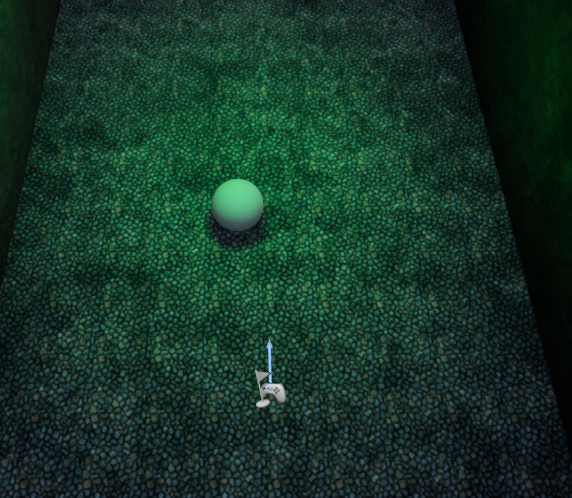 inner ginkgo
To get a player start to work, you need to make sure that you are using start in viewport or new PIE, not simulate. You also can't have any pawns in your map that have the Auto Possess Player set.
pulsar nimbus
yhea i have set the ball to be the default player
inner ginkgo
Then your player controller will automatically posses it ignoring your game mode settings.
pulsar nimbus
so i should disable that?
inner ginkgo
If you want to use the player start with your game mode default pawn, yes.
You should let the game mode spawn your pawn for you.
pulsar nimbus
yhea that fixed it thanks
inner ginkgo
You bet
 marsh tree
Ive set something up where the projectile is supposed to follow a line trace but for whatever reason its a tiny bit off of the crosshair
inner ginkgo
Does the line trace draw correctly for you?
marsh tree
yes
inner ginkgo
How far off is a tiny bit?
The difference between the muzzle location and the crosshair location can cause the two simulations to be a bit off on when they hit.
marsh tree
about a centimeter irl on my screen
torpid linden
origin of the projectile isn't centered within the projectile?
marsh tree
inner ginkgo
I second kaylen's suggestion to look at the origin of your projectile model. It doesn't even appear to be firing at the muzzle location.
marsh tree
what do you mean by that?
inner ginkgo
Your projectile model and collision might not be centered in your projectile actor. When it fires, it appears to be above your gun, instead of at the muzzle location. (It could also be that the muzzle location isn't correct, too).
marsh tree
you are right it is spawning above the gun but i checked both and they are centered well
inner ginkgo
Under the projectile spawn options, change collision handling to Always Spawn, Ignore Collisions. It's possible the engine is moving the projectile away from the gun collision.
marsh tree
i think i sort of found a fix for my problem but its more of a cover up. i just moved the muzzlepoint down in the blueprint editor and too the side until it matched up.
inner ginkgo
That still seems to indicate the projectile isn't centered. If you plan to use more projectile types, it is worth looking deeper into that.
marsh tree
ok its fixed thank you for your help!
inner ginkgo
Np
 haughty axle
have a question guys, can i reuse UE4 stock vehicle system for bikes?
 thin heart
Hi how to character interaction with fire
pulsar nimbus
so now i am doing character movment and again the force isnt applied whrn i mouse over it it says that the value is 0 wjile i have seted it before to 1milion ( now the ball kinda moves alone ) i just added 1 to see if there would be any difference ( edit i am an idiot :P) didnt click mouse for control
so idk sec for screenshots

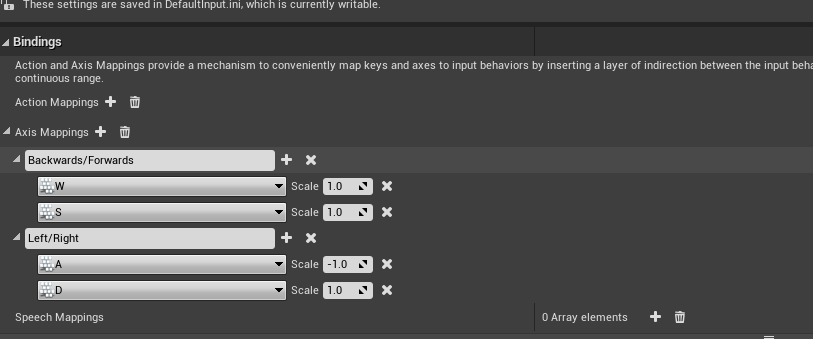 pure yew
Hi, is there a blueprint that makes bullets/projectiles track? Like basic attacks in League of Legends or DoTA
pure yew
i found out theresa homingprojectile option
problem is i cant find the target now..
flint nymph
@pure yew from your projectile movement component you can set the homing target
pure yew
just found that part
i set the skeletal mesh of the target as it
annnd its not homing aha
its jsut going whatever direction its initial velocity is for soem reason
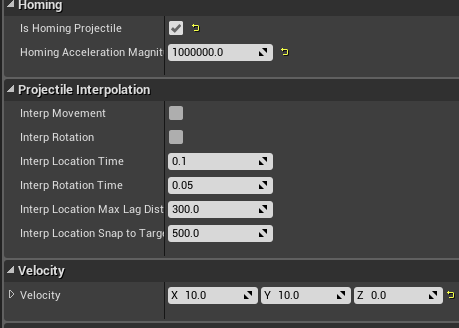


i tried messing with the magnitude
nvm i figured it out
flint nymph
aight cool
 coarse marten
Is there anyway of making a Level Sequence blend to for example, the player camera when the sequence has finished?
its something i looked at and should be mad simple but im not actually sure how to do it 😅
 ionic gull
So I have a quick question. I followed the example AI project and got it working. I've now programmed it so that the ai can die. Unfortunately I'm currently getting Errors that the Enemy Controller is trying to access something while the ai is dying. Error shown below. I'm pretty sure this isn't a complex problem I'm just not sure how to stop it.Blueprint Runtime Error: ```
"Attempted to access EnemyCharacter_2 via property K2Node_ComponentBoundEvent_Actor, but EnemyCharacter_2 is pending kill". Blueprint: EnemyController Function: Execute Ubergraph Enemy Controller Graph: EventGraph Node: Branch```
 teal burrow
How does the node attempting to call look like?
flint nymph
put in is valid checks or make sure it’s not trying to execute tasks on kill
ionic gull
hmm okay sweet, which kind of is valid do I need? It would be key right?
flint nymph
use the execution one
teal burrow
And also, if your AI would die, call an Unpossess on the controller
Add this node to wherever you handle your enemy's death
ionic gull
ah that will help! thanks to both of you!
teal burrow
Generally, you'd call it after an action on said enemy, so this is in the pawn's blueprint
ionic gull
I see, sweet!
Blueprint is a lot of fun for quick prototyping, although I have much to learn
teal burrow
It's great for learning
You can make entire games with it without writing a line of code
That's about the case for me, tho I've written code to have a wrapper for various SDKs
Writing an entire MOBA framework with BPs is tough work, I'll tell you that much
 late blaze
Hello a question when it comes to UV tiling. I have this mesh which is basically symmetrical. So let's say a symmetrical face, and I have the proper texture for it. However, the texture is only supposed to only cover half the face while the engine does the rest of tiling it and flipping it horizontally. I can do that in photoshop. The thing is that it doubles the file size for the texture which I don't want. So I am kind of stuck trying to achieve this.
Any help? 😛
ionic gull
@teal burrow lol
teal burrow
@late blaze I'd assume this is kinda the result you want?
With a 1x2 texture I get a result you might be after
The TexCoord is set to 2 UTiling, 1 VTiling
Everything else is as you can see it
If the image is too small (I use a 1440p monitor), click it, then Open Original in the bottom left and zoom at your leisure
Also, this is the #blueprint channel, this discussion is better fitting of #graphics
late blaze
Oh my god, yes. Thank you so much 🙂 And I will keep that in mind ^^ Just joined the discord so my fault for asking in the wrong channel 😄
sick sapphire
how do i implement a double tap function for a key? (the key also functions as a axis input, double tap is for dash(non axis))
also, what settings do you change if you want to have more air control in Flying movement mode
full fog
@sick sapphire Heyho, could this work for you?
First, apologies for thumbnail unrelated to video content :X
So when to use it
well when you create something like street fighter Or devil may cry ^_^
Music : Immortals - FALL OUT BOY
https://www.youtube.com/watch?v=l9PxOanFjxQ
Did not looked into it yet but sounds like its what you're looking for.
About the flying movement, sorry - never touched it, no idea.
sick sapphire
I'll see if it works thx
full fog
Good morning folks!
I have a question regarding the camera spring arm.
I have a little setup on my third person character camera where I can look at a point where the mouse cursor is clicked. That works fine.
Now, I attacked the Target Offset from the camera, which can be found inside the Spring Arm to this position.
This works fine as well.
My issue here is that I would love to keep the actual camera position in the world on click because I want to move and rotate (orbit) around the point on my own with mouse axis X for orbit and mouse axis Y for moving closer or more far away from the new camera target position.
TL:DR = Can I keep the camera location while offsetting the spring arm location as center for orbit?
 snow halo
Could anyone set me right? How do I get a reference to a dynamic material instance I have in a material element of a skeletal mesh?
The mesh is in the blueprint but i can't figure out what to pull out from that skel mesh. When I try to get material and cast the cast fails : /
Do i have to create the dynamic material instance in the blueprint to get a reference to it?
 sand shore
@snow halo I think there's a method on mesh components to create a dynamic material in place
But if you don't explicitly create a dynamic instance and then set it on the mesh, then you can't use a dynamic instance.
If only MIDs would be automatic
haughty axle
question guys, is it worth reworking vehicle system in unreal for bikes or better build from scratch using physic constrains?
snow halo
thanks Immutable, ya i ended up having to create a dynamic instance even though the element already had a material inst
i guess that one is not "dynamic" or something?
sick sapphire
how do I make it so that the arms on my TPP Character (Anim Starter Pack) can follow/ respond to the pitch on my camera
trim matrix
heeeey 😄
how should i interract with the house so the instances have to be bought with my resources? iff statements?
 hollow cape
Are those 10 different meshes or something? I'm wondering why you have 10 different ISM components
@trim matrix
trim matrix
to grade up me farm
@hollow cape 😄
being in devopment but i suck atm , help would be great 😄 , go to the shop first back in an houre i will response on every reply on this msge
trim matrix
How can I solve the movement not allowed issue?
Hi is there a way to set a skel mesh a diffrent anim_BP in Blueprint?
white crypt
@trim matrix https://prnt.sc/t6t8hf
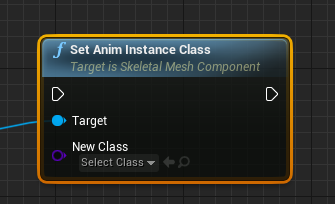 trim matrix
Thanks ^^ was looking for that node
pine palm
This is a really basic question but how I could I make a 'raycast' in the players mouse's direction?
I've tried but failed
This is what I used:
elfin hazel
You could perform two traces - First trace is a regular trace from the camera to the world where the mouse is. You can use "get hit result under cursor" for that. After that, you can trace from the character to the hit location of the first trace.
If you want to trace to a point that is not on the "ground", but at the height of the character, you could modify the hit Z value to use the character Z location, or a static value.
pine palm
Ohh thank you :D
elfin hazel
assuming Z is up in this case.
pine palm
Yes ofc
https://cdn.discordapp.com/attachments/221798862938046464/726004862801805322/unknown.png
So should I drop this?

 elfin hazel
you can use it if you want, the result would be the same.
pine palm
So I could put the 'X, Y' into the 'end' for the raycast. And then set the Z (For the end) to the players Z?
elfin hazel
yeah
elfin hazel
where did you click in that image?
pine palm
up above, I just changed the view of my camera
elfin hazel
hmm. is this going to be a top-view game or you can rotate the camera any way you want, like in the image above this one?
pine palm
Top view.
I just ejected myself out.
I just want there to be a stright like, regardless how far you aim it for
white crypt
try copying this https://prnt.sc/t6u47w
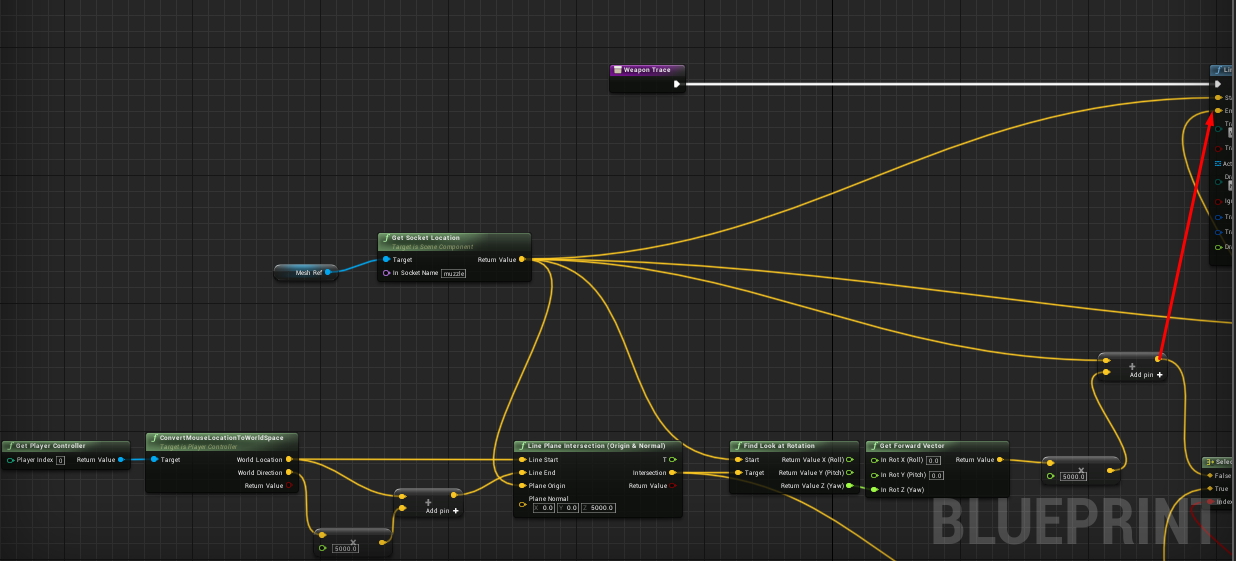 pine palm
I'll give that a try, many thanks :D
white crypt
i have this system for my top down game and it works fine
pine palm
Sweet.
elfin hazel
Was just setting something like that up
white crypt
hehe, i guess using line plane intersection is a normal approach for top down games
yeah tried to fit everything in one screen
white crypt
you could probably find a very similar solution online if you did some research, im not that good with math and vectors so could not have come up with it by myself. well atleast doing it for the first time
and sorry robin for taking your help away :< . thought since i have the project opened i would share it
pine palm
Uhhh what's this say
white crypt
get forward vector
white crypt
you can split the vector by right clicking on it (on the yellow dot)
white crypt
what did you use for your start?
elfin hazel
BlueprintUE
white crypt
my example was using a socket from a gun, which always is pointing at the cursor
so your rotation is incorrect
pine palm
I used a arrow on a object
white crypt
i assume its always point forward from the character
try using get actor location and see if that changes anything
since you are not rotating your character where your mouse cursor is, some things might need to be redone. if get actor location doesnt help then try using what robin sent
white crypt
but yeah smth seems to be off, it always goes through 0.0.0 coordinates i assume
pine palm
Yea...
white crypt
start part should be fine, but the end is not right
pine palm
Yea
pine palm
I've done it just like that but I have a feeling it's got something todo with the arrow