#blueprint
402296 messages · Page 481 of 403
 latent arch
latent arch
latent arch
yes buddy
you need to track an object to see whats running on it 🙂
i did the same thing a day or two ago hehe
 maiden wadi
@latent arch Latent nodes of any kind are impossible inside of functions.
latent arch
yeah im quickly realising, whats the solution to my problem in that case?
maiden wadi
Does this need to be a function? Are you calling it from anywhere outside of this blueprint?
latent arch
no thats the issue
 earnest tangle
Make it a custom event instead of a function
 shut magnet
🤔
earnest tangle
You can call it similar to a function, but it goes into the event graph where you can have latent actions
latent arch
basically its an audio logic BP thats setting out the bahaviour and locations of sounds
hmm
maiden wadi
If you're not calling it from anywhere outside of this blueprint, always use Macros. There's two reasons for this. More functionality, and calling functions in blueprint is slower than calling a macro.
latent arch
If you're not calling it from anywhere outside of this blueprint, always use Macros. There's two reasons for this. More functionality, and calling functions in blueprint is slower than calling a macro.
@maiden wadi ! 👍 thankyou thats great info, i will look to convert everything
@earnest tangle ill try doing this - but im still unsure how i can "tick" a delay without using and event tick - id like to use a timer as were all in the same BP here
 tight cobalt
yes buddy
@latent arch Thanks..It works now..lol, I swear it was always there in my project by default before.
latent arch
hehe no worries dude easily done hat one
earnest tangle
why do you need to tick the delay? I'm not sure if I'm understanding the problem
latent arch
right here goes 😄
im trying to simulate speed of sound and the doppler effect with my audio logi
logic
ive got the locations and relative velocities of the player and all live sound emitters - this is ticked on a delay loop every 0.1 s as real time was a little overkill and could cause performance issues
Now i want to take my relative distances i already have calculated to delay the start of each sound to simulate the speed of that sound traveling towards you
what started out as a little cosmetic feature is turning into a full blown audio computer now lol
earnest tangle
sounds like it 🤔
latent arch
if i can get this part working i can then use the information gained to also produce acurate echoes
earnest tangle
interesting that the audio engine doesn't have anything for this builtin, seems they have lots of advanced features otherwise
shut magnet
anyone can help me with my problem above?i tried blend poses by enum like auther suggested long time ago but thats doesnt work
latent arch
the main constraint i have is that its a MOD / Overhaul for a published game - so i dont have any programming capability outside BP :/
shut magnet
its like it doesnt switch the anim at all if i use sword or bow
latent arch
@earnest tangle The UE4 audio engine probably does somewhere - im using a Wwise integration - the other small issue here
for every advantage there is a disadvantage it seems at the moment 🙂
earnest tangle
yeah it seems kind of tricky because you could just fire audio off at the initial distance, but then if the player moves closer it would no longer be accurate
I guess it would depend on how fast the player can move, at running speed the location difference would probably be so small it wouldn't really matter
latent arch
yeah this is why ive gone this route - the distances in this game are multiple kilometres
maiden wadi
@shut magnet Where are you setting the enum for the blend?
latent arch
the players fastest movement speed is like 150 kph but obviously projectiles and their audio emitters travel much faster
shut magnet
at first i set the enum inside the state condition to whatever animstate it is but doesnt work second method i tried in april like u said using blend pose by enum in animgraph but doesnt work wither
im willing to give a copy of arpgis to someone as im really dont know what to do at this point
 fallow fox
Hello guys! I want to make a sway effect on a FPS game, but I don't have any clues how to clamp the rotation, because right now the arms are getting out of the view. I just want the arms to sway just a bit according to the rotation.
latent arch
trying this right now - seems to be working 🙂
 gloomy linden
use a timer or timeline
 sterile basalt
Rookie question here why the hell do i have the static mesh from another actor in my character viewport ?
sterile basalt
@gloomy linden No i just checked no preview mesh 😦
gloomy linden
did you made that bp from scratch?
sterile basalt
yeah both bp are made from scratch
 dapper cradle
Hi,
I am currently using a global time dilation to give my player the ability to slow down and stop time.
Can I set this to NOT effect the player pawn ?
it is in VR so when I stop time and try to teleport I cant because time being halted removes the ability to do so.
sterile basalt
@gloomy linden Welp i tried the good old turn it off and on again and it's back to normal... I hate it when i don't understand why something wasn't working -__- thank you for helping
 gritty elm
@dapper cradle https://www.youtube.com/watch?v=VeA2K1coDVw, in that way you can set custom time dilation to specific actors
What is Custom Time Dilation in Unreal Engine 4
Source Files: https://github.com/MWadstein/wtf-hdi-files
@somber igloo looks like your casting to third person character is failed, check your character
 somber igloo
ok
@somber igloo looks like your casting to third person character is failed, check your character
@gritty elm but how to check it
 mossy barn
When I double click on either a Media source or audio component it just brings me to an empty screen rather than the details. Does anyone have a fix?
 jolly trail
can you post a screenshot? @mossy barn
mossy barn
Okay I fixed it. This problem has been bugging me the entirety of today and all I had to do was go to window, details.
gritty elm
@somber igloo can you show your character name?
somber igloo
Sorry but i didnt get it from where
@somber igloo can you show your character name?
@gritty elm
gritty elm
can you print string from here, to verify it casting failed or success
dapper cradle
thank you @gritty elm I did look at that when I originally made my time dilation, but I will rewatch just incase it has a way to ignore actors/pawns in it.
gritty elm
play the game and see result, (not in editor, just play game)
gritty elm
can you please quickly check the name of your character by print string
somber igloo
this all stuff is in animation blueprint
gritty elm
so what is the issue having you right now?
somber igloo
gritty elm
your blueprint isn't showing flow or your animation isn't playing?
somber igloo
Actually i want my player to rotate his spine so i used this
And it is not working
Can anybody tell me a flaw in my blueprint as it is not working
@somber igloo here
i used this
gritty elm
can you open your new state machine? and post here what inside is this
it looks like your state machine is empty
somber igloo
this is it
it looks like your state machine is empty
@gritty elm no its isn't
@gritty elm Any clue sir
gritty elm
let me find issue, does your spine works in animation blueprint viewport?
somber igloo
ok sir
gritty elm
click on transform bone node, and go to rotation and select add to existing option @somber igloo
@somber igloo does this fix?
somber igloo
wait let me check
Oops sorry I didn't changed it
now it works
@gritty elm Thanks to you
jolly trail
So i've been stuck on this for a few weeks and managed to isolate the problem
Basically my Find node is messing up in builds, it always says -1 is the first element in my array while i declare it to be 0
in the editor it works perfectly fine
So its an inventory, it looks for the first empty slot
I have 15 slots and it should start from 1 to 15
but it starts at -1 in a build
and starts from 1 in the editor lol
 hoary orchid
is there a way to stop character from turning towards camera when he's jumping?
and just follow the actual jump direction only
or to be exact when character is launched in air
gritty elm
@hoary orchid, make sure to do this in your character blueprint
hoary orchid
@gritty elm but that disables to movement of camera as well
 proper vine
hi so yesterday i had i problem when i hit the play button and i still have it i dont know what to do and i need to finish this project
here is the error Assertion failed: UniformExpressionCache.bUpToDate && UniformExpressionCache.UniformBuffer [File:D:/Build/++UE4/Sync/Engine/Source/Runtime/Renderer/Private/ShaderBaseClasses.cpp] [Line: 383]
gritty elm
@hoary orchid ok try this, that should work fine
hoary orchid
is there a way to get the section montage is in right now?
gritty elm
make sure to do this in your animation blueprint
@hoary orchid did you solve jump issue?
mossy barn
How would one get the position of a song with blueprints using an audio component?
 sly finch
How can i add a walking and running footsteps sounds to a first person character with blueprints only?
gritty elm
@sly finch https://www.youtube.com/watch?v=SazBtubiBMc

The first in the Estranged development blog series, an overview of a simple Blueprint to create footstep sounds in Unreal Engine 4.
 hot fjord
are blueprints inside the Game Instance permanently loaded to memory, while the game is open ?
maiden wadi
What do you mean by "Blueprints inside the GameInstance"?
 lusty escarp
Hey, I don't know if i am just being silly here, but is it possible to get overlap event triggered on a spline mesh component? I can't seem to get anything to fire for it? The spline is created in Construction Script and set the GenerateOverlapEvents to true.
hot fjord
I'm following a tutorial and in that tutorial, the person made a Loadingscreen function inside the GameinstanceBP and later makes a new one inside the LobbyGM
So, I've been wondering, if the blueprints that are inside the GameInstance are persistently loaded into memory or not, since the GI is permanent
 tight schooner
@lusty escarp yeah but you might find that you need complex collision because spline meshes are ultimately distorted meshes and simple collision volumes don't work super well with that depending on the nature of the distortion
lusty escarp
@tight schooner I am currently already using complex collision on the mesh
hot fjord
If the BPs are persistent, then I could just get them from the GI.
If they are garbaged, I should make it like the tutorial to avoid loading unnecessary assets
maiden wadi
As far as I understand it, values are kept in GameInstance. But if you're talking about object references, they should become null on a level load as far as I'm aware since they belong to the current world and that is deleted at level load. So references should end up nulled out. But all functions, events, macros, or variables being stored that are not object references, should still be okay.
 tight venture
I have a question of advice:
When performing overlap or hit events, for example a Ball hitting a Wall, where do you put the event behavior? In the Ball's EventGraph or in the Wall's?
tight cobalt
I was wodering is how to do a massive change to the level that includes many parameters on multiple things like height fog, directional light, skylight etc..
I have a daylight scene, and I made the stormy night one..I want to change all of it at one point, but there are just too many parameters to reference,.Is there an easy way to do this?
tight venture
@tight cobalt I'd say those variables belong in the GameState.
But I am noob, I may be wrong. That seems right to me though.
tight cobalt
Oh so you mean, i could change game state and affect all changes?
tight venture
Yes, as long as you're using those variables to drive the desired effects in the ... level blueprint, or wherever you're using them.
I dunno about stuff like direction lighting
but the fog, yes
tight cobalt
This is new to me,,never changed game state before..
tight venture
Authaer is typing, he is way more experienced than I am. He may be able to give you a better answer
😉
lol sry Authaer, put you on the spot
k maybe his cat was walking across the keyboard 😆
A directional light and other lighting items, those wouldn't belong in the GameState because they'd be different every level
tight cobalt
Hmm..
tight venture
Stuff in GameState would have to apply evenly, no matter what level they're in, something like fog would be fine in there
tight cobalt
Well in that case i guess game state change wont help
tight venture
if it was a ground-covering fog and not like, fog coming out of a cave mouth or something
maiden wadi
@tight venture I would probably say that highly depends on what you require to happen when the ball hits the wall. If the ball is supposed to do something no matter the surface, put it in the ball. If the wall is supposed to do something when a ball hits it then put it in the wall. Only exception might be like a specific type of wall that you want to affect certain things a certain way. Might put it in the wall instead of the ball just to avoid unnecessary logic calls in the ball.
tight venture
oh he was answering my question 😊
 chilly linden
can someone help me fine tune my wall jump, it feels really bad at the moment
tight venture
Okay, thanks @maiden wadi, makes sense.
@tight cobalt you'll have to explain yourself a little more clearly in order to get a good answer
tight cobalt
Sec..uplaoding the video
tight venture
@chilly linden that goes for you too. post pics of your blueprint stuff at least.
maiden wadi
@tight cobalt Are you trying to affect multiple levels with the same settings, or?
maiden wadi
@tight cobalt Oh, I think I see what you were asking. What is changing these settings? What is the trigger for changing the weather persay?
tight venture
@chilly linden hehe we can't read any of that. you'll need to zoom in a bit and post multiple pics probably
tight cobalt
I am effecting the same level. Nothing changes expect parameters within the items such as directional light, skylight etc..
Change will occur when player solves all puzzles and collects all 5 keys. I need to change multiple parameters under Height fog, Ambient fog, skylight and sky sphere.
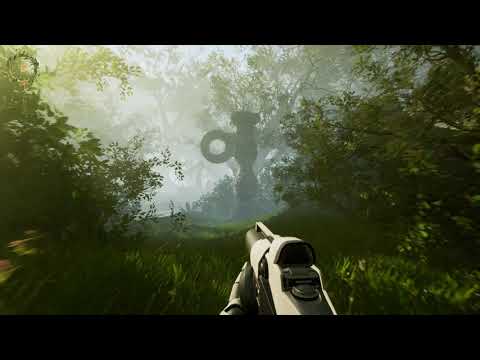
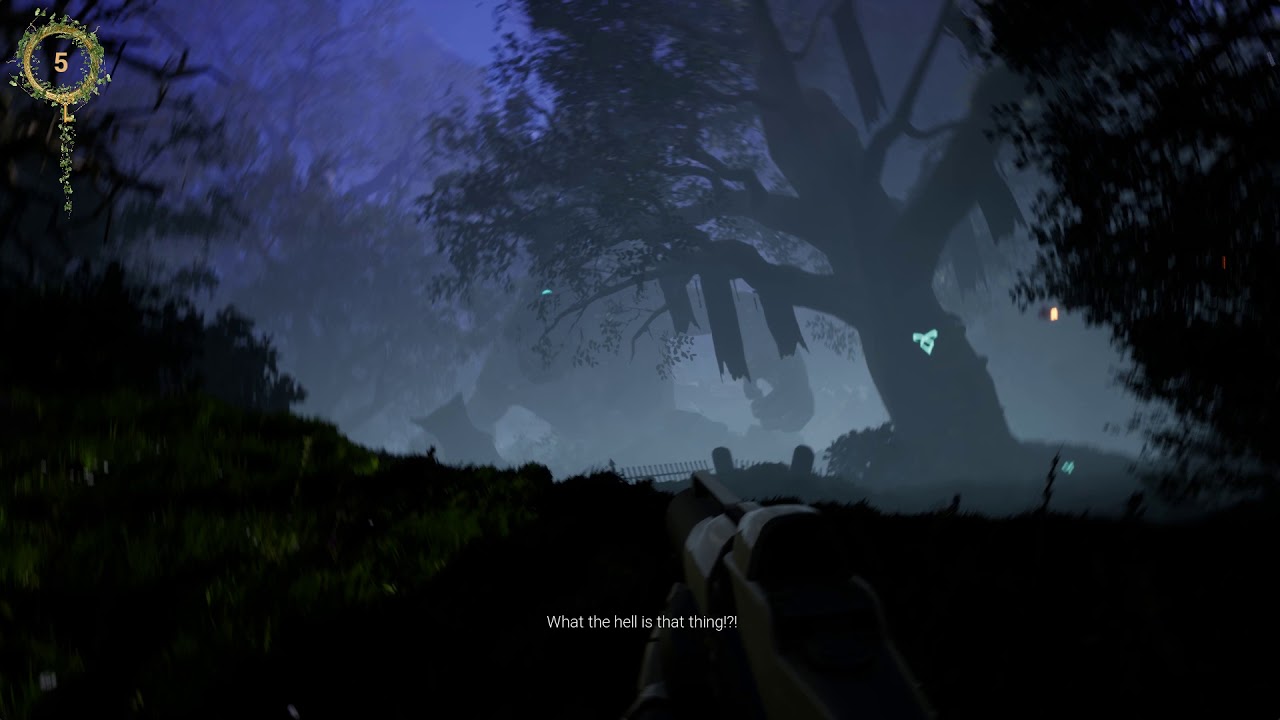
This is the daylight video...https://www.youtube.com/watch?v=-YlmJUsKZ6U
and then it will change into this. https://www.youtube.com/watch?v=lyfFG_-VzkM
 maiden wadi
Are you handling the puzzle stuff in the level blueprint?
tight cobalt
I could probably change them under the level bp, but..there are jsut way too many things taht change in order to reference them and change one by one.
Yea all in level bp
maiden wadi
I'm not sure you really have much choice but to get the reference from the level and change the properties one by one. Could easily hide it away behind a macro or function though. The only other option might be having multiple versions of these actors that you could swap out. Unless you're looking for more of a 'transition' effect. In which case I'd strongly advise going with a level sequence.
tight cobalt
Hmm..
Is it possible to swap the actors like, turn off directional light_1 and turn on directional light_2..
I guess I could hide the effect with some animation or smthing. Maybe characted puts his hands to cover the eyes or smthing
tight venture
I gtg be back in like 2 hours
 civic salmon
Anyone know if it's possible to use Sync Groups between 2 different animation blueprints to have 2 characters in sync together? ex: rider and mount
chilly linden
so this is my jump and wall jump, it works, it just feels like shit and I am not sure how to improve it
 vital gulch
did anyone knows why inputaxis on Mouse Y works just while left button mouse is pressed?
maiden wadi
@vital gulch You likely have SetInputModeGameAndUI set somewhere. If you want it working without that, you need to SetInputModeGameOnly
vital gulch
I already try that, i will check the blueprints again, thank you so much!
maiden wadi
It could be a different cause, but that would be my first stop. I think PlayerController SetShowMouseCursor needs to be false as well.
Probably not on the mouse cursor showing though, who knows.
lusty escarp
Is it possible to create a collision component that follows the path of a Spline ?
vital gulch
@maiden wadi thank you so much! it was the setshowmousecursor it needs to be false
tight schooner
@lusty escarp I did some experiments at one point for my game involving spline roads and I found that having a bunch of collision volumes place along the X axis in the mesh itself like planks does actually produce a somewhat coherent collision when used in a spline mesh component, as long as the spline deformation wasn't too extreme. (I ultimately went with complex collision for its fidelity.) It should also be possible to do it in blueprint with individual collision components placed along the spline in some programmatic fashion.
Like you can make a script that adds collision components at every X distance along the spline.
lusty escarp
@tight schooner Thanks for the reply, maybe you could help me understand further about splines and their movement capabilities. I am trying to replicate a Conveyor belt system that moves an items along the spline following the location and rotation of the SplinePoints. I don't want the items to collide on another but rather have them queue on the belt like this video (https://www.youtube.com/watch?v=vAu_ZrqM2Lw&t=69s). But i also want the belts to curve like this video demonstrates (https://youtu.be/go9vjytZu6U?t=6)

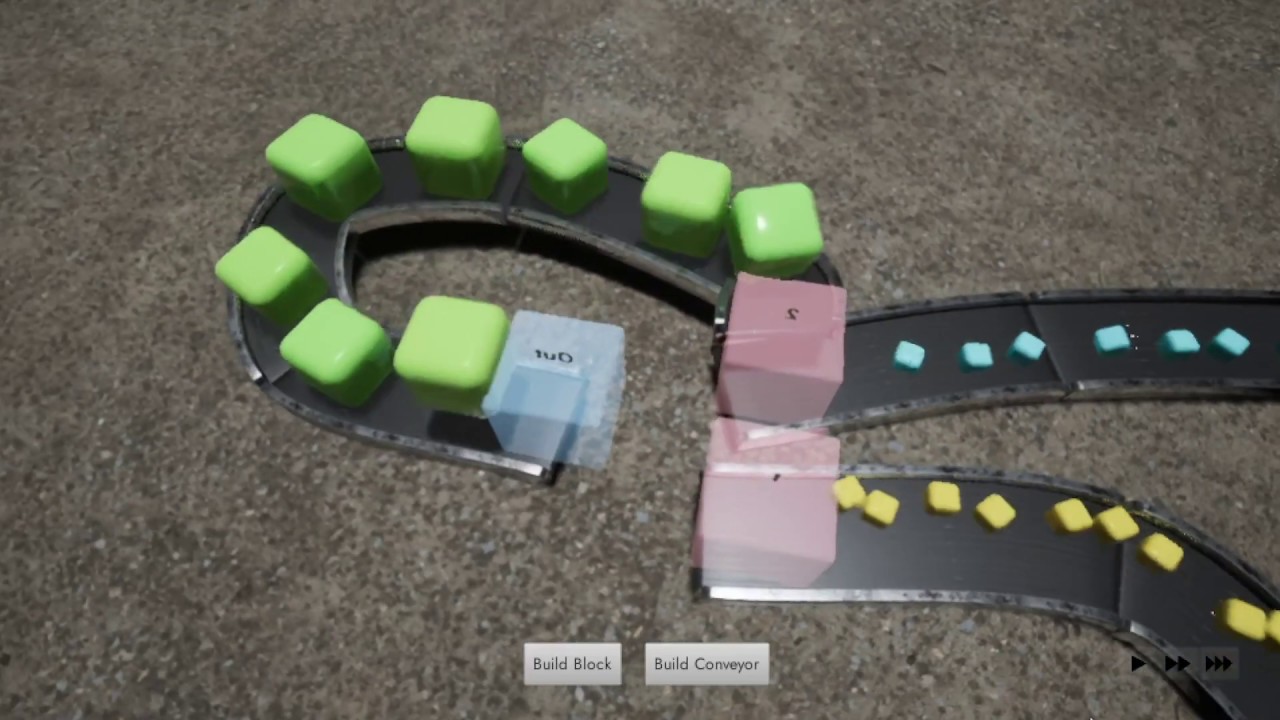
Unreal Engine conveyor belt physics demo: parametric object combination
Any help would be greatly appreciated
maiden wadi
Random fun blueprint performance test.
tight schooner
figures the one with fewer nodes "wins"
a Math Expression would probably be even faster
vec(1,0,0) + vec(0,0,0)
or w/e
maiden wadi
I was actually curious to know the difference between the vector addition vs the three floats into a make vector.
 remote meteor
how do you check for the duration required?
maiden wadi
Duration required for what?
remote meteor
for your node to complete?
maiden wadi
If you're asking how I tested that, just type ` to bring up the console and then "stat raw"
remote meteor
yeah, hmm thanks
chilly linden
@maiden wadi any suggestions for the wall jump bp?
tight schooner
@lusty escarp I've never built something like that so it's hard to give you general pointers. My game has a lot of stuff (vehicles, projectiles, etc.) moving along the road spline, so a good amount of "blueprint communication" happens to pass references to the road spline around so that stuff can follow the road without physics or AI. Some things on the road remember their local offset vs the spline so that they can stay in their lane rather than be forced exactly into the center of the spline. There are multiple ways for things to follow/sample the spline, like via "time" (IIRC, total distance normalized to a length of 1) and "distance" (IIRC, variable total distance in Unreal Units)
as far as making things queue up goes, that's actually a puzzle and I'm not sure how one would best approach that
whether having some "manager" orchestrate the movement of the actors on the conveyor directly, or actors communicating with the adjacent ones and maintaining a "safe distance" in some independent fashion
maiden wadi
@chilly linden What's wrong with it exactly? What about it feels bad?
chilly linden
@maiden wadi https://gyazo.com/87830432d5830a1343ddde46af6e32db
firstly, I am using a hit event which feels wrong, I cant get begin/end overlap to work for some reason
he sticks to the platform and if i hold a movement key he stays against the platform
i just want it to be more fluid
lusty escarp
@tight schooner Cheers for the reply, I'll dig further in and let you know what i find. Thanks a bunch
maiden wadi
@chilly linden Are you just trying to get a wall jump, no running along the wall or anything like that? Just jump against the wall and allow the character to 'jump away'?
chilly linden
yes jsut a wall jump
but I would like it to slide very slowly in the direction forward
so he jumps, hits the wall, slides along it very slowly and can jump off again
I am trying to achieve this https://gyazo.com/264895067b35d35aa9cd7f03c797dc2b
 latent arch
Hey all, so is this possible? id like to make a BP that calls events and locations from objects in other BP's. how can this be done? im trying to make an audio logic that is capable to tracking projectiles and actors simultaneously 🤔
maiden wadi
@chilly linden From the look of that, it looks like the powerup thing boosts them along. But in general if you're just looking for something that slides against the wall, I'd probably rely on something like... Jump. Hit the wall, on collision with the wall, do a check to see the x/y velocity. Find the direction along the wall that best matches the plane hit so that you can set the character's new velocity in that direction so that it slides along the wall. Set a boolean to true for like 'iswallsliding' that you can use for the next part. Find a way to limit the -z velocity. Maybe clamp just the Z velocity on tick to a minimum of -50 or something, might work. Then when you jump again or after a certain time or if you land on the ground or.. whatever else, you can set the iswallsliding back to false so it won't limit the z velocity anymore. I don't really know. But that would probably be my first guess with something like that. Games like JediFallenOrder's wall run probably relies on some sort of triggered sequence, but that's for a very specific specific behavior instead of just somewhat clinging to the wall.
chilly linden
Thanks I'll try get that working haha
@maiden wadi would you stop active movement on begin overlap do you think?
tight schooner
@latent arch the concept is called "blueprint communication" and is rather fundamental to the craft of blueprint scripting. You should Google the term and learn about how to do it; it's a deep subject.
maiden wadi
Probably rely on the character capsule's event hit rather than overlap. You'd also not want to trigger the velocity set event from the overlap or hit while currently wall sliding, until you jumped again most likely.
 pearl rose

To get the angle you desire (not exactly, but give you an idea of the mirror vector by normal)
and then just jump into that direction multiply by a float (to control your intensity). @chilly linden
and event hit 100%
mossy barn
Can anyone help, I have been trying to get this to work for ages. I have a blueprint that will set volume of a sound to zero% when clicked, when clicked again it will change it to 100%. It starts on, when I click the button for it to go off it goes off. When I click the button again for it to go on, the light comes on but no audio. Please can someone help 😅
pearl rose
Can you share your blueprint?
mossy barn
pearl rose
live in the future
mossy barn
Sure
pearl rose
what about setting volume directly instead of adjusting it
chilly linden
@pearl rose I am not too sure how to apply this to my bp
pearl rose
cause anyway you are making it instantly
mossy barn
@pearl rose What do you mean exactly?
pearl rose
Your adjust volume duration is 0, so I assume it's changing volume instantly
mossy barn
Yeah
pearl rose
quickly try it with this
@chilly linden basically you could mirror a direction. It's like a bounce and this can feed your upcoming jump
mossy barn
@pearl rose For which branch, the top or bottom. As in top 0 and bottom 1?
pearl rose
do it in both
mossy barn
Okay 0 for both
 lone cradle
Hello people, I'm trying to use the asset manager but I'm a bit confused right now so I wondered if anyone would be able to give me a hand.
So I created a data asset type that contains some information and I added it to the asset manager, I added the path on which I will save this data asset types on the project settings and i figured that i can retrieve the data assets with the "GetPrimaryAssetIdList" node, but I cant figure out how to access the data inside each asset from the array of "PrimaryAssetId" that the node returns. Any documentation on how to do this?
pearl rose
(keep the sound value correct on both side right aha)
 trim matrix
Maybe u need to cast it as the data type that you created
mossy barn
@pearl rose Still the same result
trim matrix
Not sure what those nodes does tho, I never even know they exist and for what purpose
Try casting and see if u can get your data
lone cradle
@trim matrix I tried but it doesnt let me cast to the data type
lone cradle
one that i created "LevelInfoDataType"
This are in order: The data asset, the project settings and the blueprint on which i want to retrieve it
lone cradle
I already tried, has this inside but still cant cast to a data asset type
lone cradle
If i split again that one it only has a name inside
trim matrix
R u sure u get the right primary asset type?
And where is this data u r trying to retrieve?
lone cradle
Yup, if i print the name its the actual data asset (DA_RiverLevel, as i called it)
So i have the data asset, my question is how to access what is inside it from there xD
Im trying to access the image and fname that are inside the data asset (the first screenshot i sent)
trim matrix
I guess u have to get the asset base class?
 inner ginkgo
I haven't actually played with asset management, but I do notice there are some other functions that might be useful to you here. Like GetObjectFromPrimaryAssetID
trim matrix
And get the value from it the cast it?
lone cradle
@inner ginkgo Yeah, i also tried that and i get an UObject, the problem is that i cant cast it either to the data asset subclass i created
Oh
OH wait
I forgot to make it blueprintable
trim matrix

chilly linden
@pearl rose can you chjeck my bps for me please
tight cobalt
Any way of changing material on instanced folliage within the blueprint during game?
Or even better to change parameters of instanced material, within level blueprint?
lone cradle
Okay so now i can cast to it (yay) but the cast fails. The data asset name is the correct one tho, and that data asset inherits from the type that im trying to cast to 🤔
 spark robin
Can I stop instances from changing instance index when an instance with a lower instance index gets removed? Or otherwise, are there any other way of "tagging" instances, so I can identify a specific instance and make myself a reliable reference to it (that I later on can find)?
(Please ping on reply ❤️ )
inner ginkgo
@tight cobalt You can use material parameter collections. But that will change it for all instances.
tight cobalt
All instances of that particular material?
That is fine.
Is it hard to do it? Never used it
inner ginkgo
Yes, all instances that reference the collection.
Nah, this should get you started on them: https://www.youtube.com/watch?v=i4Z2r7mGA0o
What is a Material Parameter Collection in Unreal Engine 4
Source Files: https://github.com/MWadstein/wtf-hdi-files
 solar sonnet
Hey all! Quick question about collisions with physics bodies: In the On Component Hit event, how do you check which physics body/collider generated the hit? Like, hand, foot, head etc
tight cobalt
@inner ginkgo Gonna chek it out. Thank yoou.
inner ginkgo
@spark robin What is the context for 'instance' in your question?
lone cradle
So, im still trying things but nothing, I cant cast the object that i obtain from "GetObjectFromPrimaryAssetID" to its specific class, cast fails. Any more ideas anyone?
inner ginkgo
@solar sonnet Other Actor and Other Component are what you are going to look at. Most likely Other component for your particular question. You'll need to know what component you are looking for ahead of time, though.
spark robin
Like, in short, Im making a voxel game where each block consists of several instances and how many instances are per block can vary from block per block, then I store all my data related to the block (Like block type rotation, location) in arrays. But Im struggling with drawing a red line between those arrays and the instances belonging to the block as the index of the instances change as you remove blocks @inner ginkgo
inner ginkgo
@lone cradle Get the object you get from that function and get its class. Then print/watch the class name. Verify what you are getting from it.
lone cradle
The function returns null
solar sonnet
Thanks! That will return the other object we are hitting though. I'd like to know which collider on the object this Blueprint is attached to, if that makes any sense
inner ginkgo
Well that would definitely prevent casting it. 🙂
lone cradle
Yup xD
Ill try to figure out why its returning null tho, as the name of the primaryobjectid is actually correct
solar sonnet
I'm using Hit-> Hit Bone Name to get the other objects bone. But I also need THIS objects bone
inner ginkgo
Sorry, I don't have any experience in asset management to help more there. Seemed like a good idea, though.
lone cradle
I saw the data assets used on an Unreal training video and I thought it was super cool but I guess I need to know how to use it first xD
inner ginkgo
@solar sonnet My mistake. Then what you need to know is which local component is which. And then you can compare the hit component with an object equality.
lone cradle
Thanks for trying to help me anyway!
solar sonnet
Right - So I have a mesh which has a physics asset. What I need to know is which body collided. Like hand, head etc
inner ginkgo
@spark robin Ok, so you have a block object. And then you have a bunch of meta data in arrays that relates to those block objects?
spark robin
Yeah
The block objects are not objects tho, they are mesh instances of this component
lone cradle
@inner ginkgo okay, just saw the error
Returns the Object associated with a Primary Asset Id, this will only return a valid object if it is in memory, it will not load it
🙃
inner ginkgo
@solar sonnet That's what I'm saying. You need to have a reference of each of those ahead of time. If they are in your viewport design, then just drag a ref down and compare it that way.
trim matrix
From the screen shoot I see array index 2 as the one that have the objecy
solar sonnet
@inner ginkgo Oh OK! Thanks! I'll try that! 🙂
trim matrix
@lone cradle
inner ginkgo
@spark robin If you can get a reference to the mesh, then don't use arrays to store the meta data. Stuff it into a map and use the mesh ref as the ID.
lone cradle
Yeah yeah, there was an index 0, the problem is that the data assets are not loaded until you manually load them, so the asset manager autofinds all of the data assets but doesnt actually do anything with them
Is up to me to load them and once they are loaded i can access whats inside
spark robin
@inner ginkgo The issue is that I cant get that reference because the index (which is my reference) changes
Now I probably could update my other data (location, rotation etc) to bind to the updated index, but it probably wouldnt be very performant when dealing with large numbers of blocks :l
Tho unless I find a better solution I guess I will try that
inner ginkgo
You are removing the blocks by index, right?
inner ginkgo
If you remove the meta by index, does that keep them in sync?
spark robin
No, because I have several instances per block, and the amount of instances per block varies from block to block
inner ginkgo
Describe/show how you add a block with meta.
inner ginkgo
A lot is fine, but I can't read those at that size. Use https://blueprintue.com/
BlueprintUE
BlueprintUE.com is a tool for sharing, rendering and rating blueprints for Unreal Engine 4. UE4 is a game engine which use visual scripting called blueprint.
spark robin
I will try what I mentioned I probably could do earlier
Now I probably could update my other data (location, rotation etc) to bind to the updated index, but it probably wouldnt be very performant when dealing with large numbers of blocks :l
https://blueprintue.com/blueprint/sms96b_0/
https://blueprintue.com/blueprint/vico5piy/
BlueprintUE
BlueprintUE
@inner ginkgo
inner ginkgo
Np, I'll read through these and see if anything stands out as doable.
spark robin
Lmao okay, Im glad if you take your time but really dont feel like you have to
I might get this working eventually anyway
lone cradle
Okay so for anyone interested it ended up working, you need to first load the data asset and then access it with the get object node, here are the two ss, thanks to everyone who tried to help me!
inner ginkgo
Nice! Glad it works.
 vital lava
How can I make my player move based on the camera rotation? This is my setup so far for the camera rotation and player movement. Now I need the player to move based on the cam rotation. Couldn't figure it out though..
inner ginkgo
@vital lava In your movement code, changing the GetForwardVector and GetRightVector to your camera should get you most of the way.
latent arch
sooo, noobie question here. I have a BP in my game that handles when events happen - i want to create a MOD for said game and said BP without modifying the original PB - am i able to create a child of it or something along those lines? and then intercept the events in the original BP and manipulate then in my Modded one?
inner ginkgo
@latent arch If you change the original BP, do you want the new BP to have those changes, too?
latent arch
no, its sorta the other way rounf that i need it to happen - basically im modding a UE4 game - but i dont want to actually physically alter the original BP because then it would be incompatible with other mods that may use that BP etc
inner ginkgo
Yup. You may some issues with the forward vector, though. If that works 'mostly' then I can describe how to fix the forward issue.
vital lava
well it's not working well.. the Issue is for example if I look right and walk forward the player movest in the right direction
and if I look right and press D the player moves backwards
inner ginkgo
@latent arch So, I understand that you want to change the original behavior. I'm just clarifying that if the original was updated with new functions, you want them to work in your modded class. A child BP is what you want, then. For the behavior that want to change, you would use function overrides.
latent arch
ah cool ok
inner ginkgo
@vital lava Backwards relative to the camera? Or backwards relative to the current player position?
latent arch
so i can override a function in the parent and use the childs one instead?
inner ginkgo
Yes. Assuming you have a way to have the game use your modded class, it will use your overrides.
vital lava
backwards relative to the camera
inner ginkgo
Can you describe what you expect to happen, then? I think I misunderstood the goal. I thought camera based direction was what you wanted.
vital lava
Here is an example..
In the first 360° rotation I pressed W everytime and as you can see the movement is not right.
The second time I rotated I pressed D and again it was not relative to the camera.
https://streamable.com/bybayr

@vital lava Backwards relative to the camera? Or backwards relative to the current player position?
@inner ginkgo the problem is that it should not walk backwards when I press D.. it should walk to the right position based on the camera
inner ginkgo
Sorry, I didn't realize it was first person. It should still work with that code, but you wouldn't need the camera ref. The pawn forward/right should work just as well.
Can you show how your component setup is stacked in the viewport?
dapper cradle
Hi,
I am setting up a tutorial using a few widgets on a switcher.
I am trying to make it as easy to understand as possible, So I am inserting short video examples of the instructions.
The way I am doing it, I can only assume the videos will continue to play in the background as the player advances onto the next widgets.
I am only doing this because I am unaware of a way to stop the media playing. can anyone tell me if this highlighted node will perform that function for me ?
vital lava
tight cobalt
@inner ginkgo material parameter collection worked. Thanks a million. Although i need to manually edit my instances of grass now cause i used it from the same master mat..But it alright , I am glad the issue is solved.
inner ginkgo
@vital lava So yeah. You can remove the camera refs that I had you add. I was thinking 3rd person where the camera and player wouldn't always line up.
Still odd that the code wouldn't work.
Do you have any other movement related code?
dapper cradle
If I use it like this for example to close the media player being used in the previous widget ?
vital lava
and that's the very first thing I tried
inner ginkgo
It is a great engine, I promise. It can just be quirky sometimes with the built in stuff.
vital lava
yeah I understand 😄
inner ginkgo
@dapper cradle I wouldn't draw the lines like that. I would just create duplicate refs to the players in your graph.
vital lava
I don't.. maybe if you got time, you could try and reproduce it..? 🤔 unfortunately I couldn't find any tutorials for a simple first person controller. Most of them are FPS related, therefore they use animations etc. Or they straight up use the default fps controller without creating a new one from scratch
dapper cradle
ok thank you @inner ginkgo I will do that then!
inner ginkgo
@vital lava Well using the prebuilt stuff is pretty common. No reinventing the wheel and all that. But it occurs to me that if you built this from scratch, are you sure you are using your code? Pull up the world details and verify that the default pawn is set to your pawn.
Window -> World Settings -- And then you are looking in the Game Mode settings.
spark robin
@inner ginkgo I didnt quite get that thing I wanted to try earlier to work (Got a "None trying to access" error with a for each loop due to it trying to access index 0 in an array of length 0 (Which btw I have no idea how it can even happen, unless Im mistaken, shouldn't "For each loop" execute Complete once the array length hits 0 instead of doing another execution on the loop body?)).
Please ping me if you do get any bright ideas on how I could reference my instanced meshes, I honestly have no clue what I even can try next or of any other solutions for a building system that lets me use multiple instanced static meshes per block >.< I just want to tie some damn data to it for a permanent/reliable reference ;-;
inner ginkgo
So looking through your code, I still think the adding and removing by index should work fine.
Every time you add a block, you add all of the meta data to each array. So the arrays in sync by index value.
When you remove a block, if you know the index, then remove the same index of each array. And then it should still be in sync.
vital lava
The reason why I want to make a first person controller from scratch btw is because i wanted to make a first person rpg game but the fps example has arms and a gun that can be seen in game. When I removed them I got compiler errors saying that some nodes dom't have a target and then I though I'll just make my own real quick with basic camera based movement. Witht that I could also learn BP a bit
inner ginkgo
Nah, it's fine. I'm still pondering on the issue. The directions shown in your stream add more confusion, just because they aren't consistent. And the code is so simple that it should be a simple fix, lol.
Sometimes it is simply that you have the axis backwards, but then I would expect more consistent results there.
vital lava
Yeah it's really weird. Like I said, if you got time and you want to solve this, maybe try and recreate it. Maybe I messed up something 😅
 peak mantle
anyone knows why my actor is going through other actors?
Both actors capsule component is set to Pawn and the Mesh is set to CharacterMesh
and yet im still going through it
inner ginkgo
Are the capsules the top level element?
inner ginkgo
🙂
inner ginkgo
Pretty sure the character movement component handles that.
inner ginkgo
@vital lava I just recreated it and those pawn movement nodes don't work without a movement component. I suspect you have more relevant somewhere in there. Do you have more in the graph? Also, what is in that TriggerEvents graph?
@peak mantle Yeah, my point was that the movement component handles the physics like things just falling and pushing. You don't normally use physics + a movement component. They would fight with each other.
vital lava
The only thing that I have is what I have in the EventTrigger node. I will send you a screenshot in a sec
inner ginkgo
That's the move code. 🙂
vital lava
oh 😅 well the whole move system is based on a guide I've found. I don't exactly know how everything works but I understand the most of it
inner ginkgo
Should still have something somewhere else for turning.
But that movement isn't going to work correctly. Change the AddActorLocalOffset to AddActorWorldOffset.
vital lava
this is the whole event graph
did i forget to post this? 🤔 I thought I posted it already
oh yeah I did
but yeah.. there is nothing more as far as I can see
inner ginkgo
That part I've seen. But I still don't see anywhere that handles the turn stuff. Although, I probably don't need to see it for the fix.
vital lava
is not the part in "mouse controls" handling the turn stuff already? That's how it was set up in the example controller
should I maybe create a completely blank project? 😄
inner ginkgo
That's adding inputs. Something still needs to consume the inputs and translate them into movement.
Regardless, changing the local offset to world offset as mentioned earlier should fix this.
And it explains the wonky movements.
 unique wyvern
I have a X blueprint class inheriting from UObject but when I create Object reference variables in other blueprints, I can't set X or X's child classes to that variable, how do I do it?
inner ginkgo
No problem.
@unique wyvern Not sure I'm following. Are you assigning instances to a reference? Or are you trying to set them through the editor?
unique wyvern
Im setting them in the editor in the details panel inside the blueprint class
but when I click on the drop down to set, nothing appears
its empty
inner ginkgo
You won't be able to do that, because the instances don't exist.
Things like Meshes and Audio files are special and let you grab an 'instance'. But generic objects can't be assigned that way.
vital lava
what is the problem here with the error?
unique wyvern
what alternative can I use to instance other than UObject
vital lava
I don't understand what it means with it's not a character. Do I need to check something on my player pawn?
inner ginkgo
What is your end goal with UObject?
unique wyvern
I dont want to use an Actor
I wish to create item types that describe an item, the blueprint stores information such as the item name, description, inventory thumbail
inner ginkgo
@vital lava You are using a pawn. A character is a different class that adds more standard features to the pawn. You can't use character nodes with pawn stuff.
vital lava
oh alright
inner ginkgo
@unique wyvern Anything that exists in the world will need to be an actor. However, if you just need it for data, then a struct is the way to go. If you need logic and data, then Object is the solution. You can use data tables to prefill data for your structs. For Objects, you need to create them at runtime (Construct Object from Class) and populate the data then. You could use a datatable struct combined with an object in that case.
unique wyvern
thing is I also have functions in that blueprint that I'd like to call
such as use
so I cant use struct
inner ginkgo
That's fine. If you want editor support though, you probably still want a backing struct so that you can fill a datatable and get your data that way.
vital lava
alright changed it to Character. Now everything works fine 😄
inner ginkgo
Haha, excellent.
 brittle fiber
night users, anyone online with knowledge of blueprints? need some advise, want to Private Chat
 keen prairie
what is the blueprint equivalent to 'on movement input released'? so when I stop pressing 'WASD' do x
 harsh topaz
hi
i have an ai move to function that works weel, but when i make the ai the default pawn class the ai move to function just does not work
does anyone have an idea why this might be?
tight schooner
@keen prairie on input button events (define them in Project Settings -> Input) you get a Pressed exec pin and a Released exec pin
Input axis events work differently and you p. much have to sample them every frame
keen prairie
Thanks for the guidance @tight schooner . I see that input actions have these two pins but because movement is an input axis instead, these options aren't available.
ah
so would I need to map WASD as actions in the project settings?
tight schooner
Yeah. Axes are for analog controls. You can map buttons to axes but in BP they're translated into an analog value
keen prairie
right, that makes more sense. it's just such a strange work-around
inner ginkgo
@harsh topaz The move to node requires a working movement component. Make sure the pawn has one, like floating pawn movement or something.
keen prairie
follow-on question: how could i check to see if the player is holding down a key and not just pressed it once? totally a noob question lol
nvm, a bool checked on press and unchecked on release should do it. i think
okay, that didn't really work because of the context. the concept goes: if the player is travelling forward then set 'orient rotation to movement' to true (so that the player's direction is determined by mouse movement). how could i check if the player is moving forward without checking if a key is held down? thank you guys, I really appreciate the help
 white crypt
@keen prairie check if your move forward axis mapping returns 1

if you set it up correctly 1= forward. -1=backward
inner ginkgo
Assuming movement can be different than the inputs, you can also compare the velocity to the actor's forward vector.
white crypt
he said if holding the button, velocity could change even without holding a button. thats what i though he asked atleast
keen prairie
I guess my wording was a little unclear, sorry. What I meant was: how do I check to see if the player is moving forward? because checking to see if the player is holding W wouldn't work for me. Basically, I'd like the player's direction to be determined by the camera ONLY if they are travelling forward. Thanks again
inner ginkgo
Do you care if they are actually moving forward? Or are you trying to determine if they are trying to move forward?
keen prairie
I care if they are actually moving forward, yes.
inner ginkgo
If you only want to trigger it when character is moving forward, then velocity (normalized) compared to the forward vector with a dot product will tell you how close to forward they are moving.
keen prairie
I'm sorry, I'm super new to this. Could you please elaborate?
inner ginkgo
The velocity tells you the direction and speed of the actor. The forward vector tells you which direction the actor is facing. A dot product tells you some relationship data between two vectors. If the both vectors are unit vectors (hence normalizing the velocity) then the closer to 1.0 the dot product is, the more similar they are.
So if you only care about checking movement forward regardless of inputs, that's probably the easiest way to do it. You would need to decide on how close to forward you care about, though. If it just needs to be generally forward, then any positive value for the dot product will be correct. If you need it to be as close to exactly forward as possible, then you want to give it a small buffer for comparison (it will be hard to get exactly 1.0).
keen prairie
Right, ok - this makes logical sense to me. I'm going to do some research on the terms you used and then I should be ready to go. Thank you vm for pointing me in the right direction.
 lofty mica
Hey there! Quick question, what is the order Events follow? As in, if I set a variable in the Tick event and then I set the same variable to something else in the Hit event, what value does the variable end up becoming?
I don't know if there's something I'm missing or if there's a list of the order of events I'm missing
inner ginkgo
It actually depends.
In your class defaults, you can change which tick group the class belongs to.
And that would impact when the tick fires.
The default looks like pre-physics, so ticks would fire before hit events.
harsh topaz
@inner ginkgo in response to ur reccomendation to my problem with my ai movement, does as an inherited character movement component work too?
lofty mica
thanks!
inner ginkgo
It does, which it why it worked with a character out of the box, but not with a pawn out of the box.
But I also don't believe the character movement is available for pawns. It relies on other character default stuff.
 feral ice
is there a way to reset a code? In this example, if the code is already in progress and waiting 3 sec, can i reset the code and reset the delay?
inner ginkgo
@feral ice Nope. Delays are meant to be pretty dumb and easy to use. If you want to have the ability to cancel it, I'd suggest looking at a timer.
harsh topaz
@inner ginkgo yeah i worked with a character bp the whole time, but when it is the main player it does not work, can I stream to you?
 round idol
Quick question: is it wrong/bad practice to have some complex code in GameInstance? I need some vars to be extracted from data table to calculate & set other vars which are fixed for the whole game and it's the single place in which I can do it really since I change maps every battle during gameplay.
inner ginkgo
@harsh topaz I don't mind. I won't have my mic on, though.
harsh topaz
just dm me input then
inner ginkgo
@round idol GameInstance is probably the best way to get data from one level to another. So I don't think there's an issue with putting related logic in there.
round idol
@inner ginkgo thanks, I remembered I saw it wasn't "best practice" to have code in there but I can't even remember if the source was epic or some random dude, so wanted to check again. It wouldn't make sense for it to be different but meh, idk. Thanks! 🙂
inner ginkgo
I wouldn't put a lot of random game stuff in there, though. Just the stuff that relates to the data being passed around.
 timber marlin
Hello I have a quite weird question:
I create array of actors to reference in another actor.
I loop over all these actors and set their static mesh component collision to "No Collision" .
A simple static mesh is able to now pass through as collision is disabled.
My player character is not able to go through this actor as when I jump on the object it starts glitching on top of it.
Any idea how to make it possible for character to also pass through the "no collision" actor or why does this problem occur?
inner ginkgo
Are you sure you set everything to no collision? The actors could have more collisions than the static mesh.
timber marlin
Yup. These actors only have one static mesh subcomponent, which I've set to root component
inner ginkgo
In your player character, setup a on hit and on overlap event. In each of these print out what is being hit. That might give you more clues about what is going on.
During runtime, you can also use the show collisions console command to see the collision boxes of everything.
If your actors still have collision boxes, then you haven't turned them off.
round idol
@inner ginkgo ofc not 🙂 thanks!
timber marlin
It is weird - because I log the static mesh OnComponentHit method and it still fires no matter what for only one Blueprint Actor for the most right one. Doesn' do that with other Actors.
Here's a gyazo video of that.
https://gyazo.com/16f24c49330aca93ea67e95d3196a4c7
inner ginkgo
The gray cubes are the ones you expect to pass through?
 tame stream
im having a weird bug.. my breakpoints arent stopping the game, when they are being used
timber marlin
Yes. I will update the video - sorry about the last one
inner ginkgo
@tame stream Are they toggled off by chance?
tame stream
toggled on
inner ginkgo
How did you verify that you are reaching that code? Print strings?
timber marlin
Maybe conditions on breakpoints?
inner ginkgo
Make sure the file is also compiled and saved. And try restarting the editor if you haven't already.
timber marlin
I update the weird problem of mine - it seems to trigger all on hit events for character, but not for the white cubes.
https://i.gyazo.com/243eb710f60fc0dd83dde6e4d76b5897.mp4
inner ginkgo
Oh, you have a client server going on?
inner ginkgo
Gotcha. I would probably suspect a replication issue, then. You need the collision off on both.
timber marlin
Thanks for the help 🙂
inner ginkgo
Haha, yup. Good luck.
 tidal venture
Can I put the declaration of a UStruct struct inside a UClass class declaration body?
inner ginkgo
The way you phrase that sounds like a CPP question. I would ask on that channel.
 true valve
Do you know if you can stream a level from diff world?
inner ginkgo
You can stream a different level into your current one, yes. Streaming is a bit of a beast though with numerous things to account for.
tame stream
This is in the parent class, I'm trying to pawn it controls to change is skeleton, once it spawns, the skeleton has no skeleton assigned, any advice?
inner ginkgo
How are you calling this code in the child class?
tame stream
inner ginkgo
That's still in the parent class. What does the child class call to get here.
tame stream
not called from the child class
called from level blueprint when the parent is spawned
inner ginkgo
Ok, so an external class is calling the event function. And this function is not defined/overidden in the child class?
tame stream
correct
i thought it might be the cast, however the cast is suceeding, and it is setting the skelatal meshs
but instead of setting it to the ones i've assigned, it's setting it to none
inner ginkgo
Have you verified that the variables you are assigning have the correct values?
Can you show the default for German Skeleton?
tame stream
inner ginkgo
Nothing obvious is jumping out here. I assume the American Skeleton is also correct?
Actually the skeletons are public editable. Are they being set somewhere else?
tame stream
not being set elsewhere
true valve
Is there a way to either assign different game mode each stream level or do it via blueprint nodes?
inner ginkgo
You only get to have one game mode. It'll be whatever the persistent level has set.
@tame stream Any chance they are working, but you have visibility turned off?
true valve
Ok then can you change the default pawn class of the game mode via blueprint nodes?
tame stream
@inner ginkgo no chance at all, it all works fine, but as soon as changing skeltal mesh goes invisible :3
inner ginkgo
Not the default, but you can have your player controller possess whatever pawn you like.
Gotcha. I'm not sure then. Nothing obvious seems incorrect there.
tame stream
I've fixed it,
instead of having the mesh saved as a variable, just manually selected it
fixed it..
weird..
inner ginkgo
Then I'm still suspecting sabotage on those public variables. 🙂
Glad you got it working, though.
true valve
@inner ginkgo So I set the Default Pawn Class in Game mode to none. Then when I'm ready to add a pawn class. I did this:

But doesn't work
inner ginkgo
Get Player Character will fail because you set the default to none.
It should be returning null.
If you don't already have a pawn in the map, you'll need to spawn one. Spawn Actor of Class.
And you can avoid the posses code by using the autoposses settings. Set the pawn to auto possess on Player 0.
true valve
Ok so Spawn from class then set auto posses
inner ginkgo
Yup.
The caveat is there can only be one of that pawn. If you plan to have multiples, then you need to go back to doing the manual possess that you were trying.
true valve
I don't see auto possess
inner ginkgo
Class Defaults -> Pawn -> Auto Possess Player
 wanton quiver
I am new to UE4. Is there a way you can build a login system in-game using Blueprints?
inner ginkgo
What kind of login system? Like a player select? Or an online one?
wanton quiver
Like an online one
inner ginkgo
Then realistically, no. You could do a server/client deal with save games backing your login data, but that's just not really feasible.
I believe there's some networking solutions on the marketplace, which would make it possible. But out of the box, I'd say no.
 fleet moon
I have a Paper 2D issue going on. For some reason the MoveLeft/Right and Up/Down inputs are automatically firing during simulation. When the button is pressed the character moves accordingly, but doesnt stop moving when the button is released
 quiet valley
I asked in #multiplayer already, but.. what would be the correct way to replicate movement for the TopDownController?
 chrome dust
Anybody know how to set up AI vehicle movement?
keen prairie
@chrome dust I've seen some video tutorials on AI vehicle movement for an RTS game, if that helps. I'd suggest writing down and mapping out how you'd like it to behave before jumping right in. There is also an #gameplay-ai channel too, which might be more useful for something like this. https://www.youtube.com/watch?v=ewD0vzhrr60
Welcome to the 27th Lesson (part 1) in creating a Real Time Strategy Game in #UnrealEngine.
In this lesson, using #UE4, we will begin setting up our vehicle AI focusing on steering input.
Please note there are unit portraits available below!
In the next video, released tod...
 mellow stump
I know this is UE5 but im sure its possible in UE4, does anyone have any Resources/Links on "Contextual Animation Events"? Ive been searching and finding nothing but maybe im not using the right term?
mellow stump
Ahhh, Physical Animation Profile might be a start. Gonna try something with Sockets and Vector Length maybe. Anyways, I'll leave this here in case anyone else is interested. https://www.youtube.com/watch?v=_Xnx9L6DgfE

Unreal Engine 4 Physical Animation
This adds the simulated physics and the models animation
chilly linden
How do I do differnet footstep sounds on different layers on the landscape mat?
I can only select one phyics mat for my landscape mat
 bold garden
@chilly linden This Feature has been added in 4.23ish I think. You can set a physical material in the landscape layer info (per layer).
chilly linden
thanks
i have a weird issue with a wall jump
the first time my player hits the wall, he cannot wall jump unless i keep holding movement input, however, after the first jump its fine i no longer need to hold the key
 foggy sundial
factorio/satisfactory-esk electric systems are actually pretty diffiuclt to emulate
 weary jackal
Hii
 snow halo
Morning all. Trying to figure something out. Using the character movement component, how could i make a character move in a circle? I keep trying add movement input and add input vector and have played with add controller yaw input (couldn't get that to do anything)
i cant figure out what the simple trick is
 gray rapids
Hi, quick question. Whats the easiest way to add recoil to a fps character?
 deep elbow
quick answer: camera shake
long answer: https://www.youtube.com/watch?v=LMQsQrMO_uA

If you liked this tutorial hit the thumbs up button and subscribe if you want to see more of my vids. If you have any questions tell me in the comments.
Assets:
GunShotDecal image: https://mega.nz/#!FItjkQRa!lfxM_GiEdNJFUXi_DJqF...
maiden wadi
Really depends on if you're looking for real recoil, or just looking to disorient the user.
gray rapids
Im looking for real recoil, similar to csgo for example, while as long as you are shooting, X recoil is added to your pitch
When you stop shooting, it reverts back to normal, which i guess would just be current pitch - total recoil added
 proven fossil
Use the same function to adjust the pitch of the character based on mouse movement.
maiden wadi
You may want to consider making that a setting. Some people really hate aim compensation correction. They prefer to compensate aim movements on their own. But as for the general implementation, I can only make guesses with multiplayer. Possibly use AddControllerPitch/Yaw on server to change the pitch/yaw by how much you want for the recoil. Maybe keep a "desired" value for the pitch and on tick lower the aim back towards where the recoil moved it to. So if recoil changed the aim by -5, use tick to interp it back to the original desired amount. Might need to keep track of that on mouse movements too, not sure. Just random thoughts, I'm out of my depth here.
If it was just on the client, that would be simple. Probably a lot smoother too, but possibly susceptible to cheating.
proven fossil
You can simulate on the client. For players it should be smooth, for cheaters it'll be weird.
 fleet cedar
Hi guys
Sorry if this is a silly question, but is blueprint a desired skill in companies that use UE4? Is it more just for indie developers? Is there much advantage for me to learn it for professional use?
proven fossil
It can be useful for sure, not sure if I'd hire someone who just knew Blueprints. Usually some other skill is useful.
If someone can do art, design or something like that and do Blueprints that'd be really cool.
maiden wadi
To be fair, if you're willing to put the time in to learn blueprint enough to professionally program, you may as well also throw in C++ for Unreal as well. Knowing the API through blueprints makes it incredibly easy to learn C++ in unreal with very little actual coding knowledge.
 twilit heath
i know i wouldn't take someone who just knew BP - BP is required for game designers and technical designers imo, also level designers
a programmer that know only BP demonstrates a severe lack of professional curiosity i think, or just hasn't been doing programming long enough to be any good at it
having said that, i wouldn't take an expert programmer who doesn't have a full understanding of BP, either
proven fossil
I would take a programmer who doesn't know BP, as the programmer is far more useful than the other way around
twilit heath
i mean sure, but its the training wheels situation for a few months
i would not expect someone like that to be instantly useful
 tight basalt
Hello, i am making RPG game and i can't solve one problem. I have created unit-bear(Character), that just goes to Player and attacks him and I have made spell blueprint that i called Ice Aery. It cycles around player and when it sees Bear it should fly to him and explodes. It is character because I used PawnSensing, but its not working. Event On See Pawn isn't functioning. Anyone help ?
proven fossil
There's really only been a small handful of engineers I've hired that have been instantly useful.
earnest tangle
tbh I found BP's pretty easy to jump into as a programmer
I think it's just the general thing of either you know UE or you don't
proven fossil
Yeah, that's usually the case.
earnest tangle
if you know it on the cpp side, then you probably could work with bp's too, but vice versa it might be a bit more challenging depending on your background
gray rapids
Is there a way to in a fast way create the variables in another B if i copy paste a function from one BP to another one?
earnest tangle
iirc you can copy all the nodes and on the variable nodes you can right click and choose create variable
proven fossil
Blueprints hides a lot of aspects of C++ such as pointers and references.
true valve
I'm having this issue. When I load the game into a persistent level. And in its blueprint I create a widget. Unfortunately it ONLY crashes in Standalone Mode. Anybody knows why? I have a gamemode with the default player pawn class set to None.
gloomy linden
Try to set a player pawn
true valve

I added a Pawn to my game mode as default pawn class.
@gloomy linden So Actually In my persistant blueprint I load a stream level. In that stream level I create a widget which causes the crash. The screenshot is in the loaded stream level.
true valve
Well the first stream level is the main menu level. 2nd one is char selection. then the actualy game level.
they are all part of the persistent level
gloomy linden
Question remains tho
true valve
I don't have pawn class. I have a character which gets loaded after char selection.
As well the hud class
I don't have access to that early stage
gloomy linden
Then just add a starting pawn to hold that spot until getting swapped
Are you making a mmorpg?
true valve
No
gloomy linden
I added a Pawn to my game mode as default pawn class.
Just this... and.. this:
I don't have pawn class. I have a character which gets loaded after char selection.
I mean, they are kind of opposites
gloomy linden
Partially, shouldnt do widgets in level bp's
true valve
I tried game instance it causes the same crash
gloomy linden
Hud would be the proper way, pawn or player controller would come as alternative
 devout pine
Hey, how to change Collison on InstancedFoliageActor. I need to disable visibility channel. So my Sphere trace would ignore it.
true valve
@gloomy linden I created a Pawn BP and assigned that to game mode. In level blueprint, I have to cast to that BP and call an event in that pawn bp.
To create widgets
fleet cedar
i know i wouldn't take someone who just knew BP - BP is required for game designers and technical designers imo, also level designers
@twilit heath Thanks guys. I am a 3D artist who knows a bit so far, but I am wondering where to go next with it.
gray rapids
Hey guys, i have this recoil function, which works for single and auto fire, and also can reverse the recoil for single fire. But the thing i cant figure out is how to reverse the auto fire.
If i hold and fire 10 rounds, then release i want it to drop back by the total pitch i added while holding
I tried doing it like this, that everytime i add pitch to the controller, i add that to the "totalRecoil" var, and then when i reverse the timeline, instead of just going from RecoilPitch to 0 i go from TotalRecoil to 0. But for some reason it makes me look down into the ground
So, im wondering why i can lerp from RecoilPitch to 0 but not from TotalRecoil to 0...
trim matrix
Hi guys I have a question
I have a large map covering many rooms and building
Is it okay to use 1 nav mesh? or should will multiple navmmesh improve the performance?
would making nav mesh bound for every building improve the performance at all?
remote meteor
@gray rapids you use alpha from timeline for lerping, i assume you do that 0~1 in the timeline, if you do 0 on the alpha in a lerp, it will just be the A value.
gray rapids
Well this just shows the nodes disconnected. Of course i put the alpha from the timeline into this lerp instead, and put the result from the lerp into the add pitch
I realised that the "TotalRecoil" was a positive value though, which was wrong, but even when it was negative, it lerped way to far.
remote meteor
what is your alpha output range? from the timeline
gray rapids
0 to 1 i believe
tight schooner
If you're running it on tick, but flipping the sign each frame... I don't get what your screenshot represents tbh
remote meteor
i believe you wan to achieve something like that?
@gray rapids
but i suggest using other method to do this recoil
as it needs to be impulsive on the recoil rather than smooth isnt it
 blissful grail
Not 100% sure if this goes here, but does anyone know why the details panel is not showing anything? I created these components in C++. I've tried restarting the editor and recreating the BP itself. Still nothin'.
maiden wadi
@blissful grail I don't remember which one, but it's a specifier issue if I recall correctly.
blissful grail
@maiden wadi Ah-ha! Thanks dude. That was it exactly. Completely missed throwing that on there!
 wind atlas
hello, is there a select node that lets you have more than 2 options, so you pick with an int instead of a bool
gray rapids
@remote meteor Thanks ill take a look 🙂
maiden wadi
@wind atlas Just add pins.
 cloud vessel
blu
 hoary pivot
The next stage of learning and the next problem (there will probably be more of them) I use the save game to save the value of collected collections, but the problem is that each time the value is overwritten. How do you make only the greater value overwrite ?? Maybe someone would show a sample blueprint😎
wind atlas
@maiden wadi which node are you talking about? I'm trying with Select Float and that doesn't have an add pin option
deep elbow
it's wild!
wind atlas
woop woop woop
whats the opposite of a select node? where you pick which output the single input is routed to?
gritty elm
get mouse position isn't working when i hover to textbox in widget or editable textbox, what is other solution?
hoary orchid
When doing melee attack, is there a way to stop the characters animation and hold there until the cooldown is over and player can do second attack?
For example: Player did attack1 from combo now there's a 1 sec cooldown
so I want player's animation to stay where the attack ended.
until cooldown of 1 second is up
 wintry grove
im trying to move the origin point ? but its not moving am i missing something?
gritty elm
@wintry grove you can't move origin point, but you can change the import location offset to make it center of origin point by click re-import base mesh. the second solution is to re-import this mesh to maya or 3d software and correct that mesh pivot point to center and then re-import in unreal
wintry grove
could i share screen with you? i have been pressing reimport base mesh but its not doing anything i want
@gritty elm
wintry grove
no i did not make the asset a freelancer did. i was just looking for an easy fix lol
this is what keeps poping up i will see if the guy can resend model
trim matrix
I mean i have those problems too ofc, but I have a 3d software where I can fix the pivot point so I never look for a workaround in the engine (if there is any)
I guess u can play around with the import translation?
wintry grove
i have been but it does not move the arrows or even the mesh
 languid lion
Hi, could anyone help me out?
The events in my game mode have stopped firing for some reason
The only change is that I made a game instance to store some stats
Game mode itself hasn't been touched
 steep hazel
I'm having an issues with a few events on a weapon child class. They both call the same reload event function with their own input variables and applies the function's return values to their own variables. Unfortunately, that's not the case for the child's reload event; the variables for both sides are being replaced when the child reloads. I doubt that the variables' names are to blame, but, just in case, the child's variables are only differentiated from the parent's variables by having "Alt" at the beginning of the name.
This is the reload function that is called
I hope that there's enough pixels there lol
omg
I see the issue
The function needs adjustment
 teal ruin
oki, so 2D arrays seem to be a pain in the butt to work with ><
tight venture
@teal ruin I think there are hacks you can use to emulate multidimensional arrays in blueprints. Probably with macros, I dunno, but I've heard others talk about it.
teal ruin
Yeah, I found one using a struct of arrays inside of an array
but it sounds so complicated
tight venture
It's a lot easier in C++, yeah. I'm trying to learn blueprints, but sometimes I kinda wish I would've started my project as a C++ project instead.
teal ruin
I'm BP only. Never learned C++
Trying to figure out if I can build a better way to communicate my board layout to the level to check for things. Doing a chess-like game with custom boards.
tight venture
Blueprints need more data structures. Arrays, sets, and maps are not enough.
You're probably going to want a function that takes board coordinates and returns the square from the array, so it's easier to do operations on it.
For example, you could store every square on the board in a single array, then create a function GetSquare(x, y). Then, if you stored your board like this:
...
9 10 11 12 13 14 15 16
0 1 2 3 4 5 6 7 8
then GetSquare (1, 4) would return the value at square 13
errr... oops the bottom row has 9 squares on it. lol, but you get what I'm saying, I think
@teal ruin ^
wind atlas
hello, is it possible to for a function to have mulitple execution input pins? I'm trying to make an interpolator function with local variables, but i need a frame update exec input and seperate inputs to set the interpolation target
tight venture
@wind atlas macros can have multiple input execution pins, pretty sure.
Maybe look at something like how timelines work, and emulate that. (Try double-clicking on a timeline node and see where it takes you?)
wind atlas
I tried with a macro but it doesn't seem to support local variables
tight venture
oh oops nvm double clicking on a timeline node just takes you to the timeline editor
@wind atlas from a quick Google search, yeah it looks like, if you want multiple input pins, you're gonna have to use a macro. What about passing in any local variables you're gonna need into the macro? Macros have no sense of what's "local", anyway, because they can be plugged in anywhere. Probably why you can't have local variables inside them.
i.e. their scope is undefined
teal ruin
yeah that's why I was looking at 2D arrays @tight venture not sure how to do it in a single array though
tight venture
I mean create a macro with multiple input exec pins, and also an input variable for each local variable you'll need inside the macro
teal ruin
if it was a square, not too difficult, but the shape will vary depending onlevel
wind atlas
ooh i can put my function in my macro
tight venture
@teal ruin multidimensional arrays are actually arranged in memory identically to a single-dimensional one, anyway. The compiler just does the pointer arithmetic for you. In other words, to a computer, Foo[16] is the exact same thing as Foo[2][8]
It's just easier, in certain applications (like a chess board) for our human brains to think about the layout in multiple dimensions
@wind atlas You can't put a function in a macro. You can call a function in a macro, though... if that's what you meant
@teal ruin even more so, then, you're gonna need a function like GetSquare(x, y), so that, no matter what shape your board ends up taking, you won't have to think about doing any square-to-square arithmetic. If you need the square above and to the right of GetSquare(x, y), then you call GetSquare(x+1, y+1)
wind atlas
@tight venture thank you, yeah I think I meant to call.
teal ruin
sooooo complicated 😦
I've got the level atm creates an array of all the tiles
so what I'm thinking is to, when it's move time, do a quick run through the tiles and confirm which tiles are appropriate moves
wind atlas
personally I try not to do any bp in the level itself
teal ruin
eg for each tile > get position (x, y) > if move ok, set active true, highlight
tight venture
for a chess board (8x8), it would be pretty simple:
PieceType GetSquare(int x, int y) {
return Board[x*8 + y];
}
teal ruin
because each tile has pos_x and pos_y integers to set it's position in the level
tight venture
the 8 you could put in a variable, instead of hard-code it, if the board dimensions are going to change.
teal ruin
yeah, square I could do but I want to do all kinds of shapes
tight venture
brb
 timid rune
Is there a way to make blueprints interact with each other?
teal ruin
I suppose I could do a hack method and just set tiles to 'inactive' and non-visible to change the board layout..... so it's still a square but you just can't see the missing ones so they're not really there.....
 zealous moth
has anyone come accross a weird bug when using retargeted animations where your character seemingly falls through the group in between transitions?
teal ruin
not dealt with animations yet v.v sorry
zealous moth
harsh topaz
Hi
I just would not recommend using retargeted animations @zealous moth
if you got them from mixamo or something just redownload them
zealous moth
@harsh topaz and why would you not recommend using retargeted animations?
tight venture
@timid rune how do you need them to interact
timid rune
I need a variable to change in blueprint A when something interacts in blueprint B.
tight venture
You could make A a variable inside B
timid rune
How would I do that.
tight venture
inside blueprint B, make a variable of type blueprint A. Then, at some point, you'd have to set the instance of B's value for the A-type variable to whichever instance of A you'd need to change.
For example, you have a Car blueprint which contains a Motor blueprint as a variable. Once you've set the Motor to a specific instance, you could call motor.start() or whatever you want to it
if blueprint A and blueprint B don't truly belong together, such as using composition, as in my example, but simply need to talk to one another, there are other ways to do that. not at my computer atm, so i'll tag you when i get back
tight venture
Okay, I'm here
sry, phone rang
Okay, so... @timid rune, in your situation, where is the variable that you need to change when this trigger/event happens? ... in the pawn or in the level blueprint?
timid rune
When a pawn gets hit it updates a variable in the blueprint.
tight venture
When a pawn triggers a hit result from a collision? it needs to update a variable in the level blueprint? Can you explain a bit more? Maybe post a pic of the level blueprint?
If that sounds right, then you'll probably want to do something like this:
timid rune
Yeah exactly.
tight venture
One question first: do you have access to the blueprint that triggered the hit result on in the level blueprint?
timid rune
Yes.
tight venture
K sry, sec. I realized that I'd never done something exactly like this before. Gonna run a test. Looks like you'll need to use an event dispatcher.
Okay, so, I think this should work
@timid rune
Since you have access to the blueprint that will be receiving the OnHit event inside the Level Blueprint
You probably won't need an event dispatcher, but instead you could just do this:
This is in my level blueprint:
I have a blueprint class BP_Poop
At the point you say you have access to your blueprint, you could just use a "Bind Event to On Actor Hit"
Create a custom event, and then, whenever that actor receives an OnHit event, it should fire off that custom event
DoStuff, in my screenshot
Try that out. I think that should do what you want.
I think an event dispatcher would only be needed if you didn't have access to that actor in the level blueprint. Then, with nothing tying the two together, you'd need a dispatcher to send a message between them.
timid rune
What should be connected to the cast
wanton quiver
Is there a way to turn a text box entry into dots? (For passwords, using Blueprints)
 wise lion
Hello guys
I want to make a sprint/stamina system but u dont want to us W+Shift the commun way to triger the fuction and i want to use a double click on W for it but I cant figure out how to do thats
and I dident find anny tutorial for it
sory Im just a bigener and Im out ouf idea if some one can help me withe my blueprint
manny thanks
 shut hinge
Add a Flip Flop Node I suppose
white crypt
flip flop wouldnt do anything in his case. it would just switch between A/B outputs on each input
one idea that comes to my mind is to use a gate. 1st click opens the gate, 2nd click enters the gate. there should be a timer as well after the first input, which if you didnt press the second time in a given time it would close the gate
you can try to look for a tutorial how people set up dash/dodge
atleast it should be a similar concept
 sharp spindle
Does anyone know where the best resource to learn blueprints is? i am new to unreal and would very much like to learn
white crypt

Announce Post: https://forums.unrealengine.com/showthread.php?101051
This Training Stream takes a look at Blueprint Communication. We find that Unreal Developers of all levels can sometimes struggle through the concepts behind moving data between objects. So in this video we'...
this is a must to watch for beginners
you can always check the pinned messages, theres a lot of useful info there
keen prairie
ik i didn't ask for it but thank you :)
 stuck hedge
If I have an Array of Structs that are Array (basically nested Arrays), can I insert something directly into one of the inside arrays without having to totally remake the entire array and save it?
 tranquil gorge
hey guys this blue print set up has my character moving forwards and backwards but not right and left(that is the error) does anyone know why.
 swift warren
do you have your input axis set up?
tranquil gorge
yes @swift warren
swift warren
can you put a print node that prints the axis value of moveright
swift warren
no thats not what i meant
remove the movement input node
and attach the axis value output to the in string input
trim matrix
@swift warren @tranquil gorge might be a good idea for you guys to share screen in DM, that way you can show and talk in real time
swift warren
@tranquil gorge
tranquil gorge
tranquil gorge
would you like me to continue with a screen cap or should i show my screen via stream
also i didnt press anything and thats just started the movement
the character just started moving forward
trim matrix
you guys oughta go to the voice chat and bells should share his screen
white crypt
use get right vector
stuck hedge
Just out of curiousity, why are you using get rotation X vector and not get right vector?
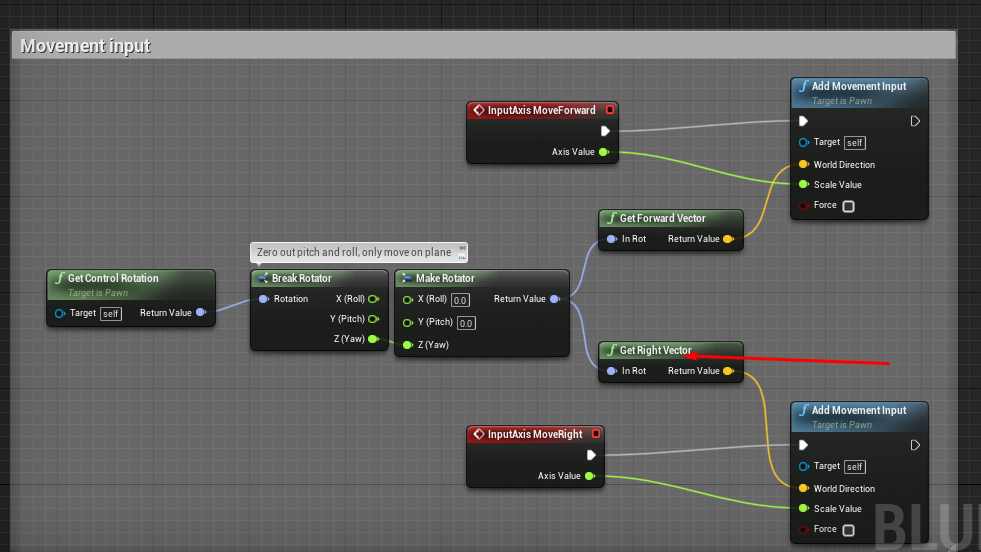 tranquil gorge
ahh ok lets see
white crypt
@trim matrix telling people to go DM is the worst, how others are supposed to learn then
someone else might have the same issue
and wont see the answer
tranquil gorge
i do feel like i want ppl to learn from my mistake ty again 🙂
trim matrix
@white crypt sorry, new here, I should said stream in the VC
white crypt
still that beats the purpose
trim matrix
ah, right
white crypt
but np
trim matrix
btw, would any of you guys happen to know the blueprint to replicate the mechanic for Yoshi's tongue in a 2D sidescroller?
white crypt
do you have sprites for that animation?
trim matrix
yeah
white crypt
um you would probably have to add a collision box at the tip of the tongue
trim matrix
I'm super new to UE4, so I'd prefer if I could screen share on VC
white crypt
umm i doubt that anyone will be willing to jump on VC
trim matrix
nvm, I'll just keep looking at a tutorial for now
white crypt
and its a pretty specific mechanic you want to make
trim matrix
ah
white crypt
i doubt there are any resources regarding that
trim matrix
well do you at least know how to make a character glide? that seems pretty simple
I'd imagine it'd have to do with decreasing falling speed
white crypt
could be a number of ways how to approach that
easiest one would be changing the gravity
white crypt
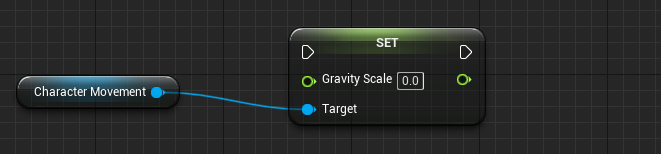
and you set your desired scale
i mean i dont have the time to make you the whole system, in most cases you will be on your own
white crypt
Hello everyone in this video I will show you how to make a paraglider inspired by Breath of the Wild in Unreal Engine 4. This 100% blueprint.I always wanted to make a glider in unreal engine.
In this video we first make a paraglider actor.Then attach the actor to a component...
just look at some tutorials
there are plenty of themm
just typed it into google and this came up
white crypt
np, if you are using a movement component this will work for 2d as well
dont limit yourself just by searching for 2d stuff
in most cases same logic applies
deep elbow
wew
 jaunty acorn
im trying to create a hitstop type of thing but i can't seem to get it to work
any ideas on how to get the slo-mo type effect games on only for a split second on hit
 tender glen
Wht is not working
jaunty acorn
time is a lot longer than i want it to be, the animation doesn't play as soon as it hits, kinda plays randomly?
ill show a vid
tender glen
How many time does the event hit fire have you checked?
jaunty acorn
i have not checked 😮
swift warren
why are portals so hard to make seamless
i keep bouncing back as i go through mine despite having a function that should rotate the velocity properly so that you keep your speed
i just
i cant even put something here for help because this entire system is so backwards and broken
tender glen
Not sure how to help then
swift warren
you cant
the only way i could possibly be helped here is to be handed a completed blueprint-only seamless portal with velocity project
i found a website that tells exactly how to do this in code

Personal website of Froyok (Fabrice Piquet)
but the thing is
i dont wanna learn how to use a new programming language for this
its too complicated for me
swift warren
if anyone could help me make seamless portals that would be amazing seriously
tender glen
For free? Not likely someone would do it
tranquil gorge
hey guys. so im at another bump with player movement i dont know how to apply. and that is how to make my character turn when i press right or left just like the tutorial starter character does (or any 3rd person character)
i tried mimicking the original blueprint but this got me nowhere
alrighty im gonna probably just wrap it up for tonight and bring up the question again later. its late and im tired 🙂
 onyx prairie
i want to make a static mesh disappear if you click a button. like if you pick it up. this is what i have so far. which nodes should i use to make a static mesh disappear? in my other node, i already have setup basic interaction with other things. just need to know the blueprints i need to use to make a single static object disappear after a button is pressed...
white crypt
 onyx prairie
i think i messed up how to reference the mesh component.. going to fix that.
is this right.. hmm
 haughty egret
Does anyone know if you can call input actions directly instead of just when that key is pressed?
white crypt
@onyx prairie the first picture you sent is very bad
you need to learn how to connect blueprints correctly
at first i thought that it was a joke ;d
you dont need a gate there nor flip flop
onyx prairie
im on a deadline. i dont really have time to get it right.
i'd love to learn more but i dont have any time at all..
white crypt
i mean it wont work
ever
but if you dont have time to learn then dont know what to tell you...
onyx prairie
how do I even get it right? there's not enough information. it's just trial and error until you find a way to get it to show...
white crypt

If you've ever wondered how blueprint determines the order of execution of your logic, this video will give you a quick rundown of how the two major types of nodes differ from each other.
twitter: https://twitter.com/KorkuVeren
twitch: https://www.twitch.tv/immutablelambda
watch this atleast
and is your input "E" inside an actor or character?
onyx prairie
Thanks for the video. I don't know how it applies to me yet as my game is just very simple event functions.
This is one example of something that functions.
white crypt
ok , in your picture you didnt connect the enable input. thought you didnt even know that
onyx prairie
It connects to another thing, which is a simple toggle...
white crypt
besides that, you are enabling input for your character
onyx prairie
basically just makes a journal appear, shows some widgets.
white crypt
is that what you want to do?
onyx prairie
yeah, essentially, i was thinking i might be able to reverse engineer it in someway by using the gate system to make an object go invisible once i interact with it
via E
which would save me sometime
white crypt
is that code inside character/controller or an actor?
onyx prairie
this code is in the level map
i think i need to add it to the static mesh
which would be the sword
but i dont really understand how to reference from the static mesh to level map blueprints.
you need to call it somehow..
white crypt
you cant access level bp from anywhere
it can only get other refferences
if your current setup kinda works and you dont really care fixing it
onyx prairie
yeah. so i need to make it reference to the object material once the onactor beginoverlap is triggered to change its visibility once you press E.
onyx prairie
its just a static mesh i put on the level already.
white crypt
so click on it
then open level blueprint

then you will see this
thats your reference

then you can use this
onyx prairie
okay, i got the reference.
onyx prairie
okay. after that i just need to link it up with the button press
white crypt
yeah
onyx prairie
and it should work...
I'm pretty new to unreal. A month in. Haven't had enough time to learn all the basic fundamentals for blueprinting. Unfortunately, I'm just in a introductory course...
So, I'm relying on secondhand information and a lot of tinkering on my own end to get things working.,
white crypt
what you are doing is a pretty bad practice
hopefully after your deadline you will take few steps back and try to learn the fundamentals
onyx prairie
I intend to.
onyx prairie
Thanks. I'll be fixing it up now.
onyx prairie
Done for now. Looks like it is working.
 indigo osprey
Hey, I wrote a blueprint which uses the VaRest Plugin to fetch some data from a REST API microservice. Is there an easy way to load the target url from some kind of configuration text file? I have to adjust the URL alot (company network <.<) and I am kinda tired of rebuilding and packaging the app every time I have to adjust the url...
Thanks in advance 🙂 (Feel free to ping me)
deep elbow
what deadlines in an introductory course what
white crypt
maybe just some regular homework, who knows
 left carbon
Does anybody know, why "Get World Rotation" returns zeros in Construction Script? Is it an engine bug?
wise lion
@white crypt thank you
white crypt
np, sorry i couldnt give an exact example. its not something i played around with. would have needed to test it myself. but atleast you know which direction to go
 quasi valley
I have a simple question about the screen position node. In the documentation https://docs.unrealengine.com/en-US/Engine/Rendering/Materials/ExpressionReference/Coordinates/index.html?utm_source=editor&utm_medium=docs&utm_campaign=rich_tooltips#screenposition and the tutorials I saw there's only one output pin. If I add this node I get two pins "Viewport UV" and "PixelPosition". Am I using the wrong node?
Expressions that perform actions on texture coordinates or output values that can be used as, or to modify, texture coordinates.
 dense saffron
Hi, I'm trying to build a system that uses different impact vfx based on what angle the projectile hits a wall and I need help figuring out a vector that's straight up from the hit location. I tried taking the hit location and doing another line trace from there but adding 500 to the Z which works for hitting the floor but not for hitting walls, I need a way to make that straight up line trace no matter the angle of the surface being hit.
zealous moth
@dense saffron try normal hit
dense saffron
Normal hit gives an angle
This is the code I'm using to summon the line traces
And this is the result from that. It's not fiving me the straight lines I'm looking for
 glacial eagle
You need to add the start location to the end location first.
At the moment you're adding a location to a normal, which has no location.
dense saffron
So it's trace start plus trace end plus location and normal?
 queen hollow
You're always after a straight up from the hit location?
Should be hitLocation -> ( hitLocation + (0, 50, 0) )
You shouldn't need to use the Hit Normal for that
dense saffron
That is just getting me lines in y axis so when I'm firing at an object facing the x axis the line is going accross the object not out. Unless I'm miss reading what your formula was. You meant Trace start (Hit Location) Trace end (Hit location + 0,50,0) right?
queen hollow
I'm not fully following what you're trying to do
Your trace hits a surface - what're you after from that point?
The hit result gives you the location, and the normal of the surface. You already know the direction the trace came in from
dense saffron
When I shoot a bolt that hits a surface I'm wanting to get the direction that wall is facing so I can do a dot between that direction and the bolt impact direction and spawn an impact effect that's differenct for a glancing hit and a head on hit.
That's what I thought but when I'm using the hit normal on a straight wall the line I'm getting out is a slant
dense saffron
This is when I'm taking the hit normal and multiplying it by 50. The small one is my bolt trajectory and the large trace is apparently the normal. I'm on the content example basic map so it might just be a cast of the unreal object normals being off?
maiden wadi
@dense saffron If you're multiplying the hit normal by only 50, then that's the small one, not the larger one.