#blueprint
402296 messages · Page 472 of 403
 lusty shard
the same nodes in normal widgets or normal blueprints is not having this value.
trying to basically have a combo box drop down menu do the same as this:
 wintry grove
does anyone know these "Cameras" i want to disable them?
 quick lark
Capsule component (turns via mouse)
-- Azimuth (rotates via mouse)
----Elevator (pitches up/down via mouse)
------Cockpit
--------Radar Panel
This is the hierarchy in a blueprint. Every item there except the cockpit can rotate. When the azimuth rotates and the radar panel tries to move in its relative X direction, it ends up moving in its relative X AND Y direction. Does anyone know why?
 haughty axle
Hey guys need some help, i am getting inifinty loop error on begin overlap event, what i am doing wrong. its simple stuff there is BP with plane and box collider, then its overlapped spawns another one in front.
and it says it's inifinity loop detected on fuction begin overlap
 devout pine
Hmmm I would start with unhooking those two nodes after the spawn, in order to narrow it down
haughty axle
i found the wya to work it out
and added more to have randomization, but now sometimes it spawns 3 of them
 tribal axle
Whenever I change my resolution, my Ui is placed slightly to the right. I wanna know why/
?*
 dense mantle
{question }
so i set the player mesh to sim physics why is it falling throught the floor
how do i stop it
 rough wing
I have a quick question for you guys
 hallow night
Is it a child actor?
rough wing
No
hallow night
What is the variable
hallow night
What is the type of variable i mean
rough wing
scene component
hallow night
I'm not sure but can you try and using get component from the variable?
rough wing
I want to check if the hand is holding the gun
So i can do specific actions
I get the variable and convert it to a
Validated get
hallow night
Because i had the same problem with a child actor variable so i had to use get child actor from the variable to validate it
dense mantle
Set the floor to block all and mesh is still falling through
rough wing
Check if the falling object has collisions
dense mantle
set to charecter mesh
haughty axle
ok guys, fak all the infinity loop errors, i cant deal with that....
 cold trail
Hi guys - newbie here - is there a way to use a variable as the input for a parameter? I'm trying to use the text3d actor to display a timer that counts down seconds
quick lark
It appears that when I have a great grandparent and a grandparent rotating, its grandchild is unable to cleanly move in its relative coordinate space with respect to its parent
i.e. moving in the relative X direction will also slightly move in the Y or Z
If I manually rotate all of the static meshes it doesnt happen, but if I rotate the static meshes via AddRelativeRotation/AddLocalRotation, then it does
and the error will increase depending on the rotation
has anyone ran into this?
 sudden lynx
I'm sure a dozen people have come on here asking this but what is your recommended approach for loading and saving minecraft like 3 dimensional grids ?
rough wing
@quick lark idk of it's the same problem but when I choose more than 1 child components in an actor and try to move or rotate them, they don't act as they should. I think it's a bug
sudden lynx
Right now I am saving a one dimensional array of structs containing block information. The location in the world is calculated based on the index in the array. Once I add the 3rd dimension it calculates wrong though
quick lark
@rough wing thanks for the response. do you know of a workaround?
Here's a post I just made further detailing it:
https://www.reddit.com/r/unrealengine/comments/gt7wwy/child_not_able_to_cleanly_move_in_relative/
quick lark
@rough wing updated the reddit thread to have files to reproduce
rough wing
Sadly I dont have an answer
I have another question
Does a component automatically get detached from another component when tried to attach it to something else?
 tight schooner
how do I stop the BP editor feature where it opens Visual Studio every time I double-click a C++ node? lol
rough wing
That really is cancer misclicking a c++ and waiting for vs...
 vapid talon
Is there a bug in ue4 native OSC plugin?
I can receive OSC messages, but after tens of seconds(usually 50 seconds), the osc server stop receiving message.
 harsh comet
Hey, got a quick question in regards to performance profiling.
Currently running into a hitch where I'm running into the "CPU stall" item.
However, my understanding, this only occurs because the CPU is waiting for another task to finish.
How do you find out what task it's waiting for
I don't have anything to indicate it's waiting for GPU, no heavy rendering tasks, and almost nothing in my scene.
Mentioning GPU because that seems to be what everyone immediately suggests.
tight schooner
it's the most obvious thing, but it could also be updating a bunch of particles, occlusion-culling a ton of meshes, loading assets, running garbage collection, draw calls (CPU)...
I'm not an expert at Unreal Insights though if that's what you're looking at
harsh comet
Scene is comprised of one pawn and a stretched cube prim
Like, what's confusing me is that there's almost nothing in this scene.
Just going to restart the editor and see if maybe there was a glitch happening there.
 echo snow
@deep elbow I set that up and it crashed completely.
Render target was created and sized, and the material to receive was blank. I'm really confused.
Ok so synopsis: because my GPU driven noise functions are not working properly in the material editor (tested in more than one shading language), I have installed the UnrealFastNoise plugin. I have been trying to put the blueprint driven functions into textures. I have two for loops, for x and y (index 1 and 2048, but tried 0 and 2047 first). I have set canvas and draw setup using the for loop coords. I honestly don't know what I'm doing with blueprints, code sure, if the documentation was a little deeper.
Does anyone have a full example or screenshot of writing float values per pixel to a texture? I would REALLY appreciate it.
 deep elbow
yeah code docs are atrocious, you basically have to just start digging into the engine code and figure it out yourself, bit annoying
echo snow
Yes it is.
deep elbow
for the writing float values, i'll ignore the actual method of gathering those float values, but when writing to a render texture you need to have an intermediate material - that can have a vector param that you set the relevant float to, then select a uv coord to write it to, along with scale to get it to be a single pixel
echo snow
Jesus lol
deep elbow
like it's gonna be a fucker#
i believe, there is another method for writing directly without an intermediate material, let me double check, but i don;t know if you'll have as much control
echo snow
In my build in Godot it was just
for x in width:
for y in height:
pixelColor = value(x,y)
texture.lock()
A little more in depth but it was painless lol
I don't even know what intermediate is available. I just switched to ue less than two weeks ago. I understand needing to switch the variable to the appropriate type, it is a C language, but which one is beyond me))
If the C++ docs were more....... ahem... yeah.. I'd just write it.
deep elbow
there's a couple of options i think for drawing, just roughign somethign out
like, this should draw a white pixel 16 times in X
well, not white but X and Y will be white
echo snow
I was just looking at where the heck the output even goes
I will try that, back in a few, and thank you for taking time out to help, it means a lot
deep elbow
so that's pretty much your code, but you'd probably want to make some variables for width and height, so you can reuse those and dynamically switch them etc, this is a bit hard coded
oh no i'm dumb, it'll do it in Y not X, just mixed the width and height, but same principle
and actually
 wise jewel
would it be correct to interpret blueprint interfaces as a cleaner way of interacting between blueprints? insead of using event dispatchers and casting to call a function?
deep elbow
the make vector 2d should have x set to 0.5 or it'll draw the pixel on the left
wise jewel
from what i can see the main benefit is having more order in the code.
deep elbow
yeah @wise jewel interfaces are great for that, you do need to provide a target for them however
well i mean they are a way to send a message to something without needing to directly reference that actor
wise jewel
so if im calling a funcion on another actor
i can't see a huge benefit of using interfaces vs casting
since i still have to ref the actor..
deep elbow
example: you fire a weapon using a line trace, the line trace simply calls HitByWeapon message on the hit result actor, then each actor can implement different logic for when it is hit by a weapon
wise jewel
but i could simply call a function on that actor
deep elbow
with casting you'd have to switch on every single type of actor you hit in order to do different logic
wise jewel
OH, that would fail if the actor doesnt have the funcion?
deep elbow
if every actor inherited from the same class and you casted to that class and fired the function, then overwrite the function on children.. etc.. but at that point an interface is easier
deep elbow
you have a blueprint for an AI character, and a blueprint for an exploding barrel, when you get the hit result from a line trace you will have to directly cast to a specific class, but you want both of those actors to react to being hit by a weapon
with an interface you simply send a message, and if the actor implements the interface it can run some logic, if it doesn't then nothign bad happens
if you were using the casting method you wouldn't be able to do that with a function
echo snow
I'm getting nothing out of it, though it compiles, it's probably something I'm doing, though I'm trying to force it into a material.
echo snow
Another crash. I think I'll sit and reflect for an hour 😅
echo snow
I have one as well, but set it elsewhere, I'll swap it out.
This is... an intriguing design
Interesting, another crash.
deep elbow
:S
echo snow
removed a plugin, compiling, rebuilding, let's see
deep elbow
how's it going
echo snow
Took a cig break. I have most of my experimental stuff in one project before pulling it together, so compiling takes a minute
deep elbow
oh snap, brit in sweden here
echo snow

The world itself as of now, after porting from Godot for performance reasons. More or less a sim, but not like a space trucking or pilot sim
Crew oriented, and story driven for hard ingame choices.
 dim kiln
sorry for silly question: I have added a simple height movement to the third person template, but the character turn back to 0,0,0 whenever I move heightwise. Any ideas why?
echo snow
You can see some hiccups on the transitions between scenes, from SQLite not threading properly and the 3d performance is ugly, even though I threaded properly and spent way too much time optimizing.
deep elbow
Hmm that looks pretty interesting, great presentation
echo snow
Just a tiny demo to showcase the WIP. Early rough draft for tech demo purposes before bells and whistles.
Though, thanks 🙂
deep elbow
@dim kiln not sure, looks like it would work but is that the entirity of your graph?
echo snow
@dim kiln try setting the in building bool to true to see what happens
If it reacts appropriately then I'd move onto checking local vs world coords. If it doesn't, dig into your bool
 minor whale
Recommend a tutorial, guide to learn blueprints well
echo snow
We all do 😆
Epic has some youtube videos, though there isn't that much in the way of user generated videos on specific topics. The best way to learn anything is to do, and to hope someone is kind enough to answer questions 🙂
deep elbow
There was a great video series posted yesterday, either in here or in the #ue4-general channel, but you can check out stuff liek this: https://www.youtube.com/watch?v=icR_EgXrS6o
or Wadstein's series: https://www.youtube.com/channel/UCOVfF7PfLbRdVEm0hONTrNQ

In this free Unreal Engine 4 for beginners tutorial video you will learn everything you need to know to create your first game in Unreal Engine 4. Topics covered include setting up a project, adding inputs for controlling the game - including touchscreen controls, using Bluepr...

YouTube
This channel is dedicated to exploring Unreal Engine 4 and the Blueprint programming language that it uses. You can think of it as a companion to the API doc...
But Reign is right, just getting hands on is the best way to learn
minor whale
There was a great video series posted yesterday, either in here or in the #ue4-general channel, but you can check out stuff liek this: https://www.youtube.com/watch?v=icR_EgXrS6o
or Wadstein's series: https://www.youtube.com/channel/UCOVfF7PfLbRdVEm0hONTrNQ
@deep elbow thanks😊
In this free Unreal Engine 4 for beginners tutorial video you will learn everything you need to know to create your first game in Unreal Engine 4. Topics covered include setting up a project, adding inputs for controlling the game - including touchscreen controls, using Bluepr...
YouTube
This channel is dedicated to exploring Unreal Engine 4 and the Blueprint programming language that it uses. You can think of it as a companion to the API doc...
deep elbow
haha no worries, that fucking quote destruction 😛
echo snow
The project itself is now corrupt 🤣 Good thing I'm paranoid and make backups of everything in 32809380923 locations
Oh UE4 what are you doing to me
Shrinking color.... interesting)
deep elbow
@sour aspen one is a component and the other is an object, would need to see more
 sour aspen
How am i supposed to transform this? I only want to compare the materials in my method if they are the same material or not
deep elbow
What is supposed to go into active and shrinking - and if you are comparing materials but referencing meshes?
in your IsMatchign function you can change the ShrinkingColor variable type to static mesh component and it would accept the cylinder input
sour aspen
I'didnt want to create a method that takes materials because then I would have to get the materials from the meshes in my other blueprint which causes clustering. I tried to fix it by referencing the meshes and retreving the materials from them and comparing in the is Matching method. I see its not done properly but I can change it in the function. If i can find a way to send my meshes to the function
They are already static mesh thats the issue. I set them to the static mesh but it doesnt accept it.
deep elbow
but the cylinder is part of a blueprint, i presume, so it is a static mesh component, not a direct static mesh object
sour aspen
yes thats the problem
How can i overcome that? Can i get the object from the component? or can i set my method to accept components?
Yes! it is now working. Apperantly i can set my inputs to static mesh Component.
deep elbow
i think you can use get outer object from a component, or you could just refactor it to use components
yeah, perfecto
sour aspen
Thanks a bunch
deep elbow
np glad you solved it!
 tawny tinsel
im having a very weird issue
so i have these 2 funcions they are very similar they just save difrent actors
now the problem is
the only who is closer to the open level node executes
but when i test do they both execute the engine says they do
even tho the other one doesnt
i tried many difrent styles of how i can do it but it doesn work
someimtes just one executes and the other doesnt
why?
deep elbow
sequences are tricky because it fires all outputs in order but it doesn't wait for anythign to be finished before firing the next, so you could be running into a case where you are opening a level before the logic in those functions has finished
tawny tinsel
even without the sequence it does it
i tried it with sequance but it didnt change much
deep elbow
just as a test, you could add a delay before triggering the open level
tawny tinsel
and no thats also not the case because i added a save boolean to all of them so the level only opens when eveyrone is saved
still doesnt work
deep elbow
ok
deep elbow
i don't see the saved boolean being used in your flow tho
tawny tinsel
because i removed it
deep elbow
ok
tawny tinsel
cuz it didnt work
deep elbow
still looks like it's an ordering issue but without knowing more it's not easy to say, depends what happens in the functions/events being triggered
echo snow
@deep elbow it now says infinite loop when at a max of 2048, but something smaller is fine. So UE limits your ability by default to loop? How are you supposed to generate tons of content or iterate, or use recursion...
My galaxy generator creates upwards of 180,000 objects with all of their 30+ parameters in less than a minute, but I can't do the same in UE, let alone create textures? It's so weird.
I really like UE's built in origin rebasing, large world scale, rendering capabilities, default LOD and other optimizations. But this kicks my butt.
 stray mural
I am not sure about the '2048' iteration thing.
But do you have a low iteration loop here?
Or can you split it up over multiple 'frames' or in a background thread?
180,000 objects / 2000 objects per frame. at 60fps is like 1.5 seconds. if you were to spread it out just a little
but id argue if you are making 180,000 Actors in ue4. you should consider another approach. Looking more at how terrain or particle systems work in a more independent system
echo snow
I wasn't it was in another engine.
stray mural
Actors in UE4 aren't the same as Actors in other engines.
stray mural
oh ok
echo snow
So I need to up it to 4.3 mil
@stray mural dude, thank you. And sorry, it's really starting to irk me. First my shaders won't translate, and now simple texture creation is giving me a headache.
4.3 wasn't enough I guess
stray mural
no worries. It can definitely suck when your tools aren't working the way you want them to
echo snow
I'm migrating engines. It's just atrocious.
 vale vine
How do you do timers in bp again?
@vale vine
echo snow
12 mil.. let's see if that tanks
stray mural
@timber vector https://docs.unrealengine.com/en-US/Gameplay/HowTo/UseTimers/Blueprints/index.html
I just googled "ue4 timers" and this is first result and covers most basic usage of timers in blueprints.
vale vine
Okay so I've defined my function that I want to call in C++. Can it be called in the pink function section?
stray mural
if you scroll to bottom of link I posted. If this is what you mean by pink? I
vale vine
Ah that might be it
I'm assuming timer by function will start a timer when that function is called?
stray mural
when the blueprint node, 'set timer by function name' is executed, then yes it will start calling the function youve chosen in FunctionName
then the return parameter of said node will return a 'timer handle' in which you can use to stop it at a later point
echo snow
noise by cpu and mostly the drawing by cpu.. unless it's tiny is not worthwhile.
@deep elbow thank you very much for your time, energy, and patience. I'll unfortunately need to solve this by GPU and probably some engine refactoring.
@stray mural And thank you too
Very much
stray mural
no prob, didnt do much. Hope you get your problem solved and further stuff goes more smoothly.
echo snow
I hope so too, I wish hlsl was fully exposed, it would make the entire thing much simpler
dim kiln
@deep elbow @echo snow its nothing to do with the branch. The character world rotation 0,0,0 whenever just flying vertically. any movement movement is resetting the forward and right inputs to 0....
deep elbow
uh, the inputs get called every framer right, so you are constantly setting that to 0
dim kiln
yea exactly >.<
deep elbow
you most lilkely need to combine some vectors there
@echo snow sorry to hear it wasn't easily solvable
echo snow
It's ok, you tried, the cpu choked when trying to draw.
 dapper cradle
Can anyone please tell me why I cant make connections in either of these nodes ?
I am trying to stop the animation mid way.
echo snow
It's not your fault, it's the draw method.
deep elbow
@dapper cradle you are trying to plug incompatible things together
look at the text under the name of the node "target is so and so" that's the supported inputs.
dapper cradle
I watched a Live training video, in it he made a character die, stopped its movements and applied some physics to it to ragdoll on death...
he used these nodes.
deep elbow
if it's an animation montage that you are playing you can use Montage Pause
then he wasn't plugging the skeletal mesh into those nodes
dapper cradle
any idea where i have to plug them or drag from to create them ? thank you for the help @deep elbow
 ionic widget
Hello Guys I have problem, After character die and level reset and songs reset too. How can I make BP songs will not reset ?
deep elbow
You would probably need to make the vault anim a variable, then plug that in to your 'montage' in Montage pause, from your skeletal mesh reference, drag off and search for get anim instance, tha's the target
@ionic widget it's not possible without using level streaming, either spend a bunch of time doign that, or don't rely on reloading the level, or fade out the music before reloading the level and then fade it back in
dim kiln
uh, the inputs get called every framer right, so you are constantly setting that to 0
@deep elbow it cant be called everyframe because you dont swivel on the ground when you have no inputs?
ionic widget
@deep elbow oke ty
deep elbow
thats the scale inpout, it gets fired but the scale is 0 so nothing happens
dapper cradle
thank you @deep elbow ! I will try that now.
deep elbow
good luck!
vale vine
I need to pass in a tree actor to Cut Wood. Will this do it?
deep elbow
probably not, the cast does nothing, you are just getting an overlap, casting to the actor, then setting a timer in your current blueprint
vale vine
Then how do I pass a tree actor into Cut Wood?
deep elbow
in to what
stray mural
Cloud, Set a variable and not pass it into the function directly, but just use "current active nearby tree" or something
vale vine
Cut Wood function
dapper cradle
Sorry to be sucha a pain @deep elbow but I am struggling to create a variable with this anim, how would I do that ?
deep elbow
right-click the "Montage to Play" input on the "Play Montage" node and choose create variable
compile and select your variable and you'll be able to set it there
vale vine
Can you set a local variable and not pass it into the function directly, but just use "current active nearby tree"
@stray mural As in create a separate variable?
stray mural
yes, if other actor is tree, set variable or something, then just use that avariable inside cut wood
 smoky schooner
hey, stupid question, i'm following a tutorial and am not sure how this node i called and how to get it into my graph 😄.
stray mural
because thats just how it is. 😐
dapper cradle
like this @deep elbow ?
deep elbow
yeah looks correct
@smoky schooner that's just getting a variable from a reference, drag out of the variable (i presume a player) and search for whatever you named your variable
dapper cradle
and I select the anim on the right where "Default value" is im guessing
deep elbow
vale vine
because thats just how it is. 😐
@stray mural That's...bad, right?
deep elbow
Yeha you;'ve set it up properly by the look of it
stray mural
lets say for a moment, you could pass it into the function. And its being fed in from onsphere begin. What happens if something else starts overlapping, should it update the function and now use the new other actor, or should it use the original one?
and if you wanted it to use the original one, that means it must be saved/cached a refenence somewhere right? (i.e. a variable is saving it, which is what I had suggested.)
vale vine
I get ya
stray mural
You could always do something else too
like call CutWood directly with three passed in, then internally have that do some timer thing. But that'd only work with an event (not a function, because then youd still have the same original issue)
vale vine
That was what I was doing initially
I have to call another function right after the timer tho
stray mural
what happens if there is 2 trees nearby? do you want it to cut them both?
vale vine
Closest one first
stray mural
if you approach 1 tree so its closest, then move in a way you dont stop overlapping, but are closer to other tree. youd want it to switch?
stray mural
then you will need to either maintain a list of nearby trees (Added/removed on begin/end) or just use sphereOverlap. Then either way iterate over all nearby trees and find distance to closest right?
dapper cradle
@deep elbow thank you ! here is what I managed.
deep elbow
great!
stray mural
"Make Array" ? if you want it inline
or if you want it persistent, then its the little symbols next to variable
that is Single Variable, Array, Set, and Map(Dictionary) for the 4 options
vale vine
Can you define the max size of an array?
 tidal venture
I want to spawn something Blueprint-based that represents a quest or a character state (poisoned, burning) or some other game element that is not directly represented in the 3d looks of the game throught the entity itself. What would this be made of? I see a lot of samples use Actors for these as base but the Actors are huge and I do not need most of the Actor functionality, just the ticking functionality (C++). Is there any light-weight alternative to Actors?
I saw that If I just make a DataAsset I for example cant place it in the scene (and it cant tick)
 carmine thorn
@tidal venture Objects, the parent of Actors. They can exist entirely within memory and can be saved, transferred and interacted with in a purely data driven state.
tidal venture
@carmine thorn how would i spawn it, run it, debug the BP graph and tick it?
carmine thorn
You would only need to spawn something that requires a physical representation, i.e. an actor.
An object only needs to be defined but they can also be predefined
To be honest dealing with character states or quests in the form of an object would be a very abstract and inefficient way of working though but if you have a solid idea for how to do that go for it.
Otherwise you would just define variables
There are a few that you can actually define to contain custom data though, like Enumerations which are good for states given that you define what those states mean obviously which is entirely arbitrary but my favorite is the Struct or rather Custom Structure which is essentially a freeform variable that you can make work any way you want given that you'd use existing elements to construct it
These are more just data types though. Can you explain why you are trying to do it that way?
 trim matrix
Any idea why I can't call a function from HUD?
I'm trying to learn some shit from tutorials, but some seem a bit outdated
carmine thorn
@trim matrix You are casting to your game mode from your character and getting the Game Mode defined HUD reference?
trim matrix
Yup
carmine thorn
I am not sure that would produce a class specific reference. Likely you would need to cast to your HUD class which you can either do with your existing reference or just cast to it directly using the Get Hud function
trim matrix
I'll try out the get hud function and hope the guy in the tutorial would've used it instead of what he did
My current goal is to make a simple horror game with some basic stealth as a learning experience. Hopefully it won't be too difficult to learn
carmine thorn
In my experience the vast majority of tutorials out there are crap. I usually only recommend Mathew Wadstein's videos and the official Unreal engine tutorials to my students
trim matrix
Interesting. I'll keep that in mind
So far, I've been frankensteining everything I've learned so far into one big project
Is there anything good for unreal on online classes such as skillshare? I heard they're worth the cash @carmine thorn
carmine thorn
I haven't tried any of those (I teach the Unreal engine myself professionally), I would really hope anything you would pay for would be worth it.
But there are no guarantees so word of mouth personal reference is the best approach
There are also the official learning resources on the Epic Website. It's still a little bare bones but worth a look for the basics
Otherwise I'd be happy to get on a call with you later today and answer any questions you might have
trim matrix
I will keep that in mind. Thanks for spending the time to help me.
carmine thorn
No problem
 earnest tangle
I wonder - is there some particular reason why you can't do linetraces, spawn actors, etc. from blueprints that inherit from Object?
carmine thorn
@earnest tangle Technically everything inherits from Object, but Objects have no world actor representation. That requires the Actor class and classes derived from that class
earnest tangle
Yeah I figured as much, but why does that make it so you can't do certain things from those? Why do you need a world representation to do a linetrace?
Actually I think you can't even use functions from Blueprint Functions Libraries in those objects
carmine thorn
That's correct
earnest tangle
It seems like a somewhat arbitrary limitation to me so kind of curious if there's some technical reason for it :)
carmine thorn
Well to understand that you'd have to understand the structure of object oriented programming. For any class to exist they first require the basic definition of what existence is. sorry for the metaphysics but that's kind of how it is. It's just a placeholder to contain data at that point.
earnest tangle
Yeah I've been programming for like 20 years :)
carmine thorn
Remember everything in Unreal is technically an ojbect, such as a texture class or Material etc
So then why are you asking questions you'd already know the answer to?
earnest tangle
because limiting something like "I want to call a function" to objects that inherit from Actor is an entirely arbitrary limitation as far as I can tell
carmine thorn
That's not actually true though
earnest tangle
so I'm assuming there is some technical UE-specific reason for this, so I was wondering what that reason was
carmine thorn
There are also component classes which can use and run code
I am not entirely sure as to the real reason, you'd have to ask Epic but I suspect it is due to how the engine is structured and that things need some real world representation to process data.
earnest tangle
Yeah that was my best guess as well... Possibly relating to memory management, or needing a world-instance in case of linetraces
carmine thorn
The only class that does not require this is the Instance class, which is incidentally the only class that survives a level transition
More likely also GC
 hot fjord
does anyone have a bit of time to explain a solution for a problem I'm having ?
It would be nice to use voice chat and I coul share my screen
carmine thorn
I would love to help But I am just heading out now. Perhaps later?
hot fjord
later would be ok for me
and thanks for your quick reply
I tried different things but it doesnt want to do what I thought it would with either
carmine thorn
Just drop me a DM and I will let you know when I get back
 slender hawk
I'm playing around with BP Components as a way of reusing code.
I've just made a 'Health System' which can add health, apply damage, etc. with the idea that I can then just thrown on other actors.
It seems to work fine, but I want to keep it flexible; for example the parent might have unique death sequence (not just get destroyed). So If I want to inform the parent actor of it's death, is an event dispatch the best way to communicate that to the parent?
Then, do I just listen for it through the parents Tick? or is there a better way?
earnest tangle
Event Dispatcher should work pretty nicely for it
Add a dispatcher to your component, and call it for example when the health value goes to 0. Then you can add a listener to the dispatcher in your main BP
 twilit heath
when its an actor's own component, and the component has an event dispatcher
you can just right click component on panel > add event, or scroll down the bottom of its details panel where the +/view for its dispatchers are
slender hawk
Sweet, thank you. 🙂
tidal venture
These are more just data types though. Can you explain why you are trying to do it that way?
@carmine thorn Yes, I can. We want to use the graph editor to build the core element of our games which are encounters that are composed of multiple steps. So basically these are a flow and we want to define the flow in blueprints to make editing and debugging easy and give the creators a good overview of what happens (this will require coding support, so the graph only allows to create things the way we allow it to be used, to prevent mistakes). So first of all what I need to do with those encounter graphs is that I somehow "spawn" them and then run them until finished. And here I am stuck for best practice
Btw this will all communicate to other C++ system via functions/nodes so really all i need to here first is have some manager that can spawn and run them
 stone sphinx
Has anyone made a health and Armor bar like virtus walkthroughs displays but on first person mode? Not (third person mode). I for some reason can’t find get Armor when creating a function from the progress bar. It’s missing or is there a step missing ?
tidal venture
Can I really only instantiate Actors for running?
tawny tinsel
sombody help my third person character wont jump and my spacebar button works
im so confused why are there random errors poping up
tribal axle
How come when I change the resolution, all of my widgets are placed slightly to the right?
 gloomy linden
Different ratio?
tawny tinsel
np
 nova silo
Why do people use blueprints I'm so confused. Anyone can drag and drop
 hazy igloo
Because we are fans of Star Trek?
nova silo
?
 white ferry
I'm trying to make this soldier character sense the boss (Darius), but I can't get the soldier to sense him, but for some reason, he's sensing the player. Anyone know what's going on?
When I cast to player he's sensing the player
dim kiln
I just want to add flying up and down controls to the third person example, but he turns to face 0,0,0 whenever I put no input in.
still cant figure it out 😦
 elfin hazel
0,0,0 isn't a valid direction. Z should be 1 or -1.
Oh right, you're using a rotation. I guess you'd want it to be the actors rotation?
earnest tangle
Argh, I reparented a class to be a SceneComponent instead of an Object, and now it turns out there does not seem to be a way to spawn components from class and it's also now impossible to reparent the class to be an Actor 🤦
dim kiln
Oh right, you're using a rotation. I guess you'd want it to be the actors rotation?
@elfin hazel to me?
I want to move the actor transform
elfin hazel
yes, but what's the up relative to? Right now it's like a global 0,0,0 rotation not relative to anything. So you could as well just put Z to be 1.
elfin hazel
I meant, if you disconnect the Get Up Vector and just put World Direction.Z to equal 1. as for the rotation of the actor I don't know since this is just movement input.
dim kiln
@elfin hazel much more elegant
I think the moveright and moveforward are always triggering when 'Moveup' is triggered
but they are both 0, so the character turns to always face 0
im not sure how to make it remeber
elfin hazel
InputAxis always ticks. if there's no input, they will tick with a value of 0, constantly adding direction*0. But these movement inputs shouldn't be affecting the rotation of the object.
Are you manipulating the rotation of the object somewhere else?
earnest tangle
Oh geez, in order to make this work I'm going to have to copypaste all my BP's to a fresh actor based BP because it's not even possible to reparent it to actor at all
(or create a custom C++ function to spawn a component dynamically)
Why are there such crazily arbitrary limitations in this :D
 tribal drum
hello, I'm new to all this
actually I had a little project back in like 4.9 and now I'm coming back to finish the job
so sorry if my questions are stupid
is it possible to comment out blueprint code that doesn't compile?
vale vine
Why can't I do this?
 void cobalt
please can someone explain whats going on and how to fix?
i have this bp set up to pick up objects, it works
but only on fresh objects i put into the scene like cubes and spheres and stuff
when i try to pick up a static mesh that i imported from maya, they seem to just start flying into a random direction and i dont know why
tight schooner
@vale vine do you have two classes; one called Tree Actor and the other called BP Tree Actor?
white ferry
I'm trying to cast to the boss (Darius), but for some reason it's not casting
This is what I'm getting. Anyone know how to fix this?
void cobalt
here is a video of my problem
tight schooner
@white ferry maybe you can debug it with a Get Class node https://youtu.be/34Ps88faLbE?t=12
because what you're feeding it isn't a "Darius"
It's something else. But what else? Debug time
white ferry
I did this and I'm still getting the same result. I think it's because it's sensing the player first. Is there a way to make it not sense the player, but sense Darius?
Also I'm not sure what to connect "Pawn" to if I do it this way
I tried making it sense the player and it worked
void cobalt
pls someone help
 cunning lily
I'm trying to cast to the boss (Darius), but for some reason it's not casting
@white ferry try logging the object name, that might give you some clues
white ferry
What do you mean by logging the object name?
cunning lily
Get Object Name
similar advice to what renzu was saying about logging the class
oh
note that the setup you have in the second screenshot doesn't make any sense
get class needs an object as an input, it will give you back the class of that object
renzu was trying to help you identify what type of object you were sensing, i.e. log the class name
tight schooner
Yeah I was thinking of feeding it to a print node
cunning lily
right
cunning lily
Right
well
connnect the input
connect the pawn into getObjectName
otherwise what is it getting the name of?
Are you sure you created a Darius instance?
 craggy gate
guys is there a way to track/debug current montage? something interrupts playing montage I can't catch it 😦
I binded OnStarted OnEnded it doesn't fire but Volatile Play Montage is stopped on Interrupted with Notify Name None
void cobalt
does no one know what the issue might be for my problem?
white ferry
@cunning lily I just did that, and I'm getting the ThirdPersonCharacter even though I'm not casting to it
 young mango
hi everyone , i have a problem creating an interface blueprint , i get cant my interface to show up in the add event menu but i think i did everything correctly
im very new to unreal btw
 tight venture
@young mango what is your question? lol I don't see a question there
young mango
i cant get get it to show up , forgot a word:)
from the tutorials ive followd i should see my interface show up in the add event drop down menu
elfin hazel
are you on 4.25? It's changed a bit, In your screenshot, on the leftmost side you have a list of functions. Under that some interfaces. Double click the testinterface to open that function and customize the behaviour.
young mango
yes its 4.25
elfin hazel
Or, maybe you have to right click it and "implement interface" or something.
tight venture
^
cunning lily
@white ferry oh, so the pawn it's sensing is the player
young mango
its already in the implemented interface
 maiden wadi
@young mango Your TestFuncInterface is not an Event, It's a Function. Events do not return values.
white ferry
@cunning lily For some reason it seems
I'm not sure how to make it so it can't sense the player
cunning lily
it's the Darius detecting the player
tight venture
I heard that interface functions that do not return a value are treated as events? Or am I thinking of something else...
white ferry
but can sense the boss
@cunning lily Yes, Darius is sensing the player, but I want the soldier to sense Darius
cunning lily
ah
elfin hazel
interface functions that does not return a value used to become events, but I think that's changed too recently.
maiden wadi
Events do not return values. Functions do. Simple difference with interface stuff.
white ferry
What do you mean by detect neutrals?
tight venture
I have a question for y'all:
Where is the proper place to implement a variable that belongs to each level?
Can't put variables into the level blueprint (no locals in event graphs)... Should I make a blueprint with no mesh that just sits in outer space in my level?
young mango
@maiden wadi how do i make it an event ? , ive followed this tutorial up to 2:35 and i dont think i missed a step

What is a Blueprint Interface in Unreal Engine 4 Blueprints?
Source Files: https://github.com/MWadstein/wtf-hdi-files
maiden wadi
@young mango Take away the return value?
tight venture
@young mango couldn't you just create a custom event, and then have your interface function call that event? If you made it the last thing in the function, it would basically work the same way as having the entire function be an event
elfin hazel
@young mango Right click the "testfunctioninterface" under the interfaces category under My Blueprint tab, and click "implement function"
tight venture
Anyone have any insight on my per-level variable question?
I could just create a blank blueprint and have it sit in space somewhere I guess
young mango
hold on ill try those answer
tight venture
Seems... incorrect though
 still nexus
how do i set this to work for touch screen , im using mouse for touch in the input settings
tight venture
@still nexus You set up a touch input in the settings?
Looks like you did... Finger1
still nexus
yeah apparently but didnt work on widgets
tight venture
Really... I dunno then. I'm just now getting to doing widgets in my game
Touch works so far so good though up through now
still nexus
i really have no idea how to make it work , tried everything i know so far
it works for left mouse button
but other than that
nothing
tight venture
well, what do you mean? what are you expecting it to do? Touch input is only set up for emulation through the left mouse button I would imagine
dapper cradle
Bit of a random one...
My project involves catching people/ kind of....
I if you manage the overlap, you are successful, if not you fail...
I wanted to simulate physics so that If you fail to catch them, they will land on the floor in a heap.
So I turned the physics off on fail and it results in the flying around the room, bouncing off the walls XD
here is my setup...
Could anyone please give me some advice ?
tight venture
@dapper cradle you need a physics asset is my first thought
So that you don't have to turn off simulate physics
In your "people" that are falling, or whatever
Will handle the ragdoll physics for when they hit the ground
dapper cradle
Its an animation
so without the stop animation, enable physics, it just playes through
tight venture
An animation for when they hit the ground?
dapper cradle
the animation has several stages so you can fail at any of them
tight venture
You won't need one. The physics asset will smoosh your objects into the ground appropriately
still nexus
@tight venture tried releasing and testing it on mobile phone didnt trigger aswell
dapper cradle
@tight venture I believe my mannequin has a physics asset, do I need to reference it in the BP ?
tight venture
I dunno Rozar.... sry. It's definitely possible, though, just gotta Google harder maybe
still nexus
well thanks anyways
tight venture
Also, not sure @dapper cradle. I haven't needed to use them in my game, but I'm pretty sure that's the answer to your problem
young mango
@tight venture my goal is just to have an item i can equip that will change the vallue of my weapon while its equiped to it , whatever the simplest solution is
tight venture
Repost your question in #animation , @dapper cradle, more experienced folks there may be able to help
 modern cove
Anyone here good with play-control?
tight venture
@young mango what do you mean "change the value of my weapon"?
dapper cradle
@tight venture you think the Physics channel; might actually be better for it ?
dapper cradle
😄
tight venture
this channel is probably the most noobish channel of all the help channels (besides #ue4-general, which is just a shit show)
young mango
well lets say it fire rate is 20 , while its quiped itll now be 30 and will go back to 20 when i take it off
my 2nd object should just be a list of values i can acess
tight venture
So, you mean like, you change from a pistol to an AK, and the fire rate goes from 20 to 30 cuz you switched to an AK? So, just different guns have different fire rates? Yeah that's an interface, 100%. Just have a blueprint class Weapon than implements some WeaponInterface... BPI_Fireable, maybe call it... and then have Pistol be a child of Weapon, and implement its Fire() function with a rate of 20, implement AK's Fire() function differently.
Is that what you mean?
Then you'll be equipping a Weapon on the character, and just calling Fire() when you need to fire it. But which Fire() method that gets called will depends on which Weapon he's holding
young mango
no im trying to make a modular weapon where i can put in and take out parts of a gun to change how it works
tight venture
Like, adding a pistol grip or scope? Like that?
young mango
yeah pretty much
tight venture
You're probably looking for this then
In object-oriented programming, the decorator pattern is a design pattern that allows behavior to be added to an individual object, dynamically, without affecting the behavior of other objects from the same class. The decorator pattern is often useful for adhering to the Singl...
Use the decorator pattern!
young mango
yes but my problem is i cant get the interface to work , im good with the pattern 🙂
tight venture
I dunno what to tell ya... watch the WTF video on Interfaces then. It was posted a few pages earlier.
modern cove
I saw this circuit that I want to try out, but when I make a timeline node it has no Float output; can / how do I add one?
https://answers.unrealengine.com/storage/temp/11128-basicrotation.png
 tight venture
Add a timeline
modern cove
I been going crazy trying to make a button trigger a smooth 90 degree turn; all I can get so far is an instant change of view
yep; I did that. And then?
tight venture
Double click on it. Add a float track
modern cove
ah ok
tight venture
🙂
 orchid zinc
What's the easiest way to know if an actor was originally placed in a level rather than spawned later?
elfin hazel
My guess, to have a boolean that you set on either the spawned or the placed one.
modern cove
I'm a try the circuit I saw, but al the while: if anyone knows a good way to do what I'm attempting (map a button to a smooth 90 degree turn) I'd love to learn about it
tight venture
Yeah, that would work. Just put a boolean in the class called Spawned (default false), and set it to true whenever you spawn one in
young mango
my whole problem is that after i have implemented the interface in my class settings it still will not show up as an event
tight venture
@modern cove You could just use VInterpToConstant
And SetActorRotation
Or possibly Lerp would work, instead of VInterpToConstant
orchid zinc
Hmm well I spawn actors in several places, I was hoping there was a way to loop through all actors when the level first starts. But loading the game calls begin play again, so that wouldn't work
tight venture
@young mango just try adding a custom event, then calling that event from the interface function
modern cove
@tight venture I will try those out too
void cobalt
can someone help me with my issue?
i have an object pickup BP set up, it works correctly
young mango
but i mean there is a way to have it show up in the add event menu ?
void cobalt
but whenever i try to pick up objects that arent from unreal they just decide to fly in a random direction rather than staying infront of me
here is a video of what happens
elfin hazel
@orchid zinc Hmm well you -could- somehow get all the actors that's placed and put them in a Set. Then when you need to query if something was spawned or placed, see if they are contained in the Set. which is the more practical is up to your situation I guess.
orchid zinc
Yes that was my original hope but I'm not sure how to get all actors that's placed only on first level load vs. beginplay when I'm loading a saved game
elfin hazel
ah, saved game.. yeah, haven't done much with that yet so I'm not sure.
orchid zinc
There is an editor only widget that gets level-placed actors, but unfortunately doesn't work ingame
void cobalt
so no one has any idea?
elfin hazel
I think you should be able to transfer those to a regular actor though, if you place that 'handling actor' in the level.
orchid zinc
Hmmm
elfin hazel
So the utility object has a reference to your 'handling actor', then gets all the actors you want and puts them in the 'handling actor'.
tight venture
@void cobalt You'll have to show more of your pickup BP if you want an answer, I think
orchid zinc
@void cobalt you might need to look at import settings and make sure the mesh has its physics working properly. I.E. the object origin could be way off-center
tight venture
@young mango post screenshots. I am still confused as to exactly what your problem is. You want your interface function to show up in the AddEvent context menu?
orchid zinc
@elfin hazel I've never used a utility widget before TBH so I'm not sure if it could loop through placed actors and set a default bool while in-editor
*utility node or what have you
young mango
@maiden wadi thanks that was it , when i removed the return value the return node was still there without any valur in it and that kept the interface as a function instead of an avent
learned somthing new today!
tight venture
@young mango I believe I mentioned that... like... right when you first posted your question... :/
anyway
elfin hazel
You certainly can, but with this method you don't really need to set the boolean. then again, you can do that too but seems a bit overkill.
If you're going with the Set method, utility and handling actor.
If you're going with the bool method, name it "spawned", and don't set it on placed actors. Then when you spawn an actor, you set it on the spawn node.
modern cove
grr..the circuit I showed didn't do anything
cunning lily
@white ferry Look at "Detection by Affiliation" in https://docs.unrealengine.com/en-US/Engine/ArtificialIntelligence/AIPerception/index.html

Documents the AI Perception Component and how it is used to generate awareness for AI.
orchid zinc
@elfin hazel Thanks for the help btw, I'll have to think about it a bit more
modern cove
I tried doing this to get a gradual 90 degree turn but instead the button does nothing
 fallow fox
Hello guys! I have a grid inside a ScrollBox. The grid is populated with another child. which are UMG buttons. Each time I want to scroll and I press on the button it's accessing the button. How can I solve this? Also I've set click method to precise click.
modern cove
I finally got the controls I wanted thanks to this guy: https://answers.unrealengine.com/questions/884397/how-to-rotate-and-move-the-camera-when-a-specific.html?childToView=884528#answer-884528
weird that while I was building the circuit I had to uncheck 'Context sensitive' to get one of the nodes I wanted tho
now to play around with the speed a little
young mango
can you remove a node from a read only graph ? when i add an output it creates a node and if i remove the output i can never remove the node
carmine thorn
@carmine thorn Yes, I can. We want to use the graph editor to build the core element of our games which are encounters that are composed of multiple steps. So basically these are a flow and we want to define the flow in blueprints to make editing and debugging easy and give the creators a good overview of what happens (this will require coding support, so the graph only allows to create things the way we allow it to be used, to prevent mistakes). So first of all what I need to do with those encounter graphs is that I somehow "spawn" them and then run them until finished. And here I am stuck for best practice
@tidal venture
If I understand you correctly, there's a plugin that might help with that.
https://www.unrealengine.com/marketplace/en-US/product/ascent-finite-state-machine

Intuitive visual tool to create generic Finite State Machines in Unreal!
trim matrix
does anyone here know how I can create a lightning trail like the flash in ue4?
 zealous moth
Try the visual fx channel
 drifting perch
i want my collision box to be offset from the center but when i make it the child of a scene object it stops colliding with the environment
collision works if my box is the root but not when its the child of this scene object, not sure why, any ideas?
 green eagle
Have a ball the moves with key inputs to do axis torque rotation.
I'm struggling to apply a camera control that allows the mouse to move the camera on the XY axis around the ball.
I also don't know how to make the rotation input to be based on the camera position.
So W and S roll the ball toward/away from the camera and A/S left and right of camera view.
Any help is appreciated
 gusty cypress
Hello, I am attempting to add a world align feature to a water material. I am confused on how this would be done, thanks
orchid zinc
Is there some reason I can't set an actor variable from an editor utility widget BP?
haughty axle
hello people, i need help, i want to snap together two levels, (both lives under persistent level) but i dont want to manually add coordinates. each level have two anchors (first and last) and i cannot make them snap to each other
elfin hazel
@orchid zinc I don't know why you're getting that error, but I copied your setup in a editor widget and it changed the property of the placed actors.
orchid zinc
Oops! Looks like I didn't compile the BP. Thanks @elfin hazel
void cobalt
hey, so i followed this quick tutorial on how to make a object pick up function
and it works, but
when i pick things up, they rotate so much its infuriating ingame
is there a way to lock the object i am picking up to the direction im facing?
void cobalt
ok scrap that, why cant i use the same input action for 2 different functions?
i have E set to "Use"
and i want it to be used to pick up objects and turn on lights
but it only works to turn on the light, and wont pick up objects
stray mural
Do you have 2 different entry points? for E/Use ? Can you show both pick up and use?
void cobalt
in the preferences i made a new input called USE
and i set it to keyboard press E
and i can only use that input in a single blueprint
i want it to be the universal button for interacting
stray mural
that all sounds reasonable
void cobalt
yeah but it doesnt work
its not casting a tracebychannel to pick up an object
but if i use a DIFFERENT button it works
stray mural
Does the Use event not get called?
void cobalt
dont think so
stray mural
Do you have the key "E" bound somewhere, other than where you have Use bound? (in blueprints)
void cobalt
nope
stray mural
so just E doesn't work, but anything else does?
void cobalt
i have "inputaction USE" to pick up objects, which is its own bp
and to turn on light, which is another bp
but it will only work on the light
stray mural
oh wait,
void cobalt
and wont pick up object
stray mural
you arent doing the input from your controller or character?
stray mural
you likely want to do that from either controller or character, and then just have a generic 'use' or 'interact' on all the objects, that you then interact/use
you probably don't want the input bound to the actual individual items/actors.
void cobalt
the pickup is in my character bp
stray mural
ah okay
stray mural
im super confused now 😐
 boreal kettle
Is there an easy way to detect if the user is using a gamepad?
I'd like to update my UI text based on whether they are or not
void cobalt
yeah i have no idea why it doesnt work either
so i was now forced to use E to pick up object and F to toggle lights
which is a bit annoying
if anyone figures something out ab this pls dm me
im zzzzzzzz
trim matrix
Can anyone tell me how to change the game mode based on different maps in blueprints? I have 2 separate maps and they both use 2 separate game modes. :/
I've tried looking in the docs and setting player controller, but I keep getting errors
Nevermind I figured it out
 sonic crescent
Hi Guruz. Anybody can help or point to the right direction with this problem?
trim matrix
Is it possible to use 2 characters in 1 game?Because some parts are in space and some are not so i need the controls to be different.
or is there any way to change the controls when i switch levels?
stray mural
@sonic crescent the term you are looking for is solving for ballistic trajectories. e.g. https://www.forrestthewoods.com/blog/solving_ballistic_trajectories/ (about half way down is Lateral Speed with Moving Target or Fixed Speed with Moving Target)
You can also just google ballistic trajectory gamedev or something and youll find simliar things, its often just a few relatively simple equations (taking in x/y/z and velocities (sometimes acceleration/time)
you can also do some non 'perfect equation' based ones. That you can tune via trial and error. Basically given your spaceship and AimTarget = (SpaceShip.position + SpaceShip.velocity*scalar) and then adjust scalar through trial/error and then aim at that 'AimTarget' and in this case Scalar will be dependent upon your projectileSpeed, so you might want to incorporate that. But ultimately it will go back to the given physics equations
 somber galleon
can anyone help me with replication?
trim matrix
@trim matrix That's the part I was just stuck on, it's possible. If you haven't figured it out already. To switch Controls based on the map just go to world settings and select gamemode override.
Assuming your levels are different maps
 small ridge
I'm getting an access violation crash in blueprints when i try to run with a break point set. Anyone come across this before?

It's an actor component i made to implement my own projectile movement.
dense mantle
@trim matrix have you thought of just doing a key setup on begine play on like the level blueprint ???
@trim matrix @trim matrix can map them at run time as best i can tell whenever you want ..
@somber galleon can you explain a bit
trim matrix
@dense mantle I was almost 100% sure it's possible to change controllers on Begin Play but I couldn't figure out the proper blueprint nodes for it.
dense mantle
one sec
I will find you something
@trim matrix https://www.youtube.com/watch?v=VqHEr2b6r5Q

Using the nodes added in Unreal Engine 4.17 and later we can now remap input using Blueprints only. This quick example shows how to use the new nodes to take input from the player and remap a Jump action to another key.
Source Files: https://github.com/MWadstein/UnrealEngin...
trim matrix
Thanks, I didnt know this guy made a video on it
dense mantle
I love that guy
small ridge
Seems to be something with debugging actor component's in general
As I can create one from scratch attach to the tick and that will cause a crash
small ridge
24.2
dense mantle
sorry man i wish i had not removed that one ... i am playing with the 4.25 but i compiled so i can play with chaos
small ridge
wow going to 4.25 fixed it
dense mantle
let me check
small ridge
I was working in a small unit project that i just use for custom movements so it's on an alternate HDD that defaults to 4.24.2 right now
Spoke too soon
dense mantle
???
small ridge
So no crash if i just have the actor component blueprint open. Crashes it i open the actor that it's being used by.
dense mantle
so i feel dense at the moment so where is the break point located which blueprint??
small ridge
Also having the actor component bp open during debugging causes me to have to stop debugging twice for it to take affect
inside the actor component
any event
dense mantle
I can not replicate it at the moment but really have not tested much
 steep musk
i have a number of blueprints but only one of them has a thumbnail preview
these are very simple blueprints, they just have one static mesh and derive from a base class so i can make global changes to all of them at once
the one that has a thumbnail preview is different, it has a skeletal mesh as well and is animated, but other than that it's the same
how can I enable the previews on all of these?
 sand shore
so i was now forced to use E to pick up object and F to toggle lights
@void cobalt You should handle input in one place and then rely on interface for your specific functionality...
that being said. If you select an Input Event node and go to the details panel, you can uncheck "Consume Input".
That'll allow you to have more than one input across many objects - they should all be set to not consume input.
Also, in addition, you'll have to call Enable Input on these random actors.
rough wing
Hi
Why can't I replicate this blueprint and have it work as it does in this example
When I duplicate this blueprint the Event Drop doesn't work anymore
 worn kernel
I have a event dispatcher thats calling but its not recieving. i have a refrence but its not calling. the refrence isnt always spawned so i was wondering how i can fix this.
trim matrix
@rough wing I'm confused, Are you trying to detach an actor or a component?
 true valve
How do I get this node? Any idea?
tight schooner
@true valve my guess is it's a vector equals node with a tolerance input
but with one of the vector pins split
(right click vector pin, split struct)
If not it's some custom node
true valve
How do I get that node from getActorLocation
tight schooner
You can just search it without any particular context. Right click on the graph anywhere, type vector equals
I don't have UE4 open so this is from memory
 near yarrow
Hey in my level blueprint i spawn the menu widget which sets the name
then it sets that string in player controller
but i cant get that string out of the local player controller to the character string?
if a replicated custom event is passing a variable through it do i need to set the variable to replicated?
 storm dove
how do i override gamemode for a level?
maiden wadi
@storm dove World settings in the editor.
storm dove
no, i'd like to play same level with different gamemodes
maiden wadi
But why?
maiden wadi
Not really seeing anything. Not even sure it's possible at Runtime, and I'm not even sure where to begin looking to see if you could use the same level but change the game mode on load.
storm dove
answer > you can setup a GameMode Alias in the project settings
and then open the level with the additional flag game=[Alias]
check gamemode aliases
someone answered me on other channel
near yarrow
Can anyone explain how to replicate a player controller variable to the server so the server can set the string on everyone else please
any help is greatly appreciated
this is the craziest thing ive tried so far. no matter what i do the name inside the widget gets to the player controller string but never leaves
if i print this string from player character it returns null\
pulling my hair out because the last time i did this it was get and go
storm dove
is this network?
near yarrow
yes
 near yarrow
no
storm dove
player controller is server and owning client only
you might want to do your stuff through player state
but it might not be the issue
near yarrow
so should the widgey set straight to state?
storm dove
but it looks like it should work as it is
near yarrow
im wondering if i bugged another blueprint project lol
storm dove
how are you setting the string value inside the playerstate?
near yarrow
VC? i can stream
storm dove
vc?
near yarrow
support voice channel
storm dove
ok
near yarrow
oh never mind it would have to be dm call
maiden wadi
Widgets should only ever get information to display from the client that they're on. Or call a function inside of an actor that can do RPCs or set replicated variables on it's server version. UI is and should only ever be used for that specific client and have nothing directly to do with network code. Player Controller only ever exists on the owning client and the server. Which means that no other client would be able to see what is in another client's player controller. If you need all clients to see something it needs to be done someplace that all clients can see. That's why a lot of player related stuff is done in PlayerState and more broad game related stuff is saved in the GameState.
trim matrix
would anyone be able to give me an insight into what i've done wrong
After attacking my NPC it detects and plays stun animation as well as disabling movement for a delayed amount of seconds. However when I reset movement node to any of the options and reset the animation to Blendspace it doesn't play it. I think it play animation once and then just defaults to stationary blend space movement
I'm guessing its because of the looping box is not ticked but before I start messing wondered what you guys think ?
near yarrow
@maiden wadi i know what you mean about the widgets but im just trying to get the string from the widget to the local host
im wondering if its bugged because faxcorp helped covert to pure cast and bypass the controller entirely but the string still doesnt fire
where should i keep a player name so it can be set to the characters i respawn for them to posses
maiden wadi
If other players need access to see it, Playerstate.
near yarrow
should i have a custom event straight from the widget or call a custom event inside playerstate from player controller like the chat box tuts
i just tried those. is this happened because im opening a new level after the name widget screen?
i cant even get the host to know his own name
maiden wadi
Probably.
near yarrow
is there anything that is persistent in between levels
maiden wadi
The only thing that persists OpenLevel is the GameInstance.
gloomy linden
Why not just make your own server with own designed packets? Much easier :d
gloomy linden
You can make the server in other languages too
near yarrow
we have assets and they want me to throw the concept together so they can get a green light from their money men
blueprints and c++ is the only things im familiar with
gloomy linden
PoC is important
near yarrow
ya
we lost the last one when i borked it trying to add c++ for a dedicated server
lol
im trying to throw a quick one together and just let local host spectate game
gloomy linden
Nice, was only the most crucial part
I wanted a online game too but finding someone with the same dedication was too hard so I just learned Java to do it in there
near yarrow
is game instance local player only?
gloomy linden
Afaik yes
near yarrow
my gf hates me right now lol
gloomy linden
Im doing my whole networking stuff in the client in the GI
near yarrow
but this is our second attempt and we got alot of movement mechanics working that we couldnt get right in mp last time
gloomy linden
Oh thats a nice achievement
I havent gotten to the part yet whete the "world" resides in
Only got the DB, login and basic gameserver working :E
near yarrow
cast to instance fails from character.
where should i get the var back out of instance
i Got IIIIIIIIIIIITTTTTTTTTTTTT
@storm dove @maiden wadi thanks guys
fallow fox
Hello guys! I want to save the game to firebase realtime db. It's possible to do? Can I somehow serialize the save game object in blueprints? Right now I can save the game only locally
 fallen glade
anyone know wany idea what this is anyone?
slender hawk
What is required to trigger a Event Hit as opposed to an Event ActorBeginOverlap?
maiden wadi
@slender hawk EventHit is a physics interaction when one actor hits another. Note that this is the physics collision setting and not Simulating Physics setting. It's often used when you do not want actors passing inside of each other, you'd use EventHit with Physics collision. Overlap is meant for objects that can pass inside of each other.
This is a pretty good doc for physics channels I thought. Helped me make sense of them when I first started messing with that stuff. https://docs.unrealengine.com/en-US/Engine/Physics/Collision/Overview/index.html
An overview of how Collision and Collision Responses operate in Unreal Engine 4.
 late gorge
hi, im trying to use an encounter manager actor to despawn actors it spawns on begin play to clean up when player moves far away
and it only cleans up 2 or 3 out of 5 actors before being destroyed
despite a significant delay added
am i missing something here or is this just the engine being dumb?
maiden wadi
@late gorge You have a logic fault. You're starting at index 0. You tell Index0 to remove it's value and to move all existing items up to fill the gap. Then you're telling the new Index0 to destroy it's actor reference.
In essence, you never actually destroyed the first index0, just removed it from the array and then destroyed index1.
late gorge
but im not using indices anywhere
is that how this works? since i remove from list im looping through
@ array index
destroy actor gets the ref from list @ array index?
maiden wadi
You still removed index0. Then you got Index0's element again to destroy. It's not the same reference.
late gorge
ugh that's kinda dumb, TIL i guess
maiden wadi
Also, for stuff like this, Reverse loops are usually safer.
late gorge
(im not exactly well versed in cpp, im a python person 😄)
maiden wadi
@late gorge Try this. I think it should work well enough. Destroy the actor at the index and then remove the null reference.
trim matrix
Looking for some game devs dm me if interested. Dm me for details
maiden wadi
Why do you need game devs to dm you? If you're looking for people for a project, go read the discord rules.
late gorge
oh boi, you have to actually remove the leftover null reference? (there's a LEFTOVER NULL REFERENCE?!) goddamn, doesnt garbage collection fix this?
trim matrix
@maiden wadi maybe u should read the rules i checked and this is allowed
read where it says no ads
and ull see
maiden wadi
If you're referring to number six, it clearly states that you need to post in LookingForTalent.
trim matrix
Hi everyone, when i try to nativize widget i get "Nativization and Fast Widget Creation is not supported at this time." error. Widget get values from game instance and show them on itself. How can i fix this issue? 
tight schooner
@vital ingot it's hard to say without knowing in detail what you have and what you want to do. Generically speaking, put the relevant part you want to call externally into its own function. And then anything with a reference to that actor can call the function. The function can have a data output that describes the state of the tile, if I'm reading your question correctly — you want actors to know stuff about the tiles nearby?
How to get/pass references to tiles around and how to call functions on them... There are a lot of ways to approach that. Its hard to say more without knowing the particulars of your project.
elfin hazel
@late gorge If you have actors in an array and destroy them, they are destroyed and garbage collected. But the array does not change in size, what you have left is an array of invalid pointers.
You shouldn't really have to clear the array, since it will be destroyed when the actor with the array is destroyed.
But, you are also going about modifying the array the wrong way. Say you have an array with 4 members. First iteration, you remove the first member. That resizes the array to be 3 members. Second iteration, you remove the second member, resizing the array to 2 members, at index 1 and index 2. Now the loop think it's done since it has reached the size of the array. 2.
In your case specifically with actors, just loop through the entire array and call destroy actor. When the loop is done, clear the array.
You shouldn't remove members from an array while looping through it. At least not without a method of tracking that, since it will lead to skipped members and or removing wrong members.
late gorge
ye, tnx, got that from what authaer told me
 winter bloom
iterating through the loop backwards is an option, too.
quick(?) Q:
is it possible to change transform rotation type [absolute|relative] in BP? still learning it and am trying to set up some camera controls
maiden wadi
@winter bloom By Absolute I assume you mean World?
winter bloom
absolute in terms of the springarm the camera is attached to, i believe.
i'm trying to toggle abs/rel on the springarm transform on keypress. I know that's what i need to change, just trying to figure out how in the world i expose that property in bp
maiden wadi
Sorry for the denseness. Are you trying to make it so that at one point you can rotate the spring arm and the camera follows along as intended, and then at other times you can simply rotate the camera itself in place without the spring arm moving?
winter bloom
i'm essentially making hybrid top down/third person controls. player can wasd around and the camera only pans, or they can keypress and the camera attaches to mouse input for yaw as well.
 weary spire
can i slip in a question?
I've just learned how to work with BP Interfaces.
I have a button that opens one door. (by selecting "target" with the eyedropper)
i want to link 2-3 objects to this button. I'm assuming i have to add the objects in an array to get more eyedropper slots?
I've tried a few things but no success.
Any hints there would be appreciated
maiden wadi
@winter bloom I think I understand. Why not just rotate the SpringArm itself's world Z value?
@weary spire Either an Array and add the objects as array elements, or separate exposed variables.
Array might be easier/cleaner to handle though since you're doing the same thing to the objects.
maiden wadi
@weary spire On a side note, that's an odd connection. For safeness I'd recommend using a for each loop on your array instead of connecting it straight to the interface message.
maiden wadi
Welcome. Make sure that actually calls that on all of the array elements though. Normally you'd use a loop and call the message on each array element.
winter bloom
@maiden wadi I guess that's what i'm trying to do anyway. I misspoke when i said absolute/relative. I meant to refer to the world*/relative options under the transform's 'rotation type'?
essentially i just want to toggle that option on keypress
maiden wadi
@winter bloom If you're just trying to rotate a topdown camera, your easiest bet is probably just to create a state bool. Set the bool to it's opposite on keypress. Then branch with that bool where you're doing your camera stuff. Use the bool to choose what you do with it.
winter bloom
yeah i understand the logic of what i need to do just fine. i just don't know how to expose the 'rotation type' property for the transform on the spring arm in BP
lol
as in what node(s) I need
maiden wadi
If I'm understanding what you're after correctly, it's essentially this.
winter bloom
xD maybe? I'm still like day 0 new to UE/BP, so i'm still getting a grasp on a lot of this stuff
i'm well out of my comfort zone still, heh
that is to say, vet c# dev who's only tinkered with unity in the past
I'm familiar enough with c++, but i have less inclined folk working with me on this, so i'm going the bp route for now
maiden wadi
I get confused with some terminology at times. I have a vague LUA/XML background for UI design. Every bit of my game design understanding comes from Unreal, so I'm used to their descriptors.
winter bloom
I'll try out what you've posted there and see if that does what I need it to. thanks
tribal drum
hi, I'm trying to detect a cube bouncing into stuff
no luck sadly
could I get some advice?
UE4 documentation is still quite confusing to me, I am not sure where to look
trim matrix
@trim matrix thx the game mode override worked
maiden wadi
@tribal drum First note is that the actor has an event for OnHit itself. You don't need to manually bind it like that unless you want it's OnHit to do something in another actor or component. But that shouldn't change anything, just makes it easier on you. First I'd check collision channels Make sure this actor and whatever it's hitting are both blocking hits.
tribal drum
yea, I found the Event Hit 😅 thanks
the cube on which I am detecting the hit blocks everything and so does the cube I am trying to hit it with (although I want this, for now, to trigger by bouncing on walls too)
it's a cube with thruster
both are blocking the correct collision types, but nothing happens
this is what I'm trying now:
this is my setup:
the purple cube is the one I'm trying to hit
the glass box (I now now that's not how you should make boxes) only collides with the cube
white cube is what i'm trying to hit it with
purple cube is a destructible mesh
i originally did this when destructible meshes were new, but a lot has changed, destructible stuff was disabled by default and I had to delete everything
apparently the purple cube wasn't simulating hit effects, yikes
tidal venture
Is everything that is placed into the world/scene an AActor?
I could imagine a lot of cases where an element in the scene wouldnt need to care about concepts like damage etc, yet the AActor already implements features like this. What can I use instead to get a minimal functionality blueprint as part of an entity that is running in the scene?
 river wigeon
would someone be so kind, an tell me why my capsule character is falling over as soon as i spawn in the world?...i know its because of physics, but how do i make him stable?
 fallen wedge
I'm trying to create a streak/combo counter, as seen in the attachment, and I have a method of doing this in my head.
It's currently a TextRender, that's World Size is being changed from a timeline. I wish to make it go higher in 5s ( meaning it would bump up when ever it got greater than 5, then bump up again when greater than 10 ).And also, I want to make the counter die down, at any point in the counter ( no matter if it is on 5 or 14 or 69 ( ͡° ͜ʖ ͡°)
My current method I have in my head will most likely work, it's just a bunch of timelines and branches depending on where we are with the counter.
I'm looking for any ideas or guides to look for, for a more elegant solution that isn't so over-engineered. My current method would require a lot of maintenance, so I'm looking for a cleaner implementation.
(Pasted from my Reddit post)
white ferry
Is there a way to have a non-editable multi-line text box?
winter bloom
@maiden wadi yeah that didn't quite do it. only adds relative rotation every other press - while pressed
void cobalt
except when i shoot the raycast, and it spawns the bullet tracer, when the bullet touches the character or any mesh in the map it counts as a hit
i dont know which collision preset to set it to so that it wont do that
does that make sense? i find it hard to explain
fallen wedge
@void cobalt You don't want the bullet to register hits on meshes in the maps, but you do on characters?
maiden wadi
@winter bloom Not sure about the rotation, but what do you mean by every other press while pressed? What do you have at the moment?
winter bloom
BlueprintUE
 storm vigil
Hi does anyone know how to setup a camera which looks like an FPV cinematic drone video? I tried prior but I did it manually and its hard to sync the roll, yaw and pitch. This is the video I did and I wanted to know if there is an easier way, blueprints perhaps? thank you
https://www.youtube.com/watch?v=BZRHLcPDX9M

Please do subscribe if you want more content like this :) This is my first cinematic render in unreal engine 4 using 4.25. I started unreal engine 2 weeks ago and wanted to focus first on its 3d cinematic quality. Making 3d scenes in real time using a game engine is quite amaz...
void cobalt
basically when it hits it deals damage, and i made a critical chance critical damage system
but when the raycast touches the bullet or any mesh in the map
it multiplies the damage by how many times it hit
rather than just once
so instead of doing 1.2 * 10 = 20
bcuz it hit the bullet, the thing im shooting at, and the wall behind it
it ends up dealing 40 dmg
fallen wedge
@void cobalt Have you tried component/actor tags, for actors that you want the raycast to pay attention to?
void cobalt
im very new to unreal btw
fallen wedge
DMs?
void cobalt
sure
maiden wadi
@winter bloom I'm not sure what's up with your bool doing that, it should just flip the bool every time your middle mouse is released. And it's rotating relative to it's parent because you're using AddRelativeRotation. Use AddWorldRotation if you want it to not rotate relative to the parent.
winter bloom
the toggle works, but for whatever reason it isn't applying rotation while active
green eagle
funny you guys mention addrelative...
I was about to pick your brains on that
I want the torque rotation to be relative to camera/spring arm. Not sure how to get that going changing the hierarchy doesnt seem to be an option.
maiden wadi
@green eagle Is the AddTorque taking World or Local?
green eagle
Taking world I assume.. trying to figure out currently if there is a relative or some sort of way to transition the rot
don't think radial force would work. And doesn't seem to be a "tangential" manipulation function
@maiden wadi
sonic crescent
Hi Guruz. Anybody can help or point to the right direction with this problem?
@sonic crescent I find this tutotial: https://www.youtube.com/watch?v=jEKwv0i9B3k&list=PL6DC9D13E65B41EE5&index=62

#ue4 #beginner #blueprint #turret #predict
Here I demonstrate how to create a "smart" turret that predicts player movement and shoots at where the player will be based on current speed and direction.
green eagle
Whats the problem?
sonic crescent
haha sorry i tried to do a feedback but do not copy the message right
it was a question about just like that. "Shooting a moving target."
I post my found if any was looking to the same things...
But, if you ask. I have another problem.
I'm doing a shootthemup. I planning to make a Shooting that project 4 bullet at a time.
I plan to do that with a For Loop.
But do you think there is a better way to do that?
i'm a bit afraid about the lag that a ForLoop can produce...
4 bullets at a time like that: \ | | /
green eagle
for loop shouldnt cause much computational power. Its more the actions and objects involved. Time lines can be used to loop as well.
oh
sonic crescent
piu piu piu piu piu ( it can be a lot)
green eagle
and you are considering using a loop to set the 4 points to fire off
sonic crescent
yep
actually i'm shooting 1 bullet with a fast rate
I plan to shoot 4 with a slow rate now
but when i use a loop, i can feel a bit of lag sometimes...
green eagle
I would make a template first. Make the logic for it to fire from each direction. See how it looks. Then see how much code is reduced by adding some sort of loop that triggers the different locations/directions.
do you want it to shot one direction at a time or is it 4 shots all at once over and over.
sonic crescent
4 over and over
In fact, i was planning to spawn a bullet per Tick. Wait for 4 bullets, then throw them...
it may be better to spawn and throw with a for loop per tick....?
omg my english is a swamp
it may be better THAN spawn and throw 4 bullets per tick with a Forloop.
well i will try that. I was hoping a ShoothemUp guru that will jump inside with 'hey, stop, don"t do that, use a NoodlBitTweakerFlop!"
near yarrow
is there a way to add a widget to a scenecapture viewport?
 candid whale
(don't wanna interrupt. Any experienced UE4 programmer that can help me figure out why the feature "Screen Reader Support" doesn't work on client's their PC? It works fine on my own dev machine. https://docs.unrealengine.com/en-US/Engine/UMG/UserGuide/ScreenReader/index.html )
Explains how to enable 3rd party screen reader support for your project.
maiden wadi
@sonic crescent ForLoops are not that bad. Specially when you're only considering about four iterations per loop. If that causes problems, I strongly advise upgrading your PC from the 90s.
green eagle
lol
you can use a timeline loop too if you wanted. Here is an example of how that might look. @sonic crescent
but that would be for the series. I am not sure how many bits you would really be saving by using a forloop instead of instances of each barrel
maiden wadi
Honestly, I'd be a lot more concerned with the amount of projectiles being an issue long before I considered a simple forloop spawning them being a problem. Loops are only problems when you're dealing with thousands of iterations with strong computation methods on the loop's iteration.
green eagle
agreed
what is the projectile it is shooting? Do you have some sort of failsafe for missed shots. IE a wall or objects that will destroy the projectiles if they miss or an time frame where they will be destroyed.
Those are ways to keep that load down. Also if you are using projectiles that have a 30million poly count and 8k res that will bog somethings down. These are all things to consider when Troubleshooting
and your English is enough to figure out what you are saying 😉 @sonic crescent
maiden wadi
You can also just program the projectile itself to destroy after a few seconds. Depending on it's speed and the time, it probably shouldn't hit anything relevant after a few seconds. Simple SetTimerByEvent on Beginplay with a self destruct event that calls DestroyActor on itself works well.
green eagle
@maiden wadi not sure if you were still looking into ideas on my problem. Rotating camera was easy enough. Still can't figure out how to make the "ball roll per camera location"
maiden wadi
I was messing around with it a little. I ended up with this that worked with the setup I had.
dim kiln
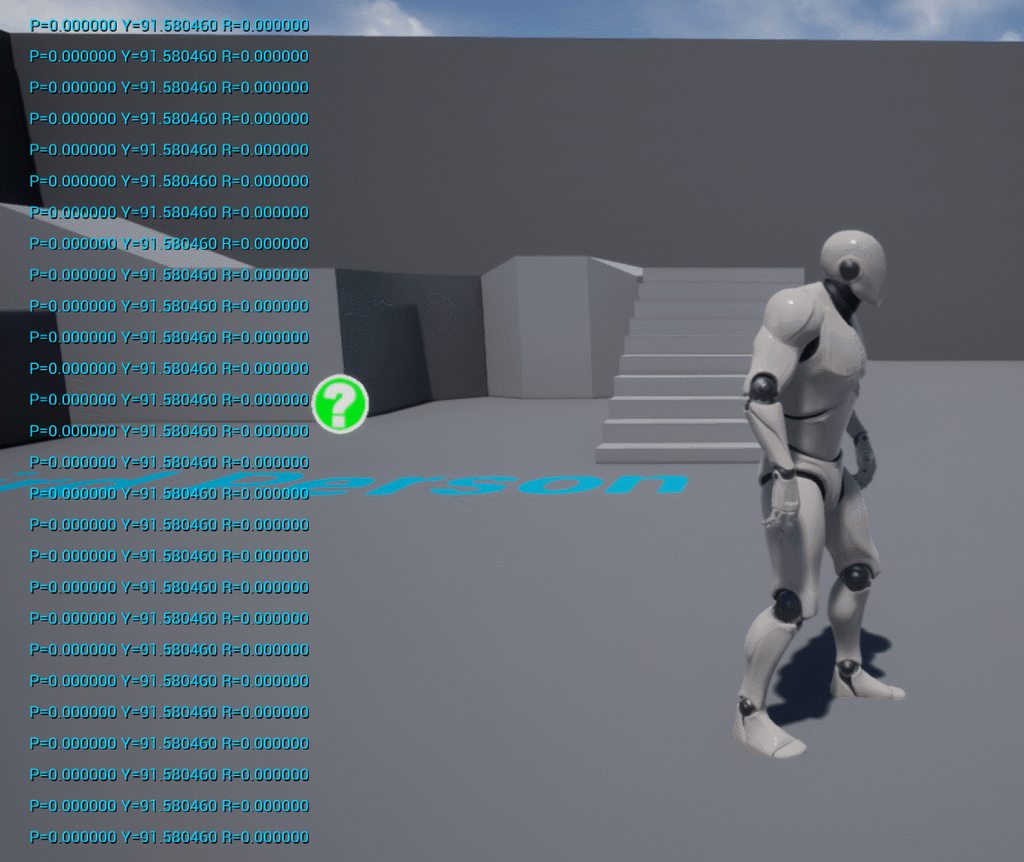


I recreated my problem with third person template, why does he turn back to 0,0,0 whenever I move to fly?
its hard to see whats going on in the video since you cant see my button presses, but whenever I 'MoveUp' he turns back to 0,0,0 as you can see in the print statement
green eagle
@maiden wadi that works magically. Why does yaw make it work though that part escapes me
maiden wadi
@green eagle It's taking the Camera's Yaw facing direction, and turning it into a 1 length vector on the world x/y vectors with the get forward vector.
 drowsy mauve
Hey all, i just integrated wwise for my sound guy and converting over how i'm spawning sounds.
I'm running into an issue where my AK Event variable isn't working as expected.
When set up like sound, the sound plays no problem
But when turned into a variable, I don't hear anything
drowsy mauve
tried a bunch of stuff, then just remade the nodes and now theyre working
dapper cradle
I want to use a branch which decides what happens if my character is in a level or not.
how can i query that ?
Basically,
If there character selects a menu option for another level, I will give them an option to move to that level, but if it is in the level they selected,
then they will get that levels options..
dapper cradle
if they are in the room they selected, that rooms options will apear in the menu box.
If they select a room they arent in, they will be given the option to move (hopefully)
dapper cradle
yeah I think you are pretty much there, I had to re read what you wrote sorry
 grizzled rain
it's alright man
quick lark
Is there any way to have a custom event accessible between two blueprints without having a reference to each other?
grizzled rain
@dapper cradle I imagine you can have it so each option in your menu has a string assigned to it that is the same string you'd pass into a load level node. then you can check when it's selected whether it's equal to the current level using the get current level name node
dapper cradle
@grizzled rain thank you for your help!, That makes total sense when I read it, I am just trying to Imagine how it might look in BP form..
elfin hazel
@dim kiln Probably because you have "Orient rotation to movement" checked. select the movement component and search for rotation.
dapper cradle
Having a brain meltdown.
are Branch nodes If/then ?
I want to do if(selected level ==current level) then...
grizzled rain
yes
dapper cradle
thank you
dapper cradle
thank you @grizzled rain that is massively helpful!
 olive ingot
Hello Unreal Community!
I've been having some fun throwing ragdolls around with the Add Force blueprint and it is great fun. However, sometimes when the force is strong enough the ragdolls can fly through walls.
I tried turning on Use CCD but it didn't work.
Does anyone know how to make solid walls without making them super thick?
Thanks for looking into this 🙂
trim matrix
any1 know why that branch isnt firing? also if i try to ad +1 on the integer instead of showing 12 it goes back to 1 again, isnt the engine always storing the variabls?
Edit: if i lets say ad an integer after montage later in the sequence
elfin hazel
But you're setting its value to be 0.