#blueprint
402296 messages · Page 457 of 403
 atomic prairie
 zealous moth
the actor you want to disable imput
which is also why your thing has a redundant cast to
atomic prairie
this is not working like that, i'm stupid i think...
zealous moth
k look
the controller gets your inputs and passes it to a pawn/actor; your controller could be controlling many things
so here the disable input specifies 2 things: the actor that is supposed to no longer get input and the controller that is controlling it
so specify your actor (typically the player character) and your controller (typically the player controller)
once you're done, you can use enable input node in the same way
is your bp for a multiplayer?
atomic prairie
no, solo
atomic prairie
i try
zealous moth
yes
almost
you forgot 1 thing
it can be any actor or your player only?
otherwise, shooting a bullet at the overlap box will trigger it
atomic prairie
there is only one character and no bullets in this area
haha but thanks for the next area!
 trim matrix
@heavy lion How do i check if the actor im tracing is indeed the acto i want to be interactable?
zealous moth
interfaces; look up unreal training bp communication
trim matrix
Ok
 zealous sundial
stupid thing, when, for example, i spawn a replicated actor on the server, i should wait he spawn correctly on clients before using it.
Is there a function who allow to do this ? or i should do a kind of ping pong with the spawned actor ?
i ask this, cause i use a multicast rpc right after, and with network test, the rpc is call BEFORE the spawn of the object on clients.
 worn kernel
is there a way in blueprints to render certain ogjects only through glass like they did in dishonered 2
like this
 pure heron
So, this solution doesn't work in the end. It works for scene components, but not actor components it seems: https://discordapp.com/channels/187217643009212416/221798862938046464/706172024250302495
Also, actor components can't be constructed from class
Okay, it seems I can construct it with Low Entry Extended Standard Library node. But even when I do have a reference to a constructed component, can't attach it.
 onyx crown
I am new to ue4 and was wondering if anyone could help me find the solution to a fairly simple problem. Essentially, I want an actor to be destroyed on contact with a cube and when this occurs, it deletes the cube.
I have a begin on overlap and then leading into a destroy actor
and the overlapped actor is the actor being destroyed
pure heron
Drag the overlapped actor from the overlap event and call DestroyActor on it. Then call DestroyActor on self
That should destroy both
onyx crown
I do not want the cube destroyed
pure heron
Only the actor that touches it?
onyx crown
yes
pure heron
Then follow only the 1st sentence.
pure heron
Try casting to the actor you want destroyed before actually destroying it
 maiden wadi
Destroy is called on Actor class. It doesn't need to be casted to.
pure heron
If you want only one particular kind of actor destroyed, it does
Otherwise enemies, projectiles, pickups, even doors and such would be destroyed on overlap
Casting serves as a filter in this case
pure heron
Try using OtherActor?
 visual granite
Hey, I disabled in my every foliage actor cast dynamic shadow but they have still enabled cast shadow. None of them casts any shadow unless I set cast dynamic shadow but it sucks for performance. How can I make them cast shadow but only a static one? The cast static shadow is set too
onyx crown
I am new but I am pretty sure you can click on the foliage and in the movement options you can press static
I think idk for sure
also @pure heron I fixed my problem
using my actual hp bar
visual granite
Movement is not related to that.
onyx crown
im new so yeah probably not but how much foliage do you have and what is the density of the shadows
or just turn down shadow settings
settings > Engine scalability settings > shadows
visual granite
I dont think that you understand my question
I just want to calculate shadow once per mesh instance from foliage tool
and leave it be
pure heron
Oh for fuck's sake... Objects inheriting from UObject can't spawn a decal at a location? Why?
Can't play sound at location, can't do nothing at location
 sand shore
lack of a world context
pure heron
No cigar
sand shore
you just flat out can't create the node in any graph in that object
Need either a custom C++ UObject or an actor blueprint
pure heron
Actor it is
Ok, I can't get a reference to an actor and attach a component to it from within UObject either, huh
Goodbye hopes of performance, guess I'll use actors here as well
sand shore
Well you could have one actor that manages both of those things for you
pure heron
I guess I could
Still, feels bad to use something that has the entire load of an actor for what's essentially a function holder
pure heron
These objects I'm making should be put into an array of, dunno, 20-50 elements, and their shared method – since they share the parent – should be called in a foreach loop. Every time a projectile spawns.
Projectiles could be spawning, technically, without any fire rate limit so on tick
In, technically, unlimited quantities
sand shore
Ah so like a modifier stack
pure heron
Basically, yeah
Since actor components are inflexible pile of shit, I need to improvise
sand shore
Yeah, might be worth dipping into C++. You don't even have to do the full system here.
-
Make a custom UObject type which overloads GetWorld() (this is what you need to do to use those nodes), and which allows you to set the pointer that GetWorld() will return via a function.
-
Make a custom BlueprintFunctionLibrary subclass which allows you to do these things in reference to an Actor instead of a world
Pick one of the two, it might be less work than you think and you won't have dozens of useless actors
pure heron
The idea is: player picks up some upgrade, like Pool of fire on bounce, Explode on bounce and Pull enemies on bounce. A list of those upgrades is stored within the player's gun, and is somehow passed to the projectile.
Initial idea was to have these upgrades be actor components, but you can't attach an actor component to an actor from either a reference or a class. There's just AddPoolOfFireComponent() and AddExplodeOnBounceComponent(), but no AddComponent(TheFuckingComponent).
sand shore
It's a bit difficult to not just suggest the gameplay ability system
pure heron
Doesn't it, like, have zero documentation and the complexity of finance industry COBOL software?
pure heron
Ah, so ask a question and hope someone answers it this week without it getting buried
pure heron
I'll need it, yeah
 swift niche
Anyone have an idea as to why my third person blueprint won't use strafe animations? I have a blendspace set up and it works fine in there but when I try to run the game, I can only use the walk forward and run forward animations even while strafing or walking backwards.
not really sure where I went wrong.
 ripe plume
can't say im familiar with that event graph setup, however from the tuts i've seen on YT there's pretty much a guaranteed setup that allows you to see your strafe anims
not sure if you wanna switch up now tho, up to you if you want to see it
zealous moth
for strafing make sure you aren't facing the direction of the movement (movement component) and that your inputs allow for side movements
swift niche
got a link @ripe plume? I keep seeing the same method over and over
ripe plume
lemme see if i can find one
swift niche
thanks
 tribal axle
I have an actor that has 20 different components the player can toss and move around. I have a box collision and whenever one of these components hits this collision, the visibility is set to false, no physics simulation, and no collision. I'm trying to find out when all of the boxes have hit the collision, and something happens because of this.
 worthy pendant
Hey y'all
This may be a bit of a loaded question, but I can't seem to find any information online regarding it
Is there a way to save changes made to a level during runtime?
The terrain is editable, but I can't think of an easy solution for saving and loading changes made to the level
 honest forge
Hello, i am trying to implement swimming into a third person character project. I have setup underwater swimming when the character jumps into a water physics volume but would like to know how to setup surface swimming with a different animation to the under water anim. Any suggestions?
swift niche
Maybe make another volume close to the top?
honest forge
@swift niche thanks for the suggestion. How would I distinguish between the two as my code relies on the movement mode changing to swimming, rather than entering a specific volume.
 deep quiver
hi all new here. I am running into a problem and looking for advice. trying to make a graphics options screen with radio buttons for the choices. I have 6 options with 4 buttons in each. i can get it to work for all the settings and save to a file. but when it comes back in on loading it breaks to defaults. I have a feeling it has something to do with the read in array from what i can tell it is getting 12 references instead of the 6. not sure how to correct for this or if i am on the right trail.
 mild pine
What's the best approaches to a farming mechanic? If the player turns the soil, can I actually paint down mud on the landscape using render targets and then let them plant there? I guess I could trace for the specific physical material attributed to the layer and not use the layer anywhere else.
Or should I spawn a decalmesh of sort that removes foliage in its spot? Sounds a bit less complex imo. Are there any better dynamic approaches?
 split wasp
probably a combination of
 ocean radish
@deep quiver Dont use get all off class, its getting it the data from 2 places, just reference the one you want
@honest forge as far as i know, water planes are just flat, so cant you just test distance in the z?
@honest forge sorry, just took a quick loot that wouldn't work, although you could do some math to find the top of the water using box extents
honest forge
@ocean radish thank you for the response. I’m not sure how to do that 😩 could you elaborate or show an example? Thank you
ocean radish
@honest forge gimme 10mins i'll see if i can come up with a solution for you
honest forge
@ocean radish thank you so much!
ocean radish
@honest forge result
text cube
Actual volume
Obvs this is working on root center point locations so might have to do somthing similar with the characters position too if it looks weird
honest forge
@ocean radish Thanks, I’ll give it a try and let you know how I go 😊👍
 sick sapphire
Is there a way to make it so that actors cannot walk within a certain distance of each other/will route around each other
I only use a AIController for the AI because its only a simple MoveTo
sick sapphire
detourcrowdAIController?
ocean radish
yea
then try that see how it looks
settings are in project settings
remember though this costs performance, and depending on how many ai or how complex you get with ai etc..
sick sapphire
@ocean radish im not planning on adding complex pathing so im not too worried abt performance
which one of these changes the radius that other actors will avoid?
ocean radish
not sure not messed too much with it, could try boost the seperation dir see what that does
make it like -10 just to see
nvm defo not that
honest forge
@ocean radish sorry i'm really confused. My water is a physics volume. How/where do i use the code you showed above? would i do this in my character's animBP where i have the other code for swimming?
ocean radish
@honest forge
you could use on overlap to set the z value when you character goes into the water to return the volume actor then all you really need is the extent z+actor z to get your surface z value
obvs dont use get all actors and do it that way, this is just an example and to make sure it worked
dont need actor location as a serpeate one either can use origin of the same node, just pulled actor location first
@honest forge
zealous sundial
Imagine i've got a Weapon, Actor, replicated.
I want to spawn it, then play with him (give him to a player for example).
In a perfect world, i will spawn him, and give by the constructor to who i want to give the weapon, and i will manage this inside weapon.
But imagine, for design reason, i want to manage him from my pawn.
Like : Server spawn the weapon > Server call a RPC Multicast inside my pawn to pick the item.
In this specifique case, it will fail, cause the RPC will be executed most of the time by the clients, before the spawn of the weapon is effective on them.
So, for this kind of case, how we should / want handle it ? or it's bad at the point we should never manage thing like this.
ocean radish
why cant you do it as a request, pawn requests the weapon > server spawns it then when spawned sends it to the pawn?
honest forge
@ocean radish so i would get the z value on overlap in the level BP? Sorry, its been a long day...i'm so confused 😦
ocean radish
@honest forge I would do it when you character overlaps the water, that way you can have multiple water volumes in the world at different heights
@honest forge then you could store it as a var on the character to check against in your animation graph,
zealous sundial
@ocean radish Like this ?
If we do like this, the spawn happen (if there is a bit of ping like 40) after the rpc reach the client.
then "Weapon to upgrade" ref is none.
it's an example, i don't put any class to the spawn, but assume i did it.
ocean radish
on the input request what pawn is asking for it, then you can send it back to him, then the characater would have an event that handles recieve weapon
zealous sundial
yut ? i don't get it.
oh, yeah, no but i fail my example :p
wait, i reformulate it.
if i want this to work, the ugly way rn is to put a delay after the spawn
like 0.5 second, just to let the spawn happen
my ask is how, without putting event into the weapon actor, we can do to say to the pawn the weapon have spawned, so you can start to work with him.
but i'm afraid, there is no way except putting something in the weapon actor.
ocean radish
do a !null check and loop it back round
zealous sundial
oh yeah, that not stupid.
but on performance side, that far from perfection, imagine the player have a huge lag spike, it will freeze the game until the weapon spawn, right ?
or the thread where the loop is.
honest forge
@ocean radish can i PM you?
ocean radish
yea so wouldnt matter, all you need to null check is the weapon
make sure its spawned
then do the other part
zealous sundial
i will try this, thanks fooking. Just last ask, we agree the "perfect" way is to do this in the weapon actor
right ?
not the null check solution
the other one :p
ocean radish
no real 'perfect' way, its all how you want to handle it as a team
I always try to handle stuff on whats performing the actions
so guns and stuff store their ammo and fire functions stuff like that, but thats about it
and use a base class to get the same functionality across all the same type of items
zealous sundial
Thanks a lot !
sick sapphire
does anyone know where I can set RVO avoidance settings
sick sapphire
@sand shore yeah but I can only see a checkbox that says 'use RVO Avoidance"
ocean radish
yea RVO is on movement component
sick sapphire
ah is fine i found it
what does avoidance weight mean
how possible it is for the ai to avoid?
ocean radish
Rvo and detour dont work together btw, so unparent from detourAI
how much there gonna push the other one away, RVO works by one actor pushing the other out of the way I believe rather than pathing around
they act like magnets repelling
sand shore
ocean radish
so if one has a stronger weight it will push the other away easier, atleast i think 😄
sand shore
if you'd like to learn more about RVO
Heh... it's like the TCAS of gameplay agent locomotion
sick sapphire
@ocean radish what if the actors have the same weight
ocean radish
they have same priority so just move each other

theres a simple look at the differences they have with default values
sick sapphire
@ocean radish alright, thx
 versed sun
Is it true that using Tick = Bad and timer are the way to go ?
https://www.screencast.com/t/R1T8ONR2h When I have a function that is run off a timer, FPS drops more than if i ran it on a tick
 deep quiver
@ocean radish When you say reference the one i want do you mean do the lines individually ? sorry New to blueprinting and trying to learn what i am doing wrong. Thanks
 fallen glade
Can you cast from construction script ? It's giving me problems ....
 halcyon zephyr
for some reason my client shoots out of my hosts position and i think it has something to do with the way i get the camera, how would i make this work for multiplayer? https://gyazo.com/7e3e31c65bb9b8ef8c26e8712745ca0f

 covert agate
Hey guys. Is there any way to make my widget text glow?
zealous sundial
Hum @ocean radish to speak again about the topic : i try in blueprint, and it's not working. The RPC is raise, but the reference will never be updated. So we lead to infinite loop while. I guess there is no way to deal with it at the constructor level.
And that lead to another question :
Is there a way to spawn an object, with a select node, and said to the spawn it will be at 100% an object who derive from X blueprint class, so we can have the benefit of the constructor on spawn.
i'm afraid it not possible on blueprint, and need to go on c++ for this stuff.
@covert agate yep, look about emissive material.
sand shore
Is it true that using Tick = Bad and timer are the way to go ?
@versed sun Not if you're just going to have the same (or close to the same) frequency.
What'd perform better, if you're just rotating things about their own position... is if you set everything up with a rotating movement component.
 hollow tusk
zealous sundial
hollow tusk
zealous sundial
@covert agate Simply apply material to text
ocean radish
@deep quiver yes, currently you are getting 2 references and using them both to set your data, which is why is probably resetting, just get a reference to the one you actually want to use
@zealous sundial whats reference is not updating can you take a shot of the graph so i can see
zealous sundial
it's not the past "graph", cause i'm working on it, the event was mark as RPC to owner client.
and the rpc is fire when the weapon spawn on the server
by the server
to the client
ocean radish
@zealous sundial need a larger image, thats only 500px
deep quiver
ok i got it working by referencing the radios separately and feeding them into the array then into the for loop. What i am getting confused about i guess is isn't the get all widgets of class suppose to return all it finds from its reference. My questions would be how would you filter out the ones coming from the second location or is this not worth looking at ?
ocean radish
get all of class is usually a bad way of getting references to objects, you usually want to store them somewhere
zealous sundial
Da fuck, mb
ocean radish
@deep quiver so what I tend to do is for somthing like references i would need in multiple places say i need to reference a class, when that blueprint spawns I will get it to set a reference to itself in somewhere like the gameinstance
that way i can just get it from the gameinstance if i need to accesss it in another bp
zealous sundial
deep quiver
makes sense. Thanks @ocean radish
 north maple
hello i am trying to achive this bar but i am paralyzed, maybe someone can help?
so far i line-trace these spheres accordingly, but i am not sure how to fill inside and outside
maybe some masked material which covers the dots?
 hot wedge
Hello I have a simple question. I would be glad if someone can help me. I have a vector3d that i want to change it o 1 or 0 vector. so if i have (0.24, 0.50, 0) i want this to be (1,0,1) there was a function i know but i cant remember the name
edit (0.24, 0.50, 0) => (1,1,0)
ocean radish
so if it has any value you want to make it 1
hot wedge
okay thank you ❤️
ocean radish
this in a material?
hot wedge
no a vector I create from joystick
to give my arrow on the screen to turn, so 0.3 etc is not important for me
ocean radish
@hot wedge Theres prob another way, but this will work
hot wedge
Oh i see great thanks
ocean radish
@trim matrix
@trim matrix if you wanted to change a Key you would have to do somthing like this
halcyon zephyr
for some reason my client shoots out of my hosts position and i think it has something to do with the way i get the camera, how would i make this work for multiplayer? https://gyazo.com/7e3e31c65bb9b8ef8c26e8712745ca0f
sand shore
@ocean radish you can just add
ocean radish
you can add, to replace the value of a key, you would have to remove and add to 'replace' a key
sand shore
no
the tooltip says as much
read the tooltip you posted for the add node
oh a key
myb
what I said only applies to the values
ocean radish
thats why replace was in '' as your not really replacing it you just making a new one with same value, I was assuming he watned to change the value which is why i posted that screenshot, then gave him a way to do it if he was wanting to replace the key itself
hot wedge
what was the key to create zones in blueprints? Likce Commend but colorful
ocean radish
just make a comment box, then click on it and on right side you can see the colour options and stuff
hot wedge
oh I see thanks
ocean radish
'c' is the default key to make a comment
 eternal rock
Hey guys, i'm new to Unreal Engine and am feeling a little overwhelmed by trying to learn it by just youtube tutorials alone. I feel like i need some sort of structure. I really want to focus on learning how to blueprint. There's a 1,000,001 tutorials and such on Youtube and free courses, but i'm curious on how everyone else here learned how to blueprint? Was it just by watching free Youtube tutorials? Was it by taking paid courses on Udemy? Was it by going to a school? Im trying to see what my best options are
ocean radish
youtube mainly myself, still learning there a complex thing, but very good
the unreal ones are some of the best
but they can be quite long

YouTube
Welcome to the official Unreal Engine channel! Unreal Engine 4 is a complete suite of real-time 3D tools made by developers, for developers. Create and take ...
and some of them are a bit outdated, the very first things I tried was stuff that i wanted in my game, like followed a tutorial about shooting a gun, opening a door and such as they are more bitsized @eternal rock
hot wedge
I watched a course on udemy called first two games on unreal (something like that.) Well I am not very knowable now but it was a good tutorial. I recommend it. Ofc I didn't pay anything since my company covers udemy. I am not sure about the pricing etc.
@eternal rock
ocean radish
Udemy always have offers on, so if you wait for one of them to pick up some vids you can usually get them for like under $20
hot wedge
Cool but not many vids about unreal. I think there's only 10 or less course
trim matrix
Hey guys! Probably A question some of you have answered a million times by now but I'm really new to all this Unreal madness and I don't know what possibilites Blueprints have.
So basically, I have an ActorComponent and want to use it's variables in my Character Blueprint, so what I do is I cast to the ActorComponent.
Now what Object do I need to pin so that the ActorComponent works? I know it needs to be the type it inherits from but how do I figure out what that is and how do figure out what node I then need to use to tell Unreal?
ocean radish
not sure if this is what you mean, but you can just add the component on your character and call it directly
 frail marlin
Are you not able to reference a Pawn's components in an animbp?
trim matrix
You can? 🤔
The ActorComponent is already part of the Character Blueprint but I can't call it's variables
@ocean radish
trim matrix
OoohhhH!! I see!
Ok, that works!
Thank you so much!
I just tried calling the variables without getting the component first
ocean radish
If your looking at making a component so that you can place it on all other characters, I usually find it better to make my own base character, then use that to inherit to other children
that way i dont have to put comps on them all
yw
hot wedge
Oh I have another simple question. So my project is a mobile game played with the mobile thumbsticks on screen, the default ones. I wonder if while testing can i use my gamepad? It doesnt detect it when i try using analogs.
oh wait it did
cool! faster test 🙂
 dry tundra
Does anyone know how fix this error: 'Accessed None trying to read property "CallFunc_GetGameState_ReturnValue". Blueprint: BP_LobbyController Function: Execute_Ubergraph BP Lobby Controller Graph: ForEachLoop Node Branch'? There is a second one which is exactly the same except it only saying 'Accessed None'. Also this only happens when starting with a client.. so I suppose the error happens on the Client PlayerController..
maiden wadi
Can't speculate much without seeing what you're doing, but it just seems like your Gamestate isn't returning correctly yet.
 devout pine
hey I need to replace some files, but I got an error it tells me to run project like this "noloadStartupPackages" how can I do it?
dry tundra
@maiden wadi Is the GameState ever None on the Clients before Replicating for the first time?
maiden wadi
Not sure how that's handled with sessions and such. Haven't played around with that enough to know. Clients should be able to access Gamestate at any time though I thought? And even before they would connect to a server, they should have their own gamestate so I can't see it returning null?
maiden wadi
Like, instantly do something a certain amount of times, or do something ten times with a 1 second pause between each time?
maiden wadi
That's not really a specific node for it, but I recommend SetTimerByEvent. Create a timer variable to reference, and make a counter. Each time you run your timed event, check if the counter is >= to the desired counter time. If true use the timer variable to clear and invalidate the timer.
trim matrix
thnaks
split wasp
also this sounds like something you could do with custom macro, I suggest looking into that stuff
since they have handy-dandy local variables that don't mess with the rest of the blueprint
trim matrix
oh cool
 dusk dust
how can i affect anything based on camera distance?
like i could have an array of static meshes or values i want to switch between
but they only switch at certain player distances
trim matrix
Not exactly sure if this is quite what you're looking for, but you can do a trace from your camera and find the difference between the location of your player and the location of the hit target @dusk dust
 tight schooner
If it's just distance to player-pawn, I can't think of a more on-the-nose way than having actors periodically check, on a looped timer (or god forbid tick), the distance to the player-pawn. (GetPlayerPawn and Distance nodes help here.)
Depending on what you're doing, you may be able to use spherical collision volumes w/ an overlap event to do the same thing more passively
At one point I made a proximity-checking system just for fun that sets a timer on itself based on distance. The frequency of checking increases as the player-pawn draws nearer 😅
dry tundra
@maiden wadi I have fixed it for by checking if its valid but I will try to figure out whats happening there later
Thanks 🙂
ocean radish
@dusk dust well for meshes you could just set it up in the LOD
 glass karma
Hey guys,
I have a question about garbage collection. We had this problem that every 60 seconds (purging pending kill objects) a very noticeable hiccup occurred. Via profiler we narrowed it down to the Garbage Collector and with trial and error narrowed it down to a specific giant TArray (in Blueprint) we're using to manage cells/voxels for a certain world space. The TArray gets resized accordingly at BeginPlay to fit it to the number of cells/voxels of the specified space. The TArray holds elements of a specific UStruct. The UStruct has members of various different types, among these are further TArrays with references to SceneComponents and other UStructs. My question is, what is it that I am looking for here? Is it the pure size (roughly 3 million elements) that is causing the hiccup or is there something else I should check?
tight schooner
@glass karma I'm not knowledgeable enough to answer your question directly, but for mitigation it's possible to change (or disable iirc) the automatic garbage collection frequency, and also trigger GC manually via a BP node e.g. so you can trigger it when it's least noticeable.
 full elm
please help me. Do you know how to check files ? in blueprints. I make updates to the game in the game itself. But I can’t understand how to check which files to replace or download to the client.
glass karma
Thanks for your answer, yes we're already looking for the best timing on where to trigger GC
maiden wadi
@full elm Are you asking how to release patches for your game?
full elm
@maiden wadi I am making a game. I don’t want to add it anywhere. I want to update the game in the client itself. But I do not know how to do file verification. What you need to resume, which to replace or remove .. Everything is like a launcher. only in the game itself, in the menu.
 worthy frost
good luck doing that in Blueprint
full elm
@worthy frost
thank
 gloomy linden
starts the Mission Impossible theme song
full elm
but seriously? Are there any developers here who can help?
 inner ginkgo
Blueprints doesn't have any general file management. It only has things for specific tasks, like loading/save images or loading/saving save game files. If you need to get lists of files in a directory, for example, you need to use C++.
full elm
@inner ginkgo And what is the function of checking files in the cache or checking the file by date in c ++
inner ginkgo
You'll want to ask in the CPP section. I'm not familiar with UE4 C++ library options.
full elm
@inner ginkgo
well thank you
 loud turret
anyone know how i would go about retrieving the X value of a curve based on an input Y value? There is get value by time, but there is no get time by value
full elm
@inner ginkgo But is it impossible to check files through a document?
inner ginkgo
A document? Either way, this sounds like it is outside the scope of blueprints. I have no experience with building launchers or performing file update checks to help direct you beyond that.
loud turret
@full elm there is a file management plugin you can use from the marketplace. it's pretty cheap and offers some blueprint nodes for deeper file management

This plugin provides you with Blueprints to be able to interact with the file system.
full elm
@loud turret
thank
@loud turret
Unfortunately, there is no file check in this plugin. Not by date, not by cache. absolutely not.
gloomy linden
you'll have to make it yourself
and you won't be able to do that from blueprints alone
which one returns false?
Well, where/how do you set that boolean?
so where do you set it to false?
using a animation notification or..?
Notifies are a system for setting up and receiving events in Animation Sequences to perform external actions.
you're using animations right?
else you could use a timeline
 smoky basin
i need some help, i'm trying to make a camera rotate around a point from mouse input, but i don't know how to make a part that tells whether or not someone has moved their mouse
gloomy linden
Project Settings -> Input -> Axis Input -> Mouse Y and Mouse X @smoky basin
smoky basin
@gloomy linden thank you
onyx crown
I have a most likely simple problem that I could use major help with. Basically, when I spawn in an actor (An AI) it gets stuck in the air.
zealous moth
sounds like a missing navmesh and perhaps spawning needs to be tweaked
zealous moth
then begin by looking up navmesh and spawning collisions
 unborn turret
i m trying to get the width of my static mesh
the issue is its in world space so i can't get the accurate width of the gun
any idea how i can get the width?
 jade frost
what is the widget of your static mesh?
unborn turret
@jade frost whoops meant width
jade frost
do you need to calculate that in runtime?
its far easier and reliable to precompute that
jade frost
ok, so you can calculate that in editor
and then store that value in a variable
you can put 2 scenepoints and calculate their distance
then store that value in a variable to work with
 pulsar moss
I'm getting really bizarre "Access None" errors in my BP function library. I've checked via break point, stepping, printing it out, and the variable is never none. I don't know why it's erroring out like this. Any ideas?
 marble agate
Hey guys! I've got a relatively simple question that I can not seem to figure out. What would be the best way to find out if a player is moving or not?
pulsar moss
Does world context need to be connected to anything?
smoky basin
@marble agate i wouldn't know how you'd go about it but i'd recommend grabbing the location of the player and compare it to the location a second ago and if gives an output then do action
marble agate
Okay, I'll give it a try! I've been trying to use the characters velocity and think I found something that works as of now.
Thank you.
pulsar moss
ok it looks like it was my own fault, and world context had nothing to do with anything, and also the debugger sometimes doesn't break
 gusty cypress
I have very small stages within a level, I tried level streaming but it was annoying as I bound the load to the trigger to teleport you to the new part so there was a brief delay in the editor play, as everything new loaded, should I instead use multiple small skyboxes instead so everything is loaded?
essentially what's best for smooth gameplay, multiple small skyboxes or level streaming
 spring nebula
How does a person determine if the player is using Vive Wands or Valve Index Controllers or any other vr motion controller?
zealous sundial
Hello, i try to refresh the content of a listview, like this :
This lead to a crash (segfault probably) of UE, i try with request refresh or clear all item, not working, i think i misunderstand listview, any idea ?
thanks ❤️
 sly mason
I have a problem, I am terrible at math and need some help. I am trying to make an ammo counter using materials/textures and currently have this. However it does not work right and always multiplies the number by 2? I am a beginner and am not sure how to fix this.
 undone imp
@sly mason not a good approach. Use a text render or better, a widget component
With a material, that, I assume has 10 textures for each digit...
sly mason
yes
undone imp
thats bad on many levels
sly mason
its from halo ce so an old game, im trying to some stuff
 golden kite
hello, can I hav some help with this?
is it possible to make it so that when the execute powering delay gets cut out, the delay doesnt run?
sly mason
I could make a flipbook but I have no idea how
undone imp
@sly mason Make a normal widget, and with a widget component add it to your weapon class.
this will make it possible to show ammo count with a normal text, plus super easy to add animations, etc.
sly mason
I am not going for normal text i want the original texture
undone imp
you can change a font. And even if you want your unique texture, its still better to show it as an image in the widget
@golden kite use "GATE"
obviously you can also use a bool variable 🙂
@sly mason in any case, your problem might be that you are not resetting the param value
you set params to 1, but you never reset anything to 0, so it will just use the first thing
depending on how your material is made
undone imp
no problem
@zealous sundial in the upper part of the graph, you are toggling visibility inside the loop, not after it.. probably not intended
sly mason
so im making a widget but i dont know how to make it move with the animation of my gun
undone imp
Attach it to the mesh
sly mason
I did
undone imp
oh, make sure its in world space, not in screen space.
its one of the properties of the widget
sly mason
thanks ill check it out
undone imp
also, if the gun is animated, make sure you attach to proper bone / socket
sly mason
thanks
undone imp
@sand hill just a guess, but are you trying to attach something that is static to something that is not?
 sand hill
I made a blueprint that simply tiles another blueprint (static mesh)
just so I don't have to manually place them down
it does so in the construction script
relevant nodes:
undone imp
but you want your parent object to be static? or children? or all?
undone imp
hmm. Im guessing here, but in the child class, is the mesh the root component?
root comp should be static
in this case
undone imp
hmm.. try attaching it by hand, just once in the level and see if you get the same error
undone imp
sec, I will try to replicate
@sand hill yeah, it seems using child actor component breaks things..
if its just a mesh with no logic
you can use static mesh component
sand hill
Some of them do have logic, though
the window tile has some logic that changes the color of the light coming through, for example
and it has a particle system
undone imp
hmm.. you can make a bluetility script that will spawn actors.
sand hill
eh?
undone imp
you can make a "tool" that will allow you to spawn actors with BP logic, without it being part of a construction script of an actor
this skips the child actor component.
sand hill
Oh you mean bypassing the "Spawn actor from class" limitation in the construction script by using a function?
sly mason
https://gyazo.com/a86eb49d505574608798fc9975f87e72 anyway i can make it do 07 not 7

 woeful jetty
Okay, I am not asking how to do this step by step, more of just want to know, how doable is it, and where do we start... I'm not the programmer for the Ark mod I'm making with a friend, I'm the artist, and I hypothesized a fun mechanic for our mod, but it would probably take some original blueprinting rather than using all pre-built stuff in the game. Ark doesn't have it set up so two species can breed together creating hybrids. I would like the mod to implement mutated varieties [of a single species] one could produce through the breeding system in the game. Ark has some sexually dimorphic creatures, and aberrant versions of them (they just glow) - but they can't crossbreed. Where do we start to figure out how to have say, a regular dodo produce a dodo with a feather mutation (that uses a different skin), and what if we have two mutated dodos with a chance to produce a combination offspring (also it's own skin.) How possible/impossible is this sort of a mod and can anyone suggest where to begin or look to find out more?
undone imp
@woeful jetty that is probably outside of the scope of this channel 🙂 You should probably look in more "Ark - Oriented" groups.
@sly mason is that a widget? material? what am I looking at?
sly mason
widget
woeful jetty
okay lol.. I just know the Ark Dev Kit is an old version of UE4 thought I'd go to the people who know the most about working from scratch
sly mason
its just a text widget
sand hill
@undone imp I should clarify everything still works, those warnings don't seem to have any effect on how it works
undone imp
this is not working from scratch, this is making a mod for an existing game. So, 90% of what you need is someone who knows how the game works 🙂 But maybe you will fin someone here who makes mods.
sand hill
Like the actors spawn, and it works fine
undone imp
@sand hill are they static?
sand hill
Yes
undone imp
@sly mason if you get int and convert it to text you will get 7 instead of 07, but you can convert int to string and append 0 manually
@sand hill for the record, I was talking about this:
Create Blueprints that you can invoke by right-clicking an Asset in the Content Browser or an Actor in the Level.
but from a quick test just now, it appears they have the same limitation as the construction script and can't spawn actors.
sand hill
As a programmer this hurts me, because I hate repeating myself
Just let me do things automatically, damn
I'll just ignore the warning for now
undone imp
🙂
this seems like something that can be solved "later", so right now, maybe those things don't have to be static
sand hill
I could "solve" it by doing it in the event graph
but the problem then is that I can't actually see what I'm doing until I click "simulate" or "play"
sly mason
how do i append 0 manually
zealous moth
use the append node
undone imp
yeah. have this problem myself often
@sly mason string has an "append" node, that takes few string inputs and combines them
 undone imp
also, check if ammo is < 10, otherwise it will add 0 at the front anyway
sly mason
i was about to say that thanks
sly mason
no it goes from 00 to 59, when I reload it goes back to 60
sly mason
Oh
undone imp
but since the game starts, the text is 0.
sly mason
problem is im already using event begin play and cant use it twice
undone imp
you can update text after whatever else you are doing
so beign play -> do your stuff -> update counter
pro tip : you can use "SEQUENCE" node to clean up big blueprints
sequence can have multiple outputs that will be executed in order
so scripts are not 10 screens long
sly mason
oh i actually have it updated on begin play weird
undone imp
make sure you update it after you set ammo, if you have somethign like "current ammo" and "max ammo"
 undone imp
or just add a delay 🙂 thats a hacky solution, but it works.
sly mason
oh a delay hmm
undone imp
set text is not connected
sly mason
oh my god
undone imp
🙂
 vocal urchin
How do I "SetText" in a widget text box when I can't reference it as a variable in the blueprint graph?
It's there on the designer side
This is a widget component attached to an actor. I simply want to set a value on spawn and then display it on the widget.
trim matrix
anyone on to help?
ive set up my character to move to the mouse click exactly like in the top down example, but my character does not turn around to go its destination. Rather just rans backwards if I click behind him. How do i fix this?
 deep elbow
@vocal urchin in the details tab for the text, check the very top of the text's properties, there is a checkbox valled "Variable". set that to true and your text will show in the graph list of variables
some items are default true as variables, buttons and so on, text isn;t always presumed to be a variable so you need to enable it manually
@trim matrix go to Class Defaults of your character. search for "Use Controller Rotation Yaw" and make sure that is true - that presume that the top down movement is using the "Add Controller Yaw" node to apply movement
deep elbow
looking, a quat is for rotations so i don't think that would do anything, right?
can you explain what you are trying to do
are you changing the actor that gets hit
 marble lantern
I have a laser and I want the laser to hit an obj like a square and change the y axis
like if i go behind cover it hits the cover instead of me
like how in ff7 does it
execept mine moves
deep elbow
oh so you don;t want it to change the size of the mesh base don location on a box, but just "if laser hits box then make box smaller"
i havent played FF7, so no poitn of reference but you could try uh
deep elbow
yup, i;m making an image, i presume the box has it's pivot in the centre of the object
marble lantern
yea
deep elbow
and it shoudl shrink from the top down, and leave the bottom of the box staying where it should be
marble lantern
?>
deep elbow
wait, i need to see the FF7 example, or i won;t knwo exactly
 nova root
Hey everyone,
I am trying to get strafing working in my project, i socketed the camera to the Third person guys head bone and did what a heap of tutorials and answers on the answers hub said to untick and tick the Yaw and ronation stuff on he character and camera.
The camera strafs but when i look down the characters body is rotating and running to the left when i use A and when i use D it does the same but right. same with S but when i hold only W it runs forward and i can rotate the whole body with the camera if i dont touch the A S or D
marble lantern
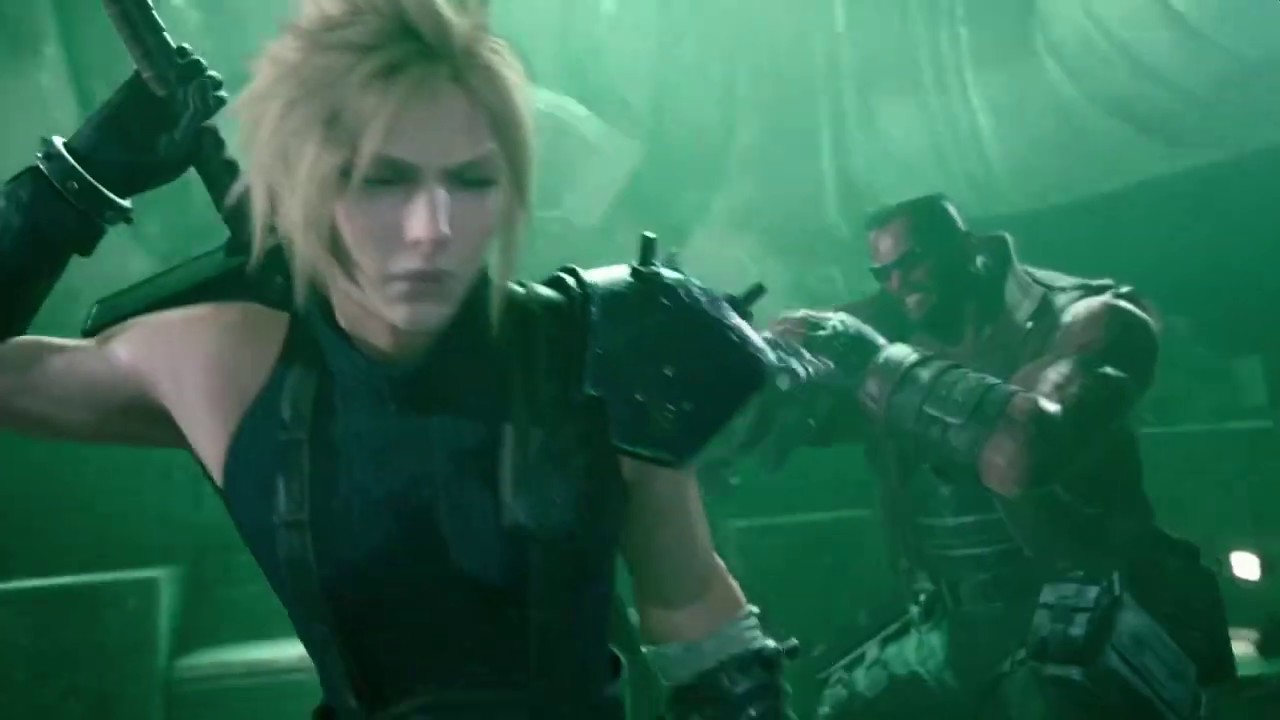
Final Fantasy VII Remake First Boss Battle | Scorpion Sentinel
Subscribe Now ➜ https://goo.gl/QWyuQz
subscribe for the newest game trailers, walkthroughs, boss guides, news, soundtracks, 4K gameplay and much more.
its time stamped
without the destroying the cover
deep elbow
i actually don't see what is going on there, like what the relation is to a box, am i beign dumb
marble lantern
the box is just a mesh
i just want the laser to hit a mesh if the player is behind that
if not they get damaged
 lament rampart
hi guys i have a really nooby question lol. i am using a 3rd generation child of a blueprint with functions i need. would they only not be working because in one of the other parents they have the same input key which overrides it?
deep elbow
oh i see ok so it;s like, trace towards the player, if the player is behind cover then make sure the laser hits the cover instead of the player.
and you are scaling the cover to try and make the laser hit that instead. but the box you are hitting is actually invisible and is just beign used as somethign to block the laser
deep elbow
@lament rampart have you tried right-clicking the functiona nd adding a call to parent
ok so
that might be because youa re pluggin distance into Y world scale, and that number is gonna be huge, and Y is world space so unless you know exactly what that direction is in relation to the player and the laser-firer then it could be that the box gets scale up and blocks the laser line trace
marble lantern
the scale direction is y
deep elbow
and converting an impact location to a quaternion is not going to give you anything useful for scale
in world space?
cause if you want to scale up the box in height, as in the FF7 video, you would use Z world space, like, i print image
marble lantern
yea im pretty sure in world space its y
deep elbow
marble lantern
but the quaternion was me fuckin around
deep elbow
liek that'll just scale the box double in height and leave the rest unchanged, but if you are doign laser on tick or more than once it'll do that every single time and your box will get huge, so you'd have to make a reference to the original scale and use that
nova root
Hey everyone,
I am trying to get strafing working in my project, i socketed the camera to the Third person guys head bone and did what a heap of tutorials and answers on the answers hub said to untick and tick the Yaw and ronation stuff on he character and camera.
The camera strafs but when i look down the characters body is rotating and running to the left when i use A and when i use D it does the same but right. same with S but when i hold only W it runs forward and i can rotate the whole body with the camera if i dont touch the A S or D
marble lantern
ah ok
deep elbow
@nova root your camera has an option called Use Pawn Control Rotation that can interfere with things, you also might have Use Controller Rotation Pitch ticked in Class Defaults
deep elbow
because you were in your image, no reason at all
if it's a blueprint in the world, like say you have a static mesh for visuals, but you want to change an invisible collision box then you'd get the actor and then try and find your collision to change, but depends how complicated you want to be
marble lantern
so
deep elbow
do you want to make 1 blueprint for cover, then just make a function in that blueprint and call that when it gets hit by a laser
marble lantern
but i dont want it to destroy the cover
nova root
@deep elbow Thanks for the reply, Pitch is unticked and if i untick the Use Pawn Control Rotation i can no longer control the camera with my mouse and wasd moves the camera by rotating the characxter 90 degrees
marble lantern
alright lol
deep elbow
its 8.50am, work is calling 🙂
marble lantern
ooh
deep elbow
but let's go
 lyric marsh
Hey guys so I am making a handheld camera in VR so you can take pictures of the environment however when I save it as a .hdr it looks the same however oncee I savee it as a .png it looks worse. Im guessing it is cause to save a .png I need to use RTF RGBA8 is there someone here thats done something similar? Thanks
ocean radish
@lyric marsh you using rendertarget to texture?
lyric marsh
@ocean radish yeah and the using the export render target
ocean radish
yea I think untick HDR, then you should have access in the compression settings to RTF RGBA8
try that, its tga
I managed a PNG. I took the node "Export Render Target". Set the Render Target to "RTF RGBA8" and set the Camera (Scene Capture 2D) to "Final Color (LDR) in RGB @lyric marsh
 stoic silo
Hey guys I have one question to ask I have one hero char BP &3 different char with his own different ability with different BP codes so my question is that can I call or take these three various char BP code that use on hero char bp without add that different char all BP codes in hero char bp is it possible?
lyric marsh
@ocean radish Sweet let me try that thanks!
ocean radish
@stoic silo so usually easiest way would be to make all the functionality on your Hero BP and use some sort of can use, or overwrite the functions on the children
stoic silo
Ok Thanks is it possible to make char child
ocean radish
yea, just right click on the one you want to be parent, then at very top should be create child bp, either that or when you create a new blueprint in the search box look for you bp
stoic silo
Thanks I have to ask one more thing if I had duplicate my char BP and change cod on duplicated char and it's changed also happened on original char BP why should this happen
ocean radish
change cod?
stoic silo
Yeah BP code
ocean radish
ah, it shouldn't, not accidentally changing the old one?
or have some sort of get all actors of class
 warm cipher
Does anyone here know why I can't use a DamageType actor in data tables? I'm trying to maintain a list of objects that can be used as weapons, with their data types attached in a datatable, but when I add the DamageType actor to the struct for the DataTable, it doesn't show.
stoic silo
@Fooking#But my changed I don't know why should this happen may be it's due to same code or some thing is related with that like struct data or enum
ocean radish
np
maiden wadi
Having a bit of an odd one. I created a new component and exposed a few variables on spawn to edit when creating the component. And I've noticed that feeding values into it doesn't seem to actually change the defaults. I have to manually change the defaults in the details panel when clicking on the spawn node. I'm used to using expose on spawn variables for actors and widgets, and they work great, but doing the same thing for this component isn't working. The default value remains 0.5 unless I change it in the details panel in the left. Changing it on the two nodes doesn't work.
deep elbow
@brittle marsh have you tried just getting charatcers up vector and using a rotator from axis and angle and just feeding in a float to that from wherever
 fallen drift
how do i call a function from the blueprint widget in another blueprint?
i got a reference to the function but i'm not sure how to wire up
 brittle marsh
@deep elbow thanks for the reply! Sorry to ask but could you show me some blueprint so I can have a good representation? Thanks in advance!
 crystal stag
I have two cameras in my level, one on front of car and another on the back. I want to capture and save every frame parallelly into respective locations. Is there any way i can achieve this? My project is designed for high configured system. So no worry about cpu or gpu limitations. Thanks in advance 👍
ocean radish
@maiden wadi make them variables
maiden wadi
@ocean radish
They are. That's why they exist there. They're exposed on spawn like I said.
deep elbow
@brittle marsh
brittle marsh
@deep elbow thanks a lot! Will try this out right away!
@deep elbow Is the capsule component player's collision?
fallen drift
i'm casting to the widget, how to get the function connected?
i'm just trying to update one variable in the widget
maiden wadi
That's not the widget. That's the widget's class.
 stray mural
You need a reference to an instance of the widget. Where did you add this particular widget. That is where the instance will live. Perhaps onto a hud or actor somewhere?
stray mural
Is your widget actually named Widget?
fallen drift
no, the widget is called Resources
stray mural
Before we deal with casting. Did you add your widget Resources onto something somewhere?
maiden wadi
General rule, don't ever use a Cast node unless you're dragging off of a reference to cast from.
deep elbow
@brittle marsh yeah it's from a Character, but it can be anything
fallen drift
yes i created the widget in player controller
so do i get a reference to player controller first
brittle marsh
@deep elbow thank you! Just tried it, the camera doesn't seem to follow the rotation... What could I do to make it so?
deep elbow
select your camewra, there is a checkbox under Camera Options called Use Pawn Control Rotation
brittle marsh
Yes, it's already checked
fallen drift
actually the widget is created in the level blueprint
deep elbow
ideally you wouldnt set rotation of the capsule but actually Add Controller Yaw Input, might help. or set yaw probably easier for your use, eh hacks
fallen drift
so how would i get a reference to this instance of the widget?
brittle marsh
So I shouldn't use SetWorldRotation but Add Controller Yaw Input instead?
deep elbow
depends on your setup right, how much control you remove from player, the method above will work but it's not pretty. you will need to check that the pawn uses controller yaw, that might help the camera issue
fallen drift
i'm going to try get all widgets of class
so i have the reference to the widget now, how can i access the function inside the widget to update a variable?
brittle marsh
@deep elbow thanks for the help! I'm gonna try to fiddle around.
maiden wadi
@fallen drift Generally, I'd recommend not relying on get all widgets of class. Level blueprint isn't a good place to be handling any UI that isn't extremely specific to the level that needs no outside interaction. You're better off using either the HUD class, or the player controller for this. But to generally answer your question, drag off of the blue array box on the right and Get(Copy). If you only have one of those widgets, Index 0 will be the right one.
fallen drift
like this?
the green box is the widget update variable function
i would get the specific widget instance, but i'm not sure how right now
maiden wadi
How come you've spawned this in the level blueprint?
fallen drift
i don't know best practices
better to spawn inside player controller?
this isn't updating the HUD variable
maiden wadi
You may have more than one, or it might not even be getting a reference.
fallen drift
is this the correct setup to update the green component box assuming the reference is correct
maiden wadi
Should be. Print off the length of the get all widgets.
trim matrix
hello guys 1 week ago I set length if nickname but I can't find where I did it and i can't find the blueprints of it, I tried with find references but no results-what to do?
gloomy linden
Start using a style guide and use proper naming https://github.com/Allar/ue4-style-guide

GitHub
An attempt to make Unreal Engine 4 projects more consistent - Allar/ue4-style-guide
trim matrix
?
gloomy linden
Document your stuff
maiden wadi
@trim matrix I'm not even sure I understand what you did? Set length if nickname?
fallen drift
do i need to do something with the return value of the get function
okay, so maybe the struct is actually not updating
is there something i have to do with make to complete updating the struct?
maiden wadi
@fallen drift Drag off of the array box again and get Length. Print that off. If it prints 0 when it's supposed to be updating the variable, then you're not getting any references. If it returns more than 1, you're spawning more than one.
Make certain you're only dealing with the one widget first.
fallen drift
okay
brittle marsh
@deep elbow just achieved what I wanted to do with the AddControllerYawInput. Thank you very much! If I wanna make the rotation smooth, I just have to use a timeline?
fallen drift
where does get length connect to?
maiden wadi
maiden wadi
Yep.
I also just realized something. What are you expecting the green box to do?
Is that supposed to change something in the widget?
fallen drift
just update the the coal struct value:
incrementing by 1 every 2 seconds
when i print the struct the value is not changing, so i'm not updating the struct correctly
but this is running every 2 seconds
maiden wadi
You're trying to update the Minerals struct coming out of the State object?
maiden wadi
You'll need to set it on your white execution line then. After you break, add and then make it again. Drag off of your Cast to State, and type Set Minerals.
That should give you a set node to run from the Make Minerals to the Set Minerals.
fallen drift
in the first or second one?
maiden wadi
First picture.
maiden wadi
Target on that should be your State.
You're getting it from State, so you need to set it there as well.
fallen drift
omg thank you so much, works now
maiden wadi
I don't think you need that Get All Widgets thing anymore either, since you're updating your widget on a binding I think.
fallen drift
okay, great
deep elbow
@brittle marsh timelien is fine for one-off stuff, you could do a FInterp off tick and stop rotation when it;s close enough to desired goal, but more complicated, timeline is acceptable imho
I have a headache problem, I'm trying to get some rotation math figured out for a couple days, I pick up and object, I carry it around and it faces the camera, I press a button and I now want to freely rotate the object, I cannot get a method that let's me rotate the object in screen space, where moving your mouse or controller stick "up" and "down" tumbles the object away from and towards the screen based on the cameras right vector, and using mosue or controller stick "left" or "right" spins the object around the yaw of the cameras up vector. I can get individual rotations to work but combing them always ends up with the object using it's own right vector as the tumbling angle.
I tried adding rotation in world space and that's great but it doesn't care about the players camera rotation so it breaks if you aren't rotated in a specific way.
I need to combine the behaviour of the world rotation/screen space rotation with the player cameras vectors. I just cannot figure it out. Anyone got any pointers, all googling has led me to solutions that don't actually work, or simply ignore the fact that the rotation is not screen space.
maiden wadi
That sounds like a fun puzzle. Need a new project to test on.
You're just trying to rotate an object based on screen space, based on axis input from controller or mouse, correct?
deep elbow
exactly, picture a cube, i rotate it "left" 90 degrees, now if I move the mouse up in screen space I expect the cube to rotate in the "direction" of the mouse, rinse and repeat
I probably explained that terribly
 vast lion
Is there a BP node for detecting if you are in the editor?
undone imp
@vast lion there is a "is shipping build" or "is dev build"
fallen drift
i have this really strange problem, i created an instance of an object by dragging the object into the scene, the first object i drag works with intended functionality, but subsequent objects into the scene are not working?
vast lion
I just want to know if I'm running in the editor or if the game is launched
fallen drift
only the first instance dragged onto the level is printing the string
what could be possibly causing this?
ocean radish
@fallen drift how you checking that only 1 is printing?
fallen drift
whenever the ship enters the collider radius of the minerals to be mined this sets mining coal to be true
the collider detection is working
just not the event tick part
the event tick part works with only the first instance of the coal mineral dragged onto the scene
ocean radish
@vast lion
@vast lion not sure if you need to know if its built or just running in a window, if its running in a window you'll either have to make your own c++ class or use someone plugin like rama's victory plugin I believe that has one in
ocean radish
@fallen drift this just a proof of concept or trying to make some sort of functionality?
fallen drift
trying to make the ship to enter the radius of the mineral and start mining, which is working, but only with the first mineral blueprint instance dragged onto the scene for some unknown reason
when i drag another mineral instance blueprint into the scene i get the on component begin overlap to trigger, but nothing in the event tick
 meager spade
@fallen drift Late answer but be careful since you are now also setting iron to 0, if you only want to update certain values in a struct I would use set members in struct instead
fallen drift
okay, thank you!
 modest gulch
is there any way to find out if I am detached from player controller?
undone imp
There are "Possessed" and "Unpossessed" events
you can also try to get controller for a pawn and check if its valid
or get a pawn for a controller
modest gulch
but if I am detached, controller for player will still be valid, just not used? or I misunderstood something?
ocean radish
I dont think you can detach from a controller, if you do you'd lose everything no camera not controls no nothing, I think
@modest gulch whats the reason for needing to know
modest gulch
context is that some optimisations that I did screws up with state of certain objects when I am flying around detached from player and that makes it hard to spot actual bugs
to be clear, I use ConvertWorldLocationToScreenLocation (WasRecentlyRendered suuucks)
in fact I use both
 sleek jacinth
How does WasRecentlyRendered suck?
modest gulch
it sometimes returns true even when object can't possibly be visible. By that I mean 10 meters away turned away from it (exactly behind)
it also does not respect cull occluding, but someone told me HISMC screws up with occluding anyway
sleek jacinth
fair enough. My use case has not needed much precision, so I have not had to experience the limitations
modest gulch
in my case it is pretty important since I want to update certain object (param for light material) only when really needed because it turns out updating params for dynamic instance of material is very costly
if you do that on tens of lights every frame things tend to go south
sleek jacinth
ok, hope you find a better way, then
modest gulch
no problem, thanks 🙂
zealous moth
i tried to set the character's braking friction factor to 0 and the ground friction to 0 but my character does brake still.... is there another factor that determines a character's deceleration without inputs?
 regal mountain
Hey! So I just started unreal (literally like yesterday) and have 0 knowledge on this. I heard that blueprints is easier because you dont have to write code (correct me if I'm wrong) so I chose that. I have 0 knowledge of c sharp or c++ and a little on java, nothing about making games... just basics (learned in school). And I'm thinking of making a simple game from blueprints for a game club in school. Is it easy to learn blueprints with 0 knowledge and is it something that is possible to do by the summer ends? Thanks!
 swift swan
Hey, I am beginner when it comes to gameDev, but I have been programming (mainly webDev) for 6-ish years. To answer your question, from my understanding blueprints are just a simpler & visual version of coding. it seems to have all the elements that a code version would have but its just easier to learn. But I see now that there is a way to convert Blueprints to C++
I guess blueprints are a good idea, both to get you going faster but also to sort of introduce you to coding
since in essence its visual coding
personally I like to write C++, its more sexy 😉
but keep in mind that eventually if you want to make something that requires more complex dynamics you will need to learn C++, but I have been doing a crash course on C++ and believe me once you learn to use any programming language it will be easy to pick up any other
including C++
now I dont want to over simplify coding, sure there is a lot to learn about every programming language, C++ is very powerful, its not just a toy
but basics are simple, with any programming lang
regal mountain
Oh ok. Thank you!
If I am just making something simple, do you think I need to learn c++?
regal mountain
Oh ok. Do you know any good tutorials for blueprints? When I opened the app it was very overwhelming lol
swift swan
yeah, everything is at start
in epic games launcher
when you go to unreal
there is a learn section
regal mountain
Oh, they have built in tutorials?
regal mountain
Nice. Thank you
regal mountain
I'll check it out
 noble cape
hey
is it possible to reparent a blueprint to a different class without opening it?
i deleted the previous class and i want to reparent the blueprint, but I can't open it since it crashes
maiden wadi
@noble cape I don't see a way to reparent it without opening. But it's crashing because you deleted the parent for it, right? If I read that correctly.
noble cape
@maiden wadi Found it, if anyone else need it
you have to add the line +ActiveClassRedirects=(OldClassName="MyOldClass",NewClassName="MyNewClass")
inside Config/DefaultEngine.ini
under [/Script/Engine.Engine]
 woeful dawn
Hello, I dont know if anyone can help me but, I was wondering if anyone has seen any tutorials on how to create this kind of menu switch thing. I want to make it so when the player switches tabs, the name of the menu that is in use is at the centre and the others are greyed out. sorry for my crap explanation but, hopefully the picture helps convey what im trying to say. If anyone can help that would be amazing
I basically want to try and achieve the same style as the picture above
maiden wadi
@woeful dawn You could probably drive all of that off of a single widgetswitcher. In the main part of the screen you'd have your main widget switcher. When you go left or right you'd get active widget index. For right, you'd just add one to that, set the new main widget. Then get that index again to set the rest of the UI. In your switching widgets, have a texture2d with the small pictures like the Map and Files, in that picture. Have another string variable for the name. For the left side you'd (Get ActiveWindowIndex - 1) to get the previous child from the main switcher which you can get the string and texture2d from, set that for the Map part. Do the same thing with the right except (GetActiveWindowIndex +1) Get child at index. Same thing, get the texture2d and String to set that one. The center with the dots have a horizontalbox that holds those little dots. You could just change the color of them, darken them for inactive, set to white for active. Just darken all of them and then set the correct index child of the horizontalbox's color by using GetActiveWindowIndex from the main switcher and use that index to set the correct one to the white color.
woeful dawn
omg thanks so much @maiden wadi
I didn't expect such a detailed answer
seriously thank you
maiden wadi
Anytime.
 late cave
what kind of information can one get from a level BEFORE loading it?
trim matrix
Hey guys, anyone know why I am getting this error and how I can resolve it? I mean I understand what it is saying, but I can't seem to fix it.
Invalid Simulate Options: Body (BP_Door_F_Key_open_2.Capsule) is set to simulate physics but Collision Enabled is incompatible
hot wedge
is there any event for thumbstick touc?
maiden wadi
Thumbstick touch?
hot wedge
yes I am trying to use the thumbstick on mobile screen. But it dioesnt count as touch
it reads every tick. I've created a method to check if its 0-0 but this also triggers when player moves through it
maiden wadi
You mean like using a tap on the thumbstick circle as a button?
hot wedge
I basically just want to trigger something when user selects a direction and lets it go
think like directioning and when touch ended throw the object
so player aims with it and just removes his finger from the screen then the object is thrown
InputTouch doesnt triggered with touches on the thumbstick on the screen.
maiden wadi
Hmm. There may be a better way, but I wonder about something like.. The thumbstick returns to 0,0 when it's released, right?
hot wedge
yes
thats why created the method on the top but its not enaugh because its also returns true when user moves from (0,-1 ) to (0,1)
because it moves through (0,0)
I think this is not defined in native actions since it uses the same methods on both mobile and real gamepads. Since we dont have touch on gamepads. I doesn't cover it. But I would at least expect it to detect the touches on gamepad as touches so i can combine both.
maiden wadi
Ugh. I hate that idea because it's semi heavier than something event driven, but what if you save a variable every axis event? Then you can use that last axis event's set vector2d to check if it was not within -0.75 to 0.75. If it was not, that means the user moved the thumbstick far enough away on the last axis event. If that's true, then check if the CURRENT axis value is within -0.15 to 0.15, if true, that means that they let go of it because the stick snapped back to 0,0. Use the last axis event 2d vector for the throw.
hot wedge
ahah sounds smart but i think this wont cover -15,15 right?
maiden wadi
0.15, not 15. Basically check if they moved the stick at least 75% of the way out which would be at least 0.75
 woeful idol
I need some help with a BP design problem; I want to have a component that can call functions on other BPs that can be "plugged in" in the editor. What's a good way to go about this?
undone imp
@woeful idol what do you mean by "plugged in"?
woeful idol
Well I have a main script that calls the function Foo and when it does I want it to call Foo on other scripts (that it keeps track of) but the Foo on Object X may differ from the Foo on object Y and I want to be able to determine at compile time if X.Foo, Y.Foo, or both are called
X and Y are child classes of the same class
I initially tried have X and Y's parent derive from UObject but then I couldn't instantiate in editor and so I couldn't set instanced variables on X and Y in the editor
I then tried X and Y's parent deriving from ActorComponent thinking I could parent it to the controlling component but this doesn't seem to be possible either as I still was unable to reference their in scene instances from the parent component in the editor
Am I overcomplicating this? I just want a reference to an instance of a BP that is set up in the editor...that isn't necessarily a scene component
@undone imp Did that explain it? 😕
undone imp
You can't have an instance of UObject in the world, but you can do that with AActor.
so you can make an actor class that has a Foo function, and make children of that
or you can make an interface
woeful idol
I'll try deriving from AAcotr
undone imp
in BP its simply "Actor"
undone imp
yes
well, they can be invisible, and not have any components
but Actors are "things that exist in the world"
woeful idol
I mean, I guess that works but this is being used to change behavior of an object so it feels weird to spawn other objects just to do that.
For example, like by default, my object counts up by 1 every frame. If Y is present is counts down every frame (because Y.Foo modifies what object.Foo is doing) and if X is present, then the magnitude is 3 instead of 1. So if both are present, the object counts down by 3 every frame.
@undone imp Still think Actor?
undone imp
If is a global behavior you can use a game mode.
or do it in a player controller
tbh I still don't rly understand what you are trying to do. Can you give some gameplay example?
hot wedge
is there any inbetween method in blueprints? like check if X is in between 3 and 10 ?
hot wedge
oh thanks
undone imp
or "compare float"
hot wedge
thank you
 unique hollow
Okay, I'm completely lost on where to exactly put it, but I was trying to recreate Splatoon 2's ink, I've been studying Splatoon for a while now and researching the topic and closest I've ever got is using a projectile that spawns masked decals in order to create a ink like feeling
something like in Tag
so I call out to any expert out there, please, I beg of you, help me, I have absolutely no idea how this can be done
it feels impossible
I have nearly thought about offering financial rewards to anyone who would be able to figure it out
 unique shuttle
Can someone walk me through this real quick. I'm checking the box extent versus sprite size. If use box extents and a 1.0 relative scale, the box extent at 32x32 is twice the size of a 32 x 32 sprite. If I use instead the relative scale it's half the box extent size 16x16 to match a 32x32 sprite that is 1 unreal unit per pixel. Sup with Box Extent units?
undone imp
@unique hollow projectile that spawns decal is pretty simple, but it gets more performance intensive as the ammount of paint increases.
undone imp
Correct solution would be to have some sort of 3d grid, where each cell has a color / amount of paint
and as you paint you increase the value in the cell.
and draw decals / custom meshes only in those cells.
unique hollow
hmm
undone imp
or combine nearby decals.
unique hollow
what about triplanar mapping?
undone imp
or have some sort of "texture" / mask that covers a whole level..
but it would require some dynamic unwrapping since you probably want ceilings.
You can also vertex paint meshes, but that covers visuals, not logic
unique hollow
yea I need the logic stuff
Okay, so, do you have any proposal on how this could be logically executed in UE4?
undone imp
hmm..
a lot depends on the style of the game.. doing that in a voxel world would be trivial, doing the same in a detailed environment would be much harder 🙂
undone imp
I think a simple and decent solution would be to spawn a flat cylinder where projectiles hit, that would act as the collsiion for the paint.
that would allow to have logic on overlap.
and if you hit the exiting cylinder with new paint of the same color either nothing happens, or the cylinder grows or you spawn a new cylinder next to it.
you could also do the same thing with a procedural mesh.. but thats more complicated
undone imp
actually, that just makes me want to prototype that
shader will give you visuals.. without logic
unique hollow
Lmao
undone imp
you want to know if player is IN the paint.
unique hollow
hmm thats interesting then
ok so about dynamic unwrapping right
what about Tri-Planar Mapping?
It essentially removes the need for UV unwrapping and stuff
undone imp
again, visuals. you still need collision
unique hollow
hmm
 errant root
I have a button blueprint class that defines the static meshes and controls the pressing of the button. Now, I have a UI control panel blueprint and I added several buttons as child actors. I need to know when a button is pressed, but the buttons shouldn't have to "know" about the control panel - only pass a "pressed" event so the control panel can handle the event. so I want my button to fire a "pressed" event but the control panel act on that event. Event dispachers seem to only be available on the Level Blueprint, so that doesn't work. If I create a custom event on my button blueprint, I can call that event from WITHIN the button blueprint but I don't know how to react to that event on the control panel blueprint. Essentially, what I would like to do is create an event definition in my button which is listed on the "events" list (which have like the large green buttons in the blueprint detail panel). This is a delegate pattern in other languages, but I cannot for the life of me see how to create the pattern in blueprints and have it listed there so I can press that nice green "+" button and define my event. I hope I'm kind of clear here, and wondering if anyone can point me in the right direction
 full fjord
what's the Jump equivalent to this?
 normal rampart
@full fjord
That's an axis mapping. You probably have jump under action mappings in input in project settings. You can remove it and put it in Axis mappings to get the jump equivalent to that. 😁
full fjord
Would that affect the default jump blueprint? This is the previous full blueprint btw I'm just trying to do the same but with jumps @normal rampart
Only asking cuz there's also this:
 peak flicker
Use IsFalling
 late gorge
how do you tell a blueprint actor class that implements an interface that it should use a component (that also implements that interface) to use it?
is there any faster way other than manually hooking up each function?
normal rampart
@full fjord
Yeah you'd have to hook it up a bit differently for axis mapping. SpOOnFeD's right, you can just use IsFalling
full fjord
okay thanks guys I'll mess around with that 👍
trim matrix
I am trying to replicate the movement in the top down example template in my project. The problem is when I left click to move, the character runs towards the click location but does not rotate to face the direction its running (like running backwards if I click behind, rather than turning around). How can I fix this?
trim matrix
thanks, i figured it out 👍
ocean radish
if you dont want it to instantly turn too @trim matrix
thats in the main character settings
not the movement
trim matrix
yeah I realized that lol
ocean radish
just incase you ever use it for Ai too test desired rotation, i much prefer it over orient for ai
 supple root
is there a way to save or export blueprint diagrams to use in another project or reimport later? I have a setup that I converted ot c++ and dont need anymore, but one day may want it back
ocean radish
@trim matrix thats somthing thats not gonna be built in, closest thing would be get random point in navigable area, if you want to get it to set it smart, say out of line of sight, near a wall, you could get into the EQS system that is really powerful for all kinds of things, but it upto you to make logic for it, no plug and play features like that unfortunatly
trim matrix
@ocean radish yeah I imagined it wouldn't be easy to do lol, could you elaborate a little bit more?
ocean radish
@supple root theres a few ways you could do it, you can copy and paste them into a text file or other thing like google docs, this will copy only nodes though, you could use Blueprintue.com or you can
@trim matrix do you want to make a system that makes it own waypoints, or do you want the player to setup waypoints?
or 3rd option you setup pre defined waypoints
supple root
oh perfect I will try that
trim matrix
i want the player to be able to double click to put down a waypoint, and if the waypoint is around the corner of a wall, then I want the system to be able to intelligently setup a corner waypoint to connect the character to the last waypoint around the corner
does that make sense?
ocean radish
kinda but if you use navmesh the character will move around corners on there own anyway
unless you just want it for the visual representation
?
ahh see what you mean
what you would prob need to do for that is when they place a waypoint do somthing like a trace to the previous one and if it collides with a wall, trace out on one axis and see if it hits a wall if not put one on the axis where they intersect if you know what i mean
trim matrix
yeah that makes sense, how do I do this tracing stuff and the logic you defined?
also would I make the connection lines length dynamically change based on the waypoint distance? niagara?
ocean radish
you could defo use a particle system or spline with a material so visualise
I would probably say a spline will be easier and just have a fancy material on it
and I'm not going to have the time tonight to work you through whole aspects of stuff like line traces and how to build logic, what i will say is get on youtube, bring up some UE4 linetrace tuts, they will get you going on how to do them, you could also look up some waypoint system, then you could learn what you get from both to combine
trim matrix
sounds good, thank you for pointing me in the right direction 😄
really appreciate it
ocean radish
if you get stuck, come back on here, someone will prob be around to help, you can always message me to
trim matrix
👍
zealous moth
is there a way to make a node specific for a class?
like an explicit
we can do this with ints and other vars
well nvm, that didn't work even with a var...
I am trying to make my actor copy the mesh and the material of its neighbour using this
however the neighbour is most likely a static mesh
is there a way to refer to that neighbour?
 loud cipher
How can i make something like a juggling ball?
 paper seal
@loud cipher wtf why
loud cipher
so i can make a juggling ball
paper seal
weird guy
trim matrix
How can I use a double left click rather than the normal left click event?
loud cipher
Im making a juggling game
loud cipher
Are you here to argue and criticise, grow up you man child
trim matrix
How can I use a double left click rather than the normal left click event?
 worn gyro
is there any way to move an player controlled pawn using simple move to?
or something similar that has pathfinding
 karmic zealot
@trim matrix just increment a number?
Use a retriggerable delay or timer
Set it low enough that makes sense
afterwards reset it back to 0
@worn gyro What's the issue you're having?
The short answer is yes, since that's what I am using in my level select
worn gyro
oh but is he possessed?
like can you move him around as well and have input on him
by a player controller
or does he only have an ai controller
karmic zealot
?
worn gyro
couldnt really tell by the photo
karmic zealot
You should just try it
worn gyro
video...
worn gyro
its not VR
karmic zealot
Mort's plugin uses this IIRC for one of his move types