#blueprint
402296 messages · Page 455 of 403
 blazing ridge
I have a BP with a plane in it, i want to spawn little AI BP's to move on this plane on 2 axis
how can i set up a small dynamically generated navmesh/or siomply use the plane for the navmesh?
tried around and searched on the webs but seems like im stuck
 calm dock
@heavy lion that looks retarded tbh
 indigo zenith
now find a way to set the new enum variable. maybe in a timeline with a "event" pin
 heavy lion
haha cheers @calm dock
 thin rapids
@heavy lion you can also use map variables to do that
would make things simpler
but just my noob programmer opinion tbh
 trim matrix
I cant understand why this wont work can someone help
heavy lion
yeahhh
indigo zenith
what error?
heavy lion
@indigo zenith That looks a lot better. I'm just struggling with picking a random type and checking if its already active
indigo zenith
i dont see anything
thin rapids
@heavy lion like that, but idk
trim matrix
the error is next to the set node
indigo zenith
@trim matrix the variable fuel, is prolly not inside that cast
trim matrix
how do i fix that
indigo zenith
where did u implement "fuel"
trim matrix
in my player character
indigo zenith
is it the correct character? ur casting to
trim matrix
yep
 marble folio
@trim matrix point at the error and it will tell you what is wrong..also try recompiling 🙂
trim matrix
thanks
indigo zenith
@heavy lion the check is doen by the branch
heavy lion
@thin rapids I cant even create that find node. Well i can, but I then cant connect an int to it
@indigo zenith yeah I see that
trim matrix
recompiling wont help and it says property is not assosaited
thin rapids
its because the variable needs to be set to a map variable
heavy lion
I have done that
marble folio
@heavy lion you have an execution order error there again 😄
It will "find" and check a different "random" than it will go to the switch 😄
the "Find" is executed twice
so the "Random" is executed twice
i.e. for the branch it will find one Random Weather ...and for the Switch it will find a different random weather
Save the Random Int to a variable and work with that... if you had it in function you could use local variable:)
 spark steppe
nvm, guess i found it
heavy lion
@marble folio https://cdn.discordapp.com/attachments/221798862938046464/705403798402629672/aaaa.png
I didnt make this btw

I cant...
marble folio
ah 😄
calm dock
thats even more retarded
thin rapids
ok
spark steppe
the real question is, whats a poseable mesh component xD
 mortal heart
@indigo zenith i tried making another project
it still crashes when trying to steer
maybe it's the mesh?
mortal heart
i don't think Victory messes with vehicle movement
indigo zenith
if a "template" working fine. im not sure where to look m8
i seen some crazy meshes in unreal engine. akira like
the whole world filled with 2 eyes for example ^^
heavy lion
@indigo zenith Howd you create that select node?
indigo zenith
i just right clikced graph
and searched select with the left top icon, there are a few once
heavy lion
This is all I get
heavy lion
So how do you add entries to it?
indigo zenith
read
thin rapids
in the Add Pin button
heavy lion
Yep. But the one he posted has drop down selection boxes
If i change the wildcard to my enum, I then cant plug in an int to the index
indigo zenith
thin rapids
If i change the wildcard to my enum, I then cant plug in an int to the index
@heavy lion if either the return value or the option nodes connect to an enum it will show the drop down menu
trim matrix
how can i bind a guis images rotation to a varaible
heavy lion
Oh my god. Its backwards
thin rapids
yes
 wise jewel
question: event dispatcher and interfaces: main difference seems to be that eventDisp are triggered by the one actor who's generating them, and many other actors can listen to it.
mortal heart
wise jewel
while interfaces also allow that many actors trigger the interface, and any other actor recive the interface trigger.
am i right?
it seems that interfaces are more flexbile
marble folio
Interface allows you to call event on an actor that you are not sure can perform the action..you cannot subscribe to an interface to be alerted when it is triggered ....
marble folio
Interface is something you call on an actor... dispatcher is something the actor calls on anything that is subscribed to it
wise jewel
"call on an actor " is a bit difficult to understand, can you use different wording?
an actor call an interface?
the inteface call an actor?
somethign call the interface to get to an actor?
who calls who?
marble folio
@wise jewel you get an actor reference and from it you execute the Interface on it....
or you get an actor interface and from it you bind the Event Dispatcher
marble folio
not at all the same thing
wise jewel
ok thanks
marble folio
Dispatcher is = to whom it might concern ... i.e. anybody who wants to know about this please bind an event to this and i will tell you when this happens...
Interface is = Hey can you please do this, if not ignore me....
wise jewel
so like opening a door would be interface
marble folio
yes but you can call it on a window
 sick sapphire
How do I make it so that the Bone Name will not display as none? The hit component print string tells me it is SK_Mannequin (default ue4 model), but Bone Name is none
wise jewel
no? i understood that the implementation is done inthe door or in the window
example: can you open?
indigo zenith
@sick sapphire its highly lickely collision settings, ur capsule blocking the hit
marble folio
Apply Point Damage
wise jewel
the door open, and the window open in a different way
marble folio
@wise jewel yeah that would be right
or you can have "Open door" and if the window does not implement it it just ignores it
marble folio
yeah your hit info might not contain the bone
as @indigo zenith said ...also you have Overlap event not Hit event... pretty sure overlap event does not care about bones
sick sapphire
hit event does? ok hold on
wise jewel
yes but you can call it on a window
@marble folio i've read can't
ok
but anyone can call an interface right?
marble folio
Not rly
they are two very distinct things
I use event dispatcher in my day night manager... All my lamp post subscribe to the manager for the daytime change and they get notified by the day night manager of the day/night change when it happens
as an example
the other way would be the day night manager would get all actors and call an interface on all of them
that would be potentially very ineffective
marble folio
slow
marble folio
yes*
wise jewel
it's a matter of pick the right one
marble folio
but in a very different way
marble folio
I mean just because you can make a Pigeon protocol does not mean you should... for reference https://en.wikipedia.org/wiki/IP_over_Avian_Carriers
heavy lion
I thought I had it. This is sort of working. But it never displays the message about the weather type already being the active one
marble folio
well because you set it...and then you check if it is the same one you set
thin rapids
you checked it and you checked if the variable is different than itself
heavy lion
Please... I.... its been a long day I swear
heavy lion
Would I need an extra variable for it then?
thin rapids
yes, it will store the old weather value
marble folio
local variable please
thin rapids
local variable please
@marble folio that
oop
oops i meant to mark mordynak
my bad
thin rapids
i forgot quote auto-tagged someone 😅
marble folio
see I did not know that 😄
blazing ridge
why is my navmesh generated diferently on an object depending if i spawn it at runtime or have it in the level from the start
?
runtime
marble folio
because navmesh is not set to dynamic generation
blazing ridge
@marble folio it is
i also amde sure that every single setting is the same inside the project settings & on the recast anv thing
heavy lion
@indigo zenith I didnt realise what you had posted before but I think thats got it
As far as I can tell this is working as expected.
thin rapids
could be just me being a moron, but i don't think you'll need the switch if you're gonna do the same thing in all the conditions
marble folio
he is doing just proof of concept now
thin rapids
yes, just saying
marble folio
he will be adding functionality later 😄
heavy lion
That was the plan this morning haha
thin rapids
😅 alright
heavy lion
I will still need the switch if the outcome for each will be different
I was planning to use a struct or some shizz to blend from one weather type to any weather type and so on
So I need to be able to blend presets first
thin rapids
I will still need the switch if the outcome for each will be different
@heavy lion yeah, that passed right through my head, i can be dumb sometimes
heavy lion
ahh ok
 steep horizon
 heavy lion
Second guessing myself now
blazing ridge
any advice on the navmesh problem? (just bumping)
heavy lion
thin rapids
any advice on the navmesh problem? (just bumping)
@blazing ridge would love to help but i'm completly inexpirienced in nav meshes
 golden kite
is there any ways to set rotation of only one angle without changing other angles?
thin rapids
is there any ways to set rotation of only one angle without changing other angles?
@golden kite you could break the rotation into that one angle
golden kite
but it sets other rotations to zero then
heavy lion
@golden kite
golden kite
I know that
heavy lion
Then you would get the existing rotation
blazing ridge
you need to get the old roation and plug it into the axes that should remain the same @golden kite
thin rapids
but it sets other rotations to zero then
@golden kite you make the other angles the same as the old ones
golden kite
its still broken for some reason, even tho I connect the other ones, it still acts weird
blazing ridge
then the error may be somewhere else
golden kite
Im changing the Z rotation only
thin rapids
its still broken for some reason, even tho I connect the other ones, it still acts weird
@golden kite can you send a screenshot?
blazing ridge
@golden kite
marble folio
that adds value to the old rotation
so you can split it and add only in the axis you care about
golden kite
Im getting the rotation of another actor, because they are attached together, and all I want is to only rotate the Z angle
marble folio
then do what @blazing ridge did 🙂
golden kite
hm
blazing ridge
bumping once more to get advice on why my navmesh is differently generated at runtime than in editor
maybe someone also has another workflow for my idea that doesnt involve navmeshes.
i want to be able to spawn some AI blueprints on a plane - the plane is vertical and looks at the player camera.
then i want to generate coordinates for the AI to move to. sounds simple to me but im having trouble with the navmesh approach
indigo zenith
so do u create another navmesh at runtime or something?
blazing ridge
not really, everything the same @indigo zenith
dynamic gen enabled, the object has all it needs to be recognized by nav
golden kite
the actor Im trying to rotate is a turret actor for a tank, I want it to rotate to the location Im looking at, when going up hill, it still rotates the thing weirdly
when Im on a flat plane, the rotation works perfectly
blazing ridge
@golden kite use relative rotation/transform
indigo zenith
why not leave the default nav mesh at it is and set to dynamic, not rlly sure what u trying to accomplish
and what the problem is 🙂
blazing ridge
@indigo zenith thats what im doing 😄 but the navmesh is different
it is smaller at runtime
whn i place the object in the editor pre runtime, its like i want it
indigo zenith
when u simulate what happens then?
mortal heart
@indigo zenith it definitely has something to do with my mesh
the issue doesn't occur if i use the sample advanced vehicle mesh
i don't know what's wrong with my mesh though
indigo zenith
in ur log it says out of world bounds
so im no expert, but it seems ur vehicle is flying in less then a frame towards the sun m8
LOL
marble folio
possibly collision issue there 🙂
golden kite
use relative rotation/transform
@blazing ridge
when I use relative rotation and turn the tank, the turret doesnt look at the point I want it to look at
let me record a vid
marble folio
than adjust the relative rotation when the tank is turning 🙂
indigo zenith
yep collision issue
indigo zenith
are u able to drive that thing at all?
mortal heart
yes
mortal heart
thin rapids
this is the issue
@golden kite but you want the turret to turn relative to the camera z axis?
golden kite
watch the end
thin rapids
oh
golden kite
I want X and Y to be snapped to the main body actor, but when I turn the Z, it effects the X and Y to need changes
thin rapids
so it doesnt turn down is the problem?
indigo zenith
golden kite
the problem is I take the X and Y of the main part, okay, but when I rotate the Z, it rotates the entire thing, causing X and Y to not be relevant to main body anymore, because they are taking the same value over and over again
indigo zenith
so is the mesh a static mesh or a skeletal mesh
cause in the template they using physics as collision
mortal heart
it's a skeletal mesh
indigo zenith
i cant find any collision like the one ur showing inside the skeletal mesh
indigo zenith
im comparing template with ur issue
thin rapids
@golden kite you're setting the cube X and Y to the cylinder X and Y, didn't you mean to put the cylinder current X and Y to its respective nodes?
indigo zenith
it seems it somehow has collision with urs. no idea how it got there
golden kite
Im setting cylinder X and Y to cube X and Y
what happens if you turn X and Y with Z?
it wont have the same rotation
thin rapids
what happens if you turn X and Y with Z?
@golden kite i meant that you're getting the cube's world rotation to set into the cylinder rotation (X and Y axis)
mortal heart
the car's physics asset
golden kite
@golden kite i meant that you're getting the cube's world rotation to set into the cylinder rotation (X and Y axis)
@thin rapids yes, when I try to rotate them by Z, they are not the values I need to keep the cylinder relative to the body anymore
indigo zenith
 ocean radish
Just a quick one, think i know the answer but brains gone a bit to mush today so just want to double check, This function if its called while timer still active it will just restart the timer and not make a new one correct?
golden kite
oh god I just fixed my issue, set relative rotation doesnt need x and y to be filled
Im dumb
thin rapids
glad you found a solution
thin rapids
the issue at the start of the video remains
@golden kite wich is?
golden kite
rotating the main body causes Z axes to be disrotated
thin rapids
oh so its what i thought it was
heavy lion
If the branch is true or false the function still completes both paths
It shouldnt reach the return node if the current weather is the same as the weather selected
 void cobalt
hello can someone help me?
im trying to make a topdown shooter, and i have my character create line trace onto where my mouse is pointing
but the problem is its going up and down too
i only want it to go on the z axis, left and right
how would i do that?
 past swan
Hi guys 🙂 Can some one clarify some situations. I have BP with print string on EventBeginPlay. Print string gives me 2 Hello when i hit play. Why printstring shoot 2 times?
thin rapids
turret needs to always look at the the camera point
@golden kite why don't you set the turrent relative rotation to the camera's z axis?
heavy lion
@indigo zenith So how do I stop the function executing if the existing matches the one to change to?
@past swan You have another print string somewhere
thin rapids
Hi guys 🙂 Can some one clarify some situations. I have BP with print string on EventBeginPlay. Print string gives me 2 Hello when i hit play. Why printstring shoot 2 times?
@past swan it happened to me once and idk how i fixed it
heavy lion
@void cobalt When doing your trace, dont alter the z axis
past swan
@past swan You have another print string somewhere
@heavy lion yeah, generally the answer is - because you're moron who forget about second duplicated BP in the level 😅
golden kite
@golden kite why don't you set the turrent relative rotation to the camera's z axis?
@thin rapids its attached to the main body part, I want it to be rotated with the vehicle, but also need it to look at the position again
void cobalt
i used a tutorial, but the creator of the tutorial didnt explain that
heavy lion
@void cobalt Disconnect the end. Right click on it and split the pins
 tame pecan
heavy lion
tame pecan
heavy lion
then from the minus, break that and just plug in the x and y
thin rapids
@thin rapids its attached to the main body part, I want it to be rotated with the vehicle, but also need it to look at the position again
@golden kite exactly, if you set the relative rotation to the camera z axis rotation, it'll be at that position no matter if the vehicle turns
tame pecan
Hello!
I have these two machine widgets, they run on the same code and everything. But acts up differently when they get placed on the screen
void cobalt
ooooooooo thank you so much @heavy lion i completely forgot that you can even split pins haha
golden kite
hm, let me try
heavy lion
make sure to set z to something though
heavy lion
@indigo zenith I dont understand why the function is able to complete at all if the two variables match
You might want to go up and down ramps?
indigo zenith
@heavy lion might have to convert it towards a custom event so there wont be an default output pin. but u can use the condition value - not equal to enum toward the exit node and branch after u did the set weather enum inside function
heavy lion
Or not shoot just at feet
ocean radish
@void cobalt you could run into collision issues if you put say the floor at 0, or if you decided you need to change heights
golden kite
@golden kite exactly, if you set the relative rotation to the camera z axis rotation, it'll be at that position no matter if the vehicle turns
@thin rapids it didnt
void cobalt
ah i see
heavy lion
@indigo zenith This exists in a function currently. Would you just put it in a custom event?
thin rapids
@thin rapids it didnt
@golden kite my mystake sorry
ocean radish
@void cobalt or if you want objects that you can shoot over and stuff, depends really on what you want to accomplish
indigo zenith
it rlly doesnt matter, its ur story ^^ coding 🙂
void cobalt
my game wont have any verticality
so all i need is for the character to shoot straight
heavy lion
@void cobalt Get the character capsule half height. That should do it
heavy lion
@indigo zenith Did that. It made no difference
ocean radish
@void cobalt basically shoot it from your middle of character
thin rapids
@thin rapids it didnt
@golden kite try setting the world rotation of the turret to the camera relative z rotation
heavy lion
Regardless of where he is in the world. @void cobalt
void cobalt
its currently shooting out of the barrel of the gun
thin rapids
if it doesnt work idk what could be causing the problem
heavy lion
@void cobalt Its not ending at the barrel of the gun though. It will be ending at 0
ocean radish
yea defo will want to update that z value then, because your shooting at an angle
void cobalt
the line trace starts at the barrel
heavy lion
You want it to end parallel to the barrel
void cobalt
and ends at where my crosshair is
heavy lion
Not if its 0 on Z
golden kite
@golden kite try setting the world rotation of the turret to the camera relative z rotation
@thin rapids nope. setting the world rotation is the problem itself already
void cobalt
but thats WIP
thin rapids
@thin rapids nope. setting the world rotation is the problem itself already
@golden kite well, i'm sorry but i'm afraid i can't help you any further. I don't have any more ideas in mind on what can be causing this
ocean radish
@void cobalt Yea it will work but its odd your character will look like this from the side
golden kite
:l
void cobalt
so you want me to have the z axis from the end to the barrel parralel to where the linetrace will end in?
so that it will shoot straight
ocean radish
exactly that
void cobalt
i see
golden kite
I outrealed the unreal engine
void cobalt
so in order to do that i will have to get something like a socket location and connect that to the z axis on the linetrace?
heavy lion
@void cobalt With your line trace debug on, shoot a few times, then press F8 to eject from player and move the camera around
thin rapids
i'm sure you'll be able to find a solution though
heavy lion
@void cobalt You already have the location of your gun muzzle
ocean radish
Just break the start location and grab the Z
void cobalt
ahhhh
omg this is so much better actually having someone to ask questions
for the past month ive been trying to figure stuff out by myself and/or thru comments on youtube videos
idk why i didnt join the discord earlier
you mean this start location right?
ocean radish
yea so where that pin comes from, grab a wire out and type break
void cobalt
break transform?
ocean radish
yea
that way you can leave it plugged into the start as it is without splitting the pins
then grab the z and feed it into your end z
void cobalt
but its not letting me connect both socket transform and the break transform at the same time?
neeever mind
i figured it out
had to put value location into in transform
is that it? cuz it didnt work
ocean radish
if you drag off the return value location and in the context menu type break, you'll get a break vector, not transform sorry my bad
void cobalt
nvm i got it again
i forgot to struct the pins
now it looks like this and it works
btw if i wanted the linetrace to come out of the character rather than the gun barrel, would i have to move all this BP into the Character BP?
indigo zenith
void cobalt
bcuz currently this is in its own hitscan BP
and i can only use the meshes from here, which is the gun
or could i just add a component and somehow attach it to my character?
ocean radish
@void cobalt It really depends on how you organise your project, I always put things that are related on what makes the most sense to me, so shooting I would put that on my player character as thats whats performing the action
void cobalt
lets say if i have lots of weapons
differnet weapons, like idk a shotgun, sniper, machine gun
if it was all in my character bp then i could only have 1 type of those right?
heavy lion
Whos idea was it to use enums
void cobalt
or bcuz they are variables i can always change them in child blueprints
enums?
idk i just followed the tutorial, im still very new to unreal, let alone coding in any form
 ionic harbor
I don't suppose anyone has specific experience with AR image tracking here
heavy lion
Not you, some problem i have
void cobalt
ah ok
ocean radish
again its really dependant on how you want to organise but no you could have as many weapons as you want and just grab details off the 'Equipped' weapon
void cobalt
i see
golden kite
is it possible to convert world location to relative location?
indigo zenith
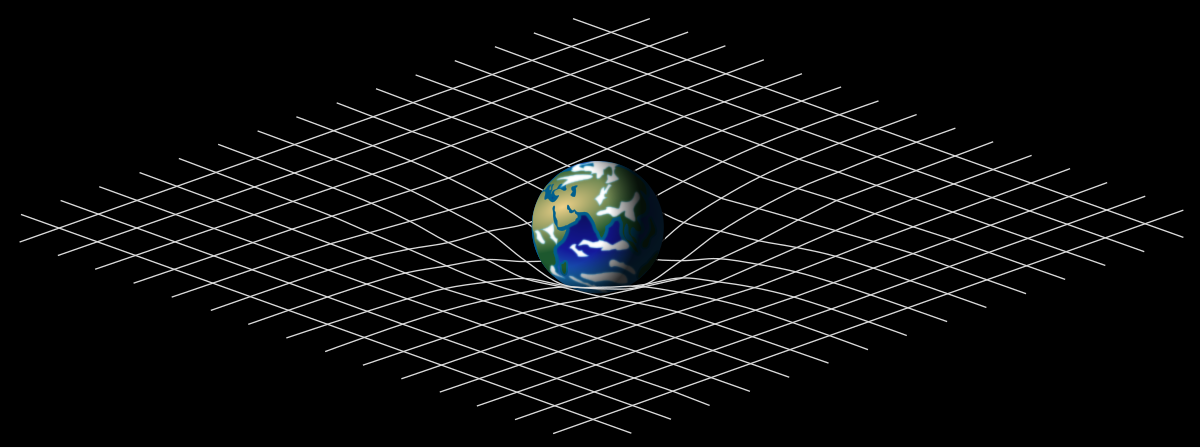
The theory of relativity usually encompasses two interrelated theories by Albert Einstein: special relativity and general relativity. Special relativity applies to all physical phenomena in the absence of gravity. General relativity explains the law of gravitation and its rela...
jk
ocean radish
Get vector Relative location?
lets you input a parent and a child location to get the relative location
ocean radish
pretty sure it does 😄
ocean radish
@golden kite Hahah my bad, its from the victory plugin from rama 😄
its free and well worth the pickup
golden kite
what is its name
ocean radish
victory plugin
ocean radish
lemme check for you
 supple dome
the ue4 built in function relative to that is InverseTransformLocation
void cobalt
probably in the unreal launcher marketplace right?
ocean radish
Unreal Engine Forums
Dear Community,
MIT Software License for The Victory Plugin ~ License (https://forums.unrealengine.com/development-discussion/blueprint-visual-scripting/4014-39-rama-s-extra-blueprint-nodes-for-you-as-a-plugin-no-c-required?p=1718286#post1718286)
I've decided to create my ow...
 viscid barn
Hi, I'm trying to get a select node to update which row of a data table is being called for a specific event but for whatever reason, the select just never updates, it always stays on the initial index I set it on, any idea why that might be?
(the index input does update, I checked it individually)
Edit: worked once I took it off the macro and made it a collapsed node instead
 wise raven
Hi guys can anyone explain on how can I divide my procedural mesh "sections" to get better performance, or can someone just give me an idea on how this section thing works. thanks.
wise jewel
i managed to make interfaces to work in a simple case.
so, i still require setting a variable, and have it to point to the right actor i want to send the message to.
i mean, it's very similar to say hey you actor, do this. the only thing is thtat the code to decide what the actor do is put in the target actor and not in the source actor, the player in my case.
ocean radish
@wise jewel Sorry did you need help with some thing or is a response to someone else?
wise jewel
i want to know if i'm understanding correctly
ocean radish
yep, thats correct, to call an interface event you need to know the actor you want to have the event happen on
wise jewel
so if i mix interface and event dispatcher i could get a system that works like this: i have a bell that anyone can sound, and whoever is listening could react to that bell
ocean radish
yea, they work the opposite way round in terms of what needs to reference what
ocean radish
yep, only 3 real ways for blueprints to talk to each other, direct calls, interface messages and event dispatchers
wise jewel
why ?
marble folio
They have a very speciffic use cases 🙂 the event dispatchers... most people will not need them 🙂 ever 😄
wise jewel
the example of the boss dying and other stuff happens around him for example?
marble folio
not dispatcher
wise jewel
ok
ocean radish
I use event dispatchers for UI elements find there a good fit but not for much else.
marble folio
The actors who are affected by the boss dying are countable and well known/easily doscoverable, if you need a world changing event based on that...world manager 🙂
wise jewel
i'll have to get confidence with all those level blueprints, world controllers... player controllers...
ocean radish
I'm assuming you've watched the live training series about blueprint communication?
wise jewel
not sure when i need to use them or how to structure something yet
just scratching the surface
yes
but i found other video explaining better for my taste.
maybe because i'm still starting
well, i understood how to use them at least
documnetation itself is not very helpful
marble folio
yeah that is a definition of any documentation... not very helpful 😄
wise jewel
haha well no, other software's doc is actually explaining things
marble folio
@white lynx I do not 100% agree with that... there is a time for propper design and there is time for just "messing" around... the learning part is the time to just mess around and figure out how to NOT do things 😄
wise jewel
i do vfx, i use houdini and i always wanted to try unreal, and now i find this game logic is fun
marble folio
Hm I skip the documentation most of the time and go for the source code... 😄
I use the docs to figure out where in the source to find stuff 😄
wise jewel
same for me in houdini for some stuff 😄
to see how some things are implemented is better for me
but i have no c++ coding experience, i know vex, some python.. used to do mel with maya...
so for now i'll stick with blueprints, i still need to understand basics of games
marble folio
that is fine.. 🙂 stick with BPs as long as you can 🙂 they are powerful tool for learning
wise jewel
well ok, thanks a lot for the help, i keep doing tuts and testing out stuff
 tight venture
Anyone know how to set the default font size for comments in blueprints? Right now it defaults to 18. I Googled for this and it told me to change the "small font" in the project settings, but that had no effect...
 loud cipher
How can i make this ship more floaty, right now its to sharp and abrupt, i want to make the user feel as if its actually floating
What can i use to achieve this?
Thanks
tight venture
@unique flicker The child is a parent.
e.g. Vehicle -> Tank, and you spawn a Tank, you're still technically spawning a Vehicle
so, to answer your question, yes. I do believe that should work
It may depend on how the event is fired, however. You may need a call such as this in place:
ocean radish
it will inherit the interface so will still be able to use it fine
If you want to use the same interface event, but do somthing else can just override the event
tight venture
What is the difference between these? What are these transform variables? I never set them up, so they must be automatically generated...
 tough oyster
Hey guys N00B question but is there a way for one BP to call another?
tight venture
What do you mean, call another
tough oyster
Let's say I have a BP that has a common behavior (equiping a weapon)
Then another BP tries to fire my player weapon, and when it's out of ammo it will equip the next weapon in inventory
I'd hate to move all that behavior into the firing BP
tight venture
Well, it sounds like you need a parent class with an interface
Any behavior that two or more BP classes need to implement, it's a good idea to make it an interface of the parent class
That way, when you call EquipWeapon(), it will fire whatever implementation is appropriate, depending on which child class called it
ocean radish
@tight venture Trasforms just hold all 3 of the others in container, so if you break a transform you would see a location a rotation and a scale value in it
@tight venture if your talking about what relative is, is a childs location in relation to a parents so say if you moved something in world location to 0,0,0 it you be at the center of the world, if you moved it in relative space to 0,0,0 it would be moved to the center of the parent pivot point. if that makes sense
tight venture
okay, so it's just a convenience set up so that you don't get access to rotation, scale, whatever, if you don't need them. gotcha, thx
ocean radish
@tough oyster you just need to get reference to that other BP somehow then you can either call events directly on it or use a blueprint interface for more general events, if you check out the unreal youtube channel theres a live stream about blueprint communication worth a watch if you get chance will help explain a lot
tight venture
is VInterpTo the only way to get actors to move smoothly from point A to point B?
trim matrix
Hey guys, is it possible to get a reference (variable) of a landscape in a custom blueprint? The landscape is available in world outliner and i created it manually
 sly mason
Question, how could I separate the tens and one digit from an integer like 60
 polar dawn
uhh, divide by 10?
ocean radish
@trim matrix If your creating it at runtime manually just get it to store a ref in somthing like the gamemode or state then you can use that to get the reference where ever you need it
Or you could use get all actors of class landscapes. and store that once at level load
 halcyon zephyr
Does anyone know how i can have custom events with the same name in different blueprints?
ocean radish
@sly mason if i understand you correct it would be
that will only work with 2 digit ints though.
@halcyon zephyr you can just set them to have the same name
sly mason
Thank you, Im basically trying to make an ammo counter with materials, I just created dynamic material instance and im trying stuff from there
ocean radish
@tight venture you could use a timeline to do the movement which uses a curve so could get a bit nicer result
@tight venture plus that gives you access to other cool stuff like reverse stop and play from times
trim matrix
Is there any way I can enable and disable cull distance volumes in blueprint?
ocean radish
@loud cipher depending on what you want to accomplish you may want to look into leveraging behaviour trees, they are really useful but its another thing to learn
loud cipher
anyone know how i can make my mouse movement rotate the character? like a top down game?
trim matrix
hey guys did anybody already use "Editor Apply Spline" and got it working?
nothing happens to my landscape I want to adjust to a spline
tight venture
@ocean radish Thanks. Yeah, I think I'll try a timeline. So, those are the only two methods of smooth movement?
I guess, why else would you need any other method...
loud cipher
anyone succesfully got the twin stick shooter template to get the player to rotate based on mouse x movement?
ocean radish
@loud cipher bare with will open an old project I had using topdown mouse rotation
trim matrix
Hi! I´m using mouse x to give me a value for speed for an object. But I want the “last” value from the mouse to keep firing until I move the mouse again and give a new value. How do I do this in blueprint? Is loop a good way?
ocean radish
@loud cipher thats how i did it in a project
@trim matrix your using mouse x axis to fire an event and want it to continually fire the event when its not moving using its last value?
@trim matrix you could use the xaxis to set a variable, then just use a timer or tick to perform the event
 zealous moth
@trim matrix if x axis != 0, set x-axis var
trim matrix
@ocean radish the mouse is my throttle control for a boat. I want to set the speed with mouse moment. So if i move the mouse 2 times the boat shall increase speed two times
zealous moth
that sounds like the worst control scheme ever
ocean radish
problem you have is with mouse axis events they fire constantly as fast as they can when you move the mouse, there basically on tick you would have to do somthing like an increement of a var and use that to set the so if mouse x is >0 increement var if < decrement
are you trying to lock it into positions like full speed, half speed, stop half reverse etc or have it in a scale so can be at any point?
halcyon zephyr
https://gyazo.com/21be38a99d4bbd790d2b565f149f6947 https://gyazo.com/d5d00d689f25f6fa7ec9327a595c6e91 Why can't the client shoot??? 😢

 trim matrix
@ocean radish i would like it to be in scale
@ocean radish i´m using the OceanProject so i have to implement it here i think
@ocean radish can i store the value and keep sending it some how (my scripting knowledge is the worst)
ocean radish
somthing like that will need to mess around with the numbers, and will be very difficult to actually get to 0, so will have to improve on it adding dead zones or somthing
then call your boat move on tick, I do agree with Zanet though seems like a very odd movement system, but ofc your game your rules :d
and feed it the throttle var
might be mouse y too for up and down
trim matrix
@ocean radish thanks!! i will try this. the mouse input is because that i have an idea to take an old optical mouse dismantlement it and take the optical senor and put it in a real control stick for boats. but i might have to reconsider if it wont work.
ocean radish
@trim matrix you would prob be better off using a joystick 😄
trim matrix
@ocean radish when i got an idea i have to pursue it......not always a good thing 🙂
ocean radish
@trim matrix can't blame you, do the things you like to do
trim matrix
@ocean radish have to go, see ya and thanks
ocean radish
no worries, gl
 ripe plume
yo, i've been pondering this for a while now, but does anyone know how to handle simple delayed jumps?
just to the point where no one would be able to immediately get back in the air after just touching the ground
i've already looked online and there hasnt exactly been anything detailed on that afaik, so if anyone has any idea on that and wants to share that'd be aight
 ashen edge
Hi guys I've made a player ability class and I'm in the early stages and just testing features and for some reason the anim montage isn't playing but all of the prints successfully print out the correct statement, The animation is set to upperbody btw!
 carmine thorn
@ripe plume That would be pretty simple to do. I'd just save the time of the last jump and run a branch at each branch attempt to make sure it allow a jump within a certain limit. Use Get Game Time in Seconds to save and check the time. it's a float. To check it just take your saved variable - Get Game Time in Second
If you want it saved the moment you hit the ground you'd have to run it through the movement component, ideally in the animation blueprint or something that runs a tick that won't overwhelm the cpu call stack as there is no event for 'landed'
@ashen edge Have you hooked up the montage in your animation blueprint?
ashen edge
@carmine thorn Yup, super annoying haha
carmine thorn
@ashen edge That's odd then. if your prints are running it should be doing something at least
Is it possible you created a duplicate anim BP and forgot to set the right BP on the character mesh?
I had a student who did that once
It's an easy thing to miss
ashen edge
The Anim bp is set correctly as I can see the sprint anim as well as see my jump animation in effect
really weird
carmine thorn
Can you show me how you hooked up your montage in the Anim BP?
 old lance
I'm spawning and attaching Thruster components to mesh sockets.. if I use automatic attaching with a transform the thruster works.. If I use it as in this BP.. the thruster is not working.. seems to be only when I directly attach the component to the mesh socket that it stops working.. the particle component works no matter what... any thoughts?
carmine thorn
Is there any reason you can't preattach the thruster to the mesh and just enable and disable it as needed?
You might want to snap to the socket if you are attaching via BP
ashen edge
@carmine thorn So i think I found the problem in my montage there only exists 2 slots, the tutorial I'm following has many many more. Im using the default maneequin btw.
carmine thorn
That might do it.
ashen edge
And the person running the tutorial picks UpperBodySlot
where is I only have upperbody
carmine thorn
I can recommend getting some of the free EPIC paragon characters as they have montages set up properly and it might serve as a useful reference
ashen edge
Thank you I seen greystone itll server as the knight! haha Thank you very much !
zealous moth
is there a way to lock the pose/animation in a skeletal mesh character with a BP?
other than time dilation
carmine thorn
Yeah, you can just set the mesh to use a specific animation asset
old lance
Is there any reason you can't preattach the thruster to the mesh and just enable and disable it as needed?
@carmine thorn it's a skeletal mesh.. so it would be nice to have the thrusters follow the mesh..
carmine thorn
Well yeah. just attach them to sockets
old lance
yeah pretty much.. just can't figure out how to make the thrusters effect the character now
 deft ingot
Hey, (relatively) long time member, first time messenger. I was wondering if anybody is pretty good with Blueprints that could help me with something?
I'm working on a waypoint system, essentially like Diablo 2.
This is what I've got so far.
I also have an Enum with a list of the different Waypoints that you can go to. I'm trying to figure out how to hook up the Enum to the Widget so it will populate the Text Fields on the buttons and transport the Player Character to the selected Waypoint when the corresponding button is clicked.
 jovial elk
So I was asking in another chat and they said maybe i should try asking here xD
but lets say (and im playing an old fan game sonic souls) that uses this engine
and I enabled cheats and all that, If i wanted to change from lets say sonic to knuckles INGAME, if i were to use the console commands what would that be
basically switching from one model to another
is it the one that says Avatar [Classname] ?
 still lily
anyone know why changing my agent radius for Navmesh does literally nothing? XD
it generates a "recastblahblahblah" which has some default crap in it instead of using my project settings and if i delete and rebuild it just regenerates a default recast crap again xD
even if i try changing recast settings instead it temporarily works in editor but as soon as i hit play it doesnt use it anymore and rebuilding leaves old one and regenerates yet another recast so then i have multiple 😦
deft ingot
@jovial elk If you want to change the character with different Mesh, Animations, Abilities and so on, you would probably want to change the Character BP or Class you're using for the character, not just the Mesh.
Oh, it's a fan game. I'm not sure about that.
 glossy canopy
So I’m new to Blueprint and coding. I’m currently working on making my character move with WASD. Which I did. I am now working on getting the character to follow the cursor he doesn’t. He just moves all weird.
Jk. Figured my mistake lol
 marble tusk
@covert stirrup This is what I was talking about the other day. I think this was added in 4.24. Right clicking on a spline point in the viewport gives some new options. One of the options is a Spline Generation Panel where you've got options to generate some basic shapes.
 pure heron
Is there any way to attach a component by component class?
For example, here I'm attaching a component BPC_Bounce. But how do I make that BPC_Bounce into a variable?
jovial elk
@deft ingot but is there a general console command that can swap a mesh even if it dont have same abilities etc.
like a while back i used to play a star wars game called jedi academy and in the console command you can just type in "playermodel nameofmodel" and it works...and that was a way weaker engine and almost 20 years ago so im suprised something as advanced as unreal engine doesnt have something similar to that
deft ingot
Oh, yeah. I see what you're saying @jovial elk.
I would think that would be there.
@pure heron Can't you just Right Click on the Return Value and Promote To Variable?
pure heron
That would promote the projectile reference. I need the component I'm attaching to be a variable.
deft ingot
Dur, urrrhhhmmm, I dunno.
glossy canopy
What is the definition of Mesh. Sorry. Just started to learn
pure heron
Mesh = 3D model without textures or anything
glossy canopy
So if the character is a mesh. And you add a “skin” is it no longer a mesh?
deft ingot
Oh, that one's easy. It's the visible model of something. It can be a Static Mesh that is just that, static or a Skeletal Mesh that has an Armature that can be animated in complex ways.
No, it's still a Mesh.
pure heron
If you add a material to a mesh it's a mesh with a material
If you pour gravy over your potatoes, it doesn't stop being potatoes
deft ingot
The skin could just change the Material applied to the mesh or it could change the Mesh and Material but you'd still have a mesh.
glossy canopy
Oh ok thanks
deft ingot
Mmmmm, now I'm hungry.
glossy canopy
Have you guys made any games in the past?
sick sapphire
like 1 small game
I have a bullet that uses overlap, when I shoot it towards the cylinder, why doesn't the print string print the name of the cylinder and instead prints the name of the Skeletal Mesh?
 surreal peak
Probably collision settings? Iirc that's also not how you check for headshots
@sick sapphire
sick sapphire
@surreal peak collision on headshot cylinder thing: overlap all
skeletal mesh: block all
bullet: overlap all
it seems to only work if it hits on only the headshot cylinder but not the mesh
i tried to use bones but i think overlap doesnt give bones in the hit info?
surreal peak
It does, that's what the Sweep is for
Headshots are usually done via the PhysicsAsset of the SkeletalMesh
That needs proper collision setup for the important bones
And that hitname for the bone should be part of the sweepresult
sick sapphire
@surreal peak ah ok ill try that hold on
bone name return is none though
hit component is SK_Mannequin
deft ingot
Btw @sick sapphire I'm working on a game project. Never made on myself.
glossy canopy
What type of game?
 native dust
Well I made a small 3d platformer hehe
native dust
no one bought on itch, might give steam a try but im not expecting much, maybe only for the experience
deft ingot
Well, it's something
native dust
It's called slip n' flop, if you want to check it out hehe
I'm now working on a strategy game
deft ingot
Got a link?
native dust
I'm not sure what the rules are about sharing that stuff here, might get some one angry for self promoting
 green crypt
can't figure out why this variable won't set
deft ingot
I'll look it up.
green crypt
it was originally a variable from gameinstance, but made it local and it's still refusing to set
deft ingot
Strategy game sounds cool.
native dust
yeah, it's an insane step from a platformer but Im going at it
surreal peak
@sick sapphire Hm, how are you moving the actor?
@native dust You can share your work in #work-in-progress , or when fully released, in #released .
sick sapphire
@surreal peak bullet is projectile movement
the actor getting shot does not move but has a character movement compoment
native dust
thanks @surreal peak
surreal peak
Strange. It should give you the BoneName.
glossy canopy
I’m attempting to make a Diablo style game haha
deft ingot
Nice Flacyd. I'm actually trying to make a Waypoint system similar to Diablo 2.
native dust
pretty cool
deft ingot
I'm waiting on a reply from someone in another Discord so I can hopefully get it working.
native dust
what are you trying to do with waypoints?
deft ingot
Just get the stupid thing to work. I posted a short video of my progress above.
native dust
I have to work with a huge nav mesh on a huge map, I've found that I cannot use dynamic nav because actors have to go from one side of the map to the other
Hey, (relatively) long time member, first time messenger. I was wondering if anybody is pretty good with Blueprints that could help me with something?
@deft ingot this one?
deft ingot
Mmmm, that sucks. I'm not knowledgeable with nav meshes. Heck, I'm pretty much at noob at most of this stuff.
Yup! That's the one.
2 below that post.
native dust
It's ok, I am too, but i've learn a great deal just working on the strategy game
trial by fire haha learning as I go
sick sapphire
@surreal peak strange, it does work when i use linetracebychannel to debug though
native dust
Mmmm, that sucks. I'm not knowledgeable with nav meshes. Heck, I'm pretty much at noob at most of this stuff.
@deft ingot It's ok the only drag is that it takes a long time to load the map in the editor, on a cooked build it loads up just fine
deft ingot
Hmm, weird.
native dust
hey does anyone knows if there is a way to make a spline work with a nav modifier? or do they only work with collision components?
Im looking to add navigation cost to a spline
sick sapphire
@surreal peak nvm i just made a horribly convoluted system where the bullet would shoot out a short line trace
glossy canopy
is their a template that shows what size the graphics need to be on everything? like say shooting a projectile. whats the size it needs to be?
 sand hill
I can't for some reason move my character. I have this set in the Character class. I can look around, but not move. What gives?
I googled everywhere but I can't find anything relating to my problem. There's also no gravity, which my character is supposed to have.
 hybrid topaz
what does min and max actually mean in make box?
 vivid quail
Hi, I'm trying to make my ai spawn from ground. When I use the component move to on mesh and have it going upwards it works fine single player but on multi they raise up and just stand there. Anyone have any ideas?
sand hill
Holy fuck after several hours I finally figured it out. I had the gamestate set to "GameState" instead of "GameStateBase"
Really confusing and had to watch a youtube video to explain it to me.
 stable plume
I have a widget switcher with 5 choices and a load of buttons in each choice. I am thinking of using a new graph for each choice - how does it work? Should I put the button responses down in the primary graph and then just cut/paste them to the new graph? Does unreal keep track automatically of where everything is or do I need to do something more? Can't find any videos on this
glossy canopy
On the top down game. Can you only have that default camera angle?
Jk. I’m just a noob and should have messed around more lol
 maiden wadi
@hybrid topaz The Min Max in the make box are vector points in space. You can draw any eight point box using only two points in 3D space
@stable plume New graphs are just for organization as far as I know. With the way it works, I'd assume that when the blueprint is compiled down it likely treats everything in different event graphs like there's just one graph. You can move them between graphs, call events from different graphs, etc. So whether you use different graphs is just a personal organizational choice mostly.
stable plume
@maiden wadi yer that is why I want to use them - to keep it organised and easy to return to and understand. So I guess I'll give it a try. Thanks as ever!
glossy canopy
On making a double jump is their a way to set a cool down? Like say after double jump you cannot double jump again for 5 seconds?
 brave citrus
anyone know why if I launch in stand alone
https://gyazo.com/d8139321df37561dd90f7173d8d29c40
this would sometimes cause the widget to get stuck on screen, but the player will have full control?
this is called in the widget
 maiden wadi
@glossy canopy Easiest way is to set a timer by event or function name. Set a bool to false when you successfully double jump, and in that event that you're calling after the timer, set the bool back to true, then on your double jump put a branch in that checks the bool. If true allow the double jump. Set the timer to your five seconds and you're good.
glossy canopy
Sweet thanks
maiden wadi
Anytime.
 honest forge
Hello, i am trying to implement swimming into a third person character project. I have setup underwater swimming when the character jumps into a water physics volume but would like to know how to setup surface swimming with a different animation to the under water anim. Any suggestions?
maiden wadi
@brave citrus Hard to say. Where are you calling that event from? My initial guess is that you have multiple versions of the widget. So closing one gives back control, but a second widget gives the illusion that it never closed.
 maiden wadi
Well, being a local controller should only call that once. Can you make another input key really quick and just do a get all widgets of class, and print out the length before and after removing the widget from screen?
brave citrus
The thing is that is only gets stuck sometimes
no everytime, which is the confusing part
and so far almost all my in game widgets that open and close now do it
trim matrix
is there a node for removing one widget
maiden wadi
@trim matrix Remove From Parent.
trim matrix
thnaks
heavy lion
OK. Every time an event fires in one blueprint I want it to fire in another. Interface?
maiden wadi
@heavy lion Dispatcher
heavy lion
Allows a Blueprint Class to report on its state to the Level Blueprint.
Just reading this. Its only mentioning using it in one blueprint and the level blueprint. Not just another blueprint
maiden wadi
@heavy lion Do your two instances of the blueprint have a way of referencing one another?
heavy lion
Not that I know of. They are just two classes based on actor
maiden wadi
How are you spawning them? And what are they for?
heavy lion
They are placed in the level.
One actor controls the calendar, day and night system. Updates the rotation of the sun and moon.
The other is a weather controller. It will just alter material properties, spawn particles and such
maiden wadi
Your easiest method is going to be Direct Communication then. Which one is the one that fires the event and which one receives it?
heavy lion
The one with the calendar. I wanted that to fire off an event every two hours. The event should be triggered in the weather blueprint
 fallen glade
Does anyone know what is the best way to connect the post processing volumes of the game to settings ? Do I have to manually send a change to each one everytime the options are changed by the user ?
maiden wadi
@heavy lion So, in the Calendar, set up a variable that is an object type for your weather blueprint. It needs to be Instance Editable. Then you can click on the Calendar one, it'll have a "Defaults" variable area in the details. You can click on the little dropper and select your other blueprint to set the reference up.
heavy lion
Thats not a bad idea actually
I already know how that jazz works. I use it for other stuff that exists in the level
halcyon zephyr
@maiden wadi could you check dm for 1 second?
Hey guys, I'm following a course in which the mentor does the following: https://gyazo.com/974e9d48acd5fc1b6c072bc06513f56c So i tried doing this: https://gyazo.com/e914ea8615f4cd53a2256d09a2fe05f6 https://gyazo.com/ed08570de5ad8ed0d6a966fe87865340 but this didn't seem to work. Any idea what i'm doing wrong?


 trim matrix
How can i get this ina structure
 tight schooner
@halcyon zephyr can't comment on the #cpp but you haven't set a target for those Fire function calls. It wants to know which BP Rifle actor to call it on.
ashen edge
Hey guys Im creating my blueprints exposed from cpp classes and when I search for a blueprint two blueprint classes appear have any of you guys seen this or have a fix?
Ive created a cast too test and they are two seperate classes that cant be interchanged
maiden wadi
@halcyon zephyr Honestly, I strongly recommend that you spend a few months learning singleplayer things and get a grasp classes and event/function calling before you go adding multiplayer aspects.
 weak hound
is there a way to like collect data into a database and when i need to pull stuff out of it? so like i have two variables - days and infections and after i click on a button the day passes. is there a way to save the infections at the end of the day and that day somewhere so i can later pull out of data from that database?
 round idol
@weak hound Afaik, you can't write to data tables, they're read-only. However, you can have array of structs or a map which stores your vars, and you just add one more element to the array at the end of the day with the desired info.
ashen edge
Really weird thing about it, is it lets me access variables but then gives me a error when I try and connect them saying there incompatible
 frozen spear
@trim matrix you create a blueprint structure and add a new variable... And type "texture2d" it show show up as a type for you
trim matrix
thnkas
halcyon zephyr
My client can't see the shooting, only the server can. Am i supposed to make the startfire funciton multicast? https://gyazo.com/06b0fa82b44aeda27d4cf827ceb7978b


 hazy igloo
What is the better solution to control a "tick gate": An interface or a boolean in the game interface with a branch?
zealous moth
is there a setting i can tweak to get the navmesh to connect?
@halcyon zephyr you should multicast from server and call from client to server to multicast the event
@hazy igloo what is it you are trying to do? if tick is a must, i'd do a bool; if it can go lower than tick, use a looping timer
hazy igloo
I want to implement a ticked turn based system: I want to use a UMG button to stop the turn for all actors.
zealous moth
ticked??? as in timed? like chess turns?
hazy igloo
Like in Neverwinter Nights
trim matrix
could you give an example
lets say you have 180 seconds a turn
and you want to finish your turn earlier or smth ?
hazy igloo
NWN used time for turns. 6 secs are one turn. I don't use time, I use ticks. But I want to stop the turn by the UI. So you can change commands for the actors as example
zealous moth
you're better off using timers instead of ticks for several reasons, such as lag.
hazy igloo
@zealous moth Yes, this can be true.
zealous moth
the other reason is performance, on tick you're demanding every frame for a computation; using a timer on a 1s interval reduces your load up to 30 times
hazy igloo
But how can I stop all my units in movement?
 teal spade
Hey y'all, been trying to crack a problem for more than two days now, and thought to ask, if someone could tell me what I'm missing. I've an actor placed inside a level, pointed at a camera, then turned into a 2d texture, to finally become a cursor. Now, the issue comes when I add a variable to the actor's BP, which I'd wish to call for its animation (from an interface). Must be missing something really simple, but for some reason the interface message does nothing (although I can see it getting data I think), when I try to call it inside the animation blueprint. Check out the image for more. Any ideas?
hazy igloo
@zealous moth I will try an other approach. Thank you for your help
zealous moth
@teal spade your message has to be sent to your actor anim bp, not self
@hazy igloo make their movement either get checked on a timer or using the AI controller, stop their movement tasks
teal spade
@zealous moth and how can I do that? can't find a target object for that
zealous moth
first hit on google: https://docs.unrealengine.com/en-US/BlueprintAPI/Components/SkeletalMesh/GetAnimInstance/index.html
Get Anim Instance
round idol
Can someone see any problem with this function? It sometimes returns infinite loop. it's an initiative roll for a NextTurnEvent for turn-based game mechanics.
teal spade
@zealous moth still nothing
zealous moth
@round idol how in the world does this even work?? you remove map keys and then... what? no more keys?
round idol
@zealous moth 😂 yes
and only returns infinite loop in certain situations ...for some reason
zealous moth
so how do you remember what the initiative was? you rebuild it?
@teal spade then somewhere in between you are not connecting a step. Add print strings between all your steps numbered 1 to x
teal spade
@zealous moth I've noticed that the actor's event tick stops after a few milliseconds, after launching the game
never seen such a thing
thought it was only just a bug, as the editor not always capable of showing the active progresses/lines of code
round idol
@zealous moth Yes, sry had to afk for a moment there. Yes, I repopulate it. If it's empty, I retake all living actors and remake it, then restart the cycle
@zealous moth But if it's not kosher, how would I go about it? 😛
zealous moth
@round idol well the only reason it may loop is the fact that you put a loop in it to begin with; your "remove" has a boolean to say whether or not it did anything. Add another branch there and if false, return an error and see if you can track it.
@teal spade how did you check if the tick stopped? did you put a print string right after tick?
teal spade
@zealous moth it stops printing the string, and can literally see that it stops (have windowed mode on), however I managed to make it tick continuously, by setting the Auto posses to player 0, instead of disabled. But the problem is still there... guess will have to tinker with this for a day or two
frozen spear
@teal spade is your mouse input being consumed by a controller
zealous moth
ah that's a good point
frozen spear
Also what is the type of the object
Cause only character and pawn can except inputs
Actors ignore it
Character and up....
teal spade
nope, check the consume option
pure heron
So, a seemingly simple problem – player picks up an upgrade, and now all of his projectiles leave pools of fire on bounce, explode on despawn, etc.
How to modify projectile's behavior? Simple. Add event dispatchers for bounce, for despawn, and call them. Then create some actor components that would bind themselves to those dispatchers and do the job.
Component's been added to the projectile, and it works. Thing is, how to do it on runtime?
Easy! When the weapon spawns the projectile, I get a reference to it. Grab that and add BPC_BounceFire and BPC_DespawnExplosion.
Now here's something I can't figure out – how to make them variable? Do I just chain branches if (hasBouceFire) AddBPCBouceFire(), if (hasDespawnExplosion) AddBPCDespawnExplosion()? I would hope not.
But you can't attach components by their class, you can't do it by a reference to them, the only way is those hardcoded nodes.
What am I missing?
 cunning lily
Are "gameplay tags" and "tags" the same thing or different?
frozen spear
But if you have a character or something else in the stage listening for mouse input it could be consuming it as resolved
round idol
@round idol Fair enough, i'll look into it 🙂 u right, I keep ignoring those built-in debug bools. I'll give it a try ty 🙂
teal spade
@frozen spear yes, but if I set the variable to 1, by hand, and just send to the interface, it still does nothing
I've a print node for the animation BP, to check if the variable went through the interface
so far nothing
frozen spear
@round idol why not a for each loop with break instead of that?
@teal spade remove the return node from the interface
round idol
@pure heron have you tried a switch? Make an enum var as default for those "effects". Get the var and run a switch.
pure heron
What if I need multiple effects?
cunning lily
Do I just chain branches if (hasBouceFire) AddBPCBouceFire(), if (hasDespawnExplosion) AddBPCDespawnExplosion()? I would hope not.
@pure heron Perhaps you want a Map that maps effect flags to effect classes?
frozen spear
Should just be the entery node...it enters with the info to pass along
Adding a return node makes it pass nothing along instead
pure heron
Also, I could map whatever to the component class. Thing is, you can't attach an actor component by class, far as I can tell
round idol
@pure heron No, you can't I had this problem when I was designing my own skill/ability system
teal spade
@frozen spear there's no return node anywhere in the bp
pure heron
There's AttachThisComponent() and AttachThatComponent(), and AttachMeshComponent(), but no AttachComponent(ActorComponent component)
pure heron
@round idol How did you solve it? If you did, that is
frozen spear
@teal spade
round idol
@pure heron Just transfered complex logic to BP actors and I spawn/despawn them accordingly - mostly data-only bps. Advantages are that you can have particles/decals/complex effects attached to them so...I just went with BPs
frozen spear
What are you doing there @round idol ...cause to me that screams for each loop with break
pure heron
I was afraid I'd have to do something like an array of classes that activate on bounce, and on bounce the projectile would foreach over them and activate them in order
That's a bummer
teal spade
@frozen spear you lost me there. whats there in the interface?
frozen spear
That return node
round idol
@frozen spear Yea, I'll look into it, just got caught-up here 😂 Sec, i'll get to work right away, ur right! 😛
teal spade
ok, no idea what a return node is then
frozen spear
The bpi should just be an entry node that contains the float to pass along
teal spade
yes, it has one input
cunning lily
@pure heron I think you can call "add component" with your component, it says "DO NOT CALL MANUALLY" but IIUC it's safe to ignore that from blueprints
frozen spear
Lol it literally saids "return node" on it
pure heron
I'll look into that, thanks
teal spade
oh, that. I didn't add that
frozen spear
Create a new function in you bpi...call it whatever, give it just a float as input
cunning lily
@pure heron or you could try adding all the possible effects and disabling them by default
pure heron
That seems like a performance nightmare
frozen spear
And add the bpi event for it to the bp
pure heron
And I might want multiples of each
cunning lily
yeah doesn't seem ideal
pure heron
Can't see a bare AddComponent anywhere
teal spade
@frozen spear I see, because I've been trying to make it work, it put that node there... sorry about that. However, creating a new one, and replacing the message and event nodes, did nothing
frozen spear
Ok repharsing
teal spade
: )
frozen spear
The message is sent to actors that use the bpi
In the bp youre sending it to itself
teal spade
yes, but now I switched it to anim instance > mesh
frozen spear
It would need to be directly targeted to the classes that implement the bpi
In your case the animbp...not the mesh
Add a variable of type animbp in your graph for the sender....set it to the animbp of the actor with a get from beginplay
Then at message send it directly to the animbp
You can also set in the graph of animbp
teal spade
hm
trim matrix
My unreal engine always crushes; anytips on how to make it work without force closing
frozen spear
Just store a ref of the animbp self on your player
teal spade
think the actor's class is messed up somehow
it was set to character, but changed it back to actor
frozen spear
Or use any method you know best... But the messages from bpi have to target the objects that use them directly... Not indirectly
Targeting the mesh that has the animbp will not send the message to the animbp
round idol
@frozen spear Ok, weird...I debugged it and I know what happens. Somehow, THIS (see SS) removes the KEY but not the VALUE...
teal spade
@frozen spear will try to make it work, somehow. thanks anyways!
frozen spear
That's all you're telling it to remove
round idol
So what happens is, the map is >0 but the entry is [none]>[# (value)]
@frozen spear
nope
or, the node description is broken (outdated/something)
frozen spear
So you're pulling the value and keys from the map and leaving behind garbage why don't you remove from the map itself rather than from the keys
round idol
I'm removing from the map itself man
look at the cord, the remove is connected to the map not the array, it just gets the key from the array
frozen spear
Chill dude, I'm still not even understanding why you're not using a for each loop with a break here... Kind of following through something you would never actually do is tough
But you would literally never do that like that
round idol
Chill dude,
@frozen spear Don't get me wrong, I'm not angry or anything 😂
 sand shore
The call to Remove absolutely does remove the value
My guess is that you had duplicate values (which is allowed)
round idol
I just don't see how I'd go about implemmenting a withbreak in this scenario. Break when actor is not valid?
sand shore
Or you get the value array and store that as a variable
round idol
@sand shore I do get duplicate values
The isvalid checks to see if the actor wasn't "killed" in the turn so it shouldn't exist in the map anymore.
But I guess I could just "report" it's death and remove it from the map during the turn
round idol
The only weird thing is that it only leaves that "garbage" behind sometimes. Most times it runs fine, so I'm wondering if it's not some kind of bug with the node...
Did you try the removecurrent node
@frozen spear didn't even see that node 😄
sand shore
I wanna see where you see that "garbage"
round idol
I'll run it again and hopefully get that. Lemme try and catch one 🙂
sand shore
Yeah RemoveCurrent is a nonstandard thing, never heard of that outside of iterators (that's C++)
sand shore
There's a limited subset of things you could do in BP
That's also why this function is O(N3)
Gotta loop over the map to get the keys, then loop over it again to get the values, ... and that's a direct lookup instead of the common pattern of then looping over the keys and getting the corresponding values.
round idol
@sand shore 5 times in a row and doesn't break...Like I said, It only breaks sometimes. The "scenario" is the same: 4 units, one dies in first turn, sometimes the loop breaks...I'll try some more xD
sand shore
sometimes it "breaks"?
What, you mean, you have a unit you'd expect to find but you don't? You get nothing back?
 vestal plinth
is it possible to use another actor's camera without depossessing the current pawn?
sand shore
Looking for SetViewTarget
vestal plinth
cheers
frozen spear
Youre also comparing for less than 0 on the map ...pretty sure a length of exactly 0 is empty
sand shore
!?
frozen spear
Maybe tou meant less than or equal
sand shore
That's not what I read there
frozen spear
Im on my phone
round idol
@sand shore Ok, sry, was still testing. 5 more tests and didn't break. By breaking I mean I get an infinite loop
frozen spear
I see it now...i should screenshot so you all can see what i see
sand shore
Indeed
sand shore
Yeah so I don't see that being infinitely looping
frozen spear
Is ue4 detecting it as infinite?
sand shore
Yeah that's definitely possible
frozen spear
Or are you actually seeing it
sand shore
If you go over a particular amount of "terms" without hitting any of a particular known set that have been whitelisted, the editor will freak out and say "Hurr, you've got an infinite loop"
round idol
What I actually saw during debug was [none] for key and 5 for value...
sand shore
Oh, yeah, that's okay.
frozen spear
Ok so you are actually seeing it
sand shore
That just means that your map was tracking a unit that got garbage collected.
It's fine, that's expected behavior when the unit is GCd
frozen spear
The ue4 compiler tends to be very very good at catching inf loops before they even have chance to run
sand shore
Yeah but that metric is pretty limited.
It'll find your inf loops, but it'll also catch things like this?
frozen spear
But is his unit being destroyed somewhere before this code runs?
sand shore
You'd need a large set of units
round idol
But I actually wenth through the loop like 5 times after and the key - obviously - didn't get removed since it didnt "exist" but still, the value was there in the broken map
sand shore
@frozen spear Yeah he calls Destroy manually. That's why it gets GCd and he has a nullptr entry
round idol
Ok, so it is sort of "a bug" in my exact situations and should just remove from map on dead
sand shore
I wouldn't say so
round idol
I report death anyway to the same bp which handles this function so I'll just add a remove from map there
sand shore
you can remove a nullptr entry by saying Remove(nullptr)
frozen spear
You could remove him from this units map before calling destroy
sand shore
That's probably wise anyhow
🤔 I wonder if you get this odd behavior because multiple units were garbage collected before this function ran
round idol
@frozen spear Yep, Doing that for buffs/other mechanics already so I'll just remove from map through that function so this one can run clean 🙂
sand shore
TMap probably makes assumptions about only having unique keys
frozen spear
Very possible...
round idol
Just wanted to understand so I don't use this type of functionality in the future 🙂
sand shore
Either way, later calls to Remove would clear it up
round idol
Anyway, thx alot for ur hlp and time guys 🙂 i'll just report unit dead and run this one clean. ty!
frozen spear
But removing nullptrs is pretty janky...you should handle it correctly...so you are never having to remove garbage yourself
sand shore
You're going to be null/valid checking anyway, even if you strive to keep it clean
(not to say that you shouldn't clean)
frozen spear
That's a nice safety net yes... But if he ends up with 20 to 30 different nullpointers each loop he clearly hasn't set up something correctly
maiden wadi
Do I need to do anything else besides specify a transition map, and set UseSeamlessTravel to true in the game modes for each map to use the ServerTravel console command?
loud cipher
i have this bp i made where my weapon spawns with the character, i made a menu and i want it so the player can choose his weapon on the main menu
how can i achieve this through widget bp3
i have no idea on how to start with this
Any help is much appreciated
 leaden crown
I would like to know this too, as my difficulty will be based off weapon choice (maybe)
frozen spear
You could spawn a "weaponbp" instead...make sure the weapons are all children classes of the weaponbp...from the widget using a stored ref to the player if its not attached to the player character...set the weaponbp on the character to the choosen gun
Make sure to do an isValid before spawning weaponbp tho
loud cipher
I have made a weapon base, which contains all the data and variables, and the rest are children of this, i would spawn the base?
1st or 2nd image?3
 civic ridge
you can also look in to game instances, in you menu you you can store it here then when you load the new level you call the weaponn form your game instance
frozen spear
You make a varible on the char of type weaponbp... in the menu you set "riflebp" which is a child of weaponbp
frozen spear
Add a variable to playerchar...of the base class of weaponbp
loud cipher
Yeah got that
frozen spear
Then make a guns out of weaponbp by right-click create child of weapon
loud cipher
Yup
frozen spear
Then where you spawn it...plug in the weaponbp variable from the player
After an isValid?
Then in menu, you store an array of weaponbps
Based onnthe clicked button or page or however you handle you menu...have the menu "setweaponbp" on the playerchar
To one out of the array of weapons
loud cipher
frozen spear
Which you populate
loud cipher
Is that picture correct?
frozen spear
Take the weaponbp variable from playerchar and get it...drag off and type spawnactor
You want the version that spawns bp actors
frozen spear
As long as that is using the ref of the weaponbp you set as a variable on playerchar yes
Otherwise no
frozen spear
The menu can set weaponbp children as you need on to the playerchar at clicked or selected buttons...or whatever you choose
loud cipher
yup
frozen spear
When he spawns in it will create the weapon
frozen spear
You should do isValid? Check before attempting to spawn it tho
loud cipher
Oh yeah
frozen spear
Here you would grab the playerchar....and castto his class if you havent yet...then as playerchar---- set weaponbp .
loud cipher
i have already set weapon bp?
frozen spear
Youre not setting it on the playerchar
The player needs that variable
And from the menu you set it
loud cipher
do i cast to weaponbase in playerchar?
frozen spear
Is your character a weapon?
loud cipher
No
frozen spear
Is reference the player pawn?
loud cipher
No the reference is weaponbp
frozen spear
(thats a terrible name for that variable)
Have the menu grab a reference of the player pawn...then cast it to thw player pawn class...then as player pawn class set weaponbp variable
frozen spear
Now plug in the weapon of choice there
From an array of "weaponbp" type....
You should fill it with bp guns that are children of weaponbp class
loud cipher
do i have to cast to them in the menu to get the weapons then?