#blueprint
402296 messages · Page 453 of 403
 trim matrix
 tight venture
I come from a long background in C++. I liked the BP system, though. I wanted to familiarize myself with it so I could ease my nephew into programming via BP, but I am starting to run into too many issues, not being able to do certain things that are easily done in code.
trim matrix
@tight venture i fully agree with you and i come from c# and unity so i'm at the disadvantage of not knowing C++ but i'm really hoping to release the game i'm working on now to help with me only earning ~$200 a month (before COVID-19, it's now $0p/m) and once i've released this game i'll drive head first into learning C++
tight venture
C++ is a beast of a language. It's huge. Helps to start with C, IMO, but I know that opinion is... debateable, to say the least.
 true marsh
How big of an enum is too big, typically?
tight venture
um... that's a weird question. There is no such thing as "too big of an enum", but it might be a code smell if you use them a lot and they're all really big. Most the time, when I used enums (pretty rarely) in my code, they never exceeded about 4-5 items. But that doesn't mean that using an enum of say, 128 things, is necessarily bad. Just unusual.
a lot of really long enums is something you'd see more in C code, not so much in C++
true marsh
I see I see thanks
trim matrix
@tight venture i do agree it is a beast, i see C++ and C# as the best languages ever (for what i'll probably ever program) but like you said it's huge and so is unreal engine 4 and i dont even know the latter very well IMO
tight venture
I know a lot about C++. Very little about UE
trim matrix
wanna trade? i'd prefer knowing C++ over UE
tight venture
@true marsh Describe what you're trying to do or give some code snippets and I may be able to help you out further
Haha. I learned C++ in college, and then over the next 5 years or so, building and maintaining a networked rendering program for an IoT business
C++11 was a huge milestone. Don't write pre-C++11 code IMO
true marsh
If was setting up a enum for all stats in the game, all resists, attributes, crit/dodge/block, regen values if it would be better to have them categorized or if its fine to have them lumped in to one big one
tight venture
That doesn't sound like what you want an enum for
tight venture
you want an enum for cases where there are a finite number of variations of something. Like COLOR {red=0, blue=1, etc...}
tight venture
yep
 magic cosmos
or climbing state
tight venture
^
magic cosmos
Cali help me rq
trim matrix
@tight venture lol i learned c# cause of unity i was like 15 and boy did i struggle, heck i still do makes me kinda sad actually cause that was 5 years ago and i feel like i barely know anything, never learnt any programming in school either, weren't many schools teaching programming then
tight venture
states are actually what they're probably used for most often. good call @magic cosmos
trim matrix
tbh i kinda miss Unity a bit
magic cosmos
I came here so i can finally use my knowledge of c++ for something
tight venture
I love C++. I just got used to it. Very flexible, but easy to get yourself into some messy rabbitholes if you don't plan out your design beforehand
magic cosmos
c++ is the alpha language imo
trim matrix
i was more useful one unity😆
tight venture
sec
magic cosmos
alr
tight venture
well, what is the error message
trim matrix
a pointer event i think
tight venture
hehe k
magic cosmos
or mouse y
tight venture
yeah, like I said, I am bad with blueprints. My comfort zone is in code, so I was gonna try and help but you'd need to start with the console output, from the error message
magic cosmos
oh
trim matrix
lol i need more programming and game dev knowledge to really go down those rabbit holes of C++ heck i first need to evaluate hoe much i actually know about programming or game dev because i don't even know where i stand with that i'm self taught and communicating with other devs is actually a new thing for me
magic cosmos
same im bad with bp also
well its easy tyo udnerstand
its just finding what does what
tight venture
anyone care to weigh in on my question I posted in #design-chat ?
trim matrix
maybe we can help each other i can teach what i understand and know about bps and you guys can help and teach me c++ lmao
tight venture
sure 🙂
I am actually seriously considering trying to convert my current project to a C++ one instead of BP... It may even be worth just restarting the whole thing (I'm not far into it yet), cuz I can't really find a simple way to do this
magic cosmos
how do i make a float negative or get the inverse of it
trim matrix
multiply it my -1
trim matrix
@tight venture it may save you headaches later on right now i'm converting one of my old projects from c# in unity to bp in UE and boy is it a shit show tbh
@magic cosmos haha lol i got 14% for my finals in maths in high school so trust me you arent dumb we all have brain farts esspecially in programming we try over complicate things
tight venture
There are just certain things you simply can't do in BP. Like the reason I came into this channel about 30 min ago: I wanted to be able to create a public static class variable and found out (I think) it's not possible in BP
brb eating dinner
trim matrix
yeah i've also have many issues like that, like bp can't create multidimentional arrays
tight venture
yeah, all you have access to is single-dimensional arrays, sets, and one other data structure
magic cosmos
mines got canceled because of corona
so this is the math im doing to make my camera go up and down right

and for the horizontal rotation it works
but it doesnt work
for vertical
trim matrix
u guys took finals?
@magic cosmos hahaha high school finals/grate 12 if you are american
mines got canceled because of corona
@magic cosmos oh now i see lol
trim matrix
lol i realized what you meant just before you sent those messages at first i thought you made a joke like "wow you guys took your finals" like you failed or dropped out before then
magic cosmos
oohhhh
trim matrix
you guys write finals at grade 12 right?
magic cosmos
uh idk im grade 9.
trim matrix
aaah so you're 15?
trim matrix
damn son you're turning 15 and know some C++ already thats hella good when i was your age i just started learning c# and unity
and tbh i dont think i've made much progress since
magic cosmos
yeee my motivation was all the ass games coming out so i decided to just make my own
and the thing is i wanna make game developement a career but .... idk how i would get into a company and stuff
But like ive watched a lot of videos and people make it seem ahard
to get into the game industry but ig ill see in the future
trim matrix
hahaha lol i just had the random thought of "i wonder how games are made" and before google even finished loading the search results it basically hit me that i wanna learn this and make it my passion
magic cosmos
Vamp...
trim matrix
yeah?
magic cosmos
i scripted in roblox and that taught me alot of math work and stuff
so like if u wanna make progress ig u can try doing that so like u know how its like to release games and stuff
trim matrix
i agree getting in is the hard part as many people dont even know how to get in but it seems this discord has that covered too
magic cosmos
oh
with the hirhing
channel
ye i wanna learn also so i can make a few projects to show when i go into a interview and to start making money as a indie dev
trim matrix
i've never played roblox or even really seen it, i was on the side of minecraft knockoff lol and never heard of it or played it
magic cosmos
o
its boring now
3-5 years ago the games were fire
and i started with unity then roblox then i find myself at unreal now
trim matrix
#career-chat and #industry-chat are also good for learning about getting a job
magic cosmos
i just wanna get into cinematics already i wanna be pro at unreal and start my rpg game
trim matrix
i've tired many engines like the old game maker (back before you could make a 3D game with it) and went to unity and now Unreal
magic cosmos
o i heard about game maker
trim matrix
@magic cosmos goodluck, i've never finished a project of mine, always used them to learn and try new things
magic cosmos
u to bro
 ripe turtle
How would i make it so print string is triggered immediatly after the animation finishes?
 upper otter
Is there a Event anywhere for when a user is Disconnected from a Server?
 faint bolt
Any clue why is this happening? Everything is replicated by blueprint and ONLY client is actually doing this, host has no problem!!
If someone can't open the MKV mp4 is here, thanks.
tight venture
@ripe turtle What type is that "In Animation" input? Can you include in the picture the stuff to the lower left?
ripe turtle
its a get animation
its a 1 second animation to make a progress bar go from 0% to 100%
@tight venture
tight venture
well, it looks like your animation stops down in the lower right there. Why not print the string right before you return from the function?
ripe turtle
i want to do it right after the animation is done. im not going to have it as a pring string forever i want to do other stuff i just want to know how to tell when the animation is over
so everytime it is done it loops and repeats as long as im holding e. everytime it loops i want print string to be triggered
tight venture
does it have to print the string at a certain time of the animation loop? what about printing it before the animation instead then
when you get the 'E' input
ripe turtle
everytime the animation is done and then the animation restarts
as long as im holding e the animation will loop forever
tight venture
and you want it to print every time E is pressed? How about making a new event when E is released? and then print it then
ripe turtle
no i want it to print everytime the animation is looped
ripe turtle
i was thinking maybe have a 1 second timer start everytime i press e and then have it loop until i release e but i dont think you can cancel a timer once you start it.
ripe turtle
it prints repeatedly as long as im holding e
all i need to know is how to figure out when an animation is done and is now looping
tight venture
I am sorry, I don't really know much about using animations in UE. I am an experienced programmer, though. It looks like that "Stop Animation" execution path would be taken when the animation is finished, but you're saying that that is only reached after you stop holding E, and multiple animations may have been executed during that time?
Sorry, I can't help 😦 I don't know. Anybody else?
ripe turtle
ok thanks
 tight schooner
How would i make it so print string is triggered immediately after the animation finishes?
@ripe turtle
I don't have animation experience but I have heard of an "anim notify" function. Maybe you're looking for that. https://youtu.be/vY8ENkjBY2I
ripe turtle
ok thanks
ive been trying to work around it for 2 hours but i cant. ill look into that now
 vocal urchin
Am I going crazy? Why does this not print??
I can grab the length and print that. Why does it not work if I do simple division? 😄
ripe turtle
dont know what im talking about at all but maybe try to convert to a float first?
vocal urchin
Actually, it looks like it is printing, but it's not doing the division
So...I revise my question - why won't it divide?? lol
ripe turtle
what does your length equal
vocal urchin
It varies, it's just capturing actors within a bounding sphere
Could be zero, could be 50
But this is running on event tick
ripe turtle
not sure
 static charm
well 1 divided by 50 is 0.02
which an integer in ue4 would probably just go to zero
so jack was right
use float
vocal urchin
ah...I see now
Haven't had to divide something like this before until now.
Yeah, it's just dropping it as an int.
Thanks guys
vocal urchin
Ok, here's another dumb question - how do I lerp back and forth? Currently, I'm only lerping in one direction?
A timeline?
 olive cloud
Seems I’m a bit stuck here still, I have a level sequence that will play in PiE but not in standalone... any suggestions for why?
 copper vessel
is your packaged game including all the files for the sequence ?
vocal urchin
I'm trying to move a series of vector points in and out based on a parameter I'm calculating (the float coming in). I've actually got it working how I want, but the resulting array of vectors is suuuuper tiny instead of the size I'm expecting. I'm pretty sure I'm not doing this in the most optimal way, so how do I adjust them in relation to the original scale?
As you might imagine, the unit formation shouldn't be that tiny.
I thought I could just divide the vector, but that causes some infinite values
 old prism
I’m new to UE4 and don’t understand the blueprint system all that well I’m trying to make you press Q once and have it switch to a camera then press it again and switch back however I’m not understanding how the variables work
I have the camera part working but I have to hold the button
tight schooner
@old prism Are you using the "pressed" and "released" input pins on the input event node?
Try using a "flipflop" node.
Easy way to toggle events without using a boolean variable.
 maiden wadi
@vocal urchin What are you trying to do with your vectors?
old prism
Massive thanks renzu
maiden wadi
Cause you're only setting the location of one actor? That or you're setting the location of all of them to the last index in that vector array. Can't tell from where the actor reference is coming from. Most likely the second though given the self reference right there.
 tawny tinsel
so how do i fix this?
the refrence is the capsiume component
how do i set it for each actor in level?
well that was easy :3
thank you for the help with your vague instructions i was able to figure it out
it seems to all work now
tight schooner
looks like you still got another thing plugged into Target, FYI
maiden wadi
Typically you would set the locations right after spawning them, all on the same loop from the savegame information. But that's using standard savegame practices.
Cause then you'd have the class type that they were, spawn them in, set their locations and variables back up with the spawned actor reference, and loop all of that for the number of them you saved.
maiden wadi
Right now, you're telling each of those actors after they're spawned to get all of them and set the locations of all of them. If you have ten AI, you're setting each of their location ten times which is a hundred set location calls when you only need ten. If you're going to run a GetAllActors, do it from somewhere that only runs once.
tawny tinsel
it only runs once here at event begin play so the fps is alrit
maiden wadi
Is that in the AI blueprint?
tawny tinsel
yes
maiden wadi
Then it's being called on begin play for every instance of that AI. If you have ten AI, that will run ten times. Ten loops calling set location ten times for a total of a hundred setlocations.
tawny tinsel
yes but thats only once
 calm sandal
Can I use some kind of ternary operator inside the FormatText node?
Something like
Press 'F' to {IsDoorClosed ? Open : Close}
 dire reef
hey
i used show external login ui node in a button, and when i Tap on it, get the log in ui for Google play, but can't connect to it. thinking
I've got a Google developer account and an apk ready to upload.
i will appreciate your guides in advance
maiden wadi
@calm sandal You may be able to find something like that, but alternatively you would need to append the state of the door to the first part of the string.
calm sandal
I'm brand new to Unreal, done a lot of Unity stuff and was going to go with C++ but decided to try out blueprints first, getting a tad frustrated with things that would be very simple in code but require several nodes in Blueprint
maiden wadi
Strings are generally annoying in blueprint, I'd agree.
@calm sandal Just incase you can't find anything else, this is a pretty simple way to hand that.
calm sandal
Ahh okay, thanks!
maiden wadi
@dire reef Sorry man, I don't know anything about using GooglePlay with UE4. What device is this for, what are you trying to log into google for?
dire reef
@maiden wadi no problem dude, I'm trying to test leaderboard and achievements.
That's for mobile
maiden wadi
I haven't done anything for mobile. But the people in the #mobile channel may be able to help. They might be able to point you in the right direction at least.
tawny tinsel
how can i make it smooth?
the ui? the health bars?
when i take damage how do i animate it to go smotly from 100 to 20?
dire reef
@maiden wadi i posted there as well, thx
magic cosmos
Bro
help
how come my mouse wont rotate up
i mean camera
and this is the math i used for it
 thin rapids
for the mouse y you can simply add the Add Controller Pitch Input node and in the Val you connect it to the Axis Value
thin rapids
there is a thing you need to check in the camera component, just gonna check the name
magic cosmos
i already did the x
But also is there a way i can make it where the pawn doesnt rotate with the x
 covert stirrup
anyone know of any good resources for creating VR hatches that can be attached to and open with a physics simulation?
enabling physics tends to break attachments :/
thin rapids
@magic cosmos it's not meant to rotate
did you use the add controller yaw input node or did you do something else?
 crisp valve
How do I launch a cooked map that I put in my content folder after packaging the game?
Trying to add support for community-made maps
 mortal wharf
Hello just a question i just wondered could anyone help me out a bit i made this post on answerhub https://answers.unrealengine.com/questions/956523/view.html I would really appreciate if you could help.
magic cosmos
yaw input
 sonic aurora
In a local game isn't GetPlayerController at index zero always supposed to be valid? In one of my maps it is invalid, but input works with an autopossessed pawn.
 unique hollow
here's a weird one, not sure how this works but
I gave the game a VR mode, based off the FPS template
and apparently when they load in it's like 2 FPS
but when you play normally it's 80 on mid end and 144 on high end+
I know that VR is high spec but the very small map I have shouldnt take so much to make it 2 FPS

I don't see a reason why VR would lag so badly
covert stirrup
weird one, but GPU profiling will be useful
unique hollow
aight lemme get RenderDoc out
actually
how would I use the GPU profiler?
@covert stirrup
covert stirrup
if you press "Ctrl + Shift + ," it will bring it up for you
How to optimize the GPU demands of your game.
unique hollow
aight
covert stirrup
gives information on where resources are going, at least gpu related stuff
maybe it can give clues as to where 99% of your frames are xD
unique hollow
yea lmao
although I do not have a VR headset myself, my friends do, I just wanted to add the functionality so I'll probably need to get them to do the thingie
lemme GPU profile in normal mode first
covert stirrup
yea doing a project for VR right now, even having one is a pain in the ass
unique hollow
maybe that can leave a clue
yea
Especially since I'm very concerned on how it will turn out for grabbing objects
cause rn all of my physics objects are just StaticMeshActors that get pulled to a GrabLocation in the FPS character's view range and apparently you need a BP script on stuff to make it work in VR
maiden wadi
In general, VR shouldn't be any different than normal. What are you doing on your VR controls? Maybe it's something there that's being called too often or something.
unique hollow
lemme show you
the basic stuff
and that's it
also this
but these are gonna be my collision boxes
and controllers to serve as hands
the particles will be lasers so you can see where you're pointing at since no hands
maiden wadi
I mean sure VR practices are a little different. But that's for stuff like not shaking the camera too much or that the pawn is set up slightly different. Nothing that should cause an 80 to 2 fps difference. Not unless they're playing on a literal potato.
Nothing there would cause that. Not even close.
maiden wadi
What engine version are you running? I'll see if there's anything general going on.
unique hollow
4.24.3
maiden wadi
First note is that you might ask any of them if they're running EVGA Precision or MSI Afterburner. A few people have had issues with software like that in VR.
unique hollow
nope
Hmm, maybe I should make it so that normal input like keyboard keys are disabled when in VR
but I have no idea how that changes anything
maiden wadi
Shouldn't change that much.
unique hollow
yea
How do I access GPU Profiling via editor?
here
@maiden wadi any ideas?
@covert stirrup
trim matrix
how can i make a actor do something if it touches a type of actor
unique hollow
Add a OnActorBeginOverlap node
trim matrix
but how can i tell if it hits a certain class of actor
 sleek obsidian
In the FPS example map, where do I change how long the projectile stays around? I see the Destroy Actor node, but I don't see anything that determine how much time passes before it is destroyed
trim matrix
5 seconds or until it hits a actor with phsics enabled
covert stirrup
@unique hollow can't see anything out of the question, as you say it just shouldnt be happening, sounds hardware related or very specific to your setup for what ever reason :/
sleek obsidian
Found it. "Initial Lifespan" under "Actor" section when selecting the root component
unique hollow
It happened to both of my testers too something isnt right @covert stirrup
hmm
here
I'll ask my testers to send their stats
covert stirrup
So what is different from the default project, do you have anything that event ticks?
is something being infinitly spawned?
unique hollow

here are the results
@covert stirrup lemme check
this is the only event tick
in the entire game
iirc
the guy who's testing it for me has a Rift S
 uneven zodiac
hmm yes. I do indeed do, I told you to say that becouse well it might have an impact
unique hollow
who knows
covert stirrup
set handle location is that your door opening stuff?
unique hollow
nope that's basically what gets the info about the object you're holding rn in non-VR mode
@covert stirrup it basically tells the object to move to the location of the grab location
more easily explained: there's a Grab Location set where the object will move to thanks to this
@covert stirrup I'm gonna ask Peng here to do stat Game
so we can check better whats the problem
maiden wadi
@pulsar orchid I'm not 100% certain, but I think what you might be looking for is an AimOffset. Cause the torso to turn to face the same direction as the camera and the legs can stay with the actual actor and face whichever direction the actor is moving towards.
trim matrix
ism there any way to use begin actor overlap and tell if it overlaps with a cartain class of actor
 uncut granite
quick one if someone could help, i have a boolean and vector, using a brance (when true) i want the character's add movement input to be towards the world location but simply inputting the vector to the world direction is not the same as world location.
@trim matrix
trim matrix
thanks
uncut granite
(pic unrelated to my issue)

 supple rivet
So I'm testing input on this ATM model to toggle a light when I press F and it works fine. However, when I run the same code on a different character model, nothing happens. Any ideas? Maybe it is because the character model is using a Character Blueprint instead of an Actor blueprint like the ATM mesh? Even then I feel like this simple code should still run, but it's all I can think of.
unique hollow
Unreal Engine Forums
Hi,
I'm creating a simple map with targets and a rifle to which I attached a scope that uses the SceneCaptureComponent2D camera. When that camera component is
I found this
I have a SceneCaptureComponent2D
maiden wadi
@supple rivet Sorry, your explanation is a little confusing. You have one ATM machine and two characters? Or what is the third actor besides the atm and character?
supple rivet
@maiden wadi I have two blueprints, an ATM mesh and an NPC character
maiden wadi
Is that screenshot in the character or the atm?
supple rivet
from the atm, but the code is the same on the npc bp
maiden wadi
What are you trying to toggle visibility of in the character?
supple rivet
a point light above their head, it was just to test basic input
so I have a box collision set up around the character so when I approach and press F, I should be able to see a light on their head
but it is not working like it does on the atm bp
 obtuse notch
Is there something like a timeline node for mapping a float to graph?
Like an arbitrary function graph with editor?
maiden wadi
@supple rivet Can I see the character function that isn't working?
maiden wadi
Can you put a print on the begin overlap to make sure that the overlap is working?
 gloomy linden
I dont think that that overlap event is checking for the collisiom overlap of the box
supple rivet
the string is printing but it still wont enable input
@gloomy linden how do i change the overlap to be for teh box?
gloomy linden
Select the box, then under event dispatchers you should see the overlap events for that component
 umbral shard
What would I do to make a character go to a random point on the navigation mesh ONLY in the direction they're facing?
Like mathematically-wise
Basically, I want a character to go in the direction they're facing in
vocal urchin
@maiden wadi I'd gone to bed when you @'ed me earlier, but basically the problem is this - I have a group of vector positions that are stored in an array. For various gameplay reasons, I want to tighten their arrangement (move closer to 0,0,0) based on the number of actors in a bounding sphere. I have to do this on event tick, because it's based on a movement the player is making. So, I got the length of the array storing the number of actors overlapped within the sphere and calculated a decimal value I could multiply times the vectors in the position array, thinking this would then shrink them dynamically. But, it only kind of works and creates a super tiny version of what I'm trying to accomplish. So, I figured I was probably not handling the vectors properly.
In theory, this is the unit positions for a formation. But, the "formation" is the size of one unit's foot. So..not going to work 😄
 oblique rapids
What's the recommended way for setting up collision sounds? Like a wood crate bumping into a plastic barrel should play the Wood Collision Cue and Plastic Collision Cue
I'd prefer not doing it per actor (would require creating a blueprint for the Static Mesh just for this). A global event would be nice where I could just handle it for any component hits
 dapper cradle
I am struggling to reference objects in this BP, anyone know whay ?
even if is is selected, nothing related to it comes up when I search in the bp
covert stirrup
what vector are you looking for?
BP's read left to right, generally speaking anything from the left doesn't give anything, it only looks for something
so if you want a "Get world Location" to input into the location vector, you'd need to get a reference, from a Static mesh for example
 idle horizon
Hey doing University work need some help using a VR template and i believe that the widget interaction component is stopping the teleporting any ideas on how to fix this ?
covert stirrup
have you changed it from the default settings how it would be when you first load up the project?
dapper cradle
@covert stirrup so it needs to be a static mesh that I have highlighted in order to reference its location ?
I have seen a spawn target used to spawn things in a tutorial so I was hoping to do the same (the tutorial referenced the spawn target the same way I wanted to)
I just need the location and possibly the rotation for spawning my actors in at the right spot.
tight schooner
@idle horizon maybe ask #virtual-reality
idle horizon
ok
tight schooner
@vocal urchin maybe I'm just speaking for myself here but there's a lot going on in that graph that I don't understand. If you just want an array of vectors to be closer to the origin, then multiply them by some float between 0 & 1, of course. I don't get why it's adding a normalized version of itself to itself; wouldn't that ruin the formation? I sort of get the array length scaling factor — more actors shrinks the vectors somewhat. I suppose I fundamentally don't understand where the problem lies. What happens if the vectors aren't modified at all?
covert stirrup
@dapper cradle yes you need a reference of something
if you have no reference, it will just be 0,0,0 and spawn in that point of your level
(well technically either level or reference frame, if it's a relative transform)
idle horizon
Also for mine above
dapper cradle
Thank you @covert stirrup !
vocal urchin
@tight schooner If I don't normalize it, for some reason I get infinite values because this is running on event tick
tight schooner
It's rescaling itself on every frame? It might be better to make the scaling factor separate from the vector array. Like the array just stays the way it is, but on tick the scaling factor is altered. And whatever retrieves and uses the vectors does the scaling on demand (vector * float) without altering the original vector array.
The problem with stuff applying to itself every frame is yeah, you get situations where it's compounding toward zero or infinity very quickly.
I have a vague recollection you wanted mousewheel to determine the scaling factor...?
vocal urchin
No, that might have been someone else.
I was hoping to have this be dynamically achieved, and then optionally controlled manually.
 bitter ingot
Is there a way to set the refresh rate in ue4?
couldnt find anything in the docs about it
tight schooner
There is a frame rate setting in Project Settings
tight schooner
there's also a way to change the viewport framerate but don't recall how to do it offhand...
@trim matrix You'll have to ask #graphics ... The material graph isn't Blueprint. Blueprint is game logic script.
tight schooner
@vocal urchin my suggestion wouldn't change the rescaling-itself-by-itself-on-tick problem where it compounds toward zero or infinity, but abstracting the scaling factor to a single float would make it easier to manage at least. For example you can clamp a float.
vocal urchin
@tight schooner Thanks man, I'll give it a try!
 twin pollen
So i'm using a scene capture 2D to implement a minimap. I disabled everything from being rendered but landscape and paper sprite, but even though it still renders everything in the package version which causes huge frame drops .... what should I do?
bitter ingot
@tight schooner not frame rate, refresh rate - hertz
trim matrix
anyone here mind helping me with my floodfill algorithm? i'm struggling a bit to translate it from c# to blueprints
 hard charm
 supple root
What is the blue target<->camera node here? https://ptgmedia.pearsoncmg.com/images/chap7_9780134649177/elementLinks/07fig08_alt.jpg and also the GetWorldTransform? I don't seem to have these

 fervent mural
 sour raft
Is there a way to check if an InputAction key is held down? Using a bool (set on press/released) does not work for my case, as they may 'unpress' when not focused on the window. I'm looking for something similar to the IsMouseButtonDown, except rather than the raw key press, it checks if the InputAction key is down (arbitrary/unknown)
tight schooner
@supple root I have no animation knowledge, but I'll say generically that, in plain English, the blueprint is...
- Getting pawn owner.
- Checking to see if the pawn owner is of an "IKPawn" class (this is fundamentally what a "cast" does).
- Getting a reference to the camera component of the IKPawn class
- Getting the world transform of the component.
- Saving the transform to a variable.
supple root
but how does it get that camera reference?
like every other UE4 tutorial, it just says 'do this' but doesn't explain how or why, and if I drag off that and type 'target' or 'camera' or 'get' there are no results in the blueprint system
so as far as I can tell he has a different version, or is using some innate knowledge that people who use the engine have but beginners dont have
there is no such thing as GetWorldTransform in my blueprint editor, for example
tight schooner
By casting, it's able to make assumptions about what that target object has. It knows that an "IKPawn" has a camera, so you can get a reference to the camera if casting succeeds (it passes the check).
You can get world transform for any component; it's a generic node
 vital pike
The PlayerController is described in the docs as ' implements functionality for taking the input data from the player and translating that into actions, such as movement, etc'
..but most examples I see putting the 'Add Controller' inputs onto the character BP. I'm confused
tight schooner
Drag out the "As BP VRPawn..." pin and you'll have access to all the components, functions and variables that the class has
(Again, I can only speak generically cuz I don't know about animation systems in particular.)
supple root
right, and that's the issue, I don't have the things he does in the tutorial
I know how to do this in c++ as a programmer, but I don't know how to do it in ue4 c++ because there is no tutorial or reference or anything useful for it
the calculations are incredibly easy, but there is not enough reference material for a 'hello world' type of thing
 zealous moth
you're right clicking in the void. Click and drag from the blueprint node "cast to". Then it will show you "target vars"
watch your tutorial again and check the exact mouse movements
when you drag from other nodes, you get node specific context
why in the world would you get a private var from another bp out of nowhere?
supple root
I don't know, ue4 tutorials dont explain why you do things like they just show pictures and say 'copy this'
supple root
I dunno, Unity was super easy to set stuff like this up, I got farther in an hour than I have in 3 weeks here (though Unity has it's own issues that make it unsuitable for this project)
zealous moth
the problem with unity is that it is too bare and you have to program everything. Anything you make in unity, you can make in unreal in record time.
if you still cannot see the var, make sure you compile the bp you are casting into
supple root
how so? I found the exact opposite
blueprints are just a crappy way to program things
but either way that is besides the point
zealous moth
bp is literally the same logic as typing without the human error factored in.
supple root
it seems like it would be safe to assume that this tutorial was, at some point, functional
but there is a blue box that says 'target' on the left and 'camera' on the right
but nothing says what that blue box is, what action it is doing
and since it's just a screenshot with no project I can't right click it or do anything to find out what it's doing
so my only recourse is to ask here, or instantiate EVERY SINGLE BLUEPRINT ACTION until I find the one that looks the same
zealous moth
that is because the "camera" variable is specific to that "target" being the "cast to" target. You click in the pin (the blue circle) and drag out. Then a new context appears that is specific to that cast. That's what you're seeing.
supple root
I dunno, I just don't have the option that he gets, it must be a version thing or a missing step or something
zealous moth
@vital pike this is one of the intrinsic contradictions of UE4. The logic is that character BPs will hold all their available commands and if you need to change characters, the new character you possess will hold its own set of moves. It honestly does not matter but there are input fatal error issues when your pawn is destroyed for whatever reason.
If you have a need to swap pawns, use a character scheme; if you use the same character, use a controller scheme.
@sour raft "isinputkeydown"
@vital pike typically the logic is this:
Game Mode sets up what the controller is
The controller is the player and can contain any input. This is usually not destroyed. If a pawn is defined, the controller possesses it
The pawn acts out all commands given by the controller (you).
 void fjord
trim matrix
void fjord
trim matrix
anyone here ever worked with flood fill algorithms i'm busy struggling with mine
void fjord
i'm trying to implement a day night system i found on UE forum
and i'm trying to add a clock
everything is working fine, but the minutes go over 59, because of the time value being a float
i forgot to check that before setting everything up
is there anyway to change the hours at 60 minutes?
Unreal Engine Forums
This is the place to show, share, and link to your stuff!
i'm using this asset
since that forum post is basically dead i'm asking here
void fjord
i need to use that module with just the minutes right?
zealous moth
yup
void fjord
the problem is that the time is a float, for example 1345 means it's 13:45
i'm not sure how i can apply that
zealous moth
yeah, figure out your base time unit first and then modulo it for each
i used seconds
and then you modulo upwards
seconds % 60 = minutes
seconds % 3600 = hours
Modulo Calculator
play around with this
void fjord
oh ok, thanks i'll give it a try
zealous moth
i once made a game based around a time component over 7 days
so i had to modulo a crap ton of seconds
 haughty axle
Guys need bit of help, my ai spawns top on each other (with forloop), do i need to make like box with no collision to make whem spawn nicely or there is other why?
haughty axle
man you smart
trim matrix
okay i take it nobody has used flood fill algorithms thanks lol
zealous moth
i have never heard of flood fill algos, sorry
haughty axle
i using spawnAIfrom class or its no big bdeal to use actor class?
zealous moth
it's the same
haughty axle
yeagh but i need to run my behavior tree
i just turned off no collision fail and it looks fine
trim matrix
anyone know how to change a mesh size based on impact location
zealous moth
so you want to make thing on that location get bigger?
 stuck hedge
Is there a standard way for handling references to abstract actors in the scene? For example: When my character places a unit in the level, he offloads that function to a unit placement manager which is just a blueprint sitting in the level. It actually handles spawning and placing the unit, etc. My question is about how should my player get that reference to the unit manager? Is it better to have the player character do a "get all actors of class" on begin play and find it, or should I have the unit manager register with the game mode and then have the player character ask the game mode for the reference to that unit manager?
 pale epoch
@stuck hedge since each player character is only finding the unit manager once I doubt performance is a consideration. Using "get all actors of class" sounds more simple, so I'd go with that unless there's a reason to refactor it.
stuck hedge
I didn't really think there would be much of a performance issue. It is a single player game. I just wondered if there was a standard way to handle this kind of thing.
I was thinking about the idea of how maybe a game mode or something else should act as the go-between for all the disconnected actors in a scene that might need to talk.
pale epoch
Yeah I dunno. I went through a similar exercise ages ago so I don't remember the outcome, but I don't remember finding a clear answer either.
I suspect there isn't one, but someone with more experience might know.
I have a new question 🙂 AI Controller has a 'MoveCompleted' event. Is there an equivalent for 'RotationCompleted'? I'm using AI Controller.SetFocalPoint to rotate my characters, but I can't find a built-in method to know when the pawn rotation has finished.
stuck hedge
is rotation considered a move?
pale epoch
No I don't think so. Move is just to a location.
pale epoch
Start an animation.
I'm contemplating making my own event in C++ to use from BP but I'm not keen to reinvent the wheel.
stuck hedge
The only immediate solution I could think of would be to check your look at rotation and compare it to your existing rotation (maybe yaw only) and go off that.
is it taking a really long time for them to turn and face the way you want?
zealous moth
@pale epoch you can make it so that when the location is reach, force the rotation via rotate actor and look at nodes and then make a check that the look at and forward are the same
@stuck hedge if your want to pass on references for the player, I recommend either the GameInstance or the PlayerController
pale epoch
@zealous moth thanks, I'll have a play.
stuck hedge
@zealous moth Game instance is persistent across the entire game. When the level changes those references would no longer be viable. My player will be going back and forth between 2 main levels so when that happens those references will be wiped and while the player character in the other level wouldn't be accessing those references, I would have references sitting in memory that are not valid any more. As for player controller, it doesn't make sense for the player controller to be interacting with much beyond the player character itself and maybe the game mode. It really shouldn't be talking to other random actors in the scene without good reason.
zealous moth
well... otherwise, use the save file and store those references
stuck hedge
I think you're not understanding the scenario.
There is no way using the save file would be remotely appropriate in this situation.
When a character interacts with something like a door in a level there is an overlap or line trace or something that gives your player character the reference to that actor so that he can do whatever with it.
but when we make actors in a level like managers or whatever, that don't have physical form, there is no way for a character to get a reference to that directly. They have to use a function like "get all actors of class" and find the one they want (usually only 1 anyway), or some similar method to find it and save a reference.
my question was regarding a standard method for getting that reference to the player. Whether it was better to have the player character to do "get all actors" for the various references it might need or if those manager style actors should register themselves with the game mode on begin play so that the player (and any other actors that might need those references) could get them from a centralized place.
the save file cannot be used to save references to instanced versions of blueprints.
I guess it could..but it would be meaningless since those instances would change when the level changes.
There is no reason for these references to persist across level changes.
zealous moth
well... what you're trying to do is top down; as in you are trying to find all your actors.
You can always do it bottom up: on beginplay, each of those actors can declare themselves to either your character/controller/whatever that wants to know.
Storing them in memory would work best imo but if it doesn't apply to your game, then it doesn't.
 mild ore
gamestate could be one place to register these workers
vocal urchin
What kind of object is this looking for?
haughty axle
guys need some help, my AI behavior tree not running moveto action properly, it runs the tree it detects my player but not moving to it, then i come closer it starts attacking but not moving around. only one thign i did before was created few empty levels
trim matrix
did you add nav bounds volumes @haughty axle
trim matrix
in each level you are trying this?
haughty axle
and this stuff happening in default level cuz new levels are epty
let me try one thing
the levels are bellow pressitent level, but do the yneed nav mesh too?
 past swan
Gentelmens im a bit stuck. Lets say we have a BP where we:
- Create dynamic material instance and assign that material to mesh inside those BP.
- We create RenderTarget and put it texture to our previously created dynamic material instance.
The problem: if we use construction script, when we move our BP and place in on the level it will constantly creating a huge lot of render target textures which will cause RAM overload.
If we create dynamic material instance and rendertarget texture on EventBeginPlay - it works but only at runtime.
How i can achieve render target updating in editor without those problems with creating too many unused textures?
And no, i cant create rendertarget by hands. It should be happened automaticly in BP.
mild ore
you can disable blueprints to run constructions script when moving the object that may cut these trashing quite a bit
also, try create a rendertarget asset and assign to your actor by default, which probably wont recreate it any longer. when you run the game in beginplay assign a new rendertarget so it can be unique.
past swan
you can disable blueprints to run constructions script when moving the object that may cut these trashing quite a bit
@mild ore Oh im complitely forgot about those one. Yeah, it cuts a bit of RAM problem. Sad part what changing variables still run construction script and they spam rendertargets to RAM :(
Unfortunately, if i create any "default" RT and assign it, it will works only for 1 actor, or for several actors simultaneously, which will not provide realtime in editor pipeline.
ripe turtle
Currently im using event tick to trigger a line trace which tells me what actor im looking at. Used to show popup messages when looking at different actors. the problem is the popup animation is being triggered constantly because its on event tick. How can i get it so when i look at an actor this only triggers once. And then cancels the animation when i look away?
mild ore
@past swan store the reference for the new rendertarget, and check if its valid before creating a new one. just assign the old instead. i think it will remember.
you can also expose a button on the actors panel (event run in editor) and trigger a creation of rt, but that may require you to press this button everytime you load the level in editor
tight schooner
@ripe turtle Store the actor into a variable. Do a check if the traced actor is the same as the variable before executing the rest.
 still lily
hey bp'ers sorry to interrupt but i was wondering why this sequence node is only firing the first pin and not the others :/
ripe turtle
@tight schooner i did that but as long as im hovering over the actor it will keep repeating on tick and starting the animation over again
tight schooner
you might have to show the graph
by description it should just work. Event tick --> trace --> is Actor A the same as Actor B? --> If false, store the variable and call the animation
ripe turtle
i dont think you understand what my problem is completely
still lily
nvm figured it out... i think a function once ended never allows anything to pass through again unless coming through the input again so i unhooked 4 leaving pins and left the final pin connected 🙂
ripe turtle
So i am trying to get an animation to play when i first look at an actor and stop when i look away. I am currently able to detect this by doing the same thing you suggested. The problem is that im using event tick for the linetrace which, when true, is constantly starting the animation so the animation just starts over every tick
past swan
@past swan store the reference for the new rendertarget, and check if its valid before creating a new one. just assign the old instead. i think it will remember.
@mild ore i will try this options. Thanks for help Robert 🙂
mild ore
you may have to make this reference to be visible on actor panel so editor can keep track of this rt
ripe turtle
I need a way to get the animation to play once when i first look at it and stop when i look away
tight schooner
Maybe you can do something with a Do Once node, so it only triggers the first time. And if you want, another exec pin can reset the Do Once gate if you want it to retrigger the next time.
ripe turtle
ill try that thanks for the suggestion
mild ore
skeletal mesh has several optimization flags, one is only animate bones when rendered
ripe turtle
@tight schooner thats perfect thanks!
haughty axle
i faking surrendering for this AI not walking around bs
trim matrix
anyone ever worked with flood fill algorithms before?
trim matrix
@still lily Your return node is where the function ends. By the way, try something like this if you want to avoid scripting similar sequences of nodes again and again
old prism
Im trying to make the character's active camera switch between 2 characters but im having trouble because they require a refrence to each camera but they are in diffrent character blueprints
stuck hedge
@old prism So you need to use something to pass the reference between the two characters. If there is no way for them to directly connect, e.g. via an overlap, then you should use the node "Get all actors of class" or use your game mode to store a reference to both instances of the actors and get it there.
after you have the reference of the correct type you should be able to pull off and get their camera manager.
old prism
awesome thanks
old prism
could i get more help im pretty new to this so im not sure what to do after i get all actors of class
vital pike
@zealous moth Thanks for the advice. In the game I'm making a player can change 'roles' midway through the game, and I also want to be able to possess various pawns throughout the course of each round. Each role will obviously have a different set of rules to adhere to and also different 'abilities'
trim matrix
anyone ever worked with flood fill algorithms before?
maiden wadi
Can't say I have, but just looking them up, they seem pretty simple. Actually going to need something similar for myself soon. What are you trying to do?
dapper cradle
Can someone explain to me why I cant seem to pull references into my BP for my widget ?
select the object and "Search" doesn't work, dragging it in from the world outliner doesn't work
this doesn't seem to work either
trim matrix
Can't say I have, but just looking them up, they seem pretty simple. Actually going to need something similar for myself soon. What are you trying to do?
@maiden wadi i uploaded two pics earlier that show my project and what i want to do (dont need to scroll far) its in #lounge sorry lol i got bad internet and it takes a while to upload pics, i have a floodfill algorithm that works that i wrote a long time ago in c# but i'm struggiling a bit to translate it to blueprints
@dapper cradle you need to grab a referance from it
dapper cradle
@trim matrix how can I do that ?
trim matrix
what is it you want to do with the location and rotation
dapper cradle
the static mesh in the picture above the menu, I have drawn a red line from the mesh into the BP
highlighting it before searching doesnt work, dragging in from the world outliner doesnt either for some reason
trim matrix
will there be more than one of them at a time in the level?
dapper cradle
no I created only 1 of them specifically for this task of getting a spawn location
trim matrix
okay so a quick and easy way you ccan do it is by using the get all actors of class node and passing that into an array
dapper cradle
I have gotten this far @trim matrix XD
trim matrix
after that node add the for each loop
 gray dune
Hey folks, so I have an issue where I am timelining an actor 100 units up, then trigger a simulate physics to let it fall down after a while. It works great but for some reason when i simulate it in editor it seems to display fine BUT when i test it in game, my gate disappears and spawns somewhere on top.
Here is the code.
https://gyazo.com/373ddc71223f6451633c589847c087fa
and here is the bp in action
SIMULATION INSIDE BP EDITOR (works as intended here): https://gyazo.com/b291a292511befe810a02bc41f0727d4
Placed Actor: https://gyazo.com/212d1d68096ef103aa47a96d54c1c6bf
If someone knows why this is happening let me know as I am stuck :/.
I had another set up: https://gyazo.com/4786d24535844dc79549acb82c0298d6
the problem with this set up was that when recalling the event via a input action, it wouldnt do the action again but for some reason teleport about -100 units below ground for some weird reason.


 fallen glade
Does anyone know why my string tables would not registered every time I open the engine ? I found a solution here: https://forums.unrealengine.com/development-discussion/blueprint-visual-scripting/1517002-string-tables-not-loaded-at-start but it sounds like a hack and I'm doing something wrong
Unreal Engine Forums
I have several string tables in my project. If i open them in the editor, everything works fine. (I assume they become registered if they get opened).
I can play my
trim matrix
how can i make my blueprint share varaibles with another blueprint
covert stirrup
You have several methods, you can use Casting or BPIs
this is casting
This is a BPI (Blueprint Interface) setup to take input
@trim matrix you would help yourself a lot by learning the basics this is a small 6 minute video on youtube but there are many others https://www.youtube.com/watch?v=o-Hj29Wdsf8

For those completely new to Unreal Engine 4 and its blueprint system, here I explain how casting work.
Support me on Patreon and get access to videos early, join our developer community on Discord, get exclusive behind the scenes videos on my projects and much more over at ht...
trim matrix
thanks
 meager spade
For me the easiest way to learn the basics was to follow a tutorial for a while so I could see how things were done. This way I had reference points for how to do other things on my own
Just be careful as a lot of tutorials are lazily done and don't follow good OOP concepts etc
zealous moth
is there a way to snap the spline meshes at their length? so if you pull on the spline, instead of getting scaled down versions of the spline mesh, it just keeps creating more meshes of the original size?
 vagrant kelp
Maybe someone here can help me or give me tipps how i can start or handle that ?
https://answers.unrealengine.com/questions/956671/view.html
In Short i try to do a System that generates tiles like a dungeon generator. Placing a start then checking the connections and what to place next.
My Question is how i start do i use Blueprint or streaming levels if levels how i get the Data from the Connections ? Cause performance.
And also how i place the Tiles or checking it in which order ? Do i place a Tile and then place for each connections or i go only in one Direction or store i all Connections in a Array and then handle them ?
Please mark me or pm me for Answers or Questions 🙂
Thanks
 ripe drift
Hi All, apologies if this is in the wrong channel but I don't see one specific for UI/Widget
When creating screen widget/menus etc. what would be the best practise for this in terms of scale/resolution and being able to change window size and keep everything aligned.
The reason I ask this is I'm having a few layout issues when changing size of the window when the PIE or game is loaded, in the default 1280x720 view in design mode its all fine and when the PIE launches in 1280x720.
Would you start at 1280x720 ? or something higher, the target platform will indeed be "PC Desktop Based" and ideally 4k but bare bones 1920x1080
Any pointers on this or help would be really appreciated.
Thanks
maiden wadi
UMG is your general UI channel. But in general, just try to design on the scale you think you'll end up with the most. I'd almost say design on the platform that you think will be the largest but I don't personally have a lot of design practice with multiple setups yet. But in general, scaling down is a lot easier than scaling up.
trim matrix
how can i make a actor do something if it touches a class of actor
maiden wadi
Event overlaps or hits. Test the other actor and if actor(GetClass) == chosen class branch.
@trim matrix
 deep warren
Hi, I'm having an issue with a blueprint
This blueprint is supposed to move my camera(component of pawn) on it's pawn x axis, to give a zoom in/out effect, but it won't move
trim matrix
when my actor hits the saw object nothing will happen
deep warren
You have made a branch with a null class
when my actor hits the saw object nothing will happen
@trim matrix
deep warren
tidiii the camera is set as target
I've done it
@trim matrix nah, it happens to everyone
trim matrix
it still wont work
maiden wadi
@deep warren You could also use a spring arm for that. Just lower the target arm length to zoom in and lengthen it to move out.
maiden wadi
Anykey event and keep a set or array of keys that are pressed, remove it on button up.
 stoic niche
Hey, does anyone know how BP handles orphaned event dispatcher bindings? Like if I destroy an actor does it automatically unbind all events associated with that actor? Or do I need to unbind them manually?
trim matrix
Hello guys i have a question, i followed the tutorial of this guy https://www.youtube.com/watch?v=uN7LySVtRdI&t=712s and it actually works, but now i have the chessboard ready i want to work on the gameplay logic and that certain things dont move to certain patterns what would be the best course of action to do this? try to make single elements and blueprint code them? like for example a knight only move L shaped? or can i code it somewhat easier?
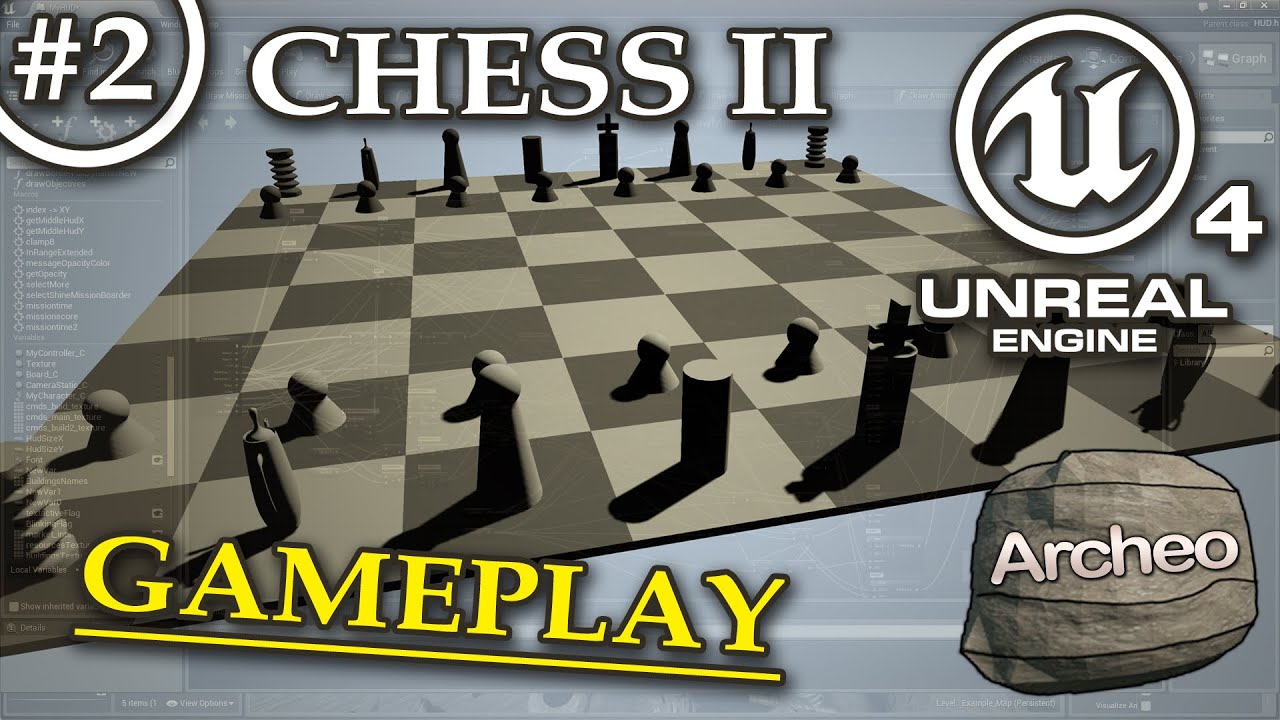
This tutorial:
- Enable Mouse, get cursor position
- Comunicate with Blueprints
- Change materials and mesh position
- Collapse Blueprint parts to macros
- Playable Chess Game :)
Previous UE4 episode:
- How to start - Chess (part 1) https://www.youtube.com/watch?v=cY8MsPYFT1...
zealous moth
anyone ever used this node? it always seems to invalidate my spline. I just want to make all spline points set to linear instead of curved.
trim matrix
Cannot create SoftObjectPath with short package name
This error trows on enumeration and I can't pack the release, but all code works in editor
Does somebody know what I must to do with this error?
LogOutputDevice: Error: Cannot create SoftObjectPath with short package name 'NewEnumerator0'! You must pass in fully qualified package names
I've already delete the enumeration, but this error still in an life
an incorrect update possible reason of this err, which was completed without core redirect instructions..
my project has a lot of BP classes..
can you take someof advice for my future development process?) What I must to do? Not update to newest ue4 versions under development process? Or how I can avoid similar mistakes in the future?
There BP exported code in message.txt below
Begin Object Class=/Script/Engine.UserDefinedEnum Name="EnWeaponType"
   UniqueNameIndex=5
   DisplayNameMap=(("NewEnumerator0", NSLOCTEXT("[CEECF3C743EEC63B70AA3E96C0D5AF25]", "A9D0F5FC4FC8503410C558B511B8AB03", "Primary")),("NewEnumerator1", NSLOCTEXT("[CEECF3C743EEC63B70AA3E96C0D5AF25]", "FFF96BE546E422B37519809030BCD27F", "Secondary")),("NewEnumerator2", NSLOCTEXT("[CEECF3C743EEC63B70AA3E96C0D5AF25]", "EF54607D4B06694B5B834F8BAE502B14", "Melee")),("NewEnumerator3", NSLOCTEXT("[CEECF3C743EEC63B70AA3E96C0D5AF25]", "CC71C96348D635E7189A3B95A1755B3D", "Throwable")),("NewEnumerator4", NSLOCTEXT("[CEECF3C743EEC63B70AA3E96C0D5AF25]", "B2DAB8034CDCC9DD26E6CA8FEF365116", "Special")))
End Object```
Enumerator which trows error.. There it called as NewEnumerator0, but I not understand how it works. In BP can't see anyof mistake.I think it's a critical bug. Looks there on my post
https://youtu.be/-AcKLKHh7Ac

#h3d, #harda3d, #alexderoza
LogOutputDevice: Error: === Handled ensure: ===
LogOutputDevice: Error: Ensure condition failed: !FPackageName::IsShortPackageName(Path) [File:E:/UnrealEngine/Engine/Source/Runtime/CoreUObject/Private/UObject/SoftObjectPath.cpp]
LogOutputDevice: Er...
 wintry grove
how to fix?
gloomy linden
Fix your "worldgridmaterial"
 twilit heath
isn't that an engine material? 😄
 void fjord
how can i update my skylight in game?
i'm using a day night system and the skylight is not updating
using a tick to recalculate it has a huge performance impact
it should update like in the third print
 violet inlet
do you guys have any idea to stick a ragdoll to a wall after shooting it with an arrow/bolt
maiden wadi
Not a clue. But if I was to go looking for how to do it, I'd start with applying a constraint to the ragdoll and bolt. Onhit or overlap, check if the hit actor was one that can be ragdolled or should be ragdolled, or whatever checks you need to make. Let it keep going though til it hits an actor type that you can stick the arrow too and just attach the arrow to that actor and keep relative location. Not sure if there would be issues, but it sounds like it'd work. In the end you'd end up with a physics body that has a constraint to a projectile that's attached to another actor like a wall.
violet inlet
seems like a good idear ! thanks
meager spade
Is it considered safe to remove elements from the reverse for each loop in BP's? The macro itself states that you should not remove or reorder elements in the array inside the loop
void fjord
about the skylight refresh problem i had, i just inserted a delay before it (1 sec was enough to make the performance stable) but i made it a 10 sec delay so now it is fine, i hope it won't affect the performance
 coarse marten
What's the best way of returning what game mode your actually in without casting?
During the init function of my character im trying to get which game mode im in, and depending on what is returned will depend on what happens after.
I can cast one of the game modes, and if it fails it does the other option, but the character might be present in more than one game mode so im not sure what to do
trim matrix
yo can someone remind me what the nodes are that disconnet and disable the player controller
nvm
maiden wadi
@fair swift The widget itself cannot be rotated, only the component that it's a part of.
 fair swift
@maiden wadi that's what confusing me -- the WidgetComponent has the same transformation as a static mesh that owns it...
I've created a default project, added a plane, added a WidgetComponent to it and assigned a Widget Blueprint I created. I'd imagine it to be coplanar with the plane/WidgetComponent 😦
 ionic harbor
I'm working on an AR app and I'm trying to make a scanned image perform a specific task. The caveat is there is more than one image tracked, and more than one task. so scanning picture 1 debugs one print string, and scanning picture 2 debugs another
Anyone have an idea how to do this? my current blueprint is just getting everything
The current blueprint gets all geometries and casts as AR candidate images (there are 2 in the AR session config.). What I need is to then go through them somehow and match them to a specific candidate. I can't even seem to reference candidates!
I see there's a get detected image function. So maybe what I need is a basic comparison blueprint to work with the candidateimage type.
trim matrix
how can i make a script run when a actor touches a spisific class of actor
this wont work
 grim stirrup
I had a work around It takes a few steps, let me see if I can upload it all
@trim matrix Ok. What I did was I made a Blueprint interface. The interface I used is "IsPlayer" bool. But you can use anything you like. So lets use yours. Call it like "Is_dangerous_trap" or something.
In the Obstacle, add the interface to it's settings. And have "Is_dangerous_trap" set to ture
True* Then in your character or whatever have it check the interface as a message
I don't know if that was clear. Sorry if it wasn't
Interface
Interface call
maiden wadi
@trim matrix What you have works perfectly fine. Make sure your collision is working.
tight venture
I am having a strange problem that I can't figure out:
 wise jewel
actor pawn and characters, can i create with blueprints a pawn starting from an actor?
tight venture
I have an abstract blueprint base class with one sphere mesh in it and two float variables. The Mesh is called Influence and the variables are InfluenceStrength and InfluenceSize.
I have a child blueprint class that inherits from that and has a plane mesh with a material on it, just a little graphic.
It seems that whatever I set the parent class InfluenceSize to, the child class's plane mesh's scale, all 3 of them, automatically get set to the same value as InfluenceSize. Manually changing them per instance does nothing, it forces the values back to all be the same as InfluenceSize
Yet InfluenceSize is not referenced anywhere. I am not using it whatsoever at this point. (which seems like I must be wrong, but listing the references gives nothing)
Any idea what is going on?
 marble temple
Has anyone else notice that if you put CharacterMovement Rotation rate 180, rotation is really slow, but if you put it 180.001 it is instant.
Just wondering if I'm doing something wrong here?
wise jewel
where can i see an example?
tight venture
you want to create a blueprint pawn at the same location as another actor?
wise jewel
if you mean using reparent is not wha i mean
i mean the class
if i add a character bp inside i alreadty have some stuff
tight venture
i'm pretty noob too, but I've used that before
I think what you want is "Spawn Actor from Class"
wise jewel
i think you didnt understand what my question is
tight venture
I've never used CharacterMovement before. I'm more noob than you. But it says on the docs that it comes preattached to an ACharacter actor
Detailed explanation of Character Movement Component
maiden wadi
@wise jewel Just add it.
wise jewel
i dont find it
marble temple
Might be easier just to do a character instead of simple pawn
wise jewel
😄 im trying to understand how things works and why are the way they are
it's not there
maiden wadi
Oh, that's my bad speed read that as movement.
trim matrix
Can someone help me do what's in this video? I'll give them 15$ for 10 minutes of their time.
https://youtu.be/Xu6o8ePeFs4

In this video we unbox and setup an HTC Vive Pro Virtual Reality system. We then use the Vive Controller in Unreal Engine 4 to create a basic virtual camera. Finally I implement a prototype virtual camera system in Cine Tracer using the Rokoko animation from the previous vlo...
It's just a virtual camera in ue4, where you have the camera virtual camera tracked where the vr controller is.
that's all.
I just need help setting up the blueprint at 4:04
Just message me or ping me here if you can provide assistance.
maiden wadi
You can't add a character movement to anything that isn't a character or something inheriting from it. It's just an actor component that's specifically designed for the character class.
wintry grove
need help please, i am baffled by how i edit one thing and all the other clones stop working
 brave citrus
Is there an easy way to see if any of the actors in the array match the variable
 ionic harbor
reposting with some additional info
I'm working on an AR app and I'm trying to make a scanned image perform a specific task. The caveat is there is more than one image tracked, and more than one task. so scanning picture 1 debugs one print string, and scanning picture 2 debugs another
[2:39 PM]
Anyone have an idea how to do this? my current blueprint is just getting everything
[2:40 PM]
The current blueprint gets all geometries and casts as AR candidate images (there are 2 in the AR session config.). What I need is to then go through them somehow and match them to a specific candidate. I can't even seem to reference candidates!
so I have these candidate images that are being tracked in AR, and I can get tyhe candidate image object. Does anyone know how I would compare a candidate object reference to another variable, to see if they are the same?
this is what I'm doing now and it seems insecure and silly.
the variables are right there, but I don't know how to reference them. so i'm instead going around the problem and comparing the display name to a hardcoded string that I'll put in. this seems sub optimal, does anyone have an idea what they would do?
grim stirrup
In your pic, you have "if the object in the array = nothing" Have you tried maybe setting up an enum of possible thingies? (I don't know AR or what you're using).
 lament shuttle
Hi, I'm trying to debug something using the Blueprint Debugger window. I'd really just like a list of executed events, but the Execution Trace lists just gets overwhelmed by stuff running on Tick. I can't put breakpoints on events cause my bug is comes from something very finicky/fast input related.
How can I get a list of specific events executing without plugging Print nodes on each of them?
ionic harbor
Lord Xtheth, I started using blueprints a few days ago, so I don't know what an enum is in this scenario. But the main thing is that I don't know how to use my candidate image as a reference in this blueprint.
If you are returning a object of type foo, and you want to know if it is one in a list of foos, how do you instantiate that list of foos.
In this case, foo is "candidate image," which is a data asset meant to hold information about an image for AR tracking.
dragging the actual candidate image into the blueprint gives me nothing. adding a variable and calling it a candidate image gives me nothing. I just don't know how to handle the blueprint system doing this
 lunar quiver
Hi @unique flicker . Do you want to spawn an actor at the location of a socket?
OK so you have this skeletal mesh in the level?
I do not understand the problem, if you could provide some more details of exactly what problem you are experiencing.
OK so the physics asset will only collide if the mesh is simulating physics. So either you have to call 'Set Simulate Physics' for the mesh, or more likely, just to detect overlap, you have to attack a collision shape (ex sphere) to the mesh, and set its properties to enable overlap.
For the Overlap event, you will need to do the collision shape thing. Have a look at this:
https://youtu.be/zZPyMjEWpF8

How do I use Basic Collision options for making stuff interact with other stuff in Unreal Engine 4
Source Files: https://github.com/MWadstein/wtf-hdi-files
ripe turtle
I am so confused at to why this effect the default visibility of the progress bar... Its set to hidden as default and when i start it up its visible and visible nor hidden were ever printed
if i unbind it is hidden
but when i add the bind back. even if i disconnect the return nodes. it is visible
lunar quiver
@ripe turtle Add some prints to the Cast Failed outputs as well, maybe the code is not reaching your return nodes.
ripe turtle
btw the cast to flashminer fails until i look at it
not sure if that matters
but if the default state of the progress bar is hidden why should it matter
lunar quiver
Default visibility is probably Visible. That 'hidden' you set is probably ignored, because it is only looked at if you did not Bind your own event.
@cursive yewdii Overlap events will not be called because there are no overlap. Physics assets with collision shapes do not intersect eachother.
@cursive yewdii Because you used On overlap, I assumed that is what you wanted - overlap. If not, you might look into Hit events instead.
trim matrix
quick question: How to make a power switch that moves through mouse clicks
 sour urchin
Hello, can i get camera rotation in material? for compass
 round idol
sour urchin
round idol
sour urchin
okay, thanks
 sick sapphire
how do I get my character to have no collision with actors of a certain tag?
 still trellis
anyone have a recommendation for a video or tutorial on when to use game mode vs game state? i've read the pages on the documentation that i found but those are mostly just an overview of the prebuilt functions
 keen goblet
@sick sapphire You could maybe have your character check in its Overlap events if the overlapping actor has that tag and do nothing if so. Other than that, not sure.
zealous moth
@sick sapphire look up collision channels; you set it up in your project settings
ripe turtle
Im trying to figure out how to detect what im looking at best. Im not sure the best way to do this but currently i have a event tick and a linetrace which casts to each actor i have and has the line trace hitactor as an object. and if the cast fails it goes to the next actor. Is there a better way to do this?
 snow halo
Hey all, could someone pass me a quick tip. How can i have a character bp rotate from its center pivot point perpetually?
it's not a character anyone controls
tight schooner
@ripe turtle kinda depends what you're trying to achieve with the trace, but usually a Blueprint Interface lets you consolidate a lot of individual class casting by making a bunch of random classes share certain functions. (Class inheritance is another way to do this but BPI is arguably more flexible.)
There's probably a Matthew Wadstein video about Blueprint Interfaces
 terse goblet
Good Morning !
How I can make custom event "private" ?
I mean not visible from other classes
Or I guess here is no way to do that?
ripe turtle
Renzu i meant is there something besides using event tick and line trace not something besides casting
 thorny marsh
@terse goblet You cant unfortunately.
terse goblet
Thanks bro
GG then.
I just named it private, so its ok :p
trim matrix
I have some question.I try to make blueprint by Press P on trigger box area afterthat Machine run (animation).
But result the machine run even when It isn't on the trigger box area after Press P.
How do I fix blueprint?
stuck hedge
is there any way to turn a blueprint into a static mesh at run time? I know you can put a blueprint in a scene, right click it and choose to convert it into a static mesh, but I'm looking at doing it at runtime
tight schooner
@ripe turtle Multi line trace? https://www.youtube.com/watch?v=v-7_l_ZYKq0
Not sure what functionality you're looking for. Make a custom collision channel for the things you want?
ripe turtle
im trying to make it so when i look at different things. certain stuff happens. for example, when im looking at a door a Press E To Open message appears but when i look at something else a different thing happens
stuck hedge
You'll want to line trace or have an overlap capsule coming out of your face.
ripe turtle
i tried to do an overlap cone but it wouldnt do overlap events.
i only tried it for about 5 mins
i could mess around with it more though
stuck hedge
Create a collision channel for things you can interact with, line traceon that channel and set objects that you can interact with to block that channel
ripe turtle
ok ill try that tomorrow. seems like it would work good for what im doing. my current way of doing it was making it really complicated to do different stuff
old prism
Any help appreciated, When I press play it creates a separate capsule how do I make it so I use the already created character
Found my problem
Is there a way to have two capsules move together and be able to reference both without collision
 short pawn
You can spawn 2 characters do you mean 2 playable characters?
old prism
Im struggling to figure out how to get 2 character actors to swap between cameras the goal is to have 2 characters and be able to swap between their camera's but I wasnt sure how to provide reference for the camera elements since they are not in the same blueprint
 frosty rivet
Is there a way to get a current bone location in AnimGraph?
trim matrix
Prints as 0 always even though value is 3, is the struct broken or something? There isn't any code that changes it from the default value yet.
 true valve
I use Level Streaming Volumes. SO when I enter a volume that level loads. Is there a blueprint node to know that the level is loading or I entered the volume. My level is pretty big so it freezes then loads.
trim matrix
I setuped day/night cycle but it starts from night not from day, how I can change to start from day?
 surreal peak


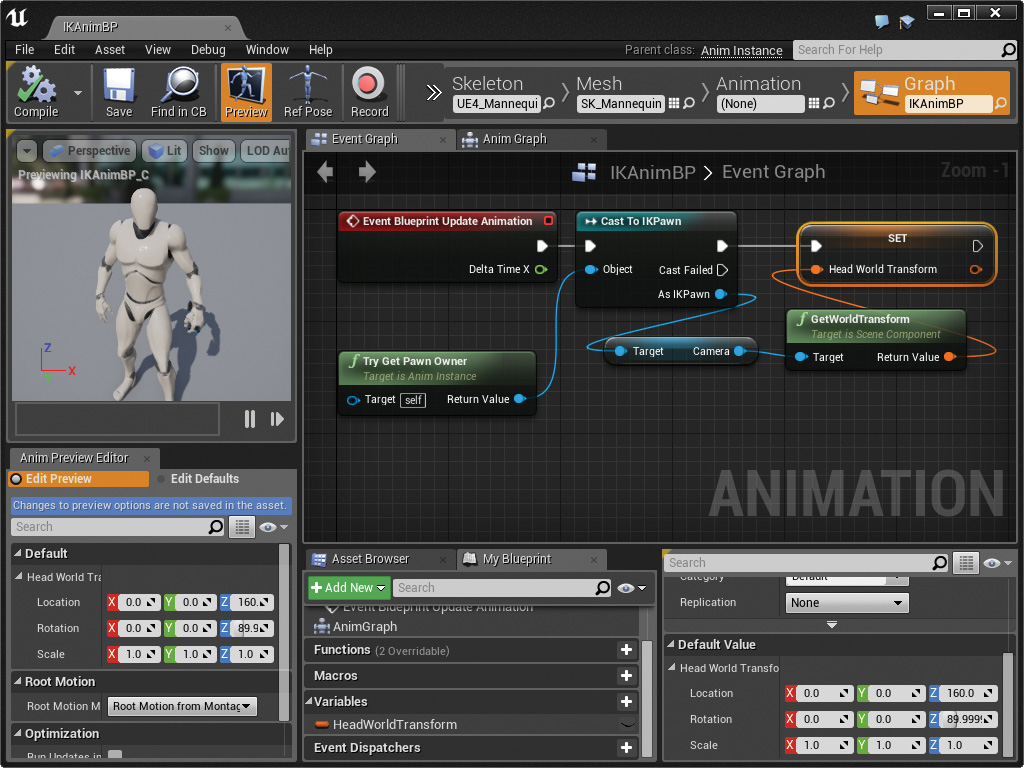
 neon siren
Maybe set the start hour to a daytime one
maiden wadi
Presumably, based on the last screen shot, the sun comes up after hour six. So set your default hours to after six?
old prism
So in the EULA under section A it says you aren’t allowed to use engine code does this also apply to blueprints I.E are blueprints considered engine code (first time game dev)
maiden wadi
Blueprints aren't engine code.
trim matrix
this to change? @maiden wadi
frosty rivet
Hi. I'd like to change a bones location in a pose based on its preprocessed location. Is there a way to get that information in the AnimGraph?
maiden wadi
@trim matrix You literally have a start time variable. O.o
trim matrix
which has 3 fiels
maiden wadi
So change hours to like 9.
 blazing ridge
just started my project to continue working where i left yesterday.
inside one of my BP's the default values got completely reset? why did that happen?
not one, but all that use a specific struct
will this always happen when i change something to the struct?
 stiff tendon
Heya. Is there any settings I might have overlooked that may prevent a pawn or character from receiving any of my InputAxis events ( 'AxisValue' are null, like a LookUp/TurnRight). It's called both on the controller and the controlled pawn but the controller doesn't block input nor consume any of those inputs. I don't get it. As soon as I delete the InputAxis from the controller, it works again
jeeeesssuuuuss I just found it. Those nodes 'GetLookUp' can consume inputs as well... man. I've been searching for an hour
maiden wadi
@blazing ridge Most likely yes. You're changing the source file, so the engine needs to replace it in all of it's locations. Try to plan ahead for anything you'd need to use structs for.
 mellow moth
Hi, is 'get actor of class' removed? I can only find 'get all actor of class' only.
trim matrix
Anyone know how to get the capsule component to follow the sprite in animation?
 final pine
Hello there! Just started UE4 way with quest/dialogue/inventory systems. Watching youtube tut's for better understanding blueprints. All worked fine before i started integrate dialogue into quests. Migrated everything and copy/paste blueprints(nodes) to needed npc's(including needed ThirdPersonBP blueprints to start interact). Moved nodes from NPC_D to NPC_Broth. Failed with casting to NPC_AI. I think that something inherited or not, and i can't cast to it. Trying find problem a couple of days :D
I would be grateful for some clarification
https://i.snipboard.io/D07vsf.jpg
https://i.snipboard.io/O9pYRt.jpg
https://i.snipboard.io/wY5pPS.jpg


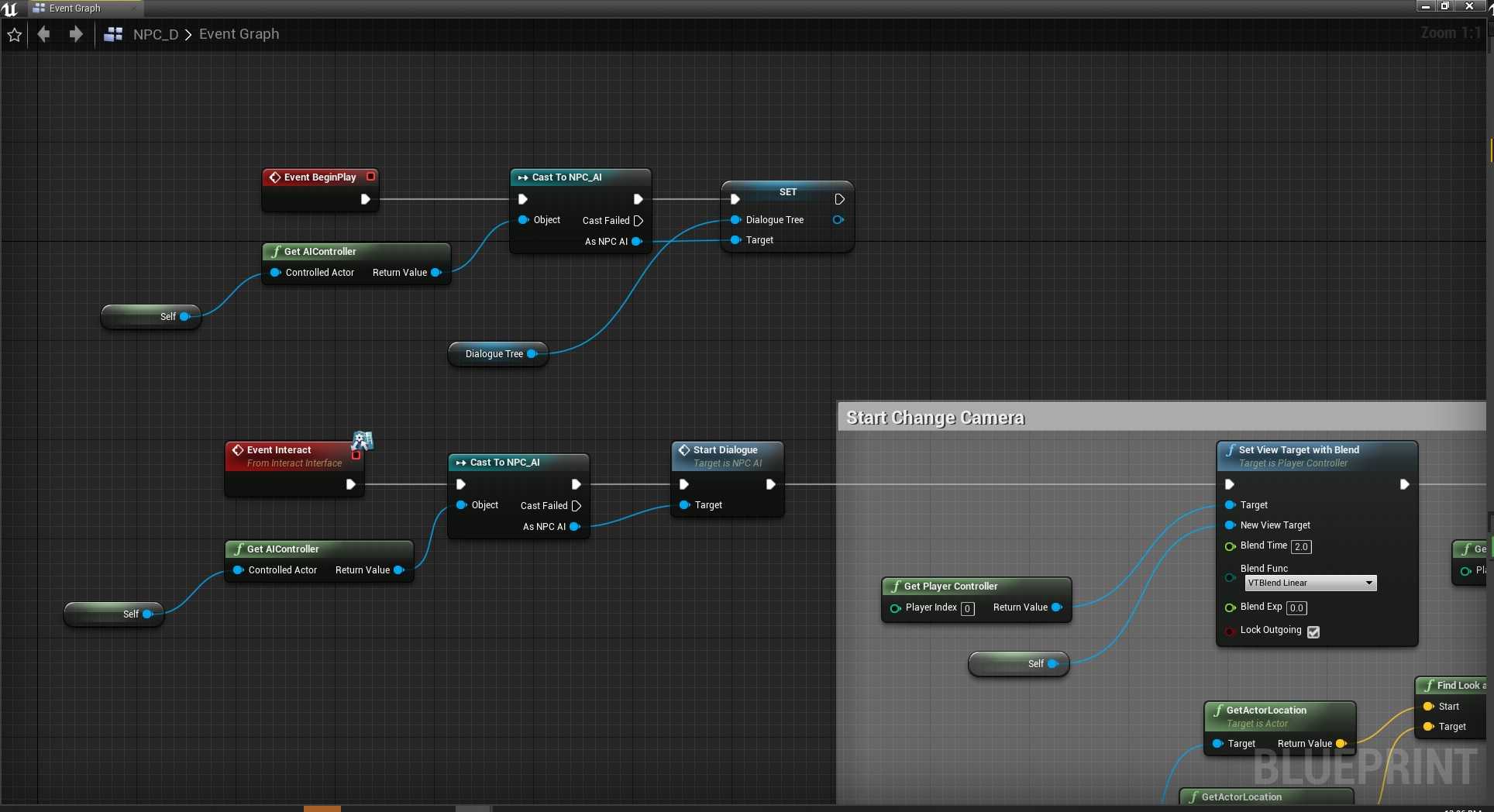
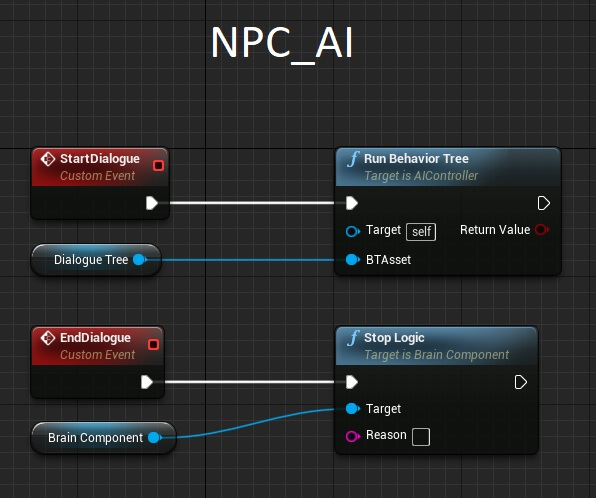
 stark plank
I have an A.I. that can kill players, but it only works in the editor when I make a package of my game, the A.I. can't kill players.
covert stirrup
does anyone know of any resources on how to create shapes with splines, IE Circular ect?
 marble tusk
I think in 4.24 they added a little generator tool to splines that can make circles and stuff. I believe it's in the right click menu on a spline.
covert stirrup
@marble tusk thanks for the tip but I don't see anything remotely related to anything like that
trim matrix
is there any way to make actors suck physics objects in
maiden wadi
@trim matrix Sure. Do a trace to get nearby physics actors and add impulse or add force in the direction of the object you want them pulled towards.
 stoic root
Hello there 🙂 I'm trying to learn the UE4 and so, I started my first little project. It should be an endless runner where you have to dodge cubes as a spaceship. The most things are working pretty well, except the collisions. They just don't work for me and my tiny spaceship flies trough the cubes.
I tried to add collisions to the static mesh, the cube in this case by using collisions -> add collission and the "Convex Decomps"-button. Both havent worked for me. I also tried to turn on the physic simulations. In this case, the collisions worked, but my spaceship moved the cubes 😄 Also not exactly what I wanted, but funny to observe 😄
For the generation, I have this blueprint. I'm following along this tutorial: https://www.youtube.com/watch?v=sNueIWCKoco
With our course and blockers set up, we'll create some pick up items to spawn on the course.
The "Add Child Actor Component" is refering to this simple blueprint
maiden wadi
@stoic root Anything that you want to use general collision on, don't use a default Scene component as the root. Change that to one of the collision volumes.
 honest forge
Hello, does anyone have any advice on the best way to make an object move to the centre of the player’s character, then disappear after interacting with it?
covert stirrup
@honest forge Get the world location of your player character, and use that as a point the objects are attracted to. On BeginOverlap, destroy actor
maiden wadi
If you already have a reference to the player character, doing distance math on a timer is a little safer.
stoic root
@maiden wadi thanks for the answer 🙂 Have I understood it corectly, that the collisions don't work because i'm using the default cube in the box-blueprint? And do you mean with your solution this one here?
maiden wadi
@stoic root
honest forge
@covert stirrup thanks for the response. I have tried to use the player’s world location as the end point with a timeline, but the object moves to a place far behind the character 😩
maiden wadi
Or the other Collision one. Either way. But don't use a moving actor that has a SceneComponent as it's root for actor overlaps or Hit events.
@honest forge What is the other object? What is it you're trying to make move towards the character?
stoic root
@maiden wadi I tried to replace the DefaultSceneRoot with both collisions, but it still doesn't work. Thats how it looks like right now
maiden wadi
Show me your overlap or hit event?
stoic root
Where can i find this?
ah wait
@maiden wadi I haven't specified an overlap or hit event. I think I have to do this, the engine doesn't this by itselfs, does it?
maiden wadi
@stoic root Well, sure. The event probably still fires, but if you're not letting it run on your actor or telling it to do anything, it won't do anything. Or are you just trying to use physics collisions to simply stop the ship when it runs into something?
 hardy sentinel
Why there is not a macro For each Loop that iterates/output the element by reference instead of values in Blueprints? Or it doesn't make sense to do that?
maiden wadi
@hardy sentinel If you really need a ForEach loop that sets by ref, just make one. All you need to do is copy the current ForEach loop and replace the GetCopy node with a GetRef node and change the output.
stoic root
@maiden wadi yeah, that makes sense 😄 I just tested the event a bit. The Event doesn't fire if my ship overlaps with the cubes. It only fires when it overlaps the collisionbox to load the next parts
hardy sentinel
@maiden wadi Yeah i know, just asking if it makes sense to make one or not(and use that instead of the by value one). I mean.. it will improve performance in BP's? Or it doesn't matter due to some limitation or thing that i don't know about BP's
maiden wadi
@hardy sentinel Hmm. Not sure. Let me try and see with a quick test.
@hardy sentinel There is only about a 2% increase with the ref one.
hardy sentinel
uhmmm
@maiden wadi thanks for the test, maybe the + operator is receiving a value?
maiden wadi
Is receiving a value?
hardy sentinel
don't know wait
i don't know if all the circles mean value and the diamonds mean by reference. Is that true?
well it doesn't matter.. 2% is very small
maiden wadi
Yes. Those two tests are doing the exact same thing. One is just setting by array element, other setting by ref.
honest forge
@maiden wadi the object is in item of class actor. It is the inventory items my player can pickup in the world.
 ancient topaz
Hello Everyone!
maiden wadi
@honest forge Part of your problem is that you're setting a component's relative location based on world vectors.
ancient topaz
This worked just one time. How make this usible many time?
maiden wadi
@honest forge What happens if you change the setreletivelocation of the static mesh to just simple set actor location?
trim matrix
does begin actor overlap count when i turn colison off for a mesh
ancient topaz
@maiden wadi When i make PlayfromStart, this making double
maiden wadi
You have to play it in reverse too. Maybe on end overlap.
@trim matrix Depends on the mesh. You need at least one component with collisions on the right channels for actor overlap to fire.
trim matrix
thanks
honest forge
@maiden wadi that did it! 🙂
now how would i go about decreasing the size as it moves into the player?
I have set no collision so it doesn't interfere with the camera too
trim matrix
ive been trying to make a object that destroy any actor that touches it
short pawn
Make that object into a blueprint and have it destroy the other actor on hit
trim matrix
thanks
short pawn
trim matrix
thanks
honest forge
Got It!! 🙂 Thanks for the help.
maiden wadi
@honest forge Nice! Looks good.
unique hollow
I wanted to implement
A VR mode into my game
an idea I had is to copy over VR Template to my FPS Template and make the game somehow check if HMD is mounted
and if it is, it spawns you in VR Gamemode.
trim matrix
i set a value when i press a key, this value is used in my tick chain to do stuff, i need it to be smooth but cannot get finterp to work, what is the recommended way to do this?
it either goes instantly or does nothing, cannot get it to actually work strangely enough
ive been trying so many slutions to get my actor to destroy any actor that touches it but most solutions wont work
also i do use a variable to store the result in, and thats what i feed into current, but it just never seems to change
trim matrix
nvm got it, damn variable that i used for the tick had exec pin not hooked up....... lol
 latent junco
Hey, is there a way to detect if a lightsource is hitting an actor directly via BP?
I have a sun that's rotating around the scene and I want to do things with objects that are not in shadow
My alternative approach would be to send an array of linetraces along the sun's normal that checks if it hits the actor
though I fear that could become expensive if I do a bunch of line traces each frame
 tame osprey
Hey guys, so I don’t have unreal yet, I’m waiting on my computer but I just wanted to know, I’m a beginner, no code experience, are the blueprints easy to learn and use?
 thorny lily
Hey there,
does anyone has an idea of how to setup a local couch co op with multiple gamepads? I didn't found a way to assign them properly all gamepads take the same player controller. Pls help stuck with this for a while and I'm also finding nothing helpfull on the net. is it even possible with blueprint?
thanks and cheers
covert stirrup
@latent junco what are you trying to detect with the sun traces?
latent junco
@covert stirrup The mesh surface of an actor. What I'm going for is a plant being hit by sunrays - depending on how many rays hit it, I add X to its growth for example
covert stirrup
Hehe, I assume you meant me! xP. Rather than raying out like it would in the real world, make the sun get references of all actors it would need to affect, then get the distance between V1 (Sun) and V2 (Planet)
Using the distance, you can calculate the inverse square law of how much ray would hit that planet given the distance, with the size of the planet / sun respectively
You could use a line trace every so often to see if the planet is occluded by any objects
 carmine prawn
@latent junco something like this might help. Search online for more stealth tutorials if that doesn't help.

Here is my approach to how one could create a hiding in the shadows feature.
I believe the original Thief games do it similar to The Dark Mod, which is rendering an extra topdown-image of the players surroundings and analyzing the average brightness.
This is certainly more acc...
latent junco
Yes, I meant you 😄 But I meant PLANT, not Planet, the key factor here is that occlusion is going to play a role!
@carmine prawn Of course, I'll look into it!
covert stirrup
ah sorry spudnik, think I misread your message then, thought you were talking about planetary bodies!
latent junco
All good! 😄
covert stirrup
I saw spudnik ,you mentioned the sun.. I think my brain filled in the rest haha
latent junco
Well, you found a nice solution to the problem you saw so thumbs up anyways 😄
covert stirrup
:3
deep warren
I have an issue, i try to call a function from "selected actor" blueprint but it does nothing, it appends nothing to the other array
I've tryed with some print and discovered that function won't run
covert stirrup
@deep warren Is the cast returning as failed?
covert stirrup
is the selected actor referenced properly, as in is it grabbing the information from the correct one, there are no others it could be getting null / wrong values from?
deep warren
Yes,I'm sure,probably I've forgot something in the function
yeah,it was a wrong cast inside the function
c++ is better, and no one can argue with that🙃 ,but is slow as hell if you have errors, so I'm completely new and trying blueprints
 winter kettle
I have a projectile movement component that has homing projectile enabled, it works fine with a stationary target but when the target moves it starts to go around the target instead of changing direction towards the target immediately is there a setting for this
maiden wadi
@winter kettle I find that limiting max speed while leaving the homing speed greatly higher than max speed helps a lot with this. For example, limiting max speed to 1k and setting the homing speed to 5k. Also disabling gravity.
winter kettle
changing the homing acceleration magnitude did it thanks Authaer
tight venture
Alright... I worked on this problem all day yesterday and couldn't figure out how to solve it. Others on the forums have had the same problem and no solution was given. Although the title of the post on the forum says [BUG], it's not a bug I don't think: https://forums.unrealengine.com/unreal-engine/feedback-for-epic/1370001-bug-no-hit-result-on-inputtouch-released-event
Unreal Engine Forums
there is a problem to get git result on released touch event , if you touch somewhere and then releasing , the hit result location show 0,0,0
Does anyone know how to solve this?
maiden wadi
@tight venture Is this for mouse or screen touch?
tight venture
touch. here, let me post a pic of my blueprint section that illustrates
If I use the Released pin, I get 0 values for both the Location and the Impact Point
I looked it up, it's because there is no "hit result" on Released (because no finger is on the screen anymore, that makes sense...)
The Return Value from Get Hit Result Under Finger on Channel is false on Released
And that makes sense, sure, but then that still begs the question, how is this done then?
trim matrix
how can get all the objects in a range of the blueprints and reduce their distacnce
maiden wadi
@tight venture My initial guess would be something as simple as on pressed, start a timer that updates a hit struct variable. On release, spawn actor at the last valid point?
maiden wadi
@trim matrix Reduce their distance? Getting the actors is easy, just use SphereOverlapActors
trim matrix
i mean bring them closer to the center of the blueprint
tight venture
I'll give that a shot @maiden wadi, thanks
maiden wadi
@trim matrix Are we talking separate actors or components?
tight venture
@trim matrix you need to clarify your question
trim matrix
there is one blueprint and im trying to bring all the actors in that range to the 0 0 0 of the blueprint
maiden wadi
Are we talking like.. gravity field? A character sucking things in at a button press, or? The specifics matter a lot for implementation.
trim matrix
kind of but just always sucking things in
maiden wadi
So general gravity field.
maiden wadi
Do you care about physics interaction, or are you just wanting them to move there regardless?
trim matrix
i do care about physics
maiden wadi
Ah, is this the physics body question from earlier?
maiden wadi
Nah, it's all good. Just needed specifics.
trim matrix
ive made this blueprint (5x5x5) in size and it destroys anything inside it but i need it to suck all physics objects in a 30x30x30 range
tight venture
@trim matrix That sounds very similar to what I need to do. I haven't finished it yet, but basically, I'm planning on doing this (and it will work, pretty sure). Model it after the Newtonian gravitational equations, where the "pull" of one object on another is determined by multiplying it by mass/radius^2. Just use a BP class for anything that exerts "gravity" and give each one a "strength" (mass) variable, and then calculate the distance between the actors for the radius, then move your actors accordingly
trim matrix
thanks
tight venture
np 🙂
trim matrix
what game sounds really cool i always wanted to make a space game
tight venture
haha. That is a question for another channel.
maybe #design-chat
@trim matrix If you're new to game design, just start by making a clone of a space game that you like. Like, say, an Asteroids clone or something
maiden wadi
Haha. That was a fun test.
That's the gravity actor.
This is the physics actor I was testing with.
trim matrix
thanks so mutch
maiden wadi
You might not need that much force on the multiplier either if you disable gravity. But with gravity I needed that extra zero to get it off the ground.
Bear in mind, I'd add some checks in there, like on the loop to check if the component is simulating physics before adding force, stuff like that. But for test, it worked.
trim matrix
thanks i dident know people had this mutch control over gravity in ue4 so im gonna make something really cool
Im just testing rn but these wont connect
maiden wadi
Which sphere overlap did you use?
There's one for actors and one for components, you want components.
trim matrix
oh thanks
working now
what actors should i use to test it as it dosent suck things in right now
still lily
@trim matrix ty for the info ^_^
maiden wadi
@trim matrix You need components near it that are set to profile PhysicsActor or Ragdoll. And those same components need to be simulating physics.
winter kettle
I have an state in a state machine in an animation blueprint, is there a branch-like node I could use in the state?
maiden wadi
@winter kettle What do you mean by in the state?
@unique flicker Just add that specific collision sphere's event overlap to your graph and use it instead of actor overlap. You can do that by clicking on the sphere collision component in the Components area. Right click on it and go to AddEvent, Add OnComponentBeginOverlap. Other way is clicking on it and scrolling down in the details panel until you see the green buttons to add events.
@winter kettle Are you in the AnimGraph or a StateMachine?
Isn't that what you just did with the bind?
 rancid ridge
So lets say for example that I have multiple different characters but there are funktions that I need on all the different characters. Is there a place where I can create the function once and then call it from every character?
Thanks, this should be the right thing. I will google it 😄
winter kettle
thanks @maiden wadi but I got it
 hollow cape
why don't you want the "bind event" node
@unique flicker
if you don't want to bind the event, then you can do as @maiden wadi said and click the mesh, and find the on component begin overlap in the details panel (at the bottom)
covert stirrup
whats the best way of making a directional light not light up the terrain from under the ground?
hollow cape
I think you're misunderstanding how a bound event works @unique flicker
covert stirrup
I have an example of a working bind event if that helps @unique flicker
hollow cape
@covert stirrup I usually turn the intensity down to 0
covert stirrup
@hollow cape I was thinking that might be an ok fix, but feels "shortcutty" if that makes sense
hollow cape
yeah, I'm not a lighting guy... In fact I hate lighting, sot hat's how I've handled it haha
covert stirrup
I might have a usecase where I need to be above and still see it, but not 100% sure yet
yea no that's a completely fair fix tbh
so it sounds like you are binding on the first overlap yea?
hollow cape
You should be binding on spawn
covert stirrup
^ +1
These are bound on Event : BeginPlay, so when it is triggered it will always know what it's meant to be
hollow cape
@unique flicker , just to make sure we're all on the same page here. You spawn/pick up the weapon. Immediately after, you should do a get "mesh" (or whatever you've called it), drag off that and "Bind Event To On Component Begin Overlap"
Delegate that to a function/event on your character BP, and it will fire there
maiden wadi
Only if you want to handle that in the weapon blueprint.
covert stirrup
you could use BPI if you don't want to bind
hollow cape
Yep, I mentioned BPI and dispatcher as other options
Or just directly calling a function
covert stirrup
Begin play will bind once, at play to what ever it is told to be bound to
if you change the cast half way through without updating the bind, no
hollow cape
when you spawn the weapon, give it a reference to the owning actor, and use that ref to call the function on the character BP directly
covert stirrup
@unique flicker I am doing this very thing in my project right now, I will show you my use case. maybe that will help you out