#blueprint
402296 messages · Page 451 of 403
 tiny brook
i figured my thing out weeee
 covert stirrup
your gamemode class
it needs a copy of it's self to find its information
some things might not need to be cast and the information might already be avilable however
 ripe moth
Damn hmm UE4 information handling is so alien to me.
covert stirrup
give a short description of what you are trying to achieve
 hazy igloo
@ripe moth ForEachLoop with "Cast To" is a possible performance problem
ripe moth
I need to send a variable from my UI to my Gamemode
Yeah i know
I know how it's setup atm is fucking awful
 vestal hawk
Hi guys, new to blueprints and would like help on a better way of achieving an interact system, I know using branch chains is a horrible way of doing things, but I can't think of an alternative. I am sending a line trace, and branching to whichever item I interact with, is there a better way? Thanks
covert stirrup
could you screenshot your UI screen, with variables ect
@ripe moth ^ sorry didnt tag
covert stirrup
ok so which variable would you want to send, as a single example?
say name?
so I made a button with some text and I created a bind
covert stirrup
so your name text is already bound for example?
 tight schooner
@vestal hawk looks like a textbook use case for a Blueprint Interface
covert stirrup
@ripe moth focus on the single issue of sending a piece of information from your struct to a text string, once you can do that you can replicate it x10000 times but currently theres too much to look at
vestal hawk
@tight schooner perfect, ill look into them. I knew there would be a better way of doing that
thanks a lot
covert stirrup
Create a blank UI, using your existing struct, bind a piece of text and see if it updates
ripe moth
I don't follow
covert stirrup
ok so you want to update a UI element from a Structure
ripe moth
No
covert stirrup
yea?
hazy igloo
@vestal hawk You need a switch 😉
ripe moth
I need to send this struct to my gamemode so i can input it into character setup
And save the character information in a serverside table
array*
Maybe i've completely misunderstood how structs work
vestal hawk
@hazy igloo as in, switch on actor name?
ripe moth
but i was under the impression that if i use make struct then the information i input is stored in that structure variable
covert stirrup
From what I gather, it's this process
Struct gets updated > Struct Updates UI > Send Struct Info to game Mode?
Structs will save default settings unless updated
ripe moth
No. Struct doesn't touch the UI. UI sets variables > Variables are used to set info in Struct > That specific Struct is sent to gamemode.
ripe moth
No isn't make struct all i need?
covert stirrup
I don't think so I think you need to set it
covert stirrup
aye
I would recommend giving setting a try, I cant quite remember if the setting is instanced or global but I feel it is instanced
ripe moth
Ok but i still need to send that struct to my gamemode somehow.
covert stirrup
if it's saved then it would be a matter of casting from where it's stored, I think if it's a variable in a BP, a version of that struct is saved there
ripe moth
I wish there was simple stuff like net.Send net.Recieve in UE4 lmao
ripe moth
So how do i tell my gamemode when to fire the code?
Or should i just move all of the character setup code into the UI Blueprints
I'd assume i want to do something like this
but i don't have an object to input
 full kettle
how do you make a button clickable even when the game is paused?
 keen goblet
@ripe moth Are you looking for the GetGameMode node? https://docs.unrealengine.com/en-US/BlueprintAPI/Game/GetGameMode/index.html
Get Game Mode
covert stirrup
@ripe moth so this is my BP_01 that updates it's own version of the Sturct. It has a variable "Struct_UI_Updated" which is set inside it's self
Using that struct, in my BP_02, I want to grab that information and print it as a string to make sure I am selecting the correct, updated info.
It posted the updated text I typed in manually in BP_01, so I can then go on to Set this as the Updated version of the struct once again. This would be used as your method of casting and getting information from the correct place
 rain crag
Hi all, I've posted about this a couple times but I'm still having trouble animating continuous rotation around the y-axis on a static mesh that is the child of a scene component in a blueprint -- just playing around in the viewport I noticed that x, y, z rotation values go wacky when trying to rotate past ~90/-90 degrees. Anyone understand what's happening here and how to animate solid continuous rotation? I've tried the "add relative rotation" node, "add local rotation" node, combining rotators, and timelines -- I can get it to work find but I need to be able to flip the hand so it can be left or right handed which breaks the rotation as seen in the second video. To flip the hand I invert the y-scale on the "hand root" scene component that you can see in the hierarchy in the first video.
EDIT: Turns out the solution was using timelines to drive rotation -- don't know why it works when other methods didn't but if anyone runs into the same thing there ya go
ripe moth
Is there a way to add dynamic variables? Like say you have a for loop and you want to save all the elements into seperate variables
 spare patio
How would I set a blend space values triggered by an animation notify?
 rigid quest
Can anyone help me on the right track to figuring this out? I want to be able to cast a spell that throws out something and have it stick on the ground. And then let the player be able to press the same button for that spell and cause explosion damage around the object on the ground.
I assumed it would be to have the spell create an object at x coordinates and then have an actor trigger but I'm having trouble figuring this out.
 faint pasture
Anyone here had the problem where a spawned projectile doesn't render on the first frame? It's like it sometimes updates position before rendering or firing off particles.
faint pasture
Heh, that worked. Feels hacky tho but I'll live with it.
spare patio
@worthy frost in that example, could i use a pose asset to combine the left and right smile into one curve?
 fossil arch
Not sure if it’s the right place to ask this but I’m working on a control scheme for a stunt racing project and need the car to free role without the camera following. To do this I created a second spring arm that doesn’t inherit any rotation and have the camera swap to that spring arm when the car is airborne. However I’m running into this issue where the airborne spring arm is not oriented the same way when it switches to airborne.
tight schooner
@ripe moth Arrays. Don't think you can dynamically define new variables at runtime but you can make an array variable.
 wet swift
SEROUS QUESTION: how do I give a textrender a custom font?
tight schooner
Have you imported your custom font to your UE4 project?
wet swift
yes
tight schooner
I don't have UE4 open but is there a setting for it in your textrender component?
wet swift
yes
but whenever i put my custom font in my text disapears
i tryed adjusting the font size nothing worked
faint pasture
@fossil arch You should be able to turn on and off the rotation inheritance at runtime
 trim matrix
Is this supposed to be called all the time? Shouldn't the event be called just when I move the mouse wheel?
faint pasture
@trim matrix Not 100% sure but I'm pretty certain axis events fire every frame
wet swift
@tight schooner any ideas?
trim matrix
ehh, rip fps
faint pasture
@trim matrix Make a ZoomIn and ZoomOut linked to wheel up and wheel down etc
actions
 novel fossil
Hi all,
I'm trying to make a system that let my rifle keep shooting projectiles untill the lmb is released. I want to take fire rate into account but can't figure out what the best way to do that is. I've been reading a bit about timers and ticks but found no concrete examples, this must be something people did before.. any advice?
trim matrix
@faint pasture They fire every frame as well
faint pasture
@trim matrix Action mappings shouldn't
trim matrix
Ah, well, think axis mappings are made just for this tho..
faint pasture
Axis mapping are for continuous stuff like analog sticks and mouse etc. Continuous input.
@novel fossil This works.
tight schooner
@wet swift Not really. I imported a font into my current UE4 project a year ago. Here's what that looks like in case it helps...
novel fossil
@faint pasture What's that delay function? 🤔 I cant seem to find it, this looks promising tho, thanks 😄
Got it, nvm. 😄
This is perfect, thanks.
 scenic herald
Just figured out I can't change the material of a skeletal mesh object, only of a skeletal mesh component
someone knows how to change the material of a Sk Mesh Object?
couldn't find a workaround
 sand shore
open it up in the asset editor
scenic herald
open it up in the asset editor
@sand shore I mean dynamically
scenic herald
If I get a skeletal mesh object, create a skeletal mesh component with it, change the materials, and then get the skeletal mesh object from the component
It will have the original materials, or the new ones?
Gonna try it
 magic cosmos
Bro whats a good thing to learn bp?
 brazen plank
Any thoughts on how to make a pawn always face the opposite direction as the player?
scenic herald
get player actor world rotation, combine rotators with rotator(0,0,180) (Z axis is the vertical one) and set it as actor rotation in the pawn
You can call this code at the movement input function of your player pawn
brazen plank
Thanks Azor, I'll have to try this. I wasn't familiar with rotators, I was only using the set location and rotation uh ... nodes or whatever they're called
 crisp valve
Hey guys, how do I mount a pak file?
I'd like to mount it and use a map from in there
magic cosmos
yo for this right
What im doing here is that when the player overlap on the box this calculates if its the third person character right?
Im confused
oh wait nvm
i forgot to set it
ok so nvm
how come
when it turns off it wont turn back on the second time i bump into the box collider
hazy igloo
@magic cosmos if on then set visibility and set on? You set the condition on true but its true 😉
hazy igloo
Perfect!
 thorn oxide
why did this happen? where is my viewport etc?
reloading the layout didnt do a thing
 wintry grove
At the beginning i was using Shift + LeftArrow and RightArrow. it shows how smooth i want it to be, also showing only 4 directions which is how many directions i want. when i switch to mouse middle mouse wheel button there is a few bugs. The first thing i want to tackle is only allowing only 4 directions for preview. where would i fix this?
tight schooner
in the blueprint, presumably...?
Are you using some off-the-shelf marketplace system?
 zealous moth
in UMG is there a way to disable a slider from being interactable and moused over?
 sharp temple
any idea how to set a homing missile to go to a set target mine is set up to go to a selected target on right click but i want to do another that goes to a set target on spawn
like how would i set up the blueprint to get the target of what i want it to go to like intercept another missile i'm trying to do
 vocal urchin
I keep getting array errors from this, and I'm not sure how.
I find that it usually happens when there is more than one move in the queue array, and when I do the "false" branch on the queue build, it leaves units behind and causes the error, but I don't know why. I'm clearing everything in the queue array and starting fresh by building it once.
The "Squad Member Build Movement Queue" function is what is adding to the array.
tight schooner
I don't have the AI experience to say anything in depth, but in case the issue happens to be this simple... If you're counting the waypoints starting at 1, then you might have to subtract 1 from it before getting an element from an array, which counts starting at 0.
The error says it's trying to get array element #1, which is actually the 2nd element.
vocal urchin
Yeah, I'm just counting based on the array. i.e., waypoint "1" is just index 0
I've figured out how to replicate it, at least.
When I do a normal move (BuildUnitMoveQueue, "false" branch) and then queue a move after ("true" branch), and then interrupt them as they've hit the first move point, it causes the error.
But that doesn't make any sense because any non-queued move (a direct move to a new point regardless of whatever else is in the array) clears the array just before calculating the new move point.
That should be a clean swipe of anything in there, starting new with the newly built move point
But that's where I get the error
Basically any unit that's hit that first waypoint stops in its tracks and actually can't be ordered anywhere again. It's bizarre
 snow halo
What in the world is wrong with me. I'm way beyond this point in my Unreal days
just trying to get a reference to the character bp through this anim bp on the skel mesh component
if i print string after the successful cast it prints
if I print string from the Cast Failed it ALSO prints
debug is off
rly straightforward
 indigo zenith
for a quick test do a "do once" node before the cast
ur setting the character ref on animation update "tick"
there was something like initialize animbp
sand shore
Yeah you probably get at least one tick with an invalid pawn
indigo zenith
snow halo
cool I will do. I'm tight on time so i just moved all the logic to the character bp for now : /
i did try initialize animation a while back tonight also but i should try again
sand shore
you need both, init to set stuff like your pawn and mesh ref... tick for anything changing all the time
snow halo
totally
i'm just trying to make the head of a skeleton mesh follow the default pawn that gets spawned by a defaul tmap
is this the best way to get a reference to that default pawn
trim matrix
are there queue vars in blueprints?
snow halo
I tried simply Get Player Controller->Get Owner blah blah, but that wasn't working
snow halo
i'll google it
i have it kind of working based on https://www.youtube.com/watch?v=Kk_7XOpJ8mM&t=447s

I've seen many overly complicated ways to make the head follow the camera in a third person game, so I wanted to offer my fairly simple solution. Complete solution with additive rotation which blends well with any animation. Furthermore, it's all done by only using the animati...
indigo zenith
go for aim offsets
snow halo
i'll find the best way later, just trying to get something working to meet a deadline for now
trim matrix
So i wanna setup so when player press button in UI it checks if another player has clicked the button before if they have it dosent do anything if it has then it executes a string of nodes, now i understand this would be a simple boolean if yes this has been pressed before or no it hasnt but how do i replicate this boolan to its up to date for all players on the server and were would i put the boolean (player state ??)
ripe moth
Is the only way to "convert" a type of object into another one through casting?
Say i have a user widget
and i want to use a child class off that.
or convert to a child class rather
tight schooner
Casting changes the reference from a generic one (e.g. "object") but it doesn't change the object itself. Casting just determines whether the supplied reference is of a certain class (casting succeeds) or not (casting fails).
Idk if there's a way to convert an actor to another class at runtime, short of spawning a new class and copying whatever data.
ripe moth
I don't need to technically convert it
i have user widgets stored in a panel
but when i try to get those elements they are outputted as user widgets and not the child class
so is casting the only way to "convert" them to the child class.
 maiden wadi
Little late, but yes casting is the only way to do that. The only other option is working through Interfaces, but that's more of a multi class thing that you want to do different things on different objects that usually have nothing in common.
 thorny lily
hey guys in a couch coop with 4 gamepads how can i assign the gamepads to different controllers on default they get assigned to the same controller.
When testing with mouse + keyboard and 1 gamepad aswell as the skip assigning gamepad to player 1 it works fine but in the end i need a fully gamepad compatible version
 urban haven
Hello all, I have this trainmodel with wheels and everything and I need it to convert to BP. But I can't import them all and keep my transforms? The answer is :Convert selected components into Blueprints class
 green echo
Hi all, strange issue I'm running into.
As a simple way of testing a main menu, I've currently got an "OpenLevel" node with the level name, absolute travel, and options of game=GameModeAlias. This works absolutely fine in PIE, but when right click and launching the game, the level loads but the third person character isn't visible /the camera appears to be inside their head?
What could be the issue, perhaps a camera manager issue?
 mortal wharf
How do i make my model do another animation when i shine my light at him. And this is not the model i controll this is an enemy. Please help.
maiden wadi
Do a trace that matches the light, and get the enemy actor reference, and call an event or function on them that causes them to play said animation. Might need a bool there to be set when starting to play it so that you can not play it repeatedly too quickly.
mortal wharf
what do you mean matches the light?
maiden wadi
What shape is your light?
maiden wadi
Hmm. Hard to say what best implementation would be. How large is the light? Does that say 2,000 or 3,000?
maiden wadi
@mortal wharf One or multiple enemy actors in the game?
mortal wharf
Well there is many enemies but every enemy is different and one of the enemies is what i said a few posts ago. So only one enemy is gonna have this mechanic. So the answer is one. @maiden wadi
Only one enemy actor.
maiden wadi
In general. I'd do a SphereOverlapActors in your radius of 3000, filter by your enemy class. And for each check if they're in the facing vector of the player with a little vector math. If they are, call an event in their blueprint to do the animation.
I can help a little more in a bit. Need to AFK for a few minutes. Feel free to throw questions out though.
mortal wharf
where do i put the sphereoverlapactors. @maiden wadi
 short pawn
Is there a way to change keyboard focus of a widget with wasd? It already working with arrow keys, would like for it also to work with wasd
 full wind
has anyone had issues with delegates through soft references
i don't think it works for me
on 4.24
triggers if i call and have the binded event inside the object but through the soft ref... nope
short pawn
What do you mean by soft ref
 tulip remnant
In unreal version 4.22 I can reference a Widget Component and call a function called "Get User Widget Object" to reference the actual widget that the widget component spawns like so:
But in version 4.24 this function doesn't exist and I don't know how to reference the widget itself, you guys know how to reference the user widget inside a widget component?
Oh you just can't call it in the construction script anymore, nvm. Fixed it
magic cosmos
How do i get the location of the character?
i wanna make a jump and so i was gonna just add like i get the current position and just times the y axis by jump force
short pawn
@magic cosmos does "get actor location" not work?
@full wind why not just get a reference to it or get all actors of class and check if it has a tag u can add one
full wind
@short pawn well basically it's better performance wise as get actors of clas/tag will basically go through the whole actor list of the level,and the reference is kinda annoying to get
maiden wadi
@mortal wharf Back. You still need help with the light thing?
 spark steppe
is there any way to add virtual bones in BP nodes?
having a skeletalmesh which is missing IK Bones, so i want to try to add them on construction of the character
 pastel rivet
How can i reset the mouse position after using it in a click rotation?
short pawn
Reset it to where?
full wind
where can i submit a bug report,cause soft reference not being able to use delegates is a bit annoying
pastel rivet
Logically this doesnt work, but was worth a try
covert stirrup
is it possible to get the world location of a static mesh vertex?
maiden wadi
@covert stirrup What are you trying to do with it? I think there's a way to get them, but I'm not exactly sure how accurate it is with regards to which one you'd be getting from the face.
covert stirrup
honestly for no particular reason, just experimenting with this when I think of random ideas I put them into my test BP's 😄
The idea that made me think of it was using a cone with say 9 points (8 at the rim, 1 at the base) to create a line trace system. I can already think of an easier way of doing it, just wanted to see if it was possible
if I turn a static mesh into an editable mesh, I can get the vertex count, but no location data that I can see
 ocean radish
@pastel rivet That node should work fine
@pastel rivet use the get mouse position rather than the viewport one, and plug in controller, save that when you start rotating your view, and hide mouse cursor, then when rotation released setmouse position back saved and show cursor
pastel rivet
@ocean radish
Jupp that did it, thanks! 🙂
trim matrix
are there queue vars in blueprints?
ocean radish
@trim matrix not by default although it is in c++
@trim matrix https://www.parallelcube.com/2017/10/23/how-to-add-c-containers-to-blueprints/ theres a t tut of how you could add it in yourself
Learn how to create games using Unreal Engine 4, useful tutorials for beginners, intermediate and experts
Only ones you get by default are arrays sets and maps
trim matrix
@ocean radish damn i'm regretting doing a clean install of windows cause i dont have VS 2017 anymore and that is way to much bandwidth right now, i'm not on uncapped so guess i'll have to use an array
trim matrix
yeah but VS is about 9Gb to download lol
ocean radish
@covert stirrup You might be able to do it converting it to a spline first
@trim matrix Yea, i misread first time, thought you meant you didn't have enough data to load YouTube up or something, then re read and saw about the VS not installed 😄 I really need to read more thoroughly
trim matrix
@ocean radish haha no problem, hopefully i can get VS at the end of the month if i have enough data cause each day i'm finding more reasons for myself not to use BP for my coding, oh well still gotta learn C++ to somewhere remotely close to a decent level cause i pretty much only know c#
covert stirrup
@ocean radish I will look into that thanks for the tip!
I will be the first to admit if you can do it in native code then do that, but BP's for me are fantastic, nativizing the code after helps with performance too
ripe moth
How would i center this? I've been toying around with rotation on the vector for a bit but can't find anything that's good.
Or is it just the HUD
that's not centered
Ah
there was an offset in the hud
not it's pretty spot on
lmao
maiden wadi
Not really sure how QueueVars differ from an Array in blueprints?
According to the definition of a Queuevar, it's the same thing as an Array.
trim matrix
@maiden wadi how they differ is Arrays exist and Queues dont lol, but on a serious note Queues are faster and impact performance less that's why i wanted to use queues
 thorn fiber
Is there a way to async open level such that it doesn't halt the main thead?
Freezes my loading screen up super annoying
spark steppe
i would rather search for something that shows your loading screen in another thread
instead of moving over the whole game logic
thorn fiber
Hmm I just figured there would be away for Unreal to just do level loading on another thread so it doesn't hang, but there is no native way for that yet?
trim matrix
anyone know a simple way to take the first var in an array and move it to the last index (moving the whole array up not swapping them)
 manic widget
I usually get the first index, add it to the array and remove it from the first index
magic cosmos
Would this be a step into making a jump https://gyazo.com/e36a1bd1f6aaf23ff25890a4b9587b3a
 thorn fiber
@spark steppe I get a crash with "Slate can only be accessed from the GameThread or the SlateLoadingThread!"
Can't even put it on another thread it seems
trim matrix
@manic widget well thats so simple i feel dumb now, too used to c# and queues
 azure shoal
does anyone know what the outputs of an interface message are if the target doesn't implement the interface?
 dreamy kindle
Hello! Could anyone give me some feedback on how best to handle a event with a support beam breaking apart, and multiple logs falling down damaging player accordingly?
Also, would swapping meshes from static mesh to physics type mesh help performance any, or does putting them to sleep do as good a job? Thanks!
Example gif: https://gyazo.com/4cd0fcc404535febf2bea0cfcf95f169
Gyazo
Gyazo
 wise jewel
hey, i'm new to unrealengine, i've watched some tutorials and i'm inspecting a sample scene, i'm trying to understand blueprint interface
i have some simple questions, can i ask here?
for example, how to create those subfolders?
 vivid plinth
Set or add a category in the details panel with the variable selected @wise jewel
wise jewel
oh ok
thanks
if i select the variable from the node or from the list, the details on the right shows the same thing right?
vivid plinth
yes
wise jewel
ok
wise jewel
i dont understand the difference between those 2 sections.
if i select the same component the detail view shows different things
the top component tab let me organize hierarchically the components
while the component in the my blueprint tab lists them but.. with different options ? i don't get it
trim matrix
hey does anyone know how to create simple bullet drop with linetrace
spark steppe
is there a way to add bones to a skeleton via blueprint?
trim matrix
@spark steppe yea right click on where you want the socket to branch off and create socket
trim matrix
oh
maiden wadi
@wise jewel One is a component, the top one. The other one is a reference variable to that component. The bottom one is also what you get when you drag the top one into the event graph.
maiden wadi
Pretty much the same, yeah.
wise jewel
i am trying to recreate a node that is in the blueprint
but i can't figure out how it was created
maiden wadi
Which?
spark steppe
so are bones just sockets?
wise jewel
it's setting a variable
but for start it's greyed out
and i've selected the component and tried to look for a node but i cant find it
trim matrix
if i leave an int varible unset does it count as unvalid or does it just default to zero
wise jewel
here's a better view..
i tried to selec that scene capture and look for what nodes i can create... :/
i can set many variables, but i can't find the one specified in there
maiden wadi
@trim matrix Pretty sure they default to zero. I could be mistaken but I believe only actor references default to invalid. There may be a few other variable type exceptions.
trim matrix
@maiden wadi i also believe its default is zero
maiden wadi
@wise jewel That is a variable from the SceneCapture. If you get the SceneCapture reference and drag off of it, you'll be able to get the MaxView thing again.
maiden wadi
What kind of scene capture component is that?
wise jewel
maiden wadi
Context.
It's to keep people from trying to set a variable from a component without dragging off of that component. If you turn off context sensitive, you can find the same variable, but I strongly recommend not turning off context sensitive. Just use the reference to get the stuff you need from the right components.
wise jewel
oh ok
yea i see the title changes, "actions taking a scene captura component ..."
while the other says all the action for this blueprint
and, based on what does it fills up the functions that i can add to a component?
are they all the same? wait i screen grab
maiden wadi
Context sensitive just assumes you're trying to get or set or call something from where you're clicking or dragging from. If you click in the main graph, it'll give you a lot of generic stuff and events to call that are in the actor. If you drag off of a float, it'll give you math operations or creating stuff from the float like vectors. If you drag off of an actor, it'll give you variables and events related to that actor's class.
wise jewel
ok
but those functions it propose me to add
are from the "standard library" of the engine?
trim matrix
max int that the engine can take is 2147483647 right?
maiden wadi
You clicked on the arrow that is your scene root. So it's probably giving you things that you can do to that component.
 spice ibex
I have an audio issue when I package my game for iOS. My app audio only works if the iPhone is NOT in silent or vibrate mode. Other apps' audio do work in those modes. Is there any setting that I can use to make sure the audio works?
wise jewel
yes, but i mean, it chooses from a list it has somewhere or are those functions that i can define inside the actor?
well not tragically important for now
maiden wadi
@trim matrix Amusingly, yes. But you can go one point lower into the negatives to -2147483648
@wise jewel Not really sure how to define things in the context menu. Not even sure there's a way to make custom stuff like that, but I'm sure there is. You're likely looking at engine source code though.
wise jewel
i use houdini, i'm trying to translate what i know from there
ok, thanks a lot for your help!
trim matrix
@maiden wadi thanks just double checking seeing as i'm building a procedual map gen and i want to use seeds i want the highest int possible for max outcomes
maiden wadi
Int64 is... sort of exposed to BPs, but I'm not sure how useful they are yet.
trim matrix
@maiden wadi i dont think int64 would be very useful for me unless i'm trying to make the most amount of levels ever in a game lol i mean 4 294 967 295 is already a lot of levels lol
maiden wadi
Could be fun.
trim matrix
well doesnt matter if there are so many levels if they arent fun lol
does anyone know how to get a linetrace to hit where a projectile hit?
save me some sleep
 shell timber
I feed quite dumb... Any idea why this happen?
does anyone know how to get a linetrace to hit where a projectile hit?
@trim matrix You mean like, predict where the projectile will be once shooted?
 round idol
@shell timber It's exactly as the error reports
@shell timber You have different types of variables setup in the struct than you are trying to connect to the struct
One is material "Interface", one is "Instance" Different data types
just make sure you change the variable inside the struct/the other way around accordingly
trim matrix
@shell timber like where the projectile hits a actor, the linetrace hits that location
round idol
@shell timber dw, np 🙂 glad I could hlp
trim matrix
so when it starts at the location of the weapon it ends where the location of the actor the projectile hit
 fickle kayak
Super quick...Working on this local multiplayer game - I have already declared a variable in the BP_Gamemode called player count and I have created a menu with 3 buttons (2, 3, 4 players) - How would I go about updating the variable?
I know how to bind and cast - just dont know how to update the variable
Thank you 🙂
round idol
@trim matrix https://www.youtube.com/watch?v=AM3TXKI-4co

What is the Projectile Movement Actor Component in Unreal Engine 4
Source Files: https://github.com/MWadstein/wtf-hdi-files
shell timber
@trim matrix If you want to use a linetrace you can use the linetrace, set the start location vector equal to the weapon position (or the socket of the canon) and add it the rotation of your controller (I guess?) which is multiplied by alot to get the end position
But I think the ActorComponentProjectileMovement will be better
trim matrix
yea ill try
 midnight bone
can ya guys tell me how to do it? I am struggling
trim matrix
@midnight bone do you have the boolen crouch button down made?
trim matrix
here is a super basic way of doing it
@midnight bone have you got a character controller attached to your actor you want to crouch?
fickle kayak
hmmm...Thought this was turn by turn. My b.
Super quick...Working on this local multiplayer game - I have already declared a variable in the BP_Gamemode called player count and I have created a menu with 3 buttons (2, 3, 4 players) - How would I go about updating the variable when a button is selected by the user.
I know how to bind and cast - just dont know how to update the variable
Thank you 🙂
shell timber
@fickle kayak Replicate variable? I don't really know :c
trim matrix
@midnight bone cool glad you figured it out
fickle kayak
@shell timber literally no one does - I assumed this was a basic thing
trim matrix
@fickle kayak have you tried setting the var after casting it?
fickle kayak
yes the variable is an int in the gamemode called player count
trim matrix
need to explain a little more for precise help
fickle kayak
So I have variable in gamemode called player count which defines the amount of players in the game - it works but I need to change it manually by changing the default value in the BP. I want the user to be able to change it for themselves through the main menu
I have created 3 buttons (2, 3, 4 players)
When a user clicks 2 - I want the variable playercount to be updated to 2
fickle kayak
thank you so much
trim matrix
it working?
fickle kayak
trying it 🙂
 pulsar orchid
Any ideas why these cubes are able to walk inside one another? The collision boxes around them are set to Pawn and set to Block Pawns, shouldn't they be blocking one another and unable to move through each other?
Even if I set to Block All they still do.
trim matrix
@pulsar orchid have you tried increasing the nav mesh agent radius?
pulsar orchid
Nope. I'll look into it - Thanks!
trim matrix
might wanna check there that may help
pulsar orchid
Increased the radius, no change. If I walk away from them they will literally stack on one another.
I also have Update Nav Agent with Owner's Collision checked.
And the collision box is not a child of anything either, so it isn't inheriting any collision ignoring properties.
trim matrix
try changing the cubes object type to world dynamic
pulsar orchid
The cube itself, or the collision box around it?
pulsar orchid
Will do.
Still walking through one another. The cubes themselves are now World Dynamic, Blocking all. The Collision Boxes are World Dynamic and blocking All. Yet neither seems to be blocking.
Already closed the editor and re-opened to see if that would help, it did not.
Strangely enough, they will block the default 3rd person character, but not each other...
trim matrix
weird af
pulsar orchid
Fixed it...
trim matrix
i can think of one thing that will mostlikly work but not something you want
pulsar orchid
Not sure why it wasn't working, but making the Box collisions the root component fixes it...
trim matrix
aaaah well good job, thats a weird fix but oh well so far i havent been using collision volumes really i just calculate from the mesh, but i'll probably use them at some point if i need to opitimise
pulsar orchid
I plan to have 30+ enemies on screen at a time, I figured a collision volume was mandatory, plus it gives a good representation for what will be "hit" by player attacks. Pathfinding is something I'll be working on next week, never been a fan of the crowd detour controller.
Aside from the crowd detour controller being a CPU hog it doesn't look that great. But I'm making a twist on Risk of Rain 2, so nothing major is needed, just a few line traces here and there followed by either forward movement, strafing or jumping.
fickle kayak
not working 😦
trim matrix
@pulsar orchid sounds cool i'm still getting into the swing of UE4 again
@fickle kayak is it opening the level? is it not setting the int? explain more please
maiden wadi
@fickle kayak You're setting the variable of a game mode, and then deleting the game mode.
fickle kayak
well it sets the number of players and then we enter the game
trim matrix
@fickle kayak i know what its meant to do but i'm asking what isn't it doing lol
maiden wadi
What exactly are you trying to do with the max player count? Cause right now, you're setting it in the current game mode. Then you're deleting that game mode by loading a new level. Game mode is deleted when you change levels. It or it's settings do not persist.
fickle kayak
ohhh so how do i get set it and have the level agree to that variable
Is it cause I have a default value for the player count in gamemode
Iam guessing this is not overwriting the default value
maiden wadi
You cannot change class defaults. You can only override them once the level is loaded and game mode exists again. Not sure how that's usually handled, haven't done it yet myself.
fickle kayak
How would one go with setting this
I have searched everything and found no resource
trim matrix
@fickle kayak it would be useful if you could explain why you want this var and what do you want to do with it then maybe we could help more
fickle kayak
So I have variable in gamemode called player count which defines the amount of players in the game - it works but I need to change it manually by changing the default value in the BP. I want the user to be able to change it for themselves through the main menu
I have created 3 buttons (2, 3, 4 players)
When a user clicks 2 - I want the variable playercount to be updated to 2
tight schooner
@fickle kayak I've not played with this myself yet, but from what I've read, GameInstance is the only thing that persists across levels
so you might have to store your player count there
(or the alternative is to save/load a file from disk or something)
trim matrix
i think game instance will work better too
trim matrix
@fickle kayak still havent explained what you want this var to do but i'm taking a spitball because it would be removed when loading a new level
fickle kayak
I don't know what I haven't explained
It's a game I need the user to select how players are playing
trim matrix
you have explained how you want the var to be set but not what that var will do, for all we know you could be trying to use that var to calculate how many bullets are in a gun
fickle kayak
No the var just sets the number of players in the game
trim matrix
what is the point of having that var? think of the question like that
as in the public connections of the session?
 rugged rivet
Hey all, I've got an array of Actors from my scene, and I'd like to get all the tags of those actors, and add them to an array....is there a way I can do this?
trim matrix
@rugged rivet i think looping through each actor in the array and getting their tags and adding that to an array should work
rugged rivet
so this is what ive got currently, what Nodes exactly do i need to use to get the tags of the items in this array?
 midnight kiln
@rugged rivet Maybe something like this?
trim matrix
rugged rivet
ahh will try this!
trim matrix
the first loop is the same as your loop so just build from there
ripe moth
So my vector math sucks big time. I've got this https://i.gyazo.com/9dd4209e0efb87e622f5e9291f455163.mp4 How would i make it stop moving away from me and instead just follow where i point with my camera.
trim matrix
@ripe moth i remember seeing a few posts earlier from you while i was busy so i dont exactly know what you are trying to achieve, mind explaining?
ripe moth
This is another project lmao but atm i'm trying to recreate a similar feel to the physics gun in the game Garry's Mod.
It's also a more fun way for me to catch up on vector math before my exam in 1 month ish
Doesn't have the calculation but the logic is still exactly the same
trim matrix
never played G Mod, unforunitly, but i'll check it out quickly and see if i can maybe help
trim matrix
sure it makess it easier for me
 trim matrix
lol i'd fail that exam most likely, i havent been trained with anything related to pcs in any formal nature
ripe moth
Oh no it's a normal maths exam.
I'm just tired of doing paperwork.
It's pre uni math.
 worthy frost
so you want to lift the cube and move it with the gun?
ripe moth
Yes.
trim matrix
well i got 14% for maths in my finals for high school so i'd defo fail if it's paperwork
worthy frost
it seems it just links a particle to the impact normal of the hit object
trim matrix
i think passing a ray out might help instead but i'm not sure
worthy frost
then adjusts from that impact point
obvs keeps a reference to the actor its attached too
so you can rotate it, etc
might actually try to recreate that, looks fun 😄
ripe moth
Yeah right? That's why i picked it up.
trim matrix
@worthy frost i've also been sitting like that looks cool lol
ripe moth
I'm going through my notes right now looking up what a normal is cause all i can remember is that they sit 90 degrees on a line.
trim matrix
getting the cube to follow the crosshair is the major easy part and maybe could be done by casting a bunch of rays but the difficullt part is handeling collison
ripe moth
Not really. Physics seem fine for the most part in the way i've done it so far.
Stop simulating physics when you lift it, which will remove gravity from the object and then re enable when you release.
It doesn't stop collisions.
I had an earlier version working, but that just "teleported" the object 500 units away from you.
trim matrix
what if you start rotating your camera and the cube hits a wall? will it rotate properly? will the grav gun still have effect?
trim matrix
i think teleporting would work better but i'm not sure for when it comes to like rotating it
 trim matrix
why lol?
ripe moth
Idk, it's loud music.
trim matrix
i'll use the loud music as an alarm for when my pc finally stars playing the vid lol
ripe moth
I think it bugged out
Try clicking the link
So wait
A normal is just a 90 degree line on another line right
trim matrix
aaah i see the issues there, i honestly don't know which method would be the easiest to fix and btw i like your taste in music
ripe moth
Thanks.
Does impacts from hit results spawn like flat onto the object?
Cause if they don't i don't get how the impact normal works
trim matrix
i believe they do
ripe moth
hmm
I still have no clue how to fix this. Using the forward vector of the camera just shoves the object in the direction i'm looking.
I think the biggest problem is i don't know what i want
If i knew what values and stuff i was after this would be easier
trim matrix
I think the biggest problem is i don't know what i want
@ripe moth lol my whole issue with UE4 i believe
https://www.youtube.com/watch?v=lUdtt-BgJ88 try this out it looks to be what you are looking for

Check out my Patreon: http://bit.ly/TechnoNerd_Patreon
DON'T CLICK THIS: bit.ly/2vBhU2s
PLEASE LIKE AND SUBSCRIBE
And please request Tutorials.
ripe moth
Sad that i figured out how to do the 2nd part of the video by myself but can't figure out part 1 lmao
trim matrix
hahaha lol goodluck i'm off back to boring work of teaching my map generator how to connect paths
faint pasture
Would you recommend putting the logic to fire projectiles into a component or a function in a function library? I intend for many different objects to fire projectiles, not necessarily being all derived from one base shooter actor.
trim matrix
i set mine up as comonents, never tried using function libs
 spare pike
How would i make a character only rotate left or right while its moving forward or backwards, like a car would (and have the rotation be relative to the character speed) in third person?
trim matrix
Damn the range on that sword is OP lol, is there a specific reason the red guy is a child actor?
round idol
@unique flicker you shouldn't send the interface to the actor hitting. Did you check to see what that bool is returning (the "!=self" condition)?
that's because it IS the same sword 😄
two instances of the same sword man...
trim matrix
@unique flicker maybe instead inheriting from the same class would be better than being the same class
round idol
Which hold the same static mesh (which is the sword), which is the very same sword...
The sword in the "any rpg" is probably a component which has a Static mesh, it's own collision and it's own collision rules, effects, stats etc, not just a static mesh with collision attached to a universal character.
You could make your weapons as components and attach them, but I personally need more context. Idk what you are implementing in your code and that bit is not enough for me to understand 😐
actor components can't have their own components (a SM is in itself a component)
trim matrix
@round idol i agree that we don't know enough with the scope of his project/problem
round idol
oooohhhh so you are working from a marketplace asset then
I understand that, but I don't know the rest of the script so idk what/where/how you are implementing anything man 😐
trim matrix
judging by your screenshot theres a lot of code
round idol
Ok, first thing's first: are you using marketplace code/plugin/anything of that sort?
ok.
and the bool returns true, right?
so when you swing your sword in the air (like in the video) the bool returns true?
ok...😂
it's funny since you're not "overlapping" anything really
unless you are hitting some environment
round idol
it's not because they are using the same weapon, it's because overlap event fires when it shouldn't. The enemy wasn't even moving his sword
trim matrix
but it doesn't seem like he's using the sword
disable the enemy's attack and see if the problem is still there
round idol
ok, try getting the component which "overlaps" from the event, and see if it's the enemie's skeletal mesh - and get this out of the way
I'm still not convinced it's what you think it is. It might be, but idk...
I didn't say anything about socket name (although you can get that too). I said Skeletal Mesh
the component...
Did you debug line by line?
So when you attack with your guy, the enemy receives the message from himself since his own overlap triggered?
can you send a SS of your physics asset?
trim matrix
screenshot
trim matrix
lol
round idol
What I'd like to know is if the the sword is overlapping you physics asset...
magic cosmos
How come i cant add a game mode in a empty unreal bp project
round idol
yes, you are my man! GL 🙂
ok, as you said, you are right! Keep being right and good luck 😉
trim matrix
@magic cosmos right click, add a blueprint and choose game mode base
@round idol literally how i feel
round idol
@magic cosmos
yea, I'm sorry tidiii, I can't help you, idk what's wrong there, you are right!
Aight, time to do some of my own werk, hf @trim matrix 😅
Now I kinda' understand why some here can't be bothered to answer most questions 😛
trim matrix
@round idol one of two things, either imma smoke my joint and carry on with my map generator or imma smoke my j and make this even more entertaining than it already is
round idol
@trim matrix Think it's too late, that computer isn't intact anymore 😄
trim matrix
@round idol lol mee too i'm very new to discord and the ability of actually getting help esspecially this fast so i've learned to be grateful for even an interest in helping me
round idol
@trim matrix Yea, depends on the channel/timezone tho'. If asked properly, there are some ppl here in bp and in the graphics & niagara channels who are on-spot with everything, and very helpful. Some other channels look almost deserted 😛
trim matrix
hahahaha lol tbh i'm surprised mine is intacted with my specs and the age of my parts, anyway i'm done being off topic i got a spliff to smoke and a map generator to finish, have fun and good luck with whatever you're working on
round idol
u2 man, u2 😄
trim matrix
i've so far on discord here recieved good help from people, its a two way story the person seeking help needs to be willing to help those wanting to help him, it's helpception
covert stirrup
I have a weird issue with an event not calling properly, I feel like it should work but can someone take a look at this and see what I am doing wrong?
(Button BP)
On collision flip flops between Bool "FlipSwitchUp : YES and NO. this then calls on the door BP
(BP DOOR)
So I have hooked up tick and the dispatcher to be sure, whilst it does trigger an event, it doesn't pick up the switching between the boolean reliably, it will do it once but never flip flop the result back
the button BP will flip flop, but the message to the button will be always the same result
ugh, turns out im a fucking moron
I had an up and down boolean, which I thought I deleted but actually left in
ignore me xD
covert stirrup
been messing with this for 25minutes trying to figure out why it wasnt bloody working.. Yeah thank you, I just couldn't spot it!
a lesson to all xD
I was starting to doubt on how dispatchers worke
midnight kiln
Happens to the best of us. 🙂
covert stirrup
I am at a bit of a crossroads how I want my switches to work, so I get a bit lost when I try add to it
midnight kiln
Well if you run into anymore snags I'm sure someone on here will be willing to help out. 🙂
covert stirrup
I have been posting in here a fair bit, trying to help and get advice where I can!
 cobalt ferry
@unique flicker in your question
how do you get to a place where the pawns are holding the wrong swords?
 fleet sandal
They’re right
trim matrix
haha thanks intentions were honest and then that one line and we lost it XD moving on how would be a reccomend approach at creating a 2D array?
 ripe turtle
How would i get a widget to be displayable and interactable in-game such as having a menu display on a wall
trim matrix
You want the widget to be like an actor in the game and interactable?
 crystal granite
How pass additional variable to TestFunc in CreateEvent?
keen goblet
@ripe turtle You could make an actor with a WidgetComponent to display your widget. Your pawn actor will need a WidgetInteractionComponent to manipulate it.
ripe turtle
ok donig that now
 thorny marsh
@crystal granite You cant, thats not how delegates work.
ripe turtle
whats the node called that combines 2 strings into one. ex you have a string that says Number: then another string that holds One how would you combine them to get Number: One
trim matrix
append
ripe turtle
thanks
trim matrix
i just spent an hour on making all my blueprints look neat and tidy first project in UE4 i'm bothering to keep clean lol
how would be a reccomend approach at creating a 2D array?
Array of arrays
@trim matrix
or u could use map
if viable for your plans
@trim matrix arrayception?
tight schooner
Depending on what you need exactly, maybe a custom struct will work.
trim matrix
well i wanna create 2D array of bools for each grid section in my map generator to check if there is something that occupies that tile so i think a map may actually work it's just i know 2D arrays better
maps are easier to play with tho
i'll try maps see if it works cause all i basically need is a way to store a bool link to the coords of each tile and when the map generates something on the tile it will mark the bool for that tile true and send the 2D array through a floodfull algorithm to check if all paths are connected and the whole map is accessable
well
then u should use the coords for keys
and value for bools
would help you a lot
thanks a lot will try it out
brazen plank
I have a mannequin that runs along side my player. When I jump, he jumps. When I turn, he turns. But I'd like him to have identical animations instead of t posing.
Is there a simple way to set his animation to that of the player?
trim matrix
you have to assign the blend space to the to mannequin
@brazen plank assign its animation blueprint to guy
or you could use a animclass
and change the value inside anim bp
its probably looking for "try to get pawn owner"
you will instead give your players pawn
and vola
brazen plank
Cool, I shall give that a shot ^^
sand shore
no, never
trim matrix
ok cool i'm ganna try finding if anyone has been as stupid as me on google to see if i can find an answer, sorry for bothering
trim matrix
cast might fail
you need to return if fails as wel
I guess
you mightve broken the binding as well
rebind
ripe turtle
fixed it
sand shore
you mightve broken the binding as well
that's the more likely reason
Return nodes are automatically inserted where needed these days, the return values are just default
ripe turtle
i was putting a boolean variable into a visable or hidden node... dont know how but i did
 open gulch
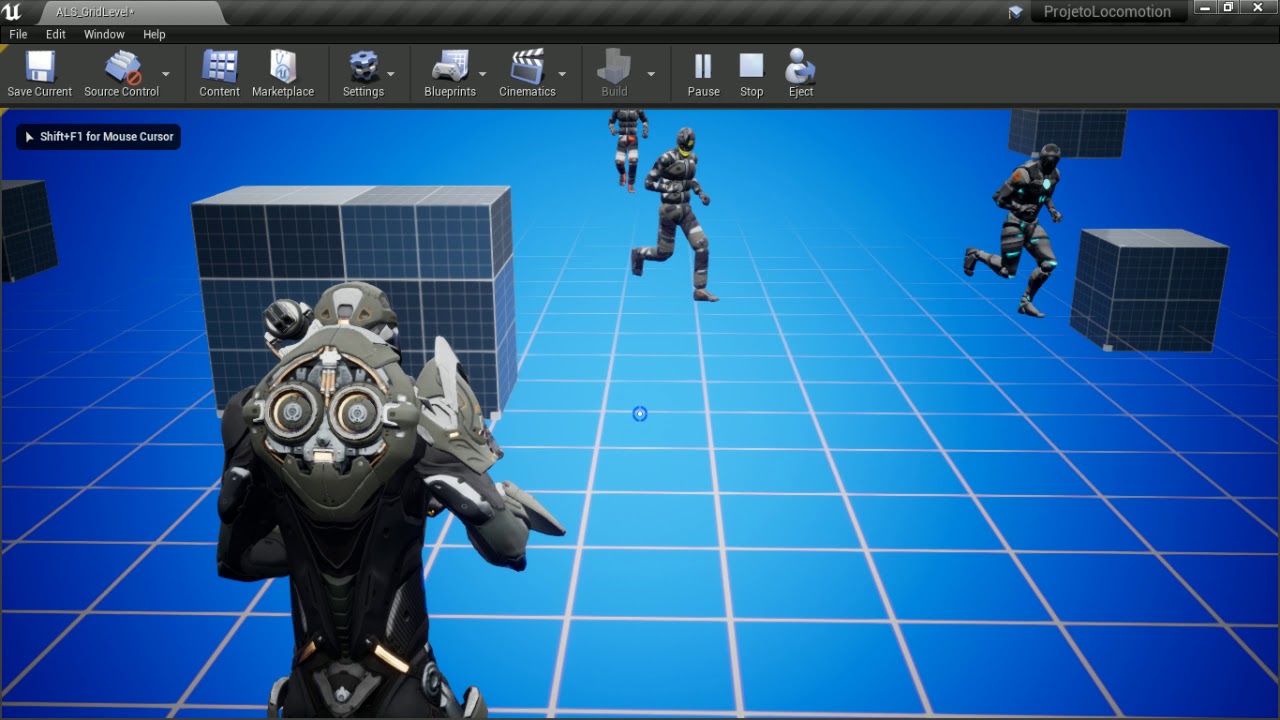
Hey guys, I'm trying to fix my camera but I don't know how to start.
I want to ajust the Pich and Yaw Limitis. Becausa the camera can pass throught the floor and the wall, how can I fix that, to look a lit bit more like an AAA game
This Video will resume my question:
https://youtu.be/RsXGY3UgP7w
 trim matrix
is it possible to make the player start a child of anything
and is it possible to spawn a player start at runtime cause mine isnt spawning unless i run the code from the editor
 cunning lily
Variables/Functions/Macros/etc with spaces in the name: what difference does it make, if any?
spare pike
I have a bizar problem where when my move my character in a certain direction it aligns itself along the X axis all by itself, to doesn not do this for any other direction, only when walking backwards. It has nothing to do with the animation as its the same without any. current movement setup. https://gyazo.com/8e4dd12180c18345f2a781d91848f429
cunning lily
@spare pike not sure but have you got the getForward/RightVector around the right way?
 sharp juniper
Your vectors are definitely swapped, but also are you sure you want world rotation? Are you not using control rotation?
spare pike
@cunning lily it only gives me the desired result this way, movement wise if i correct the vectors A n D are up and down and W n S are left and right, @sharp juniper Control rotation did not get what i needed, world rotation allows me to use up and down as forwards and backwards while left and right are rotation based. Control rotation doesn't do this.
sharp juniper
I mean, you could use it still, and just not use it for camera control, but regardless lots of ways to skin the cat. If you're getting the right movement with the wrong vector pairing, then your world rotation is 'wrong'
You probably want actor rotation
spare pike
@sharp juniper il try that
@sharp juniper That worked, but it did not fix the strange problem, when walking backwards it still pulls the character in an axis
sharp juniper
You said left/right are supposed to rotate the char?
spare pike
yes
sharp juniper
How are you accomplishing that right now? Because Add Movement Input won't do that
ripe turtle
could anyone tell me why this is only triggering once? I am trying to make it so when i hold down E while looking at a specified actor the animation plays over and over again. and when i look away from the actor or i release e the animation stops and goes to 0. the animation is a simple progress bar percent going from 0 - 100 in 1 second. Is E Down is set up correctly. I had a print string node called when it changes so ik if its right or not. even when its false the animation doesnt stop and the stop animation node is never called
magic cosmos
anyone know a good person to teach me about bp
trim matrix
@ripe turtle because it's set only to play the loop once
spare pike
@ripe turtle
trim matrix
send an ss of your E input
ripe turtle
when i do this i never see False
thats in firstpersoncharacter bp
then this sets it in HUD Which is also where the 1st ss i sent is
trim matrix
try instead getting a reference to your progressbar and calling stop animation on it inside your character bp
ripe turtle
how would i cast to HUD from character bp?
trim matrix
use the cast to hug node
ripe turtle
whats the object though
I made it so its triggered when it is set in hud
still doesnt work
now play animation is never triggered
but i see both true and false as they should be
i added a breakpoint and it said it triggered but no animation was played
i checked to see if the animation still worked and it did
so idk wtf is going on
and for somereason this offsets my progress bar by about 300 pixels
Fixed it. i changed play animation to play animation forward
sand shore
anyone know a good person to teach me about bp
@magic cosmos How do you learn best then?
sand shore
Well
How do you like to learn?
I could just tell you how I learned bp
I could blindly suggest Virtus like every other person
magic cosmos
Uh what i do is just watch a tutorial and look at everything and then i think of ways i would use it then i go to sleep then tommorow to see if i know i just do it.l
sand shore
Oh I see
What I did was more of an inversion
I did things in BP until I needed a tut, and I searched narrowly for a tut
Example:
magic cosmos
oh so what ur saying is u had a game in mind and started making it and if u needed help u searched for what u neep help on.
sand shore
I wanted to make an inventory system. I didn't know how widgets could talk to the pawn.
magic cosmos
oh
sand shore
So I looked at how to get info from a pawn
 white crypt
who in their sane mind suggests virtus? ;d
magic cosmos
ye virtus ass
magic cosmos
i watched and quit.
white crypt
well there are only few youtubers in general that show normal practices
sand shore
I hope he does
white crypt
95% of others are like virtus
sand shore
I challenge him to bring me on the channel
Hey Virtus! Buddy!
Let's co-stream a game mechanic from scratch
I'll even get drunk first
magic cosmos
Bro i swear unreal has baerly things that help u.
white crypt
lets make a game only using ticks
magic cosmos
but unreal is the best game engine so i gotta learn
sand shore
Unreal is really good but if you can't use it, it won't be the best for you
magic cosmos
Unreal im gonna get good at it
sand shore
It doesn't matter how good something is, if it works very differently than you do
magic cosmos
naahahhh ill adapt
sand shore
...
magic cosmos
i was waiting to move from unity to unreal
sand shore
Do you have a specific BP problem right now?
magic cosmos
Uh not really rn i understand functions and things but like i dont have assets to start doing stuff u get what im saying.
sand shore
oh
Well I'm bored asf I was gonna offer to jump on voice
we got a channel down there for it
magic cosmos
oh
white crypt
unreal everry month gives away bunch of stuff from the marketplace, make sure to check them every month
sand shore
^
magic cosmos
Immutable wait
sand shore
Hrm?
magic cosmos
alr bet
sand shore
Bet?
 magic cosmos
about bp
magic cosmos
Bet
 sand shore
yee
magic cosmos
I would make a class of game mode bp
trim matrix
can i ask you guys a question
magic cosmos
if like
sand shore
Hol up
white crypt
@trim matrix no sorry
sand shore
Hol up
trim matrix
i was kidding
sand shore
@magic cosmos Put your question entirely in one message
magic cosmos
ok
Game Modes in unreal engine would be used to control like lets say Systems that go with the game so if im doing a game where waves of any spawns i would create the waves system inside a game mode?
sand shore
So it depends
trim matrix
do you have any recommendations on where i could start learning blueprint
magic cosmos
Ur house.
white crypt
the best
or watch this first
https://www.youtube.com/watch?v=EM_HYqQdToE

Announce Post: https://forums.unrealengine.com/showthread.php?101051
This Training Stream takes a look at Blueprint Communication. We find that Unreal Developers of all levels can sometimes struggle through the concepts behind moving data between objects. So in this video we'...
sand shore
watch that first
magic cosmos
Oh damn should i watch that?
sand shore
then watch this https://www.youtube.com/watch?v=PRqOtCrBDN8

If you've ever wondered how blueprint determines the order of execution of your logic, this video will give you a quick rundown of how the two major types of nodes differ from each other.
twitter: https://twitter.com/KorkuVeren
twitch: https://www.twitch.tv/immutablelambda
nah
white crypt
thats the first thing you watch before starting working with unreal
sand shore
I mean you should watch it @magic cosmos but not right this second
magic cosmos
alr
trim matrix
ok ill check it out
sand shore
Are you cool jumping on general voice all the way at the bottom of the channel list?
white crypt
its ~2hours so try to watch it all
magic cosmos
Alr imma start making my game and as i go on i learn
sand shore
All sad and alone
@magic cosmos But nah really
That's something that might exist entirely in the GameMode
But it might also need to somewhat exist in the GameState
magic cosmos
Game state...??
trim matrix
does blueprints have any limitations
sand shore
If you're in a singleplayer game, it may as well just exist in the GameState
white crypt
if hes starting he can just do everything inside character bp
white crypt
we know its bad
white crypt
until he learns atleast how to cast and refference stuff
trim matrix
is Virtus a websites....
sand shore
He makes youtube vlogs
white crypt
its a comedian on youtube
magic cosmos
Hmmm what game should i try to work on for a beginner?
white crypt
😄
trim matrix
how does that have anything to do with blueprints
sand shore
It actually has way more to do with BP than you think
white crypt
after few years you will understand that joke
sand shore
Which is very disappointing for the old guard here
@magic cosmos Make PONG
Yes I'm serious
magic cosmos
If i dont learn unreal by the time im 15 yrs old imma commit.
sand shore

Some game designers use words like "game feel" and "juice" to describe the abstract and often invisible factors that make the best action games surge with life and energy. In this episode of Game Maker's Toolkit, we try to figure out what those words mean, and how you can capi...
magic cosmos
Uhhhhh alr
sand shore
"Game Juice"
magic cosmos
Ill do first person pong
white crypt
oh man i played that game
sand shore
start googling around that
magic cosmos
meh?
sand shore
Figure out how to make pong feel really slick and fly
Maybe even on fleek
if you dare
magic cosmos
xD
sand shore
Okay so seriously here's why
It's a really basic game. You could probably make it in 10 minutes in python. You can definitely make it in a day in UE4.
white crypt
beginner wouldnt make it in a week, especially if hes under 15
sand shore
But adding all the modern elements that games have, like camera shakes, post FX, material shits
sand shore
You're going to figure out that you made some small mistakes. (AND THATS OKAY!)
You will realize why things should be a certain way.
What's more, if you get lost and you have to google why pong doesn't work the way you want it to work.... well then...
PONG IS REALLY OLD
people have made it a lot of times
white crypt
i mean there are plenty people like yourself who think that if you dont have to code that you will make the best game out there. but even without coding it takes years of experience and a lot of time to have something finished
sand shore
Here's another point.
magic cosmos
Tsauken not meh
magic cosmos
coding is priority im only gonna use bp on the side but c++ is main
alr bet
immuatable
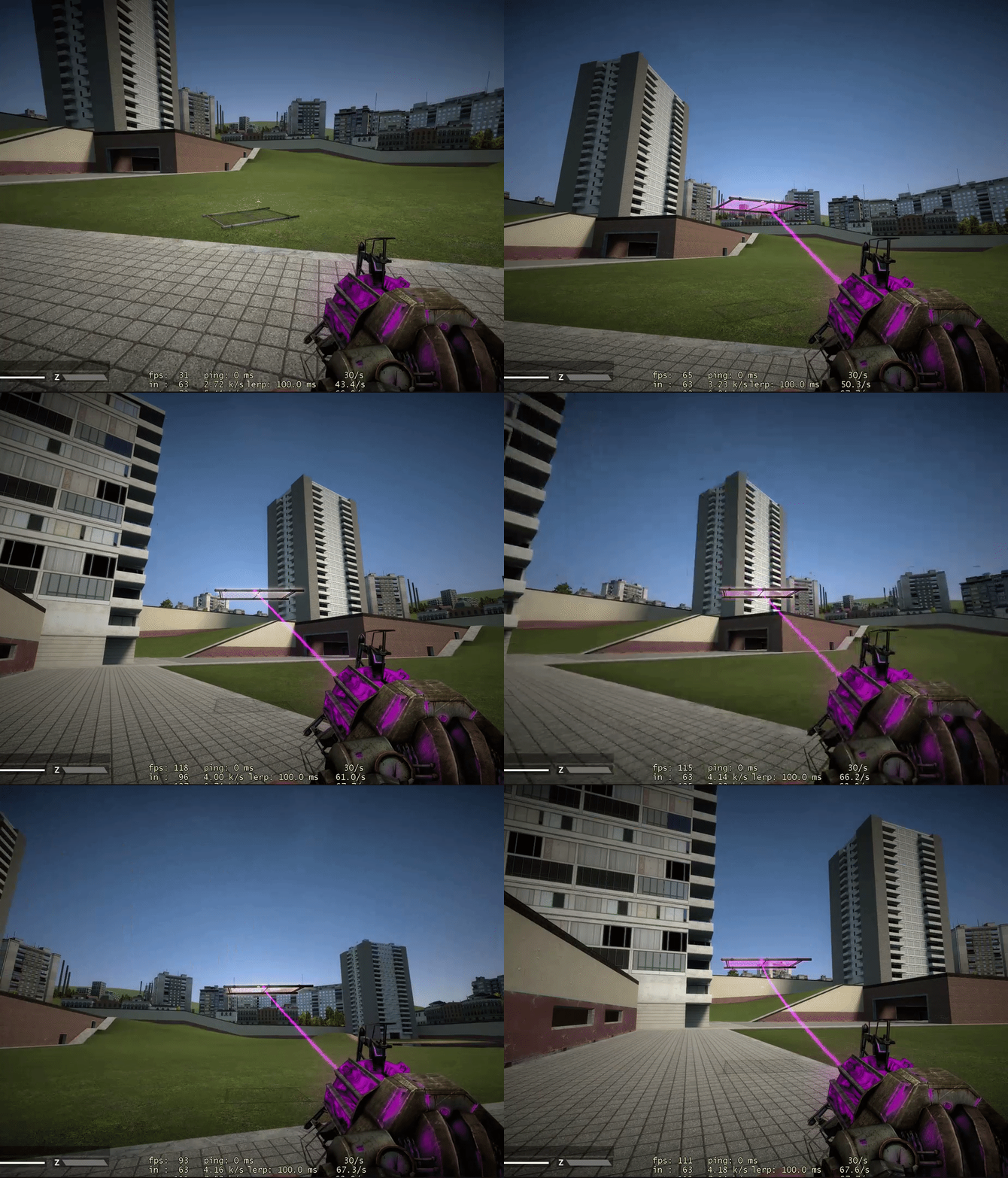
lemem show

 sand shore
Do you reckon that 3d pong is a lot like soccer?
I bet you could even add cars to that
magic cosmos
damn im dumb
sand shore
OH MY LORD YOU MADE ROCKET LEAGUE
sand shore
Yeah so./
magic cosmos
yo where is the unreal store?
sand shore
Make pong, first. Make the most boring pong possible.
Then start adding stuff to it
Make it your own.
sand shore
beginner wouldnt make it in a week, especially if hes under 15
@white crypt Eh, it wasn't about the timeline. He'd still make pong way, way, quicker than GTA
@magic cosmos wanna see my first game in UE4?
white crypt
well ofc, but i met my share of people who can only copy tutorials like mindless zombies when starting working with unreal
i;ve started that way as well
 vale moat
Hey try out udemy.com for courses on unreal. I would wait until there is a sale going on to buy any classes which there is always a sale. I am still new, but I learned a lot from that site.
white crypt
but for atleast 2 years i havent looked up a single tut on youtube
vale moat
Udemy is pretty good.
magic cosmos
imo then
vale moat
The classes are like 5 bucks when on sale
sand shore
Okay, here's the premise (because the video isn't that good at explaining it):
You have a color. You can change your color.
Spheres that are your color give you points. Other spheres damage you.
When you die, I reload the level.
That's it.
trim matrix
15 but whose counting
vale moat
I got mine for 5 lol
sand shore
that's the shtick
white crypt
thats some bethesda stuff
sand shore
They're always on sale
vale moat
Yeah just create a new account each time lol
magic cosmos
fr
white crypt
scummy marketing practice
trim matrix
or just ask for a refund after 29 days
sand shore
@magic cosmos So, that was the description of the game
white crypt
praying on people who impulse buy
sand shore
Here my vidya ----
vale moat
@white crypt I agree
sand shore
Looks super basic and boring innit?
trim matrix
how long did that take u
sand shore
Around 6 hr (from when I dl the engine)
trim matrix
not bad
white crypt
quite impressive, obviously you had some prior codiing knowledge even if it wasnt cpp
magic cosmos
nani
white crypt
general understanding of programming helps you a lot
vale moat
I find C++ easier than blueprint lol
magic cosmos
ur such a try hard
white crypt
even if you never worked with the engine
sand shore
That wasn't going to be my point though
magic cosmos
immutable
sand shore
That really was not meant to be my point
vale moat
But I suck at both
sand shore
When I made this project @magic cosmos I could not work with UE4 C++
that's why it's in BP
Now I write UE4 C++ every day
magic cosmos
Ik imma start with bp then do c++
vale moat
Folks say if you know C++ then blueprint comes easier but I wouldn't know that
vale moat
I think it helps with flow
magic cosmos
Yea ik c++
sand shore
Whats your background @vale moat
magic cosmos
Ik c++,c#,lua.
vale moat
Yeah then it should come easier to you once you get it
For me it was harder since I didn't know anything
sand shore
wow and you picked up UE4 C++ quicker than BP?
magic cosmos
blueprint names everything weird so thats why i find blueprint to be a pain.
magic cosmos
And there is like 50 thousand things that pop up when u looking for something.
white crypt
@magic cosmos im impressed that you know so much at such a young age
at your age i knew html4 and css
vale moat
Unless I programmed the blueprint myself, I have no idea where anything is lmao
sand shore
Yeah I sympathize with y'all
Do y'all use context sensitive at all? Does that help?
With C++, visual studio usually has no idea what I want, and I have to type half of it before it suggests anything
vale moat
My current project no, but personal projects I try.
magic cosmos
Yea i got into programming at 13 then i learn c++ first then went to unity cause people recommended for beginner the nafter that i went to roblox to script where i learned lua and then i refreshed my mind with c++ and now im coming to unreal.
white crypt
wish there were more serious IT classes in HS. we had to work with pascal....
magic cosmos
and im gonna stay at unreal and uh work for a triple a company.
vale moat
Yeah it is good to know both unreal and unity for freelance work in the future. 😄
white crypt
well i know, i've have bachelors in web dev already
magic cosmos
im not a drop out... if u were wondering
vale moat
Triple A is nice but the crunch is really bad at most companies
Rockstar is fixing that at least. But it can drain your soul
magic cosmos
Carmine yea but like they make up for it with the big bucks.
Plus im thinking i either stay on game programming or go to a career in ai with python.
vale moat
I think directors and the management make big bucks. I'm not sure how much the average programmer makes now. I think it is still pretty good. 🙂
magic cosmos
But idk im still making up my mind
Carmine bro the companies in florida are paying up to 180k.
a yr
white crypt
if you go with python theres a demand for renpy
magic cosmos
renpy?
vale moat
Depends on how long you been at the company