#blueprint
402296 messages · Page 438 of 403
 dry pewter
 safe geyser
But if you can find out how far L1 is from L2 and just add to that should work
Sorry not how far, but the direction
get direction from L1 to L2, add X to that direction from L2
dry pewter
I don't know how to set that up
dry pewter
Made a lot of hocus pocus but i think i solved it, it's really messy
 proud wave
Hey guys, I'm having issues with a spring arm used in a sixDOF controller, it seems that the spring arm is sliding the camera all over the place when I pitch/yaw more than 90 deg in any direction
Is what it should be all the time
but looking up or down moves the camera vertically for some reason
Simple BP
Keep in mind if I do a full 360 the camera goes back to the position it's supposed to be
Do I just need to 'hardcode' the camera boom/spring arm myself at this point?
 maiden field
did anyone created an player inventory with mysql?
 flint surge
shouldn't the camera move down if you're turning upwards? I mean it's rotating about the craft's center of mass at some distance right?
proud wave
In some games they do that yes, but I want it locked straight behind like in the first pic, in other words think of the spring arm as literally a bar welded to the ass end of the ship with a camera bolted onto it lol
flint surge
I guess you need to tweak the arm's settings then
should be able to change it so it doesn't rotate
may need to change what it's parented to as well, dunno
proud wave
I've tried using pawn control rotation, not using it, parenting to a capsule and the mesh, I had this working ages ago I just can't remember how I did it. granted it was with a somehwhat older version of the engine
flint surge
also check whether the camera is using pawn control or not
in addition to the box on the arm
flint surge
ah
 drowsy mauve
I'm trying to make an enemy spawner that will preview the skeletal mesh of the enemy that spawns. Is there a way to get the skeletal mesh from the enemy actor class variable I have?
safe geyser
My first visual script... it works, but it looks terrible
Is that thumbs up meant to say I did alright? lol
drowsy mauve
Looks good and functional to me!
safe geyser
Well thats good
There a way to be able to have the player walk through a certain ai?
"ignore collision if its this bp"
drowsy mauve
you can set collision profiles on the meshes/collision in the blueprint
and you can also change those profiles based on the state of the blueprint as well
safe geyser
I saw that but its only types, not a specific type
Like, if i have enemies and helpers, i want to pass through helpers but not enemies
drowsy mauve
if you want a specific interaction you can create new collision presets in your project settings
safe geyser
Oh ok
 buoyant umbra
I have a question I am new to Unreal and can't find the Material blueprints in 4.24. Can anyone help?
 tawdry stratus
Anyone know how to combine a particle system with an input? Like when you right click then you do something then have a particle effect
 covert stirrup
Hey everyone! I am looking to make a simple BP setup where I can place objects one after another using an integer to drive the amount of tiling of objects, my thought was to use for loop / array loop but I cant get a working solution, can anyone point me in the right direction?
 lyric marsh
Hey guys is there a place i can set my r.streaming.poolsize in project settings so i dont have to type it in console everytime? or execute it in blueprints every level
 maiden wadi
@dry pewter Not sure if you solved your looking past the pawn issue, but if you haven't, all you need to do is get the look at rotation from the first pawn to the second one, normalize that vector, get the distance from the first point to the second point, and then add onto it how ever far you want to look past it, and use that new distance to multiply your normalized look at vector.
 odd veldt
Is it possible to limit the movement of an AI to a defined area? (like NPCs who can only walk on a "stone" floor but other can walk on all floors)
maiden wadi
I'm not sure if you can set AI to move only in certain areas by default, but you could write your own ai movement checks based on a volume. Maybe by line traces too. Probably just depends on your use case.
 trim matrix
So i followeds this tutorial series on how to make an inventory : https://www.youtube.com/watch?v=yxqSkFNAzE0&t=3s
Im currently on episode 2 and the slots are not appearing. Any help?

In this new series I go through a method of creating an inventory system, similar to a survival game. In this first part I introduce the system and go through the process of setting up some key assets that we will need going forward.
There are unlimited ways to create a tutor...
maiden wadi
@trim matrix Can't really help without seeing what you have. Are you only seeing one box, no boxes? Show where you're creating and placing the slots in the grid box.
trim matrix
give me a sec to get screenshots
this is what im seeing
i got three ui widgets
one is the hud
one is the inventory slot
and one is the inventory window
i also got the inventory component
maiden wadi
What about where you're creating and populating the inventory?
maiden wadi
I'm still not seeing any inventory slots being created. This is all dealing with the InventoryWindow. Your tutorial on episode 2 is covering it at about 14:50 if I'm looking right
trim matrix
give me a sec
at 14:50 he makes the interact
i followed the tutorial step by step
and i dont think i missed anything
maiden wadi
Are you looking at video one, or video two? Because in video two at 14:50 is where he's creating and placing the inventory slots. In video one at that time, he's making project input mappings.
trim matrix
ah yeah im stupid
sorry
i didnt quite understand the modulus and division stuff
my fill rules are slightely different than his
maiden wadi
Yeah, not personally a fan of the mod use on that. I'm a simpleton. I just divide my full number of inventory slots needed by how many columns I want. Truncate that, and use it.
odd veldt
"Is it possible to limit the movement of an AI to a defined area? (like NPCs who can only walk on a "stone" floor but other can walk on all floors)
" ...Found something called navfilter and navarea, is this possible they way I should go?
maiden wadi
That all looks right. Bear in mind you can use the AddChildToGrid node too. They changed it since that tutorial to let you place the column and row at add time instead of having to set it after.
 urban zodiac
how does one make it so a value gets reset, like with the editor button
Since in editor modifications override whatever you seem to have set in the actual code
 echo scaffold
Quick question, I have a ball simulating physics, and I want it on hit to get the hit surface's normal direction, flatten itself to that, then stop simulating physics. So it looks as if it's now a flat circle stuck on the wall or floor as soon as it hits it. What's the math for the scaling?
maiden wadi
@echo scaffold Since your ball is round(Presumably), On hit you could just rotate the ball to face the normal, and scale it on x.
echo scaffold
Hmm, it would work for the simplified example I gave but wouldn't work for textured balls for example, or non round shapes like you said
Alternatively is there a way to rotate the ball to adopt the normal of the plane, in the shortest possible path?
So the ball lands on the plane like on the right image, and corrects itself to the left image
So only its up vector let's say, changes to match the surface it lands on, and the right and forward vectors remain in the same direction
 split wasp
you dont actually have to rotate it in a sense
you just project scale vector on plane, using impact normal
thus leaving impact normal dimension scale to 0
 lunar fog
Hi, perhaps somebody can help me? I wish the documentation came with examples on everything.
I'm try to export a texture to disk using this node, but nothing ever exports, and the bool tells me that the export failed
I get "LogScript: Error: Script Msg: Unsupported texture format."
The image I'm trying to export is a standard 8bit png texture
trim matrix
is there any good examples about using splines? i want to start with following a spline and detect when i'm at the end of it, then follow a second spline that starts at the same location the first one ends at (this way i could "split" a spline up). What would be a good way to store the "next splines"? Can i somehow just store a list of splines, in a spline, or is there a better way?
having a hard time finding a good starting point
 torpid linden
@urban zodiac you can make it private if you don't want it to be modified on individual instances, is that what you were asking?
 tame pecan
Anyone that have had problem with mouse events inside widgets? All the other mouse events works but this one
This one does not fire.
Mouse enter, mouse leave et.c works
 tidal jacinth
I have one question about drawcalls; I manage to reduce from 400 draws to 30 draws on my game only by reworking my materials and merging the meshes, but at runtime on the mobile device, the draw time just dropped from 18ms to 12ms. What else can I do to get it even lower?
 hallow night
more people with knowledge at #ue4-general
trim matrix
any examples about following a spline? i don't understand why i cannot find anything about this
 thin cedar
Anyone know how I can make my character jump out of a crouch, without releasing crouch first?
I have it to release crouch, then jump when pressing space. But it only un crouches.
 quaint falcon
i have 2 arrows . 1 for every arm.. i noticed that the projectile doesnt ever spawn at the beginning of the arrow.. like it should be how do i fix?
character bp
projectile bp
im using get arrowlocation but for reason there is an offset??
 gloomy parrot
Hey guys,
I am trying to rotate a cube 90 degrees over 2 seconds. However, the rotation itself doesn't last 2 seconds.
I have a timeline of 2 seconds, driving a lerp function to rotate a block. The curve value goes from 0 to 1, over a time of 2 seconds.
Does someone has any clue on what I am doing wrong?
 mild pine
Hey guys.
When I'm equipping my secondary weapons I'm checking if one is already equipped. If a secondary is already equipped, attach the new weapon to the equipped socket (in hands), if not attach it to the belt. However, if I equip a shield in the offhand I can also trigger the SecondaryEquipped Boolean by using an input to either equip or unequip the shield (this is taken away from the rest of the sheathing mechanic which ALSO triggers the SecondaryEquipped Boolean, mainly so the character can equip a shield without having to hold a primary weapon).
The issue arises when I equip my shield into the hand and it sets the SecondaryEquipped to true, but if I then swap out the shield with another weapon then the new weapon is either in the equipped position or sheathed position based on the shield's boolean settings, not the primary weapon. What would be the best way to attack this?
Simply connecting the shield to the main sheathing mechanic obviously solves the problem, but I want separate control over the shield
 tight schooner
@trim matrix I'm doing something similar in my own on-rails game. Anything riding a particular spline also has a reference to the next spline. There are a bunch of ways you can design that. Mine is hard-coded in that every spline is its own BP actor, and has a variable where you write the name of the next spline, and on BeginPlay it loops through an array of all of those BP splines actors trying to find a name match 😅
in any case yeah, it's possible to make a BP script that transitions between splines
the two ways to traverse a spline is by "time" or by "distance" -- Get transform at distance along spline, or Get transform at time
"Distance" IIRC is an arbitrarily long number while "time" is always from 0 to 1.
There are a lot of considerations involved tied to the design of your game so you should take a look at all the spline-related BP nodes available and come up with something. For example, my game is music-synced and traverses splines in a consistent point-by-point fashion, so I use the Get distance along spline at spline point nodes.
trim matrix
@tight schooner that sounds like what im planning, you just store the next spline in the BP?
tight schooner
Sorta. It ultimately gets stored on each actor that's using a spline after the game starts. They know about the current spline and the "next" spline.
trim matrix
@maiden wadi I did this as u said still no slots :/
@tight schooner yeah im trying to find info about it, so far i cannot even figure out how to even create a damn spline in my viewport........
tight schooner
(I'd design my system differently if I had to start from scratch. Maybe put a function on the Game Mode BP that manages spline references in a centralized way and puts them in an ordered array...)
 vestal aspen
Hello! I am making a dice game and I have 2 types of actors, player type and dice type, the thing is that I would like the player to be able to save an array of dice actors to be able to control the play but I am unable to do so, could you help me? (sorry for interrupting :c )
tight schooner
@trim matrix In your BP viewport? Add Component --> Spline
trim matrix
@tight schooner that would complicate things for me, i basically want to have junctions where the following object can pick one of multiple splines to follow next
@tight schooner so it would be a giant tree with many levels in my case
tight schooner
I need to put branching paths in my game too at some point 😅
trim matrix
it would be amazing for pathfinding though lol
tight schooner
I don't have a great solution for that off the top of my head
trim matrix
@tight schooner well you just follow one spline, and pick one of the next splines to follow, when you traverse into the next one, you do the same thing over (so you would know the current and next spline), that should work fine as far as i know, but it may be problematic if you need path finding
ill start messing around with it and see where i get
 golden kite
how do I get the player controller of a pawn with a trace?
 rigid cape
Hello all, just got on. A random question, but is there a way to take 1,000,000 to 1 million. Or 1.234,567 to 1.23 million in blueprints?
 dense tulip
How does one get the index of an instancedStaticMesh that has a collision with some object ?
 jade arrow
Oh, hello everyone! Just joined your chat, but I would dare start asking questions straight away. I have one, though. Now I'll try to explain everything: I have a default first person controller and a separate pawn class with camera attached, that I placed on the level. I want to make a script that changes the default camera with this camera pawn (imitating the ability to sit on a chair/sofa/whatever). When I change the pawn by POSSESSES node - everything works fine, but flip-flop to default camera doesn't.
So my question is: how can I access the default character controller to make it's camera active again? Thanks!
rigid cape
@jade arrow Have you tried casting to the character and then getting the camera from there?
jade arrow
I tried, but I need to set "In Pawn" in POSSESSES node. There's no way I can directly put camera component to it
hallow night
How do I use the Set View Target with Blend node to change cameras during gameplay using Unreal Engine 4 Blueprints.
Source Files: https://github.com/MWadstein/wtf-hdi-files
just use set view target with blend
you are overcomplicating things
jade arrow
I need the camera to be some sort of dynamic. Being able to look around)
At first I did it with view target with blend, but static camera is not a perfect solution...
hallow night
so in the flip flop A works but B doesn't?
jade arrow
Yep
As if the script does not understand what pawn should it use
I thought maybe "Get player pawn" sets it to camera pawn, that I assigned previously, and not the default character controller
hallow night
so it doesn't possess the chair?
jade arrow
What this thing does: when I interact with the trigger it changes my default pawn to camera pawn (pawn class and camera with look controls). But when I interact with the trigger from this second camera - nothing happens
hallow night
where is this script? in the player pawn, camera, or controller?
jade arrow
The script is in a separate blueprint
jade arrow
Vise versa. A goes to the chair camera and B returns it back
"Camera Pawn" is basically the name of this camera with pawn attached
hallow night
so, your character is a chair?
jade arrow
Yep
My character is a camera pawn, as I see no other way in making the camera dynamic (when the player is on a chair he needs to look around)
hallow night
maybe save the player pawn to a variable before the posses
and check if B is actually firing by adding a "print string"
jade arrow
I checked it with a "print string" already. It works fine
I googled something and it works, but strange enough
hallow night
then save the player pawn before posses and use the variable to posses again
jade arrow
I mean "Get all actors of class" and "For each loop"
How can I save the player pawn, if it is a character class?
hallow night
get player pawn?
jade arrow
I think "get player pawn" references to another pawn which is now active, and in this case it is camera, not character
jade arrow
Probably, I don't understand what is meant by that. Should I create a new variable, make variable type to "pawn" and add first person controller there?
jade arrow
The problem is - the default character is not "pawn", but "Character". And I can't find proper variable type for it
I mean, the default character from first person template. I use it
hallow night
jade arrow
Ah, okay. Thanks. Now i'll try
hallow night
in the player controller
A is the camera pawn
B is the old player
aka the chair
jade arrow
Oh, just a moment. I'll try!
and what is in the GET node on the right, before POSSESS?
hallow night
gets the first "camera" pawn
but for you i'll do sphere overlap actors with the pos of the current pawn and radius to whatever and filter is the camera pawn class and you the get pawn to get nearby camera pawn
hallow night
get a copy
jade arrow
ah, okay
Oh, great! It works fine
The only thing: it somehow keeps the camera restrictions from the CHAIR pawn (limiting the yaw input)
But still it's a great progress for me! Thanks, mate
hallow night
np
this script won't work as intended if you have 2 camera pawns in the world.. it will take the first camera pawn placed in the world
but for you i'll do sphere overlap actors with the pos of the current pawn and radius to whatever and filter is the camera pawn class and you the get pawn to get nearby camera pawn
@hallow night
do this if you want it to work
jade arrow
Okay!
mild pine
How can I attach the b_string to my character's hand during the bow's drawing animation? https://gyazo.com/f67a76083dd52de4b6c2b388c8fc4e6e

(Could potentially not use any animation aswell and just transform the bone towards the chin of the player and reset it when released?)
hallow night
i guess use ik?
two bone IK
i would have the bow animation of it going back
and make an ik for the hand to keep it on the string
mild pine
I have the bow animation, but its an assetpack (I have no idea around any 3D modelling software) so I cant sync the animations sadly
hallow night
you don't need
mild pine
Hmm, how should I go about doing that? 😮
and make an ik for the hand to keep it on the string
@hallow night
hallow night
u have the animation of the string going back?
mild pine
Yeah
hallow night
its simple make a function that constantly update a variable in the animation blueprint with the location of the b_string (get socket location)
mild pine
Within the player anim BP?
hallow night
can be in the player bp or the anim doesn't matter as long as you can get the socket location
mild pine
Alright
mild pine
Yeah
hallow night
then do this inside the animbp after getting the location
mild pine
https://gyazo.com/a60f5e0b257c2f84de47e4b973a3cbb8 Got the socket bone, look alright to you?
 hallow night
you don't need the slot
yes
but you need to keep that firing until you fire to make it costantly get the location
fire the arrow*
mild pine
Yeah, that bool is true aslong as the bow is in the hand
hallow night
as long as you're in the "pre fire" state
mild pine
Yeah, I'll get the "charging" bool instead so Im not calling it 24/7
hallow night
you don't want the hand to be stuck at the bow string the whole time
ok then
in the "pre fire" state just add two bone ik
 rigid cape
Just gonna ask again, is there a way to take 1,000,000 to 1 million. Or 1.234,567 to 1.23 million in blueprints?
hallow night
set the bone..
hallow night
ahh you can get the string length and check how many digits -1
 still nexus
is there anyway to resize a canvas with pinch touch screen or reposition it ?
mild pine
@hallow night https://gyazo.com/aa8412b1b84f5f66c43ec8222c2f620c oh god
mild pine
Location + offset?
hallow night
make it world space
hallow night
looks like the location variable is too far..?
 hardy ibex
Hi everyone
mild pine
Yeah, I'll test around with the offset https://gyazo.com/e365506ab78f41968569b1f08645dcff
 hallow night
if its world space maybe get the actor forward vector and multiply it by the offset that you want ?
mild pine
Omg, this is making me die so hard hahaa: https://gyazo.com/cc5797839324c69333c4aef2a00459bf
The arm still rotates around if I rotate my player tho
hallow night
looks like Parent Bone Space is better?
shouldn't the animation already be synced anyway?
mild pine
The bow and its animations only came with the bow anim, no player anim sadly
Wouldve been a lot easier haha
Maybe it would be better if I attached the string to the hand instead? @hallow night
hallow night
do you have an anim state for it ? if you do then go for it
mild pine
I can make an anim BP for the bow; it wouldnt be used for anything other than this though
Is this possible, or do I need something running the pose? https://gyazo.com/61dea4b252a4289b2aaad5a5234f5504
 hallow night
No idea
 somber tangle
Does anyone have an RPG project they stopped working on that I could take a look at and pick apart?
safe geyser
For Unreal?
MMO or just regular?
Can you be more specific?
Here's a production open source MMORPG https://ryzom.com/

But its not unreal 🙂
trim matrix
i got one BP with 3 splines in it, how can i reference these in another BP please?
i feel like i forgot everything, its been like a year lol...
dry pewter
Helo Guys! how can i make that in-game, player "frees" the mouse like using the Shift+F1 command in the editor?
Aalso how can i waitch on/off the mouse control rotation?
switch**
somber tangle
@dry pewter https://www.youtube.com/watch?v=XSHaGYlctYs this might help with showing the mouse

In this video I will show you how to show and hide the mouse cursor on the fps template in unreal engine 4 with a single key press using flip flops in blue print.
-~--~-~~-~-
Please watch: "Invisibility Effect - Unreal engine 4"
https://www.youtube.com/watch?v=ZZQo89xUqx...
dry pewter
@somber tangle Thankyou exactly what i needed, now i'm left with only the second inquiry
somber tangle
@dry pewter for that I am unsure.
mild pine
How can I make equipped weapons (that's hanging from the belt or attached to the back) apply physics when I move? I.e bounce around?
dry pewter
Are those weapons actor blueprints or static meshes?
 devout geyser
Hey guys i made a turret that when ever a player will enter the collision it will turn at him and shoot a bullet but when ever i enter the collision its keep crashing image: https://prnt.sc/rry7r5

 vestal plover
Hello! I think this is a common question but does anyone know how to send custom events with parameters in a Level Sequencer? Everytime I use the Event Track it only allows me to send one parameter or it wont work with the binding in the Sequencer.
 spark steppe
i've got an actor which has another actor as parent, as soon as handle onBeginPlay event in the child it wont be called in the parent
is there any way to execute the onBeginPlay event of the parent? nvm, just rightclick the node and add call to parent
 burnt trench
hey guys how should I approach to make an in game tutorial for the player for some game mechanic I have?
Want to trigger it on a trigger volume
make everything stop until the player presses a combo and learn the game mechanic
kind of like pausing the game
is set world dilation the right approach?
 tribal wave
hi doesn anyone know if there is a way to listen for an attack input within an animation notify?
I guess ReceivedNotifyTick could work but can't find a way to detect input from there
could I use an event dispatcher on input and listen in notify?
devout geyser
Hey guys I made a pawn that will follow the player but when it gets spawn it doesn't follow only when i place him on the ground it follows any help?
safe geyser
in spawner you can select AI
 full crypt
Hiya, im new to unreal engine stuff. im having some real issues with replication and i can't find anything that helped. Camera rotation will not replicate at all, and projectiles will not replicate either, all replication related settings are checked and i even tried making custom events that multicast and run on server based on authority, i ran through every tutorial and post i could find on replication and im at a this point. any clues?
 fathom cobalt
In a hack-n-lsash game, should the sprinting and dodge buttons be together or seperate?
 barren fern
Does anyone know how to take a screenshot in game and have it automatically exported? Something like a photo mode that a lot of games have. The only way I have seen how is via a console command but that only works in editor.
safe geyser
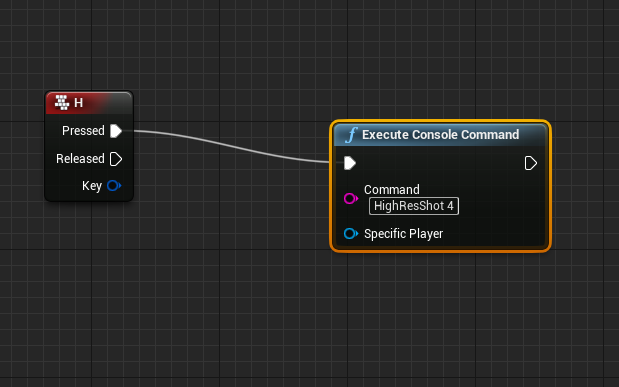
For a long time I didn’t know that taking high resolution screenshots while playing a level in Unreal Engine 4 is as easy as connecting two nodes in a level blueprint. Here’s how you do…
 plush ridge
For anyone who's used physical animation, any way to avoid having each body in the physics asset behave separately? If I push the head, only the head body is pushed, it doesn't push/pull the rest of the body unless other bodies are also pushed. So I end up with things like this, where the head gets pushed down into the torso instead of having the entire body get bent downwards
trim matrix
i got a BP with several splines, and another BP where i want to access these splines. i assume i need to store them in a public variable, however i cannot figure out what datatype i need. ideally i want to store the entire list in one array or something similar
 jolly spruce
I want to calcurate damage by BP_PlayerCharacter member variable and BP_Enmey member variable.
But I cannot access BEFORE spawned blueprint member from other blueprint.
How do you do in standard?
 manic maple
Hey guys, I've packaged my 4.22 project for HTML5 and got it running on itch.io
in-game I have clickable links that should open webpages. This works fine on desktop but the packaged online build won't open the webpages for some reason. It shows me this page instead:
Any advice?
All I've used is the LaunchURL node
is this the correct way to open a link?
 glad ledge
Sup guys, did any of you tried emulating user input?
I have already a way of recording input to a file and then importing it back, i play it(right now only prints what should be clicked) at right time but now my biggest obstacle is to emulate user input
or to tell unreal that it should behave like the button would be pressed
 dapper cradle
I am SO very confused,
I have a trace set up to interact with an animation, I use it for switching between animations.
I have brought another animation in to do the same thing, this animation uses a different skeleton however so I am having to redo the trace (Because I dont know how to do it otherwise)
For some reason I am unable to get these last couple of "Set" nodes to work.
The top one is the one which currently works fine
Nevermind I think I sussed that part now XD
mild pine
@dry pewter Skeletal meshes, spawned by the use of a weapon actor BP
torpid linden
@manic maple That looks like an issue with the page you're opening, not with your game.
 feral kiln
hey guys, so i just tried something right now and you might get shocked hearing it, but i made a blank game with no starter content and created a gamemode blueprint with a begin play printing "GameMode", and then i created another blueprint (Actor blueprint) with a begin play printing "Actor". then i changed game mode in the project settings and then i created an instance of the actor in the world. now when i hit play ... the actor prints first 😐 , WHY ?
hey guys, so i just tried something right now and you might get shocked hearing it, but i made a blank game with no starter content and created a gamemode blueprint with a begin play printing "GameMode", and then i created another blueprint (Actor blueprint) with a begin play printing "Actor". then i changed game mode in the project settings and then i created an instance of the actor in the world. now when i hit play ... the actor prints first 😐 , WHY ?
@feral kiln
here is the picture of what i get ...
 cursive drum
Hey guys I have ALS and Character Interaction intergraded and was wondering if anyone knows the best way to copy the level blueprint code from the Level_interaction map and put it in my own map in the same project so i can use the code for the Searching password in the cupboards, the elevators and all the other features in the interaction map. Would really like the code for the looked doors and passcode doors because I'll need to do that stuff more than once in my map and seems like it would be easier if i could make blueprint actors.
trim matrix
how do i assign a spline to a variable? i don't know what datatype i should use, nor how and where to look it up effectively
spark steppe
can i attach an actor which exists in the scene to another actor dynamic?
as i want one camera which can focus/follow different actors
trim matrix
how do i make a nested array? i kindof want a tree if i can
maiden wadi
@trim matrix Generally people accomplish that with structs.
trim matrix
@maiden wadi thanks, are there limitations to this? it would grow into a pretty massive tree over time
i didnt even think of structs because its the same datatype (i am an idiot)
mild pine
What could be causing this? trying to have my scabbard/Sword use a physics constraint to jiggle around while Im moving, but its just being funky. https://gyazo.com/096238a04230d5906ff5c38975d54dfa
maiden wadi
@mild pine Are you turning something off when you sheath the sword? It stops there. Whatever you're disabling or enabling is probably causing that.
mild pine
Yeah Im turning on/off physics simulation of the scabbard when I sheathe/unsheath the sword; but the issue is that the scabbard is dancing around randomly and not attached to its proper socket
maiden wadi
It's probably colliding with some other collision on the mesh by the looks of it. That kind of jitter is usually because it's trying to get 'inside' of another volume, and it can't, so it just spazs out because it's always trying to correct itself back into the other volume, but can't.
 maiden wadi
First guess would be capsule, it never seems to go inside of what looks like might be the capsule area.
mild pine
(The scabbard isnt visible until spawned)
Hmm yeah, could be the capsule. Do you know a workaround?
maiden wadi
Change your blocking collision channels on one object or the other.
 woeful dawn
hey, Dont know if guys can help me. Does anyone know any tutorials or anything on how to make this kind of ui menu. Thanks, have a good day everyone 🙂
trim matrix
i dont think a struct will work for my case, its making things waaaaaaaaaaay more complicated
mild pine
@maiden wadi Hmm yeah that worked. 🙂 Now it doesnt seem like its being constrained at all though haha 🙂
maiden wadi
@trim matrix Structs are the only real multidimensional array as far as I know. Maps sort of are, but they won't work for what you're after as they can't hold arrays I don't think.
mild pine
Nevermind, it is.
trim matrix
@maiden wadi yeah i'm gonna have to split it up its way too complex in one struct, i think that could work too though 🙂
@maiden wadi illl look into maps as well thanks
my old project was using the VXGI branch lol... too lazy to compile it just to look at my BPs and code, its been a loooong time
maiden wadi
@trim matrix Maps are just a two column array that keeps one column even with the other, so you can do stuff like keep a list of actors with an integer associated with that actor. Sets are sort of arrays, but cannot have the same reference or value as any other element, good for throwing stuff in that you want to only make sure you only have one of each.
trim matrix
@maiden wadi aaah yes i vaguely remember using them, i will likely need them later for other stuff thanks for reminding me 🙂
in fact i can think of something very powerful i can do with it already 😄
mild pine
The constraint doesnt really work as I hoped; it just displaced the mesh in question and doesnt jiggle it
Upon movement
Do I need to add force to it in the player direction when moving? @maiden wadi
 nova pagoda
Hey guys a quick question about DISPATCHERS:
Let's say I've got 2 different classes (1,2) with events bound to a third class (3) that's calling the actual dispatcher.
If I UNBIND ALL in (1) does that mean I'm globally unbinding any event bound to (3) or does it affect only stuff that (1) has bound? Thanks in advance
 haughty bone
Hello, I'm having a problem with the referencing of the HUD on my gamemode. It works fine on other blueprints but this shop item ,it doesn't at all. Have I done something wrong?

 maiden wadi
@mild pine Unsure. It should just work like a chain in most cases and lag behind when moving forward, and when stopping it'll jump forward. I think some of that depends on the constraint settings though.
@haughty bone If I was just looking at that right, you're trying to get the hud from the shop item from the game mode on load. Problem is your shop item was from the world, which is loaded before game mode, so there isn't a game mode on it's begin play to get hudreference from.
If I recall correctly, All items that are already placed in a level are loaded, once those are complete, game mode is loaded, which spawns player controllers and their associated pawns.
haughty bone
oh ok, thanks. I added a 0.1 delay to the spawning of the items and it worked thanks
maiden wadi
@nova pagoda If I am not mistaken, event binds are per instance, not for class. If you bind five of class 1, and then unbind two, three of those from class one will still fire. Class 2 should be unaffected by an instance of class 1 being unbound, just like the other three instances of class 1 were not affected by the other two being unbound.
 spark robin
How do I let an actor change navmesh "floor" or whatever its called?
spark robin
Can I just set the active floor manually?
maiden wadi
It doesn't see those as floors. All of that is the same nav mesh. All the AI sees is a huge uncrossable wall.
spark robin
Then what is causing this?
(Not the teleporting, its intended, just that it gets stuck like that)
Im using a AI moveto node
What I want to achieve is just that it can step up and down from those blocks
maiden wadi
Have you allowed them to walk off of ledges? If I recall correctly, ai cannot walk off of ledges by default.
spark robin
I have not, that sounds like it might be it
maiden wadi
Check out the AI character's Movement Component. Search for Ledge.
maiden wadi
Hard to say. I'd check out the AI channel. It's not specifically EQS or Behavior trees, but they'll probably know better.
spark robin
Could it be related to the gap maybe?
 gray quarry
Hey guys! I have a question too, i can make static meshes obey gravity, but when I merge them in an instanced static mesh actor they float mid air. How can I apply gravity to instanced static meshes?
hallow night
make a static mesh with the same transform as the instance and remove the instance then apply gravity to that one?
 full cloud
Hey guys, I have this blue cube I can push, I want, when it overlaps with that trigger volume (called transform), I want it to change into the red block (which you can pull), so basically I want BP_pushBlock to change into BP_pullBlock when it overlaps with the trigger volume
I don't really know how to start with this, for now, I just made this in the Level blueprint
which doesn't work of course
mild pine
@maiden wadi hmm yeah, thats what I get in a normal situation. Maybe its acting up because its attached to socket?
maiden wadi
@full cloud Unfortunately, you cannot make one object turn into another. The easiest way to achieve what you're trying to do would be to simply spawn a pull cube in the push cube's transform and then destroy the pull cube, or viceversa. The other way to handle this, is to put your logic inside of one object for both things, and make a check to see whether it's pushable or pullable when it's interacted with.
full cloud
@maiden wadi oohh okay I that first method you mentioned is also perfect for me, thanks! I'll try that
 fierce birch
hey can anyone help me out with an issue that im having
i set up two keys for movement to consume stamina, for the most part it works perfectly, but when you spam them both thats when it doesnt work
maiden wadi
@fierce birch I'm just going to point out that this is not a good way to handle stamina drain for movements. Case and point, I can already break what you've done just by holding A and tapping D once. I could run around infinitely with no stamina drain.
fierce birch
yea @maiden wadi i just started with blueprint after transferring from another language, how would i fix that
maiden wadi
This is for all movement, not just sprinting and such?
fierce birch
there is sprinting
its down below on the third sequence node
this is the sprint
maiden wadi
Initially, if I was doing this, I'd probably use the Character bool for falling. and on movmeent axis, use a velocity to scale the stamina drain. Using the Falling bool allows you to check if your character is in the air, and not subtract it there, but then make a drain that'll drain at any velocity just below your walk speed, allows you to scale it up easily to also deal with the sprint speed. The only drawback to that would be if your character can stand on moving platforms, you would have to add in a check for what they're standing on and get it's velocity to subtract it from your character's.
fierce birch
so make a is falling bool. how can i use velocity to scale the stamina drain
maiden wadi
What are your regular walk and sprint speeds?
fierce birch
i need to change them but the walking speed is 300 and the sprinting speed is 600
 signal cosmos
Hi guys, why do I have this problem with data tables?
fierce birch
did you read the error?
signal cosmos
Yes, I don't understand, I have something connected in the input, the data table variable.
maiden wadi
The error is about the OutRow, the gray pin on the other side.
 tawny tinsel
IS THERES PAWN NOT SENSING NODE?
i need something that sets to it back to false when its not sensing the player anymore
signal cosmos
Ah okay! I absolutely need to connect something here before compiling then. Thanks. Knowing that, the error message makes more sense indeed. sorry about that
fierce birch
your forward and right are my a and d keys correct?
maiden wadi
That's done on axis. For holding keys down.
fierce birch
ok but what did you put in those custom events, just the keys being pressed?
maiden wadi
Ah, yeah, Forward is W, Right is D.
fierce birch
so if i were to use a d pressed key what would i plug pressed and released node into
maiden wadi
Are you running your movement off of tick?
fierce birch
yes
maiden wadi
Ah, I see. If I'm not mistaken, you should be able to just make a new line off of that sequence and put the function there?
 fallen glade
does anyone know why set screen resolution does nothing when in fullscreen windowed ?
maiden wadi
Did you apply game user settings afterwards?
fierce birch
@maiden wadi is my stamina regen code ok?
maiden wadi
@fierce birch I dunno. What I posted will drain 1 point of stamina per second while walking, 2 points per second while sprinting. You can scale that how ever you need.
 kindred walrus
hi all is that a node to get CDO (class default object) in BP
fallen glade
?
maiden wadi
@kindred walrus Not sure what you mean by default 'object', but if you're looking to get a class's default variables, you can use "GetClassDefaults"
 fathom portal
^
kindred walrus
I just want to find a blueprint node can do the thing equivalent to GetDefaultObject in c++
fierce birch
@maiden wadi what is your code in the custom event of move forward
maiden wadi
@fierce birch Not sure I understand what you're asking? I screenshotted everything in the event.
fierce birch
what did you put inside your custom event, because im trying to figure out how i can connect the nodes from pressed and released
maiden wadi
It's just an axis event. You can create them in the project settings.
It's basically a tick event, but the float coming out of it changes based on button press or controller movement.
tawny tinsel
how do i make my ay stop chasing the player once he runs away
because if the ai will sense th eplayer
he will sense him forevre
tawny tinsel
help
maiden wadi
@tawny tinsel That needs to be done in your AI's blueprint that has the pawn sensing. You need to check every so often if the pawn can still see the player. Usually through line traces, or distance checks.
tawny tinsel
so how do i set that up?
maiden wadi
On tick, or set timer by function.
tawny tinsel
on tick do what
quaint falcon
i spawn a projectile in an empty actor with only a ball in the middle
for some reason the ball doesnt spawn in the right location
*the projectile doesnt spawn in right location
maiden wadi
@tawny tinsel On tick, do a line trace from the pawn to it's sensed target. If it can't hit the sensed target, visibility was broken.
quaint falcon
the is an offset
but the actor and projectile print the same spawn location?
bruh plz help
trying to figure this out for 2 weeks
maiden wadi
@quaint falcon Is the projectile moving?
tawny tinsel
@maiden wadi doesnt one of the failed or succses nodes do the "seeing cant see"
tawny tinsel
but every time the ai chases it only prints the execute and the failed string
and succses string never appears
maiden wadi
That's a movement node. It has nothing to do with the pawn sensing. That just dictates if the ai can finish it's move in the nav mesh, or cannot.
@quaint falcon What about the projectile? Is it's mesh offset from the center of it's core component?
maiden wadi
@tawny tinsel Use which ever one you need. There's a lot of information on them. By channel is probably okay for your uses, but I'd look up some tutorials or mess around with them for a while.
quaint falcon
@maiden wadi for some reason it works when i make a new actor with only a cube in it and then spawn it (like the projectile)
what could it be?
in the projectile bp is the problem
quaint falcon
if figured
maiden wadi
Pawn sensing is like a motion detector. It only turns off when it's told to. If you don't understand line traces, do it by distance with vector math.
tawny tinsel
how do i do it by distance
maiden wadi
@quaint falcon What happens if you print the projectile location on tick? Does it change from the spawn location at all?
quaint falcon
sec
when i spawn it i print the (spawnlocation in the actor) and the location when the projectile spawns(in the projectile itself) same vector
maiden wadi
I know, that's why I'm asking what happens if you do it on tick. Does that give different vectors after the spawn?
spark steppe
hi, where should i keep track of which entity interacts with another?
a.) store it on both entities and remove it when the interaction is done
b.) store it global in the level blueprint (easier to maintain, and lower probability of failure)
maiden wadi
@quaint falcon EventTick. It runs once for every frame drawn to screen.
maiden wadi
@tawny tinsel When the pawnsense activates, you save that pawn as a variable for reference. Use that reference on tick, or by making an event timer, and get the reference actor location, and the AI's location, and use a Distance(Vector) node. It'll return the distance between the two actors. Then just branch. and if distance >= 500, stop movement in the ai controller.
quaint falcon
where can you see the print logs because the disapear after a while
maiden wadi
@spark steppe Are you talking like a trading system, or conversation sort of system?
spark steppe
all kind of that
actually i need it to figure out if i want to block my AI code
so they dont run away when i interact with them
maiden wadi
I might do that per character. Less object interaction with other objects.
 languid lion
Hi, I'm having some trouble casting to a blueprint
I don't know what to reference in object
maiden wadi
It's almost like it ticked once and updated it's location forward.
@languid lion You need to get a reference to whatever actor has the sphere that you want to disable collision on.
languid lion
Yeah but how...
quaint falcon
ye you got any idea?
languid lion
I don't see the right options or I just cant find the right node
maiden wadi
@languid lion What blueprint is that in?
languid lion
Player Character
quaint falcon
languid lion
trying to cast to an actor made for a pickup for resetting dash
maiden wadi
What is DashReset?
So how are you interacting with it in the first place, on overlap, or hit events?
languid lion
There's no interaction with it right there, that's the thing, but I wanna reset its collision so begin overlap fires for it
maiden wadi
@quaint falcon I might honestly just set that stuff by default in the projectile movement component instead of begin play.
quaint falcon
@maiden wadi could it have something to do with the projectile movement component?
i have different projectiles
childs
languid lion
tawny tinsel
ll these vectors only show where the ai is standing
how do i do the distance vector?
maiden wadi
@languid lion Okay, but that's the problem, you have no interaction with it yet. You can only get references to other actors by doing a few things. Easiest, but performance killing one is GetAllActorsOfClass. Not advised to use in most cases beyond testing. Others include things like Event Begin Overlap, Event Hit, using nodes for detection like SphereOverlapsActor, LineTrace or MultiLineTrace. Or a different way is to save reference when the object is being spawned.
languid lion
What would be another way to handle resetting collision for that blueprint right around that time?
trim matrix
i defined an array of "actor components -> object reference", made it public, i would like to store actors from the scene in there, and not from the content browser, is this possible?
languid lion
can I call an event in some other blueprint?
tawny tinsel
@maiden wadi HELP
all of those vectors say where the charcater is located in world
not distance betwen both actors
wich one is distance betwen two actors?
theres like 10 of them
trim matrix
@tawny tinsel substract them and you should have the distance iirc
tawny tinsel
no that gives me substacted location of the charcater
the vector returns with the location of actor 1 in the world
not the distance between them
 south hearth
Anyone here know why MouseX axis only fires when (any) mouse button is pressed?
maiden wadi
@tawny tinsel
trim matrix
how to store actors form the actual scene in a BP variable please?
variable is public
south hearth
Set as ref?
maiden wadi
@south hearth It fires all of the time, but you'll only get values from the axis when the mouse is down because you're probably using SetInputModeGameAndUI.
trim matrix
@south hearth sorry nto sure what you mean, i searched for it but no luck so far
trim matrix
@south hearth i used actor components -> object reference, ill see if i can change it to actor ref
south hearth
@maiden wadi
Thanks. I just set "Game gets Mouse Control" and it works as expected now
trim matrix
@south hearth yep got it now, thanks 😄
south hearth
@trim matrix Let me make an example real quick
trim matrix
very nice
south hearth
Oh! Cool.
trim matrix
so many datatypes it gets very confusing sometimes
south hearth
Yep. It really does. Don't give up though!
trim matrix
@south hearth i used all this before but its so long ago that i dont recall most of it, but i got time 🙂
thanks for the help
south hearth
Yeah. I can relate. It's definitely a muscle you gotta exercise, but a lot of it will stick eventually. Just gotta keep at it! 👍
 pulsar moss
Anyone here use Automation for unit testing? Is there a way to run more than one test-case per Functional Test blueprint? Or is it only one test per blueprint?
tawny tinsel
HAHA GUYS DO YOU WHAT THE ISSUE WAS@maiden wadi PLAYER CONTROLER IS NOT THE PLAYER BP
SO I PLUGED IT TO THE PLAYER bp out node and it worked
languid lion
BlueprintUE
Is there a more efficient way to handle this?
@maiden wadi This is what I'm trying to do now to fix my problem
 somber latch
Hey, so I created a little countdown timer and the seconds that i have go 10, 9, 8...etc. but I want it to show like 10, 09, 08, 07...Is there something that I need to specifically do to make this happen?
languid lion
Uh I remember dealing with this for score in a game
There's a node for setting the number of digits to display
Ah yeah, try the AsCurrency node
or ToText node
it was one of them
 knotty inlet
I have a widget in a ListView that I want to be able to click on to select, but also want to click and drag. The docs use overriding OnMouseButtonDown to call DetectDragIfPressed and return the resulting EventReply, but then it eats the mouse event so the ListView never gets it
any good ideas to resolve this
 runic canopy
Is there a way I can have this spawned actor automatically destroy when this parent is destroyed? (without having to hook into a destroy event, I figured there may be something automatic already?)
maiden wadi
@somber latch Try this.
 frank jetty
Hi! I think I found a bug...
I loaded up a C++ First-person Template project. Then I modified the Character class: switched the FP_Gun (which is VisibleDefaultsOnly) from being a USkeletalMeshComponent to a UStaticMeshComponent.
When I was going to set the mesh in the details panel of the Character Blueprint, the details panel for the FP_Gun was empty.
full crypt
does anyone else have any issues with replicating anything relating to the camera? the rotations from the camera cant be replicated for me
trim matrix
anyone got a simple spline follow example? just a box following a spline or something similar
hallow night
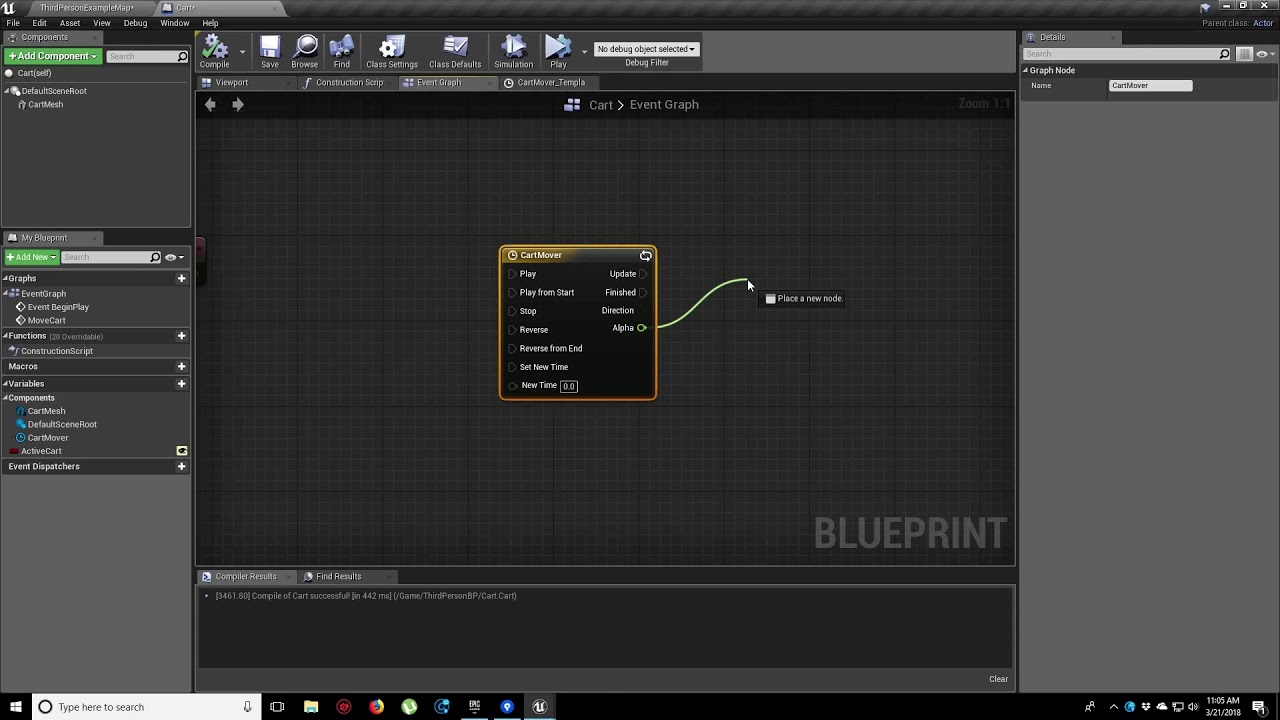
In this video, we show you how to make an object move along a set path using Splines. We also show you how to control the speed of the object, it’s starting position and looping options.
fathom cobalt
I'm trying to make a system where if you hold down a button, the character sprints, but if just tap it, they dodge. But I can't seem to make a good enough system and this is the closest I've come. The problem is, it the timing for the tap is too small, then it's too short for tapping. But if I increase it then I have to increase the delay and I can't make that too big or else the delay for the dodge will be too big. Both are problematic for a situation requiring quick thinking.
I tried making the dodge hook up to the "release" input but for some reason, that only works when there's nothing in the "pressed" input for some reason.
Anyone have better ideas?
trim matrix
i just dont get why there is no clear example about this 😒
seems like its something a LOT of people need
fathom cobalt
really?
trim matrix
(i am talking about my own question)
maiden wadi
@fathom cobalt Are you doing a double tap, or single tap for the dodge?
@trim matrix There are hundreds of tutorials about moving objects along splines, from single platform style objects, to making an AI follow a spline path, to making climbing systems.
trim matrix
yeah half hour long videos, i'm not bothering with that
 true valve
Can you get a class reference from an object or vice versa?
fathom cobalt
@maiden wadi Im doing single tape. I tried doing double tap but that didn’t work very well either.
maiden wadi
@fathom cobalt Which do you prefer?
fathom cobalt
I like single tap. Double tap feels too spammy and I’m trying to imagine the player in a more chaotic situation where quick thinking is needed @maiden wadi
 atomic salmon
@true valve given an object (instance) of a class use GetClass to check its class. Given a class, use Get All Actors of Class to get all objects (instances) of that class.
true valve
If I reference to an object of a character BP, and then use getClass with Spawn Actor from Class. Would it work?
 pseudo glen
I'm trying to shake my HUD/UI. Means my HUD/UI interacte with my movement ingame, like in Halo or Destiny. I already made the Parabolic (Curved) style but I'm not sure how to make the "shake" effect. I was thinking about to shift the HUD with World Coordinates-to-Screen Coordinates but I'm actually not sure how to do that. Does someone has an idea?
trim matrix
well half an hour wasted like i thought
will only work if i define all my splines in the same BP which is nothing short of stupid in my case
if only there was actual documentation with examples
trim matrix
how can i get a spline component from the actual world (i dont know how to call this in UE4 terminology)?
i cannot set a variable with a spline component, only actor, and i cannot get from actor to spline component
apperantly my logic is the easy part, finding out the correct datatypes and how to cast / convert / .... them is the hard part
changing from actor reference to spline component reference does not allow me to pick something from the scene / world anymore
well ill keep searching, bye
 rugged nexus
If I want a multisphere trace to have a specific order to the components it hits on a actor how would I do this?
ex: if it hits the shield component I don't want it to hit the player component
but I want it to check for the shield component first
 fluid lance
I'm trying to get an "item visualizer" for my inventory, using scene capture components. However, my entire game is under a post process effect and I would like the item to be displayed with the PP as well.
If I just use Final Color as the target on the scene, I don't get a transparent background. So i found this in the forums:
- Prepare the SceneCaptureA set to "FinalColor" and the SceneCaptureB set to "SceneColor (HDR) in RGB, Inv Opacity in A"
- Set two SceneCaptures to equal Transform, FOV
- In the material, set the result of SceneCaptureA in Color and the result of SceneCaptureB in Opacity
How bad is it to use two scene captures just to obtain this effect? And, if it's awful, any alternatives? lol
maiden wadi
@rugged nexus Make sure the shield component encompasses all of the rest of the actor, so that it can't hit the actor before the shield.
spark steppe
is there any way to cast the mouse position on trigger meshs?
i have this setup where the colored boxes are trigger zones but as soon as i move the green cursor over them, it gets cast to the rooms floor
so the cursor decal gets hidden by the box
maiden wadi
@spark steppe What are you using for the mouse position update?
maiden wadi
Set those volumes to block visibility.
spark steppe
they actually are set to visible
or i'm looking at the wrong place
the trigger profile for the collision also looks like they should be part of visibility traces
nvm...
thats ignore xD
manic maple
Hey everybody, I've opened a blank project and the first person template side by side to try to gain a better fundamental understanding of the preset projects in UE4. I've made a character that works with the same blueprint code, but there's horrible camera lag that's not present on the first person template.
Can't tell what's different after comparing them both at all
Any advice appreciated
spark steppe
well i have to overthink the whole process... when it casts on top of it, my tracing for movement also tries to get on top of the box
dry pewter
@manic maple The template project character's have a preset "Character movement" component, and the cammera boom (spring arm) inherit's rotation (pitch, yaw and roll) from it, is your own project set up the same way?
dry pewter
My bad was thinking on third person, in first person case arethe First Person Camera settings the exact same in the template?
manic maple
They appear to be. Camera settings themselves are fairly short list if you ignore visual effects and colour grading etc
Default FPP^
Mine^
They're the same as far as I can see unless I really need glasses 😁
Any ideas?
Double checked my inputs are all correct and the same also
dry pewter
Is the process of possessing the character by the player, in both projects the seme?
same*
And the post processing on the map/scene? post processing might generate lag
hy guys any idea for a 3d model viewer as sketchfab for a android
@pallid vector Sorry i don't
maiden wadi
@spark steppe No, that trigger box was set to ignore visibility, and I also don't think it works with query only.
 pallid vector
They appear to be. Camera settings themselves are fairly short list if you ignore visual effects and colour grading etc
@manic maple the lags depends only about your performance of the project and the
manic maple
Ah I am silly... Yep, the gamemode was set to use the wrong default pawn 🤭 🤦♂️ @dry pewter
Well done, and thank you, hahah.
pallid vector
cpu performance
manic maple
It wasn't performing badly, it was latency.
Must have accidentally selected 'ArchViz Pawn' from the default pawn list, which loads in a pawn with a really high latency camera.
dry pewter
Ah I am silly... Yep, the gamemode was set to use the wrong default pawn 🤭 🤦♂️ @dry pewter
Well done, and thank you, hahah.
@manic maple Glad i could help with the very short knowledge i have of the software
pallid vector
Must have accidentally selected 'ArchViz Pawn' from the default pawn list, which loads in a pawn with a really high latency camera.
@manic maple ok you need a faster cam reaction
the values at the look up ratio and turn
right
at the input axis
or directly at blueprint
project manager/engine/input
it is for third person but it can be the same
dry pewter
Question, can i set my nouse cursor location to one component on a widget?
I'm using this but my mouse is appearing on top left corner of the screen
spark steppe
i'm pretty sure that your way to get the coords is not the right way
dry pewter
I'm also sure of that 😂
 finite hatch
Is there a way I can get the value of how far I've pressed a button, like an Oculus Trigger or Grip button?
Trying to make the hands open and close slowly
manic maple
I think so. Just make the Oculus Trigger Input an Axis Mapping instead of an Action Mapping in your Project Settings > Inputs
Should allow the engine to read it as a float between 0.0 and 1.0 for the 'amount pressed'
Believe that's how it works? 🤔
 zealous moth
what is it you want to do?
pallid vector
Should allow the engine to read it as a float between 0.0 and 1.0 for the 'amount pressed'
@manic maple you can use 45.0 if you want
Believe that's how it works? 🤔
@manic maple depends in your project
 cedar glen
Hi there.
It's a mechanic for control speed of a pawn. I want to set up speed by pressing one key which is smoothly increase speed and stay with that speed.
My blueprint is not working properly.
When I press the SpeedUp button once to increase the Set speed, the Set Speed changes to 20, but the Current speed increases up to 23 instead of 20.
What am I doing wrong? Help please
torpid linden
looks to me like your target speed is 20 + (20 * acceleration * delta time) which might work out to 23?
 molten badger
I want to put this code plus the variables in an actor component. I noticed i cant do timelines, so i tried to just put the lower part of the code into the actorcomponent and put the upper part in my thirdperson. Still im missing something
cedar glen
looks to me like your target speed is 20 + (20 * acceleration * delta time) which might work out to 23?
@torpid linden Then, should I remove the delta?
torpid linden
I'm not sure, my brain is too fried to work it through mentally
I'm not sure if the fact that you're doing all this in the event handler instead of just setting a target speed and adjusting the current speed toward the target speed in a tick is part of the problem
speedup is a timeline, maybe that does the right thing, and if so you probably want to just apply it from current speed to target speed and handle your acceleration amount in that timeline
 regal magnet
Hello!
Does anyone know how would you set up a camera to detect objects when it gains line of sight?
For example if a cube becomes visible to the camera, I would have a reference to that cube and could change the material for instance
But I have no idea how you would detect objects through a camera
molten badger
@rich carbon https://www.youtube.com/watch?v=YVTcH6da32Y
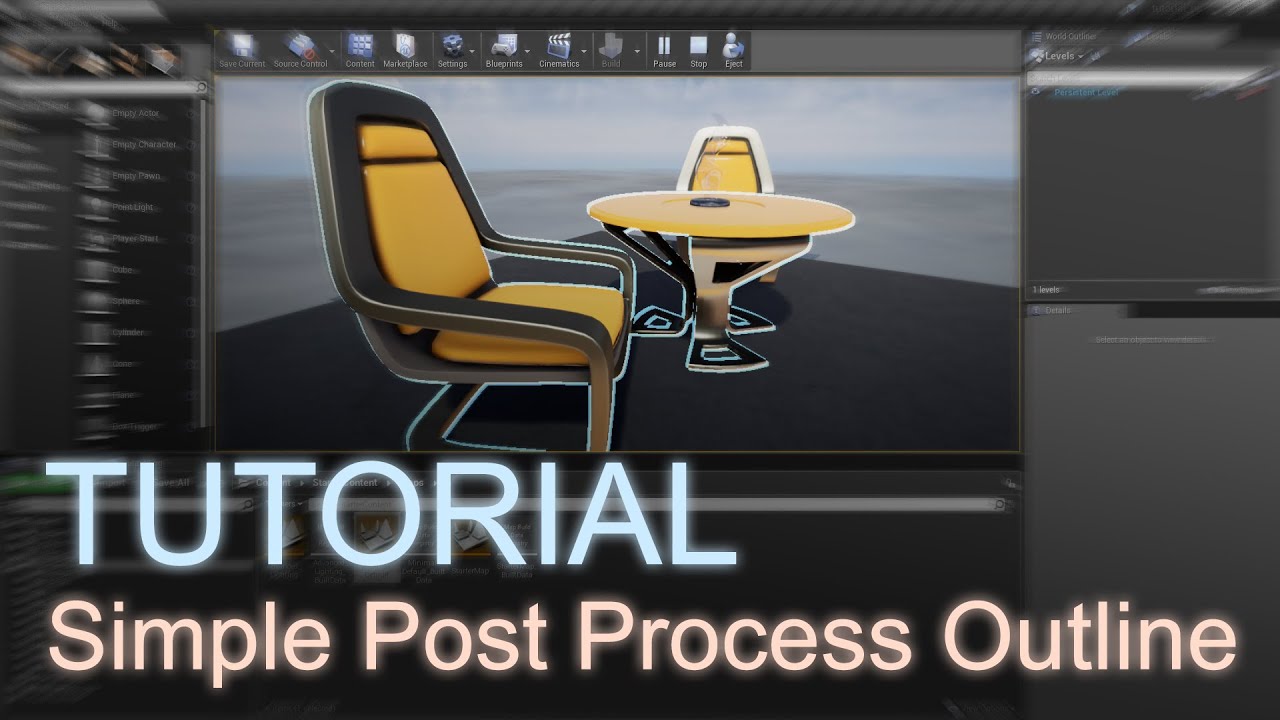
English learners: change the video speed to be slower ⚙️ This tutorial will show you how to draw an outline around an object using a simple post process material.
This effect does not use the Sobel operator.
If you are making a toon outline, follow this tutorial but use cus...
i think i pinged the wrong guy lol sry
cant ping you arctic
 gusty cypress
How could I create a toggle to hide or show a material, context: have a bunch of level triggers that are default hidden but I want the ability to change their visibility to 0.5 but I cant seem to do this without also including the mesh that the material is applied to and I have so many triggers I was wondering before I do this for all if theres a faster option. (toggle visibility, change material vis from 0 to .5 ect ill do anything)
 opal pendant
@gusty cypress just so I know I'm on the same page, do you mean having like a collision box somewhere in a level that's invisible, but you want it to change to slightly visible if you press a keyboard button or do a certain action in the game?
 fallow blade
Hi blueprint noob here.
I'm trying to create a basic procedural generation blueprint that spawns prebuilt rooms at the blueprint location which is placed on the doors of each room. It kind of works... I took out the logic to limit the number of rooms it generates for now.. but for some reason it will stop spawning rooms.
It seems like the Create Instance node is returning "None" for some reason nearly every other time a room is attempted to be generated. I tried to make sure the room is valid and if not to repeat the create instance as a temporary bandaid but that didn't work. Any idea what my issue might be? Thanks.
Edit: I think I found the solution. I believe that create instance doesn't create a unique ID each time it processes the level name, but rather bases the ID on the level name provided..so it was trying to create instances with duplicate IDs. I added logic to append the Unique ID each time and it seems to be working as intended. That's a noobs guess as to what the problem was at least 😛
 rotund crown
I have a button blueprint, with all the interaction code dealt with - but I want to call a different event for different instances of this blueprint in my level - how can I do this?
opal pendant
@rotund crown how many different events do you have?
rotund crown
none, so far - I want to be able to re-use this button asset for every future button in my game
opal pendant
hmmm
you could have the button do some if statements to see which event it should play
I know for a fact there's gotta be an easier way to do it
just can't remember
rotund crown
hmm
 cobalt frost
Question on the two "native" SQLite plugins. Does anyone know where the docs for these are? A search on the UE4 docs just turns up some obscure references, and a 4.22 SQLite core reference
The forum has some really ancient notes about it from 2+ years back, but nothing that seems... promising.
rotund crown
it's almost like, I need to edit the specific button I've placed into the scene
but not the blueprint
cobalt frost
You could have the button raise an event
then just handle the event based on context
I presume this is like a "one button game" where that button does different things, otherwise you'd be using just different buttons that look the same
rotund crown
no, not necessarily
I'd like to have multiple buttons throughout my game, and I'd rather not clutter up my project files with 10, 20 or so separate button blueprints that just do one thing
cobalt frost
Then use the same button, and add it to the different UMGs, pass in what the button is supposed to do
that's how a lot of us handle things like controller+mouse support
rotund crown
oh, my bad, I don't mean buttons like UMG buttons
cobalt frost
oh, you mean like a trigger?
cobalt frost
OH
Ok, so you can basically do the same thing, just add it as a child to any other places you need it
then you can pass in the params for what event it should fire
cobalt frost
an enum is a good way for that
ok, so define a function, "activate" or whatever, and set the input to your custom enum that has your conditions
then in the activate function, do a switch on enum, and carry out those actions
or alternatively, use child blueprints that override just that function. Up to you
if you add the button bp to another bp, it's just a child actor, fairly easy to work with
if you make custom children of the one trigger bp, just override the function
rotund crown
child bps may start to clutter up the project, is my thought
cobalt frost
Sure, so there's both ways
rotund crown
which would you use?
cobalt frost
it depends on the project. I tend to use child/parent actors a lot if I intend to override things like mesh/texture etc
If I'm just using an object to do different things in a scene, I'd be more inclined to use the enum
like, say "Door Trigger"
rotund crown
child blueprints would probably make it easier to make unique variants with different mechanics
cobalt frost
Yes
But you can do either
Like in the Door Trigger example, maybe you have a blue, red, green keycard, and a physical trigger object
so your door trigger would maybe take an enum to tell it which keycard it works for
rotund crown
I think I'll give child blueprints a try first, then see how it works for me
cobalt frost
Cool
The nice thing with those is that you can put the really core logic in one place, then change things like meshes/textures/specifics where needed
and you don't clutter memory up with a bunch of unneeded casts/calls etc
makes it easy to move pieces into C++ if you like, too
so - on the SQLite thing - I've got very data-driven gameplay, but naturally over the course of play, values change. Right now, I'm using my custom defined datatables from structs to initialize, then loading/saving "dirty" versions of the data that reflect this particular game's state
Since it's only several hundred records, it's probably on the fence if this is faster/lighter that way, or if I chuck it in SQLite for persistence.
(and single player)
Especially since the SQLite plugin seems... almost undocumented
 minor karma
looking for a quick 5 second assist
i have a hidden "hitbox" overlapping the bottom of the capsule ish
and i want it so that whenever it overlaps an object that has a certain tag, it triggers an event
i already have a working script
blueprint
shwebs
BUT
the current one relys on in game hitboxes
like this one
so, to nutshell, i wanna replace that green one, with a hidden one under the feet of the mannequin
figured it out, nvr mind
minor karma
OKAY, NEW ISSUE
i need a way to add these booleans, so if 1 is true, the signal for both is true
true valve
Any reason why changing a static mesh component material via blueprint would fail.
molten badger
@minor karma im a newbie, but i think you would need to (clarify) set both boolean than you can use it as you wanted
minor karma
i think i got it now lol
but in a nutshell, if 1 was tru, i wanted both to return true
an example i gave to a friend was this:
0+0=0
1+0=1
0+1=1
1+1=1
1 being true
molten badger
still i would say same answer. the picture. you declaring first the conditions you want and use it. thats how i imagine
minor karma
i think the OR gate is the one i wanted
this is what i have
and it's working lol
molten badger
yeah i think the "or" is doing the same xD
minor karma
fingers crossed lol
 marble tusk
OR is correct for what you want, yes
 vocal urchin
Hopefully a simple answer to this - wracking my brain on this one. The array coming in to this function is from a "Get Actors in Selection Rectangle" node. This particular function is used to add actors to an existing array, but when this executes, it only adds one actor out of the selected to the array.
vocal urchin
I did actually try that, and I get identical behavior this way as well.
 surreal peak
Well that's still an improvement
vocal urchin
I promise this worked fine yesterday. Was really excited I got it working 😄
I've since changed actors I'm selecting, but I don't know how that would affect it at all.
 scenic nebula
Hello. I have a question about movement. I would like to use "Orient Rotation To Movement" when moving forwards, but when the character is moving backwards, I want to disable this and do the opposite - face the inverse direction of movement. Does that make any sense/anyone know how I could do that?
surreal peak
Can you doublecheck that the array that comes in actually has more than one entry? @vocal urchin
Cause this could already fail earlier
@scenic nebula Rotate the mesh component 180?
vocal urchin
I'm doing a check earlier to see if it exists in the array. I think maybe that's my problem? I'm not letting that check complete?
"it" being the new group of units I'm interacting with using "Ctrl"
surreal peak
That looks weird
vocal urchin
It probably is. This has been my big learning moment with arrays.
Basically this gets the array generated by the selection rectangle and then checks to see if it's in the "Selected Units" array already.
surreal peak
Yeah but you are looping over it and if ONE entry is not in the other you add the whole array to it
Also you are basically looping inside the loop
vocal urchin
Yeah, I'm realizing this might be where the issue is
surreal peak
Can't you just call add instead of your function?
You might want to add to a third, temporary array though
Cause you shouldn't loop over an array and modify it at the same time
surreal peak
Actually nvm, i mixed up the arrays
But just calling add instead of your function should already be fine?
vocal urchin
I'll try it
Oi! That did the trick 🙂
Thank you so much!
Was looking a little too hard at it I think.
molten badger
happens :3
scenic nebula
@surreal peak Thanks for the suggestion. I ended up with creating my own CharacterMovementComponent and overriding ComputeOrientToMovementRotation, and if I am moving backwards, I just flip the rotation it outputs and it works fine. Thanks again
cedar glen
I want to set up speed by pressing one key which is smoothly increase speed, why does this not work?
cedar glen
maybe try lowering it?
@vocal urchin 10 or 0.1 affects only to a result current speed, but changing is instant
torpid linden
@cedar glen Things that use a delta time expect to be called in OnTick or a similar periodic function, the way you have it set up it will change speed 1 time when the button is pressed
cedar glen
@cedar glen Things that use a delta time expect to be called in OnTick or a similar periodic function, the way you have it set up it will change speed 1 time when the button is pressed
@torpid linden So, its impossible? How can I get continuously delta on press?
torpid linden
setting aside impossible
think about this a little more abstractly
when you push a button, that's a single atomic event - it triggers 1 time on a specific frame
you want it to trigger an action that will complete over some amount of frames afterward
there's a number of ways you can do that, but the most straightforward is to set a target speed in your input handler, and then in OnTick interp from current speed to targetspeed
cedar glen
@torpid linden Er, well, going to try, thanks a lot
 short coral
Hello , i'm running into a weird issue , i have world composition enabled and all my levels are split , when i play in the editor , the level loads according to the position of the player all fine but when i package my project the same isn't replicated , i load the game , the player spawns first and he starts falling through the persistent level and then the level is loaded after he's below it and he just keeps falling
trim matrix
I'm trying to shake my HUD/UI. Means my HUD/UI interacte with my movement ingame, like in Halo or Destiny. I already made the Parabolic (Curved) style but I'm not sure how to make the "shake" effect. I was thinking about to shift the HUD with World Coordinates-to-Screen Coordinates but I'm actually not sure how to do that. Does someone has an idea?I'm trying to shake my HUD/UI. Means my HUD/UI interacte with my movement ingame, like in Halo or Destiny. I already made the Parabolic (Curved) style but I'm not sure how to make the "shake" effect. I was thinking about to shift the HUD with World Coordinates-to-Screen Coordinates but I'm actually not sure how to do that. Does someone has an idea?
 winged holly
does automatic instancing work on custom actors other that AStaticMesh ?
imagine I have a BP Actor that has 3 static mesh component all with the same mesh and material
trim matrix
@maiden wadi I did the thing u told me 2 days ago but nothing was fixed
maiden wadi
@trim matrix What did I say two days ago? O.o
maiden wadi
Still none of them are appearing?
maiden wadi
Show me your create widget and add to grid code.
trim matrix
give me a sec
im just opening unreal
i create the hud on playerController
@maiden wadi
maiden wadi
The second one is the construct event of the HUD class being created?
maiden wadi
Okay, Where is InventoryWindow being created? I see a widget named HUD and InventorySlot.
maiden wadi
If that EventConstruct is inside of a Widget named InventoryWindow, and you're never creating it, it'll never get called. What is the HUD widget for?
That's the outline screenshot you showed before?
Does your HUD widget have an InventoryWindow inside of it in it's widget editor?
maiden wadi
Okay. For testing, put an InventoryWindow widget inside of that canvas.
 devout tide
anyone knows how to ignore touch event when player touches/pressed a button?
maiden wadi
Put a print node before the loop on that event construct and see if it prints when you start the game. There should be at the very least one slot created from that loop.
devout tide
yeah
devout tide
kalhspera, haha
maiden wadi
Yep.
trim matrix
before event construct?
maiden wadi
Before the loop, after the construct.
maiden wadi
String.
maiden wadi
Did you put an InventoryWindow in the canvas inside of the HUD widget?
trim matrix
ahh i deleted that
wait
still nothing. it spawns he inventory windwo with no text and no slots when i press play and when i press tab it spawns another empty one
and it prints hello on the top left
maiden wadi
Okay. Use that same Print, and connect the -1 to it.
trim matrix
ok give me a sec
maiden wadi
It'll probably come up -1, which means your NumberOfSlots variable is 0, 0-1=-1. So the loop will never run.
trim matrix
i also got this error when i did the last thing
maiden wadi
That means that your Inventory reference variable is empty.
trim matrix
do i keep it connected to the loop too?
maiden wadi
What is your Inventory reference variable pointing at? What blueprint is the NumberOfSlots variable in?
trim matrix
inventory reference where?
maiden wadi
maiden wadi
Well you never gave your InventoryWindow widget that reference. It knows it's supposed to reference some inventory component, it doesn't know which one, so it can't. You have to set that somewhere.
devout tide
make a reference of it
maiden wadi
I don't know. Those tutorials should have been showing that. Usually you do stuff like that at creation of the widget, but there are other ways.
trim matrix
hmm
devout tide
expose the inventory variable and then add it on the create widget node
 late gorge
is there any way to turn a skeletal mesh into a static one on-the-fly?
as in i'd like to "petrify" a skeletal mesh when actor reaches 0 hp
then use procedural mesh to allow cutting it
but procedural meshes can only be copied from static mesh
 sinful ibex
@late gorge not sure about "on the fly", I'd suggest you to import the same model 2 times - one as a static mesh, other as a skeleton mesh and use them with two different components
late gorge
the idea is to have the actor die in the pose it's in when it reaches 0 hp
so freezing the pose, turning it into a skeletal mesh
then from there on, cut it wherever the fatal blow was dealt (the damage code logs it)
so the whole procedure works as long as the mesh i'm using is a static one
but i want to be able to freeze the skeletal mesh into a static one
sinful ibex
@late gorge yeah, now I see. Definitely should be possible, tehre are some topics on forums: https://forums.unrealengine.com/development-discussion/c-gameplay-programming/1504490-copy-animated-skeletal-mesh-to-procedural-mesh-at-runtime
Unreal Engine Forums
I have a character in my game with an animation blueprint and morph targets.
Is there a way to copy the animated skeletal mesh to a procedural mesh that
Guys, anyone know how to fix the DrawDebugString for HiDPI screens? It draws the text in a wrong locations...
trim matrix
Would anyone happen to know of any solutions for vehicle? The unreal one is just a bit meh since I'm trying to get an arcade feel, life nfs while driving. I haven't found much on the topic besides one dudes channel with over 17 hour+ tutorials on building a whole seperate raytracing vehicle system.
 ionic depot
hi all, just need to clarify... where would i store variables for the player?
ive tried putting stuff in the ThirdPersonCharacter/PlayerState/Level BP but i was unable to get/set them
is there a proper place to be putting them?
maiden wadi
@ionic depot You can put them anywhere you like if it's a single player. You should be able to get or set them where ever they are with the right references.
ionic depot
right so
my ai is attempting to check a boolean thats in the ThirdPersonCharacter
and i cant leave the target as self because the bp isnt from there
but any attempts to cast from a player controller or player character is failing
maiden wadi
How is your AI getting the reference to the thirdpersoncharacter?
maiden wadi
What is your use case? There's several ways to get references. The nuke is GetAllActorsOfClass, usually not advisable, but okay for testing. Collision events return references, SphereOverlapsActor, LineTraces, or shapetraces. You can use small cheats if it's a simple single player project by using GetPlayerPawn, it'll return the pawn/character the player controller is using.
ionic depot
ah ok, my use-case is developing a dialogue system that would display dialogue based on some key interactions in the world
maiden wadi
If the player interacts with the AI first, you could pass that reference into the AI pawn or AIcontroller and set it there. Even if you're using Behavior Trees, it can still access it.
 rough wing
Why does it do this?
When I have only 1 actor it works fine but with multiple actors it messes up
spark steppe
is there some way to figure out if the game begun already, or if all construction scripts have run?
mild pine
Hey, I'll ask this here instead of in animation since it might be more relevant in this channel. I have a player that can draw the string of their bow. When the string is held for X time, I want the hand holding the bow to get unsteady, preferably on an interp basis. Now the question is how should I go about animating the hand? And I should probably do the same with the string hand. Any suggestions? (Not an animator so I would like to handle this in anim BP if possible - maybe some bone IK magic?)
spark steppe
theres a make pulsating float value node
ionic depot
@maiden wadi thanks man i think i got it pretty much working
trim matrix
In unity we have events like this:
OnCollisionEnter
- OnCollisionEnter is called when this collider/rigidbody has begun touching another rigidbody/collid
How can i detect similar behavior in UE4? As we only have the Hit Event no other event tells when the rigid body ended the Hit, and overlap events don't fire if the rigid body is only "touching"
 mellow folio
@spark steppe All construction scripts of what?
I mean you could just do : Game Time in Seconds > .5 or something like that.
trim matrix
https://docs.unity3d.com/ScriptReference/MonoBehaviour.OnCollisionExit.html
so what is the UE4 equivalent of this?
 mellow folio
@trim matrix Shapes should have a Begin and End Overlap. There is nothing for "Touching-but-not-overlapping"
is it spheres only you're dealing with?
trim matrix
I just wrote down that Begin / End overlap only triggers for "Overlap" not for "touch/hit"
I would need one for "touching" 😄 how would someone go about that?
implementing a trace feels unnecessary
mellow folio
Not too sure what the circumstance is, but a distance check would be cheaper. Once they hit each other, start checking if they move apart by more than 1 centimeter or so
But it's highly circumstantial
trim matrix
Basically i want to check if a physics mesh is "moving" on a surface or not
and blend audio cues based on the type of movement and surface
mellow folio
what shape is it? sphere? box? skeletal spheres?
Maybe you could trigger the hit event continually as a state refresher. If there is no hit within .1 seconds, no longer touching.
trim matrix
@mellow folio any shape should work with this imho
Source engine manages it nicely but they rely on the start/ end events
mellow folio
for instance a sphere moving across a flat surface could simply do height checks at tick - are we > RADIUS height above the surface?
So a hit turns touching ON, and begins the height checks
Once we are more than Radius above the surface, turn touching OFF and turn height checks off
trim matrix
I would prefer a generic solution that would detect whenever the "Hit" ended
instead of checking for distance 🤔
the method above is too hacky and feels like only would work with in fixed amount of situations (eg gravity is always negative on Z axis)
Also not sure but i think it wouldn't detect if the physcis materials change?
 ocean radish
check overlap begin and end to change the sound?
if your worried it about not 'touching' just make a secondary collider with query only and slightly larger
mellow folio
Another hacky approach is to put a slightly larger overlapping box around the surface which can run the overlap begins and ends stuff, I know major games have used that approach before, but it's double work because you'd have one surface to collide against and another to overlap
ha
we just said the exact same thing at the same time
trim matrix
that was my thought as well
but that's just excessive
I'll try what you said regarding "distance check from the hit location" with a twist
mellow folio
Here's a possible optimization - let's say the mover is a ball. When we hit the surface, we create an overlapping sphere around the ball (slightly bigger), when the overlap with surface ends, touching ends and destroy the overlapping sphere.
This is also a sort of variant of the distance checking
ocean radish
well even in footsteps and anything like that related to changing sounds based on surface type you would use a trace to get the object below, if your wanting your gravity to not always be down, you could just based from the object rather than just pointing it on the z
mild pine
theres a make pulsating float value node
@spark steppe Was that for me? If so, how would I use the pulsating float value node in this case? Set the hand location + the pulsating float to get a "lerped" float value incrementation to the movement of the hand, blended by a... bone IK or something?
spark steppe
yea kinda use it as reference for the arm/bow movement
mild pine
Okay, I'll try it out 🙂
Hmmm, so far no luck. I move the hand, but I just want it to move a little tiny bit next to the origin of its animation, i.e the hand is straining: https://gyazo.com/90035f02fef208c384dd7b25d83f3fc3


@spark steppe