#blueprint
402296 messages · Page 435 of 403
 zealous moth
if you use damage from bullets, surely you must use an interface, no? apart from bullets, nothing else should have that interface
 slate wasp
can one launch multiple PIE sessions?
 odd ember
I believe so
slate wasp
how?
 maiden wadi
@zealous moth @unborn turret
odd ember
@slate wasp I assume you mean for multiplayer right? so increase the number of players
slate wasp
LogNet: CreateNamedNetDriver failed to create driver GameNetDriver from definition GameNetDriver
LogNet: Warning: Network Failure: NULL[NetDriverCreateFailure]:
LogNet: NetworkFailure: NetDriverCreateFailure, Error: ''```I'm using my own netcode, any way to tell ue4 to ignore whatever netcode it wants to launch and just start two pie sessions instead?/
odd ember
ugh perhaps but you might have to fiddle with some editor code
best ask in #cpp or #multiplayer or #editor-scripting
 urban compass
hi everyone i have few questions about blueprint
i have a closet and i want to open/close this closet with mouse interaction do you know how to do this please help me or can you show me some resources
 vast quest
Learn to google "open door ue4"
I've got this rope swing mechanic, but i'd like to know how i can adjust the length of it?
The rope acts more like a stick between target point and the character, which causes bugs and kills momentum if you attach it to something in the front while swining forward.
 ionic raft
@urban compass I only skipped through these tutorials, but I would approach it with a physics handle component to grab things and a physical constraint component for the door hinge https://www.youtube.com/watch?v=OltZ-xFz8IQ
In this tutorial we take a look at how to pickup and drop physics objects using the physics handle component

Setting up some interactivity through physics axis constraints!
urban compass
@ionic raft thanks a lot for helping
 haughty axle
hi, need help from you guys. i need to do a thing: enable key press by pressing other key. like press Q to enable pressing E
zealous moth
@haughty axle look up the Gate node
haughty axle
@zealous moth thx will check it out
ionic raft
@vast quest if you are feel familiar enough with the physics constraint you can use the linear limits to fake a rope like behavior. https://www.youtube.com/watch?v=BT0jFArPtGM
the asset is my setup in UE4.23: it resets the reference frame positions of the constraint on begin play, so the rope length gets set by the distance to the target.
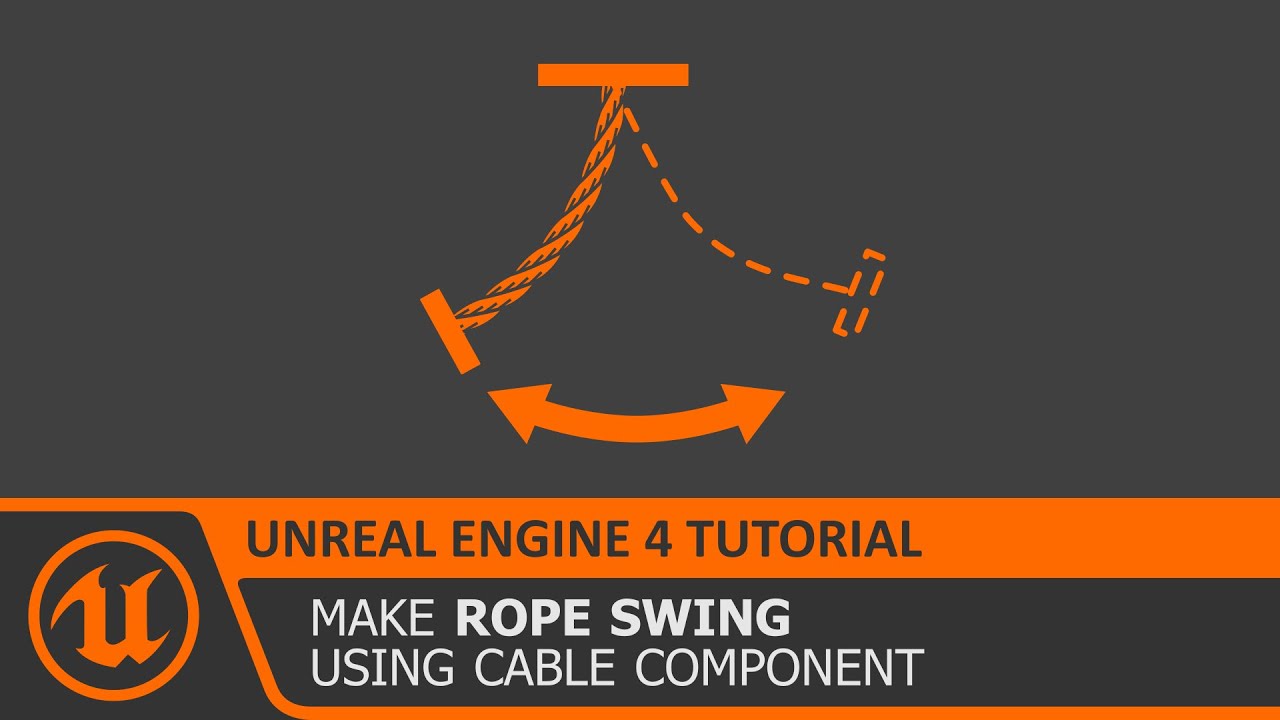
In this free step by step Unreal Engine 4 tutorial video (UE4 how to) you will learn how to make a rope swing mechanism using physics constraints and the cable component.
All my UE4 tutorials: https://www.youtube.com/watch?v=BT0jFArPtGM&list=PLEp7216xGGILh3i2BZe2E0ZEuiIGa-VQT&...
haughty axle
@zealous moth thx man again did with gate node, I bet is not how should be but it works 🙂 thx again
 sharp juniper
This is fun. Anyone else built a custom spring-arm distance setup based on controller pitch? I'm using a float curve to define custom distances at different pitches, curious if anyone else has a good approach
vast quest
@ionic raft I used your video earlier to test earlier actually. Basicly what i have is something like a harpoon gun that sets a rope which you swing from. I made a separate actor BP with the cable+physics constraint. With the character being set to the location at the end of the rope every tick. However it just made things very glitchy, flying out of bounds that kind of stuff.
I couldn't find a good solution to it with all the "specifics" that come with constraints such as not having an enable/disable function, dealing with collision, constraints not allowing components from other actors and how i'm supposed to set my character to end of the rope without out-of-bounds hijinks.
zealous moth
when adding an item to a list in the UMG, you can get the list item object. Can you also get a reference to the list itself from the unit object?
haughty axle
guys me here again, i am getting error that my LineTraceByChannel can't find my camera in my main BP , and i have my main BP as reference.
 tight schooner
@haughty axle it says your "Char REF" variable isn't set with anything, hence "accessed none"
zealous moth
i know that, you mean @haughty axle
tight schooner
yeah, wrong mention, my bad
zealous moth
ninja
haughty axle
i am trying to figure it out, i am too stupid for this stuff i do 3d 😄
tight schooner
Somewhere in your script you need a "set CharREF" node. The "CharREF" variable is just a container that can hold a reference to a specific CharREF that exists in your world, but your script needs to somehow get a reference to a certain one and set the variable before it can be used.
The error is basically saying "I don't know which CharREF actor you want me to pull data from."
haughty axle
aaaa.... thx @tight schooner this helps me
ok thx guys found the fault
one pin wasn't connected to set charref 😄
i feel like a monkey
zealous moth
hm, so if I trigger the custom event, I do get the print string, however, nothing downstream works and the checkbox is not set to unchecked
anyone wanna venture a guess?
sharp juniper
@zealous moth Is your check state changed event being triggered from setting those Checked Equipped? variables?
Because that would be a loop
zealous moth
well this is my misunderstanding, the "on checked state changed" event can be called by manually clicking into the checkbox. however, I do not see how i can do it programmatically. This whole thing I set up was for an "unequip all" button; so it goes into my list and goes to all list objects and triggers their "unequip" custom events. The event however does not seem to communicate to the checkbox state... so I am not sure...
What do you mean by loop?
 trim matrix
@zealous moth do you also check the checked state on the checkbox?
zealous moth
no, it forces all into unchecked state
trim matrix
@maiden field have you assigned it in the project settings?
 maiden field
yes
trim matrix
@zealous moth but there is a function to set the checked state is what i mean
trim matrix
did you print string at the event to see if it fires?
maiden field
yes. any print on screen
trim matrix
@zealous moth
trim matrix
@zealous moth not sure if i ever used set checked state
@maiden field did you try printing this on event init?
maiden field
what do you mean?
trim matrix
event init on the game instance
 pulsar moss
Is it possible to add component of arbitrary class? I have a list of classes from a struct I would like to add to my actor, but this doesn't seem possible from blueprints?
maiden field
event init on the game instance
@trim matrix i didnt
trim matrix
@pulsar moss someone had this problem a while ago and ended up writing a script function for it afaik
pulsar moss
ok thanks, so it's not supported I assume
trim matrix
i think there is only like an own function for each type of component
in bp
@pulsar moss if the amount of different component classes is not that much you could probably get away with a switch
pulsar moss
@trim matrix thanks for the suggestion, yeah I'll avoid that, I can get away with the thing I want being an actor instead of component thankfully
trim matrix
and the function was called though?
zealous moth
yup, no go
while i got you on the line 😛 is there a reason that my text remain static even though i bind them to a variable? is this only on construct only?
trim matrix
No idea, never used that
zealous moth
if i create a binding function, it will be called non-stop; i'd rather just call it once when needed or when changed
trim matrix
i always used settext
zealous moth
oh interesting
trim matrix
is this is a simple text element?
zealous moth
textblock
trim matrix
rich text block?
 tepid orbit
I am trying to make the StaticMesh rotate. Will the RotatingMovement component rotate the Collision Box as well? I cant see in-game but its behaving weirdly and I assume this is the reason.
trim matrix
yeah mb didnt want to confuse
zealous moth
UMG sometimes refers to the same thing with different names
to me it's a "text" field
😛
trim matrix
@tepid orbit if you untick hiddeningame on the collision box you can see it
tepid orbit
ah right, thanks!
trim matrix
@zealous moth yeah no the class is called STextBlock I think so you were right
tepid orbit
Yup, its rotating in game. that explains the issue. Is there a way to make "rotatingmovement" component only affect the static mesh, and not the collision box?
trim matrix
no idea never used it
zealous moth
i'd use a timer function on the component itself
tepid orbit
Im still super fresh, im following a guide and he said experiment with it so im trying to figure it out. Idk anything about the timer function, skeleton meshes, ect.
Thanks for the tips! ill test it out!
zealous moth
timers are sorta functions that can be called on and off
a good alternative to tick to save resources
tepid orbit
@zealous moth What is actually rotating the staticmesh there? I tried this out but it isnt rotating whatsoever
oh derp
trim matrix
wrong function name
zealous moth
lol
 uneven dock
What's wrong this?
zealous moth
everything?
uneven dock
O.o
trim matrix
if the pawn owner is the player character then the distance should be 0
uneven dock
I should've given more details
trim matrix
supposing you run this on an anmbp
uneven dock
This animbp is of a npc the other actor is the player
zealous moth
he isn't getting the pawn owner, he is getting the anim instance owner... is that even physical?
uneven dock
Aha I have no idea
trim matrix
did you print this on blueprint update animation?
zealous moth
do you want to get the distance between 2 actors?
trim matrix
try get pawn owner returns the pawn that has the skeletal mesh component with the anim bp afaik
 supple dome
i dont see anything wrong with that
zealous moth
do print string
trim matrix
if it's an npc it shouldnt
supple dome
any error or something going wrong?
uneven dock
You know, I might've asked the question wrong :p
I'm a bit sleepy mb, lemme have a look into it for a moment. Thanks for the help tho
 spark steppe
~~is there no node to get a specific index element of an array?~~nvm
zealous moth
@trim matrix in the end i will do a workaround i use alot with umg
I'll cast to my Player controller and save a placeholder value
and then have the other UMG element follow suit
not optimal but basically telephone
trim matrix
@zealous moth I for my part use simple setter functions on the widgets that get called on events, not exactly sure what you mean
zealous moth
i have tried using setters but they never seem to work on my end. instead the binding work
trim matrix
like a function with an input and the you pull the text element in and do a set text with it?
uneven dock
I cant access the variables with this cast. This is a screenshot of my AnimBP. I'm still a noob btw
Try Get Pawn Owner returns Enemy1 (I checked with a print). Is that alright?
I just want some variables man T.T
spark steppe
are the variables set to public access?
the small eye icon next to their name in the blueprint details
uneven dock
Thank you, that fixed it!
No wait I lied, I changed everything to public but still can access them
 somber tangle
Does anyone know of any templates or tutorials for a zelda style gameplay?
uneven dock
I know what I did wrong, it seems that there are two blueprint nodes called Cast To Enemy1... But I also didn't set the variables to public, so big thanks still.
 tawdry stratus
i got question yall.... how do i make lightsabers/swords that I can throw that can actually kill or damage you
through 3rd person template
 hallow night
How do i attach a socket to another socket? i tried adding an offset but its not consistent because of the animation?
tepid orbit
can I have this true link to an event? (xxx beginoverlap)
i can drag the line all the way to the event, but thats messy, hopefully i can link directly to the event
hallow night
make a custom event all call it from "True"
tepid orbit
How would i get around not having "other actor" usable in this situation?
(in reference to the solution you mentioned, Rashed)
Idk how to carry over who triggered it, basically. A variable storing the triggering entity's ID I guess? if thats possible
tepid orbit
Ooh thanks!
 sullen radish
Hello everyone, Is it possible to set the slider values rather than values between 0 and 1 ?
for example : i want to make the first slider step as a value = 1 and the next step in the middle = 24 and the last step = 100 .. is that possible ?
as if the slider has only 3 values to snap on and each step has a custom value
hallow night
you can do a select
 vocal urchin
What is paint context structure, and how do I create it?
I created a struct but there seems to be almost no documentation on this...
 coarse coral
I suppose this is the right place to ask... I am making a 2D sidescroller and I want a projectile to shoot from an origin point within a character actor towards the mouse cursor position. I've been researching for hours to no result. Help would be appreciated.
And yes, with blueprints.
coarse coral
This is the last thing I attempted. Plays sound but projectile never appears.
hallow night
is this what you're looking for ? Sorry if there is sounds i didn't watch the video back
mine is 3d so..
coarse coral
Lemme check real quick
hallow night
instead of X and Y connect the direction you want the projectile to go
its 2d so idk it takes X and Y or XYZ?
coarse coral
I think X and Z, apparently Y is depth
hallow night
then connect X and Z
 rigid quest
What's the difference between get hit result under cursor vs finger?
hallow night
under cursor is for mouse and under finger is for finger?
hallow night
what finger is pressed
0 is the first and 1 is the 2nd...
if you have multiple fingers pressed at the same time
rigid quest
Ah okay I see where my lack of understanding is coming from. Thanks.
hallow night
np
coarse coral
@hallow night It works, but I have to be in position 0, 0, 0 of the world. If, for example, I move to the left a bit from 0, the projectiles change to shoot only towards that direction.
hallow night
video?
hallow night
maybe get the X and Y of the forward vector of your orb and do a find look at rotation with start of orb and end of mouse position and use that rotation?
X and Z**
hallow night
thats great to hear! glad i could help!
coarse coral
You have no idea, spent so many hours trying to get this. Thank you, again
hallow night
i think its better to add that sound to event begin play of the projectile.. so that you can just spawn any other projectile and it will play the shooting sound you want.. unless you plan to use 1 sound?
coarse coral
Well, right now the sound is just there for testing, I might change that a bit later. Still thanks for the suggestion
 dapper cradle
Im asking this question because i believe i will be using blueprints to make this work either way ?
My concept is for an animation viewer.
I want to use a menu to view different animations being played (it is to learn/critique skills in sports) it will be viewed in VR.
Do I make a duplicate level for each animation and have the manu open up those levels or is it easier to load in each animation Into the same level?
Bearing in mind I would want the existing one to go away when loading I the new one...
I would be grateful for any advice!
 viscid valve
Is it normal not to be able to observe the index of a for loop in BP when stepping through?
My BP is acting funky and I'm trying to observe the index of the loop
It just appears blank for some reason
 twin pollen
Does grid panel doesn't accept empty columns?
I have a loop that add widgets to a grid panel, but I need them to leave a column in between each widget ... doesn't seem to work. After some research and trail and error, I found out that this is the only possible reason
If that's true, can I change that behaviour from the bp? Or should i change the code of the gridpanel itself ?
 odd veldt
does "resolution scale" not work in window mode?
 hexed saffron
Hi,
I have a little problem with some floats here.
I have a 1000hp component. And it should have several hit triggers. When 1 trigger has 5 x 20 damage or one big impact gives it 100 damage at once. How to do that it will not substract more value as 100 from the main hp component?
Hope I explained it understandable.
maiden wadi
@hexed saffron No idea how your coding is set up, but if you're just sending a float to the mainhp thing, you could always just clamp it?
hexed saffron
But maybe I used the clamp wrong. I´m a little bit lost here.
maiden wadi
All a clamp does is force values to be changed to the closest edge of a range if it's not within the min to max. For example. If you plug a value into a clamp and that value is -2000, and your clamp is min -500 and max is 1500, it'll return -500. If you input -200, it'll return -200. If you input 2000, it'll return 1500.
Just curious though. If these are supposed to do the same thing, why are your variables reversed?
FrontLeftContainer and ConditionPoint are being set differently in your two squares?
hexed saffron
I tested a lot around. Maybe I messed something up.
Okay let me see. The blue section should hit 1 time at low impact up to 5 times.
but if the red section get a high impact it should substract the complete number but not substract more then 100.
If a 2 low impacts was already made, it´s a damage of 40, so the high impact should not substract 100 anymore, just 60.
maiden wadi
Which of those two is the one that shouldn't go under 0? Conition Point or the Container?
hexed saffron
Oh Condition Point. The container is just a float I created with an amount of 100
I tried to limit the float container.
maiden wadi
Okay. So for ConditionPoint, Get it, Minus your damage from it, and then clamp after the minus. Make the min of the clamp zero, and then set it.
hexed saffron
So I don´t need the float "FrontLeftContainer" ?
maiden wadi
I don't know. I don't know what you're doing with them. You're setting them both to the exact same number.
But you need to do that for whatever variable is the one 'taking damage'. Because then you'll basically be saying Container health is 60 because it took two hits already. Deal 100 damage. Take the 60, minus 100, normally -40, but the clamp sets it at 0.
hexed saffron
Take Damage seems to kill the entire pawn whatever value I enter into damage.
So actually it is "Take Damage" Damage "20" and tell then to take this damage?
maiden wadi
I don't know. Depends on how you have your damaging system set up.
I tend to use the built in applydamage/ eventanydamage stuff for this. If you have some custom setup, stuff changes.
hexed saffron
I think I should watch some more tutorials then. Okay thank you very much. I think I also have to overwork the healthpoint component.
 night grotto
Question: What type of reference object do I need to be able to call GetFrameNumber from a blueprint that extends UOBject?
 fallen glade
I've localized a drop by about 20 fps in packaged game using "Set hardware cursor" ... I can bring the game to a crawl by assigning it to a key and spamming it ... like 2fps. What is going on, is it a bug or am I doing something I shouldn't be doing in blueprints ?
 bright knot
so what's the point of the Tooltip on BP variables?
it does not actually work at all
odd ember
@bright knot it's when you hover over the variable on the left
not sure why it isn't showing up for you there though
doesn't show up for me either
bright knot
well it does show up there but having it show on hover in the actual graph is where it would be the most useful
odd ember
I agree
macros and functions do it
just not variables, weirdly enough
perhaps worth a bug report
odd veldt
I need a way to detect static world meshes in a construction script, it works if I make a box trace, but I need to trace a more detailed shape
fallen glade
use a few line traces ?
odd veldt
I tried to use "Component Overlap Components" but its not detecting the world meshes
no, I need to "trace" a volume
fallen glade
have you set your collision properly ? what do you need it for ? what are you trying to do ?
odd veldt
yes
I'm using a procedural box mesh, I can move the corner to change the shape and I need to get the overlapping static world mesh components
this works... but I cant change the "shape" of it
i tried this, but its not working with world meshes
the procedural mesh is set to "overlap all"
fallen glade
so your mesh is only looking for static collisions
@odd veldt
also what collision type does it have itself ?
they need to match on both ends
odd veldt
the world static meshes are WorldStatic
I pretty sure the collision settings are all right
odd ember
@odd veldt can you explain in general terms what you're trying to do?
like what problem are you trying to solve
odd veldt
I have a procedural box mesh in a actor and using splines to change its size and shape... and I need a way to get all "overlapping" static world meshes and it should work in the construction script
odd ember
I mean beyond that, what are you trying to do that involves this? what's the context of this? what are you using the procedural box mesh for?
odd veldt
all what it should do is shown on the screen above ... I just need to get the meshes and give them a vertex color
tight schooner
@odd veldt Resolution scale works in windowed mode btw. (Or to be specific r.ScreenPercentage which is what my current project uses.)
odd veldt
I used a multi box trace first, but I can't make other shapes with it (like a trapeze)
odd ember
yeah I'm still not sure what you're trying to do
I don't think you have the right approach, and I'm trying to understand what lead you down this rabbit hole
complex collision shapes don't exist as traces
odd veldt
I have no idea how to describe it easier, I just need a way to get all the placed static meshes what a touched by the procedural mesh
odd ember
what is the real life context of this
like is this something you want to do in the editor? is it a tool for artists? is it something the player needs to do?
odd veldt
its just a trigger
odd ember
yeah but you're not explaining the purpose for it
odd veldt
placing it in the editor and just adjust its shape
odd ember
so why do you need a trigger? is it in the context of the game? I'm trying to help you here, I can't help you if you're being obscure about it
odd veldt
Are you kidding me?
 versed tinsel
Hey, I'm using LineTrace to Break Constraint, I was wondering what's the correct way of adding Impulse for it. when I do it this way, it goes in the wrong way
odd ember
it's up to you. I don't have to help you.
hallow night
Get overlapping actors
odd veldt
I need just this but using a mesh instead of the box trace, all other informations are irrelevant https://cdn.discordapp.com/attachments/221798862938046464/693863455832277022/unknown.png
odd ember
@versed tinsel you probably want the impulse to be a function of vector normal
versed tinsel
hm, it looks like it stays in place (not adding any impulse)
odd ember
so if you multiply it by a float value, that will increase it's size/length. in your case, it will give the impulse direction and power
versed tinsel
ah I see
odd ember
the higher the number, the higher the "power". impulses usually need quite high numbers to work
versed tinsel
I'll try to multiply it and let you know
it looks like the bones are going in all sorts of ways
oh actually it looks good now!
I had to use a negative number and now it looks like it works just fine
versed tinsel
does it matter? I currently use "Normal"
odd ember
normal is the normal from the trace, so it goes in the same direction as the trace. impact normal will be opposite that
or so I should think
odd ember
it's the location of the impact
anything that doesn't have "normal" as part of the wording is a location
odd ember
it shouldn't, but I guess it may depend on the trace
versed tinsel
maybe, I use LineTraceByChannel
odd ember
in either case then if it works with negative numbers then just use that
versed tinsel
yep, it works great and I like the result, thank you very much!
zealous moth
@trim matrix i figured out the issue with the checkbox, i did not set it to the specific itemlist item, just general
dapper cradle
I have been directed to programming with my question. so here goes..
Anyone able to point me in the right direction ?
Ill give some context....
I have made some animations of various sporting skills.
The intention being that they will go into my level where somebody will be able to view them in VR.
For educational purposes, they will learn how the skills are supposed to look this way.. and can view them from all angles.
I want to be able to call these animations in from a menu, switching between animations and characters as they are selected from the menu.
They should be located in the centre of the map where the player will be.
I could do with some advice on how this could work..
thanks in advance!
should I be spawning the character/animations in with a player start or somehow using a plane as an anchor, spawn the characters in and out of the level onto the plane ?
odd ember
tbh it sounds like something you'd want to be doing in the animation tree
spark steppe
you should google how to use custom animations with a character
there are plenty of tutorials about that on youtube
odd ember
and the animation graph
zealous moth
montages?
odd ember
I guess montages could work too
I'm no expert on this, I would expect animation to put you on the right track
maiden wadi
Well, I'm sure he got referred here because it is more of a programming than animating thing. He already has the animations, he just needs his model to play them and to switch models. Depending on your flow, you could make a 'spawner' actor that spawns the model as probably just an actor with a skeletal mesh. Use that as a reference point to create UI that can be used to change/play/stop/choose the animations.
dapper cradle
Imagine you spawn into a game, there is a menu to your left, and a pedastal in front of you, the menu buttons are handstand, forward roll and cartwheel.
When you press handstand, a character model spawns onto the pedastal doing the handstand animation, then you press cartwheel, the existing character spawns out and the next one doing a cartwheel comes in..
thank you @maiden wadi im currently in the process of try to adapt this tutorial to what i need...
odd ember
I figured animation would know how to graph this
dapper cradle
Figured out the most simplistic system for spawning anything at the player's location. Thanks to the Epic designer who created the UMG Inventory tutorial series for showing how to do this.
https://www.youtube.com/watch?v=RQm6cm05SLc
Now I'm just trying to spread the love.
odd ember
the spawning and everything is done programmatically but the switching of animations I wouldn't know how to make work
perhaps spawn with individual montages?
idk
dapper cradle
In my mind the whole character will spawn out rather then stay and play another animation. (because in my noobness i gave them different skeletons..
maiden wadi
You just need an actor, like maybe the pedestal as a spawner. Spawn a skeletal mesh actor at something like a scene component location, save it's reference in a skeletal mesh variable, make it play selected animation. Set up your buttons to check if the skeletalmesh variable is valid, if it is, destroy it. Then create your desired mesh from the button press and play animation. Set up your buttons with their desired mesh/animations and kabam.
odd veldt
looks like the procedural mesh does not generate a overlap event
odd ember
yeah good point, you can just let the skeletal mesh play the animation. however will that work even without an animation instance associated with the character?
odd veldt
but it should, if I use a cube mesh it works, but it has the same collision settings
odd ember
like the animation has to be stored somewhere, right?
dapper cradle
thank you @maiden wadi I will spend some time trying to work that out, I will let you know if it works 🙂
maiden wadi
This seems to work just fine. I don't think I'm doing anything special there. Unless I'm missing something.
dapper cradle
@maiden wadi you are some kind of genius!
where should i be building a BP like that ?
maiden wadi
Is your pedestal already an actor or is it just a random mesh thrown into the level?
dapper cradle
Honestly i was just in the process of trying to make a plane,and giving it an actor BP to see if i could spawn the animations directly onto it...
odd veldt
found why my procedural mesh are not doing what I want, it uses "ComplexAsSimpleCollision" and a mesh with this setting does not work... but there is no way to generate a simple collision
it works now! I just needed to use "Add Collision Convex Mesh" 😑
man, I always have this non mainstream problems and nobody can help me 😛
dapper cradle
so @maiden wadi I managed to roughly get it to span with a tutorial that was made for a character spawning items onto the floor
spawn


I dont know how to get it to spawn onto the plane though so it spawns randomly in the middle of the map XD
if i was to use your BP (which looks awesome) how would i go about implementing it ?
 narrow nexus
try this maybe?
take the location of you player start (or whereever you want to spawn it)
maiden wadi
@dapper cradle What you have there should work fine, so long as your spawn plane reference is not null. I don't know without testing, but I'm pretty sure if that's null, it'll just return 0,0,0 for location and that'd be the middle of the map.
Just tested, null reference makes a transform of Loc 0,0,0, Rot 0,0,0 and 1,1,1 transform. So likely your reference to the plane actor isn't set.
dapper cradle
I cant begin to thank you guys for your help @maiden wadi and @narrow nexus I am getting somewhere now, but for the life of me i cant figure out how to make it spawn were i want it..
narrow nexus
Oh so it didint work?
dapper cradle
I have clicked on the basic plane in my scene and then put its coordinates into the make transform node
still appears in another location
 narrow nexus
If the node i have you works then just make a cube in the level , take the coordinations and paste it to the 'make transform' then you can delete the cube. Try this maybe
dapper cradle
I manually entered the code because i am totally lost with regards to referencing the basic plane i have in my scene
i entered the location info for the plane in my scene
maiden wadi
I doubt it's the issue, but try changing Collision Handling Override to always spawn ignore collisions
dapper cradle
 maiden wadi
I think you're looking at local location?
dapper cradle
yes, just giving some context to let you know what the object is i am getting the location info from
maiden wadi
Wait, no, I looked at that wrong. My bad, that should be world location.
maiden wadi
He's making a simple animation display to display sports movements in VR that people can walk around and watch in 3d. If I recall correctly.
narrow nexus
Thats really cool tbh and i cannot help with anything. I am a beginner too and i diidnt even touch vr yet i guess ill leave at this point
maiden wadi
@dapper cradle Can you show where the mesh is spawning in comparison to the plane? It might help narrow the issue.
 maiden wadi
O.o That's a little off.
dapper cradle
XD
maiden wadi
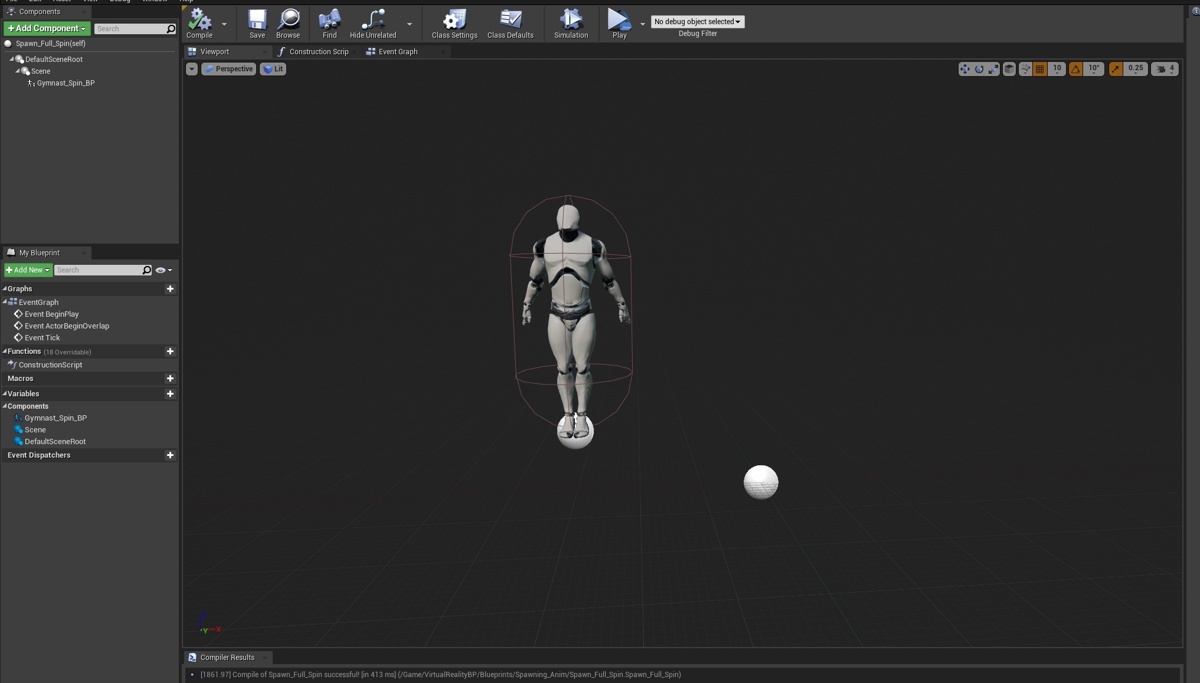
Can you make a quick thing to print on begin play, anywhere. Get All Actors of class, get that plane and print it's location?
I mean, it 'should' be where it says it is on the world outliner details, but if you put those in manually and it's spawning all of the way over there, bit odd.
 maiden wadi
Yeah, if that right scene is the root.
I feel dense that that wasn't my first thought.
dapper cradle
@maiden wadi you are a saint, Thank you so much for your continued patience, I really appriciate it!
it worked by the way, and now i must log off
@narrow nexus you say you are beginner but you helped me out big time too so thank you too!
I can only hope there comes a day that i can help you guys out in some way!
 dusk dust
I am trying to make simple planet gravity, and the pulling to the planet works, and the orientation. However when disabling gravity and enabling physics, the character doesnt orientate to the planet anymore
what should i do?
zealous moth
instead of disabling gravity
set it to almost 0
in calculus class, this would be a limit
dusk dust
but the problem is it isnt rotating it self to the planet anymore
it just gets pulled to it and bounces off
and flys in the direction it was headed
once enabling physics
fixed it
was using set actor rotation instead of set world rotation
new problem:
they dont rotate when they move
 tribal hill
Hi everybody , I'm just looking for some guidance in regards of my blueprint : How can I set the relative location and relative rotation of the camera whitouth inputing the coord manually? The camera does not use Use Pawn Control Rotation. Thank you very much
dusk dust
maybe get the location of the object and input that
@tribal hill
with a get actor location
trim matrix
Is there any way to create 'Exposed on Spawn' variables for C++ classes?
 crystal mural
Hello! I'm hitting a small snag. I want to drive two Animation Blueprints that at the moment have copies of the same state machine with different animations. I'm trying to cast from the one AnimBP to the other but I'm not sure what I must get as the object. Also... is this the right way of doing it?
dusk dust
when i click play the pawn rotates and gets pulled to the planet.but the problem is, when it finds the correct orientation to the planet, it stays like that.it doesnt update the orientation of itself when moving across the sphere
tepid orbit
hey guys, how can i rotate this staticmesh around its centerpoint instead of its broken pivot/origin point?
dusk dust
why dont you reset its origin in the app it was made in
tepid orbit
im following a tutorial that had the meshes precreated
Im not experienced enough with anything to do that yet :p and i wanted to focus on unreal for now
blender takes ages to learn and im near the end of this tutorial so i just wanna knock it out
trim matrix
@tepid orbit You can edit import settings to move the mesh and then click re-import.
tepid orbit
ill check that out, thanks 🙂
trim matrix
Is there any way to create 'Exposed on Spawn' variables for C++ classes?
To answer my own question in case anyone searches this server for the answer: Set theUPROPERTYmetaExposeOnSpawnto true. Example:
UPROPERTY( BlueprintReadWrite, meta = (ExposeOnSpawn = true) )
int32 somevariable;
Learning blender is not hard or take time.. Mastering it takes time
tepid orbit
i remember it took me near 2 hours just to figure out how to basic functions like move an object or create a sphere lol
all the controls are bass akwards and hidden behind 2-3 key combos
hallow night
All you need to know is how to extrude, grab, rotate, scale and save the file
 worthy frost
@trim matrix that looks like c++.. also please use int32 not int
Standards and conventions used by Epic Games in the Unreal Engine 4 codebase.
hallow night
I've been using blender for about 4 to 5 years now. I haven't made anything good. Even my low poly models are trash
trim matrix
@worthy frost Since I want to expose C++ stuff to blueprints, I didn't know which one is the appropriate channel.
hallow night
But i know literally everything about it
tepid orbit
ill learn it at some point but for now i just want to finish this tutorial, i dont have 5 days to learn how to move a pivot point in blender 😄 its such a time sink to learn basic things in that program
im exaggerating obviously, mainly to show my distaste for that god awful design
hallow night
Did you see blender 2.8?
tepid orbit
last i used blender was about 1 year ago
trim matrix
@hallow night Wow, that's really useful. You don't have to look-up tutorials each 5 seconds.
hallow night
They remade the whole ui
tepid orbit
i believe i saw 2.8 and it was still confusing as hell. especially since guides were for the old version and made it even more impossible to use
i never used blender aside from 2.8 so the basic functions and controls were unknown to me
like i remember to pan the screen i had to press 2 keys and use the lmb
and to move an object i had to press a 3 key combo and rmb
so bass akwards
hallow night
I learned blender before 2.8 and it was a nightmare but it didn't take more than a day or 2 to get used to the new ui.
tepid orbit
noice
uneven dock
I started learning blender a week before 2.8 xD
I'm looking for a way to decrease the rotation rate of my npc's, am just using a Simple Move to Actor.
Currently the npc just rotates in a snap.
crystal mural
Hello! I'm hitting a small snag. I want to drive two Animation Blueprints that at the moment have copies of the same state machine with different animations. I'm trying to cast from the one AnimBP to the other but I'm not sure what I must get as the object. Also... is this the right way of doing it?
@crystal mural I feel like my question is getting lost amongst the Blender chat.
 karmic kettle
what would be the best way to go about creating a character like these gloves, with only constricted 2d movement moved by mouse? Any ideas?
crystal mural
@karmic kettle Oh I can answer this one! Your inputs should be set up to use Axis X and Y of the mouse for "Vertical" and "Horizontal". Then you can use the inputs in your controller to drive the motion in 2D.
karmic kettle
@crystal mural thanks I will try that 👌
crystal mural
Here's one I prepared earlier.
karmic kettle
@crystal mural niceeee
 carmine prawn
Anyone want to hazard a guess why the engine freezes completely, and shuts down when I add and try to compile this?
trim matrix
@carmine prawn is "testwithsockets" a skeletalmesh?
carmine prawn
no, all 3 are static meshes
maiden wadi
On a side note, you don't need the get mesh variable in the Select nodes.
carmine prawn
in what way?
maiden wadi
You're not even using them. You're selecting 1, 2 or 3, and it's 0.
carmine prawn
Good point lol
maiden wadi
If you needed the pin type, you can also just right click on the grey pins of a new Select node and select change pin and then select whatever you need, for times if you're not plugging anything in to any of them.
Not a clue though. Adding something similar doesn't affect my blueprints at all.
uneven dock
Am I doing this Cast To wrong? It's of a projectile that spawns in then disappears .
This is a screenshot of my playerBP
I try to edit the particle system, but nothing happens when I run this
zealous moth
Is there a way to get the listview item removed by the item itself? I have in my items buttons to use or drop them. How would I tell the listview to drop it from the list?? :/
@uneven dock yes you are doing it wrong. you cannot have an "owner" to a random actor. you have to specify what you are casting to. Casting basically means accessing a general class object. But that is abstract. You need to specify which one of those in the game world you are talking about. When you cast to your projectile, you have to specify, "hey, it's the projectile i spawned earlier, here's the variable reference to it"
uneven dock
Aaah I see I get it now. Thanks! Guess I'll look into how to specify it.
I currently solved it by putting the cast in the projectile class.
carmine prawn
Weird. So far my testing into my issue hasn't shown any actual problems, other than when I add any more than 1 object into the select it freezes. Odd.
 marble folio
Ok so I am dealing with a broken project for somebody...no we cannot go back to previous revision because that somebody messed up git so bad...
Is there a way to get rid of invalid variables? ... messed up structure move and need to get rid of "Invalid type Array of Structures"
I would rather not recreate the entire BP... already fixed all the other compile errors
hm found it...
Reload
 rich patrol
Think im going crazy here
but shouldn't the hit result on a cube be the projectile that hit the cube, not itself?
odd ember
... what?
 atomic prairie
I would like to put a condition on my key R ''If we are in the TriggerBox'' how to put a condition in my LevelBluePrint which influences my FirstPerson?
odd ember
you don't
you want each actor to be responsible for their own logic
if you have a triggerbox that needs the player, then you want to set the logic on the trigger box
using OnComponentOverlap or OnActorOverlap
atomic prairie
I want my triggerbox activate only when I'm overlap and i press R
odd ember
in the pinned posts of this channel there is a video on blueprint communications
watch that
atomic prairie
thanks!
rich patrol
@odd ember I have a cube that I am trying to set the material of it with the material with whatever hit it
However, the watch on the break hit is returning the cube, which is what this bp is attached to.
odd ember
what event are you using?
 rugged carbon
The "other" and "other comp" should return what hit the cube, I think
odd ember
you're using the event hit on the wrong actor
it's the hitting actor that will want to pass information to the actor it is hitting
rich patrol
gotcha
odd ember
not the actor being hit collecting that information
however yeah you can try with the other actor or other component, I guess they will give you the information? I don't know how consistent it is, but you could do a gate where you identify the actor hitting it
in which case you may get more consistent results
rich patrol
I'll just go with the way you said. Trying to learn simple things on my own without watching tutorials for now.
odd ember
generally if you want it the other way consider using overlap triggers
as those are made for that purpose
hitting usually implies traces, which usually implies intent
overlaps are passive
hexed saffron
@maiden wadi Thank you very much. I finally got it. There was still a problem in the code, very difficult to locate. It takes damage from TakeDamage just as you adviced. It´s starting to work now. 🙂
 lament cipher
Sorry to interrupt. What would be the best method of creating multiple child actor components in a blueprint with different classes but pass variable values to it relative to what class it is creating?
rich patrol
@odd ember and I still use the other actor in the hit breakdown right?
odd ember
overlaps don't generate hits, unless they're sweeping
something I don't recommend
but really it's rare that you'll need hits in particular
tight schooner
@lament cipher that's a good question and I'd like to know what is considered best practice as well. If there are a truly open-ended number of child classes involved then special-casing each one in the parent doesn't sound that great to me. Maybe have each child pull values from the parent? Or consolidate communication into a BPI call that has a bunch of inputs & outputs?
I'm no expert. Just throwing ideas out there.
lament cipher
I was wondering if passing all possibly variables into a "pool" and then using each blueprint to sort out what it needs was a good idea or not
possible*
odd ember
depends on the context really
in a true ECS the behavior would be automatic, but UE4 isn't a true ECS
chances are that if components need to share variables like that, then they should be one component instead of multiple
at least in terms of OOP thinking
lament cipher
Essentially what I want to do is use an editor utility widget to expose a "library" of assets that can be selected, certain values can be changed and the click a button to add it to the currently loaded blueprint as components. The assets are pointing to blueprint classes but I want the list of changeable values to be based on the class that is being chosen. Any pointers on what I am trying to accomplish?
odd ember
I'm not even sure what purpose what you're trying to do would solve. how would this be different than just adding components onto an actor?
lament cipher
I am creating an editor utility system to have a clean interface to add predetermined assets to a chosen blueprint as a prefab type system. It's meant to just be a simple editor interface
odd ember
it sounds like you're trying to reinvent the blueprint editor
I'm just not sure what you'd get out of it
I'm sure you can pull variables off a component type if that's what you're looking for
(for the record, blueprints are already prefabs)
lament cipher
I'm not reinventing the blueprint editor, I am creating a simple interface to expose one feature of the blueprint editor for a client that doesn't want to go into the blueprint editor. I am just creating a workaround and would like to know how to pass dynamic sets of information. That's it
I understand that blueprints are basically prefabs. I am just attempting to learn more about UE4 in this way
odd ember
I'm not sure you'd be able to that purely from editor blueprints, since these were made for extending the editor. but perhaps it's possible. but you may also be out of luck and having to do the entire thing in an editor module in cpp.
lament cipher
Fair enough
So there is no way to pass in like a wildcard struct from an object with information through to a child component?
odd ember
I don't recommend really messing with the editor part of the engine, as it is at best, extremely tedious
generics don't exist in blueprint
what you refer to as "wildcards"
closest thing you'll get is class inheritance, but even so that's not going to help your particular case since you cannot inherit from structs
lament cipher
Right, so any idea to an alternative to what I am going for?
lament cipher
Sounds not worth it
atomic prairie
I want to rotate my object to 90degres each time I press my key, do you know the node?
lament cipher
Get the actors current rotation and then add 90 to it. This is just setting it to 90 each time
odd ember
add relative offset?
that'll continually add 90 degrees but won't give you as much control
atomic prairie
i want rotate my object to 90 each time i press my key (so 0-90-180-270, 360...)
lament cipher
Then yeah, what either of us said should work
odd ember
perhaps the node is called differently
lament cipher
I think there is a gate node that can help with checking whether or not you are overlapping
atomic prairie
i try
odd ember
I mean in terms of optimization there's plenty to be done
but this seems like prototype work
 amber marsh
Would anyone know what this error means?
[2020.03.29-16.10.21:479][ 89]LogScript: Warning: FLatentActionManager::ProcessLatentActions: CallbackTarget is None.
odd ember
perhaps
if you show the code
it's likely that there is only one possibility here and that is that you have a delay node in an actor that is being destroyed
@amber marsh
atomic prairie
I try the both but It doesn't work
Ok I wrote what I want to do in BP, iwant my object to rotate 90 degrees each time I press R and when it is 270 add a condition
zealous moth
@odd ember hey cranz, brainstorm question for you: I made a listview with listview objects that have "use" buttons on them. Naturally, I want to use the item and get it off the list. I tried using dispatch subscription however it will always only record it on the last item added to the list. Do you have any ideas to work with it?
zealous moth
@atomic prairie the node you are looking for is "add relative rotation" and it ADDS the delta rotation
atomic prairie
Thanks!
 barren tide
how do i constraint the bounce of physics movement to horizontal only? i created a boomerang and i want it to bounce only in the same horizon as it was originally spawned instead of going into a vertical direction. the game im trying to make is a top down game :S
 raw escarp
Hello guys, any one knows how to count steps and log it? I want to make a xp system for the stamina bar too
 whole rose
@barren tide set constraints on it.
like locking to plane.
or custom plane.
XYPlane means it won't move up/down
only move on X/Y
trim matrix
anyone know how to do the hud effect that happens when you mash a button during quick time events
 digital cloud
@trim matrix have you tried switch the UI image when the input is pressed and switching back when released?
like regular button switch to pressed button and then switch back
trim matrix
?
digital cloud
Or are you just trying to setup the widget?
trim matrix
https://youtu.be/lxq1caf_hfI?t=230 im trying to do this

MKXL Infrared Scorpion VS Real Victory Poses (Side by Side Comparison)
MKXL Pennywise VS Real Victory Poses (Side by Side Comparison) IT Movie Costume Mod
https://youtu.be/D2W-bQTRaJY
MKXL Jason VS Leatherface Victory Poses (Side by Side Comparison)
https://youtu.be/0RQVphDRj...
i got the programing of it working i just need to effect of the button to work
digital cloud
Ohh, okay, so you're trying to get the button prompt to display differently when the button is pressed, Correct?
 vast lion
How do I play a camera shake on just a single camera?
 thorny marsh
@vast lion The PlayerCameraManager should have a function for that.
digital cloud
@thorny marsh I've never used the player camera manager myself, as I designed my own book and camera management system, but that's interesting, I may have to take a second look at the pcm.
trim matrix
@digital cloud u know how i can pull something like that off
vast lion
@thorny marsh I see the camera manager and where you can apply a shake, I don't see where you can apply it to only a specific camera.
digital cloud
I do, but I gotta get to bed, so I'll probably be on some point tomorrow but you create a custom event (or BPI) to switch the button prompt from unpressed to pressed and another that changes from pressed to unpresssx. And you might even want to skip the management actor and just put the logic directly in char BP. when you press the button, in your char BP, make sue you have a hud reference and fire the custom event when the button is pressed, and setup the other in a similar manner, but fire that second custom event when the input action is released.
I'll probably post a quick bp diagram for it then if you're still having trouble
thorny marsh
@vast lion The PlayerCameraManager will apply the Shake to the current ViewTarget. If you Camera your talking about is the one that is the current ViewTarget it will apply the Shake to that one.
Since any other Cameras that arent the current ViewTarget wont be rendering to the Screen, you may need an alternative solution.
vast lion
I see. I have a character with a 1P and a 3P camera that can be switched between. Only wanted to apply the camera shake to one of them. Sounds like I'll have to get creative lol
digital cloud
@vast lion are you having both cameras auto activate or are you switching between them manually?
vast lion
The player switches between them by pressing the V key
thorny marsh
If your switching then you know what camera is active, if its the one you dont want to have the Shake applied, then just ignore the call to Shake when its active.
digital cloud
@thorny marsh yeah that's was very much my train of thought, too
vast lion
Will try that. Thank you guys
digital cloud
no problem, good luck!
trim matrix
@digital cloud gotcha ill msg you tomorrow if i still have a problem
digital cloud
sounds good!
somber tangle
does anyone have any recommendations for a good RPG tutorial?
 formal blade
is it possible to blend to another view with a camera component on the same blueprint actor?
for example, I have two camera components on a blueprint actor called BP_EnvironmentPawn - 'Camera' and 'InteractionCamera'
I want to be able to blend the view from 'Camera' to 'InteractionCamera' on BP_EnvironmentPawn
digital cloud
@formal blade I'd look into the player camera manager blurpint documentation. It's useful for advanced camera transitions and such
formal blade
thanks, that could be it
digital cloud
anytime
formal blade
hmm, couldn't find anything about blending views on the player camera manager unfortunately
tribal hill
Hi everybody, I'm just looking for some guidance in regards of my blueprint
How can I set the relative location and relative rotation of the camera without inputing the coord manually? The camera does not use Use Pawn Control Rotation and has Absolut Rotation . I want to bring the camera to the location of Mid , in the picture before attaching and reverse the process bring the camera back on the Camera boom of the Player .Thank you very much! . For more steps to reproduce the scene PM please.
The Cube is an object in the scene and has te blueprint in the picture attached to it. Mid is a child of the Cube's mesh
maiden wadi
@formal blade Are you talking about just changing from one camera to another with blend? If so, you're looking for SetViewTargetWithBlend.
formal blade
@maiden wadi it didn’t blend properly when the camera components are on the same pawn
tribal hill
No, for the behavior that I need I cant use SetViewTargetWithBlend
I think is just math, but I couldn't figure it out
maiden wadi
Ah, fair, I missed the same actor part. To be fair, I need something like this myself. I'll make something here in a few minutes and share.
tribal hill
If you need more details please tell me it is a simple 3rd char scene with a cube.
dapper cradle

I am looking into custom time dilation for an actor, I currently have this in the BP of that actor, will i still need to reference the actor to get it to slow down on button press ?
If so, im not sure how i would pin a reference into these nodes

this is the BP it is currently in
maiden wadi
You would need to get the reference first, and then drag it's time dilation variable out of that.
dapper cradle
Brilliant! thank you!
tribal hill
Any luck @maiden wadi?
maiden wadi
Some. I think I'm about done. Turned out to be a little more complicated than initially though because you can't seem to just return the 'active' bool for a camera component.
dapper cradle

Ive used this but havent seen any noticible difference in the speed of its movements.
amber marsh
@odd ember Aha! I will take a look at that then. SO I absolutely need to make sure all delays are resolved before I destroy something I think.
 maiden wadi
Begin Play
Set Next Camera Active Function
@tribal hill @formal blade Might be overkill for what you two needed. But this is what I ended up with for smoothly changing cameras in the same actor.
formal blade
hacky, I like it! thanks
tribal hill
Fantastic! Thank you very much
maiden wadi
Activating Event
TLDR, spawn a new camera actor outside of the actor, and then use your set view targets with blend.
Oh, whoops.
Forgot to plug in the temporary spawned one for the first set view target
No wonder it was jumping back on it.
Hmm. Found a bug already. Spamming it seems to leave temporary cameras. Might need to set a bool on press and change it after the delay.
tribal hill
👍
Can you reshare the pictures with the blueprints after adjustments please? Thank you very much
maiden wadi
Just changed that so that it wouldn't be usable again until the transition was done and the temporary actor was being destroyed.
tribal hill
Life saver! Thank you very much again
dapper cradle
I was wondering why the custom time dilation wasn't working, I think it is because I haven't managed to reference the actor I want to effect..
When I right click on the man in the scene and select view references I can see that I havent managed to reference it in my time dialation
maiden wadi
Possible. Put a print on the variable and print GetObjectName if it returns "None", it's not referenced.
 lofty moon
Hey.... umm I am completely new to unreal engine and game dev in itself so I'm sorry to anyone who has to deal with me. I do need some help though.
I'm going to be wanting to make a game heavily inspired by Dead by Daylight and Last Year
maiden wadi
We're generally pretty chill here, I think. What do you need help with?
 maiden wadi
Plug BPMann into the Get Object Name
lofty moon
I'm going to want to make like separate teams. One being the Killer and the other being the Survivors. I dont know how to make the two and have them have a separate like characters? I dont know the exact terminology for it.... so I'm very sorry...
I'm also wanting the killer to attack the survivors with a normal health depletion. But when the survivors health is 0 I want to press a button that will do like a "Finishing Kill" animation
And I dont want the survivors to attack back
Sorry for being so specific and picky
 maiden wadi
@dapper cradle Nothing at all or is there a "None"?
dapper cradle
nothing at all
usuallu i would expect to see blue writing appear in the top left, nothing this time though
maiden wadi
Well that's odd behavior. I'm used to that returning None with no reference. Display Name prints nothing. Object name usually returns None.
Either way, where are you setting the reference?
dapper cradle

this is what I am trying to reference, and the BP for time i made is actualy inside this bp
inside as in, when i double click on this BP then go into its event graph
maiden wadi
That's just a class. You have to get the reference of it that is spawned into your level. The easiest/simplest way if there's only one is to use GetAllActorsOfClass and Get a copy of index 0. Other ways included line tracing, sphere overlaps, collision detection, or best is keeping track of it somewhere when you spawn it.
lofty moon
What should I do?
maiden wadi
@lofty moon So, in general, it looks like what you're looking for is a couple of pawns with different functionality built in. Single Player for this is tricky enough, but you also need to learn about the UE4 server model and replication for multiplayer. How much Scripting/Programming experience do you have?
lofty moon
Around none... I am completely new. But open to learn absolutely anything and I dont care how long it takes. I will push through. I am.... C O M M I T E D
But yeah sorry again bro. But anything you can help me with is majorly appreciated
 maiden wadi
In short, I would try to find some stuff to read on class hierarchy and inheritance to begin with. Classes and their Inheritance are a huge cornerstone to programming. For example. You're looking to create two different characters. These characters initally are Actors, then Pawns, then Characters, then your specific class. Actor>Pawn>Character>Killer, or Actor>Pawn>Character>Victim. Stuff like this is important to learn first I think because it'll help you understand casting, and help with not recreating a lot of things you don't need to. Like, I had no intention of making a city builder, but I found a huge playlist of a guy using Ue4 to make a city builder and just followed it to start understanding the engine. I'd say that's a big thing is just find some beginner tutorials and follow them until things click. Read some abstract programming ideology stuff. Stuff that applies to actual coding can also strongly apply to blueprints.
@dapper cradle Just after the event. You'll want to get that first. Then on the blue pin, drag off and Get(a Copy)
maiden wadi
If you need help understanding specific stuff though, feel free to ask in here. People are usually pretty helpful when they're around.
 maiden wadi
Yep, then set BPMann before the Set with the Get.
dapper cradle
do you mean attach the blue pin on the GET node to another BP mann reference node ?
dapper cradle
Might be having a dumb moment here

it decided to work when i made a new get node, now itll actually connect
 latent junco
Hey, I've been working on a system that allows the player to slide objects on top of a character - think ice cubes sliding over skin. So far my approach has been to have a cube actor raycast to the complex collision of the character and then SetLocation the cube based on the hit. I was wondering if there's a better solution to this, especially if there's animation involved?
Two approaches I could think of but have no idea how to make work in-engine is to have non-mirrored UVs on each character and then tie the cube's position to a UV coordinate on the character or to transfer the bone weights of the character to the cubes once the sliding is over?
Does any of this sound sensible?
maiden wadi
@dapper cradle Did that work for the time dilation?
 serene zealot
Hey mates! 🙂 Small question:
In the Level Blueprint: I want to Pause the game using Set Game Paused node, and then unpause the game also using Set Game Paused. There is a Boole, for pause and unpause. So it should pause first, then Delays 1 second, then unpause.
But it's not working. The game pauses, but doesn't unpause.
Any idea how to get the Unpause to work?
latent junco
I'd expect the Delay to also be paused when you use PauseGame?
event tick still works though
maiden wadi
Yeah, depending on the actor this is in, you need to allow it to tick while paused.
serene zealot
According to Mathew Wadstein - the Tick does continue while Paused.
(the WTF is video guy)
its in the Level BP btw.
Any suggestion on what I can use instead of a Delay?
maiden wadi
@serene zealot It will only tick while paused if you tell it to.
latent junco
Maybe use DisableInput instead of SetGamePaused? Is that a possibility?
serene zealot
no, I need to stop certain things from happening.
Okay Authaer - any idea how I can do that?
maiden wadi
Just go to your level blueprint. Click on Class Defaults at the top. Then on the right in the details panel, there's Actor Tick, click the little down arrow just under it and it'll reveal "Tick Even When Paused".
That should keep it from stopping your delay node.
serene zealot
Okay awesome, lemme try that. Thx Authaer! 😉
Sadly that didn't work 😦
😿 hehe
Still doesnt unpause unfortunately.
It pauses okay, but doesn't unpause. 🙄
I think the Delay is not ticking
When I press play it just says "1 second left" and doesnt change
maiden wadi
Huh. I suppose that doesn't affect latent nodes at all. Just tested even with Set Timer By Event. Event Tick still works fine, but all latent nodes are still paused.
dapper cradle
@maiden wadi I don't seem to be getting anywhere with the time Dilation, I'm beginning to think that I am going the hard way about it 😂
serene zealot
There must be a way to Pause and Unpause the Set Game Paused, based on a simple time input lol
I see a "Delay" is a "Latent" node.
maiden wadi
Well, a lot of people set time dilation to like 0.0001 or something for their pausing effects. Pause game is meant more for like, stop all this stuff, I need to afk.
@dapper cradle Are you trying to slow down your model playing the sport animation based on input?
dapper cradle
Yes that is correct @maiden wadi
here is what i was thinking..
it would be nice not to have to keep your pointer on the animation to slow it down.
 frigid salmon
@bright knot Thanks for the help yesterday! Looks like a clean build did it! Now time to test if my idea is implementable in this version of C++ 🤣
dapper cradle
So the goal was to slow it down with a button press.
I looked into global time dilation but i dont want to slow the person in the vr headset down as it would cause motion sickness
maiden wadi
You could always do a trace and check. If traced actor == class, set new time dilation.
You'd do that in your vr pawn or player controller, either one.
@serene zealot Just curious, what was the pause for on that?
serene zealot
So...
dapper cradle
@maiden wadi Im interested in that mehtod, worth a try!
how do i get that node up
nothing comes up with a right click
serene zealot
Its just that, the Level Loads, before the Loading Screen dissapears. And the Player Character plays a Sound Effect at Begin Play - so currently the Sound Effect plays while the Load Screen is up. I just want to delay the Level start
dapper cradle
the if traced node
serene zealot
Thanks for trying to help btw Authaer. 🙂 ( AFK 30 mins back soon )
maiden wadi
@dapper cradle This is a pretty standard line trace. It just takes the camera's location to start, and traces in the camera's forward direction 100,000 units. You can replace the camera with a pointer from your VR hands or whatever if you need to. And then it basically tells the trace to ignore the player pawn entirely so it doesn't hit it.
You also probably don't need 100,000 units. 500-10,000 or so should be fine.
dapper cradle
Brilliant thank you! I will have a good look at that and let you know if i managed to sort it out 🙂
maiden wadi
Do that and turn on Draw Debug Type to persistent, make sure the trace is going where you want it, then we can do the hit stuff.
serene zealot
Im back. 🙂 Authaer got any ideas what i could use instead of a Set Game Paused. Could I for example slow down time to really slow for just 1 second?
maiden wadi
That might work. Other idea is waiting to spawn and possess the pawn til the loading is done. You could even do it the way you were at first, just by moving it to tick, making a counting variable and >= time, unpause. The first two are probably a better option though.
serene zealot
How do i move it to Tick pls and Have a Counting Variable? 😍 I am a programming newb - sorry lol
 solemn bloom
heya ! im making a sound player with sequence, im trying to play the audio based on multiple cue points
how can i achieve that ?? i cant seem to figure out
i'm using UMG
maiden wadi
@serene zealot
solemn bloom
so the Audio is dropped into sequencer, my play stop buttons works, then inside UMD i'm setting the volume
but my cue buttons and skip fwd and bwd buttons ddoen't scrub rthe audio
but those functionalities are linked to sequencer so it should work!!!
maiden wadi
@serene zealot Bear in mind that it's probably better to just wait to spawn the player pawn. Doing things by exact timing is generally considered bad because one person's 1 second may be someone else's 0.3 seconds or a third person's 12 seconds.
serene zealot
Right okay - Thanks very much Authaer! Really appreciate it! 🙂
This is only for a Demo Presentation. I'll get our Programmer to do a proper implementation later. Thanks very much, I'll let ya know if i get it working! 🙂
maiden wadi
@serene zealot Oh, and you might want to put a doonce node after that branch. Keep it from 'unpausing' the game all the time.
serene zealot
Okay, will do! 😉
😉
Right that works to Pause and Unpause
But I don't know how to hook it into the existing code sequence:
It needs to go where the red circle is somehow
maiden wadi
Set Game Paused in the red line. You could set tick enabled there too and turn it off before.
serene zealot
ahh right!
That should work!
Lemme try hehe
When I put the Set Game Paused where the Red Circle is
The Loading Screen Widget doesnt spawn.
You could set tick enabled there too and turn it off before. sorry don't understand that.
Thanks for helping!
 tiny meteor
its because when the game pauses the next node (remove widget) is fired and clears the UI
serene zealot
Right indeed. How to stop it? 😲 haha
tiny meteor
what are you trying to do?
serene zealot
Delay the game starting, until the Load Screen has finished.
Cos previously, the game was starting immediatly on load, and loading in bit by bit - skybox, environment meshes, characters, textures
and it looked awful
So I've hidden it by keeping the Load Screen up.
But the Game Starts behind the Load Screen, and you can hear the player.
So I'm trying to delay the game start.
tiny meteor
well there'
s two ways
the right way is: when the loading is complete, an event fires, and the loading screen is removed
serene zealot
Indeed (No time for that now. 😦 )
tiny meteor
the hack way is: use a delay with a fixed time
serene zealot
Delay doesnt work.
the Delay pauses when the Game is Paused
Even if "Event Tick While Paused" is enabled.
That's why I'm seeking an alternative to the Delay
This was my original code:
tiny meteor
oh, I didnt know the delay freezes
serene zealot
And with that code, with the Delay
the game won't unpause.
Cos the Delay is paused. 🙄
tiny meteor
Unreal Engine Forums
Tell us how to improve Unreal Engine 4!
well, apparently they havent fixed it for 5 years
serene zealot
😍
tiny meteor
you could try triggering a timeline
serene zealot
I tried a Timeline too. Which is also Paused.
tiny meteor
oh, then im not sure, sorry
I guess you need to make an event which fires when your assets are loaded
let me check
serene zealot
Awesome - thx Authaer! Trying now! 😉
tiny meteor
yeah that should work
maiden wadi
Weird that I had to put a delay before turning tick off. Crashes the game without that delay before it.
LineTrace, EventHit, EventBeginOverlap, SphereOverlapActors
serene zealot
Awesome - its working! 😉
I didn't put the delay in actually!
Thanks a bunch Authaer! 😍 Really appreciate the assistance here!
Quick question - is this script gonna have any effect on Performance after its all completed?
maiden wadi
It shouldn't. Tick is disabled. Nothing else is running after it's done.
serene zealot
Awesome - thanks man! Owe ya a Beer or a Herbal Tea! 😉
I'm a 3D Artist - not a programmer. Hence my noobyness. If you ever need help with Blender or Unreal Materials, feel free to ask me! 😉
maiden wadi
Haha, may do. Still muddling my way through that stuff. Shaders and Particles are my next two mountains though.
serene zealot
Hehe cool! 😉 Materials and Particles are really fun to work with and not as complex as one might think (Although they certainly can be) Just a matter of learning what all the different Nodes / Things do - much like BPing really. 😉
 steep tendon
Anyone know how to make an added component instance editable in a blueprint, when added via the constructor graph?
https://gyazo.com/778661ca042cd25d7e3abe3415e9bbb9

I have done this previously with static meshes and it worked fine
unless im missing something
dapper cradle
Hi Authaer, I have only just been able to get back to working on this slo mo, I noticed that you sent me some nodes for a line trace,
I currently have a line trace, its the one I use to get the animation to play
@maiden wadi
maiden wadi
@dapper cradle That works. Did you get the speed part going?
dapper cradle
Hey, sorry which part do you mean ?
maiden wadi
Changing the time dilation of the actor.
dapper cradle
this is what my current MotionControllerPawn looks like
I get print screen now but no change in playback speed
I have to laugh or i would cry, it take me hours and hours to suss these little things, If i didnt have you to help like you have recently i dread to think where i would be!
maiden wadi
I had to test out of curiosity, but that won't work set up like that. It can't get the class because the object doesn't exist.
 maiden wadi
But it doesn't in the reference variable.
Oh, no, I missed that, you're setting it up top.
dapper cradle
I didnt put that trace together, i just slotted my actor into it
night grotto
Can a blueprint have a variable of type "class that implements BlueprintInterfaceX"?
I could do an object class reference, but that seems very error prone (accepting variables that don't match the interface).
maiden wadi
It's not error prone. The event never gets called on the object if it doesn't implement the interface.
marble folio
@night grotto you do parent blueprints for that and use inheritance...
night grotto
ok thanks @marble folio
marble folio
you can reparent all the children to it after the fact and do not need to start over.. it can even be a dumb bp that has no functionality just so it lets you filter this out in the bp type
Though since these BPs do have some common functionality I would move it to the parent if possible 🙂
 ripe drift
Hi all, is there such a method of having a "Button" above a skeletal mesh?
I am trying to create a selection menu which is just a bunch of cameras that cycle on an array, on each camera it stops at the "skeletale mesh" is in view, above that i'd like some form of button for the user to press to display other functions.
Is this possible? or any method you may suggest to have interactable with the format of camera cycle ?
dapper cradle
Problem solved @maiden wadi I thought i would just try a global time dilation and it worked!
 maiden wadi
@ripe drift Take a look at the Widget Component.
marble folio
@ripe drift https://docs.unrealengine.com/en-US/Engine/UMG/HowTo/InWorldWidgetInteraction/index.html
An example of how to create in-game 3D widget interactions.
maiden wadi
@dapper cradle Doesn't that slow your VR Pawn?
dapper cradle
for some reason it doesnt seem to slow my head movement
maiden wadi
It might be using set direct rotations instead of interpolating or using movement input. Probably because that sounds very nauseating if it would.
dapper cradle
well it does slow down movement and teleportation
but i think itll do for now
Curiosity question though @maiden wadi before i go making pages and pages of copy/pasted BP for all the different animations that i need to flip flop between their Idle/Skill animations
for example, my current trace will only hit the doll on the right of my scene
im guessing ill have to make flip flop nodes for every animation
is there an easy way to make my line trace work with all the mannequin in my scene ?
maiden wadi
There is. What kind of actors are these? Are you using Characters or Skeletal Mesh Actors?
 maiden wadi
Open up your gymnast spin bp, up in the top right there's a Parent Class.
 maiden wadi
Okay, What is your other model?
dapper cradle
is that the very edge of the scree where it says parent class: actor ?
maiden wadi
It is.
maiden wadi
Okay. To make things a lot easier, it would be best to reparent these to give them a mother class that we can reference. It's either that or create an interface. Either way will work.
dapper cradle
Ok, which one of those options would a toddler be most likely to accomplish ?
(which one is easier?)
My instincts tell me parenting ?
maiden wadi
Parenting is probably both easier and less work. So make a new actor based on actor. Just where ever. Name it something you'll remember as your main class for handling these, and then go into both of your blueprints and go up to the top left. Click File, and then Reparent Blueprint. It'll bring up a list, select your new main class.
dapper cradle
fantastic! looking forward to trying that out!

Basic way to slow time using blueprints in UE4!
Twitter: https://twitter.com/Play_Ruff
Patreon: https://www.patreon.com/deanashford
I used this Tut to get the time to slow down but in the level BP he spawns a get player pawn to give it its own time dilation (so it doesnt slow down with the world)
searching wont find a MotionControllerPawn in there so i made a variable, but even when i drag from it, it refuses to connect to a custom time dilation node

thats mine
thats his
 maiden wadi
You have to drag out of the reference to set that.
 teal spade
Hey folks, can someone tell me a bit of working with arrays? I'm trying to get back a list of hit results from a Multi trace. Think there has to be a better way, other then manually branching off each possible trace (branching condition for array index, then setting custom variable, then make the bundle into an array, etc.), and hope for the best. Tried to convert the Break-Hit-Result into an array, but can't add the array index to it, and I manually have to add each output, which intern does nothing (makes all inputs the same). Plus, what if there are, let's say, more than five hits; where would those go if there's no more room? (other than a dynamically changing array).
dapper cradle

Im having loads of fun finding all the wrong ways to do this, I think im likely not getting the reference correctly because it will not conect up the way it does for the tut
Hmm how does one reference the MotionControllerPawn....
 atomic salmon
@teal spade multitraces already return an array with all the hit results (up to and including the first blocking hit). Are you replicating this manually or what? Maybe show your code so it is easier to understand what you are trying to achieve.
teal spade
sure! excuse the mess, was trying to come up with something useful
dapper cradle
@atomic salmon Very sorry to ping you, I was just doing some googling and i beleive i found your name talking about VR motioncontrollerpawn in the unreal forums (your a champion)?!
you seem very knowledgable on the subject...
How can i reference the motioncontrollerpawn in the level BP ?
atomic salmon
@dapper cradle wait, need to correct my answer after rereading your question
dapper cradle
@atomic salmon sorry Im a little unsure of how I would do that
atomic salmon
@dapper cradle tell me what you are trying to achieve
dapper cradle
Im following a Tutorial wherein this chap makes this bp in hes level BP
atomic salmon
@teal spade if you want to build an array on a loop you need to add elements to it
Make Array is to build it directly
dapper cradle


I want to make this but in vr it wouldnt be "Get player pawn"
when I type in the search, motioncontrollerpawn doesnt show up
atomic salmon
@dapper cradle strange because it is supposed to work regardless of being or not in VR
unless your player is not possessing the VR pawn which he should
are you sure you included the VR template?
or elements from it?
dapper cradle
I am using the vr template
atomic salmon
@dapper cradle ok so the MotionControllerPawn is definitely part of it
dapper cradle
the bp I am making these nodes in is the level BP for the VR template
teal spade
@atomic salmon yes, but how can you add the individual elements, when there's no "make array/add to array" that accepts both array index inputs and variables, to my super limited knowledge . . . wait do I've to use this "Add Map" thing?
atomic salmon
Is the Pawn in the level?
dapper cradle
yes
atomic salmon
@teal spade there is an Add node which you need to use
Documentation over Blueprint Arrays, including creation, editing, and use.
@dapper cradle with the pawn in the level you should be able to reference it from the level BP
Do this
Select the MotionControllerPawn in the level, then open the level BP and right click on an empty area
You should see a reference to the Pawn among the first options in the pop-up menu
Select it and you get a reference to the MotionControllerPawn in the level BP
dapper cradle
I have seen that in a couple of tutorial videos but it doesnt work for me for some reason
atomic salmon
@dapper cradle Show me the MotionControllerPawn in the World Outliner
dapper cradle
oh it just worked!
atomic salmon
👍🏼
dapper cradle
Thank you that was great for getting the referance
teal spade
@atomic salmon well, it's not listed there, but I managed to get it work by using Add Unique to array
by defining an empty array, and adding to that
but now, after storing all the variables, it fills up the entire array with the last vector positions
atomic salmon
@teal spade you have to create the empty array out of the loop and fill it in within the loop
teal spade
yeah, that's what I've done
so maybe, I need to end the loop, after hitting all targets?
 short ruin
Hello, I'm coming from Unity and C# into using UE4 and C++, I'm trying to implement a multiplayer scoreboard that will track a list of entries, possibly SQL because it needs to be multi-writeable, that only needs to give the "name" "score" & "date" for each board entry. are there any good blueprint assets available to help achieve this?
atomic salmon
@teal spade you are looping over the output of the multitrace so you should have in your array as many elements as there are in it. Check with a Length function.
It's also possible that the repetition comes from the multi-trace that's why it is a good idea to check the length of the result array out if it.
teal spade
@atomic salmon ahh, I see I see!
 fallen karma
Hello, I am using pawnsensing to make a enemy follow the player around, but i would like it to start roaming when it cant see the player. Is there a node that is something like "WhenNotSeePawn" or anything like that?^^
teal spade
@atomic salmon cool! So I added a length check to my array, paired with the array index from the loop, and made a branch from it to stop filling in the array. Thanks for the help! 🙂
atomic salmon
@teal spade nice! You are welcome.
teal spade
@atomic salmon never would've thought to use this Length function. I thought it meant actually delta of x,y coordinates, or something like that. The naming is a bit alien to me.
atomic salmon
@teal spade it stands for length of an array, which in fact can be seen as a 1D vector, so your intuition is not far off
teal spade
@atomic salmon damn, of course!
atomic salmon
@short ruin you can use the GameState for that, but better to ask in #multiplayer
teal spade
@atomic salmon thanks again man! really appreciate your time! This channel is amazing.
atomic salmon
@fallen karma typically you can go the other way around. When the pawn is sensed OnSeePawn, you can set a variable bPawnSensed and start a timer to reset the variable if, say after 3 seconds, the pawn is not sensed. If in the meantime the pawn is sensed again, you reset the timer.
On Tick or somewhere else you can then check if bPawnSensed is false and start roaming.
fallen karma
@atomic salmon okey so i should set it at the start of on pawn see?
atomic salmon
@fallen karma correct. If you place a sequence node immediately after the OnSeePawn event, you can use a DoOnce on Then0 to create the timer the first time. saving a reference to it. On Then1 you can then reset it / re-arm it as needed.
And set the bPawnSensed variable of course.
fallen karma
Thanks! 🙂
atomic salmon
@fallen karma you are welcome! 🙂
 nocturne holly
Is there a way to get the normal of an overlap, similar to you get the Hit Normal from the hit event?
maiden wadi
@nocturne holly Not as far as I know. Overlap is generally just designed to test of two objects are occupying the same space. What are you trying to do?
nocturne holly
What I'm trying to do is have a projectile get blocked if it hits an enemy from one particular direction, but takes damage it's shot from a different direction. Worth noting the projectiles have OverlapAll collision and I'm using 2D stuff
marble folio
Hit detection might give the desired result
 cold sinew
Greetings
I have this notify for melee attack ..
When i Loop the actors its calling the function
but the problem is its firing the Trace for All objects in map
i want to call just the attached Actor in the hand and run the trace for this actor
maiden wadi
@nocturne holly I don't think on hit would help you, depending on your case. You might have some luck with some vector math though. I could help with that if needed.
@cold sinew GetAllActorsOfClass, and GetAllWidgets is always worldwide. Where are these events located? You may need to keep an array of your attached actors on your class and use that.
cold sinew
I have the attached actor into a variable i've tried to call but the function AttackTrace not firing
maiden wadi
No, I mean your BPMasterItem class that you're using GetAllActorsOfClass to find. You need those in an array to only run that on those few instances of that class.
 strange stream
''For each Loop'' does the ''array element'' contain all actors in the array searched?
cold sinew
oh got it