#blueprint
402296 messages · Page 434 of 403
 vocal urchin
@formal blade That worked. Way smarter than what nonsense I was trying to attempt. Great tip, thanks man
 formal blade
glad it worked!
I know that feel though, I came up with so many convoluted solutions that went nowhere before I saw renzu's suggestion and then it finally clicked
small world that we were essentially trying to implement the same functionality haha
 viscid skiff
Why does this only work half of the time?
What I mean is, sometimes everything will spawn fine, other times nothing will spawn and the print string will return nothing
 tight schooner
- Is something bad happening further up the chain (before the Branch node)?
- Are you using DestroyActor or setting a weird lifespan on an actor, causing it to die before it can execute the script?
I g2g but just throwing those stabs in the dark out there. @viscid skiff Nothing in that screenshot seems problematic at cursory glance. Anything bad showing up in the Output Log window? That's something to check.
viscid skiff
Well that's my problem, no errors, nothing in output. The only thing that happens before the branch node is to check if the collision box around the actor is hit by the player
And no, the only thing that is set after the spawn item events have completed is to set "Chest Opened" to true
tight schooner
On the times it fails, is the Spawn Item 1 node even being called? Check if the signal flow is working the way you think it is with prints or breakpoints or whatever. Also check if Weapon Loot Array is returning something valid. (I never tried spawning with a dynamically determined class so idk the ins and outs of that.) Anyway g2g
 sudden cypress
Can someone help, I'm trying to carry over the player's nickname which he types in one map to another level in the player state and I used the copy properties event tho it's still not working
 dapper cradle
Can somebody point me in the right direction please, I need to create a menu system that opens up new menu windows instead of just hiding and revealing buttons in the same window (like the tutorials i have seen so far have).
 maiden wadi
@sudden cypress You'll need to do that kind of stuff in the gameinstance. It's generally the only class that survives a level change. Either that or make a savegame object and save it and retrieve it in the next level.
@dapper cradle I'm not sure if I fully understand, but I think you're just generally looking to hide or remove one widget, and then create and add another to the viewport?
dapper cradle
Thats pretty much it, moving from one widget to the other (one menu to the other) using the buttons within them.
@maiden wadi
sudden cypress
@maiden wadi will this work in multiplayer aswell?
maiden wadi
@sudden cypress Unsure, I'm not multiplayer capable. But I assume so given the way the file structure in the engine works.
sudden cypress
@maiden wadi why doesn't the event copy properties work?
it would make my life so much easier
maiden wadi
Where is it located?
sudden cypress
in the player state
in the phot above
I can't find any tutorial for how to use the Event copyproperties
maiden wadi
Is it not firing and saving the variable, or?
sudden cypress
when I load a different map the nick name variable becomes default
maiden wadi
Because when you change a level, the player state is destroyed, along with the controller, character, game mode, game state, etc. The only one that survives this transition is the GameInstance. Everything else is rebuilt. You need to use gamesave objects or the game instance to save the things you want to carry over.
sudden cypress
I tried with gamesave
but it didn't work in multiplayer
guess I'll try working on that
 lapis inlet
I need help with creating platforms that appear and disappear upon a keypress (shift, in this case). Im not very good with the blueprint system and this is what I have come up with for now
 severe bane
Hello all, I am new to UE4. I am currently trying to make a ball rolling game from ball-rolling template. My game involves two balls. The problem is I am not able to figure out how to switch between these two balls. Can somebody please tell me how to do that?
Thanks
 cold sinew
@lapis inlet I think you can check when key pressed if its hidden show it and not hidden hide it with a boolean
lapis inlet
Should I keep the inputaction?
cold sinew
Yes and set it on Pressed not in begin play if you want show it when key pressed
try it maybe works
lapis inlet
I want the platforms to be invisable and intangible in the beginning
And after the initial game start, thats when the input of shift governs the tangibility and visibility of the platforms.
 frigid anvil
You can set its default to be hidden
So you dont need to do it in the beginplay event
cold sinew
Yes
lapis inlet
But what about the interaction? I have it set to be initially invisible, but it still has its hitbox and can be collided with
cold sinew
You want show it with key or with collision overlap ?
lapis inlet
Key
I just meant that I want it to be totally unnoticeable
At the beginning
And when you press shift, it reveals itself and becomes interactable
cold sinew
Like Sebb said
You can set its default to be hidden
@frigid anvil
Set it hidden and when key down set visibility to true
And i have this issue guys I have Pickable Items that attaching to 2 sockets on right hand and left hand
When the 1st player picking this objects 2nd player can line trace it and take it from his hand
Attachment Function
maiden wadi
And you want it so player 2 can't steal it?
lapis inlet
I have the platform set to be invisible upon gamestart, and it does exactly that - be invisible.
But I can still interact with it, touch it, jump on it etc
frigid anvil
Set the collison to be nocollison as default^
lapis inlet
Where is that located?
cold sinew
And you want it so player 2 can't steal it?
@maiden wadi yes
this is line trace function
idk if something im missing
or something im messing 😄
maiden wadi
You need to also ignore the other player and their attached items, or make variable checks.
@lapis inlet SetActorEnableCollision is probably what you're looking for.
cold sinew
So Should i make an array for that ?
lapis inlet
SetActorEnableCollision was what I already had, I just used eventbeginplay to set it to null
maiden wadi
@cold sinew You could also disable collision too, or set it's collision channels differently. Or make an attached to character bool in your items and check it on line trace, or keep an array somewhere with the characters and their attached items and tell the trace to ignore them.
maiden wadi
@lapis inlet Not sure I understand then? If it's set to nil, there should be no collision on game start. If you still have it set up the same way, your platforms shouldn't show or be able to be run into or jumped on until you press and then release shift for the first time. Then they'll stay visible and interactable.
maiden wadi
Oh, that's my bad. It's because of your input and events.
lapis inlet
Hmm
maiden wadi
Basically speaking, input is consumed by default. This means that it goes to a blueprint, and if that blueprint consumes it, that input cannot be used in another blueprint. So if you have your inputshift event in the player controller, the controller will consume it first, then the player, then any other actor enabling input.
TLDR, go into any blueprint where you've put this shift event, click on the event and uncheck consume input in the details.
Oh, and on begin play, Enable Input for the platform blueprint
lapis inlet
I only have it inside the platform itself
maiden wadi
You still need to uncheck the consume option there then, otherwise it's the first platform that gets it, and only one of them will change visibility.
Did that work?
lapis inlet
Im having trouble trying to find where "Enable Input" Is
maiden wadi
maiden wadi
What's not working?
lapis inlet
Input just doesnt let the platform appear/become interactable
Ill check the input itself
Could be that
Hmmm
Well it certainly has the correct inputs
maiden wadi
Put a print node before the Branch on that event and see if it prints anything to screen.
maiden wadi
Do you have four platforms?
lapis inlet
Yea
maiden wadi
Okay. And ignoring collision a second. Does pressing shift make the platform show up as visible on shift press?
lapis inlet
Nop
maiden wadi
Show me your actor's Render settings in the details panel.
lapis inlet
Render settings?
maiden wadi
Top left, there's a green button Add Component. Just under that is the name of your actor. Click on that, and then on the right side of the screen is the details panel. In there there's a category named Rendering.
maiden wadi
You've hidden something else then, your platforms should already be visible.
That checkbox is the one you want on by default to hide it when the game starts.
Whatever else you checked to change visibility or hide in game, you'll want to change back.
lapis inlet
Changed the rest back
Aha! I got it to do a basic appear
Thats a start
But it wont allow me to make it invisable again
maiden wadi
Cause you don't have your branch set up, but you don't actually need it. Just need a little bool logic. Try this.
lapis inlet
Ah thanks!
maiden wadi
Just plug both the pressed and released into the set actor enable collision and it'll flip those based on the hidden's default value, which you have set at true. So it'll show them on press, and hide them on release.
 tawny tinsel
evertyime i try to browse my assets in ue4 it crashes and i cant browse blueprints or anything wtf
lapis inlet
@maiden wadi Despite following your example, it doesnt work
maiden wadi
@lapis inlet I don't know if you're using the right variable. Where did you get the hidden bool from? I don't know why it's named like that, but that's actually GetActorHiddenInGame
lapis inlet
@maiden wadi I thought you made a boolean called "Hidden"?
maiden wadi
@lapis inlet Nope. Right click in the graph and type Get Actor Hidden. It should come up as Get Actor Hidden In Game
maiden wadi
You're just reusing the bool that the second node is setting by setting the collision as that, and then flipping that bool to set the second node the other setting.
tawny tinsel
how can i set a destructable mesh to allways fracture
 atomic salmon

Dean Ashford shared his knowledge of working on destructible meshes in UE4: the basics and more complex meshes, fractures, export, and drawbacks.
tawny tinsel
its ok i figured it out
 hybrid hollow
great article on pure & impure BP functions. https://link.medium.com/OlcixK3fc5

A place where words matter
 twilit anvil
Hi,
I would like to create object spawner, which spawns an actor of class given as parameter.
My problem is, I assumie that actors which i create always have one static mesh comp (its basically physics object consisted of one static mesh and logic) and i would like this spawner to have static mesh comp too so in editor i could see how the spawned object will look (rotation, location, of course it can spawn differently if spawn point is blocked, but that wont happen 99% of time). I can then destroy this "visualization" component on begin play or just hide it.
I usually use construction script for such job to automate this for me, but I cant do that with instances such as static mesh - it isnt accesible until the actor is created so i cant locate it and reference it when having only info about the class of the actor i will spawn in the future. At the moment i need to fill this mesh manually, which feels like something that should be automated by construction script. I feel this should be possible to automate as static mesh is accesible by path in project and it is something that exists without explicit construction in game. Class object has reference to it so there should be a way to see what it its. But get class defaults shows only primitive variables, not references.
Any ideas how can i solve this problem?
maiden wadi
@twilit anvil I'm confused, why can't you use the static mesh reference in the construction script?
twilit anvil
i need reference from different class in different class construction script. I have Spawner class which spawns Actor of class specified in variable. I need to access Actor static mesh in Spawner construction script to know how the spawner actor will look like when spawned for given spawn transform.
 spark steppe
why the heck is -10 % 360 not 350 in UE -.-
 fair estuary
Math
 carmine prawn
360-36 = 324
spark steppe
yea i can work around that, but its still unexpected behavior
fair estuary
-10 degrees will get you there
spark steppe
even tho, c works that way, too
carmine prawn
Perhaps you didn't mean to use percentage
fair estuary
^^^
carmine prawn
10 percent of 360 is 36.. so I'm not sure of the confusion ?
spark steppe
% is modulo division, not percent
also i used the modulo node
anyways, made myself an workaround
dapper cradle
Could anyone help me out, Here is an example of two of my menu widgets side by side (Planning for them to be in the same location).
I am trying to make it so that it works as you would expect a menu to..
Pressing one button sends you to the next widget, hiding the one you were just one and bringing out the new one.
I cant sem to find a tut on this so I would be greatful for any advice on this 🙂
 carmine prawn
modulo should work as you'd expect.
spark steppe
as im not the only one which ran into that problem
my OS calculator doesnt return negative values, while UE does
fair estuary
@dapper cradle you want to set visibility of the widget to collapsed and set the next widgets visibility to visible on button press
https://docs.unrealengine.com/en-US/BlueprintAPI/Widget/SetVisibility/index.html
Set Visibility
spark steppe
and you might want to put them on a canvas/overlay to hide/show the whole group
dapper cradle
thank you @fair estuary and @spark steppe I will look into that now!
fair estuary
No problem
severe bane
what is the difference between construction scipt and event graph?
maiden wadi
@severe bane Construction script is ran at object creation, this includes even in the editor. Every time you move an object or place a new object into a level in the editor, the construction script is ran, any time you spawn a new object inside of your game, the construction script is ran. Even Graph is only used after an object has been constructed and is ready for play. For most purposes, you'll use the event graph. You should shy away from the construction script unless you know what you're doing with it.
severe bane
Okay! Thanks @maiden wadi !!
 valid kelp
Is it intended that you cant make blueprints inherited from C++ components? I might be missing a way to mark a component as inheritable.
 steep wind
having an issue, trying to make a sandbox rpg where the player can drive arcade physics cars but since I could not get the cars working outside of the demo project I downloaded it and tried adding the third person character into it by importing the third person templete but I have an issue where while the car works the third player character blueprint pawn cannot move, like literally the "move forward" axis returns 0 regardless of input, here is the arcade car physics system I use: https://unrealengine.com/marketplace/en-US/product/arcade-vehicle-system

ArcadeVS is a C++ physics vehicle system that's super fast to setup, easy to configure and makes fun to drive vehicles!
valid kelp
I answered my own question above: ClassGroup = Rendering, meta = (BlueprintSpawnableComponent), Blueprintable)
steep wind
anynone possibly knows what could make it work? oh and congrats Matt!
 vague fox
@supple harness They are marked with attributes
valid kelp
Moments too late, heh. thank you anyways.
vague fox
Np you can find them on the ue docu
You have UPROPERTY, UFUNCTION, UCLASS/STRUCT etc
How would I attach these 3 subcomponents to an actor in BP?
maiden wadi
@steep wind I'm confused, are you trying to move the car and the character at the same time, or?
valid kelp
@steep wind Im not sure exactly, but the placed i'd start looking are first you want to check the bindings in projectsettings. If those are correct, then make sure your MoveForwad input isnt being consumed by another actor before its getting to the character. (look for other references for the MoveForward event and check the settings inside those nodes)
steep wind
@maiden wadi no im trying to get the character moving when the player posseses it, when the car is possessed it moves
maiden wadi
Like Matt said, I'd check your inputs first. Even put prints on them to see if they're running.
Oh, right, I read that, you did. Returning zero.
Add a keyboard event you're not using anywhere else in the thirdpersoncharacter bp and see if that prints. Just to make sure you're not having a weird controller issue?
 supple harness
maiden wadi
supple harness
maiden wadi
@vague fox Are you trying to make those three objects into a single blueprint actor? If so, just make a new actor, create three static mesh components, and assign them the right mesh/material.
steep wind
just checked and when possessing the character the car does not respond to the move inputs, gonna setp a possession input for both int eh level blueprint to test thigns out
vague fox
@maiden wadi I have several layers of actors in C++ and I would like to mutate the transform on the lowest level
maiden wadi
@steep wind You cannot possess two things at the same time.
vague fox
What was visible in my GIF would get attached to a lower level actor, which also would get attached to another one.
Hence why I would appreciate the answer in actual node logic
steep wind
@maiden wadi I know I mean im setting the levle bleuprint to let me check if the controls work on the car if I switch to the car midgame
ok so the car receives input when possessed but when its not the car moveforward stays at an axis of 0
maiden wadi
@steep wind That's intended. What are you trying to do exactly?
dapper cradle
I am trying to follow this tutorial, instead of opening a level or map i would like to reset the current map, is this possible ? i cant see a node for resetting
 vague fox
@maiden wadi I'm going to tile these components endlessly and in various directions (thus rotations).
dapper cradle
that says open level, i could do with something that resets the level to the state that it was in when you hit "play" initially
steep wind
@maiden wadi im trying to get the default third person character to walk when I press the walk button while possessing it because for some reason the "move forward" input axis node returns 0 while pressing it when that bp is possessed
dapper cradle

I feel like this would be a good way to reset but can anyone tell me what i would need to connect to this node ?
steep wind
your target has to be a game mode
dapper cradle
Hmm im not sure how i would do that since im using a vr BP
 rough wing
How can I add velocity to an object? Set physics linear isn't compatible with the object reference i have.
dapper cradle
Is there a node for reset level that doesnt require a game mode @steep wind ?
that you know of
 rugged carbon
@dapper cradle I might be wrong, but this is essentially the same as the Game Mode "Restart Game" as per the function description at least
atomic salmon
@rough wing to be compatible with that function your actor needs to be simulating physics
dapper cradle
@rugged carbon thank you for your help!
I have tried the blueprint you just gave me and I am not having any luck with it resetting my level.
would you happen to know where this code wants to go ?
I have put it into the event graph of a widget as that is how i would like to activate it...
rugged carbon
@dapper cradle Have you tried with "absolute" set to true. As far as I am aware it should be able to go almost anywhere, including a widget
Also, have you verified that execution is indeed reaching that point. Say, by inserting a print string? Like this:
maiden wadi
Can confirm, does work in Widget just fine.
dapper cradle
thank you @maiden wadi and @rugged carbon I am going to double try changing the button to see if it helps
 dapper kiln
I'm trying to make a grenade for my thirdperson character. I know how to do the grenade logic but I can't figure out how to do the animation part. How would you guys reccomend doing the animation part? I want to be able to hold the grenade in my hand and then throw it when I release the grenade key. So I'm guessing I'll need an aim offset. I know there is also an animation channel in the discord but my question also pertains to the blueprint keypress logic when you press a button to throw a grenade.
maiden wadi
Press Button, Play throw animation, on animation end or timer set beside animation end spawnactorfromclass with velocity towards intended target.
dapper kiln
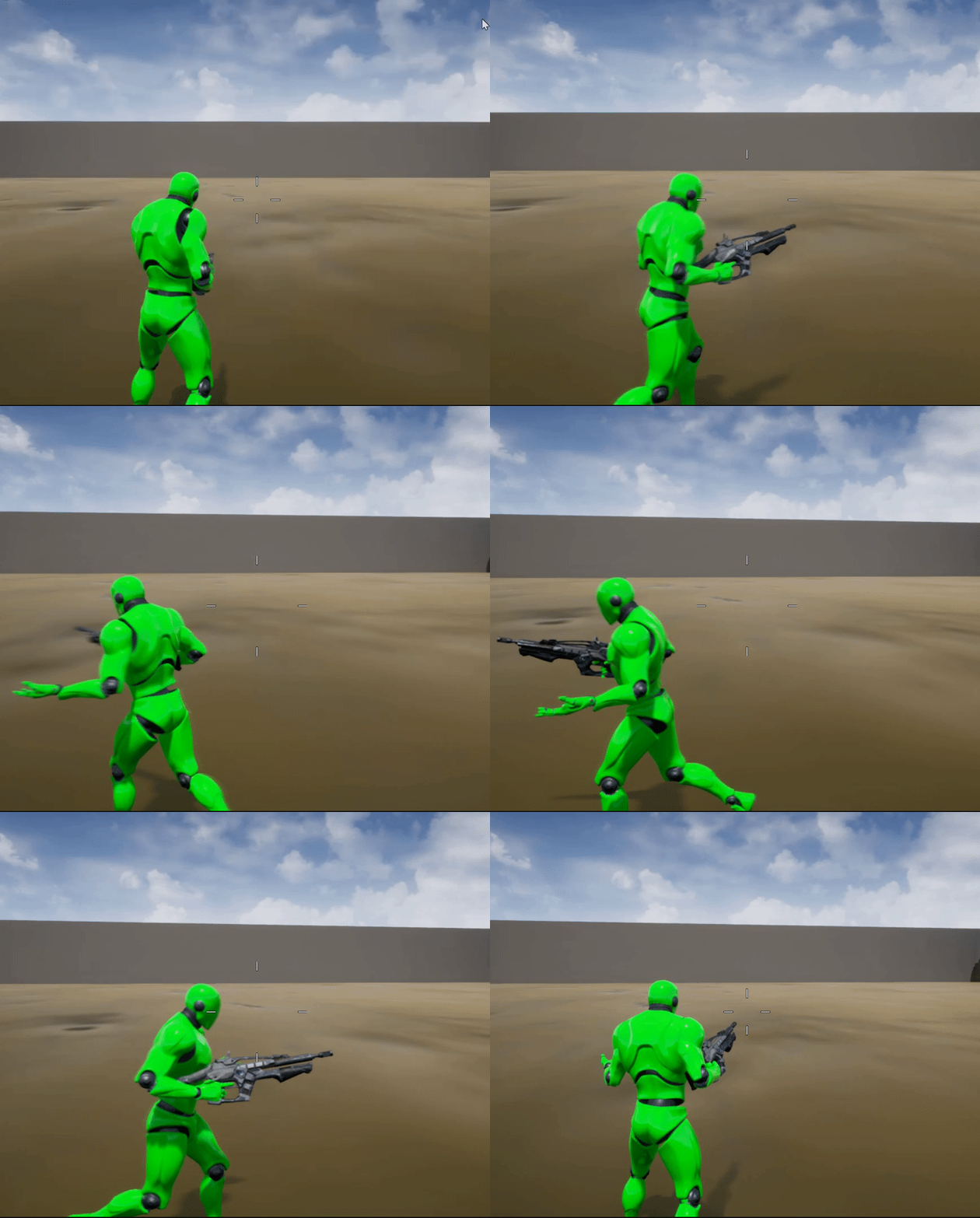
But how can I make it so that the upperbody animation doesn't turn when I'm moving left and right? Because if I go to throw the grenade it will look weird if I'm facing left but am throwing it straight. https://i.gyazo.com/4d53e59e108e759643bf5672e3b69f88.gif
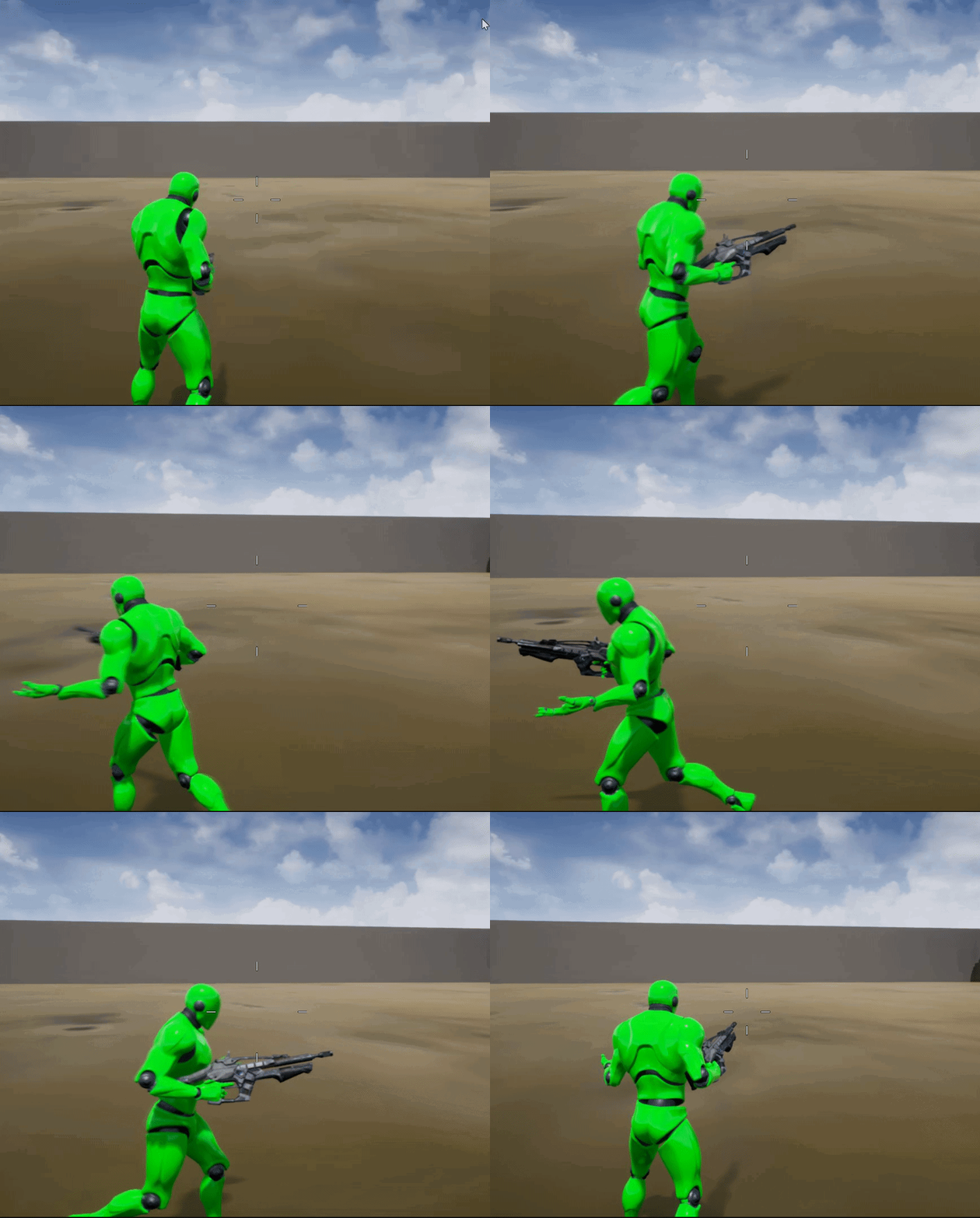
@void pivot do a small delay and then connect it back around to where you just fired your bullet. The delay will be your "fire delay" for the weapon meaning "how fast the weapon shoots"
maiden wadi
And then your weapon will never stop firing.
It's common practice to put a gate on your weapon's tick. Open it to fire, close it to stop, enter the gate with tick and process the bullet spawning on the other side of the gate. You can put a >= branch just before the gate too with a counting integer that you can set back to zero after the branch that'll count up from the delta time til it hits that value.
rugged carbon
@void pivot You could also use a timer, granted you don't have windup on your firerate
Something like this should work
Timer handle
maiden wadi
Hmm. I missed that. That first shot thing won't work. Gate shouldn't be open yet. Guess you could just route that around the gate.
steep wind
@dapper cradle as far as I konw there is no way to reset a level without just loading it again
@dapper cradle otherwise you could use save states
dapper cradle
@steep wind thats axactly what i want to do, litteraly just reset the level with the reste level button
i have beentrying to work it out since 7 AM, it is now nearly 7PM and i have no idea how i havent headbutted my monitor yet
i feel like setting fire to it all and drop kicking it out of the window
im litteraly no vclose, in fact if messed up the things that were working just fine before XD
no closer
time to have a break i think
rugged carbon
@dapper cradle The GameModeBase has a method called Reset Level that can be used to reset the level. Although I think you would have to override the OnReset function on every actor you want to reset
steep wind
@dapper cradle https://www.youtube.com/watch?v=VqdjnLxCkyk

How to save and load data in your UE4 games.
OH GOD ITS NEARLY CHRISTMAS? DO I SEND ONE OF YOU A GIFT? I JUST DON'T KNOW!!! DO PEOPLE EVEN READ THIS?!
dapper cradle
Thank you for your help @steep wind and @rugged carbon I am going to take a break because My head is all over the place and im finding even small tasks hard to process, Ill come back with a fresh head and try to suss out where i am going wrong.
steep wind
@dapper cradle rest well buddy
 signal cosmos
Hi there, is there a way to manually set a UMG button to hover, pressed, etc.. in blueprint, wihtout having to interact with it with the mouse?
maiden wadi
Hmm. I don't think so. Not without faking it with styles anyhow. What are you trying to do if not with the mouse?
 trim matrix
how should i do fall damage?
maiden wadi
Depends a lot on your game. But if it were me, I'd find a way to check velocity while falling and upon landing, apply damage based on the last known velocity before hitting the ground.
 dreamy ice
How would you go about making a hotbar? I have everything working but the activation to put the item in hand. Other than spawning the actor and adding it to the character, how would you go about that activation?
 unique hollow
How would I cast something to a Level blueprint?
maiden wadi
@unique hollow What are you trying to cast to the level blueprint?
signal cosmos
@maiden wadi I'm trying to move with the keyboard across a menu
maiden wadi
@trim matrix Not sure, I don't think I've ever watched anything regarding that. Just got bored and tested a little bit though. If you GetVelocity on the character actor on the Event OnLanded, it seems to print off right every time. You could get the Z axis off of that and start there. Tune it to your character's fall/jump settings.
trim matrix
hmm. I'm just new to this and dont know much stuff yet. But i can try
unique hollow
@maiden wadi So do you have any idea how I would need to do it
maiden wadi
@trim matrix Try this out if you want.
maiden wadi
@trim matrix This works well too, and is a little simpler/cleaner
trim matrix
Alright thank you 😄
maiden wadi
@unique hollow Well, generally speaking you cannot cast to the level. It's designed to have only level implemented stuff and not to interact too much with other classes because of level switching ideology. I assume the bool you want is in the level blueprint and you need something to happen in another class' bp when it's changed?
unique hollow
vice versa
I have a custom event that can do something if the object is interacted with
idk how I would hook it up so that custom event in the actor's BP can interact with the level bp
maiden wadi
@unique hollow Had to test a moment. Can you get a reference to your actor inside of the level?
trim matrix
@maiden wadi I dont seem to lose any health :/
maiden wadi
@trim matrix Do you have the Event Any Damage set up?
@unique hollow Kay. Let me screen a couple of things to show.
unique hollow
aight
maiden wadi
@unique hollow
trim matrix
@maiden wadi The way i usually do damage is this :\
maiden wadi
@unique hollow
@trim matrix Oh, well that works too. Just ditch the apply damage node and do your math to set current health right there then.
trim matrix
ok give me a sec
maiden wadi
@trim matrix Apply damage is just an interface meant for damaging just about anything in the game without needing to cast to it, that's all. But since you're already in the character BP, you don't need to cast. But either way works.
trim matrix
I did this but still didnt seem to work (ignore the big picture i got 2 monitors) :
maiden wadi
Your current health variable didn't change?
maiden wadi
Is that print coming off of the *100 printing anything?
unique hollow
wait
Authaer
it doesn't seem to work
I put the event dispatch in the actor I want
maiden wadi
@unique hollow Show me what you have in both blueprints.
maiden wadi
@trim matrix LOL I just realized a mistake I made with that. The Normalize To Range settings are backwards. But you haven't gotten there yet. What does your first print say?
maiden wadi
@unique hollow That's just a custom event I made and named BoundEvent.
trim matrix
@maiden wadi Backwards meaning they should be -2000 and -500 or minimum 500 and maximum 2000? The print when i jump right?
maiden wadi
@unique hollow
maiden wadi
Haha
@trim matrix Min 500, Max 2000. And yeah, what is the first print printing off velocty z saying?
trim matrix
between -426 and -436
maiden wadi
You'll have to lower your values then.
trim matrix
ok let me try
trim matrix
@maiden wadi I think it works thanks 😄
maiden wadi
Anytime. Just play with the values here and there to tune it.
trim matrix
Hey guys, I am in a hackathon for fighting social distancing in times of COVID. I am working on a virtual info center. I am the only Unreal guy and I am pretty new to Unreal. I need 4 very easy blueprints for simple actions. I know that it must be super simple for you but I don't have the skills right now. I will learn it after the Hackathon which is for sure ;-). Attached the requirements for what I would need. Can someone help me for the good cause (https://devpost.com/software/proj-virtual_marketplace_for_local_heros) ?
rugged carbon
I'm in the process of creating blueprint interfaces to aid with communication and I was wondering: Would it be better to create fewer more generalized interfaces where most blueprint might not implement each function, or create more, but specialized, interfaces so that generally all functions are implemented?
trim matrix
@maiden wadi it works but the health bar is not updateing visually for some reason
i lose health but the bar stays at max
maiden wadi
@trim matrix Do you have that variable bound to a widget, or are you updating the widget manually?
trim matrix
both i think
u want the graph of the health bar widget?
cause the hunger and thirst widgets work fine (they decrease every second)
maiden wadi
I have an odd memory that updating a widget manually that has a binding stops the binding from working.
trim matrix
hmm
let me check
i removed the bindings and still nothing
which is weird cause i use the same graphs for the thirst and hunger widgets
@maiden wadi
maiden wadi
@trim matrix Double checked, updating a widget manually does stop it's binding. So if you're updating that anywhere manually, you have to take that out if you want to use the automatic update of the binding.
trim matrix
hmm ill check
 dusky thicket
Okay so this should be a basic Blueprints 101 question. I have two ChildActorComponents on a Blueprint Actor. I would like to have a property that, when true, one of the ChildActorComponents is enabled, as in it's visible, has collision, and ticks, and the other one is disabled, as in it's invisible, has no collision, and doesn't tick.
What's the cleanest way to do that?
trim matrix
@maiden wadi What do you mean by manually? When i said manually i mean that i had 2 keyboard bindings to add/remove health for testing.
maiden wadi
@trim matrix I doubt you're doing that then. I meant getting a reference to the widget and setting the text or bar like you do in the binding, but doing that outside of the binding. If that's the case, you might want to check your reference to be sure you're binding the right variable?
@dusky thicket I'd probably just set up a function using bool logic to enable or disable them both based on that bool you're already setting, then call it where ever you're setting the bool. As far as I know, all three of those things can be set with a bool variable and some Bool>NOT usage.
trim matrix
@maiden wadi its just weird cause the other bars that are set up the same way work fine
maiden wadi
Put a print on the binding function and see what it's printing out vs setting in the bar.
trim matrix
on the bindings that add/remove health?
i actually removed them
but i did for every tick earlier
and when i took fall damage it printed 80 or something from 100 but the bar stayed the same
i also died and the bar did nothing
maiden wadi
@trim matrix Are we talking Progress Bar widget?
trim matrix
yep
maiden wadi
Did you convert the 0-100 number to a 0-1? Anything over 1 assumes that it's 100%
maiden wadi
Just take current health and divide it by max health, that should give you a number between 0-1.
maiden wadi
Nah, show me your Widget binding.
trim matrix
binding?
dusky thicket
@maiden wadi Probably overkill but I made an enum for the input.
trim matrix
😕
dusky thicket
Sorry for the interleved conversation lol
maiden wadi
Don't you have the health variable bound in the progress bar widget?
trim matrix
i have 2 variable
s
1 is maxhealth
and the other one is health
and i have event dispatchers
for aeach bar
thats what the Bind event to update health is
maiden wadi
Where are you updating these from in the character blueprint?
maiden wadi
No. You bound the event in the widget. But you still have to call that event dispatcher, the UpdateHealth one from somewhere in the PlayerBP2 blueprint.
trim matrix
oh wait
i think i know what the problem is
FIXED
i didnt call the dispatcher
on the fall damage
actaully wait
u see how its printing 72?
thats the health the player currently has
but the bar is empty
@maiden wadi
nvm
im stupid
forgot to connect a thing
yeah it works great now thanks
i forgot to connect the green line
maiden wadi
Haha, anytime. Happens to the best of us.
trim matrix
also i have another problem not sure how easy it is to solve
i have a respawn system that destroys the actor
then respawns him
but i heard that the destroy actor component is messing with the ui
so after death the ui is broken
bars are not visually working etc
maiden wadi
You're casting in the UI on construct, that's holding a reference to your character where you're getting some things like your maxhealth. You either need to create a variable with a reference to the character in the UI and update it when a new character is spawned, or, rebuild the ui after spawning a new character.
I'll be on after like ten hours though. Dead time for me.
trim matrix
i will see what i can do see ya and thanks 😄
@maiden wadi one final thing
if spawn the ui on the world blueprint instead of the player blueprint will it make any difference?
 solemn dagger
Hello, im looking for a way to get a point on a plane , for example get the normal of a wall and find points around that wall on the same "plane" like the surface of the wall
i can do it by doing a line trace to a invisible plane actor but i dont like to create temprary actors is there a better way ?
trim matrix
hey guys
im having a hard time here making this work
so here is the issue
I am trying to get my character to use 2 different animations for jumping - one when he's idle and another when he's walking/running
I've use a blendspace between these movement animations
I have the full jump animations (from start to finish)
so i tried this - to check whether my mesh is actually moving (i got its velocity).
tight schooner
@solemn dagger yeah there's some sort of BP node for finding a point on a plane, IIRC. I don't know what it's called off the top of my head though.
or maybe not. I could be wrong about that.
 sacred sundial
Hi there, I am building a Top down game, In the game I have houses but when I want the player to enter the house I want to remove the roof layer, how can I remove the roof when a pawn is under it?
I'm pretty sure I have to have separate blueprints for the house and roof.
please @me if someone can help me. Thank you
 fallen glade
does anyone know why I can't add a delay in a macro library but I have no problem doing that in a simple macro ?
trim matrix
how can i make my AI "break in"? For example, i want a random occurance where my AI can smash a window and crawl inside a house
solemn dagger
@solemn dagger yeah there's some sort of BP node for finding a point on a plane, IIRC. I don't know what it's called off the top of my head though.
@tight schooner yea im sure there should be some math node but cant find it
 vast lion
Just in terms of simplicity, a piece of armor a player could pickup, wear, then drop; should that be a component or an actor?
trim matrix
Hi. I am making a game about the pandemic. Your goal in the game is to spray down hard surfaces so that literal gems dont spread. If you come in contact with these gems, your game ends.
Is it possible to spawn "germs" in at a slow speed at first and then make it more quick as time goes on?
rough wing
You can just assign a variable to hold the amount of germs spawned and after it exceeds the amount you want you can speed upthe germs
Or you can make it gradually increase
You might use a timeline loop to keep the player focused and give him sometime to rest
 safe spindle
Good evening everyone.. Any ideas why this "Set Position in Viewport" doesn't change the position of the widget at all?
solemn dagger
Good evening everyone.. Any ideas why this "Set Position in Viewport" doesn't change the position of the widget at all?
@safe spindle you dont position the widget, first get the sidget slot and position the slot
trim matrix
@rough wing what do you mean by timeline look?
 woven saddle
how do I ignore the Z axis in Launch Character? Say I just want my character to slide, not jump a bit when launching it
 late gorge
is there any way to transfer parts of a BP to its parent class?
i have some variables, macros and functions i want to transfer
 mossy coral
Hi everyone. Can anybody tell me how can I make hitbox for the character to hit it by projectiles?
late gorge
@mossy coral tweak the collision settings on your sphere/box/capsule collisions or meshes
mossy coral
@late gorge nah, not working without physics
If I do it with overlapping it is not registrate "hit" every time
late gorge
there's no difference between an overlap and a block, as far as positions go
the math behind them is the same
mossy coral
@late gorge about ur question: mb u need cast to child from parent? Forgot how it works))
late gorge
im asking about transfering code, not casting
as in, i started working on some functions, variables and macros
but i need them to be accessible on the parent class
mossy coral
And why u dont just copy-paste nodes?
late gorge
coz there's dozens of functions, variables and macros?
that's why im wondering if there's an easier way than just copying
 dawn glacier
@late gorge https://www.unrealengine.com/marketplace/en-US/product/property-transfer-tool this will help you

Instantly copy multiple variables between multiple blueprints.
late gorge
k tnx
trim matrix
is there an alternative for using Event tick with Set Timer By Event?
trim matrix
IS there a way to make a line trace go through a bsp?
tight schooner
Not sure what it is you want an alternative to. Tick and Set Timer are rather different things, cuz one fires on each frame and the other fires on time.
If you want another thing that ticks, there are timelines and input axis events off the top of my head.
dapper cradle
@rugged carbon thank you! this morning i managed to get reset to work by starting from the beggining and using your two nodes ( get current level and open level). thank you very much for your help!
dapper cradle
So today I managed to get a widget to work using a Tut.
In the Tut was a section where i gave my hand (Vr hand) a widget interaction component.
This made it so waving my hand towards the widget buttons highlighted the button.
Since then i have migrated a couple of widgets from another level i had made, when i put them into the level and wave my hand over them the buttons show no response, why could this be ?
I havent set any code for actual function so im not trying to click them, i just want to see that they are actualy interactable (by them highlighting as i wave over them with my laser pointer)
Any thoughts ?
maiden wadi
@dapper cradle Does the WidgetPointer debug draw show up on the widget component, but the button doesn't highlight?
dapper cradle
thats correct, the widget i made using the Tut highlights as i wave over it, now there is something odd going on, i thought none of the buttons on my other menus were highllighting at all.
how ever, three of the buttons are highlighting on one of the migrated menus (there is even a button which seems to have an area that it highlights, wave over the left half of that button and nothing happens, wave over the right side and it lights up).
@maiden wadi
could it possibly be a canvas issue ?
maiden wadi
Generally that's a hit test issue as far as I know. Make sure that the widget component isn't being blocked by anything else somehow. I'd also say check the button's hit test visibility, but it shouldn't light up at all if that's set to hit test invisible. It might just be an object's collision getting in the way. I had a little bit of an issue with that in one project. I had a lot of things I needed the visibility trace channel for, so I just made a new trace channel specifically for world interaction with widgets and only used it for world space widgets so that nothing could block it except specific classes that I wanted.
maiden wadi
You need to get the reference out of the array. If you only have one SceneTemplate in your level, just drag off of OutActors, and type Copy, It'll come up as Get(a copy).
 maiden wadi
@dapper cradle Your button should be clickable then. What you could do is in the character where the widgetinteraction component is, call the event OnHoveredWidgetChanged Get the Widget Component from that, and check if it prints off false when you move from the part of the button that highlights to the part that doesn't, you're not hitting the widget with the pointer.
Like so, I found this useful when testing that stuff.
 maiden wadi
Looks fine to me.
dapper cradle
im going to try the bp you just posted in the BP motioncontroller
 tame lichen
How to check if the game is running on target platform e.g. android ?
dapper cradle
@maiden wadi ok so I tried your BP and it worked though i cant read the print screen writing because in vr it is too far in the corner of my eye.
on the buttons which do not highlight, nothing happens but blue writing comes uo when i hover over buttons which do highlight
even the button which only activates on the right half, that produces print screen when i hover over that side and nothing on the left
maiden wadi
Then something is colliding with your widgetinteraction, or laser pointer before it's touching the widget. Something is rendering in front of it on the visibility channel.
@tame lichen Not sure how helpful it is, but there's a GetPlatformName node that returns a string.
tame lichen
@tame lichen Not sure how helpful it is, but there's a GetPlatformName node that returns a string.
Thank you, @maiden wadi
dapper cradle
Question...
I hit play at the top of the view port to go into game.
It takes me into the game.
I normally use esc to exit, works great and back into edit mode i appear..
If i was to make a "Quit game" button on a menu in the game and it worked
would that kick me back into the editor mode the same way the Esc key did ?
maiden wadi
Should be pretty much the same as far as I know.
 velvet viper
anyone know how I can recreate this perched movement from the arkham games?
so that when my player enters the perch area (indicated by red), they can move forward along the pole or back, and then if they move to the side of it they fall off
I'm guessing it's going to need to involve some sort of movement along a spline
maiden wadi
@velvet viper You're pretty much right. Animation asside, you're pretty much looking to put a collision box there or some kind of detection. On overlap, find closest point on spline, move to location. Then make it so that your movements are simply pushing the character towards the next spline point until you end overlap on the other side.
trim matrix
would spawning the ui on the world blueprint instead of the player bp make any difference?
maiden wadi
Not likely. I wouldn't do that unless your UI is level specific though, otherwise you'll have to set it up again for every level if you make another level/world. DNRY(Do not repeat yourself)
maiden wadi
Fair enough. Just depends on the use case. Skyrim is open world, you still load into new levels for caves/ruins/houses. If you have none of that sort of thing, it shouldn't ever pose a problem.
 odd ember
@trim matrix it's not a smart solution for other reasons. ideally every actor is responsible for its own actions if you can get away with it
so your player actor or controller should be responsible for spawning its UI
trim matrix
my problem is that when the player dies the ui is bugged
odd ember
otherwise it's REALLY easy to run into problems
that's why you wanna spawn it on a controller
trim matrix
cause destroy actor component is messing with the ui
maiden wadi
You just need to recreate it, or better, refresh the reference for the character in the UI.
trim matrix
@velvet viper you could also simply take the direction vector of that perch and move on that only
how do i do that though?
odd ember
how do you spawn it in the world?
just cut that logic and paste it into the controller
done
well more or less, anyway
trim matrix
the player or the ui?
odd ember
where you spawn the UI
in the world BP
keep in mind not the character
but the controller
that's why it's there
trim matrix
i spawn it in the playerBP
trim matrix
wait im confused im new to this
odd ember
player controller is a class created specifically for stuff like this
your character ALWAYS has a reference to a player controller
trim matrix
Ok let me try
odd ember
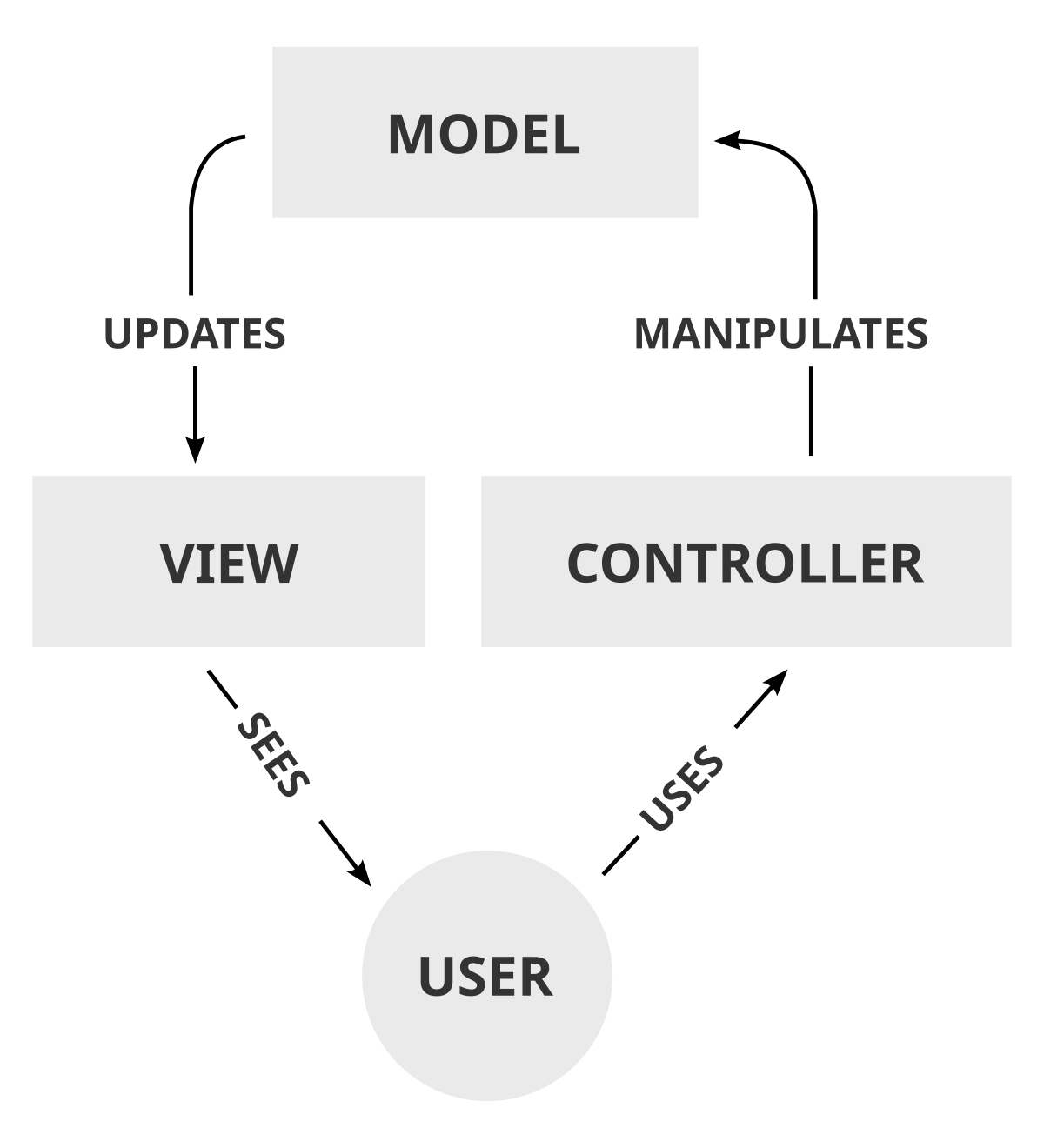
this also feeds into the MVC pattern of system design/programming which I urge you to read about
 trim matrix
will do
odd ember
in your case, the controller is the PlayerController, the model is the PlayerCharacter and the view is the PlayerCamera
trim matrix
so should i have another blueprint for the camera?
odd ember
not necessarily
it depends entirely on how you show your camera
sometimes view is independent of character, sometimes it's not worth to have it independent
trim matrix
aight i understand
hmm i spawned the ui on the player controller but the ui isnt appearing
@odd ember
odd ember
show your code?
trim matrix
ignore the big image i got 2 monitors
odd ember
did you use the exact same code for when doing it in world?
odd ember
also, have you set it up so your player character uses this particular player controller?
trim matrix
oh
that must be the problem
xd
how do i do that
Is there any documentation on (blueprint) Objects? I'm porting a function from a function library into an object, and it prints a warning Conflicting nodes substituted during paste!. And it does that when I want to use a function that only returns a reference to a datatable, nothing else.
trim matrix
where are those settings? the button that says class settings?]
odd ember
@trim matrix you can't have two identical function nodes that are available to the same BPs at the same time
so either cut from your function library, compile, then paste into your object class if you want it like that, or keep it in the function library
in either case it doesn't matter how you do it since at runtime they are treated the same
@trim matrix I think so
class settings or class defaults
odd ember
can I recommend the Snipping Tool to you if you use windows?
it is your new best friend
the button next to it says Class Defaults
trim matrix
yeah thats what im checking
still dont see something that will set the player controller
@odd ember I don't quite follow you. I don't have any identical function nodes. I just can't use or paste a certain function call or any other function that uses it into an (blueprint) object.
odd ember
@trim matrix yea that's exactly what I am saying. you can't do that.
underneath the hood BP is just a VM that translates stuff to CPP
and in CPP that would be a violation
since functions don't actually compile to be stuck on objects in cpp. all functions are technically static, class objects don't exist beyond compile time
trim matrix
I mean function call. Sorry.
odd ember
what do you mean paste then
can you show your code?
access function calls through the context menu otherwise
trim matrix
ok
I have this const pure function.
With this body.
And I can't use it inside objects at all.
odd ember
@trim matrix I think it's the AIController class under the pawn category
@trim matrix and it is in a function library yes?
trim matrix
Yup.
odd ember
can you access it through the right click context menu?
trim matrix
hmm still nothing appears
@odd ember I can't. But I can access other functions from the same library.
odd ember
@trim matrix
trim matrix
yeah i changed the aicontroller with my player controller
odd ember
@trim matrix if you can't access it then that's probably why. the context menu will only allow valid functions to be selected
try removing the const from it
and see what it says
trim matrix
@odd ember any ideas?
odd ember
@trim matrix can you show me your project default settings?
this in the project settings under maps and modes
ensure that the player controller and pawn are the correct assets
odd ember
👍
another useful function override on the game mode is SetDefaultPawnFor which allows custom pawn spawning btw. this may be relevant for you @trim matrix
trim matrix
ok thanks
should i put everything that has to do with the ui in the player controller?
odd ember
and for screenshots I defiinitely recommend the snipping tool
trim matrix
cause i see that the ui is still not working properly after death
odd ember
think of the controller as the thing that controls access to anything not found in the world
yes
so inputs should be on controller, UI on controller etc.
trim matrix
ok let me try
ok let me transfer the stuff from player bp to controller and ill telll u
odd ember
the character itself is just your avatar in the world, it doesn't have scope outside of the world, and outside of itself
odd ember
is it something that happens in the game world or outside of the game world?
that's the question you should be asking yourself
trim matrix
@odd ember Removing const changes nothing. But I noticed something: I can't access any Blueprint Function Library functions at all via the context menu. However I can paste some nodes from them into the object, while others get removed.
trim matrix
so these happen outside game world ? not sure
odd ember
ensure that your blueprint function libraries inherit from the correct class
I don't remember which it is
@trim matrix you as the player are sitting at your PC. are you affected by the BP in question in any way?
trim matrix
didnt quite catch that
odd ember
well what did you catch?
trim matrix
im sitting at my pc.
trim matrix
If I paste and hook the node -- it emits a warning on compile: Function '[my function name]' is unsafe to call from blueprints of class '[my object class name]'. @odd ember So maybe it's a world context issue, since all Function Library nodes have that input?
odd ember
@trim matrix it's almost certainly the fact that you're inheriting from the wrong class in the function library
trim matrix
um no?
 fleet cosmos
is there any way to change cursor umg in game? for example when i clicked on a button, i want to change mouse cursor's interface
odd ember
@fleet cosmos there are ways, I can't remember them but if you do a cursory google search I'm sure there's gonna be a ton of tutorials
trim matrix
@odd ember I created a brand new Function Library via right-click blueprints->Function Library, and created a new function there. Same applies.
odd ember
@trim matrix yeah because you're still inheriting from the wrong class..
trim matrix
so then if i undersatnd correctly i should move these and everything that has to do with the ui to the player controller
odd ember
you are aware of how class inheritance works, right?
@trim matrix how did you come to that conclusion?
trim matrix
cause the ui isnt in the world?
still trying to understand
@odd ember It's BlueprintFunctionLibrary class, seems right to me.
odd ember
the game world is anything the character can move and interact in or with
@trim matrix I suggest looking it up online, it may not be that
I've seen these issues before with function libraries
and macro libraries as well
you have to inherit from specific classes to make them work
trim matrix
well does ui count as interaction?
trim matrix
nope
odd ember
well then
odd ember
the UI is part of the view as well in the MVC pattern
trim matrix
aight
odd ember
it should register what happens to the character and show that, but what happens to the character internally should stay on the character
so if the character is hungry
that's a game world property
but the UI showing that the player is hungry, is not a game world property
does that make sense?
odd ember
you have the correct setup with event dispatchers as far as I can see
that's how the character will communicate with the UI and controller
trim matrix
these here make the hunger and the thirst bar go down every second. So where do i put these
do they count as world properties?
odd ember
you will want the UI to hook into the event dispatchers for the player
trim matrix
@odd ember Seems it's a known unfixed bug: https://issues.unrealengine.com/issue/UE-15683
Thank you very much for your help!
odd ember
so every time UpdateHunger etc. is called, the UI registers something on that event
@trim matrix ok but that seems to be a different issue that happens In cpp... are you sure that translates into your issue for a BP function library?
trim matrix
the ui tho still doesnt work after death thats why im confused
@odd ember From the issue description: Another user mentioned that they are seeing very similar results after creating a BlueprintFunctionLibrary in a Blueprint, then try to access those functions from another UObject-derived Blueprint.
like after death the health bar deosnt even fill back up
odd ember
ah I see. It seems to me an issues of removing any references to World Context Object then, since that's an internally used variable?
@trim matrix
@trim matrix how do you handle dying and respawning etc.?
trim matrix
part 1
odd ember
you have to instruct the UI to grab the health of the character at the beginning of the game too
odd ember
where does the UI respawn?
odd ember
ok
first things first
don't use possess like that
instead use the override function in the game mode I told you about
that will automatically do what you want to do, but from the pawn's side
so the pawn registers itself with the controller instead of the other way
then
odd ember
you need to ensure that the UI responds to the new character
I closed unreal again
so no
trim matrix
ok wait
odd ember
but it's in game mode > function overrides > something like SetDefaultPawnFor
trim matrix
in project settings or?
odd ember
in the game mode BP
project settings is just default settings for your project
has nothing to do with logic execution
odd ember
right and what do you think the next step is here
trim matrix
u said function overrides
odd ember
yep how do we access them
 tawdry wigeon
https://cdn.discordapp.com/attachments/599792061704830988/693414600783298580/unknown.png
Why the fuck isnt this casting to thirdpersoncharacter (AnimationBP, Printing string)
 odd ember
the text should give you a hint on what to do next @trim matrix
tawdry wigeon
I added a Success string too, and now, sometimes it'll have a ton of errors, a ton of successes, a ton of both, and sometimes a single error
I have no idea wtf is going on
trim matrix
Does it work when you play in the editor?
tawdry wigeon
That's how I've been doing it
trim matrix
@odd ember game mode > function overrides > something like SetDefaultPawnFor
when u said gamemode u meant the blueprint or the category?
trim matrix
ok i did that
ah I see. It seems to me an issues of removing any references to World Context Object then, since that's an internally used variable?
Yes. @odd ember
now what @odd ember
I'll wait for the fix, I guess.
odd ember
@trim matrix I don't think there's going to be a fix. I think the fix is not using the name "WorldContextObject" anywhere
trim matrix
But if the UE4 by default uses it.. I can't do anything. My project is Blueprint Only. :D
odd ember
could it be that your function library has a variable with that name? that's what I am thinking right now
@trim matrix do you know how function overrides work?
 untold fossil
I'm trying to find this node in blueprint: https://docs.unrealengine.com/en-US/BlueprintAPI/Math/Color/Desaturate_LinearColor/index.html
Desaturate (LinearColor)
odd ember
yes
untold fossil
but can't find it
untold fossil
Anyone know why I can't find this node?
odd ember
so that function is called every time your pawn spawns
trim matrix
yeah
@odd ember I think every function in Blueprint Object Library has that variable. But I didn't add it, so it must be added by default.
odd ember
so you will want to hook all your pawn spawning logic there
@trim matrix yeah that's intended, I was only referring to if you had made a custom variable named world context anywhere
trim matrix
@odd ember Nope. I'm sure I didn't.
@odd ember so i copy it from the level blueprint? Or should i change it?
odd ember
try
trim matrix
ok give me a sec
odd ember
@trim matrix can you check if your function library works for actors?
untold fossil
I'm trying to desaturate a linear color in blueprint, anyone know how to do that?
tawdry wigeon
Can someone help me with my AnimationBP issue?
trim matrix
@odd ember Do i connect it to the cast to player bp ?
tawdry wigeon
This is making my player stay still, It seems to be a casting issue
odd ember
you are spawning your character
the "New Player" is your controller
from the project settings
trim matrix
ok so i remove the cast to player bp and get player character right?
tawdry wigeon
I do?
odd ember
you had it on death
odd ember
no
it's the initial spawn
but
I think the game mode or game instance can use a reset function
that will do what you awnt
look into it
trim matrix
will do thanks
@odd ember Switched to other project. Created brand new empty: Function Library, Object, Actor. And same behavior for functions when I try to call them in the object, don't showup in the context menu, a warning when I hook them, and they require World Context pin. Actors are fine, functions work.
Summary:
Actor hides the world context pin.
I could create an actor that will act as a wrapper or proxy between Function Library and the object, since objects can call actor functions. But that is an awful workaround.
So yeah. Thank you very much for your time and your help.
odd ember
@trim matrix I just created this in my game instance class with a custom BP function library:
trim matrix
i did this but it doesnt seem to work
odd ember
trim matrix
is it missing something?
odd ember
@trim matrix you're not using the pins.... think, man.
I told you what they were before
trim matrix
@odd ember I inherit directly from object class.
odd ember
so does game instance
trim matrix
Try it with an object.
odd ember
yeah okay I can repro
trim matrix
im confused a bit. Which pins
odd ember
it's all there Hector
trim matrix
The input pins, perhaps.
trim matrix
yeah ik im just trying to figure it out
odd ember
@trim matrix I don't get the same error as you, I just get a notification that I cannot paste it
trim matrix
I DID IT
odd ember
@trim matrix ok I think I know why
I think by default object isn't set to be accessible by function libraries, only derivates are
that's why e.g. for game instance it's not an issue
chances are you will have to dive into cpp and create an object derived class that does the same for your particular case
and if you dive into cpp you can take a look at GameInstance.h as well and see what it does/how it allows blueprintable function calls to itself when object doesn't
trim matrix
Thanks! You gave me a stupid idea though. There is a temporary stupid workaround: I can inherit all my objects as children of.. game instance, for example. And it will work. @odd ember
odd ember
@trim matrix well sure, but I'd pick a different dummy object
game instance is likely a protected class of some sort so it is likely all sorts of issues may arise
trim matrix
I looked at different ones. DamageType doesn't implement a graph and has the same error, for example.
It's fine, good enough for my unprofessional project that has a chance to never release.
dapper cradle
I am trying to reverse engineer a BP here is what i am trying to copy


this second one is what i have managed so far
any ideas how i could get those target pins ?
maiden wadi
@dapper cradle You need to drag off of the BasicAnimBP to get their bools, not set bools in that BP
dapper cradle
hmm im not totally sure what i would enter in the search box @maiden wadi really sorry i am such a beginner still...
maiden wadi
@dapper cradle Your BasicAnimBP should have a bool variable named ShouldRun, you're trying to get that if you're trying to copy the first blueprint.
dapper cradle
I have found a boolean like that in another location
I am trying to make this flipflop between animations bp work with my animations you see, so im guessing i will need to make my own evivelant booleans


Since mine currently looks like this @maiden wadi
 strange urchin
dapper cradle
strange urchin
dapper cradle

looks like this now, i just created a new boolean variable in the animation BP.. now i just have to figure out how to get me second animation in there
 frigid salmon
Is it possible to instantiate an actor class without spawning it? or to defer spawning?
I'm building an inventory system - so I'll have an inventory blueprint that contains an array of items. I'd like those to not be spawned while they are in the inventory unless required to. Am I going the wrong way about having the inventory storing the items themselves instead of some data about them or should I not bother with having all the items from the inventory spawned (since the game's gonna be pretty small anyway)

 misty escarp
Hello devs,
Is there a way to insure a function/Event is being executed until its complete before going to the next function? Or is it always executing unless something fails? The reason I wonder is that it seems that function are being called one after another without waiting for each others to complete
frigid salmon
@dapper cradle that might be a custom node, never saw it :-? shouldn't be too hard to make tho
dapper cradle
oh wow im new to this and just the regular ones are still tricky to suss out XD
how does one go about making them ? @frigid salmon
frigid salmon
where did you find that? doesn't it mention it?
dapper cradle
A kind person made a bp for me that has an animation switching between two states on button press, I am currently trying to get it to work for my own animations
@frigid salmon
frigid salmon
ah so you have the code or just the picture?
frigid salmon
double click on the get, see where it takes you
dapper cradle
not that i totally understand what im looking at XD
ok
double click doesnt take me anywhere
frigid salmon
Hello devs,
Is there a way to insure a function/Event is being executed until its complete before going to the next function? Or is it always executing unless something fails? The reason I wonder is that it seems that function are being called one after another without waiting for each others to complete
@misty escarp You could add a success output and only continue if that ends up true
dapper cradle
 misty escarp
@frigid salmon Thank you for the answer.. as Success Output you mean a simple bool? Or is that a node I never heard about (Only in AI as far as know)
maiden wadi
@dapper cradle That is a Validated Get node. Get a normal reference to the Mann variable, right click on it and convert to validated get.
frigid salmon
oh yeah - that's so awesome, didn't know that!
dapper cradle
I just got it!
its one thing after another though XD theres another node (litteraly the next one in the line that i need to find)

the flip flop anim
refers to the bp
got it!
so this is hes anim graph

and mine is this

How did he get the second animation in there ?

Basicall i want an idle pose animation and a full spin animation in there to flip flop between on button press
basically
 woven kelp
can someone enlighten me on how there can be one item in the array, but when i get it it's not valid?
 woven kelp
😬 thx
dapper cradle

how have they managed to get 2 animations in here ?

i CAN ONLY ACCESS THE ONE, EVEN THOUGH I HAVE A FEW OTHER ANIMATIONS IN THIS LEVEL
caps lock sorry :S
I think i am so close to getting this done XD
odd ember
@dapper cradle have you asked in #animation ?
dapper cradle
Good idea! i assumed it was BP
odd ember
not really
dapper cradle
thank you
 nocturne holly
I'm a bit confused at what the "hide cursor during capture" option means. Does it mean when using recording software or when the game takes control of the mouse cursor?
trim matrix
How do i line trace through a bsp?
dapper cradle
So, a friend put together a bp for me which uses a LineTracebyChannel, I use this line to point at a mannequin, pressing a button then changes the animation state from idle to run.
I have changed all the references from what i can see to a differen mannequin (i did this because they have different skeletons so couldnt simply transfer the animations..
the problem is that now the line trace firs straight through the new mannequin like its not hitting it...
could there be an easy fix for this ?
with the previous mannequin, the line trace has a big blob on the end where it meets the mannequin, but it doesnt with the new one i just put in
odd ember
collision channels
make sure the trace channel is being blocked (not overlapped) by the mesh of the mannequin
odd ember
you can also create custom channels in your project settings under collision
in case you want more control
trim matrix
ok thanks
but one question
i know how to spawn actors but. let's say im making a coronavirus game about you trying to avoid infected people and you fending them off with disinfectant from breaking into your home. How would i make it so after a period of them trying to break in, they get in?
trim matrix
What i want is for them to spawn all over the house, then after a short period of them trying to break in, they are able to crawl through the window and jumpscare you
odd ember
you can do it through giving doors health and let them attack doors through AI behavior, you can do it as simple as firing a timer
it's entirely up to how the design needs to be and how it's supposed to interact
with the player
trim matrix
well i hope i wont get flamed for making a game about covid
its laughing at the virus but its not about laughing at infected people
dapper cradle


why is it hitting one and not the other ? ( the line trace)
goes right through the right hand mannequin.
odd ember
it's hitting the capsule
 devout pine
How am I supposed to add an item to those arrays of strings that are part of structure array?
dapper cradle
Ill shrink the capsul then ?
odd ember
change the collision settings on the capsule
dapper cradle

 odd ember
@devout pine by using Add?
dapper cradle
capsul size comparison
odd ember
you can't change the capsule size
it's not going to do what you want it to do
you need to change the collision settings
it's the third time I'm telling you
devout pine
@devout pine by using
Add?
@odd ember I tried it doesn't work
dapper cradle
I am listening, and im looking into the settings now @odd ember Im just trying to cover all my basis, im very sorry but i am not trying to test your patience or insult your inteligence
odd ember
@devout pine my bad. you can use MakeArray instead
trim matrix
Ok so if i set my line trace channel to camera, it goes through subtractive brushes which is what i want, but now it wont hit my enemy
is there a way to solve that?
odd ember
custom collision channels
odd ember
they can do whatever you want
trim matrix
wow double ping
devout pine
@devout pine my bad. you can use
MakeArrayinstead
@odd ember nope
odd ember
well why not?
devout pine
I need to take existing array and add item to it. With Make array I can create array out of single items only.
odd ember
have you tried Set Member in <StructName>?
but you'll have to create an array in the first place in either case
that you can then parse if you don't want to use make array
devout pine
that's how I did it
odd ember
then try the Set Member in <StructName> might kill some of that spaghetti threading
but yeah in general you don't have enough control of structs in BP
devout pine
it wirks, thanks 🙂
dapper kiln
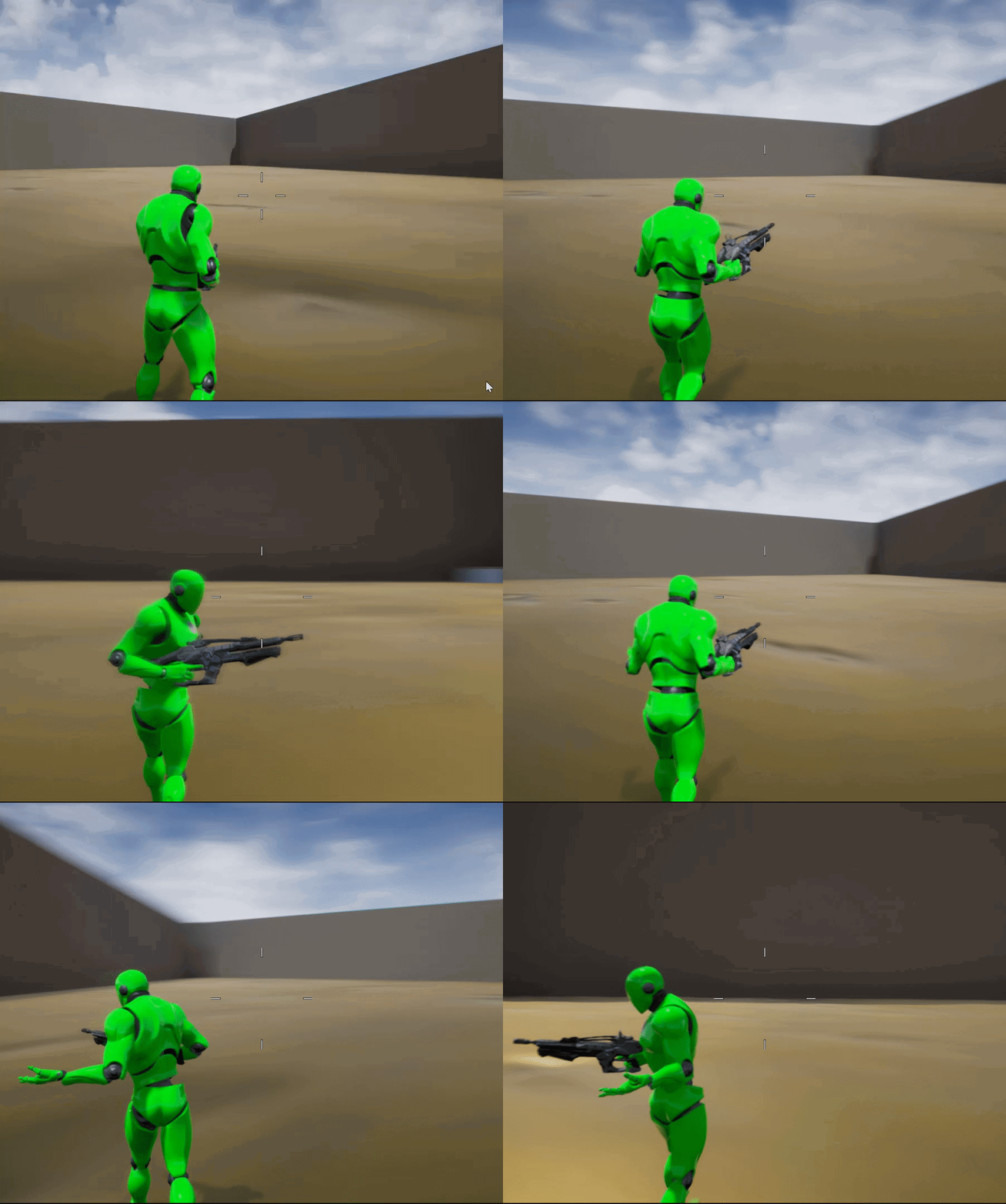
Does anyone know how to play an Upperbody animation so that it always plays facing forward? I want to play a grenade throw animation but it follows the direction my character is walking in. https://i.gyazo.com/4d53e59e108e759643bf5672e3b69f88.gif
As you can see when I hold down the grenade button the Upperbody animation follows the direction of the legs.
 lean thistle
You'd prob have to rotate the pelvis towards the forward vector'
 cunning creek
why mi mesh disapears when i apply the animation¿
trim matrix
@odd ember Im sorry for asking again but i just cant figure out the death/respawning. I've been trying for some hours now. But nothing
odd ember
what's the issue?
trim matrix
so i figured the spawning
on the gamemode
but i dont know where i should put the death and the respawn. Or even if those 2 go together
odd ember
game mode should be responsible for death too
or rather
responsible for what happens on death
trim matrix
so do i make a new function ? or do it on the event graph?
anyone know how to show material code block
woven kelp
The code in that node is just "0"
trim matrix
ic
 fathom plinth
i want to separate these two but enter doesnt separate them
into two different lines
please help
dapper kiln
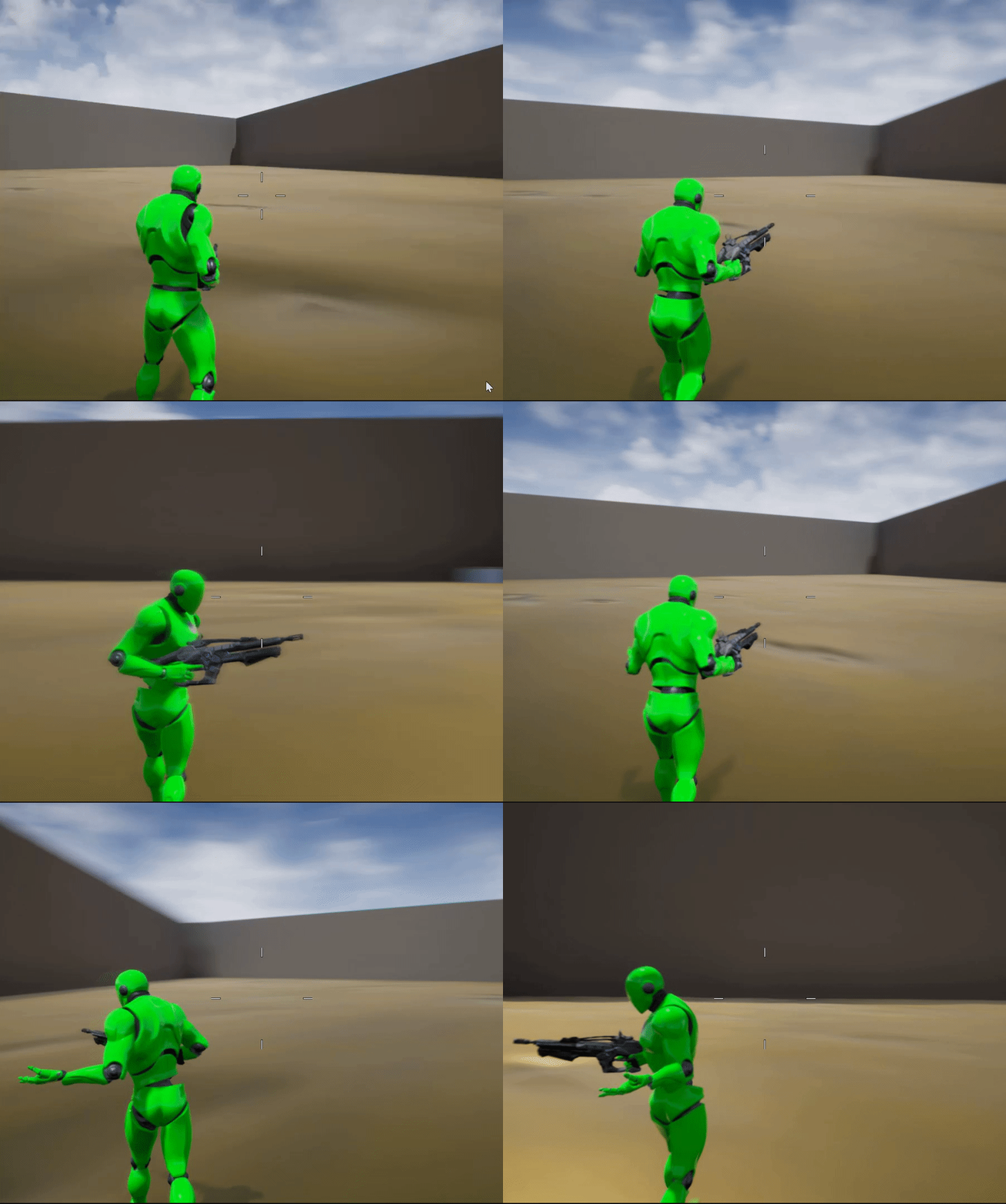
@lean thistle Hahahaha Ok so I guess I did something wrong https://i.gyazo.com/22a7d8a107833b9cc17e7bc637717601.gif
 fathom plinth
sigh is it really that hard to separate lines of code
woven kelp
@fathom plinth shift+enter or ctrl+enter should do it
fathom plinth
OHHHHHHHHHHHHHHHHHH
OH MY GOD THANK YOU
i was stuck on this for 30 mins
now i can continue making my blob
fathom plinth
howdy, my * for some reason are in the middle of this code instead of up, making the code fail miserably, any help?
 maiden field
someone can explain me why my game istance wont load ?
is setted in project settings. any function in the game instance wont print
odd ember
@trim matrix the game mode has functions for restarting players and game, look into those
trim matrix
ok thanks
 unborn turret
what would be the best way to get hit result on an any damage event?
 zealous moth
wut? @unborn turret
@dapper kiln i believe unreal has some videos in retargetting where they explain how you can restrict the spine so you cannot have this
unborn turret
I need to get where exactly on the body my character was shot before he died @zealous moth
zealous moth
like... on the mesh?
unborn turret
yes
zealous moth
i would attach hitboxes on the limbs
and when they get triggered, record that info
that's how headshots are recorded
there is a hitbox on the head and when hit, it triggers a "headshot" event
unborn turret
cant i just do onhit event on capsule then?