#blueprint
402296 messages · Page 410 of 403
 naive cave
 odd ember
when you get a struct, you get a reference to the memory address of that struct
this is usually the case when you want to have values that you don't modify
naive cave
Yup, that's the break there. That pulls the Persistent which is referencing the struct I have set.
odd ember
so in order to get around this and be able to update values in a struct that you get like this
use SetMemberInStruct
you should use it where you are currently getting the Persistent value
setting it from a struct is fine
it's setting members inside a struct that needs attention
 slate wasp
can blutility functions not have input parameters?
odd ember
haven't checked, but I don't see why not?
slate wasp
as soon as I add one the function vanishes from the blutility screen
odd ember
no idea, sorry
perhaps all vars are meant to be global vars since it's for editor use? idk though
slate wasp
beats me
 fathom portal
Hey friends, got a weird one for you. Not entirely sure which channel to put it in, but it's blueprint-adjacent
If I add anything into my player controller, it acts like nothing is there. Doesn't run code, doesn't print strings, etc
But when I print out my player controller from another blueprint, it correctly says the name of the one I'm attempting to use
When I attempt to use the magnifying glass to jump to the correct asset, it ignores the click:

As far as I know, I don't have any other controllers anywhere
odd ember
@fathom portal go to project settings -> clear the values, set them again
and rename your controller
fathom portal
Ok lemme giove it a try
fathom portal
Yup, that did it. I changed it to RoguelitePlayerController
And then the list still had the original selection, and the new one was added
Ten points for @odd ember
Now that I think about it, the original may have been a cpp class
No idea why the magnifying glass wouldn't work tho
odd ember
internal classes aren't highlighted unless you allow them to be searchable in the content browser
 forest junco
If anyone has a moment to chat with me about an issue i am having it would greatly appreciated! been trying to figure it out for the last 4 hours (im pretty new to bp)
i posted the question but it was probably ill-formed
fathom portal
Might help if you repost the question @forest junco
Not like spam it every five minutes, but like I just scrolled for a bit and couldn't find your name recently
 trim matrix
looking for help on creating Render distance, or known as camera culling.
i dont want to see far away until i get close to the object
An overview of Visibility and Occlusion Culling methods in Unreal Engine 4.
this is basically what i need help with setting up
if someone knows how, that be great
 stuck hedge
You ever had something that worked 100 times..and then suddenly it doesn't work, But when you check it you realize some crucial thing is missing and you have no idea how it worked at all before?
 winter kettle
If I want an actor to be destroyed on the very first overlap is it enough to destroy the actor on the overlap event? would that prevent from triggering the overlap event more than once ?
 fair estuary
If you destroy the actor on overlap, it will destroy everything so the overlap can’t happen on that actor again until the actor is reloaded. If you want to be super sure, put a do once on the overlap event and it can’t be called again unless you reset it
@winter kettle
 junior thunder
What does it mean when "get owning player controller" stuff says its for cosmetic things only?
I can't find a good explanation of that
odd ember
is it on a widget
junior thunder
yeah
odd ember
widgets are cosmetics only, see MVC
 shy junco
What do I need to do to navigate input key selectors using a controller? It doesn't seem to be as easy as a button with a focusable variable.
trim matrix
@shy junco you can set your inputs in Project settings under inputs and call it or you can call it directly in your controller
shy junco
Hmm I'm not sure I follow. I have experience using input for something like a jump mechanic. Is it similar to that?
trim matrix
yeah
Just hit the plus button and create one
Rename it and call this in your controller
shy junco
Just double checking cause I should've mentioned why I'm using input key selectors, but I want to give the user the ability to remap keys.
And it works fine by clicking on them and setting the new input, but I can't navigate this with a controller
trim matrix
ups sorry my fault i dont know how it actually work there is a pack in marktplace for free download it and watch in the code so you can figure out^^
shy junco
I'm not sure what you just said
forest junco
Anyone have a moment? I've been pounding on this issue with my blendspace bp for quite some time now with no progress.
I am stumpped
omg i got it to work. 🤷♂️
 narrow kelp
how can i check via BP if ambient occlusion is currently enabled?
would that be a "Console Variable Bool"
r.AmbientOcclusion
hmm
for that matter how can i change it in-game
 fleet sandal
you can adjust it in post processing
narrow kelp
i was hoping there was a way to change ONLY ao
fleet sandal
In post processing 😑
narrow kelp
I can change it in the editor or maybe in a pp volume
but im trying to change it globally during runtime
 cobalt ferry
That’d be the camera maybe?
narrow kelp
i hadn't thought about that
thanks i bet that will work
Looks like what you do is add a post process component to your camera actor and blend it
not sure how that will work with the scalability settings
fleet sandal
Shouldn’t it already be in the camera?
narrow kelp
there are default settings
fleet sandal
Make sure you enable Editable if you are just going to use the component
narrow kelp
okay thanks
 rough wing
Why are these two same categories on different tabs?
 distant sedge
@rough wing One might be "PowerUps" and the other "Power Ups"
rough wing
@distant sedge but their in the same category in the variables tab
 surreal peak
Dragging into categories puts a whitespace in iirc. Should pr that at some point
 calm mauve
Dear Slackers, I have a task where I should be creating a spectator mode for a fighting game. The spectator mode is for event audiences. So technically, we have partially develop a mobile fighting game. The game will be display at some event. In order to show its gameplay to the crowd in the room, we'll be needing this spectator mode on a phone. This phone will be display on a projector for everyone to watch. So this spectate mode will show the overview of the fighting scene.
Is there a way to achieve this? both me and my colleague are only blueprint illiterate. Thank you! Looking forward for your replies soon!
rough wing
Thank you eXi
 alpine plover
nyone encounter having the enemy healthbar showing through walls? trying to figure out how to get it to not show when it is
in BPs preferably
Its an issue for me for my health bar, and I don't mind doing it in C++ but a friend of mine is having the same issue with a text widget and the class requires only using BPs
surreal peak
@trim matrix You do realize that the function already calls when you press any key? :X
@alpine plover more of a #umg issue or?
alpine plover
Honestly no clue haha. I simply cannot figure out why it doesn't only show when actually in view, so it might be. I didn't think to ask there. I saw BP and came straight here
thanks for pointing me in that direction, asking there :). Still very new to this massive server haha
 twilit heath
@trim matrix you also don't return an undefined EventReply
return either Handled or Unhandled
twilit heath
depending if you want the widget to consume or pass on the input
trim matrix
but when changed the any key key to something like E
or A
it worked
Top picture works
while bottom one doesn't
 bronze mountain
Is there a way to pick out a certain static mesh from an array? I originally hard coded the values in the order they were listed in the collection but after packaging it seems to re-order them
 manic cradle
Can someone please tell me what's the practical use for this node, and how to properly apply it?
 gritty bobcat
Cannot submit crash report, because crash reporting tool crashes. Please advise.
I am getting frequent crashes of the editor. Not sure what is causing it, but when i click on
"Send and restart", i get another crash instead.
Any ideas what could be the problem? I have no IBox project on my PC.
 bleak vector
is there a way to pan through the blueprint editor other than right click? I keep calling up the right click menu and it's getting annoying 😆
 echo scaffold
I have a color picker widget that I want to spawn in and be able to change the color of various things in-game without any specific references to them. The color picker outputs a single linear color variable, what's the simplest way to have other blueprints access that variable with total indirection? 🤔
And if I want to have multiple instances of the color picker widget in the world at one time, each bound to a specific thing, does that make it a lot more complicated?
 visual shell
If you spawn the widget, do you directly change the color of the things in-game? Or do you want to remember that color somewhere
echo scaffold
It's gonna be used for a character creator among other things, so it will need to change color variables in other blueprints
Rather than just setting and forgetting a color in material, if that's what you were asking
visual shell
Ah okay, for persistent variables I usually save the value in a game instance
You can then make a reference in your blueprint on begin play by casting to the instance and just get the value from the ref whenever you want
echo scaffold
And if I want it to spawn and be destroyed at runtime when needed, I guess I just make that reference when it's spawned in? 🤔
 blazing ridge
I prepared this structure
so i could start filling up this data table
but i cant fill actors in there for some reason. someone knows more about that?
bascially I want to have a DataTable that contains arrays of assets that will then be used to spawn on another BP.
and i want to filter those assets by the environment and their class (like A = big, B = medium etc.)
oh damn I need to change to Class from actor, thats the issue, my bad
Actor class Reference instead of actor object ref
visual shell
Sorry for the late reply @echo scaffold, but in the case that you're making an actual widget, you can make a reference before adding it to viewport. Then when you don't want the widget anymore you can just use the ref and do 'remove from parent'
You can also load the existing color value from the game instance in your widget to kind of 'leave where you left off'
and all the objects you want to change the color from, you just have them read the color which is saved in the game instance
 oblique gyro
any idea how to make this work when the gravity scale is set to 0?
 coarse hare
Hey, how would I check if internet is working on the target device?
Not for multiplayer sessions, but to access other internet services?
blazing ridge
How would I get the last character from a string, which is an INT and give it out as an INT?
im trying get character as number but that does not return the INT itself, instead it returns the ascii code for that character
visual shell
You mean you want the last letter of a string?
which happens to be a number?
@blazing ridge
blazing ridge
yeah, also just found a solution
visual shell
That works, although I'd advise just saving ints seperately from strings in a struct
or appending the string with an int value 🙂
blazing ridge
yea usually id do it different but i need to filter my socketnames and sort their positions in an array in correct order
and since they come correctly named with their index as the last character
i tried it this way
visual shell
Ohh okay, yeah convenient solution then
blazing ridge
how would i calculate a round tangent?
kind of like this
red is what my spline looks like right now, blue is what i want to achieve
visual shell
Look into Bezier curves
blazing ridge
does that work dynamically? cant do it manually thats the problem
visual shell

If you can dynamically create a point in between the points you want, you can do it
create c
bleak vector
Hmm, enums allow bitmask flags but I don't see any way to tag something with multiple, am I missing something? 🤔
blazing ridge
i am not good at calculations with vectors and splines, maybe you can help me out some more 😄
i was thinking to get the distance between the currennt and next point, half it and then use this to calculate the C
but where would i add that halfdistance?
does that work with the forwardvector of the spline point?
@visual shell
visual shell
How is your spline being set up? Can you show me in-game?
blazing ridge
tried like this now and this is the result
its all getting spawned at runtime
it looks better now and i tihnk i have to do something similiar to the end tangent
heres what i want again 😄
its planar on z FYI
visual shell
So your "C" would be in the middle of the curve you have right now
blazing ridge
exactly
 fallen glade
Does anyone know how to add a "static mesh component" from a "static mesh reference" ?
fallen glade
@blazing ridge perfect ! thank you !
blazing ridge
@visual shell i'm having trouble understanding how to get the point there.
if i just half the distance im getting the point on the direct line between them, not moved outwards like i need it. or am i missing something?
visual shell
Yes that's true, so you need to add an offset to that point
blazing ridge
yea i get that, however this offset is making me trouble.
is there some elegant way to calculate that? I need to be able to have this working later on, no matter if the spline goes to positive or negative axis values
ill try around a bit
with big freaking debug spheres
visual shell
You already have the half the distance
so you could just add a vector offset to that (either negative or positive, up to you how you wanna control that)
 vast quest
I'm not sure where to ask.
I've got this error, which is preventing me from getting the material mesh for my battle royale dome.
visual shell
Well it's saying you need a transparent or postprocess material
So it's probably opaque, try using transparent
vast quest
Ahh yes that worked, thank you 😄
blazing ridge
i am a little bit confused
orange and light blue sphere are the arrive and leave tangents of the last point
so how does he have different tangents?
according to my nodes and what i see in the debug spheres the tangents should be at the spheres, not where the red lines are. i hope im not missing something obvious 😮
visual shell
Seems to me like you're off-setting the tangents by that multiply node. But if you're doing it correct, the line should never actually hit the sphere, as it's calculating the line
stuck hedge
Any suggestions on which bone to connect a camera boom to on a skeletal mesh so that when you crouch the camera boom will go up and down in sync with the body? Attaching it to things like head/pelvis/etc end up shaking the camera since those parts move on the skeletal mesh.
visual shell
I wouldn't connect it to a bone. Just make the camera a child of the player and it should work. Better: program your character to follow your player's movement
stuck hedge
I had it attached to the capsule, but when you crouch the change is instant so the camera snaps down instantly.
visual shell
Yep exactly, probably because the crouch is also instant.
stuck hedge
I should mention this is for third person
visual shell
You probably shrink the capsule in half while crouching, so the camera will move with that. I'd advise you to blueprint your camera
blazing ridge
@visual shell I'm sorry but I dopnt understand.
the sphere (orange) is exactly where i want it to be, and the leave tangent of my last point should be there aswell. however it is not
sphere and tangent are getting the same values
if i place it manually it is correct there aswell
stuck hedge
@visual shell There is a built in function that you can crouch with, it uses the settings from the player movement component. It immediately sets the capsule to the crouch height, no chance to lerp it or anything.
visual shell
Yep I know @stuck hedge that's what I mean haha. Your camera will then also automatically snap. So you just manually blueprint your camera to always be x value from the players position
stuck hedge
I don't want it to snap though. I want it to go up and down in sync with the actual crouch animation.
I'll have to attach it to the mesh, but without a socket and lerp it separately
visual shell
@blazing ridge Hmm that's strange, do you know what the tangent node exactly does? I mainly use code so I'm not familiar with that node
stuck hedge
but I was hoping to just attach it to something so that I didn't have to run something else on tick
visual shell
Yes Cross that's exactly what I'm saying. If you blueprint it manually (apart from the player) so you can make it lerp
blazing ridge
as far as i understand, and the results are telling me the same, you simply plug in a vector and that is then the position of the arrive/leave tangent handle.
which works for me in all cases but the last one (points i mean)
visual shell
maybe use world space instead?
stuck hedge
Yeah I just wanted to avoid anything extra on tick, but I guess that's not too heavy
visual shell
Don't be afraid to use ticks, they're not that bad 🙂 Especially for camera movements it's just necessary
blazing ridge
@visual shell youre right, it would be good to know what that node exactly does.
a tangent is by definition a line, so how exactly is my single vector coordinate getting handled there?
i can only guess that with the 2 tangent inputs and the point itself, unreal simply generates the tangent line from this info.
but then again, my setup should work, because the sphere is at the correct position
visual shell
Okay yeah that makes sense, but I think you can't reach what you want with tangents. I think you have to make the bezier quadratic curve calculation yourself
Do you know C#?
blazing ridge
the thing is I did something similiar years ago at another company and it worked.
there has to be another solution then 😄
sadly not, im not good at any language, trying to learn c++ though
 carmine prawn
Hi folks, I'm not so good with calculations and would love a bit of help. I'm using the SunSky actor and controlling the speed at which the time changes in my TimeOfDay BP, what I'd like to work out and set to a variable is the number of real world seconds and in game hour lasts.
visual shell
multiply your speed with deltatime
fair estuary
@carmine prawn This is what you're looking for. https://www.youtube.com/watch?v=dtK6dQF3Hb8

This tutorial is part of my series on making a GTA inspired game for UE4 with blueprints, but it works for anything, so I share how it's done here. I got most of this information from searching other tutorials, so I didn't come up with it on my own. Still, I am adding it to my...
This tut does what you're doing and has the math that you need to convert time and set how long the day is in real work time.
visual shell
Make sure you always multiply your time or seconds values with delta time, otherwise framedrops / spikes can influence the duration of your time calculations
As tick runs every frame, thus time will move twice as fast on 120fps compared to 60fps 🙂
carmine prawn
@visual shell isn't that what my bp is doing in the first node?
@fair estuary Thanks, I'll check that vid out.
Much of what was needed to do before the SunSky actor was released isn't needed anymore. Much simpler system.
trim matrix

Hey guys
I have a small problem here using sockets
When i press 1 the sword appears in my hand just as i want
and as i press 2 it gose back to my other socket which is my Back
But when i press 1 again the sword dosent go from my back to my hand and it save the one on my back
If any1 can help and thanks
fathom portal
@trim matrix you can't reference the "Spawn actor main sword" in the 2 event, because the execution pin (white line) never hits it
You'll want to drag of the "return value" of the "spawn actor main sword" and use "promote to variable" to save it
Then hook that variable up to both target slots of the attach to component nodes
oblique gyro
any idea how to make this work when the grav scale is set to 0 for the ai character?
fathom portal
@oblique gyro is your AI set to fly?
oblique gyro
well i want it to be a drone
fair estuary
To add on to that, you're not explicitly destroying the actor on the back, you're always spawning a new actor. You should set the spawned actor to a variable then when pressing 1, do an is valid check, if it's valid, destroy the actor and spawn a new one, if it's not valid just spawn a new one. @trim matrix
oblique gyro
wdym is it set to fly
fair estuary
@oblique gyro on the movement component of the actor is a bool that you can set to let it fly.
fathom portal
@oblique gyro ^ If you're using a 3d world with no gravity, traditional AI won't work because IIRC EU4 doesn't have built in 3d (like off ground) pathing system
Someone correct me if that's changed in recent years
oblique gyro
everything besides my ai character has normal gravity
fair estuary
If it's a drone, what you can do is set the drone mesh high above the surface while keeping the capsule on the ground. This will give the appearance that the drone is flying but the movement component and AI navigation will use the normal nav mesh component. I've never messed with flying AI personally.
oblique gyro
well ig i could do that but that would mean that i need to have a floor in my map
which isnt really that good for gameplay
fair estuary
I see, if that's the case, you may have to develop a custom navigation solution. Or you can have a surface that they can navigate on with a clear material so, yes it's there, but you can't tell.
oblique gyro
I see
carmine prawn
I reckon I must be having a bad day, as I can't see what to use in that link video. I blame the meds 😄
oblique gyro
Would it be possible to make an invisible wall that lets my player go through it and doesn't let other things through?
trim matrix
@fair estuary if you can explain what is Vaild means and how i can destroy the sword 😄
fair estuary
@carmine prawn look at around 4:30
@oblique gyro Yes custom collision channel. I think you can add one in either editor or project settings, research that one.
@trim matrix set the sword to a variable, then at the beginning of the execution chain, get your sword variable, drag off and search for is valid (with ? icon), on the is valid branch, search for destroy actor node and connect the is valid exec pin to it, then connect the exec pin of both the destroy is not valid to your spawn actor.
oblique gyro
thank
 thorny cedar
can i migrate a whole level to another project?
fathom portal
Yes @thorny cedar, you just have to make sure you bring everything that's in the level
trim matrix
@fair estuary Thanks mate just learned something new from you
@fathom portal thanks for tip mate
thorny cedar
level ->asset Action ->Migrate
fair estuary
@thorny cedar yes
thorny cedar
and then accept to migrate every appending asset with it
fathom portal
How does that work? Does it put everything into random folders? All into the content folder?
fair estuary
It's puts it all in the content folder and creates the folders that the assets came from in the content folder.
carmine prawn
@fair estuary Thanks man, got it now. Sorry for being so dense, but unfortunately the meds I'm on really do affect my thinking 🙂 Much appreciated for taking the time to help.
 fallen quartz
I have base weapon class. and each weapon may have custom special attack that contains any posssible features. what is the best way to extend base class functionality, except traditional inheritance with method override?
trim matrix
how can i set up visibility and occulision culling?
rough wing
Hi everybody,
I have different powerups in my kart racer.
I want to spawn the powerups in my car's cargo space when picked up
How can I make the spawnactor interchangable?
Thank you
Should I make a spawnactor for each enum?
 muted storm
might be worth using a select node and pull which item you want from a preset array
fair estuary
^^ pass a variable to your input of the pure cast node
muted storm
I'm sort of doing something similar with this
fathom portal
^ Or use a Tmap to map enum to which powerup
trim matrix
@fair estuary this valid thing is really confusing
muted storm
actually whilst i'm here, anyone know of a reason why a variable in a struct doesn't show up in a table? I'm trying to make it so you can select a anim instance based on the row in a data table but when i set the variable to that in the struct, the variable disappears in the table entirely
trim matrix
If you have time to help out and thanks 😄
trim matrix

What am trying to do
If the sword is not there
Spawn it
am starting from there 😄
fair estuary
@muted storm thats really odd imo
trim matrix
Sgt what am trying to achive here is this


As i start there is no wep
As i press 1 it shows up to my hand
without animation i dont want animation 😄
as i press 2
it gose back to my back
am using sockets
muted storm
trim matrix
and as i press 1 again it gose back to my hand and like that
am really confused 😄
Sorry for asking too much
fair estuary
@trim matrix you're close. Put the destroy actor on the valid branch. Put your spawn actor back on there and move the set main sword bp to the return of the spawn actor
muted storm
^^
yeah IsValid essentially means does this thing exist? if yes, continue, if not, do nothing
and the way you have it is it's trying to attach when it doesn't exist
fair estuary
@muted storm I wonder if that's a bug or something that Unreal can't do for whatever reason. I thought you could throw anything in a struct and set it later tbh
muted storm
same, it could be because i'm using an older build
i tend to make all my projects in 4.18 to allow for maximum compatibility
i'm making a asset pack so i want to make sure it's supported
I technically could make an array in the actor itself and just pull the reference from there but it kind of voids the purpose of having tables
fair estuary
@muted storm You should clone the project to a later version and see if you're able to do it there. If so, you might have to find the minimum version that you were able to make it work and branch it depending on version. If not, you may have to submit a bug.
trim matrix
Oh cant figure it out its ok i will just hard code it thanks anyway 😄 thanks for the help ❤️
muted storm
yeah
trim matrix
Cobby
muted storm
I'll finish off the stuff i'm doing now and going to see if newer versions fix it
trim matrix
One question please
muted storm
hi
trim matrix

Is there a way i can turn the sword on and oFf?
off*
like setactive On
Setactive off
muted storm
by on and off do you mean visible?
trim matrix
yup
muted storm
yeah you can change the visibility
trim matrix
@muted storm if it become invissibile
it wont collide with anything at all?
like nothing is there?
muted storm
you'll want to set the collision too afaik
propagate to children means anything attached to said object will also disappear
so say you had a particle attached to your sword
that would disappear too
muted storm
new visibility, checked means visible, unchecked means not visible
trim matrix
am ganna just turn on the sword on and off
muted storm
no problem
rough wing
Thanks for the help
Another question,
Is there any way I can spawn my blueprint with no collision?
fair estuary
you can set the collision after the spawn from the return value of the spawn actor node
 thick siren
Hi guys, in short, Im trying to generate a level in a terraria-like fashion, with interactive blocks, I thought about generating a texture and then converting it pixel by pixel into a level, but I have no idea if its possible, does anyone know what would be a good approach to that? Lets say its a black and white texture, where white pixel represents there is a block and black one means its an empty space
muted storm
sounds like you're looking to do procedural generation
thick siren
yes
 fresh holly
How would i do a set actor scale with a time delay as in apply the new scale slowly
muted storm
you probably could do it, i would look at grids
also @fresh holly interpolate vector to is what you're looking for
either using a gate from tick or timeline
thick siren
what do you exactly mean by grids? sorry
muted storm
fresh holly
I was thinking of using lerp but the problem is I'm changing the scale of an object as its moved so I don't have an easy way of getting the original size that im aware of because its constantly updating its not a one off
I'll show my blueprint if it helps
muted storm
you can generate a grid through using for loops and then have a bool in the actors you spawned in
also it might help ao
thick siren
but how do I do about biomes for example? I have no idea how to approach something like that, converting pixel color into a desired block seems like the easiest thing to me, but I have no idea if there are tools to parse textures
muted storm
but in terms of a grid 23edsa, I'm probably looking at this the wrong way or atleast in a less efficient way, but you can have a row of objects spawned along xy axis and then turn off which ones you don't need post creation
thick siren
exactly
muted storm
you could do biomes by creating a probe type actor, if x area type exceeds y area type, spawn this instead of that
fresh holly
@muted storm https://blueprintue.com/blueprint/gn0nbc0c/
BlueprintUE
You need to zoom out to see the other part
muted storm
or you can have the child actors spawn the biome types you want
thick siren
that was my previous approach, but Ive stuck trying to make a graduate change from one biome to another
fresh holly
its all the way to the right where I'm setting the scale
thick siren
there is NO problem blending textures, thats why I thought if there is a way to parse a texture file, and convert texture coordinates and a pixel color into a desired actor and world coordinates
Edited that one
muted storm
I've been wondering how to parse textures as well, or was back during the megajam and ended up taking the quicker route of just having a template map which i could switch sections on/off depending on the map i wanted
btw @fresh holly is this for say when you pick something up it scales smaller as it reaches you?
fresh holly
Kinda what it does it creates a second line trace that bypasses the object you're holding and the distance of you to the hit makes the object you're holding bigger or smaller
and it works perfect I just want to do it with a transition instead of instantly
because then when looking over geometry the object jumps in size
muted storm
this is what i did for mine if it helps
apologies for the poor wire management, that bp hasn't been looked at in a while until other stuff was finished first
fresh holly
No problem lol help is already appreciated and I only do wire management because I'm ocd
fresh holly
Yeah but my issue is the A
I'm updating the size everytime the mouse moves so im not sure how I would get the previous loops scale
does that make sense?
muted storm
if you're running the code as you're doing it, it should take the current scale into account rather than the old scale
but
you "can" save the older loops scale by storing it before updating it so you can pull that info later
fresh holly
ok let me test something
muted storm
I'm not certain if you could do it as a local variable or if you need to create a new one
welp, that's awkward
just found out that this struct issue exists all the way up to 4.22
muted storm
what do mean?
muted storm
because you have the speed set to the constant speed of light
fresh holly
when i had it at 1.0 it didnt make a difference do i have to go negative?
muted storm
no
try fractions
so 0.1 for example
remember in order for this to interpolate, it needs to run for the duration rather than be a single fire only
which is why my example used a timeline
fresh holly
when I put a fraction the object no longer changes size Im printing the output of the interpolation and its just staying the same
muted storm
are you firing the event only once or is it firing often?
 cobalt slate
Hey everyone. got an interesting issue. I have a completely blank level for my lobby since it's all Widget. Inside of my level is 4 character actor previews so the player can see what the character looks like on selection. At the moment, until my final characters are finished, I'm just using 4 basic mannequins with 4 different colors. When I drop in these 4 actors into the level, my framerate goes from 90fps to 10fps. even my fully populated map gives me at least 60fps. I have nothing special and zero blueprints with these actors. Just a mannequin, and a 2d scene capture component. That's it. Any ideas?
fresh holly
@muted storm It's often practically constantly
Is it ok if I dm you?
I can send a video of how it works in gameplay
So you get an idea of whats happening
 late gorge
anyone have any hecking idea why a sphere collider, when setting radius, does not update its overlaps despite the option being set when calling the set radius function? just yesterday the same code worked perfectly, now suddenly it no longer does. once i go out of the range of the collision and come back in, the code works as intended, it just simply does not update properly at the start
200 in viewport viewer
2000 programatically

 fossil tangle
Hmm does anyone know why when I attach an actor to my player it doesn't follow their socket I specified?
fathom portal
@fossil tangle code share time
fossil tangle
Actually it's cpp sry
fossil tangle
AWorldItem* UArmourItemDefinition::SpawnItem(AActor * attachToActor, FName socketName)
{
    FAttachmentTransformRules attachRules = FAttachmentTransformRules(EAttachmentRule::KeepWorld, false);
    AArmourWorldItem* worldItem = attachToActor->GetWorld()->SpawnActor<AArmourWorldItem>(m_ArmourWorldItem->GetDefaultObject()->GetClass());
    worldItem->SetupDefinition(this);
    worldItem->AttachToActor(attachToActor, attachRules, socketName);

    return worldItem;
}
🤷♂️
twilit heath
keeprelative or snap
muted storm
@late gorge it might be the trace is being called too early
late gorge
that call is at the end of beginplay on player class
muted storm
not what i mean
late gorge
and it worked just fine up until now with no obvious changes
muted storm
depending on how quickly an actor spawns and how soon the code begins to run, it can trip over itself, i've had that in the past and needed to add a 0.2s delay at the beginning of the event begin play
just to act as a buffer
late gorge
huh i guess that could be the case, i did start adding an entirely new core system yesterday that added a component
to the begin play call
muted storm
that might have been just enough to cause it to start tripping itself up
trim matrix
how can i set up visibility and occulision culling?
late gorge
If i call the settings refresh (the thing that calls overlap update) in the level blueprint, would that solve the issue?
so namely, does map bp start post player init?
(i do not have a player actor in map, i have a playerstart)
trim matrix
Hey, I was wondering if anyone could help me out with a problem I'm having? So there's an obsticke in a project I'm working on where while you're in a certain area (marked by a box trigger that's a part of the obsticle's blueprint) rocks are suppose to fall every second or two. I've gotten it to where it'll fall one time once you enter the box trigger, but then it stops and to get another one to fall you have to walk out of the zone and go back in, but I want the rocks to fall constantly until you exit the box trigger. Does anyone know how I can make the rocks fall constantly instead of just once?
 spice ibex
You can use "Set Timer By Event" for this
trim matrix
The purple outline is the cameras view....It is called the Camera Frustrum which allows all objects within the view to be seen and those outside it cannot be seen. Apparently it wont work....First off i need help in moving the cameras view. This is basically similar to view distance in most games where if your far, objects wont appear on your screen till your close
spice ibex
@trim matrix Once you enter the box trigger, you start a looping timer to make the rocks fall
trim matrix
How do I set that up? Because I tried that before and it didn't work out @spice ibex
spice ibex
@trim matrix https://blueprintue.com/blueprint/paun9ihg/
BlueprintUE
 odd veldt
Made my first MP test, and it works, i can start a session ad see the other player, but i cant see the projectiles of the second player ("replicates" is set to true)
fossil tangle
My actor still is being attached to my player but it's not following the socket...
odd veldt
ok, found the reason 😛
trim matrix
guess view distance is something too hard to understand
fair estuary
@trim matrix have you read this document? https://docs.unrealengine.com/en-US/Engine/Rendering/VisibilityCulling/index.html
An overview of Visibility and Occlusion Culling methods in Unreal Engine 4.
trim matrix
@fair estuary it doesnt tell you how to extend the view of the camera to see it work
it just expains how it works, but doesnt say how to set it up or where to go, i read that page back to back
odd ember
view distance is handled by FOV
on camera
the lower the FOV the greater the view distance
trim matrix
but it makes the camera weird and stretched
not only that, if your in a huge open world game like mine. it wont work cuz you need to extend the cameras view
so that way i can see far but some things wont show cuz of the frustom
i want my view to be farther
the camera should be able to extend it but im not sure how. like unreal just explains what it does but its worthless if they dont explain how to set it up
 sand shore
Can you not just alter the far clip plane?
 trim falcon
Any fun simple ideas to do in ue4, that can teach you alot
sand shore
make pong but with more juice
or come up with a strong, simple mechanic that you can iterate
trim falcon
aight thanks
rough wing
What type of node can I connect with the powerups listed in select?
If its nitro, i want to call the nitro event
This is what I came up with
 vague fox
What is the best way to seperate these lanes?
Would I use bounding boxes or invisible planes to arrange predetermined bounds?
Basically I want to know which is more costly?
 static charm
seperate them to do what logic
vague fox
I am going to spawn different meshes on each lane
So I need to know which bounds I'm accessing
 frail wyvern
You could just put a scene dummy commponent there and have them spawn frok that? @vague fox
vague fox
I need to know the exact bounds
To prevent stuff from spawning close to edges for example
I also need the overlap events
frail wyvern
If you use a centered scene component then you should be good. Considering all yoi would be doing is moving these things along their forward vector
vague fox
No also on the left-right
But would having 3 bounding boxes on each tile be overhead or costly resources-wise?
I'm fairly new to game dev so I haven't profiled these things in practice
static charm
unless this will be low hardware mobile game or super low performance, just use boxes/volumes due to the requirements you've somehow set yourself up with
frail wyvern
Risky so then youd just get the position of the others and move to their position let out right
static charm
box volume overlap/events aren't super costly
but i never profiled mobile game
and what they can do
most of the time, mobile game is gpu/rendering bound anyways
static charm
just use the boxes
vague fox
Alright thanks ^^
vague fox
Is MoveComponentTo deprecated?
I can't find it in my BP drop-down
I'm trying to move my mesh in an animated manner towards the -Y axis
trim matrix
With this Blueprint the car go forward, but how can i stop the car when it hit wall or befor hit the wall?
vague fox
I would setup collision then on overlap set your mesh to stop?
Might be really primitive and someone else can give a better answer
trim matrix
@trim matrix Check the distance between your Car and the wall with a SphereCollision, if the wall is in Range you can say stop and if its not so it can drive further.
vague fox
And how do I move my mesh? Apparently that's a really hard thing nowadays
vague fox
Moving mesh?? Someone?
trim matrix
@vague fox What do you mean with moving Constant or just if you are typing?
vague fox
I mean move a mesh from A to B
But I couldn't find the movecomponentto because it's only accessible in the event graph editor?...
vague fox
I don't like making blueprints for my meshes #ocd
trim matrix
@trim matrix thanks alot it works
no problem^^
do you have idea about obstacle(vehicle)
What do you mean?^^
the car is stopped before the wall. I want that the car turn left or right and gor forward
@sand shore do you know how to set up culling?
well, its called view frustum
@trim matrixAdd Actorsworldoffset
wit this node you can write your code
sand shore
If you're not going to try my suggestion then why would I help you further
odd ember
@trim matrix right now you're just automating the car
you will want input
use the template
for vehicles
trim matrix
or this
 dapper kiln
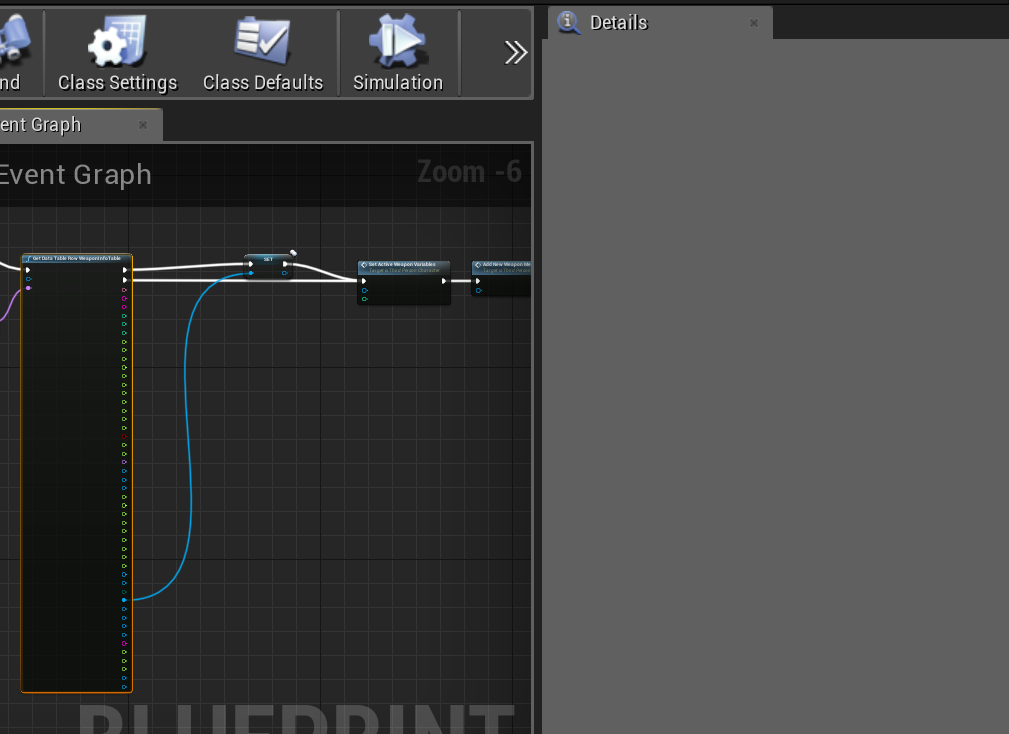
Is there a way to colapse all of these pins that are not used? It takes up so much space lol https://i.gyazo.com/ec27e36bedc1bba5cc70ca85b7c44789.png
 fathom portal
Click it then view details panel
Should have a "hide all unused nodes" or something option towards the bottom
 dapper kiln
Yea I was just curious if there was another way. Thanks though 🙂 It's not really a big deal. Just a little annoying
odd ember
@dapper kiln get members in struct
dapper kiln
What does that mean? How do you do that?
odd ember
you're using data tables yeah?
dapper kiln
yes
odd ember
data tables are just structs behind the scenes
so you can save the data in a struct, then use get members in struct
 odd ember
combine the struct pins into a struct
then use get members in struct
sorry my bad, it's just called break struct
it'll have a details panel
where you can set the pins
you want to expose
odd ember
👍
fathom portal
I originally thought it was a struct, that's why I suggested it
dapper kiln
Yea MFG you were right as well lol. Instead of breaking the "out row" I had split it in the actual node so it didn't show up. By dragging off and breaking it, I could see the details panel. So Thank you as well. 🙂
 timber crystal
Question: is there a node that returns the number of material slots on a mesh?
timber crystal
Thanks. All my google searches were returning how to combine material slots. 😦
 shut fiber
also disable "context sensitive" and just search
fresh holly
Hello everybody I'm trying to rotate an actor / component relative to the camera
if I walk around the rotation gets all wonky obviously because the axis of the object is staying the same and the camera is viewing from different angles
stuck hedge
That was bizarre. I just tried to open a skeletal mesh and it made my computer restart.
 warm kettle
how would I make it so if I hold crouch and press jump it launches my character?
it’s backwards
stuck hedge
I might not use the crouch function in that case, since you're not really crouching like you would with the normal crouch movement, unless you want to launch your character while it's still in a crouched position
The top input action should probably fire on jump, not crouch. I assume you're planning to hit crouch first. If not, there are nodes you can pull off to check if certain keys are pressed or not.

What is the Is Input Key Down Node in Unreal Engine 4
Source Files: https://github.com/MWadstein/wtf-hdi-files
 vernal crag
guys how serious are runtime errors if everything seems to be working?
static charm
depends what it is
some errors wont let you package or wont work when packaged
others no difference
vernal crag
two that linked to the same node. 1- "Accessed none trying to read property" and 2- "Attempted to assign to none"
static charm
should always package test at milestones during dev work anyways
well
those aren't big deals if everything is working
vernal crag
I'm just trying to build a tiny prototype atm and learn at the same time
that's good to hear then
static charm
depends on context of the none, basically it just means whatever actor reference you were using/trying to set was null
vernal crag
yeah that's what google told me, but I'm not sure it's an issue in the context, and it was a ball ache to get it to this stage, so a bit stumped at how to remove the error
static charm
again it depends on the context of the code. if the code is run multiple times, but it only error onced, then it only errored once
if the code only runs once and errored once..
vernal crag
so it's basically each time I swipe the sword atm
vernal crag
but the line trace on the animation is working
static charm
not sure why its working then
unless you're referencing none that has nothing to do with the code being succesfull, in other words extra code.
could also be bug or order of operations where it errors but then later is set and works as intended
vernal crag
well I'm still learning, but I think the latter maybe the issue
issue with the order maybe
static charm
you can use Is Valid nodes to avoid running code when something is null/none
which will prevent those errors
vernal crag
I might just keep on going with it for a bit and see if it continues to work as intended,
stuck hedge
it's helpful if you show the blueprint, but what it means is that something you're expecting to be set isn't.
vernal crag
yeah I saw someone mention valid nodes in a youtube comment when searching for an answer, but wasn't quite sure how to implement it
more than happy to show the blueprints if you guys have to time to look it over? Just didn't wanna come in spamming images
static charm
no one is posting
vernal crag
ok standby 2 secs
static charm
but im afriad i cant help much as im signing off
vernal crag
no worries mate, thanks anyway
is it cool to post a reddit link that's relevant and will help with where I was getting my code from?
static charm
its better than to ask forgiveness than to ask permission
vernal crag
So this is my player controller BP. The first bit is basically deciding which attack is being done depending on the direction of mouse movement, the bit after (will post a closer image) is where the node with the issue is
lol love that mate @static charm
stuck hedge
are those screenshots full size? I can barely make out the text on that one
vernal crag
Circled node is the node returning the errors. It's a variable from my weapon BP that I'm trying to set here
no mate, but can zoom in to the bits you need. Just using snipping tool to quickly give a general idea of what's going on @stuck hedge
static charm
get light saber is a custom node/function
stuck hedge
if it is reading none, then that variable is not being set. go into the function and screenshot that
static charm
the issue lies there
vernal crag
This is the weapon BP that's conducting the line trace
stuck hedge
that's not important. Screenshot that get function
vernal crag
ok 2 secs
I'm trying to set that variable there though in the test controller
would you like the reddit post too? They have done what I've done here but all in the player BP which I guess makes it less error prone, but from my understanding it's better practice to have all movement and controls in the player controller BP?
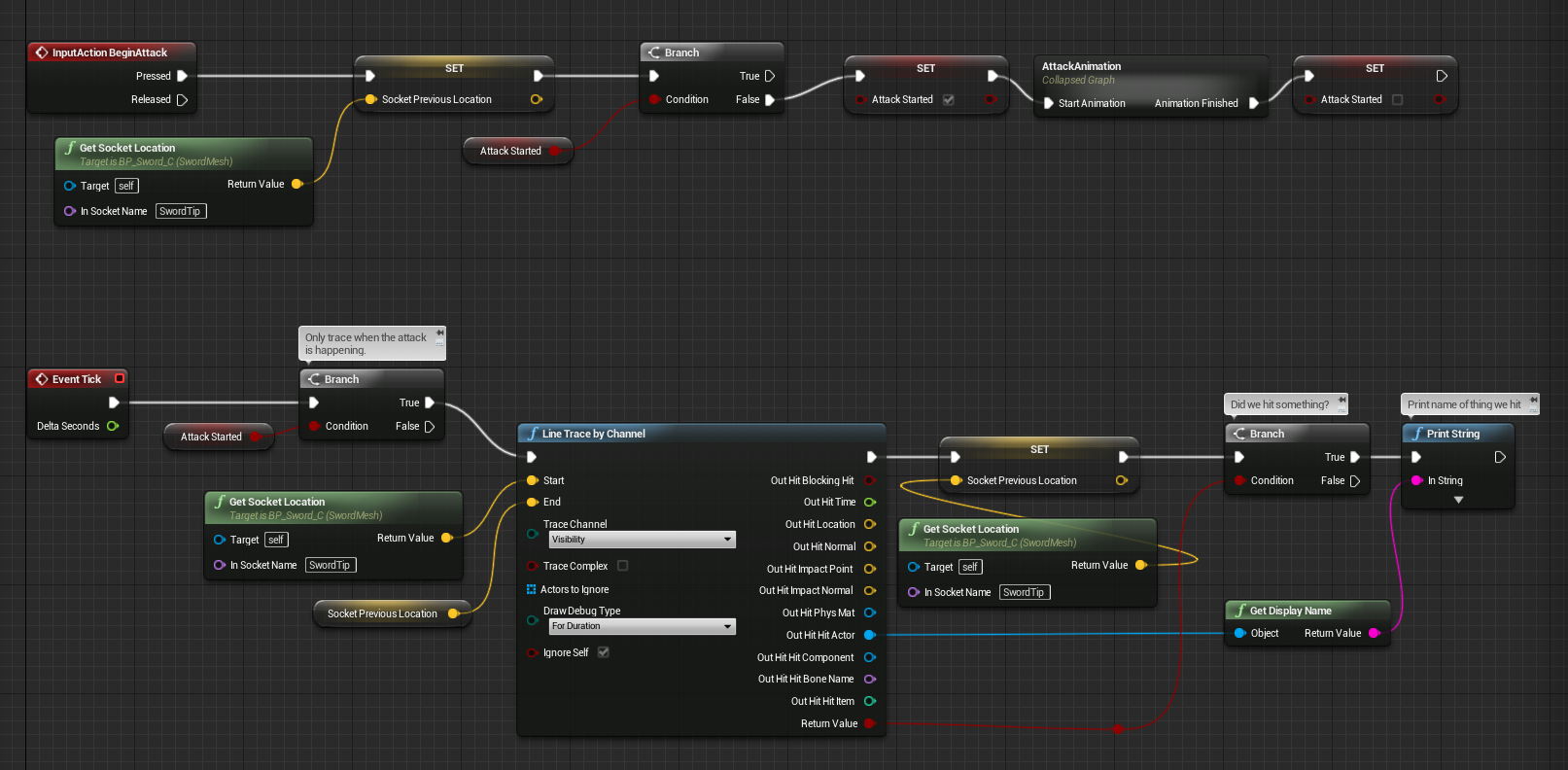
this is the code I'm copying but they have it all in one BP, where as mine is split. Couldn't get it to work in just controller BP or just weapon BP, so I have the top bit in my controller and bottom in weapon
stuck hedge
The error is coming because the cast fails. That "get owner" isn't working. You must not have the owner set properly.
vernal crag
cast to lightsaber?
stuck hedge
You can test this by sticking in a print node and printing the owner's name. it will likely come back blank
Yes.
vernal crag
but everything actually works?
I get my line tracce in game
and it reads what it's hitting
stuck hedge
If you want to address the error, then print the owner and check if there is anything there. I'm just telling you why you're getting none
stuck hedge
Address the errors first, and then check to make sure things are working the way you want. You may find that they aren't actually working how you thought when you have an error like that.
vernal crag
ah ok
so put a print string between get owner and cast to lightsaber what you're saying?
stuck hedge
Sometimes things might work in a default setup. You might have an error and not realize it. Then when you go and apply it to another situation it is suddenly not working and it may be a bit of a mystery because it was working before.
Yes and put an append on the print string
make 2 lines of text, top one should be: "Owner:" and bottom one should drag off the get owner and plug in the name of it
stuck hedge
put an append first
Like this.
This way if the owner is blank you will still see something.
vernal crag
stuck hedge
if you do it your way and the owner is blank, nothing will print at all.
vernal crag
ah ok cool
stuck hedge
That's close enough, just put something in the bottom text field
vernal crag
yeah I'm getting nothing (just the thing I wrote)
stuck hedge
When you print stuff out like this, it's usually a good idea to put in some custom text. That way you could verify whether or not the print actually ran.
vernal crag
yeah did that
stuck hedge
So your owner isn't set properly.
stuck hedge
Are you spawning the lightsaber?
Or whatever the thing that you're pulling "get owner" off of, make sure the owner is properly set.
vernal crag
Currently it's in the world and you pick it up on overlap
thanks for this btw mate, really appreciate it
stuck hedge
No problem. Then you need to set the owner when it is picked up.
on your overlap when you pick it up and attach it, also set the owner (or another variable) on the object.
vernal crag
ah ok bro, thanks mate, I'll tinker and see if I can sort it
 tribal axle
Hey, how to you call an animation?
 unreal token
Hi, making a horror game. I want the player to hear footsteps "behind" him, and as he "looks"around he either sees nothing, or sees a sliver of something an then it vanishes as he turns completely around 180?
I'm new
 earnest tangle
You can just play audio from a position behind the player pawn. To have something vanish, you could for example have an actor which has a collider box follow the player when making the sounds, and perform a line trace from the player. If the line trace hits the collider, it would mean the player has turned around to face it
 unique ingot
Can someone explain the difference between Blendspaces and Aim Offset..... Which one should i use
rough wing
How do I say "if equippedpowerup is 'empty' do this"
so i want to have an if statement pass true if equipped powerup == 'empty' (enum)
nvm found it, it's this if anyone is wondering
tribal axle
I wanted to get the number of actors in a class, and put them in a hud text, need some help
right now, i just need the number of actors
 frank anvil
Number of actors in a class or of a class?
tribal axle
in a class im pretty sure
 slow hill
@tribal axle use GetAllActorsOfClass node
tribal axle
Ok one sec
frank anvil
So of a class. That node will return an array and you can get the length
tribal axle
so I have this, and I'm just wondering how to connect it
frank anvil
Connect the execute pins. Select the class you want from the drop down. From the out actors array, you want the length of the array for the total count. That will be your return value
tribal axle
Ay, it works! Thanks so much dude I really appreciate it!
I'm really new so this is good
 spring magnet
hey so i need to use Surface Domain materials within my UMG, does anyone know of a workaround?
i just need an icon of the material to use in umg
perhaps theres a way to use the content browser's thumbnails???
trim matrix
anyone know about camera frustum?
basically known as view distance,
like how close ill be to terrain till it spawns
blazing ridge
what is the definition of a tangent in unreal? I mean when i Set a tangent on spline or set tangents on spline, what exactly am i doing?
as i understand it, i simply set the locations of the bezier handles, so a line can be draw between them to have the tangent.
is that correct to assume?
because if it is like this the error is not in my calculation but somewhere else
visual shell
@trim matrix what do you want to know about it?
@blazing ridge I think it literally makes a tangent. https://en.wikipedia.org/wiki/Tangent

In geometry, the tangent line (or simply tangent) to a plane curve at a given point is the straight line that "just touches" the curve at that point. Leibniz defined it as the line through a pair of infinitely close points on the curve. More precisely, a straight line is said ...
blazing ridge
but if that is the case, then the vectors i give in have to be points on the tangent, correct?
and the vectors I give in should equal a point or sphere i spawn in the world, in the sense of having the same location, if they get the same vector.
sorry to still annoy wiht this problem, but i cant seem to solve it for me
visual shell
But if you want a smooth curve you don't want to use a tangent, you want to use the bezier curve
Wait let me draw this out for you
 loud bridge
hello, in my game there is a moment when I play a video in the menu and it works but when I try my game on another PC, It is as if the image went directly to the end but The image remains white. what to do ?
visual shell
@blazing ridge
Bezier curve explanation is here, its for unity but math is the same https://www.gamasutra.com/blogs/VivekTank/20180806/323709/How_to_work_with_Bezier_Curve_in_Games_with_Unity.php

The main objective of this blog post is to give you a basic idea about how to work with Bezier Curve In Games.
@loud bridge make sure the video file is included in the build. Video files are kinda iffy in unreal
blazing ridge
@visual shell Im not sure what that would change to my calculation or input to be honest. because my input is always the handle coordinate right?
here in the pic attached you see the points and kind of spline im trying to get
blue is actual
black is target
orange T is the point im calculating to set as the tangent for C/D
BUT when i show it in runtime, the handles of D are at completely strange places.
so i thought maybe its because tis the last point and my nodes cant handle that, so i placed another point Z green, that one is only there to help D calculate its tangent - then be deleted
but D is still doing crazy stuff
im a bit at my limit here, sorry. how can the point i just set, and displays correctly as LOC on my debugs be somewhere else completely on the tangent of D?
referencing your example, i have A and i have B, im calculating C and set it to B, but B doesnt take it
visual shell
Can you upload your blueprint to blueprintue.com @blazing ridge, then I can take a look at what you're doing
Just select all nodes in ur bp, ctrl + c, and paste them in the text box on that website
loud bridge
How includ it in engine ?
blazing ridge
sure i know that page, gimme a sec
visual shell
so how are you sending your project over to the other player @loud bridge
loud bridge
how make ?@blazing ridge
blazing ridge
@visual shell https://blueprintue.com/blueprint/_1emfbph/
here you go, i know that this isnt the most elegant solution to calulate it, but it should work for my case
BlueprintUE
@loud bridge im sorry? how can I help
loud bridge
How includ it in engine ?
blazing ridge
I think your question goes to @visual shell
visual shell
Think so too haha. @loud bridge It works in your project right? How did you test it on the other machine? Copying your whole project or did you make a build?
Okay Freygeist, that spline point locations array, that's preset right? where do you calculate the actual positions?
loud bridge
Build
visual shell
Oh so you wanna make splines to recreate a skeletal mesh?
blazing ridge
those are basically only 0,0 0,250 0,500 etc. and then the 4th one has an offset to the right/left
visual shell
Or what's the endgoal
blazing ridge
i want to generate a spline via the coordinate sof the bones of a skeleton/mesh
loud bridge
so how make ?
visual shell
@loud bridge You're probably not referencing the video file correctly in the build. The path url is probably to something on your PC, but not to the path in the build
So there's 4 coordinates frey, or more?
blazing ridge
preferably 4, but i wouldnt mind having to implement 12 more to calculate and then delete
1* 😄
sorry typo
visual shell
Haha yeah gotcha. Okay so can you draw the desired spline with the exact coordinates for me?
blazing ridge
manually in unreal you mean?
visual shell
or on paper
 fair magnet
Does anyone have procedual Terrain Blueprint ?
I can't seem to find any new version or tutorial
blazing ridge
ok sure, will do. im in a meeting shortly, ill get back to you after it @visual shell
visual shell
Yeah no worries i'm at the office too, just ping me any time or maybe pm me
loud bridge
@visual shell so in the build i do how ?
visual shell
Did you understand what I said in my previous comment?
loud bridge
Yes
visual shell
So what's ur path url right now
visual shell
But in Unreal, you're referencing the video, so it's probably something like C:/Rayland/Videos/file.mp4
loud bridge
I put it in the settings ?
visual shell
You need to put it in "Movies" folder
and then the path should be this "./movies/yourmoviefile.mp4"
so ../Content/Movies/YourMovieFile.mp4
loud bridge
Thanks i Will try it
blazing ridge
@visual shell does this work for you? let me know if can give additional info
bleak vector
A quick question hopefully: do data assets work the same way in build as they do in editor?
visual shell
@blazing ridge Try using the node set spline point type on your 4th point and don't set it to linear but curved
They should @bleak vector
bleak vector
for example, if I have something change the asset's variables "in game" in the editor it will keep that change when I end the preview
I'm wondering how that works with saved games, etc. 🤔
blazing ridge
@visual shell if we should meet in real life lemme know, i owe you a beer
it worked
visual shell
Oh you mean like that. No if you want data and changes to persists through playsessions you need to actually save your game data in some file. If you change stuff in editor while playing it will persist after playmode is exited, but when you change stuff in blueprints it should reset after playmode is exite @bleak vector
Haha nice! Depends on where you live 😉 @blazing ridge I'm sorry for not giving you this solution earlier, but I asked all those questions and finally realized what you actually wanted to achieve haha.
blazing ridge
no problem, you helped me out a lot and i also learned stuff on the way 👍
visual shell
no worries, I enjoy helping, I haven't used Unreal much in the last few months as my job requires Unity but this keeps me in the loop
thorny cedar
how can i get rid of an old pawn?
i load a streaming level and spawn a new player(spawnactor and possess it at player start)
i cant destroy my old actor :/
visual shell
Either destroy before you possess the new player, or create a reference in a game instance to delete later
thorny cedar
hm @visual shell thats happen before i spawn and posses the new pawn
visual shell
Does it work when you do it on like a keybind? Way before you spawn a new player?
thorny cedar
making a keybinding in my persistant level?
visual shell
Well that pawn reference might not be working, so try if you can actually destroy the player beforehand, that way you know that's not the issue
thorny cedar
destroying my pawn results in that im placed out of my pawn
visual shell
but does it actually delete the actor? 🙂
thorny cedar
ah
visual shell
OR better: make a reference to your player at begin play, so you can delete it later
by casting to your playerblueprint, getting the player controller and promoting the return to variable
 frank garnet
Hi, new here. Working on this tutorial about creating a pinball game and my controls aren't working. I have created blueprint game mode, set up my controls in project settings and other controller blueprint but when I simulate, the chosen controls "right ctr" and "left ctr" don't work. Tutorial is using an older version of Unreal but I am using version 4.22. What am I doing wrong? Thanks
thorny cedar
@visual shell its not working this way
visual shell
Make a reference! Destroy thaT
thorny cedar
i just need the pawn for a menu and then loading a level with a specific pawn for each level
visual shell
@thorny cedar
thorny cedar
will try that
visual shell
@frank garnet do other inputs work? or nothing 🙂
thorny cedar
Blueprint Runtime Error: "Accessed None trying to read property PlayerCharacter". Blueprint: AnimatedLoadingPers Function: Execute Ubergraph Animated Loading Pers Graph: EventGraph Node: DestroyActor
@visual shell nope wont work
visual shell
instead of pawn use player controller here?
thorny cedar
same error
visual shell
From what does your character derive?
visual shell
Do you spawn the character in the same bp?
visual shell
Print a string on the cast failed, see if the cast fails
thorny cedar
if i cast from my character to my motion controller pawn it fails
visual shell
and player controller?
thorny cedar
@visual shell also fails
visual shell
show me how you are casting?
thorny cedar
visual shell
but player pawn also fails right?
visual shell
So does the whole character stay, or only the controllers?
thorny cedar
its more that i get an out of pawn experience instead
only the controllers
thats basically all that my character exiists off
visual shell
Yep but they don't move anymore right, so that does work
thorny cedar
yes
visual shell
I think you should try to re-attach the controllers. Or maybe avoid destroying the character? You could just teleport it right? Or do you necessarily NEED to destroy the pawn 1
thorny cedar
destroying does not delete the assets?
visual shell
Are you using the motion controller template
thorny cedar
yep basic template
visual shell
yeah thats oddly shitty
thorny cedar
minor changes lik adding widget interation and the level streaming part
visual shell
I'd unposses the pawn, then teleport it to the new location and possess it again
And is your pawn defined in maps & modes as default?
thorny cedar
@visual shell sry i have to work on an other project for now :/
frank garnet
@visual shell made only two controls. "Right ctr" and "left ctr"
visual shell
And are you setting up the controls in your player blueprint?
 atomic salmon
@trim matrix You need to check that Return Value is true before accessing Out Hit
visual shell
Is that AICharacter a pawn?
trim matrix
no its a character
visual shell
Okay, so your spheretrace only looks for the things in the object array
And you're trying to ignore a pawn, which the aicharacter is not
thus not ignoring the aicharacter
trim matrix
yeah but, the character is a typ of pawn correct? so should create a custom collision for this?
visual shell
You just said it's not a pawn haha
visual shell
But your AI character DOES derive from the pawn class?
trim matrix
The AI is drive from Character Parent class
visual shell
Okay, yeah that should be also pawn then.
Is that AI reference valid? Did you check if it is the correct AIchar?
 toxic salmon
I'm following a tutorial and wondering about the center input on this function. What makes it square instead of round? How can I do this?
 calm dock
its a variable by-ref
toxic salmon
I thought it'd be wildcard (similar to the wildcard input on select node) but I can't seem to find that
visual shell
@trim matrix Then your reference is not good. How are you making the reference to that character?
toxic salmon
Huh okay, var by ref, thanks!
trim matrix
@visual shell this reference is from the parent class by simulating the game it doesn t show the current value
visual shell
Just use "Get Pawn" for the object
trim matrix
nope, Get Pawn node not existing here still the same Thanks you smits i will try further by my own
visual shell
oh wait it's a character, try get player character
trim matrix
okay dont work
i believe there is a problem with the reference, i will try to get a ref from AI in my Anim BP
trim matrix
@visual shell Solve my problem thanks!!! Just Changed the radius of the sphere and this worked for me very well^^
trim matrix
Hi all, I am making some blueprints for level designers, and I was wondering how best they can access them? Originally I wanted to add them to the Place Mode window (attached) but looks like that requires some C++ so I'll do it later. But for the time being, I was wondering what approach do you use for making blueprints for level designers accessible without them trawling through the content directory? some way of bookmarking or curating an accessible list for them?
 prisma delta
hi all, Is there a way to call multiple classes(blueprint from the spawn actor node. TIA.
or maybe a guide or online tutorial that will point me in the right direction.
trim matrix
@prisma delta do you want to spawn something for each target point?
prisma delta
yes but a different blueprint actor, each time
trim matrix
will the classes for those actors always be the same?
prisma delta
yes. they are all object blueprints
trim matrix
so 3 classes, 1 for each target point, the classes will never change?
bronze mountain
Anyone run into a situation where you get accessed none when changing a property in game, in despite of referencing the actor with get all actors and then assigning it?
trim matrix
I mean you could add an actor class array variable to the level blueprint, add your classes, for each loop those target points, take the array index from the for each loop and get the corresponding part from the actor classes array and feed the stuff into the spawn actor node
prisma delta
that sounds like just the job. thanks @trim matrix . I'm just learning so sorry for the newbie explanation.
trim matrix
np
To answer my own question above, it seems like Collections are the way. but curious for anyone elses solutions.
@trim matrix could do some editor utility stuff
if it's about adding things to the level
I think they can do that
not sure though
@bronze mountain what exactly is none?
@trim matrix did not know about this feature, thank you.
bronze mountain
Im playing with the sun sky actor in 4.24, if I add the actor to my scene then assign a scroll wheel to change the day hour or one of its other properties , it gives me errors after preview saying accessed none trying to read or assign
Scroll wheel as in widget spinner , what's odd is that the spinner actually works and changes the value but it still sends an error
On the widget construct I've done a get all actors of class and set it to the sun sky variable, so the reference is there, and I've checked by printing out the value of the variable, which works, but as soon as I try to set one of its internal values It throws error - unless you do the get all actors of class on the slider value changed, which isn't a cheap solution ha! Apologies for the wall of text
frank anvil
Anyone ever run into a issue in blueprint input/outputs where it won't let you update the param name?
Just gets stuck on NewParam
fair estuary
I have seen that, it usually is resolved by compiling the BP that the function is in or refreshing the node to reflect the input/output changes
trim matrix
@bronze mountain sorry I am stumped
 latent shadow
Are BP interfaces generally very expensive?
bronze mountain
No worries, seems kinda odd though
odd ember
@bronze mountain don't use the get all actors of class, that's giving you a null pointer and that's why you're getting an error
if you jsut want to get rid of the error, use the IsValid check on a branch
if you want to fix the issue find a way where your sky sphere can actually give itself as a reference to your widget
 elfin hazel
@trim matrix You should look into Editor Scripting, in particular Utility widgets. You can make a widget that hold a list of objects.
trim matrix
@visual shell all I want is to make a view distance with the camera culling but it's like no one here knows anything about it cuz when u research, nothing tells me how to set it up.
Like, I been hearing the camera frustum works on it's own. But even if it does, I can't seem to move the camera view farther without moving the FOV
 potent citrus
Good morning everyone. I am making an RPG that has a custom built skill system. What I am trying to accomplish is having the different combat styles unlocked and usable once the skill has been purchased. So far, I've been able to create it so that the Skills are unlockable and able to be increased. What would be the best course of action in tying the combats in?
odd ember
@trim matrix far clip plane, fov. those are your options. there is nothing else. people have told you this before
sand shore
Beep doesn't wanna actually get it working or they'd have tried anything suggested
 lavish ibex
Hey, I’m looking for a few pointers or at least key terms I’m apparently missing to research this. I want to setup a system such that the spring arm holding the camera rotates in relation to how far the mouse is from the center of the screen. It spins the fastest when the mouse is at the edge, and half speed when it’s halfway between the edge and screen center.
I feel like I’m looking for “viewport size” or something so that I can make it a ratio, but that seems to require a HUD?
trim matrix
@sand shore I tried everything
@@sand shore it's like no one knows how it works. Even unreal doesn't describe how to properly set it up or how to get it to work. It just says way it does. Like this crazy. 2 days ok this. It shouldn't be hard to just figure out how to move the camera to cover my whole scene so that way things outside the camera doesn't get shown or rendered and things withing it does
@trim matrix Turn everything invisible in your level and everything that entire in your Camera Bounds turn it visibile?
 digital sundial
Alright, where are my math geeks at?
I have tough problem I find hard to crack.
I wanna have the lockon camera similar to Dark Souls. Notice how the lockOn indicator sit's at around 33% height on the screen.
What I need to compute is a control rotation to have the actual lockOn target sit up there and not in the center. So it should always be up there regardless of distance. The lockon location on the mesh is just a socket.
So I have the camera location, I have the Socket where the indicator widgets sits. What I need is the control rotation.
Any ideas? 😄
trim matrix
@trim matrix that's what I'm saying....how can I control the camera bounds? Like I can't stretch the camera view to cover a part of my map
frank anvil
Is there a way to set blueprint execute order? BeginPlay on one of my blueprints before my Game Mode blueprint...
trim matrix
@trim matrix
ill try agaih and see if it works
@trim matrix you have to look for the right node
@frank anvil Sequence
hmm
Sequence node
im gonna try
frank anvil
@trim matrix Where would you set a sequence node to make sure that my Game Mode blueprint is the first to go off?
bronze mountain
@odd ember thanks for the tip, do you have any creative ways of creating the reference from the sky into the widget blueprint, as the widget is not on screen 100% of the time
trim matrix
@frank anvil depends on your code need more details, there are a lot of ways to solve a problem so if you tell more details
not working
frank anvil
@trim matrix I have a blueprint game mode class that has a hooked up Event BeginPlay node. Which is the first node to fire off when a class is instantiated, correct? I have another blueprint class (actor) with a hooked up Event BeginPlay node that is dropped into the game world. When I launch the game, the actor's Event BeginPlay runs before the game mode's Event BeginPlay. Is there a place in the engine where you can set an execution order to ensure that the Game Mode blueprint always runs before any other blueprint.
It's weird that by default the engine wouldn't run Game Mode BP > Level BP > All other instantiated objects. In that order
trim matrix
What spawns the CameraActor (that do NOTHING) in the level as default?
@frank anvil The construction script is fire off first , then Eventbeginplay. How do you check it that the actor blueprint is going fire off at first?
@frank anvil the next question is why do you need this?^^
frank anvil
I set breakpoints on the event begin play to see the order of execution
I use my game mode to setup various spawn locations in the world. I then use a spawner class to spawn actors in the world. So the problem is that the when the spawner goes to put an actor at a location, the location (set in game mode) hasn't been set yet.
odd ember
@bronze mountain it very much depends on the context of your game. if you can explain a bit maybe I can offer a solution
frank anvil
I have some solutions for this that work, just curious why wouldn't the order of execution be Game Mode BP > Level BP > all other actors.
frank anvil
Seems odd that it would let actors events fire off before game mode and level bps
So wasn't sure if there was some setting in the engine that forces game mode and level to fire before all other bps
Right now it seems like they all fire off at the same time and it's a race condition
trim matrix
weird i m wondering too in my cause it fire off at first, cannot answer your question sorry^^
frank anvil
np. Thanks for talking through it 😉
trim matrix
they can not fire at the same time if they are in the Game thread only
you see, np^^
bronze mountain
@odd ember I figured it might be a bit of a vague question, thanks for getting back to me though, the context of it is that we have a large aerial residential site that has a series of ui elements that control different things, essentially I want to dial into the ui element or adjust a slider to then change these values, I was thinking a blueprint interface but I'm not sure if I can send send direct values to adjust the variables
The values I want to change are located on the sun sky engine blueprint, solartime/day/month
odd ember
@bronze mountain consider in a realistic scenario of real life, how would your residential site know about the sky?
bronze mountain
@odd ember I would say by looking up! But realistically the impact of the sky would be the lighting of the environment
odd ember
@bronze mountain I mean think about how if you would have a UI for controlling the sky how that would be connected in real life
there would have to be a connection
if there is no connection there is no control
trim matrix


Am trying to test notify system
and am trying to print As it hit On Notify begin to print hello
and its not doing it
am i doing it wrong?
 hollow cape
is the montage playing?

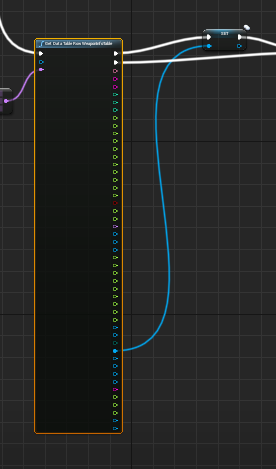
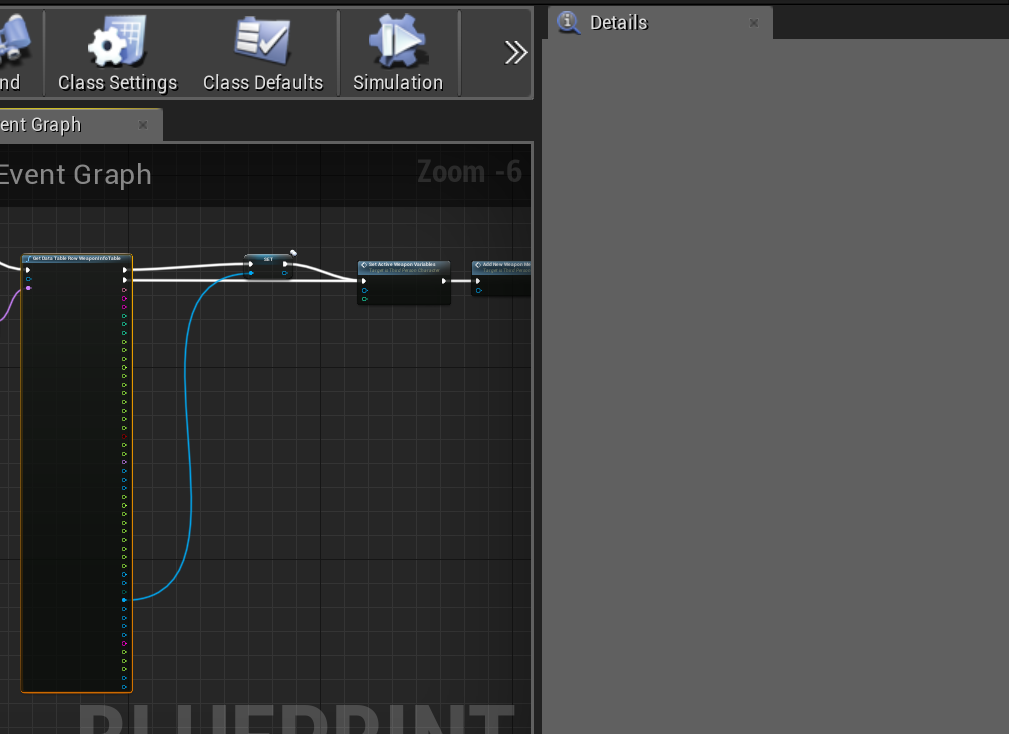
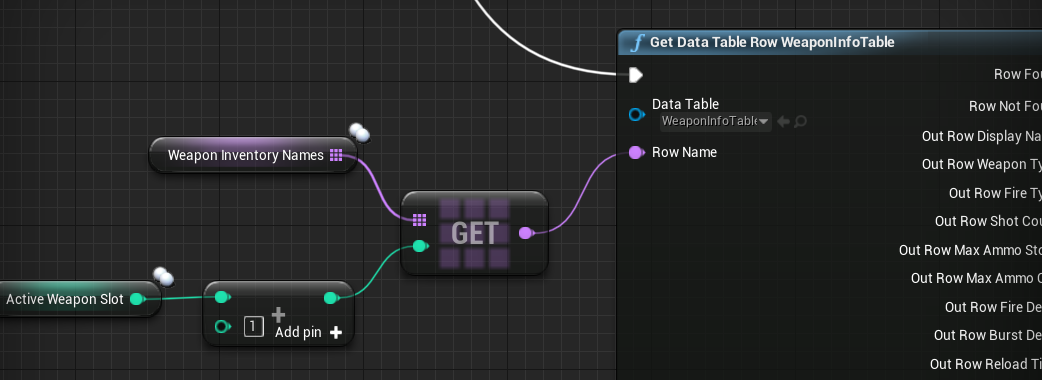
 odd ember
ask in #animation ? how is this blueprint related
trim matrix
@trim matrix it doesn't work
tribal axle
How do you set a delay on a 2d sprite, and after it dissapears?
fathom portal
@tribal axle Can you elaborate? Do you want to pause a flipbook?
tribal axle
Well, I have this text sprite, that is related to the number of actors in a class. When that number hits zero, it displays other text. I want to find out how to set a delay, and after ten seconds or so, the text disappears
This is what I have for text
fathom portal
I might be not quite understanding, but it seems you either need to add a delay after the function, or set a timer to fire 10 seconds after
So like where are you calling that function
hollow cape
I'm assuming that's a bind function
fathom portal
I'd also recommend not using "get all actors of class", but that's a giant rabbithole for another day
Especially twice in the same function lol
tribal axle
Well, I watched a tut for how to, and it's a HUD function I'm pretty sure. I'm new so idk
hollow cape
If this is a bind function, you're essentially getallactorsofclass on tick which....blech.
fathom portal
^
Yup, because it needs to run a LOT to keep the information valid
Like, even after the crystals are all gone, it will still run the get all actors of class repeatedly
hollow cape
The quick and dirty way to deal with this is remove the bind, click the "make variable" on the text that needs to update, and run a function on UMG tick that can return a bool saying "done" or something like that, and if that bool is true, fire off hte "end game" function you want or whatever
tribal axle
Huh, ok one second
hollow cape
This will make it "work", but you really should be doing this via events, since every time you pick up a shard you have a chance to fire off an event decrementing the text value
hollow cape
you need to route the event to the UMG. An event dispatcher is one way, otherwise a direct call from the pawn to the UMG would do it as well
tribal axle
Well, I gtg for a bit. I'll pick up on this later
visual shell
@trim matrix did you fix it yet? Otherwise i can help you tomorrow
trim matrix
@visual shell it didn't work
Can you tell me to how fix it or just set up the culling on the camera. Cuz I been spending days on this
It's so stressful
/**
- A CameraActor is a camera viewpoint that can be placed in a level.
*/
"Can be placed" 😄
fathom portal
@hollow cape as someone who wants to learn how to effectively use event dispatchers but is a beginner with them, are they intensive?
hollow cape
to learn? not at all
fathom portal
Lmoa no, like intensive programmatically
Like should I keep their use to a minimum, like event tick
hollow cape
oh, my understand is binding to a dispatcher is effectively a tick
It's resource heavier than doing it straight event based obviously, but more controllable/useable than doing something on tick.
 still trellis
I thought delegates were basically a list of functions to call when the delegate was called
 still salmon
Why can I only use my widgets once and then the line trace from the widget interaction component doesnt work anymore?
Any one have any ideas?
 prime berry
this really doesn't tell me anything 😄 can you show the blueprints?
still salmon
the first one is when ive clicked it performs the animation and all the second is when I try to continue clicking
yes
I know lol
There's nothing that should prevent it from being used twice.
As far as I know.
prime berry
well unless the bool gets changed, but that should at least give you the print string