#blueprint
1 messages · Page 385 of 1
 frosty heron
 pine carbon
frosty heron
Takes like a min though.
pine carbon
frosty heron
Takes like a min though.
The issue was more that half of them do not have VS Code or know how to use it, and that turned out to be dangerous.
What with VS Code recommending horribly outdated plugins that break everything. If it were up to me everyone would be using Rider.
I spent several days undoing the damage caused by a commit featuring one of those stupid plugins. Granted, I was very inexperinced with Perforce at the time and I could definitely do it faster now, so it was a good learning experience, but still.
 errant snow
Yeah, you really want an automated build machine and a tool like UGS to do editor builds that artists don't have to compile.
pine carbon
frosty heron
Use Visual studio or rider
We, meaning not me, want to publish this game, and Rider costs money.
Visual Studio and VS Code both do the same thing with being wildly out-of-date. All modern support for Unreal seems to be in Rider. I wish Unreal could just be fully decoupled from the Microsoft IDEs.
frosty heron
Sure but your artist only need to hit ctrl b without touching or reading a code.
pine carbon
errant snow
Yeah, you really want an automated build machine and a tool like UGS to do edito...
UGS came up a lot when I was investigating this initially. Definitely something I will look into when I have the time.
Also making Perforce depots that have the modern features so we can use actual push restrictions. We're using a Classic Depot still for whatever reason, which lack some important version control capabilities.
pine carbon
Is there a way to view stuff like this in a more legible format?

And how can there possibly be no valid instances in existence? It's stopped on a breakpoint inside one!

 gentle urchin
frosty heron
Sure but your artist only need to hit ctrl b without touching or reading a code.
gentle urchin
frosty heron
Sure but your artist only need to hit ctrl b without touching or reading a code.
Or the programmer could sit there in plugin heaven, and just push and update those for the arists amd whatnot to use
frosty heron
gentle urchin
Or the programmer could sit there in plugin heaven, and just push and update tho...
Was there a reason to ever use module other than to indicate that this section is speicifc to this project?
 normal raft
Does any one know why i get the dataflow editor instead of the GC collection ?


thats the screen i want?
gentle urchin
frosty heron
Was there a reason to ever use module other than to indicate that this section i...
You're asking the wrong person xD I got 3 modules in my plugin, but my reasoning is mostly that they can and should not be used independently
hence not being 2 or 3 separate plugins
pine carbon
In retrospect, perhaps I should have used a more simple partition algorithm.

Fricking WORKS though. Woo.
 glad stone
pine carbon
And how can there possibly be no valid instances in existence? It's stopped on a...
glad stone
pine carbon
And how can there possibly be no valid instances in existence? It's stopped on a...
Probably it is showing you a message related to something else or it's just broken 😆
pine carbon
I never did find a good solution, so instead I ended up writing a bunch of helper print functions to log stuff.
Ended up working pretty well tbh.
 glad stone
pine carbon
I never did find a good solution, so instead I ended up writing a bunch of helpe...
glad stone
pine carbon
I never did find a good solution, so instead I ended up writing a bunch of helpe...
Do you have some reprodution steps that you can provide?
pine carbon
You want the print helpers?
glad stone
pine carbon
You want the print helpers?
I thought you had some bug going on there, sorry I misunderstood ^^
pine carbon
Ah. No, these are what was used to fix the bugs.
The many, many bugs. And crashes.
Unreal seems pretty chill with indexing past the end of an array accidentally but it instantly kills itself whenever I tried to index past the beginning.
 manic geode
Hello. Does anyone know if there is an equivalent to planetary gravity for FirstPersonCharacter? I watched this tutorial, but it is for third person, and everything broke in first person for me. https://youtu.be/gsGJP_rOOnw
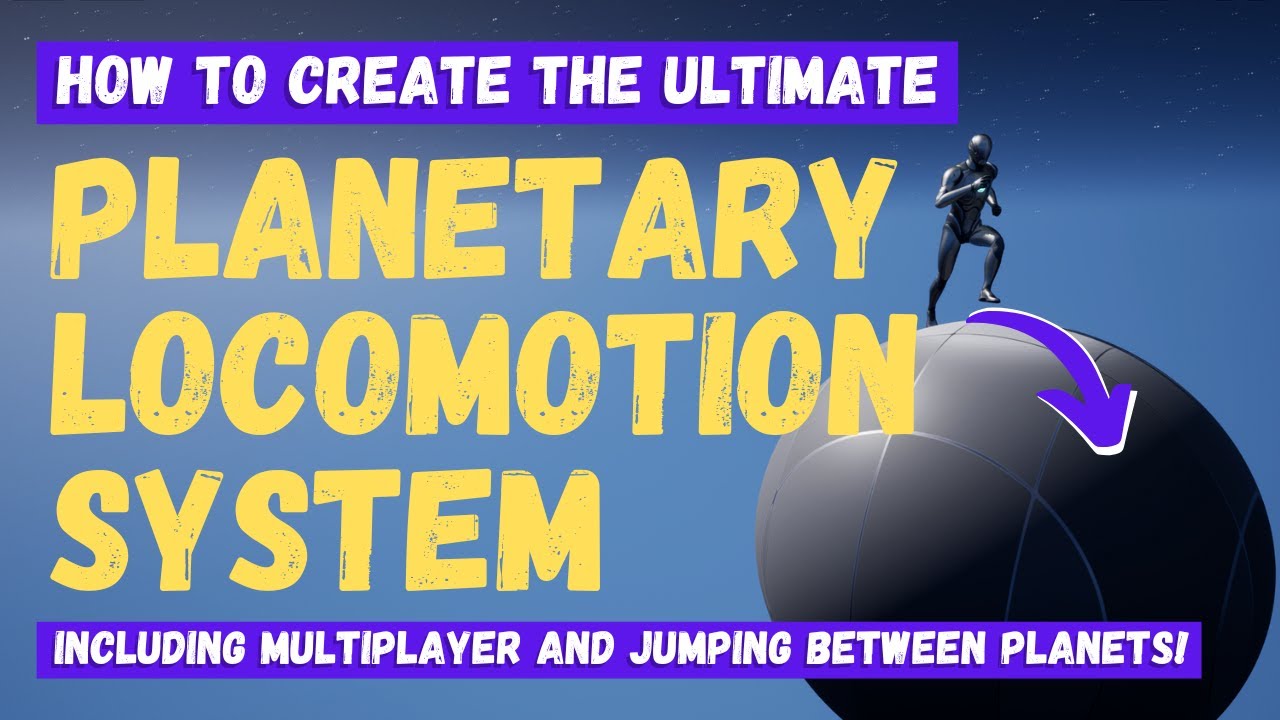
If you want to get started making your first inter-planetary space game, like No Man's Sky, then this is the video you need!
In this Unreal Engine 5.5 blueprint tutorial, MizzoFrizzo will show you how to create a planetary locomotion system with custom gravity and gravity direction, and a full functional camera system, as well as the ability to...
gentle urchin
The view mode doesnt affect how this works
The tutorial might use thirdperson character to do sole casting, but its really any pawn , and should be as generic as that
 shy vapor
Does anyone here know how to use scene render target 2D?
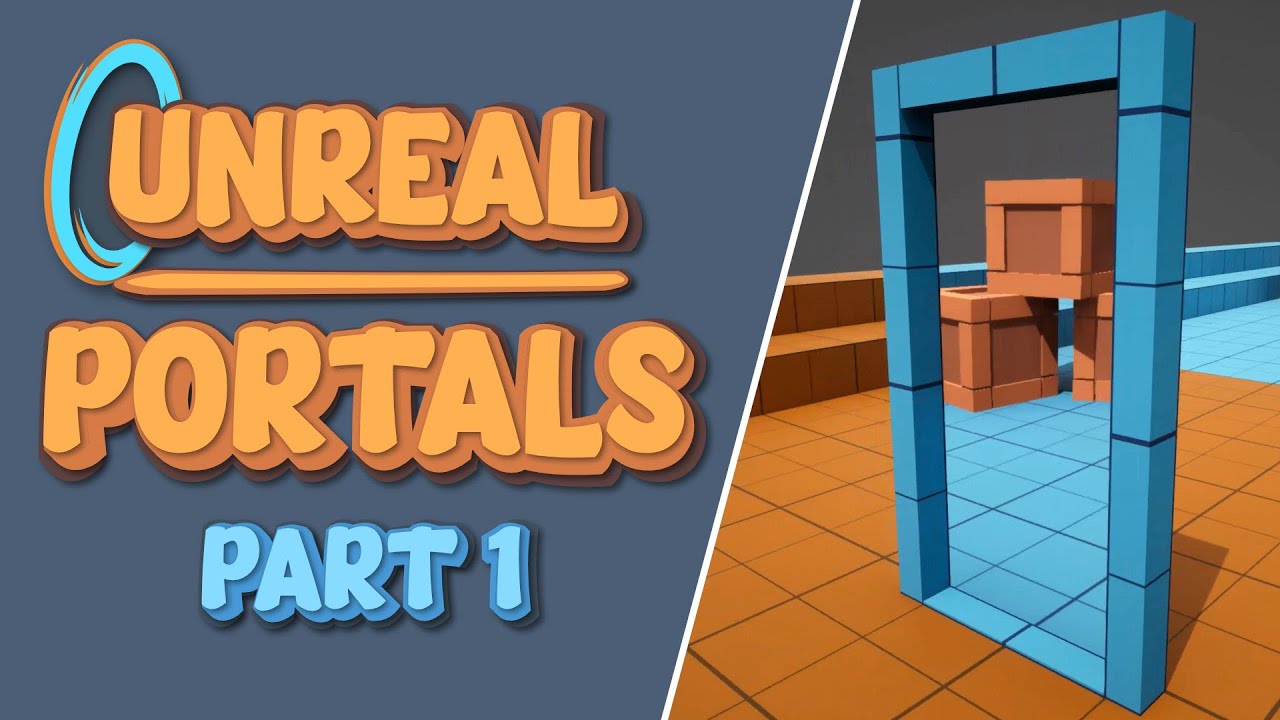
This is my first video guide on how to recreate portals in Unreal Engine 5. This will focus on how to create the visuals, and in future videos I will recreate the physics behind portals. If you have any questions, feel free to comment below and I will try my best to help you out!
Useful Links:
Project Files: https://www.patreon.com/posts/unreal...
Because I followed everything in this tutorial but it looks like it's full of headbobs (I'm using UE 5.5.4).
İs there any seamless portal tutorial fot 5.5.4?
gentle urchin
Isnt it just a capturecomponent + rendertarget?
gentle urchin
Wrong tick group
shy vapor
so which one?
shy vapor
gentle urchin
Wrong tick group
let me record a video
pine carbon
I'm gonna try to explain a goal I have, and I'd be grateful if someone could point me towards a good approach. I want to make an animation for a Progress Bar widget that will "lerp" the scroll percent. I know how to take input and convert it into a percentage relative to a full value, and I know how to make an animation that will make the fill bar go between two values, but I DON'T know how to do both of those things together. Basically, I want to be able to do this:
def scrollBetweenValues(newVal):
  newPercent = newVal / progBar.maxVal
  progBar.scrollAnim.playBetween(progBar.percent, newPercent)
The best way I've found to do this is making an animation that scrolls Percent from 0.0 to 1.0 and doing some math on the time to manually start and end it at specific points, but I'm sure there is a better way somewhere.
gentle urchin
Thats mostly it yes
You gotta cache the current value and set value and restart the lerp whenever it changes
pine carbon
You can't, like . . . make a curve at runtime and shove it in an animation somehow?
gentle urchin
You can make a delta curve, but pure interp with optional easing does the trick nicely
pine carbon
Could you elaborate on that?
gentle urchin
I can show you my setup in a few minutes
I do the actual lerp in the material, but its all the same really
pine carbon
Oooh, what about this?
 gentle urchin
heh 😛
argh, something something timing ... i can't show it right now, i coincidentally moved my engine installs to a new drive xD
pine carbon
Where would I find the necessary input for the Curve ID pin? There doesn't seem to be a match inside the animation variable.
gentle urchin
if you really want to use a timeline, you can hack it in through the owning controller
the owning controller owns it and calls a widget event for the updates
widget controls the play of said timeline
pine carbon
I'm awful with controllers, and I've been trying to get away from using Timelines. Is that Node a timeline thing?
gentle urchin
No it's an interface call
shy vapor
gentle urchin
Wrong tick group
its same again. i set post update work tick group for both my portal and fps
pine carbon
I can see that it's an interface call, but I don't know what implements that interface.
gentle urchin
if its not you implementing it, how does calling it help?
pine carbon
If the builtin Animation Object implements it.
gentle urchin
Actually in this super ancient project, i vaguely recall using the timeline trick for it
so the owning controller holds the timeline
ffs..... it doesnt build, ofcourse
this is what it looks like
I scrapped the timeline for a FInterp

the material is just a linear gradient
 pine carbon
I don't see an animation anything here?
gentle urchin
no, it's just tick + interp doing the job
pine carbon
Unless it's one of the Material nodes. I'm not good with mats.
Ahhh, SUPER raw animation.
I guess that's also an option. Definitely cleaner than the time thing.
gentle urchin
i didnt go for any easing
but you could easily do easeing if you want it smoother or anything
InterpEaseOut is prob what you'd want
starts fast, slows down as it gets closer
 shut blaze
I was thinking
Should I make this a function?
when something hits async it load, but what about when it receives 2 calls, does it still tell them to save both, or can it only async one at a time thus the need for a function which runs individual code for each
 pine carbon
Oooh, what about this?
pine carbon
pine carbon
Oooh, what about this?
I would at least like to see what this does first, but I cannot find a single node that outputs that Curve ID pin type. It's "Animation Curve Indentifier Structure," which has no results on Google except for one person asking the exact same question as me.
gentle urchin
shut blaze
I was thinking
Should I make this a function?
when something hits async it load,...
functions cant be latent
shut blaze
wdym?
gentle urchin
so event is your only option
shut blaze
well damn
 gentle urchin
functions require immediate return
latent nodes are non-immediate
latent - delayed
in the futuure
shut blaze
oh ok
pine carbon
That popup looks like something out of Unreal 4.
gentle urchin
you can load several at once
shut blaze
thanks
shut blaze
fair
gentle urchin
this assumes you want to load an array specifically,
but you could usue the same logic, but push it to the array when it requests a load, and remove it from the array on load complete
thus keeping a buffer of things that are currently loading

 ornate trail
how can I hide this bit of the actor for screenshots?
 shut blaze
press G
ornate trail
love the easy problems
gentle urchin
shut blaze
is normal loading faster than async loading?
Normal is blocking tho
gentle urchin
So if it takes 5 seconds, itll freeze the game for 5
shut blaze
I got another question about the SaveGame thingy
Does it create a folder named after itself?
So basically you can have a folder named player, another named system (2 blueprints)
gentle urchin
Only if you give it a folder iirc
shut blaze
iirc?

too lazy to test making another save game object
I always forget how this thing works, I ain't watching a tutorial for the 30th time, just gonna copy paste for future games
 astral summit
Hello. In a string variable, how do I branch if it has a new line or not?
Since moving to a new line is considered a character, how can I check whether it is a new line or not?
I tried checking whether it was \n or Shift + Enter, but none of them worked
 warm oriole
I'm having some trouble getting my AI characters to replicate their movement with State Tree & GASP. In Standalone I can verify that the movement is working correctly but in PIE-Client they never move, but I can tell they are moving on the server because the gameplay debugger is updating the perception results.
I've got my AI Character set to replicate movement and the controller is setup the same just incase it needed the flag there, but regardless of my setup the AI does not replicate it's movement to clients. I know GASP is doing some multiplayer work inside of of the BP with CMC (not using mover), is there an obvious flag I'm missing here?
 crude dew
Hi, Having a moment and cant remember how the Identical Array node works I want to check 2 arrays for the items and the issue i have is that if the arrays are identical but in a different order they return false. Do i really need to use a For Loop and and use Contains Item to check if 2 arrays contain the same items please?
 astral summit
crude dew
Hi, Having a moment and cant remember how the Identical Array node works I want ...
astral summit
crude dew
Hi, Having a moment and cant remember how the Identical Array node works I want ...
Yes, if the index is different, you need to check each element individually.
Therefore, it's best to reconsider your writing style for logic, perhaps there are easier and faster methods
crude dew
Thank you
 dark drum
crude dew
Hi, Having a moment and cant remember how the Identical Array node works I want ...
dark drum
crude dew
Hi, Having a moment and cant remember how the Identical Array node works I want ...
If the array would only contain unique items and the order isn't important, you can convert to a set and check that way with the various set comparisons.
gentle urchin
Even if it did compare same ness per element and not by memory, it would still do a litteral forloop to check it
Probably faster to just sort it and compare it afterwards
 warped juniper
So, what's the reason I cannot make a blueprint class that inherits from Trigger Volume?
I was working on a system that was too basic to bother doing in C++, but I just found out for some reason I cannot understand, you literally cannot inherit from the class for a BP... weird.
warm oriole
What is it you are trying to make? Depending on what you need to can just use a box collider/similar which is functionally similar to a trigger volume.
warped juniper
warm oriole
What is it you are trying to make? Depending on what you need to can just use a ...
I need a Volume specifically because of the Encompasses Point function exclusive to Volumes
Basically checking if a point in space (not a collision shape or object, important distinction) is in fact within the boundaries of an area
The tricky thing is I can't use simple math alone because I need to check with different shapes for the purpsoes of versatility
Volumes also have the upside of being able to switch between different shapes as needed
@warm oriole WAIT WAIT WAIT
I think I have an idea....
So theorically unreal would tread a sphere radius as degenerate if it has a radius of 0, but if it has a mathematically very low size it could be considered a point in space, right?
 granite nacelle
Hello everyone, I’m having an issue with localization inside my project. What i did was i exported my language .po file to a website called translatepot for anyone who's familiar with it, but for some reason it won’t localize the string tables even though my widgets and string tables are in the same folder in my project, I’m not sure if the websites the issue, help would be greatly appreciated thank you.
 maiden wadi
granite nacelle
Hello everyone, I’m having an issue with localization inside my project. What i ...
maiden wadi
granite nacelle
Hello everyone, I’m having an issue with localization inside my project. What i ...
I'm more likely to assume this is your gathering settings. The PO file doesn't care about the source file. All it cares about is the Namespace, Key, and SourceText
 wispy mulch
there's a few things going on, if anyone has clues on any one of them I'd appreciate it.
 faint pasture
wispy mulch
faint pasture
wispy mulch
Show the code for untargetting on enemy death
wispy mulch

 granite nacelle
maiden wadi
I'm more likely to assume this is your gathering settings. The PO file doesn't c...
granite nacelle
maiden wadi
I'm more likely to assume this is your gathering settings. The PO file doesn't c...
I thought it would care since the string tables are included inside the widgets folder, also after exporting the .PO file i looked inside it and did see the string tables they're just not translated, so it seems it just skipped them. Any ideas on how i should go about making it work ?
wispy mulch
wispy mulch
I think the combo sometimes working and not working is an issue with the animation state with floating in the air, but I can't reliably recreate it
wispy mulch
wispy mulch
hit effect and the jello thing are somewhat related (hit effect does spawn if they are hit from a non-jello state, but once they become jello it doesn't spawn/spawnes in a weird spot)
maiden wadi
granite nacelle
I thought it would care since the string tables are included inside the widgets ...
That's odd. Your stringtable has a namespace set? And you're giving entries unique keys?
granite nacelle
maiden wadi
That's odd. Your stringtable has a namespace set? And you're giving entries uniq...
Namespace? both key and source string has there own unique info.
maiden wadi
Namespace is at the top of the stringtable in editor
granite nacelle
maiden wadi
Namespace is at the top of the stringtable in editor
Yes they all have their own namespaces
granite nacelle
maiden wadi
Namespace is at the top of the stringtable in editor
Example: Namespace ST_Notes inside of it there are 8 key and source string
 hardy merlin
Can anyone tell me why the OnPossess function in my Player Controller BP is no longer firing?
frosty heron
hardy merlin
Can anyone tell me why the OnPossess function in my Player Controller BP is no l...
multiplayer?
hardy merlin
Nope.
frosty heron
well did the controller possess a pawn or naw?
hardy merlin
Yes, it did.
I checked and it's a weird code problem. 🙁
Player controllers don't call OnPossess in Blueprint.
frosty heron
yes it does 0o
hardy merlin
No it doesn't.
frosty heron
hardy merlin
No it doesn't.
I can assure you I've done many things on OnPossess in bp
wispy mulch
wispy mulch
circling back to this, if anyone can help
I can rubber duck a little further tomorrow maybe ill revisit it then
pine carbon
Where in an animation blueprint should one place a death animation? Dead things should stop moving after they die, and I'm having trouble figuring out the "proper" way of dealing with that.
frosty heron
pine carbon
Where in an animation blueprint should one place a death animation? Dead things ...
just play montage then
 slender dagger
pine carbon
Where in an animation blueprint should one place a death animation? Dead things ...
slender dagger
pine carbon
Where in an animation blueprint should one place a death animation? Dead things ...
montages usually
pine carbon
How do I get it to not return to idle?
frosty heron
montage section at the end of the frame and loop it.
pine carbon
Is that safe on variable framerates?
slender dagger
haven't tested it personally but I see no reason why it shouldn't
slender dagger
basically all you're doing is saying "continue playing this animation from x point" and then never giving it an exit point. If you loop it close enough frame rate should be irrelevant
pine carbon
frosty heron
what?
Montage frame rates are usually way lower than the actual game, and the spaces in-between get interpolated for higher framerates, right? If I loop on the last frame of a montage stored at 24fps, is it gonna be jittery at 120?
frosty heron
pine carbon
Montage frame rates are usually way lower than the actual game, and the spaces i...
it's not? you are just looking at montage preview frame rate maybe.
it should be as smooth as much as your frame rate allows.
pine carbon
Is there, perhaps, a way to snap keys onto Montage section boundaries?
 proper moon
pine carbon
Where in an animation blueprint should one place a death animation? Dead things ...
proper moon
pine carbon
Where in an animation blueprint should one place a death animation? Dead things ...
you can use a montage or just make a blend by bool on a dead state
the blend by bool being the first check, so it overwrites everything else as death has the highest priority then
pine carbon
Is one better than the other?
pine carbon
I did consider the death state, but that didn't feel like how state machines are supposed to be used.
proper moon
pine carbon
I did consider the death state, but that didn't feel like how state machines are...
u aren't making a new state machine for it
frosty heron
nothing stopping you from doing it but montages already done the job
proper moon
the only time montages wont be good is when you want to for some reason play another montage
frosty heron
For me, locomotion, staggered, stunned -> Anim instance
proper moon
after dying
frosty heron
knock back, attack, death -> montages
proper moon
and it should go back to death state then again (witghout playin that death montage again)
frosty heron
proper moon
after dying
nothing stopping someone to play montage after dying though it's weird unless the creature is a zombie.
proper moon
proper moon
the only time montages wont be good is when you want to for some reason play ano...
or if u just want 1 ending anim for all death montages, like a ragdoll state anim
so they play the motage, and when its over, all go into that 1 abp state
slender dagger
you can also look into simulating physics if you want ragdolling (though it's likely you'll have to tweak the physics asset constraints)
or physical animation
pine carbon
proper moon
u aren't making a new state machine for it
I meant having it as a state in the existing one.
proper moon
pine carbon
I meant having it as a state in the existing one.
blend by bool directly seems much better than that imo
pine carbon
proper moon
the only time montages wont be good is when you want to for some reason play ano...
The whole point of this is that won't be happening, so no issues there.
proper moon
pine carbon
The whole point of this is that won't be happening, so no issues there.
great then u have ur answer
slender dagger
honestly though if it's just a simple "play animation then stay dead" looping the montage is the quickest way to implement and will honestly be fine in most use cases
pine carbon
Sweet.
Not a fan of the montage editor. It feels clunky.
But, that did work. Poggers.
proper moon
pine carbon
Not a fan of the montage editor. It feels clunky.
what seems wrong with it?
the only thing I can think of is anim sequence blending within montages which is missing and should be added imo
pine carbon
proper moon
what seems wrong with it?
Lack of the refit feature like on similar editors, These dropdowns hiding their associated properties for some reason, right click just doing nothing in most contexts, these snapping properties being . . . something. I'm sure they affect something but they don't affect keys and they don't affect section boundaries, so I'm not sure what else they do.


 empty crown
Hello! Im having a bit of a problem where when I play in my editor, the maps I have load perfectly fine and my character is spawned in the game correctly. However when I play using the standalone tester, my video widget map doesn't play, and my character doesn't spawn into my main map. What do you think might've caused this issue?
 scarlet root
empty crown
Hello! Im having a bit of a problem where when I play in my editor, the maps I h...
scarlet root
empty crown
Hello! Im having a bit of a problem where when I play in my editor, the maps I h...
Play in Editor as "new PIE Window" or "Play in Viewport"
Did you set the Startup map for the game in your projectSettings > maps and Modes?
empty crown
Play in editor as new PIE window
Yes! I set up my startup menu as my main menu map
empty crown
scarlet root
Play in Editor as "new PIE Window" or "Play in Viewport"
Did you set the Startu...
I did set it up in that area!
scarlet root
Can only guess, since for a deeper investigation.. we would need some visual stuff.. like.. your setup of maps and Modes.. world settings..
empty crown
scarlet root
Can only guess, since for a deeper investigation.. we would need some visual stu...
I will send it over now!
empty crown
scarlet root
Can only guess, since for a deeper investigation.. we would need some visual stu...
here is my project settings: more incoming...

My main menu settings:

My animatic settings

code from the animatic to main level


Code from main menu to animatic level
 empty crown
scarlet root
Can only guess, since for a deeper investigation.. we would need some visual stu...
empty crown
scarlet root
Can only guess, since for a deeper investigation.. we would need some visual stu...
Would this be enough?
Main menu world settings:
 scarlet root
Yes and no..
What is GM_TAH, it is not on your Screenshots, beside set in the Maps and Modes..
Your start level is Lvl_MainMenu..
What GameMode is set in there?
Advices:
1st: you should always add the Header/Title of a Window.. to make it clearer what it is..
2nd: For the future, when sharing Graph screenshots.. use the Graph Printer Plugin (free)
empty crown
GM_TAH is the name of my main default game mode, eg basically third person! My game mode for my main menu is GM_MainMenu
I will use that plugin tomorrow to send you new screenshots!
scarlet root
Ok.. to make stuff concrete:
Lvl_MainMenu starts your game and has the GM Override to GM_MainMenu.
GM_MainMenu does what exactly in graph?
GM_Animatic seems to be some sort of.. transition GameMode..?
It is in some other map as override.
You open the Level for Animatic by your MainMenu Play Button.
Animatic GameMode then opens the actual level.
Correct?
empty crown
Yes! Correct
scarlet root
Ok..
When starting Standalone, you get a black screen anf nothing happens?
empty crown
My main menu screen shows up fine and everything works perfectly, but my animatic video doesn’t load, and directly loads up my game map.
And then my character doesn’t spawn it in the game map
scarlet root
ah - now we are talking 🙂
Ok.. this might be a crazy recommendation.. but..
Use CommonUI - Being precise: use CommonVideoPlayer
After enabling the Common UI plugin:
Create a new Widget containing:
Overlay
   CommonVideoPlayer
You can add functions for playing, pausing and such in the Widget. Even EventDispatchers to return finished state..etc..
Use a variable for the Movie Source, so you can re-use that Widget.
In your Transition Map, Create this Widget and Start your selected Video inside of it.
Your Videos HAVE TO BE PLACED inside Content/Movies/ - This Folder is hardcoded!! You cannot use an other Directory.
To give your Videos even more Compatibility, you also want to enable the Electra player and Electra related Plugins.
Then open your Video in the Content Browser - and at the bottom right you select the Playback being Electra only.
The CommonVideoPlayer in combination with Electra, works much better than the Media Player Actor system..
dark drum
scarlet root
Ok.. this might be a crazy recommendation.. but..
Use CommonUI - Being precise:...
Talk about an AI response haha.
dark drum
empty crown
My main menu screen shows up fine and everything works perfectly, but my animati...
If it's that an external video file that isn't playing, you need to manually add them to the relevant folders in the build directory. It doesn't do this automatically during the build process.
If the map itself isn't loading during a build, make sure it's included in the maps to include in the build settings.
scarlet root
dark drum
Talk about an AI response haha.
?
scarlet root
dark drum
If it's that an external video file that isn't playing, you need to manually add...
For packaged build.. yes.. Standalone out of editor, no.. just placing the Video inside Content/Movies/
would be nice if we could change the Movies directory to our own one.. or even allow subdirectories..
dark drum
scarlet root
?
Your comment was AI generated.
scarlet root
What makes you asume that?
beside using Grazie for Grammar and writing correction.. (instead of the non-free LanguageTool).. no ai..

I am just writing in such a style xD
slender dagger
scarlet root
me when I use notoriously terrible websites that don't do their job well to prove a point on a discord server instead of just saying I generated it be like:
scarlet root
gimme a better one - was first google hit
slender dagger
they're all terrible. That's my point. However it's clear just from the way it's typed. I'm not going to give a full breakdown over discord because it's honestly not that deep, honestly idc if you generate a response, just reads a bit low effort. Like at least put the effort in to actually help someone in your own words
scarlet root
It is.. low effort of course.. I am writing fast here, doing it beside my minutes of break pauses 🙂
- i make so much typos and wrong grammar i correct later on or right after..
dark drum
scarlet root
What makes you asume that?
Just common phases I often see. 'now were talking' and 'Being precise: use CommonVideoPlayer'
They just seem out of place to me in normal speak but is often how AI talks.
scarlet root
dark drum
Just common phases I often see. 'now were talking' and 'Being precise: use Commo...
understand that ^^
but was typed by hand
slender dagger
lmao. If it's just for grammar corrections and stuff it makes sense, but last I checked there are tools that are focused purely on cleanup without adding AI fluffspeak. Idc all that much but there are online corners that will tear you to shreds over it lmao
scarlet root
Unfortunately, I can't help my writing style. 🤷♂️
Just want to try to write nice to people (at least before they annoy me)
I think it is sadder to get on a text with "this has to be AI written cause it is written as......"
sad times today..
slender dagger
yeah it's honestly no biggie lmao. Apologies if it sounded like I was giving you a hard time. My deadline stress still hasn't really settled yet lol
Honestly though the random capitalisations and the punctuation are usually dead giveaways for AI generated text
scarlet root
i currently got 15 Minutes of spare time.. god bless.. need coffee
scarlet root
slender dagger
yeah it's honestly no biggie lmao. Apologies if it sounded like I was giving you...
German writing english fast 🏎️
😂
slender dagger
scarlet root
i currently got 15 Minutes of spare time.. god bless.. need coffee
mate I had my deadline tuesday night, barely got it submitted after staying up for like 50-ish hours and I'm still tired lol.
Kinda glad though because that deadline all but reaffirmed that unreal is way better than unity at least for me.
Speaking of I should probably go for a coffee
scarlet root
to be precise (yes - again 😝 ): fast and out of the moment. Not thinking that much about being correct in grammar and typos at that point.
 lost wolf
slender dagger
mate I had my deadline tuesday night, barely got it submitted after staying up f...
lost wolf
slender dagger
mate I had my deadline tuesday night, barely got it submitted after staying up f...
i think ur right he might be AI
"I'm not AI " is what an AI would say that is pretending not to be an AI
dark drum
scarlet root
German writing english fast 🏎️
To be fair, if English isn't your native language and you're using software to help, that'll probably be the reason why. I'd imagine alot use AI these days.
I've just come hyper attuned to spot it. 😅 There's certain ways of talking that out never really see outside an academic papers.
scarlet root
Hmm.. maybe.. last week I failed the "Are you human" Check of Discord Quest.
lost wolf
AI speaks like incompetent middle management mixed with an african service desk representative that speaks english very well
slender dagger
lost wolf
"I'm not AI " is what an AI would say that is pretending not to be an AI
I was the same until it clicked English isn't his first language. After that realisation it explains a lot
dark drum
If you're ever a little bored, just prime your AI agent to speak in cockney slang. 😉 you're in for a wild ride when it's explaining something about UE.
lost wolf
slender dagger
I was the same until it clicked English isn't his first language. After that rea...
I dont lookat the language being used
slender dagger
dark drum
If you're ever a little bored, just prime your AI agent to speak in cockney slan...
I HAVE TO try this
scarlet root
Need to say: I speak better than I am writing. Maybe direct P2P conversations are running better through the processor on my Mainb.. BRAIN!
lost wolf
You have to instruct your agent to call you solid snake, to interject his thinking with random rants where he agressively swears about goats
i swear to god this improves the programming skills of your agent with over 9000%
you bypass all the bad training
by hacking into its core
slender dagger
my personal favourite is asking them to randomly interject in all caps random words or phrases from pantomime scripts and then continue as if it was never typed
Genuinely the funniest things I think I've ever read
non-brits are in for a shock when they discover panto lol
lost wolf
i might have instructed our shared work ai to do the above without turning it off or telling anyone
bossman taught he had lost his mind
slender dagger
pmsl
lost wolf
yes the AI did call him a goat fuck boi
 slender dagger
dark drum
If you're ever a little bored, just prime your AI agent to speak in cockney slan...
slender dagger
dark drum
If you're ever a little bored, just prime your AI agent to speak in cockney slan...
greatest suggestion ever btw
 scarlet root
ValidatedGet is my best Friend 😄
scarlet root
OMG - found out the reason for my FPS to drop by around 20 when running around on my test-level, without anything inside of it.
One should not draw a 4K RenderTargetTexture of a FlowMap, each 10 ticks...
 narrow sentinel
Does anyone know if the Gameplay Messaging System is present nativly in 5.6 or not ??
narrow sentinel
put it's only in 5.6 onwards, cause I can't find plugin anywhere in 5.5
scarlet root
you may can try to copy the plugin over from 5.6 into your 5.5 project.
Open the uproject file in a txt editor and change the Engine version accordingly, then build from source.
if it does not rely on 5.6+ code and only is just implemented from 5.6 upwards with own source, it should not be a problem.
cause it is always possible to have a plugin in a newer version, not available in 2-3 versions below, cause they didn't want to make the extra step
 rare shore
Hello! I just want to ask 1 basic question, what do you guys use to save the game to google play store? There are tons of different information online and everything is so complex, isnt there a simple way to make players sync save files to the google sever up and down? PLS anyone
lost wolf
scarlet root
OMG - found out the reason for my FPS to drop by around 20 when running around o...
a 4k flow map has an insane amount of cells
but i was able to run my fluid simulation that uses multiple render targets with 100-300 passes each frame depending on the accuracy in 4k at 300fps when not using unreal
lost wolf
you do realize that each pixel is a cell
scarlet root
the Rendertargettexture got rendered by gridResolution * CellSize... which..is dumb...
lost wolf
lol
scarlet root
and yes.. i realized it .. that's the reason i posted..
a 128*72 pixel RTT would be enough 
scarlet root
for what?
lost wolf
for 3d flow maps
scarlet root
you mean the particle movement? or the actual generating?
lost wolf
determining what direction the particles need to flow in
like generating the actual flow map
scarlet root
current code
lost wolf
yeah so the pathfinding is on cpu
scarlet root
The code is nothing special.. wrote it 2 years ago.. and currently try to adapt it for a pathfinding system..
it originally was meant to work for material effects only
lost wolf
you can do it in shaders
 mighty cipher
hey folks. can you have pure functions as part of an interface in blueprints?
scarlet root
mighty cipher
hey folks. can you have pure functions as part of an interface in blueprints?
no
mighty cipher
scarlet root
no
chatgpt gaslighting me again
scarlet root
lost wolf
you can do it in shaders
I know.. I also thought about using Iterative Relaxation...
Scene Depth is much faster than my traces, totally aware of that.. my code is old.. I won't rely on that.. but it is my current dummy to make the particles move 🙂
- I also will have some normal actors that need to follow the Flow Field, and I currently have no clue (and do not read into that) how to drive AddMovementInput with a GPU approach.
narrow sentinel
scarlet root
you may can try to copy the plugin over from 5.6 into your 5.5 project.
Open the...
i'm happy to move to 5.6 just wanted to make sure it's defo native cause I've read here and there its something apart of lyra and don't wanna be pulling in for example lyra just for one thing
scarlet root
lost wolf
you can do it in shaders
last time i wrote an usf was in 2018 🙈
narrow sentinel
scarlet root
if you can move to 5.6, you can also move to 5.7 🙂
how many bugs etc is there in 5.7 though as isn't that the latest engine version ?
I normally try stay one or two versions from the latest version to ensure against any major issues latest one has
Also I use source control so could I move my engine version up without making a copy of the project out of interest
scarlet root
It depends...
In my opinion, I haven't found any bugs yet, but I also don't use all the features.
narrow sentinel
I would think cause I use Source control I can just revert the engine upgrade process if needed can't I
gentle urchin
5.7 seem good so far
narrow sentinel
awsome I'll go to 5.7 then and if it be so I can always revert back to 5.5 and go up to 5.6 if needed
gentle urchin
Given that perf is still subpar but oh well
narrow sentinel
prob should have gone to 5.6 first but hay ho haha
narrow sentinel
gentle urchin
Given that perf is still subpar but oh well
yeah I don't think I ever expect that to improve
gentle urchin
4.26 was a blast
narrow sentinel
defo seems Epic are going down the road of UE being more of a Live production tool then Game creation tool
just with for example the feature highlights they did for 5.7
out of interest is there a way to install engine symbold for debugging after installing an UE version, forgot to tick option before installing 5.7
scarlet root
lost wolf
you can do it in shaders
While coding - this shader would be 1 pass..
I doubt this works as "pathfinding" and more like a "guess he is there".. not avoiding dead ends or turning when the player moves away 🤔
narrow sentinel
oddd its decided to stop randomlyu
 scarlet root
narrow sentinel
oddd its decided to stop randomlyu
scarlet root
narrow sentinel
oddd its decided to stop randomlyu
maybe some background cleanup..
narrow sentinel
Update Project Files (C++ Projects):
Modify Target.cs files: Open your project's .target.cs files in the Source folder. Update BuildSettingsVersion to V6 and IncludeOrderVersion to EngineIncludeOrderVersion.Latest or EngineIncludeOrderVersion.Engine5_7.
is that step correct out of interest when upgrading project to 5.7
i'd imagine I'd alter them in the IDE and not in a text document
narrow sentinel
seems to be compiling apart from it moaning about Visual studios version not being latest something like that but see if that comes up as error at the end
I do seem to have that error though
 gentle urchin
Got the project set as default ?
Had to fix that from time to time
Never with Rider tho
 gentle urchin
Buildsetting also Latest for me
narrow sentinel
arr didn't realise I could use latest for both of them, do that instead
gentle urchin
Im lazy like that
narrow sentinel
time to see if editor opens or not
ermmm

5.5.4
pretty sure I should be seeing 5.7 there
narrow sentinel
yeah it defo aint launching 5.7

so any idea what I need to do here ?
I assume process would be same regardless of IDE
gentle urchin
Right click uproject -> switch engine version
gentle urchin
Not really
narrow sentinel
so I don't need to click generate project files before opening IDE ?
gentle urchin
Pretty sure it does that already but worth a shot i guess
narrow sentinel
this is coming up which never did before
 gentle urchin
Got some background instance running ?
narrow sentinel
maybe not sure just fixed one plugin missing from engine see what happens in Rider now
 mental trellis
IDEs can run UBT on their own in the background which can interfere with stuff.
narrow sentinel
mental trellis
IDEs can run UBT on their own in the background which can interfere with stuff.
that might of been why I was getting that error then on previous attempts
hmm only thing I'm getting at the moment is some cpp issues
for example this
0>BaseNPCController.cpp(171,22): Error C2079 : 'Request' uses undefined struct 'FSmartObjectRequest'
0>    FSmartObjectRequest Request;
0>
I've included relevant thing so not sure why it's moaning that it's undefined and the FSmartObjectRequest is incomplete
sorted it seems in UE 5.7 theres a new include needed for that
mental trellis
👍
empty crown
scarlet root
Ok.. this might be a crazy recommendation.. but..
Use CommonUI - Being precise:...
Would this also fix my character loading/spawning issue?
narrow sentinel
out of interest when it comes to attribrute sets are these meant to live I assume so I'd have to create the object and then add the attribute to the relevant ability system component ?
scarlet root
narrow sentinel
out of interest when it comes to attribrute sets are these meant to live I assum...
Kinda.. you don't add 'the' Attribute, but 'All' Attributes of the Set
narrow sentinel
well i'm running this for now on begin play but obvs cause it's not on the player character I feel like the debug thing is not seeing it
APawn* ControlledPawn = GetPawn();
    if (AbilitySystemComponent)
    {
        AbilitySystemComponent->InitAbilityActorInfo(this, ControlledPawn);

        /** Create Attribute set objects */
        UAttributeSet* PlayerVitals = NewObject<UPlayerVitalsAttributeSet>(this);

        /** Adds objects to Ability System Component */
        AbilitySystemComponent->AddSpawnedAttribute(PlayerVitals);
    }
i'd do this in Bps normally but apparently attribute sets aren't supported fully on BPs
empty crown
scarlet root
Ok.. this might be a crazy recommendation.. but..
Use CommonUI - Being precise:...
I got it to work! There were just some issues with the delay. But my character still doesn't spawn in
narrow sentinel
so currently my issue is around I can't debug the player controller so can't see the attribrutes I have on it
scarlet root
the character is set as Pawn in the GameMode?
narrow sentinel
so i moved ASC to the player character, silly question though is what and where would I bind to get feedback on when attributes have changed, I can't seem to find the right Delegate to bind to
scarlet root
there is none - you have to create it by yourself
in your AttributeSet, you normally add the Override for PostGameplayEffectExecute
Inside check what attribute changed and call a Handle<Attribute>Changed you have in your ACharacter class.
And the ACharacter then should have a On<Attribute>Changed Function, with the UFUNCTION property BlueprintImplementableEvent, to make it an event you can add in BP
narrow sentinel
how would I check what Attribute changed
nvm it has data into it
so google is telling me to use this at the moment on the character side
AbilitySystemComponent->GetGameplayAttributeValueChangeDelegate()
Example for Health attribute...
In your AttributeSet Header:
    UPROPERTY(BlueprintReadOnly, Category = "GAS|Attributes|RPG_Basic", ReplicatedUsing = OnRep_Health)
    FGameplayAttributeData Health;
    ATTRIBUTE_ACCESSORS(UUYourAttributeSet, Health)
In your AttributeSet cpp:
void UYourAttributeSet::PostGameplayEffectExecute(const FGameplayEffectModCallbackData& Data)
{
    Super::PostGameplayEffectExecute(Data);

    FGameplayEffectContextHandle Context = Data.EffectSpec.GetContext();
    UAbilitySystemComponent* Source = Context.GetOriginalInstigatorAbilitySystemComponent();
    const FGameplayTagContainer& SourceTags = *Data.EffectSpec.CapturedSourceTags.GetAggregatedTags();

    float DeltaValue {0.f};

    if(Data.EvaluatedData.ModifierOp == EGameplayModOp::Type::Additive)
    {
        DeltaValue = Data.EvaluatedData.Magnitude;
    }

    AYourCharacterClass* TargetCharacter = nullptr;

    if(Data.Target.AbilityActorInfo.IsValid() && Data.Target.AbilityActorInfo->AvatarActor.IsValid())
    {
        AActor* TargetActor = nullptr;
        TargetActor = Data.Target.AbilityActorInfo->AvatarActor.Get();

        TargetCharacter = Cast<AYourCharacterClass>(TargetActor);
    }

    #pragma region Uncategorized
    #pragma endregion

    #pragma region RPG_Basic
    // The Characters's Health
    if(Data.EvaluatedData.Attribute == GetHealthAttribute())
    {
        SetHealth(FMath::Clamp(GetHealth(), 0.f, GetHealthMax()));

        if(TargetCharacter)
        {
            TargetCharacter->HandleHealthChanged(DeltaValue, SourceTags);
        }
    }
[....]
Then in your Character Class Header:
    UFUNCTION(BlueprintImplementableEvent)
    void OnHealthChanged(float DeltaValue, const struct FGameplayTagContainer& EventTags);
    virtual void HandleHealthChanged(float DeltaValue, const struct FGameplayTagContainer& EventTags);
And in the Cpp:
void AYourCharacterClass::HandleHealthChanged(float DeltaValue, const FGameplayTagContainer& EventTags)
{
    if(bAbilitiesInitialized)
    {
        OnHealthChanged(DeltaValue, EventTags);
    }
}
repeat for all your attributes again
(ignore the pragma regions.. directly copied from my code)
narrow sentinel
so out of interest why would you be settings the health ?
would that already have not been done prior this function being ran ?
scarlet root
You don't set health directly
narrow sentinel
arr i see
narrow sentinel
what going to say cause I have gameplay affect slowly reducing it at moment
scarlet root
the only attribute you maybe set directly, is levels
i find the GAS setup so tedious, that i build a plugin to handle that for me 😅
narrow sentinel
so my next question is within the on health changed but for me its on oxygen changed, is the delta value the new value of for me oxygen for example ?
or would I need to pull from the attribute set object the value
scarlet root
gimme a sec
should be the new value..
i on my end don't rely on that DeltaValue, and directly grab my Health value from my character..
 pliant snow
Im new to this server, which channel can i go to ask for help?
scarlet root
pliant snow
Im new to this server, which channel can i go to ask for help?
depends on the problem
narrow sentinel
so for now I'm pulling the oxygen and max value from the attribute object which is living
pliant snow
scarlet root
depends on the problem
Third Person Shooter Recoil functionality
scarlet root
yes.. but.. what problem...?
pliant snow
Can i post a 30 second video so u can see the problem? quicker than explaining
pliant snow
scarlet root
yes.. but.. what problem...?
In short, for my recoil, im adding a rotation onto the player's camera instead of using a random spread within a radius like Fortnite or or pre-set spread like CSGO. The way im doing it right now is great for FPS games but for a TPS the rotation of the camera leadfs to issues. The player can easily leave frame if a gun has a large enough magazine or has high recoil. Its easier to show than to explain, but i hope you kinda get the gist?
scarlet root
quick Mods
 gentle quartz
Quick question, I am trying to disable my Crafting button if I don't have the resources available.. this is my code... but now when I don't have the resources my crafting button is enabled... I want it to be disabled until I have the resources.. If you see any flaws in my code or have any suggestions let me know.. I really need to get this sorted out its been driving me crazy


 noble canyon
Does anyone know how i can make a first person swimming player movement
I will make the game be underwater but i genuinely cant make the character go vertically
All the tutorials use third person blueprints so they are different
 crimson briar
gentle quartz
Quick question, I am trying to disable my Crafting button if I don't have the re...
crimson briar
gentle quartz
Quick question, I am trying to disable my Crafting button if I don't have the re...
This should be >= perhaps? Just a guess though, not sure how you stack your items in the inventory
 gentle quartz
crimson briar
This should be >= perhaps? Just a guess though, not sure how you stack your item...
gentle quartz
crimson briar
This should be >= perhaps? Just a guess though, not sure how you stack your item...
That wasnt it. Thanks though.
these are the resaults im getting

Swear I've tried everything. Just can't get it working properly
crimson briar
Then you need to debug. Start printing variables and branches to track down the breaking point
 lofty rapids
gentle quartz
That wasnt it. Thanks though.
lofty rapids
gentle quartz
That wasnt it. Thanks though.
acutally i think you want <= here because you have the quanitity at the top and your checking the amount comming in right ?
so if you wanted >= you would flip the top and bottom ?
or am i not seeing it correctly
gentle quartz
lofty rapids
so if you wanted >= you would flip the top and bottom ?
That was it!
 cobalt bramble
does anyone know why my spline loses its nice curvy when i alt drag out a new point. anyway around this? always gives the most accurate shape with two points but when more are added it always ends up messy

 maiden wadi
cobalt bramble
does anyone know why my spline loses its nice curvy when i alt drag out a new po...
maiden wadi
cobalt bramble
does anyone know why my spline loses its nice curvy when i alt drag out a new po...
Need to see the code.
lost wolf
cobalt bramble
does anyone know why my spline loses its nice curvy when i alt drag out a new po...
if you want to have a smooth spline without hard corners then it needs to adjust the handle of the end of the first segment to be 180 degrees with the first handle of the second segment
wispy mulch
I tried separating my combo attack into an actor component, but even when I made the component implement interfaces necessary for attacking it doesn't seem to work properly
I know interfaces and ACs are tricky but idk how to hook them up properly
 pulsar geode
Hey everyone, I have been experimenting with Level Streaming in UE5 using Level Streaming Volumes and even with smaller sized levels I am noticing a short "hitch" or lag spike when the new level is loaded.
Is there a way to decrease this without shrinking the loaded level? I assume there must be some way to increase the async loading time to make it less noticable.
I messed around with several of the settings in the Level Streaming sections of Project Settings but increasing all of the async timers here didn't seem to change much. Is there something I am missing?
faint pasture
cobalt bramble
does anyone know why my spline loses its nice curvy when i alt drag out a new po...
The spline is still curvy, its your spline mesh that's not
spline mesh can only have 2 keys afaik
you need multiple spline mesh instances here
empty crown
Hello! This is an urgent issue, as this project is for a game jam and needs to be submitted very soon (today). My team and I are trying to package the files but we keep running into the same error: Unknown Cook Failure.
So far we have tried: deleting saved folder, derived data cache folder, intermediate folder. Fixing file redirections in content drawer. Checking important blueprints such as gamemode, etc. Checking unnecessary plugins. Microsoft’s Copilot told us that the error happened after the cooking step.
I have attached our output log. If there is any way you can help, it would be greatly appreciated.
———
LogCook: Display: Done!
LogSavePackage: Display: Took 0.018297s to verify the EDL loading graph.
LogInit: Display: Finished.
LogInit: Display:
Execution of commandlet took: 1m 17s (77.96 seconds)
LogShaderCompilers: Display: Shaders left to compile 0
Took 92.62s to run UnrealEditor-Cmd.exe, ExitCode=1
SafeDeleteFile C:\Users\ASUS\AppData\Roaming\Unreal Engine\AutomationTool\Logs\C+Program+Files+Epic+Games+UE_5.7\Cook-2026.02.20-00.27.51.txt
SafeCopyFile C:\Program Files\Epic Games\UE_5.7\Engine\Programs\AutomationTool\Saved\Cook-2026.02.20-00.26.18.txt C:\Users\ASUS\AppData\Roaming\Unreal Engine\AutomationTool\Logs\C+Program+Files+Epic+Games+UE_5.7\Cook-2026.02.20-00.27.51.txt
SafeDeleteFile C:\Program Files\Epic Games\UE_5.7\Engine\Programs\AutomationTool\Saved\Cook-2026.02.20-00.26.18.txt
AutomationException: Cook failed.
at AutomationScripts.Project.Cook(ProjectParams Params)
at BuildCookRun.DoBuildCookRun(ProjectParams Params)
at BuildCookRun.ExecuteBuild()
at AutomationTool.BuildCommand.Execute()
at AutomationTool.BuildCommand.ExecuteAsync()
at AutomationTool.Automation.ExecuteAsync(List1 CommandsToExecute, Dictionary2 Commands)
at AutomationTool.Automation.ExecuteAsync(List1 CommandsToExecute, Dictionary2 Commands)
at AutomationTool.Automation.ProcessAsync(ParsedCommandLine AutomationToolCommandLine, StartupTraceListener StartupListener, HashSet`1 ScriptModuleAssemblies)
==============================================================================
AutomationTool executed for 0h 2m 37s
AutomationTool exiting with ExitCode=25 (Error_UnknownCookFailure)
slender dagger
do you have VS installed?
empty crown
Yes I have visual studio 2022 installed
slender dagger
do you have these packages?

 empty crown
Yes I do
slender dagger
is that everything in the output log?
empty crown
That is the last 300 or so lines
slender dagger
a cook failure is quite broad in what it could be afaik. It'll tell you what's wrong in the output log somewhere.
Obvs don't copy the full thing in if your file paths have any sensitive info like if you're on a networked drive but if you go through you can quickly filter which lines might be pointing to an issue
maybe #packaging might be of more help
empty crown
Ok thank you!
frosty heron
empty crown
That is the last 300 or so lines
You need to look at the first error. Normally marked with red text.
 twin needle
Probably a simple question but to my understanding the Construction Script runs when an actor is created while the EventGraph runs when i press play. Is there any way to have a blueprint active without pressing play that also updates when I make changes to the variables of the actor?
Because what I did in the screenshot in the construction script works initially but adjusting the float variable doesn't change the size of the debug circle.
 pine carbon
Is there a way to do a "Find References" for an entire actor or actor component?
maiden wadi
pine carbon
Is there a way to do a "Find References" for an entire actor or actor component?
What are you trying to do?
crimson briar
twin needle
Probably a simple question but to my understanding the Construction Script runs ...
Any change to the instance of this actor in level should rerun construct. Do other things like moving it run it correctly?
maiden wadi
twin needle
Probably a simple question but to my understanding the Construction Script runs ...
Do you even see a circle at all? You have no thickness or duration.
Really wish the debug system had a handle system so you could update or remove a specific debug draw without flushing them all.
twin needle
Omg maybe it wasnt the circle i was seing but a leftover from my previous attempt 😂
But knowing it should work already helps a lot, ill have to check on monday when im back at work
pine carbon
maiden wadi
What are you trying to do?
Find anywhere a depreciated actor component is used.
gentle urchin
Mark it deprecated , then engine gives you warnings doesnt ir
pine carbon
gentle urchin
Mark it deprecated , then engine gives you warnings doesnt ir
Only in graphs that I have open in the editor.
errant snow
pine carbon
Only in graphs that I have open in the editor.
If that's the case, you can probably run the CompileAllBlueprints commandlet and you'd get all the errors from the blueprints with that component.
pine carbon
Didn't know that existed. That should work nicely.
gentle urchin
Any pro tip on how rts / city builders usually do roads ? I was thiinking something along the lines of some world material manipulation, 'drawing it' on the actual world material ... how dumb would that be
 stable birch
gentle urchin
Any pro tip on how rts / city builders usually do roads ? I was thiinking someth...
stable birch
gentle urchin
Any pro tip on how rts / city builders usually do roads ? I was thiinking someth...
Probably a landscape that gets drawn on
virtual textures stuff I'd assume
wispy mulch
I'm using these variables no where else but here

but for some reason the default values and the values at execution time are completely different
dark drum
gentle urchin
Any pro tip on how rts / city builders usually do roads ? I was thiinking someth...
I'd imagine some sort of displacement on the landscape and then a mesh for the road.
I guess it depends how close you want to allow the player. Might be too detailed if far away.
dark drum
wispy mulch
but for some reason the default values and the values at execution time are comp...
Check the values on the instance placed in the level.
gentle urchin
dark drum
I'd imagine some sort of displacement on the landscape and then a mesh for the r...
very
xD
slight displacement and possibly a road mesh might work, but virtual textures sounds easier from the get go
otherwise there'd be so many types, wouldnt it?
gridless map, intersections and whatnot
maiden wadi
PCG recently added spline mesh support. Might be something there that could be useful if you wanted to carelessly just throw splines around where they should be.
wispy mulch
dark drum
Check the values on the instance placed in the level.
that was it. AC default values vs. the values set in the component of the character BP were different
thanks
 modern cove
I have a door object that I want to act differently when the player is on its right vs on its left. Is the better general practice to: Use a World Location Comparison check, or to set up 2 Hitboxes on the sides?
faint pasture
modern cove
I have a door object that I want to act differently when the player is on its ri...

Check sign of DotProduct(PlayerLocation - DoorLocation, DoorRightVector)
swap door right vector with door forward vector depending on your layout
or inverse transform position of player to get its position relative to door in doors reference frame, then you can just check its x or y
modern cove
I could. Also probably should have mentioned: It's a 2D game, so there's no Y to compare; just X
 torn python
On loading into my level I'm trying to add a fade in effect so the player doesn't see the level loading.
I tried putting this in the player controller and level BP and it still is flashing the level before doing this fade in widget animation 

 maiden wadi
torn python
On loading into my level I'm trying to add a fade in effect so the player doesn'...
maiden wadi
torn python
On loading into my level I'm trying to add a fade in effect so the player doesn'...
My initial guess would be slate prepass for a couple frames maybe? Does it work if you make an actual CameraFade call?
torn python
maiden wadi
My initial guess would be slate prepass for a couple frames maybe? Does it work ...
Nah sadly this didn't fix the flash of the level first either :/
 maiden wadi
Hmm. Dunno. I don't have to fight that anymore. 😄 We're running CommonLoadingScreen, so game world never gets shown til we want it to be.
torn python
maiden wadi
Hmm. Dunno. I don't have to fight that anymore. 😄 We're running CommonLoadingSc...
I'll check that out, ive tried async loading screen but it was buggy at times
maiden wadi
CommonLoadingScreen is just a widget that isn't removed during the level transitions automatically until things are ready.
AsyncLoadingScreen I wouldn't personally touch anymore. We used the same underlying tech in Red Solstice 2 and fought a lot of rare bug crashes in it from the movieplayer running slate's tick.
frosty heron
torn python
Nah sadly this didn't fix the flash of the level first either :/
Yeah, as mentioned you need widget tgat lives through lvl transition.
Theres no event you can hook up fast enough. And that delay will even be more apparent in client, like a couple seconds because it takes time for server to give a client a copy of the controller.
Use CommonLoadingScreen from lyra and start fading out when ready. E.g when the controller possess a pawn.
torn python
frosty heron
Yeah, as mentioned you need widget tgat lives through lvl transition.
Theres n...
Got the Lyra CommonLoadingScreen working - thanks for the tip! ❤️
Now the only bug I see is that it loads between all levels now like my boot screen -> main main etc.
Is there better documentation you can point me to so I can see how to turn it off for like the boot screen -> main menu for example?
 woven saddle
any obvious disadvantages to using a Map variable type to handle a small database? It seems to work for what I want but wondering if I'm missing any gotchas here
frosty heron
torn python
Got the Lyra CommonLoadingScreen working - thanks for the tip! ❤️
Now the only...
I actually only copy the code partially so i dont even know the full extend on how they work :D.
Like the only thing i did was turnung the widget into a shared ptr, so it doesnt get destroyed on level transition.
The rest of the logic to display, fade out, fade in is handled in my own game instance subsytem.
frosty heron
woven saddle
any obvious disadvantages to using a Map variable type to handle a small databas...
If index matter then map isnt the tool.
Fot a key pair value use case, sure just use it
So what to use is really depend on the data structure
woven saddle
Can't the index = key?
if I want to look up index 2 I'd look up key 2 on the map no?
I know key is a name variable but you can just convert an int to string and then to name
slightly janky but seems to work
woven saddle
yeah that's what I mean
frosty heron
If ordee matter then map isnt it.
Also key in map cant be a duplicate.
Thats pretty much what you have to consider when using map vs array.
The data base i know uses map though. But the key is the primary key which is just numbers in order.
woven saddle
I'm not sure if it makes much difference but it's a Map of a database
frosty heron
woven saddle
if I want to look up index 2 I'd look up key 2 on the map no?
The idea is to make a pair.
Having a key as number doesnt make sense in general context.
woven saddle
I think it'll be fine on this end methinks but I appreciate the extra info, it's a fairly simple usecase so I think having it as an array of multiple variables works on my end
 dense charm
Has anyone done this before? it's very smooth except for like 1-frame glitch that looks awful

 narrow kite
Anyone have a quick tip on using Spawn System at location (niagara effect), but forcing it to be played on the floor (elevation, z axis)?
Solved: Line Trace by Channel (use out hit location). End 0,0,-3000 (Negative to go down otherwise you will find the ceiling, don't ask how I know that 😉
 dawn gazelle
dense charm
Has anyone done this before? it's very smooth except for like 1-frame glitch tha...
dawn gazelle
dense charm
Has anyone done this before? it's very smooth except for like 1-frame glitch tha...
Just a guess, but you may be able to clean it up by setting the player controller's control rotation to match the view target's rotation before possessing.
 nova kelp
Hey all, I'm Seb, and I'm still very very new to Unreal.
I'm facing something that I really don't understand. I'm trying to drive a text on a UMG BluePrint the "correct way" but I'm missing something.
Here is my setup: I have a train on a spline, and of course train stations along it. When the train enters the station, through a Begin Overlap event, I trigger my BluePrint Interface "OnEntering" and send the name of the entered Station.
In my UMG text graph, I have an OnEntering Event to set the name to the text field.
Both The station BP and the Text BG have my BPI set as Interface.
Using a good old Print, I can verify that the Begin Overlap is properly triggered and the station name is correct. But on my text widget, the OnEntering Event is never called. So I must be missing something, but I can't figure what.
When I started working on the game a few weeks ago, I build another text widget that is working, a the time using a function binding, but it uses a Cast, which from what I'm understanding is not a great solution.
So my question is: Am I doing the BluePrint Interface wrong? Should I be using casting nodes instead? Or is there another solution that is preferred?
Thanks a lot for your help!


 frosty heron
another victim trying to replace cast with interface
@nova kelp what implements the OnEntering function?
nova kelp
@frosty heron Just an Interface. Basically created the new BPI, renamed the function and added an input to store the name.
frosty heron
nova kelp
<@1050954229902213150> Just an Interface. Basically created the new BPI, renamed...
I'm not talking about the interface it self but the objects that inherit the interface.
you want to use interface when you need common method for objects that doesn't share the same base class.
You basically need to plug the object / actor that inherit the interface as the target.
 maiden wadi
This talk never gets old. 😄
nova kelp
Oh my bad, sorry english is not my native language 😅 The target is a text in a UI Widget
frosty heron
you are not passing anything as the target here. So it pretty much does nothing.
 frosty heron
nova kelp
Oh my bad, sorry english is not my native language 😅 The target is a text in a ...
frosty heron
nova kelp
Oh my bad, sorry english is not my native language 😅 The target is a text in a ...
No, that's not the target.
booting editor brb.
nova kelp
Yeah I think that's where I'm missing some basic understanding
(So sorry, it feels like it is a common issue that I have failed to properly find a solution for on Google)
frosty heron
No one understand from the get go, well I know I don't.
took a while to get these concepts to click.
maiden wadi
In short. You should just cast it for the moment so you have an understanding of what it's doing.
Is this textblock showing that something is in the station like a train, or the player?
frosty heron
@nova kelp where is this? can you show full screen shoot uncropped.

need to look at the class at the top right corner.
nova kelp
@frosty heron Here you go:
 frosty heron
Ok so here, you need to pass reference of the widget as the target.
 nova kelp
@maiden wadi This text block is supposed to display the name of the station (stored as a viariable in the BP) when the train (my Pawn) enters said station (I have a collision box at the entrence of the station)
maiden wadi
Should place that on the local player's playerstate and let the UI pull it from there.
Player(you) enters station. CurrentStation gets set on their PlayerState. UI pulls CurrentStation->StationName to set in it's textblock.
Bonus points for making this a setter in the PlayerState with an event dispatcher.
Or the pawn. Pawn or PlayerState really. Maybe doesn't matter so much depending on your game's context.
frosty heron
Since "correct way" brought up, I would totally vote for event dispatcher
that way, anything that needs to know about Station name, can react to the change.
nova kelp
I'll give event dispacher a try then. I thought BPInterfaces where what we are "supposed" to use to send event to be honest. So my question is, when should I be using an Interface vs a Dispatcher?
Also, if I try to pass my WDG_NextStation as a reference the only node that I can add is a Cast (which is what I was trying to avoid) @frosty heron . I feel I need to go through more tutorials 😄
frosty heron
nova kelp
Also, if I try to pass my WDG_NextStation as a reference the only node that I ca...
casting is just a type check.
you still need to plug the reference to the cast.
maiden wadi
In general. Interface should be one of the last things you consider using to send an event.
Your question doesn't really make sense because they're completely different cases.
An interface is a single event being sent to something without caring about it's type or if the thing even uses the interface.
An event dispatcher is a registration service that calls you back when something important happens. A subscriber(your widget) asks(binds) the dispatcher to send it a message. The dispatcher can then be used to broadcast a message to anything listening.
nova kelp
Oh got it. I think I got the two confused. Because dispatcher is effectively what I was trying to achieve using interface
frosty heron
@nova kelp
- Create an actor component, call it AC_StationInfo.
- In AC_StationInfo create a variable called Station Name. Type is string.
- Still in AC_StationInfo create a function called SetStationName with input string InStationName.
- Create event dispatcher called StationNameChange with a string output.
- The function set the value of StationName, then broadcast StationNameChange.
- In your Player Controller, add AC_StationInfo.
- In your widget that wants to show the station name. Get a reference to your player controller -> Get Component By Class (AC_StationInfo).
- Here you want to bind to StationName Change to a function.
- That function set the text of the widget and you are done here.
maiden wadi
Conceptually speaking, you should put the station name or even better a CurrentStation pointer in your Pawn or Playerstate. Because you don't want your widget to need to bind to 3-35569 stations just to listen for an event from them. It's a singular concept of where your pawn is. So it belongs to the pawn or it's associated playerstate.
The Station can be used to tell the Pawn or Playerstate that this has changed, but then your widget only needs to bind and listen to one thing, the pawn or playerstate because that's where the data makes sense.
Or a component like Cold suggests. 😄
nova kelp
Thanks a lot to both of you. I’m gonna try your suggestions tomorrow after a good night of sleep. I’ll let you know how it goes.
frosty heron
nova kelp
Thanks a lot to both of you. I’m gonna try your suggestions tomorrow after a goo...
if you are still here, I am compiling the blueprints
gentle urchin
maiden wadi
Conceptually speaking, you should put the station name or even better a CurrentS...
Are you telling me NOT to do GetAllActorsOfClass->BindToCustomDelegate???
Everyone binding to everyone so i can send global message from any class , thought i was pretty genius here
Btw my fps is staggering


 nova kelp
@frosty heron Excellent !👌
frosty heron
nova kelp
<@1050954229902213150> Excellent !👌
if you are stuck just ask around, but I recommend watching https://www.youtube.com/watch?v=y4fE2JdFdvY to understand event dispatcher.

The Mediator Pattern:
Software Design Patterns are like a guide on how to write good code, whether you're using Blueprints or C++, knowing good software practices is a MUST!
This video goes over the mediator pattern to build a "Combat manager" to coordinate actions between multiple enemies and the player.
We will also be combining the mediator ...
nova kelp
Thanks a lot. I’m still early in my journey learning Unreal, but modular, event based building is what I’m trying to achieve to avoid dependencies, so I’m slow. This is super helpful, thanks again 🙏
 fathom spindle
hi all, does anyone know why the branch filter in the layered blend per bone node in the new metahumans face post process anim bp doesn't work anymore? I'm trying to set it up so that anything above neck_01 in the heirarchy gets copied from the body skeletal mesh, and only bones including and below neck_01 apply the face animation. this worked fine in previous versions of this animBP so not sure what i'm doing wrong. no matter what im doing wrong. one clue possibly in the fact that changing the blend weights 0 has no effect unless its exactly 0.0, anything above that is fully on for the whole skeleton. anyway, no branch filtering or blending appears to be taking place no matter what i try. appreciate any tips.
 maiden wadi
gentle urchin
Are you telling me NOT to do GetAllActorsOfClass->BindToCustomDelegate???
maiden wadi
gentle urchin
Are you telling me NOT to do GetAllActorsOfClass->BindToCustomDelegate???
 maiden wadi
frosty heron
<@376722130274091018>
maiden wadi
frosty heron
<@376722130274091018>
No joke. I love that you took the extra time to put a Niagara marker on this instead of just making the collision visible. 😄 Neater.
frosty heron
maiden wadi
No joke. I love that you took the extra time to put a Niagara marker on this ins...
right I could just make it visible 😄
proper moon
is there no way to ignore components for a trace in Bp like C++?
gentle urchin
nova kelp
Thanks a lot. I’m still early in my journey learning Unreal, but modular, event ...
And just do yourself a favor, never store references in the gameinstance 😆
frosty heron
gentle urchin
And just do yourself a favor, never store references in the gameinstance 😆
Save game object being exception? :3
normal raft
any one know whats going on with this
that actor is BP_GCBuilding .. for what ever reason if i search for as a specific class it doesnt get returned, if I search for by actor/tag it returns but then proceeds to not work ??
why isnT GetAllActorsOfClass working correctly?

its also placed in the level so it does exist
maiden wadi
normal raft
any one know whats going on with this
that actor is BP_GCBuilding .. for what e...
Would need to see the thing you have placed in the level. And you're not doing level composition or anything?
normal raft
this is the thing that is placed in the level
 maiden wadi
The only way the above fails is if you have an actor that is not a BP_GCBuilding with the GCB tag on it.
Realistically. Since you expect it to be that type. You should always use the class scoped GetAllActorsOfClassWithTag. Non class variants are much slower.
normal raft
yeah it finds it find by TAG alone but the minute i am asking for it by Class alone it then retuns None and so does the tag version of that ... so i was wondering if its getting confused because when i type out BP_Building it shows only one other bp class that has Building in its name

 maiden wadi
Can you show what you have placed on the level? It's details panel?
normal raft
np will do just goto reup the coffeee all quick
normal raft
 normal raft
how is the tag relevant it fails on GetAllActorOfClass regardless of the tag
frosty heron
GetAllActorOfClassWithTAG was the issue?
normal raft
no i was just mentioning it will find it by tag
GetAllActorOfClassWithTAG also fails
frosty heron
in your level blueprint, drop a reference to the placed BP_GCBuilding, then print the class.
normal raft
ok
normal raft
oh my
grah that was unfortunate
all caused by a silly typo and duplicate
One version called _Bulding and one called _Building in separate folders and the ones in the level where the Bulding ones 
narrow kite
The projectile niagara in this case is not updating on BP_NS_Projectile. Both variables are Niagara system objects. I verified the variable setting it displays the correct niagara system name. It's just not passing it to the other blue print.
I have a working version of this in another section where the only difference I can see is in that case it's a character BP instead of actor BP.

If you put a cast to BP_NS_projectile it seems to correctly state that isn't needed because it's already that. Because that is already the class being spawned in the image. Unreal also doesn't show target errors etc. So they should be matching.
In this example it works. One main difference is there is a parent/child relationship here so the class is a child of the mastery enemy character. That's why in this case the casting is set.

Shouldn't I be able to update the variable in the top image since I am creating an instance of the BP_NS_Projectile and have a direct reference to it. (Like you would get from overlap actor for example)
This is showing/proving it is a correct reference variable from BP_NS_projectile. That's how it's pulling the default name chaos explosion. That is the only place that variable default exists and it shows it's reading it.

That image is from the master enemy blue print. Everything shows it should be linking and identifying the correct BP. It's just not actually passing the value. (Which again from print string shows the correct new name as (attack line)
narrow kite
I created the page again from scratch and simplified a few things, but the same issue persists.

The variable still does not pass. It has the default value set. It does play the correct niagara effect, but only because I manually set it here. I can't attack the variable to properly set it because it's not updating.

The new page has fix on the name. This is the cast to showing it's already casting to the correct BP.

It's essentially saying the return value is the same. Essentially it's already cast to that specific instance.
 proper star
Hello everyone. Is there a specific place to ask for help? I just joined and read the community guidelines, but it didn't specify if there was a channel or preferred way of doing so. Thought I'd ask before I post here. Specifically, I have a cooking error which seems to be coming from a blueprint, but I am not sure what is causing it. Thanks!
proper moon
proper star
Hello everyone. Is there a specific place to ask for help? I just joined and rea...
send the log
proper star
@proper moon thank you! This is the issue.
While the blueprint itself compiles fine, if I copy paste the entire blueprint in text I see there is an error 1 with one of the nodes, which apparently is fatal during compilation. The blueprint is here:
For reference, this project has been ported from UE 4 all the way to 5.5, then 5.6 and 5.7 We only noticed the issue from 5.5 onwards. I am asking n behalf of my partner who scripted the blueprints, and I am not good with scripting. But running this through some AI ( I know...) tells me:
- Clear compilation error (node will not compile)Node: K2Node_CallFunction_7 (the call to Ev_ShowUI)
Position: around x=464, y=-288
Problem: The node has ErrorType=1 explicitly written in the export (this is how UE marks broken nodes in .uasset/.umap text dumps).
Why it fails: This custom event call node is trying to call Ev_ShowUI with input "Show=true", but Ev_ShowUI itself has an output pin named "Show" (user-defined output bool).Unreal does not allow a function/event to have an input pin and an output pin with the exact same name (here both called "Show"). This naming collision breaks compilation.Fix options:Rename the output pin on Ev_ShowUI to something like bShouldShow / IsVisible / ShowRequested
Or remove the output pin if you don't actually need to return the value
frosty heron
need to download symbol to inspect further
frosty heron
proper star
For reference, this project has been ported from UE 4 all the way to 5.5, then 5...
ChatGPT?
proper star
Claude and Grok.
frosty heron
oh A.I yeah, I wouldn't listen to it for these stuff.
proper star
Yep, I've learned to disregard a lot of what it says and we are not vibe coding. I've bene asking around about this issue and haven't gotten many replies, so I thought I'd give it a quick shot. It has correctly said there is an error one output directly in the unreal output of the blueprint (you can even find it with ctrl F above) so I'd assume that is the issue at least. Only thing is I don't know what to do to fix it.
This seems to be the culprit, apparently:

 frosty heron
proper star
This seems to be the culprit, apparently:
frosty heron
proper star
This seems to be the culprit, apparently:
I don't think so. Once again, disregard their hallucination.
Download debug symbol so you can get better log than UnknownFunction.
proper star
frosty heron
I don't think so. Once again, disregard their hallucination.
Download debug sy...
Do you mean the editor symbols for debugging in Unreal itself? The 51GB file? Or something else?
frosty heron
yeah, the one from the launcher.
proper star
51gb seems excessive lol. I guess I will be a while.
frosty heron

Epic Developer Community Forums
Hey folks, apologies for the slow response time. We’re almost caught up on EPS cases again so this will improve. Having read up on the thread, Luke if I understand your finding correctly by commenting out the condition if (!bAlreadyResolvingExport || GetLoaderType() != ELoaderType::ZenLoader)which causes ForceRegenerateClass to be called, yo...
@proper star can you open your asset reference viewer?
check if there are circular dependencies.
damn looks like this happens on 5.6 onwards?
lots of victim by the look of it.
proper star
@frosty heron yes, we've found lots of threads of it affecting random people since 5.6, including that thread. We've tried various solutions, renaming the asset, duplicating it, recompiling it. My partner says there aren't any circular references, but I don't know if that's the case or not, with my limited understanding.
proper star
frosty heron
check if there are circular dependencies.
Looking into this now.
This one?
 frosty heron
proper star
This one?
frosty heron
proper star
This one?
yeah but looks fine.
no circular dependency there.
I never encounter this error, seems a bit of a pain to dig for those who got affected.
epic staff didn't seems to come with concrete solution either.
proper star
Yep, and then there was one guy who uploaded a fix to git and it's not available anymore 😄
The SearchBreadthLimit in the reference viewer not an issue?
frosty heron
try to increase the dependencies depth and see if you got clearer result.
 frosty heron
yeah error seems to derive from
Custom Property List Not Initialized
it's probably too much for most people on this channel to figure out.
maybe ask #cpp if you want to try your luck
proper star
lol, I expanded the breath to 200 otherwise I got the same error, I guess it's referenced a lot

Thank you, I will try that
frosty heron
proper star
lol, I expanded the breath to 200 otherwise I got the same error, I guess it's r...
yea still noo circular dependencies there as far I can see.
circular dependency happend when when the thing reference, also reference the outer back.
E.g Actor A -> Actor B -> Actor A
narrow sentinel
Anyone know why when I press the ' key, I get a view window bottom right showing a frozen image of players camera view
really annoying cause I can't get it to go away
frosty heron
@proper star cpp people suggest bp.NativePropertyInitFastPathDisabled
proper star
I am following it too, thanks for asking on my behalf. Where would I put that?
frosty heron
proper star
I am following it too, thanks for asking on my behalf. Where would I put that?
in editor, open the console and type that in.
you can open console by pressing `
dense charm
Ok here is a videoo, in case someone has an idea
 frosty heron
proper star
Gotcha, thanks! And then try cooking again?
frosty heron
proper star
Gotcha, thanks! And then try cooking again?
Btw seems you have to set the value to 1. Have you tried that as well?
bp.NativePropertyInitFastPathDisabled 1
proper star
Yeah I did, I didn't the 1st time and thought I was being stupid (which apparently I was), then set it to 1 on the 2nd try and it still didn't work
proper moon
proper star
<@534734590980521995> thank you! This is the issue.
I haven't read the msgs later on but did you try updating the cook error verbosity in project settings?
Another thing I would try is fixing up redirectors and trying to validate the asset
and does it have C++ parent?
proper star
proper moon
I haven't read the msgs later on but did you try updating the cook error verbosi...
Yep, it gave me the same info as before. And we already tried fixing redirectors and validating.
I don't know about the C++ parent.
proper moon
check the top right of the Bp class, what does it show there
proper moon
proper star
Yep, it gave me the same info as before. And we already tried fixing redirectors...
Ah, u wouldve also tried regen files (intermediate, ddc, saved) right?
proper moon
proper star
This seems to be the culprit, apparently:
howd you figure that out?
proper star
proper moon
Ah, u wouldve also tried regen files (intermediate, ddc, saved) right?
Hmmn, I don't think so. How do I do that?
proper star
proper moon
howd you figure that out?
Because this is the event throwing up the error 1 issue.
proper moon
proper star
Hmmn, I don't think so. How do I do that?
delete .vs, binaries, intermediate, derived data cache, saved folder

then right click uproject file
and click generate visual studio files
 narrow kite
Solution to transferring information (variables/data) to a spawned actor. (Detailed above)
-- This looks like an issue with how Unreal handles updating information. If you update the information on another blueprint with a correct reference (it WILL NOT update that information).
Even if you play that blueprint and associate back and forth with a parent/child, nothing will update. If you print string you will see the (wrong: non updated values)
There is an efficiency to not running an entire BP from a single variable change, but even running it does nothing.
Solution: If an event tick is running it will force the information to update. Or to prevent it running every frame if you call a function on that blueprint it will update.
Think about that though.......... If you run the function from the blue print it will not update. If you run it from another blueprint it will.
proper moon
proper star
Because this is the event throwing up the error 1 issue.
hm I doubt it is that, but just to confirm, delete that function fully
(and just revert it later from version control)
and try packaging
if it gives the same error, well its somethin else then
you can try this before regen files, cuz regen files and opening project will take a while, and deleting saved folder means you gotta recook everythin
proper star
ok, I'll have to try this later, I need to jump out, but thanks for the help, I'll let you know how it goes
gentle urchin
narrow kite
Solution to transferring information (variables/data) to a spawned actor. (Deta...
Im not sure what this means tbh
Updating another actor through a reference ?
If its at runtime it 100% works, if its editor time there's other rules and bits at play
Like instance-editable variables
narrow kite
gentle urchin
Im not sure what this means tbh
Updating another actor through a reference ?
All of the original information is posted above. It was always correct, the logical flow of everything. In this case it's creating an actor BP for the purpose of a projectile OR an independent niagara effect. However, this also applies in many other ways such as a spawner creating enemy stats.
It does not work at run time. That was the entire issue. One might expect at run time it would update variables that where assigned from another BP, but that is not the case.
I used 2 forms. A hidden projectile object that plays a niag effect. Thus a sphere can move toward the players, but what they see is the niag effect of an electric ball for example. Or this a simple niag effect. In each case they create their own actor so overlaps can be detected and handled properly.
It's essential to pass information to use the projectile BP's like functions. Otherwise you would need a separate one for every projectile.
 gentle urchin
narrow kite
All of the original information is posted above. It was always correct, the log...
gentle urchin
narrow kite
All of the original information is posted above. It was always correct, the log...
If you swap from beginplay, and call a custom event instead after updating the variable it will work
Alternatively expose the variable as an 'expose on spawn'
narrow kite
gentle urchin
If you swap from beginplay, and call a custom event instead after updating the v...
Expose on spawn doesn't do anything in this case. It's not an actor set in the game like a spawner. Also calling a custom event from it's own BP does not update.
gentle urchin
Ofcourse it does. It exposes the projectile variable to the spawn projectile node
Which allows you to set the variable before beginplay is called
narrow kite
I already tested expose on spawn previously. It failed every single time. No impact on this case.
gentle urchin
Then you've done it incorrectly
I can promise you that if communication between blueprints didnt work, we'd all know about it .
You have an extremely generic usecase for it, nothing special at all
I update data from managers, owning classes and whatnot all the time 🙂
My tank has a projectile speed input to the spawn projectile node. It 100% works , expose on spawn
narrow kite
It's easily replicatable and I have found this issue before as well.
That is the master enemy blueprint creating the new actor. If you remove that end node and print string the variable it will be the default value.

That set function is working correctly and it's the correct reference. However, if you put a print test it will ONLY update if you call that function or event tick.
Every time I disable tick it gives only the default value. Every time I enable tick it gives the updated value.
100% of the time. The same with calling the function and printing the result from the projectile blueprint.
gentle urchin
So if you only have a print string after setting the value , you'll get the default value ?
Or are you talking about a print string running on beginplay?
Because those are not the same
narrow kite
The print string is on the projectile. Yes on event play
gentle urchin
narrow kite
The print string is on the projectile. Yes on event play
Thats why its wrong
narrow kite
That's where the variable exists.
gentle urchin
Yes but beginplay is called before you set the variable
A spawn node in bp is like a side-task that it completes before moving back to what it was doing
narrow kite
I tested it on the construct also and same results
gentle urchin
Construct is even earlier
narrow kite
The BP doesn't exist until it's spawned
gentle urchin
You need something that is later
Thats why the custom event works
Because then you controll when the bp is executed
Alternatively, if you simply want to live in BeginPlay world, you must use ExposeOnSpawn, and feed the value directly into the spawn node
Right now game sees this
SomeEvent -> SpawnProjectile -> Projectile.Beginplay -> Print string -> return to whoever called spawn -> setProjectileinstanceVariable ->
narrow kite
That makes more sense
I'll clean it up, but the after call back to an event should fix it then?
It needs to update which niag effect to play for example
Also tick does work, but seems wasteful here. That's just a matter of it mashing execution and catching the update.
gentle urchin
Personally id have a exposeOnSpawn but you can always just do custom event (with the effect to play as an input for even cleaner communication)
gentle urchin
narrow kite
Also tick does work, but seems wasteful here. That's just a matter of it mashin...
Exactly, it is indeed wasteful for this (you might want it for something else but thats a different topic)
narrow kite
Expose on spawn works for a set spawner in game. I use them a lot in a very customized spawner. In that case the variable is set from the actor because it literally exists as a visible spawner in game. This never exists in the game though before creation. Maybe I'm misunderstanding the expose, but how does it even apply here?
gentle urchin
It makes the va4iable show up on the Spawn Projectile node, as its own input
narrow kite
This enemy spawner used that. To set which enemy is spawned, special type, respawn time, level, etc.

 narrow kite
Still doesn't work
narrow kite

I was relying on the set variable node manually. I didn't see it inside the spawn actor node
Because it wasn't there previously so i wasn't looking for that.
I spent quite a few hours tearing that apart, recreating the bp's, testing with a parent/child and other versions. It finally makes sense, thank you.
narrow kite
I'm not sure I can do that with the spawner. It's working fine anyway, but I was going to update it. However, it's a child/parent relationship and the stats are updated to the master BP.

The enemy actor class will be different and is set manually on the spawner in game
Exposing it doesn't do anything unless may I set it on every single enemy BP?
Actually, I can't even do that. They don't exist there.
The instance can pull data from the master as it's own, but the variables all exist in the master.
The BP reveals what is set on that instance. This is the actual class it's pulling.

It's fine though everything is working on the spawner. It uses that to reference which enemy to create, then casts to it's master BP. Which updates all the enemy stats. (Essentially a complex proceedural generated enemy stats.
gentle urchin
narrow kite
I'm not sure I can do that with the spawner. It's working fine anyway, but I wa...
The rules are exavtly the same, but you must have and expose the variables in the master to get them exposed
If they dont exist in the masterz then there's a problem ofc
narrow kite
I'm not sure that works I tested it.
The spawn actor in that case if using the night stalker class.
Not the master

That's on the master (parent)
This is why

It's not referencing the parent class. It's creating an actor based on the specific child enemy BP
It's spawning the child (set manually by the spawner so you toggle any enemy). Then it casts to the master class while that instance is still in reference and updates the info.
 maiden wadi
narrow kite
This is why
maiden wadi
narrow kite
This is why
Enemy1Actor here needs to be the parent class type
narrow kite
maiden wadi
Enemy1Actor here needs to be the parent class type
The master enemy is the parent class because it essentially holds all universal data and is shared for all child enemy BP's. The children hold specific and unique information such as attack pattern/options.
maiden wadi
Okay. But to get the parent's variables as expose on spawn Enemy1Actor here needs to be the parent class type.
Note. I'm not telling you to set the parent's class in the property. I'm telling you to change the class type of the property.
 maiden wadi
Click on Enemy1Actor. The purple variable property and show it's details panel.
narrow kite
You mean this
 maiden wadi
See the Variable Type here? Change that to your Parent's class.
Instead of Actor
Then you should see the parent class's ExposeOnSpawn properties on the SpawnActor node. It might need the node refreshed.
 narrow kite
I had to update the other actor class to it also. (You can choose multiple enemies in the spawner). I'll go through and update all the variables and clean up the spawner. It also doesn't seem to be spawning the other enemies, but that may not be related I'll need to look into it.

Thanks everyone for the assistance. That helped a lot in improving the code and a better understanding of the tools/concepts.
 cursive cosmos
Hey all!
I want to make a collectible system for my game, but with different unique collectibles not just coins etc. They will be placed throughout my level and the player will be able to pick them up to collect them then be able to view them in the collectible screen with a 3D view of the mesh and some info about it.
I can't seem to find a single tutorial for this, especially the unique collectible part. I know I would have to use data tables etc but personally I need a video to help me do this and then connecting it to the widget to show them and the 3D mesh of it!
Any help would be great!
Thanks :)
dark drum
cursive cosmos
Hey all!
I want to make a collectible system for my game, but with different un...
It sounds like you need a basic inventory system with a 3D model view.
warped juniper
cursive cosmos
Hey all!
I want to make a collectible system for my game, but with different un...
I have worked on stuff like this in the past... What specifically did you wanna know first? Something on the widget area or storing the data?
cursive cosmos
warped juniper
I have worked on stuff like this in the past... What specifically did you wanna ...
mainly storing the data! i know i would have to use data table/s to store each unique collectible but how would i link that to the BP/widget!
if you could possibly do a very simple step by step thatd be incredible <3
warped juniper
Well depends, you mean the data of the items as assets?
Or the data of the items as you play and pick em up
nova kelp
@frosty heron @maiden wadi I was able to make it work using your examples and tutorial recommendation. Thank you so much 🙂 Event dispatchers for the win.
maiden wadi
🥳
cursive cosmos
warped juniper
Well depends, you mean the data of the items as assets?
yes this one!
 last peak
cursive cosmos
mainly storing the data! i know i would have to use data table/s to store each u...
last peak
cursive cosmos
mainly storing the data! i know i would have to use data table/s to store each u...
WHat do you mean by that link it ?
You create a data table, you fill in your informations and in a blueprint you add a data table variable and set its default value to the table you just created
Now you can pull it in your graph and search for a row name to access the data
warped juniper
cursive cosmos
yes this one!
Sorry, back
First, tell me the sort of items you are trying to build
Coins, collectibles, resources, etc. As many details
 ruby cobalt
y is this broken? I tried with gate.. same bug
warped juniper
ruby cobalt
y is this broken? I tried with gate.. same bug
Can you show what calls the branch first?
I see that, on false it runs Do Once, and on true it resets it...
But I need a bit more context
cursive cosmos
warped juniper
Sorry, back
First, tell me the sort of items you are trying to build
unique collectibles. the other stuff i can do. just the collectibles im having trouble on. each collectible is just like a viewable trophy
 frozen perch
What's the proper way to reuse chunks of a map for procgen? Like spawning structures. Leve instance? Packed level actors?
ruby cobalt
warped juniper
I see that, on false it runs Do Once, and on true it resets it...
it's within a custom function. it's called by another actor.. basically runs when i click an object in the level to grab it.
when i grab an object, i want to store currently valid physicscontrol parent for the camera..
then temporary switch the physics parent to be whatever object i clicked
on release, restore previous state.. this is why i want a do once.. i don't want to restore previous state at the wrong time, like before i click a thing.. mostly likely won't happen but you know..
what i don't understand is that we can clearly see the reset that should open the gate.. and yet the other message doesn,t go through!
dark drum
ruby cobalt
y is this broken? I tried with gate.. same bug
I assume this logic is placed inside a function. That means the state of the Do Once node is reset when the function is called again. If you need to state to persist across function calls, you'll need to either move it to the main event graph or store the state in a variable (such as a bool) and update accordingly.
ruby cobalt
ah yes that's it. thanks. so some of those stuff aren,t meant to be in functions
so i could use a bool and a branch instead maybe
dark drum
ruby cobalt
ah yes that's it. thanks. so some of those stuff aren,t meant to be in functions
They can be in functions. You just have to remember the state of the node resets once the function has finished executing.
ruby cobalt
ah good point.. the whole logic could be used within the function itself while it runs once
narrow kite
The earth attack here is a niagara effect. I added a collion box because I need some way to detect when it hits the player. In this case though there is no other mesh or hidden object to be used as the projectile. It's just the niag effect since it already shoots forward. However the highlighted part in red is the collision box. It won't follow the niag effect.

The box is nested here.
 narrow sentinel
Anyone know when it comes to GAS ability system how I would set mutliple set by caller on a specific gameplay effect. Currently it looks like I have to apply it first then update. Seems I can only do one value when doing make outgoing spec
maiden wadi
narrow sentinel
Anyone know when it comes to GAS ability system how I would set mutliple set by ...
Not fully following this? You just chain the calls to the spec.
narrow sentinel
so there you can only set one set by caller on the gameplay affect before applying the gameplay affect
 maiden wadi
Right. But look at the return value
You can add another SetByCaller node after that and chain them. And use the last node's Handle.
narrow sentinel
so there for example
 narrow sentinel
maiden wadi
You can add another SetByCaller node after that and chain them. And use the last...
narrow sentinel
maiden wadi
You can add another SetByCaller node after that and chain them. And use the last...
ohh I didn't know that, I'll remeber that for future thank you
so i have another issue where here I remove some health on this gameplay effect but for some reason after the effect has ended the health seems to return to it's base value rather then remaining at the new level
 narrow kite
If anyone has info regrading adding a hit collision to niagara effects please let me know. It looks like the collision is enabled on the effect, but I'm not certain how to interact with it.
narrow sentinel
so apparently my issue is the Duration and Instant only handles current value and not the base so if I wanted base to change I'd need to use instant instead which is fine I suppose just means I can't grant any tags
so question is how would I apply the affect for a duration but have the applied damage amount to affect base value rather then only affect value whilst effect is applied
narrow kite
Partially Resolved: I'm using a move node to match up the collision box with the niag effect. However, it doesn't always go in the right direction.


Any of that information can be updated as needed. There should be a lot of options. The spawn location is passed when it's created. It's basically just where the actor is spawned.
crimson briar
Uh, I don't know how you have it set up now, didn't follow. But it should be relatively simple.
- Make the niagara system to spawn spikes in place as long as it is active, but make it movable with parent
- Attach the niagara and the collision to an actor
- Move the actor only
narrow kite
crimson briar
Uh, I don't know how you have it set up now, didn't follow. But it should be rel...
I have 2 projectile BP's. One of them essentially does that. It spawns a hidden sphere and simply plays a niagara effect on the sphere. So essentially the sphere is what you collide with.
In this case the niag animation already moves. I'm not sure it's designed to just play that animation in place?
 fervent jolt
narrow kite
fervent jolt
narrow kite
rotation from X vector is expecting the point local to the actor that you want it to go ( target position in world space, minus actor world location). however If you had the actors rotation that spawns the thing, you should be able to use that with get forward vector to get the right direction
narrow kite
fervent jolt
rotation from X vector is expecting the point local to the actor that you want i...
I'll try to test that out. I can pass the rotation variable with expose on spawn.
 fervent jolt
might work, if that ends up rotating the attack and making it look funny, you could also set it as a variable. "AttackRotation" might take a bit of trial and error.
narrow kite
Working on it. I have other code to reference. Such as a back dash that will dash backwards from the actor. It probably needs a lot of tweaking. I'm not sure the niag will actually cast straight forward every time. It's like the enemy needs to be able to move a little face toward the player and cast.
It's close and seems like it will match pretty well. At least enough to be very fair to detect whether the player should be hit. It generally starts out correct, but somewhere the collision box ends up going the opposite direction after a while.
fervent jolt
odd..
narrow kite
I can't really just use the actor location for this.
Because it's unfair if you're moving around it's not supposed to track like that
Actor being the player character
fervent jolt
it shouldn't really track the player as long as you set the direction only once upon spawning
narrow kite
Example: This works for enemies back dashing

I'll be working on it and testing. I think there is a secondary issue in ensuring the enemy is facing the player when casting. It generally happens, but if your already within radius that might be causing issues. It used the move to AI (player) then casts at the set distance. If it's already in range it might not rotate because it never has to move.
Thanks everyone for the assistance.
maiden wadi
narrow sentinel
so question is how would I apply the affect for a duration but have the applied ...
Make the effect apply a secondary effect.
Your durationed effect can apply an instant effect.
narrow sentinel
Also out of interest how would i set the period on duration policy from outside of the GE ?
narrow kite
Fix Step 1 (Ensure enemy rotation is facing the player upon using skill)

Now the enemy is always properly rotated and the niag effect is always directed at the player. However, the collision box still needs work.
maiden wadi
narrow sentinel
Also out of interest how would i set the period on duration policy from outside ...
Duration can be set by caller. Has a whole setting for it same as attributes do.
Period is a little trickier. You need C++ for that. It's set on the FGameplayEffectSpec directly.
Is this for like applying a Haste or similar effect for a GE?
narrow sentinel
maiden wadi
Duration can be set by caller. Has a whole setting for it same as attributes do....
It was an idea for damage effect where i set the durarion from the asset rather then hard set it to a min and max
Ive found though has duration only effects base value
And not current value so ive done another method
Used infinite with a period set so the current value is altered
maiden wadi
Yeah. I'd dig around in C++ for that. Maybe a library function that can set them on a spec.
narrow kite
fervent jolt
it shouldn't really track the player as long as you set the direction only once ...
Prepare yourself...........for great adventure............and stupidly easy solutions that appear to be working perfectly.
 granite nacelle
Hello everyone, I’m having issues with localization saving and loading, so here’s the thing I’m using Unreal 5.3 I have a language widget with 8 different languages my question now is how can I save and load the last selected language that I choose before closing the game, I have a save game and game instance blueprint my problem is not knowing how to set everything up with what i already have, and tutorials aint helping
gentle quartz
How can I make breakable glass?
narrow kite
I think the issue in most examples referring to character movement is they multiply the forward vector. Including the x,y,z. For this case it's just set a rotation and move (x , amount)
It works with using the spawned rotation also. From the example above. Which sets the actor (enemy rotation) at the player
Simplified: There is no forward vector or actor location. You simply move (x amount) in (direction/rotation)
 ruby cobalt
TIL that maps get erased during play?
I got a variable that is valid at begin play and gets erased after like 1 sec?
narrow kite
ruby cobalt
TIL that maps get erased during play?
I got a variable that is valid at begin pl...
All variables should maintain unless a new map/level is loaded. You might need to explain more.
warped juniper
cursive cosmos
unique collectibles. the other stuff i can do. just the collectibles im having t...
Okay, so you want unique collectibles to be like viewable trophies.
If the model is the only thing that differs these collectibles, a simple way would be to have a data table holding a list of all these trophies as ID, Name and Mesh
Each collectible would have an ID and, on pick up, it adds that ID to the player's list of unlocked trophies.
You do have to be mindful of not spawning the same ID twice, though, which should be overal simple to do so long you keep track of it.
ruby cobalt
this is so weird.. this exact code (pretty sure nothing changed, just new project and imported the same components) used to work perfectly..
i find all midi devices and since i want to call them by name, i stop them in a map instead of an array.
in many actors, after init, i get that map out of my game mode.. transfer it to have a local reference.. works for 1 second.. then it's gone
but i beleive if i do the same with array instead of map.. no issue
cursive cosmos
warped juniper
Okay, so you want unique collectibles to be like viewable trophies.
If the model...
okay interesting. i'll have a play around with it tmrw!
this has been very helpful!
ruby cobalt
wow the weirdest part is that if the same data is in both array and map.. then the map works..
basically here.. i never ever read from that array.. i just read from the map.. but if i remove the array from there.. the map breaks
 narrow kite
warped juniper
Okay, so you want unique collectibles to be like viewable trophies.
If the model...
narrow kite
warped juniper
Okay, so you want unique collectibles to be like viewable trophies.
If the model...
There is another method that is often much more efficient especially in MMORPG's. Depending on how the trophy is distributed. You can simply build an array/map that inserts the data as they are acquired. If you look at a larger SQL database structure for example that means each player ONLY maintains the essential data instead of the entire list.
You may be referring to that though in "adds to players unlock list".
ruby cobalt
my other project with the same map.. same code.. works just fine.
narrow kite
I did that with nodes in an old game long ago. It simply added a X,Y coordinate and Y/N for if it was obtained. Then a simple database update would reset the entire player base by just removing them all. So a node could be obtained on timed intervals.
lost wolf
ruby cobalt
wow the weirdest part is that if the same data is in both array and map.. then t...
every time i see manhattan lines i feel so happy
warped juniper
narrow kite
There is another method that is often much more efficient especially in MMORPG's...
Well I'd like to hear more on this method
narrow kite
warped juniper
Well I'd like to hear more on this method
As an example I have special mobs in the game. (Lords, essentially like a boss). In this specific case there is no master database or table. It's simply not needed. Each enemy spawner has unique information and can create a Lord. When the lord is defeated an index is then added to the defeated array. So it's creating the array as you defeat them and that array can be referenced on whether to spawn them or not.
Each Lord has a unique name to use for that reference. This would be for example instead of creating a database that contains every single Lord in the game.
The real value is for multiplayer games. Each player could have an entire list of Every Lord. Then it would check whether they defeated it or not. However, when that is multiplied by 100's or 1,000's of players it's storing tons of useless info.
A new player for example that quits would have a database record of every single lord. It's far beyond that though. It could be 20 different tables/records like this for all kinds of things in the game.
There really isn't much difference between the Array (technically a map) in Unreal and a SQL database. It's the same data structure. A SQL database is commonly used in MMORPG's to store the information. It's incredibly fast at looking up records and sorting information.
In PHP it would be a SQL statement to insert a record. In Unreal for a single player game it's simply adding an index to an array.
Note: That would apply to an achievement list for the players also. The only information needed in the stored database would be achievements they actually acquired, not all achievements. Otherwise you would have 10,000 copies of all achievements. It could still reference a single server side database if needed. This is more of an issue with how information is stored on a per player basis.
Does that make sense?
Note: The X,Y coordinate would be something for DIablo 4 statues. They are scattered all over the game. When you obtain one a simple update to the player table/database/record would simply add that statues Map + X,Y coordinate. So you can only obtain it once and each player only has a record of statues they obtained. Regardless of whether the game contains a master database/list/table of all statues.
maiden wadi
Why an X,Y coordinate though?
narrow kite
maiden wadi
Why an X,Y coordinate though?
It's just a unique identifier. In this case it was a grid based tile map. So it was easy to do.
maiden wadi
Why not just some sort of FName related to it? Coordinates seem dangerous. Looking at a lot of issues with procedural maps, or even a designer just moving it.
narrow kite
maiden wadi
Why not just some sort of FName related to it? Coordinates seem dangerous. Looki...
In the case of Lords I just use a string for their name. Easy to identify and reference. The point was really more about how to store player data especially in a multiplayer environment.
Really it's a MAP array, name, boolean (defeated) etc.
dark drum
I don't think I'd use the coords for storing collected collectables either. The moment you decide to move one it'll mess the saved data for that specific collectable.
Using an actual GUID of sorts would be safer.
 cosmic hill
i was using this from a break hit result on the physical material output to calculate damage to different body parts, on ue4, when i upgraded the project, it says its deprecated, are there any other nodes that can replace this one? i tried with a swicht and a select, but no luck so far
 narrow kite
dark drum
I don't think I'd use the coords for storing collected collectables either. The ...
narrow kite
dark drum
I don't think I'd use the coords for storing collected collectables either. The ...
That really wasn't the point. That was all PHP/Javascript and not in Unreal. It made sense in a grid based game for identifying each location.
The point is you keep almost no records for a player in a MMORPG and only build the records as needed. Because of the multiplying factor of your player base.
narrow kite
cosmic hill
i was using this from a break hit result on the physical material output to calc...
AI says
In Unreal Engine, you can detect specific body part hits by
using Line Traces (raycasting) or OnComponentHit events against a character's skeletal mesh, which returns the specific bone or physics body part hit. The most accurate method involves using the character’s Physics Asset (PHAT) to identify bones, or using Physical Materials on specific bones for varied damage responses
I don't use specific parts, but it looks like the bone is already in the hit result
 ruby cobalt
lost wolf
every time i see manhattan lines i feel so happy
ruby cobalt
lost wolf
every time i see manhattan lines i feel so happy
it would be so hard to go back hahaha
crude dew
Probably a stupid question but here goes, Is there a way to check a MAP for duplication... IE if i have a MAP of a Vector and Bool if the Vector is failed to add to the MAP due to the existence of this exact vector is there a way to generate another vector to add to the MAP instead? I cant see a "Success" check for MAP addition.At the moment im finding that if a duplicate is attempted to be added to the MAP it automatically doesnt add it and skips to the next one in the Vector Array.
crude dew
 gentle urchin
Vector being floats, id be careful with that as a key
crude dew
Whats happening though say I have 30 vectors and I want to choose random vectors to spawn actorsd at.
gentle urchin
The vector wouldnt normally be the key
crude dew
But i dont want the vector location to have more than one actor spawned at it, So how would I go about doing this?
gentle urchin
If your map represents a location to spawn, then the key would be some identifier that makes more sense for you
crude dew
It seems so easy so i know im being dumb i think lol
gentle urchin
If its a pick random, then array is easy to shuffle
Wether or not a location already got some Actor to it, youd either maintain with two arrays (freeLocations/takenLocations), a struct, two maps or really any two container setup
crude dew
But then I want to store the Item and its location in this map, So maybe using the Actor and Vector would be better but then I could have Potion1 and Potion2 spawn at 0,0,0 because the keys dont match but the vectors do right?
Ahh so use a standard array for Free/Taken?
gentle urchin
Many roads lead to rome
It kinda depends on what you need from it
But keep in mind vectors being floats, so you can end up in weird situations if you do some comparators for any reason (hence almost equal exist)
But keeping two arrays sounds reasonable to me 😆 could shuffle them once, then its just maintaining the elements in one of the arrays
 marble tusk
Could also use a struct. Have the struct contain the location vector and spawned actor reference. Only problem is having to loop over the entire array of structs since there's no way to "find" in a struct array. Honestly, it would be neat if epic could add a find node for struct arrays.
Oh, I'm kind of just repeating what was already said 
ruby cobalt
been using unreal for a lil while now.. so i got used to it... but.. why are the event nodes inlet and outlet backward lol!
 dark drum
crude dew
But then I want to store the Item and its location in this map, So maybe using t...
dark drum
crude dew
But then I want to store the Item and its location in this map, So maybe using t...
If you still want to use a map to store the actors and it's assigned location, I'd use an int 3d (or int point if you only need the x/y) for the key. It's not very often you need to worry about the decimal portion.
dark drum
ruby cobalt
been using unreal for a lil while now.. so i got used to it... but.. why are the...
It's not backwards. The red dot is a delegate. The red on the event node is it's delegate as an output and on the function it's an input.
narrow kite
dark drum
If you still want to use a map to store the actors and it's assigned location, I...
How can players complain their spawn location was unfair if they can't point to a fractional pixel position?
lost wolf
dark drum
It's not backwards. The red dot is a delegate. The red on the event node is it's...
how are they used
dark drum
lost wolf
how are they used
Delegates?
lost wolf
in this case for the red square on the custom event box its just for getting a reference to the event for binding something to it ?
or more specifically the delegate that the event invokes
dark drum
lost wolf
in this case for the red square on the custom event box its just for getting a r...
Yea. Alternatively you can use the 'create event' node and select it from the list. (Assuming it has a matching signature)
narrow sentinel
is this correct as currently I am applying the ability when sprint is toggled on and then removing the ability when player doesn't want to sprint anymore

currently my issue is that when I apply the GE affect which adds on movement speed I'm don't see to be getting that through on normal attribute set to feed into player charactors speed
their the properties of the sprint GE
 warped juniper
narrow kite
As an example I have special mobs in the game. (Lords, essentially like a boss)...
warped juniper
narrow kite
As an example I have special mobs in the game. (Lords, essentially like a boss)...
That sounds logistically like an entirely different use case for a trophy / collectible system though...
narrow sentinel
Anyone around to help with my issue at all ??
narrow kite
warped juniper
That sounds logistically like an entirely different use case for a trophy / coll...
It's in relation to how the data is stored for the player. It doesn't matter what table/data/structure it is.
The simple form is you have an empty array and fill it as things occur. Acquiring an achievement, unlocking a waypoint, etc.
dark drum
<@&213101288538374145>
narrow sentinel
so I think I've found my issue which is I'm not affecting base value so the post effect function won't be getting called
warped juniper
So I'm doing some Geometry Scripting tests here.
So far so good, but I wonder if there's a way to make the verteces collapse all into the middle for debugging reasons?
Process is just a formula to lay verts along a curve and extrude.


 true valve
Hi - Anyway to enable Edit Layers to landscape created in previous UE version?
modern cove
If I tell a Construction script to execute 2 Custom Events that each have time Delays or timelines, will both carry out at the (nearly) same time?
 regal cosmos
I have a question about the spline, I want to get the spline point location with specific location data, for example giving it the x and y value and the spline will show the debug sphere at the spline point with Z value as well.
Because I'm trying to make the closest distance spline point from character but ignore the spline Z value, like projecting the spline to flat then start to get the closest spline point.
The single get closest spline point node surely won't work though
(The screenshot showed the closest spline point when I'm trying to move left and right and the spline point will be a yellow sphere. And as I move left and right the middle spline won't be detected as the closest point if ignored Z value)
 crude dew
marble tusk
Could also use a struct. Have the struct contain the location vector and spawned...
crude dew
marble tusk
Could also use a struct. Have the struct contain the location vector and spawned...
Thank you 😉
faint pasture
regal cosmos
I have a question about the spline, I want to get the spline point location with...
what does that spline represent?
crude dew
I tried a slightly different approach than the arrays which i thought would work but it doesnt seem to can someone explain please? This is spawning items at the available locations (IE.Not locations inside walls etc but actually only walkable areas) Now I thought if i have 31 available locations and spawn 31 items it should in theory run out of spaces to select as a random location and spawn 1 item in every possible location but it doesnt seem to work that way. As you can see from the marked vectors its almost like its randomly selecting the same marker locations for some reason when it shouldnt be possibly as Remove Index should have removed that as a possible from the array of locations? The spawning happesn inside a For Loop it just tells it the num of times to loop and thats it. To double check this I stored the actual locations chosen from the random index selector.


Well if it selects random #18 from the list then there should only be 30 available spots not 31 right?@ because remove index should have removed 18 (IE.Resized the array).
Ok think i found the issue seems the random selector starts off ok but then just decides im not picking random numbers anymore for some reason lol
 regal cosmos
faint pasture
what does that spline represent?
regal cosmos
faint pasture
what does that spline represent?
That was going to be aligned with the roof, because I want to make a rappel system. But I only want the rappel grapple point to be manually set instead of using line trace to automatically detect since the building's wall isn't flat so it might get the wrong data. I also noticed a game R6 looks like manually set that thing so I'm trying to replicate that method.
So if I aligned the spline to the roof then the grapple point should look good
(Though I'm not sure if they're using line trace and set a unique channel for it to detect the roof)
faint pasture
So does the spline represent the roof edge?
regal cosmos
faint pasture
So does the spline represent the roof edge?
Yes, I will use an actor with spline to align the roof for the grapple point to get its ideal location
dark drum
crude dew
I tried a slightly different approach than the arrays which i thought would work...
The issue is down to you're logic. You're using an index which can repeat itself. When you remove from the array, you just shrink the top end for the random integer. Whilst unlikely, you could end up getting all 0's for each pull which would get the same location each time.
Personally, I would make a copy of available spawning locations and then shuffle the array. When you go to get a location, get the last index from the shuffled array and remove it when complete.
 glad grove
hey everyone. i have a question for physics constraints.
so i created three seperate BPs. One is the fixed anchor, one for the ball, and one that is the physics constraint. and in BeginPlay i set the constrained component to the anchor and the ball, but for whatever reason the ball keeps going way below ground. it looks like the joint is detached and set to near the origin point for some reason? can anyone let me know how to fix this?

 digital lantern
Hey could someone please tell me why "ModoCharacter" isn't being detected? I really don't understand; PlayerCharacter is detected and has the exact same configuration.
(On the left are the Character collisions, and on the right is the Collision box.)
Ping me pls

 narrow kite
digital lantern
Hey could someone please tell me why "ModoCharacter" isn't being detected? I rea...
narrow kite
digital lantern
Hey could someone please tell me why "ModoCharacter" isn't being detected? I rea...
That's only a portion. Where are your overlap nodes? Or hit detection method
digital lantern
I'm using OnComponentEndOverlap with a print string, but nothing is coming out
narrow kite
It's functional, but more importantly it's pretty!!!!!
 narrow kite
digital lantern
I'm using OnComponentEndOverlap with a print string, but nothing is coming out
narrow kite
digital lantern
I'm using OnComponentEndOverlap with a print string, but nothing is coming out
That image shows no tick under the collisions overlap.
Modo character (Overlap box : Empty that means false)
lofty rapids
digital lantern
Hey could someone please tell me why "ModoCharacter" isn't being detected? I rea...
so are you trying to collide the left with the right ? or what are you trying to do wdym "not detected"
lofty rapids
digital lantern
Hey could someone please tell me why "ModoCharacter" isn't being detected? I rea...
block and overlap are two seperate things btw
digital lantern
I'm trying to get ModoCharacter to be detected, but nothing happens with this box. I have a collision sphere that works perfectly and has EXACTLY the same parameters as my collision box
lofty rapids
ya its probably not exact most likely
lofty rapids
digital lantern
Hey could someone please tell me why "ModoCharacter" isn't being detected? I rea...
you have block on the left and overlap on teh right
i'm fairly confident they do not opereate on the same things
narrow kite
 digital lantern

 faint pasture
lofty rapids
i'm fairly confident they do not opereate on the same things
faint pasture
lofty rapids
i'm fairly confident they do not opereate on the same things
overlap x block = overlap
digital lantern
In print I only get "Sphere", "Box" never appears
lofty rapids
crude dew
I tried a slightly different approach than the arrays which i thought would work...
length - 1
indexes are zero based
faint pasture
digital lantern
Where is sphere begin overlap?
 lofty rapids
digital lantern
lofty rapids
digital lantern
i see your pulling from a different node on seperate execution
this can be a problem
lofty rapids
digital lantern
how long you been using bp ?
digital lantern
A few years ?
lofty rapids
digital lantern
you have the execution from two different events going to a branch that is fine, but the branch rely on one of the events data outputs
this is a problem
digital lantern
But isn't that the problem? The printout must appear regardless of the case
lofty rapids
digital lantern
But isn't that the problem? The printout must appear regardless of the case
oh i see what you mean
it should say box, it doesn't say that ?
digital lantern
Yeah
lofty rapids
i would set modocharacter to overlap
digital lantern
Don't look at the rest of the code, I clean it up when everything's working, but right now it's a mess
lofty rapids
not block
lofty rapids
digital lantern
Don't look at the rest of the code, I clean it up when everything's working, but...
lol i hear that i make a mess all the time
i was just pointing out an obvi issue
digital lantern
I've already tried it, what I don't understand is that I have no problem with the sphere, but the box is having trouble
lofty rapids
digital lantern
I've already tried it, what I don't understand is that I have no problem with th...
so are you saying doormaster overlap event isn't firing ?