#blueprint
1 messages · Page 347 of 1
 fleet prism
 tribal gazelle
fleet prism
Thanks that worked. Only problem is when I press the button to have it go back u...
tribal gazelle
fleet prism
Thanks that worked. Only problem is when I press the button to have it go back u...
Do a 5 second delay (or however long you want it to wait before reseting) before you call the event off the finished pin.
 faint pasture
It is if you have a component which references it
tribal gazelle
faint pasture
It is if you have a component which references it
I'm pretty sure it is, even before you reference it. Character etc. I mean.
 lofty rapids
fleet prism
Thanks that worked. Only problem is when I press the button to have it go back u...
lofty rapids
fleet prism
Thanks that worked. Only problem is when I press the button to have it go back u...
Show what you have
tribal gazelle
lofty rapids
Show what you have
Sounds like he added the reset event on the update pin.
tribal gazelle
fleet prism
Thanks that worked. Only problem is when I press the button to have it go back u...
Oh wait lol, off the New Track 0, do lerp, then attach to Z
fleet prism
lofty rapids
Show what you have
 tribal gazelle
Read above
Attach New Track 0 to Alpha on lerp node
The first value is lowered position
Second value is raised position
Give me a minute, I'll show you the node
lofty rapids
I think finished is running both times but also missing lerp
You can check the direction
tribal gazelle
fleet prism
Like this

A is lowered position
B is raised position
Also, if movement is too harsh. Go into timeline, click on each dot and set to Auto.
faint pasture
fleet prism
Thanks that worked. Only problem is when I press the button to have it go back u...
your auto-reverse is the culprit
you press the button to go back
and then the delay reverses you
tribal gazelle
Just needs simple boolean logic to determine when it is raised and should it be lowered.
Just call the event "TogglePlatform" and flip the boolean value and then do a branch and if true, play from start, if false, reverse from end.
Then just do a delay and call the event again off finished pin.
Like this
 faint pasture
That'll still break. Pressing the button a 2nd time before the delay finishes will result in a teleporting platform.
Just set a bool false on update and true on finished, check that bool after the delay to see if you should proceed.
Or you can cache direction, and only auto-reverse if the last direction was down.
tribal gazelle
Oh there is a button press..
faint pasture
You just need some way to express "Is the platform down right this second?" after the delay
tribal gazelle
Then only call it if the boolean is false. Then if it's true do nothing. And only set back to false with your own reset event.
That way once it's raised, it only lowers by itself.
Button press multiple times does nothing and only works the one time.
faint pasture
Can you just get the timeline output whenever you want? I'm not sure what it'd do if you get the timeline output after the delay since teimelines are components.
if you can just have your timeline go 0-1 and after delay, only reverse if it's 1 and last direction was down, if that's available
 jagged moss
I have a lot of widget buttons and to make it easy for my self and from what i saw in a guide im using an Enum to be able to set the name of a button. when i click the button i need to fetch a row from a datatable and feed into a struct when im creating a child widget.
What is the best way to do this? i could make a variable and use a switch on enum and set it on the widget button to the row name i need but is there a better way?
faint pasture
jagged moss
I have a lot of widget buttons and to make it easy for my self and from what i s...
Show your code
the enum smells
tribal gazelle
faint pasture
You just need some way to express "Is the platform down right this second?" afte...
That's a yes or no result. What booleans were made for.
faint pasture
Sure, just set the bool to true on finished if direction is down, and set it false at the start of any other action
faint pasture
jagged moss
what do you mean smells?
What are you actually trying to do here, what are these buttons and where does the list of all buttons in a thing get defined?
tribal gazelle
What I'd do is just make it only go up and down via a button press. Then do collisions at the bottom and top, and if they enter and it's not at the right position, then it lowers or raises to player.
And during the update I'd do another boolean check, to then do nothing if it's currently moving and you press the button.
jagged moss
the reason for the enum is so i can more easily set what button it is, i followed gorka games. so when i set this value the button is created to do what its suppose to do
 jagged moss
faint pasture
What are you actually trying to do here, what are these buttons and where does t...
jagged moss
faint pasture
What are you actually trying to do here, what are these buttons and where does t...
now from this button i have made so i can add different things and this works with a switch on enum. but now i need to do this again but also get info from a datatable so i can create a child widget that will show text. I have one way to do this but im asking for a simpler way
faint pasture
jagged moss
the reason for the enum is so i can more easily set what button it is, i followe...
So are you intending to have an enum entry per skill and also some other thing per skill?
You probably want gameplaytags if you're talking about categories
jagged moss
the enum, as shown in the picture, is how i name each button on my main widget when i add them in designer
tribal gazelle
You would have to.
faint pasture
Is an enum entry a skill or a skill slot?
tribal gazelle
I love enum to string.
tribal gazelle
jagged moss
the reason for the enum is so i can more easily set what button it is, i followe...
Maybe create another datatable for this data.
jagged moss
each widget button have a variable called type which is an enum, when i did this i got a dropdown menu on my button so i can choose which button it is when i add it.
faint pasture
Show a list of these types
Enum to string can shit the bed in shipping so I wouldn't rely on it
it's not what enums are for, the string or text representation is just sugar over an int
jagged moss
faint pasture
Show a list of these types
https://youtu.be/MK4fXlMdMN8?list=PLM4xL5D3m3Qfwl7x7a7JzvtsyqptHzfBM&t=1020 Im basicly doing what he does at this stage in the video
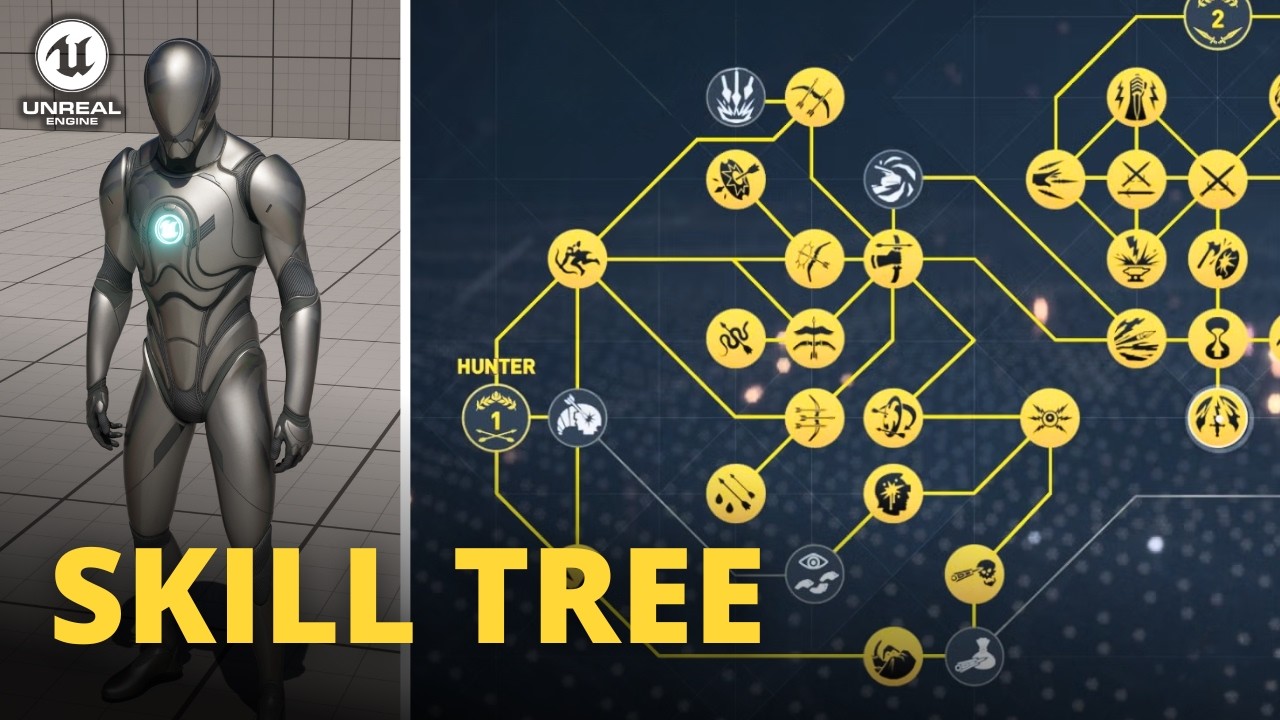
Hello guys, in this quick and simple video we are going to check out how to make a skill tree in Unreal Engine 5
↪️Join My Unreal Club & Download Project Files: https://gorkagames.club/
📖Download Free Unreal E-Book: https://bit.ly/Free_Ebook_MasterUnreal_GorkaGames
🔥Discord: https://bit.ly/GorkaGamesYouTubeDiscordServer
Skill Icon: ht...
17.00 if the time didnt copy
the rest of the video doesnt fully do what i want tho, so thats not entirely important
faint pasture
that is a rather silly approach
what IS a skill in your system?
a data table row? A data asset? A component BP? An Actor BP?
jagged moss
depending on which on is chosen they do different things. but all the info i got is saved in a google sheet atm. some of them, the part i have completed gives extra abilities etc. but some have passives that doesnt add abilities and i simply want to get the passive text from the datatable and put the text into a scrollbox. i chose to create child blueprints but i can also just add the text but i cant override text and i also have to remove it if the skill is no longer selected which is why im using a child widget
faint pasture
I mean in the engine
where is the code or data that says what a skill actually does?
jagged moss
i could ofc do it manually, but i prefer if i could use a data table for it so its less work. but if that isnt a good way i could write down each text and use a switch on enum
faint pasture
For example, I'm working on a little quick and dirty boomer shooter prototype that implements skills as actors.
Here's the drop down
 jagged moss
all i want is to get the text from the datatable and show it on screen. theres not much code to it
enum holds name of skill, datatable holds text from skill. i want to use just that instead of doing it manually
faint pasture
and these skills don't do anything?
faint pasture
There are ways to get data table row names in a dropdown but they're C++
I'd just make data assets probably but you do you, if it's just a UI exercise then duplicating everything into an enum can work too but I'd never ever make an actual game like that
jagged moss
if its possible to use the enum name then that would be the easiest for me
faint pasture
It's possible but very well may break in shipping
is this a real project or just for practice?
jagged moss
both, i already made this game once and i got 6 playtesters, however i dislike how i made it last time so i want to use a new engine for it. its closer to a board game i guess. Im having more playtests next months and this is the last logic i need to complete to have a playable version. I do plan to eventually sell it but i still have some work to do with adding art and stuff. once im done with this step i will buy some art and try to implement all before the playtest
then if its still good i will continue with the next part of the alpha and if i struggle with it im gonna try and hire another dev to help me but thats remains to be seen
faint pasture

there you go
make the type a data table row handle
then you'll have a dropdown with all the rows
jagged moss
okei but now i want to cry cause i tried to figure out if that was possible before and thought it was not x'D
Thank you this makes things so much easier and i knew there was something better than what i was doing
faint pasture
I didn't even know it was a thing, might be new
jagged moss
wish i knew about that earlier but i guess we learn something new every day x)
i feel like you somehow edit reality to make this happen
faint pasture
Dunno, I've been team DataTable for a while but everything I do is at runtime so never had to talk about rows at design time
jagged moss

im pretty new, i relearned UE5 many times for different project but i finally got diagnosed and medicated for ADHD so im able to consetrate and learn more now. datatables was one of the first things i learned for this project and it has saved me so much time. i got over 100 child widgets to create depending on choices and each widget has tons of info, getting it all from a datatable and creating them is such a timesaver
faint pasture
I wonder if I have ADHD, I'm at work and should be working instead I'm remoting into my computer at home and fiddling with Unreal lmao
jagged moss
x)
could be many things
my game now runs at 2,7GB ram, i dont think that is too bad considering im close to finnished with the first playable version
managed to reach 3GB by spawning so many dices that i cant see the game anymore
 proud magnet
Can anyone give some insight into why my Material Preview is completely black until I turn off Auto EV? Findings in the post below:
https://forums.unrealengine.com/t/every-material-is-solid-black-and-unlit-in-preview/2650918

Epic Developer Community Forums
I’ve begun work on another project in UE5.5. I wanted to use some old assets from a previous project, mainly Material Instances and Textures, so I migrated them. After migration, every material and material instance looks the same in the preview, solid black and unlit. Interestingly enough, the materials work in the actual scene, but they look...
 lunar sleet
faint pasture
I wonder if I have ADHD, I'm at work and should be working instead I'm remoting ...
lunar sleet
faint pasture
I wonder if I have ADHD, I'm at work and should be working instead I'm remoting ...
As long as you’re not also playing some video of some random playing Minecraft in the background, you’re probably fine
faint pasture
lunar sleet
As long as you’re not also playing some video of some random playing Minecraft i...
I've procrastinated since 1993 and any interruption to flow just pulls me out and I can't focus. IDK if it's ADHD but it's probably something. If I'm locked in I can zoom but cannot multitask to save my life.
jagged moss
I recomend to get tested if you can
jagged moss
faint pasture
Each time i click a button I add the row name to an array, and when im creating the text i just run for each loop and feed the name into a datatable and create each widget child. this is perfect and takes up so much less space than what i was trying before. thanks for the help ^^,
 warm hare
I have an issue where my battery pickup is not updating to my HUD, but I do have it and am able to use it. What am I missing in my code?


 faint pasture
warm hare
I have an issue where my battery pickup is not updating to my HUD, but I do have...
faint pasture
warm hare
I have an issue where my battery pickup is not updating to my HUD, but I do have...
the widget needs to bind when created
why do you have an interface involved here?
This call goes nowhere

Your widget needs to bind on construct, and do the initial update. Then the bound events will also call the updates
Widget appears -> it binds events to its pawn's stuff -> it updates numbers
Pawn has something happen -> it calls the thing the widget is bound to
warm hare
faint pasture
why do you have an interface involved here?
This was from a tutorial I was following
warm hare
faint pasture
This call goes nowhere
This is the battery pickup BP and it is supposed to communicat with how many i have on my widget
faint pasture
Anyways fix your binding
right now you don't bind so there's no way for your UI to know when it changes

Also there's no reason for the event called Set Batteries Held, just do the thing like the flashlight
warm hare
It worked. Thank you sir
faint pasture
Just set it up like this:
Construct -> ???? -> Bind flashlight -> bind batteries -> Call Flashlight -> Call Batteries
Flashlight Event -> set percent
Batteries event -> set text or whatever
You don't need a chain of like 6 events to update a text field, you have a bunch of events that just exist to call other events, they're unnecessary
warm hare
Gotcha. Makes sense. I appreciate it. Reworking it now
 crude spruce
managed to refactor my 5 systems into onee blueprint i can finally breathe again
faint pasture
crude spruce
managed to refactor my 5 systems into onee blueprint i can finally breathe again
render target or RVT?
crude spruce
now i just need to find a good way to have many enemies
crude spruce
faint pasture
render target or RVT?
marching squares
faint pasture
I mean what's the data that the gpu is using to decide what to show
faint pasture
Is the fog a post process or actual geo?
crude spruce
niagara is currently getting a 1d array of cell values
fog is niagara, placeholder for fog of war
i was looking at render targets but i needed to try something with c++ to see if i could
faint pasture

Render target is what I use
the cpu-side representation of the visibility field is polygons, just a set of triangles
faint pasture
they get rendered to a RT then processed for blur and bleed etc
crude spruce
my goal is something that makes fog of war = horde of enemies so im mostly figuring out the countours for whatever method for level of detail culling i will go with
but that is tech art and as long as i have the data i get from marching squares i can solve the fog of horde later
faint pasture
This is how my started, going for a tactical type approach not so much a strategy game scale
crude spruce
im just aiming to make some solutions with an arcadey roguelite tower defence thing
nice !
 sick sky
faint pasture
sick sky
faint pasture
yo thats sick
crude spruce
oh i want to read it
i am not fully grid based yet but im hoping to just centralise most of it all to interacting with a grid
faint pasture
http://riot.com/1NvPXyT #RiotTechBlog
crude spruce
great thanks
faint pasture
pretty cool how they smooth it
sick sky
reminds me of valorant minimap view
crude spruce
either way my fog of war is ment to be a horde combined with obsfucation of environment
its a fun design to attempt
faint pasture
my approach wouldn't scale to that level, it's more meant to be centralized in a 3rd person view
crude spruce
ah yeh this article looks good
faint pasture
This was the basis of my approach
https://www.redblobgames.com/articles/visibility/
crude spruce
hehe
faint pasture
started out just shooting rays at corners but it's easier to just have a density of them and batch
crude spruce
im gonna make the towers shoot this week and gather arbitrary points for a player wallet and after that i can start looking at what type of objects enemies should be
faint pasture
sick sky
what do you use for the view ?
FOV is a bunch of triangles, gets rendered to a render target per frame
crude spruce
im thinking 2 niagara systems. outside, inside. outside being fog + visible bodies standing idle. inside = animated particle meshes with collision.
faint pasture
the RT is used for opacity masking and for post process
I would LOVE to figure out a way to use the RT for volumetric fog masking
haven't messed with it in a while tho
crude spruce
i made masks in 5 ways or so for niagara
now i just use this scratch to kill the particles when they are in the marching square grid

there is a grid system and im sure its better 😄
faint pasture
Here's a cool effect you can do with render targets
since I was blurring anyway I played with time based stuff a bit
sick sky
i never played wit hRTs but they seems cool
crude spruce
ah yeh the fog mask?
faint pasture
the slow dissolve instead of instant
faint pasture
I wonder if there's a way to sort of unify FOV with navmesh
it's all kinda the same idea
crude spruce
how so?
faint pasture
It's just a set of triangles representing something about the world. Navmesh says where you can walk, VisibilityMesh says where you can see
The RT is for GPU side only, on the CPU it's just a pile of triangles
crude spruce
ah
faint pasture
so stuff like "can I see this point" is easy
crude spruce
we are 2 sides of a coin here
faint pasture
I got some ideas for stuff that can build on it like heatmaps and such, it'd be cool for AI to sort of have a bunch of meshes representing what they see or know about in the world
crude spruce
is your render target low res at all?
faint pasture
It can be whatever res you want, it was 1k I think
crude spruce
i was thinking about navigation
faint pasture
RT is JUST for visuals tho, no mechanics. The FOV as far as game code is concerned is a set of triangles
faint pasture
like so
 crude spruce
im just trying to maximalize instead culling
aye i get it. perhaps fog of war in my context isnt the best term
faint pasture
I thought about using the RT for gameplay stuff but that's sort of a non starter
it's not trivial to query pixels all the time for gameplay plus how the hell would a server work
crude spruce
i could make my marching square data into an RT i just dont know why yet.
earlier i tried to make some kind of centralized RT for managing gameplay as well as materials
no bueno
faint pasture
so is marching squares basically just an approach to turn a grid into smooth curves?
crude spruce
in short ye
i need dynamic contouring so i can know whats inside and outside
i stumbled upon this clip showcasing massentity. i will see if i can use this as a light weight alternative to my enemies
https://www.youtube.com/watch?v=F-v6Xz6-pf4

6core/12thread 2.2GHz i7-8750h laptop cpu
25k interactive entities chasing player and avoiding each other.
if i can make niagara particles as meshes with animations, moving towards something, somewhat avoiding obstacles, its probably the better solution for me. But the clip makes me atleast want to explore mass entity.
and there is always the option to make all the logic happen on the grid.
ie cell is occupied by enemy
tower targets cell
and have the graphics just be a representation of the fact
actually not a bad idea, at least a fun challenge to design a visual system where enemies infect neighbouring cells and have a particle system just do the visuals.
its too late for new ideas good night
 spark sky
faint pasture
Here's a cool effect you can do with render targets
spark sky
faint pasture
Here's a cool effect you can do with render targets
Really cool
 languid sentinel
hello, is it possible to play or preview animation montage in level sequencer without PIE?
 hardy merlin
I'm working on a respawn system. If I want to note where the player last died, where can I do so that won't be reset if I move levels. Is Subsystem the only option?
 dusky cobalt
hardy merlin
I'm working on a respawn system. If I want to note where the player last died, ...
dusky cobalt
hardy merlin
I'm working on a respawn system. If I want to note where the player last died, ...
Or GameInstance
 slender dagger
can someone explain what these nodes do? I understand the attach actor to component node but I'm not sure what these would be detaching.
I'm doing something where a weapon class is spawned and then attached to the component via a socket. so there's the player actor, which has a weapon component, and then the weapon class that's spawned is attached to it.
Do these nodes detach the weapon component from the player's hierarchy or do they detach whatever that component is and just leave the component blank?

 mental trellis
They'll both detach a component from something. In the case of actors it will use the actor's root component.
It won't unset variables or change ownership or anything, just detach it from the transform hierarchy.
slender dagger
cheers
 feral hull
Hey, I have the problem that in my Main Menu level the health bar of my character is displayed. This happens because I used "Event Tick". But I only want the health bar to show up in the gameplay levels, not in the Main Menu level. Could someone tell me how I can fix this? Thanks in advance!
slender dagger
feral hull
Hey, I have the problem that in my Main Menu level the health bar of my characte...
where are you creating your health bar?
feral hull
slender dagger
where are you creating your health bar?
In the Character Blueprint
slender dagger
feral hull
In the Character Blueprint
are you adding it to the viewport when you create it or is it a component?
feral hull
I am adding it to the viewport
 gloomy hound
I've found it to be better to create widgets from the player controller (since when you create them you need to provide a player controller anyway and because the player character might go away when the player dies)
slender dagger
feral hull
I am adding it to the viewport
then remove your character from the menu level and go into the world settings on the menu level and change the game mode to a different one and set the default pawn class to character or smth like that and it shouldn't show up. I'd also recommend just creating it once and doing it in the game mode/controller rather than the character class. you can update the health through event dispatchers (this is what most people would recommend) or by referencing when you create the widget. That way you are only updating one widget instead of creating thousands over the course of the time played
gloomy hound
alternatively you can use a different game mode in the menu level (that's probably a good idea regardless) and then you can select a different player pawn that doesn't create any widgets (such as the default one)
 cosmic abyss
https://streamable.com/dudyoi so i'm facing a problem with physics objects and physicshandle on the player.. I successfully blocked physics objects from passing through barriers on its own but if the player has grabbed it with physicshandle the player can pull the object to places it's not supposed to be.. in this example I want the player to be able to cross red barriers in the level but not this specific cube, but as shown in the video, the player can wiggle by the cube while grabbing it and eventually pull the cube through anyway.. I feel like a potential fix for this would be to setup something in the grabbing system code in the player blueprint to force the release of a grabbed object when it separates a certain distance from the player/physicshandle but have no idea where to start with setting that up or if there's a better solution or not
 lofty rapids
cosmic abyss
https://streamable.com/dudyoi so i'm facing a problem with physics objects and p...
lofty rapids
cosmic abyss
https://streamable.com/dudyoi so i'm facing a problem with physics objects and p...
did you set use ccd ?
lofty rapids
cosmic abyss
https://streamable.com/dudyoi so i'm facing a problem with physics objects and p...
to "set that up" you can just calc the distance from the handle or player to the thing if it gets gretter then a certain distance release it
also is your collision set up properly, the cube is block the wall, and wall is block the cube ?
cosmic abyss
lofty rapids
also is your collision set up properly, the cube is block the wall, and wall is ...
yes, the physicshandle can pull anything through anything as well as the player is "grabbing"
all the collision works as intended when the player isn't grabbing
 hollow tendon
 chilly crane
is it destroyed or visiblity set to off?
lofty rapids
chilly crane
If anyone can help, that would be appreciated
are you falling through ?
you may be moving too fast and clipping
check use ccd, try substepping
chilly crane
hollow tendon
is it destroyed or visiblity set to off?
no
chilly crane
lofty rapids
are you falling through ?
yes
it doesn't happen in the middle of the map, I can run a million miles an hour, and no issues. Also doesn't happen if streaming is disabled
and finally, I tried to change the grid partition to "LevelStreaming" from "LHGrid", but unfortunately that didn't work, and now the map is very broken, I will try to recover it. Not sure why it did that though, I should be able to change the type surely?
fleet prism
Hello, I'm currently working on a project. and have encountered a bug. The problem is when you place the cube down onto the pressure plate it revels the light and if you remove it the light goes away. but the problem is sometimes it breaks and dose the opposite, so the light then only appears when its not on it.
 cosmic abyss
lofty rapids
to "set that up" you can just calc the distance from the handle or player to the...
cosmic abyss
lofty rapids
to "set that up" you can just calc the distance from the handle or player to the...
but yeah I pretty much assumed this beforehand but not quite sure how to make it happen on my own
lofty rapids
cosmic abyss
but yeah I pretty much assumed this beforehand but not quite sure how to make it...
there is a distance node
you can check the distance is greater then some constant
lofty rapids
fleet prism
Hello, I'm currently working on a project. and have encountered a bug. The probl...
because of the delay i think
do a retriggerable delay for one thing
cosmic abyss
lofty rapids
there is a distance node
'Get Distance To'?
lofty rapids
cosmic abyss
'Get Distance To'?
distance (vector) ?
cosmic abyss
oh, context sensitive was ticked
lofty rapids
you plug the two locations in and gives you the distance
cosmic abyss

 cosmic abyss
not really sure how to make it gel with my current picked up loop
lofty rapids
cosmic abyss
not really sure how to make it gel with my current picked up loop
just on tick, check the distance
if it's greater then a certain amount, release the component
but you probably want to just do once on that
and reset
and also check if your grabbing something
if ((grabbing) AND (distance > someAmount)) release();
did you try substepping ?
cosmic abyss
lofty rapids
did you try substepping ?
yes, no soap
cosmic abyss
lofty rapids
did you try substepping ?
I mean it worked but it caused the grabbed object to be sluggish within the player's grasp
getting stuck easily and slowly moving away from the physicshandle etc
lofty rapids
weird
cosmic abyss
lofty rapids
just on tick, check the distance
are you saying distance vector goes into event tick delta seconds?
lofty rapids
cosmic abyss
are you saying distance vector goes into event tick delta seconds?
no definately not, you don't need delta
cosmic abyss
can't plug distance vector into it otherwise
(also i'm bad at following text tutorials, almost everything i look up for unreal are videos of some sort)
lofty rapids
 lofty rapids
cosmic abyss
(also i'm bad at following text tutorials, almost everything i look up for unrea...
lofty rapids
cosmic abyss
(also i'm bad at following text tutorials, almost everything i look up for unrea...
ya maybe you should watch tut on blueprints basics so you can understand more instead of just copying ?
if videos is how you learn thats fine everyone learns different
cosmic abyss
I do understand certain basics, but still a lot I haven't seen/done
lofty rapids
makes sense, but the distance node is a simple node, it does exactly what you would expect
and the two vectors, you can learn about what vectors are
lofty rapids
lofty rapids
copying this will do you no good, you need to plug in the proper values
cosmic abyss
lofty rapids
makes sense, but the distance node is a simple node, it does exactly what you wo...
i'm more of a designer than programmer, but I do pick up on little things over time
cosmic abyss
lofty rapids
copying this will do you no good, you need to plug in the proper values
the greater than value aside, can't grab anymore with this setup
lofty rapids
cosmic abyss
the greater than value aside, can't grab anymore with this setup
show what you did

 tulip trout
cosmic abyss
tulip trout
cosmic abyss
I think your distance check is failing because your vectors are 0s and it checks if it's bigger than 10
lofty rapids
for sure
the distance between two constants will always be the same
and in this case its 0,0,0 to 0,0,0 which is probably 0
lofty rapids
lofty rapids
copying this will do you no good, you need to plug in the proper values
^
cosmic abyss
so I should put 10 on both X+Y?
lofty rapids
do you understand the concept of distance between two points ?
as far as the node is concerned
the left is input
and the right is output
the input is two vectors, and the output is the distance
locations are vectors
tulip trout
cosmic abyss
so I should put 10 on both X+Y?
Box → GetWorldLocation → put that in V1
Physics Handle → Get Grabbed Component → GetWorldLocation → put that in V2
lofty rapids
cosmic abyss
so I should put 10 on both X+Y?
probably not
cosmic abyss
tulip trout
Box → GetWorldLocation → put that in V1
Physics Handle → Get Grabbed Component ...
can't grab anymore
tulip trout
weird
lofty rapids
cosmic abyss
can't grab anymore
show what you did, and try different numbers print string the distance
cosmic abyss
tulip trout
Box → GetWorldLocation → put that in V1
Physics Handle → Get Grabbed Component ...
I'm assuming this is instructing me to replace the make vectors with get world location correct?
tulip trout
Yeah deleting the 2 make vectors and doing that instead
cosmic abyss
 tulip trout
Instead of comparing it to 10 try comparing it to 75
Yeah in that compare try putting 75 or 100 instead of 20
cosmic abyss
box is the custom collision I put near the mouse's nose
so his nose pokes walls instead of his capsule
lofty rapids
print string the distance
so you can see what it is when your holding
it's probably greater then 20 and keeps releasing
like mentioned you can try a higher number, but a print string will give you an idea of what your looking for
tulip trout
tulip trout
Yeah in that compare try putting 75 or 100 instead of 20
If that doesn't work try feeding the vector you put into the "set actor location" node into V2 instead of that
cosmic abyss
75 to 100 both work, 100 feels better
tulip trout
cosmic abyss
75 to 100 both work, 100 feels better
print this and check its normal distance

then make the check lthe lenght plus 1
cosmic abyss
upon ending play I'm getting "accessed none trying to read (real) property CallFunc_GetGrabbedComponent_ReturnValue is not an UClass"
lofty rapids
cosmic abyss
upon ending play I'm getting "accessed none trying to read (real) property CallF...
probably because if you release your not grabbing, and grabbed component may be none
in this case check if it's valid before do the branch
cosmic abyss
lofty rapids
in this case check if it's valid before do the branch
which valid node exactly?
lofty rapids
cosmic abyss
which valid node exactly?
is valid with a question ?
tulip trout
add a is valid for each GetGrabbedComponent
cosmic abyss
tulip trout
add a is valid for each GetGrabbedComponent
there's only one 🤔

but this setup doesn't release anymore
 wild sage
I have a spawner system with a collision trigger that detects when the player enters or leaves the spawner area. It works fine when using a single character.
The problem appears when I use my team system:
-
When I switch characters, the current character becomes invisible and has collision disabled.
-
The new character is possessed, becomes visible and has collision enabled.
-
At that moment, the spawner’s overlap event is triggered again, even though the player never actually left the spawner’s trigger area.
From the engine’s perspective, it seems that re-enabling collision/visibility is treated like a new BeginOverlap, which causes false positives.
My question is: How can I build this system so that switching characters does not retrigger the spawner overlap, and the spawner only reacts when the player truly enters or exits the area?
cosmic abyss
tulip trout
add a is valid for each GetGrabbedComponent
I guess perhaps you meant before both branches? because this seems to have fixed it, thanks dudes
 full badge
wild sage
I have a spawner system with a collision trigger that detects when the player en...
full badge
wild sage
I have a spawner system with a collision trigger that detects when the player en...
when you disabled collision it's no longer overlapping
wild sage
full badge
when you disabled collision it's no longer overlapping
when i disable collision, it triggers endOverlap
lofty rapids
wild sage
I have a spawner system with a collision trigger that detects when the player en...
maybe set it's object type when you go invis so that it doesn't collide ?
like object type invsibile that doesn't collide collide with the thing
or just set response to channel to ignore
 severe coral
Hey, is it possible to set a reference object procedurally? I have a lot of instances of the same Blueprint, and there's an instance editable variable where you can select a widget component.
What’s really annoying is that this selection disappears with every small change, even if the variable itself hasn't been modified.
What I’d like to do is take the actor’s name for example, "Gate_05" and programmatically assign a widget with the same suffix, like "somename_05".
Is that possible?
 random zephyr
Hi there! I am trying to lock a Skeletal Mesh bone with Physics Constraint in runtime. However, when I do so, my SM gets snapped to world origin. Tried to set Physics Constraint location to parent actor as well as reference position, Did not work. Help please!


 barren sonnet
I want to have trees shake using a material variable when an explosion happens next to them but I dont want to make them all blueprints as that would make them more expensive. Is there a way to add a tag I can apply to the meshes and then in the explosion blueprint grab all the trees in its region with the tag and apply the material variable to them to animate them ?
 shut blaze
I got a small issue, the target pin, mine is yellow, while the guy in the tutorial is blue
I'm using ue4 he is using ue5
also it's not printing string, sooo it's a problem


 maiden wadi
shut blaze
I got a small issue, the target pin, mine is yellow, while the guy in the tutori...
maiden wadi
shut blaze
I got a small issue, the target pin, mine is yellow, while the guy in the tutori...
That hasn't changed from 4 to 5. The yellow is an interface. The blue is a direct reference.
shut blaze
sry just found out the setting got overwritten of what game instance the game should use
prints, however, how do I make it a direct reference?'
is it a problem? I mean I did the same as the guy
lunar sleet
The pin color is just UE4 vs UE5 afaik
dusky cobalt
Kinda Simple question. I have widget on the screen, added to the Panel. The thing that was displaying that widget got destroyed. How do I make it automatic that this widget should dissapear? bind?
shut blaze
lunar sleet
The pin color is just UE4 vs UE5 afaik
alr alr
maiden wadi
lunar sleet
The pin color is just UE4 vs UE5 afaik
It's not. Both of those still exist in 5 and existed in 4.
Yellow is an interface. Blue is an object.
lunar sleet
maiden wadi
Yellow is an interface. Blue is an object.
Oh. I stand corrected
So I guess in this case he selected the interface event call instead of the actual event call
lofty rapids
barren sonnet
I want to have trees shake using a material variable when an explosion happens n...
you can create a dynamic material for each one on begin play, then when you run it set the parameter on the dynamic material ?
you can also use a collection parameter
where like 0.0 is no shakde 1.0 is full shake or something like that
i prefer the collection parameter approach, where you can just set it and it changes on the fly
much less overhead
barren sonnet
Thanks for the reply. I got that part setup for the animation, how would I tell it to change the collection parameter only on the trees in the explosion region?
lofty rapids
thats true i didn't think of that, but there is a way to do things in a position in world within a radius
barren sonnet
Could I make them a basic blueprint and add a tag to the trees. Then check the overlap explosion region blueprint for objects with that tag to change their material value?
lofty rapids
barren sonnet
Could I make them a basic blueprint and add a tag to the trees. Then check the o...
yes, you just have to like i mentioned create a dynamic material for each one and set there property

if you plug this into the alpha of lerp
youc can lerp between two values in the radius will be one and outside will be the other
but it may be easier for you to just do the ones in radius
barren sonnet
oh thats an interesting way of doing it.
lofty rapids
this is what i use for a grid in a game i put the grid only on a specific location
lofty rapids
barren sonnet
oh thats an interesting way of doing it.
with a smooth falloff it will probably looks nice tbh
barren sonnet
thanks for that , ill try that
lofty rapids
ai helped me figure it out tbh
after a bunch of going back and forth i got it to work lol
its more efficient if you want something in a radius vs a bunch of material instances
but the material instance way would work just fine, but this way you don't need a million instances
you can just put it in the material that is effected
 barren tangle
is there some people who know that node ?

i feel like it's not working
do you know if we need to put a wrap component to the target or something like that? to be able to follow the component?
lofty rapids
barren tangle
is there some people who know that node ?

Hello guys, in this quick and simple tutorial we are going to learn how to use motion warping very easily in Unreal Engine 5
↪️Check out awesome Unreal Engine courses: https://bit.ly/GorkaGamesWingfoxCombat
Check out my Steam Game! https://bit.ly/3rVlXU1
Follow me on Twitter: https://twitter.com/GorkaGames
Subscribe to the channel: https://...
barren tangle
i have started with that video but i feel like it's not complete
 celest oar
Whats the best practice, call destroy on the server or on the server AND the client?
lofty rapids
barren tangle
i have started with that video but i feel like it's not complete

Here's an easy way to use animation warping in Unreal5 -
If you wanna support my mission to save new Game-Devs valuable time learning this stuff, please consider joining the Support Squad below!
https://www.youtube.com/@TheRoyalSkies/join https://www.patreon.com/RoyalSkies
If you ever need 3D assets, you can find her on my ArtStation S...
barren tangle
lofty rapids
https://www.youtube.com/watch?v=79u37x2w3MM
ok, so i think i don't understand the motion warping
for me the motion warping was... to move my target to another location (another target)
if my enemy move, i want to move to reach the enemy location and be sure to adapt to the enemy location
lofty rapids
barren tangle
if my enemy move, i want to move to reach the enemy location and be sure to adap...
where did you get the animation ?
barren tangle
i did it myself
barren tangle
i have the root motion of my animation moving my character
so it move correctly when i press the button
but
when i want to reach a target
i want to have some kind of help that will adjust the animation to reach the target
to be sure you have a visual hit
i understand that the motion warping was there for that
adjuste the distance between the actor and another one
but when i read the node description, i feel like it's not the case
lofty rapids
barren tangle
adjuste the distance between the actor and another one

everything about motion warping and how we can use it in unreal engine 5
link to my patreon page and download sources and graphics:
https://www.patreon.com/navidansari
instagram:
https://www.instagram.com/navidrct/
timecodes:
0:00 intro
1:08 what we need for motion warping
2:49 enable motion warping plugin in unreal engine 5
2:56 create animat...
barren tangle
you can see when i attack i follow the root motion. but i would like when i get the target position to be able to adjust the animation to reach the position of the monster
but... 😄
barren tangle
lofty rapids
https://www.youtube.com/watch?v=OxSE4Kghpgg&t=7s
i'm watching that one
lofty rapids
barren tangle
can you kick, right, down, and does it point at the character at all ?
barren tangle
it oriented to the monster when i press, but after the animation goes straight forward. instead of focusing the enemy.
does the enemy needs to have the MotionWarping component too?
lofty rapids
set the target location to point toward the character
barren tangle
i don't understand how the position is updated
lofty rapids
show what you have that does the motion warp
lofty rapids
barren tangle
it oriented to the monster when i press, but after the animation goes straight f...
so the kick always go the same direction ?
barren tangle
the kick goes to the enemy location
you can see when i press the button it find the enemy and update the location of the enemy

the warp target location is the enemy location
and i put: Warp Target Follow Component to True... i read it's to allow to follow the target movement...
but to be honest i feel like my target should also have a component because how the node will know that the target is moving? where is the link to the enemy position to that node
lofty rapids
barren tangle
and i put: Warp Target Follow Component to True... i read it's to allow to follo...
but you didn't set warp target component ?
barren tangle
what do you mean by set warp target component?
i have on on my character
but not on my enemy
do i need to have one on my enemy and put that component to my node?
lofty rapids
barren tangle
do i need to have one on my enemy and put that component to my node?
hover over warp target component, what class is it ?
barren tangle
 lofty rapids
try to plug the enemy actor into that
it should get the scene component automagically
barren tangle
ok now my character goes to the enemy location
it follow the enemy, i need now to be sure that the bones of my character is the one reaching the enemy and not another one
 topaz goblet
Working to build an inventory system and was curious on the best way to save 'inventory for X character'. Are there any methods where the gameinstance or gamemode just save / update constantly? Or, does it have to be on a triggered timer?
I'm thinking background worker that is taking game objects and updating disk where needed...?
For 'save slot' is there a unique identifier for each character / connected player? Just trying to wrap my head around it all. Game is multiplayer focused, or... I'd like to design around that.
barren tangle
barren tangle
it follow the enemy, i need now to be sure that the bones of my character is the...
But to be honest... i'm not sure if the node is use correctly.
Target : Motion Warping from the character.
what is Warp Target Name?
Warp Target Location?
Warp Target Component? Scene on the target (monster, object to reach)
So if Warp Target is the "Target" and Target is the "Owner"
Why Warp Target Name will be the name of the Owner Animation???

that doesn't make sens to be honest...
lofty rapids
barren tangle
But to be honest... i'm not sure if the node is use correctly.
Target : Motion W...
did yu define it in your motion warping component ?
lofty rapids
barren tangle
that doesn't make sens to be honest...
"When the animation montage plays and reaches the motion warp notify state, the system uses the specified Warp Target Name to retrieve the correct target transform from the Motion Warping Component and adjusts the character's root motion accordingly. "
target is what your adding or updating
barren tangle
lofty rapids
"When the animation montage plays and reaches the motion warp notify state, the ...
so the motion warping component should be on the monster?
lofty rapids
the warp target should be where you want to want to warp to i believe yes
"warp target component is a reference to a Scene Component that serves as the target location for the animation to warp to"
i would use the target, and lookat rotation, unless it handles the rotation already
barren tangle
ok warp target is the animation
 narrow swift
Why is my AI not moving?

 barren tangle
narrow swift
Why is my AI not moving?
barren tangle
narrow swift
Why is my AI not moving?
do you have the navigation box?
the nav mesh bound volume?
narrow swift
barren tangle
the nav mesh bound volume?
aye the green thing in the first picture shows it
as u can see
 barren tangle
narrow swift
aye the green thing in the first picture shows it
barren tangle
narrow swift
aye the green thing in the first picture shows it
does your AI has an Ai Controller?
narrow swift
nah it doesn't
barren tangle
i think you need one
 barren tangle
don't remember by heart, but did your AI controller posses your Ai ?
is there an auto possess or something like that?
barren tangle
ha ok
narrow swift
i've never done such a thing like that before
sorry
but i would like to listen if u explain
barren tangle
let me check because my project with Ai is not open
i will check if i can see the node of info about that
narrow swift
aight mate
thx already
@barren tangle well
i just delete the Recast NavMesh default and replaced with a new one
and it works now
barren tangle
ha perfect 😄
narrow swift
butt
if u know why
explain me
and explain the AI thing too if u would like to
i wanna learn more
u can DM me if u want
chilly crane
hollow tendon
no what?
no as in, there is nothing I've done to set the visibility off, or destroy the landscape components. Plus if my understanding is correct the sections that go missing are smaller then a standard component? And it doesn't happen when the wp streaming is turned off
 uncut shale
So I am trying to set my default stats to copy to the current stats here, but every time I call both stats, the stats do not match


 arctic wren
Hi, I’m creating a horror game in UE5 (I’m still a beginner).
I want to set up an event system that stays active until the end of the game:
1.At first, nothing happens.
2.When I pick up a specific object (for example, a shoe), a timer should start.
3.From that moment on, every 30–60 seconds (random interval) an event should trigger.
The event should:
Spawn (or reveal) a monster a few meters behind or in front of the player..
make it run towards the player or just stare,
play creepy sounds..
then disappear again..
This event should repeat for the rest of the game, not only until the next level.
Should I spawn/destroy the monster each time, or would it be better to have a permanent Actor and just toggle visibility/collision?
How can I prevent multiple events from overlapping if the timer triggers while the monster event is still running?
I’d be really grateful if anyone could help me with this! 🙏
 thin panther
I'd probably lay it out like this
When you pick up an object, you probably call something like OnPickup. This might be an interface that each item implements.
In this specific item, you would then set a boolean, perhaps in the game instance (persists across levels), then calls an appropriately named event, such as "Start Jumpscare" in another actor that I'd probably name something like "Jumpscare Manager". This actor would be placed in every level that needs this functionality.
This actor, on begin play would check the game instance to see if that boolean is true, if it is, it would call Start Jumpscare.
Start Jumpscare would start a timer by event (non looping), with a random time, and when that timer executes it would pick an appropriate spawn point (i.e. non colliding, correct distance) and spawn the monster. The monster's AI bp would behave as described. The monster's AI bp, after it's played the creepy sound would get this jumpscare manager and call Start Jumpscare again, creating the infinite loop. Because you only start the timer after the monster arrived, it also ensures that you don't have overlapping events.
@arctic wren
arctic wren
Thanks !
 lime yoke
Is there a way to move my character without using root motion? Calling AddForce in the capsule component on the tick event will behave different depending the FPS, even if the velocity is multiplied by DeltaTime.
 snow fox
So I'm having this weird issue where My Level up Widget is appearing right when the victory window shows up rather then showing up and then going away once a character has leveled up. The Level up widget seems to be spawning at the same time as the victory window widget, though I believe I have programmed it correctly? Any help on how to not get this widget to spawn along with the Victory Window from the start would be really awesome. 🥹


https://www.youtube.com/watch?v=iNf9AQB6u0Y&start=60 This is the video I was following along with

In this series we are making a turn based JRPG such as Final Fantasy.
In Part 24 we finish our XP system with levelling up and add the stunned status to our fighters.
You can follow along and download the starter project files from the following link (8.22GB): https://1drv.ms/u/s!AvfMAVHw1KCiwNUC7xXoGpm73Iw4DQ?e=zWgPjw
Gold and higher Patron...
 surreal peak
snow fox
So I'm having this weird issue where My Level up Widget is appearing right when ...
surreal peak
snow fox
So I'm having this weird issue where My Level up Widget is appearing right when ...
Feels like you just have the default values for the visibility set up wrong, so it doesn't instantly show but rather isn't hidden.
Make sure you don't play with the animation actively selected. Iirc that screws with the defaults.
snow fox
surreal peak
Make sure you don't play with the animation actively selected. Iirc that screws ...
Damn, that could be it then. Ill give it a try once I get home.
snow fox
surreal peak
Make sure you don't play with the animation actively selected. Iirc that screws ...
Thanks for the reply too, I appreciate it 🥲
snow fox
surreal peak
Feels like you just have the default values for the visibility set up wrong, so ...
Okay, so you were right! I had my render opacity at 1 for the widget itself and that's why it was present from the start. I thought because of the animation itself, started at 0% opacity would not allow it to show up but now it all makes sense. Thank you for your help again, I really appreciate it! 🙂
surreal peak
snow fox
Okay, so you were right! I had my render opacity at 1 for the widget itself and ...
No worries. The Animation only applies its values when played (:
snow fox
surreal peak
No worries. The Animation only applies its values when played (:
I'm glad it was something so simple tbh 😅
severe coral
severe coral
Hey, is it possible to set a reference object procedurally? I have a lot of inst...
Up. Is there way to preserve selection in this instance editable variables on my bps in level?
 hallow smelt
Hey, I couldn't find anything on the net about this. I am trying to improve the vaulting system that I made through some tutorial, you know, to actually learn the stuff, not just copy paste, and I have an idea for another improvement. But to do it I need to find a top of the actor I will be vaulting on top of. Does anybody know how to do it?
As for now, all the checks for the collision with the eventual actor are done by the "Sphere traced by channel" node, and one of the possible outcomes is "Out hit", but neither it, nor any component of it can be used to check the location of the actor.
hallow smelt
Ok, I found it! If you draw spheres from top to bottom, then the impact point component of "Out hit" will have the Z value of the top of the object.
Though that creates another problem. Because if there are 2 blocks, one under the other, and it technically would be possible for the character to vault between them, but the bottom of the top block still collides with the top sphere, the impact point will return the top coordinates of the top sphere... 🙁
severe coral
That's strange to me. Is it normal that the event triggers even when a different pawn is possessed? I want this event to fire only when a specific pawn is possessed, and to have different possess functionality for different pawns.

 dark drum
severe coral
That's strange to me. Is it normal that the event triggers even when a different...
dark drum
severe coral
That's strange to me. Is it normal that the event triggers even when a different...
The Possessed event will fire on any pawn that is possessed, this includes by both player or AI controllers. If you're using the same pawns for both AI and the player you'll most likely need to check the new controller to see if its locally controlled.
surreal peak
severe coral
Up. Is there way to preserve selection in this instance editable variables on my...
They shouldn't even reset. What exactly are you doing? This sounds like you made a Pointer to an Object and you assigned the actual Blueprint to it.
severe coral
surreal peak
They shouldn't even reset. What exactly are you doing? This sounds like you made...
I think it is normal, I've seen course where it was also an issue. I want to select here in details panel

Im selecting widget bluperints here
dark drum
severe coral
I think it is normal, I've seen course where it was also an issue. I want to sel...
Widgets (in this context) don't exist in the editor which is why you can't select them in the details panel. In these instances you might instead need to specify a class type instead so it can be spawned at runtime when needed.
surreal peak
hallow smelt
Though that creates another problem. Because if there are 2 blocks, one under th...
Welcome to Traversing/Vaulting. You can pick up your tissue box on the right.
In all seriousness, this is something everyone goes through when creating such a system. You'll need to solve the edge cases as they come.
If you notice something you coded doesn't work in an actual use case, try to understand why it's failing and think about what it should actually do instead to take this into account.
E.g., if you are worried that you can find something above the actual location, check the end location with a sweep that just covers the maximum height of the player down to the floor. If this doesn't hit anything, then the player can stand there. If not, then there is 100% no space. I usually use a sphere trace with the radius being the one of the capsule of the player. And then I trace from the top of the capsule (minus the sphere radius!) to the bottom of the capsule (still excluding the sphere radius!).
surreal peak
severe coral
Im selecting widget bluperints here
That's wrong.
If that's an actual Reference type variable, then the reason is simply that you aren't supposed to select Blueprint/Widget assets.
These are basically Classes, so the type of that variable should actually be Class and not Reference.
severe coral
I dont have problem with selecting widget references here. My only problem is that when this Gate BP is edites, all this selection is lost
 surreal peak
Then you can select them and they won't reset.
You then need to use the class to create/spawn the actual object.
surreal peak
severe coral
I dont have problem with selecting widget references here. My only problem is th...
Okay, one more time: You shouldn't reference BP/Widget assets in Reference variables. This is wrong. It resets cause the actual Object you are referencing is the CDO.
What you are selecting there is not a newly created instance of those. You select the very asset.
And those should, if referenced, be set on CLASS variables.
And then you use that CLASS to spawn/create the actual object during runtime and save that to some REFERENCE (actually pointer..) variable to keep it alive.
dark drum
I'm surprised they actually show up in the list but I guess it'll just be the ones the editor has loaded into memory when creating/editing widgets.
surreal peak
You gotta use the purple class type.

What you can do, is place 2 Actors into the scene, have a REFERENCE variable as InstanceEditable of that Actor Type on them and then select the other one there. Cause the ones in the scene/level are actually new instances/objects.
chilly crane
also, not sure if this is supposed to happen, but I changed the streaming policy from LHGrid to levelstreaming, and now the level won't open. Crashes every time with the following error:
Cast of RuntimePartitionLevelStreaming /Game/Maps/Ilyndra/Elysium/ElysiumCity.ElysiumCity:PersistentLevel.WorldSettings.WorldPartition_0.WorldPartitionRuntimeHashSet_0.RuntimePartitionLevelStreaming_1 to RuntimePartitionLHGrid failed```I doubt it's supposed to happen. I would suggest you revert your changes again :D
chilly crane
I can't, that was a brand new map, nothing of immense value was lost, but I'd rather like to know why it happened, and what to do to avoid it in the future
it would be disappointing if it were to happen to a more important map
I notice that by default UE uses the LHGrid, but supposedly the LevelStreaming is more efficient? What is the real difference between these 2, it's difficult to find info on it
surreal peak
chilly crane
I can't, that was a brand new map, nothing of immense value was lost, but I'd ra...
No clue tbh. Haven't played around with that yet. You are using Source Control though, in case this happens with a map that is already progressed a bit?
chilly crane
yeah, but I don't commit every 5 minutes. So there is still the possibility of smth going wrong after a few hours of work
which ig isn't the end of the world, but undesirable to say the least
I was fiddling with the WP settings mainly because I was having this issue with the landscape, which doesn't occur when streaming is turned off btw, #ue5-general message
hallow smelt
surreal peak
Welcome to Traversing/Vaulting. You can pick up your tissue box on the right.
I...
Yeah, I think this is enough for now. I already made it way better, because as it was shown in the tutorial, the Character would vault right through the block if it was too high. I'm happy with what I did for now, if I want a fleshed out system in my actual game, I would try to improve it more 🙂
chilly crane
hah, I tested it again on a test map, and converting it to a LevelStreaming type seems to catastrophically break it again...
Cast of RuntimePartitionLevelStreaming /Game/NewMap.NewMap:PersistentLevel.WorldSettings.WorldPartition_0.WorldPartitionRuntimeHashSet_0.RuntimePartitionLevelStreaming_2 to RuntimePartitionLHGrid failed
What could possibly be causing this issue? It ought to be rebuilding these issues right?
chilly crane
hallow smelt
Yeah, I think this is enough for now. I already made it way better, because as i...
I'd say there's some hidden gems online in terms of locomotion tutorials. If you want to go the full AAA route, you can always look at Epic's samples, the GASP in particular is very similar to what is used in Fortnite if I've understood them correctly. However, that's very, very complicated, so I'd recommend just learning enough to tweak it to your needs 😂
 dark quartz
How could I draw onto a surface? Like the player uses the mouse to draw scribbles on a statue.
lofty rapids
dark quartz
How could I draw onto a surface? Like the player uses the mouse to draw scribble...

👉 Learn To Make Games In Unreal Engine In Weeks : https://unreal-university.io/learnunreal?video=wIfovfaf01w
👉Get My Free Unreal Engine Beginner Course : https://unreal-university.io/freecourse?video=wIfovfaf01w
#Rendertargets #UnrealEngine5 #Uisco
📚 Chapters
Intro 0:00
Creating The UI 0:10
Creating The Materials 1:44
Creating The Can...
dark quartz
lofty rapids
https://www.youtube.com/watch?v=wIfovfaf01w
Thank you!
 hardy wave
Does anyone know what the best way to do a multiplayer game where you can chose from multiple different characters? Like do I make one base character and make others a different version/child of the base or is it better to just spawn the player as a unique character or what is the best way to go about this?
maiden wadi
hardy wave
Does anyone know what the best way to do a multiplayer game where you can chose ...
It depends™
Need more context. What kind of multiplayer game are we talking about? What are the differences of characters, etc?
 broken wadi
hardy wave
Does anyone know what the best way to do a multiplayer game where you can chose ...
broken wadi
hardy wave
Does anyone know what the best way to do a multiplayer game where you can chose ...
Depends if they share certain properties or not. I'm assuming they'd all have things like health, energy/mana, interactions such as item pickup....etc if so then all that stuff should be created once on a base actor they can extend from.
But if they're all very unique meaning like one is a human, the other is just a ball that rolls around and has no health, and the other is like a flying car....then no they don't share anything.
hardy wave
maiden wadi
It depends™
Need more context. What kind of multiplayer game are we talking abo...
Abilities, models, sounds, all that stuff. Just the general controls and movement is the same.
 undone sequoia
guys i need ask you how i can make bluprint with light like this in game? i am trying max set my light but cant do something similar to this reflector any tips?
 broken wadi
undone sequoia
guys i need ask you how i can make bluprint with light like this in game? i am ...
broken wadi
undone sequoia
guys i need ask you how i can make bluprint with light like this in game? i am ...
use a plane with a masked or translucent material to make a light shaft
undone sequoia
broken wadi
use a plane with a masked or translucent material to make a light shaft
so spotlight is not good way?
broken wadi
spotlight just adds light to whatever it reaches, there is no lightshaft by default
can also do them like this: https://dev.epicgames.com/documentation/en-us/unreal-engine/using-light-shafts-in-unreal-engine

Epic Games Developer
An overview of using Direcitonal Light to simulate light scattering through the atmosphere in Unreal Engine.
but you need a light source behind something that partially blocks it like a tree
or u need a volumetic fog like this https://www.youtube.com/watch?v=Kjg6kCW2BtY

Download the Free Fog Material: https://www.unrealforvfx.com/free-downloads
Use Exponential Height Fog in Unreal 5 to create Volumetric Fog and Atmospherics in this masterclass. I wanted to create a resource sharing everything I've learned about Volume Fog + Atmosphere and compile it into one video, so please Like or Share this video if you lea...
undone sequoia
okay thanks i will check
 mental rampart
what does the v. mean?
 broken wadi
mental rampart
what does the v. mean?
broken wadi
mental rampart
what does the v. mean?
local variable (only exists in the function)
mental rampart
if i change the contents of an IMC that's put into a local variable, will the changes propogate elsewhere?
broken wadi
if you need to use that variable elsewhere just use a normal variable and not a local variable
mental rampart
how do i change it away from a local var?
broken wadi
mental rampart
how do i change it away from a local var?
just make a new variable and delete the local variable
maiden wadi
hardy wave
Abilities, models, sounds, all that stuff. Just the general controls and movemen...
It also depends on how you're managing your separation of concerns. But to generally lay out how I would go about it.
Each character should have it's own data asset. This houses anything you need to set this character up from pure data so that you can enable and disable stuff quickly while testing.
DefaultAttributes
DefaultAbilities
GameplayCharacterClass
GameplayCharacterClass should be the class that it would spawn in. B_SuperCoolDude for example.
B_SuperCoolDude inherits from B_CharacterBase. CharacterBase here has the inputs for lateral movement and looking around or whatever else that isn't an "Ability". As an example Jump may not go here as it should be considered an ability in a lot of cases, similar to a dash, or attack, etc.
So you have a DataAsset like...
DA_SuperCoolDude
Attributes
Health=300
Stamina=100
Abilities
GA_Jump
GA_CoolMove
GameplayClass
B_SuperCoolDude.
You can make spawning code instantiate characters from the data asset's data. Spawn the gameplay class, set the attributes, grant the abilities.
At this point you have the core structure. Now SuperCoolDude can be given a mesh, and some helper components if needed for his special ability sets(if these are shared they can also go in the parent) But largely you have a special character, with a special set of data that one designer can work on in isolation without bothering other people's work.
The sounds and affects are based on context. If SuperCoolDude has aspecial particle trail that follows him at all times, put it in his BP. Meanwhile anything related to abilities goes in them(Or Cues in GAS).
You get isolated characters who won't trample on each other and can be hand designed for even minute details. And you'll end up with less bugs in general due to the isolation. Plus with the data asset method the gameplay class and abilities can be softrefs. So you can keep all the DAs loaded and simply not load the heavy stuff.
broken wadi
maiden wadi
It also depends on how you're managing your separation of concerns. But to gener...
Nice super cool explanation dude! 👍
 rose citrus
I have several box collisions in an actor for different things the player can interact with. When they click on a box collision, it runs an interact event and returns the hit component. Instead of doing multiple branches to see if the hit component is equal to each individual box, is there a way I can use something like a select? All I can think of is branches for each component, maybe in a pure function that returns an Enum and then do a Switch On
 opaque wagon
rose citrus
I have several box collisions in an actor for different things the player can in...
opaque wagon
rose citrus
I have several box collisions in an actor for different things the player can in...
first what come's in mind - enums, and switch via enum.
or justu se branches+bpi.
and store code what exactly to do in actor with whom u interact.
Like for example :
- interaction system.
in lower branch i've called bpi Interact.
and for if it's for example chest -> i have this code (screen2)
if it's door -> interact will open door
and etc.
but u still can do switcher with enum i think, but if project going bigger -> hard to mainaint i think 🤔


ah sry. 1st screen is bad.
This one is how it works rn.
And in character i simply have screen2.


 woven sky
hey i have this code and when im playing its pop up this errors :
Blueprint Runtime Error: "Accessed None trying to read property CallFunc_Array_Get_Item". Node: Set ALL_X_VALUES Graph: EventGraph Function: Execute Ubergraph MY GAME STATE BASE Blueprint: MY_GAME_STATE_BASE
Blueprint Runtime Error: "Accessed None trying to read property CallFunc_Array_Get_Item_1". Node: Set ALL_X_VALUES Graph: EventGraph Function: Execute Ubergraph MY GAME STATE BASE Blueprint: MY_GAME_STATE_BASE
Blueprint Runtime Error: "Accessed None trying to read property CallFunc_Array_Get_Item_2". Node: Set ALL_X_VALUES Graph: EventGraph Function: Execute Ubergraph MY GAME STATE BASE Blueprint: MY_GAME_STATE_BASE
Blueprint Runtime Error: "Accessed None trying to read property CallFunc_Array_Get_Item_1". Node: Set CLOSEST_PLAYER Graph: EventGraph Function: Execute Ubergraph MY GAME STATE BASE Blueprint: MY_GAME_STATE_BASE
Blueprint Runtime Error: "Accessed None trying to read property CallFunc_Array_Get_Item_2". Node: Set CLOSEST_PLAYER Graph: EventGraph Function: Execute Ubergraph MY GAME STATE BASE Blueprint: MY_GAME_STATE_BASE
Blueprint Runtime Error: "Accessed None trying to read property CallFunc_Array_Get_Item". Node: Set ALL_X_VALUES Graph: EventGraph Function: Execute Ubergraph MY GAME STATE BASE Blueprint: MY_GAME_STATE_BASE
Blueprint Runtime Error: "Accessed None trying to read property CallFunc_Array_Get_Item_1". Node: Set ALL_X_VALUES Graph: EventGraph Function: Execute Ubergraph MY GAME STATE BASE Blueprint: MY_GAME_STATE_BASE
Blueprint Runtime Error: "Accessed None trying to read property CallFunc_Array_Get_Item_2". Node: Set ALL_X_VALUES Graph:


can someone help me?
opaque wagon
fast fix - add validation
opaque wagon
u call players -> but ur arrays isn't filled yet.
so u fire event before the players are created.
2 ways :
-> add validation nodes (is valid)
-> rebuild ur bp.
For example add Regitration of players , instead of hard finding via index.
and add some checks like if Players Lenght ==0 - end
lofty rapids
woven sky
hey i have this code and when im playing its pop up this errors :
Blueprint Ru...
number of players should players->length
 minor dagger

Maybe I'm crazy and everyone knows about this?
Sorry for the search box not showing up in the video, I literally downloaded OBS to make this video just now.
I just found out about this and wanted to share it! Did you already know?
maiden wadi
It's a very useful feature. I hate reroutes, so I like it.
rose citrus
I have a camera in a car for a first person view, and when I possess the car, the camera rolls when I look around with the camera. The input for look sets the pitch and yaw of the spring arm through add local rotation and I keep roll at 0. I have no clue then why the camera rolls around when I look
maiden wadi
rose citrus
I have a camera in a car for a first person view, and when I possess the car, th...
You would need to provide code for a clear answer. But the general reason for that is that you are manipulating the camera relative to itself.
rose citrus
maiden wadi
You would need to provide code for a clear answer. But the general reason for th...
Its just this to control the camera.
 maiden wadi
Yeah. This is affecting it local to itself.
Picture that you look at the horizon. You look up bny 45 degrees. Now you look "left". You want it to be left relative to the original horizon view. This is looking left from the current view.
rose citrus
so a way to cheat it would be after add location rotation, get world rotation and set the roll to 0?
yea seem like that works
maiden wadi
What I would recommend for ease is to simply get the current rotation of the spring arm. Then set the new rotation.

Then regardless of what happens your roll is 100% always explicitly 0.
 pulsar hazel
is there an ui focused channel? I need help with some UMG stuff
 past compass
in a blueprint when using HISMs in the viewport, is there any way to tell what instance of that HISM you are selected on?
 stray crystal
So i am working on a turn manager that allows people to join later and have varing player speeds but i keep getting inf loops here and It worked with Player Character by itself but as soon as i added the AI Character it loops
I was wondering what would you do to fix inf loop
AI Character with speed of 5
https://blueprintue.com/render/p4_x_i7a/
Player Character with speed of 3
https://blueprintue.com/render/fhaoyj2d/
Turn Manager (Main area with the looping code)
https://blueprintue.com/render/720pl1o2/

No description provided
No description provided
No description provided
lofty rapids
stray crystal
So i am working on a turn manager that allows people to join later and have vari...
this is recursive madness, no ?
it looks like your calling the function from itself in the end of most paths
ok so it's each instance
this is too much
stray crystal
lofty rapids
it looks like your calling the function from itself in the end of most paths
yeah so it can then cycle to the next turn till it gets to the player
lofty rapids
what are you trying to do ?
your calling this function way to much with it at the end as well
stray crystal
lofty rapids
what are you trying to do ?
topdown turnbased dungeon crawler for phones
lofty rapids
ok so you want turns
this should be done with events, or functions that you call to change state
like an integer 1,2,3,4
and just inc on next turn
you don't need all the loops
stray crystal
so i should compress the end parts with functions that can path instead of leaving them out like that?
lofty rapids
stray crystal
so i should compress the end parts with functions that can path instead of leavi...
this is multiplayer ?
there should be a replicated variable that holds the turn
and you can watch for changes or use setter functions/events
maybe on tick you can check whos turn it is, if its your flip a boolean
stray crystal
I could try that just i had my last game have lag issues and deturmined i used too many ticks so trying to avoid that this time
lofty rapids
ya events then is the way to go
i don't know how that would work on multiplayer
but you would broadcast an event i would imagine
that is like player change
that passes the player whos turn it is
then that player can move others can't
stray crystal
kinda how its working just using the message systeme instead of events
lofty rapids
well your overcomplicating the turn system i think
imo you can do this much simpler then what you got here
it's a bit much i didn't even look at what its all doing i just think this is a simpler problem
 golden echo
Where's a good place to ask about the new gameplay camera system?
stray crystal
fair, i wanted speed setup so if a player charter is super slow it would show in the turn controller so had it updating the integer once per turn to see whos turn it was the once one reach zero would summon the player to move
lofty rapids

you could even make this an interface function instead
but this is just an idea
then you would loop through the players
and call changeturn
on each one
stray crystal
oh and have it run on each player/AI and not a single large script
lofty rapids
how many players ?
stray crystal
well players are 4 but including ai i am hoping to have some swarm style enemies so 20-50 i guess
lofty rapids
thats not too bad
50 or so
thats still a bit much imo
but you can probably do it in blueprint
but i would ask #multiplayer
if there is a broadcast event
so that you don't have to loop at all
and you can just send the event to every player
topaz goblet
Is there a UI component that allows an icon at any position?
I want to be able to have a UI of a 'bag' or something users drag / drop items into it. Those items will be images (texture 2d), but I want the icon to remember what position it was at in the bag. If anyone played something like Ultima Online... similar to that. I see canvas allows anchoring an positioning anywhere.... but, I have read over and over to avoid canvas..?
 next hollow
Canvas
Canvas is bad, if you use like 50, sorta deal.
Since, some people see it as a required base for widgets, so like child elements on a scroll box have a canvas in each child.
But, 1 for HUD, and 1 for a weird bag UI, not gonna kill your game
opaque wagon
scroll box / wrap box. at create "stack" logick.
sec
u mean logic like this ?
Like if u put item in enventory -> and it's same item it create stacks?
Sry i didnt play ultima(
 topaz goblet
NP, thanks! I have / had a grid setup. It sounds like Canvas is the way to go for the bags. I wonder what happens if someone puts bags inside bags, inside bags and opens a bunch... hahah! Problems for future me to worry about! haha
opaque wagon
it's rly about creating childs from "big" bag.
Like on WoW.
And just have bigger array. That's all i think 🤔
cos will implement same thing soon
topaz goblet
I guess if I really hated myself, I could do a base 'bag' image, and record it's location, and all it's children (items inside). Use single canvas and when a bag is clicked, open it's image, then put all the children on top of it with child offsets.....
Who knows.... hahah! fun stuff to solve
opaque wagon
i think it's just Drag&drop operation.
if u D&D on bag -> use add item to array of item slots of this bag.
topaz goblet
https://www.youtube.com/watch?v=t1ECs7CfPNE
This is the video I'm following, in addition to:
https://www.youtube.com/watch?v=A8nSGK0mXBM
Great videos! Doing a little of both, but using them as reference.

I'll show you how to build a basic inventory system so your player character can "pick up" and "drop" items in your Unreal Engine 5 game. This basic setup includes support for allowing multiples of the same item to "stack" in the same inventory slot.

In this video series we are going to build a Drag and Drop Inventory.
Get access to all the tutorial files by supporting me on Patreon!
https://www.patreon.com/SoftStoneGames
Stay tuned for part 2!
0:00 intro
0:21 Adding Files
2:40 Creating Tile Widget
8:12 Creating Inventory Widget
13:13 Adding Widget to Screen
14:00 Results & Outro
opaque wagon
i've tried 3 times use videos of Rayan Layle -> but what i can say.
All this tutorials it's just for learning purpose, in real projects 70% willn't work properly.
So i've decided to write my own inventory/equipment system ^^)
and rn it works perfectly 😄
topaz goblet
haha, yeah, I don't ever follow them exactly. Just utilize the videos to try and understand underlying engine mechanics. Especially around UI / blueprint stuff.
I normally write in C# and Godot. haha. And before that, utilized Unity. But, thought I'd round out my learning / experience with some Unreal Engine and blueprints. So far, they're pretty cool!
opaque wagon
understand u0)
I've started my journey with fast mobile tower defense game in unity c#:D
yy< but anyway u need learn C++ ^^) for deep diving. it give's more control
topaz goblet
I know C++ pretty well and use it in daily work. But, was more just curious about blueprint capabilities especially for team members that aren't as well versed in programming.
opaque wagon
oh. HAPPY MAN!
I envy you!
topaz goblet
Although, I very much prefer C#. haha. Lots of features and stuff I like more.
opaque wagon
^^) i only know little bit c#.
cos in my daily work i dont use any code(((
but soon hope will start learning c++ with GAS system
topaz goblet
You can do it!
 wheat zodiac
Is there a way to mark a PCG actor (spawned via blueprint script: Spawn Actor of Class) as part of the PCG? I know if you use the PCG nodes for "Spawn Actor" it'll delete when PCG is cleaned up, but I need to do it manually in Blueprints instead.
maiden wadi
wheat zodiac
Is there a way to mark a PCG actor (spawned via blueprint script: Spawn Actor of...
I would probably move that to #pcg-framework , you're more likely to get a better answer there.
opaque wagon
as i know - u cant.
Thats why in BP ppl create spawn pools.
u just can bind cleanuppool event to PCG .
when PCG clean his stuff -> u also clean ur spawn pool .
But not sure about it. Just thoughts
 drowsy lichen
BP all day until that one function I need.
faint pasture
stray crystal
So i am working on a turn manager that allows people to join later and have vari...
Have an ordered array of the things who's turn it can be (Pawn, PlayerState, Whatever)
Have a replicated repnotify ref for ThingWhosTurnItIs
 bright jackal
How would you manage a character spawn after begin play (create actor) with all the references behind such as the camera manager(called at the very beginning with the Controller)/ WDG and other stuff that can call a specific character at start ?
Also, my "Actor manager" create select one actor between 2 (both are child actor ) and I have to switch characters when needed
Meaning I would lost the references 🥲
faint pasture
switching character should be possession so you can use that for the "when" to update refs
thin panther
topaz goblet
Although, I very much prefer C#. haha. Lots of features and stuff I like more.
I feel obligated to mention the community plugin UnrealSharp which adds C# scripting (I don't think it's prod ready yet, but I think it's getting close)
topaz goblet
thin panther
I feel obligated to mention the community plugin UnrealSharp which adds C# scrip...
Thanks! I saw it and considered that as well. It looks great, but similar feeling about not being prod ready yet. I'll probably play with it a bit more when I get some more free time.
 pearl pollen
Did you figure this out?
maiden wadi
pearl pollen
Did you figure this out?
It's likely in the InputAction or the InputContextMapping. It needs to be given a Pressed trigger.
pearl pollen
maiden wadi
It's likely in the InputAction or the InputContextMapping. It needs to be given ...
I basically copy and pasted the blueprints over from the example and into a new blank project. In my new project simply clicking works. But in the example it doesn't. for educational purposes I was trying to understand why it's different
maiden wadi
pearl pollen
I basically copy and pasted the blueprints over from the example and into a new ...
It's hard to say without seeing the input node code, and the IA and IMC.
pearl pollen
maiden wadi
It's hard to say without seeing the input node code, and the IA and IMC.
They are both boolean with no triggers
maiden wadi
That makes sense if the code is the same as above. No triggers means it'll spam the Triggered output while the button is held.
pearl pollen
honestly i dont see the difference but they work differently
 chrome zephyr
Hi there, new here, I am creating a product configurator and is having trouble getting my variant manager to work on UI buttons. In player controller blueprints under “create widget” node, I am unable to connect the level variant set actor to the “variable ref” as you see in the image. When I do it on level blueprints and drag the variant set actor it works but not in player controller blueprints. Any help would be greatly appreciated!
 lunar sleet
chrome zephyr
Hi there, new here, I am creating a product configurator and is having trouble g...
lunar sleet
chrome zephyr
Hi there, new here, I am creating a product configurator and is having trouble g...
What is a level variant? Also please use win+shift+s or print screen to provide proper screenshots
I’d also recommend using better naming for a variable than “variable ref” 🙂
 spark laurel
Hi! I have a question related to JSON or txt , is there a way to read a file ? Im doing it , and I have it working on editor, but on packaging, if I change the file, it doenst updates the value
For example I have it on content folder / Config / file.txt or file.json
 celest lotus
spark laurel
Hi! I have a question related to JSON or txt , is there a way to read a file ? I...
celest lotus
spark laurel
Hi! I have a question related to JSON or txt , is there a way to read a file ? I...
try using it from outside the content folder and after packaging copy that folder in the build folder too
 desert veldt
Hello there,
i would like to improve my AI perception system for an RTS Ai but i am not sure what the best method would be.
My goal is to have a units sight radius be impacted by trees and bushes in its path depending on how much (approximately) foliage is in the way.
This should preferably be modular so i can adjust "sight strength" and "unit stealth", for different units (so some units are less affected by foliage blocking).
Any ideas?
Black dot(Pawn), Grey circle (sight radius), Dark blue zone (sight blocked by structure/foliage), Light blue zone (sight reduced by foliage)
 spark laurel
celest lotus
try using it from outside the content folder and after packaging copy that folde...
spark laurel
celest lotus
try using it from outside the content folder and after packaging copy that folde...
Hi Shankie! So it worked, only if i put it in C:/test/ , or a folder more easy to access and defnitely shorter, it works, but yeha, it sucks to have to do that and not be able to have it inside the build... because is an extra step... that I really would not like to do
celest lotus
spark laurel
Hi Shankie! So it worked, only if i put it in C:/test/ , or a folder more easy t...
Idk how to make avoid that either. If you find it please share thank you
spark laurel
celest lotus
Idk how to make avoid that either. If you find it please share thank you
thanks! I will! Its weird because I made this process before , for videos, you make a folder , called movies , and inside put the videos, and unreal engine gives you the deploy with the video inside (never try to change the video in release though)
chrome zephyr
lunar sleet
What is a level variant? Also please use win+shift+s or print screen to provide ...
Level variant set actor is a blueprint that allows you to change materials or mesh which is what we need in a product configuratior.

Unreal Engine's Variant Manager offers an easy way to switch between multiple different configurations or options.
In part one of this two-part Unreal Tips & Tricks video tutorial, we'll learn how to use the Variant Manager to create and set up a Level Variant Sets Asset.
For additional help, see the documentation: https://docs.unrealengine....
faint pasture
desert veldt
Hello there,
i would like to improve my AI perception system for an RTS Ai but i...
How many units we talking about here?
And do you need to visualize the FOV?
desert veldt
faint pasture
How many units we talking about here?
Quite a lot of units. Like 50 at the minimum and up to 150+.
I do not need to visualise FOV all the time but a button to show it for a specific unit would be great
System doesn't need to be pixel perfect a rough (~1-2m) estimation is fine
faint pasture
desert veldt
Quite a lot of units. Like 50 at the minimum and up to 150+.
I do not need to vi...
So there's 2 approaches that pop into my head, either maintaining a vision field (often used in RTS games as fog of war), or just on-demand calculating visibility of targets.
Sort of "I can see this 2d area" vs "I'll check if I can see that guy"
at 150+ units you're in C++ territory either way, but I'd probably start with the 2nd approach
How far is the vision limit?
desert veldt
faint pasture
How far is the vision limit?
far like 1000- 1250 m
faint pasture
yeah that's far
desert veldt
yeah its supposed to be viewed at fairly long distance
faint pasture
What sort of resolution do you need, is this on a grid or fully free movement?
desert veldt
Its fully free movement
faint pasture
yeah this is gonna be really hard to get performant
real-time movement I take it, not turn based or anything?
desert veldt
yeah its real time
I am currently fine with that many units but lots of heavy stuff is still not implemented
faint pasture
So let's assume 100 units, 50 per team. Assuming you don't care about visibility of allies, that's on the order of 2500 vision calculations to update (50 x 50)
desert veldt
yeah that is a lot
faint pasture
It'll have to be C++ for sure to update at any decent rate
faint pasture
What's the representation of unit and other things positions? Like, what is a tree/grass in your system? Are these units all full Characters?
For reference this is what I got going on, been working on a tactical LOS system for a while
maiden wadi
If it's not networked, niagara is an option as well if you're not wanting to C++.
desert veldt
faint pasture
What's the representation of unit and other things positions? Like, what is a t...
Half of the units them are character based, the other half simpler pawns.
faint pasture
Like units existing in niagara?
desert veldt
trees are actors
faint pasture
gameplay stuff as particles is actually pretty lit now that I think about it
desert veldt
faint pasture
Like units existing in niagara?
Have not touched niagara much exept for effects
faint pasture
desert veldt
trees are actors
Is the stuff you care about for vision represented by actual collision geometry in the world?
maiden wadi
Sort of. At least I know you can get some really performant BP Only fog of war going. Ghislain Garidot has a presentation on it. I'm not 100% sure about working in the obstacles. Niagara does have tracing calability, so maybe?
desert veldt
faint pasture
Is the stuff you care about for vision represented by actual collision geometry ...
Yes i have a simplified collision mesh
maiden wadi
Lol.. Apparently dude has a talk on sphere tracing for collision as well. Legendary.
@desert veldt Are you BP only?
desert veldt
maiden wadi
<@523599685722832906> Are you BP only?
Mostly, i have done some stuff with c++
maiden wadi
No multiplayer?
faint pasture
OK here's how I'd do it for first draft, and this is pretty much C++ territory I'd think. You can get it to work in BP but not at hundreds of units.
Have some thing that knows about all your units.
That thing should, per frame, do some amount of tracing from a unit to any other unit it'd care about. You might not want to do all units per frame, you can instead do some fixed count or auto-tune to frame time.
Since your vision field is so large it might just make sense to trace to all enemies. Cook up some sort of score based on distance, sight strength, and what (if anything) you hit along the way
desert veldt
maiden wadi
No multiplayer?
Not currently but i might add 1v1
faint pasture
You can do a few thousand traces per frame but that'd very much depend on the complexity of the potential collisions they'd be tracing against and the trace distance.
maiden wadi
Well, for the networked one I will say you 100% need C++ for some threading most likely. Server needs to know ever player's point of view for critical things. You'll waste a lot of gamethread time on that without threading.
At the very least I would still check these out because this guy's Niagara stuff is amazing.
https://www.youtube.com/watch?v=exJqcDWgz00
https://www.youtube.com/watch?v=B4RRmXgwOhs
faint pasture
You could make your own abstract 2d game representation and do the tracing there with line tests, but even though it'd be simpler it might actually end up less performant than just line tracing as it's pretty well optimized.
Now imagine getting FOW to work with a computer literally less than 1% the perf of yours. That's Age of Empires.
desert veldt
faint pasture
Now imagine getting FOW to work with a computer literally less than 1% the perf ...
yeah insane
faint pasture
although most RTS's use a grid-based system that's a totally different approach
desert veldt
i havent thought about a grid based system
how small are we talking about?
like grid size
faint pasture
I don't know if it'd be a good fit for your problem since you have shadowing
maiden wadi
Yeah. I wish I could do that. Plus they also had some issues. They only updated "changed" tiles, which is insanely cheaper. But they missed them sometimes. You'd have little black spots until a unit left an area and came back.
desert veldt
faint pasture
I don't know if it'd be a good fit for your problem since you have shadowing
i dont intend to visually represent the FOW
its just something the units cant see
desert veldt
faint pasture
I mean you have directionally dependent vision
yeah
faint pasture
Although it might work.
The general form is that you have some visibility counter per tile. Whenever a unit moves, it increments the new tiles it can see and decrements the ones it can't
so the world is a 2d grid of numbers representing how many units can see a spot. if it's 0 it's hidden
depending on how often you're moving it might not be that much better perf, that's a LOT of vision checks
especially since your range is so high
desert veldt
yeah its a hard puzzle to solve
maiden wadi
That'd probably drown in BP with the tile updates at scale.
Depends on grid size though. But 150 agents is already a high number.
faint pasture
I did this in BP but it was awful
#blueprint message
ran over 100x faster moved to C++
desert veldt
faint pasture
ran over 100x faster moved to C++
yeah but im guessing its still to expensive for that many units at that range imao
but then again i dont need it visualised
maiden wadi
I'll have to do a real FOW system sometime. The one I made for work is region based. So.. Kinda like grids, but not based on locations as much as what region the agent is in. Which is optimized into a system that tracks their region changes. Even then we have.... Something like 300-4000 agents in a game based on settings and 54-400 regions.
It's super quick for a medium sized game. Probably 0.7ms-1.1ms. But it can go up to 4ms on the solver. So it has to be threaded to ditch that off of the gamethread.
 terse parrot
Has anyone here successfully set up deep linking in an Unreal Engine 4.27 app for Meta Quest?
I want my app to open from a browser link (e.g., myapp://open/something).
I’m struggling with configuring the AndroidManifest (intent-filter, android:exported, tools:replace, etc.) because Unreal keeps regenerating the manifest on build.
What’s the proper way to configure this in UE4.27 (either through Project Settings or by overriding the manifest) so that it works on Quest?
bright jackal
faint pasture
switching character should be possession so you can use that for the "when" to u...
Maybe if I bind those initialization when the new pawn is possessed 🤔
faint pasture
Exactly what I was saying
 pine carbon
I am having an issue with this component I made. It is supposed to sphere trace in a radius around it and if it finds an actor with another instance of this component, call an event. On these cubes, that event makes it change color. For reasons I have not been able to figure out, this event only gets called when the cubes are very close together, despite the sphere trace clearly registering a hit on the exterior of the cubes. Any idea why this is occuring?


 hexed cosmos
hi
why my niagara won't get destoyed from blueprint?
i tried destroy component,release from pool,deactivate
it just won't go away
sick sky
do you mean the system isnt going away, or that the particles are still showing ?
hexed cosmos
sick sky
do you mean the system isnt going away, or that the particles are still showing ...
particles are still showing
lofty rapids
pine carbon
I am having an issue with this component I made. It is supposed to sphere trace ...
what does the print string say ?
pine carbon
When the color is changing, it says the names of the texture cubes, as well as floor. Otherwise, it just says floor.
When it's in this state, it's only printing floor despite visually registering hits on the cubes.
 lofty rapids
pine carbon
When it's in this state, it's only printing floor despite visually registering h...
lofty rapids
pine carbon
When it's in this state, it's only printing floor despite visually registering h...
whats the collision on the block ?
are you using the mesh collision ?
lofty rapids
pine carbon
When it's in this state, it's only printing floor despite visually registering h...
and if they are apart its not green ?
the mesh collision may be smaller then the mesh ?
pine carbon
The green is just the color of the trace. That doesn't denote success or failure. The red dots are the hits.
 primal locust
i need help please someone focus on my problem
i making the drivable car, i that i have use s button to brake and then reverse. in which i want that when i press s button for brake then first red light glow(Brake light) and when speed gets 0 and start reversing then yellow light glow(Reverse light). i have made blueprint that work for this condition but problem is that when i release s button the both light is still on.


 mental trellis
please someone focus on my problem
Hmm.
lofty rapids
primal locust
i need help please someone focus on my problem
i making the drivable car, i that...
maybe on less than shut off the lights
 loud tree
primal locust
i need help please someone focus on my problem
i making the drivable car, i that...
loud tree
primal locust
i need help please someone focus on my problem
i making the drivable car, i that...
From what's available in your SS I would guess that you are turning them on when input is received, as shown the other lights turn on at <0 speed. But I dont see any code that turns it off when you release the button. You would need to run your reverse code similar to your handbrake code.
.
Does anyone have a modular way to regulate function calls within its own library.
Ie
Actor calls function from library, function runs x amount of times at x interval.
I know I could handle it from the actor, but im trying to avoid that if at all possible.
mental trellis
Use a subsystem?
loud tree
mental trellis
Use a subsystem?
Im a noob. So reading up on this now.
mental trellis
Not sure they are too blueprint accessible. But if you didn't want an actor and still wanted to use the world timers, they'd be a good bet.
loud tree
mental trellis
Not sure they are too blueprint accessible. But if you didn't want an actor and ...
I will have to check it out, the documentation for sub systems is rather lacking.
Im looking to make a counter that can persist through the calls more than a timer itself.
Similar to how a "do n" works.
Then again I could make the timer work
mental trellis
Probably gonna be timers at some level.
loud tree
It is, i was wanting to increment on 1 second timer calls x amount of times.
If a sub system persists and can be instanced per player, I can loop that 1 second and just check the time or validity of the sub system timer, I think?
mental trellis
Are you gonna have more than 1 timer per copy of the game? E.g. In a game with 5 players, each of those players has 1 timer for themselves and every other player?
Or is it just 1 timer per instance?
loud tree
1 timer per player
mental trellis
You can use a world subsystem. Or just an actor you spawn locally to handle that stuff. Or put it on the game state.
Or player controller.
Etc.
loud tree
I know, my back up was to was to put it on my world placed "control" actor. But I was trying to make it as a completely modular and agnostic library to be used easily wherever as plug and play
mental trellis
If you're looking to do a countdown timer, you don't even necessarily need a timer. Just set a time to start and have some sort of umg widget display the difference between now and the start time.
(or set an end time)
loud tree
Its not really a countdown.
Im wanting to run a function every 1 second, x amount of times.
Ie. I call and set (function A) to run 5 times. So it runs once per second 5 times. Then stops.
The function is within a function library, im trying to avoid using any code outside of the library to control how many times it runs.
I have one idea but it's very limiting.
loud tree
mental trellis
If you're looking to do a countdown timer, you don't even necessarily need a tim...
Umg worked for my use case without display, it just holds the counter in a function.
 glad sand
yo, quick question. When I try to move a component manually inside blueprint, it works. But when the component is the child object, movement get weird and uncontrollable. Does anyone knows hw to fix this?
ok found it. It was a child component and for some reason, when I make another scene component inside the first one, it worked normally
 floral stump
This still prints a valid AI controller!

what i'm doing wrong 😄 ?
the method is called by server in a character derived class possessed by ai controller
floral stump
SetLifeSpawn node works fine
gloomy hound
pine carbon
I am having an issue with this component I made. It is supposed to sphere trace ...
sounds like you need to remove the return node from your loop body, otherwise it's going to process the hit for the floor and exit out of the function before it gets to dealing with the cube
 astral mist

 supple needle
I'm trying to make a simple 2d endless runner game and one of the main issues that i'm currently facing is that the tiles never get destroyed, despite having a check if the tiles array length is greater than the max tiles. also for some reason, the spike tiles after the first few tiles spawned as a part of the execution of the event beginplay, just fails to do its job, which is to pause the game and show the game over screen, but the coins work just fine even after that. i have a box collision on the parent class of all the tiles that spawns the tiles at an arrow component. can someone please help me?
opaque wagon
so u always remove tile with 0 index. are u sure that it have always 0 index?
supple needle
opaque wagon
so u always remove tile with 0 index. are u sure that it have always 0 index?
why wouldn't it be? when the tiles have reached the max number, you'd ideally need to remove the oldest tile, which should be the one with index 0 and then new tiles can be added to that array
opaque wagon
supple needle
why wouldn't it be? when the tiles have reached the max number, you'd ideally ne...
did u tried remove index, instead of item?
and 1st remove -> then destroy
also , u have Collision Handling Override = Default , so if collision blocks spawn -> u got at spawn actor - > none , so destroy actor willnt work.
also u can try instead of maxtiles > 5 -> >=5
and around "remove" add sope print strings with array lenght and before Add -> is valid?->print string.
To see what happened.
 supple needle
opaque wagon
did u tried remove index, instead of item?
and 1st remove -> then destroy
also...
supple needle
opaque wagon
did u tried remove index, instead of item?
and 1st remove -> then destroy
also...
all these didn't seem to work...i just want to create a system where the tiles just keep adding by attaching to the arrow component of the last tile, which works i think. but for some reason the remove index just doesn't work as expected and the array length just keeps increasing as new tiles are generated
Also the spikes for the newly generated tiles don't seem to be working at all (doesn't show game over screen)
 dusky lily
Ello
Trying to have a pawn (RTS) always rotate to the movement direction. I am using the "floating pawn movement" to so it doesn't do it automatically.
How would one go about such endeavor?
 stone cradle
any one wanna join my team
 dense depot
Hello, i need some help with getting attack directions set up based om mouse movement.
This is my current setup.
First is for getting mouse position and viewport size, the second is for determining the direction.
This works 'fine'. the problem that im having is that when the player has the mouse close to the center, the directions will always go to facing right. It is quite a big deadzone. The directions get even more janky when playing with the viewport size.
What would be the best way to determine attackdirection based on mouse position? Idk where to go with my current setup. I do want to have directional input (up,down,left,right). I also dont want to have a deadzone with a default direction, that doesnt feel good to play.

 maiden wadi
dense depot
Hello, i need some help with getting attack directions set up based om mouse mov...
maiden wadi
dense depot
Hello, i need some help with getting attack directions set up based om mouse mov...
Is this for a sidescroller? Trying to understand context.
Not side scroller with those numbers in the attack directions. Looks like a top down grid game?
dense depot
its a 2.5D game. inbetween topdown and third person. camera angles are like octopath traveler.
lofty rapids
supple needle
I'm trying to make a simple 2d endless runner game and one of the main issues th...
when you run off the true, do the max tile check on that branch as well, because tiles are added and last tile is valid, so it never runs the destroy actor or the branch
but also just as a sort of heads up, load the tile after the current so it doesn't glitch like that where your on the edge and it appears
if you load the one after current, then it will look better imo
 stuck vine
dense depot
Hello, i need some help with getting attack directions set up based om mouse mov...
stuck vine
dense depot
Hello, i need some help with getting attack directions set up based om mouse mov...
Your code looks good, except maybe that rotate vector, are you sure it does not trigger a gimbal lock?
I'd pass the non rotated vector for a try since it's not useful anyway
 errant raft
does anyone know how to make it actually put the slot on the mouse cursor

it puts it in the bottom right
i dont know what kind of scaling its basing it off of
(ignore unconnected pin i took screenshoot before connecting)
 narrow sentinel
Anyone know how to use actor transform ref thing at all ?

at the minute it's returning null even though the actor ref is valid
 storm solar
I had to add a canvas pannel above common border for my controll inputs to work on certain buttons.
Because of that, now all of my widgets under the second canvas panel have been moved over. How do I put them in their original positions?
The common border did not have a XY size option until I added the second canvas panel.


 hardy elk
I plan to import an fbx character and use animations from marketplace should I tick yes to import animations and would be exported time?
jagged moss
is there a fast way to add variables into the graph? i got a lot of them and i want to just drag all out at once or have a hotkey to add them in without dragging
also, is it possible to mark a lot of things in designer and add all the variables referencing those objects at once into the graph?
i found a better way to do what i wanted, but i still wanna know
dense depot
stuck vine
I'd pass the non rotated vector for a try since it's not useful anyway
yeah thats what i had before, the problem sadly persists. the rotated vector is purely for when i rotate my player camera, ensuring that the attacks and animation still function properly.
the splitting into the 4 directions work fine as long as i stay clear from the center with my mouse. This unfortunately is not reasonable because players will also want to be able to attack closely to their mouse as well, for when a enemy is closeby. if it were deadcenter and i didnt properly react id be more accepting. rn its about 5cm of my actual screen (lol?) from the center of the viewport, which is very suboptimal.
if i play with viewport size in editor it gets even more wonky
stuck vine
Maybe check the coords with printstring or draw some debug lines
Or maybe disable smooth mouse but I'm not even sure what it does
stuck vine
jagged moss
is there a fast way to add variables into the graph? i got a lot of them and i w...
You can copy paste variables and functions I do that a lot
dense depot
stuck vine
Maybe check the coords with printstring or draw some debug lines
I figured it out 💀 .
it was easier than i thought
i used getplayercontroller -> getmousepositionscaledbydpi
i fixed it by using get mouseposition
the normal node
lol
jagged moss
stuck vine
You can copy paste variables and functions I do that a lot
I had a lot of them i wanted to add at once, i ended up setting up a for loop that check them as they are of the same class, but if they where not, could I add lets say 20 vaiables at once instead of adding each unique one by one?
stuck vine
Well you could copy, make up something in Notepad++ then paste but I'm not sure if it would be faster
Also the syntax is a bit weird
dense depot
I love being a Software Engineer. swapping between feeling that you write solid & efficient code and being smart, and also being an absolute primate sometimes
lofty rapids
errant raft
does anyone know how to make it actually put the slot on the mouse cursor
your setting position to 0,0
split the struct
and feed in the coordinates ?
errant raft
lofty rapids
your setting position to 0,0
i forgot i had to transform absolute to local
with mouse pos
cant just feed it mouse coords directly
lofty rapids
makes sense
maiden wadi
dense depot
I love being a Software Engineer. swapping between feeling that you write solid ...
And the best part of it. The longer you spend writing code, the more you feel like the second one because you realize more and more and your smart zone you thought was expanding just shrinks.
 sand moat
This is on my player death event. Any reason its not setting off the achievement when hitting highscore above 10,000?

 onyx gull
I have a custom defined "building struct" to represent various buildings the player can build. I've defined a button class to read off the data from these structs, display the data accordingly, and allow the player to build a building when they click that button. Most of that functionality is working when I define the structs and buildings within each button but that sucks and is bad so I'm trying to set up a better way to store and edit the data. I made a data table class to store the structs, now I'm just trying to figure out the 'proper' way to have my buttons store/reference the right row. So far the best option I've found is to store a reference to the row, then lookup the row name within the table whenever I want to get the struct, then break the result of that. My main issue with this is that it feels way too convoluted to be the way Unreal actually meant for me to do this. I'm also a lil concerned about the "get data table row" technically returning a wildcard until break it.
Ultimately I'm just wondering whether the right way to go about it or there's a simpler way. It feels like there's gotta be a simpler way


tl;dr I'm trying to figure out what the intended/proper way of storing and retrieving a reference to a row within a data table, and whether the way I've found is actually how it's meant to be done
ig I could simplify the lookup by just caching it as a private struct variable on construct? I sure can't seem to find any other way to store a struct that matches up to the data table
faint pasture
onyx gull
I have a custom defined "building struct" to represent various buildings the pla...
row handle
onyx gull
faint pasture
row handle
as in the way I'm currently doing it? is there a better way of retrieving the struct defined by that row or do I just need to do that weirdly convoluted lookup each time (I'll probably cache it on construct, but still this just feels so weirdly convoluted to be the actual way it's meant to be done)
onyx gull
sand moat
This is on my player death event. Any reason its not setting off the achievement...
Hard tell without seeing the rest of your code but nothing immediately jumps out as the likely issue. I think the first steps I'd take would be to check whether your savegame ref and high score value are being read properly, and then look into whether the other functions are flowing in the way you think they are/should be. That is to say, just spamming a few print statementsor using debug mode to read the high score value, and when exactly it's forking into the other exec pins (the false pin on the branch, and the upper and lower pins on Cache Achievements)
 simple stone
I need advice on how to implement the idea.
In my game, I need primitive liquids. So that they can be conveniently poured into a glass and poured out in another place. I do not need rivers or oceans, there will not be much water, from simple drops to a bucket, a small bath. I expect that I will be able to register water objects and take them, for example, when consumed by devices. You can physically dip a bucket into a bath, and scoop up liquid, and then pour it out in another place.
From the simplest, I came up with the idea of representing the liquid - as spheres that have the material of "meatballs", this is closer to what I want, and you can easily determine the liquid for the operation of mechanisms, but ... it looks very glitchy. A lot of z-flipping and so on. Maybe in UE5 there are some tools that can represent many bp in the scene as a single object that can be drawn, depending on the number of points, so to speak, or something like that ...
 sand moat
onyx gull
Hard tell without seeing the rest of your code but nothing immediately jumps out...
sand moat
onyx gull
Hard tell without seeing the rest of your code but nothing immediately jumps out...
So just to say I am very new to all of this and I’ll check some things when I get off work. But I followed a tutorial for most of my games code and if I remember correctly upon looking at my save game, the high score variable is an integer set to 0. When the high score is increased, it is still set to 0 in the editor. So I’m not sure where the variable is actually storing the latest high score but I’m using the same get variable that prints the high score on the game over widget. But if for some reason my blueprint for the achievement is reading it as 0 that would make since as to why it’s not working
storm solar
storm solar
I had to add a canvas pannel above common border for my controll inputs to work ...
Any idea?
lofty rapids
storm solar
I had to add a canvas pannel above common border for my controll inputs to work ...
"for my control inputs to work" <-- you mean like, focus ?
wdym "certain buttons" ?
only some of them wouldn't work ?
storm solar
right, the ability buttons do not work unless the have a canvas -> common border format.
Wrapping it in a canvas moves all the widgets over and idk why.
lofty rapids
storm solar
I had to add a canvas pannel above common border for my controll inputs to work ...
why do you need the inner canvas ?
storm solar
lofty rapids
why do you need the inner canvas ?
whats what i initially had and do not know what a good alternative would be.
lofty rapids
well if you put the canvas on the outer part
then take it off on the inner ?
see what it does then
and tbh i see two pictures that look almost exactly the same
i can't see what moved
storm solar
the arrow button moved.
lofty rapids
storm solar
I had to add a canvas pannel above common border for my controll inputs to work ...
and which widget is the arrow ?
storm solar
abilityt button which is a common button base
lofty rapids
storm solar
abilityt button which is a common button base
#umg might know more about it as well
storm solar
just doing canvas pannel -> common border does not let the buttons work either.
lofty rapids
so you have to do canvas -> common -> canvas ?
lofty rapids
storm solar
just doing canvas pannel -> common border does not let the buttons work either.
does the arrow stay in the right spot ?
lofty rapids
storm solar
just doing canvas pannel -> common border does not let the buttons work either.
wdym "buttons work" ?
storm solar
lofty rapids
so you have to do canvas -> common -> canvas ?
If i Do that it works but everything is moved over. If I remove the last canvas it does not work but the positions are correct. I've looked at padding and some position options.
storm solar
lofty rapids
wdym "buttons work" ?
on click events do not fire
lofty rapids
storm solar
If i Do that it works but everything is moved over. If I remove the last canvas ...
try an overlay instead of a canvas on the inner one
lofty rapids
storm solar
on click events do not fire
what is your common border visibility set to ?
storm solar
lofty rapids
what is your common border visibility set to ?
not hit testable self only and using an overlay squished all the widgets into one corner.
lofty rapids
storm solar
not hit testable self only and using an overlay squished all the widgets into on...
interesting that an inner canvas stops it from working
what is the visibility on the inner one ?
not hit testable self only i'm guessing ?
change it to visible
storm solar
the inner canvas lets it work correctly. not having it breaks it.
lofty rapids
but having it inside breaks it you said
so it's just the location of the one thing that is a pain ?
can't you adjust it or is everything shifted ?
storm solar
storm solar
If i Do that it works but everything is moved over. If I remove the last canvas ...
If i remove it it does not work.
lofty rapids
storm solar
If i remove it it does not work.
try to set the common border to visible not non hit testable
with the inner canvas gone
storm solar
thats what the default visibility is.
lofty rapids
the default is visible ?
lofty rapids
hmm
lofty rapids
storm solar
that doesent work either
interesting the button wont click without the canvas, are the visuals showing a hover and click ?
lofty rapids
storm solar
that doesent work either
also try mode ui only
lofty rapids
lofty rapids
interesting the button wont click without the canvas, are the visuals showing a ...
if the visuals are showing, try to put a print string on the actual click event, is the print string showing
it maybe clicking but the code is saying if i my parent is a canvas
storm solar
having the common border anchor be in the middle set the widgets in the correct space, but on click events do not fire. If the anchors are in the default position, the top left, they widgets are off but the event does fire.
if the offset is greater than 50 the on click events do not fire...
So, something is going on with the positioning that is effecting all of this.
 thin apex
I might be in the wrong channel here. But I am trying to implement the motion matching movement in a project. I didn't change anything and just migrated the files from the GameAnimationSample project. For some reason, my character slides very badly when I go diagonal. I do no have much info because I do not even know where to start looking and for what.
 onyx gull
sand moat
So just to say I am very new to all of this and I’ll check some things when I ge...
onyx gull
sand moat
So just to say I am very new to all of this and I’ll check some things when I ge...
Yeah it definitely sounds like your issue is with the variable being properly read/set. To be fair though, it is still possible that it is getting properly set since reading it "from the editor" can be a bit hit or miss (I'm not actually even sure what you mean by that other than debug mode). I'd recommend checking the value at various points in your code with print statements. you can have unreal print anything at any time as another function, and if you feed in non string variables, it'll usually cast it for you. You can also add some formatting to your string to help you keep track of what you're looking at.
Alternatively, the more proper practice is to use Unreal's Debug mode. if you click any given node that has exec pins feeding into or out of it, you'll ad a breakpoint (the red exclamation mark octagon in my photo shows that there's a breakpoint on that code). Now, when you run your code, the editor will suspend all operations when it reaches that point. This allows you to look around and see what values are happening around that point and where the flow keeps moving from that point. Debugging mode is a really involved feature and I'm not gonna write up a whole tutorial on it but I highly recommend looking up some videos on how to use it. Between that and print statements those are your bread and butter for any and all points you need to figure out what's wrong with your code.
All that being said, I'm curious how you got functions in your screenshots to have multiple out exec pins. I tried doing a bit of googling but couldn't find much. All I could find were to use UFUNCTIONS and/or macros, maybe those are UFUNCTIONS but they at least don't look like macros
Do you know whether your tutorial used any particular term for doing that (I'd be happy to just look up the term)? If you don't know could you lmk what tutorial you're using so I could see for myself?

 zealous moth
how do you cap a max and min value other than using clamp?
onyx gull
zealous moth
how do you cap a max and min value other than using clamp?
I'm not sure there is any way other than using a clamp, or just subsequent max and min values. If you're just trying to cap it to a maximum or a minimum, then the individual values can be useful, but if you need to do both then it effectively works the same way as using a clamp (the only difference being that it's messier).
Why are you trying to avoid using a clamp?

 untold sapphire
Hi peeps,
From the toolbar option 'Windows' dropdown you can have up to 4 of a window type for some categories like outliner or content browser for example.
Is there a way to make like ex: window1 vs window2 show different information? I notice when you change anything in one window the second window mirrors it. Which doesn't seem that useful.
 jovial steeple
onyx gull
I'm not sure there is any way other than using a clamp, or just subsequent max a...
jovial steeple
onyx gull
I'm not sure there is any way other than using a clamp, or just subsequent max a...
This screenshot seems to be an incorrect example, the MAX node will:
- Take in input A
- Take in input B
- Check input A and B. It will output whichever one is bigger.
if:
Input A = The current amount of gold. (EX=40 coins)
Input B = The maximum allowed number of gold. (EX = 999 coins)
The MAX node will output B. This means that CurrentCollectedGold will be set to 999. The max node always returns the bigger number of the two inputs.
The minimum node will do the opposite, outputting the smaller of the two values that are plugged into it.
Have to remember that the MAX and MIN nodes work backwards to how you'd expect if you are trying to clamp a number with them.
onyx gull
Good point ty, Tbh I just threw the example together pretty quickly (and evidently sloppily) so ty for correcting my mistake
faint pasture
zealous moth
how do you cap a max and min value other than using clamp?
Clamp is what you use. Anything else is just reinventing clamp
thin panther
untold sapphire
Hi peeps,
From the toolbar option 'Windows' dropdown you can have up to 4 of a w...
I'm not sure if all windows have the option (I know the details panel does) but you can click the lock icon to lock it to freeze it
It's definitely one of the clunkiest parts of the interface though imo
faint pasture
Anyone talking about max and min nodes is just reimplementing clamp but slower
 jovial steeple
lol
proud magnet
Anyone got some advice for how I could accomplish this?
https://forums.unrealengine.com/t/forcing-unlit-black-material-outside-of-scenecapture-frustum/2652277

Epic Developer Community Forums
I’ve been experimenting with perspective and want to make a level that is only fully lit within the bounds of a SceneCapture2D’s frustum. In other words, if I were to pilot the SceneCapture camera the entire frame would be normally lit, but from any other perspective everything off screen from the SceneCapture’s POV is black. In the video...
zealous moth
faint pasture
Anyone talking about max and min nodes is just reimplementing clamp but slower
I was thinking from the gpu side with ceil and floor
then again they got min/max
but yeah, you're right
stuck vine
proud magnet
Anyone got some advice for how I could accomplish this?
https://forums.unrealeng...
Basically you want a light with same geometry than camera?
proud magnet
stuck vine
Basically you want a light with same geometry than camera?
I'm looking to have everything within a certain camera view lit, and everything outside that camera view black
jovial steeple
proud magnet
I'm looking to have everything within a certain camera view lit, and everything ...
Ive done similar using a post process material. You could pass in values such as the cameras position, rotation, aspect ratio, and FOV. You then calculate the view area and mask out the rest as black. Id imagine you could pass dynamic information into the material during editor mode, but I wouldn't be exactly sure how. Not sure if you can just make a dynamic material instance, or if things like parameter collections work during editor?
I used a custom depth mask once to do this kind effect once, even during editor. The post process shader just masked out everything that didnt have a custom depth drawn to it.
Had a cube in the world which drew itself to the custom depth buffer.
you could manipulate a mesh which represents the view frustum and have it draw custom depth haha. That is if you cant just make a dynamic post process material in editor.
proud magnet
jovial steeple
Ive done similar using a post process material. You could pass in values such as...
Thank you for the detailed response! I'll definitely look into dynamic material instances for this.
jovial steeple
proud magnet
Thank you for the detailed response! I'll definitely look into dynamic material ...
I lied, im litteraly using in editor dynamic materials for my mountians right now.
You can do that.
jovial steeple
proud magnet
Thank you for the detailed response! I'll definitely look into dynamic material ...
Id imagine youd make a subclass of the camera actor. On its construction script, it would make a dynamic material instance of the MaskOutViewArea post process material. It would add it to the world possibly with just a post process component on the custom camera actor. Youd then pass in a bunch of parameters about the camera. The post process material would use some vector math to calculate a view frustom mask. It would just use a lerp to make everything outside that mask appear black.
proud magnet
This is a lot to take in though makes a lot of sense. As a UE beginner I asked chatgpt (i know i know) about it. How much of this is hallucination versus actual advice? https://pastebin.com/Epus1h35
Pastebin
Pastebin.com is the number one paste tool since 2002. Pastebin is a website where you can store text online for a set period of time.
I'm disecting what you said and trying to think how to structure it blueprint wise...
jovial steeple
tbh thats alot and im not trying to read it. Not that invested. I wouldn't be able to figure out the math / be able to validate it without just opening up the material editor and spending some time doing it. But not that invested haha sorry.
just being real 😿
proud magnet
No worries I totally understand. Thank you for all the help regardless this puts me in a really good starting spot!
Will be delving much deeper into DMI's
drowsy lichen
This is a save/load system I made but its not working, can someone help me what Im doing wrong?
 lunar sleet
drowsy lichen
This is a save/load system I made but its not working, can someone help me what ...
lunar sleet
drowsy lichen
This is a save/load system I made but its not working, can someone help me what ...
For starters I would prly save before opening a new level, not after. You’re basically destroying the world and then saying here save this
Also I’d be curious to see what On Death actually means here, are you destroying the actor before running all this code?
drowsy lichen
lunar sleet
Also I’d be curious to see what On Death actually means here, are you destroying...
on my character BP when health gets to 0 or less
then I have it to reset on begin play
lunar sleet
Swap that sequence order and go from there
Use print strings or breakpoints to see where the code is actually going
drowsy lichen
lunar sleet
For starters I would prly save before opening a new level, not after. You’re bas...
is it because I use open level, I shoud use load level like I have on Begin
lunar sleet
Save before you open the level not after
drowsy lichen
like this? the prints come up when I want to but its not updating my coin.
 thin panther
drowsy lichen
like this? the prints come up when I want to but its not updating my coin.
thin panther
drowsy lichen
like this? the prints come up when I want to but its not updating my coin.
because you've not told it to. Read your begin play
Load Save -> Set Coin Value in Save to Coin Value
You want the inverse of that, and to set the coin value to the one in the save game
drowsy lichen
I got it, yes I was setting it wrong

thank you guys so much, This is my first time doing save/load
 jaunty star
In my blueprint, I added a custom event to randomly shuffle the index of the NPC Spawn Point, but it didn't work. Can anybody help?
 lunar sleet
Spaghetti everywhere lol
drowsy lichen
to get rid of the spaghetti I would promote to variable and use the variable 😄
jovial steeple
jaunty star
In my blueprint, I added a custom event to randomly shuffle the index of the NPC...
It looks like you are attempting to shuffle the spawn points to make spawning feel more random. You can use the Shuffle function to simply this process.
 lunar sleet
drowsy lichen
to get rid of the spaghetti I would promote to variable and use the variable 😄
lunar sleet
drowsy lichen
to get rid of the spaghetti I would promote to variable and use the variable 😄
I mean he’s already done the first part, just needs to GET it
maiden wadi
Arrays passed to events are const.
 frosty heron
thin apex
I might be in the wrong channel here. But I am trying to implement the motion ma...
frosty heron
thin apex
I might be in the wrong channel here. But I am trying to implement the motion ma...
can only guess with little information given but it looks like a classic case of the animation translating the root.
You can check this by checking the capsule collision as you play. Play in editor -> Open console ~ -> Type show collision.
if the character moves outside the capsule, then that's your problem. You may try ticking force root lock in your walking anim, that may fix it or not depending on how you handle movement.
thin apex
frosty heron
can only guess with little information given but it looks like a classic case of...
when moving diagonal forward left or right in UE5 using the motion matching system - the character slides out of the capsule component (yes there is no animation and literslly slides) and then snips back and plays animation. I tried debugging using the rewind animation debugger for motion matching and I see while the walk animation and during the slide it plays the pivot animation.
I didnt change anything and just migrated the GameAniamtion Sample project and it was working last weekend but today this just started happening.
The capsule moves properly and independant from the motion matching (using chaarcter movement component) and the animations are all force root locked.
frosty heron
I see, well I know nothing about the new feature. Maybe #animation have some ideas.
thin apex
frosty heron
I see, well I know nothing about the new feature. Maybe <#221798806713401345> ha...
Yes - thank you. You're right, this sounds like an animation problem or the motion matching system not selecting the appropriate animation in time and temporarily playing the pivot with a forward diagonal trajectory
frosty heron
thin apex
Yes - thank you. You're right, this sounds like an animation problem or the moti...
No idea what happend under the hood in Game animation sample but if you said it was working last weekend, maybe you can revert with source control
all the best though, hopefully someone knowledgable with Game animation sample can give their take.
thin apex
frosty heron
all the best though, hopefully someone knowledgable with Game animation sample c...
Yeh XD already tried reverting. Thanks 👍
jaunty star
jovial steeple
It looks like you are attempting to shuffle the spawn points to make spawning fe...
Cool! I didn't expect the solution to be so simple. I also encountered a bug in my player model. When the player becomes a ragdoll, there is an offset on the head model. But such problem only appear in player, npc with same body and head model do not share this bug. How can I solve it?

 jovial steeple
jaunty star
Cool! I didn't expect the solution to be so simple. I also encountered a bug in ...
jovial steeple
jaunty star
Cool! I didn't expect the solution to be so simple. I also encountered a bug in ...
I am not sure, I have never used ragdolls before.
 olive crown
So I'm currently trying to get this spaceship to hover off the ground once I turn flight off. I'm trying not to use physics and simply take their current distance and move them gently up to the desired hover point, but whilst I have this code, and it does get there, it becomes EXTREMELY jittery when it reaches that point.
Is there a way of adding force, or upward movement to my ship, after the line trace is hit, without using physics that doesn't result in jittery movement

 drowsy lichen
add actor offset?
but it has to be in a loop
does add input work with an axis range
if its a characterBP
 steady night
Hi how do i set new vecolity towarsds Targets(random) location ?

 violet bison
I'm trying to make a molotov ability, but the collision seem to function weirdly
if anything appear after it started cooking, it does damage
but in the video the second molotov started after the targets spawned, and it didn't damage them
(it does cook players anyways but it's not consistent on other objects)


FYI the collission is set to complex
but once I used UE's default cylinder it suddenly works fine
are imported meshes unusable at making collision boxes?
 full badge
violet bison
but once I used UE's default cylinder it suddenly works fine
are imported meshes...
full badge
violet bison
but once I used UE's default cylinder it suddenly works fine
are imported meshes...
complex collision isn't usable for collision boxes
 crimson briar
steady night
Hi how do i set new vecolity towarsds Targets(random) location ?
crimson briar
steady night
Hi how do i set new vecolity towarsds Targets(random) location ?
Instead of dividing, use the Direction node. This will give you a Unit vector - multiply it by a big float depending how fast you want it, then set it. Although I'm not sure if this is the best way.
You might consider rotating the projectile towards the target first, then add velocity by getting the projectile forward and multiplying it - especially if the bullet is slow and/or has a shape other than a ball.
 trim spoke
hello, i need an advise, i'm new on unreal and i try something but how i can do my character grab border of wall for re jump ? ( sorry my english is bad)
 azure smelt
trim spoke
hello, i need an advise, i'm new on unreal and i try something but how i can do ...
azure smelt
trim spoke
hello, i need an advise, i'm new on unreal and i try something but how i can do ...
Ledge grab? Download some projects that have ledge grab, parkour stuff, copy the blueprints, understand them, search for videos on ledge grabbing. There is always more than one way to do things.
trim spoke
I see, right now I’m watching a video that explains how to do it, thank you.
 lofty garden
Hello guys, I am using a Physics Handle to grab a box, but when I push it against a wall, it goes through it, how can I prevent this from happening?

 sand moat
onyx gull
Yeah it definitely sounds like your issue is with the variable being properly re...
sand moat
onyx gull
Yeah it definitely sounds like your issue is with the variable being properly re...
So first off I’m not sure how to use unreals debug mode but I should probably look it up lol. This is my first ever game so I’ve still got a lot to learn. However I did manage to find a solution to my issue. I’m not sure why it worked but it worked. Rather than checking my high score variable which is an integer which sets the high score text on the widget and lives in the save game, I instead switched it to check a float variable called score which exists in my game mode. And magically the achievements pop upon dying and hitting at or above said score. Also I’m not sure what you mean by how I made my functions have multiple out pins. They just came that way when I put them on the graph. I know sometimes dragging off of another node rather than just searching it off the graph will cause it to be different in some way depending on which one. And as far as the tutorials I used a tutorial series for most of my game functionality but, I used a completely different tutorial by different guy for the achievement code. Which one did you want to see?
onyx gull
sand moat
So first off I’m not sure how to use unreals debug mode but I should probably lo...
Realizing now that the cache achievements code is just one that comes with unreal 😅 I thought that was one you/the tutorial defined for this. If you still send me the achievement tutorial that'd be appreciated.
Also, you can enter Unreal's debug mode by just entering a breakpoint on any node, and unreal automatically starts debug mode once it hits that code
simple stone
Hi guys. I have a plug for a socket that we will connect. It turned out that the base point of the plug is at the bottom. However, it needs to be connected with the other side, and held in the physics simulation by the other side. I use "PhysicsConstraint" for holding. Ideally, the plug should first be correctly positioned in the world, after which "Set Constraint Components" should be done. I don't have much experience, what is the correct way to do this? Also, I remind you that you need to hold it not by the base but by another point on the mesh. I don't know how to act


 verbal parrot
lofty garden
Hello guys, I am using a Physics Handle to grab a box, but when I push it agains...
verbal parrot
lofty garden
Hello guys, I am using a Physics Handle to grab a box, but when I push it agains...
Just need to let the box simulate physics I'd think
lofty garden
verbal parrot
Just need to let the box simulate physics I'd think
It is already simulating physics
 simple stone
I have a socket - or a notional point on the mesh. I want to move and place-rotate the mesh as if this point were its pivot point, and not its true center point.
Is there a way to do this without complicated mathematical calculations?
maiden wadi
simple stone
I have a socket - or a notional point on the mesh. I want to move and place-rota...
If you have a socket, and you attach it to that socket, it's local space will be related to that socket. Which should make your math much simpler.
What is the actual use case though? Rotating around a socket is pretty vague. Lots of options depending on what you need.
floral stump
these settings works in shipping build?
 simple stone
maiden wadi
If you have a socket, and you attach it to that socket, it's local space will be...
simple stone
maiden wadi
If you have a socket, and you attach it to that socket, it's local space will be...
I applied some vector transformations and it worked for me. No help needed.

 cyan wren
simple stone
I applied some vector transformations and it worked for me. No help needed.
cyan wren
simple stone
I applied some vector transformations and it worked for me. No help needed.
nice!
simple stone
Unfortunately, another problem arose. I created a prototype of the plug and debugged its physics. Now when I hook it to the transformer - thinking that everything will work, PhysicsConstraint lives its own personal life. I can drag the transformer with the cube far away, but the physics calculation will be where the transformer was at the beginning. What to do? I do not want to edit each device in the game manually for this I made a separate power supply with a plug


 next jungle
How are you meant to set variables in a GameplayCameraDataTable or VariableTable in 5.6? The system seems to have changed and "initial variable table" referenced in this tutorial isn't there anymore
https://dev.epicgames.com/documentation/en-us/unreal-engine/gameplay-camera-system-quick-start

Epic Games Developer
Quick start guide for the Gameplay Camera System in Unreal Engine.
 thin acorn
Is there a trace that can tell it's completely within a mesh rather than only checking surface collisions?
 sage lagoon
After a whole month, I have finally finished making most of the battle mechanics for a turn-based RPG. I've posted a new reply with the request for help in that reply.
https://forums.unrealengine.com/t/when-is-it-my-turn-rpg-turn-order-question/2599980/37

Epic Developer Community Forums
That’s actually closer to what I’m looking for! I’ll check out the rest of the playlist and see what I can find there, too. Thanks again for your help and for your patience too.
lunar sleet
thin acorn
Is there a trace that can tell it's completely within a mesh rather than only ch...
A trace generally stops checking as soon as it’s hit the object. However, if you have a mesh with 3 other box collisions for example, you can trace on a channel that ignores those box collisions
Depends on what exactly you’re trying to do tho
gloomy hound
next jungle
How are you meant to set variables in a GameplayCameraDataTable or VariableTable...
Coincidentally I ran into exactly this just yesterday. The way to do this now seems to be to use interface parameters (I think the window for this is hidden by default)
you can get it to show via "Window" - "Interface Parameters" and any parameters you add can then be changed per instance of the camera rig asset
so select your gameplay camera component (or actor) and below the camera asset that you've selected it should show these parameters and they can be overridden
if you need to set them programmatically that's a bit more complicated, let me see if I can get a screenshot when I'm back at the screen
quickly recreated this from scratch, so the parameters and input are dummies, but this should work (this is in the camera director evaluator)
sorry, maybe this will work
