#blueprint
1 messages · Page 332 of 1
 lofty rapids
your using local variables to your game state
i think you need to watch blueprint videos a bit imo
idk how to explain it any simpler
literally what i posted is what you need to do it's super easy
it just requires you to understand your variables and whats going on a bit
 chilly thicket
its just a communication thing tbh im not really interpreting what your typing and converting it to what im looking at, i defiantly need more knowlege but just need the direction in a different format personally
 devout yarrow
am i asking this in the right place?
lofty rapids
devout yarrow
am i asking this in the right place?
tbh most often with a plugin you would hope they had they have there own discord
or some sort of contact
chilly thicket
lofty rapids
watch a youtube video on how to use game instance
i have a couple udemy courses im working thru but for this specific project this is my last bug before its completed so i was trying out some different fixes before i have to change too much code around
lofty rapids
ya it's literally like 4 more nodes, and it's actually 2 nodes just repeated
chilly thicket
lofty rapids
ya it's literally like 4 more nodes, and it's actually 2 nodes just repeated
i did what i thought you said and i was still having the issue but i couldve dont it incorrectly
but again im still new so i couldve misenterpreted
lofty rapids
you definately misinterpreted, i just don't know how
^
anyway this is all you need to do
and you don't need to do anything else
to fix this problem
chilly thicket
i did that for the objective array varaibles and i lost the objectives in gaem entirely
lofty rapids
so most likely you have defaults
and you need to transfer them
but show what you did anyway to see if it's correct
lofty rapids
chilly thicket
i did that for the objective array varaibles and i lost the objectives in gaem e...
right, because your gamestate array probably has all the stuff in the array to start correct ?
and your game instance one is probably empty
chilly thicket

 lofty rapids
chilly thicket
it is
lofty rapids
chilly thicket
it is
you need to populate the gamestate stuff on the game instance now
you can copy it at the beginning of level1 as well
but you just need those defaults in there
and your good to go
lofty rapids
chilly thicket
you also showed just one function ? make sure you changed it in both
chilly thicket

 lofty rapids
yes like that
you get the defaults in the array ?
hopefully you didn't have too many objectives to set up
 lofty rapids
any error ?
chilly thicket
 lofty rapids
ya thats the problem
the instance reference isn't valid
do you know what i mean by that ?
chilly thicket
i dont think i do set it im just getting it, in my gamestate atleast
i have to set it in my game state?
lofty rapids
did you see the picture i sent you 2 hours ago ?
lol
because thats what you need to do
yes in your gamestate
 lofty rapids
yes
chilly thicket
i just ploped it in her
lofty rapids
try that
 devout yarrow
lofty rapids
tbh most often with a plugin you would hope they had they have there own discord
devout yarrow
lofty rapids
tbh most often with a plugin you would hope they had they have there own discord
ah ok, I will see
chilly thicket
lofty rapids
try that
youre the fucking goat!!!!!!!!!!!!!!!!!
lofty rapids
see it was pretty easy tho
once you know how it works, things are so much simpler
i like the game instance, it's the only thing that can do that
chilly thicket
lofty rapids
see it was pretty easy tho
thanks alot! and yes it helps alot to work thru an issue that was actually really informative for me i really appriecate it. check out the game im gonna send you a key in a couple days when they come in!

SHAFTED
A maze. A monster. No way out.
Trapped deep underground in a decaying mineshaft, you're alone, unarmed, and being hunted. With no map and no sense of direction, you must navigate a sprawling labyrinth of tunnels in search of ancient relics that may be your only way out. But every step echoes. And something in the dark is listening.…
Release Date
Aug 1, 2025
 graceful sage
I'm still having a hard time on how to do my money depletion/building system
I've moved my depletion to money and money to an actor component attached to controller

{
    Super::TickComponent(DeltaTime, TickType, ThisTickFunction);

    if (Money != MoneyTarget)
    {
        Money = FMath::FInterpConstantTo(Money, MoneyTarget, DeltaTime, 50.0f);
        if (StatBar)
        {
            StatBar->SetMoneyText(FText::AsNumber(FMath::RoundToFloat(Money)));
        }
    }
}
I'm not sure how I should do the progress and determing when its ready


I know the money at start is wrong but I'm just not sure how to handle this
I suppose I need a variable to adjust the interp speed to but not sure how to determine the speed
graceful sage
anyone?
 tawny hedge
what's the best way to filter a single hit per actor with multi sphere trace? currently I get multiple hits per actor. Is it just a matter of filtering the hit results?
graceful sage
tawny hedge
what's the best way to filter a single hit per actor with multi sphere trace? cu...
why not use single trace?
tawny hedge
because it doesn't give the same shape and I need multiple actors as an array but I need only 1 hit per actor
graceful sage
tawny hedge
because it doesn't give the same shape and I need multiple actors as an array bu...
id say youd just loop through the results then
 steel shadow
Try and set things up so that you have one component per actor of the object type you trace for
 celest crown
Does these BP lines have any name? I know the type of them, but are they named anything other than lines/exec lines?

 dark drum
celest crown
Does these BP lines have any name? I know the type of them, but are they named a...
dark drum
celest crown
Does these BP lines have any name? I know the type of them, but are they named a...
I call the white line the exec line. Any other colour, var lines. Blue being objects, green floats, purple class, orange transform, yellow vector, grey blue rotator etc...
celest crown
dark drum
I call the white line the exec line. Any other colour, var lines. Blue being obj...
alright thank you
 spark steppe
celest crown
Does these BP lines have any name? I know the type of them, but are they named a...
spark steppe
celest crown
Does these BP lines have any name? I know the type of them, but are they named a...
they are named spaghetti
 lunar sleet
also known as noodles
 dry wave
Ok I have a strange issue my code works fine testing in editor bot is bugged whith the built version, I'm not sure why
dark drum
dry wave
Ok I have a strange issue my code works fine testing in editor bot is bugged whi...
You'd need to show your code and describe what should happen and what does happen. Someone might be able to point you towards the possible cause.
dark drum
Does anyone know why 'Remove From World' gets called when closing the PIE window? I would assume it should be the 'End Play In Editor' instead. I am using level streaming so i'm not sure if its a bug with that.

 formal topaz

Hey guys, I am trying to make a similar mechanic to deadeye in Red Dead Redemption. I used billboard components to set up the marker placement tracing. Evertthing works great sxcept when i shoot the bullets it shoots in all the markers instead of shooting one by one
how do i fix it?
lofty rapids
formal topaz
loops run pretty fast
formal topaz
lofty rapids
loops run pretty fast
speed can be fixed later on. just need a fix for spawning multiple bullets in the location with the loop. I want them to appear one by one
lofty rapids
formal topaz
speed can be fixed later on. just need a fix for spawning multiple bullets in th...
well i'm saying thats why they shoot at once, a loop runs fast
it looks like at once, but really its one by one, just fast
you can set some delays based on the index
to slow it down a bit
or you can make a macro that is a foreach with delay
formal topaz
lofty rapids
you can set some delays based on the index
ah i see. let me try it
 gusty crater
im making a wave spawner, have a datatable with my enemies, and i set a weight to them. How can i use that weight to then decide which one is picked? i cant work out how to set it up
lofty rapids
gusty crater
im making a wave spawner, have a datatable with my enemies, and i set a weight t...
so you want a weighted random ?
gusty crater
i think so. certain enemies unlock at certain waves. And i want a heap of "grunts" some elites etc...
lofty rapids
yes a weighted random is great
gusty crater
i always want atleast 1 elite at certain wave intervals too
its hurting my brain xD
lofty rapids
i don't think weighted random can do that, that would be something you spawn other then
you would just always spawn an elite, after or before you spawned random
but you can do random with weights it's not too bad
gusty crater
hmmm, or should i do them a set amount, then just multiply per wave and round down or something
lofty rapids
gusty crater
its hurting my brain xD
do you know anything about programming languages ?
lofty rapids
gusty crater
hmmm, or should i do them a set amount, then just multiply per wave and round do...
weighted random is the way to do it if you want to be able to increase/decrease rarity
lofty rapids
gusty crater
im making a wave spawner, have a datatable with my enemies, and i set a weight t...
i've never used a data table
i use maps for weighted random
gusty crater
i can move it to a map pretty easy
lofty rapids
so if you have a map, like string to struct
then you can get a random, and pull the struct
which is better then what i did, which is use two different maps
lol
lofty rapids
gusty crater
only basics, mostly use bp's
function weightedRandom(items, weights):
  // items: a list of items to choose from
  // weights: a list of weights, corresponding to the items

  // 1. Calculate the total weight
  totalWeight = sum(weights)

  // 2. Generate a random number between 0 and totalWeight
  randomNumber = random(0, totalWeight)

  // 3. Iterate through items, subtracting each weight from randomNumber
  //    until randomNumber is less than or equal to 0.
  //    The item corresponding to the weight that causes randomNumber to
  //    become less than or equal to 0 is the chosen item.

  currentWeight = 0
  for i from 0 to length(items) - 1:
    currentWeight = currentWeight + weights[i]
    if randomNumber <= currentWeight:
      return items[i]

  // Should not reach here if weights are correct, but handle
  // potential rounding errors.
  return items[length(items) - 1]
this is what the googles says about it
does any of this make sense ?

No description provided
this is my weighted random in bp
i just made it the other day
you basically get a radom number between 0 and totalweight-1 ...
then you check if that randomnumber is les then or equal to the weight at the current spot in the loop, if not subtract from the randomnumber continue loop, if it is then the current item is the selected one
gusty crater
legend thanks mate
lofty rapids
with that function i find it better to pass in the total
because if you run this a bunch of times you don't want to keep looping over and over to get the total
get the total before the loop, and pass it in for efficiency
what i should of done is just used one map, and set a weight in the item struct
lol
dark drum
Another option is to add x number of entries to an array (local) for each item and then use the random array node to get one at random. You do sacrifice precision but for some use cases can be nice and simple.
lofty rapids
thats a neat trick
lofty rapids
dark drum
Another option is to add x number of entries to an array (local) for each item a...
the only thing i worry about is array size
dark drum
Yea, i tend to use it for simple weight stuff. Definitely not recommend if you want more complex weights.
lofty rapids
makes sense
dark drum
If you wanted a 1% chance you'd need 100 elements which might not be great. If you're only interested in 5% you can get way with 20. If that makes sense lol.
lofty rapids
lofty rapids
thats a neat trick
^ for sure
dark drum
Random weight stuff can get complicated at times. I was looking into random loot once and damn. The moment you add rolls as well. 🫣 It can become its own system.
lofty rapids
i've used it in a few projects, i like the ability to just adjust the weights and it adjusts what spawns
and how often, it's really perfect it you have say common, and rare items
i wrote one in c++ and one in blueprints
the c++ code is actually much simpler looking
dark drum
lofty rapids
the c++ code is actually much simpler looking
I can imagine.
It can be nice would you have something setup for random weights though.
lofty rapids
it's great actually, way better then just a random number
dark drum
I went down the root have having it as objects. So you create a 'Loot' object, pass in the data and it has the relevant functions to do what it needs to do.
This allowed me to change how its handled in different scenarios more easily.
gusty crater
what if my array ends up being like 300 long? is that big in the scale of things
its endless waves, so will keep increasing until the game cant handle the fps anymore i guess xD
lofty rapids
gusty crater
what if my array ends up being like 300 long? is that big in the scale of things
if your just picking a random item 300 is pushing it but not too bad
bp loops are reiculously slow imo, you may if you can want to offload this to c++
it will handle 300 np
gusty crater
id be calculating the weights til it hits 0 and picks one 300 times. i can just get the total weights once though
lofty rapids
but i would try it in bp
gusty crater
the wait time is fine, as i can delay the wave starting by 10 seconds or something
or have it calculating the next lot of enemies whilst the players are fighting the current lot
lofty rapids
unfortunately if you pick a weighted random you need to loop through them all
but if you break out or return when you find the one, it could make things faster
gusty crater
i just dont want to have to define every wave, i dont mind doing it for say 30, which is when that level will technically end, but then i want an option to play on until they die, which could be 150 waves or whatever
thats why i was thinking weighted
lofty rapids
how many different types will there be ?
for instance you spawn 300, but out of what pool of enemys ?
gusty crater
still unsure, maybe 20?
lofty rapids
thats 6000 execs worst case scenario
thats quite a bit
i would definately suggest using c++ tbh
but if you can offload it like you mentioned thats good
but also the loops can crash at a certain point depending on how long they take
you'll get "infinite loop detected" in bp
gusty crater
mmmm
lofty rapids
where in c++ it will freeze the game, and continue
gusty crater
ive done a tiny bit in c# years ago, but c++ looks like a beast i dont want to touch haha
lofty rapids
ya just try it, see whats its like
gusty crater
actually i could always keep the current wave, then just add extras each one
that would cut the looping amount down a lot
lofty rapids
yes, it would, if you could make that work that would be better in theory
bp just not great with loops the less you have to do the better
gusty crater
yeah, i just dont think im ready for c++ yet haha, starting to get semi confident making or working out how to make most the things i want to in bp with no tutorials or anything, but learning c++ would just slow my progression down heaps at this point
lofty rapids
i use bp as much as possible
untill i "have to" use c++ for some performance issue
so i understand that
it is difficult to even setup, then program
gusty crater
eventually when im happy where the game is, i will learn to optimize and im sure ill have to go down the c++ route for some things
dark drum
gusty crater
still unsure, maybe 20?
What sort of weights are you thinking? If you have an array with each possible spawn (one entry each), that's 5% chance to pick any of them.
gusty crater
still yet to be determined. Its a rougelite style game
maybe i can have a preset amount, and then just scale it up each wave, and on spawn give them a % chance to be "elite" and that chance will go up based on the current wave number and difficulty
so many ways to go about it, just dont know what is going to feel the nicest
lofty rapids
that sounds more efficient then respawning them all each time
i just wonder how random it would feel ?
lofty rapids
gusty crater
so many ways to go about it, just dont know what is going to feel the nicest
this is very common in programming, trial and error ftw
gusty crater
yeah this is true
lofty rapids
dark drum
Does anyone know why 'Remove From World' gets called when closing the PIE window...
what bp is this ?
dark drum
lofty rapids
what bp is this ?
Its an actor component on an actor placed in the streamed level.
lofty rapids
dark drum
Its an actor component on an actor placed in the streamed level.
this is what i found online: "The reason is that PIE is destroying a world instance, while standalone is terminating the entire application."
 merry mirage
Hoi, a question regarding AnimNotifyStates :
do you know whether AnimNotifies are instanced per actor, per animation or per ActorPerformingAnimation? I seem to run into some issues when I have several actors running the same animation in a level and I was curious if it could maybe be due to how data is instantiated?
lofty rapids
dark drum
Its an actor component on an actor placed in the streamed level.
does it say quit on standalone ?
dark drum
lofty rapids
does it say quit on standalone ?
I'm not sure what you mean. I was just playing in a PIE window and when closing the PIE window is triggers the removed from world but I would have thought it would have been the one specific to closing the PIE window.
lofty rapids
right, the official docs say: "EndPlayInEditor When the world is being unloaded because PIE is ending."
lofty rapids
dark drum
I'm not sure what you mean. I was just playing in a PIE window and when closing ...
check the actor, not the component, what does it say on end play ?
dark drum
lofty rapids
check the actor, not the component, what does it say on end play ?
That says 'Removed From World'.
lofty rapids
interesting, did you try in standalone, this might change to quit
the docs aren't clear on when they show up, but the brief description would make you think it should say so when pie quits
dark drum
I think its a streaming level issue. I believe the character gets unloaded first which means its no longer in the streaming volume which triggers it to unload, despite the fact it should be closing everything.
Or maybe not. 🤔

I really don't fancy having to dig through the source but I think I might need too. 🥲
Although it does seem like something to do with level streaming. The one with the UID is placed in the persistent level and the other is in a streamed level. 🤔

 ornate trail
How does this get registered? These functions provide property access to the component but are never explicitly called.

 unique timber
not sure where to drop it so will just put it here
its a plugin that allows for something similar like blueprint to be used in runtime and also be executed there it went open source on github after i talked with the main dev (he stopped selling it, and closed the discord etc.)
https://github.com/NegativeNameNGT/OpenLogicEditor

GitHub
Contribute to NegativeNameNGT/OpenLogicEditor development by creating an account on GitHub.
 inland walrus
Anyone know why this is happening?


 faint pasture
inland walrus
Anyone know why this is happening?
faint pasture
inland walrus
Anyone know why this is happening?
my brother just reuse the getter
no need to drag blue lines all over the place
inland walrus
faint pasture
my brother just reuse the getter
wym haha
 inland walrus
my b someone told me a while ago that reusing is bad
faint pasture
they were wrong
it's the same logically, the computer can't tell a difference
but it's a PITA to read
faint pasture
Anyway, you should make your UI more modular.
Make a widget that represents everything about a single room, and then put multiple of those widgets in an outer widget that has 1 entry per room, etc
your widget should be set up in such a way that you can pass in a room ref to it so it knows what to read and modify

make this 1 widget bp that can be told a room to care about, MyRoom
then it can locally do whatever to MyRoom
Say you called that WBP_RoomDetails
the outer widget that's your UI here would just spawn a WBP_RoomDetails and tell it what room it cares about.
Like pressing 1 would go like:
ButtonPress -> if WBP_RoomDetails is valid -> remove -> spawn widget WBP_RoomDetails -> tell it what room to care about -> add to some box or something
the only difference between what 1 2 and 3 do is tell the widget to care about different rooms
like imagine you were doing HP bars
you wouldn't have 100 widgets in some master that manages all their hp values etc, you'd make 1 hp bar widget, and spawn 100 copies of it, feeding each one a different unit to care about
same idea
All your outer widget should do is tell the inner (the details widget) what room it cares about
inland walrus
Alright I'll try brew on that and see what I can come up with
How do I seperate what each button is referencing? in local variables?
faint pasture
inland walrus
How do I seperate what each button is referencing? in local variables?
I mean you can hard code for now but eventually you'd fill the button box up with buttons based on get actor of class or whatever so theres 1 button per room
and the button would be a widget you make that has a room ref
for now though, this is at least 3 widgets I think

Blue holds Red and Green, and it manages them, telling them what they care about
when you press 1 the blue widget refreshes the green one with its new room it cares about
Blue is the thing that knows about the 3 rooms, green just knows about whatever room blue said it should be handling
right now the mapping between 1 2 3 and the room actors can be manual, eventually you'll want to get actors of class Room and then spawn and add the buttons 1 2 3 4 5 x x x x etc based on the result of get actors of class
 grim sand
I'm having a persistent issue with retrieving the world space transform of an instanced static mesh. First pic, I calculate the world space transform and use it to add an instance to a programmatically determined ISM collection.
Then having setup a "get hit result under cursor" function to retrieve the specific instanced mesh world transform, I get a different result. See pic 2. Blue is the location of the tile based on the retrieved data from the calculated position from the logic in the first pic. The pink text is the impact location of the hit result under cursor. Ignore the slight difference on the X as not pure precision from my mouse location.


Does anyone have a clue what might be going on here? I have been stuck on this for a few days now and have narrowed it down to this point. I just don't know from here what the problem might be
In the second pic the Y coordinate is almost 1400 units off from what the transform of the ISM collection reports back
Shit I have been a silly goober
Or at least I think so.. Instead of retrieving the cached value (pic 1), I am retrieving the transform out of the actual ISM collection (pic 2). At that point I get matching transforms. So I guess something in my caching logic is wrong?


Yep, I am caching the wrong value. I don't how or why, but I have confirmed that this is the actual cause of the problem.
But I am only doing it wrong for 2 out of the 4 types of tiles 🤔 Yet the logic for caching is the same for every type of tile
grim sand
Simplified the caching to this logic, but the problem persists. I would expect the same result for each ISM collection, but instead I see that for the collections containing the water shallow tiles and the coast tiles that the cached location vector exactly matches the location vector that is present in the actual collection. For ISM Base Tiles and ISM Mountain Tiles it is not, except for the very first row that is generated of the grid

 arctic egret
how do i get the momentum of the player to follow the camera direction while jumping?
grim sand
arctic egret
how do i get the momentum of the player to follow the camera direction while jum...
Set air control in the character movement component to 0.0 for if it is a first person game. That way the player has absolutely no control over their momentum direction whilst in the air
 faint pasture
arctic egret
how do i get the momentum of the player to follow the camera direction while jum...
faint pasture
arctic egret
how do i get the momentum of the player to follow the camera direction while jum...
with no inputs except aiming?
or holding W and aiming
 gentle quartz
Does anybody know how I can set my interrupt mode on my set database to search node to do not interrupt only when the idle animation is playing
 faint pasture
gentle quartz
faint pasture
gentle quartz
#animation is probably better
gentle quartz
gotcha, ill post it there
 ionic skiff
I need a good system to switch between first and third and fixed cameras
 modest sentinel
Is there a more elegant way to define the table marked in red as opposed to hardcoding? I tried to connect my "Data Tbl" to it (far left) but got an error:


 uneven crest
modest sentinel
Is there a more elegant way to define the table marked in red as opposed to hard...
uneven crest
modest sentinel
Is there a more elegant way to define the table marked in red as opposed to hard...
Are you trying to make it so it could be like modular
Like have a variable, and change it but keep the same row info
 sage lagoon
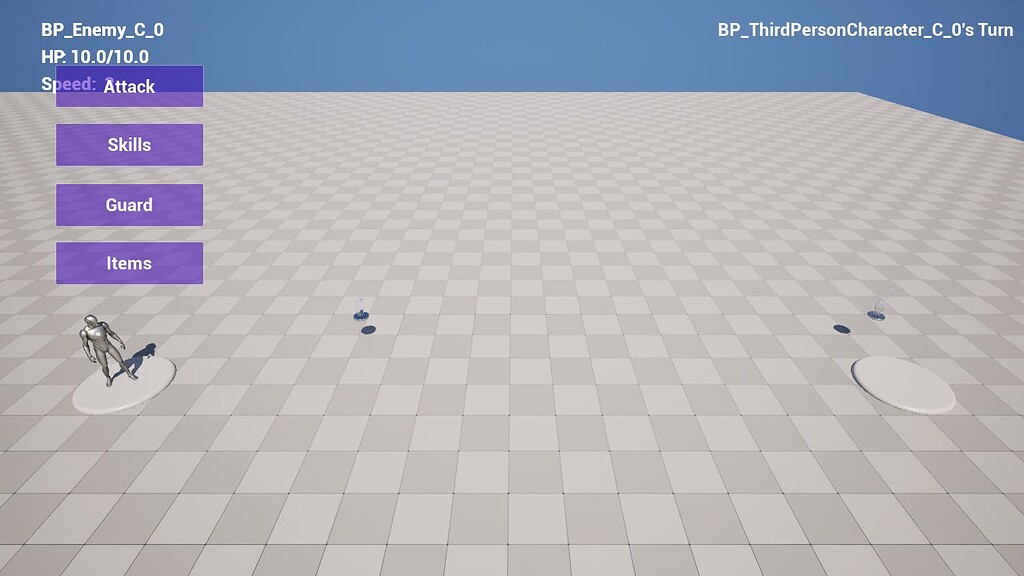
I'm in the process of creating the battle sequence for an RPG. The earliest form, at least. I'm having trouble getting the program's Turn Sequencer to function. (Image 1)
So far, the program does seem to know when it's the player's turn and when it's an enemy's turn. But then, when I stop a test run, an error appears. (Image 2)
Here is the part of the program that invokes the Turn Sequencer in the following link: https://blueprintue.com/blueprint/j1_pcacu/ It is found under the Game Mode BP for the program.
I have been following a Zevna tutorial on making a mini-RPG but I made a few changes of my own as well. So, if anyone is still not sure on what I'm talking about yet would like to help with the program so far, please send me a DM and I will have a .zip file ready.


No description provided
 surreal peak
sage lagoon
I'm in the process of creating the battle sequence for an RPG. The earliest form...
surreal peak
sage lagoon
I'm in the process of creating the battle sequence for an RPG. The earliest form...
The GameMode variable you use in that screenshot is invalid. Where are you setting it? Also the UI variable you are casting is already of that type and the cast is redundant.
sage lagoon
@surreal peak This is really because I've been trying to get the program to create the widget just so it has the information to work with whenever it is invoked. I was following a tutorial, but I'm not totally sure how it became invalid since it worked before. It might be because I decided to use a separate widget instead of one attached to the player like in the tutorial.
I did it this way so the widget would always be on the screen and from any camera angle.
surreal peak
sage lagoon
<@94211915902889984> This is really because I've been trying to get the program ...
Well it's mostly about the GameMode variable. And you didn't answer where you are setting that variable
sage lagoon
@surreal peak I thought I did. Sorry. Anyway, which variable are you talking about? The Turn Sequence one?
surreal peak
sage lagoon
<@94211915902889984> I thought I did. Sorry. Anyway, which variable are you talk...
The GameMode one that is reported as invalid.
sage lagoon
After looking at the main BP, I just realized something. I don't think I've properly cast the player BP when I should have after Event BeginPlay.

 sage lagoon
No, so I'll have to cast to that and promote it to a variable.
surreal peak
I would also suggest not casting and caching stuff like that on BeginPlay.
It's reasonable to cast and cache something locally before potentially running some loop that would just cast over and over again, but casting and caching on BeginPlay, especially with Object that might not be valid or change later down the line, is not a good idea.
If you need the GameMode to call Turn Sequence on, then just do GetGameMode -> Cast -> TurnSequence in that place.
Also you should get used to adding Parent calls for events/functions that you override.

Rightclick that and click on the "Add Call To Parent" option or whatever it is called
And call that at the start of the BeginPlay node.
Otherwise, you will be fully replacing the code of the parent blueprint's BeginPlay.
sage lagoon
Like this?
 surreal peak
e.g. if you now inherit from the BP that the screenshot is made of, and you add BeginPlay like this, none of the CreateWidget code will be called until you add that parent call.
Yes
sage lagoon
So the Parent call is one way to give information whenever anything is being cast to?
surreal peak
No. The Parent node calls the code that is in the Parent BP.
This is about overriding events and functions of parent classes.
If you struggle with the concept of Inheritance, casting, overriding functions etc., I would suggest reading up on it.
Blueprints are, in the end, C++ in a very simplistic form. Lots of the same rules apply, so you can't avoid learning those.
 sage lagoon
Here's what I have now:
 surreal peak
The "Cast" is only necessary here, because "TurnSequence" is a function that first exists in the BPThirdPersonGameMode and not in the parent classes.
GetGameMode only returns you the GameModeBase parent class, so you gotta cast to BPThridPersonGameMode to be able to call that function.
Casting is just checking the type, since those Pointer variables (called references in BPs to be extra confusing) can point to either nothing (which yours is doing right now) or an instance of the (BP) Class that is either of the same type as the Pointer or a child of it.
Meaning you can have it point to BPThirdPersonGameMode since that is a child or grandchild of GameModeBase. But you also only have access to GameModeBase variables and functions, since the Computer doesn't know that the instance that the variable points to is actually a BPThirdPersonGameMode. The cast then basically check the type and either works or fails, based on what you are trying to do.
sage lagoon
Saved your response as an added comment so I don't forget.
surreal peak
If it works, you gain access to everything exposed in BPThirdPersonGameMode and above.
I would very highly recommend learning this Inheritance stuff before even continueing with your project.
It's the absolute core of C++/BP programming and if you don't understand why you have to do certain things, you'll cause one bug after another.
sage lagoon
Duly noted.
Well, I'm not getting any more errors now. Thanks for the tip!
But I still have much else to fix.
 opal apex
question: is this a good practice? passing the 'DamageInfo' from the first custom event that triggers a timer by event, into the timer's custom event directly?
 surreal peak
opal apex
question: is this a good practice? passing the 'DamageInfo' from the first custo...
surreal peak
opal apex
question: is this a good practice? passing the 'DamageInfo' from the first custo...
No, quite the opposite.
That's not a concept even possible in C++. You are just lucky the EventGraph allows it and that pins in nodes are actually holding their state, at least in theory.
surreal peak
Try doing that with 2 separate functions. You'll instantly notice that the inputs of function A aren't available in function B.
You need to set the DamageInfo as a variable once before starting the timer and then use the variable in the other event.
C++ would actually allow you to capture the value as a copy for the timer function but blueprints only allow timer events that have no inputs.
opal apex
thanks, and yeah i thought so
surreal peak
The problem is basically if you start doing that in other cases where the first event is called again before you use the pin.
It would override the pin value.
E.g. if you have a BeginOverlap node and instead of using the OtherActor pointer instantly you use a Delay node with e.g. 1sec. This will work until someone else overlaps before the delay is over. Then the OtherActor will not be what it originally was.
opal apex
hmm
surreal peak
If you have any kind of function input that you need to use "later" - later being anything that is not within that initial exec pin scope - you should cache them. And you might even need to block the variable from being set again before "later" happened.
 tiny tundra
I have a Widget on my actor, and I want to affect the class in the Blueprint - 1. to be able to change the class potentially, otherwise at least I'd like to send info to this instance of the class. Can't seem to find a way to do this..
 tiny tundra
Figured it out. In a nutshell I just did this. Create Widget, then push the class I want into here, and then assign that as a widget component variable to be able to change the properties.
 surreal peak
tiny tundra
Figured it out. In a nutshell I just did this. Create Widget, then push the clas...
surreal peak
tiny tundra
Figured it out. In a nutshell I just did this. Create Widget, then push the clas...
In theory you should be able to just get the user widget from the component directly.
And if you would want to change the class on it you should be able to do that via a set widget class call on the component, which should internally respawn the widget.
tiny tundra
surreal peak
In theory you should be able to just get the user widget from the component dire...
"in theory" yeah, you''d think so, but after banging my head against the wall for longer than I'd care to admit, there didn't seem to be a way to do that (via blueprints, anyway). Which is fine, this works well enough for my purposes and doesn't seem to add any extra work-overhead either way. It just wasn't very intuitive to figure out, fortunately I found a blog post where someone mentioned this method.
surreal peak
Well plugins would be c++
Blueprints are def not capable of doing what you wanna do here
At least in the sense of properly including stuff
spark steppe
i'm pretty sure that it works in BP Oo
there's at least the GetWidget() node to get the widget instance from the component
tiny tundra
Well it is definitely working (with the BP method), fwiw. As far as editing properties & swapping out the class, tested them both.
 crude glacier
Any idea why my accelrtation script doesnt work, if i connect scale value to a constant value it works fine
 surreal peak
crude glacier
Any idea why my accelrtation script doesnt work, if i connect scale value to a c...
surreal peak
crude glacier
Any idea why my accelrtation script doesnt work, if i connect scale value to a c...
Is that a Character or a Pawn?
crude glacier
pawn
surreal peak
AddMovementInput is usually not meant to be used like that.
ScaleValue is supposed to be something around 0 to 1. Potentially higher or lower, depends on the usecases.
The underlying movement system/component usually takes that MovementInput and multiplies Acceleration into it and then uses DeltaSeconds to update the Velocity.
If you still want to use it like that, then I would suggest removing the GetWorldDeltaSeconds part.
crude glacier
ahhh ok thanks very much
 sharp ferry
is it possible to place another BP actor as spawn in a differnt spawn point and level?
lofty rapids
are you streaming ?
sharp ferry
i want to spawn in a differnt level a differnt BP character
no why?
wym streaming?
lofty rapids
when you say spawn in a different level ?
you want when you goto that level it spawns ?
because i don't think you can just spawn into a level if your not streaming
sharp ferry
i just want to spawn a differnt character on a differnt starter point
and control it
in another level
lofty rapids
ok so i would just change the game mode
create a new game mode, set it as the level override
and set the default pawn class to the new player
in the override
and use player start
player start will be where the char loads in
basically when that level loads, it will load that game mode, load and possess the default pawn, and place the pawn at player start
if you want this point to be dynamic
you may want to look into the GI for storing the point
sharp ferry
because what i have to do is change the clothing of my character but im gonna change also her anims idle and walk so i need her as a new BP
sharp ferry
but i also need to do that when she press E near the door, she teleport and spawn that new BP character
lofty rapids
does the door take you to the next level ?
i'm not understanding what your saying about this door and teleport
you can spawn the character at any point
but if you want to use it in the next level, i suggested what to do
i would use a parent class for your character
and have the children be different ones
so you can keep common stuff and not have to copy it every time
sharp ferry
yes
lofty rapids
or use the player controller actually as well
for your inputs
to not make the parent to heavy
sharp ferry
i want to do that when my BP 1 character interact with the door, it telport and spawn a differnt BP character (its her with differnt anims idle and clothing) in the new level
lofty rapids
so then do what i said, but when you interact with the door, just open the next level
should be good to go
sharp ferry
it seems hard as hell
lofty rapids
did you create the character ? @sharp ferry
lofty rapids
sharp ferry
it seems hard as hell
first thing i would do is setup the second level so when you open the level, your using the new character and where you want to be
then open the level with spacebar, or E or something that your not using
if that is working
then just open the level when you open the door
inland walrus
Anyone know why it is destroying room1's when I try change room2's?


 lofty rapids
sharp ferry
it seems hard as hell
lofty rapids
sharp ferry
it seems hard as hell
 sharp ferry
lofty rapids
sharp ferry
lofty rapids
once i get to UE i will re read all ur infos and try to figure it out
lofty rapids
inland walrus
Anyone know why it is destroying room1's when I try change room2's?
i can't read any of those images
inland walrus
lofty rapids
i can't read any of those images
my b it's an ultra wide, I'll post them on bp paste
inland walrus
lofty rapids
i can't read any of those images
No description provided
It's gotta be to do with the updater
thats where its destroying
lofty rapids
so what is guild room target ?
on updater, where you destroy actor, this is the problem its destroying the wrong one ?
you create something with new var
but if you create another one, you set the same var
i'm looking at the code, i'm still a bit confused about it lol
inland walrus
oh so guild room target needs changing to new var?
lofty rapids
inland walrus
oh so guild room target needs changing to new var?
is this intended to spawn the two of them when you run update ?
or it's intended to spawn one
inland walrus
Basically what should happen it shouldn't affect other rooms, for e.g. if I put a training room as room01, then change room02 to a storage or something, it deletes room01s
inland walrus
inland walrus
Anyone know why it is destroying room1's when I try change room2's?
This video here shows it
lofty rapids
inland walrus
This video here shows it
i think because new var was the created room right ? so when you destroy newvar your destroying the last room you created
is this code on each actor ? or like a manager ?
inland walrus
lofty rapids
i think because new var was the created room right ? so when you destroy newvar ...
Yeah pretty much, but I thought a set on room name would change which is being targeted
& There is no manager, this is all their is, it works fine with just one but not multiple
lofty rapids
inland walrus
Yeah pretty much, but I thought a set on room name would change which is being t...
as far as this is all there is, this is on each seperately ?
inland walrus
lofty rapids
as far as this is all there is, this is on each seperately ?
Sorry I dont follow
lofty rapids
inland walrus
Sorry I dont follow
what bp is this code on ? you have three actors, or this is one actor ?
inland walrus
lofty rapids
what bp is this code on ? you have three actors, or this is one actor ?
just one actor component which is on the player
 half field
Need a little help here. So i have an item system set up, where equipping an item creates an actor, attaches it to the player's hand socket, and plays the corresponding montage for the player holding the item. The problem? For some reason, it bugs out, and while visually the right arm does play the montage, the actual bone transformation remains the same, like it's still using the idle/walk animation. This causes the item to appear where the hand would normally be if you don't have an item. If you walk/run around, the item follows where the right hand would be during those animations. Any ideas?
And going to the animation itself with a preview mesh added to the right hand socket, it does display it correctly, so this might be an issue with how blending animations works, but i just cannot figure out how to solve it. Also, attaching it to the hand also doesn't work, since it seems like it's not just sockets, but the entire right arm that is affected by the montage still thinks it's in the idle/walk/run animation, and only visually changes .


 lofty rapids
inland walrus
just one actor component which is on the player
lofty rapids
inland walrus
just one actor component which is on the player
so guild room target is the one of the three your using ?
i see so you spawn in there
inland walrus
lofty rapids
so guild room target is the one of the three your using ?
yeah
lofty rapids
and since this is the actor component, on your character
it deletes the last one
which is in the first bin
you may want to store these vars on the guild room targets themselves
so that each one has it's own to add/remove
- new var
+ guild room target -> new var
altho i would call it something other then new var tbh, try to make variables as descriptive as you can imo
but this way when you go to do the check your checking against the current one your interacting with
so it will remove that, and not just the last one you interacted with which could be in either room
lofty rapids
half field
Need a little help here. So i have an item system set up, where equipping an ite...
half field
honestly i'm not sure if it's caused by the montage itself or the animation blueprint, that's why i also posted it here
inland walrus
lofty rapids
```diff
- new var
+ guild room target -> new var
```
Alright I'll try that , thank you, I'll let you know the progress
inland walrus
lofty rapids
```diff
- new var
+ guild room target -> new var
```
I've done that but it's not not destroying any
 lofty rapids
well i see your still using new var on the == check
inland walrus
ah yea
inland walrus
Quick one, if I wanted to remove only 1 from my map, how would I do it?
 lofty rapids
inland walrus
Quick one, if I wanted to remove only 1 from my map, how would I do it?
lofty rapids
inland walrus
Quick one, if I wanted to remove only 1 from my map, how would I do it?
you want to remove a specific one ?
inland walrus
lofty rapids
you want to remove a specific one ?
So lets say the map is like this:
Class / Interger
Training room: 0
Storage: 2
and I want to remove 1 storage room, how would I set that storage to 1
lofty rapids
i'mnot sure i'm following
you have a map with two key/value pairs ?
class key, integer value
inland walrus
Yeah
lofty rapids
ok you want to change one of the integers
inland walrus
yeah
lofty rapids
change it to a different value ?
inland walrus
exactly, I'd like to find which one the user is wanting to remove, i.e. storage -1
dark drum
inland walrus
Quick one, if I wanted to remove only 1 from my map, how would I do it?
Readd the entry but with the new number, it'll override the value.
 lofty rapids
inland walrus
I'm not sure how to set the new value
lofty rapids
inland walrus
I'm not sure how to set the new value
so i don't think you need this loop
just do add
and pick the key
and set the value
it will overwrite it
inland walrus
ohh, I see
dark drum
inland walrus
Quick one, if I wanted to remove only 1 from my map, how would I do it?
Also, be careful with the 'Get Key Value by Index' as maps are unordered so when you add a new entry, there's no guarantee the order will be the same.
inland walrus
I thought Add would just do this:
Storage: 0
Storage: 0 rather than change Storage: 2
inland walrus
dark drum
Also, be careful with the 'Get Key Value by Index' as maps are unordered so when...
Got you
So the 1 is the amount to add? I thought it was the entry ID

Even then there isn't a subtract node
inland walrus
So it's like this?
 lofty rapids
yes
lofty rapids
what with the room to integer ?
you may want a struct, for more information per room
inland walrus
Yeah I've been thinking of moving over to a struct, I'm going to try continue how I am and if it get's to a point where I'd rather struct I'll switch over
but so far it's doing everything I need it
lofty rapids
makes sense
lofty rapids
inland walrus
You'd think they'd just have a subtract node xD
yes, most things in bp are a copy, if it were a reference you could do something like --
inland walrus
lofty rapids
yes, most things in bp are a copy, if it were a reference you could do something...
I think the add is setting it to 1 rather than adding 1
 sharp ferry
im trying now to add it as new character to spawn
lofty rapids
inland walrus
I think the add is setting it to 1 rather than adding 1
yes it is, it's adding a key/value pair, not add to the current one, you need to find then add, then "set" using add
same as with the other where had to find it first
inland walrus
Got you
lofty rapids
find gets the current value, the add node will "overwrite"
because maps have unique keys
so when you "add" with the same key, it overwrites the value
 lofty rapids
inland walrus
Got you
lofty rapids
inland walrus
Got you
well wouldn't you use the passed class in the find as well ? and pass the guildroom target -> class when you call it ?
you could do that, or hardcode it like the bottom one, but the mixed thing on the top one is odd
but one thing is to be consistent in how you do it
 charred girder
is there a node or setting that makes a socket not have influence over anything? just for cosmetics, i have a sword that gets attached to a hand socket and it works, but i want to add my other hand to the sword to two hand it but dont want it affecting anything
im using the vr template
inland walrus
lofty rapids
you could do that, or hardcode it like the bottom one, but the mixed thing on th...
Yeah I know what you're saying and I could do it exactly like the bottom
crude glacier
Are there any good resources to make any auto spline pcg that keeps make spline forward
 polar barn
How do i make it when the Score reaches 1 it spawns an actor BP
I have it where I gain 1 score when my AI is destroyed
I just don't know how to make it when the score = 1 a Actor BP is spawned
 sand shore
polar barn
How do i make it when the Score reaches 1 it spawns an actor BP
I have it where ...
sand shore
polar barn
How do i make it when the Score reaches 1 it spawns an actor BP
I have it where ...
Instead of directly modifying the score variable, you can make a function like "Increase Score" or "Change Score" that you'd call instead of incrementing or whatever you're currently doing.
That function could spawn the actor if the score was lower than 1 and will now be higher than 1.
It might be a good idea to avoid spawning actors directly within that function, because the function needs to reference every actor it spawns, so that means those actors would always be loaded. You can separate things out with event dispatchers - you might have an event dispatcher that includes the Old Score and New Score, or you could just broadcast that the score has increased with only the new score. Lots of stuff you can do there.
polar barn
sand shore
Instead of directly modifying the score variable, you can make a function like "...
ok thanks ill try it later today or tomorrow
 peak trail
I use a blueprint to spawn an actor with a mesh when i click the mouse
When the actor is spawned my WASD movement is disabled
If i delete the actor then i can move again.
Why is this happening?
 lofty rapids
peak trail
I use a blueprint to spawn an actor with a mesh when i click the mouse
When the ...
lofty rapids
peak trail
I use a blueprint to spawn an actor with a mesh when i click the mouse
When the ...
this sounds really odd, if you don't spawn the thing the print string fires off, but if you disconnect the execution to the spawn, your wasd still work ?
 hardy merlin
If I use the Set Game Paused node, how can I unpause after N seconds elapse? Seems like all ticks and timers stop.
 lofty rapids
hardy merlin
If I use the Set Game Paused node, how can I unpause after N seconds elapse? Se...
lofty rapids
hardy merlin
If I use the Set Game Paused node, how can I unpause after N seconds elapse? Se...
you can tick while paused
crude glacier
can anyone give advice on how to make a loop adding a spline point forward every second, the thing i need help with is to get the location to put it in and stuff
lofty rapids
crude glacier
can anyone give advice on how to make a loop adding a spline point forward every...
get transform on spline by distance
crude glacier
ok thanks
hardy merlin
lofty rapids
you can tick while paused
Is that a setting?
lofty rapids
hardy merlin
Is that a setting?

What is the Tickable When Paused Node in Unreal Engine 4
Source Files: https://github.com/MWadstein/wtf-hdi-files
lofty rapids
crude glacier
can anyone give advice on how to make a loop adding a spline point forward every...
so basically you move along the spline increasing the distance
if you need to loop around set it back to zero when you reach the length
crude glacier
yes thanks
 tired tartan
I need help, the blueprint function keep telling me it needs physics to add force eventhough the object I'm trying to add force to has simulating physics turned on
tired tartan
lofty rapids
where does it "keep telling" you ?
well, Im using a function from a blueprint function library that simulates physics on a object, but when it tried to add a force to it, it throws me an error that says I need physics enabled on that object, also they both on a sequence node
crude glacier
what am I doing wrong, Im tryna make it so every second a spline is added
 lofty rapids
crude glacier
what am I doing wrong, Im tryna make it so every second a spline is added
lofty rapids
crude glacier
what am I doing wrong, Im tryna make it so every second a spline is added
wdym "every second a spline is added" ?
crude glacier
so theres a for loop and a point is added to a spline making it longer and so on
lofty rapids
tired tartan
well, Im using a function from a blueprint function library that simulates physi...
and your sure it has physics enabled ? is it an actors component ?
tired tartan
lofty rapids
and your sure it has physics enabled ? is it an actors component ?
its an primitive component
lofty rapids
crude glacier
so theres a for loop and a point is added to a spline making it longer and so on
so you have a for loop, or this is supposed to add points to a spline ?
tired tartan


 crude glacier
I dont know what im doing
 lofty rapids
crude glacier
I dont know what im doing
lofty rapids
crude glacier
I dont know what im doing
i can see that lol
i'm kind of confused at what your trying to do tbh
so i initially thought you wanted to move along a spline
but you want to add stuff to it ?
dynamically in a loop ?
crude glacier
Im trying to make a loop, that gets position of the last point and adds another point and repeats
lofty rapids
tired tartan
so the idea is that either way it's set to simulate physics ? if is simulating then you go do some stuff, if it isn't then you set it to simulating. btw i can't really see much with that spaghetti
lofty rapids
crude glacier
Im trying to make a loop, that gets position of the last point and adds another ...
this is how you get the last points location
 lofty rapids
then you can add a spline at the end
in that location, but you'll need a forward or something
or some offset, like y - offset or something
tired tartan
lofty rapids
so the idea is that either way it's set to simulate physics ? if is simulating t...
I have a branch that will do nothing if it isn't simulating physics, but when I disable that and run it, it gets me this
 lofty rapids
tired tartan
I have a branch that will do nothing if it isn't simulating physics, but when I ...
lofty rapids
tired tartan
I have a branch that will do nothing if it isn't simulating physics, but when I ...
i mean you code shows that you check if it is simulating physics and if it's not, then set it to simulate physics,
lofty rapids
tired tartan
I have a branch that will do nothing if it isn't simulating physics, but when I ...
and your sure that has simulate physics checked in details ?
tired tartan
lofty rapids
and your sure that has simulate physics checked in details ?
yes
but, it's still not applying any force
tired tartan
lofty rapids
these are components of singlefloorHouse ?
yes, the meshes are parented to a simple scene component
lofty rapids
can you try the node set simulat physics to true and see if it works ?
tired tartan
lofty rapids
can you try the node set simulat physics to true and see if it works ?
its not a physics object btw
I used to have it added to every mesh, but it was taking too much resources and tanks performance, so I have as the parent of the meshes
lofty rapids
tired tartan
I used to have it added to every mesh, but it was taking too much resources and ...
are you saying simulating physics on all the meshes was too much ?
what are you doing that you can't shut it off ?
as far as turn it on, then turn it off later
tired tartan
lofty rapids
are you saying simulating physics on all the meshes was too much ?
no, its that having to add a scene component that tells how close to the object it needs to be in order to simulate phyiscs
and needing to add it to every mesh is too time consuming, so I made a blueprint function that does that, but having it all fire at once especially if I want hundreds of houses would destroy the game's peformance, so I instead put the meshes to the scene component makes it so much easier, less peformance issue, and less time consuming but now I im having trouble trying to make it work
tired tartan
a house that has dozens of meshes and pieces
lofty rapids
and they all simulate physics ?
 trim matrix
I need a job💔
tired tartan
lofty rapids
and they all simulate physics ?
well, the thing is, it only simulates physics when its close to an certain object
I think I should make a blueprint component that has a static mesh along with some number variables and a bool variable
lofty rapids
tired tartan
well, the thing is, it only simulates physics when its close to an certain objec...
and it's close but isn't simulating ?
lofty rapids
it's not simulating most likely
the code is most likely logically not setting it to simulate physics
unless it's a bug in unreal
tired tartan
its still tells me that I need to give it physics inorder to add force, even though the physics is enabled
sage lagoon
I would like to post this forum link. Any help is greatly appreciated: https://forums.unrealengine.com/t/when-is-it-my-turn-rpg-turn-order-question/2599980
Epic Developer Community Forums
While following a Zenva tutorial on how to make a mini-RPG, I have run into a problem regarding when a widget containing user commands should appear and when it should not. Below is what it currently looks like. Right now, the Attack button is programmed to set the widget with the buttons to Collapsed. Now, when an enemy takes its turn, the ...
tired tartan
unless I have to make a c++ component that renders a static mesh that includes some variables in it
lofty rapids
sage lagoon
I would like to post this forum link. Any help is greatly appreciated: https://f...
so you have a turn, which sets the player turn, i would then see who's turn it is and show if it's the current player, like if your player 1, and it's player 1 s turn, then it should show ?
lofty rapids
tired tartan
unless I have to make a c++ component that renders a static mesh that includes s...
idk how you can avoid simulating physics if you want to add force
the chances are high that the function isn't working correctly and not setting the physics to simulate on
tired tartan
also how can I create a component that is similar to the static mesh component, but has a few variables such as float variables (for like health of the object), and bool variable (that can say if it's alive)
plus I cant make it as a actor
because I need to use child actors which can be problematic
lofty rapids
you could store a map of mesh to struct @tired tartan
then just find your mesh, and get your settings
on the actual house that contains them all
sage lagoon
lofty rapids
so you have a turn, which sets the player turn, i would then see who's turn it i...
Not only that, but when it's a party member's turn the widget with the buttons should appear. When it's an enemy's turn, the widget should stay collapsed.
That's what I want it to do, anyway.
lofty rapids
ok, so you need to know what members are in your party ?
the way i do turn based is a ready system, when all players are ready, it switches to the next player
sage lagoon
No, I just need to know how I can control when the commands appear and when they don't.
lofty rapids
sage lagoon
No, I just need to know how I can control when the commands appear and when they...
on player change, check if it's in your party
if so show the widget, if not hide it
sage lagoon
So, what nodes would I need to set and where?
lofty rapids
sage lagoon
So, what nodes would I need to set and where?
what is the widget name ?
the class name
show where you create the widget and add it to viewport
i'm assuming you do it on begin play or something ?
lofty rapids
sage lagoon
So, what nodes would I need to set and where?
do you have any way of determining who's in your party yet ?
i see your organizing the characters by speed
sage lagoon
Yep, and the turn counter too, as shown in the forum link.
lofty rapids
it looks you may want to use "begin turn"
your calling this on the actual character ?
i'm guessing it's a parent function or event
lofty rapids
sage lagoon
Yep, and the turn counter too, as shown in the forum link.
what about the widget
lofty rapids
lofty rapids
show where you create the widget and add it to viewport
^
the one you want to hide/show
sage lagoon
This is under the CharacterBase BP.
And on this link is the code of a status widget which calls the button one.

No description provided
lofty rapids
sage lagoon
Yep, and the turn counter too, as shown in the forum link.
i see you have the persons turn at the top right, is this correct ? and can you use the same event ?
sage lagoon
The top-right shows whose turn it is and the left shows the statistics of the specified character.
Those are part of the BattleStatus widget, which initializes the BattleUI one.
lofty rapids
so the battle ui is what you want to show hide ?
this is the buttons that you have ?
sage lagoon
Yes. That's the one with the buttons.
lofty rapids
ok so character base is the parent class, and you call begin turn when it's a persons turn
this is a parent function ?
sage lagoon
Yes, the CharacterBase BP is a parent one, as it sets the parameters for party members and for enemies, as well as behaviors.
lofty rapids
well when you call begin turn
thats when you want to check for who's turn is it
check if it's in your party
but do you have a way to differentiate party members from other ?
sage lagoon
I only have one for the time being, and for the demo too. There will be up for four in the future retail version, though.
lofty rapids
tired tartan
Uhh
What is the Variable: Map in Unreal Engine 4
Source Files: https://github.com/MWadstein/wtf-hdi-files
lofty rapids
sage lagoon
I only have one for the time being, and for the demo too. There will be up for f...
well i would put a boolean on the parent
partyMember
and set it on the children that in your party
then on begin turn
check if you or a party member is playing
sage lagoon
Huh...I think I know what you're getting at. So I just declare the Boolean variable and then assign it to the player character BP?
sage lagoon
Like, call the parent function and Boolean in the child - in this case, the player character BP who will also be a party member.
lofty rapids
if they are not then it will be false
then you can get the current player, check it's boolean
lofty rapids
sage lagoon
Like, call the parent function and Boolean in the child - in this case, the play...
your already calling the parent function begin turn
get self, and check the boolean
this will be the childs boolean value
does that make sense
get current player from characters array
check if the boolean is set
and i would set it to true on the original player as well
just for less code
you can just check for partymember instead of current player as well
sage lagoon
So here's what I have, under the CharacterBase (Image 1).
And here is the BP under the ThirdPersonCharacter whenever the Attack button is clicked (Image 2).


Oops, that Set PlayerTurn should be unchecked.
Set to unchecked, I mean.
And sorry, I was going over the BPs to set up what I just showed you.
lofty rapids
sage lagoon
And sorry, I was going over the BPs to set up what I just showed you.
np, np
it doesn't make sense what i wrote tho ?
you can show and hide it in the same function
sage lagoon
Kind of. Do you have any examples?
lofty rapids
do you know how a parent variable works on children ?
you can set a parent variable
and when you get and cast, the variable will be the child value
so each one can have a partyMember boolean
but it's set on each child
sage lagoon
Oh! The casting wasn't even needed!

Since the ThirdPlayerCharacterBP is a child to the CharacterBase.
lofty rapids
tired tartan
Uhh
your key would be the static mesh class, your value would be a struct with settings, do you know what a struct is ?
sage lagoon
But I made some changes to that, such as having a separate widget instead of attaching one to the player character.
tired tartan
lofty rapids
your key would be the static mesh class, your value would be a struct with setti...
Oh, I forgot that I can make a blueprint based on actors and other things
lofty rapids
tired tartan
Oh, I forgot that I can make a blueprint based on actors and other things
i would just keep a map variable in each house actor
lofty rapids
sage lagoon
But I made some changes to that, such as having a separate widget instead of att...
i mean what i said is the solution, you can scroll and read maybe look some stuff up
you also need the widget reference
so you can turn it on and off
but basically set that variable on the partymembers, then check for it in begin turn
where ? in begin turn
check: self -> isPartyMember
if true show widget
if false hide widget
lofty rapids
tired tartan
Oh, I forgot that I can make a blueprint based on actors and other things
you can make a manager actor that holds variables and does things
 fervent jolt
Hello. I was wondering, when using the select node, does it only run the code to get the selected value? or does it get every value then return the selected one? because in this code GetLeftPath is an expensive function, and I wouldn't want to call it if not needed.
 lofty rapids
fervent jolt
Hello. I was wondering, when using the select node, does it only run the code to...
lofty rapids
fervent jolt
Hello. I was wondering, when using the select node, does it only run the code to...
yep, it gets both
i'm fairly positive about that
fervent jolt
darn, thank you very much for the quick response
lofty rapids
fervent jolt
darn, thank you very much for the quick response
"evaluates all of its input pins before choosing an output based on the provided index." -google
 austere orchid
Error I've never seen before when compiling a bp
COMPILER ERROR: failed building connection with 'Replace existing input connections' at On Focus End
Do interfaces work differently on actor comps or something?

oh, it seems like i cant plug both an actor + actor comp in to the target 
lofty rapids
thats your problem most likely it won't know which one to use
sage lagoon
austere orchid
Error I've never seen before when compiling a bp
``COMPILER ERROR: failed build...
Usually, you don't want to use Self for something like that. Try one of the "Get Player" options.
Or, if you haven't already, cast to that BP and promote it to a variable. Then, use that variable and attach it to your On Focus End.
modest sentinel
uneven crest
Are you trying to make it so it could be like modular
Yeah more modular and streamlined. I already defined the table on the far left, I don't want to have to manually select it again in my Get Data Table node
trim matrix
hi ive made this room manager bp for my game where you can vacuum up items like chibi robo, the items you vacuum are working fine but im now trying to make trigger boxes that are like the bounds of each area. like for example if theres a house level, each room would have its own manager bp to keep track of how many item bps are inside the box. rn i have it printing how many are inside the box. but im not sure how id fix it so that i can have multiple room managers and keep their counts seperated


 olive yarrow
I'm redoing my actor used for drawing splines for my RTS mode - I have a spline and the camera attached to it but i'm at a loss on how to smoothly move my camera along the spline as i scroll wheel.
I'm familiar with splines enough to move AI around them but for whatever reason this seemingly simpler task is... not.. simple? Anyone got a tutorial layin' around?
I have this, i think i'm within the right path

okay this seems to be pretty close, but the location doesn't really move much

here's the spline
 trim matrix
hi ive made this room manager bp for my game where you can vacuum up items like ...
trim matrix
trim matrix
hi ive made this room manager bp for my game where you can vacuum up items like ...
i got it to sorta work with using last index but now when the player collects an item, the count decreases by 2 instead of one even tho only one object being sucked up (ik the number being 9 is wrong too but its bc i have the array instance editable and its still set to the 9 i had in there previously but i wanted to just use 2 for testing rq but ill be fixing it)


also for some reason after the trace runs once, it randomly runs again like in this clip i only pressed the input once then only the wasd keys and it still kept going off
 scenic crypt
I dont know if I am just doing this wrong or what. I am just trying to make my clock show as double digit numbers. But the format text wont allow me to. Does anyone know how to fix this / get around it? Fairly nooby with blueprints

 graceful sage
scenic crypt
I dont know if I am just doing this wrong or what. I am just trying to make my c...
graceful sage
scenic crypt
I dont know if I am just doing this wrong or what. I am just trying to make my c...
Second one looks messed up?
surreal peak
Can the FormatText even do that? You'd want to call "ToText" on the Integer and set it to min 2 digits in the ToText node.
@scenic crypt
And then connect the resulting text with the FormatText node.
Unless the FormatText node should support this already. Don't think I've ever done it with that.
scenic crypt
That worked. unfortunately I have been learning with AI, and it tends to... Have some bad advice sometimes.
surreal peak
scenic crypt
That worked. unfortunately I have been learning with AI, and it tends to... Have...
Yeah, wouldn't suggest learning from AI. Even YouTube tutorials that are potentially outdated or spreading some false info are better than that.
 desert briar
When I eject from my player character in PIE, I still see the UI. Can I get a "clean" view?
I can open the widget reflector tool, hover over my UI and set opacity to 0
which is a 0/10 in terms of workflow
 drowsy roost
fervent jolt
darn, thank you very much for the quick response
drowsy roost
fervent jolt
darn, thank you very much for the quick response
I love your profile picture
lofty rapids
olive yarrow
okay this seems to be pretty close, but the location doesn't really move much
are you trying to move from one point to another, or just a certain distance down the spline ?
surreal peak
desert briar
When I eject from my player character in PIE, I still see the UI. Can I get a "c...
Ejecting wouldn't remove your UI. I can quickly check what the Console Command for the UI part is.
lofty rapids
olive yarrow
okay this seems to be pretty close, but the location doesn't really move much
because 100 is such a small distance you probably hardly notice
lofty rapids
trim matrix
i got it to sorta work with using last index but now when the player collects an...
what does on vacuumed look like
surreal peak
desert briar
When I eject from my player character in PIE, I still see the UI. Can I get a "c...
Hm, I can't for the life of me find this. I'm sure there was something. I will need to look a bit longer.
desert briar
surreal peak
Ejecting wouldn't remove your UI. I can quickly check what the Console Command f...
there is one? i did spend some time looking for it, couldnt find it... i did find forum answers from you though, from 2014!!!!!! you've been around for a while 🙂
surreal peak
desert briar
there is one? i did spend some time looking for it, couldnt find it... i did fin...
Yeah, I can't find it either. I went through the FEngineLoop::Tick now, up until the Renderer and there is nothing to prevent the drawing.
I could have sworn there was a console variable that can turn drawing off for Slate.
And yeah, I found that post a few minutes ago too. I did also post a lot of crap in 2014, since that was where I started learning.
I basically learned by answering everything I could find, especially on the old AnswerHub.
I spoonfed people answers by learning how to do the stuff they wanted myself. Can't recommened that but it did its job.
In theory, you can hide it if you get your hands on the Viewport Slate Widget.
But I assume you have no C++ knowledge.
surreal peak
Yeah, in most cases your own UI is already set up with a very limited amount of root widgets.
So widgets you, yourself, called AddToViewport on.
And anything else is either added to those via the designer or runtime.
But in the case that you have a very messy UI setup, I can see that adding such a button later down the line can be tricky.
lofty rapids
ya if you need all the widgets, hopefully you have them in the HUD
i would make an array
surreal peak
AddToViewport calls will ultimately do this:
    else
    {
        // We add 10 to the zorder when adding to the viewport to avoid
        // displaying below any built-in controls, like the virtual joysticks on mobile builds.
        ViewportClient->AddViewportWidgetContent(FullScreenCanvas.ToSharedRef(), Slot.ZOrder + 10);
    }
At least if you don't add to PlayerScreen.
Which in the end just adds the Widgets to the ViewportOverlayWidget:
void UGameViewportClient::AddViewportWidgetContent( TSharedRef<SWidget> ViewportContent, const int32 ZOrder )
{
    TSharedPtr< SOverlay > PinnedViewportOverlayWidget( ViewportOverlayWidget.Pin() );
    if( ensure( PinnedViewportOverlayWidget.IsValid() ) )
    {
        PinnedViewportOverlayWidget->AddSlot( ZOrder )
            [
                ViewportContent
            ];
    }
}
I don't think that thing is protected or public though.
Ya, would need to test that, but there is an angle of just hiding the SViewport.
TSharedPtr<SViewport> GameViewport = FSlateApplication::Get().GetGameViewport();
if (GameViewport.IsValid())
{
    GameViewport->SetVisibility(EVisibility::Collapsed);
}
But yeah, C++. Guess no BP console command stuff.
dark drum
desert briar
there is one? i did spend some time looking for it, couldnt find it... i did fin...
'Slate.GameLayer.ViewportSlotVisible false' would hide the viewport. You just need to remember to set it back to true when you've done as it'll persist.
inland walrus
Anyone know why my timer only connects to the hud if I do the wire at the end of the video?
dark drum
inland walrus
Anyone know why my timer only connects to the hud if I do the wire at the end of...
I would use 'SetTimerByEvent' instead of by function name. Helps prevent mistypes in the function name and handles function renames. (usually)
inland walrus
dark drum
I would use 'SetTimerByEvent' instead of by function name. Helps prevent mistype...
I've tried that but still got the same issue with the hud reference
dark drum
As for why it's not working, its most likely that a player controller doesn't exist at the time its first created meaning the cast fails.
inland walrus
I see
dark drum
Personally, i would just have an event dispatcher on the time manager thing you have and call it when ever the time is updated. The UI just binds to it and knows it needs to do its thing.
surreal peak
dark drum
'Slate.GameLayer.ViewportSlotVisible false' would hide the viewport. You just ne...
Aha, there was one after all. Nice!
lofty rapids
inland walrus
Anyone know why my timer only connects to the hud if I do the wire at the end of...
did you try a longer delay then 0.2 to see if works ?
dark drum
surreal peak
Aha, there was one after all. Nice!
Yea sometimes things are hidden away. 😅
desert briar
dark drum
'Slate.GameLayer.ViewportSlotVisible false' would hide the viewport. You just ne...
huge improvement, thank you! it also works with the player canvas via Slate.GameLayer.PlayerCanvasVisible 0
inland walrus
lofty rapids
did you try a longer delay then 0.2 to see if works ?
yeah I just tried 2 seconds and still errors, The only work around I can think of is if I set it each time in the update ui event
 dark drum
surreal peak
I basically learned by answering everything I could find, especially on the old ...
dark drum
surreal peak
I basically learned by answering everything I could find, especially on the old ...
Same, either there's already an answer or you have little project of exploration. 😅
inland walrus
I've fixed it, instead of doing event begin play > create widget in the player controller I cahnged event begin play to event on possess
 wicked cairn
Anyone got tips or suggestions about how to go about getting ai to climb walls to get to another destination on the nav mesh without using nav links?? Ex. My thinking is that they just start climbing the wall if they’re next to one by tracing for a ‘climbable’ trace channel towards the direction of their goal
I basically don’t want to have to place tens of nav links everywhere they can climb
dark drum
wicked cairn
Anyone got tips or suggestions about how to go about getting ai to climb walls t...
Is there a reason you don't want to use nav links? Its what tells the AI they can get from A to B even though its not on the nav mesh.
Also what version of UE are you using? In 5.6 I believe there's an auto nav link option that auto generates nav links.
wicked cairn
dark drum
Is there a reason you don't want to use nav links? Its what tells the AI they ca...
Wouldn’t I have to place nav links all across a wall if I wanted them to attempt to traverse it but not in the same one spot if it’s just one nav link?:0
I’m using 5.5.4
dark drum
wicked cairn
Wouldn’t I have to place nav links all across a wall if I wanted them to attempt...
Ahh, yea no auto option then. Unfortunately without nav links the AI wouldn't know it can get from A to B when it leaves the nav mesh. You can add nav links to BP's so if you have wall pieces, you could create a template for them with the nav links pre placed.
 cunning zodiac
Hi all! I'm new to blueprints and am trying to hammer out an issue. I'm recreating a drone camera using a plugin and for some reason my WASD movements arent working. The enhanced inputs are working with the mouse movements. The WASD seems to be pulling from the plugin itself, and the input mapping context and actions are in the details Input section. I imagine I'm probably missing a checkbox or something somewhere. Or I'm misunderstanding what I'm looking at. Anyone have any thoughts?
lofty rapids
unfortunately it's a plugin
so maybe they have a discord ?
or some sort of contact
cunning zodiac
Okay, I'll see if I can hunt it down. Thank you
crude glacier
what am I doing wrong, I just want to test if a spline point is added, sorry for it bieng 3rd time
 lofty rapids
crude glacier
what am I doing wrong, I just want to test if a spline point is added, sorry for...
lofty rapids
crude glacier
what am I doing wrong, I just want to test if a spline point is added, sorry for...
wdym test if it's added ? it should be added, if you want to test a location use get location at spline point
crude glacier
so I add my spline into workspace, when i run it isnt added?
lofty rapids
crude glacier
so I add my spline into workspace, when i run it isnt added?
your trying to add a space to the end of a spline ?
 inland walrus
I know my issue with this is metahuman related but I dont seem to be able to solve it there for days now and I wonder if anyone else has/or solved this issue unrelated to metahumans as it's an issue with accepting the EULA.
lofty rapids
crude glacier
what am I doing wrong, I just want to test if a spline point is added, sorry for...
set both to world
you got one local, and one world
 lofty rapids
 crude glacier
it looks the same when i run

 crude glacier
ok thanks alot for help
 zinc flicker
I got a small question about Object Pooling, i currently follow some tutorials, most of them use the approach of Bullets Pooling and use Actor Pool.
If i want to pool enemy's would i make my Pooled Manager a "character"? Since some tutorials make the Bullets a child of the Actor and i cant make a character a child of an Actor without bricking everything.
 waxen ice
zinc flicker
I got a small question about **Object Pooling**, i currently follow some tutoria...
waxen ice
zinc flicker
I got a small question about **Object Pooling**, i currently follow some tutoria...
Nah, your manager stays an actor, but the objects you are pooling there are of the different class.
lofty rapids
zinc flicker
I got a small question about **Object Pooling**, i currently follow some tutoria...
the bullets a child of the manager ? or am i misunderstanding because that doesn't sound right
zinc flicker
lofty rapids
the bullets a child of the manager ? or am i misunderstanding because that doesn...
https://www.youtube.com/watch?v=f797l7YTcgc
I followed first that tutorial but i am not sure it requires to make the pooled object a child of the actor so it only works for actors thats what confused me.
I tryed this tutorial https://youtu.be/lpF6HEqr9XI this one worked instant out of the box.
lofty rapids
zinc flicker
https://www.youtube.com/watch?v=f797l7YTcgc
I followed first that tutorial but i...
well what he does it make a parent, so that you can pool multiple classes
zinc flicker
The only problem i have currently is that if i set the pool to 10 and i spawn all 10 objects and i want to spawn new ones it just puts out an error.
From the first tutorial i copied an "time to live" code to kill the object after some seconds.
This in theory works but isnt there a way to just remove the first spawned actor and put it back into the Pool without putting it on a Timer?
 lofty rapids
zinc flicker
The only problem i have currently is that if i set the pool to 10 and i spawn al...
lofty rapids
zinc flicker
The only problem i have currently is that if i set the pool to 10 and i spawn al...
these are bullets ?
zinc flicker
For now i just tested out for "Coins" that drop after you kill a monster
lofty rapids
you should put them back in the pool when they hit something or reach a certain distance
zinc flicker
I first do some coins that drop after kill of a monster to understand the system first before i start applying it to other stuff like footprints or enemys
zinc flicker
lofty rapids
you should put them back in the pool when they hit something or reach a certain ...
Yes in his case its bullets that hit a wall but if i want to have coins on the floor they dont really despawn if they are not picked up
lofty rapids
lofty rapids
if your pool length is zero i would just spawn some more
^ this will increase your pool to whatever size
you want the pool size to be about the max coins that can spawn at once
zinc flicker

On "Object to Spawn" i have set it for now to 10 just to test the stuff so with "Pool Lenght" it would just add more like make 10 to a pool of 15?
lofty rapids
if you remove index and there are zero left, maybe add some more
and what begin playis this ?
lofty rapids
zinc flicker
On "Object to Spawn" i have set it for now to 10 just to test the stuff so with ...
make your pool size just initially big enough is probably the idea if your going to use a pool
but you can keep increasing it
just in case
lofty rapids
zinc flicker
i see you remove index, this is going to deplete your pool
zinc flicker
You mean something like this where the ObjectToSpawn the "10" adjust depends if you have enough
So if i want to spawn 1 more it changes it to 11
And if i deactivate it it takes 1 away.
 zinc flicker
lofty rapids
if you remove index and there are zero left, maybe add some more
zinc flicker
lofty rapids
if you remove index and there are zero left, maybe add some more
Yeah in theory i can just do spawn 200 but i was just wondering what happen if there is 200 in the world, i guess the first tutorial video just makes it into a TIMER so after 10 sec or so it disapears, and the 2nd video destroys it after hitting a wall.
I guess i could put it on a timer when the player is to far away a 10 sec timer starts and puts it back into the pool
lofty rapids
zinc flicker
Yeah in theory i can just do spawn 200 but i was just wondering what happen if t...
basically when they are in the pool you shut them off
no tick, no collision
stuff like that
then when you take them out, you can turn that stuff on
zinc flicker
lofty rapids
no tick, no collision
Yes i did that basicaly i turned off Tick / niagara / light everything
zinc flicker
lofty rapids
then when you take them out, you can turn that stuff on
So in theoryi could just slap 1000 on it since its hidden it should not eat performance?
Ok i have hard 120FPS when i spawn 1000 hiden objects it goes to 105FPS
lofty rapids
 lofty rapids
zinc flicker
Ok i have hard 120FPS when i spawn 1000 hiden objects it goes to 105FPS
lofty rapids
zinc flicker
Ok i have hard 120FPS when i spawn 1000 hiden objects it goes to 105FPS
yes 1000 is a lot
blueprints doesn't handle this very well
zinc flicker
Ok the performance in standalone and viewport are like worlds apart i got like 400 FPS and with 1000 pooling still around 400FPS
lofty rapids
right, standalone is more performant for sure
zinc flicker
Standalone is similar to a real exported game more or less? (packaged project)
Can i use the same Pool for enemys too that i use for coins or should i rather make new Manager or new "object to spawn" for my enemys?
I mean i could spawn like 200 Coins and 200 Monster just seperate i not sure whats cleaner
I try to make it a "BP_MasterEnemy so i can just swap out mesh / hp to use the same pool for enemys.
But i am not sure i can mix and match coins + enemys
lofty rapids
arrays you can only store of one type
so they would have to share a parent
and you would end up casting or something to tell the difference
zinc flicker
So i better just make 2nd Manager to keep it clean
lofty rapids
since they are all actors you can use just actor
but now you have to determine the difference
before you take out and destroy
so it would be less efficient imo
lofty rapids
zinc flicker
So i better just make 2nd Manager to keep it clean
you could make a functionality in the manager that you set the class name, and then from there it creates the pool
and spawn the class type
if you spawn actor of class you get an actor back
but you can pass an array, and a class type to a function
might be usefull if you want to expand it
zinc flicker
BP_ObjectPoolManager i can keep using but i would just use what iset into the image but for enemys
EnemyToSpawn
EnemyPool
EnemyLastIndex
And on event Beginplay i make a "Sequence" with Spawning 200 Coins and 200 Enemys
 lofty rapids
in reality you'll need another manager anyway for the movement is going to be different and how they work will be different
zinc flicker
Basically the Idea was to have similiar swarm mode like Vampire Survivers as an example and i would use Destroy/Spawn but i read, if i want to have 200-300 enemys on screen a pool would be more performant.
zinc flicker
Yeah the bigger problem is anyway how to get performance since i think after around 1000 monster on screen i dip into the 30 FPS anyway.
I feel like all this Survivor games just use "images" to save on performance.
I even started to remove the shadow of the monsters and replaced it with a Circle Decal below it to fake some shadow.
And i turned all tick off that i don't need.
Because before i dedicate to much time i need to figure out if the main part of the game even works.
lofty rapids
1000 on screen at once is a lot
spark steppe
profile it and optimize
i guess character movement and animation take up all your gametime
zinc flicker
I already simplified it a lot
Basically the Enemy autowalk forward and just change animation on attack and go back to walk
I tried out to make Enemys just actors but they cant move properly.
I tried to do Pawns but in pawns i can use them just as drones the problem is they dont respect collision and basically merge all into each other.
Then i just went with characters and tried to remove all tick that doesn't destroy the function of the enemy.
I tryed to find a middleground but i really feel like the Movement Component etc probably uses a lot of performance
I use stylized figures so they not like AAA ultra qualty and i changed the textures from 2k to 265 since they far away anyway. But 1 enemy in memory is like 200 kb with blueprint and textures so i think i reduced that far down.
The bigger problem is that when monsters die they should drop some coins so there is always an "object" in the world.
I tried to make the coin a niagara effect this way its more performant.
waxen ice
Hi guys!
Is there a way to disable/enable all currently active Input Mapping Contexts?
I have DefaultMappingContext added at BeginPlay in Player and in InventoryComponent (which is added to the Player) at BeginPlay I'm adding to the PlayerController InventoryMappingContext. But when I call DisableInput node it seems to disable only inputs from DefaultMappingContext.
crude glacier
anyone know how to add a one second delay before adding spline point, I tried putting delay and set timer event before add spline point but it didnt change it , the same striaght after construction script, should I make my own timer or is there a good ndoe for it?


 languid pagoda
Hello Everyone, could use some help if anyone is available. I'm trying to set up a "stop time" mechanic in my game. I used almost identical logic for slow time and it works, but stop time is proving difficult. I want my PlayerPawn to be able to move freely while time is stopped. I have this within my CustomPlayerController logic and this in my actual pawn to override the time stop. I also have "tick even when paused" as true for all components.


 lofty rapids
languid pagoda
Hello Everyone, could use some help if anyone is available. I'm trying to set up...
lofty rapids
languid pagoda
Hello Everyone, could use some help if anyone is available. I'm trying to set up...
you have two of the same event ?
languid pagoda
lofty rapids
you have two of the same event ?
kind of, one pauses time and the other is giving my pawn custom time dilation
crude glacier
languid pagoda
Hello Everyone, could use some help if anyone is available. I'm trying to set up...
i think its sm with red input
languid pagoda
but both triggered by the same IA
lofty rapids
crude glacier
anyone know how to add a one second delay before adding spline point, I tried pu...
so your doing it in a loop, so multiply the timer interval by index
cunning zodiac
Hi I'm feeling dumb. I'm trying to get my game to start with the bp pawn camera class i created. Its put into the default pawn class in the world settings. But it keeps loading under player start.
lofty rapids
cunning zodiac
Hi I'm feeling dumb. I'm trying to get my game to start with the bp pawn camera ...
wdym "under" player start ?
cunning zodiac
its going to the default player start position instead of the Pawn i made
spark steppe
is the pawn set to be auto possessed by the player?
lofty rapids
cunning zodiac
its going to the default player start position instead of the Pawn i made
because you set default pawn class, the pawn will start at player start
wdym "instead of the Pawn i made" ?
 lofty rapids
cunning zodiac
lofty rapids
cunning zodiac
and that spawns it at player start
thats what it's supposed to do, what are you trying to do instead ?
cunning zodiac
I'm trying to get it to spawn in the drone camera I made
lofty rapids
is it moving around and you want it to stick in there ?
lofty rapids
cunning zodiac
I'm trying to get it to spawn in the drone camera I made
so you placed one in world, and this is where you want to spawn instead ?
crude glacier
woah, u can edit nodes wow
cunning zodiac
sorry, I'm new to blueprints so I must not be explaining correctly
lofty rapids
it's just that what is happening is the way it works where it spawns at player start
if you want something different there is different ways to go about it
 mental trellis
cunning zodiac
sorry, I'm new to blueprints so I must not be explaining correctly
mental trellis
cunning zodiac
sorry, I'm new to blueprints so I must not be explaining correctly
You've explained yourself fine.
When you hit play it shoudl spawn your drone and possess it for you.
Should
cunning zodiac
I supposed I'm assuming the drone camera isn't working because the inputs aren't working. The mouse is moving around but the others aren't. But when I change the inputs to other things nothing changes, so I thought that meant it wasn't loading the BP_OpalHoverDrone at all
languid pagoda
look in your outliner when you hit play to see if it spawns
lofty rapids
cunning zodiac
I supposed I'm assuming the drone camera isn't working because the inputs aren't...
and you have a player start ?
is there a camera on OpalHoverDrone ?
languid pagoda
languid pagoda
Hello Everyone, could use some help if anyone is available. I'm trying to set up...
The oddest part of this, is I unintentionalyl had it working when I set up my actual pause menu. My camera would move while paused
cunning zodiac
lofty rapids
is there a camera on OpalHoverDrone ?
yes
cunning zodiac
languid pagoda
look in your outliner when you hit play to see if it spawns
doesn't look like it
lofty rapids
player start is where it will spawn
languid pagoda
cunning zodiac
doesn't look like it
take my advice with a HUGE grain of salt, but maybe drag an instance of the BP right into your level?
lofty rapids
cunning zodiac
yes
when you hit play is it still the free flying camera ?
cunning zodiac
languid pagoda
take my advice with a HUGE grain of salt, but maybe drag an instance of the BP r...
it's there
 cunning zodiac
lofty rapids
when you hit play is it still the free flying camera ?
cunning zodiac
lofty rapids
when you hit play is it still the free flying camera ?
It just can rotate in place but cannot move otherwise
languid pagoda
cunning zodiac
it's there
and you set up your IMC and IA to move it around?
lofty rapids
cunning zodiac
it's there
you don't need to do this
this will make another player just in the world
setting default pawn will spawn
languid pagoda
cunning zodiac
It just can rotate in place but cannot move otherwise
This is how I set up my WASD for my free camera BP
 lofty rapids
cunning zodiac
It just can rotate in place but cannot move otherwise
lofty rapids
cunning zodiac
It just can rotate in place but cannot move otherwise
so it seems something with your inputs, can put a spacebar event in your character, and print string hello
so that if your character is possessed it should print hello
make sure your receiving inputs at all
which you should be
 lofty rapids
cunning zodiac
lofty rapids
cunning zodiac
set your player controller class here
your cast is probably failing because you have the wrong player controller in override
languid pagoda
cunning zodiac
yeah set a Print String on your "cast failed" to if it's failing like @lofty rapids said
@lofty rapids no ideas for my little problem?
cunning zodiac
okay thanks guys. I'll try that
lofty rapids
languid pagoda
Hello Everyone, could use some help if anyone is available. I'm trying to set up...
are both of these in the same bp ?
languid pagoda
lofty rapids
are both of these in the same bp ?
negative, one is custom player controller, other is BP_Freecam
lofty rapids
lofty rapids
set your player controller class here
^ this is probably the issue from what i can tell
lofty rapids
languid pagoda
negative, one is custom player controller, other is BP_Freecam
does bp_freecam have input enabled ?
it's really strange to do it this way as well btw
languid pagoda
lofty rapids
does bp_freecam have input enabled ?
like Input Actions?
languid pagoda
lofty rapids
it's really strange to do it this way as well btw
I wouldn't doubt that lol. I basically set global params in the Controller and things specific to the FreeCam (player)
lofty rapids
languid pagoda
like Input Actions?
you can try this

but i think pause disables input
and thats the issue ?
languid pagoda
@lofty rapids this is my "slow time' that is working. First pic is in the BP_Freemcam, second pic is in the controller

 languid pagoda
lofty rapids
you can try this
languid pagoda
lofty rapids
you can try this
ok let me try that
lofty rapids
languid pagoda
ok let me try that
the difference is your not pausing
pausing the game disables input
languid pagoda
lofty rapids
pausing the game disables input
ahhhhh
lofty rapids
you may want to make a custom pause state
 flat coral
I'm having a bizarre issue where an event dispatch from one class is being received like 11 times by another class. Look at the logs, one dispatch, received over and over and over again by the same actor.


It starts to get polluted by errors going array out of bounds, but that's just because it's only supposed to get ONE call and instead it's getting like 15
lofty rapids
flat coral
I'm having a bizarre issue where an event dispatch from one class is being recei...
neither of these images show very much, what is the accessing array of ?
 pallid cypress
Hey Guys
I want to use the Level Blueprint to creat a click Event on the mesh insde the Blueprint on the level.
So in Level BP create something that clikc on the Mesh troso in the MetaHuman Character BP that is on that level. How to do it? Sorry I don't know if I'm telling everything clear
flat coral
lofty rapids
neither of these images show very much, what is the accessing array of ?
Doesn't matter. The issue is the one-to-many Dispatch / Received
lofty rapids
pallid cypress
Hey Guys
I want to use the Level Blueprint to creat a click Event on the mesh in...
you probably don't want to use level blueprint for this
lofty rapids
flat coral
Doesn't matter. The issue is the one-to-many Dispatch / Received
the issue is your accessing out of bounds
pallid cypress
what you suggest better?
flat coral
It's causing other issues too, like queing the same dialog 15 times
Yeah but I'm only accessing the array out of bounds because I'm getting 15 calls which each result in an "index++" operation when I hsould be getting 1
languid pagoda
@lofty rapids your solution worked, but its super blurry when I move the camera while paused. is that just an Unreal thing?
lofty rapids
pallid cypress
what you suggest better?
create an actor, add a mesh component
use click on actor event
you may need to enable click events in your controller
pallid cypress
What I want to do is after you click on the Mesh the player cammera will come closer to that mesh
lofty rapids
pallid cypress
What I want to do is after you click on the Mesh the player cammera will come cl...
yes you can do that i have done something similar with a zoom, where it zooms in on where your cursor is
lofty rapids
pallid cypress
What I want to do is after you click on the Mesh the player cammera will come cl...
first thing you need the click event of the mesh
but you got to get it in the scene as well
are you spawning it, is it in the scene yet ?
pallid cypress
not spawning it's on the scene
lofty rapids
ok so do you have a custom player controller ?
 lofty rapids
languid pagoda
<@910231430074859570> your solution worked, but its super blurry when I move the...
lofty rapids
languid pagoda
<@910231430074859570> your solution worked, but its super blurry when I move the...
something to do with the setting you changed i would imagine
pallid cypress
so BP_Actor is the character where we have that mesh that need to make click action
lofty rapids
pallid cypress
so BP_Actor is the character where we have that mesh that need to make click act...
so you don't know what the player controller is so i'm guessing you don't have a custom one
pallid cypress
and this action will make the Camera manager change the camera location
lofty rapids
anyway you need to enable click events
in your controller
which you can do on begin play
pallid cypress
ok
lofty rapids
so goto content browser double click, the bp_actor
and on begin play ...
get player controller
pallid cypress
I have custom player conroller
lofty rapids
ok
in the details
enable click events
make sure it's checked
you don't need to do anything on begin play
if you have a custom controller
just make sure the box is checked
pallid cypress
?

 lofty rapids
don't enable touch events
pallid cypress
it's gonna be use on mobile later
lofty rapids
ok you can try it
double click on you bp_actor and go into the bp
right click and get event actor on clicked
then put a print string hello on that
and see if the click action works
pallid cypress
like this?
 lofty rapids
yes
then run it
and see if it shows up when you click
run in viewport
or pie
so you can see the print
pallid cypress
yes works
lofty rapids
ok so thats the first thing you needed so that works
nice, so now do you want to go straight in ?
like zoom in ?
does your bp_actor have a camera ?
lofty rapids
huh ?
pallid cypress
 pallid cypress
my Default Pawn Class
lofty rapids
ok, so how is that setup in the bp viewport ?