#blueprint
1 messages · Page 324 of 1
 dark drum

 lunar sleet
He added it in the panel
lunar sleet
lunar sleet
He added it in the panel
Interface function output scroll up
 flat raft
 dark drum
lunar sleet
Interface function output scroll up
dark drum
lunar sleet
Interface function output scroll up
I can't find it. 👀
lunar sleet
dark drum
I can't find it. 👀
flat raft
ahh.. it won't bind.. I guess maybe a byproduct of blueprints
Thanks for all the info! I was just curious cus I've never seen this before
 uneven crest
I setup a line trace and got the location from the hit result and made it into a variable. Am I able to spawn an actor from my meshes hand (I know I can do that) and have it end up where the hit result is? Thanks
uneven crest
Im just messing around seeing if I can make a baseball game format. Basically trying to release the ball from the hand, and have it end up where the person selected
flat raft
@uneven crest The Projectile Movement Component does just that.
dark drum
lunar sleet
https://discord.com/channels/187217643009212416/221798862938046464/1384577113885...
Yea but how did he select it or add it to the graph? I cant see any option to do so.
uneven crest
flat raft
<@277205623408689154> The Projectile Movement Component does just that.
It doesnt end up where I want it. It just shoots in a straight direction that never changes. Sorry Im new to this
 lofty rapids
how would i create a callback in blueprints ?
lunar sleet
dark drum
Yea but how did he select it or add it to the graph? I cant see any option to do...
You can implement the interface function as an event
Interfaces be funky that way
 atomic hollow
dark drum
Yea but how did he select it or add it to the graph? I cant see any option to do...
atomic hollow
dark drum
Yea but how did he select it or add it to the graph? I cant see any option to do...
I am thinking how would be a delegate used for in the class which implements interface, passed through interface event
lunar sleet
Tbh this is a rabbit hole that may not be worth going down
Man put a few blocks together that don’t really do anything worthwhile or work properly so dissecting it is a bit futile imo 😀
dark drum
atomic hollow
I am thinking how would be a delegate used for in the class which implements int...
They would use the delegate to bind to an event dispatcher.
dark drum
lunar sleet
Man put a few blocks together that don’t really do anything worthwhile or work p...
Yea your probably right but it's always good to know what you can do for that weird issue it solves. lol.
lunar sleet
Fair enough lol
lofty rapids
how did you get that event as an input ?
atomic hollow
dark drum
They would use the delegate to bind to an event dispatcher.
Then it means that we can bind to delegates(event dispatchers) without having the ref to class which implements it
lofty rapids
5.3.2 i can't find event
atomic hollow
lofty rapids
how did you get that event as an input ?
By having delegate type as input
lofty rapids
atomic hollow
By having delegate type as input
is it something i need to create ?
flat raft
Sorry not as my desk atm... I just dragged from the event (red block) to the function and it made a pin.
I got all sorts of errors though, so maybe don't do that
lol
atomic hollow
lofty rapids
is it something i need to create ?
Look upper some funny solution
lofty rapids
flat raft
I got all sorts of errors though, so maybe don't do that
ya i'm looking to make callbacks something like that would be perfect
atomic hollow
flat raft
I got all sorts of errors though, so maybe don't do that
He want the test
lofty rapids
flat raft
I got all sorts of errors though, so maybe don't do that
ya it worked thanks
atomic hollow
lofty rapids
ya it worked thanks
Share it how you used
flat raft
lofty rapids
ya it worked thanks
it can hook up.. but can it really bind to anything without errors ?
lofty rapids
ya it's not working well lol
flat raft
lol
flat raft
even if it somehow works, there is a possibility that during build time, it will error.
atomic hollow
flat raft
even if it somehow works, there is a possibility that during build time, it will...
It will 💩
flat raft
What I've been using with much success is using Components as Event Managers.
using GetComponentbyClass
lofty rapids
probably will have to write this in c++ instead
atomic hollow
flat raft
using GetComponentbyClass
That's good but some games need more event dispatchers and some interfaces in high number
atomic hollow
lofty rapids
probably will have to write this in c++ instead
Why not to do the callback thing with interfaces in blueprint
atomic hollow
flat raft
using getcomponentsbyclass you can treat a event as a interface
How the hack is that?
flat raft
atomic hollow
Why not to do the callback thing with interfaces in blueprint
cus it still needs to call a function. A callback just does the call. They tried to implement it in the MVVM and it's not very good. I assume if epic can't implement it, I shouldn't bother
 flat raft
 atomic hollow
lofty rapids
but i want signatures as well, but it's a good start
atomic hollow
lofty rapids
but i want signatures as well, but it's a good start
Is the Untitled interface and what is signature
lofty rapids
atomic hollow
Is the Untitled interface and what is signature
no is the level bp, a signature like with parameters
i made a blank level and opened the level bp to test it out
atomic hollow
lofty rapids
no is the level bp, a signature like with parameters
So what is the testing, is it function or event dispatcher
flat raft
lofty rapids
but i want signatures as well, but it's a good start
can have signatures
 lofty rapids
atomic hollow
So what is the testing, is it function or event dispatcher
lofty rapids
atomic hollow
So what is the testing, is it function or event dispatcher
testing is the function

 lofty rapids
flat raft
can have signatures
lofty rapids
flat raft
can have signatures
ya then how to i pass values from the function to the event ?
lofty rapids
lofty rapids
this is a callback tho
that was cool, i saw an event hooked up before didn't ask how to do it, now i know thank you
it's a hack, but it's nice to just have (i don't have a real need for this just a want)
the only thing that is shitty is i don't know how to use the signature yet
so you only get the values that the function returns, not seperate values for just the event
 lofty rapids
flat raft
i don't understand what your question is
lofty rapids
flat raft
i don't understand what your question is
what is this call new event dispatcher node ?
i don't have that
flat raft
 atomic hollow
lofty rapids
what is this call new event dispatcher node ?
atomic hollow
lofty rapids
what is this call new event dispatcher node ?
It is the event dispatcher calling to which you was bind in the function
flat raft
by the way.. don't set it up the way i posted... It's not meant to be used like that. just fyi
lofty rapids
flat raft
this ?
ya these how to call the customevent from inside the new function, and pass values to those parameters
 lofty rapids
i mean i already mentioned i want it to bind to the an argument i pass in
idk how to do it still, i'm still confused about it
flat raft
When you make a Call, you have the inputs (signatures)


this will output here
is that your question?
or is your question how to get the A,B,C pins?

you define the signature in the Event Dispatcher Details Panel
flat raft
coolz
lofty rapids

 lofty rapids
i did
lofty rapids

this is a callback
works perfect
when you drag out from the function and add custom event, it has the signature
i might put it on a timer, but just as an example i got what you were saying
flat raft
well, that's what the discussion is above. We don't really know why this exists. (inside a function)
lofty rapids
it's a callBack
it's really usefull
but wait i think it's missing something to be what i wanted
ya it's not a true callback
you can't use the return value
flat raft
lol.. ok. I guess my definition of Callback is different.
lofty rapids
lol well it's a thing you would use to take multiple paths
so you could have custom code run depending on a branch or something
and you can choose to run it or not run it
normally for me what this lacks is a return value
so you can't really effect the outcome of the function from the event
other then that its close to what i consider a callback
flat raft
weird looking stuff, but I guess it works

if you want to choose a specific event dispatcher
it's going to fire the same event though
kinda pointless if you can't have different signatures
if you want a true-ish callback look into MVVM.

Epic Games Developer
Use Viewmodel to populate your custom user interfaces with data
lofty rapids

lol
callbacks are real usefull i guess i can just use side effects as altering the outcome of the function
meaning just use the variables in the outer scope inside and out in the events
its a good way to reuse a function but take different actions depending on conditions, and you don't have to go in and add this and that, you just attach the event
 tranquil roost
Hello again 😄 ,
I'm using Enhanced Input in UE 5.5.4 and building a system where a single IA_Interact (Digital Bool) handles both Press and Hold logic manually, using Blueprint events:
Started → works
Completed → works
Ongoing → never fires
The Input Action has no Trigger set – I want full control in Blueprint using just Started, Completed, and ideally Ongoing, without using Trigger-based thresholds.
In BP, the Enhanced Input Action node for IA_Interact is set up correctly. Started and Completed fire as expected, but Ongoing is completely unresponsive. Even a simple PrintString directly on the Ongoing pin doesn't execute.
Is this expected behavior?
Does Ongoing only activate when a Trigger is present in the Input Action definition?
I'm trying to avoid Triggers entirely and keep input flow logic in Blueprint. If anyone has encountered this or has a clean solution that doesn't rely on trigger presets, I'd appreciate any insight.
Thanks in advance.

 lunar sleet
tranquil roost
Hello again 😄 ,
I'm using Enhanced Input in UE 5.5.4 and building a system wher...
lunar sleet
tranquil roost
Hello again 😄 ,
I'm using Enhanced Input in UE 5.5.4 and building a system wher...
What do you expect to happen on Ongoing
On a no-trigger setup, Ongoing will only fire before the actuation threshold is reached (which is usually very short). If you want something to tick away while the button is held down, use the Triggered pin.
tranquil roost
@lunar sleet
Thank you 🙂
Ideally?
When Ongoing fires, it should call a function on the current Interactable that starts a "Hold" interaction – prints a debug string, plays an animation (like holding a lever), and starts ticking a counter (on the interactable, not the player).
Basically, it acts as the entry point for a Hold-type interaction, triggered after Started but before Completed.
So reconnecting it from ongoing to triggered should fix it?
lunar sleet
Only if you want it to keep firing until released
Otherwise you may want to switch to a hold trigger and use OnGoing so that it only fires until hold threshold is hit
That will fire multiple times tho
I would maybe start your counter on started and stop it on completed
tranquil roost
@lunar sleet Exactly – I only need the “hold logic” to start once (on the first Ongoing tick), and then the interactable actor itself takes over:
It runs its own timer (inside BP_Interact_Hold), and once the threshold is reached, it fires HoldComplete.
So the player never needs to keep calling Ongoing every frame – I just want it to act as a clean entry point into the hold interaction.
lunar sleet
Cleanest single fire entry point would be on Started
lofty rapids

this works !
basically a map for array, for wondering why these might be usefull sttuff like this, i can just change the map and get totally different outcomes
lunar sleet
If you need to kill the timer before the button is released just use elapsed seconds with a >= bool check
tranquil roost
@lunar sleet
That makes sense in a basic setup – but in this case I’m using a single IA for both Press and Hold, and need to differentiate them manually.
So if I fire hold logic on Started, I lose the ability to distinguish a short press from a hold. I need a window of time between Started and Completed to decide which one it is.
That’s why I was hoping Ongoing could act as a clean delayed entry point – it would allow me to trigger Hold once, without needing a separate input or trigger config.
lunar sleet
tranquil roost
<@179343890409717771>
That makes sense in a basic setup – but in this case I’m ...
Oh that’s easy*
tranquil roost
lunar sleet
If you need to kill the timer before the button is released just use elapsed sec...
I think i have this already:
 lunar sleet
You just run your press logic off the cancelled pin
And your hold logic normally
(Will require a hold trigger on the IA)
And may need some extra steps but doable
lunar sleet
tranquil roost
I think i have this already:
Not really, delta seconds is not elapsed seconds, if you do a simple print string you’ll notice your math is all over the place
Afaik delta seconds is time elapsed since last tick frame
So you’ll have some minuscule amount which varies based on your current framerate
 crimson geyser
Does anyone know why the first screenshot does move my asset (set the niagara system asset manually), but the second doesn't? When I print the string of the Niagara component in Set World Location both have the same string.

 lunar sleet
crimson geyser
Does anyone know why the first screenshot does move my asset (set the niagara sy...
lunar sleet
crimson geyser
Does anyone know why the first screenshot does move my asset (set the niagara sy...
Main difference is that Set NS Asset node, debug the code to see what is failing
tranquil roost
lunar sleet
Not really, delta seconds is not elapsed seconds, if you do a simple print strin...
@lunar sleet
Get your point on Delta Seconds – but just to be clear, the actual issue I’m trying to solve right now isn’t the duration math.
The problem is:
Ongoing doesn’t fire at all unless there’s a Trigger on the Input Action.
Even with the simplest setup (Ongoing → Print String), nothing runs.
I was hoping to use Ongoing as a clean trigger point for starting InteractHold() logic – and then let the object handle the duration internally.
But it seems Ongoing is disabled unless I define a Trigger, right?
crimson geyser
lunar sleet
Main difference is that Set NS Asset node, debug the code to see what is failing
Ye, I've added that to get the variable Niagara system. When I use print strings this give me the correct outcome, but somehow the asset doesn't move.
lunar sleet
tranquil roost
<@179343890409717771>
Get your point on Delta Seconds – but just to be clear, t...
Afaik it’s supposed to fire for a short time but maybe it doesn’t anymore? Either way, it would fire multiple times.
lunar sleet
tranquil roost
<@179343890409717771>
Get your point on Delta Seconds – but just to be clear, t...
See my point on the Cancelled pin with a Hold trigger tho
lunar sleet
crimson geyser
Ye, I've added that to get the variable Niagara system. When I use print strings...
Could be it takes a while for it to get initiated, you’re sync loading a relatively expensive asset, plus Niagara is finicky at runtime to begin with
You can try adding a delay in between that and the timeline to test
crimson geyser
Hmm maybe I need to do this completely different then.
tranquil roost
lunar sleet
See my point on the Cancelled pin with a Hold trigger tho
@lunar sleet
Thanks a ton for all the input – seriously appreciate you taking the time 🙏
Yeah, I think we’re maybe just circling around two slightly different design approaches.
You’re right – with a Hold Trigger and the Cancelled pin, it’s totally doable and clean, and I get why that’s the default recommendation.
In my case, though, I'm trying to keep things as raw and flexible as possible – using just a single IA, with no internal Triggers, and routing everything through Started / Completed, with logic offloaded to the Interactable actor itself.
I originally hoped Ongoing could act as a lightweight "Hold in progress" entry point, but it seems that doesn’t fire at all without a Trigger – or at least no longer works as intended. Totally fair, now I know.
So here’s my current thought – and I’d love your opinion on whether this is a solid path:
In the BP_GameplayPlayer, I'm thinking of adding a Tick-based check that runs only while bIsHolding is true.
That way I will keep full control without IA triggers, and the Interactable itself manages what happens during a Hold (animations, timers, etc.).
Does this sound viable? Or is there any hidden drawback to this approach in Enhanced Input that we should be aware of?
Thanks again – you’ve been super helpful, and this whole discussion’s been gold 💛
lunar sleet
tranquil roost
<@179343890409717771>
Thanks a ton for all the input – seriously appreciate you ...
You can approach things however you see fit tbh, there’s not just one solution for a problem in UE. You can totally do a branch on tick if you want, just letting you know that the Triggered pin does essentially the same thing (ticks away every frame and stops ticking when button is released)
Also #enhanced-input-system may have better feedback on your issue too
 thick swallow
i want to make the katanas target the enemy, but only 1 of them targets the enemy while others go in their forward vector( due to code ), realize how all the 6 katanas detach and launch in their forward vector but only one of them targets the enemy as homing projectile, i want all the 6 to do that but idk why its not doing that :( the code is in the vid
 faint pasture
thick swallow
i want to make the katanas target the enemy, but only 1 of them targets the enem...
faint pasture
thick swallow
i want to make the katanas target the enemy, but only 1 of them targets the enem...
because you're only getting the same one over and over again in that loop
use a foreach loop on the array
not a for loop
thick swallow
i used for each loop

if u mean before spawn actor, the custom event that spawns actor is working perfectly the problem is when i shoot in the other custom event
faint pasture
thick swallow
i want to make the katanas target the enemy, but only 1 of them targets the enem...
its the delay
 ruby cobalt
hello. i'm getting velocity from a bone.. what's the proper way to turn that into a float that gives me "how much my thing moves"?
can i just abs() and then add the vector together?
is that proper?
faint pasture
ruby cobalt
hello. i'm getting velocity from a bone.. what's the proper way to turn that int...
Length of the velocity vector is how far it is moving per second
that x deltatime is how far it moved this frame
ruby cobalt
trying to control sound effect volume (or if it should trigger at all) based on component hit
faint pasture
ruby cobalt
trying to control sound effect volume (or if it should trigger at all) based on ...
use hit impulse
just map range clamped the hit impulse size to some volume range
thick swallow
faint pasture
its the delay
the delay? i should delete it?
ruby cobalt
i have normal impulse but not hit impulse
faint pasture
thick swallow
the delay? i should delete it?
the delay in the loop is only going to exit once, the multiple entries just keep resetting it or are discarded, one or the other.
 karmic sinew
how do i get the player to stop jittering when it moves backwards?

 solid needle
unreal being unreal
5.4 bug maybe>


cannot select specific static mesh/texture targets
restarted editor
repaired unreal
karmic sinew
solid needle
5.4 bug maybe>
this is 4.27
solid needle
this is infact not 4.27
karmic sinew
were you not talking about mine?
solid needle
seperate issue not related to yours above lol
karmic sinew
oh
solid needle
sorry :3
thick swallow
faint pasture
the delay in the loop is only going to exit once, the multiple entries just keep...
how long have u been working in unreal ?
faint pasture
karmic sinew
how do i get the player to stop jittering when it moves backwards?
make the capsule visible, is the capsule jittering or just the mesh?
faint pasture
thick swallow
how long have u been working in unreal ?
since ue4 came out
karmic sinew
faint pasture
make the capsule visible, is the capsule jittering or just the mesh?
how do i make it visible in-game?
solid needle
faint pasture
since ue4 came out
certified unc
solid needle
karmic sinew
how do i make it visible in-game?
search in properties "hidden in game"
set its thickness slightly thicker too
easier to see
faint pasture
karmic sinew
how do i make it visible in-game?
uncheck hidden in game
 cerulean cloud
Anyone know why the first person template doesn't work if you replace it's controller, game mode is fine but the controller just doesn't allow you to give input to look around.
I've fixed this before, but forgot how, I think it was a single config setting.
karmic sinew
the capsule is jittering
thick swallow
faint pasture
the delay in the loop is only going to exit once, the multiple entries just keep...
but what if i wanted to make smth like "after period of time do x" if delay breaks the code ?
solid needle
solid needle
5.4 bug maybe>
bump
faint pasture
thick swallow
but what if i wanted to make smth like "after period of time do x" if delay brea...
put the delay before homing in your projectile
so you just loop -> tell projectiles to take off
or rather they can just do that on begin play
projectile:
begin play -> delay -> set homing
thick swallow
👍
karmic sinew
since the capsule jitters when i move backwards, how do i fix that?
lofty rapids
karmic sinew
how do i get the player to stop jittering when it moves backwards?
this is your movement ? how are you rotating ?
thats more like something a car would use what you have
lofty rapids
karmic sinew
since the capsule jitters when i move backwards, how do i fix that?
it could be an animation problem as well
because it doesn't look like the whole screen shakes, just the character
karmic sinew
lofty rapids
this is your movement ? how are you rotating ?
i use the MoveRight input axis to set a variable that controls the capsule component's rotation with AddWorldRotation

 barren tangle
Do you know if the Mass Entity Framework is available with blueprint now ?
karmic sinew
and yeah it is gonna be a racing game, i thought that the third person template could be easy enough to modify for it
not gonna be cars tho
lunar sleet
barren tangle
Do you know if the Mass Entity Framework is available with blueprint now ?
I don’t think so but try #mass
faint pasture
karmic sinew
since the capsule jitters when i move backwards, how do i fix that?
show a clip
you sure you're not clobbering rotation?
you sure you don't have orient rotation to movement turned on?
karmic sinew
i read something about that but i couldn't find it
faint pasture
karmic sinew
i use the MoveRight input axis to set a variable that controls the capsule compo...
if you bypass this does the rotation of the capsule or mesh ever change?
karmic sinew
it jitters when i bypass it too
karmic sinew
lofty rapids
karmic sinew
i read something about that but i couldn't find it
you can't find orent rotation to movement ?
it's in the character movement component
karmic sinew
oh that fixed it, thanks!
solid needle
solid needle
https://cdn.discordapp.com/attachments/846520322642411570/1384618627202027620/Un...
bump
 steady night
Hi, When using a fraction object, how can i turn off collision from the parts being "destroyed" after its destroyed ?
 willow gate
Hey everyone. So I'm familiar with the savegame/loadgame features of the engine and I use them easily for things like all of my player data. My question is, do I really need to have a variables in my save game object for every single actor in the game that I want to have a persistent state for? For example, if I have killed a boss or destroyed a wall, unlocked a door etc etc, do I have to have variables in my savegame for each and every one of those things? I feel like there's something obvious here I'm missing because that would be pretty difficult to keep track of.
 dawn gazelle
willow gate
Hey everyone. So I'm familiar with the savegame/loadgame features of the engine ...
dawn gazelle
willow gate
Hey everyone. So I'm familiar with the savegame/loadgame features of the engine ...
Within blueprints alone you are kind of limited to that. You can utilize a structure that contains maps to try and contain several values, and construct and deconstruct it from there, populating each value as needed from the map (which in blueprint will be quite a lot of spaghett)
Within C++ you can do things a little bit differently.... Like you could utilize the "Save Game" flag on variables differently than the engine intended - you'd be able to retrieve all your variables maked as "Save Game" from an actor, loop through them, sorting them into different maps for the types of properties into various Maps of "Variable Name" -> Value and then store it all in that struct again that gets stored in your save game. Loading then is just the reverse, looping through the keys in each of your maps, then finding the variable by name and populating the appropriate variable with the value.
willow gate
dawn gazelle
Within blueprints alone you are kind of limited to that. You can utilize a stru...
Jeebus. hmmm.. I wonder if what you're saying with maps/arrays would be like this: Have a map or array of structs for each enemy which then gets added to the savegame file, rather than having each individual actor have variables in the savegame object.
 surreal peak
Depends a bit on the game and its needs. Our game is very rigid in information, so we loop over those Actors and convert their info into smaller Structs which then get saved within a SaveGame. You can, in C++, also serialize actors directly, but you'd need to uniquely identify them.
On The Ascent, iirc, we automatically assigned a GUID to placed actors that was used to save and load them
But there are also systems where you're gonna have to manually convert back and forth between the saved data and the gameplay system
In theory, if you know what parts have to be saved and loaded, you can organize this all a bit like Datura said.
But there are also options such as having your Actors already register to some manager so you can easily access them.
A lot of the more complex systems usually have some kind of structure to them already. E.g. a quest system probably has some ID per quest, an array with currently active ones, one with ones that are done
Those are usually easy to just loop over and convert and later load back in again.
Enemies that are placed into the level, such as some world boss, might be easier to spawn via a spawner.
That spawner can then check if the SaveGame data says if the boss is already dead.
But maybe your quest system or story system or whatever handles that. Tricky to answer by us
But the TL;DR remains that it depends on your game and you should be fine collecting data from whatever you want to save into smaller Structs with just the data that needs saving and putting them into a SaveGame object
The only struggle you have to figure out is how to identify what data belongs to what
willow gate
surreal peak
The only struggle you have to figure out is how to identify what data belongs to...
Thanks for that lengthy answer. Yeah I guess the only way to make sure that happens is to keep track of index values in the arrays or maps that I'm storing data to in my savegame object. Ok well I'll dive deeper into some of the concepts you have both presented and figure something out for my game. Cheers @surreal peak & @dawn gazelle
 proud notch
Hi, any advice on how to refactor those nodes? basically those are a bunch of split structs but I am changing just 1 thing on each loop iteration. Here is a link to the Graph. https://blueprintue.com/blueprint/cqa9psoy/



No description provided
surreal peak
proud notch
Hi, any advice on how to refactor those nodes? basically those are a bunch of s...
There is a SetMember node you can use on Structs
That allows you to hide all but the stuff you want to change.
Only works, of course, if you pass the actual reference into it
So if you work with nested Structs you will find your limits in Blueprints
Especially if it's nested Structs with Arrays of Structs with again Arrays
proud notch
I will check the set member node, that rings a bell. Thanks
like this?

yes it is working, thanks 😄
any advice on the switch node?
surreal peak
proud notch
any advice on the switch node?
Hm. It really. Maybe a select pulled from the StructRef pin of the SetMembers node
But that only works if it's the same struct type
And you need to make sure that the select node really provides a reference (diamond), otherwise you will be modifying a copy which has no effect
proud notch
surreal peak
And you need to make sure that the select node really provides a reference (diam...
cool, will try that later. much thanks.
 patent thistle
hellooo, does anyone know how to toggle the visibility of images inside a widget. For example if the player were to enter a collision box i want a specific part within the widget UI to now appear. Been trying to write the code inside the widget and call it in the box trigger however, thats not working for some reason
 paper smelt
Why is this adding 20 instead of 10? Im trying to make a crafting system for VR and its giving me a hard time... This is my first time working with maps so it could be just me missing something


It seems to be adding double every seccond item
Its quite odd
faint pasture
paper smelt
Why is this adding 20 instead of 10? Im trying to make a crafting system for VR ...
that is way too spaghet my guy
also you are displaying the text of the amount added, not the final amount, is that the intent?
untangle it, and make it easy to follow step by step. There's no reason to have pins dragged all over, just use copy the getter node, it's the same thing.
and separate updating the data from updating the UI
paper smelt
Its spegetty for the time being lol I just do it and make it look good later lol
And no it was not my intent to show the ammount added thanks
proud notch
surreal peak
There is a SetMember node you can use on Structs
looking much better now, thanks. I am about to try the other advice you gave me.

 fading sentinel
hey guys pls have anyone create a character with metahuman in 5.6 and migrate it to 5.5
cause am having such issues have created my metahum in unreal 5.6 but my game project is in 5.5 and am not ready to port to 5.6
 limpid flicker
Hi all, I saw this YT comment was about a year old. Is it still true that you can't use the "Delegate" variable type with Blueprint Interfaces? I'm trying to learn about decoupling my actors as much as possible.

 cunning cloak
Very new developer here. I'm working on adding features to a 2D PaperZD tutorial, currently, when the player presses a key, it rotates the player and changes the gravity, to give the illusion they are walking on the wall. The part I am stuck on at the moment is that when the character lands after rotation, their Z velocity does not reset back down to 0. It is something like 0.00000000000000003, which throws off my conditions for animation states. Anyone know why this might be?
 surreal peak
fading sentinel
hey guys pls have anyone create a character with metahuman in 5.6 and migrate it...
surreal peak
fading sentinel
hey guys pls have anyone create a character with metahuman in 5.6 and migrate it...
#metahumans . Also good chance that you can't back port stuff.
surreal peak
cunning cloak
Very new developer here. I'm working on adding features to a 2D PaperZD tutoria...
If that throws off your condition then you are doing an == comparison on a float, which is never a good idea.
fading sentinel
Yeah it's sad but 6 feels unstable to make my game i
surreal peak
Try IsNearlyEqual instead.
surreal peak
fading sentinel
Yeah it's sad but 6 feels unstable to make my game i
You can't really take 5.6 features and use 5.5. but ask in the metahumans channel
cunning cloak
surreal peak
Try IsNearlyEqual instead.
Ooo, haven't heard of that one. I was comparing > 0, which seems to be too precise. I'll give that one a try! Thank you!
fading sentinel
surreal peak
You can't really take 5.6 features and use 5.5. but ask in the metahumans channe...
I have asked but no way and the metahuman on web is legacy
surreal peak
cunning cloak
Ooo, haven't heard of that one. I was comparing > 0, which seems to be too prec...
Yeah sometimes PCs struggle with setting floats to really precise values. One could argue that 0 should be supported but the problem is more that UE in this case somewhere does something more than setting the value to 0 and that seems to produce a slight rounding error.
And that can always happen with all sorts of things.
If you need > 0, then try to add the && !IsNearlyZero
Or IsNearlyEqual and then 0
That usually uses a 0.0001 error threshold
Which sounds big but often you don't need numbers that are smaller and yet not 0 or different from the number you compare to
cunning cloak
That is great information! Thank you so much!
surreal peak
cunning cloak
That is great information! Thank you so much!
No worries. If you ever want to learn why that is, Google IEEE , that's the standard with which floats are basically represented as a set of 32 bits, which restricts the possible values. Doubles are more precise for bigger numbers but the core issue remains.
surreal peak
limpid flicker
Hi all, I saw this YT comment was about a year old. Is it still true that you ca...
Not sure. But you could quickly test it yourself:P
limpid flicker
surreal peak
Not sure. But you could quickly test it yourself:P

no no, you must spoon feed me ❤️
lol let me go check
surreal peak
limpid flicker
no no, you must spoon feed me ❤️
 surreal peak
limpid flicker
jesus christ what is this gif
surreal peak
limpid flicker
jesus christ what is this gif
Pretty old video. https://youtu.be/9VDvgL58h_Y?si=Ek0jkaxfHCPy7OE_

The epic story of one man's encounter with the most relentless murderer of all time. Real movie in the works! Details: https://www.youtube.com/watch?v=gbqKLJtOaGw
Subscribe! http://bit.ly/subscribeRG
See the entire HSM series: http://bit.ly/hsmseries
Exclusive content on Facebook!
http://www.facebook.com/RichardGaleFilms
Rate The Horribly...
 viscid trout
Heya! I don’t know if this is the right place to ask but I was wondering if anyone could touter me to use blueprint for game development 😅
surreal peak
viscid trout
Heya! I don’t know if this is the right place to ask but I was wondering if anyo...
It is indeed not the right place. Please post such requests to the Job Board. You can find out how via the #instructions channel.
viscid trout
surreal peak
It is indeed not the right place. Please post such requests to the Job Board. Yo...
Where is the rules channels?
viscid trout
Why not just make a channel for job listings? It would be much simpler
surreal peak
viscid trout
Why not just make a channel for job listings? It would be much simpler
That's what the job board is.
viscid trout
Would it not be easier if it were a normal chat like this one instead of having a whole website guide for it?
surreal peak
Maybe, but since we are doing this whole Discord (Slack) thing for 10 years by now and the community actively asked for the different channels and more enforced rules over the years when posting, that's what it is.
dawn gazelle
surreal peak
Pretty old video. https://youtu.be/9VDvgL58h_Y?si=Ek0jkaxfHCPy7OE_
Classic.
viscid trout
surreal peak
Maybe, but since we are doing this whole Discord (Slack) thing for 10 years by n...
10 years is wild
surreal peak
): I know.
That all said, please use the job board and post any feedback and thoughts about the server to #969360633386655744 .
viscid trout
What I also don’t get is why there are so many categories filled with different channels witch I completely understand but it all seems a bit much especially for programming
Interesting way of approaching it.
surreal peak
viscid trout
What I also don’t get is why there are so many categories filled with different ...
You'd be surprised. We constantly get requests to add new channels and people get extremely hostile when we tell them that we can't add more and more channels for potentially dead topics just cause one person asked for it.
We usually add channels for topics that are discussed a lot and are overflowing the general discussion or other channels.
viscid trout
That’s kinda what it is at this point
surreal peak
Most of the programming channels have a lot of daily messages and it's easier to stay on topic that way. We also tried to suggest Forum channels for something like this to get the channel count a bit lower or more organized but the regulars are pretty against it.
viscid trout
Noice
surreal peak
Yap, it is what it is.
viscid trout
It’s just really confusing because of the amount of random channels scattered across the server
I think it would be a good idea to make a different server called like unreal help or something yk?
Idk
dawn gazelle
That's what this server is... You ask questions in this specific channel for help with blueprints. If you want to hire someone to tutor you one-on-one, then you can post a job as Cedric said.
lunar sleet
viscid trout
I think it would be a good idea to make a different server called like unreal he...
We have #ue5-general if you want to just use one channel but your post is more likely to get lost in the flood of messages
Excluding job listings tho
 rapid stag
Hey everyone, I'm somewhat new to UE and having difficulty making a timer for my rhythm game. I have it to set time by song bpm and loop, which works, and switch bpm when chaning songs which also works. My issue is the timing. My connected bps that use the event dispatcher seem to have a slight delay. I was wondering if anyone could help or notices anything wrong. Thanks!


 surreal peak
rapid stag
Hey everyone, I'm somewhat new to UE and having difficulty making a timer for my...
surreal peak
rapid stag
Hey everyone, I'm somewhat new to UE and having difficulty making a timer for my...
Are you aware of the Quartz Subsystem that UE provides?
Because, and this is coincidence because I looked at rhythm stuff the other day, I wouldn't do the timers manually.

Epic Games Developer
An overview of the sample-accurate scheduling system in Unreal Engine.
This runs a Clock on the Audio Thread, and provides you with events for Beats and other Quantizations.
rapid stag
No, I will definitely check that out now, thank you so much. I knew that eventually timers manually wouldn't work, but was struggling to think of a better fix.
surreal peak
And ensure that if you play two or more sounds as Quantized, that they will be aligned
UE also has "Harmonix", but as far as I understood that's more for MIDI support and an internal "non-Quartz" clock inside of MetaSounds itself.
But that's how Epic built their in-Fortnite audio sampling thing.

Epic Games Developer
An overview of the musical plugin in Unreal Engine.
I would probably say you are fine with just Quartz for now.
rapid stag
Sounds great thank you. I have only used the sound utilities plugin so far and was struggling
surreal peak
There is this guy, who seems to be one of the only ones making tutorials about it.
But a big fat warning: This person seems to be heavily skilled in audio and not so skilled in programming/scripting. The choices they make to actually code some stuff shouldn't be taken as the golden standard, or at the very least only seen as a temporary thing to get their tutorial across. That's at least what I gathered from watching one or two of those videos.

In this video I will show you how to quickly set up a Quartz Clock System in Epic Games’ Unreal Engine 5.1 and use that clock system to trigger audio at quantized “musical” moments of time.
This system is sample accurate and opens up a whole world of ways to trigger music and SFX in your game. By using music time codes and BPM boundaries...
So please only use this as an introduction to Quartz, and ignore where and when they do this stuff.
Especially the point of doing it in the LevelBlueprint.
Please don't do that in the LevelBlueprint in the end.
Here is an interesting video. It's not very deep, technical-wise, but also helps a bit getting the point of Quartz across.
https://www.youtube.com/watch?v=hOxarALLSSo
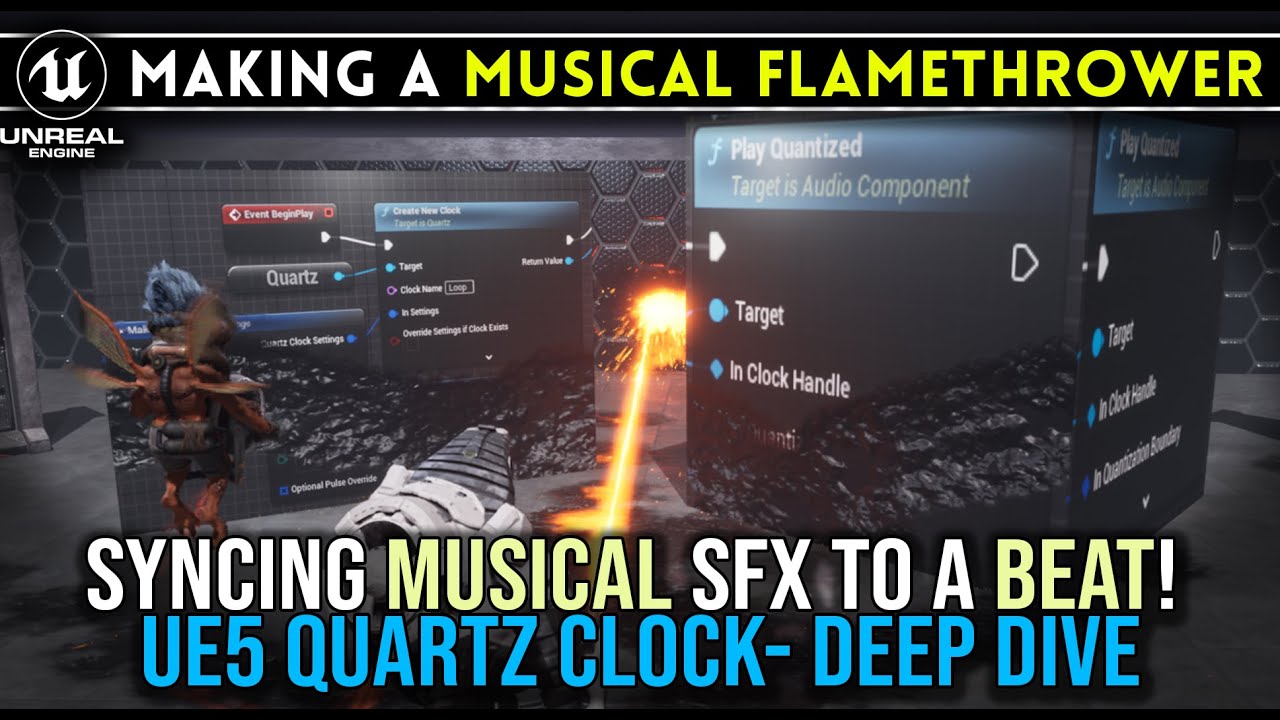
In this Video I show you how to USE A QUARTZ clock inside the Unreal Engine 5 to Perfectly Synchronize Musical Weapon sounds with a beat. We will use. aFlamethrower that had a pulsing synth sound that loops in perfect time after the player fires and holds the trigger.
Quartz, is the way that Unreal allows you to play perfectly “quantized” o...
If you ever get interested into Harmonix, there is https://www.youtube.com/watch?v=ImOsjSDBWZY.
It's a very shallow talk about Harmonix, showing off "Patchwork" for Fortnite.

https://audio.dev/ -- @audiodevcon
Music Rendering in Unreal Engine: The Harmonix Music Plugin for MetaSounds - Buzz Burrowes - ADC 2023
MetaSounds is Unreal Engine's graphical audio authoring system. It provides audio designers the ability to construct powerful procedural audio systems that offer sample-accurate timing and control at the a...
And that Brian Michael Fuller person also has something about Harmonix fwiw.
Should probably pin some of this in the Audio channel eventually
rapid stag
Ok, awesome. Thanks again I really appreciate all the help. Quartz definitely seems like the way to go in terms of syncing up.
surreal peak

Epic Games Developer
Epic Developer Community Learning offers tutorials, courses, demos, and more created by Epic Games and the developer community.Learn UE and start creating today.
There is also some stuff here apparently, but I haven'T watched that yet.
Ah, wow there is an Unreal Insides about it in that link above.
 warped juniper
For making a grappling hook mechanic, would you reccomend using Flying Movement mode on the CMC and applying velocity towards that target point?
I am struggling a quite a lot with making it work
 icy hedge
Does anyone know how to get the guardian dimensions of quest 3?
I'm working on a VR project and I want the player to move to any one of the edges in the beginning. For that I need to know the dimensions of the guardian so that I can nudge them near by the edge.
I have tried using "Get Guardian Dimensions" & "Get play area transform" but when I print, it's giving all 0 values.
 copper lion
warped juniper
For making a grappling hook mechanic, would you reccomend using Flying Movement ...
copper lion
warped juniper
For making a grappling hook mechanic, would you reccomend using Flying Movement ...
I think you got some lecture about this system on unreal learning site
 crude hearth
Hi,
Can anyone help me? I’m trying to build HLODs because I have a lot of assets in my world and I’m seeing low FPS. Is there anything else I should do? I already have everything enabled.

 snow halo
Hi I have a problem, when I begin my gameplay trees start with size like 4,4,4. Which is fine ✅
But when I regrow it it becomes like 5-6 times as big, which is very weird, size the 2nd time it regrows becomes something like 21,21,21 etc. How? Im saving the variable 📙 and then I input it into the spawn actor transform ➡️ 📑
 lofty rapids
snow halo
Hi I have a problem, when I begin my gameplay trees start with size like 4,4,4. ...
lofty rapids
snow halo
Hi I have a problem, when I begin my gameplay trees start with size like 4,4,4. ...
i see so when you span it again, it has a different transform ?
snow halo
lofty rapids
i see so when you span it again, it has a different transform ?
yes, exactly
lofty rapids
what does centralized begin play look like ? are you doing anything with the transform ?
snow halo
not that Im aware of, this mostly has to do with the chopped up wooden-log components that fall when the tree is fully chopped
 lofty rapids
snow halo
not that Im aware of, this mostly has to do with the chopped up wooden-log compo...
lofty rapids
snow halo
not that Im aware of, this mostly has to do with the chopped up wooden-log compo...
right it doesn't look like your changing it anywhere
snow halo
ik
 tender loom
hey guys have been doing ue5 for about a year now recently discoverd ALS using it for my own game, i added shooting with damage that makes the npc ragdoll but i cant seem to add force to enemy when shot in ways that did work for other projects i am using line traces HELP
snow halo
lofty rapids
right it doesn't look like your changing it anywhere
I'll give you another information that might be useful
this thing that I showed you is the parent base blueprint of all my other tree types
so when I go to chop a tree like this for example, BP_TREE1 which inherits from bp_tree base
its transform looks like this

and base looks like this (1,1,1)
 lofty rapids
when you get transform and plug it in, split the scale and try 1.0
see if it's scaling up and thats your issue
crude hearth
Hi,
Can anyone help me? I’m trying to build HLODs because I have a lot of assets in my world and I’m seeing low FPS. Is there anything else I should do? I already have everything enabled.
 snow halo
lofty rapids
when you get transform and plug it in, split the scale and try 1.0
snow halo
lofty rapids
when you get transform and plug it in, split the scale and try 1.0
yeap that fixed it ✅ ty
 covert stirrup
Is there a way to get a specific member from a struct to build up an array?
For example I have 4 items in a struct and I want all of the names of those items, ignoring their price (for some later setup)
 lofty rapids
you want an array of values ? it looks like your doing it right so far
break the struct to get the values
covert stirrup
it unfortunately doesn't work, this needs to be dynamic; I would not want to manually like 100s of links, so I am looking to automate it
lofty rapids
right it doesnt work because your not doing anything with the data
you have a struct of structs ?
covert stirrup
@lofty rapids this for example
 lofty rapids
covert stirrup
<@910231430074859570> this for example
lofty rapids
covert stirrup
<@910231430074859570> this for example
this has empty text, your looking to fill it ?
covert stirrup
I am looking to update the green with the red
 lofty rapids
ya you can deefinately match indexes
whats the the bottom left foreach of an array of structs ?
lofty rapids
lofty rapids
you have a struct of structs ?
also this ?
covert stirrup
yes I have a struct of structs, currently wanting to seperate products by another metric
covert stirrup
lofty rapids
whats the the bottom left foreach of an array of structs ?
this is just an exmaple its not currently linked, I am highlighting an issue I have
lofty rapids
drag out of array element and do break struct
 lofty rapids
ok so are these your items ?
covert stirrup
yea
lofty rapids
interesting
covert stirrup
I need the first member of each array element, which in this example would be "item name"
lofty rapids
you should have a struct for item, and an array of items
covert stirrup
I do
lofty rapids
you have a struct of structs
thats not an array of structs
well you have an array
covert stirrup
ok so the pipeline is this
covert stirrup
Struct Item Info > Struct Product Domestic > Struct Product Collections
when I break product collections I get Domestic Products, I then want to loop the first Member of the array element to get the item name
lofty rapids
" you can't directly loop through the individual members of a single struct in Blueprint"
you want an array of structs
lofty rapids
covert stirrup
basically when you pull off this array element, it should be the item struct where you would get the name or whatever for each one
covert stirrup
for sure, but I need a way of managing this data in large bulk, I won't be dealing with 1 or 2 items
so doing this on an manual / non-automated system is non-workable
lofty rapids
well unfortunately like i just mentioned you can't loop a struct
i think maybe in c++ there is a way, but idk about blueprirnts
the typical structure is you create an array of structs, and the struct is your item struct
then you just add items to the array
covert stirrup
I need to deal with a lot of data that ideally needs to be centralised
otherwise its a cluster
I cant really make an array out of it, not in my situation
lofty rapids
"Structs are designed to hold related data together, accessed by name rather than indexed like array elements. "
ya from what i gather you can't even do it in c++
so your kind of screwed there with this structure
 final berry
Hello! Im running in an odd issue. When I try to unload a level it works fine, but when a timeline is running it always crashes. Is this a known issue? or is there possibly something else thats breaking it. When I click an actor it starts a timeline to animate an object to move to that position. Nothing special, but when I unload the level before or after clicking it works fine, but if the animation is runnning and I try to unload the level (back to title screen) it crashes unreal altogether 🤔
lofty rapids
final berry
Hello! Im running in an odd issue. When I try to unload a level it works fine, b...
the timeline is an actor ?
final berry
lofty rapids
the timeline is an actor ?
The timeline is on that actor itself, if that is what you mean?
So its not possible that the timeline references an actor that doesnt exist anymore was my logic, so really confused why it would break like that
lofty rapids
final berry
The timeline is on that actor itself, if that is what you mean?
wdym "unload", how are you loading levels ?
lofty rapids
final berry
So its not possible that the timeline references an actor that doesnt exist anym...
is there errors ?
final berry
I have a main level that handles loading and unloading levels when needed (instead of for example open level).
 lofty rapids
and the actor with this timeline is on the main level ?
or on the current level loaded ?
final berry
lofty rapids
is there errors ?
This is what I get when Unreal crashes
 final berry
lofty rapids
or on the current level loaded ?
final berry
lofty rapids
or on the current level loaded ?
Current loaded
lofty rapids
final berry
This is what I get when Unreal crashes
idk what this could mean, looks like a memory problem it's an actual crash so the whole thing shuts down ?
final berry
Yea, completely gone 😅
final berry
I would say that if its a memory issue then it would not be so consistant in every time when the timeline is running imo 🤔
Yea gonna try that now, see if it does anything
lofty rapids
it's probably a timing thing
you unload something before you unload the actor
and the actor may be accessing it, which would be "bad memory" basically
that could be but i'm not good with these kinds of errors it's an editor crash idk much about it
final berry
Found the issue! I shouldve just read the error first 😅
My custom camera thingy is trying to follow an actor that isnt there anymore so it went boom apparently
If i dont follow the actor at all it works fine, regardless of animation/timelines
final berry
Yea, it seems a bit excessive to just terminate it alltogether 🙈
 verbal kayak
how to change pp materials values on realtime????
no mpc things please. just how to bp without mpc ty.
 blissful grail
lofty rapids
i think maybe in c++ there is a way, but idk about blueprirnts
blissful grail
lofty rapids
i think maybe in c++ there is a way, but idk about blueprirnts
Yes & no. Using UE's reflection in C++, you can loop through the UPROPERTIES of a struct.
But they have to be uprops.
 wild pumice
I was messing with the set view target with blend node and I was trying to get the possess node to trigger after the camera blend completes. At the moment the possess camera snaps into place instantly overriding the set view target blend. My hack workaround was to have a delay with the same duration as the blend time. Is there a cleaner way to possess the pawn after the "Set view target with blend" completes?
 lofty rapids
wild pumice
I was messing with the set view target with blend node and I was trying to get t...
lofty rapids
wild pumice
I was messing with the set view target with blend node and I was trying to get t...
delay is probably the best bet, idk of an event that triggers when that set view target ends
but there may be an event i'm still learning
wild pumice
Dang. I thought that might've been the case. Would've been nice to have a completed output like a timeline.
blissful grail
I'd argue delay isn't the best. A timer would be better. Delay is fine, until you run into a situation where you'd want to cancel the delay mid-delay. Admittingly it is more of an edge case scenario, but enough to not qualify it as the "best" 😛
lofty rapids
ya timer is also good, probably better then a delay but it's basically the same thing ?
 frosty heron
Not at all as you can cancel timer by the handle
blissful grail
lofty rapids
ya timer is also good, probably better then a delay but it's basically the same ...
It achieves the same effect, but provides a weeee bit more control for the times you need it.
lofty rapids
right you can cancel it, makes sense
frosty heron
I don't use delay for gameplay purposes soo far.
blissful grail
Not saying to never use a delay mind you. Just throwing out that it isn't technically the best solution for this 😛
And being technically right is the best kind of right.
tranquil roost
Hey folks,
I’m building a Blueprint-only interaction system in UE5 using a single InputAction for all interaction types (Press / Hold / Tap / Toggle), handled via an EInteractionType enum inside each Interactable.
In BP_GameplayPlayer, I check IsHolding == true in Tick, compare GameTime - HoldStartTime with GetHoldThreshold(), and if passed, I call InteractHoldComplete().
Using Enhanced Input without any Triggers, just Started, Canceled, and Completed.
Issue:
If the player just taps the button (quick press), IsHolding is set to true in Started, and the Tick timer still runs – even though the button isn’t held anymore. Eventually, it triggers HoldComplete() unintentionally.
Question:
Is there any clean way (using Enhanced Input, no triggers) to check if the key is still physically down?
Like an equivalent of IsInputKeyDown(F) from the old input system?
Or do I need to manually set a flag:
Started → IsHolding = true
Canceled / Completed → IsHolding = false
...and check that in Tick?
Appreciate any thoughts or alternate approaches 🙏
faint pasture
tranquil roost
Hey folks,
I’m building a Blueprint-only interaction system in UE5 using a sing...
get input value
dark drum
tranquil roost
Hey folks,
I’m building a Blueprint-only interaction system in UE5 using a sing...
How come you're not using the hold trigger on the IA?
Triggered pin will fire when the hold time has been met.
You can use Ongoing pin which will trigger each tick until it's triggered if you need to do something before it's triggered.
But as Adriel said you can get the input value. However, there are a few places that won't let you get the node.
 stray harness
Hello Everyone, I have a gamestate called BP_FPSGameState, but when I call Get Game State from a widget in BP, and try to cast it to BP_FPSGameState it is failing. Do you know why this would fail? I found some docuemntation that shows it should work too
dark drum
stray harness
Hello Everyone, I have a gamestate called BP_FPSGameState, but when I call Get G...
Have you set it to use your game state in the game mode?
stray harness
dark drum
Have you set it to use your game state in the game mode?
Yeah, i have that in cpp but i see the proper gamestate in the editor as well which confirms it is correct
dark drum
stray harness
Yeah, i have that in cpp but i see the proper gamestate in the editor as well wh...
Is your custom game state defined in BP or c++?
 dark drum
stray harness
BP
dark drum
stray harness
BP
Is your map/level set to use your game mode?
faint pasture
Where did the whole BP_ thing come from
I just do type_name
SM_Door
ABP_Dog
MI_Brick_Red
GM_Gameplay
 spark steppe
i feel like it's less necessary with content filters
lofty rapids
stray harness
where do you set the variable value ?
stray harness
dark drum
Is your map/level set to use your game mode?
Yeah
spark steppe
not saying that it's bad practice, but i think it evolved when those filters weren't there 😄
stray harness
lofty rapids
where do you set the variable value ?
The default value is 00:00 for the round timer. I am trying to just set it to AA right now to get the casting to work, but the value is defined in the FPSGameState class in a cpp file, which is what BP_FPSGameState is created from
stray harness
faint pasture
Where did the whole BP_ thing come from
Yeah this is an old project I just updated and you are right.
lofty rapids
why don't you use get game state node ?
stray harness
lofty rapids
why don't you use get game state node ?
sorry i gave a slight wrong image. I have used that initially but then tried to store it in a variable in the event construct to try that.

 cinder portal
Hi guys
Is there a way via blueprint to get the enum key?
I have this situation:
C++:
MainWeapon->PlayAnimationByAction(this, EMontageAction::Unequip, 0);
I'm passing an enum to a Blueprint event
How can I select a row using the enum?
This is the enum structure:
UENUM(BlueprintType)
enum class EMontageAction : uint8 {
    Equip UMETA(DisplayName = "Equip a weapon"),
    Unequip UMETA(DisplayName = "Unequip a weapon"),
};
If I use the Enum To String node, I get the Display Name..
Blueprint:
 lofty rapids
stray harness
sorry i gave a slight wrong image. I have used that initially but then tried to ...
lofty rapids
stray harness
sorry i gave a slight wrong image. I have used that initially but then tried to ...
ya i wouldn't do that on tick, but even that is failing ?
stray harness
lofty rapids
ya i wouldn't do that on tick, but even that is failing ?
Yeah
lofty rapids
cinder portal
Hi guys
Is there a way via blueprint to get the enum key?
I have this situation...
i think this requires a function in c++
i would use a BFL because thats all i know about c++ and unreal
and i think from what i read there are some c++ stuff to get it, you can loop through and get the keys then return the array
so you would unde up with a bp node getKeys(someEnum)
stray harness
1 other data point for the issue I am having is the game state is returning, but just the cast is failing:
 steady night
erh im adding a actor to an empty array and length is 1
but still i have t get index 0 right ?
just noticed a bug im having
lofty rapids
stray harness
1 other data point for the issue I am having is the game state is returning, but...
and your sure the cast is failing you put a print string on it ? and you set the correct state in your override ?
steady night
Length of an array will be 1+ from the index of the array right * ?
stray harness
lofty rapids
and your sure the cast is failing you put a print string on it ? and you set the...
Yeah

 lofty rapids
steady night
Length of an array will be 1+ from the index of the array right * ?
lofty rapids
steady night
Length of an array will be 1+ from the index of the array right * ?
the length of the array is however many items are in the array
the last index is length - 1
steady night
yeah exactly

any way to locate wher this is comming from
i cant find where its trying to access idnex 1
steady night
it checks out ive tried it
steady night
yeah i know
when 2 players i get +
but im checking is valid on each "get index 1"
lofty rapids
you may want to check is valid index
which is a node you can use
but the warning seems to suggest what i mentioned to be the problem
without looking at it i have no clue it's all guessing except for the error
steady night
yeah its trying to get info from index 1
sec
No description provided
i mean this wont tell you much eaither but
lofty rapids
this site shows me one thing that i can't tell tho
you have two gets
but what indexes are you getting ?
probably 0 and 1 i'm guessing
or you wouldn't have two
lofty rapids
when you get 1 is the problem
you check is valid after that
so it's not going to help
before you get 1, check if it's a valid index
if this array can vary from 1 to 2 items
and you want it to work for both
steady night
hmm yeah
ill try
so is valid nly checks if the array has "something in it"
?
yeah that made it stoop
cool i thought u could check is valid directly on the index
but i guess not
lofty rapids
 lofty rapids
steady night
cool i thought u could check is valid directly on the index
lofty rapids
steady night
cool i thought u could check is valid directly on the index
well the way you had it the warning fired before you could check
steady night
yeah
thats what im doing
like your pic
its ok it solved it
thanks
do you know much about fracturing bt w?
lofty rapids
steady night
do you know much about fracturing bt w?
no i don't whats going on ?
steady night
okey, well im trying to use it kidna first time but im not getting the hang on it really
the tutorials i find are all about different stuff
stray harness
@lofty rapids @dark drum FYI, I fixed the issue...... just a reboot of the editor fixed it.... lol
lofty rapids
should be one of the first things you do lol
"did you turn it off and on again"
you never want to believe unreal engine is just being crazy, but it does go crazy sometimes
stray harness
lofty rapids
you never want to believe unreal engine is just being crazy, but it does go craz...
Found a post from 2017 on the solution... lol https://forums.unrealengine.com/t/casting-to-gamestate-fails/11312/4
Guess it hasn't been fixed yet haha

Epic Developer Community Forums
Your Game Mode generally holds the meta rules and your GameState actually carries out the local rules based on the player’s state. So your Game Mode would dynamically change the GameState depending on what’s happening. So for instance, your GameState would start as “In Game” with rules that govern moving the player, where they can go, th...
lofty rapids
a lot of moving parts, something can get fkd so easy
 maiden wadi
I had a similar issue last night. My BPs got into a weird unsaved state even though I was constantly saving them after changes. I always check the * after compiling and save. But I had a reliable server RPC that wasn't working in Standalone, but worked in PIE. Restarted the engine and my BP reverted back to a state before the RPC even existed. Redid it identically. Worked in standalone without issues. :/ Weirdest thing I've seen in a while.
 lament spear
Hi guys. I'm working on a project where I have connected the Logitech G920 steering wheel and the Logitech Heavy Equipment Side Panel with unreal and have enabled the raw input plugin.
The problem is that each of the devices work correctly when connected independently but when I connect them both at the same time only the steering wheel works.
Does someone know how can I make them both work?
P.s. I have added both products vendor ID and Product ID but It seems like that doesn't do anything (Works the same way even if i leave it blank).
Also, if I disable the checkbox at the end (Register Default Device) none of the devices work.

 abstract notch
Hello I am working on a system for my fnaf fangame where a if the player is caught by the npc, The player gets trapped inside of an npcs springlock suit, However, I am having trouble making it so the player can control the npcs camera boom spring arm so they can thirdperson view the outside of the springlock suit they are trapped in
How would I set this up properly?
 lunar sleet
abstract notch
Hello I am working on a system for my fnaf fangame where a if the player is caug...
lunar sleet
abstract notch
Hello I am working on a system for my fnaf fangame where a if the player is caug...
Make another camera above the player and transition to it when you need to
tranquil roost
Hey guys,
just wanted to drop a quick thank-you – after a few weeks of trial and error (and a lot of patient help from this server), I finally got my interaction system working the way I wanted.
– One InputAction, no triggers, all logic handled inside each Interactable (BP_Interact_Hold, BP_Interact_Press, etc.)
– Player only detects and forwards input based on an enum via interface
– Press and Hold both working – timing checked via GameTime, handled cleanly in Tick
– Fully modular, easy to expand, and surprisingly clean now that it runs
Still early days – I’m just ~2 months into Unreal – but this is my first system that feels like mine, and I’m honestly proud of it.
Thanks again to everyone who chimed in – I learned a ton just from the way you think.
steady night
Hi im trying to use chaos,Fracturing and i want to actativate the "fracturing" when colliding, someone know how to do that ? ive got the overlapping event i just dont know what to call to activate the "Fracturing" to it breakes, should be impulse or ?
lament spear
lament spear
Hi guys. I'm working on a project where I have connected the Logitech G920 steer...
Can anyone help me with this?
lofty rapids
lament spear
Can anyone help me with this?
are you using windows ? did you get your id's from the device manager ?
snow halo
Hi there is a problem in my crafting system, that is some blueprint ingredients dont load up properly
So here's one example of the ingredients that don't load up properly

yesterday I spent some time turning all my images into hard references because I thought this would be because of hard references
lofty rapids
snow halo
yesterday I spent some time turning all my images into hard references because I...
so is the ingredient actually missing from the map ? you have 2 keys but no actual values inside the second one ?
so then where do you set the current crafting item ingredients ?
snow halo
lofty rapids
so is the ingredient actually missing from the map ? you have 2 keys but no actu...
correct
lofty rapids
its probably where you set the ingredients then and not at that point you have a picture of
 lofty rapids
snow halo
here
lofty rapids
snow halo
here
when do you run this event ? because your passing the data to it
snow halo
maybe not here actually, because the breakpoint below hits first

Ill try to find references to see where this is event is coming from
im also kind of confused about it, its been at least almost a two digit number of moths since i made it
sometimes breakpoints dont work properly
I'll try with print strings because im pretty sure
this is the first thing that creates the ingredients view

but the on-clicked event doesn't break on breakpoint
this print string didn't execute either

but the currect crafting item is probably getting set when I select the particular item on the left
that knife button here for example

contains a structure that contains the ingredient blueprints
 snow halo
lofty rapids
when do you run this event ? because your passing the data to it
snow halo
lofty rapids
when do you run this event ? because your passing the data to it
but im still not sure how this structure is getting set, do you see anything im not seeing?
lofty rapids
snow halo
maybe not here actually, because the breakpoint below hits first
search for update crafting data
see where this event is run
snow halo
lofty rapids
search for update crafting data
ok this took me to WB_CraftingMenu
 lofty rapids
geez it's like a maze lol
snow halo
true, I found this comes from here

but anyway it all looks like soft reference blueprints
its hard to make things super optimized and at the same time keep it all working together properly ⚙️
snow halo
lofty rapids
geez it's like a maze lol
but this is where it's getting SET, i think I finally found it 💡

 lofty rapids
i c your using data tables, idk anything about them tbh
snow halo
Ok I've put breakpoints here and none of them get enabled when you click on an item on the left side panel of that menu

these breakpoints get enabled when your menu gets started in the first place
so these breakpoints get hit WAAAY WAAAAAY earlier
dark drum
snow halo
but this is where it's getting SET, i think I finally found it 💡
So the issue is most likely because you use soft references but never actually check to see if they are loaded. If you open the sharpened rock item in the editor, that one will most likely start working.
snow halo
when the craft_menu is pressed thats when these SETs are set

 snow halo
dark drum
So the issue is most likely because you use soft references but never actually c...
snow halo
dark drum
So the issue is most likely because you use soft references but never actually c...
exactly
thats exactly what happens with some of these soft references
not all but, this bug exists with like a minority of them
dark drum
snow halo
exactly
So you'll need to start by resolving a soft reference and then check if the resolved ref is valid. If it's not then it's not loaded and anything you try to do with it after won't do anything. You can use asset load blocking but depending on performance you might need to async load in the future.
Once loaded you'll be able to get data from the resolved soft ref.
dark drum
snow halo
not all but, this bug exists with like a minority of them
For additional context, opening an asset via the editor will result it in being loaded while playing in the editor. I can almost guarantee that when you play in standalone none of them will work with you're current setup as none of them will be loaded.
snow halo
dark drum
For additional context, opening an asset via the editor will result it in being ...
what if when I package the game?
snow halo
dark drum
So you'll need to start by resolving a soft reference and then check if the reso...
what do you mean 'resolving'?
dark drum
snow halo
what if when I package the game?
They won't be loaded unless there's a hard reference to the specific class somewhere or you load it yourself. (Load Asset Blocking or Async Asset Load)
dark drum
snow halo
what do you mean 'resolving'?
if you pull from a soft ref and type resolve. This checks if the asset/class is loaded. If it is it'll provide an update ref, if it's not loaded this ref it'll provide will be invalid.
snow halo
dark drum
if you pull from a soft ref and type resolve. This checks if the asset/class is ...
why is it that this problem only exists for a small minority of blueprints and for the large majority of it its not a problem?
dark drum
snow halo
why is it that this problem only exists for a small minority of blueprints and f...
Because when you open assets via the editor it'll load them and often keeps them loaded until you restart the editor. Adding to that, if you have something in the level that uses a hard ref to the specific item, it'll be loaded anyway. (because it'll force it to be loaded when the map/level is loaded)
snow halo
dark drum
They won't be loaded unless there's a hard reference to the specific class somew...
but what if there's an item in the future and I wanna give it 10-20 ingredient blueprints?
right now maximum has been is I think probably 3 ingredients
but I dont know how Im going to go in the future
would all these blueprints have to be hard referenced?
I think maybe the whole way my system deals with soft blueprint references instead of doing something like get name and image from the data table is kinda weird and it would be kinda way better if I would do get data from a data table without getting it from blueprint class defauts
?
dark drum
snow halo
would all these blueprints have to be hard referenced?
No, you just need to check if the asset is loaded before you try to use it and if not load it using either load asset blocking or async.
snow halo
dark drum
They won't be loaded unless there's a hard reference to the specific class somew...
- Load Asset Blocking or 2)Async Asset Load, and which one is better?
dark drum
snow halo
1) Load Asset Blocking or 2)Async Asset Load, and which one is better?
Depends what you're trying to do. The asset blocking one will stall the gamethread until it's loaded so it can be used there and then without breaking out of your current execution flow.
Async allows you to load an asset in the background which wouldn't stall the game thread but that would normally take at least a tick to complete so you wouldn't be able to use it straight away and instead handle using after it's loaded.
dark drum
snow halo
I think maybe the whole way my system deals with soft blueprint references inste...
You'd still need to use soft refs anyway unless you have a small number of items for your whole game. Having all the icons, meshes, textures/materials, VFX and SFX for all items loaded even when there not being used can cause problems.
snow halo
so where in this blueprint reference supply chain would I put this load asset blocking or async asset load?
Perhaps in the last image I showed is where everything starts
where the structure is first being referenced?
and create another hard reference set there?
or perhaps here

but this will just deal with the image only

Sorry, I just restarted my engine because I looked into an older version and I kinda lost my focus
this is why im confused 😂
or perhaps here, this is the absolute corridor

✅
dark drum
From a quick skim these are a few places you attempt to resolve the soft ref, (this is good) but you don't check if it's valid. If it's not valid, drop an load asset blocking. If it is valid (already loaded) then just continue as normal.


 snow halo
will try async asset loading because I dont know what the other "blocking" thing is, never used it
dark drum
snow halo
will try async asset loading because I dont know what the other "blocking" thing...
Load Asset Blocking is easier to work with. Async can be a pain as you have more things to concider in your setup. (The time will come but I would avoid it for now until you wrap your head around loading soft references)
 young meteor
How do I get a widget from within a "Editor Utility Widget"?
I've set up a button I can press which works, but I try to get all Widgets of a Class because I want to call a function in it from the Editor window.
However I don't get anything even though I have a tab open with that Widget.
 snow halo
dark drum
Load Asset Blocking is easier to work with. Async can be a pain as you have more...
snow halo
dark drum
Load Asset Blocking is easier to work with. Async can be a pain as you have more...
there is only one problem, load asset blocking doesnt give any pins on the Get Class Defaults
dark drum
snow halo
will try async asset loading because I dont know what the other "blocking" thing...
Something like this.
 snow halo
dark drum
Something like this.
snow halo
dark drum
Something like this.
oh I need to also cast?
i have nothing to cast to because each item will be different
dark drum
snow halo
i have nothing to cast to because each item will be different
It should be the parent class. (I would assume you have an item base class)
dark drum
snow halo
there is only one problem, load asset blocking doesnt give any pins on the Get C...
This is a class version.
 maiden wadi
young meteor
How do I get a widget from within a "Editor Utility Widget"?
I've set up a butto...
maiden wadi
young meteor
How do I get a widget from within a "Editor Utility Widget"?
I've set up a butto...
Is this affecting a widget in a PIE window or are you trying to affect the widget blueprint?
dark drum
snow halo
oh I need to also cast?
And yes, you'll almost always need to cast as the returned type is usually of type object.
snow halo
dark drum
Something like this.
so here's how im doing it
 young meteor
maiden wadi
Is this affecting a widget in a PIE window or are you trying to affect the widge...
young meteor
maiden wadi
Is this affecting a widget in a PIE window or are you trying to affect the widge...
I think the widget blueprint, though not sure.
I don't want to run the game in order for it to work.
I basically want a button I can hit that snaps all my connection pins in a skill tree widget to the right coordinates (rounded to specific values. That part should be doable).
... So that I don't have to adjust them manually in my Widget Blueprint.
snow halo
parent item inv, im not sure if this will work, but if I do it the way you're doing it it will not give me the right kind of class defaults I think
snow halo
dark drum
This is a class version.

but yours is also setting it 🤔 ✅
although that wouldnt make a difference I think
dark drum
snow halo
but yours is also setting it 🤔 ✅
Yes, its a local variable for convenience. Also, i used actor as the class type but you would use the parent item class type you have.
blissful grail
Anytime you see yourself using a "Load Asset Blocking" node - rethink your approach/design.
The ideal amount of usages of that node is zero.
The only time it is acceptable is if you already know how all of this stuff works and you're making a tiny game.
It blocks the gamethread (which is really bad and can cause hitches).
 frail spade
Hello! I'm having an issue with unbinding my delegates. I'm trying to use the same dispatch call to trigger different events in an event chain. So at the top, I bind it to the first event (OnInteractWithComputer_Event) and then immediately unbind. However, later in the chain where I bind the dispatch to the second event (OnInteractWithComputerAgain_Event), that event is not getting called. Instead, it goes back and calls the first bound event. I also tried using the Unbind all Events node with the same results. What am I missing? Same thing happens with other events in the chain; they all call the originally bound event even though I'm explicitly unbinding them (I think).

 dark drum
blissful grail
Anytime you see yourself using a "Load Asset Blocking" node - rethink your appro...
dark drum
blissful grail
Anytime you see yourself using a "Load Asset Blocking" node - rethink your appro...
I disagree. Whilst async is desirable, in some cases it's not applicable. As for causing hitches that all comes down to the size of the asset and what else is happening. If loading a few textures is causing hitches you probably have bigger issues you need to address.
blissful grail
dark drum
I disagree. Whilst async is desirable, in some cases it's not applicable. As fo...
It is trivial to do everything async and it will scale much much better. Especially for someone who is just learning this stuff and has already asked about what if they want to do more things. Async is the answer. Period.
Your comment is also why I said when it is fine to use it. Beginners should never use it though, because it is a massive footgun and contributes to UE being known as the "stutter" engine.
They won't know that they're trying to load like 40 textures due to so many hard references. That blocking load for that one tiny asset is now a much much bigger deal.
Learn the rules and reasonings behind something, practice it as well, then you know when/why you can break them.
lofty rapids
frail spade
Hello! I'm having an issue with unbinding my delegates. I'm trying to use the sa...
so if you call oncoffee event, then interact with computer, its not the new event ?
dark drum
blissful grail
It is trivial to do everything async and it will scale much much better. Especia...
Async is only the answer if you can load an asset before it's needed or it doesn't matter if it takes a second or 2 to load.
I would put saying to never use asset load blocking in the same category as saying to never cast.
In terms of async loading, it isn't always trivial. Loading one asset async yea sure but what about 5? What about 10? There are cases where you need to keep track of load requests so you know what to do when it's loaded.
Sometimes to get more responsive gameplay you'll have to use asset load blocking.
frail spade
lofty rapids
so if you call oncoffee event, then interact with computer, its not the new even...
Correct. The coffee event fires as expected, but when I call the computer dispatch, it does not use that newly bound "again" event; it uses the previously-bound event.
It's like the unbinds are not working at all.
lofty rapids
frail spade
It's like the unbinds are not working at all.
do they both run or only one ?
frail spade
lofty rapids
do they both run or only one ?
Only the first one, not the second one.
The Unreal documentation mentions: "Each event can be bound only once, even if the Bind Event node is executed multiple times." But is that true even after unbinding?
dark drum
frail spade
Hello! I'm having an issue with unbinding my delegates. I'm trying to use the sa...
Try using the 'Create Event' node and selecting the event.
blissful grail
dark drum
Async is only the answer if you can load an asset before it's needed or it doesn...
You can always load an asset before it is needed. So, that isn't really a factor imo. Async loading should be the default loading methodology. Interesting you bring up the casting part because funnily enough, also comes back to why people even say it for blueprint - because of the blocking game thread loading that has to be done when there are a copious amounts of hard references. And that is universally seen as horrible and shouldn't be done. Which is why the advice is to cast to a parent class that does not have the hard references.
Loading many things via async is trivial to do. You can easily handle it in C++, but in BP, you can just make an object have all the hard references you care about, then do a soft reference to that object and then async load it. There, you've handled the situation you described easily.
If your "responsive" gameplay means that you are loading things on the gamethread, on demand, again, rethink your design. Because it can be a massive headache to untangle the situation as your game grows.
Again - reread when I said it was acceptable.
frail spade
dark drum
Try using the 'Create Event' node and selecting the event.
Hmm, I modified all the binds to use Create Event, but the results are the same.

 dark drum
frail spade
Hmm, I modified all the binds to use Create Event, but the results are the same.
dark drum
frail spade
Hmm, I modified all the binds to use Create Event, but the results are the same.
What if instead of using events you convert them to functions? (Assuming you're not needing them to be events)
frail spade
dark drum
What if instead of using events you convert them to functions? (Assuming you're ...
Yeah, you just read my mind. Trying that now. Wondering if there's some persistence in the main graph...
frail spade
dark drum
What if instead of using events you convert them to functions? (Assuming you're ...
Oh dear... Well, to nobody's surprise, it was user error. Moving the events to functions didn't directly fix it, but it did reveal that instead of calling the event dispatchers, I was actually calling the graph events directly. So, yeah... of course the same dispatch call would keep calling the previously "bound" events. 
Thanks for the help! And thanks for teaching me about Create Event; I think that will come in handy for me elsewhere.
lament spear
lofty rapids
are you using windows ? did you get your id's from the device manager ?
Yes I am working on windows and yes I have entered the vendor ID and product ID that we get from the device manager.
But it doesn’t matter if I put in the IDs or not. I have tried doing it by removing the IDs as well even then only one device is registered
lofty rapids
lament spear
Yes I am working on windows and yes I have entered the vendor ID and product ID ...
do you see them both connected in actual windows ?
lament spear
lofty rapids
do you see them both connected in actual windows ?
Yes
 last peak
@frail spade 😮 a imposter
maiden wadi
blissful grail
You can always load an asset before it is needed. So, that isn't really a factor...
Would be nice if they would add a bundle tags field to properties in data assets for soft refs. Could pretty much do bundle loading entirely in BP then.
Not sure what that would entail though. Can you do that only for softrefs and not for every property?
blissful grail
That may be why they don't do it. But also, I say, who cares if every property has it instead of just soft refs
Oh no, the asset will pretty much be skipped over when it is trying to "load"
maiden wadi
True that
 narrow sentinel
Anyone know if I can snap together two static mesh actors providing the two static meshes have sockets on them ?
or does the static mesh need to be in an achor ??
lofty rapids
narrow sentinel
or does the static mesh need to be in an achor ??
usually the static mesh is inside of an actor, but there are some "attach" nodes
narrow sentinel
lofty rapids
usually the static mesh is inside of an actor, but there are some "attach" nodes
and I only want the static mesh to be snapped to the location of the other socket
I don't want them fully attached
lofty rapids
i would probably do that on tick if you don't want to use attach nodes
blissful grail
Attach them, in the rules set the location to snap to target and then the rotation and scale to keep world
faint pasture
narrow sentinel
and I only want the static mesh to be snapped to the location of the other socke...
when
narrow sentinel
so i have these two actors with the static mesh inside. On the static mesh I have the two socket anchors


what I want is when placing this actor in the world I want bassically the actor to snap to where the two socket snap together
faint pasture
And what should happen if the one moves?
narrow sentinel
essentailly making it easier to place them
narrow sentinel
faint pasture
And what should happen if the one moves?
so once there placed they won't move
as in their placed in design of the level and would stay there if that makes sense
faint pasture
Just write an editor BP to do this, that's your option. THen you can do whatever you want
get comfy with transform math
are they meant to be perfectly straight?
narrow sentinel
okay so I know what I need now, the modular snap system
frail spade
narrow sentinel
so i have these two actors with the static mesh inside. On the static mesh I hav...
In the editor or during gameplay? In the editor, I think you can hold down V while dragging to use vertex snapping.
narrow sentinel
in the editor
so I would be looking for socket snapping essentially which snaps two actors together but snaps the sockets together, theres a plugin I've found which was made for UE 4 that does this but wondered if there was a UE built in way
 ancient dagger
Hey everyone, im trying to add a crouching system into my game, and i have a sprinting system as well, and there is a check in the sprinting system the prevents the player from sprinting backwards or sideways, this works as intended, crouching also works as intended, however, if i hold the sprint key while moving backwards and press crouch, the character crouches but the speed changes to the sprinting speed instead of the crouching speed. (the crouch speed variable is called walking speed).


 ancient dagger
Hey everyone, im trying to add a crouching system into my game, and i have a spr...
ancient dagger
ancient dagger
Hey everyone, im trying to add a crouching system into my game, and i have a spr...
 spark steppe
narrow sentinel
so I would be looking for socket snapping essentially which snaps two actors tog...
spark steppe
narrow sentinel
so I would be looking for socket snapping essentially which snaps two actors tog...
the plugin also works on 5.x
narrow sentinel
yeah I checked the compatability
suprised Epic havne't made something from their end to do the same thing
frail spade
ancient dagger
Hey everyone, im trying to add a crouching system into my game, and i have a spr...
Try changing your scale value comparison to less than 1 instead of 0.999. Also, your sprint logic looks... complicated. Sprint triggered is going into the validation branch, but started is not. That could be a problem.
Try putting breakpoints on those nodes to see which get triggered.
dark drum
ancient dagger
Hey everyone, im trying to add a crouching system into my game, and i have a spr...
It's not clear how you define your scale value for movement but I would imagine this would normally be between 0 and 1 so you might want to take a look at this as it wouldn't normally indicate if something is moving backwards.
In terms of your issue with crouching and the run speed. When you go to sprint, you check if they are crouching after you've already started sprinting. You might be better of moving the is crouching check to before this.
ancient dagger
dark drum
It's not clear how you define your scale value for movement but I would imagine ...
Ok, I kinda fixed it, i added an event tick, and did this, problem now is that i cant crouch while moving backwards even if im not sprinting, And yes i did try to add an AND Bool with the is sprinting variable but that didn't seem to work either.
 ancient dagger
Ok, I kinda fixed it, i added an event tick, and did this, problem now is that i...
ancient dagger
ancient dagger
Ok, I kinda fixed it, i added an event tick, and did this, problem now is that i...
Ok, I fully solved it, i had to add the start crouch function at the end of the stop sprint function, now this works as intended.

 fluid lagoon
Hey hey! Does anyone know how I can go around the issue of held objects being blurred? I have a line trace from the FPS Camera creating the DOF effect. Here is a video showcasing the issue.

 lunar musk
How do u calcualte pitch and yaw for aimoffset?
 burnt atlas
i am making a vampire survivors clone rn. i can level up spells and passives with floats in structors. how can i make it something like
level 1 bigger radius
level 2 more damage
level 3 more fireballs
and so on. just a logic is enough
 ivory vapor
Hello eveyrone, I've been trying to diagnoze why a system I'm trying to implement doesn't work as intended for days now but I'm pretty stuck.
I'm trying to add a feature to my 3rd person 2.5D project, which is upper floor building occlusion (think BG3 when you walk in a house or building, the roof and floors above the one you're currently in disappear.) Even though my project is using a fixed third person camera set on the player I followed this tutorial https://youtu.be/yBQWc0pbw8w?feature=shared&t=1604 that is a series that aim to recreate Baldur's Gate camera system, I followed it in order to implement the floor occlusion system, which is the exact feature I want. In order to adapt it to my camera, all the changes he does for the occlusion in the camera blueprint I did instead in the player blueprint from the camera component.
The video is timed to start at a time showcasing the goal behaviour for the system while the attached video is the behaviour I'm getting with my version (my opacity changes are instantaneous because I don't use the dithering node because I have an outline post process shader and with it it creates outlines on the dithering which makes almost the whole thing black instead of semi transparent). In the attached video you can see the disapearing of floors isn't always triggering and it doesn't make the upper floor disapear when I enter the lower one.
Would anyone be willing to help me with it if I share the blueprints (I don't want to flood the regular post. I don't know if we're allowed to create threads here)?
ivory vapor
burnt atlas
i am making a vampire survivors clone rn. i can level up spells and passives wit...
Maybe with a Data Table?
In which you set categoriues as level radius damage fireballs etc
so you can change each one separately per level
burnt atlas
ivory vapor
so you can change each one separately per level
thats seems okay but never used them so ill look for a tutorial about them
ivory vapor
burnt atlas
thats seems okay but never used them so ill look for a tutorial about them
I only used them for dialogue in a tutorial, but if you can call them for dialogue you probably can call them for level up, then break the array to be able to manipulate each category independantly. Further than that, I can't help
faint pasture
ancient dagger
Ok, I kinda fixed it, i added an event tick, and did this, problem now is that i...
instead of input directly setting state, you can have input set some bWantsToDoWhatever variables, and then run a function that looks at all the variables and decides state
Movement speed isn't a function of if sprint key is down or if crouch key is down, it's a function of both
ivory vapor
burnt atlas
thats seems okay but never used them so ill look for a tutorial about them
Take it with a pinch of salt because it's GPT and could be wrong somewhere, but maybe it can give you clearer ideas if you can't find a specific tutorial about usage for levelling
 faint pasture
CrouchKeyDown -> set bWantsToCrouch true -> run UpdateMovementState
CrouchKeyUp -> set bWantsToCrouch false -> run UpdateMovementState
SprintKeyDown-> set bWantsToSprint true -> run UpdateMovementState
SprintKeyUp-> set bWantsToSprint false -> run UpdateMovementState
UpdateMovementState -> look at variables -> set things
ancient dagger
faint pasture
CrouchKeyDown -> set bWantsToCrouch true -> run UpdateMovementState
CrouchKeyUp ...
I already fixed it, see the post below that one
faint pasture
That's still kinda wonky and will not scale well if you add some other functionality
It's a lot easier to just have a thing that runs any time any input state changes that sets all the stuff
ancient dagger
faint pasture
It's a lot easier to just have a thing that runs any time any input state change...
Yeah but this is good enough for now, I’m not planning to add any more features, and if I do, I’ll just follow your suggestions and adjust accordingly, thanks anyways though
lunar musk
I need to check use controller yaw to implement first person aim offset?
ivory vapor
ivory vapor
Hello eveyrone, I've been trying to diagnoze why a system I'm trying to implemen...
Here are the two main Blueprint used in this system (first is RoomCollection, the second is the player blue print in which is the camera)


 zealous moth
If I have a list/array of events I want to go through, how would that work with a foreach loop? Adding timings to these things tends to make it async.
Is there a way to sequentially go through events that aren't static?
for instance, I have
- move object left
- move object up
If I do a foreach with a timing, it will do it diagonally. How else?
lunar musk
Aimoffset not turn head on yaw
zealous moth
lofty rapids
wdym that aren't static ?
so lets say i got "go left, go right, go up, go down". It's not going to always be those 4, in taht order, it's dynamic basically.
I want to go through an array of these instructions and when i see "go left", make it go left over a timeline and once it is done going left, go to the next instruction
lofty rapids
ya you can loop through an array of strings
zealous moth
that won't respect timings
lofty rapids
and then check what the string is
wdym timings ?
it will go in the order that is in the array
zealous moth
a timeline for instance
lofty rapids
ya i c what your sayinng
lofty rapids
zealous moth
a timeline for instance
you can use a recursive call with an incrementing index
lunar musk
Not turn head to left/right

 lofty rapids
zealous moth
a timeline for instance
lofty rapids
zealous moth
a timeline for instance
i think you mean something like this ?
 lofty rapids
well this will run after the timeline is over in sequence
and just increment and run again after each timeline
zealous moth
I need an array processing event and an event processing event
For each with break -> get the array stuff in another variable, remove it from the list, run the event processing event, then immediately break the loop.
When the event processing event does its thing and is done, it will call that array processing event with the remaining list and when the list has 0 index, its done
lofty rapids
i mean you can just use the index of an array to determine what to do

this is more tailored to an array but this is the idea for fixing the timing
there may be a better way but this recursive with index way is very efficient as long as you don't get caught in an infinite loop
just an array of strings
that say left or right
and then depending on whats in the array it will do them in order
and in time with the timeline
you can add other stuff like you mentioned another variable in between there
bot other then that you can have a series of events that fire off ig
one after another, buts not very well organized in comparison
 opaque geyser
Hello, I am working on a project that involves a lot of gravity manipulation. Right now, when gravity changes, my player (and camera) just snap to the proper orientation. However, I am trying to make them rotate smoothly to that new orientation instead. The rotation part of my code is below, I'm probably just missing something super obvious, but I can't get it to work, my character still just snaps to the orientation. Thanks in advance! (Up vector is an arrow pointing up on my character)
 faint pasture
opaque geyser
Hello, I am working on a project that involves a lot of gravity manipulation. Ri...
faint pasture
opaque geyser
Hello, I am working on a project that involves a lot of gravity manipulation. Ri...
why would it do anything but snap?
You either need to interpolate your gravity direction or your target rotation smoothly
opaque geyser
faint pasture
You either need to interpolate your gravity direction or your target rotation sm...
I'm far from an expert and could be being silly, this was me trying to interpolate my target rotation smoothly. I don't want to interpolate my gravity direction, because I think with my current system that could not work out as expected (not positive on the last bit)
Can confirrm: Do not interpolate gravity
dark drum
opaque geyser
I'm far from an expert and could be being silly, this was me trying to interpola...
If you don't want to interp the gravity direction you could try switching the movement mode to flying so you can interp the rotation accordingly and then return back to walking (or falling)
opaque geyser
dark drum
If you don't want to interp the gravity direction you could try switching the mo...
Ok, but what's wrong with just interpolating my rotation like I did in my image? (Also, like this image for flying mode, cause its still not work! lol)
 dark drum
opaque geyser
Ok, but what's wrong with just interpolating my rotation like I did in my image?...
dark drum
opaque geyser
Ok, but what's wrong with just interpolating my rotation like I did in my image?...
Because the character movement component forces the character to remain upright based on the gravity direction. You can only change the yaw unless there in flying mode. (one of the other might work as well)
faint pasture
opaque geyser
Ok, but what's wrong with just interpolating my rotation like I did in my image?...
is that running on tick?
yeah you might be fighting CMC here
opaque geyser
dark drum
Because the character movement component forces the character to remain upright ...
Oh, that makes a lot of sense
opaque geyser
faint pasture
is that running on tick?
And yes it is
opaque geyser
faint pasture
then you're interpolating too fast
Even at a speed of 1, it still doesn't rotate, I just see it change gravity snapping to the new orientation (demanded by the gravity)
faint pasture
opaque geyser
Even at a speed of 1, it still doesn't rotate, I just see it change gravity snap...
you might be getting clobbered by the CMC
as far as I know the CMC does not support non-vertically oriented capsules
opaque geyser
faint pasture
as far as I know the CMC does not support non-vertically oriented capsules
Really, ouch
opaque geyser
faint pasture
as far as I know the CMC does not support non-vertically oriented capsules
Wait no, that can't be, cause I had a proof of concept working earlier that just flipped my character 180 degrees, just to make sure I knew what I was doing, then I spend about 3 hours figuring out the best way to make it rotate to match any vector
And I just tried this node, and I'm not gonna say it worked, but it did rotate my character, lol
 ivory vapor
Here are the two main Blueprint used in this system (first is RoomCollection, th...
ivory vapor
ivory vapor
Here are the two main Blueprint used in this system (first is RoomCollection, th...
I found a fix, I had to remove the two conditions before and after the add unique node in the camera blueprint (bp_player for me since the camera is attached to the player) to make sure the rooms would fade. Then to make sure upper floors would disapear when you enter a floor I had to set half size Z of the multi box trace for object node to a high value to cover all screen and set an offset to the player location Z by breaking its pin, adding a positive value to Z and making the vector again with original values for X and Y and the new Z in order for the tracing to start at the feet of the player even after increasing the half size Z.
I don't know if removing those condition checks can cause issues, but I think I should be fine.
Only issue is that since camera has an inclination, upper level disappears first when you walk towards the building before the ground level. Which is a bit weird, but I'm not sure there's much I can do except than setting the camera to be perfect 90° behind character which is not something you want in a 2.5D game.
 dreamy kindle
Hi im new to BP anyone know why this Aim Offset is not letting my anim 1 frame poses stick? I have additve turned off but now it doesnt seem to work iether way turns up orange and wont stick? Thanks!

 final forge
Having a weird issue with gamepad support in my game. If I'm playing with gamepad, any time I call "Set Input Mode Game And UI" it will change the active input device to mouse and keyboard, which then changes all my input icons. It goes back to gamepad next time I make a gamepad input.
Subsequent calls to "Set Input Mode Game And UI" do not do this, unless I make any mouse input and then the next call to the function will again revert input mode to keyboard and mouse.
It's quite puzzling and not sure if I'm missing something obvious 🤔 any help would be appreciated!
 wet swan
Hello, does anyone know how to give child actors/components collisions? the only solutions I found is from 10 years ago and it seems like there is still no straight forward way of solving this even today without c++ or skeletons (skeletons might not work for my setup). Thanks!
https://forums.unrealengine.com/t/collision-when-using-attached-actors/320948
Epic Developer Community Forums
This is a fairly common question, I know, but I have not seen an answer that suggests a workaround. I have seen “this isn’t supported” stated in a few different ways. I have multiple actors with collision shapes. They collide just fine on their own, but when they are attached to each other, collision stops working. What I have gathered...
 worthy peak
hey so I'm trying to write a script so if your vr hand enters a hitbox while not holding anything in that hand then something happens, how would I go about doing that? I can't find a way to make it check == null or something

 void crescent
worthy peak
hey so I'm trying to write a script so if your vr hand enters a hitbox while not...
void crescent
worthy peak
hey so I'm trying to write a script so if your vr hand enters a hitbox while not...
OnOverlap -> HeldComponentRight -> IsValid -> False -> AttachActorToComponent
worthy peak
thank you so much! You have no idea how much of a life saver you are! ^^
 marble tusk
worthy peak
thank you so much! You have no idea how much of a life saver you are! ^^
marble tusk
worthy peak
thank you so much! You have no idea how much of a life saver you are! ^^
To add to this you can also right click the variable getter and turn it into a validated get to do the valid check with one node instead of two
worthy peak
thank you so much! I might leave it with 2 nodes just so it's more readable but I will definetely keep that in mind for future work on this project and future projects too!
 novel goblet
Evening all. I am having some trouble with string tables!
I am trying to understand Table ID.
I thought it was the file location of the string table in /game/ThePath/TheFileName
But I noticed this only seems to work 50% of the time and I have to constantly refresh it.
Is there something else I can store here to access a table? I have a lot of problems with the blueprint version of accessing a string table.

okay looks like my gut instinct was right. Its related to namespace at the top.
well maybe not as its no longer working on packaged again...
faint pasture
wet swan
Hello, does anyone know how to give child actors/components collisions? the only...
They have collisions as normal
What you might mean to say is how to have whatever movement system consider those collisions when moving.
ivory vapor
Hello!
I created a black cube with a collision box that disappears when the player overlap with it and reappear when it doesn't, I use it to mask the inside of houses in my project so a player can't see through a house from the outside (because I use see through material to always see the character as I don't use do collision test) but I'm having a few issues with it.
I want it to also hide the actors that are inside it, I've tried this method with both set visibility and set hidden in game, set hidden in game works but seems to completely disable the NPC as long as you're not overlapping with the black box which means that if they have any AI it won't trigger before that, while set visibility doesn't disable the NPC but for some reason doesn't work to actually change the visibility of the actors (you can see them from outside by using the see through feature). Anyone has any idea on how I should pull it off?

I will probably move it off tick and use begin play and custom events called on actor overlap, but for now I'm testing on tick
so anti tickers be reassured
There's an error I did when changing to set visibility from hidden in game, it is that the cast to player is used to continue on cast fail, to do the change on everything but the player
EDIT: And I already tried and it is not the reason why it doesn't work 🤔
lofty rapids
ivory vapor
Hello!
I created a black cube with a collision box that disappears when the pla...
possibly a transparent material ?
 pallid ice
ivory vapor
Hello!
I created a black cube with a collision box that disappears when the pla...
pallid ice
ivory vapor
Hello!
I created a black cube with a collision box that disappears when the pla...
first of all player cast indeed should be on cast failed but you noticed that one
others to check
Check your cube collision response, does it overlap and not block
check if the actors in the house have collision, if they don't then the won't get picked up
check if the actors in the house have static meshes that are not the root component (if so check the 'propegate to children' to true)
Try to place breakpoints, check what actors are in the array
ivory vapor
pallid ice
first of all player cast indeed should be on cast failed but you noticed that o...
Collision on cube is set to none, it seems to work well as if I use set hidden in game instead of set visibility it works, so they are getting picked up, but set hidden in game fully disable the thing inside the box while it's hidden, which is bad for AI I don't want the NPC to exist only when the player enters the room, but to be invisible.
The thing is as you can see dragging the array element to the target of the set visibility creates conversion to root component and if I hover it it says it's currently "None" so I don't know if it always read as none as Unreal wouldn't know what to pick as root for each individual thing.
"check if the actors in the house have static meshes that are not the root component (if so check the 'propegate to children' to true)" I don't know about this, I'll try
lofty rapids
ivory vapor
Hello!
I created a black cube with a collision box that disappears when the pla...
one thing is your missing a selection of the class type in get overlapping actors at the top
ivory vapor
Well it's the over way around actually, I used to set it to none to just do it on every actor but the player, but I set it back to bp_npc for the lower one by mistake apparently
I don't want it to apply only on the NPC, for exemple I might create chests later that I want to hide from the seethrough
lofty rapids
so you just want to get all actors
i don't think a get all actors of class, with none selected works like that
it might, but i highly doubt it for some reason
select the class actor
ivory vapor
I always thought if you kept on select class it would just check for all classes in the box
ivory vapor
Actor gets the same result, I don't think it's related to that but I think it doesn't know what is the array element root to set visibility on.
lofty rapids
ivory vapor
Hello!
I created a black cube with a collision box that disappears when the pla...
maybe try the visibility of the mesh
lofty rapids
ivory vapor
Hello!
I created a black cube with a collision box that disappears when the pla...
is bp_player your character ?
or it's your NPC class ?
ivory vapor
pallid ice
first of all player cast indeed should be on cast failed but you noticed that o...
Here are the the NPC, the "!" made of two elements is used to display potential dialogue if the NPC dialogue line entry != to None. I guess the blueprint has to grab the Capsule comp for the set visibility? Where should I set the "propagate to children"?
ivory vapor
lofty rapids
is bp_player your character ?
Character
ivory vapor
lofty rapids
or it's your NPC class ?
Base NPC is BP_NPC
Both player and NPC are child of an upper bueprint.
lofty rapids
ivory vapor
Character
and you want to set the visibility of the npcs ?
ivory vapor
To hide them in the black box if the black box is visible (meaning the player isn't inside it) yes
and set their visibility on when the black box is invisible
lofty rapids
then your doing it wrong, your casting to the character which means you'll only hide the player
ivory vapor
I use on cast fail
lofty rapids
ivory vapor
Hello!
I created a black cube with a collision box that disappears when the pla...
not in this image
ivory vapor
isn't it the way it's done to do everything but the player in the array?
lofty rapids
you didn't use fail, you used success
ivory vapor
lofty rapids
not in this image
which is why I said it was an error right after
lofty rapids
oh ok, so you fixed it
ivory vapor
ivory vapor
There's an error I did when changing to set visibility from hidden in game, it i...
^
yeah
It was just a blunder from when I moved from set hidden in game to set visibility
I just relinked quickly
but I saw it immediately after sending screenshot
lofty rapids
just the actor comming out of the foreach
don't use root component
just try the actor itself
plug array element, into the visibility node
lofty rapids
ivory vapor
That's what I did
you have a root component
lofty rapids
oh it did that on it'ss own ?\
ivory vapor
I can't even find set visibility from array element
I have to drag array element from cube or box, delete box and then link array element and it creates that conversion to root component
yes
See?
 lofty rapids
did you log the overlapping actors length to see you are getting overlapping actors ?
ivory vapor
I don't know what that means, but I know my only test actor inside is overlapping since it disappears accordingly if I used hidden in game
lofty rapids
ivory vapor
See?
ok so your saying set hidden in game works, but it disables them ?
ivory vapor
lofty rapids
ok so your saying set hidden in game works, but it disables them ?
yeah, I tried setting them to roam to see if they would leave the house, waited and nothing happens, while with set visibility if roaming they leave the house almost instantly
hidden in game fully disable the AI and everything
which is not great
this was a simple system idea in my head I don't get why it's so complicated for unreal lol
lofty rapids
it sux that its not making them invisible by toggling the visbility on the root component
lofty rapids
ivory vapor
this was a simple system idea in my head I don't get why it's so complicated for...
"If your root component is not a SceneComponent, you might encounter issues when trying to toggle its visibility directly. "
ivory vapor
My guess is that when I hover that root component it says none
So maybe when using this method Unreal somehow can't see what is the root component of each array element individually and things need to be hardcoded for set visibility. But that doesn't sound like it should be a limitation for the engine.
 ivory vapor
lofty rapids
"If your root component is not a SceneComponent, you might encounter issues when...
ivory vapor
lofty rapids
"If your root component is not a SceneComponent, you might encounter issues when...
How do I fix that then? I need to create a new scenecomponent in everything I'd like to be masked and set as rootcomponent?
lofty rapids
what does your enemy look like in components ?
dark drum
ivory vapor
My guess is that when I hover that root component it says none
So maybe when usi...
As far as I'm aware all actors would have a scene component root. It might be that the thing you're trying to set to be invisible isn't actually the root and is instead attached to it. You could try ticking 'propagate to children'.
pallid ice
ivory vapor
My guess is that when I hover that root component it says none
So maybe when usi...
You will only get something if you are playing and you have a breakpoint within the loop that triggered
lofty rapids
ivory vapor
https://discord.com/channels/187217643009212416/221798862938046464/1385584114777...
ya your capsule is your root, so it's probably seetting the capsule invisible and nothing else
like mentioned propagate to children might help
ivory vapor
dark drum
As far as I'm aware all actors would have a scene component root. It might be th...
Where do I find that?
 dark drum
ivory vapor
Where do I find that?
dark drum
ivory vapor
Where do I find that?
On the set visibility node.
ivory vapor
oh thanks I'm dumb
It works! :D
Thanks, I was just really dumb and couldn't see propagate even though it was on my screens and two people were telling me, sorry ^^'
Even set visibility seem to mess with their AI though :/, they will not get out of the house (meaning the black cube) by themselves...
dark drum
ivory vapor
Even set visibility seem to mess with their AI though :/, they will not get out ...
Are they setup to become visible when leaving the house?
ivory vapor
I'm actually just so dumb, I think of complicated reasons of issues and not of that
That's probably it, I noticed that their numbers could change some times when I entered and left several times, probably because some left and got back in
lofty rapids
ivory vapor
Hello!
I created a black cube with a collision box that disappears when the pla...
so if box is invisible, youu set them back to visible ? this works when they leave the box ?
basically if one walks out of the box, then you run this, it will still be invisibile ?
ivory vapor
No, I think I need to promote the array to variable, send it to the endoverlap as player cast fail option, do a loop here to set visibility for every actor in the array
or some logic like that
maybe I don't have it right the first try but that's how I imagine it
lofty rapids
i would just do a custom channel, and use on overlap events
when it overlap go invisisble, end overlap bring it back
but i don't know if thats the "best" way , but i think it would simplify it a bit
on the npc, use begin and end overlap, cast to box
but i'm probablly missing something in your logic
ivory vapor
I imagined something like that (additions are highlighted) but it doesn't seem to work yet.
 lofty rapids
that tick is bad news lol
ivory vapor
maybe because when the actor leaves the overlapping actors have already been updated to not include them before end overlap triggers?
I will move it away once everything works
I'll initialize overlapping actors on init then call special events on end and begin overlap, but for now I did it like that for simplicity for testing
lofty rapids
so just so i understand correctly, you want then they overlap with the box they go invisible, then when they get out of the box the visibile again ?
ivory vapor
yes
lofty rapids
what is box ? is it an actor or a box collision ?
ivory vapor
if they leave a room to get outside and you're outside you should see them
actor with box collision and cube
 burnt citrus
is there any kind of node to get directly an integer from a specific actor? i need to get a seed for a randomization and i want it different from every actor i spawn
lofty rapids
ivory vapor
yes
do your npc have a parent class ? so you can just cast to the parent and catch them all ?
lofty rapids
burnt citrus
is there any kind of node to get directly an integer from a specific actor? i ne...
creating a variable in an actor, you then set it to whatever you want for each one that you load
burnt citrus
i need to generate automatically
lofty rapids
exposed on spawn
when you spawn the thingg, you can set the variable
and wdym generate automatically ?
an increment or a random number ?
lofty rapids
you would set a variable on the actor, then on begin play generate a random number and set that variable
then they would each have a somewhat random number you could access
lofty rapids
ivory vapor
yes
you could do something like this with the box collision on the box, except cast to the parent class of your NPC so that it catches them all and if it's an NPC make invisible on enter, if it'ss NPC show again after leave, this is way more efficient then looping in a tick

it works in this case it's just a box collision in an actor, and when i'm in it i'm invisible
when i leave i'm back to visible
lofty rapids
burnt citrus
or i was thinking to get the actor name and get the number at the end
"sequential numbers create similar random sequences"
burnt citrus
yeah but i just need it to add it to another integer created from a stream
lofty rapids
usually a good seed for a random generation is timestamp
but you want each actor to have it's own seed ?
burnt citrus
yes
but it's ok
i'll use the system you said before
to generate an int from a random int at begin play and set as variable
so every actor will have a different random number, and i can use it for other things too
burnt citrus
i need to do this btw https://i.imgur.com/dDEQMqm.png
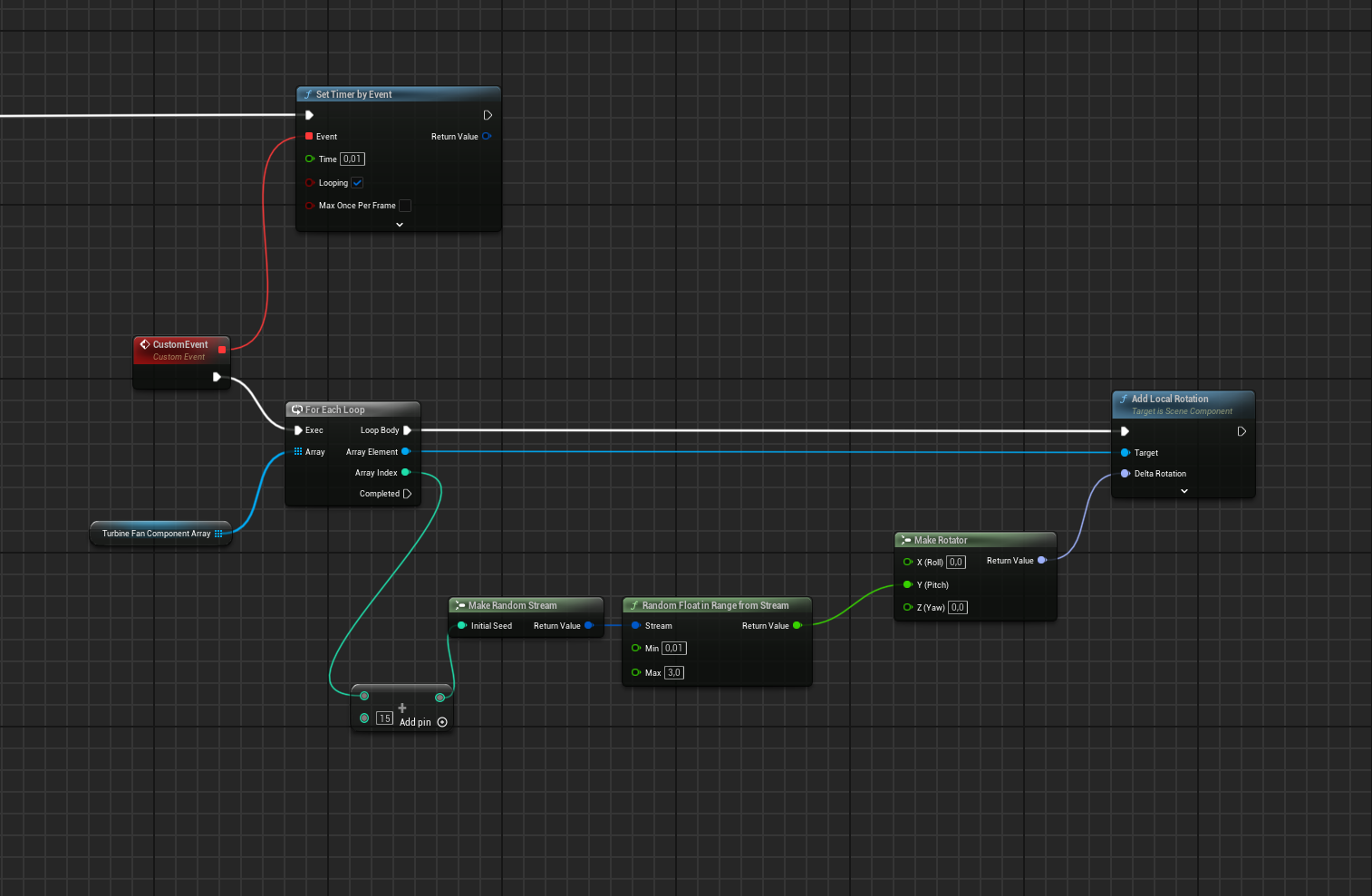


that 15, i want a different number for every actor
lofty rapids
burnt citrus
i need to do this btw https://i.imgur.com/dDEQMqm.png
is this in the actor ?
burnt citrus
yes
burnt citrus
thanks
ivory vapor
lofty rapids
do your npc have a parent class ? so you can just cast to the parent and catch t...
BP_NPC is the parent class of every NPC in the game. Higher is both parent class of NPC and Player
lofty rapids
ivory vapor
BP_NPC is the parent class of every NPC in the game. Higher is both parent class...
then doing like i showed in the picture is probably the most efficient way
just cast to the parent, np
ivory vapor
lofty rapids
you could do something like this with the box collision on the box, except cast ...
This would affect the player as well and would not affect other potential actors like chests, levers or anything I could add in the future though, unless I'm wrong
lofty rapids
ivory vapor
This would affect the player as well and would not affect other potential actors...
it would effect npcs, but not other items everything thats a child of what you cast to
ivory vapor
Unless I make static actors child of NPC but that's a bit weird to give them NPC stuff like ability to wander, patrol, etc
lofty rapids
ivory vapor
Unless I make static actors child of NPC but that's a bit weird to give them NPC...
you can just do if cast fails, try to cast to item parent
if cast fails, try to cast to whatever else you want to add
lofty rapids
ivory vapor
This would affect the player as well and would not affect other potential actors...
in the image i cast to the player, you would cast to whatever you want to be invisible/visible
but a parent class is best
ivory vapor
can't I cast to player if fail then cast to NPC?
ivory vapor
Also maybe I can set static actors as child of NPC and just not use parent blue print and functionality for those?
lofty rapids
and if it's the player it does nothing
lofty rapids
ivory vapor
Also maybe I can set static actors as child of NPC and just not use parent blue ...
you can really organize it how you want, personally i would keep NPC and ITems seperate
ivory vapor
If it's the player it does the visibility of the box itself
lofty rapids
and just do two casts
oh ok
ya sure you can cast to whatever youu want
do whateverr works, programming is a lot of freedom
ivory vapor
lofty rapids
you can really organize it how you want, personally i would keep NPC and ITems s...
this would allow me to make it work with a single cast but I understand. If I knew I would have made a higher parent containing both BP_NPC and the items blueprint
void crescent
ivory vapor
this would allow me to make it work with a single cast but I understand. If I kn...
Or add an invis interface. I'm doing that because I'm not just invisible character and items and all stuff it carries but also do some whoosh out effect on materials first (which differs from item, character, ...).
lofty rapids
ivory vapor
If it's the player it does the visibility of the box itself
then yes it doesn't matter if you chain the casts, and a couple casts to parents should be ok on overlap
casting isn't bad lol a few casts should be np