#blueprint
1 messages · Page 314 of 1
 astral mist
Are you binding or manually setting it up? It's often a bad reference or some other silly error that tends to get overlooked due to lack of code sanitation
 astral flame
Im binding to my BP_thirdperson Char
astral mist
welp what if said character reference isn't available at the time?
astral flame
Let me go through my code maybe I missed something.
astral mist
assumptions break code!
astral mist
lesson: sanitize your code, double check everything and if a vital reference isn't valid... maybe sound an air horn or something.
 faint pasture
Simple setup:
Character:
GainXP -> we have enough to level? -> yes -> call CanLevelUp
CanLevelUp -> math -> show widget LevelUpScreen
LevelUp -> apply choices
LevelUpScreen:
Initialize -> get at character, read its data, cook up choices, present them
OnChoiceClicked -> call LevelUp on Character, passing the choice data
astral flame
Okay so On level up I can do a if statement to apply the UI LevelUp_Choices
faint pasture
astral flame
Okay so On level up I can do a if statement to apply the UI LevelUp_Choices
you present the UI when you CAN level up, and the UI makes the call to actually apply the choice
Here's a good way to think about it, hardcode some stuff into Character so your keyboard inputs (say buttons 1, 2, 3) can just call LevelUp, passing over some data about the choice.
Get the whole thing working with zero UI, just print strings and inputs
Then, just have the UI call the same events the inputs are
astral flame
So I have to do a function of each upgrade like for one of my upgrades it called "The Eternal Pulse" It upgrades the players stamina by 15% at lvl 1 so will the UI call the function of Eternmal Pulse?
faint pasture
Do you already have the functionality to do this effect ignoring any UI?
Could you press button -> apply EternalPulse?
get that working first
 dusky cobalt
This thing that is logic about pages totally doesn't make sense.
Also you are setting variables on widget from the component, widget should just listen to changes and component should call (broadcast) them. If you put so much logic in one place and not separate concerns it's harder to fix the real thing.
astral flame
No, I do not have function ready yet... its more about the whole idea of figuring out how to call said upgrade and display the UI
faint pasture
Get the functionality working first
you don't know what "data about a choice" even looks like right now, figure that out
astral flame
So, this is what its going to look like, there will be 3 tarot cards to choose from each with a different description underneath said cards
 faint pasture
idk if it's a class, a struct, a string, no clue until you figure out what your effects even are
Here's your mission:
Get pressing P on your keyboard to apply EternalPulse to your character
faint pasture
Many many ways to skin that cat
if you're just starting, I'd make each effect an actor or component probably
astral flame
Would you have multiple functions because I also want them to have 3 levels then once the 3 levels are maxed out it can be displayed into the shop
faint pasture
you are putting that cart way in front of the horse
astral flame
Okay So I will prob make them components
faint pasture
Here's what I'd do for the first pass at making effects/buffs/whatever they are.
I'd make a base actor or component class BaseEffect (there's reasons for both, actors are easiest), with some functionality like Event Apply and Event UnApply, and a variable for what character they should apply to
then just subclass per effect
 inland walrus
dusky cobalt
This thing that is logic about pages totally doesn't make sense.
Also you are ...
inland walrus
dusky cobalt
This thing that is logic about pages totally doesn't make sense.
Also you are ...
I get that but for what I have it's working, I just need to calculate the pages
it already does it if I'm calculating the whole inventory, but I just need it to do specific categories
astral flame
Okay give me like 5 mins Going to try this.
faint pasture
Effect_EternalPulse:
Event Apply -> TargetCharacter.MaxStamina *= 1.15
Event UnApply -> TargetCharacter.MaxStamina /= 1.15
astral flame

So I have an actor class as The Eternal Pulse lv 1 but how would I apply it to said third personal character
@faint pasture
faint pasture
astral flame
So I have an actor class as The Eternal Pulse lv 1 but how would I apply it to s...
how does that actor know about what character it cares about?
Something spawns that actor right?
faint pasture
no that's along the right path
something somewhere is spawning it and will be able to set the effects variable MyCharacter to whatever it should be
in your case, the character would spawn it and set Effect.MyCharacter = self
give your base effect class a character ref variable so it can be told who to affect
inland walrus
Any ideas on a fix for this page issue, been at it for hours and it's exhausting😭
 faint pasture
astral flame
<@127902729677963264> why wont this work?
faint pasture
astral flame
<@127902729677963264> why wont this work?
Do you really want to have the definition of every single effect just be in the character?
astral flame
 faint pasture
I mean that'll work but it'll be a damn nightmare if you ever want to do anything beyond this
astral flame
I just want to get it working then transfer them
faint pasture
ok here's a question
where does the data representing if the character has Eternal Pulse applied to them or not live?
astral flame
idk tbh
faint pasture
The answer is nowhere
so if you had an effect like "removes Eternal Pulse", you couldn't do it
because you can't know if EternalPulse is applied or not
faint pasture
astral flame
<@127902729677963264> why wont this work?
This will work for now though, if you just wanted to get UI to call stuff like this
but there'll be no Undo
because you have no way to know if a thing happened or not
the numbers just got magically changed somehow
astral flame
so i have to do a actor component, how do i call the third person char
faint pasture
already told you
the thing spawning this effect can tell the effect what character it cares about
Say the spawning logic was in your character:
Spawn thing -> set Thing.MyCharacter = self
How do you know who your boss is? Whoever gave you the job told you.
you have a variable MyBoss which is blank when you're unemployed and when you get a job they let you know who YourBoss is
astral flame
ok i get it now
Okay, So I was eating while reading this. My only question is Can I make the event of my player leveling up spawn the actor
inland walrus
inland walrus
Any ideas on a fix for this page issue, been at it for hours and it's exhausting...
bump
faint pasture
astral flame
Okay, So I was eating while reading this. My only question is Can I make the eve...
yes
 wanton mural
I have a component as part of a blueprint, but even though that component has collision, when I do an "On Component Hit" event, it never registers a hit unless phyiscs are turned on. It can't do queries at all. Is this by design or am I doing something wrong?
 faint pasture
wanton mural
I have a component as part of a blueprint, but even though that component has co...
faint pasture
wanton mural
I have a component as part of a blueprint, but even though that component has co...
projectile movement moves the root of the actor
just make the root your mesh
if you want your mesh's hitbox to be what it moves around
astral flame
is there a way to get my bp_thirdpersoncharacter TABBED NEXT TO THE MAP

it was before now its nto.
@faint pasture
XD
faint pasture
astral flame
is there a way to get my bp_thirdpersoncharacter TABBED NEXT TO THE MAP
just drag the tab
astral flame
Its not working.
faint pasture
aight then
astral flame
Had to restart UE for some reason sorry to bothe ryou
wanton mural
faint pasture
projectile movement moves the root of the actor
Okay some follow ups.
I know that putting it as the root fixes things, but I'm curious as to why on component hit doesn't even register? Since the mesh is a mesh component, it should follow that it hits things?
If I make the mesh a root (which I was doing before), I can't rotate the mesh in the viewport.
If I make the root a collision component, my only options are cube, sphere, capsule, which kinda sucks. Is there a way to make a custom collision component?
faint pasture
wanton mural
Okay some follow ups.
I know that putting it as the root fixes things, but I'm ...
Things only hit when moved by a movement component or physics
Event Hit doesn't just happen when a thing ends up touching another thing
Hit isn't built in at the base level, it's not automatic, the code doing the moving has to detect the hit and trigger it
wanton mural
Is there a way to forward that to other components then? Or is there a better way to have multiple/complicated hit boxes on something?
faint pasture
wanton mural
Is there a way to forward that to other components then? Or is there a better wa...
make your own movement
What are you trying to do here though, what's the actual problem?
wanton mural
Well I'm trying to just make a hit box for a projectile that's not a cube, sphere, or capsule. And in the future, I'll be curious about things like hitboxes for different actors in general
faint pasture
Or just use physics, attached actors will trigger event hit when moved by physics because the actual thing being moved is a merge of all their colliders together
faint pasture
wanton mural
Well I'm trying to just make a hit box for a projectile that's not a cube, spher...
How slow is this projectile going?
wanton mural
Physics is more spendy than queries though right? I was doing it with physics before and it worked fine, but I wanted a bit more control
And it's going the same speed as the default projectile in the first person template. 3000 m/s.
faint pasture
Then why do you need a complex hitbox?
In what scenario does the shape or size of a projectile ever matter? They're pointlike in my project. I don't use colliders at all, just line or sphere traces
wanton mural
Why wouldn't it? Different sized bullets, waves, AOE's etc
faint pasture
What do you mean waves?
wanton mural
Also, this extends, like I said, to things like characters. If I can only use the collision on the root, then I can't add a component and use its hit box to generate hit events
faint pasture
You can do whatever you want with your own movement component
Just the built in projectile movement component doesn't consider anything attached to the root, and for good measure
wanton mural
faint pasture
In what scenario does the shape or size of a projectile ever matter? They're po...
then why does the first person template or even lyra example use projectiles? Even games like destiny use collisions and not just simple hit scans
Anyway, the actual part that matters, not my game design, is that the hits are not generated by the components, but by the movement component then?
faint pasture
wanton mural
then why does the first person template or even lyra example use projectiles? Ev...
Because they just put the thing they wanna sweep as root
Are you trying to shoot a katamari damacy ball?
 carmine scaffold
hello, im trying to create a damage system using Bp interface and i want to know if my player has a certain gameplaytag in order to cause damage if not it will damage the enemy. is this possible?
also, will casting be better for this situation?
wanton mural
faint pasture
Are you trying to shoot a katamari damacy ball?
I'm mostly playing around with a bunch of unique guns. Right now I'm trying to make a few "gravity" guns, so I want to do something like the tractor cannon from destiny that just pushes away everything in its path, but then I want to do something that kind of drags everything in its path
faint pasture
carmine scaffold
hello, im trying to create a damage system using Bp interface and i want to know...
Spell it out in game mechanics
When you do X you want Y to happen if Z
 somber gate
What's the best way to set up abilities for characters in Blueprints?
For example, I have a Mannequin character and I want to add some new abilities to it. However, I also want each ability to be reusable across different characters. I assume this means I need to make each ability a function or something similar, but I'm not sure how that works in Blueprints.
Especially, the Timeline only exists in EventGraph.
I assume there's a way to collapse the function in the spawn laser box?

 dawn gazelle
somber gate
What's the best way to set up abilities for characters in Blueprints?
For exampl...
dawn gazelle
somber gate
What's the best way to set up abilities for characters in Blueprints?
For exampl...
GAS if you're willing to invest the time to learn it.... Otherwise, you could use ActorComponents that you then grant to actors. If you really need to, you can make abilities their own actors, setting their owner as the pawn that can use them, and keeping track of the owned actor abilities through a component.
somber gate
Hello guys, what is the object of the animblueprint here? I've tried everything.....

 onyx tapir
somber gate
Hello guys, what is the object of the animblueprint here? I've tried everything....
onyx tapir
somber gate
Hello guys, what is the object of the animblueprint here? I've tried everything....
Mesh > Get Anim Instance > Connect
iirc
somber gate
Thank you, I'll try.
Working 🔥
blueprint is a lot of fun, but it really wears me out sometimes.
carmine scaffold
@faint pasture basically check if player has gameplay tag like invincibility or something in that sense. If so enemy gets damaged if not player gets damaged
I want to know if this is possible in an interface
 dark drum
carmine scaffold
hello, im trying to create a damage system using Bp interface and i want to know...
dark drum
carmine scaffold
hello, im trying to create a damage system using Bp interface and i want to know...
All actors have an event called apply damage. When triggered on an actor, it'll trigger the on received any damage event. You can create custom damage types that can be passed through. You can create a custom damage object and setup base logic for performing calculations/checks. These can then be handled on the person receiving the damage to decide what to do.
dark drum
carmine scaffold
I want to know if this is possible in an interface
You could but either a component or using the built in damage system would be better.
Too much copy pasting if you use an interface.
 molten panther
Hi All,
NEED HELP!!
I am working on a 3D Platformer game for my portfolio in gaming and I am completely new to the Unreal Engine (No prior experience and Started on UE 5.5.4). I am using blueprints for this project and Stuck in one situation.
Requirement: --->
I want to create a breakable platform where player will jump and land on it then, it will start shaking for 3 seconds and then it will break and player will fall.
Issue: --->
I am facing an issue where player jumps and land on platform. It shakes for 3 second correctly and then both platform and player falls to the ground. But, The platform doesn't break immediately after shaking stops. It breaks when it falls to the ground. I want it to break immediately after the shaking stops.
I have attached the video of what is happening.
What I have done so far: --->
- I have added a Static mesh and created a Geometry collection out of it.
- Fractured it using UE 5.5.4 Fracture mode.
- Then Created a Blueprint actor and added the Geometry collection to it.
- Then added collision as a child component to Geometry collection.
- Added the logic of my requirements to the event graph. the flow is working partially except the breaking of platform.
- Tried to use solutions recommended by ChatGPT and Youtube and forums. Didn't work or Didn't get in my head 🙃
- I have attached some reference images of blueprint if it helps.
Not Sure Where I am going wrong. Need help with this. Thanks in advance! 🙂


 trim matrix
Hey, hope everybody’s doing well. I’m building a game where the player is on a planet, but I’m having a problem with my camera. When I’m underneath the planet, the camera behaves oddly since it’s not aligned with the usual Z-axis. Is there a way to fix this? I’m using a spectator camera.
 inland walrus
dawn gazelle
inland walrus
dawn gazelle
Sorry bro I fell asleep, I've just seen your dm, thank you so much man!!
 lost shale
Quick question right here. I'm a unity c# dev who has recently started learning UE5 with blueprints and I have ran into an issue where a variable of type actor seemingly gets discarded from memory when I delete the actor referenced, So I was wondering if there is an equivalent to the new keyword in Blueprints, or a way to prevent variables from being discarded by the garbage collector? Help would be very appreciated:)!
wanton mural
lost shale
Quick question right here. I'm a unity c# dev who has recently started learning ...
well if you delete it then yeah it's gone. What are you trying to do exactly?
are you saying that the actual variable disappears from the editor instead of being null?
lost shale
No, it is still in the editor, but it appears that I cannot assign to it afterwards. Even when I assign to the variable, it still appears to be invalid. I know from prior unity experience where I deleted a object and I think either a list or object refence got removed from memory afterwards so I suspect it might be the reason
lost shale
Yes, I am using destroy actor
wanton mural
when you get the chance, share some screenshots and that might be able to help us narrow down the issue 🙂
 maiden wadi
molten panther
Hi All,
NEED HELP!!
I am working on a 3D Platformer game for my portfolio in gam...
maiden wadi
molten panther
Hi All,
NEED HELP!!
I am working on a 3D Platformer game for my portfolio in gam...
Where you're making it fall, you need to create a field so that it fractures.
dark drum
lost shale
Quick question right here. I'm a unity c# dev who has recently started learning ...
You can set the variable to null (leave it empty) if you want to just clear the ref. Using destroy actor will destroy it from the world and mark it for garbage collection.
lost shale
@dark drum Does this mean any variables referencing the actor also get added to garbage collection after destroy actor is called? Or will it be left without a valid reference? or something else?
dark drum
lost shale
<@430016173694779402> Does this mean any variables referencing the actor also ge...
If you destroy an actor, anything references that point to it will become null/invalid once it gets garbage collected. Before then you'll get log spam telling you the actor is pending garbage collection if you attempt to do anything on it.
trim matrix
hello, I wanted to make it so that when I enter the trigger box, a cutscene would start first, and when I enter another trigger box, it takes me to another map, and when I enter the one from the cutscene, it starts playing, but after a second it takes me to another level. Can someone help me, please?

 willow gate
trim matrix
hello, I wanted to make it so that when I enter the trigger box, a cutscene woul...
willow gate
trim matrix
hello, I wanted to make it so that when I enter the trigger box, a cutscene woul...
Do the trigger sphere and the trigger box overlap so that the player could be in both at once?
Also you're not checking for the player specifically in any way so any actor that enters either of those colliders will trigger these events.
 lime crow
What's the beat way to handle the hud when a player dies? Setting all the references up or is it just easier to remove from Parent then recreate the hud again?
faint pasture
carmine scaffold
I want to know if this is possible in an interface
You don't need an interface, you just need some common way to call DealDamage
It's built in at the actor level but you can use an interface, a component, a common base class, whatever you want.
The code after DealDamage can check for tags and do the reflection etc. just subtract health from target unless target has invincibility, then subtract from attacker
faint pasture
lime crow
What's the beat way to handle the hud when a player dies? Setting all the refere...
Does dying have to imply that the pawn gets destroyed?
Or can being dead just be a bool
 mild jacinth
hey im having some troubles with httpblueprint plugin provided by epic. anyone know how can I get nested json fields?
 lime crow
faint pasture
Does dying have to imply that the pawn gets destroyed?
lime crow
faint pasture
Does dying have to imply that the pawn gets destroyed?
The Pawn gets repossessed
faint pasture
trim matrix
hello, I wanted to make it so that when I enter the trigger box, a cutscene woul...
You need to filter, either at the collision level or after begin. Overlap gets called. Unless you want to play a cutscene when a bullet overlaps the box, or an AI, or a landscape
faint pasture
lime crow
The Pawn gets repossessed
Do you mean respawned?
I would just have a reset event and you can just keep the same pawn going the whole time. Unless you really wanna destroy and recreate it for some reason.
lime crow
faint pasture
Do you mean respawned?
So I have an custom event that ragdolls the player. Then in the game mode .. yeah basically respawn then posses the new instance of manny. So effectively when I call things on the hud I will get an access none, because as you know unreal only creates one version of the hud. So instead of setting all the references would it not be easier to remove the hud from Parent and recreate the hud?
faint pasture
lime crow
So I have an custom event that ragdolls the player. Then in the game mode .. yea...
If you insist on destroying and recreating the character, then yes, that'd probably be the easiest.
Just remove HUD from parent when the thing is actually destroyed and the rest of it should just work, you already have the bit to spawn the HUD and add it to viewport
Assuming the code's in your character, not your player controller. Where does this code live?
lime crow
faint pasture
Just remove HUD from parent when the thing is actually destroyed and the rest of...
You recon that's better than setting all the references?
faint pasture
lime crow
You recon that's better than setting all the references?
I reckon it's better to just reuse the same pawn, but it really doesn't matter. Whatever you find is easiest
lime crow
Ahhh yeah it's a bit involved. So I have a hud class that spawns the hud widget to the screen. Then in the Player controller I do all my hud logic
faint pasture
lime crow
Ahhh yeah it's a bit involved. So I have a hud class that spawns the hud widget ...
Just recall the bit that sets up the widget.
lime crow
The hud class adds the widget to the viewport
faint pasture
lime crow
The hud class adds the widget to the viewport
When
All you gotta do is nuke the widget and make a new one when the pawn is destroyed. Whatever making a new one looks like, just hook in there.
There's probably some on-possessed node you can use to trigger it
lime crow
I see! Thanks. So when the hud gets called it will just automatically call any events that are on there? Like reset health ect
 frosty heron
Resetting health?
Sounds kinda nasty
Hud shouldn't need to ever reset any variable.
At most you can make it point to a new owner to read
Then just display and initialize the attribute on possess or on owner change
 tender canyon
If I use a Set Leader Pose Component, how do I use a Montage with it?
anyone can tell me?
 ruby cobalt
I want to use the object orientation as a value to control sounds. but I have trouble understanding how the rotator values work, sometimes the Y axis changing will instantly "flip" or "offset" the X axis value. Is there a way to convert that?
frosty heron
tender canyon
If I use a Set Leader Pose Component, how do I use a Montage with it?
It will just follow the lead component.
Montage or not is irrelevant
You can use montage or anim, the end result is the component you set to follow a lead comp will do just that.
Comes with drawback too, you might want to look at epic article in regards to modular character
faint pasture
ruby cobalt
I want to use the object orientation as a value to control sounds. but I have tr...
Explain the desired mechanic. You want the sound to do what when the state is what
tender canyon
frosty heron
It will just follow the lead component.
Do you mean that my body parts will also make the same montage as the main body?
I understand it,thank you
 spice viper
molten panther
Hi All,
NEED HELP!!
I am working on a 3D Platformer game for my portfolio in gam...
spice viper
molten panther
Hi All,
NEED HELP!!
I am working on a 3D Platformer game for my portfolio in gam...
I like your post listing what you tried and good explanation. I'm not super well versed on fracture physics, but it looks like it requires a physics collision which happens when it hits the ground. Try once the time has run out and physics is enabled, try calling these nodes
Add Impulse
Add Force
Add Angular Impulse
Add Radial Force
on the platform.
If that doesn't work, maybe 'hack' it with an invisible plane right below it that the platform hits as if it were hitting the ground. You could destroy that fake ground the next frame so the player doesn't hit.
ruby cobalt
faint pasture
Explain the desired mechanic. You want the sound to do what when the state is wh...
not sure yet but for example sound volume can be controlled by object pitch..
the sound comes from elsewhere and the connection between UE and sound is already working.. my issue is how rotator value seems to "jump" i believe this is a solution around the gimbal lock problem but i'm not sure
molten panther
spice viper
I like your post listing what you tried and good explanation. I'm not super well...
Yeah, I found workaround for it. So, I created a master field blueprint class. set it's activation type as on tick. and put that on my platform. so, when i step on the platform it shakes for 3 seconds (it doesn't have physics applied yet). then due to on tick event on the master field creates damage impulse on every tick. so it breaks the platform and as after 3 seconds the physics are enable, it kabloooms the platform. But, now facing an issue is that when the platform breaks, player doesn't fall to ground. Now debugging on that.
dawn gazelle
mild jacinth
hey im having some troubles with httpblueprint plugin provided by epic. anyone k...
I'm not really familiar with the httpblueprint plugin, but I imagine that you use a structure to define the output. If you're trying to get the "player" field, then you'd probably need to create another structure that contains those particular field names and add it to your main HTTP result structure as the type for the "player" field.
mild jacinth
dawn gazelle
I'm not really familiar with the httpblueprint plugin, but I imagine that you us...
i tested around and googled etc, what worked for me was accessing nested json objecfts
willow gate
Hey all. In reference to my question yesterday about keeping my player inside the screen bounds by reseting the position to the oposite side when they get a certain distance outside of the screen, I figured it out and so I thought I'd share a bit of the code for anyone interested. Turns out that ProjectWorldToScreen and DeprojectScreenToWorld were the nodes I really needed. This function runs on a timer in a component on any actor that needs to stay in the screen (in this case, the player and the asteroids). I use a sequence to look for each edge (right, left, top bottom) and then make positional adjustments accordingly:


 faint pasture
ruby cobalt
not sure yet but for example sound volume can be controlled by object pitch..
t...
faint pasture
ruby cobalt
not sure yet but for example sound volume can be controlled by object pitch..
t...
Well yeah, pitch use and roll break down at the extremes
The same orientation can be represented by infinite pitch yaw roll values
Try dot product, drive the volume by how much the things forward vector points up.
molten panther
molten panther
Hi All,
NEED HELP!!
I am working on a 3D Platformer game for my portfolio in gam...
Found the Solution to it. Need to add chaos field in the Platform blueprint. and make the activation type to On Tick. Rest of the flow is correct only.
Thanks for the suggestions 🙂
 dreamy marten
willow gate
Hey all. In reference to my question yesterday about keeping my player inside th...
dreamy marten
willow gate
Hey all. In reference to my question yesterday about keeping my player inside th...
One small suggestion, you seem to have that piece of code executed many times in your function, why not create a local variable for that "screen position" variable and execute the code only once?

Same for those two pieces of code
 willow gate
dreamy marten
One small suggestion, you seem to have that piece of code executed many times in...
willow gate
dreamy marten
One small suggestion, you seem to have that piece of code executed many times in...
Good suggestion.
willow gate
dreamy marten
One small suggestion, you seem to have that piece of code executed many times in...
I'll implement that now. Thanks m8!
 livid flare
Quick question, when and where unbind event dispatchers?
willow gate
livid flare
Quick question, when and where unbind event dispatchers?
That is contextual. What are you trying to do?
livid flare
willow gate
That is contextual. What are you trying to do?
I have a lot of event dispatchers bind in the begin play of many actors, so not referring to a specific use case, I was also wondering what are the conditions when I don't need to unbind them
dreamy marten
It really depends what those dispatchers are there for. Overall you should bind them only when needed and unbind them once you don't need them anymore for anything
willow gate
livid flare
I have a lot of event dispatchers bind in the begin play of many actors, so not ...
Well the answer is still pretty contextual unfortunately. 😉
Generally speaking, BeginPlay/Init are a good place to bind if you need the actor to always listen. Otherwise you just bind when needed. Unbinding is only necessary if you plan to keep the actor in the game world but you don't want it to listen for the event dispatcher anymore.
dreamy marten
It's mostly a matter of keeping control over your code. If those dispatchers trigger "context sensitive" code that may be problematic if triggered in some scenarios, then you will need to be more careful with binding/unbinding them
Random example: I you have a dispatcher that update health and can trigger the death of the character if health is < 0, if you don't unbind it you may trigger death multiple times which could cause issues
livid flare
I see, so I must remove some of them from the begin play.. I started questioning after some issues like things supposed to run on certain situations, being fired without any reason..
In case where the character have an hard reference to an actor let's say a vehicle, do I need to leave the bind untouched right?
trim matrix
Hey, hope everybody is doing great. im trying to make a game wher ethe player is on a planet but the map is gigantic. and the trees are actors and i cant add my foliage to a sphere so is there a way to still add my actor tree and foliage or some kind without experiencing gigantic lag?
ruby cobalt
faint pasture
Try dot product, drive the volume by how much the things forward vector points u...
thank you yes! this is what I need!
 past token
What exactly is the difference between target and socket offset for a sprinarm component, they seem to do the same thing?

 lofty rapids
ii think target is relativee to world, and socket is relatitive to springarm
past token
lofty rapids
ii think target is relativee to world, and socket is relatitive to springarm
Sorry, but when you say relavtive to the world what do you mean, if you dont mind me asking, im a beginner and dont quite understand how that works.
 odd kiln
Hi all !
Can I move a Static Mesh at runtime, via its socket ?
I mean, I move the socket, like it's the pivot point
 lethal pollen
Hi!
odd kiln
And then the static mesh moves
lethal pollen
I'm using this on a Widget Blueprint. How can I disable it after using it once?

Thank you.
odd kiln
lethal pollen
I'm using this on a Widget Blueprint. How can I disable it after using it once?
With a boolean
lethal pollen
odd kiln
With a boolean
OK. I was aware of that solution, but wondered if there was another one. Thank you.
maiden wadi
@frosty heron I couldn't find your name the other day to tag you, but you might be interested in this just for statistics. Hundreds of floating texts as well as an icon anchored to them at extremely little cost.
#blueprint message
carmine scaffold
faint pasture
You don't need an interface, you just need some common way to call DealDamage
you see the way i have it setup is that i use gameplay tags as a pseudo state machine for my character, and when i overlap the enemy those tags dictate weather i can damage the enemy or it damages the character.
id say its kind of like how sonic would jump or roll making him impervious to enemies and destroying them.
however i would also want certain objects to apply damage regardless of characters current state
 delicate torrent
Good evening, can anyone help me on how to make an analog clutch for chaos vehicles?
I can make a switch clutch, which will just send the vehicle into neutral gear, how could one go around multiplying engine torque by clutch value? (0-1 float value)
I can't find any information about it
If I will reduce throttle input it will probably mess up future RPM dependent sound generation
 gleaming veldt
Hi! Is this the right place to ask for some help? Need someone to help me with C4 programming desperately
 random pulsar
how do i change dynamically the emmition of a material instance in a blueprint?


also neight this works


i want it to dynamically change in a range from 5 to 10 emission lets say

each second
 warped juniper
@random pulsar in the material: Add a Time note, plug it into a Sine node, multiply that, and multiply your emission by that
random pulsar
warped juniper
<@420953639683620875> in the material: Add a Time note, plug it into a Sine node...
but then all of the instances will have this effect,how can i filter that?

 warped juniper
random pulsar
but then all of the instances will have this effect,how can i filter that?
warped juniper
random pulsar
but then all of the instances will have this effect,how can i filter that?
You can add a switch parameter to toggle it on / off
random pulsar
warped juniper
You can add a switch parameter to toggle it on / off
like this?
and whats the first 2 values?
 random pulsar
warped juniper
Not the right switch
random pulsar
warped juniper
Not the right switch
and what do i plug in the value?

found it

@warped juniper Thanks for help
warped juniper
No problem. Do tell if you need anything else!
random pulsar
warped juniper
No problem. Do tell if you need anything else!
yeah,actually i do
how do i randomize this effect?
warped juniper
Randomize what
random pulsar
warped juniper
Try multiplying the time node first
and than what?
like the random value node
 warped juniper
random pulsar
and than what?
like the random value node
warped juniper
random pulsar
and than what?
like the random value node
Just set some value to see how that affects the material. Then you create a parameter, and when you create the matieral, your BP overrides a parameters that goes into that multiply node
For example try to multiply it by 2 and see if it either speeds up the animation or slows it down
random pulsar
So i have the thunder strike sprite and i want this sprite to glow like a thunder,for better understanding
random pulsar
warped juniper
For example try to multiply it by 2 and see if it either speeds up the animation...
with 2 it speeds up
warped juniper
Alright. You can use a Divide node instead and create a single value parameter
Plug it in, and randomize that value in a "seconds to breathe"
random pulsar
randomize that value in a "seconds to breathe"?
i dont get it
warped juniper
Create a single float parameter that goes into a divide node
The node divides time by the parameter
random pulsar
yeah,did it
 warped juniper
That parameter is how many seconds it takes for emission to go up or down
This is called a breathing light
random pulsar
yeah but how do i randomize this?
random pulsar
warped juniper
That parameter is how many seconds it takes for emission to go up or down
i tried typing random,randomize and nothing popped out
warped juniper
You have to set that material value on a BP
Look into how to override material paramters with BPs
random pulsar
warped juniper
You have to set that material value on a BP
Yeah i reached the result i want

Thanks for guiding
warped juniper
random pulsar
Thanks for guiding
You're welcome! Good luck with the rest of your work
warped juniper
random pulsar
Yeah i reached the result i want
Ah, you want it to randomize EVERY second?
random pulsar
warped juniper
Ah, you want it to randomize EVERY second?
yeah ahah
random pulsar
warped juniper
You're welcome! Good luck with the rest of your work
Btw,are u interested in testing the game im working on?
warped juniper
Well I don't really download builds from strangers overall
But if you have videos I can check it out
random pulsar
Sadly ,i dont,but may add a video(trailer) in a few days
lime crow
random pulsar
Yeah i reached the result i want
You might want to clear invalidate that timer at some point
random pulsar
lime crow
You might want to clear invalidate that timer at some point
No,I do not.There will always be thunder strike pickups on the level
lime crow
random pulsar
No,I do not.There will always be thunder strike pickups on the level
Ahh so they don't get destroyed?
random pulsar
lime crow
Ahh so they don't get destroyed?
They destroy,so the timer continues to run on destroyed ones?
I thinks the timer cannot continue to run on the destroyed one ,because they don't exist anymore.And my setup is just like a visual effect,so I think I made it the right way.
Of course there are better ways which I don't know but this one looks logical and works
lime crow
If there mesh instances you should be fine. But you want to be super careful with timers because they can run useless logic on destroyed actors. Personally I always have a way to clear it. But it's up to you
random pulsar
lime crow
If there mesh instances you should be fine. But you want to be super careful wit...
Mesh instances?I don't have mesh,my game is more from sprites.Yeah I get it,I know how to clear it.
lime crow
up to you man, if you are confident you dont need to clear them, then cool. If they are not handled properly it can can cause issues
 cloud garnet
could use some help. Have a character who has a dash animation that plays when you hold a button and walk, but the animation won't change

using the paperzd plugin btw
lime crow
cloud garnet
could use some help. Have a character who has a dash animation that plays when y...
Thats quite tricky to work out, ive never used bools in that way - maybe thats causing an issue, it looks a bit messy, have you tried using jump to nodes or setting up a statemachine?
lime crow
let me pull up one of my older projects im pretty sure i done a dash but it was ages ago, hopefully i still have the project to see how i done it
cloud garnet
ok
lime crow
does your player just have a walk, idle and a dash?
lime crow
i would re work it so its cleaner to be honest, it will save you a headache, hold up i found the project, let me test it and take some screenshots
cloud garnet
i am going to rework it
lime crow


I think having a simple state trees would be easier to manage, you can call a node, its called a jump to which is similar to playing an anim montage, but you just play the animation
check out cobra code on youtube, he goes oover jump nodes and setting up a basic statemachine that would really help i think
cloud garnet
will do
thanks for the tip.
i'll ping you if i get stuck while i follow the guide
lime crow
cloud garnet
thanks for the tip.
i have so many messy projects and honestly they always end up hell when things break, every project that has bad architecture has been a blessing in disguise because i have learned so much from it, unreal is solid man, there is so much to learn lol
faint pasture
random pulsar
i tried typing random,randomize and nothing popped out
per instance random
cloud garnet
lime crow
i have so many messy projects and honestly they always end up hell when things b...
when i get velocity to change animation, it won't change the animation.
 lime crow
Ehh, it's tricky to troubleshoot without seeing everything but based on that alone you never want to check on o. Basically get a vector length xy, set the input to like 1, or 0.1 , if the float is greater than 1 the player can enter the state. That could be it. Ot it might not be
faint pasture
cloud garnet
when i get velocity to change animation, it won't change the animation.
don't use equality on floats or vectors
if velocity.length > SomeSmallNumber is what you want
cloud garnet
velocity won't connect to the >
lime crow
Did you use vector length xy? Pretty sure that converts speed and direction into a single float no?
cloud garnet
i got it conencted but still won't work
lime crow
Let's see
cloud garnet
what do you need me to send?
lime crow
The logic
cloud garnet
 lime crow
Change the 0 to .1
cloud garnet
not working
lime crow
Or 1
lime crow
Show your state machine
 lime crow
You have each animation plugged in right?
cloud garnet
wdym
lime crow
Click on walk
cloud garnet
 lime crow
Hold on, disconnect the rest a sec and just keep is walk in there
cloud garnet
it works now
lime crow
When? When you disconnected them other nodes?
cloud garnet
when i disconnected the play rate
lime crow
Yeah only keep animations in there
cloud garnet
i see
lime crow
The transitions is where you keep the logic you see
cloud garnet
still won't play dash tho
lime crow
How did you even get a float into that? Never seen that before. Show your dash and your dash transmission and your input logic in the Player bp
cloud garnet
might be a little messy but here you go
 lime crow
And also show your input and your imc binding please
cloud garnet
imc binding?
lime crow
Jeso man, I swear you are really overcomplicated your logic here. Your plugging alot of stuff in all over the joint
cloud garnet
also this

sorry, new to this and i forgot which tutorial taught me the sprint mechanic.
 teal talon
I have a data table and I need to edit a field in it. Is this a way to do it?
 cloud garnet
lime crow
Jeso man, I swear you are really overcomplicated your logic here. Your plugging ...
cloud garnet
lime crow
Jeso man, I swear you are really overcomplicated your logic here. Your plugging ...
how do i fix it?
dawn gazelle
teal talon
I have a data table and I need to edit a field in it. Is this a way to do it?
DataTables are meant to be read-only at runtime.
lime crow
cloud garnet
how do i fix it?
I'm trying to make sense of the wiring. I think it's ok. It's hard to tell. But where is your dash input?
cloud garnet
 teal talon
dawn gazelle
DataTables are meant to be read-only at runtime.
teal talon
dawn gazelle
DataTables are meant to be read-only at runtime.
I was really really really worried that would be the case. I didn't even know it but something told me this is too easy for UE.
dawn gazelle
teal talon
I was really really really worried that would be the case. I didn't even know it...
Technically you can modify them at runtime, but there's no way to save the data in the data table in a packaged game. You can use the DataTable as the base data, but then you probably would want to use a SaveGame and save any updates in there, making sure your code instead of always reading directly from the data table checks for saved values first.
lime crow
cloud garnet
I see, does the speed actually change though when your holding a button?
cloud garnet
yes
lime crow
cloud garnet
yes
Ahha awesome! That's good. But you need the player to kind of dash rather than move faster right?
teal talon
dawn gazelle
Technically you _can_ modify them at runtime, but there's no way to save the dat...
I'll take the data and put it in a array in the BP. Then edit it as needed. thanks. You ROCK!
cloud garnet
i need the animation to change when dash is being held while moving.
lime crow
cloud garnet
i need the animation to change when dash is being held while moving.
Yeah there's multiple ways of doing it. Like I say jump nodes worked well. In your case though you will want to add a Boolean so like can dash set to true when triggered and set to false when completed. Then in your animation bp on the transition to walk to dash you will want to do a is player velocity greater than 1 AND is dashing true. Then the player can enter the state.
If you are struggling with that I would just watch a simple dash tutorial. It's pretty much going to be the same even if it's not paper zd.
lime crow
Also make sure the only thing in your actual dash is the dash animation.
cloud garnet
animation does play, but it jitters between it and the walk animation when button's held
 lime crow
cloud garnet
animation does play, but it jitters between it and the walk animation when butto...
lime crow
cloud garnet
animation does play, but it jitters between it and the walk animation when butto...
Yep, I remember having lots of similar issues. Don't use triggered
Tru using started
cloud garnet
and canceled?
lime crow
Ehhh yeah and no. It depends. Try with just completed to start with
You will want to make sure the transition from dash to walk is done as well if you haven't already
And be mindful about the player going into the air if he's dashing because that can balls things up as well
cloud garnet
got it working even more
lime crow
You could even add a few bools for if the player is walking
cloud garnet
now all i need to do is to make it to where if i'm holding dash and not moving it's idle
and another issue
if i start dashing the anim won't go back to walk if i let go
lime crow
That you can do! That's just conditional logic.
 lime crow
No
You will need to so somthing like:
Is holding sprint == False and get velocity, velocity length xy < than 400 or somthing (depending on your values) then can enter the transmition
cloud garnet
doesn't connect that way
cloud garnet
lime crow
You will need to so somthing like:
Is holding sprint == False and get velocity...
== false doesn't connect with get velocity
lime crow
Ehhh
Use a not Boolean with an and
And use a vector length xy like last time
Vector length xy AND not Boolean
cloud garnet
i don't get what you mean
@lime crow you're wording this very ambiguously
i'm also mentally drained atm
lime crow
If the player is not holdin sprint and the velocity is less than 300 then the player can enter the transition
Take a break man. I need to go to bed as well
cloud garnet
ok i'm sorry i couldn't get this working
long hard sessions for baby simple stuff is why i don't like gamedev
lime crow
Made progress man
Mate game dev is super hard. Even basic stuff is hard because everything is all tied in with each other. It's not easy
Maybe its my poor explanations though sorry
cloud garnet
you're fine
 slender dagger
is there any way to find the last node you undid?
 storm orbit
cloud garnet
storm orbit
cloud garnet
Is that in your anim graph? You can do what the default Manny Animation Blueprint does and cache the character's ground speed on animation update as a float.
In your transition logic, you can just "get" that variable and do simple logic (like greater than, equal to etc.)
somber gate
I'm having issue with the camera shake is not working intendedly. My workflow is:
- I create notifies syncing with footsteps in animation.
- In the pawn bp, I cast to the animbp and call both notifies and add camera shake event, however, I might have made some errors so it keeps printing events instead of calling event per footstep.
- Combining with the camera shake, I create a time stop function, when the time is stopped, the camera doesn't shake anymore, but when it starts to run again, the amount of shake seems to have accumulated and makes a big disturbing change.
I hope to resolve these if anyone knows, appreciated!
p/s: I don't mind showing the blueprint setup since this is just my personal project.
storm orbit
somber gate
I'm having issue with the camera shake is not working intendedly. My workflow is...
How are you implementing your time stop? It would greatly affect how you stop your camera from slowing
somber gate
storm orbit
How are you implementing your time stop? It would greatly affect how you stop yo...
I slow global time dilation down while increase the same amount for the pawn.
 storm orbit
And how are you performing the camera shake?

 storm orbit
That first one with the anim instance mesh, are you firing the anim notifies? Or are you trying to bind to them?
Because based on that screenshot, you're firing both the left and right foot notifies at the same time
What's the context of that white execution pin? Hopefully not Tick 😄
somber gate
storm orbit
What's the context of that white execution pin? Hopefully not Tick 😄
you got me! xD
I just learnt bp lately so I'm not familiar with the bp workflow, especially the fire and event dispatch. I'm still trying to decode what you just said.
storm orbit
Got it
Animation Notifies are "events" that trigger from the animation or montage itself
somber gate
 storm orbit
yep, those are notifies
What "type" of notify are they? Are the Notify States or just Notifies?
 somber gate
they're just notify
storm orbit
Did you make a custom notify?
storm orbit
Yes!, sorry I was jsut refamiliarizing myself with them
Is there a difference between both those anim notify tracks? Left Plant vs Left Foot (they seem to overlap in time)
somber gate
Oh those are just markers— the plant one.
below is the event
especially, I don't want to add camera shake directly in the AnimBP, because I want to trigger the camera shake only when sprinting is pressed.
So, I suppose I need to create a gate (bool) in pawn bp for it, when I press sprinting, the gate is openned and allow the events to be executed.
storm orbit

You can create anim notifies in the animation timelines, then "react" to them in your animation BP
So, in your animtion BP, you could dispatch a "cameraShake" event that you can listen to on your character BP and do the gameplay logic for the camera shake
that way your animation BP doesn't have to know about your character
somber gate
oh, so I need to do the other way around? Like, when Shift (sprinting) is pressed, I dispatch this to the anim BP, and allow the event (camera shake) in the animbp to run?
storm orbit
I would do it like this :
- Make an "OnCameraShake" event dispatcher on your animation blueprint
- Have your Anim BP listen to both your left and right foot notifies
- When that notifiy triggers, call your "OnCameraShake" dispatch.
- Make your Character Blueprint bind to the animation blueprint's "OnCamerashake" event on Begin Play (or some other initializing event)
- When you respond to the OnCameraShake event, use logic to filter out camera shakes (for example, only [ifSprinting] AND [notInTimeStop])
somber gate
Thank you! I'll try this approach and lyk later 😄
storm orbit
As a minor note, if you don't plan to do anything different between left/right foot plants, you can just do a single Anim Notify and just duplicate it over and over (even across different animations, like strafe)
Something generic like "FootStep"
somber gate
@storm orbit this works unexpectly nice and I don't think I need to address the accumulated shaking amount when time is stopped anymore 😄 (minor issue is it still doesn't shake while timestop tho)
storm orbit
Are you making sure to check if time is stopped before the actual camera shake function?
Is your camera control actually slower while time is slowed? Is the camera actually respecting the inverse time slow you have on your pawn
storm orbit
for time dilation stuff, you want to exempt most controls. The exception is like Breath of the Wild zoom in to aim type stuff
Also, don't think I didn't see the name of that effect container 🧐
somber gate
so here is where it all happens. The global dilation reaches almost 0 (0.001) while the inverse amount of that is added to actor custom time dilation. I suppose I have to some how add that amount to the camera as well 

except Idk how to pull the cam time dilation 😄
storm orbit
Is that your character or your character controller?
Also, now that I look at the footage, it doesn't look like your camera needs to be exempt - it already is otherwise it wouldn't move at all
What you should do is turn off any camera lag you have (if you're using that)
anything physics-based will accrue impulse velocity while time is "practically" stopped
(that includes camera lag and camera shake)
somber gate
storm orbit
Is that your character or your character controller?
I can’t diffentiate both yet, but I assume it’s in the Pawn BP.
storm orbit
also, on the node where you set "custom time dilation" you should use Safe Divide not just divide because if it ever reaches zero, you might crash the game
But back to the other thing - you just need to turn off camera lag when you initiate time slow, then re-eneable it after the time slow wears off
and when you invoke the camera shake, add a Branch that only executes when time dilation is nearly equal to 1 on the pawn
 timber sierra
I'd like to know if anyone can recommend some resources on how to use the struct FRotator? I'm not sure how to use this Rotator.
somber gate
storm orbit
and when you invoke the camera shake, add a Branch that only executes when time ...
one last question: In case there’re multiple executions that need to start with Begin Play or Event Tick, do we just use sequence? Can’t we call it multiple times in the board, or maybe, call it in another event graph. Because I feel very hard to read once multiples functions are created.
I used to think that I can wrap all function of an ability in a graph and then call it in the mainboard of the pawn blueprint (sorry if the terms are mixed up)
That way the organization is much easier.
storm orbit
timber sierra
I'd like to know if anyone can recommend some resources on how to use the struct...
Do you mean in blueprints or in code?
storm orbit
somber gate
one last question: In case there’re multiple executions that need to start with ...
You can break things up in many ways.
-
Multiple Event Graphs - This is good for organizing events and time-based functionality (like timers, delays, sequencing etc.) For example, you could have all your input processing done on one Event Graph you call 'Input'.
-
Functions - Convert complicated, re-usable logic into functions you can call anywhere inside that blueprint. These functions are also available to any inherited child blueprints, too
-
Function Libraries - These are like functions that can be shared across many blueprints. They don't have any of the context of other blueprints, so sometimes it can be hard to fetch all the data if you need to do complex stuff
-
Macro Libraries - similar to function libraries, but they work like macros that can be shared with a specific class (and all its children).
For your question about sequence nodes, they are simply a form of "Flow Control" that allows you to break up some logic. It's important to know that NO TIME will pass between each pin in the sequence - the execution continues through all the same frame.
On the event graph, they are only really used for visual organization and breaking up latent functions (if you need a better explanation, just ask). Inside functions, they can serve as way to handle blocks of logic with the assumption that the function hasn't hit an end (i.e. a "return" node).
For example, you could have a sequence node in a function where you do some logic to try and find a solution (like raycasting for an enemy), and if it succeeds, you can return early. Instead of having to continue that same logic on the same line, you could preface it with a sequence node and do another test which assumes the previous one failed.
somber gate
storm orbit
You can break things up in many ways.
- Multiple Event Graphs - This is good fo...
Thank you so much for bearing with me and the enlightment 
 oblique pollen
hi,Why can 'standalone game' be used in the editor to initialize friend status normally, but cannot be initialized after packaging? I am using the Adevanced Session plugin

 storm orbit
oblique pollen
hi,Why can 'standalone game' be used in the editor to initialize friend status n...
storm orbit
oblique pollen
hi,Why can 'standalone game' be used in the editor to initialize friend status n...
Are your other services working in the packaged build? You might also be running services locally while Playing in Editor, but when you package the game, it cannot find the local session you're hosting.
It's difficult to know as I don't have or use the Advanced Session Plugin
oblique pollen
Thank you for your answer. I am currently debugging and taking a look
timber sierra
storm orbit
Do you mean in blueprints or in code?
code, I want to know the principle
cloud garnet
storm orbit
Is that in your anim graph? You can do what the default Manny Animation Blueprin...
what's the default manny animation blueprint?
apologies for late response, I went to bed early last night lol
storm orbit
If you open the starter project or import the 3rd person template, there's a Manny animation blueprint you can look at to see thier setup. It's not the gold standard for anim bps, but it's clean and simple
storm orbit
timber sierra
code, I want to know the principle
A rotator is essentially a collection of 3 properties used to represent the rotation of an object in discrete axes.
Its similar to the 3-ribg gizmo used to rotate objects in the editor.
The values are clamped between zero and 360 degrees, I think, so it doesn't over rotate, it just wraps around to zero or 360
storm orbit
cloud garnet
i see, template player is named manny
It's a play on the word "Mannequin", which is why the female-type version in ue5 is named "Quinn"
cloud garnet
gotcha
one thing tho
i was using a state machine to manage my animations. does that matter?
wait a moment they use it too
didn't notice
guess what
storm orbit
Yeah, if you take a look they do a lot of setting of values in the event graph, then their transitions and state machines reference those cached values instead of asking the Pawn for its current state
cloud garnet
i got it working as intended and it was a lot easier than expected
i wish i didn't overcomplicate things
storm orbit
What did you end up doing?
cloud garnet

one bug i will have to work out is when i hold the sprint key and stop walking my character will still run in place
storm orbit
That's only paaaaartially correct. What wolfdogpaws above said is slightly more correct - You need to take into account what happens when you're still moving but aren't pressing anything (like aking the foot off the gas, you're still coasting)
That's why you might want to introduce some checks to the velocity of your pawn to make sure you stop doing sprint animation only when you slow down
 kind estuary

Is it normal to have an HISM for each mesh in my landscape, like mountains, trees, hills, rocks?
i know this would be normally done using Folliage. But this is procedurally generated each time the level loads. Is there something i dont know?
maiden wadi
kind estuary
This is fine depending on map size and elements in the HISM. It's worth noting that e ven HISMs have an upper limit. If you have ever looked into stuff like PCG you'll notice they break apart HISMs by grid areas, so that there aren't as many elements in each HISM. It allows them to cull if all elements are off screen. Slightly faster renderthread costs.
kind estuary
maiden wadi
This is fine depending on map size and elements in the HISM. It's worth noting t...
thanks
kind estuary
maiden wadi
This is fine depending on map size and elements in the HISM. It's worth noting t...
upper limit? are you sure of this?
i dont know if i understood it well
so if you go above a number of instances, it has some kind of issue?
maiden wadi
Before Nanite and Lumen, HISM/ISM was largely to reduce the number of drawcalls. Each mesh even using the same material has a separate drawcall to it. ISMs are all one mesh so have one draw call. HISMs have as many draw calls as they have LODs, one per LOD.
This is no longer true in default UE5 where Nanite and Lumen are, every mesh, regardless of using the same static mesh asset, that has the same material will share a drawcall. You can use 50 different trees with the same bark material and have 10000 non ISM/HISM meshes in the level and it's still one drawcall. This helps with a lot of rendering cost.
But of course having 10000 static mesh components has a lot of extra cost for all of the extra stuff the component itself has to do. Each mesh has to carry it's own physics body, each mesh has it's own overhead etc. HISMs negate some of this because they're all one component per mesh type. So 10000 instances in a HISM is insanely better than 10000 loose static meshes because they're batched together and a lot of the checks for them are cheaper like checking if the mesh should even render. You have one call for a HISM and 10000 for the loose static meshes.
But that is still 10000 instances which takes up memory and has to be rendered. If you're looking at a scene and only looking at an average of 400 trees, and you have an ISM with 10000, you're rendering all of them in the HISM. If you cut that up into zones where they only render when the zone is in the camera view, you pay a lot less cost each frame.
lime crow
if i destroy my player, respawn him and posses, what happens to a component on the original character? does it get removed completly or is it added on the new instance of the player?
kind estuary
maiden wadi
Before Nanite and Lumen, HISM/ISM was largely to reduce the number of drawcalls....
i think im getting it now. so what you are saying is basically the difference between ism and hism. because ism will render as one, so it checks only once if the ism is on screen and renders all the ism at once. hism will render by instances so it will check each instance.
so in this case if you are doing concentrated clusters or piles of rocks, then it could be more useful to use ISM
but if you are placing lose trees all over the map, then its better hism
so if we have millions of hism instances it has to check them to cull them, hence this could be the limitation difference between ism and hism, is this correct? @maiden wadi
maiden wadi
kind estuary
so if we have millions of hism instances it has to check them to cull them, henc...
No, ISM and HISM are the same. The only difference is that HISM has LODs, so there used to be one draw call per LOD, cause you're using a different mesh for each LOD.
The main difference is between a basic Static Mesh and HISM/ISM
kind estuary
maiden wadi
No, ISM and HISM are the same. The only difference is that HISM has LODs, so the...
yeah but you were explaining how the HISM can have limitations by instances, whereas ISM does not have this problem
😵💫 idk
 paper latch
So I have a blueprint system, and have presets for a variety of variables using Primary Data Asset class. To make a new preset, I need to make a new data asset, and manually entire the values for each variable that I want. Is there a way to create a button in blueprints that can create such a data asset and write whatever currently variables the blueprint has, to its own data asset?
HOpe that is making sense
dreamy marten
lime crow
if i destroy my player, respawn him and posses, what happens to a component on t...
The components are tied to the actor (your player), if you destroy the player, all its components are destroyed too
lime crow
dreamy marten
The components are tied to the actor (your player), if you destroy the player, a...
But if I'm respawning the player from class and possessing the new instance, surly that would have the same Component???
willow gate
Good morning all! So I know how to access and set up achievements through EOS and Steam but I'm wondering if anyone has any tips or systems they use to build a client side achievement system so that I' m not just placing "Write Acheivement Progress" nodes all over the place. I'd like a centralized way to track it all. I have a few ideas but I wanted to understand what some of your pros view as best practices for this. Thanks ahead of time.
dreamy marten
paper latch
So I have a blueprint system, and have presets for a variety of variables using ...
I use a somewhat hacky solution to do that, basically creating a blank blueprint then reparenting it to the proper class, it always worked fine (haven't tested in more recent version though, that's on UE5.1)
Here is how I do it:
- Call the function
Get Asset Tools - From there add a
Create Assetfunction and populate it with the name of the new asset, the path (starting with/Gamewhich is basically the content folder), then asset class blueprint - From there use the function
Get Blueprint Asset - Finally reparent it to your final value

Though I think this can only work from an Editor Utility (widget or blueprint)
dreamy marten
lime crow
But if I'm respawning the player from class and possessing the new instance, sur...
If those components are on the base class, yes they will get created alongside the new class. Though they will all be reset to default class values (so you won't technically have the same components as the values and states will be reset to default)
Though for any component attached or added at runtime, they won't get automatically recreated on the respawned actor
lime crow
dreamy marten
Though for any component attached or added at runtime, they won't get automatica...
Yeah thanks. That makes sense. I'm having alot of issues with accessed none. It dosent make sense because I have done all the correct checks
dreamy marten
lime crow
Yeah thanks. That makes sense. I'm having alot of issues with accessed none. It ...
Keep in mind that all the other systems outside the player will keep functioning (UI, Controller, Gamemode, world actors, etc) and might want to access the player character while it is being respawned. Also if you have variables that should hold the reference to the character, they will become invalid since the character has changed
lime crow
dreamy marten
Keep in mind that all the other systems outside the player will keep functioning...
Yeah it seems like hell alot of work to respawn a player. I was using teleport its not viable to use that.
maiden wadi
kind estuary
yeah but you were explaining how the HISM can have limitations by instances, whe...
ISMs and HISMs share this issue. Normal static mesh components do as well. You will just hit the limit muuuuuch higher with ISM or HISMs.
mild jacinth
is it possible to create a json object dynamically at runtime and set the field values
with json plugin provided by epic
maiden wadi
mild jacinth
is it possible to create a json object dynamically at runtime and set the field ...
Unsure about that. I've always just use Json as a string mostly. If I'm doing something in Unreal I dump that to a struct and use it. I recall I've seen some people talking about setting specific fields though. 🤷♂️
 violet bison
dreamy marten
mild jacinth
is it possible to create a json object dynamically at runtime and set the field ...
violet bison
dreamy marten
mild jacinth
is it possible to create a json object dynamically at runtime and set the field ...
Yes, you just need to load a JSON Object either from an empty string or file, then you can use the Get Field and Set Field functions

 nova coral
I’m finding out that working with GAS and BP is almost impossible.. there are some hard limits that are not even documented in the engine. Quite frustrating
(Not just attribute setup but also core functionalities like MMC - you can’t snapshot an attribute when constructing it with just BP, so you can’t really access all the info you need from inside it)
GAS companion and Blueprint Attribute plugin do solve many of these issues, but I’m highly concerned about graduating out of my prototype build and going into a production phase with mandatory wrapper plugins that may or may not be updated in the future
I think I might just have to go cpp :((
maiden wadi
TBH, I wouldn't wish making a BP only game on anyone. It can be done. But you'll have wasted more time doing workarounds and derpy shit than if you take a bit of time to learn C++. And this point goes far beyond GAS. There are a lot of things you'll be severely limited by if you stay in BP only.
 sick sky
GAS at a low level is hell in BP, like any complex system
BP only for anything code-related complex is usually laziness or stupidity
(imo)
sick sky
maiden wadi
TBH, I wouldn't wish making a BP only game on anyone. It can be done. But you'll...
Cpp allows you to better understand engine to
maiden wadi
I don't think I'd be able to be a UI person without C++. Too much necessity to override and query slate and expose stuff.
You cannot do a good savegame system without C++. I still cringe at all of the double structs to copy data to a savegame.
You don't get subsystems, you can't extend GameUserSettings, you have zero access to online subsystems(without plugins), you can only do very basic networking.
Consider anything with high number counts out of the question.
Your AI will cost a fortune.
Despite what I'm saying, I love BP. 😄 But even outside of just GAS, if you're working alone or in a small team, C++ is invaluable.
nova coral
Well there’s the argument that there are many wrapper plugins that can provide most of the functionality you need as they did that work for you, and worst case anything else that you might really need - you can dabble into c++.
My issue though as I’ve mentioned is that I’m concerned about relaying on said plugins for future support as the engine does change quite a bit between versions
Also while I’m okay with JavaScript and use it for other projects, I just really don’t like c++. There’s just so much overhead and extras there to make the code (imo) just not fun to deal with
 dire hazel
Hi guys, I want to move only head while I play an anim montage. Do you have any advice to apply the idea?
nova coral
It’s a losing battle though. I know I’ll just have to do significant more c++, I can already see it
maiden wadi
nova coral
Also while I’m okay with JavaScript and use it for other projects, I just really...
No one likes C++, except @twin tide
That said, it's much easier to work with if you follow a couple basic rules. And consider getting Rider as an IDE(free now).
dire hazel
dire hazel
Hi guys, I want to move only head while I play an anim montage. Do you have any ...
I have seen some solutions at animation bp but I dont know how to apply it when I ignited an animation montage on character bp
sick sky
maiden wadi
No one likes C++, except <@261183265438695424>
That said, it's much easier to ...
i kinda like cpp to
nova coral
maiden wadi
No one likes C++, except <@261183265438695424>
That said, it's much easier to ...
lol some people would die on the hill that c++ is great. Which like, different strokes for different folks. But after using JavaScript (WITHOUT going into the performance aspect) I really understand the fun of a comfortable and powerful language
maiden wadi
dire hazel
Hi guys, I want to move only head while I play an anim montage. Do you have any ...
You should look up simple gun firing kickback anim montages. Same principals I think for what you're looking for.
nova coral
—
So as I’m realizing I can’t avoid it, are there any best practices you’d recommend for c++ - i.e maybe always create base classes from it and create child ones in BP, or something else like that?
Essentially is there a known sweet spot between the minimal and most useful functionality you can create or should create in BP vs c++
sick sky
got a vid wait
It's not an either/or decision. Learn what makes C++ and Blueprints different, what they have in common, and how to use them together effectively. We'll also learn a thing or two about performance optimization and some basic software design concepts.
Read the article version: http://awforsythe.com/unreal/blueprints_vs_cpp/
00:00 - Introduction...
50m, all worth it
usually in c++ you do core systems, in BP you do the content usaing it
 real vine
sick sky
50m, all worth it
real vine
sick sky
50m, all worth it
50 min = 25 min if you watch everything in 2x speed :p
sick sky
then its a matter of preference
sick sky
real vine
50 min = 25 min if you watch everything in 2x speed :p
and lose half the infos..
maiden wadi
nova coral
—
So as I’m realizing I can’t avoid it, are there any best practices you’d recom...
Depends on what you're doing. At work we tend to put a lot of core stuff in C++ in base classes or libraries. Cause it's easier to debug, specially since you can debug cooked development games by hooking a debugger up to them.
It's pretty common for us to have a base class in C++ for most things, either actors or components.
cloud garnet
how do i make my flipbook sprites always face camera?
it's called billboarding, right?
real vine
sick sky
and lose half the infos..
You weren't wrong in this case. I had to slow that down significantly to digest all that. Fantastic video. Thank you for the share!
nova coral
yeah same
sick sky
if you want to start out in c++ check #cpp and https://notes.hzfishy.fr/Unreal-Engine/Extra/Learn-C++-for-UE
 twin tide
maiden wadi
No one likes C++, except <@261183265438695424>
That said, it's much easier to ...
twin tide
maiden wadi
No one likes C++, except <@261183265438695424>
That said, it's much easier to ...

 steady night
hey guys, this might not be related to bp but, is it possible to have 2 audio listeners on splitscreen ? one for each player or rather a duplicate one since theyre both playing hte sound from same audio source ?
 odd compass
is there a tutorial or something I can follow for setting up a pickup system with motion matching, using these animations? https://www.fab.com/listings/38420cbf-0776-4a95-aab7-685564215b28

Fab.com
📖 Documentation🎥 Preview VideoThe Item Pickup Set offers a comprehensive range of animations for interacting with items placed at 9 different heights: 0 cm, 25 cm, 50 cm, 75 cm, 100 cm, 125 cm, 150 cm, 175 cm, and 200 cm - covering everything from ground-level to overhead pickups.Each height features left and right-hand variants, combined ...
 idle pelican
Hey, I'm currently working on a dirt-cleaning mechanic for my game.
So far, I’ve managed to implement a system using decals to "dirty" surfaces. The player can clean parts of a decal simply by clicking on it (a portion of the decal gets removed by painting on a render target at the click location).
Right now, I’m trying to figure out a way to calculate the overall cleanliness of the level as a percentage. Do you have any tips?
My first idea was to calculate the percentage of the render target that has been cleaned, but with a large number of dirt decals, this might not be very efficient. I also considered using RVT (instead of decals) in some way, but I'm not sure about it.
Any help or suggestions would be greatly appreciated!
 dusk solstice
how to place mobile control above ui elements?
I just can't press the mobile control elements where there are ui elements.
thanks in advance

Please help!
 edgy forum
What's the best way to setup state machine for a 4 legged creature to achieve fluid animation transition and rotations?
Are there any good packs or project that can showcase this?
Currently I'm copying how it is implemented in valley of the ancient project for echo but adjusting it for the creature. The one from Lyra is just too complex.
 exotic gazelle
Can somebody help me really quick to make a "player ready button" for my fighting game pretty please?
dire hazel
Hi all, I want to let player move "only" head of the character while playing an animation montage. I tried something but couldnt do it at all. Image shows chart of character's mesh. When character attacks, the animation montage is played on bp. I need help. Thanks for your time.
 maiden wadi
exotic gazelle
Can somebody help me really quick to make a "player ready button" for my fightin...
maiden wadi
exotic gazelle
Can somebody help me really quick to make a "player ready button" for my fightin...
Drop a button into your widget, drop a textblock into it, and rename the text "Ready".
exotic gazelle
maiden wadi
Drop a button into your widget, drop a textblock into it, and rename the text "R...
maybe i didnt specify im making a fighting game and on the character selection part, i made a button to confirm the options that both players choose and open other widget where the players can choose the map
but idk how to make it so that the game detects that the players are both ready
maiden wadi
You make a system for it. Usually players are ready once everyone has picked a character. So when someone picks a character and sets it, the game should check if all players have picked. If all have picked, continue on.
frosty heron
Local multiplayer (e.g split screen / same machine ) or networked multiplayer?
If the later then step back from your button and read pinned material in multiplayer, perhaps a dozen of times. Keep experimenting until you understand the basic of replication.
Checking ready state is very trivial. Can just be a replicated boolean in player state.
 tidal mulch
hey everyone hope the weeks going great! i have an animation-ish question if someone could help me out!
how do i disable the character movement speed/ or set the character movement speed to 0 via the character movement component?
i control this animation state where the character is dodging punches, with the same controls that make the capsule move.
 minor pagoda
Hello! Does anyone know if a component added with a GameFeatureAction should be visible in the actor components window or maybe in details while running the game as soon as we activate the plugin?
 simple sparrow
dont know if this is the right place to ask but i have this problem where i can spawn the decal actor just fine in the viewport scene but when i spawn it during runtime the material doesn't load and is just a square default decal material.

 final heath
Hey so I've been trying to set the custom Icon for my game, but every time I try packaging it the icon resets to the default Unreal Icon
Before and after

 mild jacinth
final heath
Hey so I've been trying to set the custom Icon for my game, but every time I try...
mild jacinth
final heath
Hey so I've been trying to set the custom Icon for my game, but every time I try...
https://forums.unrealengine.com/t/how-to-change-the-icon-of-your-game/352581/13
i dont remember exactly what helped but most likely it was this. been a while since i changed icons myself

Epic Developer Community Forums
That’s typical of any Windows file or folder. Never use special characters or spaces. The best you can do is CapitalizeEveryWord or Use_An_Underscore instead of a space.
it expects ico and 256x256. make sure to refresh file explorer with f5
if that doesnt work you can tick "Full Rebuild" in project settings which forces it to compile everything from scratch but i dont advise to keep it enabled otherwise you're going to have long compile times
final heath
I have full rebuild checked and I renamed my 256^2 .ico file to not include spaces, and it still happens
 proud sentinel
sorry for necroing this, but did you figure that out? same problem
 devout oak
Is there a way i could setup a 2 way keybind to go both directions on selecting the spell?
https://i.imgur.com/CXjnqNG.png
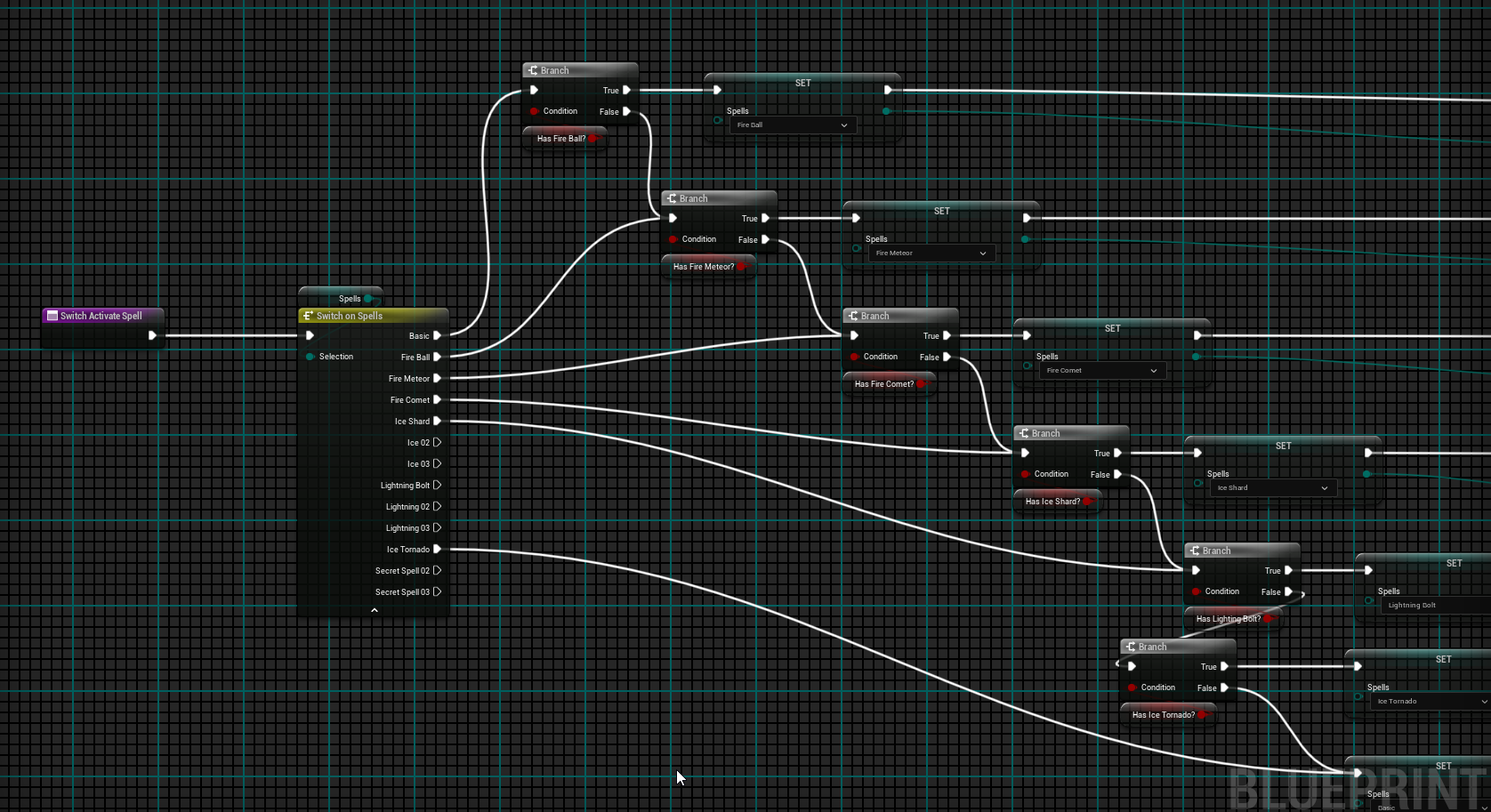
 indigo gate
proud sentinel
sorry for necroing this, but did you figure that out? same problem
indigo gate
proud sentinel
sorry for necroing this, but did you figure that out? same problem
Not in any conventional way, I just had to create a custom function that replicates the built-in check with a capsule trace to check if there is enough space or not to uncrouch
proud sentinel
indigo gate
Not in any conventional way, I just had to create a custom function that replica...
ah i figured, that was the solution i was coming to as well, i ended up overriding a lot of the crouch functionality in c++ and couldnt get the auto-uncrouching to stop
faint pasture
devout oak
Is there a way i could setup a 2 way keybind to go both directions on selecting ...
My guy you need a different sort of setup
At the bare minimum, you can replace all that with an array or set of those enums, call it SpellsIHave or whatever
that array represents the spells you have. If an enum is in the array, you have it, if not, you don't
then your test can be:
Input -> does SpellsIHave contain SpellIWantToCast? -> yes -> ok go head and cast it wiz
 mystic blade
am i able to lock camera rotation when the parent its a child of is rolling and rotating?
 lunar sleet

 soft wave
mystic blade
am i able to lock camera rotation when the parent its a child of is rolling and ...
soft wave
mystic blade
am i able to lock camera rotation when the parent its a child of is rolling and ...
I think spring arm does that?... It remains stable for sure when "use pawn control rotation" is active, but I don't remember how it would work without that...
faint pasture
mystic blade
am i able to lock camera rotation when the parent its a child of is rolling and ...
what any "lock" does is set the rotation separately from the derived rotation vs its parent
so yes
the built in ways typically use ControlRotation
 snow halo
@dark drum btw why did you create a new gamestate to your oxygen system and add this component to your gamestate instead of adding the gamestate to your character?
dark drum
snow halo
<@430016173694779402> btw why did you create a new gamestate to your oxygen syst...
The oxygen system comp was put on the game state to treat oxygen more often a global variable. Something like oxygen in a spaceship or inside a submarine.
If you wanted it to be individual per person you could put the component on the character. You'd just need to update a few bits.
snow halo
dark drum
The oxygen system comp was put on the game state to treat oxygen more often a gl...
Im planning on using this on as oxygen system but as a system to handle the stats like health, energy, etc.
do you think it's still a good tutorial for that purpose?
Im on part 1 at the moment only a few minutes in.
dark drum
snow halo
Im planning on using this on as oxygen system but as a system to handle the stat...
I have recorded the next part where I show how to have oxygen depletion cause damage. To make a quick health system I just copied the oxygen system and renamed the vars. 😅 (Not sure when that will be uploaded though)
But yea, the same concept could be applied for general stats. Just put the comp on the character. There's nothing stopping you from putting multiple stats in the same system. (I'd probably recommend it)
lime crow
Bit of advice please. If I have a hud that I add to Viewport from the player controller. And I destroy the actor (the player) and spawn a new player in. The hud would still reference the original player right? So what's the easiest way to make the hud know about the new player? I have a reference stored to the new player in the gamemode.
frosty heron
Haven't you been told multiple times already.
Just wrap what you have as a function.
Pointing to new owner is as simple as creating a fresh widget and calling the same function.
lime crow
frosty heron
Haven't you been told multiple times already.
To create a fresh widget I would need to destroy the old one no?
frosty heron
Sure? But what's the actual issue
You destroy what you need, you add what you need.
Write down the flow on paper then implement in code. This is trivial.
OnPawn Possess -> init widget
On pawn death -> remove widget
lime crow
frosty heron
You destroy what you need, you add what you need.
I was just tryingto update the widget you see. I saw on you tube that constantly destroy and loading widgets is bad practice. So I was trying update them with refrences
frosty heron
Who said that
Beside you are just destroying the old one and spawning a new one. This is peanut
For what you are doing, since I read what you are trying to achieve last time. Destroying the widget for the pawn that die and re creating a new one for the one you will possess is totally fine.
If you lose 1 fps, then you can contemplate but you are not even tanking any performance.
lime crow
👨🏫 My Patreon link:
https://www.patreon.com/kekdot
Download Project Files | Premium Tutorials | Courses
🕹️ Get our Game on Steam | The Anomaly Project:
https://store.steampowered.com/app/2960770/The_Anomaly_Project/
In this video we take a look at how we can properly create and manage our UI Widgets inside of the Blueprint H...
When you say destroy. Should injust get rid of the entire hud and load it in? Because I have multiple things on there, like text, images ect.
frosty heron
It's totally up to you
Like I said you take out what you need and create what you need.
This is not something you ask someone, the action depend on the project need.
The entire widget can just be a one widget called playerStats.
OnPawnDeath -> get W_playerstat -> destroy
OnPossessNewPawn (pawn) -> set W_playerstat -> initialise widget
Nothing complicated. Actually simple and straight to the point.
On possessing new pawn create widget for that pawn and initialise.
On pawn death get rid of the widget related to the pawn.
lime crow
Thanks yeah I was trying to do something similar but wasn't destroying the widget.
frosty heron
It's okay to destroy it too
For what you are doing
Makes no sense to reuse or pool widget
lime crow
Understood. Makes alot of sense to be fair
frosty heron
Of course for other need, you might want to get into object pooling. E.g floating damage text.
But for player stats hud. It doesn't matter yo ( in terms of performance)
maiden wadi
lime crow
https://youtu.be/7b7a20j0azc?si=n_y-EGIqI3ajgP1s
As a UI engineer, I can say that reuse is nice. And it can be easily achieved. However it requires some fundamental understandings that are best just achieved through experience. And most of the time this isn't really up to the designer so much.
The designer says "Remove this and then put this here." In the context that they want to remove the hud they had and place a new one there. As a designer I don't want to care about the reuse, I just want the hud to be refreshed.
As an engineer you understand the designer just wants to remove said non working widget and put a working one there that can initialize correctly. So you give them the tools to do so. Which requires placing containers that reuse widgets of same class like CommonUI's containers like the WidgetStack. If I have a UMyHudWidget class and I push it to this stack for the first time, it'll create a new one. If I then remove that instance and then push that class to the stack again, it will not create a new widget but reuse the one it just removed.
It's construct and activation code all still runs so you update references and such but does not recreate the whole widget again.
But realistically, the reuse code is not meant for rare events like respawning. The cases that this come from are things like buff applications where gameplay is constantly updating a lot of small widgets. You generally don't want to throw these away and create new ones due to garbage collection reasons. A whole hud being replaced every 2-30 minutes is a shrug. Buff widgets on multiple things being updated and replaced every frame or three from ability spam is an issue.
If your UI is more complex than simply being able to remove it and replace it, it isn't working correctly.
What is the component a part of?
I assume the character, but just asking.
I'm not seeing how this fails if you recreate the HUD after the new character has been spawned?
frosty heron
Try to make sure you don't recreate the widget before the pawn is possessed. And since maybe you are doing mp, that's even make it easier to do it incorrectly.
Address race condition. Hook up the event where it matters. I would probably just make an init function and call it after the pawn is possessed.
Oh if multiplayer then you will need to hook the binding else where since on posses only get called on server.
willow gate
Following up on a question I had yesterday: I'm trying to centralize achievements in my project and I ended up landing on a simple solution which is just an enum variable that I can add all of my achievement names into and then a function in my game instance which takes in said enum and a flot for achievement progress and then calls CacheAchievements and WriteAchievementProgress.
Seems like that'll work but my brain keeps telling me I need something more. Tell me I'm overthinking it. 😉
maiden wadi
Well that escalated quickly. O.o
willow gate
Seems a bit petty and more difficult than just skipping/ignoring replies from him but whatevs.
maiden wadi
willow gate
Following up on a question I had yesterday: I'm trying to centralize achievement...
Could work. In Red Solstice 2 we had a datatable of achievements and a wrapper that used the datatable handle to get the achievment name. Cause we used the same name for Steam and the datatable row handle. But we stored a bunch of other data there too relating to them.
willow gate
maiden wadi
Could work. In Red Solstice 2 we had a datatable of achievements and a wrapper t...
That makes sense. I'm always a fan of data-driven systems. I guess I'm just trying to think ahead of time if there is anything I need to do internally with those stats. Since they're being stored on the cloud via steam/epic game store, I am not seeing a reason right now to do anything more complicated.
maiden wadi
willow gate
That makes sense. I'm always a fan of data-driven systems. I guess I'm just tryi...
One note is also that enums are bad for scalability. While it might be unlikely that you'll pass 255 achievements, it's not impossible given DLCs and such. So anything like tags or fnames that can scale to infinite are usually preferred when there's an open ended possibility like that. It's a little less direct than having specific sets of states that won't really grow like Open, Closed, Locked.
 fading sentinel
Hey guys, I'm building a 2.5D side-scroller game in Unreal Engine 5.5 using the Cine Camera. However, I'm concerned about performance issues, build size, and compatibility with low-end devices. Would switching to Unreal Engine 4.27 make my game more lightweight and accessible to low-end devices? I'm prioritizing mobile compatibility, especially Android. Any feedback on which version works better for mobile game development would be appreciated!
willow gate
maiden wadi
One note is also that enums are bad for scalability. While it might be unlikely ...
This makes sense. Thanks. I'll rethink enums and take a look at a DataTable solution.
lime crow
fading sentinel
Hey guys, I'm building a 2.5D side-scroller game in Unreal Engine 5.5 using the ...
im also building a 2.5d game, im using unreal 5.5 they are even making a template for a 2.5d game for ue 5.6, i would have thought they would have optimised things the newer the engine got, but thats prob not helpful
maiden wadi
fading sentinel
Hey guys, I'm building a 2.5D side-scroller game in Unreal Engine 5.5 using the ...
There is nothing that 4.27 can do that 5.5.4 cannot. And you also have less tools available to you for bug fixes and such.
For other devices and even lower end graphic settings on PC you can disable certain features. You can always scale your rendering backwards, you can't opt into newer features on an older version though.
frosty heron
willow gate
Seems a bit petty and more difficult than just skipping/ignoring replies from hi...
Probably addressed to me since I get a mention but didn't read the msg. Is someone offended again. I swear this is the last time I will even try to help anyone on this channel.
Sure I can sound condescending but I don't think i deserve the stupid abuses I experienced.
Called time waster etc. I'm done commenting.
lime crow
frosty heron
Probably addressed to me since I get a mention but didn't read the msg. Is someo...
Na na that was me, it wasnt anything bad. i apologise. No abuse at all was given
frosty heron
👍
fading sentinel
frosty heron
Probably addressed to me since I get a mention but didn't read the msg. Is someo...
Hey bro I know am not on this conversation but u have helped me in the past when I had issues and u don't seems to be that kinda person, u even take ur time to explain properly
Just ignore who pisses u off
fading sentinel
maiden wadi
There is nothing that 4.27 can do that 5.5.4 cannot. And you also have less tool...
If that's the case why do many games still use unreal 4
I heard delta force mobile used 4 and 5 together
frosty heron
Upgrading is a pita if you have a lot of plugin
willow gate
Not to circle up for a kunbaya moment but I think it's important to remember that text based communication doesn't always carry the intended tone and sometimes direct communication styles can seem cold or condescending when really someone is just trying to be efficient. We're all hear to learn and help so remembering that can help us cut everyone some slack. I appreciate all the help I get in here.
frosty heron
Took me 3 days to compile
Had to fix errors and deprecated stuff
Not to mention naming collision too
fading sentinel
lime crow
im also building a 2.5d game, im using unreal 5.5 they are even making a templat...
That's supposed to be the case but it isn't
A d plugins compatibility is another issue I have
Tho this game doesn't have voice chat or multiplayer but the agora voice chat plugin stops at 5.1
frosty heron
If performance is what you seek there's a way to fall back to ue4 settings in ue5
Laura had a msg in the pinned section #ue4-general
maiden wadi
fading sentinel
If that's the case why do many games still use unreal 4
I heard delta force m...
Largely due to misconceptions and partially due to not wanting to go through the hassle. If you have a working product atm then it may not be worth the effort of an update. Specially if you have C++ code that requires API deprecation updates and such.
But if their only excuse is due to rendering, they're either misinformed or blatantly lying.
frosty heron
@maiden wadi thanks for the help with text rendering. I haven't got it to work optimally since every floating text is a widget component 😵 . But it works as intended for now.
Starting to lose frame when there are hundreds of component, so I might have to reactor if I reached the limit.
maiden wadi
I would definitely test out the NativePaint in a userwidget if you can. If I have time at some point I might git that in a plugin if you want to look at it.
frosty heron
Yea native paint is running in a user widget sorry not widget comp
But every instance is a widget, instead 1 widget rendering arrays of text.
Not sure if it's actually wasteful to call native paint function too many times. As far as I see the passed param is passed by ref.
So maybe not soo bad? No idea.
snow halo
dark drum
I have recorded the next part where I show how to have oxygen depletion cause da...
btw why do you use a common activable widget?
I dont have it available is that a plugin thing I must enable?
maiden wadi
snow halo
I dont have it available is that a plugin thing I must enable?
CommonUI, it's in the engine by default.
snow halo
maiden wadi
CommonUI, it's in the engine by default.
I dont have such thing available here
 maiden wadi
You'd need to enable to plugin. But it's not necessary unless you're subscribing to using all of CommonUI, which is a long topic.
dark drum
snow halo
I dont have it available is that a plugin thing I must enable?
What Authaer said. Its adds some extra functionality which can be useful.
snow halo
maiden wadi
You'd need to enable to plugin. But it's not necessary unless you're subscribing...
I already have a widget, im just following pattym's tutorial which is this one: https://youtu.be/yzM1o7oQQ-A?t=78
im just following everything the way he does, looks fairly simply so far and straight forward type of set-up, im planning on using this oxygen system and then I'll change things up to fit closer with my own system, only difference is im planning on using this for health, energy, hunger and thirst, also I have 4 progress bars already where this looks like its going to be a set up for a new widget, I'll follow along and see how it goes, currently im on 1:11 of the part 2 of the series

In this tutorial, I’ll show you how to create an oxygen supply meter—ideal for underwater games, space environments, or any scenario where oxygen management is key. We’ll start by setting up a dedicated folder and blueprint, then dive into adding components to the game state and building out the logic to track and adjust oxygen levels.
Yo...
This what my default widget looks like, I have a radial menu that opens up when you press "q"

and I also store my health, hunger, thirst, and energy on the same widget
the only bad thing I was doing is probably the way I was storing these health variables into my widget, and changing it via the widget
where's people where telling me I need a component system set up for these widgets, and several functions where before I was just activating certain events inside of this widget that were responsible for controling my stats, this is what many people told me not to do, and most people told me it's bad, which sounds correct, I just don't really fully understand why (yet)
 stuck plank
snow halo
where's people where telling me I need a component system set up for these widge...
stuck plank
snow halo
where's people where telling me I need a component system set up for these widge...
I am new to your conversation so I might be a little out of touch on it but I can offer some perspective that might be helpful. I went through the learning curve myself over the last several years.
The key consideration is that your widgets should never be responsible for “holding” data. They are only ever a “window” to the data something else has.
And the best data is that behind something based off of UObject (meaning it is based off of a memory reference).
So rather than store health and hunger on the widget as, let’s say float values or a struct, give the widget a reference to the object that has these values. That might be your pawn, controller, actor component, etc. this way the widget has the updated data available to redraw without you having to “push” that information into widget variables.
Not sure if this helps but thought I would share if this is what you are struggling with.
 wary leaf
Done this from scratch in less than a week. Tricks are accumulated since I struggle how to find the timing for applying a trick at the end of a given serie of inputs (and hold it as long as the last Trick Input pressed is not released).
Oh yeah and the relative Pitch rotation pisses me off...
dark drum
stuck plank
I am new to your conversation so I might be a little out of touch on it but I ca...
Just a slight amendment, widgets shouldn't hold gameplay sensitive data. Part of the reason why is because widgets aren't replicated so storing health in a widget for example, would never be shared with other clients.
Also, if I remember correctly, widgets never get created on a server only build.
stuck plank
I think what I was saying was the exact opposite of widgets storing data though. Did it seem otherwise?
dark drum
stuck plank
I think what I was saying was the exact opposite of widgets storing data though....
Just an amendment to this. The important part is gameplay sensitive. Things like what widget is currently active/selected or which item a widget is associated with etc... Sometimes widgets might create/calculate there own data but this would normally based on external data.
The key consideration is that your widgets should never be responsible for “holding” data. They are only ever a “window” to the data something else has.
astral flame
Hey guys anyone know how to remove a specific hud from viewport after a delay?
 exotic gazelle
astral flame
Hey guys anyone know how to remove a specific hud from viewport after a delay?
exotic gazelle
astral flame
Hey guys anyone know how to remove a specific hud from viewport after a delay?
grab de return value from that widget and put a "remove from parent" node
astral flame
I tried that...it doesnt clear
 wild sage
How can i force a crash in shipping builds? i'm testing my bugsplat crash report receiver
 merry mirage
Make a function with an nullpointer and call it on an input?
wild sage
i already do that... but nothing happens

The engine throws the nullptr error, but not crash my game
 frosty heron
wild sage
The engine throws the nullptr error, but not crash my game
frosty heron
wild sage
The engine throws the nullptr error, but not crash my game
yeah because you are in blueprint world
it will just throw an error msg.
You can make a custom C++ function that takes an object ptr if you want to crash the game.
stuck plank
wild sage
i already do that... but nothing happens
Also keep in mind that accessing a null pointer is "undefined" behavior which means anything can happen. It can (likely will) crash, but it can also run just fine. So you might have to work a little bit to force a crash even in C++.
lime crow
What is actually the best approach to a player that will die alot? Kill the character and the hud? Kill the character but keep the hud alive or just teleport the player to a checkpoint?
faint pasture
lime crow
What is actually the best approach to a player that will die alot? Kill the char...
Teleport
IMO
wild sage
frosty heron
You can make a custom C++ function that takes an object ptr if you want to crash...
My team didn't include a C++ module in the project unfortunately, it's blueprint only
The only way I know of to do this in blueprints is using "debug crash", but that node only works in development builds
frosty heron
wild sage
My team didn't include a C++ module in the project unfortunately, it's blueprint...
Just check for validity and print string self on is not valid
Yeah the point is to catch the crash on development
Why do you need on other build
snow halo
@dark drum btw, im reaching almost half of the second part of your video, I can't find this matching event called UpdateBar. It seems to be like a thing you are using gamestate, while im calling this on player character's begin play rather than on this game state that deals with entering water because your system is about water & im implementing on different use case. Is there any difference in using it on character vs using it on game state? Why is it that I can't find this Update Bar thing? Also this Update Bar function seems to be a function that exists inside of that W_OxygenLevel widget you made.
This function is also inside of my Central_UI parent of all widget system, it's called "UpdateHealth" thats the only difference from yours, but I can't find any matching events here on this Create Event node. It just doesnt come up yet for some reason. Is that supposed to be a globally available to be accessed function somehow?

 dark drum
snow halo
<@430016173694779402> btw, im reaching almost half of the second part of your vi...
dark drum
snow halo
<@430016173694779402> btw, im reaching almost half of the second part of your vi...
Yea, the 'UpdateBar' function is on the widget so you would connect a reference to the widget as the object on the 'create event' node. This will show the functions on it. When the event dispatcher is called, it'll call the function/event on that specific instance.
snow halo
dark drum
Yea, the 'UpdateBar' function is on the widget so you would connect a reference ...
oh wait, Im mistaken, so none of this should be on the first person character or game-state at all. I just realized your video isn't showing this to be on game state either. He's still on the widget when he's doing that
 lime crow
faint pasture
Teleport
lime crow
faint pasture
Teleport
It definitely felt easier using teleports! I was having a few overlap issues with objects that were still in the game then someone recommended destroying the player
kind estuary
Will this Get Actor of Class on each iteration. Or only once ???
 dreamy marten
Only once because it is not an Impure function
The result will get cached

Epic Games Developer
Node graphs that can be executed, or called, from another graph.
kind estuary
dreamy marten
The result will get cached
🫡 Got it
wild sage
frosty heron
Why do you need on other build
I'm testing if I've correctly configured bugsplat settings in shipping builds
Because my game is on Steam as a shipping version and I want to receive crashes if this happens
mystic blade
how could i rotate an object around the player based on the horizontal rotation of the camera around the player?
think like a golf game and the way they usually visualize it with an arrow or something facing which way the ball is going to be hit
 plush ledge
hi, does someone know why the spline spline mesh wont show up?

 snow halo
dark drum
Yea, the 'UpdateBar' function is on the widget so you would connect a reference ...
snow halo
dark drum
Yea, the 'UpdateBar' function is on the widget so you would connect a reference ...
btw I dont think I understand whats going on here on 20:24
In this tutorial, I’ll show you how to create an oxygen supply meter—ideal for underwater games, space environments, or any scenario where oxygen management is key. We’ll start by setting up a dedicated folder and blueprint, then dive into adding components to the game state and building out the logic to track and adjust oxygen levels.
Yo...
Do I need a slot class?
or tagged slot? what are these gameplay tags needed for?
my widget is pretty straight forward, I dont have thing, inside of thing. Or widget inside of widget. It's all here

Also I dont have a UIStack Manager Subsystem
I guess it looks like that thing is there to deal with the question of: are you in the water? did you enter the water? are you inside of the water? did you exit the water and entered the surface where you can now breath air?

Thats what it appears here, kind of a "game-state" transition thing?
But in my case it will always be on screen so I guess I don't really need to have this conditional logic I believe correct?
dark drum
snow halo
But in my case it will always be on screen so I guess I don't really need to hav...
Yea, if it's placed inside a widget already then that's fine. No need to manually create and add to the viewport.
dark drum
snow halo
or tagged slot? what are these gameplay tags needed for?
That's for my UI Stack Manager I created that allows me to push widgets to a stack or tagged slots. Stacks and slots are registered using gameplay tags. I mentioned this in the video and showed an alternative method.
steady night
hey ive forgot the node, which one checks "what level is loaded" ? (which level im currently playing) ?
dark drum
steady night
hey ive forgot the node, which one checks "what level is loaded" ? (which level...
'Get Current Level'?
 chrome pumice
guys i created a cellshader following a tutroial and when i go on standalone game ist super bright. anyone knows whats going on?
This is in editor


standalone:
i followed a tutorial to create the cellshader back then but it doesnt seem to work for built or standaloneg ames idk whats going on
 willow gate
Hey again smart people. So I have a simple equip/unequip system set up where the player selects a primary weapon and secondary and can then hold the left trigger to pull out the secondary. When they release, the secondary gets put away and the primary gets equipped automatically. This happens in a few simple functions. Somehow, somewhere, the equip primary weapon function is getting called inadvertently while the player is running around. I'm checking different places where this might happen, including anim notifies but so far nothing. I identified what was being called by putting a print string in the function to confirm my suspicion.
All that to say, is there any debug tool or node which would allow me to capture the source of that function call when it happens? Like "BeginEquipPrimary" was called from BP_(insert name here). Thanks ahead of time.
 errant crown
willow gate
Hey again smart people. So I have a simple equip/unequip system set up where the...
errant crown
willow gate
Hey again smart people. So I have a simple equip/unequip system set up where the...
You can slap a breakpoint inside of your "BeginEquipPrimary", then check the call stack of your blueprint via the Blueprint Debugger. More info here: https://dev.epicgames.com/documentation/en-us/unreal-engine/blueprint-debugging-example-in-unreal-engine

Epic Games Developer
Pause execution using Breakpoints to inspect graphs and the values of variables.
mystic blade
mystic blade
how could i rotate an object around the player based on the horizontal rotation ...
bump
maiden wadi
mystic blade
think like a golf game and the way they usually visualize it with an arrow or so...
Unsure what you mean with this? I love golf games, but not quite sure what the arrow is? Normally there is like a spline following the ball hit path. The only arrows are usually like wind directions.
mystic blade
like the arrow u can drag back that shows how much power is added to your hit
drag it back a little and it goes not very far
drag it back all the way and it goes very far
maiden wadi
Not fully following still. I'm used to power meters.
chrome pumice
How can i change the scalability settings to medium in standalone game ? its allways on epic
maiden wadi
chrome pumice
How can i change the scalability settings to medium in standalone game ? its all...
If you don't have an options menu, press the console key, usually ~ and do "Scalability 3"
Or maybe 1?
chrome pumice
here?
 maiden wadi
Low, Medium, High, Epic, Cinematic?
chrome pumice
wanted to do 2
maiden wadi
No, in your standalone game after you've launched it.
chrome pumice
i cannot launch it with medium settings by default?
maiden wadi
Uncertain. You might be able to do an override launch param. I've never done that for scalability settings. First thing I usually drop in is a quick options menu.
chrome pumice
i have a cellshader that makes the game look super fked up in epic thats why i dont want it to launch with epic
can i put a begin play node that just puts everything in medium in the gamestate begin play?
 stone field
yes you can
willow gate
errant crown
You can slap a breakpoint inside of your "BeginEquipPrimary", then check the cal...
Thanks
chrome pumice
alright then ill do that tanks 🙂
willow gate
mystic blade
how could i rotate an object around the player based on the horizontal rotation ...
Is this for a golf game and what you're describing is what you want to accomplish or can you give us some more context for your use-case?
mystic blade
willow gate
Is this for a golf game and what you're describing is what you want to accomplis...
yes and what i want to accomplish
like imagine u drag ur mouse back to charge a shot. the power of that shot is represented by an arrow. the longer the arrow, the further your ball will be hit
willow gate
mystic blade
like imagine u drag ur mouse back to charge a shot. the power of that shot is re...
Gotcha. So you're basically wanting to do a trajectory preview which will rotate with the camera forward vector and also scale in and out
mystic blade
yeah
now im thinking i just rotate the arrow when the shot is being charged instead of rotating it with the camera
so when ur charging you can move ur mouse around to change the direction
i thought this would be a simple project to do but now im wondering if i need big math to do it
willow gate
mystic blade
so when ur charging you can move ur mouse around to change the direction
Ok. There are a number of ways to do that depending on your setup but I think I would work on the prediction path first and then build the rotation functionality.
willow gate
mystic blade
i thought this would be a simple project to do but now im wondering if i need bi...
https://youtu.be/TCQarlOO6IA?si=UXbu7rUsh1FnEGVW
This is a good starting point for learning how to do your path prediction

In this video learn how you can use the Niagara system and path prediction to generate an aiming line for your grenade throws.
SUPPORT ME
Patreon I https://www.patreon.com/ryanlaley
Buy Me a Coffee I buymeacoffee.com/RyanLaley
Donations I paypal.me/ryanlaley
PRIVATE 1-2-1 SESSIONS
Email me at support@ryanlaley.com for more information and rate...
 hidden fossil
So I'm trying to narrow down where I need to place blueprint nodes to switch out assets for two types of swordfighters (both male and female). One set of assets assumes that the swordfighters are chasing the player and represent the direction of travel, while the other two asset pairs are the actual sword attacks and represent which direction to strike from. Both asset types are defined using public variables within the base blueprint (facing left, attacking to the right etc.) and I need to know where in the behavior tree actions to put the references so that the correct asset is used. Right now, the running animations aren't being used at all (although the attacks certainly are as those were easily figured out with what I already have) so I just need to finish this out so that the correct asset is used depending on what's happening on-screen.
Any recommendations or pointers?
 ancient moth
How can i cast a InstancedStruct back to a concrete type?
 storm orbit
ancient moth
How can i cast a `InstancedStruct` back to a concrete type?
storm orbit
ancient moth
How can i cast a `InstancedStruct` back to a concrete type?
Use the GetInstancedStructValue node. It will correct cast once you hook it up to the correct "Break....Struct" node and use the "Valid" pin
ancient moth
storm orbit
Use the `GetInstancedStructValue` node. It will correct cast once you hook it up...
Thanks! 🙂
 indigo hinge
Hello, I'm making a strategy map grid. I'm attempting to spawn a grid made up of multiple unique instanced static meshes that are arranged in a set pattern. All told there are 55 individual pieces that make up a larger shape. I have successfully spawned each piece in the correct location using a blueprint actor for each static mesh. But I WANT them all to be in the same BP actor. Not sure if it's possible, I'm new to unreal and programming. So far I've attempted to just run all the code in one construction script and it crashes unreal immedietly. I've tried using an array for each static mesh instance, but because each piece requires it's own vector coordinate I've not been successful there. Any general advice or clarification on something I'm surely misunderstanding would be appreciated. (Note I want to keep the pieces as unique SMs so they are clickable and can have a variety of traits proc gened onto them) Thank you!
ancient moth
Is there a way of setting a timer, for a UObject without a world context? I have another object availabe in there that has a world context 😅
frosty heron
probably not in blueprint but you can deffinitly do that in cpp
just call the timer manager and pass a valid world context.
or maybe set timer by function work, I don't know.
ancient moth
Nah it does not 😦
Because I have some UObjects, that are just created as default objects, and they have a function, that gets a object (with world context passed). So either I'm creating a custom node that would allow me to create a timer for a object or I maybe duplicate the default object an set the world object on there right?
 glass blade
i wanna move some data from my game instance to my player controller, can i use this node now instead of get game instance?

im confused about this number here
ancient moth
glass blade
i wanna move some data from my game instance to my player controller, can i use ...
If I remember correctly, PlayerIndex 0 will always be the local player.
glass blade
im doing like a non local multiplayer can i ignore this number?
 sand shore
is your game multiplayer at all? what kind?
glass blade
yep multiplayer, um non listen server so just regular dedicated server, its mostly a server autharative setup
sand shore
Hmmmm
My recommendation would be to not use any node that uses a PlayerIndex on the server, then. I usually don't recommend it at all
glass blade
how else would i grab the contents of my player controller then
ancient moth
Yea, you need some way of knowing, what player you are targeting
sand shore
But GetPlayerController(0) won't get in your way for the client code
glass blade
im targeting the local player basically
ancient moth
glass blade
how else would i grab the contents of my player controller then
there might be 10 or 100 players
glass blade
player controller is not replicated
sand shore
glass blade
im targeting the local player basically
there IS no local player for a dedicated server tho
glass blade
so the number shouldnt matter?
sand shore
Alright, godspeed
glass blade
im just trying to figure out
 normal badge
Is this the right channel to ask something about texture issues?
If not, let me know.
But on my right page, something is not getting the texture... How can i fix that?
frosty heron
glass blade
im confused about this number here
it depends whos calling
and player controller is replicated, just not client to client as client only know their own controller.
but server has everyone's controller.
so you can do RPC and replicate some variable Server to client
read the pinned msg in multiplayer channel.
index 0 for dedicated server would be the first player that connects.
a client calling index 0 will just get it's own local controller since it only know it's own controller.
 ebon quarry
Anyone able to help a novice to blueprint modding work out what's causing a bug which sets the player location to 50km and stops POI from spawning.
It's a graphics mod and doesn't touch any behaviour regarding POI.
 celest trench
Has anyone used editor utilities (this is inside an editor utility widget)? I am duplicating an asset then trying to get an editor property for a skeletal mesh component and set the skeletal mesh reference. It is failing to find the editor property. Is there something I need to do?

 snow halo
dark drum
That's for my UI Stack Manager I created that allows me to push widgets to a sta...
snow halo
dark drum
That's for my UI Stack Manager I created that allows me to push widgets to a sta...
btw Im trying to get this bind on my character, but can't find it. I can only find this bind inside of my widget that contains my Progress Bar


 snow halo
I never fully understood binds tbh 😭
I also changed the names a little bit, like instead of oxygen im saying "energy" and stuff but that's pretty much it, and besides the game-state which im not using, everything else I think is the same, and I also have already a widget, I didn't make a nested widget inside of a new widget type of thing. That's also another small difference in my setup

but other than that very good youtube channel btw @dark drum I really like your other videos
 kind estuary
no matter what i try Text Render with custom font never works
tried this tuts
and many others
it always comes off with no text
or with the text very buggy undefined
should i just use Roboto (very ugly font)
i think i will settle with roboto 
dark drum
snow halo
Update bar would have been created in the widget (pt2) for updating the progress bar used to diplay the data.
snow halo
dark drum
Update bar would have been created in the widget (pt2) for updating the progress...
If so then why not have this logic inside of the widget itself? Im confused. I can't access the binds from my character
dark drum
snow halo
If so then why not have this logic inside of the widget itself? Im confused. I c...
The logic to update the progress bar (UpdateBar) is in the widget. When we create a binding to the OnOxygenLevel changed, we say, 'Call this function (update bar) on this object (the widget) when this dispatcher is called.'
Where you create the binding isn't to important as long as it makes sense for what you're doing. With you playing the widgets into a large HUD type of widget, it might make sense to create the binding in here so the large HUD would get the system and create the binding as it has access to the bars.
snow halo
dark drum
The logic to update the progress bar (UpdateBar) is in the widget. When we creat...
but doesn't this method with the binds also work on tick?
dark drum
snow halo
but doesn't this method with the binds also work on tick?
No, you're thinking of the property bind inside widgets. (that does happen on tick). Event dispatcher however, work differently. Behind the scene it just creates a list of objects and the function (delegate) and when the dispatcher is called, it goes through the list and calls the relevant function on the actor.
Event dispatchers are very power way at decoupling logic.
As an example, you have multiple places that need to know when the player has jumped. Having the player know about all these places and call a function on them every time the player jumps isn't very scalable. Instead you'd use an event dispatcher. 'OnJumped', this way those other things just bind to the event dispatcher and all the character would do is call the event dispatcher. The character doesn't ever need to know about those other things.
snow halo
dark drum
No, you're thinking of the property bind inside widgets. (that does happen on ti...
Do you see any errors with this method?

This is my widget event construct
dark drum
snow halo
Do you see any errors with this method?
No, that's fine. It does hardcode the widget to that specific stat but if you plan to make different widgets for each stat type (instead of reusing the same widget for all) then you're good to go.
snow halo
dark drum
Event dispatchers are very power way at decoupling logic.
As an example, you ha...
This technique with the event dispatchers kind of reminds of a Rube Goldberg's machine

it's not very intuitive either tbh for me but if it's modular & more scaleable then that means it's good I think
but in general im just used to using interfaces for everything
and I like the simplicity of just going to the widget and changing things through there, where's now with the components everything is inside of another thing and its so hard to keep track of it, but your method is still more simple than 99% of the shit i've seen out there on youtube
snow halo
dark drum
No, that's fine. It does hardcode the widget to that specific stat but if you pl...
also another useful fact I think I need to mention that Im making a first person game with only one player
dark drum
snow halo
it's not very intuitive either tbh for me but if it's modular & more scaleable t...
One way to think of event dispatchers is like a bell that makes a specific noise. When you create a bind it like saying, when you hear this noise do this.
The thing with the bell just does its thing and rings the bell and doesn't care who's listening. 🙂
snow halo
dark drum
One way to think of event dispatchers is like a bell that makes a specific noise...
When I start my game I see the 100 number being printed, where is this system supposed to repeat if not tick but continue to fire the Drain event?
 wide light
hi guys, i just switched form UE 4.27.2 to ue 5.4.4 but for some reason only one animation won't play anymore. i even checked with a print string if the code was working as intended and indeed it did print the string when it was suppose to play the animation
 dark drum
snow halo
When I start my game I see the `100` number being printed, where is this system ...
dark drum
snow halo
When I start my game I see the `100` number being printed, where is this system ...
A timer i think. You might not have ticked looping so it only fires once.
snow halo

 snow halo
dark drum
on the 'Create Event' you have the wrong function selected.
snow halo
dark drum
on the 'Create Event' you have the wrong function selected.
Now im using UseEnergy and its still the same
 snow halo
Also I found I was missing this connection here, but this didn't make a change either

I also found another mistake here

Turns out I had more than just a few errors, I also forgot to include these 3 nodes. Now the change that happened is that I get the number 100 printed 3 times
 dark drum
snow halo
Turns out I had more than just a few errors, I also forgot to include these 3 no...
dark drum
snow halo
Turns out I had more than just a few errors, I also forgot to include these 3 no...
Whats the depletion value you've set that gets used in the 'UseEnergy' function?
snow halo
actually on your videos you change this back and fourth, im kinda confused what the problem is, I keep going back and fourth
snow halo
dark drum
Whats the depletion value you've set that gets used in the 'UseEnergy' function?
 dark drum
snow halo
actually on your videos you change this back and fourth, im kinda confused what ...
dark drum
snow halo
actually on your videos you change this back and fourth, im kinda confused what ...
Yea sometimes I change things as I go along. I try to focus more on the understanding of why I set things up the way I do so this does lead to changes needing to be made. I normally provide an explanation.
snow halo
Omg I finally made it
snow halo
dark drum
Yea sometimes I change things as I go along. I try to focus more on the understa...
This was also corrected in your video 🤣 😂

I probably went over that one back and fourth quick and I corrected also my own correct version & downgraded to false & then turned it back to the correct version again
I was so confused going back & fourth with the parts
but it finally works
I think now I kind of have a good understanding of how these work, I normally never use max variables
and these dispatchers were always kind of confusing, but overall looks solid. Now all Im gonna do is repeat this thing for Energy, Hunger, and Thirst
Health is probably going to work a bit different though as Health doesn't automatically drain overtime unless if one of the other stats gets really low
like extreme hunger, extreme thirst or extreme fatigue
dark drum
snow halo
Health is probably going to work a bit different though as Health doesn't automa...
Possibly but it might regen overtime so instead of removing health it'll add it. I did record a pt3 where i create a quick health system (using the same method) so I can demonstrate how to apply damage when oxygen is depleted. Not sure when it'll get released as I still need to edit it.
Despite that though, hopefully, you should already have a good understanding to keep going. 🙂
I toyed around with using custom UObjects to define new stats but that stuff got complicated quick. 😅
kind estuary
i need to make a comic style bubble comment

like this
but it must adapt the size to the text
how do i make it so that the size adapts to the text inside
what do i search for to get tutorials about this?
oh i can do this using widget3d
willow gate
errant crown
You can slap a breakpoint inside of your "BeginEquipPrimary", then check the cal...
Appreciate this. I really should have learned about breakpoints and using the blueprint debugger a long time ago. I was mostly using other debugging methods for all these years but this is robust. I feel dumb for not getting on it earlier!
maiden wadi
kind estuary
https://toppng.com/uploads/preview/comic-book-speech-bubble-1155105217344cxemzwz...
You just need a 9sliced textblock, mostly.
willow gate
kind estuary
oh i can do this using widget3d
If you want it to be placed above the character in the game world, a 3d Widget is the right solution. If you don't need that, I would suggest placing it in your player's main widget for easy access.
maiden wadi
Er, not textblock. I mean an image around the textblock that is 9sliced.
Same idea as any other stretchable border mostly.
Just more margins on the bottom.
willow gate
maiden wadi
Er, not textblock. I mean an image around the textblock that is 9sliced.
Do they still have a 9slice? I can't find it explicitly when building a widget.
maiden wadi
It's the Box setting. Choose Box and set the margin to 0.5 to start.
Should be available on a Border or an Image.
The default has an issue though in that it stretches the centers. Not an issue if you want a clean border, but if you want a tiled border you need to make your own material.
 spiral kite
isfront is constantly changing when closing and opening the door. i want the door to open opposite to whichever side i am on. apart from this problem i don't understand how to do replication. normal door was working properly


 snow halo
dark drum
I toyed around with using custom UObjects to define new stats but that stuff got...
snow halo
dark drum
I toyed around with using custom UObjects to define new stats but that stuff got...
nice, btw I wanna ask you a question, if you had 4 progress bars... how would you do it? Would you duplicate your stats component (oxygen system) and rename everything like 1 energy, 2 health, 3 thirst, 4 hunger, etc.? Or would you just create 4 duplicates of these functions here?
my problem is that maybe I will change my mind and I will remove energy if I see it getting too overbearing and its turning too much into an RPG...

and then on your begin construct of your widget or begin play of your character, would you also duplicate this code 3-4 times?

What would be more efficient?
dark drum
snow halo
nice, btw I wanna ask you a question, if you had 4 progress bars... how would yo...
I would just duplicate the variables/functions, be sure to put them in a category to keep things tidy. 🙂
@snow halo if you're feeling adventurous, you could alway look at using custom uObjects for each stat with all the core functions and what not. It does add an extra level of complexity but it can make it more modular/dynamic.
willow gate
Hey all. Is there like an AIMoveTo equivalent that you can use for your player character when you want them to move somewhere specific, for instance, in a cutscene. If they enter a collider, it disabled input and then moves the character to a specific spot using the anim bp?
Or do you just unpossess, add an AI controlller that takes over and then repossess when needed?
dark drum
willow gate
Hey all. Is there like an AIMoveTo equivalent that you can use for your player c...
There is a simple move to location/actor nodes that work with the player controlled character but it doesn't have any callback for if the move fails or the location/actor has been reached.
It's actually the problem i'm currently trying to solve. 😅 (well find a better method than my previous (working) attempts)
willow gate
dark drum
There is a simple move to location/actor nodes that work with the player control...
Thanks. I'll try this
I wonder why they didn't build in a callback.
dark drum
willow gate
I wonder why they didn't build in a callback.
Not sure but... It looks like it creates a path following component (if not an AI Controller) and adds it to the player controller. I believe the path following component is what has the call backs. Not sure how much is exposed to BP though.
 true crystal
Hello there. I have a question for the people who have worked with MetaHuman. Is there any way possible to automate the Mesh To MetaHuman process?
willow gate
dark drum
Not sure but... It looks like it creates a path following component (if not an A...
I'll look into it but in the meantime, it would be pretty simple to just make a little function that checks the player's proximity to the desired location on a timer and then either calls a fail or success condition.
dark drum
willow gate
I'll look into it but in the meantime, it would be pretty simple to just make a ...
Yea, in my previous attempts, I had a collision sphere I spawned at the location that had some event dispatchers I could bind too.
As an FYI, it doesn't look like any of the path following component stuff is exposed to BP.
willow gate
dark drum
Yea, in my previous attempts, I had a collision sphere I spawned at the location...
Thanks for the heads up. I'll figure out a solution. Might not be clean but I'll figure it out. 😉 Thanks for pointing me at this node
 terse spruce
I have a small issue, when i trigger an event from a tick, Delay until next tick doesn't seem to work.
Ex: setting a location on tick which will trigger an end overlap event.
I would like to do something with 1 frame delay, but as i said in this case delay until next tick (placed infront of end overlap event) fires instantly.
My question: What is the right way to unsure that things will happen next tick in this scenario, using 2 delay until next tick works, but i have no idea if that can cause unforseen issues
dark drum
terse spruce
I have a small issue, when i trigger an event from a tick, Delay until next tick...
Show your current setup. I'm struggling to visualize what you're doing.
terse spruce
dark drum
Show your current setup. I'm struggling to visualize what you're doing.

in this, movesomething will trigger the end overlap
but, dosomething will fire in the same frame even with delay next tick (unless i use 2)
sand shore
Is it possible that you’re seeing multiple end overlap events, one before your tick even happens?
terse spruce
no, since the tick has to fire to change to position that will trigger the end overlap
dark drum
terse spruce
but, dosomething will fire in the same frame even with delay next tick (unless i...
how do you know it's the same tick?
terse spruce
i pause editor and advance a single frame
dark drum
terse spruce
i pause editor and advance a single frame
As far as im aware, delay until next tick will trigger at the start of the next tick before the main tick event is called.
dark drum
terse spruce
i pause editor and advance a single frame
Add this before and after the delay node.
 terse spruce
when setting a delay of 20ms this is what i get, anything lower than 17ms for 60fps will go through at the same time i press advance single frame
 dark drum
So like this. If you get the same number then yes, its happening in the same tick but its unlikely.


 dark drum
terse spruce
dark drum
terse spruce
what engine version are you using?
terse spruce
5.5.1
dark drum
terse spruce
5.5.1
run this command in the console.
'TimerManager.GuaranteeEngineTickDelay 1'
For context,
 terse spruce
dark drum
run this command in the console.
'TimerManager.GuaranteeEngineTickDelay 1'
terse spruce
dark drum
run this command in the console.
'TimerManager.GuaranteeEngineTickDelay 1'
still fires when i advance single frame
dark drum
terse spruce
still fires when i advance single frame
Print the time to know for sure.
terse spruce

set the command in console and begingplay just in case
ill try restarting the engine
nop still
 dark drum
terse spruce
nop still
dark drum
terse spruce
nop still
Odd, i'm out of ideas. 😅
terse spruce
dark drum
Odd, i'm out of ideas. 😅
thank you still, it was instructive 🙏
 dusky meadow
Hi how would I show the player in an inventory screen and be able to rotate that player with the mouse like how oblivion does it ?
Left Oblivion Right my current attempt with render targets with no player model yet

 snow halo
dark drum
<@855871357182410802> if you're feeling adventurous, you could alway look at usi...
snow halo
dark drum
<@855871357182410802> if you're feeling adventurous, you could alway look at usi...
why is it a good idea to have so much dynamism and modularity? can't there be such a thing as too much of it sometimes ?
also I have another question, while customizing those stats here, I made some mistakes that caused my create event binds to have some error, and now it's possible to select more than just 4-5 functions through that green little node thats attached to the dispatcher/bind node
For example right now im able to see a lot of my Interface functions and a lot of my function functions

I think they're all there at the moment
What you're seeing here is for the hunger, but i also have this problem on my energy
What I can do is I can try to contrl+Z to see what I did wrong, but this occured after I deleted something

 iron idol
did you delete the thing it was attached to?
snow halo
Im connecting the right event/function here, but for some reason this still fails
 snow halo
iron idol
did you delete the thing it was attached to?
snow halo
iron idol
did you delete the thing it was attached to?
no, the thing it was attached to exists in my stats_component I believe
dark drum
snow halo
why is it a good idea to have so much dynamism and modularity? can't there be su...
It's subjective but I think there's a minimum level of modularity that makes something easier to work with and tweak long term, which is good as a project scales. However, the more modular something becomes the longer it takes to setup so its often a balancing act with what you're end goal is.
For example, if you'll only have 4 stats, is there any need to make a system that would allow you to more easily and (if needed) dynamically add new stats? Probably not.
Sometimes though, for an extra 30 minutes early on, it can save you hours later down the line. 😅
dark drum
snow halo
What you're seeing here is for the hunger, but i also have this problem on my en...
It looks like you've inputs on the selected function don't match the inputs on the event dispatcher you're binding too.
snow halo
dark drum
It's subjective but I think there's a minimum level of modularity that makes som...
I think I'd like to add a system in which my energy system connects to other blueprints & affects for example how much damage your axe can do vs trees or how strong your attacks are vs wildlife
snow halo
dark drum
It looks like you've inputs on the selected function don't match the inputs on t...
sometimes restarting my engine helps refresh & recompile everything and a lot of these errors usually go away
snow halo
dark drum
It looks like you've inputs on the selected function don't match the inputs on t...
first i've set up the inputs & later Ive set up these dispatchers after finishing making all the dispatcher parameters & the functions on Stats_component
dark drum
snow halo
I think I'd like to add a system in which my energy system connects to other blu...
You might enjoy my 'Stop repeating yourself' series. I go over Actor Components and UObjects in more detail to make reusable logic. It's nice as you can swap out behavior pretty easily. And if you ever decide to move to C++ it opens a ton of other doors.
For example, i'm working on a hyper modular interaction system. Anything that can happen is an Interaction Event with an Event Proxy if I want to kick the interaction to the event graph of the owner of the interactable component. This level requires C++ but once you're in that mind set there's still a lot you can do BP only.
 iron idol
^ His videos are really good.
snow halo
dark drum
You might enjoy my 'Stop repeating yourself' series. I go over Actor Components ...
Does that mean it requires C++ knowledge?
dark drum
System design is a mind set. Understanding how all the pieces will be used and fit together.
snow halo
Ive learned c# some time ago when I was having fun messing around on Unity & made lots of games with python's libraries like pygame etc. but never used C++ on UE although Id like to get into it one day cause I like programming and i like learning new techniques
dark drum
snow halo
Ive learned c# some time ago when I was having fun messing around on Unity & mad...
Custom uobjects become your go to when you move to C++ land. 😅 Everything is a custom UObject with some sort of actor component to manage/use them.
dusky meadow
dusky meadow
Hi how would I show the player in an inventory screen and be able to rotate that...
Anyone have any ideas ?
dark drum
dusky meadow
Anyone have any ideas ?
If you just want to show the player, you could switch to a different cam that's looking at the character.
iron idol
could you just adjust the spring arm?
dusky meadow
Okay its just I want to only show the player and also the lighting needs to be normal regardless of location. Would it be better to have a seperate level with the only the cosmetics of the character and then render that and also how would i able to rotate the character ?
iron idol
i would not do a seperate level
the problem is what you are asking you are probably not going to get because its not just a simple answer
i would look through youtube. there are tutorials on this
dusky meadow
okay thank you both for your help
iron idol
np
i think gorka does it
i'm not a 100% positive but it might be in his rpg series. you might want to start looking there. can't speak for how good it is.
 spring magnet
I've been seeing people saying that 5.5 has inheritance bugs. Any other word on this?
maiden wadi
spring magnet
I've been seeing people saying that 5.5 has inheritance bugs. Any other word on ...
Anything specific said or like... My friend heard from his cousin who heard from his brother who heard from his coworker who heard from some random person?
spring magnet
maiden wadi
Anything specific said or like... My friend heard from his cousin who heard from...
iron idol
damn. I wanted to upgrade from 5.4 too, but this sounds like a pita
spring magnet
iron idol
damn. I wanted to upgrade from 5.4 too, but this sounds like a pita
It is, I've had multiple Fatal Error crashes in the past couple days, and I've noticed that the crash typically clears all data within inherited TMaps across all my widgets.
iron idol
oof.
maiden wadi
spring magnet
It is, I've had multiple Fatal Error crashes in the past couple days, and I've n...
Whcih version are you on?
spring magnet
maiden wadi
Whcih version are you on?
5.5.4-1035
maiden wadi
Doesn't help that people won't stay on topic. I don't doubt half of these are real bugs, but when when you come across some derp that doesn't realize they need to tick "Show Inherited variables", you just sigh.
Curious to test these though. I don't recall what my personal version was. At work we're on 5.5.4 and I haven't seen anything like that though.
iron idol
why would reddit ever stay on topic.
maiden wadi
Amusingly that one wasn't on reddit but the unreal forums.
iron idol
ah, haha. assumptions....
maiden wadi
At work though, our existing project has nothing really placed in the map though. It's 100% procedural which may be why we aren't seeing the issues.
Can you show the hierarchy?
spring magnet
If either of you have a moment, could you check to see if (regardless of engine version) you can make a widget containing a map that uses an enum as the key, and then give it some dumby data, and then see if an inherited widget contains the dumby data as well?
From what I can see, using an enumerator as the key will break the inheritance in 5.5 and 5.4 (but other variable types work as the key)
maiden wadi
I can test that in a sec.
maiden wadi
spring magnet
If either of you have a moment, could you check to see if (regardless of engine ...
I can specifically bug this if I create the widgets. Create a map first. View it in the child and it looks fine. Go to the parent and change the key type to something else and the child looks broken until I close the child. forcibly reload it by right clicking and going to Asset actions, then reload. Then open the child and it's map looks fine again.
spring magnet
maiden wadi
I can specifically bug this if I create the widgets. Create a map first. View it...
Good call, I see that on 5.5 and 5.4; the close and refresh seems to fix it.
It's been finicky with me because my use case is a map of Enum->Struct, and often when I add or remove a variable from the Struct, I get a Fatal Error and lose all data in all instances of that variable.
I can't find the cause yet but I worry about using it if its this unstable. I suppose I could try constantly closing all Widgets and refreshing all of them, every time I make a significant change. This might be enough
maiden wadi
You mean remove a variable from the struct in it's class? As in BP struct?
spring magnet
maiden wadi
You mean remove a variable from the struct in it's class? As in BP struct?
Yessir, or adding one too I believe. It's not a consistent crash so I can't say for certain what causes it
maiden wadi
Cause that shouldn't cause issues with a map. But removing properties from BP structs is like doing a fire dance in a room of tnt as is.