#blueprint
1 messages · Page 308 of 1
 vagrant flicker
 pallid ice
this looks more like a method to put in X to get Y
In the example on the unreal website it also just looks like how much xp is needed to go to the next level instead of remembering the total xp he has and deriving a level from that.
 solar pawn
pallid ice
In the example on the unreal website it also just looks like how much xp is need...
solar pawn
pallid ice
In the example on the unreal website it also just looks like how much xp is need...
can you link that please the examples I've found are all not what I need 😂
pallid ice
solar pawn
can you link that please the examples I've found are all not what I need 😂

Epic Games Developer
Driving gameplay elements using externally stored data.
you can check the section XPToLevel row in their example table, it takes 1000 xp when the player is at level 1 (probably to level up from 1 to 2)
another 1000 xp to level up from 2 to 3
1500 xp to level up from 3 to 4
It is going to become a ridiculous huge number if you are going to remember the total xp of a player instead of saving xp needed plus save its current level
 dusky cobalt
Does anyone know if that was changed recently or i'm tripping?
I add one mapping with higher priority, I make the Input Action inside that IMC consume lower inputs, but the lower one priority still fires OR there is another one that blocks, even though it's also lower priority (but gets added after the first one that should consume and override).
- I make one IMC high priority (999999)
- Set Input Action on that IMC to consume lower priority.
- I add input context mapping with lower priority (10)
- The Input Action from that lower context mapping (10) is actually fired and not the first one?
Actually even tested and changed the priorities and it doesn't matter? What ever gets added as last - works? Is this bugged or this is how it's supposed to work?


 faint pasture
Rotate vector is what you want
 barren tangle
you mean i just have to roate the vector for how much degree? because it's something hidden with the camera no?
you give me an idea
🙂
solar pawn
pallid ice
https://dev.epicgames.com/documentation/en-us/unreal-engine/data-driven-gameplay...
figured it out now, thanks :)
barren tangle
faint pasture
Rotate vector is what you want
i guess it's the same. even if i rotate the vector. the rotation need to be variable regarding the pressed button.
up need a rotation of 45° but down need a rotation of -45°
up and down need a rotation on Y, when left and right will need a rotation on X i guess
pallid ice
barren tangle
i guess it's the same. even if i rotate the vector. the rotation need to be vari...
if you do it the camera way then in the future you can rotate the camera perspective and it would still work
barren tangle
pallid ice
if you do it the camera way then in the future you can rotate the camera perspec...
no in fact it's good

i guess i need to make the rotation on the Z, and get that Z from the camera?
 copper lion
Guys, how to start thinking an inventory system? Its too much , i dont know how to start
barren tangle
copper lion
Guys, how to start thinking an inventory system? Its too much , i dont know how ...
what you want your inventory system to do. start by defining what is the purpose of it in your game
copper lion
Oh well, i want some typa resident evil inventory where you can combine items, inspect, 1-slot based not multi slot items , im making a horror game with puzzles like RE, i have systems like inspect, interact etc. and now i want to start working on thr inventory and i dont know how to start, i never did inventories and all tuts i saw, they were making it different
barren tangle
pallid ice
if you do it the camera way then in the future you can rotate the camera perspec...
if i move the camera indeed the movement doesn't work anymore
 stone field
copper lion
Oh well, i want some typa resident evil inventory where you can combine items, i...
stone field
copper lion
Oh well, i want some typa resident evil inventory where you can combine items, i...
I would recommend starting very small, make a little grid, say 4 slots, and get that working to put stuff in and out etc. slowly expand from there
stone field
copper lion
what are the basis that i need to know?
depends on your groundwork. Do you already have your items setup, and are they in datatable, or actors or what
Assuming you are not very advanced yet, I would recommend looking for suitable tutorials, as simple as possible
pallid ice
barren tangle
i guess i need to make the rotation on the Z, and get that Z from the camera?
Yeah right thinking, problems for later :p
stone field
There are also inventory systems in Fab, of varying price and quality
 little agate
I m also starting to design my inventory system, what you guys usually use to load save the data? json, data datatable (not sure)
stone field
I would def start with having all the items in datatable/s
Then store the actual player inventory in save slots
little agate
I consider json since I can have something like nested struct, data table I am thinking about somthing like relational DB, but not sure
stone field
json is certainly powerful for more complicated arrangements
for simple stuff I would probably just have a struct or something
copper lion
So first of all i should start making a struct where i put my items data, an enum to check what type of item it is and a data table of item struct to make the items and store them?
stone field
I don't think you need enum in there, but yes. items can be identified by their rownames / keys
enums can be a bit nasty in the long run if you have lots of items, adds a layer of complexity for no real value imo
though they are nice for dropdown access and such I guess, and making sure you don't have typos... hmm
copper lion
so how can i store what type of item it is, a consumable, heal, gun etc
stone field
yeah enums for those are great - but not for each and every item like enum sword-short, sword-long, sword+1 etc etc
copper lion
so i dont store them in the struct, i use them separately?
stone field
For saving the player inventory, a very simple struct might be like
struct : E_PlayerBackpack
[array] of Items
copper lion
the struct

 maiden wadi
Don't use enums for scalable identifiers in systems. FName or GameplayTags. "I'm just making a small thing now." turns into "Some derp programmer wasn't thinking ahead" in two years.
little agate
copper lion
the struct
I m thinking about something like this

 tender canyon
The capsule is always squeezed out
Is there any way to prevent the character capsule from being squeezed away?
maiden wadi
tender canyon
The capsule is always squeezed out
Squeezed out of what, in what way? Need a lot of context here.
tender canyon
maiden wadi
Squeezed out of what, in what way? Need a lot of context here.
I was around the AI and let it spin around and push me away\
 boreal sapphire
tender canyon
The capsule is always squeezed out
boreal sapphire
tender canyon
The capsule is always squeezed out
Do you by chance mean the capsule is no longer attached to mesh once collided ?
tender canyon
boreal sapphire
Do you by chance mean the capsule is no longer attached to mesh once collided ?
No, it's just that the character was pushed away by the AI
boreal sapphire
And you don't want the character to be pushed away?
If so set the enemies mesh to not collide with player mesh so their capsules collide but their meshes wont, and scale the capsule to work as player hitbox if that works for you
tender canyon
I solved it by setting the AI's capsule so that the character can step on it
faint pasture
barren tangle
i guess it's the same. even if i rotate the vector. the rotation need to be vari...
You're trying to do movement right? You want wasd to end up as a world space vector correct?
barren tangle
faint pasture
You're trying to do movement right? You want wasd to end up as a world space vec...
Yes I try to do movement. I find a way to make it work with a rotation on the z axis… but if the camera move then my movement doesn’t work anymore 😦
faint pasture
barren tangle
Yes I try to do movement. I find a way to make it work with a rotation on the z ...
If you take the input vector, say 1,0 for moving forward, and rotate it by the cameras rotation, it'll be in world space. You'll move in the direction the camera is pointing
barren tangle
faint pasture
If you take the input vector, say 1,0 for moving forward, and rotate it by the c...
But the camera rotation is also a vector ?
barren tangle
faint pasture
Use the node literally called rotate vector

you see that works so you say use rotation of camera
 faint pasture
barren tangle
you see that works so you say use rotation of camera
faint pasture
barren tangle
you see that works so you say use rotation of camera

Assuming target is your camera
 frosty heron
Why use get all actor of class...
If you need the camera you are using, get it via the camera manager.
barren tangle
faint pasture
no it doesnt work
faint pasture
barren tangle
no it doesnt work
Show your code. All of it attached to this input event node
 faint pasture
barren tangle
faint pasture
barren tangle
Is there only 1 camera actor in the world?
 lament depot
Hey everyone,
Sorry if it's wrong topic.
How I can remove this default gameplay tags, marked red line?
I Looked tutorials, everyone have clear tag manager...
 faint pasture
lament depot
Hey everyone,
Sorry if it's wrong topic.
How I can remove this default gameplay...
faint pasture
lament depot
Hey everyone,
Sorry if it's wrong topic.
How I can remove this default gameplay...
You sure they aren't from the code somewhere? What all is in this project
lament depot
faint pasture
You sure they aren't from the code somewhere? What all is in this project
They are present even if I create a new project and I can't delete them.
barren tangle
faint pasture
Is there only 1 camera actor in the world?
yes only one for testing purpose
mmmm
but it's a good question
lament depot
faint pasture
You sure they aren't from the code somewhere? What all is in this project
From your question, I understand that they can be somewhere in a component written in CPP? and I can't delete it from BP?
barren tangle
because i put 1 camera there, but is there another one existing by default
i will check
yes there is only 1 camera
faint pasture
lament depot
From your question, I understand that they can be somewhere in a component writt...
Yup
faint pasture
barren tangle
because i put 1 camera there, but is there another one existing by default
So what's the problem? Show what it's doing
barren tangle

he face UP/Left, and not UP

i need to face the blue arrow
but my camera is

and the speed is affected ...
 snow halo
Why is my function not working properly?

So for example if I hold one clay item and one rock item, it will only remove the clay item and ignore the rock ingredient that must also be removed
 old crow
Hi everyone, I'm new here, I need some help creating a gameplay camera for my project. Is this the right place for this topic?
 thorny forge
@faint pasture Hey I have a question for you continuing on from yesterdays problem with calculating area in 3D space.
If I had an uneven surface such as a rocky wall and I laid a blanket over that to match pretty much exactly the contours of the surface, and then slice the blanket into theoretical triangles then calculate the areas of each triangle and added them all up. Would the result give me the area of the surface covered in 3D space?
faint pasture
barren tangle
and the speed is affected ...
Try only using the yaw from the camera
faint pasture
thorny forge
<@127902729677963264> Hey I have a question for you continuing on from yesterday...
Do you want the surface area of the wall or the area of land the wall surrounds?
thorny forge
No, imagine I just create a specific patch over the wall I wish to inspect.
I'm in need of the area of the patch I covered ralated to the surface spceifically that I covered
faint pasture
The surface depends on more than just the perimeter spline, you need to know the actual geometry of the surface inside.
Is it flat, is there a mountain in the middle?
You need a lot larger blanket to cover a mountain than a flat area
thorny forge
well I'm talking more within the size of 3meters squared
not huge landmasses or anything
faint pasture
Are you trying to calculate the area enclosed or the area of the actual wall surfaces itself?
thorny forge
the area enclosed, not the wall surface itself. I just need a ballpark figure based on the area I mark
faint pasture
Then do the area calculation we went over yesterday.
thorny forge
faint pasture
Then do the area calculation we went over yesterday.
Alright, thank you
 willow gate
Hey everyone. I have a best practices question. Obviously the answer will have some variables based on things like the size of the world, etc, but I'm just asking a generalized question at this point: is it practical and a good practice to gray box out all of the floor and wall collisions of the entire game world in the persistent level, and then stream in all of the aesthetic props, enemies, lighting, etc?
barren tangle
faint pasture
Try only using the yaw from the camera
yes it works but i had to change the input mapping right become Up ...
but i feel like the speed is different, is it me or it's possible?
pallid ice
barren tangle
but i feel like the speed is different, is it me or it's possible?
could be but i think what Adriel sais is the correct way, try moving in the different directions to see if speed is consistent and up to your liking
barren tangle
pallid ice
could be but i think what Adriel sais is the correct way, try moving in the diff...
It’s not consistent some direction are faster so I guess I need to manually increase the speed based on the direction?
pallid ice
barren tangle
It’s not consistent some direction are faster so I guess I need to manually incr...
there might be some stuff online about this, unreal 5 allows you to add modifiers to input actions. I had a similar experience once when making a drone flight and some directions were faster then others and when i printed out the length of the xy values coming from the input action while holding my joystick at max tilt while rolling over different directions. the length changed. and it even depended on the type of controller.
i fixed with math but that was unreal 4 and not a great fix.
 gritty palm
Hi. I have this code working when playing in editor or even stand alone game (from whithin the editor) but when I package the poroject, it can not get the proper name. Here is the detail: I have a data table with row names from 1 to 15 (a couple of rows for each level of my game). in my game mode blueprint (which screen shot is attached), I have used "get current level name" then searched it through data table. for my first level, the find node properly returns 1 when played in editor but when played in packaged application, always returns -1 (not found). Im guessing it has something to do with a note that doesnt designed for game play , like cosmetic nodes) any suggestion as to where is the problem? or know any better method to pull this functionality off (just want to retrieve the information of the current level from data table

 pallid ice
barren tangle
It’s not consistent some direction are faster so I guess I need to manually incr...
pallid ice
barren tangle
It’s not consistent some direction are faster so I guess I need to manually incr...

Epic Developer Community Forums
Since this is still the top result for “ue5 fix diagonal input” I might propose another solution. Now that Unreal is using the Enhanced Input system you can open your input asset and add a “Deadzone” modifier of type “Radial”.
pallid ice
gritty palm
Hi. I have this code working when playing in editor or even stand alone game (fr...
try printstring to see what currentlevel is, maybe its a different name in package.
maybe also printstring the size of that array
gritty palm
pallid ice
try printstring to see what currentlevel is, maybe its a different name in packa...
I think I did that and it was the same name. But I double check it in a few minutes and let you know
barren tangle
pallid ice
https://forums.unrealengine.com/t/character-moves-faster-diagonally-how-to-fix-p...
Thanks I will check that and remove the get all actor of class on my contrôler hahhahaha
gritty palm
pallid ice
try printstring to see what currentlevel is, maybe its a different name in packa...
Just checked it. the name the "get current level name" node returns, is correct, but size of the array is zero. maybe its case sesitive. let me try with capital L in "get data table column as string" node.
pallid ice
gritty palm
Just checked it. the name the "get current level name" node returns, is correct,...
Try to use a data table row handle variable, no typo problems
gritty palm
gritty palm
Just checked it. the name the "get current level name" node returns, is correct,...
Nope. it didnt work again. "level Name" in my data table struct is a "name" variable. but I dont know wwhy UE returns it at string.
snow halo
Why is my function not working properly?
 pallid ice
gritty palm
Nope. it didnt work again. "level Name" in my data table struct is a "name" vari...
pallid ice
gritty palm
Nope. it didnt work again. "level Name" in my data table struct is a "name" vari...
and it works in editor?
gritty palm
yes it does work in the editor. I dont know why its not working in packaged. I tried shipping and development config, both have the same problem.
pallid ice
gritty palm
yes it does work in the editor. I dont know why its not working in packaged. I t...

Epic Developer Community Forums
Hey! I found this answer for me and I’m testing it, it’s a very simple solution if it works. I placed the “File path” of the Data Tables on the “Additional Non-Asset Directories to Package”: Here’s the link for the answer:
gritty palm
I cant use data table row handle. or at least Im not sure if im using it correctly. Its input is the row name. I want to use "level name" which is one of my variables of the data table (that I created in the struct)
frosty heron
- Use soft ref to a level instead typing the name (need cpp)
- Make sure the maps are packaged.
gritty palm
pallid ice
try this https://forums.unrealengine.com/t/datatable-not-packaging/478147/2
If this is for me, first of all, data table itself is working because my waves (im making a tower defense game) are all stored in the data table and it works just fine. the problem lies somewhere in the string>name conversion as the "get data table column as string" node returns string but my property name "level name" is a "name" variable
pallid ice
gritty palm
I cant use data table row handle. or at least Im not sure if im using it correct...
ah yes sorry my mistake data table row handle is for rows derp just ignore that
gritty palm
frosty heron
1. Use soft ref to a level instead typing the name (need cpp)
2. Make sure the m...
maps are packaged, otherwise I couldnt play the game. maps load perfectly and I can play the game. option 1, can you explain a little bit more, I dont know anything about the CPP and C++
frosty heron
well the most common issue are the startup map is included by default but the rest are not.
Are you sure those maps you want to include are added in the project settings?
pallid ice
gritty palm
If this is for me, first of all, data table itself is working because my waves (...
the reason why i am thinking it could be this is because, you say your array is size 0 which tells me that the data table is not packaged in when building, your data table does not exist
gritty palm
frosty heron
well the most common issue are the startup map is included by default but the re...
positive
 gritty palm
pallid ice
the reason why i am thinking it could be this is because, you say your array is ...
gritty palm
pallid ice
the reason why i am thinking it could be this is because, you say your array is ...
So this is the array of only one column of the data table in string! that is zero, not the whole data table.
frosty heron
can you show your folder structure
gritty palm
frosty heron
can you show your folder structure
what do you mean? I sent a screenshot of the project setting, is that what you mean?
frosty heron
gritty palm
what do you mean? I sent a screenshot of the project setting, is that what you m...
Seems weird that you have /Game/Content
show the hierachy in the content browser
pallid ice
gritty palm
So this is the array of only one column of the data table in string! that is zer...
feel free to check other columns they might be 0 too
 gritty palm
pallid ice
feel free to check other columns they might be 0 too
gritty palm
pallid ice
feel free to check other columns they might be 0 too
I will. but lets say they are zero, how come my waves working? they are stored in the data table. This should have something to do with string>name conversion or the fact that this action is performed at the begining of the level. Im confused
gritty palm
frosty heron
Im not sure why I have two content folders, somehow along the way, I added another one I think 😄 see attached photo
 pallid ice
gritty palm
I will. but lets say they are zero, how come my waves working? they are stored i...
pallid ice
gritty palm
I will. but lets say they are zero, how come my waves working? they are stored i...
your waves are working in build?
gritty palm
pallid ice
your waves are working in build?
yes they are
pallid ice
but the string it gets from that column is 0? and you think that its because it uses names in the data table and unreal cannot make an array of string from that
frosty heron
oh wtf, we can use world soft ref in blueprint now w/o touching cpp.
gritty palm
gritty palm
Im not sure why I have two content folders, somehow along the way, I added anoth...
Oh,, wait a sec, there should be two content in the project setting section where I included the maps!! but it says Game>content>maps
frosty heron
Perhaps you should use soft reference instead typing the name manually.
 pallid ice
but if you think his levels are not packaged then get current level would not return anything no?
gritty palm
frosty heron
Perhaps you should use soft reference instead typing the name manually.
Thanks. I look in too it
frosty heron
well according to him, it's packaged.
can always try with open level <the level name>
This might work to check if the level == the curent level, if that's what you are after.
 gritty palm
frosty heron
well according to him, it's packaged.
gritty palm
frosty heron
well according to him, it's packaged.
so how do I know for sure that the levels are packaged?
frosty heron
there's more straight forward way in cpp
frosty heron
gritty palm
so how do I know for sure that the levels are packaged?
you can try to open the level
pallid ice
gritty palm
so how do I know for sure that the levels are packaged?
can i see your print string nodes?
frosty heron
bring forth console and open <level name>
gritty palm
pallid ice
can i see your print string nodes?
 pallid ice
you might be on to something
i found a similar issue of a guy that has Text in his data table
and when he does get datatablecolumnasstring he get the whole NSLOCTEXT...... that is accompanied by text
so maybe the node does stupid things with name to string
gritty palm
frosty heron
bring forth console and open <level name>
I have not used this before, I typed in the console command: open 1-1-DowntownCommuterRush but nothing happened
frosty heron
your map should be in the list.
gritty palm
ok, there should be some other ways to do this. when I was coding this node, I knew I would have problem with it casue its wierd node, converting name to string then string to integers as index and then to string again and then to name 😄
gritty palm
frosty heron
your map should be in the list.
what list?
 grave crow
If the supplied raw class path is invalid, what do you think would be the return value of this function?
Function body itself:
https://blueprintue.com/blueprint/3f_mg1ap/
The call:
https://i.imgur.com/THCks7M.png
P.S. LoadClassFromSCRef is simply a wrapper for LoadAsset, it is not relevant here.
Take a guess
gritty palm
gritty palm
Oh,, wait a sec, there should be two content in the project setting section wher...
did you guys see this? why there is only one "content"? maybe the way Im setting the maps name in project setting is wrong. I clicked the 3 dots and an explorer window opened. I went to my unreal engeine project folder and choosed the map (UE asset file). a doing it wrong?
 scarlet obsidian
Hello, I need a little help here, cant figure it out and I bet it is something very simple like clicking a right button. I retargeted idle animation, but it had bone for weapon in the wrong place, so I reposition it in idle animation. But when I put the new idle animation in ABP_Manny the character still holds the weapon in wrong spot, like I didnt change it. What could cause it?


 mild jacinth
this probably belongs to #metahumans but was wondering has anyone successfully replaced the metahuman modular skeleton against the SKM_Manny one. i dont want to use the tick refresh bone etc which basically just hides the main mesh and tries to sync the modular parts.
gritty palm
@pallid ice and @frosty heron thanks for the help. I figured out a way better way. I just remembered that I have an integer variable in my game instance which has default value of 1 and whenever a level finishes, it increments one and save it back to game instance. I use that instead, So I believe Im ok. I just tested in the packaged project and it works for now. Thanks for the help. I could have done it without your help.
grave crow
grave crow
If the supplied raw class path is invalid, what do you think would be the return...
No takers? 
maiden wadi
grave crow
Take a guess
If it's not null, what class is it returning?
 sudden hare
Oh yeah you're not doing a return in the fail case so it'll just keep the last returned value on those pins?
Afaik no return node means it doesn't alter the output pins from the last run
Why I always start my functions with a sequence into fail case as a fallback haha
maiden wadi
The class cannot be populated by the last run. It's a function. The only way it is populated if it fails is due to it being set by default.
Or if it's a class property. I'm not even sure why it exists here. Why not just pass back the Load node's return value?
sudden hare
I'm talking about function return values - those BP pins are essentially variables that only get cleared the next time the function gets a return value
 fleet mica
Hey everyone im newbie here and im looking for help!
I'm working with the new Game Animation Sample and I'm trying to set up a top-down camera system, like in Path of Exile 2 – meaning the camera stays fixed above the character.
I already disabled new camera system and added my static top dow camera foxed on player postion
What I want to achieve:
While moving, the character should rotate to face the mouse cursor
At the same time, I want the movement animations (strafe, forward/back) to reflect the movement relative to the cursor — not just based on world or camera direction
Right now, the character is always facing north during movment, which I assume is due to how the camera or control rotation is handled by default
But I'm not sure where to change this in the sample project — whether it’s in how CalculateDirection works, or how TargetRotation is handled, or something else.
Has anyone implemented something similar or knows where this behavior is set up in the sample?
Thanks in advance!
 wide imp
fleet mica
Hey everyone im newbie here and im looking for help!
I'm working with the new Ga...
wide imp
fleet mica
Hey everyone im newbie here and im looking for help!
I'm working with the new Ga...
Rotate pawn toward cursor
Event Tick → Get Hit Result Under Cursor by Channel (Visibility)
Break Hit Result → Impact Point
Get Actor Location → Vector – Vector (Impact Point – Actor Location) → Make Rot from X
Set Actor Rotation (New Rotation from “Make Rot from X”)
thats how i did it
faint pasture
Or just have control rotation be the pawn to cursor rotation
maiden wadi
sudden hare
I'm talking about function return values - those BP pins are essentially variabl...
That only applies if something else is using the pin from another or later execution line and specifically only within Events. Within a function, everything is cleared every time. So the only way that return can ever be not null is if that is a class property instead of a local function one. Which would allow the last run to set it and subsequent runs to access it.
faint pasture
However you want to do it
wide imp
hey adriel idk how but for some reason it stopped rubber banding when i went from 3 clients -> 2
even with network emulation
grave crow
sudden hare
Oh yeah you're not doing a return in the fail case so it'll just keep the last r...
Nice.
You'd think there is an implicit empty Return with None/Null, but nope, If you call this func in a loop, for example, and one of the values was valid beforehand, it will return last valid one, not the default or invalid
sudden hare
yeah haha I've run into that before and it's super confusing
grave crow
It is confusing because in most of other languages the function call is a new closure so there is no "leftovers"
but UE BP is its own little goblin
sudden hare
yeah what's wild is those pins actually also prevent GC
so you can end up having stuff orphaned forever by a cached output pin of a function lol
grave crow
mostly relevant to event graphs since they are persistent "closures"
once actual [inner] function ends anything inside it is auto-freed
sudden hare
yeah functions handle that scope nicely
 faint pasture
wide imp
does anyone know how to make it so the arms on first person dont move at all?
faint pasture
wide imp
does anyone know how to make it so the arms on first person dont move at all?
make the bit of code that moves them not happen
wide imp
faint pasture
make the bit of code that moves them not happen
i dont know whats making them move with the character
thats what im trying to find
like even in the first person template they dont idle around like that
faint pasture
is it just the fact that the arms are attached to the camera?
wide imp
well obviously its in my ABP class

i have this setup
with the

ABP_Man anim class
but thats also what i use for the third person mesh
faint pasture
does ABP_Man have anything to do with the arms mesh
wide imp
i do need the anim class for when i hold a rifle
 calm sun
I have a button widget that is generated during gameplay, and that button calls an event to the widget which the buttons get generated in, but since the button is generated during gameplay, it doesn't recognize the event inside the widget it's generated in

 wide imp

UE5.4 version: https://youtu.be/fBjMk3FDYGI
In this tutorial, which is Part 1 of my How To Make A Multiplayer First Person Shooter In Unreal Engine 5 tutorial series, I'll go through some basic project set up, show how to set up a third-person mesh with its own animation blueprint for other players to see, attach a weapon to the mesh, and set u...
i just want it to be like this
faint pasture
wide imp
i do need the anim class for when i hold a rifle
not necessarily but it all depends on what you want to do
wide imp
and not like this https://gyazo.com/aea0f460f7f828574ada2ed2ff7e9894
 faint pasture
does a car need a gas tank? Depends
wide imp
i just dont know why the arms are even moving around when im idle
i just want it to be stationary holding the gun
faint pasture
wide imp
i just dont know why the arms are even moving around when im idle
an idle anim somewhere
you made the thing, go un-make that bit
calm sun
calm sun
I have a button widget that is generated during gameplay, and that button calls ...
the first screen is just a button widget,
the other one is a widget where I want the buttons to be generated and appear in the WrapBox
the buttons get generated and appear in the WrapBox, but the buttons can't seen to find their OnClicked event

 wide imp
is there a way to make it only apply to the third person mesh and not the arms mesh?
faint pasture
wide imp
is there a way to make it only apply to the third person mesh and not the arms m...
you can have a seperate anim bp for each mesh
idk what your technique is for hiding/showing them
fleet mica
wide imp
Rotate pawn toward cursor
Event Tick → Get Hit Result Under Cursor by Channel (...
thanks for response but still thats not the case
I did it like that on screenshot and its working like on video, so the movment animation its not matching the character direction.
i wonder if this has something to do with updateRotation_PreCMC

 faint pasture
fleet mica
thanks for response but still thats not the case
I did it like that on screensho...
faint pasture
fleet mica
thanks for response but still thats not the case
I did it like that on screensho...
Think in terms of rules
right now, what is the rule for the orientation of the character?
It's either:
A: it uses control rotation (a special rotation on controllers that various things can opt-in to using)
B: it orients to movement (a property on the CMC)
C: it does nothing on its own and can just have its rotation set from wherever whenever
I'm guessing you're in case A right now
set control rotation to a random rotator on tick, does it spazz?
wide imp
faint pasture
you can have a seperate anim bp for each mesh
https://gyazo.com/5d33c4576eb47f3e31a213c86aacf6b0
https://gyazo.com/3eb2b016b6c81f398a519ebb75381c80
how come for the full body i can switch the default value and see live results, but in the arms i get "preview out of date"

 snow halo
Crafting an axe 🪓 (needs +1 wood 🪵+ 1 rock 🪨). My chef loops through the recipe (Map) 📜, digs in the pantry (inventory) 🔄, but grabs wood and stops.... rock is ignored. 😕
Remove from Inventory skips the rest.
 dusky cobalt
snow halo
Crafting an axe 🪓 (needs +1 wood 🪵+ 1 rock 🪨). My chef loops through the reci...
dusky cobalt
snow halo
Crafting an axe 🪓 (needs +1 wood 🪵+ 1 rock 🪨). My chef loops through the reci...
maybe this will help you a bit

 snow halo
dusky cobalt
maybe this will help you a bit
snow halo
dusky cobalt
maybe this will help you a bit
I was using this before and I changed it
because it was also broken afaik
dusky cobalt
wait, did you change nickname?
snow halo
yes
dusky cobalt
ok I see
idk how its broken, im literally using this in my project but in C++ and it works perfectly
you have way too many foor each loops
snow halo
This is how I was doing it before
 dusky cobalt
way to many converting from name to class defaults to name
snow halo
the conversion isn't a problem, it is able to find the right kind of item
dusky cobalt
snow halo
This is how I was doing it before
well, it's not the same as what I send you so no wonder it didn't work properly?
snow halo
I know it looks weird like a duck-taped solution but gets the job done
dusky cobalt
the problem is how you have it structured with Key beeing Name and then you have Array with Name and Quanity anyway
so it would be easier to have TMap with Name key and INT and that's it
because you want Ingridient and Amount, not Ingridient Name, Ingridient Name and Quanity
snow halo
dusky cobalt
so it would be easier to have TMap with Name key and INT and that's it
but I can't iterate & loop over a Tmap
dusky cobalt
if you change it its gonna be 500 times easier for your whole project to handle things, just decide how you diffrentiate the resource if its Class or Enum
dusky cobalt
snow halo
but I can't iterate & loop over a Tmap
what do you mean you cant? you can?
you iterate over Keys and get values
snow halo
thats what im doing, and ingredients are already in a map 🗺️
dusky cobalt
you just make it harder for yourself with that struct name and quanity, you should stick with simple Tmap for whole project Name of Ingridient and Quanity (so Name, Int) nothing more.
in here you can try to Get [I] from Content, and plug Array Index from the For Each Loop next to it
 snow halo
dusky cobalt
you just make it harder for yourself with that struct name and quanity, you shou...
snow halo
dusky cobalt
you just make it harder for yourself with that struct name and quanity, you shou...
But im trying to compare 2 different structures or data bases I think
 dusky cobalt
any reason your Contents is not Tmap as well?
that should be consistent around the whole project how you make something ''cost''
snow halo
dusky cobalt
that should be consistent around the whole project how you make something ''cost...
Ive build my whole project in a really bad way unfortunatelly...
but youre right... that would really simplify it. On my next game Ill follow this advice tho
 fiery swallow
Thats wild why don't you just make your ingredients an array Struct aswell
Everytime I use a blueprint Map there's like a 85% chance I will wish I had just used a struct later
wide imp
i have two anim classes; one for full mesh and one for the arms
the only difference, the full body one controls the spine aswell. but when I have a rifle its true on UE5_idle_rifle but it doesn't hold the gun.i am not sure how to get it so it holds the gun similarly.


this is why, n ot sure how to fix though
full body ^


its not triggering the true pose on the arms, not sure why
snow halo
dusky cobalt
that should be consistent around the whole project how you make something ''cost...
Maybe its not bad because when i started out and I didnt know much about unreal blueprints, I followed along big popular credible youtube channel authorities on Unreal and all 3 of them kind of pretty much followed the same strategy
wide imp
note: if i compile on the arms with anim enabled, itll say its using the true pose yet its still the same...
 dusky cobalt
snow halo
Maybe its not bad because when i started out and I didnt know much about unreal ...
dusky cobalt
snow halo
Maybe its not bad because when i started out and I didnt know much about unreal ...
just fix it
barren tangle
hello is there a better way to handle lot of booleans like that?

if there is a lot of booleans to set that become annoying really fast. is there a secret node that allow us to clean that?
 marsh sonnet
Hey y'all! Is there anyone who has worked with visual novel-style UI uding widgets? I followed a tutorial to build one but I'm adding additional functionality and am having issues with best practices when it comes to managing those widgets with additional widgets
 dawn gazelle
barren tangle
hello is there a better way to handle lot of booleans like that?
dawn gazelle
barren tangle
hello is there a better way to handle lot of booleans like that?
GameplayTagContainer if you want to have a single variable that can hold multiple states that are denoted by tags... So you could have something like Player.CanDash Player.CanMove Player.IsDashing. This allows for hierarchal checking and for multiple states to be true at once,even with only setting a single tag in the container.... An example I'm using is "State.Suit.Critical" which denotes there is something wrong with my space suit, and then using "State.Suit.Critical.Oxygen" or "State.Suit.Critical.Energy" indicating a more specific cause to what may be critical, so I can check for "State.Suit.Critical" and it can return true when any critical tag is added.
Enumerators are good if you want to have several states that are mutually exclusive, basically where only one possibility from many could be true.
faint pasture
dawn gazelle
GameplayTagContainer if you want to have a single variable that can hold multipl...
but muh wave function
it's a superposition damnit
barren tangle
dawn gazelle
GameplayTagContainer if you want to have a single variable that can hold multipl...
ok i never use tags before, i will try
faint pasture
barren tangle
ok i never use tags before, i will try
GameplayTags are basically better enums for most common gameplay purposes. You'd want to reach for a real enum for mutually exclusive state (like boolean++), or maybe for well-defined bitflags for certain reasons.
 sand fjord
when i overlap and item, i want a video to be added to my ui screen and start playing. its currently being added but does anyone know what node I need to be able to play the video?
 dawn gazelle
sand fjord
when i overlap and item, i want a video to be added to my ui screen and start pl...
dawn gazelle
sand fjord
when i overlap and item, i want a video to be added to my ui screen and start pl...
Within the "Construct" event of your widget get a reference to whatever your video is and drag off from that referecne - you'll probably be able to find a play function.
 granite nacelle
I'm having an issue, whenever the player lands it slides for a while how can I fix this please
 main citrus
is there a better way of doing this

i have a manager blueprint which handles how my simulation runs
and im controlling it by calling custom events on it through my player controller
dawn gazelle
main citrus
is there a better way of doing this
In this case, other than using C++ so it doesn't look like spaghetti mess, not really. You're limited here as you want to react to your inputs, so you need each of those inputs present somewhere.
One potential way would be to make your manager an actor component and then having it attached to your player controller in which case it can use the inputs directly, meaning you just need to hook the functions up to the inputs without having to get a reference to the manager blueprint for the target.
main citrus
it's not too big of an issue, ill probably keep it the way it is, just wanted to know how else this could be done that i dont know of, thanks
 sweet leaf
@main citrus
You could use pins like this potentially. It's not perfect, but cleans things up a little.

Could also just reuse that reference a lot.
Dunno if that hits CPU/Mem usage to just reuse it for each input action, but at least could look cleaner in the long run?
 main citrus
sweet leaf
Could also just reuse that reference a lot.
Dunno if that hits CPU/Mem usage t...
main citrus
sweet leaf
Could also just reuse that reference a lot.
Dunno if that hits CPU/Mem usage t...
yeah, i think the only improvement i could apply is just cleaning it up like that
i doubt it would affect mem/cpu usage as the events are called on the same object, i doubt under the hood it makes a copy of it every time
sweet leaf
Yea i would assume not, should in theory be the same as what you have, but I don't know anything about how the blueprints convert to code, so I couldn't say with certainty
at most i would think maintaining that pattern throughout a project could maybe affect compile / build times for the conversion, but again that would just be a guess and likely negligible in terms of real performance.
main citrus
i agree, the main benefit would just be looks, much easier on the eyes
little agate
main citrus
is there a better way of doing this
are you lazy or what to copy that var for each input, lmao
main citrus
no i just was wondering is there a different way
if i have to copy thats fine
sometimes repetition is unavoidable
little agate
wide imp
i have two anim classes; one for full mesh and one for the arms
the only differe...
Are you using same skeleton for both mesh? if yes, it might be better to use just 1 anim bp, and use something like leader pose to make them animate using single anim bp
wide imp
little agate
Are you using same skeleton for both mesh? if yes, it might be better to use jus...
one is the full body skeleton, one is just the arms
little agate
wide imp
one is the full body skeleton, one is just the arms
Usually in my case, I use single skeleton, but it is not a problem using different skeleton s long as bone positions/names/etc are same, for example :
- skeleton_A
- SKM full body
- root
- pelvis
- spines
- hand
- head
- foot
- spines
- pelvis
- root
- SKM hand
- root
- pelvis
- spines
- hand
- spines
- pelvis
- root
- SKM full body
I use full body as leader (mesh that have most of the bones) then parent the hand to this mesh and use it as pose leader
the only mesh that has animbp is just the full body mesh
something like this, but yeah, might be different in your case, this is the other option if both skeleton struture and animation is same

 rigid bay
Does anyone have experience using motion warping? I'm trying to set up a hack-n-slash combat system that has both grounded and aerial combat, and I'm using motion warping to move the player to the character to the proper position, but when using it while in the air, the target location seems to force the character to the wrong location, and it doesn't move the character in the vertical direction. Has anyone had this problem before?
faint pasture
if a character always has the same set of tools, would you bother making tool actors or just throw it all in character?
like Portal
would you make a portal gun actor or just bake it into the char since it's always just the 1 tool anyway
dawn gazelle
faint pasture
would you make a portal gun actor or just bake it into the char since it's alway...
I'd say if you only have a single tool, then probably just toss it in the character, but only if nothing else would ever need to use said tool. Quick'n'easy.
If you wanted to have multiple tools, even if the player always has the same set, it may be worthwhile to build them out into their own actors so you can work out the details of how they activate and are managed in the base class then customize their behavior and appearance in their child classes. Makes it far easier to expand into new tools, and potentially makes your base class re-useable in other projects.
faint pasture
dawn gazelle
I'd say if you only have a single tool, then probably just toss it in the charac...
Yeah it's like 6-7 tools, I'll go with the classes
like GarrysMod
 steady thicket
Why can't I trace my basketball object?, I already set the collision preset to BlockAll

 faint pasture
steady thicket
Why can't I trace my basketball object?, I already set the collision preset to B...
faint pasture
steady thicket
Why can't I trace my basketball object?, I already set the collision preset to B...
show the trace draw debugs
btw you'll only get ONE hit from that trace
you need to multiXXXXXtrace if you don't want to get stopped by hitting your own elbow or the floor or a wall
 marsh pond
Hi guys, not sure if this is the right place for this question, but here's the deal. I'm trying to add a command to “DefaultEngine.ini” from the config folder, but for some reason the command doesn't apply and when checking through the “get console variable” node the value remains default. What could be the problem?
p.s. in my case it is line 204

 steady night
Hey, question is it possible to play my own game on a ps5 without a sony validation part. I mean can i build it in the engine and use a usb or something to test on ps5?
dawn gazelle
steady night
Hey, question is it possible to play my own game on a ps5 without a sony validat...
Everything you need to make and sell games on PlayStation. Sign up today for access to industry-leading tools and support.
Based on what google is telling me, you'd need a license and a dev kit.
steady night
Yeah ive seen that
Was more if someoone knew if u could like use a usb and test play or w/e
 worthy peak
Hey everyone I'm new to game programming and I am trying to make a modular weapon system for a vr game I'm working on. How would I go about doing this? I can't think of any ways to do this without using explicit casts but that's still no good.
I want it to work that there are handles that have an attachment point (or multiple) and each of these attachment points can take a different type of blade/weapon head (e.g. shortsword handle has 1 attachment point with small and medium tags for what it can connect to.)
steady thicket
faint pasture
you need to multiXXXXXtrace if you don't want to get stopped by hitting your own...
ohh thank you so much
Is there a way to stop the animation notify tick event, when a certain condition is met?
 faint pasture
worthy peak
Hey everyone I'm new to game programming and I am trying to make a modular weapo...
faint pasture
worthy peak
Hey everyone I'm new to game programming and I am trying to make a modular weapo...
ok so do that
is every weapon a handle + stuff?
worthy peak
faint pasture
is every weapon a handle + stuff?
yes every weapon will be a handle + blade/ weapon head. I've actually got a reference from a different game I played which I can grab rn
faint pasture
ok so do that
handles have sockets
heads can attach to sockets
I'd start there
worthy peak
yeah I've been trying to do that all day but I can't think of a way to make the implementation for that
faint pasture
worthy peak
yeah I've been trying to do that all day but I can't think of a way to make the ...

sockets are named transforms on meshes in Unreal, a bit like bones
that should be enough to do what you are trying to do here
 fossil gazelle
Is there a way to keep an audio track playing through a change in level/game mode
 thin panther
steady night
Was more if someoone knew if u could like use a usb and test play or w/e
thin panther
steady night
Was more if someoone knew if u could like use a usb and test play or w/e
No, that's the point of the devkit.
 inland heron
hi, newbie here, i have no idea why the directional light in my blueprint is not in the details of the blueprint in the level. anyone know what might be the issue of this? thanks in advance 😄
 thin panther
Have you compiled the bp and replaced the instance with a fresh one to be sure
inland heron
i tried compiled it, deleted the one in the level and replace it with new instance, but the result is still the same
steady night
thin panther
No, that's the point of the devkit.
Gotcha, dose it cost anything have u used it ?
thin panther
It will cost something and not a small something. Apparently you can loan one for free, but you'll need a registered company and stuff to even apply.
It's not a process that's worth it for just messing around.
You can Google around what limited public information is there, like the stuff I found.
And you're also probably going to need to do some fundamental game restructure. Console port isn't as simple as clicking the build button
Alternative is wait 10 or so years for a ps5 jailbreak so you can do homebrew :P
steady night
Hehe alright
Ill focus on the pc as always just would be fun to apply it someqhere else
 inland walrus
Anyone know why it's never going down to is not valid? even though the target is destroyed?
 snow halo
hi, how do i change camera manager

i cant connect actor components or objects to the get actor location or any other node to make a trace
and if I wanna trace from a different active camera I wont be able to because Unreal works with this weird thing called Get Player Camera Manager
and I looked it up, didnt find any class " camera manager " in my engine content
marsh pond
snow halo
i cant connect actor components or objects to the get actor location or any othe...
uf i understand correctly, you need world location insted actor location, at least if your cameras a components and not an actors
snow halo
marsh pond
uf i understand correctly, you need world location insted actor location, at lea...
yes they are compnents but they still dont connect to "get actor location" type nodes

 livid flare
After parenting a Character to a C++ actor, I can't reparent him back to the default parent, any help?
 mental trellis
If it's a recent change and you can't figure it out, you can find a recent autosave in the saved folder.
 dark drum
snow halo
yes they are compnents but they still dont connect to "get actor location" type ...
dark drum
snow halo
yes they are compnents but they still dont connect to "get actor location" type ...
Use the get world location for components.
dark drum
inland walrus
Anyone know why it's never going down to is not valid? even though the target is...
The actor might not have been garbage collected yet. I don't believe the validated get checks if it's marked for GC. Try an is valid node instead to see if that makes a difference.
marsh pond
snow halo
that's what i'm talking about, components are NOT actors, so for find their location you need "world location" node instead of "actor location"
livid flare
mental trellis
If it's a recent change and you can't figure it out, you can find a recent autos...
I can't find the "Character" parent in the drop down list, perhaps adding the TP character again can fix that? I was about to try this out
willow gate
Hey guys. Are event dispatchers unable to pass array variables?
dark drum
willow gate
Hey guys. Are event dispatchers unable to pass array variables?
They can but it'll be a copy of the array. (unable to do pass by ref)
dark drum
livid flare
I can't find the "Character" parent in the drop down list, perhaps adding the TP...
It's a long shot (so make a backup), you could open the .uasset in a text editor and look for where it says 'ParentClass' and then modify the path to that of the character class.
Never done it before so not sure how successful it'll be but do it with the editor closed. (again this could just break the file so make a backup)
 willow gate
dark drum
They can but it'll be a copy of the array. (unable to do pass by ref)
willow gate
dark drum
They can but it'll be a copy of the array. (unable to do pass by ref)
Ok that's no issue. I just need to copy the values to a blueprint widget so a copy is fine
stone field
marsh pond
Hi guys, not sure if this is the right place for this question, but here's the d...
They are not console variables, you will need to read them in via c++ ( I don't think there are bp nodes for this, but might be wrong ) https://dev.epicgames.com/documentation/en-us/unreal-engine/configuration-files-in-unreal-engine

Epic Games Developer
Configuration files in Unreal Engine provide you with initial settings for configuring gameplay or engine behavior on startup.
or hmm,
GetIni [Platform@]IniFile:Section Key
looks like it might be possible with exec console command after all
oh, there's nodes for it as well, huh
maybe your syntax is off
 snow halo
dark drum
Use the get world location for components.
snow halo
dark drum
Use the get world location for components.
that doesnt exist
marsh pond
stone field
They are not console variables, you will need to read them in via c++ ( I don't ...
yep, it's possible with bps but i wished made it somewhere else, but anyway huge thanks for the info!
dark drum
snow halo
that doesnt exist
It does, pull from the component pin and search for it.
 indigo gate
How can I change which streaming level an actor belongs to during runtime ? I know I can initially set it by passing an actor from that level as the owner of the newly spawned actor but calling SetOwner() later on doesn't change what level it belongs to accordingly
 noble jungle
can anyone help me out am trying to make a giant ai sense the player on air but when am flying it doesnt do anything but if am on the ground it performs it action
livid flare
dark drum
It's a long shot (so make a backup), you could open the .uasset in a text editor...
I migrated the default TP Character from a clean project, when I opened the BP I found something scary..

The parent is correct though
All this mess cause I installed a BP GAS plugin and I parented the main Character with a class from the asset, when I saw a few errors I decided to uninstall it but I forgot to clean up the mess, and at same time I had an issue with revision control and I lost previous commit, I just have local backups
I was about to create a new BP char and copy/paste stuff but then I saw the errors in the pic..
Not sure if I can fix it with your solution, but I can give a try
livid flare
Tried and the project gets stuck on loading, I'll using an old backup of the asset. thanks
 median agate
Hi, anyone knows whats the intended way to add custom game settings, to for example enable disable visual features?
snow halo
im trying to make a radial loading progress thing

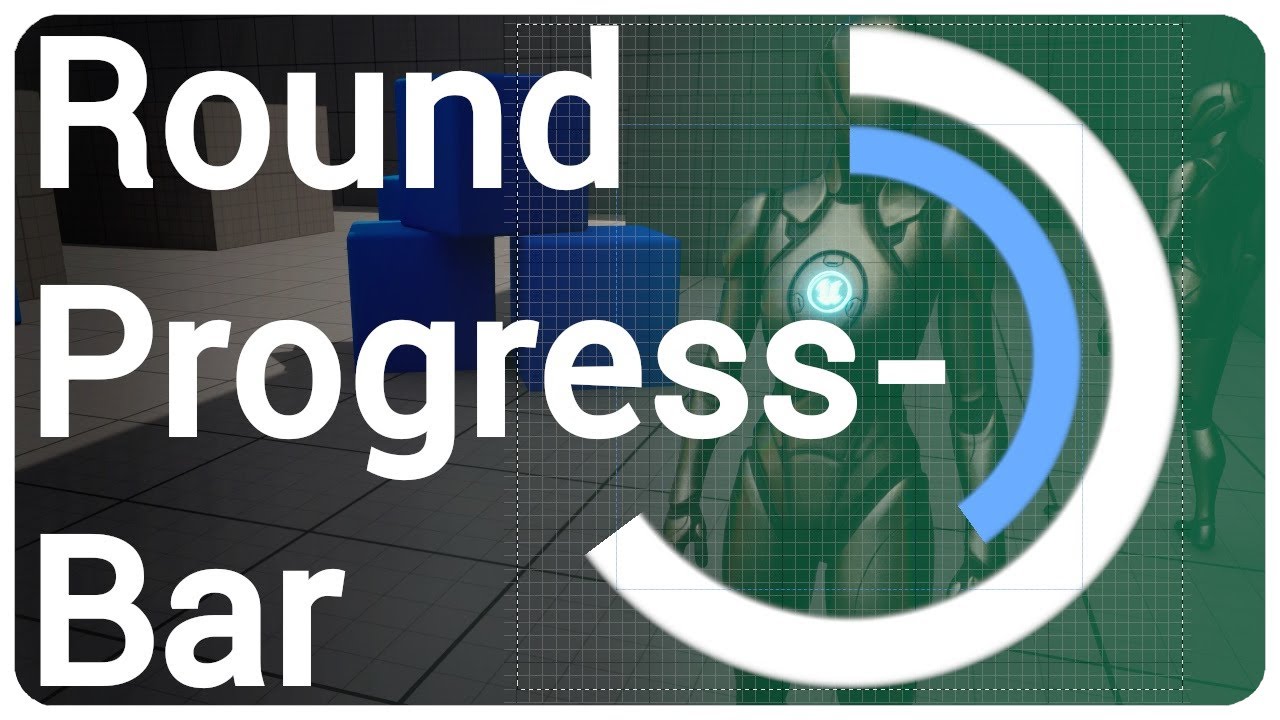
Check out my inventory system:
🌿https://www.unrealengine.com/marketplace/en-US/product/multiplayer-inventory-drag-drop
I show you how to create a radial progress bar and create a function to easily change the percentage in realtime.
🔷💬Join my discord server https://discord.com/invite/eX3p5q6
00:00 Intro
00:13 Material
05:56 Blueprin...
I've putted it in begin play on character but still can't see it on m yscreen

 rotund harness
Hey everyone, does anyone know what the best way to allow the player to switch tools that use the same keys but are totally different? I saw people recommending enums, but is that really the best most scalable way? Maybe blueprint interfaces or event dispatchers idk
for example one could be a weapon and another a map or something, but they can only be equipped one at a time
 rapid smelt
My GUI window is not responding to any clicks at all, it's wierd. It's a pure BP Widget, any ideas why?


The annoying thing is that my bottom toolbar widget (the one that says "Sleep") is working, so why isnt this one detecting any clicks at all
rotund harness
rotund harness
Hey everyone, does anyone know what the best way to allow the player to switch t...
maybe even different input mapping contexts
dark drum
rapid smelt
The annoying thing is that my bottom toolbar widget (the one that says "Sleep") ...
As a guess, you have something over the top of it which is absorbing the input.
dark drum
rotund harness
Hey everyone, does anyone know what the best way to allow the player to switch t...
You have a 'Usable' base class that your held items are children of. The base class would have a function called 'Use'. The input would just call use on what ever is being held. What use does would be defined in the child based on what it is.
dark drum
snow halo
I've putted it in begin play on character but still can't see it on m yscreen
You create the widget but you don't add it to the viewport.
wide imp
can anyone who knows the basics of metahumans please help me out in #metahumans, im very new and im sure its an easy fix. the channel is pretty dead lol
dark drum
median agate
Hi, anyone knows whats the intended way to add custom game settings, to for exam...
I would imagine epics intended way would be to override the user game settings class and add/handle new settings vars in there. This however requires C++. You can however just create you're own class that holds the relevant data that then gets saved to disc.
 warm notch
Greetings all (first post in here) -> I'm trying to disable the ability for my player character to jump while the previous jump/falling animation is running. I was thinking that maybe there's an event or something that I can hook onto which fires at the beginning/end of a transition?
If there's a better way then I'm all ears, I'm also quite new to this so please avoid acronyms if possible 😄
I'm trying to avoid 'bouncing' when I can smash space as I land but before the animation completes, which voids the following animation


 flat coral
Why can I not place a variable from this BP into its own event graph?

It's not just that variable either its any variable
 dark drum
flat coral
Why can I not place a variable from this BP into its own event graph?
dark drum
flat coral
Why can I not place a variable from this BP into its own event graph?
Restart the editor.
flat coral
If I try to drag any of these pins out and promote the result to a variable, it creates this bizarre empty set node

Good call I'll try that
dark drum
warm notch
Greetings all (first post in here) -> I'm trying to disable the ability for my p...
Implement the 'OnLanded' event that sets a bool 'CanJump' to true after x amont of time. On your input add a branch that only calls the jump logic if true. When you perform a jump, set the bool to false.
warm notch
dark drum
Implement the 'OnLanded' event that sets a bool 'CanJump' to true after x amont ...
this sounds simple, but I am new to this 😄 There is already an existing bool "Can Jump" in the character blueprint, but I can't edit this from within the blueprint for some reason (it never appears in the actions-menu). I can get the value held by the bool, but I can't set it

 dark drum
warm notch
this sounds simple, but I am new to this 😄 There is already an existing bool "C...
dark drum
warm notch
this sounds simple, but I am new to this 😄 There is already an existing bool "C...
Create a new one, you can just call it 'bJumped' so you know which one is uses. The other is on the movement component.
warm notch
dark drum
Create a new one, you can just call it 'bJumped' so you know which one is uses. ...
sure thing, thank you 🙂 Might sound silly that I didn't default to that but wanted to see if that's the correct approach or if I can edit the movement component
 pseudo valley
Hey, do we have access to the RigidBodyHandle on the physics thread in blueprints? In C++ i'd use that to apply torque to, but i dont know if the same exists in BP
dawn gazelle
flat coral
If I try to drag any of these pins out and promote the result to a variable, it ...
That's one cursed node.
 silk rampart
What do people think would be the best way to get from two data tables?
I can't go into too much detail but I have a special system for dialgoue that works very well, but right now I have to have one set of data for subtitles in one data table and then the sound waves in another one. I want to pull both of those things to feed into the dialogue code rather then having to manually copy the subtitles from the one data table into a subtitle listing in the other one. I can't seem to get it to automatically copy from one data table to another, so I am considering just keeping both and pulling from each one seperatly, but I am having issues wrapping my head on the way I will handle the logic.
dark drum
silk rampart
I can't go into too much detail but I have a special system for dialgoue that wo...
Export both as a CSV, combine the columns in excel (or similiar app) and save as a CSV to reimport as a new/combine data table. You'll need to make the relevant structure that has the relevant data structure.
 faint creek
Hi guys I'm making an enemyspawner, however I don't know how to spawn enemy at a certain distance from the player. Every time I want to spawn max one enemy
This is the enemy spawner

This is the enemy script after spawned

Somebody could help me please?
 silk rampart
dark drum
Export both as a CSV, combine the columns in excel (or similiar app) and save as...
silk rampart
dark drum
Export both as a CSV, combine the columns in excel (or similiar app) and save as...
This feels like it might be just as complicated though. I am trying to cut down on all the steps I need on the process.
dark drum
silk rampart
This feels like it might be just as complicated though. I am trying to cut down ...
it'll probably take about 10 mins. 🤷
faint creek
I've just tried to make a loop, setting the minimum distance to 3000. However it doesn't work 
Somebody knows a solution please?
 silk rampart
dark drum
it'll probably take about 10 mins. 🤷
silk rampart
dark drum
it'll probably take about 10 mins. 🤷
It's okay thanks anyways. I think I got my solution.
dark drum
faint creek
Hi guys I'm making an enemyspawner, however I don't know how to spawn enemy at a...
I'll be honest, it looks like there's a few issues with this. What are you trying to do? Just spawn an actor x distance away from the player when there's no enemy?
faint creek
dark drum
I'll be honest, it looks like there's a few issues with this. What are you tryin...
I'm trying to spawn one single enemy in a range of time. The enemy must be spawned at a minimum distance from the player, like 3000, in a random reachable point in the navigable area
When the enemy is spawned, it moves toward the player and, after touch it, will goes in a random point for then be destroyed after a certain delay
This is the enemy script when is spawned
 dark drum
faint creek
I'm trying to spawn one single enemy in a range of time. The enemy must be spawn...
dark drum
faint creek
I'm trying to spawn one single enemy in a range of time. The enemy must be spawn...
So spawn an enemy every x amount of time (1-2 seconds as an example) within a specific range of the player?
faint creek
yes
 left jay
 ruby cobalt
trying to package and reuse this logic...
runs on tick, compares with value from last frame.. accumulates until threshold is hit to trigger an event.
Can't really put this in a function can't I? using local variables won't let me store prev val and prev delta, correct?
how can I turn this into a reusable thing?
 dark drum
faint creek
yes
dark drum
faint creek
yes
Something like should do the trick. You'll just need to remove the enemy from the array when you no longer want it to count towards the enemy cap. (I set it to 5)
 faint creek
dark drum
Something like should do the trick. You'll just need to remove the enemy from th...
faint creek
dark drum
Something like should do the trick. You'll just need to remove the enemy from th...
Question, why have you created an array for the enemies if I have to spawn only one enemy?
dark drum
faint creek
Question, why have you created an array for the enemies if I have to spawn only ...
You only want one enemy at the moment. 😉 Force of habit of predicting what'll be needed in the future. 🙃 If you are 100% sure you'll only need one, do it as a normal var and replace the branch logic check for the length for if the variable is not valid (has no enemy set).
faint creek
dark drum
You only want one enemy at the moment. 😉 Force of habit of predicting what'll b...
Ahahah yes thanks I was only curios. 🤓
Other question, how can I destroy the enemy and check if is it destroyed or not? Is always through the array?
Or here istead of making "is arrived var" I change it with "Destroy actor"?
 dark drum
faint creek
Or here istead of making "is arrived var" I change it with "Destroy actor"?
dark drum
faint creek
Or here istead of making "is arrived var" I change it with "Destroy actor"?
Yea, replace where you set the bool and just destroy inside the NPC. Then back on the other logic, add this.
Also, to clarify, the array type is just actor.
 faint creek
dark drum
Yea, replace where you set the bool and just destroy inside the NPC. Then back o...
faint creek
dark drum
Yea, replace where you set the bool and just destroy inside the NPC. Then back o...
Ok I got 🙂
faint creek
dark drum
Something like should do the trick. You'll just need to remove the enemy from th...
Wait why I don't have the parameter "max once per frame"?
 dark drum
faint creek
Wait why I don't have the parameter "max once per frame"?
dark drum
faint creek
Wait why I don't have the parameter "max once per frame"?
It was added in 5.5 i believe.
faint creek
dark drum
It was added in 5.5 i believe.
Ah I'm using 5.4 🥲
faint creek
dark drum
Yea, replace where you set the bool and just destroy inside the NPC. Then back o...
The array is the specific"enemy actor" or a general actor reference?
faint pasture
ruby cobalt
trying to package and reuse this logic...
runs on tick, compares with value from...
If you're BP only you can make a macro
faint pasture
faint creek
Ah I'm using 5.4 🥲
won't matter unless your framerate is like 0.05 fps
dark drum
faint creek
The array is the specific"enemy actor" or a general actor reference?
Just a general actor ref in this instance.
faint creek
dark drum
Yea, replace where you set the bool and just destroy inside the NPC. Then back o...
I have this strange error

Every time enemy is destroyed
(The rest of the script works 🥹 )
 harsh blade
so ages ago i bought a observation duty like toolbox/base whatever u wanna call it
and ive been using it and modifying it slowly while learning more and more about blueprints to suit what i need in my game
now im running into a little problem
currently all anomaly types are displayed immediatly in a combobox, however i wanna have it so only if the player is on the camera with the anomaly it would pop up into the combobox to become selectable
however i have no clue where to start with this... i attached a screenshot of whats currently happening with the ui part of it
if anyone would have any pointers / ideas or just anything i'd really appreciate it
(this is in the widget blueprint)
 faint creek
dark drum
Something like should do the trick. You'll just need to remove the enemy from th...
faint creek
dark drum
Something like should do the trick. You'll just need to remove the enemy from th...
Hey man sorry ahah, I'm testing the script you made, it works however sometimes the enemy doesn't spawn in the range that I said, example the range is between 3000-6000, it spawns to 356,45 from the player 🙈
dawn gazelle
harsh blade
so ages ago i bought a observation duty like toolbox/base whatever u wanna call ...
Wouldn't that mean that the player wouldn't have to try and figure out what anomalies there are? If you only have the anomalies that are on the camera, then that means those anomalies are there.
To clarify what I mean, if i swapped to Camera #2, and Anomalies "intruder" and "Item Missing" are now displayed in the combo box only, that means those two anomalies must be in the room.
faint pasture
faint creek
I have this strange error
click the underlined node name to see where it's trying to access a killed actor
 uncut lark
If I wanted to reuse the code for attacks, but for different weapons and animations with varying animation lengths, would I want to use an interface?
faint creek
faint pasture
click the underlined node name to see where it's trying to access a killed actor
Is in the "Bind event to on destroyed"
 olive yarrow
Y'all my ABP is STAKKED and i'm tryna add a simple grenade toss WITHOUT touching it. How in the Blueprints can i blend in this montage?
faint pasture
uncut lark
If I wanted to reuse the code for attacks, but for different weapons and animati...
not necessarily
I don't do much with anims but I'm supposing you can just arbitrarily run code on anim notifies and that's where you'd do your logic
 sick sky
uncut lark
If I wanted to reuse the code for attacks, but for different weapons and animati...
sick sky
uncut lark
If I wanted to reuse the code for attacks, but for different weapons and animati...
Check animation interfaces & layering
uncut lark
Hmmmm
faint pasture
I'd just put your code on the notify exec path and let it cook
 uncut lark
I will take a loook here
faint pasture
oh shit we got a notify, the notify name is Attack, our weapon is a club, let's bonk whatever is in front of us
 maiden zealot
Hello, I have a problem where my project simply refuses to open, with the error "Assertion failed: !Pin->bwastrashed" appearing on startup. No blueprints that I was making had any errors when I last closed the project, so what could be causing it?
uncut lark
okay, that gives me a good start then. So this will be handled more in the anim blueprint.
faint pasture
uncut lark
okay, that gives me a good start then. So this will be handled more in the anim ...
no
uncut lark
Sorry, lemme try again
faint pasture
the animation is doing its thing. You got notified, you do the logic that needs to happen at this notify
harsh blade
dawn gazelle
Wouldn't that mean that the player wouldn't have to try and figure out what anom...
lemme clarify it a bit more 😅
so i want the really basic ones to just show up at all times like, movement, extra object, dissapearance etc.
but i want special anomalies to not be there unless they are active / spotted
otherwise it'd ruin the surprise
faint pasture
play footstep sounds, make water splashes, apply damage, whatever
uncut lark
And it changes this based on what the weapon the player is holding
faint pasture
Sure, it just goes "Hey Weapon, do your thing"
faint pasture
There's also other approaches, IDK if you can do them in BP but you can probably make your own notify classes to just make the hit/damage/whatever stuff be a thing you just drag and drop on your animations
uncut lark
Well lets back up, this is replicating stealth attacks like in manhunt
uncut lark
faint pasture
There's also other approaches, IDK if you can do them in BP but you can probably...
Yeah, literally all this needs to do is play an animation on the player and the enemy now the way I have it set up
faint pasture
The sequence of events in what I spelled out is like:
Animation system -> notify -> do stuff
Also the anims can come from your weapons if you want, the weapon can say what its attack animation IS
 faint pasture
Dagger:
Mesh = DaggerMesh
Damage = 10
LightAttack = 1HStab
HeavyAttack = 1HSlash
SneakAttack = ThroatCut
LightAttackInput -> play Weapon.LightAttack (different weapons will have different animations)
maiden zealot
Just a follow-up: I booted the default entry level instead of my main level and it worked fine. The error has disappeared.
uncut lark
Perfect. Okay this is beginning to make sense.
faint pasture
As far as the animation chaining goes, that can be done a few different ways I'm pretty sure. For your sneak attack that plays anims on both characters, it can be a bit like this.
Character:
HeavyAttackInput -> branch on bIsSneaking -> true -> play Weapon.SneakAttack
Notify happened -> Weapon.DoYourThing(NotifyName)
Dagger:
DoYourThing(NotifyName) -> switch on whatever -> ok it's a sneak attack, play DaggerSneakGrabMontage on WielderCharacter, play DaggerSneakGetGrabbedMontage on TargetCharacter
maiden zealot
Nevermind, when I switch to my main level as the startup again it proceeds to crash. What could be causing this?
faint pasture
I think the eventual way things are done correctly is that a lot of this logic is in the notifies themselves but I don't know for sure, don't use animations
faint pasture
maiden zealot
Hello, I have a problem where my project simply refuses to open, with the error ...
Show the whole error
dawn gazelle
harsh blade
lemme clarify it a bit more 😅
so i want the really basic ones to just show up ...
Ah so akin to HUGE MAN appearing? 😛
maiden zealot
 olive yarrow
please don't make me touch my abp 😢
faint pasture
maiden zealot
Hello, I have a problem where my project simply refuses to open, with the error ...
Do you have any C++ code in your project? What did you recently change
does bwastrashed ring a bell?
maiden zealot
It's all blueprints, I was editting some UI blueprints
I googled this and the error seems to be a default error as opposed to something I made
faint pasture
I mean was bwastrashed a property on a BP struct or something?
was that a boolean you made in anything
maiden zealot
No
faint creek
faint pasture
click the underlined node name to see where it's trying to access a killed actor
Do you know how to fix it?
faint pasture
faint creek
Do you know how to fix it?
show the code for the bit that's causing the error
faint pasture
maiden zealot
No
Are you using source control?
maiden zealot
Yes, but I have not pushed some of the UI to it and would like to avoid recreating it
ruby cobalt
faint pasture
If you're BP only you can make a macro
thanks. so I guess I need to make a new macro for each use case still.. because most of this is reading and setting variables
i'm annoyed by having to create and rename so many variables all the time
dawn gazelle
harsh blade
lemme clarify it a bit more 😅
so i want the really basic ones to just show up ...
So this code here appears to get your list of anomaly objects, and generates a string array, and then you loop through that string array separately and populate the combobox.
What this tells me is you probably want a bool in your BP OT PC blueprint called "ShowOnlyWhenActive".
In the top loop, you can check if this bool is true, and if not, then add it to the string array - this will then prevent the special ones from always showing in the combobox.
To get the special ones to appear in the combobox while both the camera and the anomaly is active is a bit trickier as:
- you need to know when one of these special anomalies become active
- you need to know which camera has the special anomaly active and if the player is active on that camera currently
From there, you can modify the combobox as needed, adding and removing the special entry when the camera changes, or the anomaly becomes active.
 faint creek
faint pasture
show the code for the bit that's causing the error
faint creek
faint pasture
show the code for the bit that's causing the error
I have two issues:
- the distance is not the same of my variable
- I have an error after the actor is destroyed in the "Bind event to on destroyed"
 faint pasture
ruby cobalt
i'm annoyed by having to create and rename so many variables all the time
faint pasture
ruby cobalt
i'm annoyed by having to create and rename so many variables all the time
I'm pretty sure a macro can have a local var thats local to it
ruby cobalt
but won't it get reset every time the macro runs?
it seems macro don't support local variables
dawn gazelle
No, the macros contain their own local variables for each instance you place on a graph.
ruby cobalt
but if i refer to a global variable,.. it makes it local? i don't get it
dawn gazelle
If they didn't, you couldn't use nested foreach loops.
faint pasture
ruby cobalt
but if i refer to a global variable,.. it makes it local? i don't get it
why would you refer to a global
show all the the code you're trying to make reusable
ruby cobalt
idk maybe my macro reads from something outside the macro?
turns at event tick (or in similar way)
output from true branch would trigger a one time event
 dawn gazelle
Example of local variables in a macro
 ruby cobalt
oh
didn't know about those.. it seems to work diferently from a local variable within a function then
faint pasture
ruby cobalt
turns at event tick (or in similar way)
output from true branch would trigger a ...
I'd honestly probably just make a component or uobject
dawn gazelle
Yea, they're not quite as easy to use as local variables in a function.
Like here's a bigger picture of how to assign them
 faint pasture
the component can tick on its own, and can call a dispatcher when ThingHappens
ruby cobalt
how do i "write" to a local variable like this?
dawn gazelle
The Assign node.
ruby cobalt
faint pasture
I'd honestly probably just make a component or uobject
i'll keep this in mind.. but i don't know how.. I should probably try to transition to c++ too
ruby cobalt
dawn gazelle
The Assign node.
ahhhh okok so this is designed specfically for macros
harsh blade
dawn gazelle
Ah so akin to ******HUGE MAN****** appearing? 😛
yes, exactly!
ruby cobalt
hmm look at those local variables.. can,t name them tho.. how can I use 2?
harsh blade
dawn gazelle
So this code here appears to get your list of anomaly objects, and generates a s...
how exactly would i go about it?
like i get that i need something to check wether its a special anomaly and whatnot but how would i communicate between the anomaly and the array section?
ruby cobalt
dawn gazelle
The Assign node.
thank you the macro thing works.. this is gonna save me in so many ways in the future
dawn gazelle
harsh blade
how exactly would i go about it?
like i get that i need something to check wethe...
You'll need your widget to be able to get that information from somewhere. As an example, when the anomaly is spawned, you can have it store a reference to itself in an array in the gamestate and also have an event dispatcher there that can pass that information along to other objects. You can have your widget listen for that event dispatcher, and check if any "special" anomalies are in the list, and if they are in the current view. When you switch cameras, you'd have to check the list in the gamestate as well and rebuild your combobox.
When the anomaly is removed you'd remove it from the array in the gamestate and you'd also need to signal that to your widget so it can rebuild as well.
dusky cobalt
Hmm, generally if I could fit ActorComponent into actually UObject should I do it? and call it 'Module' or even 'Component' but that is in form of UObject for example? Is the only difference really that component has Begin Play and for the UObject I would need kind of custom Initialization?
Also thinking now it's probably easier to add component on something and call GetComponentByClass, instead of adding variable for that individual module + interface to GetModuleX.
Just looking for reasons when to 100% use component vs UObject (but treat is as component, just lighter version, kind of). Any feedback on this approach?
faint creek
dark drum
Something like should do the trick. You'll just need to remove the enemy from th...
Ok so it works ahah thx, what I notice is that the distance of the actor spawned is not equal to the float range, which I don't understand why ahah
I have some issues about the "Bind Event to destroyed " and that sometimes the AI is spawned higher and it doesn't move( stranbge bug).
I will try to fix it tomorrow.
Thanks a lot for your help man 🍻
 frosty heron
faint creek
Ok so it works ahah thx, what I notice is that the distance of the actor spawne...
frosty heron
faint creek
Ok so it works ahah thx, what I notice is that the distance of the actor spawne...
the casting serve no purpose here, if you are not going to use any members from BP_Player
just plug GetPlayerCharacter return value to your target.
I recommend making proper system where your A.I can be assigned target instead of hard coding the local player character.
faint creek
frosty heron
I recommend making proper system where your A.I can be assigned target instead o...
Yeah I just want to check the distance between the player and every enemy spawned
 fervent jolt
Hello, I am having some trouble making a destructible window. its going to be a box which disintegrates into glass shard particles when damaged to prevent using a costly physics simulation. I want to make the player running into it or throwing an object at it at high enough velocity shatter it, so that anything can now pass through, but also let the thing that hit it pass through without disruption. (since the player is currently getting snagged on the window when breaking/running through it.)
The problem is, I cannot figure out how to block stuff at low velocity, but let it through at high velocity, since I check whether the object should go through using Event Hit, (at which point even if I disable the window's collision, the hit has already affected the player or physics objects velocity.)
How can I allow objects to pass through my window if they are going fast enough?


 faint creek
Yeah I just want to check the distance between the player and every enemy spawne...
faint creek
faint creek
Yeah I just want to check the distance between the player and every enemy spawne...
@frosty heron Do you know how to check it properly in this case?🙈
frosty heron
@faint creek what do you specifically need? why are you checking the distance of every spawned enemy? Are you trying to get the closest actor? the furthest? is that the goal?
faint creek
frosty heron
<@699930132437008445> what do you specifically need? why are you checking the di...
Nono I just need to know if the BP_ spawner generate the enemy at the distance that I set
And be able to model it for my needs
frosty heron
faint creek
Nono I just need to know if the BP_ spawner generate the enemy at the distance t...
I suppose you can just print string the location after you spawn the enemy.
begin play can work too, it will just print the location when the actor is spawned.
your current code should give the distance of the enemy to the player when the enemy is spawned.
faint creek
frosty heron
I suppose you can just print string the location after you spawn the enemy.
So you mean in the BP enemy, without vector distance?
frosty heron
faint creek
So you mean in the BP enemy, without vector distance?
what you have already return the distance between the character and the enemy.
is there an actual issue?
dawn gazelle
dusky cobalt
Hmm, generally if I could fit ActorComponent into actually UObject should I do i...
ActorComponents really are very similar to UObjects, just with some additional niceties. I'd go for a component if it's something that's meant to be attached to an actor and it manages some additional logic for you. A good example of where I would use a component is for an Inventory or an interaction system.
UObjects are good for things that may need to exist as entities with functions and data but don't physically exist in the world. A good example use of UObjects would be items within an inventory. They don't specifically need to have a location in the game world, but they may need to be something that exists logically.
You can also easily grant and configure an Actor Component when you're adding it to an actor in the editor. A UObject only exists at runtime and so if you wanted to configure it, you'd have to store its configuration information on something else and read it when you construct it.
faint pasture
dawn gazelle
ActorComponents really are very similar to UObjects, just with some additional n...
I don't really get the point of UObject over struct, is it just polymorphism?
dawn gazelle
faint pasture
I don't really get the point of UObject over struct, is it just polymorphism?
It can also be easier to reference a specific object, which isn't something you can really do with a structure unless you have a reference to the thing that is holding that structure, so it kind of depends on what you need to do with the data and access it. Structures don't know anything about what they're associated to unless you have a field within the structure to tell them that, which can be annoying, where a UObject you can assign an Outer. Blueprint structures also lose out on being able to have functions - C++ structures you can give them functions no problem.
maiden wadi
faint pasture
I don't really get the point of UObject over struct, is it just polymorphism?
Mostly what Datura said. Easier handling concepts. Also passing uobjects around in BP is fuckwaffles of insanity faster than structs apparently. I haven't personally tested it yet, but apparently even pass by ref structs are copied in BP. Some weird magic shit where it copies down the stack and magically gets written back to the same memory or something. But as you pass them through functions the data is still copied. So potentially insane struct vs a 8byte pointer each function call.
Super nasty if it's true, specially given some of the monstrocities I've seen. When you can't even see the entire struct without hiding members cause you can't zoom out enough or pan downwards before the slate for it disappears.. your struct is too big. 😂
 north gale
I need some help, im trying to create a simple objective of (Pick up letter, bring to computer, win game) but im kind of lost? I want there to be confetti coming out of the computer once the letter is put in, and then a "You Win" screen to pop up but im lost-
dark drum
dawn gazelle
ActorComponents really are very similar to UObjects, just with some additional n...
You can create uobjects at editor time. Even more so if you create a c++ base class with the instanced flag. Very useful for uobjects that are intended to be instanced. Saves you having to create a new child each time just to set some vars.
Oh, and the edit inline flag for even more juiciness if you're setting stuff up c++. You can then create instances in the details panel and be able to set its vars.
dark drum
faint pasture
I don't really get the point of UObject over struct, is it just polymorphism?
Adding to what everyone else has already said. 😅 Uobjects have more support BP side. For example, you can't have a pointer to a structure in BP. This can be troublesome if you want two things to reference the same structure.
dark drum
dusky cobalt
Hmm, generally if I could fit ActorComponent into actually UObject should I do i...
Everything in the level is an actor which means you can place an actor component into it. Even the level BP is an actor. (Script level actor)😉
i tend to use actor components for the manager that is put on an actor. The AC would often create uobjects for smaller, instanced pieces of data/logic.
For example, I have a quest manager, (actor component) this then creates quest objects, (uobjects) which creates quests tasks (uobjects) which then creates task listeners (uobject).
As another example, an interactable (actor component), this then creates interaction actions (uobject)
I tend to use uobjects as throw away logic. Stuff that can be unloaded when not needed. Actor components take more resources to create and attach to an actor so are used for more core functionality that should always be available for a given actor.
Hopefully that helps.
 toxic cliff
Hi, I need some help! I'm trying to apply some effect materials to my UI with retainer boxes, but for some reason when I parent my text objects to the retainers, their variable bindings stop updating correctly (so the text object always displays 0 even if the variable has a different value). Does anyone know how I can fix this?


 toxic cliff
Ok I looked around a bit more and from what I can find this is just a bug in unreal. I found a workaround where I can forego the binding entirely and use a Set Text node to update the text object in the event graph instead.
thin panther
That's intended
Bindings are not necessary, and for infrequently changing UI, actually discouraged
maiden wadi
toxic cliff
Hi, I need some help! I'm trying to apply some effect materials to my UI with re...
This is because a retainerbox is an invalidation root widget. When widgets are put behind invalidation roots like a retainerbox or InvalidationPanel, they no longer paint or tick until invalidated. And they need to tick to run bindings.
toxic cliff
Oh, how do I make them tick in that case? I thought I'd fixed this but I'm having some problems again
maiden wadi
Marking it as volatile might work. But realistically you shouldn't. Like ACuppaTea mentioned, bindings are really discouraged. Whatever sets the text should invalidate it automatically via the SetText node. Shouldn't need a binding to poll for text change.
toxic cliff
Hmm, well I tried the volatile thing and that didn't seem to work either. I've got an issue with a different widget now that is just displaying 0 when it should be displaying other values. The setup looks like this, and I can see that the Extra Lives variable is printing out the correct number while the text doesn't update.

The widget has the exact same parent structure where its under two retainers
maiden wadi
toxic cliff
Hmm, well I tried the volatile thing and that didn't seem to work either. I've g...
Out of curiosity what are you using the retainers for? What kind of effect?
toxic cliff
One is adding a parallax movement to the HUD, the other is adding a curve effect to the HUD
Adding a Delay Until Next Tick node before the Set Text node fixed the issue
Based off of that I think it has something to do with the update order, but I'm really not sure why that worked
faint creek
frosty heron
is there an actual issue?
Yes because this

It's different from this

This is the resaults:
Red is first script
Blue is second

The distances don't match
dark drum
faint creek
The distances don't match
Thats because the random node generates a new random number for each node it's connected too. Cache the value in a var if you want to print it.
faint creek
dark drum
Thats because the random node generates a new random number for each node it's c...
You mean like this? the var has 2500 value
Is what you mean?🙈

But sometimes for example enemy spawn to 300,1345 or 2000 distance from the player
dark drum
faint creek
You mean like this? the var has 2500 value
Is what you mean?🙈
Like this.
 faint creek
dark drum
Like this.
faint creek
dark drum
Like this.

But why the distances is not the same? I'm making something wrong 🙈
 dark drum
faint creek
But why the distances is not the same? I'm making something wrong 🙈
dark drum
faint creek
But why the distances is not the same? I'm making something wrong 🙈
Because we ignore the Z axis and then we project the location onto the nav mesh so the location it ends up spawning at will differ from the original distance.
dark drum
faint creek
But why the distances is not the same? I'm making something wrong 🙈
You can adjust how we get the location to something like this which would split any distance on the Z to the x and y and then we normalize. This should keep it closer to the original distance. Of course it won't be perfect because we project to the nav mesh which will adjust the location further.

Alternatively, you could look at using more math. You can find the point on the circumference of a circle, you'd then randomize the angle and the radius.
This is what that would look like.
 faint creek
dark drum
You can adjust how we get the location to something like this which would split ...
faint creek
dark drum
You can adjust how we get the location to something like this which would split ...
I understand yes, I'm trying with this method thx ^^
I didn't know was so difficult to make something like this ahah I mean spawn enemies at a certain distance
dark drum
faint creek
I understand yes, I'm trying with this method thx ^^
I didn't know was so diffic...
I wouldn't say it's difficult. 😅 There's just nothing pre built for you so you have to setup the individual bits yourself.
faint creek
dark drum
I wouldn't say it's difficult. 😅 There's just nothing pre built for you so you...
Yeah you have right 😎
faint creek
dark drum
This is what that would look like.
In the var Random angle and random distance what number you suggest?
dark drum
faint creek
In the var Random angle and random distance what number you suggest?
Random angle would be between 0 - 360 while the distance would be a random number between the inner and outer radius you want for your donut. (so 3000 and 4000 for example)
faint creek
dark drum
This is what that would look like.
it seems to works 🥲 🥹
faint creek
dark drum
Random angle would be between 0 - 360 while the distance would be a random numbe...
Yes but I have to set them like this?
 dark drum
faint creek
Yes but I have to set them like this?
dark drum
faint creek
Yes but I have to set them like this?
yea, but before the second branch.
faint creek
dark drum
yea, but before the second branch.
ah ok
 hasty oxide
I am trying to make a playerlist array in the game state that I can use for spectating players when u die. Why isn t the playerlist getting set correctly even though I am add to it from th server and it is replicated ?
I am also getting no errors so I don t know what I am doing wrong

 frosty heron
hasty oxide
I am trying to make a playerlist array in the game state that I can use for spec...
frosty heron
hasty oxide
I am trying to make a playerlist array in the game state that I can use for spec...
Client can't and shouldn't tell server via Game State.
Only way for client to communicate to server is via Server RPC, yes.
BUT, you can only do so from an Actor that the client owns.
and in the case of GameState, it is owned by the Server not the client.
hasty oxide
ooh I thought that owned actor refered to call it from somewhere where the actor owns it like the character
mb
frosty heron
You can route what ever you need in your controller / character.
e.g In your controller
ExecuteSomethingOnServer(ServerRPC)
ExecuteSomethingOnServerEvent -> Get Game State -> Do w/e you need to do, the server is running the code at this point.
frosty heron
@hasty oxide before you dive into that, the use of ServerRPC to begin with looks totally wrong for what ever you want to do.
hasty oxide
i mean if it works it works
frosty heron
why should any of the client tell the server what to do in regards to Adding or removing player
frosty heron
sure, but I have my doubt that it work as intended.
hasty oxide
frosty heron
why should any of the client tell the server what to do in regards to Adding or ...
it's my first game
don t really know my stuff
frosty heron
I know, I am not attacking you, I am trying to say you may be approaching it incorrectly.
imo, you don't want server RPC here.
you handle everything server side.
hasty oxide
frosty heron
I know, I am not attacking you, I am trying to say you may be approaching it inc...
yeah ik
hasty oxide
frosty heron
imo, you don't want server RPC here.
what do you suggest then
frosty heron
Death for example should always be Server execution
So when character Died on server-> Do what you have to do, remove/add to the list.
you don't tell server, Hey I died in my world.
Instead you just check in server if a character died, then update the list.
giving 0 shit about what client has to say.
hasty oxide
to avoid cheats ?
hasty oxide
oh
dark drum
Adding to that, it can also improve performance for some clients as some of the logic/calcs are done server side. Helping prevent cheaters is also a side effect which is nice. Clients only really need to know what is required to update the visuals on screen, everything else should normally be handled server side, especially if it affects gameplay.
frosty heron
Yeah like, we can easily write on paper what should be send over the network to keep the world in sync.
dark drum
frosty heron
Yeah like, we can easily write on paper what should be send over the network to ...
It's surprising less than you would think but you can guarantee you'll miss something simple and obvious. 😅
north gale
how do I make it so that after the player presses "E" to complete a game objective by interacting with a BP actor, that it takes them to the end screen?
im having trouble figuring out the connection
frosty heron
@north gale start by creating interaction system first.
I'm sure using actor component is a popular choice to handle interaction. There is also interface but I prefer the former.
Once you have the interaction component made with actor component, the flow can be as simple as.
Player Press Input -> Get Interaction Component -> LineTrace/ Interact with an object
In the interacted Object -> Do what ever including displaying the end screen
north gale
OOOOOO TYSM <3
I have one more question if thats ok? Whenever i go from my title screen to my main level,i cant control my character whereas i can in the level itself/through the end screen
willow gate
north gale
I have one more question if thats ok? Whenever i go from my title screen to my ...
Most likely you need to do a couple things to "re-initialize" your character like setting movement mode to flying or walking and setting input mode to game only or game and ui
frosty heron
north gale
I have one more question if thats ok? Whenever i go from my title screen to my ...
what' actually happend when you go from your title screen to your main level. Did you travel to a new level using Open Level?
north gale
I go from title screen > main lvl > end screen, no additional levels besides ones for UI! I cant play as my character going from Title screen and pressing start, but i can when i open the main level itself or through the end screen
frosty heron
you have a whole level just for UI?
I still can't picture it in my mind, are you able to show your setup.
dusky cobalt
dark drum
Everything in the level is an actor which means you can place an actor component...
Thanks to all of you guys for anserws. There is one thing that makes me want to change Actor Component into UObject, because then I would be able to make Data Asset and there add ''Components" (but UObjects Instanced) and set the properties. I believe I cannot do the same thing with the actual Actor Components. I could only Add Components from array, but it would be much harder to set the actual settings on the components, not so straightforward at least.
With Instanced object I can set the properties as you said and just ''duplicate'' the UObject from Data Asset to the actual thing that will use it. Would you say it's reasonable thing that makes me want to go with UObject for current ''components''?
And then maybe actually use Component for the logic so every thing can ''receive'' the UObject/s just by adding the universal component for Modules (UObjects). So I don't need to have implementation for each different class/thing how to handle the Module/UObject with variable and setting it from Data Asset.
north gale
yeah! gimme one sec
north gale
im not 100% sure how to explain it well, but the first image is of my main menu lvl BP, and the econd is how I have my UI's done (i followed a ton of tutorials) The third image is the main menu event graph


 frosty heron
north gale
im not 100% sure how to explain it well, but the first image is of my main menu ...
frosty heron
north gale
im not 100% sure how to explain it well, but the first image is of my main menu ...
not enough context but when you use SetInputMode to UI, only inputs from UI will be listened.
So the inputs from your characters which are (Game Mode) will be ignored.
if you still want to listen to game input, you can use SetInputMode to Game and UI
otherwise handle the key press via UI if you are going to use SetInputMode UI
 jade inlet
I don't know if this is the right channel for my particular concern, and if not, I would appreciate it being pointed out to the correct one.
Is there a way to receive the size of the map/landscape via BP?
frosty heron
You can try to replace SetInputModeUI to SetInputModeGameAndUI see if that does anything.
@north gale
frosty heron
Try to use normal characters to avoid curses. Also prefix all the Blueprint assets based on their object. It will help you greatly 🐈 .
You already have BP_ for some of your assets, that's good.
I normally use GM_ for Game Mode and Map_ for Level

@north gale
warm notch
I'm messing around with the starting manequin character's animation BP a little. Does anyone know why 'character' is invalid here? I am pointing the BP_Character class to the correct animation blueprint


If I skip the check on a valid character, everything works fine :/
 frosty heron
Casting is just a type check.
Your cast probably failed.
Then your character is never set
As the cast failed
Print string get owning actor and see what class it gave you.
It's deff not the class that you are casting to hence the execution goes to failed pin.
warm notch
its getting BP_ThirdPersonCharacter_C from somewhere, I guess renames don't work 🤣
I'm thinking I should just start over a new project and recreate the bits I want from the mannequin, rather than using the ThirdPerson starter project and stripping out the bits I don't want?
It actually sets the right character to begin with (what's stored in 'character'), but it seems to clear the reference afterwards, so on the first go around its good (on itilization), then its empty forever more (for all the get-character attempts) 🤦♂️
 frosty heron
Unless you actually clear the ref or destroy the character then you are just doing something wrong.
Or you may guess wrong.
Print string some value on tick from the character to find out.
Debug debug debug
warm notch
This works consistently, need to find out where I'm clearing the reference as it has to regenerate it every tick or it fails - thanks for the help 🙂
 frosty heron
It's kinda redundant to keep setting the reference every frame.
You can just do it once on Init
try posting the whole screen, maybe I can spot something.
warm notch

And now it started working - I give up (I don't really, but I get why folks get frustrated when learning) 🙂
frosty heron
warm notch
This works consistently, need to find out where I'm clearing the reference as it...
Not sure where you are running this but if you are previewing the Instance of the Anim Preview then the cast will fail as OwningActor would be AnimPreview not what ever BP is using the instance.
@warm notch To give a clearer picture if you are debugging the preview instance then you are debugging the AnimPreview actor pointed with the arrow.
Which obviously doesn't exist in your level (world) . The owner of that actor would be AnimPreview.

hence the cast failed
 silver dove
Hi guys, have been searching but can't find anything that solves my problem. Using UE 5.5 and Blueprints. I have an actor, and I just want to use AIMoveTo to tell it to move from where it is, to another location. I've checked the destination location, but every time it runs, it just immediately says it successfully arrived, but it's no where near where I told it to go - acceptance radius is very small. Using the 'get random navigable location in radius' node. radius is 5000, and acceptance radius no AIMoveTo is 10. Printing the src and destination locations look right/plausible. Any help would be greatly apprecaited

 atomic hollow
get the movement result and check that you are printing before the ai move to and also check out your animtion if it is root then the enemy will play his animation on the same place like last but the actual character will be reached
atomic hollow
silver dove
Hi guys, have been searching but can't find anything that solves my problem. Us...
reply do like what is upper mantioned
 hollow bane
I have a general question. I need to understand something. Hope you can answer this 🙂
In my game instance on a custom Event I cast to my pawn to get references to my UI and get values that I saved in my UI.
When my "game" ends I simply open the same Level again. As the game instance is persistent I am not sure if I am actually casting again and again to the pawn or not.
I have also a valid check before casting but again I am not sure if everything is working as I imagine.
 frosty heron
Game instance presist for the duration of the application.
hollow bane
So I think simply said: I wonder when I use Open Level by Name does the pawn ref gets cleared?
frosty heron
your player Pawn will get destroyed on OpenLevel though
hollow bane
So basically I am casting again because the pawn is no longer valid
frosty heron
if you run that function again on fresh level then yeah.
hollow bane
cool, thanks!
 hollow bane
maybe one more question @frosty heron
Is it in general a bad habbit to "restart" your game via opening the level again?
Should I rather reset all values and keep references already built instead of clearing and allocating again.
I mean its a simple airhockey game
frosty heron
Don't think I am the right person to ask but If I were to make a sport game, then I do want to have the ability to Start a new round or reset the game without Destroying and re-opening the whole world.
hollow bane
Yea I thought so 😦
 sand shore
The most important factors are how it’ll feel on the player’s machine, whether you yourself understand how to maintain it, and whether there are bugs
hollow bane
I am just afraid right now to somehow make the game perform bad over time by opening up the level again and again after each match
sand shore
Personally I would make it so I could reset the board state at any time, too
frosty heron
Personally I just try to copy any existing game feel.
frosty heron
hollow bane
I am just afraid right now to somehow make the game perform bad over time by ope...
You will be fine, especially for a simple game.
Garbage collector should clear most of the stuff you no longer need.
silver dove
atomic hollow
reply do like what is upper mantioned
Looked into what you suggested and just figured it out ... The actor was in the map, and too low down to the ground. Raised it up off the ground and it was able to take hold and start moving
sand shore
hollow bane
I am just afraid right now to somehow make the game perform bad over time by ope...
May I present #source-control
frosty heron
heads up to not use PlayInEditor experience to measure.
sand shore
But also GC runs when you hard transition between levels
frosty heron
I made a mini space war game inside of my game before.
It got soo laggy in editor, I decided to delete the mini game.
Turns out Garbage collector doesn't really work in Editor..... in packaged game it's 200 fps++ all the way.
hollow bane
yea i need to test the build now, maybe one question. do you guys have a specific way to limit fps in a build? i tried using execute console command in the level blueprint
frosty heron
t.maxfps but is there any particular reason to limit the fps?
hollow bane
the machine my game is supposed to run on was behaving a bit weird
on my own pc i get way over 400 fps
frosty heron
unless for specific stuff that requries fixed frame rate like specific physic or multiplayer networking, limiting fps is not a good idea imo.
@hollow bane your game should still work with 60 fps or 400 fps.
hollow bane
on the laptop with a 3070 it is supposed to run on its jumping between 50-120 but like crazy. but also maybe my fps debug widget is wrong haha
frosty heron
if you have weird behavior it may be caused by codes that meant to use delta time.
 frosty heron
Stat FPS iirc to check the FPS
hollow bane
in a build?
frosty heron
that's a console command
if you want that in package build, you need to use Development as the target
hollow bane
yes i know, i was just wondering because i am trying to check the fps in a build
frosty heron
hollow bane
yes i know, i was just wondering because i am trying to check the fps in a build
yeah then Stat FPS will not work in shipping build. But development build comes with the console.
hollow bane
ah damn, good to know!
frosty heron
though what you have should give the same result too
hollow bane
yea, i mean its a bit weird in general, most pcs i worked at, the fps was stable. only the laptop which i have no access to is behaving like this 😄
 tribal yoke
heyyy i have the following problem: I want to use the EnhancedInputSystem but I get no triggerinformation at all
so when i press a key i defined i get no output


 atomic hollow
tribal yoke
atomic hollow
tribal yoke
change the settings behavior to override settings in the input mapping context
sand shore
hollow bane
This won’t make your ticks be delayed by 0.3, this will only tick every 0.3 seconds.
If you already know, great (but you can also set the tick interval for many cases)
hollow bane
sand shore
This won’t make your ticks be delayed by 0.3, this will only tick every 0.3 seco...
It’s just so the text does not update to rapidly so I can read the fps easier ^^
atomic hollow
tribal yoke
do like this
 silver dove
I have location A and location B. I want to move B, 100 closer to A. How do I get that new location?
I know this is probably stupidly simple. (-:
I think I need to get a direction vector, and then multiply bo 100, yes?
atomic hollow
silver dove
I have location A and location B. I want to move B, 100 closer to A. How do I g...
(normalize(B-A)*100)+B
this is the formula
silver dove
atomic hollow
(normalize(B-A)*100)+B
this is the formula
So like this?
 atomic hollow
silver dove
So like this?
atomic hollow
silver dove
So like this?
exactly like this if it was opposite just flip the subtract pins
silver dove
atomic hollow
exactly like this if it was opposite just flip the subtract pins
Brilliant! Thank you!
atomic hollow
silver dove
Brilliant! Thank you!
does it worked
silver dove
atomic hollow
does it worked
It does, yes!!
 clever relic
Is it ok if I post my idea for a BP for the sake of figuring out if its even possible? I have my steps / goal figured out I just do not know if its possible. Kind of a blueprint noob here ....
atomic hollow
clever relic
Is it ok if I post my idea for a BP for the sake of figuring out if its even pos...
you are welcome
clever relic
I am a complete blueprint noob for the most part and I want to use UE for Arch Viz reasons (ideally to export standalone models for clients to walk around in).
FYI the word "Chaise" is a term for a chair that you would typical find by a pool.
Here's the goal:
Detect all placed BP_ChaiseSpawner actors in the level (there will be multiple).
Randomly Spawn Chaise Meshes
Within each BP_ChaiseSpawner, randomly spawn a Static Mesh from one of these folders:
/Game/SC_Chaise_Manager/SunBed_Variations/Ambient
/Game/SC_Chaise_Manager/SunBed_Variations/BackrestDown_People
/Game/SC_Chaise_Manager/SunBed_Variations/BackrestUp_People
Important: Don't reference specific mesh names; the script should scan whatever meshes exist in the folders and just choose one.
Spawn MetaHumans
If the chaise mesh is from Ambient, no MetaHuman is spawned. (Ambient chaise chairs are just chairs with no humans on them)
If the chaise mesh is from BackrestDown_People or BackrestUp_People, spawn a MetaHuman.
MetaHuman Source Folders
Randomly pick a MetaHuman Blueprint from:
/Game/MetaHumans/Children
/Game/MetaHumans/Females
/Game/MetaHumans/Males
Again, the script should dynamically detect all available BP_MetaHumans so that i can just download new meta humans into the project and not need to update the BP
Assign an Animation Based on MetaHuman Type and Chair Type
If MetaHuman is from Children folder → pick animation from /Game/SC_Chaise_Manager/Animations/Children
If from Females folder → pick from /Game/SC_Chaise_Manager/Animations/Female
If from Males folder → pick from /Game/SC_Chaise_Manager/Animations/Male
If the chaise is a BackrestDown_People → use Prone animations.
If the chaise is a BackrestUp_People → use Chaise or Sitting animations.
Apply Animation to MetaHuman
The script needs to:
Find the Body skeletal component in the details panel of each placed meta human
Set Animation Mode to "Use Animation Asset."
Assign the random animation chosen from the logic above
I have been going back and forth using AI to try to help me but it keeps getting stuck. I already have all my assets ready and organized in my content.
Just wanted to know if this is even possible. Thank you for any advice and sorry if this post is too long!
 lost sierra
Hi all, looking to be able to spawn an item on right click, but you have to pick it up in the level first, I want to do this through the player controller rather than the actual character, as the player can possess other bodies and swap between them (If I do it through one body it is no longer availale on switch) I have this current code set up for it, but it doesn't seem to be working. Any ideas?

 willow gate
Is there no way to declare a wildcard variable as an input for a blueprint function?
atomic hollow
clever relic
I am a complete blueprint noob for the most part and I want to use UE for Arch V...
all of this are possible using unreal python.
if you want it in editor then i give you two options
1: use construction script where you add components to the actor or use events inside the actor and make them call in editor and the selection will work from
2: spawn at runtime while playing
info: and now you will think how could i get the assets from the content browser that is very easy create the array array varaible of the object you want from the content browser and make it editable. then just select all of your meshes and drop on the variable option in the level actor details panel of the actor.
atomic hollow
willow gate
Is there no way to declare a wildcard variable as an input for a blueprint funct...
could you tell me a little bit what are wildcard variables
willow gate
atomic hollow
could you tell me a little bit what are wildcard variables
It's a variable type that can accept any class or object.
willow gate
atomic hollow
could you tell me a little bit what are wildcard variables
Many of the Unreal Engine Standard Library functions use wildcards like this:
 silver dove
If I have called AIMoveTo on an actor, and it is still moving toward it's destination, and I call it again with a new distination, does it forget about the first destination? is the first target location aborted and forgotten about and it just tries to go to the new place?
atomic hollow
willow gate
i think that is in c++ dont't seen till now in the editor making of such things
clever relic
atomic hollow
all of this are possible using unreal python.
if you want it in editor then i gi...
Wow, I actually started doing this in Python before and got pretty close, however, I keep getting this error when trying to assign the animation to the AnimToPlay property. I am assuming Unreal does not allow my python script to just change this property?
LogPython: Error: ❌ Failed to assign animation: SkeletalMeshComponent: Property 'AnimToPlay' for attribute 'AnimToPlay' on 'SkeletalMeshComponent' is protected and cannot be set
willow gate
atomic hollow
i think that is in c++ dont't seen till now in the editor making of such things
Yeah I'm not seeing it either. It's unfortunate. I want to make a parrallel array sorting function that takes in an Int array and a wildcard as the parallel but oh well.
atomic hollow
clever relic
Wow, I actually started doing this in Python before and got pretty close, howeve...
from the error i think the property you are setting is runtime property and it is also protected in c++ find other one or get the instance of the skeletalmeshcomponent and set directly with some type function named by the unreal like setedtiorproperties
atomic hollow
willow gate
Yeah I'm not seeing it either. It's unfortunate. I want to make a parrallel arra...
if such system is availabe to blueprint then it still dont make sense because you will need to make hundered of condition written inside the wildcard because implementing the C++ template type design is too complex in blueprint
willow gate
atomic hollow
if such system is availabe to blueprint then it still dont make sense because yo...
Hmmm. I'm not sure I'm following what you're trying to say but thanks.
 merry sorrel
does anyone know if there is some way of setting the level of a level instance actor at design time through blueprint?
atomic hollow
merry sorrel
does anyone know if there is some way of setting the level of a level instance a...
less information describe in detail
merry sorrel
atomic hollow
less information describe in detail
there's this setting on level instance actors, i need a way to change that value through blueprints at design time but i have found none
 atomic hollow
merry sorrel
there's this setting on level instance actors, i need a way to change that value...
atomic hollow
merry sorrel
there's this setting on level instance actors, i need a way to change that value...
you can do it the below way but changes will only occur while playing. i dont know why the scene is not updated directly
 merry sorrel
atomic hollow
you can do it the below way but changes will only occur while playing. i dont kn...
merry sorrel
atomic hollow
you can do it the below way but changes will only occur while playing. i dont kn...
exactly, since i need it at design time unless there's some way to "update it" at design time and have it actually change in the editor this wont work
atomic hollow
merry sorrel
exactly, since i need it at design time unless there's some way to "update it" a...
if you found a way tell me it is useful
merry sorrel
atomic hollow
if you found a way tell me it is useful
i haven't found a way yet. If i find one ill say it here
thin panther
willow gate
Is there no way to declare a wildcard variable as an input for a blueprint funct...
No, only on macros.
willow gate
thin panther
No, only on macros.
Thanks. I'll build a sorting macro then.
atomic hollow
willow gate
Thanks. I'll build a sorting macro then.
share the code if you did
thin panther
If you just want generic sorting, LE extended has a sort function that allows you to pass in a predicate
willow gate
thin panther
If you just want generic sorting, LE extended has a sort function that allows yo...
I use LE Extended but it doesn't have a parallel sort unfortunately. And I can't get the indeces in real time while its sorting.
 cloud garnet
putting this here because i realized it was the wrong channel, but my character won't play sprint animation when button's held and walking
 thin panther
willow gate
I use LE Extended but it doesn't have a parallel sort unfortunately. And I can't...
thin panther
willow gate
I use LE Extended but it doesn't have a parallel sort unfortunately. And I can't...
Ah, unfortunate
willow gate
thin panther
Ah, unfortunate
All good. Sorting algorithms aren't too difficult and now that you pointed out macros can handle wildcards, I'll just make a macro in my custom macro library.
willow gate
atomic hollow
share the code if you did
Testing it and then I'll share if it works.
silver dove
Okay, isn't there a single, simple function/node for returning an array of actors within a given radius? I just want to find anything that's within a rough distance of me
I can't find a simple answer
willow gate
silver dove
I can't find a simple answer
Several ways to skin that cat. What are you trying to do with it and maybe we can dial it in.
silver dove
I have an explosion that goes off, and I just want to find anything within N of the explosion so I can call a function on them
no collisions or anything
just want to find them
willow gate
atomic hollow
share the code if you did
It's not working yet. I'll post when/if I figure it out. Using a macro throws my method off because I can't use local variables. 😦
silver dove
willow gate
Several ways to skin that cat. What are you trying to do with it and maybe we ca...
There aren't a lot of things in the world, so I could just get all actors of a class and test the distance of each, but I though there was a node that would do that for me
willow gate
silver dove
just want to find them
Well if you don't want to use a sphere collider to capture that data (which I think will be your easiest way) you could also try a radial line cast. If there is a node like that I'm not aware of it.
wide imp
question: this is my skeletal mesh asset; and when pressing the skeleton button it brings me here, am i supposed to put the socket locations on the m_tal_nrw_body or the metahuman_base_skel?


 atomic hollow
silver dove
I have an explosion that goes off, and I just want to find anything within N of ...
atomic hollow
silver dove
I have an explosion that goes off, and I just want to find anything within N of ...
use this node but it is for one actor
 willow gate
silver dove
There aren't a lot of things in the world, so I could just get all actors of a c...
willow gate
silver dove
There aren't a lot of things in the world, so I could just get all actors of a c...
If you're just looking for a specific actor class or component or tag, it's a pretty easy thing to set up.
 lunar sleet
atomic hollow
use this node but it is for one actor
lunar sleet
atomic hollow
use this node but it is for one actor
That doesn’t give him the option to check a specific distance
silver dove
atomic hollow
use this node but it is for one actor
No, I'm not looking for something specific. Though I am looking for actors of a certain class. I just want to find all actors of class C, that have a location that is within a distence of D of a given location
snow halo
Why is it that when I pass information of any kind to these text variables nothing comes up on the other side??? When I debug it its empty
 cloud garnet
putting this here because i realized it was the wrong channel, but my character ...
cloud garnet
cloud garnet
putting this here because i realized it was the wrong channel, but my character ...
Anyone know what my issue is?
willow gate
silver dove
No, I'm not looking for something specific. Though I am looking for actors of a...
Yeah I'm not aware of a standard library function that does that but it would be pretty simple to look for objects of class, then loop to find distance, and add them to a temp array, then apply your explosion effects.
lunar sleet
snow halo
Why is it that when I pass information of any kind to these text variables nothi...
Can’t live debug string/text based coding sadly
silver dove
willow gate
Yeah I'm not aware of a standard library function that does that but it would be...
Yeah. Simple. Why isn't it built in ? Seems like a common thing that people might want to do. Oh well
snow halo
lunar sleet
Can’t live debug string/text based coding sadly
I know I wasn't done I have more screenshots to capture & upload

Anyway here's how it looks on the other side
lunar sleet
silver dove
Yeah. Simple. Why isn't it built in ? Seems like a common thing that people m...
It is actually
silver dove
So I guess I have to get all actors of class, and then subtract two vectors and compare to a length?
wide imp
wide imp
question: this is my skeletal mesh asset; and when pressing the skeleton button ...
anyone?
snow halo
lunar sleet
It is actually
So this is my remove from inventory function. It doesn't receive anything
 snow halo
lunar sleet
The EQS system lets you test for such things <@481617797760155660>
snow halo
lunar sleet
The EQS system lets you test for such things <@481617797760155660>
It's like you buy a new PS4 from amazon but you just receive an empty box from UPS with nothing inside
silver dove
lunar sleet
It’s not just used for AI
Okay ... got a link or reference?
lunar sleet
snow halo
It's like you buy a new PS4 from amazon but you just receive an empty box from U...
What are you on about ?
snow halo
Im talking about this variable
 willow gate
silver dove
Okay ... got a link or reference?
willow gate
silver dove
Okay ... got a link or reference?
Googling Unreal Engine EQS will take you to the documentation
snow halo
lunar sleet
What are you on about ?
I send some text to it, but on the other side it only receives an empty variable each time
silver dove
willow gate
Googling Unreal Engine EQS will take you to the documentation
Groovy, thnx man
lunar sleet
snow halo
I send some text to it, but on the other side it only receives an empty variable...
Try printing at each step to see if it actually comes through
snow halo
lunar sleet
Try printing at each step to see if it actually comes through
I just did and it's still the same way
lunar sleet
As in, nothing prints?
snow halo
lunar sleet
As in, nothing prints?
None still
lunar sleet
snow halo
None still
Print the value of the has item pin, it may not be finding the berries
snow halo
lunar sleet
Print the value of the has item pin, it may not be finding the berries
it does find them
 storm solar
I have a side view camera, and at certain points I want it to change the view to the attack angle but when I try to change it it's always off. I think its relative to my characters rotation and the camera. I just want the camera to go where "attack angle" is

 wide imp
question: this is my skeletal mesh asset; and when pressing the skeleton button it brings me here, am i supposed to put the socket locations on the m_tal_nrw_body or the metahuman_base_skel?


 dawn gazelle
wide imp
question: this is my skeletal mesh asset; and when pressing the skeleton button ...
dawn gazelle
wide imp
question: this is my skeletal mesh asset; and when pressing the skeleton button ...
If you double click on the mesh in your character here, that'll take you to the place where you can add sockets to it.
 wide imp

 wide imp
dawn gazelle
If you double click on the mesh in your character here, that'll take you to the ...
wide imp
dawn gazelle
If you double click on the mesh in your character here, that'll take you to the ...
it only works if i do it in that asset the m_tal_nrw_body
but in the video the guy clicks it then press the skeleton and adds the sockets there
which doesn't work on mine, not sure why hes doing that
atomic hollow
storm solar
I have a side view camera, and at certain points I want it to change the view to...
Is it side character
The camera
Attached to character
storm solar
???
The camera is attached to a character yeah.
It rotates to keep a constant side view.
atomic hollow
storm solar
???
The camera is attached to a character yeah.
Are you using spring arm component are the camera is direct child of skeletal mesh
dawn gazelle
wide imp
but in the video the guy clicks it then press the skeleton and adds the sockets ...
If you click on the skeleton button it's referencing the same thing but just bringing up the skeleton. Either one seems to work on my end (currently in 5.2)
wide imp
dawn gazelle
If you click on the skeleton button it's referencing the same thing but just bri...


so ur saying if i add sockets to the metahuman it should work still? its not on my end..
dawn gazelle
Yep
storm solar
atomic hollow
Are you using spring arm component are the camera is direct child of skeletal me...
The attack angle is a spring arm. The camera is a component of the mesh.
wide imp
dawn gazelle
Yep
any idea why it wouldnt work on my end?
dawn gazelle
wide imp
so ur saying if i add sockets to the metahuman it should work still? its not on ...
You may need to close the window, it doesn't update automatically
wide imp
wdym close the window
atomic hollow
storm solar
The attack angle is a spring arm. The camera is a component of the mesh.
If you want full control don't parent it to the character and then use custom location and rotation to do stuff
wide imp
any sockets that i create on the skeleton are inherited? i dont understand
dawn gazelle
Your mesh uses a speciifc skeleton. Any meshes that use the skeleton will have those sockets.
If you add a socket to the skeleton, you need to close the mesh window and reopen it, then the socket should show up.
wide imp
let me test that
dawn gazelle
You can add sockets on the mesh window too.
 dawn gazelle
It still adds it to the skeleton
wide imp
mesh ^
dawn gazelle
Ah yea
 storm solar
atomic hollow
If you want full control don't parent it to the character and then use custom lo...
storm solar
atomic hollow
If you want full control don't parent it to the character and then use custom lo...
what would I do then?
wide imp
dawn gazelle
If you add a socket to the skeleton, you need to close the mesh window and reop...
this worked
thanks
atomic hollow
Parent the camera to arrow component and the arrow component will be parented to nothing then change the camera positive relative the arrow position and then do what ever you want on the arrow place it anywhere or rotate it the camera will be automatically updated because it is the child of the arrow
storm solar
arrow components cannot be a child or a parent of a camera object
atomic hollow
Then create empty static mesh and make it parent
I was doing this trick in unity because there were empty objects
So in unreal create scene component and use that as parent of camera
pseudo valley
when using async physics tick, i can only add force, not torque which i need. is there any other way i can maybe get the rigidbody handle?
 wide imp
@dawn gazelle if i changed a socket on the mesh, would it change on the skeleton too? or only skeleton would change on mesh
dawn gazelle
wide imp
<@218956378654507008> if i changed a socket on the mesh, would it change on the ...
Meshes don't have sockets. Skeletons do. If you add a socket on the mesh window, it's adding it to the skeleton.
atomic hollow
pseudo valley
when using async physics tick, i can only add force, not torque which i need. is...
Someone explain this asyn physics thing node
pseudo valley
atomic hollow
Someone explain this asyn physics thing node
Maybe some context, I wanna apply torque, and in c++ I'd do it with the rigid body physics handle because it's happening in the async tick function
atomic hollow
pseudo valley
Maybe some context, I wanna apply torque, and in c++ I'd do it with the rigid bo...
Then will the physics will run asynchronously
pseudo valley
atomic hollow
Then will the physics will run asynchronously
well thats the thing, apparently not if i apply torque to the static mesh normally. my question is probably if it is possible in BP at all
wide imp
this logic doesn't work because it's being ran on the server right?

 lofty rapids
wide imp
this logic doesn't work because it's being ran on the server right?
lofty rapids
wide imp
this logic doesn't work because it's being ran on the server right?
maybe #multiplayer
storm solar
https://youtu.be/es50IODh9sY
Trying to fix my dynamic camera issue. the idea is that the dynamic "action camera" boom position should allow the camera to move to that location and rotation and be infront of the user. Not to rotate it relative to where the current camera is.

dynamic camera is supposed to be in front of the player when ran. It looks like it rotates it by the relative position in relation to the other camera boom. Im not sure how to fix it.
 celest vortex
Hiya! Currently having an issue with my project where notes that are supposed to be destroyed upon entering the middle of this circle end up getting stuck and not deleting. It seems to only happen when the circle is spinning or if the player alt tabs out the game - but since only one of each note can spawn at a time, this eventually bugs the game out pretty badly.  (You can see it happen around 20 seconds into the clip)

Tried to stick it on an event tick just to see if that would fix it but it's still happening so I'm pretty confused as to what's going on, especially when it even happens when I increase the deathbox in the middle of the circle to be bigger.
Anyone have any idea as to why this is happening? It's had me stumped all evening. 
dawn gazelle
celest vortex
Tried to stick it on an event tick just to see if that would fix it but it's sti...
Using Overlap should be sufficient and right now whats going on in tick seems very strange. Can you show what you had it set up like when you had only used the overlap?

 stoic galleon
Hi, I am very new on Unreal Engine and I just created a new project from Third Person template. I wanted to ask you how can I add new inputs on BP_ThirdPersonCharacter. When I go to details, I see only default ones on "Input". How can I add custom ones?
dawn gazelle
stoic galleon
Hi, I am very new on Unreal Engine and I just created a new project from Third P...
You need to create more input actions (IAs) and this then allows you add additional input events to your blueprints.
In order for them to function, you'd also need to add them to the Input Mapping Context (IMC). In the template projects you can search for IA or IMC in the content browser to find the ones that came with the template.
stoic galleon
I did it, however it doesn't appear on the BP_ThirdPersonCharacter. I did create a input action and I did set it on the Input Mapping Context, however I don't see it on BP_ThirdPersonCharacter.
dawn gazelle
stoic galleon
I did it, however it doesn't appear on the BP_ThirdPersonCharacter. I did create...
You should be able to right click in the graph and then type out the name of the input action you created.
stoic galleon
dawn gazelle
You should be able to right click in the graph and then type out the name of the...
Could you please show me a screenshot?
dawn gazelle
stoic galleon
Could you please show me a screenshot?
Here's me right clicking in a graph for my character, searching for IA_Flash and selecting the one with the diamond-y icon beside it.


 wet glen
Hey, so l'm making an FPV drone simulator right now and I want the drone to stay in front of the camera at all times even when I look up and down, but I don't know how to do it. Can anyone help me please?
stoic galleon
dawn gazelle
Here's me right clicking in a graph for my character, searching for IA_Flash and...
No, I mean I need to set it on "Input" in "Details" of BP_ThirdPersonCharacter
dawn gazelle
stoic galleon
No, I mean I need to set it on "Input" in "Details" of BP_ThirdPersonCharacter
I'm not following.
Can you show a screenshot of what you're looking at?
storm solar
storm solar
https://youtu.be/es50IODh9sY
Trying to fix my dynamic camera issue. the idea is ...
any idea for the math behind this?
worthy peak
is there a get component transform node or something? I'm trying to make a modular weapon system so in the weapon head I'm checking in the weapon head if it touches something, then checks if the object is a child of the handle class. What I need to do now is get the location of a scene component that the handle has to know where the weapon head needs to move before attaching it to the handle
 plush ledge
hi, i was wondering if there is a way when i rotate the main spline, the added spline doesn't get adjusted with it, (almost as a local space location transform)

 atomic hollow
get the right vector of each point and then multiply by some offset number and then add the result to the spline point location that well work but you want some kind of offset algorithm.and also for the handles of the spline you will need to do other maths
i created my own algorithm for this in blender geometry nodes the pics are below. but with bezier type of curve it is too complex to get the result you want.
atomic hollow
plush ledge
hi, i was wondering if there is a way when i rotate the main spline, the added s...
get the right vector of each point and then multiply by some offset number and then add the result to the spline point location that well work but you want some kind of offset algorithm.and also for the handles of the spline you will need to do other maths
i created my own algorithm for this in blender geometry nodes the pics are below. but with bezier type of curve it is too complex to get the result you want.
plush ledge
atomic hollow
get the right vector of each point and then multiply by some offset number and t...
i actually managed to solve it just now, here's the solution

 atomic hollow
plush ledge
i actually managed to solve it just now, here's the solution
atomic hollow
plush ledge
i actually managed to solve it just now, here's the solution
you did what i was telling but created the nodes complex
little agate
guys, how you usually achieve "parry" state between 2 melee attack for example? I am thinking about creating a state and within each attacker on specific time range defined within anim state. Just want to know the best approch / common way to achieve this
atomic hollow
plush ledge
i actually managed to solve it just now, here's the solution
you can look this made in blenader and the one made in unreal the blender one is having too much math currently i have not been implemented that in unreal engine if you want in unreal engine very smooth you can use the bp techinque
the blender one is based on algorithm of outline some how mantioned in 2005 against houdini


 frosty heron
little agate
guys, how you usually achieve "parry" state between 2 melee attack for example? ...
frosty heron
little agate
guys, how you usually achieve "parry" state between 2 melee attack for example? ...
sounds like a good plan.
when the damage happend just check what state the target is in.
if it's currently in parrying state then do the parry logic imo
little agate
frosty heron
if it's currently in parrying state then do the parry logic imo
yeah, this is still my best option so far, still looking up the possible approaches tho before implementing this, don't want some regret later, lol
 tiny sigil
guys how to do camera programming
atomic hollow
tiny sigil
guys how to do camera programming
like what you want
atomic hollow
tiny sigil
guys how to do camera programming
you are asking in BP category for programing
lunar sleet
It’s all programming
lunar sleet
tiny sigil
guys how to do camera programming
You need to be more specific
There’s all kinds of sample projects and templates you can look at for examples tho
tiny sigil
atomic hollow
you are asking in BP category for programing
Yes
Like spring arm starch and shrink camera shake and all
maiden wadi
tiny sigil
Like spring arm starch and shrink camera shake and all
You would be better off googling some of this. You already have the keywords. Spring arm and camera shake. You'll find plenty of demonstrations on them.
 high dew
i wrote this lever actror in c++ and it has a dynamic delegate that can get called, i can bind it normally in the bp lever blueprint itself, but not when i add it do a door actor for example


i can see that the added lever is just a child actor , but shouldt i be able to
bind the childs delegate aswell?
maiden wadi
high dew
i wrote this lever actror in c++ and it has a dynamic delegate that can get call...
Is it
DECLARE_DYNAMIC_MULTICAST_DELEGATE
or
DECLARE_DYNAMIC_DELEGATE
?
high dew
multicast
DECLARE_DYNAMIC_MULTICAST_DELEGATE_OneParam(FOnLeverActivatedDelegate, AActor*, OtherActor);
maiden wadi
Oh I just noticed the object ref. You're pulling from the wrong thing.
high dew
?
maiden wadi
Look at your second screen. That's not your lever.
Get the actor from the CAC you're pulling from and cast it to your lever.
high dew
what is cac?
maiden wadi
Child Actor Component
high dew
 maiden wadi
Also, as a fair warning, CACs are broken. You'll end up with issues later when you specify default classes in them and place them in maps.
But GetChildActor is what you want.
high dew
how should i do it then if not with a child actor?
maiden wadi
Plenty of ways. Simplest and similar is put a scene component or something where you want the lever and make this BP's beginplay spawn the lever at that scene component's transform.
frosty heron
How can I translate widget from local to screen.
DeprojectWorldToScreen seems to be off.
high dew
maiden wadi
Plenty of ways. Simplest and similar is put a scene component or something where...
So just make an actor with a scene component? Doenst that seem a bit off for designing levels? If they spaen on begin play i cant actually see what my level looks like
Or am i just missing smth rn
Ah wait nvm i get it
frosty heron
CAC = 👎 , even Epic employee says to avoid it.
maiden wadi
high dew
So just make an actor with a scene component? Doenst that seem a bit off for des...
If you want prepaced things together, like two actors, you should look into the free Prefabricator plugin.
frosty heron
@maiden wadi Im losing my mind, can't project world to screen properly.
I was told to look at Lyra SActorCanvas and IndicatorDescriptor. There are like thousands of codes... gonna hate my self but it's probably best to attempt copying this.
 austere scarab
Hey all, I'm trying to make an enable button BP so I would have to push button A to activate button B which in turn activates something else. Currently I have an interaction interface set up and an "on interaction" event dispatcher in my player character which works for a lot of my other functions. I'm just not too sure how to communicate between two buttons to have one activate the other. Should I create another event dispatcher for "button activation" ? Thanks for any help.
 surreal peak
austere scarab
Hey all, I'm trying to make an enable button BP so I would have to push button A...
surreal peak
austere scarab
Hey all, I'm trying to make an enable button BP so I would have to push button A...
Are these buttons Actors in the level?
austere scarab
@surreal peak They would be. Yes. I have a master class BP for interactable objects. I was thinking making a child from that would make sense but that's where it gets a bit muddy for me in terms of having the buttons communicate with each other
surreal peak
If you need 2 Actors, that are both in the same level, pre-placed, to talk to each other, then your best bet is to create a Variable on the one that has to talk to the other, and set it to "Instance Editable".
E.g. a simple Actor Reference variable.
You can then select that Actor in the Scene and you should see the property in the details panel. From here you can select the second Actor.
In your Code you can then use the variable to call your Interaction Interface on.
The second actor would then need to implement the interface of course.
BP_Button_Actor:
- bIsEnabled: bool - InstanceEditable
- InteractionTarget: Actor Ref - InstanceEditable
In Scene:
- Button_One:
- bIsEnabled = false
- InteractionTarget = SomeOtherActor
- Button_Two
- bIsEnabled = true
- InteractionTarget = Button_One
Button_One would then need to be of a Child Class of BP_Button_Actor to override the OnInteraction function to enable itself.
Or, if you want this to only work with buttons directly, you could do:
BP_Button_Actor:
- bIsEnabled: bool - InstanceEditable
- InteractionTarget: Actor Ref - InstanceEditable
- OtherButton: BP_Button_Actor Ref - InstanceEditable
In Scene:
- Button_One:
- bIsEnabled = false
- InteractionTarget = SomeOtherActor
- Button_Two
- bIsEnabled = true
- InteractionTarget = None
- OtherButton = Button_One
And then you can directly call "Enable" or so on the OtherButton variable inside Button_Twos OnInteract implementation or so.
Something along those lines at least.
plush ledge
atomic hollow
you can look this made in blenader and the one made in unreal the blender one is...
Is that the bpbrelated to the spline? Looks really good
atomic hollow
plush ledge
Is that the bpbrelated to the spline? Looks really good
The left one is not and the right one is yes with this BP
The left one is in blender with algorithm made from almost 300 maths nodes
maiden wadi
frosty heron
I was told to look at Lyra SActorCanvas and IndicatorDescriptor. There are like ...
It's a good place to look. It essentially uses APlayerController::ProjectWorldLocationToScreenWithDistance if I recall.
@frosty heron If it helps you, my function is doing the same thing by partially copying that function so that I avoid many get world and projection data copies. This is inside of a NativePaint in my Userwidget
int32 PaintLayer = Super::NativePaint(Args, AllottedGeometry, MyCullingRect, OutDrawElements, LayerId, InWidgetStyle, bParentEnabled);

UWorld* World = GetWorld();
if (!World) return LayerId;

UTarrionFloatingTextSubsystem* FloatingTextManager = World->GetSubsystem<UTarrionFloatingTextSubsystem>();
if (!FloatingTextManager)
{
    return LayerId;
}
const TArray<FTarrionFloatingTextEntry>& FloatingTexts = FloatingTextManager->GetFloatingTextEntries();

ULocalPlayer* const LP = GetOwningLocalPlayer();
if (LP && LP->ViewportClient)
{
    FSceneViewProjectionData ProjectionData;
    if (LP->GetProjectionData(LP->ViewportClient->Viewport, ProjectionData))
    {
        FMatrix const ViewProjectionMatrix = ProjectionData.ComputeViewProjectionMatrix();

        FVector2D ScreenPosition;
        for (const FTarrionFloatingTextEntry& Entry : FloatingTexts)
        {
            if (FSceneView::ProjectWorldToScreen(Entry.WorldDrawLocation, ProjectionData.GetConstrainedViewRect(), ViewProjectionMatrix, ScreenPosition))
            {
                // TODO:: add anchoring
                FSlateLayoutTransform LayoutTransform(AllottedGeometry.Scale, ScreenPosition+Entry.ScreenSpaceOffset);

                FSlateDrawElement::MakeText(
                        OutDrawElements,
                        LayerId,
                        AllottedGeometry.ToPaintGeometry(LayoutTransform),
                        Entry.DisplayText,
                        Entry.FontInfo,
                        ESlateDrawEffect::NoPixelSnapping
                );
            }
        }
    }
}

return PaintLayer + 1;
if I have an actor that is moving somewhere because I called AIMoveTo on it, and I do a LaunchCharacter on it to throw it up into the sky, what happens to the AI? Will it keep trying to move them even though they're up in the air?
plush ledge
atomic hollow
The left one is not and the right one is yes with this BP
The left one is in ble...
i see!, thank you!!
frosty heron
maiden wadi
<@1050954229902213150> If it helps you, my function is doing the same thing by p...
Tysm, I will look at it tomorrow!
austere scarab
@surreal peak Thanks I'll give that a go.
stoic galleon
dawn gazelle
I'm not following.
Can you show a screenshot of what you're looking at?
I am referring to this. How can I add new "Inputs"?

I did add it to /All/Game/ThirdPerson/Input/Actions and /All/Game/ThirdPerson/Input/IMC_Default
atomic hollow
stoic galleon
I did add it to /All/Game/ThirdPerson/Input/Actions and /All/Game/ThirdPerson/In...
create one new and just look here and there in that, you will found what to put
stoic galleon
atomic hollow
create one new and just look here and there in that, you will found what to put
I am asking how to do it since I am very new to Unreal Engine
What I did is to
Create a new Input Action on /All/Game/ThirdPerson/Input/Actions and add it on /All/Game/ThirdPerson/Input/IMC_Default
atomic hollow
stoic galleon
What I did is to
Create a new Input Action on /All/Game/ThirdPerson/Input/Acti...
yes there are arrays in the IMC add their to the specified array
stoic galleon
Can you show me a screenshot please?
atomic hollow
stoic galleon
Can you show me a screenshot please?
Look at this
https://dev.epicgames.com/documentation/en-us/unreal-engine/enhanced-input-in-unreal-engine

Epic Games Developer
An overview of the Enhanced Input Plugin in Unreal Engine
stoic galleon

 topaz gazelle
For anyone familiar with the save game blueprint: is the blueprint functionality intended to load the actor into the level and then modify its variables, or is there a way to alter the actor's variables before it's placed in the level?
Which seems like an oxymoron, to my understanding, because the actor doesn't exist until its placed in the level, so its variables can't be changed (such as its transform). It just seems redundant and inefficient to place all the actors in the world as if it's a new game, and then update every actor to match the saved game data.
maiden wadi
topaz gazelle
For anyone familiar with the save game blueprint: is the blueprint functionality...
The savegame doesn't do any sort of spawning or creation, that's up to your code and how you want to do it.
There is a limited amount you can do in BP only. They haven't exposed enough to the scripting side unfortunately to be able to make a decent savegame system without C++.
 distant grotto
my analog stick action values are returning from -50 to 50, i thought its supposed to be -1 to 1
 storm solar
https://youtu.be/es50IODh9sY
Trying to fix my dynamic camera issue. the idea is ...
storm solar
storm solar
https://youtu.be/es50IODh9sY
Trying to fix my dynamic camera issue. the idea is ...
any idea on this issue
dawn gazelle
stoic galleon
I am referring to this. How can I add new "Inputs"?
This is something built into the character that is binding the inputs in C++ (using ALS?). You don't need to have these as variables on the character as you will be binding them in blueprints anyway if you do as I mentioned and right click and add them to your event graph.
dawn gazelle
distant grotto
my analog stick action values are returning from -50 to 50, i thought its suppos...
Check in your IMC. This was the default I saw in one of the templates.
 storm solar
any idea on this issue
storm solar
storm solar
any idea on this issue
I guess teh easier question is how do i get the spehere to move with the actors rotation?
dawn gazelle
storm solar
I guess teh easier question is how do i get the spehere to move with the actors ...
There's a setting on the boom you can use, "Use Pawn Control Rotation" and there's options on there for each axis.
I think that might be what you're looking for
barren tangle
I found the node : Get Unit Direction (Vector)
It's not supposed to be the same as Normalized (Vector A - Vector B)? Which is the Direction from Vector A to Vector B, normalized betwen [-1, 1]
I notice value are same but direction are opposed...
 storm solar
dawn gazelle
There's a setting on the boom you can use, "Use Pawn Control Rotation" and there...
storm solar
dawn gazelle
There's a setting on the boom you can use, "Use Pawn Control Rotation" and there...
I tried what with pawn control rotation and inherit rotors and that didnt work either
The attack angle boom is new, the camera boom and camera player both do not have pawn control rotation on.
 dawn gazelle
barren tangle
dawn gazelle
barren tangle
FVector UKismetMathLibrary::GetDirectionUnitVector(FVector From, FVector To)
{
    return (To - From).GetSafeNormal();
}
But it's not supposed to be the same as Normalized(OA - OB)?
dawn gazelle
It is subtracting To-From.
Your own subtract is doing the opposite of that.
barren tangle
dawn gazelle
It is subtracting To-From.
Your own subtract is doing the opposite of that.
yes indeed
dawn gazelle
Which flips the direction.
barren tangle
so it's the opposite of the N(OA - OB)
dawn gazelle
storm solar
I tried what with pawn control rotation and inherit rotors and that didnt work e...
Is this kind of what you're hoping for?
storm solar
dawn gazelle
Is this kind of what you're hoping for?
yeah, exactly


 storm solar
Ah okay. that did it
indigo gate
Does anyone have a visual representation of what each of these curves is ?

 umbral maple
Im desperate, this has happened to me dozens of times and i end up deleting the blueprint and starting over. Im tired of this and am reaching out for help please
 dawn gazelle
indigo gate
Does anyone have a visual representation of what each of these curves is ?
dawn gazelle
indigo gate
Does anyone have a visual representation of what each of these curves is ?
Here's a few of the more complicated ones.
Linear wouldn't really ease anything - it's jsut a straight line from one value to another.
Step would make it transition between several discreet values - it would look like a stair case. You're given an input for how many steps you want between the values.
That leaves the 3 Ease In, Ease Out and Ease In Out which provide a separate exponent input for you to tailor your curve with.

 modern horizon
how do i make a cable move objects that have physics?
 sick sky
dont crosspost
 midnight knot
Hi everyone, I am fairly new at state trees and making bosses. I am currently making a game for a game jam with a boss fight in it, and i was wondering how to do different attacks using state trees. I was thinking of a few attacks, a basic attack, a charged dash attack, a ranged attack and an AoE attack. What i would like to know is how to implement the changes between attacks, I was thinking of some sort of percentage based system (like 50% of the times it will be a basic attack and so on), but i would gladly hear any other ideas that might be easier or faster for my game
 twilit spindle
Hey guys. I have a pretty simple gravity shift function I'm working on. I'm hoping to find a way to rotate the camera based on the gravity direction I set so the new surface they're walking on looks like the floor perspective-wise, but I have no idea how to go from a direction vector to a rotation. I tried Find Look At Rotation, but that doesn't seem to be what I'm looking for.
Any advice would be appreciated!
lunar sleet
twilit spindle
Hey guys. I have a pretty simple gravity shift function I'm working on. I'm hopi...
I mean your video doesn’t show your character rotate at all. If you want the ceiling to be the floor, your char should also rotate no?
CMC doesn’t allow walking on your head
twilit spindle
lunar sleet
I mean your video doesn’t show your character rotate at all. If you want the cei...
Right, that's what I'm asking. I don't know how to get a rotation vector to rotate the character.
Rotation from a direction vector, I mean