#blueprint
1 messages · Page 306 of 1
 zinc nacelle
 lunar sleet
Hit component. Tho depending on the trace origin they might start overlapping.
 lavish mortar
Hello folks, Working on my lobby system right now and am trying to keep my game as mod friendly as possible (and in many ways this is making my game easy to update and add functions.)
With this in mind I am trying to let the host select the Level we will load for the match, And I want to dynamically populate this list (So when/if a modder adds a level this will be detected.)
Googling around on the matter lead me to believe using the Asset Registry is a workable solution. However this appears to not work in a shipping build. Right now I am leaning to a data table.. which adds extra steps for myself and a modder in the future. Any other alternatives that would allow to search a path in the game directory and populate my map list?
 wise raven
Is it recommend to have a function with a large for-loop count to be enabled as a threadsafe function? Will it save some milliseconds on the performance?
 river pine
HI Physics asset , all areas work fine just the elbow spagettify, any tips?
 lunar sleet
river pine
HI Physics asset , all areas work fine just the elbow spagettify, any tips?
lunar sleet
river pine
HI Physics asset , all areas work fine just the elbow spagettify, any tips?
Try #animation or such, this is not at all blueprint related
river pine
k
 restive lagoon
Hey, im running into an issue where i set the clients characters location via a "run on server" call.
The client is replicated and replicate movment, no components are replicated.
When im moving the character, the server view sees it perfectly fine as it should be, but the character on the client side is jittering
The same issue was fixed on a physics simulated object by disabling all child components to replicate and only replicate the root + movment but it doesnt seem to work here
 ivory spoke
Hey, I have a strange error from time to time. I recently started working in a level with world partitions. This worked fine for a while. But sometimes when restarting the editor (for example to rebuild c++) it can happen that I get an error during the map check “after restart World references spatially loaded actor LandscapeStreamingProxy 4_4_0” it then complains about a part of the landscape. It always affects this part, but I haven't changed anything at all.... so far i have always been able to fix things somehow (deload reload, delete cache) it was rather random. When I start the game I get a crash. is there anyone who could give me a tip or does anyone know this error?
 barren blaze
Is there any video which can explain me the default Animation Blueprint of Character UE 5.5
Please help !!!!!!
 inland walrus
Can someone help please, I've been stuck on this bug for 24 hrs 😢 It will only let me do one, either charge spell or shoot spell

 storm solar
Having an issue where when the enemy attacks, the camera will zoom or clip in real close. But one when the enemy attacks and hits the player very close. Any ideas on how to fix?


 dawn gazelle
storm solar
Having an issue where when the enemy attacks, the camera will zoom or clip in re...
dawn gazelle
storm solar
Having an issue where when the enemy attacks, the camera will zoom or clip in re...
Looks like a camera spring arm issue, namely, the enemy sword is causing the spring arm to launch forward so you can see your actor. You'll need to modify the collision profile of the enemy/sword and/or the probe channel on the spring arm.
storm solar
Thanks for the response.
Is there a parameter Id want to change to start?
Is it possible to just set the spring arm for a max/ min distance to prevent it from getting so close?

i changed it to pawn and that seemed to work. Although IDK what the long term changes are.
dawn gazelle
inland walrus
Can someone help please, I've been stuck on this bug for 24 hrs 😢 It will only ...
This is probably better to ask in #animation if you're trying to do this within the animation blueprint. I would think you'd have the shooting part as a montage rather than a layer blend?
dawn gazelle
storm solar
Thanks for the response.
Is there a parameter Id want to change to start?
Is it ...
These are collision profiles, so basically, your spring arm is detecting if anything that responds to the specified profile is interfering with it and if so the springarm adjusts itself so that the target is still in view.
"Camera" is usually used because it's a visual thing and most default objects respond to the camera profile, thus it would ensure that what you're looking at stays in view. Using "Pawn" means the springarm will only adjust itself if an object with the "Pawn" collision profile gets in the way.
inland walrus
dawn gazelle
This is probably better to ask in <#221798806713401345> if you're trying to do t...
Alright, and I don't want the player to stop moving to shoot the spell
 narrow pendant
fyi there are "increment int" and "decrement int" nodes, saves you having to do the get, add +1, set
 sharp stream
Hello everyone, I’ve a stupid question. I’ve some uassets made with the same ue4 version as mine but if I try to import them my use instance tells me that they cannot be imported without a specific reason. What can I do?
 devout oak
is there an easy way to have my "cast point" swap between location? I have two different input actions for casting. One is bound to Q and the other is bound to left click. My left Click is in the same blueprint as my casting. My Q keybind is inside my character bp. https://i.imgur.com/numOgXE.png https://i.imgur.com/vpV2BMH.png


the locations that its using to based off a scene component on the character and one on the bp_soulsight
 hollow bane
hi, does anyone have experience with the json blueprint utilties?
I want to add new entries after every game round to the json file. its for my scoreboard.
i kinda figured out how to read the file and convert it as a string the new field values are also converted to a string and i make an array of both.
but i dont know how to convert them to a json object

 plush ledge
hi everyone, im trying to learn blueprtins, im on my 4th day so im still very fresh.
im trying to setup a door system, so far it is going pretty well, i managed to:
get a door to open only when the character is in the door hitbox
play the correct animation tracks based on its open/closed state
disable the player input for .8 sec to play the animation smoothly without the player being able to spam and clip the animations.
determine which animation track to play based on the door's local rotation value, i.e if its open or not
so far so good, now the tricky part (for me)
when i place down a copy of the door blueprints it seems like the highest door (in this case BP_door2) plays an animation, regardless if the player is in the hitbox of BP_door or BP_door2
furthermore when i spam the E button the BP_door opens After BP_door2 opens while the disable input delay is active from BP_door2. almost as if BP_door is waiting for Its turn to get an input.
while writing (check blueprint image 2) i figured that i can maybe disable the input when the character is NOT in range before anything even happens, with the though that if the player is not in range of any door, the E input would not do anything and if the player is in range of a door it would only open the one that is in range, this unfortunately didnt work, better yet, it didnt allow me to open any of the doors anymore, as if its stuck on disable input
what am i missing party ppl?


update, i figured it out by making an custom event to send a signal to the enable input/disable input only when the character is in range of the hitbox, the event begin play obviously didnt work out since it will only trigger once on begin play (duh)

 granite nacelle
I need some help with a save system. so I want to save my barrels when there destroyed so that when I load my game they stay destroyed I tried using UniqueIDs var of type name and a DestryedBarrel va of type name and array but when I destroy barrel_1, barrel_2 get destroyed instead when I load back my level and when i exit i get that error code that is at the end of the video
dawn gazelle
plush ledge
update, i figured it out by making an custom event to send a signal to the enabl...
Under normal circumstances, you wouldn't want to enable & disable input on a bunch of random actors that are within your level. I mean, it can work, but it also means you're putting controls into other actors rather than keeping that control centralized to the player controller or their controlled pawn. As an example of why this can be a problem, say down the road you decide you want to change your input so it's not "E" and you've made yourself several different actor classes that each used the "E" input like you have here - you'd end up having to go through and find all the instances of that "E" input and change them to whatever you wanted to use instead, which would be a lot of work.
So, while you have it working now, I would recommend trying to augment your interaction system so that the input is handled solely in your controlled pawn or player controller and figure out how to get a reference to a specific door through traces and trying to have your "E" input within the player controller or controlled pawn which ends up calling into the detected door. This can help lead you to building an interaction system that can facilitate various different types of actors that all would require a simple press to activate, use or even pick up.
plush ledge
dawn gazelle
Under normal circumstances, you wouldn't want to enable & disable input on a bun...
i jinxed myself :( it still triggers all doors in order regaurdless if its in range, here is the current node setup
 plush ledge
dawn gazelle
Under normal circumstances, you wouldn't want to enable & disable input on a bun...
plush ledge
dawn gazelle
Under normal circumstances, you wouldn't want to enable & disable input on a bun...
i havent learned how to do that yet, i will likely have to look into it then because it defo makes sence to keep everything centeralized
dawn gazelle
granite nacelle
I need some help with a save system. so I want to save my barrels when there des...
Accessed None means you're trying to access something that hasn't been populated with a value. In this case, you are trying to access the Save REF variable within your BP_Barrels blueprint but it hasn't been populated with an actual save game object.
 ivory copper
I have an npc that walks from one point to another on the map, I'm working with save and load, is it possible to make it so that when I load he starts walking again from where he was?
dawn gazelle
ivory copper
I have an npc that walks from one point to another on the map, I'm working with ...
It sort of depends on what you're using to make that NPC move around. You'd end up saving some kind of details about what the NPC was doing and their current location/rotation. When loading the NPC, you'd set their location/rotation to the saved one, and then based on what the details the NPC was doing resume whatever it was they need to be doing.
ivory copper
It's an AI move to, it continues back and forth along a road
dawn gazelle
So then you're probably giving them a location they should be moving towards? That's a detail you'd probably want to save.
ivory copper
ok I'll work on it tomorrow, in the meantime many thanks
granite nacelle
dawn gazelle
Accessed None means you're trying to access something that hasn't been populated...
I understand what your saying, but how can I create this i dont know where to start since its an array, dont use it much
dawn gazelle
granite nacelle
I understand what your saying, but how can I create this i dont know where to st...
Where do you call "Create Save Game Object" initially that would create your save game object to begin with? On your Begin Play of your BP_Barrels, you're reading from your game instance a Save REF to read a value, but how do you end up calling to "Save Game To File" and ensuring the appropriate save game ref is being used?
 wanton path
@low hedge Okay, tl;dr I'm trying to follow this "tutorial" (ish) because I can't figure out how to make resource nodes on my own. So following this video and, and can see, his FoliageStats Get node goes directly into the Add, which then goes directly into his Set Array Elem.
Basically trying to recreate that

At no point though does he show how he formatted/added to his structures, so that's where I'm kind of lost at.
granite nacelle
dawn gazelle
Where do you call "Create Save Game Object" initially that would create your sav...
My create Save Game Object is being called in a save game function of my game instance

 plush ledge
dawn gazelle
Under normal circumstances, you wouldn't want to enable & disable input on a bun...
plush ledge
dawn gazelle
Under normal circumstances, you wouldn't want to enable & disable input on a bun...
if you have the time, could you refer me to a youtube video or article that breaks down such centeralized input systems?
dawn gazelle
granite nacelle
My create Save Game Object is being called in a save game function of my game in...
Now how is that reference you've created to your save game being used by your BP_Barrels? The only place I see where it gets used is in the Begin Play of BP_Barrel (1st image). Later on when you're destroying the Barrel, you end up using a separate, different reference from the one from the cast called Save REF (2nd image), but where is this reference being set? Did you perhaps mean to promote the Save Ref from the begin play to it?


 crimson spade
i've separated my movement input into MoveForward and MoveRight so that i can check for specific directional inputs for various abilities (wasnt sure how to do it otherwise), but now my keyboard movement is stuck in 8-way instead of full movement like controller. any suggestions on how to resolve this?
dawn gazelle
plush ledge
if you have the time, could you refer me to a youtube video or article that brea...
What is more important is learning how to get references to other things in the game world and keeping the responsibility of certain things within the actors that should be responsible for them. Namely, you want input to be on your player controller, or on their possessed pawn/character, and have that input communicate out to other objects to then do whatever actions you want.
This tutorial uses a keypress on the character, checks for overlapping actors, and utilizes an interface that the target actors would need to implement to communicate to them. It's a very basic system, and the only bad part I'd say about this one is that it's a little dated and uses the old style input system rather than the Enhanced Input System, but apart from that, it gets the job done and ensures that you're not having to enable input on other actors just to be able to signal to them that you want them to do something.
https://www.youtube.com/watch?v=5-UJT4U-jeg

Hey guys, in today's video I'm going to be showing you how to create and use a blueprint interface. In this example, I will be creating one to interact with different blueprints as my player character.
#UE5 #UnrealEngine5 #UE5Tutorial
00:00 - Intro
00:19 - Overview
00:5...
dawn gazelle
crimson spade
i've separated my movement input into MoveForward and MoveRight so that i can ch...
Keyboard movement usually is 8-way using WASD, unless you somehow have analog keyboard inputs o_O
crimson spade
with the default movement input of the third person project, i could've sworn it felt somehow smoother than being locked into 8 way, but maybe im misremembering. it definitely feels different than my controller input when i test both back to back
maybe its just me looking for a problem to solve lol. i guess its probably fine. i dont typically use keyboard for games, so im trying to make sure i dont screw up how it feels
plush ledge
dawn gazelle
What is more important is learning how to get references to other things in the ...
thank you! i will check it out
 pulsar osprey
crimson spade
with the default movement input of the third person project, i could've sworn it...
pulsar osprey
crimson spade
with the default movement input of the third person project, i could've sworn it...
it's because it takes time for you to accelerate in a direction so it feels smooth
if you made all movement instantaneous it would look pretty jarring
 warped juniper
Hey, I have a problem with my lock on camera system...
For some reason, the player moves away from the target they are locked on when moving to the sides.
This is more pronounced the closer the player is to the enemy...
This is the code that controls the rotation of the Controller. Not sure what else would be relevant, though...

 rancid path
Anyone have any idea why this (not entirely complete) widget wont disappear once ive clicked the menu button while the menu is up? Remove From parent doesnt work when connected to either of the HUD References nor Settings menu reference
 lunar sleet
rancid path
Anyone have any idea why this (not entirely complete) widget wont disappear once...
lunar sleet
rancid path
Anyone have any idea why this (not entirely complete) widget wont disappear once...
you should be using Started pin for starters (pun not intended)
If your trigger is set to Down or none (defaults to down) and you use Triggered pin, that event will fire once per tick, and thus could fire multiple times when you press the button
rancid path
Should I have Pressed for the trigger within the IMC, or none at all?
By the way, thank you, for your response!
lunar sleet
rancid path
Should I have Pressed for the trigger within the IMC, or none at all?
None is good
Just use Started pin
Also target for remove from parent should be the widget you’re trying to destroy.
If it’s not working, check the ref
 cursive glade
Hello everyone I have annoying problem idk how it started but in any event graph ( or any graph ) if i hold the window and tried to move around it moves very very fast i did not find anything on youtube or internet on how to slow it down can someone please guide me ?
thank you
rancid path
lunar sleet
None is good
Thank you!
 grand steeple
hello everyone i am trying to play camera animations during gameplay
but its not working plz help

 modern horizon
grand steeple
hello everyone i am trying to play camera animations during gameplay
but its no...
modern horizon
grand steeple
hello everyone i am trying to play camera animations during gameplay
but its no...
"begincameraanimation"
what starts that?
grand steeple
its a custom event
so i can call this from my character blueprint after accessing camera manager
 tight pollen
Hi, I need to generate a unique vector
how can i do that? maybe somehow using New GUID?
New GUID to string... and then...
 maiden wadi
Unique in what way? What is the use case?
granite nacelle
dawn gazelle
Now how is that reference you've created to your save game being used by your BP...
Your right the DestroyedBarrels array isn't being set anywhere, which I believe that's what your saying is the problem? I only created the UniqueID var to keep track of the barrels independently and then created a DestroyedBarrel var of type name and array to loop through the ones that are already destroyed I just don't know how to set it I do have a load game function though if that helps.
tight pollen
the color must be unique
@maiden wadi some ideas? 😄
it can't be that there is a low probability, it simply has to be 100% unique
maiden wadi
But again what use case? What is unique?
1.0, 1.0, 1.0
0.9999999, 0.9999999, 0.9999999,
These are technically unique. But to the average person looking at them, they're almost identical.
Are you just looking for unique hues? Does brightness play a part?
How far apart does unique mean? Etc etc.
tight pollen
then C++ is required
 celest lotus
Is this node case sensitive or not?

 thin panther
Yes
 dark drum
tight pollen
how can i do that? maybe somehow using New GUID?
dark drum
tight pollen
how can i do that? maybe somehow using New GUID?
GUID's aren't actually unique per say. It's just the number of possible combinations are that high, the likelihood of it generating two that are the same are almost 0%. (but not impossible)
What's the purpose? Does it need to be random? Could it not just be incremental?
 worthy tendon
I think you will have better results working with HSV than RGB. its easier to generate random unique color with HSV. think of dividing the Hue into small grids. Hue range is 0 to 1. so if you want to have 100 random colors, you can create an array from 0 to 99, then shuffle the array, to choose a random hue, simply pick the first number from the shuffled array, then to pick next random hue, just pick second number and so on.
and to calculate hue just do Number/100.f, note that this is a floating point division. you can do the same thing with saturation and value. obviously with more divisions, unique colors will start to look like each other despite being numerically different.
maiden wadi
The issue is that it doesn't matter which color set you're working with. The issue is that the case to generate unique colors depends on the need.
I can "Generate" millions of unique colors by just incrementing an integer and creating a color out of it. Whether I get usable results for my use case or not is a completely irrelevant to that implementation because my only goal was to generate millions of unique colors.
So back to the original question of "Unique in what way? What is the use case?"
 little agate
Is this good idea to put this damage/effect on animation notif state?

or is there any better / common way?
tight pollen
I already solved it, thanks
 cloud garnet
Hi, I'm trying to make an NPC, so right now i'm trying to code the interact feature.
How do i check the relative distance between the player and npc?
maiden wadi
cloud garnet
Hi, I'm trying to make an NPC, so right now i'm trying to code the interact feat...
GetActorLocation on both. And feed those two vectors into a Distance node.
cloud garnet
maiden wadi
GetActorLocation on both. And feed those two vectors into a Distance node.
can you be more specific? i got actor location on both blueprints but how do i reference another BP in event graph and which distance node do i use? Sorry, I'm not very experienced.
maiden wadi
How are you doing your interact event atm? What does it look like?
cloud garnet
I know this won't work because I don't know how to get the distance of the NPC in this graph

and in between the distance and print needs to be a check for the interact button, i know that
i just don't know how to check inputs on event graph yet because I'm still bad at this
...and they're gone
 dusky cobalt
you somehow need reference in that blueprint of the object you want to get location, it looks like you could use some basic info about blueprint communications

Announce Post: https://forums.unrealengine.com/showthread.php?101051
This Training Stream takes a look at Blueprint Communication. We find that Unreal Developers of all levels can sometimes struggle through the concepts behind moving data between objects. So in this video we'll take a look at the different ways to make Blueprints talk to one an...
cloud garnet
I don't think I'm in the right mindset to watch a headspinning 2.5 hour video when I need a simple solution.
cloud garnet
What do you mean?
 mental trellis
The problem seems simple, but it touches on a lot of subjects. That's why it's a 2.5 hour video.
Or you can do it really badly and learn nothing.
 weak stream
do I have to use enhanced input? the regular Action data table doesnt seem to be working anymore, and it used to be fine
 crimson spade
i have a question about nodes, and maybe im going about this the wrong way, but is there a way to set multiple EnhancedInputActions to execute a singular node? like an OR gate but for execution pins? or should i be plugging the boolean of each EnhancedInputAction into an OR gate, then have something else execute the branch coming from the OR gate? in the latter example, im not really sure what i would execute the branch with either, since i want the branch to execute an ability, and i want that ability to be executed with an EnhancedInputAction
again, i could be coming at this whole process from the wrong angle, but this is what i've run into for the moment and im not sure if i should keep trying this route or move onto another idea to get the result im wanting
weak stream
weak stream
do I have to use enhanced input? the regular Action data table doesnt seem to be...
Apparently Yes, don't know why, but I'm assuming it's just overrides the Data Table, even if it's empty
cloud garnet
mental trellis
Or you can do it really badly and learn nothing.
How do I know where to start in learning all this? I can't tell what's simple and what isn't and it's extremely discouraging to not know something that seems so simple.
mental trellis
Get a coffe and watch the video.
The learning resources was presented to you and you said "nope, cba". That's on you, my friend.
maiden wadi
weak stream
do I have to use enhanced input? the regular Action data table doesnt seem to be...
The datatable version still works fine. But depending on your version they don't work side by side yet. Enabling enhanced input will cancel out the other.
cloud garnet
Cba?
mental trellis
"Can't be arsed" = "can't be bothered"
cloud garnet
Oh
weak stream
maiden wadi
The datatable version still works fine. But depending on your version they don't...
Im not sure why it stopped working though, but it's ok, im using enhanced input anyway so might as well stick to that
cloud garnet
Im sorry I just got really upset from not being able to figure it out and now I need to calm down.
mental trellis
It's okay! Happens to everyone. I get frustrated all the time when the UE api is annoying 😄
little agate
cloud garnet
Im sorry I just got really upset from not being able to figure it out and now I ...
you can calculate the distance from the NPC pawn perspective, just get the "player pawn", if you want to calculate the distance from player perspective, you need the reference of that NPC. This can be achieved by several solutions, the most common way is using EQS, or register the reference to player during spawn
maiden wadi
cloud garnet
How do I know where to start in learning all this? I can't tell what's simple an...
In general, you just pick a place and start. If you're super new to Unreal, Blueprints, or even coding in general I would recommend picking up a crappy tutorial to follow along for a week. Something with 20+ video series. Follow it step by step. You won't learn much, but you'll get used to some stuff in the engine.
Then restart it. But this time actually stop and search or ask on what specific things are. Try to learn the types.
You'll still be lost. Pick something else to do. Try to copy things from your favorite games. Ask in forums or here often if you get stuck and try to keep questions concise so that they're easy to answer in a way that won't also be confusing to you. Filter out advice that doesn't make sense and don't be afraid to keep asking. Sometimes it's just getting something phrased slightly differently to make things click.
Realistically gamedev can take a couple of months to get into even for an experience code from another field. Stepping into it straight away with no background adds on a lot of extra learning in the process. And I'm speaking as someone with generally no background before I started.
It is extremely daunting at times, and very overwhelming. And it is only going to get more and more overwhelming the more you learn. So you need to be able to be excited to tackle those hills. Because they just get bigger. 😄
crimson spade
crimson spade
i have a question about nodes, and maybe im going about this the wrong way, but ...
so im dumb and didnt realize i could just plug multiple input actions into a single branch
 open acorn
What is the equivalent of a horizontal box and a vertical box in one? I want to fill both vertically and horizontally.
dusky cobalt
open acorn
What is the equivalent of a horizontal box and a vertical box in one? I want to...
Put horizontal boxes in vertical or vertical boxes into one horizontal.
dusky cobalt
crimson spade
i have a question about nodes, and maybe im going about this the wrong way, but ...
You can plug 2 Events or Multiple Input Actions to one Function that would do X. So you could have couple of ways to trigger the same event.
cloud garnet
maiden wadi
In general, you just pick a place and start. If you're super new to Unreal, Blue...
I appreciate the advice. I will have to take smaller steps it seems.
 low hedge
dawn gazelle
What is more important is learning how to get references to other things in the ...
low hedge
dawn gazelle
What is more important is learning how to get references to other things in the ...
Love the name.. someone called me super inefficient the other day for casting 💀
thin panther
You can always take larger steps if smaller steps are becoming tiresome and you know the stuff.
What you can't do is un-burnout if you took too large of a step and got overwhelmed
dark drum
low hedge
Love the name.. someone called me super inefficient the other day for casting 💀
I die a little inside every time one says you should use interfaces instead. 🥲
low hedge
Good thing I don’t know what that means 🙂
maiden wadi
low hedge
Love the name.. someone called me super inefficient the other day for casting 💀
Who? Name. I'ma fight em.
low hedge
He’s in the discord… I found his @ xD
dark drum
cloud garnet
I appreciate the advice. I will have to take smaller steps it seems.
How long have you been using UE/Blueprints for?
maiden wadi
⚔️
cloud garnet
dark drum
How long have you been using UE/Blueprints for?
i have been following a tutorial series for about 3 weeks but haven't really had the time to do it frequently. I decided to try out something of my own but I didn't know what I was doing.
low hedge
You all use electric node plugin so ur stuff doesn’t get messy? Idk what I’m doing wrong but mine are still always tangled xD
cloud garnet
i have been jumping from engine to engine trying to find one that works well for me as well too
dark drum
cloud garnet
i have been following a tutorial series for about 3 weeks but haven't really had...
Ahh, so not to long then. What sort of game are you trying to make?
maiden wadi
The general TLDR is that casting is perfectly fine. And interfaces are not a fix for them. And there's nothing specifically inefficient about casting. Casting just causes linkers. Linkers can be inefficient if you link up too many things at once. But that is what code only classes and softrefs are for. You should be entirely safe to cast to any of your core code only classes.
cloud garnet
dark drum
Ahh, so not to long then. What sort of game are you trying to make?
dream game is JRPG which is a horrible first full game to make so idk what I'll do before that.
dark drum
maiden wadi
The general TLDR is that casting is perfectly fine. And interfaces are not a fix...
If we're getting technical, there's actually a slight overhead for using interfaces. 😅
low hedge
maiden wadi
The general TLDR is that casting is perfectly fine. And interfaces are not a fix...
I mainly use cast to link a BP inside my BP_FirstPersonCharacter
For example, I get input and need to call a custom event in another BP
maiden wadi
low hedge
I mainly use cast to link a BP inside my BP_FirstPersonCharacter
For example, I...
What is the custom event for? Like what is the system?
crimson spade
cloud garnet
i have been following a tutorial series for about 3 weeks but haven't really had...
dont feel bad. i've been working in the editor for about that long and i still feel pretty lost most of the time. im doing a combination of following tutorials and designing my own stuff in BPs. never be ashamed of needing to learn more or seek help. that's what both are out there for. just move at a pace that works best for you and find your workflow along the way 
low hedge
maiden wadi
What is the custom event for? Like what is the system?
So in my game if I press “Left click” on an ingredient, I access the BlenderBowl BP and call a function : AddIngrident, which runs through some loops and adds to a struct
dark drum
cloud garnet
dream game is JRPG which is a horrible first full game to make so idk what I'll ...
The first thing I would look at is interaction systems, there's lot of different types. Follow a couple tutorials for different types (in different projects), this should give you more of an idea of how things works and help direct how you want things to work.
To set you're level of expectation, an advanced interaction system I setup took a few weeks. This included hold to interact, focus outlines, UI prompts, multiple option interactions, animations, movements and dynamic camera.
Any tutorial that's 30-60 minutes will only really show you a faction of what you might need to know. Learn what you can an then take a break from it and look at something else. Overtime all the little pieces will come together. 🙂
low hedge
cloud garnet
dream game is JRPG which is a horrible first full game to make so idk what I'll ...
Having a big goal is fine, you just have to split it into more smaller steps
something i made last night at 2 am…
 dark drum
low hedge
I mainly use cast to link a BP inside my BP_FirstPersonCharacter
For example, I...
dark drum
low hedge
I mainly use cast to link a BP inside my BP_FirstPersonCharacter
For example, I...
That sounds like an interaction of which you should setup an interaction system. Casting to a specific type of actor (unless it's a specific interaction base class) isn't scalable.
maiden wadi
String alert.
crimson spade
low hedge
https://cdn.discordapp.com/attachments/978036466544422932/1361165018808451363/im...
👀
i havent seen these colors yet
or straight lines for that matter lol. mine are all curvy
low hedge
I need them for debugging :3
low hedge
crimson spade
👀
i havent seen these colors yet
or straight lines for that matter lol. mine a...
Electric nodes can’t save my blueprints
maiden wadi
Nah. No need for strings. FNames for non player facing text comparators if you don't want to use like GameplayTags. Both work. And FText for any player facing text like names. Both can be made into strings for prints.
 sand shore
@cloud garnet there are also some hidden gems that can teach a lot in a few minutes - https://m.youtube.com/watch?v=aw-GMag53h0&pp=ygUUcnlhbiBsYWxleSBibHVlcHJpbnQ%3D
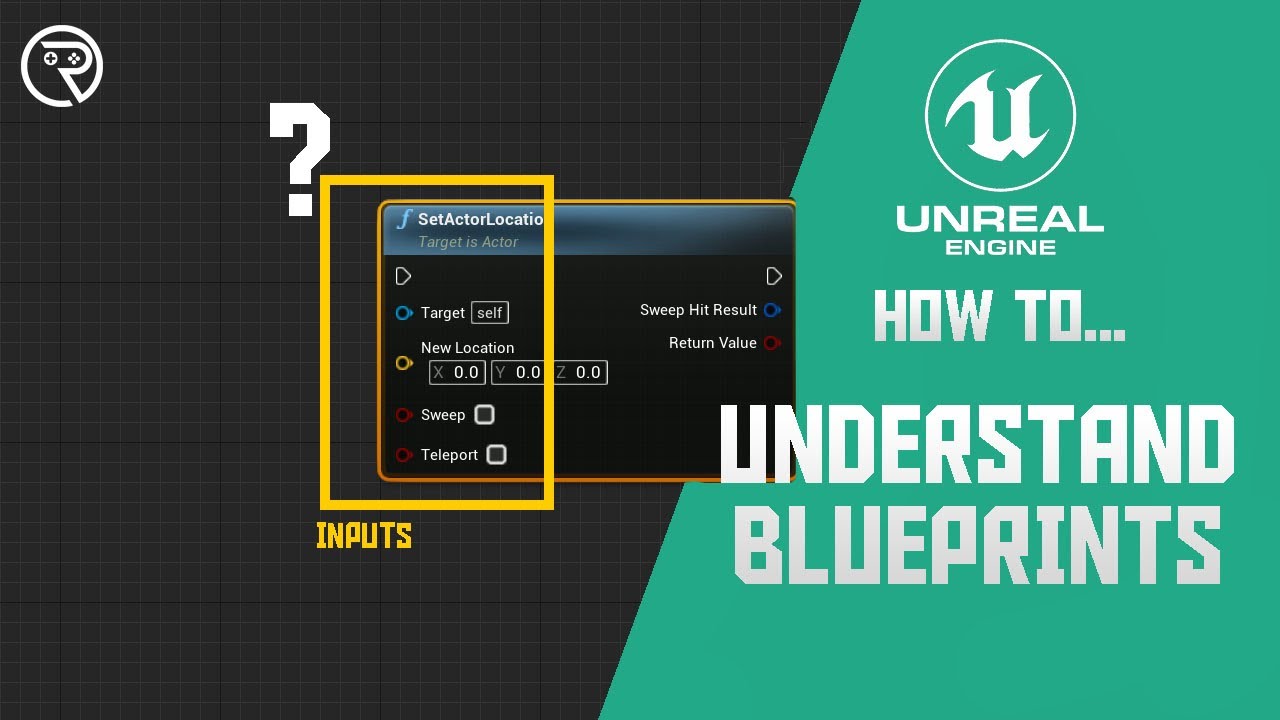
How to understand blueprint nodes? How to know the difference between nodes?
Welcome to How to... a snack-size video for a snack-size question in Unreal Engine 4.
SUPPORT ME
Patreon I https://www.patreon.com/ryanlaley
Buy Me a Coffee I buymeacoffee.com/RyanLaley
Donations I paypal.me/ryanlaley
PRIVATE 1-2-1 SESSIONS
Email me at support@ryanl...
dark drum
low hedge
https://cdn.discordapp.com/attachments/978036466544422932/1361165018808451363/im...
cough UObjects cough Data Assets cough
maiden wadi
The singular case where you'll ever need strings in most gameplay programming, ever, is if you're trying to pack down some data into a string for storage. There are better types for almost any other case.
low hedge
I’ve got to rewrite the code anyways.. I need to convert my ingredients containers and Scoops to BPs later
Right now I’ve just slapped a name and tag on everything and comparing those
cloud garnet
I really don't know what to say about all this other than thank you. I'll come back here if I have any questions and I'll try to watch the videos.
maiden wadi
Yeah. But then you can't localize your game in other languages. 😄 Cause they're strings. And even if you convert those to Text and compare those, your game will break in other languages.
low hedge
How would you recommend I compare these things then? Set public variables in their BP and set them outside of them?
sand shore
@cloud garnet one more for the list of videos: https://m.youtube.com/watch?v=vFjXKOXdgGo&list=PLc38fcMFcV_uH3OK4sTa4bf-UXGk2NW2n&index=2&pp=iAQB

🧲 Get Mind Over Magnet on Steam! - https://store.steampowered.com/app/2685900/Mind_Over_Magnet/ 🧲
Developing is an on-going YouTube series, where I share the step-by-step process of making my first video game: Mind Over Magnet!
I’m starting from the very first step: choosing a game engine and learning how to use it!
=== Chapters ===...
And also, feel free to stop by and ask for more resources anytime! There’s usually helpful folks lurking around somewhere
low hedge
😂
crimson spade
cloud garnet
i have been jumping from engine to engine trying to find one that works well for...
i should point at that this is already a good sign and one of the best things for you to do. while researching what tools to use is great and can help you, nothing substitutes for doing it and trying it. i spent far too long telling myself "i'll try doing that one of these days."
you're on the right track, so just keep at it, go at a pace that works for you, and maintain that motivation
maiden wadi
low hedge
How would you recommend I compare these things then? Set public variables in the...
My best answer would be to learn DataAssets. But you can also use a GameplayTag or FName.
The general idea is that you have a concept of a thing. This concept is either your DataAsset or Tag. DataAsset houses the data directly. Or you can use Tag and look it up in like datatables or something.
But the point is that these are concepts. Red Apple. Green Grape. Elm Chair, Iron Sword. They're all concepts with base stats. Names, attributes, descriptions, etc etc.
Then in your containers for gameplay you make instances of these concepts. You can either do this with UObjects or with Structs, both work. Either one houses the DataAsset pointer or the Tag.
So when you come to == time it's as simple as == the tag or data asset. Because that means these two objects are the same type.
Now if you want to know if these two INSTANCES are the same, then if you're using UObjecst, you can simply == the Objects. If you're using structs, you have to have your own instance identifiers like an FGuid on the struct.
dawn gazelle
Your right the DestroyedBarrels array
little agate
dark drum
The first thing I would look at is interaction systems, there's lot of different...
Is it common if we use GAS for interaction system, I found out it is really flexible?
dark drum
little agate
Is it common if we use GAS for interaction system, I found out it is really flex...
You can. You'd still use an interaction system though. It would just trigger abilities.
 verbal reef
hi, why does addcontrolleryawinput and addcontrollerpitchinput not work properly on ai controlled actors? what settings do i need to modify to make it work properly?
little agate
dark drum
You can. You'd still use an interaction system though. It would just trigger abi...
Yes, I am planning to use GAS for concurrency control and scalability on my existing interaction system. I wonder if it is common thing to do. Just learned gas this past week for combat system
 flat coral
I've got an odd issue with NPC weapons that use projectiles, the projectile sometimes spawns at a weird angle for one frame before correcting. It sounds minor but it's EXTREMELY obvious when you see it

The projectile spawn logic is just this

And the projectile itself has no BeginPlay or Construct logic
dark drum
little agate
Yes, I am planning to use GAS for concurrency control and scalability on my exis...
I've only really gone over the basics of GAS so I can't really say if it's common but the same thing crossed my mind. It makes sense to use abilities for any type of action where it makes sense.
dawn gazelle
flat coral
The projectile spawn logic is just this
If your intent was to have different values going into the Roll Pitch and Yaw of the Make Rotator, it's not happening. There will only be a single generated value that gets fed into all 3. You'll need separate Random Float in Range nodes for each of them.

 eternal sandal
I tried to make a aim and throw animation for my grenade but the throw animation doesn't play (i also tried to stop the aim montage then start the throw one) :
 flat coral
dawn gazelle
If your intent was to have different values going into the Roll Pitch and Yaw of...
flat coral
dawn gazelle
If your intent was to have different values going into the Roll Pitch and Yaw of...
Heh, that's a bug, but not this bug. Thanks though!
 lime compass
hi everyone I have code that checks if there are = 0 enemies spawned, if 0 the next round starts and then more enemies spawn, this is all done in the game mode class. I have 2 levels, 1 is a tutorial level and i dont want any enemies to spawn in there, which they currently are. I just want a simple way to tell the code in the game mode blueprint not to run if we are in the tutorial level but to run in the other level

 vital dome
I'm trying to add rotating 3d models to my widget, I tried using Render Targets but they proved to be rather costly for my purpose. Does anyone have any suggestions for alternative methods of displaying assets in widget similar to how they're displayed in the content browser please?
dusky cobalt
lime compass
hi everyone I have code that checks if there are = 0 enemies spawned, if 0 the n...
I think you could create 2 GameModes classes as children of the ''main one'' and just use different gamemode in the first level and different in all other levels.
Since this is win condition you usually want to have different gamemode for different condition I guess (sometimes you need this and this but that's just another win condition). Probably can also do it like array of UObjects WinConditions and you can add different win conditions for each level then or let player choose, but that's just diving deeper into idea. The fastest way will be to create different classes based on the one you have, on one have logic when tutorial ends, and for other have logic for enemies.
lime compass
dusky cobalt
I think you could create 2 GameModes classes as children of the ''main one'' and...
how would I make game mode classes children to the main one?
dusky cobalt
lime compass
how would I make game mode classes children to the main one?
Do you understand how inheritance works? (Parent and Child)
 full flax
hey all...I have an actor with static mesh component that has collision on...I have my projectile set to bounce off of this particular type of actor. I want to set an "invincible" mode for this actor though where the projectile will no longer bounce off of it but insteasd pass through while still generating a hit event so I can evaluate it...is this possible? I tried using set collision enabled node and setting it to query only...but the projectile still bounces.
lime compass
dusky cobalt
Do you understand how inheritance works? (Parent and Child)
yes but how would i do that?
maiden wadi
vital dome
I'm trying to add rotating 3d models to my widget, I tried using Render Targets ...
What is your use case? Why are RTs too expensive in general?
dusky cobalt
lime compass
yes but how would i do that?
Click on your BaseGameMode that you currently use and create child of it, then use it in the level.
You haveGameModeBase which is C++ version. Then you created children of it which you are probably using right now and you called it YourGame_GameMode. Now you need to create 2 children classes of the previous one for example Tutorial_GameMode and KillAllEnemies_GameMode.
lime compass
dusky cobalt
Click on your BaseGameMode that you currently use and create child of it, then u...
okay, but how would i then call game mode when i start a specific level
dusky cobalt
lime compass
okay, but how would i then call game mode when i start a specific level
You set GameMode for every level in world settings.
lime compass
right okay
vital dome
maiden wadi
What is your use case? Why are RTs too expensive in general?
I want to display assets as part of 'card' widgets created for my game shop like shown in the screenshot example but I drop from 120+ fps to sub 10 when the Render Targets are dynamically created/updated, I'm using 9 active Render Targets
 lime compass
dusky cobalt
You set GameMode for every level in world settings.
lime compass
dusky cobalt
You set GameMode for every level in world settings.
thank you so much
vital dome
vital dome
I want to display assets as part of 'card' widgets created for my game shop like...
There are only 9 render targets and their assignment changes based on the position in the scroll box so that these 'cards' are assigned a unique render target based on positioning and then dynamically update the material instance assigned texture based on the loaded asset of the visible 'card' widgets.
full flax
full flax
hey all...I have an actor with static mesh component that has collision on...I h...
Further testing...I was using Query Only, and it bounces the projectile still...but if I set it to no collision, the projectile passes through with no issue, but also does not process the overlap event, which is what I'm hoping to do.
I basically still want to blow it up but I want the projectile to not bounce on some occasions, lol
Here's what I'm trying that's not working
 maiden wadi
vital dome
I want to display assets as part of 'card' widgets created for my game shop like...
maiden wadi
vital dome
I want to display assets as part of 'card' widgets created for my game shop like...
Do they need to animate or move, or are these just still images?
maiden wadi
full flax
Further testing...I was using Query Only, and it bounces the projectile still......
The short answer is no. But you could move your EventHit stuff to overlaps, and on overlap decide if you're going to redirect the projectile. You should have the same normals on overlaps that should be used for the bounce effect. It just won't be automatic from the projectile movement component.
full flax
maiden wadi
The short answer is no. But you could move your EventHit stuff to overlaps, and ...
how do I retrieve the bounce vector in an overlap mode?
lime compass
dusky cobalt
You set GameMode for every level in world settings.
hi mate, sorry to bother you, just a quick one, ive packaged the game and enemies are not spawning at all but spawn when playing in engine
maiden wadi
full flax
how do I retrieve the bounce vector in an overlap mode?
The overlap should have a hit result in it.
full flax
maiden wadi
The overlap should have a hit result in it.
so I don't have to modify my whole collection of assets I was checking to see if I could...on impact, send a message to the thing I impacted and disable it's collision, then change the velocity of my projectile using the hit normal...but it doesn't seem to be working probably because the collision doesn't get disabled until next frame...maybe a short timer to give it a beat to disable collision and then send projectile right through?
or is hit normal not the right vector?
 vital adder
i need to make something like this. how do I make this, i am stuck here.
basically I have a widget in an actor which I press, i want to spawn an actor at that particular location location.

 astral mist
vital adder
i need to make something like this. how do I make this, i am stuck here.
basical...
astral mist
vital adder
i need to make something like this. how do I make this, i am stuck here.
basical...
Which part are you stuck on? spawning an actor on location is straight forward.
Using SpawnActor, make sure you define the Collision Handling Override since more often than not that's an issue if you are trying to spawn over another actor and they are set to collide.
vital adder
basically i am not able to pass the location value., its spawnning at 0,0,0
vital adder
astral mist
Which part are you stuck on? spawning an actor on location is straight forward.
this part is not working.
 dawn gazelle
vital adder
this part is not working.
dawn gazelle
vital adder
this part is not working.
If this is in the actor, and assuming you're moving the actor to determine where you want to spawn the new actor, you'd use this actor's location as the location to spawn the new actor.
vital adder
dawn gazelle
If this is in the actor, and assuming you're moving the actor to determine where...
how do i pass actor`s location? i am unable to click.
dawn gazelle
This "OnClicked (Widget)" is within an actor yea?
The Widget being a component of the actor?
 vital adder
dawn gazelle
The Widget being a component of the actor?
vital adder
dawn gazelle
The Widget being a component of the actor?
yes
dawn gazelle
Ok, when you click on the widget, do you get the display name printed like your code shows?
vital adder
dawn gazelle
Ok, when you click on the widget, do you get the display name printed like your ...
nope
nothing happen
vital adder
dawn gazelle
Ok, when you click on the widget, do you get the display name printed like your ...
i have binded an event in the widget that if button click, spawn actor, that iss working i just need to give location.
dawn gazelle
vital adder
i have binded an event in the widget that if button click, spawn actor, that iss...

 solid needle

i made a bounding box for an island detection, but the one that unreal has is vastly inaccurate
(please ignore the organisation, its very messy)

 faint pasture
dawn gazelle
If your intent was to have different values going into the Roll Pitch and Yaw of...
faint pasture
dawn gazelle
If your intent was to have different values going into the Roll Pitch and Yaw of...
now why wouldn't it reroll for each XYZ component? I'd think it would due to being a pure function, but I'm not sure how the make struct nodes interact with that
 rain warren
Is it possible to show set a collision mesh to visible for a specific object? I see there is a way to enable collision to show for everything, but I just want to enable it for 1 actor. Setting the 'visible' flag on the collision mesh does nothing.
 astral sluice
I'm trying to get player spawning to work in my game. My issue is, when debugging, it could not find my opponent despite being inherited from the same class and being spawned into the world. This breaks my camera and look at opponent functions. I would like to understand how would I fix it.
 dawn gazelle
faint pasture
now why wouldn't it reroll for each XYZ component? I'd think it would due to be...
dawn gazelle
faint pasture
now why wouldn't it reroll for each XYZ component? I'd think it would due to be...
I think it's because in blueprint the node only gets calculated once for each other node it happens to be connected to. If it's connected to the same node more than once it reuses the calculation. If it was connected to a different node, then yea, it would recalculate it for that node.
dawn gazelle
astral sluice
I'm trying to get player spawning to work in my game. My issue is, when debuggi...
How are you populating the "Opponent" variable?
astral sluice
dawn gazelle
How are you populating the "Opponent" variable?
I have a construction script to check if there is more than one player in the scene. If there is more than one, set the 2nd as the opponent.
 faint pasture
astral sluice
I have a construction script to check if there is more than one player in the sc...
faint pasture
astral sluice
I have a construction script to check if there is more than one player in the sc...
Why is it in the construction script? You can easily put that on begin play. Not sure it's your problem but certainly might be some race condition shenanigans.
astral sluice
faint pasture
Why is it in the construction script? You can easily put that on begin play. N...
I was originally following a tutorial and they put the function inside of the construct script. I may break it off into regular function, but it worked fine that way.
flat coral
This mobile actor's supposed to restore its location on save load, but it fails when it's a child actor. It includes the displacement of the parent if the parent is mobile too, and ends up adding it twice.
What I don't understand is why. In the restore function I'm drawing a debug point for where the location SHOULD be set to, but you can clearly see in the screenshot this mesh (the hatch) isn't where the point is being drawn.


How can SetWorldTransform and DrawDebugPoint end up in two different places?
dawn gazelle
flat coral
This mobile actor's supposed to restore its location on save load, but it fails ...
The relative scale & rotation of a child actor can influence where its world location is.
flat coral
what is the name of that parameter that determines whether a child moves with the parent...
I think what's happening is basically a race condition. I'm moving the child to the correct place FIRST and then moving the parent, which moves the child by attachment
astral sluice
astral sluice
I was originally following a tutorial and they put the function inside of the co...
I solved my issue kind of. I put my script that assigns an opponent as a function and called it OnTick. That may create issues in the future cause now that is calling every frame when it doesn't really need to. That I don't understand.
rancid path
This closes the session for everyone in PIE. packaged will this only cause the player who initiated a quit game request to leave the match?
 astral sluice
rancid path
This closes the session for everyone in PIE. packaged will this only cause the p...
astral sluice
rancid path
This closes the session for everyone in PIE. packaged will this only cause the p...
That probably quits the entire software in general
rancid path
astral sluice
That probably quits the entire software in general
fuck lol. Thank you. If anyone has suggestions, I would genuinely appreciate it, no worries either way though of course
astral sluice
rancid path
fuck lol. Thank you. If anyone has suggestions, I would genuinely appreciate it,...
You might need to put some checks in before quitting the application to make sure you leave the match.
 past spire
Hi there! I have a question about using Physics Assets: I need to detect both overlaps and collisions from my character's Physics Asset bodies, but I want specific behavior per body, some should only trigger overlaps while others should only respond to physical collisions. Is it possible to configure this kind of behavior per body within the same skeletal mesh?

 nocturne spire
Hi guys! I'm working on a top-down project and have been pulling my hair out with the camera. I want to have the camera move and rotate slightly towards where the player is facing on right mouse click, which I've started in the bottom blueprint. However, when I do this, the view starts spinning uncontrollably (I assume because I have my player character tracking the mouse cursor (top blueprint). I'm not sure how to resolve this, nor do I know how to go back to the default camera when releasing the button. Any tips are welcome, thanks!
 faint pasture
nocturne spire
Hi guys! I'm working on a top-down project and have been pulling my hair out wit...
faint pasture
nocturne spire
Hi guys! I'm working on a top-down project and have been pulling my hair out wit...
like this?
https://www.youtube.com/watch?v=t1-vhWNlTMI
 nocturne spire
faint pasture
like this?
https://www.youtube.com/watch?v=t1-vhWNlTMI
nocturne spire
faint pasture
like this?
https://www.youtube.com/watch?v=t1-vhWNlTMI
Pretty much exactly like that, but with the camera really only facing one direction, similar to games like Zero Sievert or old-school arcade games!
faint pasture
so does it rotate or not?
Anyway, I'm not using the cursor at all here
mouse changes aim angle and distance
that way you don't end up chasing your tail when rotating the camera
nocturne spire
It only rotates a little bit for the player to be able to see further
faint pasture
you either need to do that or have the camera movement actually move the cursor so it doesn't feedback
so camera movement doesn't move the cursor which moves the camera which moves the cursor, that's the problem you have
nocturne spire
I guess I want the character model to always face the cursor, then when the button is pressed, have the view move in a 2D plane towards where the cursor is, then move back on button release
 magic stag
Hey guys, for some reason my helmet child actor for my character blueprint is displaying in the bp editor viewport in the right position, but when I play in editor for the level its not in the right position. What am i missing here?


 near forge
Hello all. Has anyone had any luck with adding stamina drain/regen system into gasp yet? I have the draining stam set up. But don’t know how to make the character stop sprinting when stam == 0. This is the set up I’ve managed to get after 3 days
 vital dome
maiden wadi
Do they need to animate or move, or are these just still images?
vital dome
maiden wadi
Do they need to animate or move, or are these just still images?
They're animated, the BP_Fish continues its default movement AI spawned at random coords wayyy off screen so that each fish will look like they are 'swimming' around in their shop cards
 surreal wagon
Does unreal auto pool stuff?
 dry sleet
surreal wagon
dry sleet
surreal wagon
So when I'm playing audio it's instancing an asset constantly?
Like, foosteps I mean
thin panther
Assets are shared instances of things, you don't need to worry about that
A static mesh is shared across all things that use it
maiden wadi
vital dome
They're animated, the BP_Fish continues its default movement AI spawned at rando...
The short answer is that there's not a cheaper way for that.
One issue in 5.0 is that for whatever reason the scene capture component costs a lot more than it did in 4. Even a dozen scene caps shouldn't drop you from 70 FPS to 4. But they started invalidating entire maps for some reason and I would wager that is part of your issue. They're also not cheap themselves. I would have expected a dozen to drop you to around 50fps.
Your general choices of replacements at the moment are prerendered movies. If small enough in size and using Bink movie player they would be relatively costless. Not really sure of anything else that can do animated displays in a widget like that at performance targets.
 willow gate
magic stag
Hey guys, for some reason my helmet child actor for my character blueprint is di...
willow gate
magic stag
Hey guys, for some reason my helmet child actor for my character blueprint is di...
It looks like you don't have a parent socket assigned. You should have the helmet mesh as a child of your player mesh (as you do) with the relative translation to 0,0,0 and the parent socket to your skeleton's head bone. That should ensure that your helmet is correctly placed and moves with the player skeleton
 pulsar hazel
Hey guys, I am adding elements to a scroll box to simulate a web chat dialog, how can I make the scroll box scroll to its last element each time a new one is added?
maiden wadi
pulsar hazel
Hey guys, I am adding elements to a scroll box to simulate a web chat dialog, ho...
There is either ScrollWidgetIntoView or ScrollToEnd that you'll need to call after adding a new line.
I recommend doing this only if the user has already scrolled to the end. If they're scrolling up to reread old chat they probably don't want new ones snapping to them back to the end.
pulsar hazel
maiden wadi
There is either ScrollWidgetIntoView or ScrollToEnd that you'll need to call aft...
are those cpp or bp?
maiden wadi
Both
pulsar hazel
tks
plush ledge
hi, does anyone know how i can attatch a blueprint component to the 3rd person actor?

i just want to attach something to the 3rd person character but am unable to just attach it since there is no attach component to actor node
 boreal basin
Just found your msg so mind me for the late reply, do I connect the Branch to both "Triggered" & "Completed" from the IM_Run?
plush ledge
pulsar hazel
Attach to the mesh
what node do i use?
pulsar hazel
wait, what excatly do you want to attach?
if this bp are inside an actor you could get a refrence to self
boreal basin
@dawn gazelle Something like this overall:


Though every time I tried to trigger it, its the 3rd image that brings me the most problems(In that the function triggers but doesn't change the speed of the character in question after that).
 trim matrix
How can i Destroy widget after 4 seconds in Blueprint Function Library. I can destroy the widget after calling it by keeping a reference, but i want to handle the destruction inside the function library for better reusability.
 maiden wadi
trim matrix
How can i Destroy widget after 4 seconds in Blueprint Function Library. I can de...
maiden wadi
trim matrix
How can i Destroy widget after 4 seconds in Blueprint Function Library. I can de...
You can't. Put a timer on the widget and pass that time to it, make it handle it's own lifecycle.
trim matrix
maiden wadi
You can't. Put a timer on the widget and pass that time to it, make it handle it...
Are we doing it like this ?
 maiden wadi
Sure, that should work.
trim matrix
Thanks a lot ❤️
vital dome
maiden wadi
The short answer is that there's not a cheaper way for that.
One issue in 5.0 i...
I managed to get the 9 Render Targets working and dynamically updating based on scroll position in the end, now I'm having issues with tracking which widgets are 'visible' within the scroll box as I'm using cached geometry it's causing a flickering issue
plush ledge
im trying to get a sphere in a child actor to rotate properly with the characters movement, this is very inaccurate tho. there must be an easy calculation for this bu maths was never my strong suit, does anyone know what i need?
the capsule component is attatched to the standard BP_Thirdpersoncharacter
 lime compass
how do I use nav link proxies, no matter what I do they'll work for a bit then stop working the next time i play the game again after ive added more nav link proxies and its actually frying me
 proud bridge
Hi, how do u do timeline like features inside user widgets? Please dont tell me i have to create a separate blueprint actor just to control a value with the timeline there and bind to that value in the user widget.
maiden wadi
proud bridge
Hi, how do u do timeline like features inside user widgets? Please dont tell me ...
Animations
lime compass
proud bridge
Hi, how do u do timeline like features inside user widgets? Please dont tell me ...
click the text or image or whatever youre trying to animate and then at the bottom of the screen on the left is an animation button
proud bridge
maiden wadi
Animations
I want to control the percent value of a progress bar. I know i can animate the value there but how do i control it from the bp?
maiden wadi
Repeater track
lime compass
proud bridge
I want to control the percent value of a progress bar. I know i can animate the ...
how do you want to control it?
proud bridge
maiden wadi
Repeater track
A little more elaborate pls. Thank u
proud bridge
lime compass
how do you want to control it?
At different stages to fetch data from http requests, i want to control the progress bar as these requests are executed and completed
maiden wadi
You put a repeater track in an animation. You bind it's endpoint to a function in the graph. You play the animation and this repeater runs once per frame. You can use the Animation ref to get the current played and time left to do whatever you want to do with the progress bar.
proud bridge
Need to learn this. Thank you!
 near wolf
Hey guys, anyone familiar with ticks and tick prerequisite actor ? I'm trying to fix my IK hand lagging behind when moving, but I'm not sure how to do it with Tick
can anyone assist me a little please?
I'm trying some things, but not working so far
flat coral
Is there any way to change the default font size of comments? 18 pt is so big, and it's a pain in the ass to change each time
faint pasture
plush ledge
im trying to get a sphere in a child actor to rotate properly with the character...
rotate properly meaning..... what
just attach the thing if it's meant to come along for the ride with it
maiden wadi
flat coral
Is there any way to change the default font size of comments? 18 pt is so big, a...
IIRC, no. It comes from the editor's style set.
near forge
Hello all. Has anyone had any luck with adding stamina drain/regen system into gasp yet? I have the draining stam set up. But don’t know how to make the character stop sprinting when stam == 0. This is the set up I’ve managed to get after 3 days
 faint pasture
near forge
Hello all. Has anyone had any luck with adding stamina drain/regen system into g...
faint pasture
near forge
Hello all. Has anyone had any luck with adding stamina drain/regen system into g...
Do you know how often Tick runs?
that's probably draining 10 stamina PER FRAME
plush ledge
faint pasture
rotate properly meaning..... what
As if its an hamster ball if that makes sence
 idle prawn
Reddit
Explore this post and more from the UnrealEngine5 community
 gaunt plover
hello, someone knows how can i lock a physical actor inside of a box ? I have a ball and i dont want that ball leaving my box, thxw
 wheat citrus
Is there some node to combine an array of keys and an array of values into a map?
maiden wadi
idle prawn
https://www.reddit.com/r/UnrealEngine5/comments/1jzxa95/are_actor_components_bug...
Did you test it in 5.5?
maiden wadi
wheat citrus
Is there some node to combine an array of keys and an array of values into a map...
Loop and add.
wheat citrus
thanks
wheat citrus
Im trying to have an array of booleans that keeps track if a weapon is on cooldown. For this, everytime a weapon is fired, the current weapons boolean is set to true (on cooldown). I then run a timer to essentially make the delay asynchronous so that multiple delays can run at once and set their weapons on cooldown boolean back to false once completed. Only issue is getting the index that was used to trigger this specific event since a timed event does not allow any input variables and local variables could be overridden before the delay is over if the player switches to another weapon. Any ideas on how to get the specific value of the index for which this async event was called or some idea on how to do this differently?

This approach is used so that even if spamming switch weapon, each weapon maintains its own fire rate
 stone field
wheat citrus
Im trying to have an array of booleans that keeps track if a weapon is on cooldo...
stone field
wheat citrus
Im trying to have an array of booleans that keeps track if a weapon is on cooldo...
I would consider having the setup as something like
- struct with weaponindex + cooldown time
- array of structs of weapon
- run the weapon cooldowns down to 0 in tick
that way you don't depend on timers, and all the weapons will clearly have their own times
note that there's probably a dozen different ways to approach this, perhaps others will have other angles : )
If the weapons themselves are blueprints, maybe they could each have a cooldown component, for example
wheat citrus
the weapons are scene (arrow) components attached to the main actor with stats accessed from a data table by object name. This code itself is run in a weapon system component that's attached to the main actor. So a cooldown component per weapon isn't really an option. I'll look into your suggestion but if I'm not mistaking the use of tick makes it frame rate dependant which would be noticable on high firerate weapons shooting slower at low fps.
Ideally there would just be a way to create instanced variables but I guess thats not possible in blueprints
stone field
- generally speaking i would prefer weapons to take care of themselves ( know how much ammo they have, cooldowns etc )
- tick is framerate yes, but tick is tick, deltatime - so you can use it for this sort of thing very well
willow gate
Hey all. Does input get consumed and prevent other input if I'm holding a button down? I'm trying to hold down the left trigger (which performs aiming events on my character) and then hit my attack button to fire. For some reason the attack isn't firing and I'm not sure what's going on.
stone field
willow gate
Hey all. Does input get consumed and prevent other input if I'm holding a button...
are you using enhanced input, or rolling your own system?
Combo something something?
willow gate
stone field
are you using enhanced input, or rolling your own system?
Enhanced input. I'm not doing a combo. Didn't think I needed it. So if I'm holding my left trigger to aim and I want to fire my weapon then I should make that input a combo of left trigger and my attack input:
stone field
probably yeah, I haven't worked with enh.inp. much but sounds good
willow gate
stone field
probably yeah, I haven't worked with enh.inp. much but sounds good
Ok I'll try that. Thanks
wheat citrus
stone field
1) generally speaking i would prefer weapons to take care of themselves ( know h...
I guess its not framerate dependent but engine tick dependent but that also runs slower on slower machines. Ie more delta time if the tick takes longer to execute. So on a system where the tick is 0.1s a remaining cooldown of 0.05 seconds will take 0.1 seconds anyway while the system which executes the tick inn 0.05 seconds finishes twice as fast and is able to get the next shot out earlier. The times are exaggerated here but wouldnt this be the case?
stone field
wheat citrus
I guess its not framerate dependent but engine tick dependent but that also runs...
the margin would be framerate dependent yes : but I don't think a Timer would fare any better with that
dark drum
wheat citrus
Im trying to have an array of booleans that keeps track if a weapon is on cooldo...
This doesn't do what you think it does. The Set Timer By Event is point less. You shouldn't be using time of 0 for timers.
In terms of cooldowns, these would generally be stored on the actually item/weapon.
stone field
I def agree it would make the most sense to have all this handled by the weapons themselves instead of having some external cooldown manager
wheat citrus
the weapons being separate would work if it were a single weapon per type like with a weapon held by a person but these are vehicle mounted and there are multiple weapons per type and multiple types per vehicle and they can fire staggered/simoultaneously based on which type they are etc etc so all that logic is handeled by a weapon system component that tracks how to fire the current weapons based on the type and amount
handling that logic on a per weapon basis would be extremely convoluted
stone field
That's kind of your targeting computer, making the firing solutions : that doesn't mean each individual weapon couldn't have their own ammo counters, cooldowns, heat, damage etc
wheat citrus
dark drum
This doesn't do what you think it does. The Set Timer By Event is point less. Yo...
as far as I'm aware timer linked events are run asynchronously so the 0s timer should just ensure that. At least I found this explained in the forums as an accepted answer, but maybe its wrong.
dark drum
wheat citrus
handling that logic on a per weapon basis would be extremely convoluted
Not really, you can just make a weapon object. The weapon object would then handle what the weapon does and handles it. You would then just create an object for each weapon you have. It also makes it more scalable and customizable. The object would just be the data aspect.
dark drum
wheat citrus
as far as I'm aware timer linked events are run asynchronously so the 0s timer s...
Timers are handled on the game thread. Of which it just removes delta time from the timer each tick until it reaches <= 0. When this happens it calls the delegate. Nothing aysnc about it.
stone field
basically if you have to hardcode a lot of stuff into the firing computer, that sounds like it will be a nightmare to switch stuff around in the long run - but perhaps if you are already pretty deep into your current path, it may not be wise to start refactoring until you really see the need...
as far as timer goes, just use tick is fine i reckon
wheat citrus
yea the point of this system is basically to be able to just add a weapon by adding a named scene component and a data table row. We specifically didnt want to have to make a new weapon object with separate code so I designed it like this and indeed am quite far in so changing the fundamentals would not be nice. I'll try with the tick method for now.
Thanks for the help
dark drum
wheat citrus
yea the point of this system is basically to be able to just add a weapon by add...
I have no problems rebuilding from the ground up when it's a core system. I'm not a fan of work arounds. Before you know it you have work around on work around and had you spent a day or two refactoring you wouldn't be spending a week fixing stupid bugs. (I've been there 😅 )
With it being what sounds like a core system, it might be worth you thinking about it. Its usually easier to change sooner rather than later.
lunar sleet
wheat citrus
as far as I'm aware timer linked events are run asynchronously so the 0s timer s...
The only async stuff in bp are nodes with the term Async in front of them. Also event by timers are not a bad approach but putting a delay inside a timer event is a tad silly, since it defeats the whole purpose of avoiding the very misunderstood nature of delays. At that point, I would just plug in the dynamic timer variable into the timer’s own time input float
To be clear, not saying that’s the approach you should stick with, only talking about timers vs delays
wheat citrus
lunar sleet
The only async stuff in bp are nodes with the term Async in front of them. Also ...
yea I had the timer use the fire rate before. The added delay was just an attempt to somehow execute the event instantly with the current value of weapon index and then wait some time before using it but that doesnt seem to be possible on one thread (in blueprints)
lunar sleet
wheat citrus
yea I had the timer use the fire rate before. The added delay was just an attemp...
For async you usually need to go cpp. Multithreading is not really a thing in bp only
Save for those 2 aforementioned nodes which I think are not even proper multithreading iirc
dark drum
If you're using trigger modifiers, you should use the 'Triggered' pin.
Started for example, will be triggered when the relevant key is presses, even if its not each met the conditions specified in the trigger modifier.
willow gate
dark drum
If you're using trigger modifiers, you should use the 'Triggered' pin.
Started ...
Makes sense. If I use Triggered though it doesn't behave as desired. I want the aim to stay activated as long as the trigger is held and then stop as soon as it is released.
dark drum
willow gate
Makes sense. If I use Triggered though it doesn't behave as desired. I want the ...
You can have multiple trigger modifiers. For example, hold and hold and released. They will both fire the triggered pin but you can use a bool to managing the state.
willow gate
dark drum
You can have multiple trigger modifiers. For example, hold and hold and released...
I need to learn Enhanced Input better. Thanks
idle prawn
maiden wadi
Did you test it in 5.5?
Problem is gone in UE5.5!
Tried it again in UE5.4.3 and confirmed the problem is still there.
This is a major issue for anyone not working on the latest engine version (probably most people out there actually) and it makes me wonder how anyone is even making progress. It's a core programming paradigm and one of the main options for solving circular refs with loose coupling and inheritance. Truly a head scratcher.
dawn gazelle
idle prawn
> Problem is gone in UE5.5!
>
> Tried it again in UE5.4.3 and confirmed the pro...
@hollow pond
Just to add my own test to this.... I used my own Actor (not the Third Person Character) and an Actor Component but otherwise followed these steps in 5.2, and didn't see this issue occur.
 bronze mirage
is it possible to have a content browser filter that only shows files that are marked as 'modified' for source control? i'm not seeing any way to do that in the advanced search syntax

Epic Games Developer
Reference for advanced search operators you can use in the Content Browser.
dark drum
idle prawn
> Problem is gone in UE5.5!
>
> Tried it again in UE5.4.3 and confirmed the pro...
In terms of components/actors resetting to default, this can happen if the BP gets a compile error. However, the instance specific data is saved with the level file so fixing any compile errors and reloading the level (without saving the level) can allow the saved data to be reapplied (from the save) if it was lost.
idle prawn
dawn gazelle
<@263084886972301312>
Just to add my own test to this.... I used my own Actor (...
Good to know thanks, the problem has been seen as far back as UE 4.1, but UE 5.4.4 also fixes this with the patch https://issues.unrealengine.com/issue/UE-222390 but some are saying the fix causes issues with 5.5 https://www.reddit.com/r/unrealengine/comments/1hof3mp/psa_55_may_cause_child_blueprints_to_be_broken_in/
 wide imp
my animation works fine here, and here but when i play the game, the positioning messes up. not sure why


 teal blade
For those of you who've worked with GASP or GASP-ALS, how did you go about creating NPC blueprint classes? I'm feeling a little paralyzed because so much of the movement is in the SandboxCharacter blueprint, but so much of the player logic is as well. Would love some advice on this!
 weary nimbus
Really quick- my mouse axis event stops detecting mouse movement when the cursor "reaches the edge", although I've set the cursor to hidden. I can't see the cursor, but it acts as if it's being blocked by the edge of the window.

Feel like I'm missing something easy here but Google isn't being helpful
 high iris
Given that blueprints cannot return TOptional values as function output just yet, at least not in 5.4, what's the most idiomatic way of telling the caller "The returned value could be null"? I guess if Cast is to be used for reference, it's two exec pins + one pin with the output itself?
wide imp
wide imp
my animation works fine here, and here but when i play the game, the positioning...
^
 noble nymph
I have a Pistol_BP and a child blueprint of the pistol. I've set up code to highlight the actor when it's being looked at. The issue I'm having is that, as shown in the picture, it highlights the wrong actor — specifically, Child 2. I placed the highlight logic in the Level Blueprint instead of in each individual blueprint, as also shown.

 dawn gazelle
noble nymph
I have a Pistol_BP and a child blueprint of the pistol. I've set up code to high...
dawn gazelle
noble nymph
I have a Pistol_BP and a child blueprint of the pistol. I've set up code to high...
The code you've shown here doesn't show anything to do with how anything gets highlighted, only with showing and hiding widgets. Are you able to show the code that actually enables the hilghight and determine which actor is being looked at?
noble nymph
dawn gazelle
The code you've shown here doesn't show anything to do with how anything gets hi...
Here is the code.


No description provided
dawn gazelle
Can you show what bit of code is called just before this ie. the trace or whatever you may be using for determining the hit?
noble nymph
dawn gazelle
Can you show what bit of code is called just before this ie. the trace or whatev...
The hit is determined with the select interface or am I not understand it kind of new here
dawn gazelle
Show the code that calls Cast_Select.
noble nymph
dawn gazelle
Show the code that calls Cast_Select.
Not casting at all, its done with the interface from sphere cast

overlay is set in game mode small code
 dawn gazelle
So you're doing a sphere trace to determine what object it is that you're looking at. What does the "Cast_Math" macro look like?
 dawn gazelle
You can also click the checkbox for "Draw Debug Type" and set it to "Duration" and when you click the little down arrow at the bottom of the node, you can specify a duration of 0.03, and you can actually see what your sphere trace looks like.

Ok, so your trace is a standard style of trace, so the only thing that I can see being a potential issue is that your sphere trace may be too big and is detecting the other actor, or this child blueprint doesn't respond to the Visibility collision profile making your trace ignore it.
 tiny sigil
why this rewind debugger in my project was not turning of
can some one tell me why this was happening??
 craggy egret
Hey there everyone.
I have a Blueprint Component and I am checking for overlapping Actors.
I want to check what the Current Overlapping actors animation is and capture its frame as well to set that animation and Frame on another actor for a short time. like a Freeze.
Is this possible ?
 torpid acorn
hello everyone I wanted to ask for help I am a beginner dev.
Id like to learn how to make a make blue print for my character's weapons/ enemy attacks their own isolated blueprint actor, that I can create children from very easily where all the logic within that object
maiden wadi
high iris
Given that blueprints cannot return TOptional values as function output just yet...
The immediate thing that comes to mind is enum as exec.
 frosty pond
hi,
I cant seem to add Animation States in a Shared Animation Asset?
I followed epic games documents and after assigning a State Processor Class, it should let me add Animation States but the option is still greyed out. Does anyone have any idea why?
I've tried in a different project and it still doesn't work.
 random pulsar
hey guys i have this setup and this sprite is supposed to change its location from the current to the billboard that's above but that does not happen


why is it so?
maiden wadi
random pulsar
hey guys i have this setup and this sprite is supposed to change its location fr...
Do you repeatedly call Invincible? Interpolation needs to be called multiple times. It's just a math function that returns a value between two points. So to interpolate you would need to call it each frame.
random pulsar
maiden wadi
Do you repeatedly call Invincible? Interpolation needs to be called multiple tim...
ok,now i get it
is there another way to change sprite location ,not each frame?
maiden wadi
Don't interpolate it and just set it to the end point.
 prime stump
Hi, I'm trying to make a little zoom happen when the player starts and stops sprinting, ive got this function running on tick and it does work however the one thing i dont like is that because im using FInterpTo it spends a lot of time interping really small values and takes around 12/13 seconds to actually transition fully from 'current FOV' to 'target FOV', is there a way I can do this so that it smoothly transitions from current to target but over a set amount of time instead of it messing around with tiny values?
 random pulsar
maiden wadi
Don't interpolate it and just set it to the end point.
random pulsar
maiden wadi
Don't interpolate it and just set it to the end point.
i solved it by timeline ,lerp(vector) and storing initial and end locations
lime compass
guys what collision options would i have to choose so my player falls through the objects but the enemies can walk on it?
 covert delta
lime compass
guys what collision options would i have to choose so my player falls through th...
covert delta
lime compass
guys what collision options would i have to choose so my player falls through th...
the objects that can be fallen through should have a custom ObjectType which the player collision ignores but the enemies block
lime compass
covert delta
the objects that can be fallen through should have a custom ObjectType which the...
where do i create a custome objecttype?
covert delta
lime compass
where do i create a custome objecttype?
Edit -> Project Settings -> Collision -> New Object Channel
lime compass
covert delta
Edit -> Project Settings -> Collision -> New Object Channel
thank you
 lyric rapids
im getting an accessed none error for my function input and im not sure why
its saying it cant read the variable named audiokey
 lime compass
covert delta
Edit -> Project Settings -> Collision -> New Object Channel
lime compass
covert delta
Edit -> Project Settings -> Collision -> New Object Channel
hi mate, sorry to bother you, ive made the new object channel but its not showing up in any lists in the collision presets?
maiden wadi
lime compass
hi mate, sorry to bother you, ive made the new object channel but its not showin...
Recompile the blueprint you're trying to change it in.
lime compass
maiden wadi
Recompile the blueprint you're trying to change it in.
thats worked thank you
 sand fjord
Currently trying, and failing, to create moving platforms that spawn at the same interval for each row but vary intervals by rows and then move and disappear once they get to a certain point. This is my first unreal project and I fear I have bitten off more than I can chew so if anyone has time to help me or can take a look at my 3 blueprints and see what's going on I'd love the help!
This is for a class and I am required to use blueprints (unfortunately)


 knotty flare
sand fjord
Currently trying, and failing, to create moving platforms that spawn at the same...
knotty flare
sand fjord
Currently trying, and failing, to create moving platforms that spawn at the same...
Small tip that could help for the lifetime of your platform if you don't want to use Event Tick:
- Use a trigger volume to destroy your actor OnOverlap event - gives you the flexibility to move the trigger around if your level changes
or 2. Use the blueprint's 'Initial life span' class setting to have a pre-determined duration before auto-unspawning if time based is OK for your project
or 3. start a Timer by Event/Function name if you prefer being able to pause the timer for whatever reason 🙂
 sand fjord
oh sweet, thank you!
knotty flare
I think also a timer handle per row would also be a nice way to control the frequency of spawning for each row (regroup rows with the same frequency under the same timer event to prevent ticking too many timers)
sand fjord
rn all the platforms are just spawning on top of one another at 0, 0, 0 so theres also smth up with that
knotty flare
If you want to make it user-friendly to edit in the viewport - you can place empty actors with a billboard sprite on them as 'platform spawn points' - and then your spawn manager would grab references of these spawn points and use their transforms as the platform's initial spawn transform! Again, it gives you the flexibility to move them around if you need to without modifying the script or hard-coding vector3 variables
sand fjord
knotty flare
If you want to make it user-friendly to edit in the viewport - you can place emp...
that's so smart, thank you! I'll try this and see how it goes :)
knotty flare
You're welcome! 🙂 Good luck 💪
 ruby tendon
can someone help me with translating this unity code into blueprints im basically applying a counter force for steering on some wheels


i dont mean the red part thats marked i mean the whole code snippet
maiden wadi
ruby tendon
can someone help me with translating this unity code into blueprints im basicall...
What you have seems like the same already.
ruby tendon
Thats why im so confused on why its not workin
maiden wadi
Hard to say without debugging it. But logically speaking, they look the same. Values may differ between the two based on velocities or the grid/mass. Or it could even be the way you're applying it after this.
 round moth
so i have this equip code on weapons, when player walks into it, attach to back. cool, right? well i have a problem. i wanna check if gun recieved and if so, destroy self so they can pick up a new gun. but i think the problem is if i pick up rifle, and then walk into shotgun to pickup shotgun, Im not using a reference to the rifle on my back, so the self im trying to destroy is the shotgun that isnt even on my character yet. so its a bit rough, would love some help, friends


ok i just did it. by snatching what the equipped weapon is before it is changed into the gun walked into, then plug it into unequip like normal, ask if its valid to avoid a none accessed error, and destroy it, or whatever logic i wanna put in.


 vernal snow
Hi all.
Doing a small project, i want to make an actor that is just a cube, but will glow to an extent when exposed to light and dim when its in shadows.
I know of doing sphere overlap, line trace, distance, or setting the light intensity via volumes.
But im looking to see if there is any other methods, maybe a post processing that takes in light and dishes out a value, something so all i have to do is set that up once and work around it instead of placing 100 different volumes.
Im thinking something along the lines of materials that accepts light as an alpha.
Wondering if anyone could give any pointers
 marsh sonnet
Hi all! Does anyone know what happens to the widgets in a widget switcher when they're not the one displayed? Do they get collapsed, do they stay up behind the displayed widget, etc.?
 cobalt lynx
I'm searching for the World Object type as a variable in a Blueprint Interface. But for some reason World as object does not exist. The Variable I have used there is created within a blueprint by creating a variable from the Stream Level by Object Reference. This isn't possible in the Interface. Where do I find World? 😄
 lunar sleet
cobalt lynx
I'm searching for the World Object type as a variable in a Blueprint Interface. ...
lunar sleet
cobalt lynx
I'm searching for the World Object type as a variable in a Blueprint Interface. ...
That object type is restricted in bp due to the risks associated with messing around with it
Why do you need to pass it through an interface ?
maiden wadi
marsh sonnet
Hi all! Does anyone know what happens to the widgets in a widget switcher when t...
I'm unsure if this was changed in 5.+ but in 4.27 they were only hidden. We had major issues with this in Red Solstice 2 since our UI there was basically switchers in switchers in switchers. I had to redo them so that the internal widgets not shown were collapsed because we had insane amounts of prepass costs otherwise.
wanton path
Aye, anyone mind helping me or pointing me towards the right direction for a simple resource node system?
Like, something really simple of the end result just being me left clicking on a cube and just getting the name of a resource, and eventually said cube gets destroyed after x-amount of inputs into it.
lunar sleet
wanton path
Aye, anyone mind helping me or pointing me towards the right direction for a sim...
Event actor onClicked. Increase an integer variable if said variable < x , else destroy actor
The name of the resource popping out will prly require an animated widget
wanton path
lunar sleet
The name of the resource popping out will prly require an animated widget
Can't be a print string?
lunar sleet
Sure. But print strings only show up in editor. Ok for prototyping tho
ivory copper
I am trying in every way to save the foliage that I cut, I created a structure that contains the reference and the index of the mesh removed in runtime, I saved it in an array, when loading I added 2 print strings that confirm the type of foliage and its index, I apply the "for each" node to the array and consequently "remove instance" also connecting the Index node between them. Unfortunately it does not work. I do not know where to turn, I found only one tutorial but it did not help me.


 wanton path
lunar sleet
Event actor onClicked. Increase an integer variable **if** said variable < x , e...
wanton path
lunar sleet
Event actor onClicked. Increase an integer variable **if** said variable < x , e...
Genuinely don't know if I did this right or not.
 lunar sleet
wanton path
Genuinely don't know if I did this right or not.
lunar sleet
wanton path
Genuinely don't know if I did this right or not.
You’re missing a pretty important part
wanton path
lunar sleet
You’re missing a pretty important part
Is it the button pressed?
lunar sleet
Change the x value to like 5, and on True, GET the integer and + 1, then SET the Integer to the result
wanton path
x value, as in the Int, or the < math node?
lunar sleet
The int
Well no
The 1 you put in there
That’s the x we discussed
Your max hits before node gets depleted basically
wanton path
Oooh, okay. So the greater node is telling how many hits it can handle before it gets deleted?
lunar sleet
“Less than” node but yea
wanton path
So I should keep the Int at 0, but the < node at 5?
wanton path
So I did that, and nothing happens or pulls up when I click on it.
Do I need to add some additional functions to tell it to activate when a specific key is pressed?


Actually, trying a debug of a left mouse button node directly tied into the print string, and it seems to still do nothing.
Maybe something with the third person template I have to add?
dusky cobalt
Check in PlayerController in details if you have activated OnClick and OnHover
also there is collision channel to set that will react to that
under MouseInterface category in Details of PlayerController
wanton path
dusky cobalt
Check in PlayerController in details if you have activated OnClick and OnHover
PlayerController?
I have a BP_ThirdPersonCharacter and a GameMode.
Okay, actually I see a PlayerController in the GameModes, but I can't access it.
dusky cobalt
you need to create children of it the same way as you did with gamemode
and then asign it as the one to use
wanton path
dusky cobalt
you need to create children of it the same way as you did with gamemode
How can I make a child of it, if I can't access it in my content drawer?
Oh wait, I'm a moron.
dusky cobalt
wanton path
Oh wait, I'm a moron.
well, turns out you are not, you are close to figuring it out! 😄
 wicked surge
I have a question about blueprint variables and particularly arrays - I know that I can get/set values in an array by reference, but does this option only exist for array values? If I create a single variable in a blueprint, is that a reference or a pointer, or something else?
wanton path
dusky cobalt
well, turns out you are not, you are close to figuring it out! 😄
Okay, so I made a child and opened it up.
Do I need to make a 'on click' event?
 dusky cobalt
type MouseInterface and enable clicks
and you have set Visibility channel to block, so make sure the things you click block that collision channel
wanton path
"enable click events" I assume?
dusky cobalt
yes and hover events
wanton path
dusky cobalt
yes and hover events
I only see 'over' events?
 dusky cobalt
yeah these are for hovering if you ever want to use OnBeginCursorOver which is basically Hovering
wanton path
dusky cobalt
and you have set Visibility channel to block, so make sure the things you click ...
Also, what did you mean by this, if I may ask?
dusky cobalt
When you click on something it's basically sending line trace by channel. There you have Default Click Trace Channel which checks for that thing you clicked on if it blocks it, if it blocks then it will fire that event inside that Actor.
If that thing doesn't block the channel you set, it will go trough it and won't trigger the event OnClick or OnBeginCursorOver
you can also in the future create new channel and call it Clickable and all the things that should be clickable should block that channel collision
wanton path
Thanks!
It works now when I hover my cursor ontop of the cube.
It doesn't work though when I click on something else to control my camera movement, and proceed to attempt to click on the cube.
dusky cobalt
I don't understand? My guess is that you have something in front of cube that also blocks visibility channel and it consumes that trace, kind of.
lunar sleet
Hehe, you’re well on your way to understanding that nothing in game dev is actually “very simple”
 true plinth
Hi Guys, im trying to learn how to use unreal engine 5 and have found a little issue that i cant fix alone, done some research and cant figure it out.
here i have a working character rotation that looks at the mouse pointer. as soon as i try to throttle the rotation with the r interp to constant node itbreaks. can anyone explain why or send me somewhere to find out?

this is what i have it set up as at the moment and it breaks
 faint pasture
true plinth
this is what i have it set up as at the moment and it breaks
faint pasture
true plinth
this is what i have it set up as at the moment and it breaks
define "breaks"
what breaks about it
true plinth
so essentially in the 1st screenshot my char will follow my mouse but it isnt natural. it will instantly do a 180 if i move my mouse close to my char.
i tried to throtle the rotation with the rinterp to constant but after i put in the node the charecter wont spin at all anymore, it moves maybe 1 degree and gitters slightly?
wanton path
dusky cobalt
I don't understand? My guess is that you have something in front of cube that al...
Roll quick, what node is that trace channel one where you can see a line coming out of you?
I want to try to debug and see where it's shooting.
true plinth
faint pasture
define "breaks"
https://gyazo.com/9b9b34301a731f49cd04e3ae1775e689
this is working
as soon as i hook up the rintep to constant the character stops rotating, i then removed the get work delta seconds, this then made the character move but broken?
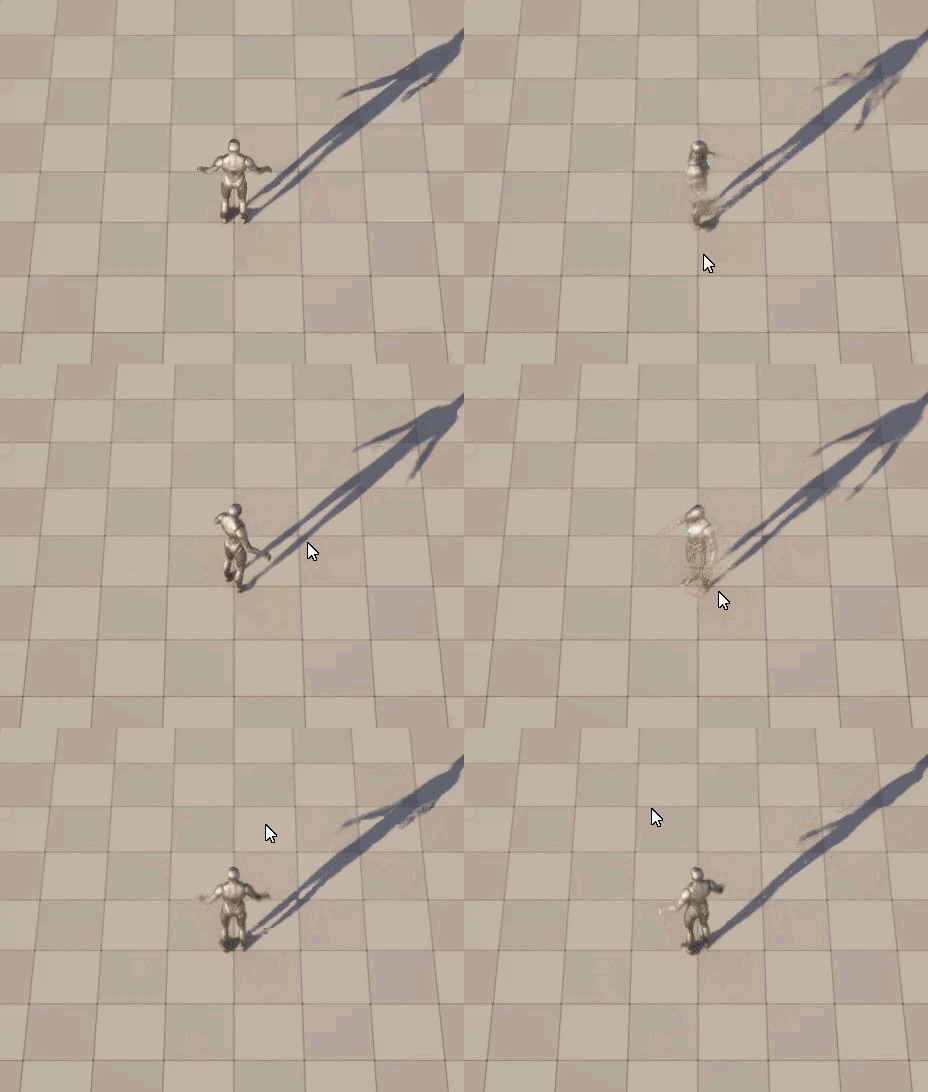
 dusky cobalt
wanton path
Roll quick, what node is that trace channel one where you can see a line coming ...
dusky cobalt
wanton path
Roll quick, what node is that trace channel one where you can see a line coming ...
i dont think you can debug this built in trace, search some forums if its possible but im not aware, you could do your own ''tracing'' instead of this built in OnClicked
just create new channel and set that thing to block it and other things to not block it, problem solved and you can see if there are still issues
because evertyhing is set to block visibility by default
dawn gazelle
true plinth
this is what i have it set up as at the moment and it breaks
Since you're not specifically caring about the full rotation, why not just break the rotators there to get the Yaws, and use an Finterp To Constant?
true plinth
dawn gazelle
Since you're not specifically caring about the full rotation, why not just break...
i do care about the full rotation as i don't want someone to be able to do a 180 to quickly, this will add time that an enemy could get behind you and create a sense of needing to check behind you every once and a while.
Thanks for the reply by the way 🙂
dawn gazelle
Sorry I mean, you don't care about the Pitch and Roll, you only care about the Yaw, so you don't really need the "full" rotator data, and you should be able to easily finterpto the yaw value on its own.
Rotators have a problem known as Gimbal Lock and using a rotator and only using a single component of it could be giving you the undesired output.
true plinth
dawn gazelle
Rotators have a problem known as Gimbal Lock and using a rotator and only using ...
like this you mean?
 dawn gazelle
close. Don't use an RinterpTo. Use Finterpto
 dawn gazelle
It's used to determine how large of a step is needed based on how long it took to draw the last frame.
You usually want that hooked up to Delta Seconds of Tick itself, but World Delta works in a pinch too
true plinth
whenever i hook the worlde delta seconds onto the node it breaks
faint pasture
true plinth
whenever i hook the worlde delta seconds onto the node it breaks
print the output of the rinterpto node
and the input (current rotation), and the target
show what those are
true plinth
Sorry im a noob to this type of stuff, just trying to learn and not sure i know what you want me to do 😄 i think this is what your asking me to do?

https://gyazo.com/8b8d7cf331b7bfba95d70161e7ac2ec5
Rotation print
 faint pasture
true plinth
Sorry im a noob to this type of stuff, just trying to learn and not sure i know ...
faint pasture
true plinth
Sorry im a noob to this type of stuff, just trying to learn and not sure i know ...
print the actual rotations, and set the print duration to 0 so you just have 3 rotations printed on the screen, not a million
you don't want finterp, get that out of there. rinterp will do the job, just gotta do it right
print the current rotation, the target rotation from your lookat, and the output of the rinterptoconstant
true plinth
hopefully thats what your after @faint pasture
 faint pasture
true plinth
hopefully thats what your after <@127902729677963264>
https://gyazo.com/0b741e...
faint pasture
true plinth
hopefully thats what your after <@127902729677963264>
https://gyazo.com/0b741e...
I see 2 rotations, not 3
what's the 0,0,0 one?
true plinth
the 0 is the starting location
2nd is the target
oh sorry
so top is the final
middle is the target
bottom is the starting

maybe hard to see as its getting messy now xD
faint pasture
print entire rotations
not just the yaw
dont break rotators like this, work with rotations
true plinth
ohh
faint pasture
since you don't want to look up or down, just in yaw, it'd be easiest just to zero out the z value before feeding the lookat, then you know it'll only output a rotation with yaw, and you can proceed from there
breaking rotations leads to all sorts of messes and is unnecessary except for at the very beginning or ending of your math
true plinth
thanks for the help, i really do appreciate it!! how would i 0 out the z value?
dawn gazelle
faint pasture
dont break rotators like this, work with rotations
My bad for telling him to try this... @_@
true plinth
No im sorry man im just literally starting to get into using this program with 0 prior experience and a few god awful youtube tutorials
i do appologise though @dawn gazelle
faint pasture
Here's how I'd do it.
TargetRotation = FindLookAt(Position * 1,1,0, AimPoint * 1,1,0)
just multiply by 1,1,0
true plinth
starting to feel very dumb


thanks for the help but clearly i have bitten off more than i can chew @faint pasture @dawn gazelle
Much love!

 spare basin
(joke) Is this a good way to name things? This is my, out of stamina output name.
 dawn gazelle
Sure!
 faint pasture
spare basin
(joke) Is this a good way to name things? This is my, out of stamina output name...
faint pasture
spare basin
(joke) Is this a good way to name things? This is my, out of stamina output name...
bCanSprint?
 atomic walrus
Any ideas why calling an interface and passing it a struct might cause the struct to loose its data?
I'm making a save game system and it stores relevant level data as a struct but when my save game blueprint tries to pass the data to a savable actor to store it's info the level struct loses its information and therefore doesn't load later on.

 maiden wadi
atomic walrus
Any ideas why calling an interface and passing it a struct might cause the struc...
maiden wadi
atomic walrus
Any ideas why calling an interface and passing it a struct might cause the struc...
Can you break on the next node after the interface event?
atomic walrus
maiden wadi
Can you break on the next node after the interface event?

do you mean like this?
 olive yarrow
I'm currently using Add Relative Location to move a camera/Collision combo (can't use movement input with how the character is set up - long story)
So naturally when a collision happens with sweep the movement stops. Perfect. buuuut... if there's a hill... well you can imagine the issue.
How can i more or less keep my current set up but have the collision react to the Z axis
maiden wadi
atomic walrus
Breakpoint on whatever node this white execution line is going to. Then inspect the interface event's struct.
atomic walrus
maiden wadi
Breakpoint on whatever node this white execution line is going to. Then inspect ...
huh ok well it shows up now so maybe this isn't my issue
 maiden wadi
BP debugger is kind of stupid out of necessity. I thas to break when the function starts. So it has not pulled values from it's connected pure nodes, and has no outputs assigned yet.
atomic walrus
ah that makes sense
well I know one more thing that's not the problem so progress
Big Thanks
olive yarrow
mm,. a line trace that does another offset maybe..
plush ledge
hi, can anyone refer me to a tutorail where i can set up a projectile to shoot that damages and object by reducing HP. and after depleting all hit points it destorys the object, i for the life of me cant fina a tutorail that does just simply that
its something so small and simple but i have tried and my shield mesh doesnt get damaged
 peak vale
Hi, How are you?
I was wondering if its possible to use the character mesh as main character collision instead of capsule
like I am trying to make a colossal giant climbing but in order to do that the character must stick to the mesh not the capsule
Is there a convenient way?
marsh sonnet
maiden wadi
I'm unsure if this was changed in 5.+ but in 4.27 they were only hidden. We had ...
Thank you! That explains some issues I was having too lol
solid needle
i need help with being gizmo locked


works fine and randomly does a badass backflip
 i love rotors
solid needle
solid needle
i need help with being gizmo locked
(forgot to plug a node when removing stuff but its current rot)
maiden wadi
You don't normally actually rotate wheels, but rotate their material or WPO them in shaders.
Even if you are dead set on rotating the wheel, change it's orientation and roll it instead of pitching it.
solid needle
regardless i need to rotate them for the gameplay
maiden wadi
If you absolutely do, go with option 2. Roll and Yaw do not have gimbal lock.
 dull hare
Hi, I'm trying to recreate Amnesia-style door. I made a working prop grab system and used "Add Torque in Degrees" with a dot product to determine direction (1 or -1), but it doesn’t feel right. Grabbing isn’t accurate—especially when standing in the middle of the doorway.
I'm also looking for a better way to figure out which direction the player should pull the door (e.g., using positive or negative X values) so it opens or closes correctly depending on their position.
Also, I'm not sure if using "Add Torque in Degrees" is even the best choice here—maybe there's a more reliable method?
Any advice or alternative approaches?


 slender dagger
I'm just double checking something here. I haven't touched unreal in months and so I'm getting back into it again. I decided to start by making a simple game around a few different character classes. Do you need different controllers for them that inherit from a base controller, and if so, how would you handle input mappings and input actions?
dawn gazelle
slender dagger
I'm just double checking something here. I haven't touched unreal in months and ...
No. Different characters could inherit from a base character class and have different definitions for inputs and the like within them. PlayerController is usually used for generic pawn/character agnostic inputs like opening menus, pausing the game, etc.
slender dagger
dawn gazelle
No. Different characters could inherit from a base character class and have dif...
so you would have the input mapping context be the thing that changes between classes? And for a solo game, you would only need 1 PlayerController?
dawn gazelle
slender dagger
so you would have the input mapping context be the thing that changes between cl...
That would depend if you want your input mapping triggers to vary among the different characters. if it would be same among them all, then you could just add the IMC on the player controller and just change the implementation of the input action on the character itself.
You'd probably want different player controllers for different parts of the game - like a main menu controller and a gameplay controller could make sense, even for a single player game.
slender dagger
dawn gazelle
That would depend if you want your input mapping triggers to vary among the diff...
One last question: can you change IMC’s on runtime? Like if I want to swap a couple actions around on a character change instead of making a new IMC, is that possible? Or are IMC’s not editable during play?
dawn gazelle
I wouldn't think you'd want to directly modify an IMC itself at runtime, but it is possible. It makes more sense to add, swap or remove IMCs during runtime.
 left flint
I need some serious help, guys.... been strugeling with this for a few hours. I am trying to create a system where i can click on a character to select them, then, once selected, i can click the ground to move them to that location. eventually wanting to build it into a RTS type system where you can select your units and give them commands. but for now just trying to get one character to move... this is what my code looks like. sorryt its disorganized ive been changing things around a lot. I've got my nave mesh set up. I created a controller AI for the unit I'm trying to move.

im super new at this so im sure its something dumb but im at my wits end here
 placid sigil
The main issue I see at first glance is that you’re trying to find the character BP under the cursor, but then you’re not doing anything with it and instead using the “selected unit” variable, which, which you even clear and then try accessing it’s AI controller after its been emptied
TLDR, Id recommend starting anew with this function/event and slowly building it step by step, use breakpoints and/or logging and figure it out… I.e after clicking do you get what you expect, etc.
Also male sure you have navmesh available in the area you’re trying to get to… since AI won’t move without it
 carmine scaffold
your using selected unit even though its been set to nothing
your not even setting the actor
your checking if "Selected Unit" is valid even though its not even set leaving to an always false
left flint
so should i just get rid of selected unit completely?
carmine scaffold
why is it in cast failed if i may
left flint
ima be honest, ive been working on this so long and have gotten so confused i dont even know why i did some of what i did. i just wan my boi to move
the initial idea was if i didnt have a unit selected and you click the ground, nothing would happen. if you click a unit, then they would be selected. then, if you have a selected unit then click the ground, they would move there. i think... its probably not supposed to be in cast failed. im sorry, I'm not super helpful, I know. Ive got severe ADHD and this whole things overwhelming me so tbh i dont even know how i got here just where im trying to go
 placid sigil
left flint
the initial idea was if i didnt have a unit selected and you click the ground, n...
placid sigil
left flint
the initial idea was if i didnt have a unit selected and you click the ground, n...
Just break it into multiple smaller chunks if that helps, but… you just want… ok no need to write as maiko just sent basic example 🙂
left flint
carmine scaffold
let me give this a try. thank you so much
placid sigil
Good luck
left flint
he still doesn't move 😭 . I'm confused as to what I need to do with the AI controller. I have one for the character I'm trying to move idk what im supposed to put in it
and navmesh is good. ive checked it several times
left flint
he moves!
i was... doing something dumb
I had both of these disabled. the first one caused issues, taking comtrol away from my camera, but i guess i accidentally turned off both

well. i feel a little better at least. i probably solved this hours ago but got so lost in my own frustration i bungled it all up
 steady vale
Hello all
how do i take a value and do math on it?
OR ... I have a device that outputs a value from 0 to 65535 on an axis, how do i tell my output to show as being from 32767 to 0 to 32767 on an axis OR ... do something that make the player turn left and right?
dawn gazelle
steady vale
OR ... I have a device that outputs a value from 0 to 65535 on an axis, how do i...
You can use Map Range to convert a range of values from 0 to 65535 to -32767 to 32767
If you wanted it to go from 32767 to 0 to 32767 when going from 0 to 65535, then you could ABS the output of the map range
As for making the player turn, you usually use something like set actor rotation and feed in an input from 0 to 360 on the Yaw axis.
 royal vale
Hey yall I have a question,
I believe I have async tasks executing in different orders when playing my game on different hardware. Is there any good info on how to deal with this/best practices? Specifically using destroy session node
steady vale
dawn gazelle
As for making the player turn, you usually use something like set actor rotation...
I guess maybe i should watch more of the video tutorial i am using and see if he answers the questions, thanks for your help though, this is exciting 😄
 surreal peak
royal vale
Hey yall I have a question,
I believe I have async tasks executing in different ...
surreal peak
royal vale
Hey yall I have a question,
I believe I have async tasks executing in different ...
You should probably explain the issue you actually have instead of diagnosing it yourself and potentially fixing something that ain't broken.
cobalt lynx
lunar sleet
Why do you need to pass it through an interface ?
I'm building a synchronized Level Streaming Volume and having soft references is more userfriendly to work with then typing in the level names. What I have to do now unfortunatly.
faint pasture
left flint
I need some serious help, guys.... been strugeling with this for a few hours. I ...
Your code is basically saying:
OK we clicked, if we clicked something that is NOT a TopDownCharacter, check if SelectedUnit is valid. If it is, set it to nothing, then tell it (the nothing) to try to move to where we clicked
Hopefully you can see how that's all sorts of goofy
lunar sleet
peak vale
Hi, How are you?
I was wondering if its possible to use the character mesh as ma...
Not quite understanding what you’re trying to do. Technically you can always just add more collision but if you’re trying to modify how the char movement comp works, that one is tied to the default char capsule afaik, hence why it’s not removable
royal vale
surreal peak
You should probably explain the issue you actually have instead of diagnosing it...
I was using this setup to leave a session. I tested this on my desktop and 2 laptops running on battery.
On my desktop, The On Success path would set the bInSession? prior to opening the level.
On both laptops, the level would open before the bInSession? gets set.

i needed to make sure the bool was set 1st, so changing it to this, fixed it
 surreal peak
Yeah that's just a problem with using two different exec paths. The top one executes the same frame, the bottom ones are not guaranteed to do so
You should potentially move the open level to the bottom ones tbh
With the Boolean together
royal vale
Yah forsure, I can see how other issues like this could happen if using both the exec paths , I didn’t think about that too much until now running into this issue haha. I’ll move the open level to the other exec so I can start that habit .
The reason why that code is being ran differently is prolly the hardware though right? Or possibly something different ?
When my laptops were plugged into the outlet for power they would run the code the same way my desktop would , but when I unplugged my laptops and tested that’s when I saw the code executing in a diff order
surreal peak
Could be that the task was not processed the same frame as it exceeded some milliseconds limit
So yeah, can be performance based.
But it's also generally wrong to assume two different exec pins are in sync on latent nodes
If the backend takes longer to answer then it will also not work
royal vale
surreal peak
But it's also generally wrong to assume two different exec pins are in sync on l...
Yes! Haha learning lesson for me
Thanks , appreciate the reply
 potent orbit
It’s probably too early for me to worry about this, but when adding components to actors, does this result in all aspects of that component being loaded into memory at all times? Will this affect framerate?
maiden wadi
potent orbit
It’s probably too early for me to worry about this, but when adding components t...
If the actor is in use, the first question's answer is yes.
The second question's answer is always "It depends™️"
inland walrus
In this video there is 2 bugs but I think they're connected:
- I think when I hit 2 actors at the same time**, it doesnt let me hit anymore.**
- I tried making a new AI actor (the ones without dislike bars), I hit them once and** I can no longer hit them anymore.**
Please help.
 maiden wadi
lyric rapids
anyone know why my actor on click isnt firing
maiden wadi
lyric rapids
anyone know why my actor on click isnt firing
Click events are disabled in the player controller. None of the actor's component block the click trace channel specified in the player controller, or none of the primitives used in the actor's components have collision meshes. Or you have an odd capture mode set.
lyric rapids
maiden wadi
Click events are disabled in the player controller. None of the actor's componen...
thank you
how do i make it so my on released event fires when i release the mouse anywhere and not just on my mesh
 tawdry goblet
Good day. I am trying to play a sound only while a bone rotates (turret) and stop when not rotating. Could anyone please assist by pointing me in the direction of a video or tutorial I could follow for this. Thanks in advance.
dark drum
tawdry goblet
Good day. I am trying to play a sound only while a bone rotates (turret) and sto...
If its an actual animation your playing to perform the rotation, you can add a play sound notifier to the animation/montage itself.
tawdry goblet
dark drum
If its an actual animation your playing to perform the rotation, you can add a p...
It's being controlled by my mouse input, yawing left and right. It's not playing an animation
 neat crown
Fyi for anyone wondering ProjectileComponent on an actor is completely different than a ProjectileActor when it comes to chaos destruction system apparently
maiden wadi
lyric rapids
how do i make it so my on released event fires when i release the mouse anywhere...
IIRC The short answer is that you cannot. Not without digging into the PlayerController class with your own custom engine.
maiden wadi
neat crown
Fyi for anyone wondering ProjectileComponent on an actor is completely different...
Sort of not surprising. The Projectile Component is a kinematic mover which usually doesn't share a lot in common with the physics systems.
neat crown
Shoot, I was really hoping I was wrong haha, from my testing I found that though
 toxic silo
HELPPP I need someone to join a call with me and help me do some debuging!!!! Im still new
maiden wadi
toxic silo
HELPPP I need someone to join a call with me and help me do some debuging!!!! Im...
There is a voice chat in the server you can try. But if you need one on one help you're more likely to find a tutor through the #instructions board. Chances are 1on1 isn't going to be free though.
People tend to prefer helping through async chat like this because they can give it five minutes of time and then go back to what they were doing for a bit.
toxic silo
maiden wadi
There is a voice chat in the server you can try. But if you need one on one help...
D: alr
 astral summit
Is there a way to check if a button has been pressed from Enhanced Input? For example, checking if the A button has been pressed

 junior lark
Is there a way I can set this code to only advance once a button has been pressed?
I'm making a dialogue system and I want the player to MANUALLY forward the text rather than it advancing on a delay

 astral summit
junior lark
Is there a way I can set this code to only advance once a button has been presse...
astral summit
junior lark
Is there a way I can set this code to only advance once a button has been presse...
What do you mean
junior lark
Think of a text box that holds text, and then the player presses a button and it gives you new text
Best way I can think of doing this is just a long ass switch statement
surely there must be another way
toxic silo
maiden wadi
There is a voice chat in the server you can try. But if you need one on one help...
I fixed most of the bugs
junior lark
junior lark
surely there must be another way
POV you are coding like a pro
 maiden wadi
junior lark
Is there a way I can set this code to only advance once a button has been presse...
maiden wadi
junior lark
Is there a way I can set this code to only advance once a button has been presse...
This isn't as easy in default BP. Usually you'd need to add some extra async node listeners for that kind of waiting.
One thing I could recommend that we use in Atre at the moment is Flowgraph. It makes things like this fairly easy to script in a nice way once you're used to using it.
junior lark
maiden wadi
This isn't as easy in default BP. Usually you'd need to add some extra async nod...
LOoks like im doing the switch statement of doom
astral summit
junior lark
POV you are coding like a pro
Yes, this is the correct way to do it in Blueprint.
Or you can use a selection node like this image.
If you have a lot of data, use a data table.
 trim matrix
junior lark
POV you are coding like a pro
trim matrix
junior lark
POV you are coding like a pro
I thought it was my own blueprint xd
junior lark
astral summit
Yes, this is the correct way to do it in Blueprint.
Or you can use a selection n...
This... is much nicer lmao
trim matrix
 junior lark
lmfao
 foggy grove
Hello everyone I was wondering if anyone knows of a tutorial I could use to make a fake shadow material. I want to put a fake shadow under my character for platforming.
 frigid jasper
tawdry goblet
It's being controlled by my mouse input, yawing left and right. It's not playing...
frigid jasper
tawdry goblet
It's being controlled by my mouse input, yawing left and right. It's not playing...
not entirely sure but you should be able to save the last angle and if the delta to the current is greater than zero play the sound, stop playing it when the delta is zero
junior lark
foggy grove
Hello everyone I was wondering if anyone knows of a tutorial I could use to make...
I did something like this a while back lemmie see if it can find it for you!
foggy grove
junior lark
I did something like this a while back lemmie see if it can find it for you!
Thank you that'll help so much
junior lark
Ill throw it in a pastebin once ive found it
junior lark
foggy grove
Thank you that'll help so much
https://blueprintue.com/blueprint/l9jcdm0u/
This is how i did it in my old game and it worked fine
No description provided
you might need to play with it a bit tho
foggy grove
Bro is a hero
junior lark
And i put that on Tick
foggy grove
Sweet thank you for that
junior lark
Np :3
pulsar osprey
astral summit
Is there a way to check if a button has been pressed from Enhanced Input? For ex...
generally try and avoid that with enhanced input
the goal of the system is to decouple logic dependent on input events from the inputs themselves
junior lark
Is there any easy way I can edit a variable outside of the unreal editor rather than using this bullshit tedium? lmao
 lunar sleet
You can import text files into strings, there’s a cpp function for it, and prly plugins for it if you want bp only
dusky cobalt
or Data Assets
lunar sleet
Data Tables too prly if it’s only text ig
junior lark
dusky cobalt
or Data Assets
wdym Data Assets
pulsar osprey
junior lark
wdym Data Assets

Epic Games Developer
Information on Data Assets in Unreal Engine.
more or less a constant uobject that holds data
though I was unaware you could import text file as one
pulsar osprey
dusky cobalt
or Data Assets
is that possible?
dusky cobalt
I didn't try to import text file so I cannot tell you, but probably yes? 😄
Data Assets are super usefull in every project so worth knowing them
junior lark
This seems super complex but ill do my best lmao
dusky cobalt
junior lark
This seems super complex but ill do my best lmao
Create Primary Data Asset - PDA_Dialogue, add variables to it like Dialog Guy(just for your information) and Array of Text/Names.
Then create Data Asset based on PDA_Dialogue, and it's your new Dialogue, then just pass it inside Actor that uses Dialogue.
I would also probably have something like SkipMessage() when you click on the message you just +1 (array [i] inside the widget, and widget displays/reads the Array of Texts[i]. When the number is = length of array then CloseWidget().
Break it into small chunks, first make so when you click you add +1, then make this number Current Dialogue Text, get index from array of texts, then implement CloseWidget. The check to close widget should be after each ''click''.
So you don't really need switch but CurrentIndex, Array with Texts, some l ogic to accept clicks and incrementing CurrentIndex on each click, after each increment just check if Array.Lenght > CurrentIndex, if yes then CloseWidget, if not it means there is still text do display, so SetText with the Get[i] Array. It's all in one function.
 kind estuary
Im making an isometric game. Each levels will have thousands of sprites. Im building up the level, and each sprite is needs an Actor as a wrapper. Is this okay? What else can i do? I know actors carry some weight, but i think its the only thing i can use to build my level. What other alternavies do we have?
astral summit
pulsar osprey
the goal of the system is to decouple logic dependent on input events from the i...
I'm working on a system needs these entries, so it looks I'll have to do it manually
faint pasture
kind estuary
Im making an isometric game. Each levels will have thousands of sprites. Im buil...
1 actor with thousands of sprites in it
why do you need thousands, are you intending to have 1 actor per tile basically?
junior lark
Anyone understand why my text is wrapping like this?


I need the text to wrap for some longer lines, but whenever I do, it just wraps at random spots
kind estuary
faint pasture
why do you need thousands, are you intending to have 1 actor per tile basically?
yeah
kind estuary
faint pasture
why do you need thousands, are you intending to have 1 actor per tile basically?
basically its more convenient
unless im missing something. The actor with sprites in it. Or any other way, wont be very manegeable because you cant just drop them in the level
know what i mean?
So with just 1 actor with sprites? I dont see how you are adjusting them properly in the level. You would have to go in the actor each time, and play around with sprites in the actor viewport? Its like doing it blindly.
maybe im missing something
but only the actor is good to place in the level
faint pasture
I'd probably go with 1 actor per sprite for now then later you can change it up if needed
kind estuary
faint pasture
I'd probably go with 1 actor per sprite for now then later you can change it up ...
yup 🫡
junior lark
junior lark
Anyone understand why my text is wrapping like this?
I figured out what was CAUSING this it was the ! mark at the end of a sentence...
I don't know WHY that is tho lmao
It also does it for ?
and also it did it in a random spot but when I added a period it stopped wrapping there too...
Im so confused lmao
 celest bluff
Is there a reason why I can't add a timeline to a widget blueprint? I'm not finding it in my options.
dusky cobalt
celest bluff
Is there a reason why I can't add a timeline to a widget blueprint? I'm not find...
What do you need to do? You could also use tick or timer by event. And if not, then you probably need to use timeline inside blueprint that you are creating the widget, grab widget reference and run timeline from bp to move something inside widget.
Basically you need some Actor that will work as a bridge manager between widget, because you cannot use Timeline diectly in the widget.
 hexed cloak
celest bluff
Is there a reason why I can't add a timeline to a widget blueprint? I'm not find...
hexed cloak
celest bluff
Is there a reason why I can't add a timeline to a widget blueprint? I'm not find...
Are you inside of a function?
Oh you said a widget, don't think you can do that. You'd need to use a timer.
 wise tiger
Hello, does anybody know how I can make a customer service system? by that I mean a customer comes to order an item and if the player drops said item into an trigger box the customer takes the item and leaves
hexed cloak
wise tiger
Hello, does anybody know how I can make a customer service system? by that I mea...
What do you have so far?
wise tiger
hexed cloak
What do you have so far?
the pick up and drop system for the player a model for the customers and some items. I've tried making the system myself but I have no idea how
hexed cloak
wise tiger
the pick up and drop system for the player a model for the customers and some it...
You need to break down the steps and work on each individually. Your question above is basically, "how do I make my game/system?" rather than asking for a specific thing, if that makes sense.
Do you have an AI system for the customer? It sounds like the player is the employee/service person, so is the customer an AI?
For starters, I'd probably use a collision box to detect when the player places an item down on the counter. Likely registering what item is wanted when the customer comes it, or linking it to the AI in some way.
You'd check the item when the player drops it in the collision box, if it's right, add it to the AI customer (or remove it if you don't care about that) and then tell the AI to leave, howver your AI is set up to do so.
wise tiger
hexed cloak
You need to break down the steps and work on each individually. Your question ab...
Do you know job simulator? specifically the supermarket level. I'm trying to do something like that, and for the customers I'm just going to give them one animation for coming to the window and one for leaving, so no AI is really needed
and this is a school project and I have until 1 of May to make a prototype, so I'm not adding anything fancy like a actual shop or AI's. The design is just a room with differite items and a window where the customers will come to buy items.
maiden wadi
You're going to have a harder time doing this without a simple behavior tree. It's a BT with a sequence node, and then a MoveTo node -> WaitToLeaveCustomNode -> MoveToNode
At most two extra custom tasks for the wait to leave and maybe an exit map that destroys it.
hexed cloak
You really don't even need to do that, unless it's a fancy room that needs pathfinding / navigation, haha. Could just use Simple Move To with the default AI controller.
wise tiger
This is the whole room, and the customers appear outside that window

ignore the top hat guy
But I really just need help with how I can make the customer randomly choose what items he wants and how to make him leave when he gets the items
hexed cloak
wise tiger
But I really just need help with how I can make the customer randomly choose wha...
Easiest way is definitely going to be randomly deciding that when the customer is spawned in
wise tiger
well yeah, but I don't know how to, like, have him choose per say. Like how do I give him the items to select from?
faint pasture
wise tiger
well yeah, but I don't know how to, like, have him choose per say. Like how do I...
Any way you want. Do all items have a common base class?
What is the thing all the items they should be selecting from have in common? All the same base class? All within a certain volume, what?
hexed cloak
wise tiger
well yeah, but I don't know how to, like, have him choose per say. Like how do I...
Assuming you're using blueprint?
wise tiger
faint pasture
Any way you want. Do all items have a common base class?
I guess not, they're all differite objects if that's what you mean. A.K.A differite blueprints
wise tiger
hexed cloak
Assuming you're using blueprint?
yes I am
faint pasture
wise tiger
I guess not, they're all differite objects if that's what you mean. A.K.A differ...
so what makes an item different from the wall or the table
what makes an item an item
hexed cloak
wise tiger
I guess not, they're all differite objects if that's what you mean. A.K.A differ...
Inside of those blueprints - is there data of any kind that is related to what the item is?
wise tiger
hexed cloak
Inside of those blueprints - is there data of any kind that is related to what t...
Hold on I just closed unreal
while Unreal is opening I should mention I gave the items tags like "Red Potion" "Blue Potion" "rabbit" etc
wise tiger
faint pasture
what makes an item an item
the fact it can be picked up. You can't pick up a table or a wall
hexed cloak
Tags as in just a tag on the actor?
When you pick it up - what happens? Does it just move the actor or does it add data to the player in some way
wise tiger
hexed cloak
When you pick it up - what happens? Does it just move the actor or does it add d...
It just moves the actor using an Physics Handle
hexed cloak
Okay.
So to be very blunt and clear - the following suggestion is full of bad practices for a large scale game and I would not do this at scale as it will create a bunch of hard references that wouldn't be great in a real game or project.
I'd start by adding an Actor array variable in the AI and fill it with all of your possible items that the AI might want.
wise tiger
hexed cloak
So to be very blunt and clear - the following suggestion is full of bad practice...
good think It won't be a large scale game then 🙂
wise tiger
hexed cloak
So to be very blunt and clear - the following suggestion is full of bad practice...
so each time I add a new item I would have to add it to the array right?
hexed cloak
That disclaimer is mostly for anyone else reading this (especially people that are proficient with Unreal Engine, lol) that would definitely start to butcher the setup I'm going to give you lol
wise tiger
hexed cloak
That disclaimer is mostly for anyone else reading this (especially people that a...
absolutely, imagine having 200+ items doing this
hexed cloak
wise tiger
so each time I add a new item I would have to add it to the array right?
There are ways around having to manually update the array depending on how the rest of the project is set up
How many items do you currently have, and how many are you planning on adding?
wise tiger
hexed cloak
There are ways around having to manually update the array depending on how the r...
For me it won't be a problem since I won't have more than maybe 20 items
hexed cloak
Are all of your items child blueprints of a main item?
wise tiger
hexed cloak
How many items do you currently have, and how many are you planning on adding?
I have 4 potions and I'm working on a few more items like frogs and other things
wise tiger
hexed cloak
Are all of your items child blueprints of a main item?
nope they all have their own blueprint because I was dumb when I made a spawner for them
hexed cloak
That is probably the first thing you could/should change ASAP - make a master item, then create children for each unique item
Assuming the items aren't super complicated at least lol
wise tiger
but would my spawners still work? because I set them to spawn an "actor" so it doesn't matter if it's a child blueprint right?
wise tiger
hexed cloak
Assuming the items aren't super complicated at least lol
they don't even have a function I just made them blueprints in case I wanted to add something to them
hexed cloak
wise tiger
but would my spawners still work? because I set them to spawn an "actor" so it d...
If you just reparent the items, it likely won't break the spawner depending on how it is set up. SpawnActor would still work fine.
wise tiger
And I can't find them here without being a blueprint
 wise tiger
they do yes
wise tiger
hexed cloak
That's a lot of extra work 😛
I know 
hexed cloak
The BP above wouldn't break from reparenting the items to a master item
wise tiger
hexed cloak
The BP above wouldn't break from reparenting the items to a master item
good
hexed cloak
You may have to set the static mesh again, but everything else should be fine
On the item actor
wise tiger
that's fine
I only have 4 items for now so fixing it now should ease the process later
hexed cloak
Yeah
Take one of the items, such as Potion 1, duplicate it, name the new one BP_ItemMain or something similar
Then reparent all of the other items to that BP
 lunar sleet
You can just create a child directly and rename the original
hexed cloak
lunar sleet
You can just create a child directly and rename the original
They already have the actor items in other BPs, but yes to create more items you can create children directly as well
Renaming can get fucky if trying to use the same name which a lot of people would.
 wise tiger
Like this?
 hexed cloak
Pretty much.
I'd try to get in the habit of having correct naming conventions ASAP (BP_ItemMain for example)
wise tiger
hexed cloak
I'd try to get in the habit of having correct naming conventions ASAP (BP_ItemMa...
I used to name objects random letters back when I was using unity, so I absolutely need to start naming things properly
hexed cloak
Yeah definitely a good thing to get in the habit of regardless of engine. 🙂
Once that is done, on your AI create an array variable of ItemMain
 wise tiger
I think I'm going to put a pause on this until tomorrow, because for me it's 11:40 PM and tomorrow I have something to do, can I ask you guys for help again when I come back to the project?
hexed cloak
wise tiger
I think I'm going to put a pause on this until tomorrow, because for me it's 11:...


Good luck 😛
wise tiger
Thank you, I'll update here if I make it out alive 
 sleek aspen
I'm trying to make it so that when the players health is zero they are destroyed and the level restarts, does anybody know how I can fix this?
 hexed cloak
sleek aspen
I'm trying to make it so that when the players health is zero they are destroyed...
hexed cloak
sleek aspen
I'm trying to make it so that when the players health is zero they are destroyed...
You don’t need to destroy the actor if you’re going to restart the level.
What’s the issue you’re having?
You probably need to change it to be Current Health <= 0
Right now if your health drops below 0, it wouldn’t restart.
Needs to be current health less than or equal to 0
sleek aspen
Thank you for your help
Like this? Whatever I did wrong in correcting it seems to prevent the player from moving - are the branches reversed?
 dawn gazelle
sleek aspen
Like this? Whatever I did wrong in correcting it seems to prevent the player fro...
dawn gazelle
sleek aspen
Like this? Whatever I did wrong in correcting it seems to prevent the player fro...
You might have logic on your False that won't make sense any more. <= 0 is checking if the player's health is less than or equal to 0 which will return false only if the value is above 0. == 0 means it'll return false at any time the value isn't 0.
sleek aspen
Thank you for the explanation - this is where the false logic goes
 wicked surge
Hi, I'm following a tutorial and we've created an Interface. I understand what an interface is, but I'm confused by what I'm seeing in the attached screenshot. There is "InteractWith" and "InteractWith(Message)". What is the formal difference between these? I feel like "InteractWith(Message)" is something like the generic interface function, and "InteractWith" is the specific implementation of that function on the specific class. But is that correct?
 dawn gazelle
sleek aspen
Thank you for the explanation - this is where the false logic goes
dawn gazelle
sleek aspen
Thank you for the explanation - this is where the false logic goes
Adding the IMC shouldn't have anything to do with your death logic. You may want to move this to the Possessed event on your pawn.
dawn gazelle
wicked surge
Hi, I'm following a tutorial and we've created an Interface. I understand what a...
Usually the (Message) one is the one you want to use as you can directly feed it a reference to an actor and it'll call that actor's implementation of the interface. If I remember right, the other one can actually take a reference to the interface itself as well as an object reference, meaning you can store a reference to an implemented interface and call it, rather than using the reference to the object that contains the interface.
 silent kestrel
So, I have a very very very specific question, I'm not looking for a fix to it, just trying to find a starting point so I can stop bashing my head against a wall here. With the basic blueprint system, and no addons, is there any way at all to generate terrain and subsequently modify that terrain using pure data. (IE numbers)
thin panther
No
silent kestrel
😮💨 thought so, looks like I'll need to dig into the code for landscapes and make my own blueprint nodes for it
thanks for the answer though, at least now I can stop looking for it everywhere
 zenith breach
How can I make a camera shake in unreal engine from an fbx camera animation file (made in blender) Video: https://www.veed.io/view/90dc2335-5068-4fa1-8b31-bb32db7ed526?panel=share
Project: https://drive.google.com/file/d/1v7Yr-CpQIBogH-pQ_suwj9lY7I9tu2DR/view?usp=sharing
 wicked surge
dawn gazelle
Usually the (Message) one is the one you want to use as you can directly feed it...
wicked surge
dawn gazelle
Usually the (Message) one is the one you want to use as you can directly feed it...
Thanks, this is very close to what I imagined, but under what circumstances would it be better or necessary to "store a reference to an implemented interface and call it" rather than the alternative?
dawn gazelle
wicked surge
Thanks, this is very close to what I imagined, but under what circumstances woul...
I haven't really figured that out myself. The only thing I can think of is that you don't need to keep a random reference to an object which could confuse things, and you'd know that storing a reference to the interface is specifically for calling the interface that any particular object may implement.
trim matrix
hi im trying to make a system that has creatures like chao from sonic adventures chao garden, well not but thats like my only reference i can think of rn, but sofar ive done this, and ive tried to make a function to change the creatures mood based on its happiness hunger levels etc, but im having issues w the moods actually like, working other than hunger, and being asleep, i also cant figure out how to make the energy increase when they are asleep. i have been trying at this for hours now and im stumped,


 dark drum
silent kestrel
So, I have a very very very specific question, I'm not looking for a fix to it, ...
dark drum
silent kestrel
So, I have a very very very specific question, I'm not looking for a fix to it, ...
Yes but it's not recommended. For terrain generation you'd normally need to utilize multi threading (which you can't do with BP only).
For a small prototype, sure but you'd most likely need to move to c++ if you want to scale up.
silent kestrel
dark drum
Yes but it's not recommended. For terrain generation you'd normally need to util...
I'm doing something weird, and it's meant more as a proof of concept rather than a full fledged thing. Also, "normally need to utilize multi threading (which you can't do with BP only)." without getting too deep into it, I've already done this with the data extraction process, I've spent the better part of a week inching my way through this just to hit a wall with the spawning and manipulation problem
maiden wadi
You could technically make terrain with the dynamic mesh system.
silent kestrel
I could, but again proof of concept, and I'm stubborn, so if possible I want to do it with the actual landscape system
dark drum
I had reasonable results with a BP implementation of marching cube.
maiden wadi
The default landscape system is a trash heap that needs to be thrown away entirely and replaced.
silent kestrel
maiden wadi
The default landscape system is a trash heap that needs to be thrown away entire...
that's kinda why I want to do it with that, it fits for what I'm trying to prove with this. Again though not sure this is the exact chat to get into the details of a project I've been working on solo assisted by AI
dark drum
silent kestrel
I could, but again proof of concept, and I'm stubborn, so if possible I want to ...
I don't believe the landscape system was ever designed to be dynamic. I'm not aware of anything to manipulate it at runtime.
silent kestrel
dark drum
I don't believe the landscape system was ever designed to be dynamic. I'm not aw...
Honestly, I'm not even trying to do it at runtime, I'd be happy with pressing a button that imports it
maiden wadi
There is only two ways to affect the landscape at runtime. Patches, which are literal circles, and cost a fuckton by the time you do anything meaningful with them.
And WPO, which is visual only and doesn't affect collision.
silent kestrel
but from what I'm seeing that's like trying to pull teeth out of a lion without putting it to sleep
dark drum
silent kestrel
Honestly, I'm not even trying to do it at runtime, I'd be happy with pressing a ...
Any specific reason why you want to use the landscape system?
silent kestrel
as long as the data I'm using gets turned into a landscape that matches what it should, it absoutely does not have to be at runtime
silent kestrel
dark drum
Any specific reason why you want to use the landscape system?
care if I DM you?
dark drum
silent kestrel
care if I DM you?
Best to keep it in here. Someone else might be able to offer additional insights. No need to limit too just mine. 🙂
silent kestrel
genuinely, it's dumb and nobody is gonna care lol
dark drum
silent kestrel
as long as the data I'm using gets turned into a landscape that matches what it ...
I'm pretty sure you can import terrain based on a height map. Is that not the sort of thing you're after?
faint pasture
It'd be much easier to have a dynamic mesh then to reprogram the landscape to be dynamic at runtime
silent kestrel
dark drum
I'm pretty sure you can import terrain based on a height map. Is that not the so...
unfortunately I can't figure out a way to turn this data into one
at least not without external tools which would make this pointless
faint pasture
Does the "landscape" need to change AT RUNTIME or just be driven by some data at design time?
random pulsar
guys i made a mistake and now i regret it
here you can see 12k box collisions in a tile map
it erases very slow and adds very slow tiles,is there a way to connect all this boxes in 1 custom collision?
 silent kestrel
faint pasture
It'd be much easier to have a dynamic mesh then to reprogram the landscape to be...
silent kestrel
faint pasture
It'd be much easier to have a dynamic mesh then to reprogram the landscape to be...
why does everyone think I want it to be dynamic at runtime?
I just want it to generate the thing, when it does it isn't all that important
random pulsar
here are more images for context

 dark drum
silent kestrel
unfortunately I can't figure out a way to turn this data into one
dark drum
silent kestrel
unfortunately I can't figure out a way to turn this data into one
Where are you getting the data from? What type of data is it?
faint pasture

Epic Games Developer
Brushes that enable you to create and manipulate arbitrary terrain regions using shapes defined entirely in Blueprint.
silent kestrel
dark drum
Where are you getting the data from? What type of data is it?
check DMs, but short version it's byte data
faint pasture
Start there, that can probably do it
random pulsar
fps now is like 6-10 if i look at tile map direction
faint pasture
random pulsar
fps now is like 6-10 if i look at tile map direction
yeah cuz you have 12k probably movable colliders.
The wireframe might be what's killing you tho, profile it
random pulsar
if i disable collision view its better but still the performance is twice lower
 random pulsar
faint pasture
yeah cuz you have 12k probably movable colliders.
The wireframe might be what's ...
random pulsar
faint pasture
yeah cuz you have 12k probably movable colliders.
The wireframe might be what's ...
profile?
faint pasture
random pulsar
if i disable collision view its better but still the performance is twice lower
you really probably oughta use ISM here
profile, as in the tool that lets you know how long things take etc
random pulsar
what is ISM?
random pulsar
faint pasture
so instead of 12k draw calls you have 2
and how can i do so?
faint pasture
random pulsar
and how can i do so?

www.google.com
dawn gazelle
trim matrix
hi im trying to make a system that has creatures like chao from sonic adventures...
I would think you'd derive a mood from a combination of states.
For example, I can be hungry, tired and unhappy, and all 3 of these things can effectively be independent of one another, though if I'm hungry and tired, I'm probably a bit unhappy too, and if I'm unhappy while hungry and tired, I'm probably pretty angry or at least agitated 😛
You shouldn't be checking these things separately in a branch like you are - you need each of them to be their own separate check to determine what kind of state the value is in, (ie. below threshold, "normal", above threshold) and then take a combination of the states to then determine their overall mood.
trim matrix
dawn gazelle
I would think you'd derive a mood from a combination of states.
For example, I c...
how would i do that?
noble nymph
I have a random question do you guys ever wish there was a reroute nodes similar to materials but for in blueprints
faint pasture
noble nymph
I have a random question do you guys ever wish there was a reroute nodes similar...
that's a function or event
unless you mean an actual reroute like just a floater pin
which already exsts
 noble nymph
faint pasture
unless you mean an actual reroute like just a floater pin
noble nymph
faint pasture
unless you mean an actual reroute like just a floater pin
These
 faint pasture
noble nymph
These
faint pasture
noble nymph
These
What does that do?
noble nymph
faint pasture
What does that do?
So believe it or not it is basically a wireless node 😀
faint pasture
Yeah that's a function or variable in BP
material editor isn't quite the same because there's no real "flow", it's all just evaluated as a giant expression
noble nymph
faint pasture
Yeah that's a function or variable in BP
It only works to my knowledge in materials
faint pasture
I mean the equivelent in BP would be functions or variables
noble nymph
faint pasture
I mean the equivelent in BP would be functions or variables
Oh ya for sure just wishing here lol
faint pasture
if you find yourself making a giant expression too big for one screen in BP you should have broken it up a while ago anyway.
a wireless "Do Something" is a function or event
a wireless "store this value" is just setting a variable
noble nymph
I know like i said just wishing is all 😁
 near thistle
Does anyone know how to bake control rig from BP or python? I'm trying both and everything seems to be linked up correctly, it just doesn't seem to want to work. No error message is spit out either and I've been trying everything to get it to work, making sure all the classes are correct and nothing.

The export options I'm getting from python with the
export_option = unreal.AnimSeqExportOption()
export_option.export_transforms = True
export_option.export_morph_targets = True
export_option.export_attribute_curves = True
export_option.export_material_curves = True
export_option.evaluate_all_skeletal_mesh_components = True
I'm trying to automate this process for a friend
left flint
I'm trying to test out a function ive asigned to ESC. how to i stop unreal from closing my play session when I hit escape?
oh wrong channel i just realized...
dawn gazelle
left flint
I'm trying to test out a function ive asigned to ESC. how to i stop unreal from ...
Editor Preferences. I set mine to Shift+Escape for the same reason 🙂
 left flint
thank you!
hexed cloak
dawn gazelle
Editor Preferences. I set mine to Shift+Escape for the same reason 🙂
This is a clutch change for testing in pie closer to real scenario haha
 rigid bay
I'm trying to set up an event for my character that whenever he takes heavy damage he's launched, but I've run into a problem. I have an animation that plays/loops when the character takes heavy damage, and one for when he lands back on the ground, but I don't know how to get the animation to play after he lands back down. I've tried using bools to dictate when the animations are supposed to play, but I don't know if I'm setting it up improperly, or if I'm doing it wrong entirely.
 snow halo
Why can't I cast to my ABP_Chicken?
 lunar sleet
snow halo
Why can't I cast to my ABP_Chicken?
lunar sleet
snow halo
Why can't I cast to my ABP_Chicken?
Afaik you’re supposed to be communicating in the other direction when it comes to anims
ABP to BP not the other way around
 obsidian hollow
anyone know what could possibly be causing the picked up object to be pushed back every time it is picked up? added a super long trace to show that it gets pushed back regardless of distance


i suspect its the phsyics handle, but no idea how to make that handle shorter
 little apex
Is it possible to build runtime logic that allows users to upload images to an application during runtime which would then change the texture of an actor's material?
I have been looking into this for a little while now and am unsure if 1) it is possible without using C++ and 2) exactly how I could possibly go about implementing it. If there are any solutions/resources people could point me to that would be hugely appreciated! 🙏
tiny sigil
from this graph my chars run was deforming and i don't know how to fix it

i don't know why this was happening
surreal peak
Isn't that more #animation related?
surreal peak
rigid bay
I'm trying to set up an event for my character that whenever he takes heavy dama...
Hard to tell without seeing what you are doing. There is a Landed event in the Character class exposed to Blueprints that you could use to determine if the Character landed or not and then play a Montage.
rigid bay
I'll try that
surreal peak
snow halo
Why can't I cast to my ABP_Chicken?
While @lunar sleet is right that you should probably not access it like this, I do have to say that it's strange that you can't cast to it. I don't really see anything wrong with what you are trying to do from the Screenshot. Even if the Class would be wrong, the cast node should still show. I would suggest you compile everything, save, and restart the Editor?
surreal peak
obsidian hollow
anyone know what could possibly be causing the picked up object to be pushed bac...
It might be the GrabLocation stuff you are doing. If something is offset once, it might be a setup issue. If something is offset every time you pick it up and the offset keeps incrementing (maybe even in larger and larger steps) then it's usually something where you us the Location or Distance of Offset of something where you shouldn't.
Double check that the GrabLocation isn't supposed to be LocalSpace!
Code sadly doesn't say anything about it having to be local or global, but I would try that.
surreal peak
little apex
Is it possible to build runtime logic that allows users to upload images to an a...
So, I can tell you that it's possible, but I can also tell you that it's not possible without C++ or at least a Plugin that does exactly what you need, which I don't know any about.
rigid bay
surreal peak
Hard to tell without seeing what you are doing. There is a `Landed` event in the...
Thanks. That did the trick
surreal peak
little apex
Is it possible to build runtime logic that allows users to upload images to an a...
An example of this already working is how users create SteamAvatar Textures runtime by getting the Image data from Steam. You can usually convert any given Image/Texture to a Byte Array that represents the color values in its pixels. That Byte Array can freely be sent over the Internet, including via Replicated Variables and such. And on the receiving end you can recreate a Texture from it just fine. But again, C++. It's not super complicated and I'm sure there are resources online on how to Convert a Texture2D to a Byte Array and how create a Texture2D runtime (transient) from such an Array.
The Actor Material part is the easier step, as that's just a Texture Parameter in the Material. You create a DynamicMaterial on the Mesh of that Actor and assign the newly created Texture2D to the Param. That part is even possible purely in Blueprints. But the other stuff is not.
rigid bay
I have a new problem. The events for when my character takes light and heavy damage are working as intended, except whenever the event for the heavy damage is called immediately after the light damage event, the character keeps moving upwards. I can send pictures of the blueprints and a video of it in action if you want
little apex
surreal peak
An example of this already working is how users create SteamAvatar Textures runt...
This is the first I’m hearing on any of this - thank you! I’m not familiar with this “SteamAvatar” thing - you mean a UE game can load users’ steam pfps during runtime? I’m also unfortunately unfamiliar with “byte arrays” or “replicated variables.” :/
thanks for the insight and any additional context you can lend is greatly appreciated!
 untold fossil
Hello. Does anyone know if there is a way to refresh input detection. The problem I'm facing is that when a player switches pawns while pressing forward for example, when he enters the new pawn, he has to release the forward input key first and then press it again to move the new pawn forward. What I want is for the player to be able to hold the forward input down and be able to move both pawns when switching between them. Is this possible, and if yes, how?
dawn gazelle
untold fossil
Hello. Does anyone know if there is a way to refresh input detection. The proble...
OnPossess you could call one of the set input mode nodes which have a flush option on them which should effectively "clear" any active inputs. Strangely, there doesn't appear to be any other exposed functions that I can see that could do this directly for you.
surreal peak
little apex
This is the first I’m hearing on any of this - thank you! I’m not familiar with ...
Yeah so, the Steam Stuff is just an example, but yes, that's very similar to what you are asking about fwiw. Steam has the Avatars of users somewhere hosted and allows getting them via their API. That will be returned in some data form and can be converted to a Texture2D at runtime.
The "replicated variables" part can be ignored if you are making a Singleplayer Game. I read "users" and thought it's multiplayer.
surreal peak
untold fossil
Hello. Does anyone know if there is a way to refresh input detection. The proble...
@dawn gazelle Sounds more like the input key is already being flushed and they don't want that.
dawn gazelle
Riiiight, i read that wrong.
 topaz escarp
Hi guys, I'm having a problem where after I possess a pawn on the client, the cmc stops working.
If I run the same code on the server, it works and the pawn can move like normal
I checked, and the input is working on possession on the client. All the inputs are registering, just no movement functions on the cmc work at all.
No apply force or launch character
surreal peak
topaz escarp
Hi guys, I'm having a problem where after I possess a pawn on the client, the cm...
Possession is Server Only, unless the Pawn is only locally spawned.
topaz escarp
The command is run server on the player controller.
Player controller has a run on server custom event that spawns a pawn and then possesses it.
surreal peak
Could you share all involved code for that?
It's not normal that the CMC doens't work anymore.
topaz escarp
No, it's not.
And it works at first.
But, after I run a network replay on the server, all CMC functionality stops on the clients connected to itm
surreal peak
Well, the Replay part was nothing you stated before :D
surreal peak
So everything works fine, then you trigger a Replay and after the Replay Clients can't control their Characters properly anymore?
topaz escarp
surreal peak
So everything works fine, then you trigger a Replay and after the Replay Clients...
Yep.
But only if the server runs the replay.
This is a replay that's running in the dynamic duplicate level using the memory streamer.
Sort of like a killcam.
Sorry, now that I've realized the replay is causing the issue.
This is a cpp channel question.
surreal peak
Yeah I get you. I would suggest you start breakpointing the CMC, especially the TickComponent method, to see where the code that is supposed to run for local clients is going
topaz escarp
surreal peak
Yeah I get you. I would suggest you start breakpointing the CMC, especially the ...
Interesting, make a custom CMC and then override functions?
surreal peak
No just breakpoint source code
topaz escarp
I'll have to go watch a tutorial on that. I've never done it.
I'm just wondering if the code that runs the replays in the game instance isn't designed to ever work on the server.
surreal peak
This is what should be triggering

If you put a breakpoint there after the replay and you aren't hitting that, then one or more of the bShouldPerformControlledCharMove conditions above are not working.
topaz escarp
Yep, I'm wondering if maybe the server running the replay, plays the replay on the duplicate world AND the regular world. Meaning the clients are "in replay" but, only the server can stop the replay. But it's a pseudostate, because I've checked and it says on both server and client that the replay isn't playing.
Or something weird like that. But it appears to be CMC exclusive, because you can still look around using my rep look code.
surreal peak
I don't know enough about the Replay System tbh. I would need to eventually set that up for some demo project to learn it.
Only thing I can imagine is that the Player might have some strange NetRole, which fails the IsLocallyControlled checks. Or that it's maybe stuck in some Replay state.
snow halo
lunar sleet
ABP to BP not the other way around
I saw it being done like this in this video... https://youtu.be/094zfyog_z4

In this tutorial, we'll look at creating an animation state machine and triggering different animations using enumerations (or enums) and blueprints.
Adopted from the Unreal master himself, Todd Bryant: https://www.youtube.com/channel/UCvKM_s6nQhDwEUHz-PJ77nA/featured
snow halo
surreal peak
While <@179343890409717771> is right that you should probably not access it like...
I did restart, still cant
 surreal peak
I assume both of them are in the same "module" and not somehow split between plugins?
snow halo
surreal peak
I assume both of them are in the same "module" and not somehow split between plu...
i dont understand what you mean, if you're talking to me
it's not involving a plugin
surreal peak
Right, yeah that's all I wanted to know.
Are you able to cast to the Chicken_BP inside the ABP_Chicken?


 surreal peak
If you create a new Character Blueprint, can you cast to either of them there?
Can you generally cast to the ABP in other BPs?
snow halo
surreal peak
If you create a new Character Blueprint, can you cast to either of them there?
I can cast to BPs and ABPs

Both from this duplicate.. and from the original first BP_Chicken
surreal peak
I meant if you can cast to the ABP_Chicken in a new Blueprint.
snow halo
 surreal peak
You aren't answering my question though. Can you cast to ABP_Chicken in a NEW Blueprint (any, even just AActor based)?
snow halo
surreal peak
You aren't answering my question though. Can you cast to ABP_Chicken in a NEW Bl...
no
surreal peak
You are only showing CastTo in the Chicken_BP1, not if the Chicken one is missing. And duplicating is also shite, so please create it fresh via the Content Browser.
snow halo
I cant cast to ABP_Chicken
surreal peak
snow halo
no
Then try the other way round, create a new AnimBP (don#t duplicate) and see if that shows up.
Also where are those files located in your Content Browser?
snow halo
Content>Animals>Chicken
surreal peak
You can also try to create the CastTo ABP_Chicken node where it's possible and copy it into the BP_Chicken.
snow halo
surreal peak
You can also try to create the CastTo ABP_Chicken node where it's possible and c...
I just realized
there were some non-latin characters in ABP_Chicken name
thanks!
snow halo

Why does none of this work?
Print string, not triggered
Break points, not triggered
Events not triggered
Also this is how my ABP works at the moment
 snow halo
dark drum
Is the chicken a player controlled character or an NPC?
snow halo
dark drum
Is the chicken a player controlled character or an NPC?
I dont know, but I've transfered this code over onto my level blueprint, and by the time I did that now my events are firing just perfectly fine with no issues ( of course this code is only for debugging, its not meant to stay )
surreal peak
:P You should know though. That's a very fundamental piece of info and knowledge.
snow halo
I debugged it, and I know it works, break point though looks like it doesn't always work for some reason
 snow halo
surreal peak
:P You should know though. That's a very fundamental piece of info and knowledge...
snow halo
surreal peak
:P You should know though. That's a very fundamental piece of info and knowledge...
Yeah I delved into that a bit recently
there should be an AIController thing?
surreal peak
How are you spawning that Chicken?
snow halo
Which you can change and give the AI its own AI controller
I just drag the blueprint into the level at the moment
surreal peak
Are you changing anything on the instance you dragged into the level?
snow halo
so it's living on the level
surreal peak
Otherwise, it is in fact not player controlled, and then it can't receive those inputs by default.
dark drum
snow halo
I dont know, but I've transfered this code over onto my level blueprint, and by ...
If it's an NPC, they won't recieve inputs from the player controller. This means input events won't trigger.
surreal peak
I mean, Player-controlled also doesn't receive inputs from the PlayerController.
It adds its own InputComponent to the stack when being possessed.
dark drum
surreal peak
I mean, Player-controlled also doesn't receive inputs from the PlayerController....
Yea technically. 😅
snow halo
surreal peak
How are you spawning that Chicken?
I have this random AI move to logic to move the chicken at random places at random time intervals. So at the moment it looks like this, also my bottom logic for whatever reason isn't really working the way Im expecting it. It's not running away when it sees the player, that might be due to the fact that Ai Move To is overiding it's will to flee away in panic

"Found ya" print string is getting printed just fine.
But the chicken doesn't nervously run away and it's gonna be turned into KFC very easily
surreal peak
Yeah, this looks like you would benefit from a StateMachine, which for AI one usually uses BehaviorTrees for.
snow halo
surreal peak
Yeah, this looks like you would benefit from a StateMachine, which for AI one us...
I do have a statemachine though right now my AI looks like it would need to have to consult its own internal "GPS" system which I can build it with blueprints but im not sure how I can build a chicken GPS system with BehaviorTrees, would I be combining both blueprint events like this and BehaviorTrees together to get a good result?

 surreal peak
snow halo
I do have a statemachine though right now my AI looks like it would need to have...
surreal peak
snow halo
I do have a statemachine though right now my AI looks like it would need to have...
That StateMachine is an AnimationBlueprint though.
AnimationBlueprint are for just that, Animations.
Animations are supposed to reflect and react to the State of the Chicken.
The AnimationBlueprint shouldn't drive the State of the Chicken.
That's what the Chicken Blueprint, or for NPCs the BehaviorTree is for.
snow halo
surreal peak
AnimationBlueprint are for just that, Animations.
But im not trying to get the animation blueprint to cause behavior, im just trying to react behavior through it, Im merely trying to cause/author behavior through this BP

I see that that would be the costume designer telling the actor where to move on stage, but at first I tought that it would be possible to control both how the behavior is authored and how the animation looks through blueprint, but it doesnt think. It just reacts like, "oh? the script says im scared now? Okay I'll flap my wings!"
surreal peak
snow halo
I see that that would be the costume designer telling the actor where to move on...
Yeah I'm what I'm saying is that you would move some of the code in that screenshot to a BehaviorTree for the Chicken.
And the only thing you would do in that screenshot is set a flag on the BehaviorTree Blackboard that the chicken is scared.