#blueprint
1 messages · Page 280 of 1
 dark drum
This logic shouldn't be in the level BP. If you're new to UE, I'd forget it even exists. Create a BP that is a child of actor component that has your logic inside, then you can place it on any actor you want to have the behaviour.
 graceful gust
yup, it works now
am new to saving, does it overwrite everything when you save again?
dark drum
graceful gust
am new to saving, does it overwrite everything when you save again?
It takes all the data inside the the save game object instance, serializes it and saves it to the path specified (slot). If it already exists, it will override it.
dark drum
graceful gust
ah okay, so i should have used a different slot
That depends, do you need to keep the old data?
 autumn pulsar
You say that but making UE5 structs was such a painful experience for me 
dark drum
autumn pulsar
You say that but making UE5 structs was such a painful experience for me <:fatdo...
Was that creating the structs or setting up an IDE that didn't shout out you for everything you did?
autumn pulsar
Both really
Making it include all the pregenerated stuff
You can’t just go
struct coolstruct {}
dark drum
autumn pulsar
Making it include all the pregenerated stuff
Try rider, it made me dipping my toes in easier.
graceful gust
dark drum
That depends, do you need to keep the old data?
Yeah. Saving them all at once makes more sense though. This is a settings menu, so I just made the "apply" button work for everything
dark drum
graceful gust
Yeah. Saving them all at once makes more sense though. This is a settings menu, ...
Are you not putting all the data into a single save game object?
graceful gust
I am
 tropic kite
How can we tell the difference between going down a ramp in either direction?
since the slope pitch can be negative or positive depending on where you are facing
 granite prawn
is there no version of Find for TSets?
 lethal coral
Been following a tutorial on turn based combat and I can't seem to figure out why my character and enemy names aren't showing up. Any ideas
https://youtu.be/hz3L1k0qi5k?si=5n0mK3ubz-FUq29c


In this series we are making a turn based JRPG such as Final Fantasy.
In Part 6 we build and animate the target list menu to appear after you select to attack a target.
You can follow along and download the starter project files from the following link (8.22GB): https://1drv.ms/u/s!AvfMAVHw1KCiwNUC7xXoGpm73Iw4DQ?e=zWgPjw
Gold and higher Patr...
granite prawn
you're setting tooltip text
dark drum
granite prawn
is there no version of Find for TSets?
Isn't that just the contains node?
granite prawn
dark drum
Isn't that just the contains node?
i guess i can just use that to see if its there and its the same thing huh
lethal coral
granite prawn
you're setting tooltip text
Is that not the right node?
 charred berry
Moved BP_elevator over to another project, keeps telling me on exiting play mode that staticobject wrong to be labeled 'static mesh', what would cause this error,,,the BP is a colleection of 8 or so opieces grouped and made BP
granite prawn
lethal coral
Is that not the right node?
Tooltip text is what shows up when you hover over a widget with your mouse and you want to know what it does. I dont think it even works in gameplay its mostly for editor stuff and telling users how to use a widget. Like when you hover your mouse over a bluepirnt node and it tells you what it does, its the same thing for widgets
you want to use SetText
charred berry
this: AttachTo: '/Game/ThirdPerson/Maps/UEDPIE_0_ThirdPersonMap.ThirdPersonMap:PersistentLevel.BP_elevator_C_UAID_BC14EFA4D422284302_2146158287.StaticMeshActor_UAID_BC14EFA4D422264302_1893700946' is not static (in blueprint "BP_elevator"), cannot attach '/Game/ThirdPerson/Maps/UEDPIE_0_ThirdPersonMap.ThirdPersonMap:PersistentLevel.StaticMeshActor_UAID_BC14EFA4D422264302_1893700946_GEN_VARIABLE_StaticMeshActor_CAT_UAID_BC14EFA4D422284302_2146170289.StaticMeshComponent0' which is static to it. Aborting.
\
lethal coral
granite prawn
you want to use SetText
Ok thanks
granite prawn
lethal coral
Ok thanks
sure thing!
also follow up is there anything like .Reserve in bp or is that cpp only?
lethal coral
granite prawn
sure thing!
That worked I see my character's name now but there's still no enemies on the list I'll have to comb through the video again, maybe I set something up wrong
autumn pulsar
Anyone have much experience making traversal movement? Specifically, I’m trying to make a ledgegrab, and I’m trying to figure out the best approach for moving the player from the ledge to on top of it. Would it be better to play an animation and then teleport the player, use motion extraction for the movement, or use code to manually move the player while climbing?
 lunar sleet
You could try a level animation using sequencer
Pretty sure that’ll make your player end up where the animation ends
autumn pulsar
lunar sleet
You could try a level animation using sequencer
Well, I was on some levels going to snap to the goal
 wide condor
could enyone get in a call with me and help with disabling inputs it would really help 🙏
autumn pulsar
wide condor
could enyone get in a call with me and help with disabling inputs it would reall...
There’s a variety of different ways depending on what you want to do.
You can either switch the input context, if you’re for example opening up a menu and don’t want the player to do anything.
You could also run a switch if you only want input in a specific movement mode or so
Then there’s a gate if you want to have events lock certain inputs
Then there’s the classic bool branch
wide condor
i have it like this but i can move after a go in the inspect mode
 autumn pulsar
What is “Character?”
wide condor
its the player blueprint
 high gale
I need some help understanding interfaces. The sole purpose of this interface to simply just to send the boolean variable to another blueprint in my project, but I am getting an error on this target that it needs because I don't know what the engine is asking for?
 autumn pulsar
wide condor
i have it like this but i can move after a go in the inspect mode
autumn pulsar
wide condor
i have it like this but i can move after a go in the inspect mode
Where is this logic running?
autumn pulsar
high gale
I need some help understanding interfaces. The sole purpose of this interface to...
Why are you sending it to yourself?
high gale
autumn pulsar
Why are you sending it to yourself?
I want to send it to an AI controller to do code there
but I am still a bit iffy on how to use interfaces correctly
autumn pulsar
Interfaces are typically only used to communicate between different objects that implement logic differently
Like if I use a door, I get a different interaction than using a switch
If you’re talking between yourself, you can usually just grab the info
Like you can just run get controller, see if it’s an AI controller and do stuff from there
high gale
My use case for this was to to know if the player is crouching and then do some distance comparing with the AI perception to see if it should detect the player or not
autumn pulsar
If you don’t plan to have multiple player blueprints, you could use a cast in the AI logic to cast to player, add a reference to the player and then directly access functions like “getcrouch” on the player
 grave relic
Seeking some help with data handling. So I’m making a creature collecting game, think Pokémon. And currently I have the units(pokemons) as structs. I get data from a species list that I get all the models, animations etc. But the actual core of the unit. It’s generated stats, current health, experience etc is stored in a unit_info struct. What I’m looking for some help with is this. Now that I have a unit I don’t really know the best way to go about handling the data of the unit info. If I would let’s say move the position in the team, swap the active unit, save the current health for the next battle. Is there a a best practice for storing structs? Or is it better to make data assets instead. And every time a unit is created it’s stored in a data asset that I can then move around? I’ve never used data assets before so I don’t know how easy they are for this.
 dusky cobalt
grave relic
Seeking some help with data handling. So I’m making a creature collecting game,...
dusky cobalt
grave relic
Seeking some help with data handling. So I’m making a creature collecting game,...
Sounds like you need actors which you can reference, move and have pokemons in a materialised way.
 pulsar osprey
pokemon is much like a fancy inventory system
autumn pulsar
high gale
but I am still a bit iffy on how to use interfaces correctly
If you want to do this logic via interface, usually it’s better to make functions that “leech” variables rather than push them to things. So in your interface you’d add a function called “get crouch” and it would return a boolean. Then in the player, click class settings, then interfaces hit add interface, and add the interface. Then in the functions list there will be your interface functions. Right click and click “implement function” then have it return your crouch state
Then in the AI, pass them a reference to the player, check if they have your interface, then run the get crouch function and use that in your logic
grave relic
dusky cobalt
Sounds like you need actors which you can reference, move and have pokemons in a...
Yeah I was thinking that, but it seems like that’s the easy way, and I would if possible want it to be more data driven. So I have a base unit, a player unit and an enemy unit. Then I just adjust the actors based on the unit info
autumn pulsar
grave relic
Seeking some help with data handling. So I’m making a creature collecting game,...
You’d probably save a struct in a data asset for saving and loading
Then reconstruct the monster from the data when you load
 granite nacelle
Could someone tell me a blueprint node I could use to disable pawn sensing when my enemy dies
grave relic
dusky cobalt
Sounds like you need actors which you can reference, move and have pokemons in a...
Yeah exactly, but some people make inventories with data assets, and I don’t know if that’s better since I’ve not used them :/ cause now adjusting stuff with struts is a pain. If I just want to change 1 stat, the I have to do a get, and set all values while adjusting the thing I changed.
autumn pulsar
grave relic
Yeah exactly, but some people make inventories with data assets, and I don’t kno...
Might be easier to use an actor component as a bridge
grave relic
autumn pulsar
You’d probably save a struct in a data asset for saving and loading
Yeah that was my thought, but felt like I needed some confirmation. But let’s say I have an array as my “party” is it easy to move around data assets in the “inventory”?
autumn pulsar
With helper functions to adjust stats
grave relic
autumn pulsar
Might be easier to use an actor component as a bridge
An actor component? In what way you thinking?
dusky cobalt
grave relic
Yeah exactly, but some people make inventories with data assets, and I don’t kno...
You can asign structs and data assets on actors as a base, and then inside actors operate on the variables. You can either just take data from data asset and create new variable which you will use later or continue on structs but just using functions which you will need to write 1 time and not for each.
autumn pulsar
You have your data asset which contains the raw numbers, the actor component that manages it, then the actor that has the model
pulsar osprey
ive personally found inventory systems work best when you store item data in a UOBJECT that can either be stored in an inventory slot or in the world in a physical item. I'd imagine this would work identically for a pokemon system
grave relic
dusky cobalt
You can asign structs and data assets on actors as a base, and then inside actor...
That’s somewhat of how I’m doing it right now. But just with strict
pulsar osprey
i have no idea how exposed to BP pure uobjects are
grave relic
autumn pulsar
You have your data asset which contains the raw numbers, the actor component tha...
Can I when creating a unit create a data asset populated with the data?
 hardy merlin
How do I change a log category's verbosity in the editor?
dusky cobalt
grave relic
That’s somewhat of how I’m doing it right now. But just with strict
so jsut will add that Data Assets are always starters, you never modify Data Asset ''live'', if you do it in 1 place it will be modified ''forever'', means after you finish game you might end with completly different numbers, as well as all your objects will start taking that updated data. So Data Assets are just startng Data that you want to hold in 1 place for object, usually they are usefull as programmers make them for balancing team so balancing team just has 1 file where they can modify numbers fast and test things for example
grave relic
pulsar osprey
ive personally found inventory systems work best when you store item data in a U...
So just having the actors in the world, storing the data to then access? So when I add a unit to the party. I spawn in a uobject, populate it’s variables. Then I reference it in some way when I need it. So if I have UOBJ_unit_1 and UOBJ_unit_2. Then I can just call on the specific uobject refernces. Perhaps stor them in an array that I restructure when moving them around in my ”inventory”?
dusky cobalt
grave relic
So just having the actors in the world, storing the data to then access? So when...
yes, you are thinking correctly
grave relic
dusky cobalt
so jsut will add that Data Assets are always starters, you never modify Data Ass...
Ah, so data assets are only for reading nor writing?
dusky cobalt
grave relic
Ah, so data assets are only for reading nor writing?
mostly, yes
i mean not mostly, I think you never write on them, as I said, if you modify health from 100 to 70 on data assets it will be 70 at the end of the game, so you go in next level and sudenly all your units that use this data asset have health 70
hardy merlin
grave relic
That’s somewhat of how I’m doing it right now. But just with strict
You might consider using base Uobject instead of DataAsset if you want to instantiate the data and make modifications.
grave relic
dusky cobalt
mostly, yes
Okey makes sense, I think I have a direction I want to go. Perhaps clean up with the data assets for structure. But then have each Pokémon as a UOBJ reference in the world. That I then can call and say “your active”/“your inactive”
dusky cobalt
that's what you have structs for, so you use Data Asset to Initialize the structs ON THE OBJECT
grave relic
hardy merlin
You might consider using base Uobject instead of DataAsset if you want to instan...
Feels like a reasonable direction
dusky cobalt
grave relic
Okey makes sense, I think I have a direction I want to go. Perhaps clean up with...
I would still use Data Asset...
hardy merlin
UObjects are also good if you want a hierarchy and functions.
pulsar osprey
when you spawn the actor, give them the UOBJECT to own. when you store the actor away, rip the UOBJECT from the actor and give it to your inventory to own.
dusky cobalt
Create Actor with abstract logic that takes all the data/structs/variables from the Data Asset and initialize them on the object/actor.
pulsar osprey
data assets are good for static data and can still be used for a lot of things in an inventory, but any mutable data has to be stored elsewhere
dusky cobalt
then you can have Data Asset DA_Pokemon1 DA_Pokemon2 DA_Pokemon3
youc reate BP_Pokemon and just assign different data assets, boom you have 3 different pokemons, and if you need to change stats of Pokemon_3 because it's overpowered, you go to Data Asset and swap his stats
pulsar osprey
like hp, moves known, XP, breeding history or something
grave relic
pulsar osprey
when you spawn the actor, give them the UOBJECT to own. when you store the actor...
So the actor takes the data from the uobj(which acts like storage) reads it and gives visuals. The changing a Pokémon is just change what uobj the actor reads the data from?
dusky cobalt
and you can operate on each BP_Pokemon instance you spawned
pulsar osprey
grave relic
So the actor takes the data from the uobj(which acts like storage) reads it and ...
potentially, yeah. the UOBJECT could also reference a data asset for things that never change like appearance
grave relic
dusky cobalt
then you can have Data Asset DA_Pokemon1 DA_Pokemon2 DA_Pokemon3
youc reate BP_...
Makes sense, currently have this in a data table, but might use DA instead
 frosty heron
dark drum
Try rider, it made me dipping my toes in easier.
frosty heron
dark drum
Try rider, it made me dipping my toes in easier.
💪
grave relic
pulsar osprey
potentially, yeah. the UOBJECT could also reference a data asset for things that...
Yeah, but the actual visuals are through the actor but read from the uobject? If I understood you
pulsar osprey
grave relic
Yeah, but the actual visuals are through the actor but read from the uobject? If...
if desired
dark drum
frosty heron
💪
I may have spent a few hours fiddling away in c++ when I could have just exposed and overridden the functions in BP. 😅
Been playing with custom user asset data. I'm surprised you can't make a child of it without C++.
pulsar osprey
you could also bake it into the actor subclass itself which might be easier when you have to deal with animations and other things
dark drum
I've done an inventory tutorial using uobjects. Might be worth checking out.
grave relic
pulsar osprey
you could also bake it into the actor subclass itself which might be easier when...
Makes sense, I currently have a unit_species struct that has all references for mesh, animation, name etc. That could be on the actor. And the unit_info that has all the mutable stats in the uobj.
frosty heron
dark drum
I may have spent a few hours fiddling away in c++ when I could have just exposed...
Unlock the power of the other side
grave relic
dark drum
I've done an inventory tutorial using uobjects. Might be worth checking out.
Oh that would be awesome, could you share it? ^^
 grave relic
dark drum
https://www.youtube.com/playlist?list=PLcwVLBaUNnHoujbPwOAdMgNtq1ShoHIGc
grave relic
dark drum
https://www.youtube.com/playlist?list=PLcwVLBaUNnHoujbPwOAdMgNtq1ShoHIGc
Thank you! ❤️
dark drum
Of course it's one of many ways but it's the general concept I prefer.
grave relic
dark drum
Of course it's one of many ways but it's the general concept I prefer.
It’s good to get a grasp on it since I have not worked with UOBJECTS in this way before
dark drum
grave relic
It’s good to get a grasp on it since I have not worked with UOBJECTS in this way...
If you want to get a feel for uobjects, check out my stop repeating yourself series as well. Whilst you probably won't use what specifically in it, it might give you some ideas on how you can use uObjects to help build better systems. 🙂
grave relic
dark drum
If you want to get a feel for uobjects, check out my stop repeating yourself ser...
Will do, thank you for pointing it out!
dark drum
frosty heron
Unlock the power of the other side
Yea, still just my little toe but I should probably learn good file/folder structure and namespace stuff as I keep seeing it pop up. Lol.
frosty heron
Honestly I just know the basic stuff like ()-> or .
That's pretty much 60% of cpp
Don't need to go deep with other concepts to start using cpp
pulsar osprey
most cpp in ue5 is just using it as a glorified scripting language unless you want to really design something
frosty heron
I don't know what cpp ppl talk about 90% of the time
dark drum
frosty heron
Don't need to go deep with other concepts to start using cpp
The stuff I really want to do is beyond me though. I had a skim of some of the editor UI stuff for making custom editor modes. 🤯
frosty heron
dark drum
The stuff I really want to do is beyond me though. I had a skim of some of the e...
I made some out of necessities. The trick here is to just copy and paste
There are already videos by epic outlining what you can use
 thin panther
editor UI is in a really weird dichotomy where it's either the simplest, albeit unintuitive thing in the world, or more complex than sending someone into the sun and getting them back alive
frosty heron
A very nice tool you can attempt to copy is common maps from lyra
Also check out extending editor by epic
You can do validation and automate script for your assets
It saves my life as I have to make changes to hundreds of materials
dark drum
Yea the editor utility widget stuff is nice. Definitely simplifies some things.
frosty heron
Instead doing it manually, just one click with scripted action and boom.
I mean honestly I wouldn't be able to figure it either
But some people already done it
I'm almost useless without example
Sometime you just gotta dive in
 tropic token
guys, why there's no inputs on event dispatcher :/
 lethal coral
Been stuck on this for over an hour and I can't figure out what I'm doing wrong, the enemies won't show up on the target list.


In this series we are making a turn based JRPG such as Final Fantasy.
In Part 6 we build and animate the target list menu to appear after you select to attack a target.
You can follow along and download the starter project files from the following link (8.22GB): https://1drv.ms/u/s!AvfMAVHw1KCiwNUC7xXoGpm73Iw4DQ?e=zWgPjw
Gold and higher Patr...
dark drum
tropic token
guys, why there's no inputs on event dispatcher :/
Press the + to add one.
tropic token
dark drum
Press the + to add one.
I mean I have one selected, but I can't add input variable. I want to make a parameter for event dispatcher
dark drum
tropic token
I mean I have one selected, but I can't add input variable. I want to make a par...
In the details panel click the + button under the inputs section.
tropic token
dark drum
In the details panel click the + button under the inputs section.
do you see it on screenshot? event dispatcher is selected
oh shit
it's on top, wtf
omg..
 simple bluff
hello, im new to unreal engine but im already familiar with c++, does anyone know a good tutorial or documentation where i should start from to figure out how to make a c++ function that can appear in a blueprint? i already have visual studio connected with unreal, i just need to figure out how to make a function to use it in blueprint
 queen vault
So I want to do movement like in classic 2D sonic games. How would I implement that?
thin panther
simple bluff
hello, im new to unreal engine but im already familiar with c++, does anyone kno...
This is more relevant to the #cpp channel. If there's any overlap, stick it there.
Assuming you're already inside an actor class, or if you want a static function, a blueprint function library, you just make your function as you need it, and stick a UFUNCTION(BlueprintCallable) above it.
The full list of specifiers is here: https://benui.ca/unreal/ufunction/
I advise getting to know the gameplay framework in BP before using C++, and having a dig around the templates and engine code can tell you a lot too.

ben🌱ui
Sample code, screenshots and comments for all specifiers, including undocumented ones.
 solemn shale
is this node correct node to remove widget from player screen? do i need to add anything

performance wise
 fiery anvil
anyone know why the scale on the niagara node wont change anything? the particle is too big for the footsteps and the scale wont change no matter the numbers. thanks
 dark drum
solemn shale
is this node correct node to remove widget from player screen? do i need to add ...
dark drum
solemn shale
is this node correct node to remove widget from player screen? do i need to add ...
Yes but it'll only be destroyed if it's no longer referenced. This is so you can readd it at a later time if needed. If you've finished with a widget and want it to be destroyed make sure you clear any references as well.
 snow halo
by the way I just tried that too
here im gonna try to get anything that is parented under this image object
But image actually is the target


target = panel widget obj ref


Only show item quantity, if stackable. >1
 warped juniper
Hi there. How can I prepare a blueprint custom class to be referenced in C++...?
I think there's a setting for that, but can't quite find it
pulsar osprey
warped juniper
Hi there. How can I prepare a blueprint custom class to be referenced in C++...?
usually best avoided. why are you doing it?
dark drum
warped juniper
Hi there. How can I prepare a blueprint custom class to be referenced in C++...?
I don't believe you can.
dusky cobalt
snow halo
But image actually is the target
you can Get All Children of the panel/wrapbox btw
dusky cobalt
warped juniper
Hi there. How can I prepare a blueprint custom class to be referenced in C++...?
You can't. You would need to when you are starting create c++ version of your class, and then create b p, so then you can reference the parent in the c++
snow halo
dusky cobalt
you can Get All Children of the panel/wrapbox btw
which panel?
which wrapbox?
warped juniper
pulsar osprey
usually best avoided. why are you doing it?
Trying to convert a BP function to C++ because For Each Loop
snow halo
panel aka canvas panel?
pulsar osprey
warped juniper
Trying to convert a BP function to C++ because For Each Loop
you would have to convert the entire class to c++, or move that BP function somewhere else (like a BP function library made in c++)
dusky cobalt
snow halo
panel aka canvas panel?
no, if all images are in the same panel, under one canvas panel for example
pulsar osprey
i doubt the performance impact is meaningful enough to warrant moving
arrays in bp feel gross and they are slower than c++, but unless you make your game and determine its slow enough to matter, dont worry performance
warped juniper
pulsar osprey
you would have to convert the entire class to c++, or move that BP function some...
The issue is that it's accesing a variable in the custom class
pulsar osprey
then you would have to make the entire class in c++
snow halo
the problem is
I already have those buttons
but to make it more programmatic i wanted to get specific children
associated with the image
children is
number of the image
aka "how much of that image do you have"? (..in your inventory)
 muted halo
Hi everyone Im back with another question regarding a detecting feature in my ue project. I have this current setup where if my drone is within 500 units AND has a visible line of sight to print out a success message. I now want to take it a step further where I want to print out the location of the object detected. I made an array on the left with two objects and my problem is where if either gets detected it will print out the location of both objects. What can I do to only return the "detected" object. thanks!

 gentle urchin
Make sure you have it after the second branch 🙂
Since thats the second check you do
dusky cobalt
muted halo
Hi everyone Im back with another question regarding a detecting feature in my ue...
the only thing i would probably change is to use multisphere trace by channel


 hollow pond
quick q, is there a fast and low-cost way to read a single pixel from the screen? ideally without a render target, since "incredibly slow and inefficient operation" is quite off-putting lol
I do have a render target that is written to by some niagara gbuffer stuff for other things in my project, maybe I could hijack that
tropic kite
Hey guys - how can I get the 2d input vector?
 tropic kite
 loud tree
oh hmm this is the player movement?
specifically just want to check if I'm moving left or right
loud tree
tropic kite
specifically just want to check if I'm moving left or right
Oh that's just as easy. How do you handle movement input?
tropic kite
loud tree
Oh that's just as easy. How do you handle movement input?
advanced input!

here's my movement
loud tree
tropic kite
advanced input!
Fantastic! Here is how I personally do it. The set direction function is for my dodge, but the main thing you need to know is that going left/right will be a value of 1 or -1 on the x axis value. you can just run it at the input itself like most people if you want, but If you don't already know and want to know That green ia move is just a right click, searching the input for movement and pulling the function of it instead of the input. (it will come up twice)
 tropic kite
loud tree
Fantastic! Here is how I personally do it. The set direction function is for my ...
tropic kite
loud tree
Fantastic! Here is how I personally do it. The set direction function is for my ...
whooooa sick!
thank you so much
trying to setup slopes and could not for the life of me figure out how to get this info lol
also how did you organize your lines like this??
 old cypress
Hey everyone! Is that true that I can't use macros from a blueprint library in the same class fow which I defined the library, and only in its' children?
autumn pulsar
Is there a way to get rigid root motion extraction? I'm having issues where root motion is launching the player with the CMC instead of moving exactly where the root motion tells them to go
loud tree
autumn pulsar
Is there a way to get rigid root motion extraction? I'm having issues where root...
might have better luck in there
 deep lagoon
So I have an actor I want any other actor in the game to beable to access and reference
how do i best ensure that it loads / is initialized before other begin play calls
have an issues where its spawning after components but before the level blueprint so its creating a weird race conditions
right now its being created in the begin play of the game mode class
 eternal cradle
tropic kite
also how did you organize your lines like this??
eternal cradle
tropic kite
also how did you organize your lines like this??
its Electric Nodes plugin :)
eternal cradle
deep lagoon
So I have an actor I want any other actor in the game to beable to access and re...
if u are using c++ look into subsystems for a singleton approach
or u can just initialize after a small timer. not really a big fan of this approach tho. perhaps something event drived would be more viable
 nova grotto
is it possible to set a constraint to prevent an actor from moving past a certain radius
solemn shale
nova grotto
is it possible to set a constraint to prevent an actor from moving past a certai...
you can use invisible wall, or collision box
 surreal peak
nova grotto
is it possible to set a constraint to prevent an actor from moving past a certai...
surreal peak
nova grotto
is it possible to set a constraint to prevent an actor from moving past a certai...
You can code one fwiw
frosty heron
Exi do you know if there is something built in for the A.I to slow down when it's closing to its destination? Maybe something to do with breaking?
surreal peak
nova grotto
is it possible to set a constraint to prevent an actor from moving past a certai...
Every time the actor moves, check if the move is moving away from the center point, and if so, check if it's resulting in a larger distance to the point than the allowed radius. If so, don't allow the move.
surreal peak
frosty heron
Exi do you know if there is something built in for the A.I to slow down when it'...
Not really an AI person. Sorry.
Path following component might show you something
 maiden wadi
frosty heron
Exi do you know if there is something built in for the A.I to slow down when it'...
maiden wadi
frosty heron
Exi do you know if there is something built in for the A.I to slow down when it'...
I don't think there's anything built in, you'd probably want like a service in your movement BT chain that periodically checks distanace to target and changes the aI's movement from sprint to walking.
 fiery swallow
frosty heron
Exi do you know if there is something built in for the A.I to slow down when it'...
fiery swallow
frosty heron
Exi do you know if there is something built in for the A.I to slow down when it'...
there is, AImoveto utilizes it in the movement component
@maiden wadi tagging you aswell just so you know
maiden wadi
What is it? I don't remember the AIMoveTo node having anything like that?
 primal hare
- A player is running, he might stop at any position.
- How can I make the camera in the Sequencer to zoom in on the player's position? whereever that might be
Basically how to calculate the location of the Camera in the Sequencer based on Player's Location
nova grotto
surreal peak
Every time the actor moves, check if the move is moving away from the center poi...
What node would that be or is it literally just called a dont move node
 wind atlas
hey everyone i have this really weird problem. I want to test if my begin overlap is working and see the flow of execeution. I did select which actor to debug. The Overlapping work but the line of execution is not glowing/pulsing orange.
fiery swallow
maiden wadi
What is it? I don't remember the AIMoveTo node having anything like that?
it's in the AIModule, the movement component has some booleans to use acceleration and braking
I'll find them soon as my game of marvel rivals is over and post them
For Acceleration and Deceleration to work with AIMoveTo look into changing:
- Max Acceleration float (make it way lower then the default)
- Braking Deceleration Walking float (make it way lower then the default)
- Requested Move Use Acceleration boolean (true)
- Use Acceleration for Paths boolean (true)
One of those acceleration booleans also applies the deceleration, but I don't really remember which one
also AIMoveto will only start decelerating when it's approaching the last point of it's path
surreal peak
nova grotto
What node would that be or is it literally just called a dont move node
Depends on how you are moving it
maiden wadi
fiery swallow
For Acceleration and Deceleration to work with AIMoveTo look into changing:
- Ma...
Ah, that's neat. I'll have to mess with that later. 😄 Thanks for pointing that out.
surreal peak
wind atlas
hey everyone i have this really weird problem. I want to test if my begin overla...
Hm, then you might really not debug the corret actor.
If you don't select any in the dropdown and you just breakpoint the node, it should breakpoint for the first one that hits it
wind atlas
surreal peak
Hm, then you might really not debug the corret actor.
i for sure pause the game and debug the "selected one"
but the problem i am really tring to fix is
surreal peak
I believe you that you are trying to do that and I give you the benefit of the doubt that it's an engine bug and you do it properly, but chances are still there that you selected the wrong one. Especially if there is more than one
See if it breakpoints if you select none
Then will also automaticlaly select the right one in the dropdown
Maybe that gives you a hint
surreal peak
Sure
wind atlas
did you ever have a problem where only instance0 and instance1 (of the same actor) wasn't being able to pick up but the rest of the instance (n > 1) are. What evne weirder is that if i pick up instance 0 first, instance1 pickup won't work, and if it picked up instance1 first, then instance0 won't work
to clarify my question here is an image
sorry if my question is kind of confusing and thank you!
 surreal peak
Your whole problem is resolved?
surreal peak
The Image doesn't really help me understand your issue.
Usually, when a question like yours comes up, it means you are doing something wrong.
Can you please clarify a few things:
- What do you mean with "pick up"?
- Can you please show the code involved to do your "pick up" logic.
- What do you mean with "won't work"?
wind atlas
- "pickup" = begin overlap
- I attached the image of the code involved "pick up" logic
- "Wont work" = the the begin overlap is not working
I tried to see the code execution flow but it is not pulsing orange which bring back to the quesiton i had before this (but i will make sure to use the breakpoint you mentioned. Really hope it not a engine bug)
edited: I resolved the problem, got something to deal with stuff outside of the BP_Spawn. thank you!

 ruby ivy
Hello, is there a way to add each letter of a string into an array?
dark drum
ruby ivy
Hello, is there a way to add each letter of a string into an array?
I believe you can parse a string into an array where each character will be a seperate element in the array.
ruby ivy
dark drum
I believe you can parse a string into an array where each character will be a se...
How can I do that?
dark drum
ruby ivy
How can I do that?
You have two options depending on what you're wanting.
 ruby ivy
dark drum
You have two options depending on what you're wanting.
ruby ivy
dark drum
You have two options depending on what you're wanting.
ok thank you
dark drum
Does anyone know if there's a way to separate out the conscription script so there's an event that runs when dragged and then another when released? (As in drag finished)
dark drum
dusky cobalt
Before rest of code runs
Im not sure how that would help.
surreal peak
In C++ there probably is
dusky cobalt
You can Toogle the boolean in intence editable. Set false as you are dropping and then after you dropped something set to true. Or just use valid node.
Actually valid might not work this way but boolean should let you control it
dark drum
surreal peak
In C++ there probably is
Yea, I'm poking around the actor class at the moment to see how it currently works. I know there's a bool for making it call when the drag has finished instead but I want both haha. (seperate stuff)
dark drum
So the answer to my question is no for a BP only solution. (Would be nice if there was an 'OnEditorDrag' option.
As for a C++ ermmm... Well it's handled across multiple classes, Actor, ActorConstruction, ActorEditor and SimpleConstructionScript so its above my knowledge. 😅
surreal peak
dark drum
So the answer to my question is no for a BP only solution. (Would be nice if the...
The call is usually OnConstruction
At least as a replacement for the script itself
 smoky socket
I have an actor blueprint and I want to add static mesh components just in editor (not runtime), the meshes are there when I spawn them but the components are not showing up in the actors components list, also when I move the actor all of these static meshes are disappearing.

 languid furnace
My character doesnt spawn on Player Start when i server travel any idea why?
dusky cobalt
languid furnace
My character doesnt spawn on Player Start when i server travel any idea why?
Try in Standalone Mode
 dusky cobalt
You need to do Server Travel command on Gamemode, and all game modes need to set Seamless Travel
surreal peak
How does one get rid of "Editor Only References"?
It's a Hard Reference that is marked as "Editor Only", but there is nothing in BP_A that references BP_B anymore.
dark drum
surreal peak
How does one get rid of "Editor Only References"?
Restarting the editor?
surreal peak
dark drum
Restarting the editor?
That doesn't help
dark drum
surreal peak
That doesn't help
How do you know it's referenced? Via the reference viewer?
surreal peak
Yes
And the SizeMap fwiw
But it's an EditorOnly reference based on the viewer and the data I can see if I breakpoint the list it generates
It just doesn't tell me where that comes from
dark drum
Could it be a ref set by BP_A that is placed in the level? I had this once and it took me far too long to find.
surreal peak
I will have a look, but I create the sizemap from the asset itself
dark drum
You could try just doing a find and type the name of the class in. It should show you where it is, even if it's selected in something like a spawn actor of class node.
Another thing it could be is an unused local var in a function.
surreal peak
That would cause a normal HardReference though or not?
 quasi wigeon
Hi, I’m currently working on implementing an item pickup system, and I’ve come to a point where I think I know a possible solution, but I’d like to hear about the best way to approach this. The issue is that each item has a different holding position. For example, a knife has the holding point on one side, while another item might have it in the center. How should I handle this? My idea was to create a “database” of items where I store information like the holding location, rotation, and so on. Does this sound like a good approach?
 drowsy rivet
I did not understand how to do that one clearly, andI found that there is a set aiming rotation and I need to get this node as a node. When I click on add event set aiming rotation, it transfers me into that tab without adding the node

 jade inlet
Would someone here please explain to me how to get/set a variable from one BP on another BP?
Additionally I would like to know if there are multiple ways to do that and if so, what are the pros and cons of each solution?
Thanks in advance!
 icy jacinth
Is there a way to automatically add all child classes to an array class reference?
I'm trying to create a random weapon spawner that randomly spawns a child BP of my master weapon BP. I've tried using "Get all actors of class" in the construction script, but that only gets the actors that are already in the level. I'd like the array to automatically include all the child BPs, even if they're not spawned in. I'm hoping not to have to add every weapon manually as array elements.
 faint pasture
icy jacinth
Is there a way to automatically add all child classes to an array class referenc...
faint pasture
icy jacinth
Is there a way to automatically add all child classes to an array class referenc...
asset manager probably
 tame swan
This is my first game. I created a checkpoint system . It actually worked The problem its 2D game when the character respawn at checkpoint . The Y axis is always changing (sometime on 10 sometime -50 ). that causes problems, such as the character falling off the platform . as 2D game i want it always Y=0 when character respawn at checkpoint. So any solution !!? (its my First game)

 covert mortar
Hi there. I need help. I'm making a fighting game. I want to rely on physics collision between my character and the enemy instead of capsule collision, so that it's more accurate (or at least so that the character doesn't take damage when hit in the air because capsule collisions are bigger than the character itself), but when I try to set the character collision, it ignores the enemy collision. I've already set the physics asset for the character blueprint skeletal meshes, to no avail as they keep ignoring collisions.
dark drum
tame swan
This is my first game. I created a checkpoint system . It actually worked The pr...
Break the actors location and then make a new vector and connect just the X and Z.
dusky cobalt
What do you guys use when you want to make ''loading'' screen? Do you just program to show it on the viewport until at the end something takes this down from viewport or there is better way?
dark drum
covert mortar
Hi there. I need help. I'm making a fighting game. I want to rely on physics col...
You need set the skeletal mesh component collision channels as well. Adding to that, have the collision setup in the physics asset.
dark drum
dusky cobalt
What do you guys use when you want to make ''loading'' screen? Do you just progr...
I can't say I've ever worked on a game that's been big enough to require a loading screen. However, just from BP, there's not much you can do in terms of a loading screen but I tend to just display a widget.
covert mortar
dark drum
You need set the skeletal mesh component collision channels as well. Adding to t...
skeletal mesh is blocking all (for testing purposes) and yet the player and the enemy ignore their collisions and pass through each other
I can use the collision of the capsule, but I want to use the collision of the skeletal mesh, for more accuracy
dark drum
covert mortar
skeletal mesh is blocking all (for testing purposes) and yet the player and the ...
Ahh I see, the Character movement component uses the capsule and there isn't anyway to change that.
covert mortar
So it is not possible to take advantage of the collisions of the skeletal mesh physics?
faint pasture
covert mortar
Hi there. I need help. I'm making a fighting game. I want to rely on physics col...
do you want the high-accuracy collision for movement or just for hit registration?
they pass through each other because there's nothing making them NOT able. You have kinematic movement and kinematic animations
you tell a thing to be in a position, and it's there.
covert mortar
Even on hit it doesn't seem to recognize it, I added some on hit events and nothing happens...
faint pasture
covert mortar
Even on hit it doesn't seem to recognize it, I added some on hit events and noth...
show collision settings
dark drum
covert mortar
Even on hit it doesn't seem to recognize it, I added some on hit events and noth...
Have you enabled the skeletal meshes to generate hit events? It's off by default.
maiden wadi
dusky cobalt
What do you guys use when you want to make ''loading'' screen? Do you just progr...
I use CommonLoadingScreen plugin out of Lyra. It handles all common cases. And you can push tasks to keep it held up whenever you need for like initializing gameplay on a map.
Some people use the "Async LoadingScreen" plugin. But I won't touch it. It uses the Movieplayer, which we had sooooo many random crashes through in Red Solstice 2. We took it out and swapped to the Lyra one there as well.
dark drum
maiden wadi
I use CommonLoadingScreen plugin out of Lyra. It handles all common cases. And y...
Oh yea, i forget CommonUI added one. How does it work?
maiden wadi
The TLDR is that it has a GameInstanceSubsystem that ticks. It checks some basic stuff like if you're in a level transition and if you have a valid controller, etc etc. Past that it'll ask GameState if it has any reason to keep a loading screen up, and after that it'll check the custom tasks you've pushed.
If you can get the plugin it's 100% BP usable as well. You specify a userwidget in the project settings, and use the create task nodes that return a uobject for you to remove when you're done with them.
 narrow swift
Does anyone know how do i snap an object to my mouse in blueprints is there a way?
Like this example in 3:29'th minute
https://youtu.be/hJq_7F1CbOc
 dusky cobalt
maiden wadi
The TLDR is that it has a GameInstanceSubsystem that ticks. It checks some basic...
dusky cobalt
maiden wadi
The TLDR is that it has a GameInstanceSubsystem that ticks. It checks some basic...
That sounds good. Thanks for pointing!
 shadow socket
Hey everyone, I’m using Game Analytics, but it’s not connecting to the web dashboard for debugging info. I’ve already signed up and connected the project properly. Additionally, some of the Game Analytics links are giving me 520 errors. Has anyone encountered this before?


 next hollow
narrow swift
Does anyone know how do i snap an object to my mouse in blueprints is there a wa...
next hollow
narrow swift
Does anyone know how do i snap an object to my mouse in blueprints is there a wa...
Its probably not "snapped"
They just disable aiming, and convert the aiming input into location changing.
and, if it is "snapped"
Then, you can just line trace the mouse to world, and then put the knife like 10 units above it, or etc.
 final heath
Still havent found a solution to this issue :/
 trim matrix
hi im trying to make a 3d platformer collectathon. and i rly like how the camera is setup in bowsers fury. but im not sure where to start with making my player camera work like it. https://youtube.com/clip/UgkxJEMn1pMa0tK-TjtRH6YcMvTAZ9XyhlgF
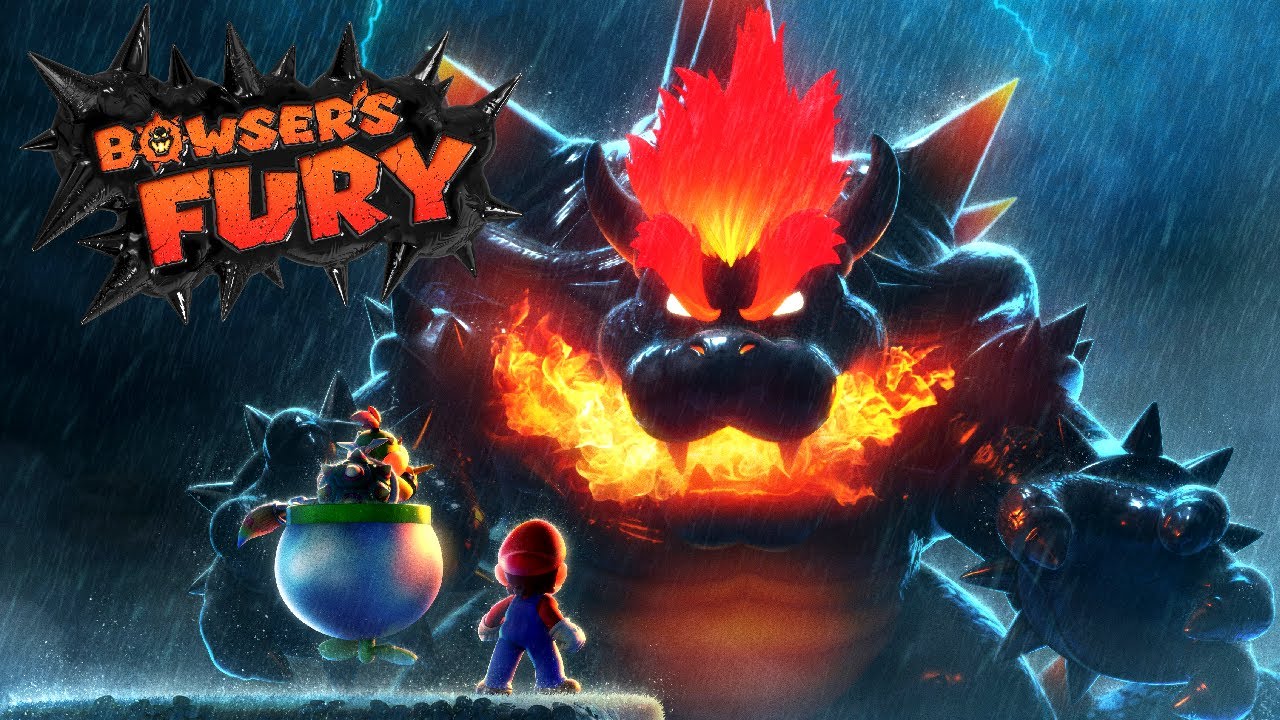
YouTube
14 seconds · Clipped by Kira · Original video "Bowser's Fury - Complete Walkthrough (100%)" by NintendoCentral
 knotty osprey
hey guys I'm running into a problem and i cant for the life of me figure out a solution, pretty much this is the main blueprint and whenever the player clicks this action gets performed and works fine once however if used more then once the timer gets reset and only one instance will get removed. Is there a way i can run this timer multiple times without it getting reset so then all the instances can have set durations?
 warped juniper
trim matrix
hi im trying to make a 3d platformer collectathon. and i rly like how the camera...
warped juniper
trim matrix
hi im trying to make a 3d platformer collectathon. and i rly like how the camera...
I have made a game like this before.
You have 2 options, either make a camera component on a player actor attached to a Spring Arm component with some lag to smooth the movement, or for a more complex method you can make a separate camera actor that follows the player around in specific ways
The separate actor method is useful if you don't want the camera to ascend / descend when the player jumps, and it's the go to method in essentially all 2.5D platforming games
 inland walrus
Is it okay to have player health update on tick?
 lunar sleet
inland walrus
Is it okay to have player health update on tick?
lunar sleet
inland walrus
Is it okay to have player health update on tick?
Depends. Tick is not that expensive normally, but if you're doing this in a widget, you'll be doing constant draw calls, so you can make it tick bound but only when the health has changed, unbinding it shortly after
knotty osprey
inland walrus
Is it okay to have player health update on tick?
there are also no ease in effects there so you could just call that event whenever its needed rather then all of the time
 marble tusk
knotty osprey
hey guys I'm running into a problem and i cant for the life of me figure out a s...
marble tusk
knotty osprey
hey guys I'm running into a problem and i cant for the life of me figure out a s...
Try doing the clear and invalidate before removing it from the array. The way you have it setup there it's removing index 0 from the point info array, then afterwards grabbing the new index 0 and clearing and invalidating that new one.
If I understand how that's setup properly
 olive yarrow
Should i use GetWorldDeltaSeconds or some other method here foR Characters continuous movement forward? The player moves HELLA SLOWER in the built package than it did in engine
 knotty osprey
marble tusk
Try doing the clear and invalidate before removing it from the array. The way yo...
knotty osprey
marble tusk
Try doing the clear and invalidate before removing it from the array. The way yo...
god yeah that slipped my mind lmao thank you, the main problem is still active tho as the timer gets reset every time the function is called
marble tusk
The actual solution might be more involved than just what I said, but I need to sleep, so maybe someone else can help
knotty osprey
definitely still thank you either way 🙏
 jovial steeple
olive yarrow
Should i use GetWorldDeltaSeconds or some other method here foR Characters conti...
jovial steeple
olive yarrow
Should i use GetWorldDeltaSeconds or some other method here foR Characters conti...
This makes no sense. Delta seconds is the time it took to render the last frame of your game. It’s usually some very small number like .005. Scale value is generally expecting a number between 0-1 which dictates the “intensity” of the movement force. 0 is 0% movement force, 1 is 100% movement force. If you want a constant force, just directly type 1 in the scale value.
 mystic blade
mouse input inverted. left and right are fine but down looks up and up looks down


also movement is fucked. cant go forwards or backwards

 olive yarrow
jovial steeple
This makes no sense. Delta seconds is the time it took to render the last frame ...
olive yarrow
jovial steeple
This makes no sense. Delta seconds is the time it took to render the last frame ...
Bless, ithanks Memories!
jovial steeple
olive yarrow
Bless, ithanks Memories!
Also, world direction x y and z arnt used for speed.
That is a vector representing the direction of the movement.
(1,0,0) is what you want
That is a vector pointing directly in the x direction
olive yarrow
jovial steeple
That is a vector pointing directly in the x direction
ah mate, my whole movement system is fucked then
mystic blade
I FIGURED OUT THE ISSUE. my dumbass put right vector instead of forward vector for movement. but camera movement is still goofy
jovial steeple
olive yarrow
ah mate, my whole movement system is fucked then
You generally change the speed setting on the character movement component. There is a variable on it called MaxWalkSpeed
olive yarrow
jovial steeple
You generally change the speed setting on the character movement component. Ther...
I definitely went and made it overcomplicated.. honestly, probably a good time to go and look at all earlier systems since ive learned since then... yaaaaay devving
mystic blade
fixed mouse movement
u dont get to help me anymore
for i have solved every game development issue
covert mortar
dark drum
Have you enabled the skeletal meshes to generate hit events? It's off by default...
mmm, maybe not. I'll try it after work. Thanks a lot for the response
inland walrus
knotty osprey
there are also no ease in effects there so you could just call that event whenev...
Thanks, so just to clarify, it is okay to use UI updates on tick? with regards to expensiveness
inland walrus
lunar sleet
Depends. Tick is not that expensive normally, but if you're doing this in a widg...
Thanks, so just to clarify, it is okay to use UI updates on tick? with regards to expensiveness
Sorry to send it twice
dusky cobalt
inland walrus
Thanks, so just to clarify, it is okay to use UI updates on tick? with regards t...
not really
knotty osprey
inland walrus
Thanks, so just to clarify, it is okay to use UI updates on tick? with regards t...
you can but if you can avoid it do it, future you will thank you
dusky cobalt
So mostly with UI updates, they happen when something happens, they don't happen out of blue. So you want to update only on changes. Sometimes in game you may have 20minutes without this variable changing because you use bullet, spend money or you didnt get resource. Why would we be pinging it 20minutes every frame if it's not needed.
inland walrus
Got you, I will try to optimize it
but in terms of expense, how expensive is it to performance just for a health bar to update?
lunar sleet
Only way for you to tell for sure is by profiling it
faint pasture
inland walrus
Got you, I will try to optimize it
but in terms of expense, how expensive is it ...
not
if you had 100 of them sure
lunar sleet
Well draw calls can get expensive fast
faint pasture
i mean whats 1 draw call
gentle urchin
Rule of thumb is to update when needed
faint pasture
if its meant to smoothly update per frame, something is ticking somewhere
gentle urchin
Exceptions and good reasons exists
lunar sleet
Yeah, not scalable at all but depends on the context for sure
This is not to say tick = bad
inland walrus
Okay, what about a line trace to see what the player is looking at to check if it's interactable?
lunar sleet
Just be careful with widgets bound to tick because shit will get out of control fast if you keep doing that and scale up
gentle urchin
Lerping healthbars for example
(Or material magic)
faint pasture
inland walrus
Okay, what about a line trace to see what the player is looking at to check if i...
I do over 1000 traces per frame no problem
lunar sleet
inland walrus
Okay, what about a line trace to see what the player is looking at to check if i...
Cheap af
gentle urchin
faint pasture
I do over 1000 traces per frame no problem
I set my cap to 5k
Starts noticing it at that point
inland walrus
That's great, is there a way to check how expensive each event is that I do not know about?
faint pasture
Yes, profile it
you won't even see the cost of what you're talking about
Now, if you were refreshing a whole WoW or EVE Online UI every frame, that'd get heavy quick
fetching the numbers to update a shooter HUD on tick is totally fine, that's a nothingburger
lunar sleet
Aye, context matters
inland walrus
I only plan on using the tick to update around 3-4 progress bars and health floats for a single player game
gentle urchin
You can animate the bars in a material, moving the work to the gpu
inland walrus
Alright, I'll have to look into bar animating, but for now I think that should be safe by the sounds of it, I am not over exerting the tick, I am only using it a few times for UI updates
frosty heron
I am going to have hundreds of damage text and they need to have be offsetted and faded.
Does it help to turn tick off and have 1 manager ticking that goes to every update every text element?
gentle urchin
Yes
inland walrus
I appreciate the responses guys
gentle urchin
I went for that and can handle quite a few without issues (beyond lack of pixels lol)
inland walrus
faint pasture
Yes, profile it
How do I do that?
faint pasture
inland walrus
How do I do that?

Epic Games Developer
Profile your project's performance with Unreal Insights.
inland walrus
faint pasture
https://dev.epicgames.com/documentation/en-us/unreal-engine/unreal-insights-in-u...
Thank you
warped juniper
General question, are Overlap checks meaningful when performed every frame when only 0-3 actors roughly overlap with them?
 earnest fog
Depends what you mean by "meaningful"?
frosty heron
What are you trying to do?
warped juniper
earnest fog
Depends what you mean by "meaningful"?
If heavy costed, sorry forgot to add a word there...
warped juniper
frosty heron
What are you trying to do?
I have a lock on system that makes the player choose a target and face towards them while locked on.
When the Lock On key is pressed and an enemy is in range, they are locked on as normal. However I want the player to be able to hold down that key while an enemy is not in range, and if the enemy enters that range then they lock on. Afterwards, the overlap checks stop.
mystic blade
how might i get a spotlight that is part of a flashlight blueprint class and control the intensity of it with player input?
ik this isnt right but i'd appreciate a push in the right direction
 frosty heron
warped juniper
I have a lock on system that makes the player choose a target and face towards t...
frosty heron
warped juniper
I have a lock on system that makes the player choose a target and face towards t...
Why do you need an overlap for this?
For my case I use timer
You probably need more checks but let your targeting component handle that.
Don't rely on components on the owner if you want to make it modular
You can just get potential actors in a radius
Then maybe line trace to see if anything is blocking the trace ( a wall or w.e )
frosty heron
mystic blade
ik this isnt right but i'd appreciate a push in the right direction
Look at material on instances and object reference
It's not something people can walk through in 3 mins.
mystic blade
a flashlight cant be that complicated
frosty heron
It's not about the flashlight
It's you lacking the fundamental concept of what instances and reference are
Tldr you need to know the instance of the flashlight you want to change
mystic blade
ik what they are im just still learning how to properly use them
warped juniper
frosty heron
Why do you need an overlap for this?
I'm not using a Component, I'm using the Check Overlap node
frosty heron
mystic blade
ik what they are im just still learning how to properly use them
Then just pass the flashlight reference to your character
mystic blade
frosty heron
Then just pass the flashlight reference to your character
idk why u have to be a jackass about it
frosty heron
Idk what you are offended about
faint pasture
mystic blade
ik this isnt right but i'd appreciate a push in the right direction
What class is this code in, and how does it know about an instance of a flashlight?
mystic blade
faint pasture
What class is this code in, and how does it know about an instance of a flashlig...
i have a separate flashlight class and for now ive just slapped the flashlight onto the player character so i can test it
the code is in the player class
frosty heron
The answer is already given, pass reference to the character class. But you get offended instead
mystic blade
frosty heron
The answer is already given, pass reference to the character class. But you get ...
im not offended. you assumed i was a moron by telling me i apparently dont know what instances and references are
frosty heron
You clearly don't based on what you demonstrate on the picture
Casting is just a type check
And I don't imply that you are a moron
But you sure as he'll being lazy about it
Going for the throat now since you are being a jackass
mystic blade
instead of explaining to me what i was doing wrong, you just said look it up and learn instead of providing actual guidance
mystic blade
frosty heron
Look at material on instances and object reference
^
frosty heron
Instead asking someone to hand hold you with a topic that is not gonna take 10 minutes for you to click.
Do your self a favour with reading the material that will help you.
Blueprint communication video by matthew will help
Or just rely on someone charity and get stuck again up to you
mystic blade
so just because im not using them right automatically assumes i dont understand the concept?
ur a dumbass
faint pasture
mystic blade
i have a separate flashlight class and for now ive just slapped the flashlight o...
slapped it on how, as child actor component?
faint pasture
so drag a ref to that thing in, get its child actor, cast that to flashlight, then you can do flashlight things
you'd basically saying "Hey child actor component, get your actor and check if its a flashlight. If it is, let me treat it like one"
a child actor component is a component which spawns an actor, it is not the actor itself
 earnest fog
warped juniper
If heavy costed, sorry forgot to add a word there...
earnest fog
warped juniper
If heavy costed, sorry forgot to add a word there...
Hmm... well, I couldn't tell you for sure, but I can suggest a more performant solution. Instead of checking the overlaps each frame, you could use a Begin Overlap and End Overlap node. That way, you'll only be notified when the overlaps change. You don't have to only look at the new overlapping actor, though -- you can still use those events as an opportunity to check all current overlaps -- but it will cut down on the "current overlap" calls significantly.
However, you might run into an issue with initial overlaps. ie: if the overlap detector is spawned on top of existing objects, you may need to wait one frame and then check for active overlaps -- spawning an overlapper onto existing actors may not properly call "begin overlap", even though you would think it would
warped juniper
earnest fog
Hmm... well, I couldn't tell you for sure, but I can suggest a more performant s...
I could use the Begin overlap function, issue is I'm not using a collision component but the Check Overlap node
faint pasture
warped juniper
I have a lock on system that makes the player choose a target and face towards t...
Overlap is being checked on a per-frame basis anyways, use that. Event Begin Overlap.
earnest fog
Maybe I'm missing something, but I don't believe it'd be possible to check overlaps unless some sort of collision is involved. Maybe you're not setting aside a unique component just for this overlap check, but I would think my suggestion would still work. What component is handling collision for the Check Overlap node?
faint pasture
warped juniper
I could use the Begin overlap function, issue is I'm not using a collision compo...
show this check overlap code
warped juniper
Yes I tried to do it before but UE is not cooperating
I have basically no shaders set up yet it keeps loading them for too long
earnest fog
No worries -- when it opens and you're able to link the code, just tag us
warped juniper
No description provided
There we go
This is the function I'm asking about. No components involved at all, but I can only make it look for anything when it's being called
frosty heron
You can call it as often as you need
faint pasture
warped juniper
https://blueprintue.com/blueprint/jv75088t/
IDK about using was recently rendered for this purpose but if it works it works
frosty heron
That bool hasn't been working for me
warped juniper
faint pasture
IDK about using was recently rendered for this purpose but if it works it works
It's just a basic part to make it "work" atm but the behaviour is near perfect
warped juniper
frosty heron
That bool hasn't been working for me
Bear in mind it counts the shadow the actor casts as being rendered, for some reason
faint pasture
I'd just have a sphere collider tbh, how big is the lock on radius?
earnest fog
I don't see the node for Check Overlap, so I have to assume that you're calling this function on the output of the Check Overlap node. However, the "check overlap" node is still relying on some component to perform the overlap. Think about it like a ghost -- if you have no components capable of overlap events, then there won't be any. So, something is triggering the overlaps (unless you simply don't have any overlaps).
warped juniper
Atm 1200
faint pasture
warped juniper
Atm 1200
thats pretty small, just have a sphere collider IMO. But whatever works
warped juniper
Ahh my bad...
I forgot to paste the other one

No description provided
Sorry was handling some other stuff
faint pasture
yeah you might as well just have an overlap capsule, it's pretty much doing the same thing
either/or though, it's not a huge deal either way
warped juniper
I wanted to keep the owner without any components unless it was explicitly necessary, so I just used the node
earnest fog
Yeah, if you're checking for overlaps at a player location each tick, I'd just add it as a collision component. However, if your player ref changes, it might not be quite so straightforward
You could still do it, but you might want to activate/deactivate said collision component when the player ref changes.
Or, you could even add the collision component at runtime to the active player ref, and remove it when the ref changes. But people may have mixed opinions about adding components at runtime.
warped juniper
Yeah but a reason I cannot use an On Begin Overlap to call the function is because I'm basing the lock on range not on collisions but actor origin proximity
The overlap is just used to find stuff
earnest fog
Right, that makes sense, but if I understand correctly, you're still using the overlap to define the list of actors you're comparing proximity between
I'm not saying that you could just slap a collision component on something and all your problems go away, I'm just saying that for this specific piece (establishing the list of actors to get distances from), you may get better performance by relying on begin/end overlap events via dedicated component
warped juniper
Right, the overlap node is that finds and returns the array of actors in range
Yeah I feel that could be the case. I haven't ever done performance tests in depth so I'm not sure what to do
Not to mention I should probably rewrite this as C++ anyways given it's loop based
earnest fog
Maybe. I think the most important thing is that it works. It depends how vital performance is to the current stage of development. You want to make sure you don't introduce too much friction by looking for the perfect solution, otherwise your progress will grind to a halt. You could always tag it for future performance improvement opportunities and move on
faint pasture
If you only have one thing doing this in the world it's probably nothing
like 0.01ms
warped juniper
Yeah the game is at infancy so I'm focusing on utility, but I don't wanna allow too many bad habits to make me rework more than I have
And yes this is something only a single actor would do atm...
I wanted to have something similar for the enemy player detection, but that's definitely better done with a collision component
earnest fog
That's a good mindset to have. But I think this is modular enough to be easily improved later, without it holding you back in the meantime. As a general rule, you probably want to avoid calling blueprint functionality on tick, especially if there's a loop involved, but... yeah, if it's just being performed by one actor, you're probably fine.
faint pasture
Doing work in BP is about 100x slower than C++. Whether or not that matters depends on how much work you're doing.
earnest fog
You may eventually try looking into AI components, since those are often used for detecting opposing characters and such -- I haven't dug too deep into that, but you could always tag the function with a note to investigate this somewhere down the line
earnest fog
faint pasture
Doing work in BP is about 100x slower than C++. Whether or not that matters dep...
Are you referring to the speed of development, or the speed of runtime?
warped juniper
Is the performance cost really that big of a step up?
faint pasture
earnest fog
Are you referring to the speed of development, or the speed of runtime?
runtime
warped juniper
I know though that Loops are essentially unworkable in BPs compared to C++ tho... I definetly want to convert some functions into cpp based
faint pasture
I mean that's not much of a loop, max is like what, 10x?
When I was prototyping my vision system I was doing 1,000 traces in a loop per frame, that was bad in BP lol
in c++ it's nothing
earnest fog
Ahh ok. Yeah, C++ is going to be more efficient. Didn't know it was that big of an increase, though. I believe you'll find the efficiency loss of Blueprints to be reduced by running in Standalone, rather than Play-In-Editor, but yeah, there's still a decent loss of efficiency.
faint pasture
but the slowest part wasn't the traces, it was the little bit of math I had
warped juniper
Yeah the stuff you run on each loop is what causes problems
faint pasture
calculating if 3 vertices were clockwise or counterclockwise took way more time than a trace against Visibility into a fairly complex map
earnest fog
faint pasture
but the slowest part wasn't the traces, it was the little bit of math I had
Yeah, Blueprint math nodes are really tiny (they each do one very small thing), and you pay a cost for each call. I wonder if you might be able to reduce this cost by using a Math Expression, but in general, these sorts of calculations are best done in C++ probably.
warped juniper
faint pasture
I mean that's not much of a loop, max is like what, 10x?
For this case it's not gonna be much yes, but I have another loop based function in game that is kind of my mechanic hook, and can run an undefined number of line traces
faint pasture
I'd get into C++ sooner rather than later, it's really not that bad to work with
Start with a BP function library and your games structs and enums. You can get a lot of mileage out of those and it'd just be 1 .h and .cpp file
warped juniper
I also thought about making a full on trace base visibility system for picking up valid Lock-On targets, as opposed to Recently Rendered. A lot more lines involved but far cleaner, plus it uses components that I already have in each enemy given the forementioned mechanic
faint pasture
warped juniper
I also thought about making a full on trace base visibility system for picking u...
That's what my plugin does, 2d line of sight
warped juniper
Ohh cool, gues I'm in the right path
faint pasture
why do you care so much about line of sight, what's the camera perspective here?
earnest fog
But like I said, one of the biggest considerations when developing a game is your battle with friction. You want to make sure you don't introduce too much friction that it halts your development. I went for years without touching C++, and I had a great time. Recently, I've started spending a lot more time in C++, but it was really helpful to reach the edges of Blueprint capabilities first, so that the need for C++ became apparent, and so that the goals I was hoping to achieve were on the other side of learning C++. That way, I felt pulled into C++, rather than pushed into it.
If you want to get into C++, I honestly found the Epic-provided "Blueprint to C++" tutorial series to be really helpful. It's in 4.23, so a lot has changed, but honestly, just use an AI chatbot to help smooth over the conversion to the latest Unreal version, and you'll be good to go.
faint pasture
I still don't have any C++ actors, just components and subsystems and types
you can get a lot of mileage out of those and it's super simple
warped juniper
faint pasture
why do you care so much about line of sight, what's the camera perspective here?
My game has a very gimmicky system...
For short the player can hit a key to shoot targetting 1 different body part of the enemy.
Each body part holds a SceneComponent class component called TargetPoint
A line trace is performed against the TargetPoints matching the body part the player tries to shoot
A random component whose line was not blocked is randomly picked as "the area you just hit"
If all components are blocked, then the shot misses by default.
earnest fog
faint pasture
you can get a lot of mileage out of those and it's super simple
Yep, exactly. Sometimes all you need is a simple Blueprint Function Library class in C++ so you can put together some useful functions in C++ and call them from wherever.
earnest fog
earnest fog
If you want to get into C++, I honestly found the Epic-provided "Blueprint to C+...

Epic Games Developer
Starting from their foundation in Blueprint and understanding the fundamentals of C++, we’ll take the learner through a process of converting a Blueprin...
frosty heron
earnest fog
Ahh ok. Yeah, C++ is going to be more efficient. Didn't know it was that big of ...
Blueprint loop is costly when the size is too big
warped juniper
Also in general, a loop function is very easy to make in cpp
 flat coral
This is such a stupid question but what's a character I can use in a snake_case asset name that's guaranteed to sort first or last? You can see I tried here with the double underscore in CargoHall__Seam but it didn't work
 warped juniper
flat coral
This is such a stupid question but what's a character I can use in a snake_case ...
warped juniper
flat coral
This is such a stupid question but what's a character I can use in a snake_case ...
You can add _ to the start of the name maybe?
flat coral
warped juniper
You can add _ to the start of the name maybe?
I still want to group by categories, though. The goal is to put the seams at the start of each category
warped juniper
Ah I see now...
flat coral
Naming it 0Seam looks awful and its entirely graceless, but it does work
earnest fog
frosty heron
Blueprint loop is costly when the size is too big
True. Also, if your input is a Get node, it will re-call the node every single loop. So, for example, if you load a text file, and parse the string into an array, and plug that array into a loop, it will call "parse into array" every loop, not just every time the ForEach loop is started.
 narrow sentinel
So does this make sense ??
I have my player stats struct on my player and when it's altered send it over to controller to update the view model with the new individual values for say health and stamina
faint pasture
narrow sentinel
I have my player stats struct on my player and when it's altered send it over to...
by player do you mean pawn?
or playerstate
 hexed oasis
Hear me out, I got a character which raycast to another actor I need to know if the ray passed through the actor box collision, if it does it should call some function on the actor then cast another ray from the hit location but this time ignore the box collision(without changing the box collision) and it should hit the actor mesh (purple line) not completely ignore the actor and pass through it (green line)
I'm using line trace by channel for the raycast, the actor is a tube cube
 narrow sentinel
faint pasture
by player do you mean pawn?
narrow sentinel
faint pasture
by player do you mean pawn?
Yeah sorry pawn
faint pasture
narrow sentinel
I have my player stats struct on my player and when it's altered send it over to...
Don't even do that, when its altered fire a dispatcher
then anything bound to it can respond
but the pawn don't care
faint pasture
hexed oasis
Hear me out, I got a character which raycast to another actor I need to know if ...
what is the first ray actually being shot at?
narrow sentinel
faint pasture
Don't even do that, when its altered fire a dispatcher
Yeah sorry that's what I'm doing
Should have been more specific
hexed oasis
faint pasture
what is the first ray actually being shot at?
the blue box collision in the drawing
faint pasture
hexed oasis
the blue box collision in the drawing
it would aim at the center of the box but anyway, yeah just do that. Shoot one ray, if you hit, then shoot another with a different collision profile so it ignores the box, or you can manually ignore the box
hexed oasis
faint pasture
it would aim at the center of the box but anyway, yeah just do that. Shoot one ...
it should be the same ray incase it would pass through 2 actors
wait can you ignore specific primitive components?
isnt it looking for actors? wait let me check
faint pasture
hexed oasis
Hear me out, I got a character which raycast to another actor I need to know if ...
what are you actually trying to do?
hexed oasis
fire a beam from the character to some cubes with hole inside of them, if it passes through the hole in the cube it should call some function on the cube which will return some data to the character
hexed oasis
it could work but I'm looking for another solution which basically involve ignoring the box collision...
also got lots of beams so it wouldnt be as efficient just to fix 1 case
narrow sentinel
faint pasture
also try out multi line trace
Random question but how would you handle multiple trace ?
Multi trace
faint pasture
you get multiple hits
narrow sentinel
Would you just loop through the array to get the thing you need ?
faint pasture
a success is hitting box without hitting the other thing
if you get 1 hit on Actor.Box and no more hits on Actor, then you hit only its box
hexed oasis
narrow sentinel
Would you just loop through the array to get the thing you need ?
it would output an array of hit results which is order by the hit time
so in my case it will hit the box collision then the actor's mesh then could hit another actor or w\e
so I'll check the hit results one by one, if its the box collision it will call the function then it will continue to the next hit result which is the mesh so it will do some other stuff which is cast a new multi line trace from this point with different end location
basically ignore every other hit pass the hit on the mesh
hexed oasis
faint pasture
if you get 1 hit on Actor.Box and no more hits on Actor, then you hit only its b...
the thing is I'm casting lots of beams and converting all of the to multi trace will tank performance
faint pasture
hexed oasis
the thing is I'm casting lots of beams and converting all of the to multi trace ...
how many? no it won't
hexed oasis
the worse case is like 100 with distance of 100000 with lots of hitable objects in the way
faint pasture
You're in C++ territory either way
but multi line traces are probably easier than multiple traces
doesn't really matter, the slow parts gonna be your logic around the trace
hexed oasis
like for 99% of cases its like yo thanks for the 100 hits that u gave me I just need the first one
and the engine will be like wtf
new idea what if ill move the start location forward bit so it will start the trace from inside the box collision?
would it still hit it?
oh.. it just ignored it, welp, problem solved
nvm it still hit the thing
faint pasture
what are you actually trying to do?
why is it a cube inside a tube
show it in 3d
hexed oasis
the blue collision box is just to know which part of the actor the beam hit, the green mesh is the actor's mesh it should just end\reflect the ray when it hits this part

 faint pasture
hexed oasis
the blue collision box is just to know which part of the actor the beam hit, the...
faint pasture
hexed oasis
the blue collision box is just to know which part of the actor the beam hit, the...
why not just hit the green mesh and use math to determine what side you hit?
hexed oasis
cause if the collision box isnt there there is nothing to hit
faint pasture
hit the green thing
what are you ACTUALLY trying to do, reflect some laser thing?
what's the game mechanic
hexed oasis
if it hit the green mesh it should just stop raycasting
faint pasture
just trace at the blue, if you hit anything but the blue, you're done
hexed oasis
faint pasture
what are you ACTUALLY trying to do, reflect some laser thing?
the cube is a machine that if a laser beam passed through it it change the beam color
hexed oasis
faint pasture
just trace at the blue, if you hit anything but the blue, you're done
and if I hit the blue?
faint pasture
shoot beam at center of box, if you don't hit ANYTHING, then you made it to the center. Change color and continue
hexed oasis
faint pasture
just don't have the blue
then what would it hit? xD
faint pasture
nothing
if you hit nothing then you succeeded
nothing was in the way of the center of the box
including the green part of the box
then you can change color and shoot another ray
hexed oasis
so the play fire a beam, the beam didnt hit anything, then I get all of the cubes in the level and compare the path of the beam with them to determent if it passed through them?
faint pasture
where does a beam get its aim from?
are you aiming them or are they automatically aiming at the boxes
hexed oasis
 hexed oasis
faint pasture
are you aiming them or are they automatically aiming at the boxes
hexed oasis
faint pasture
are you aiming them or are they automatically aiming at the boxes
the player aim the beam
faint pasture
if it's player aimed then yeah, just detect if you hit the blue, if you did, change color and shoot another one ignoring that blue
ez
hexed oasis
but the blue(box collision component) is an object not an actor, u can only ignore actors
by ignoring you mean this pin right?
 narrow sentinel
hexed oasis
but the blue(box collision component) is an object not an actor, u can only igno...
narrow sentinel
hexed oasis
but the blue(box collision component) is an object not an actor, u can only igno...
Why don't you give the blue box a specific collision trace channel
faint pasture
narrow sentinel
Why don't you give the blue box a specific collision trace channel
there's other blue boxes
narrow sentinel
I could only see one in their image of the meshes
faint pasture
hexed oasis
but the blue(box collision component) is an object not an actor, u can only igno...
you can use math to offset the start of the next trace
but I'd just multilinetrace, if you're only shooting one at a time it's no problem
multilinetrace -> if first hit is blue and isn't in ignorelist -> add hit component to ignore list -> change color -> trace again
hexed oasis
faint pasture
you can use math to offset the start of the next trace
I can change the trace channel to ignore the box collision for lets say 20cm, it would ignore the box but still hit the mesh, then the next trace will be a normal trace which can hit boxes again
like cast a short ray just to pass the collider
hexed oasis
isnt there an overlap event for line traces?
like dont stop just tell me if u overlapped it
faint pasture
yeah multilinetrace
its a trace that doesn't stop
how many of these are you shooting in any 1 frame? You said 100 but then you said they're aimed?
which is it, or are you aiming in 100 directions at once
trim matrix
warped juniper
The separate actor method is useful if you don't want the camera to ascend / des...
how would i do that?
warped juniper
trim matrix
how would i do that?
Well you would have to make an Actor with a camera that has a target location that tries to follow the player constantly
hexed oasis
faint pasture
how many of these are you shooting in any 1 frame? You said 100 but then you sa...
1 which can get reflected up to 100 times, so potentially up to 100 rays
faint pasture
hexed oasis
1 which can get reflected up to 100 times, so potentially up to 100 rays
yeah that's no biggie, just multilinetrace it or do the math+offset thing
faint pasture
trim matrix
how would i do that?
or you can just manually drive the camera with a custom PlayerCameraManager
 split crystal
aim assist question, mainly for the steamdecks of the world: has anybody done perf testing of or have experience with various implementations to see what works best perf wise? e.g.
a) sphere trace.
b) stochastically offset line traces.
c) single straight line trace but all targets have extra "shoot me" invisible collision capsules around them.
d) other hacks?
trim matrix
warped juniper
Well you would have to make an Actor with a camera that has a target location th...
i have one like that now kinda but it just locks the camera to one of the xyz directions, could i work off this? or should i just start over bc when i use this it flips the inputs after changing the camera

 warped juniper
What you have is a system that replaces the camera your place has / uses...
trim matrix
oh
warped juniper
The overlap end is not returning the original camera because you cast to the character, you're not getting the actual camera to set it I think
trim matrix
im not sure, this is ab as far as ive gotten w camera stuff lol
warped juniper
My knowledge on this area is fuzz
But I know you should have the camera be a separate actor, not really a component in the player
trim matrix
wdym
trim matrix
like this setup? https://forums.unrealengine.com/t/3d-platformer-camera/564748/3

Epic Developer Community Forums
Excuse my late reply, I wasn’t able to respond 'til just now. I tried around with that for a while, but had no success unfortunately. But I learned about line traces so I’m experimenting with that right now, and so far it’s working fairly well. Still having a few hiccups, for example, I want the sphere (the camera’s ‘Z-anchor’ I’m calling it ...
warped juniper
Ah yes exactly that
trim matrix
so id put the blueprint they have in a new actor for the camera?

 celest oar
if i do this while shooting, the character will keep shooting forever

does any one know how to fix that?
warped juniper
trim matrix
so id put the blueprint they have in a new actor for the camera?
I feel just copypasting it is not gonna let you learn about it much more...
You can try that but I don't think it's the best
trim matrix
im just confused by what they did lol
 normal cargo
how do I undo this? I want to remove the static mesh from the given socket
 autumn pulsar
Does Ease in Linear Mode not act correctly?
autumn pulsar
Is there a way to do some sort of call back event? I'm trying to do something over a length of time and I'm using Tick. I want to fire an event relevant to the function that first triggered the temporal effect
maiden wadi
May need more info, but that sounds like a timer.
autumn pulsar
maiden wadi
May need more info, but that sounds like a timer.
was hoping to avoid a timer as that's an extra tick, but might need to
But basically I'm trying to interpolate the actor to a position
and I want to have functionality once it reaches the goal
but I want the logic to be specific to what called it
maiden wadi
Well, interpolation means you'll need a tick. Is this always on an actor and is the actor itself the caller or is something else the caller?
autumn pulsar
maiden wadi
Well, interpolation means you'll need a tick. Is this always on an actor and is ...
A function within the actor
Basically I have a "drop from ledge" event which then sets up the interp to location using the tick
but once I'm done moving, I want to start the ledge grabbing stuff
but I also have a "climb up ledge" event which also uses the interp to location
and when it ends, I want to set the actor state back to normal
issue is since it's a temporal event I can't just return it
maiden wadi
My initial thought would just be to make a component that can be put on the actor that has a location and delegate. Create it on the actor, bind the delegate, Set the location and let it's tick function move the actor for you. Once at destination, set it's tick off and call the delegate, optionally destroying itself afterwards.
But ledge climbing sounds a bit more complicated than that.
autumn pulsar
so not sure what I can use to work with that
well because my actor is the player, I'm basically ticking the entire time
high gale
Can someone please help me out dynamically changing an AI perception when the player crouches. I have searched online and the only solution I found was to use something like this but it just dosen't work, I even tested it out using event beginplay and the perception stays as the default

I made sure that the AIPerceptionCrouch had the 'start enabled' turned off as well
autumn pulsar
high gale
Can someone please help me out dynamically changing an AI perception when the pl...
why do you have 2 senses?
high gale
One has shorter vision range then the other and I want to be able to swap between them when the player crouches or not
autumn pulsar
Any idea why my Lerp Node is fully lerping to the end despite the counter not being at 1?

Oh
I'm being dumb
autumn pulsar
made the stoopid of feeding in my actor location into A
frosty heron
autumn pulsar
Is there a way to do some sort of call back event? I'm trying to do something ov...
You might be doing pre mature optimisation by the sound of it. You shouldn't even be worried about Wether to use timeline or tick, unless it become a problem.
And if you actually tanking fps then you can profile it.h
Favouring tick or timer for the sake of performance strike me as wrong.
Chances are it won't even cost you 1 fps. But if you want to find out the actual cost you can always profile it.
Like bp loop is "slow" but it doesn't mean that even the cpp people doesn't use it.
If you are iterating over a dozens of element then who cares. The difference would be negligible
gentle urchin
Getting the event is just checking if the alpha reached the target alpha
Tick -> alphacalc -> lerpLogic->branch(alpha nearly equal targetAlpha) -> trigger event
frosty heron
@gentle urchin I'm attacking EQS right now, do you have any good material by any chance?
frosty heron
Ahh ok I thought I saw your A.I with it the other day.
gentle urchin
My AI is usually the dumbest shit one can come up with
frosty heron
I never made A.I from scratch... used some market place plugin for previous project.
It's not good enough, will see if I can make it better
gentle urchin
Mine is pretty barebones but it is made from scratch
frosty heron
A diamond formation for party members to resolve shouldn't be too hard I hope.
gentle urchin
Some custom wannabe brain logic and task scoring
I wanted it to remain as responsive as possible, so at the tile of testing i could have a few thousand of them fully ticking
Made alot of c++ jargon to make that happen tho. Quick aborts and stuff
frosty heron
I can't even handle 30 skeletal mesh atm
gentle urchin
Mind you , my ai pawns are ism instances
gentle urchin
So im just lerping those
frosty heron
So you have some manager
gentle urchin
Indeed
frosty heron
Nice2
gentle urchin
Im pretty sure my initial setup was more performant tho 😅
Feels like its getting worse and worse when im 'cleaning it up'
frosty heron
Prototype already looking promising
gentle urchin
some sort of The Settlers thing
frosty heron
When you iterate over all of the actor do you slice the process?
frosty heron
And no hitch yet? That's awesome
 frosty heron
Look at all the ants working
gentle urchin
Pretty sure there's more room tho. I havn't really done any multithreading yet
at some point everything starts to count on the performance

Pretty sure this iis from 4.26/27. Had better performance by far
5.X brings all this extra nosie too : (

 cobalt iris
so im having a ui issue. i have a pause menu that can be opened and closed by a key press. there is also a button to close it. if i use the button to close the widget i need to press the key twice to pause again. if i unpause with the key it acts normal. the key's input is working and all other inputs work
im copying off of what i did in another project and i had this same issue, but i dont have a clue how i fixed it
first image is the pause menu widget, 2 and 3 are on my player character


 maiden wadi
cobalt iris
im copying off of what i did in another project and i had this same issue, but i...
maiden wadi
cobalt iris
im copying off of what i did in another project and i had this same issue, but i...
This sound like your key wasn't flushed during the pause and thinks it's still pressed until you press it again, which won't run pressed but when you release it there it will release. Which allows the second press to actually run pressed event. There's a flush keys call you might need to make after setting the input mode.
 ruby glade
Hey, I am trying to make a slender man game, but I’m struggling to understand how to make the AI like I kinda get it that he teleports behind player and like the more pages the longer he stays there and doesn’t disappear. But I am struggling to understand how to approach making this AI should I use EQS or what? I’m kinda new to ue and still don’t really know how to do what
dark drum
ruby glade
Hey, I am trying to make a slender man game, but I’m struggling to understand ho...
EQS is just a way to query the environment (Environment Query System). You can use it to get a spot behind the player that isn't blocked so they don't teleport into a mesh. Think of EQS as just a way of generating data, it's up to you what you do with it.
In terms of AI, it might help for you to make a sudo flow graph of how the AI should work and what sort of conditions might be required for it to work the way you want.
Idle -> Query -> Teleport -> Check Pages -> Delay -> Move to Player -> Idle (Loop)
 lost sierra
hey, when the player character (or any enemy) is stood still, bullets will not collide with them, and therefore don't do any damage. It works perfectly fine when they are moving, just nothing happens when they're stood still. I have no idea why, any ideas?
frosty heron
lost sierra
hey, when the player character (or any enemy) is stood still, bullets will not c...
hard to pinpoint but maybe you can open console, type show collision
and see which component react to the bullet.
lost sierra
sorry, i might be misunderstanding what you have said, but the issue i'm having is that when the characters are stood still there is no collision whatsoever, the bullets just pass straight through them without any component being hit. This would mean no component is reacting to the bullet, right?
frosty heron
but when they move, it collide?
lost sierra
yes
frosty heron
well first of all you will have to decide which component you want react to the bullet
normally if you want to be accurate, you do use physic assets
otherwise for a "close enough approach" you can use the capsule component
what sort of game is it?
like FPS?
or RPG
lost sierra
it's a top down rougelite, for now i have been using the capsule component
frosty heron
and are you sure when you are moving it actually collide with the capsule component
I would do a quick test there
just print string the hit component
since you can do a hit when the character is moving
See if it's actually the capsule component being hit
otherwise maybe the capsule was never hit in the first place and when you were moving you happend to hit something else (could be the U.I widget for all we know)
if we can deduce the capsule component never being hit then we can just fix the collision settings
lost sierra
is there a way of me checking that without it just saying the bp name? (sorry about this), all it is coming up as is bp_topdowncharacter
frosty heron
show code
it seems you are printing the actor being hit, we want the actual component being hit
lost sierra
that's what i have for the print string

 lost sierra
ah ty
frosty heron
so we know we hit Bp_topdowncharacter
but which component of the bp_topdowncharacter?
we would need to print the other Comp
lost sierra
collision cylinder
frosty heron
Other = the actor
can you show your bp top down character
so is this Top down character shooting another top down character?
lost sierra
yes, so i have the enemies as children of the main character blueprint (for one of the main points of the game, and it being easier this way)
lost sierra
frosty heron
can you show your bp top down character
which part sorry?
frosty heron
lost sierra
which part sorry?
the whole bp class uncropped
just want to see the components
frosty heron
lost sierra
yes, so i have the enemies as children of the main character blueprint (for one ...
whos shooting who btw?
at the time it gets printed
lost sierra
here are the components, at the time of getting hit it's one of my scientist enemies hitting the main character asset
 frosty heron
ok lets look at the most important settings
the bullet collision setting
and the Capsule component collision setting
lost sierra
frosty heron
the whole bp class uncropped
the issue with this is due to a lot of code, there is a lot about possessing enemies as the main character can do that
frosty heron
Yeah but the collision shouldn't be affected
so when the character stood still it never hit the capsule?
but it does when moving? that's weird
lost sierra
i have the bullet collision on the default blockalldynamic

as for the bp character that is on pawn
 frosty heron
lost sierra
as for the bp character that is on pawn
frosty heron
lost sierra
as for the bp character that is on pawn
need to check the capsule collision setting, as that's what you are testing againts
try to post it uncropped
lost sierra
yes, that is the capsule sorry,
 dark drum
lost sierra
i have the bullet collision on the default blockalldynamic
dark drum
lost sierra
i have the bullet collision on the default blockalldynamic
Enable 'Simulation Generates Hit Events' on you're bullet.
lost sierra
nope, but when you move it works fine
lost sierra
dark drum
Enable 'Simulation Generates Hit Events' on you're bullet.
didn't change it unfortunately
dark drum
lost sierra
didn't change it unfortunately
Show your bullet component hierarchy.
lost sierra
 dark drum
lost sierra
dark drum
lost sierra
Make your sphere the root. 😉 (Replace the default scene root)
lost sierra
yep, thank you
dark drum
Physics actors always behave weirdly if the physics mesh isn't the root. The component ends up moving inside itself locally instead of the actor moving in world space. 🙂
frosty heron
dark drum
Physics actors always behave weirdly if the physics mesh isn't the root. The com...
that explains it 👍
lost sierra
I didn't know that, ty
dark drum
I did some experiments over 10 years ago now (UE4 Rocket Preview) with some physics actors and I ran into some funky issues. It's a behavior that has never changed lol.
trim matrix
don't know why my camera is behaving so weirdly

 dark drum
trim matrix
don't know why my camera is behaving so weirdly
dark drum
trim matrix
don't know why my camera is behaving so weirdly
It could be a number of things but I would take a guess and say it's because you have a spring arm attached to the neck bone. Adding to this, if the spring arm is set to use the control rotation, you could end up with multiple rotations getting applied. (Such as the mesh moving and then the spring arm)
narrow sentinel
Anyone ever had issues with the UE damage system ??
so the Apply Damage and the Any Damage on the other side
for some reason I don't seem to be getting the event firing on player for any damage
nevermind haha
 lucid skiff
hello there, need to ask some questions
I'm working on ALS+GASP Project and trying to change the default character with mine, but it turns out there is a problem: the clothes look like they don't stick to the body when run forward. But when moving backward and walking, there`s no problem at all; the weapon also does not sit in the right-hand position. Hopefully, someone who could assist me in solving this problem. Thank you in advance.
narrow sentinel
so what would make more sense here, i have my Player Stats struct would it be better for me to pass this fully through to my player view model
or do what I'm doing now which is on the player controller take the updated struct and break it out and send through the update values indiviidually to view model so this be the health, stamina etc
dusky cobalt
narrow sentinel
or do what I'm doing now which is on the player controller take the updated stru...
If you are talking about updating widgets, then widget should care only about what is it suppoosed to display, not calculate or care how to process ''raw'' data. You just send ready to be displayed value. So if let's say you have 50 bullets, and you take 1, all widget is caring about is 49, not how many you had 1 sec before and how many he is supposed to take out (-1? -2? -3?).
narrow sentinel
dusky cobalt
If you are talking about updating widgets, then widget should care only about wh...
nope so I use the View Model system to be the pass between of stuff to my widgets
my question is the view model what would be better pass the updated struct through to the view model and have it break out the variables and do stuff or have what I do now which is controller breaks out the updated struct and passes through to View Model the specific indivdual values
maiden wadi
narrow sentinel
nope so I use the View Model system to be the pass between of stuff to my widget...
If you have a container with all of the data. And all of the data needs to be transfered. I would just transfer the container. The using thing can break the info out if need be.
narrow sentinel
maiden wadi
If you have a container with all of the data. And all of the data needs to be tr...
fairs
tame swan
dark drum
Break the actors location and then make a new vector and connect just the X and ...
can you explain how ? you know im beginner What will I should connect with break vector before , and after will connect with make new vector , but after what i should connect with make new vector ?? and thank you man
tropic token
is it possible to get to blueprint event graph node by nodeguid? I have some not very informative warning message about instanced struct somewhere in blueprints and all I have is this node guid so far
dusky cobalt
tame swan
can you explain how ? you know im beginner What will I should connect with break...
If you have ''yellow' 'Vector, you can click on it and Break Struct which will show you single values (X/Y/Z) in this, then you can use only X and Y and leave Z.
dark drum
tropic token
is it possible to get to blueprint event graph node by nodeguid? I have some no...
You could try doing a search.
tropic token
dark drum
You could try doing a search.
it happens here and this callstack is a mess

I know which blueprint is that..
tame swan
dusky cobalt
If you have ''yellow' 'Vector, you can click on it and Break Struct which will ...
No way !! its that simple i try a lot of solution and didnt work. its that simple thanks man I literally appreciate this from you
narrow sentinel
so what would people do in this situation, you want to implement an inventory type thing. Would you implement this in terms of as an actor component which can sit on any actor it's put onto and then interface to link into it. Or would you make a specific actor derived class which is the inventory ??
the only advantage I can see between the two is Actor component would prob be less heavy on performance as it'd be just logic
doing it other way however means it's a specific derived actor class which would allow better filtering in some situations
tropic token
dark drum
You could try doing a search.
well, you shouldn't leave InstancedStruct pins without anything connected to them, it will produce ugly warnings like:
LogUObjectGlobals: Warning: Failed to find object 'ScriptStruct None.('
nailed it!
🙂
maiden wadi
narrow sentinel
so what would people do in this situation, you want to implement an inventory ty...
IMO There's no reason to make it anything more than a component. Even if you have a special actor that acts as an inventory for things, the logic can still be compositional. But TBH making a full actor just for inventory isn't a great idea. You need inventory for a lot of different things. Crafting tables, storages, characters, vehicles, etc. You do not want to create two actors for each of these things, and you don't want to lock yourself into an inheritance tree and for handling inventory data, there's nothing an actor can do that the component cannot.
narrow sentinel
so what Im thinking then of the inventory being actor component that I can plop onto anything
that needs it is better
 wide light
how can i make the text disappear when the raycast is not hitting the actor?

 maiden wadi
wide light
how can i make the text disappear when the raycast is not hitting the actor?
maiden wadi
wide light
how can i make the text disappear when the raycast is not hitting the actor?
You need to cache the thing you hit.
- Trace
- If CachedVariable exists and is the same as the hit thing then stop here and do nothing else.
- If CachedVariable is not valid OR it is valid and is different than the hit thing then call StopShowingInfo on CachedVariable.
- Then set cached variable to the hit thing.
- If CachedVariable is valid then Call ShowInfo on the CachedVariable
So you effectively track the thing you're hitting with the trace, and only when it changes you tell it to stop showing the thing and show for something else.
autumn pulsar
frosty heron
You might be doing pre mature optimisation by the sound of it. You shouldn't eve...
I don’t think I’m at the level to really know what counts as premature optimization. Ideally I want to approach things in at least a sane manner so refactoring it doesn’t become a pain
Not entirely happy with the solution I have
faint pasture
tame swan
This is my first game. I created a checkpoint system . It actually worked The pr...
You can also just multiply it by vector 1,1,0
@autumn pulsarDropping from a ledge by definition doesn't have a constant time. Just tick
Tick -> we walkin? -> do walk stuff
-> we falling? -> do fall stuff -> we ledge grabbin? -> etc
although you'll probably want a simple state machine with an enum as the state. Are you in state Walk or state Fall or state Ledge or what?
That's effectively what pretty much all character movement systems do:
Tick -> ok lets move based on MovementMode -> did something happen to change MovementMode?
autumn pulsar
faint pasture
although you'll probably want a simple state machine with an enum as the state. ...
That's what I ended up doing
 high iris
Have others ever run into this issue and were able to figure out what was going on? Looks like I'm hitting it now myself too. Can't seem to find what's wrong with the asset that apepars to generate this error:
https://forums.unrealengine.com/t/failed-to-load-referenced-by-gen-variable/946500/6

Epic Developer Community Forums
Have you ever figured this out? I’m literally trying my best to figure it out my self. I’m lost as heck…
drowsy rivet
Can someone help? I am trying to get event set aiming rotation node but when I click on add that node, it just transfers me to this tap without adding the node, and the blueprints are child class animation blueprint, and the event set aiming rotation is in blueprint class

how can I solve this problem
This is how the blueprint should look like, but I don't have event set aiming rotation, maybe there is an alternative to it?

 proud salmon
drowsy rivet
Can someone help? I am trying to get event set aiming rotation node but when I c...
proud salmon
drowsy rivet
Can someone help? I am trying to get event set aiming rotation node but when I c...
Hard to tell without better images but Looks like you have two different things basically called the same thing.
SetAimingRotation is a function.
Set Aiming ROtation is an event .
You need to override the correct one.
 swift jay
Hey folks trying to understand why a line trace won't fire straight from the actor's Forward vector. Always seems to be shooting downwards. The mesh is pointing forward on the X+ axis so Forward Vector should be good in theory...
So far I've tried the following:
- Get Actor Location as Start Point, Get Actor Forward Vector * 10000 float as End Point
-Get Fuselage (Static Mesh) Location as Start Point, Get Fuselage Forward Vector * 10000 float as End Point
-Get Socket Location (MachineGun) as Start Point and Get Socket Rotation to get Forward Vector *10000 as End Point.
I feel like I'm overlooking something here.


 faint pasture
swift jay
Hey folks trying to understand why a line trace won't fire straight from the act...
faint pasture
swift jay
Hey folks trying to understand why a line trace won't fire straight from the act...
10000 x forward isn't a good location
 faint pasture
Start + Direction x Distance is
swift jay
faint pasture
Start + Direction x Distance is
Like that?
 inland walrus
Does anyone know why false might not be triggering?
 drowsy rivet
proud salmon
Hard to tell without better images but Looks like you have two different things ...
drowsy rivet
proud salmon
Hard to tell without better images but Looks like you have two different things ...
set aiming ROtation is the one that is shown in youtube video, it is just mispelling
drowsy rivet
proud salmon
Hard to tell without better images but Looks like you have two different things ...
And I overrided the set aiming rotation
swift jay
inland walrus
Does anyone know why false might not be triggering?
On the IA_Sprint part of the Update Stamina part?
faint pasture
swift jay
Like that?
Still way too short tho. THat's 100m
swift jay
faint pasture
Still way too short tho. THat's 100m
True but it's for testing only lol, sadly didn't work
inland walrus
swift jay
On the IA_Sprint part of the Update Stamina part?
What do you mean?
swift jay
inland walrus
What do you mean?
Which part of false isn't triggering?
proud salmon
inland walrus
Does anyone know why false might not be triggering?
Your stamina is clamped to 0.99 but you're looking for >= 1
 final berry
I'm confused, I see in my sizemap that a blueprint references a certain blueprint, but when I ctrl+f in that blueprint I cant find any reference to it, neither in the variables. Where can it be references other than those two places? I'm stumped. Also restarted Unreal and rebooted pc to be sure, but the link is still there\
inland walrus
proud salmon
Your stamina is clamped to 0.99 but you're looking for >= 1
Even if it's still set at >= 0 is still doesn't work
faint pasture
swift jay
Like that?
why are you not using the socket
Trace from socket to socket + socket.forward x distance
inland walrus
swift jay
Which part of false isn't triggering?
Setting the speed so the player can no longer sprint when they hit 0
proud salmon
inland walrus
Even if it's still set at >= 0 is still doesn't work
Sorry, the issue is it's never hitting the false branch on the update stamina?
Assuming that function is called on tick?
faint pasture
inland walrus
Does anyone know why false might not be triggering?
That math is goofy.
inland walrus
faint pasture
That math is goofy.
yeah
proud salmon
It's flipping
faint pasture
Right now what you got is framerate dependent
proud salmon
It's true, goes down -0.001, becomes false, goes up 0.001, etc etc
faint pasture
The general form is this:
Tick -> Thing = Thing + Rate * DeltaSeconds (optionally clamp result) -> check stuff
inland walrus
 faint pasture
Stamina = Clamp(Stamina + Regen * DeltaSeconds, 0, 1) -> if Stamina nearlyequal 0 -> stop sprinting
inland walrus
Could have something to do with the * no?
faint pasture
inland walrus
that 100% doesn't matter, thats just for the bar
proud salmon
inland walrus
Could have something to do with the * no?
It's not not hitting false, it's just flip flopping every frame.
 swift jay
faint pasture
why are you not using the socket
swift jay
faint pasture
why are you not using the socket
Put it back as socket transform, it definitely changed but still firing at a general direction instead of forward vector, so maybe the answer is due to the fact the plane's location is being updated via World Offset?
faint pasture
swift jay
Put it back as socket transform, it definitely changed but still firing at a gen...
show current code
swift jay
faint pasture
show current code
 high gale
I am having an issue with one of my interfaces and I don't understand why it is not communicating with each other. This is the code for the input of crouching

 swift jay
Wait nvm
high gale
this is the reciever
swift jay
Just realized I didn't put the socket name lol
inland walrus
proud salmon
It's not not hitting false, it's just flip flopping every frame.
I put the clamp in so it doesn't go below 0 or over 1, is that wrong?
swift jay
Crude still didn't fix it
faint pasture
inland walrus
I put the clamp in so it doesn't go below 0 or over 1, is that wrong?
clamp the final result, not the value before addition
do it like this:
Tick -> update stamina -> check if you should stop sprinting or whatever
inland walrus
faint pasture
do it like this:
Tick -> update stamina -> check if you should stop sprinting o...
So 2 events?
faint pasture
inland walrus
So 2 events?
no, just do it in order
update the stamina, then check if you should change stuff
proud salmon
inland walrus
I put the clamp in so it doesn't go below 0 or over 1, is that wrong?
Just think about the flow.
You hit sprint, your stamina is 1. The branch is true. It starts sprinting. It uses 0.001 stamina. Now your stamina is 0.999, which is NOT >= 1. So now it's false and you're not sprinting and it adds 0.001 stamina and now your stamina is 1. It goes back to true, etc.
Change the stamina value to != 0 instead of >= 1.
You'll need to do more and what Adriel said as well as just making it != 0 will mean you'll just flip flop when you get to 0 stamina but it should let you sprint until you run out.
inland walrus
faint pasture
update the stamina, then check if you should change stuff
I've done it like this and it seems to be working


The only issue I have no is that I have updated the clamp, it as the extra .1
 swift jay
high gale
I am having an issue with one of my interfaces and I don't understand why it is ...
swift jay
high gale
I am having an issue with one of my interfaces and I don't understand why it is ...
I could be dead wrong here, if you were to add a breakpoint to IA_Crouch, follow along the execution path, I'm guessing that part will work since you only want to fire it once (Started) and then press it again to uncrouched.
If you notice that your path ends abruptly before it reaches the Start Crouch Interface, then your Is Sprinting isn't being set properly.
faint pasture
inland walrus
I've done it like this and it seems to be working
Another approach
 inland walrus
faint pasture
Another approach
inland walrus
faint pasture
Another approach
Thanks dude
high gale
swift jay
I could be dead wrong here, if you were to add a breakpoint to IA_Crouch, follow...
I have never used breakpoints in ue5. I didn't even know blueprints had them to be fully honest
swift jay
Ahh gotcha, yeah they're super useful lol
drowsy rivet
drowsy rivet
Can someone help? I am trying to get event set aiming rotation node but when I c...
How to solve it?
high gale
swift jay
Ahh gotcha, yeah they're super useful lol
the actual mechanics of sprinting and crouching works though
if im crouching and press shift, it uncrouches me and starts sprinting
and vice versa
swift jay
Alright, so which part of the interface is having issue?

 swift jay
Ah alright!
dusky cobalt
final berry
I'm confused, I see in my sizemap that a blueprint references a certain blueprin...
interface? macro?
final berry
dusky cobalt
interface? macro?
Interface in what way? How does an interface reference another blueprint. Isn't the whole idea of interfaces that you decouple bps? 🤔
dusky cobalt
final berry
Interface in what way? How does an interface reference another blueprint. Isn't ...
you could have interface added to that blueprint where you have variable of that other bp (in any function in the interface)
cobalt iris
maiden wadi
This sound like your key wasn't flushed during the pause and thinks it's still p...
ill look into that, thanks!
final berry
dusky cobalt
you could have interface added to that blueprint where you have variable of that...
Not the case, but thanks for the info!
trim matrix
warped juniper
I feel just copypasting it is not gonna let you learn about it much more...
what should i do instead of just copying it then? im not sure where to start other than needing a spring arm and camera in another actor?
warped juniper
trim matrix
what should i do instead of just copying it then? im not sure where to start oth...
I mean you should recreate it, just not mindlessly copypaste it. Try to understand it, that's what I mean
trim matrix
i dont rly understand it tho, i get the camera focuses on the sphere follows x and y. but im lost past that
warped juniper
Well for short the camera only moves vertically when it explicitly needs to
That's what makes it a suitable camera for a 3D platformer
dark drum
final berry
Interface in what way? How does an interface reference another blueprint. Isn't ...
No because that's not the point of an interface. It can be used that way in limited capacity but that's not their purpose. Interfaces can actually make memory management worse if you're not careful.
As for your issue, check for unused local vars in functions.
warped juniper
That makes mecurious, how can interface hidner memory management?
dark drum
warped juniper
That makes mecurious, how can interface hidner memory management?
If you use an object type input/output on a function, anything that uses the interface (even if they don't implement the function) will still force load that class. When you're using it with 20+ actors, good luck controlling when it loads. Granted you should avoid object types in interface functions and stick to just data (floats, vectors etc...)
warped juniper
dark drum
If you use an object type input/output on a function, anything that uses the int...
I see... What if the Object is one that I always know the game will have loaded regardless?
For example, a Character class has an Interface event with a Character class input
dark drum
warped juniper
I see... What if the Object is one that I always know the game will have loaded ...
Then it doesn't make a difference but then why are you using an interface. 😉 You have to remember the primary purpose of an interface is to allow two (or more) classes that don't share a common parent to have/use the same set of functions.
warped juniper
dark drum
Then it doesn't make a difference but then why are you using an interface. 😉 Yo...
In this case, it's an Interface for a custom Damage event. Player / Enemies inherit from the same class, but a separate class such as a Trap can use it to deal damage
Bear in mind I am not a good coder to begin with. Sort of working on my own atm haha, so ideal practices are not my area
dark drum
warped juniper
In this case, it's an Interface for a custom Damage event. Player / Enemies inhe...
In this example, if they all inherit from the same base class that has the damage functionality, there's no need for an interface. You can just cast to the base class and call the function. No need for an interface. Just adding extra unnecessary steps.
From a BP perspective, interfaces should be the last thing you concider for solving a problem. There's usually better ways to do it, either through hierarchy or using components.
For me, I would make a stats system that handles damage using a component. I would then place the component onto the things that I want to have health and be able to be damaged. This method is more flexible, plus allows for default behavior. Adding to that, you get the option of event dispatcher calls that the thing using the component can then use for additional functionality. (playing sounds, VFX etc...)
warped juniper
Ahh, so if I want a Character class, and an non-Character Actor class to both take damage, I can make a Health component that enables them taking damage, dying etc?
dark drum
warped juniper
Ahh, so if I want a Character class, and an non-Character Actor class to both ta...
Yep.
warped juniper
And then, just get that component, do a pure cast to it...
dark drum
warped juniper
And then, just get that component, do a pure cast to it...
Yea. The thing about core systems, is they'll be loaded for 99% of your game so farting about with interfaces for 'memory management' is a little silly in my eyes. In terms of the heavy assets suchs as meshs, materials, sounds, etc... these should only be specified in a child when needed and possibly use soft references where possible.
warped juniper
This is all great information, thanks!
I do wanna ask, in my game player and enemy health work slightly different...
Enemies take Area damage (arm, head, leg etc) while the player as of now doesn't have that.
Should one component just be a child of the base Damage / health component then?
I always feel a bit iffy when using casts, tutorials and material tell you to fear hard references but provide little solutions or plans to tackle it, or even lay down when they are necessary, fine or good to have...
I will keep Interfaces then for communciation across different classes then, and rework the systems to fit this... Thanks a lot for the feedback!
dark drum
warped juniper
This is all great information, thanks!
I do wanna ask, in my game player and ene...
You're parent component can have the core functions (They don't even need to do anything. In this case you should mark it as an abstract class) and then you set them up in a child when you override them. This can allow you to have the behaviour handled differently.
dark drum
warped juniper
I always feel a bit iffy when using casts, tutorials and material tell you to fe...
Yea, you can ignore the 'Stop Casting' crowd. Just be aware of the type of refs you are making and structure you're classes accordingly. Making bare bone base classes are amazing.
warped juniper
I actually did that for my game... I'm using a hit detection system based on SceneComponent classes
I have 1 for each body part of the enemy. To detect which area the player is firing at, I simply GetComponentsOfClass and use the desired class.
dusky cobalt
warped juniper
I always feel a bit iffy when using casts, tutorials and material tell you to fe...
tbh at the start just try to do things as you think its good, only change code when actually you see performance drop or something like that, if you are just learning or making small game all these things to make it performant doesnt matter and there is something called overengineering or overoptimizing at the start... trying to find some perfect solution might take you 3 days meanwhile you could just write 3 lines of code and boom it works, who cares how really, unless you are looking to learn etc. then it's ofc good to do research, just dont worry to much at the start
warped juniper
And no I can't use collisions for this, I'm not making a shooter where you can manually aim and such...
I admit, I did not know a lot about UE for a long time. I spent a year ish making a solo game and it really did wonders for my understanding... I neglected the art but it paid off
I agree, working code matters more now... But I also wanna be wise enough to avoid bad habits early on so I don't need to rework all of my code as opposed to half of it...
dark drum
My stuff got significantly better when I limited my use of interfaces and started to use hierarchy and components more. Also uObjects are amazing for more data type stuff that doesn't need to be in the world.
I don't get half as confused when I revisit my old stuff and thats will little to no comments. 😅
warped juniper
Hmmm, still I gotta rework my mindset
So as a rule of thumb, if I want 2 actors of the same class / parent, just use casting
dark drum
warped juniper
So as a rule of thumb, if I want 2 actors of the same class / parent, just use c...
In a way yea, ideally to the lowest level you can without all the big gubbins. (mesh, materials etc...) Also, you only need to cast if you need to call a function specific to that class. If it's on a parent, you can cast to that instead.
Alternatively, using the 'GetComponentByClass' node can be great as you don't need to cast to be able to get the component. You just have to be wary if you have multiple of the same class.
warped juniper
dark drum
In a way yea, ideally to the lowest level you can without all the big gubbins. (...
Right. For ActorComponents that's great, and I still have a few more custom classes only one of can exist in a heirarchy at a time...
Namely my lock on pivot target that I use for... Well lock on
dark drum
You'd suprised what can go in a component. For me its probally 90% of what I make. Then i assemble them on an actor and use event dispatchers to trigger visual changes in the actor.
No need to keep repeating yourself when you don't have too. 🙂
gentle urchin
Components is life
inland walrus
@faint pasture no longer using event tick
 gentle urchin
I wonder tho, how often have you actually used the same components from other projects ? 😎😏
dark drum
gentle urchin
Components is life
Components and uObjects. 😄
warped juniper
Got it. This is all very useful, thanks for the help
gentle urchin
inland walrus
<@127902729677963264> no longer using event tick
Uhhhh 😅
This is likely worse than just ticking it
dark drum
gentle urchin
I wonder tho, how often have you actually used the same components from other pr...
I've used project sunrise as a base for a few prototypes so I guess a lot lol. I've also stolen the UI setup.
gentle urchin
dark drum
I've used project sunrise as a base for a few prototypes so I guess a lot lol. I...
That is awesome if so ! Great job 🙂
Most components ive made have ended up as one time things
Keeps the code compartmentalized tho😄
snow halo
the problem with this is that it takes the last thing and stacks it on top of everything else and doesn't make any new slots, the number always goes up and up and up, and all happens on the same first slot image
 dark drum
gentle urchin
Keeps the code compartmentalized tho😄
dark drum
gentle urchin
Keeps the code compartmentalized tho😄
Yea, creating a child to hook into another system was a nice thing to learn. Means if I want to migrate the parent, I can without it screaming at me.
dark drum
inland walrus
<@127902729677963264> no longer using event tick
Triggered is called most ticks so the delay node and sudo loop isn't really needed. Personally, you'd be better of just starting a timer on started and stopping the timer on completed.
gentle urchin
I would just have this on tick straight up
dark drum
snow halo
the problem with this is that it takes the last thing and stacks it on top of ev...
Whats this supposed to be doing?
gentle urchin
IA_Sprint -> SetSprinting(CanSprint())
IA_Sprint_Completed -> SetSpriting(false)
Tick -> IsSprinting -> ReduceStamina -> SetSpriting(CanSprint())
narrow sentinel
can you not do add timeline on user widget derived widgets ?
snow halo
dark drum
Whats this supposed to be doing?
 inland walrus
dark drum
Triggered is called most ticks so the delay node and sudo loop isn't really need...
inland walrus
dark drum
Triggered is called most ticks so the delay node and sudo loop isn't really need...
Thanks, any idea on why this isn't updating the hud?
 snow halo
snow halo
snow halo
although i should probably be using those symbols/icons for the crafting system instead
and use the realistic looking ones for the inventory menu because it's gonna be in your face for most of the time, and that probably gives me creative freedom to make those icons silver, golden etc. if youre gonna craft a better one i guess, or maybe not, idk, because then that would mean i have to change the crafting icons too
not sure yet if im gonna add stronger or weaker crafting tools
and there's our crafting menu, it almost looks more like a marketplace but i think the colors dont really match, might have to change that one up later a little bit

although now that i think about it I could probably copy the same functions I have in my inventory system
which I kind of am
but some of the nodes in there had to be changed a little bit, but almost same logic applies


it looks like I might have to make a variable to store each index insteace and then use that index with a find node to get it out of the array
and of course there's always the monkey code method which is to write 10 million functions for each slot image
which might work but it's a little bit more work
snow halo
 faint pasture
inland walrus
<@127902729677963264> no longer using event tick
faint pasture
inland walrus
<@127902729677963264> no longer using event tick
you still are though
that event is ticking
inland walrus
faint pasture
that event is ticking
But it's only ticking whilst it's being held down no?
faint pasture
inland walrus
But it's only ticking whilst it's being held down no?
you want to stop regening stamina when the button is released?
inland walrus
I'm confused, Inputs are always on tick?
inland walrus
faint pasture
you want to stop regening stamina when the button is released?
it will loop the regen until it hits 1.0, then it will stop right?
faint pasture
why go through all this spaghetti trouble, look how simple my example was
you're reinventing tick with an extra tick and delays
inland walrus
faint pasture
why go through all this spaghetti trouble, look how simple my example was
Because once it regens and hits 1, it's going to do nothing whereas if it was on tick, the tick is going to constantly be checking if it should do something
faint pasture
inland walrus
Because once it regens and hits 1, it's going to do nothing whereas if it was on...
It's a total nothing burger, the branchless approach I showed probably has higher performance all the time, and it's simpler
flat coral
Is there a way to find out whether a component has a physics constraint attached to it?
I've got these spiderwebs that can catch the player character, or whatever else, by applying a physics constraint to it. Works great. Problem is, they're balanced so you can just barely pull away from them and escape, so if you get caught in 2 overlapping ones, escape becomes impossible.
So I need a way for the second web to realize the thing is already in a web and not apply its constraint.
 mild jacinth
it might be kind of a stupid question but do blueprints hold timestamp data of when they were originally added to the event graph
id imagine not, but worth a shot to ask
frosty heron
What does originally added to the event graph mean?
mild jacinth
initially. the first time someone as a developer (not Epic developer) added a node to a blueprint graph
faint pasture
mild jacinth
initially. the first time someone as a developer (not Epic developer) added a no...
The closest you'll get is through your version control system
warped juniper
@dark drum Hey, sorry for pinging this shortly after, but regarding a Life actor component, how would you reccomend making it check for the owner's gameplay tags without doing a hard cast?
Just need to check for a CanHeal condition
maiden wadi
warped juniper
<@430016173694779402> Hey, sorry for pinging this shortly after, but regarding a...
How did you put the tags on the actor? Through GAS?
maiden wadi
RIP. But in general if the tags aren't on a component, or in a base class, then your only option is an interface.
dusky cobalt
warped juniper
<@430016173694779402> Hey, sorry for pinging this shortly after, but regarding a...
Get Actor > Get Component by Class maybe?
this will let you acces everything in the component without referencing actor
dark drum
warped juniper
<@430016173694779402> Hey, sorry for pinging this shortly after, but regarding a...
Interface. There's one in the engine but you can't implement it without c++ so you might have to make your own.
Alternatively is to have the gameplay tags in a component like an attributes/stats component which might make sense. Wouldn't make much sense on its own though.
warped juniper
So you mean store the GameplayTags in the relevant componenets?