#blueprint
1 messages · Page 268 of 1
 normal raft
 rare otter
Yo, im having an issue with the "Set Timer by Event" node.
When i delegate the event (the red boxes) it runs indefinitely no matter if looping is false or true. If i do not delegate the event, it only runs once instead no matter what looping is set to. How can i fix this? I need it to just loop when its true and stop when its false, like the description says

theres usually a variable for the looping, however i removed it for now just for testing ^
 flat mortar
Does anyone know how I can get my character to fall faster without lessening the jump height? I'm making a 2d side scroller and the movement feels quite floaty.
 dark drum
flat mortar
Does anyone know how I can get my character to fall faster without lessening the...
dark drum
flat mortar
Does anyone know how I can get my character to fall faster without lessening the...
Increase the gravity scale on the movement component when they reach the apex of the jump and then set it back to normal when they land.
flat mortar
dark drum
Increase the gravity scale on the movement component when they reach the apex of...
Ooh I never though of that, is there a way to determine when you reach the apex of a jump?
dark drum
flat mortar
Ooh I never though of that, is there a way to determine when you reach the apex ...
Yea, there's an event you can bind to on the movement component. I've shown a setup before in here so search my name, you might find it lol.
dark drum
flat mortar
Ooh I never though of that, is there a way to determine when you reach the apex ...
flat mortar
dark drum
Yea, there's an event you can bind to on the movement component. I've shown a se...
Thank so much, I'll see if I cant find it
dark drum
flat mortar
Thank so much, I'll see if I cant find it
Found it for you. 🙂 👆
flat mortar
cheers, the red event square and bind event is new to me, so im curious what that all does
 autumn pulsar
In the animation blueprint you should be able to set rotation of a bone
dark drum
rare otter
Yo, im having an issue with the "Set Timer by Event" node.
When i delegate the...
It will always loop because when you call 'Update Power' the first thing it does is start a timer to call the same function x time later. You'll need to have a check before hand to control if it should start another timer or not.
flat mortar
dark drum
Found it for you. 🙂 👆
Thanks so much, works terrifically ^^
 normal ether
quick question for you all
I have a number of jobs to do, all can be done asynchronously.
Is it possible in blueprints to kick off these jobs in the background in parallel?
Each job is a single event more or less
 violet bison
autumn pulsar
In the animation blueprint you should be able to set rotation of a bone
violet bison
autumn pulsar
In the animation blueprint you should be able to set rotation of a bone
this?
 dark drum
normal ether
quick question for you all
I have a number of jobs to do, all can be done asynch...
dark drum
normal ether
quick question for you all
I have a number of jobs to do, all can be done asynch...
not with just BP no. No access to multithreading out the box. :/ You could set them up in C++ to be async and then call them in BP.
normal ether
dark drum
not with just BP no. No access to multithreading out the box. :/ You could set t...
so write the multi threading in C++ and use that function in blueprints effectively
autumn pulsar
violet bison
this?
That’s it. In the details panel you should be able go set the bone and the “space” to work in
dark drum
normal ether
so write the multi threading in C++ and use that function in blueprints effecti...
Pretty much.
normal ether
dark drum
Pretty much.
ty
violet bison
and how to set which bone to set rotation?
autumn pulsar
When you click on the node, there should be some options on the right panel
violet bison
okay found it nvm
 real verge
hey there, actually I am trying to package my game but running into this error
I tried to install visual studio 2022 with the required frameworks, but still this issue persists
Just to inform, I am also using convai plugin in my project
Any kind of help will be highly helpful at this point

 lost hemlock
how can I make this so that it doesn't tick-loop every second?????? This loop works on tick and it really slows down my game

All this is just for a radial menu, its crazy
 inland tide
Seem to be having an issue with the sphere trace hitting stuff from behind me? I can't harvest these rocks or trees in front of me, and the niagra hit effect pops up from behind, leading me to believe there is something off with the tracing

 lost hemlock
I made it a little more compact to zoom in a bit closer

 bright nest
Hi everyone, is there a way to get those collision primitives names when something collide with them?
 dark drum
lost hemlock
dark drum
lost hemlock
With what you've shown I can't see how it would cause an issue unless you had really high loop counts. Have you profiled to see where the actual issue is?
Get mouse rotation could cause an issue, as it would get called on every loop so if it's a heavy function could cause a dip. The could be resolved by caching the result in a var before you enter the loop.
dark drum
inland tide
Seem to be having an issue with the sphere trace hitting stuff from behind me? I...
Print the name of what it hits. It'll give you a better idea of whats going off.
inland tide
it might be hitting the camera
dark drum
bright nest
Hi everyone, is there a way to get those collision primitives names when somethi...
Not that I'm aware of. I had a look a few months for one of my own projects but wasn't able to find anything.
dark drum
real verge
hey there, actually I am trying to package my game but running into this error
I...
What path can't if find?
 twin shale
Anyone using CommonUI? I am setting the InputConfig of my ActivatableWidget, but when I remove the widget the InputConfig is not returned to normal. I need to do it manually. I have no idea where to set this field outside of this function within an ActivatableWidget.

I'm currently digging in c++ but it takes me to an generic action router class and I'm not sure which class is ultimately responsible
dark drum
twin shale
Anyone using CommonUI? I am setting the InputConfig of my ActivatableWidget, but...
You might be better to ask in #umg but I don't believe the widgets would retain any information regarding what the input config was before it was activated.
I normally just had the main widget that gets replaced (deactivated) have the desired input config so when it's reactivated, it sets it again. Of course, this wont work in all scenrios though.
twin shale
dark drum
You might be better to ask in <#221799467689574410> but I don't believe the widg...
I'll try over there. Digging around in C++ I think it has something to do with the UIActionRouterBase but it looks like I might have to set the value from C++
real verge
dark drum
What path can't if find?
no idea mate, I just tried to package it and provide the path to the drive also, I tried it on both even my internal C drives or extended drive too, but no idea why this is taking place, I even tried to cook for windows rather than packaging , still no solution
dark drum
 gentle urchin
I thought mapping contexts were stacked
gentle urchin
I thought mapping contexts were stacked
What do you mean?
dark drum
real verge
no idea mate, I just tried to package it and provide the path to the drive also,...
Look in the log files, it should tell you in there.
gentle urchin
dark drum
What do you mean?
Guess i got the wrong impression about mapping contexts, thinking theyd be in some sort of stack
Aaand
Now i mixed input config with contexts 😂
My mistake
dark drum
gentle urchin
Now i mixed input config with contexts 😂
Yea lol, the input config thing is for this stuff.
 gentle urchin
Oh dang. Is this commonUI specific? Never seen that before
dark drum
gentle urchin
Oh dang. Is this commonUI specific? Never seen that before
I believe so, you can specify the Input Config that gets applied when an activatable widget is activated.
twin shale
gentle urchin
Oh dang. Is this commonUI specific? Never seen that before
Yeah, I've not run into it before CommonUI. I have a few scenarios where I need inputs to fire in non-focused widgets and this seems to be the only way from what I can tell?
The more I use CommonUI the more I'm realizing it has like exactly 1 use case they want you to use and if you don't conform then you're SOL lol
I believe this is specifically an issue between the interaction with CommonUI and EnhancedInput. The docs say the interaction has not been tested fully, so I knew there would be issues going into it
 buoyant moat
Anyone got an idea of how one would go about implementing a "text decyphering effect" like how it is done in Outer Wilds ? Going from a cryptic set of characters that animate into the decyphers string
https://youtu.be/6X3C37yqzF0?t=263 (effect in question is show cased at this timestamp)

Outer Wilds is a once-in-a-generation gaming experience that pushes the limits of the typical gaming genre. Fusing exploration, puzzles, space, adventure, and more into one game, Outer Wilds is truly AWESOME!
Read some of my favorite books:
https://bookshop.org/shop/kast
Read "The Fish That Ate The Whale":
https://bookshop.org/a/18899/9781250...
gentle urchin
Seems its just scrambling before falling into place
 west hare
Does anyone know how to get and set SourceEffectEQPreset band parameters?
It can be in a actor component, for example.
lost hemlock
dark drum
With what you've shown I can't see how it would cause an issue unless you had re...
can you be more specific how i would do that?
 maiden wadi
buoyant moat
Anyone got an idea of how one would go about implementing a "text decyphering ef...
maiden wadi
buoyant moat
Anyone got an idea of how one would go about implementing a "text decyphering ef...
Play the video at 0.25 speed. They're just inputting gibberish for some words and spaces.
lost hemlock
I seem to be having a problem where every other time I create the widget, it's gonna act weird in terms of the circular round movement


 inland crystal
How do I make the BP debugger break on any thread? surely there's a way, I don't understand this thing where I have to be selected on an instance to get the breakpoint, especially now with runtime objects that I'm going to have to search for in the scene, surely I'm missing some basic setting.
lost hemlock
lost hemlock
I seem to be having a problem where every other time I create the widget, it's g...
So you first open it?
It works like it should be
You open it up the 2nd time?
It is buggy
You open it up again?
it works like it should be
You open it up 4th time?
It is buggy
You open it up again?
it works like ti should be
You open it up 6th time?
It is buggy
twin shale
dark drum
You might be better to ask in <#221799467689574410> but I don't believe the widg...
I'm going to move this into C++ eventually but for now I got around it by just pushing a blank activatable widget with the default config that deactivates itself. Not ideal in the long-term but it allows me to move on right now
bright nest
dark drum
Not that I'm aware of. I had a look a few months for one of my own projects but ...
I think I got it, you can use the Element Index to know which object in the list got hit

 steady night
Hey, New with AI, can someone explain how i can ghet the "acceptable radius" from the NPC ( a varaible from the character) using the Behavior tree ?
 real verge
dark drum
Look in the log files, it should tell you in there.
real verge
dark drum
Look in the log files, it should tell you in there.
Detected compiler newer than Visual Studio 2022, please update min version checking in WindowsPlatformCompilerSetup.h
surprisingly I am using the latest 2022 version and some forum suggest to use 2019 for ue 5.0.3
gentle urchin
steady night
Hey, New with AI, can someone explain how i can ghet the "acceptable radius" fro...
Custom moveTo task where its read from the controlled pawn
Or let the pawn push a parameter to the BB/BT
steady night
aye but how do i do that in the behavior tree :/?
gentle urchin
Just create a new task?
steady night
( i havent made any of these i just downlaoded aa sample to elarn)
but ok
tasks sure

ok created a task, what sohuld be in it i mean how do i get that value to the board
the move to task is a premade one
is it possible to se "inside it" somehow
 normal narwhal
not sure to be in the right channel but i make a system to paint on a wall, do anyone have a idea to not paint but create a hole in wall instead ? please 🙏
 dark drum
bright nest
I think I got it, you can use the Element Index to know which object in the list...
dark drum
bright nest
I think I got it, you can use the Element Index to know which object in the list...
Thanks, I never even noticed that. I'll have to give it a test myself. 🙂
 frank olive
I might be doing this the wrong way, but I'm trying to switch to another animation blend space when aiming, basically one is just the regular walking other is a blend space with animations for walking while holding a pistol

 dusky oriole
Hi! Just wrapping my head around blueprints.
I have a player blueprint for controls and I need to add two outputs for Event BeginPlay, one for the controls and one for starting the UI.
Should I be doing this in a different blueprint or can I have two outputs?
I have this but it seems messy and I don't want to use sequence just to split outputs
 gentle urchin
Sequence
 tight pollen
Hi everyone! I would like to generate the world using Level Streaming for multiplayer, I haven't had much contact with level streaming, can you advise me?
dusky oriole
gentle urchin
Sequence
Is this the accepted way to do it?
gentle urchin
dusky oriole
Is this the accepted way to do it?
This is commonplace, yes
Sequence is a node tho
dusky oriole
gentle urchin
This is commonplace, yes
Well that's unintuitive 😄
gentle urchin
If you want more tools
Along with functions to wrap things up in tidy blocks of code 🙂
dusky oriole
gentle urchin
Sequence is a node tho
Are you warning me about this?
gentle urchin
Not warning, just informing
Some prefer worlds longest spaghetti
Others prefer a more sandwich style
frank olive
frank olive
I might be doing this the wrong way, but I'm trying to switch to another animati...
Any ideas why this isn't working?
 gentle urchin
Normally you'd want to do this in the anim bp
frank olive
gentle urchin
Normally you'd want to do this in the anim bp
Alright I'll try that
frank olive
gentle urchin
Normally you'd want to do this in the anim bp
How would I go about changing the blend space while the right mouse button aka "Aiming" action is ongoing? in the anim bp
 dawn gazelle
dusky oriole
Is this the accepted way to do it?
dawn gazelle
dusky oriole
Is this the accepted way to do it?
Alternative is to make things into functions and then just call them instead.
lost hemlock
it works 1st time, 3rd time, 5th time, 7th time, 9th time, 11th time
etc.
in between there's bug
clock is floating, not ticking
need a magnet. 8 magnets around actually


@dawn gazelle do you know anything about this?
dusky oriole
dawn gazelle
Alternative is to make things into functions and then just call them instead.
Ah this seems much cleaner to be fair
lost hemlock

So every second time, in conclusing my widget section gets LAZY and just wants to be dragged
dusky oriole
Not sure if this a blueprint issue so posting it here too #enhanced-input-system message
 vague moth
Does anyone have recommendations for how to implement game pad inputs in widgets?
I’m a beginner in UI so I’m struggling finding a solution to this
Any videos, plug ins and other things that could solve the issue I’d appreciate
gentle urchin
dusky oriole
Ah this seems much cleaner to be fair
I mentioned those too, to be fair !
I may like functions a tad to much, but it makes for easy to read codeb👀
 rocky kelp
I figured out a much easier solution that works at least for a character BP, only took me two days lol. All you need to do is click on self Ex”Bp_firstpersoncharacter” and change the parent class to something else and change it back to character and the component should be fixed without losing any data besides what was edited already on the corrupted component before it turned into a null pointer. Anyone having this issue here is what I find to be the easiest solution
 final python
can you not have instance editable variables in a soft class reference? I'm storing the reference in a data table, reading it, load asset blocking, and its giving an object. I can cast to actor obviously to spawn it, but that doesn't add any variables. If I cast to my pickup then theres like no point even doing soft reference.
I can set them on spawn obviously, but there might be an issue later with doing that, so it would be nice having them set while spawning.
final python
nvm doing it on spawn with the pickup interface should be fast enough. I just delayed stuff in the pickup thats on begin play until next tick, which I don't like using delay, but I just literally need the 1 tick of safety, so a timer kinda pointless I guess.
 craggy flicker
What's the correct way to adding to a float every frame with event tick? I have a total in-game seconds variable, with an offset seconds so the "day" in game "starts at 6 AM", but then the event tick would reset it back to 0 after the first frame. This is a simple problem, like in code it'll just be
-- start --
totalSeconds = OffSetSeconds
--every frame--
totalSeconds += (TimeScale * DeltaSeconds)```
what am i missing here 😭
is there a += op
would it just be this? i thought this would add total seconds each frame though

 olive yarrow
Sorry to be redundant, but the one going into the addition prior to the SET has a default value of 21,600?
craggy flicker
olive yarrow
Sorry to be redundant, but the one going into the addition prior to the SET has ...
yes, that's what's happening in the begin play
olive yarrow
I wonder if it's a timing issue... also heads up, i suck..
Have you tried adding a delay to the begin play to have tick do its thang then the begin play, or having the tick one off a custom event to do what begin play does after tick?..... maybe.. have an event enable tick, incase tick is overriding the original begin play
dawn gazelle
craggy flicker
would it just be this? i thought this would add total seconds each frame though
Read it backwards from the set...
Total Seconds = (Total Seconds + (Time Scale * Delta Seconds))
It's not that you'd be adding Total seconds every frame to the value, you're setting the value of Total seconds to whatever Total Seconds currently is + some amount.
craggy flicker
dawn gazelle
Read it backwards from the set...
Total Seconds = (Total Seconds + (Time Scale *...
yeah, i think i figured it out from that
now im trying to adjust my calculations for hours, minutes, and display seconds
using remainders and multiplications

No description provided
for some reason, the hour is correct since it displays 6, but minutes and seconds dont go up
dawn gazelle
craggy flicker
now im trying to adjust my calculations for hours, minutes, and display seconds
If you're scaling up your seconds by some amount and you're still using standard format of time (24 hours per day, 60 minutes per hour, 60 seconds per minute), theoretically you could do something like this.

 mystic light
how do you gyus get the neater straight blueprint lines?
mine look like bird nest
 lunar sleet
mystic light
how do you gyus get the neater straight blueprint lines?
mine look like bird ne...
lunar sleet
mystic light
how do you gyus get the neater straight blueprint lines?
mine look like bird ne...
ElectricNodes paid plugin
 solar musk
i searched high and low for a catmull rom interpolation blueprint function, but never found one. so i converted a simple implementation into blueprint in case anyone else is looking for a good ole catmull rom curve between points: https://blueprintue.com/blueprint/kpsms7c9/ (it's entirely possible that this is already somewhere in the engine, but if so, i could not find it~)
No description provided
mystic light
Is there any array mapping blueprint node?
Like i have an arary of structs, and I want to convert to an array of say one of the keys, array of 'name' key...
Many program languages you can just array.map(|x| x.name)
or something like that
gentle urchin
Unsure if you're asking about a different container or more functionality to existing container
Check out TMap/Map
Key/Value pair
mystic light
ah, that's a C++ thing right? not blueprints?
i can't use C++ in control rig apparently
gentle urchin
Blueprints got em
mystic light
😦 not in contorl rig lol
gentle urchin
Shiet
mystic light
not sure why the control rig blueprints are so nuetered
cant even make my own custom c++ blueprints to work in control rig
gentle urchin
Me neither, unexpected tbh
mystic light
hmmm
Looks promosing ill try this
Are there any libraries of pre-built nodes that are useful?
gentle urchin
Not known To me 🤷♂️
 grave relic
Is anyone aware of how to fix a broken struct? Or if its fixable through creating a new struct and replacing it? I have a struct that Ive used in multiple places, then I added a variable to it. Without knowing that it apparently breaks the struct.
 lusty birch
grave relic
Is anyone aware of how to fix a broken struct? Or if its fixable through creatin...
lusty birch
grave relic
Is anyone aware of how to fix a broken struct? Or if its fixable through creatin...
define break the struct
if you use and change blueprint struct, restart editor after adding variable.
when it ask you to resave blueprints using this struct, click dont save
otherwise dirty work of rmb on all nodes using this struct and refresh, reconnect shit
grave relic
lusty birch
define break the struct
That I learned after I added the variable, and had already saved everything :/
Im currently making new structs with all the same variables. And im going to go and replace every node that uses the old node with the new structs.
 frosty heron
you are still not defining the error though
do you get unknown struct error? or just structs not compiling? even better just post the error so people don't have to guess.
grave relic
My bad, here is the exact error:
Play in editor total start time 0,112 seconds.
Blueprint Runtime Error: "Attempted to access index 0 from array Box_3_C7C0FEAA4AF50F1D1B8272A3798449D8 of length 0!". Node: Return Node Graph: GetFirstUnitInStorage Function: Get First Unit in Storage Blueprint: GI_GameInstance
frosty heron
btw, just declare the struct in C++, blueprint struct is notorious for breaking. They are cursed and working with mine is like standing on a landmine.
grave relic
There are no compile errors, just when running the game in editor nothing works. And this error is sent.
Yeah ive learned that because of this ._.
frosty heron
If you want a struct that is battle tested where people don't complain about it being broken, declare your struct in cpp.
you can still use them in blueprint.
I was a victim of blueprint struct. Did what I had to and never looked back on broken struct again.
BP struct can be broken for any reason but the easiest to break it is to add a new variable and change the order.
I don't think it always break right away but again, a ticking time bomb.
dark drum
grave relic
My bad, here is the exact error:
Play in editor total start time 0,112 seconds.
...
Share a screenshot of the logic the error refers to.
frosty heron
grave relic
My bad, here is the exact error:
Play in editor total start time 0,112 seconds.
...
this doesn't even look like struct error?
just share a picture
grave relic
frosty heron
If you want a struct that is battle tested where people don't complain about it ...
Yeah, I am going to replace it with cpp structs, but currently on top of this I have some sdk issues. But I want to see if there is a way to fix the bp structs first.
frosty heron
grave relic
Yeah, I am going to replace it with cpp structs, but currently on top of this I ...
I will be surprised if any industry professionals have a single bp struct in their game.
Just move it to cpp
grave relic
dark drum
Share a screenshot of the logic the error refers to.
This is one of the parts where the errors come up. But when I added the variable to my struct. Then it gives error on every place where I get something from the struct in question.
 frosty heron
not trying to be on a high horse.. I am just happy to not deal with broken struct for long time.
grave relic
frosty heron
I will be surprised if any industry professionals have a single bp struct in the...
That is on the agenda, lesson learned...
frosty heron
grave relic
That is on the agenda, lesson learned...
Yeah normally people find out when it's too late, including me.
dark drum
grave relic
This is one of the parts where the errors come up. But when I added the variable...
How are you adding to it?
grave relic
frosty heron
not trying to be on a high horse.. I am just happy to not deal with broken struc...
No high horses here, it is correct. Its just not very clear from unreals end. And as far as ive gathered, this has always been a problem. So there could at least have been a warning somewhere..
frosty heron
grave relic
No high horses here, it is correct. Its just not very clear from unreals end. An...
well.. epic seems to not care about the issue.. it's been like this for forever. BP struct still broken in 5.5 and may never be fixed.
grave relic
dark drum
How are you adding to it?
All this logic worked before changing the struct.

 dark drum
grave relic
No high horses here, it is correct. Its just not very clear from unreals end. An...
dark drum
grave relic
No high horses here, it is correct. Its just not very clear from unreals end. An...
It's one of those milage might vary things. I've not had a BP structure break in years but I rarely change them haha.
grave relic
dark drum
It's one of those milage might vary things. I've not had a BP structure break in...
Yeah I had it how I wanted. And then thought, hmm might be smoother to have moves lists in the unit struct. Added it, everything broke, removed it. Still broken...
dark drum
grave relic
All this logic worked before changing the struct.
I have mixed results with this type of logic. Normally you would need to set member to update a specific entry in a structure. This can become more complicated if it's a nest structure or is in arrays.
I believe the break node is returning a copy of the array, not the original thing so the set array element never updates the original array.
Personally, I would store the array as a local var, modify the local var and then inject the local var back into the original var. (Hopefully that makes sense)
grave relic
dark drum
I have mixed results with this type of logic. Normally you would need to set mem...
That does make sense, although the error did come before any addition to the array happend :/
 marble tusk
grave relic
That does make sense, although the error did come before any addition to the arr...
marble tusk
grave relic
That does make sense, although the error did come before any addition to the arr...
If the Box array starts as empty, then you'll need to check Size to Fit on the Set Array Elem node. Without that check it won't add any new entries, just change one that exists if it does
dark drum
grave relic
That does make sense, although the error did come before any addition to the arr...
Does the array start empty? If so, that'll be why.
lusty birch
👀
There is handly setting in prefs blueprint break on exceptions for invisible bugs
Disabled by default nobody knows why
 astral orchid
Question: Does anyone know this is happening? (The weapon actor, despite the relative transform working on server, it's not shown on client.
For some reason, this is only happened when I set the weapon actor's owner to the character. When I didn't set the owner, it works normally. I only set the owner because I needed it for another function.
For further information, I am playing on client. Relevant code below.)
UPROPERTY(EditAnywhere, BlueprintReadWrite, Category = "Equipment")
TSubclassOf<ALegacyWeapon> Weapon1;

UPROPERTY(VisibleAnywhere, BlueprintReadWrite, Replicated, Category = "Equipment")
ALegacyWeapon* Weapon;

UFUNCTION(BlueprintCallable, Category = "Equipment System Component Functions: Legacy Weapon")
void ActivateWeapon();
void UEquipmentSystemComponent::ActivateWeapon()
{
if (Weapon1 != nullptr)
{
AActor* GetOwnerReference = GetOwner();
AHeroCharacterFramework* HeroActor = Cast<AHeroCharacterFramework>(GetOwnerReference);
UAbilitySystemComponent* ASC = HeroActor->AbilitySystemComponent;
check(HeroActor->AbilitySystemComponent);
Weapon = HeroActor->GetWorld()->SpawnActor<ALegacyWeapon>(Weapon1);
Weapon->GiveAttacks(HeroActor->AbilitySystemComponent);
Weapon->GiveSkill3(HeroActor->AbilitySystemComponent);
Weapon->SetOwner(HeroActor);
Weapon->WeaponMesh->AttachToComponent(HeroActor->GetMesh(), FAttachmentTransformRules::SnapToTargetNotIncludingScale, Weapon->WeaponSocket);
Weapon->WeaponMesh->SetRelativeTransform(Weapon->AttachTransform);
Weapon->ActivateWeaponDual(HeroActor);
OnActivateWeapon.Broadcast(HeroActor);
}
return;
}``` grave relic
dark drum
Does the array start empty? If so, that'll be why.
grave relic
dark drum
Does the array start empty? If so, that'll be why.
It has default values, so not empty
dark drum
grave relic
It has default values, so not empty
Show the default value.
grave relic
dark drum
Show the default value.
Default are two empty containers, but again this did work before I added the new variable to the struct 😮
 dark drum
grave relic
Default are two empty containers, but again this did work before I added the new...
dark drum
grave relic
Default are two empty containers, but again this did work before I added the new...
Modifying a structure can sometimes reset the values to the default state set in the structure. But yea, it's empty so when you try to access an element you'll get the out of bounds warning.
I'm not sure of your specific use case but I'd probably use a custom uobject instead of a structure. They can help simplify things and reduce the need for nested structure/arrays.
 rain egret
question, i have a space ship that rinterps to towards the camera rotation, works fine however when i get past a certain point the ship will suddenly do a lil role to reach the rotation
i read something along the lines that the roll is because it doesnt use quaterions or something
grave relic
dark drum
I'm not sure of your specific use case but I'd probably use a custom uobject ins...
I mean there is only one instance of the storage, so I could make it an uobject and keep it in there. It acts like an inventory
grave relic
dark drum
Modifying a structure can sometimes reset the values to the default state set in...
I tried populating it before hand just to test, but it did not change the error :/
 storm solar
In material blueprint. What is the purple shape node? A function. A macro?

 pallid urchin
hi i just finish my game and packed it it is working soo smooth in ue5 editer but in a actual game i have my main map as main menu and have play butten to my game map from there just like normal game but when i press play it did not do anything its playing the audio it plays on click but its not loading the map well in editter its working soo fine. idk why its only happening but if anyone does know please tell
 lost hemlock
hey can i ask you a question?
how should i organize this ?


Because now i have a quick selection menu i wanna implement these with

 little moat
lost hemlock
hey can i ask you a question?
how should i organize this ?
little moat
lost hemlock
hey can i ask you a question?
how should i organize this ?
Remove print strings and separate logic + comment it if something is hard to understand directly
And maybe get rid of the sequence
Imo it's useless
gentle urchin
grave relic
I tried populating it before hand just to test, but it did not change the error ...
Make sure you validate the index first
Both the outer and inner index
Multi array like this is prone to access errors
lost hemlock
little moat
And maybe get rid of the sequence
i k the sequence is totally useless but im trynna implement it with this circular selection thing

@little moat right now im using this method

 little moat
I don't think you need a print string for that
You can see if it works and that function is so small
Also you can just increment or decrement instead of mode + 1 or -1 and then set it
Also that function is so small you can basically just make it not a function
Unless it's bound
lost hemlock
little moat
Unless it's bound
wdym by bound?

i mean the messy part of the code would be here
because imagine
how complicated all this code structure would get
if i add more than just 2 tools which you could hold in your hand
i need to make this more generic i mean
in a way that i dont need to set and remove and set and remove and set and remove etc.
because for example

say i go here
i would need to make sure to destroy allllll the other actors
so that i can get into the "shooting" mode
etc.
Because I have this UI that has 8 slots


I need to implement everything in here
this is supposed to be your action menu
and we have many types of action, different types of action
little moat
lost hemlock
wdym by bound?
If you bind it to something
little moat
lost hemlock
this is supposed to be your action menu
Gta v ahh
lost hemlock
@little moat yes correct
 lost hemlock
little moat
If you bind it to something
lost hemlock
little moat
If you bind it to something
oh yes that is correct
 cold shore
Hi, I guess it's a quick question and pretty obvious, nonetheless I want to make sure. Here is a fragment of my struct that is a base of DT that contains all interactable items in game. Each mesh is then applied on BeginPlay. Should those be soft references? And if yes, the connection as seen on the second screenshot is the correct way to load it? If I replace refs in struct to soft and apply the new connections in respective BP all items will not load on every DT access? Because they were with hard references?

 maiden wadi
I used GAS and DataAssets for my wheel. Interaction gathers a list of actions player can perform on target, or can perform for reason, and shows them. Picking one just activates the ability.
maiden wadi
cold shore
Hi, I guess it's a quick question and pretty obvious, nonetheless I want to make...
You're not loading it in the second image. You're resolving it. Which means that you're trying to get the asset IF it's loaded and use it. But it will not load it.
There are only two ways that actually load it and that is AsyncLoadAsset, LoadAssetBlocking, or the two Class versions of those.
cold shore
maiden wadi
You're not loading it in the second image. You're resolving it. Which means that...
Oh, thanks, I was fooled because it started working after I used those connectors on soft refs. I wonder why it's loaded after I changed it to soft ref though. Must be hard referenced somewhere else I guess... I see a LoadAssetBlocking node in BP, but can't see async load, even after unchecking context sensitive in editor
Is assigning mesh in construction script make it always loaded or something?

 warm wave
Hello guys , i am trying to play a camera animation sequence during an action using input . but the camera position is begin played at wrong location . Can anyone help?
 rocky fog
To rotate my character to the cursor location in a top down game when aiming I'm rotating the controller as the movement component seems to use the controller rotation as the target location while maintaining the soft transitions etc... but is it bad to put this rotation on my controller? I'm reading online that transforming your controller is a bad idea, but it seems like the movement component in Unreal encourages it? Am I mis directing myself here?
I'm using this function and this variable in the movement component to help frame the question.


I'm starting to wonder if I should just stop using UseControllerDesiredRotation and instead write something new in my Character class while still maintaining the usage of the rotation rate variables. I'm not sure what can of worms that might open though conflicting with existing code with the movement component.
inland crystal
grave relic
All this logic worked before changing the struct.
Just chiming in to say that if by chance you have a struct that contains an array that contains structs that contain arrays EXPECT MADNESS - from my experience structs are just not suitable for this usage in unreal, too many unpredictable glitches, it might be a bit of a hassle but keeping the data 'owned' by objects seems way more robust and causes less frustrating struct related issues. In C++ this is not the case and structs are rock solid, it's just BP, most of these issues also don't happen with InstancedStructs (enabled by the StructUtils plugin) cause they make it clear 'where' the struct you're editing actually exists.
lost hemlock
How can I... ?


 lost hemlock
I don't know how to disable this outside green tick button when you hover inside the circle
 dusky maple
Hey everyone, happy holidays! I was hoping someone could help me not be dumb, I am trying to create a drag and drop feature. The idea being you click a button and then drag it to spawn where you want. My problem comes from not being able to click the button if I try using Drag and Drop. Is this a core function of how buttons work that would make me need to change my buttons to some other kind of widget and just have a mouse over effect on the widget instead of using a button? Im pretty new to Unreal so im sorry if this is a newbie question. Thanks in advance for any help!


 spark steppe
storm solar
In material blueprint. What is the purple shape node? A function. A macro?
spark steppe
storm solar
In material blueprint. What is the purple shape node? A function. A macro?
named reroute node
lost hemlock
Why is this not working? they are defaulting to false but the problem is i have two buttons, when I unhover out of those buttons, thats when the prevent tick flag fails!

 maiden wadi
cold shore
Is assigning mesh in construction script make it always loaded or something?
maiden wadi
cold shore
Is assigning mesh in construction script make it always loaded or something?
Depends on how you assign it. But probably. Also save and reload any assets that were changed from the struct change. You can generally look at an asset and see what is hard reffing it though. If nothing is, then something has already loaded it.
cold shore
maiden wadi
Depends on how you assign it. But probably. Also save and reload any assets that...
Thanks, I’ve assigned it as on my first two screenshots, I didn’t load it, just resolved it as you noticed earlier. So something else must be hard referencing it I guess. Because I assume that if the only place that the mesh is referenced is soft reference inside DT and I resolved it instead of loading it it shouldn’t appear in game?
autumn pulsar
Is it worth delving into GAS vs just making my own damage structure? I just wanted basic Damage over time and instant damage
wasn't dealing with status effects or anything
maiden wadi
cold shore
Thanks, I’ve assigned it as on my first two screenshots, I didn’t load it, just ...
Also be mindful of the editor as well. You can accidentally load stuff in the editor that messes up your testing. Best to test opening a Standalone instance in regards to loading assets.
maiden wadi
autumn pulsar
Is it worth delving into GAS vs just making my own damage structure? I just want...
You're already dealing with a status effect when you step into DoT territory. It's a status that reduces health over a duration of time.
My two cents, if you can do basic C++ enough to make attributes in C++, or want to check out the GAS Assistant plugin, then GAS is fully worth it. Because chances are you'll extend stuff later to want more. And even if you don't, you have a generic system that you understand and can apply to other games in the future.
autumn pulsar
maiden wadi
You're already dealing with a status effect when you step into DoT territory. It...
That's true. I guess I might just write my own for now just for simplicity then when I rewrite everything use GAS
 granite nacelle
sup everyone, I need some help I'm trying to make the player equip an axe and hold on to it but it keeps reverting back and I'm using an AnimMontag, how could I let it stay until I want to sheath it again?
maiden wadi
granite nacelle
sup everyone, I need some help I'm trying to make the player equip an axe and ho...
The problem isn't apparent from your video. But I assume that you want the arms to hold the ax two handed like you'd hold a wood cutting axe? If so you need an animation set for it that IKs the hands to the axe correctly.
autumn pulsar
granite nacelle
sup everyone, I need some help I'm trying to make the player equip an axe and ho...
I think what you want to do use use a montage for equipping the axe, then in the animation blueprint adjust the state to be the holding animation
granite nacelle
maiden wadi
The problem isn't apparent from your video. But I assume that you want the arms ...
So I need an animation for holding the axe separately?
maiden wadi
Correct. If you follow the example for making a shooter, with the free shooter anim set, you can see in that that there are separate animations for no weapons and a different one for rifles, and I believe there's also one for pistols. You have to switch your animation blend based on the anim set.
granite nacelle
I spent whole day yesterday trying to figure this out, it's because I watched a youtube video on this but in the video they never had that holding animation, but I understand
I understand what your saying but don't know how to implement it, is it ok if I dm you once I finish making the animation?
craggy flicker
I forgot, but can you call a level event from a widget ui blueprint? Or do you have to do widget -> player -> level
frosty heron
craggy flicker
I forgot, but can you call a level event from a widget ui blueprint? Or do you h...
You can't have reference to the level bp in bp. The communication is one why.
That's why do not use level bp for almost anything especially gameplay purpose.
craggy flicker
frosty heron
You can't have reference to the level bp in bp. The communication is one why.
...
thank you
autumn pulsar
When using anim notify states, if an animation ends prematurely or gets interrupted, does the end state of the anim notify fire?
 thin owl
hello, i am having a bizzare issue.
i am trying to make a class of regular objects that when they take damage, they simulate physics and fall apart.
my object is a stool.
what i have working is that when the player bumps into the stool, it falls apart.
when the player attacks the stool, my sword collision lights up green to notify me that it hit something
but when the stool his hit, it ignores that it was hit. the sword passes right through it
So why would i be able to bump into it but not attack it?
 autumn pulsar
thin owl
hello, i am having a bizzare issue.
i am trying to make a class of regular objec...
autumn pulsar
thin owl
hello, i am having a bizzare issue.
i am trying to make a class of regular objec...
Did you break the hit and tell it to do something to the stool?
you might have the the stool set up so it breaks when it touches a player hull
a trace isn't a hull

now this code is flawed, because if I do multiple spheres I deal damage to an object for every hull that's in it
thin owl
i feel so dumb. I friggin didnt have the overlap properties set on the damned sword.
i crashed about an hour ago and completely forgot to save that property... so i DID hit it before the crash/save. so my brain ticked off all the to-do list stuff and i forgot to check what i missed before the crash. i feel like an idiot. sorry to bother you guys.
https://gyazo.com/bf67f2039fd6a27c3971b21d36ca25af.gif
 autumn pulsar
There you go
you can probably also pass an "impulse" struct with a vector
so you can then send the pieces flying
thin owl
autumn pulsar
so you can then send the pieces flying
thank you! thats whats next 😄
once i learn how to ignore the actor and only look at the sword
or it can be destroyed with enough force from the actor getting tossed into it
 marble badger
thin owl
i feel so dumb. I friggin didnt have the overlap properties set on the damned sw...
marble badger
thin owl
i feel so dumb. I friggin didnt have the overlap properties set on the damned sw...
I save my project for "each frame"
Over the years I have acquired the doctrine of pressing (ctrl + shift + s) all the time.
Below the compile option there is a checkbox that says "save on compile always", I always leave it activated. Booth for auto-save
frosty heron
thin owl
hello, i am having a bizzare issue.
i am trying to make a class of regular objec...
I just worked on my melee trace system
what you are doing there is highly dependent on tick
if you expect people to play under low fps, you should test the game with that fps (30 maybe?)
players with 20 - 30 fps probably can't even hit the stool
 unique harness
Yea, need to sweep between each frame
frosty heron
unique harness
Yea, need to sweep between each frame
even that is not enough for my use case because my attack window is small (the animation not even that short tbh)
end up baking the socket locations from animation
each location will have a time stamp. Every tick I just replay every single points that hasn't been played
with 5 fps or 144 fps the result is the same
craggy flicker
what's the best way to manage a lot of pages in a widget? like say for instance I'm making a small desktop where a button will open up the 'browser' or whatever
should i just make widgets inside of widgets?
marble badger
craggy flicker
what's the best way to manage a lot of pages in a widget? like say for instance ...
Widget Switcher, if there are no pop-ups, don't forget the Garbage Collector function after removing from parent.
frosty heron
marble badger
Over the years I have acquired the doctrine of pressing (ctrl + shift + s) all t...
use source control
 quasi frost
I am having a moment, what is the node for making like text {Value1}, {Value2}?
frosty heron
format text
 sacred canyon
quick question, since tick events are supposed to be avoided wherever possible, whats the right way to handle things like stamina bars then? or anything that needs to recharge like that, a timeline or something maybe?
I got this project I started almost 3 years ago and while it still has a lot of potential, it runs so horribly thanks to all the tick events Ive been relying on, I just cant find a way to avoid them
frosty heron
sacred canyon
quick question, since tick events are supposed to be avoided wherever possible, ...
avoiding is such a big word. If something have to be done in tick then use tick.
evaluating movement, stamina, etc should happend in tick
I don't have anything that eat my performance, you should try profiling what's eating your old project.
sacred canyon
well, I say that because Ive heard youre supposed to have almost nothing on tick, Ive been asked why I use it at all
frosty heron
checking a value on tick doesn't cost much
sacred canyon
I did try a lot of profiling before I honestly couldnt get anywhere
frosty heron
sacred canyon
well, I say that because Ive heard youre supposed to have almost nothing on tick...
That's not true, you probably heard from youtubers.
ignore them
sacred canyon
nah it was definitely a server, maybe here but it might have been in the context of something specific I was making
frosty heron
@sacred canyon https://dev.epicgames.com/community/learning/tutorials/l3E0/myth-busting-best-practices-in-unreal-engine
Read this for the answer to most common myth

Epic Games Developer
Are Ticks really that problematic? Should you make all your meshes Nanite? Is the ChildActorComponent truly cursed? Should you never use Cast?
You've pr...
frosty heron
sacred canyon
quick question, since tick events are supposed to be avoided wherever possible, ...
timeline is also running on tick. It actually have more overhead than tick.
changing visual of a stamina bar, setting the value should be done on tick
they should cost next to nothing...
sacred canyon
oh right, makes sense, it was just one example I noticed the other day
oh yeah another one I was wondering about, Ive heard rapidly spawning and deleting actors is really bad too, and the bullethell example on that site reminded me, how would you handle that best for something like that?
like a machine gun with actual projectile actor bullets
 pastel path
is there a way to get all the current active components of a type in my blueprint?
Basically I have used "Add component by class" to iterate over an array of SVT's and create heterogenous volumes. Now i want to get all of those in a array and iterate over them when ticking to move them, but i dont know how to get them.
If i use a array after creation, it adds TONS of TRASH_ heterogenous volumes
frosty heron
sacred canyon
oh yeah another one I was wondering about, Ive heard rapidly spawning and deleti...
you might want to look at object pooling.
still you might be hitting the limit if you want like tens of thousands of actors to exist at the same time. You will need to use systems like #mass just to have a decent frame rate.
frosty heron
pastel path
is there a way to get all the current active components of a type in my blueprin...
What determines a component to be active?
as to getting the component, you can use GetComponents and iterate through them
sacred canyon
frosty heron
still you might be hitting the limit if you want like tens of thousands of actor...
oh probably not that extreme, just wondering more about the rate at which theyre spawning
pastel path
frosty heron
What determines a component to be active?
i just meant "alive", not a trashed object, one still being used
pastel path
frosty heron
as to getting the component, you can use GetComponents and iterate through them
I'm not seeing get components anywhere...
sacred canyon
frosty heron
<@183610049912897536> https://dev.epicgames.com/community/learning/tutorials/l3E...
oh great, I rely on child actors for my players weapons...
frosty heron
sacred canyon
oh great, I rely on child actors for my players weapons...
oof
refactor so you don't use something soo cursed
sacred canyon
I thought the alternative would be a lot worse
frosty heron
2 most common cursed thing in Unreal.
Blueprint struct and child actor component
@pastel path
 sacred canyon
in my other project I just do it all on the player because its very simple just spawning different projectiles with a few animations, but in the one Im talking about I use child actor because every weapon can be completely different, including melee weapons as well
frosty heron
gtg, Happy new year folks. Hope you acheive your goal this year.
sacred canyon
times like this I feel like I need to just start this thing from scratch because its such a mess, but 2-3 years of work is just too much for that
pastel path
frosty heron
gtg, Happy new year folks. Hope you acheive your goal this year.
You as well! That's what i needed to! Thanks a ton!
autumn pulsar
sacred canyon
quick question, since tick events are supposed to be avoided wherever possible, ...
I wouldn't say it's avoid tick, just don't tick for things that don't need it
If you need to constantly check a value or update something, then use tick
but if you need to check it once, then an event is better
sacred canyon
yeah I do try to, but that reminds me, is there anything wrong with too many events? I always feel a little wrong every time I have to add a new event to an already big blueprint, but I dont know if thats maybe just an editor problem that wouldnt affect the game itself
dawn gazelle
sacred canyon
yeah I do try to, but that reminds me, is there anything wrong with too many eve...
I think events are a bit more of a nuisance to manage organizationally. if what you're doing doesn't require any latent nodes and you're not trying to execute an RPC for multiplayer, a function is probably better to use. They're easy to move around between categories and being sectioned off to their own graph helps you avoid nightmare scenarios like this:
 sacred canyon
yeah, I genuinely do have a script like this and its gotta be the worst Ive ever made lol, however its for a kick attack mechanic, which does a different type of kick attack for every situation (like jumping/crouching etc) so I really dont know how to clean it up properly
and then before all that theres like 20 different boolean branches it goes through to see if its able to kick, then at the end of the kick theres a whole lot of extra stuff to reset the player back to normal smoothly no matter what
its a bit of a fighting game/beatemup so theres so much going on with that
autumn pulsar
You can also make new event graphs
marble badger
dawn gazelle
I think events are a bit more of a nuisance to manage organizationally. if what...
Even if you try you won't succeed, C++ is the future.

 autumn pulsar
Macros are also a thing 
autumn pulsar
sacred canyon
yeah, I genuinely do have a script like this and its gotta be the worst Ive ever...
For that I'd just shove it into a function
you could also use a datatable
not the "cheapest" option but fast enough and more sane to deal with
sacred canyon
the problem is it also deals with all the montages and their notifies and stuff
marble badger
They could create an instant-compilable code version instead of blueprint nodes, same structure as C++ but with the advantage of instant-compilation, it would be much better.
autumn pulsar
It'd be nice if you could just generate C++ from a blueprint graph
marble badger
autumn pulsar
It'd be nice if you could just generate C++ from a blueprint graph
In the packaging options, there is an option called nativize, but it never worked.
autumn pulsar
sacred canyon
the problem is it also deals with all the montages and their notifies and stuff
The notifies would just be events no?
sacred canyon
but I mean I cant use the montage nodes in a function since those are latent
autumn pulsar
You could just use a function to return what animation to play
or have a weapon pickup define a bunch of variables
like the hold type, what what it is, etc
or reference a data asset with those variables
sacred canyon
its just that each animation does its own different thing after its notify and after completion
autumn pulsar
such as?
sacred canyon
a trip attack slows down the player and knocks down the enemy it hits, a jump kick has no extra effects on the enemy but suspends the player in the air briefly etc
autumn pulsar
You could have the weapon apply an actor component to the player or so, and that component has a function that targets the owner
granite nacelle
Hey everyone, I need some help on animations. I have two an axe idle and an axe walk. I need to know how I could go about setting them up so the axe walk only works when my player is moving and the axe idle stays put when I'm not moving. A video to point me in the right direction would work also.
autumn pulsar
granite nacelle
Hey everyone, I need some help on animations. I have two an axe idle and an axe ...
blend space is usually the trick
If you want a really simple and "dumb" approach, you can do a switch on boolean where you check to see if the player speed is greater than a specific amount
sacred canyon
autumn pulsar
You could have the weapon apply an actor component to the player or so, and that...
wait, is actor component what I should have been using instead of child actor?
sacred canyon
now Im not even sure because each weapon uses the weapon base parent actor and can have their own animations and effects and stuff
granite nacelle
autumn pulsar
If you want a really simple and "dumb" approach, you can do a switch on boolean ...
afraid you might say that, I don't have much experience in blend spaces and the dumb approach I've thought about but I want things to work find and not break. Heres a picture of whats inside my anim graph its the code that messing me up I don't know how to start it exactly
 sacred canyon
trust me blendspaces are very easy once you get the hang of it, and make things so much simpler to work with
 crystal otter
sacred canyon
trust me blendspaces are very easy once you get the hang of it, and make things ...
crystal otter
sacred canyon
trust me blendspaces are very easy once you get the hang of it, and make things ...
I need help with blendspaces too
sacred canyon
tbh I cant really explain it here through text but Im sure theres a lot of short tutorials just for that, if theres a more specific problem maybe I can help
granite nacelle
sacred canyon
trust me blendspaces are very easy once you get the hang of it, and make things ...
I keep getting this error any ideas?
 crystal otter
sacred canyon
tbh I cant really explain it here through text but Im sure theres a lot of short...
crystal otter
sacred canyon
tbh I cant really explain it here through text but Im sure theres a lot of short...
Ok
sacred canyon
oh yeah, thats to do with how you reference the player, I cant entirely remember how it works but basically it uh doesnt like it this way, its just less efficient, you have this right?
 crystal otter
Im having a number of issues to be honest but it would require a vc screenshare to explain and im not going to be at my comp today.
sacred canyon
so then after that Id get the variables from the player reference and create new variables within the animbp itself from that
 sacred canyon
granite nacelle
I keep getting this error any ideas?
sacred canyon
granite nacelle
I keep getting this error any ideas?
so that instead of getting velocity directly from the player reference youd have a specific animbp variable for it
to be completely honest Im not even sure why that makes a difference and even this might not be the best way but its what Ive always been doing
granite nacelle
sacred canyon
oh yeah, thats to do with how you reference the player, I cant entirely remember...
yeah but mine is a custom character
sacred canyon
yeah just replace that cast with your own
granite nacelle
sacred canyon
so then after that Id get the variables from the player reference and create new...
This is what mine looks like I made it from videos I've watched
 sacred canyon
oh so youve mostly done it already, where youve made the speed variable you can do the same for velocity and use that instead of referencing the player directly again in the other graph
dawn gazelle
granite nacelle
I keep getting this error any ideas?
Animations run in their own thread andif you have logic in your animation graphs that attempt to tie in with game-related logic, like reading values from your character, that warning will appear. AS DJ L3G3ND has pointed out, the way around this is to use the Blueprint Update Animation event to read values you need to use and set them into variables within your animation blueprint which you can then access as you need within your animation graphs without causing this warning to appear.
As you're already setting the "Speed" variable, you'd just plug that variable into the top of the > check here and that warning should disappear.
 frosty heron
marble badger
Even if you try you won't succeed, C++ is the future.
frosty heron
marble badger
Even if you try you won't succeed, C++ is the future.
Rip.....
sacred canyon
I didnt even think about that lol
but yeah I think thats what I was trying to say, game logic against anim graph
frosty heron
marble badger
In the packaging options, there is an option called nativize, but it never worke...
It's already removed few version ago. They never work and the guy that work on it left epic iirc.
granite nacelle
dawn gazelle
Animations run in their own thread andif you have logic in your animation graphs...
yeah that worked and I still don't understand how it did
autumn pulsar
granite nacelle
afraid you might say that, I don't have much experience in blend spaces and the ...
Blendspaces require understanding a lot of terminology, but once you do they're fairly straightforward
In a nutshell, you have two or more animations, and an input value controls which one is selected
for example, if I have a blendspace that's between 0 and 1, with stand on one end, and walk on the other, if my input is 0, I get the stand animation. If my input is 1 I get the walk animation. And if my input is .5, I get something inbetween the two
granite nacelle
autumn pulsar
for example, if I have a blendspace that's between 0 and 1, with stand on one en...
ok I understand that but would I have to create a new blend space or I can use the existing one?
autumn pulsar
granite nacelle
ok I understand that but would I have to create a new blend space or I can use t...
There's a lot of different ways you can do what you're trying to do, and the proper way is pretty painful
I'd look into using a switch
then getting what weapon type you have equipped, and switching to that set of animations
So if you have no weapons out -> default idle
If you have sword, set the switch value to "sword" and do the -> Sword idle
then inside those weapon states, you can have a branch based on whether or not the weapon is pulled out
It's not the best way, but it's the simplest to set up for the complexity you want to do
the more proper way would be to potentially use data tables and the like to pick animations to load
violet bison
I have a turret placing, how to make sure that it stick to the ground, and move along moving platforms?
autumn pulsar
violet bison
I have a turret placing, how to make sure that it stick to the ground, and move ...
not sure if it's the best, but you could fire a trace down, see what you hit, then assign it as the object owner
autumn pulsar
granite nacelle
ok I understand that but would I have to create a new blend space or I can use t...
I'd look at the lyra example to see how they did it
granite nacelle
autumn pulsar
the more proper way would be to potentially use data tables and the like to pick...
that is a lot tbh and some of those topics I haven't even touched on yet, do you have any tips or advice on how i could learn unreal faster and more effective because I've been using it for 5 months and I'm not sure if I'm advancing without tutorials
autumn pulsar
granite nacelle
that is a lot tbh and some of those topics I haven't even touched on yet, do you...
It’s going to differ based on the person. If you’ve never done programming before it’s just going to take you longer because you’re having to learn programming too
And it’s just something that’s going to take a lot of time
Personally, I’d recommend learning C++ as it teaches you a lot of programming concepts you need to learn. Additionally a lot of Blueprints’ structure is similar to C++
But if you want to mainly focus on Unreal, I’d continue what you’re doing
And also just look up a lot of stuff
It’s good to have “learning projects” where the goal isn’t to make a complete experience, but rather see what you can do with a specific node or aspect
Like for example see what all you can do with a blendspace
granite nacelle
Respect💯
final python
Is there like a massive reason to use interfaces and dispatchers properly, and not just use interfaces like 90% of the time? Like surely the negative impact of not using the correct one in the correct situation is negligible to not using them at all.
The 10% is obvious stuff, like say the player hits a button and you want a type of enemy to all die, a door to open, and have it start raining, like obviously you are not going to interface them all together I’m talking more grey area stuff
dawn gazelle
final python
Is there like a massive reason to use interfaces and dispatchers properly, and n...
Interfaces are meant to be used when you want to communicate to a variety of different objects with a similar function footprint (ie. same inputs, potentially same desired outputs) but those objects don't share a hierarchy and thus each object type would also require their own implementation of the interface. Basically, if you'd end up needing to have a string of casts to try and communicate to the appropriate object type, then that's when you'd probably want to use an interface instead if you couldn't make those objects into a hierarchy.
Using interfaces can make it harder to follow along with how your code is flowing, and depending on what you're using the interface for, could actually be making more work for yourself as you end up having to maintain the different implementations in a variety of objects when they could potentially share a common parent class that has the required functionality in it and thus you only have to maintain that single class, or at worst, override what happens in child classes.
final python
I don’t think that’s what I asked. I know what each does. I’m asking, interfaces have obvious use situations, event dispatchers have obvious use situations, they both have overlap areas where 2 people could make the decision to use the opposite of each other. For example health item pickups (for simplicity), it is logical to go either way, depending if you want the item to add health, or the player to add the health. However, an interaction system the 2 people would more than likely agree interfacing is better, because the player has an actor reference to the interactable, and doing all the listening with dispatchers would lead to severe scalability issues.
It’s also hard to provide perfect examples, because there are 50 different ways to do everything. Optimal or not.
frosty heron
Eh usage of interface is actually quiet minimal
Mostly used for the wrong reason
For interaction use component instead of interface
Saying things like why not use interface 90% of the time is quiet alarming. You can look at any epic sample project and tell me if they abused interface the way a lot of people in here do.
Most common usage of interface I see is for simple getters, nothing more.
final python
This is a hypothetical situation though, that’s why I said it’s hard to provide examples. I’m not comparing everything in the engine. I’m specifically targeting out interfaces and dispatchers.
frosty heron
I don't understand how you have to contemplate between using interface or event dispatcher. The two is not mutually exclusive?
Need something to communicate between classes that doesn't share the same base class? Interface maybe the tool.
Need to broadcast event to objects that listen to the delegate? Then use event dispatcher.
@dawn gazelle im sorry to butt in 
dawn gazelle
final python
I don’t think that’s what I asked. I know what each does. I’m asking, interfaces...
That's why I stated it the way I did. An interface has a specific use case. A hierarchy can completely negate the need for an interface.
Event DIspatchers don't really tie into it at all - they're meant to be used as a means of listening for something to happen and having that one thing communicate to many things when it triggers without that one thing having to know about the things that are listening to it, but those other things need to know about it. Eg. It's easy for a variety of actors to get a reference to a common single object (like gamestate), whereas it's much more difficult for an object to have to get reference to a whole bunch of other objects (like all the enemy characters in your map, especially if they don't share a hierarchy).
An item pickup shouldn't need to use either an event dispatcher or an interface unless you intend on doing something like an "interaction" where you press a key on the player to trigger them to pick up the item - that could be a potential use case of interface as you may want to "interact" with more than just an "item", like a "light switch" or "door". If it was more like an FPS style type of item where you just walk over top of it, then there wouldn't really need to be an interface at all - you'd just detect the collision in your item, cast the "other actor" to your character class, or get its health component, and do your thing.
gentle urchin
Still havnt found a reason for me to use Interfaces
If i ever need something close, I lean on components
They remain stateful and can have precoded logic, which bp interfaces lack
dark drum
final python
I don’t think that’s what I asked. I know what each does. I’m asking, interfaces...
The only thing I would use an event dispatcher for on an item is a generic 'OnItemedPicked' up event. This would be for things that need to track a specific item in the level, not for it's general function.
In terms of item pickups, whilst you could use an interface, it's better to use a component. This is because for an item to be picked up, you can assume the thing interacting should have an inventory, of which should be a component. (if it's not you're just make so much extra work) Again, yes you could use an interface but are you planning to have different inventory systems? If not (and I wouldn't recommend it) then you know exactly what should be called so why add extra steps for no reason.
For me interfaces are the last thing I consider using as there are normally better options.
What I've said however does require you to have good understanding of hierarchy and utilizing child classes.
gentle urchin
dark drum
The only thing I would use an event dispatcher for on an item is a generic 'OnIt...
That would exist in my inventory component tho, not on the item^^
dark drum
gentle urchin
That would exist in my inventory component tho, not on the item^^
Id have it in both. One for tracking a specific item and other on the inventory to track what a specific player is picking up.
 viscid viper
hello guys i need some help ive an actor with 2 collistion sphere a small one with the channel of sensor set to overlap ( see first image)
and a big collition also set to overlap ( see the second picture)
my idea is the collition sphere in the second image will trigger an overlap event when a similar actor's smaller collider will overlap (the event on the third pic is for the bigger sphere collider)
however when i play the event overlap dont trigger
does anyone know why?
am i doing something wrong?


 grave relic
inland crystal
Just chiming in to say that if by chance you have a struct that contains an arra...
grave relic
inland crystal
Just chiming in to say that if by chance you have a struct that contains an arra...
It feels like its such common knowledge that at this point Epic should warn you... How do you mean with owned objects. Just have a uobject that contains the data?
And regarding the plugin, how does it work exactly? 😄
inland crystal
StructUtils has a new and amazing blueprint exposed data type called InstancedStruct - this little fella is kind of like an object that can take ANY struct, unlike anything else that exists in unreal BP side, so you can have some 'MyDataObject' with a member 'MyInstancedStruct' and then 'Set Value' on that member with ANY struct, when you get the value you need to specify the type of struct you expect, once you get used to it'll be a major quality of life upgrade.
So, regarding objects and data, in general yeah, I mean, instead of having some big old 'Map: Name, MyStructType' or something like that as your hierarch you should have something like Map: Name, MyObjectType' and your object type has a member 'MyStructType', of course you'll need to Construct Object From Class so there's another step here but the beauty is that once you've done that you'll know with utmost certainty which instace of the data you're editing, the member struct on the object will not have any ambiguity about it.
And without complicating things too much, if you use instanced structs your data object doesn't need to be 'specialized' for your data, it can add a bit of complexity though and using specialized objects is usually just fine.
gentle urchin
Im testing Instanced Structs in my quest system these days
Gives full flexibility as a Uobject Payload would give, without needing to be a Uobject
inland crystal
They're the best.
viscid viper
viscid viper
hello guys i need some help ive an actor with 2 collistion sphere a small one wi...
anyone?
inland crystal
I have such bad memories concerning debugging nest struct/array hierarchies in BP, it's really the worst, and we're not talking about 'far fetched' use cases here, just like, a basic gallery that contains categories that contain media structs, you'd think it'd be as simple as two layers of structs each containing an array but nope, you add items to the array and they're ignored, you change values in the inner structs and they don't take. It's madness, I first switched to Objects and now I try to do all these things straight in c++ trying to limit the interaction with the data in BP to an 'individual struct', it's fine to read nested structs in BP but never to manipulate them, imo.
inland crystal
viscid viper
anyone?
Check that the component has 'generate overlap events' set to true. It might also be that it's on a collision channel that doesn't register whatever you're trying to overlap it with.
As always, break it down to a smaller problem, check that the object registers overlap with ANYTHING.
viscid viper
inland crystal
Check that the component has 'generate overlap events' set to true. It might als...
Generate overlap even is set to true
inland crystal
Again, the process of elimination, remove the cast, put a simple a 'print string' on any overlap, does anything print? etc.
The collision channels would be something to look at, but you need to create a minimal test setup so you can see which options work.
lost hemlock
Im trynna get the outside hover ticking to stop in case im inside of the central button < --- But unhovering off the little eye looking left and right arrow buttons it updates the outside hover

and this is how im doing it.
3 booleans

Thats the outside circle, and there's the inside center button

I want to disable all ticking hover functions on the outside, if im inside the center
doesn't matter if im hovering or unhovering smth
the outside green tick hover should be always off as long as im inside
the trick part is that I have 2 buttons inside the central button, which causes problems, when hovering off of the little arrow buttons
help?
gentle urchin
inland crystal
I have such bad memories concerning debugging nest struct/array hierarchies in B...
If you use the right nodes its fine imo
Just gotta make sure you get by ref
And dont fall for the copy trap
gentle urchin
lost hemlock
the trick part is that I have 2 buttons inside the central button, which causes ...
You should calculate position with inner/outer radius, degrees and optionally other overlaps
lost hemlock
gentle urchin
You should calculate position with inner/outer radius, degrees and optionally ot...
but can't I do this with booleans?
thin owl
frosty heron
players with 20 - 30 fps probably can't even hit the stool
I don’t own a copy of the free recording software. The game is running at like 300fps but the recording software records at like 16fps
 vestal moon
Hi guys, im making an fps splitescreen rogue like shooter and when i shoot with a player i take the stats of the player, such as, damage, projectile speed and "Projectile gravity" i then take these parameter and in the weapon BP i merged them from the player to the projectile itself, but how can i accces the projectile component settings to change the gravity?
maiden wadi
@thin owl Are you doing a nything with those traces? Traces are probes, so if you didn't apply impulse or damage, then nothing will happen simply by tracing the object.
lost hemlock
gentle urchin
You should calculate position with inner/outer radius, degrees and optionally ot...
here's what I did

this works so far
simple
but, the only problem is that if I click somehow the tick event is able to escape
 gentle urchin
In center is really just mouse being within inner diameter
lost hemlock
but it doesn't make sense
gentle urchin
Should just be updated on tick imo
lost hemlock
because I ban all events from going to false
lost hemlock
gentle urchin
In center is really just mouse being within inner diameter
yes
but, clicking <-----
now this is a new type of loop-hole bug somehow
that is able to overide this entire function
gentle urchin
This is so prone to issues lol
marble badger
How can I create a unlit material that renders through walls without using a Custom Depth Pass?
rocky kelp
I have logic to have an enemy spawn behind the player when pressing 1, but the logic from the other blueprint doesn't carry over and the enemy just sits there. Its not a problem with the code in the AI since it works if I drag it in normally but how do I fix this


theres the code for the spawning btw
maiden wadi
rocky kelp
I have logic to have an enemy spawn behind the player when pressing 1, but the l...
Open your AI's BP. Search the details panel for Auto Possess. Change Auto Possess AI from Placed In World, to Placed In World or Spawned
lost hemlock
Why is this no working properly? @maiden wadi any clues?


if i press click on the middle central button, somehow the function is able to escape via FALSE
thin owl
maiden wadi
<@422572892325412874> Are you doing a nything with those traces? Traces are prob...
not yet, step 1 was just trying to get the hit to detect.
i do have a nice system that seems to work right now.
When i get funding, i can pay someone to do a better job
thank you for checking on me though 😄, that was very kind of you
viscid viper
inland crystal
Check that the component has 'generate overlap events' set to true. It might als...
ok i tried to put a static object and set its colition to overlap all its still didnt fire the event
what should i do?
 barren tangle
Hello, We can't have a reference of a component by using the get components by class?

i can't have the reference?
maiden wadi
lost hemlock
Why is this no working properly? <@143471961723371520> any clues?
Clicking likely captures the mouse I assume. Which will unhover hovered widgets.
inland crystal
viscid viper
ok i tried to put a static object and set its colition to overlap all its still ...
ata yodea, I don't want to discourage but these are pretty 'entry level' topics, like, don't get me wrong, whenever I do ANYTHING with unreal I spend a lot of time on 'simple things' that 'should just work' but they don't and like I said, it's always a process of elimination, you start going over these things that 'should work' one by one and you figure out what you did wrong, after you do it a bunch of times you learn how to make less mistakes along the way and suddenly these things that should work DO work. Point being, Collisions and Overlap in unreal 'should work', they're a simple thing, used in tens of thousands of games, I do not know what your level of proficiency with unreal or other game engines is, so I don't know I can't even begin to guess what's wrong with your setup, no one can, in fact even if it was MY setup I'd need to look at the BP and code to figure it out, you need to break things down and check them step by step - back to the point at hand - make a different project - start from the 3rd person template, create one box trigger, make it print a string to your screen when the pawn enters it, does that work? if so, good, it should work, now compare this example to your existing project - run a checklist, every single difference - collision profiles on both the pawn and the trigger, etc, that's the only way.
viscid viper
inland crystal
ata yodea, I don't want to discourage but these are pretty 'entry level' topics,...
ive run too many times at bug the engine made up on me on stuff that should normally work and suddenly wont event when i didnt touch the project so many times i honestly dont trust the things that "should work"
inland crystal
Dude I get it, but it's the wrong mindset. Unreal has bugs, it's a mess, it's HUGE HUGE thing with tons of moving parts, but I assure you that basic overlaps between a pawn and box trigger WORK.
maiden wadi
If the overlap doesn't work then:
- You're not using a mesh with collision or a shape object(capsule, sphere, cube)
- You don't have the correct channels set for overlap/block for the overlapper and overlapee
- You pressed play and these started on top of each other. Overlaps won't fire this early unless you enable GenerateOverlapEventsDuringLevelStreaming on the actor.
Personally, I've run into some engine bugs. But 99.994% of the time, I was just trying to do something I didn't understand. 🤷♂️
gentle urchin
that solid 0.006% inaccuracy is worthy of a hire!
but ... isnt overlaps physics and not a query ?
thought query only was "traces" of sorts
maiden wadi
Query. Hits are physics
gentle urchin
ah ok
maiden wadi
I don't know with the new stuff though. They expanded the definitions.
I think traces are now Probes.
 gentle urchin
so Query is all sorts of overlaps ? probes are traces? and physics are hits ?
viscid viper
maiden wadi
If the overlap doesn't work then:
1. You're not using a mesh with collision or a...
hmm tried to set GenerateOverlapEventsDuringLevelStreaming cuz i didnt
it still didnt fire
the object are inside the collition of one another on the map
they are two instances of the same actor with 2 collider spheres
both are shown in the images above
ive set a static mesh with overlap all channels in its collider and it didnt trigger
the third image is the project setting where i i set that channel for the start
I event turned all the other channels to overlap the event still didnt trigger
im out of things i can check to isolate the problem


 viscid viper
gentle urchin
are you looking for an internal overlap between 2 components ?
viscid viper
gentle urchin
are you looking for an internal overlap between 2 components ?
nope external between two actors of the same class
gentle urchin
ah ok
maiden wadi
Will not create any representation in the physics engine. Cannot be used for spatial queries (raycasts, sweeps, overlaps) or simulation (rigid body, constraints). Best performance possible (especially for moving objects)
No Collision
Only used for spatial queries (raycasts, sweeps, and overlaps). Cannot be used for simulation (rigid body, constraints). Useful for character movement and things that do not need physical simulation. Performance gains by keeping data out of simulation tree.
Query Only (No Physics Collision)
Only used only for physics simulation (rigid body, constraints). Cannot be used for spatial queries (raycasts, sweeps, overlaps). Useful for jiggly bits on characters that do not need per bone detection. Performance gains by keeping data out of query tree.
Physics Only (No Query Collision)
Can be used for both spatial queries (raycasts, sweeps, overlaps) and simulation (rigid body, constraints).
Collision Enabled (Query and Physics)
Only used for probing the physics simulation (rigid body, constraints). Cannot be used for spatial queries (raycasts, sweeps, overlaps). Useful for when you want to detect potential physics interactions and pass contact data to hit callbacks or contact modification, but don't want to physically react to these contacts.
Probe Only (Contact Data, No Query or Physics Collision)
Can be used for both spatial queries (raycasts, sweeps, overlaps) and probing the physics simulation (rigid body, constraints). Will not allow for actual physics interaction, but will generate contact data, trigger hit callbacks, and contacts will appear in contact modification.
Query and Probe (Query Collision and Contact Data, No Physics Collision)
Odd though. I'm semi sure I've raytraced against a probe only. Maybe I'm mistaken. 🤷♂️
maiden wadi
viscid viper
hmm tried to set GenerateOverlapEventsDuringLevelStreaming cuz i didnt
it stil...
You have no repsonses in your first image's collision.

This for example won't run overlap events. Overlap events aren't traces.
 proud salmon
Is there a way to "Hide unconnected pins" in mass? 🤔
viscid viper
maiden wadi
This for example won't run overlap events. Overlap events aren't traces.
then what will
my new channel is sensors
how can i know if the object that are set for sensors overlap are infact overlapping?
maiden wadi
You need an object channel, not a trace channel.

 maiden wadi
Look at your ObjectType setting.
The second cannot see the first as you've only told it to see Sensor. But the first is a WorldDynamic.
viscid viper
maiden wadi
Look at your ObjectType setting.
that did it but wont it now not see world dynamics?
maiden wadi
Oddly, planetbase should have fired though I think.
Edit: Oh, nevermind, same overlap event for the component
That's up to whatever checkboxes you choose. A collision profile can DETECT multiple types. But it can only BE one type.
 hollow tendon
there is a trace and i cant find what is causing it in ue5.
i used the blueprint search tool and all my line trace blueprints are set to draw debug none
i am gonna die. i cant find what is causing the line cast
I rarely come here to ask for help, because 99% of the time i wont get answers or even any human being to even see my post 🥲
but at least i tried this time to ask in hope i get some help
frosty heron
@hollow tendon do you have any cpp code that commit the trace? Otherwise ctrl + f in blueprint type line trace and hit the binoculars button.
That's all there's to it really.
hollow tendon
frosty heron
<@769224790350757938> do you have any cpp code that commit the trace? Otherwise ...
nope my game is all blueprints
no need for ctrl f, i used a larger scale searching tool called blueprint search ( which search in ALL blueprints in your game )
hollow tendon
used that large scale tool to find ALL traces that is used in my blueprints for tracing and none was set to draw debug, all were set to none
frosty heron
I don't know what large scae tool is
Open a blueprint asset, ctrl f type trace hit the binoculars button
hollow tendon
 hollow tendon
frosty heron
Open a blueprint asset, ctrl f type trace hit the binoculars button
hollow tendon
frosty heron
Open a blueprint asset, ctrl f type trace hit the binoculars button
thanks for the suggestions, but sadly, as i have stated in my prev msgs, i searched in all blueprints for a trace node and all of them were set to draw debug none
hollow tendon
no problem 🙂
frosty heron
But you are reluctant to try
hollow tendon
im desperate so ill try what ever method available
frosty heron
Try above then?
Then go over every single line trace command
Try unpinning too, maybe you left stone untruned
hollow tendon
frosty heron
Try above then?
whats above
the ctrl f inside the blueprint method?
i tried that. in total i have around 7 traces and all of them are set to draw debug none
😢
really annoying issue
frosty heron
Yea but also try unpinning for sanity sake
hollow tendon
it is coming from above apparently?
hollow tendon
frosty heron
Yea but also try unpinning for sanity sake
Same issue
This make no sense i am going insane
frosty heron
0 plugins?
gentle urchin
Centered at the actor, or world 0,0,0?
frosty heron
When does it start happening
hollow tendon
frosty heron
0 plugins?
yeah
hollow tendon
gentle urchin
Centered at the actor, or world 0,0,0?
ill check!
hollow tendon
gentle urchin
Centered at the actor, or world 0,0,0?
I checked, it is not at the center of the world
it is around 400-+ more
hollow tendon
frosty heron
When does it start happening
in gameplay
gentle urchin
So id you move the tile actor thing does it move ?
 thin panther
is it in the level blueprint?
gentle urchin
Could be multitrace or regular linetrace aswell
hollow tendon
gentle urchin
Could be multitrace or regular linetrace aswell
thanks! ill check
hollow tendon
thin panther
is it in the level blueprint?
i dont understand what you mean sir
this is a blueprint level. inside it i have actors and stuff, and this trace i serach for it so i remove it
😢
frosty heron
Ctrl f binocular should still find level blueprint nodes iirc
hollow tendon
 hollow tendon
frosty heron
Ctrl f binocular should still find level blueprint nodes iirc
hollow tendon
frosty heron
Ctrl f binocular should still find level blueprint nodes iirc
perhaps i am misunderstanding what you mean by that,
when you told me to do that, what i did was
1: opened the blueprint where i have traces
2: ctrl f
3: wrote "trace" and searched for all traces
4: found none, all of them are set to draw debug none
what you mean by binocular
the zoom in gadget thingie
 frosty heron
No, on the right side
hollow tendon
ahh, thast just the one i call large scale search
gentle urchin
No wonder we got confused 🫢
hollow tendon

i usually open it from there
did not realize we can open it directly from inside a blueprint
it was too similar in color to the stuff behind it
dam, then i am screwed/
hollow tendon
i asked uncle chattypatty for info and he gave me dis info

but when the trace accur, it does not show anything

this what shows when i use that command
frosty heron
Does the trace follow your mouse cursor?
hollow tendon
nope it comes from a component
it follows that component
i will narrow my search toward that component
and find everything related to it!
frosty heron
What component?
hollow tendon
a static mesh inside the tile actor
ill show a screenshot
this to be more specifc: ( loading
frosty heron
Show the bp, uncropped
hollow tendon
that part exact, the cast happen from there to check what is in front/bottom and if there is stuff, it wont drop water, if there is no stuff, it drops the water
frosty heron
Then look for the trace that is responsible for that
hollow tendon
Yes sir!
frosty heron
Thought you unpinned them for test before.
hollow tendon
i did
i removed all traces
still it shows the trace
no harm in finding which trace is causing the issue tho
finding which trace is causing the issue could lead us to something
some string into solving the issue
ahahahahahah i found it
unreal is stupid
omg
thankssssss guys!
kissess kissess
how? this make no sense
why the searching tool did not find it?
the seraching tool is bugged?
it does not show everything
it did not show the trace node ( i tried again just to confrim, it did not, it shows all other traces but does not show this one )
frosty heron
Maybe you didn't hit the binoculars buttons
hollow tendon
i think i know why, but this is my theory, the only diffirence why unreal did not find it in the CTRL + F ( aka large scale search ) tool is because it is in a nested functions.
a functiton and another function inside it
hollow tendon
frosty heron
Maybe you didn't hit the binoculars buttons
nope, i tried it 3 times
i can try more if u want to just confrim to you it is an engine bug or it is stupid by desgin
copying the node outside the nested functions setup and the large scale search tool finds it
this is a bug
nothing else
but either way, thankssss coldsummer
Squize and a cuppa tea public A char and jacksonsstudios also ✅
that does not seems like a vector but more of a float?
vector is just 3 floats
 hollow tendon
hollow tendon
hollow tendon
usually i use this for precision issues with line trace
sure, you can still use that
break the vector pins, connect that to it and make make the pins combined again
also check, the input is vector

np!
gentle urchin
How do you know it rounds?
It normally shouldnt, at that point
Normalizing secures the length of 1 for the total vector
In your case change all components from 0.00375 to 0.33333
barren tangle
Hi do you know if the creation of a function will block the calculation done on each tick?

if i put the calculation on the function after the Branch
does the multiply node will be executed anyway?
gentle urchin
barren tangle
does the multiply node will be executed anyway?
No
barren tangle
so it's better to put it into the function to avoid multiple useless calculation
gentle urchin
Function or no function makes no difference in regards to the calculation
barren tangle
mmm
lost hemlock
Im using this Tick Slow Down, to slow the Widget ticking update down a little cause its going too fast with the heavy tick-loops.

But why is this not working?
Is the Target not good?
And it cannot be self
 lost hemlock
Ok, but, accumulation why?
you mean this?

but I still have no target
How's a branch gonna solve anything?
gentle urchin
Accumulated = Accumulated + DeltaTime;

if
(Accumulated >= msTreshold)
{
  Accumulated = Accumulated - msTreshold;
  DoThing();
}
and how many updates per second is that?
lost hemlock
gentle urchin
```cpp
Accumulated = Accumulated + DeltaTime;
if
(Accumulated >= msTreshold)
{
...
cool but, I still need target
lost hemlock
 lost hemlock
gentle urchin
Toss it away
lost hemlock
gentle urchin
Toss it away
toss this node away?
lost hemlock
gentle urchin
You cant use that in a widget
use what in a widget?
This is already inside of the widget lol
#blueprint message
as shown here
its already in widget < -----------
lost hemlock
gentle urchin
Target is Actor.
yes but widget is not actor
lost hemlock
that means i gotta make this in the player character or use target ----> player character ?!
gentle urchin
Who are you setting tick interval for ?
You said widget ticking update
Whatever that means
lost hemlock
the game, could be the level blueprint, could be any blueprint, right?
ohh, now i see
gentle urchin
I can only reason it to mean widget tick frequency
lost hemlock
gentle urchin
Who are you setting tick interval for ?
for the player. Or the controller!!
gentle urchin
Which one is it ?
So not the widget then?
Why is the widget responsible for changing the tickrate on player / controller ?
final python
aren't structs not garbage collected? So if I have objects in my hot bar struct, I gotta add a destroy function to my interface to destroy the object before removing that hot bar struct slot?
lost hemlock
gentle urchin
Why is the widget responsible for changing the tickrate on player / controller ?
ok I implemented 10 seconds < ---- tick interval on character and it still looks like it's ticking 10 times/updates per second ----- > loop function.
lost hemlock
not sure what ms stands for
but

This function prints 10 times per second
for each second mouse is outside of the central button
gentle urchin
Very confused why you'd throttle the tick on this but oh well
lost hemlock
how else should I do it?
timer by event?
loop ---> ☑️
and then all an another sub-event to handle this and set the timer: 2-3 <----- still doesn't work
gentle urchin
Id just let it run on tick whenever the selection wheel is visible
Id want it to be as responsive as possible
lost hemlock
gentle urchin
Id just let it run on tick whenever the selection wheel is visible
thats what it already does
I mean, thats how i got it right now
when the widget is not on the screen, its no longer ticking 😂
👆
the problem is
maybe i'd wanna freeze this loop sometimes, maybe if you're no longer pointing on the outter hover circle widget
lost hemlock
gentle urchin
Who are you setting tick interval for ?
maybe with this cool new node that i found

Set Actor Tick Enabled --- > disable and SAVE, the last thing you just kept at last
and stop ticking, and keep that last thing you saved.
gentle urchin
Widget doesnt hang on actor tick
So makes no sense
Unless you do this logic in an actor that doesnt have responsibility for a widgets inner cogs
lost hemlock
But then,
which of these variables should be saved?

and if set, i dont wanna set them permamently because then that would cause problems
lost hemlock
gentle urchin
Unless you do this logic in an actor that doesnt have responsibility for a widge...
but the actor is the one who keeps the entire game's timer, right?
and the tick is only in the actor <---- some actor, idk which but, actor is the self target of that thing, who ever he is
gentle urchin
.....
lost hemlock
so it's all about the perception of that actor i guess, who perceives the widget
that logic is running for player
it must be?
ಠ_ಠ
gentle urchin
Not at all
lost hemlock
but whoever made it illegal for you to change it must be a rly evil engine developer i think
gentle urchin
Guess they assumed those who use tick in a widget really wants tick?
lost hemlock
gentle urchin
Guess they assumed those who use tick in a widget really wants tick?
guess but if so, why didnt they add it in? instead it has to be actor
gentle urchin
It has extra overhead? Idk, not an epic engineer
Plenty of things they do that makes no sense to many in here
lost hemlock
gentle urchin
It has extra overhead? Idk, not an epic engineer
yes but this particular widget is on tick
say i have other blueprints on tick as well
this would disable my entire game's tick if i use it here
but anyway, doesn't matter because the game is frozen anyways when you yeet out this widget
and they say tiktok is bad anyays
for optimization
@gentle urchin i never had any problem working with pseudo-ticks aka timer
i used it so many times in the past
but now here it doesnt work
I mean this

and then down here

I call this event, not the pseudotick event
it works but it's not slowing down in any way
it does the job, but looks like it's not slowing down, rather i feel like its almost faster and WAAAAAAAAAAAAAY WAYYY more laggy
which is very SUS
final python
lost hemlock
I mean this
side note, I always organize mine like that too, idk why they cant change the handles to this

much rather have a little red line going through the custom event than 2 longer squigly's
lost hemlock
final python
side note, I always organize mine like that too, idk why they cant change the ha...
I dont understand what this doodle represents 😔
lol
inland crystal
Mmm, added a variable to a struct, so far so good, but now when I try to package the game unreal is complaining about 15 classes that reference this asset having some invalid struct, what? the struct is right there, I open them and it's fine. Source control isn't even active so all the assets were updated when I changed. Why are you doing this to me unreal I wanted to package and go to sleep
 copper chasm
I’m doing a right click context window widget like in an rpg- should I attach it to offset of characters/objects
or just spawn it at the current mouse location ya think?
inland crystal
well so at least opening up those assets and resaving them resolves the error. whatever.
sacred canyon
whats the best way to go about a "style points" kinda mechanic? in my fighting game/beatemup I basically just want to build up points based on the amount of variation in attacks, so some sort of array of each attack type used but I dont know how to actually detect the variation in that
frosty heron
inland crystal
Mmm, added a variable to a struct, so far so good, but now when I try to package...
Unknown struct error?
frosty heron
inland crystal
well so at least opening up those assets and resaving them resolves the error. w...
Its a nightmare when you have dozens of assets using the struct.
frosty heron
copper chasm
I’m doing a right click context window widget like in an rpg- should I attach it...
Your game, your call. What ever feels and look better for the user
 fiery swallow
inland crystal
Mmm, added a variable to a struct, so far so good, but now when I try to package...
fiery swallow
inland crystal
Mmm, added a variable to a struct, so far so good, but now when I try to package...
Just had that compilation error with a blueprint struct (go figure)
just go through every single asset using it and recompile it
Literally just happened like 15 minutes ago lol
 jovial steeple
sacred canyon
whats the best way to go about a "style points" kinda mechanic? in my fighting g...
jovial steeple
sacred canyon
whats the best way to go about a "style points" kinda mechanic? in my fighting g...
Sounds like what your proposing would work.
There is an array of PreviousAttacks. In this array, you could store:
- A unique identifier that relates to the attack type used.
- The time it was used.
Each time you attack, add a new entry to the PreviousAttacks array. You can then write a function which iterates through the PreviousAttacks array to find out how many different attacks were used recently. Then calculate an attack score based on that number.
In this function. for each entry in the PreviousAttacks array, it would check if the current attack identifier has already been added to another temporary array called FoundAttacks. If it has not been added yet, it would add it. If it has already been added, do nothing. This way, when your done iterating through the PrevousAttacks array, you would have another temporary array called FoundAttacks containing one entry per attack identifier in the PreviousAttacks array. You can then get the length of the FoundAttacks array to find out how many different attacks were used recently. This would be used to calculate the score of the latest attack.
EX: LatestAttacksScore = NumOfDifferentAttacksUsedRecently * 100
Also, each frame, or on a timer every second or something, you can iterate through the PreviousAttacks array and remove any attacks that were used more than 4 seconds ago. Something like that to get rid of old attacks.
I hope this helps. It sounds like your on the right track. I can provide a walkthrough of how to make this system if you need over VC.
 trim matrix
May anyone help, starter here, this is how far I got to make character move by my own. I'm struggling to get the character to turn direction tho

 sacred canyon
jovial steeple
Sounds like what your proposing would work.
There is an array of `PreviousAtta...
sacred canyon
jovial steeple
Sounds like what your proposing would work.
There is an array of `PreviousAtta...
yeah I thought of something like that, however Im not sure one of each attack will work so well because for example the punching attack is a lot quicker so may have been used a lot of times, however with multiple other attacks in between
jovial steeple
sacred canyon
yeah I thought of something like that, however Im not sure one of each attack wi...
There's many different ways you could program that function. If you wanted to, you could iterate through each entry in PreviousAttacks and only compare it to the proceding entry. If the last attack was different, increment a NumberfDifferentAttacks variable.
You can do whatever depending on the game design needs for how you want the score to be calculated.
sacred canyon
yeah, guess Ill have to do some experimenting either way, but thanks for the help
jovial steeple
trim matrix
May anyone help, starter here, this is how far I got to make character move by m...
Assuming your character has the CharacterMovementComponent, you can simply change some settings in the characters Class Defaults.
 trim matrix
It does
jovial steeple
That setting should cause the character to always just rotatte towards the direction its moving
trim matrix
Lemme see
jovial steeple
If you wanted to implement separate rotation control, like a twin stick shooter, you would need to calculate a control rotation and then use the control rotation settings instead.
trim matrix
Tutorials I found they only explain how to make it face the mouse
but I didn't want to make it like that, I wanted the character to face where he is going
i started from sracth
scraftc
scrathc
jovial steeple
Those setting above should work then
autumn pulsar
Hey, I'm trying to make a buffer input system. Is there a way to take an input action, and then "fire it" ?
jovial steeple
Your characters blueprint inherits from a pawn/character class?
Whats it say up there.
 trim matrix
lemme see
jovial steeple
This is slightly different. As its my custom controllable character.
But that also inherits from pawn/character
trim matrix
I think I made this one from 0, I opened a blank project
jovial steeple
Yep
trim matrix
and then Right Clic Content Drawer Create Character Class
marking one of those box did this
 jovial steeple
If you open that character class, and look in its class defaults, im not sure why you wouldn't see the pawn settings.
trim matrix
5.4 i'm using, whats your
trim matrix
Orient Rotation to movement
I'll see if I can find something that may help in Third Person Content
frosty heron
fiery swallow
Literally just happened like 15 minutes ago lol
Only happend with blueprint struct to me soo far.
frosty heron
autumn pulsar
Hey, I'm trying to make a buffer input system. Is there a way to take an input a...
Make an actor component for the input buffer system
Attach it to your character
With enhanced input you communicate to the buffer.
If the buffer is close, you do the action anyway
If it's open , store the input.
Wait till the buffer close and commit action in respect to the stored input.
jovial steeple
trim matrix
Orient Rotation to movement
Perfect. You just need to stop your camera from rotating. Go to your characters spring arm components details and change the rotation setting to use Absolute rotation instead.

This keep the camera rotated relative to the world, and not relative to your character.
trim matrix
this was absolutely what I needed
autumn pulsar
frosty heron
If it's open , store the input.
Wait till the buffer close and commit action in...
I'm wondering what node is able to do this
like on close, simulate the input
frosty heron
autumn pulsar
like on close, simulate the input
Your system your call.
It could be as simple as a switch statement
For me, I made the input gameplay tag.
And the gameplay tag will execute ability.
autumn pulsar
I mean I wasn't sure if there was a node that could simulate an input action
frosty heron
Attack? Ability,
Jump? Ability
Sprint? Ability
Using GAS would be no brainer to me.
frosty heron
autumn pulsar
I mean I wasn't sure if there was a node that could simulate an input action
What simulate Ur talking though
 frosty heron
Enhanced input system -> interact -> get input buffer componemt -> set input buffer to (gameplay tag) input action.interact.
autumn pulsar
or if I can "simulate" this
frosty heron
autumn pulsar
Didn't know if I would have to bypass this
You don't by pass anything
Enhanced input produce a gameplay tag according to inputs
E.g. left click = inputaction.leftclick
Store that to the input buffer
autumn pulsar
yes I have that in the input buffer
frosty heron
When the input buffer close, it checks the last stored key ( if you care about multiple, like tekken, then you want an array and check the array)
If you need single key then do just that and do an action if key is X
I mapped my ability with my gameplay tag
autumn pulsar
I get that, I think you're misunderstanding my question
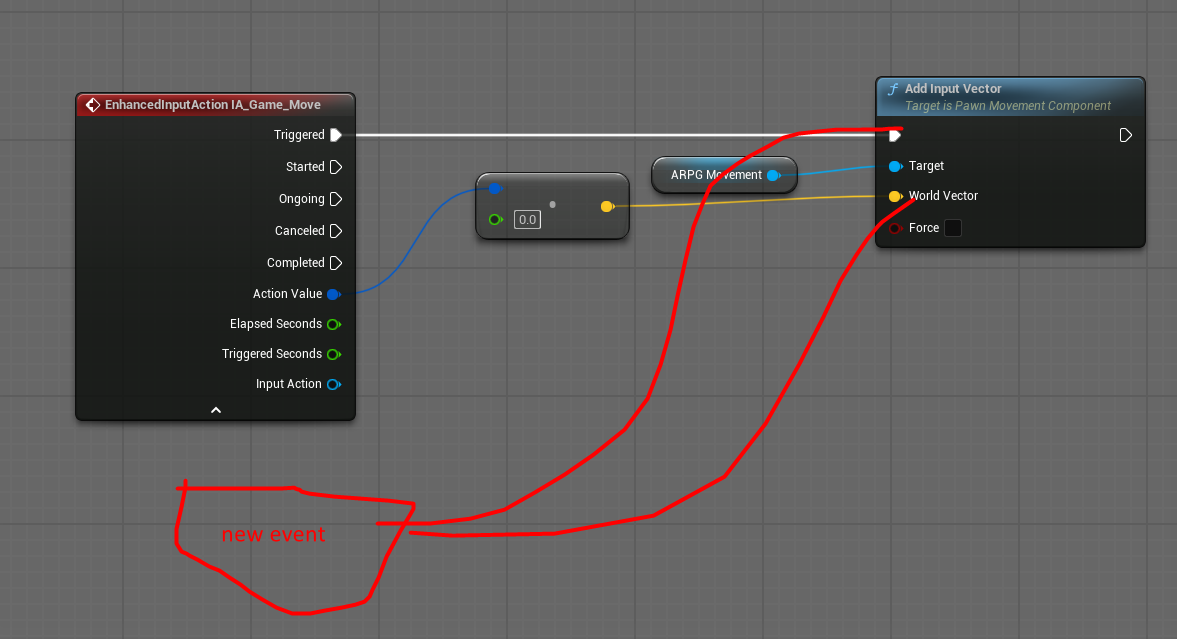


basically my input just does a thing
I'm wondering if I need to make a new event to hook back in
or if I can stimulate the Enhanced Input Event using another node?
suppose it would be cleaner to do a new event
frosty heron
Not sure why you need a new event
The action isn't placed in the enhanced input pin if we are talking about input buffer system.
Literary the whole point is to execute an action when the buffer is closed. And store the input data when the buffer is open.
All the EI does is telling the input buffer component what input is pressed.
autumn pulsar
Well, I'd only be buffering during certain events
such as in the middle of an attack so you can perform an action immediately after
so I'd be bypassing the buffering until I need it
frosty heron
Certainly that's what I'm doing as well.
And some action like dodge.
Idc if I'm attacking, I can cancel my attack midway and just dodge right away.
Feels more responsive that way.
And iirc, when it's an action I want to execute right away. I simply tell the input buffer to clear it's buffer and just execute the action.
 lime crow
Im finding referencing so difficult, i want to fire the gun from different child blueprints, i get a null reference, (unless i use the eyedropper tool) but i am dynamically picking up weapons at run time, so im confused how to set the references without using the eyedropper? im assuming i need to set it in the main gun base class? thanks

The first image is the player and the second image is a child of the main gun base class
 lunar sleet
lime crow
Im finding referencing so difficult, i want to fire the gun from different child...
lunar sleet
lime crow
Im finding referencing so difficult, i want to fire the gun from different child...
The best way for you to learn is prly to watch the second pin video in full
If you’re picking up the gun use either event overlap or event hit and cast to the weapon to make sure the picked up “other actor” ref is the actual gun. See the vid I mentioned to understand how it actually works
frosty heron
lime crow
Im finding referencing so difficult, i want to fire the gun from different child...
When you pick up the weapon (with overlap, line trace, or w.e) that's when you grab the reference to the weapon you are picking up.
Set the weapon ref to the weapon you grab. At that point your weapon ref will points at the weapon you picked up.
lime crow
frosty heron
When you pick up the weapon (with overlap, line trace, or w.e) that's when you g...
Thanks cold!
lime crow
lunar sleet
If you’re picking up the gun use either event overlap or event hit and cast to t...
Thanks neo
autumn pulsar
What's the difference between events and functions?
granite nacelle
autumn pulsar
What's the difference between events and functions?
functions cant use delays but events can there's that and they only starts off codes functions don't
frosty heron
autumn pulsar
What's the difference between events and functions?
Events can do latent action, function can't.
Functions can accept input and may have outputs. You can pass params to events but it cannot have output.
autumn pulsar
frosty heron
Events can do latent action, function can't.
Functions can accept input and may...
For an actor component, is it usually better to call an event on it or a function? Or itdepends™️
frosty heron
Depends
And that doesn't extend only to actor component but to any object
But we'll in cpp, everything is a function.
Deciding what to use is fairly easy.
Don't need latent action? Then use function
Something that you want to reuse? Function
Events is something you will use to glue functions together. That's how I see it.
rocky kelp
I have an enemy AI that will randomly spawn within a range, but I only want to be able to have one enemy in the map at a time instead of them spawning multiple times in the range how do I fix this
dawn gazelle
rocky kelp
I have an enemy AI that will randomly spawn within a range, but I only want to b...
Have something that keeps track if one of them is spawned already. This could be as simple as "Get Actor of Class" (specifying your enemy class) and if the result is a valid object, that means it's already been spawned so you shouldn't spawn another one.
 digital glacier
is this how we reference to a cmp in widgets? in my case, its returning Not Valid
 dawn gazelle
digital glacier
is this how we reference to a cmp in widgets? in my case, its returning Not Vali...
dawn gazelle
digital glacier
is this how we reference to a cmp in widgets? in my case, its returning Not Vali...
It's usually best to have your widgets work the reverse of what you have here - rather than having game logic tell widgets what to do, you have the widgets reach out and read the values as needed.
 gaunt stirrup
hi there can someone please help
does anyone know why the animations will work on the metahuman on the left and not the right

 digital glacier
dawn gazelle
It's usually best to have your widgets work the reverse of what you have here - ...
digital glacier
dawn gazelle
It's usually best to have your widgets work the reverse of what you have here - ...
the goal is to make it realtime update though, ON Rep cash value was supposed to execute this event everytime the variable gets changed
how would i do that in the widget now?
dawn gazelle
You'd have the OnRep call an event dispatcher. You'd have your widget's construct both read the current value and bind to the event dispatcher to read the current value to then update whatever widget components you need.
 zealous moth
Has anyone migrated an asset from one version to another, to have it not exist in the other version BUT referenced AND accessible somehow?
I tried to migrate a skeletal mesh from 4.27 to 5.3, and I got the animations, but neither the mesh nor the skeleton... BUT in the animation, I can click on the skeleton/SK and it shows it to me but if i go to asset, nothing is selected.
dawn gazelle
gaunt stirrup
hi there can someone please help
does anyone know why the animations will work o...
Possibly different skeletons. Probably better to ask in #animation
gaunt stirrup
dawn gazelle
Possibly different skeletons. Probably better to ask in <#221798806713401345>
where would i check? i thought i looked
 primal hare
Hii, How to use the respawned player in the ingame sequencer?
For in game cinematic, I'm possesing the player BP and using it. BUT if the player dies and respawns, the sequencer obviously doesn't pick this new instance of the player BP.
I tried binding options and set it to "resolve to Player Pawn" but then the player BP goes away from the Outliner.
 frosty heron
@primal hare you should be able to bind them via blueprint.
Binding a bp reference inside the sequencer.
frosty heron
@primal hare https://dev.epicgames.com/documentation/en-us/unreal-engine/change-cinematic-track-bindings-in-unreal-engine
here is the answer, i've done it my self long time ago and it work.

Epic Games Developer
This example illustrates how you can apply Sequences to dynamic objects at runtime that are different than the one the Sequence was authored with.
You can bind this at your respawn function.

 primal hare
This is really helpful, thank you!
frosty heron
binding reference for level sequence
gentle urchin
Neat !
digital glacier
should "checks" be replicated? i mean if im just checking if player has cash >= the cost of the what they're purchasing, does it need to be multicasted or can it just run on client?
 sick sky
digital glacier
should "checks" be replicated? i mean if im just checking if player has cash >= ...
sick sky
digital glacier
should "checks" be replicated? i mean if im just checking if player has cash >= ...
Idealy you run important checks like this one on server to avoid easy cheating
Also, stuff like item purchase should happen on server anyways
 pulsar osprey
not sure I really understand the question?
you should check on the client, then replicate to server, then server checks, and if the server check passes, do the thing
also definitely use replicated properties for money and not a multicast. multicasts are usually not the way to go
frosty heron
at the end of the day, never trust client data
digital glacier
pulsar osprey
not sure I really understand the question?
you should check on the client, then...
im not too sure as to how to "check on client" and have the server check as well, any videos?
frosty heron
they can manipulate it
digital glacier
frosty heron
they can manipulate it
what if theres an anti cheat
frosty heron
digital glacier
what if theres an anti cheat
there's always a way around it
anwyay you shouldnt be worrying about it
multiplayer is kinda too early with the knowledge gap
you just start to learn references and not even able to utilize them yet
going multiplayer is a frog leap
frosty heron
digital glacier
im not too sure as to how to "check on client" and have the server check as well...
Client wants to buy an item. Client check in their machine if they don't have money.
Not enough money? Just throw a message that they can't buy the item. This will add responsiveness as you don't have to tell the server that you are buying something or wait for the server to tell you that you can buy the item.
digital glacier
im guessing i do this with custom events?
each check on either client / server is an event?
frosty heron
Client have enough money to buy X item. Send a letter to the server that the client wants to buy an item.
Server checks in his machine, if the client actually have money (It doesn't care about the ammount of money the client computer say it has, it just checks on the server's end)
Don't have enough money? Server tell client that the request is voided.
https://cedric-neukirchen.net/docs/category/multiplayer-network-compendium/
To learn basic of multiplayer. For most people it probably takes dozens of reading because it takes time to click.
But if you can't use reference, then I advice to not do multiplayer (with the best intention)
This compendium is meant to give you a good start into multiplayer programming for Unreal Engine.
because doing multiplayer means you will have to deal with multiple instances. What's valid on one machine may not be valid on the other machine
it's not really gonna help you understanding OOP or references.
lime crow
I have been trying for about a week and latterly at the point where i feel like giving up, apparently it should be simple but i have no idea where I'm going wrong, i keep getting a null reference, when trying to shoot, but I've put the god damn references in there, obviously doing something wrong. I've watched tons of tutorials but I'm just not getting it.


 gentle urchin
You're not setting the ref
Beginplay there says "put *what i hold" into this container variable
And when "what i hold" is nothing, nothing gets put to it
In other words, that is not have you set a variable successfully
Both of your images set reference to itself
lime crow
But on the gun base im setting the weapon sprite? i have theweapon sprite plugged into it?
 foggy arch
I have an issue with text widgets. For a spell description, I use a widget, and the amount of text I need to display is vastly different from spell to spell
So I need to adjust Font size based on the amount of text (and also wrap text, too)
I can't solve this with "Wrap text At (length)" + "Scale box" (wrapping the text inside the widget) - the text turns out weird size and wrapping (sometimes it's very small and wraps at the center of the widget) (please check the attach)
So I decided to do it by hand. - Get the "Desired size" of the text element, and change its font inside a loop that compares the desired size with the size allowed size, and if it doesn't fit - reduces the Font Size by 1 and compares again.
But it doesn't work either and the text turns out weird size and wrapping UNLESS I'm in a debug mode (i.e. I'm currently debugging each setp of the process; if I do debug, it works perfectly).
I assume the reason is that widget doesn't rescale itself after the font change immediately?.. Like, it does the rescaling later/in a separate stream or whatever, so when I'm slowly debugging it does rescale thus getting the New Font's desired size, but when I don't debug it happens too fast so every time the widget asks for a Desired Size, it's still the old one despite me having already changed the Font Size...?
 frosty heron
@lime crow you are plugging a reference to it self

if nothing points at nothing, what will you get? nothing
lime crow
frosty heron
if nothing points at nothing, what will you get? nothing
even if i remove it i still get the null refrence, im so lost
gentle urchin
Its still nothingn
A reference variable is a container
Its a place where you can store a certain reference type
By default its pointing to nothing (nullptr)
You need to update it with a valid reference to an instanced thing
frosty heron
You need to update it with a valid reference to an instanced thing
This is the answer.
lime crow
frosty heron
```You need to update it with a valid reference to an instanced thing```
This is...
I see but i have no idea how to do that, this logic is in a main base class, the children inherit from it, so how do i get a valid refrence to a child sprite?
 dark drum
lime crow
even if i remove it i still get the null refrence, im so lost
dark drum
lime crow
even if i remove it i still get the null refrence, im so lost
Think of variables as empty boxes that can hold a specific thing. When you spawn an actor (or create an object) you can put that thing in the box. (assuming the box allows that type)
Just because you have a box doesn't mean you have something in it. In essense you're saying, put what's in this box in that box. So if the box is empty, you're putting nothing in the box.
frosty heron
lime crow
I see but i have no idea how to do that, this logic is in a main base class, the...
I think there's a big misconception of inheritance on your end.
Knowing what Instances are should be your top priority atm.
I bet your accessed none is on your Gunbase
which you never SET with a valid instance.
dark drum
foggy arch
I have an issue with text widgets. For a spell description, I use a widget, and ...
Widgets can take multiple passes to be updated to the actual size they will be. If you get the desired size on construct for exmple, this could be different after it's actually been fully initialized. You can attempt to force a prepass before getting the desired size but results can be mixed depending on the overal structure of the various widgets you're using.
lime crow
frosty heron
I think there's a big misconception of inheritance on your end.
Blueprint Runtime Error: "Accessed None trying to read property Gunbase". Node: Shoot Weapon Graph: EventGraph Function: Execute Ubergraph BP Player Blueprint: BP_Player
frosty heron
@lime crow #blueprint message
foggy arch
dark drum
Widgets can take multiple passes to be updated to the actual size they will be. ...
Thank you
I feel it's a common issue with widgets when you try to combine "Wrap Text" and "Size Box" around the text
Is there any "best practice" on at least something to tackle the issue?
dark drum
foggy arch
Thank you
I feel it's a common issue with widgets when you try to combine "Wrap...
Personally, i just use a scroll box haha. Of course this isn't always applicable. You could always ask in #umg the folk that frequent that channel might be able to offer a better option.
foggy arch
dark drum
Personally, i just use a scroll box haha. Of course this isn't always applicable...
Yeah, it's kind of hard to use it for tooltips when they popup at your mouse location
I probably can do an autoscrolling, but from my experience with games, this auto-scrolling is really hard to read...
dark drum
foggy arch
Yeah, it's kind of hard to use it for tooltips when they popup at your mouse loc...
For tooltips, I would recommend just having a character limit. Generally, these are supposed to be pretty short and snappy and have a place the player can go to get more in depth information. Again this isn't always applicable.
An icon for specific effects with the value next to it can be nice with a different area that gives more of a breakdown.
foggy arch
dark drum
For tooltips, I would recommend just having a character limit. Generally, these ...
Yeah, this is true... But I need to manage this at the very least for my upgrade selection screen

I won by calculating the length of the text and making a big "Select" tree (like, if the text length is [150;180] make the Font size 18)
But it's absolutely moronic, I hate it, and it won't work with localization...
For the prototype it's ok, but later on.. ugh I hate it.
dark drum
foggy arch
I won by calculating the length of the text and making a big "Select" tree (like...
Yea, you might have to use a few different things. Looking a ways to reword what you have could be effective. For example, for the marksman one, having it say the below is pretty much the same thing but less words.
'A piercing shot, dealing 250% weapon damage, plus 150% more per pierced target.'
foggy arch
dark drum
Yea, you might have to use a few different things. Looking a ways to reword what...
You are absolutely correct. And I should
(but then, a bit later on the "Enchant: (empty slot)" turns into another lengthy description, but we'll figure this another day)
dark drum
foggy arch
You are absolutely correct. And I should
(but then, a bit later on the "Enchant:...
I would try leaning into icons and then have a glossary type thing that describes what the icon means. When applicable, you can have the description be displayed when the player can hoover over the icon. (if there's a cursor of course)
That way, you can have multiple icons to give a quick overview for a single ability.
foggy arch
dark drum
I would try leaning into icons and then have a glossary type thing that describe...
Yeah
If the prototype moves forward, I'll learn Rich Text and also implement a glossary system like in slay the spire and other games, where you can hover over some terminology and a popup will explain it)
But for now, it's too much work before I even tested the game on real people
frank olive
Trying to get an aiming animation to work, but it isn't

 frosty heron
@frank olive the cast will always fail, read the error. It tells you why
ABP manny is not a character movement component
frank olive
Yeah, but idk how to fix it
lime crow
Am i on the right track here?
 frosty heron
where do the aim check lives?
frosty heron
lime crow
Am i on the right track here?
this will just get the first BP Gun base instance that it found in the world ( if there is any )
frank olive
first ss is BP_TopDownCharacter, second is in the ABP_Manny
frosty heron
don't use this get all actor of class node, the moment you there's more than 1 bp gun base in the world, your logic breaks.
lime crow
frosty heron
don't use this get all actor of class node, the moment you there's more than 1 b...
ahh i was using chat gpt who reccomened it
frosty heron
frank olive
first ss is BP_TopDownCharacter, second is in the ABP_Manny
Don't cast the character movement, you need a reference to your character that have the aim check member.
btw you are doing it wrong, it should be the other way around
Aim Check should be a variable in your character blueprint
ABP many simply read from there.
frank olive
Oh okay
frosty heron
create a new variable called Aim in your character bp
In your anim bp,
Event on Initialize, Get Owner -> Cast to Your Bp character, Promote it to variable
On Tick -> Get the variable -> Get the aim check -> Set the aim check in abp to the aim check value of the variable you get.
 wide beacon
hello, this code creates a highlight on the object when i use the node overlap, howver for cursor over it does nothing, am i missing something to make the object recognise the cursor? thanks
 dark drum
wide beacon
hello, this code creates a highlight on the object when i use the node overlap, ...
dark drum
wide beacon
hello, this code creates a highlight on the object when i use the node overlap, ...
you need to enable cursor overlap event on your player controller.
wide beacon
dark drum
you need to enable cursor overlap event on your player controller.
okay thank you!
wide beacon
dark drum
you need to enable cursor overlap event on your player controller.
ive done this however there is still nothing happening.
lime crow
I think i finally understand, but implemeting it is proving difficult am i on the right track here?

 frosty heron
lime crow
I think i finally understand, but implemeting it is proving difficult am i on th...
frosty heron
lime crow
I think i finally understand, but implemeting it is proving difficult am i on th...
Wepaon to be picked up is a sprite reference
it just points to a sprite asset