My original idea was to have a Director class defined in C++ with some blueprint native events. But that's as much reusability as I feel like I need. Beyond that is just "do this specific thing to this specific actor in this specific moment". It can be generalized, of course, but I'm not so sure about whether the resulting system would be better than not generalizing it, which makes me even more uncertain about whether it would be worth the extra work. But as you said originally, it's close enough to the level blueprint that I may not be loosing much by just implementing this in the level blueprint. Perhaps I can even not make it something terrible if I'm careful enough, but implementing stuff in the level bluepriunt doesn't thrill me
#blueprint
1 messages · Page 257 of 1
 short hearth
 drowsy anvil
Hello, my projectiles executes this code when overlapping with ground, eventho the ground doesn't have this tag on it, why does this happen regardless the tag?

 maiden wadi
drowsy anvil
Hello, my projectiles executes this code when overlapping with ground, eventho t...
maiden wadi
drowsy anvil
Hello, my projectiles executes this code when overlapping with ground, eventho t...
Look at what you're checking the tag on.
drowsy anvil
maiden wadi
Look at what you're checking the tag on.
what do you mean? if the ground doesn't have that tag, why does it still run the script?
maiden wadi
drowsy anvil
what do you mean? if the ground doesn't have that tag, why does it still run the...
You said the ground doesn't have the tag. But you're not checking the ground. You're checking GRAZEBulletHitbox. I'm presuming that GRAZEBulletHitbox is a component on this projectile, and that it has this tag. If so, that means this tag check will be true regardless of what the projectile hits.
 raw dragon
When changing the collision type of an enemy, who moves on the nav mesh, he stops moving. Does anyone know why?
I swapped it from worldstatic to a custom one.
 lost hemlock
Im making tree chopping system, chop works, axe gets overlapped, even my notify blueprint gets triggered.
no events are firing to display damage or register interaction with the tree.
It's like swinging at a ghost: nothing happens, no feedback, no damage numbers, just... silence. The tree just stands there, mocking my axe.
do you know anyhting about this?@dawn gazelle @frosty heron


 clever roost
ok more UI malarky from me. On the RecipeIngredient child in the hierarchy, I have the option to set the size (top right ish) to either auto or fill. Is there a way to set the minimum width of the widget so it doesn't go all narrow like in the picture? If not, can I set that size (auto/fill) thing via the BP graph?
 clever roost
ok more UI malarky from me. On the RecipeIngredient child in the hierarchy, I ha...
clever roost
clever roost
ok more UI malarky from me. On the RecipeIngredient child in the hierarchy, I ha...
I decided to bring the RecipeIngredients content into the RecipWidget and just delete the RecipeIngredient
 untold niche
clever roost
ok more UI malarky from me. On the RecipeIngredient child in the hierarchy, I ha...
untold niche
clever roost
ok more UI malarky from me. On the RecipeIngredient child in the hierarchy, I ha...
You could set it to fill and change the left/right padding if I'm understanding what you're asking
clever roost
untold niche
You could set it to fill and change the left/right padding if I'm understanding ...
but how would I set it to fill in the graph editor tho? If I want to generate these things rather than have them hardcoded in
untold niche
You mean showing the ingredients item and amounts in the ui?
clever roost
untold niche
You mean showing the ingredients item and amounts in the ui?
no this thing

but I'mma leave it and alter how stuff's done for now. I'll come back to UI when I have more time on my hands. I just wanna get this malarky done XD
untold niche
clever roost
no this thing
Slot as (in your case) horizontal box, set size, then split the "in size" pin
 clever roost
untold niche
Slot as (in your case) horizontal box, set size, then split the "in size" pin
clever roost
untold niche
Slot as (in your case) horizontal box, set size, then split the "in size" pin
omg you're a lifesaver
definitely snagging that for my cheat sheet, cheers
untold niche
clever roost
but I'mma leave it and alter how stuff's done for now. I'll come back to UI when...
I read that wrong lol. Are you referencing the parent in the interface like this? Can't see it in the screenshots


@lost hemlock ^pinged the wrong person
clever roost
oh right, I was like wtf
 dawn gazelle
lost hemlock
Im making tree chopping system, chop works, axe gets overlapped, even my notify ...
dawn gazelle
lost hemlock
Im making tree chopping system, chop works, axe gets overlapped, even my notify ...
The hit actor seems like it is hitting a BP_Tree and it should implement the interface so I imagine you're hearing one of your chopping sounds.
Verify you haven't overridden your Chop Interface in your child blueprints.
 spark steppe
iirc there's a get min vector element node
so you would have to check only one value after all
clever roost
Any way to do this kind of thing with array? Like plug in an array to the left and get all the individual values out the right?

'cause I just had a really good idea but it relies on such a feature I completely forgot the idea, isn't that a classic XD
 young blaze
you can use a for each loop after the array to get the value of each existing object.
clever roost
see that's what I'm doing here, but the issue here is the recipe area will always be overriden by the last data table entry

both will get me the iron ingot

 tropic token
hey guys, is it possible to somehow limit possible tags selection for FGameplayTag property? Like for example to be able to select only children of particular Tag?
clever roost
clever roost
see that's what I'm doing here, but the issue here is the recipe area will alway...
I mean this seemed like a good workaround but it absolutely demolished everything

the empty check didn't help either. I ended up nuking it
 dawn gazelle
tropic token
hey guys, is it possible to somehow limit possible tags selection for FGameplayT...
dawn gazelle
tropic token
hey guys, is it possible to somehow limit possible tags selection for FGameplayT...
Not within blueprint, only within C++.
tropic token
dawn gazelle
Not within blueprint, only within C++.
how do you do it within cpp?
dawn gazelle
tropic token
how do you do it within cpp?
Something like:
UPROPERTY(meta=(Categories="Tag.Category.ToLimit.To"))
FGameplayTag GameplayTag;
AH, thank you
lost hemlock
dawn gazelle
The hit actor seems like it is hitting a BP_Tree and it should implement the int...
how would i verify i overriden my chop interface in the child blueprints?

I realized I also had a notifyState blueprint which was accidentally deleted I think
dawn gazelle
lost hemlock
how would i verify i overriden my chop interface in the child blueprints?
Open up your child blueprints and look for any implementations of "Event Chop"
in your event graph
lost hemlock
I had a duplicate BPI_Choppable as well, but now the duplicate is deleted and I still have problems with this
thats empty

Tree1 has nothing
lost hemlock
dawn gazelle
in your event graph
Also Im hitting the wood
 dawn gazelle
 lost hemlock
So that one works
 lost hemlock
dawn gazelle
lost hemlock
dawn gazelle
That thing is emptier than my wallet
 dawn gazelle
But its there... That's the problem. Delete it.
lost hemlock
dawn gazelle
But its there... That's the problem. Delete it.
I did delete all unused functions from all those blueprints but I feel like Im beating the deadhorse

perhaps i should recreate that notify state i had
Guys, please make sure you have backup versions. It will help you avoid a lot of pain like this one im having today!!!!
sometimes one little random change can take your whole project way wayyyy back
dawn gazelle
This is also concerning..... You're calling "Chop" in here with a target of "Self" which is the Axe BP, but you also have the "Chop" interface here.

 frosty heron
lost hemlock
Guys, please make sure you have backup versions. It will help you avoid a lot of...
frosty heron
lost hemlock
Guys, please make sure you have backup versions. It will help you avoid a lot of...
Make sure you setup source control...
lost hemlock
dawn gazelle
This is also concerning..... You're calling "Chop" in here with a target of "Se...
it should be message
dawn gazelle
So you have a function called "Chop" that is part of Axe BP, but then you also have the "Chop" interface call. You probably don't need to have the "Chop" function as part of the axe, and the Axe probably shouldn't have the Bpi Choppable interface implemented.
And yea, you'd want it to be a "Chop" interface message to the Other Actor.
lost hemlock
frosty heron
Make sure you setup source control...
I think im using it since i implemented like few months ago while following a tutorial but I didn't quite understand how it works and never used it since

 atomic depot
how do I make this node for my objects?
 lost hemlock
dawn gazelle
So you have a function called "Chop" that is part of Axe BP, but then you also h...
lost hemlock
dawn gazelle
So you have a function called "Chop" that is part of Axe BP, but then you also h...
I think something like this sounds more reasonable


stuff works !!!
dawn gazelle
atomic depot
how do I make this node for my objects?
Right click on your event graph, start typing OnComponent.... then find the BeginOverlap option for the component you want to check against.
atomic depot
dawn gazelle
Right click on your event graph, start typing OnComponent.... then find the Begi...
all I get is these options?
 dawn gazelle
Eh... try this way. Right click on the component you want to listen for
 atomic depot
dawn gazelle
Eh... try this way. Right click on the component you want to listen for
atomic depot
dawn gazelle
Eh... try this way. Right click on the component you want to listen for
thanks, this worked
lost hemlock
But when I hit the BP_Tree1, im creating double damage number widgets (random) each time for some reason, could it be parent and children widget stacking on top of each other like some kind of bad jenga game. And I only wanna have one widget show and DO actual damage at a time, I dont want double damage because then it will feel like using Thor's axe on a caffeine rush on steroids.
@dawn gazelle
dawn gazelle
Did you reintegrate that notify or something?
lost hemlock
dawn gazelle
Did you reintegrate that notify or something?
nope
dawn gazelle
Are you getting double detections from your overlap?
lost hemlock
dawn gazelle
Are you getting double detections from your overlap?
oh I just realized im doing damage just by my axe overlapping with things, I dont even have to hit em. It's like my axe has an unstopabble Midas touch damage aura that makes everything just almost disapear on touch. It feels like im wielding the Death Star from Star Wars rather than an old school wooden axe
so perhaps that could be the thing doing double damage
my guess is im doing both damage through the notify and through the violent chop movement?
dawn gazelle
Could be. The notify was probably a better way of handling it.
lost hemlock
but it doesnt make sense because I couldn't find the notify
my notifyState file somehow vanished into thin air and this still works somehow a double damage
maybe it was when i was transfering files to make them more orderly, organized etc
moving folders around tends to do that, so we gotta be careful
frosty heron
lost hemlock
I think im using it since i implemented like few months ago while following a tu...
It will be your downfall and one day you may corrupt your whole project with no chance of retrieving it.
If you don't hate your self use source control.
atomic depot
hello, when projectiles overlap* my shield, the projectiles run a script to destroy themselves, but they also run this script when projectiles overlap with each other, how do I stop this?
 gentle urchin
you need to filter the hit
either the hit actors tag, or the class or something else that identifies another bullet
frosty heron
Projectile collision shouldn't be set to collide with another projectile channel if that's the intention.
Unless you want projectile to destroy each other
atomic depot
frosty heron
Projectile collision shouldn't be set to collide with another projectile channel...
my shield has a "shield" collision type set as overlap, and to get the projectile to overlap with the shield, the projectiles also have the same "shield" set as overlap
frosty heron
You can filter it like squize said and decide who's gonna destroy the projectile
When projectile overlap with shield, you just do nothing
Let the shield handle the damage and destroying the projectile.
lost hemlock
frosty heron
It will be your downfall and one day you may corrupt your whole project with no ...
yes but my project is around 50 GB at its peak fattest state
thats gonna cost
atomic depot
frosty heron
Let the shield handle the damage and destroying the projectile.
yeah this makes sense and worked, thanks
I should probably do this back up stuff too, my projects are just short games or ideas
gentle urchin
frosty heron
Let the shield handle the damage and destroying the projectile.
this is way cleaner 🙂
atomic depot
how do I stop it from deleting my pawn?
 chilly crane
So I'm using CommonUI at this point, and I've set it up according to the documentation, however pushing the back button I set doesn't deactivate the current widget in the stack. What am I missing?
gentle urchin
atomic depot
how do I stop it from deleting my pawn?
the shield?
Im assuming you're already making sure what hits you is a projectile!?
otherwise it can destroy anything 😄
at the very least it should not delete Owner (prob not collide with owner at all)
atomic depot
gentle urchin
the shield?
this is the code on the shield

oh I see, I fixed it, just needed to add the target to be the bullet, sorry for the ping
gentle urchin
i hope bullet turns 3 is a parent class for all bullets / projectiles 😄
 thin panther
lost hemlock
thats gonna cost
thin panther
lost hemlock
thats gonna cost
Except it wont
Not if you use a decent remote like Azure anyway
 buoyant tide
Hey! I am trying to figure out some stuff in regards to object manipulation in blueprints. I have an object that I want the player to be allowed to rotate. Currently I have it so that the object is rotated through mouse/controler input, and it rotates sideways on the Z axis in World Rotation. It does so nicely
However, I want pitch to be rotated in World space, kind of... Obviously since it world space, it functions very well when standing on along the X-Axis, but if I interact with the object whilst standing in the Y direction. 90 Degrees to the side. The object keeps pitching rotation on the Y-Axis, this however feels a bit... unintuitive.
If I use local offset, obviously the pitch manipulation is a bit more consistent, however the problem remains that it does feel a bit unnatural, since for the brain it seems more normal that pitch manipulation should always be pitching the object away or towards the camera
Does anybody have any pointers or smart ideas, for how I could ensure that pitch manipulation wherein, the mesh always rotates it's pitch either towards the camera or away from it, regardless which way the player is standing
 dark drum
Does anyone know of a quick way to allow the floaty pawn movement component to function without a controller?
 faint creek
Hi guys, how can I force to finish a task in the behavior tree?
spark steppe
you can abort it with an observer in the behavior tree node
or you have to add your own logic to the task which allows for early abort
or do you want to cancel it from outside of the BT, e.g. another actor? Then idk if there's a buildin way
 trim matrix
Can someone please help me with a weird problem i have. Its very basic as its my first time using unreal but im so very confused
 frosty heron
trim matrix
Can someone please help me with a weird problem i have. Its very basic as its my...
frosty heron
trim matrix
Can someone please help me with a weird problem i have. Its very basic as its my...
just ask the question, we don't know what we signed up
🤢

im just gonna expose GetLocalPlayerController...
trim matrix
frosty heron
🤢
Why don't you just create a variable of HUD in Character, and get from that from Casting of Character in one go?
frosty heron
then I will have to know my character
 lusty birch
frosty heron
🤢
lusty birch
frosty heron
🤢
interface
trim matrix
lusty birch
interface
yeah this is also works, but casting easy when implemenatation
frosty heron
well as simple getter maybe it's okay but i still rather not
I just want to cast to generic type
trim matrix
frosty heron
then I will have to know my character
you just use "get player character" node for casting of your Player
 trim matrix
frosty heron
end up with this
trim matrix
frosty heron
end up with this
It could work yeah, but there is wayyyy more better ways if we think. Just learn blueprint communication
trim matrix
frosty heron
oh HUD is accessible through controller, that's even better
it is even better then, glad to you
trim matrix
trim matrix
Can someone please help me with a weird problem i have. Its very basic as its my...
what's the problem
lusty birch
frosty heron
i kinda hate interface
Well interface would be just one node if you want 'less'
frosty heron
lusty birch
Well interface would be just one node if you want 'less'
i can still get away with static function
just don't want to use interface unless I have to
lusty birch
understand
maiden wadi
Realistically if you want the local hud, get it from the local player controller. Requires C++ though.
frosty heron
AAGController* UAGLibrary::GetLocalAGController(const UObject* WorldContextObject)
{
    UWorld* World = GEngine->GetWorldFromContextObject(WorldContextObject, EGetWorldErrorMode::LogAndReturnNull);

    if (!World)
    {
        return nullptr;
    }

    for (FConstPlayerControllerIterator Iterator = World->GetPlayerControllerIterator(); Iterator; ++Iterator)
    {
        APlayerController* PC = Iterator->Get();
        if (PC && PC->IsLocalController())
        {
            if (auto L_PC = Cast<AAGController>(PC))
            {
                return L_PC;
            }
        }
    }
    // didn't find any AGController
    return nullptr;
}
I copy pasted the code, but can I do this without passing the world context object?
in blueprint function library
 faint creek
spark steppe
you can abort it with an observer in the behavior tree node
faint creek
spark steppe
you can abort it with an observer in the behavior tree node
What is the scope of abort?
Its first time I use Behavior tree
faint creek
spark steppe
or do you want to cancel it from outside of the BT, e.g. another actor? Then idk...
The enemy patrol when the target is not set.
If the target is set, run the task game over, that it has to finish to run again the patrol task
maiden wadi
frosty heron
```cpp
AAGController* UAGLibrary::GetLocalAGController(const UObject* WorldConte...
No, you'd require a context. Don't do an iterator though. The function should be pulling it from the GameInstance's GetFirstLocalPlayerController. Iterator will fail on listenservers sometimes, specially during seamless travels where you can end up with the first controller being a client's instead of the listenserver's.
You can hide the context with a meta though meta=(WorldContext="WorldContextObject"). And you should only ever use this in gameplay classes, never use this in AHUD itself or widgets, where you have specific functions to get their owning player controllers.
frosty heron
oof, thanks for the heads up
frosty heron
maiden wadi
No, you'd require a context. Don't do an iterator though. The function should be...
So what's the worldContextObject if I hide it with the meta? Defaulted to self?
maiden wadi
Correct
frosty heron
maiden wadi
No, you'd require a context. Don't do an iterator though. The function should be...
I got the iterator from Game instance's GetFirstLocalPlayerController =(, I didn't implement the first half because it doesn't check if the controller is locally controlled
ohh wait my bad
the first half iterate through ULocalPlayer
the iterator is the fallback if that's somehow failed
gentle urchin
frosty heron
end up with this
Let IsLocallyControlled return the local controller 🤩
but yeah Interfaces are meh
gentle urchin
wasnt it reliably the first GetPlayerController anyways, assuming no splitscreen?
 narrow sentinel
Anyone know how to sort out my shadows on things, they don't look good at all
 maiden wadi
It's not exposed because it's a design choice for studios. GetPlayerController works well enough for BP land where you make coop games or singleplayer stuff. If you get into real networking you end up with a programmer anyhow. And at that point you're already setting up studio rules for accessing stuff correctly or making getters for them and such.
frosty heron
gentle urchin
wasnt it reliably the first GetPlayerController anyways, assuming no splitscree...
apparently not the case when doing Server Travel if client load faster
the order will be unreliable, the first one not neceesarily your controller
gentle urchin
sounds incorrect
maiden wadi
Now. One thing to complain about not being BP exposed, is ReturnToMainMenu. That one still baffles me.
lusty birch
btw thre is new 5.5 method
frosty heron
I never lived to see it happend but it's mentioned in the pinned article + Authaer mentioned it too just now I think
lusty birch
auto PC = GetLocalViewingPlayerController();
maiden wadi
gentle urchin
sounds incorrect
Had it happen to me first hand. 😄 I don't use seamless travel anymore, shit is cursed.
 native canopy
how do i enable and disable this in a blueprint?
 gentle urchin
maiden wadi
Had it happen to me first hand. 😄 I don't use seamless travel anymore, shit is ...
gentle urchin
maiden wadi
Had it happen to me first hand. 😄 I don't use seamless travel anymore, shit is ...
even with seamless travel i'd excpect the local controller to always be first, locally
how in the world can any other make it there before you, on your local world !?
maiden wadi
The one from gameinstance is. GetPlayerController fails though rarely.
maiden wadi
It's also discouraged to use general getters in a lot of cases simply because there are usually ways around them. Stuff that wants to tell HUD things usually can broadcast it generically through stuff like the gameplay message router. Anything else already knows about hud or their local player like userwidgets etc.
untold niche
lost hemlock
yes but my project is around 50 GB at its peak fattest state
50GB on Github (with LFS) is 5 dollars a month, if you need more than 50 then it would be another 5. At most you'd need $10 a month, and zero chance of losing everything
gentle urchin
maiden wadi
It's also discouraged to use general getters in a lot of cases simply because th...
for sure, There's almost always a better alternative
gameplaymessagerouter sounds awesome, but overkill for something that should be so simple to fetch locally
frosty heron
maiden wadi
It's also discouraged to use general getters in a lot of cases simply because th...
is that another plugin? gameplay message router?
would it be more difficult to debug? or not really
lusty birch
frosty heron
I never lived to see it happend but it's mentioned in the pinned article + Autha...
How this is even possible? server travel doesnt destroy game instance, and first controller is already client/listen server pc. maybe on dedicated is different
maiden wadi
GameplayMessageRouter is like a generic, global event dispatcher.
narrow sentinel
Anyone know what I would need to do for this issue, I've read up that it's something to do with virtual shadow maps possibly, but so far what I've read on google is people suggesting temp fixes and not actually what is causing it and what needs altering
 frosty heron
@lusty birch @gentle urchin
// The order for the player controller iterator is not consistent across map transfer/etc so we don't want to use that index
    // 99% of the time people pass in index 0 and want the primary local player controller
    // After we've finished iterating the local player controllers, iterate the GameState list to find remote ones in a consistent order
It's even mentioned on the source code

also accounting for Autaher and this person personal experience
https://wizardcell.com/unreal/multiplayer-tips-and-tricks/

WizardCell
Good practices to adopt, and bad habits to avoid when doing online multiplayer in Unreal Engine
 barren falcon
Hello how do i this without using casting?
 frosty heron
barren falcon
Hello how do i this without using casting?
frosty heron
barren falcon
Hello how do i this without using casting?
What blueprint is this?
show the whole picture
barren falcon
ok its for my player controller
frosty heron
there's no avoid casting then
barren falcon
 frosty heron
just cast away, what would be the issue?
maiden wadi
You also shouldn't be saving a ref like this. Just call GetControlledPawn.
Gonna suck if you possess something else.
barren falcon
people said casting bad
maiden wadi
People say a lot of stupid shit.
frosty heron
barren falcon
people said casting bad
they don't know what they are talking about
but why does the controller need to know about the character specifically
barren falcon
to call the player pawn set move vector fucntion
maiden wadi
Input should be in the pawn, not the controller.
frosty heron
barren falcon
to call the player pawn set move vector fucntion
casting is not bad, don't go forward with that mindset, read here for more info
https://dev.epicgames.com/community/learning/tutorials/l3E0/myth-busting-best-practices-in-unreal-engine

Epic Games Developer
Are Ticks really that problematic? Should you make all your meshes Nanite? Is the ChildActorComponent truly cursed? Should you never use Cast?
You've pr...
frosty heron
what if you have different type of pawns?
they don't neccessarily apply the same logic for moving
one may fly, etc
so it make more sense to me to handle the inputs in the character
when you don't posses the character anymore, then those inputs contained in the character you unposses no longer coupled to anything.
barren falcon
what if my player pawn is controlled by AI?
frosty heron
AI don't really handle inputs though
barren falcon
like let say replay system?, where i recorded my player inputs and later i want to replay it
maiden wadi
Your AI don't have a PlayerController, so your point is moot.
Go read up on encapsulation. You're forcing your player controller to care about the Pawn's stuff when it has no business doing so.
 restive radish
hello, I'm making a ball attack that while not attacking, I want it to rotate the player.
I got the fundementals working, see video, but I can't seem to figure out in my head how to approach sorting them by amount along the circular path surrounding the player.
what I thought of doing is a child actor on the player that always spin if I have at least 1 ball and putting fixed points, but the problem is; it is finite. (the amount is how many i set up).. how do i make it sort it self? (see photos)


 barren falcon
I am confused
Controllers are non-physical Actors that can possess a Pawn (or Pawn-derived class like Character) to control its actions. A PlayerController is used by human players to control Pawns, while an AIController implements the artificial intelligence for the Pawns they control. Controllers take control of a Pawn with the Possess function, and give up control of the Pawn with the Unpossess function.
The above is from the docs, so you are sayings the inputs should be handled by Player Pawn instead of Player Controller.
Then what is the use of player controller?, to posses pawn and do what?
maiden wadi
You won't really see this in BP, but the PlayerController handles the gameplay inputs for actors. In the Pawn's case when you possess the pawn, it is added to the InputStack, which your inputs are delegated to. The controller does this for you when you put your input actions in the pawn, so that you don't have to hard cast from your controller to pawn or maintain a specific pawn in the controller.
 grizzled vine
Hi, is there a way to cut FText without converting it to FString to maintain the localization properties?
maiden wadi
No, you should never be converting FText to FString. What are you trying to achieve?
grizzled vine
I am doing a dialogue system which will display the text by one char at a time
maiden wadi
You can do this much better in shaders. Uh.. I think it was... Joyrock? That had a small example of how to affect text per character in a material applied to the textblock. I don't remember exactly where it was. May be in the UI material lab example too.
But even in that regard. You shouldn't need to maintain loc there. Keep the original FText, and animate from it via a string that you write to. At the end of the animation, put the original FText in so that if they change loc it still updates.
grizzled vine
oh, so when we converting FText to FString, it copies the text after loc to the FString?
maiden wadi
Correct
grizzled vine
ah I see, then I could still animate them using string first then set the original FText
maiden wadi
Which is why they say not to do this normally. because once you've done this you lose all loc settings even if you convert that string back to FText, so if you did this and then changed languages, it'd still be in the old language. But that's why you would set the original FText in after the animation so that even if they changed it after that, it'll still update correctly from the loc system.
 sharp granite
dawn gazelle
sharp granite
dawn gazelle
Do you want to destroy the actor or do you want to remove its static mesh?
sharp granite
dawn gazelle
Do you want to destroy the actor or do you want to remove its static mesh?
I'm not sure the difference but I need the key press to removed the thing that is in my level
Like this thing is in the way

The assignment just needs some sort of combat encounter and this pathetic excuse of "pressing one key" meets the requirements
dawn gazelle
sharp granite
I'm not sure the difference but I need the key press to removed the thing that i...
The static mesh is a component of the GollemBlueprint. If you remove the static mesh, the GollemBlueprint will still be in the game. If you want to destroy the actor, then the GollemBlueprint will be removed from the game and it will take its static mesh component with it.
sharp granite
So........ I should change it to cast to actor?
dawn gazelle
Do you want to remove the static mesh component from the spawned GollemBlueprint, or do you want to remove the GollemBlueprint from the level?
sharp granite
From the level? I'm not sure what removing the mesh from the blueprint would do for this
The object is blocking the way and I want th E key to remove it
dawn gazelle
Ok, so then calling "Destroy Actor" with Target "Self" would be sufficient to destroy the actor, removing it from the level.
You do not need to get the mesh, or cast anything here to do this within this blueprint as this blueprint is the GollemBlueprint. Simply connect your key press to destroy actor, and nothing else connected. Your next bit of trouble will come because you're trying to use an input on actor that is not controlled by the player.
In order to temporarily fix it, you can call "Enable Input" on Begin Play of the GollemBlueprint, however, this then will make it so whenever the player presses E, from anywhere, will then remove the GollemBlueprint from the level.
The appropriate way to handle it would be to build an interaction system that determines what the player is looking at or should be interacting with at the time and passes along their input from an actor they are in control of (either the PlayerController or their Controlled Pawn) to the actor that you want to handle the input.
sharp granite
dawn gazelle
Ok, so then calling "Destroy Actor" with Target "Self" would be sufficient to de...
So just this?
 dawn gazelle
Yep, and if you enable input on that actor, then you should be able to press E at any time, and it would destroy the GollemBlueprint.
sharp granite
sharp granite
Like this thing is in the way
It's not working, the model, (the thing in the image blocking the path) will not be deleted no matter how many times I pres the E key
 twin shale
Anyone know if there's a way to get all actors of class and include data layer assets loaded at runtime? I need to communicate with some actors inside of a data layer and I cannot access them at runtime it seems. I might have to expose some C++ functions but I wanted to see if there was a BP setting I was missing or something first
dawn gazelle
sharp granite
It's not working, the model, (the thing in the image blocking the path) will not...
Did you enable input on begin play like I said?
sharp granite
dawn gazelle
Did you enable input on begin play like I said?
I had one node disconnected that I just discovered after sending that
 copper chasm
if I'm using a custom playercontroller bp that i've established in the gamemode, do I still need to get playercontroller and cast to my custom bp when calling on it, or does the engine just use the playercontroller referenced in the gamemode
 limpid osprey
I'm disabling player input and then want to make the player camera follow an NPC, how do I make the player camera inside the Player Character follow the NPC?
 odd verge
Hello guys, I am trying to set up a system for my game, but there’s something I couldn’t figure out. I used the "Detach from Actor" node to pick up an item in my hand and set up an interaction. I want the item in my hand to drop to the ground and disappear after the interaction occurs. However, it shouldn’t happen without the interaction—if there’s no interaction, the item should remain in the hand. Can you explain how I can achieve this?
 lunar sleet
limpid osprey
I'm disabling player input and then want to make the player camera follow an NPC...
lunar sleet
limpid osprey
I'm disabling player input and then want to make the player camera follow an NPC...
Just make another camera to follow the npc and set view target with blend for a smooth transition
dawn gazelle
copper chasm
if I'm using a custom playercontroller bp that i've established in the gamemode,...
GetPlayerController only returns a "PlayerController" reference. If you want to use functions or properties of a custom PlayerController class, then you would need to cast the return value of GetPlayerController to your custom PlayerController class.
maiden wadi
twin shale
Anyone know if there's a way to get all actors of class and include data layer a...
I'm semi unfamiliar with that stuff thus far. But I recall there being a data layer subsystem?
 topaz gorge
Hey, anybody here who could help me with some pretty basic blueprinting? :/ I am trying to make adjustments to the VR Template
maiden wadi
maiden wadi
I'm semi unfamiliar with that stuff thus far. But I recall there being a data la...
Am not seeing any functions that can be used outside of editor time for this though. :/
maiden wadi
topaz gorge
Hey, anybody here who could help me with some pretty basic blueprinting? :/ I am...
Generally I would advise just posting your questions with a point of what you need to do, what you're trying, and what isn't working. A lot of people will avoid taking on helping with a task unless they have an idea of what it involves and that both means time spent and the system that needs affected/implemented.
young blaze
i work with cpp but since i want to expose everything to Blueprints and it's more of a design question i ask here. Basically i want to have a TMap but a key(in my case a FName) can potentially hold multiple values(in my case a FStruct). In Cpp i can use TMultiMap for that, but this isnt supported in Blueprints so i have to find a workaround which in best case is quite performant and fast. I thought about An Array which holds the keys and each key is another array with the values, but i am not sure if this is a good way to do it so i ask for better ways.
 pulsar osprey
young blaze
i work with cpp but since i want to expose everything to Blueprints and it's mor...
pulsar osprey
young blaze
i work with cpp but since i want to expose everything to Blueprints and it's mor...
not sure I entirely understand the problem, but you could use a uproperty TArray of a struct that holds both a key and value. then whenever that array is changed in the editor or when this class is first loaded, populate your TMultiMap based on that arrays data
young blaze
hm, that's something i could try thanks. i will give it a shot
pulsar osprey
alternatively just use a TMap and make the value a TArray
is that the same as a multi map?
 mental trellis
Pretty much
 solar badger
Hey all, anyone come acrossed this fun one?
Assertion failed: (Index >= 0) & (Index < ArrayNum) [File:D:\build++UE5\Sync\Engine\Source\Runtime\Core\Public\Containers\Array.h] [Line: 758] Array index out of bounds: 590142698 into an array of size 25231360
Seems to be anim track related but squashing it has been a bit of a tough one
faint creek
Hi guy, could someone explain me the differents parameters of the "Observer aborts" please? What is the scope of this function?
 boreal sigil
How does one fix these errors please? I tried the "rename struct then close without saving" method
 dawn gazelle
solar badger
Assertion failed: (Index >= 0) & (Index < ArrayNum) [File:D:\build\++UE5\Sync\En...
dawn gazelle
solar badger
Assertion failed: (Index >= 0) & (Index < ArrayNum) [File:D:\build\++UE5\Sync\En...
Something is attempting to access an array at a really high index, when the array has a size of less than that index.
 lime crow
Can anyone recommend where I can hire a good 2d developer for please?
 gaunt viper
Heya! I'm currently working on a lock-on system for third person action games, and I'd like to make it so the player can cycle targets by either moving their mouse or the right stick in the direction of their desired target while they're locked on to something else. I have a temporary solution of sorts, where I am allowing manual camera movement (though the game fights it as it is trying to interp to the current lock-on target) and running a sphere trace forward from the camera, and switching targets if the sphere trace hits something different, but it is a bit janky, does not feel great, and is very unreliable, so I'd like something a little cleaner. Any help is appreciated, and please ping me if you have any ideas! I've seen people do this before I'm just not sure how..
 stiff hound
So I need some help with a blueprint. I am following a beginner FPS tutorial and Im supposed to make a Score update when hitting Target, but it no longer Scores nor does it display the score number.
Here is my Blueprints both for the User Interface and the GM target game blueprint
theres no compile errors and im just trying to figure out what went wrong
Nevermind im a dolt, forgot to connect a widget
 somber abyss
Very quick question!!!
I've been watching a couple of systems showcase on youtube, and I noticed this details panel has exposed bp references that lists its variables like a struct right under, the variables change according to the selected bp/object.
What is this called exactly ?
(sorry for the bad quality screenshot)

 visual crest
This should work right? I have never used a set member like this before but I think this is what they are disigned for right?
 dawn gazelle
visual crest
This should work right? I have never used a set member like this before but I th...
dawn gazelle
visual crest
This should work right? I have never used a set member like this before but I th...
Yea that should work.
visual crest
Thanks
somber abyss
somber abyss
Very quick question!!!
I've been watching a couple of systems showcase on youtu...
these are UObjects exposed via c++ right ?
dawn gazelle
somber abyss
Very quick question!!!
I've been watching a couple of systems showcase on youtu...
These are basically instanced objects that allow you to configure their exposed properties. You can do this by setting up the variable as:
UPROPERTY(EditAnywhere, Instanced)
TObjectPtr<UYourObjectClass> YourDesiredVariableName;
Thank you so much! I understand it now
somber abyss
gaunt viper
Heya! I'm currently working on a lock-on system for third person action games, a...
@gaunt viper You can make a multi sphere trace, save all the found targets into an array, lock onto the nearest one, then when moving the mouse / right stick to the right or to the left, loop through the target array (don't count the current target in the array) check if any exist in the chosen direction using the dot product, once a target is found , change the lock, if not don't do anything
gaunt viper
I will keep this in mind in case I decide to change it up, I actually just decided on a slightly different method involving my old, janky one as you sent that 😅
Sticking with the idea of the player being able to switch to another target by looking at them while in lock-on mode, I just made it so the lock-on's camera locking doesn't happen while there is active camera input
So now instead of fighting me when I try to change targets, it just lets me aim while in lock-on mode, switching targets to whoever I look at, and keeping me locked onto them so long as I'm not inputting a direction
Not quite what I had in mind, but feels quite nice and gets the job done
Appreciate the help nonetheless!
somber abyss
This approach is great as well! You did good
 somber abyss
I really like the character design as well !!!
 late gorge
do these kinds of timers tick while game is paused?
 gaunt viper
somber abyss
I really like the character design as well !!!
gaunt viper
somber abyss
I really like the character design as well !!!
oh I can't take credit for that, he's from the unfortunately canceled Mega Man Legends 3 (with the cancelation of that game being the reason I wanted to get into game development, out of spite toward Capcom  )
)
gaunt viper
late gorge
do these kinds of timers tick while game is paused?
I think the blueprint itself needs to have tick while paused on for them to
late gorge
err rather, do they work with global time dillation*
i know tick respects time dillation (delta time is appropriately multiplied by global and actor custom dillation factor)
but im not sure if timers do the same thing
basically is the FTickManager or whatever that low level system is, is that the same thing running both tick and timers?
or FTimerManager
(ik it's bp channel, but cpp channels tends to be really sassy about asking something like this unfortunately :/ )
 narrow surge
Does blueprint allow you to call a custom event from inside a function? I'm repeating some multiplayer replication stuff and it's getting messy, i wanna clean it up but when i collapse to function the stuff it seems to break my code.
somber abyss
you can't call events from inside functions, but you can use collapsed event graphs to clean up
wait sorry I think I understood you wrongly, you can call events inside functions, but you can't create them there, you can also convert the event to a function but it won't be replicated anymore
narrow surge
somber abyss
wait sorry I think I understood you wrongly, you can call events inside function...
I figured it out, I was drawing a line from a branch incorrectly.... rip 40 minutes am I right? sorry for asking then immediately finding out im the dumby 😛
somber abyss
Good for you!
 fiery anvil
im really late but i js got back to this. it dosnt let me place a "make noise" node in there, anyone know how im supposed to do it?
dawn gazelle
fiery anvil
im really late but i js got back to this. it dosnt let me place a "make noise" n...
Yea you can. Turn off context sensitivity.
I'd maybe consider using "report noise event" though as that doesn't require a pawn or pawn noise emitter component reference.
drowsy anvil
hello, I tried to cast with both of these nodes, but they never work, why is that? I get print from collision before the cast, but not print after the cast node
 somber abyss
connect the other actor output from the begin overlap into the cast node, i don't recommend using the get actor of class here, and double check the collision presets on Bomb_Blast and on Bullet_being_grazed
lunar sleet
drowsy anvil
hello, I tried to cast with both of these nodes, but they never work, why is tha...
And watch the video in the second pin in this channel
fiery anvil
dawn gazelle
Yea you can. Turn off context sensitivity.
I'd maybe consider using "report noi...
like this? for some reason it wont work, (im doing this with AI perception)
 lunar sleet
Max range 0?
fiery anvil
yea i tried that too
it didnt work
i deleted i and put it back in thats why its 0
cz i tried to use make noise but idk what to plug in for the object and the maker
dawn gazelle
Needs an instigator.... Probably need to get the owner of the mesh component and plug that in.
 scarlet marlin
why isnt my pickup functionality working, the weapon stays on the ground when i try to pick it up...

 old cypress
Hey guys! Sorry for basic question but I can't find a definitive answer.
When we pass a struct into a blueprint function, a FHitResult for example. Does it always get passed as const& so I don't have to worry about it being unnecessarily copied? Or should I always explicitly specify that it's passed by-ref for meaty struts (such as, well, FHitResult)?
frosty heron
Majority of what you get in blueprint u will get as copies
Diamond pin = ref, normal round pin = by value
old cypress
frosty heron
Majority of what you get in blueprint u will get as copies
yeah, that's what I suspected. I am suspicious though because when you define a C++ function or interface, you do pass parameters as value, const value or const& value.
And as you can see const int& and int are both in-parameters for the function, even though for TestTest1 I specified that it's passed as const ref, so I know it doesn't get copied when passed into the function


I would assume BP functions are smart enough to also do the same for HitResult under the hood. Is it not so?
Interestingly, integer passed as value allows me to specify a value if I pass nothing
Now I changes the signature to take HitResult as a parameter. As a result only TestTest1 (that takes const FHitResult& in) requires me to pass something into it


I assume that means, since BP functions are OK with not passing anything into them and compile just fine, that means that they ALWAYS create a copy of a struct, no matter what?
spark steppe
yesn't, this actually creates 2 copies (one for the BP VM, the other for the actual C++ call)
if you want to pass it as ref you would probably use (UPARAM=ref) on the parameter
so int &a is an output (UPARAM=ref) int &a would be an input
old cypress
spark steppe
yesn't, this actually creates 2 copies (one for the BP VM, the other for the act...
I just tried this:
UFUNCTION(BlueprintCallable)
void TestTest6(UPARAM(ref) int& a)
{
a++;
}
And as expected, it modifies the field inside it so I am confident it takes a ref

however, unlike blueprint function, it does not allow me to compile if I pass nothing
which is weird.
spark steppe
i think anything that wants a ref as input NEEDS an input
it's just the way the BP VM works
old cypress
spark steppe
i think anything that wants a ref as input NEEDS an input
that seems to be true for C++ functions, but not the case for BP functions tho
old cypress
old cypress
that seems to be true for C++ functions, but not the case for BP functions tho
because if you pass nothing into a byref parameter of a BP function and print it, it prints default value
spark steppe
it's still kind of UB, isn't it? maybe the BP VM creates a default instance under the hood, but then i don't see why it wouldn't be able to do that for C++ calls, too
old cypress
spark steppe
it's still kind of UB, isn't it? maybe the BP VM creates a default instance unde...
yeah, looks like it. Thanks for responding
I know that premature optimization is a bad practice
but I want to understand what is the good practice when working with blueprints 🙂
 atomic pelican
Hello Guys,
I am creating a Character Customization Screen and there are multiple question coming to mind to make it better and optimize.
For Character Customization, there will be multiple item type like, Top, Bottom, hat, shoes and many more.
What my float is, Create a Widget (Item Slot) which hold detials what the item is like red tshirt or Black Tshirt. and New Widget (Item Collection)where the Item Slot will be populated using Data Table which hold all the possible asset, Like DT_Top, DT_Bottom.
Is it good to pre spawn all the Item Collection Widget at the event Begin play (Top Collection, Bottom Collection) and Use Widget Switcher or just remove all the itemslot from Uniform grid/Wrap and reupdate them when new item type selected by Player( Top is Selected - it will remove all item from from item collection and add item slot from DT_Top)
Is it good to add Static Mesh Section to the character Skeleton Mesh Using Bone socket (Although Static Mesh Will be Empty), For Example Static Mesh for Glasses is Added to the Face of the Character, Event is Glasses are not in Use, Static Mesh Component is still attached to Character Selecton and When Glasses are selection from Character Customization, Static Mesh is Updated OR
We follow the flow when the New Statics Mesh is Selected (Socket Bone Section is added to Data Table) we check is socket has any child component attached to it, remove is if there or attach new mesh to the socket
 hazy linden
old cypress
yeah, looks like it. Thanks for responding
hazy linden
old cypress
yeah, looks like it. Thanks for responding
A reference cannot be empty. Even in C++, it is mandatory to give a value to the reference.
It would be meaningless to pass nothing in place of references since it is intended to modify the original property which would be non existent if you don't pass it
 opaque acorn
https://youtu.be/uxsqD_IEDQ0
https://youtu.be/WwqYmsDZwFs
could anyone help me this weird issue ?


 magic stag
Anyone have any good tutorials for an armor selection system? Are data tables efficient for that
 leaden raven
can anyone point me in the direction of HP and damage?
I know it sounds simple, but in my case its really confusing me.
Basically the way my game is set up is up to 4 players control 1 instance each of 1 character blueprint. think gangbeasts.
I've got the local multiplayer functionality working, but I can't find any sources/tips/advice on applying damage to another player that is also the same blueprint as yourself.
I tried doing damage like this in screenshot 1, as well as receiving damage in screenshot 2, but even if player 1 hits player 2, player 1 receives the damage, not player 2. I know this because I had previously has destroy actor connected where the print string is in sc1 and it destroyed P1.
In past experience I've had a separate character blueprint that I could cast to, getting that players health variables and dealing the damage, but because it's just a copy fighting a copy, it's really confusing me. If I just duplicated the character blueprint for P2, that would work fine, but because theres a likelihood of wanting to move up to 4 players, as well as having multiple characters to choose from, casting to each one individually is just going to be really messy and inefficient... I'm just spiralling to be honest.
Any help would be greatly appreciated, even if its just some documentation that could point me in the right direction

 gentle urchin
This should work just fine
its different instances , so it being "the same bp class" doesn't matter in that regard
exactly why player 1 still takes damage i would just guess at selv overlap
so print the OtherActor on BeginOverlap to see who it is

Print display name : )
drowsy anvil
hello, what did I do wrong here? I have a progress bar that fills and when it's at max I press a button, but nothing happens? the button works as should without this branch
 gentle urchin
you should hardly ever directly compare a float like that
drowsy anvil
gentle urchin
you should hardly ever directly compare a float like that
what could I use instead? I want the condition to be, that when the float is at 1, I can press the button to trigger the code
gentle urchin
nearly equal
drowsy anvil
gentle urchin
nearly equal
this seems to work, but even at 0,3 error tolerance if I collect too many things at once it stops working? is the float value wrong then or something? it works every time at 0,9 error tolerance
magic stag
How can I make it so only the emission color will change off a ui slider and not the base color of a material?
drowsy anvil
lusty birch
Play grom start
I have set it like that, I can trigger it multiple times until it stops working
it also isnt looping in the sequence, but restarts the animation when I press the button
lusty birch
Debug💁
scarlet marlin
scarlet marlin
why isnt my pickup functionality working, the weapon stays on the ground when i ...
can someone help me with this
pretty sure it's got smth to do with physics and collision fucking things up but i'm not sure how or why
lunar sleet
scarlet marlin
pretty sure it's got smth to do with physics and collision fucking things up but...
Could be a lot of things. Are you getting any errors?
scarlet marlin
No...it's just acting weird when i playtest
lunar sleet
May want to elaborate
scarlet marlin
Well like i said, pressing the key to pick it up doesnt do anything, it just stays on the ground
Before this i had the disable collision and physics nodes after the attach node and iirc it made the weapon fall through the ground when picked up instead
Not sure why that is
 hallow scroll
scarlet marlin
lunar sleet
Did it get picked up at all tho?
hallow scroll
scarlet marlin
lunar sleet
Did it get picked up at all tho?
No idea tbh...it didnt follow my character when i moved around so i guess not??
lunar sleet
Well if the collision’s turning off at least you know the function is firing
I would however set a breakpoint on the first node and step through the code, hovering over the input and output pins as you go.
For instance, just getting player char and setting the value can be prone to crashing since you’re not casting to make sure the player char is actually there and not nullptr
You’d be getting accessed None if that were happening but you should make sure the right char and mesh and all come through
 night bolt
Hello, i'm using CommonUI and CommonInput to handle the UI when changing input device (M&K, Xbox controller, PS5 controller).
I have a widget that i'm testing on where there's only a WBP_InputAction that has a Triggering Input Action set as this (see image).
Problem is, if i have a DualSense controller and an Xbox controller connected, if i use the PS5 controller the UI switches to the correct images, but when i use the xbox controller the ui doesn't switch to the correct images and it still displays the PS5 ones.
Does anybody know how to handle this?
 scarlet marlin
lunar sleet
I would however set a breakpoint on the first node and step through the code, ho...
scarlet marlin
lunar sleet
I would however set a breakpoint on the first node and step through the code, ho...
uhhh imma be honest idk how to use breakpoints
does the problem have anything to do with the fact that the weapon static mesh actor has 2 collisions, 1 on the mesh itself and 1 on the blueprint class

i'm using the latter to check if the weapon is in range for picking up as you can see, so it's set to overlap only. this is in the character blueprint, i'm using the character to detect the overlap box and if it detects it, it calls the pickup function
and the other collision on the weapon mesh is for collisions with everything else
maybe the 2 of them are somehow messing with each other idk
lunar sleet
scarlet marlin
uhhh imma be honest idk how to use breakpoints
Click a node, hit F9, hit play, when it drops to that node, use the arrows at the top to step through the code. Hover over pins to see their values as you do so.
lunar sleet
scarlet marlin
maybe the 2 of them are somehow messing with each other idk
Tough to say, collision can be quite tricky, the smallest thing can take hours to troubleshoot
 desert moss
Hey everyone, I'm trying to do something relatively simple but it seems to behave in an odd way. I want bp_actors in the scene that I can click to then make them run custom logic.
For now a simple print line.
The issue is that it only seems to accept the front face of my actor and nothing else triggers the on click event.
In the video I am spam clicking.

 night bolt
Hello, i'm using CommonUI and CommonInput to handle the UI when changing input d...
night bolt
night bolt
Hello, i'm using CommonUI and CommonInput to handle the UI when changing input d...
To test if the engine was recognizing that i was switching controller i made this. If i use my PS5 controller it prints correctly the PS5 string. But if i then switch to my XBOX controller it doesn't switch and still prints PS5 Controller. Any help?

 normal raft
 leaden raven
gentle urchin
exactly why player 1 still takes damage i would just guess at selv overlap
leaden raven
gentle urchin
exactly why player 1 still takes damage i would just guess at selv overlap
Testing it now with just how it's set up but without the damage just printing the display name, it only detects player 1, if I add is not equal to and a branch, it detects player 2, but if still picks up player 1 when it returns from the attack animation
How would I prevent it from detecting itself on overlap as this is the main issue I'm seeing now, it may be applying damage to player 2, but it would just kill player 1 just as quick
Edit: I managed to get a really crude work around in that just does a bool check if damaged actor is not equal to self, as well as if receiving damage is the damage causer is equal to self
 smoky solstice
is it possible to have a second camera show up on the screen in the corner while the main one is still active?
 smoky solstice
is it possible to have a second camera show up on the screen in the corner while...
smoky solstice
smoky solstice
is it possible to have a second camera show up on the screen in the corner while...
like this
 dawn gazelle
smoky solstice
like this
dawn gazelle
smoky solstice
like this
You'd need to use a scene render component, a texture render 2d, a material that uses that texture render 2D, then create a widget that uses that material.
 remote girder
I feel very dumb that I'm asking this simple question, because I need only to do a raycast in up/down and right/left directions and not in forward/backward direction within some range around the player and from a player to a cursor position, but it got me stunned for a while, lol
how can I make it? or there are some nodes like "circlecast" or "spherecast" like in Unity, but for one object only that can be better suit for that problem? I need this to make an detection component for my interaction system in sidescroller game
smoky solstice
dawn gazelle
You'd need to use a scene render component, a texture render 2d, a material that...
ty
 raw pilot
dawn gazelle
raw pilot
raw pilot
dawn gazelle
raw pilot
You have to pass in a reference to the widget, or have the widget find the reference.
raw pilot
i did make a refference to it but its not valid? im thinking its a null ref since it cannot find the existing/constructed one
dawn gazelle
You may have made a variable of the type but you haven't populated it.
This here is the reference of your created widget.

You need to take that wire and somehow get it into your Product Widget and set the value on its variable.
raw pilot
ohh should i cast that to my product class ??
dawn gazelle
no.
Casting is only a type check. It doesn't communicate anything to anywhere else. If the thing you're casting isn't of the class you're casting to, the cast fails.

Announce Post: https://forums.unrealengine.com/showthread.php?101051
This Training Stream takes a look at Blueprint Communication. We find that Unreal Developers of all levels can sometimes struggle through the concepts behind moving data between objects. So in this video we'll take a look at the different ways to make Blueprints talk to one an...
raw pilot
ah that one sentence summary explains it better
raw pilot
Okay so i kinda resolved it by just moving the Level bp logic to my player controller, and calling it from a function library like so


 narrow sentinel
Anyone Know why doing this would stop things working ?

bassically I have that happen in the Master Light BP and on the derived classes I override the function you see there which is where their individual logic happens
yet for some reason this messes up stuff if put in on the masterlight BP
what I don't understand is how any sort of delay causing it to not be able to work right
maiden wadi
narrow sentinel
Anyone Know why doing this would stop things working ?
Please change VariableName=Intensity to value=0.5
Please change VariableName=Color to value=Red
Delay passes
Intensity will not be set, Color will be set.
narrow sentinel
maiden wadi
Please change VariableName=Intensity to value=0.5
Please change VariableName=Col...
oh I didn't think of it that way. So Ideally if I want to delay I'd have to find a way to stack variables like a map and add to the map each time and remove when they've been actioned
maiden wadi
Basically yeah. Cause after that delay, the only thing processed will be whatever is cached in the red event node. So the latest call.
gentle urchin
Youd need a queue of variable changes if you want them delayed
And preferably using a timer
 tired cairn
somebody pls help me my car is not moving in any direction

 smoky solstice
Ok so basically I have an actor which is going to be a power-up. When the players capsule overlaps with the box collision I put on the actor, it runs this code. First it deletes itself so you can't pick it up multiple times. Then it sets the players speed to be faster than it is by default (1000 more just for testing purposes). Then it waits 5 seconds (normally its 15 but again, testing purposes) before turning the speed back to normal (and there are sound effects but they're kinda unimportant). The issue is... For some reason after it sets the speed to be faster and plays the first sound effect, the rest of the code (the delay, default speed setters and second play sound) literally do not happen so the player is just stuck super fast. Anyone know why this is happening? (PS: sorry for messy code, I know nothing about code so idk if this code is good or bad or messy or clean I just don't know anything so mb)


 tired cairn
somebody pls help me my car is not moving in any direction
tired cairn
tired cairn
somebody pls help me my car is not moving in any direction
i am a beginer
somebody plse help me
dawn gazelle
smoky solstice
Ok so basically I have an actor which is going to be a power-up. When the player...
If it destroys itself, how is it supposed to wait?
You may want to consider having the powerup add a component if the player doesn't already have the component that then manipulates the player's speed temporarily by setting a timer within itself to the destroy itself when the timer elapses. The powerup can destroy itself after granting the component.
If the player picks up a second such powerup while the component i still applied, it can alter the component that is attached and reset the timer so that it starts over again, thus extending the time.
smoky solstice
I have no idea what any of that means but ok
dawn gazelle
When you destroy something, basically everything after the destroy node won't really take place, especially so if it's a latent node like a delay.
An Actor Component is a type of blueprint that can contain some logic that you can then attach to actors and have their own lifetime. The Actor Component can get reference to the actor it is attached to otherwise known as its Owner (Using the Get Owner node) and you can manipulate values on it as needed.
smoky solstice
alright
dawn gazelle
So all the logic you have right now in your powerup pickup after the destroy actor for managing the effect that it grants, you'd want to move to an Actor Component blueprint and you can trigger the logic in the component on its Begin Play.
Before the destroy actor on the pickup, you'd probably want to cast the "Other Actor" on the overlap event to BP_ThirdPersonCharacter, and if so, then use an "Add Component By Class" node and specify the class that you created, and set the "Target" as the "As BP Third Person Character".
This should at the very least get things working with a component based approach, but it's not 100% finished.
dawn gazelle
tired cairn
somebody pls help me my car is not moving in any direction
Show some code of how you've set up your movement input to then have the car move.
tired cairn
i have just added
the vehcle feature in third person
after that in input i have added throtle
but when i play the vihcle it dosent move
tired cairn
dawn gazelle
Show some code of how you've set up your movement input to then have the car mov...
now i have created new project but same scenario but the vihcle is not moving
@dawn gazelle
dawn gazelle
Well then it must be something to do with your code.
tired cairn
and what to do i am a beginner how can i fix this issue
dawn gazelle
Well, we can't figure out what the problem is without seeing some code.
dawn gazelle

 dawn gazelle
So these are just "confgiurations" of the input mapping context. We need to see how you've made your inputs translate into having your car move which you've (hopefully) done in your car blueprint.
And another potential problem would be how you've actually added the input mapping context to your input subsystem
 dawn gazelle

 tired cairn
bro i am a beginner last time i have added vehicle feature and it worked
and this type in my project this is happenig
vehicleadvPawn
 dawn gazelle
I have never used the vehicle feature before in my life, so I don't know about it. I'm trying to guide you to the right place so we can see where potential problems are and get you a fix.
tired cairn
🥹
tired cairn
tired cairn
vehicleadvPawn
..
dawn gazelle
Ok so within this vehcileadvpawn, can you look through the graph there and see if there is anything about adding an input mapping context?
Would look like these nodes
 dawn gazelle
Ok... Add a "Add Mapping Context" node to the graph, don't worry about hooking it up, but right-click on it and select 'Find References' in the menu. There will be a search results that comes up, on the far right, click the Binoculars icon

That should bring up another window that should search for more results in other blueprints.

 tired cairn
dawn gazelle
Would look like these nodes
tired cairn
dawn gazelle
Would look like these nodes
ok
dawn gazelle
Go to the Window menu and select "World Settings"

That should open a tab up here named the same
 tired cairn
ok
dawn gazelle
In there, there should be a place for the GameMode and the default classes.. What does your look like?
 tired cairn
 tired cairn
wait
brroooo
broo
it worked
now i can move the car
@dawn gazelle thanks a lot man
dawn gazelle
Probably better to post that in #1054845249945616404
 ionic plume
I'm having an issue with state tree. I have an integer Test on BP_Player that starts at 0 and is incremented every time I activate the Jump action. Inside the state tree, the state DoSomething executes the debug task so long as Test is 0. But when I increment Test beyond 0, the DoSomething continues to execute the debug task and doesn't seem to re-evaluate the enter condition. If anyone can help, I'd appreciate it. I'm on 5.5.


 flat jetty
Hey everyone, How would I allow this text to wrap the green box? Its a Scroll Box, I already wrote the text a lot, but it wont paragraph, it will just keep going horizontally.


Is this going to be the one I need?
 maiden wadi
flat jetty
Hey everyone, How would I allow this text to wrap the green box? Its a Scroll Bo...
maiden wadi
flat jetty
Hey everyone, How would I allow this text to wrap the green box? Its a Scroll Bo...
You need a parent to define a width. IE wrap either the textblock or the scrollbox in a sizebox.
 fallow umbra
Hello, anyway to prevent the construction script to run multiple times?
I tried this but it fails (ue 5.4)

"Hello" is shown 3 times for each Actor. I tried only Construction -> Print Node, same result
gentle urchin
Would you be better off with Editor Callable function?
that way you can control it
fallow umbra
I have that functionality for other functions, but I do need this to be on construction since I need a lot of visual cues to align different size meshes.
-# If is not possible, I will just stick to manually generate
Saw another person complaining about the construction script running 3 times, I guess is simply not possible to prevent it, meh

gentle urchin
You could set it up in a way where it doesnt matter that in runs 3 times 🫨
Also assume your bool is instance editable
A third option is a editor utility
To call generate on groups of actors or singulars etc
fallow umbra
Nope, it runs as I said above 3 times for each Actor
 unkempt warren
fallow umbra
Nope, it runs as I said above `3 times for each Actor`
unkempt warren
fallow umbra
Nope, it runs as I said above `3 times for each Actor`
I thought it ran once per each blueprint class instance even if you have the same blueprint class instance in the multiple times.
So you got 3 blueprint waterbottles in the world for each of them it runs once.. and that's it
It doesn't run the first one again does it?
fallow umbra
also worth mentioning, it does run 3 times per actor when I click compile
New level with Newly made Blueprint - it has only Construction Script -> Print "Hey"
After I press Compile once
- 3 prints for base actor compilation
- 3 prints for the spawned actor

ofc, if I move it once it runs once - but on compile it runs 3 times for some reason
and that's the only problem I have. 3 runs per 1 compile action
gentle urchin
Diable run constructionscript on move, see if that changes anything
fallow umbra
Run construction on drag is disabled, still have nothing to do with the Compile button
I did tried all the possible tickboxes

gentle urchin
So Editor Utility -> Win
unkempt warren
Why not use beginplay ?
fallow umbra
it's a road system, im working on the level, an actor with spline mesh components, needs visual cues. I have workarounds . I can manually disable what I don't need atm but that's a pain in the ass and constant fiddling
Well, since it's not possible to prevent the Compile button to run 3 times, I will stick to that
thought it's a known thing, thanks for the help anyway

unkempt warren
Well whatever you're doing on the construction script you can make "instance editable" and change it in the editor.. That's how some people do modular building and lights and stuff.. So they can change the brightness or the wall to a door and etc..
As lonely if you do not update that object in anyway that construction script function won't run again.
frosty heron
gentle urchin
So Editor Utility -> Win
💯
copper chasm
Me @ my very expensive computer: what do you mean you’re having trouble generating 250,000 100x100 grid squares
What are you, a sega Dreamcast? (I swapped to ISMs and now my entire basement is heated)
 faint pasture
copper chasm
Me @ my very expensive computer: what do you mean you’re having trouble generati...
faint pasture
copper chasm
Me @ my very expensive computer: what do you mean you’re having trouble generati...
in blueprint?
are you nuts lol
 sonic oriole
I found a blueprint bug. I have this simple setup in an in-editor widget. When you click the button normally it works but when you press and hold the button any delay gets blocked from running until the button is released again. Does anyone know how to overcome this without C++?

 stone field
sonic oriole
I found a blueprint bug. I have this simple setup in an in-editor widget. When y...
stone field
sonic oriole
I found a blueprint bug. I have this simple setup in an in-editor widget. When y...
Delays tend to be a bit dodgy.
Probably a best way to go is a Timer. Stop it OnRelease, do something when it ends.
copper chasm
faint pasture
in blueprint?
I will likely eventually rewrite it in c++, but
You can't see them, but they're there


oh I tried to move it
It doesn't have to be this big for prototyping, I was just seeing what it would look like 😐
I mean would 500x500 be significantly more performant in c++ anyway?
sonic oriole
stone field
Delays tend to be a bit dodgy.
Probably a best way to go is a Timer. Stop it OnR...
Yeah a timer also didn’t work. I decided to just go with C++ and code my own custom button 🙂
faint pasture
copper chasm
I mean would 500x500 be significantly more performant in c++ anyway?
why do you need so many isms
copper chasm
faint pasture
why do you need so many isms
because I'm working on a d&d-ish game and I need the map to be tiles for information purposes and I don't know of a better way to do it
I mean, I kind of know of a better way to do it, but I don't know how to do it that way 😂
faint pasture
copper chasm
because I'm working on a d&d-ish game and I need the map to be tiles for informa...
I do
have an abstract representation of the map
that gets "rendered" as stuff in the world
that's how I do this
copper chasm
unsure how you mean
faint pasture
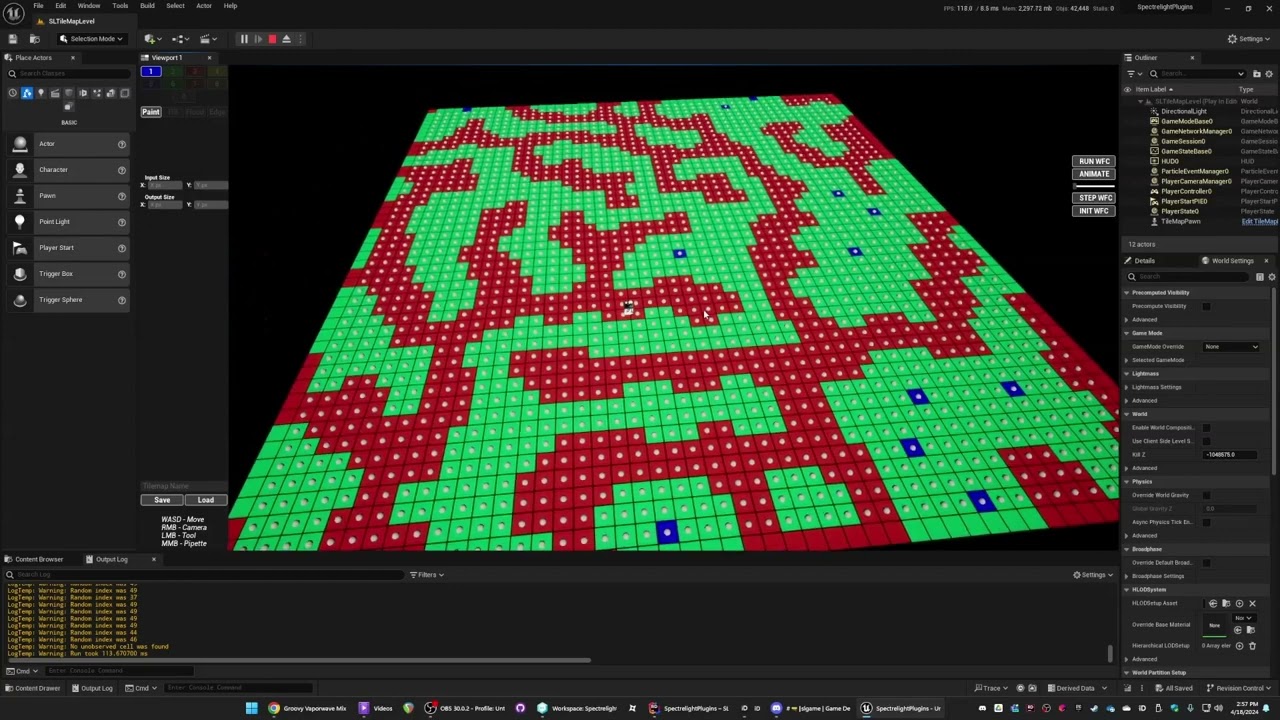
My "map" is just an array of bytes
it gets visualized as a texture on a mesh in this example but it could also be visualized by actors and landscape and ISM and whatever else.
but at the root of it, there's just a bigass array of small data
you want your root game state to be a grid (array or hashmap) of coordinates and what's there (by id or whatever)
then whatever is nearby can have ISM's spawned etc
copper chasm
copper chasm
I mean, I kind of know of a better way to do it, but I don't know how to do it t...
that sounds a fair bit more complicated than for x for y multiplied by a 2d vector
copper chasm
I wonder if HISMs would work a little better
gentle urchin
They wont really, for such a simple mesh
You can force bp to handle the large loop with a tiny delay every 1k instances
Also either ism or hism does removeatswap so you need to change your index logic if you swap
100x100x50 , a small dent during construction script

didnt completely finish, but oh well 😄
 solemn helm
If anyone can help #ue5-general message
frosty heron
I gotta learn function wave collapse for my dungeon generator
 nova grotto
how would i get a branch along the lines of so long as one pawn is facing another pawn then the branch is true
gentle urchin
bIsFacing = UnitDirection(self, target) Dot GetActorForwardVector() > 0.9
nova grotto
gentle urchin
`bIsFacing = UnitDirection(self, target) Dot GetActorForwardVector() > 0.9`
these?
 lunar sleet
Missing a DOT product node
 elfin lagoon
i have a "random sequence player", for death animations with 5 entries, and it playing another random animation from this node, after the first one ends, untill actor is destroyed
how to prevent another random animation here from playing, when the first ends?

 frozen copper
I'm fairly new to unreal, I'm trying to do multiplayer testing in editor with 4 clients. When i get a random actor to set IsIt on the player state if the IsIt variable is on one of the clients it's no issue but if the listen server gets the value then client 3 also gets that variable set as well.
 gentle urchin
nova grotto
these?
gentle urchin
nova grotto
these?
Did it work?
nova grotto
gentle urchin
Did it work?
it did it just didnt work out to fix the issue i was having
but atleast i now know how to do that tho
gentle urchin
😅
nova grotto
i was hoping it would fix my camera jitter but it still jittered
 dense crest
After I play as a client, an error message will appear saying, "Accessed none trying to read property Display Message." Node: add to view port.
 dense crest
But I copy this from a tutorial and its in bp component
gentle urchin
Doesnt make it right
even if a tutorial said so
Widgets should always be treated as client only
if you need something across clients / server you need a replicated property that is not a widiget
an Inventory example would be that the inventory Array is replicated
Then clients would get notified on "OnRep_Inventory" , and likely with an event dispatcher " inventory changed"
dense crest
sorry but I'm still learning ue5 so I do not fully understand what you mean.
gentle urchin
which parts were unclear
frosty heron
dense crest
But I copy this from a tutorial and its in bp component
95% of bp multiplayer tutorial in youtube are straight up wrong
be ready to unlearn them
especially when you see how multicast is used
Also begin play is most of the time not the place where you want to do things in mp as well
if you want to learn multiplayer, you should read the pinned material in #multiplayer
Exi's compedium is your bible. Read that like 15 times, practice, fail, repeat
you will only end up as a victim if you learn from youtube bp multiplayer
dense crest
gentle urchin
Then clients would get notified on "OnRep_Inventory" , and likely with an event ...
This part, Like where is "OnRep_Inventory"
dense crest
frosty heron
if you want to learn multiplayer, you should read the pinned material in <#22179...
OK, thanks you for the advice
frosty heron
dense crest
OK, thanks you for the advice
I would suggest, looking at the compedium. Try to cover RPC, replication, ownership, OnRep and what objects are shared and what's not.
After that, I would try to replicate a single value (number or material) accross all machines, once you can do that probably try to replicate a door.
If you don't know how to synchornize a variable, you will end up spending more time being stuck with what ever you are trying to do right now.
dark drum
Does anyone know any easy ways to set the corner radii on a button style dynamically? Ideally, the setting needs to be applied to the 4 different states. Everything I'm thinking off is getting a little convoluted. :/ All other settings should remain the same.
The joys of a struct within a struct within a struct. 🥲
gentle urchin
nested structs for life ❤️
dark drum
gentle urchin
nested structs for life ❤️
The vain of my existance haha.
gentle urchin
indeed they are terrible to work with
dark drum
I think I have something that's reasonable. Not sure if I can clean it up any more so I'm open to suggestions lol.
 dark drum
gentle urchin
replace the switch on int with a select 😄
dark drum
gentle urchin
replace the switch on int with a select 😄
I don't think that would work. The switch on int is to control which member is set in the structure.
dark drum
gentle urchin
you can set the member via a select
I'm not sure what you mean? The values are the same, just where it puts it that changes.
 gentle urchin
same as when you cache it, with a select node
wait what
ohhh
different members .,
gotcha
wasn't that easy to tell with this low res screenshot xD

but i see they're different now yes
dark drum
gentle urchin
wasn't that easy to tell with this low res screenshot xD
Yea I thought that was the case. lol. That's why I sent a closer look in case you were about to drop some secret not many people know about. 😛
gentle urchin
feels like it should be possible to work with the style refs directly by reference b ut
might not be the case
dark drum
I now have an easy way to set the radii on all the button style brushes. 😄 (Assuming if you want rounded corners you would want them all all states)

 dark drum
 little moat
Any idea why this isn't working?
little moat
Any idea why this isn't working?
Add the NPC's original location to the modified right vector might be what you want.
little moat
dark drum
Add the NPC's original location to the modified right vector might be what you w...
Oh?
I don't get why
But I tried it and it doesn't work
 little moat
Wow
It kinda works now
Thanks!
Now any ideas how I make the movement smoother?
dark drum
little moat
You could try lowering the turn rate on the character.
little moat
dark drum
You could try lowering the turn rate on the character.
How?
Nvm
Still weird
 hidden fossil
Quick question for which there's a mechanic that I would like to set up. You know how in Megaman where if you press the L/R triggers then you can cycle through your special attacks without going into the pause menu? I'm thinking of having the same setup for what I am working on.
What this will do is add or subtract from an integer value that represents the attack ID. If the spell for that attack is learned, set it to the active attack method; otherwise, move to the next spell in the sequence (continuing until a learned spell is selected)
maiden wadi
dark drum
Does anyone know any easy ways to set the corner radii on a button style dynamic...
IMO, I would recommend ditching that and rolling your own material for buttons. It can be an involved learning step, but it really helps to keep your logic simpler. Because after that it's basically setting scalar parameters, which you can also animate via UMG animation tracks.
The rounded button stuff is nice for initial nice setups, but like most default solutions, it gets annoying to work with quickly.
dark drum
maiden wadi
IMO, I would recommend ditching that and rolling your own material for buttons. ...
Its not a bad idea. I've sorted it now but I might revisit in the future.
maiden wadi
I love it. 😄 Can literally do all graphics for my buttons in a single image widget. And best is that I have a scalar parameter for each state. Hovered, Selected, Disabled, etc etc. So all I have to do is set that from 0 to 1. Can do it immediately, or over time with an animation.
dark drum
maiden wadi
I love it. 😄 Can literally do all graphics for my buttons in a single image wid...
Yea, that does sound good. I've been working on this reusable slide panel so it was only for the tab that opens/closes the panel. The panel widget is pretty much done for now lol.
dark drum
hidden fossil
What this will do is add or subtract from an integer value that represents the a...
I would have an array populated with you're learned attacks. (Probably gameplay tags) And then when you cycle the int, check if it's greater than the last index of the array, if it is, set to 0 instead. You can do the same in reverse where if it's less than 0, set to the last index of the array.
When you go to do an attack, you just get the relevant index from the array and use the gameplay tag to determine the desired attack.
 bright stratus
I wanna add 3D headphone option in the settings menu in Unreal, I checked how it's done in Lyra project but does anyone know any alternate way to do it?
 dry sleet
dark drum
I would have an array populated with you're learned attacks. (Probably gameplay ...
dry sleet
dark drum
I would have an array populated with you're learned attacks. (Probably gameplay ...
GameplayTagContainer is usually nicer to use than an array of tags: a bit more efficient and some helpful functions
Pretty good BP support as well!
ah, I am a giddy goat: I missed that part about checking indices
(but for other use cases it's nice :))
 queen heron
may I know if I am using the conditions right?

 narrow sentinel
Bit of an odd one this but anyone know why in UE 5.5 when I import my mesh in I end up with that when in blender it look like screenshot above

 maiden wadi
narrow sentinel
Bit of an odd one this but anyone know why in UE 5.5 when I import my mesh in I ...
maiden wadi
narrow sentinel
Bit of an odd one this but anyone know why in UE 5.5 when I import my mesh in I ...
Unsure why, but it looks like your smoothing groups are derped when importing or exporting.
narrow sentinel
maiden wadi
Unsure why, but it looks like your smoothing groups are derped when importing or...
must be when inputing cause I've used the same export settings I would on UE 5.4 so
issue is don't have idea what i need set on import options to bring them back
maiden wadi
Unsure. People in #graphics will probably be able to answer that quicker since they probably do this a lot more than usual BP scripters.
trim matrix
Anybody have experience with the Easy File Dialog plugin and integrating that with a save system? I can't edit the save slot variable, been at it for days now and reaching the end of my sanity
 humble sleet
 humble sleet
queen heron
may I know if I am using the conditions right?
humble sleet
queen heron
may I know if I am using the conditions right?
I don't quite understand what you're asking
queen heron
this is a blueprint node setup inside of a main pickup blueprint
and these conditions are read when the sphere collision is overlapped by the character
queen heron
not an issue, just wanna know if the setup won't bring any trouble
humble sleet
probably not, I'd just play with it a bit to see if it works
I tend to add Print String nodes to otherwise unconnected branch outputs so I know if something has gone horribly wrong
queen heron
hmm
humble sleet
it's a bit difficult to troubleshoot your problem if you haven't actually had a problem yet 😅
queen heron
I'mma need to analyze my setup a little better so that it works with no confusions
there are no problems yet
humble sleet
just compile and play lol, you'll soon find out if it's wrong
I don't see anything obviously bad
 patent ermine
I have a basic blueprint actor, that has a Cube and a Box collision component. When rotating the actor, and drawing a debug box using the component bounds of the box collision, it looks like the rotation is not taken into account. As shown in the image, the actor is rotated, however the bounds of the box collider is not. Ideally, i'd like the box collider to update with the actors rotation. Any help would be appreciated.
 queen heron
patent ermine
I have a basic blueprint actor, that has a Cube and a Box collision component. ...
queen heron
patent ermine
I have a basic blueprint actor, that has a Cube and a Box collision component. ...
you're not setting the rotation input
patent ermine
queen heron
you're not setting the rotation input
Right, I need to read the bounds values at a different point in code, so the draw debug box is just for visualization. Ideally, i'd need the bounds values to be rotated so that I get correct reading later on when I need those values. If that makes sense.
queen heron
patent ermine
Right, I need to read the bounds values at a different point in code, so the dra...
oh and yeah, the bounds are set by default to have no rotation
so yeah, if you want the bounds to be rotated aswell, you could do it through c++
drowsy anvil
Hello, this code triggers a bomb when progress bar is full, but I can only trigger it a few times until it stops triggering eventho bar is full, does anyone know what the problem could be?
 queen heron
drowsy anvil
Hello, this code triggers a bomb when progress bar is full, but I can only trigg...
queen heron
drowsy anvil
Hello, this code triggers a bomb when progress bar is full, but I can only trigg...
in what other place are you setting the float variable?
drowsy anvil
queen heron
in what other place are you setting the float variable?
I have it all on the pawn, there's a function that has this on it
 gentle urchin
queen heron
may I know if I am using the conditions right?
gentle urchin
queen heron
may I know if I am using the conditions right?
For tags id suggest implementing a gameplaytagcontainer and the interface to work with it
queen heron
drowsy anvil
I have it all on the pawn, there's a function that has this on it
and where is that function fired?
queen heron
gentle urchin
For tags id suggest implementing a gameplaytagcontainer and the interface to wor...
never heard of gameplaytagcontainer before
gentle urchin
Then ill suggest gameplaytags aswell
queen heron
is it like an array variable?
gentle urchin
Basically defined tags that shows up in a neat list
maiden wadi
Squize saving lives. 😂
queen heron
gentle urchin
Basically defined tags that shows up in a neat list
oh I see
gentle urchin
With a hieriarchy to it
So you avoid typos forever (or atleast always typo it the same way )
drowsy anvil
queen heron
and where is that function fired?
 queen heron
drowsy anvil
queen heron
drowsy anvil
will the blueprint work forever if that overlap event doesn't fire?
queen heron
then the problem is found
you need to make a condition so that the variable doesn't get set during the input event
and this is the tricky part
 last cloak
question if anyone knows, when you're rigging your character do you use both forward and inverse kinematics? im watching a tutorial and i just did the forward kinematics, to make animations do you use both?
drowsy anvil
maiden wadi
Clamp
thanks, this worked
lusty birch
last cloak
question if anyone knows, when you're rigging your character do you use both for...
its up to you, ik makes things faster and easier to animate
last cloak
question i changed the bone orientation, am i supposed to be doing global z up to get it to be right for ue5?

 autumn pulsar
With the default character movement component, is it possible to disable "slope momentum"?
For example, with the current physics the player inherits the horizontal momentum from the slope as seen in Red. I want the behavior of the green where the slope doesn't impart any horizontal momentum https://i.imgur.com/fI5GnET.png
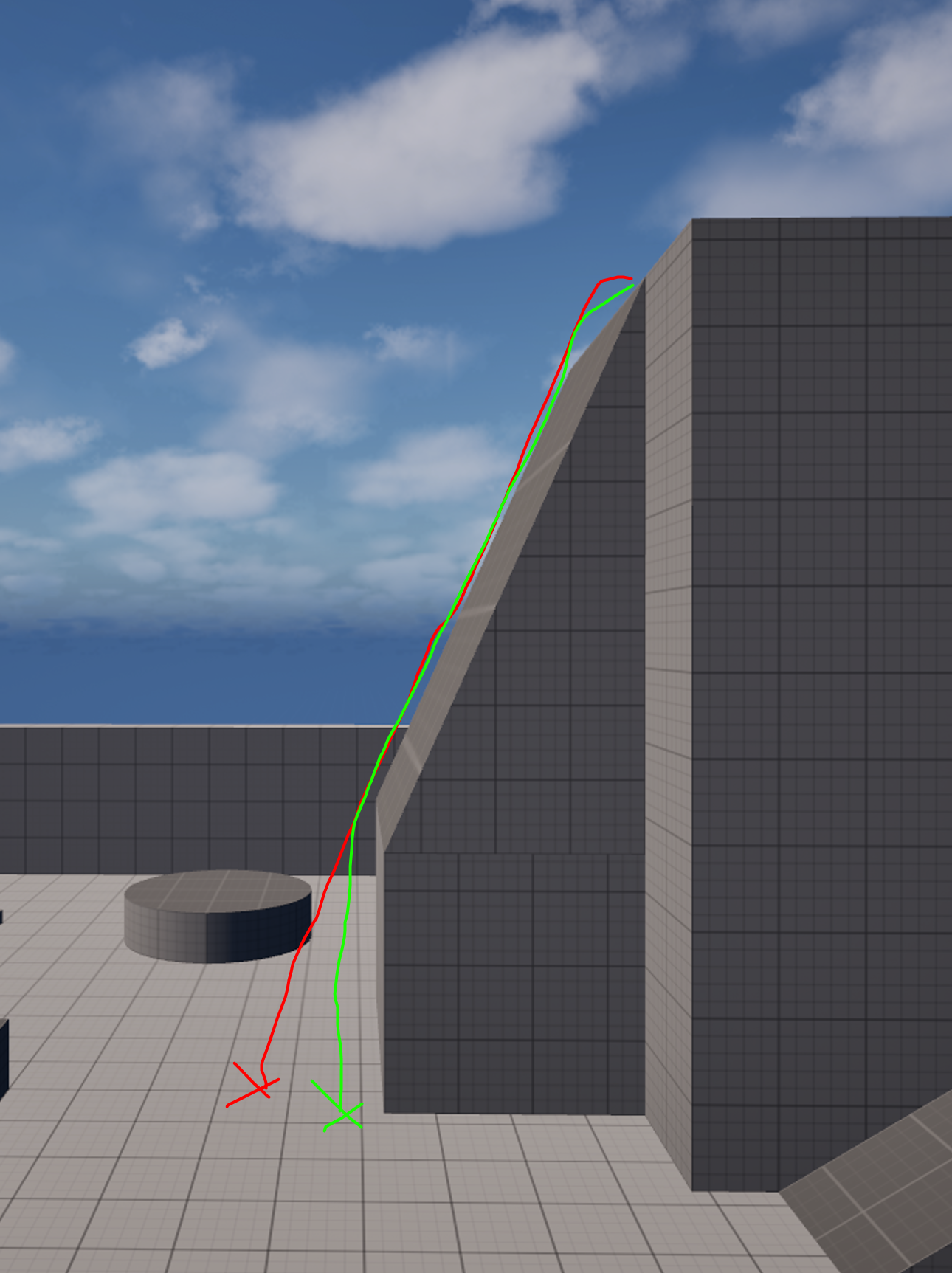
 languid imp
Where is the Async Load Asset? Was it removed?

 broken wadi
languid imp
Where is the Async Load Asset? Was it removed?
broken wadi
languid imp
Where is the Async Load Asset? Was it removed?
is that graph inside a function?
languid imp
broken wadi
is that graph inside a function?
event graph
Nevermind, some project setting probably. In one project 5.4 I see it and in the work project I don't.
 zealous moth
@languid imp it's there in 5.5.1

because of that clock, you can't use it in construction scripts or I think macros
languid imp
I have created a custom macro for common user widget and it only happens in the event graph of common user widget. Bug of Unreal Engine?
I have no access to utils anymore
zealous moth
so in the widget? lemme check
it's there
@languid imp I'd create a new project and see if it works
if it doesnt, reinstall
 willow gate
Hey all. For anyone using batch files to launch/test instances of your games, I'm trying to launch two instances at once to test sessions and I thought I could use the "&" operator to make it launch twice sequencially but the second command after the "&" only executes when I close the first instance.
languid imp
zealous moth
if it doesnt, reinstall
After all I was indeed inside a function 💀
 jade turret
Anyone know of any good paid/unpaid tutorials for a pick up, put in inventory, retrieve from inventory, accurately place (not drop) type of item control? 🙂
maiden wadi
Depending on what you consider good, you'll be hard pressed to find a good tutorial on that. Inventory touches on a lot of differing systems and requires basic understanding of them, which requires a tutorial to be segmented into them. Which a lot won't do because segmented, non fast tutorials hurt viewer retention.
jade turret
maiden wadi
Depending on what you consider good, you'll be hard pressed to find a good tutor...
So I need to go to fundamentals eh ,. bleh
maiden wadi
The main issue is that there's just a lot to cover.
Inventory has complex widgets with dragdrop, focus handling, performance considerations with too much slate prepass.
It has gameplay functionality with the line tracing to pick things up which requires at least a basic rudimentary interaction system or ability.
Data handling is a large factor and something a lot of them don't do well. You start by picking UObjects or Structs, you have to pick datatable or Data asset based on how complicated you want to structure out the data or make it extensible.
Then there's savegame considerations, no one likes losing their collected stuff of course.
Savegame you can probably leave out, but that's at least three main things to learn before you even get into the inventory item handling code itself.
 toxic basin
Hey guys, I am fairly new to unreal and trying to nail down some specific movement controls (Trying to copy mmorpg movement).
I am having trouble with the enhanced input system and having the character rotate in place when pressing A or D, but strafe if the right mouse button is down.
I can't figure out which node to feed into to rotate in place if someone could point me in the right direction.
jade turret
maiden wadi
The main issue is that there's just a lot to cover.
Inventory has complex widge...
Thats the shit of it for me - I can grasp and understand these concepts individually but it is when bridging them together my brain turns to shit. Thanks for responding, I will take 10 steps back and not try and learn it from youtube-U
maiden wadi
toxic basin
Hey guys, I am fairly new to unreal and trying to nail down some specific moveme...
Depending on your skill level, it's largely about capturing the mouse on right mouse down. You can do this in some blank widget pushed to screen easily through it's mouse button handler functions. At the same time the widget can get the local player's character and set movement stuff on it. You want to capture the mouse so that your mouse movement also moves the camera and hides the mouse.
While capturing, you want the character to use controller yaw rotation so that they're facing where the player is. When right mouse is released, you want to set them back to orient rotation to movement. There's some extra settings and stuff around that, but that'll get you 80% of the way.
jade turret
I didn't think widgets were so performance intensive...
maiden wadi
jade turret
Thats the shit of it for me - I can grasp and understand these concepts individu...
Realistically if you can learn these things independently, you shou'dn't have much trouble connecting them. The widget stuff is probably the most difficult for usual programmers who aren't UI orientied. Wes Bunn from Epic has a good little showcase on drag and drop stuff somewhere. Past that most of the inventory is simply keeping it up to date with the item displays. You can get incredibly involved with this, but I'm sort of lazy with it. I just update the whole widget when anything in the inventory changes. I get away with that because I use Tileviews, and my inventory is UObject base so I put the items directly in the tileview. So it's not actually doing a ton of work for my update.
Data handling is simple regardless of which route you go but you have to keep one strict thing in mind. You have to separate static non changing data from runtime data in your data sets. An items current stack should not be stored with an item's default max stack size. Cause if you rebalance the game and lower an item's max stack size, you don't want a bunch of fixup code, or to have an item that has the wrong max stack size. So current stack size is runtime data that exists with the item, default max stack sizes belongs in global static data with stuff like your item's name(unless you allow runtime name changing), etc etc.
You can basically make the entire inventory and test it at this point without the gameplay stuff. The best thing to start with would be putting an inventory component on a character, and then one on like a chest actor, and testing trading code. Once you've got that down, making a drop item actor is fairly trivial to do by simply making an actor with an inventroy component, create it on drop and trade with it, and maybe set a mesh based on the item.
jade turret
I should start by saying that I am not developing a game but rather an interactive experience and the mechanics are going to extremely simple. The system I have in mind would simply add an item the "player" picks up into their inventory for the sole purpose of putting it down elsewhere in the level. If anything, the items themselves may have data associated with it, something like product visualization coupled with interior design I suppose.
maiden wadi
jade turret
I didn't think widgets were so performance intensive...
They're not, until they are. Widgets are fairly cheap over all. But do something like a buff display, or inventory, and they add up fast. You have to consider that for every element in a widget, every frame slate has to gather it's sizing and test if it needs to adjust it based on it's child sizes. You don't want parents staying too small when their children grows during a new name change or animation. This is what slate prepass does, and normally it's very fast.
The issue arises because people don't make simple widgets. Inventory is a good example.
Item icon, Background, Hover display, stack count text, durability bar, maybe quality indicator. We're already at 6 widgets, and that isn't including their layout parents which is at the very least an overlay and probably a sizebox. Now you're in late game and you need to show 200 items in a container. That's 200*8 widgets, plus any others that also happen to be on screen. So your super fast prepass is still super fast, but being ran on a minimum of 1600 widgets.
This is also another reason to use Listviews, as they virtualize anything you cannot directly see, so you're probably only prepassing 30ish of those 200 at a time. But even 240, plus other widget code, and other widget prepasses, adds up pretty quick when you're aiming for a 16.66ms frame time and other gameplay systems are usually already going to eat up 10ms on a mediocre system.
lost hemlock
Why is this one not working?

I mean the bottom one
It's clearly set in "Reverse" but it's not reversing the animation
maiden wadi
lost hemlock
Why is this one not working?
Did you set your game into UIOnly mode in the widget?
jade turret
maiden wadi
They're not, until they are. Widgets are fairly cheap over all. But do something...
omg you are scaring the shit out of me
lost hemlock
maiden wadi
Did you set your game into UIOnly mode in the widget?
In the widget?
Everything you see is already there
there's nothing extra to it
maiden wadi
jade turret
omg you are scaring the shit out of me
😄 Game design is wild, man. For what you're doing, I doubt you need to stress much of it. But these are generally the thoughts going through my head when someone talks about inventory systems.
maiden wadi
lost hemlock
In the widget?
I'm asking because you set the game back to GameOnly.
If you've put the game in UIOnly mode somewhere, PlayerController inputs won't work. Does the bottom line break if you put a breakpoint on it?
lost hemlock
well I tried earlier to set it between UI only and Game only, but it didn't transition properly
lost hemlock
maiden wadi
If you've put the game in UIOnly mode somewhere, PlayerController inputs won't w...
yes
it works properly
everything executes
maiden wadi
The only thing not working is the animation reversal?
jade turret
maiden wadi
😄 Game design is wild, man. For what you're doing, I doubt you need to stress m...
Appreciate the responses. Going to go learn widgets before anything else. I'm a 3d modeler with an asshair width's knowledge about game/experience design short of frankensteining shit from youtube together, which incidentally does end up working but its when I try to expand on things that my lack of fundamentals fails me. You say I "I shouldn't have much trouble connecting them" I, unfortunately, disagree lol
my biggest gap is knowing I need certain data but not knowing where it goes, or if I should have created a place for it to go initially.
lost hemlock
maiden wadi
The only thing not working is the animation reversal?
yes
and the widget is getting removed properly but no animation reversal
also note that my widget is set to this mode from construct
 maiden wadi
For starts, I would recommend moving this into the widget itself. Make the controller request the widget to animate. Generally it's best to make something handle it's own state and allow other things to request it to change. I'm not familiar with that PlayAnimationWithFinishedEvent, I've always used PlayAnimationForward, PlayAnimationReverse. Does it work if you swap that out for PlayAnimation? Also you don't have a lot of slack on the end of the animation, right?
lost hemlock
theres nothing at the end of the animation
also the nodes when you search them are all called "PlayAnimation"
but you change the play mode to any of these 3
 maiden wadi
Disable UseControllerRotationYaw in the character.
jade turret
maiden wadi
Disable UseControllerRotationYaw in the character.
you're a saint lol
maiden wadi
That's odd. What about OrientRotationToMovement?
maiden wadi
 cold field
I haven't personally used them, but usually these will be Root Motion Animations
cold field
maiden wadi
I haven't personally used them, but usually these will be Root Motion Animations
the root bone is moving
in this animation
maiden wadi
Bit odd. The character should have orient rotation to movement as true. If there's a spring arm and camera on the character then BOTH should be using control rotation, and the character should have use controller rotation yaw disbled. And that should make the camera rotate around the character without the character rotating, but the character should rotate to face whatever velocity it's moving at.
Actually I thought the third person template had that by default?
visual crest
Will this work? If not how should I do this?
 maiden wadi
visual crest
Will this work? If not how should I do this?
maiden wadi
visual crest
Will this work? If not how should I do this?
It won't work because you're removing the index from a copy in one executed node. Then you're copying it again from the source to set it. Right click on the red event and convert it to a function. Make a local variable out of the Find's return struct. Alter it, and then add it back.
visual crest
maiden wadi
It won't work because you're removing the index from a copy in one executed node...
Ah Thanks!
Did not think it work but was not sure how to fix
visual crest
maiden wadi
It won't work because you're removing the index from a copy in one executed node...
Like this
 maiden wadi
Not quite. I meant your red event above. If you can convert that to a function. Or are interfaces weird about that?
visual crest
 visual crest
maiden wadi
Not quite. I meant your red event above. If you can convert that to a function. ...
visual crest
maiden wadi
Not quite. I meant your red event above. If you can convert that to a function. ...
Yea Interface can not be functions unless they have a return
This should work though right?
maiden wadi
Hmm. Should yeah.
visual crest
Thank you!
maiden wadi
Orient should be on anyhow. But when you turn it on, it makes it face the camera's direction? O.o

 maiden wadi
lost hemlock
maiden wadi
lost hemlock
Does the intro anim play?
This looks correct though? At 5-7 seconds, character is not following the camera.
lost hemlock
maiden wadi
Does the intro anim play?
yes of course
dark drum
Movement is dictated by the forward/right vector of the camera (which is probably using the control rotation). Personally, I'm struggling to understand what you're wanting as the input keys you press need a frame of reference to control where the character moves, this is normally the camera. You could disable orientate to movement during the camera rotation but this will make the character strafe while rotating the camera so I'm unsure if this is what you're after.
Oh so you only want the camera to rotate while you're holding a specific key (Right mouse)?
If so, you can just add a branch/bool var to the start of the rotation input event and only let it happen if true. Then just set the bool to true when the desired key is pressed.
You should be able to do it with just the input context mapping but I can't remember the setup off the top of my head.
 regal fulcrum
Anyone have any idea why setting an enum value on a blackboard componet isn't doing anything? I can set other key types just fine on the very same blackboard component instance. No error is generated or anything. It just continues on with the execution and the enum key isn't updated.
toxic basin
maiden wadi
Depending on your skill level, it's largely about capturing the mouse on right m...
Thanks for the advice.
Should I be splitting the inputs into separate actions? The default IA_Move has W,A,S,D all in one, should I be splitting A&D into a separate input action?
And in general, should I be splitting inputs up more if they are possibly going to be used for different functions or try and keep them together more?
 shadow barn
Player Controller -> Lock Mouse and Unlock Mouse (I think)
If that fails, get Mouse Position on Platform when you right click, and set Mouse Position to that when right click is lifted
If you're rotating by getting x input and y input (axis or whatever it is) of the mouse, I think it should still work. You're locking the position of the mouse (in the game) with the first solution, but not x and y deltas on your actual mouse - if this solution fails, just do the 2nd solution, that should work regardless
Is your game single player?
and I would set the X and Y values to a variable, and then use the variables when Set Mouse Position is used
You're going to not want to use "Get Player Controller" at index 0 later on, it can theoretically select the wrong player controller (although I've never seen that happen, that's just old advice I was given)
Use variables instead of linking them (for X and Y), and get mouse position on widget or something else, platform might be wrong
Join Fort Fivus
zealous moth
@regal fulcrum depends. Is it on a build or in pie?
dawn gazelle
shadow barn
You're going to not want to use "Get Player Controller" at index 0 later on, it ...
only really matters in a multiplayer context, whether online or local. Single player games it can be used freely so long as you intend to actually get the player controller, and not the controller that may be possessing the current pawn or character
lost hemlock
How can I get the reverse animation to play from here?
 shadow barn
"PlayMode" - is there a reverse option?
lost hemlock
yes the second one is set on reverse @shadow barn
zealous moth
in ue5.5 i am having a scenario where I am using the basic character given by the template and when I overlap with a volume, i create a new pawn and swap control.
When I exit the second pawn, the controls for the first pawn are off somehow. Sometimes using WASD, going down with S makes it go diagonally either left or right randomly it seems...

No description provided
this is the blueprint
and this is the movement input

ok interesting, so if i enter my volume that triggers swapping of pawns, the velocity direction seems to be kept in memory and when i repossess it, the new down direction is the previous vector direction
I tried disable/enable input, i tried changing the possession order and neither changed anything
ok, so instead of possess/unpossess, i used disable inputs
that works
so the possess/unpossess events are doing something weird
regal fulcrum
zealous moth
<@143125462695018497> depends. Is it on a build or in pie?
Pie
 wild moat
anyone have any good resources on how to make a blueprint write data to a render target? I have some arrays that i want to store as RGB information
frosty heron
lost hemlock
Have you even set your Weapon menu HRef? are you having accessed none error?
maiden wadi
wild moat
anyone have any good resources on how to make a blueprint write data to a render...
I don't have it anymore, because I took a completely different route because the shaders were going to be too costly for what I was doing, but it's mostly as simple as writing to the correct pixel with your data. I vaguely recall I was just using DrawBox. 1 size pixel at the center of the pixel. Rendercolor holding your data.

 junior junco
hello/hey, does anyone know if/how I can have these debug boxes stay in editor when added in game? is that a craaazy idea?

 little moat
No description provided
Ya'll think this logic is too complex?
I'm trying to make my AI go around an obstacle
Feels messy right now I'm wondering if I could make it simpler / better
 merry mirage
junior junco
hello/hey, does anyone know if/how I can have these debug boxes stay in editor w...
merry mirage
junior junco
hello/hey, does anyone know if/how I can have these debug boxes stay in editor w...
If you have an event you can click it and set "Call in Editor" to be true. Then you'll find a button on your class which you can press which will call the function in the editor.


Oh my god the auto-cropping did not do me any favours xD
merry mirage
little moat
https://blueprintue.com/blueprint/zi2sk90b/
There is a "Random Bool" node if you want to avoid the integer conversion in the first branch.
little moat
merry mirage
There is a "Random Bool" node if you want to avoid the integer conversion in the...
Oh yeah that's smart
merry mirage
And you could also run a select Vector node rather than two AI-MoveTo in order to make it more legible
Then you don't need the branch whatsoever (still need the random bool)
little moat
merry mirage
And you could also run a select Vector node rather than two AI-MoveTo in order t...
How could I do that?
merry mirage
one sec
little moat
I'm confused on how to use the select thing here
raw pilot
merry mirage
little moat
I'm confused on how to use the select thing here
dms.
little moat
merry mirage
dms.
Aight
maiden wadi
little moat
I'm trying to make my AI go around an obstacle
Why aren't you just using avoidance if it's another ai, or nav obstacle stuff if it's some mesh?
little moat
maiden wadi
Why aren't you just using avoidance if it's another ai, or nav obstacle stuff if...
Not sure what you mean
I just wanted some way to handle dynamic obstacles without having to add a mesh for all of my dynamic obstacles
maiden wadi
You put the nav modifier on the static mesh asset.
Then regardless of what that mesh is used in, it'll make a nav area on the navmesh that the ai will avoid when that static mesh is used.
little moat
maiden wadi
Then regardless of what that mesh is used in, it'll make a nav area on the navme...
What if it's not a static mesh?
maiden wadi
Then it's a zone. Which should be able to do the same thing.
little moat
maiden wadi
Then it's a zone. Which should be able to do the same thing.
How could I add that?
maiden wadi
What is your dynamic obstacle? What are you making them from?
little moat
maiden wadi
What is your dynamic obstacle? What are you making them from?
Wdym
They are meshes
Skeletal or static
I'm trying to make the npc dodge cars or other npcs or a player
maiden wadi
Dodge, or avoid? Cause your code is for avoidance, which there is an AI controller for that will automatically manage pathing around other AI and players.
little moat
maiden wadi
Dodge, or avoid? Cause your code is for avoidance, which there is an AI controll...
Avoid
Like walk around
If the npc detects an obstacle it goes around it
Couldn't find other way than tracing
maiden wadi
I would recommend looking up RVO Avoidance, and Detour Crowd. Either of them can help you without a complex coded method.
little moat
maiden wadi
I would recommend looking up RVO Avoidance, and Detour Crowd. Either of them can...
So that would work for other things than just crowds?
maiden wadi
RVO is usually preferred for more gameplay related things I think. Detour is more for like Assassin's Creed level dumb crowds with flowing AI pathing.
dark drum
maiden wadi
I would recommend looking up RVO Avoidance, and Detour Crowd. Either of them can...
RVO is pretty good. The only thing I don't like about it is that you're NPC's need to be able to strafe or it doesn't work. :/
maiden wadi
Didn't know that one. 😄 But to be fair I'm not sure of too many circumstances where I wouldn't have a strafable humanoid.
dark drum
frosty heron
Mine one doesn't starfe and still works
Interesting, I'll have to have another look. I was only able to get it to work when strafing was on.
frosty heron
my NPC just make way for each other with RVO ticked
otherwise they just gonna block each other forever
 polar ridge
I just looked up RVO and Detour Crowd here
https://dev.epicgames.com/documentation/en-us/unreal-engine/using-avoidance-with-the-navigation-system-in-unreal-engine?application_version=5.5
And it actually looks rather straight forward? Many people also made some comparrisons with either or both on on reddit as well, displaying how "Accurate" one or the other is I suppose.
But I actually didnt knew about this one since I havent done much with AI yet, thanks for the Infos guys!

Epic Games Developer
This guide shows how to use avoidance with the Navigation System in Unreal Engine.
little moat
polar ridge
I just looked up RVO and Detour Crowd here
https://dev.epicgames.com/documentati...
Now the question is how do I do it with other things than "agents"
maiden wadi
You don't. An agent is an AI.
polar ridge
Well in theory, any AI using the Navmesh will automatically avoid obstacles if they "Block" the Navmesh.
You can read here in point 4 how for example a simple Actor which is just a cube can modify the NavMesh on runtime
https://dev.epicgames.com/documentation/en-us/unreal-engine/overview-of-how-to-modify-the-navigation-mesh-in-unreal-engine
As far as Im aware while the Actor which may just be a Mesh basically updates the Navmesh the AI or Character which tries to avoid it will avoid it simply by adjusting their Path to the Goal because the Navmesh changes.

Epic Games Developer
This guide shows how to modify the Navigation Mesh in Unreal Engine.
maiden wadi
This is what I was trying to say above. If you want the AI to go around a tree, the static mesh needs to affect the navmesh. If you want ai to avoid each other you use avoidance.
All this AI talk makes me want to learn Mass even more. :/
frosty heron
someone was convinced that Unreal couldn't take more than 40 skeletal meshes 😅
little moat
maiden wadi
This is what I was trying to say above. If you want the AI to go around a tree, ...
Yeah but now I need to have a navmesh modifier component for all of those things
Ig
maiden wadi
Two hours setting up meshes, two decades writing AI nav code that might still not cover all edge cases. 🤷♂️
frosty heron
I don't know how tracing from forward vector and a random location suppose to be a solution to avoiding obstacle btw
little moat
frosty heron
I don't know how tracing from forward vector and a random location suppose to be...
I detect an object that is dynamic then I make the npc move around it
But yeah that might be a dumb way
maiden wadi
Don't lock it. Save the right click location, hide it, and then on release just set it back to the original spot.
frosty heron
as long the actor affect navmesh, the npc will go around it
little moat
I wonder how could I do that
maiden wadi
Ah, you want it to stay visible. Uhh. I'm not sure if there's a way for that. Maybe with a virtual cursor. The issue is that locking the mouse means no mouse movement, which means no mouse movement events.
I'm vaguely curious if you could do this with simply setting the cursor back in a widget's mouse movement event if right mouse is held.
drowsy anvil
Hi, I added a box collision to both a moving projectile and a static cube, both are set to 'block' on the same collision channel, but the projectile still goes thru the cube? my pawn also goes thru the cube eventho its in same block response channel?
mental trellis
Collision like that will only work with physics. If you want to stop a projectile and you're moving it manually, you have to actually check if itll hits something with a trace.
I think anyway.
maiden wadi
drowsy anvil
Hi, I added a box collision to both a moving projectile and a static cube, both ...
Are you using ProjectileMovementComponent?
If you're using a MovementComponent, the root component needs to be the collision component.
 dapper vale
I have this weird issue - if I enable Use Multi Threaded Animation Update option in the Anim Instance - it seems like the montages sometimes play twice (or at least the AnimNotifies are fired twice). What gives?
junior junco
merry mirage
If you have an event you can click it and set "Call in Editor" to be true. Then ...
hello, thanks, did i understand this right?
you see, as i run with the Play In Editor, I run up to walls and press f to mark where i'd want to gb some doors - but when I press esc and basically return to editor, the shapes are gone.
I mean, given that people actually use pcg, i dont think im being lazy.
I want to mark the debug box while 'playtesting' in editor, and have the debug boxes still be there once i exit simulation. is this possible?
 merry mirage
junior junco
hello, thanks, did i understand this right?
you see, as i run with the Play In...
merry mirage
junior junco
hello, thanks, did i understand this right?
you see, as i run with the Play In...
Oh, I am sure that's possible but it's not something I have knowledge nor the time to look into rn 😅
What is the purpose of the boxes?
junior junco
to mark wher i need to cubegrid some doors into the bigger blocks/'houses' etc

 maiden wadi
It's not really possible. What you'd have better luck doing is printing out a transform via PrintString and copying that into the object's transform when placing it.
You can copy it from the OutputLog, to make it easier.
junior junco
so like, i have a giant maze of similar, greyboxed structures.
as i play through teh level, i find congested areas where i can replace the wall with a door. Being a maze type afffair and everything looking ther same in greybox, it would be good to see where i envisioned the doors while playing through.
merry mirage
If you want to get really stupid, you could save your vector in a DataAsset and then read that data via an Call-In-Editor function. But that is a very wonky work-around
junior junco
thanks yes i also thought i'd have to resort yo printing the coordinates or such
workaround, breaking the level into smaller chunks 😔
pulsar osprey
junior junco
thanks yes i also thought i'd have to resort yo printing the coordinates or such
you could use an editor subsystem that saves the coordinates, and then somehow places the debug squares again when you play in editor
requires c++ though
 maiden heath
Hello everyone. A question I created an animation sequence with an actor inside and its associated animations. I would like to spawn it in the scene and with a button activate its animations I tried and I don't see that it does the animations. How can I solve it?
 final berry
So I was wondering about some practices to reduce dependencies between actors (which in case reduces sizemaps). I have a tutorial actor that handles events and stuff regarding UI, I have an actor that needs information from that tutorial actor, but to reduce dependencies I was wondering if I should make an additional actor that only holds variables. Which makes it possible for the tutorial actor to store stuff there and for the actor that needs the info to retrieve it, making it so that neither knows about eachother reducing sizemaps/dependencies.
Is this correct and is it good practice or should I consider other stuff. Or maybe is there a better way to do stuff like that? Any comment is appreciated 🙂
(also, take a sip everytime I say stuff)
junior junco
final berry
So I was wondering about some practices to reduce dependencies between actors (w...
yes. exchanging Casting with Interfaces and 'local variables' coem to mind
gentle urchin
Bad interace practices can keep the sizemaps equally big
Many tutorials miss-use them bigtime
I would instead setup pure code /method parent classes that youd cast to instead.
 sterile quest
Also any idea why this trace to cast always fails?
I am trying to ignore the Water Volume and I've added it to the Actors to ignore but the trace still accounts for it.
 dark drum
junior junco
yes. exchanging Casting with Interfaces and 'local variables' coem to mind
dark drum
junior junco
yes. exchanging Casting with Interfaces and 'local variables' coem to mind
Swapping casting for interfaces is bad advice. Interfaces are there for a purpose and it's not memory management. Instead people should be looking at using good hierarchy (code only base classes) and using soft references to have more control over what is/isn't loaded.
sterile quest
(I am using the Oceanology Addon, which is what Water Volume is from)
gentle urchin
Encapsulation is generally a good principle, can gelp avoid some of the entanglement
 final python
Is there ever a situation where a delay node is actually useful? A timer does the exact same thing and it can be cancelled. I can see situations like a menu pops up exactly 3 seconds after pausing the game every single time, and it doesn’t need to ever be interrupted, but still that seems like a grey area where u could still use a timer.
Idk what the difference of them under the engine hood is, but surely they are right about the same efficiency to be able to have grey areas like that
sterile quest
Help with this would be appreciated. Thank you. #blueprint message
For some additional information: When I cast to Water Volume the cast succeeds and causes the projectile to get destroyed. Which isn't what I want but when I Cast to anything else it just fails the cast every time.
The line trace is acting like whatever it hits first determines the cast failure/success outcome. Everything else after that is ignored automatically.
Even when I tell the Multi-Line trace to ignore the Water Volume (showing in the attachment as a Variable with the actor type) the line trace does not ignore it.
 dawn gazelle
final python
Is there ever a situation where a delay node is actually useful? A timer does th...
dawn gazelle
final python
Is there ever a situation where a delay node is actually useful? A timer does th...
Delays are effectively timers under the hood, just that delays have less configurability and management than a timer. There is some slight difference in the management systems in C++, but it's basically the same thing.
Delays should be fine to use so long as you know your logic doesn't require you to know whether or not that delay was already running, or if it doesn't matter if it gets restarted (using a retriggerable delay)
Delays can also make things a bit more streamlined, like if you had some logic in a macro that needs that delay.
sterile quest
In case someone askes, Water Volume is set to OverlapAllDynamic for it's collision.
 willow gate
Hey all. Maybe a noob question but I'm working on making an underwater post process volume inside my water surface blueprint. It's simple enough to create a collider and then nest a post process component under it but I don't want the post process material to affect the camera right when the player touches the water surface of course, but only after the player's camera has gone below the surface. What method do you all know for accomplishing this? Just placing the collider low enough under the surface that the player doesn't touch it until the camera is submerged? Or is there a better practice. Thanks ahead of time.
dawn gazelle
sterile quest
Also any idea why this trace to cast always fails?
I am trying to ignore the Wa...
Have you turned on the debug to see what the trace looks like?
sterile quest
dawn gazelle
Have you turned on the debug to see what the trace looks like?
Yeah I did. The projectiles aren't being stopped. They keep going.
It's just that the Multi-Line trace is only considering the first thing the projectiles hit to be the deciding actor.
And since it's not ignoring the Water Volume even when I set it up to ignore it, everything else other then the Water Volume is ignored instead.
dawn gazelle
Ok, so then with your set up, it's checking every overlap to first see if it's a ColdSteelMeshComponent and if not, then it's checking if it's a OceanologyInfiniteOcean object, and if not, then it fails. So unless whatever the trace is overlapping/hitting is one of these two types of objects, it will hit your failure print string.
sterile quest
Okay gotcha. I think that helps steer me in the right direction. Thank you!
Though it's odd, the OceanologyInfiniteOcean is in the level but the trace doesn't seem to recognize the spawned actor as part of the OceanologyInfiniteOcean class.
sterile quest
dawn gazelle
Ok, so then with your set up, it's checking _every_ overlap to first see if it's...

And here's the parent class of the BP:

The other thing is that when the spawn the projectile, the cast fails instantly.
I.e. As soon as I left click to spawn the projectile the cast fails. Even if the trace hasn't come into contact with the actor.
dawn gazelle
Is this reference set to the reference of that object (not just set as the type).
 sterile quest
dawn gazelle
Is this reference set to the reference of that object (not just set as the type)...
sterile quest
dawn gazelle
Is this reference set to the reference of that object (not just set as the type)...
#blueprint message
Is this what you are asking about? Not sure.
dawn gazelle
How are you setting the value in "Oceanology Water Vol"?
sterile quest
The variable type is set to the OceanologyWaterVolume Object Ref
dawn gazelle
That's just setting the "type" of the variable. If you don't set a value in it, then it contains nothing, so "nothing" would be ignored.
sterile quest
I am unable to set the default value for it.
dawn gazelle
Correct because it is a reference to something.
The reference doesn't exist at editor time.
You need to do something that gets the reference at run time and set it in that variable.
sterile quest
Okay. I think I understand.
sterile quest
dawn gazelle
You need to do something that gets the reference at run time and set it in that ...
I am gussing I'd do that using a cast?
If so I am unsure what I'd plug into the "Object" port in the cast in this context.

Figured out that "Get Owner" is likely what I needed.
dawn gazelle
Casting is just a type check and then it allows you to access the properties and functions of that object if the cast succeeds. You'd need to get the reference to the object itself.
This blueprint is BP_OceanologyInfiniteOcean?
sterile quest
Negative. It's the BP for the projectile.
Basically what I am trying to do is have the projectile get destroyed a bit (a delay) after it comes into contact with the BP_OceanologyInfiniteOcean object.
dawn gazelle
Ok, so then how would the OceanologyInfiteOcean be the owner of the projectile?
sterile quest
Not at all.
junior junco
😅
dawn gazelle
Exactly, so unforunately, that wont work 😦
sterile quest
Crap. Okay. So then I don't know what to plug into the "Object" socket to give it a type check.
junior junco
break the hit result of the projectile
sterile quest
junior junco
break the hit result of the projectile
You mean like what I have?:
 dawn gazelle
Again, you'd need to get a reference to the object itself that you care to check against. One potential way is to do a "Get Actor of Class" specifying the "BP_OceanllogyInfiniteObject" as the class, and that would give you a single reference to that type of object, but the problem is if you have multiple of these types of objects in the scene, you have no means of distinguishing them.
junior junco
interesting. what happens if you omit the cast nodes entirely
sterile quest
dawn gazelle
Again, you'd need to get a reference to the object itself that you care to check...
Which i think should be fine, because there's only going to be one water volume and one InfiniteOcean in a given level.
dawn gazelle
Technically speaking, the hit result's "Hit Actor" should have your Ocean cast succeed if the projectile hits the BP_Ocean actor (so long as you don't have reference to the ocean being ignored in the trace to begin with!)
But only if that particular hit result is the ocean.
ALl others hit results would fail as they wouldn't be the ocean.
The only trouble doing it that way is if your ocean doesn't respond to your trace channel or blocks it.
sterile quest
dawn gazelle
Technically speaking, the hit result's "Hit Actor" should have your Ocean cast s...
For some reason it's not succeeding.
junior junco
can you describe what yo uwant to happen in the game scenario?
junior junco
you want to shoot at something in the water and have that object delete and not the water?
or yo uwant to shoot at the water and delete it?
sterile quest
Correct. Basically have the projectile despawn if it hits the water. Otherwise the projectile is going to keep traveling endlessly and that can only lead to bad things. lol
junior junco
and on what collision channel is the water?
sterile quest
Basically based on what the projectile hits, something different will happen. So if it hits another ship (this is for a ship game) then the shells blow up.
junior junco
aha
can we try printing to screen what the projectile hits, and see what it returns when you it water? to see if it gets detectd at all?
sterile quest
junior junco
and on what collision channel is the water?
I am trying to figure that out in the Oceanology Discord atm. From what I can tell there is no collision on the waters surface, but there is a box collision for the underwater component that is part of the water actor.
dawn gazelle
I'm confused as to why a multiline trace is being used if it's projectile?
Unless you're trying to make some kinda through-damage impacts
junior junco
so, he wants a cannonball eg to disappear when hitting the waves, but exploding when hittign a ship
sterile quest
dawn gazelle
Unless you're trying to make some kinda through-damage impacts
Yes, that's the eventual outcome when I add penetration into the factoring.
junior junco
what about using killz
sterile quest
junior junco
so, he wants a cannonball eg to disappear when hitting the waves, but exploding ...
WW2 Ship shell, but yes close enough. xD
dawn gazelle
Right, but if he's shooting a projectile, the projectile itself can just have a collider and that collision event itself doesn't require any traces.
junior junco
update on tick to destroy the projectile when z height gets equal to -1000?
submarines would be great so its like one kindof has to have them[projectiles] travel through water.
is your project stylized or?
sterile quest
Stylized?
junior junco
cartoony
sterile quest
As in does it have a mesh? Yes, it has a mesh.
And no, it's based on a irl WW2 shell type
junior junco
okay so some people might want to see the missfired shell actually disappear a few feet underwater before beign lost forever
try the world z height branch tick. are you currently using the game Tick function for anything specific? what is your tick duration/timer?
sterile quest
I've already worked that out. Again though, I need help trying to have the shell be destroyed shortly after hitting the water.
 junior junco
and the sea-level changes throughout the game?
sterile quest
dawn gazelle
Right, but if he's shooting a projectile, the projectile itself can just have a ...
Was this message for me? Or John?
dawn gazelle
Bit of both 🙂
sterile quest
junior junco
and the sea-level changes throughout the game?
No? Not sure what you mean. Like are you talking about the waves? Or?
sterile quest
dawn gazelle
Bit of both 🙂
Ah okay. Right now the projectile does not have a collider attached to it. Just the collision settings.
junior junco
like literally the Z-height of the water level. if its 1000, then you can set the shells to destroy when their z height reaches 0 or -1000
sterile quest
dawn gazelle
Bit of both 🙂
Here's the shell collision settings I have atm:
 junior junco
oh man yeah i always get confused here. youd think block and overlap is the same thing
and can you see the oceanology collisions?
sterile quest
Same answer as before: #blueprint message
dawn gazelle
So again, I'd say it depends on what you're trying to do...
If you want your projectile to be a physical object in the game world you can have it detect what it collides with, no traces required for the projectile itself.
If you want it to be a "hit scan" type of weapon where it doesn't have a physical object in the world, that's when you'd usually do traces.