#blueprint
1 messages · Page 250 of 1
 atomic salmon
 narrow sentinel
and I put this derived component within my ship actor where I need them
 willow gate
atomic salmon
They can all be instances of the same BP each one assigned to a different "key" ...
willow gate
atomic salmon
They can all be instances of the same BP each one assigned to a different "key" ...
Thanks. I'll try that
narrow sentinel
the way I have to do the attachment of it all is attach to component as it's not happy when I do it through construction etc
 haughty ember
I'm spawning an actor (Fireball) and it seems to hit the instigator. I'm using Ignore Actor when Moving node, in both directions, and I made sure it happens before the hit event. What am I missing?
 fervent crypt
@frosty heron Ok so in editor when I hit play runs as it should
Title screen>
Main menu >
Play> [play is where the new map loads and where the sequence is and does plays like it suppose to and the game starts]
In PiE is the same
Title screen>
Main menu >
Play> [play is where the new map loads and where the sequence is and does plays like it suppose to and the game starts]
But when I package it and try to run it in android and won't play.
When package on android
Title screen>
Main menu >
Play> [game starts but sequence does not play but the game functionslike it shouldjust not the sequence]
I
 restive raven
Hello everyone 🙂
I have troubles with this blueprint. I want to disable the camera cut inside a sequence if I don't have a VR headset on. It runs as intended in editor and with the "laucnh game" option, but not inside a packaged version (from dev to ship). We tried to activate it even without the branch, and it doesn't work. The SQ cut returns its correct name in ship, but the camera cut still isn't disabled
Any ideas ?

 tight pollen
is there a way to use projectile movement with physics so that the item normally reacts naturally to impacts rather than being stiff
it is always in one position when I turn on bouncing
does not rotate etc
 rare gale
Is there a way to make the editor stop collapsing menus when editing inside of a component? I have a setup structure with structures inside it and just filling in an INT field collapses all menus and I have to reopen each one every damn time making it nearly unusable
 pulsar osprey
tight pollen
is there a way to use projectile movement with physics so that the item normally...
pulsar osprey
tight pollen
is there a way to use projectile movement with physics so that the item normally...
you could just disable the projectile movement component on collision and turn on physics simulation
 faint pasture
No, you could just have the tracer tell the Hit Actor "Hey I just hit you, and I hit this component" and let it sort it out from there
You'd want that to be an interface call most likely
Then each key could be a primitive component or bone within a skelmesh and the keypad can sort out which key component maps to what data like number entered etc
willow gate
faint pasture
You'd want that to be an interface call most likely
I already set it up with separate instanced actors for each key. It's pretty clean that way since I can set up my functionality from the key actor class.
faint pasture
willow gate
I already set it up with separate instanced actors for each key. It's pretty cle...
How do you make a keypad? Child Actor Component per key?
willow gate
faint pasture
How do you make a keypad? Child Actor Component per key?
Yeah. The Keypad actor BP has a mesh for the keypad housing. Then each key is a child actor component with a hit collider which captures interaction traces through and interface and dispatches an event. The actors that the keypad can activate are listening for that dispatched event
The values of the keypresses are manipulated by the server and OnRepNotify gives dispatches another event which the keypad widget is listening for, so that the digital display can display what the player has pressed and everyone can see it.
faint pasture
Networking and ChildActorComponent is a fun time
 tidal marlin
rare gale
Is there a way to make the editor stop collapsing menus when editing inside of a...
tidal marlin
rare gale
Is there a way to make the editor stop collapsing menus when editing inside of a...
This is the first time I've heard about this bug, or I don't understand what it's about. There was a similar problem with editing Default parameters from variable settings. In this case, the advice was not to edit Default from the variable settings, but use the class field.
tidal marlin
faint pasture
Networking and ChildActorComponent is a fun time
Yes. It's very funny.
...
willow gate
faint pasture
Networking and ChildActorComponent is a fun time
It seems to be working fine the way I have it set up because when the player interacts with it, it sends a reference to itself and then I call a server RPC from the interacting player.
tidal marlin
willow gate
It seems to be working fine the way I have it set up because when the player int...
I do not know about replication in the current build, but in 5.1 it worked terribly, especially with complex structures. For example, Character Child Actor and other things.
willow gate
tidal marlin
I do not know about replication in the current build, but in 5.1 it worked terri...
I'll expect problems then but so far my testing has show working results. There's nothing very fancy happening so maybe that's why
tidal marlin
tight pollen
is there a way to use projectile movement with physics so that the item normally...
You can remove the Projectile Movement and enable normal physics as an option.
rare gale
tidal marlin
This is the first time I've heard about this bug, or I don't understand what it'...
If I hit the plus on the last array "Objectives", it'll add the new index, but close up everything up to the root level. I have to reopen eadch layer to get back to what I just added and if I want to add a bunch, it's horrible. I noticed it's even worse if you use the Property Matrix. Even entering an Int in a field that already exists will close everything. I thought maybe it had to do with construction scripts trying to run (I'm not using any), but turning off that generation didn't seem to help.

 broken bay
hi all, I am doing some synthetic video data generation. I am thinking to add a functionality to easily add more cameras pointing at an object of interest.
For example, I want to record an actor, then I can just click the actor in the editor, and maybe a button on the details panel can add a camera (specifying the direction and distance from the actor) to be spawned in the level.
How would I go about doing that? Just BP on the Actor? Or do I need something like Editor Utility?
Thanks!
tidal marlin
rare gale
If I hit the plus on the last array "Objectives", it'll add the new index, but c...
Unreal Version?
rare gale
tidal marlin
Unreal Version?
5.5 currently, but I've seen this at least back to 5.3.
tidal marlin
Using Construction script?
 lunar sleet
kinda looks like you're trying to use an Array instead of GameplayTags or...structs or something
rare gale
the component I I screenshotted is not, but the actor it is on does use some... I will try unhooking that to see if it helps. I sort of assumed it's just the fact it's a component?
lunar sleet
Well a Construction Script fires everytime you change something, so it might be causing a reset of the details panel
rare gale
actually, I was looking at the wrong one. This one does not use construction script after all
rare gale
lunar sleet
kinda looks like you're trying to use an Array instead of GameplayTags or...stru...
Was that directed to me? I am using structs. Not sure how GameplayTags would work for what I'm doing. Maybe something to look into?
could you just use append to add the key pressed to the same dash setup minus one dash?
lunar sleet
rare gale
Was that directed to me? I am using structs. Not sure how GameplayTags would wor...
ah...i c. Is the struct defined in cpp?
rare gale
No, I'm fully BP
lunar sleet
rare gale
No, I'm fully BP
may want to start defining them in cpp. Idk if it'll fix the issue you currently have, but bp only structs tend to break for no reason and you could potentially lose all data inside them at any given time, which I would imagine will be 10x worse than having to reopen every index.
rare gale
Yikes... Got a good guide on how to do that? I've only ever worked in BP so I have no experience there.
 maiden wadi
My favorite for BP structs is still the circular dependency. Always fun to see.
maiden wadi
rare gale
Yikes... Got a good guide on how to do that? I've only ever worked in BP so I ha...
The TLDR is check out the C++ channel. There are guides on how to set up Visual Studio and build your project from it. Past that it's just making a new .h file in your project's C++ files to add USTRUCT definitions to them.
lunar sleet
I think you can even preview the header for bp structs to see how to set it up in cpp iirc what @frosty heron said
maiden wadi
You can, but be a bit careful with that. They're written oddly sometimes.
 sick sky
can i make a BP exposed func hide the player controller pin if placed inside a User Widget ? and call the GetOwningPlayer method ?
 velvet bobcat
Could somebody please help me with making the settings menu? I have a pause and a main menu, and I need to somehow get the settings menu to realize when to go back to the main menu and when to go back to the pause menu. (if its even possible...)
faint pasture
velvet bobcat
Could somebody please help me with making the settings menu? I have a pause and ...
You need a state machine or a stack
If it makes sense that the current state of the UI is a stack like:
Game
Pause
Settings
vs
Game
Main
Settings
then a stack will do it, you can do the same with a simple state machine too, just remember the last state and "back" brings you to that
maiden wadi
CommonUI ❤️
velvet bobcat
faint pasture
You need a state machine or a stack
thank you, Ill try working out how to do it.
rare gale
Well, it's taken all damn day but I figured out the issue. For whatever reason, having an index added by default in the component's variable for the root of my giant struct chain was keeping the ones I added manually in the editor (exposed instances). Removing that default one made everything work just fine. No idea why that would be, but glad to have it working
velvet bobcat
faint pasture
If it makes sense that the current state of the UI is a stack like:
Game
Pause...
Yeah, I still havent found a way. To give more context Ig: Right now I have each menu as a separate widget.
 frosty heron
lunar sleet
I think you can even preview the header for bp structs to see how to set it up i...
frosty heron
lunar sleet
I think you can even preview the header for bp structs to see how to set it up i...
I stop using it after a bit, you just know most of the data type after going back and fourth a few times.
But it really does help me when I first start.
maiden wadi
velvet bobcat
Yeah, I still havent found a way. To give more context Ig: Right now I have each...
You need CommonUI.
velvet bobcat
maiden wadi
You need CommonUI.
CommonUI installed.. (Im guessing u meant the plugin) What now?
maiden wadi
Need to learn to use it. It has a widget called CommonActivatableWidget. An Activatable widget is like a primary widget. I usually think of them as menus or HUDs. CommonUI tracks these when they're on screen and has a system to "activate" the leaf-most one. Usually meaning the top most on in the viewport.
That is to say that your PauseMenu, SettingsMenu, MainMenu, and the widget you use as your primary HUD when in game should be ActivatableWidgets. You can simply reparent them for the most part.
Activatable widgets do multiple things when they're activated. Primarily they will set an input mode for you. By default this is Menu, or UIOnly so that it'll disable gameplay controls. For your HUD you'll need to override the GetConfig function to return Game or All based on your usual gameplay.
There are back actions in Activatable widgets, which you can set up. Such as making the escape key a BackAction key. So that when you press escape, by default it will try to run the back action on the leafmost activated widget.
So if you are in the main menu and have the settings menu up, you simply hit escape and it'll close out the settings menu and your main menu will become activated. If you're in game, and you have pause menu up, and then the settings menu, and you hit escape, you'll close the settings menu and go back to the pause menu. If you hit escape again this would close out the pause menu as well for example.
How you place the widgets is based on style, but there is a widget call a WidgetStack. You can push widgets to it, such as the pause menu and settings menu. What the stack does is allows you to push multiple widgets to the same stack, but only the last pushed one shows. As you remove them, the next one in line shows, etc etc.
@velvet bobcat Forgot the tag. But it takes some learning, and getting used to. But it is a fantasitic system to learn for UI handling. And it also comes with the major benefit that if you have any plans on getting into Gamepad use. Either for PC or consoles, CommonUI has a toolset that allows you to maintain focus easily in menus as well.
velvet bobcat
maiden wadi
<@333345215085543424> Forgot the tag. But it takes some learning, and getting us...
Thank you a lot! If something, Ill just reply again.. Time to learn now.
faint pasture
velvet bobcat
Thank you a lot! If something, Ill just reply again.. Time to learn now.
If CommonUI ends up being too big for your taste, you can just have an array of widgets that you consider to be your "stack"
if you're in a menu and open another menu, you don't just open it, you add it to the array and open it, then you can go "back" to the previous one when you close that one
 humble flax
Hi, I set this bool "dodge" to be either true or false. I want to access it in this other blueprint called block. How do i do it?


 surreal peak
humble flax
Hi, I set this bool "dodge" to be either true or false. I want to access it in t...
surreal peak
humble flax
Hi, I set this bool "dodge" to be either true or false. I want to access it in t...
The Boolean is in a widget?
Only way is to get the reference to that widget.
It's not really common or adviced to have gameplay logic in UI. Might want to move the Boolean into the pawn/character
humble flax
surreal peak
It's not really common or adviced to have gameplay logic in UI. Might want to mo...
i just want to like give the user the ability to either choose dodging or parrying
in the start menu
so idk how to like signal if dodge is selected to enable doging
 pastel idol
Hi everyone, I'm pretty new to unreal, but I'm working on project involving OSC controlled lights. I have a light blueprint that gets a set of values from an OSC server, but for some reason I can't figure out how to set both the intensity and the color of the light at the same time - I can't connect both the functions to one event, and when I daisy chain them, neither works (the light just stays black). Could anyone help me out please?

 faint creek
Hi guys( I ask these also here), I'm new in the Behavior tree; I'm trying to make an AI enemy behavior tree that have a specific patrol path, but when see the player it starts to chase it. However if the player is in the bushes, the AI moves to the lastknownlocation and come back to patroling.
I'm trying to find a solution for this system.
Somebody could help me please?


 leaden marsh
I made a new project with this and made it top down view with world space direction, I am trying to get the character to rotate to movement direction but these settings are not working, any ideas what would be conflicting ?

 humble flax
I had a question. Im setting this variable dodge in the main menu depending on wether a certain button is clicked. But when I try accessing that variable in like the block or dodge blueprints, the variable is always the default value of dodge instead of being based on the button


 kind estuary

How do i copy a texture to another?
im so confused 😵💫
I found this post:
https://forums.unrealengine.com/t/is-it-possible-to-make-a-hard-copy-of-a-dynamic-texture/71685
Though not being able to implement it
 olive yarrow
Nah, but my money's on the one who wins
 nova parcel
Is there a way to get the an instanced variable (class default) of a component value, from a component on an actor class in blueprints
Ie I have a variable inside a component. on each actor this component is added to, the value can be set in that actor, and I want to read the default value based on the actor sub class. or can you only get it from a spawned actor?
Basically similar to the GetClassDefaults node, but for the components of that actor class
 odd widget
hey all, 4 years in uni as a design student but ended up as more of a tech designer, i know BP is already slower that base code but was wondering if there was any place that i could find out how intensive certain actions are
ive come out with games previously and luckily they dont have too many issues but i know its a good thing to be vigilant of and id rather catch these things before they become a habit
odd widget
nova parcel
Is there a way to get the an instanced variable (class default) of a component v...
could i ask for a little more info on this question sorry?
it sounds like youre close with the class defaults, but you may need to link it specifically to the variable rather than "self"
 smoky plume
okay that new enhanct input comfusing me just trying me to make quake game hahaa wishdir style
lunar sleet
odd widget
hey all, 4 years in uni as a design student but ended up as more of a tech desig...
Bp is roughly 10x slower than cpp because it has to go through a vm. Depends what you mean by how intensive actions are, if you’re looking for #profiling tools, there’s a few but Insights is the crown jewel
odd widget
lunar sleet
Bp is roughly 10x slower than cpp because it has to go through a vm. Depends wha...
WAIT 10x
alright, ive never actually had bp performace issues
lunar sleet
Because with today’s hardware, it can be less noticeable until you reach scale
odd widget
mostly issues have been artists or inexperienced designers/coders
odd widget
lunar sleet
Because with today’s hardware, it can be less noticeable until you reach scale
yeah, thats what i was wondering, cause that seemed near absurd to me 😅
lunar sleet
Sec, I think Ari confirmed it very recently
Scroll down to bp perf https://dev.epicgames.com/community/learning/tutorials/l3E0/myth-busting-best-practices-in-unreal-engine

Epic Games Developer
Are Ticks really that problematic? Should you make all your meshes Nanite? Is the ChildActorComponent truly cursed? Should you never use Cast?
You've pr...
So not 10x slower overall, but the effect is cumulative with each node
 dawn gazelle
Worst parts of blueprint from what I've seen/heard:
Loops - especially for each loops if you use a pure function that retrieves the array that the loop uses programmatically as it'll end up calling that execution every single iteration.
Complex Math - especially if you reuse earlier parts of the math later on as again, each pull from a pure node will recalculate everything before it.
Can't always pass by reference - Utilizes additional memory overhead by more often using copies of things, made even worse when done with large arrays.
Otherwise, as NeoExcidious has pointed out, it's usually a non-factor due to today's hardware, and these kinds of issues won't usually show themselves as issues until you start getting into hundreds or thousands of objects that could be running them.
 gentle urchin
Bp cant really pass by reference iirc
Loops easily come to a stall/limit, and it gets exponentially worse for every node you call within that loop
frosty heron
odd widget
WAIT 10x
can be way more than 10X, it depends
Python is slow too, but it doesn't mean people stop using it. If the overhead for the operation isn't noticeable, then who cares.
but certainly no one will make a Triple A game engine with python
nova parcel
odd widget
it sounds like youre close with the class defaults, but you may need to link it ...
I don't think so.. because I don't want it to be by any instance of the actor object but I could be wrong
So if you have a variable on a component, that variable is set to instance editable, then you add that component to an actor, and then inside the actor on the class defaults view of the component (within the actor) you change the value to something else. Can you get that value from knowing only the actor class that holds that component. Without having a spawned instance of that actor.
(Also note, I mean the value within the actor, not the default if you only opened up the component itself and got the value there)
I would expect it to be something you can do.. but maybe its not exposed to blueprints. The only way I've found is adding code to look through USCS_Nodes? But that seems convoluted / something I'm not familiar with
 lime cairn
My way of going through an array and appending a string seems to be wrong but I can;t pin it down. Instead of it appending a list [a,b,c,d] as abcd, it appends it as aababcabcd or something like that

and my brain is currently not working well
lime cairn
Oh it's correct, I just forget to clear hte string after each loop
narrow sentinel
Anyone know how to fix it so when the camera frustraum isn't looking towards an static mesh it doesn't cull it out
at the moment when I slightly look away from the static mesh it gets culled and I can't remeber where the setting is to turn that off
 eager python
Dungeon Generator Progress: I've successfully created a Dungeon that generates randomized Rooms and "snaps" them together so their doors join. Room extents can overlap as long as no tiles overlap, reducing the need for long corridors. I've also added controls for Torch quantity and spacing, Trap density, and decorative features like Jail Cells.


 maiden wadi
Should consider PCG. Makes stuff like this a breeze.
 foggy arch
I'm using "Find Path to actor/location synchronously" to draw a spline from my avatar to wherever they need to go to show said path
The problem is, when I'm moving the avatar to interact with an object (like a chest or something), I can't draw a spline because there is no navmesh under the interactable object.
Is there any similar method to Find Path but for example also take into account the target's capsule or just some sort of "accaptable radius" ?
 hoary summit
Trying to check if attacker is on the same team, anyone know where im going wrong?

currently just stops all damage across both teams
 grave crow
There isa lot of things that are wrong but first of all your cast node(s) are are impure, and impure nodes require flow in and flow out, you have only flow in
convert them to pure or re-organize logic flow
grave crow
gentle urchin
Bp cant really pass by reference iirc
pass what by reference? you can pass plenty of things by ref

 hoary summit
just right click and promote to variable
 restive snow
Aaah thank you!
hoary summit
grave crow
There isa lot of things that are wrong but first of all your cast node(s) are ar...
any other ideas?
gentle urchin
grave crow
pass *what* by reference? you can pass plenty of things by ref
Right but if memory serves me right they still invoke copy operations, amd are not true references but rather copies of them
Its not important really, just a weird bp vm thing
restive snow
how did he place his map as a component?
I dragged it in but it has a block button

(if you're wondering I am making a top down camera)
hoary summit
its automatic if the refrence is a component
restive snow
do i make a BP of my map?
hoary summit
restive snow
do i make a BP of my map?
right click in your content folder
go to blueprint class - make it a component

 zinc ermine
anyone got tips on how to create a weapon system that can be used by the player as well as the enemy AI?
 last ingot
Hello. I need help implementing a camera system that is similar to the way Mario Odyssey works. Thing is I found a feature study on ArtStation that addresses some of these behaviors but the problem is that it is in CPP.
Anyone down to talk about it and assist in making it in blueprints in DMs?
This is the link: https://www.artstation.com/artwork/r986eJ

ArtStation
So I decided to rebuild the camera from Super Mario Odyssey in the Unreal engine. Mario's camera is heavily optimized for platforming rather than shooting, so it's QUITE different from Unreal's default third-person camera!
This page is a breakdown of how each feature of the camera works, along with a little bit of code showing how I re-impleme...
restive snow
hoary summit
go to blueprint class - make it a component
alr (here is the thing for context)

how would i make the BP actor to represent the map
I've made the Actor
 dawn gazelle
hoary summit
still not working
dawn gazelle
hoary summit
still not working
You need to rethink what you're doing here....
Right now your steps are doing this:
- Get Player Character 0, Cast to custom "BP_CombatCharacter_Player_GKnight"
- Get all Actors of class "BP_CombatCharacter", loop through them, cast each of them to "BP _HumanoidEnemy" (Not even sure why you need this cast assuming your BP_CombatCharacter class would have the enumerator you're seeking)
- Compare the enumerator from your PlayerCharacter and the enumerator from the last iteration of the loop as that's what would be referenced in your final execution path.
This is also potentially error prone. If the objects don't properly cast (object is the wrong class, object is invalid, etc.), you're still attempting to access the casted value which will throw errors if that happens.
What specific "BP_CombatCharacter" exactly are you trying to compare your player with? Right now your code only utilizes the last one in the array which may not be the one you actually care about.
dawn gazelle
restive snow
how would i make the BP actor to *represent* the map
You don't. What are you trying to do exactly?
You normally don't try to reference the map from other blueprints. It's not really possible, not great for memory, nor is it really necessary.
restive snow
ok
gentle urchin
I suspect this must be custom behaviour
erh,. ill move it to EIS channel, my mistake, i forgot that existed
 split wasp
last ingot
Hello. I need help implementing a camera system that is similar to the way Mario...
split wasp
last ingot
Hello. I need help implementing a camera system that is similar to the way Mario...
I would say you're in for world of pain if you try to copy camera mechanics from newer mario games, regardless of the language
and multiply that by x5 if you want to implement custom gravity elements from Galaxy
 glass hawk
hay so i have these spline instances i made via blueprint but when they get merged down they start to shift very much
and i cant explain myself why they dont just merge down as they are

looks like this then
 maiden wadi
glass hawk
hay so i have these spline instances i made via blueprint but when they get merg...
maiden wadi
glass hawk
hay so i have these spline instances i made via blueprint but when they get merg...
What do you mean by merge?
 restive snow
best rotator replacement? I want to make it move only Y axis like directly up and down.
 glass hawk
maiden wadi
What do you mean by merge?
glass hawk
maiden wadi
What do you mean by merge?
so these are all spline blueprints writing into a instanced static mesh
 restive snow
this is how the camera is (the yellow). I want it to go directly Y

 crisp sandal
what is the difference between these two and any recomandations mostly write in cpp have done bps for a it but don t really like it because i don t know how all the thingies are called 😅
 maiden wadi
 feral parrot
Switch on Int
glass hawk
and since my level is so big i have like... 900 of them xD
so i want to have them all in a packed level actor so they get merged down into corresponding instanced static meshes
so instead of 85 of these blueprint actors i have like 7 instanced static meshes because im using different meshes on them
restive snow
restive snow
best rotator replacement? I want to make it move only Y axis like directly up an...
ples
glass hawk
maiden wadi
What do you mean by merge?
this is my setup btw
 feral parrot
maiden wadi
Switch on Int
feral parrot
maiden wadi
Switch on Int
didn't get you sorry, I meant I need to select one of these, add 100 and set it.
 maiden wadi
glass hawk
and since my level is so big i have like... 900 of them xD
so i want to have th...
maiden wadi
glass hawk
and since my level is so big i have like... 900 of them xD
so i want to have th...
Makes sense. To some degree. Don't forget that if your level is large you get better performance by letting these stay smaller for smaller bounds that can cull out.
maiden wadi
glass hawk
this is my setup btw
This is the merging from all to one?
maiden wadi
feral parrot
didn't get you sorry, I meant I need to select one of these, add 100 and set it.
Instead of Select. Switch. It has execution lines.
glass hawk
maiden wadi
This is the merging from all to one?
this is the construction script of the blueprint actors
it has a randomized scale and rotation
it then puts everything in a instanced static mesh
but when i merge these down so if i take 2 of these blueprint actors and merge them
they rotate weirdly like that
my hypothesis is that the merging down messes with the pivot orientation... which it shouldnt so then they rotate the right axis but rotated
maiden wadi
Can you show your merging code that is taking these from their BP ISM to the single one?
 rough pecan
I'm having a weird issue where a line trace by channel is creating two lines, one is perfectly straight and the other follows the trajectory I want, anybody know why that would happen?
Here's the bp for reference
https://blueprintue.com/blueprint/w-7auq1h/

No description provided

 dawn gazelle
feral parrot
dawn gazelle
feral parrot
If you promote the random int to a var, then you can do something like this... (Actually, it may work without the promotion of the var because the return value is feeding into the same node)

Alternative that Authaer suggested:
 glass hawk
maiden wadi
Can you show your merging code that is taking these from their BP ISM to the sin...
glass hawk
maiden wadi
Can you show your merging code that is taking these from their BP ISM to the sin...
there is no code for that its just they get merged down via putting them into a packed level actor or batch merging them via the merge actor tool ^^''
rough pecan
restive snow
this is the larger image I am copying
if you grab the reference to your camera and pull it into your BP you can pull from that pin and search for "Field of View" at the bottom it will say "Get Field of View", that's the one you want
last ingot
split wasp
I would say you're in for world of pain if you try to copy camera mechanics from...
Understandable. I'm not attempting to mimic the entire camera system and its mechanics as this is a small scale university project. But the default camera as it is, is not very pleasing to the eye. So I thought of making just a few mechanics at the very least the ones present in the link I put up above. But I'm facing problems with figuring out what exactly modifies or sets values directly to how the default CameraBoom (Spring Arm) and FollowCamera (Camera) works. Let's say if I want to simply interpolate the camera zoom-out to the CameraBoom's target arm length after obstructed by a wall, I can't find any means to interpolate whatever that value is, but rather it snaps back in an ugly way.
last ingot
split wasp
and multiply that by x5 if you want to implement custom gravity elements from Ga...
yup I'm definitely not gonna implement gravity elements from Galaxy XD
any pointers or help is greatly appreciated.
dawn gazelle
crisp sandal
what is the difference between these two and any recomandations mostly write in ...
One is the second edition, the other is the third edition, meaning one would be more up to date. Really though, they're probably both out of date.
maiden wadi
glass hawk
there is no code for that its just they get merged down via putting them into a ...
That's a bit odd then. :/ I'd be curious to know what is causing that if you ever find out but I haven't used that much, I tend to do things a bit manually. Judging the images at least, position looks relatively correct, but scaling seems to be messed up.
split wasp
last ingot
any pointers or help is greatly appreciated.
camera boom is really just linetrace with small sphere at the end to prevent camera from clipping outside the map from small gaps, so replacing the functionality with your own is fairly simple
glass hawk
maiden wadi
That's a bit odd then. :/ I'd be curious to know what is causing that if you eve...
yeah seems like it but... i really dont understand it :/
that makes optimising my project basically impossible...
 proper flower
quick question: how to block the rotation on a specific axis on a component? like the spring arm
restive snow
rough pecan
if you grab the reference to your camera and pull it into your BP you can pull f...
I'm not getting
split wasp
proper flower
quick question: how to block the rotation on a specific axis on a component? lik...
physics components have separate option for locking transformations, other components need to calculate their rotation from reference point
restive snow
I went on to my Camera reference but how do i pull it from PIN?
Now i got it!
thank you very much good sir!
rough pecan
Nice! Glad to be of help
last ingot
split wasp
camera boom is really just linetrace with small sphere at the end to prevent cam...
sorry to ask further, but where exactly do I find this line trace and small sphere and affecting its functionality? do i have to go to its class itself and change it in cpp or is this doable in blueprint within my player character's blueprint?
split wasp
I mean CameraBoom itself is just Linetrace + Spheretrace at the end, which you can do manually in blueprint too but you can add your custom behavior to it
last ingot
the thing is, I wanted to add interpolations when it moves rather than snapping to place by default, which sounds as straightforward as making it so that it goes back to target arm length smoothly, which is what I did, but I realize that's an unchanging variable
neither is its World Location, as its location is separate from its arm length, so its current to target are unknown to me, even then it still overrides whatever interpolation I set for it (by tick) and snaps like usual
split wasp
you mean camera snaps to surfaces? that is the intended behavior
if you really want something that smoothly slides through the objects in the event of collision, you gotta do the location math for the camera manually
 shrewd tiger
Hey guys. I've got a character comprised of a camera and a static mesh component that's added in runtime, on possess event. then, the mesh is set - somehow it's not visible...


According to the debugging print i put there the SelectedNozzle integer cycles as it should
or should I just put the components there to begin with
last ingot
split wasp
if you really want something that smoothly slides through the objects in the eve...
the other way around, the zooming out once moving away from a colliding wall (as the linked feature study above shows), so not through an object but rather after moving away from an object it interpolates back to its full arm length, regardless I did the location math, but the issue is to what exactly?
I tried with the world location, does not work, neither does the target arm length, it's just about what variable or component should I be affecting exactly
split wasp
last ingot
the other way around, the zooming out once moving away from a colliding wall (as...
oh I see
shrewd tiger
shrewd tiger
Hey guys. I've got a character comprised of a camera and a static mesh component...
ok nvm i fixed it
split wasp
last ingot
I tried with the world location, does not work, neither does the target arm leng...
one way I could think is to detach the camera from the camera boom, add empty component to the boom end, then place the camera somewhere between camera boom location(which is its root) and the formentioned scene component
simply setting camera location between those 2 points with lerp function should give you like a camera rail effect
last ingot
split wasp
simply setting camera location between those 2 points with lerp function should ...
will try it out, thank you
 desert stream
Guys I’m having a weird problem where I’m not sure if it’s to do with blueprints, a third party addon I have or something else.
Basically some logic events will be ignored and skipped when the game is running on low fps, usually under 20.
Is that something common anybody could help with!?
split wasp
last ingot
will try it out, thank you
it's probably not gonna be what you had in mind, but it should be a solid starting point.
Just experiment different ways to place the Camera between those 2 points
gentle urchin
glass hawk
that makes optimising my project basically impossible...
Editor utility tool can make replacing them easy work
Alternatively you separate the spline bp from the ism bp
And have some editor callable event in the ism bp, finding all spline bps, laying out the bricks on them
 patent ibex
would you mind if I friended you to talk about economic systems and databases?
 sweet frigate
Why would this not print the same number???
I keep getting different numbers

Random Integer (Print string) is not being equal to fruit Index print string
faint pasture
sweet frigate
Random Integer (Print string) is not being equal to fruit Index print string
the random gets called once per connection
it's a pure function, it'll be called again for B
 vivid quarry
So does the "play sound" montage notify just play the sound globally, not at the location the montage is at?
It seems that way to me, would love if it could play at the location
Ah I see it appears I have to have a sound attenuation affiliated with that sound. New stuff to learn then!
frosty heron
vivid quarry
Ah I see it appears I have to have a sound attenuation affiliated with that soun...
that's it
rare gale
What is returned if an array find node doesn't find anything?
 mental trellis
If it's returning an index, thjen it'll be -1
rare gale
that's what I thought... thanks
frosty heron
if you hover over the green node when searching for index, it should say so
 thin panther
indeed it does
 midnight field
I'm planning to make a rail grinding system like that of a Tony Hawk game, but I'm noticing there's a difference between a SplineComponent and a SplineMeshComponent. If I'd designed these classes I might have the latter be dependent on the former, so both use consistent spline logic. But I'm finding that they seem entirely separate.
So I'm on the fence about which to use. The mesh is nice for including collision and such, but the basic spline component seems more flexible due to being pure data.
Those who are more familiar with Unreal's paradigms, which would be the better approach?
 glossy cloak
Hey guys. I'm trying to make a painting system that does a line trace, returns the material SLOT of the static mesh component hit, then changes that slot's material.
I'm running into some issues with how to get that info. My collision response gives me a hit face index, but that seems to always return -1 no matter what I try.
I searched around a bit and saw that it might require a complex as simple collision so the collision data could return the face data, but that still doesn't seem to fix the issue and I'm still just returning a -1.
Any ideas?
^ I think I found the solution. I think I needed to trace complex.
Edit: Nope. Still not working.
 dawn dragon
hi, i made a behavior tree for an Enemy that im creating. to test it, the BTT_ChasePlayer task just picks a random location and moves to it. I have the nav mesh and it has green in it. When i click play, the walking animation of my model plays, but they dont move. I put this in the Tick function of my Enemy so i can see its location, and it also doesnt change.
void ALightEnemy::Tick(float DeltaTime)
{
    Super::Tick(DeltaTime);
    UE_LOG(Enemy, Log, TEXT("%s"), *GetActorLocation().ToString());
}```
The animation is from a blendspace which is determined by the magnitude of the Charachters velocity.  But its not moving (log mesage every tick shows its location is not moving) so its velocity shoudl be 0?  but it has a walking animation playing so its velocity is also non 0?

TLDR: My Enemy is walking in place and not moving, despite its animation being triggerd by its velocity


 hoary summit
dawn gazelle
You need to rethink what you're doing here....
Right now your steps are doing th...
hoary summit
dawn gazelle
You need to rethink what you're doing here....
Right now your steps are doing th...
I want to stop the AI from killing each other, and will also use it to prevent friendly damage in multiplayer. Humanoid Enemy is my enemy, both that and the player character are derived from the same parent, combatcharacter. I am trying to get a reference to which team is assigned. What is the best way to do this you think?
 normal ether
Hey all, I had heard this was a known engine bug.
I add a new component called Interactor from a plugin to my pawn blueprint, however on reload of the project it somehow gets removed and the following error is shown:
Component class is not set for 'Interactor' - this component will not be instanced, and additional warnings or errors may occur when compiling Blueprint 'BP_ThirdPersonCharacter'.
How can I solve this?
I have tried turning off the plugin, restarting , and turning it back on.
I have tried regenerating the Saved/Intermediary/Binaries folder. and no luck
 ionic ore
Can anyone help me out? First time using Unreal and blueprint, and I'm try to do something that should be simple but honestly I cant get heads or tails with it.
Trying to make a mod for a game where all I want to do is append new values to the modactor class, however I'm totally lost on how to actually do that appending part. Basically modactor called newblueprint5 has a variable called "a" with Name Type and Float type as its entry fields, and I want to add my own entries into this.
I have an event beginplay to get all actorsclass in another modactor that gets called on game load, but I dont know exactly how i'm suppose to add my own custom entries into the newblueprint5 "a" array?/map?.
Example entries that I would like to append to it:
“Key”: “drive”,
“Value”: 10.0
"Key": "burger",
"Value": 5.0
"Key": "batts",
"Value": 10.0


 round spruce
is it possible to not make my actor component rotate with the actor ?
dawn gazelle
ionic ore
Can anyone help me out? First time using Unreal and blueprint, and I'm try to do...
If you're sure there is only going to be a single "NewBlueprint5" spawned, instead of using "GetAllActorsOfClass", use "GetActorOfClass" which will return a single reference. From that reference you would need to get the "a" map, and use an "Add" node to then add your own key/value pairs to that map.
tidal marlin
round spruce
is it possible to not make my actor component rotate with the actor ?
Just rotate Actor, and then set up last rotate to your child component.
faint pasture
midnight field
I'm planning to make a rail grinding system like that of a Tony Hawk game, but I...
You probably need both
unless you want to grind invisible splines in the sky
The spline is the, uh, spline
the spline mesh is a mesh that conforms to a spline
midnight field
The spline mesh seems independent, is it intended to adhere to a spline component?
faint pasture
It's been a long time since I touched splines. It's either that or spline mesh component is a spline + the mesh conforming stuff
either way, you'll want spline mesh components
midnight field
Ah, hm... I have an idea about how this could work. Will need to experiment. 🤔
 trim matrix
Does anyone here know if Lyra changed heavily BP-side between 5.1 and 5.5 ? I’m currently planning to convert my project to 5.5.
I know there was a Input refactor in 5.2/5.3 but it was minimal and more cpp sided so I think I don’t have to worry about that
But dunno about the rest
ionic ore
dawn gazelle
If you're sure there is only going to be a single "NewBlueprint5" spawned, inste...
I see, I understand but im confused as to how I can get/target the 'a' map. I cant find the correct node to do so
what is the node speciifclaly called to Get/Target the map?
i cant find it in my list
lunar sleet
ionic ore
I see, I understand but im confused as to how I can get/target the 'a' map. I ca...
Stop what you’re doing for now. Google your first hour in Unreal and do that first. Then, watch the first video in the pinned links from this channel in its entirety. Then you’ll actually understand how these things work
ionic ore
okay i believe I found the correct node, thanks

 fading sail
Saving arrays of BP instances?
I have a data-only BP class derived from just Object (not Actor etc) with some public vars that all have Save Game ticked. Also have a custom "BP_SaveSystem" class derived from Save Game which has a simple array variable (also with Save Game ticked) of the above BP class. Problem:
When I add a newly-constructed object to that array and save-to-slot, a subsequent load-from-slot will have the correct and expected array length but all the items are not-valid (null in non-BP-coding parlance).
What am I missing or doing wrong here? Do I need a different base class to be serializable? Is the Save Game checkbox not sufficient? Shouldn't it then be disabled UX-wise? Stumped & thx for any ideas =)
 tropic token
guys, what does it generally mean and what to do with that?

 fiery swallow
tropic token
guys, what does it generally mean and what to do with that?
fiery swallow
tropic token
guys, what does it generally mean and what to do with that?
Don't put function calls that aren't threadsafe inside of anim instances because anim instances are ran on a separate thread
Set the value you're looking for in the event graph or somewhere equivalent
tropic token
fiery swallow
Don't put function calls that aren't threadsafe inside of anim instances because...
I'm just not sure what to do with that. I need to see if tag is on the ASC, how to do it properly?
fiery swallow
fiery swallow
Set the value you're looking for in the event graph or somewhere equivalent
^
Store it as a variable ofc
tropic token
But I need to update variable somehow, so it seems I need a delegate to do it
ionic ore
dawn gazelle
If you're sure there is only going to be a single "NewBlueprint5" spawned, inste...
how would i go about finding the 'a' map with get all actors node? The get actor node didnt seem to work for my usecase, but i cant find the node that is compatible to get the 'a' map for all actors node
 fiery swallow
tropic token
But I need to update variable somehow, so it seems I need a delegate to do it
fiery swallow
tropic token
But I need to update variable somehow, so it seems I need a delegate to do it
Just take that same function and set it as a variable in the blueprint event graph
tropic token
fiery swallow
Just take that same function and set it as a variable in the blueprint event gra...
Like where? In tick function?
fiery swallow
If that's what your game requires then yeah
tropic token
okay, seems like I need to do a delegate. it's not a big deal
fiery swallow
So long as you store the boolean as a variable, and plug it into the animgraph then yeah you'll be fine
fiery swallow
ionic ore
how would i go about finding the 'a' map with get all actors node? The get actor...
Foreach loop
You will still need a way to figure out which specific actor you are trying to modify though
ionic ore
like this?
 fiery swallow
Get all actors of class is going to be very difficult for you if you don't understand instances and properly and how to reference specific actors
dawn dragon
Any reason why AI Move To would make my animation activate (which is a blendspace based on the Charachter velocity), yet it doenst acctually move? my dude just walks in place
fiery swallow
dawn dragon
Any reason why AI Move To would make my animation activate (which is a blendspac...
Is your blendspace actually setup correctly? I've seen cases where people setup a blendspace to move so long as the velocity is greater then 0
Which is not desireable
dawn dragon
even wierder, if i print out its velocity in Tick, its 0, 0, 0, so its magnitude shoudl be 0, but the animation blendspace is set up to walk when the speed is greateer than 0 so how is it 0 and non zero at the same time
dawn dragon
fiery swallow
Is your blendspace actually setup correctly? I've seen cases where people setup ...
i believe it is, but either way printing out teh velocity is X=0, Y=0, Z=0, so the velocity is 0, ill show you my blend space
sick sky
dawn dragon
Any reason why AI Move To would make my animation activate (which is a blendspac...
Yeah there is a setting to enable for that
Google "ue5 ai moving with no animation"
sick sky
I dont remember the setting name but its a bool to tick on the pawn/character
fiery swallow
Are you setting velocity -> vector length? If so you should print out the value of vector length and see if it's also greater then 0
 fiery swallow
Print out the value
dawn dragon
 sick sky
dawn dragon
no moving but i have animnation
sick sky
dawn dragon
no moving but i have animnation
Oh, is the AI blocked by some navmesh volume ? Or is it reachable
dawn dragon
dawn dragon
i did that too in Tick, in my Behavior Tree task
it prints out velcoity is X=0, Y=0, Z=0
dawn dragon
sick sky
Oh, is the AI blocked by some navmesh volume ? Or is it reachable
yes

all flat ground
dawn dragon
dawn dragon
hi, i made a behavior tree for an Enemy that im creating. to test it, the BTT_C...
i have more screenshots up her ein my earlier post
fiery swallow
I am not positive get velocity from actor is the same as get velocity from character movement comoonent
dawn dragon
as well as more detail
fiery swallow
Comoonent
fiery swallow
Also, why aren't you printing out the "speed" variable directly
dawn dragon
probably because idfk what im doing
dawn dragon
im following a youtube tutorila to makea behavior tree
fiery swallow
dawn dragon
Just get thr speed variable here and call print string next to it
dawn dragon
my Charachter is C++ not blueprint
thats the only difference betwen mee and the video i think
that and the engine version but we are both UE5 so i think its fine
fiery swallow
Bro print out the speed variable the same way you printed out the velocity variable <.>
fiery swallow
Just drag the green pin into "in string"
dawn dragon

look good?
okay so
u are right
speed is going up
in the cahracther movemenet component
fiery swallow
There's your problem boss
dawn dragon
but not in in the thing itself
okay so please tell me the relation between the UCharcahter and its movement component
fiery swallow
It is moving, just so slightly that it's basically not.moving
dawn dragon
well when i print out the positoin every tick, it doesnt change
fiery swallow
dawn dragon
okay so please tell me the relation between the UCharcahter and its movement com...
It f*** blows
dawn dragon
so i dont think it moves at all tbh
fiery swallow
Realistically it's the best thing you're gonna get for free
dawn dragon
call me crazy but if i have a UCharachter and its MOVEMENT component MOVES the charachter should MOVE too?
fiery swallow
Outside of making your own
Character moves through the Character Movement comoonent
dawn dragon
so there is come kind of dicsonnect bwettn my UCharachter and the movements compentn?
fiery swallow
No, not really. Without seeing all of your code there's no real way for me to tell you what's happening
The character movement component has a lot to be desired, but it's good for free
dawn dragon
woudl you be down to look at it 😭 ive been at this for like 14 hours split across 3-4 days
i jsut want this dude to walk around 😭
fiery swallow
The quickest fix for your problem is to increase the threshold on your movement animation
dawn dragon
you can say no i wont be mad lol
fiery swallow
Anything above 0 is not a good condition to be considered playing a moving animation
dawn dragon
dawn dragon
hi, i made a behavior tree for an Enemy that im creating. to test it, the BTT_C...
i have more screenshots up here
fiery swallow
Just raise the speed threshold from 0 to a reasonable number bud. I'm in bed right now eating fam
dawn dragon
its 2 am for me
tf does that mean
jit i never even used a game engine until a week ago
chagning the threshold for when the animation starts wont make him move tho?
he still gonna walk in place?
i fail to see how they are related. it is my understanding that the animation is applied to the model independly of how its moving, i just happend to link it to its speed
so changing at what speed the animation activates would not make my dude move?
right?
fiery swallow
If the speed is less then say something like 100, then play the idle animation, if it's greater then play the blendspace regularly, or you can just re add the same idle animation inside of the blendspace at a different speed
dawn dragon
fiery swallow
Just raise the speed threshold from 0 to a reasonable number bud. I'm in bed rig...
also, my blendpsace 1d has an idle animation for speed 0, and at speed 100 it has a walk animatino
fiery swallow
Right
You can add a 3rd animation in there that's also idle
And set it to like a speed of tp
dawn dragon
fiery swallow
If the speed is less then say something like 100, then play the idle animation, ...
okay but how does the blendspace relate to geting the model to actually phsyically move to a new location in the world?
fiery swallow
50
dawn dragon
the problem im having isnt the animation i dont think, its that the dude wont move
sorry if i sound like im repeating evyerthing
im just not seeign the connection here
fiery swallow
Thought the problem was that the animation was playing when you weren't moving
dawn dragon
no
the animation is fine
he just walks in place
he is idle and does thoe idle anitmation
then when AI Move To is called, he walks liek hes supposed to
he just wlaks in place
the model itself does not move
fiery swallow
What value was speed printing out
dawn dragon
the velocity is printed out during this time from the Animation blue print, and is non 0, and in the Behavior treet ask i print out the velocity from the charachter, not the movement component, and its 0
speed value was 600 during walking animation and 0 during idle
fiery swallow
Weird, the only thing I can think of without looking through your code is, movement mode is incorrect, the destination you're plugging in is causing issues, you're continuously overriding the AImoveto node. If you don't figure it out by tomorrow you can honestly ping or shoot me a message, I wouldn't mind calling and helping you
But I'm about to knock out for the night
dawn dragon
ive been working on this for days 😮💨
if you would be so generous as to let me dm you tomorow i would be forever in your debt
i am trying to learn this as fast as possible
i promise im not stupid i can do it
what time zone are u in, ill do my best to get a reasonable time for u
lunar sleet
Use Visual Logger to find out why your AI is not working properly
gentle urchin
when using float curves for things like level to damage curves , is level as "time" my only option?
seem alternatives are not bp exposed
nvm, I dont need it bp exposed. just EditAnywhere
seems like floatcurve is the only option , oh ewell
ionic ore
is this totally incorrect? Im unsure if the issue is the blueprint or if theres an issue elsewhere with what im trying to do

just trying to remove/add variables to the "a" map of this actor
but I dont believe its having any effect
 sleek fractal
 gloomy fox
anyone know how the new "instanced actor" system works in ue 5.5?
 dry sleet
ionic ore
is this totally incorrect? Im unsure if the issue is the blueprint or if theres ...
dry sleet
ionic ore
is this totally incorrect? Im unsure if the issue is the blueprint or if theres ...
If there are multiple instances of that blueprint in the world, that node will pick one essentially at random.
It's very rare for GetActorOfClass to be the best approach to retrieving a reference to an actor in the world.

Announce Post: https://forums.unrealengine.com/showthread.php?101051
This Training Stream takes a look at Blueprint Communication. We find that Unreal Developers of all levels can sometimes struggle through the concepts behind moving data between objects. So in this video we'll take a look at the different ways to make Blueprints talk to one an...
Watch this video if you haven't.
 graceful cairn
Hey everyone, I have a weird issue I don't understand, the CurrentlyDisabledNode variable always takes me to the Is Not Valid route even though I set it the first time the Event hit fires (when it is indeed not valid because null). It even tells me it is valid with the last print string there, how can this happen ?
 gloomy fox
anyone know how the new "instanced actor" system works in ue 5.5?
gloomy fox
gloomy fox
anyone know how the new "instanced actor" system works in ue 5.5?
nobody? there's also no documentation to this apparently 🙄
graceful cairn
graceful cairn
Hey everyone, I have a weird issue I don't understand, the CurrentlyDisabledNode...
I figured it out myself, since the logic is tied to a projectile bp that is destroyed after firing everything gets reset the next time I fire 😅
restive snow
how do i fix my camera being in an angle?

this is the camera setting in viewport

hold up i fixed it
 dry sleet
The Create options aren't new, they've been around.
 undone bluff
yea I've seen it way back
 spark steppe
god damn, i've always added them manually 😄
undone bluff
however issue is it will only set the variable type and name, not values
so I tend to copy them instead before pasting in the nodes sometimes
spark steppe
yea that makes sense, that can be important in some cases
dry sleet
spark steppe
god damn, i've always added them manually 😄
Haha yeah you really live and learn with Unreal's many secrets -- I was equally surprised to find the option "Move to Parent Class" when someone pointed it out a while back.
That would have been really handy in the past for me!!
spark steppe
didn't knew that either xD
gentle urchin
Doesnt work for native parents 😦
That'll be a joyful day , if it ever comes
Unlikely as it is
dry sleet
It works alright for POD types.
If you declare them natively with the same name and specs, the BP compiler will simply start using them next time it loads the blueprint.
It's very nice. However, my big grievance is that it doesn't work at all for components.
Most of my issues stem from trying to move components to native code.
gentle urchin
Yeah thats my most frequent usecase ^
willow gate
Hey folks. I've been looking but I wondered if any of you know of any apps or websites that let you build blueprint flowcharts just for planning outside of the engine. Like flowchart software but for blueprints. Not a pastebin but a planning tool. Just curious.
 broken wadi
willow gate
Hey folks. I've been looking but I wondered if any of you know of any apps or we...
broken wadi
willow gate
Hey folks. I've been looking but I wondered if any of you know of any apps or we...
https://blueprintue.com/ is the only one
blueprintUE is a tool for sharing blueprints for Unreal Engine. UE is a game engine which use visual scripting called blueprint.
maiden wadi
willow gate
Hey folks. I've been looking but I wondered if any of you know of any apps or we...
You may as well consider a generic programming planning tool. Blueprints in themselves are just blocks of logic and practically a planning tool. If you need something more, then your logic ideas need to go in more generic blocks, which will fit in any programmer planning layout.
willow gate
maiden wadi
You may as well consider a generic programming planning tool. Blueprints in them...
That's exactly what I do right now. It would just be nice to have visuals that matched UE if there was something like that out there. Nothing critical.
willow gate
broken wadi
https://blueprintue.com/ is the only one
Right. I use this all the time. I'm not looking for a pastebin. Just a flowchart tool. All good tho.
maiden wadi
Ah. I doubt it. In the grand scheme of things, Unreal is a tiny fish in the pond of programming, so it isn't really worth much to focus on it for something so generic.
willow gate
maiden wadi
Ah. I doubt it. In the grand scheme of things, Unreal is a tiny fish in the pond...
I figured as much but you never know. You know how it is. People sometimes dedicate insane amounts of time to make crazy niche tools. It was worth an ask. Thanks guys
eager python
maiden wadi
Should consider PCG. Makes stuff like this a breeze.
Got a good tutorial for it? Last I knew, PCG wasn't in a good place for things like dungeon generation. I'm considering using it to place decorations / clutter though.
maiden wadi
eager python
Got a good tutorial for it? Last I knew, PCG wasn't in a good place for things ...
O.o Who the fuck said that?
sick sky
i mean PCG can be overkill, but its legit the best tool for procedural generation
eager python
The UE devs in their Twitch stream around the launch of the PCG tool. I asked them directly if it would work nicely to create structures such as dungeons or rooms within buildings and was told no.
sick sky
its been more than 1 year
eager python
So, also old information at this point
sick sky
PCG is solid
eager python
But that's why I ask haha
sick sky
depending on the variety of your generation you can use PCG or just some regular actor spawning in a main manager
for example for my endless runner i am not using PCG
maiden wadi
Lol. That's sad. I mean imagine making a tool and telling people not to use it for it's primary purpose. 😂
sick sky
maiden wadi
Lol. That's sad. I mean imagine making a tool and telling people not to use it f...
PCG is not easy to learn for precise stuff like rooms IMO
eager python
The "Rooms" in my dungeon aren't actors either. So I can't just put a bunch of Room actors into the tool and make it drop them.
maiden wadi
It's very good at precise things. They're just points. You make a graph that picks room placements and filters them out based on conditions. You could easily run the entire graph and then just place rooms on the spots. Can even run smaller PCG graphs after placing the rooms to decorate them.
eager python
Does that approach allow interesting/randomized individual Room layouts, or do we end up with a bunch of squares connected by hallways? Any time we start talking about "graphs" I get worried.
maiden wadi
It allows anything you want. PCG is a generic tool. So you can do whatever you like.
eager python
I'll have to look into it again I guess. Was planning to use it to decorate anyways, so we'll see if it changes the way I want to do things.
 thick prairie
Hey guys. I have an issue with my character. I was setting up all the constrains for my skeletal mesh and i think i messed up something with the root collision. Now every time i want kill a character and fire up ragdoll physics it gives me this error even though i BP, i have "Set Simulate Physics" enabled. It was working fine before i started messing with the physicsAsset

 round spruce
what could make the break constraint node on physics constraint Not break it ? i dont understand
 open dune
how can i make projectile collisions accurate? you can see here the impact of a projectile when it overlaps with me. i was not moving. it just looks really bad imo
https://cdn.discordapp.com/attachments/978053882905243658/1307041766838374503/image.png?ex=673ad740&is=673985c0&hm=3016cc9b489f1dcfbf863eac9fab0483964f86e0da96100252868cb0d7c5a673&
tried using CCD or Hit instead of overlap, makes no difference
 broken wadi
open dune
how can i make projectile collisions accurate? you can see here the impact of a ...
broken wadi
open dune
how can i make projectile collisions accurate? you can see here the impact of a ...
Put the logic for what should happen after a collision happens onto the static mesh of the ship itself instead of a capsule collider. Also make sure to use complex collision as simple.
broken wadi
open dune
how can i make projectile collisions accurate? you can see here the impact of a ...
Epic Games Developer
Reference about collision complexity flags and when to use them.
open dune
turns out i didn't have that option so i went into the static mesh and explicitely set as complex
open dune
broken wadi
https://dev.epicgames.com/documentation/en-us/unreal-engine/simple-versus-comple...
ty
lunar sleet
spark steppe
or never noticed it before
Is that inside a function or event graph?
spark steppe
lunar sleet
Is that inside a function or event graph?
function (haven't checked if it would work in event graph)
lunar sleet
spark steppe
function (haven't checked if it would work in event graph)
Oh yeah, I’ve used create local before I think
In fact I’ve used both creates but only when copying var nodes from another bp into one where they don’t exist yet
lunar sleet
spark steppe
function (haven't checked if it would work in event graph)
The local only shows up in functions afaik, but you can still use the other one in normal graph
 austere orchid
Hey,
does anyone know what "Include Only On Disk Assets" does?
does it include only on disk assets with assets that aren't loaded in memory, or is that misleading?

 proven loom
anyone know how to show a compiler warning when a certain condition fails?
i want the compiler to remind me to set something up correctly if i compile it
spark steppe
proven loom
i want the compiler to remind me to set something up correctly if i compile it
for BP custom validators
and/or unit testing in general
In this talk, Tanglewood Games will present how to add extra functionality to the Unreal Editor by leveraging its existing framework, enabling the creation of tools that feel native and intuitive to use, and that are tailored to custom projects, modular, and easy to maintain.
These frameworks will be presented through a series of practical e...
proven loom
spark steppe
for BP custom validators
omg ty
proven loom
spark steppe
https://www.youtube.com/watch?v=ovpiYkYFlPM&t=428s
dude this is incredible
frosty heron
spark steppe
https://www.youtube.com/watch?v=ovpiYkYFlPM&t=428s
This is gold mine 👀
frosty heron
Can't believe it's soo easy to customise the detail panel. Like adding slider, button or anything from slate
I don't know how modules work in terms of export though. I've only made one for my project.
What if I want to share it on a repo? I don't suppose they can just copy the folder and build?
spark steppe
you can pretty sure slap it into a plugin
frosty heron
Is it possible to make editor only plugin?
Without wrapping everything with #if with editor
Oh wait we can put modules in plugin 👀
spark steppe
like half of unreals engine plugins are editor only 😄
 fiery anvil
Anyone know why this happens? i am level prototyping and i have it setup so when you step on that block it will use a level sequencer to move up like an elevator, but my character starts freaking out when i do that.
 digital palm
is there a way to hide all bones except hands?

 versed crypt
quick question, how can I cast this to player controllers actor/pawn? (so player can use any different pawns and this will still work?)

This works but looks wrong...

it would activate if it overlaps with anything, so i want it to activate if player stands on it and not random object falls on it
 broken gazelle
versed crypt
it would activate if it overlaps with anything, so i want it to activate if play...
broken gazelle
versed crypt
it would activate if it overlaps with anything, so i want it to activate if play...
You can check if the other actor is equal to the controlled pawn
You want the controlled pawn, not the controller itself
versed crypt
oh mixed up nodes. yes, thanks alot! 😄 simple answer...
 past jungle
Hello!
How do I do predicted custom movement in blueprint? (Not in the face, please)
thin panther
past jungle
Hello!
How do I do predicted custom movement in blueprint? (Not in the face, ple...
Short answer: you dont
past jungle
thin panther
Short answer: you dont
What's the long answer?
thin panther
You can, but it's not going to be fast, and likely will have have stutter.
BP just isn't built for that kind of thing, you would do it in C++
C++ ends up being a necessity for anything but the simplest of multiplayer games
past jungle
thin panther
You can, but it's not going to be fast, and likely will have have stutter.
BP ...
Ok, are there any decent plugin options? I've heard people talk about the General Movement Component a lot. I'm using GAS with some blueprint plugins at the moment, but I've also heard that those two don't play nice together.
thin panther
General Movement Component is a lot more bp friendly afaik, but I haven't used it.
I'd bite the bullet and learn c++
past jungle
thin panther
General Movement Component is a lot more bp friendly afaik, but I haven't used i...
Maybe I will someday, on that distant horizon when I can open a brand new project in Visual Studio and simply click compile without it imploding on itself.
thin panther
You can do that
Unfortunately though you don't have a choice for remotely complex multiplayer
you either write it, or find someone who can, or build everything from MP plugins pretty much
 faint python
I don't spend to much time in blueprint so I havn't figured it out myself but if anyone here understands I would love to know haha. How does the 'q' shortcut to straighten lines work for which one is moved? I know I can just right click the output/input and straighten from there to match the selected one, but how does Q pick what one is to be moved? It's been driving me insane because I think I figure it out and then nope next node is different aha
lunar sleet
faint python
I don't spend to much time in blueprint so I havn't figured it out myself but if...
depends on which node you select first
past jungle
thin panther
you either write it, or find someone who can, or build everything from MP plugin...
Just to make sure I'm covering my bases, none of the new 5.4 / 5.5 shenanigans with motion matching or whatever address this shortcoming?
lunar sleet
it always aligns second selection to the first one @faint python
frosty heron
Gmc is 650 dollars even then it's not entirely pure bp friendly
lunar sleet
well there's always Mover 2.0 tho idk if will do what they're looking for 😄
frosty heron
Mover 2.0 require cpp too
lunar sleet
ah then gl hf
lunar sleet
makes sense, doing networking in bp is a bad idea to begin with lol
frosty heron
And when using cmc, some people just keep brute forcing their way and fight the system with blueprint only.
None of them ever work
faint python
lunar sleet
it always aligns second selection to the first one <@373615825174921217>
Ahhh I only ever use box selection when doing it but thank god this way aha I can't believe I never tried that
faint python
faint python
Ahhh I only ever use box selection when doing it but thank god this way aha I ca...
THANK YOU
lunar sleet
faint python
Ahhh I only ever use box selection when doing it but thank god this way aha I ca...
Yeah I usually just click 1st node, shift click second node (or shift+drag for multiple) and hit Q
 inland walrus
multiple NPC's all moving to the same destination, how to make them not forcing to walk into each other? or perhaps making the npc's part of the navmesh
lunar sleet
inland walrus
multiple NPC's all moving to the same destination, how to make them not forcing ...
you can use an EQS Query Context for the goal location for instance, so they each get a point in a circle around the target
inland walrus
lunar sleet
you can use an EQS Query Context for the goal location for instance, so they eac...
Can you dumb that down for me a little 😅
lunar sleet
inland walrus
Can you dumb that down for me a little 😅
not really. you need to research EQS and EQS Query Contexts
and AI in general
past jungle
Assuming I get into C++, how difficult is it to make custom predicted movement? On a scale of 1-10
where 1 = creating some child classes and copy/pasting some lines, ChatGPT assisted
and 10 = spending 5 years in a monastery meditating on the engine source code, until my visual cortex processes the color of a rose in hexadecimal.
inland walrus
lunar sleet
not really. you need to research EQS and EQS Query Contexts
Alright
frosty heron
past jungle
Assuming I get into C++, how difficult is it to make custom predicted movement? ...
Chat gpt not gonna help you, look at delgoodie cmc tutorial for breakdown and examples.
But you will have to learn basic cpp syntax. Give your self time to finish learncpp.com
thin panther
past jungle
Assuming I get into C++, how difficult is it to make custom predicted movement? ...
Depending on your network skill, I'd say probably around a 7-8
that's due to the complexity of the topic though, not the language
thin panther
past jungle
Just to make sure I'm covering my bases, none of the new 5.4 / 5.5 shenanigans w...
No
 worthy surge
I'm looking for someone who will help me combine GASP with ALS, but in a top-down (isometric) view.
lunar sleet
worthy surge
I'm looking for someone who will help me combine GASP with ALS, but in a top-dow...
 eager thicket
I want to smoothly interp between two floats based on a bool, how would I do this?
thin panther
what do you mean based on a bool?
eager thicket
well i guess a bool would be true or false
so if 1, it stays as one float, but if 0, it smoothly changes to another float
back and forth
past jungle
thin panther
that's due to the complexity of the topic though, not the language
Thanks for the input all. Maybe I'll pay a visit to the freelancer boards 😆
eager thicket
the use case is im trying to change an animation blend depending on a bool
based on the silence im guessing it's either too dumb a question or not possible 😭
lunar sleet
I mean Select Float and Bob's your uncle
lunar sleet
eager thicket
based on the silence im guessing it's either too dumb a question or not possible...
just need a lil more patience is all 😄

that's for 2 floats, but ig if you need to run an interp, then just use a normal branch
eager thicket
what would a smooth interp look like based on the bool?
eager thicket
lunar sleet
didn't know about this node, thanks
lunar sleet
eager thicket
what would a smooth interp look like based on the bool?
well idk that much about animation, but you can use a timeline with a lerp for a smooth transition. There's also FInterp tho I don't use that often
use Near Equals if checking floats though, else you'll have issues with your branch returning unexpected results
because 0.0000000001 is not exactly 0
 subtle shoal
I'm modding a game and found an event that's outputting a value that I need to trace back to it's source. How do I go further upstream from this custom event?
 inland walrus
Any ideas on why the enemy counter on the right is always short by 1? There are 7 npc's and it's only registering 6, a delay fixes it but also causes a different issue
lunar sleet
subtle shoal
I'm modding a game and found an event that's outputting a value that I need to t...
Just find all references that’s the fastest
But if it’s called from too many different bps you can always use the blueprint debugger and check the stack
subtle shoal
lunar sleet
Just find all references that’s the fastest
I must be misunderstanding you because that just shows me references in the current Event Graph.
 lunar sleet
subtle shoal
I must be misunderstanding you because that just shows me references in the curr...
lunar sleet
subtle shoal
I must be misunderstanding you because that just shows me references in the curr...
Ugh UE4. You should see binoculars in the search results window, click that after
subtle shoal
lunar sleet
Ugh UE4. You should see binoculars in the search results window, click that afte...
Thanks.
subtle shoal
lunar sleet
Ugh UE4. You should see binoculars in the search results window, click that afte...
Well, poo. That went literally nowhere. It has a singular reference.

 hoary nest
I'm trying to make a blueprint interface event into a function. What is the best way to do this if the event has no output? I know of the following methods, but they all have downsides.
- Call a function from event
- Add output that I simply don't use
- Add output, implement as function, remove output (Editor still says the function is an event when hovering, so this is pretty sketchy)
The reason why I want to make it into a function is that I prefer using sequences rather than long lines of nodes, so I want to be able to return at any point
 copper chasm
hoary nest
I'm trying to make a blueprint interface event into a function. What is the best...
copper chasm
hoary nest
I'm trying to make a blueprint interface event into a function. What is the best...
number 1
hoary nest
I guess that's the normal way to do things. I've kinda settled on number 2. Since I want to return at any point (on failure), it makes sense for my function to have Success boolean parameter regardless of whether I use that or not
inland walrus
inland walrus
Any ideas on why the enemy counter on the right is always short by 1? There are ...
bump
lunar sleet
subtle shoal
Well, poo. That went literally nowhere. It has a singular reference.
Look for Call OnZoomFactorChanged
subtle shoal
lunar sleet
Look for Call OnZoomFactorChanged
I don't know how that's different than what I just did. A call and an instance of a node are the same thing, right?
lunar sleet
subtle shoal
I don't know how that's different than what I just did. A call and an instance o...
Not for event dispatchers
Tho to be fair that looks more like an override
lunar sleet
subtle shoal
Well, poo. That went literally nowhere. It has a singular reference.
Those are 2 refs btw. One is a bind the other is the event
Did you 2-click the second one?
subtle shoal
lunar sleet
Did you 2-click the second one?
That is the event which pulls or creates the value I'm interested in. Zoom Factor can have three values, 1, 1.35, 2. I need to change them to 1, 2, 4. A I don't understand how a user keypress is changing that value, yet I can't find the key event that does so.
 lunar sleet
subtle shoal
That is the event which pulls or creates the value I'm interested in. Zoom Facto...
lunar sleet
subtle shoal
That is the event which pulls or creates the value I'm interested in. Zoom Facto...
go to where it's being called to see what input it is getting
That ZoomFactor float needs to be fed from somewhere
and if it's nowhere in any of the blueprints, it may very well be called from C++
also check if it's not in a function. Pretty dumb of them to bind an event to a function with the same name but eh, I've seen others do it
subtle shoal
lunar sleet
and if it's nowhere in any of the blueprints, it may very well be called from C+...
I'm afraid that may be the case, but another modder already did nearly the same thing that I did, adding another zoom level while leaving the two original values there.
subtle shoal
lunar sleet
also check if it's not in a function. Pretty dumb of them to bind an event to a ...
Find in Blueprints searches functions.
 lunar sleet
subtle shoal
I'm afraid that may be the case, *but* another modder already did nearly the sam...
lunar sleet
subtle shoal
I'm afraid that may be the case, *but* another modder already did nearly the sam...
go to the ZoomFactorOffset, it prly has a diff name where it is being fed
assuming they're not completely different things that is
if not, it is highly likely onZoomFactorChanged is being called from a cpp file
you can search the solution in VS for that function
subtle shoal
lunar sleet
go to the ZoomFactorOffset, it prly has a diff name where it is being fed
They appear to be different variables.
 lunar sleet
yeah, figures
Set a breakpoint on that onZoomFactorChanged, go to Debug -> Blueprint Debugger or find it in tools, then run the game
when it drops you should see the execution stack
it'll prly show native C++ calling it at which point you'll know for sure
subtle shoal
lunar sleet
when it drops you should see the execution stack
Before I do that. I have to say that I have yet to simulate the game through the editor. My mods were so small that I just packed and ran each time I needed to test. Which option should I use?
 lunar sleet
subtle shoal
Before I do that. I have to say that I have yet to simulate the game through the...
lunar sleet
subtle shoal
Before I do that. I have to say that I have yet to simulate the game through the...
selected viewport
faint pasture
eager thicket
what would a smooth interp look like based on the bool?
Select feeding into an FInterpToConstant
dawn dragon
@fiery swallow hi! are you still willing to help out
inland walrus
hey, this is on event tick, any idea why the progress bar isn't matching the health?

The set text works perfectly
lunar sleet
inland walrus
hey, this is on event tick, any idea why the progress bar isn't matching the hea...
Define: "isn't matching"
also have you learned how to use breakpoints yet?
inland walrus
lunar sleet
Define: "isn't matching"
I don't believe so
lunar sleet
inland walrus
I don't believe so
right, so it's the other way around. Your hp doesn't match the numbers
Your SetPercent is looking for a number between 0 and 1 not a number between 1 and 100. Divide by 100 before you plug it into the SetPercent.
inland walrus
Great thanks I'll try that now
Now that you point it out it seems so obvious lol I feel dumb
lunar sleet
inland walrus
Now that you point it out it seems so obvious lol I feel dumb
Nah, everyone falls for that, I did too the first time around
fiery swallow
dawn dragon
<@135505411779461120> hi! are you still willing to help out
sure
dawn dragon
awesome! will you be available in 5 minutes?
subtle shoal
lunar sleet
selected viewport
I don't think I have the resources for that. It's been loading since your reply and I'm at 29%.
lunar sleet
Oof
dawn dragon
fiery swallow
sure
if yout still down to call and looka t it we cacn join one of the VCs whenever your free
subtle shoal
lunar sleet
Oof
Do I need to change a setting somwhere? I am well above the recommended system requirements for this game (it's 5 years old) so I should have any issues.
lunar sleet
subtle shoal
Do I need to change a setting somwhere? I am well above the recommended system r...
Well depends how big the game is ig
fiery swallow
dawn dragon
if yout still down to call and looka t it we cacn join one of the VCs whenever y...
I can help you through parsec or teamviewer. I'm not into saying "click here, click there, do this, do that" lol, also check your dms. no need to talk here
dawn dragon
okay, id ont have any dms rn tho lol
dawn dragon
fiery swallow
I can help you through parsec or teamviewer. I'm not into saying "click here, cl...
i just figured i could show you the code and stuff so you could see it better, or i could SS and send u, since oyu said you needed to see everythign
i just need a direction to go in bc i feel like ive tried just about everything i can think of
fervent crypt
Hey guys, is there a way to change editable text box when enter on android. when it pops up on android it set done but then it won't move on to next screen on mobile. or how would i change it to it can be used as enter.


 proud salmon
Does anyone know if it is possible to use a blueprint to modify or create an actor and then save that actor to the world? Not at runtime, in the editor. In the same way I can just drag a new actor into the world and then save the level.
dawn gazelle
proud salmon
Does anyone know if it is possible to use a blueprint to modify or create an act...
Do you mean having something programmatically place or modify actors in the current scene?
proud salmon
dawn gazelle
Do you mean having something programmatically place or modify actors in the curr...
Correct
dawn gazelle
Editor Utilities.
https://www.youtube.com/watch?v=m6mJ9r7ytks

No one likes to do the same thing twice. Wouldn’t it be great if you could get the computer to do the work for you? With Unreal Engine’s Editor Utilities, you can! Expedite your production, improve your iterations, and accelerate your workflows so you can get back to doing what’s most important.
 jolly epoch
how could i make this so it cancels if the mesh in unrendered again?
 lunar sleet
jolly epoch
how could i make this so it cancels if the mesh in unrendered again?
lunar sleet
jolly epoch
how could i make this so it cancels if the mesh in unrendered again?
Does the false pin fire when it’s been unrendered?
jolly epoch
i honestly have no idea what that even means, im still really new to coding
lunar sleet
jolly epoch
i honestly have no idea what that even means, im still really new to coding
Drag from the False pin of the branch, use a print string node. If it prints it fired
jolly epoch
yeah it does
i kind of want to make it though so that the delay is more of like a counter for staring at the thing for 2 seconds
frosty heron
hoary nest
I'm trying to make a blueprint interface event into a function. What is the best...
Where r you from? First time I see someone with my name.
Btw what do you use the interface for? I rarely have use for it.
jolly epoch
jolly epoch
i kind of want to make it though so that the delay is more of like a counter for...
so it dosent tp away if you look back before the delay is done
jolly epoch
jolly epoch
so it dosent tp away if you look back before the delay is done
To explain that better I want the code to be so if you are looking at it FOR 2 seconds it will tp away, not if you look at it and still are 2 seconds later
frosty heron
jolly epoch
To explain that better I want the code to be so if you are looking at it FOR 2 s...
I don't think was component recently rendered is any use in practice. Pretty sure it's too unreliable for what you want to do.
I know what you want to do, but I don't think it will cut it
Anyway, you want to run a timer or accumulate float on tick
Where time = time + delta time
If >= 2.0f do something
Or if the bool works, ( which I'm pretty sure it doesn't) then you can try using retriggerable delay instead.
 chilly crane
obviously this isn't going to work. I want to access the array "Widget Stack" that exists in another blueprint, to add elements to it here. This is for a UI, so I'm not sure what to put into the object node for the cast
 faint pasture
chilly crane
obviously this isn't going to work. I want to access the array "Widget Stack" th...
faint pasture
chilly crane
obviously this isn't going to work. I want to access the array "Widget Stack" th...
what BPC Equipment System does this widget care about?
chilly crane
faint pasture
what BPC Equipment System does this widget care about?
so the Equip system contains the code for handling the removal of widgets from the screen, as things like the Escape key can be used to go back on multiple widgets. However I need to know what widgets are currently active, so everytime a widget is opened, it needs to be added to the array
faint pasture
chilly crane
so the Equip system contains the code for handling the removal of widgets from t...
You should probably tell each widget about the equipment system instead of having it try to figure it out on its own
jolly epoch
frosty heron
Anyway, you want to run a timer or accumulate float on tick
what event would i connect to the timer? and how would i measure the time looked at the mesh if i dont use the rendered function?
chilly crane
faint pasture
You should probably tell each widget about the equipment system instead of havin...
and how should I do that?
I can't add the reference like I normally would with a player controller
 frosty heron
jolly epoch
what event would i connect to the timer? and how would i measure the time looked...
frosty heron
jolly epoch
what event would i connect to the timer? and how would i measure the time looked...
If you want to just check if it's align with the camera you can do dot product, and some traces to see if anything block the line trace.
crisp sandal


what is the best way to let the cave teleporter know the location to the start teleporter?
wanna create a reference but seems like i can t
jolly epoch
frosty heron
If you want to just check if it's align with the camera you can do dot product, ...
so would the trace point checks have to be done in the player character?
frosty heron
jolly epoch
so would the trace point checks have to be done in the player character?
You gotta work the logic first. Make sure it make sense to you
faint pasture
crisp sandal
what is the best way to let the cave teleporter know the location to the start t...
Add a scene component to that teleporter actor. Move the scene to where you want it to be in the world
faint pasture
crisp sandal
And you don't want that code
That will teleport Player 0's character the split second ANYTHING overlaps
which is presumably not what you want
crisp sandal
faint pasture
That will teleport Player 0's character the split second ANYTHING overlaps
yeah i know first part is for the plate 🙂 so it goes down slowly 🙂
jolly epoch
frosty heron
You gotta work the logic first. Make sure it make sense to you
it def does not make sense to me rn lol. i might just have to leave out the random teleporting on the enemy it seems way to big brain for the amount of experience i have rn.
faint pasture
crisp sandal
yeah i know first part is for the plate 🙂 so it goes down slowly 🙂
then why teleport them every frame while it's going down?
frosty heron
A pebble overlap with the collision and the player got teleported 🐱
faint pasture
teleport them when it finishes
crisp sandal
faint pasture
Add a scene component to that teleporter actor. Move the scene to where you wan...
i just wanna use my other teleporter for this wich is the starter of and then i can later implement ui to choose wich one you want
jolly epoch
frosty heron
You gotta work the logic first. Make sure it make sense to you
thx for trying to explain it to me tho
frosty heron
jolly epoch
it def does not make sense to me rn lol. i might just have to leave out the rand...
Well take your time. Learn dot product and some vector math. Then see how traces are used.
I don't think the code to check if something is in view is an easy problem to solve
Even with what I suggested it's not perfect and have draw back.
 timber knoll
How can I knock back a character?
Launch is only applying the Z (I have everything set to override) even if I change the accelerations to 0 for a brief moment
crisp sandal
timber knoll
How can I knock back a character?
Launch is only applying the Z (I have everythi...
make a calculation for the vector and apply it and add the right animation 🙂
timber knoll
crisp sandal
make a calculation for the vector and apply it and add the right animation 🙂
Not quite an answer to the question 😅
crisp sandal
timber knoll
Not quite an answer to the question 😅
i have it implemented but sure you do you 🙂
timber knoll
crisp sandal
i have it implemented but sure you do you 🙂
Never said you didn't, my question was rather why the other components of my vector aren't having the effect I'm trying to achieve
Even if I set the X and Y components to something like 50000
faint pasture
timber knoll
Even if I set the X and Y components to something like 50000
how much is the Z?
What happens if you launch with 1000, 1000, 1000
timber knoll
faint pasture
how much is the Z?
300
If I launch with some reasonable values it's pretty much only the Z being applied
faint pasture
timber knoll
If I launch with some reasonable values it's pretty much only the Z being applie...
Show a clip launching at 1000, 1000, 1000 with no inputs
do you have a lot of air friction or air control?
timber knoll
faint pasture
do you have a lot of air friction or air control?

Hmm yeah with just a simple launch on non moving dummy it's as expected
faint pasture
with those settings as long as you're in the air you should fly like a projectile really
on the ground is another story, ground friction will slow you very quickly
timber knoll
Yeah that's what I figured and why I added a small Z to my knockback
The affected characters are airborn for quite some time, but not really flying as I'd expect 🤔
faint pasture
300 ain't much, its less than a jump
timber knoll
Maybe it's just visually because I'm literally teleporting around and should just test my logic in a stationary way
faint pasture
your jump is 420
timber knoll

Watch Launch Enemy and millions of other Unreal Engine videos on Medal, the largest Game Clip Platform.
This is 1000 each
timber knoll
Okay lol on this stationary target I'm just yeeting it away
With my actual knockback ability
So it must be something with the movement breaking my launch
faint pasture
how are they doing the moving
timber knoll
AI MoveTo with the player as target 🤔
This would be expected result
https://medal.tv/games/unreal-engine/clips/j6NqBHuAng48CmVwq

Watch Expected Result and millions of other Unreal Engine videos on Medal, the largest Game Clip Platform.
Knockback with more force applied to the ones close, works fine with these values on stationary test dummy
Would just need to figure out what I need to change on the movement component to get this result on the other ones too
faint pasture
timber knoll
AI MoveTo with the player as target 🤔
Does that go through CMC?
timber knoll
Stunning them for a short duration is no problem at all
faint pasture
I mean is the CMC/Character even walking really or does it bypass all that
It's probably at least navmesh walking which might be a different movement mode
Try have them just add movement input towards player character, so they're walkign the same way the PC does
timber knoll
Yeah that's a fair point, let me try
timber knoll
faint pasture
I mean is the CMC/Character even walking really or does it bypass all that
Aha yeah you're right
It's working as expected with just an add movement input
Thanks for the help 👍
 pseudo valley
hey, i've been trying to implement a missile that flies in zero G using AddForce (forward vector * some amount as force).
Desired Velocity takes in a vector calculated using GetVelocity + VelocityChange (a vector that commands a change in velocity). In this function, it then calculates how it must rotate to reach that target velocity vector while mitigating momentum as much as possible.
The issue i'm facing is that when the velocity vector is nearly same as the desired one, it keeps rotating (like oscillating) in circles to stay on the path, instead of simply angling slightly, which means it cannot thrust forward any faster as it keeps rotating to cancel out its own thrust). Could it be because I thrust at the end instead of at the beginning of the sequence?

 runic parrot
Has anyone noticed INSANE fps drops with 5.5? (From 5.4)
inland walrus
Does anyone know why when I ask an NPC to follow, only 1 NPC follows, no matter who I ask to follow it's always the same NPC
runic parrot
inland walrus
Does anyone know why when I ask an NPC to follow, only 1 NPC follows, no matter ...
Probably your interaction UI is always targeting the same Pawn
Instead of "village" use the Display name of the actor and see what you are targeting there
inland walrus
runic parrot
Instead of "village" use the Display name of the actor and see what you are targ...
Inside the widget?
runic parrot
yeah, where you are setting the text for "villager"
you most likely have an AActor reference inside that widget
inland walrus
It's always targeting the default
 runic parrot
get display name of that actor and show it somewhere on that UI
inland walrus
 runic parrot
inland walrus
runic parrot
inland walrus
that, check if the UI is targeting always the same one pawn
eager thicket
is there a way to ensure a timeline always finishes once it starts?
I've basically hooked a timeline up to a float value, but sometimes it will prematurely ends because of the nature of the float.
inland walrus
runic parrot
that, check if the UI is targeting always the same one pawn
Instead of doing a ref to the villager should I try do a cast instead?
 runic parrot
eager thicket
is there a way to ensure a timeline always finishes once it starts?
I've basic...
runic parrot
eager thicket
is there a way to ensure a timeline always finishes once it starts?
I've basic...
You have a "finished" pin
runic parrot
inland walrus
Instead of doing a ref to the villager should I try do a cast instead?
Okey, there is your problem.
The widget is always getting the same villager ("Get Actor of Class" will return you the first match)
where are you creating that UI (the widget)?

 runic parrot
inland walrus
Okay okay, and in here
runic parrot
inland walrus
Okay okay, and in here
Is this on the Character pawn or the villager?
oh nvm
get a ref to self and put it on "owning player" of the widget
or your "villager reference" make a exponse on spawn and plug your villager when you create the widget (Use this one)
 inland walrus
runic parrot
or your "villager reference" make a exponse on spawn and plug your villager when...
inland walrus
runic parrot
or your "villager reference" make a exponse on spawn and plug your villager when...
It won't let me compile when I expose on spawn
 runic parrot
What error do you get?
inland walrus
 runic parrot
check this one
 inland walrus
yep
inland walrus
runic parrot
check this one
"plug your villager when you create the widget (Use this one)" where should I plug the set villager ref?
runic parrot
- Plug the villager to the variable when creating the UI
- Remove the setter of the village variable "OnConstruct" on the Widget
- When you are setting the name of the vilager on the Widget, do a "right click" on the villager ref and click "Convert to validated get"

here, refresh the node and you will get a variable "villager ref" below "owning player"
inland walrus
Step 2 like this?
 runic parrot
yeah
inland walrus
runic parrot
yeah
step 3
 runic parrot
remove that, you already have your village variable set
inland walrus
just the set? or the get actor too
runic parrot
both, you don't need to get the actor either
inland walrus
Alright
runic parrot
Your widget already knows what villager you are pointing to, you already passed it when creating the widget
get used to do 4) when you are using references, otherwise your game will have increased chances of crashing later if those variables are not set
inland walrus
Got you okay
inland walrus
runic parrot
get used to do 4) when you are using references, otherwise your game will have i...
and step 4 good?
 runic parrot
yeah, that's it
inland walrus
Dude thank you so much
runic parrot
np
inland walrus
I've been trying to figure it out for hours, you're a life saver
runic parrot
This discord is a blessing, if you don't know something just come here and someone is going to help (given that you explain your problem correctly xD)
inland walrus
runic parrot
This discord is a blessing, if you don't know something just come here and someo...
xD this discord has saved my ass a lot hahaha, it's also kept me motivated knowing that if I literally cant figure it out I don't need to give up
 livid flare
Hi! I'm trying to figure out how to handle character collisions when on board on a moving vehicle like a bus, so he can walk around without messing up with the vehicle collisions/physics, any help?
 opaque acorn
is there any option to render scene 2D in downsampled form ? or I need to use C++ for that
spark steppe
opaque acorn
is there any option to render scene 2D in downsampled form ? or I need to use C+...
just decrease the resolution of your render target!?
 native canopy
There is a way to call non thread safe functuon in tharde safe
spark steppe
there is not
if you are talking about AnimGraph methods, you can make them const (may even work for non-const methods), and when bound to a property they will be executed in the PreAnimTick to cache the data, but they will execute on the main thread
native canopy
spark steppe
if you are talking about AnimGraph methods, you can make them const (may even wo...
In GASP 5.5 what happen if i disable thread safe
spark steppe
what is GASP?
spark steppe
🤷 you provide little to no context, so i have no idea what you are trying to do (or i'm just not getting it...)
native canopy
spark steppe
🤷 you provide little to no context, so i have no idea what you are trying to do...
You know game animation sample tempalte in 5.5 right?
spark steppe
barely... guess it's the thing with the "500" animations?!
native canopy
https://www.unrealengine.com/en-US/blog/game-animation-sample this sampel using thread safe in blueprint, what happen if i disable that

Unreal Engine
Remember we promised you a game animation sample at GDC 2024? It’s here! Get up and running with Motion Matching in this project that includes hundreds of free AAA-quality animations.
native canopy
spark steppe
barely... guess it's the thing with the "500" animations?!
Yes
spark steppe
then you most likely wont get multithreaded animation updates
i don't know the example in detail
but the Animation system can run multi threaded when it can get it's data from thread safe functions (or under the circumstances noted above)
native canopy
Hhmm, there is an idea to use non thread safe function in this condition
Like 'GetSocketTransform'
spark steppe
depending on which mesh you want to get that transform from it's pretty much undefined behavior in a multi threaded animation update, as it could be the transform from the last frame OR the current frame
also this whole topic rather fits into #animation
inland walrus
Any flip flop alternatives? My flip flop is doing the same function twice when it starts before functioning as it should
maiden wadi
inland walrus
Any flip flop alternatives? My flip flop is doing the same function twice when i...
A FlipFlip is just a macro of a branch with an internal boolean. You're setting a boolean which looks like it should be picking your state right after the flipflop, so you could probably use your own branch instead as well.
lunar sleet
You should avoid flip flop anyways, beyond very basic prototyping, because you can get false positives depending on how and when it is called
 untold fossil
Since when is this not possible anymore? I did this is my project pre-migration and it worked fine. Now it gives me this error on the exact same code? I also have no clue whatsoever it's complaining about? I can't set a datatable row from bluerpint? Why not?

Wait nvm, had to recompile the parent blueprint
 ocean current
so Im doing a tutorial that during it they blend the upper and lower half of the body but it actually break other animations. i tried using the blend on bool but I don't know if i was doing it right is there a way to have it play one state then the other based off a bool or something else. here is my original and the changed to. The first pick is the one i want to branch


nevermind I figured out what i was doing wrong on the blend pose by bool
 latent basin
Hey guys, Is Interface inheritance in ue blueprints a thing? Im trying to create a child blueprint from a BPI but the results are wanky and the child class does not appear in the implement interface menu. If it's not a thing, is there a better solution than normal Actor inheritance?
lunar sleet
latent basin
Hey guys, Is Interface inheritance in ue blueprints a thing? Im trying to create...
It is a thing yes, inherited interfaces will show up under the respective category
latent basin
lunar sleet
It is a thing yes, inherited interfaces will show up under the respective catego...
What do you mean? How do I create and implement them?
lunar sleet
latent basin
What do you mean? How do I create and implement them?
…you create an interface, implement it in the parent and the child will inherit it
I just noticed the part about you creating child interfaces, no that’s not a thing, why would you even want that
They’re not objects
latent basin
lunar sleet
I just noticed the part about you creating child interfaces, no that’s not a thi...
I guess I just want to make a hierarchy of implementation structures without specifically assigning them to actors or such...
Also I don't need to add any variables or components to that hierarchy
But Ill do fine with plain class inheritance. Thanks a lot anyway!
lunar sleet
Mb for misreading the initial post and giving you false hope lol
faint pasture
lunar sleet
I just noticed the part about you creating child interfaces, no that’s not a thi...
OOP was a mistake
lunar sleet
 digital palm
If I have 2 cameras on the same pawn, can we switch current view?
 tulip bough
Is there a numeric range type node?
I have this set up to play an animation based on the speed of the character falling. But right now its <=
I'd like to set it to a range of numbers. That way I can have multiple animations.
Is there some sort of "numeric range" node? I can't seem to find something similar

 paper gate
A general question from a newbie. Is there a way to trigger an event when a variable's value has changed, preferably without having to check for its value each tick?
thin panther
paper gate
A general question from a newbie. Is there a way to trigger an event when a vari...
No. Easiest way is just make a setter function. Sets the variable to whatever you need, then invokes the functionality afterwards
dawn gazelle
tulip bough
Is there a numeric range type node?
I have this set up to play an animation bas...
Closest thing I think you can do is a Compare Float node.... This then gives you >, = or < comparison.
thin panther
Sounds like you could use animation choosers for this though
That's an example from the patch notes using different damage ranges and strengths to choose a hit animation

 deep lagoon
anyone know where i can find documentation on the Json Blueprint Utilities
paper gate
thin panther
No. Easiest way is just make a setter function. Sets the variable to whatever yo...
How would I do that?
thin panther
make a function
set the variable
do what you want after
instead of setting the variable directly, call that function
paper gate
Okay, I get it now. My brain didn't work for a second there. Thanks
faint pasture
paper gate
A general question from a newbie. Is there a way to trigger an event when a vari...
in multiplayer (and I guess technically singleplayer in BP) you can use Repnotify
IDK why UPROPERTY doesn't just have an auto OnChanged delegate built into the system
inland walrus
maiden wadi
A FlipFlip is just a macro of a branch with an internal boolean. You're setting ...
Sorry for the delay, thanks dude!
tulip bough
thin panther
That's an example from the patch notes using different damage ranges and strengt...
This looks like an interesting solution. Thanks
 wicked cairn
Anyone know if there have been any new developments or resources on the Wave Function Collapse plugin??
faint pasture
wicked cairn
Anyone know if there have been any new developments or resources on the Wave Fun...
I don't know but I have a WFC implementation plugin as well.
chilly crane
I also have a little trouble around here, I'm trying to let the up/down arrow keys scroll through my vertical box of buttons for the UI, but it keeps getting stuck at each end, and also thinks that the Tab button = down.

No description provided
 twin shale
I feel kind of dumb. How do I add bitmask values in Blueprints? I have an int with a bitmask checked and linked to an enum. I'm trying to add bits with the Or operator but I'm getting incorrect values. I feel like I'm missing something simple
 twin shale
I feel kind of dumb. How do I add bitmask values in Blueprints? I have an int wi...
twin shale
twin shale
I feel kind of dumb. How do I add bitmask values in Blueprints? I have an int wi...
I think I got it.
 faint pasture
twin shale
I think I got it.
faint pasture
twin shale
I think I got it.
the fu......
inland walrus
Any idea why my tick isn't getting passed "Do Once"?
 faint pasture
inland walrus
Any idea why my tick isn't getting passed "Do Once"?
faint pasture
inland walrus
Any idea why my tick isn't getting passed "Do Once"?
No clue, the answer involves the rest of that function
do you know that reset is ever being called?
but what are you trying to do here?
you trying to do something every 0.2 seconds? Don't get tick involved
inland walrus
The tick is to check if the night is still active or not
inland walrus
faint pasture
No clue, the answer involves the rest of that function
This is on tick in the widget

This is working but I need it on true instead of false

but on true it doesn't work
 floral stump
is there a way to feed a floatcurve from a .json file?
i want to use this to fill UCurveFloat
{
    "floatCurves":
    [
        {
            "keys":
            [
                {
                    "interpMode": "RCIM_Cubic",
                    "tangentMode": "RCTM_User",
                    "tangentWeightMode": "RCTWM_WeightedNone",
                    "time": 0,
                    "value": 0.5,
                    "arriveTangent": 0.3,
                    "arriveTangentWeight": 0,
                    "leaveTangent": 0.1,
                    "leaveTangentWeight": 0
                },
            ]
        }
    ]
}
don't
why do you have delays
you probably want a timer
floral stump
floral stump
i want to use this to fill `UCurveFloat`
```c++
{
"floatCurves":
[
...
solved
any curve has an option to import from .json
right click and select import from .json , and select your .json file
 wind rivet
Anyone seen this error before? Editor just started crashing on startup.
Assertion failed: Template [File:D:\build\++UE5\Sync\Engine\Source\Runtime\CoreUObject\Private\UObject\LinkerLoad.cpp] [Line: 5302] Failed to get template for class /Game/Actors/Weapons/BP_WeaponBase.BP_WeaponBase_C. ExportName=Default__BP_WeaponBase_C
quick question, do I need to cast to custom game mode to get its reference inside pawn/actors event graph everytime i need it... cause get game mode gives you base object reference and it doesnt work with my custom gamemodes variables/events etc... OR maybe i can cast to custom gamemode and hold its reference as variable or something in Event begin play and use it across event graph in any place i want without casting it everytime.
wind rivet
versed crypt
quick question, do I need to cast to *custom game mode* to get its reference ins...
Yes you need to cast if you have a custom game mode and want to access any functions or variables you've defined there. holding a ref in a variable is a good idea
versed crypt
wind rivet
Yes you need to cast if you have a custom game mode and want to access any funct...
so can i hold it as varialbe and set this var in the "event begin play"?
wind rivet
yes
versed crypt
oh... theres choice, didnt knew that, still learning blueprints coming from c++, thanks
floral stump
versed crypt
so can i hold it as varialbe and set this var in the "event begin play"?
begin play will cast it on Server/Client both
and when you want to use it everytime check for IsValid node and if not valid cast it again
versed crypt
floral stump
begin play will cast it on `Server/Client` both
and when you want to use it ever...
hm, I suppose it can get messy if you have multiple gamemodes across project so IsValid node good idea, havent went into Server/Clieant part, probably thats another big topic to discover (multiplayer)
floral stump
versed crypt
hm, I suppose it can get messy if you have multiple gamemodes across project so ...
you can make a helper function which returns a valid game mode
this way you don't need to write cast-> node and other things repeatedly
versed crypt
how would any pawn/etc... would reach such helper function (cause i dont think you mean adding this function to every blueprint) ?
floral stump
add this to the base blueprint and override in child classes
versed crypt
floral stump
add this to the base blueprint and override in child classes
havent went into base blueprint logic, how would you override a base blueprints logic, you mean editing gamemodebase?
floral stump
nah, suppose you make a pawn class in your project, call it MyBasePawn. add functions to it
right click on this class and create a child actor, call it MyVehiclePawn, create another child of it call it MyCharacterPawn
now MyVehiclePawn and MyCharacterPawn can access anything which is existed in the MyBasePawn class
versed crypt
oh... havent thought you can do these kind of stuff in blueprints, blueprints for me looks very limiting but I guess its only to find out what it can do
floral stump
you can do 99% of C++ things in blueprints
just few things limited to c++ which is very advanced stuff and not everyone uses those things
versed crypt
Im kinda doing mashed potatoes, so its c++ and blueprints (cause it makes sense for me more in c++ than blueprints and some things looks easier in c++)
floral stump
easier and fast
but again it depends on task
like dealing with UMG in C++ you have to use slate
versed crypt
but i heard few games were fully made in blueprints and pretty big ones, but i heard if its true, blueprints arent really efficient so you go c++
floral stump
which is super fast in performance but takes 50x + time consuming compared to bp where you just in few clicks make an advanced UI
versed crypt
yeah, i looked at slate and said "hell nah aint got time for that" coding a c++ into UI 😄 but found bind c++ and blueprint kinda a good mix
floral stump
versed crypt
but i heard few games were fully made in blueprints and pretty big ones, but i h...
yes possible
yeah slate takes too much time
versed crypt
floral stump
yeah slate takes too much time
is UMG blueprint editor is advanced like blueprints, i havent deepdived into UI stuff but i wanted to make modern menu and it wasnt going so well, is editor for it limited and for some more advanced things you will only do it in Slate or no?
basically Slate vs UMG GUI editor
floral stump
nah you can do anything in UMG blueprint
but its hard to get some refs to C++ classes from UMG blueprint
you will have to base them from C++
and design in blueprints
versed crypt
floral stump
you will have to base them from C++
yeah thats what I did, i based UMG from my C++ with binds
floral stump
this is more freedom
versed crypt
I guess i just need a good deepdive into UMG to understand how editor works
floral stump
you will explore it with time
or start something big with like a very big advanced UI project
 marsh sonnet
Hey y'all! I think this is a simple fix: I want to launch character along an arc. I know how to make a curve... but not how to implement that curve. Can someone point me to a good tutorial, etc.? I can't find what I need
 versed crypt
floral stump
or start something big with like a very big advanced UI project
versed crypt
floral stump
or start something big with like a very big advanced UI project
is github the only good source for UMG examples or is there good Epic games provided ones, I checked lightweight ones and it was just simple play button
floral stump
versed crypt
is github the only good source for UMG examples or is there good Epic games prov...
i guess you have to find tutorials for each task like
settings menu
player list menu
character slots menu
umg particle menu
inventory menu
and combine them in one UI
versed crypt
I checked Lyra project but UI was full of parent and child nodes in UI and they used CommonUI all over the place. Is CommonUI a new meta?
maiden wadi
Parent and child nodes?
maiden wadi
CommonUI is a newer concept that fills a lot of holes that default UI implementations in Unreal don't solve for common games. It largely helps with gamepads, but some of it's stuff is really useful even for Mouse/KB only.
versed crypt
maiden wadi
CommonUI is a newer concept that fills a lot of holes that default UI implementa...
so if my first project to touchscreens, not really worth it unless for self learning?
maiden wadi
I've never really done Mobile personally, but I don't think it'll do a ton there outside of allowing you to switch control modes if you make your game touch and mouse or gamepad. But I imagine I would probably still use it. It's button class is far superior to the default UButton and activatable widgets are still nice. I also heavily use CommonGame which is a plugin in Lyra as well that allows generic pushing of menus to defined layers, which uses CommonUI's stack widget.
All in all, I'd probably still use it for mobile, just because of a couple things that I'd end up implementing myself. But it is a learning curve. Some people find it steep, some people find it "overengineered", but then they turn around every other day and complain about not having something it would help them with. 🤷♂️
versed crypt
hm, can you give one example of what CommonUI can do what normal cant? Something that is found in many current games and is often used
maiden wadi
Global escape key that backs out of menus without having to implement it in every single menu or maintain it in a Parent of your menus.
CommonButtonBase's OnClick callback returns the button. So you can register an array of buttons for the same OnClick handler, and switch on the button pressed easier.
Using Widget Stacks, you get cached reusable menus that don't have costly creation code or major garbage collection. Which you would have to maintain yourself without them, and all you have to do is simply add the menu to the stack container, nothing extra.
Most multi control games have differences for touch, mouse, and gamepad. CommonUI tracks the latest input and has a callback for when input mode changes.
Activatable widgets manage your InputMode (Game, UIOnly, GameAndUI), so that you don't have to maintain a state machine or have crappy switch cases to pick the right input mode when backing out of or adding new menus. It's tied directly to the ActivatableWidget that is foremost on screen.
Platform specific input icons, both for gamepad and KB/mouse
Auto focus restore for gamepads, so when you switch to gamepad from KBmouse, or you open a menu or go back to some other menu it'll automatically make sure a correct widget is focused for your gamepad navigation.
versed crypt
it seems that it doesnt really add anything new and groundbracking as in new UI stuff, but its just easier to maintain as you dont need to add same logic to lots of items etc?
maiden wadi
There are some new widgets, the button class which also doubles as an easier stylable checkbox. The attachment container allows you to attach a child to something without requesting more than a pixel of space so that it doesn't make it's parent's size larger even if it is. There are a few new containers that solve issues.
But no they don't really add new widgets a ton as much as fix a lot of handling ideas around them.
Realistically I wouldn't make a project without it again. I've went from default UMG in a released project and converted it to CommonUI. And I've had to work on projects that don't use CommonUI after that and it feels like hell.
faint pasture
Just don't use UI
~ This message brought to you by the Diagetic Gang™️ ~
 fading garden
Can anyone explain to me why this isn't changing to the gold version?


 dawn gazelle
fading garden
Can anyone explain to me why this isn't changing to the gold version?
dawn gazelle
fading garden
Can anyone explain to me why this isn't changing to the gold version?
Gold = Implementable Event, Grey = Function
fading garden
Yea it's supposed to be an interface that I implemented. I think
dawn gazelle
It would only be an implementable event if it did not have a return value. Because it has a return value, it is a function of the interface..
fading garden
Hmmmm
This is what I get for looking for a simpler tutorial.
I think I need to go back a video or 2. Thanks for the help
 quartz tapir
Hey guys - I'm working on a system where as the player move around, nearby objects in the direction the camera is facing are highlighted (to eventually be interacted with/start combat). I wrote this and it works but for some reason I feel like this is a complex function for what I'm trying to do. Guess I'm just looking for reassurance there isn't a simpler way to do what I'm doing (this function is running on tick btw) https://blueprintue.com/blueprint/dimrvt6f/
No description provided
fervent crypt
Hey guys, is there a way to change editable text box when enter on android. when it pops up on android it set done but then it won't move on to next screen on mobile. or how would i change it to it can be used as enter.


 hoary nest
frosty heron
Where r you from? First time I see someone with my name.
hoary nest
frosty heron
Where r you from? First time I see someone with my name.
Finland 😂
I am making the interface for actors that my user can create (kinda like a CAD software). Not sure if the interface will come in handy, but it might since I'm making json serialization functions into it now.
dawn gazelle
quartz tapir
Hey guys - I'm working on a system where as the player move around, nearby objec...
It looks ok, the only thing I'm not sure about.... Is this running on the server, and then you're RPCing to the client to tell it turn the outline on and off?
 quartz tapir
dawn gazelle
It looks ok, the only thing I'm not sure about.... Is this running on the server...
quartz tapir
dawn gazelle
It looks ok, the only thing I'm not sure about.... Is this running on the server...
Heh that bit is from a fab resource I'm using to prototype. This would be a SP game regardless.
dawn gazelle
Ah ok. Then yea, it looks like it's fine for what it's supposed to do.
quartz tapir
dawn gazelle
Ah ok. Then yea, it looks like it's fine for what it's supposed to do.
Danke
wicked cairn
faint pasture
I don't know but I have a WFC implementation plugin as well.
OH! That would probably be very helpful! I’m a little frustrated because last time I messed with the plugin, you couldn’t run the wfc during runtime 😭 and I’m trying to make a dungeon system that can do that so I was hoping in 5.5 they finally touched the plugin again lol
 hushed fox
You need to enable root motion on the animation montage, it’s a setting
Root motion moves the capsule with the animation
faint pasture
wicked cairn
OH! That would probably be very helpful! I’m a little frustrated because last ti...
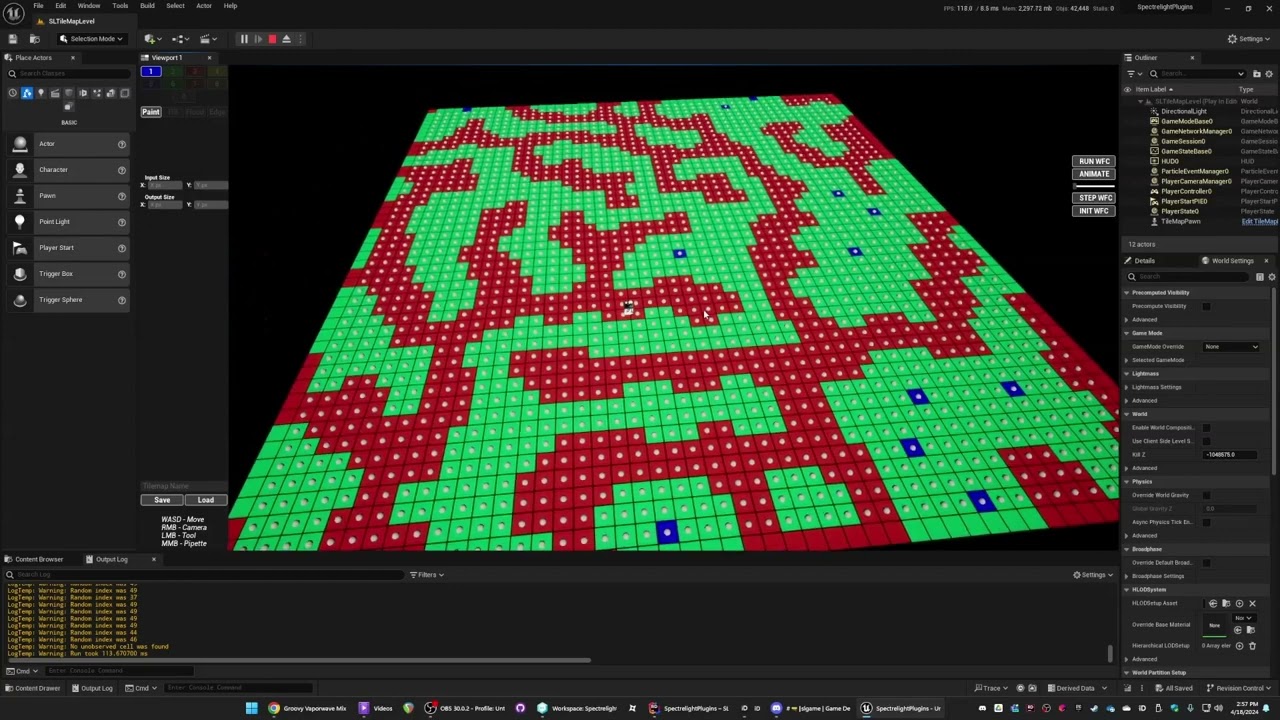
It's not ready for primetime and will ONLY be for generating the raw WFC data but it's for dungeon/map generation using the overlapping model
hushed fox
I recommend watching a tutorial on YouTube for root motion, it has a couple settings that need to be set for it to work.
wicked cairn
faint pasture
https://www.youtube.com/watch?v=guIauFrpe7s
WHAAATT THIS LOOKS SO COOL??? I can't wait to see the finished product!
I think what I'm going to try to do for now is mess with the plugin code and make it so I can call the collapse function during runtime, I've already made some assets and a model for generating a test example 😭
faint pasture
I have no idea how the PCG stuff works but I think it's not the overlapping model
What I like about overlapping is being able to hand make example maps
wicked cairn
faint pasture
I have no idea how the PCG stuff works but I think it's not the overlapping mode...
I forgot to ask but what do you mean by the overlapping model?
subtle shoal
I'm trying to remove this file from my mod and it's crashing every time.
Report:
EpicAccountId:ec6d6f48784c4163aa6191392a32f91d

Unhandled Exception: EXCEPTION_ACCESS_VIOLATION reading address 0xffffffffffffffff

UE4Editor_CoreUObject
UE4Editor_CoreUObject
UE4Editor_CoreUObject
UE4Editor_CoreUObject
UE4Editor_CoreUObject
UE4Editor_CoreUObject
UE4Editor_UnrealEd
UE4Editor_MechWarriorEditor
UE4Editor_MechWarriorEditor
UE4Editor_MechWarriorEditor
UE4Editor_CoreUObject
UE4Editor_UnrealEd
UE4Editor_UnrealEd
UE4Editor_UnrealEd
UE4Editor_UnrealEd
UE4Editor_Slate
UE4Editor_Slate
UE4Editor_Slate
UE4Editor_Slate
UE4Editor_Slate
UE4Editor_Slate
UE4Editor_ApplicationCore
UE4Editor_ApplicationCore
UE4Editor_ApplicationCore
UE4Editor_ApplicationCore
user32
user32
UE4Editor_ApplicationCore
UE4Editor_Slate
UE4Editor_Slate
UE4Editor_UnrealEd
UE4Editor_UnrealEd
UE4Editor_UnrealEd
UE4Editor_ContentBrowserAssetDataSource
UE4Editor_ContentBrowserAssetDataSource
UE4Editor_ContentBrowserAssetDataSource
UE4Editor_ContentBrowser
UE4Editor_ContentBrowser
UE4Editor_Slate
UE4Editor_Slate
UE4Editor_Slate
UE4Editor_Slate
UE4Editor_Slate
UE4Editor_Slate
UE4Editor_Slate
UE4Editor_Slate
UE4Editor_Slate
UE4Editor_Slate
UE4Editor_ApplicationCore
UE4Editor_ApplicationCore
UE4Editor_ApplicationCore
UE4Editor_ApplicationCore
user32
user32
UE4Editor_ApplicationCore
UE4Editor
UE4Editor
UE4Editor
UE4Editor
UE4Editor
kernel32
ntdll```

 analog heart
Hi. I have been trying to make a space ship in VR and am using 2 levers to rotate it but when I do rotate the ship the levers are a child of the lever script breaks. More specifically the rotation of the lever. This is the script to rotate the lever at the moment.

 idle vigil
when looping through an array of structs, if i remove some of the structs as its looping does it mess up the loop or is it smart enough to handle that?
idle vigil
ok ill just keep tab of which structs ill remove from the array and then do remove item after the loop is complete
gentle urchin
or ReverseLoop
idle vigil
oh yeah that works too thanks
faint pasture
analog heart
Hi. I have been trying to make a space ship in VR and am using 2 levers to rotat...
why do you have a 100hz timer
where did you get the idea of a timer that fast from? I'm genuinely curious, I've seen a lot of newer people doing that and I bet it all comes from one video or one content creator person
 marble brook
How can I change the text of a ui widget element at runtime?
gentle urchin
SetText for textblocks
expose them as variables, if not already
read the thing you want to read on a delegate bound up in the widget
marble brook
Im trying to do that but I can't seem to get it to work
I've set the text block as "Is Variable"
 marble brook
My problem seems to be actually gettng that text box to set the text of it
I understand checking "Is Variable" on the text block
but I can't seem to get a reference to it
gentle urchin
drag from the variable (which is names the same as in your widget editor)
and search for SetText
only works if the underlying type is correct ofcourse
so if you've selected a "border" as a variable, it will not have text properties
marble brook
Do I have to do this in the blueprint for that widget?
gentle urchin
That's the smart place for this logic to be
analog heart
faint pasture
where did you get the idea of a timer that fast from? I'm genuinely curious, I'...
almost all of the the vr lever tutorials on yt that don't use tick do it that way 😅
kind estuary
The save game system is better done at the end of your project, right?
so you completed your game, and then you had the save game functionality
so that you can save all the variables and everything
gentle urchin
atleast then you know the actual scope of your variables
using something like ESG should trivialize that part
kind estuary
gentle urchin
atleast then you know the actual scope of your variables
🫡
thank you senpai
kind estuary
gentle urchin
using something like ESG should trivialize that part
ESG ? never heard of it
was googling
u mean EGS
faint pasture
analog heart
almost all of the the vr lever tutorials on yt that don't use tick do it that wa...
They are 100% wrong.
When do you want the lever to change its rotation?
It makes sense that you'd want it to be at the latest correct rotation every frame right?
kind estuary
gentle urchin
<https://www.fab.com/listings/49f745a1-cbdd-4b18-8278-22ae1075d91d>
though 💰💰

 analog heart
faint pasture
They are 100% wrong.
When do you want the lever to change its rotation?
analog heart
faint pasture
They are 100% wrong.
When do you want the lever to change its rotation?
Whenever it is being held
kind estuary
gentle urchin
its gods gift to developers
yeah it looks like it makes it so easy
though i prefer to suffer and learn to do it by myself
analog heart
faint pasture
It makes sense that you'd want it to be at the latest correct rotation every fra...
yes
faint pasture
analog heart
yes
That's tick
Tick is the thing that runs every frame. Put per-frame logic there.
analog heart
faint pasture
Tick is the thing that runs every frame. Put per-frame logic there.
Aight'
 shy matrix
kind estuary
though 💰💰
shy matrix
kind estuary
though 💰💰
You can check out SPUD. It's free and quite robust. For some reason I can't post github links here but you can find it with a simple search
 warped saddle
Hi guys, recently i noticed a big problem with skeletal meshes exported to ue5 from blender, for some reason the exporting makes it so that the rootbone of a skeletal mesh is sized 100x, does anyone has a solution for fixing it? I tried 1 method in blender which requires me to apply armature in the mesh, but i cant do it since i have shape keys.

 empty hare
Anybody know if im able to set it up so when packed and in game im able to record a 2d scene capture from a keybind
and save it somewhere as an accessible file
 eager meteor
Need some assistance. I am using an "Actor" reference that is set through an interface into another Actor. I want to get a bool within a certain BP that is of the "Actor" Class. When I try to get said bool it gives me an error because the Target is obviously just an Actor and not a direct cast to the Actor that has this bool. How do I get a bool of an specific actor via an interface WITHOUT using a Direct variable for it.
 marble brook
I notice stuff like Apply Damage, Point Damage, Radial and Radial with Falloff, does this imply there is a health system already in place or do I still have to make my own? If there is one already in place how do I get this health value
kind estuary
shy matrix
You can check out SPUD. It's free and quite robust. For some reason I can't post...
thanks bruh thats a great tip
i really dont like setting save game
so many variables and shit that i can miss
dawn gazelle
eager meteor
Need some assistance. I am using an "Actor" reference that is set through an int...
The variable type defines what is stored and what is accessible from the variable, but only at the level of that class - sub classes of that type will not allow you to access their variables and functions until you cast the reference which then gives you a reference to that class which you can use to access those variables and functions. If you don't want to cast or utilize a variable of the appropriate type that has access to the variables, an interface that returns values is the only other option you have.
dawn gazelle
marble brook
I notice stuff like Apply Damage, Point Damage, Radial and Radial with Falloff, ...
It is just a generic set of functions built into the actor class that you can implement as you see fit. On the receiving actor classes you'd implement "Any Damage" for example and then you can define what happens when damage is received.
shy matrix
warped saddle
Hi guys, recently i noticed a big problem with skeletal meshes exported to ue5 f...
It's a very old and common problem. The only trick I could rely on is this

Epic Developer Community Forums
1)Before skin weight paint but after parenting mesh to armature you need to scale both armature and the model by 100 → apply scale and then scale it down 0.01 without applying transform.(This is needed for the proper bone scale in unreal engine) 2)If your model is facing -y axis(it’s looking at you when you press 1 in blender) I’ve tried ...
But, if you are on recent engine versions, to save you headaches, I'd recommend you to add bones in-editor
Then you can still export the fbx to further edit in blender where needed
shy matrix
marble brook
I notice stuff like Apply Damage, Point Damage, Radial and Radial with Falloff, ...
There is none. This is a built in actor interface to move damage values around with the added bonus that it already handles impact physics for you, if you want.
Well it's technically not an interface
 high pulsar
Hello, house, please anybody have idea about unreal engine 5.5 pixel streaming
tulip bough
How would I go about changing the camera position based on the direction the character is facing?
Currently have a 2.5D setup, and would like the camera to be a little ahead of the player (in the direction they are facing)
lunar sleet
tulip bough
How would I go about changing the camera position based on the direction the cha...
Use controller rotation checkboxes on the camera
May need to have said camera on the char as a component