#blueprint
1 messages · Page 216 of 1
 sand bloom
oh I guess visualstudio doesn't remove the file itself when you press remove 🤔
so I guess i'll just go into file explorer
let's see if it works now 🤔
ohhh
0 failed this time
 gentle urchin
Getting closer every time
sand bloom
lmao yeah
I think I see it
😩


It actually seems to work now damn
Thank you both for your help, I really appreciate it
I gotta try the other enum now myself and write down notes I can refer to in the future
🫡
gentle urchin
best of luck on your c++ journey!
sand bloom
thank you! Adding in a new enum worked, I can now use this template for all my future unreal projects for reference
 crisp moon
is dealing damage like this is ok or u guys suggest better thing


 agile moss
Is the any way to get "key press" in a widget? press i -> flipflop set visibility widget
 frosty heron
my suggestion wuld be #gameplay-ability-system
 soft lion
agile moss
Is the any way to get "key press" in a widget? press i -> flipflop set visibilit...
soft lion
agile moss
Is the any way to get "key press" in a widget? press i -> flipflop set visibilit...
I just do an input action on tab or whatever and in the player controller or wherever you put the input action binding in that event graph handle the logic for the flip flop
In my player controller is where I keep my inventory so I handle all the inventory widget creation and stuff inside the player controller itself. I have an input action bind on TAB and when I press it it calls this toggle menu function

 soft lion
agile moss
I'm just gonna make a bool in the player then set timer by event in the widget
soft lion
agile moss
I'm just gonna make a bool in the player then set timer by event in the widget
I don't understand what's the goal then
agile moss
Basicaly just show hide inventory items by the i key
 maiden wadi
Both of you need CommonUI.
soft lion
maiden wadi
Both of you need CommonUI.
I'm avoiding it
agile moss
I'm cooked
maiden wadi
My condolences.
soft lion
I have only been told 1203958234095 times to do it I know
I've watched tutorials on it and the epic livestream about it
It looks good it looks easy
I did a project where I had everything in rich text blocks and had a setup for that, but the common UI was overall more comprehensive
soft lion
agile moss
Basicaly just show hide inventory items by the i key
What I told you and posted my code does exactly what that statement says. You press a key and it toggles visibility. I don't see why you would want to make the widget grab info off the player when the player can just control the widget
maiden wadi
The CommonUI solve for this is simply making a CommonButtonBase child. Adding a Triggering action to it, and putting it in an Activated widget.
soft lion
maiden wadi
The CommonUI solve for this is simply making a CommonButtonBase child. Adding a ...
Too simple I need it overcomplicated and inefficient please
 high frost
i'm trying to migrate some assets (widget blueprints, textures and one blueprint struct asset) from UE 5.4.3 to 5.3.2 project, but for reason only folders are created in my 5.3 project but they're all empty. What could have I done wrong here?
agile moss
soft lion
What I told you and posted my code does exactly what that statement says. You pr...
I only know nodes and short explanations
Sorry
agile moss
Lol
soft lion
I am so sorry I just posted a whole C++ block
agile moss
Ur good bro, don't worry 😂
soft lion
You can still do it all in blueprints tho all my functions in the C++ code is all in blueprints
You know how to make an input action right
make an input action for IA_Inventory and add it to the mapping context on I key
In the event graph make your flip flop
You create the inventory widget inside the same BP that has the toggle action and keep a variable reference stored to the created widget
From that variable reference you can check visibility and run the flip flop to show and hide
 empty marten
Hey peeps,
Quick question, say I got 10 arrays stored with directories and I wanted to pick 1 array at random and then get 1 random index from that array, how would I do that? I know I can't store an array of arrays so just wondering if there's another way to do it?
agile moss
I think I know how I'm gonna do it
Thanks
 maiden wadi
empty marten
Hey peeps,
Quick question, say I got 10 arrays stored with directories and I wan...
maiden wadi
empty marten
Hey peeps,
Quick question, say I got 10 arrays stored with directories and I wan...
Array of Structs, with an Array
soft lion
maiden wadi
Array of Structs, with an Array
This. Make a struct that has the array you want inside the struct then make an array of those structs
I love maps tho
maps are the best
maiden wadi
Alternatively. You could just math it.
Count up all array lengths. Minus 1 for 0 index. Randomize between 0 and this number. Find out which array that was supposed to access by offsetting the value and then just access that index.
Or just dump copies of all arrays into a new array and randomize one.
Ton of ways to do that without any additional constraints.
soft lion
maiden wadi
Count up all array lengths. Minus 1 for 0 index. Randomize between 0 and this nu...
I do that with my RNG gacha loot boxes
 empty marten
maiden wadi
Count up all array lengths. Minus 1 for 0 index. Randomize between 0 and this nu...
empty marten
maiden wadi
Count up all array lengths. Minus 1 for 0 index. Randomize between 0 and this nu...
Well the plan is that each array contains names of videos from folders and I was gonna pick a random video from a random folder, play it and then remove that from the array but I could possible do a get all videos from each folder and put them all into 1 large array but would that cause issues?
Like is there a cap size for arrays?
empty marten
Haha not that extreme XD
 rigid abyss
does anyone know why my blueprint dosent work im trying to add mid air movemejnt for cars like gta
 frosty heron
not even plugged
rigid abyss
wym
rigid abyss
the branch?
frosty heron
sure
rigid abyss
like this?
 empty marten
Yeah. Now you just need to execute that custom event somewhere in the blueprint
Or
better yet, execute the code from the input axis nodes
frosty heron
Doesn't make sense
If you want to use the axis value from the input then plug the white pin from it
What ever you doing atm make no complete sense
And for sanity sake, maybe don't try to recreate gta, just saying
I don't get how making rotator out of input values translate to anything.
You seems to do everything way too randomly
First write on paper
Then comes the implementation
rigid abyss
big man i started last week
frosty heron
I'm no big man and I'm just saying
Write on paper first what you actually want to do
Then implement when you work out the algorithm
It's better than going blindly imo
 iron idol
Its probably hard to write it out on paper if you are so new that you don't know what to write. A week is quite young in UE hours. Honestly Cold's suggestion of make something more simple is not a bad one. I started following several tutorials to the T before trying to branch out. I'm only like 500 hours into UE and still get stuck all the time.
 copper karma
I agree
frosty heron
If you can't write pseudo code you can write in plain english
If I press this button it will do this action
copper karma
I understood everything
 final berry
Hello! I'm running into the issue that apparently you can't convert a string that says 1,1 to a float? It gives me 1,0. Does anyone know how to work around that?
frosty heron
final berry
Hello! I'm running into the issue that apparently you can't convert a string tha...
Show code
rigid abyss
final berry
Hello! I'm running into the issue that apparently you can't convert a string tha...
convert from str to int
iron idol
not int
frosty heron
Float
rigid abyss
float**
iron idol
int cannot have decimals
rigid abyss
my finger slipped
frosty heron
But yes u can convert to str
final berry
Sorry, I made a mistake 😅 I fixed it. I tried to convert a 1,1 string to float. But it should have been 1.1
frosty heron
@rigid abyss tbh I think you can simplify it just by tweeking one of the setting in your character movement component
When in air, change the rotation rate
When landed, switch the rotation rate back to normal
Play around with the setting, maybe use controller rotation yaw. I dunnoe
No pig to ride yet in my game
rigid abyss
i changed it up but instead of rotating it according to local coordinates it rotates it globally

how do i change the angular velocity to be local not global
frosty heron
Maybe account for the actor rotation
Anyway gonna sleep. Gl
Afaik axis value is -1 to 1
Useful to represent direction
You gotta apply some math to translate that value
copper karma
The whole class started calling us the sigma slayers
copper karma
I was once in a 1v100 against the whole school
Lets just say
They didnt last long 😈
rigid abyss
rigid abyss
how do i change the angular velocity to be local not global
someone help
copper karma
I can help you
So basically
You change the angular velocity to be local not global
 barren kestrel
Hi guys any one know a way to make a portal excursion like funnel which interacts with all actors
Including ones that don't use physics ie the player character
 wheat citrus
When using the Box Overlap Actors node I only get an overlap if the box overlaps with the convex hull collision of the mesh. How would I go about getting an overlap if the box is fully inside the convex hull?


in other words how do I make the collision hull into a collision volume
 faint pasture
rigid abyss
how do i change the angular velocity to be local not global
faint pasture
rigid abyss
how do i change the angular velocity to be local not global
rotate / unrotate vector
to translate from local to global and back
Global = Rotate(Local)
Local = UnRotate(Global)
 wild pumice
Hi all, I'm currently at the point where I have to consider frame independence in my project. After a bit of testing of using thr "Add force" node on an object at different framerates, it seems the node is frame dependent? What is the proper way to add force to objects with frame independence. I tried multiplying by delta time but still got inconsistent results. Strange that I can't find much info on this online.
 gaunt stirrup
trying to disable widget input after ready has been clicked, but an error shows - any help please?

 narrow sentinel
Anyone know what I'm meant to do with this, it's after I'm build my level it's gave me this warning

 trim matrix
Writing BP to take a screenshot with UI for runtime in packaged build. UE has yet to accept any relative filepath to a users (any users) desktop, whats the catch? shot showui + ???
 loud tree
gaunt stirrup
trying to disable widget input after ready has been clicked, but an error shows ...
loud tree
gaunt stirrup
trying to disable widget input after ready has been clicked, but an error shows ...
Don't use enable/disable input
Use the
"Set input to game, ui, or game and ui" nodes as needed to start.
Make sure your input for the ui and the input for the game are in the same class (pawn, controller)
gaunt stirrup
its on ui mode atm @loud tree
loud tree
wild pumice
Hi all, I'm currently at the point where I have to consider frame independence i...
By frame rates are you referring to latency by chance? Trying to understand to see if I can help.
To my knowledge frame rate itself should effect nothing as it's just the speed/rate at which images populate your screen.
You will see things move faster in higher fps but it does the same exact movements.
However, latency can sag your fps hard. The latency itself can cause massive programming issues.
Sorry if that was unnecessary to say.
 unique rock
how does you Keep moving after set input mode game only?
loud tree
gaunt stirrup
its on ui mode atm <@409955189873836033>
Okay, this play code in the ui itself, correct?
gaunt stirrup
its on the level blueprint
loud tree
Oh wait
gaunt stirrup
i wanted to turn it off in a widget button
loud tree
unique rock
how does you Keep moving after set input mode game only?
Use stop movement node
loud tree
gaunt stirrup
i wanted to turn it off in a widget button
Do it from the widget blueprint.
On button press > get owning player or player controller > set input to game, see If that works
unique rock
will try
loud tree
unique rock
i what my player to not stop move
Oh sorry. Um let me think for a minute haven't done this myself yet.
unique rock
did not work
wild pumice
loud tree
By frame rates are you referring to latency by chance? Trying to understand to s...
I mean setting the frames per second to be capped at 60 FPS then running the same code capped at 30 and 15 FPS. My object moves at different speeds with this code.
 loud tree
unique rock
did not work
loud tree
unique rock
did not work
Setting it in the widget was for chainbody
unique rock
lol
loud tree
wild pumice
I mean setting the frames per second to be capped at 60 FPS then running the sam...
Yes, it will.
Think of frames like this
At 30 fps your computer shows you 30 images per second to show the animation of your screen.
At 60 it is showing you 60 images per second.
Seeing 30 steps of progress is going to feel slower than seeing 60 steps of progress. The progress rate is still the same though unless there is latency causing problems
loud tree
unique rock
lol
For your issue are you trying to make an auto run more or less?
Like disable input, player runs forward.
Or trying to reach a specific point like an ai?
loud tree
Ok
wild pumice
loud tree
Yes, it will.
Think of frames like this
At 30 fps your computer shows you 30 ima...
Yeah, but the object in this case actually moves slower(physics wise) in the level. It takes longer to traverse the same amount of distance separate of frames rendered visually. I'm guessing I have to multiply by Delta time somewhere when using the "Add Force" node, but I'm not sure if thats the proper way.
gaunt stirrup
loud tree
Do it from the widget blueprint.
On button press > get owning player or player c...
Okay trying this
gentle urchin
wild pumice
I mean setting the frames per second to be capped at 60 FPS then running the sam...
I believe you should multiply the final force with delta time
So if its higher framrate, the force applied per frame is less than if its low framerate
1 fps = 100% force per frame
10 fps = 10% force per frame
100 fps = 1% force per frame
gaunt stirrup
@loud tree is this what u mean
 loud tree
Try adding a custom event on your character that runs as the ui opens, to disable normal input, set a variable or form of constant input, then add movement input, maybe something like get actor>forward vector (definitely needs more mathing but can't think atm) for the world direction on a loop.
When you close the widget, reset that variable/disable the input.
 hollow yacht
Vile's noob questions
loud tree
gaunt stirrup
<@409955189873836033> is this what u mean
Change that to game only.
If that doesn't work I may need a deeper look at your set up with this button.
unique rock
 wild pumice
Thanks @loud tree @gentle urchin , I'll take a look at my code and test using delta time.
 barren tundra
hi, I have a tricki question. Is it possible to create blueprint class that can be select as value in property just like staic mesh?
 loud tree
wild pumice
Yeah, but the object in this case actually moves slower(physics wise) in the le...
loud tree
wild pumice
Yeah, but the object in this case actually moves slower(physics wise) in the le...
How are you measuring this? Is this multiplayer or single player/unreplicated?
You may be right.
Sorry I'm not being much help.
barren tundra
so it create copy of that asset
wild pumice
loud tree
How are you measuring this? Is this multiplayer or single player/unreplicated?
...
Singleplayer, It's a racing vehicle with a timed checkpoint.
loud tree
barren tundra
hi, I have a tricki question. Is it possible to create blueprint class that can ...
If I'm understanding you right, yes you can.
If you're asking if you can pick a BP as a static mesh then no.
barren tundra
i am just show example on meshes.
wild pumice
Timer starts, I run in a straight line and timers stops when I pass the checkpoint. I'm only pressing the forward input which triggers my "Add Force" code.
barren tundra
all I see is that in property you can use only objects on the level
But i wanna use object that cannot be use as actor on the level.
unique rock
barren tundra
hi, I have a tricki question. Is it possible to create blueprint class that can ...
BP_Classreference?
loud tree
wild pumice
Timer starts, I run in a straight line and timers stops when I pass the checkpoi...
Thinking and researching rq to see if I see anything
barren tundra
If i take classRef. I can create the new object of that type but then my question is if new object will have the same values as blueprint ion content browser
loud tree
barren tundra
If i take classRef. I can create the new object of that type but then my questio...
Make a parent class of the actor with shared values.
Make individual actors to customize.
Call the class of those actors.
From that class you can select specific actors that will spawn as you've set them up
wild pumice
loud tree
Thinking and researching rq to see if I see anything
Thanks, don't worry if it's too much hassle, I might be asking the question wrong also. It could be as simple as adding the multiplication by Delta time when the Add Force code is called. I'll test this later in the day. But I'd appreciate it if you did share any info if you stumble upon it.
gaunt stirrup
fuck i dont think that worked
im just trying to Temporarily disable widget buttons before the widget changes to another widget
so people cant spam or change character after theyve pressed ready
loud tree
wild pumice
Timer starts, I run in a straight line and timers stops when I pass the checkpoi...
Are other input types other than force viable for you? Haven't been able to read deep yet but what I did see so far shows that force is more adding energy to the object as opposed to a regular input.
That energy has to be mediated as you guessed somehow with the time delta.
loud tree
gaunt stirrup
im just trying to Temporarily disable widget buttons before the widget changes t...
Ohhhh add a do once node
wild pumice
loud tree
Are other input types other than force viable for you? Haven't been able to read...
yeah at the moment it has to be phyiscs based with Add Force since I have other code for Drifting which calculates movement vectors to prevent sliding with counter forces which also use Add Force.
gentle urchin
wild pumice
Thanks, don't worry if it's too much hassle, I might be asking the question wron...
Waaait, are you running it on a timer !?
If so, That changes everything
loud tree
wild pumice
yeah at the moment it has to be phyiscs based with Add Force since I have other ...
Would it be possible to add force to initiate and control the drift then remove the force at the end? Sorry just spit balling.
loud tree
gentle urchin
If so, That changes everything
The code itself isn't I don't believe.
But he measures the time it takes with one I believe
loud tree
wild pumice
I mean setting the frames per second to be capped at 60 FPS then running the sam...
Here's their code
wild pumice
loud tree
The code itself isn't I don't believe.
But he measures the time it takes with on...
Correct. The timer is separate code for the checkpoint. Unrelated to the vehicle.
wild pumice
loud tree
Would it be possible to add force to initiate and control the drift then remove ...
Since it's acceleration, it would have to be constant force when the acceleration key is pressed.
I think multiplying by delta time will be a possible solution.
hollow yacht
How do I set it so that it recognizes which selected option I have? I'm obviously missing something between Set Selected Option and the Branch (because it has no idea "what" I selected just that I did)
 wild pumice
so that that overall force is the same as time passes like @gentle urchin said.
loud tree
wild pumice
so that that overall force is the same as time passes like <@231467939734355969>...
That's the goal I've read on the few posts I've been able to.
I'd say give it a go
Test with * and / see what works.
Sorry I wasn't much help
wild pumice
loud tree
That's the goal I've read on the few posts I've been able to.
I'd say give it a ...
I'll test it once I'm able later today. I appreciate the help and looking into it.🙌
gaunt stirrup
loud tree
Ohhhh add a do once node
you're still able to click other buttons in the widget after pressing ready because theres a 3.0 second buffer before changing widgets 😦
barren tundra
loud tree
Make a parent class of the actor with shared values.
Make individual actors to c...
hmmm I think that I try this. Create testclass inher. from object (this is my base class) then create couple children. but when i make property of the base class in some actor on the level still cannot see any children to select
loud tree
gaunt stirrup
you're still able to click other buttons in the widget after pressing ready beca...
You could set the buttons or widget to collapsed after pressing
loud tree
wild pumice
I'll test it once I'm able later today. I appreciate the help and looking into i...
Best of luck! I believe you will get it running as you want it
gaunt stirrup
loud tree
You could set the buttons or widget to collapsed after pressing
never heard of that 1 ill try
loud tree
barren tundra
hmmm I think that I try this. Create testclass inher. from object (this is my ba...
Make sure you're selecting the parent actor then changing that one to class
All children should populate when using it if you use "get actor of class"
hollow yacht
I'm apparently really bad at this all I needed was to ... make it a lot more simple

 normal viper
hey folks
can any one tell me how can i make a setting to switch between anti aliasing modes insinde my setting menu
gaunt stirrup
loud tree
You could set the buttons or widget to collapsed after pressing
how do i do this?
faint pasture
If you're after the blocky effect I'd probably blend render with render sampled at some low resolution
Pixel = Blend(Pixel, Pixel at UV rounded to some grid)
loud tree
gaunt stirrup
how do i do this?
Make sure "is variable" is selected for whatever you want to do this for. (Top right in the widget viewer when it is highlighted)
On the event graph drag what you want hidden in as a "get" node. Drag from that and set visibility
faint pasture
Should get you close to this

 jolly oracle
Hey...I've done some digging around and I think I've found some sort of solution for my issue.
[wanting to set assets to be packaged with certain build targets]
but this seems reeeally involved changing my build config...just to include BP_function_libraries. With my server target.
Is it possible for a multiplayer game using only blueprints: To achieve this functionality with using Blueprint editor utilities?
I don't know if I want to switch up to a unique build config because this would only be for prototyping and when I expand these to more
c++ oriented solutions...with more normal build configurations.
Any Ideas? Help? Personal methods?
gentle urchin
Isnt there some build lists you can alter in project settings? Also #packaging , I believe
empty marten
Hey peeps,
I got a bunch of Stream Media Source assets in my content browser. I want to get all of those in a BP and then randomly pick one to then play on my media source. What is the best way to get those Stream Media Sources? I know I could use asset registry but feel like that might be a bit much just to get a reference to them. Any advice?
 warped juniper
Hey, I'm trying to figure out some way to do a basic dash ability (move in X direction over Y seconds for Z distance) but I cannot figure out the right approach to do it
I tried launch, movement modes, adding location manually via timelines, nothing makes me feel satisfied with the result
 tawdry walrus
normal viper
hey folks
can any one tell me how can i make a setting to switch between anti a...
tawdry walrus
normal viper
hey folks
can any one tell me how can i make a setting to switch between anti a...
you can use the "Execute Console Command" node and in the command use "r.AntiAliasingMethod [Number of anti-Aliasing Method]" to get the value from 0 to 4 you can use "Get Console Variable Int Value" and if want to make like an option or drop-down menu you can use Combo Box (string) and add On selection changed from the combo box string and you add and drag and drop from the selected item and make a variable name it like "Current Anti-Aliasing Method" or whatever you want and drag and drop from selected Item and make a switch and add the anti-aliasing and name it like the options in the combo string and use "Execute Console Command" node and use the command "r.AntiAliasingMethod [Number of anti-Aliasing Method]" and It will work
sorry if my English is not great, it's not my first language. Also, sorry for the long message.
 normal viper
tawdry walrus
you can use the "Execute Console Command" node and in the command use "r.AntiAli...
normal viper
tawdry walrus
you can use the "Execute Console Command" node and in the command use "r.AntiAli...
thnax a lot man
i did it with buttons and when the button is pressed then i execute console commands
it works fine
but do u know any way of saving these settings as i cant save them like i did with other settings with the get game user settings and then save setting
tawdry walrus
normal viper
but do u know any way of saving these settings as i cant save them like i did w...
Did you create any kind of save system? If not, this video would be very helpful.
https://www.youtube.com/watch?v=H6rqJbwjRIk

This video will teach you how to save and load your unreal engine 5 game in the most scalable and flexible way. I aim to teach you good code architecture and how to structure your systems in a way that makes them easily reusable, maintainable and scalable.
By the end you will have a system that contains a reusable save and load system that can ...
 copper chasm
I have a "gameplay mode" manager set up as an enumerator - when combat starts I want to shift from real time control to turn based - can I run the check on tick without too many problems if I preface the switch with a boolean? something like this
 jolly oracle
gentle urchin
Isnt there some build lists you can alter in project settings? Also <#4029584996...
jolly oracle
gentle urchin
Isnt there some build lists you can alter in project settings? Also <#4029584996...
Yes there is but in my case I need to for instance:
(Windows64)(Development)(Server) Contains Function Library
(Windows64)(Development)(Client) Does not contain Function Library
And with exclusion directories it is across both build targets.
Also I've only found solutions that are platform Specific.
But not target specific.
 crude dew
Ok, I cant see what im doing wrong here, I have 2 paddles with custom object of type Paddle, and Sidewalls with Custom Object of Walls, Walls have collision profile to "Block" paddles and paddles have collision to block walls but the paddle just moves through the wall as if theres no collision at all, The wall have a Collision setup on the Mesh and Paddle has collision generated on the mesh , Anyone got ideas please?
If i get the paddle to simulate physics and try to drop it on the wall using gravity it works as intended.
jolly oracle
gentle urchin
Isnt there some build lists you can alter in project settings? Also <#4029584996...
Also I don't know how I don't be seeing these channels. 🤦♂️ Thanks.
crude dew
The ball acts as expected and is set to "block" paddles and bounces off of it as expected.
 normal viper
tawdry walrus
Did you create any kind of save system? If not, this video would be very helpful...
normal viper
tawdry walrus
Did you create any kind of save system? If not, this video would be very helpful...
thanx again ill give it a look
crude dew
I am moving the paddle with a simple when key pressed move up or down in the Y axis if thats relevant.
 dawn gazelle
copper chasm
I have a "gameplay mode" manager set up as an enumerator - when combat starts I ...
dawn gazelle
copper chasm
I have a "gameplay mode" manager set up as an enumerator - when combat starts I ...
You shouldn't run it on tick. If you're using an event to set that "Mode Changed" variable, that same chain of logic could be used to make any required changes of the mode being changed rather than constantly checking if "Mode Changed" is true.
copper chasm
dawn gazelle
You shouldn't run it on tick. If you're using an event to set that "Mode Changed...
You know what, that makes sense
 hoary summit
How can I get this Event Init?

am i being dumb? I don't see it as an option....
This is what I have

 cyan spire
The init is not a variable that you can get. Its a "Begin to run this code" function and stores nothing, so you cant get it
As soon as you run your game this is what starts whatever comes after the pin, imagine it like a power socket on button, if you press it, it can turn on whatever comes after that, it has no on/off state. It can only be pressed once
If you want to know if this fired, you would use a "set bool" event initiialized node and set it to true, and then get that one
 silver garden
I have set the cursor widgets on Project Settings->Engine->User Interface->Software Cursors, to get a custom cursor image.
One of these Widgets has an animation. Is there a way I can get a reference to that cursor widget so I can play the animation it has?
The animation should be played when I register a hit on an enemy.
 cyan spire
Theres sadly no easy way to do it, unreal does allow you to change the cursor, but if you want to play a anim you need to draw your anim OVER the existing old cursor. So you use a widget that you overlay on the cursor existing cursor, you do this by

The "cursor" state is just the mouse location in XY on your screen
You can do it, but dont look for in built solutions because there are none, you need to make it from scratch
Its confusing because theres seemingly a way to change the texture integrated in unreal but nothing for a animation or to do it in runtime
so the only solution is to do it by hand
silver garden
cyan spire
Theres sadly no easy way to do it, unreal does allow you to change the cursor, b...
Ah, that is interesting, thank you for the info!
So, what I'm thinking is: take the Game Instance, create the Cursor Widget there, store it and hide it.
Then, when a Game Mode is initialized, take said cursor as a reference and handle it in the game mode itself.
hoary summit
cyan spire
As soon as you run your game this is what starts whatever comes after the pin, i...
Sorry, to be clear, the top screenshot is from a plugin installation tutorial
I have created a blank game mode, but dont have an init event
cyan spire
Its the same logic, the event init is a unreal function, they just used the same

 cyan spire
Use event begin play instead of init
cyan spire
The init means basically theres something is linked to it, event begin play means its blank and you can run whatever you want

 cyan spire
The vent shutdown is ONLY available in the game instance class (the game instance class is a blueprint class that is built in into unreal engine and has own nodes such as event init and event shutdown which are not built into the character or other classes)
 cyan spire
You need to know that certain events, nodes are only available in some of the classes, not in EVERY blueprint, reason is this is built in into the blueprint, if you make a blank blueprint its not there. Unreal Engine has like i said this stuf built into that EXACT class. So imagine it hte event shutdown is ONLY AVAILABLE for you in the gamemode class
Thats the gamemodebase, you need the game instance
cyan spire
Playerstate =/= playercontroller or playercharacter, gamemode base =/= game instance
Theres many similar named blueprints but you need to do it in the EXACT named blueprint, i know its confusing at first

 marsh pilot
Hey does the ConstructionScript event also update during runtime or only in the editor?
cyan spire
No problem, you need to read this, you can see what the difference between both is, the game instance for example can store data even if you shutdown the server, the rest blueprint classes cant.

Medium
Two key concepts within Unreal Engine are “Game Mode” and “Game Instance,” which play crucial roles in managing game execution and managing…
This is the important part : 4. Initialization: Performs initialization operations that must occur only once at game startup.
hoary summit
thanks, will give it a read
cyan spire
Thats the init node you were looking for which did not exist in other blueprints ONLY in the game instance
cyan spire
marsh pilot
Hey does the ConstructionScript event also update during runtime or only in the ...
It does ONLY run once as soon as you start your game and before the actor is spawned in the world, it does NEVER update. It runs the code once at start and thats everything. Theres also Event pre-construct, which runs in the editor (but also only once)
marsh pilot
Ah damn, alright thank you. I'll have to use tick then. Luckily it's only for a placer to tick isn't that big of a deal in terms of resources
hoary summit
it will fire every tick, and probably wreck your FPS
cyan spire
silver garden
Ah, that is interesting, thank you for the info!
So, what I'm thinking is: take ...
The problem is not with getting or storing the variable, i also highly suggest to store it inside the player controller class, since if you create the widget there, you have a DIRECT reference to it and can modify as you like. Thee HUGE problem you probably did not think about is how to play a animation. The word animation can mean anything, so if its a simple animation you can use a lerp to animate between picture A and picture B, if you want a complex animation, so for example where something completely differnet happens over the time frame of .3 secs, thats hell to do and needs a insane amount of research, its doable but figuring out how the ANIMATION can be done is your main goal, the other stuff is easy
hoary summit
like it will fire thousands of the same command instead of one command continuously
cyan spire
marsh pilot
Ah damn, alright thank you. I'll have to use tick then. Luckily it's only for a ...
In short what do you want to do?
Or what do you want to be constantly updated?
marsh pilot
cyan spire
In short what do you want to do?
Essentially I'm working on a railroad tycoon game. I have the actual built tracks that work fine with the PCG, but I'm working on the track placer which is essentially a drag system. Here the background is the actual built track, and in the foreground is the placer. Not sure why the ties aren't being generated since they're also part of the PCG graph, but I'm looking into that. The two spheres are the start and end points
 hoary summit
okay so what are you checking for?
alignment and position of the last placed piece?
maiden wadi
What does this have to do with the construction script?
marsh pilot
It's for placement of the ties and rails. I'm not too concerned about the rails since I'll be reworking them when 5.5 comes out
 queen sphinx
Would anyone know how to pass a flow rate from blueprint1 through onto the next blueprint1?
hoary summit
yeah nah you need to make like an item spawner blueprint that handles all that
marsh pilot
hoary summit
yeah nah you need to make like an item spawner blueprint that handles all that
Hm interesting, what do you mean by that?
hoary summit
you would create a blueprint, that your player can control, move about, and press a button to spawn an item.
marsh pilot
hoary summit
you would create a blueprint, that your player can control, move about, and pres...
Yes that's what the placer is
hoary summit
then you can make some functions to check the last placed item location, and spawn the next item next to it.
cyan spire
Pcg sucks, period. I used it in my small project as soon as introduced multiplayer it all broke because there was no way to keep a reference, a better way is to make a seperate blueprint, spawn the item from that blueprint and make a reference to that blueprint so you can destroy the actor if needed any time, pcg is just fire and forget
hoary summit
save the location of your last placed piece, calculate the distance needed to spawn the next item directly after it.
cyan spire
Its just too complex to describe, you need to find out yourself what i mean lol
marsh pilot
hoary summit
save the location of your last placed piece, calculate the distance needed to sp...
Yes I already have a function for that. It was just off the construction event but I needed to put it on the event tick
hoary summit
seems like you only need to check it after you place an item to me though
silver garden
cyan spire
The problem is not with getting or storing the variable, i also highly suggest t...
The widget has an animation, I will just create a public function in it to play the animation and call it from outside
maiden wadi
cyan spire
Pcg sucks, period. I used it in my small project as soon as introduced multiplay...
Curious why the period part? PCG is quite useful. I mean like any visual helper you don't use it for gameplay critical classes and such.
maiden wadi
hoary summit
seems like you only need to check it after you place an item to me though
They need it to visually update as the player is doing things.
marsh pilot
hoary summit
seems like you only need to check it after you place an item to me though
I mean it wouldn't be in the game all the time, plus it's always only one at a time by it's nature of being a placer. But I suppose I could add it for whenever when the spline is changed
hoary summit
maiden wadi
They need it to visually update as the player is doing things.
by nature of the player doing something -means there is input to write code off of, the event tick is not needed.
maiden wadi
Lol
So.. Run it on tick when the player's input ticks instead of when the actor ticks.
The whole engine runs on tick.
Your viewport ticks every single frame to see if it splitscreens.
One actor ticking for a player is a bit silly to avoid.
hoary summit
fair enough, I've had so many issues with doing checks off event ticks, then random FPS crashes, hours of profiling and troubleshooting have taught me to avoid.
marsh pilot
Yeah I usually avoid for most things but of course for small things like a single placer that at most there's only one at a time, I consider that small enough to accept
maiden wadi
Tick isn't a bad thing. Just the stuff you do on it needs to be for it. And avoiding it for the sake of avoiding it tends to lead newer users down a bad path. Like people who use timelines on repeating loops, or 0,001 timers. Both of which are slower than tick. Timeline not so much, but still a bit.
frosty heron
Someone gave advice to make line trace for interaction with timer every 0.5 second..... instead using tick....
I told him he gave peak bad advice and he started calling me noob and blow off.
But muh FPS
Like if the game run slow, look for other things to optimise instead ruining player experience.
maiden wadi
I've seen bad ticks. We have a few. PlayerController's Input in 4.27 is pretty shitty too. They're hard to clean up though because they do kind of need to exist. PlayerController input on 4.27 starts at like 0.4ms doing nothing on PS4 and XB1 and similar spec PCs.
Some of the best optimizations I've ever seen were things I never expected. The two that always jump to mind is disabling collisions on CableComponents, and using TileView/Listviews/InvalidationBoxes.
Cable Components are wiiiiiildly expensive with collisions. Specially on older slower consoles. I think about 11 or so of them was causing a constant >1ms frametime.
And keeping widgets from doing prepass is always good. Less Tick and Draw time when they don't need it. UI costs a ton even when it seems like it's doing nothing. It's not uncommon for a game to break 3-5ms even on a decent PC without some foresight and planning.
loud tree
frosty heron
Someone gave advice to make line trace for interaction with timer every 0.5 seco...
I'll never understand this, especially if it's the only thing they would be running on tick.
- It makes a rather negligible difference.
- You can alter the tick rate as to not run every frame if I'm not mistaken.
queen sphinx
Ok so what am I missing here?
If I call the class out as conveyor, it allows me to pull the function “intake” and use it.
If I right click the actor class in “get all actors…” and promote it to variable. It breaks the link for me “intake”
 frosty heron
Print screen instead
 loud tree
queen sphinx
Yeah work pc, can’t throw discord on there. Give me a minute
loud tree
queen sphinx
Yeah work pc, can’t throw discord on there. Give me a minute
Are you trying to make them all do this?
queen sphinx
Just the one with a tag, “cv1”
frosty heron
queen sphinx
Just the one with a tag, “cv1”
Loop thru the actor, find the one with cv1 tag then do something
For each loop with break
dawn gazelle
queen sphinx
Ok so what am I missing here?
If I call the class out as conveyor, it allows me...
Because your "Actor Class" variable is of type "Actor" and so, the output from "Out Actors" is of type "Actor". In the bottom example where you are selecting the "Conveyor" as the class, the "Out Actor" will be of type "Conveyor" allowing you to call your function.
frosty heron
Oops I see the question now
trim matrix
My Screenshot with UI and save dialog BP so far... how to tell it to be 1920x1080 always? It currently will only take whatever size the game window size is, thanks!
 queen sphinx
dawn gazelle
Because your "Actor Class" variable is of type "Actor" and so, the output from "...
queen sphinx
dawn gazelle
Because your "Actor Class" variable is of type "Actor" and so, the output from "...
What is the way to fix the top code so I can get it to call my “intake”
frosty heron
queen sphinx
What is the way to fix the top code so I can get it to call my “intake”
You have to cast
dawn gazelle
queen sphinx
What is the way to fix the top code so I can get it to call my “intake”
You either have to change the "Actor Class" variable type to be of a "Conveyor" class and make sure to disconnect everything from the Get Actors of Class node connecting that "Actor Class" variable first, or cast from your GET.
dawn gazelle
That's not what casting does. Casting takes a reference and checks if it is the type that you're casting to and then returns a reference as that type which then allows you to access the variables and functions.
If you have an "Actor" reference, it can contain a "Conveyor" object, but because it's stored as an "Actor" you cannot call the "Intake" function on that reference.
queen sphinx
Let me send a very dumb down version of what I am trying to make.
dawn gazelle
When you're doing the Get All Actors of Class with an "Actor" class reference, it gives you an Array of "Actor", so while the elements of the array could contain a "Conveyor" it doesn't know that, and thus doesn't allow you to call the "Intake" function on the elements of the array.
queen sphinx
You might be able to point me in a better direction.
I will have a few different blueprints, “conveyor, silo, ship…”
And I have multiple of each of these. But I want it set up where I can assign what “blueprint” it feeds into next and which one based on its “tag”
 dawn gazelle


You can either:
- Have a common base class that all these things inherit from that contains the "Intake" function. In this case, you just need to change your "Actor Class" variable type to that base class and call the base class "Intake" function. Child classes can override what the "Intake" function does.
- Use the "Actor Class" as-is containing an "Actor" class reference, but then you need to cast for each specific type after the "GET" and call the appropriate "Intake" function for the casted-to class. (I don't recommend this)
- Use the "Actor Class" as-is containing an "Actor" class reference, but use an interface that you would need to implement in each of the actor classes to then perform whatever you want "Intake" to do in each of them (again, not necessarily recommended if these different actor classes could share a common base class)
 ionic quiver
I'm using a spline mesh setup to place and bend a mesh around. I'm also doing GPU light baking, but it seems instead of each copy getting a new lightmap, they all get the same one applied (from the first copy I believe). Is there a way to bake something like this with separate lightmaps by any chance?
 rare pasture
Hi, I'm new to promotion and Unreal Engine!
I want to create blueprints for fun and to practice understanding how everything works.
I made this blueprint, and I wanted to know if there's a way to make it simpler.
 ionic quiver
rare pasture
Hi, I'm new to promotion and Unreal Engine!
I want to create blueprints for fun ...
ionic quiver
rare pasture
Hi, I'm new to promotion and Unreal Engine!
I want to create blueprints for fun ...
One thing that jumps out at me is you don't need to create a new dynamic material instance each time. Make / assign it once on begin play for example and save it as a variable. Then you can set the parameters after.
Another is the delay. It'll trigger after your delay no matter what, even if you're spamming space. Something to keep in mind.
rare pasture
Ah, okay, perfect! I'll test that out, thanks!
 hollow karma
Is there any way to get an actor by it's name ?
 visual ember
hollow karma
Is there any way to get an actor by it's *name* ?
visual ember
hollow karma
Is there any way to get an actor by it's *name* ?
yes, but no. why do you need that? names at runtime are "random"
 agile hound
I have a question…
Let’s say I have 15 points to be distributed to 8 different attributes.
I was thinking having a 15 intergers starting point and distribute it randomly to all 8 attributes that are also intergers.
To further explain my goal. I want to create multiple characters (no problem there) but I want every characters to have random attributes with a base amount of points to be thrown at their attributes. It’s a recruit your team type of game. Randomness is huge but I do want the randomness to be semi controlled.
Any Ideas?
frosty heron
Random with weight?
hollow karma
visual ember
yes, but no. why do you need that? names at runtime are "random"
I need to be able to remove actors from a level when loading a saved game if the actor was previously removed in game
frosty heron
hollow karma
I need to be able to remove actors from a level when loading a saved game if the...
How about using guid?
hollow karma
I was told that it only has a value in the editor
visual ember
hollow karma
I need to be able to remove actors from a level when loading a saved game if the...
solution 1: instead of having to remove, never have it exist in the first place
solution 2: unique id string or gameplay tag on actor, query by "get all actors" and remove no longer living ones
frosty heron
hollow karma
I was told that it only has a value in the editor
Nah that's for actor guid
You can just create a guid variable for your actors
Look how datura do it.
hollow karma
This isn't for production code. It's just a a demo of a plugin I've been working on
I want something simple
frosty heron
I think using guid as identifier is simpler than using name but I dunnoe
hollow karma
Using the name works
Well, one more test
Ah, no it doesn't work across different runs. Well, it may be good enough for my demo at least.
frosty heron
Yeah I guess name should work, there shouldn't be name collision anyway
hollow karma
I swear I'm spending more time on the demo code than I did on the plugin. 😄
In a real game I probably would go with a guid, though
I wish Epic had thought maybe, you know, a unique ID would be useful in a game. But much like UObject replication, they didn't need it for their games so they figured no one else would ever need it either.
visual ember
agile hound
I have a question…
Let’s say I have 15 points to be distributed to 8 different ...
"semi controlled" means nothing. you need to define "business" requirements of how you want to have those points distributed and then either implement it or ask for help how to do the specific thing
agile hound
I want it to be random but the semi controlled part is I decide the amount of points distributed.
frosty heron
hollow karma
I wish Epic had thought maybe, you know, a unique ID would be *useful* in a game...
Not to disagree with anything but I think guid is that unique ID you are looking for
visual ember
distributed overall (15) or how many can go into specific attribute?
frosty heron
Just pick a random attribute to allocate?
You gotta set the rules and be descriptive about it
hollow karma
frosty heron
Not to disagree with anything but I think guid is that unique ID you are looking...
I would like to have that, but like I said, it's not strictly necessary for my current use case, and honestly I'm not sure how I could generate a GUID that is assigned automatically when you drop an item into the level editor, but then saved as part of the level so you get the same guid the next time you start the editor. I'm thinking I'd need an editor plugin for that.
agile hound
I have 8 attributes (Strength, Defense etc…) they all start at -5.
From the 15, I want to do +1 to a random attribute (and -1 to my 15 starting int) until I’ve used up all my 15 points.
frosty heron
hollow karma
I would like to have that, but like I said, it's not strictly necessary for my c...
As simple as this
 past compass
if i have an item class like a sword but i'd like that sword class to have tiers, would i need to make seperate blueprints for each weapon? like children of the main and just adjust the variables for that tier ? not sure if there is a better way to do this
frosty heron
You will end up with the same guid since it will not generate new one if there is an existing valid guid
visual ember
agile hound
I have 8 attributes (Strength, Defense etc…) they all start at -5.
From the 15,...
do you know about for loops?
hollow karma
I saw that. I would need it in C++, though. And attached to a UObject, not an Actor.
hollow karma
I'll be thinking about it over the next few days while I work on my save game code, but really, the actual project is a C++ inventory plugin
frosty heron
agile hound
With arrays yes, for each loop I use often
For each loop 0 to number of attributes to allocate -1
visual ember
just for loop. from 0 to 14. on each iteration pick up random attribute and +1 it
frosty heron
Use the select node and random int to pick random attribute and just add to the picked attrjbute
agile hound
Yeah that should work! 🙂 thanks everyone 🙂
 old cypress
Am I going insane or does blueprint not have an equivalent of bit push operator (<<) for integer or byte?
it seems I'll have to just use "2 ^ my_valiable"?
hollow karma
I would be very surprised if blueprints has bitwise operators but I don't know for sure
 opal snow
Sorry if this isn't the place to ask this but why doesn't the nav agent radius stay updated to the value you put it at? It always seems to reset itself everytime I open my project
old cypress
hollow karma
I would be very surprised if blueprints has bitwise operators but I don't know f...
I ended up creating a simple function
    UFUNCTION(BlueprintPure)
    static int ToFlag(uint8 Value)
    {
        return 1 << Value;
    }
but it is baffling to me there is no such function built-in
I mean how else am I suppsoed to convert my enums to flags?
 mild ibex
am I doing something wrong? I'm just trying to add basic input to a pawn to act as a floating camera. I'm using action mappings with WASD and seemingly nothing is coming through
 hollow karma
old cypress
I mean how else am I suppsoed to convert my enums to flags?
hollow karma
old cypress
I mean how else am I suppsoed to convert my enums to flags?
You're not supposed to do that. Even in C that's an archaic technique unless you are doing embedded programming or otherwise working with tight memory constraints
old cypress
how would you suggest cnverting enum (uint8) into a flag?
hollow karma
I would not do so at all. I would just use the enum values directly. Or if your enum is defined in C++ you could always specify the values explicitly as powers of two instead of the default sequential ints
old cypress
are you saying there is no use for enum masks? 🙂
hollow karma
No. I'm just saying that bit fields are a solution to a problem that really doesnt exist on modern systems
 surreal peak
Multiplayer Bandwidth usage wants to have a word with you.
gentle urchin
Doesnt cmc use flags for a ton of stuff
surreal peak
Na only for the input states
gentle urchin
Oh dang
surreal peak
But we make heavy use of it for Mover to keep the bandwidth of tons of players low
Also useful for Delta Serialization in NPP.
 spark steppe
old cypress
I ended up creating a simple function
```
UFUNCTION(BlueprintPure)
stati...
spark steppe
old cypress
I ended up creating a simple function
```
UFUNCTION(BlueprintPure)
stati...
create make bitmask node
 spark steppe
hollow karma
No. I'm just saying that bit fields are a solution to a problem that really does...
spark steppe
hollow karma
No. I'm just saying that bit fields are a solution to a problem that really does...
of course they exist
bitmasks are still very common, especially in render pipelines
 heady scroll
I'm coding an ability that's a blink in the direction your holding and I need it to go up slopes which has complicated it a lot and I have ended up doing it by breaking it of steps and calling capsule trace multiple times but i'm slightly woried that I am calling that function possibly like 20 times at once. Is that crazy for performance or is it probably fine?
maiden wadi
hollow karma
I wish Epic had thought maybe, you know, a unique ID would be *useful* in a game...
Cold mentioned Guids, which work but I'm not personally a fan of. And there are also the object's pathname, which is an appended path from the object's outermost object to itself which is used a lot in most of Epic's serialization. So yes they did think it would be useful and they did make it. In fact pathnames are used in pretty much all of Epic's object saving for the engine and it can easily be used in a game as well if you take a couple steps to save and load things in a specific way.
heady scroll
spark steppe
that depends on the complexity of your scene
wdym by this
in terms of the collision they're interacting with?
spark steppe
yea, the complexity of the data that has to be querried
e.g. amount and complexity of colliders
heady scroll
my map is made up of a few large meshes
spark steppe
the size doen't really matter
it's the complexity of the collision shapes which mostly drive up the cost
spheres, capsules, boxes are cheap
complex collision is more expensive
heady scroll
the prototype map im using right now has 2624 tris but that number is likely to go up later
spark steppe
it's not about the mesh geometry (unless they have complex collision enabled)
collision geometry is separate (and usually simplified)
heady scroll
I think i'm using complex collision at the moment
because the simlified was not helpful for me
because the map wasn't convex
spark steppe
well, you have to profile if it's a concern
most likely it wont be an issue for one thing
but don't assume that you can just hit trace as much as you like without having an noticable impact at some point
 graceful gorge
Guys, can you direct me to a course or tutorial (paid or free), whose owner focuses on understanding rather than focusing on how to create a certain game mechanic? (Or in other words "why?", rather than "how to").
For example, many of those people that others call them teachers, do not explain why they put these nodes in this order. or these variables in that position, etc. I have difficulty applying and performing what they do, because I do not understand why they put them in the first place. This means that I got almost nothing out of it. and even the blueprints that I applied will not benefit me either.
Another question, do I have to memorize every node I come across?
Sorry for the long post
maiden wadi
graceful gorge
Guys, can you direct me to a course or tutorial (paid or free), whose owner focu...
The "why" usually comes with experience and personal preference. It's basic organization and logic flow. People are similar but rarely identical in their thought patterns. And learning from most teaching sources on that is not a great idea 90% of the time because they are doing it to teach. Which means they need to simplify something down into a digestible concept that probably won't apply in the normal world.
For a basic example of this, take something as basic as sprinting. Most tutorials are going to make a basic input, which changes the movement speed. In the real world, sprinting is much more complex and your key input might trigger something like an ability, which houses many other things related to your sprinting and the code rarely gets put in the character itself. But now we have to teach people an entirely separate system on top of the basic sprinting stuff. Thus you get a simplified version to be able to understand how to make the character sprint.
How you take that knowledge and apply it for your game is very much up to you. There is no correct way to program something, because there are always upsides and downsides to designs. Most things are "good enough", until they're not. And you can't always just use the "perfect" way because it doesn't scale either on development iteration time or on hardware performance.
And as for memorizing every single node you come across, not really. You'll remember a decent amount and most systems become easy to follow with time. It's rarely hard to look at a system and determine it's intended methods. So in that regard I would advise trying to learn systems more than their individual functions.
 fiery swallow
maiden wadi
Cold mentioned Guids, which work but I'm not personally a fan of. And there are ...
fiery swallow
maiden wadi
Cold mentioned Guids, which work but I'm not personally a fan of. And there are ...
why aren't you a fan of GUID's? I know they aren't perfect, and depending on the type they definitely have issues, but what do you specifically not like about them?
maiden wadi
That they're just a replacement for what the engine already has as far as object identification.
Nothing specifically against them. If I needed to identify something that was not a UObject, they might be fine. But we don't really do anything like that. So there's been absolutely no need for them.
spark steppe
you also need them kind of for dynamic generated actors
since they will never exist on any valid path (at least not predictable)
graceful gorge
maiden wadi
The "why" usually comes with experience and personal preference. It's basic orga...
Thank you for the thoughtful response.
Yes, I agree with you in every aspect. Yes, many teachers try to simplify something into an easy-to-digest concept. But they don't stick to it for long, and they deviate from their approach. In other words, they explain "why" instead of "how to", and then completely reverse it after some time. I've had this problem a lot. To the point where I thought it was better not to follow tutorials.
For example: The guy from this YouTube video: https://youtu.be/Xw9QEMFInYU?si=aeqgRs5oH76kU1n_ His explanation was really great in the first hour. He was really diligent in explaining instead of "how to". However, he didn't continue after an hour of the same video. This has happened to me in almost every tutorial I come across.
And about the second answer: Do you mean that I should memorize the blueprint itself, instead of memorizing the nodes separately? That seems impossible to me. It seems that I should write down the blueprints instead of the nodes in a giant notebook.

Check out my Premium Courses:
https://smartpoly.teachable.com
DOWNLOAD THE PROJECT FILES HERE:
https://drive.google.com/file/d/1vtTuDNytdPijo4TF9ccLgc7zPcaAbbqh/view?usp=sharing
Want To Learn Game Development?
Check out My Multiplayer Survival Game Course:
https://smartpoly.teachable.com/p/ue5-multiplayer-steam-survival-game-course-remaster...
spark steppe
watch the videos from Mathew Wadstein
he explains nodes and why he uses them
the "systems" in his video are very small, but they give you a basic idea of what specific nodes do
maiden wadi
spark steppe
you also need them kind of for dynamic generated actors
Even for dynamic stuff. If you're using Objects. You can never have the same named object in the same outer. Which means never the same named Actors in the same World. Or same named Components in an Actor, or the same UObject in any other outer. So there is never a conflict, and even the dynamically created stuff has it's own unique identifier. The only cases you cannot use this is if you're making data that needs to be uniquely identified that is not a UObject.
graceful gorge
spark steppe
the "systems" in his video are very small, but they give you a basic idea of wha...
This channel is such a valuable resource, thanks.
spark steppe
maiden wadi
Even for dynamic stuff. If you're using Objects. You can never have the same nam...
if you want to recognize them along systems you will need an unique id anyways
maiden wadi
How do you mean?
spark steppe
lets say you have an dynamic spawned device in your inventory, which is linked to a actor which is in the world (the actor in the world may need some reference to that thing, which will most likely be an FGuid)
for the save game
which you resolve to an object reference on save load
maiden wadi
Just save the pointers.
spark steppe
which pointers? the inventory item wont exist on world spawn
maiden wadi
Of course not. But you're going to recreate it from the loaded save anyhow.
spark steppe
it get's spawned when you load the inventory data
and you get the exact same pointer...?
maiden wadi
You do if you load correctly. Pointers serialize as a pathname.
maiden wadi
Which is easy to manage.
gentle urchin
Sounds prone to errors
spark steppe
and ensure that no item gets destroyed in between
you spawn item 1, 2, 3, you destroy 2, you save the game
now 3 is 2
what now?
gentle urchin
Some systems even recreate 2, only to destroy it after
maiden wadi
Incorrect. You can specify an object's name at creation.
spark steppe
yea whatever, i'll use FGuids 😄
maiden wadi
It's a very simple concept. You literally iterate over all of the save objects and recreate them if they were not loaded with the world. Then you iterate over everything again to serialize the data back into it all.
You get a perfectly reloaded system regardless of game type, with a save system that doesn't have a bunch of fixups.
spark steppe
now let's say 2 was deleted, you recreated 3 with it's old name
and something still has a stall reference to 2
now you create a new item
will this get the path of the old 2 (and therefor create a valid reference on something which had one on another 2 before) or new 4?
maiden wadi
You don't create a new 2 until long after the loading process is done. Thus anything that pointed to 2 will be a null pointer, and a newly created 2 will not be pointed to.
spark steppe
ok, true
maiden wadi
You're basically doing the identical thing that loading a UMap does.
gentle urchin
Sounds pretty practical tbh, if it simply works
My structs still need FGuids tho 😄
maiden wadi
It turns gameplay loading and saving code into a few hundred lines of code. It's miraculous, honestly.
The literal only caveat is that you need C++ to access the FArchives and UObject::Serialize, and also to be able to recreate an object with the name it was saved as.
Which, at the savegame scale, you're iterating hundreds to hundreds of thousands of objects. So I'd go C++ anyhow. 😄
spark steppe
ok, my gut still tells me to rather go with FGuids 😄
fiery swallow
gentle urchin
My structs still need FGuids tho 😄
Don't let this distract you from the fact that there's about a 1 in sextillion chance that a duplicate will occur, the odds are low- but never zero.
kinda spooky
gentle urchin
there's no interenal check for uniqueness ?
spark steppe
no
gentle urchin
so we're just rolling the dice
spark steppe
unless you keep a registry of all Guids
gentle urchin
a big dice, but a dice all the same
fiery swallow
everyone underestimates the 1 in sextillion chance :(
fiery swallow
ikr that's the funny part
spark steppe
the chance, that it will cause a conflict, is most likely lower
 spark steppe
340282366920938463463374607431768211455
fiery swallow
that's best case scenario too I think. More simple GUID methods are worse
fiery swallow
spark steppe
340282366920938463463374607431768211455
you rolling on your keyboard? lol
spark steppe
340 undecillion ... is the name
gentle urchin
"Statistically speaking, you would be more likely to win the lottery 30,382 times, consecutively, than to run into a single pair of GUIDs within a sample of 1,000,000,000,000 GUIDs. "
fiery swallow
and with all this information, will you still risk using GUIDS?
gentle urchin
ill roll that dice
fiery swallow
you play a dangerous game
gentle urchin

 maiden wadi
I'll stay with my UObject Inventory and Pathnames. 😄
fiery swallow
Where everyone elses GUID would fail them with a duplicate, yours will remain
gentle urchin
Or track all GUIDS , and ensure uniqueness
spark steppe
maiden wadi
I'll stay with my UObject Inventory and Pathnames. 😄
it's just too good to be true 😄
fiery swallow
gentle urchin
Or track all GUIDS , and ensure uniqueness
you have to play by the rules
role the die
spark steppe
stuff like savior uses guids, so idk if authaer is just brilliant smart, or if he didn't hit the edge case yet 😛
tho, i would rather trust Authaer at this point...
 spark steppe
i know of one edge case
fiery swallow
IIRC Authaer deals with UI stuff, so I can not legally accept that he is smarter then me (even though he has proven to be numerous times)
spark steppe
remember the 1,2,3 example before? :>
if the savegame is a state which remains, and an object is in another world, and not loaded. then my example will be a case where it fails
maiden wadi
My main issue with Guids is that you have to add them to everything. Like one more property. Feels like putting a tumor on everything required to save. I'm not making every single class in my game care about their savegame stuff, and there's already a simple way to do it. 😄
gentle urchin
Thats a fair point
spark steppe
maiden wadi
My main issue with Guids is that you have to add them to everything. Like one mo...
i'm 100% certain that your approach works for most games
maiden wadi
fiery swallow
IIRC Authaer deals with UI stuff, so I can not legally accept that he is smarter...
As the UI Programmer. Don't forget that half of my job is going into gameplay programmer's territory to fix the things they won't fix because their code sucks and the UI is bugged because of it, but they aren't going to do anything about it. 😂
spark steppe
but not for all
gentle urchin
wouldnt other world be another path entirely ? I might've missed the issue here lol
spark steppe
depends? ™️
maiden wadi
spark steppe
if the savegame is a state which remains, and an object is in another world, and...
The other world shouldn't have been loaded when you saved the game then either. The entire point is to simply set stuff back up the way the player left it when they saved.
spark steppe
for streaming levels not, since they spawn in the persistent level
spark steppe
maiden wadi
The other world shouldn't have been loaded when you saved the game then either. ...
the other world could have saved it's state to the savegame on unload tho
maiden wadi
Like when the world was unloaded due to gameplay reasons? Walking too far, etc?
spark steppe
yea, like streaming in/out levels
maiden wadi
Right. But it'll be in the savegame still at that point. And it isn't like you're going to load that world the moment you load the save where it wasn't loaded in either. You're simply putting the world state back to where it was when they saved. It's up to the gameplay systems to reload that data back in when that sublevel becomes relevant again.
spark steppe
yea it will still be in the savegame with a stall reference
now you spawn 4 (now 2 again), and that stall reference somehow resolves
next time the world gets loaded
maiden wadi
Like Squize said though, those are different paths. Sublevels are outered to the primary level. Objects within that level are outered to that sublevel.
spark steppe
all will be pathed to the persistent level
or not?
if you spawn something dynamic
maiden wadi
Depends on how you spawn it. Normally runtime spawned things are outered to the persistent level, yeah. But those are also not removed via sublevel unloading either.
spark steppe
yea but the actor which references the object in question is "static" in the world
e.g. a celltower linked to your mobile phone (bad example, but just to give an idea)
maiden wadi
This is a bit beyond savegame stuff though. It's very rare that you save unloaded levels. Even huge open world games rarely do that. They save gameplay states, stuff that has happened and load recreates it close enough. Saving an open world would lead to some wildly huge saves(looking at you X4 and your 30 second save times on an nVME)
Just Cause for example simply restarts you in a place near your last saved spot. All enemies normal, world chill, etc.
Skyrim only saves what is directly nearby and objects that have been moved and dungeons that have been used within 7 game days, as stuff will trigger and happen as you move. A lot less than every single object in game.
spark steppe
cmon, admit that i found the edge case which has the same chance as an FGuid conflict 😄
maiden wadi
Like I told the guy waaaay above. 😄 No solution is perfect for all cases. But honestly, I'm more inclined to just throw what I need in this savegame method and reload them. It's a lot less work than handling guids on everything.
Bonus is that you can save everything. Subsystems, Actors, Components, UObjects. 🤷♂️
 gilded jewel
anyone know if you can swap between a player controller on pause ?
I've got different game and menu player controllers which have conflicting button assignments
spark steppe
no, you cant
with enhanced input you would register/unregister the necessary input mapping context
gentle urchin
maiden wadi
Bonus is that you can save everything. Subsystems, Actors, Components, UObjects....
which is very very handy!
gilded jewel
spark steppe
with enhanced input you would register/unregister the necessary input mapping co...
ah nice, haven't done this before will have to look into it, thx
maiden wadi
I tend to end up with a relatively blank player controller most times.
 dull wind
trying to make a custom camera shake by copying over head rotation, anyone know what's wrong with this?
 maiden wadi
Why not just use the camera shakes that already work?
dull wind
i want to copy over the head's rotations
i don't know if i can do that with camera shake actors
maiden wadi
I'm not sure of the use case you mean to be able to help better. Though I thought the shakes had access to their owning camera. Which would have access to it's owning character.
gentle urchin
it must have access to the owning camera
 regal iris
Hey guys I’m wondering how I should implement a hotbar system or if my idea will work.
I have an inventory component which works well right now and data for items such as structs which contain the item blueprint class the player will pull out when equipped. I’m just using the typical 1,2,3ect keys to check for the item in that slot and equip it if it was found
Let me know if you guys have any ideas or think that’s good
gentle urchin
otherwise no shake would occur
maiden wadi
@dull wind Ah. My bad I was thinking of Camera Modifiers, not shakes. Still easier to apply.
 gentle urchin
regal iris
Hey guys I’m wondering how I should implement a hotbar system or if my idea will...
gentle urchin
regal iris
Hey guys I’m wondering how I should implement a hotbar system or if my idea will...
hotbar would mostly be a slot linked to an actual inventory index
Hotbar[0] - Inventory[X]
You could also react to the item in the inventory being moved, so it stays linked to that itemstack, and not the slot itself
dull wind
maiden wadi
<@558173769177366530> Ah. My bad I was thinking of Camera **Modifiers**, not sha...
thank youu i'll check it out, making a custom camera is such a pain
regal iris
gentle urchin
You could also react to the item in the inventory being moved, so it stays linke...
Ahh makes sense thank you
I was thinking making it a component as of the fact that I already have an inventory component
gentle urchin
Could be a component. Would be pretty easy, with just an array of hotbar slots, of ints to the actual inventory slot
and binding to the inventory changed delegate, to ensure that any bound slots are updated if the item is moved inside the inventory
regal iris
gotcha
is there a way i can just have one input for all the hotbar keys ?
so when i press 1,2,3,4 and so on itll give me a number of that: 1,2,3,4
if that makes sense
 trim grove
Any unreal Jesuses wanna help a pheasant out? I have a problem with my combat that points at actor rotation when ai hits the player combat stops for the player. 3 days of trying to get past this one thing.
regal iris
regal iris
so when i press 1,2,3,4 and so on itll give me a number of that: 1,2,3,4
figured it out guys
 carmine moat
Hi everyone, it can be a simple thing to solve, can I borrow some brain please?
I made a blueprint that spawns a plank for every 20cm along the spline.
But I want the offset to be every 20cm in X axis in the world space no matter how much I curve the spline.
Any thoughts?

 gentle urchin
gotta stop using spline distance then 😛
~~I made a cpp function for a similar usecase, ~~ It's actually wrong here
float ULibraryOfSquizeBPLibrary::FindLocationAtWorldDistanceOnSpline(const USplineComponent* Spline, float StartDistance, float Distance)
{
    if (IsValid(Spline) && Distance > 0)
    {
        FVector Start = Spline->GetLocationAtDistanceAlongSpline(StartDistance, ESplineCoordinateSpace::World);
        float i = StartDistance + Distance;
        float WorldDist = FVector::Distance(Start, Spline->GetLocationAtDistanceAlongSpline(i, ESplineCoordinateSpace::World));
        while (WorldDist < Distance && i < Spline->GetSplineLength())
        {
            i += (FMath::Max(Distance - WorldDist, 0.001f));
            WorldDist = FVector::Distance(Start, Spline->GetLocationAtDistanceAlongSpline(i, ESplineCoordinateSpace::World));
        }
        return (i <= Spline->GetSplineLength()) ? i : Spline->GetSplineLength();
    }
    return 0.0;
}
Testing it now, the accuracy is less than expected for some reason

the worst one is very wrong
carmine moat
I actually don't use CPP, but somehow managed to do it with BP for now
gentle urchin
oh actually
its not even right for your fence usecase either way
you want an exact distasnce on XY regardless of Z
carmine moat
this did the job
 gentle urchin
looks like it would break if it wasnt straight line
narrow sentinel
anyone had any interactions with Landscape and foliage on landscape and when you bake the level you get an warning moaning lightmap not support etc
I've followed something online that says to change LOD group of the meshes used to foliage, I've done this and now my landscape grass seems to have disappeared from most of the landpscape tiles apart from liek 4 tiles
for example

<None> === Lightmass crashed: ===
Assertion failed: rtcDeviceGetError(EmbreeDevice) == RTC_NO_ERROR [File:D:\build\++UE5\Sync\Engine\Source\Programs\UnrealLightmass\Private\Lighting\Embree.cpp] [Line: 721]

0x00007ff76d233f61 UnrealLightmass.exe!Lightmass::FStaticLightingSystem::FStaticLightingSystem() []
0x00007ff76d1e11ff UnrealLightmass.exe!Lightmass::BuildStaticLighting() []
0x00007ff76d2081e3 UnrealLightmass.exe!Lightmass::LightmassMain() []
0x00007ff76d22b2bf UnrealLightmass.exe!main() []
0x00007ff76d29a10c UnrealLightmass.exe!__scrt_common_main_seh() []
0x00007ffc3ee2257d KERNEL32.DLL!UnknownFunction []
0x00007ffc3f7aaf28 ntdll.dll!UnknownFunction []


0x00007ff76d233f61 UnrealLightmass.exe!Lightmass::FStaticLightingSystem::FStaticLightingSystem() []
0x00007ff76d1e11ff UnrealLightmass.exe!Lightmass::BuildStaticLighting() []
0x00007ff76d2081e3 UnrealLightmass.exe!Lightmass::LightmassMain() []
0x00007ff76d22b2bf UnrealLightmass.exe!main() []
0x00007ff76d29a10c UnrealLightmass.exe!__scrt_common_main_seh() []
0x00007ffc3ee2257d KERNEL32.DLL!UnknownFunction []```I get that error as well
 cerulean prism
bit of a noob here. trying to understand communication between objects. where would you store, for example, the var "AimMode" in this scenario? the player can change this on demand with a shortcut
- GameMode (currently does nothing)
- PlayerController (uses and changes the variable with inputs events)
- UserInterface (wants to show the value only),
I'll most likely use it from more places in the future. Should I put it in GM and send an interface message to the GM from PlayerController on player input? Should I then notify the UI with a custom event?
My question, through this example, basically is, how are game-wide variables handled? ty
gentle urchin
Controller , altho it is hardly game-wide
If necessary id have a delegate for when it changes
For ui to latch on to
 crude pike
that node is for the Anim Graph iirc
for blending the actual poses on the animation side. Idk if you can access it in the event graph since that is only used for controlling logic on the code side
 high iris
Is it possible to attach the same component to two different meshes? I'm using a store-bought template which takes care of FPP and TPP perspectives, and I noticed that when equipping a weapon it attaches the same weapon mesh twice, once for each of the character models.
Is that actually possible in the UE world? As in, can something be attached multiple times?
 visual ember
cerulean prism
bit of a noob here. trying to understand communication between objects. where wo...
visual ember
cerulean prism
bit of a noob here. trying to understand communication between objects. where wo...
if this is per player (which you might want even if only single player), PlayerState would be a good place for that. as of how to notify UI, you most likely want to fire an event that UI responds to. alternatively, let UI probe the PlayerState. but never try to call the other way, that is from gameplay component to UI
for simplicity, when dealing with single player, you might use GameState as well
narrow sentinel
Anyone in here ever had it where a pcg graph in a level will cause issue in terms of the build lighting not failing
If I take out pcg in my level light build works but pit pcg in and well it fails
 lunar sleet
#pcg-framework maybe
 viral sequoia
Found a thing while tried to use EQS in non AI context:
Epic added bool GetQueryResultsAsLocations(TArray<FVector>& ResultLocations) const which returns locations into passed by reference array and marked it as BlueprintCallable.
Thus there is no way to use it in blueprints because you can't pass an array by non-const reference as argument in blueprints.
BUT, what is also funny is that they marked TArray<FVector> GetResultsAsLocations() const as deprecated. And the main argument to that is DeprecationMessage="GetQueryResultsAsLocations instead, which is more efficient itself and protects against very bad perf issues in some blueprints."))


 gentle urchin
Lol
 willow gate
Hey smart friends. I have a question that I really should know how to figure out but I'm stuck. The image below is of my movement input. I have the camera set at an angled top-down kind of view (like Diablo games). I'm avoiding saying isometric because this is true 3D but that's the kind of camera view I have set up using a camera and spring arm. Everything technically works just fine my only problem is that the way it divies out input values, I'm really only getting 8-directional movement. This would be fine if I didn't have ranged combat but aiming can only be done at 45 degree increments and I'd like make the player face the exact angle I'm pressing on the gamepad thumbstick.

 lime moat
Hey yall, i'm having a weird issue where my event wont trigger, and I can't figure out. I have a loop checking through a list of actors, if the actor has an index that matches with the index of the loop, the node triggers fine. However, the node it supposed to trigger an event on that actor. The event that should be triggered is "E_setTotalBananas".
quick recap, the node fires find in the forloop, but not actually firing on the main BP Actor that has the node "E_setTotalBananas"

 willow gate
Why is it that I often spend an hour or two fighting a problem, then I post a question in here and then figure it out shortly after? 😉 For anyone who might be experiencing similar things, I updated my character movement rotation rate. It was 360 in the Z axis which was basically snapping my character rotation to the input axis values. By lowering the number, the character rotates at a slower rate toward the desired rotation.
lime moat
willow gate
Why is it that I often spend an hour or two fighting a problem, then I post a qu...
Happens to me often as well. In fact, i'll sometimes ask questions, knowing that if I ask theres a good chance i'll shortly figure it out after XD
maiden wadi
high iris
Is it possible to attach the same component to two different meshes? I'm using a...
You can only attach one scene component to one other scene component.
high iris
maiden wadi
You can only attach one scene component to one other scene component.
Ok. Sounds like this logic might not make a ton of sense then. Wonder why it's the way it is.
maiden wadi
willow gate
Why is it that I often spend an hour or two fighting a problem, then I post a qu...
It's usually about writing it out. Rubber ducking. You pull yourself out of the mindset you're in and look at it a bit differently when you're trying to explain it. I find I tend to start writing up questions only to realize the answer halfway through.
maiden wadi
high iris
Ok. Sounds like this logic might not make a ton of sense then. Wonder why it's t...
Can you show more of the logic?
willow gate
maiden wadi
It's usually about writing it out. Rubber ducking. You pull yourself out of the ...
True. That makes alot of sense.
high iris
maiden wadi
Can you show more of the logic?
This is pretty much it. The weapon is an Actor and the two meshes are Skeletal Mesh Component instances
 maiden wadi
high iris
This is pretty much it. The weapon is an Actor and the two meshes are Skeletal M...
maiden wadi
high iris
This is pretty much it. The weapon is an Actor and the two meshes are Skeletal M...
Ah. This is common.
It's two different meshes being attached to different parents.
high iris
maiden wadi
It's two different meshes being attached to different parents.
Ah I think your'e right, seems like the weapon actually has two meshes of its own?
maiden wadi
Correct.
If you look at them they probably have different OwnerNoSee and OnlyOwnerSee flags set.
I really wish they would rename those flags. They're a bit misleading.
Should be SeeAsViewTarget InvisibleAsViewTarget, or something.
lunar sleet
maiden wadi
I really wish they would rename those flags. They're a bit misleading.
Why? I thought it’s “whoever owns these arms (for example) can/can’t see them”
maiden wadi
lunar sleet
Why? I thought it’s “whoever owns these arms (for example) can/can’t see them”
You have three players. 1 and 2 are doing 1v1. 3 is a spectator viewing player1's pawn. 3 can see 1's first person view and by extension the first person weapon. 3 owns neither the weapon or the pawn.
Hence the point of changing it to ViewTarget instead of Owner. It really has nothing to do with the Owner except that the Owner is "Normally" the one who would have the pawn as it's viewtarget.
lunar sleet
Ah makes sense
hollow karma
spark steppe
bitmasks are still very common, especially in render pipelines
Ah well there you've hit on one of the exceptions I mentioned above: memory constrained situations. In this case constrained by the need to process lots of memory very rapidly.
But in most programming, bitfields don't really gain you anything. I would never use them, for example, as a substitute for boolean feature flags on an Actor derived class since it that kind of case the potential performance gains and memory savings are negligible. The OP didn't specify any specific use case, though
 pine creek
lime moat
Hey yall, i'm having a weird issue where my event wont trigger, and I can't figu...
pine creek
lime moat
Hey yall, i'm having a weird issue where my event wont trigger, and I can't figu...
What is your goal with the branch? Is there a reason that the designated level index needs to match the arrays element's index? If the branch is simply to validate the order of levels, then maybe make that a separate function from the banana population. Once you confirm they are correct and if you even need to confirm that, then just grab the index and feed it into your banana logic
lime moat
pine creek
What is your goal with the branch? Is there a reason that the designated level i...
Yes the branch’s purpose is to verify the index variable I manually assign to each level, to the index to ensure the correct level is being assigned.
When you say make a separate function, do you mean I should assign the index to each level loader via a loop before I try to call the function?
 lunar flower
Is it not possible to change world gravity at runtime from blueprint? 😵 I am able to get these values, but not set them

Changing gravity in the character class won't work as I am not using the character class
pine creek
Yes the branch’s purpose is to verify
pine creek
lunar flower
Is it not possible to change world gravity at runtime from blueprint? 😵 I am ab...
what bp are you in? can you set them from within your world setting bp? if so, can you get a ref to that and pass a new value to it from the actor you are trying to control?
frosty heron
@lunar flower not exposed to blueprint by default but it's trivial to make a cpp function to overrode the gravity
It's as simple as grabbing the world setting and changing the gravity value
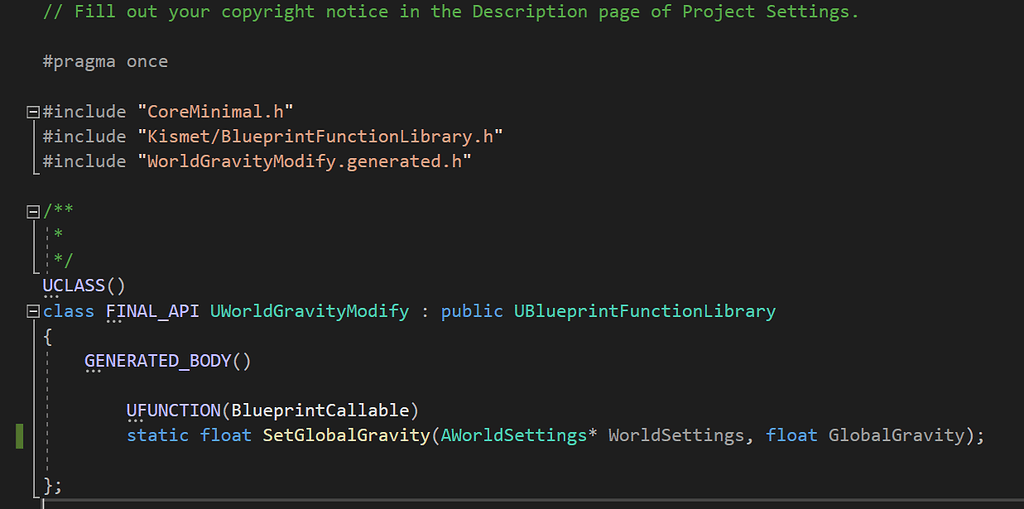
Epic Developer Community Forums
Hi all– I’ve implemented a custom blueprint node using C++ to set the world setting for global gravity z during runtime (following advice from numerous posts on here). I am wanting to update this value dynamically during runtime. I have got the script working to set the gravity on begin play using blueprints, but not to update continuously duri...
 modest monolith
I have a sound component that triggers an event once finished "Assign event On Finished". The problem is that it triggers the event even when I interrupt this sound when I interact with it but I don't want that.. How can I fix this?
dawn gazelle
modest monolith
I have a sound component that triggers an event once finished "Assign event On F...
Unbind the event when you're interacting with it?
pine creek
Or check its progress and if its less than 1, dont go through with the event
modest monolith
hmmm lemme see
modest monolith
pine creek
Or check its progress and if its less than 1, dont go through with the event
how do I check the progress?
modest monolith
dawn gazelle
Unbind the event when you're interacting with it?
i can't find any unbind event
dawn gazelle
You'd use something like this. The second node you'd call when you want to unbind the event.
 modest monolith
dawn gazelle
You'd use something like this. The second node you'd call when you want to unbi...
modest monolith
dawn gazelle
You'd use something like this. The second node you'd call when you want to unbi...
and what unbind does?
do I should use Bind event and write the event that will trigger
and on interact use unbind event without any event?
dawn gazelle
These are event dispatchers. When you bind to an event dispatcher, it'll listen for when that dispatcher is called and execute your bound event. Unbinding means you're basically telling it to stop listening for that dispatcher and stop it from calling the associated event.
So in the code above, I'm basially telling it to execute the "OnFinished" when "OnAudioFinished" is called from the Audio component, but I'm also immediately telling it to unbind the "OnFinished" event from "OnAudioFinished" - effectively cancelling out the original binding.
modest monolith
dawn gazelle
So in the code above, I'm basially telling it to execute the "OnFinished" when "...
so I should put unbind on the interaction event right? (interaction event it's basically pressing E on the object)
dawn gazelle
Yep
modest monolith
let me try
and shall i connect the unbind to the onfinished event like in the bind?
as shown in the pic
 steady night
hey ive got some weird tic or something that like every 2-3 seconds drops my fps big fps spike any tips on how to troubbleshoot ? im not using any "very tic events"*
 modest monolith
dawn gazelle
Yep
modest monolith
dawn gazelle
Yep
It works!!! Thank you a lot !! 🫂
 past hull
hello,
Why can't I find the multiply by float node ?
 steady night
hey ive got some weird tic or something that like every 2-3 seconds drops my fps...
steady night
steady night
hey ive got some weird tic or something that like every 2-3 seconds drops my fps...
The lag is in the editor also :/
 dry sleet
steady night
https://gyazo.com/bd1833d722eb42d7c93cc2cabb65ef81?token=260ec878221102717341717...
dry sleet
steady night
https://gyazo.com/bd1833d722eb42d7c93cc2cabb65ef81?token=260ec878221102717341717...
You can run Unreal Insights to check, I suppose.
steady night
hmm but the lag was in editor also... i rebooted lets se
dry sleet
Unreal Insights can be run just fine against an editor session.
steady night
oh
dry sleet
It's probably just Unreal doing some background tasks or housekeeping. What's important is whether it happens in a built game or not.
steady night
aye seems to be gone after rebooting so
dry sleet
nice
modest monolith
Do you know why only one actor is being set as correct one and not all of them?
 spark steppe
yes
frosty heron
modest monolith
Do you know why only one actor is being set as correct one and not all of them?
Because you are just replacing correct fuse box consecutively
Is this some misunderstanding on how ref work?
spark steppe
i guess he want's one random?
maybe use get random array item instead of a for loop
frosty heron
He said all of them tho, I'm not sure the goal here
spark steppe
he could also mean why not all are considered as a valid option
frosty heron
But yea what Ben said if you need random element from the array
modest monolith
frosty heron
But yea what Ben said if you need random element from the array
there are 3 actors in that arrray and I want them all to be set as "correct"
spark steppe
that wont work that way
modest monolith
ah.. hehe
dry sleet
What you're doing there is equal to:
AFuseBoxActor* CorrectFuseBox;
CorrectFuseBox = FuseBoxesArray[0];
CorrectFuseBox = FuseBoxesArray[1];
CorrectFuseBox = FuseBoxesArray[2];
You can have another array for your list of "correct fuse box"
dry sleet
as you can see you're only replacing the CorrectFuseBox variable three times consecutively
frosty heron
Array = a list of an element.
A variable is single value
spark steppe
i feel like this wont lead anywhere without more context of what his actual goal is
modest monolith
ah right coz it's not a boolean fuck
visual ember
or just learning about variables and references
frosty heron
Doesn't matter even if it's boolean
modest monolith
spark steppe
i feel like this wont lead anywhere without more context of what his actual goal...
i want all of them to become correct and not only one
spark steppe
but why?
for what?
just use the existing array if they are all considered valid anyways
visual ember
define concept of "being correct"
dry sleet
Unless you want a boolean inside the FuseBoxActor which determines if that one is "correct"?
modest monolith
This is normal mode where one at random becomes correct but in easy mode I want all of them "correct"
 modest monolith
visual ember
define concept of "being correct"
modest monolith
visual ember
define concept of "being correct"
that if you interact with the correct fusebox lights will turn back on
 mental trellis
visual ember
define concept of "being correct"
mental trellis
visual ember
define concept of "being correct"
I'd say it's when you have a black mage avatar.
spark steppe
that's not how difficulty works in my book
frosty heron
A variable may only consist of single value
mental trellis
(at a given time)
visual ember
mental trellis
I'd say it's when you have a black mage avatar.
checks out
the reference/variable can store one value only. you can "put" one fuse in it. no more
(I got distracted and missed people already wrote that :V)
 zealous moth
when possessing a pawn, is there something blocking the input? I enabled input and set input mode game only, but it won't respond (like my dates)
modest monolith
frosty heron
If you want multiple "correct fuse box" make another array
after the for each loop?
frosty heron
You don't need loop if you want everything in the array to be arbitrary considered valid
Can just set the fusebox array to a correct fuse box array
That will copy all the ref currently in the fuse box array
spark steppe
and fill it with 1-3 from the other array
frosty heron
Although I still don't understand why do you need it to do it this way
dry sleet
Or just move the difficulty logic to the part where you're interacting with the fusebox, and if it's easy, just always accept it.
modest monolith
??
 spark steppe
or just remove 0-2 from the main array, which will be easier for you, since you don't have to deal with duplicates
modest monolith
spark steppe
or just remove 0-2 from the main array, which will be easier for you, since you ...
hm true. I could just get all actor of class and set correct
no?
frosty heron
Think of array as container or basket
You better of learning how it works first imo, or you will get confused
modest monolith
 visual ember
I would say go back to basics and learn about variables, references, arrays. everything will clear up and you will just implement instead of asking about every single step
modest monolith
@frosty heron ?
frosty heron
What you can say in plain English is, if the fuse box is inside the correct fuse box container, then do X
modest monolith
this is weird
dry sleet
And in Blueprint you do that with the Contains node.
modest monolith
Alright sorted my way. I'll just make the even trigger by interacting without checking if the box is correct since they're all correct
gg
high iris
What's the most elegant way of visualizing a value I might care about on the screen while testing the game? E.g. I might want to know the current velocity of the player without using a Print note on Tick. Is there a built-in tool for this that folks would recommend?
frosty heron
modest monolith
gg
Not gg, it's a W today if you learn the basic of array. Understanding it will help you immediately and for the long run.
Learn how to declare array, how elements are pushed and removed. Indexes and how to replace element by index.
frosty heron
high iris
What's the most elegant way of visualizing a value I might care about on the scr...
You can create your own debug widget but you can just print string on tick, what's wrong with that.
I don't think adding debug lines are more elegant.
modest monolith
frosty heron
Not gg, it's a W today if you learn the basic of array. Understanding it will he...
Game has been released long time ago. I just had to add easy mode but surely I will on next game
I can't go ahead with miracles lol
frosty heron
modest monolith
I can't go ahead with miracles lol
No need miracle, just attack what you need to learn.
@high iris if your issue is with print string making new line, you can set a key in the print string
Change the color too, it will be easier to differentiate what print what.
high iris
frosty heron
You can create your own debug widget but you can just print string on tick, what...
True that. When you mention a debug widget, are you referring to the UE visual logger? I think I read a guide a while back about adding your own section to it to have your own vars there at all times.
frosty heron
high iris
True that. When you mention a debug widget, are you referring to the UE visual l...
I don't touch that, it's not worth it to spend my time on it imo. Since I don't have any complex systems whatsoever I don't have the need for it.
You can look at some examples like show debug animation
Or debug gameabilitysystem or something like that. Those arnt widget and probably require more time to setup
Not to mention cpp only
Atm I just create a regular widget to read some stuff if print string doesn't do justice
pine creek
past hull
hello,
Why can't I find the multiply by float node ?
UE5 just has generic multiply functions now. place the multiply, then right click on the node and click convert to float
past hull
pine creek
UE5 just has generic multiply functions now. place the multiply, then right clic...
thank you!
high iris
frosty heron
Atm I just create a regular widget to read some stuff if print string doesn't do...
Roger, thanks for sharing that!
dry sleet
I know some people run ImGui inside Unreal for purposes like this but it might be a bit overkill!
crude pike
I wish i could ask this as a more informed question but I'm very confused by this point 😅
Has anyone ever experienced weird issues where a Blueprint Actor contains a SoftObjectReference to a level file, even though there's not actually anything in the BP that could be referencing the level directly? I have a few Actor variables but even when I delete the code and variables, compile and save the BP, the reference to the level doesn't go away... It just lingers there and I am unsure why. Is there a way I can forcefully delete the reference to the level, but NOT delete the level asset itself?

I'm sure I'm missing something ofc, but I just can't find any refs whatsoever and it's causing my PAKManager to generate a pak file that is 9GB, when really it should be 1MB. All because this map is somehow referenced by the BP.
dry sleet
Annoying. The only thing I can think to suggest is to temporarily reparent the blueprint to another parent, and back again, to jiggle the serialisation process a little.
I'm not sure what effect it would have in this case, though, and of course it sucks to do that if you have inherited variables.
Hopefully someone can give you a better answer!
I guess explicitly specifying Levels To Cook in the packaging settings could be a solution?
crude pike
dry sleet
I guess explicitly specifying Levels To Cook in the packaging settings could be ...
I'll look into that, it could lead me to figuring out more to do with how UE packages stuff. 🙂
Though it might not 100% work in this case sadly. I'm using a custom PAKManager tool to create .upacks (still using UnrealPak.exe under the hood) so it doesn't cook anything. It just preserves the Editor uasset files and adds them to a upack. Part of the GetDependency process involves retrieving all soft and hard references by default, and it's now picking up the level file as a dependency of a relatively simple BP. 😅
I'll try make a brand new BP from scratch though and copy my BP nodes/vars/components across and see if it reproduces the issue. I'm hoping it's solveable and somehow a reference just got created recently and somehow never cleared
dry sleet
It does feel like that would solve it.
If it really isn't referencing anything at all -- otherwise the process might help you spot the errant ref I suppose!
 mild ice
crude pike
I wish i could ask this as a more informed question but I'm very confused by thi...
mild ice
crude pike
I wish i could ask this as a more informed question but I'm very confused by thi...
Have you tried running Fix Up Redirectors?
crude pike
mild ice
Have you tried running Fix Up Redirectors?
yea, I ran it on the whole Content folder a few times but it doesn't seem to be picking any up
Made a new BP, copied all my vars/components/construction script graph. I didn't even place an instance of the actor into the level, and it's created the same SoftObjectReference to the same level. 😅
I'm using Render Targets and CineCapture2DComponents though so I think the issue lies somewhere in there.
gonna just have to start copying my BP's vars across one by one until it eventually makes the reference again and I can see which action caused it.
lime moat
hey yall, i'm having an issue with saving my file. not sure if structs have an issue saving, but i can see the data in the save file within the struct, and I save it, when I load the game, struct is back to default 😦


 gritty sphinx
I am trying to make a planet system and whenever I orient the players forward vector to be the world to gravity transform it produces weird flipping like shown in the video, its almost like its orbiting the negative z vector
 crude pike
Made a new BP, copied all my vars/components/construction script graph. I didn't...
crude pike
crude pike
Made a new BP, copied all my vars/components/construction script graph. I didn't...
Thought so... deleting the CineCaptureComponents got rid of the SoftObjectReference to the level but that's not exactly a good solution considering the sole purpose of the Blueprint is to capture to render targets.

There isn't actually a render target assigned to the capture component, and there are no instances of the BP in the level. 🙂
EDIT :
nvm, that was because I was copying the CineCaptureComponent2D from the old BP (which IS instanced in the level) to the new BP (which is not instanced) and it made the SoftObjectReference.
Creating a new CineCaptureComponent2D in the new BP from scratch and assigning the RT doesn't produce the issue. So in conclusion, average ue5 experience.
empty marten
lime moat
hey yall, i'm having an issue with saving my file. not sure if structs have an i...
Are you creating the save game object before saving to that save?
Before you can save to a game slot, you have to create the save game object, you can then do a check called "Does Save Game Exist" and if true, you can then use "Save Game to Slot"
empty marten
lime moat
hey yall, i'm having an issue with saving my file. not sure if structs have an i...
The SaveGame Actor I made in the content browser and is just a SaveGame class.


Inside the SaveGame actor you create all the variable types you want to save.
 hazy hawk
Hey! im trying to currently finish up getting a jet to have its wings fold inwards whenever it reaches a current speed and cant figure out the terminology to do so. Is anyone familiar with getting an object to rotate a certain way when it reaches a specific speed?
empty marten
hazy hawk
Hey! im trying to currently finish up getting a jet to have its wings fold inwar...
Would you not just reference the speed and when it gets larger than x tell it to fold the wings in?
empty marten
Ah ok.
So in your character class, you can reference your movement component and you can use the "Get Velocity" node which you can then use a "Vector Length" node to get the speed.
empty marten
hazy hawk
I honestly am not sure

How to calculate the speed of your character, straight to the point!
#unrealengine #unreal #ue5 #speed #blueprints #blendspaces #animblueprints #animationblueprints #animgraphs #gameanimation #gameplayanimation #mattcourtois
Give that thumb a slap, leave your thoughts, please subscribe! Your support is what pushes me to create free content!
...
 empty marten
 inland walrus
Also this code makes me cry.
visual ember
Do Once and similar nodes have some underlying state machine and it persists on the owner. need to explicitly reset here
empty marten
Create a custom event and tell that to do all that code and then you can remove the do once
hazy hawk
empty marten
Here
https://youtu.be/6BfiAK_YATE
So how would this then get used to get a wing to fold in at certain speeds?
inland walrus
empty marten
Create a custom event and tell that to do all that code and then you can remove ...
Like this? xD
 hazy hawk
that just looks like it reads out what speed its at
empty marten
hazy hawk
that just looks like it reads out what speed its at
Yeah it does. After that "Vector Length", just drag from that and do a is greater or equal to X and then tell it to put the wings in.
empty marten
inland walrus
Like this? xD
Nope
Drawing time
Is that code in the widget we were working on?
@inland walrus
inland walrus
yeah
empty marten
So remember the on end reached?
hazy hawk
empty marten
Yeah it does. After that "Vector Length", just drag from that and do a is greate...
just realized i dont have a movement component .-.
the tutorial i followed did movement completely different
empty marten
inland walrus
yeah
Execute the Remove from Parent when that gets pinged. I'm assuming that's what you're trying to do?
empty marten
hazy hawk
just realized i dont have a movement component .-.
How did it do it?
hazy hawk
empty marten
How did it do it?

Support the channel through donations. Crypto accepted!
PayPal: https://paypal.me/reidschannel?locale.x=en_US
Patreon: https://www.patreon.com/reidschannel
Bitcoin: 1JFwWHr4X6uAeoZadukzqKjzFBj3Qjy7Sk
Ethereum: 0x2B2Bc108F1Cc0fF899959dEF3226637787d8C3dE
Dogecoin: DNQ33YnhpWoTBokBNVkZP5ub8KTLkpyjpv
Join our community discord!
Discord: https://dis...
empty marten
Lets have a gander.
hazy hawk
sorry im not great at explaining it
inland walrus
empty marten
Execute the Remove from Parent when that gets pinged. I'm assuming that's what y...
So when the display time is == to 0, it will say loading, when the display time changes it will remove from parent
empty marten
hazy hawk
sorry im not great at explaining it
You're good. Don't worry.
inland walrus
but I want it to add again if the next episode is loading etc
empty marten
inland walrus
So when the display time is == to 0, it will say loading, when the display time ...
You plug it in correctly, yeah.
inland walrus
empty marten
You plug it in correctly, yeah.
So I don't need the do once?
empty marten
inland walrus
So I don't need the do once?
No
 noble ledge
Is there an easy way to add to this array?
 empty marten
hazy hawk
sorry im not great at explaining it
empty marten
hazy hawk
sorry im not great at explaining it
So you know you're getting the current speed?
inland walrus
empty marten
No
I just tried it this way and it didn't work, but with the do once it does work
hazy hawk
in one of the variables? yeah
ive tried referencing that and havent gotten good results
empty marten
Yeah, drag from that and use greater than
Put the speed you want to achieve first
OK
empty marten
inland walrus
I just tried it this way and it didn't work, but with the do once it does work
Why you break teh code dude XD
Pic
lime moat
empty marten
The SaveGame Actor I made in the content browser and is just a SaveGame class.
I am creating/loading the save game file upon game opening. Good call on changing the create save file to bp save, I have a feeling I left it to default save. I’ll definitely check that, thx for the idea! 💡
inland walrus
empty marten
Why you break teh code dude XD
This way didn't work lol

This way does

but I'm not sure if it'll need a reset or if it'll do it again every tick
empty marten
hazy hawk
in one of the variables? yeah
So you got event tick somewhere in your BP (if not add it)? From that drag off and put a branch node. For the branch plug in the current is greater than or equal to and then tell the branch to do what you want it to do.
empty marten
hazy hawk
ive tried referencing that and havent gotten good results
Essentially you want this.
 empty marten
lime moat
I am creating/loading the save game file upon game opening. Good call on changin...
empty marten
lime moat
I am creating/loading the save game file upon game opening. Good call on changin...
Would you like me to ping you a YT video that goes through creating a simple save / load system? I used it myself and its really well explained 🙂
hazy hawk
empty marten
Essentially you want this.
so that worked, is there a way to then have it gradually extend? IE at certain speeds it only goes out so far?
empty marten
inland walrus
This way didn't work lol
Yeah this won't cos you're running off event tick. Try running the code off "OnEndReached" that we used so it does the loading screen at the end of a video playing.
empty marten
hazy hawk
so that worked, is there a way to then have it gradually extend? IE at certain s...
Are the wings being expanded out using an animation?
As in open / close with an animation?
inland walrus
empty marten
Yeah this won't cos you're running off event tick. Try running the code off "OnE...
Great idea, thanks mate
empty marten
inland walrus
Great idea, thanks mate
You got into that long code issue again I mentioned to you before. Keep things simple 🙂
hazy hawk
say at like 5000 speed its fully open, and will gradually extend out dependent on how much thrust its given
empty marten
hazy hawk
say at like 5000 speed its fully open, and will gradually extend out dependent o...
Yeah it can be done
empty marten
I'm just watching the video on how its setup first before comment so I can understand how its all setup a bit more first.
hazy hawk
thats kinda what im shooting for
hazy hawk
empty marten
I'm just watching the video on how its setup first before comment so I can under...
👍
empty marten
So when you say wings, which pare are you referring to?
hazy hawk
one moment ill grab a pic of my model
empty marten
thanks
 empty marten
OK. Can I see the BP you got them in, in the viewport please?
empty marten
lime moat
I am creating/loading the save game file upon game opening. Good call on changin...
Just in case
https://www.youtube.com/watch?v=14wmGdbhLOA

Hello guys, in this quick and simple tutorial we are going to learn how to make an easy save and load system in Unreal Engine 5.
Follow me on Twitter: https://twitter.com/GorkaGames
Subscribe to the channel: https://www.youtube.com/channel/UCv_n9oioNF6OpzR2dt6E4xg?sub_confirmation=1
unreal engine 5,ue5,save and load,tutorial,quixel,megascans,u...
hazy hawk
empty marten
OK. Can I see the BP you got them in, in the viewport please?
would it be easier to discuss this in vc?
and i can stream it
empty marten
sure
high iris
I'm running into an issue where every time I re-compile a blueprint, both that blueprint and another similar blueprint get marked as modified and ask to be saved at a later time once I close the editor. I was using "Get Class Defaults" nodes in them at one point and thought that might have been the issue, but I removed them, and that still seems to persist.
Curious if others have seen anything similar happen before.
Ah ok, rebooting the editor after removing Get Class Defaults seems to have done the trick, odd.
empty marten
high iris
I'm running into an issue where every time I re-compile a blueprint, both that b...
Yeah sometimes when you get errors referencing old variables the editor gets stuck in this consistant error message bug. Closing and opening editor normally fixes like 90% of the time.
hollow karma
maiden wadi
Cold mentioned Guids, which work but I'm not personally a fan of. And there are ...
Just updated my code to use the path and it works perfectly. Thank you for that tip!
lime moat
Hello! I'm having an issue saving. I can see within the save node, that the data within my BP_SaveGame, is there, and correct. Upon loading the save game (which it does see as existing) it then does not load any data from my struct. Any ideas what might be happening?
 hollow karma
lime moat
Hello! I'm having an issue saving. I can see within the save node, that the data...
hollow karma
lime moat
Hello! I'm having an issue saving. I can see within the save node, that the data...
You have to read the struct yourself and update the level as needed. The save game object is just data read from the disk. It's up to you to actually go through the data and use it to restore the game state
 spice viper
Anyone have any idea why my cutscene (LevelSequence) is not playing? I want it to start when the player uses a switch. The switch works, but the player doesn't possess the camera in the sequence? If I put this sequence in the Level BP's BeginPlay and auto play it, it works fine? But I need this to happen at the END of the level, not the start.
 marsh pilot
How do I get a component from the actor class I defined in the overlap node? It seems to not output the actor type like the get all of class node does
 lime moat
hollow karma
You have to read the struct yourself and update the level as needed. The save g...
lime moat
hollow karma
You have to read the struct yourself and update the level as needed. The save g...
I store my data within the BP save, and load my data from the same save. I know I must repopulate my levels from the save. Problem is it doesn’t actually load the data.
 graceful sage
lime moat
I store my data within the BP save, and load my data from the same save. I know ...
graceful sage
lime moat
I store my data within the BP save, and load my data from the same save. I know ...
Are you loading from same slot name
graceful sage
marsh pilot
How do I get a component from the actor class I defined in the overlap node? It ...
Cast or use an interface
Or maybe try disconnecting for each loop. Compile. Then replug
lime moat
graceful sage
Are you loading from same slot name
yes, same slot name
marsh pilot
graceful sage
Or maybe try disconnecting for each loop. Compile. Then replug
Yeah I thought this would work but unfortunately not. I'll have to try casting, thanks!
graceful sage
lime moat
yes, same slot name
Where are you trying to load
lime moat
my save/load code is in my gameinstance
graceful sage
And when do you call


 sudden nimbus
lime moat
heres my save/load code
sudden nimbus
lime moat
heres my save/load code
show Save Game on game instance
lime moat
sure thing!
 sudden nimbus
are you not putting anything inside the save game? I'd expect it to be empty when you load it if so
lime moat
I have a struct within my BP save game
sudden nimbus
are you populating data into save game ref before you call the save ini? because you overwrite it in that method
lime moat
no, check out this screenshot. Save game is my last on complete within the for loop after populating my new data within BP save game
 sudden nimbus
is "Save Ini" a bad name? that's your loading code?
I guess you just create an empty save object on load to get started
perhaps you are writing the save somewhere else and you don't realize it, or perhaps you have two save game blueprints, and you are casting to a different one when loading than what you save
other than that I don't see an obvious mistake, assuming what I said above is true
lime moat
yea save ini is my initial loading code within game instance
I'll check for other places I might be calling the save, thats a good idea.
I don't have another save BP. I appreciate the ideas, ty 🙂
sudden nimbus
oh
there's a flag on bp properties you have to set to have them persisted in the save game
do you have that set?
@lime moat

eh
actually if i remember correctly this might be for that really weird saving stuff unreal can do
yeaahhhh thats right, this isnt relevant
 marsh pilot
Another question, why am I not getting a cast to RailRef node popping up?

 sudden nimbus
marsh pilot
Another question, why am I not getting a cast to RailRef node popping up?
sudden nimbus
marsh pilot
Another question, why am I not getting a cast to RailRef node popping up?
do you mean cast to BP Rail Base...
RailRef is the variable, you dont cast to variables, you cast to classes
marsh pilot
Ahh I gotcha
lime moat
sudden nimbus
<@262023893147975680>
I'm not seeing that option within my BP save
 sudden nimbus
it's an option on each property of your blueprint, but I don't believe you need to set it
it's deceptively named, and by default does nothing (you have to write an archiver to make use of it)
lime moat
sudden nimbus
it's deceptively named, and by default does nothing (you have to write an archiv...
yea I don't remember having to set any such options on previous projects with saves/loads.
Where can I find it? I'm not sure where to look for the property/option other than the properties within the save BP
edit: oh I see you said I need to write an archiver to use it. Not sure what that is! 😮
frosty heron
lime moat
yea I don't remember having to set any such options on previous projects with sa...
It's for cpp use
sudden nimbus
lime moat
yea I don't remember having to set any such options on previous projects with sa...
you don't want it, it's not your problem
frosty heron
Make sure you pull out the struct from your save game object (obviously make sure it's loaded too). I see that you have a select node where the other struct is empty
 tribal gazelle
I'm trying to display the direction like a compass (N/S/E/W) and wondering if there is a better way to calculate the direction based off the player's yaw

 faint violet
tribal gazelle
I'm trying to display the direction like a compass (N/S/E/W) and wondering if th...
faint violet
tribal gazelle
I'm trying to display the direction like a compass (N/S/E/W) and wondering if th...
cant you use a > check and set an enum?
pine creek
two things that might work are the following: divide the yaw by the number that will result in the number of compass labels you want (if you want 8 labels, divide yaw by 45), then round or truncate that number and that will give you an integer index to select from an array of labels
the other idea i have is to make a float curve from 0 to 360 and set the height in each angle window to the index value you want for your array of labels
lime moat
frosty heron
Make sure you pull out the struct from your save game object (obviously make sur...
Yeah the data is properly loaded into the struct, when I debug I can see all the info in my bp save. The only problem seems to the actual saving isn’t occurring.
lunar sleet
Probably not
frosty heron
lime moat
Yeah the data is properly loaded into the struct, when I debug I can see all the...
Did you set the struct inside the save game object before save game to slot?
 storm shale
It don't necessarily think (the image u shared) would be different; That's just having hard references to all that stuff
 signal plover
Hello here I am building apk and its size is 523 MB, I deleted some assets which were animations, and tried rebuilding the apk but the size is still same. Why ? Does unreal cache items for the build ?
 spare hamlet
Hey, I'm currently trying to create a kind of mushroom-picking simulation for a private project.
The mushrooms should spawn as realistically as possible, i.e. only in places where the soil and vegetation conditions are perfectly suited.
In the first stage, I want to assign values to certain regions or places in the landscape before I start querying the vegetation in the area.
That means every point in the landscape has values for the pH level of the soil, the moisture of the respective place and so on.
How would you implement this so that fundamentally different places in the landscape can have different values?
frosty heron
You would still have to use soft pointers Wether you want to use data table or data assets
Textures, materials, meshes, sound, they can all be soft ref
lime moat
frosty heron
Did you set the struct inside the save game object before save game to slot?
yes, my struct is loaded in as a variable within my BP_Save
 frosty heron
lime moat
yes, my struct is loaded in as a variable within my BP_Save
frosty heron
lime moat
yes, my struct is loaded in as a variable within my BP_Save
This pic alone doesn't say much unfortunately. I personally never have issue with save game object. Did you try to print the values before saving, after saving , re open the game and load?
Watch variables are not to be relied upon
lime moat
I just found my issue. Feel like a fool as usual when finding the issue XD
So, I had initially had all my code in a BP_GameSate class I had made, as I thought the gamestate acted the same way a game instance does (constantly loaded even through a map change)
well... having 2 saving codes running along next to each other ain't such a great idea 😅
frosty heron
@lime moat game instance runs when you first boot the game and terminate when you close the game
It is presistence object
Game state is not presistence
They get destroyed upon level load
lime moat
yea, I found that out a few days ago when I noticed all my data in gamestate was getting destroyed upon map switch... Just forgot to clean out the save code from the gamestate XD
dull wind
spare hamlet
Hey, I'm currently trying to create a kind of mushroom-picking simulation for a ...
a simple way would be to divide the landscape into grids or tiles to differentiate between different regions and then make further sub-tiles to differentiate between different parts of region
gentle urchin
in the end its just one large Array of "SoilData"
mapped to a grid on the landscape
then you can either hard snap values between cells, or interpolate for a smoother transition

You might want a few different arrays for the different 'layers' affecting the location
they'd all be mapped in the same way
 proper flower
someone knows why ,in absence of gravity and with physics enabled, if I apply a torque to an actor, it won't work smoothly unless reacching a point of force?
gentle urchin
gentle urchin
spare hamlet
Hey, I'm currently trying to create a kind of mushroom-picking simulation for a ...
how it'd work in principle
spare hamlet
gentle urchin
Yea, thats a way.
i tried something simmmliar with the help of ChatGPT 4o but it never came to that grid result. ^^
Thanks for that Imprppession, I'll see how I can implement something similar.
gentle urchin
assuming you're using a cursor, you'd want to grab the curstor hit location (if its on the landscape), and use the X/Y coords to map it onto an array of data
so hit location
X:371.1236781 Y: 215,131 might translate to X : 37 , Y = 22if you're having a cell size of 10 by 10
Mapping that to the array would be X + (Y * MaxX)
37 + (22 * 50) = 1137 (if 50 was the last index on X)
spare hamlet
Yea, that made sens.
And the Mushroom spawner identifies, whats in the grid cell and compare it to the different mushroom conditions, and when something is good to spawn, then it spawns en mushroom there. ^^
gentle urchin
Exactly
If there's more rules (like they usually grow on the south side of tree's to get the most cover from the sun), then that's additional checks you'd do once you've found suitable cells that have the correct soil conditions
spare hamlet
Thanks. The PlayerController, Mushroom Interaction, Menus etc. werent the problem.
But that, seems to be a number to high for my actual knowledge. ^^
gentle urchin
SoilArray -> Filter by Mushroom Soil Criteria -> Check the filtered cells for other vegetation -> Place mushrooms
spark steppe
i think with some head twisting one might be able to encode the data into a landscape layer
spare hamlet
gentle urchin
If there's more rules (like they usually grow on the south side of tree's to get...
Yea, thats what i have planned.
My first and biggest problem the last 3 Days was to give specific places in the landscape some Information and Read it out. ^^ I tried dozens of methods but nothing works. xD
spark steppe
and paint it on the landscape :>
gentle urchin
spare hamlet
Yea, thats what i have planned.
My first and biggest problem the last 3 Days wa...
A simple trace (hit under cursor in playercontroller) would do the trick for the cell location lookup
gentle urchin
spark steppe
and paint it on the landscape :>
yeah that could be pretty cool
you could have the landscape auto spawn them aswell using the layer information I believe
spare hamlet
gentle urchin
A simple trace (hit under cursor in playercontroller) would do the trick for the...
Uhm, yea but the player doesnt need the information. its only at the beginning. while the player is in loading screen, the world will populated.
spark steppe
there's also a helper function in BP, you pass in a (world) location and it gives you the x/y cell for a specified grid size
gentle urchin
That's pretty neat
spark steppe
GetCellIndex (wait that was c++)
spark steppe
maybe that's the BP one ^^
gentle urchin
i instantly thought this was a top down, but it may not be?
spare hamlet
gentle urchin
are you gonna randomly generate the world?
Ehm, no i want to make them by hand. I have some refferences and want to design the level without procedural generation. But because, i dont have an big knowledge about PCG.
 static sequoia
I am following a tutorial but he had an error. I am spawning an object every 3 seconds using a "Spawn Timer" Variable and a set timer by function name that is running at event beginplay, when I have destroyed that object 5 times it updates the spawn timer variable with some math and the print string is giving me the right number, but I have no idea how to make it actually update the set timer by function name.

 gentle urchin
you need to call SetTimerByFunctionName again
static sequoia
idk how to do that properly
spare hamlet
Thanks for your help. I appreciate it.
That means, first thing to do now is to figure out, how i can made a grid for my landscsape ? ^^
gentle urchin
Instead of having it on Beginplay, create a custom event called "StartBugTimer"
and call that from beginplay
and call that after the decrease spawn timer replacing the print string
maiden wadi
Proc gen is fun. 😄
spare hamlet
maiden wadi
Proc gen is fun. 😄
It looks impressive. but it looks also very complex. xD
maiden wadi
It's surprisingly not complex though. Just a lot of data.
spare hamlet
Maybe I'll look into it for level design. ^^ I used Gaia in Unity back then, it was something similar, very powerful to create a lot in a short time, etc.
gentle urchin
Always been a fan of proc gen
havnt tested PCG yet tho
properly setup, im sure it can be used to speed up creating process big time
spare hamlet
When I think about placing every tree in a large forest area and everything else, I shudder. ^^