#blueprint
1 messages · Page 194 of 1
 slender dagger
I think I want to start doing some C++ stuff after I've done with my current project, but I wouldn't say I've ran into a point where blueprints aren't what I need. I'm supposed to be doing some C++ work later on in my studies, but that's over a year away so I wanna try and get a head start on it
 steel star
slender dagger
I think I want to start doing some C++ stuff after I've done with my current pro...
steel star
slender dagger
I think I want to start doing some C++ stuff after I've done with my current pro...
when i started my project the first thing i did was "new c++ class.." for gamemode, gamestate, playercontroller, and a new actor class to be the base of my rts units ('ship')
then making a new blueprint class, for each of those
now i have the option of doing any given thing in either place
when i want to add a new property, i always do it in C++ though, just .. bc
well, otherwise i dont have easy access to it, and would then not be able to do some portion of stuff in either place
i also made a function library i can put global functions in, that i want to be able to use from any blueprint
slender dagger
yeah I need to really wrap my head around UE5's architecture I think. I can understand it enough to make relatively basic blueprint projects, but not enough for much else. I should probably ask one of my lecturers when I go back to uni.
Like there aren't any custom classes or anything like that in this project
steel star
its mostly just a bunch of C++ macros to get use to, to define a property that shows up in bps and/or the editor, same but different macros for events, same but different for functions/methods
having the whole engine codebase there as reference/sample to search through, its not that bad
slender dagger
yeah reading things like this make me realise how little UE5 I actually know. I imagine I'll have to look into stuff like that sooner rather than later though
 dreamy ice
So I am trying to have my weapons driven purely by a datatable. Part of that is that I've stored all of the animation sequences in a struct. Is there any way to someone convert the animation variable to a pose for the animation blueprint? If not does anyone have any suggestions?
 stray crane
This code is causing a bug where my stamina starts to regenerate, even if I'm sprinting, as long as I start sprinting with any stamina value under 100.
How would I fix this?
 dreamy ice
So I am trying to have my weapons driven purely by a datatable. Part of that is ...
dreamy ice
dreamy ice
So I am trying to have my weapons driven purely by a datatable. Part of that is ...
found it i think :/
 dawn gazelle
stray crane
This code is causing a bug where my stamina starts to regenerate, even if I'm sp...
dawn gazelle
stray crane
This code is causing a bug where my stamina starts to regenerate, even if I'm sp...
Probably want to include "IsRunning" into your check for CanIncreaseStamina.
 faint pasture
There's no reason you couldn't make a flight sim in BP.
It wouldn't be ideal but there's no real limitation as opposed to network stuff
 jagged cipher
Is there any variable that could let me pass on a trigger refrance? I'm trying to bind a function or event that would be inside of an object in a way that will let me trigger it from a button in UI without knowing what function that will be or how many there will be. (Also a little graphic showing what i mean)
 faint pasture
stray crane
This code is causing a bug where my stamina starts to regenerate, even if I'm sp...
faint pasture
stray crane
This code is causing a bug where my stamina starts to regenerate, even if I'm sp...
Don't use delays here
stray crane
Why not? Also, I ended up fixing the problem with a simple branch lol
faint pasture
Because you're basically making tick with extra steps
Just use tick or a timer and do all your timestep based stuff there.
Input -> set wantstosprint
Tick -> set Sprinting based on wantstosprint and other logic -> update stamina based on sprinting
 waxen fog
stray crane
This code is causing a bug where my stamina starts to regenerate, even if I'm sp...
waxen fog
stray crane
This code is causing a bug where my stamina starts to regenerate, even if I'm sp...
Y r u setting is running again
 cedar remnant
Hi all,
I'm wanting to add a small continuous variance to the height of my flying pawn to sell the floating affect. is there a math function in unreal that just continuously lerps between two given floats?
dawn gazelle
cedar remnant
Hi all,
I'm wanting to add a small continuous variance to the height of my flyin...
You can use a float track with a timeline that goes from 0 to 1 and back to 0 again, and then have that lerp between two values.
 spice gazelle
dreamy ice
found it i think :/
spice gazelle
dreamy ice
found it i think :/
this is probably a preference thing, BUT.. you might have more luck using data assets for things like weapons.. you've got more flexibility that way.
you can attach structs, enums, and data tables to data assets as variables, and have custom events for each item if needed. ive been on a data driven workflow kick since we started learning about it in school last week, and i'm currently obssessed with figuring out the best workflow for data driven design.
cedar remnant
dawn gazelle
You can use a float track with a timeline that goes from 0 to 1 and back to 0 ag...
Thanks! I'll give that a shot
 frosty heron
stray crane
Why not? Also, I ended up fixing the problem with a simple branch lol
frosty heron
stray crane
Why not? Also, I ended up fixing the problem with a simple branch lol
Take the advice
 fossil notch
Hey im trying to make the saturation on the player camera decrease as they pick up items in my game using blueprints im currently trying to make it so the saturation is decresed in the item blueprint but nothing seems to work heres what i have any help would be amazing rn
 spice gazelle
with each pick up you want to decrease the value of new var?
or just clear the saturation in general?
fossil notch
basically the way i have it in mind rn is id have a bunch of different items in the level already and as the player picks them up the next one teleports into place and sets the saturation level a bit lower when picked up instead of subtracting from a saturation level
if that makes sense
stray crane
waxen fog
Y r u setting is running again
sorry late reply, i just followed a tutorial tbh. im very new to all this so : (
spice gazelle
fossil notch
if that makes sense
so, kinda makes sense.. i think you're going about it differently though. You'd probably want to set a saturation value at either construction or begin play, or even as just a default value and then decrement the value with each pick up event trigger. I've never really adjusted post processing stuff from blueprints.. but it looks like you're just setting all the saturation to 0 immediately. your value is 0, and the range is 0 to 0..
fossil notch
spice gazelle
so, kinda makes sense.. i think you're going about it differently though. You'd...
im just trying to get the saturation to change at all as of rn it wont budge and if i can get it to alter at all id be good
spice gazelle
i need to see more of the blueprint I think.
fossil notch

ive been messing around as ive been looking for help so
its diffrent but same thing trying to get saturation to change
spice gazelle
are you referencing the post process volume anywhere? You might need to cast to it before you can adjust the settings.
Oh i see it..
fossil notch
the new var 0 is a
 spice gazelle
whats in the post process variable?
fossil notch
its a variable of the post processing settings
it should allow me to apply it to a camera but the issue im having here is getting my first person camera
spice gazelle
try referencing the post process volume itself instead of the settings..
and then set settings
fossil notch
as the target right?
spice gazelle
Right.
If you drag of the get variable, and then right click, you'll have more context accurate options
fossil notch
this is what i get
 spice gazelle

There's probably several different ways to achieve this.
you could try casting to the post process volume. im not sure, I feel like im giving bad advice.

 spice gazelle
Ok.. so I added a post process component to my blueprint, and then referenced the post process component class, compiled, and then it gave me an option to select the post process component in my blueprint.
oh. nevermind..
this might help: https://www.youtube.com/watch?v=Gx_K8TLDcuk

In this episode we take a look at how you can disable a post process volume at runtime to allow for another post process volume to take over in Unreal engine 4 and Unreal engine 5.
Join the Discord server here: https://discord.gg/zBeebU7uv3
Support the work of LeafBranchGames on Patreon here: https://www.patreon.com/LeafBranchGames
fossil notch
alright ill watch this then imma turn in for the night thanks Gnome you help is appreciated!
 astral wyvern
Quick question, how do I make it so that when I hit the a volume (box), the camera transitions to that and put it on a rail
What's the tech to use here? I know there's the camera rail thing but is that for games or just cinematics?
spice gazelle
the rail is just for cinematics I believe.
spice gazelle
fossil notch
alright ill watch this then imma turn in for the night thanks Gnome you help is ...
this video is definitely the one you want.
astral wyvern
Should I just make a spline and make a transition from player camera to a new camera and so on?
spice gazelle
spline is probably your way to go, yeah.
the camera rail is just a super fancy spline with a timeline, more or less.
spice gazelle
fossil notch
alright ill watch this then imma turn in for the night thanks Gnome you help is ...
this one is also probably up your ally: https://www.youtube.com/watch?v=cZsCqWqFh8Q

Please subscribe.
Unreal Engine 5 Egitim: Post Process Volume ayarlarını Blueprint ile değiştirme, materyal tanımlama
Web Site
https://www.yepkoo.com
Forum Support
https://www.yepkoo.com/community/
Twitter
https://twitter.com/yepkoo_official
İnstagram
https://www.instagram.com/yepkoo/
^ this one specificaly addresses your issue
 frank locust
this is the blueprint i currently have for generating a randomized spline for a path to the center of my grid. any ideas of how to make sure the splines always go to direct center of the grid instead of just going in that direction?


 iron delta
Hi all, i'm wondering if any has tips on how to best handle controller input pitch/yaw and roll for a space sim. with my current set up when i roll the ship the pitch and yaw aren't updated and act off their original positions. is there a way to have them act off the pawns current rotation?

 lunar sleet
iron delta
Hi all, i'm wondering if any has tips on how to best handle controller input pit...
lunar sleet
iron delta
Hi all, i'm wondering if any has tips on how to best handle controller input pit...
There should be use control rotation checkboxes on the movement component
iron delta
lunar sleet
There should be use control rotation checkboxes on the movement component
by movement component do you mean floating pawn movement? as i can't seem to find anything there? or have i just completely misunderstood?
have them on the spring arm and camera though
 glossy cloak
iron delta
by movement component do you mean floating pawn movement? as i can't seem to fin...
glossy cloak
iron delta
by movement component do you mean floating pawn movement? as i can't seem to fin...
Are you working in a character? It should already have a movement component if so.
iron delta
glossy cloak
Are you working in a character? It should already have a movement component if s...
up until now i have been using a pawn with floating pawn movement.
glossy cloak
Right. Sorry. I didn't see you were controling a ship.
Is it first person?
It might be best to look up a flight control tutorial.
I've done a space sim before but it was top down.
And I remember thinking "this movement will be so easy" and it taking me like a week to get feeling good.
Especially since I had multiple ships with different scales you could swap between. It was not easy. lol
iron delta
it definitely isn't easy haha.
I've watched quite a few tutorials and have noticed most seem to only go over pitch and yaw but haven't found any good ones that address the roll issue I'm facing. they also didn't address the 90 degree limit for controls and i had create a customer camera manager to allow full roll. it can toggle between 1st (cockpit view) and 3rd person. would setting it up as character blueprint perhaps work better? i've gone with pawn because it seemed like the right call based on my knowledge but i wonder if i was wrong?
glossy cloak
iron delta
it definitely isn't easy haha.
I've watched quite a few tutorials and have noti...
I wish I knew, honestly.
What's happening exactly? I didn't quite follow the original problem.
So when you say "roll the ship" do you mean a full barrel roll?
Or do you mean just when the ship rotates on it's x(?) axis?
iron delta
glossy cloak
Or do you mean just when the ship rotates on it's x(?) axis?
thats okay i didn't quite know how to explain it properly, so i want it to pitch and yaw to be relative to the ships orientation. so when i roll so the ships sideways let say it currently switches so to turn i would need to use the pitch controls and vice versa.
 fiery sierra
Ok, so I took y'all's advice (except for the part where I am doing 2D in UE5 lol) and I'm making a small shooter, nothing big. Buttttt I have an issue with my bullets, I cannot get them to overlap with the enemy actors (sort of) I've been trying for a few hours, google has not helped either. it's a 2D topdown. It never triggers the overlap event on when shooting at the enemies. I can show code it will just take a second to send as I'm at my parents
this is in my BP_Proj
 glossy cloak
iron delta
thats okay i didn't quite know how to explain it properly, so i want it to pitc...
glossy cloak
iron delta
thats okay i didn't quite know how to explain it properly, so i want it to pitc...
I think I see what you mean.
fiery sierra
this is in my BP_Zombie class and this works when zombies touch my character.
 glossy cloak
iron delta
thats okay i didn't quite know how to explain it properly, so i want it to pitc...
glossy cloak
iron delta
thats okay i didn't quite know how to explain it properly, so i want it to pitc...
Adding roll input shouldn't be changing anyting with pitch and yaw though. So I'm not sure why that would be happening. But I feel like I did run into a similar issue with my game.
glossy cloak
fiery sierra
Ok, so I took y'all's advice (except for the part where I am doing 2D in UE5 lol...
Alright. Step 1. Right click on the on component hit (flipbook) node and add a breakpoint. Does that breakpoint trigger?
We need to see if ANYTHING is hitting the trigger at all.
There's another issue though, but let's see if the collision is even being detected on the flipbook.
fiery sierra
nope no detection
glossy cloak
You might want to detect the collision on your character's capsule component though instead. I'm not sure a flipbook has a collision.
When you look at the collision settings on your flipbook, what is the object type set to?
Or the collision default set to
fiery sierra
I changed it to the collision I added to the projectile and it hits my player as soon as I shoot hm
iron delta
glossy cloak
Adding roll input shouldn't be changing anyting with pitch and yaw though. So I'...
here's some footage, i've gone up, down, left, right and then done the same on the ships side. so you can see what i mean. it seems strange to me. i plan on remaking the same bp as character bp to see if previous advice works.
glossy cloak
Ohhh so you want the pitch to keep moving it according to world space, not the ship?
iron delta
other way round, pitch and yaw move in world space i want them to be relative to the ship i think
glossy cloak
It seems to be working as expected to me. If your ship is sideways, and you pitch it down, it'll picth to the "right", but there is no up or down or left or right in space, so this would feel totally normal if you didn't have a plane under you as the floor.
They seem relative to me....
Pitching down should push the nose of your ship down and the camera should follow, correct? That's what's happening here.
Oh are you going up, down, left, right on the ship's side as well??
Or are you going left right, up down?
Okay I see the issue.
iron delta
up down left right both times, its super hard without showing the inputs haha
i should had them print to screen.
iron delta
im not great at explaining it. so sorry if i confused haha.
glossy cloak
Hmm... that's definitely odd. Cuz like... that's all the code, right?
glossy cloak
fiery sierra
I changed it to the collision I added to the projectile and it hits my player as...
Oh, so problem solved? Or....?
fiery sierra
Unfortunately not, as soon as I shoot it hits me, so it is still an issue
but even if I move it out so it doesn't hit me
it still doesn't trigger the event when it overlaps the enemy
faint pasture
iron delta
Hi all, i'm wondering if any has tips on how to best handle controller input pit...
Control Rotation can't really have full 6dof
You'll probably have to abandon using control rotation for space stuff
Normal rotations can, but from my testing control rotation is "sanitized" to not allow for weird rotations
glossy cloak
That's what I was just coming back to say. You're gonna have to manually set it up. I looked at my ship stuff as well and did the same. I didn't add control input, I'm manually changing the relative rotations of my ship.
glossy cloak
fiery sierra
Unfortunately not, as soon as I shoot it hits me, so it is still an issue
So there's a few options here. One is to add a new object type in your project settings for projectiles or for "PlayerProjectiles" that can overlap the enemy, but not the player. Or you can just ignore collisions of "friendly" projectiles on the player.
iron delta
well atleat i know its not something stupid i'm doing on my end. that makes sense. thanks for all the help @glossy cloak @faint pasture
glossy cloak
And the reason it's not hitting your enemy is likely because you're checking if the actor = another actor, but you actually want to either cast to it or get the actor's CLASS and compare that to the class you want. You're looking for a specific object reference, but that isn't going to work for you.
I'm honestly not sure why you're even able to use a dropdown when comparing actor objects like that, tbh.
fiery sierra
So I did try casting, however it still didn't work. I'm not sure if maybe I did something wrong but I can definitely try a different approach. I'm try just ignoring the player when shooting the projectile.
glossy cloak
fiery sierra
So I did try casting, however it still didn't work. I'm not sure if maybe I did ...
Are you confused about how object collisions work?
fiery sierra
I could be. I'm not too well acquainted with them. Kind of just winging it haha
I'm gonna throw my PC 😭
it was so easy
glossy cloak
Lol did you figure it out?
fiery sierra
yes sir
all I did was cast 'other actor' to BP_Zombie and used 'as BP_Zombie' to set the Actor Damaged
and poof all my issues are gone.
I casted wrong earlier, I tried casting into a equal check and using the bool with a branch node.
frosty heron
I don't know the use case but if you can make it more generic, it will make the system be more modular.
Like instead of casting BP_Zombie, cast to BP_Enemy
since enemies should be able to be hit by the projectile
you can then have individual implementation per class
if you want
fiery sierra
Yea I thought about doing that too, to add like different mobs etc but I'm still early in the dev, it looks like this XD

and I shoot a yellow ball.
frosty heron
might want to look at how nier automata does the mini game
fiery sierra
frosty heron
might want to look at how nier automata does the mini game
oh?
 teal tendon
Can anyone help me with this #blueprint message
 tropic peak
I have a function with "call in editor" selected, so it appears as a button. it's a simple variable change on click, but when I press it nothing changes, does that mean that this variable is being constantly changed elsewhere and that's the reason why the button is not working?
glossy cloak
tropic peak
I have a function with "call in editor" selected, so it appears as a button. it'...
Show the function?
tropic peak
not much to show really.
 glossy cloak
You're concerned with the first time you load up PIE after opening Unreal that the game hangs for a second?
glossy cloak
tropic peak
not much to show really.
What is the variable by default? And are you pressing this button while the game is playing?
I'm assuming another function somewhere is getting access to this solar time variable to chane the day/night?
tropic peak
yeah, during the gameplay
glossy cloak
I'm not sure the "call in editor" functions work during gameplay. They're meant to be called when editing I believe.
tropic peak
I need a way of setting the time of day (among other things) to "prepare the day" somehow
glossy cloak
Is the print string going off?
tropic peak
yeah it does
glossy cloak
Hm.
tropic peak
I'm using the sun tracking plugin

that one
modified quite a bit
and I'm using solar time to determine the ss/mm/hh, days, months, years etc.
glossy cloak
Never heard of it, so I won't be of too much use. You could try doing a reference search for that function and see if it's being set on tick anywhere. It likely is if that's a blueprint asset you're using and you didn't make the variable.
 glossy cloak
It's a "Time" float, so it probably is being set.
tropic peak
it's the only place it's set I believe
glossy cloak
Is that running at runtime?
tropic peak
yeah
glossy cloak
I would assume that's running all the time. So yeah... you changing it once, will immediately just be changed back on that timeline.
Timelines run every frame, so you won't even notice a manual change.
tropic peak
do you have any ideas how I could inject the time change in there when required?
glossy cloak
If you want a button to reset the time you should plug in an event to "PlayFromStart" in that timeline and call that.
That'll restart the timeline.
And restart your day.
Assuming it starts at midnight.
tropic peak
it doesn't have to be a button. I'm trying to use this as a feature where a player clicks "end day", and it cycles to a new one
so changing time will be one of many things
sort of a "game manager" type of thing
teal tendon
glossy cloak
You're concerned with the first time you load up PIE after opening Unreal that t...
Yes
glossy cloak
Oh. Then yeah. Just set up a widget or whatever you want to trigger the new day and have it stop the timeline and start it at whatever time you want. I've honestly never used it, but I'm pretty sure you can just make a variable for "start time" and plug it into New Time on the timeline, then set that to whatever time you want when you start the new day and trigger Play again.
Just be sure you stop it, set the new time, play it.
So use a sequence
Something like this would probably work

You'd just need to call a new day.
I mean... you could also make the event have an input for "newTime" and call it like... "Change time" then you can reuse it to skip to night, morning, noon, dawn, etc.
glossy cloak
teal tendon
Yes
So this only happens when Unreal first opens?
Or does it happen every time you start test playing?
teal tendon
glossy cloak
So this only happens when Unreal first opens?
Only happens when Unreal first opens and start the first play test and only 1 time in the beginning when I use add mapping
 carmine fern
could anyone help me with this error
Blueprint Runtime Error: "Attempted to access AudioComponent_1 via property CallFunc_SpawnSound2D_ReturnValue, but AudioComponent_1 is not valid (pending kill or garbage)". Node: Branch Graph: EventGraph Function: Execute Ubergraph Medieval Nighttime Blueprint: Medieval_Nighttime
this is the code
glossy cloak
teal tendon
Only happens when Unreal first opens and start the first play test and only 1 ti...
Yeah. I'm pretty sure this has nothing to do with the mapping and just Unreal taking a second to load your project. I don't think you should be concerned. Have you tried packaging your game to see if it happens in a shipping build?
carmine fern
problem is coming in branch node even the code is working perfectly but still error came
glossy cloak
tropic peak
yeah events.. I've never used one yet
Yeah. Learn more about blueprint communication. I think you're on the right track now. : ) Good luck!
carmine fern
when player press e it stops the sound of clock which is spawned and there r many sounds which checks (by branch code is above ) after playing that if the clock sound is actively playing or not
glossy cloak
carmine fern
problem is coming in branch node even the code is working perfectly but still er...
So all that's happening is that your audio component is being destroyed, but sometime after/during it being destroyed, your logic is trying to reference it again.
carmine fern
yess
glossy cloak
Anywhere you're referencing it where it might already be destroyed, either drag off and do an "isValid?" OR... right click the variable and convert it to an is valid check.
That way if it's not valid you can do something else, or just bypass the node that's trying to modify it.
That'll clean up the errors and is a good practice.
You're looking for this node
 carmine fern
glossy cloak
Anywhere you're referencing it where it might already be destroyed, either drag ...
carmine fern
glossy cloak
Anywhere you're referencing it where it might already be destroyed, either drag ...
there r almost 8 sounds spawned which r played by some delays and player can stop all anytime with this code so I could so is valid for all?
glossy cloak
Yeah. You can do isValid for any of them.
And it's good practice.
You can also do this instead

And it gives you this. Which is just the reference with the isValid build in.

Do you have 8 different variables for each sound?
carmine fern
glossy cloak
Do you have 8 different variables for each sound?
no I just entered wav file in spawn sound 2d
didnt used any variable
glossy cloak
Oh okay. Yeah, then you'll just want to use the isValid node between anywhere you plug the "spawnSound2d" into anything.
Hoo boy, though. You might want to consider some tidying. lol
 carmine fern
glossy cloak
You're looking for this node
carmine fern
glossy cloak
You're looking for this node
this one?
carmine fern
glossy cloak
Hoo boy, though. You might want to consider some tidying. lol
I didnt sent u the whole code uk its a very much mess
glossy cloak
Ha ha it happens sometimes. I like to try to keep all of my wires always going to the right. That makes it MUCH easier to read and way less prone to bugs.
Plus if you ever have a node that creates an actor, a sound, etc, and you have wires going to the left you might end up trying to reference something that doesn't exist yet, which is a big problem. lol
carmine fern
glossy cloak
Ha ha it happens sometimes. I like to try to keep all of my wires always going t...
same issue did I do the code correct?
Blueprint Runtime Error: "Attempted to access AudioComponent_1 via property CallFunc_SpawnSound2D_ReturnValue_7, but AudioComponent_1 is not valid (pending kill or garbage)". Node: Branch Graph: EventGraph Function: Execute Ubergraph Medieval Nighttime Blueprint: Medieval_Nighttime
or might be after the delay I should use is valid?
glossy cloak
You're checking if it exists before you spawn it.
THe is valid can't come before you spawn it. This is why you should take some time to straighten out all your wires into a nice line.
carmine fern
carmine fern
or might be after the delay I should use is valid?
yes I did this and no erros
glossy cloak
It'll make more sense when you realize how much stuff you're running backward. Execution wires happen one after another, so if you haven't spawned the sound yet, then it doesn't exist in nodes before that.
Nice job
carmine fern
glossy cloak
It'll make more sense when you realize how much stuff you're running backward. E...
yes I have to create a skip button too coz starting animation is very complex
it plays one seq with 4 shots then a widget then again 1 seq with 2 shots
pretty hard to create a skip button
glossy cloak
What happens after the whole sequence happens? Does it load a new level?
carmine fern
glossy cloak
What happens after the whole sequence happens? Does it load a new level?
nope its when u start this lvl
1st player have to see animation of 40sec then it they can do whatever they want in map
glossy cloak
Oh yeah. You defiitely need a skip button if it's a 40 second animation. lol
carmine fern
yes thats why else player would be frustated
glossy cloak
You should be able to just keep references to the sequences and widgets and when you press skip, check if those reference variables are valid, and if they are, stop the sequence, or remove the widget from the viewport. Then just do whatever you need to do to give player back control.
carmine fern
glossy cloak
You should be able to just keep references to the sequences and widgets and when...
I did everything just this sound thing is making trouble
carmine fern
glossy cloak
You should be able to just keep references to the sequences and widgets and when...
also coz of is valid node I think as the sound is spawned that isnt valid before spawning so coz of that sound wont be played in the starting animation too
is there anything else I could do to fix that?
or use anything else except the branch check to stop the spawned sound
glossy cloak
carmine fern
also coz of is valid node I think as the sound is spawned that isnt valid before...
Just make sure you're not checking for isValid BEFORE it's spawned. You shouldn't need a reference to it before it's spawned, so there's no reason to check if it's valid.
You only check if it's valid immediately before you try to interact with it in some way to ensure it still exists.
glossy cloak
That doesn't seem to need an is valid because it's not doing anything.
Are there any spawn sound 2d nodes where the return value wire is plugged into something like "stop playing" or anything?
Cuz THAT is the only place you need the is valid. And the alse branch ont he is valid needs to bypass the "stop playing" node or whatever the sound is being told to do, cuz you want to keep going with the logic afterward.
carmine fern
glossy cloak
Are there any spawn sound 2d nodes where the return value wire is plugged into s...
yess
spawn midnight clock is attached to eventbeginplay
 young meteor
Hey folks
I'm trying to build a specific effect in which I get all the Poison damage (DOT) that is already applied to an enemy, and increase it by 50% over twice the time. (let me know if this does not make sense)
I have come up with the following approach, but I'm nesting "For Each Loop"s 3 times and fear the performance hit.
Do you think it will be very bad, and can you think of a much better/easier way of doing it?
 carmine fern
glossy cloak
Cuz THAT is the only place you need the is valid. And the alse branch ont he is ...
carmine fern
glossy cloak
Cuz THAT is the only place you need the is valid. And the alse branch ont he is ...
idk I tried that too didnt worked then I used this one and it is working perfectly but could u check it once tho in event begin play clock sound starts then after that there is is valid node return is connected to the clock then if that is valid other sound plays and I did that for every sound
and the return node of clock sound is also connected to stop ( Im guessing it get invalid after stopps) once player press the skip button or key


 summer nexus
"Get Mouse Position" only update every frame. Is there a way to get the between frames x and y values?
 dusky cobalt
If inside function something is set to false which doesn't lead to return node, then the function node goes trough anyway to the next node?
dusky cobalt
 lethal pollen
Hi!
lethal pollen
Hi!
How exactly? Like you want to start from inside of the sphere?
tropic peak
Is there a prettier way to do this? Like enclosing the setters in a separate function that I could call via event, but how to determine which function output should (for solarTime) be used?

select node perhaps, hmm
dusky cobalt
tropic peak
Is there a prettier way to do this? Like enclosing the setters in a separate fun...
Do you mean you just want to change it into 1 event?
tropic peak
yeah something like "adjust time" with hardcoded values in a function that represent specific time of day
so I could call it from multiple places whenever needed
dusky cobalt
How are you calling these SetNewDay and SetNightTime? like where?
lethal pollen
dusky cobalt
How exactly? Like you want to start from inside of the sphere?
Yes, the sphere is a dome, and the player will be inside the sphere. Well, it will be a semi-sphere.
tropic peak
dusky cobalt
How are you calling these SetNewDay and SetNightTime? like where?
for now it's just a function that can be called at runtime via editor
dusky cobalt
lethal pollen
Yes, the sphere is a dome, and the player will be inside the sphere. Well, it wi...
Can you send any screenshots how do you want it to happen on the sphere? like from the ground to the sky and stop line trace on the border of sphere or other way?
dusky cobalt
tropic peak
for now it's just a function that can be called at runtime via editor
?

you can call now Update Time Status from anyewhere and set float from all places
lethal pollen
The problem inside the sphere is that the line trace hits and its start. I don't what exactly you need. This screenshot is inside the dome (or semi-sphere).
 tropic peak
dusky cobalt
you can call now Update Time Status from anyewhere and set float from all places
tropic peak
dusky cobalt
you can call now Update Time Status from anyewhere and set float from all places
haha.. yep. I overcomplicated it in my mind way too much. thanks
dusky cobalt
lethal pollen
The problem inside the sphere is that the line trace hits and its start. I don't...
I'm sorry, but I still don't understand what you really want. the line trace hits and its start How i'm supposed to interpret that?
dusky cobalt
young meteor
Hey folks
I'm trying to build a specific effect in which I get all the Poison d...
What about setting timer by events for each of the poision dots and if it's active each loop just * damage x2, and then if the dot is over, reset the muliplier to base damage.
lethal pollen
dusky cobalt
I'm sorry, but I still don't understand what you really want. ` the line trace h...
If the player is at (100, 100, 100) and he is in the middle of the sphere, and the sphere has 500 units of radius, the hit point should be (600, 100, 100), but the hit point is (100, 100, 100).
dusky cobalt
Okay, now I understand it better, can you show the code right now? And do we want to hit always from the player up straight to the sky, or where player is looking?
dusky cobalt
lethal pollen
If the player is at (100, 100, 100) and he is in the middle of the sphere, and t...
Try something like this: Create sphere.

Duplicate it and set scale to 0.95 of the other one

Select both, go to Modeling Mode > Model > Boolean

set there to 0.9 and accept

now do Plane Cut


 lethal pollen
dusky cobalt
Try something like this: Create sphere.
lethal pollen
dusky cobalt
Try something like this: Create sphere.
Thanks. I've asked this question because in Discord I can't explain all the details. https://forums.unrealengine.com/t/line-trace-inside-a-sphere/1926339

Epic Developer Community Forums
I’m trying to do Line Trace For Objects inside a sphere. This sphere is a Static Mesh Actor with this collisions: The sphere in the level is a semi-sphere or dome: To do the line trace I’m doing this: When the pawn goes inside the sphere and do the line trace, the Out Hit Location is the actor’s location. Is there a way to do a line...
young meteor
dusky cobalt
What about setting timer by events for each of the poision dots and if it's acti...
Hmm, not sure I fully understand what you mean.
You would set up a Timer by Event for each DOT attack and have it set to looping, counting down for the amount of ticks, and then clear it when it is over?
And to have many different DOT's at the same time I would need to create a component or something for each?
- Then when I want to do this effect I 1,5x the damage, and double the time interval or something? (the math would be off but I can fix that)
Or did you mean something else entirely?
 white thicket
Is this code performance effecient then Event Tick?
 dusky cobalt
lethal pollen
Thanks. I've asked this question because in Discord I can't explain all the deta...
dusky cobalt
lethal pollen
Thanks. I've asked this question because in Discord I can't explain all the deta...
The most important this is the Start and End of your line trace, I think this is the problem. Did you try to debug it and see where it is shoting and if it ignores?
 tame pecan
white thicket
Is this code performance effecient then Event Tick?
tame pecan
white thicket
Is this code performance effecient then Event Tick?
Profile it. But generally tick is not more expensive than a 0.01s timer
timer has more overhead than tick
white thicket
tame pecan
Profile it. But generally tick is not more expensive than a 0.01s timer
ohk
tame pecan
but it all comes down to again, profile it
but at this level, I wouldn't care to be honest
white thicket
so should i go with tick instead of this timer as i can't increase time above 0.01s
tame pecan
white thicket
so should i go with tick instead of this timer as i can't increase time above 0....
yea, just use tick
white thicket
tame pecan
but at this level, I wouldn't care to be honest
yeah both would be close
tame pecan
white thicket
yeah both would be close
dusky cobalt
young meteor
Hmm, not sure I fully understand what you mean.
You would set up a Timer by Eve...
Yeah something like this. I would set the timer so every 4 seconds. It could be addition to each dot or called after each dot start. If you have any way to reference the Dot Effect then you can set it like this. Other way just copy paste it to each flow where you need it to work. After seting timer you can call it Poision Dot, Fire Dot and then just cancel it wher needed.
lethal pollen
dusky cobalt
The most important this is the Start and End of your line trace, I think this is...
No, it works fine outside the sphere. Without changing anything, it fails inside the sphere.
white thicket
tame pecan
https://intaxwashere.github.io/blueprint-performance/#myth-2-use-timers-instead-...
I got my answer Thanks👍
 dusky cobalt
white thicket
I got my answer Thanks👍
dusky cobalt
white thicket
I got my answer Thanks👍
It really depends because if it's something that will work 24/7 then it's better to put it on event tick, but if its something you can toogle on and off its better to put it on timer on event. Depends on how accurate you also need the tracing to be.
lethal pollen
dusky cobalt
The most important this is the Start and End of your line trace, I think this is...
 young meteor
dusky cobalt
Yeah something like this. I would set the timer so every 4 seconds. It could be ...
young meteor
dusky cobalt
Yeah something like this. I would set the timer so every 4 seconds. It could be ...
I run the DOT check 8 times a second normally to make it seem like it is gradually happening to the player.
But more importantly I don't just have a few types like poison or fire. I have Unique ID's for each tower (even if it is another poison tower of the same type) because I use it for statistics.
- In other words I need to know how much damage each specific tower has dealt and so forth.
And Ideally but not strictly I would like to increase damage and time individually for each DOT. So if an enemy has one effect for 1000 damage over 2 seconds and one for 100 damage over 10 seconds I would like it to end up being 1500 damage over 4 seconds and 150 damage over 20 seconds. (on the same single enemy)
Hope this makes sense 😄
I think I will test the function and see how bad it is.
Is there an easy way to single out the performance for this function to use in Unreal Insights later?
(Meaning marking that function somehow so I can see exactly how much time/performance that very function is using up?)
 dusty hazel
Hey kind people!
Any insight as to why a ui widget doesn't show up in a shipping build, but does in Standalone and PIE?
Pertinent info: another widget in another bp is working fine
I've tried moving the text to see if it was a scaling issue
I've tried using "add to player screen" instead of "add to viewport"
The widget that is not working is the pawn widget
Thanks in advance for any light shed!
dusky cobalt
young meteor
I run the DOT check 8 times a second normally to make it seem like it is gradual...
I think you could have Dot component on the every thing you want to be able to get dot damage, then tower would hit enemy, check component and apply dot, then each dot would call up to parent/character and actually do dmg. In the component you would have switch on dot type and do sequence etc.
 fading abyss
Hey guys! I’m running into an issue where items a character is carrying are destroyed when the level instance they belong to is unloaded. Is there any way in blueprint to reparent actors from a level instance to the persistent level when I interact with them? The only workaround I’m seeing in BP would be spawning a copy of the actor and then destroying the original but that’s far from ideal.
dusty hazel
dusty hazel
Hey kind people!
Any insight as to why a ui widget doesn't show up in a shippin...
Solved it.
For future reference:
After checking the build log files and seeing nothing related to the BP, I decided to compare the widgets EVEN more closely than before...
I thought, what if it's something silly like the material 🤔
Even though they looked the same, the working one was using no material, and the "broken" one, a probably sketchy material.
I deleted the material, packaged to test and was right 👍🏽
 remote rapids
hey i need help
i create a ball
and i create some walls around him
and i add physics material and i have a problem
i dont want the ball to change is velocity
and if the ball hit the wall so all good but if i hit the wall from a little angle so the velocity change
if the ball hit where the blue arrow so all good
but if the ball hit where the red arrow so the velocity change


The problem isnt the directiob
the problem is the speed, if the ball hit on the Red arrow in the angle with the paddle so the speed change and its miuch slower then the original one

 maiden wadi
young meteor
Hey folks
I'm trying to build a specific effect in which I get all the Poison d...
maiden wadi
young meteor
Hey folks
I'm trying to build a specific effect in which I get all the Poison d...
GAS is my two cents. But also collapse these other two forloops into subfunctions. It'll run faster because it'll cache the inputs and run less functions overall. That said. Might be worth putting into a simple C++ function.
 ancient moth
Is there a way, I could draw a path from point A to point B that respects walls, so it is a player walkable path? Maybe something similar to what AI does in the nav volume?
 dark drum
ancient moth
Is there a way, I could draw a path from point A to point B that respects walls,...
dark drum
ancient moth
Is there a way, I could draw a path from point A to point B that respects walls,...
You can get the nav path points and then draw lines between the points it provides.
ancient moth
dark drum
You can get the nav path points and then draw lines between the points it provid...
would you say, this would be the way to do some kind of direction/guidance system for a player?
to draw a line on the ground
dark drum
ancient moth
would you say, this would be the way to do some kind of direction/guidance syste...
Pretty much. Unless you make you're own path finding, you'll have to use UE build in one. It's the only way to get the relevant data.
ancient moth
dark drum
Pretty much. Unless you make you're own path finding, you'll have to use UE buil...
and thx !!
ancient moth
ancient moth
btw is there a easy option to have ai not move so close to walls?
nvm that i think i found some options
 rotund harness
does anyone know how to make event based on blendspaces? Like if the blendspaces coordinates are x and y, and have been more than a certain amount of time, trigger an event
spice gazelle
rotund harness
does anyone know how to make event based on blendspaces? Like if the blendspaces...
I'd assume with animation notifies
rotund harness
ok thanks I'll look into it
spice gazelle

In this episode we talk about animation notifies. We go through a few different ways to use animation notifications and talk about their pros and cons in Unreal engine 4 and Unreal engine 5.
Join the Discord server here: https://discord.gg/zBeebU7uv3
Support the work of LeafBranchGames on Patreon here: https://www.patreon.com/LeafBranchGames
 spice smelt
Is there any known issue with Print String on Screen not working with UE5.3?
this very simple thing on an actor placed in the scene won't output to the viewport, a colleague is having the same issue in a different project
 rotund harness
spice gazelle
https://www.youtube.com/watch?v=5qoPDMNqzlM
rotund harness
spice gazelle
https://www.youtube.com/watch?v=5qoPDMNqzlM
ok this is actually really useful thank you so much
spice gazelle
spice smelt
this very simple thing on an actor placed in the scene won't output to the viewp...
Did you try routing it out to a return node?
spice smelt
spice gazelle
Did you try routing it out to a return node?
uh that shouldn't matter, the instruction is called
 dusky cobalt
Did you use AI debugger?
 spice smelt
dusky cobalt
Did you use AI debugger?
spice smelt
dusky cobalt
Did you use AI debugger?
no AI involved
dusky cobalt
Restart reditor if you clicked ` for ai debuging toll then prints may stop printing
spice gazelle
It should be printing. I don’t think there is a known bug
spice smelt
uhm ok
spice gazelle
Definitely try restarting the editor
spice smelt
restarted it already
spice gazelle
Does it print outside of the function?
spice gazelle
Strange
spice smelt
so the function is being successfully called
and I never touched those settings, they should be all at default values
 dusky cobalt
try to write ENABLEALLSCREENMESSAGES in the console
spice gazelle
What about if you use print text? Same issue?
spice smelt
spice gazelle
What about if you use print text? Same issue?
yes
spice smelt
dusky cobalt
try to write `ENABLEALLSCREENMESSAGES` in the console
LogEngine: Onscreen warnings/messages are now ENABLED
in console, but still no messages in viewport
ok actual wtf moment
the messages appear in viewport 2 if i enable it
asking my colleague if it's the same for him
spice gazelle
Is this for a multiplayer instance? Any replication going on?
spice smelt
nope, it has nothing related to gameplay either, we work on rendering cinematics only
spice gazelle
Yeah that’s weird. Never encountered that before
You might try to ensure that viewport 1 is your active viewport
Ohh hmm. Is it a cinematic viewport that you’re trying to see the string print?
spice smelt
😆 i just... why

 cyan mortar
Hi peoples!
I can not understand, on 5.3 version of UnrealEngine everything was fine, went to 5.4.2 causes [2024.07.03-21.33.44:346][ 21]LogNet: Server connection received: ActorChannelFailure 91 [UChannel] ChIndex: 0, Closing: 0 [UNetConnection] RemoteAddr: 192.168.100.133:58974, Name: IpConnection_2147482439, Driver: Name:GameNetDriver Def:GameNetDriver IpNetDriver_2147482518, IsServer: YES, PC: PC_x_C_2147482433, Owner: PC_x_C_2147482433, UniqueId: NULL:DESKTOP-8GKNTV9-80405D974EDCF07A3F0522BBDB4B7A0D [2024.07.03-21.33.44:347][ 21]LogNet: Actor channel failed: [UActorChannel] Actor: BP_playerCharacter_C /Game/Maps/Server/startMap/startMap.startMap:PersistentLevel.BP_playerCharacter_C_2147482339, Role: 3, RemoteRole: 2 [UChannel] ChIndex: 91, Closing: 0 [UNetConnection] RemoteAddr: 192.168.100.133:58974, Name: IpConnection_2147482439, Driver: Name:GameNetDriver Def:GameNetDriver IpNetDriver_2147482518, IsServer: YES, PC: PC_x_C_2147482433, Owner: PC_x_C_2147482433, UniqueId: NULL:DESKTOP-8GKNTV9-80405D974EDCF07A3F0522BBDB4B7A0D [2024.07.03-21.33.44:380][ 22]LogNet: UChannel::ReceivedSequencedBunch: Bunch.bClose == true. ChIndex == 0. Calling ConditionalCleanUp. [2024.07.03-21.33.44:381][ 22]LogNet: UChannel::CleanUp: ChIndex == 0. Closing connection. [UChannel] ChIndex: 0, Closing: 0 [UNetConnection] RemoteAddr: 192.168.100.133:58974, Name: IpConnection_2147482439, Driver: Name:GameNetDriver Def:GameNetDriver IpNetDriver_2147482518, IsServer: YES, PC: PC_x_C_2147482433, Owner: PC_x_C_2147482433, UniqueId: NULL:DESKTOP-8GKNTV9-80405D974EDCF07A3F0522BBDB4B7A0D
[2024.07.03-21.33.44:382][ 22]LogNet: UNetConnection::Close: [UNetConnection] RemoteAddr: 192.168.100.133:58974, Name: IpConnection_2147482439, Driver: Name:GameNetDriver Def:GameNetDriver IpNetDriver_2147482518, IsServer: YES, PC: PC_x_C_2147482433, Owner: PC_x_C_2147482433, UniqueId: NULL:DESKTOP-8GKNTV9-80405D974EDCF07A3F0522BBDB4B7A0D, Channels: 92, Time: 2024.07.03-21.33.44
[2024.07.03-21.33.44:382][ 22]LogNet: UNetConnection::SendCloseReason:
[2024.07.03-21.33.44:382][ 22]LogNet:  - Result=ControlChannelClose, ErrorContext="ControlChannelClose"
[2024.07.03-21.33.44:382][ 22]LogNet: UChannel::Close: Sending CloseBunch. ChIndex == 0. Name: [UChannel] ChIndex: 0, Closing: 0 [UNetConnection] RemoteAddr: 192.168.100.133:58974, Name: IpConnection_2147482439, Driver: Name:GameNetDriver Def:GameNetDriver IpNetDriver_2147482518, IsServer: YES, PC: PC_x_C_2147482433, Owner: PC_x_C_2147482433, UniqueId: NULL:DESKTOP-8GKNTV9-80405D974EDCF07A3F0522BBDB4B7A0D```all the viewports have all default settings
cyan mortar
and does not allow to connect to the server, if I specify spectator in spawn actor by class everything loads fine, but if I specify BP_playerCharacter everything is bad.
 runic plinth
can i ask for tips for what am I missing in this random destroy logic? I'm mostly sure it's because it's trying to access a pending to kill actor but I don't know what else I can review.
 spice gazelle
spice smelt
all the viewports have all default settings
spice gazelle
spice smelt
all the viewports have all default settings
If you close out the other viewports, does it still do that?
spice gazelle
It’s usually something small like that lol
spice smelt
now the question is... why is it show stats and not developer > show debug messages?
spice gazelle
I think show stats is like an over branching thing, it won’t show anything, not just debug info
maiden wadi
runic plinth
can i ask for tips for what am I missing in this random destroy logic? I'm mostl...
- Create a local array of integers. Populate that array of integers that is the same size as the array of components with each index.
- Randomize a number and cache it in a local integer variable for how many to destroy.
- Create a second local array of integers that is empty.
- Iterate the number of times you randomized for and pull an entry by index from the first array and put it in the new empty array.
- Iterate over the array that was just empty to destroy components by index.
dark drum
runic plinth
can i ask for tips for what am I missing in this random destroy logic? I'm mostl...
The random node is pure so is reevaluated each time the value is used. When you go to remove an index, it'll remove a different one than the one you actually removed. You need to cache the value and used the cached one when removing.
frank locust
frank locust
this is the blueprint i currently have for generating a randomized spline for a ...
Any solutions? Am I muted on this channel or something lol
spice gazelle
frank locust
Any solutions? Am I muted on this channel or something lol
I’ve noticed that people will tend to ignore questions they don’t know the answer to. Try asking again. Could’ve been lost to scrolling
maiden wadi
frank locust
Any solutions? Am I muted on this channel or something lol
No. But people don't always catch everything. Instead of going to. Start with the start and end points and add points in between by dividing up the spline.
frank locust
spice gazelle
I’ve noticed that people will tend to ignore questions they don’t know the answe...
I'm actually shocked by how active this channel is. Constant new posts. I love it but yea interesting stuff gets buried fast
spice gazelle
frank locust
I'm actually shocked by how active this channel is. Constant new posts. I love i...
It’s why I’ve taken a liking to this channel over all the other discord groups. Helpful and active community.
 versed sun
You can change how you plot the spline points
Say you have 10 points, Point1 is Start(Center), Point10 is Mountain?
Point 5 will be somewhere close to center between 1 and 10 (Random point in Box works nice)
Then point3 would be similar random between 1 and 5,
7 between 5 and 10... fill in the rest
frank locust
maiden wadi
No. But people don't always catch everything. Instead of going to. Start with th...
I'm not at my desk now, but do you know what blueprint node to search for to set a start and end point? And would I still use the random unit vector cone for the randomization?
runic plinth
maiden wadi
- Create a local array of integers. Populate that array of integers that is the ...
Thank you for the time and help. Have been trying to apply your instructions
maiden wadi
I did that with our roads between places.
I have two points I need to put a road to, with optional points added in between. I get this as an array of vectors that can be 2 to 5 points long at start.
I have a while loop which will continually go over the spline from point to point. If the distance from to point is > some value then it'll divide it by inserting a new vector into the array that is PointA+PointB multiplied by 0.5.
At this point you have a straight line of points from A to B.
You can take each point and do some offset randomization however you like to offset the point. I did this with Perlin. My points are in world space. Perlin goes from -1 to 1. So you input it as a vector and get a -1 to 1 value back and depending on that, you offset it to the rightvector of the look at vector from the first to second point. This randomizes the point right if the Perlin value is greater than zero or left if it was less than zero. Multiply the Perlin value to extend the offset further.
After that you can take this array of vectors and use it to construct a SplineComponent out of that curves nicely with tangents, then apply your meshes to the road.
 sage plank
I want to use an "animation curve" (Unity-equivalent of the feature I'm thinking of) to drive a material value on a loop - but I have two problems.:
- I don't know how to sample a "Float Curve" in BP, but I recognize it might not be the correct data type
- this object is supposed to die (and thus get destroyed) while this while loop will run, which I guess will cause me problems
How can I sample a curve and am I being silly in my nodes somehow? Thanks!
 versed sun
sage plank
I want to use an "animation curve" (Unity-equivalent of the feature I'm thinking...
versed sun
sage plank
I want to use an "animation curve" (Unity-equivalent of the feature I'm thinking...
Make a new Curve in Content Browser, choose Float
Make a Float Curve Variable in your BP
then you can get the Value at Time
you will have to change the In Time on tick somehow
The While Loop happens in 1 frame, dont use it for this


 sage plank
versed sun
Make a new Curve in Content Browser, choose Float
Make a Float Curve Variable i...
sage plank
versed sun
Make a new Curve in Content Browser, choose Float
Make a Float Curve Variable i...
when I try doing this, my curve doesnt give me the option to sample it:
 versed sun
sage plank
when I try doing this, my curve doesnt give me the option to sample it:
versed sun
sage plank
when I try doing this, my curve doesnt give me the option to sample it:
your variable has to be Curve Float type
Curve , and Float Curve types are different
frank locust
maiden wadi
I did that with our roads between places.
I have two points I need to put a roa...
Seriously appreciate the assistance. I'm just still stumped on how to set those initial points. I've actually been using this fast noise generator plugin for randomized heights of the tiles of my grid, so I feel confident in randomizing the points between point A and B
sage plank
versed sun
your variable has to be Curve Float type
Curve , and Float Curve types are diff...
oh thanks! Totally missed this
 charred cobalt
Hey I was trying to make the player move to a location and I dont know how to do it. I would like the player to go to the hit actors location but the player doesnt have an ai controller anyone have any ideas
 maiden wadi
frank locust
Seriously appreciate the assistance. I'm just still stumped on how to set those ...
maiden wadi
frank locust
Seriously appreciate the assistance. I'm just still stumped on how to set those ...
I'm not sure I understand? ATM you seem wo have four points to start with in the corners. And then the center point. So you would have four roads to generate there. One road per corner. So in the above example you would run that function four times. Once per road. Each road would start as an array of two vectors which would be the corner point and the center of the map point.
frank locust
maiden wadi
I'm not sure I understand? ATM you seem wo have four points to start with in the...
I'm sorry, but at the moment the only parameter I have that affects my spline is a general direction(center of grid). The spawners at the corners of the map are what constructs the splines. As I'm typing this out I think I get it now. Should I just manually add the first and last points of the actor locations of the points I'm targeting?
dusky cobalt
frank locust
I'm sorry, but at the moment the only parameter I have that affects my spline is...
You should just get center of the grid vector and set it as end of spline, and then have for each loop that adds something along the spline every 50/10 distance (depending on how big is your road mesh for example). Something like this. It's very high-level overwiew and for sure needs better details.
 frank locust
dusky cobalt
You should just get center of the grid vector and set it as end of spline, and t...
frank locust
dusky cobalt
You should just get center of the grid vector and set it as end of spline, and t...
Yup I gotcha. My remaining question now is what's the best method to set the end of spline if this is how I'm currently determining the points
 sage plank
https://blueprintue.com/blueprint/p8m7l-jp/
Is this bad? I made a timer by looping an event and used a boolean to "break" the recursion
Any improvement ideas are welcome :v

No description provided
maiden wadi
Is there any reason you don't just use a normal timer?
 timber crystal
hello friends why i cant send a message from one blueprint with the interface to the other 😦
i have in both an call actor of call to set the reference but cant call an message


The skill activator should be able to send a message to the character in order to set the boolean to true. What am I doing wrong?
dusky cobalt
frank locust
For example I have spline with 2 points, 1st is static one always in the location of the owning actor, and the 2nd point I set at the where I click, so the spline can be as long as I want, based on distance between these 2 points I add as many mesh components as I set the offset. I use Set Location At Spline point to do that.
timber crystal
 maiden wadi
timber crystal
The skill activator should be able to send a message to the character in order t...
maiden wadi
timber crystal
The skill activator should be able to send a message to the character in order t...
You're not calling it anywhere.
dusky cobalt
dusky cobalt
For example I have spline with 2 points, 1st is static one always in the locatio...
To add to this, splines are very flexible in the mean that you can have 2 points as main one, and then spawn additional one ''spline'' (like virtual one) on top of that by creating additional points on top of that spline with 2 points, and you can even add more layers. So I would first start with getting 1 spline working with 2 points, and then you can take that spline distance and handle adding points on it.
frank locust
I'm so eager to go try this. I feel like I get it now. But just to be clear lol.. I start my spline with only two points, then add points as necessary. Right on for the assistance
dusky cobalt
Yes
sage plank
maiden wadi
Is there any reason you don't just use a normal timer?
I don't have a ton of UE experience, what is "a normal timer"?
maiden wadi
There is a SetTimerByEvent node which will run a custom event bound to a delegate when the timer ticks.
dusky cobalt
when you have 2 points, yu can get distance between these, like 1600cm, and you know that you have mesh that takes 100x100, so you divide 1600 / 100 = 16 , these are your number of points and also number of how many meshes you need to spawn,
So for each (16) you spawn static mesh component attached to the spline, just imagine this is only spawning of it so far, so the are all spawned probably at 0.0.0, now what you want to do, in the same for each, you need to set their locations, and you do it by taking starting vector, adding offset for location and rotation and there you set your meshes locations. You want to use Get Location at Distance Along Spline and Get Rotation at Distance Along Spline. This loop let's you add 1 point after another. https://www.youtube.com/watch?v=jIGYc4_DM6U&pp=ygUWc3BsaW5lIHR1dG9yaWFsIHVucmVhbA%3D%3D
I recommend watching this series it's really really good.

In this Unreal Engine 4 tutorial series I'll show you how I have created a tool for placing decals along a spline automatically. The spline will snap to the ground will have some controls over the decals type, size, spread and more! This is series might be a little more advanced but I'll do my best to keep everything easy to digest :)
In this p...
timber crystal
maiden wadi
You're not calling it anywhere.
i call in the skillactivtor bp the character and in the character the skillactivator both have the interface
the character calls the event and in tought that the skillactivator just need the interface
both need it as an event? or waht u mean with i need to call it everywhere
dusky cobalt
timber crystal
i call in the skillactivtor bp the character and in the character the skillactiv...
You have EVENT (red one), you need to call this event from other place, it looks like blue function when you call it.
sage plank
maiden wadi
There is a SetTimerByEvent node which will run a custom event bound to a delegat...
I don't see where this allows me to "stop" it from running though
How would I stop it with a condition?
maiden wadi
Clear And Invalidate Timer
timber crystal
dusky cobalt
You have EVENT (red one), you need to call this event from other place, it looks...
but cant do it with an message 😦
 dusky cobalt
 dusky cobalt
timber crystal
but cant do it with an message 😦
dusky cobalt
timber crystal
but cant do it with an message 😦
You usally drag from the object to use interface, just right click and try without dragin the execute pin.
maiden wadi
timber crystal
i call in the skillactivtor bp the character and in the character the skillactiv...
Interfaces are no different than normal events. They simply allow you to call the event on things generically without casting and only run if it can actually run. For this reason they actually run slower than a normal even due to all of the extra checks they do internally.
Regardless of whether you cast and call a custom event, or you call an interface event, you still have to make the event call.
maiden wadi
timber crystal
but cant do it with an message 😦
Drag off of the character reference.
Oh, Diyon beat me to it. 😄
timber crystal
first of all thanks guys you are like maschines vallah
but also

nothing with message to call
maiden wadi
Isn't that what you have highlighted?
dusky cobalt
Aren't you calling this interface from the same place you have that interface on?
timber crystal
no
maiden wadi
I'm still on the interface hate train. I use them only when someone breaks my kneecaps and forces me to.
timber crystal
its the item that needs to collect after it you can use ya skill
dusky cobalt
Ok, and you added interface on the BP Character? Maybe you forgot to compile or something?
sage plank
maiden wadi
Clear And Invalidate Timer
No description provided
or is this timer required to be setup on BeginPlay()?
dusky cobalt
timber crystal
no both have the interface...
what if you drag from Other Actor on overlap event? still not message?
timber crystal
let me try
lunar sleet
how is this Call Player being saved?
timber crystal
lunar sleet
how is this Call Player being saved?
i use call actor of class and then i made an ref of it ? or waht u mean...
lunar sleet
what is call actor of class , you mean get?
 lunar sleet
k, gonna check out my old project I had some interfaces in it
timber crystal
thanks
timber crystal
dusky cobalt
what if you drag from Other Actor on overlap event? still not message?
also not working
im back in 20 min and check it out than @lunar sleet thanks mate!!!
dusky cobalt
Can you show how you implemented that interface?
lunar sleet
I think I may have figured it out
to send a message, I think the target needs to be of type Actor
timber crystal
lunar sleet
I think I may have figured it out
the item is an actor
lunar sleet
this doesn't work (1) this works (2)

 timber crystal
ok?
timber crystal
dusky cobalt
Can you show how you implemented that interface?
like normal in the class settings
lunar sleet
here, I'll explain it better
your var is of type BP_WhateverItIs
far as I can tell, your var needs to be more broad in scope (i.e. Actor)
probably because you using get actor of class directly tells it what it is, so that kinda defeats the purpose of an interface message
it's almost like casting to send an interface message
 limber parcel
timber crystal
no both have the interface...
limber parcel
timber crystal
no both have the interface...
in blueprint you only need to add the interface to the receiving actor
lunar sleet
the message is meant to be more agnostic of the ref that it receives (it'll fire the event if implemented, and fail silently if not)
in my case, TestVar is of type BP_FightingUnitBase and TestVar2 is type Actor
timber crystal
limber parcel
in blueprint you only need to add the interface to the receiving actor
lol
neo
lunar sleet
the former does not give a message option, likely because it already knows what it is, so you can just call the event in it directly
timber crystal
thanks
it works now like source control it sayed
i deleted it from the item and now i can call an message
in the item to the interface of the player
crazy
lunar sleet
yeah, interfaces are finnicky
timber crystal
but thanks a lot guys may odin bless you 😄 ^^
lunar sleet
I stopped using them once I got out of tutorial hell
 dusky cobalt
you always put interface only on thing that is suppoed to be called to and not on objects that call to it
timber crystal
ok now i got it juhhhhuuu 😄
limber parcel
dusky cobalt
you always put interface only on thing that is suppoed to be called to and not o...
there are a lot of tutorials out there that tell you to put it on both though
dusky cobalt
limber parcel
there are a lot of tutorials out there that tell you to put it on both though
When I started I had mind blown, yes they do, when you realize you only put it on one thing it makes things much simplier, often they create 1 interface and put it ON EVERYTHING xD
so the unit had player controller events and vice versa

 ruby cobalt
how do i convert the first range into the 2nd range, using math
 ruby cobalt
ah yeah i'd settle for that.. woudl that work in material nodes?
i asked here for the logic mostly
pretty sure the function for this conversion isn't too complicated.. i just suck at math
versed sun
is an actor or something controlling the material , or do you want it all in material ?
ruby cobalt
the level at which I need this.. it would make more sense to do it within the material
versed sun
Hey Prismaticult! In today's episode of 5-Minute Materials we're looking at the Sine and Cosine Nodes! These node are essential in creating animated textures and can provide the basis for a TONNE of shader-based effects including fluctuating brightness, crazy patterns, remapping values/gradients, creating vertex displacement animations and MUCH ...
 quartz fossil
Does anyone know if there's any way to have different cultures for audio and text? How do other people have separated options for both?
ruby cobalt
versed sun
https://www.youtube.com/watch?v=Js8_4ThK1l0&ab_channel=PrismaticaDev Try This
ah yeah i'm sure he uses a node in there that can help thx
cyan mortar
Hello peoples!
Why character is not spawn?


on version 5.3 is good worked
but on 5.4.2 is not spawn
dusky cobalt
cyan mortar
Try changing collision from Default?
cyan mortar
dusky cobalt
Try changing collision from Default?
 cyan mortar

 dusky cobalt
something off with location of spawn?
cyan mortar
dusky cobalt
something off with location of spawn?
0 0 100
dusky cobalt
check variables if they are not set to 0 and they are multiplied later so you still get 0
cyan mortar
dusky cobalt
check variables if they are not set to 0 and they are multiplied later so you st...
Don`t spawn ((
 waxen fog
ruby cobalt
how do i convert the first range into the 2nd range, using math
waxen fog
ruby cobalt
how do i convert the first range into the 2nd range, using math
Are u using touchdesigner with unreal?
 tidal tendon
My Area have 49 tiles with same event, it is pillars going up and down when event called.
Should I make 49 different events or is there any way to call a number and apply this event to that?
 sage plank
I have an event dispatcher within a Blueprint Component: (see first image)
I expect to run this when the event gets called in another blueprint: (see second)
It doesn't run though?

 dusky cobalt
sage plank
I have an event dispatcher within a Blueprint Component: (see first image)
I exp...
dusky cobalt
sage plank
I have an event dispatcher within a Blueprint Component: (see first image)
I exp...
You need to bind it
evem if it's the same blueprint
ruby cobalt
waxen fog
Are u using touchdesigner with unreal?
yes but in this case I just used TD because i know it better
waxen fog
ruby cobalt
yes but in this case I just used TD because i know it better
thats super cool
ruby cobalt
just to illustrate my issue.. I actually figured it out in TD first and then found a way to adapt this in UE lol
sage plank
dusky cobalt
You need to bind it
wdym bind it?
 dusky cobalt
Yes
sage plank
The event needs to bind itself?????
ruby cobalt
waxen fog
thats super cool
yeah the two tools go really together imo
dusky cobalt
and as event you provide Set Timer by Event
lunar sleet
sage plank
**The event needs to bind itself?????**
no
glossy cloak
carmine fern
idk I tried that too didnt worked then I used this one and it is working perfect...
Sorry. I went to bed so I didn't see your response. I think you've got yourself quite the mess here and you should think about this from a better, cleaner, more systematic angle.
I think you should make a new audio player (or whatever class those audio sounds are you're spawning) variable and make it an array. Add each sound as they're spawned to this array.
When the player skips and you want to turn all the sounds off, then loop through the array and check for isValid? on each one. If it's valid, stop the sound.
That method would be MUCH cleaner than this plate of spaghetti you're cooking up here.
lunar sleet
sage plank
this is necessary??
you bind the event on begin play or w/e so when the StartEffectAnim is called, the event that is bound to it (usually in another bp) fires as well
watch the bp comms live training pinned in this channel to understand how dispatchers work
charred cobalt
hey how can i move the player character to a specifc point (within an acceptance radius)?
sage plank
lunar sleet
you bind the event on begin play or w/e so when the StartEffectAnim is called, t...
I might be overcomplicating my problem.
I have a BP which already contains an "Interact" interface, and I was told to plug my functionality into the event flow of that interact interface.
I then need to access something within a BP Component which will start a timer to increment a float value from 0 to 1.
However, in all of my failed attempts, I have yet to make sense of why my timer doesn't seem to get called
this here is in the BP with the interface

No description provided
and this is my BP component
versed sun
i would just call a normal Event, you don't need the Event Dispatcher
sage plank
😭 OMG I JUST REALIZED EVENT DISPATCHERS AND EVENTS AREN'T THE SAME
BROOOOOOOOOOOOOOOOOOOOOOOOOOOOOOOOOO
No wonder, ok ;u;
facepalm
That was exactly it
or well - not it in this case, lol
Thanks ya'll!
dusky cobalt
How would you guys handle different jobs at the end point based on who is it, but if you had only 1 class? Switch inside that class on type? So like I send event Start Scouting, but I only want the scout to do it?
Better handle it in the component and call that event only to units that have BPC_Scout or call event Do Job and switch? Thinking about it components make more sense?
dusky cobalt
charred cobalt
hey how can i move the player character to a specifc point (within an acceptance...
Move To node, but this is quite simple question that can be googled 🙂
dusky cobalt
sage plank
or well - not it in this case, lol
Thanks ya'll!
Feel free to ask as many questions as you want just the best is to provide as much additional info as possible it makes helping much easier.
sage plank
I thought the problem was how I was setting up the events, I never realized that talking about event dispatchers was a different thing until Ryck mentioned it, lol
lunar sleet
Interfaces, casts, dispatchers, are all different ways to talk to other bps
 young pine
i wanna make like an ingame menu that opens up when i press M but nothing happens can someon pls help me
 charred cobalt
dusky cobalt
Move To node, but this is quite simple question that can be googled 🙂
charred cobalt
dusky cobalt
Move To node, but this is quite simple question that can be googled 🙂
move to requires an aicontroller that i dont have i was wondering if there is another way

 valid tendon
so ive been working on procedural animation and i need help as i am stuck. its a lot of code to screenshot but basically i need to figure out how to add a turn in place to this, and how to tell it when i am jumping so it doesnt do that little quick run it does for what ever reason.
dawn gazelle
young pine
i wanna make like an ingame menu that opens up when i press M but nothing happen...
What blueprint is this in?
valid tendon
control rig
also how do i combine a procedural walk cycle with handanimated like attcks and stuff. the cats have like specials and ults that are unique anims i want to include
young pine
dawn gazelle
What blueprint is this in?
 valid tendon
oops you meant him my bad carry on lol
dawn gazelle
young pine
Inputs are normally only handled on the Player Controller or their Possessed Pawn/Character. With a name of BP_Game it doesn't sound like that is a controller or something they would possess.
young pine
dawn gazelle
Inputs are normally only handled on the Player Controller or their Possessed Paw...
ah so i need to make in in the 3d character blue print?
dawn gazelle
young pine
ah so i need to make in in the 3d character blue print?
or your Player Controller which may be more suitable for this seeing as it's some kind of menu which likely would be character agnostic.
young pine
dawn gazelle
or your Player Controller which may be more suitable for this seeing as it's som...
yeah but i dont have a BP named Player Controler
dawn gazelle
young pine
yeah but i dont have a BP named Player Controler
You can always make one and set your game mode up to use it.
young pine
dawn gazelle
You can always make one and set your game mode up to use it.
so just make a new BP class with the name
dawn gazelle
young pine
so just make a new BP class with the name
You need to specify the class to make the blueprint after as PlayerController. You can name it whatever you want, you decide the naming scheme you want to use.
young pine
dawn gazelle
You need to specify the class to make the blueprint after as PlayerController. ...
how can i do that
dawn gazelle
When you go to create a blueprint you pick "PlayerController" as the parent class in the dialog box that pops up.
dusky cobalt
Is delegate the same as dispatcher and if not can it be used in blueprint or only in C++? Basically what I need is a event that can be subscribed to, without referencing the owner? So something calls event, and everything that listens will react to it, but without need to first know who is calling that?
young pine
dawn gazelle
When you go to create a blueprint you pick "PlayerController" as the parent clas...
ah thank you and whatever i make in there is for all characters?
dawn gazelle
dusky cobalt
Is delegate the same as dispatcher and if not can it be used in blueprint or onl...
Fairly certain they're the same. You must have the owner of the dispatcher to be able to bind to their broadcast.
There is a messaging subsystem in Lyra that allows you to broadcast a message on a channel (a gameplay tag) and with a custom structure as the message allowing you to pass any data you wish and any actors you want can easily get a reference to the messaging subsystem and send or listen for messages on whatever channel.
 steep oyster
versed sun
steep oyster
versed sun
Seems hard to configure
dusky cobalt
dawn gazelle
Fairly certain they're the same. You must have the owner of the dispatcher to b...
Okay, so without making something similiar to Lyra subsystem, I cannot avoid casting like here for example? I'm just curious and always checking all possibilities. This is component in which I want to subscribe to if something happens to the owner and the owner happens to be BP Unit.
 young pine
dawn gazelle
When you go to create a blueprint you pick "PlayerController" as the parent clas...
young pine
dawn gazelle
When you go to create a blueprint you pick "PlayerController" as the parent clas...
it still does not work
 dawn gazelle
dusky cobalt
Okay, so without making something similiar to Lyra subsystem, I cannot avoid cas...
dawn gazelle
dusky cobalt
Okay, so without making something similiar to Lyra subsystem, I cannot avoid cas...
Correct. You need a reference to the thing that contains the delegate in order to listen to its message. If you want a "global" type of message that anything can listen to and anyone can broadcast to, then you may want to consider using the GameState for such messages seeing as there's only one that ever exists.
dawn gazelle
young pine
it still does not work
Have you set up your game mode for your level to use that PlayerController?
young pine
dawn gazelle
Have you set up your game mode for your level to use that PlayerController?
no how does that work?
dawn gazelle
You'll need to create a GameMode class, then you'll have options on it for your different classes you want to use, like your character, HUD, PlayerController, etc. Then you'll need to set the game mode to use in your world settings on your level.

 dusky cobalt
dawn gazelle
Correct. You need a reference to the thing that contains the delegate in order ...
dusky cobalt
dawn gazelle
Correct. You need a reference to the thing that contains the delegate in order ...
Hmm, if I wanted to make it more modular and let's say in the future put that component on actor of different class, do I have to take this into consideration inside component so it switches at the moment I'm creating component? Or I first try to cast to owner BP_Unit and if it fails it means it's other class and I should try casting to BP_Building? I know it's rarely where you have lots of classes use the same component but still. Or if the component is for 2 classes then it's bad component?
 young pine
dawn gazelle
You'll need to create a GameMode class, then you'll have options on it for your ...
young pine
dawn gazelle
You'll need to create a GameMode class, then you'll have options on it for your ...
how can i open the world settings
dusky cobalt
young pine
how can i open the world settings

 spice gazelle
your game mode override is set to none
young pine
so like that?
 dusky cobalt
young pine
so like that?
dusky cobalt
young pine
so like that?
Yes and now set Player Controller class to this one
 young pine
like that?
 dawn gazelle
dusky cobalt
Hmm, if I wanted to make it more modular and let's say in the future put that co...
dawn gazelle
dusky cobalt
Hmm, if I wanted to make it more modular and let's say in the future put that co...
A component should basically be a self-contained thing that works with whatever it is attached to.
Binding to delegates within a component are kinda rough as you still need that reference and it kind of ruins the modularity of it but you may not have any choice if that is what you need your component to do.
dusky cobalt
dawn gazelle
A component should basically be a self-contained thing that works with whatever ...
Got it, makes sense, in this case I think just using Tags will be better than creating whole component, since I have Data driven BP_Unit I will just assign tag inside Data Asset and then check from Player Controller if actor has tag to issue command. Thank you a lot for help!
 gray tide
Can anyone help me with calling a custom event form a different blueprint?
spice gazelle
I'm pretty sure you just have to cast to the blueprint
Or use a blueprint interface.
if you're just starting out, i'd just worry about casting right now: https://www.youtube.com/watch?v=DBIlsxj5quA

*Notice Description Contains Affiliate Link
Casting in Unreal Engine is often misunderstood. In this video, I do my best to explain and demystify everything regarding casting. We talk about why the object input is needed, what exactly it is, and why casting is needed in general. I also go over some best practices, and mistakes to watch out for...
interfaces can be confusing at first
If you really want to deep dive: https://www.youtube.com/watch?v=EM_HYqQdToE

Announce Post: https://forums.unrealengine.com/showthread.php?101051
This Training Stream takes a look at Blueprint Communication. We find that Unreal Developers of all levels can sometimes struggle through the concepts behind moving data between objects. So in this video we'll take a look at the different ways to make Blueprints talk to one an...
gray tide
I just learned a little about interfaces and was trying to replace a cast with the a interface. I created a variable to use as a reference but its not working.
spice gazelle
i've been learning unreal for four years now, and interfaces can still kinda throw me for a loop..
in general, you want to cast as little as possible.. but learning blueprint communication is important, and interfaces are neccesary.
dusky cobalt
Would it be valid to do something like this:
- When I hover mouse over something, it has an event and switches Mapping Context of PlayerController[0] so my Right Click Mouse would do different events for what I'm hovering over? Instead of caring inside Player Controller what I clicked and switching on it?
gray tide
Thanks for the links ill check them out
limber parcel
dusky cobalt
Would it be valid to do something like this:
1. When I hover mouse over somethi...
yes
spice gazelle
dusky cobalt
Would it be valid to do something like this:
1. When I hover mouse over somethi...
This is exactly what interfaces are for.
Same trigger, different events
per blueprint, that is.
(I think. Interfaces still confuse me a bit)
dawn gazelle
gray tide
I just learned a little about interfaces and was trying to replace a cast with t...
Why are you trying to replace the cast with an interface? The use case for interfaces is when you have a variety of classes that don't share a hierarchy still have a similar means of calling a function across them.
dawn gazelle
dusky cobalt
Would it be valid to do something like this:
1. When I hover mouse over somethi...
Potentially. It depends on whether the things you care to be clicking on share a hierarchy or not.
dusky cobalt
Yeah I was thinking about it but let's go into more details so you can judge it better:
You have Selected Actors in Player Controller.
I Right Click aka IA_Action on something, this something happens to be BP_Resource, I call event Interact from interface.
Now it feels weird that Resource has to take care of what we are doing with Selected Actors and it needs to ??call back?? to either again Get Selected Units and tell them to do something? Resource doesn't know how many actors I Selected, right? Or i'm missing something?
And in case of switching context, it would switch my Right Click from IA_Action to Input Action with IA_Gather, and IA_Gather inside Player Controller get's Selected Actors (has tag Worker) and takes them to gather on Target we clicked. I guess it makes sense?
limber parcel
actor components exist too
dawn gazelle
I don't think that's a case where you want to swap actions. The action is the thing you're doing. Right clicking on the ground should be no different than right clicking on a resource, or right clicking on an enemy. What happens after the thing that is clicked on is definitely what matters.
gray tide
dawn gazelle
Why are you trying to replace the cast with an interface? The use case for inte...
I made an interact interface so I can use the same key to do stuff like equip items, turn on a light, enter a vehicle
dusky cobalt
dawn gazelle
I don't think that's a case where you want to swap actions. The action is the t...
So what happens after click should be taken care inside that thing even if it takes event to call back to Player Controller?
dusky cobalt
limber parcel
actor components exist too
Hmm, not sure how to use it in this context?
limber parcel
i would put all the stuff for resource handling into a component and attach it to your character
then u can get that component directly from your actor without using a cast or interface
dusky cobalt
limber parcel
i would put all the stuff for resource handling into a component and attach it t...
I can imagine that if I had 1 character, yeah, but in case where it's like RTS game where you select multiple characters and tell them to gather?
dawn gazelle
So what I would maybe do, is have a component that you attach to various actors that reports back what the action to take. You can pass in the selected units, and you'd have to consider hostility/team, what the object is (you can have tags or something to determine these) and then loop through your units and report to them what action to take.
limber parcel
dusky cobalt
I can imagine that if I had 1 character, yeah, but in case where it's like RTS g...
you can attach that component to any other actor
dawn gazelle
So if I had a bunch of Peons selected along with soldiers, I would want my soldiers just to move to the resource, but the peons should attempt to start mining them.
gray tide
My PickUpItem event isn't firing

 dawn gazelle
gray tide
My PickUpItem event isn't firing
dawn gazelle
gray tide
My PickUpItem event isn't firing
Where are you setting the contents of the CharRef variable?
This may be something you want to pass through the interface call instead of having it as a variable.
dark drum
gray tide
My PickUpItem event isn't firing
Chances are your character ref isn't valid.
As some advice, don't setup your inventory directly in the player character, put it in an actor component instead. It'll make your life easier when you want something else to have an inventory/store items.
dusky cobalt
I'm gonna try to do it with Mapping Context switching at least for Building (work) and for Resource (gather) just for tests. That would leave me with how I check if something is enemy before setting attack on it but we will get there. I think it's actually cool take with context mapping, becauseeven though it's popular to use Right Click to set actions, maybe someone would prefer to click F to execute Gather for his units, maybe it makes a bit of sense. The other simply approach is just to call back to Player Controller when clicked on resource to Gather and this would get selected actors, check tag and set them to gather which would set BT Gather to work, I would need to send back BP_Resource or maybe just Actor referenee back could work.
dark drum
dusky cobalt
Yeah I was thinking about it but let's go into more details so you can judge it ...
I would have a resource manager that resource register with. The manager can then bind to an 'OnSelected' event so when it's clicked, it just called the on selected event and then the manager can handle what happens next. If the manager is an actor component on the player controller, it could have event dispatchers to notify the PC if anything needs to be done.
The resource can pass it's type through the dispatcher and possibly other data that might be needed.
dusky cobalt
dark drum
I would have a resource manager that resource register with. The manager can the...
Would you rather not use switching of Mapping Context in this case because you think it's not good or are you coming just with alternative and new idea?
dark drum
dusky cobalt
Would you rather not use switching of Mapping Context in this case because you t...
Just an alternative. I don't fully understand your desired controls to know if mapping switching would be beneficial.
dreamy ice
spice gazelle
this is probably a preference thing, BUT.. you might have more luck using data a...
All of my weapons are driven by data tables, still trying to figure out how to push that data towards animations
spice gazelle
You could reference the animation directly in the data table, if you insist on using datatables. Same with a data asset, only it’d be way easier to access it on a data asset
dusky cobalt
dark drum
Just an alternative. I don't fully understand your desired controls to know if m...
I'm sitting into context mapping for 3 days so I start to think I can use it everywhere, but it feels just right in this context 😄 I will try some things and see.
spice gazelle
Data assets aren’t as memory intensive either, just for future reference
dreamy ice
spice gazelle
You could reference the animation directly in the data table, if you insist on u...
Currently, my weapons are all lines within a data table that store everything I need to know about the weapon including its animations. I then create a copy of my BaseWeapon BP and populate the weapon based on that data. The weapon can then be referenced by the animBP to set the current anims
spice gazelle
so where are you running into issues with populating the animation data? Is it just not working, or not working as intended?
dark drum
spice gazelle
You could reference the animation directly in the data table, if you insist on u...
The issue with data tables is that everything in it gets loaded. (Excluding soft references)
Data assets can give better control on what's loaded. I would definitely recommend them unless you need to be able to edit the data in an external spreadsheet.
I think they are easier to work with than a big structure.
dreamy ice
dark drum
The issue with data tables is that everything in it gets loaded. (Excluding soft...
This is more of the explanation I was looking for, thanks.
spice gazelle
That’s what I was saying, just fyi lol
dreamy ice
spice gazelle
That’s what I was saying, just fyi lol
I was just looking for a bit more of a reasoning behind why I should use the data assets, thank you though!
spice gazelle
In OOP, you should stick to objects as often as possible. Using datatables isn’t great for memory reasons. And they’re a bit more finicky
dark drum
dreamy ice
I was just looking for a bit more of a reasoning behind why I should use the dat...
Also, you can put functions in them. I tend to add getter functions to them that makes getting specific data from it easier.
So as an example, it could store the various anims inside it but has a function that you supply some inputs and it spits out the best anim based on the supplied data.
spice gazelle
They also cause unreal to pause until the data is loaded. Which becomes obvious as you have more datatables being referenced
As a side note, if you do use data assets, be sure to soft reference as often as you can, and use the async load asset node to load them into memory when needed
maiden wadi
spice gazelle
in general, you want to cast as little as possible.. but learning blueprint comm...
They're not necessary. And you should not avoid casting at all for any reason. You should instead learn Linker Loading issues. It will lead you to understand why people who think Interfaces are great and help with their casting problem referencing too much memory are actually idiots.
spice gazelle
Ohh? Ok.
Thanks!
There are a lot of them out there that say it.
@maiden wadi is there a specific video i should watch on the issue? Searching YouTube gives me a bunch of random videos
 dry sleet
spice gazelle
<@143471961723371520> is there a specific video i should watch on the issue? Sea...
dry sleet
spice gazelle
<@143471961723371520> is there a specific video i should watch on the issue? Sea...
raharudev - Unreal Engine Development
Excessive Hard References grind projects to halt with technical debt, poor load times, and decreased productivity.
This blog post looks like it covers the gist of it.
dawn gazelle
Sounds like a movie title.
dry sleet
Fantastic Refs & How to Cache All of 'Em
spice gazelle
😂
this blog says to avoid casting whenever possible and to use interfaces. lol
maybe i misunderstood Authaer..
dry sleet
Well, no, it's just not a black and white issue.
 thin panther
Great, that article doesn't even fully understand it
dry sleet
Maybe it wasn't the best article, I just skimmed it a bit I'll admit
dawn gazelle
It is however perfectly safe to cast to native classes such as a regular APawn, AActor, APlayerController UTexture2D etc, or one of your own natively defined classes AMyPlayerController.
thin panther
Always have a code only base class that you cast to, and the issue of loading assets disappears
dry sleet
Overreliance on interfaces to avoid casting will make your project very cumbersome.
dry sleet
thin panther
Always have a code only base class that you cast to, and the issue of loading as...
Well that's actually more or less what they wrote, isn't it?
If you don’t have access to C++ or do not feel comfortable working with it to implement a native C++ solution, you can instead create a BP_PlayerController_Base. Defining the class variables and functions you need to access there instead.
maiden wadi
spice gazelle
<@143471961723371520> is there a specific video i should watch on the issue? Sea...
Unsure. Try things related to the Sizemap.
The core issue is that people cast to classes that have heavy assets referenced like sounds, textures, particles, etc.
The main thing you should try to do is create code only classes you can cast to, or use composition by getting components generically from their actor level pointers so that you avoid linking to the heavier classes. Then your code only classes stay loaded at all times, but it doesn't matter because they're small. And you only load the heavy ones when you actually need them in levels and whatnot.
spice gazelle
this workflow idea is totally new to me. So have two different blueprints, BP_PlayerController, and BP_PlayerController_Base. Populate one with code, and populate the other with data?
Couldn't you soft reference a data asset with the variables on the blueprint to avoid that?
dry sleet
Wouldn't the blueprint then just need to resolve that soft ref and create a hard ref?
maiden wadi
Your PlayerController shouldn't really ever have assets in it. So, that's not a good example.
dark drum
spice gazelle
this workflow idea is totally new to me. So have two different blueprints, BP_Pl...
I would look into hierarchy. Epic uses it for its class, you just have to continue it for what you need.
Take the character base class. Even though it has a skeletal mesh component in it, it doesn't have a skeletal mesh specified. It's down to the children to specify it. This also means that class doesn't force a specific asset to be loaded that might not actually be used. It also means other classes can safely get a ref to it (and cast) without it forcing said asset to be loaded while still being able to access all its functions.
dusky cobalt
so almost every class should be created with a parent that has only logic and child with assets, and we spawn the children but reference parent when needed?
dark drum
dry sleet
Wouldn't the blueprint then just need to resolve that soft ref and create a hard...
Yes, but just setting something to a soft ref doesn't solve the problem. The class used for the soft ref is still forced to be loaded.
dry sleet
Yes, that's what I meant, I was a bit vague.
When resolving, it still causes a hard ref to be present.
spice gazelle
my mind was doing mental gymnastics to everything but simple inheritance and heirarchy lol
dark drum
dry sleet
When resolving, it still causes a hard ref to be present.
To be honest, unless you're using level streaming, you won't use soft objects references much, instead it'll be soft class references that will be used to control what gets spawned/constructed.
dry sleet
We do use it haha, I use a lot of soft refs to cross level boundaries.
spice gazelle
LOL.. I was like: Oh, i found a video on youtube that explains this... https://www.youtube.com/watch?v=eDSrwDQZCVg

In this informative video, delve into the fundamental concepts of hierarchy, casting, and interfaces within Unreal Engine 5 (UE5).
Unlock the power of organizing actors and objects in hierarchical structures, master the art of casting to interact between different classes and blueprints seamlessly, and explore the versatility of interfaces for ...
it's Pattym's..
thin panther
dry sleet
Well that's actually more or less what they wrote, isn't it?
So it is, I just think it's written poorly.
It says that casting is only safe for native classes or custom native definitions, but categorizes bp base classes separately to native definitions which are equally safe.
Gives the impression that "Casting to bp is bad" still imo
dry sleet
I can agree with that, the information is there but doesn't really clarify enough to be useful.
spice gazelle
thin panther
So it is, I just think it's written poorly.
It says that casting is only safe fo...
yeah that's what i gleemed from it.
dark drum
spice gazelle
LOL.. I was like: Oh, i found a video on youtube that explains this... https://w...
Hopefully I explain everything well enough. 🙂
spice gazelle
im gonna grab a drink, and dive into it! Thanks for the info!
maiden wadi
thin panther
So it is, I just think it's written poorly.
It says that casting is only safe fo...
Some studios follow this rule really strictly because people won't stop putting assets in even base class BPs. You're definitely right that it's wrong. But I can easily see how it's easier to go that route. 😄
spice gazelle
what does it mean native classes? excuse my ignorance.
like classes native to the engine, not user defined?
dark drum
spice gazelle
like classes native to the engine, not user defined?
Yea, classes native to the engine and/or the plugins you might be using. These are core classes required for a specific system to function at its basic level.
spice gazelle
gotcha
 rapid hollow
Why isnt this working? Im trying to set up a character with flying movement and make it to where they go up when you press space and down when you press ctrl.


 lunar sleet
rapid hollow
Why isnt this working? Im trying to set up a character with flying movement and ...
lunar sleet
rapid hollow
Why isnt this working? Im trying to set up a character with flying movement and ...
You’re giving it a forward vector without multiplying it by a range, for starters.
rapid hollow
I just followed a tutorial, and this is exactly what they showed to do and it worked for them. But fsr it's not working for me
lunar sleet
rapid hollow
I just followed a tutorial, and this is exactly what they showed to do and it wo...
Ok. Did you check if gravity is the issue?
Also debug by printing the actual value or right click and watch it live at runtime
dusky cobalt
Guys if you are using Data Assets, do you split the parts of DA even if it's all for one actor? If I want to get that DA and use somewhere, then it will load everything that is inside it even if I need 2-4 things from it? I'm right?
dawn gazelle
dusky cobalt
Guys if you are using Data Assets, do you split the parts of DA even if it's all...
When you access a data asset reference, it will load whatever the data asset contains. If you have soft references within the data asset for things like textures, meshes, etc. then you only need to load what you want to actually display. Minor data like ints, text, floats, bools etc. don't really matter as they're super small and take next to nothing to load.
dusky cobalt
dawn gazelle
When you access a data asset reference, it will load whatever the data asset con...
How to make sure the reference is soft? In the PDA where I have all variables for DA? Can I set struct to be Soft Reference?
dawn gazelle
dusky cobalt
How to make sure the reference is soft? In the PDA where I have all variables fo...
Structures aren't objects, they're data containers. You'd have to set up your structure to contain a soft reference (if it stores asset references)
dusky cobalt
dawn gazelle
Structures aren't objects, they're data containers. You'd have to set up your s...
Okay, I see. So if I set something to soft reference then it's not gonna get loaded unless I get it?
dawn gazelle
That's the idea. There is some caveats to it, like if your soft reference variable type is of a specific asset type, then it has to load that asset type in order to be able to store it. Eg. If you had a soft reference to an object like "BP_TestObject" then it would have to load the BP_TestObject class anyway, but any child objects of that class that you store in that variable wouldn't necessarily be loaded.
If you're just worried about things like meshes, textures, sounds, etc. then yea, just setting to a soft reference will mean it won't load anything extra until you request to load it.
dusky cobalt
Damn, okay.. thanks. I wanted to already restructure my Data Assets into 4 parts.. xd
thin panther
maiden wadi
Some studios follow this rule really strictly because people won't stop putting ...
That makes sense. I guess the urge is too strong :P
spice gazelle
@dark drum The video explained everything pretty clearly! Makes total sense.
@dusky cobalt This tutorial on Data Asset's is probably one of the better ones at explaining it. https://www.youtube.com/watch?v=gCTFW96ks5k
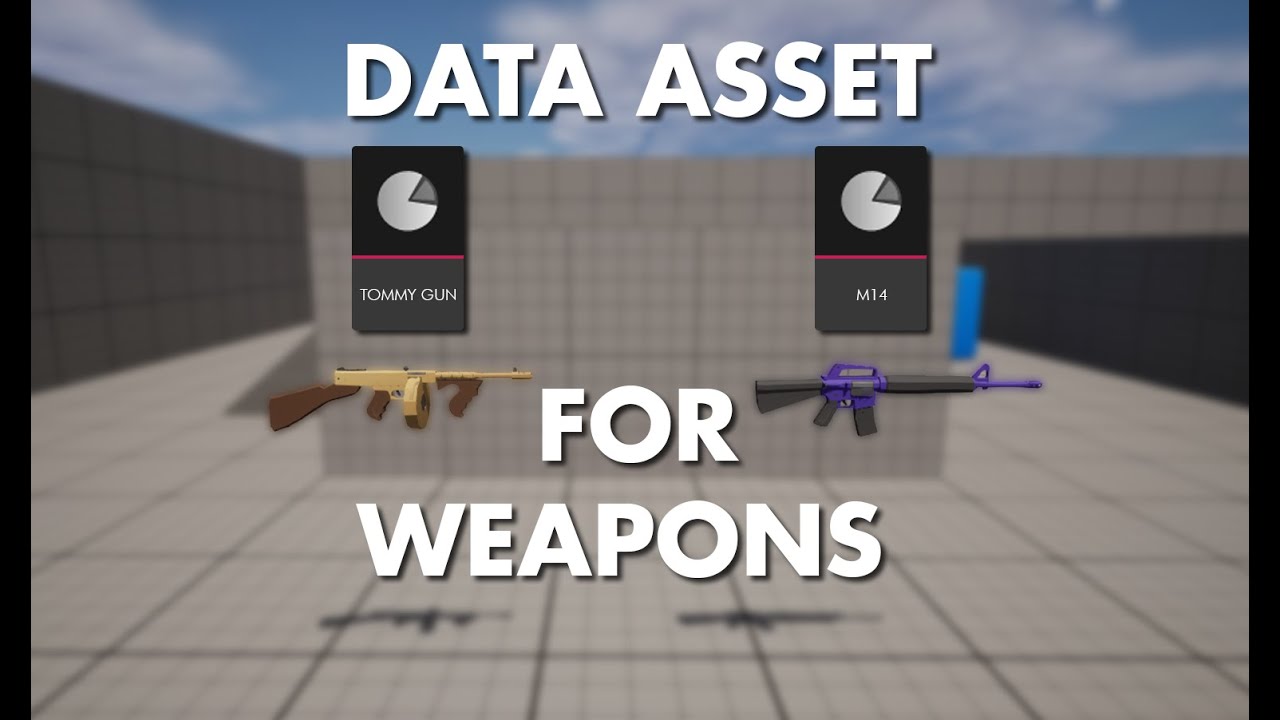
In this tutorial, we will go over how I approach weapon system using Data Assets.
Timestamps:
00:00:00 - Intro
00:01:27 - What are Data Assets?
00:11:00 - Weapon Example
dusky cobalt
spice gazelle
<@716996204872859659> This tutorial on Data Asset's is probably one of the bette...
thanks, ill watch it for sure
 wintry talon
When interacting with an this specific object, it prints out the actor name and removes an objective despite in not being hooked up to almost anything

 lunar sleet
wintry talon
When interacting with an this specific object, it prints out the actor name and ...
lunar sleet
wintry talon
When interacting with an this specific object, it prints out the actor name and ...
Not sure what you’re trying to say. Are you saying this bp is doing things that aren’t in it? Cause if so, you’re probably looking at the wrong one
 cerulean cape
Hi, may I know how can I add a collision box to a cable component? or is there a better way to create a physics-enabled cable?
 frail onyx
Anyone know how to go about making a modular mining/harvesting system for tree's and rocks and different types of ore's so its easy to make one type of ore/rock and then be able to add a bunch more very quickly?
dawn gazelle
frail onyx
Anyone know how to go about making a modular mining/harvesting system for tree's...
All you'd need to do is make a single "resource" class, and give it a gameplay tag variable to identify what resource it gives. It would also need all the logic for harvesting and gathering.
You can then create child classes that have different visuals and set a different variable for the gameplaytag for when they are mined.
A more advanced version would be to use the same single blueprint and instead give it a data asset to give it the details about resource it contains. Then you only need to create the blueprint once, have it generate itself based on the values from the Data Asset, and then you can create many data assets that contain the values you want.
frail onyx
thanks, sm! ill see if i can get something like that to work
iron delta
Hoping someone is able to point me in the right direction. this is my current solution and I'm sure there must be a better way. i have a ship with a turret. the ship can rotate fully and i want to be able to lock my turret between 0-30 on its pitch but relative to the ships current rotation. so that it doesn't try to shoot through the ship. the two are separate actors and the turret is spawned and attached on the begin play of the ship. if i can provide any more info to make this clearer please let me know.


 shy aurora
im trying to create a simple door opening system but i honestly have no clue what im doing and i saw somewhere that you need to make a blueprint to do it. im basically a beginner so any help is appreciated
iron delta
shy aurora
im trying to create a simple door opening system but i honestly have no clue wha...
i'm still learning myself, but if you type in "simple door using interface ue5" it should give you what you need.
lunar sleet
shy aurora
im trying to create a simple door opening system but i honestly have no clue wha...
Watch the bp comms live training pinned here so you can understand how it actually works. Much better than copying over from a video imo
 karmic pebble
I dont see a Packaging Channel anymore so I am not sure where to put this, but this just started happening and I can't tell where this is to see whats going on, any idea's where to look?
Packaging (Windows): [164/165] Link [x64] TwlightStarHE-Win64-DebugGame.exe
UATHelper: Packaging (Windows): TraceUtils.cpp.obj : error LNK2005: "struct FCollisionObjectQueryParams __cdecl ConfigureCollisionObjectParams(class TArray<class TEnumAsByte<enum EObjectTypeQuery>,class TSizedDefaultAllocator<32> > const &)" (?ConfigureCollisionObjectParams@@YA?AUFCollisionObjectQueryParams@@AEBV?$TArray@V?$TEnumAsByte@W4EObjectTypeQuery@@@@V?$TSizedDefaultAllocator@$0CA@@@@@@Z) already defined in Module.Engine.42.cpp.obj
UATHelper: Packaging (Windows): TraceUtils.cpp.obj : error LNK2005: "struct FCollisionQueryParams __cdecl ConfigureCollisionParams(class FName,bool,class TArray<class AActor *,class TSizedDefaultAllocator<32> > const &,bool,class UObject const *)" (?ConfigureCollisionParams@@YA?AUFCollisionQueryParams@@VFName@@_NAEBV?$TArray@PEAVAActor@@V?$TSizedDefaultAllocator@$0CA@@@@@1PEBVUObject@@@Z) already defined in Module.Engine.42.cpp.obj
UATHelper: Packaging (Windows): Creating library D:\UEProject\TWSHE\Binaries\Win64\TwlightStarHE-Win64-DebugGame.lib and object D:\UEProject\TWSHE\Binaries\Win64\TwlightStarHE-Win64-DebugGame.exp
UATHelper: Packaging (Windows): D:\UEProject\TWSHE\Binaries\Win64\TwlightStarHE-Win64-DebugGame.exe : fatal error LNK1169: one or more multiply defined symbols found``` gentle urchin
dark drum
Yea, classes native to the engine and/or the plugins you might be using. These a...
gentle urchin
dark drum
Yea, classes native to the engine and/or the plugins you might be using. These a...
A custom c++ class would also be native here
Native = c++ class, no?
shy aurora
iron delta
i'm still learning myself, but if you type in "simple door using interface ue5" ...
i would try that but my only issue is my door needs to move upwards instead of rotating
iron delta
shy aurora
i would try that but my only issue is my door needs to move upwards instead of r...
you could still use the same basic concept and alter its location rather than rotation upon interaction. but as @lunar sleet recommended there are some good tutorials on here that could help you out if your still learning the concepts of blueprints, i'm still quite new so i'd follow his advice over mine. I tend research each new node as i use them to get a better understanding of them.
lunar sleet
karmic pebble
I dont see a Packaging Channel anymore so I am not sure where to put this, but t...
Show All Channels in server options
lunar sleet
shy aurora
i would try that but my only issue is my door needs to move upwards instead of r...
Timeline with a float track from 0 to 1 , lerp node, plug the track into the alpha. A is Initial Door Location, B is Final Door Location, make sure those locations are fixed, play to open, reverse to close
If it’s just moving up and down, you really only need the Z
dark drum
gentle urchin
Native = c++ class, no?
Technically no. From my understanding its down to context. In terms of UE native refers to the base classes developed by Epic as we're using their engine/system.
You could create your own c++ classes but they wouldn't be native to the engine.
lunar sleet
*not…right ?
gentle urchin
dark drum
Technically no. From my understanding its down to context. In terms of UE native...
native in the context of casting is just a c++ class afaik
i could be mistaken but that's how i've understood it.
engine class is ofcourse different, but im not sure there's any difference between an engine native class and just a native class when it comes to casting
 primal hare
How can I reset a sequencer to starting position in a BP ?
gentle urchin
BP has some overhead regardless
You can see this reflected when a bp class is hovered in the content browser. There's a parent class (which is a parent bp), and native parent class, which can be any c++ class that is the parent
regardless of if its an engine class or not
primal hare
Is this the correct way?
 primal hare
this was it solved!
 edgy field
Is there a way to make the AIMoveTo node .. use forces/impulses ?
 steady night
hey
ive got a projectile
that after begin play im setting actor rotation
the projectile rotates but not the "movement" or whatever
edgy field
steady night
the projectile rotates but not the "movement" or whatever
probably change the velocity vector instead
tame pecan
steady night
the projectile rotates but not the "movement" or whatever
projectile movement goes on velocity, not actor rotation
steady night
No description provided
also why is this not wroking :/ ?
trying to se if target is infront of
 urban compass
Hello i want to add debug print string to this method to get which enemy do damage to my player but how can i do that

 olive pasture
hello everyone. i have 2 questions about the character movement component and jumping...
- what does
Braking Deceleration Fallingactually do? it seems no values (even astronomical ones?) make a discernable difference. - Is there a way I could increase my fall speed? or create more of an exageratted arc of zipping up, holding in air and falling quickly? I see there is this 'gravity scale' but unfortunetly it is also applied when not jumping.
any thoughts welcome, thank you
dark drum
olive pasture
hello everyone. i have 2 questions about the character movement component and ju...
I dunno about you're first question but as for your second question, decrease gravity scale and when they reach the apex of the jump, set gravity scale back to normal. This will allow for an exageratted jump and a quicker fall.
dark drum
urban compass
Hello i want to add debug print string to this method to get which enemy do dama...
I would add the print string to the thing that recieves damage (the player character in this case). Assuming you've passed the correct damage causer on the apply damage node, you can get access to it on the OnDamageRecieved event.
olive pasture
dark drum
I dunno about you're first question but as for your second question, decrease gr...
thank you for writing. are you referring to this? it seems not interactable in the interface for some reason
 dark drum
olive pasture
thank you for writing. are you referring to this? it seems not interactable in t...
dark drum
olive pasture
thank you for writing. are you referring to this? it seems not interactable in t...
You have to set it at runtime as needed. When on apex notify is called, it disables notify apex automatically each time.
olive pasture
dark drum
You have to set it at runtime as needed. When on apex notify is called, it disab...
i see thank you. does this mean i should also remove the event binding and rebind each time ?
oh i only need to bind once, got it 👍 thank you @dark drum
if anyone else knows about the Braking Deceleration Falling pls lmk
dark drum
olive pasture
i see thank you. does this mean i should also remove the event binding and rebi...
This is how I handle it.
 olive pasture
dark drum
This is how I handle it.
olive pasture
dark drum
This is how I handle it.
thank you 🙂
@dark drum interesting you bind to apex each time, it appears not neccessary? any reason you chose to do this? i am unsure if its like a memory leak or not
dark drum
olive pasture
<@430016173694779402> interesting you bind to apex each time, it appears not nec...
I believe it automatically unbinds everything from the apex notify event when called. I think it mentions it in the description when you set the 'NotifyApex' bool. It was a while since I set it up though lol.
olive pasture
dark drum
I believe it automatically unbinds everything from the apex notify event when ca...
ok thanks. one last qusetion: where is OnMovementModeChanged coming from? is this an event you made ?
dark drum
olive pasture
ok thanks. one last qusetion: where is OnMovementModeChanged coming from? is thi...
It's on the movement compoent.
olive pasture
dark drum
It's on the movement compoent.
ah right, sorry was not searching properly, found it 😅. thank u
 prime plume
Can anyone help me?
I need to find the skill in the inventory, edit it and save it back into the inventory
 urban compass
dark drum
I would add the print string to the thing that recieves damage (the player chara...
urban compass
dark drum
I would add the print string to the thing that recieves damage (the player chara...
Thank you but i want which enemy damages me how can i add variable of enemy to the print string
dark drum
urban compass
Thank you but i want which enemy damages me how can i add variable of enemy to t...
Which would be the damage causer that the player would receive. Either way, you can get the display name from said actor.
urban compass
dark drum
Which would be the damage causer that the player would receive. Either way, you ...
its like this
 dark drum
urban compass
its like this
dark drum
urban compass
its like this
Just put a print string between the any damage event and the do once. Pull from the 'Damage Causer' get display name and connect to the print string.
urban compass
dark drum
Just put a print string between the any damage event and the do once. Pull from ...
ok let me try it
urban compass
dark drum
Just put a print string between the any damage event and the do once. Pull from ...
omg thank you so much mate its done
steep oyster
What would be the best way to make mesh booleans at runtime?
 vestal breach
Hi first time using unreal 5 and blueprints. I have created a character control for a unicorn (don't mind the hair it's work in progress) and I used several tutorials to make it. So far the unicorn turns using mouse and A D. It works great, but there is one more components missing. I want to press a button that stops the mouse moving the unicorn and instead moves the camera around. So far every tutorial for this makes you to use the existing blueprints and I really don't know what part of my blueprints I should be using. Any help?

 dusky cobalt
Does anyone changes cursor during run time in their games? I have problem with when I change for example Default Cursor Widget to Sword (this happens when On Mouse Over so that thing is calling to PC), and when I On Mouse Over End i change it back to deafult. The problem is that when I click during the change (when Over something), then the On Mouse Over End doesn't trigger the change of cursor back to default. I set the widget to be not-hitable, but it looks like it when I click it consumes my cursor and that is why the On Mouse Over stops working? And when I hover over on back and out, then it starts working again.
Nevermind, found it, I had logic that if the resource is selected (and after clicking), then some things On Hover End weren't happening (like changing cursor back).
steep oyster
vestal breach
Hi first time using unreal 5 and blueprints. I have created a character control ...
In the bottom middle , where the branch is, you need to add another branch
Or a boolean logic
Basically, when you press the key you set a boolean to true, which causes the branch to not further rotate the unicorn
Just stop the blueprint from "Set Actor Rotation"
limber parcel
steep oyster
Basically, when you press the key you set a boolean to true, which causes the br...
weirdest thing i have read today
vestal breach
steep oyster
Basically, when you press the key you set a boolean to true, which causes the br...
Same here, I don't know what boolean logic is, can't find it from the action search for blueprints.
gentle urchin
a branch is what they're talking about
basically all you'd want to do is add a "AND" to the ">" Check you already got
and check if the key is pressed
and invert that value with a NOT
in this section
 limber parcel
 vestal breach
Yeeeeep that's me right now 😂
But yeah I'll try to figure this out with your instructions. Thanks!
gentle urchin
Im rusty on giving instructions these days, so pardon me if they dont suffice 😛
limber parcel
gentle urchin
Im rusty on giving instructions these days, so pardon me if they dont suffice 😛
what engine do you use these days xD
vestal breach
No no, it's pretty clear my mind just isn't 😆
gentle urchin
Codesys Engine ™️
limber parcel
gentle urchin
Codesys Engine ™️
making ur own from scratch?
gentle urchin
No, not working on game dev 😦

 obtuse oriole
is dynamic keyframe value a thing in UMG animation? I have this one pointer image I want to animate the translation value between its current state to new state, the two state can be anything so making animation for individual movement is not really a choice
 clever rose
Hi. I'm having an issue making a light switch (I'm pretty new don't judge. I currently have a blueprint interface that is used for an interaction system. When the player is in a collision box that is a part of the blueprint, the interface is accessible. Now, the problem I'm having is that the switch blueprint and the light blueprint are two different blueprints. I don't know how I'd be able to set visibility of the light since it's part of a different mesh. Help me please.


 vast bone
The game language wont change at runtime , it only changes if i change editor preferences preview language to the other language
At runtime when i change the language to russian, the editor language changes instead of the game
vestal breach
Thanks @steep oyster and @gentle urchin, I got it working!
 gentle urchin
(you can NOT the value directly)
and ditch the "AND NOT" setup
like so

paint skills ftw
can hardly see that i did it in paint
the AND should be connected to the output of the > check
and the output of this new NOT
vestal breach
Oooooh I see okay thanks again 😆
 hushed topaz
Get Character as Number doesn't seem to work on strings? Am I mis-interpreting what this node does?
 dusky cobalt
hushed topaz
``Get Character as Number`` doesn't seem to work on strings? Am I mis-interpreti...
dusky cobalt
hushed topaz
``Get Character as Number`` doesn't seem to work on strings? Am I mis-interpreti...
The return value as some crazy numbers that are asigned to every character on the base of engine level.
So like for example character A can have 329 number as ''ID''. while D can be 338 and @ can be 50, unless it's what you want?
 hushed topaz
versed sun
° (Alt+0176) is 176
hushed topaz
versed sun
° (Alt+0176) is 176
Ahh right... That makes sense then I guess. Thanks. Slightly misleading function name!
clever rose
clever rose
Hi. I'm having an issue making a light switch (I'm pretty new don't judge. I cur...
I'm close to fixing this by using this website but now I'm getting the issue "Editing this value in a Class Default Object is not allowed" when I try to change the default value. Help
https://www.versluis.com/2020/08/how-to-reference-a-blueprint-from-another-blueprint-in-unreal-engine/

Imagine we had a Lamp object in our scene, and a Switch we can flick so that it turns on. Both objects are instances of a Blueprint, so the switch needs to know which lamp we’re talking about…
dusky cobalt
clever rose
I'm close to fixing this by using this website but now I'm getting the issue "Ed...
Inside Switch Blueprint, you need to add array of Actors Lights and set that array to be Instance Editable, that way, you can put Switch and Lights (multiple) in the level, and then manually asign each Light to the switch that will activate it.
Inside the switch you would take array of lights, and for each set Light On or Light Off with the interface event. You don't need to put this on event tick.
The part with foreach would be activated with the Interface Event > For each > Update Light
young pine
is there a blue print that let me make new strings so i can make like more strings from mz event begin plaz
dusky cobalt
you can create array of string and edit default values?
young pine
i just wanna make a new string so i have like another event that starts when the game starts
 dusky cobalt
Sequence
young pine
dusky cobalt
Sequence
thank you
 kindred galleon
found it constantparam
cyan mortar
Hello peoples! Who know this problem, character not spawned and client turnoff of server

This Server side
If i create character on client, client side is not turnoff server, but not spawned character
But on UnrealEngine version 5.3.2 work good
on version 5.4 turnoff client
 trim matrix
I have a rteally hard time

 trim matrix
I have a rteally hard time
trim matrix
trim matrix
I have a rteally hard time
does anybody know why this reference is not valid?
 cyan mortar
 gray tide
Does anyone know how to create a reference for a widget so I can communicate to the widget from another blueprint?
trim matrix
trim matrix
does anybody know why this reference is not valid?
Somehow the Reference is always null which make everything not work...
versed sun
trim matrix
does anybody know why this reference is not valid?
you might be running this code before Pawn loads..
Try adding a Delay until Next Tick node after Set Start Evaluate
trim matrix
same problem
 worthy jasper
trim matrix
does anybody know why this reference is not valid?
worthy jasper
trim matrix
does anybody know why this reference is not valid?
where the rests of the code?
trim matrix
even this doesn't trigger? 💀
 trim matrix
worthy jasper
guessing thats a c++ function you made
trim matrix
worthy jasper
guessing thats a c++ function you made
nah, only BP for now
trim matrix
yes
worthy jasper
you assigned it to your character?
dusky cobalt
trim matrix
does anybody know why this reference is not valid?
Is this component on player controller?
trim matrix
dusky cobalt
Is this component on player controller?
yes
 dusky cobalt
Put a delay is my guess
it doesn't ahve reference of the Player Controller in the first 0.1seconds
but still executes

 trim matrix
BP debugging is weird
dusky cobalt
but probably the best would be to call from Player Controller custom event that initializes it
so you dont count on begin play and delays
trim matrix
worthy jasper
the first part work
worthy jasper
yeah probably want a delay until next tick
im also grabbing a component from the owner
in an animbp
 worthy jasper
what triggers?
worthy jasper
i doubt this is your issue but i wouldnt set the var before checking its valid

see if your component is valid
if it is
set your var
semantics but 🤷♂️
worthy jasper
trim matrix
it still isn't valid tho
try a "try get pawn owner"
rather than an owning actor?
trim matrix
bp is fcked, the string gets printed but not the breakpoint right after?
 worthy jasper
then its valid and your getting it
timber crystal
Hello i want to remove the Widgets by death
why i cant remove it in that way?
 trim matrix
worthy jasper
then its valid and your getting it
trim matrix
worthy jasper
then its valid and your getting it
but how the hell does the function Breakpoint doesn't trigger?
worthy jasper
trim matrix
but how the hell does the function Breakpoint doesn't trigger?
no idea tbh
print strings usually do the job for me
to figure out whats going on
or ill handle it in rider if i need more exhaustive testing
trim matrix
ok so quick tip: Breakpoint on function do nothing...
worthy jasper
ive used breakpoints so they do work
trim matrix
worthy jasper
ive used breakpoints so they do work
not for the BP Function
trim matrix
inside of a function or an event sure, but not on a function call
1 more question, how is it possible to set the Left Leg 1 (by ref) in another function in BP?

 granite frost
get control rotation is giving me 0,360 angle. But I want -180,180, How do I do that?
worthy jasper
trim matrix
inside of a function or an event sure, but not on a function call

works ok for me
granite frost
below 0 its 360 but I want negative terms
trim matrix
worthy jasper
not for me.. idk
worthy jasper
trim matrix
not for me.. idk
yeah like i said no idea why its not working for you but they do work
and they do work on fucntion calls 😄
trim matrix
well, I'm in 5.4.2
worthy jasper
same here
trim matrix
I'm in an anim instance
trim matrix
see, the breakpoint in a normal BP works but not there
worthy jasper
I just showed ya it works XD
worthy jasper
yep ive found print strings get me where I need to go
trim matrix
is there a way to set it by ref? (the LeftLeg1)
 worthy jasper
change it too pass by ref if thats your function?
trim matrix
worthy jasper
change it too pass by ref if thats your function?
where
 obsidian mulch
how to solve camera jittering after traversal completed
dusky cobalt
Any idea why this execution is still going even after invalidating the timer? It still red like on the left when it hits Clear and Invalidate.

 versed sun
CLEAR and Invalidate
you just have Invalidate
 remote meteor
Clear : Actually cancels the timer in FTimerManager
Invalidate : Removing the handle details so it can be identified as not valid.
 lofty rapids
obsidian mulch
how to solve camera jittering after traversal completed
lofty rapids
obsidian mulch
how to solve camera jittering after traversal completed
it looks like you actual capsule is moving up and down when on top of the thing
not just the camera
dusky cobalt
remote meteor
Clear : Actually cancels the timer in `FTimerManager`
Invalidate : Removing the ...
I was using Clear and Invalidate everyhere and not sure how this managed to get here, maybe when I was copying it somehow changed or I just missed it completely, thanks for help guys
 buoyant tiger
Hello guys, I am pretty novice with UE5 and I am facing a weird issue with "Set Leader Pose Component". I have a BP for my armor masters with event that is called when the player drag and drop a armor piece to a slot. Everything works fine but the armor is not attaching to the mesh and its not animated. I use a mesh child from Daz3D over manny skeleton and I think it might be the cause of my issue. Runing the code, after equiping the armor cause a runtime error "Accessed None trying to read property".
Anyone has a idea how I can fix this?


 little moat
Can I ask help about anim bp here?
 wise ravine
To learn Blueprint Communication, should I learn this course (https://dev.epicgames.com/community/learning/courses/LWv/unreal-engine-blueprint-communication/ypKl/unreal-engine-blueprint-communication-overview) or just rewatch (https://www.youtube.com/watch?v=EM_HYqQdToE) or both? 🤔
 eager python
Is it a PITA to add a delay to a For Loop in UE5? It looks like my 5 second Delay is only executed once, or is somehow otherwise breaking the loop.
little moat
wise ravine
To learn Blueprint Communication, should I learn this course (https://dev.epicga...
Do actual stuff with tutorials and learn stuff with it
dusky cobalt
eager python
Is it a PITA to add a delay to a For Loop in UE5? It looks like my 5 second Del...
If you use it inside for loop it's gonna be executed only once at the end because each iteration triggers and resets it again.
eager python
dusky cobalt
If you use it inside for loop it's gonna be executed only once at the end becaus...
Would a While loop work differently? ::EDIT:: Easy enough to find out myself - don't answer this haha.
No difference. Wtf. You'd think adding a delay to a loop would be a pretty standard thing though right?
Wild.
Oh, figured it out. Just gotta manually create a loop. Lawl.
wise ravine
little moat
Do actual stuff with tutorials and learn stuff with it
sure but which one
little moat
wise ravine
sure but which one
Do what you want to do and you'll learn in the process
People usually don't learn by just watching
 final berry
Hello!
I have the following issue. A tower is trying to shoot target B, but on rare occasion A gets in the way. It's rare and barely noticable, but because the bullet stops when hitting any enemy it stops there and will never reach B. It can then either ignore target A and not do damage, but then it wont hit B either because it stopped moving. I could also go for that it damages A even though B was the target, however because of strategy and gameplay decisions I made that is not favorable. Is there any way for static actor with Projectile Movement(the bullet) to only stop on its actual selected target? (that would mean that it would ignore A, even go through A to hit B which is fine for what I want, even though its not realistic)
 wise ravine
little moat
People usually don't learn by just watching
wise ravine
little moat
People usually don't learn by just watching
of course
final berry
eager python
Oh, figured it out. Just gotta manually create a loop. Lawl.
I also made a variation on the normal for each to have a foreach with delay that you can set to a specific float if you're interested
eager python
final berry
I also made a variation on the normal for each to have a foreach with delay that...
I'm just using it to debug Room placement in my Dungeon Generator, so I probably won't need it long term. Thanks though!
final berry
eager python
I'm just using it to debug Room placement in my Dungeon Generator, so I probably...
Aight cool
remote meteor
final berry
Hello!
I have the following issue. A tower is trying to shoot target B, but on r...
instead of blocking the targets, you can make the projectile overlaps, and only do something when it overlaps the correct target
final berry
remote meteor
instead of blocking the targets, you can make the projectile overlaps, and only ...
True, however I did enjoy the blocking of the bullets because it makes it easier to spawn a hit effect on the actual mesh where it hit 😅
Also, changing it to an overlap makes it not work anymore 🤔
 devout tide
Make sure it generates overlap events if using physics and that the collision profiles are set properly between projectile collision component/target collision component
dusky cobalt
final berry
Hello!
I have the following issue. A tower is trying to shoot target B, but on r...
I had the same problem, you need to check on overlap if tha Attack Target is the same as overlapping actor and it should work, just like IAsaka says.
devout tide
overlap is probably the best approach in this case, but you can also check the Ignore When Moving node, even though that takes direct reference of actors, so probably quite heavy to do if you have multiple towers/projectiles
Also, you can confirm CCD on your collision component in the projectile to make sure no projectiles bypass the target
dusky cobalt
You need to make this logic inside projectile so it checks what it hit, then when you spawn projectile (anywhere else) you feed Attack Target to it.
final berry
Yea the projectile is aware of the target
dusky cobalt

 devout tide
Server tower attack is a multicast? Why?
final berry
Wait how do you get your attack target in there? I set it after spawning 🤔
 devout tide
Make the variable Instance Editable and Expose on Spawn
then right click and refresh on the Spawn Actor node
dusky cobalt
devout tide
Server tower attack is a multicast? Why?
Just for testing 😛
final berry
devout tide
Make the variable Instance Editable and Expose on Spawn
Oooooh that's what that checkmark is for 😄 Cheers
devout tide
Yeah should be server only in 99% of the cases
final berry
"Make sure it generates overlap events if using physics" How do I do that?
devout tide
theres a checkmark in the Collisions

if you are using a projectile component though, this should not be necessary
final berry
Oh well I do have a projectile component, and doing that checkmark did make it work again 😛
lunar sleet
I need some rubberducking here.
I'm GET-ing Index 2 from this Array which corresponds to "Right" but the return value says Get Item 1 : Bot, even though it doesn't even match that


oh I wonder
🤦 it's prly the pure function pitfalls
devout tide
reruns each time its used 😄
lunar sleet
I knew I had to promote the random int to var before using it, deep down, but I was like nah, it'll be fine
thx for the 🦆
devout tide
yeah I always promote to a local var, hard to tell sometimes if you miss it
lunar sleet
devout tide
yeah I always promote to a local var, hard to tell sometimes if you miss it
stupid thing is, I was, but right after using it 😅
obsidian mulch
lofty rapids
it looks like you actual capsule is moving up and down when on top of the thing
And why could it be that
lofty rapids
i don't know but it looks like the capsule is jumping, probably when you move
when you go back down does is stop ?
final berry
Did I misinterpret that this first node is used to get the launch speed? Because I don't see how I can put that vector in the launch speed float

Also I'm kinda confused on how to use the vector out on my projectile 🤔
faint pasture
final berry
True, however I did enjoy the blocking of the bullets because it makes it easier...
Why not just make your own projectile component that behaves that way?
Instead of sweeping a shape, you can just do line traces on tick. Then, you can just choose to keep going if you hit something thats not your intended target
I'd just live with it though, I would prefer to just hit the first thing, not only the thing you're aiming at.
shy aurora
lunar sleet
Timeline with a float track from 0 to 1 , lerp node, plug the track into the alp...
yeah i did try that but honestly i have no idea what ive done wrong since it doesnt work
final berry
faint pasture
I'd just live with it though, I would prefer to just hit the first thing, not on...
I understand you'd say that, but its on a tower defense and I dislike unpredictability in TD gameplay 😅
I'll look into the tracing method though, cheers
lunar sleet
shy aurora
yeah i did try that but honestly i have no idea what ive done wrong since it doe...
show code

 frosty heron
you never set the alpha...
faint pasture
final berry
I understand you'd say that, but its on a tower defense and I dislike unpredicta...
Here's the general form and is pretty much what the CMC does anyway.
Tick -> Calculate new desired position (current + velocity * timestep) -> trace from CurrentPosition to NewPosition -> did we hit TargetActor? -> yes -> do the hit logic
-> no -> CurrentPosition = NewPosition
If you want gravity, then you can just update velocity before calculating new position.
Also, this basically "becomes" a hitscan if your velocity is high enough. I love this approach to weapons tbh.
 ionic nacelle
howdy, Im trying to increase the height of a cube while the trigger key is being held
shy aurora
frosty heron
you never set the alpha...
omfg i am so stupid
frosty heron
shy aurora
Plug the door alpha to alpha, make sure the value is from 0 to 1