#blueprint
1 messages · Page 188 of 1
 silk estuary
Yep that's what I've ended up doing. I was hoping there might be an automagic way of capturing the call site / stack trace in BP, but not a big deal
 frosty heron
 dense mica
Call to native is fast, call to BP func slow
dense mica
Call to native is fast, call to BP func slow
🙇♂️
There are multiple ways of doing this
One is to just follow the server value and rotation
The other is client get initial value from the server and just run its own simulation. This is way cheaper
Assuming the day and night system are predictive. Eg, increase timer every x second
 meager acorn
frosty heron
Assuming the day and night system are predictive. Eg, increase timer every x sec...
meager acorn
frosty heron
Assuming the day and night system are predictive. Eg, increase timer every x sec...
it is predictive, but i use some events there. Wouldn't that be problem?
frosty heron
Ask your self how you want to tackle this first
If you want the client to just always get the value from the server then you can just use a replicated variable
For the rotation and everything else you need to sync the states
 narrow igloo
Hello guys i am making a simple script that in a for each loop download x images but every time the node work in the following way
Start Download 1
Start Download 2
Start Download 3
End Download 1
End Download 2
End Download 3
instead
Start Download 1
End Download 1
Start Download 2
End Download 2
Start Download 3
End Download 3
Can u help me please?
 dark drum
narrow igloo
Hello guys i am making a simple script that in a for each loop download x images...
dark drum
narrow igloo
Hello guys i am making a simple script that in a for each loop download x images...
A for each loop completes all loops in the same tick. I would imagine downloading something would be a latent event meaning it most likely won't complete until at least the following tick.
frosty heron
Download should be a latent task with a callback on completed
frosty heron
narrow igloo
Yeah Download is latent how can i wait for the and or i should use Callback
Show us your script?
dark drum
narrow igloo
Yeah Download is latent how can i wait for the and or i should use Callback
Something like this.

 wise ravine
Hey does anyone know how I would get a reference to a metasound variable in another actor bp?
I tried something like this, it hasn't worked

 mental trellis
Is this problem specific to metasound?
Or are you just asking how to get a variable in another actor?
wise ravine
I would consider it specific
I've already asked in #audio a while ago without a response so I thought I might aswell ask here to see if anyone knew 😄
mental trellis
Well, where are you trying to reference the other actor in that screenshot? Is the other actor causing the overlap end event?
wise ravine
mental trellis
Well, where are you trying to reference the other actor in that screenshot? Is t...
No it isn't causing the overlap end event
I have the meta sound implemented into an audio component in the actor I'm trying to reference it in
wise ravine
Re-arranged some nodes, same issue. The actor doesn't recognize the variable


 final berry
I'm confused. This used to work fine and then suddenly it doesn't. This is located in the level blueprint. Its not printing anythinng when pressing T

Found it, Apparently having an Any Key event somewhere else with consume input disables all others?
 hoary junco
what would be a good way of making a version of the top down movement system but constraining it to a grid? I know this is an overarching goal and require some breaking down but I'm not sure where to start on it. If you've ever played something like Runescape you'll know what I mean, how the world is split up into a sorta invisible grid and when you click somewhere in the world your character moves to whatever grid square you clicked in, how would I go about doing that?
 languid hemlock
final berry
Found it, Apparently having an Any Key event somewhere else with consume input d...
languid hemlock
final berry
Found it, Apparently having an Any Key event somewhere else with consume input d...
I'm not sure, but Any Key with the "Consume Input" option turned on can disable the others
 dusky cobalt
hoary junco
what would be a good way of making a version of the top down movement system but...
dusky cobalt
hoary junco
what would be a good way of making a version of the top down movement system but...
Kinda easy. You could start with this tutorial. This guy creates grid, and then also a simple move to command to the tile location. https://www.youtube.com/watch?v=Q4AOmT9aOEM&t=1150s&ab_channel=ReidsChannel

Support the channel through donations. Crypto accepted!
PayPal: https://paypal.me/reidschannel?locale.x=en_US
Patreon: https://www.patreon.com/reidschannel
Bitcoin: 1JFwWHr4X6uAeoZadukzqKjzFBj3Qjy7Sk
Ethereum: 0x2B2Bc108F1Cc0fF899959dEF3226637787d8C3dE
Dogecoin: DNQ33YnhpWoTBokBNVkZP5ub8KTLkpyjpv
Join our community discord!
Discord: https://dis...
hoary junco
dusky cobalt
Kinda easy. You could start with this tutorial. This guy creates grid, and then ...
as a follow on to this, if the game world gets large I imagine this would start lagging given how small the individual grid squares are, would removing the visual elements get rid of that lag? Or would there be some way of say, making it so only a set number of grid tiles are active around the player at any one time?
dusky cobalt
He said this one is very optimized, but with every approach you will find some bottlenecks.. I don't have as much experience to tell you which will work the best because I'm still trying these myself but this one is very, very light. The visuals cause no lag in his approach I think
hoary junco
well he said himself if the grid gets to the size of 50kx50k it is going to lag on load
maybe not during gameplay but the grid will increase loading time
dusky cobalt
yeah but only on load
hoary junco
still there's a good chance the world I'm making is going to have millions of grid tiles because it's an open world game in low poly so I don't need the entire world's grid loaded in at once
unless I do chunk loading or something...
dusky cobalt
So you can always put like smaller grids and activate them only when player gets closer
hoary junco
yeah, chunk loading
dusky cobalt
yeah
hoary junco
welp.. time to find a tutorial on how to do chunk loading XD
dusky cobalt
there are things built in like level streaming and level loading / unloading
hoary junco
yeah but idk how to use them
which is why I'll need to look up some explanations on it
hoary junco
dusky cobalt
there are things built in like level streaming and level loading / unloading
thanks for the help though you've given me a solid starting point to work from
dusky cobalt
hoary junco
thanks for the help though you've given me a solid starting point to work from

Here's how to dynamically load and unload sublevels at runtime in your Unreal Engine 5 projects!
Get access to the project files and more on my Patreon: https://www.patreon.com/MattAspland
Check Out My Game Studio: https://www.copagaming.co.uk/
#UE5 #UnrealEngine5 #UE5Tutorial
__________________________________________________________________...
very good tutorial
hoary junco
I've heard complaints about matt aspland but, it's a good place to start at least
dusky cobalt
really? so far all his tutorials I watched were really good, i dont know
hoary junco
something I have noticed is he doesn't tend to explain why he's using the nodes he's using and just kinda uses them which I can see being an issue, and some of his tutorials have been very poorly optimised which I've discovered on my own, like his tutorials on doors and whatnot I've had to completely refactor before
it's the common tutorial problem of telling you how to use a system but not why it's used that way thus denying a lot of the versatility that UE is known for
dusky cobalt
yea he might not go into details too much, like he expect you to know something already, i get that
hoary junco
also do you have a tutorial on world partition? Because sublevels don't really work for what I'm going for which is an open world game
dusky cobalt
I don't but maybe someone else?
wise ravine
hoary junco
something I have noticed is he doesn't tend to explain why he's using the nodes ...
Imo his tutorials are focused towards indies that are just starting out, usually with smaller games. Having poorly optimized scripts isn't that noticeable at a smaller scale
hoary junco
is gorka games any good? I found a tutorial from him on world partition
 lofty rapids
hoary junco
what would be a good way of making a version of the top down movement system but...
lofty rapids
hoary junco
what would be a good way of making a version of the top down movement system but...
you can get which block you are in with maths
hoary junco
lofty rapids
you can get which block you are in with maths
explain?
lofty rapids
something like gridx = (MouseLocation.X/BoxWidth)+HalfBoxWidth and same for y
 next kite
Could I get a bit of help? this moves the camera upwards dynamically per frame (for now), but it also stutters quite a bit, when I take a jump, despite it going smoothly up in numbers. Could I get some help in fixing this? (happy to make a vid to show what i mean)

 tardy pond
is there an alternative to macro or function libraries where you can add delays in it?
lofty rapids
events ?
hoary junco
dusky cobalt
Kinda easy. You could start with this tutorial. This guy creates grid, and then ...
I have a question about this, is there a way of preventing movement between tiles easily without having to put a wall there? like say I want to move from tile A1 to A3 but I want A2 to be an unwalkable tile because of terrain, how would I mark A2 off as an unwalkable tile? or another question perhaps is say there's a thin fence between A1 and A2 but one that's high enough where step height would go over it normally but I don't want to allow that, is there a way I could designate that without needing invisible walls everywhere?
next kite
tardy pond
is there an alternative to macro or function libraries where you can add delays ...
you can do a timeline or events as engage said (presuming this is in response to me)
tardy pond
lofty rapids
events ?
but then the macro is only usable for 1 event graph
I want to use it like the macros in the macro library
you create 1 macro and then you can use it everywhere
tardy pond
next kite
you can do a timeline or events as engage said (presuming this is in response to...
timelines cant be added in macro or function libraries
isnt there an alternative to macro or function libraries?
 unkempt vine
I'm trying to make the enemy there take damage/kill my character, I'm using horror engine, but it doesn't take damage

Get damage is the correct function to take damage, but it is in bp_ai how do I make the target be HorroEngine (my character)

 wind sentinel
Hello, I need some help with a camera problem. I have multiple cameras in my chara bp, the third person camera and 2 other cameras which are for some other mechanics. When I package the game unfortunately the wrong camera is activated at the beginning of the game. So instead of my third person camera the camera view of the second screenshot (like the preview in the lower right corner, first person view) is the active camera. How can I change my third person camera to be the standard camera when my game is packed? Some ideas? Any help is appreciated 🙏


 mild jacinth
is it possible to make it so that custom event has specific pawn reference instead of pawn actor reference?

i noticed it automatically adds pawn reference
 maiden wadi
Cast it.
hoary junco
mild jacinth
is it possible to make it so that custom event has specific pawn reference inste...
by specific pawn reference do you mean there are multiple types of the same pawn and you just want to grab one of them? or is there only one instance of that pawn from a specific blueprint?
because if it's the former, get all pawns of class, then get the specific index you're trying to access
if it's the latter, cast to the blueprint
maiden wadi
unkempt vine
I'm trying to make the enemy there take damage/kill my character, I'm using horr...
Unsure what your issue is. But you've shown two separate systems. Apply damage is an Unreal default system. It has nothing to do with whatever GetDamage is, or the Horror Engine, whatever that is, unless they've bound that function internally.
maiden wadi
wind sentinel
Hello, I need some help with a camera problem. I have multiple cameras in my cha...
You deactivate all cameras you don't want to be used at the time. The default code will simply iterate all camera components on the view target(usually the possessed pawn but can be something else if you set it to that.), and it'll find the first active camera component and use it. Which one is first can vary based on a lot of factors, and so you should simply deactivate the unused ones until you want one.
wind sentinel
maiden wadi
You deactivate all cameras you don't want to be used at the time. The default co...
Hey thank you! Okay sounds good, do you know how exactly I can deactivate the cameras? so which node will I need? 🙂
 jolly hedge
Hi guys. I have an event in my widget BP. I want to be able to call this Event from another pawn BP. How can i referance a BP widget?
maiden wadi
wind sentinel
Hey thank you! Okay sounds good, do you know how exactly I can deactivate the ca...
Can't remember it exactly. DeactivateComponent or similar.
maiden wadi
jolly hedge
Hi guys. I have an event in my widget BP. I want to be able to call this Event f...
Usually. The widget should have a reference to the pawn. The pawn should have an event dispatcher that it calls. The widget should use it's reference to bind to said dispatcher to call the function you want.
wind sentinel
maiden wadi
Can't remember it exactly. DeactivateComponent or similar.
Okay I´ll check it out 🙂 but anyway thanks for your help! 🙂
mild jacinth
is there a function for knowing when the enemy ai pawnsensing component is unable to see the pawn(similar to On Pawn See but the opposite of it, basically if not in view range)
i would assume you can get ai blueprint camera and then somehow see if the player is in view range?
 maiden wadi
mild jacinth
is there a function for knowing when the enemy ai pawnsensing component is unabl...
maiden wadi
mild jacinth
is there a function for knowing when the enemy ai pawnsensing component is unabl...
AFAIK PawnSense has been deprecated or at best is no longer really used. It was never really designed to maintain state as much as simply be a detector when sense started. AI Perception helps a lot with that stuff though.
mild jacinth
get known perceived actors, so you could technically use NOT boolean to check that its not being perceived i guess?
lofty rapids
you may have to use ai perception like mentioned it's the newer way
mild jacinth
okay, ill take a look at that.
hoary junco
is there a way to change the margins of a navmesh? like make it so it hugs tighter to edges and whatnot?
found it, agent radius in the recast settings
 deft tusk
Hey guys is there a way to bind text being displayed depending on the input being used like if its keyboard mouse it will display keyboard mouse bindings and if switched to gamepad it will show the ones for gamepads?
preferably in bp
maiden wadi
deft tusk
Hey guys is there a way to bind text being displayed depending on the input bein...
Generally you'll be looking at using CommonUI for this. As it tracks whether the user is using gamepad, touch or m/kb.
deft tusk
ok so how would you get it to automatically switch the displayed text then or would you need to bind to function
maiden wadi
What is the text in question? A keybind, or?
deft tusk
like I want the controls menu to display text for the corresponding input
for instance keyboard keys when no gamepad detected and vice verse
maiden wadi
You can do a binding in the widget and set it up how you like.
 deft tusk
ok thank you i will play with this
 thin panther
pins of #ue5-general has a first hour in unreal course
dusky cobalt
Anyone had this error before? It's a dispatcher with a Primary Data Assets as array.

 quaint ravine
I cannot figure out why this is not working, when a basically similar setup to change iris and aperture is working just fine. This is inside a CineCameraActor BP.
 maiden wadi
dusky cobalt
Anyone had this error before? It's a dispatcher with a Primary Data Assets as ar...
maiden wadi
dusky cobalt
Anyone had this error before? It's a dispatcher with a Primary Data Assets as ar...
It's not an error. It's a note. There's nothing wrong. But people are derpy so it exists to point out that if you pass that array, even though it's by ref, you cannot alter the array because it'll be const.
I would wager this was put there due to bug reports of people not knowing that the delegates use const ref arrays.
dusky cobalt
maiden wadi
It's not an error. It's a note. There's nothing wrong. But people are derpy so i...
Thank you for explaining 🙂
mild jacinth
kind of a stupid question but when it comes to foreachloop i understand that it goes through every array object. is it done in an order?
like, 1,2, 3, 4, 5, 6, etc?
lofty rapids
arrays are zero index
so 0.1.2.3.4
it's length usually determines how long it is
it will loop in order they appear in the array
 lunar musk
Problem with skm position and lagging

 mild jacinth
@lofty rapids question i saw such nodes online (attached image). do you know how the Last sensed stimuli works, as in, how can I get a specific actor to check if lost sense or not?
I also checked your implementation buuut.. I havent tried that yet. still checking my options since im using custom ai blueprint system

it wouldnt work if i have foreachloop for this

thatswhy im asking
 valid sluice
I need help with a specific event ive been stuck on. Its for a dodgeball type of game. The player throws a ball at the opposing player. If the ball is in range of catching it, the player can press e on the ball and catch it.
- When catching the ball, it has to eliminate the opposing thrower, and pass the proper information for who caught it, and who was the thrower, for a killfeed.
- There is no health system to this, at least not with floats or anything. if you get once, you die.

the player also presses e on the ball when picking it off the floor, so it has to differentiate whether it registers it as a 'catch' if thrown from a player, and if it was just picked up. If that makes sense
Also my apologies if Its too small, was trying to capture the entire event in one picture. If you need closeups ill split it. Ive just been stuck on this for HOURS, perhaps an entire day and just cant find anything for it.
 normal pecan
Hi everyone
I'm trying to use the "Async Physics Tick" event in UE 5.4.2, but for some reason the event is not firing.
I enabled "Tick Physics Async" in the project settings, but it still does not work.
am I missing something?

 kind estuary
how do i get player controller from a UObject?
 silent stag
I am using this code for aim down sight with a timeline, but when I move or the weapon sways with animation, the camera's view does not remain the same as the initial ADS angle, causing some drift. How can I prevent this?

 teal vapor
Sorry to bother, but I'm completely lost on how to load struct data from my saved game blueprint back to my map. I've been trying to watch and read as much as I can, but everything I've found on the interwebs feels very incomplete to me. Basically, I have a box (we can call it a chest) with hit points and a Boolean to flag if it's been opened or not. Any help or direction to a course or video would be great! I'm getting frustrated 😭

 lunar sleet
mild jacinth
<@910231430074859570> question i saw such nodes online (attached image). do you...
lunar sleet
mild jacinth
<@910231430074859570> question i saw such nodes online (attached image). do you...
What is this getActorsPerception function, are you following some guy’s tutorial?
lunar sleet
teal vapor
Sorry to bother, but I'm completely lost on how to load struct data from my save...
How many different types of actors?
Do they all share the same variables? Is there a parent class?
teal vapor
I have a actor class reference, so that it can ingest whatever I flag with a tag
lunar sleet
You need to know what you’re spawning if you want to set its variables
So, is there a parent class that shares all of these variables ?
teal vapor
however when I do that, I can't connect the return value on my spawn actor node to my get/set struct
lunar sleet
…
teal vapor
yes there is
lunar sleet
Ok
So spawn the parent class, drag from return value, set each variable
Or rather
Spawn whatever class, cast to parent
Then drag from the cast and pull whatever var you need to update
If they all share the same vars only the one cast is needed
teal vapor
ok, that's hopefully what is then
my brain has been super mushy with all the tutorials I've been doing. Thanks @lunar sleet. Hopefully I can report back some good news
kind estuary
change my view:
life is too short to make your little nodes all nitty and tidy
 spark steppe
you'll change your view yourself one day
 karmic rampart
I could learn Unreal's C++, and copy the generated ids into a TArray from my pure C++ Map class, and get Blueprints to read it in perhaps. Not sure what's best. I'd like to learn the Blueprints way first since I'm learning it.
frosty heron
karmic rampart
I could learn Unreal's C++, and copy the generated ids into a TArray from my pur...
Procedurally generated stuff is best to do in cpp. Ask #cpp them instead.
Spawning a lot of actors or reading lots of data is bp weakness imo
karmic rampart
Okay, thanks. Yeah it's probably better. I got a book on using C++ in Unreal 5, so I'll try that too.
frosty heron
String is also relatively expensive afaik
You don't want to use that for proc gen stuff.
karmic rampart
Ok. In my pure C++ code I think I used an enum.
karmic rampart
Yeah, thus faster.
frosty heron
Good for states but for proc gen, don't see how it's useful
Int32, or FName maybe. Ask the expert
Function wave collapse is pretty popular these days to generate proc stuff
 waxen quarry
Anyone experience an issue with Combobox not selecting index 0 if you recently cleared the options? If will select any index greater than 0 at first. After that it will select index 0 no problem.
spark steppe
it may assume that index 0 is still selected!?
 gaunt halo
Hey guys, i have this setup to fill my power bar in my mini golf game, which works well, but the problem i have is the custom even at the top will keep looping over and over. So when the button is released and the value is set to 0, it just fills back up again. How can i call for that action to stop when the button is released?
 frosty heron
don't do this

you want to use enhanced input instead the legacy input.
With enhanced input, you can use the Triggered pin to run your hold logic.
gaunt halo
frosty heron
you want to use enhanced input instead the legacy input.
With enhanced input, yo...
ill look up how to use that thank you 🙂
gaunt halo
frosty heron
don't do this
Hmm i have tried enhanced input, i have it set to hold and have the left mouse button set to that action but it doesn't trigger
frosty heron
gaunt halo
Hmm i have tried enhanced input, i have it set to hold and have the left mouse b...
have you setup the input mapping context?
gaunt halo
I have as far as i am aware

 frosty heron
gaunt halo
I have as far as i am aware
frosty heron
gaunt halo
I have as far as i am aware
I haven't seen you set the IMC yet
you are only defining it
to make it work for your character/ or what ever that blueprint is in, you need to bind the IMC
gaunt halo
frosty heron
to make it work for your character/ or what ever that blueprint is in, you need ...
Doh, okay that works, but with my old legacy input I had a delay of .2 seconds between each loop so it built up the power bar over a couple seconds, with this setup it just fills the bar straight away
frosty heron
gaunt halo
Doh, okay that works, but with my old legacy input I had a delay of .2 seconds b...
Thats not how you do it
So what do you want to do now?
You want when you hold, the variable increments to 1 or 100 over the course of 2 seconds?
gaunt halo
frosty heron
You want when you hold, the variable increments to 1 or 100 over the course of 2...
Yeah that would be perfect
frosty heron
On triggered increment your variable.
Hold time = hold time + ( 0.5 x delta time )
Your hold time will be 1 by the time you hold it for 2 seconds
On release, set the hold time back to 0
 real verge
Hey guys! I looked certain documentation part and tried to create a kind of katana finisher through a tutorial. I am able to implement most of the part of it but the issue is, on the NPC end, the NPC isn't playing the victim montage.

I created a blue print interface with functions, SetVictim, Play Victim Montage and go ragdoll
This is for playing the victim montage :

I added a break point at this place:

and in the walkthrough, it reached here
but in turn it doesnt call that Play Victim montage
but if I change the call for play victim montage to third person character and make self target and attacker victim, then it calls the function successfully and the animation is performed on the player character rather then on the NPC
Kindly let me know if there is any solution for this.
 hollow arch
Im still confused on how to cast my bacoins (variable thats binded to text) to game instance so i can use that variable again in another widget and bind it to other text.
 lunar sleet
hollow arch
Im still confused on how to cast my bacoins (variable thats binded to text) to g...
lunar sleet
hollow arch
Im still confused on how to cast my bacoins (variable thats binded to text) to g...
Get game instance -> cast to your game instance
 tough kiln
real verge
Hey guys! I looked certain documentation part and tried to create a kind of kata...
tough kiln
real verge
Hey guys! I looked certain documentation part and tried to create a kind of kata...
Best practice is to use Unreal's damage interface. Call ApplyDamage from the attacker, passing in the victim as the damaged actor. Then in the damaged actor, play your montage by overriding OnTakeAnyDamage.
Make sure damage deal is >0
frosty heron
hollow arch
Im still confused on how to cast my bacoins (variable thats binded to text) to g...
doesn't sound like something that belong in game instance
frosty heron
tough kiln
Best practice is to use Unreal's damage interface. Call ApplyDamage from the att...
Far from "best practice" the most common advice in this discord is to not use Unreal Damage system and legacy input because how ancient they are.
tough kiln
hollow arch
Im still confused on how to cast my bacoins (variable thats binded to text) to g...
And don't use timers in tick
tough kiln
frosty heron
Far from "best practice" the most common advice in this discord is to not use Un...
It's an in-built system to efficiently interface between actors in the game. Of course, feel free to explain to the OP how to write custom interfaces 🙂
lunar sleet
 frosty heron
I don't know what efficient is in any context that we are talking about. As of how to use interface, there are plenty of tutorials already on the internet.
tough kiln
frosty heron
I don't know what efficient is in any context that we are talking about. As of h...
Ahhh yes sorry, what I originally meant in my reply was "go Google it". Any other helpful contributions?
frosty heron
contribution for what?
I only said that the wise people around here said don't use Unreal Damage system
imho it's a bad advice, especially branding it as best practice
lunar sleet
It’s prly fine at this level tho
frosty heron
OP already have his own interface, how does apply damage even come to the picture tho
 tough kiln
frosty heron
I only said that the wise people around here said don't use Unreal Damage system
tough kiln
frosty heron
I only said that the wise people around here said don't use Unreal Damage system
And that's a useless contribution. Help with an improved suggestion if you disagree. I believe my answer was a better design than the original, and while the damage system can certainly be improved by writing your own interface, it's still an effective system to learn while at the start of your unreal learning curve.
frosty heron
I have to say something when you call it as best practice because that is factually wrong but if that's useless contribution to you, then well I said my piece.
also he is already working on his own interface, why would one detour his debug issue to an in-built interface?
 worthy frost
Nearly every project makes a custom damage system or uses gameplay abilities
The built in one is too rigid.
real verge
I am sorry, but it looks like I messed up this into an argument. The thing was even I thought that unreal default damage system is not that much efficient, I have used it in my earlier projects too. Furthermore, in my interface I haven't set anything for damage and stuff it mostly like I just wanted those animation to trigger based on attack interface. The third person character collides with a box collision kept in front of npc, which sets the npc as victim. Now on pressing the trigger key, the third person character perform finisher montage and the npc perform victim montage simultaneously.
 young meteor
Hey folks
Is there a way for me to copy a Spline from one actor to another?
I'm looking to get the same Spline shape so I can use it for a visual path/mesh Actor, as well as use it for controlling Enemy movement.
 gaunt halo
frosty heron
On triggered increment your variable.
Hold time = hold time + ( 0.5 x delta ti...
gaunt halo
frosty heron
On triggered increment your variable.
Hold time = hold time + ( 0.5 x delta ti...
Thanks, got that to work. Only issue is, since I’m doing the power bar based off time instead of the actual velocity built, 50% on the bar is definitely not half of 100%.
frosty heron
gaunt halo
Thanks, got that to work. Only issue is, since I’m doing the power bar based off...
there is no mention of velocity tho?
Delta time is the time it takes from last frame to current frame in milliseconds
the stuff I showed should give you 0.5 value within 1 second
so you will get 1 in 2 seconds
 balmy onyx
hey i set up this save system. also i added a way to permanently upgrade my max health. but when i upgrade the max health and load a save where max health is not upgraded yet it won’t degrade itself. anyone knows what to do?

 real verge
I am sorry, but it looks like I messed up this into an argument. The thing was e...
frosty heron
real verge
real verge
real verge
I am sorry, but it looks like I messed up this into an argument. The thing was e...
frosty heron
real verge
Debug, check if Victim is a valid instance also make sure that it does implement the interface
where exactly did you set Victim variable?

 real verge
frosty heron
where exactly did you set Victim variable?
real verge
frosty heron
where exactly did you set Victim variable?
in the npc blueprint
lunar sleet
young meteor
Hey folks
Is there a way for me to copy a Spline from one actor to another?
I'm ...
Did you try selecting it and hitting ctrl+C? 😅
frosty heron
real verge
in the npc blueprint
Could be a race condition, it seems that you have interface all over the place 0o, even setting a victim is an interface? this looks like a nightmare to debug.
felt like interface is being misused here but I am not a qualified judge
lunar sleet
balmy onyx
hey i set up this save system. also i added a way to permanently upgrade my max ...
Not sure what you’re doing there. You have a component in…the Game Instance?
young meteor
lunar sleet
Did you try selecting it and hitting ctrl+C? 😅
Kind of, but it is inside an actor with code tied up to the Spline already (generating meshes).
Can't seem to just copy paste unless I'm missing something obvious 😄

Just end up with another one
lunar sleet
young meteor
Kind of, but it is inside an actor with code tied up to the Spline already (gene...
I mean you could copy the code over and replace the component
real verge
frosty heron
Could be a race condition, it seems that you have interface all over the place 0...
yeah actually I am also following tutorial for the same. The thing is I am also not familiar with the way the interface are being called. Till the point I debug , I was able to find that the victim is being set correctly and the third person character plays the animation correclty. But the interface attacks have a function Play Anim Montage, so the calling of that function is not taking place, and even I am not able to figure this out, working on this from yesterday.
interface consist of
Set Victim
Play Victim Montage
Go ragdoll
frosty heron
Well in any case before you call the interface on the victim
real verge
 frosty heron
Check if it's valid by doing a print string
lunar sleet
balmy onyx
hey i set up this save system. also i added a way to permanently upgrade my max ...
Either way, unless you’re somehow saving the data in this GI component (since your screenshot doesn’t show you doing so), it won’t be loading previous info
real verge
oh okay
young meteor
lunar sleet
I mean you could copy the code over and replace the component
Feel like there should be a simple way to simply copy all the points and tangent points of a spline, and copy those to set up the same points for another spline xD
I'll do some Googling 🙂
lunar sleet
young meteor
Feel like there should be a simple way to simply copy all the points and tangent...
If the points are code generated yeah, but idk otherwise
real verge
frosty heron
Check if it's valid by doing a print string
oh it works, there is an error
 real verge
 frosty heron
wait what
this will always be error
input object is not connected
if all of this from tutorial, you should be ready to unlearn it imo
real verge
yeah its valid, my bad
frosty heron
what's valid?
just do this

Print string here

then screen shoot the result
you want to print the Victim value

 real verge
frosty heron
you want to print the Victim value
real verge
frosty heron
you want to print the Victim value
takes NPC as victim as required
frosty heron
real verge
takes NPC as victim as required
what is the Victim Type? What object it is pointing to
go to the bp of this guy and make sure that it implements the interface
 real verge
frosty heron
what is the Victim Type? What object it is pointing to
real verge
frosty heron
what is the Victim Type? What object it is pointing to
Actor
real verge
frosty heron
go to the bp of this guy and make sure that it implements the interface
already there
 frosty heron
real verge
frosty heron
real verge
then this should work as far as the interface goes
try to print string in PlayVictimMontage implementation of the the circled NPC
real verge
frosty heron
try to print string in PlayVictimMontage implementation of the the circled NPC
actually the play victim montage is implemented in the third person character and NPC is the child class
 frosty heron
print string here then show the result
 real verge
frosty heron
print string here then show the result
real verge
frosty heron
print string here then show the result

nothings being printed
even I checked it by using breakpoint
it isn't reaching there
frosty heron
go to your NPC class and check if you are overriding the Blueprint interface

 real verge
frosty heron
go to your NPC class and check if you are overriding the Blueprint interface
real verge
frosty heron
go to your NPC class and check if you are overriding the Blueprint interface
this is how I am using it here
 frosty heron
real verge
frosty heron
real verge
this not gonna do anything?
also yea, this looks like a cursed tutorial
delete all of this, if you want to use the parent's one

or at least right click the event and select call to parent, then connect it
atm you are overriding the events and have your own implementation that doesn't do anything.
real verge
frosty heron
also yea, this looks like a cursed tutorial

In this tutorial, I am going to show you how to implement Katana finisher moves in unreal. Implementing finishers moves with complex animations always looks very dramatic. But in order to properly execute these complex moves, both attacker and victim needs to play respective animations in synchronization. Otherwise, it won't look good. So, here ...
real verge
frosty heron
or at least right click the event and select call to parent, then connect it
oh okay
frosty heron
never liked youtubers, especially unreal sensei and codelikeme
real verge
frosty heron
never liked youtubers, especially unreal sensei and codelikeme
I used to watch gorka games more but after following his rpg series, I was done for real
frosty heron
eww
Matthew Wadstein is good
anyway reason why your print string doesn't get called is because you override the event in NPC
which doesn;'t do anything as the screen shot you show
print string here see if it calls

also after that, right click the event and select call to parent
@real verge
real verge
okay
 frosty heron
try the EventPlayVictim montage

 frosty heron
delete all of this if you don't intend to override them
 real verge
frosty heron
delete all of this if you don't intend to override them
real verge
frosty heron
delete all of this if you don't intend to override them
yeah done
frosty heron
then test
real verge
frosty heron
then test
nah, the npc isn't playing that anim montage even now.
frosty heron
but it prints yeah?
real verge
yes it prints the victim as npc
frosty heron
#blueprint message
Prints hello?
real verge
 real verge
frosty heron
https://discord.com/channels/187217643009212416/221798862938046464/1254356451863...
real verge
frosty heron
https://discord.com/channels/187217643009212416/221798862938046464/1254356451863...
no not that one, that isn't working
real verge
real verge
till this place it goes
 real verge
frosty heron
real verge
frosty heron
yeah

inside npc only these two are there
nothing else
breakpoint goes till here

 real verge
real verge
real verge
this one doesn't get the call, idk why
frosty heron
if the actor implement the interface it should call the event
real verge
frosty heron
if the actor implement the interface it should call the event
exactly but idk what is causing this issue

this for the third person character
 astral pine
I have a blueprint that's called BP_HttpClient with HttpRequest and HttpComplete events.
I'm able to instance the blueprint, perform a request and bind the HttpComplete to a callback function.
In another blueprint how can I instance the BP_HttpClient properly? When I use an object instance I only see the HttpRequest but I'm not able to properly bind the HttpComplete.
 near rapids
anyone knows what these Camera Asset/Mode is?
 real verge
frosty heron
if the actor implement the interface it should call the event
real verge
frosty heron
if the actor implement the interface it should call the event
I checked the logic again through the tutorial but couldn't find a way to fix it, do you have any idea in this case pls ?
frosty heron
real verge
I checked the logic again through the tutorial but couldn't find a way to fix it...
not without having the project at hand, I tried debugging from what I can think of on top of my head, but you still have the issue and it takes too long for me to keep on trying
 trim matrix
Anyone know how I get rid of that box ?

it comes up when I'm hover over stuff and gets in way tbf
real verge
frosty heron
not without having the project at hand, I tried debugging from what I can think ...
Oh sorry for the inconvenience caused from my side.
frosty heron
real verge
Oh sorry for the inconvenience caused from my side.
you didn't do anything wrong, sorry I can't help further. It's just a bit frustating to debug without having the project
real verge
frosty heron
you didn't do anything wrong, sorry I can't help further. It's just a bit frusta...
Is there any channel or possibility for you to debug it by using the project files ?
frosty heron
Im not trying to be a clown but I only do that when i get paid and for this kind of stuff, it's probably a good debugging experience for you.
My suggestion would be to just get a print string to work thru interface, once you see the code print then you can move on to your montage logic
real verge
oh okay I will try to surely figure this out. Thanks!
frosty heron
real verge
oh okay I will try to surely figure this out. Thanks!
you can always ask here again if you still can't work it out, maybe someone else know.
real verge
yeah sure!
trim matrix
Anyone know how I might do this ?

I have the animation asset and I'm trying to in the animgraph dynamically set the anim

the idea is the character has array of animation assets that are in a map and the weapon has an ID and the two match the specific animation is sent through
at the moment my issue is the animation sequence seems to not be able to get the animation sequence from the animation asset that i'm passing in
 native heart
So I'm having a weird bug with the editor and can't seem to find solution for this online. When I create an actor blueprint with a skeletal mesh or static mesh component, the components don't seem to keep the reference to the mesh asset in the level. It acts slightly differently for skeletal mesh and static mesh; for skeletal mesh if I add the actor to the level and set the mesh asset in the skeletal mesh component, the mesh gets loaded in the level and in the detail panel I can see the correct materials being added but the reference of the skeletal mesh asset is not there; for static meshes is similar but I see the reference of the asset. In both cases if I try to use the mesh asset reference it's just not there and it keeps the reference of whathever I set as default in the blueprint. I have tried with different projects, different engine versions, both from the epic launcher and with compiled from source versions, reinstalled the engine, the launcher, visual studio and windows but the issue is still there. I'm starting to think it's a compatibility issue with my hardware at this point
dark drum
native heart
So I'm having a weird bug with the editor and can't seem to find solution for th...
I'm not sure what you mean. Are you able to show an example of the issue?
 timber crystal
I greet you
What I'm trying to do here is that the shield in the background is destroyed when hit and the wild boar also dies
I use multi trace
And as you can see, it only doesn't work when it comes to hitting both at the same time, which is my goal
 dark drum
timber crystal
I greet you
What I'm trying to do here is that the shield in the background is ...
dark drum
timber crystal
I greet you
What I'm trying to do here is that the shield in the background is ...
You're using a multi trace but only using one of the hit items. If you want something to happen for all the hits, you need to do so. Currently it only ever does anything with the first hit. (index 0)
timber crystal
dark drum
You're using a multi trace but only using one of the hit items. If you want some...
ok so i need more "break hit results" for every tag?
dark drum
timber crystal
ok so i need more "break hit results" for every tag?
I would probally use a for each loop if you need to do something for each hit.
timber crystal
ok i try it out now thanks
timber crystal
dark drum
I would probally use a for each loop if you need to do something for each hit.
i try it now in that way but still the same it hits as first ALWAYS the wildboar enemy
 native heart
dark drum
I'm not sure what you mean. Are you able to show an example of the issue?
native heart
dark drum
I'm not sure what you mean. Are you able to show an example of the issue?
it seems to only be an issue with actors i create using a mesh component, if i drop in the scene a skeletal mesh actor it keeps the reference correctly, since i'm able to get the reference to the skeletal mesh asset and print its name in this case
dark drum
native heart
it seems to only be an issue with actors i create using a mesh component, if i d...
Ahh ok, yea it's normal behavior as far as i'm aware. If you do the print string on begin play it will show the correct mesh name, just an issue when trying to do it on the construction script.
A possible work around is exposing static mesh you want to use to a variable and set the mesh on the component. You can then print the name of the variable which will show correctly.
dark drum
timber crystal
i try it now in that way but still the same it hits as first ALWAYS the wildboar...
What are you trying to achieve? I'm not sure what you're issue is.
timber crystal
dark drum
What are you trying to achieve? I'm not sure what you're issue is.
to hit both the enemy and the shield in the background *At the same time
So the enemys dies and the shield gets an cut off like in the video 🙂
dark drum
timber crystal
to hit both the enemy and the shield in the background *At the same time
So the...
Ok so if it's not working with the addition of the for each loop, it means that the two targets aren't getting picked up by the trace. Can you print the size of the out hit array to confirm it's only of length 1?
native heart
dark drum
Ahh ok, yea it's normal behavior as far as i'm aware. If you do the print string...
thanks! if i print using the construction script of another blueprint i get the correct name, still weird to me that i don't see the mesh referenced in the detail panel, pretty sure it used to work previously but i may not remember correctly
 timber crystal
dark drum
Ok so if it's not working with the addition of the for each loop, it means that ...
timber crystal
dark drum
Ok so if it's not working with the addition of the for each loop, it means that ...
it hits the shield"funsie" and the wildboar but they only reacting isolated
 dark drum
timber crystal
it hits the shield"funsie" and the wildboar but they only reacting isolated
dark drum
timber crystal
it hits the shield"funsie" and the wildboar but they only reacting isolated
So the out hit on the trace has a length of 8?
timber crystal
dark drum
So the out hit on the trace has a length of 8?
I don't know exactly why, but apparently yes :/
I just connected it to the loop normally

and that is how it looks like behind the trace
 dark drum
timber crystal
I don't know exactly why, but apparently yes :/
I just connected it to the loop...
dark drum
timber crystal
I don't know exactly why, but apparently yes :/
I just connected it to the loop...
So you printed the length to confirm?
timber crystal
dark drum
So you printed the length to confirm?
no i used the names of the hits
 dark drum
timber crystal
no i used the names of the hits
dark drum
timber crystal
no i used the names of the hits
Ok so the issue is after the print string. How are you applying damage to the different actors?
timber crystal
dark drum
Ok so the issue is after the print string. How are you applying damage to the di...
oohhh noooo you are right THANK YOU SO MUCH!!
I got it now xD
with the "for each loop" and "hit actor" from "break result" connected to the "damaged actor" from "apply damage"
IT WORKS!
 waxen sorrel
is there some structure for a pair of int ? say like Vector2D but for int ?
frosty heron
waxen sorrel
is there some structure for a pair of int ? say like Vector2D but for int ?
I don't know but you can make your own type
use a struct
waxen sorrel
dammit
dark drum
waxen sorrel
is there some structure for a pair of int ? say like Vector2D but for int ?
Int Point
waxen sorrel
dark drum
Int Point
thank you man!
was looking for range, limit, bound, margin and didn't found that one for some reason

you saved me!
 barren tangle
Hello, I am into a BTT (for behavior tree).
Does it make sens to do something like that?

I expect to always Finish Execute = False
Unless The Actor trigger an event.
In that case i will go on the custom Even. and follow the path there
 obtuse oriole
I have a material instance for all of my lamps, how do I change the material instance parameter with blueprint? I still unsure how do I loop through all primitives in a level and assign a single dynamic material instance and use it that way
barren tangle
obtuse oriole
I have a material instance for all of my lamps, how do I change the material ins...
set Parameters for Material
obtuse oriole
you do realize that
 barren tangle
obtuse oriole
I have a material instance for all of my lamps, how do I change the material ins...
barren tangle
obtuse oriole
I have a material instance for all of my lamps, how do I change the material ins...
with the name of the parameters (from the material that you want to change)

 rotund barn
i dont understand how stuff can keep going through this branch after its set to false. basically i have an exploding bullet, it works 80% of the time but randomly i get an area where everything instantly dies (so it keeps doing the destroy actor, even tho i set it to false on the same logic where it keeps firing infinitely). i also tried setting it to false in alot of different places, always doing the same.
 obtuse oriole
no I meant I have a material instance in my content drawer assign to all the static mesh lamps in my level
those static mesh are scene components, doesn't belong to any actors
barren tangle
obtuse oriole
no I meant I have a material instance in my content drawer assign to all the sta...
you have to create a dynamic material instance, assigne that material instance in all your lamps. and there you can modify the material instance that all your lamp have.
I never try, maybe you can get the material instance of 1 lamp. and modify it. but not sure if it will work
In a place like the LeevelBlueprint, The gameMode....
obtuse oriole
the question is how do I even get array of all the static meshes within the level?
barren tangle
obtuse oriole
the question is how do I even get array of all the static meshes within the leve...
don't know, convert them into an actor (Hierchical Instanced Static Mesh)
obtuse oriole
oh well then, so much for that
barren tangle
let me ask to chatGPT 😄
barren tangle
obtuse oriole
oh well then, so much for that
When you play the game and look on the right side of the screen. do you see all your actor? can you check if you can find your lamp there, as an actor?
lofty rapids
rotund barn
i dont understand how stuff can keep going through this branch after its set to ...
why do you cast three times ? you can promote to variable and use that
barren tangle
obtuse oriole
oh well then, so much for that
 obtuse oriole
I mean they do turn into StaticMeshActor
 barren tangle
maybe there you can see if it create an actor? if yes you can use it, other wise. i don't know
yes if you get all staticMeshActor you will not know if it's a Lamp or something else
try to get all static mesh. and for all of them try to print their name??
you can can find one called Lamp
obtuse oriole
well I can loop through the material and see if any of them match with the lamp material
barren tangle
maybe you can take that one to retrieve the material instance?
obtuse oriole
let me try something rq
quaint ravine
Hey, folks. Trying to figure out why this node sequence isn't working to allow changing focus distance on a CineCameraActor while similar sequences to allow aperture and focal length changes are working as expected. What am I missing?
 obtuse oriole
let me try something rq
obtuse oriole
obtuse oriole
let me try something rq
this long this works
 lofty rapids
quaint ravine
Hey, folks. Trying to figure out why this node sequence isn't working to allow c...
lofty rapids
quaint ravine
Hey, folks. Trying to figure out why this node sequence isn't working to allow c...
does that set current focus distance variable ?
quaint ravine
lofty rapids
does that set current focus distance variable ?
Sorry, are you asking if the Focus Settings Manual Focus Distance pin in the Set node is a variable?
lofty rapids
quaint ravine
Sorry, are you asking if the Focus Settings Manual Focus Distance pin in the Set...
does the set effect the variable that you are changing ?
quaint ravine
lofty rapids
does the set effect the variable that you are changing ?
I mean, I expected it to but it doesn't seem to be. I guess that's my question.
lofty rapids
why are you doing two sets one after the other, i think it will cancel
quaint ravine
Set Current Aperture and Set Current Focal Length are performing as expected in their respective nodes.
quaint ravine
lofty rapids
why are you doing two sets one after the other, i think it will cancel
Those are connected to two separate inputs.
lofty rapids
there the same nodes tho
quaint ravine
One input is supposed to increase the distance and one is supposed to reduce it, so I have a Set node for each input action.
Do you think I should just have one Set node and connect both Input Actions to it?
(as in, combine the Exec pins from the Input Actions and just have one Set node which receives them both?)
I will say, even if I compile the BP with one Set node deactivated, it still doesn't work.
barren tangle
obtuse oriole
this long this works
And performance wise is it good? maybe it's better to create a HISM and use it for what you are trying to achieve.
obtuse oriole
barren tangle
And performance wise is it good? maybe it's better to create a HISM and use it f...
it only run once
Level blueprint begin
lofty rapids
quaint ravine
I will say, even if I compile the BP with one Set node deactivated, it still doe...
well you subtract it, then add that amount, so it probably looks like nothing happens ?
quaint ravine
lofty rapids
well you subtract it, then add that amount, so it probably looks like nothing ha...
Interesting. I have the inputs mapped such that one controller button increases and one decreases, and I don't press them simultaneously.
And the paths are separate. But let me play around with this based on your suspicions.
lofty rapids
quaint ravine
Interesting. I have the inputs mapped such that one controller button increases ...
oh i c, the crossed lines were messin me nvm
lofty rapids
quaint ravine
And the paths are separate. But let me play around with this based on your suspi...
i c now what your trying to do, all the lines fooled me
quaint ravine
lofty rapids
oh i c, the crossed lines were messin me nvm
Yeah, sorry, the visual layout isn't the clearest.
lofty rapids
quaint ravine
Hey, folks. Trying to figure out why this node sequence isn't working to allow c...
i c, so whats happening the value isn't decreasing or increasing ?
quaint ravine
lofty rapids
i c, so whats happening the value isn't decreasing or increasing ?
Neither one, yeah.
Meanwhile, this works exactly as expected.

So I'm confused why basically the same logic doesn't seem to be working for focus control.
For the focus one I've tried it with both Cast To and Get Component nodes.
 opal pulsar
i noticed you can use a World type variable to Open Level but you cant create one in blueprints. I found a way around it by just using Promote to Variable on the open level node's input, is this legal and should i trust this or will this break?

 maiden wadi
obtuse oriole
it only run once
maiden wadi
obtuse oriole
it only run once
I don't think he wasn't asking about CPU performance of running that function. Using HISMs allows your renderthread to do much less work with less draw calls by batch rendering things which you can't do with separate StaticMeshComponents.
obtuse oriole
well the main reason I used it because all the lamps are supposed to sync color and everything so I thought it is easier to just have a single dynamic instance material that controls all of them
and memory sake too because I am going to spam that lamp a lot so each of them having individual dynamic material is going to kill memory a lot
thin panther
opal pulsar
i noticed you can use a World type variable to Open Level but you cant create on...
You can use the type

Not directly
But it's there
opal pulsar
i see
would it work for a saving system?
im trying to save what level the player is in, and load it back in
but i dont really know much about soft object references lol
opal pulsar
thin panther
You can use the type
how can i get the current level as a soft object ref?
nevermind, i got a solution
dark drum
thin panther
You can use the type
I'm glad i checked Discord or i might have missed this little gem.
rotund barn
lofty rapids
why do you cast three times ? you can promote to variable and use that
ive done that, but it sometimes complains it cant access stuff, which was fixed by separately casting, so ive been just doing that after that. but it shouldnt matter right?
dark drum
rotund barn
ive done that, but it sometimes complains it cant access stuff, which was fixed ...
The fact you have to cast multiple times points to a flaw in the logic. Casting multiple times like this is consider bad practice and if done often enough could start to impact performance due to unnecessary checks.
As an FYI, everything after the destroy actor won't be called because the actor (zombie) will be destroyed.
rotund barn
dark drum
The fact you have to cast multiple times points to a flaw in the logic. Casting ...
oh okay, i think i asked here before if casting to the same thing multiple times affects performance and i was told it doesnt, and that it would affect it only if i casted to many different blueprints. and also i had a spawn actor (red text saying "kill") after the destroy actor, and it was getting spawned, or wait, did that work because it was on the same tick, and because i have delay 1 tick there, its not setting the variable?
 warped chasm
Any idea what's the issue here?


 waxen sorrel
Someone knows why when I add points to a spline from other blueprint, once I move the actor with the spline, all the points are gone, how prevent that ? (somehow can edit and move individual points, until I move the actor away)
lunar sleet
warped chasm
Any idea what's the issue here?
Accessed None means the ref you gave it is empty at the time it’s being acccessed
Whatever SavingStation is, it’s not set properly
hoary junco
if I'm doing a scroll zoom feature for a top down game what's the best way to do that, like is it best to extend the spring arm or to change the field of view?
maiden wadi
hoary junco
if I'm doing a scroll zoom feature for a top down game what's the best way to do...
Don't mess with FOVs to make the camera seem closer. It causes issues where materials don't look right when they use camera distance effects.
warped chasm
lunar sleet
Whatever SavingStation is, it’s not set properly
Basically the first image are the blueprints of the Saving Station actor and the second image is the FPS character blueprint. I made a variable that is a reference to that actor, but I guess I made a mistake somewhere
lunar sleet
warped chasm
Basically the first image are the blueprints of the Saving Station actor and the...
If you just made an empty var of class SavingStation , then that’ll do it
You need to get a reference to that actual instance
mild jacinth
is it possible to create function bindings for custom events
e.g when it gets executed, run x thing
from lets say a actor component
if you have pawn reference
lunar sleet
warped chasm
Basically the first image are the blueprints of the Saving Station actor and the...
Try changing the overlap to the other bp, so that the saving station is the other actor. This way you can Set that into your var
maiden wadi
Event dispatchers. GetComponentByClass->BindEventDipatcherNameHere
lofty rapids
hoary junco
if I'm doing a scroll zoom feature for a top down game what's the best way to do...
set the target arm length
of the spring arm
hoary junco
lofty rapids
set the target arm length
thanks, I had an idea that's what to do but I wanted to double check
this engine can be unintuitive at times
 crisp hawk
hoary junco
if I'm doing a scroll zoom feature for a top down game what's the best way to do...
crisp hawk
hoary junco
if I'm doing a scroll zoom feature for a top down game what's the best way to do...
Changing the field of view will change the game's pespective and cause a kind of vertigo effect, not a simple zoom.
Target arm length will work as said above, depending on your setup.
hoary junco
crisp hawk
Changing the field of view will change the game's pespective and cause a kind of...
yeah that's fine
lofty rapids
you can finterp on tick make it nice and smooth zooming
or just get current arm length, add or subtract, set it

1.0 is a little slow but its nice to do it that way it makes the zoom much smoother
 subtle shoal
Is there something special that must be done to ensure the scope of an editor utility blueprint? Randomly, I am unable to operate on assets in the same root folder as my blueprint. Sometimes this is fixed by restarting, but no luck right now. RenameWeapons is supposed to operate on all weapon data assets in YetAnotherWeaponRename.
This blueprint has already worked before, where the only difference was the name of the root folder.


 mental sequoia
Is there a way to bind an event in “BP 2” to an event in “BP 1” without “BP 2” having to make a direct reference to “BP 1”, such that “BP 2” doesn’t have “BP 1” in it’s size map?
maiden wadi
mental sequoia
Is there a way to bind an event in “BP 2” to an event in “BP 1” without “BP 2” h...
Not really. This is why you should have a set of programming only classes without assets specified, so that you can reference them all you like mostly without a worry of sizemaps.
mild jacinth
when it comes to the AI and shooting against playercharacteer with ranged weapons, how can you randomize the hit locations?
is getting skeleton bones and then somehow choosing random bones the way?
 shut quarry
In blueprint, given an actor how do I ensure the door always rotates so that the door is "pushed" open. To achieve this i can't just hardcode relative rotation to like 240. I gotta somehow use actor location and use that to somehow figure out to rotate 270 or -270
 ivory spoke
I run into a Problem. I've implemented SUDS Dialogue System and removed all "Manual" Gamepad Inputs. Replaced it With different Input Mappings and the Enhanced Input System. I removed all Mappings and added the Dialog Mappings at the start Dialog. But after I press the Button the dialogue closes and the Mappings are gone. If I choose a other Button all works fine. So I think I have a relic function or so within my code. Is there a Way to detect the Function that is fired with the gamepad button?
I hope someone understand my Problem xD
lofty rapids
shut quarry
In blueprint, given an actor how do I ensure the door always rotates so that the...
you can use dot product, and depening on which direction you are comming from open it one way or the other
shut quarry
lofty rapids
you can use dot product, and depening on which direction you are comming from op...
do i use this formula?

and solve for theta
shut quarry
and if it within (0,180) turn one way, else, turn the otherway
shut quarry
lofty rapids
<https://docs.unrealengine.com/4.26/en-US/BlueprintAPI/Math/Vector/DotProduct/>
got it, but what do i do with the dot product
lofty rapids
the dot product will be certain numbers depending on how they are aligned
print string the value when you press the key
and see what it says
shut quarry
okay
lofty rapids
shut quarry
okay
do you need to swing this thing, like is physics involved ?
shut quarry
its either 620k or 670k depending on if im in front of behind the door
shut quarry
lofty rapids
do you need to swing this thing, like is physics involved ?
nah i just tp the door to the rotation i want
not doing all that rn
 wet relic
Is there any clever way to make an object picked up with physics handle stay floating where it is conditionally when the physics handle lets go of it? disabling gravity isn't enough i want it to be 'sticky' (e.g. if pushed out of thatp osition i want it to return to it)
 faint pasture
wet relic
Is there any clever way to make an object picked up with physics handle stay flo...
faint pasture
wet relic
Is there any clever way to make an object picked up with physics handle stay flo...
why not just turn off physics
lofty rapids
shut quarry
not doing all that rn
so basically you can take your forward, and the door forward dot product that, and see what the numbers do and rotate depending on that
wet relic
faint pasture
why not just turn off physics
because i still need it on
faint pasture
Why? If it's not meant to move any more....
wet relic
i need collisions to work and i need it to not be immovable
faint pasture
What are you actually after, what's the mechanic?
quaint ravine
How do I convert a Single Float output of a node to Double Float for the input of a node expecting a Double Float input?
wet relic
i need to be able to pick up an object, let's call it A when it's in a certain level of proximity to another object, lets call it B I want A to be soft-locked in place facing B from a 'starting position'. A is still moveable, but only towards/away from B, there's supposed to be a little wiggle room on rotating it/wiggling it but not a lot which is why i need it to want to return to that starting position when it's not being interacted with.
quaint ravine
quaint ravine
How do I convert a Single Float output of a node to Double Float for the input o...
Oh, "To Integer 64" function node, I guess.
wet relic
there's physics and collisions involved, u can think of it like a really elaborate key fitting in a keyhole mechanic i suppose, where the player needs to physically manipulate the key inside the keyhole, and i need the key to not drop to the floor when the player lets go of it (hence hover in place, with physics enabled)
frosty heron
quaint ravine
Oh, "To Integer 64" function node, I guess.
Int have decimals?
First time I hear that
quaint ravine
I believe "Integer 64" is the same as "double-precision float", no?
With "Integer 32" being single-precision float?
wet relic
integer64 is just same as int32 kinda, it can just go to higher numbers than int32
frosty heron
If you need to represent a small number you can use int32
wet relic
highest number for int32 was not all that high if i recall correctly
frosty heron
quaint ravine
I believe "Integer 64" is the same as "double-precision float", no?
The answer is no, Apple and orange
quaint ravine
frosty heron
The answer is no, Apple and orange
Okay, cool. Well, I have a node which outputs single-precision float and I need to convert it to double-precision float.
frosty heron
If you are working in blueprint only, just use float if you want decimals
mild jacinth
mild jacinth
when it comes to the AI and shooting against playercharacteer with ranged weapon...
anyone can guide me in the right direction?
 astral wyvern
Is there no way to visualize the points in the blueprint editor here?
 shut quarry
lofty rapids
so basically you can take your forward, and the door forward dot product that, a...
shut quarry
lofty rapids
so basically you can take your forward, and the door forward dot product that, a...
there is no clear correlation between when player is looking at the door from the front or back
it seems symmetric tbh
if u look 90 degrees to the right of the door its pratcially 1
and then it just decreases symmetrically on both sides to -1
Here's an image of what I have. I used only the yaw b cuz thats the only metric we really need:
 lofty rapids
i believe dot product is 1 to -1
one is they are aligned same way, the other is they are opposite
faint pasture
lofty rapids
i believe dot product is 1 to -1
if all inputs are normalized
you can still use dot product with non-normalized vector
the dot product of velocity and a direction is "how fast are you going in that direction?"
mild jacinth
is there a way to make a variable inside a blueprint acessable, but yet not visible from the details panel.
instance editable makes it public but also exposes to the details panel as i understand?
faint pasture
mild jacinth
is there a way to make a variable inside a blueprint acessable, but yet not visi...
accessable by who?
shut quarry
lofty rapids
one is they are aligned same way, the other is they are opposite
nope
it doesn't account for your actors location
only teh rotation
faint pasture
shut quarry
Here's an image of what I have. I used only the yaw b cuz thats the only metric ...
door yaw might be at right angles from what you think
shut quarry
*it is aligned the same regardless of my location
faint pasture
show the door mesh component inside the actor editor
shut quarry
i mean still the symmettry and the pretty much identical results I am getting suggest no room for any pattern I can use
alr

i am using the white part
faint pasture
shut quarry
yeah use door right vector
shut quarry
 faint pasture
check dot between Doors right vector and pawns forward vector
green is right vector
red is forward
z is up
dont bring rotations and yaws into it
shut quarry
there is no right vector only a get forwardvector
shut quarry
i lied
it glitched for a sec ther
ur him
it works pos = turn one way neg = turn the other
ppreciate ur help
 sand yacht
does the size of a box trace or sphere trace impact performance?
for example if i did a box trace with a scale of 10 vs one with a scale of 100.000, would there be a diff. in performance?
frosty heron
Profile
shut quarry
im not gonna pretend to be an expert but i would assume it would be (100^2/10^2) times slower. But i hv not seen much issue with sphere traces inmy programs i jsut choose whatever size i want
shut quarry
sand yacht
for example if i did a box trace with a scale of 10 vs one with a scale of 100.0...
^
faint pasture
sand yacht
for example if i did a box trace with a scale of 10 vs one with a scale of 100.0...
yes but no
sand yacht
faint pasture
yes but no
since they're so quick you mean?
faint pasture
a larger collider will have more tests but the scaling is nonlinear
sand yacht
shut quarry
im not gonna pretend to be an expert but i would assume it would be (100^2/10^2)...
thats what my guess is as well
okay thank you both for the info!
shut quarry
np gl in your project!
sand yacht
shut quarry
np gl in your project!
Thank you!
ivory spoke
ivory spoke
I run into a Problem. I've implemented SUDS Dialogue System and removed all "Ma...
Someone here with an idea how to find the bug?
subtle shoal
How do I debug an editor utility blueprint? None of the play modes are relevant, from what I can see. Setting a break point and running the BP manually just runs it and ignores the break point.
 lyric haven
Is that UE5 Widget variable issue ongoing?
has anyone solved how to make a public variable within a widget?
I've been making a quest system and attempting to get the text widget to update when progress is applied. But the Set Text wont fire because I cant make the variables public and I know they arent parented to anything else.


 frosty heron
lyric haven
Is that UE5 Widget variable issue ongoing?
has anyone solved how to make a publ...
frosty heron
lyric haven
Is that UE5 Widget variable issue ongoing?
has anyone solved how to make a publ...
What on going issues? There's nothing wrong with it since the dawn of time
 sterile zealot
I've got a quick question! I'm currently creating a dynamic wall blueprint that creates and appends (via mesh boolean union) dynamic box meshes along a spline, with a variable segment length. The problem is that when I apply a material to the wall, it tiles each segment. The screenshots show the wall with segment length of 500 and 100 respectively. How can I make it so the material UV encompasses the entire mesh (entire length of the wall), not the individual segments?

 frosty heron
What you are highlighting is a widget component
You can set the text on pre construct, I've done that. It's got nothing to do with the component being a public or not
 eager python
Does UE hate nested For Loops? I'd like to think I'm not an idiot, but when I nest three For (0-3) Loops I crash
frosty heron
eager python
Does UE hate nested For Loops? I'd like to think I'm not an idiot, but when I n...
No, I never crash doing loops
lyric haven
frosty heron
You can set the text on pre construct, I've done that. It's got nothing to do wi...
essentially it wont add objective progress.
My debug string does fire where it should so progress exists. But the errors are being thrown when it reaches Set Text
 eager python
frosty heron
No, I never crash doing loops
eager python
frosty heron
No, I never crash doing loops
Roger. Must be something with the Array I'm looping through. I'm probably preserving/accessing the data wrong.
frosty heron
lyric haven
essentially it wont add objective progress.
My debug string does fire where it ...
What error msg?
Show that
frosty heron
eager python
Roger. Must be something with the Array I'm looping through. I'm probably pres...
Maybe but nested loops exist in every project, if there were bugs it would have been fixed.
lyric haven

 frosty heron
@lyric haven this is a variable you create your self?
Or is it a text widget component you drop to the widget designer tab
eager python
frosty heron
Maybe but nested loops exist in every project, if there were bugs it would have ...
Thats what I figured too. Just making sure. Since UE tends to corrupt my BPs when it crashes, I feel like I can't be too sure about anything.
lyric haven
Its a text widget I toggled as a variable and attempt to set in the BP
frosty heron
eager python
Thats what I figured too. Just making sure. Since UE tends to corrupt my BPs w...
Bp do prone to corruption, but most of the time if you are doing hot reload. Other than that. It's a pretty safe space, some corruption that can happend is when you deal stuff like physich assets
frosty heron
lyric haven
Its a text widget I toggled as a variable and attempt to set in the BP
Wdym by toggle as variable, you should not need to set it in bp
Why not just get the text component right away?
eager python
frosty heron
Bp do prone to corruption, but most of the time if you are doing hot reload. Oth...
Idk what hot reload is, so I'll assume it's on by default and therefore I'm using it?
frosty heron
eager python
Idk what hot reload is, so I'll assume it's on by default and therefore I'm usin...
It happend when one compile cpp code, so you should be allright
lyric haven
In the details panel in designer page, I set the text to a variable so I can modify it using Data Table details and current objective details.
So I pull that variable in, but I cant set the text to add progress. It gets the objective details properly but not the progress. It fires its error when I attempt to set the text on progress added
frosty heron
Atm the error is saying accesses non, which means you are trying to access something that doesn't exist.
This shouldn't happend if you just reference the text widget component.
What I think happend is that you create variable of a widget component type and never set it to anything hence the error.
Can you just drop a text widget to your widget.
Tick variable and then grab it from the variable panel, drop it and set text
It should work just like that. I've done that many times.
lyric haven
I'll give it a try!
 ionic quiver
I'm trying to setup dynamic walls that go up / down based on the distance to the player. I've set it up with an actor component so I've used VInterp To and Event Tick. I know that is way too expensive and I don't like it.
I would like to keep it moving smoothly and be versatile that it could be added to both static meshes and blueprints in the future depending on my use case hence I put it on an actor component.
The current plan was to move it over to a Timer instead of tick so it won't need to be every frame but it'd need to be a pretty low frequency to still look smooth. I was wondering if anyone had an idea on how to achieve this effect that's even more performant. Thanks!
subtle shoal
Does anyone know what would cause Get Asset to not return an object reference with seemingly valid input?

 sterile zealot
I've got a quick question! I'm currently creating a dynamic wall blueprint that ...
sterile zealot
sterile zealot
I've got a quick question! I'm currently creating a dynamic wall blueprint that ...
Hey, still trying to puzzle out an answer to this. Any kind and knowledgeable souls willing to help me out? I'm pretty stuck.
subtle shoal
This is one of those "unreal surprises", isn't it? There seems to be a hidden argument associated with Get Asset. I checked that the assets are loaded before the Get Asset. Unsurprisingly, they are.
Maybe Get Asset is supposed to operate at runtime?


 gilded jewel
hey all, anyone know how to be able to trigger a linetrace hit with an invisible object , can you use a hitbox ?
lunar sleet
gilded jewel
hey all, anyone know how to be able to trigger a linetrace hit with an invisible...
Sure
Just add a collision box or such and block that channel
 zealous plank
I'm trying to do melee tracking where on target acquired, the character homes toward the target within certain parameters. Is it absurd to use projectile component for this? How might you do it?
 worn dove
I want to create a class reference to an interface type variable in blueprint. I can create an object reference to an interface, but not a class variable that is restricted to blueprints that implements a specific interface. Is this not possible?
subtle shoal
subtle shoal
This is one of those "unreal surprises", isn't it? There seems to be a hidden ar...
I think I should have been more specific. I have a Get Asset node that's producing null on a seemingly valid asset data structure. My yellow debugging collapsed graphs confirm it.
 winged star
Hello all.. This was definitely NOT the way I wanted to start.. but my brain has been reduced to mush and I am out of solutions to resolve my issues...
I started attacking step by step tutorials to sharpen my knowledge at game creation, and while frustrating at times.. I am managing to understand most of it.. YET...
I keep coming across a GLARING issue while in editor (5.2, 5.3)... I cannot seem to get a functioning button, keystroke, etc. to work...
Instructions directed me to create a "Input Mapping Context"... After assign two separate keyboard inputs to two separate Input Actions... I go and setup a Print String for proper testing and.. I get nothing.
PHOTOS PROVIDED>>>
I have..
- Created separate Keystroke Events and tethered to Print String to perform a visual confirmation.. NOPE
- I have switched to a gamepad configuration to verify maybe it was some problematic with my keyboard... NOTHING.
- I have confirmed that Block Input is NOT switched on... LOOSING PATIENCE.
- Rebooted and restarted to clarify is was not just some hitch that hadn't taken place yet... NADA.
Coming to anyone who might have a better insight... I am sitting on a Mac Studio... and if I can't be able to pay test simple test game.. this only jacknives the next few weeks of work and assignments I need to mess with... Any help is needed..
...and I'M PLEADING, I TELL YA!!


 frosty heron
@winged star you didn't set any mapping context on begin play
You are adding none to be precise
You want to select the mapping context you created on add mapping context node.
lunar sleet
lost me on Mac Studio 😛
winged star
@Erik aka "Duzty" you didn't set any
opal pulsar
hello, does anybody know how i could implement a texture resolution setting?
i've been looking around on the internet but i couldn't find much, all i found was people changing the max pool size or just changing the texture resolution from the edit details panel
im trying to do something at runtime to all textures, like maybe set a global cap to the texture res. is it possible in any way? if so, how?
lyric haven
@frosty heron
Thanks for your help solving that bug!
It was an ID not being passed into the correct variable and then the wrong widget switcher index type which changed between UI states.
But the ID was the big one because I was having it compare a Quest ID it couldnt find for the objective.
Thank you again!
sterile zealot
sterile zealot
I've got a quick question! I'm currently creating a dynamic wall blueprint that ...
Bumping this, cause I still haven't received any response at all. Is this not a common problem? I feel like there should be some way to just recalculate the dynamic mesh UVs just like you can recalculate collision based on vertices. Or maybe that's stupid, I just don't have enough experience to know one way or another.
frosty heron
opal pulsar
hello, does anybody know how i could implement a texture resolution setting?
i'v...
By setting r.streamingtexture pool size in your .ini file
U can look this up on internet
 soft orbit
Anyone know where the AddLooseGameplayTags node applies tags?
When checking if my character got the applied tags using the Gameplay Tag Asset Interface, it's returning false on server, although I have added the tags to the player on the server using the "AddLooseGameplayTags" node. Trying to replicate tags properly using this node, so triggering it on the server to add the tags in a more secure manner.
 gentle urchin
ionic quiver
I'm trying to setup dynamic walls that go up / down based on the distance to the...
gentle urchin
ionic quiver
I'm trying to setup dynamic walls that go up / down based on the distance to the...
How do you know its way to expensive? Did it hurt your performance?
Sounds like just the thing that could simply live on tick ,with a simple enable/disable once out of range
silent stag
The ADS works properly, but when I fire before waiting for the timeline end, the gun doesn't align perfectly with the ADS angle. According to the animation, it shifts slightly up or to the right.When I enable shooting only after the timeline ends, the game loses its fluidity, so I don't want to do it that way. How can I prevent this?
 ionic quiver
gentle urchin
How do you know its way to expensive? Did it hurt your performance?
ionic quiver
gentle urchin
How do you know its way to expensive? Did it hurt your performance?
The framerate gets hurts by it a bit. It goes back in depth as I'm able to see more rooms farther on so potentially you see over a hundred of them, all moving up and down. The way it works is when the walls are down they all move up and down dynamically in view. The ones out of view I believe should automatically get culled by the frustrum.
Really I need a good way to disable ones out of sight, hidden below or behind walls for example.
 finite hearth
What is a clean way to do this?
I have an array of data, this data is an enum (weapon, armor, shield, etc)
I want to create a function that will search that array at a given index and remove all elements in that array including and prior to the specified index if the elm has a matching value as the specific index
So when called with an index "2"
this:
(0) weapon
(1) armor
(2) armor
(3) shield
(4) shield
(5) weapon
(6) armor
becomes this:
(0) weapon
(1) shield
(2) shield
(3) weapon
(4) armor
But I am pretty sure if I change an array while it is under evaluation, it will screw up the indexes. Am I correct?
ionic quiver
finite hearth
What is a clean way to do this?
I have an array of data, this data is an enum (...
If you want to remove, just use a Reverse For Each loop. It goes from last index to first.
So it doesn't run into the issue of removing indexes yet to check.
finite hearth
Smart, thank you.
 foggy moon
I'm making a test project and I have 4 vectors.
These 4 vectors/positions are being placed below the players feet with a blueprint object. It uses a grid to snap the vector into a specific alignment. This means when they are aligned by snapping them with this method they will be the same value. I've tested this and it works so far. Here's the problem: When 4 of them have been placed it checks if it is a rectangle or a square. Does Unreal Engine have a better way to do this?
Right now it checks in Blueprinting if the x and y values are aligned a certain way depending on the vector placed in a clockwise way. Also if all the z values are the same as well.
Is there a better way to do this? I have made it work before but it was only done by one very specific clockwise pattern of placement.
I have a test tomorrow and got to go to sleep. I will answer more in the evening tomorrow.
I appreciate any way you can help me
gentle urchin
you'd probably wanna normalize/sort them first , then do the regular logic
you dont care about ordering, because you're re-ordering them with logic anyways (atleast internally)
 topaz condor
hey guys im making an interaction with a laptop screen to zoom in when i interact but im having an issue resetting the view when i leave. did i setup my reset camera on my thirdperson incorrectly?


 manic mauve
UE 5.3, anyone ever seen this error before? Animation BP wont validate, says "None" property for Gameplay Tags, which I verified exist and are used other places, and if I select on them I dont get an "invalid tag" error, they are compiling and imported properly.
I looked all over the ABP and cant find any errors, only this in the Message Log, and it doesnt give a link to see where the bad nodes are. I cant find the nodes, cant seem to search, the GPTs seem valid. This code was working before, but after a small change it just started failing. I have a duplicated ABP before this small change, it still compiles fine and almost all the same code, so something is up with this validation...

I also re-compiled this project in case some weird problem there, but same thing.
opal pulsar
frosty heron
By setting r.streamingtexture pool size in your .ini file
doesnt that Just give me pool size errors? and not load texturues entirely if the limit is reached?
 dawn gazelle
topaz condor
hey guys im making an interaction with a laptop screen to zoom in when i interac...
dawn gazelle
topaz condor
hey guys im making an interaction with a laptop screen to zoom in when i interac...
No real point in getting the Third Person Camera and getting it's owner here - you may as well set the view target to "Self" since the owner of the component would be this actor.
Otherwise, there's nowhere in your code where you appear to be calling this Reset Camera event Did you perhaps mean to attach it to the end of the Laptop Off event?

 topaz condor
yea i realized the reset camera wasnt set at the end of laptop off, i set that part
no on the reset for my bp 3rdperson do i cast to bp_laptop?
now*
 torn zodiac
Hi , Im looking for custom vr hand grab documentation or tutorial.
With snap grab I’m able to achieve my results but i want to achieve a perfect hand grab with custom hand grabbing.
Is there any way to manipulate mesh or bones according to our grab object and make it so real for users?
 torpid ember
Does anyone know why after saving and then reloading a project the sequence player nodes that are connected to the output pose would disappear from my animation BP? I'm using ue 5.4 if that helps.
frosty heron
opal pulsar
doesnt that Just give me pool size errors? and not load texturues entirely if th...
What is it you are actually trying to do?
There should be settings for texture quality in game settings if you want to change it.
 silent cape
i've been trying to work with this material function setup i found on a forum to give that PSX jittering effect and am sure i set everything right - yet get errors when trying to save. i am sure i copied all the code exactly for the custom nodes yet it spits out lines calling for something that doesnt exist


while it should look like this


i would greatly appreciate any kind of help or pointers towards my way
 radiant pebble
Hey there, does anyone know why the post process captured by my SceneCapture2D looks goofy af ? different color, different effect...
frosty heron
radiant pebble
Hey there, does anyone know why the post process captured by my SceneCapture2D l...
Show the render texture settings
 heady fern
hey so im working on a detect vision ability using ppm but in order the effect to work i need to put the blendable location to before tonemapping but i cant find it i dunno if they removed it for whatever reason but if its still can smone tell me where to find it if not just give me an alternative option to fix this issue. cheers
 dark drum
@frosty heron Oh by the way. I was able to create an item renderer where I don't have to create a new item render target in the editor. 🙂 It turns out there's a 'Create Render Target 2D' node. You can then get it from the scene capture component when needed and either set a brush using 'Resource Object' on the image or use a dynamic material instance and pass it to it.
 frosty heron
dark drum
<@1050954229902213150> Oh by the way. I was able to create an item renderer wher...
frosty heron
dark drum
<@1050954229902213150> Oh by the way. I was able to create an item renderer wher...
Good stuff 👍, thanks for letting me know. This will be very useful.
radiant pebble
frosty heron
Show the render texture settings
Sorry I missed your ping

 bright dove
I am using this template from:
https://github.com/oculus-samples/Unreal-HandGameplay
I need to teleport freely anywhere around the scene instead of using the teleport pods provided.
How can I do this?
maiden wadi
silent cape
i've been trying to work with this material function setup i found on a forum to...
Looks like you didn't name your Input to "In"
 maiden heath
Hi guys, a question, I'm using "Editing Tools" to add points to my avatar's skeleton but when I add the Skeletal Mesh it tears. How can I solve it?
 native canopy
how to interrupt a montage if the node is play montage
 heady fern
hey so im working on a detect vision ability using ppm but in order the effect t...
heady fern
heady fern
hey so im working on a detect vision ability using ppm but in order the effect t...
?
 cobalt gyro
I'm adding a** Packed Level Actor **to a Child Actor within an Actor
(the Actor holds script functionality and the PLA in in the Child Actor component is just art)
ex: I have a bridge that is just art (PLA) but I want scripts for when the player walk over the bridge that trigger things.. enemies or whatever.
problem; everything works in editor... BUT the PLA does not show when building to steam.
it shows when just adding it directly to the level.. but not when attached via a Child Actor.. It is not spitting out any warnings. I have made sure that everything is set to static as that otherwise can be a problem if there is mismatch between the Child Actor and the parent.
Is this a known issue that PLA can't live inside Child Actors or am I missing something?
It is a very simple setup. but even with an empty BP with only the child actor is doesn't work.
well. as I mentioned.. it DOES work in PiE and it does not give warnings when cooking.. but it does just not show up on a steam build..
 dusky cobalt
If I have overlap event on actor that I want to basically be activated once, and then it's not gonna be used ever again, would it be wise to delete that sphere collision for performance after that event ?
cobalt gyro
dusky cobalt
If I have overlap event on actor that I want to basically be activated once, and...
I'm guessing u have a DoOnce .. then the performance impact of the actual triggering after that is insignificant.. But I would personally do a post-cleanup with a destroy self after your logic is triggered.
frosty heron
radiant pebble
Sorry I missed your ping
play around with your render target format
 remote meteor
cobalt gyro
It is a very simple setup. but even with an empty BP with only the child actor i...
remote meteor
cobalt gyro
It is a very simple setup. but even with an empty BP with only the child actor i...
maybe you can check whether the level of the PLA is being packaged or not
else you can manually add them in project settings
dusky cobalt
cobalt gyro
I'm guessing u have a DoOnce .. then the performance impact of the actual trigge...
DoOnce on Overlap event? I think it's beeing fired 24/7 even if there is nothing overlapping it, so I think destroying it would be wise?
cobalt gyro
dusky cobalt
DoOnce on Overlap event? I think it's beeing fired 24/7 even if there is nothing...
No, overlap is dormant and only fires when the actual overlap occures.
So if you have a DoOnce after the overlap the script would fire once.. When the player moves in and out though the trigger it would keep on fireing.. but nothing would happen and the cost would be low
dusky cobalt
cobalt gyro
No, overlap is dormant and only fires when the actual overlap occures.
So if you...
Oh, that's good to know. Thank you.
maiden wadi
dusky cobalt
If I have overlap event on actor that I want to basically be activated once, and...
Depends on the platform you're on and the count of actors with the overlap. More modern platforms and systems handle overlaps well. Things like Switch, PS4, and XB1 on the other hand, any sort of overlap or scene query is really costly. Unsure how mobile acts there, probably not great on mid level or lower phones.
maiden wadi
cobalt gyro
I'm adding a** Packed Level Actor **to a **Child Actor **within an** Actor**
(th...
I doubt much is known with ChildActorComponents in regards to that unless you can find forum posts with same issues. CACs are not widely used, and are considered bad by a lot of developers due to word of mouth stigma. The real issue with them was serialization weirdness that happens when saving actors with CACs into a map.
 winged zephyr
How do I compensate for Z rotation?
I get a hit vector and multiply it in such a way that I make something rotate backwards a little, but things that are rotated don't do this correctly. Something rotated 90 degrees goes to the left instead of backwards.
dusky cobalt
I have another question about performance. I tried to do a lot of things with components, and they holding logic for ''small'' things. If the component gets added or not it's decided in the Data Asset of the Unit for example you can checkout Can Attack, Can X, Can Z, if this is set to true here, then this component get's added.
What I noticed now by looking on Reference Viewer, I will have all components in references even if they are not added, so if I have 10 options for the unit that can be added to it, and I add one, then it's still holding all these 9 references and because of that it's ''heavier'', while it could be more simple?
Or it doesn't matter because if it's just existing in one place anyway even if I have 20 units on the map they just use 1 data container?
Like for simple example: I have AC_Monster, that get's added only if the checkbox is set to be IsMonster. Is that terrible approach generally? Should I look into this deeper and get to know? This is just 1 example, but imagine there is 20 components similiar to it that's get's added or not. Is there any other practice that can help me avoid it and just thinking ''live'' maybe something like other object that holds all the logic for adding components, and we call there by interface and then it's gets added to the unit, so like UnitComponentManager or something like that. It would make the BP_Unit lighter, but it still would have to be somewhere in the game. Is there easy anserw for that?

 winged zephyr
How do I compensate for Z rotation?
I get a hit vector and multiply it in such a...
winged zephyr
winged zephyr
How do I compensate for Z rotation?
I get a hit vector and multiply it in such a...
ChatGPT found the solutions
maiden wadi
dusky cobalt
I have another question about performance. I tried to do a lot of things with co...
This is not an easy question to answer because it requires a lot of knowledge of project structure overall. But in general this is a case for asset control. It does not matter if many things are referenced by things as long as they don't link to assets. It's usually referred to as Linker Loading and is also the reason that newer developers fall into the traps of avoiding casting in favor of interfaces which doesn't actually fix their real issues or make them understand their errors.
EG when you have a hard ref to something somewhere either as a property or as a function argument or return, the thing that property is a type of has to be loaded before the class reffing it. If both classes are very small code only classes then this is fine because this is how most games work anyhow is that all code classes are loaded up and always resident.
Where as when you softref it, you don't immediately load the thing referenced and can load it later if needed.
A great case for this might be your average story game. Red Dead Redemption, Mass Effect, etc. Every character is technically playable. Because they're all the same base. But each character has a different skin. Some story character is no different than the main character, except that they have a specific skin applied that visualizes them in a specific way. The same is for the main character where you can change your looks. These are all skins. The character class and everything it programmatically uses is always loaded at all times, even in the main menu probably. Doesn't matter if everything in the game references it really. But the skins used are referenced only via soft ref and only loaded when necessary. Which is how games can have 40gb worth of assets and content and only use 8gb at a time.
The TLDR is that the sizemap matters more than the reference viewer. If you're taking up a ton of space with code only classes, chances are they're referencing assets they shouldn't be.
dusky cobalt
maiden wadi
This is not an easy question to answer because it requires a lot of knowledge of...
Thank you a lot, it's a good ''start'' into the topic.
 haughty snow
is thre any way to 'make' a customEvent behave synchronously? or should i just replace it with a function
i'm noticing im getting into a territory of too many 'delay' nodes and i want to stop the tech debt now lol
cobalt gyro
remote meteor
maybe you can check whether the level of the PLA is being packaged or not
First I was like! yes! that must be it!
But no 😦 When dropping the PLA directly into the level it works on steam. it's only when it's included into a childactor that it doesn't
maiden wadi
haughty snow
is thre any way to 'make' a customEvent behave synchronously? or should i just r...
No way to force it specifically to not allow delays. You mostly just have to stop using them or use functions, yeah.
haughty snow
ah ok i figured but worth a check anyway
ty
became one of those things that eventually my UI transitions were off and i had no idea wtf was happening
saw a random forum post that mention customEvents were async and sure enough that was it
maiden wadi
haughty snow
saw a random forum post that mention customEvents were async and sure enough tha...
Kinda. I mean the event call itself is not async. If you don't have any latent nodes in the event for example, it is identical to a function with no return value.
haughty snow
makes sense, i have a bunch of nodes and some delays off of it so probably better to just compartmentalize everything into proper functions anyway
 pliant marten
hey guys still pretty new to unreal but ive been roughing out a concept for a sentry turret that tracks the player between an angle of -60,60 and running into an issue. If i spawn the Turret actor facing the World X all works well and the angles correspond. If i spawn it with a world rotation somehow it seems that the relative rotations are being affected as well and it just breaks the turrets functionality. Ive been messing with this for days and cant figure it out. the first turret in the video is aligned with world X the second is facing X but Negative .it immedatly snaps to 60 or negative 60. first photo is where im clamping the look at rotation , second is where im interping back to the previous angle to align with the timelines last position and checking if current angle is nearly equal to target. 3rd is the timeline that plays the default sweeping left to right. I think its something to do with my look at rotation being in world space and my turrets rotation being relative space but im not sure how to handle that . any help would be appreciated.


 maiden wadi
pliant marten
hey guys still pretty new to unreal but ive been roughing out a concept for a se...
maiden wadi
pliant marten
hey guys still pretty new to unreal but ive been roughing out a concept for a se...
The vectors you are feeding FindLookAtRotation are in world space. Which means you'll get a world relative rotator.
timber crystal
Hello friends, very simple and small problem..
Why does my character always start looking to the left instead of to the right as intended?

Does it have anything to do with the event tick? I use the rotation there

even if i try it with the bp it always starts with looking to the left
 spark steppe
it's a sign from the gods of BP to tell you to swim against the swarm and make a sidescroller which goes from right to left
have you tried to set the control rotation instead of the actor rotation?
pliant marten
maiden wadi
The vectors you are feeding FindLookAtRotation are in world space. Which means y...
is there a way to convert that angle to relative ?
spark steppe
kinda possible that the control rotation forces it to the other side
maiden wadi
pliant marten
is there a way to convert that angle to relative ?
You can either convert both locations into the relative space you're using. Or you can conver the rotation you're using into the relative space.
pliant marten
maiden wadi
The vectors you are feeding FindLookAtRotation are in world space. Which means y...
or a way to better wirte this so the angle given doesnt exceed 60 left or 60 right on its relative rotation?
timber crystal
spark steppe
it's a sign from the gods of BP to tell you to swim against the swarm and make a...
no i do not try it with the control rotation let me try
pliant marten
maiden wadi
You can either convert both locations into the relative space you're using. Or y...
i get that and ive used transform location and rotation but im either not using them correctly or something. as i said im pretty new at this so if you help push me in the right direction it would be appreciated
maiden wadi
pliant marten
i get that and ive used transform location and rotation but im either not using ...
In your StartFire function. Before the clamp where you're using FindLookAtRotation. Something like this I think. Basically you put the target's location into the local space of the Mid thing you're rotating. Using the direction to the target in the Mid's local space, you create a rotator and use it's yaw value clamped.
 pliant marten
maiden wadi
In your StartFire function. Before the clamp where you're using FindLookAtRotati...
pliant marten
maiden wadi
In your StartFire function. Before the clamp where you're using FindLookAtRotati...
i appreciate this. the mid thing is just the turret middle. let me try this
timber crystal
spark steppe
kinda possible that the control rotation forces it to the other side
ben the problem is from there

but how to fix that i mean if change the z from the rotator to 180 nothing happends from the start pos but my movement is than sh***
ok fixed 😄 but thanks anyway for the tip
pliant marten
maiden wadi
In your StartFire function. Before the clamp where you're using FindLookAtRotati...
gave that a shot and the values still dont correlate to the rotations im getting from the target. not sure whats happening or what im missing here.
ivory spoke
hey, I builded my project the first time since weeks. Within UE editor all things working fine. Some stuff doesnt work on Build. Whats the best way to debug such stuff?
lofty rapids
pliant marten
gave that a shot and the values still dont correlate to the rotations im getting...
so you want it to rotate -60 to 60, but from within a starting reference point -60 +60 ?
because i feel like your just clamping it so it's not relative to any point
faint pasture
winged zephyr
How do I compensate for Z rotation?
I get a hit vector and multiply it in such a...
in what context? What are you trying to do here?
 grave relic
Hi!
Help, help me 😅
I'm really bad at math lmaoo, I'm trying to make my decrement and increment buttons look like this:
If the player arrives at the last value of the "Resolution" parameter for example > Windowed, the next increment will be the first value in the list > Full Screen
If I am on the first value > Full screen and decrement, the next value will be the last in the list > Windowed
 dawn gazelle
grave relic
Hi!
Help, help me 😅
I'm really bad at math lmaoo, I'm trying to make my decreme...
dawn gazelle
grave relic
Hi!
Help, help me 😅
I'm really bad at math lmaoo, I'm trying to make my decreme...
The modulos aren't necessary as you're only incrementing or decrementing if the value is within the appropriate range of the array (Greater than 0 or less than Last Index). Otherwise, this code looks fine. What your array contains is another matter.
grave relic
dawn gazelle
The modulos aren't necessary as you're only incrementing or decrementing if the ...
Oh, if I don't have to do it like that, how do I get back to 0 if I'm on 2 and how do I get back to 2 if I'm on 0 then?
dawn gazelle
grave relic
Oh, if I don't have to do it like that, how do I get back to 0 if I'm on 2 and h...
Your current code wouldn't allow you to anyway because you have those branches there which prevents further execution.. What you can do instead is utilize the "false" of each of the branches and change the index to either 0 in the case of incrementing or to last index in the case of decrementing.
 woven drift
how to store global variables on disk? i need to make an example save file which would work in editor
lofty rapids
i use an ini and i built a custom reader/writer
woven drift
c++? can this be achieved on blueprints?
also does ini support all kinds of variables?
lofty rapids
i think there is some built in stuff for ini files as well
but i just wrote custom file read/write strings
in c++
anything you can make into a string you can store
with a custom read/write you can basically store anything, its just a matter of formatting the item properly and taking it out the correct way
spark steppe
UDeveloperSettings
for BP only i would probably suggest a savegame stored in a specific slot
woven drift
spark steppe
for BP only i would probably suggest a savegame stored in a specific slot
would it work in editor tho?
that seems like good solution, at least somewhat intuitive
grave relic
dawn gazelle
Your current code wouldn't allow you to anyway because you have those branches t...
So, should I do this?
This will give me a bug, right?
Branch >True > Decrement INT
>False > Increment INT?
woven drift
woven drift
how to store global variables on disk? i need to make an example save file which...
im basically making an online game simulator, where the player's inventory is saved on disk and can be accessed from anywhere
the inventory is a bunch of variables&arrays
foggy moon
gentle urchin
you dont care about ordering, because you're re-ordering them with logic anyways...
ah okay. ty for the input. What does it mean to normalize a vector?
spark steppe
woven drift
would it work in editor tho?
should
dawn gazelle
grave relic
So, should I do this?
This will give me a bug, right?
Branch >True > Decrement ...
No, on the false of either you'd set the index to either 0 (if incrementing) or the last index (if decrementing). This way it "loops around" whenever you're trying to go outside the index bounds.
grave relic
dawn gazelle
No, on the false of either you'd set the index to either 0 (if incrementing) or ...
I found this technique in my logic lol It works like that
 gentle urchin
foggy moon
ah okay. ty for the input. What does it mean to normalize a vector?
gentle urchin
foggy moon
ah okay. ty for the input. What does it mean to normalize a vector?
Usually it's fixing its length to 1, but loosely it's about making it 'standard' in some shape or form
so you can easily compare them
dawn gazelle
grave relic
I found this technique in my logic lol It works like that
The second branch on false isn't necessary. Just set to 0.
If the "Last Index is not < Index, that means it must be > or = to Last Index, therefore, you want the index set to 0.
grave relic
dawn gazelle
The second branch on false isn't necessary. Just set to 0.
Okay, it's good True. False > 0
Now, the problem is that I don't always have as many values in a parameter, for example the "Shadows" parameter has more parameters than Window Mode. How do I say go to the last index
dawn gazelle
grave relic
Okay, it's good True. False > 0
Now, the problem is that I don't always have as ...
If you're using an array for that it would be the same logic. The number of elements doesn't really matter, just that you're using either 0 jump to the start of the array, or "last index" to jump to the end.
grave relic
dawn gazelle
If you're using an array for that it would be the same logic. The number of ele...
Actually, I have the logic, but I don't know how to use my nodes 💀👀
If we are on index 0, we take the last index in the list, and I can't put it in node, I don't want a direct answer because I want to learn it myself. Just hints
grave relic
dawn gazelle
If you're using an array for that it would be the same logic. The number of ele...
Ok, I did that, it works, but it's simpler, do we agree?
 dawn gazelle
grave relic
Ok, I did that, it works, but it's simpler, do we agree?
dawn gazelle
grave relic
Ok, I did that, it works, but it's simpler, do we agree?
You again don't need the second branch.
If the "index" is not > 0, then it must be < or == to 0. Therefore, you want the index set to Last Index.
grave relic
dawn gazelle
If the "index" is not > 0, then it must be < or == to 0. Therefore, you want the...
I don't know if I'm crazy huh!
My logic here is good, if "Index" is not greater than 0, then "False" Last Index must be less than or equal to 0
 dawn gazelle
grave relic
I don't know if I'm crazy huh!
My logic here is good, if "Index" is not greater ...
dawn gazelle
grave relic
I don't know if I'm crazy huh!
My logic here is good, if "Index" is not greater ...
What this is doing on the flase path is checking if "Last Index" of the array is <= 0 (which it never would be if you have more than 1 item in the array) and then you're converting that true/false value to an integer which would either be a 0 or 1 and then setting that into the index variable.
All you want to do on the false path is set "Index" to "Last Index".
So if your "Last Index" happens to be 5, then Index will be set to 5, so then when you "SetText" further on, you're reading Index 5 of the Array.
When you click increment in this state, it sees that "Index" is not < last Index, so then it would set it to 0.
When you click decrement in this state, it sees that "Index" is > 0, so then it would decrement it down to 4.
 pliant marten
lofty rapids
because i feel like your just clamping it so it's not relative to any point
pliant marten
lofty rapids
because i feel like your just clamping it so it's not relative to any point
i was checking if its relative rotation is greater or less than that angle and if so canceling the function to fire and running another function to return it to its previous rotation
pliant marten
lofty rapids
so you want it to rotate -60 to 60, but from within a starting reference point -...
this is the rest of what im showing

 true crater
Hey folks, Could you please review the topic? SOLVED
https://forums.unrealengine.com/t/select-node-with-set-array-element/1915106

Epic Developer Community Forums
Hello everyone, I want to create a differently categorized inventory system in the style of Witcher 3. I want the item to be added to the inventory specific to that type based on the type of item received (like the Apple item being added to the Inventory_Foods array). So I select an inventory array based on item type using the select node. Then...
quaint ravine
quaint ravine
Hey, folks. Trying to figure out why this node sequence isn't working to allow c...
Turns out this code DOES work. It simply wasn't being reported to the HUD because my HUD blueprint was calling the wrong data. 🙄
haughty snow
Is it possible to set the 'Line Height Percentage' of a TextBox dynamically?
I see I can 'get' it but can't figure out how to set it
 steady night
hey guys im using spjere tracing following my weapon mesh any tips on how i would make it hit the enemey only once
since its tracting every 0.01 sec
so overlapping gives 100 hits each time
the problem is i want it to be able to hit other monsters so i cannot just "cannot deal damage" and reset when done

this si what i have now on the actor taking damage
but its ungly and not failprone
 somber latch
Hey, I got (hopefully) a pretty simple question. I just finished following a little tutorial and the ending said "for some additional practice, try to add in to the created function a light color change into the switch". I attempted to go with a simple route of creating a local variable called "color" and making it a single linear color type and then setting the color in the same way I set the Intensity and String Selection...but when I tried to make each SET color different (depending on which switch option is selected) all three of the SET color boxes would change at the same time and it wouldn't let me make the SET color choices separate....so I instead used a random color from a linear color array I created....could anyone explain why I couldn't change the set color option to different colors?

If I change the Color on this SET, the other two will change to the same color.
 dawn gazelle
steady night
dawn gazelle
steady night
What you have is basically what you need to do - prevent it from proceeding with dealing damage until after some set amount of time. Instead of using a delay maybe use a timer instead?
maiden wadi
somber latch
Hey, I got (hopefully) a pretty simple question. I just finished following a lit...
You need to edit the array. Not the return Color property.
Oh, you did. I misread that at the end. You would need to use three separate Set node for Color on each line.
steady night
@dawn gazelle yeah, well its singelplayer so delays works tho, but
somber latch
maiden wadi
Oh, you did. I misread that at the end. You would need to use three separate Set...
So, doing something like this isn't really the "correct" way of doing it? Where each SET just defines its own color within the SET parameters
Basically,
IF pillow -> SET STRING "pillow" -> SET INTENSITY 500 -> SET COLOR "red"
IF blanket - > SET STRING "blanket" -> SET INTENSITY 5000 -> SET COLOR "blue"
etc..
 maiden wadi
somber latch
So, doing something like this isn't really the "correct" way of doing it? Where ...
maiden wadi
somber latch
So, doing something like this isn't really the "correct" way of doing it? Where ...
This should work fine. But you said changing one of those changes all of them?
somber latch
maiden wadi
This should work fine. But you said changing one of those changes all of them?
Correct. If I change the first set to red, then the other 2 change to red as well. It's really strange and seems a little counter-intuitive that I can't assign different colors.
maiden wadi
somber latch
Correct. If I change the first set to red, then the other 2 change to red as wel...
You're setting the default here. You have to click on the color box on the Set Color node.
somber latch
maiden wadi
You're setting the default here. You have to click on the color box on the Set C...
Oh SHIZZZZZZZZ

 crude helm
is there a easy way to just hang some function for a timer? Like a sync version of delay? I want to simulate a more heavy loading map but for now all my loads are basically instant, which makes it really hard to know my loading screen are working properly.
I was thinking maybe if I could add some kind of "forced delay" in a blueprint construction script, it would "simulate" something heavier maybe
like a Sleep(5000) or Wait(5000) that acutally hangs the thread
wise ravine
Is checking a Boolean on Event Tick performance heavy?
does it depend on the condition?
 compact hornet
why cant I press this and make the button public?

 sweet jetty
i need some help
maiden wadi
wise ravine
Is checking a Boolean on Event Tick performance heavy?
Depends on which actor it's in. More correctly it depends on how many things are checking that each frame.
sweet jetty
i am trying to display a sniper scope overlay on the screen when i am aiming and only holding the sniper
i thought this would work but not seeming to be
 dawn gazelle
sweet jetty
dawn gazelle
sweet jetty
"Active Item" is likely an instance of an actor reference. What you're comparing to is an asset reference. They'll never be ==.
You'd need to check the class of "Active Item" which you could do by getting its class and doing a comparison or casting.
frosty heron
steady night
<@218956378654507008> yeah, well its singelplayer so delays works tho, but
I would still go insane if I have that in my code
 maiden needle
Is it possible to introspect a BP to get all the variables? I have a large collection that I'd like to add to an Array or Map to make life easier for UI interactions without manually wiring them all up in the BP node editor..
frosty heron
One way I see people do it is by defining states of the character.
Eg rolling, invulnerable, stunned, etc.
You can drive the state with anim notify, eg when parrying or dodging
Outside of that, I will buff/ability with duration (GAS)
sweet jetty
dawn gazelle
"Active Item" is likely an instance of an actor reference. What you're comparin...
get class semmed to have fixed it
thank you
frosty heron
maiden needle
Is it possible to introspect a BP to get all the variables? I have a large colle...
Wdym by wiring them all up, can you show an example of your attempt?
wise ravine
Whats the difference?
 frosty heron
wise ravine
Whats the difference?
frosty heron
wise ravine
Whats the difference?
One runs an event, the other run a function
maiden needle
frosty heron
Wdym by wiring them all up, can you show an example of your attempt?
Avoid doing this over and over..
 frosty heron
In general, just use timer by event, you can still hook that to a function afaik. Drag the red delegate and type create event. You can then select an event with matching signature.
frosty heron
maiden needle
Avoid doing this over and over..
You want to avoid adding the float?
wise ravine
wait so what does this do
 frosty heron
wise ravine
wait so what does this do
frosty heron
wise ravine
wait so what does this do
I never tried to do something wrong like that so I dunnoe but it's not useful
wise ravine
What am I supposed to do then
 slender dagger
wise ravine
wait so what does this do
slender dagger
wise ravine
wait so what does this do
You don't plug the event in both the delegate and exec. Basically what the timer does is says after the time, the delegate then fires.
frosty heron
Even a youtube tutorial will show you how to use timer
wise ravine
I'm just trying to make a timer that returns a value or exec when it finshes
frosty heron
Spend 2 mins to learn it?
wise ravine
I've never done that before so idk
slender dagger
google matthew wadstein timers
maiden needle
frosty heron
You want to avoid adding the float?
Those BPW_ vars are UMG widgets that represent a piano key on a keyboard e.g. a visible key and a MIDI note (e.g. 88). I'd like to create a collection of them without repeating that whole snippet by N piano keys
frosty heron
maiden needle
Those BPW_ vars are UMG widgets that represent a piano key on a keyboard e.g. a ...
So are you saying you have 88 piano keys?
I would just create the widget at run time 88 times then
With a loop
Each of the widget will get a key of index × 1
wise ravine
there we go
 frosty heron
So widget 88 will give you 88.00 to the map
frosty heron
wise ravine
there we go
Just spend time learning....
Better than doing things randomly
maiden needle
I'm just playing rn but let's assume I do.. I need to lay them out in the UMG designer so I don't think I can create them programmatically
frosty heron
maiden needle
I'm just playing rn but let's assume I do.. I need to lay them out in the UMG de...
Why not?
You just need to add paddings
maiden needle
but the question can be generalised as to whether you can introspect BP local vars like you might in some langs
dusky cobalt
maiden needle
I'm just playing rn but let's assume I do.. I need to lay them out in the UMG de...
You spawn them, while you spawn them you add them to array and can reference any item in the array, then you add each of them to the Box (WrapBox for example) and you can access each of them. ColdSummer gives you perfect approach. Other than that you can go and create widget for each of them manually.
frosty heron
If you drag drop them, there is only the labour way
My opinion is my own btw, I don't know how other people does things
But if you drag and drop stuff, then it's labour time as far as my experience goes
maiden needle
sure, appreciate your input
slender dagger
wise ravine
there we go
what causes approach? is it an overlap?
frosty heron
@maiden needle Autheur is king of UI. Don't ping him but you should ask him when he is around.
dusky cobalt
What has reference of camera pawn ? Player Controller ?
wise ravine
slender dagger
what causes approach? is it an overlap?
no on begin play
slender dagger
what are you trying to do? because what I think you're trying to do is set the variable after 8 seconds, but if approach happens while the timer is still running it will do it before
dawn gazelle
wise ravine
wait so what does this do
What this does is when the Approach event is called, it then starts a 0 second timer which when finishes calls approach again, which then starts a 0 second timer and calls approach again, etc...
frosty heron
Just try to print a string first every 3 seconds
You are not using timer correctly, watch Matthew timer video like suggested
wise ravine
dawn gazelle
What this does is when the Approach event is called, it then starts a 0 second t...
yea i got that thanks
slender dagger
wise ravine
yea i got that thanks
This is probably what you're trying to do

ignore the variable name
and the second one is false too
maiden needle
frosty heron
I don't know what introspect mean
In dynamic langs like Ruby or Python you can ask questions about your object or class e.g. some_obj.instance_variables It's a metaprogramming technique. Think I just need to rewire my head 😉
slender dagger
generally if you're plugging the delegate into the same execution pin, you've wrote it wrong. The whole point of set timer by event is so that you can have the rest of your code running while another event fires
frosty heron
I mean tbh, I can probably just loop through those keys based on their name and add the float respectively to each widget @maiden needle
It sounds like a shitty work around tho
Prefer to avoid naming comparsion as much as possible
 remote rapids

i want to edit that option
how to do that?
its blocked to me now
becuase that 3d surface
how to disable that?
slender dagger
slender dagger
generally if you're plugging the delegate into the same execution pin, you've wr...
Also if you're using it just for this one thing, a delay would also be correct. Timers are different to delays in the sense that you can read and manipulate the timer via a handle which is the little blue thing on the right, whereas you can't with a delay. If you want other things to happen while the timer is running though, then a timer is what you'd use, because a delay "pauses" the execution flow, whereas a timer doesn't
remote rapids
??
slender dagger
one last thing, retriggerable delays are delays that can be triggered again. Say you had a delay that runs when you press an F key, if you press the F key while the delay is half way done it will ignore it. If you use a retriggerable it starts the delay again
dawn gazelle
remote rapids
I believe this is because you've enabled substrate materials. You may have better luck asking in #materials
 frosty heron
shut quarry
ddoes anyone know where the s_item structure went?
frosty heron
shut quarry
ddoes anyone know where the s_item structure went?
There is no such thing? It's probably a struct you make your self
shut quarry
nah im watching a guide
and they using it
https://www.youtube.com/watch?v=rMt8YkctEzM
go to 7:10

This tutorial is perfect for those searching for 'unreal engine 5 inventory tutorial' or 'unreal engine 5 inventory'. We'll also delve into more specific topics like 'UE5 inventory add', 'UE5 drop item', and 'UE5 use item widget'.
Discord: https://discord.gg/hVNXE8BrcJ
Part 1: https://youtu.be/hbWaFSnUq2w?si=ffBYl40Mb16QMxD9
TIMESTAMPS
0:00...
unless he made it in a prev video 💀
frosty heron
I'm not watching it
But there's no such thing afaik
It's just a blueprint struct the person made
shut quarry
oka
slender dagger
it's around a minute in
slender dagger
nw. But I'll let you know that if you're following a guide and something's gone wrong, then it's going to be way easier for you to just rewatch the guide rather than asking people who haven't seen it
shut quarry
fair enough
 drowsy anvil
Hello, I have turrets that shoots projectiles, but I want it to shoot only when I enter a collision box, how do I do this?
slender dagger
drowsy anvil
Hello, I have turrets that shoots projectiles, but I want it to shoot only when ...
what have you got?
frosty heron
Set targets on overlap.
You can drive turret states and task it to shoot when there is a valid target via behavior tree #gameplay-ai
drowsy anvil
slender dagger
what have you got?
I need like an area collision that triggers these turrets on and off
 slender dagger
do you have a box collision component in your turret?
foggy moon
gentle urchin
so you can easily compare them
Unfortunately Normalizing Vectors to place didn't do the trick. I think I have to rotate the positions by 90 degrees each time for the 4 directions. -x, +x, -y, +y or kinda like North East South West
drowsy anvil
slender dagger
do you have a box collision component in your turret?
they have collision, but I can also get rid of it, if its easier that way
slender dagger
no don't you need that
so create a new overlap event, check to see if it's the character and then if it is, start the fire. On end overlap, stop the fire.
ivory spoke
I actually test basic multiplayer stuff (set player count to 2 in editor) I run into the problem that if Player 1 Loot a Item it will replicated, but if player 2 do it it isnt. I do my Item Loot stuff based on a markeplace blueprint. Where the Item gets Destroyed with multicast
frosty heron
ivory spoke
I actually test basic multiplayer stuff (set player count to 2 in editor) I run ...
Soo many wrong
Don't use multicast unless you know what you are doing.
Also if you are on listen server, player 1 is the server. Where any additional windows are the client's.
Read the pins in #multiplayer and start from very basic replication before diving to convert a system you buy from marketplace to mp.
Some exercise you can do is opening a door, or display a random number on top of player head. If you can't get those to sync, hold your horses on other system
drowsy anvil
slender dagger
so create a new overlap event, check to see if it's the character and then if it...
I tried with this, but doesn't seem to work? it toggles the firing if I plug it in without the gate, so should I use something else than a gate to disable it?
 dawn gazelle
drowsy anvil
I tried with this, but doesn't seem to work? it toggles the firing if I plug it ...
dawn gazelle
drowsy anvil
I tried with this, but doesn't seem to work? it toggles the firing if I plug it ...
All this is doing is opening and closing the gate on the begin and end overlaps, you're not actually triggering the timer to start or stop.
Instead, from the cast on the BeginOverlap, start your timer. Promote the "return value" to a variable. On the EndOverlap after the cast, get the promoted variable and call "Clear and invalidate timer".
slender dagger
you're overcomplicating this.
the overlap first off should be the box collision component, not the actor itself.
Second, you don't need a gate. You can turn off the shooting by invalidating the timer as @dawn gazelle said.
so on overlap > check for player > if it's the player, then set the timer
on end overlap > Check for player > if it's the player, then invalidate
dusky cobalt
What could I use to draw something like that with animated texture/material from 1 point to another point?
 drowsy anvil
it works now with what Datura explained, is it too bad to do it this way with this code?
if this is still optimized, but just too complex, I don't mind too much, thanks for both for help
ivory spoke
frosty heron
Soo many wrong
Thanks for this Tip, actualy I will Take a Look into this
slender dagger
drowsy anvil
it works now with what Datura explained, is it too bad to do it this way with th...
I wouldn't worry too much about optimisation at this stage. You can always go back to it, but getting it working first is the priority. What do you mean by too complex?
frosty heron
ivory spoke
Thanks for this Tip, actualy I will Take a Look into this
Exi network compendium and wizard cell mp tips and trick is a must read imo
The usual advice is to read it 4 times and more if not understood
drowsy anvil
slender dagger
I wouldn't worry too much about optimisation at this stage. You can always go ba...
I think a lot of people want very clean and understandable code, if things get more complex later, but this is probably fine as it's my first game after all
ivory spoke
frosty heron
Exi network compendium and wizard cell mp tips and trick is a must read imo
I found it
good that I didnt iterate through my actual systems
my project will be a cozy game and I actually dont know if it should have multiplayer but I will setup the stuff for the possibility. it is not a competive one
frosty heron
I don't think multiplayer is easy, I am struggling my self, and I also don't care about cheating at this point.
Replication is the easy part tbh.
Doing a turn based multiplayer is many times easier
ivory spoke
BTW I fixed my item pick up (I actually forget to send the destroy actor with the server (and the server multicast the destroy)
year the replication seems to be easy
only understand how this stuff work
frosty heron
Don't use multicast for stateful behavior, look up rpc on the compendium and find out why it will not work and what you see is just illusion
ivory spoke
ok
frosty heron
You simply destroy or spawn replicated actor on server
The server will handle it for the client copy if the actor is set to replicate
slender dagger
drowsy anvil
I think a lot of people want very clean and understandable code, if things get m...
the only people who care about code are other people working on your game. As long as you and any other people working on it know what it does, then it's fine. Don't start worrying about expanding it if it's not necessary. Experience will tell you when something needs to be expanded on more. Then again, if it's doing what it sounds like you've described it as, you shouldn't need to do much to it after this. Just because it's only 3/4 nodes doesn't always mean it needs more. It's about getting it as readable as possible whilst having it working.
frosty heron
Server rpc is also the only way for client to communicate with server.
So loot item , if server just destroy the item
If client, server rpc a function that destroy the item.
 frosty heron
Yeah don't use multicast
It will only be called on relevant players
So late joiners and players outside relevancy will not fire the function
You can ask in #multiplayer if you don't believe me. Show that part of the code, they will clarify
frosty heron
I mean you don't have to believe me, you can always ask for second opinion. But the experts are hanging in #multiplayer
ivory spoke
before I redo my actually functions
frosty heron
ivory spoke
before I redo my actually functions
This btw
If client the one that request to destroy the item, call a server rpc that destroy the item.
If server just destroy right away because it is already the server.
 cerulean stratus
is there a way to make the slider for a variable not go so fast, like how hte random seed variable type's speed is clamped somehow?
ivory spoke
Thanks ColdSummer
 haughty iron
Anyone any idea as to why a custom pawn class is auto adding a capsule component on being play? Placing the pawn in editor and simulating it works fine but as soon as you start a game it seems to be adding a capsule collision Train Physics Cargo Test
https://youtu.be/PaYBrBo7w2Q this is how it should work but again, the offset of the train is not working when you play a game because it’s adding the capsule and the train is way off the track, tried changing the default to a sphere collision as root and it still does it?
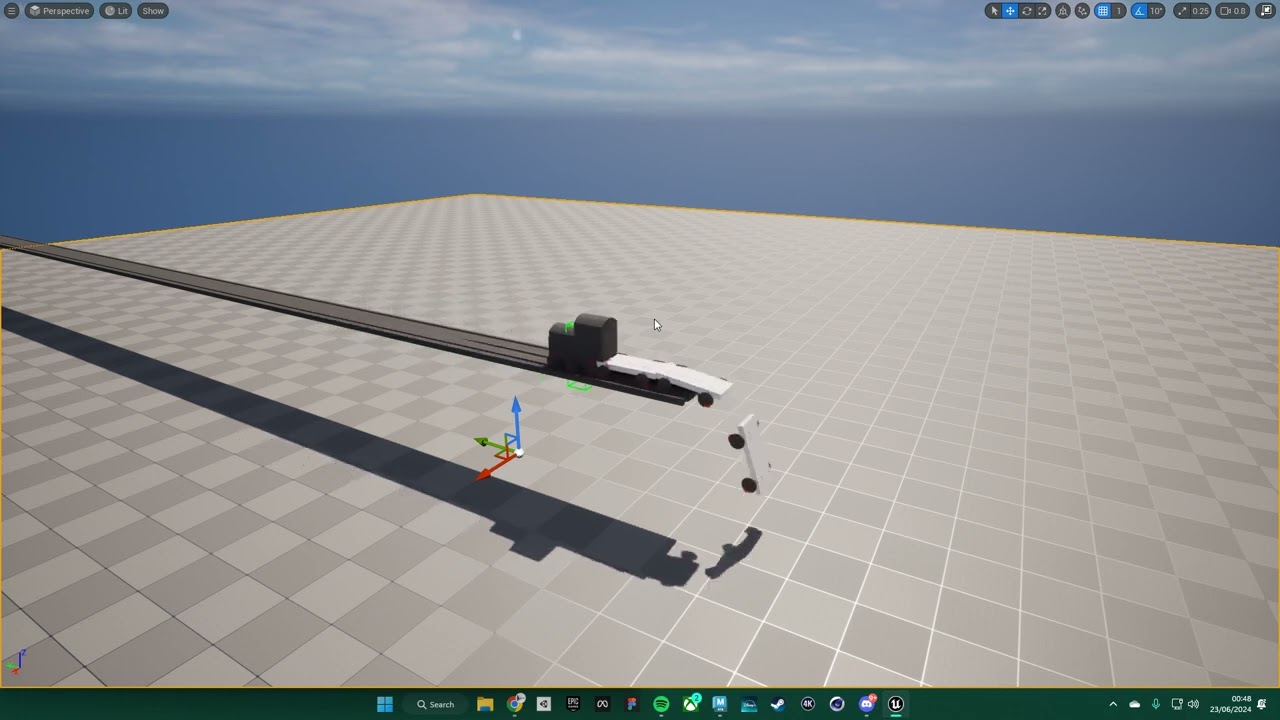 ivory spoke
Cold Summer did you ever finished a Game?
 bitter rivet
Hi, I am new here so please direct me to the correct channel if this isn't it.
I am trying to add crouch to the Epic Animation Sample and am running into an issue with the Motion Matching Database Chooser and is there anyone here who is familiar with this and can answer some questions?
 lusty hedge
how do i delete ALL children of a vertical box
not just remove them. i want them to die

why isnt this removing the children
frosty heron
lusty hedge
not just remove them. i want them to die
Get vertical box 17 -> clear
Or clear children, can't remember the top of mybhead
frosty heron
bitter rivet
Hi, I am new here so please direct me to the correct channel if this isn't it. ...
Maybe #animation
lusty hedge
the Green box is a vertical box. how do i make it push "Tools" text and other vertical boxes down when it gets full

i want it to push everything down as it fills up
 foggy escarp
lusty hedge
the Green box is a vertical box. how do i make it push "Tools" text and other ve...
foggy escarp
lusty hedge
the Green box is a vertical box. how do i make it push "Tools" text and other ve...
You want to do this dynamically? or just building the UI?
Doing this dynamically is problematic since all you can do is add child. There are other options though.
 oak sigil
Got a weird boolean issue here, trying to loop between 3 actors in a level and move the actor to that location issue is on find the correct goal - Every time the goal num is only spitting out 2 besides there being two other actors that have goal nums of 1 and 3 and then the branch is passing as true even though its false because current goal (1) != Goal Num (2)

Anyone know why this is happening or how to fix?
dawn gazelle
oak sigil
Got a weird boolean issue here, trying to loop between 3 actors in a level and m...
That timeline will only playback once, not for each actor in the loop, and I imagine your timeline is also likely referencing the variable "CDGoal Current Element" which is updated each iteration of the loop which means that it may not be moving to the place you're expecting.
oak sigil
dawn gazelle
That timeline will only playback _once_, not for each actor in the loop, and I i...
Right thats the goal, i'd have to restart the loop after increasing the goal. I found the issue though, the graph was executing twice on the same exec command so it was passing as true and false because it was recieving 1 AND 2 and since 2 was the last passed in object when I do my move to logic it was moving there, I just had to add break after the 2nd branch
lusty hedge
gentle urchin
Auto expands as needed ?
that is it thanks!
frosty heron
Looks good

 frosty heron
Print string it
You want to make sure you get any value to begin with
Also you want to use set text function normally
lusty hedge
something is changing is value to " "
i dont understand
its a brand new variable i just made
the first time it runs. its as it should be
the 2nd time it runs its empty


is there a way to see what is connected to a variable
like everything that talks to it. can i see that?
 amber fiber
Hello, I am trying to catch wildcard strings, based on an input string from a line trace to determine what items are being hit by the touch screen, when touched. Am I setting this up correctly? Is there a better way to do it?

I cant seem to create arrays of strings and pass that through the match wildcard node
frosty heron
@lusty hedge show how you setup the item structs
 urban brook
Hi guys, I face similiar issue with this guy in screenshot, about saving whole actor component data into save file..
the other guy reply's about actor component can't be saved to save file.
https://forums.unrealengine.com/t/cant-save-an-actor-component/695778
Is there any other way to save what actor components knows to save file without converting it to variables one by one?


Epic Developer Community Forums
I having trouble with saving a component . Everything works fine with normal variables. Here is where i write my data to save file. This event got called whenever there are changes in inventory. And here is where i retrieve the data from save file. In run time, the data in save file is correct but when i close the PIE and re-open, all compo...
dawn gazelle
urban brook
Hi guys, I face similiar issue with this guy in screenshot, about saving whole a...
No, at least not in blueprint. You are limited by what a reference is and you need to save all the data about the component and reconstruct it when loading. If you need to save multiple components that contain this same data, you could create a structure that has all the properties that you need to save and then create some functions to read the variables from the component to save them and load those same variables from the structure as needed.
In C++ I'm not well versed with the saving systems available, but from what I recall reading in this discord, there are ways to easily serialize objects.
 obsidian mulch
its getting called from player bp through interface but getting invalid

what to do
anyone'
urban brook
dawn gazelle
No, at least not in blueprint. You are limited by what a reference is and you n...
oh man.. it's going to be lot of work to do.. i thought same way by using struct but still its manual labor. each of my actor have ton of variable stored inside the component. can you elaborate more about your way using structure?
 flat summit
Hi everyone, in picture 1, I have a system in a BP Actor, which adds one to score when they touch this Actor. It then displays a widget when the score hits 5.
In picture 2, the system in BP_FPCharacter, checks the score and updates the "IsScore5" Bool.
My problem, I have to specify when score = 4, to make the widget trigger when score = 5 - If I specify when Score = 5, it triggers when score reaches 6. It almost seems to run the whole first system, BEFORE allowing the "IsScore5" variable to update.
Have I done something wrong or am I missing something here?


 sturdy verge
Hi, my editor is suddenly so slow when I drag with right click
urban brook
obsidian mulch
what to do
theres lot of reason why, too little info from your screenshot. maybe need to define the UI var, create widget and set it as outer? or maybe simply the UI havent exist idk..
urban brook
flat summit
Hi everyone, in picture 1, I have a system in a BP Actor, which adds one to scor...
use clamp float, or you can use >= instead i think can help?
 rigid summit
Can someone help me with launching an actor towards the Player Character? I'm working on a hook skill. Right now, this will launch the hit actor in the same direction as the player (red), but not towards the player (blue).
 urban brook
rigid summit
Can someone help me with launching an actor towards the Player Character? I'm wo...
urban brook
rigid summit
Can someone help me with launching an actor towards the Player Character? I'm wo...
use look at to get vector from red actor to player point i guess
rigid summit
urban brook
use look at to get vector from red actor to player point i guess
Works! Thank-you
 flat summit
urban brook
use clamp float, or you can use >= instead i think can help?
flat summit
urban brook
use clamp float, or you can use >= instead i think can help?
= has the same behaviour as == in this scenario :/