#blueprint
1 messages · Page 161 of 1
 dark drum
 versed oasis
I'm a beginner at blueprints so be prepared to lose your eyesight after witnessing this horrendous thing. However I was trying to make the Timer flip the Branch from true to false and vise versa so an image on my widget could pop in and pop out constantly ( a REC camera popup)
Any ideas how I could go about this?

 lofty rapids
versed oasis
I'm a beginner at blueprints so be prepared to lose your eyesight after witnessi...
lofty rapids
versed oasis
I'm a beginner at blueprints so be prepared to lose your eyesight after witnessi...
your condition is set to true, so it will always goto true branch
you probably want a boolean
 stoic ledge
Isnt there a flip function?
lofty rapids
yes, there is flip flop
versed oasis
Fair enough, I'm looking into it thanks! I will try the flip flop thingie
 dusty monolith
Thank you
versed oasis
Shouldn't this be working? It's almost as if the timer isn't doing anything

I'm assuming that every time it ticks (ever 2 seconds) the flip flop should be flipping it, no?
 acoustic tundra
Hello, small question regarding inheritance. I got this function, coming from an interface. Whenever I try to create a child actor, and override this function, the code of the parent doesn't inherit to the child. It's just empty (2nd screenshot). This means that I have to manually change all the child actors' code if i want something to be changed. Does anyone know if there's a way to prevent this?


fixed. Apparently I don't need to call this function at all. The functionality works by creating the child actor without having to call or add anything to the function
 timber crystal
Hello friends why the KI is running aways from his patrol system when i hit him in the -x direction?
Here all you need to now
event tick activated my handle movement
Handle movement activated the patrol system
also event begin play activated the patrol system
i think it must something in the "Event AnyDamage" because there i have an select that should be change the rotation of the ai in the direction of the player...


 past compass
is anyone familiar with sending http requests in unreal? i have a plugin that works for it, but im trying to send audio files to store
 sinful hinge
What would be the best way to make a one-way collision box ? I tried checking if the player's forward vector was equal to the collider's one, and technically it works, but only when I'm moving through it while looking in front of me, but if I'm walking backwards it doesn't, so I guess forward vectors isn't the way to do that
 faint pasture
https://cedric-neukirchen.net/docs/category/multiplayer-network-compendium/
Read this. When you're done, read it again.
faint pasture
sinful hinge
What would be the best way to make a one-way collision box ? I tried checking if...
how rigidly one-way do you need it to be?
in BP your best bet will be an overlap box with forces or some other mechanism.
 mental cliff
Hello! I'm looking for the name of a feature in Unreal where you can click on a helper asset to activate an interactive guide through menus and other elements. I remember using this feature before and found it really helpful, but I can't seem to remember what it's called in the editor. Does anyone happen to know what I'm referring to? It also had the ability to frame the parts it was explaining. Thank you in advance for any help!
sinful hinge
faint pasture
how rigidly one-way do you need it to be?
I need it to trigger from only one side of the box, no matter where my camera is pointed at (I'm in First Person by the way), even if I'm crossing it while looking behind me, so I guess from any angle between -90 and 90?
This is what I'm looking for
 faint pasture
acoustic tundra
fixed. Apparently I don't need to call this function at all. The functionality w...
faint pasture
acoustic tundra
fixed. Apparently I don't need to call this function at all. The functionality w...
If you wanted to extend the function for some reason, you can add a call to the parent class's version of the function
faint pasture
sinful hinge
I need it to trigger from only one side of the box, no matter where my camera is...
I mean how rigid
perfectly rigid?
that's not doable without C++
but you can easily make a box that resists any movement in one direction, it'd be more like a 1 way spring
Box:
Tick -> get overlapping actors -> foreachloop -> cast to Character (assuming you're using character) -> DotProduct(Character.Velocity, Box.Forward) -> math -> apply force to Character
you could maybe trim it down with begin and end overlap events etc but that's the idea
sinful hinge
Oh, you mean rigid from a physics standpoint, like actually rigid, preventing anything to go through? Then I don't need that at all, it's just a trigger box really
faint pasture
sinful hinge
Oh, you mean rigid from a physics standpoint, like actually rigid, preventing an...
I mean rigid, as in not allowing the thing to go any distance into it
not gonna get that without C++
but something that only lets it get a few cm into it is probably doable
whipping it up, sec
mental cliff
Ah it was this thing. Someone knows what happened to this thing? Its not available anymore as it seems
 sinful hinge
faint pasture
but something that only lets it get a few cm into it is probably doable
sinful hinge
faint pasture
but something that only lets it get a few cm into it is probably doable
I don't need it to block any physics, just to not trigger any event linked to the box if I'm walking through the collider from the wrong side x)
faint pasture
sinful hinge
I don't need it to block any physics, just to not trigger any event linked to th...
oh if its just that then check velocity on overlap
dot product between character.velocity and box.forward
check the sign of that
btw
 tidal tendon
How can I get player controller from damage causer to give it the widget?

This obviously isnt working
 limber marsh
Hi guys, I had a question about setting up an individual timer every time a button is pressed. I want a system where each time a button is used, it's added to an array and then removed from that array after 5 seconds. The issue is that hitting the button multiple times makes it so that the timer is reset, is there a way to make a unique timer for each button press so that it won't get reset?

 trim matrix
what is up gamers, I am trying to get a short range teleport ability to work, I was able to get it to instantly teleport you to the location, but I'm trying to have it be a quick smooth transition, kind of like you're dashing really quickly there, as of right now when I press the teleport key my character just jumps up a couple feet

 outer quail
Hey guys, I'm looking for ideas or method on how I can do this thing, the name in the component tab is created automatically based on the array in the widget blueprint. how do I make it so that the text is clickable ("engine") and when I click "engine" or "propeler" or "Nissan" I want it to print something specific according to which name is clicked (for testing purposes).

 limber marsh
Hi guys, I had a question about setting up an individual timer every time a butt...
limber marsh
limber marsh
Hi guys, I had a question about setting up an individual timer every time a butt...
I found a very silly solution to this that works by spawning an actor on each button press that has it's own timer. I imagine this will effect performance slightly but it's something neccessary for one of my main game mecahnics so at least it's a solution. Feel free to tell me why this is stupid and what I should do instead 👍

 sinful hinge
faint pasture
oh if its just that then check velocity on overlap
sinful hinge
faint pasture
oh if its just that then check velocity on overlap
Thank you for pointing the way to Dot Product, this is what I did and it works just like I want !

 maiden wadi
limber marsh
Hi guys, I had a question about setting up an individual timer every time a butt...
maiden wadi
limber marsh
Hi guys, I had a question about setting up an individual timer every time a butt...
If you have C++, you can copy the function and delete a couple of lines to make a timer that adds a new timer each time instead of updating the old one.
outer quail
how do I set the text as child to the button? right now the button has no text on it

 outer quail
how do I set the text as child to the button? right now the button has no text o...
outer quail
outer quail
how do I set the text as child to the button? right now the button has no text o...
found it


 lunar sleet
outer quail
found it
lunar sleet
outer quail
found it
Very curious as to why you’re doing it dynamically
You know you can just make all this beforehand and just change text values right?
outer quail
lunar sleet
Very curious as to why you’re doing it dynamically
I'm calling the components from firebase
lunar sleet
No idea what that is but I believe you
outer quail
xD its google online database
 maiden wadi
On a side note. I strongly advise you not to use ConstructObject for widgets of any kind. You'll end up with runtime crashes. If you need a dynamic textblock then wrap it in a UserWidget and either use the internal textblock in it or make getter and setter functions.
Never ConstructObject, always CreateWidget.
lunar sleet
Not to mention Remove from Parent does not work on constructed widgets, only created ones iirc @outer quail
maiden wadi
Took me three days to track down a semi rare crash from a combobox dynamically constructing textblocks. Still annoyed you can't really do that to this day with as annoyingly big UserWidgets are getting. Bit overkill but. 🤷♂️
 still breach
Any reasons that my set visiblity isn't working when calling the event but works on event begin play?
I can confirm the event is called properly runtime
 maiden wadi
No reason it shouldn't work unless something is setting it back to false for some reason. Given this is looking at code, I assume this is ticked? Have you checked the false part of this to see if it's setting it back off?
still breach
yeah its technically ticked, it's called within my rayTrace Interaction component, but I haven't code anything to turn it back off yet which is why I'm a little flabergasted here ^^'
I'm wondering if it might have anything to do with the fact that it's a server object with no owner until someone start interacting with it, but since my widget isnt replicating, I don't think this should have any impact right?
outer quail
maiden wadi
On a side note. I strongly advise you not to use ConstructObject for widgets of ...
I tried using createwidget, so the button will be create dynamically but how can I add specific event when the button is clicked? If I create button normally I can set the event on clicked, etc

 maiden wadi
still breach
I'm wondering if it might have anything to do with the fact that it's a server o...
maiden wadi
still breach
I'm wondering if it might have anything to do with the fact that it's a server o...
Maybe. Out of curiosity can you swap this to set HiddenInGame instead? You should prefer HiddenInGame for local stuff. HiddenInGame is non replicated. Visibility is replicated.
still breach
Will try that
maiden wadi
outer quail
I tried using createwidget, so the button will be create dynamically but how can...
You make your own delegates. Even Dispatcher area in BP. Call them from the internal button's OnClick.
 turbid vine
How do I get the job done on target sdk 33? Google Play requires a minimum of 33 SDKs. With target sdk 28, storage permission is granted
Storage permission does not work with target sdk 33
still breach
Geez, found the issue, I had set tick mode to automatic, to prevent it from running for no reason when not visible, thing is, it seems like that is preventing it from updating back to visible 🙃
 outer quail
maiden wadi
You make your own delegates. Even Dispatcher area in BP. Call them from the inte...
outer quail
maiden wadi
You make your own delegates. Even Dispatcher area in BP. Call them from the inte...
from here?
 maiden wadi
Yeah
outer quail
since the button is being created dynamically, can it recognize which button is clicked and assign event specifically to each button?
 ivory jetty
Hey all! New to the channel. I have a series of cylinder static meshes that I'm applying a tag to and using a button with an event and a timeline to try and raise the tagged meshes up 35 degrees on the Zed axis. I'm having a hard time figuring out the best way to get the initial location for each and apply the change to the Zed axis. What is the standard way of getting the location of the mesh and adjusting it between the two Lerp values?

 abstract pine
what is the difference between macro and function in blueprint ? it seem like " for each loop" being made by macro ?


 clear walrus
abstract pine
clear walrus
abstract pine
Macros are expanded at compile time, so using a macro is a shortcut to get behavior as if you placed and connected all those nodes yourself into the graph. Functions are external pieces of logic that are linked against and reused - they can even be written in languages other than blueprint.


 somber dust
 tight pollen
someone can help?
tight pollen
someone can help?
Are you sure you are not calling the timeline on tick?
tight pollen
yes
I am sure
100%
no matter how many Timelines I add, each one is called once and it is 0.0
only in this actor
somber dust
Can you do Do Once node before the start of timeline just to be 101% sure that you are not restarting it from anywhere? Honestly the setup looks basic enough that in the screenshots I don't see the issue
tight pollen
calls this timeline with the E button, Do Once really won't help here, as if something in the actor was set up
maiden wadi
Tick disabled?
tight pollen
enabled
somber dust
What is the condition for triggering it?
 trim matrix
Hey guys, I'm tryna do this tutorial from some dude to create a bullet that tracks the mouse position in a side scroller shooter but I'm having some trouble with the errors, any ideas as to why this is happening?


Basic tutorial on shooting a projectile at the mouse.
Works with sidescroller isometric 3d shooting and is done completely in blueprints.
faint pasture
trim matrix
Hey guys, I'm tryna do this tutorial from some dude to create a bullet that trac...
The error tells you
trim matrix
yeah but what should I do instead
trim matrix
because it should be able to launch itself in its direction
faint pasture
Something else (probaly your pawn or playercontroller) should just be telling the bullet what direction to fly in
the pawn or playercontroller cares where the mouse is
trim matrix
gotchu but in this case the pawn is creating an error
should I cast to the actual main character?
faint pasture
Start with the thing that will be caring about the mouse, either the pawn or PC. Probably the pawn
start there, draw a debug point on tick where the mouse is
faint pasture
trim matrix
Hey guys, I'm tryna do this tutorial from some dude to create a bullet that trac...
That code looks fine-ish, it just shouldn't be in the bullet bp
it should be in the pawn or playercontroller
why would a bullet spawn a bullet?
faint pasture
the code is still goofy, the entering a gate into a delay on tick is super sus
outer quail
I'm creating the button dynamically, the problem is when testing, if the button is pressed, it prints the last index (which is Nissan), how do I make it print its own name? I want to use the button for specific event later

 faint pasture
start with getting the thing to shoot one bullet when you click
 gray quarry
faint pasture
start with getting the thing to shoot one bullet when you click
gray quarry
faint pasture
start with getting the thing to shoot one bullet when you click
If I share git hub link could you help us out?
gray quarry
faint pasture
the code is still goofy, the entering a gate into a delay on tick is super sus
about this
faint pasture
gray quarry
If I share git hub link could you help us out?
You can figure it out
I'm at work anyway
Start by drawing a debug thing at the mouse position when you click.
Then draw a line from firing point to mouse position when you click.
Then spawn a bullet that flies along that path when you click.
Then do the automatic firing.
maiden wadi
outer quail
I'm creating the button dynamically, the problem is when testing, if the button ...
You need to get the name from the button clicked, not the for each loop. Which means you probably need to pass Self through the OnClicked of the button.
 spark steppe
also that screenshot is kind of a disgrace xD
https://miro.medium.com/v2/format:webp/1*7v_75ZGg1CTmWAw1rEgMHQ.jpeg can someone help me find waldo?
outer quail
maiden wadi
You need to get the name from the button clicked, not the for each loop. Which m...
this?
 abstract pine
does any one of you guys actually using break point ??
maiden wadi
outer quail
this?
Yeah. Your button needs to pass that back through it's OnClicked delegate from your userwidget you wrapped it in. Then you can pull that String you passed into it.
spark steppe
as an alternative you could make the string an parameter
and pass it to the delegate
maiden wadi
Either way, yeah. Just used to CommonUI's version.
outer quail
mannn this is hard xDDD
spark steppe
are you searching waldo or what? xD
outer quail
actually later on when the button is pressed, I want to make it open another tab that display information about "engine" or something, so It needs to display information according to which button pressed
outer quail
maiden wadi
Yeah. Your button needs to pass that back through it's OnClicked delegate from y...
should I connect it like this or no?
 spark steppe
no
you open your custom combo button widget, then select the delegate and in the details you add a parameter to the delegate
it's a smol + button in the top right corner of the details panel
then set the variable type either to FString and pass the text, or to CustomComboButtonWidget object reference and pass the self reference in the call
you'll have to recreate the event binding which is on your screenshots in the bottom right corner...
so that they get correct variable
 spark steppe
now where you bind the event in the other widget, delete the button clicked event, and recreate it
it should show the variable then (given that you compiled and saved the CustomComboButtonWidget before)


 outer quail
sheet did I do it wrong
spark steppe
the print string is in the wrong place
 young meteor
Hey folks
Not sure if I remember right.
If I do a "Select Float" node in my graph. Will the engine spend resources calculating the option it does not need?
Or even worse calculate both if the "Set" node is never needed (meaning the output of Select Float might never be needed)
 maiden wadi
It will. Nodes need to calculate every possible input before they start to process.
spark steppe
but only if the Set is called, too
young meteor
maiden wadi
It will. Nodes need to calculate every possible input before they start to proce...
Even if the "Set" node is not called?
spark steppe
so you always get both calculations done if you set the value
maiden wadi
I don't follow the question? This only applies for executed nodes that get executed. Each execution runs every connected pure node every time it's executed.
If you don't execute the node, nothing to pull.
young meteor
maiden wadi
I don't follow the question? This only applies for executed nodes that get execu...
Okay. Then I don't need to worry about it.
I'm asking because I do a switch on Enum earlier so there is a low chance the Set Current Damage node would be called. Could be one of the other 30
maiden wadi
Holy mother of enum switch. 👀
young meteor
Just figured if it meant it had to calculate two options for all 30 options then I would set it up different.
maiden wadi
Yeah. No you're fine. 😄 That is the general rule though. Every pure node gets ran ONCE per executed node it's connected to. This is one reason why randomization nodes are super fucky to work with in BP.
Like RandomFloatInRange.
Connect two of these nodes to the same executed node and you'll get two different floats.
Connect one of these to two different places on the same executed node and you'll get one single float.
Connect one of these to two different executed nodes and you'll get two different floats.
spark steppe
wait... is this true? Connect one of these to two different places on the same executed node and you'll get one single float.
did you test this? i thought even that would yield 2 different results
maiden wadi
Yep. The randomization node runs once per executed node. Any pull after that reads a cached value.
So you get two pulls but one execution of the pure node. So one float value twice.
spark steppe
is that specific to the random method? or does BP VM cache all pure results per execution?
maiden wadi
It's like that for all pure nodes.
spark steppe
thanks, TIL
maiden wadi
Note that this is a reason that for loops are so fucking costly in BP. Because it's a macro. So it'll read back through all of those internal nodes and anything connected to the loop node every iteration for anything reading from the outputs. Hence why you should try to drop loops into a function with cached inputs.
faint pasture
young meteor
Okay. Then I don't need to worry about it.
I'm asking because I do a switch on E...
my man
that is not the way to do that
young meteor
maiden wadi
Yeah. No you're fine. 😄 That is the general rule though. Every pure node gets r...
But ONCE per executed node downstream right?
So it won't calculate outputs for "Tower range" for example, if the Switch on Enum went to Damage?
maiden wadi
Correct
faint pasture
That setup is perfect for your stats being just name/tag/whatever, value pairs
young meteor
Too much of a newbie to even understand what you mean.
Pairs = sets?
faint pasture
naw just a structure or tuple or map of statname to float
if the math is different for different stats you can easily encode that as well:
FinalStat = (BaseStat + AdditiveModifier)*MultiplicitiveMultiplier clamped between MinStat and MaxStat or whatever
What I'm saying is instead of your stats storage looking like:
float HP
float FireRate
float This
float That
it can instead be:
Map<StatName, float> Stats
or in your case:
Map<StatAffix, float> Stats
maiden wadi
Or do 20 lines of C++ and use GAS. 😄 Cause despite what people say, I wish I had learned GAS sooner when I didn't know better. Makes life easy.
faint pasture
maiden wadi
Or do 20 lines of C++ and use GAS. 😄 Cause despite what people say, I wish I ha...
I love the idea of GAS but I've found so many weird edge cases where it doesn't work for me
like, how would you do a replicated out of ammo click?
maiden wadi
Cues
faint pasture
assuming ammo as an attribute
does the ability succeed but just take the Can'tFire path?
maiden wadi
Possibly. Could defintiely work. Also interested to see GAS with only instanced abilities. Gonna love the lack of CDO calls.
faint pasture
What about GAS for a modular building game a-la SpaceEngineers
young meteor
faint pasture
it can instead be:
Map<StatName, float> Stats
Ah, so your main point is to have a Map that holds all the variables?
Say a Map with 20 variables instead of 20 individual float variables?
faint pasture
would you even consider that? Everything has health.
 kind trench
How do you get this Blueprint style with the straight lines?
faint pasture
young meteor
Ah, so your main point is to have a Map that holds all the variables?
Say a Map ...
Yes, then querying for hp would be finding the value corrosponding to the HP or HP enum or HP tag or HP name key
then adding stats is trivial
spark steppe
kind trench
How do you get this Blueprint style with the straight lines?
Electronic Nodes Plugin
faint pasture
I don't like it at all, might just be too many hours with the stock lines but I find it much worse to follow
young meteor
faint pasture
Yes, then querying for hp would be finding the value corrosponding to the HP or ...
Right. But other than the 20 individual variables there is nothing wrong with my approach?
(Would set it up like you described for future games, but it is a big task at this point)
faint pasture
young meteor
Right. But other than the 20 individual variables there is nothing wrong with my...
I mean your approach will work, I just find it easier to parametrize whether something is additive or multiplicative rather than copy pasting the same code over and over just setting a different variable
A midpoint might be switch on enum -> take additive path or multiplicitive path
 jolly oriole
In a single player game, what's the best place to store things like player money, ammo, etc?
faint pasture
jolly oriole
In a single player game, what's the best place to store things like player money...
Playerstate for money
faint pasture
ammo I'd keep on pawn unless it's meant to survive the pawn dying or whatever
young meteor
faint pasture
I mean your approach will work, I just find it easier to parametrize whether som...
Yeah, should have thought of your approach earlier. 😄
 jolly oriole
I have a bunch of different weapons but they're "global" in the fact the player either has them or doesn't in a given level
so it can stick to the weapon actor (they're persistent)
young meteor
I'm not even Italian
young meteor
Haha
faint pasture
jolly oriole
I have a bunch of different weapons but they're "global" in the fact the player ...
What happens when you die?
spark steppe
i can't even eat this fricking spaghetti because there's knots everywhere...
faint pasture
to your ammo, money, any of that stuff
jolly oriole
faint pasture
What happens when you die?
You'll retain it, or it'll be altered by some rules
I probably don't need to destroy the character on death which makes things a bit easier
 valid solstice
How do i get this node?
 jolly oriole
valid solstice
How do i get this node?
jolly oriole
valid solstice
How do i get this node?
split a vector by right clicking on its output pin
valid solstice
which vector?
jolly oriole
the vector you want to split into xyz
 stray sigil
I am having a issue where the grid is not being animated


 plucky ice
Hey all I have...something bad to show you...
Image 1: Sets up an array to keep track of whether we have "used up" all of our trials of a particular type (calling a trial type in the previous level adds to to the trial count, and the total trials are set for the game instance based on what you want.
Image 2: The trial picking logic based on whether or not trials of a certain type are available or not.
My question - is there a less offensive and horrible way to do this?
Basically what I want is for there to be a set number of visual, auditory, and multisensory trials you define ahead of time. Each time the level is loaded, it checks to see how many have been "used".
Based on which ones are still available, it randomly picks from the available types. So for instance if you already used your quota of 3 visual, it would randomly pick between auditory and multisensory. That's the idea at least.
It seems like there must be an easier way to do this though?

 faint pasture
plucky ice
Hey all I have...something bad to show you...
Image 1: Sets up an array to keep ...
faint pasture
plucky ice
Hey all I have...something bad to show you...
Image 1: Sets up an array to keep ...
I'd have a map of trial to bool
then pull out all trails where completed = false, stick them in an array, shuffle it, run the first one
 vague swallow
Hi! Im making a top down project (multiplayer.) And I got a little confused. I have a current health and max health for a character that is currently sitting in playerstate. the issue is that i also plan to have NPCs roaming around that im able to click on and start attacking. my question is, If NPCs don't have playerstate, and I'd like to be able to attack the npc the same way as other players, how do i handle the health? should the NPC one be in NPC character blueprint and the player one in playerstate and then branch the attack based on if its an NPC or player to deal damage to their respective variables? Am i thinking of this completely wrong?
faint pasture
vague swallow
Hi! Im making a top down project (multiplayer.) And I got a little confused. I h...
put it in the pawn
HP in pawn makes way more sense
the player has a name and a score, the pawn has hp and weapons
plucky ice
faint pasture
then pull out all trails where completed = false, stick them in an array, shuffl...
The map of trial to bool is what I have in the first image, right?
faint pasture
plucky ice
The map of trial to bool is what I have in the first image, right?
i mean an actual map
map variable type
what IS a trial?
you might need TrialType or TrialName to int if you want to store
Visual:3
You can either have your data set up like:
VisualTrial1 : false
VisualTrial2 : false
VisualTrial3 : false
AuditoryTrial1 : false
AuditoryTrial2 : true
to represent someone who's done one of the auditory trials
OR
Visual : 3
Auditory : 1
to represent someone who has 3 visual and 1 auditory left to do.
I don't know how you're defining these trials
plucky ice
faint pasture
You can either have your data set up like:
VisualTrial1 : false
VisualTrial2 : f...
Ah got it okay. So in my game instance I have variables like "total auditory trials" or "total visual trials." You manually set those based on how many you want to have of each out of a total pool (which is calculated by summing all of those.)
I also in my game instance have a variable "auditory trial count" or "visual trial count". Those initialize at 0. When a trial gets called of a specific type, it casts to and increments that visual or auditory trial count variable in the game instance; trial completes and it reopens the level.
I want the "trial picker" to randomly pick from those trial types that still don't have a trial count = the total trials you defined. Does that make sense?
faint pasture
plucky ice
Ah got it okay. So in my game instance I have variables like "total auditory tri...
do you have a list of trials to do somewhere or is it just a count?
plucky ice
faint pasture
do you have a list of trials to do somewhere or is it just a count?
There's no list of trials to do currently, no. Would that make it easier?
faint pasture
Probably, I have no clue what your actual design is about. Is every visual trial the same thing?
plucky ice
Yes, for these purposes all of the trials of the same type are the same thing. The blueprint randomly selects an object to "play" the trial on, and that's working fine.
I just need to keep track of the number of each type that's been done and only pick from those that still have trials "left" if that makes sense. It's a simple operation that I implemented in way too complicated and bad a fashion I think.
faint pasture
It can be as simple as storing an array of trial types called TrialsLeft
it might look like
Visual
Visual
Visual
Auditory
Auditory
Auditory
Auditory
when you start the game
Then when you want to choose one, shuffle it, choose the first one, remove it
plucky ice
I see okay, that definitely would be easier. Thank you very much!
plucky ice
faint pasture
Then when you want to choose one, shuffle it, choose the first one, remove it
Like this?

 faint pasture
plucky ice
Like this?
faint pasture
plucky ice
Like this?
as long as remove doesn't remove ALL of that type
and what's the point of the total trial int
plucky ice
faint pasture
as long as remove doesn't remove ALL of that type
It worked, thank you. This is WAY better. The total trial int tells the experiment when its reached the max trial number and stops the experiment / exports the data.
faint pasture
remove the one at index 0
not the one with string "0"
and you can just check size of TrialBank before all this, when it's 0 you're done
plucky ice
faint pasture
remove the one at index 0
This seems to be removing the one at index 0, I think. I tested it a few times and it worked as expected. Is there a way I can pass a more secure input to that to be sure its an index? That input is Item String (by ref)
 floral stump
blueprints supports ranged based for loop?
How will looks like in blueprints?
for (int32 i = 0; i < array.Num(); i++)
 dawn gazelle
floral stump
How will looks like in blueprints?
```c++
for (int32 i = 0; i < array.Num(); i+...
dawn gazelle
floral stump
How will looks like in blueprints?
```c++
for (int32 i = 0; i < array.Num(); i+...
May as well just use a foreach loop in blueprint as you can hook the array to it and it'll iterate over each element in the array.
There is a for loop as well which can loop based on a value.
floral stump
dawn gazelle
May as well just use a foreach loop in blueprint as you can hook the array to it...
hmm, got it thanks )
floral stump
dawn gazelle
There is a for loop as well which can loop based on a value.
will that for each loop works for this purpose?
    for (int32 i = 0; i < LandscapeVertices.Num(); i++)
    {
        FVector LandscapeVertex = LandscapeVertices[i];
 steel star
young meteor
Yeah, should have thought of your approach earlier. 😄
steel star
young meteor
Yeah, should have thought of your approach earlier. 😄
HOLY SHIIIT roflbbq
steel star
faint pasture
What happens when you die?
Deep questions here on Unreal Source.
dawn gazelle
floral stump
will that for each loop works for this purpose?
```c++
for (int32 i = 0; i <...
yes
 floral stump
dawn gazelle
May as well just use a foreach loop in blueprint as you can hook the array to it...
floral stump
dawn gazelle
May as well just use a foreach loop in blueprint as you can hook the array to it...
i'm confused how to get that vertex by index and set it
 dawn gazelle
Use the array element.
The array element is the current iteration of the array.
It's basically giving you LandscapeVertices[i]
floral stump
dawn gazelle
It's basically giving you LandscapeVertices[i]
is this correct?
 floral stump
ah, so i don't need to use that index?
dawn gazelle
Correct
floral stump
great thanks )
 robust mural
Hey guys Im trying to get a canvas panel size after adding many child into that, but the size returns always the original size like no child was added, any idea how to get the updated size ?
floral stump
dawn gazelle
Correct
Can we set a float like this in bp?
float MinDistance = TNumericLimits<float>::Max();
i can set 9999999.0 but not sure if this is correct 😛
dawn gazelle
floral stump
Can we set a float like this in bp?
```c++
float MinDistance = TNumericLimits<fl...
No, there's nothing like that exposed to blueprints.
floral stump
dawn gazelle
No, there's nothing like that exposed to blueprints.
so i need to expose it from cpp
Thanks so much )
 ancient moth
How could I make it, to prevent players from standing on small objects like that? Is it possible to do that in a global/generic way?

 solemn bridge
I dunno where to ask this since it's a BP and CPP question at the same time, but I'm trying to set up enhanced input using BP but the BP class I am using is parented to a C++ class but is not the parent of the BP actor I am trying to apply the enhanced input to.
To visualize it, I have:
Pawn->PawnClass1.cpp->PawnClass2.cpp->BP_Class2
and
Pawn->PawnClass1.cpp->BP_Class1 (the BP of the class I'm using to contain basic functions and inputs)
Is there a way for me to move BP_Class1 into the parenting chain at the top or do I have to figure out setting up the enhanced input mapping in CPP?
 fluid crescent
 floral stump
dawn gazelle
No, there's nothing like that exposed to blueprints.
floral stump
dawn gazelle
No, there's nothing like that exposed to blueprints.
do we have any alternative to LandscapeMeshComponent->GetStaticMesh()->SetVertices(LandscapeVertices); in bp?
tried and it seems i don't see any of setvertices

 proud salmon
Does anyone know if there is a way to disable culling for taking a screenshot in the editor?
 next hollow
Is there an alternative to this that is pre-built?
This thing doesn't seem to work that well.
I have idea for my own method, but wasn't sure if maybe theres a better/ new one?
 maiden wadi
next hollow
Is there an alternative to this that is pre-built?
This thing doesn't seem to wo...
maiden wadi
next hollow
Is there an alternative to this that is pre-built?
This thing doesn't seem to wo...
There is not really. That is the only thing for selecting actors via screen space. And it's largely bad because you can't pick the component types or filter, so you get even crazy stuff like particle bounds messing with it.
next hollow
Yeah, even basic pawn actors, are crap with it.
But, thanks.
I'll do my own method.
 dusky cobalt
Does anyone have ''Building Placement'' or any object/actor placement logic with use of cursor and would share more or less how it works? I have some prototype from tutorial but it's in shit state. I need some better approach as this is outdated for sure. Can be on on private too. For context, I'm trying to click button, button is asigned to the actor/building class which can be placed, I change materials of the building for the time it's at the cursor, after placement I set materials back to default. I use event tick and get hit by cursor for location until I place building, which I'm not so sure about. Any references? Or any good tutorial? Can be even with objects, I guess it's popular concept?
 turbid bison
Is it possible to have a notify event for a variable, without multiplayer setup ?
dawn gazelle
dusky cobalt
Does anyone have ''Building Placement'' or any object/actor placement logic with...
There's a free asset on the marketplace that covers building things. Could probably learn from that.
https://www.unrealengine.com/marketplace/en-US/product/easy-building-system
dawn gazelle
turbid bison
Is it possible to have a notify event for a variable, without multiplayer setup ...
Use a setter function and have that call whatever functions or dispatchers you want, and never directly set that variable except in that setter function.
If you have trouble with that, mark the variable as private and also create a getter function
dusky cobalt
dawn gazelle
There's a free asset on the marketplace that covers building things. Could prob...
Ohh, thank you, looks good!!
 wicked cairn
HI guys! I'm trying to get the math for this correct but I'm kind of struggling.
How do I set this up so that when the player is holding CTRL, the object they're moving is only able to move on the Z axis, still saving the object's X and Y location?

for extra context;

 frosty heron
solemn bridge
I dunno where to ask this since it's a BP and CPP question at the same time, but...
frosty heron
solemn bridge
I dunno where to ask this since it's a BP and CPP question at the same time, but...
Do it in the base class where the pawn share. In this case do it in cpp
dawn gazelle
wicked cairn
HI guys! I'm trying to get the math for this correct but I'm kind of struggling....
Don't use the X and Y values from the mouse hit location, only the Z.
turbid bison
dawn gazelle
Use a setter function and have that call whatever functions or dispatchers you w...
Thanks you haha, the simplest solutions are the best
wicked cairn
dawn gazelle
Don't use the X and Y values from the mouse hit location, only the Z.
Only using the Z sets the object's location to 0,0,x
lofty rapids
split the structs and use the current location x, y ?
 atomic prairie
Hi! I'm trying this: when the player presses a key (C) it switches to the camera which is placed in the level and when he releases it returns to the character's camera. But nothing happens, the camera doesn't change. Can u help me?
 wicked cairn
lofty rapids
split the structs and use the current location x, y ?
wicked cairn
lofty rapids
split the structs and use the current location x, y ?
It gets glitchy for some reason when i do it like that, ill have to do more testing around
 lofty rapids
i would of left the function alone and done that on the other part
maiden wadi
atomic prairie
Hi! I'm trying this: when the player presses a key (C) it switches to the camera...
You need to call SetViewTargetWithBlend from the player's PlayerController.
 inner vessel
Somebody experienced with splines:
I have a spline, basically when you get near the end of the spline, it creates a new spline point in a random location in front of it. and that is endless.
However, I can't seem to change that points location after creation? I looked online and it seems other people have this issue. Even using Set Location at Spline Point doesn't work.
I have procedurally generated terrain. before creating the point, I'm raycasting downwards to get the impact point of the terrain which then becomes the new Z coord of the point, then it's created. It loosely follows the terrain, but the segment between points goes through the terrain obvi, so I am then further subdividing the spline and attempting to move THEIR Z but they just aren't moving
dawn gazelle
wicked cairn
Only using the Z sets the object's location to 0,0,x
You'd need to use the current values of the object + whatever value you want on Z.
atomic prairie
maiden wadi
You need to call SetViewTargetWithBlend from the player's PlayerController.
Thanks! Now it's work, but when i release, it tells me I can't connect the camera to new view target
 maiden wadi
Because it takes an actor. The thing you have on the level is a CameraActor with a CameraComponent in it. TLDR plug the GetPlayerCharacter into the view target on release.
atomic prairie
Thanks!!!
 hallow jungle
Hey folks, I'm having some trouble with the basics here.. I have a blueprint inside my player that connects to a plugin that makes AI talks to the character, inside the player there is the input "T" to talk, works fine. Problem is that I want that input to be executed inside an outside widget via a button, since the game will be touchscreen. Any ideas?
inner vessel
hallow jungle
Hey folks, I'm having some trouble with the basics here.. I have a blueprint ins...
so if you have a widget blueprint and a player blueprint, then essentially you want the player blueprint to contain a function (can name it whatever "AI push to talk" etc) but just put the logic inside the widget blueprint. Then call the function inside the player blueprint
 fickle tendon
hmm question... I have some data layers that aren't loaded... Get All Actors of Class will still get these actors. Is that expected?
 snow oasis
I'm trying to make something so when I shoot this Rectangle it will be destroyed and then Spawn an NPC that will Chase the Player, Everything works as expected except when the NPC spawns it doesnt move or fall to the Ground at all.

However when I Drop the NPC into the world manually it chases the Player as expected.

This is what the Rectangles code is looking like.
Any Help would be appreciated.
dawn gazelle
Don't destroy the actor before doing what it needs to do. The Spawn Actor node should be before Destroy Actor.
snow oasis
I actually tried that too, I just now tested with the Destroy Actor Before the Spawning.
dawn gazelle
It may also work when placed in the level as it's automatically being possessed by an AI. Usually if you're spawning an AI, you'd use "Spawn AI From Class"
snow oasis
Okay I'll give that a try thanks.
 sharp sigil
Is there any way to make user-created variables appear first in the details panel of the blueprint editor?
sinful hinge
Is it possible to create a map system where you have to draw your map on a grid and with multiple layers (for multiple maps) using only BP ? I'm writing down a few ideas for a game and I don't want to look at C++ right now, I'm really not there yet x) And what about a "modular playground" ? Like a maze with moving walls that follows predetermined patterns
snow oasis
dawn gazelle
It may also work when placed in the level as it's automatically being possessed ...
I'm a fool I just forgot to have it Possess on Placement AND Spawn.
stoic ledge
sinful hinge
Is it possible to create a map system where you have to draw your map on a grid ...
probably could do that with widgets
stoic ledge
sharp sigil
Is there any way to make user-created variables appear first in the details pane...

Guide to customizing the display of properties in the Details panels within Unreal Editor.
 light garnet
can anyone help me. i am getting blueprint runtime error in weapon type but its working and i dont see anything wrong '


 chrome river
Hey all, I'm debugging something in my menu system by adding Print String to my For Loop. When I Play in Editor and go to the menu I'm testing, I get a list of values - great! The problem though, is when I go back to the main menu and return to the menu I was testing, the list gets printed twice. If I repeat the process, it prints three times and so on. I've tried implementing 'Do Once' nodes pretty much everywhere to no avail. The custom event that drives all this is only called once and should only fire once.
Any help on this would be hugely appreciated 🙏
 sharp sigil
stoic ledge
https://docs.unrealengine.com/4.27/en-US/ProgrammingAndScripting/Slate/DetailsCu...
sharp sigil
stoic ledge
https://docs.unrealengine.com/4.27/en-US/ProgrammingAndScripting/Slate/DetailsCu...
Thanks!
stoic ledge
chrome river
Hey all, I'm debugging something in my menu system by adding Print String to m...
seems like you are not refreshing an array. could be a reference being to high in scope or a method not clearing the array before remaking.
stoic ledge
light garnet
can anyone help me. i am getting blueprint runtime error in weapon type but its ...
pretty vague, is that cast failing?
chrome river
stoic ledge
seems like you are not refreshing an array. could be a reference being to high i...
Much appreciated, I'll look into it
light garnet
stoic ledge
pretty vague, is that cast failing?
No
light garnet
stoic ledge
pretty vague, is that cast failing?
It's not valid it's working but I get a blueprint runtime error
 cedar remnant
Anyone have any idea why data traveling through interfaces would get lost?
lunar sleet
light garnet
It's not valid it's working but I get a blueprint runtime error
Guy, what’s the error? Show a screenshot
cedar remnant
I have a blueprint querying an interface on my weapon. The function runs and gets data and then shoots it out but what ends up on the other side of the interface is 0
lunar sleet
cedar remnant
Anyone have any idea why data traveling through interfaces would get lost?
User error usually. Following data through interfaces is difficult
cedar remnant
Hm
 light garnet
can anyone help me. i am getting blueprint runtime error in weapon type but its ...
light garnet
light garnet
can anyone help me. i am getting blueprint runtime error in weapon type but its ...
It shows blueprint runtime error for this blend pose by enumeration
lunar sleet
Blueprint runtime error is like saying error, the important bit is Accessed None and which property it’s pointing to
Click the magnifying glass to see where it is exactly
I would prly be able to tell you but I can’t read that resolution
lunar sleet
cedar remnant
I have a blueprint querying an interface on my weapon. The function runs and get...
Why is a function querying an interface tho?
What are you doing exactly
cedar remnant
lunar sleet
Why is a function querying an interface tho?
Gameplay Ability System GA blueprint is querying the ammo percentage from the source weapon

I am running "getters" to access my variables that are privated in C++
 cedar remnant
The individual getters are getting correct numbers
The division is returning 0
so actually the issue isn't with the output of the interface
cedar remnant
omg
lunar sleet
Not convert after the fact
 chrome river
Sorry, still having this issue.
I've also discovered that the list of values is printed when I return to the main menu, even though the event isn't in the blueprints for that operation
 ivory jetty
I'm working on setting an initial transform variable to get a reference to the starting point of something I'm moving along a track. For some reason, the CheckTrack function that I'm calling with a "Set Timer by Function Name" node just isn't recognizing that the location it's getting from "Get Actor Location" is no longer equal to the Track Start variable that gets set on Begin play. Anyone have any idea why this might be the case?

 ivory jetty
Plasma, would the Delay node be useful to you here?
trim matrix
ivory jetty
Plasma, would the Delay node be useful to you here?
Lemme try that
 timber sable
trim matrix
For some reason, the completed executes before the loop body
timber sable
trim matrix
For some reason, the completed executes before the loop body
does the loop body execute at all? maybe the array is empty?
trim matrix
timber sable
does the loop body execute at all? maybe the array is empty?
I manged to fix it, thank you two for the support.
The issue is that at the body of my loop I had a async node
timber sable
Ah, makes sense, glad you got it fixed
 chrome pumice
Guys is there a quick way to make draw distance of light not snap away? like when i am out of distance i want it to fade away, not to just turn off. Any ideas?
lunar sleet
cedar remnant
converting the output pin actually worked
Oh that’s good to know
 raw orbit
so im working with an asset pack that seems kind of good... except that there is too much code concentrated in the main character BP of the project.
im trying to disentangle it and slowly move functions to a parent ive created but it keeps freezing and forcing me to reboot unreal is this normal if a blueprint is just too overloaded with code or could there be something else wrong
i dont necessarily have issues navigating blueprints in any other project
trim matrix
Hey guys, I'm creating chess game, when I tried to add rotate view using SpringArm it's just work like this. How can I prevent this situation?
maiden wadi
raw orbit
so im working with an asset pack that seems kind of good... except that there is...
Depends on the reason. Freezes can just be something processing. But usually it isn't an entire freeze without some sort of progress bar.
maiden wadi
trim matrix
Hey guys, I'm creating chess game, when I tried to add rotate view using `Spring...
Disable collision testing on the spring arm
trim matrix
maiden wadi
Disable collision testing on the spring arm
how can I disdable collision on the spring arm?
maiden wadi
At the bottom
 raw orbit
maiden wadi
Depends on the reason. Freezes can just be something processing. But usually it ...
raw orbit
maiden wadi
Depends on the reason. Freezes can just be something processing. But usually it ...
can a blueprint take 30 mins to process if its very heavy
trim matrix
maiden wadi
At the bottom
wow that works fine thank uu
maiden wadi
raw orbit
can a blueprint take 30 mins to process if its very heavy
I dunno. Normally I'd say no. What are you specifically doing when it freezes?
dawn gazelle
raw orbit
can a blueprint take 30 mins to process if its very heavy
I would think that if you have a blueprint that is being referenced in lots of other blueprints, then it could take a while for it to update all those references with its updated data. Depending on if the actor is placed in the editor then the construction script may also fire doing even further processing.
maiden wadi
I've had legitimate crashes from people referencing widgets in over a dozen level blueprints. Loading the referencers to delete a widget that wasn't even used. 🤮
raw orbit
this character blueprint has all the widget logic in it
which i personally detest
and some other things that could have been made into components and whatnot. my guess is that its a combination of all the references and the blueprint itself being really heavy
is there some way to measure this sort of thing i remember there being some tools
raw orbit
well its a side project, i didnt want to reinvent the wheel so to speak
so i got a 'template'
maiden wadi
Now you get to reinvent the template. 😄
raw orbit
but it does make me want to question my life choices
maiden wadi
But check the reference viewer and sizemaps. 🤷♂️
raw orbit
well i am still absoltuely terrible when it comes to animation blueprints so i do need help with that and the templates sometimes come with smooth enough movemetn until i realise its all based on 1000 booleans


maiden wadi
That... is a lot of gigs for a base character.
raw orbit
well what amazes me is how these asset packs can look good on the surface. the guys making these are like savants
how do you have the ram in your brain to keep track of all the booleans and references in your project
but at the same time make the worst mistakes
maiden wadi
Above is the general reason people don't like casting. 😄
raw orbit
i might as well scrap this and just learn how to connect ALS to my character
he does have interfaces
maiden wadi
"Base" class should be like max 400mb if it's referencing some static game data. Mannequin, weapons data asset that probably has hard refs, Ugh
raw orbit
yeah big oof. im loading up conan exiles devkit to see what an official triple a game has it at
is conan exiles triple a or double a, i dont even know
maiden wadi
I dunno. I'm iffy on that too, but I was an ARK player. The file sizes for that game were just fucking unnecessary.
raw orbit

funcoms conan exiles player character
still slimmer in many ways to a bare minimum marketplace template tho
wonder whats their dune character goin to be like
outer quail
So I want to call the component button clicked array (customcomboboxbutton) to my other widget blueprint and its not working, I'm so confused and idk what I'm doing xD, any help really appreciated

 past compass
Is it possible to record a video and export it as MP4 ?
frosty heron
outer quail
So I want to call the component button clicked array (customcomboboxbutton) to m...
A lot of the code looks totally wrong here.
Give context what you are trying to do.
Also the cast is redundant here as you are passing the object of the same type
outer quail
I want to pass the name of the button when it is clicked, lets say engine is clicked, then another tab will pull up displaying engine information

there's no problem if I do it like this, but I had to do the "pulling up the information tab" in other blueprint. that's why I tried to send it in an array so that I can call it in other blueprint

 frosty heron
Where did you bind the callback?
outer quail
in the component_wbp, previously I used get actor of class to get an array from other blueprint. but since the array that I want to get now is from widget, I can't use the get actor of class, that's why I'm trying to cast
 frosty heron
@outer quail nothing here bind to the call back
Have you gone thru what event dispatcher does?
You need to assign delegates to an event, so when you broadcast (call) anything that listen to the delegate will fire.
outer quail
"assigning delegates to an event" do I do that in the customcomboboxbutton bp?
 frosty heron
outer quail
"assigning delegates to an event" do I do that in the customcomboboxbutton bp?
frosty heron
outer quail
"assigning delegates to an event" do I do that in the customcomboboxbutton bp?
I will suggest to start empty project and follow along event dispatcher tutorial
outer quail
got it, I will look up tutorials, thank you!
outer quail
frosty heron
I will suggest to start empty project and follow along event dispatcher tutorial
did I do it correctly?


 young cedar
looks much better, do you get the result you expect?
 maiden heath
Hello everyone, I have a problem. I created an event in the UI User Widget, and I need it to trigger a "Custom Event" located in my Actor. How can I make it so that when I click a button in the UI, it activates the event in my Actor?
frosty heron
outer quail
did I do it correctly?
Did it work? I don't have enough info to see if you are doing it correctly or not.
but in a nutshell, upon button creation -> Bind the delegate to an event
young cedar
maiden heath
Hello everyone, I have a problem. I created an event in the UI User Widget, and ...
it is my understanding that the widget should dispatch the event and the actor listen for it
frosty heron
Whenever it get broadcasted, the event should fire along with any parametre that get passed
frosty heron
maiden heath
Hello everyone, I have a problem. I created an event in the UI User Widget, and ...
You will need a ref to the actor
outer quail
frosty heron
Did it work? I don't have enough info to see if you are doing it correctly or no...
yup it works, so simple xD thank you
young cedar
frosty heron
You will need a ref to the actor
maybe @frosty heron will agree, that having coupled references in events is not always a good idea, because sometimes a reference might not exist and breakyour work, it is better to decouple interface and game actors and use an event system for this
frosty heron
Imo, it really depends on the purpose. You don't need to make something ambigious when you want a button or certain element to do specific things.
If the button may behaves differently depending on the context, then sure you can make use of composition or interface.
But if you want the button to make a character jump for example, I would just get a ref to the character.
young cedar
frosty heron
Imo, it really depends on the purpose. You don't need to make something ambigiou...
that is a very sensible approach
frosty heron
having said that, I am self taught and not really educated so take it with a grain of salt
maiden heath
young cedar
it is my understanding that the widget should dispatch the event and the actor l...
Yes, but I don't see it working

 young cedar
maiden heath
Yes, but I don't see it working
young cedar
maiden heath
Yes, but I don't see it working
you need to add the widget to viewport
 lethal pollen
Hi!
How can add a static mesh to my Blueprint Actor at runtime?
Is there a node to create a Static Mesh?
young cedar
maiden heath
Yes, but I don't see it working
maybe promoting to variable could be enough but if the widget is not shown is not triggering any event, check that first
dawn gazelle
lethal pollen
How can add a static mesh to my Blueprint Actor at runtime?
There's an add component node, after which you'll be able to select the class.
"Static Mesh Component" would be the class.
 dawn gazelle
Yep. Then from the return value you can promote it to a variable so you can access it later, and change settings about it, like what mesh to use, materials, etc.
lethal pollen
dawn gazelle
Yep. Then from the return value you can promote it to a variable so you can acc...
Great! Thanks a lot!
maiden heath
young cedar
maybe promoting to variable could be enough but if the widget is not shown is no...
Okay, I had made a version like this earlier, but it wasn't calling the print on output.

 lethal pollen
In C++ I use SetupAttachment, but what do I have to use in Blueprint to attach the created mesh to the root component? AttachTo node?
Thanks.
Or Maybe I don't need to do that because Manual Attachment is disabled.
dawn gazelle
maiden heath
Okay, I had made a version like this earlier, but it wasn't calling the print on...
When you're creating a widget, this return value is the reference to that specific instance that you created.
If you create other instances of your widget in different places, they won't be the same reference, and anything that you trigger in them won't trigger on other instances.
 dawn gazelle
lethal pollen
Or Maybe I don't need to do that because Manual Attachment is disabled.
dawn gazelle
lethal pollen
Or Maybe I don't need to do that because Manual Attachment is disabled.
Yeah I don't think you do. Adding the component should automatically make the root component the parent I believe.
lethal pollen
dawn gazelle
Yeah I don't think you do. Adding the component should automatically make the r...
OK. I'll check it later on.
maiden heath
dawn gazelle
When you're creating a widget, this return value is the reference to _that speci...
If I just need to take the UI reference, do I do the same as here?

 dawn gazelle
maiden heath
If I just need to take the UI reference, do I do the same as here?
dawn gazelle
maiden heath
If I just need to take the UI reference, do I do the same as here?
Assuming the begin play is part of CC Camilla, yes, however, the begin play will likely fire before the UI Test value is set.
frosty heron
maiden heath
If I just need to take the UI reference, do I do the same as here?
the cast is redundant here. Read the warning for more info.
 proper flower
someone can solve this issue?

I have the set variable of bp Interaction area
is set, okay? stored in player character blueprint

a little down, in the same blueprint

I call the variable of bp interaction area
 frosty heron
You are no where in a level where you should touch multiplayer
proper flower
I must finish this, unfortunately
lunar sleet
Get actor of class on tick, so wasteful 🙂
proper flower
on tick?
lunar sleet
Triggered ticks away
proper flower
it's F button pressed
lunar sleet
More like F you should’ve read the docs 😀
frosty heron
You need to learn how to properly reference, how to get and set them.
Get actor of class isn't something you want to do here.
proper flower
thanks
but this is not even the main problem, the problem is that the set variable in the same document isn't working
it's correlated?
lunar sleet
Use Started pin for your code unless you want it to execute constantly the entire time the F key is down
proper flower
it try access none
frosty heron
The main problem is the code looks aweful even for single player. Add multiplayer and you need to make sure that all is well in all Machines
so really, my only advice is to start doing Single Player first.
you are trying to sprint before you can crawl.
dusky cobalt
You are trying to strore multiple actors in single variable
 frosty heron
dusky cobalt
You are trying to strore multiple actors in single variable
frosty heron
dusky cobalt
You are trying to strore multiple actors in single variable
not really, get actor of class return a single value not an array.
dawn gazelle
proper flower
it try access none
Setting a variable only sets it for the local machine.
Setting a replicated variable still only sets it for the local machine, if it happens to be the server, then it replicates it to everyone else.
You're setting the value on an input, which are local only.
frosty heron
it just get a random actor (sort of) of the type in the world.
dusky cobalt
Oh, it's one actor, right.
frosty heron
yeah it's not get ALL actor of class
lunar sleet
But it’s also the first actor of that class the game finds
So if there’s more than one, you have problems
On top of the other problems 😀
proper flower
it's the only actor
lunar sleet
Good stuff
But anyways, multiplayer is almost like an engine within the engine, may want to head the warnings and come back to it once you’ve gained some more xp/knowledge of the engine
proper flower
I know that this seems ridiculous cause I still learn about it, but the fact is that I god a 3d asset commission and they wanna try ( cause of my fairly superficial knowledge of blueprint) to do the basic of the game, so I am trying it.
so don't be so mean sometimes, the fact can be different from perspective
lunar sleet
Why do you need to use multiplayer to make an asset I’m confused
frosty heron
the advice is given with the best intention.
I am not trying to sit on a high horse
proper flower
this is a way for me to push me forward in a field that isn't mine
lunar sleet
I also initially started with a multiplayer project and had to table it for now
proper flower
I accept your considerations and thanks you all for the help
I'm a professional and formerly 3d artist, so xD
frosty heron
ok that's got nothing to do with your multiplayer project. You can ask for feedback in #multiplayer where the experts reside.
lunar sleet
Aye, best of luck
frosty heron
again the issue with multiplayer is that you have to make sure that the values in each machine, are set.
If you can't use reference for Single player, you are making it harder to learn by doing multiplayer as you may wonder why you get accessed none.
proper flower
lunar sleet
Why do you need to use multiplayer to make an asset I’m confused
they commissioned assets, but want to try from me to make the basics of blueprint
at the beginning I wasn't expecting that difficulties
lunar sleet
proper flower
they commissioned assets, but want to try from me to make the basics of blueprin...
That’s understandable, designers need to learn bp
But the point is it doesn’t have to be multiplayer
lunar sleet
It’s pretty good but is there a blueprint issue? 😀
 obtuse kraken
No lol, is there a different channel for showing stuff off?
frosty heron
obtuse kraken
my b
frosty heron
Good stuff tho
obtuse kraken
ty
frosty heron
I love resident evil Inspect system
obtuse kraken
ye, just figured out how to do that today
lunar sleet
Yeah it’s pretty neat
outer quail
In component_detail_bp, I tried to use the "bind event to option clicked" since its function normally in widget blueprint, where when I pressed the button it prints out string. But in component_detail_bp it should print hello, but its not working. Error: Blueprint Runtime Error: "Accessed None trying to read property Component_Button_Clicked". Node: Bind Event to Option Clicked Graph: EventGraph Function: Execute Ubergraph Component Details BP Blueprint: Component_Details_BP


 dark drum
outer quail
In component_detail_bp, I tried to use the "bind event to option clicked" since ...
dark drum
outer quail
In component_detail_bp, I tried to use the "bind event to option clicked" since ...
How do you set the ref for 'component button clicked'?
 real siren
What is the best way to setup an achievement system? For example I want to have collectables scattered across the map and you get an achievement when you collect all of them in a single session.
plucky ice
Good morning! My question for today:
Is there a way I can modify the blueprint in the image (which is spawning stars within "squares" in a 10x10 grid) so that it is using the volume of a cube placed in the world as the "volume" within which it can spawn the stars, if that makes sense? If I put an invisible cube in my world, I would like to spawn all of my stars within that cube. I'd like to get the boundaries of that cube as I have placed it in the world, then spawn all of my stars into that cube with a certain minimum distance between them being enforced. Is there a way that I can automatically create an array that is bounded by the vertices of this cube in the world, then fill it in according to a certain resolution? Thank you!

 sonic quartz
how do i change cornering stiffness in chaos vehicles through blueprints?
outer quail
dark drum
How do you set the ref for 'component button clicked'?
in customcomboboxbutton
 dark drum
outer quail
in customcomboboxbutton
dark drum
outer quail
in customcomboboxbutton
That doesn't really answer the question. Where you attempt to create the binding, you have a ref. How is the reference set? It will be empty unless you set it.


 echo tendon
 What are the differences between Event and Function on Blueprints?
 halcyon nymph
Beginner here.... Making a character blueprint for a model enemy to rotate following me and then shoot at me. I did it in class with a cube but using a low poly model doesn't want to work now. I also did it in first person in class and am doing it in third person. Do I have to have the static mesh be fully inside the capsule component? Reason I ask is that I made another enemy just follow me (AI move to) and when I scaled it up it wouldn't move at all. How would I go about making the enemy bigger and still be able to move
dark drum
echo tendon
<:unreal:844981282290008085> What are the differences between Event and Function...
An event can handle latent calls (as they can only be placed in the event graph), as well as being able to handle replication.
Functions can have local variables as well has having outputs. In addition to this, functions can be considered pure which can be useful in same cases.
dark drum
outer quail
you mean this?
Yes, how do you set the ref to the relevant button?
echo tendon
dark drum
An event can handle latent calls (as they can only be placed in the event graph)...
ty:D ❤️ !
outer quail
dark drum
Yes, how do you set the ref to the relevant button?
sorry I'm not sure, maybe I haven't set the ref? Those pictures was all I did
dark drum
outer quail
sorry I'm not sure, maybe I haven't set the ref? Those pictures was all I did
That would be the reason for your error message then. When you create an object based variable, it's just an empty box. You have to set it so it knows which object it should be pointing to. In this case your button widget.
outer quail
because this is what I did, this works fine as when the button is click, it print the button name
 outer quail
dark drum
That would be the reason for your error message then. When you create an object ...
outer quail
dark drum
That would be the reason for your error message then. When you create an object ...
do I have to set it in customcomboboxbutton bp?
 dark drum
outer quail
because this is what I did, this works fine as when the button is click, it prin...
dark drum
outer quail
because this is what I did, this works fine as when the button is click, it prin...
The reason this works is because the ref you are using is what is provided by the 'create' node.
outer quail
I'm trying to pass the "option name" from customcombobox to the other blueprint
outer quail
dark drum
The reason this works is because the ref you are using is what is provided by th...
owh I see
dusky cobalt
How can I get BuildingMesh from class in other blueprint?

 dark drum
dusky cobalt
How can I get BuildingMesh from class in other blueprint?
dark drum
dusky cobalt
How can I get BuildingMesh from class in other blueprint?
From a class reference you can't. The thing you're wanting to get would only exist when the actor is spawned. When spawned, get a ref to it and you can get the component from it.
maiden wadi
I did something fun for that. But it requires C++. 😄 I made a building preview actor that just copies every scene component from the original actor's CDO. Makes new instances on the building preview actor and then sets a preview material on them.
dusky cobalt
I think this is what I'm trying to do xD
I want to make it the most simple because my head hurts
There is some built in event OnSpawned or something like that?
or can I just treat EventBegin play as it?
dark drum
dusky cobalt
or can I just treat EventBegin play as it?
If you don't want to delve into C++ you could always spawn the thing you want to preview somewhere in the world where the player cant see it then use the get component by class to get all the relevant static meshes and skeletal meshes to add to the preview blueprint.
dusky cobalt
That is next level big brain haha
dark drum
dusky cobalt
That is next level big brain haha
Oh and to add, if the player confirms placement (or something along those lines) just move the building you spawned to where the preview mesh is. If not, destroy it.
dusky cobalt
dark drum
Oh and to add, if the player confirms placement (or something along those lines)...
Guess it get complicated when its multiplayer xD
dark drum
dusky cobalt
Guess it get complicated when its multiplayer xD
Not really, spawning and moving actors is pretty straight forward. Generally, if its done on the server, it'll replicate to the clients.
dusky cobalt
Hmm so do Iget it right? I create 1 blueprint, component for every building mesh and then I put that actor somewhere far away, and then I can get Component by class for example BPC_MainBuilding ?
So I would end upwith 1 BP and like 20 components? 😄
Or did you mean not component, but just to get actor of class but it has to be placed somewhere?
so something like that:
 dark drum
dusky cobalt
Hmm so do Iget it right? I create 1 blueprint, component for every building mes...
dark drum
dusky cobalt
Hmm so do Iget it right? I create 1 blueprint, component for every building mes...
Actually, you could create a blueprint that pulls the static mesh and transfrom data from a building blueprint and populates an array/map. You can then copy this data into a data table or something that can be used at runtime to get the relevant display meshes to preview.
dusky cobalt
And use enumeration to switch depending on which building class was sent?
dark drum
dusky cobalt
And use enumeration to switch depending on which building class was sent?
I would use a map of a map. The main map would be a soft class ref for your building base class (im assuming you're using a base class) and the value would be a structure which would be a map where the key is a static mesh (probally soft ref again) and the value being the transform. If you want to handle skeletal meshes as well you could add an addition map to the structure where the skeletal mesh is the key and the value is the transform.
When selecting the data, it would be a case of using the building class (as a soft ref) to get the other data from it.
dusky cobalt
Hmm, maybe then in the BP_BuildingPreview I will make array with all the meshes of all buildings, create variable avaliable on spawn that will take class and based on that class I will choose the mesh and this will all happen in the BuildingPreview?
 rough seal
how can i reference the level blueprint?
dark drum
dusky cobalt
Hmm, maybe then in the BP_BuildingPreview I will make array with all the meshes ...
Yes, you would need to populate the data in the editor though.
dusky cobalt
dark drum
I would use a map of a map. The main map would be a soft class ref for your buil...


Makes sense?
Not so scalable tho when there is 40 buildings, doable but lots of copy paste work 😄
dark drum
dusky cobalt
Not so scalable tho when there is 40 buildings, doable but lots of copy paste wo...
You can have a level you place all your building blueprints in and have the preview actor pull and update all the data. You just have to remember to repull when you make changes to the buildings or make new ones.
dark drum
dusky cobalt
So the data would look something like this.

 tidal knot
quick question, im trying to make a mission objective system, im following a youtube tutorial and in the video he connects the neccessary blueprint with event beginplay node, in thirdperson character, but in my case i already have a blueprint connected to the said event beginplay node( as im working on a project with multiple people) and it wont let me do 2 connections from the eventbeginplay node, no idea if yall get what im asking 😄
dark drum
tidal knot
quick question, im trying to make a mission objective system, im following a you...
use a seqence node or add it to the end.
dusky cobalt
dark drum
So the data would look something like this.
Fck. I wish I could do it with a simple reference it makes everything easier. I have project that does that but i dont know how to use this properly. He made variable of Static Mesh with struct? and that is all I need to then use that and populate it from other blueprint?
 dark drum
dusky cobalt
Fck. I wish I could do it with a simple reference it makes everything easier. I ...
dark drum
dusky cobalt
Fck. I wish I could do it with a simple reference it makes everything easier. I ...
If your buildings are just a single mesh at 0,0,0 local space, that would work.
tidal knot
dark drum
use a seqence node or add it to the end.
tysm got it working
dark drum
tidal knot
tysm got it working
Just remember though that if your building start to become separate meshes, it wouldn't scale very well.
tidal knot
does anyone have any good tutorials on how to create different traps?
with blueprints 🙂
 spice viper
Need way more requirements then that, it's so vague
tidal knot
wym?
spice viper
You can make traps 1000 different ways and it's kinda game logic specific. So it depends
tidal knot
oh, well i got this old ancient egypt dungeon that im working on and id like to make few traps for the said dungeon, maybe something with destruction mesh that u walk over and it crumbles, with damagezone/spikes below
2 walls that start moving together when u enter a triggerzone and u need to run fast before they close
maybe fire/poision damage trap
outer quail
I'm out of idea T_T, its not printing anything

 spice viper
tidal knot
oh, well i got this old ancient egypt dungeon that im working on and id like to ...
spice viper
tidal knot
oh, well i got this old ancient egypt dungeon that im working on and id like to ...
That's much more helpful. You'll probably want to make a Blueprint Actor. You can add components to that actor, like a static mesh, maybe a chaos/destruction mesh. You can add trigger boxes for collisions with those things. Then on the collision events that call Damage Actor. Then you'll have to implement what to do with that damage.
The 2 walls moving in sounds like maybe an actor with 2 meshes, maybe have them move in with a Timeline. You can have different Damage Types too.
You should read more documentation on these concepts and start watching YouTube on introductory topics as well.
 solid needle
outer quail
I'm out of idea T_T, its not printing anything
solid needle
outer quail
I'm out of idea T_T, its not printing anything
is this a widget child actor cast?
out of the object reference, try "Get Widget" and cast it
spice viper
outer quail
I'm out of idea T_T, its not printing anything
Are you calling a UserWidget from a BP? Is the reference assigned and valid? What happens when you set a breakpoint?
outer quail
yup user widget customcomboboxbutton
 dark drum
outer quail
I'm out of idea T_T, its not printing anything
dark drum
outer quail
I'm out of idea T_T, its not printing anything
Have you the reference to your widget yet? If so, how have you do it?
outer quail
using interface?
spice viper
Why not just adding your event on the code of the widget itself? Why complicate with a binding through a BP?
dark drum
spice viper
Why not just adding your event on the code of the widget itself? Why complicate ...
Binding are a way to create reusable components such as buttons. Having to create a new button widget for every button is a terrible idea.
solid needle
create a parent button
outer quail
spice viper
Why not just adding your event on the code of the widget itself? Why complicate ...
because I'm using a firebase plugin for the bp, I'm not sure it this code for the plugin can be used in the widget bp
 dark drum
outer quail
using interface?
dark drum
outer quail
using interface?
As I've mentioned, the issue is you haven't set the reference to the widget you want to bind too. Its as simple as that. Set the ref and what you had already setup will work.
outer quail
dark drum
As I've mentioned, the issue is you haven't set the reference to the widget you ...
got it, I'll look up about setting reference
trim matrix
Hey guys, I'm tryna do this tutorial from some dude to create a bullet that tracks the mouse position in a side scroller shooter but I'm having some trouble with the errors, any ideas as to why this is happening?
https://www.youtube.com/watch?v=Ov3wAkVIlZM
I'm posting for the second time cuz trying to do it within the main character BP has been a failure with me as well, with no projectile being launched

Basic tutorial on shooting a projectile at the mouse.
Works with sidescroller isometric 3d shooting and is done completely in blueprints.
lofty rapids
trim matrix
Hey guys, I'm tryna do this tutorial from some dude to create a bullet that trac...
in the video i believe the code is in the controller ?
i couldn't get a good view but self says mycontroller ?
dark drum
trim matrix
Hey guys, I'm tryna do this tutorial from some dude to create a bullet that trac...
I would say the error message is pretty self explanatory. You're using functions that require the player controller. As the logic is placed on an actor, you can't use 'self' and will have to connect a reference to the player controller. (most likely for the player that created the bullet)
trim matrix
lofty rapids
in the video i believe the code is in the controller ?
yeah I then moved all these code to my main character and used the get player controller nodes
lofty rapids
trim matrix
Hey guys, I'm tryna do this tutorial from some dude to create a bullet that trac...
i don't see where you used the get player controller and plugged it in ?
that might fix the problem
trim matrix
lofty rapids
i don't see where you used the get player controller and plugged it in ?
its an old screenshot so thats why its not there, sorry for the confusion, i just dont have access to my laptop atm
hope that clears it
lofty rapids
i mean i can only go by what you posted which is missing the player controller
if you have that now, idk what could be the problem because i can't see
gray quarry
I also work in same project as him
GitHub
AHISD STUDIOS. Contribute to zolobo/platkasoyun development by creating an account on GitHub.
this is the github repository
if you guys have time
you can pull and make necesarry changes
or just look and point out the problem
lofty rapids
i don't download things from the internet very often
but maybe someone can find the problem, but usually you post the problem and the relevant code, someone can help
gray quarry
Understood I can send screenshots

I dont know much about blueprints I am the 3d artist
but I can send screenshots


it doesnt shoot any projectile
lofty rapids
well for one thing it looks like you set the velocity to 0,0,0 ?
but your saying it doesn't even spawn ?
lofty rapids
so when do you actually call the customevent that goes into enter ?
pressing the button will open the gate, releasing will close it
but you want to call that custom event at some point to actually go through the gate

 prisma crag
Currently having an issue with my UI. When I'm trying to click on a certain button (they all run off a similar piece of code to the one in the image), it just doesn't register. They have an On Clicked event attached to them and they're all definitely buttons. Any idea why it may not be working?
 lofty rapids
gray quarry
no velocity
lofty rapids
gray quarry
no velocity
you set the velocity to 0,0,0 ?
that might have an effect on it
right after you spawn it you set the velocity to zer0s

 lofty rapids
maybe something with your maths ?
 granite frost
When I unload brushes using data layers it won't unload. Please enlighten me.
 haughty snow
if I'm trying to bind values from a data table to text on a Widget...is this really the best way to do it or am I massively overlooking something?
 granite frost
When I unload brushes using data layers it won't unload. Please enlighten me.
granite frost
granite frost
When I unload brushes using data layers it won't unload. Please enlighten me.
Please
 burnt edge
Do mouse events not work with Niagara components?
 viscid panther
Good Morning. Hope everyone is good. I have component. Sadly I cant afford the Component timelines plugin so I am having to find a workaround. I want the player to move along a certain path by following the vector 2d locations for them. Thing is, this one bugs out sometimes, because the value sometimes never reaches close enough therefore it goes back and does the same path. Is there a better way of doing this by any chance?
(Checking if it the current location is equal to the recalculated location doesnt work without an error margin because it resets before it can reach that point)

This is replicated by the way
and its a component
 cedar vortex
How do I add values to the same Bitmask variable? without resetting it with "Set"

 young blaze
I have multiple local players, each one has it's own index. I want that they spawn on the Player Start Actors which have their Tag the same as the players index. So if Player with Index "0" is created, he should only spawn on the Player Start Actor with Tag "0". For some reason i get this error message, and i have no idea where the infinite loop is happening so i don't know what to fix here.

 dusky cobalt
I'm so close to finish this logic prototype and I'm not sure if I'm using Loop Break right? The problem right now is, that after this preview get's ''Disabled'' after overlapping, it never goes back to green and is not printing ''Allowed'' so clearly whole branch isn't updated. Any ideas?


 lofty rapids
dusky cobalt
I'm so close to finish this logic prototype and I'm not sure if I'm using Loop B...
lofty rapids
dusky cobalt
I'm so close to finish this logic prototype and I'm not sure if I'm using Loop B...
is placeable a variable on the bp or local ?
lofty rapids
dusky cobalt
I'm so close to finish this logic prototype and I'm not sure if I'm using Loop B...
i would set the variable to true, then if you hit the false condition break
or vice versa
ig it should work either way but if it's not working you could try something different
dusky cobalt
Added Set boolean at the start and it started working

also I changed name because I was using this boolean in 2 places
one thing is interesting, why is Allowed not beeing printed? I can see colour changing to green, but it only prints Not Allowed when it changed color to red

is this because of break?
I think I found it, so when I try to print what object was hit, it will print Unknow when it's hitting something, but when it's on the ''ground'' it's not printing anything at all. Something is wrong with this BPC interactable
 dusky cobalt
lofty rapids
i would set the variable to true, then if you hit the false condition break
dusky cobalt
lofty rapids
i would set the variable to true, then if you hit the false condition break
If my ''floor'' is not blueprint, then it's not going to work with actor overlapping?

 covert heart
hey can anyone help me with making first person vaulting like simple no animations
 gray ingot
Hi, how can i cast to player control rig of my player? What do i need to use as "Object"?
 thin panther
A reference to the thing you want to cast to.
A cast is merely a type check
lunar sleet
gray ingot
Hi, how can i cast to player control rig of my player? What do i need to use as ...
Your control rig should be a component on the player bp no?
thin panther
You're saying "is this reference of a more specific type"
thin panther
And it's either gonna say yes, which is a success, and now your ref is more specific, or it's gonna say no, which is cast failed
gray ingot
It is different bp
lunar sleet
So your player character’s control rig is not on the player character?
gray ingot
thin panther
You're saying "is this reference of a more specific type"
Like i have anim bp, and there i have CR

It is anim bp
lunar sleet
Where is the CR mister doctor ?
gray ingot
Wdym?
lunar sleet
Did you add it as a component to any bp ?
gray ingot
I don't think so
Like i have it here

And in player i have this Anim Bp as Anim class
lunar sleet
If you want to communicate with it, it has time be somewhere reachable
Try adding it as a component to the player char bp


 lunar sleet
Where did that bool come from
gray ingot
From CR
trim matrix
I have a bit of a doozy of a question, I want to have momentum based movement in an fps game I'm making (doing certain actions adds some speed to the player, and they keep this momentum until it decays) but I have not found a ton of help from google. I'm not great at math or physics so I'm not even sure where I would start
gray ingot
 thin panther
You should watch the pin on blueprint communication, you need to understand referencing better I think
gray ingot
I need to change this bool from player bp, is there a better way?
lunar sleet
Did you add it as a component yet ?
gray ingot
Nope
lunar sleet
The CR
gray ingot
Do i need to?
lunar sleet
As far as I know, yeah
 gray ingot
thin panther
You should watch the pin on blueprint communication, you need to understand refe...
gray ingot
thin panther
You should watch the pin on blueprint communication, you need to understand refe...
Yeah, i know
 lunar sleet
You left Class as None in the screenshot
gray ingot
Nope
lunar sleet
Ugh ok give me a few I’ll test on mine
gray ingot
Okey
lunar sleet
Ah yeah that’s looking for an object not a component. Who made these bools btw? And why are they there ?
gray ingot
I made it, so i just need to tell my CR from players that i have 1 thing in player hand, and i need to turn on anim
lunar sleet
I’d prly keep that in the animBP to begin with
But I’ll look into accessing the CR just in case
gray ingot
Yeah, but how to trigger it from anim, it needs to detect keypress, because if i make it in player and cast every time, it will be no good
Can i make it so it will only check something on change?
Like in player, if this bool changes, it ill notify CR
lunar sleet
A State Machine tends to do that pretty well
 lunar sleet
no it won't
gray ingot
Yeah, i see
lunar sleet
I've tested but I'm not sure you can access it as an object from the ABP
you can however have branches on the forward solve of the control rig graph, idk if that helps you
way I see it, you're trying to change a bool from outside of it tho
trim matrix
how should I go about getting help in this discord? I've posted a few times and haven't gotten a response
gray ingot
lunar sleet
you can however have branches on the forward solve of the control rig graph, idk...
Hm, btw i have this variable in ABP
Is there a way to just use it in CR from ABP
lunar sleet
ah found it
so you don't need to cast
if you have it as a component, you get the owner, get the control rig component and then you can get and set controls
you can have a control bool for example
gray ingot
lunar sleet
if you have it as a component, you get the owner, get the control rig component ...
Can you show an example?
dark drum
trim matrix
how should I go about getting help in this discord? I've posted a few times and ...
Just ask the question. If someone is able to help they normally will. If you don't get a response its usually because no one really knows the answer the question you're asking.
lunar sleet
turret owner is set with try get pawn owner and cast to the actual character in my case @gray ingot


I forgot to actually type the ctrl name in the screenshot but get the jist
gray ingot
lunar sleet
turret owner is set with try get pawn owner and cast to the actual character in ...
Ahh, i am a bit confused xD, give me a few mins
gray ingot
lunar sleet
turret owner is set with try get pawn owner and cast to the actual character in ...
So the bool is in the CR?
gray ingot
What is the "Script name "
lunar sleet
It’s a control set to bool
gray ingot
Ah
dark drum
yes, something like set cursor location. I believe it's on the player controller.
gray ingot
lunar sleet
It’s a control set to bool
How do i create this?
lunar sleet
gray ingot
How do i create this?
Same way you create a normal control
gray ingot
What is control xD
lunar sleet
Then see second screenshot
You’re joking lol
You’re using control rig
Who made the controls
dark drum
lunar sleet
Who made the controls
it looks like the one that comes with the template projects.
trim matrix
dark drum
Just ask the question. If someone is able to help they normally will. If you don...
understood, I just couldn't find anything online really
lunar sleet
I think you need to actually read the docs on control rig, seems like you’re just using it without understanding how it works 🙂
gray ingot
So, in my CR, i don't use Variable
lunar sleet
dark drum
it looks like the one that comes with the template projects.
Makes sense
gray ingot
dark drum
it looks like the one that comes with the template projects.
Nope
All my game uses only my bp, i made all of em
lunar sleet
well you didn't make that CR that's for sure 😄
gray ingot
I made it

It just uses the ik for legs
And i need to make it so on event, it will use ik for arm
Thats all
lunar sleet
it kinda looks like you're using control rig without actually using control rig 😄
which kinda defeats the purpose
covert heart
hey can anyone help me with making first person vaulting like simple no animations
gray ingot
Idk really where it used usually, i use it just to ik legs
lunar sleet
read the docs on control rig, they're fairly decent
gray ingot
I have seen this use
lunar sleet
and also what cuppa said about bp comms pin when you have time
gray ingot
lunar sleet
read the docs on control rig, they're fairly decent
Yeah, but i don't really want to waste time now on it, bc i have other more important things to do and i am short on time, otherwise i have just made this decision myself
Like i know i can read all docs and other stuff, but i don't think this small issue needs this much stuff, that's why i asked more knowledgeable people
I am sorry for wasting your time
lunar sleet
You have no idea what a control is and you’re using control rig, I don’t think learning the tool you’re using is a waste of time
Not exactly sending you to learn something random
 broken wadi
Good news! There is a work-around which allows you to see the spline updates in editor. All you have to do is move a point, then undo and redo and then the spline will update itself.
lunar sleet
As far as I could gather that’s the only way to set a bool from outside the CR itself but I could be wrong
gray ingot
Yes, but also no, at this time i don't really need it, and before i have never even heard of it, so that's what i am telling you
lunar sleet
Maybe there’s more knowledgeable people here or in #animation
gray ingot
It is just my first game
gray ingot
lunar sleet
As far as I could gather that’s the only way to set a bool from outside the CR i...
Yeah, okey, i just asked, ty a lot for helping, sorry for bothering with this stuff
@lunar sleet so i have figured i can do this

I already have "Gps" variable in ABP and i just use it
To pass value to CR
 lament fox
How do I get the number of gamepad controllers that are currently plugged in?
I can get the active players to figure that out but once I unplug a controller the value stays the same and doesnt update
nvm i got it. i found the "get all connected input devices" node
trim matrix
hi guys, I'm trying to get a really simple momentum system working, basically when the game receives directional input I'm trying to get it to ad a little to the max walk speed, but make sure it doesn't go over my max speed variable with the clamp, however the clamp does not currently seem to be yk, clamping cause I can still go way over
 thin panther
The clamp will be clamping, there's no way it cannot
you'll either be modifying that max speed somewhere, or modifying max walk speed elswehere
There's also the issue where you'll pretty much instantly max that out
since it runs once a frame
trim matrix
I figured out the issue but now I have a new one
the issue above was I was incrementing my start speed, but also using start speed as the minimum for the clamp
so the minimum was constantly going up
the new issue is that I want it to take speed away when not moving
with my current setup it only decreases when I hold "S"
 heavy hemlock
trim matrix
the new issue is that I want it to take speed away when not moving
heavy hemlock
trim matrix
the new issue is that I want it to take speed away when not moving
You'll want to put something that subtracts from speed into the Tick event.
thin panther
but only subtract from speed if movement has stopped
think there's a bool for it on the cmc
trim matrix
heavy hemlock
You'll want to put something that subtracts from speed into the Tick event.

so this would not work?
thin panther
Triggered is never calling through to that if you arent moving
heavy hemlock
trim matrix
No, because when you let go, that event stops being called.
trim matrix
heavy hemlock
No, because when you let go, that event stops being called.
you're right I didn't even think of that
I'm in school for game design rn and I've heard many times that running most things on tick is bad
is this one of the cases where it's not bad?
lofty rapids
i like me some good tick
heavy hemlock
trim matrix
I'm in school for game design rn and I've heard many times that running most thi...
Everything that happens in a game, happens on the tick.
So it's not that ticking is bad, it's that doing too much stuff is bad.
And it's easy to do too much stuff if you use the tick event for most things.
lofty rapids
you may want to avoid heavy ops on tick, but it's there to be used
heavy hemlock
Mmmhm
trim matrix
so just use tick for things that are necessary
heavy hemlock
Which are often things that need to change over time, like this.
lofty rapids
you could also use a timer
 heavy hemlock
I'm not sure about that, but I don't think you want to directly subtract a specific value per frame.
See that 'delta seconds' value on the Tick?
That's the time, in seconds, since the last time the Tick was called.
You almost always want to multiply values that change over time by the Delta.
So that way, when your frame-rate changes, things still happen at the right speed.
(I think your acceleration code also has this problem)
trim matrix
yes it probably does, that's kinda why I'm in here
you would think there would be a lot more information on the internet about how to implement momentum in games but yeah
there is not
this is kind of what I've been going off
 heavy hemlock
Unreal is missing a lot of introductory tutorial material that things like Godot and Unity have in abundance.
trim matrix
I like unreal though, the visual coding is a lot more appealing than looking at lines of text for ages trying to figure out what's wrong
I don't know how people do it
lofty rapids
first time visual scripting, i really like it
trim matrix
anyway what do you suggest I do? cause I could multiply by delta seconds or whatever you said but that doesn't change the fact that my speed is not decreasing
heavy hemlock
I believe right now it's always reporting that it's true, because your character is moving.
What kind of movement system are you building? It kind of looks like Resident Evil style tank controls?
But I'm a bit uncertain about that.
What are you trying to do here?
trim matrix
I have no idea what you mean by resident evil tank controls and I'm a big fan of the series lol
but I want to have a game with like building momentum and stuff, kind of like titanfall but a little more deliberate
idk if you've played titanfall but building momentum in that game can be difficult
heavy hemlock
So in the early Resident Evil games, you couldn't strafe, you could only move forward or backwards, and turn.
This was to work with the fixed cameras, because all your controls were relative to character, they could switch the camera angles around without being too disorienting.
heavy hemlock
OK, this is movement for a first person character?
trim matrix
correct yeah
heavy hemlock
OK, so your speed value can't be a float. It has to be a vector.
If it's a float, it means that you don't remember which direction you're moving, you just remember how fast you're moving, so if you turn - you're immediately going to moving full speed in the new direction.
trim matrix
so I should change all 3 of my speed variables to vectors or specific ones?
heavy hemlock
You can keep max speed as a float, and min speed should probably just be zero, so you don't need to worry about that.
You also need an acceleration vector. It's the acceleration vector that you modify with your controls, and then you accumulate the acceleration vector onto your velocity and add that to your position.
(hurray for basic calculus)
trim matrix
this is why I hate math
why can't there just be an "add momentum" check box that a bunch of smart individuals at unreal made for me
heavy hemlock
I think there might be!
heavy hemlock
I haven't built a basic movement system in years, sorry. I know how to do the math part, but if there's a shortcut - I don't know it.
I would guess it involves the Character Movement component.
trim matrix
so there's quite a few options with acceleration
from what I understand I need to have an acceleration variable, meaning I would need to set it somewhere, add that to velocity, and add that somehow, and then clamp it between miniumum speed and max speed?
heavy hemlock
Yep!
thin panther
The CMC already provides acceleration
heavy hemlock
I thought so!
trim matrix
yeah I just don't know where to use it and why, I've messed around with it and it modifies how fast/slow you reach your max walk speed
lofty rapids
i feel like a slow acceleration would build momentum ?
heavy hemlock
lofty rapids
i feel like a slow acceleration would build momentum ?
For cartoony kinds of movement like Titan Fall, you'd probably have two, or you'd scale it by a curve or something.
trim matrix
kind of? but not really, it's not as straight foward as you think, cause if your max speed is pretty high it takes a while to get there, and then it's extremely frustrating when you hit a wall or something
heavy hemlock
Because you want some instant acceleration, and then for it to gradually accumulate from there.
lofty rapids
makes sense
heavy hemlock
I think they do also keep some kind of momentum scalar, because it's not real momentum, as you hold onto it when changing directions in specific movement modes - like, you don't lose momentum while wall running at shallow angles.
trim matrix
I can't clamp two vectors and a float apparently
there's gotta be something I'm missing
heavy hemlock
You can compare the length of a vector to a float.
 heavy hemlock
That's probably not going to work.
trim matrix
it did not
heavy hemlock
Because you're reading the characters current acceleration and then storing the length in a float as your Max Walk Speed, which isn't what you'd want it to be anyways, because the current acceleration is not a maximum.
OK, so I opened a basic unreal project.
trim matrix
so not current acceleration something else
heavy hemlock
The movement system you probably want to use is 'add movement input'.
trim matrix
so instead of the set I have add movement input or?
heavy hemlock
If we look at a basic example, we can see how the third person character is setup.
 trim matrix
heavy hemlock
trim matrix
heavy hemlock
mine is basically the same thing minus the control rotation, probably cause you can't control the camera seperately in first person
heavy hemlock
OK, so what are you doing with all your values, if you're controlling your character with the Add Movement Input node?
lofty rapids
i'm not sure you want to use max speed like that to control momentum
heavy hemlock
Yeah, you definitely don't.
trim matrix

 heavy hemlock
Even if you're using a scalar for some arcadey physics shenanigans later.
gray quarry
when I launch my project to windows 64x the rotation of main character changes. and it is different than standalone version. how can i fix it?

this is in viewport
trim matrix
dw about the blink stuff that's something else
 trim matrix
heavy hemlock
OK, so what are you doing with all _your_ values, if you're controlling your cha...
trim matrix
heavy hemlock
OK, so what are you doing with all _your_ values, if you're controlling your cha...
then start speed is set to 865, max speed is set to 1400, that should be everything I have going on in regards to this movement stuff
heavy hemlock
trim matrix
then start speed is set to 865, max speed is set to 1400, that should be everyth...
OK, but do those... do... anything?
So - the character movement component already has momentum and acceleration inside of it.
(I haven't worked with this in years, I'm looking at stuff now)
trim matrix
they are in the clamp so it's meant to prevent the game from decreasing my speed under 865 and over 1400
lofty rapids
gray quarry
or somewhere else
i would try to set your rotations on beginplay see if that fixes it, is it always the same direction ?
gray quarry
lofty rapids
i would try to set your rotations on beginplay see if that fixes it, is it alway...
i will now try
heavy hemlock
Yeah, oxi, are you setting the rotation relative to something? This might be a loading order problem, where a target or reference isn't loaded by the time the character is created.
 heavy hemlock
Could be, yeah. Do you only do that once?
 heavy hemlock
gray quarry
heavy hemlock
gray quarry
So does it correct itself when you get the mouse in the compiled game?
gray quarry
its always correct in the editor. but when I make it exe
launch it as a exe
the problem starts
it also is normal in standalone
heavy hemlock
trim matrix
they are in the clamp so it's meant to prevent the game from decreasing my speed...
OK, taking more of a look at the character controller, I think you probably want to look more into the character controller, how it works, its max speed values, it's acceleration values. I wouldn't immediately start forcing a minimum speed or anything. Just play around with those values and see what they do to the character.
After disconnecting all of your code.
heavy hemlock
gray quarry
the problem starts
So when you say 'the problem starts' do you mean 'the problem exists only on the first frame, but it immediately corrected when I move the mouse' or do you mean 'the problem is persistent, and the character ignores the mouse entirely' or do you mean 'the character reacts to the mouse, but in a way that is different than in the PIE'?
trim matrix
heavy hemlock
OK, taking more of a look at the character controller, I think you probably want...

this is my entire first person character controller
so I have no idea what you mean
do you mean movement component?
gray quarry
the character reacts to the mouse, but in a way that is different than in the PIE' this
heavy hemlock
trim matrix
do you mean movement component?
Yes, I do. Sorry.
heavy hemlock
gray quarry
the character reacts to the mouse, but in a way that is different than in the PI...
What happens if you print out the rotation values? I imagine they might be illuminating.
trim matrix
I've been trying to get this working for days, I've been through the entire movement component quite a few times testing out different values. I'm sure there is a way to do it, maybe I'm not smart enough for this but knowing what individual dials do is not helping me put it together in a way that works
heavy hemlock
trim matrix
I've been trying to get this working for days, I've been through the entire move...
What would you consider to be 'working' though?
Because I believe, if you just turned the Maximum Walk Speed value on the character movement component (not your float value, the one on the component) to considerable higher than the 500 base, and set the max acceleration to considerably lower than the 1500 base, you would get a character who can build up speed, but it takes a while to do so.
So just those two values seem like they would get you really close to your goal.
gray quarry
 trim matrix
heavy hemlock
Because I believe, if you just turned the Maximum Walk Speed value on the charac...
trim matrix
heavy hemlock
Because I believe, if you just turned the Maximum Walk Speed value on the charac...
there's a few issues with this I'm not sure how to solve, at base acceleration my air control value works pretty well, it's set to 0.9 which is close to full control in the air but not quite, when I significantly lower acceleration I do get a build up of speed but it also affects other things (like air control) I also plan on adding wall running and sliding and stuff that increases your speed, so I'm not sure how that would interact with that

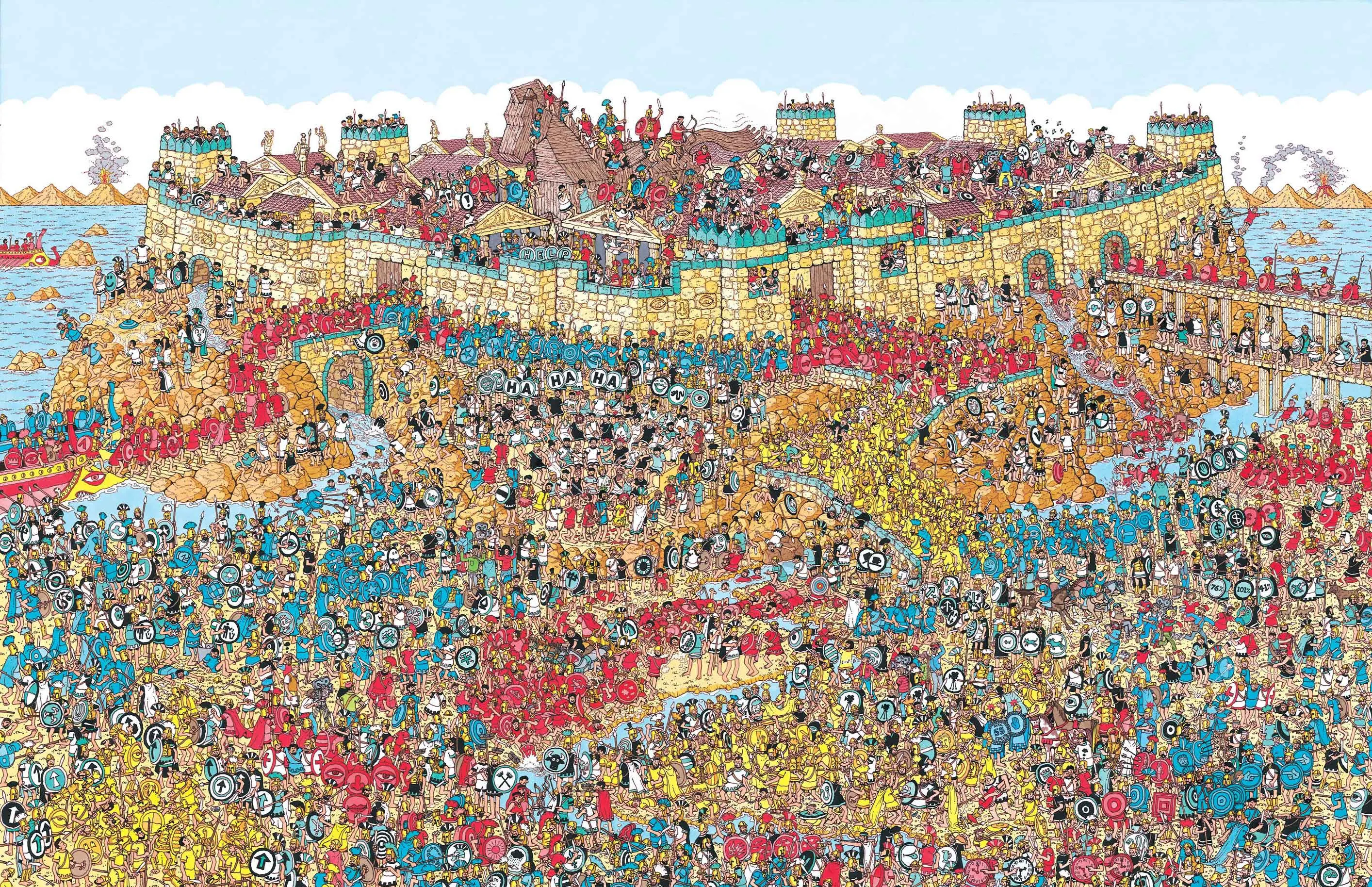 trim matrix
I essentially want what this guy was able to do https://www.youtube.com/watch?v=Y5XUyhgP9M8&t=1161s&ab_channel=RaymondCripps but he doesn't really go into detail about how he did it

MERCH (available until 19 Nov): https://projectfeline.com/shop
Support these videos on Patreon: https://patreon.com/raymondcripps
PLAY THE BUILD: https://projectfeline.com
Follow on Twitch: https://twitch.tv/raymondcripps
Subreddit: https://reddit.com/r/projectfeline
So I tried building a momentum-based movement system like in Titanfall 2 and A...
heavy hemlock
trim matrix
there's a few issues with this I'm not sure how to solve, at base acceleration m...
Me neither, what's why I asked what you consider 'working' to be. Something like the Titanfall 2 movement system was, I'm fairly certain - very complex, with many edge cases, and fudges to decrease realism to increase control.
trim matrix
heavy hemlock
Me neither, what's why I asked what you consider 'working' to be. Something like...
yeah.... how I had it working before was wall running and sliding would set your max speed to something higher and that obviously was not great
cause then as soon as you land you're back to normal walk speed
so I gutted that system
heavy hemlock
You have a scalar value on your Add Movement Input node - that scalar value could be modified based on what state the character is in.
But the big thing is - you cannot build a system like Project Feline or Titanfall 2 in an afternoon. Titanfall 2's movement system took probably a dozen people several years to perfect.
faint pasture
heavy hemlock
You have a scalar value on your Add Movement Input node - that scalar value coul...
Funny enough that could maybe even work in multiplayer
it's hacky and trivially cheated
but it'd work
heavy hemlock
faint pasture
it's hacky and trivially cheated
That's where fun stuff like skiing in tribes comes from!
trim matrix
I don't really get the add movement input node, the scalar value makes sense but like, it has no outputs so I don't understand how it would actually increase speed
faint pasture
trim matrix
I don't really get the add movement input node, the scalar value makes sense but...
That's where your movement inputs go to the movement component
heavy hemlock
trim matrix
I don't really get the add movement input node, the scalar value makes sense but...
It's a Pawn function that is directly interacting with the Character Movement component, which is talking to the physics system.
faint pasture
that's how the movement component knows anything about your desired movement
heavy hemlock
It is, literally, the function you were asking for.
'Go this direction, and have it mostly make sense'
faint pasture
Character.AddMovementInput or whatever probably just wraps "If we have a movement component, pass this vector to it"
trim matrix
so if I'm following I want an enum with my different movement modes, and depending on the movement mode I scale something with the input movement node?
faint pasture
Are custom movement modes a thing in BP yet, at least for single player?