Hello, I've been trying to design my ammo system for my tank game, but I'm stuck on how to come up with an implementation that works without having to program hard references into the Player pawn BP, I have a tank the player controls to shoot different types of Ammo, I have explosive rounds and sticky charges so far. in my BP_Tank pawn I perform a line trace after getting input from the player, currently there's a shoot function that checks using a boolean flag if the tank should shoot explosive rounds or sticky charges, this is toggled using another input action but you can see how this can get messy.
The type of ammo changes the recoil of the tank barrel and the fire rate (both of which at the moment are computed and executed inside the Tank Pawn BP).
What's the recommended way to go go about designing this? interfaces? Enums? Strucs? Something else? 🤔
#blueprint
1 messages · Page 125 of 1
 humble wigeon
 dry sleet
I think it's just a common misconception -- on the other hand I don't know for certain either, but signs point towards it just being good ol' nodes! :)
 gentle urchin
dry sleet
I think it's just a common misconception -- on the other hand I don't know for c...
gentle urchin
dry sleet
I think it's just a common misconception -- on the other hand I don't know for c...
Yepp, surely it does (altho that could have been made on the go just to guide blueprinters. While it still did a native thing )
 golden kite
Insofar as it is a pure function with no execution, it should be performant. Beyond that I'm not sure how the bytecode is compiled by the BP but it should be more-or-less equivalent. though I have also heard (perhaps here) that it was more perfomant....
golden kite
humble wigeon
Hello, I've been trying to design my ammo system for my tank game, but I'm stuck...
I'm sorry, I lost the thread of the question with all the details about implementation. What exactly is your question about?
 lofty rapids
humble wigeon
Hello, I've been trying to design my ammo system for my tank game, but I'm stuck...
lofty rapids
humble wigeon
Hello, I've been trying to design my ammo system for my tank game, but I'm stuck...
for one thing instead of a bunch of booleans maybe an enum for current state so you can add others and maybe do a switch
something like a shooting mode enum
humble wigeon
I'm trying to understand what's the best way to go about designing an ammo types system, at the moment the pawn tank performs a line trace and spawns a different bullet type depending on a bool the player can change, but I feel like this is bad system design as it can lead to messy spaghetti code and duplicated nodes,
humble wigeon
golden kite
I'm sorry, I lost the thread of the question with all the details about implemen...
sorry forgot to tag with a reply my previous message 😅
gentle urchin
Ammo is a seperate class, so might tank head be?
dry sleet
humble wigeon
Hello, I've been trying to design my ammo system for my tank game, but I'm stuck...
Do you prefer this to be pure Blueprint? :)
humble wigeon
lofty rapids
for one thing instead of a bunch of booleans maybe an enum for current state so ...
right, but what happens if on different parts of the tank graph I have to check what's the active ammo? For instance, different ammo creates different recoil, so now I have two places where I have to check which type is the ammo type, 1 for when I spawn the bullet, and the other when I add recoil to the tank mesh
dry sleet
For something like this I would probably make a DataAsset containing the ammo details (such as recoil force).
Then you can have a variable containing such a DataAsset, and when firing, simply query it for the required properties.
humble wigeon
dry sleet
For something like this I would probably make a DataAsset containing the ammo de...
datasetAsset you say 🤔
dry sleet
humble wigeon
datasetAsset you say 🤔

What is a Data Asset in Unreal Engine 4.
Followup video showing how use Blueprints Only for Data Assets using the Primary Data Asset type: https://youtu.be/hcwo5m8E_1o
Source Files: https://github.com/MWadstein/UnrealEngineProjects/tree/CPP-Examples
Note: You will need to be logged into your Epic approved GitHub account to access these exampl...
humble wigeon
dry sleet
Do you prefer this to be pure Blueprint? :)
Whole project is blueprint based
dry sleet
I don't know how good that explanation is (haven't seen it recently), but Mathew's videos are usually good!
DataAssets are very powerful.
You can create them in Blueprint but some things are nicer to do in C++.
humble wigeon
dry sleet
https://youtu.be/gLWXZ3FXhO8
I'll look into this, thanks 👍🏻
dry sleet
Anytime! Honestly it's a Unreal powerup!
humble wigeon
I thought interfaces was going to be it, but then I realized how I don't really have blueprints to implement them with
if that makes any sense..
 flat coral
Got a tricky one for y'all this morning. I have this actor that's meant to attach a physics constraint to any actor that passes through a collider. Simple enough. Except it just doesn't work the FIRST time an actor passes through. Works as expected every time since then.

But here's where it gets weird. If I disconnect the pin to that ProjectPointOnPlane node, it all starts working first time, as expected. And the really weird part is, if I then manually set the plane normal to 1,0,0 then the bug reproduces.


 lusty sphinx
Is there a simple and cheap way to get the z height pos of the floor an actor is on? For my prototype, I was just manually entering the z height because I wanted to avoid running a line trace every time I wanted to get the floor height or having a scene component at the actor's feet to get floor height.
dry sleet
lusty sphinx
Is there a simple and cheap way to get the z height pos of the floor an actor is...
Do you have a Character Movement Component?
lusty sphinx
Yes
dry sleet
it automatically traces for floor every tick regardless
you can get the latest one, it's just a hit result
called something like Floor... CurrentFloor, something like that
flat coral
flat coral
But here's where it gets weird. If I disconnect the pin to that ProjectPointOnPl...
This made me suspicious that ProjectPointOnPlane was somehow divide-by-zeroing that first time? So I printed out both a working and non-working shot, and it's not.
 lusty sphinx
dry sleet
called something like Floor... CurrentFloor, something like that
lusty sphinx
dry sleet
called something like Floor... CurrentFloor, something like that
tyvm! this is exactly what I was searching for. I figured there had to be something like this built into the character.
dry sleet
haha yeah it's nice not to do double work!
 fervent breach
question - I am working on a spawn system and wanted to know what is better - having all the enemies already spawned but deactivated until the player runs by. Or creating the enemies and later destroying them? My big issue is that I want to customize variables for a good number of my enemies, so like if I have 2 turrets, the range of both of them can be different despite both using the same blueprint. This is fine and easy when I just deactivate them, but I don't know if this might lead to memory leaks or slow down in the future, or if just creating and destroying is a better option?
*and in terms of creating / destroying, I don't know an easy way of having custom changes to variables persist to the newly made enemies
 forest summit
Hi all, so I have a vector math/rotation question.
I'm working on a Valheim inspired building system and I'm trying to get the building pieces to offset from walls based on the piece's size and rotation. The system I have so far clips into walls and generally doesn't offset correctly at certain rotations but I cannot figure out how to get this to work correctly.
Any help or advice would be appreciated. 😁
Blueprints and video demonstrating the issue:
https://blueprintue.com/render/ay94hq53/

No description provided
 queen dagger
ok
so lets say i have a heavy attack binded to a key, if i want it to also be linked to charge stun attack where if you hold the key down it charges how would i make the same key know which attack to use based on how long you press a key
lofty rapids
an integer that represents a count of how long you have held the key down ?
 queen valley
is there any better way to use events that need to activate same function but with a different variable, rather than stacking them like this?

 junior prairie
fervent breach
question - I am working on a spawn system and wanted to know what is better - ha...
junior prairie
fervent breach
question - I am working on a spawn system and wanted to know what is better - ha...
Definitely create them when you need them, don’t have them all spawn at the beginning. You can set any variable to Instance Editable and Expose on Spawn to set variables programmatically as you spawn an enemy
lofty rapids
queen valley
is there any better way to use events that need to activate same function but wi...
create a custom event with inputs, and then call that instead
or a function
queen valley
lofty rapids
create a custom event with inputs, and then call that instead
i am calling that i first have the on hovered event for button A to call a custom event and then same for button B and C and so on
gentle urchin
hard to see exactly what you're doing so hard to advice anything really
junior prairie
Yeah image is too blurry
gentle urchin
hovered function for a button
gotcha
not much else to do but bind them up
either like that or procedurally
somehow iterate all children in the container, grab all buttons, bind to their hovered etc
usually requires custom button as default ones dont have any decent delegates for this
commonbutton does however
queen valley
gentle urchin
usually requires custom button as default ones dont have any decent delegates fo...
will just keep it this way then
hopefully this doesn't somehow impact performance
gentle urchin
if its only these 6 then yeah for sure
or you know, create your own button base
and edit the settings in the actual button once
instead of having to call this function 🙂
pro-tip of the day
queen valley
gentle urchin
and edit the settings in the actual button once
cant
have to call it cause it has to change on click
hehe
 gentle urchin
Ofcourse you can
queen valley
6 buttons with clicked, hover and unhover events
gentle urchin
this could all be handled inside the custom button widget
no problem
no need to 6x anything ^^
queen valley
gentle urchin
this could all be handled inside the custom button widget
wdym
i cant bind a function directly
without making an event
gentle urchin
You'd just setup the event once inside the button
then use the same buitton for all buttons
queen valley
gentle urchin
then use the same buitton for all buttons
how would i know which one is which then
gentle urchin
in which context
buttonbase comes with an event dispatcher

if you neede it outside for some reason
queen valley
gentle urchin
in which context
i have to know which button to change the "inventory filter" to
gentle urchin
 queen valley
gentle urchin
queen valley
gentle urchin
does that have any performance benefit besides being clean
gentle urchin
no
queen valley
gentle urchin
if it works and aint causing problems, dont touch it : )
haha, me in 2 years wondering wtf i did here trying to track where everything leads lol
gentle urchin
yeah spaghetti dont age well
queen valley
gentle urchin
yeah spaghetti dont age well
thats why imma put it in the freezer and never touch it again
lofty rapids
thats a tiny image, can't see anything
flat coral
Still trying to figure out the issue where this physics constraint fails to apply but ONLY the first time it's triggered. I'm pretty sure it's something to do with the position it's attached from, but no idea why.
I've got a boolean now that switches the bug on and off. Screenshot shows the position of those two points in space, relative to the collider. Green works every time, red is bugged.


What's interesting is it's not about distance. I can try to go through this thing as far as possible from the green point, but it still works.
 rich ferry
Odd behavior with component overlap....
I want my bayonet to deal damage when it overlaps the other tank (named Kaiser), but it usually does not trigger an overlap event. That could make sense to me by itself, but more confusingly it often triggers an overlap event when the bayonet is nowhere near the other tank. Am I missing something obvious? Lmk if more info is needed.


 dawn gazelle
rich ferry
Odd behavior with component overlap....
I want my bayonet to deal damage when i...
dawn gazelle
rich ferry
Odd behavior with component overlap....
I want my bayonet to deal damage when i...
Tank bayonet?! I LOVE IT XD
rich ferry
dawn gazelle
Tank bayonet?! I LOVE IT XD
Lol thanks ❤️
dawn gazelle
rich ferry
Odd behavior with component overlap....
I want my bayonet to deal damage when i...
But to respond to your question, the overlap is triggering based on the collision settings you have set up for the bayonet component. So if it overlaps with say the ground or walls, then an overlap can occur.
rich ferry
dawn gazelle
But to respond to your question, the overlap is triggering based on the collisio...
It's only overlapping with the tank, that part is fine. What confuses me is that the bayonet will be in the middle of nothing, yet will trigger an overlap event when my tank body bumps into the other one.
lusty sphinx
I'm trying to figure out why my stop movement event is not working the way I expect. I would think that I should be first calling "Stop Move Forward" and then use a "Move to Location" node and call what I want with "On Move Finished", but if I call it in that order, my enemy char seems to still move forward after it reaches the goal location. Only way I got it to work is if I called "Stop Move Forward" after "On Move Finished"
EDIT: Further testing, for some reason when I call StopMoveForward, it does not seem to clear the timer for move forward for some reason. Gonna keep bashing my head against this issue


Also, is there a way to use the AI "Move to Location or Actor" to make it move to the exact location? I tried messing with the acceptance radius values, but it seems to base that radius with the edges of the characters collision capsule instead of the center position of the character, so I can never get it to move to the exact spot I desire
 steel furnace
forgot how to set a collision mesh on a dynamic mesh component to be what it was pre-boolean. I was able to do it before but that project corrupted and now I don't remember what I did.
golden kite
I have an instance of a blueprint on my stage. BP_Controller. Whenever I edit the blueprint itself, compile and save, the instance in the outliner is renamed with a 1 at the end BP_Controller1. If I rename it to remove the 1 it sticks until the next time I edit that blueprint. What's the deal? It hasn't happened to any of my other blueprints on stage....?
golden kite
lusty sphinx
I'm trying to figure out why my stop movement event is not working the way I exp...
I'm not a big fan of this self-referencing event loop. That doesn't seem right.
If you want to execute that event once per tick, then just hook it off the tick. There's no need to use a timer on top of that.
Or if it's on an animation BP, you can also use onUpdateAnimation event
lusty sphinx
I wanted to avoid having a branch check on my event tick since I am only calling move forward during a short specific section of the fight.
flat coral
Okay, so, see the BeginPlay block here? Basically a no-op right, since that same component will be moved again in the OnComponentBeginOverlap code?
Except, that BeginPlay block makes the lower block work. Why? And why does it have to be to the edge of the collider? What is HAPPENING here?

 proud notch
Hello,
I have a BP that creates a few components, this components have a BP of a car.
is it possible to "extract" the BP of the car from the parent BP as an actor in the scene?
 faint pasture
flat coral
Okay, so, see the BeginPlay block here? Basically a no-op right, since that same...
faint pasture
flat coral
Okay, so, see the BeginPlay block here? Basically a no-op right, since that same...
What are you actually trying to do?
what effect in the game world
flat coral
faint pasture
What are you actually trying to do?
Replicating the feeling of a fly flying into a spiderweb.
On overlap I move the AttachTarget to the closest location on the web to the pawn, then apply a constraint between it and the pawn.
lusty sphinx
I think I managed to get it to work. This is the solution I came up with for my problem if anybody was interested.
 faint pasture
flat coral
On overlap I move the AttachTarget to the closest location on the web to the paw...
faint pasture
flat coral
On overlap I move the AttachTarget to the closest location on the web to the paw...
So what doesn't work about the overlap code if you lose the BeginPlay?
what is attach target area? A scenecomponent or primitive or what
I'm guessing you got some self-overlap stuff going on
flat coral
faint pasture
So what doesn't work about the overlap code if you lose the BeginPlay?
If I lose the beginplay, then this fails to capture the pawn the FIRST time it goes through. It'll work reliably the second time.
faint pasture
flat coral
If I lose the beginplay, then this fails to capture the pawn the FIRST time it g...
print overlapped actor and component
you really oughta be using a physics handle though
flat coral
faint pasture
you really oughta be using a physics handle though
First I"ve heard of this physics handle?
faint pasture
flat coral
First I"ve heard of this physics handle?
Physics Handle
flat coral
faint pasture
print overlapped actor and component
you're fucking right about the self overlap!
Working version:
LogBlueprintUserMessages: [BP_NetBase_C_1] OverlappedComponent=BP_NetBase.CaptureArea OtherActor=BPI_BaseShip_C_0 OtherComp=BPI_BaseShip_C_0.BaseCollider
Bugged version:
LogBlueprintUserMessages: [BP_NetBase_C_1] OverlappedComponent=BP_NetBase.CaptureArea OtherActor=BPI_BaseShip_C_0 OtherComp=BPI_BaseShip_C_0.BaseCollider
LogBlueprintUserMessages: [BP_NetBase_C_1] OverlappedComponent=BP_NetBase.CaptureArea OtherActor=BP_NetBase OtherComp=BP_NetBase.AttachTargetArea
This ALSO explains why none of my breakpoint debugging found the problem. The bugged version IS setting it up correctly, but then immediately ruining itself.
Fixed it. As simple as turning off overlap events in the attach target.
I'll give some thought to physics handle. This is feeling pretty good right now and I like how configurable the physics constraint is, the handle doesn't seem to offer as many options.
forest summit
If anyone knows about vector math or rotating vectors any help would be appreciated
#blueprint message
There might also be a simpler way of doing this so any suggestions are appreciated
 limber parcel
forest summit
Hi all, so I have a vector math/rotation question.
I'm working on a Valheim ins...
limber parcel
forest summit
Hi all, so I have a vector math/rotation question.
I'm working on a Valheim ins...
you will need to change the pivot of your construction meshes accordingly, then its easy to rotate and place them
faint pasture
flat coral
I'll give some thought to physics handle. This is feeling pretty good right now ...
I think the handle is just a wrapper on constraint
with an interface like SetTargetLocation etc
flat coral
faint pasture
I think the handle is just a wrapper on constraint
The thing is I'm not actually using the main "linear limits" part of the constraint, I'm getting a better feel with "linear motor" and I don't see those options here.
faint pasture
yeah i'm not sure which one they use
if constraint works use it
but I think you can go without the 2nd component
just constrain pawn to nothingness
forest summit
limber parcel
you will need to change the pivot of your construction meshes accordingly, then ...
If I'm understanding you correctly, I am already doing this with snapping building pieces to each other, moving the mesh in local space to change the pivot point relative to the blueprint, but I'm not exactly sure how this would help with this current issue. I'll give it a try though and see if this changes anything.
faint pasture
forest summit
Hi all, so I have a vector math/rotation question.
I'm working on a Valheim ins...
Do you want it to offset at predetermined distances or just where the colliders touch?
do you have a strict grid or is it freeform
 pine mesa
How do I make an object move by holding a key?
limber parcel
pine mesa
How do I make an object move by holding a key?
by creating an input action and setting the objects position when its triggered
faint pasture
pine mesa
How do I make an object move by holding a key?
However you want
Start with printing something when you press the key
forest summit
It's freeform, and just where the colliders touch, I'm doing a trace specifically to get the location and hit normal
faint pasture
forest summit
It's freeform, and just where the colliders touch, I'm doing a trace specificall...
How is the placed object oriented?
90 degree rotations from the hit normal?
A quick and dirty way would be to move the object to some offset then move it to the hit location with sweep turned on
but I would really suggest some sort of grid system if you want your constructions to not look like bird nests
forest summit
Well I'm trying to recreate the Valheim building system, which I would call "freeform" but maybe I'm misunderstanding you.
Here's how it works so far...
https://youtu.be/It8qxZKFayE?si=fPf_S7dLhbxS5njs
 limber parcel
valheim uses snapping points...
forest summit
yes, so does my system, but it's not "on a grid" therefore I said freeform 😅
faint pasture
forest summit
yes, so does my system, but it's not "on a grid" therefore I said freeform 😅
if you're snapping you're on a grid, just the grid can be dynamic
grid =/= aligned with the world's grid
it jsut means consistent with connected objects
forest summit
ok, just a misunderstanding then
pine mesa
limber parcel
by creating an input action and setting the objects position when its triggered
I have this right now, but you have to press multiple times for the input to work.
 forest summit
I feel like there has to be a math solution that will work dynamically as I add objects, I feel like I'm close to a solution but I've just hit a wall.
I'll just have to try something different and hope it clicks.
limber parcel
i think you should watch some tutorials on construction systems
 trim matrix
wouldn't it work with collisions?
pine mesa
limber parcel
u can make it fire repeatedly
How do you do that? I’m a beginner.
limber parcel
i suggest reading the documentation about input actions
trim matrix
limber parcel
i think you should watch some tutorials on construction systems
what would you do for that kind of building system?
would you use collisions? or a grid or idk
forest summit
I had looked for tutorials prior to starting the project but they were all very basic and not really what I had in mind
faint pasture
trim matrix
would you use collisions? or a grid or idk
Collisions snapped to grid
Line trace -> get point -> snap it to ThingTheLineTraceHit.GridReferenceFrame
that's how Space Engineers etc do it
trim matrix
Ohh, because I used another way for my system, I don't know if that's correct:
There's no grid, you are free to build wherever you want, just the first one must touch the ground, I used collision on all builds, then the others build around can snap correctly together with collisions...
@faint pasture
lofty rapids
pine mesa
How do I make an object move by holding a key?
probably a timer on press, clear and invalidate on release
forest summit
I think as SourceControl suggested the new Enhanced Input Actions system effectively does this by default
lofty rapids
right it's built in
forest summit
I only learned to use it recently but it's really useful and easy to set up
lofty rapids
enhanced input is much more difficult to use than the old way
trim matrix
you changed it lol
lofty rapids
lol i realized pretty quickly
forest summit
It require a small amount of set up but once that's done I think it's relatively easy to use
 round spruce
Git or perforce for version control ?
limber parcel
git
pine mesa
If I use the enhanced input system wouldn’t that limit me to using only one character? I want to be able to control 2 characters using different keys like WASD for character 1 and Arrow keys for character 2. So, how would I go about making the inputs work for both characters?
forest summit
round spruce
Git or perforce for version control ?
Git is way easier to use imo, specifically Github Desktop
limber parcel
pine mesa
If I use the enhanced input system wouldn’t that limit me to using only one char...
by making separate input actions for each character
pine mesa
After I make the separate input actions for each, how do I implement them? Because the only way I’ve learned so far was to change the game mode of the level and set the pawn as a single character.
limber parcel
try watching some tutorials
trim matrix
pine mesa
After I make the separate input actions for each, how do I implement them? Becau...
literally like you'd do normally
pine mesa
limber parcel
try watching some tutorials
I have been for the past 4 hours but I’m still stuck, which is why I came here. 😭
limber parcel
if you were watching a tutorial you would know how to add an input action
pine mesa
trim matrix
literally like you'd do normally
What is normally? 😅
The game mode pawn only lets you select one actor, as far as I know. So I’m quite confused.
pine mesa
limber parcel
if you were watching a tutorial you would know how to add an input action
No no I know how to add it, my problem is implementing it with 2 characters and not one. The tutorials only show how to do it with one character.
limber parcel
you can set an actor to receive input from player
trim matrix
pine mesa
What is normally? 😅
The game mode pawn only lets you select one actor, as far ...
but you can add as many input actions/ mapping context as you want
on 1 pawn
forest summit
I think they're talking about having multiple pawns in a local multiplayer game
trim matrix
"the tutorials shows"........
Really could use some help with a trace.
I am tracing to the ground on my vehicle from a socket on the skeletal mesh down to the ground, I need the trace to always be in that direction, I mean when the vehicle is flipped over I need those traces to be pointing to the sky, meaning I need the trace to al ways go in the direction of where the ground is expected to be in contact with the wheel. You can see in the photos the socket, the trace setup, the correct results when not flipped over, then the incorrect result when flipped over. I would really appreciate helping me understand how I can achieve this.


 limber parcel
guess ur socket is not rotating with the car?
faint pasture
trim matrix
**Really could use some help with a trace.**
I am tracing to the ground on my ve...
yeah why would your soekct not rotate with the wheels?
er with the chassis
or suspension
print socket.Up and see if it ever changes
trim matrix
limber parcel
guess ur socket is not rotating with the car?
Maybe because even though X is pointing down, I am still getting up vector in the trace setup, so thats always up in world space ... IDK
faint pasture
print socket.up on tick while flipping over
trim matrix
faint pasture
yeah why would your soekct not rotate with the wheels?
Not sure, socket is parented to wheel bone
 forest summit
pine mesa
No no I know how to add it, my problem is implementing it with 2 characters and ...
forest summit
pine mesa
No no I know how to add it, my problem is implementing it with 2 characters and ...
I hate to say it but I think you just need to look for tutorials on local multiplayer, hopefully that should give you the info you need to combine that with the Enhanced Input system
trim matrix
faint pasture
print socket.up on tick while flipping over
Will do and reply
pine mesa
forest summit
I hate to say it but I think you just need to look for tutorials on local multip...
I may have found a possible solution… I’m gonna try it and also look up more tutorials to watch hehe https://forums.unrealengine.com/t/how-can-i-control-2-pawns-with-1-controller/291756

I’m trying to control 2 pawns with each thumbstick on my 360 gamepad. I’ve managed to setup inputs correctly when pawns are in scene by themselves. However, when I spawn first one via player spawn and spawn other pawn through level blueprint I can’t control one I spawn through level blueprint. It is stuck in air and won’t listen to any...
 wise holly
Hello!
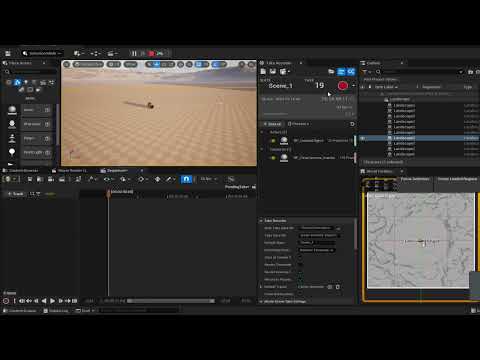
Does anyone know why when simulating/recording with the take recorder physics are working ok but as soon as I render the physics on the output video are messed up?
This is a video with the steps I follow and the final resut: https://youtu.be/wslYK55Ilq8
Happy to provide more details if needed 🙂
 trim matrix
faint pasture
print socket.up on tick while flipping over
trim matrix
faint pasture
print socket.up on tick while flipping over
Flipped over
 trim matrix
faint pasture
print socket.Up and see if it ever changes
trim matrix
faint pasture
print socket.Up and see if it ever changes
At begin play (not flipped over)
 limber parcel
your vector math is wrong
 wise ravine
Hey, dumb question. What does ' Other Actor ' and 'Other Component' mean exactly?
 dawn gazelle
trim matrix
**Really could use some help with a trace.**
I am tracing to the ground on my ve...
dawn gazelle
trim matrix
**Really could use some help with a trace.**
I am tracing to the ground on my ve...
Seems odd to be adding the up vector to the location of the socket, and then subtracting the wheel radius.
You probably want the up vector inverted and then multiplied by the wheel radius, and adding the socket location.
forest summit
wise ravine
Hey, dumb question. What does ' Other Actor ' and 'Other Component' mean exactly...
They are the actor that overlapped with the hitbox and the component within that actor, usually a mesh or other collider
wise ravine
forest summit
They are the actor that overlapped with the hitbox and the component within that...
So it's the ' Other Overlapped Actor ' ?
forest summit
wise ravine
So it's the ' Other Overlapped Actor ' ?
yes
wise ravine
Interesting, okay ty
forest summit
wise ravine
Interesting, okay ty
np, you can also check them using a print string
wise ravine
wise ravine
Interesting, okay ty
So why do we use Other Actor when casting instead of Overlapped COmponent?

Because what were casting to isn't a component?
forest summit
I think overlapped component will be the hitbox itself?
trim matrix
wise ravine
Because what were casting to isn't a component?
Correct. Your character is an actor and it does have components. A component could also be something like a skeletal mesh or static mesh.
forest summit
or did you mean other component?
 hidden cedar
Is there anyway I can attach a target point to a moving object so that my enemies can spawn on moving platforms?
forest summit
hidden cedar
Is there anyway I can attach a target point to a moving object so that my enemie...
Are you just trying to use the target points to get the spawn location?
hidden cedar
forest summit
Are you just trying to use the target points to get the spawn location?
yes
I have a wave spawn system and it spawns enemies on target points
 lunar sleet
Attach actor to actor
hidden cedar
lunar sleet
Attach actor to actor
Dang didnt know that was a thing. Thanks!
limber parcel
or make a spawn component
forest summit
hidden cedar
Dang didnt know that was a thing. Thanks!
That is definitely one solution, components are also very useful if you've never used them before, definitely worth learning about
 leaden helm
Quick Q: Have a map gen, it creates and stores a lot of data, makes a lot of ISMs. When I open level to the same level, it seems to make a new map as expected. Its clearing all that data and ISMs and GC'ing any memory and such right?
faint pasture
forest summit
That is definitely one solution, components are also very useful if you've neve...
the cool thing about having spawn actors is you can just get actors of class
you can't just get all components of class in the world I don't think
 hollow tendon
Hi, what is going on here?
if it is from -0.4 to 1 it wont work
if it is from 1 to -0.4 it works
this make no sense what so ever
Note that -0.4 means visible, 1 means invisible
I get scalar parameter value then print string it, it shows the numbers are indeed being updated
is it a bug in the engine?
 plain jay
has anyone seen this crash before? it only happens when i try opening a map by double clicking it. doesnt matter what map. but I can load into these maps just fine in game, I checked the log and its equally enigmatic.
Ive tried opening a blank map and it does the same thing, the only thing the engine will open is the map it loads into.
ive tried verifying the engine files, deleting saved and intermediate, but no luck. kind of at a loss here because it started happening out of the blue

looks to be something to do with the content browser but I have no idea what I could do to fix that lol
this is in 5.3.2 btw
heres the log as well
 tulip anvil
plain jay
this is in 5.3.2 btw
tulip anvil
plain jay
this is in 5.3.2 btw
have you attempted to verify engine files?
plain jay
I have yes, everything validated successfully, but just to be sure you mean in the launcher under the engine select verify?

if there is another way I am unaware
tulip anvil
plain jay
I have yes, everything validated successfully, but just to be sure you mean in t...
correct,
plain jay
I can simply create a new level in the content browser, save it, and then open it by double clicking and I get that crash. doesnt seem to matter what map it is 🫠
tulip anvil
plain jay
I can simply create a new level in the content browser, save it, and then open i...
what if you try to open it from here?

i imagine the same thing but just for the sake of it
plain jay
yea same thing just tried. lol
like the odd thing
is that when my default level opens up which is a forest, I can open my developer menu while playing in editor and then load into any of those maps, just not through the content browser
tulip anvil
very odd indeed. it seems like an engine bug but not one i've seen before in 5.3 and verifying the engine should usually fix like random corruptions or some such.
have you tried in a brand new project?
plain jay
let me try! if it breaks there I suppose I can just assume its an engine bug, uninstall and reinstall and see if that helps
tulip anvil
if it happens in a brand new project with a verified engine it could also be a driver or windows issue of some sorts
i know one of the most recent nvidia drivers has some performance issues
plain jay
hmm new project seems fine
plain jay
tulip anvil
if it happens in a brand new project with a verified engine it could also be a d...
ok so interesting, I backed up my config folder, deleted it, and then re-opened the project and now I can open those levels. something must have gotten borked lol
tulip anvil
plain jay
ok so interesting, I backed up my config folder, deleted it, and then re-opened ...
good to know
 swift bough
Is it typically best practice in a game with multiple controlled pawns to put Input Actions shared by all pawns into somewhere more global like a Game Mode base? It feels strange having my "inventory open and close" input actions duplicated in both my player character and the boat pawn you can also control.
plain jay
tulip anvil
good to know
further inspection comes back to nanite being enabled if you are curious
faint pasture
swift bough
Is it typically best practice in a game with multiple controlled pawns to put In...
not gamemode for sure
put them in PlayerController if you want to
hollow tendon
Hi
faint pasture
it can go like:
Input -> get MyPawn -> get InventoryComponent -> show it
swift bough
Ahhh yeah that's smart
faint pasture
I typically put common inputs in PlayerController and specific ones in Pawns
if you were making GTA you'd put walking etc in the pawns but you'd put pause and ShowMap in the playercontroller
swift bough
I'm going to migrate the common controls now, thank you!
 tribal gazelle
I am trying to load in a large map (world partition) but I keep getting this weird transition part (the arm part) in between the loads, I've tried all sorts of things like AsyncLoadAsset first but can't seam to find any answers on Google.. can anyone help? This is what I am doing to load the map.

 proud salmon
Is there any easy way to get the final level name of a gameplay tag?
For example: Player.Stats.Health --> I just want "Health", not the whole thing. 🤔
 chrome pumice
Yo quick question, does someone here know how to make a spline path but with actors?
proud salmon
add a spline component to the actor.
chrome pumice
does it make it curve and stuff?
im keep finding tutorials how to do it with static meshes where they do roads and stuff, but my "road" got lights wich are made in an actor
lunar sleet
You attach actors to it
trim matrix
there's a node called attach to actor or something like that
lunar sleet
There’s also attach actor to component
wise ravine
Hi I was having an issue with code similar to the one below, where the door was only rotating once, and then snapping when I interacted with it after. By using Print Strings, I saw that during the first execution it was outputting multiple repetitive executions after the timeline, however after the first execution if you interacted with the door, there was only one singular execution after the timeline node. Does anyone know what the issue could be. (This is not my exact code, but basically the same nodes)
 faint pasture
wise ravine
Hi I was having an issue with code similar to the one below, where the door was ...
faint pasture
wise ravine
Hi I was having an issue with code similar to the one below, where the door was ...
why are you adding
no
set
faint pasture
wise ravine
Hi I was having an issue with code similar to the one below, where the door was ...
A timeline is basically a temporary tick
with animation tracks
you want the door to be in a different position every frame as it's rotating. Thats the update path
A simple door might be like:
Event -> branch on isOpen -> Play -> Update -> set angle
->Reverse -> Complete -> IsOpen = !IsOpen
if it's open, it'll shut. If it's shut, it'll open
chrome pumice
lunar sleet
There’s also attach actor to component
ahh okay thanks im gonna go try it out ❤️
 rugged atlas
Hello, my name is Raj Oswal. From San Diego, California.
I am looking for a solid freelance unreal developer that has experience with building games for Meta Quest devices. I have launched a children’s immersive educational program and working with three international schools in Shenzhen China. For that program, I have built an astronomy app on unreal engine for MetaQuest devices. Unfortunately ,the developer I was working with is no longer available so I’m looking for somebody to take over.
Ideally somebody’s with 4-5 years experience with particles effect’s, some animations and mainly blueprints.
This is a part-time contract opportunity.
If anybody is interested, please contact me in a private message and I will share more about our app and we can discuss more..
Here is a TEDTalk I gave on, the power of immersive education : https://youtu.be/uRMjJhPUPCM?si=j0g4nlq5ahDPIs5l

Here is a recent Ted Speech on the Power Of Immersive Education
 dull shell
rugged atlas
Hello, my name is Raj Oswal. From San Diego, California.
I am looking for a s...
dull shell
rugged atlas
Hello, my name is Raj Oswal. From San Diego, California.
I am looking for a s...
 urban moon
Could anyone tell me what I should be looking at to fix this? I never touched or changed anything in this blueprint for that interface and all of a sudden its claiming it as an issue

The parent is not touching or doing with it either
dull shell
urban moon
Could anyone tell me what I should be looking at to fix this? I never touched o...
Compile parent class
urban moon
Parent combiles fine. Maybe I need to reparent? Maybe something is stuck

oh, its an issue with the interface I think. I just realized the one its calling out is different than the interaction one
Looks like I made a duplicate Function on two interfaces name wise. Time to see what all that messed up for me in the other work I was doing earlier 😄
dull shell
urban moon
Parent combiles fine. Maybe I need to reparent? Maybe something is stuck
Your interface functions have duplicate names
urban moon
dull shell
Your interface functions have duplicate names
yup, just noticed that as well. Now to figure out WHY I did this and what other errors are in the other things I was working in cuz of that
 sterile spindle
hiya, relatively new UE5 user. I've been using the Actor Forward Vector to create a line trace, but I'd like to angle it up by 30 degrees. I can sort of do it, but I assume it's only angling it by world rotation, because when I face forward in the world it works fine, but when I face the opposite direction it's angling down. How do I rotate the forward vector up by 30 degrees regardless of the direction the actor is facing?
trim matrix
sterile spindle
hiya, relatively new UE5 user. I've been using the Actor Forward Vector to creat...
can you show the code you are using
it's probably an error in it
sterile spindle
trim matrix
can you show the code you are using
Offset is (0, 0, 0) so it's just in the center of my actor and rotation is set to (0, 30, 0)

 marble tusk
sterile spindle
hiya, relatively new UE5 user. I've been using the Actor Forward Vector to creat...
marble tusk
sterile spindle
hiya, relatively new UE5 user. I've been using the Actor Forward Vector to creat...
Probably Rotate Vector Around Axis. Something like this
 trim matrix
yea maybe, I dont know much about Rotate Vector node.. sry
marble tusk
so then the whole thing could be like this
 chrome pumice
Guys quick question, should i build maps on unreal or on blender? i feel like when i build them with cubes on unreal its much easier to handle the collision or what do yall think?
Ive built some rooms now with blender today but it feels like the collision is insanely terrible every time
trim matrix
depends
chrome pumice
Specially with round objects
trim matrix
chrome pumice
Specially with round objects
then create custom collisions
trim matrix
it works as well
chrome pumice
isnt it better to do in unreal?
trim matrix
if your map is a cube (probably not) then you can use ue
but blender for better shapes or any other 3d apps
chrome pumice
For example i want floating rooms in my level that randomly spawn, should i set them up in blender?
chrome pumice
trim matrix
but blender for better shapes or any other 3d apps
I mean i dont need allot of complicated shapes
im gonna keep trying arround, still thanks !
trim matrix
1 for collision
1 for the mesh
sterile spindle
marble tusk
Probably Rotate Vector Around Axis. Something like this
works like a charm, ty 🩷
faint pasture
chrome pumice
Guys quick question, should i build maps on unreal or on blender? i feel like wh...
The level itself should be made in Unreal
you'd use blender to make your meshes etc
chrome pumice
yea but the whole room, should i do it in blender or in unreal?
either a whole room in blender or i line up 4 walls and make the room in ue5
dawn gazelle
chrome pumice
yea but the whole room, should i do it in blender or in unreal?
You'd make the things that make up your rooms in blender. You'd place your pieces in Unreal.
chrome pumice
OKayy thanks 🙂
dawn gazelle
An example: You wouldn't want to import a mesh that has 1000000000 vertices and much of that geometry is reusable or could be made modular as Unreal could instead "instance" a lot of the meshes if they were in pieces rather than 1 gigantic mesh file.
 deep void
yo gang, I need some camera help in my pawn BP.
I have a pawn BP with a camera attached to a train, that moves on a seperate circular spline.
I want the player to be able to move the camera around (look around) when I possess this camera, so I have enabled 'Use pawn Control Rotation'
But in doing so, now the camera doesn't rotate with the train. (if train turns 90 degrees right, the camera stays at 0 degrees ahead in world space)
How do I have it so the camera turns with the train but the player can also look around?
faint pasture
deep void
yo gang, I need some camera help in my pawn BP.
I have a pawn BP with a camera ...
Instead of use pawn control rotation, you can:
Tick -> get control rotation -> set camera RELATIVE rotation
deep void
faint pasture
Instead of use pawn control rotation, you can:
Tick -> get control rotation -> s...
works perfectly, thank you for your time 🙂
 vestal acorn
Trying to change the value of a ,,date time,, variable. For testing I just want to set the hour to 2, but it keeps printing 0 ( for both approaches )
What am I missing here :/
 dawn gazelle
vestal acorn
Trying to change the value of a ,,date time,, variable. For testing I just want ...
dawn gazelle
vestal acorn
Trying to change the value of a ,,date time,, variable. For testing I just want ...
Probably can't represent year 0, month 0 and day 0.
You may want to use a "Timespan" instead?
vestal acorn
dawn gazelle
Probably can't represent year 0, month 0 and day 0.
That did the trick, thank you ^^
dawn gazelle
Either that or take a "Now" and add 2 hours to it.
 crystal flax
hello there does anyone know how can i make gap/hole in wall in real time in game like i want that my walls each time they appear they should have diffrent type of gap/hole in ther so that my player can adjust accordingly and can go further
 frosty heron
crystal flax
hello there does anyone know how can i make gap/hole in wall in real time in gam...
frosty heron
crystal flax
hello there does anyone know how can i make gap/hole in wall in real time in gam...
Start looking at what unreal can offer for what you need
Eg fracture system
forest summit
crystal flax
hello there does anyone know how can i make gap/hole in wall in real time in gam...
It depends how complex you want to go, you could just do something as simple as using cubes in a grid and removing them where you want the hole to be, or use a masking material to visually put a hole in the wall and use blocking volumes around it for the collisions.
crystal flax
forest summit
It depends how complex you want to go, you could just do something as simple as ...
yes i want cubes in a grid that remove from specific place each time the wall spawn
crystal flax
frosty heron
Eg fracture system
is there any specific documentation or video which can tell me about this by the way thanks i never heard this before i will check it
frosty heron
crystal flax
is there any specific documentation or video which can tell me about this by the...
There are videos, im not sure about documentation.
Give searching a go
crystal flax
frosty heron
There are videos, im not sure about documentation.
Give searching a go
yeah
crystal flax
frosty heron
There are videos, im not sure about documentation.
Give searching a go
but i think this is mainly for destruction but i want to remove specific part like each wall come with specific shape drawn and the area which space is drawn it is empty and the next wall automaticly come with diffrent shape and my player have just to move it from that space i just want this type of system basically
frosty heron
crystal flax
but i think this is mainly for destruction but i want to remove specific part li...
I can't visually picture that
You can always get crafty with animating your own wall and cut parts of it
Using 3d modelling tool
frosty heron
A bool operator will do the trick
crystal flax
i see on video but it is using unreal engien 5 and in my laptop unreal engine 5 does not work
frosty heron
At least that's what it's called in 3d max
Doesn't matter what ue version, just do it in 3d modelling program. I was talking about fracture anyway which isn't what you want
You want a hole with specific shape, then you have to do the manual work. There is no such system
crystal flax
no there is some blueprint class called dynamic mesh that is not there in ue4
crystal flax
frosty heron
You want a hole with specific shape, then you have to do the manual work. There ...
random generated hole i want
in a wall in a shape of cubes
frosty heron
There is a type of mesh that can be sliced
forest summit
frosty heron
There is a type of mesh that can be sliced
I think you're overcomplicating it 😅
frosty heron
I prefer the simplest way. Make some holes in 3d Max, have a set of them. Then import all of them and just get a random one from what you export
forest summit
You can just make a wall out of cubes in a blueprint and set up different states where certain cubes are removed, or you could use some sort of collision or trace to get certain components (cubes) from the BP. That's how I'd do it anyway.
frosty heron
Using blocking volume suggest that it's not randomised at run time but placed in editor time manually
crystal flax
ist there any way liek i make a wall using cube then in construction script some cube randomly dissaper based ona logic and create some holes so that my player can pass
frosty heron
You can , just translate what you want to logic and operator
And implement it
Randomly dissapear doesn't scream making shapes tho
Also I don't get why u want to use cubes. What kind of shapes and how many cubes do u need to represent a round hole?
Imo just cut out some set of walls, randomise it in bp. Call it a day
crystal flax
ohhh instaed of dissaper can i sue spawn actor from class and place 9 arrow and randomly cube will spawn on those arrow not all arrow and in which cube is not spawn i have to pass through that
i didnt say i need a round hole i just need a hole it can be of any shape
frosty heron
crystal flax
i didnt say i need a round hole i just need a hole it can be of any shape
My statement is still valid. You said any shape but what about round shape? How many cubes do u need to represent that hole and how many you have to delete and what algorithm do you need to create the round shape?
I can only suggest simpler approach, wish you the best on exploring alternate way tho
Just don't see how it can be done with cubes
crystal flax
frosty heron
My statement is still valid. You said any shape but what about round shape? How ...
ohh i guess i am unable to explain you let me share the video of which type og thing i want to create than you understand why i am going with cubes

The Walls is an exciting endless runner game in which you find the gap in the wall, roll over the terrain and try to fit inside, avoid the crazy walls coming and try to collect coin to unlock new wall’s type. The game is ready to release straight out of the box, and it can also be easily customized to make it even more engaging to your players. ...
i just need to make somethign like this
frosty heron
Would been easier if u said something like Lego to begin with
That's not really any shape
In that case just use grids to represent the boxes
crystal flax
ohh sorry i think it was
frosty heron
And just remove the one you don't want
crystal flax
frosty heron
In that case just use grids to represent the boxes
okay but can you tell me how can i remove is there any function which cna help me
frosty heron
You can do that in bp easily
Represent the walls as grids
Make some function that define the shape
Do a series of those functions as needed
And just pick one at random when you want to spawn the wall
Spawn wall-> cutMyWall
Cut Myall just pick the shape randomly
crystal flax
okay i think i am getting it let me try this once
 lost canyon
Hey All! I'm teaching myself blueprints, im trying to use a branch node or something on event begin play so I can have it do multiple things, for some reason the branch doesn't work, and there's no else if or anything, I remember using one once but I can't remember what it's called, could anyone tell me please?
forest summit
lost canyon
Hey All! I'm teaching myself blueprints, im trying to use a branch node or somet...
Kind of depends on what you're trying to do, the most basic answer is a sequence
lost canyon
That's the one! 🙂
I am just adding a UI to my Character Blueprint and can't use 2 event begin plays, but I can use sequence so it adds the input mapping THEN adds the uI ❤️ 🙂
thanks
Quick question whilst I have someones attention 😄 if I want to tab into the inventory menu etc, would I:
use an action map to remove in-game widget and create tab menu, then once I finish in the tab menu flip flop, would be, add the in-game menu and remove the tab menu?
would that be how everyone does it?
forest summit
If you're moving through multiple menus you could use a Widget Switcher, then you only need to load one widget
lost canyon

I'm still learning the widget switcher thing for the canvas right?
I will use the Tab Menu where I can use canvas switchers between them but one is for the in-game UI and the other is for the menu system?
or is it all one?
forest summit
Yeah I would probably have a separate widget for the HUD and then just hide it while the menu is open and then unhide once the menu is removed.
I'm far from an expert on UI though, I'd suggest maybe watching one of Ryan Laley's many videos on UI/Widgets, that's where I learned most things
 dark drum
lost canyon
would that be how everyone does it?
dark drum
lost canyon
would that be how everyone does it?
I use common UI stacks. Pushing a new widget to the stack hides the old one. When the new one is deactivated, it shows the widget below it.
forest summit
ah yeah, I only heard about Common UI recently but still haven't looked at it
 remote meteor
Why common UI force enter key to be not handled as a accept button reeeeeeeeee
dark drum
remote meteor
`Why common UI force enter key to be not handled as a accept button reeeeeeeeee`
I'm pretty sure you have to setup accept and back handlers lol. (Not that I know how)
remote meteor
They utilize commonanalogcursor to morph all gamepad accept clicks to mouse left click, but they dint do for keyboard, so you can never use Enter key for accept, because in SCommonButton, its if key = enter, return unhandled
dark drum
remote meteor
They utilize commonanalogcursor to morph all gamepad accept clicks to mouse left...
Fair enough. Good to keep in mind.
gentle urchin
remote meteor
They utilize commonanalogcursor to morph all gamepad accept clicks to mouse left...
Ouch
But cant you simply override this?


 versed sun
 final quest
i'm geting None from get copy.
final quest
i'm geting None from get copy.
Try Event Construct > Delay Until Next Tick> Get Actors
Widget might load before variants spawn


 forest summit
final quest
i'm geting None from get copy.
forest summit
final quest
i'm geting None from get copy.
Did you try this?
#blueprint message
final quest
final quest
it on even construct
you chech here i have use it
versed sun
 versed sun
before
wise ravine
faint pasture
A simple door might be like:
Event -> branch on isOpen -> Play ...
Ahh, alright thanks mate that explains it.
forest summit
final quest
even unable reference for this like actor in UI
You're doing this on construct so is the actor even loaded? is there a reason you're not doing this on begin play?
final quest
i'm doing it in Widget BP
forest summit
ah I see
wise ravine
faint pasture
why are you adding
So why does Setting work but not Adding?
 tepid raft
im doing this tutorial and its asking for a float - float and i cant find it?
wise ravine
tepid raft
im doing this tutorial and its asking for a float - float and i cant find it?
A float variable?
tepid raft
he just says float - float
forest summit
tepid raft
im doing this tutorial and its asking for a float - float and i cant find it?
just type the - symbol in the search bar and it should show up
tepid raft
it dosent for some reason
forest summit
are you dragging off of an int or something?
tepid raft
im tryna make a gun shoot and dmg enemy
versed sun
there is a newer system defaults to Wildcard, just plug a float in
 wise ravine
faint pasture
why are you adding
wise ravine
faint pasture
why are you adding
Btw that isn't my code, I found it on Unreal forums to use as an example. This is my actual code

 forest summit
versed sun
there is a newer system defaults to Wildcard, just plug a float in
forest summit
versed sun
there is a newer system defaults to Wildcard, just plug a float in
I just loaded up unreal to check haha, forgot about this


 versed sun
did you add Enemy Tag ?
 versed sun
put a Print after Event Any Damage to see if it is firing
you might not have collisions set
tepid raft
ok
so like
im still new how do i check if collions are set
i fixed it
ive been on this for 12h im a happy bean
tepid raft
im unsure what to add to stop this error

 trim matrix
tepid raft
im unsure what to add to stop this error
trim matrix
tepid raft
im unsure what to add to stop this error
there's no input to the cast node
you have to Get Player Character first
tepid raft
is their a way that would let me end game after players health reaches 0
 surreal peak
Has anyone had issues with this node disappearing on engine restart in 5.3?

Is there some LoadingPhase wrong on the plugin that contains this?
limber parcel
surreal peak
Has anyone had issues with this node disappearing on engine restart in 5.3?
wtf is this node even?
 silk badger
tepid raft
is their a way that would let me end game after players health reaches 0
silk badger
tepid raft
is their a way that would let me end game after players health reaches 0
what is your logic for end game?
lofty rapids
tepid raft
is their a way that would let me end game after players health reaches 0
tbh i just check on tick if the health is <= 0, then if so i switch dead boolean and run death
but depending on your game there is probably a better way
surreal peak
limber parcel
wtf is this node even?
Just grabs the inner Struct from the InstanceStruct that is passed in.
tepid raft
silk badger
what is your logic for end game?
Funny u should ask that idk
limber parcel
surreal peak
Just grabs the inner Struct from the InstanceStruct that is passed in.
but how does it validate the struct?
lofty rapids
surreal peak
Has anyone had issues with this node disappearing on engine restart in 5.3?
the thing just disappears your wires are disconnected and it's just gone ? every time you restart ?
i would take a guess it's the plugin something wrong with it ?
have any other nodes mysteriously disappeared ?
surreal peak
lofty rapids
the thing just disappears your wires are disconnected and it's just gone ? every...
Yop
Usually a sign that it loads the in the wrong order
surreal peak
limber parcel
but how does it validate the struct?
By checking the Struct Class
limber parcel
surreal peak
By checking the Struct Class
cool didnt know that was a thing in bp
surreal peak
limber parcel
cool didnt know that was a thing in bp
Yeah we use it a lot when we want to have one function but pass in different data.
The receiver and sender have to agree on the struct of course, but at least one doesn't need to write one function per data
 languid hemlock
I am working on Utility Widgets. I wonder that do i need to "unload" or do something after loading an asset and done with it? Will it occupy memory?

 spark steppe
if nothing uses it unreal will unload it for you
which in the editor however might behave a bit different than in a packaged project (the editor likes to keep things in memory)
languid hemlock
Since its an utility widget, i'll use it only on editor
 lethal pollen
Hi! Is there a way to draw an ellipse without using Debug lines? I have found something called Blueprint Spline, but I don't know if I use it would be good for the performance. I looking for something like this:

 tight pollen

someone can help?
rather, I need something like this to set transform the World Location of actor 2 to the relative position in actor 1
 versed hornet
tight pollen
versed hornet
tight pollen
like a minimap?
i mean what you are literally asking for is just to take relative position of actor 2 and input it as world position for actor 1
that can be done quite easily
but im not sure it would do much
tight pollen
I just need to transform world location to local location but in actor number 1
versed hornet
what are you trying to accomplish?
versed hornet
tight pollen
I just need to transform world location to local location but in actor number 1
so get the relative position of actor 2 compared to actor 1?
 surreal peak
@tight pollen Take the WorldLocation you want Point to be at. Subtract the WorldLocation of Actor1 from it. That's the value you want for the Point then.
tight pollen
it doesn't work well
it must also take into account the rotation of the capsule to which it is attached
surreal peak
Then rotate the result by the Actor 1 Rotation afterwards fwiw
 undone bluff
lethal pollen
Hi! Is there a way to draw an ellipse without using Debug lines? I have found so...
undone bluff
lethal pollen
Hi! Is there a way to draw an ellipse without using Debug lines? I have found so...
splines are not particularly expensive, the main concern afaik is spline meshes. debug lines are editor only, but UMG comes with functionality to draw lines
really though I'd definitely use splines, they should be easiest to work with and I cannot imagine them being a serious performance impact when used to depict orbits
remote meteor
surreal peak
Has anyone had issues with this node disappearing on engine restart in 5.3?
hm, mine stays when restart, 5.3.2 too
tested on a level blueprint tho
surreal peak
remote meteor
hm, mine stays when restart, 5.3.2 too
Yeah it's loading too early. The Object is in a DataAsset which is loaded in DeveloperSettings
That'S probably too early
Will see if I can delay that
remote meteor
gotta go fast ♿
 gritty wraith
Please help, i have a Grid actor and a GridCell actor. GridCells are constructed in Grid. I want to get their parent (Grid), but the cast fails. Why?

 lunar sleet
gritty wraith
Please help, i have a Grid actor and a GridCell actor. GridCells are constructed...
lunar sleet
gritty wraith
Please help, i have a Grid actor and a GridCell actor. GridCells are constructed...
Why are you casting self->parent and where is this parent being set
lofty rapids
can't you still get units from the child ? or you control it in the parent ? i thought it's inherited
lunar sleet
Yeah, I mean if the parent has it, the child has it
lofty rapids
gritty wraith
Please help, i have a Grid actor and a GridCell actor. GridCells are constructed...
what do you need the parent for ?
i can't imagine changing things on the parent or using that data
i just use the inherited stuff on the child
lunar sleet
Eh most of that code doesn’t make sense 😀
 short ivy
what are interchange base nodes
can't almost find anything about them
Trying to get the unique ID of an asset
 lunar sleet
short ivy
what are interchange base nodes
lunar sleet
short ivy
what are interchange base nodes
So I recently had to Google Interchange because it was listed under someone’s plugins as part of the crash log and Google said it’s UE’s import/export framework
short ivy
lunar sleet
So I recently had to Google Interchange because it was listed under someone’s pl...
interesting, any idea how to utilize it in blueprints? Casting would need an object input
lethal pollen
undone bluff
really though I'd definitely use splines, they should be easiest to work with an...
Thank you. I need to draw a ellipse. I think it shouldn't be too difficult to draw an ellipse with a spline, isn't it?
 short wigeon
Hi! Im looking to create a doted line between two points on a 3d interactive map. I've done a lot of digging but not sure which is the best way to go about this. Any ideas what method I should be using to create this line? I already have the two points and their world locations. I just need a good method to render a line in game to showcase the distance.
lunar sleet
short ivy
interesting, any idea how to utilize it in blueprints? Casting would need an obj...
No idea sry. You could drag from the target and see if anything sticks out but 🤷♂️
plain jay
short ivy
Trying to get the unique ID of an asset
im not actually sure about that node, but try looking into GUID. that will give you a unique ID from each asset
flat coral
short ivy
Trying to get the unique ID of an asset
Someone will probably tell me I'm an idiot, but I use GetObjectName to get an ID by which to save an actor's data, and I have NOT had any issues with collisions even on fairly complex levels with many spawned actors and actors of the same type.
 short ivy
plain jay
im not actually sure about that node, but try looking into GUID. that will give ...
short ivy
plain jay
im not actually sure about that node, but try looking into GUID. that will give ...
I guess via c++ because I couldn'T find a node for this in bp
short ivy
flat coral
Someone will probably tell me I'm an idiot, but I use GetObjectName to get an ID...
but the "getobjectname" gives you the assets name and not an ID, doesn't it?
for example if the actor is a static mesh called blueChair, the return value of this node would be blueChair, right?
gentle urchin
Runtime unique name tho
flat coral
Yes, but crucially, if the level had a second blueChair, that would be blueChair1
gentle urchin
BlueChair_0
flat coral
^ or that yeah
It's returning the level's name for an asset, which I think is necessarily unique.
Plus, in my case the fact that it's usually human-readable is a bonus, in case I ever need to manually debug save data
plain jay
short ivy
I guess via c++ because I couldn'T find a node for this in bp
oh its a blueprint thing, there should be a node called Generate new GUID and then you can simply create a variable from it, or you can straight up create a GUID variable in your blueprint
 short ivy
flat coral
Yes, but crucially, if the level had a second blueChair, that would be blueChair...
short ivy
flat coral
Yes, but crucially, if the level had a second blueChair, that would be blueChair...
First a bit of context, I am trying to replicate a pak mounted chair which was mounted by server and client. It is the same pak file so if references were built upon asset names, then it would have worked but apparently each asset has a serialization ID and a GUID? Now when mounting the pak on server and client the assets apparently have different IDs and thus the engine doesn't know that these are actually the same assets. Right now, the chair does get spawned on the server but is NOT visible to the client. The client does recognize that there was a blueprint spawned and sees it's other functionalities but the assets inside the pak which were mounted like the static mesh, textures etc are invisible to him although he mounted it as well.
short ivy
plain jay
oh its a blueprint thing, there should be a node called Generate new GUID and th...
yea but that's a new GUID, not the one of a specific asset
I need to get and assign guids of specific assets
plain jay
short ivy
yea but that's a new GUID, not the one of a specific asset
thats why you promote it to a variable 😉
flat coral
Ah yeah, I'm offline-only so that sort of replication problem isn't something I can comment on
plain jay
or just make a variable of a GUID
short ivy
plain jay
thats why you promote it to a variable 😉
it would be a variable then of a newly created GUID. Not containing the GUID of the asset and also not referencing that asset at all. Just a random own GUID
short ivy
plain jay
thats why you promote it to a variable 😉
even outside of multiplayer unreal handles it the same way. It's just not as needed to know or implement functions on an ID base then
plain jay
I guess theres no perfect way to do that unless you create a custom system with GUID or any unique identifier. I dont think theres any out of the box way to do this, I use it for save games and populating containers and inventories. but maybe im just misunderstanding what you want to do lol
short ivy
plain jay
I guess theres no perfect way to do that unless you create a custom system with ...
Even for when saving a game. How do you assign that newly created GUID to the game instance you want to save?
do you make it a map? with guid string as the key and the instance as the value?
 plain jay
so you can generate a new GUID by hand, OR whenever the item is spawned into the world you can generate a new GUID. Personally I simply expose the GUID variable on spawn and then generate a new one and make sure to use a master actor class that allows me to do all this on its own as long as it inherits the master class.
I use a struct to store my save data, its all arbitrary as to allow saving of any variable or object, and I just create an array of this struct. I get all of the information from the actor using an interface when the game is saved. but it gets a little more complex than that.

 short ivy
where can you see this generate guid window
plain jay
short ivy
it would be a variable then of a newly created GUID. Not containing the GUID of ...
so to answer this question Im using the struct above, saving its actor class, its unique identifier, and all of its variables into the struct
plain jay
short ivy
where can you see this generate guid window
you have to select your GUID variable that you create in your BP and it should be in your details panel
short ivy
Ah yea now I see it
yea honestly I don't think a GUID is what I need
shouldn't all players have the same guids for all actors in the level anyways
I thought the GUID was a unique ID for an asset as in a static mesh or so. For example this static mesh asset called blueChair has the ID "xxxxxxxxxxx..."
not an instance in a level
plain jay
GUID is for anything you need to identify, its globally unique so there can never be one like it. unless you create a GUID and never generate a new one and duplicated it everywhere. it just has some extra setup but its a pretty awesome tool
what are you trying to do exactly?
flat coral
So, to simulate a spider web that can catch pawns, I've got this pretty simple code. Attaches a physics constraint to an actor as it passes through a collider.
Problem is, I realized last night that I don't need to capture 1 actor, I need to capture N actors. What's the cleanest way to duplicate a physics constraint with a LOT of custom configuration?

 short ivy
plain jay
GUID is for anything you need to identify, its globally unique so there can neve...
gentle urchin
flat coral
So, to simulate a spider web that can catch pawns, I've got this pretty simple c...
short ivy
plain jay
GUID is for anything you need to identify, its globally unique so there can neve...
gentle urchin
flat coral
So, to simulate a spider web that can catch pawns, I've got this pretty simple c...
Wouldnt you just apply a slow effect on them ?
flat coral
Nah, goal is for them to get fully trapped and not be able to escape easily. You can only get out the way you came too.
gentle urchin
Is there a particular reason you wanna do physics on them ?
flat coral
Well, two reasons. First, most of the actors that can get caught in this are just loose static mesh objects. If a barrel flies into the web it needs to stick.
But second, the player pawn moves with physics
gentle urchin
Gotcha
versed hornet
How would one go about making a fog of war system for an rts or moba?
I think i can figure out how to do the logic for vision, just draw line traces to actors in vision range and figure out if something is blocking, but no idea how to do actual clearing of the fog dynamically to objects.
All tutorials i can find are on simple drawing a circle around a character, but i want it to dynamically respond to obstacles in the game.
https://www.youtube.com/watch?v=u-0vdEt4XvM&ab_channel=Allshar
something a little like this

WIP of a fog of war / line of sight system for Unreal Engine 4.
All done in blueprints with very little impact on performance.
You can follow the project on Unreal Engine Forums :
https://forums.unrealengine.com/showthread.php?84832-Fog-of-war-Line-of-sight
Usable in both 2d and 3d. Test 2, 28-09-2015
i guess something with a sphere trace on the visiblity channel?
flat coral
Oh whoa so THIS is interesting, the AddPhysicsConstraintComponent node exposes ALL the same options as you get when clicking on a regular component?
 queen dagger
so i have a health and damage system already
but at the moment its a simplet health pool that gets detucted from when hit, i want to transition to a hit percent where everytime you get hit you increase percent like smash
how would i approach doing that
swift bough
It seems that the "GetPlayerCharacter" function returns nothing for me after possessing a new pawn (in my case a sailboat). Is that expected if you're using possess / unpossess to switch pawns? I'm switching between the main character and a sailboat, but I'd like to be able to get the player character while possessing the sailboat. Maybe I'm switching pawns in a janky way.
gentle urchin
flat coral
Oh whoa so THIS is interesting, the AddPhysicsConstraintComponent node exposes A...
Dont they all do that 😅
undone bluff
lethal pollen
Thank you. I need to draw a ellipse. I think it shouldn't be too difficult to dr...
you'd just predict the trajectory of the orbit using whatever means you do to achieve the movement to begin with and then draw a spline along those points
 lethal pollen
undone bluff
you'd just predict the trajectory of the orbit using whatever means you do to ac...
lethal pollen
undone bluff
you'd just predict the trajectory of the orbit using whatever means you do to ac...
Thanks.
queen dagger
I want to stand from a knockdown based on input IE player gets hit, enters knockdown and then waits for player input to stand up, what node allows me to identify if a certain key is pressed to notify the stand up
 lunar sleet
queen dagger
I want to stand from a knockdown based on input IE player gets hit, enters knock...
lunar sleet
queen dagger
I want to stand from a knockdown based on input IE player gets hit, enters knock...
I mean is key down works but why not just do it on the actual enhanced input node
queen dagger
you can do that on an input node itself? i didnt know that
lunar sleet
queen dagger
you can do that on an input node itself? i didnt know that
Do what, call functions?
lofty rapids
 eager thicket
it looks like your setting to the original mesh, wouldn't you want to set the "spline mesh" mesh variables material ?
queen dagger
lunar sleet
Do what, call functions?
yea i thought enhanced input was just a binding to the key press
lunar sleet
queen dagger
yea i thought enhanced input was just a binding to the key press
I mean, it does. It allows you to do things when a key is pressed, which is what you’re looking for from what you’ve described
queen dagger
ill do that instead then
 vernal current
eager thicket
Is there any way to get it to apply to the whole spline?
vernal current
eager thicket
Is there any way to get it to apply to the whole spline?
Remove the index connection to setMaterial
You only have one material, material index should be 0 on all spline mesh components
 inland moon
Hello! I'm fairly new to UE so I need help finding the right tutorial for some things. Does anyone know a tutorial that shows how to make a selectable object that moves the camera to face the puzzle and changes it to UI controls? Similar to this example


I know it's used in a lot of games, but I can't figure out the keywords to look up a tutorial for it
eager thicket
vernal current
Remove the index connection to setMaterial
removed the index, thanks dawg.
I assumed by connecting the index it'd set it for each material but i guess not.
 agile moss
Don't ask me why I am making Windows98 idk either. Small issue, whenever I click elsewhere other than a button the mouse disapears, probably because in a 3d game it is supposed to control camera rotation so it makes the mouse disapear, how do I disable this?
forest summit
agile moss
Don't ask me why I am making Windows98 idk either. Small issue, whenever I click...
I think this should work
forest summit
sorry it's been a while since I did any UI stuff
agile moss
No problem
 queen dagger
is there a node that allows the character to be negated in hit collision?
i know there is invincibility but if a character has dot i want that to be active while they cant be targeted for another attackj
agile moss
lofty rapids
Do I make that variable?
How do I use it?
lofty rapids
agile moss
Do I make that variable?
How do I use it?
get player controller, set show mouse cursor
 shrewd raft
Hi guys maybe some one know, about a Videogame or software or pluggin or blueprint that let me connect one or more virtual reality device to a PC, the PC is the server and VR are the clients?
forest summit
lofty rapids
set mouse cursor to be shown
That's what I was forgetting! 😅
agile moss
How do I change the position of a widget when I click it
queen dagger
so question on the function of sequence node
i have this

it runs sequentially correct?
would a sequence node allow it to run in paralell or would it not really matter
forest summit
The sequence node still runs things in order
 hasty merlin
anyone able to help me with gameplay tags and interfaces? im trying to create a tag in character bp when pause menu opens and removes it when it closes. the issue im haivng is getting the pause menus "resume" button to remove that tag and ahve the charcter bp see that. im trying to avoid casting for when i make other menus
 valid trench
Hello, Can Someone assist me please, I am very new to unreal, What I am trying to do is, My character have health, And it decreases X every X, I want to create a actor with overlap event that restores X of health, And as soon as the character leaves that overlap collision he must start to lose health again.
gentle urchin
queen dagger
would a sequence node allow it to run in paralell or would it not really matter
There is really no paralell in bp
queen dagger
gotcha
gentle urchin
hasty merlin
anyone able to help me with gameplay tags and interfaces? im trying to create a ...
Use a gameplaytag interface
Grant and revoke tags
hasty merlin
gentle urchin
Use a gameplaytag interface
thats what im trying to do. im not certain on how to set it up. every vid ive watched on interfaces over the alst couple days leaves me more confused than the previous
gentle urchin
In the char you simply have a gameplaytag containee
 silent drift
valid trench
Hello, Can Someone assist me please, I am very new to unreal, What I am trying t...
silent drift
valid trench
Hello, Can Someone assist me please, I am very new to unreal, What I am trying t...
Create the healing actor and use a bool to see if the player is still inside the healing area.
On Overlap Begin set the bool to true
On Overlap exit set it to false again
And whole it's true heal.
hasty merlin
gentle urchin
In the char you simply have a gameplaytag containee
have that
what do i ened for the bpi?
gentle urchin
(Id actually do this in a component instead, as it lets younkeep everything in a single place)
hasty merlin
see i see a lot of vids doing taht but its for my pause menu
can i add a component to my widget?
gentle urchin
Where youd just do in the UI:
GetOwningPlayer->GetPawn->GetComponentOfClass[MyGameplaytagComponent]
No, but to thenpawn.
Menu just need to access it
trim matrix
forest summit
The sequence node still runs things in order
no it doesn't
gentle urchin
It does
trim matrix
gentle urchin
There is really no paralell in bp
but the second can run before the first
gentle urchin
Untill any latent
hasty merlin
gentle urchin
Where youd just do in the UI:
GetOwningPlayer->GetPawn->GetComponentOfClass[MyGa...
is this casting tho?
gentle urchin
trim matrix
but the second can run before the first
Not without latent stuff going on
trim matrix
sure
gentle urchin
hasty merlin
is this casting tho?
Dont get hung up on it
Seen from a plugin pov, using a component or an interface serves the same purpose. You've decoupled yourself from the owner
Yes, interfaces are commonly 1 to many unrelated classes , but nothing stops you from using components the same way. Pro's being that they can contain their own state, and comes supplied with whatever code and vars you put in the comp, compared to theninterface who only brings the events to the table.
But yes, this creates a hard reference between that specific component and your widget.
forest summit
trim matrix
but the second can run before the first
today I learned!
hasty merlin
ill use components for when i start building on functionality but right now im just figuring out UI. i want to have a couple different screens
and isnt casting for every ui screen considered bad?
gentle urchin
Guess you wont take my word for the benefit then
hasty merlin
im just not understanding i tihnk
gentle urchin
No, if its reasonable to cast, you cast
hasty merlin
let me try to udnerstand casting then, why is casting deemed bad sometimes?
gentle urchin
You can usually safely cast to the basic player classes without much worry, As they're usually already loaded anywaus
gentle urchin
hasty merlin
let me try to udnerstand casting then, why is casting deemed bad sometimes?
Casting is bad when you dont know if what you're casting to is loaded , as this creates a hard ref and forces it to be loaded regardless
Casting to MySpecificEnemyInLevel3 is bad.
Casting to MyCharacter has very little impact
hasty merlin
oh so if i cast to a chest and theres no chest in the area the character is in, what happens?
does it cause lag?
hasty merlin
ahhhhhhh
gentle urchin
Now imagine a chain of these. You cast to chest -> chest is loaded
Chest casted to Boss -> Bossnis loaded
Boss casted to soøe enviroment prop -> this gets loaded
trim matrix
Cast in cpp is less laggy right
gentle urchin
And all of these has a bunch of assets related to them, with hardpointers, so those are also loaded.
hasty merlin
so ui to character causes character to stay in memory but not the ui
gentle urchin
That 8k texture on the bosses weapon, yupp, loaded.
gentle urchin
Also by knowing this, you can work around it
So instead of vasting to MySpecificEnemy which has textures and anims and whatnot
You instead cast to the very lightweight MyMasterEnemy
hasty merlin
so then i really dont need to wrory about gptags until i get to functionality and add in swords and items and magic etc
gentle urchin
Which strictly acts as an interface, with no direct asset references whatsoever
 supple dome
gentle urchin
That 8k texture on the bosses weapon, yupp, loaded.
supple dome
gentle urchin
That 8k texture on the bosses weapon, yupp, loaded.
you are mostly right but just as a tip, textures are the only exception to that, because of streaming
hasty merlin
gentle urchin
So instead of vasting to *MySpecificEnemy* which has textures and anims and wha...
and then specific enemy pulls from generic masterenemy
trim matrix
trim matrix
Cast in cpp is less *laggy* right
right? @gentle urchin
gentle urchin
supple dome
you are mostly right but just as a tip, textures are the only exception to that,...
So close 🫤
Didnt know they were an exception to it
Thought all hard ref'ed assets would be loaded
supple dome
textures will only load if you have "never stream" checked (automatically checked if you have a texture not power of two)
gentle urchin
hasty merlin
and then specific enemy pulls from generic masterenemy
Is child of, and can have whatever they need to have for that smashing look and killer walks
hasty merlin
gentle urchin
Is child of, and can have whatever they need to have for that smashing look and ...
there is a reason for calling you the second coming of the gaming lord
gentle urchin
Lol, im jon snow in all of this
 gentle urchin
 gentle urchin
supple dome
textures will only load if you have "never stream" checked (automatically check...
gentle urchin
supple dome
textures will only load if you have "never stream" checked (automatically check...
Ty for pointing that out 🙂 any reason one wouldnt stream non-^2 textures ?
hasty merlin
so then this looks right for casting and changing the var?
 gentle urchin
hasty merlin
so then this looks right for casting and changing the var?
gentle urchin
hasty merlin
so then this looks right for casting and changing the var?
I would check out the concept of encapsulation
Avoid manipulating other objects properties directly
Encapsulate the logic to be within the owning object of that property
Keeps the code clean(er)
 gentle urchin
Thumbs on a phone..
supple dome
gentle urchin
Ty for pointing that out 🙂 any reason one wouldnt stream non-^2 textures ?
it streams via the mipmaps, 2x2, 4x4, and so on, when you got a texture non power of two, the engine wont know how to create the mipmaps
gentle urchin
Ah i see
 queen urchin
Hi guys
When Im possessing a controller into character it takes controller's rotation
Is there a good way of possessing without taking this rotation?
Like, a character is already placed as I want and I down want him to turn on possess
queen dagger
is there a capsule component thats a box? or can i change it inheriently
versed sun
queen dagger
is there a capsule component thats a box? or can i change it inheriently
Box Collision
hasty merlin
versed sun
Box Collision
i mean.... i woulda said the same
i saw the reaction squize and i thought you were flipping off the reply XD not pointing to it
 fathom roost
I deleted a variable in C++, and for some reason the inheriting blueprint I have doesn't update, and still acts like the variable exists. Only after I press the Compile button on the blueprint (but not actually changing anything), will it realize that the variable doesn't exist anymore and act as expected. Does anyone know whats going on or how to fix this
the issue returns if I start the editor again
gentle urchin
hasty merlin
i saw the reaction squize and i thought you were flipping off the reply XD not p...
x)
 hot lion
Hellow there, I cannot find the proper way to cast a variable from an actor component to an animation blueprint. It seems to work, but I always got warning message about "Accessed None..."
 lofty rapids
looks like you don't have component of that class ? the cast is likely succeeding
 old bloom
This 5 second timeline only prints 0.0 once and never continues to update or print finished. I'm calling the function from the editor at runtime and the function is on a pawn. What's going on?

 versed sun
old bloom
This 5 second timeline only prints 0.0 once and never continues to update or pri...
versed sun
old bloom
This 5 second timeline only prints 0.0 once and never continues to update or pri...
I don't think timelines work with Call in Editor
but you can set the play mode to Simulate , and then it should run
 old bloom
Thank you!
 noble ledge
Is Capsule Trace By Channel expensive?
trim matrix
noble ledge
Is `Capsule Trace By Channel` expensive?
why would it be
versed sun
mine was included with ue5
lunar sleet
noble ledge
Is `Capsule Trace By Channel` expensive?
Traces are not expensive themselves but drawing debug on tick might slow you down a bit
limber parcel
noble ledge
Is `Capsule Trace By Channel` expensive?
the question is which trace is more expensive? by channel? or by object?
lunar sleet
Editor-only tho so doesn’t matter for game perf
 silver blade
Heya, does anyone know what mistake might cause this? I've tried adding various IsValid's to the array, and before the branch but the error still occurs when I stop playing.
Nothing seems be be broken, my quest log widget opens fine with the child added after the quest is accepted

 noble ledge
lunar sleet
Traces are not expensive themselves but drawing debug on tick might slow you dow...
noble ledge
lunar sleet
Traces are not expensive themselves but drawing debug on tick might slow you dow...
I am looking at a project where has a function on a timer every .1 second and it calls the capsule trace
lunar sleet
noble ledge
I am looking at a project where has a function on a timer every .1 second and it...
That’s fine. Traces are pretty cheap
lunar sleet
silver blade
Heya, does anyone know what mistake might cause this? I've tried adding various ...
That’s the wrong code
Did you hit the magnifying glass?
lunar sleet
Where’s this UIQuestLog
trim matrix
something is wrong --> from 1 element to an array?
lunar sleet
Oh that’s the widget you’re creating ?
versed sun
you aren't removing item from array in the loop, are you ?
limber parcel
trim matrix
something is wrong --> from 1 element to an array?
whats wrong with getting an array from an actor?
 viral patio
hey i was wondering if anyone could help me with an error i keep get. im new to unreal so i appreciate all the help
Blueprint Runtime Error: "Accessed None trying to read property Hud Widget". Node: Set Percent Graph: EventGraph Function: Execute Ubergraph BPC Player Stats Blueprint: BPC_PlayerStats

 trim matrix
limber parcel
whats wrong with getting an array from an actor?
trim matrix
limber parcel
whats wrong with getting an array from an actor?
it's fine if ht gets the arrayt
I thought he was setting the array or smt
 trim matrix
I'm as cpp master (i.e. a beginner in bp)
silver blade
lunar sleet
Oh that’s the widget you’re creating ?
So in the create widget it's creating the 'Quest Log Entry', which is the quest that's been accepted, and adds it to the section depending on the bool value
Although it doesn't seem to be getting the bool value properly because it should be getting true from the story quest bool
 limber parcel
trim matrix
I'm as cpp master (i.e. a beginner in bp)
limber parcel
trim matrix
I'm as cpp master (i.e. a beginner in bp)
im the opposite xD
lunar sleet
silver blade
So in the create widget it's creating the 'Quest Log Entry', which is the quest ...
Add an isvalid check inside your for each loop before plugging the target into the widget
silver blade
lunar sleet
Add an isvalid check inside your for each loop before plugging the target into t...
like this?
 trim matrix
index will always be valid if you made a good system
silver blade
yeah unfortunately im quite new so it's not good 😓
silver blade
adding one like this doesn't add the widget; maybe i need to revisit how i've done things
 trim matrix
do you change that bool somewhere?
viral patio
Hey i was wondering if anyone could help me with an error i keep getting. I’m new to unreal so i appreciate all the help
Blueprint Runtime Error: "Accessed None trying to read property Hud Widget". Node: Set Percent Graph: EventGraph Function: Execute Ubergraph BPC Player Stats Blueprint: BPC_PlayerStats

 trim matrix
first I can't see
second, where is the widget variable?
silver blade
trim matrix
do you change that bool somewhere?
so i have it set up where the child BP_Quest is attached to the npc, and inside that child it stores an array including information on the quest type, description and whether it's a story quest

it doesn't get changed anywhere
trim matrix
then Is Story Quest will always be true so only one part of the branch will execute
hasty merlin
hey someone, how can i add an input to an event dispatcher?
i forget okay
leave me alone
actually dont i need a reply XD
silver blade
trim matrix
then Is Story Quest will always be true so only one part of the branch will exe...
Ill create a child quest for each quest, so sometimes i'll have them set to side quests
It's just parsing through the information of the quest to see where to add it to the quest log widget
limber parcel
viral patio
Hey i was wondering if anyone could help me with an error i keep getting. I’m ne...
it means ure trying to access your widget when it was not created yet
hasty merlin
lel
versed sun
casue we can answer that its in the Details panel
 viral patio
limber parcel
it means ure trying to access your widget when it was not created yet
viral patio
limber parcel
it means ure trying to access your widget when it was not created yet
I swear I have though. I’ll double check. Thank as well
 hasty merlin
event dispatcher. i was inside the dispatcher
thats why
its a slow day today for me
versed sun
got it ?
hasty merlin
yup gracias
trim matrix
hasty merlin
event dispatcher. i was inside the dispatcher
wut, that was a dispatcher??? isn't that an interface
hasty merlin
im setting up an interactable component
versed sun
trim matrix
wut, that was a dispatcher??? isn't that an interface
its if you dbl click a Event Dispatcher
hasty merlin
squize helped me last week make it
trim matrix
versed sun
its if you dbl click a Event Dispatcher
oh ok
 gusty dragon
I am using the event tick to do a line trace to detect if an actor implements an interface and if it does it shows my interaction UI but I was wondering if there is a way to remove the UI after the interaction has taken place
versed sun
Keep track of what you detected that triggered the UI
once the line trace detects something Different , remove the UI
gusty dragon
but the interaction UI stays there when I am accessing a work bench for example
and like overlaps the workbench UI
versed sun
Remove the interactUI when you open workbench UI
gusty dragon
yeah I tried that but because I am using the event tick to do a line trace to detect if the actor implements an interface when I use the workbench and remove the interact UI the event tick puts it back
do u think I just scrap the event tick and use collision boxes for the interaction UI? when overlapped
versed sun
oh , branch your Tick part with a Bool var, when you open bench Bool=False
gusty dragon
omg I am such an idiot ur right
and that bool var can be used for all benches etc
ty
noble ledge
I am building a widget that appears when you look at items in the game that you can interact with. This widget will display a few different options like "Pickup, Use, Inspect, etc". Which would be a better way for handling the menu?
- Create the widget and destroy the widget each time.
- Create the widget, hide when not looking at item, update the widget options and display again when looking at new item.
hasty merlin
i ahve 2 cameras on my character, first person adn thrid person. if im trying to recreate this line trace, what should i select so that it works for both??
 undone bluff
hasty merlin
i ahve 2 cameras on my character, first person adn thrid person. if im trying to...
undone bluff
hasty merlin
i ahve 2 cameras on my character, first person adn thrid person. if im trying to...
just extend the length for third person
hasty merlin
but how do i know which camera is active?
trim matrix
hasty merlin
but how do i know which camera is active?
with a bool
hasty merlin
ist ehre a way to compare the 2 cameras and output goes depending on the result?
trim matrix
why would you compare them? everytime you switch view, a bool value changes and on that bool you can change the line trace and other thing
hasty merlin
this si the swap for tp to fp
 undone bluff
well, you can get active camera from the camera manager
hasty merlin
camera manager?
undone bluff
just make a bool though
it'll make it easier to have different behaviour per perspective
hasty merlin
ill just add in a bool
lunar sleet
silver blade
like this?
Not on the array itself, on the item but looks like you figured it out
silver blade
lunar sleet
Not on the array itself, on the item but looks like you figured it out
Yeah it still gives the error 😓 I think it's just straight up not getting the info from the array for some reason
lunar sleet
silver blade
Yeah it still gives the error 😓 I think it's just straight up not getting the i...
Maybe you have stuff in the array that’s not valid
silver blade
Mhm, I think I've messed up somewhere
It's probably a bit too much to ask for help with so I'll try and think on it 🙂 ty
lunar sleet
silver blade
It's probably a bit too much to ask for help with so I'll try and think on it 🙂...
Drag from Array Element, isValid check, if successful, then branch
faint pasture
limber parcel
the question is which trace is more expensive? by channel? or by object?
Basically the cost goes up the more stuff it has to consider, and the higher the complexity of the trace shape
Longer trace -> more expensive
Fancier geo within the collision channel -> more expensive
Capsule vs line -> more expensive
but as to whether or not it IS expensive, it depends. I regularly do over 1k per tick no problem
lunar sleet
silver blade
It's probably a bit too much to ask for help with so I'll try and think on it 🙂...
Keep in mind isValid only masks the symptom so it’ll work if only some items are invalid but if the whole array has nullptrs, you’ll need to fix that too
silver blade
lunar sleet
Keep in mind isValid only masks the symptom so it’ll work if only some items are...
Alrighty, thanks 
 bitter star
I believe it's a blueprint issue but you're right, I'm going to post it in Niagara a well
 subtle ermine
maybe some one know, about a VR Videogame or software or pluggin or blueprint that let me connect one or more virtual reality device to a PC? , the PC is the server and VR de ices are the clients
 silk bay
Hello, the Third Player controller is C++ -is there a simple way to convert it to a blueprint? I want to add the ability to open a menu (level) hitting the esc key.
 ashen gazelle
https://forums.unrealengine.com/t/ai-not-walking-running-animation-when-given-aimoveto/550624
I am getting this issue but none of the solutions provided fixed my issue.

Issue Steps to reproduce Start a thirdperson character with UE 5 (5.0.1) in my case and follow this tutorial: AI Random Roam |AI Move To/Basic Roaming - Unreal Engine 4 Tutorial - YouTube You will end up with something like this into your AI character Question How can i enable the walking/running animation when ai is moving to ...
dawn gazelle
subtle ermine
maybe some one know, about a VR Videogame or software or pluggin or blueprint t...
Unreal Engine should technically be able to do that if you say, had Meta Quest devices and packaged for them, and have a server executable running on the PC.
dawn gazelle
silk bay
Hello, the Third Player controller is C++ -is there a simple way to convert it ...
Create a child of it in blueprint, and add whatever functionality you want to it, then in your game mode settings, set it to use your new blueprint player controller.
subtle ermine
dawn gazelle
Unreal Engine should technically be able to do that if you say, had Meta Quest d...
But how? Or does there already exist a game like this today? Using that way
dawn gazelle
subtle ermine
But how? Or does there already exist a game like this today? Using that way
I'm sure there are hundreds of games already like this.
The "simple" how is "Create a multiplayer game in Unreal Engine and package it for Meta Quest devices, create a server executable and run it on the PC, and set up what is needed for sessions and get your devices to connect to the server".
subtle ermine
dawn gazelle
I'm sure there are hundreds of games already like this.
The "simple" how is "Cre...
But please, give some names of this video games or blueprint or some reference :cc
trim matrix
Fortnite
silk bay
dawn gazelle
Create a child of it in blueprint, and add whatever functionality you want to it...
that worked perfectly- thank you!
pine mesa
I'm trying to use the Enhanced Input Mappings in my Player Blueprint but the casting to the PlayerController fails. Does anyone know why it's doing that? I already checked the level game mode and it's using the player controller.

ok this is weird now, even though it says the casting failed my input control still works on the player character... I can still move it
dawn gazelle
subtle ermine
But please, give some names of this video games or blueprint or some reference :...
I don't do VR stuff myself, but it's no different creating a multiplayer game for VR than it is for PC, the only difference is handling how those devices interact with the game.... User interfaces need to be significantly different for VR, inputs for movement and tracking are different, and hardware specs are usually lower spec than desktop PCs. So technically, if you can create a multiplayer game in Unreal for PC, then you're already a good portion of the way to having a multiplayer VR game.
I can guarantee you there is not going to be "a blueprint", "a tutorial" or "a plugin" that will get some multiplayer VR system all working for you that you can build off of - you'll need to search for topics like "VR" with "Unreal Multiplayer w/ Sessions" and the type of VR devices you are targetting, and based on your description, using a dedicated server build and search for things based on these topics, try them out and see if they're what you're looking for and build off of those and try to combine them.
Based on your question, I'm not even sure if you've even attempted to use Unreal at all - it's not something that is going to be "easy" nor will you likely find a quick solution to what you're trying to do, and you'll likely need to find out information about lots of different things, and piece them together to get something that works how you want it to.
viral patio
limber parcel
it means ure trying to access your widget when it was not created yet
so i set it as a variable and create it in begin play but it still doesn't work

 dawn gazelle
pine mesa
I'm trying to use the Enhanced Input Mappings in my Player Blueprint but the cas...
dawn gazelle
pine mesa
I'm trying to use the Enhanced Input Mappings in my Player Blueprint but the cas...
Print out the "Get Controller" return value. If it's None then that means you're calling the logic before the pawn has a controller to reference.
viral patio
trim matrix
first I can't see
second, where is the widget variable?
its made in event begin play. Are theses photos better?


 bold cypress
Quick question if anyone is willing to take a shot for me. I'm setting up a simple line trace Infront of my player character to test if an enemy in Infront of them to be able to damage. I currently am checking for the parent class of my NPCS, but i also tried the direct enemy actor yet its still not working. I changed the set to do on false to ensure its working correctly and it worked fine in enabling on hitting anything. Thank you for any advice in advance
 pine mesa
dawn gazelle
Print out the "Get Controller" return value. If it's None then that means you'r...
pine mesa
dawn gazelle
Print out the "Get Controller" return value. If it's None then that means you'r...
It's none. How do I fix it?
trim matrix
viral patio
its made in event begin play. Are theses photos better?
how does get owner can be the player AND the dummy?
dawn gazelle
bold cypress
Quick question if anyone is willing to take a shot for me. I'm setting up a simp...
The "Get Actor of Class" node attempts to return a spawned instance of an actor of the defined class. If you haven't spawned an actual "BP Mob Parent" then nothing would be returned, and it wouldn't necessarily be the exact "Hit Actor" that was detected. If you want to check the class of the actor, you can cast "Hit Actor" to "BP Mob Parent" and if the cast succeeds, then you know it's the right thing to work with.
dawn gazelle
pine mesa
It's none. How do I fix it?
Run the code you have there off of "On Possess"?
Not sure of the exact event to use that's in Pawn, but it's one of the possession ones
bold cypress
Ohhh, so i just need to cast the hit actor to the parent and check if from there?
dawn gazelle
bold cypress
Ohhh, so i just need to cast the hit actor to the parent and check if from there...
You shouldn't need to check it - the cast itself is the check
If the cast succeeds, then the top path would execute. If the cast fails, then the hit actor isn't a BP Mob Parent or child of it.
Alternatively, you can use "Get Class" of the Hit Actor and compare that with the BP Mob Parent class (it'd be a purple pin rather than the blue pin)
limber parcel
viral patio
its made in event begin play. Are theses photos better?
if you use begin play on different actors, one might load before the other
bold cypress
dawn gazelle
You shouldn't need to check it - the cast itself is the check
Tried both, neither worked. Trying to fiddle around more. If i can't figure it out i'll do what i usually do. Dick around for an hour or so until an idea pops up lol
@dawn gazelle Lookin like this works Thanks mate
 dawn gazelle
bold cypress
<@218956378654507008> Lookin like this works Thanks mate
dawn gazelle
bold cypress
<@218956378654507008> Lookin like this works Thanks mate
This would only be checking if the hit actor is exactly the same actor that you've stored in the "Hostile NPC" reference. Not sure if that's what you actually want.
Actually "Get Parent Actor?" I'm not even sure that's doing what you think its doing.
bold cypress
ayyy, it works.....
hostile npc is set as child and it works so fk it xD
spegetti code ftw
dawn gazelle

 fathom basin
@bold cypress what are you trying to do exactly because there could be better ways to go about it
bold cypress
fathom basin
<@119868654627192832> what are you trying to do exactly because there could be b...
Just a simple forward check to test if its an npc or not. I'm brand new to coding so i don't know much. Hence spegetti
dawn gazelle
This is what the alternative is I was describing (I didn't mention the is class child of, but would be required)
 bold cypress
ohhh, i grabbed the wrong function then. Let me go back and test
fathom basin
There is a simpler way: just tag the npcs with the tag NPC and make a branch with the bool actor has tag with the hit actor
bold cypress
I have no idea what the tag is
dawn gazelle
Yea tags are alright, but not necessary if using a heirarchy.
bold cypress
dawn gazelle
This is what the alternative is I was describing (I didn't mention the is class ...
Ya, that didn't work i think maybe some of my initial creating everything coding is fked maybe?

Maybe thats why my spegetti worked and this isn't
dawn gazelle
Probably has something to do with your trace - it may not be hitting what you're hoping it is.
bold cypress
I pan my camera around for a good while to make sure
dawn gazelle
End result of this is that - you have a hit result, you're getting the Class of that hit result, and checking if that class is a child of BP Mob Parent.
There can only be two issues:
- You're hitting something before your trace is actually reaching your intended target, therefore, it won't be the right thing (or nothing at all)
- The trace is hitting the thing you're expecting but that thing doesn't inherit from BP Mob Parent.
fathom basin
Can you show us the code of the line trace?
bold cypress
 fathom basin
Looks good but for me I sometimes need to use line trace for objects and for the object types make array and put pawn
I don’t know but it worked for me
bold cypress
I even tried class is child of using the spawned mob itself as the parent class and it dosn't work
dawn gazelle
Print out "Hit Actor" see what it is.
bold cypress
And with the previous code i was hitting something before you were right
I completely forgot about that AAAAANNNNNDDDDDDD turns out the hitbox is way above the mob that was the problem
No idea how that happened
fathom basin
Wow
bold cypress
<--- kinda retarded
now i just gotta figure out why tf the hitbox for it is half a mile in the sky'
Thanks guys
trim matrix
bold cypress
Thanks guys
np
 fiery swallow
bold cypress
<--- kinda retarded
fiery swallow
bold cypress
<--- kinda retarded
Bro same
bold cypress
OHHHH the healthbar widget is coming out as the mob name while the collision box is being hit from the vertex
just gotta make the collision box smaller i guess and presto bango
huh, that wasn't it
the mesh is coming back as cube?
oh nm its not even seeing the mesh
and only seeing the hp widget as the character
hasty merlin
in my project i have a fpcamera and a tpcamera and im trying to setup crouch, how can i make it affect the fpcamera as well? rn its only affecting tpcamera
lunar sleet
hasty merlin
in my project i have a fpcamera and a tpcamera and im trying to setup crouch, ho...
Is your FP camera attached to your character’s head?
 lunar sleet
Show the hierarchy
hasty merlin
 undone bluff
springarmcomponent?
hasty merlin
gracias
hasty merlin
ue5.3
hasty merlin
its the default name in ue5
it auto sets the spring arm name to camera boom
idk why
did nto work tho
is there a way to se the boom arm in the playineditor?
im curious if the crouch is affecting the boom or the camera itself
 random vine
any one knows what is spring state, or how to edit or even get it ?
 subtle ermine
dawn gazelle
I don't do VR stuff myself, but it's no different creating a multiplayer game fo...
subtle ermine
dawn gazelle
I don't do VR stuff myself, but it's no different creating a multiplayer game fo...
Thanks a lot! Bro
hasty merlin
is there a way to change which camera is gettign affected by crouching?
random vine
hasty merlin
is there a way to change which camera is gettign affected by crouching?
Its the capsule which is getting affected, so as well each camera below the capsule
hasty merlin
random vine
Its the capsule which is getting affected, so as well each camera below the caps...
i have my camera attached to the mesh which is attached to the capsule, shouldnt that affect it?
random vine
hasty merlin
i have my camera attached to the mesh which is attached to the capsule, shouldnt...
yeah
hasty merlin
sadly the mesh isnt moving when i jump into fp
random vine
hasty merlin
sadly the mesh isnt moving when i jump into fp
what is fp?
random vine
so movement stops when you change to fp?
random vine
the movement should still working, check if you have anyother code that affects that
hasty merlin
i dont. idk if it was just a bug
but once i moved the camera to just be under the capsule it fixed it
putting it back on causes no issue
 warped juniper
Hey there. I need some help to work on my character movement...
hasty merlin
oh wait. its because i added in the animation now
warped juniper
I'm currently struggling to make the jump feel less floaty, and adding Coyote time.
hasty merlin
since camera is set to the head its changing it
random vine
hasty merlin
since camera is set to the head its changing it
which movment you mean, camera or character?
hasty merlin
random vine
which movment you mean, camera or character?
so i made the crouch key and it was working in third person but not the first person. but the fpcamera was set to be attached to he head and because i didnt ahve the animation live yet, it wasnt moving
now i just need to remove the half height so the 3p camera doesnt move at all. know a magical value by chance?
random vine
hasty merlin
now i just need to remove the half height so the 3p camera doesnt move at all. k...
crouching means to scale the capsule to a smaller half height
hasty merlin
random vine
crouching means to scale the capsule to a smaller half height
i see that now. is there a way to not have the 3pcamera be affected by that?
marble tusk
random vine
any one knows what is spring state, or how to edit or even get it ?
It's just a variable you create which stores the spring's state. The function input is by ref, so it directly updates the spring state every time it's run.
random vine
hasty merlin
i see that now. is there a way to not have the 3pcamera be affected by that?
no, either you cheat, so you add the delta location the moves the camera down, to move it up as it was never moved
hasty merlin
random vine
no, either you cheat, so you add the delta location the moves the camera down, t...
delta location? ive never heard of that
how would i go about doing that?
from what i found i need to move the camera up 30cm
random vine
you need to calculate that by your self
set relative location
you need to read more about that
hasty merlin
would it be this?
 random vine
yeah
 random vine
you need to make an equation based on the different variables you have by now
but let me help you with a short path
On Crouch -> set relative location: in the new location (CameraRelativeLocation + (0,0,30))
On UnCrouch -> set relative location: in the new location (CameraRelativeLocation - (0,0,30))
random vine
hasty merlin
yup
hasty merlin
random vine
yup
beat ya to it :p lol ty tho appreciate it
hell yea, just what my game was missing! the ability to tbag
XD
figure i should ask this here too, how can i make it to when the prompt in the middle appears, the buttons on the right arent clickable?

ive come across a bug where i can hit resume and the middle screen prompt stays on screen
warped juniper
Hey... I need help to override the CanJump event on the CMC.
I just need it to have the same behaviour as it does by default, but also implement Coyote Time
dawn gazelle
hasty merlin
figure i should ask this here too, how can i make it to when the prompt in the m...
An easy way would be to have the "Are you sure you want to quit" widget have an invisible background that expands to cover everything and make it hit testable, thus preventing you from clicking on anything else.
hasty merlin
dawn gazelle
An easy way would be to have the "Are you sure you want to quit" widget have an ...
hit testable?
how do i set that up?
dawn gazelle
Set the background to "visible" rather than not-hit testable in its visibility settings.
hasty merlin
just put a blank image there?
dawn gazelle
Sure


 haughty axle
How can I limit mouse position in viewport in circle, in square is easy viewport/2 -mouse position/by desire size, but how can i make it to circle? i am not smartest at math
hasty merlin
dawn gazelle
Sure
thank you my friend
round spruce
does interp nodes differ between diffrenct PCes ? i gave my project to a freind to test and this exact thing with the same values run very very fast on his pc and runs slow (as i want it ) on mine this is what controls the speed the movement speed is set to .1
 haughty axle
round spruce
does interp nodes differ between diffrenct PCes ? i gave my project to a freind ...
haughty axle
round spruce
does interp nodes differ between diffrenct PCes ? i gave my project to a freind ...

What is the Get World Delta Seconds Node in Unreal Engine 4
Source Files: https://github.com/MWadstein/wtf-hdi-files
diferent frame rates on pc's i asume?
round spruce
haughty axle
diferent frame rates on pc's i asume?
iam using this to inc the time since movement , and yea thats what iam thinking but how do i fix it multiplying the speed with delta seconds didnt fix it
 bold cypress
Anyone have any idea why when i print log in simulation at a frount vector the hp bar widget is logged as the actor and the mesh dosn't appear at all in log?

been stuck on this for almost 2 hours
 upper badger
I made a weapon that's basically a clone of the FP template pickup rifle and then placed it very far away from my player start. Copied the blueprint and the mesh setup and everything, but rebuilt from scratch. Then when I start the game, the On Component Begin Overlap event of the new weapon is casting to BP_FirstPersonCharacter even when I'm not colliding with it. What's going on here?
 ornate laurel
i think ue5 removed the delay node, so does anyone know how i can make a print string fire off every 5 seconds?
i've tried many other suggested methods but none has been better than the delay node. i am using sequence nodes in my bps btw
i want to be able to have multiple variables printed to the screen and be able to watch their values change in real-time depending on how long ive set the delay/timer
bold cypress
uncheck "context sensitive" on the top right when you go to place a node and it will show EVERY possible node You will get it from the search from there @ornate laurel
ornate laurel
bold cypress
uncheck "context sensitive" on the top right when you go to place a node and it ...
thanks this seems to work. btw what if i want to use this within a function?
gentle urchin
Cant
Bp Functions are expected /required to instantly return
Cant have any latent nodes there. It must be om the outside(in the event graph)
lunar sleet
Or in a macro