#blueprint
1 messages · Page 117 of 1
 main lake
 dry sleet
I don't remember what it's called and I don't have Unreal access at the moment, but we made an office chair that was constrained to the XY axes this way
 real notch
https://gist.github.com/RWOverdijk/8f00b824af63c63088d5d6fcc923c761 👍 ? It works. Just curious about the code
dry sleet
Pretty sure it was just a couple of checkboxes in the primitivecomponent
real notch
main lake
how ?
By making my own 😅
 meager igloo
blueprints so difficult :(

I have used PlayMaker on Unity before, but this seems so complicated
 hoary junco
dry sleet
I don't remember what it's called and I don't have Unreal access at the moment, ...
hoary junco
dry sleet
I don't remember what it's called and I don't have Unreal access at the moment, ...
I found "lock position" and "lock rotation" in the constraints on an object but that doesn't seem to affect physics... I'm still able to knock it around on all 3 axes
 trim matrix
I cheated and I still don't know what's wrong
real notch
How do I find the delay file?
Also, why? Is UBlueprintAsyncActionBase bad?
There are a lot of results for delay 😄
🤯
I found it by adding kismet, thanks
Oh I can just remove FindExistingAction
 heavy plinth
Do you guys know how I can solve this?
dry sleet
hoary junco
I found "lock position" and "lock rotation" in the constraints on an object but ...
I'm almost certain it has that effect on our case...
but I guess I'll have to look again when I open the project next time
real notch
Heh, funky. I'll still need the rest of the code for the delegate so it's really not that big of a difference with UBlueprintAsyncActionBase
 hard smelt
TIL break rotator != break rot into axes
real notch
Okay that's cool. Got it working, and didn't even need an int.
#include "TimersLibrary.h"
#include "DelayAction.h"

void UTimersLibrary::DelayFiveEver(const UObject* WorldContextObject, float Duration, FLatentActionInfo LatentInfo )
{
    if (UWorld* World = GEngine->GetWorldFromContextObject(WorldContextObject, EGetWorldErrorMode::LogAndReturnNull))
    {
        FLatentActionManager& LatentActionManager = World->GetLatentActionManager();

        LatentActionManager.AddNewAction(LatentInfo.CallbackTarget, LatentInfo.UUID, new FDelayAction(Duration, LatentInfo));
    }
}
Thanks yall
 open sorrel
yo guys, is there any methodology for passing extra arguments to events/functions called by a CreateEvent node?

 versed sun
open sorrel
yo guys, is there any methodology for passing extra arguments to events/function...
versed sun
open sorrel
yo guys, is there any methodology for passing extra arguments to events/function...
You have to add Inputs to the Event /Function itself
If you dbl click the Create Event Node, it should take you to the Event/Function
but you probably cant edit that
open sorrel
yeah, if I add a param the CreateEvent doesn't expose it
versed sun
did you add it to Handle Room Loaded?
open sorrel
yeah, it looks like this now, it just doesn't have an input for it
 versed sun
oh, there wont be Pins on the Create Event
you have to change it on the Binding Event Dispatcher
open sorrel
so I would have to create a child class of Level Streaming then I guess
well thanks! it helped confirming it 🙂
it's a shame it's not easier to add params there
 smoky solstice
one of the nodes is different for me and it doesnt let me do what they did in this video
 worthy tulip
i have a secondary manual camera, i am wondering what is the BP maths algo for following the actor manually similarly to character's camera algorithm. Any ideas please?
 undone bluff
worthy tulip
i have a secondary manual camera, i am wondering what is the BP maths algo for f...
undone bluff
worthy tulip
i have a secondary manual camera, i am wondering what is the BP maths algo for f...
I am not sure what you mean, are you talking about control rotation?
worthy tulip
yes
it's another camera, i want it to imitate the same as player's default character camera rotation
undone bluff
that's just a vector variable the pawn class has
you can just get it from your character
worthy tulip
yea but i am controlling it manually, not copying it from the character
it's another camera
 lilac cipher
Hello Guys, Does anyone know how i can make it so that when the Enemy Ai Catches me, the camera faces the Enemy like a jumpscare?
 undone bluff
you want it to have independent rotation?
versed sun
worthy tulip
i have a secondary manual camera, i am wondering what is the BP maths algo for f...
Do you want 2nd camera to look in the exact same direction as player , or Look At the same place?
undone bluff
you can just directly rotate the camera, that's it
lilac cipher
undone bluff
you can just directly rotate the camera, that's it
is this for me?
undone bluff
the control rotation in the pawn only exists so you can pick and choose which component follows it
undone bluff
lilac cipher
is this for me?
ah no, you need to get the look at rotation (there's a node for that) from your player pawn to the enemy, then interpolate to that rotation
smoky solstice
In my IKRetargeter there are 2 overlapping models. does anyone know how to get rid of the duplicate so i can see the animation properly
 undone bluff
lilac cipher
is this for me?
undone bluff
lilac cipher
is this for me?
there, I found a forum post that does it

 sick sky
since i overrided ChoosePlayerStart in game mode, "Play from here" doesnt work (even if i give null to ChoosePlayerStart)
is there a way to get this back ? (without removing the ChoosePlayerStart override)
lilac cipher
undone bluff
there, I found a forum post that does it
do i just copy this into my BP_ENEMY_AI?
undone bluff
yea, but I'd recommend you calculate these values first and set them as (local) variables, then run the timeline and use them
also I'd probably make it a function in the player character
lilac cipher
FYI, the game i am making is where the monster chases me if it sees me so it can come from my left or right or back so there is no precise rotation, i need it to face the actor or perhaps have its own camera activated
worthy tulip
versed sun
Do you want 2nd camera to look in the exact same direction as player , or Look A...
i just want it works like how it works on default character's camera. Where it rotates orbit around the actor/character.
 simple field
Why does changing levels break my game?
When I open both levels by itself in the studio, both work properly. When I start from the main menu and open the level using it, the game level is broken - my pause menu doesn't work, my zooming doesn't work either. And vice versa, when I start from the game level and using the pause menu I go back to main menu, the Globe that is in the main menu is missing (like in the pics I sent). Seems like a loading issue, I'm using Open Level nodes. Any ideas?

 undone bluff
worthy tulip
i just want it works like how it works on default character's camera. Where it r...
undone bluff
worthy tulip
i just want it works like how it works on default character's camera. Where it r...
it's literally just on a springarm that rotates
worthy tulip
undone bluff
it's literally just on a springarm that rotates
i see. i think i need to try see if i should add spring arm
undone bluff
without a springarm a simple scene component will do too, but I assume you'd want a springarm anyways
worthy tulip
undone bluff
without a springarm a simple scene component will do too, but I assume you'd wan...
alright, thanks i am trying to test it
 simple badge
smoky solstice
one of the nodes is different for me and it doesnt let me do what they did in th...
simple badge
smoky solstice
one of the nodes is different for me and it doesnt let me do what they did in th...
Which one?
smoky solstice
simple badge
Which one?
get control rotation. for you it looks like the first image and the second image is what i see


 simple badge
Get the player controller first. Then get control rotation from it. Please check the whole video. Its a small one. It would help you
 limber citrus
Hey guys, I was reading from a JSON file in blueprints, I have a problem reading "projected_cuboid". This is also how it's represented in cpp but I am not sure what's the problem


 limber parcel
open sorrel
yo guys, is there any methodology for passing extra arguments to events/function...
limber parcel
open sorrel
yo guys, is there any methodology for passing extra arguments to events/function...
why are you even creating the event like this?
 pulsar epoch
Hello everyone. 
I have a project with the default FPS template and everything works great, but now I need to add an option to change the camera from First person to Top view, and rotate and zoom in/out.
What's the best way to do it? I tried to add a new camera to the character but that's bot the solution I'm looking for.
Can I change the game mode from the FPS template to the TopDown template with a press of a button ? if so, how?
Thank you
 limber citrus
and this is JSON
 lofty rapids
limber citrus
Hey guys, I was reading from a JSON file in blueprints, I have a problem reading...
lofty rapids
limber citrus
Hey guys, I was reading from a JSON file in blueprints, I have a problem reading...
i don't think that particular type is supported in json ? an array of vectors
limber citrus
lofty rapids
i don't think that particular type is supported in json ? an array of vectors
not rly sure, but as far as I can understand, this cpp uproperty is the same one in the JSON
limber citrus
I just want to read the values yea
versed sun
did you make the value?
limber citrus
no
versed sun
or reading it from something generated elsewhere
in the Get Field, is Value default a wildcard, or a Vec2D array ?
limber citrus
wildcard
versed sun
ok, its probably Get 0 = X value, Get 1 = Y value
lofty rapids
thats nice you can serialize a vector array and save it in json ?
versed sun
 lofty rapids
i guess if it's stored as an array of objects, that makes sense
limber citrus
it's an array of objects inside an object
 limber citrus
versed sun
limber citrus
versed sun
but I will try this
lofty rapids
limber citrus
it's an array of objects inside an object
it's a 2d array
versed sun
not sure how your JSON plugin works , but mine would be like this
 lofty rapids
there ya go, that looks like the structure in the json
limber citrus
hmm


I've actually tried a similar thing before, I was storing all the numbers in a float array
lofty rapids
your getting 0 and 1 of the entire array
limber citrus
it just stores the X values and not the Y ones
limber citrus
lofty rapids
your getting 0 and 1 of the entire array
yes
lofty rapids
you want to like you were shown by ryck, to foreach and then get that as an array
because right now your just getting the values of the main field, which is showing weird but idk how ue stores its stuff
open sorrel
limber parcel
why are you even creating the event like this?
Because I'm in a function and I can't add a custom event in there... even if I abstracted those nodes to an event and linked an event in there, nothing would change in terms of adding parameters
not sure if you can make a "closure" in the event graph like in other languages like js
 pine trellis
im trying to get a character to randomly spawn in multiplayer but its not working in the game mode, do I need RPC the player controller to do this?
limber citrus
lofty rapids
you want to like you were shown by ryck, to foreach and then get that as an arra...

it's all X vals, and it's ignoring the Ys
lofty rapids
show the code
limber citrus
 lofty rapids
i mean your missing some stuff, did you see the image ?
they changed the arra element with as array
and then got 0 and 1 of that
still don't know exactly how it works, i'll be using it sometime soon
i know a lot about json, but little of unreal
but in there image it's a differenct color also
versed sun
the Get Field Value is not a Float Array , it is a JSON Array
limber citrus
lofty rapids
i mean your missing some stuff, did you see the image ?
u mean like this?
 versed sun
almost
 versed sun
which JSON plugin are you using?
lofty rapids
limber citrus
did you create this json ? or did you save it from unreal ?
limber citrus
lofty rapids
did you create this json ? or did you save it from unreal ?
it's created in cpp I think, I am using NVIDIA plugin
https://github.com/saratrajput/Dataset_Synthesizer/tree/develop/UE4.27.2

GitHub
NVIDIA Deep learning Dataset Synthesizer (NDDS). Contribute to saratrajput/Dataset_Synthesizer development by creating an account on GitHub.
limber citrus
versed sun
which JSON plugin are you using?
I have the free stuff
 versed sun
hmmm, they might not be compatable with eachother
lofty rapids
i know that unreal doesn't support 2d arrays
and in the json is just a 2d array
although maybe some way to translate that from json to unreal
limber citrus
lofty rapids
and in the json is just a 2d array
yea
someone should just invent json replacement, the world will be happier place and he will be a billionaire xD
lofty rapids
wdym json replacement ?
lofty rapids
well json works fine it stores arrays np
it's just that unreal has a hard time parsing it most likely
versed sun
well, it is doing exactly what you are asking it to do
you are asking to read an ARRAY value as a Number, so it is only grabbing the FIRST (X) number in each array
but , there is a 2nd NUMBER (Y) in the array , but you arnt asking to read it
lofty rapids
well if you look at it it looks like it reads the array as array of floats
so it's not reading it like in the picture you sent
versed sun
I think that plugin is not good, can find a way to convert JSON to array,number,string ect
lofty rapids
i would be curious to see the storage difference from one to the other
limber citrus
which is a good json plugin?
versed sun
nice , it might have been a Free for Month
versed sun
I bought $50 plugin , and then it was free 2 month later 🙂
 hoary pasture
Hi,
I want to ensure that A only has one actor overlapping and ignores the second one.
Same in the other way, The Overlapping Actor overlaps only on Box Collider, only A or only B not both at same time. I was thinking of a Bidirectional Map kinda thing, any ideas how to approach this.
 versed sun
yah , but i havnt used the plugin yet ...
limber citrus
lol why did u buy it for xD
versed sun
I installed it and tested it , had plans to use it , then changed projects
Advanced Locomotion or something
lofty rapids
hoary pasture
Hi,
I want to ensure that A only has one actor overlapping and ignores the seco...
i'm not sure what you mean ?
hoary pasture
lofty rapids
i'm not sure what you mean ?
so if two actors overlap Box Collider A, I want to ensure that only one is registered as currently overlapping and
if two Box Colliders (both A & B) are overlapped by an Actor, I want to ensure that only Box collider one is registered as currently overlapped.
my brain has frozen, I don't know if it makes sense anymore
lofty rapids
hoary pasture
so if two actors overlap Box Collider A, I want to ensure that only one is regis...
wdym "registered" ?
versed sun
Event Overlap> Branch(Already have something registered?)
True = Ignore
False = Register Actor as Overlapping Acror
hoary pasture
lofty rapids
wdym "registered" ?
Detected ig
lofty rapids
when are you finding if it's overlapped ? or you want it to not trigger the overlap at all ?
 elder pebble
Hello, I am struggling with a List View UI widget. I have figured out how to populate the entries using an array, but now I need to figure out how to delete a single entry based on a variable passed from a box collider. i.e. Player enters box collider of BLUE object, presses interact button, then the word Blue Object is removed from the listview. I have no idea how to "find" the Blue Object line within the listview so that I can reference it in the Remove Item node. Any help would be amazing!
lofty rapids
elder pebble
Hello, I am struggling with a List View UI widget. I have figured out how to pop...
so the array is of textboxes or something ?
elder pebble
the array is just a variable that I have populated with 8 entries.
lofty rapids
what are the entries ?
elder pebble
text
lofty rapids
so you can actually get text of one correct ?
elder pebble
those get passed to the list and create a listviewentry
yes
i need to be able to parse the list for specific text
lofty rapids
so if you take one out of the array, then this would update ?
you would just have to rerun the code ?
elder pebble
no. the array has 8 items, I pass a random 3 from that array and create 3 entries in the list. I then want the player to interact with those specific 3 items in the world and delete them from the list as they do
Maybe it would make more sense to pass the 3 items into a different array, then just have the list always show whats in that new array, then I can remove from the new array... but I struggled with that. I found it easier to just populate the list directly. I am very new... if it wasnt obvious! 🙂
lofty rapids
can you clear the list ?
because that would be a hacky way to do it but it would work, i just never done it so i don't know about listview
but you could clear it, then repopulate with array
after deleting
but seems f'd when you should be able to find by text
maybe a way to loop through and check the text of the list item
 gentle urchin
RemoveEntry or smth
limber citrus
versed sun
almost
how did you get the AsArray node? I cant find it anywhere
can't also find it in plugin docs
elder pebble
there is a removeentry node... I just dont know how to pass in what I want it to remove lol
lofty rapids
lofty rapids
maybe a way to loop through and check the text of the list item
^ where you could save the index of the item, and get it but again its just a guess
versed sun
limber citrus
how did you get the AsArray node? I cant find it anywhere
can't also find it in ...
Context Sensitive off
 gentle urchin
elder pebble
there is a removeentry node... I just dont know how to pass in what I want it to...
gentle urchin
elder pebble
there is a removeentry node... I just dont know how to pass in what I want it to...
The thing to remove should be provided by your example blue box
The identifier of that thing
elder pebble
Yea I assume I would add a property to the collider that identifies it as the BLUE item, but how do I tie that identifier to the text equivalent in the list? I dont know how to "parse" the list view to see if "BLUE" is in it, and if it is, remove it.
gentle urchin
isnt there a contains
let me open editor..
regular listview?
May i ask, why use that for 8 entries ? 😄
elder pebble
well its for a variable amount of entries ultimately. but probably only 2-8.
its a sort of objective tracker
is there a better option?
lofty rapids
can you put variables on the bp in the listview ?
gentle urchin
Listview is kinda optimized for massive amount of entries, and is a bit... different than most containers I'd say
 gentle urchin
(wrap it in a function, and return early) 😄
versed sun
dunno if there is way around cast, you should only have one choice for it to be
gentle urchin
cast is free in this case beyond the coupling,
its a parent widget, so I'd say its fine
you could ofc
if the list view is made in sync with your text list
find the correct index there
and just get that singular index, and remove the item
gentle urchin
 limber citrus
any idea? both gives same error


 gentle urchin
avoids the loop , but requires sync
elder pebble
OK this looks like a lot of things I can try! I am seeing some nodes there that I didnt know how to find before and I think they will help me.
versed sun
limber citrus
any idea? both gives same error
What is Path?
lofty rapids
limber citrus
any idea? both gives same error
this error says that your path is incorrect, it can't open the file
i think it's different before it was something about the format
 limber citrus
versed sun
What is Path?
limber citrus
versed sun
What is Path?
it should be a valid path
 versed sun
limber citrus
any idea? both gives same error
versed sun
limber citrus
any idea? both gives same error
make sure you use all "/" and not \
lofty rapids
it's saying "can't open file" so it may also be open somewhere else if it exists
 lofty rapids
i created my own root dir in c++ that gives me a test directory for development, and the root directory when shipping
because idk about blueprint but the root dir i got in c was always a pain in the ass to work with
i'd rather use d:\sometestfolder\
versed sun
limber citrus
any idea? both gives same error
Something like this

Uncheck Is Rel to Content Dir also
trim matrix
limber citrus
it should be a valid path
hard coded ref should be avoided
limber citrus
versed sun
okay, I did but not the same way, cuz the path I want to access is not in the same as the project I am in
versed sun
make sure to use / , NOT \
limber citrus
yea
I am gonna need to replace all my old code with the VR Rest code
I had already done some things

will try to recode them first before accessing the "projected_cuboid" array that was making trouble
limber citrus
yea
u right
my brain stopped working, working while fasting is not the best thing xD
meager igloo
How do I get reference of a blueprint inside another blueprint?
lofty rapids
what kind of bp ?
versed sun
Keep in mind , plugin JSON A and VA Rest JSON will be different formats and not interchangeable
limber citrus
versed sun
Keep in mind , plugin JSON A and VA Rest JSON will be different formats and not ...
yea
meager igloo
I have a pawn that has 2 other pawns inside the blueprint, i would need to get references to them
meager igloo
yes
lofty rapids
they should be just able to drag onto the graph
you want to access one of it's components from itself ?
or am i misunderstanding
meager igloo
i have a vehicle Pawn that has two other "vehicle" pawns as blueprint components to act like the front and rear axle
one in the middle is the main vehicle and i should be able to set variables in the other two
I can control one of the "axles" if I set that pawn to be automatically possessed.
my car is made like this since i couldn´t figure another way to do it https://www.youtube.com/watch?v=7LLSRprsBK8
 versed sun
limber citrus
yea
versed sun
limber citrus
yea
Also, Make yourself a Blueprint Function Library for all you JSON conversions
It has a few JSON conversion built in , but you need to finish them
 meager igloo
I can drag the BP components on the event graph of the main "car", but I don´t know how to set variables in them.
I have a public "steering" float in the front axle that I want to be able to set
 kind moth
Hi! i need to use a get (a copy) node to get an array element with an index. but i am working in control rig and this node doesn't come up. Any alternative methods? thanks!
i got it no worries!
lofty rapids
meager igloo
I can drag the BP components on the event graph of the main "car", but I don´t k...
you tried dragging out and set variable, get variable ?
meager igloo
there is no such thing
lofty rapids
is it a seperate bp as a component ?
actor child or something ?
maybe you can cast ?
limber citrus
versed sun
Also, Make yourself a Blueprint Function Library for all you JSON conversions
It...
is there a blog or something covering the main functionalities of the plugin?
it's official docs seems not the best and I feel like I am missing a lot of info on how to use things together
versed sun
i dont remember anything
I get a little confused on what's a JSON Object Object , and what's a JSON Object Value
 timber crystal
Hallo friends i hope you doing well 🙂
When player is death i want that the huds disappeare
It works with the player hud but not with the handyinputs or the boss health hud (widgets)
im trying it in the player BP


 smoky solstice
How do I make the animation for my characters jump less choppy and weird?
trim matrix
eww
timber crystal
smoky solstice
How do I make the animation for my characters jump less choppy and weird?
did you try this?
https://youtu.be/qbgDaRo312k?si=3d5xOHyKD3iQ05H1
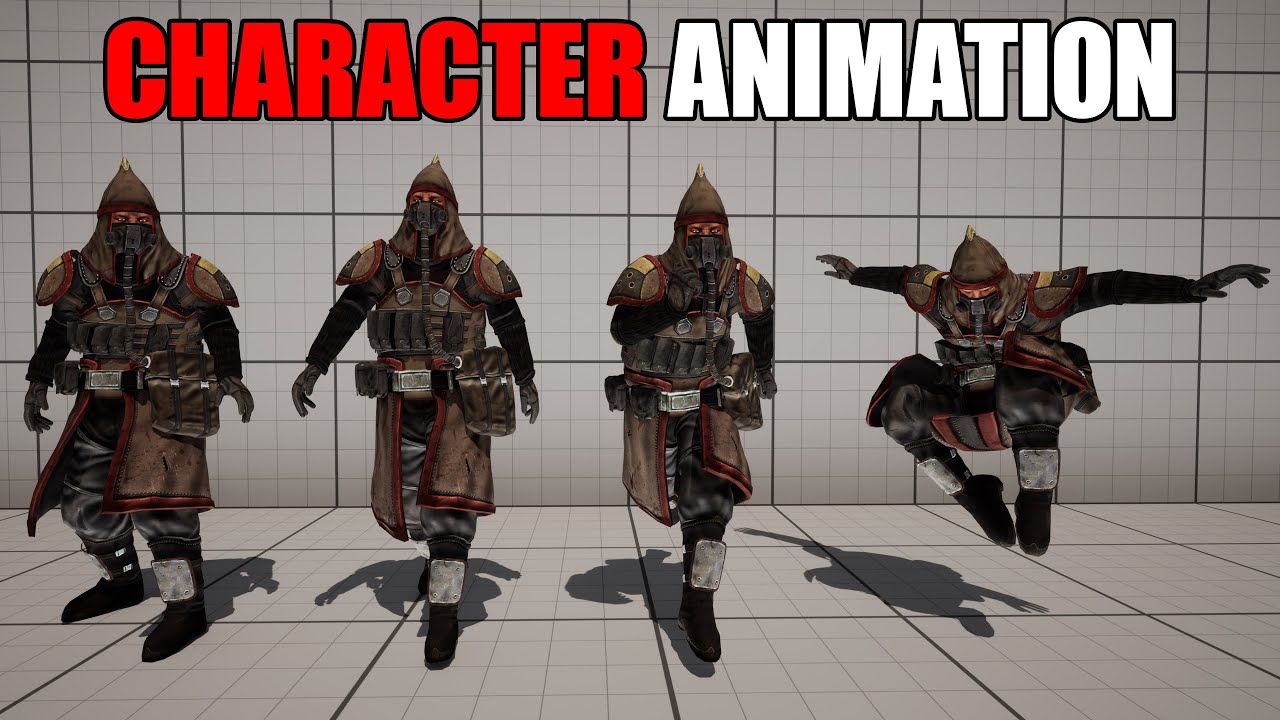
Hey guys, in today's video I'm going to be showing you how to animate a custom character inside of Unreal Engine 5.1. I will a download custom character with custom animations, and set these to work in our game.
Get access to the project files and more on my Patreon: https://www.patreon.com/MattAspland
#UE5 #UnrealEngine5 #UE5Tutorial
________...
lofty rapids
smoky solstice
How do I make the animation for my characters jump less choppy and weird?
looks like your transitions are off maybe ?
smoky solstice
this is what ive got in here but im really new im not sure what anything means really

so im not sure how to know what transitions are off or anything
lofty rapids
you might get better help in #animation
smoky solstice
ah thank you
lofty rapids
smoky solstice
this is what ive got in here but im really new im not sure what anything means r...
you see the lines going to each node ?
theres white circles there, if you double click i think it takes you to the bp for the condition
i had the same problem with a tutorial it wasn't working correctly had to make mine custom
it is structured correctly i'm just guessing your transition is wrong but i'm still learning
 cold sinew
hi, I have 28 Timers looping when beginplay .. the interval between 1 - 0.01 sec how can I optimize it please ?
I have Call time , 10 ms How can I keep timers ticking but optimized ? Thank in advance
smoky solstice
lofty rapids
theres white circles there, if you double click i think it takes you to the bp f...
yeah i did that in the tutorial but im not sure if i did something wrong at some point or something i just dont really know why its like this
if you watch the video of the jump closely its weird since the jump happens before the animation does
lofty rapids
smoky solstice
yeah i did that in the tutorial but im not sure if i did something wrong at some...

double click that circle
what does it look like in there ?
smoky solstice
 lofty rapids
what does your event graph look like ?
it must be setting is jumping at some point ?
smoky solstice
 lofty rapids
smoky solstice
lofty rapids
smoky solstice
what about the transition from jump up to jump idle ?
is it automatic ?
maybe your actual animations are weird, the jumpup and down should be short animations
smoky solstice
yeah the one between jump up and jump idle is auto
and the jump up and jump down are short animations
hoary junco
how do you get the location of a mouse cursor? I'm using a system where the player is just a camera in a set scene, and I want to be able to pick up and move an object around in the scene
I enabled mouse input, I have a system going where when I mouse over an object it shows an outline (using Actor Begin/End Cursor Over), it registers when I click on the object (using Actor On Clicked), but idk how to get the cursor's location so I can move the object to the cursor for the drag part the program clearly knows where cursor is otherwise how would the mouse over events be working?
lofty rapids
hoary junco
how do you get the location of a mouse cursor? I'm using a system where the play...

What is the Convert Mouse Location to World Space Node in Unreal Engine 4
Source Files: https://github.com/MWadstein/wtf-hdi-files
hoary junco
lofty rapids
https://www.youtube.com/watch?v=b1_efR9hrT4
I tried that already but I got a weird problem where the camera would jitter and then the mouse and its over location wouldn't line up
lofty rapids
hmm
hoary junco
like the thing would be acting like I was hovering over it even if it was to the left of the object
lofty rapids
you can do a trace
hoary junco
tried that too, same problem
hoary junco
so what happened with the line trace is it would shift the camera and cause the offset problem on click, I seem to have somewhat resolved that now, but idk what to do with the Event ActorOnClicked to tell it to detect when I'm holding down the mouse to dag the object around...
hoary junco
now I'm getting a weird problem with the physics object that I'm trying to drag.. if I use component movement to drag it anywhere it teleports to a specific location and won't move, but if I try to use actor movement to shift it then nothing happens... it's like the component and the actor are separating
 mellow dagger
Hi everyone! I am kinda new to BP and I am currently trying to implement something to my game and cant seem to figure out how to do it..! And I really tried to search for cues but with no luck! Basically, my issues goes as follow: I have a pipe with 3 holes in it. In those hose, I have a scene component. My goal is to randomly spawn stream from the hole. The steam itself is a blueprint that randomly change the stream visibility. The issues is that when i'm trying to spawn the steam at the scene component location, they all spawn there instantly. In otherwords, im trying to make it so that in a custom event, the engine pick one of the 3 hole and choose one to spawn the stream. I was trying to use an array to store the location of the scene component but it wouldnt let me (or i dont understand how to)
versed sun
mellow dagger
Hi everyone! I am kinda new to BP and I am currently trying to implement somethi...
sounds like you are close , post the code you are using
 leaden sun
How do you add localisation to data tables?
It seems possible for string tables but not data tables based on structs
gentle urchin
As long as its text fields it should be possible?
mellow dagger
I’m not on my computer anymore sadly. If I think about it later on I’ll post !
 hot lion
Hello there, trying to get a pawn to behave like a plane when a flight mode is engaged, but i got some weird dragging and I cannot seems to find a way to influence correctly my forward vector, any hint ?
versed sun
dragging like stuttering? check for colliding components like static meshes
hot lion
Nah its not colliding with anything. For example if i do not input any forward vector' as soon as the pawn fly, it looses speed on its own.
I've got air friction to 0, and been looking up as someone suggested here to some kind of drag, but i cannot find it.
I have the same problem when i feed an input vector to the actor behaving like it has massive internia and not beeing able to make sharp turns, so theres a whole system i missing i guess
 boreal condor
Hello Everyone. I have some questions regarding blueprints specifically when it comes to pawn sensing and setting up blueprints to access variables in another pawn.
 paper gate
Is there any way to see whether a for loop was aborted or completed (as in all actions were completed)? The completed output is triggered regardless of whether the loop was aborted or has been fully completed
meager igloo
So I learned Pawns can´t receive input when unpossessed, but I heard if you add a Actor Component to the blueprint that can receive input.
So now my problem is how do I get the inputs from the Actor Component in my Pawn blueprint? xD
I would change the Pawn class to Actor, but I can´t, since it is the custom FGearVehicle class that I´m using from FGear vehicle physics
heavy plinth
Does anyone have an idea how I can solve this? I’m trying to edit note text in the editor using a public array text variable and it’s working for the first line but not the next pages
lofty rapids
heavy plinth
Does anyone have an idea how I can solve this? I’m trying to edit note text in t...
whats only working for the first line ?
you only set the first page on begin play
when do you set the other page i'm guessing in the next page node ?
heavy plinth
I actually revised it so at the next note node on event interaction it increments the current page and sets the text for text box 2
When I fill out the text in the editor I make two array items (pages) and only the text from the first array item is populating in the note
lofty rapids
heavy plinth
I actually revised it so at the next note node on event interaction it increment...
so you actually set the text and it didn't change when you went to next page ?
what does that code look like ?
 faint pasture
boreal condor
Hello Everyone. I have some questions regarding blueprints specifically when it ...
faint pasture
boreal condor
Hello Everyone. I have some questions regarding blueprints specifically when it ...
aight so ask them
boreal condor
faint pasture
aight so ask them
ahh my bad yes was just confirming this was the right place to ask, ill put together some screenshots and go in depth
Question Regarding viewing pawn sense lines in the level editor.
In this video tutorial you can see the "pawn sense lines" are visible in the editor.
in my editor the pawn sense lines are not visible.
I suspect this may be because of the way I have pawn sense setup Where the pawnsense is setup in BP_AI_Pyramid, and the Default_Pyramid refrences the BP_AI inthe AI Controller Class, but I am not sure


I know the pawn sense works because if i setup a print string it spams out "pawn detected"
 jagged violet
hallo guys i'd ask you about thing anyone know or have docs for explain all blueprints in unreal 5 ?
boreal condor
jagged violet
hallo guys i'd ask you about thing anyone know or have docs for explain all blue...
Hey man i found a lot of that information here https://docs.unrealengine.com/5.0/en-US/

Complete resources for learning to use Unreal Engine 5
jagged violet
boreal condor
Hey man i found a lot of that information here https://docs.unrealengine.com/5.0...
ty man, but I don't know where I found page in docs to the full sheet fo blueprints
can you help me ?
boreal condor
jagged violet
can you help me ?
yeah im actually reading through them now trying to fix my issue
heres a direct link
https://docs.unrealengine.com/5.0/en-US/blueprints-visual-scripting-in-unreal-engine/
but in the earlier link i provided you can use the little search bar to the left over the index

Overview of using the Blueprint visual scripting system for gameplay.
jagged violet
boreal condor
yeah im actually reading through them now trying to fix my issue
heres a direct ...
first ty very much❤️❤️, secondly I want to mention my English is weak for that I found a bit tricky to search about what Iwant exactly
 mild ibex
Out of curiosity is it possible to create a macro / function that can dynamically update a wildcards type? I doubt it due to the fact that UE is C++ but Im curious if anyone has tried before
 heavy plinth
lofty rapids
so you actually set the text and it didn't change when you went to next page ?
heavy plinth
lofty rapids
so you actually set the text and it didn't change when you went to next page ?

Here's the code for the pickup blueprint
Here's the widget bleuprint
 lofty rapids
heavy plinth
lofty rapids
heavy plinth
i see your setting the text on tick, thats not working ?
 dull shell
heavy plinth
dull shell
heavy plinth
What's the end goal
dull shell
Does it change on Key press or automatically?
heavy plinth
It changes on key press using my interact interface blueprint
event interact()

The whole issue is that I don't want to use a separate button to close the note. I just think it would be more responsive if you can use the same key to interact with the memo, changing pages, and closing the memo like in the example
dull shell
Right so the problem rn is it's not changing page at all? Just shows the first one?
heavy plinth
Yeah exactly. At first I had a non-expandable note system that only let me switch between two notes but I changed the note text variable to an array so I add as many pages as I want
There's some variables you can't see let me take another screenshot
 dull shell
When you press E after opening the first page, does it print hello?
Sorry whatever the Interact button is
heavy plinth
Yeah it does. That was just a check for me earlier to fix something with the interaction
I put a new print right now to see what the current pages text is and its doing something interesting
dull shell
Make sure your Interact Input has this box checked

 hallow compass
im adding force to the main component of an actor on tick, and i would like to update the actor/root component's rotation to match the direction of the force.
But, if i try to set the rotation of the actor after the force is added, the rotation isnt applied. Is there a way to update rotation while adding force to an actor?
dull shell
Show your code
heavy plinth
trim matrix
dull shell
Make sure your Interact Input has this box checked
WTf
that's deprecated
you should never use it
heavy plinth
I'm using an blueprint interface to handle interactions so it doesn't let me check that but I know it works because I've been able to trigger widget animations when the game is paused
lofty rapids
you can check with a print string
hallow compass
dull shell
Show your code
here it is


 dull shell
trim matrix
WTf
dull shell
trim matrix
WTf
guilty of still using old input system for fast prototyping
trim matrix
hallow compass
here it is
how many actors are going to be in the world with that code?
heavy plinth
It looks like the text is being updated after the note goes away for some reason
hallow compass
trim matrix
how many actors are going to be in the world with that code?
just 1
its a little flying ai
trim matrix
I weas just wondering because if you'd use that one hundreds of actor, it wouldn't work lol
hallow compass
for some reason it used to rotate fine when using a shitty .02 timer but moving it to tick doesnt make the rotation work properly with physics?
dull shell
heavy plinth
In the video it stopped printing
heavy plinth
I'm getting so close. It's recognizing that I'm accessing the second item in the array but I dont get why it's not updating the note text 2 with the current page after it's incremented

 dull shell
heavy plinth
I'm getting so close. It's recognizing that I'm accessing the second item in the...
dull shell
heavy plinth
I'm getting so close. It's recognizing that I'm accessing the second item in the...
I think pause is the issue here. Just for testing purpose. Do not pause the game and check if it works
hallow compass
 lusty hedge
there is no point in casting to it if you're already getting it. maybe you just wanna check if its valid?
heavy plinth
When i uncheck pause game from my pickup note event
It still increments that current page but it's not updating the note text 2 for some reason
It does seem to be changing the text in the print statement properly when the game isnt paused though which is weird
lofty rapids
heavy plinth
how often are you running updatetext event ?
since you had it on tick you wouldn't even need that, but it's set to only zero
not the current one
heavy plinth
I'm not sure actually I guess only once which would be a problem
That's because the update text function is in the widget blueprint
I can reference that event in the note pickup bp though and put it on event tick
dull shell
heavy plinth
Try disconnecting the UpdateText event i dont see it being used anywhere
heavy plinth
It's being used on the event construct to point the text variables to the array
When I disconnected it, it showed the test text that I originally put in the widget text box
lofty rapids
so now you want to be able set it programmatically which for some reason wasn't working
dull shell
heavy plinth
I see 2 Text Widgets, NoteText1 and NoteText2. Are you sure the one on top is NoteText 2?
lofty rapids
atleast you got a print string value
heavy plinth
dull shell
I see 2 Text Widgets, NoteText1 and NoteText2. Are you sure the one on top is No...
That's what my widget animation is handling. When isReading? is true and the player presses the interact key again, the nextNote widget animation is activated
lusty hedge
hallow compass
there is no point in casting to it if you're already getting it. maybe you just ...
i see. in that case im not sure why my interface is not sending a message


the print does not run
hallow compass
there is no point in using an interface call to something you are already referencing
just call the send text event directly from main
dull shell
heavy plinth
That's what my widget animation is handling. When isReading? is true and the pla...
Can you show both animations
lusty hedge
2 different scripts
heavy plinth
lusty hedge
the 2nd screenshot is a different WBP
hallow compass
lusty hedge
the 2nd screenshot is a different WBP
yeah, but you have a reference to main in your main widget, so you can call events through it
lusty hedge
i dont think i explained well enough and im having a hard time doing so
lofty rapids
lusty hedge
so main is another bp ? you could check does implement interface
lusty hedge
main generates many instances of "squareWBP"
the square holds a button
i want to click that button. and send information it holds to mainWBP
i tried an interface but it doesnt even call
faint pasture
lusty hedge
i want to click that button. and send information it holds to mainWBP
how does square know who to talk to?
are you setting Main?
dull shell
heavy plinth
Did you add the Print string on Event Tick? That shows current page text
heavy plinth
Yeah that's what's popping up a bunch
lusty hedge
faint pasture
how does square know who to talk to?
it should know who to talk to because of the interface


square ^^ (both)
lofty rapids
lusty hedge
i think your using format text incorrectly
dull shell
heavy plinth
I rewatched the video. Shouldn't it be showing Test Text 2 when you changed the page? Instead it still showed Test Text 1
I believe the problem is in the animation
faint pasture
lusty hedge
show where you set Main
lusty hedge
lofty rapids
i think your using format text incorrectly
set it in square?
wrong reply
but yes engage i see that now. but i think that might be unrelated error
heavy plinth
Oh my god it works
lusty hedge
 heavy plinth
I literally spent the last week working on this 😭
dull shell
heavy plinth
Oh my god it works
Animation was the problem right?
lofty rapids
lusty hedge
but yes engage i see that now. but i think that might be unrelated error
ya it's unrelated, just mentioning it
lusty hedge
faint pasture
show where you set Main
i use a hard reference in the variables of square
 heavy plinth
@dull shell Yeah it was. I'd changed it at some point because I thought I was only gonna use one text variable

 dull shell
heavy plinth
<@286093196130385920> Yeah it was. I'd changed it at some point because I thoug...
dull shell
heavy plinth
<@286093196130385920> Yeah it was. I'd changed it at some point because I thoug...
Yeah you could also use one text too. But nice you figured it out Congrats
heavy plinth
Thanks for your help pointing that out. I really appreciate it!
dull shell
lusty hedge
That's not how it works. You need Instance reference not Class Reference
dull shell
heavy plinth
Thanks for your help pointing that out. I really appreciate it!
No problem
faint pasture
lusty hedge
i use a hard reference in the variables of square
when do you set main? When does the child get told who to talk to?
heavy plinth
My second animation does get kinda fucked up when I have a third page so I gotta figure that one out
I think I'm just gonna make a new event for switching pages that starts with a text box with no opacity
lusty hedge
dull shell
That's not how it works. You need Instance reference not Class Reference
how do i target this instance?
its not an object
dull shell
heavy plinth
My second animation does get kinda fucked up when I have a third page so I gotta...
Make a new Event in Widget BP and name it "Flip Page" it should have a Text as input. This new event will play an animation where NoteText1 fades out then after fading out Set the Text of NoteText1 and Play the Animation where the Text Fades back in.
That will be seamless without having to create animation for each page
dull shell
lusty hedge
how do i target this instance?
You have two widgets right? One where you try to call the SendText interface event. The Other "Main" that inherits that Interface?
lusty hedge
yes
one WBP called square and one called main
square is created inside main many times using a for loop
every instance of square contains a button
dull shell
Where do you create the widget "Main" whereever you create it just save it's reference and then use that reference to call the Interface event
lusty hedge
when button is clicked i want to use the interface to change a piece of text within main
dull shell
lusty hedge
square is created inside main many times using a for loop
Ohh okay
lusty hedge
dull shell
Where do you create the widget "Main" whereever you create it just save it's ref...
i understand now.
i forgot its actually being created
in a 3rd BP actor

uhg
dull shell
So when you are creating Squares in Main. Make sure to pass the Reference of Main to Square
lusty hedge
okay ill try
lofty rapids
i like to put the widgets in the hud

 lusty hedge
dull shell
So when you are creating Squares in Main. Make sure to pass the Reference of Mai...
lusty hedge
dull shell
So when you are creating Squares in Main. Make sure to pass the Reference of Mai...
^
dull shell
I think you may have to change the variable type.
lusty hedge
i thoguht so but i dont know what. its a Widget Blueprint
idk why this is the way it is ive never had these problems with interfaces
i should scrap the whole thing this is stupid. Must be an easier way
im simply sending an int from one WBP to another
heavy plinth
I'm a little confused on the setting the text as input part for the flip page custom event
And when I was doing it I realized I had to make two animations for fading in and out
dull shell
heavy plinth
I'm a little confused on the setting the text as input part for the flip page cu...
Add a new Input Variable to the custom event and
it should be Variable Type Text
dull shell
heavy plinth
And when I was doing it I realized I had to make two animations for fading in an...
You could use one. Play it Forward and Reverse
heavy plinth
Okay I made the forward and reverse animation and I added the text input variable to the custom event
Would this be replacing the note text array variable I already have setup?
dull shell
heavy plinth
Would this be replacing the note text array variable I already have setup?
No it wont

 heavy plinth
So you said set the text first, play the animation where the text fades in and out and then set the text again?
dull shell
lusty hedge
that works too lol
dull shell
heavy plinth
So you said set the text first, play the animation where the text fades in and o...
No play fade out, after Fading out completely set text, Play Fade In
heavy plinth
So there would be the need for two animations
dull shell
No just play the Fade Out Animation in reverse or if you want you can use 2 animations
heavy plinth
Oh dang I didn't even realize you could play them in reverse
Would it be like this?

 dull shell
This goes here
 mild ibex
Anyone here know how to use the instance struct from struct utils plugin? I keep seeing posts of what appears to be a dynamic struct in editor but is this a misunderstanding?


 dull shell
heavy plinth
It works!
dull shell
heavy plinth
It works!
Glad to know!
heavy plinth
dull shell
heavy plinth
Perfect!
heavy plinth
Thanks again. I really appreciate your help @dull shell
dull shell
No problem bud! Happy to help
mild ibex
mild ibex
Out of curiosity is it possible to create a macro / function that can dynamicall...
Bump 😔
faint pasture
does jumping SET your velocity or ADD to it?
if it adds to it, then you'd get the result you're seeing
hoary junco
how do you do a check in blueprints to check if a component is movable or not?
faint pasture
yeah it's probably a velocity addition
I'd dig around in the CMC to see if there's a setting
 silk cosmos
Replace the jump node with a launch character node. It does the same thing but you can override the vertical velocity which is what you're looking for
hoary junco
I was looking up a tutorial on this and it was saying after a line trace, get the hit component, and then "get mobility" then do a == comparison with "literal enum EComponentMobility" with the variable set to movable, then the result of the == goes into a branch... but when I try to do that I get this

 loud vessel
Does anyone know why would a physics constraint make the constrained object go to world location 0,0,0 ?
faint pasture
hoary junco
I was looking up a tutorial on this and it was saying after a line trace, get th...
drag off Mobility and type Switch
I'd just switch on
faint pasture
loud vessel
Does anyone know why would a physics constraint make the constrained object go t...
probably constrained to nothing
defaulting to constrained to the default transform
loud vessel
faint pasture
probably constrained to nothing
So, I do have to constrainted to something.
that something is also valid.
Yet this somehow happens.
any idea?
faint pasture
loud vessel
So, I do have to constrainted to something.
that something is also valid.
Yet th...
show your component layout and your constraint components constrained components names
loud vessel
faint pasture
show your component layout and your constraint components constrained components...
look at DM
faint pasture
loud vessel
look at DM
What are you trying to do here, telekinesis?
like Grav Gun from HL2?
loud vessel
Sure, but I pre-select the bone, in this case the "Neck".
oh and i must use physics constraint.
faint pasture
You're trying to constrain neck bone to what? A cube?
loud vessel
Sure yes, an invisible cube, which is attached to the character.
faint pasture
I'd use a physics handle
constraints are more for constraining 2 simulating things together.
A handle is basically a grabber, uses a constraint under the hood
loud vessel
It doesn't do the same required effect I wanted.
I already tried.
I want the "Neck" to be PINNED to a location in space.
and when I move that location, the neck follows it.
faint pasture
You are 100% describing a physics handle
loud vessel
The physics handle takes into consideration how heavy the object is and all of that...
so it sways and springs a lot, and even glitches for me (the character deforms)
meanwhile what I want is for the object (In this case the head) to just be following a location, while the rest of the body is the one that sways.
So no swaying or free movement for the head, just the rest of the body.
Still, it doesn't make sense why the constraint in my situation breaks... and makes the body go to world location 0.0.0
If i can fix this, I'm good.
Imagine as if II want to say "Set actor location" but for a bone.
and I do this every tick.
that's kinda what i want.
 golden kite
I ask this question, not sure whether this is the right channel: creating a dynamic NPC dialogue where you have different sequences for different sections of dialogue but you want them to blend seamlessly together. Is there a mechanism in Unreal that allows you to blend an entire animation sequence with another one at runtime? (the sequences consist of multiple actors, but always the exact same set of actors - ie: body, face and audio)
Our current method is to use interstitial montages between the sequences, but I'd like to be able to skip that since it's a bit unnatural
silk cosmos
There might be a setting in the cmc. I'm not sure. You could also just reset your vertical velocity before you jump, but at that point you're just doing the same thing as the launch character node
hoary junco
so I'm getting a weird issue where I've made a click and drag system for a physics object, but whenever I pick it up the camera goes screwy...
image 1 is viewport without picking it up
image 2 is with it picked up... the black bar at the bottom increases for some weird reason


if I run it in the standalone window the camera shifts to the right slightly...
and it doesn't just affect the camera view, while the object is picked up the mouse cursor is off to the side of where it's supposed to be
you can't see the mouse on the screenshots but the cursor was where the red mark is, when it's supposed to be lined up with the object it's picking up
 golden kite
hoary junco
so I'm getting a weird issue where I've made a click and drag system for a physi...
golden kite
hoary junco
so I'm getting a weird issue where I've made a click and drag system for a physi...
Well that's gotta be frustrating. I don't imagine you have the camera look-at targeting the object do you?
hoary junco
golden kite
Well that's gotta be frustrating. I don't imagine you have the camera look-at ta...
nope, the camera is just a static camera placed in the world set to be possessed by the player. The camera isn't meant to move in this level
main lake
Why does this code work at first then semhow it works twice even if I only pressed my "G" key once and because of that it keeps me in the GameSettings Menu instead of flip flopping, once I'm in that menu and once I'm in game. Also when in that "GameSettings" menu I have to press one of the buttons to be able to get my "G" key detected again (and it's where it calls the "Show / Hide Game Settings Menu" twice).


You can see in the top left it's being called twice even if in that menu I pressed "G" once
 golden kite
main lake
Why does this code work at first then semhow it works twice even if I only press...
golden kite
main lake
Why does this code work at first then semhow it works twice even if I only press...
When you attach a print node to the flip flop output do you see it toggle as expected?
main lake
golden kite
When you attach a print node to the flip flop output do you see it toggle as exp...
The one before the flip flop in the screenshot ? Or you want me to put one for each flip flop output ?
hoary junco
main lake
The one before the flip flop in the screenshot ? Or you want me to put one for e...
each flip flop output
honestly I've stopped using flip flops because they give me so many issues XD
golden kite
I mean, you could probably recreate the flip flop functionality as a macro and then you'd have total control. But let's make sure it's the flip flop that's not working rather than something else
Your debug print should read true, false, true, false etc every time. If not the flip-flop has flopped.
main lake
@golden kite @hoary junco
- When I press it the first time, it prints A, so that's good > It opens the "GameSettings Menu" > so all good
- when I'm in the menu, pressing G doesn't print "B" so it's like it's not detected. > I have to click one of the picture to flip its state then my "G" key is being detected again but it calls the flip flop twice and I have A and B both printed

 golden kite
I had something different in mind though - I was suggesting you run your print from the red boolean output of the flip flop.
main lake
The prints on the picture are all printed after 1 "G" key press (corresponding to the second press after the first one)
golden kite
It sounds like an event focus issue, but this is getting out of my comfort zone. My guess is that you have some kind of context in which the keypress is being listened to, but when you show the menu, then that context is lost so it's not even listening for the keypress at all...
hoary junco
main lake
The prints on the picture are all printed after 1 "G" key press (corresponding t...
for "set input mode UI only" try setting it to "set input mode game and UI"
main lake
golden kite
It sounds like an event focus issue, but this is getting out of my comfort zone....
what exactly a "context" ?
 keen fiber
Created a character BP(found it odd that UE kinda just handles all the inputs for movement) but its not affected by gravity. I can fly in whatever direction
main lake
hoary junco
for "set input mode UI only" try setting it to "set input mode game and UI"
I don't want that as I don't want my player to be able to move, attack, etc... when he's in that menu
hoary junco
main lake
I don't want that as I don't want my player to be able to move, attack, etc... w...
then disable player controller
main lake
hoary junco
then disable player controller
how ?
hoary junco
hold on gonna open up one of my other projects
hoary junco
main lake
how ?
so where do you have this code sat? like is it on the player pawn?
main lake
hoary junco
so where do you have this code sat? like is it on the player pawn?
which one ?
hoary junco
main lake
which one ?
the show/hide game settings menu
main lake
hoary junco
the show/hide game settings menu
In the BP_HUD which is the HUD class
golden kite
main lake
what exactly a "context" ?
Does the HUD go away when you open the menu? then it wouldn't receive the keypress events I think...
(Or maybe the menu consumes the event and doesn't bubble it up to the HUD)
hoary junco
main lake
In the BP_HUD which is the HUD class
ok well what you can do is put in a "get player controller" and from that "disable input" as for the target actor put in a reference to the player and hook that up
main lake
golden kite
Does the HUD go away when you open the menu? then it wouldn't receive the keypre...
huh ? how the HUD could go away ?
hoary junco
then put in an "enable input" for after you make the ui go away
golden kite
main lake
huh ? how the HUD could go away ?
I dunno man it'syour code. Just trying to throw some ideas at you to help you debug your issue
main lake
hoary junco
ok well what you can do is put in a "get player controller" and from that "disab...
If I'm not mistaking it creates an issue as it disables all inputs on the keyboard so I can't press the "G" key either 😬
hoary junco
main lake
If I'm not mistaking it creates an issue as it disables all inputs on the keyboa...
it only disables the player controller, if you have other input interfaces or if you have the key press set from outside the playercontroller class it won't disable those
main lake
hoary junco
it only disables the player controller, if you have other input interfaces or if...
In my case that key is created through an Input Action
main lake
golden kite
I dunno man it'syour code. Just trying to throw some ideas at you to help you de...
I'm just trying to understand because to me HUD is a class that handles UI stuff, so I'm not sure to understand when you say "Does the HUD go away" 🙂
golden kite
main lake
I'm just trying to understand because to me HUD is a class that handles UI stuff...
Oh, just a misunderstanding then. To me a "HUD" stands for "heads-up display" which is a kind of GUI that you see when in-game. But when the menu dialog comes up, I was wondering whether it either makes the HUD go away or maybe it steals the keyboard input (since it seems to be modal)
I think @hoary junco is probably a better resource here as I haven't done a ton with keyboard inputs
main lake
golden kite
Oh, just a misunderstanding then. To me a "HUD" stands for "heads-up display" wh...
Oh then in the HUD class I add a WB_GameHUD which is a HUD to receive all the UIs, and if you're talking about that, then no I don't modify that as it also contains other UIs that I don't want to hide like my health "Hearts". So I only modify the visibility of the vertical box containing my GameSettings menu
keen fiber
welp I tried to get back into unreal and they added this new input system which is mad confusing so I give up
hoary junco
main lake
Oh then in the HUD class I add a WB_GameHUD which is a HUD to receive all the UI...
so another thing you could do is in the section where you define what each of your inputs does, like move and attack etc, you could have a boolean variable which says "IsEnabled" and a branch coming off the event with the variable hooked up to it
something like this

then in your UI work you can cast to the blueprint where you have this code and set the IsEnabled variable to false while it's open, then true again when it's closed
but don't add this for where you define what G does
so G can still be used freely but all other controls are disabled while the UI is open
 queen dagger
so i got the ui to work @lofty rapids! thanks for the hint now i got this place where energy charges

how do i make this a charge per tick where i hold the key down and the energy charges
golden kite
queen dagger
so i got the ui to work <@910231430074859570>! thanks for the hint now i got thi...
For performance reasons, you might want to not do it on every tick, but instead use a timer - if the condition for adding an energy charge is true when the time fires, then add a certain amount of energy. This could be every 0.5 secs for example.
keen fiber
well I'm at a absolute loss why add movenment input does not move my pawn at all
queen dagger
have you selected the pawn as the controlled pawn in the game setting
so when key is pressed, time is counted and energy is added
keen fiber
queen dagger
have you selected the pawn as the controlled pawn in the game setting
yep
if I press WASD it will print out data but nothing happens
main lake
hoary junco
ok well what you can do is put in a "get player controller" and from that "disab...
Tried "Disable Input" it doesn't work properly as I still can move
hoary junco
main lake
Tried "Disable Input" it doesn't work properly as I still can move
did you try the other method I told you about?
main lake
hoary junco
did you try the other method I told you about?
which one ?
hoary junco
main lake
which one ?
queen dagger
show the bluepritn
main lake
hoary junco
https://discord.com/channels/187217643009212416/221798862938046464/1219125914848...
Not yet, but that one seems not the best in my opinion, there should be a better solution but I don't understand why it's so hard
hoary junco
main lake
Not yet, but that one seems not the best in my opinion, there should be a better...
because that's how code is, sometimes you have to take the long way around.
silk cosmos
main lake
Tried "Disable Input" it doesn't work properly as I still can move
Disable input takes in a pawn and a controller and stops input events from firing on that pawn how are you moving your player
main lake
hoary junco
because that's how code is, sometimes you have to take the long way around.
I almost have a solution with this but there's an issue of widget focus I think.
- Like when I press G to open the menu, it opens it no problem. And without clicking on anything related to the UI of that menu and pressing G again it closes the menu and gives me back my character controls > All good.
- Now when I click on anything on the UI and Press "G" again it doesn't close the GameSettingsMenu even if it's calling the event
Show / Hide Game Settings Menutwice > So not good > However if after clicking on the UI, I click on the left side where there's no UI (where the world is) and then pressing "G" it closes theShow / Hide Game Settings Menuand gives me back my controls
Do you know how to solve this "focus" issue please ?
 main lake
silk cosmos
Disable input takes in a pawn and a controller and stops input events from firin...
main lake
silk cosmos
Disable input takes in a pawn and a controller and stops input events from firin...
I know but I'm not looking to disable all the inputs as I'm using "G" to open and close my menu. So using "Disable input" will disable my ability to press "G", so I found better which are "Set Ignore Look Input" and "Set Ignore Move Input"
hoary junco
it's 4:30 AM for me so if someone else is able to take over on this issue please do so.. didn't even get my own question answered...
main lake
hoary junco
it's 4:30 AM for me so if someone else is able to take over on this issue please...
Alright thanks for your help 🙂 What's your question ? 🙂
hoary junco
#blueprint message this issue I'm getting with a shifting camera whenever I click and drag an item
 frosty heron
why would u have those black corners in the first place
are u playing sequencer or something?
hoary junco
no.. that's just how it looks in the viewport
frosty heron
hmm not sure, I don't even know how to get those black corners to appear
hoary junco
I think it's to do with the resolution of the camera actor. Like the camera is operating in 1080p but the viewport window isn't at 1080p because of the side stuff
that said I still don't understand why it shifts off to the side when I pick something up
hoary junco
frosty heron
are u playing sequencer or something?
so I found out what the issue was after hammering away at it, got rid of both the black bars and the camera movement issue
"constrain aspect ratio" if I have that turned off then it stops the issues
it was on by default, not sure why
frosty heron
hoary junco
"constrain aspect ratio" if I have that turned off then it stops the issues
Ye I know that one but afaik seen when you posses a camera
The default camera from templates r fine
Hence why I asked if u r playing a sequence
main lake
frosty heron
Hence why I asked if u r playing a sequence
Do you have a solution for my problem too please ? 🙂
frosty heron
main lake
Do you have a solution for my problem too please ? 🙂
Set input mode to UI only maybe
Why do u want the player input to work
When they are in inventory
main lake
frosty heron
Set input mode to UI only maybe
Nope as that disable keyboard inputs and i don't want that
main lake
frosty heron
Why do u want the player input to work
Because I want to open and close my menu with a keyboard keybind
frosty heron
That will disable keyboard inputs in your player character or controller
Not for Ui
main lake
frosty heron
Not for Ui
I know but it will disable "G" when I'm in the UI so I can't press it back to close it again as it will be disabled as it's not part of the UI
frosty heron
U can have UI listen to G
main lake
how ?
main lake
frosty heron
Or w.e keyboard input
Already tried that but it's calling the Show / Hide Game Settings Menu event twice for some reason
 frosty heron
No idea how what you have on your end
I would suggest debugging
In my old project I just disable moving / attacking with a macro
It just takes a series of boolean
main lake
Already tried debugging for hours still can't figure out this issue, the last issue I had which is close to the solution is a "focus" issue
frosty heron
Is in cinematic? Or is in inventory or is interacting etc etc
When inventory open, look input will be disabled
Movement etc can be restricted with a boolean
main lake
I succeeded stopping movement already now I'm stuck with this focus issue
frosty heron
What focus issue
golden kite
To me this really sounds like either a focus issue or a state-based problem. And, for what it's worth, state-based issues are the WORST to debug.
main lake
frosty heron
What focus issue
golden kite
You should really try to isolate the issue and figure out which of the two it is.
main lake
golden kite
To me this really sounds like either a focus issue or a state-based problem. And...
what do you mean by "state-based issues" ?
frosty heron
I don't know about your project
If u have multiple widgets, how I do it is, on widget hover, set focus
Call it a day
golden kite
If it's a focus issue, it means that the BP you want to receive the keypress event isn't getting it, and so the event will never fire. If it's a state-based issue it means that you have some logic that is different depending on what state the game is (ie: menu open or menu closed)
main lake
golden kite
If it's a focus issue, it means that the BP you want to receive the keypress eve...
It's the definitly the first sentence
 sage lagoon
When it comes to widgets, how do I set a keyboard or controller button to work instead of having to click on buttons?
gentle urchin
main lake
It's the definitly the first sentence
Then figure out which one does recieve focus
Widget reflector ?
sage lagoon
gentle urchin
Widget reflector ?
Widget reflector? I don't think I've heard of that, but let's see...
frosty heron
sage lagoon
When it comes to widgets, how do I set a keyboard or controller button to work i...
You can detect keyboard input with On Key Down
you have to write your own logic for the rest of the stuff
main lake
gentle urchin
Then figure out which one *does* recieve focus
How does it work ?
frosty heron
I wouldn't personally bother adding controller support
gentle urchin
Read about it @ Diversity
frosty heron
or keyboard support for selecting button
its not hard, i can totally do it caveman style
but not worth the time
sage lagoon
So this isn't something I can configure with nodes?
gentle urchin
Cavemanstyle allows for node based approach atleast
(Atleast the cave style i used)
But its frowned upon I guess
main lake
sage lagoon
So this isn't something I can configure with nodes?
Check something called "CommonUI" that's what Epic uses for Fortnite
sage lagoon
Like here?
https://docs.unrealengine.com/5.2/en-US/input-fundamentals-for-commonui-in-unreal-engine/

Learn how standard UI input systems relate to CommonUI.
@main lake
main lake
sage lagoon
Like here?
https://docs.unrealengine.com/5.2/en-US/input-fundamentals-for-common...
Yes, I suggest you watching youtube tutorials (Unreal made a long stream of more than 2hours about that)
main lake
gentle urchin
Then figure out which one *does* recieve focus
This one receives focus
 sage lagoon
gentle urchin
Cavemanstyle allows for node based approach atleast
sage lagoon
gentle urchin
Cavemanstyle allows for node based approach atleast
I'm going to sound stupid again, but what do you mean by Caveman style?
gentle urchin
main lake
This one receives focus
This should guide you.
Pie window getting focus means nothing else is gwtting it
Extend widget name, compare to expected
main lake
gentle urchin
Extend widget name, compare to expected
I'm not sure to understand 🤔
sage lagoon
Extend widget name?
gentle urchin
Thats part of the development ^ learn, test, verify, twindle in darkness.
frosty heron
 gentle urchin
sage lagoon
Extend widget name?
gentle urchin
sage lagoon
Extend widget name?
Theres 2 convos going on here at the same time, extwnding widget name in the reflector is to help Diversity see where the focus is going and where its not
sage lagoon
Print strings are your best friends when it comes to debugging. And okay, I was confused.
sage lagoon
Well...for testing, anyway.
main lake
I will go to sleep to debug my brain first, then I will see the rest later 👀
gentle urchin
sage lagoon
I'm going to sound stupid again, but what do you mean by Caveman style?
Basically not according to standards and what we're expected to use for this
Theres built in systems for handling moving between and in widgets
sage lagoon
It occurred to me that I could put in a Press Enter node, though the controls are disabled. I wouldn't want the player to move around when he's not supposed to, anyway.
Disabled during cutscenes, I mean.
gentle urchin
But they are at times clunky, so doing caveman style simplifies it alot
 sage lagoon
gentle urchin
But they are at times clunky, so doing caveman style simplifies it alot
sage lagoon
gentle urchin
But they are at times clunky, so doing caveman style simplifies it alot
Any explanations or pages or the like on that?
queen dagger
so far it just ticks one when pressed
gentle urchin
queen dagger
what node do i add to create ticks while the button 6 is pressed down
Enable tick / Gate / branch
queen dagger
ok ok
gentle urchin
Set timer is an option
gentle urchin
sage lagoon
Any explanations or pages or the like on that?
Sadly no
So its even more in the dark
sage lagoon
Just like me, I'm afraid.
gentle urchin
I used a bunch of listenforinput
Set to consume
Then i had a parent widget of focusable type, and one container parent
Which allowed me to gate all inputs at any point
Being very explicit about what this or that does when a certain element is in focus
 gentle urchin
Set actor tick rate?
Id just use a timer at that point
This isnt ticking btw. I just mentioned the options you had
sage lagoon
What if I put in a Pressed keyboard key input that enables input for only a second then disables input all over again?
Though the keyboard keys would have to be enabled first, and they are disabled during widget dialogue scenes. So that won't work.
 ionic quiver
I can't find anything on this on google, probably cause it's either stupidly easy and I'm being dumb, or stupidly complicated. lol
I'm using Orient Rotation to Movement for my character, but I want to still orient him when he can't move. I have the branch all working to stop him and check for it, but how do I set the actor rotation based on WASD input?
I'm guessing I need to create my own setup for it at this point
It's use controller rotation roll isn't it...
99% of the time after I finish asking something I figure it out. God darn it lol
queen dagger
what timer would i use and how @gentle urchin
ionic quiver
queen dagger
what timer would i use and how <@231467939734355969>
Create Timer by Event. You can set it to loop and specify how fast you want it to execute
Then hook up the event to it
Have it run on Event Begin Play
If you want it to always trigger
Or E if only during press
Then on release clear and invalidate that timer
 dim halo
I am trying to make a level where the player must create floors and navigate through the level by their creations, but I want enemies to be able to fly around, as it seems increasingly complicated to do so using a pathfinding system, would it be possible to work around this by creating a floor thats invisible and somehow coding it so that only specified entites can walk on it or is that not possible, and so the player would slip through it and enemies wouldnt?
ionic quiver
Or, if you just want it to run while being held down. Use the advanced input actions, they have hold functionality built in
queen dagger
ohhhhh
ionic quiver
dim halo
I am trying to make a level where the player must create floors and navigate thr...
So you can do that. You would do it by creating custom object channels and having those characters / floor block only each other, and everything else ignore. It's under Engine > Collision. But probably figuring out the flying would be more advised.
queen dagger
ok so i used the advacned input action is there any way i could posibly slow it dow now
ionic quiver
It's all in how you configer it
I recommend watching a youtube video on it. It can get pretty advanced based on what you need
There are tons on Advanced Input too since everyone has transitioned to it after 5.1 🙂
queen dagger
ok dope thanks for the tips man!
ionic quiver
ionic quiver
99% of the time after I finish asking something I figure it out. God darn it lol
I was wrong. It only worked while I was on the ground. Darn it! Still need to figure it out I guess.
dim halo
ionic quiver
So you can do that. You would do it by creating custom object channels and havin...
I think for the flying portion I would likely just make the creatures have a invisbile compnent to their character that is very tall and than situate the actual design higher in the air, thus simulating flying while actaully just being on the ground
queen dagger
i figured it out it was so much simplier than what i was thinking just set a delay for the action input
i feel so dumb lol
gentle urchin
We've (mostly) all been there lol
ionic quiver
It's past my bedtime and it's ugly.... but it works lol. I'll figure out a smarter / cleaner way in the morning. But prototype is a success. 🙂
 gentle urchin
Youd want nearly equal 0
ionic quiver
That wouldn't work for me if that's what you're referring to
gentle urchin
Its a float,
You generally cant rely on total equalness
Theres also an easier way to do this
Increment = (1 x up)+(3 x Right)
-2 | 1 | 4
-3 | 0 | 3
-4 | -1 | 2
Just make sure you ceil them, and add any deadzone to it
Down left is -4, upright is +4
Add 4 to the result to shift it to 0 to 8 range
Not exactly right, just almost
Fixed
heavy plinth
Hey guys I have a really difficult problem. I'm trying to figure out to make a one-way door (like a shortcut/door that leads back around) using these physics doors I've created. I also have a lock and key system already setup

Here's my code
limber parcel
heavy plinth
just make a trigger box on only 1 side of the door
heavy plinth
What would I do with the trigger box though? That's the part that confuses me
I'm actually alreaady using a trigger box so should I just move it to one side?
limber parcel
heavy plinth
What would I do with the trigger box though? That's the part that confuses me
that depends on what exactly you want to do with the door
you could use the trigger box to open the door, or to close it behind you
and to lock it
 harsh coral
Heya,
quick question:
I´ve got a pretty heavy construction script and I added a few switches to turn on visibility/hidden in game for a lot of elements, so I can control them via sequencer.
It works fine in the editor, but as soon as I create a sequence and add the blueprint to it to override these settings, it no longer updates, neither in editor nor in PIE, no matter if teh switches are animated or not.
Any idea on where to start troubleshooting?
I got no events set in the event graph, just the construction script.
These are the tick settings:

 vast finch
Good evening. Apologies if I don't reply for about a day. I'm having issues with this line trace not returning the location. In the first screenshot, you can see it's returning 0,0,0
The purpose of this is to get a vector to align the AI's muzzle to their target actor through a blend space in the anim blueprint.

 harsh coral
Heya,
quick question:
I´ve got a pretty heavy construction script and I added a ...
harsh coral
harsh coral
Heya,
quick question:
I´ve got a pretty heavy construction script and I added a ...
I mean, generally I probably do not want to update the sequence on every tick, as there are 300+skeletal meshes in there.
But at least everytime I play the sequence, it should update the animated values.
harsh coral
Is there a simple way to do this, without having to create a specific function called "update" or something, that updates ALL animatable variables, just so I can see the changes in editor directly?
main lake
When closing my menu, I can move again (so that's good) however, I can't look around and have to left click 1 time to gain control of my camera, how to solve that please ?
Same issue when I launch a session
timber crystal
Quick question: Is there a way to fix the background images in a 2D game so that they always move with the camera?
limber parcel
timber crystal
Quick question: Is there a way to fix the background images in a 2D game so that...
by attaching it to your camera
 uncut seal
i want to make a system like wrecking ball's grapple hook (overwatch), this is what I have so far...i need some help trying to make the actor swing, like some sort of way to make a limit on the grapples distance, or something?
 limber citrus
is there anyway to write into a data table from blueprint?
maybe not a data table but something else that can be exported as a csv, not sure if it's doable
 mild jacinth
Is it possible to somehow assign a specific player controller to a pawn that is being spawned, using "SpawnActor' node?
For an example I dont want to spawn a player using Player Start or Network start. I just want to spawn the actor BP itself and use 'possess' node. But as I understand it gets a totally random playercontroller, am I correct?
frosty heron
mild jacinth
For an example I dont want to spawn a player using Player Start or Network start...
what makes u think it gets a random player controller?
for single player games, you just need 1 controller anyway
so get player controller 0 is fine
mild jacinth
frosty heron
what makes u think it gets a random player controller?
Im using acf framework and acf has a pc called fullacfplayercontroller. It has some combat targeting component attached to its own pc. I am unable to use combat targeting which makes me think its the custom spawnactor nodes, because in running spawning logic from persistentmap
frosty heron
is that a plugin? it probably is, so no idea
can't tell what other people are doing with their codes
but going back to the controller
for single player anyway
get player controller 0 is fine
there will only be 1 controller in the world at all time
mild jacinth
Its an unreal engine asset framework used for creating rpg games, but i think its not getting the right pc. It would make sense because keybinds for that function are also there
I need to get specific class of pc and it would work only through player start i think?
frosty heron
is this sing;e player or multiplayer?
frosty heron
mild jacinth
Why is it not possible via bp?
there is only one controller
just get player controller 0
https://www.unrealengine.com/marketplace/en-US/product/ascent-combat-framework-c-action-rpg-creator?sessionInvalidated=true
Your best bet is probably to join their discord channel or ask the authour

Unreal Engine
Easily create your own high end Action RPG with little to no coding, Multiplayer supported.
no one can tell what's going on without having access to the code
mild jacinth
Okay but what class of pc is it? There are tons of different types. I can print debug text and see what class it is tho
frosty heron
mild jacinth
Okay but what class of pc is it? There are tons of different types. I can print ...
Get Player controller -> Print string
mild jacinth
Yes thats what im getting at. Its not related to acf. I just want to know if i can assign a specific pc when i am spawning player manually using spawnactor BP and possess nodes
frosty heron
the player controller assigned thru game mode
mild jacinth
Like gamemodes have their owb pc assigned
frosty heron
and that will be your pc
mild jacinth
So gamemode assigned in world settings is responsible for the correct PC, even when spawning manually using blueprint nodes?
frosty heron
you are assigned the player controller that you set from your game mode world setting even before you have a pawn
mild jacinth
One second
frosty heron
So all you have to do here for custom spawn, is to override the game mode the function that spawn your player, so you don't spawn thru game mode
then do your own spawn logic
and just possess
call it a day
limber parcel
uncut seal
i want to make a system like wrecking ball's grapple hook (overwatch), this is w...
unreal has thing called constraints
frosty heron
mild jacinth
So gamemode assigned in world settings is responsible for the correct PC, even w...
You are not spawning any controller btw, you are spawning a character/pawn which you posses with your controller
uncut seal
limber parcel
unreal has thing called constraints
i was looking at constraints but im not sure how I could make my component 1 the correct location, im just sending a raycast to hit anywhere in the world, so yea
mild jacinth
frosty heron
You are not spawning any controller btw, you are spawning a character/pawn which...
I got the class display name and printed it out. It is the correct one. Issue is elsewhere, thanks for info btw!
Looks like gamemode takes care of it even when manually spawning
frosty heron
mild jacinth
Looks like gamemode takes care of it even when manually spawning
wdym by manually spawning tho >_>
controller is created for u by the game mode at the start of the game
it happend behind the scene
Wether u spawn character/pawn ur self or not, doesn;t matter
that's a completly seperate action
you can spawn nothing in the world and still have a controller
limber parcel
uncut seal
i was looking at constraints but im not sure how I could make my component 1 the...
idk how exactly constraints work in unreal, but u will probably want it to hang from some sort of ball socket
uncut seal
limber parcel
idk how exactly constraints work in unreal, but u will probably want it to hang ...
i'm going to try placing an empty object at the raycast hit, and swing from that
 paper scroll
Am i missing something?

 timber crystal
limber parcel
by attaching it to your camera
timber crystal
limber parcel
by attaching it to your camera
ok thanks i try it out
 storm stream
Hello, noob here. I have a question with memory size map and widgets. My component has hard reference of UI widget (inventory), where is located preview of main character whats takes around 1 GB of memory. I dont want to commit it to memory on game start (component is attached to main character, so is loaded after start). Can find solution for my problem, but its still have some issues. If i make my hard reference UI as soft reference and then loaded before creating widget then is almost work, the issue is that takes around 1-2s for loaded and its a bad thing but only for frist one, later its open instant (so its still will be loaded infinitly in memory? how its works?). So i thoung about loading it on game start, but now i wonder if its a good thing? Summary in both ways my inventory still is loaded on start in memory, but now as soft reference. The only difference is that, my memory map is clean in Unreal (200 KB instead of 2 GB Im thinks in right way?) Now my question is, if i use soft reference and loaded in on game start, it will be diffrent than making hard reference of creating widget? It has other issues like, after some time it will be removed from memory and i will not be able to open UI? or u guys have other solusion of my problem?


 spark steppe
make a hard reference if you load it anyways
there's no point in a soft reference in that case
storm stream
some ppl on general speaks its make difference
spark steppe
that's a weak argument
storm stream
Hmm so thats size memory shows 200 KB instead of 2 GB its just unreal bug? like its dont bring soft ref intro summary?

1 gb*
 spark steppe
that's not a bug
storm stream
so whats the difference between this?
spark steppe
a soft reference isn't taken into account, unreal doesn't care if you load it
storm stream
oh
spark steppe
you use soft refs for stuff which you MAY load, not for stuff that you load 100%
storm stream
i dont want to load it on start, but it is on component whats attached to main character, how i can do it in right way?
spark steppe
so you expect to have game runs where the player doesn't open their inventory?
storm stream
so is no solusion for this? i need load another 1 GB of memory?
undone bluff
why stop the player from playing the game because of the inventory when they're likely not going to open it immediately after initialization?
versed sun
Hard Ref load the UI, but Soft Ref all the Textures/Meshes that arnt being used immediately
Big chunk of transparent beards and such
undone bluff
I hard ref the HUD, but soft ref openable menus
storm stream
in my case i loading full character intro UI (character preview)
spark steppe
having an 1GB footprint widget is your main problem

 undone bluff
you can always soft ref just that
storm stream
and this is my UI widget
storm stream
undone bluff
you can always soft ref just that
i thoung about it
but in case if another widget like skills or so has another additional MB with it becouse of images, how i can avoid this? Make HUB (Main tameplate) and loading the rest of with soft reference?
hmm i think its works. Thanks guys for explain ❤️
 white oxide
Why does my line trace by channel only apply for the first frame on event tick?
 storm stream
or block it with branch ;P
gentle urchin
(Thats the gate part)
storm stream
xD good to know
spark steppe
he asked why
not sure what is meant by first frame of the tick tho
tick happens every frame
gentle urchin
He asked why, indeed. And showed a pic of that single node, providing zero context beyond "Event tick" at all 😅 not sure what answer to expect from that
But you're right, tick hapoens every frame, so eother there's a flow gate here, or we need more context
frosty heron
gentle urchin
But you're right, tick hapoens every frame, so eother there's a flow gate here, ...
can only make educated guess at this point
🦦
gentle urchin
My funnyness doesnt always sparkle through my answers
white oxide
 frosty heron
ur trace probably works every frame
white oxide
 versed sun
white oxide
Why does my line trace by channel only apply for the first frame on event tick?
versed sun
white oxide
Why does my line trace by channel only apply for the first frame on event tick?
Maybe because it lasts 5 seconds and doesn't move ?
white oxide
did that only draws once
white oxide
Tried that too
frosty heron
send video
or just print string before / after the line trace
if you never move the points, then you wouldnt be able to visually clarify
versed sun
is Sphere Collision moving ? is Trace Distance set ?
 white oxide
 frosty heron
if it never dissapear then it always work
white oxide
Picture says a thousand words
frosty heron
there u go, it gets called every frame
u are just not able to clarify visually because the start and end point never change
white oxide
But it's only drawing for the first frame
white oxide
Yes it is.
frosty heron
hence how can u tell if it's drawing multiple times?
I don't know what yes is in this context
white oxide
No dice
white oxide
versed sun
see if that changes
 frosty heron
so it's confirmed at least
that the trace is drawn every frame
not just first time
versed sun
where is collision sphere ?
frosty heron
you just never change the location
white oxide
versed sun
where is collision sphere ?
The sphere collision is never moving
versed sun
do you want it to move ?
If you want line trace to be based of the spheres Location and rotation, and you dont move the sphere , then the linetrace wont change
frosty heron
im gonna make another educated guess with the limited info
the sphere (not the sphere collision) is transformed with local transform
you can play in Pie, move around, eject then select the comp, if the sphere actor transform remain unchanged, then that's the problem
 winged totem
Hi, i'm using this material node "PerInstanceRandom" and works fine in pc but not android.
It says The output value will be a whole number between 0 and RAND_MAX for the target platform.
How can i set that value for android?
spark steppe
are you sure that primitive data is support at all on android?
may also depend on the shader platform you target (vulkan will more likely support it)
 neon acorn
Hey all, can someone help me in understanding what exactly deactivating an actor component does? I thought deactivating the component would get the events to stop firing but it doesn't. Then what is the purpose of deactivating the component??
spark steppe
you can disable the tick for the component, which will often yield the result that you expect
neon acorn
I know about disabling the tick and it does get the tick event to stop firing but not other events
spark steppe
there's no ground truth for activate/deactive, actor components can implement those events to do their own logic
neon acorn
In my actor, I am binding to the mouse click event in the beginplay for eg,
spark steppe
do you mean event's firing for the component, or event's firing which the component subscribed to?
neon acorn
events firing that the component subscribed to, like the mouse click
spark steppe
yea i don't think that there is ANY way to disable this
neon acorn
ah! So I will just listen to the component activation/deactivation events and handle the event bindings there
spark steppe
because the event system just knows, in case of an event, fire this method on this object instance
you would need to add your own logic in activated/deactivated to subscribe/unsubscribe to the events
neon acorn
yeah, thats what I was thinking of as a "workaround" but I guess thats how things are supposed to be?
spark steppe
supposed is a strong term in that regard 😄
i guess it's rather that's whats given by the event system
it isn't aware of the fact that components could be deactivated
it doesn't even really care if the function it calls is on an actor or component or whatever
neon acorn
hmm...so there is no primary purpose for function activation state...its what we make of it
Maybe there is some performance advantage over keeping unnecessary components activated
spark steppe
some actor components may have logic there
 atomic salmon
At Actor Component level it is a virtual method. Some actors like Niagara Systems use it to decide whether they should produce a visual output or not, independently from the fact they are ticking
Handy for performance intensive actors which can still tick but not produce any output
neon acorn
Gotcha! So its there as a nice utility for child components. I think implementing it is exactly what I need
 sonic pier
Why is navigation invokers not working when i spawn an actor with navigation invoker
 brisk marsh
Hey guys, I'm new here. I have this one big question. Any help will be highly appreciated. I am trying to make a grappling hook like in Just Cause 3. What should I consider when making one, and how can I do it? Is there any physics involved? Thank you.
hallow compass
has anyone looked into the performance implications of animating a static mesh by using timelines , vs making a super simple rig for it? I need to make a bunch of simple reusable animations for static meshes in a game (chests, mechanical elements, etc) and it would be great if there was something like animation clips in unity, but that doesnt seem to be the case. There are level sequences, but they cannot be assigned to actor instances, as far i know. So I either use a bunch of timelines, lerps, or just rig it, but in that case i lose the nanite benefits. Any suggestions?
spark steppe
you don't lose the nanite benefits
you make a skeletal mesh with a plane as geometry which you hide, then you attach your static meshes to the bones
hallow compass
brisk marsh
Hey guys, I'm new here. I have this one big question. Any help will be highly ap...
as a start, you could just trace to the grappling location, and shoot a projectile to it. when the projectile lands, you lerp your character's position from where they are until the grapple location. Once you get that going you can think about physics and other cosmetics
hallow compass
spark steppe
you make a skeletal mesh with a plane as geometry which you hide, then you attac...
oh thats genius
how did i not think of that
spark steppe
that's what epic does with cars and what they did in their nanite trailer
hallow compass
thank you so much!!!
brisk marsh
Alright I'll try that and see what I can do.
white oxide
I'm having a problem with line trace rotating with the up vector of the sphere that I am moving and I want it to shoot straight down. Not be relative to the rotation of the pawn... any thoughts?

 spark steppe
yea ignore the rotation
world location as start and world location - 0, 0, 100 or smth as end
hoary junco
is there a way to create a state where an object acts like it's on a spring? Like whenever you pick it up it tries to return to a pre-defined rotation? I'm not lookin for a rotation lock because I still want it to be able to rotate, but whenever a force has stopped being applied I want it to spring back to its default position
kinda like those double doors you see in hospitals that close by themselves
white oxide
spark steppe
world location as start and world location - 0, 0, 100 or smth as end
Perfect. Thank you!
 pallid sphinx
ive got bits of gear and their stat bonuses are being managed by two structures called WeaponInfo and ArmourInfo the weapon one is working fine when i try to use it to influence player damage but the armour one is always spitting out 0 and i have no idea why
 hoary junco
pallid sphinx
ive got bits of gear and their stat bonuses are being managed by two structures ...
hoary junco
pallid sphinx
ive got bits of gear and their stat bonuses are being managed by two structures ...
where is it pulling the data from?
like can I see more about where the Armour Info stats are stored?
pallid sphinx
its pulling from a Structure
hoary junco
pallid sphinx
its pulling from a Structure
Can I see it? First thing you need to look into is the source, like is the structure where you hold the stats feeding a value into the proper place to grant it an attack bonus to begin with?
pallid sphinx

 hoary junco
pallid sphinx
hoary junco
pallid sphinx
you're pulling the info from BP_BaseArmour not BP_Top, is BP_BaseArmour have the same attack bonus as BP_Top?