#blueprint
1 messages · Page 89 of 1
 frosty heron
 dark drum
As a complete guess, I would say you're not actually doing the saving bit correctly. It might even be as simple as creating a new save game object and overriding the saved data with a blank one. Or you have everything using the same slot name which means different actors override the slot leaving incomplete data.
 queen heron
hang on, lemme look up at the project
queen heron
dark drum
As a complete guess, I would say you're not actually doing the saving bit correc...
the Create Save node might actually get fired more than once, lets see...
 ashen narwhal
Anyone know what going on here?
I am making a game which loops a dungeon but after each loop I want to improve the health of the AI but the function triggers but none of the new skeletons get the health buff.
I just get error "Accessed none trying to read property Skele Ref" (Skele ref, meaning my AI)
NOTE: the function is being triggered the manager blueprint, where I activate most events.
 queen heron
here's the part where it saves into each slot the progress from each difficulty
 queen heron
ashen narwhal
Anyone know what going on here?
I am making a game which loops a dungeon but af...
queen heron
ashen narwhal
Anyone know what going on here?
I am making a game which loops a dungeon but af...
make sure that reference node is updated
ashen narwhal
queen heron
make sure that reference node is updated
Sorry I don't understand? Like the variable isn't live?
queen heron
the Skele Ref node may become Null after looping the level
which might explain why you get that error
how are you setting it?
ashen narwhal
oh I see, I don't know in truth. I just made a object reference from where one of the skeletons was spawned.
 queen heron
here's the level blueprint of the first level that creates all the save game slots
 ashen narwhal
I should add all skeletons who get spawned to an array and then apply the health buff to the array?
queen heron
ashen narwhal
oh I see, I don't know in truth. I just made a object reference from where one o...
you need "Get All Actors of Class" and promote the array input into a variable
ashen narwhal
queen heron
you need "Get All Actors of Class" and promote the array input into a variable
Yep, I will give that a try
queen heron
you can't just set the object reference manually
the game has to find it in the level
ashen narwhal
queen heron
you can't just set the object reference manually
oh I see. Thanks for the advice, I will give it a try.
ashen narwhal
queen heron
you can't just set the object reference manually
Many thanks, by adding these nodes in, the buffs work as in intended.
 ashen narwhal
 lofty rapids
are you using the ref elsewhere ?
lofty rapids
are you using the ref elsewhere ?
I don't think so, why? I mean yes for dealing damage and updating its variables but not in this blueprint.
lofty rapids
ashen narwhal
I don't think so, why? I mean yes for dealing damage and updating its variables ...
you should be able to drag right out of the out actors, and do a foreach
the reference is kind of pointless unless you use it somewhere else
ashen narwhal
lofty rapids
you should be able to drag right out of the out actors, and do a foreach
What if I want to use it after this? I have plans to give other buffs.
Or should I just repeat the code with the new buff?
lofty rapids
ashen narwhal
What if I want to use it after this? I have plans to give other buffs.
i would get all actors anyways, i don't think that ref will be "live"
lofty rapids
ashen narwhal
Or should I just repeat the code with the new buff?
probably repeat the code if the amount of that class has changed
or you removed one, added something to the game
ashen narwhal
lofty rapids
i would get all actors anyways, i don't think that ref will be "live"
ah ok, I will remove it then and keep the BP a bit more streamline.
Thank you, good spot.
 timid rock
I have a custom gameplay tag source (ItemCategories, visible at top right), yet I cannot see any of it's tags. I have tried restarting the editor.

 lyric quiver
Will this produce the same float for both outputs?
 lofty rapids
i feal like it going to be two random numbers but idk
 dim agate
lyric quiver
Will this produce the same float for both outputs?
dim agate
lyric quiver
Will this produce the same float for both outputs?
Check by having it print the results.
timid rock
lyric quiver
Will this produce the same float for both outputs?
it will be different
 sonic crest
queen heron
here's the level blueprint of the first level that creates all the save game slo...
sonic crest
queen heron
here's the level blueprint of the first level that creates all the save game slo...
@queen heron curious question. Why have it separated like this rather than in 1 save game slot
timid rock
Any node without an input and output flow (aka a "pure" node) is recalculated every single time something asks for it
lyric quiver
ok thanks
 steady night
hey guys im using pawnsensing component how can i make it not able to se thru walls ?
queen heron
sonic crest
<@370037745042849797> curious question. Why have it separated like this rather t...
Does it not create different save files depending on the slot names?
dim agate
steady night
hey guys im using pawnsensing component how can i make it not able to se thru w...
Pawnsensing is deprecated.
steady night
@dim agate oh so whats new then ?
sonic crest
queen heron
Does it not create different save files depending on the slot names?
Answering me with a question.
Thanks
dim agate
steady night
<@280079788948062208> oh so whats new then ?
AI Perception.
steady night
@dim agate ah okey, i never seen that 1 before ill take a look at it, but im my case using pawnsensing any way to make it no se thru walls ?
dim agate
steady night
<@280079788948062208> ah okey, i never seen that 1 before ill take a look at it,...
I haven't used pawnsensing so not sure but I think you're better off restarting with AI Perception anyway.
I think if you have hearing enabled it can make it seem like it's "spotting" you through a wall, when using pawnsensing.
steady night
aye but in this case im behind a cub and it sees me
but i guess doing own logic is fair
dark drum
queen heron
Does it not create different save files depending on the slot names?
It does but it's not ideal having to create a new file just to store 1 var in it, especially when they can easily be put into a single save game object.
Stuff like your settings should really go in a single SGO, of which the slot name can just be settings.
 maiden heath
Hi guys, I have a question, is there a tutorial or documentation for doing a remote control. Because my idea is to make the "UserWidget" commands on another device (e.g. mobile phone or tablet)
frosty heron
maiden heath
Hi guys, I have a question, is there a tutorial or documentation for doing a rem...
blueprint is not the place for that imo
maiden heath
frosty heron
blueprint is not the place for that imo
you say it's more convenient in C++?
frosty heron
maiden heath
you say it's more convenient in C++?
I don't think it's possible in blueprint unless someone wrote a plugin in cpp and expose it to bp
if there is someone doing it, I really doubt there is something specific like that in market place
 spark steppe
that's a pretty vague question to begin with
you can do some network stuff with BP only tho
frosty heron
spark steppe
you can do some network stuff with BP only tho
Unreal Replication system and Http request only right?
not sure if there's something else on the menu
spark steppe
and UDP with an actor for the UDP connection
and probably there's also something for pure tcp
and there's websocket stuff, too (which kinda is tcp after all, just not raw)
 spice shell
Hey gang, I'm seeing weird results spawning an actor with a Transform set from saved data, which I saved using Get Actor Transform - it's coming out at spawn with a totally different rotation. I'm trying to debug and am seeming to find that when saving, I'm getting a Quaternion saved into the transform somehow (even though a Transform struct has a Rotator?)
Is there something I'm missing about the way that fetching a Transform works vs how it works when spawning?
 errant osprey
Hey, I'm trying to detect any objects above my character's head and below my character's feet using a sphere collider, but I wanted to know what is the best way to store those detected objects, in a set, array, or a map?
lofty rapids
i'm a big fan of arrays
 snow oasis
I was messing around with a Lightsource that was attached to my Player character blueprint, I was just kind of flipping things on to see what they did and I changed the movability to 'Static' and as you would probably guess I wasnt able to move anymore so I changed it back but when I pressed play again my character blueprint was completely broken with an warning reading "CollisionCylinder has to be 'Movable' if you'd like to move it with CharacterMovementComponent" except the Collision Cylinder was set to Movable and now for some reason my camera is displaced to the coordinates of 0,0,0 of the world space but in the Blueprint it was still using the relative location of the Capsule.


Has anyone else Encountered something like this? if so help would be appreciated.
frosty heron
you get the warning when you try to move something that is not set to "moveable". Try to show your CollisionCylinder mobility
if that's already set to moveable, look for any Instance of the class in the world. Then make sure that they are also not set to static
snow oasis
It is Set to Movable along with the ones in the the world.

I did google search it and the only related results were from a few years ago that just said it was a bug that should have been fixed with 5.1
They also said to fix it they had to copy and paste their stuff into a new Character BP which I can definitely do but if there are any shorthand fixes I'd rather try that first.
frosty heron
I am not aware of such bug or have ever encounter one. If you already set the class to moveable along with the instance placed on the editor, then I have no more clue. Hopefully someone else know
snow oasis
Its fine thanks for the Input anyways.
 dry sleet
mobility just... sucks
so many weird quirks
and bugs
but are you placing the player manually?
or spawning via Player Start?
snow oasis
I tried both and both are the same
I’ll just remake the character BP when I sit down to work on it again.
I now know not to ever fuck around with Mobility ever again.
 midnight wedge
So I have a system in place that works as such: enemies will enter a takedown state, and you hit the takedown key while aiming you throw them to the ground, pin them, and are able to shoot other enemies while they are pinned. Releasing the aim key causes you to automatically finish them off. My problem is that the animation extends out of the capsule, and thus the camera boom is displaced from the character leading to the character being either on the left or right of the screen depending on the direction you aim. I've tried messing with socket and target offsets, actual boom position, and switching to using root motion, but nothing seems to be working. Any ideas?


(Let me see if I can get a vid real quick)
queen heron
soo, this is a bit weird
the triggered wire goes where it should depending on the boolean's value
but for some reason, walk speed is run speed and run speed is walk speed

walk speed is 200 and run speed is 700
and I even set the default max walk speed to walk speed float at the event begin play
frosty heron
midnight wedge
So I have a system in place that works as such: enemies will enter a takedown st...
not saying it's the solution but root motion should drive your capsule (assuming the root is animated)
midnight wedge
frosty heron
not saying it's the solution but root motion should drive your capsule (assuming...
Normally it does, but since the animations are paired root motion causes the two to desync
queen heron
queen heron
soo, this is a bit weird
the triggered wire goes where it should depending on th...
issue is now fixed, I removed the variables from the Current output and put "Get Max Walk Speed" from the character movement instead
I still don't see why was that happening tho 🤔
midnight wedge
midnight wedge
(Let me see if I can get a vid real quick)
frosty heron
looks pretty good apart from the camera position. What if you make the collision bigger instead when doing take down? because the transition looks pretty smooth already.
midnight wedge
didnt think of that!
hmmm doesnt seem to affect anything
Attaching it to the root bone almost works, but it still feels icky (+ theres some funky fresh jitter)
 lost wolf
midnight wedge
Normally it does, but since the animations are paired root motion causes the two...
lost wolf
midnight wedge
Normally it does, but since the animations are paired root motion causes the two...
how are you pairing your animations
we call it syncing
and it doesn't really affect anything besides the fact that the slave is synced to the master's animation
midnight wedge
I have a point attached to the player character that the enemy is warped to with the correct rotation
Then both are played simultaneously
 celest trench
Does anyone know why my scope would attach like this when both the attach socket and the mesh itself are 0 on any axis for rotation? If I don't attach to the socket the orientation is fine. But the socket is 0,0,0 in the last pic so why would it end up rotating it?


 midnight wedge
lost wolf
how are you pairing your animations
midnight wedge
lost wolf
how are you pairing your animations

 celest trench
If I don't attach to socket, you can see the scope works just fine. I don't understand why the socket rotation is off even though it's all 0

 lost wolf
midnight wedge
lost wolf
midnight wedge
so the issue is that the camera stays in place when you play montage ?
midnight wedge
Yes, and root motion borks everything it seems so Im trying to find an alternative
lost wolf
a montage is not meant for gameplay animations
well
it might work
but i would expect it to have issues exactly like this
i think playing a montage is more like playing a static animation on your character mesh but does it actually move your entire actor root
because the camera should be a parent of that
midnight wedge
It only does if you have root motion enabled on your montages. I use that quite a bit for dodge and non-cancellable attacks with forward movement (a-la darksouls)
lost wolf
does that fix your issu
a synced attacked will not be cancellable
unless if you break out of the montage but then you have to deal with transitions
if you would implement a normal swiping attack with a single actor would you also do it as a montage
midnight wedge
Oh yeah its not, my b I was ramblin about stuff that doesnt apply rn
midnight wedge
lost wolf
if you would implement a normal swiping attack with a single actor would you als...
Yeah, thats how I implemented punches
 wicked ermine
Is “Ultra Dynamic Sky” the best sky and weather in the Unreal Engine 5, or is there another, better package?
midnight wedge
 lost wolf
if that animation would rotate and move your character mesh from the root position wouldn't you have the same issue that the camera would end up in a different location after playing the attack
midnight wedge
Though those all use rootmotion
midnight wedge
lost wolf
if that animation would rotate and move your character mesh from the root positi...
No, the player returns to the initial location
lost wolf
or just author your synced animation like that
wicked ermine
Is “Ultra Dynamic Sky” the best sky and weather in the Unreal Engine 5, or is there another, better package?
 thin panther
reading the #rules and not crossposting is pretty good
though I havent heard of anyone talking about anything better than UDS
It's a very highly reccomended procduct
wicked ermine
thin panther
It's a very highly reccomended procduct
Ok thanks 👍
wicked ermine
thin panther
It's a very highly reccomended procduct
What product do you recommend for forestry?
thin panther
none
 dire oyster
hey, is there a way to disable capsule rotation during root motion as I'm only interested in translations
wicked ermine
thin panther
none
What about Brushify - Forest Pack?
midnight wedge
lost wolf
try making it use root motion on the parent
It helps a bit, but theres still a bit of an offset. Also causes jitter when aiming to the right for some reason
 minor pasture
It seems that I cant get the "SkeletalMesh" component as a child of the root component when the construction script is executed in editor. I can get the rest since they're from C++. Is there any way at all be able to get the SkeletalMesh from the Root Component?
 dire oyster
my skeleton root has zero rotations but the capsule component rotates a bit when I play the animation as if to adjust to the overall animation. isn't it supposed follow the root 100% ?
frosty heron
minor pasture
It seems that I cant get the "SkeletalMesh" component as a child of the root com...
wdym?
just drag and drop skeletal mesh to construction script?
dire oyster
minor pasture
this is for an internal tool, there could be multiple skeletal meshes, I want the script to be able to just detect how many there are and go on from there
frosty heron
minor pasture
this is for an internal tool, there could be multiple skeletal meshes, I want th...
what's the actual goal here, you want to get all the skeletal mesh in the bp?
minor pasture
yes, but specifically while in the blueprint editor
frosty heron
@minor pasture
 minor pasture
that will only return components that are created in C++ when run in the constructor script on compile
frosty heron
Oh Constructor?
thought you write Construction script
well constructor runs before the game even runs
minor pasture
oops yea construction script
frosty heron
You want to ref your BP skeletal mesh component in your C++?
This is how I get ref of bp comps in my cpp.
I declare the comp in c++ but it's not set.
It get set in the construction script in the bp class

if I get what you mean
dire oyster
root's getting fractional values on export yikes 😬

 minor pasture
does it work when you just press compile?
minor pasture
this
 frosty heron
Oh yeah, it works
like why wouldn't it get your BP comp? there's no reason that it won't
 dapper nest
queen heron
soo, this is a bit weird
the triggered wire goes where it should depending on th...
dapper nest
queen heron
soo, this is a bit weird
the triggered wire goes where it should depending on th...
because you're using finterps wrong. The current value should be the player's current max walk speed, not the variables you put
queen heron
yeah.... learned that lesson.... get current value of what you're setting, not what you've prepared
 olive sedge
hi!
is there any way to get the screen size in PX of a widget?
midnight wedge
lost wolf
or just author your synced animation like that
Lezgo gamer I found an incredibly scuffed solution where I constantly update the socket offset of the camera based on the camera's yaw😎
 lost wolf
midnight wedge
Lezgo gamer I found an incredibly scuffed solution where I constantly update the...
lost wolf
midnight wedge
Lezgo gamer I found an incredibly scuffed solution where I constantly update the...
if it works it works
 topaz cave
Is the EColorVisionDeficiency defined as a BlueprintType?
Or can you not create Blueprint variables as that type?
 ancient topaz
Good afternoon, I really need some help. I want to create a single widget that displays details about the items a character interacts with. The problem is that I can't change the images in the widget, because the image variable that I have set as the image doesn't allow me to load anything from the actor into it.


 opal spindle
When I switched to my second character, my on-screen button did not work for the second character, but when I switched back to the first character, it worked.

 faint pasture
opal spindle
When I switched to my second character, my on-screen button did not work for the...
faint pasture
opal spindle
When I switched to my second character, my on-screen button did not work for the...
What type is that spider man reference?
 hushed berry
Hello! Is there a way to make this somehow work? I want to Set each button with the corresponding name, but from what I understand It won't work this way as "for each loop" executes until it finishes.

 brazen merlin
hushed berry
Hello! Is there a way to make this somehow work? I want to Set each button with ...
brazen merlin
hushed berry
Hello! Is there a way to make this somehow work? I want to Set each button with ...
use the Completed pin, not a sequence?
 sweet swan
I'm trying to dynamically set a rest collection on a GeometryCollection component in a blueprint actor and the mesh doesn't show up, even though it returns the correct asset name when logging as shown. I've seen others with this issue like in here: https://forums.unrealengine.com/t/dynamically-set-geometry-collection-chaos-physics-values/509907/9
Works fine if I set the rest collection in the component manually. Anyone have any ideas?


Epic Developer Community Forums
I’m also having this issue with dynamically setting the rest collection, it just never appears despite the logs returning the correct asset below. Works fine if I set the rest collection in the component manually.
hushed berry
brazen merlin
use the Completed pin, not a sequence?
Doesn't completed fire when the whole loop is finished? Wouldn't I have the button names set to none?
sweet swan
hushed berry
Doesn't completed fire when the whole loop is finished? Wouldn't I have the butt...
what are you trying to accomplish?
hushed berry
sweet swan
what are you trying to accomplish?
I want to get a reference to a button from one array, and assign to it a name from another array
sweet swan
it looks like you want to set the name for each of those info boxes, instead of the 2nd for each loop drag out from your Names list a get node
 hushed berry
sweet swan
it looks like you want to set the name for each of those info boxes, instead of ...
hushed berry
sweet swan
it looks like you want to set the name for each of those info boxes, instead of ...
Nice! That worked
 sweet swan
hushed berry
Nice! That worked
sweet swan
hushed berry
Nice! That worked
and make the array of Text type instead of Name type and you won't have to convert them
hushed berry
sweet swan
it looks like you want to set the name for each of those info boxes, instead of ...
Didn't see the answer but the previous message helped 😄 Thank you very much.
 junior prairie
I'm trying to apply some fixed knockback to my enemy actor, so I'm using a timeline and set actor location with some vectors to accomplish it. The issue I was running into was I wanted the actor to get knocked back through a group of the same actor (for a horde shooter), but they would sometimes clip into walls and get stuck. So I set Sweep to true, and they no longer clip into walls but now they don't go through the other actors. I ended up with something like the image below which has the actor move through the other actors but it still sometimes gets stuck in walls. Is there any better solution for this?

this is how it looks in practice, as you can see the enemies sometimes clip into the walls
 shy matrix
junior prairie
I'm trying to apply some fixed knockback to my enemy actor, so I'm using a timel...
shy matrix
junior prairie
I'm trying to apply some fixed knockback to my enemy actor, so I'm using a timel...
I feel like using a timeline for this is a bit like looking for trouble because it will keep moving your actor independently of anything else. Perhaps Launch Character would be better suited for this. In any case, to allow the hit enemy to not be blocked by other enemies you could play around with collision profiles instead of changing collision settings: during the push back you could temporarily set a collision profile that ignores only pawns.
junior prairie
shy matrix
I feel like using a timeline for this is a bit like looking for trouble because ...
I tried to work with the collision channels but they always seem to still collide with other actors no matter what I changed. I'm using the timeline mostly because a physics based knockback using Launch Character just never seemed to produce a stable, consistent result
but it's possible I just don't know how to best use it


 verbal kayak
flipped normals
junior prairie
Also I'm realizing that by setting the collision to physics only, Sweeps are no longer enabled, making checking that setting useless
 stuck sentinel
verbal kayak
flipped normals
stuck sentinel
verbal kayak
flipped normals
wdym
shy matrix
junior prairie
Also I'm realizing that by setting the collision to physics only, Sweeps are no ...
Doing it with a collision profile should work but it would require adding a custom profile also to the other enemies now that I think of it, else they will still collide
verbal kayak
faces are wrong side
stuck sentinel
how to fix
verbal kayak

Learn how to flip normals in Blender and improve your 3D modeling skills. Master techniques, avoid issues, and create better models.
also u can enable the normals facing mode in blender settings somewhere
one of those tooltip things in blue on right top corner
then it will show you what dir the faces are pointing
by default blender shows double sided material as its default mesh view
ofc, you could just enable double sided in unreal material to fix that but I think it will not apply well in all situations.
shy matrix
junior prairie
I tried to work with the collision channels but they always seem to still collid...
About launch character I know what you mean and thats kind of the point of it: you let physics handle the collision for you. Having a timeline means that no matter what is in between your start and end position, the enemy will still forcefully be pushed back. But maybe that's fine for your game, so I would first and anyway try to solve the collision issue
Was just doing some research and found this
https://docs.unrealengine.com/5.3/en-US/BlueprintAPI/Collision/IgnoreActorwhenMoving/

Ignore Actor when Moving
Maybe worth a try
junior prairie
shy matrix
About launch character I know what you mean and thats kind of the point of it: y...
Yeah for this particularly game mechanic, I wanted it to be consistent knockback that moves through other actors but doesn't go through walls
I'll try that!
shy matrix
Thing is, you'll have to most likely set this also on the other enemies, just like you would have to do with the collision profile
 sage lagoon
My latest forum post after a while:
https://forums.unrealengine.com/t/traditional-rpg-random-enemy-encounters-ue-5-3/1677390

Epic Developer Community Forums
What are some efficient ways to generate random enemy encounters on particular maps? Right now, I have one huge trigger box covering the floor of a default map (since I’m just experimenting for now). I have placed a collision box around each foot on the player character and I have the following blueprint (though it doesn’t work unless the box i...
junior prairie
shy matrix
Thing is, you'll have to most likely set this also on the other enemies, just li...
you beautiful genius!

this worked like a charm

 rich ferry
I have a system to place a decal at the endpoint of a projectile path, but it doesn't seem terribly accurate. I can verify the projectile prediction is perfect (the white line), but the decal seems to "snap" to certain positions without closely following the given location. You can see here the difference between the red ball where the projectile landed and the decal. It's not consistently off in any one direction, the inaccuracy will vary. Any ideas?


(@scarlet root wanted a look at this convo)
 waxen fog
how can i access properties of a child actor component in the parent component event graph?
rich ferry
waxen fog
how can i access properties of a child actor component in the parent component e...
The component should have a "get child actor" node, or similar
I can get you the exact name in a sec if needed
rich ferry
waxen fog
how can i access properties of a child actor component in the parent component e...
Yeah it's a blue oval node, just like grabbing any other variable

 whole jay
I know this is probably asked often, but where can I find a good resource for learning UE5 BP as a near complete beginner? My boyfriend sent me SmartPoly but then criticized him for using casting instead of interfaces and like 10x more for not being efficient etc, I'm really trying to find something that teaches Blueprint and not just specific "how to open a door using inefficient casting" tutorials (but having those in there as well is good)
thin panther
casting is by no means inefficient
rich ferry
whole jay
I know this is probably asked often, but where can I find a good resource for le...
Realistically, casting is fine as long as you're not doing it repeatedly, like on tick or something
thin panther
but the best beginner resource is in the pins of #ue5-general
thin panther
rich ferry
Realistically, casting is fine as long as you're not doing it repeatedly, like o...
even casting on tick is perfectly fine
it is not an expensive node
thin panther
it just gets heavy in memory cost if you cast to an unloaded class that contains asset references
rich ferry
ah
thin panther
as you may have guessed from the above, having a base class with no asset references, but the code you need can virtually nullify this
Interfaces are the good one when you need to decouple things, the behaviour isn't reusable enough for a component, and the functionality needs to apply to a range of base classes
for instance, interaction
whole jay
He said using interfaces is typically more efficient and better because you can call to a specific part of a blueprint, but also have a section in your character BP that is for something like, "press F to interact" and then call to that using line tracing
While smart poly had you setup an F key and cast for each individual BP
And he said "If you have a blueprint for example that's really large, and then you cast to it, it has to load it again each time your interact with it and make your game lag"
thin panther
that's not true
that load only ever happens once, if the class is unloaded, and remains for the duration of the play session
granted using casts is bad for interaction systems, but for a different reason
whole jay
When should you use casts vs interfaces? I know like, for something similar to "press F to interact" is better with interfaces

This is the code he was criticizing
The highlighted stuff I did myself
thin panther
casts are great when it can feasibly hit in your inheritance structure. Take a weapon for example, you could have a base weapon with a function called attack, and then implement it on your subclasses. Then to make your weapon attack, you may just cast to the base class and call the function.
Interfaces are good when you don't have that hierarchy. An interaction could feasibly apply to a weapon base, an NPC, a container, a vending machine, a door, a window, a vehicle etc.
An interface is better in this instance as it doesn't care what the class is
whole jay
thin panther
casts are great when it can feasibly hit in your inheritance structure. Take a w...
So like, creating a base attack function, and then casting to that blueprint and multiplying damage etc based on the specific weapon?
thin panther
sort of, though your weapons could just handle this themselves
whole jay
Could you not also do that with interfaces?
thin panther
you could but there is little point
it's more work, for something less efficient
an interface can replace a cast anywhere you want. It just shouldn't
whole jay
Why is there so much discourse with using casting? I see they have a bad rep of them creating hard references (which I don't really know what that means in terms of performance)
 lunar sleet
whole jay
Why is there so much discourse with using casting? I see they have a bad rep of ...
lunar sleet
whole jay
Why is there so much discourse with using casting? I see they have a bad rep of ...
It means nothing for you, don’t worry about it until it becomes a problem
whole jay
But you can see why this creates a block when trying to begin learning because x person says cast, z person says don't cast and use interface, and it's hard I guess to find a good point to start and which references are good or inefficient or true about it
thin panther
whole jay
But you can see why this creates a block when trying to begin learning because x...
The bad rep happens because nearly all of the people creating the tutorials are beginners, and have no clue what they're on about, or how to spot the bad in what they know
There's 0 barrier to entry to post a tutorial on YouTube
so this leads to popular myths circulating and circulating
lunar sleet
whole jay
But you can see why this creates a block when trying to begin learning because x...
Premature optimization is your enemy and the cast perf impact is overstated. If and when you get to the point of it becoming a problem, which you will determine through actual profiling rather than guessing, you can refactor your code as needed
 buoyant moat
Aside from perf hit, casting usually hints at bad design
thin panther
Hard refs can very much be a problem, when they're referencing assets. Assets are heavy. You still get the hard ref problem otherwise, but it's effects are negligable, as you're loading some extremely light things
Typically if you find yourself using a cast chain, it can be a good interface candidate. Instead of going cast to door, no, cast to chest, no, cast to player, it is a good candidate for an interface call.
Soft refs are another way to avoid the hard ref thing. If my blueprint needs to choose from 4 meshes for something, but only ever uses 1, a soft ref ensures that the only one that is loaded is the one I want at the time.
thin panther
buoyant moat
Aside from perf hit, casting usually hints at bad design
Not at all, both of those things are categorically false
verbal kayak
hmm
It all depends, there is some use for casting but yeah simple "tasks" would be interfaced
buoyant moat
I disagree.
While you can use it and there are cases where it is necessary, most of the time (and what you will end up finding in those types of tutorial) the data is not injected as a dependency. If you use composition with Actor Components or indirection via BPI, you shouldn't need to do that
thin panther
You can't fight an engine that was built on OOP
 thin panther
Inheritance and casting is fine when you use it where you're meant to
verbal kayak
yes exactly
thin panther
You obviously should put reusable behaviours in components and use interfaces for class agnostic behaviour
verbal kayak
thin panther
You obviously should put reusable behaviours in components and use interfaces fo...
👍
thin panther
But when you've got something limited to a certain type of something, it's a perfect candidate for an inheritancy chain
(though don't go too mad with that, also for performance reasons)
(super deep inheritance trees for the sake of it slow down a GetActorOfClass tenfold)
whole jay
What do you mean by an inheritance chain? What would be an example of this when using casting?
rich ferry
Yeah if you know factually that a function will only ever interact with one kind of object, casting is fine. There's nothing to be agnostic about.
verbal kayak
parent bp which has child and that child has another child an so on ->
thin panther
So basically going something like Weapon_base, Weapon_rifle_base, Weapon_SniperRifle_Base, Weapon_SniperRifle_50cal_base, etc. etc.
indirection for the point of indirection is pointless
verbal kayak
I've noticed more I use unreal engine, the less I cast 😄
thin panther
I noticed the more I use the engine, the less BP i use :P
verbal kayak
that is just awesome
rich ferry
verbal kayak
I've noticed more I use unreal engine, the less I cast 😄
Very true
lofty rapids
i cast like crazy, still have not learned interface yet
verbal kayak
c++ has only entered my picture last year 😛
rich ferry
lofty rapids
i cast like crazy, still have not learned interface yet
There's not much to learn, just read the official doc page on interfaces and you'll know how they work.
rich ferry
Yeah thats a good way to do it
verbal kayak
yeah even default unreal template bps do that
 trim matrix
lofty rapids
i try to not atleast cast on tick
trim matrix
lofty rapids
i try to not atleast cast on tick
casting on tick wouldn't be bad anyways
"Casting once or every frame don't make any difference. Casting in bp loads the object into memory already (because of the hard ref). If the object are already loaded then there is no more price to pay.
Tick is bad or Casting is bad are myths from youtubers. Check the pinned article of this channel "
lofty rapids
great because i use it all the time, and the performance isn't bad

 whole jay
So I'm watching a video by Reids Channel and what he says is that you want to use casting whenever you are having code only interact with something within a hierarchy, but to use interfaces when you want that functionality to be able to interact with things outside of a specific hierarchy, for example if you want to make it so that a projectile recolors only furniture, you would use casting, but if you wanted to be able to recolor furiture, pawns, etc to use interfaces
But the question I have is that like, in what kinds of cases would you want a functionality only to be limited to a certain hierarchy?
For example making an attack function for your weapon, wouldn't it be better to have an interface for damage instead so that you could create a variety of functions for damage?
Like fire would be outside of the weapon hierarchy
(mind you i am a beginner so if something i say doesn't make sense or seems simple i am learning  )
)
thin panther
an attack can end with an interface call
an attack doesn't mean damage though
your overriden attack on a sword means swing
your overridden attack on an RPG means shoot an explosive projectile
your overridden attack on a rifle means shoot a line trace
then you could use your damage interface on the thing you hit because damage is class agnostic, launching an attack isn't
stuck sentinel
stuck sentinel
please help
pleaseee help
trim matrix
stuck sentinel
pleaseee help
we can't help for everything... an entire car system is too big and complicated
stuck sentinel
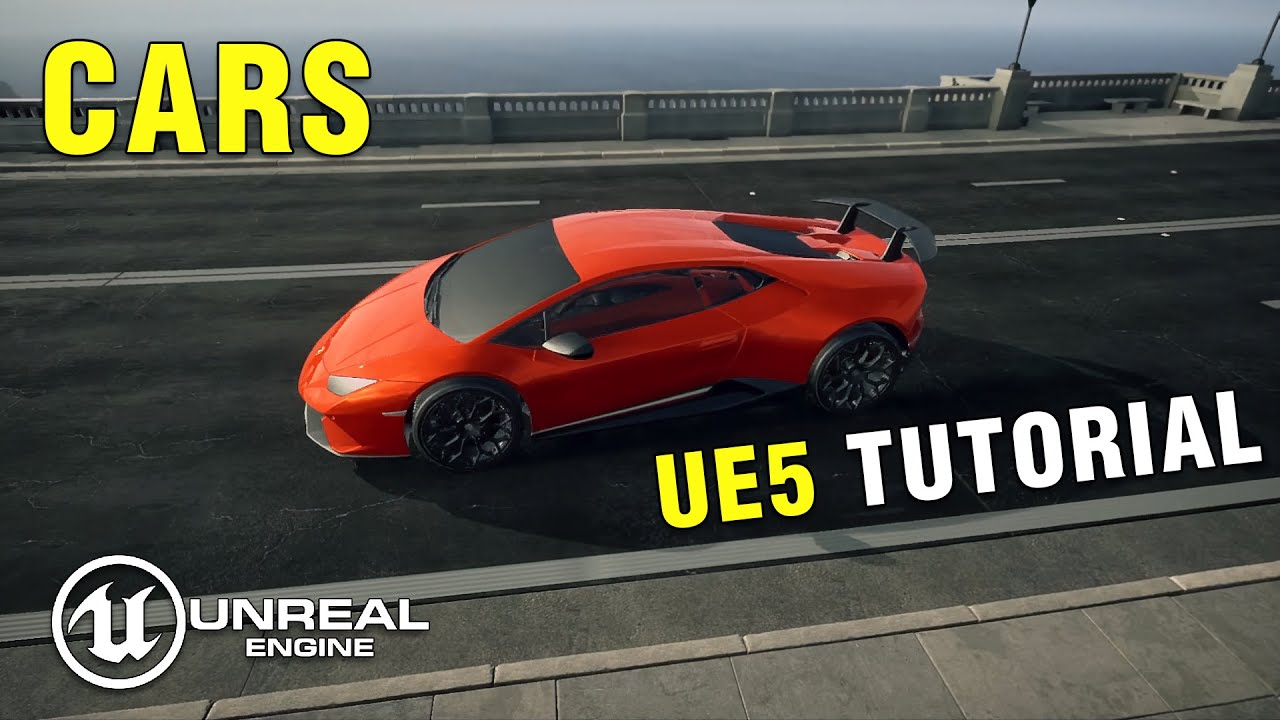
In this tutorial you will learn how to rig a vehicle/car in blender and then setup the car blueprint and chaos vehicle physics in unreal engine 5.
This is a step by step tutorial on how to make cars in unreal engine 5.
UE5 Beginner Course ► https://pinkpockettv.gumroad.com/l/UE5CinematicEnvironmentsCourse
Get this project ► https://pinkpockett...
its a 15 minute video its very simple just the collision why are the wheels going through the ground
wheels rotate correctly the car moves corretly its just that the collision is scuffed
lunar sleet
it’s very simple
lol
Collision can be quite complex, pun intended
It might not even be a collision issue. You might just need to raise the car’s mesh within its bp
 wraith loom
How do I use the Z-pin for an Input Action? The swizzle modifier allows me to use the Y-pin, but is there a way to use Z?

 foggy escarp
wraith loom
How do I use the Z-pin for an Input Action? The swizzle modifier allows me to us...
foggy escarp
wraith loom
How do I use the Z-pin for an Input Action? The swizzle modifier allows me to us...
Make sure that it's the type for 3d
wraith loom
foggy escarp
Make sure that it's the type for 3d
It is
foggy escarp
Do you have a separate input action for each direction.... Forward, right, up?
wraith loom
No, I know I could do it that way, but I it would be nice to have it all in one input action. Right now I have one input action for left right forward backward, but I want to add up and down.
foggy escarp
Keyboard?
wraith loom
Yeah
foggy escarp
So for up/down, I think it's swizzel zxy or the other one
 foggy escarp
Okay, I've done both and find it more free to have separate.
But you would choose swizzel modifier and then it gives the option with the modifier for the type.
wraith loom
foggy escarp
Okay, I've done both and find it more free to have separate.
But you would choos...
Ah okay thanks.
frosty heron
Damn this got published in official learning site?

using player character too as example 💀
 remote meteor
there are certainly good places where interface would make sense, though not alot of it..
🗿
frosty heron
Definitely but now I get where the Stop Casting myth articulates
 gentle urchin
Didnt you know that casting was bad
Which rock have you been hiding under lol
I invented the "Interface pattern ™️" to solve all casting issues forever
 silent stag
Hey, i want to create a train that follows a spline path, but from what I've seen, they often use the tick function to make the train follow the path. However, this cause performance issue. Is there a better way to make this?
gentle urchin
Tick is the best way to do it
You want to update the train every frame
To make it look smooth while moving
silent stag
this is not a answer my question
gentle urchin
Tick as an event in itself doesnt cause performance issues
Its whats put on there
And if it needs to be there
Anything interpolating smoothly must be done on tick
faint pasture
silent stag
Hey, i want to create a train that follows a spline path, but from what I've see...
The first question to answer is, do you want the thing following the spline to be in a different position every frame?
If the answer is yes, then it will be getting updated on some tick somewhere. If you don't need it to be updating all the time, just temporarily while the movement is happening over a predetermined amount of time, use a timeline.
Timeline is effectively a temporary tick with attached curves that can do things.
remote meteor
#blueprint message
gonna slap this here again and again..
faint pasture
Tick is perfectly fine and is 100% necessary for things that need to update per frame. That is pretty much the definition of tick, it is the thing that happens per frame.
When people say that using tick is bad, what they really mean is using tick for stuff that doesn't have any business being on tick is bad.
Position updates pretty much by definition want to be updated every frame
gentle urchin
You could move the workload to the gpu but
Far less control
If its many many trains and carts youd probably benefit from aggregated tick
silent stag
faint pasture
When people say that using tick is bad, what they really mean is using tick for ...
Thank you
 silent stag
gentle urchin
If its many many trains and carts youd probably benefit from aggregated tick
silent stag
gentle urchin
If its many many trains and carts youd probably benefit from aggregated tick
It's only one or two train but it's multiplayer game and when i test it with tick on my level it's effect my fps already
 solid vault
it moves forward and backward but left or right only hop in place
dark drum
silent stag
It's only one or two train but it's multiplayer game and when i test it with tic...
Then you need to look at the logic used to update the train. Are you having to do a lot of calculations to work out its new position along the spline?
gentle urchin
If its just a train and no carts that should be just about 2 vectors interpolating per train
Nothing that should chug performance
dark drum
solid vault
why does this not work ?
Use one launch node. Using two is redundant as you can just plug the Y into the first one.
solid vault
dark drum
Use one launch node. Using two is redundant as you can just plug the Y into the ...
ahh oky
silent stag
dark drum
Then you need to look at the logic used to update the train. Are you having to d...


 prisma walrus
Requesting assistance with the following: https://forums.unrealengine.com/t/creating-and-loading-a-game-save/1678158/2

Epic Developer Community Forums
I can see that with the current iteration, the player is spawning, although not in the Player POS location as he is in total darkness and is falling through the map.
dark drum
silent stag
What's the retriggerable delay for? Seems redundant as the update pin updates each tick when fired. (Also you should avoid tiny delays, I personally don't go less than 0.01)
remote meteor
prisma walrus
Requesting assistance with the following: https://forums.unrealengine.com/t/crea...
assuming your PlayerPOS is correct, you want to use its location,
unless the location is always relative to CharacterRef, you dont have to transform it
 silent stag
dark drum
What's the retriggerable delay for? Seems redundant as the update pin updates ea...
silent stag
dark drum
What's the retriggerable delay for? Seems redundant as the update pin updates ea...
thats custom event , retriggerable delay for making it like tick
dark drum
silent stag
thats custom event , retriggerable delay for making it like tick
Like tick is worse for performance than actual tick. 😉 Also, as I mentioned, the update on the timeline updates each tick anyway so what's the delay for? It looks redundant.
prisma walrus
remote meteor
assuming your PlayerPOS is correct, you want to use its location,
unless the loc...
Hi, thanks for assisting! If I change it to the following, the effect is the same unfortunately
 silent stag
dark drum
Like tick is worse for performance than actual tick. 😉 Also, as I mentioned, th...
silent stag
dark drum
Like tick is worse for performance than actual tick. 😉 Also, as I mentioned, th...
I will remove that and move all to tick function. One last question when I work on the project for more than a week, fps drops a lot. It gets fixed when I delete the save file. Is it normal for this to happen?
dark drum
silent stag
I will remove that and move all to tick function. One last question when I work...
When you say the save file are you referring to saved game data?
silent stag
dark drum
When you say the save file are you referring to saved game data?
yes

this saved
dark drum
silent stag
yes
Oh the 'Saved' folder. It's hard to say but it could be large auto saves.
prisma walrus
remote meteor
assuming your PlayerPOS is correct, you want to use its location,
unless the loc...
This is the Player POS btw (I've already tried moving it higher to no avail)
 silent stag
dark drum
Oh the 'Saved' folder. It's hard to say but it could be large auto saves.
silent stag
dark drum
Oh the 'Saved' folder. It's hard to say but it could be large auto saves.
Thank you
stuck sentinel
lunar sleet
It might not even be a collision issue. You might just need to raise the car’s m...
i am
 hexed stirrup
Hi there, is there a way to access CameraBoom's Enable Camera Rotation Lag via a blueprint?
frosty heron
hexed stirrup
Hi there, is there a way to access CameraBoom's Enable Camera Rotation Lag via a...
Should be. Get a ref to the camera boom then type it
 lusty shard
Pros and cons of game mode vs game instance for storing variables?
My understand is that game instance is for storing variables that persist between level loads, but don't really know benefits of game mode or game instance beyond that
 opaque mauve
does anybody know how do i make my player pawn appear on outliner when i press play?
ive tried various setting and filter, nothing works
does this happen on the latest update?
or is it just happening to me
shy matrix
junior prairie
ha, nice!
lusty shard
opaque mauve
does anybody know how do i make my player pawn appear on outliner when i press p...
Send a screenshot of your player spawn point in the world and a screenshot of your game mode values.
 undone sequoia
guys why this set timer on event doesnt work on my AI it works at me but on placed AI not

😄
it doest not even execute LineTrace
stuck sentinel
can i set a blueprint actor for foliage?
opaque mauve
lusty shard
Send a screenshot of your player spawn point in the world and a screenshot of yo...


is it just me?
lusty shard
opaque mauve
And what about world settings?
frosty heron
lusty shard
Pros and cons of game mode vs game instance for storing variables?
It's not even about pros and cons. Their purpose is entirely different
If you need to store something in presistence object then game instance your only choice in bp
Game mode is per level basis
It's kinda easy to know what should goes where
If you have rules for the game ( eg round limit , etc ) then game mode is the place
lusty shard
opaque mauve
isnt this what you were asking for?
World Settings is a Window option
opaque mauve


 lusty shard
frosty heron
If you need to store something in presistence object then game instance your onl...
lusty shard
frosty heron
If you need to store something in presistence object then game instance your onl...
So sounds like instance is a sublevel that stores stuff from itself between level changes? How do you tell instance to keep something between level changes?
opaque mauve
okay i dont know which is relevant, so i just screenshot it all
i hope its the one youre looking for
lusty shard
opaque mauve
Yea the game mode override there has your same lawn. Assuming you want pinventory4 as your player?
opaque mauve
lusty shard
Yea the game mode override there has your same lawn. Assuming you want pinventor...
yes
frosty heron
lusty shard
So sounds like instance is a sublevel that stores stuff from itself between leve...
Game instance is presistence object. It's created when you run your game before your level even open. It get destroyed at when you exit the game. Changing level doesn't affect game instance
gentle urchin
lusty shard
So sounds like instance is a sublevel that stores stuff from itself between leve...
game instance is more like a persistent object that exists from the start of the game to the quitting of the game
lusty shard
opaque mauve
yes
Ok and if you put print strings in pinventory4 begin play event, does it print?
gentle urchin
so anything stored in it is kept untill the game is terminated
it's unwise to try and store references there unless they're also persistent(which they mostly will not be)
but anything else is fine
lusty shard
So game instance is not really about 3d or level management of the game, but more for storing variables between level changes.
opaque mauve
lusty shard
Ok and if you put print strings in pinventory4 begin play event, does it print?
yep
it does

 gentle urchin
lusty shard
So game instance is not really about 3d or level management of the game, but mor...
gentle urchin
lusty shard
So game instance is not really about 3d or level management of the game, but mor...
it also has some built in stuff for network errors and travel errors ,
 stuck sentinel
so the paint density is max why is it so not dense
 gentle urchin
Actor rules ?
stuck sentinel
wdym
gentle urchin
scroll down a tad
on the left side menu
there should be specific density or similar there aswell
for each individual actor in the foliage painter
lusty shard
opaque mauve
Looks like your character is in the screen there
stuck sentinel
 gentle urchin
stuck sentinel
gentle urchin
stuck sentinel
there we go
stuck sentinel
what
stuck sentinel
to how much
opaque mauve
lusty shard
Looks like your character is in the screen there
ohh, i think u misunderstood my question, yes the character appears inside the game
but it doesnt appear in the outliner


here
lusty shard
opaque mauve
but it doesnt appear in the outliner
Maybe someone else can help with this.. but post a screenshot of your world outliner with a search "pinv".


 opaque mauve
lusty shard
Maybe someone else can help with this.. but post a screenshot of your world outl...
opaque mauve
lusty shard
Maybe someone else can help with this.. but post a screenshot of your world outl...
aww, okay2, but thank you for responding anyways
lusty shard
opaque mauve
That is crazy.. bottom right of world outliner, do you have any filters set?
opaque mauve
lusty shard
That is crazy.. bottom right of world outliner, do you have any filters set?
nope, i disable it all


does this happen to you? or is it happening to just me?
lusty shard
opaque mauve
does this happen to you? or is it happening to just me?
Sort of happens to me. I have a weird issue lately where my BP-character eye lid is closed in world outliner even though it is visible in the level.
From main viewport, If you press play, then f8, then click on your character, does it highlight/select in world outliner?
stuck sentinel
how do i apply collision to foliage
 lusty shard
Check only selected for your filters in world outliner and try again?
opaque mauve
omfg
its there

why is it not there by default
why is it yellow tho
any idea?
i think thats the one causing it to not appear
frosty heron
Yellow means the actor is spawned at run time
lusty shard
opaque mauve
why is it yellow tho
I think yellow is spawned stuff
 waxen gull
stuck sentinel
how do i apply collision to foliage
waxen gull
stuck sentinel
how do i apply collision to foliage
The static mesh asset requires collision shapes, and the instanced static mesh foliage requires collision to be enabled
Collision should be enabled for all channels if collision preset is set to Block all iirc
opaque mauve
lusty shard
I think yellow is spawned stuff
haha okay2, thanks2 man, i didnt know about the f8 thingy
but thank you
much appreciate it
stuck sentinel
im trying to sculpt but there is this invisible thing in the air

yo how do i reset location to 0
frosty heron
You set the location to 0
Can find most of what you need by right clicking an empty space and type something relevant
 chilly plover
Is there a way to get better debug information on errors?
 tiny meteor
depends on the error, if its in blueprint you can use blueprint debugger
 wind sentinel
Helloo, does anybody here know how I can remove a specific array element from a widget? (for example in a quest log, when the quest is completed I want to remove the quest from the quest log)
tiny meteor
you can use the remove from parent node passing in the widget reference
frosty heron
chilly plover
Is there a way to get better debug information on errors?
break points? watch list
 grizzled roost
How can a pawn check if the path from it's current location to the target is valid?
frosty heron
grizzled roost
How can a pawn check if the path from it's current location to the target is val...
Are you using NavMesh?
grizzled roost
Yes.
frosty heron
I will check my code, sec
@grizzled roost 🍝 the highlighted area gets executed when path is not valid
 grizzled roost
frosty heron
<@446689945197871145> 🍝 the highlighted area gets executed when path is not va...
grizzled roost
frosty heron
<@446689945197871145> 🍝 the highlighted area gets executed when path is not va...
That's all I needed to know, thank you so much!
trim matrix
Do tick and begin play get called on simulated proxies as well?
grizzled roost
frosty heron
<@446689945197871145> 🍝 the highlighted area gets executed when path is not va...
What's is the Tether Distance input by the way?
frosty heron
grizzled roost
What's is the Tether Distance input by the way?
No idea, I never test
maybe i can look inside
grizzled roost
frosty heron
maybe i can look inside
Documentation doesn't say anything.
As long as it doesn't affect anything if left untouched it probably doesn't matter.
Let me know if you find anything.
frosty heron
@grizzled roost Real documentation is in the source code
Finds path instantly, in a FindPath Synchronously. Main advantage over FindPathToLocationSynchronously is that * the resulting path will automatically get updated if goal actor moves more than TetherDistance away from last path node * @param PathfindingContext could be one of following: NavigationData (like Navmesh actor), Pawn or Controller. This parameter determines parameters of specific pathfinding query */

No
everyone run their own begin play
But remember that they will have a copy of the character too, so when that character exist in ther machine, begin play will get called on their machine
grizzled roost
frosty heron
Good point, I should read that more especially since I do know C++.
Does it say anything about the tether distance though?
frosty heron
Finds path instantly, in a FindPath Synchronously. Main advantage over FindPathToLocationSynchronously is that
* the resulting path will automatically get updated if goal actor moves more than TetherDistance away from last path node
* @param PathfindingContext could be one of following: NavigationData (like Navmesh actor), Pawn or Controller. This parameter determines parameters of specific pathfinding query */
thin panther
you get the benefit of seeing how things are done, but in this case, the downside of seeing the AIModule code
frosty heron
heard it's atrocious, but I wouldn't know what's bad or good 😄
grizzled roost
frosty heron
Finds path instantly, in a FindPath Synchronously. Main advantage over FindPathT...
How the fuck did I miss that while reading it?
Oh well, that does answer my question.
Thanks again.
 manic hamlet
I have a widget_blueprint called "Buff" with a variable "stacksize". I want this to "hook" somehow to the PlayerBlueprint function of "get damaged" so that it reduces the stacksize of "buff".
Gameplay example:
Player presses 1 to get Armour buff and gets 200 armor with 5 stacks. Each time player gets hit the stack should go -1 and at 0 stacks the player loses said 200armor.
How do i do this "hook"? (I assume I need to do something on "EventConstruct" that makes the "LoseArmorStack" function "listen" to the "GetDamaged" function, but how? 😄 ) pls reply or tag in response 🙂 thanks
frosty heron
manic hamlet
I have a widget_blueprint called "Buff" with a variable "stacksize". I want this...
are you fammiliar with event dispatcher?
manic hamlet
frosty heron
are you fammiliar with event dispatcher?
nope
frosty heron
well you can start learning them then, that's what you can use to hook things up
manic hamlet
but i know where to find it LOL
 manic hamlet
aight,imma google and tag you if id be lost 😄
 dull dawn
hi i have this simple code in which i have 6 transforms and i want to assign each of these transforms randomly to each of the output locations without it being ever repeated
 gentle urchin
Temp array -> random -> store random -> remove random from temp array
Continue untill array is empty
Repeat as desired
 rugged wigeon
alternatively, make the array, shuffle it, and assign each element in order
gentle urchin
Or that
dull dawn
what is the difference between shuffle and random
gentle urchin
Flawless
gentle urchin
Spyware your method is ofc easier
Less nodes -> less spaghetti-> less prone for errors 😄
dull dawn
would this work or am i missing something
 lofty rapids
dull dawn
would this work or am i missing something
lofty rapids
dull dawn
would this work or am i missing something
your missing actually assigning the locations
rugged wigeon
that also won't work because there's no reference to it, so it gets forgotten
dull dawn
oh yeah im dumb
lofty rapids
you may need to promote to variable
rugged wigeon

make this a function that is not pure, which returns the arrray
BP shuffle is annoying because it mutates the array in place and does not return a refernce to it, so your function needs to look like:
- Make the array as shown
- set that array to be a local variable in the function
- call shuffle on it
- return that local variable array
frosty heron
dull dawn
would this work or am i missing something
no point in thhat, Store your array as Squize Suggested
store first then you can shuffle
rugged wigeon
nono don't store. do it in a function. It seems very unlikely that you will ever need this array variable again, so you don't want it as a variable. you want it as a one time calculation.
lofty rapids
functions ftw
rugged wigeon
of course if I were in charge, you'd be able to make graphspace level local variables and do this in a collapsed node instead of a function because its only going to be used once... >_>
lofty rapids
id probably make a function that creates the array, shuffles it, then outputs six values you can just plug in, leave out the gets in the code.
gentle urchin
Collapsed graph vs function...
I dislike collapsed graphs
Id do function all day long
lofty rapids
i just been programming a long time, i'm used to functions and how they work
blueprint function library ftw
frosty heron
well the programmers says bp gonna be spaghetti either way
but I have spaghetti in both world
rugged wigeon
frankly thats because those programmers are bad programmers
rugged wigeon
the answer is collapsed nodes. it's always the answer. every singular task or calculation should be either a well named collapsed node if done once; or a function if done multiple times
lofty rapids
makes sense to just used collapsed if it's just a one off
rugged wigeon
functions occupy the name space and get messy. You don't want a ton of functions. It's not the end of the world, but if something is only used in one part of the codebase, it's nice to have it be right there. The purpose of collapsing is to hide the implementation details so you can just read the top level descriptor of what it's doing.
frosty heron
I mean that's a function is too anyway. You just read the name
lofty rapids
my bp looks like spaghetti sometimes but i learned to resuse variables instead of draggin from way away
helps clean up quite a bit
and i just try to keep my nodes looking clean for my own personal ability to see wtf is going on
rugged wigeon
frosty heron
I mean that's a function is too anyway. You just read the name
yes, but then the function is there in your name space and auto complete. annoying. Collapsed nodes also help you with flow control.

very nice, including use of negative space to help inform whats happening under the hood.
frosty heron
well that's true
rugged wigeon
imo almost any use of branch aside from the most obvious should leverage something like this
dull dawn
made a function and stored all transforms in a variable what do i do in the event graph

 rugged wigeon
- rename the function to something sensible
lofty rapids
dull dawn
made a function and stored all transforms in a variable what do i do in the even...
you want to return the shuffled array
rugged wigeon
^
trim matrix
bro's still on that...
rugged wigeon
and then (3), is transforms a local variable? If so, you need to add your details to make the intial values before they shuffled inside the function
rugged wigeon
trim matrix
bro's still on that...
hey man, folks are new
unless you meant me ranting about bp design >_>
 lofty rapids
i guess you don't need to return it if it's not local, if it's local you'll need to return it
but why even use the function now if the variable isn't local to the function, you have the array you can just shuffle and pull gets from it
lofty rapids
dull dawn
the idea is after you shuffle it, you can pull out the indexes, 0,1,2 etc... and they will be randoms that don't repeat
dull dawn
lofty rapids
but why even use the function now if the variable isn't local to the function, y...
thats the thing im not getting how do i add the input when there is no returning value from the shuffle and how do i return a value
rugged wigeon
you return the whole array
and then call get from the array to get element 0 then element 1 and so forth
lofty rapids
dull dawn
thats the thing im not getting how do i add the input when there is no returning...
the array shuffles in place
so you just drag from the array after you shuffle
rugged wigeon
you may ask yourself "why would it work like that? why wouldn't it return a shuffled copy of the array rather than changing it under the hood?" and you will not receive a good answer
lofty rapids
dull dawn
thats the thing im not getting how do i add the input when there is no returning...

and when you click on the function, you can set your inputs, outputs
frosty heron
@neon lion This is the difference btw.
The blue pin is AActor*
The Actor class is TSubClassOf<AActor>

 winter garnet
dull dawn
thats the thing im not getting how do i add the input when there is no returning...
winter garnet
dull dawn
thats the thing im not getting how do i add the input when there is no returning...
There are functions and functions. Some will use whatever you pass them to generate a new value; others will change these values directly. Shuffle is an example of the latter.
Take a Sum function as an example. You can pass X and Y and it gives you back a Z with the result. It's an immutable operation.
But you can also pass X, Y and Z, and make Sum apply the result into the variable Z you're passing. It's a mutable operation.
But whatever - your problem right now is not with Blueprints or Unreal Engine, but with programming in general. I'd say you'd make a better use of your time if you shift your attention trying to learn the very basics of programming rather than Unreal specifics.
dull dawn
lofty rapids
i have this here but its not taking in any value

 deft summit
has anyone combined triplanar projection with cell bombing? for me it looks good on the material editor but the landscape is a flat color .....
 neon lion
frosty heron
<@151097176544641027> This is the difference btw.
The blue pin is AActor*
The Ac...
neon lion
frosty heron
<@151097176544641027> This is the difference btw.
The blue pin is AActor*
The Ac...
thank you ❤️
winter garnet
dull dawn
i have this here but its not taking in any value
Click the Return Node node and in the Details Panel on the right you're going to see some things that allow you to add Output Values.
 dull dawn
done
 rugged wigeon
drag the shuffled array into it
 lofty rapids
yep
rugged wigeon
looks good so long as new var is populated with the right starting options
frosty heron
@lofty rapids That's why you have more performance in cpp lol
rugged wigeon
give things names
lofty rapids
well big loops in general just break bp
winter garnet
frosty heron
can't pass by ref all the time in blueprint
Is there even one single case where you can pass refs in Blueprints and expect it to work properly?
lofty rapids
frosty heron
so u make copies of your 10000 strings
hmm, interesting
frosty heron
winter garnet
Is there even one single case where you can pass refs in Blueprints and expect i...
I think so, never tried tho
sometime I see the window and there is a check box that says pass by ref
rugged wigeon
frosty heron
so u make copies of your 10000 strings
this is actually not true
dull dawn
how do i convert the array to single values
 rugged wigeon
passing by ref is usually more expensive
rugged wigeon
dull dawn
how do i convert the array to single values
drag out from the array and call "Get (a copy)"
to elaborate, passing by reference means that you need to need to look up the reference for every operation. this is much more painful than just passing the value unless the value is very large. You should NOT try to pass by ref unless you have to.
dull dawn
doesnt look optimized but this should work right
 winter garnet
rugged wigeon
to elaborate, passing by reference means that you need to need to look up the re...
winter garnet
rugged wigeon
to elaborate, passing by reference means that you need to need to look up the re...
The pointer can be cached though
lofty rapids
dull dawn
doesnt look optimized but this should work right
in theory, if your values are correct, any reason you just didn't hook up zero ?
winter garnet
dull dawn
doesnt look optimized but this should work right
For each loop
Again: save you some time and read some programming basics
winter garnet
lofty rapids
why for each ?
Why not?
dull dawn
 remote meteor
first time i hear pass by ref is usually more expensive
its only "more expensive" when the data type is less than 8 byte,
looking up, every operation also needs to look up, your cpu work with nothing if it pass by copy? lmao
dull dawn
like this
rugged wigeon
dull dawn
doesnt look optimized but this should work right
it is perfectly fine from an optimization perspective. don't do the loop
dull dawn
rugged wigeon
it is perfectly fine from an optimization perspective. don't do the loop
i see
lofty rapids
i mean to clean it up you could put the actors in an array and use the index in a loop
dull dawn
eureka it worked
lofty rapids
but the gets are probably fine
winter garnet
lofty rapids
but the gets are probably fine
Why an Array then
Don't understand you Blueprints people
lunar sleet
dull dawn
eureka it worked
From a spaghetti perspective you can promote the element to a var and clean it up if you want. Or at least use redirectors
lofty rapids
winter garnet
Why an Array then
so they can shuffle a set of numbers and get them all in a random order
remote meteor
when working with bp, the real reason to determine whether its by copy or by ref is if you want any changes to propogate back to the original, thats it.
frosty heron
@dull dawn
 lunar sleet
winter garnet
Don't understand you Blueprints people
lunar sleet
winter garnet
Don't understand you Blueprints people
Then don’t come to this channel 😛
rugged wigeon
what feels odd is that you're writing 6 assignments manually. if you needed to ever do a different number of assignments then it would need to be abstracted into sokmething different
winter garnet
lunar sleet
Then don’t come to this channel 😛
Ok NeoExcidious
lofty rapids
select node, something i have not used much
frosty heron
lofty rapids
select node, something i have not used much
Once I know it, I used it a lot
rugged wigeon
you'll usually only need to do such stuff for setups
lost wolf
rugged wigeon
what feels odd is that you're writing 6 assignments manually. if you needed to e...
spaghetti maxi
winter garnet
lunar sleet
Then don’t come to this channel 😛
What's the relation, though?
lost wolf
winter garnet
What's the relation, though?
its time to touch grass
dull dawn
frosty heron
<@300699576094949376>
nice imma follow that
winter garnet
lost wolf
its time to touch grass
It probably is
rugged wigeon
remote meteor
first time i hear pass by ref is usually more expensive
its only "more expensive...
it usually is for primitive stuff. cheaper to pass an int than a reference to an int. Also generally safer. You shouldn't be mutating an int in place.
dull dawn
i learnt a lot today thankyou all so much 😊
frosty heron
rugged wigeon
it usually is for primitive stuff. cheaper to pass an int than a reference to an...
what about string tho?
well I personally don't account to performance when I am still a beginner but when I am passing my Inventories or other big component, I will deffinitly pass it by ref whenever possible
if it's just the lightweight primitive comp then I wouldn't care
rugged wigeon
not sure off the top of my head; but my larger point was that passing by value is definitely not going to be the bottleneck of your performance.
lofty rapids
loops just break bp
because if it doesn't finish in a certain time
it says infinite
rugged wigeon
really?
winter garnet
lofty rapids
loops just break bp
lol
rugged wigeon
how much time...?
rugged wigeon
I have never encountered that. It sounds like its probably a pretty safe rule actually?
frosty heron
He is going over the limit
rugged wigeon
like, way, way too long
frosty heron
there is a number you can set in project setting
remote meteor
it really comes down whether if you need any changes back to the source
in c++ atleast, theres usually 2 ideas when it comes to looping an array of larger data type size, for example
for(auto& Item : Array) or for(const auto& Item : Array), they are both by reference, but if you dont need changes you can use the const version
frosty heron
yea like 10k by default if im not mistaken
remote meteor
also long processing wont cause infinite loop
repeatedly calling the same function does
frosty heron
remote meteor
it really comes down whether if you need any changes back to the source
in c++ a...
how to make it pure read only?
const auto& const Item?
lofty rapids
loops are just a lot slower in bp as well
lunar sleet
lofty rapids
i think the loop has to finish within a certain amount of time or it craps out
The for each loop function is made to run in one tick
remote meteor
const auto& Item this is fine for types that are larger than 8 byte, if its smaller than 8 byte, and you dont need the change propogation, then just copy it.
lofty rapids
and in c++ it doesn't time out, it just takes longer
lunar sleet
Well bp is about 10x slower so yeah
Ava they prly didn’t restrict the cpp one to 1 tick
remote meteor
also, in VS2022 you can check a type's size, im sure rider has it.
 lofty rapids
right so generating 50000 for instance i can just wait for it, but in bp it breaks
honestly i generate about 10 for a level
100 for a long level
but the idea is that i can if needed generate larger ones
and i tested the large size just to see the performance
just a, so i can if i want kind of thing
 rotund nacelle
Can you please tell me how to configure the variable vector? I get data in BP character and I want to use this data in BP actor. What should I put in the Target node? Or how should I configure the variable so it can be used in other blueprints

 lofty rapids
rotund nacelle
Can you please tell me how to configure the variable vector? I get data in BP ch...
lofty rapids
rotund nacelle
Can you please tell me how to configure the variable vector? I get data in BP ch...
well for one thing your execution isn't hooked up to the set
but you can cast to the player character on begin play
then use the reference on tick
 cobalt gulch
How do I detect if a player is a meter away from an object?
lofty rapids
cobalt gulch
How do I detect if a player is a meter away from an object?
i mean calculate the distance ?
i think unreal is in cm
remote meteor
if you can have a reference to the BP_YLW_Spirit in BP_PlayerController you can straight away set its actor location
cobalt gulch
rugged wigeon
give them a collision box and tect overlaps
I don't really wannna do it this way tho
remote meteor
adding a collision box is the last thing you want to do for an actor that moves
its worse than ticking trace
only use it if you have absolutely no choice
frosty heron
cobalt gulch
How do I detect if a player is a meter away from an object?
DistanceTo node?
rugged wigeon
I'm unclear what else you would propose to detect nearby objects.
lunar sleet
1uu == 1cm iirc
lunar sleet
rugged wigeon
I'm unclear what else you would propose to detect nearby objects.
The function
rugged wigeon
I suppose it's ok if there's exactly one player
rugged wigeon
lunar sleet
The function
called on tick? Is that really more performant than having a collision box?
remote meteor
cobalt gulch
How do I detect if a player is a meter away from an object?
could elaborate abit more on the use case? enemy detecing player? healing area? explosion aoe damage?
lunar sleet
rugged wigeon
called on tick? Is that really more performant than having a collision box?
Idk, is he using it on tick or is it called at a certain point 🤷♂️
rotund nacelle
lofty rapids
but you can cast to the player character on begin play
No, I can't
rugged wigeon
fair enough. I made assumptions.
lofty rapids
rotund nacelle
No, I can't
hmm, ok
i'm saying thats one way to get the variable cast
but i would cast on begin play, and use the reference
if you can't because it doesn't have begin play ?
remote meteor
rugged wigeon
called on tick? Is that really more performant than having a collision box?
the reason why collision box is the least performant, is when the actor moves, you have to :-
- Update Scene Location, to move the collision box
- Update Scene Collision, trace and check if there is an overlap event,
- When other actor moves, it has to check whether it has overlapped this collision
rugged wigeon
but is that worse than checking overlaps in a sphere every tick with a spheretracecast or something?
frosty heron
what's wrong with casting on tick?
lofty rapids
i don't think it's a problem, i'm just saying it would be better to use the reference from begin play imo
rugged wigeon
I could imagine some of the things you listed having some time saving cache under the hood, but I have no idea how its implemented
rugged wigeon
frosty heron
what's wrong with casting on tick?
i meant like a raycast or whatever they call it here. trace?
frosty heron
rugged wigeon
i meant like a raycast or whatever they call it here. trace?
Oh, I thought casting classes.
I heard from Adriel that raycast is pretty cheap
rotund nacelle
lofty rapids
if you can't because it doesn't have begin play ?
I may have misunderstood you. But?
 frosty heron
do it on tick no prob
rugged wigeon
nothing wrong with it per se, just checking for a thing to happen every tick is intrinsically is worse than react to an event. I'm not clear about the internals here and what compares. My gut says a stationary collision boundary should be faster than a trace every tick?
grizzled roost
frosty heron
<@446689945197871145> 🍝 the highlighted area gets executed when path is not va...
@frosty heron Interestingly enough, the IsValid node didn't give me the result I wanted, but the IsPartial node did.
I didn't even know that node even existed, or what it even does.
lofty rapids
rotund nacelle
I may have misunderstood you. But?
well for one thing you want the bp the variable is located in not playerstart
 remote meteor
rugged wigeon
nothing wrong with it per se, just checking for a thing to happen every tick is ...
remote meteor
rugged wigeon
nothing wrong with it per se, just checking for a thing to happen every tick is ...
that is correct if your actor doesnt move, and the size of the collision is small enough, not otherwise
frosty heron
grizzled roost
<@1050954229902213150> Interestingly enough, the IsValid node didn't give me the...
I can't remember, it's been long time since I used it.
But for my case I can't accept Partial path.
The A.I will still try to reach me when I am on underground level. So the A.I just got stuck on the roof
Kinda did both checks, If Is Valid (True) if IsPartial (false)
rotund nacelle
lofty rapids
it works. Thank you for explaining.
grizzled roost
frosty heron
Kinda did both checks, If Is Valid (True) if IsPartial (false)
Had to put a NOT node in front of IsPartial because it works in reverse for some reason, but it works, unlike IsValid which only worked if the player was outside the Navmesh entirely.
rugged wigeon
remote meteor
that is correct if your actor doesnt move, and the size of the collision is smal...
can you say more?
lofty rapids
rotund nacelle
I may have misunderstood you. But?
hopefully your not crossing beginplay and event tick like in this picture ?
rotund nacelle
lofty rapids
hopefully your not crossing beginplay and event tick like in this picture ?
yep
remote meteor
collision(primitive component) is a scenecomponent, whenever the actor transform is update, you will have to update the scene component's transform. for collisions, when their transform is updated, it does a trace check for overlaps/blocking. Movement on the other hand is a ticked operation, so when for example, the player moves, the capsule collision is updated and tracing whenever it's moving.
there is also another cost that when other collision moves, it has to check for surrounding collision, more collision in the area = more checks.
the more object/trace channels you have, the more heavy this operation will gets
rugged wigeon
does it have some sort of caching such that it only needs to check reasonably close collissions? or is actualyl a global search
remote meteor
this is the part i have not confirmed yet, but logically, it should be global
rugged wigeon
hmm interesting
why do you say more channels == heavier operation though?
shouldn't more channels effectively add filters to allow for fewer trace checks?
cobalt gulch
yo
frosty heron
@cobalt gulch You Load and set the save game object Once, that's it
rugged wigeon
e.g. if you're tracing something that applies to only 5% of actors, then checks are reduced 95%?
frosty heron
don't call Load From Slot ever again after loading
dire oyster
hi, how can i detect if an actor is rotating to the left or right from this?
 frosty heron
you will bring forth a new Save Game object and it's not the same as what you load previously
 frosty heron
@cobalt gulch gotta see everything again
cobalt gulch
 frosty heron
Everything including thhe save and Load function
lofty rapids
dire oyster
hi, how can i detect if an actor is rotating to the left or right from this?
possibly using dot product of the right vector
cobalt gulch
frosty heron
<@213979297000456193> You Load and set the save game object Once, that's it
how can I only do this once?
frosty heron
cobalt gulch
how can I only do this once?
Show me all the function. Save Load, etc
I will try to correct it if I can
cobalt gulch
frosty heron
Show me all the function. Save Load, etc
 remote meteor
rugged wigeon
e.g. if you're tracing something that applies to only 5% of actors, then checks ...
remote meteor
rugged wigeon
e.g. if you're tracing something that applies to only 5% of actors, then checks ...
in collisions, it would have to check for each channels and object type in the first place
dire oyster
lofty rapids
possibly using dot product of the right vector
okay thanks ill give it a shot!

 frosty heron
Init and Load is fine
lofty rapids
dire oyster
okay thanks ill give it a shot!
never tried it but dot product will tell you if it's in the same director or opposite with + - numbers, idk much about it but it seems to work out
rugged wigeon
remote meteor
in collisions, it would have to check for each channels and object type in the f...
but it would do that before checking if the geometry collides, which is more expensive presumably. So channels shouldn't be "increasing" the cost of doing a trace.
 prime fox
hello everyone, could anyone help me figure out animation blending? i am new to unreal engine. i have a created a working locomotion system walk-run-sprint-dodge and want to incorporate attack animations. problem is after i blended my attack animation to the upper body of my skeleton my character no longer moves without the attack button being pressed. any help?
frosty heron
@cobalt gulch
 rugged wigeon
prime fox
hello everyone, could anyone help me figure out animation blending? i am new to ...
rugged wigeon
prime fox
hello everyone, could anyone help me figure out animation blending? i am new to ...
attacking is not something you do with a blend. attacking is a montage.
dire oyster
lofty rapids
never tried it but dot product will tell you if it's in the same director or opp...
I dont wanna know if the actor is facing the other, I want to know whether it is turning left or right
prime fox
rugged wigeon
attacking is not something you do with a blend. attacking is a montage.
i am sorry, i created a montage for the attack anim
rugged wigeon
think of montages as one time discrete actions, and blending and animation graph stuff as a recurring state
cobalt gulch
frosty heron
<@213979297000456193>
I can't get the mouse sens variable from the save ref
 remote meteor
dire oyster
hi, how can i detect if an actor is rotating to the left or right from this?
remote meteor
dire oyster
hi, how can i detect if an actor is rotating to the left or right from this?
you can just check for positive/negative from the delta rotator
cobalt gulch
nvm i have to cast right?
lofty rapids
cobalt gulch
I can't get the mouse sens variable from the save ref
you probably want to cast, then promote to variable, instead of setting the variable and then casting, or you'll have to cast again
frosty heron
cobalt gulch
I can't get the mouse sens variable from the save ref
Show me your Save Game Object, it should contain the float variable to store the mouse sensitivy value
rugged wigeon
prime fox
i am sorry, i created a montage for the attack anim
you rigged up the slot in the anim graph?
dire oyster
remote meteor
you can just check for positive/negative from the delta rotator
something like this right?
 frosty heron
cobalt gulch
nvm i have to cast right?
frosty heron
cobalt gulch
nvm i have to cast right?
depend on the type of Save, I can't tell w/o looking at it
cobalt gulch
frosty heron
Show me your Save Game Object, it should contain the float variable to store the...
 frosty heron
cobalt gulch
frosty heron
cobalt gulch
Ok wait, this is wrong
 daring merlin
cobalt gulch
nvm i have to cast right?
daring merlin
cobalt gulch
nvm i have to cast right?
honestly would be cleaner to create a dedicated GetSaveGame func that'd handle all the casting and loading for you.
prime fox
rugged wigeon
you rigged up the slot in the anim graph?
i created an "UpperBody" slot for the attack and kept the default for the legs
frosty heron
Chhange Save variable to TheDropperSaveGame type
When you load, Load from Game slot -> Get thhe return value -> Cast to TheDropper Save game -> Set save to it
remote meteor
dire oyster
something like this right?
you could just use CompareFloat
cobalt gulch
frosty heron
Ok wait, this is wrong
 rugged wigeon
prime fox
i created an "UpperBody" slot for the attack and kept the default for the legs
rugged wigeon
prime fox
i created an "UpperBody" slot for the attack and kept the default for the legs
sounds good so far. show your anim graph where you pipe it in
brazen merlin
prime fox
i created an "UpperBody" slot for the attack and kept the default for the legs
And also set the slot in the respective montage asset?
prime fox
oke
frosty heron
cobalt gulch
No
You are setting the value to it self
what you want to do is to get the value from your game instance
cobalt gulch
 frosty heron
Get Mouse Sensitivity in GI -> Plug it to Save's Mouse sensitivity
frosty heron
cobalt gulch
cast
cobalt gulch
frosty heron
cast
 frosty heron
cobalt gulch
frosty heron
cobalt gulch
Don't forget to set Save
cobalt gulch
frosty heron
Don't forget to set Save
save after load?
 frosty heron
you should add prefix to make variables easier to read. eg BP_DropperSaveGame
prime fox
this is what i got from the tutorial i watched on anim montages
cobalt gulch
frosty heron
> `Set` **Save** Variable
 cobalt gulch
ah it doesnt work, it's not loading/saving
prime fox
yes
prime fox
brazen merlin
Did u set the bone name for your Layered Blend per Bone?
spine_01
frosty heron
cobalt gulch
ah it doesnt work, it's not loading/saving
gotta see everything again


 prime fox
brazen merlin
Why is there a slot after the layered blend node?
prime fox
brazen merlin
Why is there a slot after the layered blend node?
ill explain
remote meteor
that is for the full body slot usually
frosty heron
@cobalt gulch The slider?
frosty heron
cobalt gulch
You still haven't fix this btw
remote meteor
make sure montage is set to play in upperbody slot too
cobalt gulch
frosty heron
<@213979297000456193> The slider?
 frosty heron
still setting the value to it self
frosty heron
cobalt gulch
Ok , try to understand what you are doing here.
You are setting the Mouse Value in GI right?
So now what u want to do is to get the Mouse value in GI to the Save Game Object
prime fox
brazen merlin
Why is there a slot after the layered blend node?
so i followed a tutorial on locomotion for root motion. i set up the blend space and animation blueprint like he did and all was working fine, here is how it looked when working 100%
 frosty heron
cobalt gulch
frosty heron
cobalt gulch
Fix this one
cobalt gulch
frosty heron
Fix this one
got it! missed that aha
 frosty heron
cobalt gulch
got it! missed that aha
frosty heron
cobalt gulch
got it! missed that aha
u are already in GI right?
no need to get and cast
just get the value right away
frosty heron
Test it anyway
prime fox
brazen merlin
Why is there a slot after the layered blend node?
but the tutorial i watched on animation montaging just did so on top of the 3rd person template project, so i didnt know what i need to link exactly in the animation blueprint
cobalt gulch
frosty heron
Test it anyway
 cobalt gulch
Yep it works!
trim matrix
how does he change the mouse sensitivity? is it just the user input mapping?
cobalt gulch
There is one problem though, whenver the game is reopened and the sens was changed previously on a different save the slider defaults to a sens of 1 instead of whatever it should be on
 frosty heron
cobalt gulch
There is one problem though, whenver the game is reopened and the sens was chang...
frosty heron
cobalt gulch
There is one problem though, whenver the game is reopened and the sens was chang...
That's what I was gonna say about the visual part lol
cobalt gulch
see here it should be on the very left of the slider, instead of where it is
frosty heron
you never tell the widget to update the value on load
trim matrix
and then load it when reopening the tab
frosty heron
simply setting the float not gonna magically change your slider value
remote meteor
widget on construct, get the value from GI, set the slider value
frosty heron
You can load it anytime, just know your flow
brazen merlin
prime fox
but the tutorial i watched on animation montaging just did so on top of the 3rd ...
I do not know what is in your locomotion and dash animgraphs, BUT I dont think its relevant.... montage "interrupts" the main animation graph. Layered blend per bone is like a mask for the skeleton. How is the montage being called, in what bp, how is it setup?
trim matrix
remote meteor
widget on construct, get the value from GI, set the slider value
well, creating a widget every single time is so bad
frosty heron
@cobalt gulch #blueprint message
frosty heron
trim matrix
well, creating a widget every single time is so bad
gotta give context
trim matrix
you should hide it not creating it every time
frosty heron
I have widgets that need to be added and removed at run time
 chrome karma
hello there!!
need little help
i have a button BP that has a State Boolean and ive made an interface to connect it to another BP That checks the state of the button if active by printing hello world but its not working
prime fox
brazen merlin
I do not know what is in your locomotion and dash animgraphs, BUT I dont think i...
what would you like me to show you?
frosty heron
something like your Inventory menu, can be toggled I agree
remote meteor
trim matrix
well, creating a widget every single time is so bad
yes please, dont keep creating widgets, removing from parent and keeping the reference is good
prime fox
brazen merlin
I do not know what is in your locomotion and dash animgraphs, BUT I dont think i...
this?
 remote meteor
Pre-Construct and Construct are called when the widget is added to the viewport/playerscreen
 frosty heron
prime fox
this?
frosty heron
prime fox
this?
Trigered Run every frame, use started instead
frosty heron
cobalt gulch
That will work
prime fox
frosty heron
Trigered Run every frame, use started instead
illl try that
remote meteor
so you want to update your slider on there (open)
brazen merlin
prime fox
this?
Cool, glad its simple..ya never know... lol, lets take this to #animation channel, more appropraite
prime fox
brazen merlin
Cool, glad its simple..ya never know... lol, lets take this to <#221798806713401...
ok
trim matrix
remote meteor
so you want to update your slider on there (open)
construct = the node called: create widget...
remote meteor
triggered only runs every frame if your trigger type is Down
remote meteor
trim matrix
construct = the node called: create widget...
construct calls on adding to viewport, aka when the SWidget is actually being created
im saying you should keep the widget reference alive even if its removed from parent, and use the same widget object to add to viewport again when you need it
collapsing and setting to whatever visiblity is fine, but you would need to implement your own "init" functions
and its literally the same, and removing and adding
when it comes to redraw cost
trim matrix
remote meteor
construct calls on adding to viewport, aka when the SWidget is actually being cr...
if you remove it from parent, it's going to be completly deleted, I don't think you can work with it again
remote meteor
trim matrix
if you remove it from parent, it's going to be completly deleted, I don't think ...
only if you did not keep the object refence to the widget
trim matrix
remote meteor
only if you did not keep the object refence to the widget
it's going to give you an error if you try to use it
remote meteor
no it does not
frosty heron
trim matrix
if you remove it from parent, it's going to be completly deleted, I don't think ...
Nope, go try it. Get the ref to the widget and add to viewport again
remote meteor
widget comes in 2 parts
UWidget and SWidget
you want to keep the UWidget alive, by keeping the reference after you call CreateWidget, here is when Initialize is called
when you call AddToViewport, SWidget is only created, thus Construct is called
and when you call RemoveFromParent, only the SWidget is destroyed
trim matrix
then why when I remove from parent a widget and try to use it again, it gives me an error and I must add a check if the reference is valid
remote meteor
the UWidget is only destroyed if you dont have a hard reference to it
frosty heron
trim matrix
then why when I remove from parent a widget and try to use it again, it gives me...
can't see what you actually do. But I can remove and add anytime no problem
chrome karma
ive made something like this


need little help
i have a button BP that has a State Boolean and ive made an interface to connect it to another BP That checks the state of the button if active by printing hello world but its not working
 dusk saddle
can someone tell me why this isn't working
 frosty heron
dusk saddle
can someone tell me why this isn't working
frosty heron
dusk saddle
can someone tell me why this isn't working
The actor that it overlap with is not of type Baby_Blueprint
or the overlap never happend
print string other actor before the cast, make sure the Event is executed
dusk saddle
ugh... found it i didn't enable generate overlap events
frosty heron
@trim matrix
 trim matrix
frosty heron
<@456226577798135808>
trim matrix
frosty heron
<@456226577798135808>
does it 'cost' a lot doing that?
frosty heron
trim matrix
does it 'cost' a lot doing that?
You won't lose a frame imo but I never test
better than creating new widget again
 tender epoch
I have a question regarding copy pasting a blueprint node Export Level Sequence FBX on blueprint parent class Actor, but i am getting error it couldnt be pasted. Using UE5.2 and I am following this tutorial: https://dev.epicgames.com/community/learning/tutorials/r2RD/unreal-engine-sequencer-scripting-foundations and im referring to Importing and Exporting from Sequencer through FBX.

Epic Developer Community
This tutorial covers the foundational knowledge needed to create automation scripts for level sequences, and gives example scripts for some common workf...
trim matrix
I have never thought about that, so basically you are creating the widget 1 single time, and then adding it/removing it whenver you want. Is that correct?
trim matrix
frosty heron
better than creating new widget again
for sure
frosty heron
trim matrix
I have never thought about that, so basically you are creating the widget 1 sing...
No, I create the widget once when it's not valid
then afterward I just toggled betwen remove from parent and Add to viewport
trim matrix
frosty heron
No, I create the widget once when it's not valid
but it's never not valid? just the first time
trim matrix
okk
lofty rapids
it's pretty much creating it one time, once it's created it's in the ref so it's valid
i usually put the reference in the HUD
so that i can access it from anywhere np
frosty heron
even if you remove from parent, it never delete the widget. You can still access anything from it, as the object is still there
to properly "delete" widget, you need to remove it from parent then set the ref to null
when the widget is unreachable it will be garbage collected
cobalt gulch
Hi folks i'm not sure if this is the correct channel but how can I display an animated material inside the widget?
remote meteor
cobalt gulch
Hi folks i'm not sure if this is the correct channel but how can I display an an...
a UImage can accept a Material that has a domain of User Interface, if that is what you need..
cobalt gulch
remote meteor
a `UImage` can accept a Material that has a domain of User Interface, if that is...
How can I use one of these premade materials within the ui? It doesn't seem to work properly for me

 trim matrix
dusk saddle
trim matrix
dusk saddle
stoping a reference doesn't work... bruh
frosty heron
cobalt gulch
How can I use one of these premade materials within the ui? It doesn't seem to w...
The material must be User Interface domain. If you need to see reference of UI Materials, I suggest to download UI Material Lab from Sample Project
dusk saddle
trim matrix
stoping a reference doesn't work... bruh
how do i stop a sound though
frosty heron
dusk saddle
how do i stop a sound though
You can make audio component in the BP then store a reference to it.
When you want to stop the sound, you get the audio comp variable -> Stop
 timid rune
Does anyone know why setting the input key selector style during runtime makes it invisible no matter what the settings are, and then causes the game to crash when clicked? I tried to set the text style and that works just fine.
 wooden cave
this is the default chaos vehicle template, this only makes me able to look left-right, ive tried also adding to the input mapping context the desired mouse rotations and doesnt matter what i try, i cant figure out how to make the camera look all directions, sames as a racing game camera would do

 lofty rapids
wooden cave
this is the default chaos vehicle template, this only makes me able to look left...
lofty rapids
wooden cave
this is the default chaos vehicle template, this only makes me able to look left...

 wooden cave
if change the last one from "axis1d" to "axis2d" it doesnt like it, this is the error i've been facing
 lofty rapids
wooden cave
if change the last one from "axis1d" to "axis2d" it doesnt like it, this is the ...
lofty rapids
wooden cave
if change the last one from "axis1d" to "axis2d" it doesnt like it, this is the ...
maybe refresh, but what does the error say ?
right click, refresh node if you can
wooden cave
 frosty heron
Break the action value
wooden cave
i did click refresh and error still happening
thin panther
 lofty rapids
it's invalid types
wooden cave
now camera wont rotate even left-right
frosty heron
wooden cave
yeah i breaked that link
Show pic
lofty rapids
right because you need to use the values, but you should have two axis
 lofty rapids
that's fine it's just not plugged in
thin panther
well yeah, you've not told it to move any
frosty heron
wooden cave
just breaked the link for action value
Drag the action value to empty space. Type break
wooden cave
so like this should be correct, right?
 wooden cave
yeah camera aint moving any axis
frosty heron
Plug one of the axis to yaw
Btw u can create a third person template and copy what they have
thin panther
much simpler
wooden cave
this now moves camera left-right but none of the other axis work
 thin panther
third person template is one of the few with good C++ code too
thin panther
wooden cave
this now moves camera left-right but none of the other axis work
well yes, you haven't plugged in any other axis
frosty heron
wooden cave
this now moves camera left-right but none of the other axis work
Ye cuz u always set the other 2 axis to 0
wooden cave
thin panther
well yes, you haven't plugged in any other axis
you didnt get me there
i meant, plugging the other action value into either of the rest ones
doesnt do anything
 thin panther
controller input is definitely the proper way to handle this
lofty rapids
wooden cave
doesnt do anything
try to print string the values, see if they are working
thin panther
calls to set rotation are overriden by controller rotation
trim matrix
wooden cave
doesnt do anything
put the y with the y
wooden cave
thin panther
controller input is definitely the proper way to handle this
then why tf default ue bp its not using it xD
frosty heron
Adding local rotation sounds wrong too
wooden cave
trim matrix
put the y with the y
i tried xD, doesnt work
trim matrix
what are you trying to rotate?
frosty heron
@wooden cave #blueprint message
Copy this exactly. Change your node
trim matrix
use the free template lol
thin panther
then make sure you're inheriting controller rotation on the pawn