#blueprint
1 messages · Page 67 of 1
 zealous moth
 dark drum
I'm not the best when it comes to material stuff but you can set the physics material on the material itself. I would imagine if you're then blending between two different materials it'll use the relevant physics material. (I could be wrong though)
I believe there's a physical material mask node in the material editor.
 normal fjord
Can I do different code behaviors depending on the surface physics material by itself? Or do I gotta have a switch case somewhere that addresses all physics materials
 crystal crown
does it matter if i cast to parent class on tick?
dark drum
normal fjord
Can I do different code behaviors depending on the surface physics material by i...
You can do a line trace to get what the character is standing on which can return its physical material. You could choose to do something based on the physics material if you wanted.
dark drum
crystal crown
does it matter if i cast to parent class on tick?
What do you mean by parent class? As in you have a child of an actor that you're casting to the patent?
crystal crown
casting from actor component to pawn class
 thin panther
That cast will always fail?
A pawn is never an actor component
crystal crown
no it doesnt
 thin panther
Realistically yeah it should be. Give it a profile if you wanna be sure
 plain lichen
hello, how can I improve this "blueprint" to actually include checking if the player is moving backwards when the "free look" button (so rmb) is pressed? Right now what happens is... well, this, in the video below (basically some kind of "moonwalking" + random camera movement + the character faces you and moves backwards)
the blueprint part of the screen is basically "right side" of it included in this video https://youtu.be/4mij-t_x8G4


Here is the new fixed and updated way of creating a free look camera system in Unreal Engine 5 that allows you to independently move the camera without changing which direction the player is moving in.
Get access to the project files and more on my Patreon: https://www.patreon.com/MattAspland
#UE5 #UnrealEngine5 #UE5Tutorial
__________________...
crystal crown
i guess i can put it on a timer, it doesnt have to be so fast
 thick prairie
Guys, how do i find/reference an owner of spawned actor (I'm making a unit spawner, and i want to send an info to the spawner when a unit dies)?
 versed shore
hey does anyone know how on event to reset character positions? I have many characters that given some event (either to the character or externally), resets all character positions to a certain spot
thick prairie
@versed shore wouldn't a save system solve that problem?
 broken wadi
versed shore
hey does anyone know how on event to reset character positions? I have many char...
broken wadi
versed shore
hey does anyone know how on event to reset character positions? I have many char...
Any of these nodes will do that except the first one doesn't handle rotation.

The transform is location, rotation and scale
versed shore
broken wadi
Any of these nodes will do that except the first one doesn't handle rotation.
ooo thats what I need. Thank you!!
 fiery oracle
Hi i need help im following SmartPoly ue5 Multiplayer Survival Game cours. my problem is with the inventory systhem. I know the item is added to the array but it does not show up in the inventory Ui. Ive cherch for hours now and idk what to do
 alpine gulch
thick prairie
Guys, how do i find/reference an owner of spawned actor (I'm making a unit spawn...
alpine gulch
thick prairie
Guys, how do i find/reference an owner of spawned actor (I'm making a unit spawn...
Is this not sufficient?

 lofty rapids
fiery oracle
Hi i need help im following SmartPoly ue5 Multiplayer Survival Game cours. my pr...
lofty rapids
fiery oracle
Hi i need help im following SmartPoly ue5 Multiplayer Survival Game cours. my pr...
so your using the array to display the items ?
thick prairie
@alpine gulch I tried that, but it doesnt work for me :/
thin panther
You'd need to pass it in. Your unit spawner isn't actually the owners just because it spawns it
thick prairie
Ow, ok. I'll try that out. Thanks for help 🙂
 solid vault

 placid stream
Giving another try, this issue is driving me insane and I've tried so many suggestions
Anyone ever experienced a blueprint node having an error every time you start the editor. If you refresh the node and recompile it works fine (until next editor start)
 potent relic
Hello, I want to compute several paths to the point. Is there a way to create nav modifier on the every generated path to make them different?
placid stream
placid stream
Giving another try, this issue is driving me insane and I've tried so many sugge...
Solved, duplicated the broken BP, renamed the broken one, fix redirectors, then rename the new one to the original name, fix redirectors, delete broken one and replace references with the new one
 kind moth
When I move the character start in level editor and then start the game it moves where the player character spawns but leaves some of its components behind. How do I fix this? Thank you!
 pale mica
Set up an emote system, but for some reason the mannequin stretches out and certain body parts don't emote properly. Clues?

 sweet silo
kind moth
When I move the character start in level editor and then start the game it moves...
sweet silo
kind moth
When I move the character start in level editor and then start the game it moves...
just so you know you should post in one channel only 🙂
check out the #rules
 dawn gazelle
pale mica
Set up an emote system, but for some reason the mannequin stretches out and cert...
dawn gazelle
pale mica
Set up an emote system, but for some reason the mannequin stretches out and cert...
Has nothing to do with your code. It's an issue with the #animation, your mesh or your rigging.
 pallid nest
hi guys , what could be wrong with my print string? the whole code is executive creating the widget) but something I notice i cant see print strings anymore (it doesn't matter where I put the code), any ideas ?
 pale mica
Why is the sound still repeating when I spam the key

I was looking for a stop 2d sound
but that doesn't exist...
 humble sleet
hello! does anyone know why I lose widget focus every time I right click?
the mouse enter and leave events stop firing if I right click, and I have to left click again to make them work
 versed sun
pale mica
Why is the sound still repeating when I spam the key
versed sun
pale mica
Why is the sound still repeating when I spam the key
try Create Sound 2D
 versed sun
Your node Play Sound 2D play a sound and forgets about it, no way to stop it
I am suggesting that you use the Create Sound 2D nodes to give your self control to stop the previous sound (If Valid) and then Play a sound
 faint pasture
pale mica
Why is the sound still repeating when I spam the key
faint pasture
pale mica
Why is the sound still repeating when I spam the key
This should play the sound every other press of the key, is that what you want?
 trim matrix
pale mica
Why is the sound still repeating when I spam the key
trim matrix
pale mica
Why is the sound still repeating when I spam the key
because your are not stoping it or what so ever
humble sleet
humble sleet
the mouse enter and leave events stop firing if I right click, and I have to lef...
fixed it, every time I release right click, I set input mode to UI only, then back to game and UI
horrible jank but functional jank
pale mica
faint pasture
This should play the sound every other press of the key, is that what you want?
No, press the key and it should play once until the animation is finished @faint pasture
faint pasture
pale mica
No, press the key and it should play once until the animation is finished <@1279...
That's not how your code is set up
pale mica
how should I have set it up?
faint pasture
pale mica
Why is the sound still repeating when I spam the key
set the bool false on montage completed
pale mica
I can still spam the audio
faint pasture
pale mica
I can still spam the audio
show your code
pale mica
 faint pasture
pale mica
faint pasture
pale mica
What do you want to have happen if you spam the button?
Your code will start/stop/start/stop if you spam, is that what you want?
trim matrix
then delete the last BOOL SET
 pale mica
trim matrix
then delete the last BOOL SET
pale mica
trim matrix
then delete the last BOOL SET
that doesn't fix it
pale mica
humble sleet
play sound 2d doesn't give a return value
makes sense
trim matrix
is the song 1 sec or more?
pale mica
4sec
humble sleet
use create sound, promote return value to variable, then grab that variable and stop it when you want to stop
trim matrix
play 2d work usually for click sound or short sounds that wont change
humble sleet

faint pasture
You also could stop overlapping with concurrency settings, but that will not stop the last sound, just keep them from piling up
pale mica
humble sleet
use create sound, promote return value to variable, then grab that variable and ...
I have this now, and it doesn't play the sound at all
 lofty rapids
hmm
trim matrix
the SET node isnt even connected
lofty rapids
you probably want some power to that set and also play and stop wherever you need it
pale mica
yes, I see now it should be connected to a stop
 flat coral
Got a build error going on, says I'm missing a worldcontext pin or something. But it doesn't say what BP is causing this, so how do I solve this?
 versed sun
The only place i ever see World Context is Function Library's
flat coral
You're right I could just look through those
OH it's when you get this crap

That __WorldContext input from copy/pasting library functions
Yep, build succeeded, that was the only problem.
versed sun
nice
 manic ridge
Anyone know what I would put out of overlapping actors to check if its an object with physics enabled?

 lunar sleet
manic ridge
Anyone know what I would put out of overlapping actors to check if its an object...
lunar sleet
manic ridge
Anyone know what I would put out of overlapping actors to check if its an object...
For each loop, Simulates Physics?
manic ridge
lunar sleet
For each loop, Simulates Physics?
Well I want it to be if the physic cubes overlap with the capsule component then it releases object
cuz otherwiise you can just stand on the cube and fly
lunar sleet
I mean you can use get overlapping components if you want
manic ridge
ooh
 rough blade
Does updating a member variable in a replicated struct send the entire struct to clients or just the piece updated?
 frosty heron
rough blade
Does updating a member variable in a replicated struct send the entire struct to...
frosty heron
rough blade
Does updating a member variable in a replicated struct send the entire struct to...
 crystal drum
I've got something set up that I want to keep simulating when I pick it up in VR. Is this do-able? Like, to keep a skeletal mesh's bones ragdolling or fabric flopping while it's held?
trim matrix
How do I create a dynamic material when creating an actor in the world(using spawn actor node) and then changing a scalar parm, I just dont know how to access it, I tried casting and stuff.. Ty for help
frosty heron
trim matrix
How do I create a dynamic material when creating an actor in the world(using spa...
When you create a dynamic material you will have a ref to it (return value). Use that to set its params
trim matrix
frosty heron
When you create a dynamic material you will have a ref to it (return value). Us...
you need to have a ref to that material though
but how to do that when I am just spawing it in the world
frosty heron
trim matrix
but how to do that when I am just spawing it in the world
Spawn actor-> create dyamic material-> promote as variable -> set material to index -> get the ref to the promoted variable to change the param to change it on runtime
trim matrix
 dawn gazelle
The ref to the material is depending on where you're storing the reference or are using the reference to begin with.
If you want a reference to the material on a mesh that exists on the actor that you're spawning, then you'd use the spawn actor node's return value, get the mesh from the actor, and get the material you want from it, then you can create your dynamic material from it.
trim matrix
dawn gazelle
The ref to the material is depending on where you're storing the reference or ar...
ok but I though the blue output of the spawn actor was already that ref
dawn gazelle
That is a reference to the actor that you just spawned.
frosty heron
It's a ref to the actor not the ref to the dynamic material that doesn't exist yet
trim matrix
dawn gazelle
That is a reference to the actor that you just spawned.
ok tyy
trim matrix
frosty heron
It's a ref to the actor not the ref to the dynamic material that doesn't exist y...
tyy
frosty heron
trim matrix
tyy
Right click on empty space, create dynamic material
Then set that material to your spawned actor
trim matrix
frosty heron
Right click on empty space, create dynamic material
I cant create a dynamic mat like that
frosty heron
From the create dynamic material node, promote the return value. That's your ref to the material instance. Set the param from there
frosty heron
trim matrix
I cant create a dynamic mat like that
Why not?
frosty heron
Can you show me how you are doing it
Just right click on empty space and type create dynamic material
Screen shoot that
trim matrix
okk
 finite hearth
Is it possible to establish a widget's parent on the HUD event graph? I thought that was the point of HUD but I don't see any options for "add child" when dragging off my create widget node.
trim matrix
 frosty heron
trim matrix
frosty heron
trim matrix
Right click on empty space and type create dynamic material?
trim matrix
a class cant be relied to that
frosty heron
I'm not following
trim matrix
what?
 compact locust
finite hearth
Is it possible to establish a widget's parent on the HUD event graph? I thought ...
compact locust
finite hearth
Is it possible to establish a widget's parent on the HUD event graph? I thought ...
theres actually a hack i do for this sometimes when i need, just make a variable for "children widgets" in the parent BP, then cast to the parent BP and add self to the array of children so u can delete them without removing all widgets
frosty heron
I don't understand the words you are throwing
Create dynamic material is a kismet library node. Should be accessible everywhere except objects
 frosty heron
trim matrix
frosty heron
trim matrix
There u go
compact locust
get material of the object, then get material instance of that material and connect the result of that to the parent
frosty heron
You chose the material instance for the parent
Or get the material of the object (if you want to use that material)
compact locust
basically it depends on the order
trim matrix
yea the problem is that i have a class ref and i need an actor object ref
compact locust
if make instance of a certain material first, set the return value to a variable so u can call it to change params
compact locust
trim matrix
yea the problem is that i have a class ref and i need an actor object ref
okay im behind what u trying do
frosty heron
trim matrix
yea the problem is that i have a class ref and i need an actor object ref
Already said this multiple times, the return value of your actor is the object ref to your actor
trim matrix
frosty heron
Already said this multiple times, the return value of your actor is the object r...
I need the desctructabnle mesh though
compact locust
frosty heron
Already said this multiple times, the return value of your actor is the object r...
what is the problem like what is he trying to do so i can help
frosty heron
compact locust
what is the problem like what is he trying to do so i can help
He is just trying to set a param on dynamic material for the actor he spawn at runtime
trim matrix
I will fix in on my own, i just gotta change the data table and add the destrucatble mesh in a actor ref and then plug it toghheter
compact locust
okay
trim matrix
thx for telling me
compact locust
let me type this out ppl gimme like 20 seconds
frosty heron
trim matrix
I will fix in on my own, i just gotta change the data table and add the destruca...
You should steer away from your system.
Just try to spawn an actor, create dynamic material for it, then change the param.
Once you know how to do that then you can come back to w.e u doing
compact locust
beat me to it
trim matrix
frosty heron
You should steer away from your system.
Just try to spawn an actor, create dyn...
i know that part lollll
frosty heron
Doing it on multiplayer isn't helping either
trim matrix
I need the correct actor though
compact locust
what
trim matrix
ref
compact locust
u have it
the return pin is the ref
imagine the spawn actor of class is a printer
the left side is ur printer settings
the return value is the printed page
dawn gazelle
The paper is getting jammed.
trim matrix
my system is huge
compact locust
ik im just memeing since we already answered lol
ill just make a node layout for u cat RQ
trim matrix
frosty heron
But not understanding references
i just didnt know that about dynamic material, once i know that, every makes sens and I will now never make the same mistake..
dont be rude
thin panther
That's not being rude. It is literally a problem of not understanding references.
trim matrix
not knowing anything about material*
thin panther
No, it's not understanding references
A spawn actor pin gives you an actor reference. It wouldn't give you a material reference, as not all actors even use them :P
trim matrix
I have been using ue5 for a month bro.. I hate materials 😛
trim matrix
thin panther
No, it's not understanding references
how long have you been using ue5?
thin panther
Coming up on about 5 years now?
trim matrix
CRAZYY
thin panther
4 or 5, don't remember
trim matrix
thin panther
4 or 5, don't remember
did you publish a game yet?
thin panther
Nah, too much learning of areas I don't care about, like animation, and lighting, and VFX. At least currently
I just make things for fun, and do my job :P
trim matrix
yea
frosty heron
trim matrix
I need the correct actor though
Cast the return value from the spawn actor
trim matrix
frosty heron
Cast the return value from the spawn actor
I know dw
ty for the help, its appreciated
 serene condor
does the scroll wheel just not work in UE5 rn?
like I did this :

and put it in my BP

an yet the axis value does not change what so ever
anyone know why this is happening?
lunar sleet
Not sure, that input system is outdated
serene condor
I just restarted my game, see if that works..
did not work...
why is this not working...
and yes my scroll wheel on my mouse does work
doesnt make sense lol
serene condor
Player Character
trim matrix
try print
serene condor
did that
trim matrix
to see if it prints something
lunar sleet
Does it fire at all?
trim matrix
serene condor
did that
what happened?
 lunar sleet
Are those scale values default?
serene condor
here is the whole code. And 0 is the default value yes :

thats the whole code. Yet it doesnt work...
 lunar sleet
Maybe try adjusting those
serene condor
did that to
 minor pollen
Hey someone has some optimization ideas for my Blueprint?
I have my Player Blueprint with many Custom events and Variables and adding new events or vars or even compiling the Blueprint takes very long. I saw in the popular assets Advanced Locomotion System that they have like some more Graphs in there event grapth so is there maybe a way to split those events to it is not so laggy any more when adding events or variables
There has to be some way for huge games that use blueprints that they use
trim matrix
data tables?
minor pollen
trim matrix
data tables?
for Custom Events?
trim matrix
vars
 still swallow
Why there;s no section for Interfaces in my Blueprint ?
minor pollen
sure but what do can i do with all those events that have inputs
even events without inputs are just lagging
trim matrix
still swallow
Why there;s no section for Interfaces in my Blueprint ?
because it's a blueprint thing
still swallow
trim matrix
because it's a blueprint thing
But there's a section to see the Interface functions below the Overridable functions
In 5.3 I cant seem to find that
trim matrix
you can ask that in here
trim matrix
minor pollen
even events without inputs are just lagging
lagging? are you using casting on a tick or smt that could consume a lot ?
minor pollen
trim matrix
lagging? are you using casting on a tick or smt that could consume a lot ?
nah nah i dont and i dont mean its lagging in game my blueprint editor is just lagging when i add things like events or variables because i have many events and variables in that blueprint, but with other blueprints that have a few events and vars they are smoothe
trim matrix
why do you have 100 custom event in 1 bp, what type of bp is it?(player, gameinstance...)
minor pollen
Player
it isnt like i dont try to make not that much custom events its just went to a huge game with many stuff so all off them are needed and we dont want to talk about functions i have more functions then custom events. There has to be some way to maybe split them but keep them in the same blueprint
 devout latch
minor pollen
it isnt like i dont try to make not that much custom events its just went to a h...
devout latch
minor pollen
it isnt like i dont try to make not that much custom events its just went to a h...
That’s a lot of Events. What are some examples? Is it something like PickUpWeapon1 and PickupWeapon2? Sounds like a design issue.
And when you say “lag” - just from compiling or in runtime?
minor pollen
devout latch
That’s a lot of Events. What are some examples? Is it something like PickUpWeapo...
Nop not making that mistakes, really everything is some separate stuff like i have equip weapon, death event, interact event. All some diffrent things. And not the compiling its just taking looong to add a custom event or a var i can show you a video if you want
devout latch
The video is not showing for me. It’s 0 seconds. But you think it’s the overall size of your Blueprint; not the number of Events, right?
minor pollen
devout latch
The video is not showing for me. It’s 0 seconds. But you think it’s the overall ...
I mean i have a huge size because off that many events and vars and functions and the post part off lags come from events i tested with other blueprints with just adding a lot off events and some with inputs and then the blueprint editor for that blueprints is just going slow
maybe this one works https://www.youtube.com/watch?v=DgOEhsRBPkM

 near surge
Anyone know how to make a interaction system with line trace

Hey, i hope this helps some of you.
Leave ideas in the comments below.
Have fun!
My Discord : https://discord.gg/KfwJ7Cg3fZ
First Person Advanced Pack:
Itch.io : https://studiouasset.itch.io/fpap-ar-v2
Epic Marketplace: https://www.unrealengine.com/marketplace/en-US/product/first-person-advanced-pack-assault-rifle
Chapters:
Intro 0:00
C...
I tried using the tut for my interactio system but it doesn't work


it detects the object but it doesn't print out anything

and it doesn't work
lunar sleet
near surge
and it doesn't work
How do you know it detects the object ? How did you debug?
 charred grove
guys, what would be the best way to do a passive skill in ue5? on tick? so it always active/ triggered
for replicated
faint pasture
charred grove
guys, what would be the best way to do a passive skill in ue5? on tick? so it al...
Give example of the passive
+30 max hp passive, or "do thing when thing happens" passive?
 surreal peak
For a LineTrace they should be the same
For a ShapeTrace, they are different. Take a Sphere for example.
O|
If the above is a Sphere in 2D O that hits a wall | then the location where they touch is the ImpactPoint, and the Center of the Sphere is the Location iirc
charred grove
faint pasture
+30 max hp passive, or "do thing when thing happens" passive?
for many actually, "always" and then triggers such as (fire the passive logic (give +30armor for 10 seconds) when health is below 20%)
or, after player kills 10 enemies damage increases, or, when player touches 3 or more enemies at once x thing fires
basically a check that is constant, and performant for multiplayer, so it constantly looks for a trigger
i got a actor to spawn (spawn actor of class) then inside of it a code that checks player health, and if its below 50 it fires the add effect (and other logic)
the spawn actor of class is in the character bp (idk where to place it, maybe on the widget of skill tree for when i add a passive to the skills build? and idk if it should be on event tick ) , and then a bp class for the passive where the add effect logic is there
surreal peak
Where does Normal Impulse come from again? Doesn't a HitResult just return a Normal and an ImpactNormal, similar to Location and ImpactLocation?
faint pasture
surreal peak
Where does Normal Impulse come from again? Doesn't a HitResult just return a Nor...
Event Hit returns normal impulse in addition to hit result and other things
faint pasture
charred grove
for many actually, "always" and then triggers such as (fire the passive logic (g...
It all depends on your design, can certainly use tick or timer, or dispatchers/delegates.
Depends on how many you plan to have around and how fast they need to respond
versed shore
Hey, I created a TCP connection to an external server, but I am running into the issue where I have to run the loop at a certain interval (currently timer). I want to only move on to receive data once send has been processed and for byte array to string be called once received data to be completed. Currently, the delay goes on a different node when leads back to the beginning of this loop. I tried using gate or just custom events without the delay, but I keep getting infinite loop errors:

 bold flax
I have a question. I am wanting to move a in game actor with the player when they move from one level to another. From my research this would be done in the game instance. I am struggling to find much info on how to do it. Would I just get a reference to the object and store it in the instance then when the player is spawned into the new level just spawn in the object from what I have stored? Would any one have any examples on how to do this? Thanks in advance!
dark drum
near surge
Anyone know how to make a interaction system with line trace
This is a tutorial i made a while back. I pretty much use the same system for most of my projects (with some project specific tweaks).
https://www.youtube.com/playlist?list=PLcwVLBaUNnHra8G8ZBUkzPNu7qDM9OmZe
 dark drum
bold flax
I have a question. I am wanting to move a in game actor with the player when the...
dark drum
bold flax
I have a question. I am wanting to move a in game actor with the player when the...
You would need to store the relevant data needed to recreate the actor such as the actor class and any vars inside that might change. Before switching the level, store this data. When the level has then loaded, use the class to spawn the actor again and set the additional vars on the actor as needed. (if any)
bold flax
dark drum
You would need to store the relevant data needed to recreate the actor such as t...
So if its a room for example with the player spawn. I would store everything within the room including the room its self and then rebuild it in the new level and spawn the player in? I would do this all in the instance right?
dark drum
versed shore
Hey, I created a TCP connection to an external server, but I am running into the...
I dont think you'll be able to do what your wanting with BP alone. Waiting for data to be processed would require a latent node and (afaik) you can't create new ones using just BP. Also you're connecting outputs across different execution paths which can give undersired results at times.
dark drum
bold flax
So if its a room for example with the player spawn. I would store everything wit...
Not far off, handling multiple actors does increase complexity though. The game instance is fine but personally, I would just use a save system to handle it as the same data would need to be saved for disc if you intend your players to be able to exit the game without loosing progress.
bold flax
dark drum
Not far off, handling multiple actors does increase complexity though. The game ...
Would you have a small example of doing this or know of where I might look for docs on doing this? Would this work for multiplayer?
dark drum
bold flax
Would you have a small example of doing this or know of where I might look for d...
I haven't looked at saving on multiplayer games but from what I do know, it's just a case of making sure only the server does the saving and loading, and replicates the various commands to the clients. Save systems tend to get large pretty quickly unless all your saving a handful of vars. The best thing to do would be to look at Save Game Objects and how to use them.
bold flax
dark drum
I haven't looked at saving on multiplayer games but from what I do know, it's ju...
Thank you. What if I saved all the actors into a single actor? Then stored it. Then brought it over? Would that lower complexity?
dark drum
bold flax
Thank you. What if I saved all the actors into a single actor? Then stored it. T...
You can't save actors themselves. You have to save the data needed to recreate the actor.
bold flax
dark drum
You can't save actors themselves. You have to save the data needed to recreate t...
Oh okay.
bold flax
dark drum
You can't save actors themselves. You have to save the data needed to recreate t...
Thank you! This gives me a good pointer on where to look and where to start
 compact vapor
what if I wanted ants in my game that allways traveled in pairs?
would it be a good idea to make a character BP that has like 2 skeletal meshes in them for both ants.
That way each like antBP would technically have 2 ants.
how would you guys aproach a grouping system like this?
 formal dome
compact vapor
what if I wanted ants in my game that allways traveled in pairs?
would it be a ...
formal dome
compact vapor
what if I wanted ants in my game that allways traveled in pairs?
would it be a ...
It could be, if you want them to be together all the time
And watchout if you have a lot of ants
it can hurt the performance
compact vapor
formal dome
It could be, if you want them to be together all the time
if one ant went on a slope, would the other use its own collision and not rise off the round as well?
hopefuly it would be possible for a character BP to have several collision capsules or something like that
compact vapor
formal dome
it can hurt the performance
grouping characters like that hurts the performance?
formal dome
compact vapor
if one ant went on a slope, would the other use its own collision and not rise o...
You will have to make one collision for them, so if one ant went on a slope it won't fall
 smoky sail
My Blackboard key selector is not showing any of My Blackboard keys. Can Somebody help me?


 formal dome
If you want one to fall and the other one to stay at its place, then each one will have its own collider and you need to do some coding
and later they will get back together
formal dome
compact vapor
grouping characters like that hurts the performance?
its not about grouping, its about how many skeletal meshes is there
compact vapor
formal dome
its not about grouping, its about how many skeletal meshes is there
i am basing this question off of this picture from a game called Halo Wars (1) (2009)
1 marine unit in this game is actually 4 guys that roam together.
so I have no idea how they roam together.
its not about moving to a location in a group or always staying close together, you could just do some light BP stuff for that.
what im talking about is that green selector circle underneath them. I cant figure out how in the world they get the circle under the unit to perfectly encapsulate the marine unit.
 formal dome
smoky sail
My Blackboard key selector is not showing any of My Blackboard keys. Can Somebod...
formal dome
smoky sail
My Blackboard key selector is not showing any of My Blackboard keys. Can Somebod...
enter the behaviour tree and from top right select blackboard
formal dome
smoky sail
My Blackboard key selector is not showing any of My Blackboard keys. Can Somebod...

create blackboard asset
compact vapor
All I can think of is for each marine in a group, average their vectors and project that point onto the nav mesh.
spawn a decal there big enough that it always encapsulates the group
formal dome
compact vapor
does this circle scale?
smoky sail
formal dome
Thank you I Will try.
compact vapor
formal dome
does this circle scale?
i dont think it ever has a chance to
(cant ever tell)
the units so perfectly stay together when doing literally anything its as if they are just sub characters in a character BP.
(this was where my idea came from of multiple characters in one character BP)
smoky sail
The behaviour Tree is not Selecting
 formal dome
smoky sail
The behaviour Tree is not Selecting
formal dome
smoky sail
The behaviour Tree is not Selecting
because you didn't create one
formal dome
compact vapor
i dont think it ever has a chance to
(cant ever tell)
the units so perfectly s...
there is some logic behind it to keep them close
for example the AI has to be in groups, each group in 4 Units
the AI will automatically look for a group that is missing one unit, and then follow them and stay close
If you have 5 units, and tell each unit to keep distance for example 2 meters, then you know that the circle will be in the center, with width of 10
compact vapor
formal dome
there is some logic behind it to keep them close
for example the AI has to be in...
im going on a walk with my mom, so will have to go, last night i wrote out some pseudo code for an idea of how to do this.
wondering what you think of the approach.
will send later on.
thanks for the info. take care.
smoky sail
formal dome
because you didn't create one
formal dome
@smoky sail https://www.youtube.com/watch?v=R8wrICSSOe4

A quick tip on how to expose Blackboard Key Selectors to Behavior Tree Task Details Panel
versed sun
*My brain "there is a bluetooth Editor?!"
formal dome
huh?
smoky sail
formal dome
<@948978504794521671> https://www.youtube.com/watch?v=R8wrICSSOe4
thanks for the info. take care.
 full turret
Hello guys. I'm trying to make a hex tiling panel. I've got the first row (instancing a single hex mesh with a loop) but I don't know how to get the whole row of instanced static meshes to run another loop and create the extra rows.
This is the first row
 full turret
versed sun
make a Loop inside the Loop
full turret
versed sun
make a Loop inside the Loop
❤️ gotta adjust the height but it worked. Thanks a lot!

 small echo
Hello everybody!
Has anyone managed to make bp_fluidsim_01 work with rivers and lakes?
 serene crater
I'm trying to use BPs as prefabs/templates where a BP consists of a static mesh + light. I did this by first positioning the mesh and light in the scene and selecting convert selection to BP class . This gives a BP with both the mesh + light as child actor components.
Is this the right way of going about this? Or should the child actors be static mesh & light components inside the BP?
formal dome
can you send a screenshot of how the bp looks like?
crystal crown
every time i make a function back to an event unreal freezes indefinitely. lovely
dark drum
full turret
Hello guys. I'm trying to make a hex tiling panel. I've got the first row (insta...
This website is a gold mine when it comes to hexagon based math.
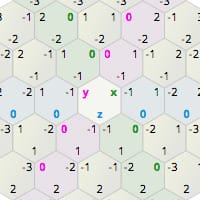
Amit's guide to math, algorithms, and code for hexagonal grids in games
compact vapor
formal dome
If you have 5 units, and tell each unit to keep distance for example 2 meters, t...
@formal dome
Might be too difficult to read tbh.
but might as well send it just in case its worth something


@formal dome man this might be too confusing lol
if you care to know more, here is the in depth example.
if you dont thats totally fine.
[when hover over unit with mouse cursor]
-
reference the sphere collision component that exists on each unit
-
get all actors in collision
-
if they have the same group ID as the original unit, put all of them into an array.
(this array then must be an array of all units that make up the same squad)
-
Get average of each vector of each unit in the array. (average location of squad)
-
project that point onto nav mesh
-
circle selector decal is placed on that point.
-
(additional step)
size of decal is proportional to the distance between original unit vector and average squad vector
(circle scales with group)
 north lynx
Hi everyone!
Is there a way to package game in UE5 to HTML?
Or some way to convert it?
 earnest swan
also not a bp question
north lynx
earnest swan
also not a bp question
Like, I'm programming in bp, so I'm asking here
north lynx
thin panther
unreal is not the engine you want to use for html games
Nah, I wanted to export my minigame from Win game to HTML and host it on site
thin panther
north lynx
Like, I'm programming in bp, so I'm asking here
yes but it's a packaging question, not a programming in bp question
north lynx
Alright, nvm
frosty heron
north lynx
Nah, I wanted to export my minigame from Win game to HTML and host it on site
you might as well use unity
seen some web stuff done using it. Unreal have abbandoned html route for long time
north lynx
frosty heron
you might as well use unity
Like I should use any other program, but still, I'm new in programming and using unreal bp's is my only way to do smth right now
frosty heron
north lynx
Like I should use any other program, but still, I'm new in programming and using...
then you want to avoid html all together imo but you do you
doing html in unreal is a lost cause
north lynx
Thanks for help anyways!
frosty heron
no support whatsoever
 random pulsar
Is there a chance they will support html in future?
random pulsar
btw i made my first pawn controller,from scratch input actions,action mappings,map all from scratch😁

quite simple but i start my journey from here
 compact vapor
random pulsar
btw i made my first pawn controller,from scratch input actions,action mappings,m...
compact vapor
random pulsar
btw i made my first pawn controller,from scratch input actions,action mappings,m...
how are you going to solve the issue of jumping and gravity?
random pulsar
compact vapor
how are you going to solve the issue of jumping and gravity?
gravity is here,you may say its not a good way but im learning.Its already solved with gate

 compact vapor
random pulsar
gravity is here,you may say its not a good way but im learning.Its already solve...
compact vapor
random pulsar
gravity is here,you may say its not a good way but im learning.Its already solve...
is that a timeline in the jump code?
 rugged wigeon
@random pulsar your code here is confusing things like acceleration and velocity and input movement. Inputs should be for you moving your character around via your controller. Not physics like gravity. Jump can be something like Launch which is the application of a force at the start like a real jump, and then gravity slows you down and reverses
There’s some merit to maybe doing continued upward movement if you hold the button. But definitely not downward movement on tick as an input. This tick is very bad. You’re not even considering the time between ticks (delta time) so your guy’s fall speed is going to be a function of the frame rate (he will literally fall faster on faster machines)!
frosty heron
random pulsar
btw i made my first pawn controller,from scratch input actions,action mappings,m...
Good use of reroute node. Been a while since I see something that is not spaghetti. A comment box will be a nice final touch
random pulsar
rugged wigeon
There’s some merit to maybe doing continued upward movement if you hold the butt...
hah ,i cant be a good programmer from start ,its a long journey
rugged wigeon
Of course
random pulsar
frosty heron
Good use of reroute node. Been a while since I see something that is not spaghet...
yeah ,forgot about comments
rugged wigeon
Not trying to demean
Try to get in the habit of collapsing chunks of code for readability early on too. Like if I have a branch node that has a few things feeding it, I will collapse them and relabel it “Switch on Is Falling” with an out pin for Falling and an outline for Not Falling. It ends up being far more readable. Almost any sort of implementation logic that isn’t a verb the actor does should probably be in a function or in collapsed nodes.
 distant hollow
I have an Actor A and Actor B, spawned during runtime.
How do I, during runtime, attach Actor B as a CHILD actor component of Actor A? (Attach Actor to Actor does not seem to make it a child actor component)
 abstract mango
In chaos vehicles, can we put a skeletal mesh into the skeletal mesh vehiclemesh?
Asking because of I'm curious, I might have a few visual upgrades planned and logically different cars have different spoiler positions.
On first thought I would approach it with putting a Skeletal mesh of the car as a Child into my main Vehiclemesh component which contains bones at the spots where for example a spoiler would be placed on that car.
Does that somehow work or is there a better approach to that?
dark drum
distant hollow
I have an Actor A and Actor B, spawned during runtime.
How do I, during runtime,...
Child actor components is just a way to have an actor automatically spawn another actor at runtime that is automatically attached. Why are you needing it to be a child actor component?
distant hollow
dark drum
Child actor components is just a way to have an actor automatically spawn anothe...
Because of situation
dark drum
distant hollow
Because of situation
You'll need to explain the situation. Without context, its difficult to offer a solution.
trim matrix
hi
distant hollow
dark drum
You'll need to explain the situation. Without context, its difficult to offer a ...
I don't want a workaround, I already have various workarounds around my situation
Just that I wanted to do this in a simpler manner, thus asking if it is possible to do such an attachment during runtime.
dark drum
distant hollow
I don't want a workaround, I already have various workarounds around my situatio...
Its odd that you don't want to explain the reason why your wanting to be able to do something. Child Actor Component were never designed for runtime so anything that's provided would be a work around.
As i mentioned, they were just a way to have an actor spawn another actor at runtime automatically that is linked/attached.
trim matrix
distant hollow
I have an Actor A and Actor B, spawned during runtime.
How do I, during runtime,...
why wopuld you need to attach them?
distant hollow
dark drum
Its odd that you don't want to explain the reason why your wanting to be able to...
I don't want to explain because it is irrelevant and lengthy; thanks for confirming it can't be done (as least not that anyone here knows of)
distant hollow
trim matrix
why wopuld you need to attach them?
Refer my reply to pattym
dark drum
distant hollow
I don't want to explain because it is irrelevant and lengthy; thanks for confirm...
It wasn't relevant, i wouldn't have asked. 😉 You would most likely need to create a child actor component on Actor A and set it to the actor type of B. I'm pretty sure it'll automatically spawn the actor so you might have to then destroy Actor B. Of course, without know what your actually trying to do, it difficult to say what the best way it to achieve it.
distant hollow
dark drum
It wasn't relevant, i wouldn't have asked. 😉 You would most likely need to crea...
That's my workaround currently
But thanks anyway 🙂
dark drum
Id still love to know why you need it to be a Child Actor Component as I can see any benefits for it.
trim matrix
hacker
 noble crescent
Quick Question.
If I create a timer that doesn't loop, do I still have to invalidate it?
Will it still run in the background?
Thanks.
dark drum
noble crescent
Quick Question.
If I create a timer that doesn't loop, do I still have to invali...
Afaik, it'll invalidate itself when it's finished.
distant hollow
dark drum
Id still love to know why you need it to be a Child Actor Component as I can see...
Cos
I have an ArchViz project
Which can load up ready-made BIMs and user-made BIMs (created via another part of the software)
This loaded house is held as an Actor variable "HomeInPlay"
In the ready-made BIMs there will be a childactor component with a tag "SpawnPos"
There is a Build mode and a Play mode on the software that allows user to go into a FPS view in within the house
So in this part of the Play mode I needed to read this childactor component tag from the "HomeInPlay"
But for user-made BIMs this childactor component does not exist
I have another BP_PlayerStartPos which the user can manually place in the BIM and the position is saved
So I was thinking of simply spawning the BP and attach it as a childactor component to HomeInPlay so that it can be read in the Play mode.
In any case I have already solved the issue so thanks 🙂
compact vapor
any way to make it so that the characters capsule, only collides with the landscape ground?
dark drum
distant hollow
Cos
I have an ArchViz project
Which can load up ready-made BIMs and user-made BI...
It might be worth looking at custom components. If all your needing is a tag to be on what it's attached to, you can have the one being attached add a special component to its new parent that can then contain information you might need to get.
Something such as PlayerStartPos could easily just be a custom component.
From your description, it seems like you might be using actors where you would probably be better of using a custom component.
Just something for you to think about. Glad you solved your issue though.
distant hollow
dark drum
It might be worth looking at custom components. If all your needing is a tag to ...
Yep I simply added a childactor component without any class, added a tag to it and set the transform; I realised that was all I needed at the end.
bold flax
Question. Here is what I am doing. I have a room bp that I am spawning dynamacly into the world. I want to be able to spawn the player into that room no matter where it spawns in the world. Any thoughts on how I might do this. I thought of getting the location of the bp once its spawned, my issue here is how would I know where inside the room I would be spawning the player? Any thoughts or ideas would be helpful. Thank you!
distant hollow
bold flax
Question. Here is what I am doing. I have a room bp that I am spawning dynamacly...
You can Get Bound on the room itself and use the center origin as a spawn point or transform location.
Alternatively, if your room BP is kinda fixed, you can have a variable inside that holds a relative transform, and use that for your player.
bold flax
distant hollow
You can Get Bound on the room itself and use the center origin as a spawn point ...
ooooo! Yes!!!
dark drum
bold flax
Question. Here is what I am doing. I have a room bp that I am spawning dynamacly...
Add a player start to the room BP using the child actor component.
bold flax
dark drum
Add a player start to the room BP using the child actor component.
This would also work. The one problem here Is where the player is in the room will change depending on where they are in the room before it spawns in. So they will be in the room in another level and they will be being spawned into relation to their location in the room when the level loads up.
I hope this makes sense. Think lethal company on the ship when it comes in and out of the level.
I am thinking the get Bound will work for this.
Also in a multiplayer setting I am not sure how player start will effect it or make it that the player gets moved into another players room.
dark drum
bold flax
This would also work. The one problem here Is where the player is in the room wi...
You can just update it's location within the room BP based on various conditions. If you go down the route of using the bounds, just make sure you don't make any donuts shaped rooms.
Also player starts have a player start tag that can be used to check which ones to used.
bold flax
dark drum
You can just update it's location within the room BP based on various conditions...
Good to know. So I would spawn the player start in the bp?
dark drum
bold flax
Good to know. So I would spawn the player start in the bp?
Add a child actor component and select player start for the class type. It'll then move with the room bp.
bold flax
distant hollow
You can Get Bound on the room itself and use the center origin as a spawn point ...
Do you know if you can get the players location in relation to the get bound?
random pulsar
i remade the logic from level blueprint,i made an actor bp with this logic,i pace it in level and noticed that if i pace 3 actors in scene every actor is independent.I want them to increment the same variable that is used


 dark drum
bold flax
Do you know if you can get the players location in relation to the get bound?
dark drum
bold flax
Do you know if you can get the players location in relation to the get bound?
As in it's relative location based on the center of the room?
bold flax
dark drum
As in it's relative location based on the center of the room?
Yeah.
Right. But what if I am wanting to spawn the player into the room depending on where they were in the room prior?
dark drum
bold flax
Yeah.
Get the players world location and minus the bounds world location.
dark drum
random pulsar
i remade the logic from level blueprint,i made an actor bp with this logic,i pac...
You need to store the var in a single place and have all instances update the same one. For example, 'Keys' could be put on the player character so when the buttons are triggered, they get the player character and increment the key var on the player character.
bold flax
dark drum
Get the players world location and minus the bounds world location.
This will give me the players location in relation to the center of the room? Even if the room changes location when I want to spawn the player into it?
dark drum
bold flax
This will give me the players location in relation to the center of the room? Ev...
You would probally need to cache the rooms current location before it moves but yea.
bold flax
dark drum
You would probally need to cache the rooms current location before it moves but ...
How would I get the rooms location?
dark drum
bold flax
How would I get the rooms location?
The bounds of the room.
random pulsar
dark drum
You need to store the var in a single place and have all instances update the sa...
so i made this and i need to cast to that blueprint and get the box collision?
 dark drum
random pulsar
so i made this and i need to cast to that blueprint and get the box collision?
dark drum
random pulsar
so i made this and i need to cast to that blueprint and get the box collision?
@bold flax create a custom event and call it add key. Then in your button BP, get player character and cast to the third person then call the add key event.
bold flax
So I would get the rooms location with bound and then the players location in relationship to that bound and stored it. Then when the room moves I could get the rooms new location and bring over the stored player location and add it to the new rooms location? @dark drum
Does my thought process make sense?
random pulsar
dark drum
<@285227029060780032> create a custom event and call it add key. Then in your bu...
nice
thanks
btw,collisions that only change the character speed ,can be in level blueprint or i also better make them an actor blueprint?
 dark drum
random pulsar
btw,collisions that only change the character speed ,can be in level blueprint o...
dark drum
random pulsar
btw,collisions that only change the character speed ,can be in level blueprint o...
Most things should be an actor. It makes it reusable. 🙂 saves having to repeat yourself when you want to add it somewhere else.
random pulsar
yeah but if i use it only one time?
dark drum
random pulsar
yeah but if i use it only one time?
Still an actor, just in case you change your mind. 🙂 In the 10+ years I've used UE, I think i've only ever used the level BP once and that was for some level streaming stuff.
broken wadi
Just say “no” to the level blueprint.
 random pulsar
i have a few months of experience in ue and for every thing i learn i feel my wings are spreading and i will soon fly
frosty heron
problem with level blueprint is you can't communicate two ways in bpland. So for gameplay related stuff, you will only get pain with no pros using level bp
compact vapor
you guys know how when you attach a component to an actor (lets say his left ear)
that when their head turns around, the component whips around aswell?
like how the components are locked to the actors location so that when the original actor turns, the components stay where they are and turn with the actor?
how do you dislodge that so that when a character turns their head, everything attached to the head doesn't actually rotate or change location, but always stays in position relative to the actor?
component location should be locked to actor location, but not when rotating, do you guys know how to do this/what I mean?
finite hearth
Is there a way to configure the enhanced input system to accept multi-key press as a single action.
ie. Shift = action 1, shift + mousewheel up = action 2
Or do I need to get creative with bools on my event graph?
thin panther
finite hearth
Is there a way to configure the enhanced input system to accept multi-key press ...
you could probably add a new action for mousewheel up that only triggers if the modifier key "shift" is pressed
I know a big thing of enhanced input was modifiers
best asking in #enhanced-input-system
 mortal jay
Anyone have any ideas what I'm doing wrong when trying to use bulk edit via property matrix for adding sockets to my sprites?
Around 1:30 on this video shows this being done. I've used bulk edit for other fields just fine, but I encounter a similar issue as the person in the video where "multiple values" shows up when I edit them all.
But in my case, only the first sprite gets updated. I've ensured that I have them all selected with ctrl + A (and they all turn blue). But no matter what I try, only the first selected sprite takes the updated values.
Get my 12 hour course on how to make 2D games with Unreal Engine:
https://tinyurl.com/Ultimate2D
Support the channel on Patreon:
https://www.patreon.com/CobraCode
Pixel Hats pack by Gisha:
https://gisha.itch.io/pixel-hats-pack
Official Socket Documentation:
https://docs.unrealengine.com/5.3/en-US/paper-2d-sprite-sockets-in-unreal-engine/
Lea...
north lynx
Hey everyone!
Does anyone know, why my code doesn't work here?


 remote meteor
north lynx
Hey everyone!
Does anyone know, why my code doesn't work here?
remote meteor
north lynx
Hey everyone!
Does anyone know, why my code doesn't work here?
the actor class selected exists in the world?
needs to be an actor in the level
placed or spawned
north lynx
Oh, my bad
I'm destroying the actor so the variable does not exist anymore
Fixed it already
frosty heron
north lynx
Hey everyone!
Does anyone know, why my code doesn't work here?
I wouldn't name a variable ??? , if you are collaborating with someone they won't be able to read that
north lynx
frosty heron
I wouldn't name a variable ??? , if you are collaborating with someone they won'...
Yep, you're right!
Currently I'm testing stuff, so the variables are only placeholders
Aside from the fact that this variable is literally text "???" XD
 crude timber
I'm having a hard time figuring out how I can place an actor on a Normal, but then changing its LOCAL rotation to aim to my mouse cursor in the world
 small echo
Hello!
How did you do that I've been trying for some time to make bp_fluidsim_01 work but I can't, specifically I'm using UE5.2 and I have several rivers and lakes with different z
crude timber
crude timber
I'm having a hard time figuring out how I can place an actor on a Normal, but th...
I can properly orient it on spawn, no issues there (with make rot from Z and the normal), but then how can I change only its local yaw to aim to my mouse, I'm not sure.

Basically, I want the "Add Actor Local Rotation" equivalent for a Set node
lunar sleet
crude timber
I can properly orient it on spawn, no issues there (with make rot from Z and the...
Get the current location, break the pin, feed the current X and Y and only change the Z
crude timber
lunar sleet
Get the current location, break the pin, feed the current X and Y and only chang...
I'm not sure I follow you, breaking the get location and feeding X and Y to the rotation would not result in what I want ?
lunar sleet
You asked how to change only the Z
crude timber
Z rotation indeed
lunar sleet
Sorry, I said location, I meant rotation
 wary trellis
small echo
Hello!
How did you do that I've been trying for some time to make bp_fluidsim_01...
wary trellis
small echo
Hello!
How did you do that I've been trying for some time to make bp_fluidsim_01...
in the level blueprint > event tick, i checked the distance from the fluid sim to the player and if its greater than a certain amount i teleported it to the player
crude timber
lunar sleet
Sorry, I said location, I meant rotation
But that's the thing, it doesn't work because "Set Actor Rotation" is world space. This would result in my placed prop rotating along the World Z axis, not its local Z
small echo
wary trellis
in the level blueprint > event tick, i checked the distance from the fluid sim t...
Great, can you send me a print screen? I'm still a beginner and I don't really know how to do this. Thank you very much for the answer
crude timber
What you described works only for objects placed on a flat ground, but here I want it to stay oriented to the Normal
wary trellis
small echo
Great, can you send me a print screen? I'm still a beginner and I don't really k...
maybe later not on it rn
small echo
wary trellis
maybe later not on it rn
Ok, thank you very much
lunar sleet
crude timber
What you described works only for objects placed on a flat ground, but here I wa...
Well if you have it attached to something you could use set actor relative rotation
 waxen garden
Hello all, I have a question. I upgraded a quite old project to continue working on it, and everything works fine except one thing, and I would love to know how you manage to get answers to this kind of issues
This function has been deprecated

how can I find what is the new function that replaces the old one?
Thanks a lot in advance
I use that function to set different damage depending on what body part you hit the enemy with your linetrace
documentation still says it should work, but the engine says it is deprecated

 undone sequoia
guys any tips how I can change this collison box of my skeletal mesh to his actuall shape? i cant use this
 waxen garden
but UE documentation...well
faint pasture
undone sequoia
guys any tips how I can change this collison box of my skeletal mesh to his actu...
just change it
physics asset editor if it's skelmesh
static mesh editor if it's static mesh

 past compass
what would be the best way to get a material overlay to dynamically show up on pickup items for example? i have a highlight material that i can use but i can't seem to get it to only appear when the player is overlapping it
near surge
past compass
what would be the best way to get a material overlay to dynamically show up on p...
yoo your also working on a pickup system too?
near surge
near surge
anyone know how to expand
right now if I put more then 1 item, it just feaks out and doesn't work
faint pasture
past compass
what would be the best way to get a material overlay to dynamically show up on p...
Can you get it to appear at all? Is the problem that you can't detect the overlap, or that you can't get the material to show?
faint pasture
near surge
anyone know how to expand
Why is your input handling in the item?
near surge
faint pasture
Why is your input handling in the item?
uh
I dont know i followed a tut
lol
faint pasture
There are no good tutorials
At least, not until you know enough to be able to tell if they're any good or not.
past compass
faint pasture
Can you get it to appear at all? Is the problem that you can't detect the overl...
i can't get the mterial to show, i tried first to add it as an overlay material but that didn't work. then i used a post process volume and added a material to that and then checked "render custom depth pass" on the actor i wanted that material to effect, but the issue there is that it always appears and i dont know how i can get that to only be set when the player is overlapping it
near surge
faint pasture
Why is your input handling in the item?
how do i fix it lol
faint pasture
near surge
how do i fix it lol
I'd start by making a function or event in your Character or whatever your pawn is, call it PickUpItem, passing in the item as an actor or YourItemClass reference.
Put the smart stuff on the character, the item can just be a dumb thing that does what it's told
faint pasture
past compass
i can't get the mterial to show, i tried first to add it as an overlay material ...
Maybe dynamically set render custom depth?
Off by default, on when highlighted
undone sequoia
faint pasture
physics asset editor if it's skelmesh
where i can find physics asset editor sorry 😄
near surge
faint pasture
I'd start by making a function or event in your Character or whatever your pawn ...
How do I pass it in the item
do i
like change the parent class?
past compass
faint pasture
Maybe dynamically set render custom depth?
legit just tried this haha think it might be easiest move just wasn't sure how performant that would be to scal e
faint pasture
past compass
legit just tried this haha think it might be easiest move just wasn't sure how p...
How many items would ever be highlighted at once?
It's probably the best scaling way I can think of to do it
 queen sphinx
So I have this data that is being created with another program on my pc. It is hosted on it’s on ip and has a port number. How would I go about getting this info to be pulled into a blueprint?
versed shore
versed shore
Hey, I created a TCP connection to an external server, but I am running into the...
Does anyone have any ideas on how to implement this? I am researching latent nodes as recommended by pattym
faint pasture
queen sphinx
So I have this data that is being created with another program on my pc. It is h...
Probably involving C++ or at least a plugin made in C++
What is the data and in what format
queen sphinx
Currently a python code that is just generating different rpm for a motor.
near surge
some help? 🙂
faint pasture
Yeah you'll need to either tie into something built into the engine (idk if there's such a thing) or use some plugin. It'll all depend on your desired data format etc.
faint pasture
near surge
How do I pass it in the item
just add a reference of whatever type you want to use to the event
as an input parameter
versed shore
queen sphinx
Currently a python code that is just generating different rpm for a motor.
im doing a similar thing right now but going both ways. You can bring data in by creating a c++ class using FSockets/sockethelper functions. Instatiate those in your blueprint
near surge
faint pasture
just add a reference of whatever type you want to use to the event
i just started using unreal like 4 days ago
so I dont know most of the term
faint pasture
near surge
idk how to do that lol
 faint pasture

Make it the base type of your items if that's how you're doing things
Not just Actor, but YourItemActor
queen sphinx
versed shore
im doing a similar thing right now but going both ways. You can bring data in by...
Great, so is C+ the only way to go?
versed shore
Yes. There is a networking plugin that costs 28 bucks but you can implement the functions in cpp
smoky sail
When ever I reload the gun magzine get empty?
past compass
faint pasture
It's probably the best scaling way I can think of to do it
it works and honestly feels quite smooth, just have an overlap event changing the boolean and it honestly just needs to be on client only so it's not really too big of a deal but it's doing a small check for a "player" tag before on the overlap
faint pasture
queen sphinx
Great, so is C+ the only way to go?

Provides an overview of the features available for using Live Link to stream data to Actors.
IDK what live link is but if you can make your python code speak it it'd probably work
 carmine scaffold
im using ninja character which allows me to go around loops like sonic. what im trying to do is to check if my camera is facing forward of my character or in range of it, but when i go around said loops the dot product goes backwards into the negatives.

 queen sphinx
faint pasture
https://docs.unrealengine.com/5.0/en-US/using-live-link-data-in-unreal-engine/
queen sphinx
faint pasture
https://docs.unrealengine.com/5.0/en-US/using-live-link-data-in-unreal-engine/
I go give that a try, saw it pop up on one of my searches.
faint pasture
near surge
so like this
I'd use some base class of all your items but yeah that'll work for now if Pistol is the only item you have.
near surge
faint pasture
I'd use some base class of all your items but yeah that'll work for now if Pisto...
ah i see
faint pasture
Get it to work with Pistol then turn Pistol into your base class and subclass it for the other items
thick prairie
Can someone tell me why this blueprint wont spawn the unit without the delay node there?
 near surge
faint pasture
Get it to work with Pistol then turn Pistol into your base class and subclass it...
near surge
faint pasture
Get it to work with Pistol then turn Pistol into your base class and subclass it...
ok thank you
faint pasture
thick prairie
Can someone tell me why this blueprint wont spawn the unit without the delay nod...
Is the Unit to Spawn another thing that spawns a unit?
thick prairie
@faint pasture Mmm no, i don't think so
near surge
faint pasture
I'd use some base class of all your items but yeah that'll work for now if Pisto...
I just have another question, how do I like do the code now in my player BP
 faint pasture
near surge
I just have another question, how do I like do the code now in my player BP
faint pasture
near surge
I just have another question, how do I like do the code now in my player BP
Put the stuff you want to have happen to an item in that event chain
Presumably turn off physics, attach it etc
maybe set a variable called MyHeldItem
near surge
faint pasture
Put the stuff you want to have happen to an item in that event chain
im sorry but how do i even do that 💀
thick prairie
faint pasture
Is the Unit to Spawn another thing that spawns a unit?
Also for some reason, when i play in standalone window, it spawns my main character, but not those units, but when i just simulate the game, my main character won't spawn, but those units will (that's without the delay node)
faint pasture
near surge
im sorry but how do i even do that 💀

You've already done it
What do you want to have happen when you say "Hey, pick up this item!"
put that stuff on this event
Then later make another event DropHeldItem
lofty rapids
faint pasture
Then just have your inputs call these events
near surge
faint pasture
What do you want to have happen when you say "Hey, pick up this item!"
oh ok
how do i like call the weapon stuff if my code is in the thirdperson BP
faint pasture
Button Press -> figure out which item to pick up (trace or whatever) -> call PickUpItem
Button Press -> call DropHeldItem
PickUpItem -> turn off physics -> attach -> play sound -> set MyHeldItem
DropHeldItem -> if MyHeldItem is valid -> detach -> turn on physics -> play sound -> set MyHeldItem to nothing
UseHeldItem -> if MyHeldItem is valid -> call DoYourThing on MyHeldItem
near surge
ok tysm
crystal crown
how can i make a bouncing rev limiter
faint pasture
crystal crown
how can i make a bouncing rev limiter
How does your engine work?
crystal crown
faint pasture
How does your engine work?
im using the chaos vehicle
faint pasture
It'll all depend on what you have available but if you're doing it from actual first principles then just cut the ignition at rpm limit and turn it back on at like 200 lower
 rough wing
How would I snap an actor rotation to the closest axis?
crystal crown
faint pasture
It'll all depend on what you have available but if you're doing it from actual f...
there's no ignition system. it's so barebones
faint pasture
crystal crown
there's no ignition system. it's so barebones
Then add it or fake it
What CAN you change about the engine when running? Torque Multiplier?
Drop torque multiplier to 0 at rpm limit and back to 1 at rpm limit - 200
crude timber
lunar sleet
Well if you have it attached to something you could use set actor relative rotat...
mmh, doesnt work either after I attach it, damn it
faint pasture
rough wing
How would I snap an actor rotation to the closest axis?
runtime or in editor?
rough wing
runtime
faint pasture
yaw only or in all axes?
trim matrix
Is there a reason that I can't see the timeline node in a blueprint?
 snow gazelle
hello, why is it that disabling and reenabeling physics like in this image doesen't behave the same way during the animation as just not having physics enabled in the first place?
 faint pasture
trim matrix
Is there a reason that I can't see the timeline node in a blueprint?
faint pasture
trim matrix
Is there a reason that I can't see the timeline node in a blueprint?
You in the event graph or a function?
trim matrix
fonction
rough wing
faint pasture
yaw only or in all axes?
all
faint pasture
trim matrix
fonction
Functions can't have latent stuff
trim matrix
then what do I do?<
rough wing
I have a static mesh cube that I rotate, and I want it to snap to the closest axis so it always faces the camera at a right angle (the cube is child of camera)
trim matrix
even in the event graph, i cant use a timeline
faint pasture
trim matrix
even in the event graph, i cant use a timeline
What class?
trim matrix
faint pasture
What class?
actor component
faint pasture
trim matrix
actor component
Those can't have timelines as a timeline IS a component under the hood I think.
trim matrix
ok ty
rough wing
rough wing
I have a static mesh cube that I rotate, and I want it to snap to the closest ax...
Maybe I use % operator to convert the rotator to 0-90 range then snap it to 0
faint pasture
rough wing
Maybe I use % operator to convert the rotator to 0-90 range then snap it to 0
You could round every axis yes but that might get really goofy as euler angles kinda suck if you're going all topsy turvy with them
If you're the one saying what the rotation is you can make sure to only ever add right angles to the offset
then each frame, CubeRotation = CombineRotations(CameraRotation, SnappedOffset)
SnappedOffset is what you modify with your inputs
rough wing
I'll try that thank you
crude timber
crude timber
mmh, doesnt work either after I attach it, damn it
Figured another way of doing it, it works ! My goal was to set a rotation with mouse movement, but I can just use the Add Local Rotation with a compare float ! That way it adds with mouse movement only instead of on tick
 crystal crown
faint pasture
Drop torque multiplier to 0 at rpm limit and back to 1 at rpm limit - 200
crystal crown
faint pasture
Drop torque multiplier to 0 at rpm limit and back to 1 at rpm limit - 200
aint working like i was hoping. it's more like interpolating than bouncing. too slow
even if i set the rpm difference to 0.001
faint pasture
crystal crown
aint working like i was hoping. it's more like interpolating than bouncing. too ...
Drag is probably really low
does the RPM drop slowly then raise quickly again once back online?
crystal crown
faint pasture
does the RPM drop slowly then raise quickly again once back online?
about the same. yea my rev up and down rates might be too low but i can't really increase them or it will turn into an arcade
faint pasture
crystal crown
about the same. yea my rev up and down rates might be too low but i can't really...
What's your torque curve look like?
crystal crown
 faint pasture
It should be flatter than that but that's not aweful
Is there a setting for off-throttle torque? What slows the system down when you cut power?
crystal crown
faint pasture
Is there a setting for off-throttle torque? What slows the system down when you...
its frustratingly barebones like i said. no ignition system or off-throttle stuff. just "set max engine torque" and engine rev down rate which can't be edited in runtime
near surge
faint pasture
It should be flatter than that but that's not aweful
hey again
I have a question
How do I refrence my gun to the target self thingy

I rewrote the code in my player controller, but I need to turn on and off the physics
but idk how to get the target to my gun
slight help 💀

 timber crystal
Greetings my friends and thank you in advance for everyone who tries to help me here 🙂
I want a FLYING ki to fly towards me as soon as it sees me
Thanks to your help, I have already made something here that works great, but for an AI that is on the ground
How can I change the whole thing so that the flying AI just comes flying towards me in my platformer jump and run game
 compact vapor
I thought interface nodes are used to call events on everything that implements the interface?
completely not working at all
I have an interface on my parrent that is called
the children are receiving the message, but only one of the children receives the message for some reason
I need a node that can call an event on ALL children, not just the one that makes the initial call, how do you do that?
trim matrix
it should work
trim matrix
compact vapor
I thought interface nodes are used to call events on everything that implements ...
only to the thing that is relied to the target input
broken wadi
compact vapor
I need a node that can call an event on ALL children, not just the one that make...
I think what you're looking for is an event dispatcher. You can setup something like the GameInstance to dispatch an event called "DoSomething". Click the + beside Event Dispatches, give it a name then drag it into the graph as a Call. Then on all of the actors that need to react whenever DoSomething is called, you just make a reference to the GameInstance and then drag from the ref Bind Event To DoSomething.
compact vapor
broken wadi
I think what you're looking for is an event dispatcher. You can setup something ...
I have an "aiBase BP"
there are 4 children of this BP in the level.
when one of them finishes their AImoveTo, the other 3 need to stop moving.
I created a BPinterface and added it to the parent (so the child BP has it)
and called the BPI event when the moveTo finishes.
each child has the receiving BPI event but only one of them receives the event, and its the one that called the event in the first place
any ideas?
i just need an event that all children will respond to when any one of them fires off the event call.
manic ridge
hey so im making a physics puzzle game and im trying to figure out how I would make it where If you stand on an object then you cant pick up that object. like half life 2
I cant find any tutorials and my attempts havent worked
anyone have an idea?
broken wadi
compact vapor
I have an "aiBase BP"
there are 4 children of this BP in the level.
when one o...
Use an event dispatcher. An interface is useful when you don't exactly know what type of object you're going to be dealing with and want to avoid a cast. Meanwhile an event dispatcher allows for one-to-many logic.
thin panther
manic ridge
hey so im making a physics puzzle game and im trying to figure out how I would m...
You could always do something math based. And do the dot product of the vector from the object to you normalized, dot product that with the up vector (0,0,1), and if it's withing your decided range of 0, like +-0.15 or whatever, then you're "on top enough" to not pick it up
manic ridge
thin panther
You could always do something math based. And do the dot product of the vector f...
Would it be possible to do a line trace by channel?
like
if the line trace hits a physics component
then it releases
and if i gotta do the think u said
can you explain it to me in simpler terms'
compact vapor
broken wadi
Use an event dispatcher. An interface is useful when you don't exactly know what...
when it reaches the end, it calls the event
when the event is called, its fired in the children
but this does nothing, did i mess up the event somewhere?

 broken wadi
compact vapor
when it reaches the end, it calls the event
when the event is called, its fired ...
broken wadi
compact vapor
when it reaches the end, it calls the event
when the event is called, its fired ...
Yes, you dont make an event called Stop Movement Task, you Bind an Event To Stop Movement Task.
compact vapor
broken wadi
Yes, you dont make an event called Stop Movement Task, you Bind an Event To Stop...
ok this slightly worked, but only on one of them

the other 3 arent getting this event, even though they all have it
broken wadi
Are they all setup to use bind?
compact vapor
broken wadi
Are they all setup to use bind?
its a child BP with a bind event.
when the binded event fires, how are they not all firing the event, why is it still only one child BP
broken wadi
Do they all use the same BP?
compact vapor
broken wadi
Do they all use the same BP?
each child is a instance of the AIbase BP
AIbase has the moveTo code, once it finishes it calle the event
the children have the bind, and it receives the called event but only on one of the children'
the only child that receives the event is the one that calls the event
broken wadi
The logic should be like the main one Calls the event which dispatches it to all the others who are Binding to it.
compact vapor
broken wadi
The logic should be like the main one Calls the event which dispatches it to all...
isnt that what I am doing though?
broken wadi
I can't really tell without seeing more screenshots
no clue which BP that code is in
compact vapor
broken wadi
no clue which BP that code is in
this help?


they move to the location
they just dont call the event in all of them when one of them reaches the finished location
broken wadi
So the parent is moving from a to b and all of the children are also moving. As soon as one of them reaches b they all should stop moving?
compact vapor
broken wadi
So the parent is moving from a to b and all of the children are also moving. As ...
yes
there is no parent in the level though
the parent is just there for all children to inherit from
the children inherit the moveTo code (ie the picture, shows the move to code in the parent)
broken wadi
how many times does it print out "done" ?
compact vapor
broken wadi
how many times does it print out "done" ?
1
broken wadi
Is it just 1 parent bp, 1 child bp, and X number of child actors in the level? or do you have multiple unique child blueprints each using the same parent?
compact vapor
broken wadi
Is it just 1 parent bp, 1 child bp, and X number of child actors in the level? o...
only 1 parent and only 1 child BP and theres 4 of the children in the level
compact vapor
near surge
you need object references to what ever those nodes are trying to do
@broken wadi here is a refernce pic so that you can see, just a simple 4 child group in the level
 near surge
compact vapor
you need object references to what ever those nodes are trying to do
near surge
compact vapor
you need object references to what ever those nodes are trying to do
o ok
near surge
compact vapor
you need object references to what ever those nodes are trying to do
how do i reference it
compact vapor
near surge
how do i reference it
what is that node trying to do?
near surge
im trying to disable physics when

my gun is in my hand
and reenable it
when I dont have it
in my hand
broken wadi
Yea i dunno that is supposed to work. I think you might of made a mistake with the wires or reference somewhere. Maybe just read up on Event Dispatchers a bit more or watch a video or something. I use them all the time and never had a problem.
compact vapor
near surge
im trying to disable physics when
then you need a reference to your gun in order to do that.
See those blue pins? thats the EXACT object that your setting the physics for.
the engine is asking you
"ok, fine, well set the physics.... but on what?"
near surge
compact vapor
then you need a reference to your gun in order to do that.
See those blue pins? ...
ye I know, the target should be the gun
but
how do i reference it
compact vapor
near surge
how do i reference it
i suppose your character has the guns on him in your character BP?
 compact vapor
is the gun a component in your character BP (look in the components section of your BP screen)
or is it a literal thing inside the skeletal mesh?
near surge
uh
near surge
compact vapor
is the gun a component in your character BP (look in the components section of y...
how do i change that
oh
is not

is a equipe system
with linetrace
when you look at the item it will get attached to the socker icreated
 near surge
ye
is in my player BP

i wnat the gun to fall when i drop it and to NOT have physics
compact vapor
near surge
that blue pin you drag off of is your gun (assuming you actually hit the gun with the trace which is a potential bug)
near surge
and stay i nthe hand
near surge
compact vapor
that blue pin you drag off of is your gun (assuming you actually hit the gun wit...
uh
compact vapor
use that pin as your reference because in a literal sense, that is a reference to the exact object your looking at
actually
you already did that
compact vapor
near surge
uh
just go into your list of custom made variables and use that blue variable (interactible) as your reference for setting the physics
 compact vapor
those nodes might be what your looking for, but are not meant for that variable type
drag of of your variable blue pin and try to retype those nodes
compact vapor
near surge
what is the gun class called
one more thing, you need to cast to your gun
near surge
uh
i haven't evne make the gun functional
the gun is just called BP_pistol
with no code
compact vapor
near surge
the gun is just called BP_pistol
so again, the unreal engine is going to say
"ok, set collision type.... sounds good....... but on what...... oh an actor?...... ok.... but what actor?"
 desert juniper
near surge
desert juniper
near surge
The error message is telling you that you’re trying to feed it an Actor when it wants a primative mesh
Get the mesh from the actor then plug it in
compact vapor
desert juniper
Get the mesh from the actor then plug it in
its in a skeletal mesh
compact vapor
desert juniper
Get the mesh from the actor then plug it in
its not a component
compact vapor
near surge
the gun is just called BP_pistol
there are like 500000 different actor BP's in Unreal Engine, so you need to specify which actor your trying to set physics for
compact vapor
your not trying to set the physics of a spotlight, or a skylight, you need a gun.
so you need to take that blue variable and cast it to a gun
near surge
desert juniper
So get the skeletal mesh from the actor
what skeletal mesh
desert juniper
Sorry may have missed some of it, but shouldn’t the actor have a skeletal mesh he can get a reference to, then change the collision settings on that skeletal mesh?
near surge
compact vapor
your not trying to set the physics of a spotlight, or a skylight, you need a gun...
yeah I havent started on the gun stuff yet
near surge
desert juniper
Sorry may have missed some of it, but shouldn’t the actor have a skeletal mesh h...
im using a static mesh
 compact vapor
near surge
yeah I havent started on the gun stuff yet
compact vapor
near surge
yeah I havent started on the gun stuff yet
its essential
near surge
ye
compact vapor
you need a reference to the gun on the ground right?
you have it.
you just need to slightly adjust it
desert juniper
Interactable > cast to gun > get static mesh > change collision
lunar sleet
A gun shouldn’t be a skeletal mesh
 compact vapor
near surge
ok wait let me just show u all my code
compact vapor
near surge
ok wait let me just show u all my code
this is what you need to do.
#blueprint message
do you know how to cast?
lunar sleet
Learn
compact vapor
lunar sleet
A gun shouldn’t be a skeletal mesh
gun is "on/inside" the SKM
lunar sleet
Watch the blueprint comms video pinned here
Also, you should prly just do what the FPS template does
compact vapor
near surge
all i need is to refrence a object
you have it
near surge
ik but
compact vapor
near surge
ik but
which object is it that you have?
compact vapor
near surge
the gun
hover over the blue pin
near surge
 compact vapor
do you see how its called an actor?
near surge
compact vapor
do you see how its called an actor?
ye
compact vapor
(on the interactable pin)
near surge
ye
lunar sleet
Just get the static mesh from it or whatever you need to set collision on.

 tight pollen
hi how hidde specific instance in InstancedStaticMesh?
compact vapor
near surge
ye
that is techniacally your gun, but its too vauge
its like saying this
"this blue pin is some sort of object"
you need to specify further that it is a gun
near surge
lunar sleet
Just get the static mesh from it or whatever you need to set collision on.
im trying to change the collison and stuff
compact vapor
near surge
you do that with casting
tight pollen
 lunar sleet
Drag from interactable and get your mesh
lunar sleet
near surge
im trying to change the collison and stuff
Yes that is painfully obvious
 lunar sleet
You need to type check that variable by casting
Because it could literally be any actor
compact vapor
near surge
dont i already have that 😭 ?
i'll ask again, im trying to get you to see what i mean
trust me
which reference do you have?
lunar sleet
And collision is set on components
near surge
compact vapor
i'll ask again, im trying to get you to see what i mean
trust me
which referen...
wdym
ik what like im missing
lunar sleet
So drag from interactable or hit actor, cast to bp gun , get the mesh, set collision
compact vapor
near surge
the gun
ok! good
but unreal engine doesnt know that because the variable is too vauge
it only knows its a random actor
you need to specify further that its a "Specific" actor,
one that is called a gun.
so you need to specify its a gun, because right now its just a random object that could be anything
so you drag off of the blue pin do "Cast to (gun_bp or whatever)"
near surge
oh
compact vapor
@near surge
#blueprint message
this is exactly what you have to do
(i need to go, best of luck)
look up a vid on casting!
compact vapor
near surge
lol
no prob
when you have a thing in your game, you cant do anhything to it unless you have an EXACT reference to it.
casting is usually used to get a specific reference to what you need
its the most important Blueprint knowledge to know for a beginner
near surge
compact vapor
no prob
when you have a thing in your game, you cant do anhything to it unless ...
ok thank you
fiery oracle
@lofty rapids yes i am stroring the item info in a array wich is link with my inventory slorts
lofty rapids
fiery oracle
<@910231430074859570> yes i am stroring the item info in a array wich is link ...
and when you add to the array it's not in the display ?
probably when do you render from array ?
 fiery oracle
yes it stored in the array but doesnt show up in the inventory ui
lofty rapids
when do you render it based on the array ? or its "linked" ?
compact vapor
near surge
ok 💀
(put your bluepin into that grey pin in the casting node)
lofty rapids
near surge
ok 💀
do you only have one pistol ? and theres no power also your not casting from anything
compact vapor
(that grey pin is the piece of data you need to specify)
 cyan surge
If I at editor runtime want to save some data into a data asset any advice on going about that, not talking about save games here, more like I want to save a socket transform at key points of an animation, something like that
fiery oracle
@lofty rapids

@lofty rapids when i press 1 to add a item to my inventory this error show up: Blueprint Runtime Error: "Accessed None". Node: Branch Graph: IsValid Function: Execute Ubergraph Survival Game PC Blueprint: SurvivalGame_PC
abstract mango
Need a bit of help over here, so basically what I want to do is changing the skeletal mesh of one component inside my Car (currently done with pressing 1 and 2 for 2 different skeletal meshes), I need a way to cycle through all of my car body Skeletal meshes.
P.S.: I'm completly new to Unreal Engine
near surge
lofty rapids
do you only have one pistol ? and theres no power also your not casting from any...
wdym
 lusty oak
Does anyone know why my camera aims forward when I am playing, even though the camera component clearly shows -50 rotation on the Y both in the blueprint and in the component while playing?


I suspect it has something to do with the hierarchy in the blueprint, but I have no idea what I've done wrong and haven't had much luck figuring it out.
near surge
compact vapor
(put your bluepin into that grey pin in the casting node)
my thingy just stop working XD
the error is gone
but
is not picking up anymore
lmao
trim matrix
shoutout to all the helpers in here
near surge
near surge
my thingy just stop working XD
oh wait is because my in valid
 lofty rapids
fiery oracle
<@910231430074859570> when i press 1 to add a item to my inventory this error sh...
lofty rapids
fiery oracle
<@910231430074859570> when i press 1 to add a item to my inventory this error sh...
what does it look like for when you press 1 ?
lofty rapids
i'm not sure you understand the execution pins
the white lines are power if nothing comming in it won't run
near surge
ik
but
if I don't plug this in

the weapon even if is valid wont go
to my socket
how do i like put the physics stuff in
lofty rapids
you want to do it before then just plug it in it should run the power will go through
plug the set into the set collision
and it should just flow through but do you want to do it after or before ?
near surge
i want it
uh
i
well
i wants it to have physics when is not
in my player's socket
but when is IN the socket i want it to be
static
like dont move
i can just plug it in

the power should go throught
but
it doenst
random pulsar
hey,here im detecting the player and the difference of location of the blueprint and player,based on player location i move the object up,so im wondering about the performance ,how can i replace the tick?
 random pulsar
hey,here im detecting the player and the difference of location of the blueprint...
random pulsar
random pulsar
hey,here im detecting the player and the difference of location of the blueprint...
what do i need a gate or smth else?
fiery oracle
@lofty rapids nothing happen in that Bp but the bp that call this fuction isnt working propely. At the is valid is suppose to go in the other branch
 lofty rapids
i would print the index
see if it's valid
also the length to make sure that index is in it
possibly the get is not finding anything maybe bad index or not in data
fiery oracle
@lofty rapids the index is the empty slots value i think it may be wrong
 mortal steppe
Is anyone able to help me figure out why I have a skeletal mesh that is attached to my player via a socket, but when I enable physics so it flops around, the mesh won't stay attached to the socket
fiery oracle
@lofty rapids this is the find empty slots fuction can u tell if any thing wrong with it

 sinful rock
say - does anyone know the best way to code swinging a sword?
 spark steppe
fiery oracle
<@910231430074859570> this is the find empty slots fuction can u tell if any thi...
spark steppe
fiery oracle
<@910231430074859570> this is the find empty slots fuction can u tell if any thi...
it's unnecessary complicated
you don't need a for loop with break
move the return statement after the branch and just early return when you found a slot
fiery oracle
@lofty rapids i think my slots info isn't right what could I go about fixing it

@lofty rapids is there a way to print the info so i can see its output
lofty rapids
fiery oracle
<@910231430074859570> i think my slots info isn't right what could I go about fi...
ya, print string
it'll show up on the screen at the top left
 plush ether
Anyone have an idea on how to create an actor that I can drag and behave like a landmass spline? (Mostly doing river I want to control via code)

Basically when I hit Update the water generate but I can't find a way to have the heightmap affected
fiery oracle
@lofty rapids how could i go about debuging the slot array info
lofty rapids
make sure the index is correct because your currently selection isn't valid
then if your index is correct, check what it's getting
you can print string the index
idk about the other you'll have to find a way to print it or you use breakpoints
fiery oracle
@lofty rapids i just dont uderstand why isnt my slots fuction working propely
 fierce timber
Hello guys i am working on a inventory sorting function with multiple types of sorting like (item type, order of acquis, item amount) but i dont think this is the best solution does anyone of you have a better idea?
TArray<int32> ULowEntryExtendedStandardLibrary::SortIntegerArray(const TArray<int32>& IntegerArray, const bool Reversed)
{
    TArray<int32> Array = IntegerArray;
    if (!Reversed)
    {
        Array.Sort([](const int32 A, const int32 B)
        {
            return A < B;
        });
    }
    else
    {
        Array.Sort([](const int32 A, const int32 B)
        {
            return A > B;
        });
    }
    return Array;
}

``

 rare shore
How is this possible? I have an item, when overlapped this sets to true. String prints false and true I mean what? What happens here? I simplified the BP to make it easier to see..
 trim matrix
rare shore
How is this possible? I have an item, when overlapped this sets to true. String ...
trim matrix
rare shore
How is this possible? I have an item, when overlapped this sets to true. String ...
check the collision of your mesh
rare shore
what should it be like?
trim matrix
there's something wrong for sure, with the screenshot you sent, it should be always true or false so there's something that you didn't show that is changing the variable
rare shore
i deleted everything else for simplicity
this is now an empty box
when walked over it, it should set to true :/
trim matrix
actor begin overlap = any actor can overlap with it
do a if: is other actor the player??, then... print if it is true
is that working? @rare shore
versed sun
make sure you only have 1 of the actor in your world
trim matrix
what does the bp look like with the if?
versed sun
Also, there are other options besides Print
try Draw Debug Box at the location of your hit
rare shore
versed sun
make sure you only have 1 of the actor in your world
i have 140
so this is a problem?
im trying to make the save/load feature. i have 140 if this objects
versed sun
139 of them will be printing FALSE while you are looking for a TRUE
rare shore
oh.. how do i fix it ? I just want to save state of my collected items.. and then NOT load them on game load..
it there a better way?
versed sun
You could Get Actors of Class and filter by your Actor, that will give you a list of what is still there
rare shore
hmm
but they are all the same actor
all are lets say Armor1
then the level just makes them Armor11. Armor12, Armor13.. etc down to Armor1140
how do i filter out the already picked up ones
versed sun
yup, do they get Destroyed when you pick them up ?
rare shore
yes, but i tried setting visibility to off aswell instead of destroy
still nothing
so if i have 140 armors, how do i tell the array to save only the ones that were picked up? i cant think of it 😦
versed sun

I dont know how or what your are saving , but this will tell you if its picked up or not
Since you are setting Vis to False when you pick them up
 timber plume
he shouldn't be looping like that every frame, it's probably working, just print the value of collected when you overlap it, not on tick
the individual actor will then only print when overlapped. If that doesn't print, its collision settings
then disable collision and visibility when picked up
rare shore
versed sun
Okay i will try this one tomorrow. Thank you:]
trim matrix
rare shore
Okay i will try this one tomorrow. Thank you:]
try it now lmao
rare shore
Had to go to sleep, way overdue.. this was keeping me awake..:(
timber plume
rare shore
Okay i will try this one tomorrow. Thank you:]
I really wouldn't. just do this

good luck and gn tho
rare shore
Thanks all!
So i shouldnt destroy the actor? If i want to save the information if it was picked up or not? I should instead set visibility to off?
timber plume
rare shore
Thanks all!
oh and cast other actor to your character so the overlap only registers when the player overlaps
trim matrix
casting on tick is reallly usefull and not expensive apparently
timber plume
rare shore
So i shouldnt destroy the actor? If i want to save the information if it was pic...
if you want the armor to reappear, feel free to just hide it
Destroy is likely fine in this case if not
 odd kiln
Hello all !
Does anyone know how can I check if the player released the joystick ?
(the analog stick of the controller gamepad, or the button "W" of the keyboard for example)
It's ok I found it, thank you !
frosty heron
trim matrix
casting on tick is reallly usefull and not expensive apparently
Casting once or every frame don't make any difference. Casting in bp loads the object into memory already (because of the hard ref). If the object are already loaded then there is no more price to pay.
Tick is bad or Casting is bad are myths from youtubers. Check the pinned article of this channel
trim matrix
frosty heron
Casting once or every frame don't make any difference. Casting in bp loads the o...
wow, I learned something, tyy
crystal crown
could someone pls help recreate a very small CPP code snippet in BP for me?
frosty heron
Wat happend to the guy you dm?
faint pasture
crystal crown
could someone pls help recreate a very small CPP code snippet in BP for me?
let's see it
crystal crown
he told me to learn cpp instead of help me. classic cpp channel
frosty heron
Well it's better to teach ppl how to fish
crystal crown
void UpdateGForce() { const FVector Velocity = RigidBody->GetLinearVelocity(); const FVector AccelerationWorldSpace = (Velocity - PreviousVelocity)/DeltaTime; const FVector AccelerationLocalSpace = RigidBody->GetTransform.InverseTransformDirection(AccelerationWorldSpace); const FVector GForce = AccelerationLocalSpace / 980.0f ; //if length units cm, if meters 9.8; const float LongGforce = GForce.X; const float LateralGForce = GForce.Y; PreviousVelocity = Velocity; }
faint pasture
Do you understand what's going on here or is it all Greek to you?
crystal crown
this is what i gobbled up so far. not sure if it's right
 faint pasture
crystal crown
this is what i gobbled up so far. not sure if it's right
faint pasture
crystal crown
this is what i gobbled up so far. not sure if it's right
So you don't need all the intermediate variables in the BP version of it
broken wadi
But its already in cpp...
faint pasture
those are mostly for orginization and readability
crystal crown
so what am i missing or doing wrong
faint pasture
Sec, firing up Unreal. You get one freebie
crystal crown
faint pasture
Sec, firing up Unreal. You get one freebie
thank you good sir
 crystal crown
so i pretty much got like 10-15% right
faint pasture
yeah just gotta get your head wrapped around the execution flow and the sets
crystal crown
i'm gonna look into how to read cpp after this
 winter tiger
Could someone explain to me what is more performant(or if that is even a lie):
A) Use a get node for each variable reference in a BP graph
B) Use one get node and then string all references to that node together
See image for simplified example. Thanks for the help!
 faint pasture
winter tiger
Could someone explain to me what is more performant(or if that is even a lie):
...
faint pasture
winter tiger
Could someone explain to me what is more performant(or if that is even a lie):
...
exactly equivelent
its the same thing
I prefer the upper as I like all my nodes tied to an execution node to be self contained
winter tiger
That's what I had kind of figured, but some where along the way I heard that option A would start to be less performant
winter tiger
faint pasture
I prefer the upper as I like all my nodes tied to an execution node to be self c...
Me too
faint pasture
I mean maybe rendering 1 more node on the graph editor but then you add a redirect so it's probably the same
but at runtime it should be literally identical
winter tiger
faint pasture
but at runtime it should be literally identical
That what I was thinking, they are all looking at the same memory address right?
faint pasture
Yeah it's all basically
Print(IsTest)
Print(IsTest)
I like my BP to look like this, nice and readable and relocatable

it's a bit too compact for many people but I compact the stuff around an executable node when I'm done with it
winter tiger
faint pasture
I like my BP to look like this, nice and readable and relocatable
This does my heart well haha. Love good organization. Now you just need some comments 😛
Thanks for the 411 on that question. Appreciate the help
faint pasture
winter tiger
This does my heart well haha. Love good organization. Now you just need some com...
Why? You can just read it and see what it does. I could maybe wrap the entire thing in a comment but the entry point is descriptive enough
If my variables were named A B C D then yeah it'd need commenting
winter tiger
faint pasture
Why? You can just read it and see what it does. I could maybe wrap the entire ...
True, true. A preference thing then.
I guess in a team setting when you go back to it 6 months down the road and the new hire has to look at it, it does help them out
broken wadi
winter tiger
Thanks for the 411 on that question. Appreciate the help
If you're curious about further optimizing your blueprints look into ways you can reduce the total number nodes. Less nodes = less stuff to process through. That isn't always the case as some nodes are much more expensive than others, but its a good rule of thumb.
 mental trellis
faint pasture
I like my BP to look like this, nice and readable and relocatable
mental trellis
faint pasture
I like my BP to look like this, nice and readable and relocatable
That is absolutely not readable!
trim matrix
mental trellis
That is absolutely not readable!
it is
winter tiger
broken wadi
If you're curious about further optimizing your blueprints look into ways you ca...
Good point!
faint pasture
mental trellis
That is absolutely not readable!
it's a bit too compact as-is but you can at least tell what's going on. You can zoom in on a node cluster and you have nothing coming in from off screen
mental trellis
trim matrix
it is
There's nodes overlapping other nodes, hiding input connectors and connection lines running behind nodes making the text harder to read and in some cases the connection is almost entirely obscured by nodes being placed on top of the lines.
Maybe that's a zoom issue, but eh.
I know it's a style a lot of people have adopted, I just find it awful. It's like having no whitespace in c++.
faint pasture
mental trellis
I know it's a style a lot of people have adopted, I just find it awful. It's lik...
I'm not talking about the compaction, I can take that or leave it
I'm talking about the non-execution lines
frosty heron
random pulsar
hey,here im detecting the player and the difference of location of the blueprint...
If you need to move the object smoothly then leave it on tick.
When doing something overtime, you can use timeline, timer or tick. If you need to check every frame, you will use tick.
 mental trellis
That looks fantastic.
(I'm not saying it's good layout or not, mind)
It just looks cool.
lusty oak
Is there a way to access a variable that is on the level blueprint from another blueprint? I'm trying to check a bool but am not able to figure out how to get access to it.
faint pasture
mental trellis
It just looks cool.
I also prefer the default so maybe I'm just a bit nuts.
Manhattan style is just aweful and Subway isn't much better. You can't tell that 2 things are using Time unless you go check the other end.
 versed sun
subway 45 ftw
mental trellis
I'd do something like the subway style but using reroute nodes.