#blueprint
1 messages · Page 66 of 1
 versed sun
 remote meteor
that is Field Notifier, supposed to be used on UMG variables
supposed to be used for the MVVM on UMG updating
versed sun
interesting
 edgy ingot
@remote meteor happy new year, thx for all the help
 random pulsar
Happy new year!🎉🎉🎉
 remote meteor
edgy ingot
<@150947275290443776> happy new year, thx for all the help
remote meteor
edgy ingot
<@150947275290443776> happy new year, thx for all the help

🎉 🎆
MVVM is kinda a new stuff, idea is UMG and systems doesnt need to have direct reference
so updating can go through a subsystem. goal is able to swap the "frontend" without changing the "backend" and vice versa
versed sun
like a Material Param Collection ? but 2 way
 scenic plume
So, Get all children is returning the value of 3 (which is correct), but for some reason it only executes twice. So instead of removing all 3 children, it's only removing 2?
 versed sun
Reverse For Each Loop
As you destroy Child A, Child B becomes Index 0, and gets skipped
classic "Don't change an array inside a For each Loop" problem
scenic plume
Oh yeah, that makes sense facepalm. I'm so glad none of my Uni Lecturers will see this
versed sun
i use to do all kinds of workarounds before learning Reverse fixed it
 north lynx
Hey everyone!
Did anyone know how to change the possesed character while loading new level? I want to change the character from 3D to 2D, so I want to change the level, to be 2D, and possesed character to 2D as well. Surely I need to change the camera too.
edgy ingot
north lynx
Hey everyone!
Did anyone know how to change the possesed character while loading...
When you hard travel to new level (open level). Every actor gets destroyed anyway
You define the spawn and posses using your game mode
north lynx
edgy ingot
When you hard travel to new level (open level). Every actor gets destroyed anywa...
In some way, yes
When I'm changing the level, possesed character spawns as 3D not 2D
edgy ingot
north lynx
In some way, yes
When I'm changing the level, possesed character spawns as 3D no...
It will just posses w.e you set to posses. Check your game mode and default pawn in respective level
north lynx
edgy ingot
It will just posses w.e you set to posses. Check your game mode and default pawn...
So if I'm not wrong, I need to create another GameMode for my 2D character and then define all the stuff there?
edgy ingot
Sure, look at how game mode spawns your character. Make sure you set the default pawn to what you want to posses as well
Depend on the rule you want to impose, it may be enough to just define the default pawn class
north lynx
Alright, thank you 🧡
Let's try
remote meteor
versed sun
like a Material Param Collection ? but 2 way
yeh, sort of
 jolly cipher
Does this error mean anything to anyone?
Using an asset that uses two bone IK nodes in a anim graph,
Removing those seem to stop the errors,
Noticed the joint target and effector target that in the two bone Ik are not showing up even if setting to bone space
I am using a C++ parent class but not seeing anything obvious
Anyone have any tips?
 gusty void
Hello.. Please introduce a free plugin to add AdMob to Unreal 4.27 so that rewards can be implemented in it.
 thin panther
https://www.unrealengine.com/marketplace/en-US/product/admob-blueprint/reviews?sessionInvalidated=true
Not free, but it does what you want for fairly cheap
otherwise you could dive into the C++ SDK yourself
 split rose
Hi, i'm not sure this is the way to do it but i really have no other ideas https://blueprintue.com/blueprint/88b7_i9y/


No description provided
i'll appreciate any help i could get :')
 karmic pebble
I have built a "Modular armor" system that will equip different items onto the skeletal mesh. All of this runs in construct. However when I move the character its firing every time the character gets moved and changing their armor.
How might I set something up that this only fires once or when I check a bool option. What I am trying to do does not seem to work.

 stiff swift
What's the second trigger for setup clothing? Also make a second window then make it small so you can watch it simulate and see what makes it trigger the line will light up orange
stiff swift
split rose
i'll appreciate any help i could get :')
Not sure but this is what I got

 copper dust
split rose
Hi, i'm not sure this is the way to do it but i really have no other ideas https...
copper dust
split rose
Hi, i'm not sure this is the way to do it but i really have no other ideas https...
Oh dear, child actor component
stiff swift
jolly cipher
Anyone have any tips?
This one came out as two parts but the same issue hopefully it's helpful

 karmic pebble
stiff swift
What's the second trigger for setup clothing? Also make a second window then mak...
karmic pebble
stiff swift
What's the second trigger for setup clothing? Also make a second window then mak...
Oh the second trigger is just some additional options I am going to implement. Not worried about that for now.
copper dust
This dude really trying to "help" by entering questions into ChatGPT?
stiff swift
It's helped a few peeps in the meantime while we wait for peeps of better experience
copper dust
stiff swift
This one came out as two parts but the same issue hopefully it's helpful
This one is basically a useless, waffling answer. You get UnknownFunction in a callstack when you don't have the symbols, and since it's an engine module, you install these from the Epic launcher
stiff swift
Yeah I wasn't understanding that one myself, but figured it could just be me. So I wanted to try
copper dust
Then why even bother? AI never comes up with perfect answers
stiff swift
Cause I know I hate being stuck, but if you got better solutions my guy feel more then welcome ❤️🐛. Even when I don't use copilot for help alot of the things I can recommend for fixes have way better solutions out there (I am the nubs) plus I'm BP limited at the moment
split rose
copper dust
Oh dear, child actor component
yeah, sadly i have no other idea to make this work, just trying to make weapons go into their sockets when i equip them, but i dont want to spawn the weapons in the world, I tried using a bpi to equip the weapon in the parent weapon class but no success
maybe im setting up the variables wrongly but idk
copper dust
split rose
yeah, sadly i have no other idea to make this work, just trying to make weapons ...
I'm not sure how using child actor component prevents "spawning into the world" since actors need to be part of a world to, you know, exist
stiff swift
I recall making a socket for my character in the skeleton i think and then just attaching the weapon as a component but it's been awhile and that's probably not a good way xD
And then calling that but I'd have to open it up
split rose
copper dust
I'm not sure how using child actor component prevents "spawning into the world" ...
i meant like i watched some tutorials and most of them just hand place the actors into the world to then ray cast, that seemed to work
karmic pebble
split rose
yeah, sadly i have no other idea to make this work, just trying to make weapons ...
Why not spawn the weapon as an actor? This would be recommended as you can execute quite a bit on the weapon as well as give them each unique effects and information feedback. This is a common practice if you are going to change the weapon.
split rose
idk if you've played monster hunter before, but in the game they have a chest with the weapons, its all just ui and references, and I dont want to spawn them in the world unless I equip them idk if this makes sense
copper dust
Child actor components can be fairly buggy
split rose
copper dust
Child actor components can be fairly buggy
I noticed yeah
karmic pebble
Yeah I wouldnt use child actor components.
copper dust
But at the same time, is the SkeletalMesh value on that struct populated anywhere?
Why is it in some random struct (if it's a BP struct then expect more problems)
split rose
 karmic pebble
I would just spawn the weapon actor and attach it a socket that the weapon itself is told to attach to, which is shared.
split rose
this is the base weapon class
copper dust
split rose
What even is the point of this logic
Just get the value and copy it to the same thing?
split rose
so there's master class for weapons then i create a child that sets the values for a weapon type, then another child that sets the skeletal meshes
it made the most sense to me
copper dust
Yes and how does that make sense in the context of the screenshot?
BP weapon tutorials. Sucking since 2014
split rose
yeah
 frosty heron
Speaking of most common cursed things in Unreal Engine. Bp struct and child actor component get mentioned the most
 bleak kelp
is there a clean way to swap a material instance a dynamic material instance inherits from during runtime? I’ve got it to work in the editor but for some reason it doesn’t in a packaged game
split rose
well forget that screen shot is there another way to make this work?
frosty heron
You want to spawn a mesh for your character? I would just spawn mesh component and attach it to the character
Logic for the weapon can go inside an object class
The mesh is just a visual representation
split rose
okay
stiff swift
frosty heron
Speaking of most common cursed things in Unreal Engine. Bp struct and child acto...
I got mine all working but trying to get it to save I just
frosty heron
stiff swift
I got mine all working but trying to get it to save I just
Bp struct is broken, just because you got it work today, doesn't mean it will tomorrow or the day after. You best move your struct to cpp before you regret it
Child actor component is also broken but I don't know in what way. I never have the need to have one so, I will stay away from it
stiff swift
I decided after a month of struggling to just buy an inventory system also comes with equip and merchants so all I gotta do is add new values
 spark steppe
structs aren't that bad, you just have to know how to handle them
child actor component is far worse imho
stiff swift
But I just did that 3 days ago haven't mastered it yet
spark steppe
it's not russian roulette
stiff swift
For 30$ saved me over 100 hours so I'll take the w
spark steppe
save everything, edit the struct, save struct, close editor without saving anything else (it's the equivalent of compiling a C++ struct with closed editor)
 karmic pebble
frosty heron
Bp struct is broken, just because you got it work today, doesn't mean it will to...
karmic pebble
frosty heron
Bp struct is broken, just because you got it work today, doesn't mean it will to...
This isnt the case anymore. This was fixed way back in 4.24. BP Structs are quite stable now.
 karmic pebble
That said, anything Cpp is always going to be better. lol
frosty heron
karmic pebble
This isnt the case anymore. This was fixed way back in 4.24. BP Structs are quit...
Nah that's not true at all, you can still replicate it in Ue5
Whoever tell you that is wrong
spark steppe
karmic pebble
This isnt the case anymore. This was fixed way back in 4.24. BP Structs are quit...
you wish
frosty heron
We even still have victims almost daily
karmic pebble
Interesting. 🤔 Maybe I have just been lucky not to have issues or follow my process and not run into the issues anymore.
frosty heron
0r unlucky because u didn't run to the problem sooner
spark steppe
i guess you are just lucky
karmic pebble
I dealt with it for years. but regardless. The safest thing you can do when editing BP Structs, close the engine, submit everything, open the engine to no Map when loading, edit your Struct, Save ONLY the struct and close the engine. Do not save other files, reopen engine, voila.
Works for me every time. 
frosty heron
Just helped someone with their bp struct couple days ago and he is using UE5
stiff swift
This was the one I made but figuring out how to make everything save outside of stats left me dying
 frosty heron
The safest thing you can do is to have 0 bp struct imo but you do you
karmic pebble

that is the safest yes.
anything I do now is in Cpp
but we still have plenty in BP.
split rose
does this makes more sense now? lol

maybe i make an array of the available weapons? or something
im running out of ideas :(
 devout latch
I use a DataTable for all of my items, which include weapons. So in your diagram above, a “GameItem” class is at the top.
frosty heron
bleak kelp
is there a clean way to swap a material instance a dynamic material instance inh...
Never run to such issue. R u actually running stand alone instead of packaged game?
split rose
devout latch
I use a DataTable for all of my items, which include weapons. So in your diagram...
so i create a data table out of my struct ?
frosty heron
The brainy people opt to use data assets than data table afaik
split rose
i have no idea how to use that
but i'll look into it
i'll start over with what im trying to do, maybe i figure it out
frosty heron
I'm using Data table atm cuz I'm a caveman but deffinitly gonna look at data asset for my inventory system based on what I read
 hallow compass
is Clear and Invalidate Timer By Handle not available in bp objects? I can make a timer, but there is only the option to invalidate it without clearing it. I have a project where it worked, but for some reason in this other project the node disappeared?
frosty heron
One of the bad things with data table is having a hard ref in it will load everything in the data table.
So you will load all your weapon and items even tho you only need one
I think it's not the case with data assets.
You can always use soft ref in DT but data asset is probably the better choice
split rose
yeah i need something that doesnt load all the assets when just trying to get one
frosty heron
Well use soft ref if you chose to use DT
frosty heron
hallow compass
is Clear and Invalidate Timer By Handle not available in bp objects? I can make ...

Epic Developer Community Forums
Hi. I’m using timer inside my blueprint dervied from Uobject. Inside Actors I can call KismetSystemLibrary’s function called ClearAndInvalidateTimer(K2_ClearAndInvalidateTimerHandle) when I don’t want that timer anymore. In UObject number of functions from KismetSystemLibrary is reduced. There is only Invalidate function (K2_InvalidateTimerHan...
Timer needs world context afaik.
That guy got to clear timer by piggy backing an actor.
hallow compass
frosty heron
https://forums.unrealengine.com/t/how-to-clear-timer-inside-uobject-derived-bp-c...
thanks, i was trying to make everything in bp but i guess by design this is expected to be set up in c++ :/
frosty heron
hallow compass
thanks, i was trying to make everything in bp but i guess by design this is expe...
You can still do it in bp like what he did
Create an actor that handle the handle invalidation
Make function there
hallow compass
ehhh seems a bit too hacky, id rather have the clean solution and use c++
frosty heron
Sure
 unique silo
im trying to move the X axis from a vector curve asset through blueprint. is this a sensible way of doing it? The logic doesnt work yet, im just trying to figure out how to access the actual axis - currently I dont know how to get the Curve ID
 devout latch
frosty heron
Well use soft ref if you chose to use DT
devout latch
frosty heron
Well use soft ref if you chose to use DT
Yes, I use Soft References in all of my Data Tables and load them either async or blocking depending on the need.
 ruby cobalt
beginner question regarding hit detect.. it triggers for as long as there is contact.. how can i make it detect only once when the hit occurs?
 tidal tendon
Did you fix it?
 faint pasture
ruby cobalt
beginner question regarding hit detect.. it triggers for as long as there is con...
faint pasture
ruby cobalt
beginner question regarding hit detect.. it triggers for as long as there is con...
Set it false at end of tick
 lime crow
the 1st image is the game instance and the second is the level bp
ruby cobalt
i just found out about Do Once.. but i need to reset it once those two actor no longer touch
faint pasture
ruby cobalt
i just found out about Do Once.. but i need to reset it once those two actor no ...
What are you actually trying to do?
If it's overlaps then use begin and end overlap
ruby cobalt
have some actors hit each other using physics and trigger sounds on each hit
faint pasture
ruby cobalt
have some actors hit each other using physics and trigger sounds on each hit
Gate by normal impulse size
Only trigger sound if impulse > some value
ruby cobalt
ohh and impulse can even control sound volume
faint pasture
That's how I did this
https://youtu.be/1O05fOBfUGM?si=ufQpfXv6FgNJRKix
 ruby cobalt
and maybe a delay to limit how often a sound can trigger to avoid cases with too many sounds at once
yeah that's what I want
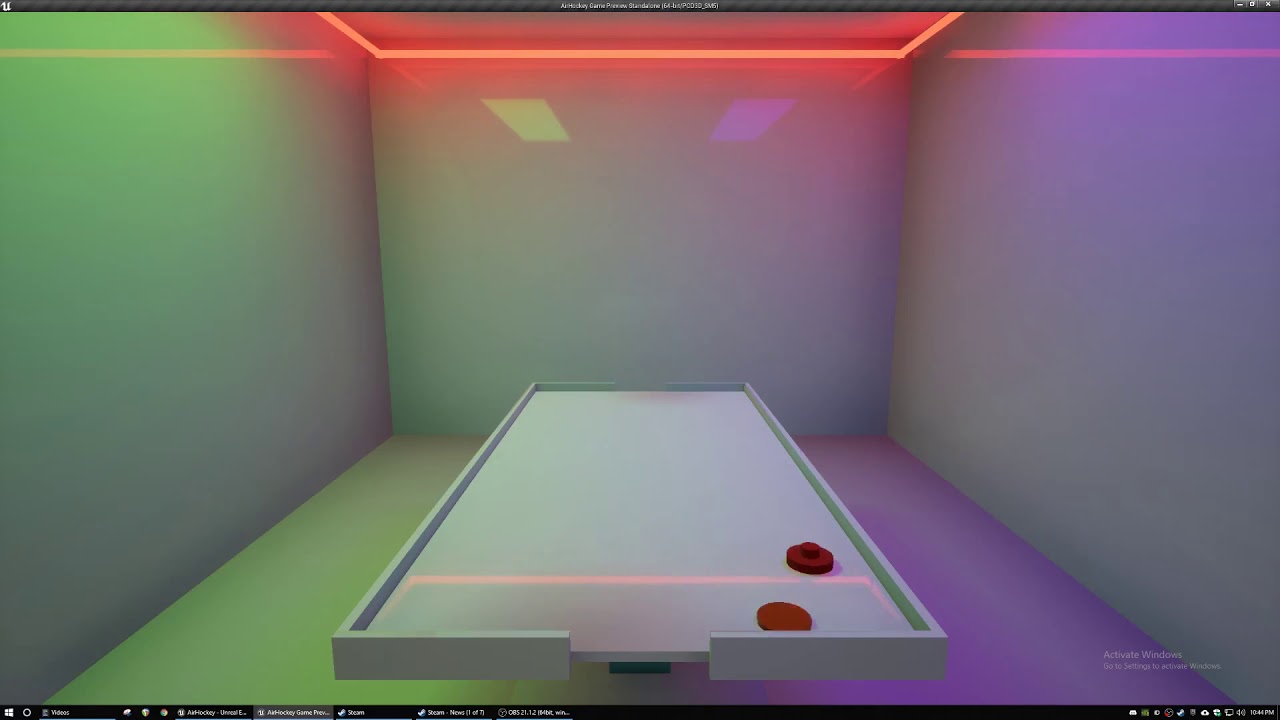
vapor air hockey lol
do you add / average or max the 3 directions of the vector?
spark steppe
faint pasture
That's how I did this
https://youtu.be/1O05fOBfUGM?si=ufQpfXv6FgNJRKix
have you activated windows by now?
ruby cobalt
love the music choice in your latest video btw
faint pasture
ruby cobalt
love the music choice in your latest video btw
It's just whatever working music I have going at the time lol
 compact grove
so I'm trying to make this health bar bigger but nothing happens when I choose the fill option?? am I doing something wrong?

 silk coral
Hey could someone help me out? this is my second day trying to learn unreal engine 4 and i really need some help

ive made basic WASD movement controls, but my problem is that the player character moves faster when going diagonally
from what ive read, apparently i need to normalise the vector but i have no idea how 😅
compact grove
compact grove
so I'm trying to make this health bar bigger but nothing happens when I choose t...
nvm I found the scale tool and it gets the job done
 ruby cobalt
faint pasture
Only trigger sound if impulse > some value
ruby cobalt
faint pasture
Only trigger sound if impulse > some value
hmm problem with this is that the threshold would change based on where in world the hit happens and how strong the physics strength is..
because I,m using physics contorl plugin that apply forces continously
 sweet swan
Running a circular dependecy check with a plugin ("Circular Dependencies Detector" on the marketplace) and it shows my game SoundClass objects as offenders. Is there a way to set these up so that they aren't circularly dependent or is this one of the cases for the "exclude" button?


side note, down to 3 circular dependencies from 800+, woohoo
ruby cobalt
here i'm printing max normal impulse from hit event.. value changes based on overall position because I have a force attracting the object towards the center
i guess all i'd need is a way to detect when the hit stops running.. so I can "rearm" it for next hit

 hollow mulch
Is there something like a flip flop but that fires continuously while it's on?
And it can be disabled with an execution flow input
 kind estuary
im making a game with only one instanced static mesh for all units
Instead of creating an actor and a static mesh for each unit.
Each instance is one unit, and i will create an object for each one, that stores the index of the instance, and all the unit data, like health, xp, attack, defense.
Is this how its done? Or am i doing something wrong?
ruby cobalt
hollow mulch
Is there something like a flip flop but that fires continuously while it's on?
hm this could be done with a timer?
 mental trellis
kind estuary
im making a game with only one instanced static mesh for all units
Instead of cr...
mental trellis
kind estuary
im making a game with only one instanced static mesh for all units
Instead of cr...
Sounds like a plan. You should use a struct instead of an object, though.
And you should probably just create an array of said structs where the index of that array matches the index of the instance.
But any kind of optimisation like this probably falls over straight away if you're using BP
Beware that the ISM and HISM remove instances different. The ISM will remove index x and then shift all the >x members down.
A HISM will swap the last element into position x and shrink the array from the end - changing the order of your instances.
(this is much more efficient, but harder to keep track of)
 finite hearth
Is there a node that I can use to get the class of an actor reference?
(get class) not sure why I could not see it in the pin drag off, but nvm.
 wary trellis
Does anyone know how to change the code of the water plugins BP_FluidSim "Follow Player" to where the sim preview doesent rotate when the camera rotates
 wary trellis
Does anyone know how to change the code of the water plugins BP_FluidSim "Follow...
kind estuary
mental trellis
Beware that the ISM and HISM remove instances different. The ISM will remove ind...
wary trellis
wary trellis
Does anyone know how to change the code of the water plugins BP_FluidSim "Follow...
kind estuary
mental trellis
Beware that the ISM and HISM remove instances different. The ISM will remove ind...
im aware of this. i will make them invisible instead of removing. And then i will have a function that is a cleaner. That will fire every 1 or 2 minutes, that cleans all the invisible instances, and readjusts all the indexes in all structs.
Why use a struct instead of an object?
Isnt an object more versatile? With members functions and all.
Though i could create the array of structs as you said, and then have 1 object with functions that manage everything, thats more neat
wary trellis
wary trellis
Does anyone know how to change the code of the water plugins BP_FluidSim "Follow...
I tried subtracting the distance of the camera from the character but it didnt work
mental trellis
kind estuary
im aware of this. i will make them invisible instead of removing. And then i wil...
Structs in an array is a contiguous chunk of memory. Objects are added on the heap and can be anywhere in the heap memory.
That is only applicable in BPs, though.
kind estuary
mental trellis
That is only applicable in BPs, though.
yeah im thinking about moving it to c++ asap
but maybe an array of structs are superior to an array in objects in cpp too
wary trellis
wary trellis
Does anyone know how to change the code of the water plugins BP_FluidSim "Follow...
nvm instead of using the follow player tick I just teleported the fluid sim to the character constantly
 kind estuary
How do i check for the collision of my instance with another instance, both belonging to the same instanced static mesh component?

So like instance 0 is moving towards instance 1
and when they overlap nothing happens
The mesh has collision
kind estuary
Cant find anything on this
 eternal cradle
Could you share a video of what you're trying to accomplish?
kind estuary
eternal cradle
Could you share a video of what you're trying to accomplish?
sure
 scenic kindle
I have created a camera system for my project and it works really well, the user can rotate the camera by clicking and dragging the mouse. When this happens I set the cursor to not visible, however this simply hides the cursor.
How can I lock the cursor so the user can drag indefinitely without reaching the edges of the application as-well as when it's unlocked the cursor is in the same spot as when it was locked.
spark steppe
only way i figured was to set the cursor to the center of the screen each tick
while you have to keep in mind that this should be done after you calculated the delta
scenic kindle
spark steppe
only way i figured was to set the cursor to the center of the screen each tick
Do you know the name of the node for manually moving cursor location?
spark steppe
no
scenic kindle
spark steppe
only way i figured was to set the cursor to the center of the screen each tick
If you can set the mouse position then you can just capture the position of the click and set to there, so it "returns" to the same spot, instead of center. I'll look through docs, that should work. Thanks.
Just hope IA Delta calculation works properly with it.
spark steppe
actually you can just use the inverse of the delta to set it back
kind estuary
scenic kindle
The problem I'm expecting to run into is that when you call SetMousePosition it will trigger another delta and you will end up with infinite jitter, I'll do some testing.
The delta is calculated by the Input Action system currently, I may have to change the way I'm handling it.
spark steppe
also i should maybe mention that i did it in a widget iirc
used a screen covering widget (as it was supposed to rotate objects in a preview mode)
so i didn't use enhanced input
scenic kindle
Yeah it causes some serious issues with Input Actions, but I have an idea of how to hanmdle it now, thanks again.
@spark steppe these two nodes handle it perfectly, combine with Set Show Mouse Cursor for full effect.
No need for resetting position and this doesn't break IA. 🙂
 kind estuary
kind estuary
kind estuary
@eternal cradle ism collision not working
perhaps ism collision doesnt test its own instances against its own instances
versed sun
kind estuary
<@1073400920106356736> ism collision not working
If the Begin Overlap is fireing that -1 Print, try Breaking the Sweep result
 zealous moth
is there a built in way to convert a letter character to a number?
versed sun
2319 is ws
spark steppe
zealous moth
is there a built in way to convert a letter character to a number?
search for format
zealous moth
?
zealous moth
A = 1 or whatever ascii it is
spark steppe
what's the goal here?
zealous moth
I have a seed generator that uses letters and numbers
letters are modifiers so to speak
zealous moth
so if I have 1234ABCD, I want to do a operation like 1-2+3*4+A-B+C/D
versed sun
I used an array to letters A-Z, and use find Index to get number
spark steppe
eventually you can get it as byte, and convert that to int
but idk if it's a good idea in the first place since some characters may be 2 bytes
kind estuary
so to see whats going on i recreated it using cubes
still no luck
can anyone make a cube instance inside an ism collide against another instance?
i tried everything
 crimson saddle
does anyone here have experience with metasounds? I am having trouble setting a parameter with it via blueprints
 true valve
I'm getting this constant hiccups. I removed characters and everything. I only have landscape and sky. https://gyazo.com/66187ad4dc3c36965a7aa60bdc7f611c

 dawn notch
kind estuary
can anyone make a cube instance inside an ism collide against another instance?
dawn notch
kind estuary
can anyone make a cube instance inside an ism collide against another instance?
I haven't tried to do this so I don't really know what's going on, but it does sound tricky. Each instance gets it's own physics body instance, so it's likely physics knows or COULD know that they're colliding, but since they're all the same component it seems very likely that they're getting filtered out based on that fact somewhere along the way. Assuming that's basically right, it might not be possible without diving into C++.
spark steppe
they are probably welded together
true valve
spark steppe
well, fire up unreal insights and profile
You know how to move UnrealTrace directory
spark steppe
no
kind estuary
dawn notch
I haven't tried to do this so I don't really know what's going on, but it does s...
yeah its very strange that there isn't anything or any tutorial talking about this
we can make many instances but they are useless without collision in a lot of cases
most tutorials i see only spawn and move instances around
never show the interaction between these instances using collision
another solution i thought, is to deactivate the collision of the ism
and spawn a sphere collision for each instance
then when i move the instance i need to also move the collision
though i wanted to make sure first that im not missing something here
true valve
spark steppe
well, fire up unreal insights and profile
lol - the hiccups were caused by my windows went through an update and wanting me to restart. How would I know that? lol
finite hearth
Does the hud know about all the user's widget, any way to get a reference to one of those widgets if so?
 distant hollow
finite hearth
Does the hud know about all the user's widget, any way to get a reference to one...
distant hollow
finite hearth
Does the hud know about all the user's widget, any way to get a reference to one...
Yo can either create the widgets using the HUD then set a reference to them, or cast to the blueprint which created the widget.
distant hollow
kind estuary
can anyone make a cube instance inside an ism collide against another instance?
Checked the collision settings?
kind estuary
distant hollow
Checked the collision settings?
yes checked them and overchecked them
from my research this is not possible
what is possible is for the instances to collide against another static mesh, and that static mesh can detect the instance its colliding against
However, you it is not possible to detect collision of one instance against another instance
try it yourself you will see no matter what you do, it doesnt work 🙂
i think it makes sense because ism is supposed to be one mesh
devout latch
crimson saddle
does anyone here have experience with metasounds? I am having trouble setting a ...
I use it to seamlessly loop background music (with an intro…something you couldn’t do properly before Metasound). I do set a few parameters using it.
crimson saddle
devout latch
I use it to seamlessly loop background music (with an intro…something you couldn...
I think I did figure out that my problem stems from trying to load new audio at runtime, and apparently that just doesnt work 😦
I was also having a lot of trouble figuring out what order I had to call the nodes in, since that isnt documented anywhere but it matters a lot
devout latch
crimson saddle
I think I did figure out that my problem stems from trying to load new audio at ...
I’m glad you figured it out. What do you mean you can’t load it at runtime, though? I load my audio at runtime.
crimson saddle
devout latch
I’m glad you figured it out. What do you mean you can’t load it at runtime, thou...
I'd love to know how you're doing that then
I am trying to load audio files into an array of waves that I give to metasounds for a randomized playlist. Unfortunately I can't get it to work at all
 trim matrix
I am not sure if its the case but you cant save an object reference in a save game object
it will alway return nothing
 digital valve
I dont think they are
trim matrix
yea, I dont know then, sry
frosty heron
trim matrix
I am not sure if its the case but you cant save an object reference in a save ga...
Depends
You can save actor ref if they already exist in the level
But for anything that is spawned at runtime, will be lost
trim matrix
what does that mean?
frosty heron
It means you can save object ref if they already pre placed in the level
So the notion it always return nothing isn't true
frosty heron
That's what I said yeah
trim matrix
okk yea
true valve
So I've a parent actor and some child actors. I interact with the child actor and set that actor to a variable as cast to its parent actor. When I toggle a variable it won't update
 dark drum
true valve
So I've a parent actor and some child actors. I interact with the child actor an...
dark drum
true valve
So I've a parent actor and some child actors. I interact with the child actor an...
You'll need to show how you're doing it.
true valve
I'm trying to toggle a variable in the child actor.
ParentActor and ChildActor
IsVendor - false in parent but true in child
player->Linetrace -> cast to ParentActor
IF IsVendor pick it up and set IsVendor to false
After I drop it and tries to pick it up - it has IsVendor to true
dark drum
@true valve are you not able to share a screenshot?
true valve
dark drum
<@441113547540398091> are you not able to share a screenshot?
I found the issue. When I drop it, I'm am spawning actor. so the variable gets its default
dark drum
I'm still trying to figure out a nice way to do a stats system for both the player and NPCs. I could just put everything in a single actor component but once you've got a few stats it starts to become pretty big. (especially if you have to define a min/max value and any natural increase/decreases over time) Does anyone have an suggestions?
frosty heron
dark drum
I'm still trying to figure out a nice way to do a stats system for both the play...
Do you have plans to dive into GAS?
dark drum
frosty heron
Do you have plans to dive into GAS?
No, I have looked into it but I like to keep my projects as BP only. When ever I start doing C++ i just break stuff haha. I was thinking of using the gameplay tags though.
frosty heron
I heard gas companion (plugin) remove the need to dive into cpp to make use of gas
But don't quote me on that 😄
dark drum
frosty heron
I heard gas companion (plugin) remove the need to dive into cpp to make use of g...
My initial thought was to have stat modules (uobjects) that get created by the main stat component. That way it would just be a case of having it create the default modules on start but gives room to dynamically add new ones for stat effects.
That way each module contains just the logic for how it behaves.
 red berry
How do you access a Material Instance's variable in blueprints? I want to set "TintColor" in blueprints
 dark drum
red berry
How do you access a Material Instance's variable in blueprints? I want to set "T...
dark drum
red berry
How do you access a Material Instance's variable in blueprints? I want to set "T...
From you dynamic material instance, use the set vector parameter value node.
 snow gazelle
Hello, I've ben trying to make some functional doors for some containers, and this is the blueprint i have, the problem with it is that it only works properly when the containers are facing one specific direction, can someone help me make it work for any directions?
 dark drum
snow gazelle
Hello, I've ben trying to make some functional doors for some containers, and th...
dark drum
snow gazelle
Hello, I've ben trying to make some functional doors for some containers, and th...
I can't see anything wrong with what you've shown in the screenshot. Is the rotation for the doors set to world or relative? (Screenshot is so you know where to look)
 snow gazelle
its set for relative
dark drum
snow gazelle
its set for relative
How are the doors parented in the BP hierachy?
 dark drum
snow gazelle
dark drum
snow gazelle
Make the doors children of the main container they are attached to.
snow gazelle
dark drum
Make the doors children of the main container they are attached to.
It still doesen't work
 dark drum
snow gazelle
It still doesen't work
dark drum
snow gazelle
It still doesen't work
What happens to the doors when the container isn't facing the specific direction?
snow gazelle
dark drum
What happens to the doors when the container isn't facing the specific direction...
tey rotate wrong, in the image you can see that the left container is working correctly, and the right on isn't, on the right conteiner the left door almost doesent open, and the right door opens more than it should, the doors also go kind of crazy for a little bit because they rotate rong and colide with the container itself.
 dark drum
snow gazelle
tey rotate wrong, in the image you can see that the left container is working co...
dark drum
snow gazelle
tey rotate wrong, in the image you can see that the left container is working co...
how is the timeline setup?
snow gazelle
dark drum
how is the timeline setup?
 dark drum
snow gazelle
dark drum
snow gazelle
With the doors being attached to the container, is the default yaw value 0 when the doors are closed?
snow gazelle
dark drum
What happens to the doors when the container isn't facing the specific direction...
this video shows what happens better
dark drum
snow gazelle
this video shows what happens better
Do the doors have physics enabled?
snow gazelle
dark drum
Do the doors have physics enabled?
yes
dark drum
snow gazelle
yes
Try disabling physics.
snow gazelle
dark drum
Try disabling physics.
just tried it, when i started the simulation everything i had in the level with physics activated just went into chaos and it crashed
dark drum
snow gazelle
just tried it, when i started the simulation everything i had in the level with ...
Disabling physics on the doors wouldn't do that. It sounds like you might have another issue. It is odd though.
snow gazelle
dark drum
Disabling physics on the doors wouldn't do that. It sounds like you might have a...
the containers also had physics activated
that was the problem
so in the plueprint i think i should deactivate the physics of the conteiner and then activate again
dark drum
snow gazelle
so in the plueprint i think i should deactivate the physics of the conteiner and...
Why do you need physics on them?
snow gazelle
dark drum
Why do you need physics on them?
because i wanted to try to make a monster in the game that can throw containers around
dark drum
snow gazelle
because i wanted to try to make a monster in the game that can throw containers ...
I would swap them out for a different physics actor when they pick them up. Physics actors can be a little unpredicable at times.
snow gazelle
dark drum
I would swap them out for a different physics actor when they pick them up. Phys...
That is a good idea, probably also better for performance
Well, thank you for the help
dark drum
snow gazelle
Well, thank you for the help
no problem. Glad you figured it out. 🙂
 crystal crown
Can't find this node
 dark drum
crystal crown
Can't find this node
dark drum
crystal crown
Can't find this node
I believe thats from the CommonUI stuff, specifically for the numeric text box.
crystal crown
ah okay
dark drum
crystal crown
ah okay
If you're not using the numeric text box, you might need the interp to nodes.
 crystal crown
thx


 abstract mango
got a bit of a problem here, so I was following a car tutorial ... and somehow when going into play mode, this happens:

it's a chaos Vehicle car
basically not even the throttle works, steering tho does
seems it was a model error, wheels haven't had the right origin
dark drum
tidal tendon
Why I cant create a local variable?
As a guess, I would say you're inside a macro.
random pulsar
hey guys how can i connect this way the code,i tried with sequence but it does not run well

i need both reverse input connected to end overlap
dark drum
random pulsar
hey guys how can i connect this way the code,i tried with sequence but it does n...
You shouldn't be starting a timeline from the update exec output of another timeline.
Also where you're looking for is a sequence node. You can use this for you're issue and the one I highlighted.
random pulsar
dark drum
You shouldn't be starting a timeline from the update exec output of another time...
i thought like this but it does not make what i want
 dark drum
random pulsar
i thought like this but it does not make what i want
dark drum
random pulsar
i thought like this but it does not make what i want
Do this, it'll fix the issue as it's caused by the first timeline telling the other to play normally.
 random pulsar
dark drum
Do this, it'll fix the issue as it's caused by the first timeline telling the ot...
random pulsar
dark drum
Do this, it'll fix the issue as it's caused by the first timeline telling the ot...
yeeees,nice
 timid rock
Does anyone know how I could get UI like this to prevent the game world from detecting mouse input? (WITHOUT setting input mode to UI only - I need game and UI)

as you can see, the box behind the UI is recieving input currently.
frosty heron
timid rock
Does anyone know how I could get UI like this to prevent the game world from det...
Just have a canvas panel and make sure it's set to visible
Or you can place a transparent image or button
frosty heron
Anything to block it
 hot inlet
How do I choose the default camera actor??
versed sun
timid rock
ahh I see
you can toggle the Canvas Vis when you mouse over the Window
If you still need to interact with the box
frosty heron
hot inlet
How do I choose the default camera actor??
What's the context? Normally we just posses a camera that our pawn has
hot inlet
frosty heron
What's the context? Normally we just posses a camera that our pawn has
I have problem
I use als (advance locomotion systrm) package
By defult als dont have camera and when i play game, unreal spawn a camera actor at 0 0 0 and then camera move to player
But i want at the start camera actor spawn behind player
""Sorry for baddddddd english""
frosty heron
Don't know how als do it or which version of als you are using. You prob should check the camera manager
hot inlet
use als v4
tidal tendon
How can I get player controller of the player who took damage to disable its input?
 frosty heron
tidal tendon
How can I get player controller of the player who took damage to disable its inp...
frosty heron
tidal tendon
How can I get player controller of the player who took damage to disable its inp...
Get the controller of the pawn in that bp?
 compact vapor
I've heard that casting should be avoided at all costs because it demands memory
what If I have 3 casting nodes that all cast to to the same BP, is that the same amount of memory as only having 1?
what about "spawn AI" nodes?
if I have a spawn ai node set to an "AI spider BP"
will this demand a reference to the AI Spider BP in turn causing a demand for more memory?
crystal crown
Getting accessed none from this. How can i get the component
 spark steppe
crystal crown
Getting accessed none from this. How can i get the component
spark steppe
crystal crown
Getting accessed none from this. How can i get the component
show the GetInventoryComponent graph
and ensure that the newPawn is valid, and the component ofc...
there's pretty much no checks in here, so we don't even know what is null
frosty heron
compact vapor
I've heard that casting should be avoided at all costs because it demands memory...
Casting in bp will create a hard ref that in turns load the object to memory.
In most cases you cannot avoid casting. Casting in cpp land is free and doesn't come with the overhead that the bp has.
Using interface isn't really the answer to go around bp Casting.
If your game is bp only, you probably should live with the overhead. You can do further optimisation by loading the heavy parts like materials, textures, audio etc on demand
spark steppe
compact vapor
I've heard that casting should be avoided at all costs because it demands memory...
it's bullshit, casts are kinda cheap
as long as the class is loaded in memory
tidal tendon
frosty heron
Get the controller of the pawn in that bp?
Like how? Get player controller node is only giving me Player controller 0 which I can change but how can I make it the controller who took damage?
frosty heron
tidal tendon
Like how? Get player controller node is only giving me Player controller 0 which...
Get owning controller or something like that
Not get player controller
The one who took damage is the bp where event any damage is, isn't it? I don't use unreal damage system but pretty sure that's the case
crystal crown
spark steppe
show the GetInventoryComponent graph
Running through a library

 tidal tendon
frosty heron
Get owning controller or something like that
tidal tendon
frosty heron
Get owning controller or something like that
Well its sadly not working like that

This isnt disabling input
frosty heron
tidal tendon
Well its sadly not working like that
Not like that
Cast the return value to your controller then disable input from there
Look at your code , player controller remains empty. So don't expect it to work
spark steppe
crystal crown
Running through a library
you never check oldPawn/newPawn
tidal tendon
frosty heron
Cast the return value to your controller then disable input from there
Look at ...
like this? It worked somehow lol
 crystal crown
spark steppe
you never check oldPawn/newPawn
crystal crown
spark steppe
you never check oldPawn/newPawn
in second pic?
tidal tendon
Thanks
spark steppe
crystal crown
in second pic?
in the first
tidal tendon
But only works in server
crystal crown
no just player controller 0 in player controller target
frosty heron
tidal tendon
like this? It worked somehow lol
Pretty sure it can be shorter but meh.
I'm still new at multiplayer my self
Yes cuz event any damage only run on server
tidal tendon
crystal crown
no just player controller 0 in player controller target
Game is multiplayer so
crystal crown
tidal tendon
Game is multiplayer so
its local anyway
spark steppe
crystal crown
no just player controller 0 in player controller target
then... are you destroying the old pawn? WHAT is NULL in the error?
crystal crown
spark steppe
then... are you destroying the old pawn? WHAT is NULL in the error?
this was a reply to the other guy
compact vapor
frosty heron
Casting in bp will create a hard ref that in turns load the object to memory.
I...
@frosty heron @spark steppe
im making an rts game (4 factions, each have around 16 unique units)
probably 50-60 unique units.
i was thinking of doing a data table of all units.
which I think would be fine if it was just basic variables like (health/armor/speed)
but I want each unit to have an array of sounds somewhere that holds all their combat dialogue.
thinking of putting that as an element in each instance of the data table.
take 50-60 units all with lets say 8 lines of dialouge and we have got a shit ton of references.
so if every unit BP references the data table, that seems really inefficient,
at this scale, would it be considered a gigantic overhead for memory.
(what if i wanted the games recomended specs to be 4GB ram?)
frosty heron
crystal crown
its local anyway
Player controller 0 will yield diff result depending who's calling it. Eg dedicated server, listen server, or client
tidal tendon
frosty heron
Yes cuz event any damage only run on server
I mean I fixed the multiplayer damage problem so client can kill server now, and client can disable input of server. But server player cant disable input of client...
crystal crown
frosty heron
Player controller 0 will yield diff result depending who's calling it. Eg dedica...
works for me
spark steppe
compact vapor
<@1050954229902213150> <@280376753363353600>
im making an rts game (4 factions...
put each units voice lines in it's own data table and do a soft reference on the sound datatable in the other one
and/or make all sound references soft references and load them on demand
frosty heron
compact vapor
<@1050954229902213150> <@280376753363353600>
im making an rts game (4 factions...
Data table shouldn't hold any object reference. You will end up loading the whole game from referencing the data table.
Use soft ref to load what you need from the data table
crystal crown
spark steppe
you never check oldPawn/newPawn
how would i do this
spark steppe
crystal crown
how would i do this
IsValid check on them before using them
tidal tendon
crystal crown
no just player controller 0 in player controller target
This is only disabling controller of server
frosty heron
crystal crown
works for me
I suggest to read compendium on multiplayer channel
crystal crown
i have tried with listen server and dedicated. still works.
frosty heron
U shouldn't use that for multiplayer
compact vapor
spark steppe
put each units voice lines in it's own data table and do a soft reference on the...
@frosty heron @spark steppe
i'll look into this but my feet are in a bit of the deep end.
i dont have much experience with data tables and only just started looking into soft/hard references last night.
any advice / resouces you can point me in the direction of?
frosty heron
You will get unwanted result, get player controller 0 will just get the first controller
frosty heron
compact vapor
<@1050954229902213150> <@280376753363353600>
i'll look into this but my feet a...
Demystifying soft reference video by epic should get you started with soft ref
Check their YouTube channel
crystal crown
spark steppe
IsValid check on them before using them
interesting because i copy pasted this from epics project
 sand bloom
Does anyone know whether having a empty skeletal mesh is ok to have in a master blueprint? I basically want to have a master enemy blueprint with both a static mesh and skeletal mesh and just check which one it has when needed in the children because not all my enemies will need skeletal meshes, but now i'm wondering whether a empty skeletal mesh still takes up performance, I assume no but..
crystal crown
crystal crown
interesting because i copy pasted this from epics project
not the first pic tho
frosty heron
sand bloom
Does anyone know whether having a empty skeletal mesh is ok to have in a master ...
They prob do but I won't worry about it 🤔
spark steppe
crystal crown
interesting because i copy pasted this from epics project
then they probably ensured that those are valid before calling the method
and didn't do weird stuff
sand bloom
hmm if so I may aswell use a different method
frosty heron
What sort of method
If every character gonna have a sm or sk what's wrong with having it in parent
Just spawn 100 of empty one and check your fps. Or profile if u want
sand bloom
I guess so, i'm just worried about performance if I want to have many enemies
yeah I guess I could just do that to check
frosty heron
My sk is quiet heavy somehow. Having 20 characters already half my fps
sand bloom
Yeah I hear skeletal meshes are heavy on performance
frosty heron
My old project is fine, I had around 60 npcs going around and it's still clocking 140 fps
frosty heron
Can't say the same with UE5, I'm still figuring out how to increase my fps
 broken wadi
Even something like 100 rotating coins is going to be expensive unless you use something like vertex animations.
sand bloom
Yeah vertex animations sounds like the most performant method(sadly lol)
broken wadi

Source code: https://github.com/PendingKill/Tutorial_RotatingActors
Today we're discussing different ways of rotating actors in Unreal Engine 4 (blueprints), profiling the performance of each method, and analyzing the results to find out which one you should use in a given scene.
TABLE OF CONTENTS
00:00 Introduction
00:42 Rotating Movement (BP...
crystal crown
spark steppe
IsValid check on them before using them
the old one isn't valid but the new one is
dark drum
do enhanced input trigger inside uobjects? (assuming input has been enabled on them)
Edit: Nm, 'Enable Input' requires an actor input so UObject doesn't work.
spark steppe
crystal crown
the old one isn't valid but the new one is
then don't use the old one...
crystal crown
spark steppe
then don't use the old one...
i need it for unbind event
spark steppe
what do you want to unbind from when it's non existing?
 proper vigil
@dark drum Hi, so I swapped the true/false for this branch and it actually made the correct UI to appear when talking to the NPC.


However pressing Good or Bad don't cause the conversation to continue furthur.
dark drum
proper vigil
<@430016173694779402> Hi, so I swapped the true/false for this branch and it act...
True needs to return and have 'PassThrough' as the state. False should update the UI and return state 'Updated'.
dark drum
proper vigil
However pressing Good or Bad don't cause the conversation to continue furthur.
For context, the Dialogue Progress keeps track of the options the player has chosen. If a value is found, it should move on and 'not' update the UI at that stage and pass through the function (do nothing). It's not until it's unable to find a value in the Dialogue Progress that it should update the UI and return updated.
proper vigil
When I start interacting with NPC, it starts by saying "That's good" Instead of "Hi! How are you?"
 dark drum
proper vigil
When I start interacting with NPC, it starts by saying "That's good" Instead of ...
dark drum
proper vigil
When I start interacting with NPC, it starts by saying "That's good" Instead of ...
Make sure the default value for the Dialogue Progress var is clear/empty.
proper vigil
I can't set it to 0?
 timid rock
frosty heron
Just have a canvas panel and make sure it's set to visible
timid rock
frosty heron
Just have a canvas panel and make sure it's set to visible
Sorry for the late response but I have made it visible yet it still doesn't absorb input (when I click on the wooden box it creates the circle in them iddle of the screen)
 frosty heron
timid rock
Sorry for the late response but I have made it visible yet it still doesn't abso...
frosty heron
timid rock
Sorry for the late response but I have made it visible yet it still doesn't abso...
Not sure how you do it, the canvas panel should take the entire background space
Can always block with invisible button too
dark drum
proper vigil
I can't set it to 0?
That var is populated at runtime and should be empty. The only time you would pre-populate is if you're loading the players conversation progress from a save, even then, that's still at runtime.
timid rock
frosty heron
Not sure how you do it, the canvas panel should take the entire background space
hmm i see ok I'll try that
proper vigil
dark drum
That var is populated at runtime and should be empty. The only time you would pr...
Now there are 0 map elements. Is that okay?
dark drum
proper vigil
Now there are 0 map elements. Is that okay?
Yea, that's how it should be. 🙂
proper vigil
dark drum
Yea, that's how it should be. 🙂
The "Hi! How are you" is still skipped.
dark drum
proper vigil
The "Hi! How are you" is still skipped.
show the start of the conversation.
proper vigil
 dark drum
proper vigil
dark drum
proper vigil
Did you change the 'Add Dialogue' function back to how it should be? Also check to make sure the Dialogue Tree index is 0.
proper vigil
 dark drum
proper vigil
dark drum
proper vigil
Is the dialogue tree index set to 0?
proper vigil
Yes.
dark drum
proper vigil
Yes.
What is displayed when you first interact with the NPC?
proper vigil
 dark drum
proper vigil
dark drum
proper vigil
You'll need to add a break point to the switch on int node at the beginning with the Dialogue Tree Index connected and step through to see what it's doing.
proper vigil
 timid rock
frosty heron
Not sure how you do it, the canvas panel should take the entire background space
timid rock
frosty heron
Not sure how you do it, the canvas panel should take the entire background space
I have an invisible canvas (that is set to visible), but it does nothing to stop detection. FYI I am doing world mouse interaction with line traces, may that be the cause of the issue?
dark drum
proper vigil
And what happens when you step through? It should go inside the first add dialogue node and show you which branch it goes down.
proper vigil
dark drum
And what happens when you step through? It should go inside the first add dialog...

 fringe junco
how would I pan the camera while respecting current ~~ camera~~ pawn (which is the camera) rotation? what rotation value do I need access too? I can't figure this logic out T_T
 dark drum
proper vigil
dark drum
proper vigil
You need to keep stepping until it goes inside the function and gets to the branch and see which way it goes.
proper vigil
The steps took it to here.
 dark drum
proper vigil
The steps took it to here.
dark drum
proper vigil
The steps took it to here.
Start again but make sure you're pressing the button in-between the green and red buttons at the top.
frosty heron
timid rock
I have an invisible canvas (that is set to visible), but it does nothing to stop...
Wat r u trying to do here? You want to stop tracing?
proper vigil
dark drum
Start again but make sure you're pressing the button in-between the green and re...


 noble ledge
Is this doing a for loop in the background and binding the event to each item in the array?
 timid rock
frosty heron
Wat r u trying to do here? You want to stop tracing?
timid rock
frosty heron
Wat r u trying to do here? You want to stop tracing?
I have an inventory menu, but my player can also interact with actors in the game world. I want a way so that while the mouse is over the inventory menu, interaction with the game world is disabled
but only mouse interaction not keyboard
frosty heron
timid rock
I have an inventory menu, but my player can also interact with actors in the gam...
I blocked game click using invisible button
Because the button would consume the mouse click
No idea with your trace tho that would be irrelevant
U can always disable the trace if the widget is being hovered
U gotta define the rule when to trace or not
 prime stump
Hi, I'm doing some post process stuff when the player gets into a low health state, one of the things im having it do is play a looping timeline which lerps the players vignette between CurrentVignette and NewVignette values
The problem I have is that health state can change while these timelines are playing so for example:
- player goes into low health state
- the vignette timeline starts playing which lerps the players vignette from 0.4 (CurrentVignette) to 0.8 (NewVignette) then back to 0.4 on a loop
- the player heals which plays the ReverseLowHP event which stops the vignette timeline, gets the current value of the vignette and sets CurrentVignette and also sets NewVignette to 0.4 then lerps once from whatever the CurrentVignette value got set too, back down to 0.4 (NewVignette)
- while the ReverseLowHP timeline is playing, the player goes back into low health state again which stops the ReverseLowHP timeline, NewVignette is set to 0.8 again and CurrentVignette is set to whatever the current vignette value is
- it then starts the vignette timeline but the current vignette value is stuck at whatever it got to while it was reversing back to 0.4 so the loop then goes between that value and 0.8(NewVignette), and that value can be anything between 0.4 & 0.8
Essentially what I want it to do is smoothly transition the vignette properly when changing health states which each do their own post processing changes, they should all take one another's current values into account so there is no jumping in the effects because they're changing immediately


So you can see in the vid that when i hit 10 health i enter low health state and it lerps fine between 0.4 & 0.8, but then when i heal and while the post processing fx are reversing i take damage again which puts me back into low health state its only lerping between 0.71 & 0.8, how can i make it in a way that will smoothly transition it that takes into account other timelines doing post process fx?
dark drum
prime stump
So you can see in the vid that when i hit 10 health i enter low health state and...
Personally, I wouldn't use timelines for something like this. I would just have the desired values that are used in the PP and have the PP update on tick using the FInterp node to update the values from current to desired. If you change the desired values, it'll still smoothly lerp to the new values.
timid rock
frosty heron
U can always disable the trace if the widget is being hovered
How can I check if it's being hovered? Just have that set on enter / leave on every widget?
frosty heron
timid rock
How can I check if it's being hovered? Just have that set on enter / leave on ev...
Enter and leave is a button trait I think
You can probably do is hovered on every tick instead
dark drum
timid rock
How can I check if it's being hovered? Just have that set on enter / leave on ev...
Assuming your UI widgets are in a main widget, you could just add it to the main widget, it'll trigger if you over over any of it's children.
timid rock
yeah that's what I'm gonna try right now
random pulsar
hey,i just did so the door opens when i overlap with trigger and it closes when i exit the trigger,but i notice if i try to enter from other side it also opens at -90,how i can do so it determines from which side i walk into the door

 keen ice
i need help, im making a chas player task for my ai behavior tree but i need to replicate the player index, how do i do that
 frosty heron
keen ice
i need help, im making a chas player task for my ai behavior tree but i need to ...
frosty heron
keen ice
i need help, im making a chas player task for my ai behavior tree but i need to ...
If you are not doing local multiplayer then you have no business with the index
dark drum
random pulsar
hey,i just did so the door opens when i overlap with trigger and it closes when ...
So you're wanting the doors to be able to open 90 and -90 depending on the direction?
random pulsar
right
frosty heron
Player index is there for local multiplayer purposes (non network game)
dark drum
random pulsar
right
I would probably just have two collision boxes for the different sides then you can handle each overlap begin/end differently.
keen ice
frosty heron
Player index is there for local multiplayer purposes (non network game)
how do i set it up for a network game
frosty heron
keen ice
how do i set it up for a network game
Read the compendium in #multiplayer
remote meteor
technically
BTT only exists in server
so you technically can use the indexes to get the correct PC
question is
how do you differentiate between them, for the ones you want
random pulsar
dark drum
I would probably just have two collision boxes for the different sides then you ...
timeline has a direction node,can i use that for detecting?
not node,output
pin
dark drum
proper vigil
When it goes inside the 'Add Dialogue' function, keep stepping and see what it does when it gets to the branch. If doesn't go to the 'Update Dialogue Text' node then it means it's finding the dialogue index in the dialogue progress.
dark drum
random pulsar
timeline has a direction node,can i use that for detecting?
That's just the direction the timeline is playing. (Forward/Reversed)
random pulsar
what are the other ways to do it,having only one collision?
 proven dune
Hi! So I need to get a variable from a Widget Blueprint, so my question is: how do I cast to a widget blueprint?
frosty heron
proven dune
Hi! So I need to get a variable from a Widget Blueprint, so my question is: how ...
Why so you need to cast? Just get a ref to the widget
frosty heron
I would suggest to look at how to use variables
Hard to make a game without understanding them
keen ice
frosty heron
Read the compendium in <#221799385611239424>
what am i looking for in the compendium, im a little overwhelmed
frosty heron
But tldr, promote the widget to variable when you spawn it
Then you can just get a ref to it
 still swallow
keen ice
what am i looking for in the compendium, im a little overwhelmed
still swallow
keen ice
what am i looking for in the compendium, im a little overwhelmed
Go step by step and slowly
broken wadi
keen ice
what am i looking for in the compendium, im a little overwhelmed
All of it. You literally have to understand all of it to make a multiplayer game. Also it doesn't even cover everything.
frosty heron
Not sure why do u need replication in that btt tho
U r the server
Just pick the actor u want the a.i to go to
remote meteor
BTTask only exists on the server
as AIController only exists on the server for enemies
random pulsar
@frosty heron Hi,how can i rotate the door depending where is the player ,cuz now it opens only at -90 ,i want it to open 90 when i walk from other direction


 frosty heron
random pulsar
<@1050954229902213150> Hi,how can i rotate the door depending where is the playe...
frosty heron
random pulsar
<@1050954229902213150> Hi,how can i rotate the door depending where is the playe...
I dunnoe, I would probably have 2 box collision that determine where the character come from
Don't use level blueprint for this. Make a bp actor for the door that will work anywhere in any angle
keen ice
frosty heron
Not sure why do u need replication in that btt tho
because the AI only chases one player it cant track other players in the index
id want it to go to the closest player idealy
frosty heron
keen ice
because the AI only chases one player it cant track other players in the index
Then just find the closest actor that is owned by a player?
remote meteor
you are the server, you have everything, if you want to find the closest player regardless of distance
get game state->playerstates->for each controlled pawn->compare distance
assuming players will always control a pawn
keen ice
i suppose a better use would be finding the closest player in its pawn detection radius,
remote meteor
then you will want to setup AIPerception
random pulsar
frosty heron
Don't use level blueprint for this. Make a bp actor for the door that will work ...
yeah i know,its a part of the course ,i practice now the level blueprint
remote meteor
or atleast have somesort of your own iimplementation, then at the task, get the players that this AI has already sensed, get closest
frosty heron
random pulsar
yeah i know,its a part of the course ,i practice now the level blueprint
What course 👀. If they use level bp, I do stop watching it
thin panther
don't bother. there isn't any practice needed for the level blueprint, you won't use it enough
keen ice
remote meteor
then you will want to setup AIPerception
i have one of those set up
frosty heron
Ain't no reason to make door blueprint in level bp
thin panther
Anything teaching you that fossil should be ignored immediately
keen ice
the only thing is it cant track any player other than player index 0 and i dont know how to make it the nearest player instead
random pulsar
frosty heron
What course 👀. If they use level bp, I do stop watching it
its a good course,better than nothing)
thin panther
don't tell me it's a gamedev.tv one
frosty heron
I used level bp when I need to grab stuff exclusive to that level
thin panther
random pulsar
its a good course,better than nothing)
It's not a good course though, and it isn't better than nothing
random pulsar
btw,do you use ))) in your country as smile emoji?
remote meteor
keen ice
the only thing is it cant track any player other than player index 0 and i dont ...
first thing you probably want let the task to get the sensed actor from the AIPerception
thin panther
random pulsar
btw,do you use ))) in your country as smile emoji?
I'm more familiar with it being :) rather than just )
random pulsar

Найдётся всё
remote meteor
usually we achieve this using a Blackboard Actor value, the AIController will set the correct target from the AIPerception
random pulsar
i started learning things in here so its good
keen ice
remote meteor
first thing you probably want let the task to get the sensed actor from the AIPe...

 lunar sleet
Ah a random Russian link, what could go wrong lol
thin panther
random pulsar
i started learning things in here so its good
no, just because you're new doesn't make learning bad things good.
It makes them worse
the course is even worse
dark drum
random pulsar
what are the other ways to do it,having only one collision?
You would need to check the overlapping actors location against the collisions location to determine the angle they have overlapped at. If this falls with a 0 to 180 it's one side, if -180 to 0 then its the other side.
lunar sleet
keen ice
Pawn Sensing was replaced by #gameplay-ai Perception, and for good reason
keen ice
what do you mean
random pulsar
thin panther
no, just because you're new doesn't make learning bad things good.
It makes the...
just because he used level blueprint to explain the logic of blueprints for begginers?cmon
lunar sleet
keen ice
what do you mean
Perception is better
keen ice
Oh i see
frosty heron
random pulsar
just because he used level blueprint to explain the logic of blueprints for begg...
That's actually pretty bad. Why not do it on actor so it can be reused
thin panther
random pulsar
just because he used level blueprint to explain the logic of blueprints for begg...
precisely that.
lunar sleet
Not clicking on a Russian website link lol, that’s how you get malware
thin panther
that's called teaching someone bad practice who doesn't know any better to spot the bad practice
dark drum
random pulsar
just because he used level blueprint to explain the logic of blueprints for begg...
The reality is it sets most beginners on a bad journey of using the level BP which increases overall work and has many limitations.
In the 10+ years I've used UE, i've only ever used the level BP once and that was for some level streaming stuff.
frosty heron
We r trying to help, but the idea of doing door in level bp is just fundamentally bad
thin panther
the first thing to do before learning the language is understanding the context it's in
frosty heron
Door bp , u don't want to use level bp and you don't want to hard-core anything
keen ice
thing is idk how to use AIperception :p
frosty heron
This way u can reuse and have a modular door
random pulsar
dark drum
The reality is it sets most beginners on a bad journey of using the level BP whi...
i know i can make an actor and use it as many times as i want in different levels,i already made it,now im following the course
lunar sleet
Tbh no point arguing with people that think they know better when they just started and refuse to listen to advice. May flies like these are a dime a dozen
thin panther
i don't have to watch the whole thing to rate it.
I just know that someone is teaching a new person something fundamentally wrong with the engine.
you don't need to watch it to know that's bad
frosty heron
Many of us redo our system over and over because we always find better way to do things.
thin panther
If your first introduction to driving a car said "don't worry about the gear stick, it's not important" it would be an objectively bad driving lesson
lunar sleet
keen ice
thing is idk how to use AIperception :p
Learn. Go to #gameplay-ai and watch video on 4th pin. And if you still struggle after that ask us about it in there
keen ice
ok thanks
lunar sleet
frosty heron
Many of us redo our system over and over because we always find better way to do...
Refactoring is life 😀
frosty heron
lunar sleet
Refactoring is life 😀
In my case I just start over with a new game 😢
My bp only project is beyond saving
lunar sleet
Happens. New one will be better
dark drum
New year, new project. 😄
lunar sleet
frosty heron
My bp only project is beyond saving
How come, bp corruption or just too far gone ?
random pulsar
dark drum
You would need to check the overlapping actors location against the collisions l...
too hard for me now)
frosty heron
Countless bp structs, spaghetti and 0 soft ref

 frosty heron
Fix your camera?
stiff swift
Open viewport on BP charachter or third person and move camera ye
lunar sleet
frosty heron
Countless bp structs, spaghetti and 0 soft ref
Just ask ChatGPT to remake it in cpp, then, ignore everything it tells you, and start a new project 🙃
stiff swift
If using BP to adjust camera mess with your angles
stiff swift
frosty heron
Countless bp structs, spaghetti and 0 soft ref
How it feels being a nub and trying to setup inventory systems 
dark drum
random pulsar
i know i can make an actor and use it as many times as i want in different leve...
I did a few tutorials on setting up doors. You might find them useful. I haven't done one that's specifically what your asking but it might give you some ideas. They do use a line trace based interaction system (seperate tutorial) but it shouldn't be too difficult to modify to use an overlap system if its what you need.
https://www.youtube.com/playlist?list=PLcwVLBaUNnHpXuMLCwYFB1PiPcTD-7HT0

YouTube
 blazing dust
I haven't given any context indeed, basically I am making a spaceship with a walkable interior, using
a simulation of static physics. The idea is that when entering a ship, the player is warped inside
an static replica of the spaceship, replaced by a dummy which imitates it's position
And then I attach the camera to the dummy
Everything is working but the camera, which I'm trying to tweak so that it matches the ship's ground
So, any ideas?
stiff swift
Adjusting angle by approximate 40* to the left or setting the component to adjust after worp, whatever clever just needs tilted and maybe reset to be behind your charachter if using BP instead of just moving the cam. I myte not be understanding also wich is ok
blazing dust
The thing is, the ship might be constantly moving and spinning
dark drum
blazing dust
So, any ideas?
At a guess, I would say your using the third person template which means the camera using the control rotation. You would need to first un-tick this and then manually fetch the control rotation and combine it with the ships rotations. You can then use this new value for your camera rotation.
alternatively, you could do a trace for ground and get the impact normal and use that instead. This might not be ideal though as you'd need to use custom collision channels so it only hits the ship and not other objects.
blazing dust
You mean, that of the spring arm or the camera itself?
Both it seems indeed
Alright I'm gonna try that
dark drum
blazing dust
Both it seems indeed
It would most likely be the spring arm actually, I always forget thats on there haha.
blazing dust
I haven't done the second part yet but it seems to me that I have to tweak both components
I just plain tested tweaking these two values and the camera matche the rotation of the ship when both are disabled
How would you use the impact normal in your second advice?
dark drum
blazing dust
How would you use the impact normal in your second advice?
you can use the 'Rotation From X Vector' to get the rotator of the normal.
blazing dust
Can I simply do a get up vector from either the ship or the character?
dark drum
blazing dust
Can I simply do a get up vector from either the ship or the character?
The up vector of the ship might work.
blazing dust
What does this return exactly?
I don't really know what to do with it
In terms of, to what component do I apply this rotator
dark drum
blazing dust
In terms of, to what component do I apply this rotator
you would combine it with the control rotation and then use it to set the rotation of the spring arm.
 dark drum
blazing dust
There's no control rotation
dark drum
blazing dust
There's no control rotation
You get it from the controller.
blazing dust
So with use control rotation enabled for both the spring arm/camera boom and the camera, I've got this code:
And it doesn't seem to be doing anything

The world rotation is correctly set (I've just checked with printing the values before and after)
but there is no impact on the way the camera is rotating
 leaden plaza
i need help im trying to attach the item that hits the line trace to the pickupattachpoint so it moves with the character
 blazing dust
here you're setting the parent to be the variable of the object that you seemingly haven't updated
oh wait a sec
might have misread
yep soo
Try using a print to display the object you've hjit
blazing dust
Yes?
leaden plaza
when i turn on physics it doesnt work
blazing dust
Are you hitting it with physics on?
leaden plaza
yes
dark drum
blazing dust
So with use control rotation enabled for both the spring arm/camera boom and the...
Use control rotation needs to be unticked on both. Otherwise it'll use just the control rotation without the modification.
blazing dust
leaden plaza
yes
My guess is, although that's probably outside my current skillset, you should maybe disable the physics of the object when you successfully detect it
leaden plaza
i tryed that but it still dont work
blazing dust
That could be it but I'm not really that skilled yet and I don't have all the context
leaden plaza
blazing dust
That could be it but I'm not really that skilled yet and I don't have all the co...
same
blazing dust
dark drum
Use control rotation needs to be unticked on both. Otherwise it'll use just the ...
Now I see a change but it's not the expected result
dark drum
leaden plaza
i need help im trying to attach the item that hits the line trace to the pickupa...
physics objects should have the mesh as it's root not a scene component.
leaden plaza
ok
blazing dust
 dark drum
blazing dust
Now I see a change but it's not the expected result
dark drum
blazing dust
Now I see a change but it's not the expected result
what does it look like?
blazing dust

I can move around...

I wonder how players would react to such gameplay
anyway, idea?
dark drum
blazing dust
trying using right vector instead of the up vector.


 dark drum
blazing dust
So, yep, like I hadn't done anything
dark drum
blazing dust
So, yep, like I hadn't done anything
What about if you use the forward vector? You might have to use the line trace though.
blazing dust
The last image is with the forward vector
what if I set the opposite of the up vector?
nah same
The thing is, wouldn't the line trace give me a vector going down?
That is opposite to the up vector?
 wooden arch
Why on attaching the ears mesh to the head, it moves to another position? Is there some way to retain the position?
I exported all the meshes relative to the center point.

 blazing dust
You can manually set it
Because it attaches it by resetting the pivot point
If you see what I mean
So you have to move the ears back to where you want them and they'll stay attached
does that make sense?
 untold rain
just selected and accidently pressed q 😭
 blazing dust
Just do CTRL Z ?
untold rain
nah not working
 proper vigil
dark drum
When it goes inside the 'Add Dialogue' function, keep stepping and see what it d...
proper vigil
dark drum
When it goes inside the 'Add Dialogue' function, keep stepping and see what it d...
It doesn't go to the Update Dialogue Text node.
wooden arch
blazing dust
does that make sense?
yea though I've found this option, seems like a better approach than manually placing it
Thank you
 untold rain
blazing dust
untold rain
blazing dust
tq
blazing dust
wooden arch
yea though I've found this option, seems like a better approach than manually pl...
Yep, also a way, this means that upon attaching it by code, you don't move it
dark drum
blazing dust
nah same
This is pretty close, it just flipped though lol.
 blazing dust
Hey that's nice, I'm applying it to my situation
Doesn't seem to do the trick

Should I try a line trace?
Ah, well, if you don't mind spending some more time, if you explain your reasoning ...
Maybe I could add, on each camera input, the difference in rotation between the (ship) and the current camera?
dark drum
blazing dust
Ah, well, if you don't mind spending some more time, if you explain your reasoni...
removing the yaw seems to be better.

 marble tusk
Can't we just get the rotation of the ship and combine it? Also why are we getting an up vector and making a rotator where that's the forward vector? I don't see how that's helping
dark drum
marble tusk
Can't we just get the rotation of the ship and combine it? Also why are we getti...
That's a good point, just combining the rotation of the ship would propably be enough.
dark drum
Converse to the rescue.
blazing dust
Alright! Good evening then! Finally, inner peace
dark drum
blazing dust
Alright! Good evening then! Finally, inner peace
Just remember to make sure your ship is orientated the correct way in the model or it might be offset.
zealous moth
how do i get the last digit of an integer.
for instance 1234, I want 4.
I tried to convert from int to string, get character array from string, get last index and get the character in that array at that index and convert back to int. however i am getting 0s...
lunar sleet
Maybe try #visual-fx
lunar sleet
zealous moth
how do i get the last digit of an integer.
for instance 1234, I want 4.
I tried ...
Which part is failing when you debug?
zealous moth
i figured it out using a divide function in the end
a lot of hit and miss
int divide by the 10
 manic knot
lunar sleet
Maybe try <#375020523240816640>
manic knot
lunar sleet
Maybe try <#375020523240816640>
ty!
digital valve
Im having trouble pulling item info my array. Anyone able to see what im doing wrong? ive tried it two diffrent ways and im just not getting it

 lunar sleet
digital valve
Im having trouble pulling item info my array. Anyone able to see what im doing w...
lunar sleet
digital valve
Im having trouble pulling item info my array. Anyone able to see what im doing w...
Is that an array of bp structs?
 rugged sonnet
How can properly call my function to spawn my BPCar2? In the first image I created a function dedicated to it but I can't seem to access the flip/flop if I call the function from the level BP. As a temporary workaround I copied the code directly to the level BP and it's working but I would like to learn how to solve this please?

 lunar sleet
rugged sonnet
How can properly call my function to spawn my BPCar2? In the first image I creat...
lunar sleet
rugged sonnet
How can properly call my function to spawn my BPCar2? In the first image I creat...
Don’t use level BP.
rugged sonnet
lunar sleet
Don’t use level BP.
and use what?
lunar sleet
Anything you want. Player controller works
digital valve
lunar sleet
Is that an array of bp structs?
so my items are store in the s_item info

it works fine in my equip items function. There is something important im overlooking
 lunar sleet
digital valve
it works fine in my equip items function. There is something important im overl...
lunar sleet
digital valve
it works fine in my equip items function. There is something important im overl...
Bear in mind that editing bp structs at runtime can cause all sorts of problems as they are broken af. Cpp structs is the way to go for that
dark drum
digital valve
Im having trouble pulling item info my array. Anyone able to see what im doing w...
So what's actually happening? Are you getting any errors?
digital valve
lunar sleet
Bear in mind that editing bp structs at runtime can cause all sorts of problems ...
I just bought a c++ course so ill proably look into that soon. Im just trying to do something off script from the tutorial i was following and hoping understanding the logic in the future would help
digital valve
dark drum
So what's actually happening? Are you getting any errors?
no error's It just gets a 0 value I added a print string to see.
dark drum
digital valve
no error's It just gets a 0 value I added a print string to see.
Add a break point to the set and see what it's setting it to. It could be that the index is out of bounds but I guess that would give a warning.
 north anchor
Hi everyone, i was wondering if anyone has any experience with creating custom landscape brush blueprints and if anyone knows a good tutorial on creating them.
I'm looking to create one that just scales the landscape in the Z-axis to solve other problems. Was wondering if this was possible.
digital valve
dark drum
Add a break point to the set and see what it's setting it to. It could be that t...
showing all zero in the items array.... hrm

however it did validate something was in the slot
dark drum
digital valve
showing all zero in the items array.... hrm
It could be the items aren't being added correctly.
digital valve
hrmmm i see something
 crude timber
My Mouse Trace under Cursor is not accurate for some reason ? If I draw a debug shape on it, it's not always exactly where it should be, and i sometimes see a transparent shape of my world or objects passing in front of it. Is this a scaling thing because i'm doing this in viewport ?
digital valve
dark drum
It could be the items aren't being added correctly.
is as far as i was able to see the boots. do you know how i would correctly oull it from a slot like this?

 next kite
Hey guys, could i get a bit of help with implementing a cooldown onto an ability?
dark drum
digital valve
is as far as i was able to see the boots. do you know how i would correctly oul...
It's hard to say. I'm not a fan of structure based inventory systems as they tend to be messy and difficult to follow lol.
 ember hazel
how do i make it so that if the key is held it will continuously make line traces
 crude timber
My Mouse Trace under Cursor is not accurate for some reason ? If I draw a debug ...
crude timber
crude timber
My Mouse Trace under Cursor is not accurate for some reason ? If I draw a debug ...
as you can see here the trace is waaay off (should start from my character), and my Camera shifts to the right EVERY time I have a debug draw, wether it's a line trace or debug shape

it's so weird, as soon as I shoot any debug my camera changes aspect ratio

 ember hazel
how do i make it so that if the key is held it will continuously make line trace...
ember hazel
ember hazel
how do i make it so that if the key is held it will continuously make line trace...
how can i do this
 solid vault
just so i know if i understand this correctly

this Cast to " " actually just tries to create an instance of that blueprint
right ?
like creating an object in c++ ?
and this "get player controller". what does it do ?
does it serach for the associated playercontroller selected by your game mode ? and it returns reference to it ? so the Cast to BP_PlayerController can make an object out of it ?
devout latch
solid vault
does it serach for the associated playercontroller selected by your game mode ? ...
It returns the parent PlayerController and you casting to your actual player controller is exactly what you want to get to your child class. And yes, this is like a C++ Cast.
solid vault
i see
so it accessed the Parent class and then derives an object that is casted to your actual player controller ?
like converted ?
devout latch
Slight correction. It actually returns the parent object, which you can then cast to the derived object as you did.
solid vault
i see
so what is the parent object in my case ?
just the original blueprint class named PlayerController ?
this one ?
 devout latch
solid vault
just the original blueprint class named PlayerController ?
devout latch
solid vault
just the original blueprint class named PlayerController ?
Yes, it’s APlayerController
solid vault
I see
devout latch
The real name is APlayerController. This is the internal C++ class name with the Unreal Engine naming convention. All actor classes start with the letter A.
solid vault
One more thing
solid vault
devout latch
The real name is APlayerController. This is the internal C++ class name with the...
i see
than kyou
what do those two do internally ?
 devout latch
solid vault
what do those two do internally ?
devout latch
solid vault
what do those two do internally ?
I never used it but:
https://docs.unrealengine.com/5.3/en-US/BlueprintAPI/Pawn/Input/AddControllerYawInput/#

Add Controller Yaw Input
devout latch
solid vault
oh
Sure there is but I’ll defer to others as I still use the old Input System and there is an Enhanced one that you should probably look at.
solid vault
yeah im using the old one too
new one seems more complicated
i have a question
does "casting to" something means we are checking if its THAT something ?
like using casting when overlapping with a pickable object
to check if its the object we are supposed to pick up
devout latch
solid vault
new one seems more complicated
If you are using the old input, just set up the Mouse Input in your project settings and then add that red input node to your Blueprint.
 meager ingot
MY CHARACTER MOVEMENT COMPONENT JUST STOPED BEING VALID PLZ HELP
ember hazel
ember hazel
how do i make it so that if the key is held it will continuously make line trace...
how can i do this
devout latch
solid vault
to check if its the object we are supposed to pick up
Well, you want to cast when you know it should be a subclass.
solid vault
wdym subclass
solid vault
yeah wdym :d
 dire frost
solid vault
yeah wdym :d
dire frost
solid vault
yeah wdym :d
Subclass is a class that inherits from or extends a parent class.
For example when you create a blueprint and select "actor" you just made a class that inherits/extends actor And this that blueprint is a subclass of actor
finite hearth
On my viewport, I have a horizontal box (item 1) and I also have a border with widget (item 2):
I am attempting to add an image (item 3, which is a widget of its own) using "Add Child to Horizontal Box" to both item 1 & 2
My code will add item 3 to item 1, but will not add item 3 to item 2.
The goal is to get rid of item 1 once I have item 2 working. I have confirmed there is a reference to item 2 at the time of execution. The item 2 is a copy+paste from the item 1 horizontal box. Not sure what could be wrong. Do I need to somehow refresh item 2?
 mental trellis
Inherits from
dire frost
mental trellis
Inherits from
Got it, thanks 😅

 floral stump
why this doesn't return bool to check if the fname was find correctly?
 faint pasture
floral stump
why this doesn't return bool to check if the fname was find correctly?
faint pasture
floral stump
why this doesn't return bool to check if the fname was find correctly?
it returns the index
I think a failure is -1 returned
floral stump
alternatively i can check for identicals
 floral stump
faint pasture
I think a failure is -1 returned
floral stump
faint pasture
I think a failure is -1 returned
so i need to check if int == 1 ?
dire frost
-1 and yeah
floral stump
array contains 10 names
dire frost
Ok?
faint pasture
floral stump
so i need to check if int == 1 ?
-1
Test it with a known bad item to see what it returns, I think it's -1 tho

 ember hazel
how can i make it so that when this is pressed it will make line traces until it is released
 dire frost
ember hazel
how can i make it so that when this is pressed it will make line traces until it...
dire frost
ember hazel
how can i make it so that when this is pressed it will make line traces until it...
Enhanced input system makes this a breeze for ya
Just change the action trigger to hold and you're golden
ember hazel
dire frost
Enhanced input system makes this a breeze for ya
i cant figure out were i put in the key to press for it
 calm bloom
Hey team so im trying to call the PickupItem Event from a BP_Item that contain Pickup interface. Im wondering how i can get the actor who trigger that interface from the BP_Item. Without casting to a specific character type?
 dire frost
ember hazel
i cant figure out were i put in the key to press for it
dire frost
ember hazel
i cant figure out were i put in the key to press for it
Huh?
dire frost
It's a plugin you should enable
Check the official docs to see how to set it up for your project
ember hazel
it is enabled
dire frost
Did you create a input context assets?
zealous moth
how do i add this in the editor? I closed mine
 ember hazel
dire frost
Did you create a input context assets?
ember hazel
dire frost
Did you create a input context assets?
yes
i just did
it still doesnt work though
cant i just do it without enhanced input
dark drum
ember hazel
cant i just do it without enhanced input
The old input system is depreciated so you should use the enhanced input system. Plus it has significantly more benefits. There's plenty of tutorials on how to get started with EI and should only take 5-10 minutes to get the basics down. (Mimic the behaviour of the old system)
dark drum
ember hazel
but when i make a input it doesnt work
1: created input action.
2: create input mapping context.
3: add input action to input mapping context and assign input key to action.
4: in either the player character or player controller, get the enhanced input system and add the context mapping.
5: implement the input action as you would in the old system.
ember hazel
that what i did and it doesnt work
is there a way to do it without the enhanced input system
 lofty rapids
run it on tick, with a boolean
dark drum
ember hazel
that what i did and it doesnt work
Then you've done it wrong. A quick search on YT will give you a 5 minute tutorial to follow.
And yes, you could do it using the old input system but it would be more complex and converluted. It would be far quicker for you to watch a 5-10 minute tutorial to learn how to use enhanced inputs than describing an alternative method using the old system.
ember hazel
lofty rapids
run it on tick, with a boolean
thanks
spark steppe
you should rather use EI
get sure that your project/playercontroller are set to use enhanced input
using an old system just because you can't get the new setup is just plain ignorant
and will most likely bite you in the butt later on
even if it takes you 2 hours of tutorials
dark drum
spark steppe
using an old system just because you can't get the new setup is just plain ignor...
I was pleasantly surprised with how easy it was to be honest. At least to mirror the same sort of input setup as the old system.
spark steppe
for an existing project it's sadly a bit more work, which is another reason to start with EI right from the start
dark drum
That triggered pin does everything he's wanting lol.

 timber crystal
hallo friends
Is there for blueprints a function to take controll over the sunlight?
I want when my player has passed a certain point on the map that it suddenly becomes night
(weird I know)
 wild coral
Hello, Im having a problem with the GetParentActor node, not returning the Parent Actor but Unknown.
 dark drum
timber crystal
hallo friends
Is there for blueprints a function to take controll over the sunli...
dark drum
timber crystal
hallo friends
Is there for blueprints a function to take controll over the sunli...
Assuming you're not using some fancy day/night plugin and just the default setup in the level templates, you can just rotate the main light.
spark steppe
wild coral
Hello, Im having a problem with the GetParentActor node, not returning the Paren...
maybe the other one doesn't have a parent?!
timber crystal
dark drum
Assuming you're not using some fancy day/night plugin and just the default setup...
ahhh ok i look for a good plugin but anyways it will be enogh for me to take controll over the rotate is therefore a function??
spark steppe
parent actor is actually an actor which another actor is attached to
dark drum
wild coral
Hello, Im having a problem with the GetParentActor node, not returning the Paren...
It probably doesn't have a parent. Afaik, it's for child actors. (Blueprints inside a blueprint)
dark drum
timber crystal
ahhh ok i look for a good plugin but anyways it will be enogh for me to take con...
Just set actor rotation should do the trick.
dark drum
spark steppe
the forbidden component
I used them once for a while 5 minutes before removing them haha.
lofty rapids
wild coral
Hello, Im having a problem with the GetParentActor node, not returning the Paren...
Class Is Child Of
wild coral
lofty rapids
https://docs.unrealengine.com/4.26/en-US/BlueprintAPI/Utilities/ClassIsChildOf/
hmm. that seems to be what im looking for then
trying it out
wild coral
thanks guys
 dreamy lagoon
Was messing around to add an emitter at a hit location. I happened to choose one that loops forever.
-
I recognize that I could use a different emitter, and also there might be a better way to end a looping emitter easier. I haven't looked into this as I want to understand issue 2) first.
-
I expected this to keep the context/stack of the return value from the spawn emitter such that all my emitters would get destroyed, however only the last one is destroyed. As long as they are created slower than the delay, this works fine.
So i'm trying to expand my understanding of delay (or my combination of nodes in this case) and where/when it's safe to use or how to use it, since it appears as those things that were created in the flow up to the delay, in this case the return value of the emitter can get overwritten if it's executed multiple times before the delay ends.

 empty arrow
I'm making a procedural chain for a portfolio environment following this tutorial: Populating Meshes Along a Spline | Tips & Tricks | Unreal Engine and I want to add a new mesh (hook) at the end of the spline, but since I'm not a programmer or a technical artist, I'm just an environment artist trying to learn a little technical art to make my portfolio pieces, I'm having a hard time putting this into practice. I know that I need the last piece to have this hook whenever it's in the last index, but I don't know how to do that. Can anyone help me?

 lofty rapids
you can compare the index to the last index @empty arrow
or just check for the specific index
and use a branch
 carmine scaffold
how would i check if my camera is facing forward?
empty arrow
lofty rapids
you can compare the index to the last index <@405024230862880768>
how can I do this compare?
lofty rapids
empty arrow
how can I do this compare?
 dire frost
carmine scaffold
how would i check if my camera is facing forward?
dire frost
carmine scaffold
how would i check if my camera is facing forward?
Get the dot product of camera dir and your "forward"
empty arrow
lofty rapids
thanks!
dire frost
If it's near "1" then the camera is facing that direction
 rough blade
Hello,
I'm dipping my toes into procedural mesh generation and am working on a system that needs to append 3 arrays to another 3. I found that this step in particular wrecks my frame rate and am looking for ways to curb this impact. So far the only thing I can think of is just adding a frame delay between each append job but I am not a huge fan of the time cost this incurs.
Is there a more efficient storage option than appending arrays? The "BakeMeshData" will be plugged into the "Calculate Tangents for Mesh" later on so I do need it in an array at the end of the day.
Sidenote: I heard a passing comment that nested loops are "disgusting" but couldnt find any reason as to why. Are these costly?
 marble tusk
rough blade
Hello,
I'm dipping my toes into procedural mesh generation and am working on a ...
marble tusk
rough blade
Hello,
I'm dipping my toes into procedural mesh generation and am working on a ...
Have you looked into Geometry Script? It's its own thing, but with it you don't need to work directly with arrays like this.
Anyway, the array input to the for each loop macro will be called I think twice per loop body execution (1st to compare length, 2nd to get the Element), so it might be faster to save that array as a local variable first.
 lusty oak
I'm having a problem with my camera system. I have several different camera types, and when the player enters a trigger volume, it assigns the camera type for that area. The problem I'm having is that for the start area, it doesn't seem to register the OnActorBeginOverlap event when play begins even though the player is within the volume. I have to leave the area and then come back into it to get the camera assigned. Any ideas how to fix this?
 topaz turret
Is there a way to tie a SoundCue's volume on a curve to my movement speed?
 surreal carbon
Hey I'm having issues where i have setup my custom mouse cursor widget and it seems to work fine but once I switch levels to a new gamemode and player controller the mouse cursor reverts back to it's orginal state and I'm not sure why
 low venture
topaz turret
Is there a way to tie a SoundCue's volume on a curve to my movement speed?
low venture
topaz turret
Is there a way to tie a SoundCue's volume on a curve to my movement speed?
You will need Synesthesia for this. https://docs.unrealengine.com/5.3/en-US/audio-synesthesia-in-unreal-engine/
An overview of how the Audio Synesthesia plugin produces audio metadata that can be used in Blueprint scripting.
Wait. You mean e.g. if the SoundCue's volume goes up, the movement speed goes up? Or should the SoundCue's volume go up, if the movement speed goes up? In the first case it's Synesthesia. In the second maybe an audio component where you can set the volume.
surreal carbon
surreal carbon
Hey I'm having issues where i have setup my custom mouse cursor widget and it se...
figured it out i used a remove all widgets node
 iron bone
I'm trying to make a wheel that I can grab and rotate by using a circular motion with the mouse or analog stick. I also want to have end points that are a min and max for the rotation. Does anyone have suggestions on how to do this?
zealous moth
is there a way to prevent walking off ledges?
lusty oak
zealous moth
is there a way to prevent walking off ledges?
Easiest way I could think is just add colliders around the edges?
zealous moth
I could but it brings about a lot of issues
like collision management
in the character component you can toggle a boolean "can walk off ledge" however it doesn't work
 keen widget
Inside function how to make that if THIS PIN is empty, and doesnt have any data connected to it from outside then - do some other logic?
 lunar sleet
keen widget
Inside function how to make that if THIS PIN is empty, and doesnt have any data ...
lunar sleet
keen widget
Inside function how to make that if THIS PIN is empty, and doesnt have any data ...
If Length <= -1
Or if LastIndex == -1
red berry
Is it possible to create an instance of a Primary Data Asset in blueprint? I know you can do things like Make Literal Enum/Struct, etc. but I don't see the option for a data asset
Edit: I don't think its possible at all. I can't find anything on the internet and I searched discord. No nodes come up either if I type "data asset". Also I learned that setting values in a PDA will actually make that value permanent, kind of like a saving feature, but I won't be using it for saving since its apparently bad
 distant vortex
hello, noob question: i have a blueprint with 2 static meshes. one is the ship, the other the rotor (like a helicopter). when i put this code -> everything rotates, not just the rotor mesh itself. what is my fault?
 dark drum
distant vortex
hello, noob question: i have a blueprint with 2 static meshes. one is the ship, ...
dark drum
distant vortex
hello, noob question: i have a blueprint with 2 static meshes. one is the ship, ...
That's because you're rotating the owner of the rotor which is the main actor it's in. Pull from the rotor var and use set relative rotation instead. You don't need to get its parent to rotate just the rotor.
dark drum
zealous moth
in the character component you can toggle a boolean "can walk off ledge" however...
It does work. It will stop the character when the capsule centre is on the edge of the ledge.
dark drum
lusty oak
Easiest way I could think is just add colliders around the edges?
Not if you have hundreds of ledges. Lol.
dark drum
iron bone
I'm trying to make a wheel that I can grab and rotate by using a circular motion...
When you interact with the wheel, enable input on it and use input actions to control the wheel rotating. When you're updating the wheel check to see if it's new rotation will hit it's min or max value. If it does, don't actually update the rotation.
dark drum
keen widget
Inside function how to make that if THIS PIN is empty, and doesnt have any data ...
Use the 'is empty' node and connect it to a branch.
 dry scarab
GUYs im really stugglering to find in depth blueprint starter to intermediate on learn.unreal anyone can sugges videos only one i found is this one https://dev.epicgames.com/community/learning/tutorials/bJbd/learn-to-code-in-unreal-engine-with-blueprints

Epic Developer Community
This course will focus on teaching you the basics of programming with Blueprints. We will focus on learning fundamental coding concepts by using simple,...
frosty heron
Just keep practising? Once you know oop try to make your own system and see how others and epic sample project does it
dark drum
dry scarab
GUYs im really stugglering to find in depth blueprint starter to intermediate o...
I only tend to watch short overview videos these days so I can't really say but I have made a few tutorials myself you might find useful. They tend to be more about how to setup systems you could probably use for an entire game (with some tweaks) as apposed to something that only relevant for the tutorial your watching.
I have an interaction system which isn't a bad start with some follow up tutorials for doors (same process applies to other interactables) and if you need it there's a dialogue system as well.
https://www.youtube.com/playlist?list=PLcwVLBaUNnHra8G8ZBUkzPNu7qDM9OmZe

 honest gorge
Anyone familiar setting up DLSS in UE here?
dire frost
honest gorge
Anyone familiar setting up DLSS in UE here?
You just download the Nvidia's fork of unreal afaik
honest gorge
I got the plugin installed etc., but find it a little bit unclear how you set it up properly
I want to enable/disable it using a checkbox, but cant really see any change in fps when im using this setup
 dark drum
honest gorge
I want to enable/disable it using a checkbox, but can`t really see any change in...
dark drum
honest gorge
I want to enable/disable it using a checkbox, but can`t really see any change in...
This might be a silly question but does your GPU support DLSS? I believe it needs to be a RTX 20 series or newer or it wont work.
calm bloom
Hey wondering if any1 could help me out. Im confuse why my On Key Down doesnt work when i click anywhere else within the UI except when clicking on the children?

 old frigate
dry scarab
GUYs im really stugglering to find in depth blueprint starter to intermediate o...
old frigate
dry scarab
GUYs im really stugglering to find in depth blueprint starter to intermediate o...
Brother, I am watching this series of videos. I think it is pretty good. I think blueprint learning generally consists of two parts, one is C++ and the other is blueprint nodes. However, it is difficult to learn these two separately. You can’t learn C++. If you understand blueprint nodes, you don’t know which nodes to use to implement functions. If you learn blueprint nodes, you don’t know what is done behind Unreal, and you don’t have the thinking of a programmer to implement functions. This series of videos is a good fusion of the two. aspect, I think as a beginner it’s a good place to start
dry scarab
old frigate
Brother, I am watching this series of videos. I think it is pretty good. I think...
the one i posted?
dark drum
calm bloom
Hey wondering if any1 could help me out. Im confuse why my **On Key Down** doesn...
because only the children are hit testable. (The visibility settings)
old frigate
yeah
calm bloom
dark drum
because only the children are hit testable. (The visibility settings)
Do you know what is the proper way of implementing it then?
dark drum
old frigate
Brother, I am watching this series of videos. I think it is pretty good. I think...
You don't need to know any C++ to think like a programmer. Blueprints and C++ use the same skills, they're just different languages.
Ultimately, its boils down to how well you understand the individual steps that are required to achieve what you want. As systems grow, this gets more complex. A lot of people struggle to think past a handful of steps unless you've trained your mind to break things down.
A great exercise you can do is write a list of steps required to make a cup of tea (or coffee). Most people will probably include between 5-10 steps. The reality is there's closer to a hundred, most of which we do without realizing.
dark drum
calm bloom
Do you know what is the proper way of implementing it then?
select the canvas panel and change it's visibility from non hit testable to visible.
 fervent lantern
I'm trying to make an upgrade system for an idle game so i want to have many upgrades, most of which are recurring upgrades. Is there a way to organise large amounts of data like this that is writeable and preferably has a way to execute unique code for the upgrades?
versed sun
Data Assets and/or Actor Components
abstract mango
Hey, is there anyone here with knowledge about SimCade Car Physics and willing to help a beginner?
fervent lantern
versed sun
Data Assets and/or Actor Components
Can data assets execute code? I thought they couldn't
versed sun
The Primary Data Asset can
crystal crown
Can i dynamically make variables instance editable like with switch nodes in materials?
 glass blade
Hi
Anyone know AI for Blueprints?
Most AIs can give feedback on C++ code. Can we share the BP code and get feedback as well?
dark drum
glass blade
Most AIs can give feedback on C++ code. Can we share the BP code and get feedbac...
im not aware of any specifically for blueprints.
frosty heron
calm bloom
Hey wondering if any1 could help me out. Im confuse why my **On Key Down** doesn...
Because of focus
You can make invisible button for the background and on hover set the focus to that widget
north lynx
Hey everyone!
Is there a way to access variable in two different characters that not exist at the same time?
I have a game that has 3D part and 2D minigame
I want to check in 2D minigame if player wins the game, and then in 3D part of the game if he wins the game already, disable the minigame
distant hollow
north lynx
Hey everyone!
Is there a way to access variable in two different characters that...
You can’t access a variable that doesn’t exist.
But you can keep the info in GameInstance and refer to that instead.
north lynx
distant hollow
You can’t access a variable that doesn’t exist.
But you can keep the info in Gam...
Soo in order to get this in two different characters I need to create the variable in GameInstance?
distant hollow
north lynx
Soo in order to get this in two different characters I need to create the variab...
If your character does not exist then yes
So before you destroy your 3D character, you can save the info to GameInstance first, then access it using the 2D character.
That said
Based on your description
Your 2D game is the minigame?
Then in that case you should check your 3D char before even loading the 2D minigame since you want to disable it
proper vigil
@dark drum Stepped through the code and it doesn't go through the Update Dialogue Text node.
dark drum
proper vigil
<@430016173694779402> Stepped through the code and it doesn't go through the Upd...
That means it's finding the dialogue index inside the dialogue progress var.
proper vigil
Is that what it is supposed to be doing?
dark drum
proper vigil
Is that what it is supposed to be doing?
It is the intended behavior so you need to find out why it's finding it before the player has chosen an option. Before the first 'Add Dialogue' node is called, print both the Dialogue Index and the length of the Dialogue Progress. The Dialogue index should be -1 and the Dialogue progress length should be 0.
proper vigil
The dialogue progress length is 2 and the dialogue index is 0.
dark drum
proper vigil
The dialogue progress length is 2 and the dialogue index is 0.
You need to make sure the dialogue progress is empty by default. Check both the base and any children. If it is, it means you're adding progress somewhere when you begin play.
wild coral
Hello 🙂 could someone help me with how to replace foliage instances with their corresponding actor bp? I dont want to make a foliage component for every possible interactable object I might have, but for groups like trees, rocks, etc. So f.e the trees are children of the master tree, witch each having their own unique properties. But I have no idea how to tell the foliage to replace itself with this exact child.
dark drum
wild coral
Hello 🙂 could someone help me with how to replace foliage instances with their ...
Are you referring to swapping out specific meshes for an interactable BP version when the player is close enough to interact?
wild coral
dark drum
Are you referring to swapping out specific meshes for an interactable BP version...
yes
The instanced static mesh kinda needs to know what actor bp belongs to it
dark drum
wild coral
yes
I would use a sphere trace to get all instance meshes in range and then get it's static mesh and use it in a look up table to get its corresponding actor BP. (Probably a map) Then it's just a case of getting the transform of the instance and spawning the actor. When done, remove the relevant instance indexes from the instance component.
You'll need to keep track of actors you spawn and check if they are no longer in range of the player, have them be removed and an instance readded to the relevant instance component.
wild coral
Iam already using a collision sphere on the player to check for interactive foliage. The look up table is probably what I need. Something where I can compare the static meshes of the instances with the ones in certain bps
 haughty axle
solved ok have a question: i have master BP and 3 children BP's of it, how can I check difference between children BP's? if mouse is on one child BP is true, but not on the other child BP? now I get always true. i get info from hit results under mouse
dark drum
haughty axle
`solved` ok have a question: `i have master BP and 3 children BP's of it, how ca...
I'm not sure what you mean by compare.
haughty axle
dark drum
I'm not sure what you mean by compare.
yeagh was afraid of that 😄
 earnest swan
I don't fully understand either, but check to make sure you're setting it back to false when you're clicking on something else. Make sure the variable keeping track is on a per-instance basis
lofty rapids
haughty axle
`solved` ok have a question: `i have master BP and 3 children BP's of it, how ca...
huh?
haughty axle
i will try to explain better 😄
frosty heron
Show screen shoots
haughty axle
solved
frosty heron
Why are u using get actor of class??
dark drum
frosty heron
Why are u using get actor of class??
I was thinking the same thing.
frosty heron
Just get the hit actor and cast it
Or run the interface on the hit actor
U don't really need to check if the mouse is over other instance, though you can do that simply by storing the info (current selected actor)
Actually you should
Store the actor you hover over and when your trace hit a new actor , you want to run unset mask on the actor you stored
lofty rapids
i feal like the get actor of class gets the first one ?
and you should use hit actor
haughty axle
frosty heron
U don't really need to check if the mouse is over other instance, though you can...
solved
frosty heron
If I understand it correctly you are just doing custom stencil. Like outline or w.e overlay material.
In this case you can store info of the actor you hit. And when the current hit actor != the last actor, call unset mask on the last actor
haughty axle
solved
frosty heron
Well w.e happens using get all actor is already fundamentally wrong
U will just get the first object of the class in the world
haughty axle
frosty heron
U will just get the first object of the class in the world
that makes sens
lofty rapids
i attached a component that is hoverable got it from a tutorial
 quartz pawn
Question, how would I go about displaying a health color? Like I have a box that represents your health, green is good and red is bad. How can I fade between those colors with a value, lets say 300 health?

 honest gorge
dark drum
This might be a silly question but does your GPU support DLSS? I believe it need...
honest gorge
dark drum
This might be a silly question but does your GPU support DLSS? I believe it need...
yep! it`s an rtx 4070, so it should support it, right 🙂
wild coral
dark drum
I would use a sphere trace to get all instance meshes in range and then get it's...
how would I readd an instance to the relevant instance component?
haughty axle
frosty heron
If I understand it correctly you are just doing custom stencil. Like outline or ...
yeagh I did bit different, because mouse hit result is running on tick, i just reset mask to none on begining of tick, that fixes my problems
dark drum
honest gorge
yep! it`s an rtx 4070, so it should support it, right 🙂
As far as I know, it should do. It was worth checking though. Until recently I was still rocking a GTX 970 lol.
dark drum
wild coral
how would I readd an instance to the relevant instance component?
Assuming you store a ref to all the actors you spawn, check if they're no longer in range, if not, get the relevant instance component. I would imagine the spawned actor would have a static mesh that's the same as the one used in the instance component so it'll be a case of looping through them and finding the right one.
From a performance perspective, you might however need to come up with a better way to keep track of the data you need so you're not having to do large loops.
wild coral
dark drum
Assuming you store a ref to all the actors you spawn, check if they're no longer...
I dont get how to get a reference to the relevant instance component.
dark drum
wild coral
I dont get how to get a reference to the relevant instance component.
You could store a ref to it, when you spawn the actor BP and clear the ref when all other actor BPs have been removed.
You'll have lots of lists lol.
wild coral
you making me feel like, what Im trying to do isnt a good way of swapping in and out SMs and Actors
dark drum
wild coral
you making me feel like, what Im trying to do isnt a good way of swapping in and...
It'll be fine. I've made my own instance managers before and they worked pretty well. When you use the landscape mesh paint tool, it creates an actor that has multiple instance components inside. You could try get this actor and check the components for a match.
wild coral
how do I get this actor tho
dark drum
wild coral
how do I get this actor tho
I would imagine when you do the sphere trace to get the component, the actor on the trace will be the actor it's inside.
wild coral
if I use a collision object and collide with an instance, does it give me the actor of this instance?
ah yeah
dark drum
wild coral
if I use a collision object and collide with an instance, does it give me the ac...
Both the actor and hit component.
wild coral
so I could cache the Hit component from the overlap, remove the index/spawn the bp, and on endOverlap get the chached component and just add an instance to ith with the transforms of the bp and delete the bp
dark drum
wild coral
so I could cache the Hit component from the overlap, remove the index/spawn the ...
yea, something along those lines.
 red cape
could anyone help please? I'm trying to figure out why when I click on the cube to spawn characters they don't move, but when I drop one in the level they do? Thanks

 stiff swift
Having one dropped, it triggers on event begin play. But if already playing does nothing, cause cant trigger begin has passed id guess. On clicked could try adding the AI move to🍀🐛
dark drum
red cape
could anyone help please? I'm trying to figure out why when I click on the cube ...
As a guess, the NPC you spawn doesn't have an AI controller. In the default settings, there's an var that controls when it should automatically create and posses with an AI controller.
 normal fjord
#materials message
How do I make the physics/surface material side of this? I need it to make different dynamic surfaces such as "sticky", oily/slick, bouncy, etc
dark drum
normal fjord
https://discord.com/channels/187217643009212416/1014244767854510262/119172929510...

Tutorial on how to create Physical Material in Unreal Engine
normal fjord
I meant the overlapping area stuff, not making the materials themselves
Make the physics material apply to only where the shapes intersect, think splatoon paint/ portal 2 gel
red cape
dark drum
As a guess, the NPC you spawn doesn't have an AI controller. In the default sett...
thanks! got it working now