#blueprint
1 messages · Page 38 of 1
 cinder thunder
 young meteor
Seems they don't even have collisions. Is that needed for a Sphere Overlap Actors node?

 random pulsar

 spark steppe
2 behavior trees
but thats most likely unrelated to your problem.... i dont see why rabbit wouldn't work, i would rather expect the wolf to not work
random pulsar
it will not work with 1 anyway?
spark steppe
you make yourself more problems like this than necessary
once you got rabbit working, wolf will probably bug out
random pulsar
so i need to make another behaviour tree and use the same blackboard?
young meteor
Selecting "WorldDynamic" as Object Type did the trick. Not fully understanding what a Pawn etc. is yet obviously.
It works now though. Thanks. 😄
 random pulsar
@spark steppe thanks
spark steppe
or make a separate blackboard, those are totally unrelated ai behaviors
 versed sun
cinder thunder
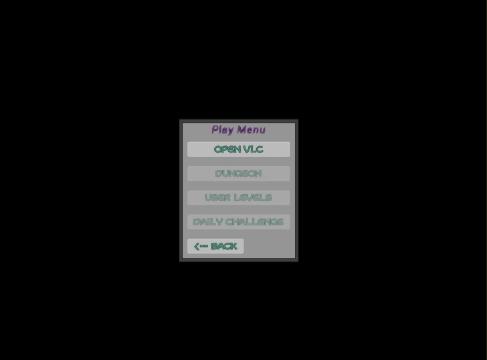
<@204736241139318794> in that picture example does the program Actually open tha...
versed sun
cinder thunder
<@204736241139318794> in that picture example does the program Actually open tha...
yes, it opens my VLC
you can also open default web browser to a page

Ryck
World's leading screen capture + recorder from Snagit + Screencast by Techsmith. Capture, edit and share professional-quality content seamlessly.
cinder thunder
@versed sun thank you
 pulsar vigil
Hey guys is there anyway to setup a bolean that will reset the time of a sequence of animation in an animation blueprint ?
U can pin the anim montage in it but i dont know what to do next

 frosty heron
pulsar vigil
Hey guys is there anyway to setup a bolean that will reset the time of a sequenc...
frosty heron
pulsar vigil
Hey guys is there anyway to setup a bolean that will reset the time of a sequenc...
That's not an anim montage
pulsar vigil

 pulsar vigil
frosty heron
That's not an anim montage
pulsar vigil
frosty heron
That's not an anim montage
what is not an anime montage ?
 chrome pumice
yoyo boyos can someone help me out?

so im trying to spawn an enemy but he just doesnt spawn
i made it spawn a particle at the same location wich works perfectly fine
frosty heron
pulsar vigil
what is not an anime montage ?
Go to your idle anim in content folder and print screen
 versed sun
the Random point for the AI will be different from the Emitter
 frosty heron
pulsar vigil
frosty heron
pulsar vigil
That's an animation asset not anim montage
Anim montage have blue icon
chrome pumice
versed sun
the Random point for the AI will be different from the Emitter
wym? i mean i can remove the random point it still doesnt spawn anything
when i reduce the range from the player to like very close it starts spawning
but i think the engine tries to find a good spot but doesnt like them or smth
frosty heron
chrome pumice
but i think the engine tries to find a good spot but doesnt like them or smth
What are the rules for spawning? Could be intersecting with the floor and fail to spawn. Just a guess
chrome pumice
it just takes your camera and gets the forward vector -1000
frosty heron
Try to print string the return value
pulsar vigil
frosty heron
That's an animation asset not anim montage
but why does he propose me to get it like anim montage and does it help me to understand the thing i want to do better cause idont know what it changeif u want me to understand something from this statement or is this just a note
frosty heron
Of the spawn ai class node
chrome pumice
so basicly far behind the player, then it takes a random spot there
as i saied, it spawns a particle at the same location so i can track whats happening
the light spawns perfect but the ai doesnt
is there any node i can use? like reachable or useable spawnpoint?
it might be a collision problem
versed sun
if you try to spawn 2 emitters at same point , they will be at different locations
You have to save the Random Location because it will calculate a different random point if you don't
@chrome pumice
 frosty heron
pulsar vigil
but why does he propose me to get it like anim montage and does it help me to un...
frosty heron
pulsar vigil
but why does he propose me to get it like anim montage and does it help me to un...
Anim montage and anim sequence isn't the same thing. It's important to distinguish the two.
You use slot to play anim montage. As of your problem, I am not sure why u want to "reset the time".
It sounded like a confusing approach. You can just get out from the state and go back in using bool, that will play the anim from the beginning. Again tho, not sure what the goal is
versed sun
also, not 100% sure about spawning AI
chrome pumice
ye i just spawn the emitter to find out if the ai spawn point is like under the map or smth
the map is kinda uneven aswell

this is where he should spawn but the enemy spawn just never happens
pulsar vigil
frosty heron
Anim montage and anim sequence isn't the same thing. It's important to distingui...
I just want to get a bolean to put the animation at the start to be able to reset the animation by pressing an input
i do this cause i made some sort of turntable to show my animation and model
i just want to press a keybind and reload anim in realtime
chrome pumice
even if i make them like much further up the sky so it doesnt fail collision, still happens
 frosty heron
pulsar vigil
I just want to get a bolean to put the animation at the start to be able to rese...
frosty heron
pulsar vigil
I just want to get a bolean to put the animation at the start to be able to rese...
Reload anim can be done in upper slot while the lower part will use w.e anim is playing.
I suggest to get familiar with blend by bone node
U should use montage to play the reload anim
pulsar vigil
frosty heron
Reload anim can be done in upper slot while the lower part will use w.e anim is ...
what w.e mean ?
no no bro sry i didnt said i wanted to do that, i want to be able to put the animation time at 0 when i press a keyboard button, there is no reload animation or blend per bone needed
frosty heron
What ever anim*
Well even tho that's really weird, I tried suggesting going out of the state and back in
Go to your state machine, on the idle, connect it with another state.
Use bool to drive in and out of the state
When it goes back into the state the anim should start over from beginning
 stark patio
does anyone understand why this macro that is supposed to activate whenever the player changes the direction they are moving in doesnt work half the time? (it is called as long as the player moves)
 pulsar vigil
thats awesome @frosty heron my idea to change animation with an abp is already pretty weird im assuming lol
pulsar vigil
frosty heron
When it goes back into the state the anim should start over from beginning
i try this and tell u
frosty heron
pulsar vigil
thats awesome <@1050954229902213150> my idea to change animation with an abp is ...
Your anim instance meant to drive the animation of the character by reading the state of the owner.
Personally I keep all locomotion stuff as state machine and play other type of anim (reload, attack, etc) as anim montage
pulsar vigil
frosty heron
Your anim instance meant to drive the animation of the character by reading the ...
Yeah there is no reload animation or attack tho its me that fucked up saying reload i just want to control the time of the animation
 buoyant halo
I've a BP with a widget button that opens panels on itself.
The BP has the event to open the panels, and the widget within calls the event.
However I can't place multiple of them because the new ones only open the original. Could anyone help?

 pulsar vigil
stark patio
does anyone understand why this macro that is supposed to activate whenever the ...
pulsar vigil
stark patio
does anyone understand why this macro that is supposed to activate whenever the ...
Im a nooby but is that good to use flip flop here ?
versed sun
nah
frosty heron
buoyant halo
I've a BP with a widget button that opens panels on itself.
The BP has the event...
U used get actor of class. That's already wrong
U will just get a random pipe thing in the world
Or more precise the first pipe the iterator found.
Get the actual reference of the pipe that you want to open
stark patio
pulsar vigil
Im a nooby but is that good to use flip flop here ?
idk, my thought was that that way would allow me to get the direction one tick ago and compare that to the one the current tick but maybe it doesnt? idk
 marble tusk
stark patio
does anyone understand why this macro that is supposed to activate whenever the ...
marble tusk
stark patio
does anyone understand why this macro that is supposed to activate whenever the ...
Seems like a flip flop isn't want you want. Each time it's called it runs one of the outputs, then the next time it's called it runs the other. My guess is sometimes when you change direction A is the next one for it to call and updates the last direction. Then, B is called, it sees the same direction and doesn't do anything.
buoyant halo
frosty heron
Or more precise the first pipe the iterator found.
Get the actual reference of t...
Thank you, and also I don't know how to do that
versed sun
stark patio
idk, my thought was that that way would allow me to get the direction one tick a...
And it only get called when axis changes (I assume it's on an Input)
pulsar vigil
stark patio
idk, my thought was that that way would allow me to get the direction one tick a...
also the logic of the condition look great from my nooby eyes but it may not be precise enought for the branch to interpret in what time the axis differ
frosty heron
buoyant halo
Thank you, and also I don't know how to do that
When you press the button, which pipe in the world do you actually want to open?
U could place 4 pipes for example. Which one do u want to open when the button is pressed?
stark patio
marble tusk
Seems like a flip flop isn't want you want. Each time it's called it runs one of...
ah, that is true. But how should i do it other wise? having a sequence and or using delays doesnt really seem right.
pulsar vigil
stark patio
idk, my thought was that that way would allow me to get the direction one tick a...
i actualy dont know if its a good remarque or not but maybe try to get delta somewhere
stark patio
pulsar vigil
also the logic of the condition look great from my nooby eyes but it may not be ...
ye that was also my thought to
stark patio
pulsar vigil
i actualy dont know if its a good remarque or not but maybe try to get delta som...
like delta time or just the delta of the variable?
marble tusk
stark patio
ah, that is true. But how should i do it other wise? having a sequence and or us...
I'd remove the flip flop, then move the SET to after the branch. It only needs to be on the true part since false means it's equal anyway
pulsar vigil
stark patio
like delta time or just the delta of the variable?
delta time but it may be a dumb idea someone else will probably correct it
 winged blaze
Does anyone know of a good method for keeping references of blueprints? When I'm confused about code I can always look up cpp code. However when I can't remember a blueprint script I've made I just take a screenshot of it to remember. is there a better system for this?
pulsar vigil
winged blaze
Does anyone know of a good method for keeping references of blueprints? When I'm...
like right click reference viewer ?
 trim matrix
bp func libs
winged blaze
often I use blueprint scripts between projects. Sometimes I forget what I did so I have to reopen the old project and look at what I did
if I just screenshot it I don't have to reopen the older project
stark patio
marble tusk
I'd remove the flip flop, then move the SET to after the branch. It only needs t...
That worked, thank you :D
trim matrix
trim matrix
bp func libs
.
 ebon olive
the sequence node means run more than one thing?
 waxen cairn
Hi everyone, I'm working on a project in UE4.27, as far as I remember breakpoints used to remain active after closing and reopening the editor, now I have to re-enable them every time.
I tried to reset the engine settings and delete the config folder in the project but the issue persists, can you please confirm me I'm not mad? 🤣
 winged blaze
pulsar vigil
like right click reference viewer ?
winged blaze
pulsar vigil
like right click reference viewer ?
No I'm just looking for an easy way to remember blueprints, I've found the best way is to screenshot thing and take notes
versed sun
you can add a description of what the function does

whenever you hover over the function , you can read what it does
pulsar vigil
winged blaze
No I'm just looking for an easy way to remember blueprints, I've found the best ...
look like the best idea but this is not a bad idea to seek a process to make automatic doc lol
pulsar vigil
frosty heron
When you press the button, which pipe in the world do you actually want to open?
Its Working thx sir cat
winged blaze
ok thanks 🙂
 sturdy ice
Hello guys, Im a beginner in Unreal and no coding experience whatsoever so I need help :), I was trying to add running system with stamina but I altered some parts of the blueprint from the video I was watching but now my character is not stopping running (go back to normal walking speed), how do I fix this?


 winged zephyr
Is there a way to give an operator as a string or other variable type to use it in a math expressions?
frosty heron
ebon olive
the sequence node means run more than one thing?
It just run the first exec pin then the next
ebon olive
frosty heron
It just run the first exec pin then the next
like together or after the first exec is done? sorry
sturdy ice
versed sun
Isn't this method make problems when I go further developing my game, like I want to add +movespeed items?
frosty heron
ebon olive
like together or after the first exec is done? sorry
After the exec is done. There is no together in a sense that everything runs from top to bottom
The only thing that run on separate threads are async stuff
ebon olive
frosty heron
After the exec is done. There is no together in a sense that everything runs fr...
ohh i see. okok thanks so much!
trim matrix
sturdy ice
Hello guys, Im a beginner in Unreal and no coding experience whatsoever so I nee...
ur speed will keep increasing. If the drain stamina func disables is running, ur speed still won't lower unless the player lets go off the key (not to mention it will never return to the original one)
 thin panther
sturdy ice
Isn't this method make problems when I go further developing my game, like I wan...
thin panther
sturdy ice
Isn't this method make problems when I go further developing my game, like I wan...
Absolutely, but you didn't mention this :P
frosty heron
ebon olive
ohh i see. okok thanks so much!
you can see it with break point
versed sun
sturdy ice
Isn't this method make problems when I go further developing my game, like I wan...
you can make the 600 a variable, and change that value when you add move speed items
thin panther
For items and effects that modify move speed you're gonna want to roll a manager than d handles and collects modifiers. It's generally the easiest way to handle without pulling your hair out :P
 sweet silo
hi there how would create a "tear down a poster" mechanic ? thanks !
i know hot to swap mesh but i'd like the hand to rip the paper
sturdy ice
versed sun
you can make the 600 a variable, and change that value when you add move speed i...
In my mind I wanted to get "current movespeed" every time I want to change the speed of the char, so this is a simple way to do that huh?
versed sun
yes
sturdy ice
Thanks a lot for the help 🙂
thin panther
sweet silo
hi there how would create a "tear down a poster" mechanic ? thanks !
It's just an animation
winged zephyr
winged zephyr
Is there a way to give an operator as a string or other variable type to use it ...
Example of what I mean:
a operator b
So if you make operator = ^ it would become a ^ b
Or operator = * it would become a * b
sweet silo
hmmm true i guess i could do that
thin panther
Play montage of poster tearing down, remove poster
sweet silo
thanks i'll do that!
thin panther
No problem!
trim matrix
winged zephyr
Example of what I mean:
```
a operator b
```
So if you make operator = ^ it woul...
implement that yourself
winged zephyr
trim matrix
implement that yourself
My question is if or how it is possible to implement
winged zephyr
Aight only possible with hard coding it Ig
thanks for the reply ^^
trim matrix
you aren't making a calculator app in ue,are you?
thin panther
Yeah you'll just need to parse the operator out
winged zephyr
trim matrix
you aren't making a calculator app in ue,are you?
Worse than that, an incremental game
winged zephyr
trim matrix
ue is not for things like that
Dw I'm well aware, doesn't stop me from trying
sturdy ice
trim matrix
ur speed will keep increasing. If the drain stamina func disables is running, ur...
Can I use "Do once" somewhere and stop the increase?
 lethal pollen
I have a C++ class, class My_API UPStickProceduralMeshComponent : public UProceduralMeshComponent, but I can't find it here:

 indigo lake
lethal pollen
I have a C++ class, `class My_API UPStickProceduralMeshComponent : public UProce...
indigo lake
lethal pollen
I have a C++ class, `class My_API UPStickProceduralMeshComponent : public UProce...
Did you give it the Blueprintable specifier
lethal pollen
No.
 ashen narwhal
Hi there, I have this very simple event. But for some reason the widget buttons aren't being triggerd when I press them. Am I doing something wrong here?
Any advice would be great, thanks

In game widget ^. The buttons at the bottom are the ones which aren't working.
NOTE: I just have the buttons "on clicked" print string.
 frosty heron
Print string on the clicked event for the button that "don't work".
If it doesn't print anything, then open widget reflector and hover over the button. See if you are actually hovering over the button
sturdy ice
versed sun
yes
Just connected red instead of blue and now its working just fine, just as I wanted 😄
 ashen narwhal
frosty heron
Print string on the clicked event for the button that "don't work".
If it doesn'...
ashen narwhal
frosty heron
Print string on the clicked event for the button that "don't work".
If it doesn'...
Still nothing, unfortunately. Although you can't see it, I have "show mouse curser on" and not getting any results when mouse is over the button.
trim matrix
btw, that stamina sys can be avoided by just pressing the sprint again
ashen narwhal
Could it be because the widget is in the world and not displayed in the normal way?
 edgy ingot
ashen narwhal
Still nothing, unfortunately. Although you can't see it, I have "show mouse curs...
edgy ingot
ashen narwhal
Still nothing, unfortunately. Although you can't see it, I have "show mouse curs...
Use widget reflector to see if u can actually detect the button. No need for guessing game
Is it a 3d widget component or user widget?
ashen narwhal
edgy ingot
Is it a 3d widget component or user widget?
this one.
 edgy ingot
Have u got widget interaction comp?
trim matrix

Outlines how to use the Widget Interaction Component to interact with 3D Widgets.
edgy ingot
In your player character or w.e suppose to interact with the widget
ashen narwhal
The player walks into a volume then camera switches to this one and the widget is displayed.
edgy ingot
Kay, have u got widget interaction comp in your character?
ashen narwhal
No
edgy ingot
Widget interaction
I havent play with that for a very long time. I suggest reading the docs, ssolve linked
ashen narwhal
I've added it to the player. Can I just leave the settings as default?
trim matrix
prolly
edgy ingot
Afaik yes
ashen narwhal
My mouse is in the center of the screen. So some offset I will add.
Also the trace doesn't go up or down
 trim matrix
yeah you'd need to add the mouse offset
edgy ingot
I never interact with mouse, i did what ssolve said. Make the widget interaction, the child of the camera
And i move my camera to drive the trace
Not sure if u can use mouse
ashen narwhal
edgy ingot
And i move my camera to drive the trace
oh ok, I will try that.
edgy ingot
I mean you prob can but i dont know
trim matrix
no wait
@ashen narwhal in the details pannel there's a interaction source property
set it to mouse
and that's all you need to do
besides adding the comp ofc
ashen narwhal
I've done it. But oddly now I don't see a trace at all.
 ashen narwhal
edgy ingot
Maybe check if it print now
ashen narwhal
edgy ingot
Maybe check if it print now
Still no print 😭
Do you think its because the camra switch?
 edgy ingot
No idea with the nouse stuff, i have no editor on me
But u can try using your player camera
trim matrix
see if it works without the cam change
edgy ingot
Btw is the button set to visible? Make sure its not non hit testable
ashen narwhal
Will try that. Thanks to both of you though. Appreciate the support .
trim matrix
edgy ingot
Btw is the button set to visible? Make sure its not non hit testable
their trace doesnt seem to be drawing though
ashen narwhal
edgy ingot
https://discord.com/channels/187217643009212416/221798862938046464/1173280830743...
that was before I switched it to mouse
edgy ingot
Ye i meant to change it back to camera
I have no clue with mouse stuff
My experience was doing it for a vr game
I just make the widget interact component a child of the vr controller
trim matrix
what is the object that i use to cast to my main widget?
edgy ingot
And it work just fine
edgy ingot
trim matrix
what is the object that i use to cast to my main widget?
Casting is a type check
If the ref you provided is not the base class of you are casting, it will return fail
ashen narwhal
edgy ingot
And it work just fine
I see. I will switch it back and see if after adding offset it works right.
thanks again
edgy ingot
ashen narwhal
I see. I will switch it back and see if after adding offset it works right.
U shouldnt have to do any offset afaik
Make it a child of your player camera and dont change the camera when entering the volume
ashen narwhal
ok, will try now.
trim matrix
thanks for the info
 hollow cove
how do random streams work in multiplayer? for example if you grab a random integer from stream, assuming the seed is replicated, would the random number be identical as long at they're both trying to get a random number for the 5th time for example
 hushed heath
yoo i have a loop with a retriggerable delay and its dependant on my FPS wich isnt acceptable in my case can someone tell me how to make it fixed no matter the fps

 warped sapphire
Can I upgrade my project from ue5.2 to 5.3
I tried upgrade project from 5.1 to 5.3 and failed opening character class
trim matrix
hushed heath
yoo i have a loop with a retriggerable delay and its dependant on my FPS wich is...
show what are you setting the battery to

 trim matrix
hushed heath
trim matrix
hushed heath
have you changed that since you've said it was frame dependent?
hushed heath
no
it was there even before the loop
but this loop isnt running in tick
i forgot to mention

a bit more zoomed out
trim matrix
And it didn't work when not using the delta time?
hushed heath
i will take a look
i just did that to prevent the problem im having now but it clearly isnt working
 tropic pendant
for some reason, the lower 2 nodes cause an infinite loop according to the editor

 hushed heath
trim matrix
And it didn't work when not using the delta time?
hushed heath
trim matrix
And it didn't work when not using the delta time?
this worked thanks you so much :))
 snow lintel
Hi guys,
i try to create an effect (material) like this in unreal https://youtu.be/v15C8SbTTac?si=IMIt9npcJrc-7q2s&t=123
Does someone have an idea how to create this in unreal ?
I tried something but this looks very bad.


A new tutorial series about creating an underwater world. We will be programming different types of shaders including:
- Surface Tesselation Vertex Displacement Shader
- Post Processing Image Effect Underwater Shader
- Surface Cutout Sinus Vertex Shader
Plus we will code our own particle system in a 3D noise flow field.
Combining all these thi...
 nimble maple
So, I've been trying to solve some stupid problem, and I forgot how to solve it. Beginner problem yk. I want to move the ads up, yet if I add it with a vector on the z, it moves up and down when I look up and down. I am trying to achieve, that it stays in one place, yet moving it up on the z axis. Not only that, but I tried it in the skeletal mesh already, it didn't work. Any solutions?
 opal kraken
Someone can help me, i have thoose two meshes, i want that the mesh 2 would move like in the video with an interp movement that is activated with a box collision, how can i do that?
edgy ingot
tropic pendant
for some reason, the lower 2 nodes cause an infinite loop according to the edito...
Check if you have circular dependencies
edgy ingot
opal kraken
Someone can help me, i have thoose two meshes, i want that the mesh 2 would move...
On overlap with the box collision, you can lerp relative location using timeline
opal kraken
edgy ingot
On overlap with the box collision, you can lerp relative location using timeline
Without interp movement?
edgy ingot
opal kraken
Without interp movement?
You can use lerp instead
Or you can use event on tick and interp movement with delta time
opal kraken
edgy ingot
You can use lerp instead
Ok i'm going to try with lerp, thx
edgy ingot
You will still interpolate from point a to point b
hushed heath
@trim matrix Hey man sorry to bother but i just found out it isnt fixed but the difference between 15fps and 60fps is just really small but big enough to inmpact my game. Do you have another idea i could try?
edgy ingot
hushed heath
<@456226577798135808> Hey man sorry to bother but i just found out it isnt fixe...
What do u actually want to do?
hushed heath
hushed heath
yoo i have a loop with a retriggerable delay and its dependant on my FPS wich is...
.
i have sent screenshots below
edgy ingot
Dont connect pins like that
hushed heath
how should i connect my pins then>
edgy ingot
What is your end goal?
hushed heath
wdym
hushed heath
i want to decrease the battery of my flashlight whenever it is switched on and then switch it of automaticaly when the battery runs out.
edgy ingot
Come up with a number that the battery losses in a second. Multiply that by delta time. Then subtract your battery value with the result
It will be the same number regardless of your fps
hushed heath
okay i will try this
edgy ingot
Do it on tick
hushed heath
ah okay will do
ill just create a function then
thanks this worked but could this be taking a toll on my fps cuz im not getting fps above 40 and i have read that tick can be very expensive.
But i also dont see any other option to run things per fixed frame this efficiently
frosty heron
hushed heath
thanks this worked but could this be taking a toll on my fps cuz im not getting ...
Depends on what u do with tick
Setting float shouldn't drop your fps at all
Try to unhook the function, you prob still get 40 fps
opal kraken
@edgy ingot i did this, it works, but when i overlap the box collision again it doesn't play the timeline again, any clue?

 twin shale
I need a sanity check....This code works if ElevatorTarget is under the current location, but it does not work if the target is above the relative location... So 10,10,-2000 works fine, 10,10,2000 does not work. Anyone have any idea what it might be?
 frosty heron
There are many many things run on ticks, it's not expensive. Just don't do expensive operation in tick like get all actor of class
I mean scratch that. Bp tick is kinda expensive but should suffice for small scale project
frosty heron
opal kraken
<@1078573396234862632> i did this, it works, but when i overlap the box collisio...
Print string to debug.
I would set the start position and end position before the timeline. The timeline should just have a value of 0 at the start and 1 at the end
Use the float from the timeline and connect it to alpha of lerp node. Connect start position to the first input of the lerp and end position on the second input of the lerp.
Connect the result to set relative location of your mesh
 compact fjord
does anyone know why would for each loop with break return True 4 times when it should break the loop when it gets the first true branch ?
hushed heath
frosty heron
Try to unhook the function, you prob still get 40 fps
you are right once again thanks man you are so helpfull!
frosty heron
compact fjord
does anyone know why would for each loop with break return True 4 times when it ...
Show code
twin shale
twin shale
I need a sanity check....This code works if ElevatorTarget is under the current ...
Well this is annoying. I just deleted the VInterp and SetRelativeLocation nodes and replaced them with "fresh" nodes. Everything works fine now. Blueprints is weird sometimes.
 wild moat
i've made a custom function, but it doesnt use any exec input/outputs, how do i hide them or make this just a value output node?
 frosty heron
wild moat
i've made a custom function, but it doesnt use any exec input/outputs, how do i ...
frosty heron
wild moat
i've made a custom function, but it doesnt use any exec input/outputs, how do i ...
U mean u don't want the exec pins?
 frosty heron
Then you can make it a pure function
compact fjord
@frosty heron
 wild moat
twin shale
You have to mark it as Pure if it's a pure function
wild moat
twin shale
You have to mark it as Pure if it's a pure function
i tried that, but then it won't print anything, using the same exact nodes outside the function works perfectly fine:
 frosty heron
You shouldn't use pure function carelessly, especially if you have obj ref, which I see you do from your pic
twin shale
wild moat
i tried that, but then it won't print anything, using the same exact nodes outsi...
Then you have some issue inside the function. The pure function will run as an input to PrintString
frosty heron
compact fjord
<@1050954229902213150>
Print string the objects you are comparing
twin shale
wild moat
i tried that, but then it won't print anything, using the same exact nodes outsi...
Also, read @frosty heron's message. Pure functions should only rely on the inputs given to them, otherwise they should not be marked as Pure
opal kraken
frosty heron
Print string to debug.
I would set the start position and end position before t...
It work now thanks, but i didn't understand why on final position i have to set the Z value to one, i moved the cube on the viewport by 200 on the z and it was on the right final position, so why in the final position if i set 200 on the z the cube move in where it shouldn't but if i set the z final position to 1 the cube moves by the same height when i move up by 200 z on the viewport?
 wild moat
twin shale
Also, read <@1050954229902213150>'s message. Pure functions should only rely on ...
wild moat
twin shale
Also, read <@1050954229902213150>'s message. Pure functions should only rely on ...
yeah, i'll make sure to expose the actors then
oop i got it working
frosty heron
opal kraken
It work now thanks, but i didn't understand why on final position i have to set ...
Not sure if I follow . Why is your end position only 1 unit high? Try higher numbers
wild moat
thanks for the help 😄
twin shale
wild moat
thanks for the help 😄
Awesome!
frosty heron
Btw is the alpha 0 to 1 ?
Your initial position can be your current relative position of the mesh
Get mesh-> get relative location. Grab the output and set that to your initial location
opal kraken
frosty heron
Not sure if I follow . Why is your end position only 1 unit high? Try higher num...
Sorry my mistake, i left in the timeline the value 200 at second 1
Solved
frosty heron
opal kraken
Sorry my mistake, i left in the timeline the value 200 at second 1
Your timeline value should be 0 to 1
opal kraken
It works perfectly thanks so much
frosty heron
If u want to move something over 3 seconds for example. Length is 3 seconds.
1st key is 0 at 0, 2nd key is 1 at 3 seconds
In the timeline it shouldn't be the value of your final position. I'm not sure if things actually work in your end
opal kraken
frosty heron
If u want to move something over 3 seconds for example. Length is 3 seconds.
1st...
This is my timeline, before i put 200 instead of 1 and i was using the float value of the timeline as z location, now i'm using it correctly
 frosty heron
That doesn't look right, but I have no editor atm to show some bp. Your timeline should end at the last value too. Adjust the length (top left, see where it write 5)
When you play in pie, eject from your controller and check the relative location of the comp u moved. I will be surprised if you get the correct value

Hey guys, in today's video, I'm going to be showing you what a Lerp is, how it works and how to use it. If you have any nodes you would like me to cover, leave a comment down below.
#lerp #nodes #WhatIsALerp #Ue4 #UnrealEngine4
Unreal Engine 4 Tutorials Playlist: https:...
Video is a bit too fast tho 😔
opal kraken
frosty heron
That doesn't look right, but I have no editor atm to show some bp. Your timeline...
Like you see it kinda works, i made this thing beacuse i wanted a sort of launchpad that didn't use launch player but only the physics, but unfortunately the player stay perfectly fine on the box when it raise, but when i move fast like at the end the player maintain the velocity given by the raising box (it is kinda what i want), do you know how can i manage to make the player jump even if he stands on the box?
frosty heron
Physich is not my territory, but there are places where you can start.
Official docs for character movement component. Or you can look at delgoodie cmc tutorial.
In cmc you can basically enter a new physic state when you changed movement mode. You can define custom movement state and work on your physich logic there.
I would say keep it simple and just call the player jump function when u do the spring thingy
opal kraken
frosty heron
Physich is not my territory, but there are places where you can start.
Officia...
It seems kinda hard to do, i'm a begginer XD, i went into a complicated territory, i will use the jump like you said, thanks.
frosty heron
opal kraken
It seems kinda hard to do, i'm a begginer XD, i went into a complicated territor...
Is your game single player?
frosty heron
Multiplayer is hard
Extending cmc in multiplayer requires cpp
Other than jump I think there is add impulse or force
Maybe you can look at that too
opal kraken
Ok, i will, thanks
tropic pendant
edgy ingot
Check if you have circular dependencies
i mean yeah, but it should get out of the loop once a condition is true

 earnest fog
Question about setting up class structures for gameplay actions: my characters can use certain powers, and I'm looking for the right way to structure that. I was thinking to just have a Powers base class, and have child classes which spawn the relevant effects and such. I figured it should be parented to Object, since it's just a collection of variables and code, and doesn't need to exist in the world. However, since it's not parented to Actor, it can't call Spawn Actor. I'm fine reparenting the powers base class to Actor, but it just seems like bad form to treat it like an actor. So, what, I spawn the actor in, run its code, and then immediately delete it? I can do that, it just seems like there's a better way. How have other people handled this?
 dawn gazelle
tropic pendant
i mean yeah, but it should get out of the loop once a condition is true
dawn gazelle
tropic pendant
i mean yeah, but it should get out of the loop once a condition is true
The question is when would that loop end. Executions are meant to be finished within a frame, and if the condition is never reached, it'll exceed that execution time and cause that infinite loop error.
tropic pendant
dawn gazelle
The question is when would that loop end. Executions are meant to be finished w...
ohh, so i cant do a sort-of while loop like that
 feral ice
How do i get the angle between my characters forward vector and my camera direction?
dawn gazelle
tropic pendant
ohh, so i cant do a sort-of while loop like that
While loops suffer the same problem. If their condition doesn't go false within adequate time, they cause infinite loop errors.
tropic pendant
dawn gazelle
While loops suffer the same problem. If their condition doesn't go false within...
how do I go about this then?
i need to have the if statement run every frame?
dawn gazelle
That's probably the closest you could get to what you're trying to do, yes.
Can always gate it with a bool and branch first so you're only running it when you want, then set that bool false when you want to not run it.
tropic pendant
dawn gazelle
That's probably the closest you could get to what you're trying to do, yes.
it worked tho
 balmy carbon
Hello! So I'm trying to make a setting menu. I have a Structure with Audio settings volume (all floats), a savegame blueprint with the structure variable. The "Get Game Settings" variable is in the Function Library. And it's called in the Settings Widget (last picture). Any idea how can I solve this one? Maybe I'm missing something. Thank you!


 opal kraken
 hollow tendon
Hi, Can someone help me my blueprint is not working
hollow tendon
Hi, Can someone help me my blueprint is not working
I wonder how many developers have their code like this
versed sun

 lofty rapids
what is that bp in ? what class ?
hollow tendon
lofty rapids
what is that bp in ? what class ?
Hardcoding_Objects.bp.uasset
spark steppe
lofty rapids
what is that bp in ? what class ?
level BP, what else?
trim matrix
Hey, I've been trying to make this work but I can't get the pawn to move.
This is the blueprint for the AI movement and I did set a navmesh and floatingPawnMovement.
I also sent a screenshot of the navMesh because there are some cracks and I don't know if that matters.
Also it keep saying " NAVMESH NEEDS TO BE REBUILT " but I did rebuilt the navMesh few times.


 steady night
@frosty heron hmm
edgy ingot
@steady night  ?
?
steady night
aye, sry nothing found it .p
what project are u working on now btw ? still the same as a month ago ?
@edgy ingot
edgy ingot
hollow tendon
https://preview.redd.it/i-love-blueprints-v0-39f9hqsleika1.png?auto=webp&s=7a785...
Holy shit
spark steppe
trim matrix
Hey, I've been trying to make this work but I can't get the pawn to move.
This i...
does the pawn that you want to move have an AI Controller assigned?
edgy ingot
steady night
<@1078573396234862632>
Working on 2 projects atm
steady night
@hollow tendon whattahell is that 😮
 edgy ingot
One is the old one , another one is multiplayer rpg
steady night
its like Mariocarts Ranbow Road map
solo on both ?
why on 2 at the same time T.T derp ?
edgy ingot
Yup but i have no choice. Cant stick with the old one only because it didnt make it to our target platform
In short, losing too much money
Trying to finish it just because some people backed it
steady night
oh sheat
 sacred estuary
Hey guys, I was wondering, how do I get a mesh (cube, whatever,) to scale with text? right now 3D text can "overflow". I want the mesh width to change alongside the text's length

 edgy ingot
steady night
can i se it somewhere or ?
edgy ingot
steady night
can i se it somewhere or ?
I took down the patreon recently, so nothing to see. Catching plane to japan atm. I can share some screen shoots when im back if u want to see
edgy ingot
sacred estuary
what I want it to look like
Try making the text the child of the box
Then tick set size to context
edgy ingot
steady night
whats going down in japan ?
Holiday 🦦
steady night
ahh cool
sacred estuary
I want it to scale the box instead of scale down to fit the box's bounds. I want it to be a funny joke in game, when someone with a long name joins their nametag will of course be comically oversized
that's what I'm looking to do anyways lol
thin panther
that sounds like something you want to use a widget for, not 3d text
edgy ingot
0o even the text is 3d?
thin panther
it also sounds really awful, and you would have people joining with absurdly long, possibly offensive names to annoy others
thin panther
edgy ingot
0o even the text is 3d?
Hey guys, I was wondering, how do I get a mesh (cube, whatever,) to scale with text? right now 3D text can "overflow". I want the mesh width to change alongside the text's length
it's not a widget
edgy ingot
thin panther
it's not a widget
I see, i need coffe
sacred estuary
thin panther
it also sounds really awful, and you would have people joining with absurdly lon...
this isn't something I'm too worried about as it's not going to be a very public game, simply a little fun project I'm doing while getting to grips with networking
thin panther
edgy ingot
I see, i need coffe
you should go make some
thin panther
sacred estuary
this isn't something I'm too worried about as it's not going to be a very public...
as long as you're sure this isn't going to be commercially facing, then go for it, but you'll want to be doing this via a widget 🙂
sounds like a funny little gimmick to enjoy with friends :P
 ancient folio
Hey all, what would be the best approach to set actor's location parented to other's actor component location?
 lunar sleet
ancient folio
Hey all, what would be the best approach to set actor's location parented to oth...
lunar sleet
ancient folio
Hey all, what would be the best approach to set actor's location parented to oth...
wdym
lofty rapids
sacred estuary
that's what I'm looking to do anyways lol
you can guestimate the font size and base the width off the amount of characters
lunar sleet
#multiplayer is a lot more complex than you'd think, best to ask directly in there
lunar sleet
hushed heath
but if anyone can help me just al lil bit in here would be fine aswell 🙂
also see #rules on cross-posting, you'd already gotten a reply there
hushed heath
okay sorry
ancient folio
@lunar sleet let's say i have a wardobe with drawers and I would like to put something (another actor) in one of the drawers and would like if that actor move along with drawer when I open it
lunar sleet
ancient folio
<@179343890409717771> let's say i have a wardobe with drawers and I would like t...
attach actor to actor or actor to component
ancient folio
@lunar sleet thanks, I will try, I tried to calcukate drawer location and combine it with other actor, but it didnt work as I excepted
lunar sleet
just use those nodes and that'll do the work for you
you might need to turn off some collisions in the process
ancient folio
@lunar sleet that's works, thank you!
 obsidian arch
hey all does anyone know how this is causing an infinite loop? cheers
 dawn gazelle
obsidian arch
hey all does anyone know how this is causing an infinite loop? cheers
dawn gazelle
obsidian arch
hey all does anyone know how this is causing an infinite loop? cheers
While loops are meant to be completed within a frame. You can't let them run indefinitely.
If you want something done over time, you'll need to use tick. In this case, a timer may be adequate if you don't need to change the value every frame.
 undone bridge
hey guys, I set up this code to steer a projectile, "turn" is a value between -1:1 but, the code is currently being run many... many times a second. causing the projectile to spin out of control. can someone let me know what I'm doing wrong here?

 elder lodge
undone bridge
hey guys, I set up this code to steer a projectile, "turn" is a value between -1...
elder lodge
undone bridge
hey guys, I set up this code to steer a projectile, "turn" is a value between -1...
where is steer being called?
 frosty heron
undone bridge
under the main player controller
frosty heron
undone bridge
under the main player controller
Triggered runs every frame
trim matrix
undone bridge
hey guys, I set up this code to steer a projectile, "turn" is a value between -1...
Unfortunately there is a lot wrong with this code.
Firstly, this setTimerByEvent function is comepletly unessicary, and will cause issues. Steer in the current context will be called every frame of the game. Meaning you are starting an aditional 1 second looping timer every frame? The solution, is delete the looping timer node entirely. This alone will not correctly solve all the issues.
Triggered on the input mapping runs each frame. Meaning steer will run each frame. Meaning you cannot constantly apply any rotation value and must factor in the FrameDeltaTime in order to apply different amounts of angle rotation each frame.
guys this is my character blueprint, is it too big?

 spark steppe
trim matrix
guys this is my character blueprint, is it too big?
spark steppe
trim matrix
guys this is my character blueprint, is it too big?
cute
my usual gameobject is more complex than that character BP 😄
frosty heron
steady night
can someone explain what 135 dose
If difference is higher than 135 degree?
steady night
yeah but like 135 from where to what
trim matrix
spark steppe
my usual gameobject is more complex than that character BP 😄
ok, thanks, im new to ue5 and i dont know if i am doing too much
in one singular bp
spark steppe
trim matrix
ok, thanks, im new to ue5 and i dont know if i am doing too much
it's fine, don't worry
frosty heron
A.yaw - b.yaw = X
If X bigger than 135, return true else return falss
trim matrix
||using BPs to do core gameplay mechanics is too much by itself||
BPs are a godsend.
steady night
@frosty heron yeah but in relative term is it like "if behind" right or ?
frosty heron
No clue, if u need to check if something is behind something. Use dot product
trim matrix
trim matrix
||using BPs to do core gameplay mechanics is too much by itself||
so how should i do like shooting or interacting
frosty heron
Google able or even youtubeable
frosty heron
trim matrix
so how should i do like shooting or interacting
You can use components to break down features
If your bp gets too large, it takes more time to compile
trim matrix
trim matrix
so how should i do like shooting or interacting
🇨||++||
 tiny mortar
I'm casting to my save blueprint and setting the variable 'player location' as the actor location, then saving game to slot 'Save1'
Then I cast to save blueprint, load the level, other variables, and finally set actor transformation as the variable 'player location'.
But upon loading 'Save1' my character goes to the right level, all other variables work, but the location is always where the 'PlayerStart' is.
It's stored as a transform variable within the save blueprint, i've watched multiple tutorials and mine matches up with each of them
undone bridge
trim matrix
Triggered on the input mapping runs each frame. Meaning steer will run each fram...
I think I follow... but I'm not sure how to do that. something like: when triggered calculate the time passed between frames and multiply the arbitrary angular rotation by that number?
frosty heron
trim matrix
🇨||++||
You can make entire game in bp only
trim matrix
undone bridge
I think I follow... but I'm not sure how to do that. something like: when trigg...
Its just RotationRate * DeltaTime
DeltaTime is already calculalted for you, you can just call GetWorldDeltaSeconds
trim matrix
frosty heron
You can make entire game in bp only
unless you run into just that 1 thing that you can't do in bps
frosty heron
trim matrix
unless you run into just that 1 thing that you can't do in bps
Live without that 1 thing or step up the game with cpp
undone bridge
trim matrix
DeltaTime is already calculalted for you, you can just call GetWorldDeltaSeconds
that get's me to here, but it's still spinning WAY too fast
 trim matrix
undone bridge
that get's me to here, but it's still spinning WAY too fast
trim matrix
undone bridge
that get's me to here, but it's still spinning WAY too fast
I dont beleive you want to set velocity in local space, ActorForwardVector returns in world space.
Confirm that turn isnt to high. Nvm i see turn is just the axis value.
cinder thunder
So i got the basic functionality working, but I cant seem to figure out how to launch a .exe with launch parameters, any ideas? If you can somehow figure it out, I would be so gratefull. I tried appeneding my paramters to the string, but it doesnt seem to work....\
undone bridge
i tried setting the "turn" multiplier to 0.001, no change
cinder thunder
I was able to launch a basic .txt file to confirm its working, but cant figure out the laucnh parameters...
trim matrix
undone bridge
i tried setting the "turn" multiplier to 0.001, no change
Nvm i see turn is just axis value.
undone bridge
Hang on!
I think it was the local space part. I found a different Node
This works!

no visible problems
trim matrix
undone bridge
no visible problems
yea SetVelocity is in world space now.
 tawdry orchid
Is there a way to make the ThirdPersonCharacter move only along a spline? Almost like a side-scroller, but curved? I've been looking into it yet can't seem to figure out a way of doing this that's worked.
undone bridge
trim matrix
yea SetVelocity is in world space now.
this has been such a pain in the butt to figure out, Thanks! Trying to find relevent tutorials is toturous
trim matrix
tiny mortar
I'm casting to my save blueprint and setting the variable 'player location' as t...
In the GameState (Or gamemode, cant ever remember without checking again) there are functions you can override called FindPlayerStart, ChoosePlayerStart. These functions are called by unreal engine to determine a players starting position. You are setting the actor location of the player somewhere (Upon loading, wherever that is), but unreal is using the value returned by those functions to pick the starting position.
Either confirm that the players transform is being updated after unreal is choosing the location, or override those choose player start functions to properly provide a player starting location.
trim matrix
tawdry orchid
Is there a way to make the ThirdPersonCharacter move only along a spline? Almost...

Epic Developer Community
Hello guys, in this quick and simple tutorial we are going to learn how to move a character along a spline in Unreal Engine 5!
↪️Join my Discord Server,...
tiny mortar
trim matrix
In the GameState (Or gamemode, cant ever remember without checking again) there ...
thanks, I'll try it
tawdry orchid
trim matrix
https://dev.epicgames.com/community/learning/tutorials/Za2a/how-to-move-a-charac...
Ah, thank you!! 😄
Ahhh yes I saw that one, not quite what I'm looking for but thank you. 🙂
trim matrix
How does what you want differ.
steady night
@frosty heron https://blueprintue.com/blueprint/tgyfp2-u/

No description provided
this should work right or am i missing something ?
tawdry orchid
Well this one seems to be more automatic movement of other characters, whereas I'm stuck on how to get my player character to move along the path when arrow keys are pressed if that makes sense.
frosty heron
steady night
<@1050954229902213150> https://blueprintue.com/blueprint/tgyfp2-u/
Dot product should return a value of -1 to 1
steady night
hm so how should i check then :/ ?
trim matrix
tawdry orchid
Well this one seems to be more automatic movement of other characters, whereas I...
Its nearly the same exact concept. Instead of adding a constant change in distance every frame. Add a distance value that is driven by the arrow keys.
steady night
hm ok
frosty heron
1 means the vector are pointing at the same direction
tawdry orchid
trim matrix
Its nearly the same exact concept. Instead of adding a constant change in distan...
Ooooh okay, I'll try it, thank you! 😄
tiny mortar
trim matrix
Either confirm that the players transform is being updated after unreal is choos...
so what do I do?
steady night
hm aye, but the ACOSD @frosty heron
frosty heron
So if the dot product of 2 vector is -0.7 to -1 . You can say that actor a is behind actor b
I never actually used it and I'm bad at math
Try to look up at some videos using it
steady night
kk
frosty heron
I think get actor forward vector or actor a. Get actor forward vector of actor b. Then dot product the two vector
trim matrix
tiny mortar
so what do I do?
I would recommend overriding the find/choose player start functions like I said. Go to your game mode class and override them.
frosty heron
Print string the result so u can see at what value do you want to determine if actor b is behind actor a or vice versa
tiny mortar
trim matrix
I would recommend overriding the find/choose player start functions like I said....
yeah but how do I do that?
trim matrix
look it up online or something its simple. I don't have unreal open to give step by step instructions with pictures.
Your just overriding a function
frosty heron
tiny mortar
yeah but how do I do that?
If you don't know how to override a function. Start with googling it
versed sun
cinder thunder
So i got the basic functionality working, but I cant seem to figure out how to l...
no clue, maybe launch a shortcut to the program with the launch params ?
cinder thunder
@versed sun good idea that's what I was thinking. Should be a decent solution for now. It's Def going to bother me until I figure it out. Thanks.

 zealous sedge
Hello, I have this blueprint that duplicates the player based off of the value you set for it to multiply. I have to main problems: One, when counting how many actors there are with the for each loop, it counts up with every single duplicated player that interacts with it instead of just one of them. Second, when i change one of the actors to multiply by 3 for example, it still only multiplies by 2. (Amount of actors is 1 by default)


 radiant cape
Are classes the first ever thing created?
And objects are things that extend from it?
Is a parent not always a class, but a parent is always the object/class something extends from?
dawn gazelle
Everything is a class.
You spawn objects of the class.
Two very basic classes in the engine are the "Object" class and the "Actor" class. Actor is a subclass of Object. Every class you'd normally do anything with extends from the object class.
When you're creating something that'll exist in the world (ie. something you can see in the viewport), you'd normally subclass Actor to create it.
So yea, even when you're creating a blueprint, you're effectively creating a class which is a template of variables and functions, some of which are inherited from its parent class, some of which you override, or you create your own custom functions and variables, then you would proceed to spawn an object based on that template.
steady night
Datura, could u help me with how to check if behind target actor

this is where im at atm
but its not working
dawn gazelle
if (BehindTargetActor)
{
// do logic here
}
``` 😄lawl
trim matrix
steady night
Datura, could u help me with how to check if behind target actor
Is this function trying to do, if SELF is behind TARGET actor?
steady night
yeah
trim matrix
Your driving the first parameter of the DOT product by SELFs forward vector.
That would need to be the TARGETs forward vector.
Basicly the function is just backwards rn
steady night
oh
dawn gazelle
DotProduct(Normalize(ActorA location - ActorB location ), ActorAForwardVector)
trim matrix
your doing if TARGET is behinf SELF
trim matrix
steady night
Datura, could u help me with how to check if behind target actor
Also, dot product returns a value from -1 to 1. Not 0 - 1.
The midpoint in the range of -1 to 1, is zero. Not .5
Id imagine you want the midpoint.
radiant cape
dawn gazelle
You spawn objects of the class.
Literally like what happens when you use the spawn node to make an NPC spawner or the create widget node?
The things it spawns are objects...?
steady night
i mean im guessin from midd point like 45-90 degreess something the ass *
how would i get that then ?
dawn gazelle
radiant cape
Literally like what happens when you use the spawn node to make an NPC spawner o...
Yep.
radiant cape
dawn gazelle
Yep.
woah... So is the main object class that it looks like everything extends from gets spawned itself at some point in the engine init?
Like, why is that class called object? kinda messing me up
Or should I just be content with what i've learned just now xD
trim matrix
steady night
i mean im guessin from midd point like 45-90 degreess something the ass *
Idk what threshold value you want  . Just making sure you. knew dot product returned from -1 to 1. With that you should be able to find the correct threshold
dawn gazelle
radiant cape
woah... So is the main object class that it looks like everything extends from g...
Basically everything can be referred to as an object. It's part of the basis of how object oriented programming languages work.
trim matrix
the spawn node in the unreal editor is an object  .
.
dawn gazelle
Yep.
radiant cape
ty mans haha really appreciate it
steady night
@trim matrix hmm cant get it to work mine prints all the time now
trim matrix
Couldn’t tell you without the code
steady night
 trim matrix
Ty
 dawn gazelle

ACosD will return an angle between 0 and 180.
So if you wanted to check only within 40 degrees behind, do <40 from the ACosD
steady night
hm

 winged totem
Hi, using EQS, how can i filter if an actor is dead, to let AI changes the target?
 trim matrix
this should have been greater than 0.5 i think
trim matrix
steady night
.
@dawn gazelle am i wrong?
i think ima right cuz the cosine of angles <90 is positive
steady night
@dawn gazelle how have u assignet the Targets for the locations etc
?
 trim matrix
enemy should be the first 2
also i don't see the need of replacing the unit vector node they had before but whatever
dawn gazelle
Yea that does the exact same thing, subtracts one from the other and normalizes it.
 zealous moth
what do you call the component you use to visualize abstract actors?
like a random sprite
we have that cloud, th elight bulb or the dinosaur
what are those?
spark steppe
billboard
trim matrix
i call it the
spark steppe
for me it's the unreal camel
 remote girder
Have a pretty time sensitive question.
How do I make one trigger box 'wake up' another trigger box placed somewhere else?
Any help is appreciated
 patent crow
the hump shaders r still compiling
spark steppe
patent crow
the hump shaders r still compiling
 spark steppe
remote girder
Have a pretty time sensitive question.
How do I make one trigger box 'wake up' ...
spark steppe
remote girder
Have a pretty time sensitive question.
How do I make one trigger box 'wake up' ...
what do you mean by "wake up"?
zealous moth
time to put on your makeup
remote girder
I need one trigger box, when triggered, to then 'activate' a previously deactivated trigger box.
patent crow
remote girder
Have a pretty time sensitive question.
How do I make one trigger box 'wake up' ...
put a tag on trigger box B;
on first trigger box, find actors with tag;
execute "wake up" event from first trigger box
or gather the reference in another way
you could use an interface to avoid a direct cast, if this is a frequent call
spark steppe
or save the reference on the trigger box which should wake up the other one....
patent crow
^
depends on your usage case
if the trigger box is small in memory size, theres no issue
spark steppe
a reference is pretty much a pointer
patent crow
if you bog the trigger w a lot of code, youll be using twice as much mem with a hard ref
spark steppe
nonsense, if they are in the same level
patent crow
ah yeah, as long as theyre in the same level instance, it shouldnt matter
remote girder
I'll be real with you guys. I'm realtively new to ue. I've assigned a tag to the second trigger, but now I'm not sure how to 'find actors with tag'
or what a direct cast is lol
patent crow
as time sensitive as it may be, you may wanna skim this https://docs.unrealengine.com/5.0/en-US/how-to-use-blueprint-communications-in-unreal-engine/

Examples of how to set up and use different methods of Blueprint Communication.
learn the why before the how
remote girder
bit late for that, but I'll read it
spark steppe
wait i got a good video for you
With the Epic MegaJam just around the corner, this week we wanted to focus on the groundwork - how to prototype quickly so you can get to the detail work faster. Time is of the essence when it comes to jam events and to make you feel better prepared we're bringing on Chris Murphy to discuss some tips and tricks on smashing through the busy work ...
watch the whole thing, and you'll learn a lot of good stuff
patent crow
the first section should give you a solution. create a variable in your awake trigger, and set the var type to the same as your trigger bp. you can use the dropper to select the other trigger and then you can perform actions on the sleepy trigger.
remote girder
This is for my portfolio project, which is due in less than 4 hours...I love UE and will absolutely watch this video when I can, but right now I just need to learn how to activate this trigger box @spark steppe I really do appreciate this though
spark steppe
after the video you should be able to do it in 30 seconds 😛
patent crow
and "wake up" really depends on what you need to do. you can enable/disable tick with that reference. you can execute any events in that blueprint, including functions from it's parent, if it's the child to like, a "main trigger" blueprint where most of your logic is set
that is a good video, but there's a direct answer if you dont need the "how" yet
spark steppe
and i think he does it within the first 30 minutes in the teleporter example
patent crow
yeah, youre right
remote girder

this is what I got so far. The Awake variable is what I made following your instructions
I don't know what you mean by dropper...
elder lodge
I'm modifying the look controls for a zero-g game, but for some reason this only works with the Y(Pitch) axis and is ignored on the Z(yaw). After some playing around, it seems like something overrides the Z rotation to always stay the same on the actor, i.e. I can preview changing it in the editor during play but as soon as I click enter it resets. Anybody know why? Something in the CMC that locks that axis?

 vital cargo
Anyone know how to get the position/vector/location of the very end of a spline?
spark steppe
get spline points returns an array of vectors iirc
vital cargo
spark steppe
get spline points returns an array of vectors iirc
Get Number Of Spline Points into Get Location At Spline Points I assume would work, couldn't find Get Spline Points
spark steppe
yea, possible that it doesn't even exist, sorry
vital cargo
^ That works
Its fine, you pointed me towards the right direction
I would have thought you could get an array too but I guess not, i'd probably have to loop through them or something.
spark steppe
i'm pretty sure there is a way to get an array, or i made the node myself 🤷 apparently neither... guess i'm turning dumber
ah
Convert Spline to Poly Line is what i used
which is pretty much the spline points without the spline curving, which would however end up being okay in that case
elder lodge
elder lodge
I'm modifying the look controls for a zero-g game, but for some reason this only...
I've noticed this does work with a Pawn instead of a character, though?
spark steppe
elder lodge
I'm modifying the look controls for a zero-g game, but for some reason this only...
it's probably the control rotation from the player controller
eventually you can disable it in the player controller, not sure
elder lodge
spark steppe
it's probably the control rotation from the player controller
I was digging through the Character to find a bool for something like that but wasn't finding anything
How do I get the parameters/details for the PlayerController?
spark steppe
the problem is in the player character tho? this is not about an NPC?
if you don't have a custom class for the player controller make one which inherits the PlayerController from UE and set that as player controller class in your character and/or world settings/gamemode
uhm, or wait
check the "use controller yaw" thing in your character
i think that might be the setting that i was thinking of
and maybe "use controller desired rotation"
elder lodge
Yeah, I'm using the player character
Not seeing those tho
I'll try lookign at custom player controller
Tho it does seem to all work fine rn with just Pawn and FloatingPawnMovement
 glossy crest
how would i fix this?

trying to get the name of a object from a actor to set it as a text in a interface
spark steppe
well it doesn't have character as parent class
so what is your player? if it inherits from pawn or similar you can use get player pawn
glossy crest
the parent class of the thing i am trying to get the value from is a actor
spark steppe
no
in the screenshot you are trying to cast the player character to whatever this is
thin panther
Aka, you're asking "Is my player character a 'Masseys'"
thin panther
A reference to a "Masseys"
zealous sedge
I have this script to move my players camera backwards when they hold down shift. It works, but the camera doesnt move relative to the player, so you can look around without the camera moving around the player when it is in action and when it is finished. How would i make it so that its still attached to the player when it starts and ends
 glossy crest
thin panther
A reference to a "Masseys"
glossy crest
thin panther
A reference to a "Masseys"
i think ive done this wrong but
 thin panther
You have indeed
glossy crest
im new to ue so idrk what im doing
thin panther
You should probably take a watch if the blueprint communication video in the pins to demystify a bit of what casting is and how to reference objects
glossy crest
ok sounds good
elder lodge
spark steppe
check the "use controller yaw" thing in your character
Jeez, feeling silly now. Clicked around Character Movement but never clicked on the topline BP_FirstPersonCharacter, unclicked "Use Controller Rotation Yaw" and now it works.
I thought all the movement logic would be contained in the component, that was extra confusing
Doesn't seem intuitive to me taht there would be extra parameters/details that can't be found further down the tree.
thin panther
Well that's because inheriting controller rotation has fundamentally nothing to do with the character movement component
And the CMC can't magically show properties for things it doesn't have either
 thin panther
You must not have set that BP as your character in the game mode

 mental trellis
No
 fervent bramble
Or are they talking to someone else? 💀
mental trellis
The pawn class.
dawn gazelle
fervent bramble
Get Player Character 0 returns the possessed character of the player controller. If your game mode isn't spawning a character, then you'd have to spawn it and possess it yourself. If you're not spawning and possessing it yourself, then Get Player Character 0 will return nothing.
mental trellis
Just never use get player character 0. Ever. For any reason.
fervent bramble
mental trellis
Just never use get player character 0. Ever. For any reason.
What should I use instead?
dawn gazelle
In widgets, you do have access to Get Owning Player Pawn, but that too would require that the player controller actually has a possessed pawn.
fervent bramble
I'm basically trying to change a Sensitivity int inside the Player, but this is a main menu and I wasn't spawning the player in the first place
dawn gazelle
In b4 but the blueprint exists.
spark steppe
mental trellis
Just never use get player character 0. Ever. For any reason.
WHY
i use it all the time, i don't see anything wrong with this in a single player game?!
mental trellis
Because it's lazy coding and will lead to issues.
mental trellis
The moment you start doing MP and you forget to use one of the good methods, you've now got a bug you can't solve.
fervent bramble
I do plan for this to be multiplayer 💀
dawn gazelle
fervent bramble
I'm basically trying to change a Sensitivity int inside the Player, but this is ...
If you want a setting that is set before the actor spawns, then you'd have to save that setting in something external to the actor. Like using a save game and when you spawn in your character, loading the value from the save game.
mental trellis
It's about good coding techniques that aren't prone to failure.
spark steppe
alright, for multiplayer it's dangerous, but single player!?
mental trellis
You can do Get All Actors Of Class too. But that's also shit.
fervent bramble
dawn gazelle
If you want a setting that is set before the actor spawns, then you'd have to sa...
Ah okay, so should I store this in a SaveGame class?
thin panther
fervent bramble
I do plan for this to be multiplayer 💀
Then you need to do it from the start
mental trellis
Do whatever you like Ben, it's still bad.
thin panther
There's no adding multiplayer later
fervent bramble
thin panther
There's no adding multiplayer later
Ah geez okay
mental trellis
Well, you can, but you'll have to redesign every single class from scratch because of things like "get player character 0" and all the replication issues you will run into.
spark steppe
i agree it's a lazy way of not always passing a reference around
mental trellis
It's just a terrible idea.
spark steppe
but since i know that the PC0 is always my player....
mental trellis
You don't even need to pass references around.
You can always get teh local player using the local player subsystem if you have to.
spark steppe
oO now how is this different from get player character?
mental trellis
Because the local player subsystem actually keeps track of the local player controller for you.
spark steppe
i'm still only concerned about single player
i agree with you for multiplayer games (or anything that uses replication)
mental trellis
mental trellis
Do whatever you like Ben, it's still bad.
☝️
spark steppe
maybe i should check how the local player subsystem works
mental trellis
It's the equivalent of using globals in c++. Epic does it all over the place.
They're now having to backtrack 10 years of techdebt because they were shit.
spark steppe
actually i think it's worse 😄
mental trellis
Then maybe local player subsystem isn't the way. I've never actually looked at it.
spark steppe
i use this macro 😄
 mental trellis
But there is a better way.
zealous sedge
zealous sedge
I have this script to move my players camera backwards when they hold down shift...
can anyone help with this
spark steppe
local player subsystem sounds like something which is just a global subsystem to wrap the global getters 😛
haven't looked at it yet, but my guess is that it does the same
mental trellis
It's a subobject of the local player for your system.
spark steppe
yea there's not much going on in the class, wonder how this is tied to a specific player
for e.g. split screen games
mental trellis
(and the local player always knows what your player controller is)
For split screen there are multiple local players defined.
Each one has its own player controller and local player subsystem (I think)
spark steppe
and it keeps track of the player possessing different pawns?
mental trellis
It only tracks the player controller
spark steppe
it's confusing me, the thing gets tied to "something" and returns the outer
mental trellis
The outer is teh local player.
ULocalPlayer which knows about your player controller.
spark steppe
yea that looks like a cleaner solution, wasn't aware of it before
most of the stuff seems to be in ULocalPlayer
mental trellis
Should be easy to update your macro too!
buoyant halo
My widget in my object's BP open's it's doors.
How can I get the widget to only open it's own BP's panel?
I just can't figure out a way to isolate itself from the array.
 spark steppe
by not calling it on every actor of that class...
pass a reference of the actual pipe thing to your widget
buoyant halo
Thank you.
I'm don't know how to do that, but now I've something to search for
 ornate kraken
Hello. Does anyone know how I can add images to a data table faster than adding them one by one (maybe using BP or something)?
 sage dew
Hey everyone, I'm brand new and just trying to follow some tutorials to slap together a prototype flying game. Rn I'm using the flying template and it's flying pawn for the basis, with a directional mouse aim added following a tutorial about freelancer style mouse aim. However the tutorial is old and doesn't give any troubleshooting tips on how to make the dead zone centered. Currently it's way off to the upper left and I don't know if I can just adjust some values or if I need to put new nodes somewhere in the blueprint. The current blueprint looks quite similar to what's described in this post https://forums.unrealengine.com/t/need-help-with-movement-controls-for-flying-in-direction-of-mouse/232121
And the tutorial I was following is this one https://youtu.be/3hBxGasGVyI?si=liTjM-MGL2bQDl6D

Epic Developer Community Forums
Hey everyone. I have a blueprint pawn that has controls for flight that works pretty well. for some reason the moment I try putting the same controls on a character (I want to eventually animate my spaceship for custom animations for landing and such) or change the static mesh in the pawn to a skeletal mesh, the controls break and won’t turn a...
In this tutorial you will learn another important part of making a space game: controls to fly the ship. There are tons of different control schemes for space games and I will try to make tutorials for each one. Today we are focused on the Freelancer style mouse control where the player's ship chases the mouse position on the screen. We will fol...
 faint pasture
zealous sedge
I have this script to move my players camera backwards when they hold down shift...
faint pasture
zealous sedge
I have this script to move my players camera backwards when they hold down shift...
Spring arm component, look at the default 3rd person template.
zealous sedge
faint pasture
Spring arm component, look at the default 3rd person template.
I got a better result by just easing field of view but thanks anyway
 ember lichen
How can I set a static mesh from another blueprint?
I tried to make a function, or casting but couldn't figure it out
trim matrix
hey does anyone know how i can make the hover option show on my buttons images? i made the alpha 0 to make the button backgroun colour transparent, does anyone know how i can make the image itself have the hover feature? its currently a child of the button
 spark steppe
trim matrix
hey does anyone know how i can make the hover option show on my buttons images? ...
spark steppe
trim matrix
hey does anyone know how i can make the hover option show on my buttons images? ...
i don't have UE open right now, have you tried to mess with the alpha of the brush/tint color?
one of them should also affect childs of the button
faint pasture
ember lichen
How can I set a static mesh from another blueprint?
BP1:
Get a ref to BP2 somehow (however you want) and of the TYPE that contains the mesh (this is where casting might come into play if you need to go from a more general type to a more specific one)
Set the mesh
HOW do you want to get the ref? Does it just know about it all the time, is it based on a collision or a trace, or what?
ember lichen
faint pasture
BP1:
Get a ref to BP2 somehow (however you want) and of the TYPE that contains t...
I'm pretty new to Blueprints so I'll try to explain what I'm doing. I would like to randomly select a static mesh for an obstacle/map chunk, then spawn it. I'm doing this all in the gamemode, and trying to call a function from my obstacle blueprint that changes the mesh, I can't figure out how to cast from my gamemode into my mesh because I just get "MESH" does not inherit from "Game mode Base"
faint pasture
ember lichen
I'm pretty new to Blueprints so I'll try to explain what I'm doing. I would like...
Start with knowing what casting actually is.
spark steppe
that sounds like you want to spawn an static mesh actor, which gives you the actor reference, then you can call set mesh on the static mesh actors mesh component
faint pasture
It's not what you think it is
trim matrix
spark steppe
i don't have UE open right now, have you tried to mess with the alpha of the bru...
i believe it was the alpha
spark steppe
trim matrix
i believe it was the alpha
yea, but there are like 3 color settings for buttons
background color, tint color, brush color
brush color is most likely what you want to modify
ember lichen
I'll watch a video on casting then, I definitely don't understand it atm
faint pasture
ember lichen
I'll watch a video on casting then, I definitely don't understand it atm
Casting is a question/conversion: "Is this object an instance of X class? If so, let me treat it as one so I can do X class things to it."
You have an Animal, you want to make it Bark.
Animals don't bark, but Dogs do.
You cast your Animal ref to Dog to see if it is one, and if it is, then you can call Bark on it.
trim matrix
spark steppe
brush color is most likely what you want to modify
ahhh alright, so do you know what i will need to do witht he brush colour to modify it into being a hover?
ember lichen
faint pasture
Casting is a question/conversion: "Is this object an instance of X class? If so...
Alright I get it
spark steppe
set it to alpha 0.5 for example and to alpha 1.0 in the hover settings (if there is a hover setting for the brush color...)
trim matrix
spark steppe
set it to alpha 0.5 for example and to alpha 1.0 in the hover settings (if there...
i will try
i dont even see a brush section
trim matrix
thats alright 🙂
spark steppe
what you could do is, set it to Draw As Image
then the tint would affect the texture which you select
so you would remove the inner image and let the button draw it
that however also requires that you update all the states to the texture, otherwise it might switch back and forth between image and plain button
somewhat like this

 near shard
Does anybody know if I can create an actor (or some other blueprint class) that uses points to draw an area that I can then reference?

SOmething like Id want the character inside the area to ONLY move within the area
Not sure how to start
spark steppe
depends...
guess you could use geometry scripting with complex as simple collision (if you keep the poly count reasonable)
mental trellis
There are functions to triangulate a series of vertices in the engine... but not for BP
spark steppe
eventually with a spline as reference (which is set to loop)
so you can't just generate some planes from BP?
thought geometry scripting added that
https://docs.unrealengine.com/5.0/en-US/geometry-script-reference-in-unreal-engine/ that looks like it does support it from BP!?
trim matrix
spark steppe
that however also requires that you update all the states to the texture, otherw...
thank you 🙂
spark steppe
Append Rectangle
Appends a planar Rectangle to a Dynamic Mesh.
This does introduce potential problems with huge meshes dramatically increasing the size of the level file. However, with One File Per Actor, the mesh data will be stored with the OFPA Actor file, rather than the level (so, still potentially huge, but in a separate file).
gotta love those sidenotes 😄
 tame shore
Hey, can someone help? im not pretty sure where to ask for help on this one, but yet im using TTPS template and i dont know what i activated but this sort of Capsule debug collision appeared? and i dont know exactly how to desactivate it, sorry for bad english and if im not in the right place
 spark steppe
tame shore
Hey, can someone help? im not pretty sure where to ask for help on this one, but...
spark steppe
tame shore
Hey, can someone help? im not pretty sure where to ask for help on this one, but...
in the viewport there's a mini menu on top, click on show => collision
or ALT + C
tame shore
Can you tell me exactly where it is? bc the command dont work and i been using unreal only for a week now

sorry for bothering you
mental trellis
spark steppe
so you can't just generate some planes from BP?
I mean from a series of vertices to a plane. Maybe you can now!
Can't see a function for it.
spark steppe
yea seems like there's no PolyLine like thing, but for what he needs some planes or tris should be sufficient?!
mental trellis
You seem to have to know the triangles beforehand, rather than it triangulating for you.
spark steppe
but from the drawing it looks like he "knows" or wants to define the vertices
mental trellis
Vertices != triangles
spark steppe
what i'm thinking of as solution was.... think of a spline flat on the ground, then you grab those spline points and generate planes upwards from them (walls basically)
the height would be some arbitrary fixed value
if you just follow the spline points until you reach the start, then it's like a polyline
so you have point 0 and 1, then you add height of 200 to 0 and 1, which gives you 0,0, 0,200, 1,0, 1,200 thats plane A, then you do the same on 1,2 ... 2,3, .... until you reach n,0
spark steppe
apparently it's saved in the level
but you can pretty sure convert it to a static mesh (asset) in the editor
zealous moth
I would need to look into it but I am hatching an idea. Do you have the keyword for documentation?
Append poly?
spark steppe
apparently you can also use Create New Static Mesh Asset From Mesh so you could even script asset generation 🤔
spark steppe
zealous moth
I would need to look into it but I am hatching an idea. Do you have the keyword ...
i just linked the whole geometry scripting reference above... #blueprint message
zealous moth
Gotcha ty
elder lodge
Putting together a zero-g environment with magnetic shoes to walk on surfaces; given the local Up Vector of the actor and the normal of the surface, how do I rotate the actor so that they align?
will i have to use quats and lerping
 pallid thorn
Hey guys,
So I've recently begun work on my first fps level project, but have run into several problems. I swapped out the firstperson arms mesh for a third person skeletalmesh so the player can see their body if they look down. However, the BP_weaponcomponent from the starter content rifle now has a blueprint error, as the firstperson mesh is no longer present. I have tried swapping the first person mesh node out for the equivalent skeletal mesh node, but while the compile works, picking up the gun only results in the gun floating at the bottom of the character mesh. This might be a simple fix, but was curious how I should go about addressing this?
dawn gazelle
pallid thorn
Hey guys,
So I've recently begun work on my first fps level project, but have r...
Does the gun move along with the character mesh at least?
Ie, you move right it moves right too?
pallid thorn
Yup that’s correct!
mental trellis
elder lodge
will i have to use quats and lerping
I'm going to say yes. You're not going to get anything useful out of rotators unless you stay vertical.
The CMC also craps out if you aren't vertical.
elder lodge
mental trellis
The CMC also craps out if you aren't vertical.
Find Quat Between Normals? Seems like it's working-ish, but seems to drift in its rotation as I repeat it.
mental trellis
elder lodge
Find Quat Between Normals? Seems like it's working-ish, but seems to drift in i...
No I mean, if you aren't on a flat surface (rotate the character) then teh cmc will put the character vertical again when it moves. That or my friend did something super wrong.
elder lodge
mental trellis
No I mean, if you aren't on a flat surface (rotate the character) then teh cmc w...
I've already got the zero-g movement and rotation the way I want it; so I don't think the CMC is interfering anymore; AFAIK it is snapping based on how I tell it to snap right now
mental trellis
That's cool then!
elder lodge

But I'm not sure that's the right quaternion operation, because it works sometimes but not all the time
findfloor isn't doing anything rn trying to look up the implementation to see how it works
mental trellis
I would do get world rotation, not relative rotation.
But I don't think that's an issue.
dawn gazelle
pallid thorn
Yup that’s correct!
Then you'll likely need to look into making sure the weapon is attached to an appropriate socket on the character mesh. You'd have to open up the character mesh, ensure there is a socket somewhere in the hand bones, get the name of it, and find the node that is attaching the gun to the mesh, and modify it so it is referencing the correct socket name. If there's no socket, then it's something you'd have to add and position yourself.
elder lodge
Now I need to make it lerp
mental trellis
elder lodge
Totally it
The relative rotation of the capsule should be the same as teh world rotation as long as the actor isn't attached to anything.
The capsule is the root component, right?
ember lichen
This doesn't change anything on runtime.Trying to randomly generate either a cube or cone
 mental trellis
"Change anything"?
ember lichen
It doesn't change the static mesh, it keeps it at a cube
But both end up running, I watched it while playing
Would changing it before spawning it leave it at a sphere? Or would it just go back to what the blueprint is before spawned
elder lodge
mental trellis
The capsule is the root component, right?
Yes, that's true... but it is behaving differently now, so ??
mental trellis
Shrug
elder lodge
mental trellis
_Shrug_
well, thinking about it, it would make a difference. Turning 90 degrees to the right in world space is different than from local space.
if i'm upside down or lying down, etc
mental trellis
Not if local space is world space.
As it should be with a capsule not attached to anything.
The local space of anything attached to the capsule obviously changes, though.
Well
The local space of the capsule to itself is obviously always 0 😛
elder lodge
lol exactly
mental trellis
And input occurs in that space, not in world space.
So, yeah, I think I misunderstood what you first said!
elder lodge
ah well. i'll look at how to lerp rotation in the morning
mental trellis
Anyway, you want to apply the local input rotation quat to the world quat.
Input x Capsule
Most-local always comes first.
pallid thorn
dawn gazelle
Then you'll likely need to look into making sure the weapon is attached to an ap...
Forgive my inexperience, but where would I go to find the hand bone sockets? Would it be in the skeletal mesh details?
 mental trellis
You see the little folder with the magnifying class under your mesh on the right? Click that and then open the mesh in the content browser.
pallid thorn
Ohhhhh okay thank you!
So in the skeleton tree, I'm seeing a bone called ik_hand_gun, would that be the socket I am referencing in the blueprint?
mental trellis
That's a bone, rather than a socket. I think?
A socket is attached to a bone or a mesh.
...I don't really do graphics...
pallid thorn
Oh yes that makes sense. I'll keep looking. I appreciate your help!
ember lichen
How can I spawn an actor, set its static mesh to a random one, then have it STAY as that mesh
This changes the first one only, and the get All one will change all of them repeatedly

 solar sequoia
ember lichen
This changes the first one only, and the get All one will change all of them rep...
solar sequoia
ember lichen
This changes the first one only, and the get All one will change all of them rep...
I guess I might be misunderstanding the question to some extent, but you're not trying to set the static mesh so that other actors spawned from that class will use it, are you? That wouldn't work because you're only setting a variable of an actor created from that BP class; all actors created from the class will continue to use the value that's selected in the BP itself
ember lichen
solar sequoia
I guess I might be misunderstanding the question to some extent, but you're not ...
I’m trying to spawn in an actor, then immediately change its static mesh
Which I’m starting to think it might just be better to spawn an entirely different BP, but I can’t figure out how to set up my array to accept 2 different BPs
lunar sleet
You have a Construct graph, use it.
solar sequoia
ember lichen
I’m trying to spawn in an actor, then immediately change its static mesh
I would say not to use the "Get Actor of Class" node for this. It's probably getting the same actor every time, which would be your issue
solar sequoia
lunar sleet
You have a Construct graph, use it.
I agree. This really seems like something that should be done on an individual basis for the actor being spawned, aka at runtime in its own BP
ember lichen
solar sequoia
I would say not to use the "Get Actor of Class" node for this. It's probably get...
Yeah that is the issue. I was trying to find a way to get the last Actor, not the first
I’ll try a different approach because this doesn’t seem ideal
solar sequoia
ember lichen
Yeah that is the issue. I was trying to find a way to get the last Actor, not th...
It's just not a good way to do it anyway. Maybe if you explain the use case a bit more I could help you figure out a better way
lunar sleet
Get actor of class is only seldomly the right choice, it’ll get whatever actor it finds in the world first with no prejudice
solar sequoia
lunar sleet
Get actor of class is only seldomly the right choice, it’ll get whatever actor i...
it's very very niche yeah. It grabs the first one in memory, which is sometimes the most recently spawned and sometimes another random one
lunar sleet
If you want to change every actor use get all actors of class and a for each loop, but if it’s a specific actor you want to change, you need to get a ref to it with some form of interaction, be it a line trace, an overlap, etc
ember lichen
solar sequoia
It's just not a good way to do it anyway. Maybe if you explain the use case a bi...
My end goal here is an infinite world in one direction (think subway surfers but less restrained on movement). This blueprint is supposed to spawn the next ‘biome/chunk,’ BP
lunar sleet
Ah proc gen
solar sequoia
ember lichen
My end goal here is an infinite world in one direction (think subway surfers but...
question, then: Why would the BP for the "chunk" not contain this logic to be run as it's spawned?
ember lichen
first attempt at it so lots of learning
lunar sleet
Well bear in mind there’s a #pcg-framework system and a GDC talk on how Warframe does their level generation iirc
ember lichen
solar sequoia
question, then: Why would the BP for the "chunk" not contain this logic to be ru...
It had problems on it for some reason so I moved it to the gamemode
lunar sleet
But in a primitive form, you can just iterate over an array of different meshes and pluck one out at random
They can each be in an actor if you want
ember lichen
lunar sleet
But in a primitive form, you can just iterate over an array of different meshes ...
Does the PCG Framework plugin have options for that? Or is it worth using in this case?
lunar sleet
ember lichen
Does the PCG Framework plugin have options for that? Or is it worth using in thi...
Idk enough about it but that channel has resources
 tawny patio
I have this enemy count in my enemy bp so that when it dies it +1 on the counter but it only shows 1 everytime I killed an enemy. This should be easy but maybe im not getting it.
 dawn gazelle
tawny patio
I have this enemy count in my enemy bp so that when it dies it +1 on the counter...
dawn gazelle
tawny patio
I have this enemy count in my enemy bp so that when it dies it +1 on the counter...
Your enemy blueprint is a template for an enemy. By defining a variable on a blueprint, you're saying that it can contain a variable of that name.
If you spawn two enemies from that blueprint, they then both have their own copy of that variable, and each would be setting their own value +1 when it dies.
If you want to keep track of how many enemies are killed, you'll likely need something external to the enemy itself to keep track - it could be your player character, it could be the game state or game instance, but the variable keeping track shouldn't be stored on the enemy that is dying.
pallid thorn
So I was able to create a new socket on my skeletal mesh's hand, but now what happens is I pick up the rifle and the character carries it around at their side, holding it but in a typical unarmed walk cycle. I'm assuming that I have to bring in an animation of some sort, but not sure where to start.
tawny patio
dawn gazelle
Your enemy blueprint is a template for an enemy. By defining a variable on a bl...
Watced a yt vid and saw exactly what you mention, thx again.
 dawn gazelle
pallid thorn
So I was able to create a new socket on my skeletal mesh's hand, but now what ha...
dawn gazelle
pallid thorn
So I was able to create a new socket on my skeletal mesh's hand, but now what ha...
If you attach the socket to the appropriate bone, it'll animate along with the mesh. This is also more of a #animation issue than it is blueprint. So long as you're getting it attached to the character and it's going to your socket correctly that's all that #blueprint is really meant to help you with.
 storm shale
Hii, am trying to use soft references but in the reference viewer they're treated as if they were hard references. Does anyone have any insight on this?
pallid thorn
fair enough, thanks for pointing me in the right direction!
storm shale
storm shale
Hii, am trying to use soft references but in the reference viewer they're treate...
for further context, it's happening on my Player Controller. And I just did a simple test, created a new object, called it 'Test' Created a variable in my player controller of a soft reference of that object. Saved, and it shows the reference is a hard reference instead of a soft reference.
 dawn gazelle
storm shale
Hii, am trying to use soft references but in the reference viewer they're treate...
dawn gazelle
storm shale
Hii, am trying to use soft references but in the reference viewer they're treate...
Does the reference viewer actually distinguish between hard and soft like that?
storm shale
storm shale
dawn gazelle
Does the reference viewer actually distinguish between hard and soft like that?
It does have a toogle for it
dawn gazelle
Doesn't have it in UE5... Lemme see my UE4 project
storm shale
dawn gazelle
Doesn't have it in UE5... Lemme see my UE4 project
rip
dawn gazelle
Ok, so yeah, I get the same behaviour in UE4.
I think they may have put that there thinking it was a good way to differentiate, but in reality your blueprint would need a hard reference to the other asset to even know that it exists in order to say that it's a soft reference to that thing. That'd be my guess as for why they removed it in UE5.
storm shale
Medium
Object references are one of the building bricks of every project. However, when you try to manage them in blueprints, there are many…
Do you have any insight into that? Cuz if there's no way to differentiate soft vs hard references it doesn't make sense the stuff that is written there. Cuz there'd be no way to ever have the graph not reference everything in your project as a spider web
since u'll always at least need a soft reference to something
dawn gazelle
storm shale
https://medium.com/advanced-blueprint-scripting-in-unreal-engine/object-referenc...
Ok.. got it to work in UE4. You need to make sure to save the asset containing the reference and reload the reference viewer. I was able to get soft refs to display properly.


 ebon olive
Hi why my line trace isnt showing on test gameplay? 😦 i put it as for duration under line trace

is this a bug?
mental trellis
Are you facing forward +x?
And I assume that node you cut off on the left says "get actor forward vector"
buoyant halo
Is this an efficient way of controlling my panel door?
Panel has a widget button to open/close
 ebon olive
mental trellis
And I assume that node you cut off on the left says "get actor forward vector"
ebon olive
mental trellis
And I assume that node you cut off on the left says "get actor forward vector"
yep it is that node.
yep im facing +x
so lost !. i thought i did everything right =x
mental trellis
Don't multiply by 200,0,0. Just multiply by 200.
vector x float
But if you're facing +x it won't matter too much.
mental trellis
buoyant halo
Is this an efficient way of controlling my panel door?
Panel has a widget button...
Seems fine
 mental trellis
You'll need to set the value of your variable to 'None' too.
The widget still won't be immediately destroyed. It can take up to a minute.
 modern radish
does anyone know if it's possible to create a Landscape through blueprints, or editor blueprints more specifically?
I want to make a menu that adds a "template" landscape to a level, with my pre-defined settings such as size, material etc
 undone siren
hi is there anyone who knows about buttons and player camera movement? if yes please reply to this with a ping or dm me i need help with a game im making (sorry im new to ue4)
 uneven geode
how about you ask the question directly xD @undone siren
undone siren
uneven geode
how about you ask the question directly xD <@421576339540279297>
im trying to make a camera movement system like fnaf
basically i made 2 transparent buttons on the left and right and when they are hovered over by a mouse the camera rotates 90 degrees
i want to make it so that when the player is at 0 degrees (facing straight) he can also have another button at the bottom to turn 180 (basically flip to behind him) instantly
to be more specific its similar to fnaf 4 where hovering over the bottom of the screen will make the player turn towards his bed behind him
note: my game is not fnaf related but the gameplay is inspired from fnaf
 fervent lantern
I cannot for the life of me figuire out why this isn't working and I need some help. The blue thing is supposed to be activated when it overlaps with the yellow electricity but it just isn't despite the fact that their collision says they should


and thats the collision of the two
Please someone help me figuire this out
 vast stream
fervent lantern
vast stream
fervent lantern
Try changing Object Responses -> Block to Overlap
fervent lantern
Unfortunately, that didn't work
 dreamy mountain
Hey, how would I rotate a pawn to face the player always?
 sharp dagger
Hey, was hoping someone could point me in the right direction. I'm trying to add some camera "movement" to a 3rd person camera during animations - I want to have them follow a certain path depending on what animation is triggered. I think it'd be something akin to splines but ones that are relative to the pawn. Is there any functionality I'm not aware of that could help me with this?
 idle notch
Hey guys, can someone help me with a simple ( i think) question?
I wanna make a game like Knights of Pen and Paper 2
What class would you use for the characters?
 earnest tangle
BP actor assets are more or less same as classes in that sense
Character or PaperCharacter could be options for it
 lofty summit
cool
 zinc flicker
I tried for some hours to make my camera work after "Set view target with blend" in an actor.
https://www.youtube.com/watch?v=gHJ4pHlqAzQ
I followed that tutorial but everything works beside the movement of the camera inside the locker. I tried multiple things, like changing the locker from actor to pawn or character, trying to possess the locker, but what ever i do after i use "Set view target with blend" i can no longer look around freely with my mouse.
If i leave the locker everything works fine again just inside the locker i cant freely move my camera.
Is there a way i maybe have overseen?
I used UE 4.27

Hey guys, in today's video, I'm going to be showing you how to hide in a locker. In this, the door will open and the player will get in. The door will then close and the player will be hidden from all AI's. This means that you can hide from a chasing AI.
Locker Download: https://drive.google.com/drive/folders/1QpZ9EsUJh8cEq-xLt1brY08DrQQ6S3Y9?u...
 hexed cosmos
Hi
How can i make my rotation smooth?
here is my blueprints
 lunar sleet
fervent lantern
I cannot for the life of me figuire out why this isn't working and I need some h...
lunar sleet
fervent lantern
I cannot for the life of me figuire out why this isn't working and I need some h...
Make sure both objects are set to overlap the object type each of them is respectively and that generate overlap events is checked on both
lunar sleet
hexed cosmos
Hi
How can i make my rotation smooth?
here is my blueprints
Lerp with a timeline
hexed cosmos
lunar sleet
Lerp with a timeline
what do you mean "with a timeline" ?
lunar sleet
hexed cosmos
what do you mean "with a timeline" ?
You haven’t used a Timeline node yet?
 pine hatch
Hi i got a Blueprint which contains a lot of static mesh .. in the construction script i put those static meshes in to an array.. in a custom event i iterate trough the array and try to scale it up from 0 to 1 all the static meshes one by one.. but it only doing it with one mesh not the other ones.. i thought that the for each loop go trough the full array but in my case it stops after the first element..
My goal would be that i have a wall bulided up with triangle planes.. the triangle plains should appear one by one by scaling them up preferably from bottom to the top but at this point i cant mannage to do it in any order..

 pine hatch
hexed cosmos
what do you mean "with a timeline" ?
pine hatch
hexed cosmos
what do you mean "with a timeline" ?
in my second picture you see the timeline xD
lunar sleet
pine hatch
Hi i got a Blueprint which contains a lot of static mesh .. in the construction ...
For each loop executes in one tick
Your timeline won’t have enough time to complete more than once
pine hatch
ohh i see .. do you have maybe any suggestion how could i do this ?
dreamy mountain
How would I make an actor face the player?
lunar sleet
dreamy mountain
How would I make an actor face the player?
Find look at rotation
lunar sleet
pine hatch
ohh i see .. do you have maybe any suggestion how could i do this ?
🤔 I’ve seen people recommend making your own custom for each loop macro
dreamy mountain
lunar sleet
Find look at rotation
I tried using it but it didn't work

Sorry for photo instead of screenshot, on college pcs
Discord is blocked lol
dreamy mountain
Ok, but then I can't connect the return value to anything
lunar sleet
Btw since it’s #gameplay-ai , if you use a BT it comes with its own rotate to face bb key and move to tasks built in
pine hatch
lunar sleet
🤔 I’ve seen people recommend making your own custom for each loop macro
ok that seems beyond my knowledge.. but thank you ..
lunar sleet
dreamy mountain
Ok, but then I can't connect the return value to anything
Yeah you can just break the struct pin
lunar sleet
pine hatch
ok that seems beyond my knowledge.. but thank you ..
I’m thinking
lunar sleet
dreamy mountain
Still doesn't face me
Use breakpoints to make sure the event actually fires and if it does drop, hover over the output pins to see what comes through
trim matrix
pine hatch
ok that seems beyond my knowledge.. but thank you ..
give me a moment, i'll show u
(my editor is still loading 🙂 )
pine hatch
trim matrix
give me a moment, i'll show u
thank you
 pine hatch
yep.. shouldnt i make a duplicate before i mess up engine content?
 pine hatch
ahh ok xD
trim matrix
also add a new input "Next"
with the type Exec

break that link
and connect the Next input into the same branch the exec output of that Assign was previously connected to
pine hatch
do you mean like this?
 trim matrix
no the next should go to the branch
 trim matrix
yep
pine hatch
thank you i try it
trim matrix
it will execute once when you run the Exec pin of that node, and then every time your timeline finishes the the Next pin should be run
pine hatch
so should i connect the end of execute to the next node ?
 trim matrix
connect the finished to next

 trim matrix
no, the Finished output of the timeline
pine hatch
or the timelines finish node
ok
it works thank you.. now i just have to figure out how can i do the scale up from bottom to top .. but thank you again .. you helped a lot
 frozen spruce
Hello, i've a problem on the uxtpressablebutton if someone can help me. When i am in the simulation, I can't click it, it seems like the button don't interact with the hand...
 trim matrix
Is that a 3d widget?
trim matrix
edgy ingot
I just make the widget interact component a child of the vr controller
Add a widget interaction component to your vr hand
cinder thunder
I am putting a 3 second Delay at the end of my custom event , but when I call the custom event from the level blueprint, the rest of the script in the level blueprint continues without the 3 second delay. Is there a way I can make the Delay from my custom event affect the level blueprint?
 sand yacht
hey, is there a way to get the local sunset time?