#blueprint
1 messages · Page 30 of 1
 whole ivy
 weary flame
Is there anyway to get the cursor widget in the software cursor? I want it to do some stuff based on events in the game world.

 lunar sleet
weary flame
Is there anyway to get the cursor widget in the software cursor? I want it to do...
lunar sleet
weary flame
Is there anyway to get the cursor widget in the software cursor? I want it to do...
wdym get it?
what cursor widget
i'm confused 😄
weary flame
A reference to it so I can activate a custom event I made in the widget.
You can set in the software cursor box the default cursors to use a specific widget. I'd like to get a reference to those custom widgets to activate events inside of them.,
lunar sleet
weary flame
You can set in the software cursor box the default cursors to use a specific wid...
Idk if it's possible to get it from there, maybe through cpp, but you prly shouldn't anyway, rather just get a ref to the widget how you normally would
weary flame
lunar sleet
Idk if it's possible to get it from there, maybe through cpp, but you prly shoul...
" just get a ref to the widget how you normally would" How? I usually get the HUD from the game state and all of the widgets I use are usually referenced there.
 kind estuary
I use a lot of Random, randbool and FMath::FRandRange in my code.
A friend of mine told me this will be a mess when doing the multiplayer part, because what is random in one machine, will be different in the other.
So he said that a deterministic algorithm is better.
Should i implement this already, or is all this random stuff okay somehow?
lunar sleet
weary flame
" just get a ref to the widget how you normally would" How? I usually get the HU...
exactly
tho you can get the HUD from the player controller too
weary flame
Yeah but these aren't there.
lunar sleet
you can create refs to them in the HUD iirc
they're still widget bps
might need to actually use Create Widget somewhere tho, not certain
lunar sleet
kind estuary
I use a lot of Random, randbool and FMath::FRandRange in my code.
A friend of mi...
yeah, I think they use something from the hardware from what someone's explained to me. but if 2 players get 2 different results...that is the point of randomness no? You don't really want to be able to predict the algorithm especially when it comes to multiplayer, I imagine?
weary flame
lunar sleet
might need to actually use Create Widget somewhere tho, not certain
Well get all widgets does work. Was just curios if there was another method.
 lunar sleet
weary flame
Well get all widgets does work. Was just curios if there was another method.
lunar sleet
weary flame
Well get all widgets does work. Was just curios if there was another method.
I haven't tried it with software cursors yet but you could try this in your HUD
 weary flame
That would be still be a different widget, you are creating a different widget object of the same class. That create widget function is probably being done in C++ somewhere in the cursor related classes.
lunar sleet
weary flame
That would be still be a different widget, you are creating a different widget o...
Yeah, that’s what I’m worried about too
I guess short answer to your initial question is likely not without cpp
Other than that get all widgets ofc
 fading otter
is it possible to listen for console commands and then parse & execute from there?
kind estuary
lunar sleet
yeah, I think they use something from the hardware from what someone's explained...
well in my case. i think the randomness must be deterministic.
The reason is this:
So lets say you have some birds in the sky. And you move them around randomly, using checkpoints. Since they are just birds in the sky and have no impact on gameplay, no collision.
Then they can totally be random in the way they move.
But lets say instead you have a cluster of fish, they move mostly together, but have some randomization. However these fish collide and fight against other fish.
Then then their randomness must be deterministic, meaning its still random, and looks natural, but it happens the same way in all machines.
Edit:
And you might say, why not just replicate the movement. Well since its just an effect that makes the cluster of fish look like they are moving in a random natural way, replicating it is not necessary and i think expensive.
weary flame
lunar sleet
I guess short answer to your initial question is likely not without cpp
I'll just go with get all. Shouldn't be costly for widget. Thx for your help.
lunar sleet
kind estuary
well in my case. i think the randomness must be deterministic.
The reason is thi...
Seems like you should be replicating those variables then, which is something #multiplayer can help with
lunar sleet
kind estuary
remove my comments?
Nah, you can just ask the question again. I’d just add that it seems you wouldn’t need deterministic randomness but just to do it once on the server (which would likely help prevent cheating) and just replicate that across all clients. But ik little of multiplayer
kind estuary
lunar sleet
Nah, you can just ask the question again. I’d just add that it seems you wouldn’...
okay thanks
 trim matrix
hey all so i have a player selection widget pages set up, and im trying to figure out how to set it up with actually spawning in the selected character, so when the user clicks play on the blue character they will spawn in the level as the blue one, i currently have the purple monster on default so all i need now is the blue character to spawn in when the player chooses it


any useful resources or pointers would help ammensly!
 true igloo
The AddAudioComponent node is not available in a UObject derived Blueprint. Is there a way to get it to be added? would i just need an include in the .h file?
trim matrix
true igloo
The AddAudioComponent node is not available in a UObject derived Blueprint. Is ...
i doubt it
u might wanna ask this in #cpp , i'm sure ppl there would know for sure
trim matrix
why do u need it to be a object?
true igloo
Its a UObject class, Its not an Actor. Its a manager that is already coded, but I didn't realize I couldn't extend it to include audio features, I guess I can remedy that in cpp but since i'm doing audio in BP, I figured it'd be nice to solve it in BP
trim matrix
or better yet, why do u need to add the audio comp to the obj?
true igloo
Its a Dialogue Manager, So voice recording could be managed directly in the class, at least ofr now until I get a full featured audio layer that it will just call from, so its not imperative, but would save some time in the interim.
trim matrix
true igloo
Its a Dialogue Manager, So voice recording could be managed directly in the cla...
u might wanna add audio comp to the owner yea
 primal schooner
(sigh) still dealing with this issue. Maybe its a race condition i dunno. But what is the correct terminology when talking about the thing that triggers an event and the thing that handles it? For example here:
The OnHealthChanged_Event. I've just been calling them "the blue one" and "the red one" because they're both named exactly the same. Both are called "events" and its super confusing lol. Qt has the concept of "Signals" and "Slots" which makes it easier. But yeah, what are these haha

 lofty rapids
trim matrix
hey all so i have a player selection widget pages set up, and im trying to figur...
lofty rapids
trim matrix
hey all so i have a player selection widget pages set up, and im trying to figur...
do you have multiple levels ?
 tribal gazelle
Can anyone please help me with this error? I am trying to spawn weapon actors in a foreach loop. Is that error because the array is empty/spawning empty class?

Oh sorry you're in another conversation
Ahh is valid node fixes it.
 elfin hazel
It looked like it was the reference target you were setting the properties of that was null, rather than the spawned actor. And if this happens in a for loop of an array that is empty, then this simply won't execute and shouldn't give a warning.
lofty rapids
trim matrix
hey all so i have a player selection widget pages set up, and im trying to figur...
you can use the game instance to save your choice
trim matrix
lofty rapids
do you have multiple levels ?
1 main menu level and then the level itself where the player is in
im just not sure how to create the blueprint for the character select
primal schooner
Alright I'm starting to feel like this problem I'm having is similar to what happens when you have code generation issues and your code is literally just executing random instructions. Is something like this possible for blueprint? Everytime I close UE and reopen it, I'm getting completely different behavior in this blueprint
like right now, this makes no sense:
100 / 100 is not 0, but that's what is in the Value pin right now

 dawn gazelle
primal schooner
like right now, this makes no sense:
100 / 100 is not 0, but that's what is in t...
dawn gazelle
primal schooner
like right now, this makes no sense:
100 / 100 is not 0, but that's what is in t...
Is the default parameter of the material 0?
Not only this, but you're stopping the execution at this node, so it hasn't had a chance to evaluate its inputs.
primal schooner
what do you mean by evaluate its inputs? Isn't breakpointing at the node the entire point of being able to view the value of input pins in real time? Do you have to execute the next node to see what was passed into the last one?
lunar sleet
primal schooner
what do you mean by evaluate its inputs? Isn't breakpointing at the node the ent...
Yeah, you usually do
So hit next and hover over previous
primal schooner
oh wow.. okay that's good to know. So if there's not a next node what do you usually do?
lunar sleet
If you don’t have another node put a print string or whatever
 gusty shuttle
Question: Data Tables, is there another way to pass info to them? Goal is to set up a trigger volume, inside has a public data table variable so I can easily select which data table to use for that volume.
My Actor which calls the widget passes that data table get through to the widget, yet within the widget, I can't pass that info through. Any ideas?

 primal schooner
okay
lunar sleet
gusty shuttle
Question: Data Tables, is there another way to pass info to them? Goal is to set...
You don’t pass data to them. They’re readonly afaik
Didn’t we have this convo? 😀
gusty shuttle
lunar sleet
You don’t pass data to them. They’re readonly afaik
Understood. Thanks! Its a bit of a bummer. I'll make a work around
If we did it was YEARS ago haha
lunar sleet
I may have answered that question for someone else
gusty shuttle
I was making a 2D game back in like 2018
lunar sleet
You can only put stuff in them before runtime from what I know
gusty shuttle
Indeed. I'll find a way, notes are easy to do
Thanks for taking the time to answer again haha
 compact vapor
My function has a float input, is there a way to check whether or not the function was given an actual value via the float input upon function call?
(TLDR, how to tell if function call input is blank) ?
 warped saddle
is this node supposed get the current time in a sequence and then after sequence finishes it comes back and loops it?

 urban zealot
Hi Guys hows it going i was making a VR fps in UE5 5.1 and was having some issues with AI detecting my VR pawn, has anyone encountered this issue by any chance? i couldnt find much about it online
and im having tons of issues with it, if anyone knows how to fix it i would really appreciate it thanks 😄
dawn gazelle
compact vapor
My function has a float input, is there a way to check whether or not the functi...
You can pass variables by reference but there's no means to validate whether a valid input was provided within the function, but it can give you an error if you place the node without having an input connected to it.


You also need to be careful using this as you may set values back to the actual reference variable which may not necessarily be the behaviour you want.
primal schooner
Alright I think my HealthWidget text initialization plight has to do with initialization order in general.

When I add that delay, it works perfectly. I'm assuming because the rest of this blueprint continues on the next event loop or something to that effect
But that sucks to have to do that, I'd rather just understand why my widget doesn't exist yet in the EventConstruct event. Is there a safer hook where I can be sure that the widget whose text I'm trying to change actually exists?
That's the layout.. does a root widget not initialize its children until later or something?

 sleek elbow
how to fix the flickering issue
 loud tree
primal schooner
But that sucks to have to do that, I'd rather just understand why my widget does...
loud tree
primal schooner
But that sucks to have to do that, I'd rather just understand why my widget does...
What I do is
Isvalid node > true > code
False>delay until next tick> loop
Sorry didn't realize that autocorrected to invalid
compact vapor
any resources on displaying graphs / curves in 3d space?
hoping to see x and y values change at runtime but in a way that I could visualize
 fiery moon
sleek elbow
how to fix the flickering issue
fiery moon
sleek elbow
how to fix the flickering issue
looks like z fighting, so overlapping meshes, don't overlap them? =p
primal schooner
loud tree
What I do is
Isvalid node > true > code
False>delay until next tick> loop
(sigh) yeah.. I really don't like that though. You shouldn't have to arbitrarily delay your init code until the next tick. I think I'm getting closer to figuring it out. I have a branch node that's failing which is why my SetText isn't getting called. But its failing because this is returning 0

So.. maybe there's something besides GetCachedGeometry that I can call
loud tree
primal schooner
(sigh) yeah.. I really don't like that though. You shouldn't have to arbitrarily...
Even if you don't delay it try the isvalid. It often will clear some errors up
primal schooner
okay
 frosty heron
loud tree
Even if you don't delay it try the isvalid. It often will clear some errors up
frosty heron
loud tree
Even if you don't delay it try the isvalid. It often will clear some errors up
clearing doesn't mean fixing tho, you shouldn't access something that you have not initialised yet.
So for example if I try to access my inventory but the item is not added yet, I will get the error. Adding is valid check here will just prevent accessing the item but that doesn't fix the issue with the fact that I tried to access it
when it's not initialised. So I end up with no warning but bugged inventory
I think it's okay if you are trying to access something on tick event
but outside of that, you want to at least print string on Not valid
loud tree
frosty heron
but outside of that, you want to at least print string on Not valid
I forgot to add that. But I know the isvalid isn't a magic tool to make it work, but if it is an initialization priority/timing issue it will definitely be shown at that point because it will fail. or if it's just being unreal it'll pass it through as intended.
primal schooner
Hmm is there any node that's closer to an if statement than Branch?
dawn gazelle
primal schooner
Hmm is there any node that's closer to an `if statement` than `Branch`?
Branch is an if statement.
primal schooner
dawn gazelle
Branch is an if statement.
eh.. kinda. In an if statement you can still execute code outside of it after the if statement
dawn gazelle
Connect a sequence node before the branch
primal schooner
dawn gazelle
Connect a sequence node before the branch
ahhh perfect!! thanks 🙂
 teal nexus

kinda works, but not really :/
for some reason, if I feed it all 3 values - new location is always in a different place than before. Say first I give it -10 forward, 0 right and -5 up. It ends up way the hell down on Up axis, definitely more than -5 units. Then I give it all the same, but +10 up. It ends up almost at the same location on Up axis, but a way back on Forward axis. It makes no sense to me :/
what am I doing wrong?
 ashen compass
I'm having an issue with the Cable component when attaching it to a projectile and a VR motion controller where it seems to phase phase between my hand and a position not far away, creating the not-ideal effect visible in the GIF above. Anyone have a clue why it might be doing this? I confirmed it's not the speed of the projectile causing this
I'm unsure if I'm doing something wrong or if the Cable component just isn't built for motion controls
 remote meteor
teal nexus
remote meteor
teal nexus
if you want to offset relative to the actor rotation, you can use this

 topaz turret
Is there some way to use instant velocity in a project instead of the default ramping?
remote meteor
for the character movement?
if its for CMC, set the Max acceleration to a very high number

 shrewd ridge
Hello all, would like to ask a question about actor visibility in VR. I am building a VR environment for research which I am utilizing the Quest Pro eye-tracker in PCVR mode.
I am wondering if it is possible to create a gaze mark (or raycast) that is visible only in the preview screen but not in VR. Which the observer can see where the player is looking at but the player can't so it is not going to interfere them.
frosty heron
shrewd ridge
Hello all, would like to ask a question about actor visibility in VR. I am build...
Wdym by observer and player
R we talking about multiplayer?
shrewd ridge
frosty heron
Wdym by observer and player
The idea is that the player (participant) will be in VR scene and the observer (researcher) and in real time see what the participant is looking at in the scene.
frosty heron
If this is multiplayer and running on different instance then you can easily just render in the machine that you want to do the trace
You have to define player and observer
R they the same machine?
Same instance?
shrewd ridge
It will be single player running on the same machine,
frosty heron
K well that's a bit more complicated then
shrewd ridge
The observer will be seeing the exact same scene as the player just plus the gaze spot.
frosty heron
So you mean in the vr display, u can see the debug but in the monitor where people can watch the person playing the game, they can't see the draw debug?
shrewd ridge
So the player who wears the headset cannot see the raycast/gaze dot, others who look at the preview screen (PC monitor) in engine can see it.
 wheat flame
so i tried it, i even put the boosts on 0 and air control itself on 0.000001 and still the same but when i put it on 0 it disables my movement, but ill come back to it in a few hours probably
shrewd ridge
frosty heron
So you mean in the vr display, u can see the debug but in the monitor where peop...
If put it into drawing it will look like this, the player sees the normal scene, when the scene is mirrored (the screen that appears when hitting "play this level in VR") on the PC, there is an additional overlay showing the gaze spot which is captured by the eye-tracker. I already figured out how to fetch real-time data from the Quest Pro eye-tracking in the engine, just wondering if there is a way to have something only visible in Preview window. Similar to printing text to the screen but can only see on preview window not in VR headset.
And to add I am not planning to package the game, when doing research I will always run it from the engine.
 shrewd ridge
This is the current blueprint, My goal is to have the Line Trace By Channel only visible in the preview screen but not in VR screen. Can ignore the Make Array, Add LSL Outlet, and Push Sample Stream, they are for research purpose (streaming data another app)
 frosty heron
shrewd ridge
This is the current blueprint, My goal is to have the Line Trace By Channel only...
frosty heron
shrewd ridge
This is the current blueprint, My goal is to have the Line Trace By Channel only...
Im not sure if it's possible if Observer just watch a mirror displayed of the player screen
after all it's the same thing they seeing
it would be doable if the game is multiplayer and observer is just another player that is not using the vr
also probably possible if it's a split screen
and Monitor display the other player perspective
if it's not something you gonna ship, probably just live with it and don't worry about it?
shrewd ridge
frosty heron
after all it's the same thing they seeing
Hmm, I am wondering if it is possible to add another camera that attaches to the VR camera which moves with it.
frosty heron
shrewd ridge
Hmm, I am wondering if it is possible to add another camera that attaches to the...
I don't see why not, just spawn a camera actor and attach it to the VR transform
shrewd ridge
frosty heron
if it's not something you gonna ship, probably just live with it and don't worry...
Its more for research purpose, I am doing like academia research (sort of)
Which is why I have this uncommon need 🫤
frosty heron
I assumed the observer and the player is the same player anyway, so I don't know what else you can do
there is only owner can see check box you can tick but you will need another player
Like a split screen local multiplayer maybe
and might not work for debug, but you can fake it with a laser sfx that is only visible to the owner
shrewd ridge
A scenario is that there will be a player playing the game, and a bunch of researchers in the room looking at the screen and say "hey, he (the player) is looking at XYZ now". For instance the player might be asked to search for an object in the scene and the researcher would like to observe in real time whether the player even noticed the object in the scene (did the player's gaze land on the target object?)
frosty heron
shrewd ridge
A scenario is that there will be a player playing the game, and a bunch of resea...
yeah but the thing is the pc doesn't recognise "researcher". It only play as the player and mirror the display of the player to the monitor
only attempt I can think of is to run a Local Multiplayer split screen because each player have their own Render
 modern radish
@trim matrix and @lunar sleet I found out why, it's so stupid. I was testing mobile features, toggling this off gets me mouse position on tick
 shrewd ridge
frosty heron
only attempt I can think of is to run a Local Multiplayer split screen because e...
shrewd ridge
frosty heron
only attempt I can think of is to run a Local Multiplayer split screen because e...
Got it, hope it is not too computational intensive.
frosty heron
probably is :S, you do be rendering twice but maybe other people have different idea
shrewd ridge
frosty heron
probably is :S, you do be rendering twice but maybe other people have different ...
Or maybe I can try to live stream the video out from UE? In which I can do the overlay and playback in real time in a media player so the researcher will be watching the media player instead of the UE preview screen. I hope there is a way to stream the preview/VR screen out from UE.
modern radish
but now I have a problem, I used to have InputTouch working, but if I replace that with the Left Mouse Button, it doesn't work
 frosty heron
shrewd ridge
Or maybe I can try to live stream the video out from UE? In which I can do the o...
frosty heron
shrewd ridge
Or maybe I can try to live stream the video out from UE? In which I can do the o...
I don't know, even if you can it's probably not bp territory
 modern radish
@steady night I don't think so, right now as soon as the first False shows up, it will break the loop
modern radish
it will set Full to Not regardless in your example.. either after breaking or after completing
 narrow wyvern
 steady night
am i getting this right if "all in array is false" set full = not
steady night
am i getting this right if "all in array is false" set full = not
Do you mean to set full equal to Not after the loop breaks?
 modern radish
again, this will set to always Full after the loop is done
what I would do is check if true or false, and increment some integer
modern radish
yeah, does that work for you?
steady night
since this is a function i dont really need break since a return will stop the loop
idnno yet
narrow wyvern
Test it :D
modern radish
the break doesn't stop the Completed Exec to fire, in fact it will trigger it to fire before all elements were processed, but it will always run
narrow wyvern
:)
 toxic drift
I'm trying to implement a coyote jump, but any time I look online I see the way it's most commonly done is to reset a custom made variable for jump count back to 0, but the built in jump function in UE doesn't let you reset that as far as I can tell. Is there any other way to code a coyote jump with the built in jump function?
 supple dome
toxic drift
I'm trying to implement a coyote jump, but any time I look online I see the way ...
supple dome
toxic drift
I'm trying to implement a coyote jump, but any time I look online I see the way ...
Im pretty sure I reset the jump count in my game
Hm... just checked and its BlueprintReadOnly
supple dome
toxic drift
I'm trying to implement a coyote jump, but any time I look online I see the way ...
Ah, instead of resetting I increase the max count by 1 to allow another jump
toxic drift
Ohhhh clever! And then when landing you reset the number back to what it was before?
supple dome
ye in my case i just set back to 1
toxic drift
supple dome
ye in my case i just set back to 1
Thanks for the suggestion! I think this will work but is gonna require some different problem solving lol
frosty heron
steady night
am i getting this right if "all in array is false" set full = not
Why an inventory size is represented as bool?
steady night
@frosty heron cuz thats the way the cookie crumbles
frosty heron
checking if an inventory is full or not can be returned as soon as you find am empty slot
 frosty heron
you dont need to loop everything
steady night
yeah well u can do it many ways i made it this way since i can manage it, and as always the next time it will be better >)
frosty heron
but going with your way anyway, why do you need if all false?
frosty heron
steady night
this is not "Ifall in array is false" btw
the first time there is one false
it just break from the function and return false
frosty heron
To check if all is false
you check if there is a true one
when u do, get out from the function
becuase one true constitute as that not everything in the array is false
 frosty heron
use break
steady night
no need
frosty heron
you can get out early
frosty heron
k
steady night
tbh wasent it u who tought me that -.-'
frosty heron
dont think so but what u have already work
steady night
yeah this works the same way withot the break
 cyan spire
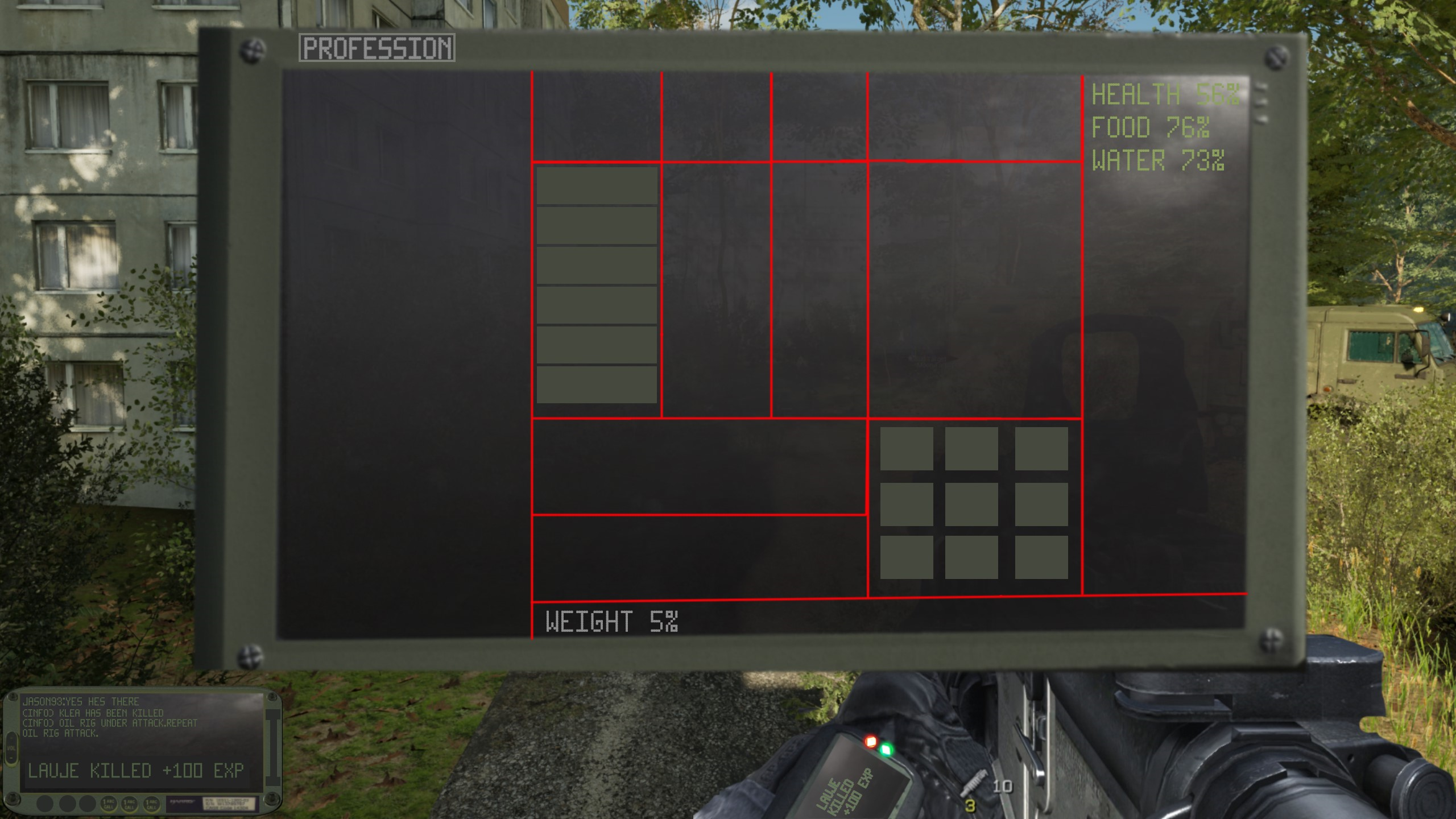
Hello, so basically solo dev as always. My next plan is to make a replicated Inventory/Item system with Skills/Crafting. And im not sure if i should use Systems from the Store (paid). The time i want to invest into this is 1 Month. Im just not sure if this is doable from scratch in that time period, or if its better to use a Store System which i would need to tweak afterwards. Im scared that tweaking will take the same time as doing it from scratch. Especially because i want complete custom Menus, im not going to use any Fonts/Designs/Shapes from those assets, i need to redo everything in terms of design. I need to change the layout. The only thing i need from this would be the system itself, so the logic behind it.
What do you recommend? This is just a very rough sketch of what i want to do : https://i.imgur.com/9nCgL4H.png , most stuff i found is rather a Fantasy/WoW/BDO like template.
 frosty heron
steady night
frosty heron
steady night
from a newbie as myself im currently working on my own inventory/sys from what ive found is buying systems from store is good and all but you learn 0 and you have to spend the same amount of time adjusting and understanding the system if u wanna customize it.. so id say do it yourself@cyan spire
cyan spire
Thank you thats good advice.
toxic drift
steady night
from a newbie as myself im currently working on my own inventory/sys from what...
That's actually good advice I never would have thought of, thank you
steady night
Are u being ironic ?
toxic drift
no not at all
Sorry if it came off that way
I'm still new so this is all veyr good info for me
frosty heron
For me personally, trying to do something my self from scratch, it was a disaster
I looked into other people system
and see them do better and end up piggy backing from it
now I started a new project, I am gonna make my own but with what i've gathered in the past
toxic drift
Yeah everyone learns differently. Some need to build things themselves from scratch, some need someone else's system to pick apart and figure out how it works and learn that way, whatever works best for you
 steady night
Well im my case i learn by doing it myself first time will be shit either way but each time u do it will get better n betterr
frosty heron
 sweet silo
how can i restrict this to when the player is interacting with this bp ?
sweet silo
how can i restrict this to when the player is interacting with this bp ?
Simple way is to do a branch after the pressed
sweet silo
ok thanks yeah i was thinking about this but it didn't seem very clean
 dark drum
I'm not sure of the best place to ask this so if it's not here, point me in the right direction. 🙂
I'm adding some DOF to my player characters camera but this results in the items the player is holding to (as you would imagine) be blurred out due to the DOF. Does anyone have any idea how I could go about making it so the held items aren't blurred by the DOF by the player characters camera PP?
frosty heron
toxic drift
Yeah everyone learns differently. Some need to build things themselves from scra...
better to look at how others done it if you can tbh. Unless you are einsten, look at how it's done by the more experienced people
toxic drift
frosty heron
better to look at how others done it if you can tbh. Unless you are einsten, loo...
I'm still new to this. Any sites or sources where I can comb through other people's work easily to look at their BP? I only just found BluePrintUE today but I imagine there's other resources
frosty heron
toxic drift
I'm still new to this. Any sites or sources where I can comb through other peopl...
@toxic drift Once you are comfortable around bp you can look at Unreal example.
They should show decent or good practices
https://www.unrealengine.com/marketplace/en-US/content-cat/assets/onlinelearning?count=20&sortBy=effectiveDate&sortDir=DESC&start=0

following tutorial from youtube is not recommended. Some are good but most tutorials do more harm than good
teal nexus
remote meteor
if you want to offset relative to the actor rotation, you can use this
It's for a component, but I assume it's the same (just get component's transforms instead) ?
toxic drift
I'm definitely comfortable with BP in the sense it's not intimidating. It's just at this point I need to learn the absurd amount of functions in an efficient manner . Which is hard since some of the documentation doesn't explain how they work any more than mousing over it in engine says, and some functionality should obviously be learned before others since it's like a tiered hierarchy of functioning
 tribal otter
I have an auction house - where all data comes in as structs in the end and put into a list view. Whats the best way to filter (search) this list view? ( have thousands of items at the time ).
My current approach is to have a prebuilt map of entries (integer - string) and search all strings if they contains these characters -> save the IDs to an array -> reinitialize the listview based on a boolean if the array contains the item id ( which is one of the struct variable ) and if yes add to a new list view. Same with item type id with a second map ( can be search for item name, item type etc. ), but there must be a better way.
frosty heron
Just prune them everytime you enter a text
Store the filtered element in array
then display from that array
tribal otter
The auction data is from a database, so it changes - i kinda need to refresh it every time, so i cant really store the elements.
frosty heron
Everytime you refresh, apply the filter
tribal otter
I think that is what im doing, but thats cool than im doing it the correct way probably.
I was wondering if there is any built in function or better way to filter out without using 3-4 arrays.
frosty heron
You can break them down into functions if you have multiple filters
Filter By name
Filter by Id
Filter by Something
Why do you need 3 - 4 arrays?
Get Array Data -> Filter by name, add to array of int index
Display Data using the array of index
sound very straight forward.
The only downside is maybe working with thousands of data. I personally never venture there
because if your way of refreshing is by deleting the whole list and updating them with a new widget per list. Then you may have hiccup
like your game thread blocked for a few mili second
tribal otter
I will test the exact performance, hopefully it will be fast enough 🙂 Thanks for the suggestion.
 silent drift
Morning! I have a question, I'm trying to make a checkpoint system, and I have my character re-spawn at the correct location and everything. But for some reason when I restart, my camera goes into the characters head rather than using my attached camera, that I have on my Character BP. Does anyone know why this could be? I tried googling, and I tried looking at tutorials, buuuutttt for some reason this seems to nly affect me. 😦
I'm using the AdvancedSideScroller camera which is a "child actor" of my character, since I assume that miught be the reason
 echo storm
How can I play an animation from a character blueprint? I already have a default slot in the anim blueprint I just don’t know how to play the animation
frosty heron
echo storm
How can I play an animation from a character blueprint? I already have a default...
If you want to play specific animation with anim instance, you need to add montage slot in your Anim instance class and use Play Montage node in your bp
echo storm
frosty heron
If you want to play specific animation with anim instance, you need to add monta...
Oh okay thank you
echo storm
How can I get an AI to walk a certain distance behind the AI character?
Like as in I want the AI to turn around and walk a small distance
But how do I get the location behind the AI character?
lunar sleet
echo storm
But how do I get the location behind the AI character?
Dot product
echo storm
lunar sleet
Dot product
Doesn’t that just give me the direction though? As in -1 for backwards but then how do I make it walk? Sorry I’m not that clever with vectors
 versed sun
Character's Forward Vector * -500 would be 500 units behind
frosty heron
echo storm
Doesn’t that just give me the direction though? As in -1 for backwards but then ...
you can use the dor product to determine if the player is behind the A.I or not
and for the location you can do what @versed sun said
versed sun
well, + Character Location
echo storm
Won’t multiplying the vector with -500 not cause all three values (X, Y and Z) to be multiplied by -500?
Oh wait it’s just the forward vector though right
versed sun
 echo storm
Ohh that makes sense now, thank you!
 fervent kelp
Hi guys, "onConstraintBroken" event for physic constraint component working properly? (UE5.1) Has anyone tested it recently?
fervent kelp
on here seems not working properly or i don't get the logic.
 gritty bobcat
In unreal 5.3 (a project updated from 5.2) i am getting no "OnBeginCursorOver" without mouse down. When i hold mouse button down, it works, so the collisions are set correctly. This worked fine in 5.2, and just upgrading the project to 5.3 breaks something and i have no clue what. Could someone please point me to a solutuion?
There is not widget or anything else blocking the trace, so i am at complete loss here. please help
 clear sierra
what works and what not ?
lunar sleet
gritty bobcat
In unreal 5.3 (a project updated from 5.2) i am getting no "OnBeginCursorOver" w...
So it only works if you’re holding mouse button down?
gritty bobcat
yep
lunar sleet
We’ve seen this issue yesterday
Are you using that silly use touch as mouse setting?
gritty bobcat
hm, should not? lemme check
lunar sleet
Well that seems to be the root cause of many issues haha
 lunar sleet
gritty bobcat
lunar sleet
gritty bobcat
thank you senpai for the guidance
lunar sleet
Thank @modern radish it only took him like 12h to find it lol
gritty bobcat
for anyone looking for same problem, this is the problematic check i had to turn off to make it work
in editor preferences.

and thank you @Neblina, your suffering is not forgotten! 😄
modern radish
lunar sleet
Thank <@297805262394359808> it only took him like 12h to find it lol
LOL that's crazy, someone else with the same problem
lunar sleet
modern radish
LOL that's crazy, someone else with the same problem
Hehe, told you I’ve seen it before
Now I actually know what the fix is
 surreal phoenix
I think this question is across UE, but if i have an event being triggered on a timeline (either Widget Animation or Sequencer), how can i get the time from the timeline that it was triggered from, as an input passed to the event?

 gentle urchin
Dont think you can
But you can grab the anim ref and get current time if im not mistaken
 grim sand
Quick question; Lets say I have actors in my scene (say they are harvestable trees). If these bp's merely exist, and do nothing on tick, and only execute functionality when interacted with. Do they take up any hardware resources? Or are they just dormant and take up resources on only the render thread?
clear sierra
they will take only memory and GPU resources. no cpu
maybe some cpu for delegates
physics should not be a case if actor is not simulating right ?
 lilac storm
Hey devs i am stuck with my problem for almost couple days , my player has an ability to Push back other AI's and code for pushing is attached , pretty simple one , but for some resons Ai are not getting pushed , instead they are kind of jumping in place or somethig like it shown in the video , Please please please is anyone knows how to fix it ?
 clear sierra
Colliding goes both ways ? i though only actor which is moving will do these queries ?
gritty bobcat
lilac storm
Hey devs i am stuck with my problem for almost couple days , my player has an ab...
could this be happening because of friction? try to add small vector value in Z, to see if it helps. ah, i see u already do that. then i'd perhaps add small delay between stop motion and push
lilac storm
gritty bobcat
could this be happening because of friction? try to add small vector value in Z,...
did't help((
clear sierra
i see
gritty bobcat
lilac storm
did't help((
hm, i am using basically what u have, and no issues. except Zoverride is off
clear sierra
lilac storm
did't help((
try z to be negative or 0 maybe
gritty bobcat
lilac storm
did't help((
is it possible the value is too small? try to use some larger ones to see if it does difference
lilac storm
clear sierra
try z to be negative or 0 maybe
didn;t help
lilac storm
gritty bobcat
is it possible the value is too small? try to use some larger ones to see if it ...
tried with millions before ehhee
gritty bobcat
hm, damn. in the video enemy moves a bit, but it is not enough. what if u test only Z value. i had a problem where vector was oriented to push actor away but in downward direction. it was bcoz my char was larger than enemy, so, from center of my char to center of the enemy, the line was heading down. other than that, i have no clue
 manic vessel
Stuggeling to get the Player Character from the held weapon that SENT THE DAMAGE EVENT .
 lunar sleet
GetPlayerCharacter
trim matrix
manic vessel
Stuggeling to get the Player Character from the held weapon that SENT THE DAMA...
You are damaging the weapon or the player?
lilac storm
gritty bobcat
hm, damn. in the video enemy moves a bit, but it is not enough. what if u test o...
Thank you will try !!
surreal phoenix
gentle urchin
But you can grab the anim ref and get current time if im not mistaken
Ah yes you can, thank you, but the issue is i want the time when im scrubbing the timeline in the editor, not while its playing, so the time i'm getting is always 0.0
lunar sleet
surreal phoenix
Ah yes you can, thank you, but the issue is i want the time when im scrubbing th...
What’s this for exactly ?
manic vessel
trim matrix
You are damaging the weapon or the player?
NVM i sorted it. As the weapons creates a ref of the character that picked them Up so I just sent damage causer throught weapon to get the character ref and in to theat character cast 🙂
trim matrix
manic vessel
Stuggeling to get the Player Character from the held weapon that SENT THE DAMA...
curious, was this even running?
manic vessel
yes
trim matrix
i'm assuming u were applying the damage to the player
manic vessel
Yes I already have all that working. Was just this for UMG text update
surreal phoenix
lunar sleet
What’s this for exactly ?
i have a widget that has an animated image sequence background and im trying to sync up widget animations with it (like, text that follows the animation), but the image sequence is controlled by the media player so i can visualise both at the same time (id have to go into the media player, scrub the timeline, and then go back to the widget, work out what frame im on, etc). I want to get the widget animation timeline to control the progress of the media player, so i can see both, so one way of doing that has been to create an event track (on repeat event), and have that trigger an event that 'Seeks' to the position on the media player i need. But i now need the actual time from the animation to seek to the correct place in the media player.
lunar sleet
Sounds tricky, not sure you have that functionality built-in, maybe through cpp
 zealous comet

I have this BP component set to a character BP. i followed prismatica devs tutorial exactly. but when event begins play it auto enables physics and he falls onto the ground. when in prismatica devs tutorial his character ragdolls but their hips stay at the same point.
lunar sleet
zealous comet
I have this BP component set to a character BP. i followed prismatica devs tutor...
Watch it again, you either missed a step or they skipped over one. If you still can’t figure it out, try #chaos-physics
I guess you already did. See #rules on cross-posting tho
clear sierra
zealous comet
maybe you have simulate physics enabled by default
zealous comet
clear sierra
maybe you have simulate physics enabled by default
its not i already checked that
clear sierra
 tight pollen
hi
tight pollen
hi
settings
clear sierra
zealous comet
its not i already checked that
not sure than, you need to debug
grim sand
Thanks for the extra info @clear sierra @toxic jay !
lunar sleet
tight pollen
how can i remove outline in ComboBox?
Try #umg
 jolly granite
Hey guys, after recompiling UE5.31 Source I lost all my input actions in BP. After reinserting and reloading project they disappear again. Enhanced Input System is activated btw. Someone got a clue for me?
 faint pasture
echo storm
But how do I get the location behind the AI character?
faint pasture
echo storm
But how do I get the location behind the AI character?
CharacterLocation + SomeNegativeDistance x CharacterForwardVector
or you can use TransformLocation to transform -500, 0, 0 to make it return the spot 500 units behind the thing whos transform you use
lunar sleet
jolly granite
Hey guys, after recompiling UE5.31 Source I lost all my input actions in BP. Aft...
I’ve seen this before
Something to do with an update they made where the EIS is being called at the wrong time and it starts conflicting with things
I’ll see if I can find MatW’s post on it
jolly granite
lunar sleet
I’ll see if I can find MatW’s post on it
TY in advance
Has it smothing to do with CommonUI loading phase?
lunar sleet
jolly granite
TY in advance
ha, I knew it was something to do with pre-Default

Epic Developer Community Forums
Hey everyone, Would be super happy if someone can help me with this problem! After upgrading to 5.3, all of my EnhancedInput events dissappeared from my blueprints, breaking many of the inputs in my game. I have no problem adding them again, making all functionality go back to normal. But as soon as I close and re-open the project, all event n...
lunar sleet
jolly granite
Has it smothing to do with CommonUI loading phase?
not with commonUI but with EIS' loading phase
jolly granite
ty 🙂
lunar sleet
Np
gentle urchin
lunar sleet
ha, I knew it was something to do with pre-Default
Awesome, i moved it to c++ because of these issues 😂
 thin umbra
Hello, can someone help me?
Why is it that when I create my widget and add it to my canvas panel as a child, the previous widget of the same class I had get replaced by this new one?
lunar sleet
thin umbra
Hello, can someone help me?
Why is it that when I create my widget and add it to...
Prly can’t have 2 of that same kind of widget component? Best to ask in #umg for this stuff
thin umbra
ah I didn't see that channel
how then do I add multiple widgets of the same kind into my canvas panel?
frosty heron
drag and drop
dawn gazelle
thin umbra
how then do I add multiple widgets of the same kind into my canvas panel?
There is nothing that should prevent you from adding any number of any widgets to a canvas panel. If you're dragging and dropping them in, you need to make sure you're not necessarily dropping them on to something that can't take it as a child.
thin umbra
that's the easy way, I want to use the create widget node haha
thin umbra
ok I will
lunar sleet
dawn gazelle
There is nothing that should prevent you from adding any number of any widgets t...
Yeah that’s what I meant mb 😅
 barren dove
can you post the blueprint
 ashen tide
if I do the exact same thing in the starter fps its working fine

 thin panther
that'll do it
ashen tide
well, that was the issue! thank you very much !
 mild ibex
bump 🙃
barren dove
good catch
ashen tide
What's the best way to create a timer to force the player to move ?
For example, if the velocity is at 0 for X seconde you get a damage or anything.
I am trying to use the delay function but the timer doesnt reset
 chrome kernel
@thin panther I'm all ears^^
thin panther
so in the line trace the start and end points are locations. not a start location, and an end direction
so your start will be your location, and your end will be the direction * distance + location
chrome kernel
oh boy my old math teacher would kill me if he found this out lmao
yea ofc... tysm :)
thin panther
no problem!
chrome kernel
is there a bp equivalent to the IsA() function?
 keen widget
can someone pls help me with regex?
dawn gazelle
keen widget
can someone pls help me with regex?
What specifically?
keen widget
dawn gazelle
What specifically?
problem is this..
i need this text: "Base Atk: +23"
divide in to 2 groups: 1group = "Base Atk", 2group = "23"
dawn gazelle
First, do you have to have it in this format?
Having spaces is prone to errors. If your parsing some external source you have no control over, there's not much choice, but if you do, could you use a better format, like JSON?
thin panther
do you really need regex for that tho?
You can ust split before : and then split after + or -
keen widget
trim matrix
U could just split it by ":"
sometimes text doesnt have ":" to use it as a split
trim matrix
what does it have then?
regex isn't magic, it can't just guess what u want to extract
loud tree
keen widget
sometimes text doesnt have ":" to use it as a split
Gotta remember, people can only give help and suggestions relative to the information they have been provided.
keen widget
trim matrix
what does it have then?
Stat name using 1 or 2 words.. like "AC" or "Armor Class" sometimes
and a value "+23" for example
thin panther
regex is pattern matching, but if you keep violating your pattern what is it going to match
as Datura said just use something like JSON
trim matrix
keen widget
Stat name using 1 or 2 words.. like "AC" or "Armor Class" sometimes
and a value ...
It doesn't use ":" in that case?
keen widget
trim matrix
It doesn't use ":" in that case?
sometimes it doesnt have ":"
thin panther
then you don't have a pattern to match do you
trim matrix
keen widget
sometimes it doesnt have ":"
give some examples
keen widget
i tried to use something like this:
(\w+).? [\+\-]?(\d+)|(\w+-?\w+)?.? [\+\-]?(\d+)
and its working, but! for some reason it gives me not 1 and 2 group as i wanted but 3 and 4
trim matrix
uhh ohh
dawn gazelle
([A-Za-z0-9\d\s]+):\s?([+-]?)([\d]+)
 trim matrix
dawn gazelle
([A-Za-z0-9\d\s]+):\s?([+-]?)([\d]+)
trim matrix
dawn gazelle
([A-Za-z0-9\d\s]+):\s?([+-]?)([\d]+)
they've said it sometimes can lack the ":"
🙃
trim matrix
trim matrix
give some examples
of where it doesn't have ':' @keen widget
keen widget
dawn gazelle
([A-Za-z0-9\d\s]+):\s?([+-]?)([\d]+)
and i dont need "+" as a capture group
dawn gazelle
([A-Za-z0-9\d\s]+):?\s?([+-]?)([\d]+)
You'd need to trim any whitespace on the first group...


so you don't care if the number is negative?
keen widget
dawn gazelle
so you don't care if the number is negative?
only if capture group is negative like "-23"
trim matrix
trim matrix
of where it doesn't have ':' <@156533592095326208>
@keen widget
I'm 70% sure this is doable with just split
keen widget
dawn gazelle
([A-Za-z0-9\d\s]+):?\s?([+-]?)([\d]+)
You'd need to trim any whitespace on the f...
how to trim whitespace at the end of 1 group?
keen widget
trim matrix
I'm 70% sure this is doable with just split
it will work 70% of the time but some stats doesnt use ":" after stat name
trim matrix
and why is that?
lunar sleet
Shouldn’t you fix your design flaw by standardizing everything ?
trim matrix
design flaw
dawn gazelle
keen widget
only if capture group is negative like "-23"
In blueprint...

And yeah, your data format should be consistent.
If you did JSON you could directly parse and not have to worry about regex yourself.
keen widget
u need to understand im making calculator for a dnd 3.5
its old system and stat blocks for monsters on the websites it is a mess
thin panther
unreal is a tad overkill for a calculator
lunar sleet
If only there was a guy named JSON that invented a way to parse data from a website 🙃
keen widget
im making this:
 trim matrix
ue is not the most ideal for that
keen widget
i want all varibles to set just after copy-paste monster from websites and 80% of them already do!
but i have problem with pairs words like "Armor Class" "Flat-Footed" "Base Atk"..
barren dove
Any thoughts on world wrapping?
My current theory is my tiles are a set size, and are stored in a map, so I can just approximate player location then multiply the spawning tiles by 10000 (or whatever) to get the new location, so I'm just spawning tiles in front and killing them behind the player, but moving all the actors to their new home might get heavy
trim matrix
tp the player?
keen widget
lunar sleet
If only there was a guy named JSON that invented a way to parse data from a webs...
huh?
barren dove
keen widget
i want all varibles to set just after copy-paste monster from websites and 80% o...
maybe step one drop it into a spreadsheet and run a quick and easy vba script on it to parse everything down to a readable format
 magic gorge
Im trying to make a golf like launch ball, the issue i have is that using set physics linear velocity, add impulse, add force doesnt rotate the ball any idea?
lunar sleet
keen widget
huh?
Part-joke part solution
keen widget
barren dove
maybe step one drop it into a spreadsheet and run a quick and easy vba script on...
quick and easy vba script ?
dawn gazelle
I was able to find a 3.5e XML document repository that includes all monsters in the monsters manual... Among a lot of other data from DnD...
barren dove
magic gorge
Im trying to make a golf like launch ball, the issue i have is that using set ph...
there's a separate add rotational component, so you'd add impulse then add torque, I forget the name of the node though)
lunar sleet
dawn gazelle
I was able to find a 3.5e XML document repository that includes all monsters in ...
Imagine that 😀
keen widget
dawn gazelle
I was able to find a 3.5e XML document repository that includes all monsters in ...
where
dawn gazelle
keen widget
dawn gazelle
https://www.andargor.com/
thank i will look in to it👍
barren dove
magic gorge
Im trying to make a golf like launch ball, the issue i have is that using set ph...
also one more note, add velocity doesn't take into account the mass of the object, it just sets its speed to whatever, so if you have different weight golfballs you dont want to use that
trim matrix
add impulse would
magic gorge
yeah i selected to avoid mass since i dont need it
still a lot of math for me to get from control rotation only the forward and then add the jump multiplier then find also the degrees of that, my brain is going BOOM hahahah
im not used to use vectors
trim matrix
u can get forward vector out of rot
magic gorge
that's what i do
 trim matrix
cool
magic gorge
it works but the torque doesnt
with the same values
so i have to find a way to get the right degrees
barren dove
magic gorge
with the same values
its a ball, attach a weightless collisionless mast to it so you can see the rotation :0
magic gorge
what you mean?
it has mass i just dont calculate it for the impulse
anyway found a solution 😛
keen widget
dawn gazelle
([A-Za-z0-9\d\s]+):?\s?([+-]?)([\d]+)
You'd need to trim any whitespace on the f...
can you please tell me why this gives me Group 3 and Group 4.. wheres 1 and 2?
 dawn gazelle
Because you have that alternate comparison | It's not matching anything within the first two sets of ( ) but it is matching with the third and fourth set of ( )
 dry pecan
can someone please tell me whats wrong with this? I have a feeling why but I just need to make sure, this is on a BeginEvent
 lunar sleet
Well what does your feeling tell you?
dry pecan
lunar sleet
Well what does your feeling tell you?
its only happening the moment the game starts
lunar sleet
What is only happening then, what’s the issue you’re experiencing? Also note that you can promote that cast return value to a variable so you don’t have spaghetti strings crossing each other
dawn gazelle
keen widget
can you please tell me why this gives me Group 3 and Group 4.. wheres 1 and 2?
([\w+\s\w+]|\w+):? (\d+)
this'll give the match in groups 1 and 2 with or without the :


 dry pecan
lunar sleet
What is only happening then, what’s the issue you’re experiencing? Also note tha...
dry pecan
lunar sleet
What is only happening then, what’s the issue you’re experiencing? Also note tha...
my goal is to save the intigers Collectable count/Rare Collectable count into the integers of my save object integers Collectable and Rare Collectable
keen widget
dawn gazelle
([\w+\s\w+]|\w+):? (\d+)
this'll give the match in groups 1 and 2 with or witho...
 lunar sleet
dry pecan
my goal is to save the intigers Collectable count/Rare Collectable count into th...
lunar sleet
dry pecan
my goal is to save the intigers Collectable count/Rare Collectable count into th...
So right now if works if you don’t yet have a save game ?
dry pecan
lunar sleet
So right now if works if you don’t yet have a save game ?
I'm basing this off my knowledge from the I Aim Trainer tutorial on the unreal site
lunar sleet
dry pecan
I'm basing this off my knowledge from the I Aim Trainer tutorial on the unreal s...
Ok. Let’s start over. You said you’re only doing this on begin play?
ashen tide
Morning everyone 🙂
How can I connect this transform to the location ?
 lunar sleet
ashen tide
Morning everyone 🙂
How can I connect this transform to the location ?
lunar sleet
ashen tide
Morning everyone 🙂
How can I connect this transform to the location ?
Set relative location instead ?
dry pecan
lunar sleet
Ok. Let’s start over. You said you’re only doing this on begin play?
Yes, and I believe that's the problem
lunar sleet
dry pecan
Yes, and I believe that's the problem
Ok, so put it in your own custom event so you can call it when we you want
dawn gazelle
keen widget
(\w+\s*\w+|\w+):?\s*(\d+)$
ashen tide
lunar sleet
Set relative location instead ?
What I want is to add a transform to the location of the player and start the sound from there (behind him)
keen widget
dawn gazelle
```(\w+\s*\w+|\w+):?\s*(\d+)$```
 lunar sleet
ashen tide
What I want is to add a transform to the location of the player and start the so...
lunar sleet
ashen tide
What I want is to add a transform to the location of the player and start the so...
Get the player’s fwd vector * by minus distance, add it to its location, use that resulting vector
dry pecan
lunar sleet
Ok, so put it in your own custom event so you can call it when we you want
Oh then I can just call it on my collectible objects and have it update with each increase?
dawn gazelle
keen widget
Do a split on , first.
lunar sleet
dry pecan
Oh then I can just call it on my collectible objects and have it update with eac...
Have it update whenever you want the game to save that variable, so yeah if you want to save it on each increase that’s fine
keen widget
dawn gazelle
Do a split on , first.
cant understand what split exactly need to do
dawn gazelle
keen widget
cant understand what split exactly need to do
You have an array of values that are separated by a comma. Each can individually be checked with a regex to get the name and value.
lunar sleet
 magic gorge
How is it possible that the tick set physics gets called even when not getting actually called? i dont get it... i tried putting a print too but gets called only when should, the code of that doesnt infact if i unlink that it works https://blueprintue.com/blueprint/zgg-fb7p/

No description provided
 ashen tide
lunar sleet
Get the player’s fwd vector * by minus distance, add it to its location, use tha...
ashen tide
lunar sleet
Get the player’s fwd vector * by minus distance, add it to its location, use tha...
working perfectly, amazing thank you 🙂
keen widget
dawn gazelle
that would be a good idea but sadly text formated in a way that after a value there can be ";" or "," nothing at all
trim matrix
magic gorge
How is it possible that the tick set physics gets called even when not getting a...
add a breakpoint
on the node
trim matrix
so it's not it
magic gorge
but still seems to conflict with the upper set physics
if i remove only those 2 nodes it works tho
trim matrix
hold on let me pull up that code on my aNdroid device
magic gorge
No description provided
trim matrix
can hardly navigate in the graph anyways on mobile
magic gorge
oh
trim matrix
lunar sleet
Reading blueprint UE on mobile discord is disgusting
on discord?
it opens the link in the browser
magic gorge
 trim matrix
at least on my end
trim matrix
screenshots look messed up for me, like the resolution
lunar sleet
You can double click lines to make redirect nodes btw @magic gorge helps organize stuff
trim matrix
i have to literally download them
magic gorge
yeah
lunar sleet
trim matrix
i have to literally download them
Oh weird
magic gorge
anyway the linear velocity works but the angular doesnt
trim matrix
android device
magic gorge
if i keep the under node
wait wait wait
im dumb af
i copied wrong node
its max
lunar sleet
Another satisfied customer
magic gorge
f me lol
 magic gorge
incredible i can find the solution for hard stuff but on stuff like this i always fall
trim matrix
ong
dry pecan
lunar sleet
Have it update whenever you want the game to save that variable, so yeah if you ...
Odd, I tried that but it's not working
lunar sleet
magic gorge
incredible i can find the solution for hard stuff but on stuff like this i alway...
It’s called the rubber duck effect
 frigid pecan
Hi, I'm new to this group and self learning about Unreal. Does anyone know what Additive Identity Pose is? I can't find any documentation or much about this node online. Thanks.
 lunar sleet
dry pecan
Odd, I tried that but it's not working
lunar sleet
dry pecan
Odd, I tried that but it's not working
Well one issue I noticed in your code is if you don’t have a save yet, it’ll create the save but then nothing else will happen unless you execute that path again. Maybe that’s the issue? Show updated code and explain the issue
lunar sleet
frigid pecan
Hi, I'm new to this group and self learning about Unreal. Does anyone know what ...
Something to do with #animation
As in, best to ask in that channel 😀
dry pecan
this is my custom event
 lunar sleet
Umm
keen widget
dawn gazelle
just look at this mess that im dealing with:
i need to auto-take AC, HP and other stats from this text
and its almost working, i can get 70% of stats i need
single words are ok to get "ac 20, hp 30" ✅
but words pairs does not "armor class 20, hit point 30"🚫
lunar sleet
dry pecan
this is my custom event
Are you missing a branch perhaps?
Maybe a few other nodes
 lunar sleet
I don’t understand
lunar sleet
You had some actual save game code and you took half of it and ran with it
 heady crypt
it got snarky so he yeeted it
trim matrix
trim matrix
And then saving it
On the same event like that?
 outer forge
If I call StopMovement, but then SimpleMoveToLocation, my character will stop for a bit even if they're called in the same frame... Is there a way around this?
dry pecan
ok its back to normal now
 lunar sleet
outer forge
If I call StopMovement, but then SimpleMoveToLocation, my character will stop fo...
lunar sleet
outer forge
If I call StopMovement, but then SimpleMoveToLocation, my character will stop fo...
#gameplay-ai for this
frosty heron
dry pecan
ok its back to normal now
You shouldn't load and save in function like this
Create a seperate function to Load/Create the SaveGameobject and cache it
you will use that SaveGameObject reference for the rest of the game
dry pecan
frosty heron
you will use that SaveGameObject reference for the rest of the game
how?, I'm just essentially doing what is show in the Unreal target practice tutorial, how would I do that?
outer forge
lunar sleet
<#221798778208780288> for this
Thanks, I was looking for the right channel but didn't find anything that seemed reasonable. Are you sure #gameplay-ai is it, though? It's for a player controlled character
frosty heron
dry pecan
how?, I'm just essentially doing what is show in the Unreal target practice tuto...
by doing what I suggested
Your collectablesave should be something like
GetGameInstance->GetMyScoreSaveGameObject->Set Score (Optionally can save if you like)
dry pecan
frosty heron
by doing what I suggested
but isnt that what I'm doing essentially? Collectable is an intiger to store my collectable count
frosty heron
dry pecan
but isnt that what I'm doing essentially? Collectable is an intiger to store my ...
What you are doing here is Loading Game from slot, everytime you called collectable save (If the Slot exist)
You end up using different SaveGameObject each time
lunar sleet
outer forge
Thanks, I was looking for the right channel but didn't find anything that seemed...
Simple move to works with a player controller but still uses the nav mesh to path. Still technically related to #gameplay-ai and you’re much more likely to get the exact answer. Otherwise, I could speculate and say maybe you have use acceleration for paths on, or your char takes a tick to find the path - tho admittedly that’d be a bit weird
frosty heron
you need to point to the same SaveGameObject
hence the need to Load once and cache it
outer forge
lunar sleet
Simple move to works with a player controller but still uses the nav mesh to pat...
Makes sense, thank you!! I'll look into that acceleration setting also, it probably is on indeed haha. Thanks!
frosty heron
 dry pecan
frosty heron
Your collectablesave should be something like
GetGameInstance->GetMyScoreSaveGam...
dry pecan
frosty heron
Your collectablesave should be something like
GetGameInstance->GetMyScoreSaveGam...
get savescoregameobject? I thought you cant link get nodes?
lunar sleet
Heh?
frosty heron
dry pecan
get savescoregameobject? I thought you cant link get nodes?
I have no idea what you are talking about sorry
dry pecan
frosty heron
I have no idea what you are talking about sorry
get nodes, like Get Instance or get player camera manager, those kind of nodes
 tribal blade
hey, is there anything i can do with AI CMC's (networked) to reduce their character movement performance cost? (this is about 500 AI)
I don't need super accurate simulation
 frosty heron
dry pecan
get nodes, like Get Instance or get player camera manager, those kind of nodes
frosty heron
dry pecan
get nodes, like Get Instance or get player camera manager, those kind of nodes
what about it?
tribal blade
I cannot afford to write my own movement, as this involves both ai and networking
frosty heron
tribal blade
I cannot afford to write my own movement, as this involves both ai and networkin...
who can?
i mean someone did
but the legwork is crazy
tribal blade
idk lol a lot people online just say make new cmc
frosty heron
Unreal already did thousands lines of code for us
I know one person that wrote his own movement comp, deldoogie
dry pecan
frosty heron
what about it?
I thought they can't be linked in and out of each other can can only be used as a target refrence
frosty heron
he needed movement with 6dof so he wrote his own
frosty heron
dry pecan
I thought they can't be linked in and out of each other can can only be used as ...
I Don't know what you mean by linked in
tribal blade
well, i got no idea how to reduce that milliseconds count though, since the cmc ain't mine
dry pecan
frosty heron
I Don't know what you mean by linked in
like this
 tribal blade
unreal doesn't seem to have a "less accurate but more performant" setting for it
frosty heron
tribal blade
well, i got no idea how to reduce that milliseconds count though, since the cmc ...
Best to ask #multiplayer imo
lunar sleet
tribal blade
idk lol a lot people online just say make new cmc
Sounds like a lot of dumb people lol
tribal blade
frosty heron
Best to ask <#221799385611239424> imo
i'm currently only testing on singleplayer
'multiplayer' in my question is only for justifying non-variable tickrate
lunar sleet
That thing has 50k+ lines, unless you’ve been at this for years and years, you should prly not try to reinvent that wheel
frosty heron
afaik cmc is the 2nd most heaviest thing after the draw call
tribal blade
lunar sleet
Sounds like a lot of dumb people lol
they probably mean that ai doesn't need something as heavy as cmc
lunar sleet
tribal blade
they probably mean that ai doesn't need something as heavy as cmc
That would be incorrect
 molten swift
pff could I get a little help I Have a pickup and drop script where I attach the thing I pickup to a component on my character and detach when I drop but after I drop the object it stops simulating physics.
 dry pecan
like this
dry pecan
dry pecan
like this
like how Begin play is linked to Create Collection UI Widget, apologies I'm not sure what the actual term is called, thats just how I see it
tribal blade
well how am i supposed to do 500 ai now
lunar sleet
Nav agent radius settings, acceleration for paths, all in the CMC
frosty heron
dry pecan
like this
What about that?
lunar sleet
tribal blade
well how am i supposed to do 500 ai now
With #mass
Or HISMs maybe if the use case allows
frosty heron
@dry pecan This is what I mean btw, they are not the same object
 trim matrix
dry pecan
like how Begin play is linked to Create Collection UI Widget, apologies I'm not ...
trim matrix
dry pecan
like how Begin play is linked to Create Collection UI Widget, apologies I'm not ...
U mean like how the other nodes don't have the white pins?
dry pecan
frosty heron
What about that?
thats what I mean by linked, like how Begin play is linked to Create UI Collection Widget, I thought you cant do that with two Get Nodes
tribal blade
lunar sleet
With <#966517152947527740>
ooo i'm too late for ECS i think
lunar sleet
ECS?
tribal blade
got lots of work done on this enemy already
tribal blade
lunar sleet
ECS?
the mass framework right
dry pecan
frosty heron
<@600353846685859840> This is what I mean btw, they are not the same object
I'm sorry, I had no clue thats what you meant, my apologies
frosty heron
dry pecan
I'm sorry, I had no clue thats what you meant, my apologies
all good
lunar sleet
Oh, yeah idk enough about it, it’s still very new
frosty heron
Try to load the Score once and set the ScoreSaveGameObject
make a function in GameInstance
 kind matrix
Is it possible to make a blueprint that automatically replaces all the static mesh components based on the name of the actor?
Say if an object called "tree" is imported then it's static mesh is automatically replaced with a different one.
Or whatever other utility to replace tons of objects imported from datasmith
frosty heron
you need presistence object to store the savegameobject
lunar sleet
I would recommend asking this stuff in #gameplay-ai tho @tribal blade . There are people there that have done such things. And if they say use something else instead of the CMC, at that point you can take their word for it because they’ve got years of xp
frosty heron
kind matrix
Is it possible to make a blueprint that automatically replaces all the static me...
I don't know about datasmith, are you talking about runtime or editor time?
trim matrix
frosty heron
you need presistence object to store the savegameobject
would there be anything wrong with creating it only when needed within a func?
tribal blade
lunar sleet
I would recommend asking this stuff in <#221798778208780288> tho <@5556985673778...
alright thanks man
kind matrix
editor time ideally
frosty heron
trim matrix
would there be anything wrong with creating it only when needed within a func?
Loading again will not point to the same savegameobject
dry pecan
frosty heron
Try to load the Score once and set the ScoreSaveGameObject
not in my player controller? thats where my current count is and what will eb saved to in my save object
 frosty heron
dry pecan
not in my player controller? thats where my current count is and what will eb sa...
frosty heron
dry pecan
not in my player controller? thats where my current count is and what will eb sa...
SaveGameObject should be stored in GameInstance or any presistent object. Your controller gets destroyed on level transition, so you will lose the savegameobject reference
dry pecan
frosty heron
SaveGameObject should be stored in GameInstance or any presistent object. Your c...
oh wait yes it is
trim matrix
frosty heron
Loading again will not point to the same savegameobject
but why even store the save game reference somewhere?
kind matrix
the datasmith part is irrelevant though, it's mostly about the replacing of static mesh based on actor name
frosty heron
trim matrix
but why even store the save game reference somewhere?
Store the savegameobject in game instance
So if you want to set a value in savegameobject you can just do
GetGameInstance->GetMySaveGameObject-> SetScore to X
molten swift
molten swift
pff could I get a little help I Have a pickup and drop script where I attach the...
Could Someone take a look at this?
dry pecan
frosty heron
SaveGameObject should be stored in GameInstance or any presistent object. Your c...
oh, that may also be a reason, theres only a single save variable, Score
trim matrix
frosty heron
Store the savegameobject in game instance
So if you want to set a value in saveg...
nvrmind i'm just being stupid 🙂
frosty heron
trim matrix
nvrmind i'm just being stupid 🙂
naw man
trim matrix
molten swift
pff could I get a little help I Have a pickup and drop script where I attach the...
U need to wake it up
i think
the grabbed component
frosty heron
dry pecan
oh, that may also be a reason, theres only a single save variable, Score
if that's what the tutorial do, I would be pretty concern. I'm not saying that's your current problem but it certainly looks like a problem to me when you load everytime you want to save something
molten swift
trim matrix
U need to wake it up
I'll try it out im new to unreal so hadnt thought about it
dry pecan
frosty heron
if that's what the tutorial do, I would be pretty concern. I'm not saying that's...
yeah, I believe what I ended up causing was that I was trying to save multiple integers into a single integer withought realizing it
frosty heron
dry pecan
yeah, I believe what I ended up causing was that I was trying to save multiple i...
What you ended up doing was getting another instance of the savegameobject, this bug will be more apparent when you tried to save individual variable
dry pecan
frosty heron
What you ended up doing was getting another instance of the savegameobject, this...
yeah I made more this time, now each one saving a different thing
molten swift
trim matrix
U need to wake it up
Didnt seem to do the trick
frosty heron
dry pecan
yeah I made more this time, now each one saving a different thing
Yeah you will be setting the score in different savegameobject each time
 molten swift
trim matrix
there's still some code which u haven't shown
molten swift
trim matrix
there's still some code which u haven't shown
Theres the entire pickup, drop and interact code. The interact code shouldn't have anything to do with it


oops sorry im covering some stuff in the pickup code

there
lunar sleet
No cast eh? Living dangerously
Start attaching trees and cars 😀
Unless that’s filtered prior I can’t make out that struct
molten swift
they're not
molten swift
lunar sleet
No cast eh? Living dangerously
What do you mean
frosty heron
molten swift
What do you mean
means, any actor can be picked up
trim matrix
but this shouldn't be the issue still
dry pecan
frosty heron
What you ended up doing was getting another instance of the savegameobject, this...
I made different ones this time, took a different approach but looks like it didn't work, these are what I'm refrencing in my GameInstance, the slot name score being refrenced
 molten swift
frosty heron
means, any actor can be picked up
molten swift
frosty heron
means, any actor can be picked up
It only calls pickup if the actor hit by the line trace has a specific interface implemented
frosty heron
molten swift
It only calls pickup if the actor hit by the line trace has a specific interface...
Ohh ok, i only look at the last picture lol
molten swift
lol
lunar sleet
molten swift
It only calls pickup if the actor hit by the line trace has a specific interface...
Not in the 3rd screenshot, but I haven’t checked if you’re filtering it before feeding it that struct, I see that you do that right after input
dry pecan
frosty heron
<@600353846685859840> This is what I mean btw, they are not the same object
so I'm supposed to make this?
frosty heron
Create a SaveGameObject for your score
if you want to have seperate SaveGame file for the score alone
dry pecan
frosty heron
Create a SaveGameObject for your score
yes I already did that from the beginning
it shares 3 different variables to store
molten swift
Oh btw the object in this case bread wasnt getting picked up while physics was on earlier. I suspected the issue was that the attach actor to component node attaches the root, and a child was doing the physics I deleted the root making the bread the root so now the root does the physics and it worked, Could this have something to do with it?
 trim matrix
molten swift
Theres the entire pickup, drop and interact code. The interact code shouldn't ha...
trim matrix
molten swift
Theres the entire pickup, drop and interact code. The interact code shouldn't ha...
 frosty heron
dry pecan
yes I already did that from the beginning
frosty heron
dry pecan
yes I already did that from the beginning
Then in your game Instance, make a function called LoadScoreSaveGameObject
trim matrix
I'm unsure if this part will actually work...
lunar sleet
I don’t see where “hold refarance “ is being created, I imagine the rest of the code works, just not the physics tho?
molten swift
trim matrix
I tried it the other way aswell, before detach
dry pecan
frosty heron
Then in your game Instance, make a function called LoadScoreSaveGameObject
alrighty now good
trim matrix
molten swift
I tried it the other way aswell, before detach
But I mean I am unsure if it will work with the cast
molten swift
lunar sleet
I don’t see where “hold refarance “ is being created, I imagine the rest of the ...
physics work on the object before being picked up but not after being dropped, code works otherwise though
lunar sleet
molten swift
Oh btw the object in this case bread wasnt getting picked up while physics was o...
Maybe. So we don’t keep speculating, try using a breakpoint and stepping through the code
molten swift
I couldnt connect it straight because it needed to be a primitive component referance
frosty heron
@dry pecan something like this
 lunar sleet
Hover over the inputs and outputs to see what actually comes through^
frosty heron
When you want to save the target must be the ref we got from the load
 molten swift
lunar sleet
Hover over the inputs and outputs to see what actually comes through^
molten swift
lunar sleet
Hover over the inputs and outputs to see what actually comes through^
What do you mean😅
dry pecan
frosty heron
<@600353846685859840> something like this
I'm assuming the set nodes are promoted variables?
lunar sleet
molten swift
What do you mean😅
frosty heron
MainMenu-> LoadScore-> Open Map
In your Level 1 -> Pickup a coin
Pickup a Coin -> Get Game instance -> Get ScoreSaveGameObject -> Set Score to Score + 1
IF you want to save at this point . GetGameInstance -> SaveScoreSaveGame
lunar sleet
Step through the code and observe the input pins, make sure the right components are coming through and everything ^
dry pecan
frosty heron
When you want to save the target must be the ref we got from the load
also in the GI?
lunar sleet
And if all that looks good then yeah maybe try with diff components. Beyond that, #chaos-physics might know the actual root issue @molten swift
frosty heron
frosty heron
When you want to save the target must be the ref we got from the load
This is in the GI yes
molten swift
lunar sleet
And if all that looks good then yeah maybe try with diff components. Beyond that...
alright ill see thanks
dry pecan
frosty heron
MainMenu-> LoadScore-> Open Map
In your Level 1 -> Pickup a coin
Pickup a Coin ...
yeah I have a way to track the amount collected in the game before I did this , just trying to make it so that when I quit the game it still remembers how many I picked up
frosty heron
dry pecan
yeah I have a way to track the amount collected in the game before I did this , ...
once you call save to slot it will save the savegameobject values to a .sav file
loading the game again will just read from there
dry pecan
frosty heron
once you call save to slot it will save the savegameobject values to a .sav file
but wait, how would I refrence the variable thats tracking my collection count and save it in my save object? its a variable in my Player Controller called collectable count which increase by 1 with each collectable found
frosty heron
Or if you insist, then you just need to initialize the value.
After ScoreSaveGameObject loaded, call another function, set initial values
SetInitialvalues function will Set the player controller Score = ScoreSaveGameObject.Score
trim matrix
 frosty heron
But you will need this everytime you load a map, soo... I don't like it
dry pecan
trim matrix
and use the one from the game instance
I cant , its how my collectable works, its also how I have the amount I have displayed on the screen with my widget
 trim matrix
dry pecan
I cant , its how my collectable works, its also how I have the amount I have dis...
trim matrix
dry pecan
I cant , its how my collectable works, its also how I have the amount I have dis...
also replace the var there
dry pecan
unless what If I put the function in my collectable object
trim matrix
with the one retrieved from the gi
dry pecan
trim matrix
also replace the var there
which one, there are multiple
frosty heron
You can create the variable in Gi instead.
Sometime it;s valuable to test gameplay element in PiE.
If you get the value straight from the savegame object then you will have a problem testing in Pie
since you probably load the savegamefile in the main menu or previous map
Create a variable CollectibleCount in GameInstance
delete the one in your player controller
This is easier mode
trim matrix
but it would work if u ran it from main menu
frosty heron
saves u from loading at begin play/init
- Create Var CollectibleCount in game Instance.
- On LoadScoreSaveGameObject, after setting the ScoreSaveGameObject run another function call LoadScore
- In LoadScore function you set CollectibleCount to ScoreSaveGameObject's CollectibleCount
trim matrix
I sometimes think bps are harder more tedious than cpp
dry pecan
well my save object has 3 different variable, High Score(has to do with the Score slot mentioned but we can ignore that) what really matters is the other 2: Collectable and rare collectable. and in my GI I have two variables named
Collec and RareCollec, each one that will store their respected variables, my goal is to essentially save my counts into the varibles in my save object, and the slots in my GI
frosty heron
my cpp is dog sh*t , I hvae to do things in bp then I can refactor by looking at bp
trim matrix
that's just planning stuff out i guess
frosty heron
dry pecan
well my save object has 3 different variable, High Score(has to do with the Scor...
what I suggest will do just that
 broken wadi
I use blueprint most of the time and cpp when I have no other choice.
trim matrix
broken wadi
I use blueprint most of the time and cpp when I have no other choice.
that's the way to go about it
But also for base classes
dry pecan
frosty heron
what I suggest will do just that
do the functions happen on their own all the time?
trim matrix
I'd rather use cpp
broken wadi
Some multiplayer stuff such as extending the default character movement component can only be done with cpp.
dry pecan
like do I need to assign the functions anywhere
frosty heron
trim matrix
I'd rather use cpp
cast without care
frosty heron
broken wadi
Some multiplayer stuff such as extending the default character movement componen...
just finished with sprinting mechanic
not possible with bp
broken wadi
You did the whole custom move flags thing, right?
frosty heron
I mean, damn I can't even figure out the architecture. End up piggy backing from ttuorial
yup but there are like 8 bytes only? Only 3 left and I still want to have climbing, swim, etc
trim matrix
dry pecan
like do I need to assign the functions anywhere
I might be not on the same page, but no, u don't need to assign functions
u create them
and run them
broken wadi
swim is already built in to the default cmc
dry pecan
frosty heron
what I suggest will do just that
where would I mention collectable in my functions? these are my save object variables
 frosty heron
broken wadi
You did the whole custom move flags thing, right?
frosty heron
frosty heron
broken wadi
You did the whole custom move flags thing, right?
The blueprint sprint mechanic from youtube are such a scam
rubber band no more now with 500 ms
dry pecan
frosty heron
https://discord.com/channels/187217643009212416/221798862938046464/1170085457858...
so wait, Im essentially, copy paste my variables each time it happens in game?
frosty heron
dry pecan
so wait, Im essentially, copy paste my variables each time it happens in game?
Not sure what you mean, but you do need to Initialize each of the data if you want to store your data in GameInstance.
broken wadi
frosty heron
rubber band no more now with 500 ms
packet loss is still such a stinker tho, even with like a low value ~5% the game falls apart
frosty heron
GameInstance Score = ScoreSaveGameObject.Score
GameInstance Money = ScoreSaveGameObject.Money
etc
broken wadi
it works but it's so choppy when testing any packet loss
 vernal snow
Hello everyone, i might be missing something simple or not understanding something but im here for a bit of help.
So:
I am using a Blue Print Interface that is called when a linetrace to the player is hit and this interface calls a series of events that should tick down a float.
Doing some testing - it doesnt work as i want.
The Blueprint actor that fires the linetrace is a Child actor of a Master BP that has all the references to the Player, it's components etc.
1st Image is the Master BP:
2nd Image is the Child actor BP:
3rd image is the component with the interface being called:
4th image is the Event Timer by Function:
I have two videos, small, one just showing it as it is seen in the images where if it collides with the player it prints a "hello" and constantly printing out the value i want changed.
The other one is where i removed the cancelling the Event Timer, which when the player isnt in sight the value decreases.
On another note i do hope the order images and videos is as i typed, i tried to do it in order.
Apologies for dumping on another conversation too.


 frosty heron
broken wadi
packet loss is still such a stinker tho, even with like a low value ~5% the game...
frosty heron
broken wadi
packet loss is still such a stinker tho, even with like a low value ~5% the game...
Multiplayer is too hard for me. I am biting the bullet but always open to revert back to single player if I can't make it playable
dry pecan
frosty heron
GameInstance Score = ScoreSaveGameObject.Score
GameInstance Money = ScoreSaveGam...
wait, why cant I have my Game instance store 2 things at the same time? I made another batch of those functions but for my rare collectables
frosty heron
dry pecan
wait, why cant I have my Game instance store 2 things at the same time? I made a...
You can. wdym?
you can store hundreds if you like
it's 4 Am, but show your bp
i will be around for 5 more mins
dry pecan
frosty heron
i will be around for 5 more mins
for my GI?

 frosty heron
dry pecan
for my GI?
frosty heron
dry pecan
for my GI?
Don't forget the slot name
Hmmm I think you are a little confused here
dry pecan
frosty heron
Hmmm I think you are a little confused here
apologies
broken wadi
vernal snow
Hello everyone, i might be missing something simple or not understanding somethi...
I don't understand the problem. Where is the value 100 coming from in the first place?
frosty heron
ScoreSaveSlot is your ScoreSaveGameObject which contain variables such as collectible, scores, or anything else you need
dry pecan
frosty heron
Why do you call it RareCollec?
because I'm tracking 2 different things, normal collectable objects, and my rare collectale objects
frosty heron
It seems to me your idea atm is to create a seperate SaveGameObject for each variable 😱
frosty heron
dry pecan
because I'm tracking 2 different things, normal collectable objects, and my rare...
But they can be placed in the same SaveFile
I only have 2 Save Game Objects in my Game
One is for setting
The other is for the actual Game
dry pecan
frosty heron
The other is for the actual Game
but you've never mentioned any way to refence these in my BP's, thats why I'm confused
 frosty heron
what is BPS_GameTrainerSave?
vernal snow
broken wadi
I don't understand the problem. Where is the value 100 coming from in the first ...
Problem is i want it decreased when it is in sight of the player - IE the float value to be decreased when the player is Hit.
The value comes from the Component that the Timer is in.
It's set to 100 as default.
The image attached is the function the Timer calls where it is decreased.
 dry pecan
frosty heron
what is BPS_GameTrainerSave?
dry pecan
frosty heron
what is BPS_GameTrainerSave?
my save object thats already made
frosty heron
dry pecan
my save object thats already made
Ok in here you just create the variable
nothing else
I already told you about loading
dry pecan
yes, and you've never mentioend any way to refrence these in my GI, thats why I'm in an endless wave on confusuion
broken wadi
vernal snow
Problem is i want it decreased when it is in sight of the player - IE the float ...
If you run the game in PIE then look at the blueprints (select the instance) then see where the logic is flowing it should become obvious where the problem is because you can track what is firing and what isn't.
dry pecan
frosty heron
and the Initialize bp
which one, My GI?
frosty heron
dry pecan
which one, My GI?
I think it will take forever to hold your hand, i will just create the example bp for you
vernal snow
broken wadi
If you run the game in PIE then look at the blueprints (select the instance) the...
well it is firing, thats the thing.
I did break points, its all true and passes the branch and we see in the videos that it does activate.
dry pecan
frosty heron
I think it will take forever to hold your hand, i will just create the example b...
I'm so sorry
vernal snow
But its only decreasing when it doesnt hit the Player Pawn Ref, which i set it to the Player character.
I used the = Object ref for hit actor (from break hit result) to Player Ref.
I just dunno why it doesnt work realy
lunar sleet
vernal snow
But its only decreasing when it doesnt hit the Player Pawn Ref, which i set it t...
Well for starters that’s not how you should get and set a reference and check if it’s a certain object
Will you have more than one TTPlayer pawn in your level?
And what is this TTPlayer, just a regular pawn?
vernal snow
It under the Character parent class.
So a character, there is only one to be in the level.
lunar sleet
Ok so if you want to find it with a line trace and check if it’s of a certain bp class, you can just drag from the other actor and cast to it
And if TTPlayer is a child of this Master class bp you shouldn’t have any need for a get actors of class
It inherits its components
vernal snow
lunar sleet
It inherits its components
the Actor doing the line trace is the child of the Master BP and has gotten the ref from the Master Class.
lunar sleet
But it doesn’t look like it is so idk why that’s on your begin play^
lunar sleet
vernal snow
the Actor doing the line trace is the child of the Master BP and has gotten the ...
Why does it need a ref ?
vernal snow
To clairfy we're on the same page:
Do you mean this one, why it needs the refs?
 lunar sleet
I’m asking why your master bp class is getting some other actor’s components on its begin play
Like what’s the point of all of this 😀
vernal snow
Because of previous issues on other projects i'd assumed the components arent inherited when casting to another BP.
Well, its to simply decrease a value when the Child actor has a clear line of sight and hits the player with its line trace.
But - as it stands now it only does that when the player isnt hit.
lunar sleet
Ok, so you just want to run a line trace to something, and if that’s the right object, decrease a variable in… which object, the player or the hit object ?
vernal snow
The player, if it is Hit.
It's running a line trace to the player.
And its checking if that the hit actor Is the player.
lunar sleet
Ok
So on your AI or whatever, run a line trace, cast into the player bp, and change the variable
That’s it
frosty heron
@dry pecan
vernal snow
Yes, that is it.
thats what i got so far and it only does it when the player isnt hit.
lunar sleet
You don’t need get actors of class or random refs on begin play
vernal snow
Thats for the master BP though which i only brought into incase it was perhaits inheritance issues that was the cause of this.
lunar sleet
No, what you have so far is some == ref
delete all of that. Line trace, cast, change variable, all in the bp of the pawn that traces to the player. Then let us know if it still doesn’t change it
dry pecan
frosty heron
<@600353846685859840>
But wait after you quit the game will it still be the same count?
Oh wait it is, huh
frosty heron
@dry pecan
- SaveGameObject
- Game Instance Load Game Object Function
- Game Instance Load Game Data Function
- Game Instance Save Game Function


 frosty heron
dry pecan
Oh wait it is, huh
frosty heron
dry pecan
Oh wait it is, huh
Yea, if stopping play in editor and coming back give u the right value then it's already working
guaranteed to work when you play game, quit, and come back
im gonna sleep, gl
vernal snow
lunar sleet
delete all of that. Line trace, cast, change variable, all in the bp of the pawn...
I dont particulary understand as to why i need to delete them though since they are getting the values set for the Refs for other Bluprint Child to use.
But alright.
I've done what you said and it doesnt do a line trace to the Player anymore.
From what i can tell, it doesnt actualyl get past the Cast to.
 lunar sleet
vernal snow
I dont particulary understand as to why i need to delete them though since they ...
lunar sleet
vernal snow
I dont particulary understand as to why i need to delete them though since they ...
I would change that channel from camera to visibility
frosty heron
frosty heron
<@600353846685859840>
1. SaveGameObject
2. Game Instance Load Game Object Funct...
ooof I am missing some picture and already deleted
lunar sleet
lunar sleet
I would change that channel from camera to visibility
Unless you have a specific reason not to use visibility
frosty heron
Wait i still have my game instance stuff
lunar sleet
frosty heron
ooof I am missing some picture and already deleted
Hehe I was gonna ask where #4 was 😀
dry pecan
frosty heron
ooof I am missing some picture and already deleted
yeah I sont see collectable used at all in GI
lunar sleet
vernal snow
I dont particulary understand as to why i need to delete them though since they ...
And yeah, that means that you didn’t hit that object.
Sorry
vernal snow
lunar sleet
And yeah, that means that you didn’t hit that object.
But it didnt reach the line trace?
lunar sleet
vernal snow
But it didnt reach the line trace?
After we fix this, you really need to watch blueprint comms videos pinned here
frosty heron
@dry pecan Game Instance Load Game Data function
and Game Instance SaveGame Data function

 lunar sleet
Now, for the actual problem: remove the cast you have there and the ref you made
Drag from the line trace’s hit actor and cast. From the return value of the cast drag and SET your variable
I gave you the nodes in a certain order but I should’ve been more clear 😀
dry pecan
why is the slot named after an object?
 swift kiln
Hey Im trying to do quick pause menu in game, but when player pressess esc, then esc once more, and then once more the pause menu won't load second time. Any suggestions?
 lunar sleet
vernal snow
But it didnt reach the line trace?
lunar sleet
vernal snow
But it didnt reach the line trace?
I think your main issue is you’re using some circular logic to get your end vector for the line trace. You’re basically telling the engine: find me this pawn in the level, get its location, then use that as a trace end, do a line trace and tell me if that’s the pawn
dawn gazelle
vernal snow
I dont particulary understand as to why i need to delete them though since they ...
Rather than tracing on tick, could you not just use overlap events (Onoverlapbegin and onoverlapend) to trigger the drain on and off?
vernal snow
lunar sleet
I gave you the nodes in a certain order but I should’ve been more clear 😀
Okay, i did that.
I think, atleast.
But now we are back at sqaure one with the same results:
 lunar sleet
With a line trace you prly want to instead get your own location, add some value to it that represents your range in the direction you want to check, and feed that into the end
 edgy ingot
dry pecan
why is the slot named after an object?
edgy ingot
dry pecan
why is the slot named after an object?
You can name it w.e you want. Just make sure to use the same name when loading or creating the slot
lunar sleet
vernal snow
Okay, i did that.
I think, atleast.
But now we are back at sqaure one with the ...
The == hit actor is not necessary, you’ve just established that 😀
The cast checks if the hit actor is of that bp class and lets you access it
vernal snow
dawn gazelle
Rather than tracing on tick, could you not just use overlap events (Onoverlapbeg...
this is more so for testing purposes, instead of a final product
swift kiln
swift kiln
Hey Im trying to do quick pause menu in game, but when player pressess esc, then...
Alright so I kinda fixed it by adding flip flop, but when player clicks back to game button, there is short delay, when he can't pause the game again
lunar sleet
To clarify, line trace is kinda useless if you already know where the actor is. So if you don’t care about range, then yeah you can just get that ref another way and cast to run the function inside it
Whether that’s an overlap or get actor of class (less ideal)
vernal snow
lunar sleet
The == hit actor is not necessary, you’ve just established that 😀
Okay.
However, we still do not change the Value of the float, only when behind an object do we do that.
And the method i was using was making use of inheriting variables from a parent BP, so not to keep needing to make use of the cast to node.
If it makes it easier i could get in a VC and share screen?
lunar sleet
I don’t rly do that and wouldn’t have time rn anyway, but I’ll try to make a mock up for you
dry pecan
edgy ingot
You can name it w.e you want. Just make sure to use the same name when loading o...
I was just wondering since I dpn't see it in his variables in the GI
swift kiln
swift kiln
Alright so I kinda fixed it by adding flip flop, but when player clicks back to ...
To be specific here, I have to press pause button twice, first time it just doesn't register
edgy ingot
@dry pecan #blueprint message
lunar sleet
vernal snow
Okay.
However, we still do not change the Value of the float, only when behind ...
 dry pecan
edgy ingot
<@600353846685859840> https://discord.com/channels/187217643009212416/2217988629...
dry pecan
edgy ingot
<@600353846685859840> https://discord.com/channels/187217643009212416/2217988629...
well the Intigers I mean
lunar sleet
lunar sleet
And run the cancel off the Cast Failed. If your float still doesn’t change it properly once you’ve done this, then there’s something in your function on the player that’s wrong
dry pecan
edgy ingot
R u looking?
I am, MySaveGame is a Save Game Variable, not a integer Variable
wait is the varible type the same as the save game object?
edgy ingot
dry pecan
I am, MySaveGame is a Save Game Variable, not a integer Variable
Everything you need is in the picture. I cant dechiper what you have in your mind
Savegameobject is savegameobject
Mysavegame contain 2 int variables, score and collectibles
dry pecan
because what I'm trying to do is store everything in the Score Integer there as my slot name
edgy ingot
You can do thst and jve given you the bps. Theres nothing else i can do for you
lunar sleet
edgy ingot
Mysavegame contain 2 int variables, score and collectibles
I’m so confused. Are you and @frosty heron working in shifts on this? 🤣
edgy ingot
lunar sleet
I’m so confused. Are you and <@1050954229902213150> working in shifts on this? �...
Turned off pc and just checking on my mobile if he got it working
Oh well gonna sleep for real now. Nite nite
lunar sleet
edgy ingot
Turned off pc and just checking on my mobile if he got it working
Why are you 2 people tho lol
vernal snow
lunar sleet
And run the cancel off the Cast Failed. If your float still doesn’t change it pr...
In order of being fired this is my Functions for the float change.
The event cancel is just a "Cancel and invalidate Timer by handle" so i havent included it.
From your mock up im not too sure as to how that does anything different - aside from mine being called from a Interface and using a seperate Ref for the component that holds the interface.


 edgy ingot
I forgot my password and end up making new acc. got old one recovered after some time.
edgy ingot
swift kiln
Hey Im trying to do quick pause menu in game, but when player pressess esc, then...
Remove from parent doesnt make the widget ref null or invalid. Set your widget ref to none after remove from parent
N dont use flip flop
lunar sleet
vernal snow
In order of being fired this is my Functions for the float change.
The event can...
I mean you’re adding a bunch of elements to this that just overcomplicate things. Like you’re using an interface call, to call an event, that calls a function with a very similar name, that calls a timer using set timer by function, bound to a function whose nomenclature includes the word “event”.
You’ve literally thrown everything and the kitchen sink into this when it should be a simple cast and function call
swift kiln
edgy ingot
Remove from parent doesnt make the widget ref null or invalid. Set your widget ...
Why not flip flop tho?
lunar sleet
I think before you do anything else, you should take the time to watch that video on bp comms I mentioned, it’ll really help you
lunar sleet
swift kiln
Why not flip flop tho?
Not reliable enough
dawn gazelle
If you're calling something to set a timer on tick, then that timer will never trigger <_<
lunar sleet
dawn gazelle
If you're calling something to set a timer on tick, then that timer will never t...
Shit that too lol, I got lost in the mess 😀
vernal snow
But it does get called though we saw that in the video.
edgy ingot
vernal snow
But it does get called though we saw that in the video.
It shouldnt. Each time you run set timer that isnt triggered yet, it will restart the timer. I dont see any of your bp but what datura say is fact
lunar sleet
swift kiln
Why not flip flop tho?
FlipFlop is very easy to break and should only be used for prototyping really
swift kiln
edgy ingot
Remove from parent doesnt make the widget ref null or invalid. Set your widget ...
And specifically how to set widget ref to none?
lunar sleet
swift kiln
And specifically how to set widget ref to none?
Set variable without plugging anything into it
Fricken chop liver over here lol
 rich pollen
im trying to understand spline meshes now because i got my spline snake and the wiggly movement working, and i want to deform future parts of the snake to the spline, creating a continuous snake
im testing spline meshes out before i attempt to implement it into the project anyone know why the fuck the mesh is way off the spline in the world, when it isnt in the preview?
heres the construction, event, and additional function code for reference, and the preview in the bp
theres another issue here but im taking it one step at a time lol


 swift kiln
lunar sleet
Set variable without plugging anything into it
swift kiln
lunar sleet
Set variable without plugging anything into it
Oh yeah I tried that but messed up something else, anyways its now working as it should, thanks
rich pollen
rich pollen
im trying to understand spline meshes now because i got my spline snake and the ...
im using the basic cylinder shape
vernal snow
edgy ingot
It shouldnt. Each time you run set timer that isnt triggered yet, it will restar...
Right.
Okay, thank you that solved it.
I didnt realise that due to it being called every tick it wouldnt be given the chance to actually start doing the Timer hence my confusion as to it only starting when it stopped hitting the player.
Thank you too @lunar sleet.
lunar sleet
vernal snow
Right.
Okay, thank you that solved it.
I didnt realise that due to it being call...
Watch that vid, I promise it’ll help a great deal
dawn gazelle
vernal snow
But it does get called though we saw that in the video.
The "Hello" is being printed on the tick, not on the timer. Not sure about the other value being displayed as there are no other prints in you code that you've shown.
The value likely goes down because you've stopped calling the timer to start up.
lunar sleet
rich pollen
im trying to understand spline meshes now because i got my spline snake and the ...
I’d wager it has something to do with you setting the spline mesh’s location both on construct and on begin play
Not sure why the duplication
dry pecan
wait, I need to have a delusion of mine cleansed, in my GI Object I have an intiger named Score, and the Slot I named Score, are they two completley different things?
dawn gazelle
dry pecan
wait, I need to have a delusion of mine cleansed, in my GI Object I have an inti...
Yes
dry pecan
dawn gazelle
Yes
Inhuman Screeching of me finally realizing that
dawn gazelle
Every blueprint is a template.
Any variables you define are then a part of that template. You can have the same variable name in multiple templates and they will not be associated.
Every instance of a blueprint that gets spawned can then have its own copy of those variables.
dry pecan
This was exactly why I was very lost
the exact reason I had a hard time following those easy to understand explenations
lunar sleet
Hehe, wait till you see how confusing it looks in cpp
dawn gazelle
dry pecan
wait, I need to have a delusion of mine cleansed, in my GI Object I have an inti...
If by slot you mean "Save Game Slot" that's what the actual name of the save game file will be called... So if you named it "Score" it would've actually created a file on your computer named "Score.sav" in your project's Save folder.
dry pecan
dawn gazelle
If by slot you mean "Save Game Slot" that's what the actual _name_ of the save g...
I want to cry, I put myself in a corner over a misunderstanding I caused to myself
lunar sleet
It helps to learn the basics of OOP
 snow gazelle
Hello, I'm trying to make a flashlight, and currently I only have a spotlight connected to my character's head so that it wobbles in relation to the camera, but this way the spotlight doesn't go up or down, how can I make the light always point in the direction of the camera, but still having that wobble when I move?
dry pecan
how do you make a function work? do they need to be called first to actually run?
dawn gazelle
dry pecan
how do you make a function work? do they need to be called first to actually run...
Yes
lunar sleet
dawn gazelle
Yes
Please don’t pull an Authaer ok ? 😀🙏
dawn gazelle
Eh?
gentle urchin
Is there no GM event called during Open Level?
lunar sleet
dawn gazelle
Eh?
Quit the server, likely due to question burnout (that’s just my theory tho) 😀
 lunar sleet
Wrong player ?
gentle urchin
singleplayer
lunar sleet
Where’s this code
lunar sleet
Correct GM in settings?
gentle urchin
yepp
lunar sleet
Why you need that stuff for single player tho?
gentle urchin
swapping spawned pawn
dawn gazelle
Oh geeze... I noticed he hadn't been around, didn't realize he's not in the listing anymore <_<
lunar sleet
dawn gazelle
Oh geeze... I noticed he hadn't been around, didn't realize he's not in the list...
Yeah, it’s sad
Hopefully he’ll be back some day
rich pollen
lunar sleet
I’d wager it has something to do with you setting the spline mesh’s location bot...
that did not fix it unfortunately
lunar sleet
gentle urchin
swapping spawned pawn
Like, possession?
gentle urchin
lunar sleet
Like, possession?
Like spawn and possess
dawn gazelle
Wrong game mode for the game state?
lunar sleet
rich pollen
that did not fix it unfortunately
What didn’t? What steps did you take?
gentle urchin
dawn gazelle
Wrong game mode for the game state?
erh, fm
You're right.
Neo was first right, sorry abotu that derp
forgot to swap GM in other levels
dawn gazelle
I only recognize it because I tripped over it a billion times when I was first messing with Unreal 😄
lunar sleet
Happens
rich pollen
lunar sleet
What didn’t? What steps did you take?
disabled the on play event and not the construction and vice versa, still has the tube way off the spline in the game space
lunar sleet
rich pollen
disabled the on play event and not the construction and vice versa, still has th...
So even without the timeline changes, your location changes from construction to runtime?
rich pollen
somehow yah
lunar sleet
🤔 collision issues?
rich pollen
feel like im going nuts
gentle urchin
dawn gazelle
I only recognize it because I tripped over it a billion times when I was first m...
x) i even checked Seamless travel just to be sure xD
rich pollen
might need to spend more time looking at tutorials on spline meshes to see if i made it too simple
lunar sleet
lunar sleet
🤔 collision issues?
Or is it that local space world space change thing
rich pollen
everything in the bp referencing locations or sending locations is set to world space
wait
am i stupid
I AM
lunar sleet
Me thinks we need a rubber ducky emoji 😀

 lunar sleet
rich pollen
jesus god that fixed that
lunar sleet
rich pollen
jesus god that fixed that
What did?
dry pecan
Also if I make a function in my GI but need to reference the function somewhere else, do I reference the object where said function is with it?
rich pollen
lunar sleet
What did?
the tangent setting blocks for spline meshes use local not world space
i will need to watch more spline mesh videos regardless i think now
dawn gazelle
dry pecan
Also if I make a function in my GI but need to reference the function somewhere ...
Yes. If the function exists in your game instance, you'd need a reference to your game instance (You can do Get Game Instance to do so) and then cast to your custom Game Instance Class that has the function, and then call the function.
dry pecan
dawn gazelle
Yes. If the function exists in your game instance, you'd need a reference to yo...
So i make the function, put it in a custom class, , then reference and use
dawn gazelle
If you wanted to, you can create a "Blueprint Function Library" and you can create static functions in it that can be called from anywhere without needing a reference to any object.

 lunar sleet
Does that have any perf considerations?
dawn gazelle
Not that I'm aware. The only thing is that they can't be called in things that don't have a world context.
(Confirmed!)
lunar sleet
Ah, fair enough
dawn gazelle
In C++ land you can declare your own static functions within a class.
dawn gazelle
Yep, but with no reference to an instance of course, so they have situational usage.
lunar sleet
Makes sense
snow gazelle
Hello, No one answered my question, so I'm asking again. I'm trying to make a flashlight, and currently I only have a spotlight connected to my character's head so that it wobbles in relation to the camera, but this way the spotlight doesn't go up or down, how can I make the light always point in the direction of the camera, but still having that wobble when I move?
trim matrix
u can set the flashlight rotation to Camera->ForwardVector->RotationFromXVector
that probably would give u the desired effect
@snow gazelle
snow gazelle
ok, i will try that
 spark steppe
i think you could just copy the world rotation of the camera to the flashlight
trim matrix
it would not make it point exactly where u look at
mild ibex
did this channel get removed?
snow gazelle
how do i take the rotation from x vector and put it on the spotlight?
mild ibex
i have to search for in: blueprint once i leave it
trim matrix
mild ibex
i have to search for in: blueprint once i leave it
u probably haven't selected programming in Channels & Roles