#blueprint
1 messages · Page 21 of 1
 lofty rapids
 jaunty solstice
This is an actor utility scripted action.
I am selecting the orignal actors in the viewport, right clicking and applying my script.
 frosty heron
wdym clone or copy
You are getting a pointer to an object
So you want to select an actor and spawn more actors using the actor class from the actor you selected?
lofty rapids
i would probably generate them with a random out of the ones you have selected if you can
so 100 with random of the items
or you can do all three 100 times, just loop through and run it untill some variable like count hits the max
jaunty solstice
frosty heron
So you want to select an actor and spawn more actors using the actor class from ...
Yes
So logic would be
Loop thru original array, get actor and clone it and set item in new array?
frosty heron
When you spawn the actor you get a ref to it
you can add that to a temporary array
Then once the spawn complete, you can add that temporary array to the original array
Not sure with Editor scripting tho, sounds like a scary operation. What if you delete some of the actor? either crash or get null ptr
jaunty solstice
Ok will try a few things. Am I using the Clone node for my new copies or?
frosty heron
No idea, the most i did for editor was batch editing parametres on materialinterface assets
never worked with stuff I put in the world
probably more luck in #editor-scripting
like do the changes in ref even presist after you re-load the project?
lofty rapids
 stark thunder
Hey. Is there a node for waiting till level is loaded? for Open Level (by Name)
lofty rapids
loading the level resets almost everything
jaunty solstice
I am using the IAScatter plugin but the current version doesn't work natively with Geometry Collections.
I need to randomly scatter, rotate and scale several hundred actors within a 3d space.

Epic Developer Community
Learn how to create scripted actions to help automate repetitive tasks on large numbers of assets in the content browser and actors within your levels. ...
frosty heron
stark thunder
Hey. Is there a node for waiting till level is loaded? for Open Level (by Name)
Async load you mean?
stark thunder
Maybe yes (new to unreal)
jaunty solstice
lofty rapids
maybe <https://docs.unrealengine.com/5.0/en-US/BlueprintAPI/EditorScripting/Leve...
Thanks
 undone knoll
I'm not sure if I'm just being an idiot, but is it possible to get the local player in blueprints?
frosty heron
From your character , you can ->GetController
from other places, I dunnoe
ask #multiplayer
stark thunder
frosty heron
Open level is a blocking operation
Hmm so I should use levelbp for something like that?
frosty heron
stark thunder
Hmm so I should use levelbp for something like that?
No and nothing to do with levelbp
you can use event begin play in level bp when you want to see if a level is loaaded
undone knoll
frosty heron
From your character , you can ->GetController
I can't seem to do it from Controller, I'll ask in multiplayer though! Thanks!
frosty heron
undone knoll
I can't seem to do it from Controller, I'll ask in multiplayer though! Thanks!
U can't do it from the controller, what's the point? A controller that gets a controller?
it will be self
when you do MP stuff if you need to check if the one executing is it local controller,
I think it's the pure function IsLocallyControlled
 dawn gazelle
stark thunder
Hey. Is there a node for waiting till level is loaded? for Open Level (by Name)
dawn gazelle
stark thunder
Hey. Is there a node for waiting till level is loaded? for Open Level (by Name)
When you call "Open Level" almost everything is destroyed save for the Game Instance and some of the references it may have. You can't have additional logic happen after the level loads contained in an actor that was created during the existance of that level as it would be destroyed.
frosty heron
but im not 100% sure
frosty heron
dawn gazelle
When you call "Open Level" almost everything is destroyed save for the Game Inst...
I tried to keep my widget alive when Transitioning between level
doesn't seem to be possible 😦
override the nattive destruct but it has no effect
 lunar sleet
Widgets are transient anyways just recreate
frosty heron
I want to play fade out effect when the level is loaded
stark thunder
dawn gazelle
When you call "Open Level" almost everything is destroyed save for the Game Inst...
Okey. But then I could open the level and inside the levelbp on begin or something i could add the loading screen. Is there a way to find out a level is loaded. or just with a delay?
frosty heron
im curious, how do you guys handle loading screen? I don't see an alternative to slate
lunar sleet
frosty heron
im curious, how do you guys handle loading screen? I don't see an alternative to...
There’s transition maps 🙂
frosty heron
stark thunder
Okey. But then I could open the level and inside the levelbp on begin or somethi...
delay not gonna do anything for you
 sonic kraken
can we change zorder of image in widget bp through blueprints?
frosty heron
lunar sleet
There’s transition maps 🙂
does that keep widget alive?
stark thunder
frosty heron
delay not gonna do anything for you
i mean make a widget and disable user input for a time and then remove widget and give input
lunar sleet
frosty heron
I want to play fade out effect when the level is loaded
I think you async load the level first, then fade out, then open it
frosty heron
and I suppose SeamlessTravel only? Because Non Seamless travel must happend in some instance, eg when joining a server
lunar sleet
frosty heron
does that keep widget alive?
No, it’s like a temporary level
frosty heron
lunar sleet
I think you async load the level first, then fade out, then open it
Yup, that's what Im doing right now
soo hacky
I async load, Show loading screen, Level Loaded, Fade out My loading screen to black image, Open the level
allright allright, promised to open it tonight 😄
lunar sleet
Lyra is suffering but it seems necessary for some things
frosty heron
i got loading screen work with slate too but it's ugly as hell
because I don't know how to customise the god damn slates
 gentle urchin
frosty heron
im curious, how do you guys handle loading screen? I don't see an alternative to...
gentle urchin
frosty heron
im curious, how do you guys handle loading screen? I don't see an alternative to...
I just dont
Players prefer dark mode. I give them 0 light emmission mode
(Havn't gotten to it yet, but Lyra looks good)
For the loading screen?
I think my funding suffices for that
frosty heron
stark thunder
i mean make a widget and disable user input for a time and then remove widget an...
Using open level and slapping some widget is equivalent to creating fake loading screen
stark thunder
Yes kinda
frosty heron
You can use Async Load and get callback
but I don't know if you can do that in BP
I was suggested to use Lyra, downloading it right now. but other than that my previous "research" was Action RPG by Epic. It's pretty ancient but might still be relevant
gentle urchin
Better than no research thats for sure
Didnt their racing game also have a loading screen
lunar sleet
If Laura says it, it’s prly best to listen 😀
undone knoll
frosty heron
U can't do it from the controller, what's the point? A controller that gets a co...
I forgot to mark my custom local player as blueprint type, that's why I couldn't cast anything to it. Figured it out!
frosty heron
undone knoll
I forgot to mark my custom local player as blueprint type, that's why I couldn't...
Not sure what you mean by that. I thought you want the controller that the machine owned.
In multiplayer context, the client only have his controller anyway but the server have everyone';s controller
but I guess we are talking about different thing 🙂
 slender torrent
Hello everyone, here I am showing this widget on clicked event, but now I want to hide this when any other button is clicked, I don't want to use any keyboard key or mouse click on the same button to hide it, how can I achieve it?
 frosty heron
if you show more screenshoot of the bp and take a video. Maybe I can help
hard to give guidance with little information
But basically try to workout the logic in paper
ButtonClicked-> If there is a widget, hide that widget -> Show the new widget
slender torrent
frosty heron
ButtonClicked-> If there is a widget, hide that widget -> Show the new widget
Yeah this is the logic, can you send me a sc how do you do the if statement. Srry looks so easy but I'm new to visual scripting.
https://forums.unrealengine.com/t/hide-widget-on-click/322296
pretty much this is my issue

Epic Developer Community Forums
Hello! I want to make simple thing: When I click on the some object, popup widget will be shown on the screen. When I click on buttons from this widget, some things will be done and widget will be hidden. When I click on empty place, just widget will be hidden. Like this: Press on (1), Hide (2). But I cant do the third point. Si...
frosty heron
slender torrent
Yeah this is the logic, can you send me a sc how do you do the if statement. Srr...
it depends how your game flow too, for a start I don't even know where you show the widget.
not sure how's that the same with what you are facing
So what happend when u click a button, what do you actually want to do?
Show me your widget
visually too
slender torrent
Here I am using the archviz Example by Karl Detroid, so I am creating some POI's blueprints so when I click on the school for example my camera moves near it.

Then when I click on the "school hat" icon It sends me to this location where I created a new widget to change floor materials.

the widget is simple just to elaborate
frosty heron
and when you click one of them, you want all the 4 white box to dissapear?
slender torrent
But now I want when I click on any other button like Gallery or Home to hide my newly created widget
yea
frosty heron
hide or destroy?
frosty heron
just destroy it for now
slender torrent
okay
frosty heron
slender torrent
Then when I click on the "school hat" icon It sends me to this location where I ...
Here, where you create the widget
show where you do it
You created 4 of them
gentle urchin
Destroy is ok
frosty heron
slender torrent
Then when I click on the "school hat" icon It sends me to this location where I ...
Add these widget that you created to an array
slender torrent

I just added one more output to sequence and simply added the widget to the viewport
lofty rapids
you probably don't want to create it on click
you'll just keep creating it over and over, ig if you destroy it
slender torrent
No this is fine, I want it to show when I click on this geometry just how to hide when I click on another button.
frosty heron
slender torrent
No this is fine, I want it to show when I click on this geometry just how to hid...
You should make a custom button for your case. So each button can contain the data you need. i.e the material for the floor
but if u want to skip that step... then promote the widget you created as variable
lofty rapids
slender torrent
No this is fine, I want it to show when I click on this geometry just how to hid...
right but you create it somewhere else, and then just set visibility, or add/remove
so you don't have to keep creating it
slender torrent
lofty rapids
so you don't have to keep creating it
ah okay got it
lofty rapids
if you set visibility all the stuff will still be set
frosty heron
You should create custom buttons at run time, reason being, you need to display as many button depending how many materials are available for the floor
so if your floor only have 2 materials available, then it will only display 2 boxes
slender torrent
frosty heron
so if your floor only have 2 materials available, then it will only display 2 bo...
Ah this is even better
frosty heron
Gotta use more tools than what you have right now tho. I used data table to retreive what I need
slender torrent
Could you refer me to any tutorial, for now only to hide the widget when another one is pressed. I find hard to understand by texting..
jaunty solstice
Almost there!
Nested array access problem.
I have a main loop (circled in pink) and also a smaller array (circled in green).
For every iteration of the main loop, the index for the smaller array increases by one, ie we retrieve the next element.
So if the main loop executes 30 X, and the original selection has 3 items, each item would be duplicated 10 times.
I've tried a For Each Loop but doesn't work as it always iterates thru the entire array for each iteration of the main loop.
How else can you iterate thru an array than using a For Each?
 frosty heron
slender torrent
Could you refer me to any tutorial, for now only to hide the widget when another...
frosty heron
slender torrent
Could you refer me to any tutorial, for now only to hide the widget when another...
You need to promote the widget to variable, so you can access the instance of the widget
on the create widget node, you see a return value. Drag from it and select promote to variable
lofty rapids
jaunty solstice
Almost there!
Nested array access problem.
I have a main loop (circled in pink) ...
is the for loop index, the element in the array you want to duplicate ?
frosty heron
Mind you what spaghetti you have right now not gonna work in the long/short term
you need proper system to create the data at run time
slender torrent
frosty heron
on the create widget node, you see a return value. Drag from it and select promo...
Yes I created it, where to connect it?
lofty rapids
jaunty solstice
Almost there!
Nested array access problem.
I have a main loop (circled in pink) ...
you can use a variable as an increment, and get that value as index of element in the array you want to duplicate, then loop through as many times as you need
frosty heron
@slender torrent
 lofty rapids
i would create the widget in the hud
and maybe set visibility
depending on if you need it to reset or not

 astral hound
How can I choose the Actor Position only if this one is valid? Must I use a "branch" node?
I tried to use these "getter only" nodes but it trigger an error if the actor is null.
 slender torrent
frosty heron
<@447057718260269076>
slender torrent
frosty heron
<@447057718260269076>
 gentle urchin
astral hound
How can I choose the Actor Position only if this one is valid? Must I use a "bra...
gentle urchin
astral hound
How can I choose the Actor Position only if this one is valid? Must I use a "bra...
Youd need a branch.
Bp limits, spaghetti sauce prevents you from early outs and whatnot
All pure wires are live
frosty heron
@slender torrent
 astral hound
gentle urchin
All pure wires are live
astral hound
gentle urchin
All pure wires are live
Ok, thank you for your answer! I learned something 🙂
 lofty rapids
you don't see the print string on begin play ? i would stick a delay in there
to see if it shows up at all
slender torrent
frosty heron
<@447057718260269076>
This is correct, now when I click home button how to destroy this?
 lofty rapids
are you spawning it ?
 novel rock
I'm not sure how the VehicleAdvPawn from the UE5 VehicleExample is called
but it seams to be the only way to use inputs and widgets.
 lofty rapids
i mean it's a lot easier to put your widget in the hud and add/remove whenever you want
instead of creating/destroying it @slender torrent
novel rock
Ill Try That
lofty rapids
ig it doesn't matter, i wonder about performance
slender torrent
frosty heron
ah maybe I have to put another buttons on "on clicked"
lofty rapids
you are generating things dynamically ?
i wonder if you can just set visibility
and do all your display in between
novel rock
ok i created the widget in the HUD how do i make it visable from the player

 lofty rapids
hmm
slender torrent
lofty rapids
i wonder if you can just set visibility
It makes sense but right now after 10 hours straight on unreal I'm not able to think anymore
thanks both of you I will try again tomorrow
jaunty solstice
lofty rapids
is the for loop index, the element in the array you want to duplicate ?
Thanks! Basically I need to create separate logic for indexing of the original selection array. Its just that array access seems limited with Blueprints.
In code would be so much easier. ie nextItem= myArray[indexNum]
What would be the equivalent node for
Get Actor at Index?
lofty rapids
novel rock
ok i created the widget in the HUD how do i make it visable from the player
so that bp you are trying to run on begin play is a widget ?
 tight pollen
Is there anything wrong with storing unreplicated player variables in PlayerState? Multiplayer Game
lofty rapids
jaunty solstice
Thanks! Basically I need to create separate logic for indexing of the original s...
something like this you can do some more maths, but the same idea


 jaunty solstice
lofty rapids
something like this you can do some more maths, but the same idea
jaunty solstice
lofty rapids
something like this you can do some more maths, but the same idea
Thanks! Your solution probably better but finally have something working.
Seems like a ridiculous amount of blueprint logic to accomplish what would be half a dozen lines of code!
 frosty heron
novel rock
how do i set the variable in another BP?
frosty heron
novel rock
how do i set the variable in another BP?
You need to get the reference (instance) of the object you are trying to access
check blueprint live communication pinned in this channel, it will help you to get started
frosty heron
jaunty solstice
Thanks! Your solution probably better but finally have something working.
Seems ...
Use reroute node to make it neater
jaunty solstice
frosty heron
Use reroute node to make it neater
Yeah was trying to remember the name of that node. Problem when you are working in too many Node based applications 😂
Houdini, Gaea, Unreal
But it works! Hooray
Thanks for all the feedback.
 frosty heron
jaunty solstice
Yeah was trying to remember the name of that node. Problem when you are working ...
frosty heron
jaunty solstice
Yeah was trying to remember the name of that node. Problem when you are working ...
you double click on the line. Nice looking cubes btw
novel rock
frosty heron
You need to get the reference (instance) of the object you are trying to access
plese what is the name of the node
frosty heron
novel rock
plese what is the name of the node
it's not a node
please look at the video pinned in this channel, you will save your self a lot of time

Announce Post: https://forums.unrealengine.com/showthread.php?101051
This Training Stream takes a look at Blueprint Communication. We find that Unreal Developers of all levels can sometimes struggle through the concepts behind moving data between objects. So in this video we'll take a look at the different ways to make Blueprints talk to one an...
 frosty heron
novel rock
watch all of it at 2X
frosty heron
novel rock
watch all of it at 2X
I don't know how to start with this, can you explain what you are doing? Nothing in the video should make you do random stuff like this
 thin panther
Watch it again 1x
 crystal crown
can i toggle camera lag with nodes?
thin panther
You're trying to cast a streaming level to a pawn
novel rock
frosty heron
I don't know how to start with this, can you explain what you are doing? Nothing...
Im trying to make the menu visible when pressing the ESC key but i can only use the enhancedInputAction_ESC key event in the VehicleAdvPawnNone BP and im crating and hiding the menu widget in the HUD.
frosty heron
novel rock
I mean this, what are you doing here?
novel rock
But i cant find a way to send the widget object from the HUD BP instance to the VehicleAdvPawnNone bp to make it visable with the enhancedInputAction_ESC event node because i cant get a refence of the VehicleAdvPawnNone BP for the HUD BP to send it and i cant get a reference of the HUD BP from the VehicleAdvPawnNone bp to unhide it
frosty heron
the video is 2 hours long, unless you come from the future you couldn't possibly finished it. I know it's long and can be quiet boring but knowing what's taught there is essential.
I try to help when someone need to know about nodes or how to do a specific task. But with all due respect, it seems like you just got your hands on Unreal.
Without any OOP experience, there are core basic skills you need to learn in order to make your blueprint works.
How to set variable, how to get variable, Functions, Custom event, How to communicate between blueprints
The video helped you with that.
if you don't know how to cast or how to get a reference, you will need to look at the video or other resource that teach you that because I can't sit here and tell you about it.
novel rock
once i figure out how to grab variable from other bp's i wont need any more help
frosty heron
you will but if you say so
casting is a type check
#blueprint message
For your error
and I have answered your question about how to set a variable from another instance.
You do so by Grabbing the Reference of the instance you are trying to edit
Example, overlap event -> Get overlapping actor -> Cast to Character -> Set Character hp to Character Hp - 10
crystal crown
Why is this not instant? Even with teleport enabled. Also tried with camera lag/rotation disabled. It rotates smoothly
 novel rock
frosty heron
Example, overlap event -> Get overlapping actor -> Cast to Character -> Set Char...
novel rock
frosty heron
Example, overlap event -> Get overlapping actor -> Cast to Character -> Set Char...
when you say overlap you mean make contact?
frosty heron
novel rock
when you say overlap you mean make contact?
yeah but that was just one of example how to pass in reference which has nothing to do with what you are doing
you need to figure out how to get the ref based on your design
frosty heron
casting is just a type check, it's not a mean to get reference to an instance
novel rock
so there is another way to reference an instance
frosty heron
It's better if you watch the video, it tells you how
lofty rapids
novel rock
once i figure out how to grab variable from other bp's i wont need any more help
are you trying to get a widget from the hud ?
lofty rapids

gentle urchin
thin panther
Watch it again 1x
good advice at this point
 late rapids
first off  ye I know this is terrible, I know it should be in c++ but not doing that for this minor test
Right now I have a dash ability, what happens is it runs a timeline and simply sets the player's velocity to a certain amount each frame for the entirety of the dash, so during the dash they always move a specific amount + they are unaffected by stuff like gravity or friction, basically a celeste dash
Now, this all works just fine, but with one slight issue, if the player is on the ground, any "up" velocity I apply to the character is entirely ignored for some reason? If the character is midair when the dash is triggered, they'll go up just fine, but if they're grounded they don't go up
I'm guessing this is a setting of some sort in character movement component that resets upward velocity while grounded but I can't find out what that is
I have braking deceleration and gravity turned off during the dash as well
Any ideas?

 frosty heron
unless that is set you will get an error
lofty rapids
are you trying to show/hide a widget ?
novel rock
lofty rapids
are you trying to show/hide a widget ?
yes
frosty heron
What you are doing there is create widget and hide it right away, is that intentional?
lofty rapids
novel rock
yes
is the cut off part at the top a set ?
thin panther
Just watch the video

 tardy idol
yo what should i use as root on actor blueprint
novel rock
thin panther
Just watch the video
im going to go back to the video
thin panther
tardy idol
yo what should i use as root on actor blueprint
Whatever you need as the root
I don't mean to be sarcastic, it's literal
tardy idol
but like
thin panther
Could be a mesh, could be a scene component, could be a collider, whatever you need
lofty rapids
novel rock
what is menu widget ui all about, should be on begin play in the hud
tardy idol
i cant scale it directly i gotta do it from event beginplay
its lowkey annoying
what should i use as sort of like a placeholder
novel rock
lofty rapids
what is menu widget ui all about, should be on begin play in the hud
its just a menu that lets you exit the game
tardy idol
thin panther
Could be a mesh, could be a scene component, could be a collider, whatever you n...
scene component as in this?

the utility one
thin panther
Bottom one, can be
tardy idol
oh bet
 late rapids
first off <:NervousSweat:789206248419491900> ye I know this is terrible, I know ...
late rapids
late rapids
first off <:NervousSweat:789206248419491900> ye I know this is terrible, I know ...
if anyone got any idea about this, ping me pls, gonna be working 
lofty rapids
novel rock
well you can do the create widget, set it's visibility, then add to viewport in the begin play of your hud
Then you cast to it like this

as long the hud is set in your override in world settings
so that begin play fires off
and you drag out of the create and click, promote to variable
then you can use that once you have casted to your hud bp, because you created it in there
lunar sleet
late rapids
if anyone got any idea about this, ping me pls, gonna be working <:Prayge:811048...
Did you do print the velocity on tick to see if it actually applies
 late rapids
lunar sleet
Did you do print the velocity on tick to see if it actually applies
late rapids
lunar sleet
Did you do print the velocity on tick to see if it actually applies
just tested, yeah if I print velocity every tick it stays at 0, which is to be expected I guess... since the character aint moving up
like I said I'm guessing something is overriding me setting velocity due to the character being on the ground, I just got no idea wtf it could be
it works perfectly fine in the air, the velocity even remains constant during the dash like I want it to, just checked with the velocity printing
lunar sleet
Could be doing something yourself to override it
Set a breakpoint, try to dash up while grounded and step through the code, see what actually happens
 frosty heron
why are u in player state?
late rapids
lunar sleet
Set a breakpoint, try to dash up while grounded and step through the code, see w...
mmm.... I checked, nothing else happens in the blueprint after the velocity is set
 true oriole
can someone brief me on how to setup a firewall ( a type of weapon ) that constantly deal damage to enemies standing on it ?
lofty rapids
novel rock
i think your doing a few things wrong, you said begin play doesn't work ?
lunar sleet
late rapids
mmm.... I checked, nothing else happens in the blueprint after the velocity is s...
Did you hover over the incoming values on the velocity node when your code gets there ?
late rapids
did just now, it's the proper value
frosty heron
true oriole
can someone brief me on how to setup a firewall ( a type of weapon ) that consta...
In simple form it can just be a box collision with certain dimension that run a timer every X seconds.
Everytime the timer gone off, grab all of the damageable actors inside the box collision and reduce their hp
lunar sleet
late rapids
did just now, it's the proper value
2017 says use Launch instead https://forums.unrealengine.com/t/why-cant-i-set-charactermovement-velocity-z-whilst-on-the-floor/409767
late rapids
Damn  someone with exact same issue as me
Hmm
I'll try to manually set the movement mode to falling first
lunar sleet
Aye, Google is a wonderful tool at times
late rapids
And see if that works insteadb
lunar sleet
Yeah was my next suggestion
 couldn't find that
lunar sleet
late rapids
Prob slightly off keywords
couldn't find that
lunar sleet
late rapids
Prob slightly off keywords
Search string: ue5 character won't take up velocity if on the ground
late rapids
hoping setting falling works, I really need a consistent dash
true oriole
frosty heron
In simple form it can just be a box collision with certain dimension that run a ...
thx for help. seems like i have to use the box overlap actor node again.
late rapids
Thanks for the help it just works 
novel rock

Wasnt there a node that was a switch or something that let you run more than one node tree?
 eternal vine
Hey everyone, i want to make it so that a wind wooshing sound plays when i run (aka reach a certain velocity), but i cant figure it out

 trim matrix
if I have a trace hitting a mesh, how can I get the point at which it would penetrate its collision (point at which the line trace would go through, out of the collision)?
is there a better way of doing this than making a linetrace from the impact point and impact normal every x distance until it no longer hits anything?
 small palm
Hi, um
How can i append the strings (Name in ItemStructure) while doing the loop?

I mean, i can only add it to one pin, so i suppose the next element would replace that?
oh, right
thanks
btw, can i append new lines like this?
 trim matrix
click on Add pin
small palm
trim matrix
click on Add pin
So adding nothing is a new line?
trim matrix
small palm
So adding nothing is a new line?
\n is a new line (in C++  , but not in BPs)
 versed sun
Shift+Enter
small palm
trim matrix
\\n is a new line (in C++ <:kappa:230139910307315712>, but not in BPs)
Well yeah, that's what i did first then you told me that i need to add a new pin??
lunar sleet
So where is the confusion?
small palm
small palm
btw, can i append new lines like this?
I asked if this is good @lunar sleet (adding \n)
@trim matrix said add a new pin. I did not understand why so i thought that \n did not work, so i just add an empty line and it would work.
Then he said I need \n soooo that's the confusion.
trim matrix
<- don't listen to this guy
small palm
Also it did not work. Maybe TextBox cannot have new lines like this?
(I am using it for debugging)
Soo yeah 😄
 lunar sleet
small palm
Also it did not work. Maybe TextBox cannot have new lines like this?
lunar sleet
small palm
Also it did not work. Maybe TextBox cannot have new lines like this?
Text box? I thought you’re printing
small palm
lunar sleet
Text box? I thought you’re printing
Ah. No, i'm testing the UI stuff as you can see now.
lunar sleet
small palm
Ah. No, i'm testing the UI stuff as you can see now.
Your initial screenshot shows a print string…
small palm
Well that's what i wanted to change, sorry 😄
small palm
lunar sleet
Just hit shift+enter then
Ah, okay. It works now thanks
lunar sleet
Idk what you’re taking about 😛🥷
trim matrix
it's weird how \n doesn't work in bps as expected
lunar sleet
Wdym? 🍿
trim matrix
doesn't make new line
trim matrix
there too, yes
 barren dove
ugh i somehow broke the default movement in the top down template >.<
lunar sleet
barren dove
ugh i somehow broke the default movement in the top down template >.<
So… go open a new one and copy it over
Or you know, source control
lunar sleet
trim matrix
there too, yes
Idk where else you mean but it’s prly because the smart people that made the engine made it so that you don’t need to use \n and you can just alt+enter
trim matrix
i'd never use that
 frank sundial
OK so im trying ot make a simple health system without any tutorials and i got everything mostly working but the regeneration part. After a few seconds of not taking damage I want it to heal so I came up with this but its not working

Does anyone know how I can fix it?
lunar sleet
frank sundial
OK so im trying ot make a simple health system without any tutorials and i got e...
I mean, which part is not working. Is Heal being called, did you use breakpoints to find out?
frank sundial
lunar sleet
I mean, which part is not working. Is Heal being called, did you use breakpoints...
I wont lie I dont know what breakpoints are. Im rather new to Unreal
lunar sleet
Select the Heal node and hit F9, then run the game
frank sundial
ok
lunar sleet
Does it drop with a red arrow above the Heal node
frank sundial
Its adds a stop sign lookin thing
lunar sleet
Yes, I mean at runtime
Does the game stop running when the Heal is supposed to start ?
Better yet, show where you’re calling Heal
frank sundial
nope. I take damage and nothing else happens
Heal is supposed to be an on tick event i think
Im pretty sure thats what I set it as
lunar sleet
That’s good, now actually find out where it’s being called and show the screenshot
frank sundial
How do i figure out where it is being called? I do i need something to activate it is that what you are saying?
small palm
Hi again
I ran into a pretty weird problem
InventoryMaxSize is 3
If i want to pick up the 4th item it will say "inventory full", and wont pick it up
But somehow it does appear in my inventory
But i can't pick up a 5th item
What did i do here? I can't see any problems with this

 lunar sleet
frank sundial
How do i figure out where it is being called? I do i need something to activate ...
lunar sleet
frank sundial
How do i figure out where it is being called? I do i need something to activate ...
Right click the Heal node, find references, then hit the binoculars, in case it’s being called from another bp
 broken wadi
frank sundial
How do i figure out where it is being called? I do i need something to activate ...
broken wadi
frank sundial
How do i figure out where it is being called? I do i need something to activate ...
You can search for anything using the Find Results tab. If the thing you're searching for isn't part of the currently open blueprint then press the binoculars icon so it searches the entire project.
 frank sundial
 broken wadi
now you can double click that stuff and it will jump to its position on the graph
lunar sleet
Yeah, you’re not calling that anywhere far as I can tell
Since there’s only one instance found
frank sundial
So how would I call it?
lunar sleet
If the damage is being handled in the same bp and you want to call it there, just drag off any execution pin and type Heal
frank sundial
Could it be the Call Function thing
lunar sleet
Within the same bp you just right click and type the event name and it’ll call it
lunar sleet
small palm
Hi again
I ran into a pretty weird problem
InventoryMaxSize is 3
If i want to p...
Show the code printing inventory is full
 frank sundial
lunar sleet
Within the same bp you just right click and type the event name and it’ll call i...
frank sundial
lunar sleet
Within the same bp you just right click and type the event name and it’ll call i...
Where do I add the node to? Should I add it with the On Tick event thing so it gets executed every tick?

Wait i have an idea
lunar sleet
small palm
If you do <=, then at inv count 3, you’re still showing True, so it’ll let you pick up one more. Change it to <
frank sundial
I did it! thank you for the help
I added it to the part that damages you so every time the character gets damaged it sends to update the health after 5 seconds
small palm
lunar sleet
If you do <=, then at inv count 3, you’re still showing True, so it’ll let you p...
For some reason the 3rd item does not get destroyed, so it returns "Added" as false

But it DOES add it to the inventory... so how the hell does it return false if in the branch it was true?

Im super confused
 nimble bloom
The bool is being checked on that second leg for the output. Try a local variable for the bool and use it in the output.
lunar sleet
The way bps work, the length + bool check is being called every time it’s plugged into a node
There’s a good read pinned here about the pitfalls of blueprint
small palm
Yeah, this works now.
I never would've figured this shit out thats for sure.
Thanks @lunar sleet and @nimble bloom
 crystal crown
who is good with math?
lofty rapids
what kind of math ?
versed sun
I'm fast at math, not so accurate
versed sun
Normalize to Range
novel rock
novel rock
the node i was thinking of was sequence
novel rock
frosty heron
https://www.youtube.com/watch?v=EM_HYqQdToE
still unable to get other script variable.
Watching this video again, and hoping i can think of something
novel rock
lofty rapids
what bp are you doing that in ?
player pawn
lofty rapids
novel rock
player pawn
see how this one has index, and your has target self ?

idk why that is doing that
lofty rapids
novel rock
player pawn
what does the parent class say in the bp ? @novel rock
at the top right Parent Class
trim matrix
hey where od i ask about this? im trying to push, i have gitignore but im not sure what specifically i should have in the gitignore
 novel rock
lofty rapids
at the top right Parent Class
novel rock
lofty rapids
at the top right Parent Class
unable to connect the variable, i think i need to store the variable then unhide it
 crystal crown
I did it! thank you 🙂 Actually not much math was needed. My brain just not worky
lofty rapids
novel rock
unable to connect the variable, i think i need to store the variable then unhide...
just use menu widget, don't cast again
just plug menu widget into visibility
if you can ig

 thin panther
your naming convention is very confusing
given that, Menu Widget is not a widget, it is a HUD, and Menu Widget HUD is not a HUD nor a widget
lofty rapids
novel rock
you want to get the menu widget Hud from the cast, it won't plug in ?
 lofty rapids
so that is what you promoted to variable in the hud right ?
when you created the widget
novel rock
 lofty rapids
novel rock
lofty rapids
novel rock
so when you pull out of the cast you want to get menu widget var
but i would do that whole get hud, cast on the other event
when you need it
ig begin play and a reference might be more performant
menu widget var should plug into visibility
the problem is it needs to be a widget
 lofty rapids
makes sense, promote to variable automatically does that
 lofty rapids
i mean you got it to work, that says something atleast, programming isn't always easy and understanding how things flow can be a pain in the ass
 granite sinew
hey folks, I want to make an interactive hand crank that can be turned interactively -- "grabbed" with mouse button and move mouse in a circle to spin. Any examples I can look at for the blueprint math of converting screenspace mouse position change to a turning crank rotation?
 granite sinew
versed sun
There is exactly that in Content Examples
granite sinew
versed sun
There is exactly that in Content Examples
Huh.....that's awesome. thanks!
 frosty wadi
So i have a igo caller i made and whne the number gets called it creates a widget and adds that widget to a list view withc shows the numbe that was called if the list view is hidden and i call 2 or more numbers thne i show the list view the numbers called are set to the same thing as apposed to the differnt nubmers caleld, but if the list is shown and numbes are called everything workks fine
novel rock
frosty heron
https://www.youtube.com/watch?v=EM_HYqQdToE
waching this again
 ashen tide
Morning everyone, I have an issue. Just started using UE and I did a couple of blueprint, sprinting, shake cam etc... althought everything was fine until I did a couple of ctrl Z and now my character is stuck when I play the game, in a position like falling. Any idea where that might come from ? When I use to debug too I can see the blueprint of movement happening but the character is just stuck.
In the world setting if I change the game mode to something else I can move freely so its coming from a change I did in my FirstpersonCharacter blueprint but after an hour I can't really find where.
 split widget
@ashen tide I think I've had this issue once I closed unreal engine and opened it again and it seem to resolve it's self
ashen tide
split widget
Can't guarantee that'll work for you thou
ashen tide
Here s a recording of whats happening
split widget
Oh no clue, mind was to do with character spawning
ashen tide
split widget
<@1147495332645699595> I think I've had this issue once I closed unreal engine a...
Just tried didnt work.
Yeah character spawing I tried to move the base player start but same thing
Blueprint Runtime Error: "Accessed None trying to read property CallFunc_GetMovementComponent_ReturnValue". Node: Set bIsInAir Graph: EventGraph Function: Execute Ubergraph First Person Anim BP Blueprint: FirstPerson_AnimBP
I have this error tho !
https://forums.unrealengine.com/t/ue5-character-will-not-move/1319158
looks like I m not the only one 🥹

Epic Developer Community Forums
I have been working out of the FPS UE5 template, and everything was working yesterday, then today when I opened up project and start the game, I can look around with my cursor just fine, but I cannot walk, jump, input any commands and I am getting this error every tick: Blueprint Runtime Error: "Accessed None trying to read property CallFunc_G...
 glacial junco
I expected to see both "AAAAAA" and "BBBBB", but only "BBBBB" is output.
The Input Parameter changes while the Delay function is running in the TestEvent. Why is this?

 worn kernel
Im refrencing the game mode to get values but they return as variable not in scope. any way to fix this. its coming from UI interface as well. the other values read well but one doesn't.


 mild pine
Hey guys. I'm looking to make a puzzle, in which you have to walk ontop of pressure plates in the correct order: A - B - C - D (they will have unique emblems to distinguish themselves). Pressure plate logic aside, what would be the best way to store the plates' order?
This is somewhat what I'm aiming for:
https://www.youtube.com/watch?v=sE4Dzsw2OdM

This is a simple how to video instructing how to solve the pressure switch floor puzzle. This will work for the four switch variation as well. Remember the color or symbol pattern that is used to open the first door into the puzzle area. Follow this pattern through the maze of tiles. Tiles must be touching directly and not diagonal from one anot...
worn kernel
@toxic jay Any idea what my problem is. mine is above simsissle
 pine trellis
anyone see this error with Ue5 I followed the directions, packed sucessfully but I get this trying to install on andriod 11 failed to install Embryos-Android-Shipping-arm64.apk: Failure [INSTALL_FAILED_OLDER_SDK: Failed parse during installPackageLI: /data/app/vmdl1506702914.tmp/base.apk (at Binary XML file line #8): Requires newer sdk version #33 (current version is #30)]
 mild pine
Sort of like a manager BP in this case? Interesting. An array sounds good yeah. And if it's not the correct item that's been input as opposed to the array list, then traps will activate. Thanks!
pine trellis


nobody here does mobile?
I cant be the only one with these issues after following the directions
 zealous moth
@pine trellis you're installing from ue5 to mobile or from the store? I have had a lot of hit and misses the former way so I typically package for the store and download it
dawn gazelle
glacial junco
I expected to see both "AAAAAA" and "BBBBB", but only "BBBBB" is output.
The Inp...
What is likely happening is that the delay in the begin play is resolved before the delay in the test event is, resulting in the second test event overriding the input of the test event. This is typical behavior for inputs on an event - a second call to an event will override the pins, so anything trying to utilize the inputs latently will likely run into problems as the "old" values are no longer there.
 calm gull
Hi All! I am moving objects with mouse cursor via a set actor location node. Unfortunately, any temporal anti aliasing causes ugly ghosting if i move the object too fast (especially if it has world position offset in the material). Is there any way to stop temporal anti aliasing on this object while it is moved? (i THINK that TAA and TSRA would leave moving objects out but it doesn't know my object is moving cause it is not having a velocity or any physics enabled, although this might be wrong on my part). My object is set to moveable. Also using 5.1
lunar sleet
calm gull
Hi All! I am moving objects with mouse cursor via a set actor location node. Unf...
Not really a #blueprint related question, maybe try #visual-fx
 pallid minnow
difference between using compatible skeletons option, and ik retargeter? Is this a animation related question? idk since it has to do with settings more so.

 lunar sleet
novel rock
lunar sleet
novel rock
Escape
 tribal gazelle
How can I get a variable from the character blueprint from inside an attached component?
lunar sleet
tribal gazelle
How can I get a variable from the character blueprint from inside an attached co...
Get owner, cast
 wicked marten
where do i clear put clear children

i have a searchbar
i want it to clear everytime i change ta text
 urban moon
Would anyone possibly have an answer for why my camera that is attached to my springarm seems to move closer to my character when I turn with the mouse left/right. It seems to move in close then back out. There is no obstructions or physical object near it. The arm is set to 150 and it does not seem to change at all but that camera attached to it seems to move in.
tribal gazelle
lunar sleet
Get owner, cast
This look right? I get an accessed none error for MainUIReference
 urban moon
for some comparison images on what I am seeing when I rotate. I cannot figure out why it seems to be doing this. I have the camera set to the spring socket endpoint. The character is not physically moving back into the camera or anything


Disregard, solved my issue. I had placed my offsets in the target instead of the socket.
 lunar sleet
tribal gazelle
This look right? I get an accessed none error for MainUIReference
lunar sleet
tribal gazelle
This look right? I get an accessed none error for MainUIReference
If you’re getting accessed None, it’s prly not in that spot. Whatever you’re using Get to grab it, put an isValid check on it
novel rock
wicked marten
you can bind a key or make a button
opps i had this setup like this but i didnt test it. i asked the question befor trying it lol
 tough atlas
Best way to stop prop-surfing within physics handle?
novel rock

when i push the Esc key it sets the GamePaused Bool and i want to lock all player look and movement input controls. do i need to add a branch to all the key inputs? i was thoght in pregaming to never repeat myself if posable.

This is an exasperated example of what I'm trying to avoid.
novel rock
what if its going to be mutyplayer?
frosty heron
pausing normally a shit show even in single player
multiplayer is even harder
try to make a game you can build, if you struggle with the basic, don't bother doing multiplayer. It's big challange even for people with years of experience in unreal
novel rock
Night 💤
 kind apex
So i've added "headbobbing" to my game.
I can't seem to make this "spotlight" follow the bobbing style movements (not sure what to do)

 waxen fog
If i have a camera actor in my scene, whats the best way to get a reference to it through BP?
get player camera manager is not returning a valid camera
i assume because it is just from the scene and not on a player. I dont want the camera to be attatched to a player.
nvm got it by just getting actor of class. Is that the best way to do it? i come from unity so Im not sure if setting a reference through the detaisl panel is a better idea
 heady crypt
waxen fog
nvm got it by just getting actor of class. Is that the best way to do it? i come...
heady crypt
waxen fog
nvm got it by just getting actor of class. Is that the best way to do it? i come...
Did you want the cameras for a specific purpose?
FNAF Security Cameras? SceneCaptures for making mirrors with visual effects and some kind of portal like feeling?
Make a new Actor, give it any of your logic you want it to do, make an Array of that AActor Object reference in your Game/PlayerState and OnBeginPlay Find your Game/Player state and give it a ref to self.
You can do this safely through a Blueprint Interface.
Then later your Player 0/1/2/3/4/5/6.....20 can just get the camera they need from their Game/PlayerState, without a GetAllActors->CastToClass->IsValid?
 flat summit
https://youtu.be/yS-yQfo0lc0?t=674 im doing the same steps but this guy gets a different option that i dont have, what might i be missing?


In this video, we discuss the type of game that we're going to make and begin by setting up the player controls.
i saw that his blueprint is for the entire map, mine is for the trigger box, so maybe i should do what im doing on tat blueprint that he has, so how do i open that one?

 heady crypt
GameMap? Click Blueprints -> Open Level Map
flat summit
i sent the same screenshots lol
 flat summit
heady crypt
GameMap? Click Blueprints -> Open Level Map
flat summit
heady crypt
GameMap? Click Blueprints -> Open Level Map
this might sound stupid but where is that "blueprints" i have to click? im literally new
heady crypt
there is a button on your toolbar at the top, it's the Blueprint button, it will have a "Open Leve Map" option in it

 heady crypt
if you only ever have one map, it won't kick you in the butt to use this object
but if you plan to have 2,3,...5 maps, you'll end redoing the same work again and again
flat summit
yea gotcha
heady crypt
obv your MainMenu/Loading Map don't count, since it's just UI and loading your runner map
flat summit
right, make sense
heady crypt
but if you have OceanRunnerMap, DesertRunnerMap
you're increasing your work drastically
flat summit
okay, thank you bro you saved me o7
heady crypt
o/
flat summit
flat summit
https://youtu.be/yS-yQfo0lc0?t=674 im doing the same steps but this guy gets a ...
well i got mostly what i wanted, but now itsnt turning more than one time when you cross the trigger box, unlike on this video
i should be able to turn my camera again but i cant
this is how i have the blueprint on the box

and this is how is in the video

i guess that means that something about my camera is wrong, right?
heady crypt
if you only set this true once, then it only happens once, he must be resetting it to false so that it can fire off again

but your logic on the turning isn't here
 shut shadow
I've been having this issue where my skill duplicates into the inventory, and after I close and reopen the inventory both the skill slots have the same skill
https://forums.unrealengine.com/t/skill-slot-system-duplicates-skill-into-inventory/1341169

Epic Developer Community Forums
As you can see whenever I equip a skill one of the 2 equipped skills have a duplicate in the inventory
heady crypt
so when you open inv you add skill for visual? but then you don't test if it exists and then create it every single time you open ?
flat summit
heady crypt
if you only set this true once, then it only happens once, he must be resetting ...
i turned that off and now the camera doesnt turn at all
flat summit
so... what do i do?
heady crypt
go where it adds/sets rotation of the camera
flat summit
thats for the camera
 heady crypt
you added this ?
 flat summit
yea it was on the video
let me find it
In this video, we discuss the type of game that we're going to make and begin by setting up the player controls.
ah
shut shadow
heady crypt
so when you open inv you add skill for visual? but then you don't test if it exi...
This is basically what happens
shut shadow
flat summit
okay im just stupid
happens
heady crypt
shut shadow
This is basically what happens
ok, so it looks like it's just setting the icon/widget data from an index in your character, that you set after the last click, so when you open your inventory again, you're loading in from that index for all widgets, instead of a int index set in your widget
that's why it's a white empty square on first open probably, because the index is not of your first ability information
shut shadow
Oh
heady crypt
idk how you're making/managing your abilities and widgets etc, but it looks like your widgets ask your character "what am I?" and it passes an Index that's set on a click, so next time they ask, they all get the same answer
shut shadow
I was following an armour equipment tutorial to achieve this as that was the closest thing I found to what I was trying to make but had to improvise for the skill slots as it had multiple slots
heady crypt
so if you click skill 2, and it sets index to 2, then you close your menu, your widgets ask, what am i? 2
shut shadow
Do you know a better way I can make the system to add a maximum of 3 skills into the grid?
heady crypt
only ever 3 ?
shut shadow
Yes
heady crypt
I would, #1 have a template skill widget, have it set it's Icon/Index/Details/Ability
#2 Make a container widget, with your UI background element, that has a horizontal box as a variable, that you add/attach child widgets to, with an Array of AbilityWidgets, so if you want to add more but array.length > 2 ? can'tAdd and you can delete/detach a widget from the Array resizing the array and removing the UI element when you want to remove skills
so that every time you open the UI, it's not creating a new widget, it's just reading the already stored data
 thick bramble
Hi, for some reason I cannot pick an actor from scene. When I choose one, or pick it by "pick actor from scene" tool, it changes back to None
 shut shadow
heady crypt
I would, #1 have a template skill widget, have it set it's Icon/Index/Details/Ab...
shut shadow
heady crypt
I would, #1 have a template skill widget, have it set it's Icon/Index/Details/Ab...
Thanks, that makes a lot more sense. I'm gonna attempt it tonight after work 🦾
heady crypt

like you make a bunch of containers and put them where you want them inside another container and then give them functions and controls, so it's a bit to understand at first

 gentle urchin
"And has much purpose" 🤭
heady crypt


You have a template, which goes into a container, which goes onto your* hud
the template will need exposed on spawn variables, so when you make them, you pass the details, and they handle the UI/Tooltips
Then your main hud Hierarchy will be clean
 shut shadow
heady crypt
like you make a bunch of containers and put them where you want them inside anot...
shut shadow
heady crypt
like you make a bunch of containers and put them where you want them inside anot...
real
I spent around 4 hours trying to understand and fix it
before I decided to ask for help
Though I did not fully understand what was happening, I only found out about the skill slot having the dupe skill after reopening recently so till then I just though that it was because I was switching skill slots with each click but then the part that returns the removed skill back into the inventory was returning the old skill because it was not updated accordingly
heady crypt
yea just looks like a visual error
shut shadow
You working on any projects?
heady crypt
yea, when Unreal doesn't do weird bugs lol
heady crypt
nothing much to see atm, figured I'd learn GameplayAbilitySystem
and I've been redoing a lot cause I overcomplicated, then trimmed, and now dealing with crashes/hangs
shut shadow
heady crypt
and I've been redoing a lot cause I overcomplicated, then trimmed, and now deali...
F
Good luck
Lmk when you make some progress🦾
heady crypt
lol ok
I'll dm you some videos of the different snippets I've done over the past few weeks
shut shadow
heady crypt
I'll dm you some videos of the different snippets I've done over the past few we...
Awesome
 languid widget
Heya, weird question, is there an easy way to lerp an object to a position, but having it kinda overshoot its target and then bounce back, overshoot again, and eventually settling in, kind of like being pulled by a rubber band.
Hope that makes sense, I feel like there's an easy way to do this but I can't figure it out
 heady crypt
Could use a Lerp and plug the Alpha from a Timeline, and make the timeline a curve that goes from 0.0 Time 0.0 value -> 0.8 Time 1.2 value -> 1.0 Time 1.0 Value and plug the lerp into the Update and Value
this will do the bounce over and back
if you want more then you just add more Key points and curve the value back n forth
although idk if Lerp by default lets you go over 1.0 alpha if it clamps or not
languid widget
hmm, that sounds like a good starting point, I'll give it a try thanks
heady crypt
this won't do any gravitational rotation and spinning though
it's just a linear actuation of back and forth motion on a single vector
languid widget
that's totally fine, I only need to move an actor around, nothing else
...is it not possible to add timelines to GameplayAbilities? I can't seem to be able to add one, it works in other blueprints
heady crypt
maybe include the header for TimeLines and make a variable in your GAS Component and expose it to blueprints ?
languid widget
Will try, but actually I just found that a Vector Spring Interpolation node exists, that seems to do exactly what I want with the overshooting and settling etc, haha
heady crypt
sounds worth a try
 gloomy zealot
Anyone know how to get a reference to the original material in the material editor
dawn gazelle
That'd be more for the #materials realm, but if you're in the material editor, that means you're editing the material, so why would you need a reference to itself?
flat summit
"The current value of the ' In Element Handle ' pin is invalid: 'In Element Handle' in action 'Get Relative Transform' must have an input wired into it ("by ref" params expect a valid input to operate on)."
what do i do?

on the video the guy uses a relative transform that i dont have

 heady crypt
so his is a Function, yours is an Interface
that's why yours has an envelope
it's sending a call, like you would do with c# scripts in Unity, I forget the syntax for them
his get relative transform is from a SceneComponent and yours is a different kind of object
one that does not natively have a transform
which is why it doesn't have transform related functions
flat summit
oh...
flat summit
okay omw
heady crypt
 flat summit
https://youtu.be/qzFd-PfM5kc?t=102 i did literally the same as him, im in a function
Now that we've set up a simple running course, let's make some obstacles to dodge.
see


 calm gull
lunar sleet
Not really a <#221798862938046464> related question, maybe try <#375020523240816...
calm gull
lunar sleet
Not really a <#221798862938046464> related question, maybe try <#375020523240816...
Will try, thank you!
heady crypt
and his are ?
flat summit
components
 heady crypt
Arrows?
 heady crypt
so they aren't components, it's just the grouping to hold them
flat summit
ahh
heady crypt
they are an object of some type
flat summit
yea make sense
heady crypt
components are objects that have no transform and are used to do things like calculations, like an Inventory Component, it holds lists and functions to do things
but it has no transform or object as it doesn't exist in game space
flat summit
ah okay


 flat summit
i end up with this
 flat summit
ah so i dont have to connect this?

 flat summit
oh okay
omw to try that
like this, right?

bro you are goat
thank you so much my man
 lime gyro
Hi guys, whats the best practice to Lower Float value over time (Smoothly)?
 barren drum
Hi, is there any way to preload i.e. textures or other assets that are referenced in a blueprint?
Currently when a widget is opened you can se the loading of the asset as the widget is open. (1 second of low-res version of the texture).
After that second (asset has been loaded) everything is as I want it to be the first time I open the widget.
true oriole
yooo, i am using this cascade particle system animation and i want to know the length/duration of the animation in blueprint. how do i achieve that ?
heady crypt
lime gyro
Hi guys, whats the best practice to Lower Float value over time (Smoothly)?
Timeline, Timer By Function/Event, Event Tick Float-FloatReductionAmount*Delta
heady crypt
barren drum
Hi, is there any way to preload i.e. textures or other assets that are reference...
create widget off screen, after time, slide into view ?
barren drum
heady crypt
create widget off screen, after time, slide into view ?
Thanks for the suggestion. Maybe I need to code some c++ to preload textures (in this case) when the level is loaded.
It's just that it won't scale well to open an invisible window for every widget. Perhaps just loading a folder with all textures.
heady crypt
I know the dinosaurs used to do screen flips, load everything out of view, then flip to that view and draw it, but that's like when computers had 400 pixels
wym invis window for every widget? are you not creating your HUD class with all it's widgets at BeginPlay for the character when you init your InputMapping Contexts?
in fact, if you are using HUD class, the map handles it for you
barren drum
It's not hud. it's context-specific ui. i.e. picking up different kind of items etc.
heady crypt
just make a template container for it, load it empty, and then add/remove things and resize it
unless you want to open 25 bags on the floor and show 25 ui containers
barren drum
gentle urchin
Load asset async -> on complete -> set visible
That's in project settings?
gentle urchin
Nono, youd do it in the widget
barren drum
ah ok, thanks I'll have a look
barren drum
gentle urchin
Nono, youd do it in the widget
Thanks a ton! it fixed it 🙂
 crisp geode
having a problem with the groom asset. every time i restart unreal the hair is deatached from the head
does anyone has familiarity with this?
 heady crypt
legit thought you were makign a wedding sim, "Groom" asset
heady crypt
haven't touched hair in UE sorry
crisp geode
first time for me also
heady crypt
barren drum
Thanks a ton! it fixed it 🙂
be careful setting Visible, things that are on top layer like images for buttons, will block hit tests on lower layer items like buttons, you might want to set Visibility Nont Hit-Testable (Self Only) or (Self & Children) and let the buttons be the only objects that are "Visible"
 crisp geode
gentle urchin
On construct -> set parent socket ?
crisp geode
gentle urchin
On construct -> set parent socket ?
i'll send you screen as soon as i get back
true oriole
i have this enemy get hit sound and it played every time enemy get hit, but when multiple/many enemy get hit at the same time it sounded terrible. how ppl do this normally ?
heady crypt
a Singleton SoundManager that can only play X sounds would be the best approach, and have them call it to add their sound to a stack, and ignore over your desired amount
I'm assuming by sounded terrible, you mean the feedback and clipping distorted sounds
true oriole
heady crypt
I'm assuming by sounded terrible, you mean the feedback and clipping distorted s...
ermm no. it's just like playing the same sound 10 time at the same time. it's like very sharp?
 green slate
Hi, can someone please point me in the right direction?
I have a blueprint component and i want to attach a box collision from this component to the parent actor
all good, but the events overwrites does not work (on begin hit, on begin overlap, etc)
other stuff like hidden from game, set scale, etc, works...just the events does not (also, i know i can simply add a box collision inside the parrent actor and get that component from inside my component...but if possible i want to make everything from the my component side)
also i would like to avoid creating a separate actor with just a collision box ->spawn that -> attach to actor.
 heady crypt
why are you making the collider at runtime? can you not just use a scene component with a box collider?
what's your objective? damage zones like headshot arms, legs?
green slate
i was thinking if the one who does level design forgets to put a box collider to encapsulate the actor using this component may cause headaches
just a simple colider that use with an interface (just to calculate range from player who got inside the box colider till the parrent actor of this component )
heady crypt
that's why you make the BP_BaseCharacter actor yourself, and they just paste them around the world/make children of them
anything you think they may miss, you make an actor of with everything it needs, then they just use the template actors
anyway, so your object doesn't have collision and physics set up ?
green slate
i know but i want to send this to someone, and if he does not want to use my base class as a base, he will have to copy/paste my functionality / components 🙂
heady crypt
 green slate
hmm, so if this is created at runtime it has his collision disabled as default?
green slate
if i just create it inside the parrent actor it works with default settings, trying it now 🙂
heady crypt
and runtime/component adding a collider probably is disabled so your mesh doesn't blow up trying to move in a solid block
green slate
added the enable collision, still not working ...
i think i just have to add a collision box to the parrent actor and make a note to copy that over to his base class (if he does not want to reparent to mine or something )
but still, i don't understand why it wouldn't work :)) i ahve found some similar topics on the net but no solutions on how to fix it
heady crypt

time to start debugging
also while your project is running, you could show collision volumes to see if it's there, what it's size is and so on


 heady crypt
that's probably just your capsule component on your character
 heady crypt
 green slate
actually yes, this is from my player controller
heady crypt
This looks like your Box Status up the top
No Root, Overlapping Nothing, coliision 0|0
 heady crypt
yea but it's probably a size of 0 height of 0 at 0/0/0 with no attachment from the ShowDebug stats
what are you making this in ? a Component ?
green slate
yes, creating it in a component and attaching it to the parrent actor after creation
heady crypt
at least that's the idea, not necessarily the execution
green slate
using it on begin play, i tried to put a delay if it fixes something...still the same
heady crypt
find out what this is actually getting

but GetOwner may just be giving you MyNewComponent, which has no Skeletal Mesh Component
green slate
i made it show in edditor (disable hidden) and it actually spawns and attaches to my skeletal mesh, and the scale is set to my values
heady crypt
lol what is that weird fake collision in your debug log then
 manic vessel
Can anyone tell me why My the the initial rotation is not facing my camera. But the on tick works perfectly
 green slate
try with a delay after beginplay
it might not have the values of the camera location when it tries to execute that for the first time
manic vessel
Dont think that was it. But I have noticed the Initial rotation changes depending on where I am in the map, Cant really see how this is a world space issue
 cyan bone
What do i do to make a Set Timer event not get ovewritten by the next event?
heady crypt
holy spaghetti wires batman
capture your TimerHandle
if TimerHandle->IsValid? B False -> Make Timer, True -> Don't do this.
green slate
cyan bone
What do i do to make a Set Timer event not get ovewritten by the next event?
try to create a variable from the timer output -> and before executing the timer check if that is valid -> clear and invalidate
heady crypt
then when your timer is done, you clear it
cyan bone
ah
i mean more like i have this event being called multiple times
but if its called another time before it fires
it overwrites it
heady crypt
yea
cyan bone
so if i have 4 units being hidden in the next 4 seconds
heady crypt
 cyan bone
it hides only one
heady crypt
if you have a valid timer handle, the timer is running
you don't want to make another timer if you have a timer running
if you want MORE objects to dissapear then add them to a list of objects to set hidden
cyan bone
but there's another unit coming and i need it to be hidden too. i think in c++ this works
it just creates a new set timer
separately
it doesnt overwrite
maybe should go c++?
or there's a way to do this in blueprints?
heady crypt
are you doing anything to the objects? or just hiding them ?
versed sun
do you want the 4 sec to reset when more are added, or each hidden 4 sec after on their own timer ?
cyan bone
heady crypt
are you doing anything to the objects? or just hiding them ?
Its a mechanic to make units skip a settlement.
I have multiple units passing by a settlement. So as they collide with the settlement, they are hidden, and then in 4 seconds teleported to the other side of the settlement and unhidden.
cyan bone
versed sun
do you want the 4 sec to reset when more are added, or each hidden 4 sec after ...
I want each unit that comes into contact with my settlement
to be teleported in 4 seconds to the other side of the settlement
but if i have many units coming in contact
only one works, because set timer overrides itself
heady crypt
ok, I'd just tell the unit object to handle that itself
heady crypt
object->skipSettlementFunction
heady crypt
skipSettelmentFunction, Go invis, setTimer 4s, move transform, timerEnd Go visi
cyan bone
and put the settimer in that function in c++
heady crypt
if you want
cyan bone
else it will ovewrite itself
heady crypt
not if the objects are doing their own thing
you aren't going to tell the same unit to teleport 20 times right? just once
heady crypt

If you really want the Manager to track the unit, check if the unit collides, then hide the unit, move the unit, show the unit, then you'll need to start throwing out threads sure.
But you could more easily just tell the Unit, StartYourTPFunction
 dapper escarp
How would we take out the numeric values from a string and convert it to a float? Simply converting string to float just makes the value 0.0 but I need the numbers inside the string to become a float
heady crypt
?
 cyan bone
heady crypt
But you could more easily just tell the Unit, StartYourTPFunction
cyan bone
heady crypt
But you could more easily just tell the Unit, StartYourTPFunction
Yup this is what i did

now testing 🧑🏭
🧑🏭
cyan bone
yup i think so
 heady crypt
like, is that what you want ?
kind apex
kind apex
So i've added "headbobbing" to my game.
I can't seem to make this "spotlight" f...
Anyone?
heady crypt
the attached component isn't following the camera? are you not physically moving the camera to bob?
versed sun
dapper escarp
How would we take out the numeric values from a string and convert it to a float...
My String to Float works just fine
 heady crypt
HeadBob 3rd option I turn off in a game asap
kind apex
I am using the default camera shake system
dapper escarp
heady crypt
like, is that what you want ?
Right now I have code and the string constantly changes with the light level, it's structured like
"Light Level Percentage: ---"
I just need the number not the words
And the string was already constructed in C++ and I suck at C++
Nvm
I need sleep
heady crypt
oh you want to decatanate a string
heady crypt
concatenation is "string1" + "string2", you're trying to ignore all words and try and parse teh "32.45" to a float, you need to strip the letters
versed sun
dapper escarp
Right now I have code and the string constantly changes with the light level, it...
Ahh, you can split the String after the ":"
 heady crypt
: and ' '
dapper escarp
Ah k
heady crypt
assuming you have Light Level: 34.25
dapper escarp
Thx guys 👍
I never really like
Speak to programmers
But
I made a fool of myself but still found a solution so that's alr
flat summit
what have i dont wrong here now? lol https://youtu.be/sNueIWCKoco?t=262

With our course and blockers set up, we'll create some pick up items to spawn on the course.
the coins arent spawning
ah and this is the construction script
 heady crypt
construction will show up when you place the actor in the world
if not something is wrong
are they to spawn at runtime or in the world?
then again, it's an endless runner, so you're spawning actor segments of map, so they should be both Construction/BeginPlace viable
flat summit
runtime i think, they spawn when i play if thats what you mean
flat summit
heady crypt
then again, it's an endless runner, so you're spawning actor segments of map, so...
yea make sense, but then why arent the coins working but the block do?
 heady crypt
I'd look in there

 flat summit
heady crypt
I'd look in there
flat summit
heady crypt
I'd look in there
we have the same, right?


it wasnt working before the for loop btw
 flat summit
 flat summit
heady crypt
and BP_Item is the Coin ?
flat summit
heady crypt
and BP_Item is the Coin ?
yes
 heady crypt
it all looks fine, and it's in the constructor, so you should be seeing them in front of the rock
and it's not runtime so they can't have gravity and fall through floow
lunar sleet
Afaik you can’t spawn actors in construction script
And also ew, child actor components 😀
heady crypt
is a YT video, what you expect lol
flat summit
well then i guess there is another way to spawn objects right?
thin panther
yes, the spawn actor node
flat summit
wait what if i make a copy of the rock spawns and i replace the rock model with the coin model?
lunar sleet
Can’t use spawn actor in construction script tho, it’d have to be begin play
 heady crypt
you should have a timeline in your components tray
 steady night
y ?
heady crypt
drag off and I think you can just inverse
steady night
oh
heady crypt
Finsihed->Inverse
steady night
wont that loop?
flat summit
well
 heady crypt
you want it to go 0->1->0 one time only?
 lunar sleet
Why would it loop? You’re not calling play again
heady crypt
you can just do it in the curve then
lunar sleet
But yeah, this is easier to do in the track
heady crypt
like on a curve you could just go Time 0.0 Value .0 Time 0.5 Value1.0 Time 1.0 value 0.0
and it will look like it's playing forward->backward
versed sun
 heady crypt

steady night
yeah u coukld do that but changing the timeline much easier 🙂
heady crypt
visually his way lets you know what's it doing without openening the TimeLine though 😉
but I'd just use the curve
steady night
yeah i kinda was on my way to do it his way but seemd there was an easier way lol
heady crypt
it's just later you may forget it's going 0->1->0 in the curve and need to look inside it to debug, but it's simpler
 sweet silo
hi there what would be your favorite way of handling an NPC coming towards you and asking you a question and then go away ? AI ? BP ? Sequencer ? thanks !
heady crypt
BTTs ?
sweet silo
ok thanks i'll try with those then ? when should i add the dialog ?
heady crypt
BTT bNeedsToAskQuestion -> Do Till !bNeedsToAskQuestion -> Go Away
part of your Function to approach the player
sweet silo
ok thanks a lot i understand
sweet silo
should i do it all in the same BTT ?
heady crypt
you could go farm more granular on the task and have BTT Decicide on Action -> BTT Approach Player, BTT Accost Player while(!bDialogueFinished) -> BTT Scram
from what I've seen yes, you do it in a binary tree looking BTT
sweet silo
yeah you are right because i also need the AI to stop in front of the player
ok thanks
heady crypt
just gotta learn the Selectors and stuff in the flow chart of BTT logic
then have them bound/watching a bool to know when it's time to move to next task
or give up and go home for the night
you might not want the AI to follow the player for 17 days
but have their own Day/Night behaviour
flat summit
quick stupid question: where do i change what spawns on a arrow? i got the spawning thing from the rocks, duped it 2 times and placed where i wanted, but ofc it spawns rocks lol so i just have to change so the only place where rocks are able to spawn are all the way in the back of the platform, while coins can spawn anywhere else
 heady crypt
why don't you go back to the rock spawning randomly in that collider in the back ?
sweet silo
heady crypt
you might not want the AI to follow the player for 17 days
yeah no definetly yeah no the ai goes back to a specific place after asking the question
thanks again taht's awesome
heady crypt

heady crypt
flat summit
quick stupid question: where do i change what spawns on a arrow? i got the spawn...
have you, heard of PCG...

flat summit
heady crypt
why don't you go back to the rock spawning randomly in that collider in the back...
bc i have no idea what are you talking about XD
flat summit
heady crypt
have you, heard of PCG...
no lol
heady crypt
so if I was to do what you're doing, I'd make a MapPiece, and learn PCG and handle the rocks and coins with PCG
the rocks, the grass, the mushrooms, the stones, are all spawned with PCG
 flat summit
oh so basicly what i need
heady crypt
yea
and on Construction/BeginPlay, change the seed
and they will be in different locations
you will need to turn PCG on though
flat summit
heady crypt
and on Construction/BeginPlay, change the seed
but where is that?

 flat summit
oh
heady crypt
option 2 is if you want to learn more about it and do your own custom stuff
I assume not
heady crypt
then you just make a PCG graph and another object i the MapPiece
and you can go crazy with it spawning things
just try and stay under 13,000,000 points
flat summit
yea bc for sure im not going to spawn 12 million coins ☠️
heady crypt

IMPORTANT NOTE: THIS TUTORIAL ONLY WORKS FOR UNREAL ENGINE 5.2
Too many things have change in PCG in v5.3 so I will have to redo this video for 5.3 and beyond at some future date.
In this UE5.2 Procedural Content Generation tutorial, I'll show how to use splines to create varied content radiating out from the centre of the spline area, includin...

🔥PCG Basics Tutorial! https://youtu.be/0YiDT08W_q8
👉Check Out The Rainforest Pack! https://bit.ly/Rainforest_Pack_PCG_Spline
Hello guys, in this quick and simple tutorial we are going to learn how to use the new Unreal Engine 5.2 Procedural Component Plugin!
↪️Join my Discord Server, NOW: https://bit.ly/GorkaGamesYouTubeDiscordServer
Check out...
pick your poison
flat summit
that will show me how to do the pcg thing?
heady crypt
PCGs can spawn Actors and Static Meshes
if you just want to do 3-5 objects with not dynamic inputs, it's all you need
flat summit
yea i just want a few coins here and there
heady crypt
make your points, put rocks, exlude them from your other points, make coins, exclude them from other points, make health/damage pickups
heady crypt
expose your seed and make a random float at runtime/construction
so they are in different locations
flat summit
surely im not going to come back here in 15 minutes bc im clueless about what im trying to do
heady crypt
as long as you're only moving 100 objects or so, it shouldn't stutter
 pastel fable
Excuse me people, Console commands stay until the game closes or it resets if I, like, join a session/change controller/Spawn new character? I'm thinking in putting all player settings console commands like "voice.MicInputGain" in the gameinstance Init event
heady crypt
generally if nothing reinitialises an object there should not be any resetting of a console command
flat summit
well having in mind that the max floors there can be is 10, and the highest amount of things on each is 9, that means that worest case scenario there might be 90 objects
heady crypt
but if you load an object that loads a default setting then you may lose the console command setting
heady crypt
flat summit
well having in mind that the max floors there can be is 10, and the highest amou...
really? aren't you doing current segment + next segment + next segment, max of 3 loaded segments ?
oh you were doing rotation and corners and such
flat summit
no, i made it so my max is 10
yea but not yet
i didnt get there from the tutorials yet XD
heady crypt
lol
16 x 7 700,000 tri bushes spawned in by PCG in a grid with random rotations and it doesn't impact performance, it should handle a couple rocks and some coins

if you move it over to android though, you might see some performance if you don't have lots of super low poly LODs
steady night
gah refresh my memori how do i update stuff inside a "widget Commponent" ?

get user widget object*
found it
 untold fossil
Uh, where is the convert to pure cast option? All of a sudden the option is gone from the context menu 🤔 The hell did I do wrong?
 heady crypt
this one ?

 untold fossil
Tried both pin and node
lunar sleet
Maybe the engine is telling you to do it the safe way 🙃

 lunar sleet
5.3?
lime gyro
Hi all, is there a way to ignore a blocking volume for an actor?
untold fossil
4.27
lunar sleet
Eww
heady crypt
lime gyro
Hi all, is there a way to ignore a blocking volume for an actor?
like an* ignore actor list ?
lunar sleet

 kind estuary
Is there a limit on the scale of a plane? Im using a landscape floor plane. And wondering if scaling it to 20 million may cause any issues?
or if there is a cap
lunar sleet
What do you think?
heady crypt
something something rounding errors something
untold fossil
Well, I tried 5.3 and got insta greeted with absolutely horrendous performance. So I hopped back to 4.27 faster than a bullet from a sniper rifle
lime gyro
heady crypt
like an* ignore actor list ?
I have a blocking volume in the level, but I want an AI character to pass through it
heady crypt
custom collision ignore pawn
now do you ONLY want the AI char and not player?
then add new collision trace channel, and add that to the AI and ignore that
lime gyro
heady crypt
now do you ONLY want the AI char and not player?
yes just the AI
heady crypt
you're only allowed 18 channels though
untold fossil
I have no idea what the hell they did in 5, but my FPS in a simple empty level plummited down to double digits, like sub 60. My guess is Lumen and all that mumbo jumbo. Not interested in any of that. I like my performance tyvm 🙂
lunar sleet
kind estuary
Is there a limit on the scale of a plane? Im using a landscape floor plane. And ...
It looks like you got an answer in #ue5-general, maybe don’t cross-post
kind estuary
lunar sleet
It looks like you got an answer in <#846520322642411570>, maybe don’t cross-post
yup sorry.
lunar sleet
untold fossil
I have no idea what the hell they did in 5, but my FPS in a simple empty level p...
Sounds like outdated hardware, getting 144 just fine
lime gyro
heady crypt
you're only allowed 18 channels though
Thanks!
heady crypt
if the AI pawns are still Pawn they should still be blocked, so remove that from their CollisionType
lunar sleet
Whatever floats your engine ig 🙂
heady crypt

this is a default character setting, you can change the object type and add/remove collision channels to ignore/overlap/block
if you want to allow general Pawn collision responses to the AI, then you can add a channel to the Player and make that block instead
call it PlayerBlocker or something
depends what your end goal is and what you want

like if you're making specifically a ghost/phasing AI then you could make a ghost/phasing trace channel and give it ONLY to those AI and remove their pawn channel
 echo storm
Does anyone know why this possess node doesn't seem to work? The spawned actor exists but my controller doesn't work on the possessed actor
 heady crypt
replication maybe? you might be making the thing on server, and possesing on server and so the client doesn't do anything
SP or MP ?
echo storm
SP
heady crypt
ok that shouldn't be it then
echo storm
I have never dealt with MP/Replication before
gentle urchin
Could it already have a controller?
heady crypt
what are you spawning ?
are you specifically spawning a BPThirdPerson charcter that you're casting to ?
echo storm
I am spawning a child class of BP_ThirdPersonCharacter that has a different mesh and then cast to the parent class to change the item in the head socket but I do that later that's why I saved it as a variable
heady crypt
right right you were making multiple characters and changing their accessories
lime gyro
heady crypt
Interesting let me check this 🙂
lunar sleet
echo storm
Does anyone know why this possess node doesn't seem to work? The spawned actor e...
Are you unpossessing whatever was possessed before?
echo storm
lunar sleet
Are you unpossessing whatever was possessed before?
I don't have a default pawn class selected in my gamemode so I assume nothing is possessed until I do that?
lunar sleet
echo storm
I don't have a default pawn class selected in my gamemode so I assume nothing is...
Then why don’t you just make it auto-possess by PC in class defaults
flat summit
IM GETTING SOMEWHERE


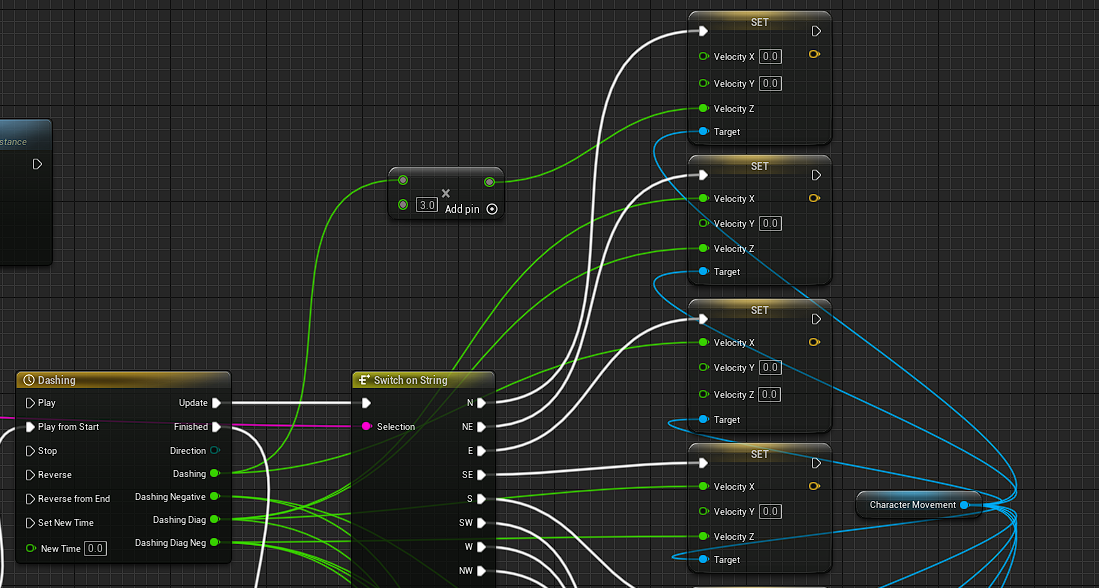 echo storm
lunar sleet
Then why don’t you just make it auto-possess by PC in class defaults
echo storm
lunar sleet
Then why don’t you just make it auto-possess by PC in class defaults
Because I spawn a different PC based on the selected character in the game instance
Should I set auto possess for all of them?