#blueprint
1 messages · Page 2 of 1
 radiant imp
 thin panther
yes it does
PIE sticks to a selected viewport normally
so your second viewport isnt in game
its editor time
 lunar sleet
thin panther
PIE sticks to a selected viewport normally
lunar sleet
thin panther
PIE sticks to a selected viewport normally
it literally says selected viewport when you go to switch between simulate and others
radiant imp
Omg yess! Thank you so much. I'm sorry for the dumb questions
It's my first week using unreal
 true yew
there is an "eject" button you can press to "leave" the pawn and turn a viewport back into a normal controllable editor viewport during PIE, i think it is also F8
radiant imp
Thanks you so much everyone. I was really bothered by this 😅
thin panther
you can also shift + f1 and click the eject button if for whatever reason the hotkey fails you
radiant imp
nice
 plain cobalt
Quick Q, I want to use the math constant "e" in a function somewhere
How to do that
plain cobalt
I cant use it in blueprints?
lunar sleet
I don't think there's a node for it?
plain cobalt
I suppose it isnt possible in math expressions either then :(
lunar sleet
plain cobalt
I suppose it isnt possible in math expressions either then :(
there's an add math expression node
lunar sleet
plain cobalt
I suppose it isnt possible in math expressions either then :(
wait, did you mean this ?

nvm that's exponential
lunar sleet
plain cobalt
I mean specifically eulers number
 plain cobalt
thats the thing, i want to use it in float calculation and those nodes do something thats not just giving me that value
 lofty rapids
considering it's a constant, can't you just create your own ?
plain cobalt
its an irrational number so i could but it wouldnt be exact
lofty rapids
well with floats you won't get exact anyway
plain cobalt
i suppose thats true.. i could make a variable thats close to it and use it
Im just not that hot on maths, I dont want weird cases where my calcs suddenly return negative values or stuff like that and go haywire lol
But ill try it out
Ty for the insight people
lofty rapids
plain cobalt
Im just not that hot on maths, I dont want weird cases where my calcs suddenly r...
i mean unfortunately you can only get so accurate with floats, even if there was a constant it would just be at some point cut off if there are many decimal places
plain cobalt
Yeah youre very right :D so itll prob be fine
i was just going to use smt like this (where 150 and 152 are variables) to make a weighted function so i was wondering if itd be possible

 maiden wadi
Yeah. 😄 I feel that. I actually started avoiding the controller class though and started putting stuff in actor components on the controller. I kinda treat them like a HUD class. Still belongs to the controller, but feels kinda better not muddying the controller itself.
lunar sleet
maiden wadi
Yeah. 😄 I feel that. I actually started avoiding the controller class though an...
oh, I haven't tried adding actor components to the PC, didn't know you could do that 😄
plain cobalt
am i correct in assuming i just scrap all the calcs and replace it with this node lol
 maiden wadi
Pretty much.
plain cobalt
My eyes thank your validation
 pure jolt
A PUBG template with multiplayer, inventory, ALS, zone/airdrop etc system, and many more
- ALL ASSETS INCLUDED (characters, weapons, ammo, armor, bags etc)
DM me for more details
 plain cobalt
Not sure if this is the place
maiden wadi
pure jolt
A PUBG template with multiplayer, inventory, ALS, zone/airdrop etc system, and m...
Definitely not the right place. If you want to promote your projects or assets, you need to put them on Marketplace. If you are looking to sell your skillsets, there are #hire-a-freelancer and #freelance-jobs for you to use.
 fleet cedar
https://www.youtube.com/watch?v=7QjF5rXv5L4
Anyone know how the dismemberment and combat was made in this? X_X

Author: https://www.youtube.com/channel/UC0IwCgmyHLpLkWwcBZmkqTg I added this Two Handed Sword and Oh god what have I done gamedev gamedevelopment in #gamedevelopment #indiedev #indiegamedev #UnrealEngine5 #ue5 #unrealengine #sword #kekinian
SUBSCRIBE to the channel so as not to miss new videos https://www.youtube.com/channel/...
pure jolt
maiden wadi
Definitely not the right place. If you want to promote your projects or assets, ...
Oh okay, sorry. I changed it!
 misty badger
editor utility: is it possible to iterate over components of selected assets?
 raw orbit
is there perhaps a guide on how to make a map menu where you open a world map and navigate it by holding right click not too unlike how you navigate the blueprint graph?
 leaden sandal
when i press E so fast it bugs, how do i fix this (it happens when the B in the flip flop has its turn)

 twin epoch
So, my collision system for bullets only works on actors
Should I just make my entire map an actor
 tawdry surge
It already is
 deft pivot
If i increase the Jump counter to 2 here, how do i get the character to play the same jumping sound it does when the first jump starts?

 trim matrix
is this the right location for asking about a loading screen? i cant seem to find any good youtube sources for unreal 5 for a loading screen that arent crap
 carmine apex
I'm watching a tutorial about sliding and crouching and I am unable to uncrouch but in the tutorial he can. I have gone through everything and it still doesn't work


Any help is much MUCH appreciated! Thank you!
(I think it has something to do with the event tick)
lofty rapids
carmine apex
I'm watching a tutorial about sliding and crouching and I am unable to uncrouch ...
screenshots are much better quality
 novel silo
carmine apex
(I think it has something to do with the event tick)
novel silo
carmine apex
(I think it has something to do with the event tick)
wow, didn't expect that, yep, you should screenshot. Also, you can use https://blueprintue.com/

blueprintUE is a tool for sharing blueprints for Unreal Engine. UE is a game engine which use visual scripting called blueprint.
 loud cipher
Hey all i am struggling on how to implement a camera shake that plays when the player is hit. This is for multiplayer btw. I had a camera shake play on owning client inside the player character when any damage is called, but then when an AI shoots another AI it causes it to play camera shake on the player even though he wasnt hit
How should i go about handling something like this
Never mind
solved it by overriding the function inside the AI class
 limber parcel
wait whats an Actions Component?
 thin panther
What's this in?
deft pivot
can someone tell me how i can make this more realistic? also not play the jumping sound when getting launched in the air? as you can see, i used the most basic and easiest bp there 😄 if some1 could show me a better BP on "https://blueprintue.com/" i'd much appreciate it.
thin panther
Because it ain't a standard part of the engine
loud cipher
Hey all quick question, i want to play a sound at location, currently i have play sound at location and will plug it into the location, but how can i get the impact points rotation to plug into the rotation to play the sound at

Thanks
I was thinking maybe it could be get rotation x vector frm impact normal but not sure
carmine apex
I'm watching a tutorial about sliding and crouching and I am unable to uncrouch but in the tutorial he can. I have gone through everything and it still doesn't work. I took screenshots this time so it is easier to read. I tried to get anything that might be relavant but I'm almost positive it has something to do with the event tick as it didnt work for him either until he made it, but it still doesnt work for me. Any help is much appreciated


 sonic kraken
DO any one know how to play full body montages in this setup as when i try to play montage my legs stay thier and upper body animation blend even when im standing

 chrome pumice
i feel like im dooing really dumb stuff here

isnt that gonna murder my performance?
 zealous moth
chrome pumice
i feel like im dooing really dumb stuff here
zealous moth
chrome pumice
i feel like im dooing really dumb stuff here
kinda but it looks dumb as well.
What you should do instead is either have an array that stores all the allies as soon as they spawn or get destroyed and each one of them should have their own event that looks for the nearest enemy withing a radius. This would save you headaches
alternatively, you can spawn allies and make the subscribe to a "look for enemy" event dispatcher
and when called, each will respond accordingly
chrome pumice
Ohh i never used dispatchers seems like its wort to look at it
zealous moth
sonic kraken
DO any one know how to play full body montages in this setup as when i try to pl...
I forget the exact setup but essentially you have to blend weight your montage lemme find it
chrome pumice
So the simple solution would be add ally to array when they spawn and remove from array when die
but yea thanks @zealous moth !
zealous moth
lemme show you dispatches
zealous moth
an example
chrome pumice
Ahh perfect
zealous moth
here you create it and call it something

this is my BP enemy, i am tying the death event with an achievement event

here i bind the event to the dispatcher
on begin play, if my slayer III achievement was not obtained, bind the event
 wild moat
hello i'm trying to set up dashing and sprinting to be on the same button, i want sprinting to be active while left shift is held down, but i want dashing to work if left shift is held and released within X seconds:
 zealous moth
slayer plus will add +1 to the count
chrome pumice
So the dispatcher calls the one that its connected to?
wild moat
wild moat
hello i'm trying to set up dashing and sprinting to be on the same button, i wan...
i found this combo fucntion in the mapping context that i thought would be helpful, but havent had luck yet:
 zealous moth
On my "on hit" event, it checks health. If <=0, then the enemy dies

see here? I call that dispatch
You can also call dispatch by casting to classes
zealous moth
in one of my cases, I have a "leech" ability
so I bind the "heal" from my player to the "death" event dispatch
stuff of the sorts
chrome pumice
Yea i see
wild moat
wild moat
i found this combo fucntion in the mapping context that i thought would be helpf...
just not sure what the best approach is to have one or the other active without crazy delays
zealous moth
wild moat
i found this combo fucntion in the mapping context that i thought would be helpf...
this would be your solution but I would ask in the #enhanced-input-system
wild moat
zealous moth
this would be your solution but I would ask in the <#1004083824344436767>
i'll try that thanks
zealous moth
@sonic kraken here:

upper body only uses specific bones and default uses all body
by putting it like this, you will get your upper body montages first checked and afterwards, the default slot
 indigo haven
 graceful forum
Is it possible to get component default values set from the details panel using an actor class?
graceful forum
graceful forum
Is it possible to get component default values set from the details panel using ...
Like GetClassDefaults, but I would like to be able to get the components on the Actor and read a value from there
 lean radish
Question
I have the BP_Cube that represents enemy. It has Actor Component AC_Health and it has Widget W_Health. I want the widget to be self efficient and to reuse it on different Actors, such as static objects that would be destroyed and player.
Question: how to get access to progress bar from my widget's event-graph. AC_Health has an event OnHealthChanged that I need to listen to refresh progress bar just when it happened.
 deft pivot
if i pick up a key and open a locked door, how can i make the key visible and inside the lock?
 frosty heron
lean radish
**Question**
I have the `BP_Cube` that represents enemy. It has Actor Component ...
frosty heron
lean radish
**Question**
I have the `BP_Cube` that represents enemy. It has Actor Component ...
Get owner -> get component
 dark drum
lean radish
**Question**
I have the `BP_Cube` that represents enemy. It has Actor Component ...
dark drum
lean radish
**Question**
I have the `BP_Cube` that represents enemy. It has Actor Component ...
Adding to what cold said, when you spawn the widget, you can bind to the event. There can be a few ways you can get the health component but get component by class is a good option and using the NPC actor as the target.
lean radish
frosty heron
Get owner -> get component
Can't find Get Owner

@frosty heron I see, Get Owner is available in BP_Cube's blueprint. My goal is to make reusable W_Health widget that I can add to any actor and it should work out of the box. Is it a way to do that? Maybe should I create a dedicated actor for that?
dark drum
lean radish
Can't find `Get Owner`
Where do you create the health widget?
lean radish
dark drum
Where do you create the health widget?
I just added it as Actor Component into my BP_Cube. Not sure it is a right creation. Should I create it in a Blueprint?
dark drum
lean radish
I just added it as Actor Component into my `BP_Cube`. Not sure it is a right cre...
O, so it's a widget component?
lean radish
dark drum
O, so it's a widget component?
Correct
 dark drum
lean radish
Correct
dark drum
lean radish
Correct
Ok, what I would do is have the health actor component add the widget component to its owner.
As part of this, you'll need to create the actual widget at runtime and assign it to the widget component. You'll then be able to bind an event to the on health updated event as it's created.
deft pivot
any idea how to do something like this? press button or give a key item and make vegeation grow
lean radish
dark drum
Ok, what I would do is have the health actor component add the widget component ...
Structure:
Actor: BP_Cube
-- Actor: BP_Health
---- Widget Component: W_Health
---- Actor Component: AC_Health
BP_Health in runtime subscribes on AC_Health.OnHealthChanged and translates this event to W_Health.
Am I seeing this right?
dark drum
deft pivot
any idea how to do something like this? press button or give a key item and make...
From what I know, it's a pretty complex mechanic. It'll probably require using a post process material in combination with various particles effects and spawning meshes.
lean radish
@dark drum would it be easier to make in C++ instead of blueprint? because in Blueprints it looks like overcomplication
dark drum
lean radish
<@430016173694779402> would it be easier to make in C++ instead of blueprint? be...
It wouldnt make a difference. If you give me 5 mins, I'll sort an example out for you. 🙂
lean radish
dark drum
It wouldnt make a difference. If you give me 5 mins, I'll sort an example out fo...
Appreaciate it so much, yes please
dark drum
lean radish
Appreaciate it so much, yes please
Something like this.
The 'OnHealthChanged' event dispatcher is on the health component and the 'UpdateHealth' function is on the widget.
This would make the health component create the widget it needs and add it to its owner.
 lean radish
dark drum
Something like this.
The 'OnHealthChanged' event dispatcher is on the health co...
lean radish
dark drum
Something like this.
The 'OnHealthChanged' event dispatcher is on the health co...
Thank you! I still have many question about this.
- Part of what this blueprint is? There are many instances, and it is a mess for me for now.
- Should I to Unbind the event subscription later to avoid memory leaks?
- How did you create this points for better organized lines?
dark drum
lean radish
Thank you! I still have many question about this.
1. Part of what this blueprint...
This is inside the health actor component.
Unbinding shouldn't make a difference in this case as the health bar will only update when the 'OnHealthUpdate' event dispatcher is called. (You would call it after making any changes to the health value)
They're reroute nodes. You can pull from a var input and search for it or double click on one of the lines to create one where you double click.
lean radish
dark drum
This is inside the health actor component.
Unbinding shouldn't make a differenc...
- What if I spawn 5
BP_Cubes(like enemy NPC), then I destroyed them and spawned a new 5 instances. Is it gonna be fine? Will Unreal Engine clean memory even if I didn'tunbindthe event at thatBP_Cubeinstaneces that are not even exist anymore?
dark drum
lean radish
2. What if I spawn 5 `BP_Cubes` (like enemy NPC), then I destroyed them and spaw...
Yea, when you destroy an actor, all it's components are destroyed as well. This will include the health actor component and the widget component.
lean radish
dark drum
Something like this.
The 'OnHealthChanged' event dispatcher is on the health co...
Is it any difference between:
a: to create a Widget Instance in Blueprint by using Create W Health Widget
b: to add Widget Component manually in Blueprint Components and then to use it as a variable in Blueprint?
dark drum
lean radish
Is it any difference between:
a: to create a Widget Instance in Blueprint by usi...
A Widget Component and a Widget are two seperate things. A widget component is just a container for displaying a widget in the world. If you manually add a widget component in the editor, it will automatically create the widget. (If you set the widget type)
Adding one like I did above will just spawn a blank/empty container so you would need to create the widget first and then add it to the widget component.
Having the actor component create the widget and the widget component for you means you don't need to manually add it to each character that uses the health actor component making it more reusable.
 steady night
 lean radish
dark drum
A Widget Component and a Widget are two seperate things. A widget component is j...
lean radish
dark drum
A Widget Component and a Widget are two seperate things. A widget component is j...
Thank you! I am trying to implement it on my own with your suggestions
@dark drum how to set value into ProgressBar in Blueprint of W_Health (Widget Component) ? I don't see a way to get access to a widget element (Progress Bar).
I want to create a similar function UpdateHealth like you did
 dark drum
lean radish
<@430016173694779402> how to set value into ProgressBar in Blueprint of W_Health...
dark drum
lean radish
<@430016173694779402> how to set value into ProgressBar in Blueprint of W_Health...
The function 'UpdateHealth' which is bound to 'OnHealthChanged' is inside the widget itself. You need to make sure it has the same inputs as the 'OnHealthChanged' event dispatcher for it to show up. I recommend having 'NewValue' and 'Percentage'.
lean radish
dark drum
The function 'UpdateHealth' which is bound to 'OnHealthChanged' is inside the wi...
I made the function, I can't get access to Progress Bar (it is part of the Widget), how to set Percentage value into the progress bar?

 dark drum
lean radish
I made the function, I can't get access to Progress Bar (it is part of the Widge...
dark drum
lean radish
I made the function, I can't get access to Progress Bar (it is part of the Widge...
Make sure your progress bar is set as a variable in the designer view.
 late kraken
Hello!
Looks like it is not possible to set a variable (not a local one) inside or Anim Notify/Anim Notify State in Blueprint, or am I wrong ? Is it possible in CPP?
 dark drum
late kraken
Hello!
Looks like it is not possible to set a variable (not a local one) inside...
dark drum
late kraken
Hello!
Looks like it is not possible to set a variable (not a local one) inside...
It's because the variable your trying to set is read only.
late kraken
dark drum
It's because the variable your trying to set is read only.
The checkbox of Blueprint Read Only is unchecked though 🤔
 dark drum
late kraken
The checkbox of Blueprint Read Only is unchecked though 🤔
dark drum
late kraken
The checkbox of Blueprint Read Only is unchecked though 🤔
O I get you. I miss read your post. It might need to be instance editable.
late kraken
dark drum
O I get you. I miss read your post. It might need to be instance editable.
No worries 🙂
I tried with Instance Editable but same results unfortunately...
 tough atlas
I'm trying to create an ESC menu widget for my multiplayer game that can be shown and hidden upon ESC key down. The first "set input mode UI only" make it so I cant use a simple flip flop, so I tried making a onkeydown input function within the widget, but even that doesn't work. Any ideas/suggestions?


 frosty heron
late kraken
The checkbox of Blueprint Read Only is unchecked though 🤔
frosty heron
late kraken
The checkbox of Blueprint Read Only is unchecked though 🤔
You are doing it inside Begin notify. It is Read-Only in this context
in other word, not allowed to set variable
 gentle urchin
Invoke function
late kraken
frosty heron
You are doing it inside Begin notify. It is Read-Only in this context
I see... is there somewhere where I can put it ?
frosty heron
Like Squize said you can invoke function
eg Calling function in the owner of the bp where you call the notify
a setter for what ever you are spawning
Begin Notify -> Get owner -> Cast to Bp_X -> Call Setter function
late kraken
Ah so basically make a custom actor Blueprint with my Niagara effect then change the variable there ?
frosty heron
I have no comment with niagara stuff
don't have a clue how to approach it since I don't use niagara yet
late kraken
Okok thanks!
When the Anim Notify State end (NotifyEnd), if I want to affect that same actor I set at the begin Notify, how can I do that ?
Since I cannot set that actor as a variable in my ANS
late kraken
gentle urchin
Invoke function
Thank you!
late kraken
frosty heron
I have no comment with niagara stuff
For example in the case I want to:
- Spawn an actor on BeginNotify
- Destroy that actor on EndNotify
How can I keep track of the actor I spawned at BeginNotify to destroy it at the EndNotify?
gentle urchin
Track it in the owning actor
sounds a bit shady to spawn an actor on anim notify begin but who am i to judge
late kraken
gentle urchin
sounds a bit shady to spawn an actor on anim notify begin but who am i to judge
Is it?
The thing I want to do is Spawn a Niagara VFX then update a User Parameter of that VFX during the NotifyTick (Imagine tracking the position of the player or an enemy).
gentle urchin
That's probably fine
i'd probably have the niagara system exist already and just activate/deactivate it during the notify
late kraken
I see. I thought that's how Epic did ir with the AnimNotify that spawn Niagara System
gentle urchin
Could be, im not sure
I just imagine a very limited lifespan of that actor thats spawned it
Might be fine
 haughty egret
Yo yo, is there a way to find what is referencing something inside a blueprint?
I can see one thing in the reference viewer but have no idea what inside that is actually holding the reference 🤷
 mental trellis
Variables, cast nodes, node input values, etc.
Have you tried searching for the asset name with ctrl+f? That might work
haughty egret
Yea I searched every variation I could think of to show something up. In the end I think it's a deleted variable from cpp that might still be holding the referenc in the BP.
I think I might just have to revert the file
 tawdry kestrel
Hello, I'm using the PhysicsHandle to pickup/move objects and was wondering if anyone had a good solution to stop the player from being able to launch themselves by slamming the carried object into themselves. I don't want to turn off collision, being able to move objects under you while jumping is part of the game, just don't want to launch the character from the impact.
limber parcel
tawdry kestrel
Hello, I'm using the PhysicsHandle to pickup/move objects and was wondering if a...
yeah by adding an exception in the collision code
tawdry kestrel
limber parcel
yeah by adding an exception in the collision code
Any tutorial or info about this to read?
limber parcel
🤷♂️
 narrow pendant
question about recursion and the maximum loop count:
I am recursively calling line traces to find a path without intersecting meshes here:
First I find the positions at the bottom of the image: this function calls itself a total number of three times in this case.
then I find the locations on the tree in the upper part of the image, this time that function calls itself 10 times.
If it calls itself more than 10 times, I get an infinite loop error. that maximum count is set to some ridiculously high number though, so how does this get counted?

 cunning vapor
Hi guys, I have an aim function setup (aim at cursor) for a top down game; my question is how do I get the aim to use height so I can shoot at higher / lower points, thanks in advance
Similar to the game "foxhole"
limber parcel
narrow pendant
question about recursion and the maximum loop count:
I am recursively calling l...
an infinite loop is an infinite loop, u probably made some mistake in your code
narrow pendant
limber parcel
an infinite loop is an infinite loop, u probably made some mistake in your code
impossible!
right, yeah gonna have to thonk about this again then. was just wondering since I read somewhere that different nodes had different cost towards that count (foreach more expensive than for loop which is more expensive than do N times) so I thought maybe one function call might actually cost more than 1 towards that loop count. increasing the number doesn't change the result though so very likely I did make a mistake
limber parcel
narrow pendant
impossible!
right, yeah gonna have to thonk about this again then. was just wo...
u can do thousands of line traces in a single loop
dark drum
narrow pendant
impossible!
right, yeah gonna have to thonk about this again then. was just wo...
You could have a loop within a loop within a loop type of situation.
If a forloop (10 loops) calls a function with a forloop (10 loops) in it then then you could quickly get 100 loops. Stick another 10 loops in the chain and your already at 1000.
narrow pendant
dark drum
You could have a loop within a loop within a loop type of situation.
If a forlo...
right yeah I'm not using loops in this case. either way, back to the drawing board. thank you for the input guys
dark drum
narrow pendant
right yeah I'm not using loops in this case. either way, back to the drawing boa...
If you show what your doing, we might be able to point out the issue.
narrow pendant
it's a lot of nodes but sure!
 heavy lion
Afternoon all. I am trying to come up with a method of doing something. But I cant think what its called to even begin researching it. I am probably being slow.
I need to run a function continuously while a button is held.
When the button is released there should be a delay, then another function continuously runs until it is interrupted.
The delay can be reset again at any point by the first function.
What would be the best way to implement something like this in blueprints?
dark drum
heavy lion
Afternoon all. I am trying to come up with a method of doing something. But I ca...
Inputs have the 'Triggered' output which is triggered every tick while the button is held.
Alternatively, you could look at using timers.
heavy lion
@dark drum Can I trigger timers inside a BP Component from say the player character?
dark drum
heavy lion
<@430016173694779402> Can I trigger timers inside a BP Component from say the pl...
Yea, just get the component and call the function from it. (The function being what starts the timer)
heavy lion
Cool.
narrow pendant
heavy lion
What I am trying to do is make my current stamina system event driven. At the minute, it continuously checks the player speed (if on ground) and calculates stamina based on that.
But it has no delays or events that can be interrupted.
narrow pendant
dark drum
If you show what your doing, we might be able to point out the issue.
https://blueprintue.com/blueprint/rdyy-lfe/ (Event Graph)
https://blueprintue.com/blueprint/hta7_vtl/ (Find Space function, this one should be fine I think)
https://blueprintue.com/blueprint/qrj4aln8/ (Trace, this one is causing the problem I think)
No description provided
No description provided
No description provided
heavy lion
So I want to drain stamina while performing certain actions, once that is completed, it should say "Stopped draining stamina" and then after a delay, "start regenerating stamina"
Start regenerating stamina should be interupted by draining stamina event.
maiden wadi
narrow pendant
question about recursion and the maximum loop count:
I am recursively calling l...
The fact that it's a lot of nodes is likely your issue. You can actually hit the max loop limit by calling a single function on a loop of around 145,000, despite that the loop count is 500,000. Because it doesn't directly track the loop. You could also bump that up in project or engine settings. but in general BP isn't a great place for recursive stuff or large loop counts.
gentle urchin
narrow pendant
it's a lot of nodes but sure!
Reduction of nodes reduces the loop count
narrow pendant
hm okay, interesting
 analog kayak
I'm new to blueprints and trying to implement audio responses to gameplay messages. I have this basic setup and it works fine for one message type, but I'd like to play responses to several other messages too. Is there a way I can do that all in the same blueprint?
 gentle urchin
maiden wadi
The fact that it's a lot of nodes is likely your issue. You can actually hit the...
gentle urchin
maiden wadi
The fact that it's a lot of nodes is likely your issue. You can actually hit the...
500 / 3 i bet is the number
dark drum
narrow pendant
https://blueprintue.com/blueprint/rdyy-lfe/ (Event Graph)
https://blueprintue.c...
This issue would be down to the recursion. The 'Func Recursive Find Start Position' for example calls itself if it's line trace doesn't hit something. This could be calling itself 1000 times before it hits something or only once depending on the trace start and end points.
Then you have a similar thing with the 'Func Recursive Trace'.
narrow pendant
that should be the other way around, right? I get the return from the trace and on false I return and don't call again. on true I call it again
so currently I am calling it if it does hit something, not if it doesn't like you said
 maiden wadi
analog kayak
I'm new to blueprints and trying to implement audio responses to gameplay messag...
maiden wadi
analog kayak
I'm new to blueprints and trying to implement audio responses to gameplay messag...
Change your tag hierarchy to the other way. It should start generic and become more specific. So like Message.GridIron.Touchdown, Message.Gridiron.Cheers, Message.Gridiron.SomethingElse. Then you can make that listener listen for Message.Gridiron, not for ExactMatch, and then make a map of GameplayTag to sounds and use the ActualChannel to lookup the sound in the map.
 cyan bone
https://www.youtube.com/watch?v=plysKLwqv3E&ab_channel=LastIberianLynxGameDev
Been really confused on what looks better, orthogonal or perspective camera... I've been working all the time with perspective, but it seems orthogonal camera is better.
So i made it up to the player to switch camera to their liking.
However it seems the sky starts bleeding in the bottom into land in orthogonal camera. Anyone knows how to fix this? Should i limit the zoom of the orthogonal view? Also what do you think, is orthogonal better than perspective in this context?
 analog kayak
maiden wadi
Change your tag hierarchy to the other way. It should start generic and become m...
analog kayak
maiden wadi
Change your tag hierarchy to the other way. It should start generic and become m...
Thanks I'll give that a try
dark drum
narrow pendant
so currently I am calling it if it *does* hit something, not if it doesn't like ...
Ah my bad. I read it wrong lol.
narrow pendant
dark drum
Ah my bad. I read it wrong lol.
no problemo 🙂 appreciate your time taking a look!
probably should have called the bool HitSomething, you can blame my poor grammar 😉
 echo storm
Can I toggle a material switch parameter in a blueprint like I can change a vector/scalar parameter?
 narrow pendant
a bit of superficial knowledge here but I picked up that material switches are for compile time only or sth, so I would guess not. correct me if I'm wrong please
you could probably get the same result with an If node though
echo storm
narrow pendant
you could probably get the same result with an If node though
I just thought of that too so I guess I will do it this way
lunar sleet
cyan bone
https://www.youtube.com/watch?v=plysKLwqv3E&ab_channel=LastIberianLynxGameDev
B...
The first view looks like Total War. The second view looks like ancient RTSes
cyan bone
lunar sleet
The first view looks like Total War. The second view looks like ancient RTSes
yup. why do ancient rts look better than total war then
it boggles my mind
lunar sleet
cyan bone
yup. why do ancient rts look better than total war then
I meant the 2nd view makes your game look old and very 2D
First one’s better imo
cyan bone
ahhh okay well, most people are saying that the isometric looks better
maybe this video isn't the best
its just showing the issue of the sky bleeeding
below
lunar sleet
Yeah I saw that, not sure what that’s about
But if you get rid of orthographic, problem solved 😅
cyan bone
lunar sleet
Yeah I saw that, not sure what that’s about
https://www.youtube.com/watch?v=ldfQ8Nl2Dw4
here it shows the orthogonal vs perspective better

Isn't the isometric Camera looking better? Or its just my impression? Perhaps its my nostalgy for old games?
Why the Isometric Camera is better for performance:
1- It shows less units at the time.
2- It doesnt need the zoom. So it needs less LODs, and less detail on the units.
3- It doesnt require the sky, horizon mountains etc...
4- Can make ...
imo the isometric wins here ^
but maybe im with tunnel vision
or nostalgic for old games
something about the isometric view feels better
maybe its because everything is more readable
its also better in performance
lunar sleet
cyan bone
or nostalgic for old games
Yeah I get you but I have a hard time revisiting most old games, so maybe I’m biased here
cyan bone
lunar sleet
But if you get rid of orthographic, problem solved 😅
lol yup. +1 for perspective 🙂
cyan bone
lunar sleet
Yeah I get you but I have a hard time revisiting most old games, so maybe I’m bi...
okay i guess ill have no choice other than making both cameras, and if statements on the zoom and the camera limits
thanks a lot for your opinion
lunar sleet
Np
 graceful holly
does anyone have 5 minutes to help me with a possesion/unpossesion bug?
lunar sleet
Just ask the question, people will help if they can
graceful holly
this works

this doesn't, and i don't get why and i'll keep tormenting myself until i understand it, can't do otherwise
 lunar sleet
Why are you possessing stuff in a widget
graceful holly
in short i have a ui menu that i navigate with a UI player controller i made myself. when i press one button i spawn the pawn i wanna use and its controller, then i posses it. but for some reason it doesn't work the way it should. i should plug both references in the posses node and call it a day, but if i plug the reference of the pawn in it doesn't work
echo storm
Why can I only trigger the timeline once? I thought this would make me able to trigger the timeline every time I pressed the PushButton input?
 graceful holly
lunar sleet
Why are you possessing stuff in a widget
graceful holly
lunar sleet
Why are you possessing stuff in a widget
- is it bad? why so? 2) needs to be a fast and dirty prototype i have what i need i just wanna understand why it doesn't act like it should
echo storm
echo storm
Why can I only trigger the timeline once? I thought this would make me able to t...
I found it out myself, it's because I have to reset the timeline after playing it once
dark drum
is there a way to have physics objects play sounds when they hit something without having to make a BP and use the on hit event?
What can't you do in C++ 😛
lunar sleet
graceful holly
1) is it bad? why so? 2) needs to be a fast and dirty prototype i have what i ne...
Widgets are transient and shouldn’t really worry about this stuff. What happens if that widget goes away and you need to possess again? And what do you mean by acting like it should
echo storm
Can I somehow remove the curve handle after the key? I don't want it to go up after reaching the key
 dark drum
I have a level populated with static meshes with physics enabled so having to go through and convert them to blueprints would be a pain. :/
lunar sleet
echo storm
Can I somehow remove the curve handle after the key? I don't want it to go up af...
It’s a visual aid for control only
graceful holly
lunar sleet
Widgets are transient and shouldn’t really worry about this stuff. What happens ...
this is why i'm also spawning the controller, i remove the widget from parent after it has been used, then create another one when i need it. Logically it should be OnButtonClicked:
- Spawn Actor (ship)
- Spawn Actor (ship Controller )
- Possess (Controller and ship controller)
echo storm
lunar sleet
It’s a visual aid for control only
What exactly does that mean?
lunar sleet
graceful holly
this is why i'm also spawning the controller, i remove the widget from parent af...
Is it at all possible your ship is already possessed? And again your widget should just get the PC and call a function from there, which possesses things
lunar sleet
echo storm
What exactly does that mean?
Unless I’m reading that wrong it doesn’t affect your graph at all, only there to help you move the keys around, but maybe I’m hallucinating
graceful holly
lunar sleet
Is it at all possible your ship is already possessed? And again your widget shou...
ok, why? no the ship is not already possessed when i spawn it
echo storm
lunar sleet
Unless I’m reading that wrong it doesn’t affect your graph at all, only there to...
Oh I meant I don't want there to be a curve after the key, only before reaching the key but I don't know how to achieve that. With removing the latter key I wanted to remove the curve after the first key
lunar sleet
echo storm
Oh I meant I don't want there to be a curve after the key, only before reaching ...
Is this in a timeline or where
echo storm
lunar sleet
Is this in a timeline or where
Yes it's a timeline
lunar sleet
echo storm
Yes it's a timeline
You can change the timeline length at the top if you want it to stop at a certain point
lunar sleet
graceful holly
ok, why? no the ship is not already possessed when i spawn it
I’m confused as to why you’re spawning the PC, that should already be there at runtime
echo storm
lunar sleet
You can change the timeline length at the top if you want it to stop at a certai...
I don't want it to stop, I just want it to stay constant for 0.25 seconds before going down again. The constant part is affected by the curve in the first 0.75 seconds
lunar sleet
echo storm
I don't want it to stop, I just want it to stay constant for 0.25 seconds before...
Oh, just add another key 0.25s later
At the same height
Move the other one to the right 0.25 as well
graceful holly
lunar sleet
I’m confused as to why you’re spawning the PC, that should already be there at r...
why? it is a special PC i made for the ship, it is not present in the level by default. I use one for UI and one for gameplay, and each chara has its own PC
echo storm
lunar sleet
Oh, just add another key 0.25s later
Yes that's what I did, the screenshot shows that but the curve is going up because I wanted to add a curve before the first key
narrow pendant
@maiden wadi @gentle urchin @dark drum I un-bloated my functions (removed debugs and everything else that wasn't necessary) and I can now call it 100+ times instead of 10x which should be more than good enough 🙂 thanks for the help!
gentle urchin
echo storm
Yes that's what I did, the screenshot shows that but the curve is going up becau...
You also control how each key curves. You can make it constant
 honest ember
Hi,
I am trying to do a dynamic weather system using volumetric clouds. What I want to achieve is to be able to change some parameters of the MI that my volumetric cloud actor is using. The problem I have is that I can't get the reference to that material in my blueprint. I have tried with "Create Dynamic Material Instance" but it doesn't work.
Does anyone know a method or has some tips? Any advice is appreciated.
Cheers.
lunar sleet
graceful holly
this is why i'm also spawning the controller, i remove the widget from parent af...
I’m not sure why it works without an in pawn but you’re saying ship and I only see camera being spawned
graceful holly
lunar sleet
I’m not sure why it works without an in pawn but you’re saying ship and I only s...
bad naming conventions don't worry about that
lunar sleet
honest ember
Hi,
I am trying to do a dynamic weather system using volumetric clouds. What I w...
Usually people tend to use that node wrong, show code
Where is the widget located btw?
 pseudo fulcrum
Objective
On map load event to change the view to use the CineCameraActor0 object instead of a fixed camera at the 0,0,0 axis.
Attempt
SetTargetViewpoint may be misunderstood by me, but doesn't appear to support the actor object.
Any pointers or suggestions would be welcome.
lunar sleet
pseudo fulcrum
`Objective`
On map load event to change the view to use the CineCameraActor0 obj...
There’s a set view target with blend that might work
Work with normal cameras at least
 honest ember
A chain of other set vector or scalar parameters that I want to change to get the desire look
Nothing more after that.
pseudo fulcrum
lunar sleet
There’s a set view target with blend that might work
New View Target [ Actor Object Reference ] , how would I apply the camera in question to it? Clicking "Select Asset" doesn't reveal the object (though it seems to derive this from the content drawer than from the active scene)
lunar sleet
pseudo fulcrum
New View Target [ Actor Object Reference ] , how would I apply the camera in que...
You have to get a ref to the camera and plug it in. You want the instance not the asset
pseudo fulcrum
lunar sleet
You have to get a ref to the camera and plug it in. You want the instance not th...
This blueprint (self) is not a PlayerController, therefore Target must have a connection.
 lunar sleet
pseudo fulcrum
> This blueprint (self) is not a PlayerController, therefore Target must have a ...
lunar sleet
pseudo fulcrum
> This blueprint (self) is not a PlayerController, therefore Target must have a ...
Get player controller
pseudo fulcrum
lunar sleet
Get player controller
Thank you; I think my previous attempt involved the CheatManager for some reason rather than the one outside of it. Works as intended, very much appreciated.
 toxic badger
Hello can anyone tell me why the widget won't get removed or the new won't appear

 untold fossil
is there a way to get the screen position of a widget?
lunar sleet
toxic badger
Hello can anyone tell me why the widget won't get removed or the new won't appea...
Remove from parent is the correct node and read the note on that cast
cunning vapor
cunning vapor
Hi guys, I have an aim function setup (aim at cursor) for a top down game; my qu...
Sorry for the Bump
Didn't want the question to be lost forever! (:
 remote meteor
echo storm
Yes that's what I did, the screenshot shows that but the curve is going up becau...
remote meteor
echo storm
Yes that's what I did, the screenshot shows that but the curve is going up becau...
if you havent figure out, what you need to do is right click on that node, break the tangent, and flaten the ones that you dont want.
remote meteor
cunning vapor
Sorry for the `Bump`
Didn't want the question to be lost forever! (:
if you want the projectile to have angle for the z axis for aiming higher or lower,
using find look at rotation from 2 points should be find
echo storm
remote meteor
if you havent figure out, what you need to do is right click on that node, break...
Thank you that's really helpful
 rancid moat
Heyo ! Any idea how to ignore a certain object with a camera ? Other than "Owner no See"
remote meteor
rancid moat
Heyo ! Any idea how to ignore a certain object with a camera ? Other than "Owner...
multiplayer?
or singleplayer?
cunning vapor
remote meteor
using `find look at rotation` from 2 points should be find
will give it a shot; thanks a bundle
remote meteor
you could just hide the actor if its a single player 🤔
rancid moat
remote meteor
or singleplayer?
split screen? ^^'
rancid moat
remote meteor
you could just hide the actor if its a single player 🤔
I have In Game screen that render 2DCameraCapture from the scene, can't see myself if I completly hide the object :/
remote meteor
ah
captures can specify who to hide

other than that, if you are thinking to hide something from a UCameraComponent, your only choices are Owner No See and Only Owner See i think
rancid moat
remote meteor
captures can specify who to hide
Yeqh but it's the opposite here, I want capture to see but not the mains camera
rancid moat
remote meteor
other than that, if you are thinking to hide something from a UCameraComponent, ...
Okay, i'll need to figure out how to give all my cams to the same player controller then
maiden wadi
rancid moat
I have In Game screen that render 2DCameraCapture from the scene, can't see myse...
Instead of hiding it, try changing SetVisibleInSceneCaptureOnly on the primitives you want to only be seen in the capture.
toxic badger
lunar sleet
Remove from parent is the correct node and read the note on that cast
Still dont works
 rancid moat
maiden wadi
Instead of hiding it, try changing SetVisibleInSceneCaptureOnly on the primitive...
rancid moat
maiden wadi
Instead of hiding it, try changing SetVisibleInSceneCaptureOnly on the primitive...
Ahah.... AHAHAHAHAH
It's that simple. Well, fuck it that work, thanks a lot. This was a problem I had a few month back, had to switch on other issue at the time because I didn't have a solution, but that's perfectly reasonnable as a solution. Not perfect because I'll have to go through all the items but thanks lots!
lunar sleet
toxic badger
Still dont works
Idk what you’re trying to do there, is this inside the widget bp?
toxic badger
I would like to have if that button is pressed the other widget should appear
maiden wadi
toxic badger
Hello can anyone tell me why the widget won't get removed or the new won't appea...
Are you opening a level anywhere after this?
toxic badger
This happens afterwards
 maiden wadi
And if you click on the RemoveFromParent, and press F9 to set a breakpoint, the click triggers the breakpoint?
toxic badger
It works
maiden wadi
Kinda weird. Nothing really stands out as to why it shouldn't work.
lunar sleet
toxic badger
I would like to have if that button is pressed the other widget should appear
You didn’t answer my question
Where is this code
toxic badger
maiden wadi
Kinda weird. Nothing really stands out as to why it shouldn't work.
Sorry it don't
toxic badger
lunar sleet
Where is this code
In a widget blueprint
lunar sleet
toxic badger
In a widget blueprint
Right, don’t do that
You create widgets and remove from parent outside the widget not in it
toxic badger
Ok but how should i create a button and let it press out of the widget?
lunar sleet
toxic badger
Ok but how should i create a button and let it press out of the widget?
Generally you call a function in the PC or the HUD, or even on an actor
That creates and adds to viewport
#umg is better at this stuff tho
toxic badger
Don't works


 lunar sleet
toxic badger
Don't works
lunar sleet
toxic badger
Don't works
You’re still doing this in the widget and you prly shouldn’t start with remove from parent, that should be last
toxic badger
after create widget?
lofty rapids
toxic badger
after create widget?
it's not adding to viewport? is the other code running ?
all the other stuff is working ?
toxic badger
i am not sure
toxic badger
lunar sleet
You’re still doing this in the widget and you prly shouldn’t start with remove f...
Like tath?
 lunar sleet
toxic badger
Like tath?
lunar sleet
toxic badger
Like tath?
Yeh
toxic badger
dont still works
 teal nexus
how can I make a mesh component to be locked, rotationally, to an axis (for example, its Z axis) and rotate around it to face the camera ?
lofty rapids
are your buttons being pressed ? you can check with a print string
lofty rapids
toxic badger
Like tath?
is the cast succeeding ?
toxic badger
lofty rapids
is the cast succeeding ?
yes
lofty rapids
toxic badger
Like tath?
normally when programming i like to do one thing at a time, try to get one to work
lofty rapids
toxic badger
yes
so narrowing it a bit to only one play or new game, just to test what does start look like ?
toxic badger
 lofty rapids
toxic badger
lofty rapids
toxic badger
does it remove all widgets ?
lofty rapids
toxic badger
No
put a print string at the beginning of the start function
see if it fires
lofty rapids
well your setting show mouse cursor to false
toxic badger
toxic badger
But my mouse courser dissapears
it doesnt now
lofty rapids
so start is firing ? your sure of that ?
toxic badger
yes
lofty rapids
hmm
i would start with some less code, just try to remove all widgets
so when you run start it should remove all widgets
if it doesn't then i would start with figuring out why that is
and go on from there
toxic badger
lofty rapids
i would start with some less code, just try to remove all widgets
Well it doesnt remove all widgets
lofty rapids
toxic badger
Well it doesnt remove all widgets
does it do anything ?
toxic badger
no
lofty rapids
toxic badger
Well it doesnt remove all widgets
hmm, and you have widgets on the screen ?
toxic badger
yes my main menu
lofty rapids
you took out the other code ?
as far as just get rid of the execution line unplug the pin
lofty rapids
toxic badger
Well it doesnt remove all widgets
and your not loading a level ?
toxic badger
no
lofty rapids
how did you create the widgets that you have on the screen ?
 stuck sentinel
please help, I made a widget blueprint that says E to interact, how do i cast it or to the object i want, what i am trying to do is get it to show when i am in the box collision.

 lofty rapids
stuck sentinel
please help, I made a widget blueprint that says E to interact, how do i cast it...
lofty rapids
stuck sentinel
please help, I made a widget blueprint that says E to interact, how do i cast it...
when you create the widget usually you can promote to variable, and you can get that reference to show/hide
as far as the interact, you can get other actor, that's the one that triggered it i believe
So you would set a reference to the actor on begin overlap, and invalidate it on end overlap, then use the reference to cast to your bp. when you press e, maybe have some sort of variable that says what kind it is
or just fire a function from the actor, like "interact" or something
i'm still new to unreal but i think that's how you would do it basically maybe with some tweaks
 random solar
Got a question but won’t be able to test it now, how do I cap the maximum stamina and have it show on my progress bar? If I took 10 away from the max stamina then the progress bar would show a full bar but max stamina would just be 90? Not sure if I’m overthinking at all.
lofty rapids
random solar
Got a question but won’t be able to test it now, how do I cap the maximum stamin...
i mean you probably want current and max stamina
where you do some maths and set the percentage
random solar
I’ve got that, current % max to get progress bar
 native ferry
use the map range clamped node

value is the current value, in range a b is the min and max and out range the actual value you want to display eg 0 to 100
random solar
I have a slight idea, I’m doing everything in my head. Will do more research when I get back. Basically going to have a value that takes away 5 max stamina for every 1000 units of stamina consumed so that’s why I ask how to do it
 sharp fox
When i print something before wait until it's printing 2 times but after wait until it's printing only once (it should 2 times because i have 2 actors that fire "add order" event) whyy


 undone sequoia
hello guys I used Poseable mesh for my actor but I found it has no collision I set there block all but its not working idk what happened in skeletal mesh and static mesh i was able to edit collision and it was working, but here idk any tips?
 faint pasture
random solar
Got a question but won’t be able to test it now, how do I cap the maximum stamin...
faint pasture
random solar
Got a question but won’t be able to test it now, how do I cap the maximum stamin...
Do you want the bar to show 2 numbers or 3?
If your max stamina gets cut in half, should the bar get shorter or not?
 versed sun
random solar
I have a slight idea, I’m doing everything in my head. Will do more research whe...
versed sun
random solar
I have a slight idea, I’m doing everything in my head. Will do more research whe...
have a normal progress bar: Stamina bar- Green is Stamina and White is Spent Stamina
Black Bar is the Non-regenerating Max Stamina
For every 1000 Stam that is used, increase the Width of BB SizeBox (And lower Max stamina)
It will shrink our Stamina Bar and give you a visual of how much max stamina you have

 shrewd ridge
Hello all, I am trying to have Unreal connect to the Quest Pro eye-tracker through OpenXR plugin in PC VR mode (using Air link) but it does not seem to detect the eye-tracker (I got constant zero) so I am wondering if anyone has experience with it. It is really hard to find Quest Pro eye-tracker resources...... (using 5.3.1)
Also wondering if I did anything wrong, I could not set up Oculus Developer Hub (I think it is for standalone app not PCVR?) but I have the "eye tracking over Oculus Link" enabled.

Or maybe it is relted to Oculus Developer Hub, I will to set it up to see if it works
cunning vapor
Is it possible to set a characters rotate (y pitch) without rotating the mesh? (I already have an aim_offset for looking around)
I.E:
so my "projectile spawner" arrow always aims towards my mouse cursor.
connecting the Y (pitch) in this screenshot makes the aiming perfect but rotates my full model and doesnt use the aim_offset

 sharp fox
the screenshots show everything, it should run 2 times but at the end, it only runs once (before wait until it runs 2 times)


 versed sun
You can't do a Delay inside a Loop
sharp fox
versed sun
You can't do a Delay inside a Loop
it doesn't give any errors tho
versed sun
It doesn't make errors, the loop has to do everything in 1 tick
sharp fox
then how do i wait for the ui to be valid and then add the order to it?
versed sun
Use a timer
cunning vapor
cunning vapor
Is it possible to set a characters rotate (y pitch) without rotating the mesh? (...
For anyone wondering; fixed it with this
 sharp fox
versed sun
Use a timer
sharp fox
versed sun
Use a timer
i can't the custom event has 2 parameters
 feral parrot
Does anyone know how to control the distance between objects when spawning them randomly? for instance : it shouldn't be spawned closer than 5 meters.

 manic vessel
I have a really difficult Problem I can't seem to solve. I have Gun actors that have child actor components called (grip points), each one holds a relative transform of how the Parent actor should be positioned in the skeletal hand. But Im also wanting to attach foregrip actors to the gun actor and grab the gun by the foregrips relative location, and have that also use the relative transform from the grip point of how to position it in the hand , But Im having a nightmare trying to get this Working with the grip points relative transform Can anyone help


 summer drift
feral parrot
Does anyone know how to control the distance between objects when spawning them ...
summer drift
feral parrot
Does anyone know how to control the distance between objects when spawning them ...
Sphere trace for objects when spawned and have it not spawn the tree if it returns true?
manic vessel
feral parrot
Does anyone know how to control the distance between objects when spawning them ...
The Foliage tool has this feature built in If I remember correctly
wild moat
trying to scale and rotate my character, but the origin point of the capsule component is in the middle, how can i offset it to be at the bottom or change the origin?

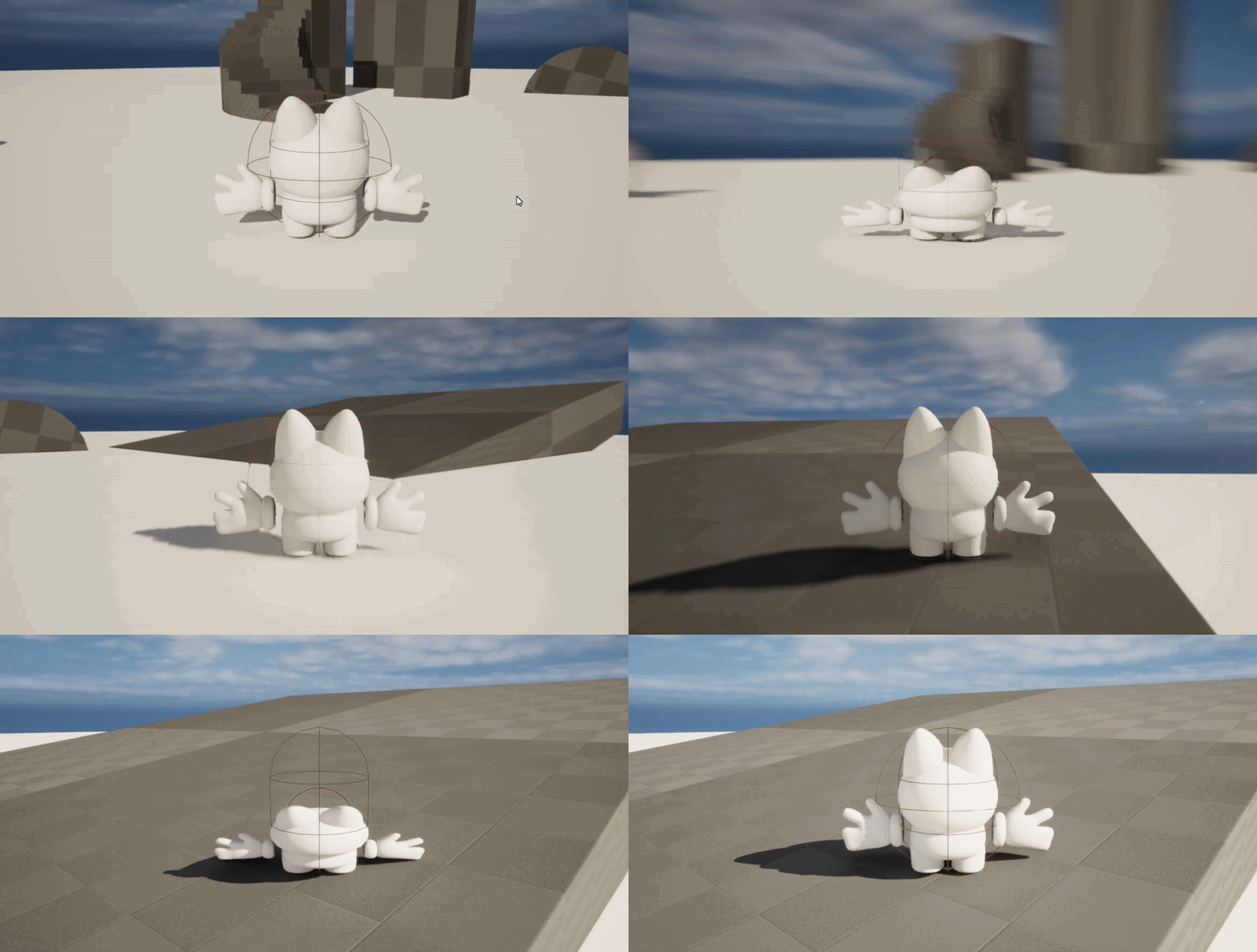
i had to scale the mesh instead, scaling the capsule scales from the middle
but now the collision doesnt update
 worthy tendon
wild moat
https://gyazo.com/cb8fdf79529d74124022e7921690ea36
worthy tendon
wild moat
https://gyazo.com/cb8fdf79529d74124022e7921690ea36
you can scale and then add offset to your actor right after. the offset should be -CapsuleHeight*Scale*0.5
also if your character wants to crouch, if you are intending to do a crouch, there is a built in functionality for that. you can specify different height when crouched.
 spiral kite
I want to trigger custom event every 1 seconds after beginplay how can I do it

is it wrong
lunar sleet
spiral kite
I want to trigger custom event every 1 seconds after beginplay how can I do it
You almost had it
You want to execute the timer on begin play
So it grabs the custom event delegate and runs it
Get rid of that event call at the top and move the timer set there instead
lofty rapids
 spiral kite
I want to spawn 1 item for all spawnpoints but it doesnt work

whats wrong about it
I get random, store as variable and remove it from array
lofty rapids
spiral kite
I want to spawn 1 item for all spawnpoints but it doesnt work
i don't know what removing from that array does, but probably not what you think it does
cyan bone
is it true that impostors dont work in Ortographic Camera?

those rocks are impostors
whenever i switch to Ortographic camera they disappear
i know that impostors are supposed to check the camera angle
but they should at least render
 golden pewter
this is a chat message widget that gets added to a scrollbox. it sets hidden but doesnt remove from parent cause if another chat message is added, it shows the gap where this one that was set to hidden and removed from parent was

it prints after remove parent
maybe i can just set the size of it after its hidden to 0?
 mild ibex
i could be wrong, but arent soft references supposed to work even if the actor is in another level?
lunar sleet
spiral kite
I want to spawn 1 item for all spawnpoints but it doesnt work
Not a good idea to have wires crossing behind nodes like that, it’ll only confuse you and others when trying to read it
mild ibex
I have one actor in persistent that tries to access a variable on another actor in a different sub level than persistent. With the variable exposed I can pick the actor in the SubLevel, but its not working well
lunar sleet
mild ibex
i could be wrong, but arent soft references supposed to work even if the actor i...
Depends on what “supposed to work” means
spiral kite
 mild ibex
lunar sleet
Depends on what “supposed to work” means
mild ibex
lunar sleet
Depends on what “supposed to work” means
simply access the variables and change them
lunar sleet
mild ibex
simply access the variables and change them
That needs a hard ref afaik
lunar sleet
spiral kite
Disconnect the timer’s execution from the event
mild ibex
right, you can convert soft to hard once its gotten tho
theres a resolve soft reference node that converts it to a hard ref
but even then it seems to fail, i read on the forums there was a bug in 5.1 that was supposedly fixed in 5.1.1 but that doesnt seem to be the case for me
lunar sleet
Ah maybe
maiden wadi
mild ibex
i could be wrong, but arent soft references supposed to work even if the actor i...
Generally speaking, you're not supposed to be softreffing instances. You SoftRef assets, and classes.
mild ibex
maiden wadi
Generally speaking, you're not supposed to be softreffing instances. You SoftRef...
its a blueprint in another level, which looking at a few things I think I can see why its failing.
 lavish dawn
I'm attempting to create a blueprint where the character walks normally but when the left shift is tapped he starts jogging and when it's held without being released he starts full-on running.
The problem is that with my blueprint it's set to toggle instead of hold like I intended. Any tips? I have to completely click shift again to get him to stop running instead of just letting go of shift.
 maiden wadi
Right. But a blueprint in a level is an instance. You don't softref instances.
mild ibex
maiden wadi
Right. But a blueprint in a level is an instance. You don't softref instances.
how should i go about getting a ref to it? Get actor of class doesnt seem to work and a few of the other "normal" methods
lunar sleet
lavish dawn
I'm attempting to create a blueprint where the character walks normally but when...
You can do this fairly easily with the #enhanced-input-system
lunar sleet
mild ibex
how should i go about getting a ref to it? Get actor of class doesnt seem to wor...
Do the 2 interact in any way (I.e. collision)
mild ibex
its not for a game purpose per sey, so there is no "character" its moreso in the realm of environment art
mental trellis
maiden wadi
Right. But a blueprint in a level is an instance. You don't softref instances.
Sure you can.
mild ibex
for the most part it is pretty basic i think, one bp in one level, one in another, i just want the bp in persistent to access and set a variable in a sub level
basic in theory it seems
lunar sleet
Is that sub level loaded ?
lofty rapids
How can i set this param back to it's default ?

on the second one i want it back to default instead of setting the color
undone sequoia
I am able to make timer tick every frame? i dont want use event tick and I want have my controls system and speed in timer , or do you think 0.01 is fine?
 thin panther
undone sequoia
I am able to make timer tick every frame? i dont want use event tick and I want ...
thin panther
undone sequoia
I am able to make timer tick every frame? i dont want use event tick and I want ...
Just use an event tick...
thin panther
This isn't going to change it
random solar
versed sun
have a normal progress bar: Stamina bar- Green is Stamina and White is Spent S...
I will have a look when I get home
thin panther
An timer executing every tick is literally just an event tick with overhead
Chances are your replication issues are not a result of event tick
But your implementation
random solar
faint pasture
If your max stamina gets cut in half, should the bar get shorter or not?
Plan is to just have it greyed out or have max stamina shorter than the end of the progress bar
thin panther
(most likely due to BP if the issue is stuttering)
undone sequoia
😖
fleet cedar
How can I detect which limb I hit with my character's weapon

This is just saying None
 fallow pewter
Hello, how to select our squares in Modeling Mode when we are at the Top please
 paper python
Hey all!
I have multiple different actor classes, which can interact via an interface.
Since code reacting to that interface would be same in all of them, I've decided to implement it once in a component, and then simply add that component to all classes. I also tried to add that interface to component itself (not actors) - but it doesn't seem to work as I imagined 😅
It feels like I am missing some key thing to make it all work cleanly - what am I missing there?
Am I at least going in the right direction (for decoupling and code organization), or am I doing some rookie mistakes?
Thank you for any insights!
mild ibex
lunar sleet
Is that sub level loaded ?
sadly it was not, i thought it was the whole time, but opening up the sub level that was loaded it didnt have the actors. After loading the correct SL it works as expected. facepalm
lunar sleet
Happens
zealous moth
paper python
Hey all!
I have multiple different actor classes, which can interact via an inte...
why not reparent to a base class instead?
lavish dawn
lunar sleet
You can do this fairly easily with the <#1004083824344436767>
Thanks for the tip, I appreciate it ❤️
zealous moth
lofty rapids
How can i set this param back to it's default ?
save the default value beforehand or hardcode a variable called default
paper python
zealous moth
why not reparent to a base class instead?
I want to achieve a more flexible (decoupled?) code structure. I've tried having a very "base" class that all other game entities are inherited from, but it always felt a bit too rigid. Not flexible enough.
Like, in my mind, having a HealthDamage component separately could mean that I could at any point make anything damageable - a character, any object, or even a "quest" exclamation mark above player's head. Not that I need to now - but I feel that at some point, I might need this sort of flexibility for experiments.
zealous moth
paper python
I want to achieve a more flexible (decoupled?) code structure. I've tried havin...
try an actor component then, you can basically plug it all in
wild moat
whats a good way to get more air control? setting air control to 1 still doesn't make xy momentum cut off any quicker
 fleet cedar
Anyone know how I could make him fall down when his legs get chopped off? Would I need to use physics control component or something?
 distant hazel
Hi ! So im struggling a little bit with Overlaps in my logic. There is my main actor wich is only made of two instanced Static meshes (two planes) inside the same actor (pic1). However, im struggling to make it so those two plane are one and only one trigger of overlap. Currently when I step in between the two planes (pic2) It counts as an overlapEnd. How do I make it so the whole black area is one trigger only? (without exporting a custom shaped mesh thats exactly like the room preferably). Im basically having the same problem than this person : https://forums.unrealengine.com/t/one-actor-multiple-colliders/382084/2


Epic Developer Community Forums
Actor begin overlap means any component you have in that blueprint that means all you collision boxes your capsule your mesh, all of it. If you click on one you can make specific events for each component like this
wild moat
fleet cedar
Anyone know how I could make him fall down when his legs get chopped off? Would ...
woah this looks so unique
wild moat
how would i get the mid point between the forward(or backward) vector and the right(or left) vector?

for/back value and left/right values are derived from the current input, and are either 1,0,-1 depending on the direction held, trying to get diagonal dashes working
tawdry surge
Add them together
 flat raft
This feels weird. What is a better way to get the actor to call interact on?
 zealous moth
tawdry surge
Add them together
zealous moth
tawdry surge
Add them together
dont you mean add them and divide by 2?
zealous moth
wild moat
whats a good way to get more air control? setting air control to 1 still doesn't...
on input, reset the velocity in the X and Y axis.
tawdry surge
Or normalize it. But yeah
versed sun
wild moat
how would i get the mid point between the forward(or backward) vector and the ri...
Not exactly what you need , but here's a handy function for getting the halfway point between 2 vectors
 thin panther
flat raft
This feels weird. What is a better way to get the actor to call interact on?
thin panther
flat raft
This feels weird. What is a better way to get the actor to call interact on?
on e pressed call the interface based on what a line trace hits
normally for my interaction I use a line/sphere trace on tick to identify what im looking at, for interact widgets and such, and then store the last looked at thing
is the reference isn't null and implements an interact interface, call the interface
 marble tusk
versed sun
Not exactly what you need , but here's a handy function for getting the halfway ...
marble tusk
versed sun
Not exactly what you need , but here's a handy function for getting the halfway ...
in that case you could just do this
 versed sun
gah , reinventing wheels
marble tusk
I almost did the same thing yesterday with rotators. Was trying to find the middle of two rotators until I remembered lerps existed
 crimson saddle
Ok I need some help with collision because of course it isn't working as I expect.
I just want to get all the overlapping actors in my box, very simple. but the array returns nothing at all, because unreal collision is just like that sometimes. Can anyone help me figure out what is wrong?
 zealous moth
@crimson saddle what are you trying to do?
 verbal lotus
crimson saddle
Ok I need some help with collision because of course it isn't working as I expec...
verbal lotus
crimson saddle
Ok I need some help with collision because of course it isn't working as I expec...
might be a shot in the dark, but the other day i came across some shady behavior with multiply nodes that converts floats to vectors, and it would return 0. if you have something similar on that integer to float, it would be worth trying to remake that multiply node, or you may be setting the extents of the box to 0.
 narrow surge
I Added a reload animation to my character animations recently and the aim offset seems to effect where the left hand lines up to slam the magazine, so if i look straight, no issue, if i look down, the hand is off. How fix/ what words can i lookup to research?


 eternal cradle
you can try to disable the aimoffset while reloading, or restrict it
zealous moth
verbal lotus
might be a shot in the dark, but the other day i came across some shady behavior...
the reason i asked him was that this is a very bad roundabout way of doing it.
He should instead use a box trace at that vector location and get all the overlapping actors that way instead.
verbal lotus
im not sure if that is faster, as it could be the case that unreal caches overlapping actors as they come and go
meaning theres no extra querying
not 100% sure but it would make sense
zealous moth
At that point, just use a static overlap collider box and whenever something overlaps, add it to a local array
however he is going for all actors which makes even less sense
like... the ground? foliage? a random tree?
wild moat
fleet cedar
Anyone know how I could make him fall down when his legs get chopped off? Would ...
i know it's off topic but how are you making that gooey effect?
narrow surge
eternal cradle
you can try to disable the aimoffset while reloading, or restrict it
if i disable it the gun will always be pointed straight
zealous moth
wild moat
i know it's off topic but how are you making that gooey effect?
what do you mean?
zealous moth
fleet cedar
Anyone know how I could make him fall down when his legs get chopped off? Would ...
look up physics animations
you can lerp between 100% physical and 100% animated
 zealous moth
narrow surge
zealous moth
narrow surge
look up IK? force the hand in that area?
narrow surge
zealous moth
look up IK? force the hand in that area?
can try that but unsure how. ill see if can figure it thanks
wild moat
zealous moth
what do you mean?
the meshes in that post are like gooey metaballs
 real field
So, let me see if i get this right
The Player Controller Blueprint acts as a mid term between what i type on the keyboard/controller and the pawn, and he knows which one should use via the Gamemode BP, which you set the default pawn
And the way Unreal implements the thirdperson character template it's no the best way for multiplayer games (lan/wan), since if nodes should be in a PlayerController BP
I'm asking this bc i'm trying to do a target lock system, i know theres a lot of ways to implement it, i just find curious that some use Player Controller, and since i didn't knew wt* was that and the use of it i got little confused.
(Not gonna ask how he knows which player typed what and how it redirects it for the right pawn since i even search for it yeat)
 livid scaffold
can anyone help resolve this error?

 eternal gate
Are you using live coding? sometimes I get that error in my animation blueprints after I do a live coding compile
Restarting the engine makes it go away if there isn't anything actually wrong
Otherwise, you have a null reference. Maybe a cast you're doing is failing
livid scaffold
i am not using live coding
let me try restarting the engine\
nah man error is still occuring even after restarting the engine
eternal gate
show where in the blueprint the error is being thrown
livid scaffold
it is throwing me here
 eternal gate
which node specifically? did it highlight one when you clicked the error?

 maiden wadi
SportsCar is invalid.
livid scaffold
it is sportscar_pawn
eternal gate
idk why self would be invalid if the actor itself is calling the function
livid scaffold
do you want to see the whole blueprint? i can share my screen with you.
eternal gate
nah sry I can't be hopping into a voice chat rn, I was about to be going to bed
livid scaffold
oh okay maybe tomorrow
eternal gate
for debugging, you may want to throw in some validity checks; maybe get some hints where it might be going wrong

 maiden wadi
livid scaffold
see
maiden wadi
livid scaffold
see
Where is the function ResetToRandomPointOnSpline?
If that is the event calling this. Then what is calling that event?
livid scaffold
it is in sportscar_pawn
 raw fog
Hope its the right place to ask a question, Does anyone know the best way to do a water hose that would interact with the world an limit how far the player could move it, I tried using a cable and attaching it to the players hand but the cable can be dragged through objects even with collision enabled.
 keen hedge
@raw fog maybe a spline with spline meshes attached to each segment, though I don't think you get physics for that out of the box. There are also plugins on the marketplace (I saw them a while ago but I csnt remember their names)
 spark steppe
use a physics constraint to constrain the distance
raw fog
keen hedge
<@220980298714841088> maybe a spline with spline meshes attached to each segment...
Aight thank you i will have a check on the marketplace to see if i can find it!
spark steppe
a plugin for something that an engine feature can do!?

A user guide on using the Physics Constraint Component in Blueprints.
spiral kite
what am I do wrong. I want to spawn 1 item for all spawn points

 obtuse yoke
have you tried looping through the array and spawning through each iteration after setting all the spawn points
tawdry surge
You realize you're getting all actors of class every loop, so removing an element from your array is pointless, since it'll just be re-added on the next loop

 obtuse yoke
get your array and plug it into a For Each Loop node
Then have it spawn after every iteration
tawdry surge
Or atleast do an is valid check on the chosen index
spiral kite
oh ok :7 ty
obtuse yoke
spiral kite
oh ok :7 ty

A For Each Loop is a special kind of loop designed to work with array variables. In this video we show how to use them.
A link to the wiki for further notes is available here -
https://wiki.unrealengine.com/Blueprint_Essentials:_For_Each_Loop
this should help !


 tight pollen
I create widgets dynamically and I would like to save references to others in these widgets, I create a SaveObject and it is probably better not to save references there, only through e.g. ID?
someone can help?
 thin umbra
Hey, I'm looking for help in animations.
I want to know, why in the animation sequence, by default it returns to the start of the animation when it finishes?
Look at this:

How can I make it remain at the last pose it naturally reached without this return?
I want to create my anim montage by merging animation sequences, but I get this artifact of the return instead of them simply ending how they do naturally
I can edit it in an outside animation software, but wondering if there is a way to resolve it in unreal engine.
this is how it should be:


 marble tusk
spiral kite
marble tusk
spiral kite
 spiral kite
spiral kite
spiral kite
I just want to fix it can any body help
marble tusk
You're making the array shorter without lowering the possible random integers, so it'll be able to randomly pick invalid array indices. Then on top of that you're not stopping the timer, so once it's done spawning them all it'll keep going trying to get the actor transform from nothing repeatedly
marble tusk
With the context that you want each of them once, you could do this
 spiral kite
now it spawn more than 1 item same time
 marble tusk
spiral kite
now it spawn more than 1 item same time
marble tusk
spiral kite
now it spawn more than 1 item same time
Don't remove anything from the array, so delete that from the end. Then add a delay at the end with the amount of time you want between each spawn. Also remove the timer and instead connect the SET node's white execution wire directly into the SHUFFLE node. Like this, I think this would work
dark drum
marble tusk
~~Don't remove anything from the array, so delete that from the end. Then add a ...
That delay would do nothing. The ForEachLoop will spawn every item in the same tick.

 marble tusk
Ah, well I've not used delays like this before to know. I knew there was something about delays in loops, but I forgot what it was
okay, back to the timer we go
 dark drum
spiral kite
then, how can I fix it .d
dark drum
spiral kite
then, how can I fix it .d
It sound like you want something like this.
 spiral kite
I want to spawn 1 item in a random point every X second
dark drum
spiral kite
I want to spawn 1 item in a random point every X second
It'll do that until all the spawn points have had an item spawned at them.
spiral kite
ty
dark drum
spiral kite
This will spawn an item at every spawn point every second. Just for clarity on your previous screenshot. 🙂
marble tusk
I like how there's different solutions to achieve the same result. I was setting up something similar, but plugging a last index into the random integer
spiral kite
dark drum
This will spawn an item at every spawn point every second. Just for clarity on y...
at every spawn point or at one of the spawn points ?
dark drum
spiral kite
at every spawn point or at one of the spawn points ?
For the screenshot I replied too (the method that doesn't work), it would spawn an item at every spawn point in a single tick, then a second later (due to the delay) would then spawn an item at all the spawn points again forever. The setup creates a loop that would spawn items ever second until your game grinds to a holt and crashes. 😉
This isn't in regards to the screenshot I shared. 😉
spiral kite
oh ok
and how can I add back removed index to array
if someone picking up item, need to add back
 hushed trellis
Hi, someone know how I can draw a Spline with a top down camera with the mouse to draw a path?
lunar sleet
You on 5.3? @hushed trellis
 soft gull
Hello! Does anyone know if there's a way of getting a data table within a data table?
I have a data table with rows of other data tables and I want my spawned actors do get 1 data table each to get their data from. But the problem is that if the node "Get Data Table Row" isn't getting a specific data table asset it does not know what to put out in the out row.
Is there another way of doing this perhaps?
 tight pollen
Can someone tell me if I should create game saves for widgets in GameMode, or can there be a player controller? the save will be created by the server and saved on the server
versed sun
soft gull
Hello! Does anyone know if there's a way of getting a data table within a data t...
That use to now work , i think t does now
lunar sleet
tight pollen
Can someone tell me if I should create game saves for widgets in GameMode, or ca...
Shouldn’t be saving widgets, anything in there should be transient
tight pollen
lunar sleet
Shouldn’t be saving widgets, anything in there should be transient
means variables that are loaded into widgets
soft gull
versed sun
That use to now work , i think t does now
I'm om UE 5.2.1 and I've been trying this since yesterday 😅
versed sun
soft gull
Hello! Does anyone know if there's a way of getting a data table within a data t...
You have to disconnect the Data table Pin, and manually select a DT from the dropdown
That will change the grey Wildcard pin
You then have to do something with that pin (Break it) so it dosnt turn back into a wildcard when you plug Data Table back in

IF it works , the Datatables have to use the same struct
keen hedge
Is LineTraceByChannel w/ draw debug set to One Frame in On Tick really that heavy that it literally completely freezes the game or is it some UE5.3 shenanigans
soft gull
versed sun
You have to disconnect the Data table Pin, and manually select a DT from the dro...
It looks like it worked! Thank you very much! 😄
 dark drum
keen hedge
Is LineTraceByChannel w/ draw debug set to One Frame in On Tick really that heav...
dark drum
keen hedge
Is LineTraceByChannel w/ draw debug set to One Frame in On Tick really that heav...
I've not had any issues with the game freezing when showing debug lines per frame.
keen hedge
Yeah something seems to be wrong either with my drivers or something, since even turning on showdebug modes freezes rendering
Actually any debug drawing seems to freeze my rendering wtf...
lunar sleet
Time to restart that pc
 spring kite
how can I find sideway component of the velocity?
 lunar sleet
Sry not sure what sideway component of velocity means
spring kite
lunar sleet
Sry not sure what sideway component of velocity means
https://youtu.be/LG1CtlFRmpU?si=-64ZLQhi-f5QlcuX&t=292 I am trying to find implement that part

A rundown of the general principles used for arcade-style vehicle physics using Unreal Engine 4 for the upcoming party combat racer Space Dust Racing. Dev blog: http://blog.spaceduststudios.com
zealous moth
@lunar sleet @spring kite trigonometry
cunning vapor
Is there a way to to Ignore "Layered blend per bone" when trying to play an anim montage ?
I have a blend per bone setup for sheathing/unsheathing weapons - but would like to bypass it when my character lands (fall animation)
Thanks in advance
zealous moth
cunning vapor
Is there a way to to Ignore "Layered blend per bone" when trying to play an anim...
set the alpha to 0 or use multiple animation slots
lunar sleet
zealous moth
<@179343890409717771> <@1084592975117553716> trigonometry
That much was obvious, is there something called a sideway component of velocity in trig ?
zealous moth
lol
lunar sleet
I guess maybe he meant horizontal 🤷♂️
zealous moth
i see what you mean
cunning vapor
zealous moth
set the alpha to 0 or use multiple animation slots
Where would i do that ? (sorry for any confusion)


 lost lion
spiral kite
lost lion
spiral kite
loop happend in one frame. Adding delay on Loops not gonna work the way you think it does.
What that node will do is spawn X balls after 1 second on sequence at the same time
zealous moth
cunning vapor
Where would i do that ? (sorry for any confusion)
I posted a screenshot previously of it in this thread
lost lion
use timer to Spawn something every X second
cunning vapor
That worked beautifuly; thanks! x
Also; may not seem like it but @lunar sleet; ive got a whole setup showing all my debugging (line traces / hit points) & using the pause (F9) ive been able to debug a lot of my own stuff so thanks again! 😛
lunar sleet
cunning vapor
Also; may not seem like it but <@179343890409717771>; ive got a whole setup show...
Np
 lunar sleet
Idk, that system is pretty much deprecated now
 round tulip
Yeah, it's interesting that Epic added this.
versed sun
Can Input Action go in Components ?
round tulip
It's good that you can add enhanced input action events in components now.
thin panther
(thats not an EI input though)
round tulip
I am in an actor component.

This is how Epic does this for the new first person template for the gun.
round tulip
 round tulip
It really useful for their whole modularity approach.
lunar sleet
@stiff holly 👆 I guess I was wrong about all of that 😅
versed sun
round tulip
I am in an actor component.
ahh , i was testing in Scene Comp
round tulip
versed sun
ahh , i was testing in Scene Comp
That's good to know. Thank you.
cunning vapor
zealous moth
<@264522559561793546>
Small follow up on this; after setting this up (works nicely) if i set "enable root motion" my character goes 90 degress - I have changed the skeleton so it is upright but cant change the ref pose. Any ideas ?


 zealous moth
cunning vapor
Small follow up on this; after setting this up (works nicely) if i set "enable r...
zealous moth
cunning vapor
Small follow up on this; after setting this up (works nicely) if i set "enable r...
I think you can switch it either on import or on the animation itself
tight pollen
can i save map variables in SaveGameObjects?
zealous moth
I haevn't touched this in awhile
sharp fox
how i can add space before uppercase in a string??
cunning vapor
zealous moth
I haevn't touched this in awhile
I cheated it with this:

 zealous star
Trying to set transform of an object in my scene with a trigger and whenever it teleports it seems to overlap the character's camera(third person) and push the camera in. Any idea how to remedy this
It's a solid object that the camera normally must push against so it's a weird catch 22
golden pewter
is the only way to make custom nav mesh boundaries making where you dont want the pawn to walk null?
faint pasture
spring kite
how can I find sideway component of the velocity?
Dot product
Dot(Velocity, Thing.RightVector)
 supple dome
Or Velocity * Thing.RightVector for the vector
 obtuse mulch
what is the most convenient way to put in a world camera shake during cinematic? since i think you cant put it in level sequence
maiden wadi
round tulip
I am in an actor component.
@lunar sleet This is pretty commonplace recently. Lyra especially does this because they prefer clean actor classes with modular components added. So it makes more sense to add the inputs on a component on something than to use a whole different actor just for some input changes.
Even without Gameplay Features, I started doing this in personal projects just to keep stuff tidy. The general TLDR is that it doesn't affect anything. You can basically consider those inputs as inputs in the component's owning actor, they'll function identically.
keen hedge
Does anyone know why Predict Projectile Path By ObjectType doesn't work for dynamically spawned actors, and how to fix that?
If I place the exact same actor via the editor it works...
golden pewter
i have this check to see if i click a nav mesh modifier off a get hit result and even if i click one, it doesnt print true
 lunar sleet
maiden wadi
<@179343890409717771> This is pretty commonplace recently. Lyra especially does ...
lunar sleet
maiden wadi
<@179343890409717771> This is pretty commonplace recently. Lyra especially does ...
That’s good, I thought inputs should stay on the char or the PC but it makes sense.
stuck sentinel
help fast, what do i use if i want code to do two things??? flip flop or branch or what?!?!?!?
ping me if you have an answer
lunar sleet
Lol
maiden wadi
lunar sleet
That’s good, I thought inputs should stay on the char or the PC but it makes sen...
That is a misconception even with the old system. It was intentionally designed to allow input in any actor that enables it through a local controller. It's just enabled by default in the controller, pawn, and level.
lunar sleet
maiden wadi
That is a misconception even with the old system. It was intentionally designed ...
So if you attach a component to an actor it “inherits” the enabled input ?
maiden wadi
stuck sentinel
help fast, what do i use if i want code to do two things??? flip flop or branch ...
Neither.
Not attached, it has to be owned/registered to that actor.
lunar sleet
Oh right it did use get owner
maiden wadi
stuck sentinel
help fast, what do i use if i want code to do two things??? flip flop or branch ...
You're probably looking for sequence.
lunar sleet
Or anything else based on that vague description 😀
 compact vapor
how tf do I get a blueprint interface node that does not require execution. like where is the red, non exec equivalent of this node?
everytime i try and reference a bp interface node, they require execution.
any ideas?
 lunar sleet
compact vapor
how tf do I get a blueprint interface node that does not require execution. like...
lunar sleet
compact vapor
how tf do I get a blueprint interface node that does not require execution. like...
That would be an event
trim matrix
Hey guys, is there anyone who published android games? Can anyone explain how i need to package and send (AAB) 3gb project to play store? I don't know why my googlepad is not working and obb file it's just not included in aab
lunar sleet
compact vapor
how tf do I get a blueprint interface node that does not require execution. like...
You need to implement the interface on that bp, compile, then you can use the event
lunar sleet
trim matrix
Hey guys, is there anyone who published android games? Can anyone explain how i ...
#mobile maybe
golden pewter
how do i detect if i click a nav modifier volume
 stiff holly
lunar sleet
<@879069832853729340> 👆 I guess I was wrong about all of that 😅
stiff holly
lunar sleet
<@879069832853729340> 👆 I guess I was wrong about all of that 😅
Ehh it's all good my guy, I'm just still confused why 'Disable Collision' worked before attaching and not after lmao
stuck sentinel
am i doing sum wrong
 lunar sleet
stiff holly
Ehh it's all good my guy, I'm just still confused why 'Disable Collision' worked...
lunar sleet
stiff holly
Ehh it's all good my guy, I'm just still confused why 'Disable Collision' worked...
Is it fixed now?
lunar sleet
stuck sentinel
am i doing sum wrong
Not necessarily, but it might depend on where the code is
stuck sentinel
in the third person character bp
stiff holly
Oh yeah it works now, now I'm just struggling to capacitate my own stupidity 😭
stiff holly
lunar sleet
Is it fixed now?
I just can't figure out why it wasn't working, so another mystery
lunar sleet
stiff holly
I just can't figure out why it wasn't working, so another mystery
Tbh, sometimes it’s best to move on to something else for the time being especially if you fixed it somehow. Can always come back later to try and understand it 😀
stiff holly
lunar sleet
Tbh, sometimes it’s best to move on to something else for the time being especia...
Exactly what I'm doing 😅 I just decided since it's working now, just to move on to the next feature
Any issues that may come up in the future can just be fixed 😆
 hollow cove
how do i deal with mesh overlapping in a blueprint, i want to cut away parts of the mesh that overlap or force a sorting


you can see in the second picture the bottom pops into existence
 waxen onyx
hey! i'm trying to figure out a way to make a process that scans a large library of (around 300 or more) static meshes (AI generated text to 3D objects in the form of .obj, .mtl, and texture .png files arranged in folders) and arranges them in the scene with a random scale, rotation and location.. (they dont need to spawn continuously throughout the game.. they can all be set at the start..)
i watched a couple of different tutorials that all seem to approach it differently.. they mostly demonstrate spawning a small collection of different objects .. while i'd like to make it so that the process scans a directory at every begin play... so that i dont have to manually import all of them... + i want to be able to add to the directory..
hollow cove
found the translucency sort priority and solved it
gentle urchin
stuck sentinel
in the third person character bp
Have you enabled crouching
cunning vapor
Me again 😛
I'm trying to make a delay on my characters "aim rotate" and "movement rotate" -- I have a rotate towards my cursor setup -- when attaching what i think would work (top right red arrows) I get the smooth aim But I can't aim my character behind where im walking. (hard to explain but have attached pics)


 faint pasture
cunning vapor
Me again 😛
I'm trying to make a delay on my characters "aim rotate" and "moveme...
faint pasture
cunning vapor
Me again 😛
I'm trying to make a delay on my characters "aim rotate" and "moveme...
Do you have orient rotation to movement turned on?
cunning vapor
faint pasture
Do you have orient rotation to movement turned on?
I think I love you; been scratching my head with this; I had it turned on but didnt have a set not active when aiming
faint pasture
Yeah what was happeneing is it was setting rotation then you were overriding it. But when you're rinterping you don't override it 100% in one frame


 mighty orbit
Hi all, I'm a #UnityRefugee looking for some help with an issue rotating my character. I've set the flag to "Orient Rotation to Movement" on my character Blueprint, but the character does not rotate through 360 degrees. Are there any other places I should check for a constraint to prevent rotation?
 stuck sentinel
gentle urchin
Have you enabled crouching
stuck sentinel
gentle urchin
Have you enabled crouching
what do you mean
gentle urchin
stuck sentinel
what do you mean
You gotta enable it in the cmc
maiden wadi
mighty orbit
Hi all, I'm a #UnityRefugee looking for some help with an issue rotating my char...
This doesn't prevent rotation. This just makes it so that the character will rotate at that rate until it's facing it's velocity. Not entirely sure what you're asking?
stuck sentinel
guys i made the player crouch but the actual player isnt crouching why
 broken wadi
stuck sentinel
what is the cmc
broken wadi
stuck sentinel
what is the cmc
character movement component
mighty orbit
maiden wadi
This doesn't prevent rotation. This just makes it so that the character will rot...
Sorry, my issue is that the character is rotating about 30-40% in each direction, and not all the way around. Using click-to-move, if I click behind the character, it's walking backwards, instead of rotating towards the direction that it's moving.
lunar sleet
Why is that set to 640?
mighty orbit
lunar sleet
Why is that set to 640?
it's supposed to be the rotation speed.
lunar sleet
Oh I thought it was an angle maybe I’m rmbring it wrong
Does changing it up or down help at all?
dark drum
When using gameplay tags, is there a way to limit the options that are selectable when using gameplay tags as a var or input?
maiden wadi
In the Categories section. Just write the parent tag you want to limit it to.
maiden wadi
mighty orbit
Sorry, my issue is that the character is rotating about 30-40% in each direction...
Hmm. Unsure. The only other thing that normally affects character rotation is the ControlRotation from it's controller. That or something you would be doing manually in a tick function.
maiden wadi
stuck sentinel
guys i made the player crouch but the actual player isnt crouching why
The player as in?... The mesh, or the capsule component?
compact vapor
anyone have a place I can learn about the "Call back to parent function"
 foggy escarp
compact vapor
anyone have a place I can learn about the "Call back to parent function"
foggy escarp
compact vapor
anyone have a place I can learn about the "Call back to parent function"
You mean event dispatchers?
compact vapor
foggy escarp
You mean event dispatchers?
no, blueprint interfaces
faint pasture
compact vapor
anyone have a place I can learn about the "Call back to parent function"
What about it
compact vapor
faint pasture
What about it
don't understand how to use it and theres no documentation on it
maiden wadi
You mean the orange function you can put next to the red ones?
faint pasture
Do you understand the concept of overriding functions?
compact vapor
faint pasture
Do you understand the concept of overriding functions?
not really
i dont understand what it is exactly that is being overwritten
faint pasture
A function or event was declared and defined in a parent class
You can OVERRIDE it in child classes to do something else. If you also want to call the original version, you add a call to the parent version.
stuck sentinel
maiden wadi
The player as in?... The mesh, or the capsule component?
i didnt realise i needed an animation cuz last time i did it was in first person
maiden wadi
stuck sentinel
i didnt realise i needed an animation cuz last time i did it was in first person
😄 Yeah. There are also some default animations that work fairly well for shooters for free from content examples.
mighty orbit
lunar sleet
Does changing it up or down help at all?
nope 😦
lunar sleet
compact vapor
don't understand how to use it and theres no documentation on it
Blueprint comms video pinned here explains interfaces
mighty orbit
maiden wadi
Hmm. Unsure. The only other thing that normally affects character rotation is th...
I'm using the sample TopDown controller, and haven't made any changes to that logic (as far as I know) 🙂 It's not a showstopper, it's for a Jam, but would like to figure it out for future 🙂
lunar sleet
I meant top down
You might have changed something by accident
Use a fresh template and check
maiden wadi
Doesn't the top down example already do that?
golden pewter
how do i detect if i clicked a nav modifier volume
or on mouse overlap, cause it doenst have a editable blueprint
compact vapor
faint pasture
You can OVERRIDE it in child classes to do something else. If you also want to c...
my character class implements my interface for putting both hands on a weapon.
I need to change the code a bit so that hands work a little bit differently
I was told that it would be better to go to the parent weapon BP and override the interface function there.
but calling back to parent only works when inside the interface node itself
how does that make any sense?
you can override a functions original usage but it has to be done in the graph where it's original usage is?
why even have a "call back" to anything node, why not just... do what you need to do in the original function?
lunar sleet
Did you watch that video?
compact vapor
lunar sleet
Did you watch that video?
not yet you said it was pinned?
compact vapor
lunar sleet
Might help it make sense a bit more
this

?
was anything with parent overrides or anything of that sort ever mentioned in the video?
I watched it before hand and it helped but not even in the slightest with overiding things.
maiden wadi
On the other hand. I'm not sure what an interface has to do with hand placements. Should be done via IKs using sockets.
lunar sleet
Also overriding can be done in a child of the parent class
Basically saying don’t do inherited default behaviour
lunar sleet
compact vapor
was anything with parent overrides or anything of that sort ever mentioned in th...
Can’t recall for sure but mainly I recommended that for understanding bp interfaces
 broken gazelle
When you call back to parent you call the same function you're overriding on the parent
golden pewter
how do i detect if i clicked a nav modifier volume
broken gazelle
An interface has no parent, only children. It also doesn't have an implementation of its own so the functions that implement it (not overriding since overriding means there was something there but interfaces just declare the ins and outs) can't call to parent
 old sonnet
Why not always use soft reference since it seems to take up less reousces?
dark drum
If you set the values in a map (var type) via the editor (defaults panel). If you then get the values at runtime, would they always be in the same order as listed in the defaults panel?
maiden wadi
old sonnet
Why not always use soft reference since it seems to take up less reousces?
Because then you'd have to manually load those resources anyhow. And you don't always want "everything" soft referenced. In fact it's generally a bad idea to soft reference your basic code classes. You should only softref assets or classes that house assets.
maiden wadi
broken gazelle
An interface has no parent, only children. It also doesn't have an implementatio...
The interface might not have a parent. But if you have an interface function in a Parent class and then another one in a Child class. If you call the interface function on an instance of the child class, it will only run the interface on that class, ignoring the parent. You can still add a call to that class's super class's implementation of the function.
Also obligatory personal feeling dump: Interfaces suck.
mighty orbit
maiden wadi
Doesn't the top down example already do that?
yeah it does 🤷♂️
golden pewter
how do i detect if i clicked a nav modifier volume
maiden wadi
old sonnet
Why not always use soft reference since it seems to take up less reousces?
Also just a clarity note on this. SoftRefs don't necessarily take up less resources. They simply let you decide which resources to use. If you have a datatable of 1,317 meshes, and you only need to load up 14 of them, it allows you to do that while still hard referencing the datatable.
Hard references are still good in a lot of cases. Like.. Say you hard ref some specific assets on a class because it will always use them. There's no point to softref them and async load them individually which can become tedious. You can just async load the entire class before spawning an instance which will do the work of loading anything that class hard references.
broken gazelle
maiden wadi
Also obligatory personal feeling dump: Interfaces suck.
Inheritance sucks even more 🙂
maiden wadi
broken gazelle
Inheritance sucks even more 🙂
Not really. I'll also be the first to agree that deep inheritance trees are bad. But inheritance does it's job well when done right. You should also mix in composition if you feel like your inheritance trees are out of control. Together with some data oriented design and you "almost" never need interfaces. Interfaces are a niche usecase tool that require far too much work for how much people praise them. They do not make things easier, and they are not an alternative to casting.
mental trellis
It's about using the right tool for the right job, really.
broken gazelle
The fact that I need to cast to a child class amazes me
maiden wadi
Cast to a child class? From the parent?
mental trellis
You never need to do that, unless you're accessing members of the child class.
maiden wadi
I can't come up with a single reason why a parent class would ever need to care about a child class.
mental trellis
There are reasons. Bad ones.
broken gazelle
Get Player Controller -> as BP My Controller
mental trellis
Because the return value of Get Player Controller is predefined as a PlayerController object, not your controller.
That's where templates and c++ come to the rescue.
maiden wadi
To be fair, that's a terrible use case for me. Because I use components for everything. I never care about my controller classes. I just generically grab components off of them.
broken gazelle
Why do I specifically have to cast to it, the dynamic type should be my controller
maiden wadi
In fact 5.3 allowed me to even remove a C++ parent class that was fixing a CommonUI bug.
mental trellis
That node isn't dynamic.
And even if it was it would simply cast to your bp controller internally.
broken gazelle
mental trellis
That node isn't dynamic.
Why not (curious)
maiden wadi
Epic just didn't make it that way. You could make your own that takes a class input.
 dawn gazelle
How is the engine to know exactly which player controller is currently being used at runtime in a blueprint at editor time?
maiden wadi
Realistically. If you don't like using the Cast node everywhere you use your controller, make a library function that gets your precasted controller. If you have a problem with casting in general, I advise a heavy rethought in that because there's nothing wrong with casting. It's essential. You should just be casting to code only core classes, and letting your logic get to where it needs through composition or inheritance so as never to directly or indirectly reference something with assets specified.
broken gazelle
I'm not against casting, only against casting to a class so I could use it's function implementation that I've added on top of the base class in a scenario where I only get the base class type.
cunning vapor
Does anyone know how to fix my characters rotation (whilst the anim montage is being played) ?
None of the root motion settings work

 broken gazelle
dawn gazelle
How is the engine to know exactly _which_ player controller is currently being u...
broken gazelle
dawn gazelle
How is the engine to know exactly _which_ player controller is currently being u...
What is runtime in editor time?
dawn gazelle
broken gazelle
What is runtime in editor time?
Runtime: You've hit play and are running the game.
Editor time: You're modifying blueprints before actually running the game.
maiden wadi
Just basic project extension. Just make a library function that casts it and returns the correct pointer level. You're not really doing anything different when you use an interface. You still have to create an interface and implement the function.
lofty rapids

What is Casting in Unreal Engine 4 Blueprints?
Source Files: https://github.com/MWadstein/wtf-hdi-files
maiden wadi
If you built the engine from the ground up, you wouldn't need to extend it so much. But you're using a large predefined set of tools that were designed to be extended. You'll do basic infrastructure on any project you set up.
 viral pawn
This is a great resource should have joined sooner LOL
broken gazelle
dawn gazelle
Runtime: You've hit play and are running the game.
Editor time: You're modifying...
Why would I need the runtime type there while editing? Shouldn't the same functions definitions live on the child
dawn gazelle
When you're modifying a blueprint during "editor time" and using something like the "Get Player Controller" node, then you're just getting the basic built-in class "Player Controller" that the engine knows will exist during run time. If you're wanting to somehow have a "dynamic" node that chooses which player controller to get automatically, that would be impossible as the editor wouldn't know exactly which player controller is going to be utilized in the future. The only way around this is to get the player controller the system knows will exist, and then cast that to your desired controller class and if that cast succeeds, well, then you can use it.
broken gazelle
Are you referring to the case where the subclass has functions not in the parent?
So I cast to the child so I can use these?
Otherwise the same function definition exists on any child so the editor shouldn't care
dawn gazelle
Yes. If you make a child of player controller, and put functions in that class, the engine doesn't know about those functions with only a "Player Controller" refrence. You need a reference to the appropriate class that has the functions and variables you want to access in order to execute/access them.
broken gazelle
maiden wadi
Realistically. If you don't like using the Cast node everywhere you use your con...
Yes I'm fine with it, what can you do
lunar sleet
Don’t fight the engine 🙂
dawn gazelle
And yes, any children of that child class when referenced in a parent classed reference (eg. Player Controller > ParentPlayerController > ChildPlayerController, you have a "ChildPlayerController" stored in a "ParentPlayerController" reference) then you can still execute any functions on the ParentPlayerController reference but the ChildPlayerController would execute how it knows how to if you override those functions in the child class.
maiden wadi
Whee. New project. Lets see how fast I can finish my default setup. 😂
 tacit maple
I am idiot. I have blueprint with camera. On BeginPlay I have SetCamera = Camera. but this isn't making the camera active. I have the default free cam which I don't know how to override. Any advice?
maiden wadi
Free camera? As in no default pawn specified in the GameMode?
maiden wadi
You have a camera placed in level you want to view, or?
Either the LevelBlueprint or the Controller can do it maybe. You'll need to get a reference to the camera actor you've placed in level and SetViewTargetWithBlend from the player's controller.
mental trellis
broken gazelle
Why not (curious)
Most BP nodes are based on c++ functions which aren't dynamic.
 swift kiln
Hey so I have a problem that I cant seem to find a solution for. So lets say I have spawn point blueprint and I have 10 of these spawn points in the scene, each with different tag (numbers from 0 to 9). I also have 10 different player character blueprints. And I want to spawn certain player character blueprint on certain spawn point. So lets say I want player blueprint n.3 to spawn on platform n.5 and so on for each one. You could say I want to assign actor index to blueprint. I tried it like shown in the image, but I dont know what else to add at the end and if it would even work. Im open to any suggestions.
 maiden wadi
I think there's a GameMode function you can override that will handle this for you.
swift kiln
maiden wadi
I think there's a GameMode function you can override that will handle this for y...
Collaborate
maiden wadi
Rereading GameMode code, sec.
lofty rapids
swift kiln
Hey so I have a problem that I cant seem to find a solution for. So lets say I ...
if the array has data you can probably foreach the array
swift kiln
lofty rapids
if the array has data you can probably foreach the array
I tried foreach loop, but it only spawned the first actor on each spawn point
lofty rapids
swift kiln
Hey so I have a problem that I cant seem to find a solution for. So lets say I ...
why are you get all actors but not using the array ?
swift kiln
lofty rapids
why are you get all actors but not using the array ?
You mean the last part that is not connected? If yes, then I tried it.. it didnt work as I wanted
maiden wadi
Oh. That's neat. Not Blueprintable. But you can pass the player's start point through a level load. 😄
 swift kiln
lofty rapids
your not using the return value of those nodes
swift kiln
lofty rapids
your not using the return value of those nodes
Yeah so thats what I was talking about, I dont even know if its right
So do you have any suggestions?
swift kiln
maiden wadi
Oh. That's neat. Not Blueprintable. But you can pass the player's start point th...
You mean, just drag in the player start, and players will spawn in order on those points?
maiden wadi
No, I was reading through other playerstart stuff. Just stumbled on a neat little thing.
swift kiln
Ohh, my bad
swift kiln
lofty rapids
your not using the return value of those nodes
I deduced that I dont need those, I was only getting 1 actor, since I specified the tag and then set the player blueprint, perhaps I'm wrong?
lunar sleet
swift kiln
I deduced that I dont need those, I was only getting 1 actor, since I specified ...
Those nodes were pointless, they weren’t doing anything because you weren’t actually using the output
This tends to happen when you cross streams behind nodes, use reroute nodes to keep things organized so you can see what’s going on in the code
swift kiln
lunar sleet
Those nodes were pointless, they weren’t doing anything because you weren’t actu...
Okay thanks, but I dont know how I can connect the output with the rest
lunar sleet
Not to say that’s the right way to do what you want there but with an array output like that, you would need to use a for each loop to iterate over every index
old sonnet
maiden wadi
Also just a clarity note on this. SoftRefs don't necessarily take up less resour...
thankyou for detailed response!
swift kiln
lunar sleet
Not to say that’s the right way to do what you want there but with an array outp...
I also tried for loop, but it only took the first index in array, I guess it's because the output isn't connected
Or did you mean foreach loop for output from get all actors of class with tag?
lunar sleet
But I wouldn’t do it this way
This is just to explain what array output could connect to
In general, if you’re using the same node 10 times, you’re doing something wrong
lofty rapids
swift kiln
Or did you mean foreach loop for output from get all actors of class with tag?

for each out of the array the element should be each index, unless the sequence isn't working to make that array correctly
swift kiln
lofty rapids
Is this event for the output that I dont have connected?
 lofty rapids
swift kiln
Is this event for the output that I dont have connected?
lofty rapids
swift kiln
Is this event for the output that I dont have connected?

your not using the output of that node
swift kiln
lofty rapids
So what youre telling with this, is how should the for each loop look at the end where I have those arrays connected to Make Array?

Like this?
 lofty rapids
swift kiln
Like this?
lofty rapids
swift kiln
Like this?
but you don't have an execution i would use the last in the sequence
not sure this is going to work anyway because i can't tell exactly what your doing
but that is how you would loop through an array
with forEach, your just missing the execution
swift kiln
So I would connect node from set players array to exec. Players array is basically array of all those character blueprints

But as someone already said, those set players nodes are pointless, because I am not using the output from get all actors of class with tag
lofty rapids
swift kiln
So I would connect node from set players array to exec. Players array is basical...
well again i would use the last in the sequence that you have to the left, because you construct the array in sequence so in the end hopefully it's created
lofty rapids
swift kiln
Hey so I have a problem that I cant seem to find a solution for. So lets say I ...
still not sure what your trying to do i'm a little confused.
You want to spawn a bunch of characters at the specificed actor location that has that tag ?
it's also a bit odd to have length - 7 etc...
swift kiln
lofty rapids
still not sure what your trying to do i'm a little confused.
You want to spawn a...
So basically a lobby, where a player joins, it spawns him at speciffic spawn point. The character blueprint would have different animation than other players. I guess PUBG lobby has something like that
lunar sleet
If you’re doing #multiplayer stuff, this is not the way
swift kiln
lofty rapids
it's also a bit odd to have length - 7 etc...
As I said, variable Players have 10 indexes(10 character blueprints) and Im getting to them by substracting index from length
lofty rapids
swift kiln
As I said, variable Players have 10 indexes(10 character blueprints) and Im gett...
right but why not just use the index 0 - 9
swift kiln
lunar sleet
If you’re doing <#221799385611239424> stuff, this is not the way
I pretty sure that it doesn't matter if its multiplayer or not. The logic for singleplayer is the same as for multiplayer
swift kiln
lofty rapids
right but why not just use the index 0 - 9
I suppose I could do that
But still this doesnt change anything
lofty rapids
well you can have an array of the numbers and loop through that array and try to spawn based on that to be the tag
you'll probably have to get 0, get class name
so you can plug it into the spawn
swift kiln
Alright well, I guess Ill try that tomorrow. Thanks guys for help and if someone has some solution, feel free to reply to me.
thin panther
swift kiln
I pretty sure that it doesn't matter if its multiplayer or not. The logic for si...
It absolutely does
You also care a lot more with wasted nodes with multiplayer too
And there is a hell of a lot of unneeded spaghetti there
versed sun
Is there anything "wrong" with storing a variable as a getter function in a BP Function Library?

 thin panther
Nothing in particular. Other than it being less clear than just using a variable
versed sun
I want to have access to a variable from many places, and i dont want to have to get something else first just to get a variable
 dusky rain
first time I've seen this icon next to Array Element, what is it?
 supple dome
watch value
lunar sleet
dusky rain
first time I've seen this icon next to Array Element, what is it?
Try not to leave those lying around, they can make your editor lag quite a bit if watching too many
dusky rain
i really didnt add a watch though
i was fixing some broken nodes (renamed C++ classes) and got those
weird
(i didnt even know you could watch values, lol)
 twin shale
Does anyone happen to know the impact of enabling Generate Overlap Events on all meshes in your project? I need to detect if a player swing has hit a wall, and I cannot do that unless everything is generating overlaps. I used to use a sweep test method which worked, but it was not as accurate as I would like.
dusky rain
you definetly dont want to do that
a sweeping line trace is all you need to detect hits
lunar sleet
dusky rain
i really didnt add a watch though
Well someone did
Right click and stop watching it
twin shale
dusky rain
you definetly dont want to do that
That's what I was afraid of
dusky rain
lunar sleet
Well someone did
as soon as i clicked the node the mag glass disappeared
so it must be a bug
lunar sleet
Oh weird
dusky rain
twin shale
Does anyone happen to know the impact of enabling Generate Overlap Events on all...
what do you mean it wasnt as accurate?
twin shale
dusky rain
what do you mean it wasnt as accurate?
I was basically caching socket locations along a weapon and dragging line traces between socket locations from frame to frame. It was expensive and missed loads of hits due to socket locations and animation speed and whatnot. Right now I'm using the physics shape as a collision volume and turning it on/off as needed. It hits 100% of targets and feels way better than the line drag
dusky rain
a line trace should be way cheaper than overlaps
twin shale
The only issue is that I lost my collision with the visibility channel since I'm no longer doing line traces
dusky rain
so you were doing something wrong
for a sword hit you should be more than fine using a capsule shape, and doing a sweeping trace

something like that
twin shale
They aren't just swords is part of the problem. I've tried something like both these methods. There are outlier scenarios where both of these solutions would miss detections like 5% of the time unless I increase the number of traces. I could get it to work if I cranked up the detection. The overlap volume hits 100% of the time so I was trying to figure out how to incorporate it


But if I can't detect walls I'm going to have to go hybrid perhaps
dusky rain
but did you do a shape trace? or just line traces?
dusky rain
they shouldn't
are you sure it wasnt something else in your bps that was eating up the cpu ?
twin shale
Yeah insights was picking up that function as high ms. It was just a location cache and sweep, but over all the sockets. I'll give the horrizontal capsule a try, I haven't done that yet
dusky rain
what do you mean all the sockets ?
twin shale
Er, more like intervals down the length of the blade
 tranquil hazel
hey everyone, from a single event can I trigger one action once (and never again), and another action everytime that event occurs?
twin shale
To get the shape. I haven't done a single capsule yet, I was doing something more like the images I sent. Both of them are sweeping at intervals down the length of the blade
dusky rain
tranquil hazel
hey everyone, from a single event can I trigger one action once (and never again...
add a bool and a branch ?
twin shale
I'll give the single capsule a test now and see if it'll do the trick for me
tranquil hazel
dusky rain
add a bool and a branch ?
sorry I just started with Unreal, what are the names of the nodes?
dusky rain
tranquil hazel
sorry I just started with Unreal, what are the names of the nodes?
a bool is a variable type
branch is called just a branch
might want to read up on the basics of programming and blueprints if you are asking that though
tranquil hazel
but the branch triggers the 2nd action when the condition is not met, I'd like to trigger two actions at the same time, but with separate flows
or am I misunderstanding the branch?
maybe with the Sequence node
dusky rain

 floral stump
placing this actor in the level loses all the sub components of the Root


how to fix it if anyone knows?
 gray lantern
I have 2 cameras in my scene, what's the easiest way to access both of those cameras in blueprints, don't care about optimization I just have a widget blue print an need to omve the cameras around
 frigid swallow
Does anyone know why my character stops moving in the air if I let go of the move keys? (Using default templates)
gray lantern
Sovled get all actors of class is enough
 loud timber
hi there - is there a go-to plugin for parsing a local JSON file in BP?
versed sun
i like VaRest , ill grab link
loud timber
i have varest actually i've honestly been struggling a bit with its lacking documentation
versed sun
yes i remember learning it was a struggle
What part you struggleing >?
trim matrix
does anyone know how i get this part ? is it a variable or something?
 loud timber
versed sun
yes i remember learning it was a struggle
What part you struggleing >?
loud timber
versed sun
yes i remember learning it was a struggle
What part you struggleing >?
so im just trying to load a local json file and print a string from an array in the data
frosty heron
trim matrix
does anyone know how i get this part ? is it a variable or something?
== sign is comparsion
versed sun
That might be an older pic, try ===
frosty heron
You are comparing a string with a string
trim matrix
frosty heron
== sign is comparsion
oh im blind lol ty
frosty heron
versed sun
That might be an older pic, try ===
== should exist in ue5? Triple prob meant case sensitive
versed sun
or its == Case inseitive
trim matrix
wait
frosty heron
Use gameplay tag imo
trim matrix
okay yea im lost
frosty heron
For something like level name
versed sun
the standard new wildcard == dosnt work on string
trim matrix
versed sun
That might be an older pic, try ===
yea its a older pic 4. and im using 5.1
lofty rapids
doesn't work on strings in 5.2.1, only ===
trim matrix
sweet === worked thnak you!!
frosty heron
0o I'm on 5.1. Something new I guess or I haven't compare string yet
trim matrix
yea it wont connect to the print string tho
frosty heron
Show pic
trim matrix
the 4.1 one? im trying to do async loading screen plugin and following tutorial, or are you asking for my current one im doing right now


 trim matrix
trim matrix
trim matrix
this is from the instructions
versed sun
loud timber
so im just trying to load a local json file and print a string from an array in ...
Did you make the .json with the plugin or are you trying to read on from another source ?
loud timber
@versed sun
 lunar sleet
if you need a redirect node double click on the cord
trim matrix
OH