#blueprint
1 messages · Page 1 of 1 (latest)
 lofty rapids
 merry dawn
Agreed, blendspaces are a wonderful thing
 frigid swallow
could you provide a screenshot or something?
merry dawn
frigid swallow
could you provide a screenshot or something?
There are some layers to what you're trying to accomplish. (If I understand correctly - I just read back to it just now)
Are you familiar with using line traces?
frigid swallow
not really
merry dawn
Not trying to diss you or anything, but you should look up some tuts on just line trace use, a common thing is for simple interactions. Line traces and related things like on overlap and Get overlap compnent and things like that are all incredibly useful far beyond just setting up an explosion, so you should definitely get familiar with that stuff
 quaint fable
@lofty rapids thank you! The boolean was a simple fix. I'll keep your advice in mind for future reference
merry dawn
Trust me, once you learn how to handle traces and overlaps, you're gonna use them a lot and be glad you learned about them all the time.
As engage mentioned For Loops are also extremely useful and get used all over. In a gravity system I just set up, my character can check for all gravity volumes that it overlaps. If there are more than one, I can use a for loop to add up all the gravity fields and divide them to produce an average gravity.
frigid swallow
merry dawn
Not trying to diss you or anything, but you should look up some tuts on just lin...
I see how that could be used. So should I look for actors within the explosion radius, line trace, and then apply an impluse?
merry dawn
Ill show you how my gravity check looks, although it definitely wont be a clean fit for your case, it's related
frigid swallow
k, thx
merry dawn
here's one part

thats simply "Is it now overlapping zero grav fields? set the bool accordingly
simple use but useful use 😄
merry dawn
Thats a custom class I made, called "Gravity Volume"
Here's the averager

that one has a for loop you can see
merry dawn
frigid swallow
why is the class filter set to "gravity volume" though?
Thats a pretty diverse filter, btw, can be practically anything
 frigid swallow
yup, I see
merry dawn
In that case, its getting all overlapping actors then filtering down to which actors have a gravity volume, which is my component that will have the relevant info to work with
So if it overlaps an audio object or something, it doesn't try to average the audio's gravity source lol

 lyric island
Hi all, does anyone know how to translate what is captured from a SceneCapture2D - a minimap in this case - into in-game locations? For example: I want to be able to click on the player/enemy/an empty space and get its location
 frigid swallow
merry dawn
Thats a pretty diverse filter, btw, can be practically anything
frigid swallow
merry dawn
Thats a pretty diverse filter, btw, can be practically anything
How do I give "Get Overlapping Acters" a target?
Right now, it's just targeting "self"
merry dawn
the target is whats being overlapped
frigid swallow
Then how come I can't just directly apply impulse to the actor? Shouldn't it know what actors are overlapping?
merry dawn
self sometimes works if the code is in the right place from the start, but in my examples, I have to select the capsule component more often than not, because "self" woulod mean the entire character blueprint
do confirm that your actors in question are physics enabled to begin with.
Simulate physics. Make sure your character can bump them n stuff
merry dawn
lyric island
Hi all, does anyone know how to translate what is captured from a SceneCapture2D...
I dont have a good answer for that, its probably gonna have to be some clever tricks where you do some math to figure where your cursor is and compare it to some other math that can solve for where the relevant items are
either that or youre gonna have to make a really crazy material/widget where the clickable stuff is coded parts of the widget
 sharp nimbus
No. You can make and call functions in BP so it should be posted here.
I'm wondering whether an event calling function A (which does stuff but doesn't return anything) and then function B will wait for function A to complete before proceeding down the link to call function B

 lunar sleet
sharp nimbus
No. You can make and call functions in BP so it should be posted here.
I'm won...
lunar sleet
sharp nimbus
No. You can make and call functions in BP so it should be posted here.
I'm won...
You asked about a void function that’s why I asked
Yes, they go in order
sharp nimbus
void just means it doesn't return anything
sharp nimbus
lunar sleet
Did you add a delay in ? Is that why you’re asking?
delay in the function? nope, I was just curious since I know Events are single threaded and functions I think are multi
lunar sleet
sharp nimbus
delay in the function? nope, I was just curious since I know Events are single t...
Not in bp, not usually
You generally need cpp for multi-thread except for async load nodes maybe
merry dawn
If you're talking about a function with a void return, then afaik it would just complete straight away and then the next one would go ahead. If you're using the word "void" to mean "invalid", thats a different story, because "void" actually has a definitive meaning in programming
lunar sleet
Yeah, he meant the regular meaning, just threw me off because you don’t hear native terms in this channel often 😀
sharp nimbus
merry dawn
If you're talking about a function with a void return, then afaik it would just ...
I meant void as in the java void function type
so it would fire off the function and proceed to the next one without waiting for the void function to complete?
merry dawn
In any case, I'm no master of Unreal, but some of the things it does under the hood screw with syncronicity in blueprints, so sometimes delays are the answer when they otherwise wouldn't be in cpp
lunar sleet
It has to complete in one tick anyway, so nothing to wait on really
Hence why I asked if you tried to add a delay in a function
But you obviously know better than that 😀
frigid swallow
How do I connect Get Overlapping Actors to Add Impulse?
merry dawn
I literally just solved a major bug today because a stupid event/function pair was able to run all the way through to completion in one frame and then run again in that same frame (it really shouldn't be running twice, but w/e) delay.
lunar sleet
frigid swallow
How do I connect Get Overlapping Actors to Add Impulse?
For each loop
sharp nimbus
if it fires the func and proceeds without waiting for it to complete it could make problems if the void func has a lot of for loops or other complex stuff that need to finish first before the next func
frigid swallow
lunar sleet
For each loop
Array element doesn't connect
merry dawn
drag off the array type in for loop
lunar sleet
frigid swallow
Array element doesn't connect
From array not from element
merry dawn
theres a lot of diff versions of for loops and you might get the wrong pins if you just type it up in open space without the context
frigid swallow
nothing connects to the target element on Add Impulse
lunar sleet
sharp nimbus
if it fires the func and proceeds without waiting for it to complete it could ma...
Afaik they just go on order given it’s a single thread, can’t really jump over unless you add latent functionality, but I do admit I’ve seen race conditions at times
In which case I’ve used macros
lunar sleet
frigid swallow
nothing connects to the target element on Add Impulse
Show your code
merry dawn
frigid swallow
nothing connects to the target element on Add Impulse
You're probably going to be sending events to those actors through an inteface or event dispatcher
frigid swallow
lunar sleet
Show your code
 lunar sleet
Oh
merry dawn
frigid swallow
nothing connects to the target element on Add Impulse
This one goes to the entire "Blueprint communication" subject. Its another insanely useful topic that you should jump into and learn broadly speaking
 maiden wadi
sharp nimbus
if it fires the func and proceeds without waiting for it to complete it could ma...
maiden wadi
sharp nimbus
if it fires the func and proceeds without waiting for it to complete it could ma...
You will never see that in blueprint. It's all single threaded on the GameThread with a few rare exceptions unless you purposely expose async stuff.
merry dawn
frigid swallow
the for loop will most likely need to call events , which will be carried out by the actors, with that code being continued on the actors
ie. the add impulse stage will be on the targets themselves
merry dawn
Not necessarily. Thats something components can handle
frigid swallow
btw, what I'm trying to do is create an explosion that knocks back entities within the radius
merry dawn
also parent actors give their aspects to all child actors
like If I make a cube actor and tell it how to respond to gravity volume information, then every copy of it that I drag into the scene will already have that component ready to go, and all 500 cubes will know how to repond to a gravity field without any code duplication on my part
merry dawn
frigid swallow
btw, what I'm trying to do is create an explosion that knocks back entities with...
But game dev is weird sometimes, so what you're really going to be doing is essentially "Hey every relevant object that was hit by the blast, fly backwards for me, pls"
Via a command on the relevant object, a function that tells it what flying backward is and how to do it
merry dawn
frigid swallow
btw, what I'm trying to do is create an explosion that knocks back entities with...
When did you start with Unreal?
frigid swallow
like 2 weeks ago
lunar sleet
If you need to use that node you can cast into the actor and get the desired component
merry dawn
I thought you might be a newbie 🙂
Don't get scared of this stuff, it will all make sense soon enough if you keep at it.
But, trying to do really specific stuff, even seemingly simple stuff, can be prohibitively hard when you havent learned a ton of basics. Don't be afraid to spend some time in significant basics/beginner tutorials. My favorite guy early on was Ryan Laley. He's very good at being super transparent about what he's doing and why
merry dawn
Ah, engage's link looks quite relevant, nice find
maiden wadi
frigid swallow
To get you started.
 merry dawn
BTW if you follow that guide, just remember that even if it works well, its only one of many fully valid ways of doing it
merry dawn
frigid swallow
Ty!
Cast to won't be a character if you're trying to affect other things or multiple actor classes
maiden wadi
Usually not much reason to care about that. Things that get moved are usually a character, or simulating physics. Might need an extra condition for things using a PMC.
merry dawn
frigid swallow
yup, I always try to redo code I don't understand
Also be aware that a pretty solid official source exists 🙂
https://dev.epicgames.com/community/unreal-engine/learning

Epic Developer Community
Epic Developer Community Learning offers tutorials, courses, demos, and more created by Epic Games and the developer community.Learn UE and start creating today.
 subtle thorn
do u guys know how I can pass
FVector CommandMoveLocation
output parameter into " Vector Destination" input in this blueprint function
using this function to call the BP function
{
    UE_LOG(LogTemp, Warning, TEXT("CommandMoveLocation: %s"), *CommandMoveLocation.ToString());
}```
 gentle urchin
Its a delayed forloop, so it works :p delayed internal execution flow
But if its taking this much time id wonder why... are these classes huge for some weird reason? Memory wise ?
You basically break the internal flow of the forloop
Not outside on the loop body (as that wont work)
 faint pasture
Like this?
https://www.youtube.com/watch?v=7Q1gqpf2JhU

 short phoenix
I was trying to use Set Actor Relative Location and found it seemed to move by absolute position. Or more specifically, I had something that was not at the origin that was sent to the origin if I set the relative location to 0, 0, 0. I figured it wouldn't have moved at all instead.
 broken gazelle
faint pasture
Like this?
https://www.youtube.com/watch?v=7Q1gqpf2JhU
broken gazelle
faint pasture
Like this?
https://www.youtube.com/watch?v=7Q1gqpf2JhU
Yeah
faint pasture
broken gazelle
Yeah
I do like 1500 traces per tick no problem
C++ though, if you're in BP only you'll struggle
it's not the traces that will be slow, but the math and general BP overhead
This better shows what I'm doing
Then I just render the triangle data to a render target adn sample it in shaders
This is the old way I used to do it which is a bit smarter in some ways, only shooting at wall corners. Depends on what your level geometry is and if it's straight lines or not.
broken gazelle
The last one is in general the effect I'm aiming for but the geometry is more complex (different heights, rugged sillouhets, maybe windows at walls at different heights).
I'm guessing you have rays shooting on some constant z value (floor?)
faint pasture
broken gazelle
The last one is in general the effect I'm aiming for but the geometry is more co...
Yeah we shoot at a constant z
it'll be pretty hard to handle elevation changes
This is VERY unfinished but feel free to mess around with it
https://github.com/AdrielKinnunen/SpectrelightPlugins/tree/main/Plugins/SLVision
broken gazelle
Thanks for sharing!
This is what you use for the first video right?
faint pasture
That just shoots the rays, you'll want to get the polygons and draw them to a render target for actual usage
yeah the 1st / 2nd
2nd is the latest video, i went from constant angle between rays to constant perimeter
broken gazelle
Very nice
The angles are still constant per perimeter right?
I've seen a method where you initially start with a bigger angle, and then between each 2 rays you shoot a middle one until you find the sillouhets and other objects in between, and iterate for a maximum number of iterations
faint pasture
The white dots are the target point
It's easier to just slam some density of lines instead of trying to be smart about it
BTW with the render target thing, you can do spooky stuff like this
Since you'll want a copy/blur anyway, if you just decay the copy between frames you get this ghostly effect
broken gazelle
faint pasture
It's easier to just slam some density of lines instead of trying to be smart abo...
Trying to reduce number of traces so it will be cheaper do to various z values
faint pasture
Would it still be logically 2d or can you have 2 floor Z levels at a given x,y?
broken gazelle
I would say even more, it may not even be directly on x,y plane. Think character going down/up stairs
faint pasture
yeah that's going to be super hard
I did a gpu version of this once but it would have to be for visuals only and not have any data available for gameplay
basically compare pixel distance from viewpoint to scene depth as viewed from viewpoint
broken gazelle
I wonder if these can be done via shadow map / volume technic
faint pasture
I guess it was just a shitty shadow map what I did
broken gazelle
If let's say we take the first person camera, it shows visible parts
If it works it's not shitty 🙂
faint pasture
I don't have a video any more but this is a still of the distance vs depth comparison test

idk if you'd be able to mask on it tho
broken gazelle
Why not
 dark drum
faint pasture
This is the old way I used to do it which is a bit smarter in some ways, only sh...
dark drum
faint pasture
This is the old way I used to do it which is a bit smarter in some ways, only sh...
This is really cool.
dark drum
faint pasture
it's not the traces that will be slow, but the math and general BP overhead
Math can be slow but you can use the math node which can help alleviate some of the overhead of some more complex equations. Avoiding division can be helpful as well. (For those using BP only)
faint pasture
I mean just the sheer amount of nodes
I went from 8ms/frame to 0.05ms/frame just by moving the math around the traces to C++

Looks like you can mask on depth
idk how to handle the shadows tho
unless you want shadow ppl
dark drum
faint pasture
idk how to handle the shadows tho
I'm surprised you cant manipulate the shadow data in post.
short phoenix
I am trying to do component scripting for the first time and I don't think the component hierarchy actually has a notion of location in it. So when I set relative location, it is relative to the origin. I don't see a transform with a location in it. So how would I properly add one so I can have the blueprint move the object around?
I think I figured out my problem. I was trying to set the relative location to the actor when I needed to target my scene component.
dark drum
short phoenix
I am trying to do component scripting for the first time and I don't think the c...
You can set the relative location of the component which is its location inside the blueprint it's in or alternatively, you can set its world location.
This is a set transform option as well for both relative and world.
short phoenix
Yeah the YouTube video I first saw on the whole thing was talking about having stuff moving relative to each other inside its little subspace and I realized things were a bit more vast than I expected.
Like "<rips from bong> What even is a location, man!"
Which would I want to use then if I was trying to lerp a timeline-affected vector? I am trying set relative location and it's using the full vector value. If I use add relative location, it just goes nuts with the math as it just adds more and more of the vector's affect each tick (kind of expected that)
Do I have to capture the original location and work off of that instead or something?
Well, I got it to got that way. Even figured out how to promote to a variable and do the math myself. I'm only 99% clueless now! 😄
dark drum
short phoenix
Which would I want to use then if I was trying to lerp a timeline-affected vecto...
That would depend on the lerped value. Generally, I tend to set the location when using a timeline.
You may need to set the components initial location when the timeline starts and then use that and add the timeline value.
If the timeline is using an absolute value, you might be able just to set the location to it.
faint pasture
Relative location is location relative to attach parent
if you don't have an attach parent it's the world
 delicate sphinx
You will want to get the initial location when using a timeline, yems.
 stuck python
 hoary summit
can anyone explain how animation notifiers work? ive followed the documentation, added a skeleton notifier in my animation, but it's not showing in my anim graph
documentation seems to suggest that you just add the skeleton notifier and it should automatically show up as an event that you can add to an event graph?
this bit isnt happening for me...
 frosty heron
hoary summit
can anyone explain how animation notifiers work? ive followed the documentation,...
frosty heron
hoary summit
can anyone explain how animation notifiers work? ive followed the documentation,...
Are you using anim montage?
Show how you are playing the animation
And how u call the notify
Iirc anim notify only pick up from anim instance
So if you use the play anim node it's not gonna get picked up
 opaque mauve
hello guys, im currently trying to create aim offset for different types of weapon, i started with the 2d aim offset, but i have to make aim offset for each of the weapom
which lead me to changing the up and down using transform modifying bone so that i can move each spine
but the problem is, the character is not looking at the camera
and the character look up and down way faster than the camera
its not looking directly at the center
anyone know how to fix this?
heres my blueprint setup
its just a simple one
does anyone have any suggestion?
should i stick with different aim offset for each gun?
can anybody halp pls >,<
how do i set the spine so that it moves accordingly to the center of the camera
 grizzled swallow
I was looking on My GPU profile. And the most instensive to compute is 'Nanite::VisBuffer'. What can do to optimize that? Or is this supposed to be like that?
 surreal peak
grizzled swallow
I was looking on My GPU profile. And the most instensive to compute is 'Nanite::...
surreal peak
grizzled swallow
I was looking on My GPU profile. And the most instensive to compute is 'Nanite::...
 pulsar pulsar
So I'm having this issue where I'm not able to open my child door and my guess is it's coming down to this custom event in the parent and then it's being called on Self inside the Interact Function of the parent, evidently making it not work with any child object of the door parent. This was all working fine and dandy when it was just for one specific door. I realized having a parent would be better so I wouldn't have to redo the code for several doors. Though I'm stuck on this little issue. I hope my amazing Paint masterpiece makes somewhat sense here


If anyone has an alternative solution than to use a custom event like this or if there's any way I can use the event to work for parent and children

 graceful peak
pulsar pulsar
So I'm having this issue where I'm not able to open my child door and my guess i...
graceful peak
pulsar pulsar
So I'm having this issue where I'm not able to open my child door and my guess i...
do you by anychance hafve the open and closed events themselves implmented directly in your child class
hoary summit
have no idea how to call it
hoary summit
frosty heron
So if you use the play anim node it's not gonna get picked up

so bascially as im playing the anim montage, not activating it through my anim BP, the notifier doesnt work?
what i want to do off that notify is have my enemy react to the parry
pulsar pulsar
graceful peak
do you by anychance hafve the open and closed events themselves implmented direc...
Nope, the events are created in the event graph and then they're only done in the function of the parent class because I cant do a timeline inside a function for some reason
graceful peak
pulsar pulsar
Nope, the events are created in the event graph and then they're only done in th...
Yea you can't do latent events in functions, delays timelines etc. If you add a print string on the parent events, are they running? Can you send a screen shot of the rest of the child class?
The way you're doing it, and the way you're describing it is on the right track
pulsar pulsar
graceful peak
Yea you can't do latent events in functions, delays timelines etc. If you add a...
No they don't run because the target i'm trying to open is the child door while the event inside the function is targeting Self, which is why my concern with Self on events is using events like this won't work in inheritance cases. This is all I do in the child BP.

and I'm not able to think of any other way to try it either. I tried with some trickery using bools but to no avail. My brain is limited lol
graceful peak
Targetting self shouldn't matter
Oh wait, you're calling those events in the parent
How are you trying to call the open and closed events
pulsar pulsar
oh yea this is how it looks like in the child class
 pulsar pulsar
graceful peak
How are you trying to call the open and closed events
pulsar pulsar
graceful peak
How are you trying to call the open and closed events
In the Interact function of the parent. Like, all the logic pretty much, is inside the parent as I was hoping it would work with any child then aswell.
graceful peak
Ok, do this for me, on begin play in the child, call "open door" and tell me if it runs
pulsar pulsar
yup it did ^^ yea that negates my theory then
graceful peak
It should 100% be working on the child as well
Put a print string in the childs interact function
keep the call to parent
pulsar pulsar
yea i did two prints in the child function. before and after the function. None of them shows.
 graceful peak
So something is stopping your interact function from running
How are you calling that function
is it an interface function or are you casting
 graceful peak
Does it have the tag you specified? I wouldn't use a tag, you don't have to for interfaces. If you want to be sure a class implments an interface you can use "implements interface" instead. Realistically though, you don't have to. It wont return an error if it doesn't it just simply wont do anything
pulsar pulsar
I had a Does Implement Userface before using the tag but it was returning false on it, I only switched to tag because I thought it was due to the Parent implementing the interface and the child inheriting interface and the For Loop gets the child door that only has the inheritence
graceful peak
Dumb question, but you properly implemented the interface right? Like in the parent, you went to class settings, interface, and set the interface?
Again, if the interface is in the parent, the child should also have it
pulsar pulsar
Yea, although I expected it to still stay inside the details tab. This is in the parent

 graceful peak
There's no interface implemented
If that's the details pannel for the parent, thats why its not working
Interact is just a normal function, and you don't have the interface set
pulsar pulsar
yea which is weird because I remember creating it
graceful peak
Set the interface, and then make sure to click on the interact function in the "interfaces" dropdown on the left, and not the regular "interact" function you have. Then put all your logic in there
pulsar pulsar
ahhh no way...
it makes sense now
well i fucked it up somewhere along the line yesterday I guess 😂
graceful peak
Glad you got it fixed, remember to go back and remove that tag check, it's not necessary and will just create problems for you later on
Also, just a bit of advice, in your child, on the left in the my blueprint pannel, if you click the cog wheel, you can show inherited variables. Which will show you everything the child gets from the parent.
 pulsar pulsar
Ahh yes it works now 😄
graceful peak
Awesome
pulsar pulsar
graceful peak
Also, just a bit of advice, in your child, on the left in the my blueprint panne...
Ahh neat! Cheers for the help!
graceful peak
No problem!
 molten vessel
Hello everyone, I'm new to Unreal Engine. I'm encountering an error like when I restart the editor, my C++ actor component class variable is removed from the blueprint components. I've tried disabling live coding, but I still get this error. How can I fix this?
 graceful peak
That component is added via c++? If you click on the class settings for that class, what is it's parent
 leaden sandal
someone please help me door keeps spinning
 molten vessel
graceful peak
That component is added via c++? If you click on the class settings for that cla...
molten vessel
graceful peak
That component is added via c++? If you click on the class settings for that cla...
I create this component with c++ but i add it with "Add" button in blueprint. Its parent class is "UObject" and my blueprint parents is "Actor".
leaden sandal
leaden sandal
someone please help me door keeps spinning
@graceful peak help please
graceful peak
leaden sandal
<@446740756846215198> help please
I'm going to, i'm recreating your code rn
leaden sandal
tysm
graceful peak
molten vessel
I create this component with c++ but i add it with "Add" button in blueprint. It...
Hmmm this may be a better question for the #cpp channel, but I will say, I'm confused as to why your custom component inherits from UObject and Not SceneComponent
molten vessel
graceful peak
Hmmm this may be a better question for the <#221799439008923648> channel, but I ...
Upss sorry, i said wrong. Its inherits from "UActorComponent". I looked wrong class 😅 . Then im going to ask this at #cpp channel, thanks.
graceful peak
leaden sandal
tysm
Soooo its working fine for me, what does the inside of your timeline look like
leaden sandal
one of them is 0 - 0 , other one is 1.5 - 1
graceful peak
can i see the components pannel in the blueprint
leaden sandal
 graceful peak
Interesting, i doubt this will fix it but what happens if you use the door in your code instead of default scene root
Also how are you calling "Open Door"
graceful peak
? What works? You got it fixed?
graceful peak
Im sorry, what do you mean? Can't see what coming through the code
leaden sandal
leaden sandal
someone please help me door keeps spinning
someone help me please
 meager spade
Haven't worked with BP Interfaces in ages, is there no way to create event dispatchers in them?
 versed sun
I dont think so
meager spade
Shame, I'll do it in cpp then
lunar sleet
leaden sandal
someone please help me door keeps spinning
Show what calls open door, and try to organize the code so you don’t have streams behind nodes or crossing each other, as much as possible. Being readable generally helps debug faster
leaden sandal
lunar sleet
Show what calls open door, and try to organize the code so you don’t have stream...
 lunar sleet
leaden sandal
lunar sleet
leaden sandal
Ok
lunar sleet
leaden sandal
Instead of rotating the scene component try setting the actual actor rotation, see if that fixes it
lunar sleet
The door
leaden sandal
you mean like the static mesh
lunar sleet
No, like the whole actor
leaden sandal
i cant drag it
 wispy olive
UE5
Hi, I am trying to add a "drifting" function to the Vehicle Sample game.
In SportsCar_Pawn blueprint, there is an input action called handbraking, which is called when the user presses the "Space Bar".
The SportsCar_Pawn is using the ChaosVehicles.WheeledVehiclePawn parent class.
The SportsCar_WheelsRear is using the ChaosVehicles.ChaosVehicleWheel parent class.
What I would like to make is When I press the space bar/Using the Handbrake Input Option,
3 Values should be changed:
Cornering stiffness and Wheel Load Ratio in SportsCar_WheelsRear and the car's mass: Mass in SportsCar_Pawn
I have tried the "Cast To" command but it does not work.
How could I do it?
In short: when a keyboard button is pressed, the program have to change another blueprint variable's value, but this blueprint has not the same parent class as the first blueprint
lunar sleet
wispy olive
**UE5**
Hi, I am trying to add a "drifting" function to the Vehicle Sample gam...
There’s a blueprint communications video pinned here that you should watch to understand cast. What is the relation between the 2 blueprints, how do they interact?
opaque mauve
opaque mauve
hello guys, im currently trying to create aim offset for different types of weap...
anybody? 😦
lunar sleet
opaque mauve
anybody? 😦
Not sure, if this is for #animation purposes I’d ask there
frosty heron
hoary summit
so bascially as im playing the anim montage, not activating it through my anim B...
Wdym it doesn't work. It work, you just have to catch the notify
Didn't the doc you follow show thay
wispy olive
lunar sleet
There’s a blueprint communications video pinned here that you should watch to un...
Thanks! I will watch it!
opaque mauve
lunar sleet
Not sure, if this is for <#221798806713401345> purposes I’d ask there
alright, ill try asking there
 hard peak
how do I set these variables before spawning an actor so constructor/begin play code doesn't fail
 lunar sleet
hard peak
how do I set these variables before spawning an actor so constructor/begin play ...
lunar sleet
hard peak
how do I set these variables before spawning an actor so constructor/begin play ...
Wdym, how’s it failing?
hard peak
"Item Data" is a data asset which has a static mesh variable, I need to set the spawned items mesh in the constructor depending on the variable
if that makes sense
in a nutshell, im using a data asset to select the mesh
 calm sandal
How do I get the actor closest to my forward vector (the red line)?
 lofty rapids
hard peak
how do I set these variables before spawning an actor so constructor/begin play ...
lofty rapids
hard peak
how do I set these variables before spawning an actor so constructor/begin play ...
maybe try expose on spawn, it will add it into the spawn where you can plug it in
 maiden wadi
calm sandal
How do I get the actor closest to my forward vector (the red line)?
maiden wadi
calm sandal
How do I get the actor closest to my forward vector (the red line)?
Gather the actors you want to check into an array, and then do a GetPointDistanceToLine on each of them.
hard peak
lofty rapids
maybe try expose on spawn, it will add it into the spawn where you can plug it i...
worked, thanks
 marsh pilot
I'm having a puzzling issue where I have a reference to the Main HUD in my pawn controller, but when I try to access it from the Game state, it returns as null. But its parent, the controller, returns as valid. What could be the cause of that? Here the Camera Pawn Event Graph follows by it's functions Reference Casts and HUD Creator, then the Game State at the end
https://blueprintue.com/blueprint/bmueelpm/
https://blueprintue.com/blueprint/0delk3kv/
https://blueprintue.com/blueprint/mak9r0k_/
https://blueprintue.com/blueprint/sepc_hn7/

No description provided
No description provided
No description provided
Also here's some custom logging I made with the result of variable validity checks
 grizzled swallow
Ey yo as soon as i move out of the attenuation radius the On Audio finished event starts to fire more often

Is it supposed to be like that?
Cuz my light also gets weird cuz of that i want to play sound wait a bit and play it again and switch the light on and off
maiden wadi
marsh pilot
I'm having a puzzling issue where I have a reference to the Main HUD in my pawn ...
Two notes. For starts, don't do != blank pointer. It might work, but an IsValid check is more secure.
Second, the reason you're having this issue is probably due to beginplay orders. You cannot rely on beginplay orders. Some beginplays will almost always run before others, but there's no promise. You can test this by putting a 0 second delay in your GameState. You'll probably see the HUD as valid. Not good practice, but good to understand.
On a tangent to this, I'm not sure what you're doing, but don't. UI should have basically no coupling to gameplay classes. Your GameState should not care about this widget. You gamestate should do it's own thing, and have braodcasts or variables set for it's own stuff. The UI widget should be able to GetGameState->CastToMyGameStateType, and then bind events or get variables to affect itself.
 mild ibex
I have mutli line enabled on my text in a struct but when it's stored it isn't multi line?
I'm storing a bit of data in a string array then using join string with a delimter thats
+
So that it has the shift+enter and some character that I can use to split it.
marsh pilot
maiden wadi
Two notes. For starts, don't do != blank pointer. It might work, but an IsValid ...
Ah okay, I was going off of a youtube tutorial and did that verbatim
What you're referencing in your tangent, I mean
lunar sleet
marsh pilot
Ah okay, I was going off of a youtube tutorial and did that verbatim
Most of them are garbage
Official Epic ones, MatWadstein, maybe Ryan Laley, those are usually the only ones that know what they’re doing
maiden wadi
marsh pilot
Ah okay, I was going off of a youtube tutorial and did that verbatim
Fair. 😄 Youtube, or really any tutorials tend to cut corners to keep view retention. But as a general note, the least amount of interaction between gameplay and UI classes, the better. You never want your UI to affect how your gameplay classes logic runs, without direct explicit input from like a button press. UI is for display and input. So you tend to create UI as a layer on top of everything else that binds to gameplay classes and pulls/inputs to them. It makes development a lot faster, and a lot easier to iterate on. Gameplay programmer doesn't have to go looking through widgets. UI also has a habit of getting reiterated on a lot in projects. It's not uncommon to entirely ditch a whole widget in favor of rebuilding it, and that really sucks if you interconnect it with gameplay classes because you end up having to do a lot of work for what should have just been a basic class swap.
marsh pilot
maiden wadi
Fair. 😄 Youtube, or really any tutorials tend to cut corners to keep view reten...
Got it thanks!
 fervent breach
question, how can I convey a bunch of information through the Apply Damage event?
like I need an attack to say if it can be blocked (a boolean), and what element it is (an enum). I know about Damage Types, but don't know how to change their variables on the fly from object to object - and I don't think the solution would just be "make a Damage Type for every possible combination"
lunar sleet
fervent breach
question, how can I convey a bunch of information through the Apply Damage event...
There’s a damage type class selector on that very node. And how many possible kinds of damage are you going for in your game?
frigid swallow
I'm trying to make an explosion that deals knockback to anything within it's radius. This bit od code kinda does that, however, it only launches my character and only upwards. how do I fix this?
 lunar sleet
frigid swallow
I'm trying to make an explosion that deals knockback to anything within it's rad...
lunar sleet
frigid swallow
I'm trying to make an explosion that deals knockback to anything within it's rad...
To start with, there should be absolutely 0 nodes after you call destroy on the bp
 remote meteor
frigid swallow
I'm trying to make an explosion that deals knockback to anything within it's rad...
remote meteor
frigid swallow
I'm trying to make an explosion that deals knockback to anything within it's rad...
the launch velocity, 0,0,1000 is exactly upwards
fervent breach
lunar sleet
There’s a damage type class selector on that very node. And how many possible ki...
well, I was hoping to just have 1 damage type with an enum and some booleans that I can select and change on the fly - like if a player uses a normal attack, it can be blocked, but if they perform a heavy attack then it can't - would I need 2 separate damage types for this? I have about 8 elements in my game and several other booleans I wanted checked, making a specific damage type for each possible combination doesn't exactly sound right, so I feel like I am just missing something
lunar sleet
frigid swallow
I'm trying to make an explosion that deals knockback to anything within it's rad...
Launch char only works on characters, so all of the surrounding objects would need to be characters and you’d have to cast to the base class
lunar sleet
fervent breach
well, I was hoping to just have 1 damage type with an enum and some booleans tha...
Yeah, damage types is usually more for stuff like fire damage, ice damage, etc.. I think the tooltip even says that
frigid swallow
remote meteor
the launch velocity, `0,0,1000` is exactly upwards
What node should I use instead?
frigid swallow
lunar sleet
Launch char only works on characters, so all of the surrounding objects would ne...
what should I use instead?
lunar sleet
fervent breach
well, I was hoping to just have 1 damage type with an enum and some booleans tha...
I think using something like #gameplay-ability-system might be the way to account for multiple attack parameters
lunar sleet
frigid swallow
what should I use instead?
🤔 maybe add radial impulse or add radial force to a sphere collision component
 cinder bone
Gonna start working on weapons, what blueprint parent class should I use??
Maybe actor component?
maiden wadi
fervent breach
well, I was hoping to just have 1 damage type with an enum and some booleans tha...
This isn't uncommon. The Damagetypes are just passed as a class, like a template with some basic data that damage handling code can use for reference. It's entirely up to your code to use these templates and their static data along with the other data passed from the damage node to handle damage calculations. For example you can make a Melee damage type, then add whether it's a light, medium or heavy attack, etc. You can make a basic ElementalDamage subclass of damagetype, and specify some variables like arrays and such. Like default effects to add when damage type occurs. Subclass that and make Fire that automatically applies a burning, subclass Ice that automatically applies a freezing, but you only have to cast to the ElementalDamage type.
It can get complex easily, and it can be tempting to just hardcode some stuff. But it's generally better to make an asset driven system. You'll spend less time modifying the code, and more time configuring assets for gameplay balance like it should be.
That said I definitely agree with Neo about using GAS. If you have even a vague C++ ability and some time to spend learning it, it can save you a lot of hassle.
fervent breach
for some reason, when I enabled GAS, I can't open my game anymore - it says I have to try rebuilding it from source manually.... ;-;
 tulip lintel
Anyone here possibly able to help me with a Save Game issue i'm having?
lunar sleet
tulip lintel
Anyone here possibly able to help me with a Save Game issue i'm having?
maybe, explain the issue
tulip lintel
lunar sleet
maybe, explain the issue
Currently, My save works correctly other than on a fresh install where no save previously exists. When creating this save and saving values to it on this install no data gets saved. I am unsure why. After this first save all data is saved correctly
lunar sleet
tulip lintel
Currently, My save works correctly other than on a fresh install where no save p...
show code
tulip lintel
Code is a bit of a scramble but I do have a does save exist set up before hand
 frigid swallow
lunar sleet
🤔 maybe add radial impulse or add radial force to a sphere collision component
frigid swallow
lunar sleet
🤔 maybe add radial impulse or add radial force to a sphere collision component
So I changed it to this, but it just doesn't do any knockback to anything
 tulip lintel
lunar sleet
show code
tulip lintel
lunar sleet
show code
I get an attempted to assign none error on this first load only. Appears to occur when any of the "SaveGame" events fire
lunar sleet
frigid swallow
So I changed it to this, but it just doesn't do any knockback to anything
change it to radial force and this component should likely be on something that's in the center of the explosion, not the hit objects
lunar sleet
tulip lintel
I get an attempted to assign none error on this first load only. Appears to occu...
show the error log
tulip lintel
lunar sleet
show the error log
 tulip lintel
Yes I am
frigid swallow
lunar sleet
change it to radial force and this component should likely be on something that'...
Like this? (it still does nothing btw)
 lunar sleet
ok, for starters, when you click on the magnifying glass in that log, does it take you to this? And also, do you have "As Fruit Save Game Ref" showing anywhere or is it just talking about your return value @tulip lintel
lunar sleet
frigid swallow
Like this? (it still does nothing btw)
no, read what I said again
lunar sleet
frigid swallow
Like this? (it still does nothing btw)
where is this Event Hit, what blueprint?
frigid swallow
here's the whole blueprint
 tulip lintel
lunar sleet
ok, for starters, when you click on the magnifying glass in that log, does it ta...
tulip lintel
lunar sleet
ok, for starters, when you click on the magnifying glass in that log, does it ta...
To my knowledge everything that it's pointing too is related to these values from the structs. Clicking on the magnifying glass takes me to any of these areas in the instance
 lunar sleet
frigid swallow
here's the whole blueprint
lunar sleet
frigid swallow
here's the whole blueprint
the name
lunar sleet
tulip lintel
To my knowledge everything that it's pointing too is related to these values fro...
add an isValid? check after the Create Save Game object, do the errors go away?
frigid swallow
BP_FirstPersonProjectile
lunar sleet
frigid swallow
BP_FirstPersonProjectile
k, do you have a sphere collision component on it rn?
frigid swallow
is it this?
 lunar sleet
frigid swallow
is it this?
lunar sleet
frigid swallow
is it this?
kewl, drag that into your graph, then add radial force to it
 manic vessel
I have a actor that Has child actors at locations where you can grab it. These child actors are queried from an array to find the nearest one All working perfectly. But I am attatching another actor to this actor and that actor also has a child actor on where to grab it, Im also adding that one the the array on the main actor and its being detected correctly My Problem is I am moving constrain to these locations But Im having a really hard time getting the constraint to move to the attatched actors child actor location relative to the main actor. Hope this one makes sense., Anyone see any issue here ?

 jaunty saffron
Hey all, is it possible to unposses pawn to prevent destroy when player close the session? for now Im just spawning new vehicle actor with the same params, but I hope to find better solution.
tulip lintel
lunar sleet
add an isValid? check after the Create Save Game object, do the errors go away?
I would still get the errors by the looks of it. After the first load and the save has been created this isn't an issue as the save exists and values get saved without issue

Maybe i'll have to add a create game button here
lunar sleet
tulip lintel
I would still get the errors by the looks of it. After the first load and the sa...
you would or you are?
frigid swallow
lunar sleet
kewl, drag that into your graph, then add radial force to it
I'm just getting this error, did I do something wrong?
 lunar sleet
tulip lintel
Same errors
lunar sleet
tulip lintel
Same errors
doesn't make sense, if you're still getting those errors, they should be pointing to a different object
lunar sleet
frigid swallow
I'm just getting this error, did I do something wrong?
what does the rest of the msg say, it's cut off
frigid swallow
 tulip lintel
lunar sleet
doesn't make sense, if you're still getting those errors, they should be pointin...
tulip lintel
lunar sleet
doesn't make sense, if you're still getting those errors, they should be pointin...
The error logs point to here still, which is the same areas before the isValid is being placed
 lunar sleet
frigid swallow
lunar sleet
frigid swallow
remove the destroy actor for now, see if the force actually works
 lunar sleet
tulip lintel
The error logs point to here still, which is the same areas before the isValid i...
lunar sleet
tulip lintel
The error logs point to here still, which is the same areas before the isValid i...
leave the isValid check in, add a delay of 1s, see if it still does this. It makes no sense though, it shouldn't keep going if your isValid check is failing
 trim matrix
its not really working for me. I know the maths is wrong but any ideas what I need to alter. I am rubbish at maths going to be honest
frigid swallow
lunar sleet
remove the destroy actor for now, see if the force actually works
No errors, but nothing happens
tulip lintel
lunar sleet
leave the isValid check in, add a delay of 1s, see if it still does this. It mak...
So I set an IsValid? with a Delay of 1 second as screenshot above. A save is created as expected but the erros printed still occur. Some reason something to do with values getting saved on this creation cause the save to messup. Any time after this it's no issues. Super strange
 lunar sleet
tulip lintel
So I set an IsValid? with a Delay of 1 second as screenshot above. A save is cre...
lunar sleet
tulip lintel
So I set an IsValid? with a Delay of 1 second as screenshot above. A save is cre...
my guess is, bp structs. They're broken af and adding stuff/editing them at runtime creates all sorts of issues
tulip lintel
lunar sleet
my guess is, bp structs. They're broken af and adding stuff/editing them at runt...
So no real fix?
lunar sleet
tulip lintel
So no real fix?
use cpp structs
tulip lintel
Idk how cpp structs work
lunar sleet
trim matrix
its not really working for me. I know the maths is wrong but any ideas what I ne...
I think velocity is in unreal units (uu) . 1 unit = 1cm , so if you're trying to calculate using meters, it might be what's throwing you off
trim matrix
lunar sleet
I think velocity is in unreal units (uu) . 1 unit = 1cm , so if you're trying to...
yep
lunar sleet
tulip lintel
Idk how cpp structs work
they're not super complex to setup but you do need a tiny bit of cpp programming
lunar sleet
frigid swallow
No errors, but nothing happens
here's how they do it in the FPS template:
 frigid swallow
lunar sleet
here's how they do it in the FPS template:
frigid swallow
lunar sleet
here's how they do it in the FPS template:
well, impulse works
but radial force/radial impulse doesn't do anything
tulip lintel
Is it possible to make a main menu appear only once, Lets say on a fresh install. As soon as the player hits play it will never load that level again?
frosty heron
tulip lintel
Is it possible to make a main menu appear only once, Lets say on a fresh install...
Savegameobject
A simple bool there will do the trick
 coarse wasp
frigid swallow
I'm just getting this error, did I do something wrong?
coarse wasp
frigid swallow
I'm just getting this error, did I do something wrong?
in my char_BP, I'm trying to cast to weapon_componentBP to call an event which sets a RepNotify variable. I was trying to simply have weapon_component have the variable and linetrace function
1: wth do i place in the object box? 2: please point me any links which will help me learn this so i dont have these moments?
i'm reading and watching everything possible, but casting i still dont quite understand.
 tulip lintel
frosty heron
Savegameobject
tulip lintel
frosty heron
Savegameobject
Such as I suppose "If pressed set true" and load this level, if false load other?
lunar sleet
coarse wasp
in my char_BP, I'm trying to cast to weapon_componentBP to call an event which s...
you're replying randomly and did you watch the blueprint comms video pinned here?
frosty heron
tulip lintel
Such as I suppose "If pressed set true" and load this level, if false load other...
It's a place to store values. The logic rest on you
coarse wasp
lunar sleet
you're replying randomly and did you watch the blueprint comms video pinned here...
😮 oh snap. didn't notice that. sorry Zirii
coarse wasp
lunar sleet
you're replying randomly and did you watch the blueprint comms video pinned here...
🙂 no but i will now ❤️
frigid swallow
frigid swallow
well, impulse works
Apparently impulse doesn't work. I switched radial force to add impulse, and now I'm getting the error saying that my player capsule needs to have simulate physics enabled.
but fi I enable simulate physics, i can't move
also, this didn't happen the last time I tried to use add impulse on my player character, so idk why it's doing that now.
lunar sleet
frigid swallow
Apparently impulse doesn't work. I switched radial force to add impulse, and now...
sec, I'm looking into it
frosty heron
tulip lintel
The error logs point to here still, which is the same areas before the isValid i...
Check the target. It's mostly pointing at null
Just show the error log
coarse wasp
this was exactly wat i was asking for. perfect answer neo. ty

 lunar sleet
frigid swallow
Apparently impulse doesn't work. I switched radial force to add impulse, and now...
lunar sleet
frigid swallow
Apparently impulse doesn't work. I switched radial force to add impulse, and now...
are the objects you're pushing set to simulate physics?
lunar sleet
tulip lintel
Target links to the SaveGame
you're joking
frosty heron
U still haven't show the error log btw
tulip lintel
frosty heron
Thus the error
Hmmm, I'm confused one second
lunar sleet
tf, making me question my existence when his isValid check is not doing anything because he's looking at the wrong thing lol
frigid swallow
lunar sleet
are the objects you're pushing set to simulate physics?
everything but my player model
btw, nothing takes knockback, no matter if they have simulate physics off or on
lunar sleet
frigid swallow
btw, nothing takes knockback, no matter if they have simulate physics off or on
yeah, looking at the docs for add radial force it says "Add a force to all bodies in this component, originating from the supplied world-space location."
tulip lintel
frosty heron
Thus the error
 frigid swallow
lunar sleet
yeah, looking at the docs for add radial force it says "Add a force to all bodie...
frigid swallow
lunar sleet
yeah, looking at the docs for add radial force it says "Add a force to all bodie...
the origin location is wherever it hits. So why doesn't anything in the radius take knockback?
lunar sleet
frigid swallow
the origin location is wherever it hits. So why doesn't anything in the radius t...
idk tbh, you might have to stick with add impulse. I've tried a few things with radial force including adding it as a component and no luck. There's a couple of tutorials on radial knockback out there but I'm not super fond on how they do it
lunar sleet
tulip lintel
Am lost here
Where is your Set As Fruit Save Game Ref node?
frigid swallow
the issue is, add impulse isn't working either
it requires simulate physics on the player model, but if I enable that I can't move around
lunar sleet
frigid swallow
the issue is, add impulse isn't working either
are you doing what they are in the template, where it's adding impulse to the component of the actor being hit that is simulating physics?
 cobalt gulch
How can I record a scene in unreal in the unlit lighting mode?
lunar sleet
cobalt gulch
How can I record a scene in unreal in the unlit lighting mode?
uh... try #cinematics maybe
frosty heron
tulip lintel
I do not get how it isn't set
You don't seems to know how to use variable?
frigid swallow
lunar sleet
are you doing what they are in the template, where it's adding impulse to the co...
I want this to effect my character, but no part of it simulates physics
frosty heron
tulip lintel
I do not get how it isn't set
Do you know how to set variable?
lunar sleet
frigid swallow
I want this to effect my character, but no part of it simulates physics
well yeah, if you turn on physics on it it'll turn into a ragdoll afaik
lunar sleet
lunar sleet
well yeah, if you turn on physics on it it'll turn into a ragdoll afaik
maybe ask #chaos-physics, idk why I didn't think of that earlier
tulip lintel
lunar sleet
Where is your Set As Fruit Save Game Ref node?
I have a "Set as Fruit Save game Ref" before the game loads, i presume this is where my issue is then
frigid swallow
so how do I deal impulse to my player?
lunar sleet
tulip lintel
I have a "Set as Fruit Save game Ref" before the game loads, i presume this is w...
yes, that's why I asked you if you had that anywhere originally 😄
tulip lintel
lunar sleet
yes, that's why I asked you if you had that anywhere originally 😄
Ah right, I must've miss read it. Sorry
lunar sleet
what's likely happening is you're trying to access that before you have set the variable
so at the time of the initial save it's pointing to null
lunar sleet
frigid swallow
so how do I deal impulse to my player?
well, I thought I knew but apparently not so I would post that it in #chaos-physics
frigid swallow
k thx
tulip lintel
lunar sleet
so at the time of the initial save it's pointing to null
So I'd need to have this node set ideally before the save is created?
 lunar sleet
tulip lintel
So I'd need to have this node set ideally before the save is created?
lunar sleet
tulip lintel
So I'd need to have this node set ideally before the save is created?
Yes
According to the error log anyway
 edgy ingot
tulip lintel
So I'd need to have this node set ideally before the save is created?
edgy ingot
tulip lintel
So I'd need to have this node set ideally before the save is created?
You set it as soon as you create the save. Or when you are loading
Create save game object, draf the return value . Promote as variable
 chrome pumice
guys im keep getting this window when im trying to save? what is causing this?
 edgy ingot
Dont try to load or access before setting the savegameobject
edgy ingot
chrome pumice
guys im keep getting this window when im trying to save? what is causing this?
Do you have multiple instance of the editor open?
edgy ingot
Nw
tulip lintel
So would I still have this setup wrong? Should I move the "Create Save Game Object" to be beofre the Set Ref or just move that to be after. I still get the errors :Z
 frosty heron
Ofc u get the error. You are setting a variable to it self
Since its pointing at nothing aka null ptr. Then it still point at nothing
I told you how to set it above #blueprint message
maiden wadi
Damn I'm happy I don't have to manually serialize structs like this anymore.
tulip lintel
frosty heron
I told you how to set it above https://discord.com/channels/187217643009212416/2...
So this?
 tulip lintel
maiden wadi
Damn I'm happy I don't have to manually serialize structs like this anymore.
tulip lintel
maiden wadi
Damn I'm happy I don't have to manually serialize structs like this anymore.
My first try at all of this so i'm still trying to learn 😦
frigid swallow
lunar sleet
well, I thought I knew but apparently not so I would post that it in <#966517078...
Sorry to ping you again, but I finally figured it out! I just dealt radius damage to anything within the explosion radius and then on the player blueprint, I can break down the radius damage into a direction for player launch (If you can't tell, I'm really excited)

 lunar sleet
frigid swallow
Sorry to ping you again, but I finally figured it out! I just dealt radius damag...
lunar sleet
frigid swallow
Sorry to ping you again, but I finally figured it out! I just dealt radius damag...
Oh nice. I thought you’d already tried the radial damage mb
frosty heron
tulip lintel
So this?
Ye but try to understand what u r doing and why Ur error is gone
frigid swallow
I think I did, but couldn't figure out how to break doen it's vectors
 worldly spoke
Any help on this issue would be appreciated:
I was just changing up the skeletal mesh for my blueprint that was already in-place and working fine. I got the entire chase mechanic working, but ever since I changed the mesh and restarted my unreal editor, I go back in and click on the mesh component but the details pane is just empty and the actual skeletal mesh can't be attached anymore because of that. I don't know what happened:
 tulip lintel
frosty heron
Ye but try to understand what u r doing and why Ur error is gone
tulip lintel
frosty heron
Ye but try to understand what u r doing and why Ur error is gone
The error isn't gone for me tho 😦
Oh I got it thanks guys
chrome pumice
Guys for some reason im keep having a red msg telling me texture streaming budget smth and my quality of everything goes down very extreme, is there a way to fix this?

it makes everything look super bad

 elfin lagoon
sorry for a stupid question, but i'm a little lost here
i get a Team of a Pawn (Name type var.)
and i want to make a branches here, T1 true/T2 false
how can i do it here?
 chrome pumice
elfin lagoon
sorry for a stupid question, but i'm a little lost here
i get a Team of a Pawn (...
chrome pumice
elfin lagoon
sorry for a stupid question, but i'm a little lost here
i get a Team of a Pawn (...
What var type is this?
 grim sand
Just wondering if there is a cleaner way to reference certain things. Like in the example below there is quite a chain of references where the system could fail (assuming I don't use isValid nodes).

 tawdry surge
Why are you getting an array of units from the ui?
grim sand
tawdry surge
Why are you getting an array of units from the ui?
I could place this in the gamemode now that I think about it. But as it stands it is because there is 1 particular node for checking which units are under your selection square, which is only functional when in a HUD BP connected to the "Draw HUD" event.
grim sand
elfin lagoon
sorry for a stupid question, but i'm a little lost here
i get a Team of a Pawn (...
You can check if the TEAM var == T1, ifso, you execute the true path, if not, you know that it is equal to T2.
 devout wave
Hey guys, I am currently working on a prototype where there is a hub world that evolves as you collect items in dungeons. My current thought on how to do this is have the "evolving element" set up in a hub level blueprint that triggers them to repair once a varible or object is collected from the dungeon - is this a good way to do it or is there a simpler way?
elfin lagoon
grim sand
You can check if the TEAM var == T1, ifso, you execute the true path, if not, yo...
thank you, i just realized it, i can use Equal operator for a Name type var
 frigid swallow
does anyone know how I can apply "character launch" tp am actpr?
grim sand
frigid swallow
does anyone know how I can apply "character launch" tp am actpr?
You cannot. You can either add force (which is over time) or add impulse (which is instant and very similar to launch character). Both options are physics based, so ensure you have simulate physics turned on
 pseudo anchor
hey guys if i am using add impulse and i want to know the current speed of the character how do i do that
frigid swallow
grim sand
You cannot. You can either add force (which is over time) or add impulse (which ...
adding impulse doesn't work either
what should I connect to the target
pseudo anchor
ive tried using velocity but it returns values that are way less than what i plugged into the impulse
frosty heron
chrome pumice
it makes everything look super bad
Type it in Google, it will tell you how to "fix" it. (Increase texture streaming pool)
grim sand
frigid swallow
what should I connect to the target
The target is the reference to your actor.
chrome pumice
Alright, thanks ^^
pseudo anchor
nvm im just gonna set the velocity instead of useing add impulse
frigid swallow
grim sand
The target is the reference to your actor.
Usually this would deal a lot of knockback to a character, but it seems that it barely moves the cube?
 pseudo anchor
is that okay or are there negative results for that? if i just set velocity instead of use add impulse?
grim sand
frigid swallow
Usually this would deal a lot of knockback to a character, but it seems that it ...
Likely because the friction is too high, or the force is way too small. Try multiplying the damage received by 10000 and see if it still barely moves it
Or alternatively, multiply the vector you put into the impulse by 10 000
frigid swallow
grim sand
Likely because the friction is too high, or the force is way too small. Try mult...
Well, that kindof worked
I can push it sideways
but it won't go up
grim sand
frigid swallow
but it won't go up
In that case specifically multiply the Z value of the vector more than the X and Y
frigid swallow
grim sand
In that case specifically multiply the Z value of the vector more than the X and...
Only works if I aim perfectly at the bottom
grim sand
frigid swallow
Only works if I aim perfectly at the bottom
Alright, then you will have to do some further debugging to see what the input vector (from your break hit result) is in the different scenarios. Then you will figure out why it only works when you hit it directly from the bottom
frigid swallow
grim sand
Alright, then you will have to do some further debugging to see what the input v...
I'm pretty sure I know why it isn't going up; none of the rays are hitting it's bottom, so it doesn't have any Z direction vectors
I don't know how to fix this though
jaunty saffron
How prevent possesed vehicle from being destroyed on player disconnect?
frigid swallow
Not sure where to put this, but how would I make an objevt's model animated? Like a spinning disk for example
versed sun
it can be done in the material
 lavish flax
Im really bad with Unreal, I have a question about widgets, I cant get the details tab to show me the event cues
like I cant assign events to the buttons in my widget
hoary summit
Hoping someone can help me out, currently have a parry mechanic set up but enemy enters execute state as soon as button is pressed, I have an animation notifier set up in my animation but no idea how to reference it and create a 'perfect parry timing' mechanic...

 zenith scarab
U would have to do that in the Anim BP. There you can have Events getting fired and you can then continue as you wish
chrome pumice
Guys i have problems with cloth painting, in wich channel should i ask for help?
zenith scarab
If you have an anim notify called parry enter you would have an event called Event Notify Parry Enter or sth like that
@hoary summit
hoary summit
yeah i dont

i added this parry notifier and have saved
and cant see an event parry anywhere
where can i find the event? in the anim bp only?
Ok, just found it
thanks bro
so this is in my anim BP, how can i link it to an action in my character BP
 hoary summit

had the idea to cast to the blueprint and get the boolean is perfect parry, but have no object to link up
anyone know how i can better reference that?
 bronze quiver
super easy question. how do I make a conditional statement using two conditions? like an "and" statement?
im trying to see if a value is between 0 and 3, > if true do a thing.
I know I can just put another conditional after but is there a cleaner way?
tawdry surge
"And" is a node
lunar sleet
hoary summit
Watch the blueprint comms video pinned
hoary summit
bronze quiver
super easy question. how do I make a conditional statement using two conditions?...
you can do greater or lesser than and make it the condition of a branch

if true then execute
lunar sleet
hoary summit
Also, where is this code, what bp
hoary summit
lunar sleet
Also, where is this code, what bp
character BP
hoary summit
lunar sleet
Watch the blueprint comms video pinned
watching now thanks
lunar sleet
hoary summit
character BP
So what’s ABP_Manny used for ?
hoary summit
that's the name of my animation blueprint
lunar sleet
Oh
hoary summit
its being used to get a reference to my parry timing anim notifier
cant find another way to bring it into my character BP
lunar sleet
Yeah, I getcha
hoary summit
but it's not working anyways lol
lunar sleet
Afaik you need to go from anim initialization into the char not the other way around
You should just be calling play animation and then run things off the initialize event in there iirc
 dapper kiln
Does anyone have the algorith for gamepad acceleration? So when you turn your camera left and right when aiming in a first person game, the acceleration builds up the longer you hold it. That way holding left on the joystick will make you spin fast, but tapping left will not give you full acceleration turning speed.
lunar sleet
dapper kiln
Does anyone have the algorith for gamepad acceleration? So when you turn your ca...
algorithm 😀. Just use enhanced input and drag off the elapsed seconds with a branch that checks if a certain amount of time has elapsed, then increase your speed float if it has, set it back to normal when done
Or hold trigger and set the slow turn off the cancelled pin
Few ways to do this
dapper kiln
I never thought of that. Would that be smooth though? Also I needs to be held in a somewhat same direction. So if you just spin your joystick in a circle, you won't go full aim speed, but if you hold it in the same direction, say "left" then it would eventually build up to full speed. Call of duty for example does it that way

Like this, If I spin the stick, my aim is still tight
but I can spin fast
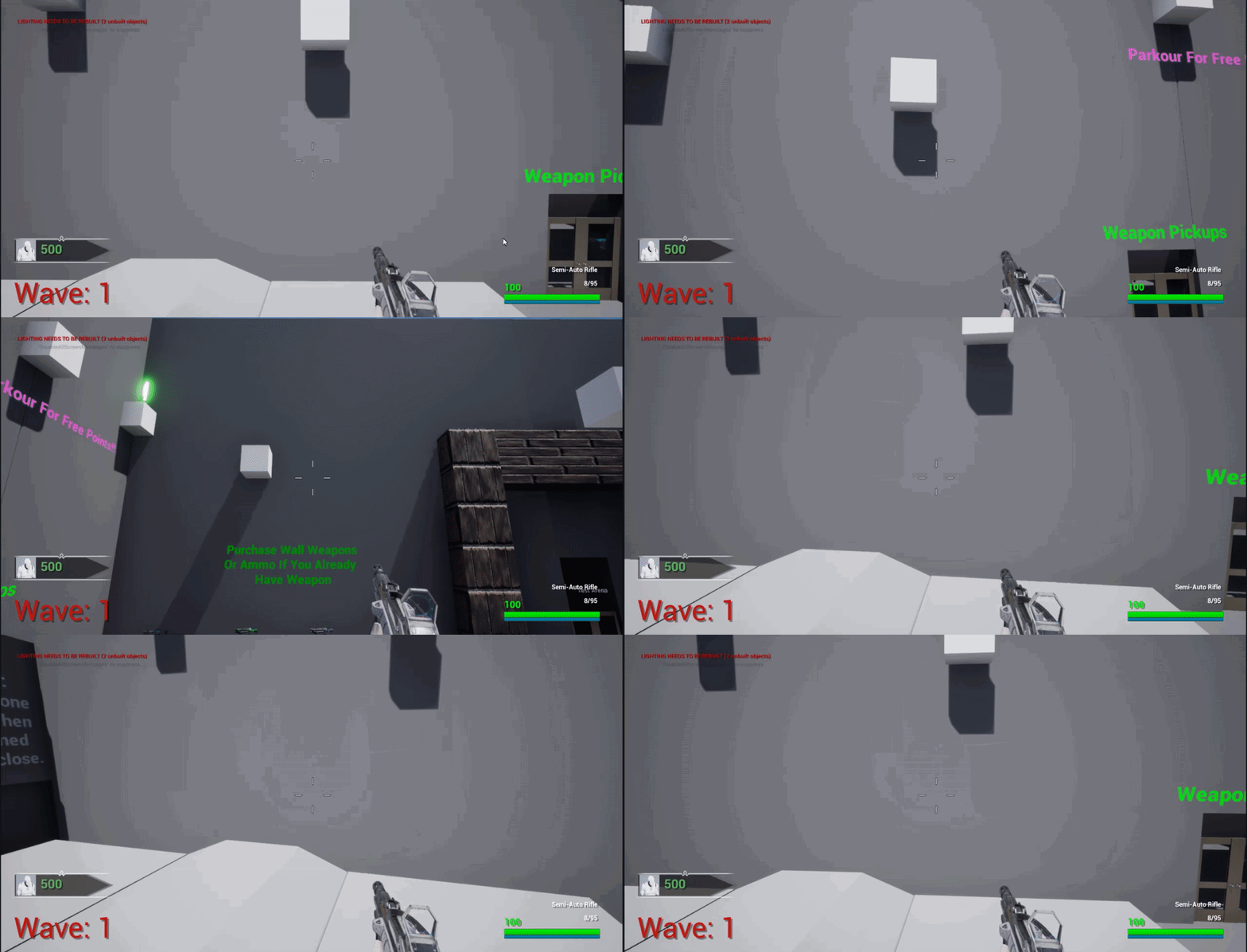
🤣
lunar sleet
dapper kiln
I never thought of that. Would that be smooth though? Also I needs to be held in...
It’ll need a couple extra checks, like action value to make sure same direction is kept. It can be smooth for sure, the triggered pin ticks
frigid swallow
How would I play a sound on a moving object?
 tame dawn
Hi!
Is there any variable type that represents a curve? I'm trying to control one of my component's variables with a curve.
dapper kiln
Spawn sound attached, or add the sound to the object inside its blueprint if it's a blueprint actor
@lunar sleet So this does work like you said, but I'm new to enhanced input so is "action value" something I can get or do I have to calculate the direction myself. I never know with this new system what is already done for me and what I have to create myself. There's not a lot of info on gamepad stuff besides basic sensitivity
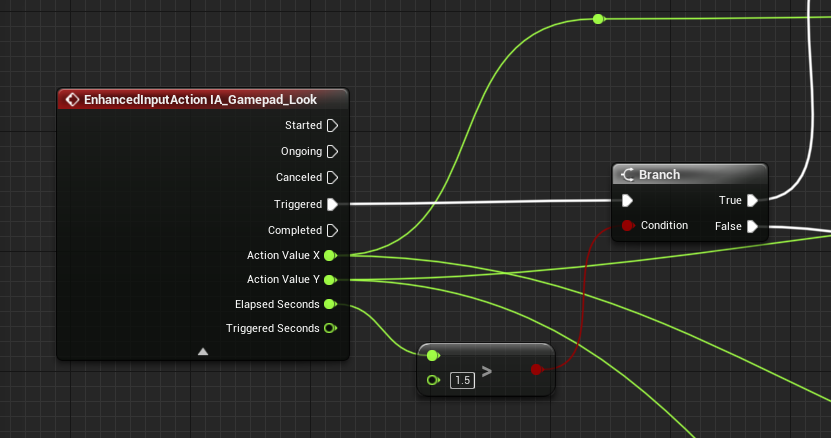 lunar sleet
dapper kiln
<@179343890409717771> So this does work like you said, but I'm new to enhanced i...
lunar sleet
dapper kiln
<@179343890409717771> So this does work like you said, but I'm new to enhanced i...
Print those action values and watch what happens when you move the stick in each direction
dapper kiln
It'll spit out values from -1:1
lunar sleet
dapper kiln
It'll spit out values from -1:1
Right, so you’d have to cache the initial value and check if it stayed the same throughout, within a certain tolerance anyways
dapper kiln
I get what you're saying but I'm still confused. Because the numbers are going to be all over the map when spinning the joystick like you would when aiming or spinning the joystick.

Here's the X
IDK how to compare this lol. I mean I could take the magnitude of X and Y which would give me a value from 0:1
but even then my value would probably be 1 when fully presing the joystick all the time in a circle idk
lunar sleet
The point is to check if you’re holding down in one direction, I thought?
dapper kiln
Well it is, but it's also like the .Gif above of call of duty. Where your aim is "tight" until you hold the joystick in a direction.
IDK if i'm making any sense. It's hard to explain
lunar sleet
So lower sensitivity?
dapper kiln
I have sensitivity lol. It's some sort of acceleration. Think in terms of say a car, If I'm going 10mph, then want to reverse, It takes it a few seconds to slow down and then go backwards. Well the joystick feel the same way on games like Call of Duty. It's not just a hard set linear sensitivity. There is some acceleration feel to it
lunar sleet
Yes, you can make that too
dapper kiln
That's what I didn't know how to calculate
dapper kiln
I know lol I couldn't find any info anywhere
dapper kiln
Yes, but how 🤣 I didn't know how to wright the calculation. How to get directions etc. Do I have to break out the cos, sig, tangent?
lunar sleet
dapper kiln
Yes, but how 🤣 I didn't know how to wright the calculation. How to get directi...
Not necessarily
There’s near equal
Which has a tolerance
I’d prly cache the x and y on started and then on trigger check if the incoming action values are near equal to them. But it would need some testing, especially because you could start by going in one direction and then rotate while holding and then hold
So yeah, maybe do some research on the topic
dapper kiln
Thanks. I'll keep at it. It's frustrating how there insn't much about it anywhere. Most people just tell me to use keyboad and mouse and get lost lol, but it's not for me, I just want an enjoyable experience for gamepad users as well
lunar sleet
dapper kiln
Thanks. I'll keep at it. It's frustrating how there insn't much about it anywher...
lol no, def. I hate consoles but I can understand the need to develop for them
dapper kiln
I never noticed it until a friend of mine who only plays on gamepad told me my game felt off. Then I plugged in an xbox controller and sure enough it's hard to aim lol. So i've been researching ever since and trying out games. Turns out it's a common issue with lots of AAA games too. But COD seemed like it did a good job from the games I've been testing
lofty rapids
how would i sort an array of numbers ?
 mental trellis
Isn't there a sort method?
lunar sleet
It might be in cpp only
mental trellis
Other than that, write your own quicksort algorithm.
lunar sleet
There’s a TArray::Sort but not a bp one I don’t think
mental trellis

GeeksforGeeks
A Computer Science portal for geeks. It contains well written, well thought and well explained computer science and programming articles, quizzes and practice/competitive programming/company interview Questions.
Implement this or learn how to write a bpfl in c++ 😛
frigid swallow
is unreal editor's multi-user editing plugin actually useful?
frigid swallow
what should I use instead
 thin panther
just regular old source control
mental trellis
Isn't multi-user nothing like source control?
thin panther
no one needs to work in real time like that. In fact it's kind of a disservice to.
thin panther
mental trellis
Isn't multi-user nothing like source control?
No, it's actually built on top of the source control integration
mental trellis
Oh my.
thin panther
it just allows you to visualise the other uses changes as well
frigid swallow
but it work's well?
thin panther
so its the regular file locking and such
mental trellis
I saw some people using it to have unreal open on multiple pcs to work on stuff sdie by side.
thin panther
frigid swallow
but it work's well?
no
its only good for lan only, and it's main use was before one file per actor and such, to edit the same level at the same time.
(no one used it for that)
Now with one file per actor and such there's literally no reason to use it. It's experimental, and completely unnecessary :P
Regular old source control with file locking and a bit of communication will be just fine
thin panther
mental trellis
I saw some people using it to have unreal open on multiple pcs to work on stuff ...
I could see that being a use. collaborating literally side by side with a friend or something.
mental trellis
thin panther
its only good for lan only, and it's main use was before one file per actor and ...
That's literally the only thing I've ever seen someone use it for.
It was at a virtual production studio where they had shit tons of hardware and wanted the virtual set they were using to be edited by multiple people.
frigid swallow
so I should just use source control if everyone's remote?
mental trellis
And the fuckers had like a 100gb/s internet connection. Tested it on a speed checker for me lol.
thin panther
mental trellis
It was at a virtual production studio where they had shit tons of hardware and w...
That's an interesting use!
I only ever heard bad things about multi user editing. Although with OFPA there is little use for it still. Again the only use I can think of is as you describe. Multiple people in the same building trying to make 1 level cohesive, and quickly. I feel OFPA really overshadows any other potential use case.
thin panther
mental trellis
And the fuckers had like a 100gb/s internet connection. Tested it on a speed che...
Holy damn! Wouldn't mind that for myself :P
mental trellis
I was more surprised that the speed checker could handle their speed.
mental trellis
thin panther
That's an interesting use!
I only ever heard bad things about multi user editin...
Oh absolutely. Multi-user is not for anything even remotely normal workflow lol.
mild ibex
Multi User is used heavily in virtual production
But that's pretty much the only place I see it
frigid swallow
thin panther
its only good for lan only, and it's main use was before one file per actor and ...
Is git/github a good source control?
thin panther
git and github are not interchangable. Github is not a good host
Git is good source control, Azure DevOps is your best host
If you truly want the best experience for unreal engine, and have the funds to pay for it, Perforce is absolutely best no contest
mental trellis
(as bad as it is)
thin panther
but you will need to pay for your own host, and depending on team size, the software itself
frigid swallow
I'm sticking with git rn, as I have a bit of experience with it, is that ok?
thin panther
yeah, perforce is miserable to learn, and unfun to use. but you can't beat its tools with binary assets and such
it will be, just be prepared for lesser tools and such.
git is absolutely fine and used extensively
studios normally use perforce though, so it may be a consideration at some point, again, money dependent .
 slow flint
Hello im using the set view target blend function i would like to know if there s a way tok now then the animation has finished like a "is finished " or something
 twin epoch
Does event begin overlap only work between actors?
 zealous moth
@twin epoch yes, what else?
thin panther
I'd struggle to think how it would work with anything else
an actor is something in the world
an object doesn't have a world representation to overlap with anything
zealous moth
and overlap uses the world...
frigid swallow
Does github have a storage limit for projects?
 pallid minnow
I have a 8 directional moving character with the animations set up, how do i add "start/stop animations" with the "constant animations" in the middle?

do i increse the grid layout or
thin panther
frigid swallow
Does github have a storage limit for projects?
yes
thats why i said dont use github
frigid swallow
azure devops is free, right?
thin panther
yes
frigid swallow
and it doesn't have a stoarge limit?
frigid swallow
dang
thin panther
though you can go above it
pallid minnow
damn
thin panther
with unlimited LFS
if your project is above 250GB with your uassets in LFS you are doing something insanely wrong
frigid swallow
yup
pallid minnow
aint nobody playing that shit about 250 gbs
frigid swallow
well, I guess I'll go learn azure then
pallid minnow
above
frigid swallow
it does require a card information tho, right?
thin panther
frigid swallow
well, I guess I'll go learn azure then
there's not much to learn, its still git, you're just picking a different host for the rpo
thin panther
frigid swallow
it does require a card information tho, right?
not that i know of
frigid swallow
hmm
pallid minnow
anyone on know anything about animation blueprints/blendspace
 sweet imp
Hey guys, does anyone know why this simple fInterp code I made to smoothly transition between vignette off and on isn't working? It is just printing the same value of .01667 every time it is called. Thanks in advance for the help!


the boolean isn't the problem, as I see the print strings when the code should be going
 dawn gazelle
sweet imp
Hey guys, does anyone know why this simple fInterp code I made to smoothly trans...
dawn gazelle
sweet imp
Hey guys, does anyone know why this simple fInterp code I made to smoothly trans...
Current needs to be something that changes over time.
sweet imp
oh, so how should I do this if I want to have the vignette intensity just go from 0 to 1 over an amount of time? I can't use a timeline because i am doing this in an actor component
 deft pivot
When adding a doublejump to my character, would you guys suggest to just increase the jump counter or rather setup blueprints that check if you still have a jump available and set that to 0 when you did 2 already?
sweet imp
sweet imp
oh, so how should I do this if I want to have the vignette intensity just go fro...
actually I have an idea, I'll try that and get back to you, thanks for the help!
 errant snow
sweet imp
oh, so how should I do this if I want to have the vignette intensity just go fro...
errant snow
sweet imp
oh, so how should I do this if I want to have the vignette intensity just go fro...
You just need to store the return value in a member variable and pass it in as current.
sweet imp
errant snow
You just need to store the return value in a member variable and pass it in as c...
yeah that's what imma try now, thx
 noble ledge
if I add a sphere collision to my mesh will it prevent me from going into walls or do I have to use overlaps to prevent that?
 kind vessel
anyone got a suggestion better than world widgets for how to do a computer screen? the text gets torn to pieces by anti-aliasing and increasing render resolution+decreasing scale gets absurd after a point
pallid minnow
is there a good level sample to use for full locomotion animation set ups, like "ValleyOfTheAncient" that isnt 100 gbs
 bright frigate
Hi guys, should a wheel or a part of a vehicle best suit a scene component (parented to say a static mesh component so a mesh can be added), or as an actor? I can't make up my mind or understand fully the scope of things when thinking of future functionality. For example, swapping a part out, like a wheel, will swap out not just functionality but also its mesh
 golden pewter
why does left click print but right click doesnt
 pseudo anchor
can you add an angular impulse or force to a character movement?
 rotund kettle
Hello I followed tutorial YouTube for making 2d top down, But I met directional player problem

 lunar sleet
noble ledge
if I add a sphere collision to my mesh will it prevent me from going into walls ...
lunar sleet
noble ledge
if I add a sphere collision to my mesh will it prevent me from going into walls ...
Depends on your collision settings. Overlap and block are two different things and they do what they imply
 carmine apex
Hi! I followed a tutorial about sliding and I set up running first and a bunch of setting stuff up. I am having problems with my running speed being set to my crouch speed after I unrun.


This should be all the info and images needed to fix the problem if anyone is willing to help. Thank you!!
 iron prawn
golden pewter
why does left click print but right click doesnt
iron prawn
golden pewter
why does left click print but right click doesnt
That’s because on clicked only detects the left mouse button by default. If you go into the player controller being used, you can add new bindings to effect this.
lunar sleet
carmine apex
This should be all the info and images needed to fix the problem if anyone is wi...
You can use win+shift+s for screenshots, easier than taking pictures. If you’re following a tutorial and it works for them but not for you, watch it again a couple of times. Usually it either means you missed something or they casually skipped over a step
iron prawn
rotund kettle
Hello I followed tutorial YouTube for making 2d top down, But I met directional ...
Are you correctly setting the directionality in the player? That sounds like the problem to me.
 marble tusk
carmine apex
Hi! I followed a tutorial about sliding and I set up running first and a bunch o...
marble tusk
carmine apex
Hi! I followed a tutorial about sliding and I set up running first and a bunch o...
I haven't looked too deeply at this and don't know exactly what the issue is, but at a glance I see the Can Stand function will always return false


 opal snow
Does the teleport node not work if there's multiple attached actors?
I notice it works if there's only one attached actor it'll work, but not if there's more than 1
lunar sleet
Could be a collision issue
 spark steppe
thin panther
if your project is above 250GB with your uassets in LFS you are doing something ...
spark steppe
thin panther
if your project is above 250GB with your uassets in LFS you are doing something ...
874G .
all free assets from the last years are "in" my project :>
aint no body got time for that migration nonsense
gentle urchin
Luxury
 grizzled cave
spark steppe
874G .
grizzled cave
spark steppe
874G .
gta 6 is smaller
remote meteor
git will grow fast with binaries like uassets and umap
lfs doesnt really exactly solve it, you still need to store the full copy
though now with One Actor Per File
it should be more forgiving for changeing stuff in maps, so it doesnt need to update the whole binary
😅
 sharp fox
why it prints "vegan burger" but says it's length is 3, the same thing with the other burger


 graceful peak
sharp fox
why it prints "vegan burger" but says it's length is 3, the same thing with the ...
graceful peak
sharp fox
why it prints "vegan burger" but says it's length is 3, the same thing with the ...
It's printing the length of your array, ie the number of elements in it, not the length of the string
sharp fox
graceful peak
It's printing the length of your array, ie the number of elements in it, not the...
yea i know, the point is that it's selecting the wrong burger, it says that the length of the array of the selected burger is 3 even tho the vegan burger length is 2
graceful peak
You're trying to get the index of the vegan burger it sounds like, not the length of the array its in
That array contains 3 burgers, so it's length is 3
grizzled swallow
Hey guys how do i create a local variable in a BP?
that is only in memory after a node and not all time
like in C++ a scope
sharp fox
graceful peak
That array contains 3 burgers, so it's length is 3
what? no, it doesn't contain 3 burgers, its the "recipe" like the bun should go on top and on the bottom, so the array is 2
graceful peak
Ohhh I apologise, I saw your third screenshot and thought those were the burgers
So you're trying to print out the number of ingredients for a given burger, and although your setting the "correct order" variable to "vegan burger" it's still printing 3?
sharp fox
graceful peak
So you're trying to print out the number of ingredients for a given burger, and ...
yea
versed sun
The Random node will pick a random Name for Row Name , and a different random for the append
graceful peak
Didn't even see that
sharp fox
versed sun
The Random node will pick a random Name for Row Name , and a different random fo...
really?
versed sun
yes, try saving the Random to a variable, and useing the new variable for Row name and append
sharp fox
versed sun
yes, try saving the Random to a variable, and useing the new variable for Row na...
okay, that works, thanks
 alpine hinge
Can someone help me with the crouch and sprint system for 1st person template with an animation with no locomotion
grizzled swallow
i can try to help you
accept DM
Guys another thing. When i change r.VolumetricFog.GridPrixelSize to some value it resets back to 16 after i restart
how do i save that?
thin panther
grizzled swallow
accept DM
Why not just help them here? It's what the channel is made for :P
marble tusk
sharp fox
really?
That's how pure nodes work. Pure nodes being the ones without execution pins. They don't cache their results, so every time they're needed they're re-ran which could provide different results. For example, if their input values have changed between executions, or there's some kind of randomized functionality to them.
This is something to be aware of with the default For Each Loop engine macro. If you double click on it to view the macro you'll see the Array input is never cached and is plugged directly into a pure Length and Less Than node before finally finishing the chain at a Branch which gets called on each loop. This means if you connect any pure nodes to the Array input it'll be re-evaluated for each loop body execution. That's also why there's a warning not to change the input array's length or order in a comment in there.
pulsar pulsar
whats the best way to "do something" when the player is looking at a specific object?
thin panther
Line trace on tick, send an interface to whatever you're looking at. Normally when a button is pressed. Thing implements the interface and does whatever
pulsar pulsar
Ahh fair enough. That's what I'm already doing was just checking if anyone would suggest something else. On the right track then atleast 🫡
pulsar pulsar
But how would I compare Hit Actor to children of a parent class? 🤔
 digital nova
does someone know how I can keep the canvas panel from the parent class, and still put other elements in this child without making the canvas panel from the parent class to disappear?

 molten knoll
I have a weird problem with UI.
After using the Inventory I have to double click everytime I want to shoot in the game, that's with Input Mode set to Game and Viewport Mouse to No Capture, if I set it to Capture Permanently It works with only once click but then I cant move the mouse while clicking...
Any Ideas?
 rare forge
Anyone here knows about debugging cooked project?
I'm geetting a Fatal Error crash on Open Level and i have no idea why and i can't find the reason
Crash report just shows it might be soemthing to do with particle being deleted but which one?
how do i find out ?
 hallow compass
is there a way to set a dynamic material parameter on 1 instance of an instanced static mesh? I would like to change the color of some instanced static mesh procedurally, but i cant figure out how to access an individual element from the ISM
versed sun
hallow compass
is there a way to set a dynamic material parameter on 1 instance of an instanced...
I think you want to look into Material Parameters

By combining the nodes PerInstanceCustomData, VertexInterpolator and the SetCustomDataValue function, we are able to have different Scalar Parameters on Instanced Static Mesh Component.
hallow compass
versed sun
I think you want to look into Material Parameters
exactly what i needed, thank you so much
 sharp rapids
Hello,
I am generating a simple mesh Procedurally and the generation works.
The mesh appears as intended
But If i change anything during the gameplay, such as toggling a variable on the actor, the mesh just disappears
Focusing on the actor does nothing. The procedural mesh just vanishes.
How can I fix this?
 willow gate
Ok... I've been beating my head against the wall for a couple of days on this so I'd be super grateful for any insight. The idea is that I have a beam weapon. When the player holds down the fire button, a beam particle comes out of the the weapon which uses a line trace to calculate its end point and applies damage, using a timer rather than tick, and it can start fires based on the physics material it hits. Right now I'm just spawning decals every time a line trace hits but what I'd like to do instead, using a counter I already set up to "skip" x amount of line traces, is set a spline point and then add spline mesh components to create the illusion that the beam has melted a line along where the beam hit. I'm open to alternate ways to accomplish this rather than using a spline comp.
grizzled swallow
grizzled swallow
Guys another thing. When i change r.VolumetricFog.GridPrixelSize to some value i...
Does anyone know why it doesn’t save?
tulip lintel
Is it possible to do this random?
 grizzled swallow
you want to play a random sound out of 3?
tulip lintel
I wanted to play 3 sounds but make them play one after another
willow gate
Hey guys. Ok so I finally got the spline system working somewhat on my beam weapon. I'm now running into an interesting issue where the mesh between the first and second point seems to be causing issues and I'm not sure why. The pipe mesh is just a placeholder. I'm making a "melted line" mesh once I get this working right. Here is a video of what's going on:
Here is the code for the function being called by my line trace in order to update the actor that has the spline component in it every time I create a new spline point.
 gentle urchin
It spawns with 2 initial points
Also...
Id reconsider the entire logic there ifnim reading it correctly
Guess i read some of it wrong
I still think it could just be one mesh
Also the spline has 2 initial points
tulip lintel
Howdy,
How can I go about stopping a song with a button. I currently do this with sound effects, but when trying to do this with a background song the audio doesn't mute / change volume. I presume it would after it ends but I would want it to pause straight away?
 native ferry
grizzled swallow
Hey guys how do i create a local variable in a BP?
native ferry
grizzled swallow
Hey guys how do i create a local variable in a BP?
when you're in a function just scroll down the my blueprint window and youll find local variables
lunar sleet
tulip lintel
Howdy,
How can I go about stopping a song with a button. I currently do this wit...
Try #audio for that stuff
maiden wadi
Probably need an AudioComponent on the HUD or similar to play 2D sound for music. Then reference that for control. Not sure if there are better ways to handle that, but at least default and FMOD do most everything through components.
 cunning vapor
I've made a "SpawnActor" and "AttachActor" for siwthcing between weapons (keyboard numbers 1-3) this works well BUT I keep spawning multiple actors if pressed multiple times; is there a way to replace / only spawn one
Thanks in advance x
 trim matrix
im really confused what's going on but I made an item pickup using attach to actor, when it has no code, the child works fine and behaves normally but if i add any node inside it the game comes back with errors and doesnt work
I added a print string with begin play and it worked weird
bone attaches normally

(please dont make fun of it, its a bone)

adding this print
lunar sleet
cunning vapor
I've made a "SpawnActor" and "AttachActor" for siwthcing between weapons (keyboa...
Well you’re setting “enough knife” but not checking it anywhere that can be seen, should prly check that is false right before you spawn

 cunning vapor
lunar sleet
Well you’re setting “enough knife” but not checking it anywhere that can be seen...
cunning vapor
lunar sleet
Well you’re setting “enough knife” but not checking it anywhere that can be seen...
Thanks, quite new to this; will give it a shot
trim matrix
 maiden wadi
trim matrix
maiden wadi
trim matrix
Where is the logic that is throwing this error?
trim matrix
inside the parent

the parent has this and the actual child has nothing inside
addinbg the print breaks it tho
maiden wadi
Any reason you don't just add a "User" parameter to your Interact? Make it Actor,, or Pawn or Character, or something. When the character interacts with something, pass self through. Doing these gets and save references on beginplay is tedious and error prone for a lot of reasons.
trim matrix
oki
maiden wadi
For starts, if you suddenly decide to kill off your pawn and spawn a new one, suddenly nothing has a valid reference.
maiden wadi
Another reason is that you cannot control the order of beginplays. There's a good chance a lot of thing's beginplays can run before your character even exists. Even if it's in the level it may not be possessed yet so GetPlayerCharacter won't return it.
trim matrix
i added cast to interaction rather than begin play 😄
willow gate
gentle urchin
Also the spline has 2 initial points
Hmmm.. ok so every spline comp starts with two initial points? So in order to make this work correctly, when I create the spline, I should move the point at index 1 to my hit location before creating additional points?
gentle urchin
willow gate
Hmmm.. ok so every spline comp starts with two initial points? So in order to m...
Soounds about right
I ended up deleting the first (second) pointn
So i only started with one
willow gate
gentle urchin
Soounds about right
ohhh. that actually might be a better solution for me
cunning vapor
lunar sleet
Well you’re setting “enough knife” but not checking it anywhere that can be seen...
That worked really well to stop the duplication (Thanks)
But now if i have pressed 2 and then 1 the "1 slot (pistol)" doesnt respawn

 lunar sleet
Show the pistol code
cunning vapor
lunar sleet
Show the pistol code
 lunar sleet
cunning vapor
lunar sleet
cunning vapor
Can’t tell from this. Use breakpoints and step through the code to see what happens when you do that
cunning vapor
lunar sleet
Can’t tell from this. Use breakpoints and step through the code to see what happ...
Apologies I'm not too well versed with 'breakpoints'
lunar sleet
cunning vapor
Apologies I'm not too well versed with 'breakpoints'
Get versed 😀, debugging is 50% of game dev
Select a node, press F9, run the game
When that node it reached, it’ll pause the game
You can then use the arrows at the top to go through the code one node at a time
 shadow holly
Hey not sure if this is the right place to ask, but I'm trying to get cloud saves on steam sorted for my game. Does anyone know how I can find out where Unreal Engine stores save games on different platforms? Thanks
lunar sleet
shadow holly
Hey not sure if this is the right place to ask, but I'm trying to get cloud save...
shadow holly
lunar sleet
Try <#850816436082966588>
I will thank you
 digital palm
I'm using GetAllAcorsofClasswithTag. I have actors with MyObject_1. I would like to find actors that contains MyObject_, I tried to add MyObject_ to GetAllAcorsofClasswithTag but not working, any idea?
lunar sleet
digital palm
I'm using GetAllAcorsofClasswithTag. I have actors with `MyObject_1`. I would li...
Maybe name it something other than object for starters and just add the corresponding tag
cunning vapor
lunar sleet
You can then use the arrows at the top to go through the code one node at a time
Figured it was just these missing, thanks again
 trim matrix
When is recommended use GameplayTags instead of enums for some status?
 hollow cove
any ideas on how to deal with this translucency on faces that aren't receiving direct light 


apart from adding emissive light
gentle urchin
trim matrix
When is recommended use GameplayTags instead of enums for some status?
always
enums are exclusive,
while a tag container is inclusive 😄
hollow cove
do you think this looks okay for a crystal material

 wild moat
hollow cove
do you think this looks okay for a crystal material
wild moat
hollow cove
do you think this looks okay for a crystal material
that's really cool
wild moat
hollow cove
do you think this looks okay for a crystal material
i would add more faceting and scratches on the surface depending on if it's natural or polished:

 hollow cove
oo true, i completely spaced on the normals
wild moat
hello i'm trying to create unlockables with a datatable, i have my character colors set up:

problem is i don't know how write to the data table to make it update after an item has been picked up:
 tawdry surge
Data tables are read only
wild moat
tawdry surge
Data tables are read only

i have most my systems set up with data tables 🥲
wild moat
tawdry surge
Data tables are read only
what should i be using instead?
gentle urchin
you can use a datatable for the definitions of the unlockable
but to unlock something you'd wanna put some Identifier in some container that you can save
Row Name into an Array for example
 stuck sentinel
help

i made a light trigger button everything is working but when i changed the point light variable to array it doesnt attatch to toggle visibility anymore, i need more than one light to turn on an off in the same button do i make more one variable for each orwhat do i do
 sick sky
What would be a good answer to:
What is the difference between sets and arrays ?
There are different operations possible depending on the type.
Also, any examples on what is handy in a specific case ?
maiden wadi
trim matrix
When is recommended use GameplayTags instead of enums for some status?
Enums are fine for things that need to define simple state. But avoid it at all costs on anything that needs to be saved to disk. A good use case is something like the Widget's visibility stats. It has a few states that are easy to edit in a project agnostic way without needing to have the tags specified for it.
But as stated, Enums are really bad for anything that needs to get saved to disk. Lets say you derpily write this enum with SomeState, SomeOtherState, AThirdState, EvenMoreState. You release the game, people are saving this to disk. And then suddenly you realize that you need an invalid state. You can add it to the fifth slot, but it'll look kinda derpy. But if you put it where it should have been at the first slot, you'll reorder everything else by one slot and break people's saves.
Gameplay tags don't have that issue because they're not defined in a list like enums. So there is no order to mess up. Plus even if you decide you hate their hierarchy and decide to entirely change it, there are tag redirectors that can point the old tag to the new one.
But aside from this, they're but just keys. They both largely reduce down to an integer. Enums are named integers. GameplayTags are wrapped FNames, and FNames are compared via an internal integers. So there's little to no real speed difference. You can mark functions to use specific tag hierarchies so as to not see all tags in the project and only the intended ones. So in the end there's almost no reason to use enums that much anymore.
maiden wadi
sick sky
What would be a good answer to:
What is the difference between sets and arrays ...
Sets are arrays. You just can't add duplicates to it. A Set simply enforces that you cannot add doubles to it. It would be the same as using an Array and always using AddUnique instead of Add.
lunar sleet
stuck sentinel
i made a light trigger button everything is working but when i changed the point...
For each loop
 stiff holly
@lunar sleet hey man, here's those collision ss (NoCollision is the gun body, and the OverlapAllDynamic is the sphere collision)

 trim matrix
maiden wadi
Enums are fine for things that need to define simple state. But avoid it at all ...
trim matrix
maiden wadi
Enums are fine for things that need to define simple state. But avoid it at all ...
Thanks for this elaborate explanation 👏
sick sky
maiden wadi
Sets are arrays. You just can't add duplicates to it. A Set simply enforces that...
And sets are also faster for operations yes ?
Is a foreach in a SET faster than a in an array ?
lunar sleet
stiff holly
<@179343890409717771> hey man, here's those collision ss (NoCollision is the gun...
Ok, now show the player’s collision
stiff holly
lunar sleet
Ok, now show the player’s collision
 maiden wadi
sick sky
Is a foreach in a SET faster than a in an array ?
maiden wadi
sick sky
Is a foreach in a SET faster than a in an array ?
Not likely. I'd assume they're slower since adding uniquely means you need to check all existing entries first.
Removing should largely be the same. Unsure if they might internally do an assumption that the first remove is a valid place to stop since there can't be any extra entries of the type where a normal array would finish checking all elements. I'm doubtful. But either way probably not that big of a difference in performance unless you're adding and removing mass amounts of things every frame.
For iterating, I'm not sure. It might be identical in C++. In BP I think you have to get the array from the set don't you? Which might be slower depending on how it acts.
Realistically they're pointless questions. You probably won't see any difference in runtime performance between the two without a massive, constantly changing data structure. And at that point you're probably fighting allocation issues anyhow which both will be victim too. You either need a Set or you don't. If you don't, you use an array. If you absolutely need to force unique entries, you use a Set.
stiff holly
lunar sleet
Uh open up the presets
BP Character preset or Capsule Collision presets? I have both, former is as shown, latter is set to Pawn
sick sky
maiden wadi
Not likely. I'd assume they're slower since adding uniquely means you need to ch...
Wow, thanks for all the infos 🦐
stiff holly
It's just the default FPS character
sick sky
Yeah probably pointless, sometimes i think "should i use a SET instead of an ARRAY" ?
lunar sleet
stiff holly
BP Character preset or Capsule Collision presets? I have both, former is as show...
Well the point is if you want the weapon and char not to block each other, you need both to only overlap each other. Only one side won’t do it. Did you check the FPS template to see how they have it setup?
stiff holly
lunar sleet
Well the point is if you want the weapon and char not to block each other, you n...
Yes, the sphere collision only overlaps the pawn, similar to how I have my sphere collision set up
stiff holly
I haven't edited the character/pawn except adding the fire weapon code
lunar sleet
stiff holly
I haven't edited the character/pawn except adding the fire weapon code
You started from the template and built on top of it?
stiff holly
Yes
maiden wadi
sick sky
Yeah probably pointless, sometimes i think "should i use a SET instead of an ARR...
Yeah. Basically your only consideration on that should be if you want to completely enforce a strict no duplicates policy for the container. If not, Arrays are just fine. And TBF I tend to use Arrays anyhow and just call AddUnique where it's being populated instead of hassling with Sets but that is a personal preference. 😄
stiff holly
I also made sure to include the AnimBP reference in the weapon pickup
lunar sleet
stiff holly
Yes
Odd. Ik we decided the issue was collision but I’m not so sure now
stiff holly
It's strange, I've been pondering it for days, and the only real thing I can think of is that my mesh collection is overriding the weapon pickup collision at runtime
But like you said, it should be set during runtime alongside the other settings such as attaching to a socket on the character
pallid minnow
Is there any good tutorial that anyone used for start/stop animations with a 8 way directional character? setting the animations up is easy but the start/stop ones are killing me
lunar sleet
stiff holly
But like you said, it should be set during runtime alongside the other settings ...
I meant you can change the collision at runtime but ideally it should be already set in the editor
stiff holly
pallid minnow
Is there any good tutorial that anyone used for start/stop animations with a 8 w...
Root Motion tutorials are great
stiff holly
lunar sleet
I meant you can change the collision at runtime but ideally it should be already...
Yeah this is more or less what I meant lol
 radiant imp
New to Unreal and I'm a bit confused:
I spawn Actors with attached meshes in the *MyClass::BeginPlay() * function with GetWorld()->SpawnActor<ActorToSpawn>(blibla). And it works fine in play mode, however when looking at the map while the game is running I can't see them in the editor. How can I look at the current state of the level with the procedurally spawned meshes while the game is running?
stiff holly
stiff holly
Yeah this is more or less what I meant lol
Also what I wanted/intended for the future
lunar sleet
radiant imp
New to Unreal and I'm a bit confused:
I spawn Actors with attached meshes in the...
Wdym you can’t see them? On the map itself or in the outliner ?
pallid minnow
stiff holly
Root Motion tutorials are great
i have root motion turned off and only "force root lock, and use normalized root motion scale" activated, to avoid my character not lining up with the animations. How will that come into play?
stiff holly
I could more than likely merge most of my SM components, but I need some separate, so it doesn't solve the issue entirely without a loop. I still don't know why I can't get collision disabled on the entire actor
radiant imp
lunar sleet
Wdym you can’t see them? On the map itself or in the outliner ?
This is how it shows at game view but in the editor I can't see them:


I can focus the BP_HexTile0 but there is no mesh showing up
pallid minnow
stiff holly
Root Motion tutorials are great
nvm i see i can have all root motion turned on as long as i have force root lock on as well and it doesnt run ahead of the character
stiff holly
pallid minnow
i have root motion turned off and only "force root lock, and use normalized root...
You'll probably find better answers in #animation but root motion I've always personally felt had a much smoother 8-way movement, less jarring when turning
Though it's all a development quality pov
pallid minnow
stiff holly
You'll probably find better answers in <#221798806713401345> but root motion I'...
its okay i just didn't know i could have all 3 on and itll still will work, i thought the root motion was the problem with running head of animations and not just having force root lock on
stiff holly
pallid minnow
its okay i just didn't know i could have all 3 on and itll still will work, i th...
Didn't know that either, you must've had root motion anims already cuz usually ue hates mixing the two
pallid minnow
Ahh yeah i didnt design the animations another guy in the group did. Thats probably what it was
lunar sleet
radiant imp
I can focus the BP_HexTile0 but there is no mesh showing up
Yeah, that’s odd. All I can think of is either you’re looking at 2 different spots on the map or there’s something off with the visibility settings
radiant imp
hmmm ok thx, at least I know now that it should be possible to see tem 😅
lunar sleet
Yeah, not sure what’s happening exactly
stiff holly
I think I figured out a way to really disable this collision at runtime 🤔
lunar sleet
TBD if that’s the actual issue
stiff holly
Man this is driving me mad. I'm gonna have to work on another feature in the meantime
I'll go insane if I keep spending too much time with this
maiden wadi
stiff holly
Man this is driving me mad. I'm gonna have to work on another feature in the mea...
What was the original issue?
stiff holly
maiden wadi
What was the original issue?
Picking up my weapons cause my movement input to mess up, mainly as if all S & D input are being shoved into W & A
maiden wadi
And you disabled collision on the weapon?
stiff holly
stiff holly
Picking up my weapons cause my movement input to mess up, mainly as if all S & D...
Though no debugging shows those kind of numbers, just the feel
stiff holly
maiden wadi
And you disabled collision on the weapon?
Yes
Also all the meshes being used on the weapons, the only thing that has collision of a sort is an overlap collision sphere that is immediately destroyed on pickup
maiden wadi
Which calls did you use? Also as a test cast to double check the collision, you could offset the weapon like 200 units in front of the character instead of at the intended attach point, should keep the pawn from colliding when moving for enough of a test to know if it's that.
stiff holly
I'm starting to agree with Neo and cant think it's collision anymore
stiff holly
maiden wadi
Which calls did you use? Also as a test cast to double check the collision, you ...
I'm just using an OnOverlap event, and of all things I actually haven't tried offsetting the weapon lol
maiden wadi
I would try offsetting it in front of the character. You should still see it moving with the character like that, but if the issue stops, it's 100% a collision issue.
stiff holly
I'm using attach actor w/ snap to target, how would I go about offsetting it lmao
I'm sort of brain fried atm
maiden wadi
All good. 😄 uhh.. Maybe a simple AddLocalOffset might work here? Do your normal calls as you are, and then after all of it, do AddLocalOffset with X as 200
You'll have to get the root component of the weapon to do that. Forgot that was a component call.
radiant imp
This is so damn weird 😬 When I drag the blueprint in, the meshes show normally in the editor but the from c++ spawned actors of the same blueprint class just don't show in the editor

I can move the transforms in the editor and they move in play mode
stiff holly
maiden wadi
You'll have to get the root component of the weapon to do that. Forgot that was ...
I made sure to do that, just been a habit with how many components are here lol, thanks for the advice, I'll test and check back here
Yup, that fixed it, looks like it is a collision issue
maiden wadi
For starts. Remove that thing you just added, and before calling Attach, do a SetActorCollisionEnabled(false)
stiff holly
maiden wadi
For starts. Remove that thing you just added, and before calling Attach, do a Se...
Omg I literally did this before I just did it after attaching
Why didn't it work after attaching tho
Is it because it wasn't the owner anymore?
It worked btw
maiden wadi
If you do it after attaching, does the movement mess up every frame forever? Or is it just an immediate bump?
slow flint
Hello what this is doing is basically remove inputs from a menu then traver to the new menu_page and put user inputcs back on . the problem is that i want to enable said collisions only when the view target with blend is finished animating the movement . because right now im able to click menu button even if the camera still moving and it basically creates a lot of mess with the camera
 stiff holly
maiden wadi
If you do it after attaching, does the movement mess up every frame forever? Or ...
stiff holly
maiden wadi
If you do it after attaching, does the movement mess up every frame forever? Or ...
Thank you so much, and yes, it was messed up forever still
maiden wadi
That I can't speak for. That's an odd one. It shouldn't make a difference if you do it before or after. Technically it shouldn't matter even after for the bump, since the collision will be disabled before the character's next move tick.
stiff holly
Hmm, then it's no wonder everyone here was so stumped. Maybe it's a UE bug then? I won't report it in unless I hear someone else have a similar issue, but it's worth noting I guess
maiden wadi
You would need to repro it in a few steps in a fresh project to report it. Or they won't even look at it.
stiff holly
I definitely know how to reproduce it now lol
Anyway though, thank you again, that was the bane of my existence for the better part of 2 weeks haha
maiden wadi
But yeah, that is odd. 😦 From a logical order standpoint it doesn't make sense. The character doesn't move in the time between attachment and collision disable. Makes even less sense that it would persist.
stiff holly
It's odder still that while using an OnOverlap event it persists both when destroying the sphere, and when not. It should be able to read the disable collision node just fine
I also tried disabling collision at the root parent class level
So I'm just confused
maiden wadi
Unsure. Would need to see screenshots to discern anything else. 😄
stiff holly
Ehh it's a whole mess, but it's fixed now, that's what I'm happy about. I just hope it's not what happened last time when Neo and I fixed it 😂
stiff holly
slow flint
Hello what this is doing is basically remove inputs from a menu then traver to t...
You essentially want it so users can't click the menu until your animation is finished playing, right?
slow flint
stiff holly
You essentially want it so users can't click the menu until your animation is fi...
yeah . it works if i use a delay . but not sure if delay is exactly the best way to do it
 hidden cape
hey guys quick question. I made a menu for the first time...wondering what the best way to restart my level would be? seems this way it restarts but my mouse is not responding...I have to hold right click to move my head... any help would be great
 maiden wadi
Sounds like you're missing an InputMode call somewhere.
stiff holly
slow flint
yeah . it works if i use a delay . but not sure if delay is exactly the best way...
You could just use a boolean to determine whether or not your animation has or hasn't finished
hidden cape
maiden wadi
Sounds like you're missing an InputMode call somewhere.
this in response to me, thank you
maiden wadi
hidden cape
this in response to me, thank you
It is. Sounds like you need a SetInputModeGameOnly somewhere.
stiff holly
stiff holly
You could just use a boolean to determine whether or not your animation has or h...
Delays are pretty harsh, and just delay the code from running for X time. It's not the best way to code in my experience
I'd actually go for a Timer whenever possible when dealing with anything regarding a need for this sort of thing
maiden wadi
You PlayerController's beginplay, or similar place.
I wonder if ViewTarget blends have any finished delegates. I've never looked.
stiff holly
Woah that looked useful
hidden cape
 maiden wadi
Just makes it so you don't have to click once when opening a new PIE window before you get control inputs to it.
hidden cape
cool thanks
maiden wadi
It won't help your issue if you are opening a level and losing control like that though.
hidden cape
that always bugged me lol clicking
stiff holly
hidden cape
that always bugged me lol clicking
Making shooters especially
hidden cape
maiden wadi
It won't help your issue if you are opening a level and losing control like that...
ok, hmmm not sure what to do yet though
maiden wadi
Do you have a PlayerController class for your game?
stiff holly
maiden wadi
Just makes it so you don't have to click once when opening a new PIE window befo...
Crap it doesn't autoswitch windows
When you have two ue windows open for stuff
hidden cape
maiden wadi
Do you have a PlayerController class for your game?
yes
its just the mouse movement
all inputs work except that I have to hold right mouse to look around
which is strange
maiden wadi
Try this in it's beginplay.
 hidden cape
in the Player controller? or my character BP... thank you
maiden wadi
PlayerController, easier to get a reference to the necessary controller.
stiff holly
Speaking of references, will I be able to reference my character mesh through the player controller? I'd like to not cast
maiden wadi
Maybe. Though I'd question why you need to?
hidden cape
hmm its c++ ... I made one, so its just empty?
or am I suppose to have something in there?
stiff holly
Attaching my weapon to my character
hidden cape
besides what you sent
maiden wadi
It's fine if it's empty. Make sure to also specify it in the GameMode so it's used.
hidden cape
awesome thanks!
maiden wadi
stiff holly
Attaching my weapon to my character
I'd question that still due to encapsulation reasons. The controller doesn't need to care about your weapon, and it doesn't really need to know about your Pawn that much either. So the attachment should probably be done on the Pawn. The weapon shouldn't have this because it should be able to be independent of the Pawn entirely. The Pawn has to hold the weapon and it knows it's setup for attaching weapons, like what sockets it needs for the attachment etc. The pawn is also the one overlapping the picked up weapons, etc.
In general I find the PlayerController a rather useless class for gameplay outside of networking and some control handling functions. But a lot of people tend to use it much like the level blueprint and just true to cram everything into it.
hidden cape
maiden wadi
It's fine if it's empty. Make sure to also specify it in the GameMode so it's us...
works great thank you so much!!
thin panther
radiant imp
This is so damn weird 😬 When I drag the blueprint in, the meshes show normally...
Well yeah. you said the actors were being spawned by begin play. They won't appear at editor time
something spawned by begin play only exists for the play session
radiant imp
This was an editor shown while the game was running. The actors show up with the blueprint smybols and I can move them around but the meshes don't show in editor
thin panther
show the code
stiff holly
maiden wadi
I'd question that still due to encapsulation reasons. The controller doesn't nee...
Okay that makes sense, it was explained fairly similarly to me yesterday in the sense of "what makes your legs move, and what tells your hands to play the violin" so I get what you mean. I kind of don't really get the purpose of the PC other than an easy reference, so I just was curious if it was a good way to go

 thin panther
ok this makes sense. Your content browser version that's subclassed and has the asset refs setup. you're spawning a base class that has no mesh references setup in c++
radiant imp
but why would they show up in play mode then, if the references wouldnt be set?
maiden wadi
stiff holly
Okay that makes sense, it was explained fairly similarly to me yesterday in the ...
The controller is a core class. It's basically the player's representation as an actor in the world. It allows the player to use Pawns via possession, and allows the player to make ServerRPCs. And if you read C++ it becomes clear how it handles input by passing it through an array of InputComponents that every actor has when you call EnableInput or Possess a pawn. It's a fairly critical class. But as far as extending it, I've just never personally seen a great use case outside of the networking that needs to be generic and not exist in other actors, or some input handling stuff, like applying Enhanced Input ContextMappings in it's beginplay.
 spiral kite
I make a trace but I want to ignore owner how can I do it
 thin panther
radiant imp
but why would they show up in play mode then, if the references wouldnt be set?
thin panther
radiant imp
but why would they show up in play mode then, if the references wouldnt be set?
the actor is still being spawned. you just can't see them because the mesh reference is null
radiant imp
thin panther
ok this makes sense. Your content browser version that's subclassed and has the ...
Also I'm not spawning a subclass, I'm spawing AHexTile itself with the reference to the mesh
lunar sleet
maiden wadi
In general I find the PlayerController a rather useless class for gameplay outsi...
guilty while working on the RTS project 😅
 true yew
radiant imp
true yew
radiant imp
it seems like you're trying to use multiple viewports or something weird... don't, UE's PIE system is funky
thin panther
nowhere have you shown AHexTile having a valid mesh reference
plus you having it in your content browser means you have subclassed it
true yew
a viewport that isn't connected to the PIE world will be... weird
radiant imp
thin panther
plus you having it in your content browser means you have subclassed it
How could it not have a valid mesh reference, but have a mesh in play mode?
true yew
(also, please do not cross post in both BP and CPP channels next time, at least wait a while between each)
 spiral kite
ok but what I need to plug here
spiral kite
I make a FocusedAreaBP and add it to my third person character
I want to ignore self
lofty rapids
the check box didn't work ?
 stiff holly
maiden wadi
The controller is a core class. It's basically the player's representation as an...
stiff holly
maiden wadi
The controller is a core class. It's basically the player's representation as an...
That's really useful information because as far as I've gotten into UE I've mainly thought of the PC as just a more generic version of the Character class, so it's good to know what its' intended purposes are
true yew
ignoring me, whatever
thin panther
radiant imp
How could it not have a valid mesh reference, but have a mesh in play mode?
I'm not following here. You're sounding like you're giving conflicting info.
The below screenshot is in play mode?
 lunar sleet
true yew
ignoring me, whatever
lunar sleet
true yew
ignoring me, whatever
a mistake (not sarcasm)
radiant imp
thin panther
I'm not following here. You're sounding like you're giving conflicting info.
The...
yes thats in play mode
with a mesh reference
being there
thin panther
and if you possess a character instead of simulating, the meshes are there
not the weird "click the camera and see what it sees" business

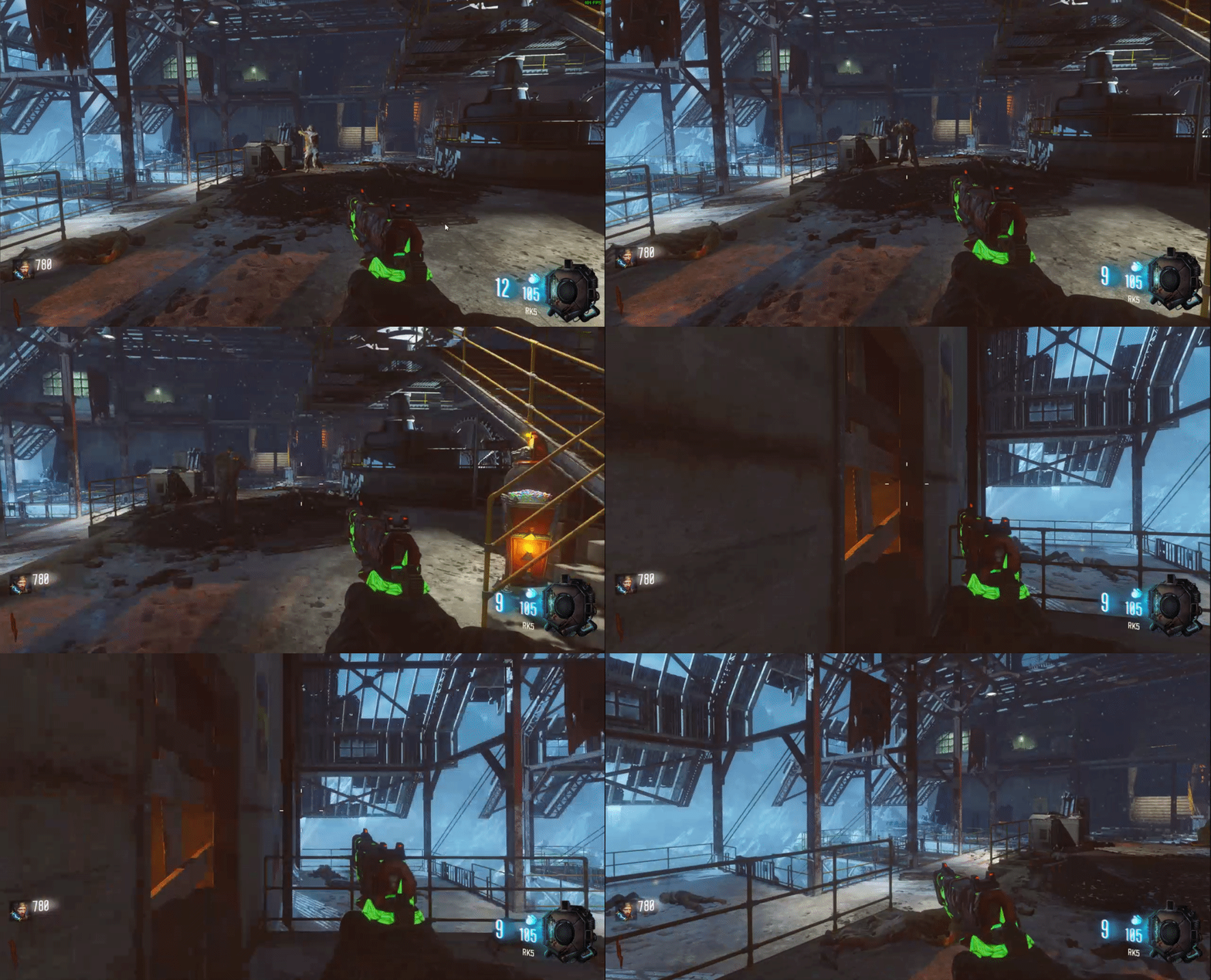
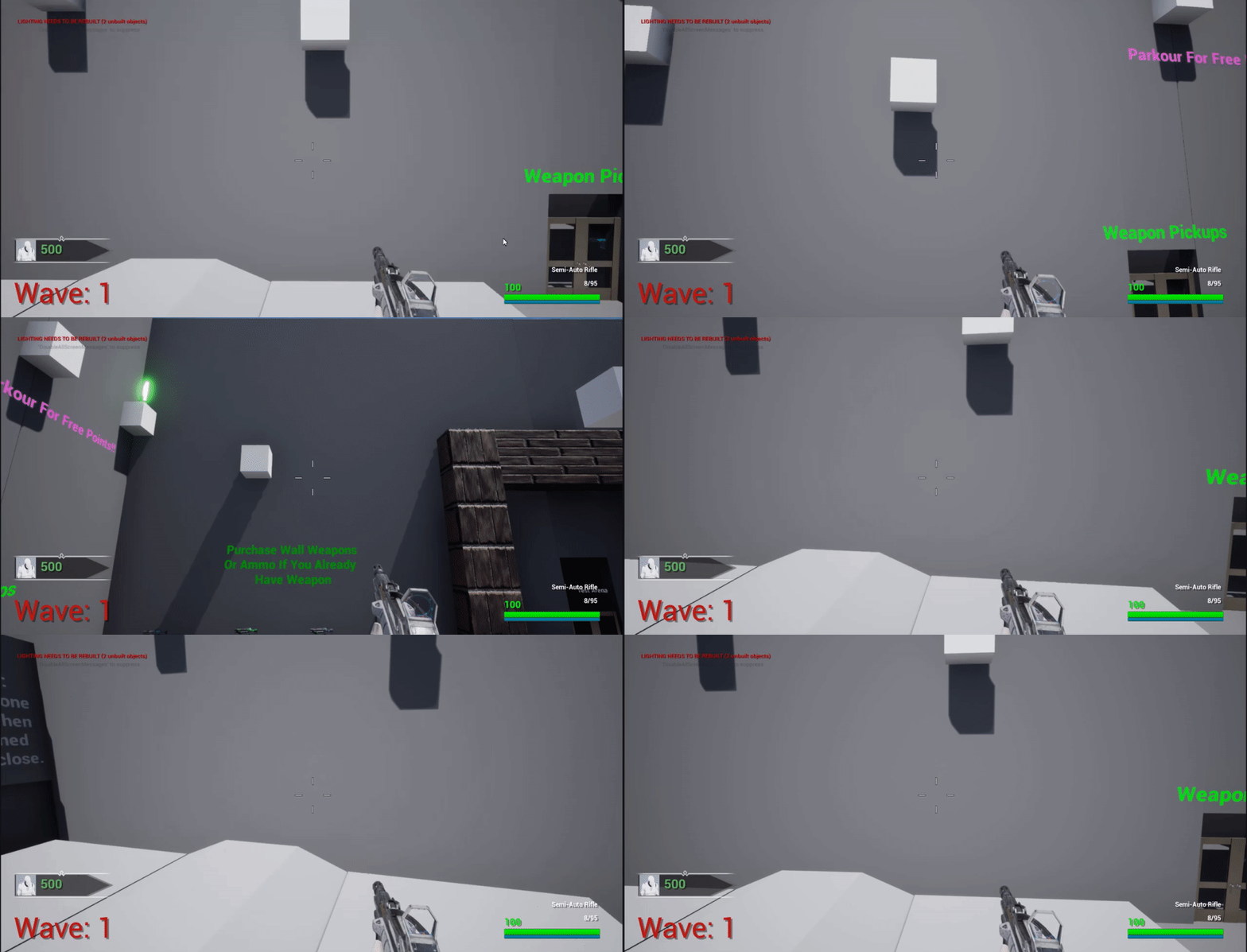
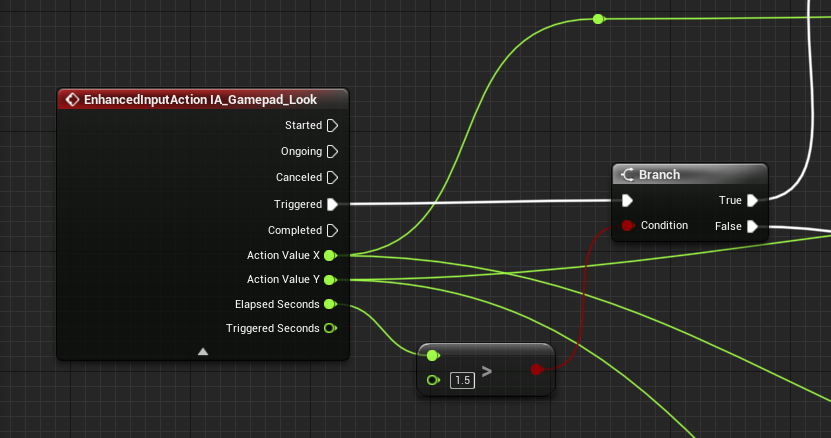
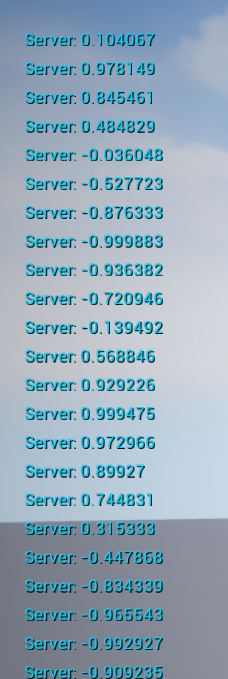 radiant imp
 thin panther
as Hojo said
radiant imp
Im for now usually im not
thin panther
but dont