#animation
1 messages · Page 175 of 1
 clear dune
 ashen junco
You can have additive animations, but IMO it's way easier if you add dummy bones serving as a socket and animate it in DCC tool
clear dune
I'm trying to retarget some animations from one skeleton to another -- the skeletons are identical, but the base poses are not. Surely there is a way to make the poses identical. I tried creating a pose asset but that doesn't seem to do anything. Using 4.26.2
ashen junco
 merry lynx
Whats dcc tool
merry lynx
Whats dcc tool
Your Blenders or Mayas
merry lynx
Blenders
ashen junco
clear dune
I'm trying to retarget some animations from one skeleton to another -- the skele...
Hard retarget? You can adjust the reference pose in the skeleton asset editor.
clear dune
Yes, that's true, but it has to be done by hand, by eyeballing it
Oh, it's worth noting that I probably tried making a pose asset in 4.26.1. In 4.26.2, I can create a pose asset, and I can apply it to the same skeleton I created it with, but not to a different skeleton. Which kinda makes sense, but it was worth clarifying that it was probably 4.26.1, and the current issue is something slightly different
The goal is still the same, though, and I do still think there must be some way to do this.
I do see there's a details panel for bone hierarchy, which I didn't see before. So it does look like, worst case, I can manually copy/paste the XYZ RPY of every bone. I still feel like there's got to be an easier way. Is it possible to export the hierarchy's transform data to a file and re-import it, using the same bone names on the different skeleton?
 rocky delta
How can I play an animation in reverse?
I created an Anim Instance to control the animator in cpp through variables and that's working.
I am setting the variable to either positive or negative. I want to play the reverse animation when it is negative.
The image is my transition state from Idle to forward walking.
Do I have to create a new animation?
Create a new state for reverse walking?
Is there a way through the same state? (just asking)
 ashen junco
rocky delta
How can I play an animation in reverse?
I created an Anim Instance to control th...
ashen junco
rocky delta
How can I play an animation in reverse?
I created an Anim Instance to control th...
So your character is going to lean forward even if he/she is walking backwards?
rocky delta
no
the walk animation is basically just legs moving
reversing it when walking backward is enough to do the trick
this is the animation I'm using

the only way I can think of is doing it something like this while using the same animation file but adjusting the rate scale
but im not sure if this is the cleanest way to go about it

I tried creating a blendspace 1d for the walking since they are controlled by the same variable but it is not allowing me to set the rate to negative, it takes the rate scale as 0.01 when I try to do that

 radiant mason
Anyone figured out root motion retargeting in ue5?
I tried setting it up as so: https://www.youtube.com/watch?v=bPVbmz6urhU

If anyone have any advice please do @radiant mason so I don't miss it. :)
Nvm figured it out (maybe?). If anyone else is stuck then set pelvis to retarget root, don't put the pelvis in any chain and it should be fine.

One problem though, setting retarget root to pelvis obviously means the actual root bone is not the one which has the root motion which doesn't play well so still some stuff to figure out I suppose.
 high musk
Is there a thing as too many anim notifies in a single animation? I have 12 notifies in an animation i've been working on, 10 sound cues and 2 particle effects. I could munge all the sounds into one cue and use delays but my animation rate will change depending on game mechanics and i like the idea of not messing with delays and the pitch too much. But willing to compromise if needed.
ashen junco
high musk
Is there a thing as too many anim notifies in a single animation? I have 12 noti...
It can be as many as you can manage.
high musk
thanks, i won't worry too much about it then
 toxic thorn
how can i take the mesh of a paragon character and bind it to an epic stock skeleton? specifically wraith
im having trouble retargeting his animations to line up when duplicating the existing anim bps (there's like 300 animations and they're in an anim bp i dont fully understand and only some are messed up so i'd prefer to not have to migrate to another skeleton and fix dozens if not hundreds of issues when i have a working one) so i want to try binding the mesh to the existing, working skeleton instead
 rapid arch
If I have the skeleton mesh, with no animation sequences yet. Lets say a treasure chest. I want to create the animation sequences to open and close. Can I do that in unreal? What would be best way? Can someone point me in the right direction, please?
ashen junco
rapid arch
If I have the skeleton mesh, with no animation sequences yet. Lets say a treasur...
You can make a Control Rig and animate it in-editor with Sequencer, but tbh animating a treasure chest/doors directly in DCC tool would be way faster.
rapid arch
You mean, like blender?
ashen junco
rapid arch
You mean, like blender?
Yes
ashen junco
 coral jasper
how do u add notifies in ue5?
coral jasper
how do u add notifies in ue5?
I doubt it changes from the way you do it in UE4
 misty dagger
I have a Mixamo character in sequencer, all work great but when I render the sequence the character it's gone... Why? Any suggestion?
In sequencer no problem even after rendering, it's a problem of render (legacy and movie render queue)
 willow epoch
I'm making a door for a game, it's like a big scifi door, so when it opens, it does things, like things twist, and slide open and then each segment of the door opens. What is the best way to handle the animation? Like is sequencer an option, should I just keyframe it in Blender? Does it need a skeleton and animation data that way?
ashen junco
willow epoch
I'm making a door for a game, it's like a big scifi door, so when it opens, it d...
Keyframing it in Blender as a skeletal mesh would be way faster.
To animate in-editor you'd have to make Control Rig, which can be wasteful for simpler rigs that only have handful of anims.
ashen junco
willow epoch
So I'm guessing everything has to have a skelton. I'm fine with that.
Why would you not fine with it as a skeleton? 
willow epoch
I'm not sure. I've done simple doors already (and I've done fully rigged characters). For simple doors I was just moving in local space via a timeline and a lerp. So part of me thought maybe there was a quick and dirty built in keyframer for simple movements.
I've never used a skeleton on like a stationary object. Like a door. Probably my dumb brain saying "Well it's gotta be able to walk around if it has a skeleton"
radiant mason
Have anyone gotten root motion to get retargeted properly yet?
coral jasper
how do i do this in ue5? i click on the timeline nothing happens

im trying to add notifies for sound for reloading
 keen minnow
has anyone ever tried using mocap as input for character movement?
 deep token
how can i have two execution lines in the anim graph? I want to use the blend by bool, change only a couple of things when its true and let the result unchanged when false
merry lynx
I have a progress bar and i want my animation to match the progress bar , like if progress at 25% the animation plays from 0 to 25% and pause at that and so on
 wicked bough
Hello everyone. I've modeled a simple 4 legged spider bot. It's rigged in Blender and I've even managed to muddle my way into making a simple control rig for it in UE4. The only thing I'm missing is a tutorial for procedural walking. I've been searching for days, but I haven't found one yet that teaches me how to accomplish this. I'd really appreciate any help here. (I know there's a few plug-ins that do this, but I've gotten this far, I'd really like to make this happen without plug-ins) Thanks everyone for you time. 🙂
ashen junco
wicked bough
Hello everyone. I've modeled a simple 4 legged spider bot. It's rigged in Blende...

The Full Body Inverse Kinematic (FBIK) feature in Unreal Engine 5 allows you to construct IK in Control Rig with a high degree of control and flexibility. In this feature video, we show you how to create a 100% procedural animated character with a highly modular setup.
The procedural walk system can be improvised to UE4, no exclusive features on that part
wicked bough
ashen junco
The procedural walk system can be improvised to UE4, no exclusive features on th...
Ok, thank you. I'll try watching it again and see what I can get out of it. He just glosses over things so fast, it's hard for my tiny little mind to keep up with it. I've used his other videos to get as far as I have now.
 icy hare
How I can stop animation loop from animation preview editor?
 noble pelican
Anyone run into this issue where fps occasionally drops dramatically when an anim BP is closed? It's really weird, open anim BP - fps is normal, close anim BP - fps cut in half
merry lynx
How do i decide the percentage of the animation to play when i click
merry lynx
merry lynx
I have a progress bar and i want my animation to match the progress bar , like i...
This
 crystal imp
Say anyone know why ALS uses a -1 value for animation curves in several places...I can't remember if I ever figured that out and would rather not spend hours trying to.
 noble thicket
OK so i got an understanding problem. Using a bought source here and I don't get why the creator needs to use "Play ANim Montage" AND using a transition in the state machine to play the attack animation. Is that really necessary? I mean the state machine already defines when a transition should occur, so what's the point of setting the variable the transition depends on AND calling "Play ANimation Montage". I tried removing the "Play ANimation Montage", but then the animation just plays once even though the anim notify resets the variable that should then enable another attack.
crystal imp
I think he uses the -1 value because he's Blending a value of 1 when in the Not Moving State. I want to say that when that animation is playing and he's in the Not Moving State the two will cancel each other out for a value of 0 for as long as that animation needs it too be.
ashen junco
icy hare
How I can stop animation loop from animation preview editor?
There is a button in the playback control to disable repeat.
clear dune
If I'm trying to retarget animations, and source and destination both use the Humanoid rig, is there any way to make the source and destination skeleton poses identical without manually adjusting it? Surely if they both use the same humanoid rig, there's a way.
ashen junco
clear dune
If I'm trying to retarget animations, and source and destination both use the Hu...
No.
clear dune
What do people do, then?
ashen junco
clear dune
What do people do, then?
Manually adjusting the reference pose.
merry lynx
Since my question is difficult
How about playing a specific animation frames ? Say From frame 25 to 50 only ?
Any node to do that?
Alternatively i split my animation into many pieces
 indigo minnow

 umbral radish
wicked bough
Ok, thank you. I'll try watching it again and see what I can get out of it. He j...
umbral radish
wicked bough
Ok, thank you. I'll try watching it again and see what I can get out of it. He j...
I think this project has also a BP Auto Walk leg Setup that’s nearly the same as mine:
https://www.unrealengine.com/marketplace/en-US/product/power-ik
The guy who wrote the PoweIK part is now with Epic and building the new IK and retargeting pipeline.
I think it has the auto walk stuff you should be able to extract or learn from.

Unreal Engine
Power IK is a full-body IK solver with built-in ground alignment.
wicked bough
umbral radish
I think this project has also a BP Auto Walk leg Setup that’s nearly the same as...
Thank you. I was actually going to try using Power IK, but I'm using 4.27 and it's last version is 4.26. 😦 I was actually just going to start up your video now and try to not be a dumb dumb! 😉 I appreciate you sharing your knowledge and your time. Thank you. 🙂
umbral radish
It’s a bit fast in that part. Yeah. I hope to find some time to do some smaller pieces of it a bit slower. But if you pause and check the graphs you should be able to get it. I show all parts in the video.
You only need the auto walk from it (if it’s in). That part is BP and doesn’t matter what version. From having the leg move in logic you need to find out how to connect to another solver in 4.27. the full body solver in 4 is different from the one used for the video in 5.
Here is the scorpion using the dragon walk setup. https://twitter.com/andidev_/status/1456654085256589319?s=21


What happens if you combine a dragon and a scorpion robot?
I took the procedural walk logic I worked on for a dragon dino and smashed that into my old project of a six leg robot scorpion. The result is more convincing than expected. Control Rig in 4.27
#UE4 #rigging #animation
 Twitter
·
wicked bough
umbral radish
Here is the scorpion using the dragon walk setup. https://twitter.com/andidev_/s...
Twitter
·
wicked bough
umbral radish
Here is the scorpion using the dragon walk setup. https://twitter.com/andidev_/s...
That looks great, if I could get it to look that way, I'd be super happy. All I have is a simple control rig based off your videos. No AnimBP or character logic yet. If I may DM, I can share the control rig in a few screenshots and you can tell me if I'm at least headed in the right direction?
umbral radish
Sure. DMs are open.
 charred turret
Hi, I got some data for the mannequin it is in JSON format what i want to know is how to send those values to my skeleton and make it move accordingly
 worthy surge
I'm a total noob, do I make animations like weapon reload or character walking in blender or in ue4?
 dire shuttle
wicked bough
worthy surge
I'm a total noob, do I make animations like weapon reload or character walking i...
dire shuttle
wicked bough
worthy surge
I'm a total noob, do I make animations like weapon reload or character walking i...
Traditionally, you would do those things in Blender or whatever 3d software you use and then import it into Unreal. Recently Unreal has some animation tools like Control Rig that will let you make animations right in Unreal. The best thing would be to look up some videos and figure which way works best for you.
worthy surge
I've also noticed that in many games leg animation is separate from upper body animation, how do you achieve that?
charred turret
how can i access the game mode in control rig?
and how can i get the event graph in the control rig? i cant find it
wicked bough
charred turret
how can i access the game mode in control rig?
and how can i get the event graph...
Control Rig is a plugin that you have to enable. Try watching this and see if it helps you get started. https://www.youtube.com/watch?v=3CKt48BceFk
In this episode we take a first look at control rig, we talk about some basic functionality and how to setup controls and some inverse kinematics.
Join the Discord server here: https://discord.gg/zBeebU7uv3
Support the work of LeafBranchGames on Patreon here: https://www.patreon.com/LeafBranchGames
ashen junco
charred turret
how can i access the game mode in control rig?
and how can i get the event graph...
You can't do any gameplay logic in Control Rig.
charred turret
ashen junco
You can't do any gameplay logic in Control Rig.
so there would be no way i could send data from a datatable to control rig or manniquin for that fact so that it moves accordingly?
ashen junco
charred turret
so there would be no way i could send data from a datatable to control rig or ma...
Not directly in Control Rig. You have to go through animBP to pass values across to Control Rig
charred turret
ashen junco
Not directly in Control Rig. You have to go through animBP to pass values across...
any tutorials available?
i am lost 😦
wicked bough
charred turret
any tutorials available?
i am lost 😦
I posted a video above to get you started 🙂
charred turret
wicked bough
I posted a video above to get you started 🙂
i saw the video, i understood the control rig kinda
but i want to get data from the datatable
ashen junco
charred turret
i saw the video, i understood the control rig kinda
but i want to get data from ...
Do it in the actor BP, then pass it to animBP, then pass it to the Control Rig
keen minnow
Does anyone have suggestions with getting mocap animation to have physics/collisions applied?
This is my current result with my character
I am trying to use physics to stop him from colliding with blockAll objects
 cloud ermine
Is there any reliable way of getting what slot a montage is currently playing in? - specifically in the animbp
clear dune
My suspicion is "no", because (and I could be wrong about this), I think a montage can support multiple slots at the same time
Perhaps instead you could create a Struct which includes the Montage in question, as well as whatever other data you'd like to be known about it
If the AnimBP has knowledge of what struct is being used, rather than just the Montage, then you'd always have whatever additional information you're interested in on-hand while the montage is playing
Is there any way to blend two animation sequences within the same montage?
clear dune
When adjusting bone transform in order to retarget (especially rotation), changing one value also changes the others, to the point where I literally can't all three values to be what I want. (4.26.2). Is there a solution to this?
clear dune
As frustrating as it is, I did discover a workaround in case someone sees this later. You can set them to 0 (in local) starting with X then Y then Z, and then when you give them their real values, you have to do so starting with Z, then Y, then X. A pain, for sure, but at least it's possible
 summer plank
do i need any sort of external software to make animations?
ashen junco
summer plank
do i need any sort of external software to make animations?
Yes. Blender and Maya are decent DCC tools for animating.
You can use Control Rig + Sequencer to make animations in-editor, but it depends on the project and the skelmeshes. I'd recommend it for prototyping or making machinimas with shared rigs, but I won't necessarily recommend it for more professional work.
clear dune
What is the point of virtual bones? I thought it would be helpful if retargeting from a skeleton with a weapon bone to a skeleton with a weapon socket, as a replacement for the socket (so it will actually retarget) but nope, doesn't seem to support that. So, I don't really get the point
 sinful raptor
Hello! Do i have to manually add all anim notifies back after retarget? This is gonna take a while....
ashen junco
sinful raptor
Hello! Do i have to manually add all anim notifies back after retarget? This is ...
Unfortunately yes, that's the case with hard retarget.
clear dune
I know I've been asking a lot of questions here, but I've narrowed it down to one single thing that will solve everything. Basically, I've been using a skeleton with no weapon bone. The Paragon characters I want to retarget from sometimes have a right-hand weapon bone, or a left-hand weapon bone, or both. I discovered that the Bossy Enemy anim pack is just like the default skeleton, except it has a right-hand weapon bone (without all the extra bones each Paragon character comes with. This is basically exactly what I'm looking for, except that it lacks a left-hand weapon bone.
All I want is to know how to add a left-hand weapon bone, just like the right-hand one. Do I need to export the skeleton and modify it in another program? Is there a marketplace asset with a two-weapon-bone skeleton? If you could point me in the right direction, I would GREATLY appreciate it
sinful raptor
i'm very beginner but i think you use "add socket" for that
you don't have to modify the skeleton
clear dune
I think I finally discovered that that isn't the right answer
 quiet dagger
hey anyone know how to make animations in unreal, i just wanna make a simple slash animation
clear dune
That's what I've been struggling to do for the past several hours, but it seems as though you cannot retarget one skeleton's bone to another skeleton's socket
sinful raptor
clear dune
That's what I've been struggling to do for the past several hours, but it seems ...
why do you have to retarget the bone
a socket is used as a child under a bone to attach items for example
clear dune
Therefore, if your destination skeleton has a weapon_l socket and a weapon_r socket, and the source skeleton (say, Feng Mao, my nemesis right now) has his weapon in the weapon_l bone, I actually can't retarget that to my destination, because you can't choose a socket as a bone destination
sinful raptor
just use hand_r for example and put a socket under it
clear dune
I can attach a weapon to the socket, no problem. But what I can't do is tell Unreal to treat the destination skeleton's socket like the source skeleton's bone
Basically, if you're in the retargeting manager, and you're mapping sources to targets, the target can only be a real bone. Not a socket, and not a virtual bone
I suppose it makes sense, though, since I don't think sockets can be animated (they just move according to their parent). However, these weapons are sometimes somewhere other than in the hand (especially Feng Mao who tosses his weapon mid-swing, and Kwang who literally throws his weapon)
sinful raptor
as i understand you don't have to retarget the weapon bone anyways because it has no weight, it's like a placeholder like a socket
clear dune
Well, their weapon is literally baked into the model -- it's not a separately attached mesh, it's the same mesh. As a result, they definitely use that bone to move the weapon around, so unless I have some place for that information to end up on my destination skeleton, it will be lost
And since I can't retarget a bone to a socket, and since I lack a left weapon bone on my destination skeleton, there is no solution, other than to get one
sinful raptor
if it's literally used with the whole skeleton then i think yes you can't retarget that and will have to make a model with same style skinning and bones
clear dune
quiet dagger
hey anyone know how to make animations in unreal, i just wanna make a simple sla...
I think I heard something about a method where you use a control rig and sequencer to create animations directly in Unreal, but I don't know anything about it
Right, that's the conclusion I reached as well
Also, I did try to just tell it to retarget weapon_l from the source SK to weapon_r on the destination SK, but it was floating way off to the side
Wait a second.... maybe if I set up a custom pose where I move weapon_r, then retarget, maybe it will work. Rofl, that would be so funny if that worked. Gimme a second
sinful raptor
ashen junco
Unfortunately yes, that's the case with hard retarget.
Sequence Evaluator 'Idle_Poses' references Anim Sequence Base that uses an incompatible skeleton *****_Skeleton. How can i fix this after retargeting anim overlay? I followed a tutorial and he didn't have this issue, but it was from 1-2 years ago
clear dune
clear dune
Wait a second.... maybe if I set up a custom pose where I move weapon_r, then re...
It does seem to work! lol. Fun times. Still, it would be useful to have a skeleton that has both weapon bones
sinful raptor
clear dune
It does seem to work! lol. Fun times. Still, it would be useful to have a skelet...
i skinned a character for a week because i'm a noob. i suggest to use a plugin and then add your extra bones ontop of that. to save some frustration
clear dune
What plugin??
clear dune
Oh, ok cool. Sounds great, thanks!
ashen junco
clear dune
What plugin??
Auto Rig Pro would be my most recommended
I don't recommend anything Rigify because of how broken and difficult to work with it is.
clear dune
Ok, good to know, thanks
 ocean needle
Is there an easy way to prevent this from happening when reassigning meshes to a new skeleton?
 ashen junco
ocean needle
Is there an easy way to prevent this from happening when reassigning meshes to a...
ashen junco
ocean needle
Is there an easy way to prevent this from happening when reassigning meshes to a...
If the scale isn't the same, you have to go through the hard retargetting route
ocean needle
ashen junco
If the scale isn't the same, you have to go through the hard retargetting route
Would blender be a good option for that?
ashen junco
ocean needle
Would blender be a good option for that?
Hard retargetting can be done entirely in editor.
misty dagger
I too am also looking for either a howto or paid help for that.
It seems the animator role is a path to endless freelance work
lol
ocean needle
ashen junco
Hard retargetting can be done entirely in editor.
What should I google for help?
summer plank
ashen junco
Yes. Blender and Maya are decent DCC tools for animating.
You can use Control R...
alr, thanks!
 sharp river
hello! I tried to create simple animation with controlrig. And I see ik_hand_gun and foot_ik bones are not attached to arms/legs. Is it possible to create controls on this bones or snap it to other bones?
 sinful raptor
Good evening. I'm getting a yellow text that animation is being edited but i'm not editing any. or so i think. what could cause this
ashen junco
sharp river
hello! I tried to create simple animation with controlrig. And I see ik_hand_gun...
No. You might as well use the FK bones directly to make the IK controls in CR.
I'm inclined to think those bones are removed in UE5's new standard anyway
 dawn salmon
starburst pattern, nested states, blendposes everywhere
or rather, concurrent states really
it's not spaghetti at all. the anim programmers I've seen execute this for very complex animation systems looked perfectly readable
you end up with very few animation states, and rely mostly on blending different types of animation states
e.g. upper and lower body
 jagged viper
https://www.artstation.com/artwork/zD0bBw Hi guys I have an issue with the character animations I downloaded, I think the issue seems to be when it transistor from one animation to another

ArtStation
This project was for my 11 week specialism for the Third year at Escape Studios. My goal for this project was to create a Cinematic sequence of a character casting a spell, which opens a portal. As they open the portal, the character turns to dust teleporting to a different dimension. I aimed to make this cinematic as realistic as I could make ...
 novel blaze
Right now I’m laying in bed and batch editing and exporting 150+ animations. I edited the base pose of the animation one time and set up an automation task to do that work over a library of animations. If you have marketplace assets that you want to make you own you need this tool in your life!!

What IS GOOD DEV GODS!
In today's video I show you guys an in depth process of using one of the best animation toolsets out there.
Houdini KineFX allows you to procedurally rig, edit animations, mirror animations as well as allowing you to automate these processes using PDG or "TOPS".
This is one of the most powerful workflows to have so good ...
 void turret
anyone know if its possible to have a camera in sequencer track a armature bone for a sequencer shot?
The lookat tracking settings that exist on a camera has a 'Actor to Track' parameter but that only tracks the origin of the armature/static mesh which isnt what im after
 somber notch
anyone know how to view sockets or animate them in control rig?
clear dune
Is there any way to blend two animation sequences within the same montage?
 charred steeple
Hi, what can i use to make animations in which both actors(Player and enemy) act in one sequence? Like for example finishing enemy, or getting rid of it's grasp.
ashen junco
charred steeple
Hi, what can i use to make animations in which both actors(Player and enemy) act...
Just play anim montage on both.
 weary frost
Q: How do I stop ice-skating? I know I can try to match the max walk speed in the animation to the walk speed in the character movement component but it still looks "un-natural" as if i make the character walk super slow it still slides like it,s on ice.
I have been trying to work out how to stop a movement when a foot hits the ground as if both feet are on the ground in a walk cycle a person doesnt move until they lift their foot off the ground to create the motion.
but i could put the max walk speed at 0 and it,ll still slide to it,s location in it,s idle state. Is locomotive anims really a case of matching movement speeds to animation play rates?? I have a 1D Blend Space for that guy 300 is max speed (0 - idle , 150 - walk , 300 - run) so if i put max walk speed as 150 in the character movement component for the enemy it almost matches the walk animation but the feet are still sliding instead of a natural movement of moving when each foot is lifted, Sorry for the essay just wanted to explain in a detailed way to give enough information maybe someone can help. 🙂
if it helps im using the mutant model from mixamo along with their Idle, Walk and Run animations (InPlace animations)
 shut spoke
does any one know how to Print a list of what animations are currenty being played? or see the states light up? Im trying to see what animation states are active at a partiuclar time during play
for example in unity you an see the anim graph just lighting up on nodes and transitions as you play the game
 oak jackal
Hey guys hope you’re doing fine! I just released my latest short film entirely made in UE4 with motion capture! Hope you like it! - https://youtu.be/iyxZSPHBJpw

CGI 3D Animated Short Film: Till This Day Animated Short Film by Nako Baev. Featured on CGMeetup Gallery https://www.cgmeetup.com/project/till-this-day
A man with a haunted past visits a town where an accident took place that claimed his brother, he returns to face his past, but not all is what it seems.
Realistic CG Animated Short Film ''Til...
ashen junco
That's a lot of channel crossposted...
 obtuse parrot
Hello, does anyone know if the only way to sync audo and animation is with an anim notify or blueprints? I have baked face ctrl rig data coming out of sequencer that control the metahuman rig with a speaking audio file and I'd like to be able to manage the animation with the audio file together instead of having to trigger it on playback.
It's in UE5 btw.
The audio file is another track in Sequencer.
The issue is that after baking the animation sequence the audio file doesn't get embeded in the animation.
 modern zinc
Has anyone here worked with control rig as a prototyping tool? If so, what was your experience? I'm interested in increasing our iteration speed and getting better data on animation-heavy game mechanics without bugging the animators for placeholders to test out some collision patterns. There seems to be a gap in tooling between the programmer and the animator that control rig may be trying to fill? I am also open to suggestions.
 mortal ingot
weary frost
but i could put the max walk speed at 0 and it,ll still slide to it,s location i...
mortal ingot
weary frost
but i could put the max walk speed at 0 and it,ll still slide to it,s location i...
Well movement speed doesn't actually have anything to do with animations, it's just a guess based on either logic or speed inputs.
So feet sliding can still happen with 0 speed like no animation can happen with 300 speed but you're still moving around.
Chances are with mixamo free animations there aren't enough because you'd need stop animations for each foot as well as for different speeds to set it up properly.
Take the Witcher 3 where the movement can occasionally feel a bit unresponsive or laggy because the movement carries on until a proper stop animation can be made for movement fidelity.
clear dune
Is there any way to blend two animation sequences within the same montage?
 hazy yoke
ashen junco
modern zinc
Has anyone here worked with control rig as a prototyping tool? If so, what was y...
hazy yoke
ashen junco
modern zinc
Has anyone here worked with control rig as a prototyping tool? If so, what was y...
It's fine.
hazy yoke
Hey can anybody tell me how can I fix this I am using animation sequence
In anim blueprint
ashen junco
modern zinc
Has anyone here worked with control rig as a prototyping tool? If so, what was y...
I mean, for quick in-context prototyping or lesser professional animating, Control Rig + Sequencer works okay.
The Sequencer itself however is kinda limited when it comes to animating tools that are quality of life in proper DCC tools like Blender or Maya
 civic yacht
Is there a way to blend animations within an anim montage. Or blend diferrent sections within same montage?
ashen junco
civic yacht
Is there a way to blend animations within an anim montage. Or blend diferrent se...
In anim montage asset, not anim BP?
civic yacht
ashen junco
In anim montage asset, not anim BP?
I have clearly mentioned anim montage
ashen junco
Well, just to make sure, but whatever.
civic yacht
civic yacht
Is there a way to blend animations within an anim montage. Or blend diferrent se...
If anyone knows please help.
Did you find a solution ?
clear dune
Bummer, it really seems to me like there must be some way
clear dune
From what I've observed, changing the play rate of the montage doesn't scale the blend-in and blend-out times, which creates significant unexpected visual behavior when, for example, making a weapon swing slower vs. faster
 woeful aspen
Is retargeting animations onto a metahuman not working anymore?
Im follow this guide every step, but this just ends up breaking the third person animation BP and the retarget anim bp doesnt work either on the meta human
https://docs.metahuman.unrealengine.com/en-US/MetahumansUnrealEngine/MetaHumanRetargetAnimations/

Describes how to retarget animations from the UE4 Mannequin to a MetaHuman character in Unreal Engine.
 tawny ore
Been struggling to apply simple marketplace animations to the standard mannequin. If they refuse to play montages, is that a matter of retargeting? Only animations from certain bundles seem to work, and I'm too new to animation to immediately tell what the difference is between these assets that's causing the error. If anyone sees any blatantly obvious mistakes here, feel free to let me know. It's probably something embarrassing or facepalm worthy.
I'm still gonna be looking into this more myself, but I'm hesitant to touch it too much after breaking a few things on my player before.
TL;DW: custom events are triggering imported montages, all applied to the same mesh. Only 1 of 3 of them play, and I'm having trouble finding info on what beginner's mistake could be stopping them. I think it's something skeleton related but I'm hesitant to mess with too much without knowing what I'm doing. Just been difficult to research correctly, if that makes sense. Any suggestions or blatant callouts appreciated. 😹
ashen junco
Sure, just use physics assets on skelmesh, make responsive foliage material, and ridiculously strong wind directional source.
 gaunt onyx
ashen junco
Sure, just use physics assets on skelmesh, make responsive foliage material, and...
gaunt onyx
ashen junco
Sure, just use physics assets on skelmesh, make responsive foliage material, and...
any clue on what should i prepared for that? maybe a plugin, or some stuff on marketplace or youtube?
ashen junco
No plugin, just vanilla UE4 tools
While the built in Wind Directional Source is said to just affect SpeedTree assets, this will also affect skelmeshes with simulated physics asset, and you can use the parameters yourself in the foliage material.
 clear dune
@tawny ore It's most likely a skeleton issue. Animation montages are made of animation sequences, and every animation sequence uses a skeleton. Each skeleton is basically a completely different language, if you will. If two animations use two different skeletons, you won't be able to play both of those on the same mesh (because the mesh only uses one skeleton), so you'll have to use retargeting to apply one of those animations to the skeleton of the other
 thorn tendon
Hey folks, any of you have experience with mo-cap and facial animations using it?
When making a character, does the facial mo-cap software somehow create shape keys? Or do I have to manually, painfully create shapekeys and weights on every single character I plan on having in game?
@ me if you know haha. I'm thinking of throwing down some hard money on some mo-cap gear and want to know if it does it automatically
tawny ore
clear dune
<@!231201294906425354> It's most likely a skeleton issue. Animation montages are...
Cool to hear! I figured that was the issue, but I kept running into some confusing information that made me want to hold off on touching retargeting. I'll be sure to give it a look now, thx!
 hard fog
Hello, how can I make my boss follow the player as he is doing a root motion based animation?
modern zinc
ashen junco
The Sequencer itself however is kinda limited when it comes to animating tools t...
What are some of the QoL limitations here in comparison with Blender?
ashen junco
modern zinc
What are some of the QoL limitations here in comparison with Blender?
There's no proper constraint system, so animating with held object is limited. Sequencer curves also have no "modifiers", so no procedural effects like noise curve.
 winged violet
How can I choose 1 of 2 random anims in an anim bp state machine without getting the thread safe call warning?
I am currently doing blend poses by pool passing in a random bool
But getting the "thread unsafe call" warning
 vague oriole
Is this the right place to ask about AnimationBlueprint stuff?
I'm trying to let my animator preview their state changes in the previewer, but of course no game state exists. Is there a standard way to check if the game is running and return dummy data?
ashen junco
vague oriole
Is this the right place to ask about AnimationBlueprint stuff?
I'm trying to let...
Wasn't there an option to use actors in gameplay as debug object in anim BP?
vague oriole
ashen junco
Wasn't there an option to use actors in gameplay as debug object in anim BP?
I'm very new to this so I might be doing something wrong on a very basic level. My graph looks like this, and is updating and showing a preview.
 ashen junco
Pardon my small icon mode...
 ashen junco
vague oriole
I'm very new to this so I might be doing something wrong on a very basic level. ...
ashen junco
vague oriole
I'm very new to this so I might be doing something wrong on a very basic level. ...
It's similar to actor BP's debug object selection
vague oriole
ashen junco
It's similar to actor BP's debug object selection
I think I worked it out, I hadn't noticed the Anim Preview Editor that lets you set the variable values to test stuff out 🤦
 knotty pike
Does anyone know why my animation montages are not retargetting properly? as when it is in blueprints and the animation montage is supposed to happen, nothing happens but it looks fine in the editor
 craggy knoll
How do I debug values inside the Anim Graph? I want to log the curve value that I'm modifying twice between the first and second modify. I tried the callback function OnUpdate on the modify curve nodes, but it seems since the function is called on another thread, the curve value already has been processed by the two modify curve nodes. Not sure, but I get the same value printed twice by those two Modify Nodes which doesn't make sense 😅

 quaint herald
Are crashes when diffing anim BPs normal? I keep getting garbage in my diffs (stuff I absolutely did not touch), then when I double-click that bit of diff I hit an ensure and a hard crash immediately afterwards
I am using macros in the anim BP to access native anim vars (saves having to break structs and is easier to find for animators) in case that could confuse the diff
 deft bluff
Hi, when importing animation from blender to anril, it's either good or not. how to solve this problem&

 inland epoch
Hello! I have a custom character that I mocap'd facial expressions with, but I can't seem to attach a mask the character's face. I tried to attach it to a bone socket, but the transforms are taking place in the blendshapes, so the bone does not actually move. Any ideas? Here is an example of my problem:
https://gyazo.com/f37b3f7c249664f133c7e81b0fa59264
 woeful aspen
Why does the whole level disappear when I click play on a sequencer? Visibility track is set to visible and nothing works, everything is invisible as long as it's playing
I have to click G each time I start the sequence to see the level again
 languid lintel
Is there any good tutorial of make a ready asset car to rotate its wheels ? I got a low poly car asset (which got ready skeleton) and am looking for a tutorial of how to animate its wheels when its moving .
 ivory plover
Hello everyone. I'm hoping someone has had experience turning the visibility on and off for seperate mesh pieces in thier animations from Maya to Unreal.
For example, having a cartoon eyelidw visibility turn on and off when blinking.
We're currently looking at a pipeline using modular characters and custom attributes in our fbx's. This feels like quite a lot of set up though and I was wondering if anyone has attempted something like this already?
knotty pike
Does anyone know why my animation montages are not retargetting properly? as when it is in blueprints and the animation montage is supposed to happen, nothing happens but it looks fine in the editor
 digital aurora
Guys how to do animation hitstop when hit enemy like in God of War 4? Any link to tutorials would be appreciated
 pastel roost
hello everyone. has anyone had trouble getting bodies in physics assets to collide with each other? cant get it working, any help would be appreciated
 neon lagoon
Been trying to search this for some time, but not found a definitive answer yet.
What are you all doing for hit impact "pause frames" for melee combat? I know about GlobalAnimRateScale on the skeletal mesh and you can set the RateScale dynamically on the current animation, but ideally I want the total play time of my animation to be the same and not let the impact "pause" extend it. Is there a way actually to "seek" or jump forward in the currently playing montage after a pause/slow?
Or am I just overthinking something that can be achieved in a simpler way?
neon lagoon
We are going to explore using a pose snapshot and blending in/out in the anim BP based on hit impact events
 swift widget
I got a Blender question 🤚🏼
Is it posible to animate rotation, like a Door with Shape keys?
I get this ugly result - Shape keys are only linear(?)
 ashen junco
swift widget
I got a Blender question 🤚🏼
Is it posible to animate rotation, like a Door wi...
ashen junco
swift widget
I got a Blender question 🤚🏼
Is it posible to animate rotation, like a Door wi...
But why?
swift widget
I heard is better to have Shapekeys/Blendshapes/morphtargets (they are the same) then having bone structures
ashen junco
swift widget
I heard is better to have Shapekeys/Blendshapes/morphtargets (they are the same)...
Sorry, what? Who said that?
I mean, context matters here
Because doors are not flexible, you don't use morph target for that
swift widget
ashen junco
Sorry, what? Who said that?

When you need to animate an object in your Unreal project, chances are you jump towards a skeletal mesh, but using vertex based animation on static meshes can save significant performance. (This example asset alone cost 0.5-1.0 ms total less when using vertex animations)
Vertex animation and crowds: https://medium.com/xrlo-extended-reality-lowdo...
 granite zealot
i have trouble retargeting. they are the same skeletons but for some reason (only) the bone "ik_hand_gun" is out of position galore. any ideas?
swift widget
You can see in that video he is rotating pieces of the gun not displacing them with Blendshapes not Bones, and having better performance allowing for more assets without cpu/gpu cost
A gun, like a Door, is not flexible, more complex yes, but I've seen GDC like Abzu animation bootcamp(?) where they use this Shape key techniques to have more fishes and so on...
digital aurora
neon lagoon
We are going to explore using a pose snapshot and blending in/out in the anim BP...
https://youtu.be/vDBokIaxLM0 similar to this?

The IK hit stop is explained here by Cory Barlog:
https://www.youtube.com/watch?v=zpr-EE2In1M
I implemented this feature with Control Rig and Fullbody IK. The animation was keyed by myself with Maya.
ashen junco
swift widget
https://www.youtube.com/watch?v=zcDv5WfCTSU
Ugh, I keep turning off that video due to how long it is....
ashen junco
swift widget
A gun, like a Door, is not flexible, more complex yes, but I've seen GDC like Ab...
Context matters.
swift widget
Well, you're right, i don't need to have ten thousand lockers with animated doors in it, still I Just wanted to know how to do those animations?
Again, he's clearly rotating pieces with Blend shapes, while mine are sliding in a linear fashion 🤔
swift widget
ashen junco
Ugh, I keep turning off that video due to how long it is....
Don't need to watch the whole video, but to understand that he is not the only one using shape keys animation instead of bones for performance, here's another (lengthy) one

In this 2017 GDC talk, Giant Squid Studios' Matt Nava offers insight into the unique art style of Abzu, and the processes that he and the team at Giant Squid developed to create it.
GDC talks cover a range of developmental topics including game design, programming, audio, visual arts, business management, production, online games, and much more...
Those interested in learning, we are willing to put the time in any lengthy video we can learn from 😉
5:20 for his demo/explaination on how fishes are animated in the game 👀
neon lagoon
digital aurora
https://youtu.be/vDBokIaxLM0 similar to this?
Yeah that is actually the best way to do it 🙂 and I did see the same GoW interview.
ashen junco
swift widget
Those interested in learning, we are willing to put the time in any lengthy vide...
Well, I watch talk videos in 1.5x speed, and prefer those that are cut to the chase and brief
I may be ungrateful, but I don't like talks wandering around that much
swift widget
Here you have another complex animation made by blend shapes too, overgrowth, he used 4 poses and blended them in engine
https://www.youtube.com/watch?v=LNidsMesxSE (chapters included, look for Movement)

In this 2014 GDC session, indie developer David Rosen explains how to use simple procedural techniques to achieve interactive and fluid animations using very few key frames, with examples from indie games like Overgrowth, Receiver and Black Shades.
GDC talks cover a range of developmental topics including game design, programming, audio, visual...
ashen junco
swift widget
Here you have another complex animation made by blend shapes too, overgrowth, he...
Seen that numerous times already.
Felt it didn't fit Unreal's animation ecosystem that much.
digital aurora
neon lagoon
Yeah that is actually the best way to do it 🙂 and I did see the same GoW interv...
Yeah, I watched too. Right now I pause the whole game when hit 😂
ashen junco
digital aurora
Yeah, I watched too. Right now I pause the whole game when hit 😂
Ah yes, typical pause strike technique
Which could work for melee stuff, but it backfired with firearms, particularly full auto ones lol
Imagine time slows down everytime a bullet from your minigun hits the enemy
digital aurora
Yeah it wouldn't be satisfying
swift widget
swift widget
I got a Blender question 🤚🏼
Is it posible to animate rotation, like a Door wi...
Anyone knows about this? :c
neon lagoon
digital aurora
Yeah, I watched too. Right now I pause the whole game when hit 😂
yeah that dont work well for multiplayer 😄
ashen junco
swift widget
Anyone knows about this? :c
Use bones or static meshes
Or chained morph target, which is just moving the goal post a few centimeters.
 proud linden
Hello. I have a problem with the animations of a model, which inherits through Retaget from the animation blueprint of the base character. When duplicating on my computer it works perfectly, but when opening this project on other computers, the animations are damaged and the process that was done on the other computer must be repeated, and this happens on all new computers. Does anyone have an idea how to make this not happen, since we run multiple computers and making a change to something in the animation blueprint means that all other computers must redo the retarget from scratch
ashen junco
proud linden
Hello. I have a problem with the animations of a model, which inherits through R...
Can't say I encounter this issue before, it should work everywhere else because it's already processed
 stuck marsh
Any Idea on how to make animation blueprint work on an already spawned character ? I have a character with a Skeletal Mesh (Empty) and Empty AnimClass, when I spawn it and set both the AnimClass and mesh, the animation bp dsnt work, Only works when I pre set all this stuff before spawning
proud linden
ashen junco
Can't say I encounter this issue before, it should work everywhere else because ...
yes, but for some reason it keeps happening on other computers
It's weird and I don't really know what causes it
ashen junco
proud linden
yes, but for some reason it keeps happening on other computers
If you bring them back to your computers, does it happen?
As in copying them in a separate directory
proud linden
ashen junco
If you bring them back to your computers, does it happen?
As in copying them in ...
yes, exactly the same thing happens. try to copy all the folders as is, intermediate, save and others to see if it worked on the other pc but the same thing happens.
 dull sun
Has anyone made a (publicly available) blender rig using Manny's exact skeleton?
 wooden trellis
A quick question about animation: If a character's animation blueprint has 5 states with as many animations, does each character carry those 5 animations along , meaning that 20 something characters on level add up to 100 animations in memory or are they "instanced" in a way to reduce their payload ?
 lavish geyser
has anyone successfully imported animations from daz?
misty dagger
Hey does anyone knows how to export a model with a mp4 texture on it? like I have a tv and I want to export the model with the mp4 texture for UE4

 orchid crow
Hi everyone. I'm using rokoko suit to live mocap my character. But I'm having trouble making my character feet stand on the floor.
It's the same issue if I switch to using mocapforall. Does anyone know how to fix this
 versed grotto
Hi im trying to add additive animations but my blendspace preview makes my character mesh shrink till it vanishes. What setup am I doing wrong?
 fathom loom
Hey! I've got a weird problem with montages... They play... Inverted?
My gun shot montages.
Will invert.
So, if the gun moves backwards, it goes forwards.
And if the gun goes down
The gun goes up.
The Gun moves normally in animations.
But only inverts in montages...
ashen junco
misty dagger
Hey does anyone knows how to export a model with a mp4 texture on it? like I hav...
The video texture itself is kinda irrelevant when exporting to FBX, but just make sure the UV mapping is right.
fathom loom
@misty dagger If you export the texture correctly. It's possible to plug the mp4 file into the material.'
 tight basin
Hey guys, does anyone know of any UE features that allow animation syncing between two separate animation BPs blendspace playing? I've got a horse and a rider (same actor, two skeletal meshes) but they always play their locomotion animations out of sync by a few ms which looks very off

Tried a few things already (identical BS timings, identical variable referencing etc.)
 kindred basin
Okay I've watched maybe three or four different tutorials for blending animations that all say to just use the Save Cache, Blend Per Bone and DefaultSlot method. Whenever I do this though my locomotion animations stop playing and instead things like reloading or firing take over the entire body. Any ideas what's causing this because I swear I'm following the steps exactly?
obtuse parrot
Hello, If tiy buy some animations from the Marketplace and they are setup to work with the Mannequin skel, but they include their own mann skel at a location in the pack, is there a way to use a mann skel at a different location in the project without retargeting?
Can you switch the reference in the animation to use the mann skel at a different location?
obtuse parrot
If anyone eles needs it doing a replace references worked.
misty dagger
how can I find in which animation this anim notify is?

 candid lake
Hey, I'm having an issue with the transition between animations. I created an animation and it plays fine on the editor but during the transition the character moves down and then get back up to the normal state.
kindred basin
It almost feels like questions don't get answered here, ouch
ashen junco
kindred basin
~~It almost feels like questions don't get answered here, ouch~~
Pay up and I'll answer
kindred basin
Here's 5 cents and a doughnut.
ashen junco
(nah jk, I don't answer some questions because either I don't know, I don't have time/energy, or the question lack context for me to picture in my mind)
kindred basin
That's fair. I'm just surprised that so many questions went unanswered here. Some of the other chats you'll get a dozen people answering in like... 5 minutes.
Guess it just shows a difference in mentality between certain disciplines?
ashen junco
Timezone exists. I'm on the Far East, while many questions were lopsided from the west time zones.
kindred basin
You trying to tell me that in a server with nearly 19k people online not one of them is an animator based in Europe?
ashen junco
I don't know, I'm native Asian.
ashen junco
 delicate shuttle
Consider remuxing it to MP4. I'm not keen on downloading videos of issues just to delete it afterwards.
delicate shuttle
@ashen junco
 brazen wharf
looks like your model is rotated by 180°
ashen junco
delicate shuttle
<@!325627930484932608>
Show your animBP.
delicate shuttle
i made them
brazen wharf
i doubt there's a blendspace
ashen junco
Whoops
delicate shuttle

 brazen wharf
did you make the model/rig and the animations in the same program? and on the same rig with the same export settings?
delicate shuttle
the rig is pre-made but the animations are fully mine
ashen junco
delicate shuttle
Seems like you're animating it the wrong way
brazen wharf
so you exported the mesh/rig and did the animations with what?
delicate shuttle
maya
ashen junco
Yeah, guessed it by the taskbar lol
brazen wharf
it might be that just your forward vector in the export settings is wrong
i dont know maya, so i cant assist further, but i would check if you can change the forward axis in the fbx export
ashen junco
I don't know about Maya either, but in Blender, wrong axis can cause distorted anims. So it could be the matter of the wrong rotation as the base
delicate shuttle
ok thanks ill see iif there is any irregularity in the axis im exporting with
brazen wharf
if im not wrong unreal uses +x as forward vector for most things
but that also depends on your model
open the model and check which axis faces forward (and compare that to maya)
ashen junco
It still consider Y forward for character/animations tho
brazen wharf
well, what actually matters is what the base model does
 jade storm
Yikes i just fucked up with out a back up mesh >_< i quad smoothed and overwrited on 3ds max and imported to blender DAMN IT!!! Animation is fun the said....
what a great reload anim xD
 wide idol
Guys, I've just imported a model with extra bones to my project. These extra bones are part of the clothes. What should I do in order to replace my old skeleton? I found a tutorial where mentions that I should right-click on the mesh and press on Assign Skeleton and select the one I've been using until now but this error appears. [Pic Related]

This new model doesn't contain any animation, so I guess it shouldn't be a problem if I press yes, right?
ashen junco
wide idol
Guys, I've just imported a model with extra bones to my project. These extra bon...
What DCC tool you're using?
Usually that error happens because the bones have same names but different hierarchical structure
ashen junco
wide idol
I suppose you refer to 3D modelling software?
Yes, because at least in Blender, the name for the armature object matters
wide idol
It works fine with UE4 default animations.
If that helps.
Right now I've been using a skeleton that uses animations from two different packages, both rigged to the Epic Model.
jade storm
Should not be a issue, just remove from skel from LOD whatever to 0 and test it that way
wide idol

I just ask because I don't have too much experience in this and I already broke the project twice.
lol.
jade storm
Always make a back up before you f with skels
You could always separate them in 3ds max and turn the clothing into a weighted object instead of a skel
ashen junco
I don't know much about Maya, but my wild guess is that the additional bones aren't parented to the root bone in Maya, and it uses new root bone by the name of the rig object.
Likely the hierarchy shifted because of that and thus the error.
jade storm
Try importing with out a skel
making a new skel with those clothing
and retargeting anims to that skel
wide idol
Thanks, I'll see what I can with all this information. Thank you, guys!
 haughty magnet
anyone here good with motion builder?
toxic thorn
ok so im applying an IK solution to a rather complex anim bp and from what i can tell, the gun socket isnt following the bone it's supposed to be attached to
that seems a bit nuts to me, am i missing something really basic about how sockets work?
misty dagger
fathom loom
<@456226577798135808> If you export the texture correctly. It's possible to plug...
thanks i got it

 naive shadow
Wondering how to combine two animations
like have one action playing while another is blended in
Nevermind, Using "BlendMulti" seems to do the trick
digital aurora
Retargeted Gideon character to ALS. Weapons are in a wrong place. Where to fix it?
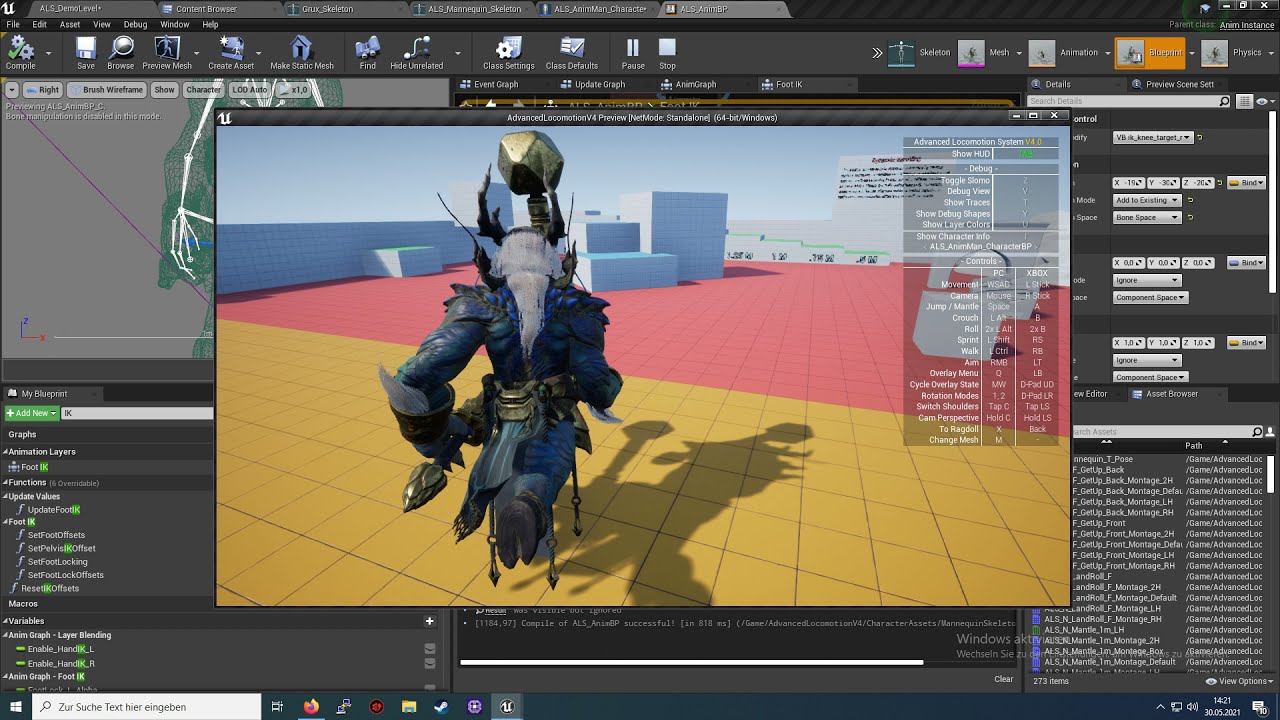
I noticed that the raw i Uploaded my Videos may I mad the Impresion that this Videos show how to do this off my other Video.( https://youtu.be/hYLGcDli7Dg ) Retargeting is just to steal Animations not to change Meshes. in the end Result at 10:53 As i surched for a tutorial like this i wasn´t able to find one witch show it right. I Piced Grux fo...
Tutorial that I followed
 gilded rock

Hey, has anyone run into issues trying to retarget IK bones in the new IK retargeter?
worthy surge
Is it possible to make an animation file that uses certain modifiable points as keyframes rather that coordinates? for example can a single animation "adapt" the right hand to the position of the weapon handle?
in first person animation
 jade bloom
how can I change the mesh's reference pose using maya?
1- changing the bind pose in maya and reimporting the mesh in UE4 doesn't help
2- adding an animation in maya and checking the "Use T0 as reference pose" during reimport in UE4 doesn't help
...
what helps is
- creating a 1 frame animation in maya, export it to fbx
- import it in ue4, it imports as 50+ frames of animation for some reason
- in ue4 delete ALL frames except frame 0
- export it to fbx
- in maya, take your mesh and import this new animation
- now export your mesh
- import in UE4 with T0 on and it changes the ref pose
this is crazy, how can I do it without all these gymnastics?
gilded rock
jade bloom
how can I change the mesh's reference pose using maya?
1- changing the bind pose...
have you tried unchecking Show DAG objects only then deleting the bind pose then selecting all your bones and type this into MEL dagPose -s -bp to rebuild bind pose with the new ref pose?
jade bloom
i deleted the bindpose in the outliner, then created a new one using cmds.dagPose(bindPose=True, save=True). this created a new bindpose. i can go back to it in Skin>Go To Bind Pose.
but ue4 ignores it.
gilded rock
jade bloom
but ue4 ignores it.
myb there was a pose asset assigned to the skeleton? you can check by clicking this button, the button to the left sets the pose, it's usually used for retargeting
 jade bloom
retarget base pose is useless in ue5, it's no longer used during retargeting, so i need to change the reference pose
there's no pose asset assigned to the skelly, no
even when i don't do reimport, but rather import it as a new mesh, it's still using the original bind pose for some magical reason
jade bloom
found how to do it, if anyone searches for it in the future. T0 option does actually check for frame 0. while maya only allows you to work with frame 1 by default. you have to open the animation graph and go to frame 0 before saving keys.
gilded rock
jade bloom
found how to do it, if anyone searches for it in the future. T0 option does actu...
oh, I wouldn't have supposed that, that's nice to know thx
 little wyvern
Hey guys, whats the best way to blend animations in C++?
 soft crown
Sorry I can't help but what are you using to do mocop?
 narrow gull
Is there some generic way to get an event or notification once an animation (for example in an animation blueprint state machine) has finished playing without adding anim notifies?
sinful raptor
Hi guys. how could i make my character taller. i'm using my own character and it's legs should be longer. it's a little compressed atm. using the mannequins skeleton
 sinful frost
sinful raptor
Hi guys. how could i make my character taller. i'm using my own character and it...
sinful frost
sinful raptor
Hi guys. how could i make my character taller. i'm using my own character and it...
U can use blender to edit mesh size
rocky delta
Hey all
I'm using an asset pack for meshes and animations but I'm having a weird bug
my character mesh size changes when i'm playing an animation
I have all scales set to 1
any ideas?
worthy surge
I made an animation in blender, exported it into FBX but when I try to import it I get "No smoothing group information was found in this FBX scene." how do I fix that?
ashen junco
rocky delta
Remux this to MP4 first.
I'd prefer to look at it without having to download it.
 ashen junco
worthy surge
I made an animation in blender, exported it into FBX but when I try to import it...
ashen junco
worthy surge
I made an animation in blender, exported it into FBX but when I try to import it...
The error's not related to the animation at all, but in the Export Settings you can change the smoothing to Face.
It's not that consequential tho
rocky delta
sorry for the music, I'm new to the whole recording thing
export settings?
I can see additive settings and import settings
but I can't find an export settings section
 worthy surge
also where do I find the animation itself? when I import FBX I get a skeletal mesh, a physics asset, and a skeleton
rocky delta
seems like it was a blendspace issue. I was using the wrong animations and forcing the root motion which was causing issues
sinful raptor
sinful frost
U can use blender to edit mesh size
my mesh is already a bit taller than the mannequin. When i use the mannequin skeleton for my character it compresses it's height
dull sun
What do people do to have an animated camera play along with something like a takedown anim?
Currently, I'm exporting cam keyframes as a single animated bone and connecting it to the cam, but is there a better way?
jade storm
How do i reference pose a skeletal mesh with animation on a rig? I want to key frame some fixes for my guns arms animations.
should i just make a new actor blueprint for this?
 dense gyro
humanoid dropdown menu not appear

unable to retarget bone
can someone help why the menu not appear
dense gyro
will check in a moment was not home
thnx it work like charm @jade storm
i have 1 more issue why colloid not work after i try to modify the character
i want that character bone or physics collision
 sinful frost
sinful raptor
my mesh is already a bit taller than the mannequin. When i use the mannequin ske...
sinful frost
sinful raptor
my mesh is already a bit taller than the mannequin. When i use the mannequin ske...
if your character has same bone hierarchy as Mannequin then size should not matter
 rugged prairie
im trying to make it stop animating when i stop punching, because when i stop it continues the last frame of the animation until i do something else. if you need any more code or a video to show the issue that is completely fine- heres the bp

 red oar
I retargeted an animation blueprint to a new skeleton. All the animations seem to be working expect one. It was working before I retargeted but now my reload animation does not work. I'm sure its something simple but I'd appreciate any help.


 hot crown
Any riggers for hire here?
ashen junco
hot crown
Any riggers for hire here?
See #instructions on how to post to the job board channels
novel blaze
Has anyone ever seen this when dealing with animation blueprint linking? I dont even know where to start looking lol. Mesh just explodes when I link the anim blueprint.
 eternal ivy
Ok, I think I've got my control rig for the FP skel arms set up. Now I need to make animations in sequencer, but I need to attach a preview bow mesh, and preferably also a camera so I can see from the correct angle.... but how?
novel blaze
All you do is drag the weapon you want to animate with in the level then in the world outliner drag it over your skeleton. It will give you an option to attach it to a bone. Hopefully you have a custom bone set up. You could also use an attach track in your sequencer but that wont carry over to actual gameplay unless you do some extra work
eternal ivy
I have a socket set up on the skeleton already
novel blaze
novel blaze
Has anyone ever seen this when dealing with animation blueprint linking? I dont ...
I found the culprit. Its an empty aim offset in my graph. Shitting thing is I'm running into a weird bug where I cant add a animation to the aim offset graph. It shows me dropping it in there then it just destroys the anim
novel blaze
eternal ivy
I have a socket set up on the skeleton already
It wont allow you to attach to a socket. If you cant customize the rig you could add a virtual bone and attach to that. You would need to edit your control rig so that you can use a control to move that new virtual bone.
eternal ivy
actually, that worked. attached to the socket
crashed tho. while trying to go back to something else
hot crown
So for Unreal, I do not have to retarget the Mixamo skelton to Unreal Skel? I can just import Mixamo animations and make a custom animation blueprint?
hot crown
ashen junco
See <#780559951663857724> on how to post to the job board channels
Thsnk you!
ashen junco
hot crown
So for Unreal, I do not have to retarget the Mixamo skelton to Unreal Skel? I ca...
Yes.
Mixamo rig is workable, provided that you don't have root motion, or all anims are in place.
 spare adder
Hey guys, can anyone recommend a free course (like the unreal ones that I used for sound that were recommended by people in the sound channel) for getting a great grasp over the whole rigging/animation pipeline?
I searched and found a basic one but it didn't really go deep, it was more of a hacky way to accomplish something (using a premade animation). I'd rather learn how to go about it from a total blank slate
What I want to eventually accomplish is get my own character in and tackle the true first person camera issue
 worthy surge
can somebody help me solve an issue? My first person animation looks fine in blender but it doesnt work when I import it to ue4
jade storm
How do i get blender to play BOTH gun reload animation , and the arms animation, at the same time so i can fix the broken clipping.
 worthy surge
it seems to lose the bones, as the imported skeleton only has one part
jade storm
worthy surge
it seems to lose the bones, as the imported skeleton only has one part
this is why you use the full body skel, even for fp anims.
just import and press ignore, if that breaks, try retargeting the skel to skel
worthy surge
what full body skeleton?
I did it yesterday somehow and it worked just fine, but now it seems to lose the armature
the skeleton gets only one bone, and it's named like the object
jade storm
your not creating your scene correctly then
skeleton in one slot, mesh in other

see how that says root
and the other says arms?
dont mind body thats my gun 😛
worthy surge
here's mine

something wrong with it?
"base light" is the animated object
in blender it works just fine
jade storm
delete the word collection, highlight all and export
try that
rename armature to something else too like light_root or something
worthy surge
like that?
 worthy surge
still same issue :\
worthy surge
could not find the bind pose
jade storm
Try this.
worthy surge
the only warning when importing
jade storm
close blender, open the 3d asset in blender.
open animation in blender.
press play, if it works, export.
then, import skeletal mesh, and animation in ue.
jade storm
the 3d model of the object you are animating
Oh weird
Did you try resetting the export settings to default?
file, export, fbx, restore operator defaults
worthy surge
still doesn't work
can you take a look at the file? I probably dont see something obvious
jade storm
if you want sure, ill see if i can get it to work, pm it to me
gime me a few minutes
Main issue, is the animation is not recognizing the mesh.
as soon as you export to fbx, your animation will play and the gun will remain static.
worthy surge
I thought it does if you name the bone the same as the vertex group
jade storm
i thought the same thing. but that never worked.
worthy surge
Is the skeleton empty for you as well?
jade storm
yupp
 dark vortex
blank have you tried looking at Mr. Manniquin tools - not to use it but maybe there's something in that project you can see in blender
jade storm
its a pistol reload animation
worthy surge
I dont understand why ue just yeets the bones outta the window
 worthy surge
👀
worthy surge
how did you manage that?
jade storm
okay
hold on
let me see what you did here lol
You assigned the bones to the animation, and not the actual gun itself.
therefore, the animation will not do anything with this mesh.
I can export you the mesh, with the bones if you want.
worthy surge
the animation itself isnt as important as learning how to do all this properly
jade storm
Oh yeah 100% my friend.
worthy surge
so, how do I assign the bones?
jade storm
im not a good teacher so its hard for me to explain things.
i did it in 3ds max.
and not blender
worthy surge
ahh, I'll try looking for it myself then
worthy surge
I followed one on fps animations by triftydonut, but it's more like a step by step guide
worthy surge
by the frame bone you mean the main one?
jade storm
yeah
worthy surge
yeah, I assume that's how you assign the object to the armature
worthy surge
it works!
jade storm
amazing.
worthy surge
at least the animation
jade storm
in ue?
worthy surge
yea
 jade storm
thats what happened for me
but you got it working!
thats good man, i know how to do this now too. add the modifier to the animation, we both learned something 🙂
worthy surge
jade storm
thats what happened for me
probably has something to do with these settings

in FBX export
jade storm
i told you to reset those to default xD
worthy surge
I just make the scale smaller and the animation uncompressed
jade storm
Ahhh
worthy surge
it's HUGE when you import to ue4
jade storm
i never have these issues with 3ds max
worthy surge
maybe my model is actually enormous lol
thanks for helping me! I believe now I know how to import blender-to-ue4
both models and animations
jade storm
so in blender you can just rename roots from a gun to a amature, and it should work with it?
like you said earler just rename
could save me like 30 hours
worthy surge
I just added this modifier, everything else is the same I believe
 jade storm
okay awesome, im going to try this out with a model i bought then!
worthy surge
basically I forgot to add the most essential part haha
 torpid smelt
So I exported the UE4 Mannequin and tried using it on Mixamo, but when I import the animation from there I get 'bone transform is different from original' issue and the animation breaks. Anyone went through this before?
dark vortex
torpid smelt
So I exported the UE4 Mannequin and tried using it on Mixamo, but when I import ...
yeah it's the same problem they have from the classic "importing mixamo animation" youtube thing - might check that out and see if you can figure it out from that
torpid smelt
dark vortex
yeah it's the same problem they have from the classic "importing mixamo animatio...
Cheers I'll have a look, been adjusting exports settings and trying to spot what's off
jade storm
wow that was so much easier just assigning the bones in blender than 3ds max... thanks again for pointing that out @worthy surge
 deft solstice
hey guys im importing my character into unreal engine but its skin ends up invisible. i have it set to on so i have no idea why its doing this.

in maya

in unreal
umbral radish
Still better than Assassins Creed Unity.
And how is your day going? https://twitter.com/andidev_/status/1510684004881739781
 karmic bobcat
any idea why my aimoffsets are not passing any data into my anim bp? if i open the asset it works fine, but when i use it with the animation blueprint, it doesnt pass anything (for example i have my cached locomotion feeding into it, and then to final animation, i just get the cached locomotion, and if i unplug the locomotion from it i get a t pose. skeleton is the same and everything
jade storm
karmic bobcat
any idea why my aimoffsets are not passing any data into my anim bp? if i open t...
for aim offsets you need to make the animation additive
never understood why, but thats the way it goes.
lol
ashen junco
deft solstice
 pure wadi
Anyone know why some of the gizmos don't show up in Control Rig? Even using the default UE4 control rig on Marketplace I can’t see the twist controls. Weirdly they flicker in and out of visibility when I expand the viewport window - https://streamable.com/60j1bn

I set up a control rig for another character and the same thing is happening on the finger controls. I can select and manipulate them from the rig hierarchy but not from the viewport 😕
karmic bobcat
jade storm
for aim offsets you need to make the animation additive
same its confusing, but all the animations in the aim offset are set to additive 'mesh space"
jade storm
karmic bobcat
same its confusing, but all the animations in the aim offset are set to additive...
did you create a second anim? one additive and the other regular?
and then use the mesh space aim for the additive?
with the regular?
ashen junco
pure wadi
Anyone know why some of the gizmos don't show up in Control Rig? Even using the ...
In the template, those are hidden with a bool control. By default, Control Rig controls in the preview don't reset when you just manipulate those around, only when you compile.
pure wadi
ashen junco
In the template, those are hidden with a bool control. By default, Control Rig c...
Thanks I'll take a look
karmic bobcat
jade storm
did you create a second anim? one additive and the other regular?
theyre all this "one frame " animatins with mesh space additive
 fringe trellis
How can i cast to a pawn in anim BP?
ashen junco
fringe trellis
How can i cast to a pawn in anim BP?
Try Get Pawn Owner node
Usually this is done on init event.
 silent iris
how do you stop an animation from teleporting the player back to its starting position after the animation is completed?
ashen junco
silent iris
how do you stop an animation from teleporting the player back to its starting po...
Extract root motion in the sequence.
silent iris
ashen junco
Extract root motion in the sequence.
ty
 sick laurel
hello. im having a issue calling set and play animation on my character. im doing this via the skeletalmeshcomponent.note everything other method i call from thsi class works fine
 manic copper
¿Tienes una historia para un cortometraje? ¿Te interesa la animación? ¿Te gustaría aprender a utilizar herramientas de última generación?
¡Esta es tu oportunidad de ser parte del primer Unreal Engine Real-Time Short Film Challenge Américas, España y Portugal!
Recibirás una capacitación gratuita con expertos de Unreal Engine y tu proyecto podrá competir para formar parte de la edición 37 del Festival de Cine en Guadalajara.
Podes participar por uno de los 10 premios con un corto realizado íntegramente con Unreal! Cada ganador recibirá pasaje y estadía para participar del Festival y USD 10,000!!!
Regístrate antes del 17 de abril en: vp.eventival.eu/ficg/2022 👆
El 18/4 empiezan las capacitaciones en español y portugués y vas a tener tiempo hasta el 5/5 para subir el proyecto final.
#unrealengine @unrealengine @epicgames @epicgameses @epicpublishing #ficg37 #animation #realtime @estrellaaraiza @realgdt #guillermodeltoro @epicpublishing #ficg37 #animation #realtime @realgdt #guillermodeltoro https://www.instagram.com/p/Cb54h-BOTi6/

¿Tienes una historia para un cortometraje? ¿Te interesa la animación? ¿Te gustaría aprender a utilizar herramientas de última generación?
¡Esta es tu oportunidad de ser parte del primer Unreal Engine Real-Time Short Film Challenge Américas, España y Portugal!
Recibirás una capacitación gratuita con expertos de Unreal Engine y tu proyecto podrá...

 Instagram
fringe trellis
Instagram
fringe trellis
@ashen junco i know but it seems to only want to cast to character actors not pawns or regular actors.
karmic bobcat
😢 i cant get aim offets to work in the animation blueprint
i dont understand why
ive been looking at all the settings from other ones and i cant seem to find anything im doing differentl
seems like im having a warning "base pose visible but ignored"
pure wadi
ashen junco
In the template, those are hidden with a bool control. By default, Control Rig c...
Found the bool control, works great. Thanks again!
 vestal thistle
is there a way to export a frame from an anim sequence as a control rig pose?
 leaden swan
Hello, i am working on runtime animation editor and i am wondering if there is some function or blueprint that would allow me to control the playback of animation
In short, i need to get to a system that solves the animation engine and solves the blending of individual keyframes so that the animation speed is maintained in the variable rendering frame.
If such an input exists, i need to enter my own value in it and export that value to the UI.
ashen junco
leaden swan
Hello, i am working on runtime animation editor and i am wondering if there is s...
Not sure if you're actually referring to viewing premade anims in runtime, or making one from scratch in runtime.
leaden swan
premade anims which i want to edit
 uncut token
Crouching (Character movement component) doesnt work with Master pose component ?
 ashen junco
uncut token
Crouching (Character movement component) doesnt work with Master pose component ...
ashen junco
uncut token
Crouching (Character movement component) doesnt work with Master pose component ...
Something else must've messed it up.
Likely skelmesh components are independent and you only transform one of them for crouching.
uncut token
yes they are independent and the Main skeletal mesh component doesn't get moved down with crouching ( i think) but the rest does
but i dont know how to move the rest down because i use the standard crouch function from the movement component
ashen junco
uncut token
yes they are independent and the Main skeletal mesh component doesn't get moved ...
Better practice would be to have other skelmesh component to be parented to the main skelmesh component.
At least that way I get consistent results.
uncut token
i tried it before i think but didn't work somehow now it does. Thank for helping that was a dumb moment
misty dagger
hello guys
can we do one state machine should controller upper body and another state machine control lower in unreal
can we do like this?
ashen junco
misty dagger
can we do one state machine should controller upper body and another state mach...
Yes, with slots
misty dagger
for now i did like this

and i cant able to play animations
now i have one one condition if i click left mouse button one animations should play from rifle animations
but its not happening
i mean transition is working inside rifle animations but output animation is not playing
sick laurel
So does anyone one knows about the reason why i can set and play a animation sequence at runtime on my character? Maybe an alternative? lol
ashen junco
sick laurel
So does anyone one knows about the reason why i can set and play a animation seq...
You may be looking for montages
sick laurel
ashen junco
You may be looking for montages
i may have to thanks
 ashen junco
jade storm
does anyone know why i cant assign the hammer to the hammer bone?
ashen junco
jade storm
does anyone know why i cant assign the hammer to the hammer bone?
Might want to ask this on Blender/OpenVFX server instead
jade storm
ashen junco
Might want to ask this on Blender/OpenVFX server instead
i had no idea there was one lol
thanks
coral jasper
im trying to import an animation from mixamo but it gives this error
 vague oriole
This is kind of a basic question, but how do I pause a skeletal mesh during an animation? I've tried searching and the only recommendation I could find is to set custom time dilation to 0 on the actor, which seems kinda janky
 leaden inlet
Anyone got any idea why this would work in editor but not in shipping? ue5-p2
 ashen junco
vague oriole
This is kind of a basic question, but how do I pause a skeletal mesh during an a...
ashen junco
vague oriole
This is kind of a basic question, but how do I pause a skeletal mesh during an a...
As in pausing Anim Instance? I'm not sure if it has a function to pause anims tho
ashen junco
sinful raptor
can i offset bones ingame somehow?
Yes, in animBP (and Control Rig) you can manipulate the bone transform.
ashen junco
coral jasper
im trying to import an animation from mixamo but it gives this error
Are you importing non Mixamo rig into Mixamo?
 marsh shell
Is there any way to fix the "Multiple Roots found in hierarchy" error without severely messing up my animation? I'm using blender and have multiple "child of" constraints, is there any chance of fixing this without ruining the animation?
ashen junco
marsh shell
Is there any way to fix the "Multiple Roots found in hierarchy" error without se...
How's your bones laid out in your rig in Blender?
Basically a rig/skeleton can only have one deform root bone
marsh shell
ashen junco
How's your bones laid out in your rig in Blender?
Basically a rig/skeleton can o...
So everything has to be parented to the same bone? I tried doing that and it messed up the animation because of the child of constraints (I tried deleting the restraints and applying them too, same results)
ashen junco
marsh shell
So everything has to be parented to the same bone? I tried doing that and it mes...
Yes, or have the armature object to be named anything but Armature
marsh shell
ashen junco
Yes, or have the armature object to be named anything but Armature
So I just have to do it over again then
 bitter shard
Is it possible to "reset" the accumulate nodes in control rig?
coral jasper
is it possible to get a character asset from the epic store that has custom bones and remove them to replace them with the default manequin bones inside unreal engine? or will i need to do that inside blender. 3ds max etc ?
ashen junco
coral jasper
is it possible to get a character asset from the epic store that has custom bone...
You have to do that in DCC tool.
coral jasper
ok thnx
 opal jay
Guys im having a hard time trying to fix this. When i have an animation that is somehow wrong, shoud fix the bones on the skeleton or in the blendSpace that im using?
 ashen junco
opal jay
Guys im having a hard time trying to fix this. When i have an animation that is ...
ashen junco
opal jay
Guys im having a hard time trying to fix this. When i have an animation that is ...
Adjust it in runtime with IKs
coral jasper
how would i add an aiming animation if i was gonna press right mouse? like where would i add the condition
misty dagger
Hello,
I’ve created a state machine that includes the movement animation of some Third person characters, now I want to create a state machine for upper body animation, but try use Layered Blend per Bone, my character’s upper body has been rocking from side to side. How can I solve it.
 stark thunder
Hi
How are you all doing?
Anyone know how to import a skeletal mesh but separate for cloth painting
#blueprint message
digital aurora
Still couldn't figure out how to make this
The IK hit stop is explained here by Cory Barlog:
https://www.youtube.com/watch?v=zpr-EE2In1M
I implemented this feature with Control Rig and Fullbody IK. The animation was keyed by myself with Maya.
Animation hitstop
Any help would be appreciated
 molten mesa
Not sure if this is the right place, but my build crashes on start, gives an "Assertion failed: BlendSpace != nullptr" error.
 ashen junco
molten mesa
Not sure if this is the right place, but my build crashes on start, gives an "As...
ashen junco
molten mesa
Not sure if this is the right place, but my build crashes on start, gives an "As...
Have you tried doing sanity check of the project in UE4?
ashen junco
molten mesa
Do you mean like "Convert to UE4 and try there"?
So your project started in UE5?
molten mesa
Yeah
ashen junco
Yikes
It would be better if you start in UE4.27 at least you have something for sanity check, making sure it's not UE5 exclusive errors
molten mesa
I appreciate the advice, but to be blunt, that sounds very difficult to maintain. Needing to work in 4.27, then convert to 5.0 and play test a build just sounds like more trouble than it is worth.
Assuming this is not a UE5 engine bug, how would you go about debugging this? I did a find all for "blend space" and all my nodes are hooked up, so I don't think it is a dangling node.
ashen junco
molten mesa
I appreciate the advice, but to be blunt, that sounds very difficult to maintain...
I never had assertion fail on BlendSpace in UE4, if that's something to go by.
 wet patrol
Up to now there's a big warning on ue5 saying it's not production ready
That's a signal the people new to unreal engine really shouldn't be using it
Because they have no basis on if a problem is ue5 or their own
ashen junco
wet patrol
Up to now there's a big warning on ue5 saying it's not production ready
Nah, nobody reads it
Besides Epic Games is just a small time indie game developer, who are they to stop us from using UE5 Preview for production?!
molten mesa
Assuming I can read lol
wet patrol
Just saying, you can't get mad at someone for recommending best practice given the state of the preview
That may all change in a few hours tough
Likely to be officially released
molten mesa
If I came across as mad, I apologize, that wasn't my intent. It just isn't feasible for us. We hit our 10000th commit on the project recently, having to convert, build, and manually test these would be impossible.
molten mesa
wet patrol
Likely to be officially released
Hype
I am not an animator though, and just want some help debugging my anim bp. At this point, my plan is to just throw in a log at every location a BS is used, but that will take hours
ashen junco
molten mesa
I am not an animator though, and just want some help debugging my anim bp. At th...
I mean, FWIW with preview builds, many things are still sussy. Also UE5 saw massive refactor in the backend, things that went flawless in UE4 can break in UE5 previews.
molten mesa
I get that, and while this conversation is one worth having, I don't think it is relevant to my issue.
Yeah, we can assume the issue an Unreal Engine bug, where it is destroying a Blend Space during the packaging process, since I can play in editor and standalone, just not in a built version.
Or we can assume it isn't a UE bug, and if we did that would have advice on how I could go about debugging this?
coral jasper
does the fps weapon bundle asset pack on epic store have animations or will i have to manually make animations for each weapon
 turbid viper
Got another interesting challenge! So I am making a mocap game and I want a prompt to trigger/open when my livelinked/mocapped object enters a box trigger. No clue how I can do this, since livelink works as animation, so its not a character that is "moving"
Taking a character trigger and making it a children of the mocapped object doesn't work. If my mocapped object moves, the child trigger doesn't
 rich tree
My project is capped at 60 fps. Where is the option to let it just run at max? I can’t find it.
molten mesa
Is it the frame rate settings under Engine > General Settings > Framerate?
rich tree
molten mesa
Is it the frame rate settings under Engine > General Settings > Framerate?
Good man! Tyvm!
coral jasper
is it possible to take a character mesh from epic store and import it into blender or any tool? in file explorer it only shows ueasset file types. how would i export it
ashen junco
coral jasper
is it possible to take a character mesh from epic store and import it into blend...
Yes, you can export the asset from Unreal Editor into FBX file, but you may need to process it with Autodesk FBX Converter 2013 (free (abandon)ware) so that Blender can read the file.
coral jasper
so i just right click and export on the mesh ? @ashen junco
ashen junco
coral jasper
so i just right click and export on the mesh ? <@!325627930484932608>
Yes.
coral jasper
ok thankyou
coral jasper
my sprint animation twitches in the middle every 1 second. what would i have to change in the blendspace to smooth it out
 stoic moth
Hey all. I'm still really new at stuff so excuse my dumb questions. I have this scene where I want these light beams to slowly move through the room each at slightly different speeds and different positions. What would be the best way to do this? they are not interactable, they just light the room. Also, I am not a coder so avoiding that as much as possible would be nice. Thanks.

 viscid crater
I have several different animation packs from the marketplace, and each of them have their own UE4_Manequin skeletal mesh in them. How can I combine them so they all point to the same skeleton?
ashen junco
viscid crater
I have several different animation packs from the marketplace, and each of them ...
Right click on the skelmesh asset, and you should have an option to change the skeleton
viscid crater
Ahhh.... Got it. Thank you. I wasn't thinking about the skeleton being a separate thing from the skeletal mesh. Kinda dumb of me! 😅
soft crown
Looking at the 5.0 sample content, for control rig how are they passing variables around for input on the control rig and making certain bones have controls that visualize in preview?
They have nothing in the "Varibles" section yet there are inputs for all their examples
 fluid panther
Pretty new to rigify in blender so maybe someone has came across this, or maybe I am doing something wrong. I created a simple human skeleton in blender, painted the weights so it deformed the mesh okay, but when I press generate rig it creates a whole new skeleton. Did I do it in the wrong order? Do I need the rig on it before I paint weights? Its blender 2.8.
 onyx sigil
hello, i have a beginner issue. i have imported one animation with default value, and i would like to reimport (ans set the right import parameters), is there a way to reopen the import window ?

 spring karma
I'm trying to create a animation blueprint but the creation window opens outside of the screen, any shortcut to pull it down? (UE5)

 faint tusk
I have a mesh I want to attach to a character via a socket. When I do the mesh is out of scale and attached wrong. How do i fix it?
onyx sigil
faint tusk
I have a mesh I want to attach to a character via a socket. When I do the mesh i...
what do you mean "attached wrong" ?
faint tusk
the mesh being attached is gigantic and not where it should be
when dragged into the scene from content browser it looks fine
 potent garnet
I need to be able to 'toggle' whether or not my skeletal mesh actor uses physics (as in via an animation blueprint) is there a way to do this? it's fine if the pose resets while paused - just need to move it to a new location without the physics going mental
or even just a way to reset the pose would work
oh...

lol
 somber urchin
ok, this is really frustrating me
after a lot of print strings, I believe this part it not functioning for what ever reason
I intend this to keep ik positions (procedural legs) stationary until they travel far enough (distance to move)
at the end of true, there is a distance check to see if it can set is moving to false at the end of true
but despite (what I think is) everything one the true branch works, the false branch just doesn't work for some reason

sorry if its a mess, I usually clean up after I get something that works as intended
 drowsy torrent
its easy
orchid crow
Does anyone know how to export animation with key frame from sequencer?
ashen junco
orchid crow
Does anyone know how to export animation with key frame from sequencer?
There's an option to export control rig keyframes into animation sequence
orchid crow
ashen junco
There's an option to export control rig keyframes into animation sequence
Can you send me the tutorial? Thank you
ashen junco
orchid crow
Can you send me the tutorial? Thank you
Right click on the CR track in Sequencer, you should have the option to do so
 inner vapor
heyo, anyone knows how to make a driven key functionality in control rig? 😄
ashen junco
inner vapor
heyo, anyone knows how to make a driven key functionality in control rig? 😄
wdym by "driven key functionality"?
inner vapor
I'm trying to recreate this rig I did in maya. Each finger joint has separate controller that can be animated, but there is also this general controller that u can use to animate fingers quickly. I have set up these floats in unreal, just not sure how to make the finger driven by the float

tried this but the finger is just rotating forever xd


i guess i need to find a way to create two poses and blend between them but i can't find a way to do that
 grim rain
is there no break vector/ rotator node in control rig?
ashen junco
inner vapor
tried this but the finger is just rotating forever xd
Aha
If you want to manipulate the Controls, you have to do it in Backwards Solve phase
ashen junco
grim rain
is there no break vector/ rotator node in control rig?
Vector structs should be expandable without make/break nodes
grim rain
ashen junco
Vector structs should be expandable without make/break nodes
How would I add to a single component of a vector or rotator?
inner vapor
ashen junco
Aha
If you want to manipulate the Controls, you have to do it in Backwards Solv...
I thought about creating spaces above the controllers and just rotating them, but I don't know how to create the two poses that I should be blending between
ashen junco
grim rain
How would I add to a single component of a vector or rotator?
Expand the pin, and do whatever you want with the float, same way you would with split struct pin or make/break nodes
inner vapor
grim rain
is there no break vector/ rotator node in control rig?
there is a "to rotator" node but it still randomly rotates forever
ashen junco
inner vapor
I thought about creating spaces above the controllers and just rotating them, bu...
TBH I haven't explore that side of Control Rig yet
grim rain
There is no option to expand a rotator and there is no break/ split node
 ashen junco
grim rain
There is no option to expand a rotator and there is no break/ split node
ashen junco
grim rain
There is no option to expand a rotator and there is no break/ split node
Rotation is quaternion, not FRotator
grim rain
ashen junco
Rotation is quaternion, not FRotator
Got it! Thanks a lot


 jolly oak
I want to make disappearing effect from top of grass
misty dagger
question
shortcut for jumping to begin or end of an animationclip inside sequencer?
I cannot find it 😦
https://docs.unrealengine.com/4.26/en-US/AnimatingObjects/Sequencer/Workflow/CheatSheet/
misty dagger
guys I have no idea what im doing
 light river
That's normal. Next!
misty dagger
ahahha
hard fog
Why does my animation in unreal only animate from the hip where the one in maya doesnt? See gifs for the difference. Grey is what it should look like and the coloured is what it looks like in unreal. Root Motion is not enabled.

 dense gyro
what thing need to be set lock rotation on physics
hard fog
 whole blaze
and it can be your import/export settings
whole blaze
and it can be your import/export settings
Is there any known unreal settings that would change the outcome? If you know Maya is there any there as well?
hard fog
whole blaze
your root bone is probably hip bone
I've got a root bone but it doesnt seem to use it
whole blaze
i work in blender

maybe you find some similarities
its probably the deform bones
and i dont change much in unreal import settings
 young olive
Is animation retargeting in UE5 just malfunctioning? The whole thing just does not seem to work correctly.
Is there any sort of automap that i am missing?
whole blaze
just dont use retargeting 😄
young olive
The IK match only seems to work if you do a Bone to Bone match, not IK chain match
young olive
whole blaze
just dont use retargeting 😄
?
 toxic totem
I'm having some hard time retargeting some root motions animation in UE5
I'm using the third person UE4_to_UE5 IK and the result is good except for the root motion which is not copied
Anyone knows how to solve this issue?
 candid lily
I have the exact same issue :/
young olive
Just to make sure.. you did right click on 'root' and set as retargeting root, yes?
Within the IK rigs i mean
candid lily
You mean this?
 young olive
No, i meant while under the hierarchy of the IK rigs, right click on the bone that is the root (I am using pelvis) and define it as root, and then yes, make sure that the check you have screenshared is checked too
candid lily
oh you meant this
 young olive
Yep, that is all of my guesses 🙂
young olive
Perhaps, it would vary based on custom things, but i am using pelvis.. One of my rigs is pelvis, but on the target the bone name is tailbonerootbase. But, yes both rigs would need to have the root defined
And oddly enough, you may have to leave the target and source chain set to none in the Map, just for the roots you defined. I suggest experimenting
candid lily
thanks a lot!!
young olive
I hope it works for you, best of luck!
toxic totem
Got the actual solution to the problem
In the RTG you have to select the Root in the chain mapping and set the Translation Mode in the Details to Globally Scaled

 stable reef
After I add a char from marketplace. I just deleted his skeleton and replaced with the UE5 skeleton and everything worked fine except his fingers are all twisted. I set everything to Animation Relative and that seemed to fix it, but his idle pose is weird, Animation Scaled everything is fine but the fingers again.
 idle belfry
Hello, is there any way to animate a single variable in a blueprint using a curve like this?

I've been trying to put together something similar using simple blueprint nodes, but I can't help but think I'm going the wrong way about this.
ashen junco
idle belfry
Hello, is there any way to animate a single variable in a blueprint using a curv...
Timeline node.
idle belfry
ashen junco
Timeline node.
That looks like exactly what I need, thanks!
 marble pine
does anyone know how to get rid of the collision jumping thats on the default ABP_Mann? I can't find it anywhere. On the anim graph or event graph
stable reef
figured it out, thanks anyways! lol
candid lily
stable reef
figured it out, thanks anyways! lol
could you share your solution please?
 coarse flare
Hey, I have a bone in my skeleton but it's not found in all meshes, editor says: "this bone exists only on the skeleton but not on the current mesh"
ashen junco
coarse flare
Hey, I have a bone in my skeleton but it's not found in all meshes, editor says:...
That just means what it says, the bone existed on the skeleton, but the skelmesh isn't using it.
Can be safely ignored if you're working on something like modular character
coarse flare
ashen junco
That just means what it says, the bone existed on the skeleton, but the skelmesh...
I'm using that bone to attach another actor in a level sequence
so the problem is that it works only with one skin/mesh and the rest it's not there!
could it be an import issue?
ashen junco
coarse flare
could it be an import issue?
Perhaps? I doubt it's the case though. Zero weight bones should still be imported
candid lily
stable reef
figured it out, thanks anyways! lol
@stable reef can you please share your solution? 😢 I have the same problem
ashen junco
candid lily
<@190978155354390529> can you please share your solution? 😢 I have the same pr...
Welp, forget it. He's reluctant to go back lol
people should be posting the solutions even though it's self answer. This wouldn't happen if he do such thing.
 split mica
I saw on one of the UE5 animation talks they were showing a debug view of the skeletal rig in the PIE window. Does anyone know how to enable that?
 novel viper
Hello. I have a strange problem. When using an random animation sequence node, the blend does not seem to work. No matter what I change about the blend settings, the animations never blend, they always snap. Anyone know why? 🤔
somber urchin
so I'm trying to better understand what I'm doing wrong, and it just becomes a mess, so this is the simplest way I can describe my problem
I created a new actor gave it a trigger volume and this is all the code it has
why dose this only work when the "Interp speed" is set to 0?
if interp speed is 0 why bother interpolate?
 misty dagger
hello, i have a question regarding jiggle physics/animation, do you add it inside game engine via physics or bake it on animation keyframes inside blender when exporting? <= gonna be use inside unreal for game.
gaunt onyx
any plugin suggestion to do some medieval combats animation?
coral jasper
is this worth it or there are any alternatives ?
 candid lily
gaunt onyx
any plugin suggestion to do some medieval combats animation?
candid lily
gaunt onyx
any plugin suggestion to do some medieval combats animation?
Kubold and WeaponMaster Anim
ashen junco
misty dagger
hello, i have a question regarding jiggle physics/animation, do you add it insid...
It should be real time with physics assets/anim dynamics
ashen junco
gaunt onyx
any plugin suggestion to do some medieval combats animation?
Control Rig?
Not sure why that needs particular plugins 🤔
misty dagger
ashen junco
It should be real time with physics assets/anim dynamics
is it the same for clothings and hair also? my main goal is to acchieve similar/close to what genshin do with their animations.
ashen junco
combat anims are mainly the matter of playing the montages, something that vanilla BP nodes can do
 weary nimbus
I'm seeing the most annoying behavior after upgrading to the latest UE5 and I'm wondering if anyone here has figured out a workaround: in any Anim BP if I hover over any pin to see its type, a giant text box appears saying "Not in scope" or "No debug data" instead. I'm not in PIE or anything so it seems odd that it's doing that (maybe a bug?).
It's as if it thinks I'm watching every variable
Oh wow and now I find a solution: switching the debug object in the AnimBP UI to "None" and then back to the preview actor fixes it.
jade storm
Is there any easy way to get these to sync up easier than keyframing???
coral jasper
what is this and why is this
jade storm
coral jasper
what is this and why is this
the IK is messed up in the control rig or somewhere in your anim bp
its not set to grounded
coral jasper
jade storm
the IK is messed up in the control rig or somewhere in your anim bp
i did an animation retargetting for mixamo . what would i have to change or check
jade storm
I have no clue, just an idea of what is the reasoning behind this. I know this, because i had this issue before. You might want to look at some control rig and animation blueprint for control rig.
coral jasper
alright thanks'
jade storm
actually, look in your animation bp. look at where the IK is used make sure its set to ground.
or the IK is not recognizing the grounds physical material.
coral jasper
jade storm
actually, look in your animation bp. look at where the IK is used make sure its ...
would i find this in the event graph or anim graph
jade storm
coral jasper
would i find this in the event graph or anim graph
animation graph.
wait
did you do a retarget correctly?
coral jasper
i disconnected these nodes below and it works now
 coral jasper
the animation doesnt look good tho it looks like its sliding how i fix that ? @jade storm
jade storm
doing this will not give the foot ik tho.
what skel are you using?
the thirs person one or mixamo?
coral jasper
i retargeted mixamo to the 3rd person one
jade storm
You need to do it this way. You need to set up a IKRig for mixamo and a IKRig for the TPskel.
then do a IK retargeter from anim to skel.
Mixamo to UE5 Tutorial.
A NEW way to retarget your Mixamo animations.
Recently the "Retargeting Manager" was removed from
Unreal Engine 5. In this video, I explore retargeting Mixamo animations
using the new IK Retargeter and IKRigs.
Get Animations here:-
https://www.mixamo.com
IKRetargeting Docs:-
https://docs.unrealengine.com/5.0/en-US/i...
follow that
jade storm
make sure you set up the target chain correctly.
and you set the retarget root to hips?
coral jasper
yes i did
i followed the vid very slowly to make sure it was accurate
the animation after disconnecting the nodes works but
arent they important nodes
jade storm
the control rig is used for almost everything.
coral jasper
so i shouldnt disconnect it right i should just fix it
 jade storm
retarget to this
coral jasper
 coral jasper
jade storm
coral jasper
jade storm
isnt this ue4 manequin though ?
jade storm
oh it is
coral jasper
i did it to the new one
jade storm
oops im trying to do keyframming myb
coral jasper
the one i spawn in with
coral jasper
is there a tutorial for that ?
jade storm

these
just right click on the specified bone on the mixamo skel, and add virtual bone
or try retartgeting them to the basics, foot, legs, etc.
somber urchin
is there any tutorial to get animation like this, I've looked everywhere
https://www.youtube.com/watch?v=IoXGyQsj1R4

I wanted to give this type of procedural animation a try, it's been a great learning experience so far. There are still a lot of issues but it's coming along.
No C++, just blueprints. I used these two resources as starting points to wrap my head around the technique:
https://www.weaverdev.io/blog/bonehead-procedural-animation
https://youtu.be/e...
 livid ivy
Hi all, can someone please explain to me why this arm IK is no longer working in the UE5 release? I'm a bit lost
 cedar rain
Does anyone know if there is there a new sample control rig for the new mannequin? Or even a 5.0 compatible control rig for the old mannequin?
ashen junco
somber urchin
is there any tutorial to get animation like this, I've looked everywhere
https:/...
Well, the video linked some resources, try to look at those.
Also 4.26 onwards have Control Rig
somber urchin
I only get so far with the resources
And control rig doesn't work for my existing project
ashen junco
somber urchin
I only get so far with the resources
And control rig doesn't work for my existin...
Any reason why?
4.26's CR should be in pretty usable state
 split marlin
My jump animation is starting mid jump. How do i fix this?

Trying to learn Unreal Engine. Not sure how to fix this.
 radiant wing
Hey there. Given the new, thread-safe approach as demonstrated in the Lyra sample: Is there a way to make data from actor components, which are attached to the Pawn Owner of the Animation Blueprint, available in a thread-safe manner without having make a new parent class of "Anim Instance" in C++?
ashen junco
split marlin
My jump animation is starting mid jump. How do i fix this?
Your jump animation has the anticipation phase.
That's why
split marlin
ashen junco
Your jump animation has the anticipation phase.
Ah okay thanks, is there anyway to match the animation and jump though?
ashen junco
split marlin
Ah okay thanks, is there anyway to match the animation and jump though?
Well, you can delay the jump in BP.
 warm island
when retargetting, my mesh suddenly becomes tiny, what is happening?

figured it out, my physics asset was way too blown up
 runic fractal
somber urchin
is there any tutorial to get animation like this, I've looked everywhere
https:/...
runic fractal
somber urchin
is there any tutorial to get animation like this, I've looked everywhere
https:/...

Unreal Engine
A plugin that allows to procedurally animate Characters' Skeletal Meshes so that they appear to be walking. It is particularly targeted at robotic or insectoid creatures, though it can be used in many other scenarios as well.
 lapis prairie
Hi, im looking for more reference images like this, where i could find them expect for google? is there any site with that?
 somber urchin
runic fractal
https://www.unrealengine.com/marketplace/en-US/product/simple-procedural-walk
somber urchin
runic fractal
https://www.unrealengine.com/marketplace/en-US/product/simple-procedural-walk
Believe me I have seen that many times
But unfortunately I'm on a budget of nothing
somber urchin
ashen junco
Any reason why?
4.26's CR should be in pretty usable state
It interferes with existing animations
fluid panther
arms a bit screwy but heres a try using ref images 😄 getting there 😄

 simple shuttle
lapis prairie
Hi, im looking for more reference images like this, where i could find them expe...
simple shuttle
lapis prairie
Hi, im looking for more reference images like this, where i could find them expe...
search on pinterest with keyword "walk reference"
ashen junco
somber urchin
It interferes with existing animations
Even with blending with other stuff in animBP?
somber urchin
ashen junco
Even with blending with other stuff in animBP?
I didn't mess around with it much all I can recall it it brok more than it fixed
 white galleon
would anyone know why my control rig is being ignored?

 karmic bobcat
any idea why im getting none when trying to set a reference for my player character onto my animation blueprint?(i also tried owner instead of getting player character) this is ANIMATION BLUEPRINT

 runic rampart
Hi, im trying to set up a foot ik system on my character. Everything works fine with the unreal mannequin, but once i use a different mesh, the foot ik will no longer work while using that mesh. The skeletons are the same and every other animation works fine for the model, just not the ik system. Thanks
 twin socket
Character not facing the right direction Any idea what I did wrong ?
karmic bobcat
twin socket
Character not facing the right direction Any idea what I did wrong ?
try using use controller desired rotation
twin socket
with this that slight rotation that I was getting is gone all together
lemme make the video
ashen junco
runic rampart
Hi, im trying to set up a foot ik system on my character. Everything works fine ...
[context needed]
runic rampart
What additioanl context is needed? Ive stated what im trying to do. Ive stated that its works on single mesh. Ive stated that the mesh it isnt working on uses the same skeleton and animation blueprint
ashen junco
runic rampart
What additioanl context is needed? Ive stated what im trying to do. Ive stated t...
At least visual context
runic rampart
I mean, i dont see why thats needed for this particular case. The only visual context youd get is a leg clipping through the ground
ashen junco
I mean, I need visual context to see what's actually going on, but eh, fine.
I don't want to force it.
runic rampart
Well im just not sure what i should add visually is all. The Ik system works, just not for a certain mesh
I just used a master pose setup in my bp for the time being to get it to work
but i was wondering what causes it work on one mesh with the same skeleton as another mesh
ashen junco
Would be better to show and tell, but I respect NDAs, so I can't get any further than wild guessing
twin socket
IDK how to fix this one any help would be apreciated
Problem:
Character is rotating when rotation on Z is -1 but it snaps back to it's orginal direction which is not wanted.
Ideal Result:
I give input character moves to that location and rotates as it traverses the plane and after reaching the destination doesn't snap back to it's orginal rotation
EDIT: Do mention me so that I can see check this issue I'm kinda stuck on this.
coral jasper
how would i make an anim montage in which i can blend 2 animations. i want to make a melee animation while standing but after playing melee montage it snaps back to idle. how can i get it to smoothly transition back to idle
ashen junco
Pls do not crosspost
gaunt onyx
ashen junco
Pls do not crosspost
sorry bro
twin socket
twin socket
IDK how to fix this one any help would be apreciated
Problem:
Character is rota...
Still not solved
 midnight jolt
in the animation viewer, if you adjust an animations global playrate, is there anywhere in the ui that tells you the new length of the animation in seconds?
keen minnow
@muted lion I apologize for the extra tag. However, since I got FACEPALMED 🤦 for replying in server feedback, going to post the extra question I had about your Live Link question here!
Are you just trying to do facial mocap or something with the body as well? Also your goal is using the metaHuman right?
 vale sentinel
Hi, I have retargeted Quinn_Simple to Metahuman Player character through the new IK retargeting method, but even tho the retargeted animations all look fine on their own, somehow the feet of the character are stuck to the ground while playing I can't figure out the reason. If anyone knows a solution 🙏 😇
coral jasper
i used the retargeter in ue5 to retarget ue5 anims and this happened to the fingers
 ashen junco
coral jasper
i used the retargeter in ue5 to retarget ue5 anims and this happened to the fing...
ashen junco
coral jasper
i used the retargeter in ue5 to retarget ue5 anims and this happened to the fing...
I thought she's flipping bird lmao
coral jasper
she is to me
ashen junco
midnight jolt
in the animation viewer, if you adjust an animations global playrate, is there a...
I don't think there's any way, you'd have to do the math yourself
 lapis brook
Description: They want to make you belive that wihtout aniation thrash you can animate Mannequin no you can with just the following instructions.
Dont pay and spray
ashen junco
lapis brook
https://youtu.be/Z0SWHjDIaZA
- Audio's make my ear bleed. Next time put the mic away a bit further and use compressor (and noise reduction if necessary)
- Rigify has some bugs with deform bones, and overall PITFA to deal with
- Auto Rig Pro is more bearable and produce good results
- Mr Mannequin Tools is okay for making Manny standard anims
But to each their own.
lapis brook
😋 👍 thanks fo watching
ashen junco
smirks in AdBlock
brazen wharf
anyone had luck passing arrays as argument to controlrig in 5.x?
coral jasper
how do i make a blend space when speed is not the variable? Like i want my animation to go from idle to aiming smoothly without snapping so how would i make a blend space for that
coral jasper
where can i find the transition settings
 mental bone
Hi all!
What's the smartest way to get the new mannequins including the control rig into a blank project? Do I need to migrate from a secondary third person template project or is there an easier way?
 upper fossil
I’m trying to move on from tutorial type animation blueprints into more production quality ones. Outside of als does anyone have any suggestions of abp I could look at for learning purposes? I watched the paragon animation talk but there are too many pieces of the puzzle missing
 wary dove
@lapis prairie
https://www.amazon.com/Animators-Survival-Kit-Principles-Classical/dp/086547897X/ref=sr_1_1?crid=BEDC3QAIT0R6&keywords=richard+williams+animator's+survival+kit&qid=1649426629&sprefix=richard+will%2Caps%2C192&sr=8-1
Actually good to buy this one, if you don't already have it.

The Animator's Survival Kit: A Manual of Methods, Principles and Formulas for Classical, Computer, Games, Stop Motion and Internet Animators
brazen wharf
coral jasper
where can i find the transition settings
in the details panel, most likely you want to change it in your blend node (or whatever does apply the aim offset)
vale sentinel
mental bone
Hi all!
What's the smartest way to get the new mannequins including the control...
You can import them into your blank scene like this😉 :

 mental bone
@vale sentinel that sounds nice, yes 🙂 And then just delete the things that come with it and I don't need. Thanks!
twin socket
I'm beat have no clue what to do any idea how I fix this issue where my character ends up facing back in the direction where it initially started ?
 summer sun
I am using the goblin mixamo model and I have imported the https://www.mixamo.com/#/?page=1&query=roar ( first one)
How do I insert that into a functional state machine, currently it looks like this but I have no idea how to put in in the event graph ( whenever the animation is called currently, it does the animation and proceeds to slide) , it just slides afterwards
 lapis prairie
wary dove
<@236559497718398977>
https://www.amazon.com/Animators-Survival-Kit-Principles-...
lapis prairie
wary dove
<@236559497718398977>
https://www.amazon.com/Animators-Survival-Kit-Principles-...
Thanks, do you know if it have some first person anims too?
 midnight merlin
Can get the bone or socket location and set it directly from the anim bp ?
misty dagger
Is it possible to animate MH's hair with Wind inside UE?
split marlin
Hey guys, does anyone know how to have 2 different jumping animations? 1 for when player is standing still for example and a other one for when the player is running? And I have another question, how would i make the player jump while crouching? When the player is not crouched jump works fine but when I press space while crouching nothing happends.
brazen wharf
state machines...
with different transition animations which lead to your jump state
wary dove
@lapis prairie
No 1st person, no. That book is the classical walk-cycle book "every" animator got in their shelf.
It gives a solid foundation on making walkcycles for 2d animation..but of course applies 100% to 3d-animation. If you want to animate cycles ,its the book to buy 😄 Its a jolly good read too.
brazen wharf
brazen wharf
anyone had luck passing arrays as argument to controlrig in 5.x?
anyone? okay, array in struct works, i don't (want to) understand it...
split marlin
brazen wharf
with different transition animations which lead to your jump state
Is there any tutorial on it? Im new to unreal engine
brazen wharf
split marlin
Is there any tutorial on it? Im new to unreal engine
there are tons of tutorials about animation blueprint and state machines, but i can't recommend a specific one
twin socket
split marlin
Is there any tutorial on it? Im new to unreal engine
try this Create a 1D Animation Blendspace in that Blendspace have max value of 1 and just drag the Stationary Jump in the Zero and Running Jump in 1 value. Use this as a jumping StateMachine and for the crouch just make a transition from crouch to jump which will do it's transition checks based on the Actor Velocity dont' have to make a sperate stuff for that.
A good starting point will be First Game Tutorial on the Unreal Engine Channel which is for UE5. Start that tutorial and it basically covers up basics pretty good. Including very simple Animation Setup.
split marlin
twin socket
try this Create a 1D Animation Blendspace in that Blendspace have max value of 1...
for the transition for crouching, also a 1D Blendspace with a max value of 1? And the crouching animation at 0 and the jump animation at 1?
twin socket
split marlin
for the transition for crouching, also a 1D Blendspace with a max value of 1? An...
no just make it go to the same blendspace dont' have to overdue the same thing again and again
just one blendspace for Jumping then in the state machine in the AnimBP just drag that blendspace and make the transition from crouch to Jump State simple as that
split marlin
alright thanks i will try that later, also does this work when the jump animation is split up in 3 parts? like start, loop and end, i have jump set up like that now
 wintry hearth
hey, control rig question. Does anyone know how I can set the rotation pin in the offset transform node to be a rotator instead of a quaternion?
 split marlin
twin socket
try this Create a 1D Animation Blendspace in that Blendspace have max value of 1...
split marlin
twin socket
try this Create a 1D Animation Blendspace in that Blendspace have max value of 1...
how do i make it do its transition check based on the Actors Velocity?
 dire pollen
Is there way how to batch remove anim modifiers for multiple assets?
I see there only Add/Apply in right click context menu
ashen junco
wintry hearth
hey, control rig question. Does anyone know how I can set the rotation pin in th...
You should have the conversion nodes to Quaternion.
(also FRotator is worse than Quaternion)
wintry hearth
What do you mean worse?
When I used the conversion node it didn’t seem to be 1:1 in terms of axis
twin socket
split marlin
how do i make it do its transition check based on the Actors Velocity?
yes
split marlin
twin socket
yes
I mean how do i do that?
twin socket
oh wait lemme show you in the project
Setup to update speed value

in the event graph
then plugging that value into the blendspace

btw i still recommend that you should watch First Game Tutorial
https://www.youtube.com/watch?v=Itd677YZi50

Watch our tech talk ‘Your First Game in UE5’ from the State of Unreal 2022 livestream.
In this tech talk, we provide a practical in-editor demonstration of how to get started making a game from scratch, highlighting UE5 features along the way. We show how fast you can create a game leveraging new and established features of the engine.
This ...
split marlin
twin socket
oh wait lemme show you in the project
Ah thanks 🙂
split marlin
twin socket
btw i still recommend that you should watch First Game Tutorial
https://www.you...
i will do that thanks again
twin socket
NP have fun
 past fulcrum
Has anyone had any issues with root motion in UE5? I converted my UE4 project to UE5 and when I play my animations with root motion using montages the character just stays in the same position (this was working properly in UE4)
 rocky turret
Is there a way to access socket/bone location in anim notify blueprint?
ashen junco
rocky turret
Is there a way to access socket/bone location in anim notify blueprint?
Apologies, I take it back. You can use Mesh Comp input from the override function and then get the socket/bone location from it.
 rocky turret
ohh! awesome! thank you! @ashen junco 🙈
cedar rain
I was hoping to use control rig in ue5project to modify an existing animation - is there a ue5 compatible rig that works with standard mannequin ( the one on learn tab is 4.26 and doesnt migrate)
or do you have to build one?
nvm... the stock release third person template has one!!
split mica
I'm doing a prototype and ended up using Blender's Rigify for this (which I will not export directly to UE5 in the future), so it adds tons of control bones and stuff. I deleted most of them on this collision setup and I'm left with this:

When I Simulate, the legs float off into space and I'm not sure why
 ashen junco
split mica
When I Simulate, the legs float off into space and I'm not sure why
ashen junco
split mica
When I Simulate, the legs float off into space and I'm not sure why
Either incorrect unit scale or wrong constraints
split mica
Per bone?
Right now the constraints are chained from the feet upwards, foot - leg - torso.
ashen junco
I'm thinking of the former, since you're using Blender
split mica
Why would it only affect the legs then?
 smoky shell
Epic screwed up with UE5. They privatized bLoop in blendspaceplayer now I cannot set the default and hide the property for my custom node 
Wonder how long we're going to have to deal with nonsense like this
Why do they prevent inheritance working as intended...
And they added a non-virtual getter ......
Meaning there's literally no way whatsoever to disable looping other than expecting the user to do it
OK what the hell, I also can't hide startposition and playrate because those are now private too
Getting ridiculous 😐
Can't even do GET_MEMBER_NAME_STRING_CHECKED because they privatized BlendSpace too ...
Do they think nobody will ever extend anim nodes? 😐
smoky shell
Privatizing X/Y and adding GetPosition is the stupidest thing I have witnessed in the history of unreal
This is the most tone deaf set of changes ever
My custom nodes can't use X/Y anymore and it can't hide X/Y either so users will naturally try to bind to them (as they should...)
Gotta rebuild their anim nodes into my plugin now (edit: did it)
split marlin
The capsule component wont move with my animation, i tried root motion but that doesnt work, anyone know how to fix this?


 high dune
Added line trace to mount in UE5 and started getting wierd error everything is working in the editor just fine https://gyazo.com/2a53133c1e1dcdda2fc2f2a7bdf478ab and the code ive added https://gyazo.com/1625c78124fed34cb5c24ba555eedd0e any help with this would be greatly appreciated


 strange nebula
@smoky shell maybe you should take a moment to try and understand why they would make a change like this rather than coming in here to bitch and moan about something ultimately very inconsequential.
 sonic roost
Anyone know how to determine the facing direction of a root motion animation?
 cobalt sable
Hello folks, I have a simple question. Do you know what this symbol means within AnimInstance (State machine)? It is showing whenever I do an certain action. Thank you.
 smoky shell
strange nebula
<@96182038511509504> maybe you should take a moment to try and understand why th...
smoky shell
strange nebula
<@96182038511509504> maybe you should take a moment to try and understand why th...
I already know. It's attribute folding which they can only do if they're not modified in code. It's very consequential when you think about the entire purpose of a game engine lol
 mental flicker
coral jasper
i used the retargeter in ue5 to retarget ue5 anims and this happened to the fing...
mental flicker
coral jasper
i used the retargeter in ue5 to retarget ue5 anims and this happened to the fing...
Check the rig and make sure the meta finger bones for the UE5 one are set for the meta bones and not the regular bones (as in metaMiddle_Finger is set to metaMiddle_Finger and not set to Middle_Finger) also the meta bones are called something else I just calle dthem meta for short, the UE5 models have more bones. So what's happening is if you do the "auto-setup" thing, it has a bone trying to move backwards (I think).