#animation
1 messages · Page 173 of 1
 zenith pewter

 zealous bone
hey guys a quick question, when animating for example walking or running, should the animation play but character stay still or charactor also move ?
 ashen junco
zealous bone
hey guys a quick question, when animating for example walking or running, should...
ashen junco
zealous bone
hey guys a quick question, when animating for example walking or running, should...
You can move the root bone forward to help with the foot placement, but if you don't want to use root motion, you can disable or remove root bone keyframes before exporting for UE
zealous bone
@ashen junco oh so it's not necessary to move the character with the animation, did i get it right?
 thick ocean
How do you utilize a AnimBlueprint when using the Add Movement Input node? I can set a bool to say walking and the state will change to play the walking anim, but if I do that while executing Add Movement Input no anims occur until I'm finished moving the character
 rustic plume
thick ocean
How do you utilize a AnimBlueprint when using the Add Movement Input node? I can...
rustic plume
thick ocean
How do you utilize a AnimBlueprint when using the Add Movement Input node? I can...
please remove this. I think #blueprint is a better place to handle this
thick ocean
Posted in both because it has flavors to each, it's really about how an input links up to an anim / blendspace. Is that not appropriate for here?
rustic plume
its more of keeping it to one channel
if it gets solved there, no point having it here, that'll just confuse ppl
thick ocean
I'll happily delete the one that receives no response then ^_^
thick ocean
thick ocean
How do you utilize a AnimBlueprint when using the Add Movement Input node? I can...
The answer is that I needed to use a blendspace in my state machine specifically for movementinput even if it's a static movement input and not based on axis input.
 iron merlin
How do I make a bone in control rig keep going forward(forward according to the forward vector). I've tried using the bone socket's location and then adding it with the forward vector multiplied by 300 so it goes forward from the bone and then connecting that to the anim blueprint and into control rig but instead it just goes to the center of the world
thick ocean
That sounds like you're setting the world position to 0 on accident when you're trying to update a relative position instead
or opposite
iron merlin
oh
im very confused
how do i make like a movement input but for only a control in control rig?
like this

but for a control in control rig, or a bone
thick ocean
disclaimer, not an expert
sounds like the same problem I had earlier and blendspace was the answer
for additional reading this might help?
https://docs.unrealengine.com/4.26/en-US/InteractiveExperiences/HowTo/CharacterMovement/
helped me at least
 sand crag
Anybody familiar with control rig?
iron merlin
thick ocean
for additional reading this might help?
https://docs.unrealengine.com/4.26/en-US...
but im doing procedural animation and im trying to move the head bone infront
the head bone controls the sphere traces and goes infront to bring the sphere traces in front and if the distance from the sphere trace is far enough from the actual leg the leg moves to its positin
 misty dagger
what do you mean ?
 dark root
hey so ive made an eye bone in blender for my character model like this

works well in blender, the texture moved by the bone highlighted here
however in UE5, (stuff has all been imported fine), the bone doesnt work or the UV textures of the eyes

dw about everything else, i just need UV eyes working

2d eyes
i just want the nodes to make the eye bone work for ue5 for the 2d eyes
iron merlin
how do i enable root motion for control rig ( im making a procedural animation with control rig )
 weary brook
Yeah, sorry my mistake
dark root
can someone help me out with my 2d eyes issue
 gloomy holly
dark root
can someone help me out with my 2d eyes issue
gloomy holly
dark root
can someone help me out with my 2d eyes issue
sorry dude, exporting from blender seems to be this black hole that nobody knows anything about
gloomy holly
i think all you can really do is try to fiddle with export options, and/or try to somehow set it up differently in blender
i feel you, i cannot get a UV channel on a model to import from blender, i have lost so much time to it
i can't find anyone here or in blender discords who knows about what is going on with fbx files
dark root
im doing an animated short film project that uses both blender and UE5
a scene set in blender and another in UE5
to balance out work time
 digital gorge
how can i made when the attack1_far_idle is played my character lose his movement and 1.5sec after he will get him again. help pls been here for a day

 clear bough
digital gorge
how can i made when the attack1_far_idle is played my character lose his movemen...
clear bough
digital gorge
how can i made when the attack1_far_idle is played my character lose his movemen...
I'm horrible when it comes to animation but should maybe be possible to do if you are setting animation states with an enum and have a function that sets the enum and triggers and event that you listen too and if the state is attack1_far_idle you can disable movement and start a timer that enables it after 1.5s
How disable/lose movement should be implemented, I have no idea
 copper sigil
I've got lookat nodes set up for each eye, and they're looking at another bone location (which gets set based on whether we have animation-driven or target-actor driven location available)
Anyway, I can't seem to find a decent way to limit the rotation of the eye bones? I've tried "Apply Limits" but it doesn't seem to work as I would expect, and because I'm using the lookat node it doesn't really give a whole lot of control/accessibility to the eventual rotation. Any ideas?

You can see the rig here, the thing floating in front has it's central position set in world space, and the two side bones represent the offset location for each eye:
 copper sigil
Animgraph 🙂
misty dagger
Hi all, does anyone here have a good course (payed or not does not matter) that explains animations in the context of creating fps titles ?
also, what programm is this?:

ah ok thanks!
so its not UE 😉
copper sigil
copper sigil
I've got lookat nodes set up for each eye, and they're looking at another bone l...
Also, for the life of me I can't get this lookat interp time to actually do anything, any help on either of these issues would be amazing. Thank you
 digital gorge
clear bough
I'm horrible when it comes to animation but should maybe be possible to do if yo...
digital gorge
clear bough
I'm horrible when it comes to animation but should maybe be possible to do if yo...
yes im using enum but dont know how do it
how can i made when the attack1_far_idle is played my character lose his movement and 1.5sec after he will get him again. help pls been here for a day
 clear bough
digital gorge
how can i made when the attack1_far_idle is played my character lose his movemen...
clear bough
digital gorge
how can i made when the attack1_far_idle is played my character lose his movemen...
Can't rn, can in like 30 mins
clear bough
digital gorge
thx mate
Show me how you are setting the enum
Got a few minutes
You basically just need switch or check if it's equal to your value when you are setting it
then call a function that disables your movement either by doing some fancy stuff or use a boolean so that you can't do stuff
 digital gorge
clear bough
Show me how you are setting the enum
digital gorge
clear bough
Show me how you are setting the enum
this isnt correct yet but pretty much is what i am using
clear bough
digital gorge
this isnt correct yet but pretty much is what i am using
Right mouse button release = Attack_IDLE_RoughtMoused?
Nvm
It's not clear which one is far attack
Ohh ncm
Instead of having a delay you start a timer and at the end of the timer all you do is clear the handle and where you want to know if 1.5s has passed you just check if the timer is valid
So on the stuff you don't wanna be able to do you check if the timerhandle is not valid before doing the action
If you don't know timers there should be a WTF is video about it
 somber pagoda
I have a crowd I'm trying to animate with about 1000 people and 7 unique animations. I created a BP with Random Sequence Player with the animations on Shuffle Mode and applied it to all of the skeletal meshes, but they all play the same animation at the same time. Is there another way to randomize this for the characters?
 normal bramble
I've just created a new take. how do I find it in the content browser?
difficulty: the browse to content button does nothing because UE is shit
is there a default path for new takes?
is there a way to find out the take's name?
nevermind unreal crashed because it's shit
 shadow coral
Hello
Does anyone know how I can control the FABRIK (move the bones) from a blueprint?
gloomy holly
somber pagoda
I have a crowd I'm trying to animate with about 1000 people and 7 unique animati...
hm do you need a new instance of your sequence player for each model?
somber pagoda
gloomy holly
hm do you need a new instance of your sequence player for each model?
yikes! perhaps. Is there a clean way to do what I'm trying to do?
gloomy holly
i'm sorry, i'm quite bad at c++, yes almost definitely but I don't know how to phrase it
in python.. you have a class, and then you make an instance of it
so you'd want like a new copy of your sequence player per model, i think
 languid slate
Can i attach a mesh weapon to both of my hands in unreal (mocap)
normal bramble
can you pause and resume a level sequence from inside the level sequence? say in the sequence director blueprint using events?
 halcyon glacier
My imported animations are.. very small. Someone here said to set my blender units to metric, 0.01.. then export at 100 scale.. i did that and redid my animations, but they're still really small
Any tips?
rustic plume
halcyon glacier
Any tips?
I've also heard that leaving the default name (armature?) messes things up or something. Sorry, I don't use blender :/
 supple sky
Hi everyone, I have a question regarding Rigging for games. How many bone counts would be good if you are creating an MMORPG?
rustic plume
supple sky
Hi everyone, I have a question regarding Rigging for games. How many bone counts...
as little as you need usually. studios can do whatever since they have a team to keep things optimized though
supple sky
rustic plume
as little as you need usually. studios can do whatever since they have a team to...
I see, thank you so much for answering. I appreciate it 😁
ashen junco
supple sky
Hi everyone, I have a question regarding Rigging for games. How many bone counts...
If it's a mobile MMO, consider keeping it low. Otherwise, go with how much the studio you're working for allows, since bone counts are not that detrimental and won't be accurately replicated like shooter games would.
iron merlin
How do I make this guy's bones like the drawing instead of the bones folding in that weird way?


My setup is 4 ccdiks for the 4 legs and then a full body ik for all the bones in the body. The bones in the items are in the picture below


 mint musk
https://www.youtube.com/watch?v=CqtBtfvWVBgMy first animation in unreal.. Its.. um.. My first. be gentle.
ashen junco
mint musk
https://www.youtube.com/watch?v=CqtBtfvWVBgMy first animation in unreal.. Its.. ...
#work-in-progress or #released for showcase.
 vivid verge
While in control rig editor, I changed the drop-down to backwards solve, and then readjusted the controls that were messed up. One foot was turned 180 degrees on Y and Z, and I had a spine controller improperly linked in the rig graph. Fixed those things, then it worked. So I'm dumb for missing those issues in the first place, and for not realizing what the problem was once it happened....but I'm brand new to UE.
 subtle whale
Good day to all, I’m having a problem with animations imported from blender, when I try to remove the first frames of the animation, the first frame won’t delete, it will remain as it is no matter how many frames I delete, anyone knows how to solve this?
copper sigil
Just before I go down a rabbit hole - Has anyone seen an implementation of object arm avoidance? For example, walking nearer to a wall makes the character tuck in their shoulder/arm to avoid it clipping?
My current assumption would be to trace out from the character at the current height of the shoulders. elbows and hands, and impact arm placement based on the result.
(sorry, accidentally posted this in #graphics by mistake earlier)
 tidal sparrow
vivid verge
While in control rig editor, I changed the drop-down to backwards solve, and the...
tidal sparrow
vivid verge
While in control rig editor, I changed the drop-down to backwards solve, and the...
I'm not brand new, but there is so much to learn. Can you show how you made your reverse solve? That would be very interesting.
vivid verge
tidal sparrow
I'm not brand new, but there is so much to learn. Can you show how you made your...
I started by copying the Control Rig graph from the Mannequin Control Rig sample project and then substituted my bones in the 'get control transform' dropdowns.
Then I built facial controls based on the MetaHuman rig. It's a very Frankenstein's monster approach...not sure how efficient it is but it seems to work.
ashen junco
copper sigil
Just before I go down a rabbit hole - Has anyone seen an implementation of objec...
Haven't really seen it implemented in a proper game, as often the collision is larger than the visual mesh, but theoretically you could use Control Rig to control the shoulder with kinematics, and then linetrace sideways to check for nearby obstacles to adjust how much the arm tucked in.
If your character collision capsule is larger than the torso width of the visual skelmesh, generally you don't have to worry about this.
 odd crystal
Hi all.
I'm trying to solve a problem and been struggling all day.
I want to do a drone like object with the possibility of changing out the engines/propellers during gameplay.
The individual engines should be able to rotate around while the propeller part spins on it's local axis.
I've tried several approaches. First with the pivot point being in the center of the propellers, but it failed due to UE forcing a zero position of the pivot.
Then I tried to rig it with two bones, one for the engine rotation and one for the propeller. But the propeller went nuts and added the engine rotation on top of it's own.
Finally I tried to do a zero position engine and then put it all together in UE, but this will be very slow as I plan to have many many different designs.
I also don't have that much experience in rigging or animation, so I could be doing something wrong.
What would be the best way to approach a modular dynamic-rotating propeller like these for vehicles?
Thanks!
 misty dagger
https://youtu.be/fChATvccNbM The Problem is my Enemy walk and idle but he play not my attack animation. If you need anything else let me know, I just want the problem solved
 ashen junco
odd crystal
Hi all.
I'm trying to solve a problem and been struggling all day.
I want to do ...
ashen junco
odd crystal
Hi all.
I'm trying to solve a problem and been struggling all day.
I want to do ...
Why not have the bones whete the propeller located serving as a socket?
So the bones have no part of the mesh weighted to them, but they're still there. You can then place another skelmesh of the propeller itself attached to the bone that serving as socket.
 crystal imp
Could someone tell me how multiple transition priority's work for example when the head is following the direction the player is looking....why do we have two transition rules

I can't find any information specifically on multiple transitions so I'm assuming not many people understand how they work
crystal imp
I guess no one knows
 remote spire
i'm importing my animation/mesh in from blender but the animations are importing in ridiculously tiny, while the mesh's are importing in ridiculously big lol. not sure why though.
in blender they're both the same size.
misty dagger
can someone tell me where I can fine the animation / keyframes for the arms movement here ?

I cant seem to find any keyframes
or are the animations "baked" into the fbx file?
zealous bone
hey guys ! is that normal when im trying to import an animation it imports multiple , some of them are broken or deformed but there is one animation working properly
 subtle whale
remote spire
i'm importing my animation/mesh in from blender but the animations are importing...
subtle whale
remote spire
i'm importing my animation/mesh in from blender but the animations are importing...
Be careful with the scale in blender, blender and Unreal engine do not agree with scales, make sure the Rig and meshes in blender have the scale property set to 1 and most importantly make sure in the Scene settings in blender under Units, the units are set to Meters AND to 0.01, otherwise that can happen you may need to remake some of the animations thought, and if the models still look tine, then you must scale them up with rig and everything.
zealous bone
zealous bone
hey guys ! is that normal when im trying to import an animation it imports multi...

can someone help ?
remote spire
subtle whale
Be careful with the scale in blender, blender and Unreal engine do not agree wit...
Mon Dieu! That must be it, I just checked the scale property and the mesh and armature are set different! I shall make a note for this for next time. Thank you so much! :)
remote spire
Hm, hasn't seemed to work, still having the same problem which is weird. 🤔 Animations are just TINY compared to the mesh.
subtle whale
remote spire
Hm, hasn't seemed to work, still having the same problem which is weird. 🤔 Anim...
Check if the Base skeletal Mesh, the one you used to import the skeleton has the scale correct in blender, if the animation has the scale correct and the base skeletal mesh has it incorrect then will still have the same error.
ashen junco
remote spire
Hm, hasn't seemed to work, still having the same problem which is weird. 🤔 Anim...
If you're adjusting unit scale after making the anims, you're kimda SOL
remote spire
subtle whale
Check if the Base skeletal Mesh, the one you used to import the skeleton has the...
I just reimported an old one from months ago that, as I recall, initially imported small but is now in UE4 in the right size. I thought I might've done something in Blender to fix it, but I've just reimported it and they're still small too, so my theory currently is that I simply resized it in UE4 somehow....
remote spire
ashen junco
If you're adjusting unit scale after making the anims, you're kimda SOL
kimda SOL?
also hello! literally a minute ago i was thinking 'i wonder where thathoodieguy is'.
ashen junco
Sorry, I just woke up
remote spire
ashen junco
If you're adjusting unit scale after making the anims, you're kimda SOL
But yeah, that could be it too, though I did just try a test of doing a new animation after adjusting the scale and it still turned out wrong in UE4.
 restive flame
Hi, so I want to make something similar to this - basicly crush a room and split it apart. Using UE5.
I have a couple ideas on how to approach this, but just wanted to ask here if anyone has done something similar or has any tips. I dont think theres a proper way to simulate this in Unreal.
My approach would be to do most of the work as animation/simulation in a external 3D software and set the pieces together in Unreal with particles, polish, camera shake ect.
Would love some ideas though.
Thanks!

 azure cave
misty dagger
can someone tell me where I can fine the animation / keyframes for the arms move...
azure cave
misty dagger
can someone tell me where I can fine the animation / keyframes for the arms move...
I’m fairly certain that they’re baked into the .fbx file unfortunately. I’ve exported and then imported .fbx anims from and back to Blender and I get a full timeline with every frame and bone keyed. Feel free to correct me if I’m wrong, though.
crystal imp
misty dagger
can someone tell me where I can fine the animation / keyframes for the arms move...
Additive Layer Tracks is where they will show up, it only creates them for key's you created and they are treated as an additive layer on top of that animation from my understanding
You can't actually modify the original keys to the animation inside of Unreal
ashen junco
crystal imp
You can't actually modify the original keys to the animation inside of Unreal
With the exception of anims made with Control Rig + Sequencer.
crystal imp
Right
Say...Could someone help me understand this? I've been racking my brain over this all day and I keep thinking I understand it and then realize I really don't. 1 is for Priority 1 Transition Rule and the other has Priority 2

I just can't wrap my head around what's going on here, it's a state machine that makes the character look left and right inside of ALS
ashen junco
crystal imp
I just can't wrap my head around what's going on here, it's a state machine that...
ALS V3?
crystal imp
yeah @ashen junco
ashen junco
Thought it looked familiar, but definitely not ALS V4.
misty dagger
so right now there are a few terms flying around
ALS, Control rig etc
is it more like a choice over what to use or are they used in conjunction
ashen junco
misty dagger
is it more like a choice over what to use or are they used in conjunction
ALS = Advanced Locomotion System
Basically it's a premade locomotion/movement system with lots of features to achieve AAA quality animations. Not built in, and not a plug and play stuff.
Control Rig
It's Unreal Engine 4's new system, meant to enhance animations using controls to drive stuff like inverse kinematics and more.
misty dagger
yes
The thing I read looking into the locomotion system is it is single player only correct ?
ashen junco
misty dagger
The thing I read looking into the locomotion system is it is single player only ...
For ALS V4, yes.
misty dagger
alrighty
ashen junco
Prior iterations have multiplayer support.
misty dagger
so, if someone were to "choose" a system to base a FPS game on today, and want the highest flexibility in the long run, ALS v3 would be the way to go
ashen junco
But also the community convert it into C++ project and enable replication with it.
ashen junco
misty dagger
so, if someone were to "choose" a system to base a FPS game on today, and want t...
Not really.
misty dagger
ok
ashen junco
If anything, ALS is mainly for third person.
 covert jay
I have a montage that plays two animation clips, one of the actor getting knocked down then another of them getting back up. The individual animations look fine. The montage file itself looks fine. When playing either animation in-game it looks fine. But, when playing the montage in-game, the animations seem to blend together in a weird way rather than playing one then the other.
misty dagger
alright
ashen junco
With FPS games, you can get away with simpler locomotion setup.
misty dagger
@ashen junco can I pm* you regarding some payed stuff?
covert jay
Is there a setting for montages I accidentally clicked somewhere that blends the animations together?
ashen junco
misty dagger
<@!325627930484932608> can I pm* you regarding some payed stuff?
Nope, sorry.
misty dagger
np, maybe I should add
the target is
to have one character animation set, and all characters are based on that
its a competitive game so the models etc will probably all have the same animations
like of something like csgo
you would advise to learn which tech /approach with that target, because I was always wondering how weapons etc would be handled then
ashen junco
misty dagger
to have one character animation set, and all characters are based on that
That can be as simple as having multiple skeletal meshes bound to one skeleton.
Yes, a skeleton can have multiple skeletal mesh, it's what used for modular characters.
misty dagger
alright
so basically, create / get a animation set that is made for the UE4 skeleton - then purchase models rigged to EU4 skeleton and go from there ?
the main challenge I have right now is pointing me in the right direction for a learning path
ashen junco
misty dagger
so basically, create / get a animation set that is made for the UE4 skeleton - t...
Yes, you can assign the skelmesh to the "unity" skeleton (no, not as in the neighbour engine), and if the hierarchy is intact, you should be good to go.
Well, that didn't putting into account proportions, but that's another can of worm with retargeting. Though competitive shooters like CSGO tend to have all character models to have same proportions for fair play, so if that's the case, you don't need to worry about it.
misty dagger
"s like CSGO tend to have all character models to have same proportions for fair play" thats the target yes @ashen junco - they might be a different model, but the models should have the same hitboxes etc
so to not nag everyone here for ages, what approach would you recommend I learn based on the input given? Do you think doing things "proceeduraly" with control rig would be the right way ?
 magic bronze
not working
 edgy hearth
Im panicking. All of a sudden my project is crashing when I open sequences with control rig objects in them. The error I get is : Assertion failed: (Index >= 0) & (Index < ArrayNum) [File:D:\build++UE5\Sync\Engine\Source\Runtime\Core\Public\Containers/Array.h] [Line: 707] Array index out of bounds: 0
Can anyone help me solve this? I need to deliver this project in 4 days
 lean prawn
Anybody have experience with using Control Rig on rigid, mechanical assets?
I've finished the rigging process in Blender, and now moving to UE5 for in-engine animating, but I can't seem to get control rig controls to move the bones.
The rig is a simple FK rig, not IK.
A little clarification. My control rig is working (bones are moving.), but not "deforming" the mesh. My theory is that the mesh imported in Unreal is being seen as one mesh.
normal bramble
I'm trying to retarget some animations, but the source rig doesn't even appear in the preview panel. what could be wrong with it?
 rustic plume
normal bramble
I'm trying to retarget some animations, but the source rig doesn't even appear i...
rustic plume
normal bramble
I'm trying to retarget some animations, but the source rig doesn't even appear i...
it's hard to see the grid, maybe it's just really big or something. Does it fail?
normal bramble
yeah
fails silently
weirdly though, if I retarget the skeleton instead of "duplicate and retarget animations" it converts all the animations in place successfully
annoying though because I'm retargeting to multiple characters so I need to keep reimporting everything
rustic plume
that it is, retargetting skeletons would be better.... never seen this before
duplicating anims is pretty much a pointless button
normal bramble
why?
isn't it irritating to lose your source animations every time?
especially if you don't have the source to reimport from
rustic plume
i dont like that it makes a huge mess of animations for each rig just because a bone or whatever is different. I'd much rather retarget to a single skeleton where all animations live with
normal bramble
that IS how retargeting animations works
rustic plume
no i know, it's the part about making duplicate anim assets
normal bramble
animations do need to be specifically targeted to different skeletons though
I know what you mean but there's no way around that. currently though "duplicate and retarget" doesn't work.
rustic plume
if the skeletons are different and the animations are unique enough, then why retarget?
normal bramble
the animations aren't "unique", they're all the same. that's why we're retargeting them
rustic plume
lol, alright, i think i get it, but the terms around this are confusing anyways. it's nothing against you, i hope im also saying the right thing. retargetting is such a pain
 hazy saffron
Hi! Does anyone know how to add an input to an Animation Layer? Thanks!
Nevermind. After refreshing the project, details tab began working properly again
ashen junco
normal bramble
Is the source a custom skelmesh?
Might be because the skeleton don't have applied preview skelmesh
normal bramble
it is a custom skeleton
how does that work?
oh for it not showing
yeah it has a preview mesh applied
misty dagger
so we are debating getting this pack @ashen junco https://www.unrealengine.com/marketplace/en-US/product/modernmilitary and before I spend quite a bit of money, I just wanted to make sure that "anything" is possible animation / rig wise
 grave drift
How can I play two animation montages at the same time? Wanna be able to dual cast spells from both hands. Tried setting the two montages to different anim slots and layer blending those, but that didnt work. Might be wrong implementation, but yeah would love tips! ☺️
misty dagger
https://youtu.be/fChATvccNbM The Problem is my Enemy walk and idle but he play not my attack animation. If you need anything else let me know, I just want the problem solved
zealous bone
hey guys, when im trying to import an animation, it imports a lot of them . how can i get rid of this

im using the same skeleton to create animations
 sour tusk
Revisiting an old problem I had, but is there a way to use "modify transform bone" on a bone that has simulated physics? At run time, my character, who is fully physics simulated and uses no animations, doesnt transform the bone (I assume because he is physics enabled)
digital gorge
how do i check if a animation is being played?
 reef agate
Hey all, re Control Rig, does anyone know if the Control Rig Anim Graph node can share the same instance as the Control Rig Component in an actor?
If I set the class on both of those to the same class, i'm trying to figure out if that means there will be two instances of the class at run-time or if the component just magically knows the one of the anim graph uses is the one i'd want a reference to
vivid verge
Okay...why do my lights dim when I animate the camera...? (UE4.27) Help!
digital gorge
vivid verge
Okay...why do my lights dim when I animate the camera...? (UE4.27) Help!
you need to be more specific
vivid verge
digital gorge
you need to be more specific
I have a couple point lights and a couple rect lights in a simple scene. I have a single cine camera in sequencer that is panning left to right.When the camera pans past a certain point, the lighting changes, almost like one of the lights turns off. It happens every time. I can change the camera move to prevent it, but that's dumb. I have rebuilt the lighting, moved the lights around and changed their settings. Tried manual exposure settings...still happens.
 rotund valve
Not sure if this is the right channel, but is there a consensus on the best way to take the Quixel vegetation and get it to bend dynamically when the player walks through it?
ashen junco
rotund valve
Not sure if this is the right channel, but is there a consensus on the best way ...
rotund valve
thanks @ashen junco
reef agate
Anyone know what the Output pins do in the control rig anim graph node?

 balmy quarry
does anyone know how to get text to speech of anything i want
 fathom vapor
Hi Friends, I'm looking for actors with mocap castums, preferably knowledgeable in their own business, to create AAA level animation packages, of course, I will pay a fixed and decent monthly salary. If I wish, I will be glad.
digital gorge
How can i move a actor to a location? and doing a animation while not there
ashen junco
fathom vapor
Hi Friends, I'm looking for actors with mocap castums, preferably knowledgeable ...
See #instructions on how to post to job board channels.
 lament sun
4.27: is anybody aware of the workflow to bind an alembic groom cache to a skeletal mesh? In my groom component I can either set the binding asset OR the groom cache, with the other slot greyed out respectively:


however, from the 4.27 release notes:

any help is much appreciated 🙏
ashen junco
digital gorge
How can i move a actor to a location? and doing a animation while not there
For non skeletal mesh, you can move it with either using Sequencer or in BP (through Timeline or by code)
iron merlin
what do I use if I want to make procedural walk animations?
ashen junco
iron merlin
what do I use if I want to make procedural walk animations?
Inverse kinematics. You can set one up in Control Rig.
iron merlin
ashen junco
Inverse kinematics. You can set one up in Control Rig.
I put vector variables into control rig that i control in the bp and then i move it, but it doesn't like move the whole thing. The camera is still left behind. Do I need like a root motion to solve this?
ashen junco
iron merlin
I put vector variables into control rig that i control in the bp and then i move...
You should do the other way around.
Usually procedural walk animations is mainly just foot locking.
iron merlin
so what do i do exactly
like do i need to put some two bone ik in the anim graph
this is my anim graph rn
 ashen junco
Up to you.
The main takeaway is that you move the character as usual, except that the foot is moving in world space.
iron merlin
I move the foot infront, then I move the whole body infront, but the camera stays at the same place
also does move the character as usual mean i move it infront in the character_bp and only animate it in control rig?
 lofty marlin
How reliable are AnimNotifies in terms of timing? I seem to encounter a good offset on stable FPS, with both Queue and BranchingPoint.
We simply trace with an AnimNotify for an Attack, and the Trace is sometimes on the same location, sometimes a bit off and sometimes wildly wrong
 digital robin
hi guys just wondering if anyone would be able to hop into a call with me and help me with animating my character?
im using anim starter pack aswell
i normally just do map design but want to animate
ashen junco
lofty marlin
How reliable are AnimNotifies in terms of timing? I seem to encounter a good off...
In most cases it's pretty reliable, and from my testings it works in low framerate. Though given that I had most of my notifies a little earlier and never exactly at the last frame.
lofty marlin
Yeah it's relatively okayish
I think the actual issue is Server related
Cause of how it ticks anims of remote clients
Epic should have reworked this long ago...
ashen junco
Oh right, multiplayer. I never actually tested on fully fledged MP setup...
I mainly use replication for replay system, and timing wasn't a huge issue from preliminary tests.
lofty marlin
You can even see it on Idle anims... Just put a higher ping in and the Server see the Client in a diashow
Yeah, I'll see what we can do with that
Thanks though (: appreciated
 silk hatch
Hi guys, I was wondering how to animate stylized hair like genshin impact?
Or is it a simulated cloth?
 wide idol
Is it possible to block an input while this notify state is running?

Something like this. This is the Character controller.

 earnest vale
is there a blend mode that can pause interpolation?
for example the character stops halfway between lowering or raising a gun
 wide idol
I just found a solution (https://www.youtube.com/watch?v=Sy5WVW44UuA). Thank you, anyways!!
I appreciate your help.
 hearty flame
So in all of the Animation Blueprint Setup & Walkthrough Part 1-5 livestreams, they keep mentioning some special paragon animation nodes that they plan to release. Did they ever actually release them?
ashen junco
silk hatch
Hi guys, I was wondering how to animate stylized hair like genshin impact?
Or ...
Bones.
Anime models typically don't use cloth sim.
vivid verge
For some reason now when I have my character in sequencer, and have animations applied, and I bake to control rig to tweak the animation... the animation stops. He still moves along the transform spline, but his walk cycle is frozen. The animations are still there, but I can't get them to key in the control rig like they were ....yesterday. Is there a phantom button or check box I need to fix this?
vivid verge
vivid verge
For some reason now when I have my character in sequencer, and have animations a...
It's like I can't apply a character transform (to translate a walk cycle) before I bake to control rig... Is that the case?
 sinful dune
hey, how do I trigger an animation with a key input


I tried this but doesn't seem to work
ashen junco
sinful dune
You put no target for the montage.
iron merlin
also from yesterday, does move the character as usual mean i move it infront in the character_bp and only animate it in control rig?

 sonic roost
Animation Question
We're doing some mocap but the skeleton does not have a root. I can confirm a retarget to Epic's skeleton works fine and a root is added, but we want to do root motion for some of the animations.
If I copy the pelvis X and Y animation data over to the root (and remove it from the pelvis) but keep the pelvis Z data as is, and make sure the root has no Z data, will this work? Please @ me or reply to this so I get a ping if you know the answer.
Thanks in advance!
 warm kayak
Hey guys I have a bunch of characters I bought from a pack ... the skeleton was shitty so I went and made another with AutoRigPro (which is amazing quite frankly...)... I'm not a blender power user but I'd like to no if there is an easy way to batch change the rig of all the other characters from the pack
(I might not have been really clear (just woke up) )
 bronze osprey
lofty marlin
Cause of how it ticks anims of remote clients
bronze osprey
lofty marlin
Cause of how it ticks anims of remote clients
but server doesnt tick client animations
bronze osprey
mayB u replicate something that should be handled local
 iron knoll
Hello!
Does anybody have any experiencing adding bones to Third Party Assets? I'm using the Synty studios pack and trying to retarget some paragon animations. Since the paragon animations use a weapon bone that synty doesn't have, I had to put it into blender, add the weapon bone, then export it again. This works PERFECTLY when re-targeting animations to the exact mesh I added the bone to. However, if I import another un-modified synty character to unreal and tell it to use the modified skeleton, the weapon bones I've added do not move.
I assume this is because the mesh itself needs to have these bones on its skeleton, even if i tell it to use a different skeleton in unreal? The bone itself doesn't require any weighting, it just needs to move in relation to the hand. Adding a weapon bone for each and every Synty character I have doesn't seem like a great workflow if they're all going to share one skeleton at the end anyway.
Is there some tools or features of Unreal i can use to speed up my workflow here? I basically just need 2 additional bones on my skeleton that i can retarget animations onto.
bronze osprey
@iron knoll on import you can select the skeleton to use
this only works when exactly the same tho
iron knoll
Yeah i already did that. The weapon bone i added doesn't animate though. As you said, probably because the rig inside the imported FBX doesn't have these bones.
I thought that wouldn't be an issue. I assumed because the mesh could still use the Skeleton and the Skeleton drives the bones that it would be okay, but that doesn't seem to be the case 😦
 minor lava
would anyone have any idea why my control rig bones seem be 90 degrees offset from the mesh? the bones seem to work fine in other animations;
bronze osprey
blender axis
minor lava
blender axis?
bronze osprey
the primary or secundary axis need changed
dunno from the top of my head what it should be
minor lava
like this thing?

i kind of glossed over these settings they were already in the file from my artist
minor lava
oh these
 bronze osprey
yea
minor lava
i already brute forced every combination of them lol
and they seem to just rotate the mesh in place but not actually get them along the bone
bronze osprey
one should be right i think
minor lava
hmm maybe i should get a spreadsheet out and double check
bronze osprey
0 / 1 and -1 are the options
bronze osprey
well u can use any number but one of those 3 fixes the blender thing
 bronze osprey
if something doesnt work right away u can just blame autodesk
minor lava
lmao
I would prefer not to do a guessing game every time i get a new asset though @_@
Can't find much info though about how to do this 'properly'
thanks bro @bronze osprey
bronze osprey
np:)
lofty marlin
bronze osprey
but server doesnt tick client animations
Well, it kinda does, just not actually through tick
Which is the whole problem
I can change it to not Tick the Pose through the CMC, but that might only make it slightly prettier
You can literally see the diashow of the Client Idle Animation on the ListenServer if you just emulate higher pings
Incredible that Unreal Engine is so bad at this
bronze osprey
ehm, as far as i know every client should run every anim bp itself and the server also runs em
lofty marlin
The point is that the Server doesn't do this properly
The Anims of SimulatedClients on Servers are laggy
SInce forever already
bronze osprey
and than the anim notify trigger on the server
lofty marlin
Which means they will never hit proper Notifies
I found there are at least three major character networking issues discussed about across the internet, [...] two was the issue you found that the skeleton pose is not being updated every frame on a listen server host, which is potentially fixed/changed by doing the following (as you roughly described above):
ACharacter: override PossessedBy() and comment out Mesh()->bOnlyAllowAutonomousTickPose = true UCharacterMovementComponent: override MoveAutonomous() and comment out the call to TickCharacterPose()
...and three was that default UE4 projects default to a max client bandwidth of 10,000 Bytes/s which is absurdly low. Any clients running at 150+ FPS will easily saturate and start warping on the host as if the host is dropped packets (actually the client is cutting off and not even sending its packets). Fixed by adding & increasing appropriate settings:
https://www.reddit.com/r/unrealengine/comments/a0n455/listen_server_host_sees_clients_jittering_fix/
reddit
11 votes and 4 comments so far on Reddit
It's number two basically
bronze osprey
lofty marlin
You can literally see the diashow of the Client Idle Animation on the ListenServ...
but i think this shouldnt happen
lofty marlin
It does though
two was the issue you found that the skeleton pose is not being updated every frame on a listen server host,
And the "Not every frame" causes issues if you need proper notifies
Will see if it gets a bit better with the change
bronze osprey
could i replicate it in a blank 3rd person?
lofty marlin
You should be able to
bronze osprey
@lofty marlin how do u up the ping?
lofty marlin
Advanced Play Settings
There is network emulation stuff

It's unreasonable high in this screen,but it's to show the problem
 lofty marlin
I will check later, but it's a known issue :D
You are playing with ListenServer or Dedi?
bronze osprey
listen
the high ping is working, i forgot how shit that was 😛
looks like my ping counter doesnt account for full trip or something 😛

its 3rd and 1st person at the same time, its gunna be the next big thing 😄
I set it up sometime exactly for testin MP anim thats why this setup
but it is all fairly default

just basic replicate the value that runs the anim bp
lofty marlin
I have the exact same problem in a totally fresh 4.26 Third Person Project
The Client Idle anim of the Mannequin on the ListenServer is jittering
Or whatever you want to call the diashow like movement
@bronze osprey
So you might have something differently setup in your project
:D Jumping and Running around is so much worse even
bronze osprey
steps to reproduce in 3rd person?
lofty marlin
- Create new Third Person Blueprint Project in 4.26 (exists for longer but that's what I'm on).
- Set the Network Simulation Settings to "Both" (although Server alone should also work) and with 100-200 on both incoming and outgoing traffic, as well as 0 package loss (cause we aren't interested in that atm)
- Start Game as ListenServer, 2 Players (so 1 Client).
The player as ListenServer and look at the Client
Or open them on two different screens and run around with the client
Whatever makes you see the Client on the Server
bronze osprey
yea the server sees a jitter
lofty marlin
Yus
bronze osprey
im doin exactly the same thing on that test project but it doesnt jitter, its been a while since i set it up tho so i dunno what i changed
lofty marlin
On the actual project I adjusted client net speed etc in the config, but didn't help
lofty marlin
I doubt it has to do with that. The CharacterPose is ticked from the CMC :<
So in other words, every ServerRPC to move the Character ticks the Pose on the Server
In theory it shouldn't matter if it's a higher ping, cause that just means that it's delayd and not missing packages
bronze osprey
@lofty marlin i just exported the pawn from that testproject into the fresh 3rd person and no jitter
lofty marlin
So, on UDN i basically find exactly what we already discussed
So not sure why yours worksw ith the other char
Epic basically says that the Server only ticks the Client's MeshComp when an Update arraives. And in situations where the Moves can be combined, this goes down a lot, because the Client won't even send the maximum amount of packages. That's an optimization feature of network movement that kills anims here (in addition to an already lower update rate).
I don't know the update rate actually, probalby something for #multiplayer .
The thread on UDN results in the same idea of not using "OnlyAllowAutonomousTickPose" and commenting out the TIckPose part in MoveAutonomous.
Or disabling packages being combined, but that's a bit harsh
I'm also not sure why a higher ping should affect this
bronze osprey
true it should just run the animation
 coarse crater
I have first person view and have fall animations, how do I make the camera drop with the animation?
when I decrease the height of the capsule while descending it is ok, but when the descent ends and the character returns to the standard position, it is the legs that pass through the ground
 worn lichen
do you have to have animations/blendspaces in the same folder (or a folder inside that one) as your animation blueprint for it to be recognized? I'm trying to switch out the animations in my blueprint to another set but the preview mesh dropdown won't show any other meshes except the one already in use
and in the asset browser it only shows the ones currently in use, can't navigate to other folders
digital gorge
already solve the problem thx. Now, i want to make some combos on combat, and i have left and right punch. but when i pressed left mouse(punch button) he just do right mouse punch coz it skipped the left punch. I want to know how can i check if a anim has been played and only after that if i pressed left mouse the right punch will be played.
 modern compass
I'm trying to put mannequin animations on the shootergame hero mesh but retargeting just makes him something out of john carpenter's the thing
even simple poses i made in maya with Art1.0 just elongates his limbs out of proportion
 clever acorn
help plz. How do i avoid the selection of the additive track when clicking on some bone of a control rig?
it automatically selects the additive track instead of the base one
even when locked
what do i do, there must be a way to avoid having to scroll and manually adding keyframes because stupid unreal wants to do it for the additive track
 fleet willow
If i have animations for a 4 directional movement, is it possible to get good 8 directional movement results by faking them somehow with those 4 animations ?
I feel like the terms are wrong. To clear things up i mean it like
4 directional movement = Forward, Right, Backward and Left
8 directional movement = Forward, ForwardRight, Right, BackwardRight, Backward, LeftBackward, Left, FowardLeft
clever acorn
fleet willow
If i have animations for a 4 directional movement, is it possible to get good 8 ...
i dunno about unreal but in theory you should. Blending animations, masking the feet or any bone as needed.. yes.
fleet willow
Some kind of tutorial would be great for that 😅
digital gorge
so i have this anim notify_state and i want to put it on my anim bp so when its true change to other animations for example. how do i do that?

 formal robin
Hello
Why do I not get the option to import morph targets (blendshape/shape keys) when I import a static mesh (without a skeleton)?
I tested having a cube with a morph target, and that morph target doesn't export.
formal robin
formal robin
I tested having a cube with a morph target, and that morph target doesn't export...
or import, to be precise.
 sullen aurora
Morph Targets / Blend shapes are only supported on SkeletalMeshes in UE
If you want to use it on StaticMeshes you can do it via UV's.
It will be easier to just make it a skeletal mesh to be honest.
formal robin
sullen aurora
It will be easier to just make it a skeletal mesh to be honest.
Yep, you're probably right. Thanks for the input.
Out of curiosity, what do you mean with via "UVs"? How would I use that method?
sullen aurora
YOu can bake the vertex animation to a UV map in Maya, then import it as a UV channel
Used for things like swarms and flocks with massive amounts of instanced static meshes, where instancing thousands and more skeletal meshes would just tax the GPU
formal robin
sullen aurora
YOu can bake the vertex animation to a UV map in Maya, then import it as a UV ch...
Is this possible in blender?
This looks complex and is not really what I came here for xD
I will probably just stick to normal skeletal meshes like you suggested.
sullen aurora
I would not recommend it for just trying to learn things no.
formal robin
sullen aurora
I would not recommend it for just trying to learn things no.
Ok...
Thank you for confirming that it was a skeletal mesh issue. Will do further tests now!
sullen aurora
For further reading and just for others benefit:
https://docs.unrealengine.com/4.27/en-US/WorkingWithContent/Types/StaticMeshes/MorphTargets/
Not sure about blender but as you probably know, everything you can do in Max and Maya, you can probably do in Blender if you have enough time and/or willpower. 🙂 and a bit of luck
ashen junco
worn lichen
do you have to have animations/blendspaces in the same folder (or a folder insid...
No. It just have to be bound to the same skeleton.
 fallen osprey
Hey guys, can anyone help me out? I am new to UE and I am creating my first animation , I accidentally pressed something and my camerarig rail and camera itself has disappeared from the viewport. I can still activate it in sequencer but it is just missing from the viewport.
ashen junco
fallen osprey
Hey guys, can anyone help me out? I am new to UE and I am creating my first anim...
Press G again in the viewport.
 lethal mist
So I got both meshes working together but know I want to know if I can turn off the face mesh in a certain frame. Like it stays on for frame 2-14 but I want to take it of frame 15. Exactly how can I do that.

 wooden pawn
If the face mesh is separate from the rest of the head or body (so modular), maybe you could do it with an AnimNotifyState that casts to your character BP and turns visibility on/off

Notifies are a system for setting up and receiving events in Animation Sequences to perform external actions.
The engine has AnimNotifies (sends on Begin) and AnimNotifyStates (these send Begin and End)
If you use NotifyStates, you can have a window in which the mesh is off/on
lethal mist
wooden pawn
If the face mesh is separate from the rest of the head or body (so modular), may...
How would the structure work
lethal mist
wooden pawn
If the face mesh is separate from the rest of the head or body (so modular), may...
Wait can I have the model completely with face on one model. Because the engine treats it like one fully model instead of separte
 wary valve


when importing fbx
the animation does this
i fixed it before but i cant seem to remember what i did
any idea what is happening?
using blender
ashen junco
wary valve
Wrong unit scale is my plausible guess.
 random condor
How can I create an animation sequence in ue4?
 main surge
Can anyone provide me with a link or documentation on how to add spine additives without affecting the arms?
only spine
 whole latch
When I'm applying Physics Constraint component to the actor blueprint, the constraint refuses to move with the actor, so static mesh stays in one place. what causes this?

 digital gorge
how can i use a end of a animnoti state to be the condition to change to other animation in AnimBp
clever acorn
Does anyone ever get answers here? i never got help with what i asked. I know now that i can "set keyframes here" rightclicking on the track i wanna keyframe. It was very simple but nobody said so
ashen junco
random condor
How can I create an animation sequence in ue4?
In UE4 (4.25 and above only), you can use Control Rig and Sequencer to make animations for the rig.
ashen junco
digital gorge
how can i use a end of a animnoti state to be the condition to change to other a...
You can use the end state event to change a boolean value in the character BP that the animBP listens to, and use it for the state transition rule.
It's a bit hacky, but should work.
Alternatively you might be able to cut the middleman, by getting the anim instance of the skeletal mesh, and try casting as the animBP class to set the bool variable it has.
 nimble shore
Does anyone know vertex animation for characters for blender to unreal? Really hard to find good tutorials 😩
ashen junco
nimble shore
Does anyone know vertex animation for characters for blender to unreal? Really h...
Look up on how to create vertex animation textures and using it in UE4.
nimble shore
ashen junco
Look up on how to create vertex animation textures and using it in UE4.
Do you have link? Really having trouble finding a good one
random condor
ashen junco
In UE4 (4.25 and above only), you can use Control Rig and Sequencer to make anim...
any vid or tuto on it
where is it
ashen junco
random condor
any vid or tuto on it

Until recently, creating character motion was the domain of expensive third party DCC apps. With the release of 4.26, Unreal Engine introduces further refinements to Control Rig: our suite of in editor rigging and animation tools. Whether you are authoring traditional style animation assets via keyframes or driving characters procedurally at run...
random condor
thanks
 elder elk
does anyone know why my model become like this? it was fine when its in blender, but somehow the mask become big like this
 ashen junco
elder elk
does anyone know why my model become like this? it was fine when its in blender,...
ashen junco
elder elk
does anyone know why my model become like this? it was fine when its in blender,...
Could be unapplied transforms
But then Mixamo isn't even that reliable nor functional for UE nowadays
elder elk
ashen junco
But then Mixamo isn't even that reliable nor functional for UE nowadays
i see, do u have any better source for free animation like mixamo?
elder elk
ashen junco
Could be unapplied transforms
ohhh i see, ill double check it, thanks
 bitter shard
Has anyone had a problem with the control rig "Weight" parameter for setting transforms? It seems like I can only increase it during runtime, if I decrease it I have to recompile the entire rig for the new value to take effect
wide idol
Is it possible to modify the animation speed of these clips (Animation montage) in such a way that all the notifies stay in the same place?

If I click in the animation clip and change the play rate, the timeline becomes a mess.
 crystal imp
I find it odd how I can spend hours scouring Forums, YouTube, and Search Engines and never get one hit when it comes to about 20% of the nodes commonly used inside of Animation Blueprints....
I almost want to think there is some kind of secret Unreal Engine society that you have to join just to learn Animation inside of the Unreal Engine
 bronze turtle
@crystal imp wait til you decide to try physical animation blending with the physical reactions component... Or when you try to figure out angular and linear drive motors... Or any of the more advanced animation concepts. The people that know how to do it will just point you to the plug-in they're selling... I wonder where the hell they learned how to do it
crystal imp
@bronze turtle That's what I'm saying. I joke about it but I really wonder why the information seems to be so hard to come by. I mean outside of simple stuff like how to make your character walk and jump and perform other simple actions there just isn't any information out there...
I was even willing to buy a course on it...but I searched high and low and only found one course for sale on Animation....and it had poor reviews.
And I don't really buy courses lol
bronze turtle
Exactly...between skill share and udemy ive done over a thousand hours of study...not counting any other studying...and they barely touch on anything beyond novice....
crystal imp
Yeah
It's sad...most of the stuff being sold can be easily learned for free on YouTube
bronze turtle
Pesk has some good material to read... But I feel they overcomplicated to kind of get you to buy there mega super plug-in which I'm not going to mention which you already could tell by the Creator
crystal imp
Lol
bronze turtle
And even those PDFs are all sold not freely available
crystal imp
It's really strange, I just don't get it
bronze turtle
I would gladly pay for advanced courses... And I'm not talking just the tip of advance eqs, physical animation and blending, or gas... I already got a very good understanding of those... I want to know the deeper stuff
I really feel like they just don't exist
crystal imp
I don't have an Unreal Elite Membership so unfortunately I don't have access to the vault they keep that information in...XD
bronze turtle
🤣 same
crystal imp
Lol
bronze turtle
And this discord is just the decoy for their real one
crystal imp
I honestly wouldn't doubt it
bronze turtle
I seriously only come on here to kill time at this point cuz in the last 4 years I've had maybe half a question answered
crystal imp
Their other Discord is called Unreal Elites
bronze turtle
Are there any places that offer unreal engine as college courses?
crystal imp
Yeah, I could be wrong but I don't think I've ever had a question answered on this one...The only Discord I have actually found helpful is Prismatica's
I've wondered that too
I'm not sure but I wouldn't doubt it
bronze turtle
Mind dming me an invite to it...i dont have that one
bronze turtle
Yeah as I stated even the last question I asked the person answered with something that sounded like correct information... But then immediately added something that I know is absolutely incorrect and I just politely took the answer because at least they tried 😂
crystal imp
Yeah
Well so far as I can tell Machine Weights and State Weights are 1 if they are fully blended and 0 if they aren't but I want to be sure.
I've got a list of 4 nodes in the Animation Blueprints that I can't find one drop of information on anywhere...Unreal really needs to get their act together with their Documentation
bronze turtle
Which nodes in particular?
crystal imp
Machine Weight
State Weight
Play Slot Animation As Dynamic Montage
Make Dynamic Additive
All fairly commonly used too
bronze turtle
Ah yeah, thats the secret blending sauce we talked about a second ago
Be prepared to be pointed to a plugin, no one is going to explain those here
crystal imp
I'm assuming the Play Slot Animation As Dynamic Montage just basically lets you play an Animation Sequence without making a montage for it...but I don't understand why you would want to do that when you can just make a montage
Right
Well in that case I have no other alternative but to start reverse engineering all these things and release their dirty little secrets to the public on my YouTube page.
bronze turtle
Ive seen play slot animation as dynamic being used in the new combo plugin for gas
The creator has the asset set as anim assets but played as montages
bronze turtle
He applies notifies automatically with the plugin...
crystal imp
To the animations?
bronze turtle
What happens inbetween is a mystery to me
bronze turtle
Why it couldn't just have been montages is the real mystery
Why bother at all with anim assets if you plan to play them as a montage anyways...as you said...
crystal imp
It's like writing scripts that automatically place Anim Notfiers, Anim Curves, and such to animations
bronze turtle
Right...but that can already be done with a montage to begin with
crystal imp
bronze turtle
Why bother at all with anim assets if you plan to play them as a montage anyways...
Yeah that's the part I don't get
bronze turtle
Maybe ill ask him...
crystal imp
Yeah I think the purpose of that for a plugin would be to automate things for the sake of simplicity on the consumers part
That way they can just throw your Anim Sequence at it and the plugin does the rest
Well anyway It was nice chatting with you.
bronze turtle
Same...ill send you a dm with his answer when he replies
crystal imp
Yeah, I'm in the process of Reverse Engineering these nodes now....Imagine though, I'll be the only one explaining what these nodes do on the internet...I almost feel like I'm exploiting their greed XD
I've successfully confirmed that when your not in a state in an animation blueprint, your State Weight is 0 and as it transitions into that state it climbs from 0 to 1 @bronze turtle
I think it's safe to assume Machine Weights work the same way...I'm going to test that now
 vague oriole
I'm trying to get the Unreal Engine mannequin into my 4.27 project but it says it only supports up to 4.24. Does anyone have any ideas of what I can do?
 hollow saddle
I created an anim montage of a character sitting down, sitting indefinitely and standing up. I looped the sequence like this. I also have 2 animations of my character scratching leg and shaking hand. Is it possible to set up in montage editor to occasionally randomly play those sections with these unique actions without coding transitions in code? So that those actions are not in main loop and my character doesnt scratch every 5 seconds?

 placid pawn
I have a character model with separate eye objects and materials and I sent it to Mixamo and brought it back to Unreal Engine for cinematics. Now I have the animated character I want but how do I rotate the eyes separately within UE? Needs to only be a small animated adjustment.
Normally it separates objects when I import static objects so it would be easy to animate the transform properties. But in this case it treats all of it as one object
 sinful ore
i'm trying to copy an old blender rigging tutorial DVD in control rig, having trouble with basic squash and stretch, is that sort of distortion not possible in Unreal? https://youtu.be/njT82MeJVtY?t=237 i can't get the child to squash in the same direction of the parent while being rotated, the squashing always follows the rotated coordinate axis


The second video of chapter one of the Humane Rigging DVD by Nathan Vegdahl. This video explains parent-child relationships, counter-animation, and drivers.
See www.blender.org e-store for more details.
ashen junco
vague oriole
I'm trying to get the Unreal Engine mannequin into my 4.27 project but it says i...
What exactly the error message says? I don't even know if or how Epic made templates are limited to 4.24
ashen junco
sinful ore
i'm trying to copy an old blender rigging tutorial DVD in control rig, having tr...
It's possible, but you seem to get the bone orientation wrong.
sinful ore
ashen junco
It's possible, but you seem to get the bone orientation wrong.
I'm definitely getting something wrong; thank you for saying it's possible, at least
sinful ore
ashen junco
It's possible, but you seem to get the bone orientation wrong.
Here are my nodes, along side what I'm trying to reproduce from Blender, in case you can see my mistake
 ashen junco
sinful ore
Here are my nodes, along side what I'm trying to reproduce from Blender, in case...
ashen junco
sinful ore
Here are my nodes, along side what I'm trying to reproduce from Blender, in case...
You set rotation 45° on the bone after you scale it in global space. Of course that's going to happen.
sinful ore
ashen junco
You set rotation 45° on the bone **after** you scale it **in global space**. Of ...
Moving the rotation node first doesn't seem to change anything, the squashing axis is still rotated along with the ball
vague oriole
Is there any way to attach components directly to bones? I know I could ask the animator to make a socket and attach it to each bone at 0,0,0 but is there a way to just like, get the bone and attach a SceneComponent to it?
Oh you can just choose a bone through the Parent Socket property for anything
hearty flame
So I've been watching https://www.youtube.com/watch?v=YlKA22Hzerk&t=834s and was curious if that Evaluate anim node is a custom node or if that is just the same as the Play anim node?


From the nucl.ai 2016 conference, Laurent Delayen shows how Epic Games brings a Hero from Paragon to life. With a programming focus, this talk shows and explains all the pieces involved in animating a real time character in Paragon.
Laurent presents trade-offs, details the locomotion system, the various layers used and the processing done to s...
Nvm...just found you can right click the Play node select Convert to Single Frame Animation
Is there a way to get the curve value of a specific animation sequence?
Or rather a way to find an animation frame based on it's curve value
hearty flame
For more reference, I want to know what he means by this and how to do it

 cold bobcat
Is there anyone here that has worked with the FBX SDK? I am continuing development from a previous programmer that was converting meshes and the like to FBX . I am picking up the development by exporting the animation data.
The documentation for the SDK is quite lacking I must say and I was wondering if there might be a few people here that I can bounce questions off of from time to time?
 floral sky
Ok so if I have legs that deploy on my crane
And all the legs are gonna do the same animation at the same time
Is it better to make 4 smaller "two bone" skeletons and have the animation instanced?
Or one skeleton with 8 bones
 flint edge
anyone in here use MMLS?
ashen junco
flint edge
anyone in here use MMLS?
What the hell is MMLS?
flint edge
It's an animation plugin, having an issue with its turn in place animation
ashen junco
flint edge
It's an animation plugin, having an issue with its turn in place animation
No idea then. Might want to consider asking on its official help channels.
 nova glacier
Is there a "simple-ish" way to get my tree mesh to gently sway back and forth? would you recommend using a wind system and cloth? or a lerp and Event Tick?

the mesh itself is a solid piece
ashen junco
nova glacier
Is there a "simple-ish" way to get my tree mesh to gently sway back and forth? w...
World space noise scrolling in World Position Offset should enough.
nova glacier
Thanks @ashen junco I'll look into it
 ember tundra
I would like to "hang" an ibject to my character so that it dangles around when he moves. I have items that I can equip which show on the player mesh (attached to sockets) but those are static. Any idea on how to add physics to their movement? It was surprisingly hard to find tutorials on this specific topic, so if you could point me to one, that would also suffice 😉
sinful ore
ashen junco
You set rotation 45° on the bone **after** you scale it **in global space**. Of ...
I'm convinced Control Rig just can't scale along an arbitrary vector -- it can never turn a box into a parallelepiped
 ashen junco
ember tundra
I would like to "hang" an ibject to my character so that it dangles around when ...
ashen junco
ember tundra
I would like to "hang" an ibject to my character so that it dangles around when ...
You can use either physics asset or anim dynamics for dangling bits
ashen junco
sinful ore
I'm convinced Control Rig just can't scale along an arbitrary vector -- it can n...
I'm convinced otherwise, but I never done extreme scale stretching myself.
ember tundra
ashen junco
You can use either physics asset or anim dynamics for dangling bits
Oh, I see, I'll try what I can pull off with this information, thanks for now 🙂
sinful ore
ashen junco
I'm convinced otherwise, but I never done extreme scale stretching myself.
I asked on the Q&A forum https://forums.unrealengine.com/t/can-control-rig-scale-along-an-arbitrary-vector-transform-a-box-into-a-parallelepiped/497234 though haven't much hope. Thanks for trying to help, anyway
 brazen wharf
does anyone know if linked anim graph instances are executed multi threaded?
they don't show the icon with the lightning (while every node within the linked graph does have the icon)
ember tundra
ashen junco
You can use either physics asset or anim dynamics for dangling bits
So I made a physics asset, attached it to the character's socket for the object but it still doesn't simulate physics at all 🤔 What is the next step, what do I have to do to make my physics asset dangling from the character?
 raven raft
Hi i usually rig characters using Uefy script and then retargeting all the animations blueprint to the new character, but it came out having two animations bp and mutiple animations one for the UE4 mannequin and the other for the new character does someone has a better and fast approach to rig humanoid characters for UE4 skeleton?
I have saw some people when they import the character just assign the UE4 mannequin skeleton and it works pretty straightforward but didnt get it to work
wary valve
how do i blend montages together
like for example in tarkov, while reloading and sprinting the full reload animation plays clearly yet the arms still fold into a sprinting position
i have unchecked "stop all montages" but it ends up blending the 2 montages together in a way where it messes up the reload animation
and it just looks like my hand is glitching thru the gun
wary valve
ember tundra
I would like to "hang" an ibject to my character so that it dangles around when ...
you could try attaching this to your character with only snap to location
and then simulate physics on it
im pretty sure ue4 makes it possible for skeletons to simulate physics (like dangling) i just dont know how
a long shot would be to message the unturned 2 developer, Nelson, because he implemented similar things like physics on clothing (when you jump your sweater strings move around) but i dont know if hed actually respond to you
ember tundra
wary valve
you could try attaching this to your character with only snap to location
Thanks for the advice, I am currently trying to find out how to simulate physics on it since simply enabling physics simulation for the mesh doesn't work 🤔
Algitht I added two bones to my skeletal mesh in blender but in Unreal only one bone shows up? What's wrong there?
wary valve
ember tundra
Algitht I added two bones to my skeletal mesh in blender but in Unreal only one ...
tbh i got no idea about this but https://forums.unrealengine.com/t/cannot-simulate-physics-on-bp-skeletal-mesh/333740/4

Unreal Engine Forums
Hello TorQueMoD, To clarify, I meant that in your BP_Asian Ragdoll, if you go to the viewport and select the Skeletal Mesh component, does it have a collision preset? I've created a test blueprint using the base SK_Mannequin that is included in the Third Person Template and I was able to get it to simulate physics using your setup, but I had ...
this might give you pointers
also, make the object type worldynamic
or physics body
ember tundra
wary valve
tbh i got no idea about this but https://forums.unrealengine.com/t/cannot-simula...
I actually had WorldStatic selected! But it still won't show any physics animation 😉
cold bobcat
Hello everyone,
I just want to check to see if there is anyone here that is familiar with the FBX SDK? I am making a tool that will export the animations of an older file to the FBX format
 charred goblet
I'm trying to understand Windwalker Echo's locomotion system. Why do they using two interpolations?

 deep linden
Currently in a pickle. For a character mesh in unreal, we have one version with the correct UV’s, and other with the correct rig. Is there any possible way to apply the correct rig onto the other mesh?
minor lava
I'm trying to animate via creating sequencer and control rig in a test scene; I'm having a real hard time finding any references for attaching an object to the control rig, say if i was trying to animate the control rig as if a gun was in the model's hand.
reef agate
Is there any way to get or set Control Rig variables from the Control Rig Component?
The only getters I can find are

but those seemingly refer to a control, not a variable
copper sigil
Hey folks, trying to export a mesh AND animation from Blender into Unreal. There are two armatures in the .blend, the Human's animations imported fine for the existing skeleton in Unreal, but when I try to import the gun skeleton (first time) and it's animations, it doesn't let me specify to import the skeleton at all? Any ideas where I'm going wrong?
Blender Export settings:

Unreal Import:

Notice there is no way to specify to import the skeleton/mesh, it thinks it's just an animation, but still won't let me import anyway (as there is no skeleton assigned I assume)
cold bobcat
copper sigil
Hey folks, trying to export a mesh AND animation from Blender into Unreal. There...
I am still a novice at using Unreal but what file format are you exporting as?
copper sigil
cold bobcat
I am still a novice at using Unreal but what file format are you exporting as?
Exported as fbx :)
cold bobcat
copper sigil
Exported as fbx :)
Nice, Well, I had originally thought you might not be exporting as FBX so I was going to suggest to export as FBX
ashen junco
copper sigil
Notice there is no way to specify to import the skeleton/mesh, it thinks it's ju...
Have you tried importing the FBX again in Blender?
ashen junco
 twin socket
ashen junco
<#831953010900336712>
twin socket
ashen junco
<#831953010900336712>
thanks
ashen junco
Yes.
Although mobile do have bone limit per skelmesh.
bronze osprey
blender has a modifier .. preserve volume, not sure how it works exactly but that might be cool for UE
ashen junco
bronze osprey
blender has a modifier .. preserve volume, not sure how it works exactly but tha...
It doesn't work in UE.
bronze osprey
thats what i said 😛
well sorta
doesnt mean it cant work in UE
i havent looked at the code or have any idea what it does really
it does make knees and elbows better
iron merlin
How do I animate the fingers of a hand together, like all the fingers do a clench thing, like contract a group of bones to a certain location?
With control rig
bronze osprey
fingers are usually in local space so the grip state wil be the same everytime
lets say the VR template has a pose for the hand in grip state and just lerps to that, thats not controlrig tho
you might not want fingers on controllrig on runtime
also the way the CR template is setup u might want to take the fingers and place em into a seperate rig
when i made my own rig, every limb had its own controlrig, i kinda liked that setup better
 verbal badger
Firstly, sorry, I know this question probably gets asked alot, but I checked the pins and there is nothing there.
Are there any alternatives for good locomotion/player movement other than ALS? I'm happy to pay for an expensive one if there is something that might be better, I'm just trying to see if there are alternatives I should consider before I invest much time into learning ALS. Does anyone here use ALS much and are they happy with it?
bronze osprey
there is 3rd person template... paragon chars and the UE5 demo char
ashen junco
verbal badger
Firstly, sorry, I know this question probably gets asked alot, but I checked the...
ALS is good for what it is, but it's a monolithic mess of an anim BP (not to mention only work with bipeds) and difficult to modify if you don't know anything about anim BP.
Not to mention the one you get from Marketplace is not replicable out of the box, so good luck implementing robust replication if you're going to use it for single player demorec or even multiplayer.
verbal badger
yeah - thats what I thought.
I guess I can work on my own - but was hoping for something "solid" to build upon that handled alot of the basics.
ashen junco
verbal badger
yeah - thats what I thought.
I guess I can work on my own - but was hoping for ...
If you're on 4.26 or newer, you can take advantage of Control Rig system, you can do a lot of stuff with it.
fleet willow
I'm really not deep into animation montages since i always only worked with the AnimBP.
Now i wonder, is it bad to start playing an montage from an animation within the AnimBP from an AnimNotify ?
ashen junco
fleet willow
I'm really not deep into animation montages since i always only worked with the ...
If I get this correctly:
- Anim notify in an anim montage calls a function in anim BP event graph.
- That function calls Play Montage
Is that correct?
fleet willow
No,
AnimNotify in an animation sequence which gets played in my AnimBP which will then start an animation montage
Like here e.g.
The highlighted animation has an notify which will start an animation montage

And i wonder if that's a common thing to do, a thing you can do or even something you should never do
ashen junco
fleet willow
Like here e.g.
The highlighted animation has an notify which will start an anima...
It could work.
Though I think I get myself tangled with that kind of setup....
fleet willow
Yeah, the setup was good enough when i didn't had to use animation montages >_>
But now i have to use them in order to use root motion properly via multiplayer
copper sigil
copper sigil
Hey folks, trying to export a mesh AND animation from Blender into Unreal. There...
Thanks to those that helped with this. In the end it was a case that the mesh I wanted to export was set to 'not selectable' in blender, and I had to expand all of the elements of the armature/modifiers in the Outliner to select all of the child entries. After this the export worked as expected (although now we're dealing with other issues, as always with game dev 😄 )
Quick question about blending,
The "Blend per bone" node, does that blend all child bones of the selected bone automatically as well, or just the selected bone itself? If it's the latter (only the specified bone) is there a way to do a sort of 'waist and up' / 'waist and below' blend?
cold bobcat
hello all,
I am working on a custom FBX exporter for some old mesh and animation files. I have the mesh export functional, currently working on the animation export part.
When I import the FBX file into unreal that I create, this is the error message that I am getting
LogFbx: Warning: IMPORT TRANSFORM ERROR : Bone (root:0) Source Global Transform (0.000005,-63.109459,290.675964|0.000000,0.000000,89.999992|100.000000,100.000000,100.000000), Converted Global Transform (0.000000,-2.906760,-0.631095|0.000000,0.000000,0.000000|1.000000,1.000000,1.000000)
I am not quite sure what this error means, is there anyone here that can tell me what the issue is with my fbx exporter?
vivid verge
If I am blending two animations in Sequencer....the first is a translating walk cycle, the second an idle... how do you get the idle to start in the same place that the walk ended? Do I need to make the walk cycle in place, and then move the whole thing with transform?
vivid verge
vivid verge
If I am blending two animations in Sequencer....the first is a translating walk ...
Never mind...I found it.
misty dagger
vivid verge
Never mind...I found it.
Can you share your anwser please? I have the same problems
vivid verge
misty dagger
Can you share your anwser please? I have the same problems
Yep. Right-click on the second animation and choose "Match with this bone in the previous clip". Then choose the bone in the list... Pelvis usually works, but I found with a walk, sometimes the last foot forward lined up better. You can also right-click on the first animation and choose "Match with this bone in the next clip" if you're working in that direction... It might still take a little tweaking, but much easier this way when blending clips.
misty dagger
vivid verge
Yep. Right-click on the second animation and choose "Match with this bone in the...
thank!
vivid verge
misty dagger
thank!
Hope it helps!
digital gorge
is it possible grab 2 animations and make it 1 and having a smooth transition between them?
raven raft
Hi people i have a character with a root bone named as origin and all the anims retarget, those anims has root motion but because the name of the bone isnt "root" the anims dont play correctly so can i tell unreal the custom name of the root bone, or should i rig it straight as root?
raven raft
digital gorge
is it possible grab 2 animations and make it 1 and having a smooth transition be...
Idk if its possible inside unreal but for better performance i would use your main modeling software (Ex Blender Maya) to create the new animation and import inside unreal
cold bobcat
Hey guys, I kinda figured out my first issue (the root issue is that when I imported the animation into Unreal, there would be no movement, now, I have movement)
However, I ran into another issue that I am trying to pinpoint. Does anyone know what could be causing this to happen:
 digital gorge
and how do i make to go to other animation only if the past enden. Imagine that i setup a anim_bp that will have 3 types of punch, every time i press left button will punch. If i press 3 times it will go to 1st punch, 2nd punch and 3rd punch. But it need to play all animations
@raven raft
raven raft
digital gorge
and how do i make to go to other animation only if the past enden. Imagine that ...
If i understand correctly you want to punch the number of times the player presses the X key?
digital gorge
raven raft
If i understand correctly you want to punch the number of times the player press...
no let me print and send it here

imagine i want to go to state 1
and the condition is press left mouse 3 times. already did this.
i dont want to skip punch 1 and 2 i want to do punch 1 punch2 and state_1
raven raft
Ok so then i would use a different approach let me take a sec and send it to you through DM
@digital gorge
digital gorge
raven raft
Ok so then i would use a different approach let me take a sec and send it to you...
Thank you very much
ashen junco
digital gorge
Still with the jank setup, eh.
digital gorge
ashen junco
Still with the jank setup, eh.
yes
raven raft
raven raft
Hi people i have a character with a root bone named as origin and all the anims ...
Someone knows it?
 mortal ingot
copper sigil
Quick question about blending,
The "Blend per bone" node, does that blend all c...
mortal ingot
copper sigil
Quick question about blending,
The "Blend per bone" node, does that blend all c...
Spine_01. Pelvis affects all
 dull sun
Do y'all animate at 30fps or 60fps for unreal? Or other?
iron merlin
what kind of ik would i use for robot legs like this?
 iron merlin
and how do I make collision for a gigantic spider like creature?
ashen junco
iron merlin
what kind of ik would i use for robot legs like this?
CCDIK or FABRIK
bronze osprey
last time i did something with many segments i think i cut it into a few pieces
wong a while back when controlrig was broken, i might even have used a few spline IK
misty dagger
hello guys
what is additive and how to use it for different upper body states for holding random objects
 fresh adder
Why this is happening? blueprint update animation stops ticking sometimes when I move mouse?

 cold bobcat
Hello all, I am running into an issue with my animation. It looks like all of the points are collapsed to one spot. Not sure what the issue is. Would I be able to get some feedback on it? Attached is a gif of my animation.
https://media.giphy.com/media/jH5nLNBWR0OgQ4OQOk/giphy.gif
Could it possibly be the different between Local and global positioning?

 hazy stump
When my player is walking one direction and then slaps the joystick back 180 degrees the other direction, I want a quick turn. I have an animation for it. Would you handle this in the animation blueprint or just the character blueprint with a play anim montage node?
 finite sinew
Is it possible for me to have multiple Animation Blueprints function on a single Character Blueprint? ie. I have a Anim BP dedicated to getting in Cars and a second AnimBP dedicated to locomotion but they both can feed into the player character.
ashen junco
finite sinew
Is it possible for me to have multiple Animation Blueprints function on a single...
No.
 frank ether
hey, anyone online?
I want to import .ANIM files in UE4 vers 4.27, but I can't. Any solution?
Either any solution how to convert .ANIM to .FBX?
raven raft
raven raft
Someone knows it?
Please some help?
digital gorge
Can someone tell me if there is a free but good fight animations pack?
 wise marlin


Look at those arms swaying! Created an idle animation for Blue guy 😁
#gamedev #b3d #UnrealEngine #characterdesign https://t.co/uAKbYHN9U5
 Twitter
·
Twitter
·
Made a cool little idle animation for an upcoming game asset! Starting to share more on Twitter so if you're interested give us a follow on Twitter  Cheers!
fleet willow
I randomly found this here in a state machine.
It happens when i e.g. drag from IdleWalkRun to Entry.
Is it just a bug that there are 2 arrows now or is it actually doing something ?

 wet patrol
digital gorge
Can someone tell me if there is a free but good fight animations pack?
wet patrol
digital gorge
Can someone tell me if there is a free but good fight animations pack?
Did you check the mixamo animations? That's the biggest free animation source I know of.
somber pagoda
I have a movement system put together using the Paragon assets for characters that works great, however when I import a character from Daz3d they rotate on the wrong axis for look. Here's the working model, then switching to the Daz skeleton and see the rotation issue. The only difference I can find is the skeleton for the Daz character is rotated 90 degrees to stand up vs laying down. Can I bake that rotation somehow? https://www.youtube.com/watch?v=lrADxhve3JM&ab_channel=BarlowGaming
 verbal bone
anyone proficient in maya rigging?
digital gorge
wet patrol
Did you check the mixamo animations? That's the biggest free animation source I ...
yes i already check, i want some good fight animations, but all fight animations in mixamo are in place. And for a open world game arent good
 wanton frost
I can make this rope/chain physical only via joints?
 ashen junco
wanton frost
I can make this rope/chain physical only via joints?
ashen junco
wanton frost
I can make this rope/chain physical only via joints?
Well, you can give it anim dynamics with bone chains.
wanton frost
Uhm, could you give little more details?
ashen junco
digital gorge
yes i already check, i want some good fight animations, but all fight animations...
Then you either have to wait your luck for "free for the month" promo to feature fighting animations, or make your own.
ashen junco
wanton frost
Uhm, could you give little more details?
Just make bone for every chain, and limit rotation in physics asset editor

 oak zodiac
Anyone know how to see which montages are currently playing on a particular skeletal mesh?
Or at least which one is currently playing in a specific slot?
 tawdry jungle
Is there any way to get the timed notifier length on the animation?
tawdry jungle
Oh, I can see it on the NotifiyBegin
halcyon glacier
I'm trying to match the rotation of the head of my object to the location of my mouse, but also play animations on it.. how can i blur the two together?

 heavy needle
you add this node as the last transform to your animation chain.
halcyon glacier
heavy needle
you add this node as the last transform to your animation chain.
Thank you so much! That solved it!
I'm a bit stoopid for not considering the flow of the nodes
heavy needle
happens, glad I could help you out.
mortal ingot
wanton frost
Like bind skin -> bind skin
Well you can create a socket on the hand and attach the weapon to it, probably requires some tweaking.
Or make a weapon bone after the hand chain, then a weapon base.bone on the weapon and attach those for finer control when animating.
mortal ingot
digital gorge
yes i already check, i want some good fight animations, but all fight animations...
Well you'll have to buy some then. No one's giving quality work away for free.
 novel salmon
thanks )
iron knoll
Hello! 👋
Does anybody have any idea what is going on here? It seems that the montage shown in montage Editor isn't the same when in game? (Notice the sword rotation when winding back). Is this a bug with the engine or is there a setting somewhere to prevent this?
This is a blank project with Paragon Kwang Imported, with a montage set to play when i press 4 on my Keyboard, so nothing special.
Fixed: Seems to be caused by Blend in Time being the default of 0.25. Changing this to something lower like 0.1 seems to have solved the problem
coarse crater
how can I exclude one body part completely from the animation? UE4
heavy needle
with a "layered blend per bone" node.
 harsh verge
Hello guys, does anybody know how to play anim sequences in anim graph (I'm loading animations in runtime)?
ember tundra
Not only related to animation but: any advice on how to make my character "feel" more heavy when moving? I made the animations (and movement) very slow, added heavy sounding foot step events to the feet and impact effects for surfaces when the feet hit the ground. What more can I do to make a character feel like a real heavy fellow? Think like the larger Gears of War characters for example? 🤔
heavy needle
I can only think of making this by using an animation, the feet needs to get up slow and fastens up by the end.
 summer eagle
Hey guys! I'm new to the thread, nice to meet you all! I don't know if this has been touched on before, but I am facing some very strange rotations when working with control rig and wondered if anyone had any insight. When applying the control rig to a skeletal mesh the rotations seem to go berserk. I tried every configuration of primary/secondary axis and this image is the closest thing to 'normal'. I feel like it may have something to do with how control rig uses different limbs to mathematically assign rotations to others, I'm using the example control rig for this. The mesh is applied to the UE4 mannequin

I'm using blender to export the mesh (I have always had various different issues when exporting form blender to UE4)
and I thought I cracked it and had a solid workflow until control rig was used 😂
 tough gull
Um, ok so I made a character in blender using control bones and ik poles. I've exported and imported it into UE 4.27, and I'm trying to make my character's feet move up automatically while walking when it reaches a slope, however it's not working. I followed a tutorial and I think the reason it's not working is because of the control bone that was already there... any suggestions on what I can do?
 lavish thorn
what i did:
so i went to retarget an animation- i thought retarget allowed the original to keep using the animations?
The Problem:
Have game characters x4 including base. That I wanted to target to one another. This way I would have 1 animation blueprint / character blueprint and multiple modular characters that i could hot swap parts with.
Current state:
Everything is set to humanoid character for retarget-
I am using a mostly clean copy of a project file so re making the file takes a few clicks.
Things i'm unsure of:
When i retarget one to another the last one seems to lose its animations-
I was under the impression that you could retarget and keep the animations on the old and move them over to another. Then you would retarget the others into the new main.
Example
A-B-C-D
I Retarget A into B Then do C and D into B Now they should all work.
Result: the last one I retarget works. The rest are broken.
- Help.
heavy needle
regarding retargeting, the new animation will be placed in /content and will have the same name, so you maybe have all your stuff under /content? other then that you need to make sure all the bone names are assigned correctly and they need to have the same pose, t-pose etc.
lavish thorn
heavy needle
regarding retargeting, the new animation will be placed in /content and will hav...
they are all A pose with the humanoid rig. so they have the same bones. Retargeting is not my issue but the results are not what was expected. I wanted to share character data between 4 rigs. so all bps / animations
however animations are only sticking to the last retargeted - example
I retarget A to B then A will lose the animation
heavy needle
retargeting copies your new animation into /content. sorry I dont think I understand what you mean.
maybe someone else does.
wait
yeah you need make them separate, like copy your skeleton. its considers your 4 rigs as one somehow.
lavish thorn
 yeah im at a loss of understanding
heavy needle
maybe you dont understand the point of retargeting, its to have one skeleton with all your animation and multiple meshes. so why having 4 rigs? you cant interchange the meshes anyway.
you need to skin all your meshes on one skeleton than you can do what you say at the beginning.
lavish thorn
I thought re targeting was to push the stuff to multiple charcters. For example if i had a run animation on one charcter i could retarget it to another and they both would have the run animation
 solid quartz
Dude, just assign all your skeletal meshes that have the exact same skeleton to the one that all the animations
solid quartz
Bear with me quick, I will try to walk you through what I mean
heavy needle
yes but its not practical. the goal is to have one skeleton with all the animations on it and then just swap your meshes.
solid quartz
Mentatz is 100% correct
I have a quick, dirty and clumsy fix
But you should definitely do it the correct way
lavish thorn
so this is the part i still dont understand what to do though...
I have one character skeleton that has the animations
i have 3 modular characters that dont have the animations or the bps- i want to swap the mesh but even if i swap itll break because it does not have the animations or the bps
so retargetting is how you would fix that normally, No?
tough gull
Retargeting can be tricky when you're new to it. Have you tried watching Unreal's YouTube video on retargeting?
It explains that
heavy needle
the 3 modular chars have the same skeleton?
yes watching some vids helps but now we are on it. lol
lavish thorn
heavy needle
the 3 modular chars have the same skeleton?
yes then i targeted them to the humanoid skeleton and the same for the base mannequin
heavy needle
no you retarget the manniquin animation to your modular skeleton.
lavish thorn
so thats where the issue is
the momment i do that the manniquin losses all animations
so if i do the manniquin into the modular he losses the animations then if i target the other 2 modular into the main one they dont get the animations and if i do the the one with animations into the next itll lose the animations

from my impression and what others had told me i would want to do it like this
 heavy needle
you right click on your manniquin animation you want to retarget, and select "retarget anim asset.->dublicate" than you select your female base, and this animation appears in your animation tab on your female base.
https://www.youtube.com/watch?v=FDbpHamn2eY&ab_channel=UnrealEngine its old but gold.
In this video we cover what Skeleton assets are inside Unreal Engine 4 and how they are used with Skeletal Meshes. We also talk about when Skeleton assets can and cannot be shared with additional Skeletal Meshes and highlight some of the advantages to sharing Skeleton assets.
(00:06) - Introduction
(02:07) - Importing Skeletons
(07:27) - Retarge...
tough gull
summer eagle
I'm using blender to export the mesh (I have always had various different issues...
Did you make the control rig in Blender? If so, I'm currently watching a YouTube series that might help you with this.
lavish thorn
heavy needle
you right click on your manniquin animation you want to retarget, and select "re...
yes thats the one
fixed my issue so it was just retarget anim assests i was missing
summer eagle
tough gull
Did you make the control rig in Blender? If so, I'm currently watching a YouTube...
No the control rig is made in UE4
lavish thorn
heavy needle
you right click on your manniquin animation you want to retarget, and select "re...
thank you XD
 heavy needle
lol no problem
tough gull
tough gull
Um, ok so I made a character in blender using control bones and ik poles. I've e...
Yep, it was definitely because of the control bones. I think I will just have to start over. RIP me.
tough gull
summer eagle
No the control rig is made in UE4
Welp, I would like to help but I don't know much about control rigs in UE4. Have you tried looking at CodeLikeMe on YouTube? He might have videos on it.
summer eagle
tough gull
Welp, I would like to help but I don't know much about control rigs in UE4. Hav...
No I've not checked that channel! Thanks for sharing 😄 I will check him out
tough gull
summer eagle
No I've not checked that channel! Thanks for sharing 😄 I will check him out
Np! I hope everything goes well! 😊
summer eagle
tough gull
Np! I hope everything goes well! 😊
Thanks so much! 🙂
halcyon glacier
How can i get the length of an animation clip? I'm trying to get the length and set it to my delay node, so that the animation is as fast as you can shoot
 halcyon glacier
Or the end, that works too
tough gull
halcyon glacier
Or the end, that works too
I'm think you can hover over it and it will tell you
halcyon glacier
tough gull
I'm think you can hover over it and it will tell you
I need it to be dynamic
I plan to change the playrate, so manually setting it won't work
ember tundra
heavy needle
I can only think of making this by using an animation, the feet needs to get up ...
Thanks, I'll see if I can tweak the animations further.
 swift edge
I'm having trouble finding seemingly good tutorials regarding animations, specifically anim bp, montage, blendspaces. are there any that people here like? I'm having a good time with a lot of the official epic videos but sometimes they don't actually show all aspects of the thing (proc gen dragon video, etc.) working.
currently going through all the documentation
 late sun
Hi all
I have a little question please
What is the difference between "Leg IK" and "Two bone IK" node ni Anim Blueprint please ?
I can't find the difference on UE website
late sun
Shoud I use "Two Bone IK" to use IK without bugs with animations (like walking, running...) and not use "Leg IK" for that ?
swift edge
can you link to the "Leg IK" in the docs?
 uneven void
Has anyone been able to utilize pose assets with control rig? I'm trying to do a face setup similar to this video https://www.youtube.com/watch?v=loN69BeLba4&t=1718s
My pose assets work fine in animation blueprints (Feeding curve values through the pose asset). However, I'm not sure how to get it working in control rig beyond setting curve values (as seen in the video's screenshot). There doesn't seem to be a way to feed those curves in to the pose asset like I can in the anim BP
 wintry silo
bit of a noob to animation
i have this sword montage
and when i click on it

theres very clearly full body motion
but when i play it
using anim bp
there is only upper body moving
did i do something wrong?
 blissful plinth
Does anyone know why unreal "Root Motion" doesn't apply additive layer translation that I have added to the animation sequence?
I have additive layer track that moves actor from Y height of 9000 to 0 in the animation sequence, and made a anim montage of that. But the anim montage doesn't apply the additive layer when the "Root Motion" is enabled.
FYI, I'm using UE5 early access so it could be bug
late sun
swift edge
can you link to the "Leg IK" in the docs?
I can't find Leg IK docs..
Is Two Bone IK upgrade version of Leg IK ?
late sun
ok great thanks
 jade storm

Gumroad
Mr Mannequin has raised his standards! Don’t believe me? Check the video!Watch that in 2k or 4k though as Blender footage gets murdered by YouTubes downscaling.Mr Mannequins Tools is a Blender add-on that exports animations and weighted meshes that are directly compatible with the third person mannequin in Unreal Engine, without re-targeting any...
Found this for anyone who needs it. Should of put in #released. oh well.
 slender hamlet
hey guys, I've created an "Orb" (Main character in my game) with some cool "swirling energy" effects and it looks great, but I need to add like a "mist" or "fog" that emanates from it just to add to the final touch. This is proving to be very difficult because not only am I new to Unreal, no matter what I search to try and figure out how to do it all the results are to do with atmospheric fog or mist and what I'm needing is a simple sphere mesh to "give off" smoke and leave a trail behind it as it moves.
It would help me greatly if someone could point me in the right direction, it would be even more ideal if there was a way in UE to simulate fog or mist coming from a single point instead of using sprites (if that's even possible lol) but at this point I'll settle for anything. I dont even know the name of what I'm trying to create if there is one so even if someone could tell me what it's called so I can search it and learn it.
Thanks
wintry silo
slender hamlet
hey guys, I've created an "Orb" (Main character in my game) with some cool "swir...
arent those niagra effects
not animations
slender hamlet
not sure, I'm new to Unreal, I know it can be done with sprites but I'm trying to make something a lot more fluid and animated so I figured the animation section would be better to ask?
if you're telling me that Niagara can accomplish what I need then you've already answered my question so thanks 😁
time for me to get learning Niagara lol
wintry silo
slender hamlet
if you're telling me that Niagara can accomplish what I need then you've already...
yeah if i understand ur question correctly niagra is the best and easiest way to accomplish what u wanna do
slender hamlet
thank you 🙂
swift edge
late sun
Is Two Bone IK upgrade version of Leg IK ?
From what I can tell, LegIK is just an implementation of IK. Two bone, fbik, etc.
E.g. I'm experimenting with control rig + fbik. So far I have leg/foot ik working.
 untold lynx
hey 👋🏽 same here, did you find a solution?? 😮
hollow saddle
Is there anything you can do with gameplay tags when it comes to blending poses?
late sun
swift edge
From what I can tell, LegIK is just an implementation of IK. Two bone, fbik, etc...
So with control rig I have to use : FBIK or Two bone IK, right ?
If yes, what is the best and is there one taking more performance than the other ?
tough gull
halcyon glacier
I plan to change the playrate, so manually setting it won't work
If I'm understanding you correctly, I've done similar things before. I checked about what I said about hovering over the asset and it took a little but I found it. Look for "Sequence Length". However there is another way as well. I also went into the asset itself and went to the last frame of my animation. Right in the corner below your character in the animation window, there will be a number with a decimal. That is your sequence length.

 late sun
And Control Rig is a beta plugin right ?
swift edge
late sun
And Control Rig is a beta plugin right ?
Fbik is definitely beta/experimental
late sun
I'd rather make my character animation in Blender or 3ds max, so I guess I don't need Control Rig, but only Two Bone IK to make IK walking animation ?
swift edge
Control rig is for making or editing animations in engine, so you don't need it. I think*
Well you could do a procgen walking animation with IK and control rig but I haven't been able to figure that out.
I use it to make sure the feet are level and the ankles are rotated, that is with my movement anims
late sun
Okay, thank you very much for your time and all the informations Damocles !
Sorry but last question
So what is the use of Power IK Ground ?
swift edge
Np, but I'm not familiar with that one
late sun
ok no problem, thanks ^^ !
 static wedge
does blending two animations mess with the curve values? I am in a state playing animation X. Animation X has a distance curve that varies and a constant curve of 1. the animation debugger shows the distance curve moving through its values but the constant just shows 0. I confirmed that the curve is present and set to 1. the other animation it blends with has the same constant curve meta data value and name.
 still thicket
Hi all, unreal newbie here, is there any way to record/bake the camera movement in play mode? i'm moving the camera with an oculus controller and wanted to take those organic movements as keyframes to later render.
Tried googling but didn't get any results (probably missed a keyword).
edit : found the solution here, if anyone's interested (watch?v=3SVBz3By4QM)
 stark maple
Hi guys, I need your help. I would like to measure how many time different control rig takes when my level is launched.
I start to take a look to the Timers, is it a good way? Are there other ways?
 jade ferry
I've ran into an issue where my animations in blender look fine, but once imported to ue4 some of the bones seem to be spazzing out? Has anyone ever encountered something like it?
ashen junco
stark maple
Hi guys, I need your help. I would like to measure how many time different contr...
What do you mean? Are you trying to gauge load times for control rig?
stark maple
ashen junco
What do you mean? Are you trying to gauge load times for control rig?
yes? how to do that ? But if you mean compiling time, it's not what I want.
ashen junco
stark maple
yes? how to do that ? But if you mean compiling time, it's not what I want.
It's not that significant, even with 500+ CR instructions on multiple skelmeshes. I doubt you really want to gauge the load times compared to the textures the mesh used.
stark maple
ashen junco
It's not that significant, even with 500+ CR instructions on multiple skelmeshes...
I would like to compare loading time between several control rig, so I need to do that.
 peak lantern
Why does my mesh have inadequate size? What does affect it? There are no huge invisible triangles.
Can't setup LODs due to that, and culling seems to not work because mesh like this is always on screen

(black texture is intentional on the screenshot). Notice huge approx size and screen size
raven raft
wintry silo
using anim bp
Are you using UE5? Cause on UE5 the additive curves arent applyied correctly so maybe the lower legs are additive so you will have to like "merge the animation" so inside the animation viewport, top-right>CreateAsset>CreateAnimation>CurrentPose
peak lantern
peak lantern
Why does my mesh have inadequate size? What does affect it? There are no huge in...
Hahaha, I got it, finger end bones for some reason are miles away
peak lantern
It's was not about model size, it's about mesh taking 0.01% of screen and "Current Screen Size" showing that it's 300%. The issue was because blender (or houdini) created end bone in skeleton that ended very far away.
ashen junco
I'm still convinced that's from the wrong unit scaling, because I used to have similar issue before figuring that out way back when.
peak lantern
Ok, I'll try to reconvince you 😅
- Wrong bone is present, screen size is 1.0
- Bone removed, screen size is 0.015

 wintry silo
raven raft
Are you using UE5? Cause on UE5 the additive curves arent applyied correctly so ...
wintry silo
raven raft
Are you using UE5? Cause on UE5 the additive curves arent applyied correctly so ...
No 4
 strange island
Hey there, not sure if this is the right section - it's about ClothSimulation and PhysicsAssets:
So I painted the masks and cloth sim is kinda working, but regarding the legs, I noticed that the cloth of the robe here is only being pushed away by the PhysBody shapes of the left leg (yellow selection).
The PhysBodies of the right leg were simply mirrored and while their translation, rotation and constrains all seem to have been mirrored over correctly, they do not influence the cloth.
What's even stranger is that even if I do not use mirroring at all but create those shapes from scratch for the respective bones, they do not affect the cloth.
Is there an option for the PhysBody shapes to turn ON/OFF collision with cloth or something that I missed? Thanks a lot in advance!
 misty dagger
How can evaluate live link frame (transform) should be used in control rig? I get ue4/5 not responding when trying to modify a bone using that live link node, how the remapping of the incoming data should be done to match the control rig hierarchy? Maybe just using controls that match the incoming live link data names?
 junior drift
how do you implement rotation animations for AI? Not sure how to send the rotation direction to the anim BP
 serene egret
guys can someone plz send me a blueprint of how to switch between a jumping and falling animation in 2d cuz i tried all day and its not working
strange island
strange island
Hey there, not sure if this is the right section - it's about ClothSimulation an...
in case someone has the same problems:
while for the general skeletal mesh and any ragdoll shenanigans you should have a proper physAsset, you can have and assign separate ones for each section with cloth sim. in my case i just copied the existing physAsset, got rid of the box shapes (read somewhere that they cause problems and you should use capsules only for cloth sim) and i also deleted any physAsset shape that would not have an influence on the cloth anyway, in my case hands, head, weapons,....
that way i ended up with a very reduced phyAsset solely for cloth sim that consists of 11 shapes only (i also read that there is a max amount of shapes for a cloth sim section that is around a dozen shapes anyway). Also make sure that the capsules are thick enough so they can "touch" the cloth.
 split dove
Hey guys what would be the easiest way to match a animation of 2 armatures. 1 animation with mannequin and 1 animation from a lever in sequencer.
 south scroll
is there any way that we can stop anim BP's state machines reset when playing montages?
floral sky
Is there an easy way to pose skeletal assets directly in a level?
late sun
Hello all
Is anyone knows a little about IK (inverse kinematics) please ?
I made IK for foot in BP Anim with the node "Two Bone IK" but I only have one little problem with one of the two feet
one is great on the platform but the other (which is bent) is going through floor
 echo sluice
south scroll
is there any way that we can stop anim BP's state machines reset when playing mo...
echo sluice
south scroll
is there any way that we can stop anim BP's state machines reset when playing mo...
I think you can check "always update source pose" in the Play Slot animation node inside de anim graph
late sun
It's okay it's solved thanks all ^^
 sour chasm
 hallow elm
hey how can I solve this difference?
I use different animation packs and it have different hand rotation of gun socket so it has bit tilt


when the third person animation, "TP_Weapon" Socket is correct
when the first person animation, "FP_Weapon" Socket is correct
I want to combine them
ashen junco
hallow elm
when the third person animation, "TP_Weapon" Socket is correct
when the first pe...
Maybe having the weapon to switch the socket in code/blueprint
Since you have different animset for either perspective, I don't think going for hard coded transforms are worth it.
hallow elm
ashen junco
Maybe having the weapon to switch the socket in code/blueprint
Since you have d...
That's my way to solve, but when it comes to replication, it will be go crazy
ashen junco
hallow elm
That's my way to solve, but when it comes to replication, it will be go crazy
I never go deep with #multiplayer, so replication issues are partly way above my head.
But I was assuming your net replication for the aim is just replicating control rotations.
hallow elm
ashen junco
I never go deep with <#221799385611239424>, so replication issues are partly way...
hmm... well, thanks for advise
coarse crater
how can i drag these arrows to another state?

stupid question, but i really don't know
ashen junco
coarse crater
how can i drag these arrows to another state?
I think you have to make the transition again. Don't think Ctrl drag works
coarse crater
really?
 patent surge
im going full rant here but why the F does an animation montage doesn't get dirty when i move or change animation notifies?
i swear the amount of work i have lost because of this is stupid
 normal sentinel
hi ...
i want to make softbody leather sofa that interact with character ...
what is the best suggestion?
thanks.
p.s: its for architectural animation and not game.
 tidal sparrow
Under type it has two items, what do those mean? The left means texture curve, what does the other mean, and how do I make it also green? Thanks

Actually, I see that the left one is a morph target.... how do I get that to not be check marked? What is making it have a green checkmark?
 placid timber
How can I achieve Hit Reaction while animation montage is playing ?
ashen junco
normal sentinel
hi ...
i want to make softbody leather sofa that interact with character ...
wha...
Depends on your expectation:
- If it's for a fixed predetermined animation, best way would be to use morph targets or alembic cache made in DCC tool.
- If it's for less fixed animations (e.g. more than one sitting), then it could be faked with World Position Offset/vertex displacement.
- If it's for interactive and expecting actual deformations in real time... Forget about it.
normal sentinel
ashen junco
Depends on your expectation:
1. If it's for a fixed predetermined animation, be...
thanks for your reply :]
so ... tyFlow would be great for that ;]
but seems that PhysX 5 can do that 😮
its exclusively for Omniverse 😒
late sun
Hi all
Does someone knows how to counter the constant velocity of player while walking ?
To anchor foot to ground, to avoid foot sliding for making realistic walk ?
ashen junco
normal sentinel
thanks for your reply :]
so ... tyFlow would be great for that ;]
but seems th...
PhysX 5 is not real lmao
Again, better just bake the deformation in DCC tool.
Don't bother attempting to do it procedurally in real time.
 uncut relic
attempting to create a peeking mechanic by using a Transform(Modify)Bone node that adds rotation to the lower spine, but it seems to rotate the entire model at its origin. is there any way to have the bone modification only affect Spine_01 up?
ashen junco
uncut relic
attempting to create a peeking mechanic by using a Transform(Modify)Bone node th...
Try using slots to isolate it to upper body only.
uncut relic
makes sense, thank you!
earnest vale
uncut relic
attempting to create a peeking mechanic by using a Transform(Modify)Bone node th...
blend per bone and set the rotation point to the lowest bone you wan to use for peeking
Speaking about leaning, has anyone here managed to combine FPS leaning with aim offsets? The issue with the aim offset animation is that it is purely vertical, so if you lean procedurally by transforming the spine by a number of degrees, the aim offset will now be diagonal and be really annoying for the player.
misty dagger
for a cutscene is it better to just use a bunch of root motion animations and string them all together or is it better to figure out a way to do some type of motion capture done? Im working on a game that Im trying to make look as good as possible and I want there to be good looking cutscenes and Im not sure what is the best approach for this
ashen junco
misty dagger
for a cutscene is it better to just use a bunch of root motion animations and st...
Full body root motion would be better to prevent accidental culling from the bounds
misty dagger
ashen junco
Full body root motion would be better to prevent accidental culling from the bou...
hm got it, now the challenge is getting the right root motion animations I need haha
late sun
Does anyone know a little Blender please? ^^
late sun
I just wanna convert a Root Motion to In place animation
 topaz thistle
Hey guys, I have created a very simple character in Blender and exported it to UE. I tried retargeting it the humanoid (manually), same with the 3rd Person example SK (which I let to do auto mapping). Anyways, is the deformed result a result of having to little armature in my character or is it because of wrong mapping? I am not sure about the root. Its the same result for choosing the ArmatureRoot, Pelvis or the Head. Could anyone give me any pointers/direction? I find it difficult to look at the current idle animation after retargeting....

 ashen junco
topaz thistle
Hey guys, I have created a very simple character in Blender and exported it to U...
ashen junco
topaz thistle
Hey guys, I have created a very simple character in Blender and exported it to U...
What about the unit scaling?
topaz thistle
ashen junco
What about the unit scaling?
Great Comment. I am getting somewhere... The Blender Unreal Export plugin told me there was an issue, which auto fixing caused the character to be 1.9mm tall, instead of 1.90m but ok. Fixed that. I think now I screwed up my world origin. But at least we can see a character as expected

No... Unfortunately, that isn't it.
It looks like my character is already in the wrong pose, when selecting it.
 topaz thistle
I figured it out.... I had to remove the extra elements from the 3rdPerson SK, that my character does not have. i.E I removed Spine 3 in the humanoid mapping, because I cannot set it in my character, as no spine 3 is available. Now it works, but I have to fix my model a little bit. Thank you for your help @ashen junco

 faint oar
Had anyone had an issue that, for some reason, the transition in an animation blueprint doesn't fire even though while debugging said transition is true?
vivid verge
Grooms glow/flicker a bit in UE4... is there a way to fix that?
raven raft
Hi people i have been asking for this a while but no one answer it, i havea model that has a root bone but named as "origin" even thought i have rootmotion enabled it doesnt work, i suppose because of the name, can i change the name of the bone that simulates the root? I mean i dont want to change the name on the rig cause i have all the anims just retarget
 crimson summit
Hey, I'm learning how to retarget animation, but I can't seem to find a way to create a rig for a non-humanoid character. I have a quadruped (A) imported, with its on Skeletal Asset, and Animations, and I want to retarget those to another quadruped (B) with a matching bone setup, but different proportions. What am I missing?

 winter coyote
Is there an easy way to add Animation to a Players own Camera? I'm just wanting to add some local up and down bobing, but I don't want to use Camera Shake because I can't pause it.
I'm trying to use Play Camera Anim, and this is what I want to use, it prompts me that it will be outdated soon and should switch it to Sequencer

I also understand the UI of the Sequencer more, but can't use that Camera Animation asset with the Play Camera Anim
ashen junco
winter coyote
Is there an easy way to add Animation to a Players own Camera? I'm just wanting ...
I suppose you can reduce the intensity or something?
I mean, I'm very, very certain the "discontinuation" of the exact position of the camera bob from last movement isn't that game breaking or players give enough shit about.
 vernal haven
Hi,
What's the best way to replicate TurnInPlace animations?
- replicated yaw property
- reliable RPC invoked from the server
- something else
 halcyon sail
besides target and outputs, what's the difference between these and why is there 3 of them..?
 halcyon sail
vernal haven
Hi,
What's the best way to replicate TurnInPlace animations?
1. replicated yaw ...
halcyon sail
vernal haven
Hi,
What's the best way to replicate TurnInPlace animations?
1. replicated yaw ...
personally, i would have a replicated variable that you set on the client, then the server. Make it so the server skips the owner of the variable so you don't get some weird jitter. This way the server still has authority from the eyes of other players.
is it possible to give montage notifies a name? I cant see to figure out how to do it

 silver flare
so i have an in-place swimming animation, and i want the capsule collider to rotate to face where the player is moving while swimming, and i thought root motion was what i wanted, but when i did that, it wouldn't let me swim anymore, any ideas?
silver flare
halcyon sail
is it possible to give montage notifies a name? I cant see to figure out how to ...
click the notify, and in the inspect panel, it will let you change the name
 pearl zinc
I wish to set my hand_r so it rotates around the upperarm based on an offset in control rig. How would I go about doing this?
halcyon sail
silver flare
click the notify, and in the inspect panel, it will let you change the name
thank you!
 tall lion
Why is this not 'executing' ? It's supposed to have a thick animated line but this is still and not doing anything 😐

 sturdy inlet
Hi all, I'm a bit stuck trying to find some information on how to bring a retargeted rig using mocap into unreal engine. Basically I have a character in Blender that has a rigify rig, which has mocap animations retargeted onto it, and I need to bring it all into unreal. Just really confused how to do so, any advice would be greatly appreciated.
ashen junco
silver flare
so i have an in-place swimming animation, and i want the capsule collider to rot...
Don't try to rotate the capsule collider.
If anything, swimming in game is kind of fake.
silver flare
ashen junco
Don't try to rotate the capsule collider.
so how would i stop the player head from clipping into walls when i swim, or even even when im walking
ashen junco
silver flare
so how would i stop the player head from clipping into walls when i swim, or eve...
Add another capsule collision rotated 90°. It's the same approach with tackling quadruped characters, which are usually horizontal.
silver flare
ashen junco
Add another capsule collision rotated 90°. It's the same approach with tackling ...
okay, but what about if the player is walking or jumping?
i still have clipping, even when not swimming
ashen junco
silver flare
okay, but what about if the player is walking or jumping?
Disable the horizontal collision if movement mode is not swimming
silver flare
ashen junco
Disable the horizontal collision if movement mode is not swimming
i understand that, but the vertical collider still causes clipping on the head, would i just widen the collider?
ashen junco
silver flare
i understand that, but the vertical collider still causes clipping on the head, ...
Yeah
FWIW swimming controls often less precise than ground controls, so collision shouldn't be super close
silver flare
gotcha, thank you so much
 quartz garnet
hi guys, im looking to loop an animation in sequencer. I know how to loop, but I need it seamless, any ideas on how to do that?
im really fond of the blending modes between various animations, and im looking for something similar to bind together the beginning and ending?

like theese transitions only doing it with the end and the beginning not in the middle
 zinc niche
can you parent one skeletal mesh to another to keep it animated the same as another? i have a clothes mesh thats gonna mirror the animations of the base model
ashen junco
zinc niche
can you parent one skeletal mesh to another to keep it animated the same as anot...
Yes! In fact, it is the way you approach modular characters.
zinc niche
so you simply parent it?
and it uses the same skeletons so it just follows the parent?
ashen junco
Conveniently there's a docs in that regard
https://docs.unrealengine.com/4.27/en-US/AnimatingObjects/SkeletalMeshAnimation/WorkingwithModularCharacters/
Describes the different methods you can use to create modular characters comprised of multiple Skeletal Meshes.
zinc niche
thank you
also, is the rigify skeleton in blender a good one to use for a skeleton? i cant get blend per bone to work
ashen junco
zinc niche
also, is the rigify skeleton in blender a good one to use for a skeleton? i cant...
I won't recommend Rigify. It's difficult to manage and broken even in Blender.
zinc niche
good to know
 misty crater
Hello. I'm about to start creating a rig in Maya 2022 for multiple characters that I want to bring into Unreal Engine. Are there any workflow tips you can give me before I start? Do certain types of Maya rigging not import well into Unreal Engine?
 winged violet
How usable / polished / stable is control rig to make simple animations for your game in 4.27.2?
ashen junco
winged violet
How usable / polished / stable is control rig to make simple animations for your...
Fairly usable, but it could crash after a while (maybe dependant on GPU)
 snow otter
Can you create null objects so you can parent items in a hierarchy? (sorry very new to unreal)
I have an object which I want to rotate from the lowest point but its Pivot is centered. When I try Alt+middle mouse and Set active pivot, the animation keyframes still only follow the center pivot.
In AE/C4D I normally create a null object for it to follow, is that possible?
hope question makes sense and thanks in advance
 lucid slate
Looks fine huh?
 whole flax
hi guys i need help with animations could anyone help me please
 deep mango
Hey guys, do you guys know is it possible to when ever spawn character to assign to him a copy of the physical asset so every character has unique physical asset to be possible to modify capsule radius in physicsAsset to fit the meshes. I need that because character can be customized in runtime by morphing targets so for example if we make fat guy, collisions should be resize to fit the body size. Any help would be awesome thanks in advance.
ashen junco
lucid slate
Looks fine huh?
#work-in-progress
ashen junco
deep mango
Hey guys, do you guys know is it possible to when ever spawn character to assign...
Sounds more like #legacy-physics question to me
ashen junco
misty crater
Hello. I'm about to start creating a rig in Maya 2022 for multiple characters t...
I ain't using Maya (juicer free open source Blender FTW), but I say general rule is to follow the way UE Mannequin's bone hierarchy is structured.
whole flax
so im currently working
on a project on ue5
and I've got two sequencers
one has an animation and im looking to get that specific animation to another sequence for another camera angle to capture a helicopter moving away from a camera the problem is when i import the animation to the other sequencer it doesn't work
any solutions ?
ashen junco
whole flax
so im currently working
on a project on ue5
and I've got two sequencers
one has ...
More context needed. Screenshot your sequencer, and record the issue in question if you can
reef agate
Is there any way to get Transform modify bone anim graph node to have an FTransform pin?

sighz
misty dagger
So I imported a mesh to my game, but I selected the wrong mesh (the default UE4 skeleton) instead of selecting none. And it replaced a lot of the bones and removed things and other things I don't know. I deleted the mesh but when I played the normal UE4 mannequin is just T posing. Is there a way to reset the UE4 mannequin skeleton or something?
whole flax
ashen junco
More context needed. Screenshot your sequencer, and record the issue in question...
alright i will send a video
here
cold bobcat
Hello all,
After much trial and error, and a few questions to some users, I was able to "fix" the issue that I had about a week ago where my creature is all squishied into a ball. A user recommended that I do rigging. I looked into this and saw that although this is true, with the FBX SDK code, the rigging is actually setting poses (at least that is my current understanding).
Now, I have another issue. My rotations (which are expressed as quaterions) are extremely small compared to my translation. As can be seen in the gif below. The "arms" are also suppose to be swinging around. I am pretty stuck right now as I do not have a direction that I can take to solve my issue. In my code, I am adding the animation value that I have for the frame to the binding pose. This seems to work really well for translation. But I am wondering if it is different for rotations.
I have tried multiplying my rotations by a scalar value and that did not work. I also converted my rotations to degrees (Since the values are expressed in radians) that also did not work. I have also tried various vector and matrix manipulations (For each frame, I build a transformation matrix) each did not produce good results.
So, I am reaching out to the animators here to get their perspective on what the issue could be. I am currently fresh out of ideas and just need some input. Any feedback is greatly appreciated:

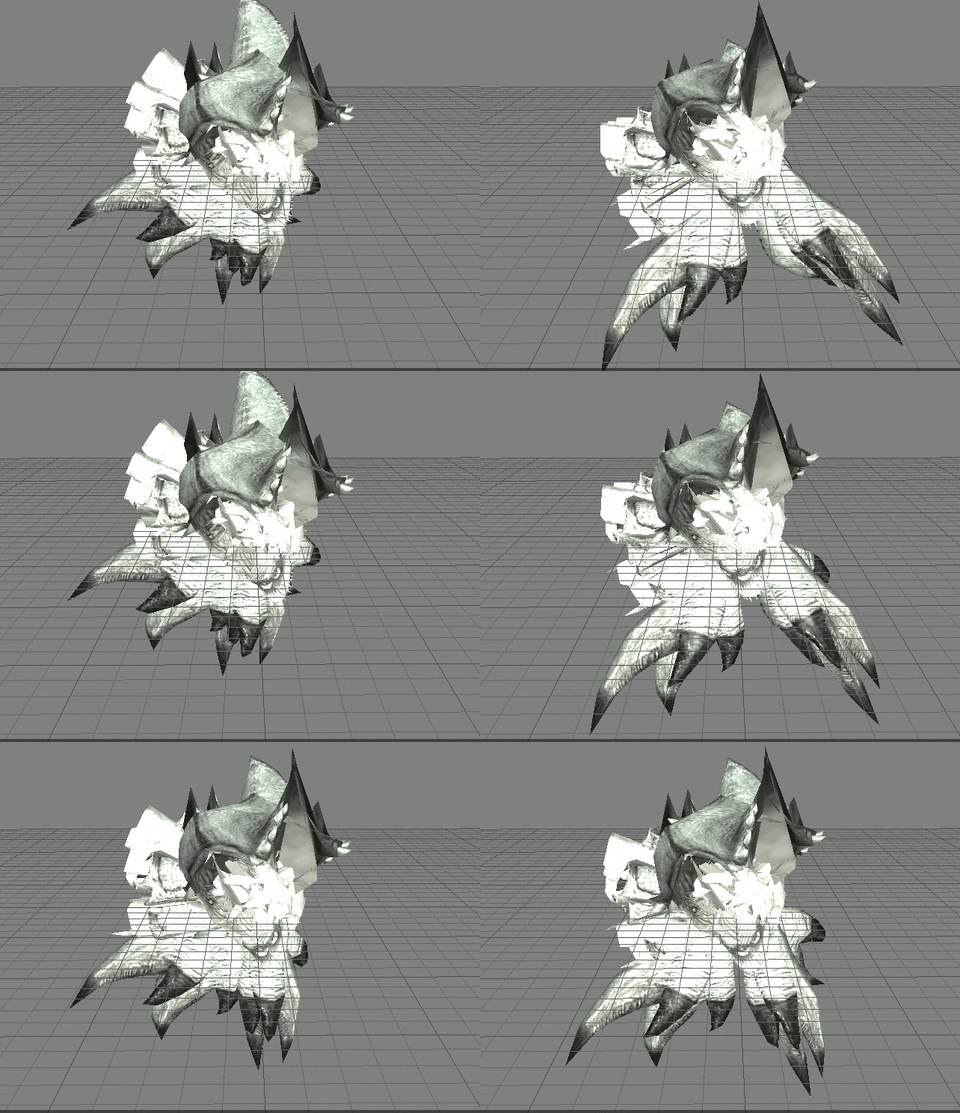
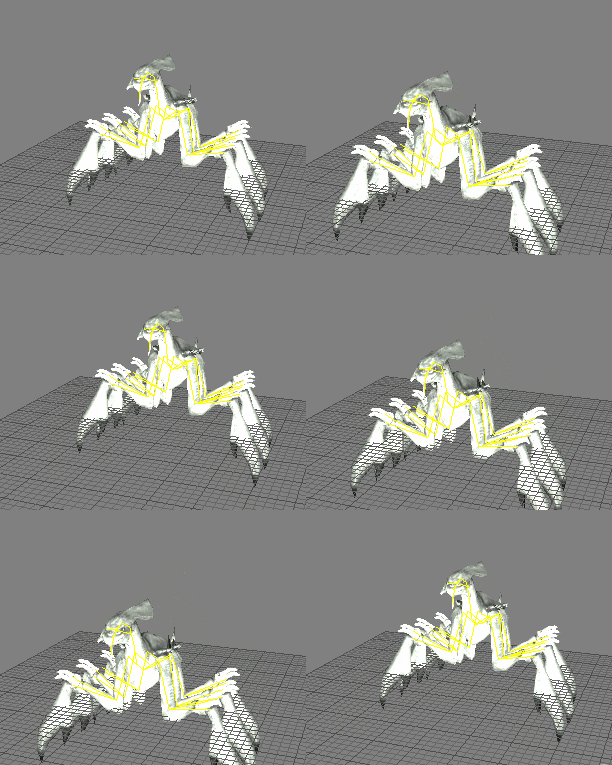
 sullen zephyr
Does anyone know what the below issue is? Trying to use a animation created with root motion (want to use non-root motion instead for multiplayer game) and I am getting the below. Not really sure what the issue is but I know there is one.
https://drive.google.com/file/d/1GhVk2Y2_BQtAwFtXIDkC2z41e3lm-73l/view?usp=sharing
https://drive.google.com/file/d/1IyddBH13h-JSvRE1rl1sALyHaMGr96NQ/view?usp=sharing
Any ideas or thoughts are appreciated.
Google Drive is a free way to keep your files backed up and easy to reach from any phone, tablet, or computer. Start with 15GB of Google storage – free.

Google Docs
late sun
Hi all
My sequence length of animation is not 1 second but 0,97.. you know why please ?
I made an animation in Blender : 1-30 frames

I have 30 keys but my length is not 1.00 :/
earnest vale
just do 31 keys
 sudden chasm
so i have this movement with rootmotion and every time i move my character gets lower
please ping when replying
you can see it on the left top
it goes from 536 - 531
pearl zinc
When I use the Set Transform Control node, I am unable to move the control in the editor window afterwards
late sun
Thank you guys ! ^^
misty dagger
Hey, so I couldn't find any good tutorial on for to add aiming animations to my character (using the ThirdPersonCharacter with true fps camera) and replace the normal walking one to walking with a gun. Anyone know any tutorials?
 acoustic wyvern
Hello, mates! the CCDIK in Control rig blueprint has no start and end bone slot. How can I set them up?

 plain drift
I recently learned about Dual Quaternion Skinning and that it produces better deformations, especially around bend joints. I wonder why we use linear blending at all. What are the drawbacks of DQ?
ashen junco
plain drift
I recently learned about Dual Quaternion Skinning and that it produces better de...
The drawback is that DQ skinning isn't a thing in UE out of the box
 nova heart
feel like a noob but how do I adjust an attack animation for a sword swing so that I add/slow down the telegraphing of the attack? not touched characters since UE4.4 or something T_T
ashen junco
nova heart
feel like a noob but how do I adjust an attack animation for a sword swing so th...
You mean pause on impact?
acoustic wyvern
@plain drift how can i import a model as dual quaternion skinning?
ashen junco
acoustic wyvern
<@471040295837106178> how can i import a model as dual quaternion skinning?
It isn't a thing out of the box with UE
The way you can have "preserve volume" is to use twist bones. Can be procedurally animated directly with anim BP or Control Rig
HOWEVER
I found this forum post on modifying the engine code to support DQ skinning.
https://forums.unrealengine.com/t/dual-quaternion-support/144831/23
It mention this fork, which I'm not going to implement myself so YMMV
https://github.com/AlienRenders/UnrealEngine/tree/4.26-mod
Unreal Engine Forums
yeah after some more tests i did notice which by using jcm’s you can fix a lot of those issues but it’s requires a lot of extra jcms to be created for this specific stuff and also the issue can be countered a little based on each model you are using for exemple some outfits like a full body suit and delete the base skin mesh inside and “deform” ...
acoustic wyvern
Thank you. My project is making the most realistic human figures tha feaure in VR It would be big help
@ashen junco sorry for bother you but do you know what happended to CCDIK? It doesnt have two selection bone slot on fuction
ashen junco
acoustic wyvern
<@325627930484932608> sorry for bother you but do you know what happended to CCD...
CCDIK in Control Rig?
acoustic wyvern
ashen junco
CCDIK in Control Rig?
Yeah
ashen junco
This is what I get in UE4.
 whole flax
https://drive.google.com/file/d/1TlT6TU-wtL8XDC502TQVAjiRoPEueS_4/view?usp=shari...
whole flax
whole flax
https://drive.google.com/file/d/1TlT6TU-wtL8XDC502TQVAjiRoPEueS_4/view?usp=shari...
Can anyone help me with this Please
 sinful jacinth
Hi folks, i looking for someone who can do a 8 way directional blendspace. You will get paid for that. But its a little urgent so i hope i find someone who can help me out 🙈
cold bobcat
sinful jacinth
Hi folks, i looking for someone who can do a 8 way directional blendspace. You w...
I think that you should post this in the hire-a-freelancer or contract-jobs. just FYI if you didn't know that these existed
sinful jacinth
cold bobcat
I think that you should post this in the hire-a-freelancer or contract-jobs. jus...
oh really? tought is just to find, not to search- i will try, thanks
cold bobcat
no problem, I think that the contract jobs would be to post if you need to pay someone to work on something for you
misty dagger
whole flax
so im currently working
on a project on ue5
and I've got two sequencers
one has ...
You can export your animation to .FBX and re-import that again into UE4.
or Duplicate your Sequence and change the camera
But if you only want a new camera angle, i suggest creating a new camera, and selecting it that in your camera cut for rendering. For more info check the documentation:
https://www.unrealengine.com/en-US/onlinelearning-courses/your-first-hour-in-sequencer?sessionInvalidated=true

Unreal Engine
This course dives into Sequencer in Unreal Engine, looking at everything from simple translational movements to animations, particle effects, Blueprints, and more.
if you dont wanna do the whole 43 minute training course, you can skip to Master Sequences i think you will find your anwser there

 hushed granite
Anim Blueprint Templates This new feature enables you to create reusable animation graphs, as well as enabling engine features to be shipped as animation graph assets. With it, you can create animation Blueprint logic that isn’t bound to specific skeletons or assets. These assets cannot directly reference animation assets but instead can be reused in the context of other animation Blueprints. Sounds great to not have dependency on the skeleton, interested in checking this out!
misty crater
Are there any advantages or disadvantages to use Maya ART Unreal plugin for making rigs compared to just making the rig in Maya? Bipedal wise.
 woven peak
anyone know how the Blend Mask in the Layered Blend per bone is working?

 vast creek
Does anyone know a tutorial for how to make simple FK animations in UE5? I can't figure it out at all.
Or can help me out with it
reef agate
Anyone know which fires first?

print string says initialize and i'm noticing it fires multiple times?
ashen junco
vast creek
Does anyone know a tutorial for how to make simple FK animations in UE5? I can't...
If you're using Control Rig, you can simply use Get Control Transform to Set Bone Transform, with propagate to children bones.
Of course the controls also have to have the same transforms as the bone, and have the same hierarchy as the bones.
nova heart
ashen junco
You mean pause on impact?
Sorry for missing your response; I want to grab a section of frame and have them play/extend over around 3 times their current speed. I ended up doing a hacky mess adding anim notifies and slowing the playspeed but this feels dumb
ashen junco
nova heart
Sorry for missing your response; I want to grab a section of frame and have them...
Using anim notifies is acceptable.
nova heart
OK thanks 🙂