#animation
1 messages · Page 166 of 1
 ashen junco
 reef shard
yeah i get no option for it
maybe theres something im missing in the animation bp ? Its a very basic one.
 icy hare
i have a prob guys when i export cc3 character and when i use it with blender in reset position mode character be in t-pose this is make to me a probs with re- targeting animation i hope if some help and tell me how i can remove the reset position "t-pose i need the character display in all blender modes with a-pose
 neon harness
Apparently not. At least for me it exports all animations with the length set in the Timeline...
 spare adder
Any suggestions on just pressing a key and opening a door/hood of a car? I've set up the overlap box, the key, tried to do an anim blueprint but it gives a warning that the cast will always fail and after some 4 or so hours everything is a mess and I can't figure out things anymore lol
it should be simple yet it appears not
ashen junco
spare adder
Any suggestions on just pressing a key and opening a door/hood of a car? I've se...
Why not just pass a boolean value from the actor BP to the anim BP, and use it as transition rule in the state machine?
In a way, it's similar to how the third person animBP sample handles jumping anims in the anim graph.
In your case, the input key is going to be just flip-flopping the bool value, and the anim BP will read it at all times for the state machine's transition rules.
spare adder
ashen junco
Why not just pass a boolean value from the actor BP to the anim BP, and use it a...
I did begin with this

but the trouble is, if I try to modify bone using the poseable component, for some reason it refuses to transform correctly and always sticks to one axis no matter what setting I change or which axis I choose
and in anim blueprint I can't get anywhere because it warns that the try get pawn node cast will always fail
I am using first person character instead of third person if that matters
 placid ermine
Thank you it fixed
ashen junco
spare adder
and in anim blueprint I can't get anywhere because it warns that the try get paw...
Use Get Owning Actor instead.
spare adder
ashen junco
Use **Get Owning Actor** instead.
Thank you that has at least compiled the anim bp properly
 plain drift
What's the difference and advantages of mesh space vs local space additive animations?
 smoky shell
Do I really have to create a control rig for each character? Is there no retargeting or similar?
ashen junco
smoky shell
Do I really have to create a control rig for each character? Is there no retarge...
There is, in fact, retargeting, but you could ended up having a load ton of anim sequences for each skeleton.
smoky shell
ashen junco
There is, in fact, retargeting, but you could ended up having a load ton of anim...
No I mean for a control rig. I just want same control rig but on different skeleton instead of creating each from scratch.
Control rig doesn't get retargeted
And doesn't factor different proportion even for similar skeleton
I think it's bad that if I want to do a nice setup that has a lot of work it's trapped on that one skeleton - maybe it isn't but I haven't found how to transfer it
I know you can transfer physics asset and it's not obvious, so maybe control rig has a way that isn't obvious
 hot crown
Question I used Mr.Mannequin and my export was not working tho I was finally able to see bones
Before:

After:


But when I move a bone in Unreal the model still deforms
Any help is much appreciated
spare adder
@ashen junco ok so after some sleep, I've realised that I'm unable to figure this out on my own. This is what I'm thinking or rather what I've written so far:
in the car BP I have begin overlap, which sets IsNextToBonnet true (variable in character BP).
I need to now check for interaction key press. Should that go in the character BP or car BP or anim BP? I can't quite figure it out whichever route I take, something ends up making it spaghetti for me lol.
I think it should be in the character BP but then I don't really know how to make the cast to car work
 lusty ore
SOmething is wrong with root Motion? Whenever I try to force it in Blendspce it just keeps stuttering in one place
Using Mixamo anims -_-

 raw stirrup
Does anybody know what's going on? I'm trying to play two montages one after another and I'd like them to blend smoothly when the first one is about to end and the second one is about to start. The problem I'm getting is that my idle animation gets added in between these two montages during their blend out/in section. Is it possible to somehow lock it out of being blended along with them so that only the two montages can play?
Both montages play on different slots but overall they animate the entire skeleton so there shouldn't be a problem here
 forest crow
if anyone has an idea of why my char would stand right up whenever my death animation make his feet touch the ground, I'm all ears.
(I disabled root motion already)
forest crow
raw stirrup
Does anybody know what's going on? I'm trying to play two montages one after ano...
I'm not an expert, but maybe you can pass a variable to your animation blueprint
and do a blend pose by bool/int for example.
raw stirrup
forest crow
if anyone has an idea of why my char would stand right up whenever my death anim...
You probably have auto blend out enabled in the montage
raw stirrup
forest crow
I'm not an expert, but maybe you can pass a variable to your animation blueprint...
Thanks, I'll see what I can do with that information
forest crow
raw stirrup
You probably have auto blend out enabled in the montage
indeed!, it was enabled. I will read about it and what it does.
disabling it fixed it, thanks.
plain drift
Hi, for some reason control rig offsets my control transforms by world space location. For Example when my characters is at 0,0,50 control rig will put the root control at 0,0,100
Wtf... even though I coose GlobalSpace it's sets the transform in LocalSpace

Seems like a bug
 peak onyx
Hi, is there a method i can take an Attack animation and reduce the keyframes in it so that the animation look less violent ?
 near lark
How can I prevent an anim notify (or ANS) from firing when the montage is playing backwards?
 scarlet nebula
Hey,
I am currently having a problem, where if I enable root motion in my backwards dodge animation the animation plays normally, but it changes the actors overall rotation after the animation is done - so everytime I play the animation the character is slightly tilted.
You guys have any idea how you could fix that?

 junior berry
yo, When I import my animation from motionbuilder i got fbx import error "Track ik_foot_r constrains invalid transform. Could not import the track" what does it mean?
 ripe mortar
hello, i have one blend poses by bool for crouching and have also made one for aiming. i.e is aiming? use this certain animations BS. Is there a way to hook them both into the output animation pose? Thankyou

 strange plume
Do you know any good way to handle fire-and-forget style event in anim BP?
Like, my character calls "Hit React" event of anim bp, and it wants to play additive hit react animation in a state machine. So far, my solution is the following, is there a better way?:

(And I use the boolean to transition between idle and hit react animation, which is played additively in anim graph)
I feel this is not the right channel to ask blueprint question, so I reposted the question (and answer) in #blueprint channel.
 ancient quarry
https://gyazo.com/7e19182b9c1ab6595dab0faf4fff5ae2
Hi guys, I have just a normal walking animation, but when I try to use it with a gun in first person it causes the gun to move all over. Is there a way that I can have my hands not move around as much as I walk?
 misty dagger
anyone know how i can use a mixamo skeleton on ue4 skeleton anims?
ancient quarry
nvm read that wrong
spare adder
spare adder
<@!325627930484932608> ok so after some sleep, I've realised that I'm unable to ...
Any generous soul willing to help n00b out?
spare adder
This is what I have currently

The overlap code works, I get the print strings
but if I try to press interact, nothing happens and when I exit I get an error

I feel like I'm not setting something or missing out on it, but at the same time, I don't know why it's saying it's read none on BMW reference when it's an object reference to the BP
 zinc wadi
I have a dumb question that I think Im handling wrong.
I have a object, lets just call it a box for the example.
I keyed four animations of it, rotating 40* on the Y, -Y, X,-X respectively and exported the mesh as a FBX with the animation info on each one, and one of the object with no animation applied.
My goal, is to press each arrow key and have it tilt my object each direction with the key press, and I wanted to blend them so when I press up and left I get a diagonal rotation kind of thing. Does this make sense?
spare adder
spare adder
but if I try to press interact, nothing happens and when I exit I get an error
ok I think I solved it with this?

However, nothing actually happens when I press the button, the bonnet / hood doesn't open.
 warped verge
So Im thinking about having a blind fire mechanic, can it just be fudged with root motion animation? Make an animation that peeks the gun over the cover and fires?
ashen junco
warped verge
So Im thinking about having a blind fire mechanic, can it just be fudged with ro...
Procedural animation would be better way to approach it.
warped verge
Okay, so Ill research Procedural animation.
Sounds like procedural animation would look more natural than root motion?
Do I still get the advantages of motion based animatioms?
 craggy knoll
I have a problem when Exporting Animations from Maya to Unreal.
When one bone has no keys, but the no key pose has a very precise rotation value (for example x = -1.42202), that bone will have animation keys (with random changes in-between some keys) inside the Animation Sequence in Unreal.
I changed the rotation.x value to -1.423, reexported it to unreal and it works now. Not sure if the precision is the one responsible for this problem.
How can I ensure that my Maya Animation get's exported correctly to Unreal?
 naive zodiac
Can I somehow hide an object based on its state in an AnimationBlueprint? I have this statemachine and in the Closed state my object is inside another object, so I can save some performance by not having Unreal render it at all. How can I achieve that?

 halcyon fractal
Quick draw animation I made
Some feedback would be very nice, and I know that the animation isn't the best XD
plain drift
Is it a good idea to have multiple animation blueprints active on the same character? For example having a char with wings where the wings have their own ABP
ashen junco
halcyon fractal
Quick draw animation I made
Seems to be done in Blender and not rendered in UE. 🤔
halcyon fractal
ashen junco
Seems to be done in Blender and not rendered in UE. 🤔
Yes
halcyon fractal
ashen junco
Seems to be done in Blender and not rendered in UE. 🤔
It's made in blender
ashen junco
plain drift
Is it a good idea to have multiple animation blueprints active on the same chara...
It could work, but it's also up to you to gatekeep the winged state machines from non winged characters.
ashen junco
halcyon fractal
It's made in blender
Just to be clear, most of the channels here are mainly Q&A channels. For showing off WIP, consider moving it to #work-in-progress
halcyon fractal
ashen junco
Just to be clear, most of the channels here are mainly Q&A channels. For showing...
I wanted some feedback on it, but sure thanks, sorry if I messaged in the wrong channel
 sour tusk
I'm having issues using the transform bone function within an Animation Blueprint, should I ask my question here, or in the blueprint channel?
 topaz canyon
Hey guys, can anyone help me understand what is Animation Layers? I guess it was added in 4.26. What is it and what are some use cases for that?

I've also seen this in Advanced Locomotion System V, but can't understand it.
 regal orchid
sour tusk
I'm having issues using the transform bone function within an Animation Blueprin...
regal orchid
sour tusk
I'm having issues using the transform bone function within an Animation Blueprin...
Go ahead
 fleet willow
topaz canyon
Hey guys, can anyone help me understand what is Animation Layers? I guess it was...
fleet willow
topaz canyon
Hey guys, can anyone help me understand what is Animation Layers? I guess it was...
I was also not aware of this till i've read your message here xD
But it seems like it's related to this documentation here
https://docs.unrealengine.com/4.27/en-US/AnimatingObjects/SkeletalMeshAnimation/AnimHowTo/LinkedAnimBP/
ashen junco
This is an #gameplay-ai question, and please, do not crosspost unless redirected.
<@&213101288538374145>
 silver bridgeBOT
:triangular_flag_on_post: BenW#9361 received strike 1. As a result, they were muted for 10 minutes.
 wet lake
I have a character I've rigged and animated in Blender. Originally I had my armature named "root" so that UE4 would treat the armature object in blender as the root bone, however this wasn't actually allowing for any root motion. Following internet advice I renamed the armature to "Armature" which allows UE4 to disregard the armature object, allowing me to have an actual root bone to provide the root motion, this solved the root motion problem, however now all of my animations have 0 scale since apparently without the armature object acting as a root the animations have no scale information. The internet suggested solution is to rename the Armature to something else, so that UE4 creates an object for it, which brings us back to the original setup where UE4 ignores root motion.
Does anyone know of a setup that allows for root motion from blender where animations have non-zero scale?
Hah, I found someone's previously asked about exactly this series of problems and never got an answer ☠️ RIP lol.
 jade robin
Guys, i just remind you that most extended and most important information for Riggers and animators about Unreal engine Control Rig tool at the moment on channel Gabriele Pelegrini. link: https://youtu.be/VqIo8Augbt4

In this first video of the series I try to introduce control rig by using my rigging experience from other DCC applications (in this case maya because I am better at it). I am going to try to translate what is what.
misty dagger

İt is documentation of animation layer interface
But I did not understand what means
it enables dynamic switching of sub sections on an animation graph
I did not undertsand what sub sections are
And I dont indurstand what dynamic switching is
Can someone explain?
And what means multi-user colibration
multi-user-collaboration
topaz canyon
in Advanced Locomotion System V there are some uses of Animation Layers, but I can't understand them. if anyone knows how it's used please let us know, thanks
 vocal roost
What is the proper way to adjust the rate scale for animations used in a blendspace at runtime? Should I be able to access that instance, or do I change the rate scale for the animation sequence asset?
To clarify, I want to do a sprint on a root motion based controller, so I would like to bump the rate scale for the walk and run animations based on an isRunning? variable at runtime.
I don't want to bump a global rate scale or similar because I don't want sprint to work for strafes etc.
vocal roost
Setting the Play Rate on the character's root mesh component doesn't appear to work anyway. I'm guessing it's getting reset by the blendspace. I can't find a way to get access to the blendspace play rate values.
vocal roost
Maybe a terrible solution, but it works. Anyone know a better way?

I'm going to have to increase the branch checks to keep attack animations from speeding up with the shift key. That's one problem. Next? 🙂
misty dagger
Anyone here has ever used als system?
 sleek tangle
Linear Plasticity seems to have been added to constraints in 4.27 but it's not mentioned in the release notes, anyone knows if there's any info about it?
 topaz canyon
Each State Machine has these 3 settings, anybody knows what they are and some use cases of it?

 storm vale
hi people
I have a problem. with my animation
/rigging

this is the animation gone wrong to be precise
would anyone know what could have happened
 glad yacht
hey everyone. I'm trying to understand the root motion. But whatever I do I couldn't fix the stutter you see on the transition between startmove and move animations. does anyone know a solution for that?
vocal roost
@topaz canyon Max Transitions Per Frame sounds like it would limit how many times per frame it can transition between states, but I would expect it doesn't even evaluate that more than once per frame, so Hmm.
@storm vale Assuming you are retargeting the animation, check the Translation Retargeting settings for you bones. Go to skeleton tree and hit the dropdown and choose show retargeting options. Set them all to Skeleton excep the root (animation) and the next one down (usually pelvis) (animation scaled) and see if that changes anything.
 median isle
Hello, I've a question regarding the "copy pose from mesh" node used to make modular characters: How does Epic maintain the vertices between the body and head connected when building a character like this? (Print from "Making the most of animation blueprints")

 tight basin
median isle
Hello, I've a question regarding the "copy pose from mesh" node used to make mod...
tight basin
median isle
Hello, I've a question regarding the "copy pose from mesh" node used to make mod...
You just 'split' and attach them in blueprints and the verticies will line up
Going a bit crazy here. Trying to keep a rider's foot in a horse stirrup. Turned to IK (using Two-Bone IK), and it keeps sliding everywhere no matter what I try! My best attempt is using the world location of the stirrup socket and solving IK for the foot. Works fine on idle, but on movement animation (where the rider and horse animate), the foot keep sliding around. Any ideas?
 misty dagger
hi
ive set up mine character and dog animations i only want her to follow me with behavior, can anyone help me with that ?

eeuuhm its my B-day today does that helps for some help ? haha
lusty ore
So guys what are your thoughts about ALS? I heard its too heavy on a system, but how muc hexactly? Did someone make tests or release a game with ALS yet? I saw couple of projects with it but they seem to be very heavy with their graphics, trying to hit AAA quality with multiple materials on each character(eyeballs, teeth, etc.) WHat if my game is top down and all of my characters will have 3-5 materials. Im kinda newb so maybe I do not understand everything
ashen junco
lusty ore
So guys what are your thoughts about ALS? I heard its too heavy on a system, but...
The C++ version is (surprisingly) easy on performance, but BP version might take a hit from dozen characters on screen.
Consider making necessary modifications to ALS BP before translating them into the C++ version, as iteration on the latter can be slooooow
ashen junco
 coral pebble
Imported animation has movement in space.
coral pebble
Imported animation has movement in space.
Check on "Extract Root Motion" (or something along that line)
coral pebble
ashen junco
Check on "Extract Root Motion" (or something along that line)
When importing?
I found it.
Thanks.
median isle
tight basin
You just 'split' and attach them in blueprints and the verticies will line up
uh I'll try it again then, when I split the body and head meshes the shared vertices did not stay connected at all, I'm guessing I've done something weird with the skeletons then. Do you know of any example projects which use the "copy pose from mesh" node? And thank you in advance!
tight basin
I do it in mine. Just made sure when you make your character with your skeletal mesh components that their all in the correct positions with correct offsets
 tired kindle
I'm sure some of you have heard of the game dead by daylight, and I'm sure you know that when you start repairing a generator, both the generator and the player start an animation that blends together. How is it possible to replicate something like this in unreal? I'm not sure if my question was delivered very clearly so if you're confused let me know pls lol
 glacial ridge
Hi all, thanks in advance for any advice. Working on a project with a several (9) long animated moments which were captured in sequencer (made sure to only rec animation and transform track) and the load times on start of the level are so long. It just seems wild to me even knowing UE4 isn’t the best with really long continuous anims. (1:30 sec to 3:00 min) takes. Any tips on better compression settings or working with large anim assets?
 remote elm
any reason my animation would be broken when using the same skeleton from a different .blend file? i rigged up my character in one .blend file and exported that out to unreal engine and thats all just fine. then i made another .blend file and appended the collection of the character in the first .blend file so i could have a separate one for animation. for some reason these worked fine for the firearm animations, but when i did the same thing again (made and appended for another .blend file for lower body animations) when i import them the animations are broken when everything is the exact same. heres from the firearm .blend file (the first one)

and heres from the lower body animation blend file (the second one)

and even when i make small mesh changes (deleting a few faces) to the original one and i export out the mesh, the same thing happens it just breaks
 crisp bluff
montage isn't player, even the slot default slot is already set in animation blueprints
what might be the cause of this?
sour tusk
Is there a way to use "modify transform bone" on a bone that has simulated physics?
 flint plover
anyone know why my texture gets removed when i play an animation?

 cloud plinth
Im trying to retarget ue4 skeleton animations to a mixamo skeleton and they keep having compressed spines

but based on the vids ive watched i think i have the spines selected correctly in the retarget manager
 muted lion
Do you guys think Movie Render Queue is worth the move? From sequencer?
Haven’t found much info on the comparison in the webs
tight basin
lusty ore
So guys what are your thoughts about ALS? I heard its too heavy on a system, but...
ALS is a fantastic tech demo of all of unreals most advanced animation systems coming together. But if you actually want to make a game, use it as a learning tool. To build upon or implement alongside ALS v4, good luck understanding anything 😂
Yes it's also very heavy for what is a character animation locomotion, but still performant enough for small scale projects
lusty ore
cloud plinth
https://youtu.be/8Ad4v7x41RA maybe try this instead. Uefy1.3 is free as far as I know. Havent looked into it myself but seems very cool

Use Blender and Uefy 2.0 to quickly rig unreal mannequin for animation and export to the engine with a rigify rig in a few easy steps. Tutorial contains detailed description of how to use a blender rigged mannequin to share animations across characters.
website: https://www.rakiz.com/uefy
UPDATE 3: Make sure you have at least Uefy version 2.1....
ashen junco
cloud plinth
Im trying to retarget ue4 skeleton animations to a mixamo skeleton and they keep...
Mixamo rig is incompatible with UE4 skeleton stuff.
cloud plinth
Not with restarting from what I understand
Funny enough there was just something weird about the animation that messed with a spine reference position
Reset that and it works perfectly on the mixamo rig
Retargeting*
ashen junco
lusty ore
https://youtu.be/8Ad4v7x41RA maybe try this instead. Uefy1.3 is free as far as I...
Also Rigify sucks. It has slew of ancient issues that Blender devs weren't bothered to fix, even in 3.0a
I'd recommend more on plugins like Auto Rig Pro, which can produce more compatible result with UE4 skeleton.
lusty ore
Hmm Thanks for the info! I will look into it
 signal belfry
fast question
i found that is possible to replicate animation during networking replicating variables that drives them
is it possible to do that with live link animation too?
 terse lagoon
hey everyone, how would I go about using the mannequin rig with other characters so animations work across multiple characters? I've tried just binding it and weight painting it but that gives me problems with the joints not bending correctly. what am I missing?
 analog gazelle

hey guys im getting an error message when I try to import my animation

can somebody help me?
I cant import the animation on the 2 other characters
only on the granny one for some reason
 flint plover
anyone know why my texture gets removed when i play an animation?
flint plover
flint plover
anyone know why my texture gets removed when i play an animation?
anyone?
 peak furnace
Is there any reason NOT to use Dynamic Montages? They are pretty easy to use with curves.
icy hare

Google Drive
 livid hornet
I'm using the animation starter pack and all of the jump animations in it are just terrible. The legs move all the way to the chest and the arm position distorts so horribly. What options do I have to change or replace these animations with something that's less jarring?

 wicked forge
A colleague used a different Mannequin Skeleton than the one I used, is there a way to link the two together?
Is that retargeting?
analog gazelle
I think retargeting has to do with transferring an animation from one skeleton to the other
@wicked forge
and also in Mixamo does anyone know what the mirror option does ?

 mystic geyser
Hi guys, I have an issue with FBX exporting from Maya to UE4. My animation seems to be messed up or rather, different from my actual animation.
During import, there were a few error logs.
- Mesh in the fbx file is not reference by any hierarchy nodes.
For rig import:
- Same as above
- Following bones are missing from the bind pose: only Tail1 has the exclamation mark and below it says: "This can happen for bones that are not vert weighted if they are not in the correct orientation after importing, please set the "Use T0 as ref pose" option or add them to the bind pose and reimport the skeletal mesh"
Please help. Tried googling but I don't seem to have any solution :(
 ripe yew
Is there a technique to jump off a ledge using root motion animation that ends only when hit the ground instead of ending in the air?
ashen junco
ripe yew
Is there a technique to jump off a ledge using root motion animation that ends o...
One way to do it would be to check if the character is suspended in the air, and jumping animation is playing, then temporarily disable its gravity until the animation ends.
ripe yew
ashen junco
One way to do it would be to check if the character is suspended in the air, and...
Well root motion animation will end even if the player is in mid air? If the fall is longer than the anim
 signal pagoda
This is a bit of a long shot, but has anyone come across any tutorials or toolkits on the marketplace that accomplish the third person door opening mechanic like shown in this video? By moving forward or backward you can slowly open or close the door, and the character's hand animates and stays attached to the door with IK. It's something beyond my current ability level, but was hoping to find something already created ideally.

Silent Hill Downpour Walkthrough Part 1 with HD Xbox 360 and PS3 Gameplay by theRadBrad.
Part 1 of this Silent Hill Downpour Gameplay Walkthrough includes the Intro. This Silent Hill Downpour Gameplay Walkthrough will include a Review, Gameplay and the Ending / Endings.
Silent Hill Downpour Playlist: http://bit.ly/wq721P
Twitter: http://twit...
ashen junco
signal pagoda
This is a bit of a long shot, but has anyone come across any tutorials or toolki...
Not that I'm aware of, but shall google-fu returns fruitless, it comes down to hand IK and the door skelmesh adjusting to it.
signal pagoda
ashen junco
Not that I'm aware of, but shall google-fu returns fruitless, it comes down to h...
Yeah, I'm very new to learning the animation system, though, so while I get the general gist of hand IK and how the animation blueprint works, I'm having a hard time figuring out how to put that together into an actual system that updates the animation based on player input. I have a clearer idea of how to call an animation on a binary open/close system.
I've tried looking up videos on IK on YouTube but they seem much more advanced than my needs. Maybe this is simpler than it looks, though, but I haven't come across a simpler breakdown though.
 elfin solstice
does anyone know if I can hide the rig controls in the left viewport(cinematic) only and keep them on right? ( "hide manipulators " in animation options just hides everything)

 flint carbon
So I have an interesting issue, I have a BP_Vehicle that I am recording with Take Recorder. However, when I try and add a physics constraint component with a skeletal mesh (a dangling chain to the grill), the playback in sequencer of that recording is crazy, the front grill meshes all remain the same, but the car mesh is waving around all over the place. Here's a screen recording of the results of a vehicle with no physics in the BP, and one with the physics inside it:
https://youtu.be/vV9JT5wtviA


 coral pebble
Offset doesn't work.
I made Offset 1D.
With Up, Forward and Down Offsets.

But they are not working.
Here, should be Offset Down.

But nothing.
 livid hornet
How realistic is it for me to want to just use UE instead of another program to create animations for my own use?
vocal roost
I think there's something about root motion jump animations that I'm misunderstanding. I have a root motion jump. If I enable root motion on the animation its self it jumps in place. If I disable it, it jumps as you would expect (covering ground in the forward) but then it pops back to its starting location.
I expected it to be the opposite. root motion on should have it cover ground and off should have it animating in place. Right?
Scratch that. I believe I'm going to attempt to do my root motion controller completely different than I've started, so it may not be an issue. Apparently root motion on a networked system requires all the root motion animations to be montages anyway, and I don't think I can use montages in a blendspace.
ashen junco
livid hornet
How realistic is it for me to want to just use UE instead of another program to ...
Realistic enough, if you don't mind saving every so often, working around current Control Rig limitations (especially with constraints), and prone to crashing.
 fickle junco
Hi guys,
I took a little longer than expected but here is my first 3D animation in UE5 do not hesitate to give me your opinion.https://www.youtube.com/watch?v=h8n8aVRpPyg
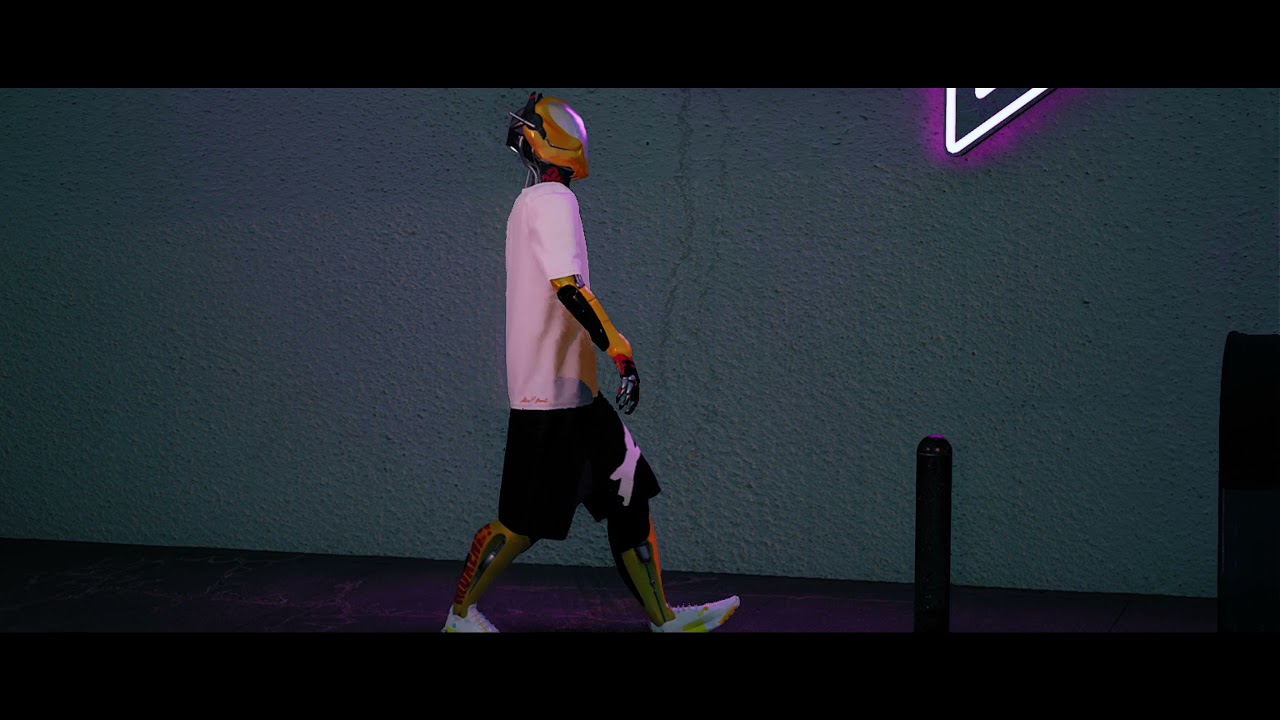
3D Animation
https://www.alainmukendi.com/shop
https://www.instagram.com/alainmukendi/
Beat Provided By https://freebeats.ioProduced By White Hot
#unrealengine #sneakers #hypebeast
 bronze osprey
you prolly want to tweak ur viewport controlls if you want to use controllrig for animating
 quartz heath
Hey 🙂 I'm trying to play only one section of an anim montage, however it always plays all the animations that come afterwards. Any idea how to fix it? I already have cleared the default order of the sections in the montage.
 mint dagger
Is possible to play a sound when an object is near you?
 cerulean cedar
Hey, has anyone tried out Audio2Face? looking for a way to get the output into ue4.
 gaunt widget
Are animations in general difficult for a beginner? I've heard it's kinda like a thing of its own...
ashen junco
gaunt widget
Are animations in general difficult for a beginner? I've heard it's kinda like a...
It's the matter of getting used to it, and scouring for ideas and references (and also acting on your own like a crazy madlad to get the motion)
misty dagger
new to game animation in maya, are there any best practices to obey that are different from regular animation?
 obsidian mountain
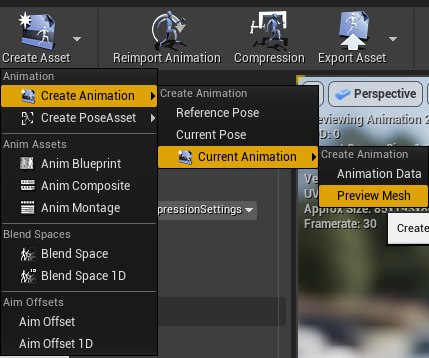
Is it possible to batch export preview mesh animations? There are a lot and they depend on retargeting so just exporting is not an option
https://i.imgur.com/RWSISVa.png

 gaunt hemlock
Someone knows of a built-in way for a CopyPose animation Setup to consider different skeletal mesh proportions?
Example setup
Have a character A using the base skeletal hierachy and a character B also same hierachy, but B is thinner than A
Typically retargeting with Animation Scaled "fixes" those characters animations (when setting which proportions were used)
Now I have another skeletal hierachy and use CopyPose to match certain bones, let's say hand_r, and also has custom animations playing on unique leaf bones (childs to hand_r ) to this setup
This works very well on character A (the one used to author the custom animation playing on the CopyPosed skeletal mesh), but character B the childs of hand_r are off a few centimeters. And having to author specific animations for each proportions seems weird
 plucky geyser
i just noticed this.. yes you can import maya rig as a python script super easy to do. but am not sure it takes everything.
https://www.youtube.com/watch?v=klr3yFDuoVM this video might help.
 pastel bone
How does one usually work around root motion animations when attacking a target? In one of my tests, it moves way to much forward and the capsules try to "slip" past each other , ending in alot of the hits missing
Is there some obvious trick to this
 whole harness
Hey folks, hopefully a quick one. In an Anim Blueprint's Event graph, is there a way to access and call a function on a component of the owning actor?
pastel bone
using regular bp communications methods should work
whole harness
Thank you!
Also to answer your question, you might want to look at "motion warping", but this is only availible in UE5 I think.
pastel bone
Thanks for the tip, i'll check it out! Could be its not as big of an issue as i thought it would be in the end, but if there's methods to rectify it without some fake methods of "steering" the target into the combo hitbox, it'd be great 😄
Seem to be ue5 only, but nice to know it'll be avaliable later down the line 🙂
 chilly igloo
is there a way to set a cloth skeletal meshs starting position mid simulation?
like setting the default pose of the cloth
 brazen wharf
so i have a bunch of quadruped animal meshs with animation and want to make "simple" animation BP and AI for them. Is it easier to work with root motion or without?
what i tried is with rootmotion and the Move to Location AI Controller method, but somehow they derp around, sometimes they rotate fine to the target (using control rotation to drive the animation with root motion) and sometimes they just run into the next wall
also had to turn down walk speed to 0 on the CMC to make it work with root motion. Would it be easier to just drop the whole root motion?
 wooden valley
does anybody know how to do a unequip and then equip animation in whole sequence? im trying to achieve a result where when you switch your weapon it unequips your current gun and then plays the equip animation of your next gun? how can i achieve such a result?
ashen junco
brazen wharf
so i have a bunch of quadruped animal meshs with animation and want to make "sim...
No root motion is (still) more preferable, even with quadrupeds.
brazen wharf
but then i have to use velocity to drive the animation, or not?
i'm kinda having a hard time to twist my head around the rotation part, as i don't really have any turn in place rotation animations
wooden valley
anybody
brazen wharf
no
wooden valley
bruh
brazen wharf
i'm not your bruh
brazen wharf
get some patience and stop spamming, you won't get a faster response by that
 rough gyro
Hello There! I'm having trouble with using the alembic cache importer, if you would be so kind to assist, or perhaps redirect to a more appropriate channel for this.... in 2 words: when i import an alembic cache, it gives me this error , and I never seem to get to the alembic cache importer window, i even tried with a simple ball, with triangulate mesh, and baked keys. Thank you!

the corresponding log file
 ashen junco
brazen wharf
get some patience and stop spamming, you won't get a faster response by that
ashen junco
brazen wharf
get some patience and stop spamming, you won't get a faster response by that
If anything, it's increasing the likelihood of getting ignored.
ashen junco
brazen wharf
i'm kinda having a hard time to twist my head around the rotation part, as i don...
As for rotations, one way to solve it would be to have foot locking system and IKs to manipulate the bones.
wooden valley
Alright im a little bit sorry for being impatient here, let me redo the question, for the specific question i just asked would it be wise to use animation states? i think it would be wise but im still thinking of other ways of doing such a thing
brazen wharf
yea, i need ALS for quadruped 😄
ashen junco
brazen wharf
yea, i need ALS for quadruped 😄
For reference, GTA V, of all things, handle quadrupeds pretty well. It has a mode where you roam around as the wildlife fauna.
ashen junco
wooden valley
Alright im a little bit sorry for being impatient here, let me redo the question...
Depends on what you're trying to do.
brazen wharf
yea, but i'm not rockstar/take2 ;_;
wooden valley
ashen junco
Depends on what you're trying to do.
Well, you know in a game like battlefield in first person there is a unequip animation when switch to your secondary weapon and once you switch there's a equip animation for that secondary weapon just something like that
exactly like this animation except it should be two separate animations one where he puts the weapon behind his back and one where it's the exact opposite
brazen wharf
rough gyro
Hello There! I'm having trouble with using the alembic cache importer, if you wo...
have you tried to copy the file to a shorter path which doesn't use any special characters?
rough gyro
brazen wharf
have you tried to copy the file to a shorter path which doesn't use any special ...
🤨 good point! actually the fbx importer works but not alembic, but I'll try as u said ! thanks for the tip!
brazen wharf
other than that i can't really help, i only used alembic for groom import, and know for a fact that it can be picky, so it may be a "problem" with the actual alembic data
which software did you use to generate it?
rough gyro
brazen wharf
have you tried to copy the file to a shorter path which doesn't use any special ...
Gee! that solved the problem! thanks a bunch! 😅
brazen wharf
nvm, glad it worked 🙂
 soft trench
So if I get a specific track from a UAnimSequences raw data and I wanted to plot the locations on an spline relative to a SkeletalMeshActor with a compatible skeleton, what would the math look like?
 vernal rain
Are control rig sequences a thing or is this documentation just nonsense? https://docs.unrealengine.com/4.26/en-US/AnimatingObjects/SkeletalMeshAnimation/ControlRig/Sequences/
Because a) I can't see a control rig sequence asset type b) I can't see a control rig track option in a level sequence
 next kindle
Does anyone know how I keep the rotation of a root motion turn in place animation? I have of course enabled root motion for the animation and it does indeed have root motion. Other root motion animations for walking, strafing, running etc is working. But no matter what I try, the turn in place animations won't keep their rotation and snaps back.
Sorry, didnt know MKV files doesn't embed. Here's a video.
 maiden apex
Hey guys, new to animation in unreal 4 and have come across an issue with mocap. From my 5th animation onwards the mesh is no longer in the same place as the bones. Does anyone know what is causing this?
maiden apex
maiden apex
Hey guys, new to animation in unreal 4 and have come across an issue with mocap....
Helps if I show an example
 brazen wharf
vernal rain
Because a) I can't see a control rig sequence asset type b) I can't see a contro...
brazen wharf
vernal rain
Because a) I can't see a control rig sequence asset type b) I can't see a contro...
b.) is a thing for sure
which unreal version are you using? (I've used it at least in 4.26+)
vernal rain
Yeah 4.26.2, got the control rig plugins enabled so it's a bit weird it's not showing up 🤔
brazen wharf
uhm, do you have any backward solving setup yet in the control rig?
vernal rain
I set up a full body IK thing
brazen wharf
for the sequencer you need backward solving
 mystic pine
hey guys, how would you make a punch that does not penetrate the character but stops in the surface. I was thinking in using ik, but not sure if there is a better approach
mystic pine
I think backward solver is for regular bones to controls
brazen wharf
yea you are right
does it not show the option at all or doesn't it list any control rigs?
mystic pine
Im not sure about the sequences, but did you try to use a regular one? I think they are somehow a shorcut
AFAIK there is nothing special in them
but take it with a grain of salt animation is definitely not my area lol
fleet willow
Is it a known issue that a AnimNotify doesn't trigger when it's placed at the very first frame ?
Or well, it does work on animation 1, but on animation 2 it wont trigger
brazen wharf
are you blending the animation?
fleet willow
Yeah, kinda a lot actually
brazen wharf
i think the notifies only trigger after a certain threshold
vernal rain
Welp after restarting the editor now the control rig options show up in the sequence :P
It still doesn't show a control rig sequence like in the docs screenshot but maybe that's just an error in the docs since otherwise it appears to function as described, but for somewhat annoyingly it won't let me adjust the keyframe values by dragging the IK controls
I can adjust them by adjusting the values directly in sequencer though
fleet willow
brazen wharf
i think the notifies only trigger after a certain threshold
The weird thing is that the notify does trigger on the left hand, but the right hand doesn't trigger even though that the blend setup for both hands should be pretty much the same
brazen wharf
would disable the blending and test it, just to get sure if it's related or not
iirc there are also ways to change that behavior (if its caused by blending)
fleet willow
Hm, it seems like it's the animation.
I've tried to play the whole animation(without blending) through a key press.
The notify for the left hand does trigger normally
Placing the notify on frame 1 instead of frame 0 seems to solve the problem
mystic pine
vernal rain
It still doesn't show a control rig sequence like in the docs screenshot but may...
yeah, as I said I think it's just a shorcut. Just double checked it isnt in 5 neither so probably they just got rid of that
vernal rain
ahh
misty dagger
My name is Eric and I have a problem.
I have created a state machine that lets me move through multiple loops with intermediate conduits... all called by enumerators.
But when I try to send from a looping anim, to a non looper and come directly back, the loop then refuses to play the animation. It feels like no matter what I do to the blendy stuff, the loop just freezes.
any thoughts?


 covert onyx
the problem as you can see is this
head doesnt look at the target which is the player
 pine cliff
@covert onyx https://www.youtube.com/watch?v=FxyRzooc-lM
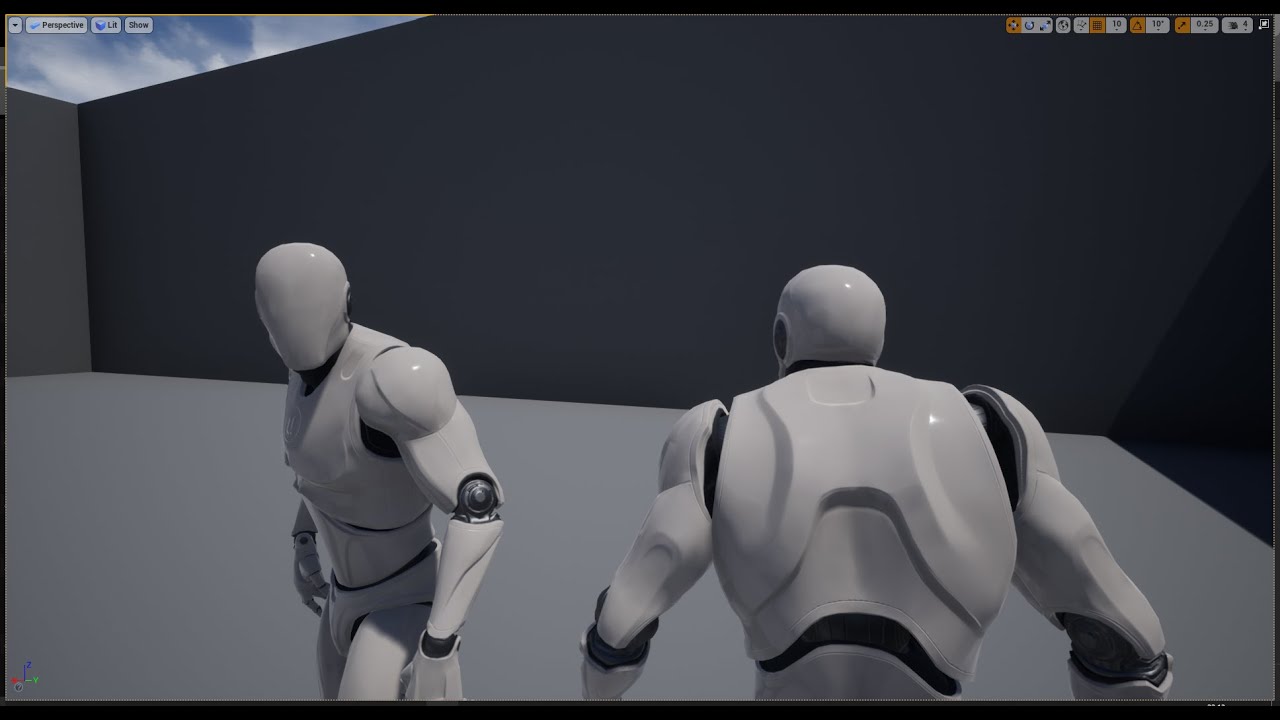
I could only find years old 20+min tutorials on this, when in reality getting this feature done is just 1 built in node away.
covert onyx

 silent jetty
hi. is it possible to use a single anim montage for multiple animations that all do the same thing? for instance, i have a few swing animations that i want to use at random. is it possible to do this within a single anim montage? right now i'm storing multiple anim montages in my actor and it feels kinda wrong
analog gazelle
Hey guys
need some help
I cant seem to make my walking animation longer

This is the issue
I did this but still didnt work
even with the other characters its doing the same thing
I have a root bone on all characters and I have the root even in the animations
 neon thicket
Hi
Im new to ue4 and Im having a problem
I'm pretty sure its an animation issue, but idk
When I play with two players and I do an animation on one, it does the animation for all players, but only shows on the original players screen. It only happens with 2 animations (crouch & crouch walk) any ideas about what the problem is or how to fix it?
Heres a vid of whats happening.
smoky shell
How do I change defaults properties for an anim notify in C++? They're in the details panel such as Trigger On Dedicated Server but they don't exist on the notify
I can't see any way to get a reference to them
It seems like they're being created alongside the notify which is incredibly frustrating and.. well, daft
I guess I have to override OnAnimNotifyCreatedInEditor and modify the FAnimNotifyEvent&?
warped verge
ashen junco
Procedural animation would be better way to approach it.
So its been a bit, but I was thinking about making a cover system and thought about using Root Motion. You suggested Procedural generated animations.
Whats the difference?
 delicate junco
silent jetty
hi. is it possible to use a single anim montage for multiple animations that all...
delicate junco
silent jetty
hi. is it possible to use a single anim montage for multiple animations that all...
Yes, that's good practise to regroup these too actually. Simply put all the anims in the same montage, put each one of these in a different section, then put some logic to select a random starting section in the "play montage" node (last pin)

A very easy solution would be to name these from 0 to anim_count then simply use random in range, convert to string and you're good to go
 random garnet
hey guys I don't know if this is the correct channel to ask, I'm using "UE to rigify", when I bake the control actions to source rig, only FK bones are animated while IK are still in place
ashen junco
warped verge
So its been a bit, but I was thinking about making a cover system and thought ab...
Root motion is limited on how you could handle the animation, and because it's fixed, you could get a stiff transition to cover and less flexibility on setting up the covers.
Procedural animation can grant you (and in turn the player) flexibility on approaching the covers, and their placement, because the animation adapts to the surrounding, not the other way around.
smoky shell
ashen junco
Root motion is limited on how you could handle the animation, and because it's f...
Just use motion warping with the root motion, you can steal it from UE5

See
Of course you'd just warp it to the correct facing direction prior to the root taking over for the actual movement
If you want to do it in MP you have to use GAS though
That will get you a nicer result but otherwise just use CMC prediction system (if multiplayer) and rotate the character while playing an in-place animation, should be good enough
ashen junco
smoky shell
Just use motion warping with the root motion, you can steal it from UE5
I don't have UE5 (already deleted mine because I barely use it), so I have no idea about motion warping.
smoky shell
MotionWarping = tell the root bone to move/rotate over a period of time to a set point
ashen junco
smoky shell
MotionWarping = tell the root bone to move/rotate over a period of time to a set...
But isn't it a UE5 only plugin?
I gave up attempting to backport UE5 stuff to UE4 just because how different the C++ engine API is.
smoky shell
I turned it into a UE4 module for my plugin, both motion warping and FBIK
Wasn't particularly hard
I'm using both on 4.26
ashen junco
Okay.
I'm just deleted UE5 so I'll look for alternative workarounds for now.
Too lazy to get the source copy of UE5-main all over again.
smoky shell
Look at ACharacter::FaceRotation, just use that to interpolate towards the correct direction relative to the wall
Er you use UE5 ea not main 😉
ashen junco
smoky shell
Er you use UE5 ea not main 😉
Oh well :/
UE5 is too big for my small brain to comprehend.
ashen junco
smoky shell
Er you use UE5 ea not main 😉
Right, forgot to mention that I'm in 4.27.
I'm certain that stuff aren't compatible with 5EA
brazen wharf
well, that depends, mainly you can't load assets from 4.27 in 5.0-EA because they have a higher version tag
but you can still try to port plugins
also you don't need to get the full source, just the plugin source should do and then i would stick to the main branch
ashen junco
brazen wharf
but you can still try to port plugins
I tried porting some UE5 plugins back to UE4.
It was futile. They depend on some UE5 exclusive engine module, it's just not worth the solo effort to bring them down.
gaunt hemlock
Can you reference virtual bones in a Control Rig?
ashen junco
gaunt hemlock
Can you reference virtual bones in a Control Rig?
No, not from my testings with ALS rig that has VBs.
warped verge
ashen junco
Root motion is limited on how you could handle the animation, and because it's f...
Thanks for the reply 
So I gotta learn how that works then.
warped verge
ashen junco
Root motion is limited on how you could handle the animation, and because it's f...
Okay I found this tutorial and I think Im kind of wrapping my head around it
USP Skeletal mesh (FREE) download: https://lmgnstudios.gumroad.com/l/asWnsX
A tutorial covering some basics of control rig to create procedural animations. It may seem complex or overly convoluted at first, but has a wide range of applications that aren't possible through keyframed animations. Most people who have a basic understanding of UE4 o...
So how would I implement this for say a cover system? Would I possibly make an animation and a bool for like "Okay, player is aiming, so wait until X condition is met, then play animation"?,
ashen junco
warped verge
So how would I implement this for say a cover system? Would I possibly make an a...
It's more of "run to the cover while ducking, until you reach the cover"
warped verge
Okay, I think Im beginning to understand.
And the bool would be checked in the player blueprint, then reference the animation, since it needs the state to drive the animation, then the animation works around it
Okay
I think I got it now.
Ill mess with it. I appreciate the information a lot. Thanks
 onyx cypress
Hey, how would I go about freezing an animation montage on the last frame until an input is pressed, and then go back to default state?
I can get it to freeze but not go back by disabling 'auto blend out', but then I'm stuck in the animation
silent jetty
delicate junco
A very easy solution would be to name these from 0 to anim_count then simply use...
Very helpful thank you
brazen wharf
is there any way to use the "normal" move to AI node with a pawn that isn't able to turn in place?
delicate junco
smoky shell
Just use motion warping with the root motion, you can steal it from UE5
Neat, how hard was it ? It's the main thing that interests me in terms of gameplay for my project in UE5 so I'll need to try porting it
Can the point to warp to be set dynamically btw ? My use case would be to use that to make my character move forward when doing combos (using root motion) but then make him stay in place once the enemy is in reach
vernal rain
What would be the correct way to do an animation montage which has an arbitrary length? Basically I'm trying to animate a character looking at something, pausing for a random amount of time, and then returning back to their previous pose. I can do a montage where it plays the start/end bits, but not quite sure how to put in a BP/code controlled amount of waiting in the middle of it
brazen wharf
depending on your setup you could store/calculate the current position of the montage, start playback at the same position with a different playback speed, and so on
soft trench
How can I get the position of a skeletal mesh's bone as it's posed inside the world but not during runtime in the editor?
 flat sluice
plucky geyser
i just noticed this.. yes you can import maya rig as a python script super easy ...
flat sluice
plucky geyser
i just noticed this.. yes you can import maya rig as a python script super easy ...
omg, thank you for this!!
vernal rain
@brazen wharf I found this way of doing it with montage sections, you can control which section plays next from the character's anim instance :)

 gusty swallow
Yo hey there.. I wanted to start learning animation for my fps game. Could anyone suggest me a good course?
Blender would be my software of choice for animation
 mighty wedge
Okay so Im messing around with Anim Modifiers and ive noticed that nothing really happens with curve types that arnt floats, are the vector and transformaion curve types not implimented yet? or is it a C++ only situation?
 white galleon
So I’m trying get a zombie to run but also play hitting animations, but I want them to smoothly work with each other. Should I be using additive anims or blend by bone or both for this?
 tacit rivet
How can i export an abc animation into ue4?
cuz the anim i got has no skeletal mesh
warped verge
white galleon
So I’m trying get a zombie to run but also play hitting animations, but I want t...
Probably not a ton of help but a lot of the Third Person tutorials online sort of touch up on blending animations together. Id assume you could use one for attacking while moving and just rework it to the zombie
 echo rampart
guys I am trying to create a child animationBP for my base animationBP, but when I do I can't seem to find animgraph in child animationBp
 graceful snow
is there a way to animate with IK in unreal engine?
misty dagger
hello i have followed wall climb tutorial but my character doesn't go up. animation do work though.
i have already set it to follow the root bone but seams like it doesn't follow correctly.
ashen junco
graceful snow
is there a way to animate with IK in unreal engine?
Yes, and a lot of ways.
graceful snow
ashen junco
Yes, and a lot of ways.
i mean like manual animation not something like gameplay runtime automatic IK
can u list some of the names of the methods so i can go search them up?
ashen junco
graceful snow
i mean like manual animation not something like gameplay runtime automatic IK
ca...
There's the normal BP method, not effective and not elegant.
There's the anim BP method, more effective and more elegant, rather easy to setup.
There's the Control Rig method, even more effective, but a bit tricky to set up.
graceful snow
ashen junco
There's the normal BP method, not effective and not elegant.
There's the anim B...
ok thanks
 static falcon
Can anyone recommend a good workflow for pairing face animation to body animation?
Using the iphone capture for example
white galleon
warped verge
Probably not a ton of help but a lot of the Third Person tutorials online sort o...
Thank you, I’ll check it out
misty dagger
how to add a keyframe in animation?
or add keyframe
i got first keyframe stuck in the animation dont know how to get rid of it
delicate junco
@faint flicker ^
vernal rain
Is there something you need to do to get the Sequencer to store the IK effector positions?

I can key these and if I manually input the values into the keys, it'll move the IK effectors... but if I move the IK effector via the gizmo, it won't affect the values stored in the keys which makes it a bit annoying to edit
ashen junco
vernal rain
Is there something you need to do to get the Sequencer to store the IK effector ...
Control Rig, right?
Try finding the track for the IK effector controls in the sequencer.
vernal rain
Ah nevermind, looks like I had to enable this key icon thing
 ashen junco
vernal rain
Ah nevermind, looks like I had to enable this key icon thing
ashen junco
vernal rain
Ah nevermind, looks like I had to enable this key icon thing
Or that.
vernal rain
even though the tooltip on that only talks about adding new keyframes, it seems to also not edit even existing key values unless it's enabled
ashen junco
vernal rain
Ah nevermind, looks like I had to enable this key icon thing
Well, this is autokeying, automatically keying tracks that already have key frames in it.
vernal rain
Yeah I understood it as "automatically create a new keyframe" but I guess it actually means "automatically adjust keyframes"
Also - I removed a bunch of key frames from another IK controller line, and that didn't reset it back to defaults? 🤔
ashen junco
vernal rain
Also - I removed a bunch of key frames from another IK controller line, and that...
That's true, you have to reset them yourself with the Animation tab, or (maybe) change the animation mode to overwrite the temporary changes Control Rig made.
I think just moving the actor around also works.
vernal rain
Ah I see :)
This is a pretty handy tool but also seems to have its own set of fun gotchas lol
...but probably still easier than having to figure out how to do this in Blender
ashen junco
vernal rain
...but probably still easier than having to figure out how to do this in Blender
Gotta admit that the rig BP makes the setup easier to comprehend than doing the same thing in Blender. :3
vernal rain
Yeah.. the editing GUI for it is a bit annoying with the long ass effectors/constraints list in a single node, but it does the job :P
misty dagger
hello when i export my rig from blender it becomes small in unreal

when i export it with different armature name it exports correctly by size but it adds another bone
ashen junco
misty dagger
hello when i export my rig from blender it becomes small in unreal
In Blender, make sure the unit scaling is set to 0.01
1 Blender unit equates to 1 metre, while 1 Unreal unit equates to 1 centimetre.
misty dagger
ashen junco
1 Blender unit equates to 1 metre, while 1 Unreal unit equates to 1 centimetre.
this part?
 ashen junco
misty dagger
this part?
ashen junco
misty dagger
this part?
Yes, and then scale your model up to 100x if you haven't changed the unit scale when you're done with your model.
misty dagger
ashen junco
Yes, and then scale your model up to 100x if you haven't changed the unit scale ...
ohh nice thank you, i was having problem with root motion hence having to need the root part of the bone
 finite sinew
Anyone have a clue why my echo grew flaps after retargeting animations to her? My animations were built off ue4 mannequin.

 ashen junco
finite sinew
Anyone have a clue why my echo grew flaps after retargeting animations to her? M...
ashen junco
finite sinew
Anyone have a clue why my echo grew flaps after retargeting animations to her? M...
Maybe the retargeting options were incorrect?
Have you checked the pivot point in Blender, and apply any pending transformations?
misty dagger
ashen junco
Have you checked the pivot point in Blender, and apply any pending transformatio...
yes it's applied
ashen junco
The pivot point shouldn't be drifted that far 🤔
misty dagger
ashen junco
The pivot point shouldn't be drifted that far 🤔
sorry mistake on my part, i've accidentally put 100 on both import translation for x and y
ashen junco
misty dagger
sorry mistake on my part, i've accidentally put 100 on both import translation f...

We all been there at some point, forgetting to reset the import settings.
 simple star
is it possible to get character rotation rate as if "rotation rate" was set to 000 ?
basically the rotation the character is interpolating towards?
ashen junco
simple star
is it possible to get character rotation rate as if "rotation rate" was set to 0...
Let me guess, gimbal lock issue where rotation value wraps around in interps?
misty dagger
@ashen junco so uhhmm, safe to say root bone works now, but my character doesn't go to point A-B, instead it boosts upwards. is it because the root bone collides with the wall?

my bone collides on this part
 ashen junco
misty dagger
<@!325627930484932608> so uhhmm, safe to say root bone works now, but my charact...
ashen junco
misty dagger
<@!325627930484932608> so uhhmm, safe to say root bone works now, but my charact...
The wall is in your Blender scene, right? That shouldn't matter when exporting to UE.
misty dagger
so root bones don't have collission? my character doesn't finish it's animation instead boost upwards.
misty dagger
ashen junco
The wall is in your Blender scene, right? That shouldn't matter when exporting t...
can i DM you?
ashen junco
misty dagger
can i DM you?
Sorry, you can't. Better ask further in here so someone can fill in the details.
ashen junco
misty dagger
so root bones don't have collission? my character doesn't finish it's animation ...
I mean, it shouldn't be affecting the export from Blender.
silver bridgeBOT
:no_entry_sign: Джонатан (Женя)#5565 was banned.
misty dagger
@ashen junco i thought it was the bone colliding with the box that's why it boosts upwards
simple star
ashen junco
Let me guess, gimbal lock issue where rotation value wraps around in interps?
No but i've managed myself anyway.
simple star
ashen junco
Let me guess, gimbal lock issue where rotation value wraps around in interps?
basically I have a very low rotation rate but I need my character to play animation for left and right.
I've just hacked it
looks like a feature to me
ashen junco
misty dagger
<@!325627930484932608> i thought it was the bone colliding with the box that's w...
I suspect that's the tires's doing.
But that depends on the physics asset IMO
misty dagger
wdym?
ashen junco
For your car skelmesh, do you have physics asset generated upon import?
Yes, this one.
misty dagger
so uhhhmm, how can i fix this? sorry for the questions. i've tried to follow tuts but hard to get since i've used custom asset.
ashen junco
misty dagger
so uhhhmm, how can i fix this? sorry for the questions. i've tried to follow tut...
I'm not having my UE4 editor handy right now, but I suggest looking for tuts on how to create/edit physics assets.
 waxen wind
is there an animation of a guy holding another character, wedding night over the threshhold style?
obsidian mountain
Greetings, is it possible to do this thing as batch? https://i.imgur.com/mcYw51G.png
 storm spoke
Hey, just wondering if anyone who's used the Animation Sharing plugin in the past could weigh in. I'm running some tests to see how many animated characters I can get on screen. Currently, with the plugin, it's working pretty well, but I'm wanting to reduce tick rates depending on the distance from the camera (and disable when off screen). However, the animation sharing plugin doesn't seem to be responding to tick interval settings on the skeletal mesh. Any thoughts?
 wooden cloak
Does anyone know if it's possible to retarget animations past the settings ue4 offers? I would like to retarget facial animations and I'm not sure what options I have
obsidian mountain
wooden cloak
Does anyone know if it's possible to retarget animations past the settings ue4 o...
You don't have to take humanoid set bone names for granted, as long as your skeleton bones to the corresponding sections, you'll be fine. You can have l_thigh to be upper_lip for example and it'll work
wooden cloak
But then I would have to have like two "profiles" for retargetting, right? What if an anim has facial and body keyframes?
Thanks for the response
obsidian mountain
wooden cloak
But then I would have to have like two "profiles" for retargetting, right? What ...
Yes, you'll most likely have to merge them additively via animBP
hot crown
 misty dagger
simple star
looks like a feature to me
misty dagger
simple star
looks like a feature to me
gonna be feature now, @ashen junco gave up for now, seems like it's the actual animation that's bugging but it's better now and looks like a feature instead of a bug hahahaha.
wooden cloak
obsidian mountain
Yes, you'll most likely have to merge them additively via animBP
Thanks, I thought so. I tend to do that with the layeres blend per bones and filtering bones per slot, but I assume there's an actual way to do additive anims
 dawn salmon
is it possible to genericize animnotifies in a way that I can assign any animation's notify to an event?
I have a point where I'm expecting actor to move to, then perform the animation. some of these may have anim notifies, that I would potentially use from the point to trigger interactions in world
would it perhaps be something like force all animnotifies to call an interface call, then implement the interface call?
 fossil socket
I'm New to Unreal Engine And Blender. I pretty much hit a wall regarding character creation, skeletons and animations At this point I'm Ready to talk to someone. If anyone can help let me know.
I work Night shift, I'm pretty much on in the mornings
wooden valley
how can i achieve a weapon sway that is just like this
misty dagger
Hello i am using procedural recoil and i am interpreting between values in order to get jitter motion.Everything works fine but it is working differently on different frame rates.I am calling the interpret code on event tick.How to make it consistent on different frame rate??
Here is the interpretation function.The input is deltaTime param.Plz tell me how to make it constant
 simple star
wooden valley
how can i achieve a weapon sway that is just like this
simple star
wooden valley
how can i achieve a weapon sway that is just like this
looks like a slight camera lag (to me)
wooden valley
simple star
looks like a slight camera lag (to me)
Using a spring arm?
simple star
wooden valley
Using a spring arm?
yeah
graceful snow

is there a way to add some sort of bounce to my hair?
not physics based just some momentum
(ping me btw)
spring controller maybe?
simple star
graceful snow
Them are a lot of bones there. Way too many for what you need
graceful snow
simple star
Them are a lot of bones there. Way too many for what you need
wait really
its hair though
like the whole head hair
simple star
I tried to make an edit of your pic but apparently it's pornographic :/
simple star
graceful snow
wait really
its hair though
like the whole head hair
yeah but you just want the tips moving
graceful snow
simple star
I tried to make an edit of your pic but apparently it's pornographic :/
what in the world
do you want a dm of it
simple star
Also @graceful snow I've tried to find it for you but couldn't. There is out athere a project to rework the ue4 physics to be more cartoon/anime friendly
graceful snow
simple star
Also <@!512990075802615818> I've tried to find it for you but couldn't. There is...
its fine
i just need some slight momentum based movement this isnt a full pony tail
graceful snow
simple star
yeah but you just want the tips moving
ok
so what do u suggest i change the bones to
one big bone and one small bone at the end, and only apply spring to the small bone?
simple star
THis is 3 bones
 bronze osprey
you can prolly just use anim dynamics
simple star
bronze osprey
you can prolly just use anim dynamics
care to elaborate?
bronze osprey
just do anim dynamics on the last ot last 2 bones
simple star
bronze osprey
just do anim dynamics on the last ot last 2 bones
you mean having physics on right?
graceful snow
ok anim dynamics seems to be suited to this sort of motion im taking it
graceful snow
simple star
you mean having physics on right?
from what i read in the docunmentation apparently not physics based
bronze osprey
yea its physics
graceful snow

Describes how AnimDynamics can be used to provide physically based secondary animation.
graceful snow
bronze osprey
yea its physics
but it says collision is not calculated
how much of an effect will this have on performance
bronze osprey
minimal
simple star
bronze osprey
minimal
so this is not the right way? I never do anything right haha thanks @bronze osprey

 obtuse kelp
guy i have a question what comes to rigging, im currently rigging in blender the body rig work fine (i think), there are lines connected to the foot, the parenting of the bones and the meshes are correct, is that gonna cause problems for me in the future? or is it wrong in the first place?
 bronze osprey
@simple star looks correct
its verry lil effort to set it up, but havent done it in a while
@obtuse kelp they dont go to the foot they go to world origin... your character is not in the middle of world origin
obtuse kelp
ahhh okey thank you!
bronze osprey
your pivor is at the pelvis thats also not correct
obtuse kelp
pivor?
obtuse kelp
ah okey xD
im making a ps1 style game i will be hand making all the animations
since it has way less bones than the mannequin from the unreal
 bronze osprey
it kinda looks like all ur bones are unconnected but i dunno
you can extrude bones just like vertex, thats how i make my skels
obtuse kelp
that how i did

it works just fine (on paper), my design i also what to make them semi-separated, or "incomplete"
bronze osprey
well ur rig is unorthodox, not much else i can say 😛
if you can setup IK and it works for you than its fine tho
bronze osprey
i think those dotted lines mean parent relation, but i cant make sense out of what they are doin in ur case
obtuse kelp
i want to make a hole in the center o this hexagon, like a ring, how do i make it, without using the Boolean, there was simpler way right?
 obtuse kelp
bronze osprey
i think those dotted lines mean parent relation, but i cant make sense out of wh...
obtuse kelp
bronze osprey
i think those dotted lines mean parent relation, but i cant make sense out of wh...
just a very simple humanoid bones
 bronze osprey
you could select the outside faces and extrude em and scale down and subd what you have to make the circle
obtuse kelp
got it thanks!
bronze osprey
your armature is not top of the stack,. i have no idea what to think of that
obtuse kelp
to be honest i dont even know what you meant by that? is that an big issue?
bronze osprey
i never tried
obtuse kelp
i see
hot crown
hot crown
Does anyone have any insight on how I can fix this? Is there anyone with blender experience who I can dm real quick?
obtuse kelp
sadly i dont have much experience sorry @hot crown
simple star
graceful snow
KawaiiPhysics : Simple fake Physics for UnrealEngine4
graceful snow
simple star
https://awesomeopensource.com/project/pafuhana1213/KawaiiPhysics
oh that looks goodthanks
misty dagger
Hey so I did some mocap with Kinect I converted it to fbx and then to a fbx 2013 and then tried to import it in ue4 and it doesn't allow me to import the skeleton. How do I fix that?
brazen wharf
is it possible to have an dynamic blendspace where i can change the animations/poses?
there's something like a blank blend space node, but i don't see any option to set references in there nvm, double clicking it opens the editor
 dusky jacinth
The console command ShowDebug ANIMATION doesn't seem to be working for me after updating to 4.27.1. Is this command removed? Is there an alternative to seeing a character's current animations?
 zinc wadi
I have a super simple thing Im trying to do and Im not sure the easiest way to do it.
I want to take a object, and rotate it on its center axis in all four directions based on a arrow key press. I thought I might have to animate it rotating in each direction but im not sure if this is the right way to do it.
Any ideas?
I also want to limit that rotation on each axis to say.. 40 degrees or so..
 tall lion
Animations are 90* off when importing.
I've tried shifting between Z-up and Y-up on export, and with and without 'convert scene' upon import, without success..
thoughts?
 compact pebble
Question, overall IDK is this section, but is anybody did same rig as UE vehicle? with all double wishbone bones etc... ? (personally, i can do rigging in blender) but real thing is do the rig have to be exactly same as UE vehicle or just of some parts need to be same ones? (like physWHeel)?
 atomic coral
hey animators does anyone knows what this issue is ? i have a limited experience with rigs , i know its a metahuman rig but can anyone pls explain me this ? i have worked with rigs before and they have had their proportions constrained preventing the mesh from stretching.

but somehow the this metahuman appears to be free form . whats the issue ?
ripe yew
Can you blend two blend spaces using layered blend per bone? So I have to use my 1D BS for the upperbody while jogging using the other blendspace.
craggy knoll
you put one blendspace node into one slot of the layered blend per bone node and in the other one your other blendspace.
ripe yew
https://gyazo.com/08ad96e188a1005302c01b465fb0fa01 - not working
 craggy knoll
Did you setuped Layered blend per bone? What bones which settings etc.
ripe yew
THe bottom BS has the leg work and top one has upperbody anim in 1d BS
craggy knoll
Show your Layered blend per bone setup
ripe yew
IDK trying to figure it out. What it should be?
ripe yew
craggy knoll
Show your Layered blend per bone setup
I havve Hip and 4
craggy knoll
I think the Epic games paragon characters have a setup like this
 ripe yew
Why thighs are needed there? I don't think I'd need thigh. Still doesn't work
craggy knoll
When debugging your ABP, does your Layered Blend per Bone node get used?
ripe yew
craggy knoll
When debugging your ABP, does your Layered Blend per Bone node get used?
Got it working with this: https://gyazo.com/0f4d26dcf6731fd154484fca9b572f54

Thanks
crisp bluff
what mean by motion warping? is this similar to IK?
 random hatch
HI, i want to blend a animation in, but to the legs.. it ignores the egs with that bone, so shouldi get one feet and blend from there?

not sure whhat to put in true pose
 atomic coral
 atomic musk
Look this might sound like a dumb question but how does one increase length of an animation?
 peak dome
Hi, I'm trying to modify the mannequin's walking animation, and I want to erase any animation from the upper right arm bone and its children, so that the mannequin doesn't swing its right arm. Does anyone know how to do that?
 prisma marlin
Is it possible to get the world location of a specific bone at runtime?
obtuse kelp
guys i have a question what comes to blender
i did all of my body parts separated, should i join them all and rig all them up together again, or should i use a different method.

should i use boolean?
 thorny rapids
https://i.imgur.com/xfvCOcu.gif
does ue4 support multple stage morph targets?
upon import my morphing skips to the last item in the target list
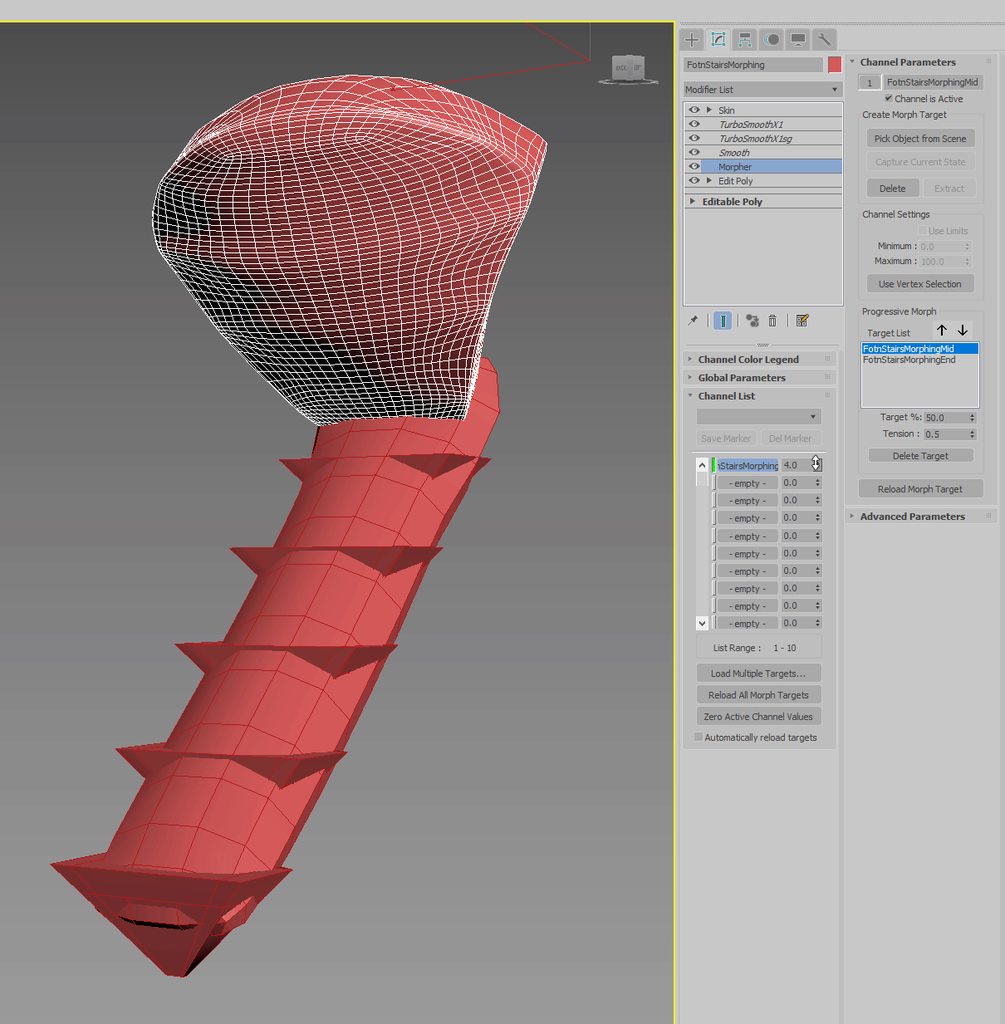 ashen junco
obtuse kelp
i did all of my body parts separated, should i join them all and rig all them up...
ashen junco
obtuse kelp
i did all of my body parts separated, should i join them all and rig all them up...
Doesn't matter much when it comes to skeletal mesh.
obtuse kelp
i just wanted to join all pieces together because when i import my player model it simply comes into pieces
ashen junco
thorny rapids
https://i.imgur.com/xfvCOcu.gif
does ue4 support multple stage morph targets?
up...
I know the Infiltrator demo uses the same trick for the water drop scene (when it broke the infiltrator's holo)
ashen junco
obtuse kelp
i just wanted to join all pieces together because when i import my player model ...
Are you importing them as static meshes?
obtuse kelp
i suppose i am in this case
ashen junco
obtuse kelp
i suppose i am in this case
Make sure the mesh is weighted to the rig and the rig itself exported in the FBX.
That way it would be detected as skelmesh.
obtuse kelp
i will try thank you
obtuse kelp
i got a slit problem
its seems it duplicated? theres "bones" that just makes the body part to move
and bones that actually work properly
 graceful snow
if i wanna use animdynamics for some light hair physics
do i need to make all the bones point straight down

is this a correct way to rig my hair
 late cedar
Hello, would anyone be able to point me to a tutorial on how to animate with a static mesh with some random noise to the object bob around in a subtle way?
misty dagger
misty dagger
Hey so I did some mocap with Kinect I converted it to fbx and then to a fbx 2013...
Hello I asked a question from yesterday but yet never got an answer I'm trying so hard to get these mocap animations in ue4 but it's just not working I tried retargeting through blender but yet it turns out like a garbled mess. If anyone is out there there that can help please help!
ashen junco
graceful snow
if i wanna use animdynamics for some light hair physics
do i need to make all th...
Anything wrong with the bones pointing that way?
graceful snow
ashen junco
Anything wrong with the bones pointing that way?
no idea
since anim physics can be affected by gravity, i dont know if the bones will become hanging straight downwards like a chain
and as a result mess things up

kind of like this
ashen junco
graceful snow
no idea
since anim physics can be affected by gravity, i dont know if the bones...
I see nothing wrong with that.
I use Kawaii Physics instead of Anim Dynamics (the latter is too complicated to setup), but either method should have some kind of stiffness settings.
graceful snow
ashen junco
I see nothing wrong with that.
I use Kawaii Physics instead of Anim Dynamics (t...
ok sure thing thanks
is anim dynamics hard to setup? i kind of want to use ue's own implementations because i forsee transitioning to ue5 soon
ashen junco
graceful snow
ok sure thing thanks
is anim dynamics hard to setup? i kind of want to use ue's...
Compared to Kawaii Physics, yeah.
Though atm Kawaii Physics has some C++ function deprecation warnings in 4.27 (and possibly 5.0 EA), I'll do something about it.
graceful snow
ashen junco
Though atm Kawaii Physics has some C++ function deprecation warnings in 4.27 (an...
Oh ok that's cool neat
Wait are you the developer of kawaii physics
ashen junco
graceful snow
Oh ok that's cool neat
Wait are you the developer of kawaii physics
I'm one of the contributor :3
graceful snow
ashen junco
I'm one of the contributor :3
cool
is this gonna be available for ue5 when it comes out
ashen junco
graceful snow
cool
is this gonna be available for ue5 when it comes out
I don't use UE5, but theoretically it should work on UE5 as well.
graceful snow
ashen junco
I don't use UE5, but theoretically it should work on UE5 as well.
ok nice thanks
crisp bluff
peak dome
Hi, I'm trying to modify the mannequin's walking animation, and I want to erase ...
 cloud plinth
anyone have any ide as to why when ive enabled root motion on a mixamo animation, each time i do it my character leans a bit forward?
its a backstep and works great
but every time i press it my character rotated a tiny bit
graceful snow
cloud plinth
anyone have any ide as to why when ive enabled root motion on a mixamo animation...
probably because the root bone in mixamo is the pelvis bone
you can just check "In Place" option when you download the walking backwards animation and it will work better (without having to enable root motion)
cloud plinth
this was the problem but unfortunately i still needed not in place to get the forward motion when i rooted it
luckily i found out you could just add a root bone in blender pretty easily so all is well!
graceful snow
cloud plinth
luckily i found out you could just add a root bone in blender pretty easily so a...
oh ok cool glad you solved it!
Does anyone here know if animdynamics can take into account the characters movement in the world (walking around running falling etc) and not just the movement of only the animation
misty dagger
how would i intergrate facial expressions, like how do i controll the facial bones once i import my character
graceful snow
misty dagger
how would i intergrate facial expressions, like how do i controll the facial bon...
i imagine you would just use an animation to control it
i think there are also some methods to control it in engine
misty dagger
would i just blend the main anims with the facial anims?
graceful snow
misty dagger
would i just blend the main anims with the facial anims?
yeah that should work
reef shard
Hi, Im trying to import a character from 3dsmax that uses an unreal base skeleton, but unreal doesnt seem to think its compatible. When I import it with its "own" skeleton I notice that it adds a parent root with the fbx name on it which may be messing with the hierarchy, any tips on how to get around this? From max im exporting the mesh along side the skeleton without any parent root.
Nevermind I just noticed there was an error in my hierarchy.. spoke too soon!
bronze osprey
@graceful snow anim dynamics takes the current post of the hair bones and than adds the momentum stuff
so it will all go staight down on sertain values but not if you setup correct
graceful snow
bronze osprey
<@!512990075802615818> anim dynamics takes the current post of the hair bones a...
Oh ok cool
So it won't rotate everything to be straight down automatically
bronze osprey
if you set the weight super high or drag super low it would
if you do negative gravity it would try to bend it upwards but the hair settings might not make that happen cuz drag
you can tweak how easy it goes out of position
and its super easy to setup
graceful snow
Ok nice thanks
Btw can i switch skeletal meshes mid animation
If they use the same skeleton
bronze osprey
prolly, but physics gets reset
graceful snow
ok thats fair thanks
 spiral drift
Hi, how do I properly import character & animation from Mixamo is UE5?
I import to UE 4.27 in the past with no issues

 viscid mauve
Hello, tad bit of a dumb question. Can I rig my models in 3Ds MAX and import the skeletal mesh over to unreal?
I'm making my first game with custom models
 noble dagger
General question:
When rigging a character for use with other unreal assets, namely the skeleton, does just the hierarchy need to be the same, or should the general bone proportions be the same as well?
noble dagger
viscid mauve
Hello, tad bit of a dumb question. Can I rig my models in 3Ds MAX and import the...
you should be able to do this as long as you are exporting as an fbx
viscid mauve
Ahh, I see. Thank you! :)
 wispy kayak
Hello i have been trying to get physic animation to work with a custom character i have check the scale, the bones match with the mannequin but still it wont work. anyone here how haveor had the same issues?
peak dome
How do I have a player raise their arm when a button is pressed, but keep playing the previous animation as well? For example, if I pressed the button while running, the character would raise its arm while still playing the running animation. Does anyone know how to do that?
ashen junco
peak dome
How do I have a player raise their arm when a button is pressed, but keep playin...
Layered blend would be the way to do it.
peak dome
That indeed looks like what I want, thank you!
 clear bough
I am extremely confused
I've rigged a character with IK but those count as root bones, what should I do about it?
ashen junco
clear bough
I've rigged a character with IK but those count as root bones, what should I do ...
Remove the IK bones entirely.
clear bough
ashen junco
Remove the IK bones entirely.
Looked at a character I made a while back, there I used a root bone going from the floor to the hip bone as a root bone but never changed anything about it's rotation etc
Is that a bad idea?
 latent zephyr
Hi, what if i have multiple armors(skeletal meshes) with additional bones that i want to switch on character, do i need to add all bones in one skeleton or split it in many skeletons and use retargeting for animations?
misty dagger
misty dagger
Hello I asked a question from yesterday but yet never got an answer I'm trying s...
I'm guessing noone is able to help? Is there an easy way to do it?
regal orchid
misty dagger
I'm guessing noone is able to help? Is there an easy way to do it?
Don't think a lot of people use the kinect for mocap these days. I last used it ~5 years ago and I have forgotten everything about the process at this point.
misty dagger
That sucks
regal orchid
misty dagger
That sucks
Kinda hard to get a hold of them nowadays. It is a shame since it is quite cool when it is all set up.
misty dagger
Yeah and I feel like I'm so close yet so far but already I'm jumping through so many hoops just to get it working.
regal orchid
misty dagger
Yeah and I feel like I'm so close yet so far but already I'm jumping through so ...
I used Maya, but I remember it being quite a few steps to get things going. But like I said, I can't help you with the kinect side of things. But what does Unreal say when you try and import the skeleton?
misty dagger
The base skeleton that it gives me it doesn't let me import the skeleton at all.
So I had to retarget the animation through something else such as blender but somehow the ue4 model doesn't work well with it so I retargeted it to a mixamo character and it worked until I exported it and reimported it and it's all messed up
So Im trying to figure out that issue now
regal orchid
Hard to tell from here (as is often the case with rig issues) but I would assume the problem isn't the mocap itself then but rather the skeleton and the whole retargeting procedure.
Best thing you can do since this is a very niche workflow that you have, is to just do it step by step slowly and check every step to make sure that the data (i.e. skeleton) is still intact. So that you can figure out which step in the process is at fault.
Can't really help you with anything beyond that advice I'm afraid.
 old plinth
Hi people i want ot make something similar like on this video
https://www.youtube.com/watch?v=Yrct2LNkHu4
my character should hide its mesh and spawn many parts instead it. I've already did that, in moment when character going in ragdoll state, but that is not always good.
on stairs for example or other slopes, because ragdoll happend before body (mesh) tach ground, and everything is happend in mid air, so i want to DETECT MOMENT when ragdoll hit ground. any idea is welcome

LEARN Video Magic ► http://bit.ly/learnvideomagic
My Camera GEAR ► http://bit.ly/kevinsgear
Please SUBSCRIBE ► http://bit.ly/SubKP
FOLLOW ME
Instagram ► https://www.instagram.com/kevinbparry
TikTok ► https://www.tiktok.com/@kevinbparry
Website ► https://www.kevinparry.tv
Twitter ► https://www.twitter.com/kevinbparry
Facebook ► https://www.face...
 bright wasp
My project fails to package if I have any blendspaces nodes in my animation blueprint animgraph UE5EA2, works fine in viewport, updated the windows 64 sdk.
10.0.16299*
 left bobcat
Does anyone have some advice on what techniques I should be thinking about to drive animation such as chopping down a tree, where the animation adapts to the target location from a line trace? Essentially I’d like the axe head to hit the location if possible within constraints without using root motion. Thanks
ashen junco
left bobcat
Does anyone have some advice on what techniques I should be thinking about to dr...
IK is one way to solve it
left bobcat
ashen junco
IK is one way to solve it
Yeah I think so too, guess I’ll try to understand ik a bit better. Thanks!
gaunt hemlock
bright wasp
My project fails to package if I have any blendspaces nodes in my animation blue...
Guess that is just something Early Access comes with, it is not ment to support whole productions including packaging, and probably fits more into #ue5-general
misty dagger
what's the animation called when a character is running one way and quickly changes direction
also how
 vapid pond
Guys, how to get rid of this issue? Torso is using Copy Pose post process blueprint and other parts are not. Its happening with all parts of body which are using Copy Pose.
 shut kraken
latent zephyr
Hi, what if i have multiple armors(skeletal meshes) with additional bones that i...
shut kraken
latent zephyr
Hi, what if i have multiple armors(skeletal meshes) with additional bones that i...
Same skeleton is fine. Just has to.match in terms of heirarchy
Adding bones at the end of chains is fine
Can't add an extra bone between pelvis and head, for example, though.
gaunt hemlock
When I have multiple characters with different proportions (let's say two for now, female and male mannequin)
When using the male mannequin skeleton and animate him holding a weapon. I would move the IK bones so that the animated weapon fits into the hand
Now for the second character which is leaner and a bit shorter (female mannequin), to runtime retarget the animation properly i added IK bones to the skeletal mesh of her.
Question now is when having multiple characters sharing the same skeleton with different proportions. Am I supposed to "fix" the default IK bone positions so that they match each skeletal meshs hand positions like in the Male Mannequin?
(I might end up with a separate bone chain for the weapon, so take the IK chain just as an example)
gaunt hemlock
vapid pond
Guys, how to get rid of this issue? Torso is using Copy Pose post process bluepr...
Make sure the skeletal mesh that you copy from is ticked first
So set up tick dependencies in blueprint
 torpid relic
Hi, why locomotion animation is missing
I just created a character assigned it a paragon skeletal mesh + anim bp + controller
but it plays idle animation always
how would you go about debuging it?
 vapid ibex
So I changed some cpp struct names and consequently my anim blueprint is filled with these errors, however the names of the variables are the same, is there anything I can do to fix all of these automatically? Set up property redirects perhaps?

Fixing them manually is a no brainer but really time consuming
ashen junco
vapid ibex
Fixing them manually is a no brainer but really time consuming
The no brainer method is really the only way to fix it, especially with stray invalid vars that still have connections.
vapid ibex
ashen junco
The no brainer method is really the only way to fix it, especially with stray in...
I was worried this is the case, before doing that I'll quickly attempt to add some +StructRedirects=(OldName="MyStruct",NewName="MyNewStruct")
I'll update here if that fixes stuff
vapid ibex
vapid ibex
I was worried this is the case, before doing that I'll quickly attempt to add so...
This ended up working, just make sure not write MyStruct and not FMyStruct
 true nymph
Anyone know why my animation is playing like that? Everything seems to be fine in the editor when pressing play but once called in my code it does that?
The c++ code is pretty straight forward so I doubt the issue is there..
.h:
UPROPERTY(Transient, meta = (BindWidgetAnim))
UWidgetAnimation* fadeAnimation;
.cpp:
void USpeechBubbleWidget::FadeIn()
{
PlayAnimation(fadeAnimation);
}
clear bough
How can I go about choosing between multiple animations for the same action?
misty dagger
what's the animation called when a character is running one way and quickly changes direction
 raw ocean
anyone have an idea as to why when i plug in the Basic IK node my bones in that leg change scale?
 vapid pond
gaunt hemlock
Make sure the skeletal mesh that you copy from is ticked first
So set up tick d...
vapid pond
gaunt hemlock
Make sure the skeletal mesh that you copy from is ticked first
So set up tick d...
thank you
vapid ibex
Anybody has some wisdom on the matter of using one or two meshes for first and third person views? I'd happily use just one mesh, but several issues come to mind, such as: how do I draw the shadow of what the third person mesh would look like (rather than the warped first person mesh)?
 outer temple
Hi guys someone know why Blend using variable causing Anim Notifies to stop firing?
its kinda strange cuz anim A notifies are working, but not B
wooden valley
how would i make a weapon switching animation like this? im specifically asking on the montages part, how do i make it so that it looks seamless and it doesn't blend back to the original pose that it's in the animgraph? i want it as equip and unequip animation so if i unequip my rifle and equip my pistol it doesn't look wrong.
 full pumice
 misty dagger
when i call montage pause or montage stop my notifiers that were on that montage goes to end?
delicate junco
Pretty sure that notify states end yeah
Ah wait not sure for pause
For stop I'd say yes. You should be able to test it easily by putting a print debug statement as notify begin/end events and see whether or not they're called
peak dome
Alright: the player has an energy weapon. In the idle animation, that weapon hangs in their hand by their side. I want to use a layered blend per bone with an animation montage to animate pointing the weapon and firing. However, if the player is looking in a certain direction, how do I make it so that the player points the weapon in the direction they are looking?
soft trench
When I'm debugging my Animation Blueprint, the transitions turn red for a few milliseconds when transitioning from one state to another. What could cause this?
Or what does it mean, rather?
graceful snow
i have shape keys that are connected to drivers (and said drivers are connected to bones) in blender
can i import those curves in ue4 and how
raw ocean
vapid ibex
Anybody has some wisdom on the matter of using one or two meshes for first and t...
I followed this https://youtu.be/Fn5B2Yi5Y7E

How to add legs for an FPS game? How to hide the body but keep the shadow?
Welcome to How to... a snack-size video for a snack-size question in Unreal Engine 4.
SUPPORT ME
Patreon I https://www.patreon.com/ryanlaley
Buy Me a Coffee I buymeacoffee.com/RyanLaley
Donations I paypal.me/ryanlaley
PRIVATE 1-2-1 SESSIONS
Email me at support@ryanlale...
peak dome
peak dome
Alright: the player has an energy weapon. In the idle animation, that weapon han...
Does anyone have any ideas?
 sullen aurora
peak dome
Does anyone have any ideas?
sullen aurora
peak dome
Does anyone have any ideas?
Yep, you can easily take over the rotation of a joint once you have calculated your aim rotation using the Transform(Modify) Bone node in the anim bp.
We also use pose caches because of upper/lower body blending, and take care when to use component to local etc for component space calculations.
You can then finely control when to apply the aim using a weight, and set the weight to 1 as the aim montage is initiated
We do exactly this in multiple games for body, and head look in combination with aim/armed montages for weapons including rifles and also melee like shield for directional blocking.

 opal laurel
Hi all, I'm having some issues retargeting to a newly rigged character. I used ue4's mannequin skeleton as I always have but can't seem to get it to recognise it properly and retarget accurately, it ends up as a blocky blob if I go ahead and retarget.
The only thing I can think of that is fairly different are the clavicle bones as I have sockets that are angled more severely but I didn't expect that to bust the whole thing and make it unrecognisable.
Bone/mesh scales are 1s
Any ideas?

 ancient cedar
I'm trying to get the unreal dummy to point at a given actor in my scene.
I've created an animation BP with a transform bone node that's attached to the shoulder. The rotation is being driven by a variable called arm rotation. I can update that variable and it will update the arm. This anim blueprint is attached to the actor and its updating the instantiation in my scene.
So I go to the event graph of my animation blueprint and to try and update the arm rotation variable based on the event blueprint update animation event. Why is the arm not spinning like a whirly bird?


 sturdy agate
Hi there'
I have a problem
I have some anim montages that use the upper body slot
I have one anim montage that I want for the entire body
how can I have these montages not conflict with each other because when i try to set it up the fullbody montage works then the upperbody monages break
 peak dome
sullen aurora
Yep, you can easily take over the rotation of a joint once you have calculated y...
peak dome
sullen aurora
Yep, you can easily take over the rotation of a joint once you have calculated y...
But the problem is, the animation is too complex to make with a Transform (Modify) Bone node. It's not just rotating one or two bones, and it rotates them multiple times, so that node is out. Would it be possible to use aim offset to do this, by enabling aim offset when the player fires the weapon, and then disabling it when the animation is done?
sullen aurora
I was specifically referring to overriding a(single) bone aim using the modify rotation, while playing an anim montage for aiming. 🙂
This can be done while upper and lower body stuff is going on.
If you are having conflicts perhaps there is an issue with your montage groups?
misty dagger
I have two system that connected into output but I have one problem

This is the problem

how do I connect these two into State machine? I tried to use cached pose but it make problem messing up more
misty dagger
Well the cached pose and the Layer Blend did actually worked but only one of these system worked. The one other aren't


It's seem the problem I found is at "Base Pose" in Layer blend per bone.
The "Base pose" is connected to "GunRotation"
The "Base pose 0" is connected to "FootPlacement"
When I testing out only "GunRotation" worked
So I tried to switch invert again between Base pose and Base pose 0 and now the worked one is "Footplacement' while the "GunRotation" aren't
Seem like the Base Pose 0 are just for decoration or sth
 fallen gate
Hi, I am a complete animation noob. I have this simple robot arm animation that has 5 seconds. First second is the arm folding up and then next 4 seconds is the animation of it working:

I'd like to start an event where the arm would fold up, work in the loop and then fold down when the event stops.
So basically, first, start playback from frame 0 to frame 150, then once frame 150 is reached, keep ping ponging animation between frame 150 and frame 30
and when it receives event to stop, start going from current frame back towards frame 0
The video shows me scrubbing the timeline of what I'd roughly like it to look.
My question is, should I dive into anim blueprints for that? Or is there any simpler way? What would be the most common way to approach this?
 river bobcat
 vestal night
Does UE4 support importing a model with USD animation from maya?
 wind nacelle
How should I handle an aim offset when I rotate the actor? I have a setup right now where the Aim offset covers the 180 degree cone arc in front of the player, and when they aim more than than 90 degrees to either side, I rotate the actor by 90 degrees. I would like the gun to remain in the exact same place as the rotation happens.
Currently it follows the animation instantly, and then gets interpolated back to the correct location, which looks very janky.
 plush moon
I’m looking for someone who can animate dinosaurs in unreal engine dm me if you know how.
 thorny egret
What am i doing wrong? This exact setup works for sheath/unsheath sword but it doesnt work for slash animation. The server runs it but the animation never plays.
 wooden valley
why doesn't root motion work on a goddamn mixamo character?
Does anybody know if there's a requirement for root motion?
 manic ferry
wooden valley
why doesn't root motion work on a goddamn mixamo character?
manic ferry
wooden valley
why doesn't root motion work on a goddamn mixamo character?
does it?
manic ferry
wooden valley
why doesn't root motion work on a goddamn mixamo character?
u shud probably add a rootbone for the root-motion to work
wooden valley
manic ferry
u shud probably add a rootbone for the root-motion to work
Yes
i figured it out
im using a plugin i found on youtube
static falcon
Anyone know how I can remove the "unbuilt lighting" from sequencer renders? I have ran the disablescreenmessages console command but this doesn't work in the render
Aside from the obvious way of building the lighting 🙂
 iron moth
Hi guys, whats the best way to do this? (Tried to simplify the issue as much as possible)
I have 4 jump animations that i put into a BlendSpace1D
I would like to to re-trigger the jump animation with different blend values whenever an event from the movement component is fired.
- Montages don't allow using blendspace..
- Blendspaces don't allow me to re-trigger/reset the animation from the start.
Not sure if i missed something, any ideas how to get around this?
 noble storm
is it possible to animate a collision or trigger volume
 crisp needle
Hi, This root motion isn't there in the animation montage, is there any other way to apply root motion in montage?

 thorny egret
Anyone know why it is doing this wierd sink and back between states?

 light ferry
Hey guys a dumb question, the animation in my level sequencer works fine but in game scene the animation isn't running at all. Anyone knows why
vapid pond
Does any of you have any experiences with dismemberment system? When I cut character, for example: head, I spawn cut of head on position of head so it can fall off, but rotation does not fit, its rotated off, any idea how to fix this? So cut off limbs are in right rotation when i spawn them?
ripe yew
How do you blend upperbody with jump? Let'sa say I want to jump with my rifle in hand.
 placid sentinel
Mmmm I'm using AnimDynamics to drive animations of the clothes, with bones. In the editor the configuration works well... but as soon I compile the game, it feels different. the compiled one animdynamics feels very harder
it moves barely
delicate junco
@placid sentinel I recommend using the KawaiiPhysics plugin for that
It's easier to set up and gives good results fast from my experience
ashen junco
^^
Despite mainly used for anime models,, as the name suggests, it can be used for anything that can benefit from faked physics, regardless of style.
The current caveat is that it's not affected by time dilation, but I'll look into how to get that working.
placid sentinel
oh let me test it
never heard about that
anime what? hahahaha What did u just said?
@ashen junco


I will test that now and i will let you know guys, thankyou. @delicate junco
ashen junco
placid sentinel
anime what? hahahaha What did u just said?
You read that right.
Anime models, as in something like this.
 placid sentinel
I meant, that i was working with anime model and you didnt even know xDD
 round thorn
Hi there. Can anyone point out a video/docs that explain if there are performance benefits to using ControlRig to drive component skeletalMesh additive behavior (auto/physics) vs. using an animBP to accomplish the same thing? I do understand that ControlRig has benefits as far as creating custom animations that react to other transform behavior, but I'm trying to evaluate the performance benefit in the simpler tasks. Thank you.
ashen junco
round thorn
Hi there. Can anyone point out a video/docs that explain if there are performanc...
Control Rig is meant to complement on AnimBP in runtime, not competing on each other.
Though Control Rig does have lighter performance from its special rig BP virtual machine.
 vestal gulch
hello does anyone know why i cant seem to key in a montage
the option is greyed out but im still able to minipulate the animation sequences by moving the bones
but if i cant key what should i do
round thorn
ashen junco
Control Rig is meant to complement on AnimBP in runtime, not competing on each o...
Cool. Thanks for the reply. So do you see a scenario where it'd make sense to replace an animBP with a purely Control Rig BP, or is it the case where you just use Control Rig if you need supplemental behavior?
ashen junco
round thorn
Cool. Thanks for the reply. So do you see a scenario where it'd make sense to re...
The latter makes more sense than the former.
If anything, there's practically no way to run Control Rig on its own in runtime.
round thorn
ashen junco
The latter makes more sense than the former.
If anything, there's practically no...
Okay. Thanks for confirming that for me. That was my understanding as well.
obtuse kelp
im having a big issues what comes creating my character and importing animation: the first issue is every time import my character unreal decides to create bones even know i dint select any,


i tried to "delete" the bones but this will cause more issues in the future
i did an animation on blender that i cant even import because the unreal says the bones are all incorrect

but i ussed the same bones
are my bones incorrect? is it because my character has separated meshes?
placid sentinel
@ashen junco @delicate junco Hey... I'm very lost atm... The plugin only works well inside Unreal :/ . I was using 4.27, the plugin is avaible only for unreal engine 5, and 4.26, So, I migrated my project to Unreal engine 4.26, but now I can't compile the project

Any help? I have some hours trying lol, even changed to UE5, and changed back
I tried installing the plugin in my project, and then installing in the unreal folder, and nothing works.
ashen junco
placid sentinel
<@!325627930484932608> <@!226448879518875648> Hey... I'm very lost atm... The ...
It's working in 4.27 just fine.
 ivory bear
what's the best way to stack additive blend spaces??
every time I try, it makes them overlap all funky
 ancient isle
Hey heres a question for yall! Im simulating physics on a bone for a lighter. Right now, upon simulation, it drops and rotates accordingly, however, the rotation needs to be locked to a single rotation axis. Does anyone have any experience with that?

here is a gif of the issue
ashen junco
placid sentinel
Did you tried package the project, then open the executable?
Dozens of times already, still works as usual.
placid sentinel
Only Blueprint, or mixed project? Mine is only BP
ashen junco
placid sentinel
Only Blueprint, or mixed project? Mine is only BP
Mixed (C++) project, per usual.
placid sentinel
I think this is my problem. I justed made a new C++ class in my project, and after that it worked on 4.26. Im testing now in 5
placid sentinel
I have confirmed now. Yes, that was the problem. That plugin does not support only BP projects. Thankyou dude.
 dim cave
 stable patrol
Hey, does anyone know what can cause this camera issue ? I was trying to implement Windwalker Echo character into my project.
ashen junco
stable patrol
Hey, does anyone know what can cause this camera issue ? I was trying to implem...
Looks like spring arm attachment issues.
stable patrol
spring arm is attached same as in the unreal sample project
vapid ibex
Anyone know how to acquire the velocity that a skeletal mesh's bone is undergoing through its animation?
MeshComp->GetPhysicsLinearVelocity(BoneName) doesn't seem to be working
 vagrant shard
Hello all. Trying to use the paragon wraith character with shooting animations but he shoots off to the side. How can I make his direction that he shoots in be straight
storm spoke
Hey, could anyone give me any insights into their workflow for positioning actors so that they're properly aligned in reference to a static mesh in order to play out an animation on it. Currently, I've got an "interact" socket on my meshes, and actors move to that interact socket and then play out the proper animation. However, whenever I'm trying to line up the interact socket I end up having to eyeball it, then play it in the editor, see if the animation is lined up, if not, readjust the socket location via eyeball, replay it, repeat until it's perfect. I feel like there must be a better way to approach it that I'm just unaware of?
In my ideal world, I would just be able to have a static mesh in my animation scene, offset it from the root by X amount and then play the animation and make adjustments as necessary.
Edit: As I was typing this I realized I might be able to do that by just creating a socket on the root bone and previewing a static mesh on it... Nevermind, mesh moves with root.
 ashen rover
This may be a stupid question but I'm in classes trying to learn how to fully utilize gaming software amd using unreal engines really love it and made a few things with just hands I'm doing VR stuff. I'm working on a full body skeletal mesh and I've got the head legs and hands ik done and I have the animation for grabbing but how do I use the hands on the mesh do I just use the hand l and r bones or is there a hand mesh callous I can't seem to find? I have put in the execute grab function and find nearest object but I don't know of what to connect them to as far as hands go
misty dagger
obtuse kelp
im having a big issues what comes creating my character and importing animation:...
Don't know what's your export settings but try unticking "Leaf bones" and only use "Deform bones"
 misty dagger
make me
I wonder if it's possible to reimport just animations and not the entire skeleton
ashen rover
How do I control the hands on a skeletal mesh to grip. Do I do IK for fingers or is there a different way. I have animations from where I did it with hand mesh but I can't just tell the rig to use hand mesh I tried lol. I know it's simple but I'm learning. I've got all the code wrote up for gripping with hand mesh but I dint think it's that simple for a skeletal mesh
delicate junco
storm spoke
Hey, could anyone give me any insights into their workflow for positioning actor...
Are you referring to motion warping ? https://docs.unrealengine.com/5.0/en-US/AnimationFeatures/MotionWarping/
vapid pond
Is there someone with any experiences with a Dismemberment system on a character with Copy Pose physics. I cut off limbs and try to spawn them on a bone when character gets a hit, but they never follow movement, they flip, rotate, jump to A Pose instead of following animation, i am trying to figure it out for last 5 days, cant find shit.
sleek tangle
Is it intended behaviour that an anim curve will go to 0 once you stop playing said animation? Sounds weird, kinda defeats the purpose of anim curves doesn't it? Can't find any bugs related to it
 halcyon pebble
I have a character and the hand is a separated mesh from the body and when i import from blender to unreal it shows as 1 mesh (that is what i want) both use the same texture (is a solid color) but for some reason the hand seems with a different color tone than the body how i fix that? (i think it could be different light refraction because the reflection looks croped from body and hand


how can i fix it?
mystic pine
Hey guys, where I can find any doc on the anim mirror node?
mystic pine
You have an animbp control rig node if that's what you're asking for
mystic pine
You're problem is blending ControlRig with Regular animations right? There is a pin in the node that does just that
I was answering your previous question, no idea of what you are referring to now
 steady basalt
which would you say is the best tutorial on how to get a character rigged and exported from blender to unreal
because i run into problem after problem, is there not a one way to be sure it works out in the end. (a bit frustrated...)
halcyon pebble
halcyon pebble
I have a character and the hand is a separated mesh from the body and when i imp...
please someone help me
vapid ibex
Any way I can blend the transition between montages that are playing on the same slot?
From my tests, starting a montage on a slot already playing another montage results in a blendless snap
halcyon pebble
which one is it?
halcyon pebble
halcyon pebble
which one is it?
?
 clear gust
Have a question in UE5. Based on the documentation, a animNotify_state is always begin with ReceivedNotify_Begin, but in this case the ANS_ApplyTag on 2nd line keeps firing when this animMontage is looping the "Loop" part

 flint edge
Hey sorry if this is a noob question, but I'm trying to set up a control rig with MMLS, and this rig has twist bones, anyone know how to inherent the transform of a bone that's having IK applied to it?

So I'm trying to have the calf_twist_01_l to inherent the calf_L trasnform
 rain osprey
Good morning guys, im a total newbie trying to stumble my way through making a simple FPS. Yesterday, i made some modifications to the UE4 Mannequin and re-imported him back into UE. I was using Blender and the Mr Mannequin Tools plugin so im pretty sure the export side of things was all done correctly - i did not make any changes to the Armature or Rigging.
The mesh imported into UE, and the skeleton was identified etc.
However some of the animations from the Animation Starter Pack no longer work, it seems to be the more common ones, Idle Animations etc.
How do i go about diagnosing what the issue is?
 unreal gulch
 crisp needle
I tried to retarget this and got this..


How do I go about fixing the hips and the finger?
( I'm not an animator so please explain in simple terms, Thanks!)
I followed the documentation to retarget ( Used a same rig, bone mapped and similar poses
ashen junco
Again, no. There's no way to expose it.
Well, okay. Just make sure the mesh does not use any anim instances whatsoever
UPosableMeshComponent is different than USkeletalMeshComponent, the former of which can't have animations. All the bones have to be driven by actor BP, which is fine for inanimate skelmeshes like doors, but not something like characters.
 hybrid bough
I am trying to create my own drone animation sequences in persona using keyframes. I assume this is how someone would attack this problem.
I have the skeletons and have keyframed in a change of 30degrees per rotor. Persona keys in things I never touched.

I am trying to get all the rotors to do a complete 360 but instead i get that. anyone knows how i can fix that.
misty dagger
how could I make text writing appear on a wall? like a typewriter type of
bronze osprey


Unreal Engine
Teuthisan is the alien featured in THE EYE: CALANTHEK, a short film from Aaron Sims Creative and Epic Games premiering exclusively in Shortnitemares. Teuthisan is animated with Control Rig in Unreal Engine 5
just droppin this here, havent tested myself
its free
ashen junco
bronze osprey
its free
Shame that it's just for UE5.
bronze osprey
@ashen junco hmm i havent tested it myself, i guess it takes some effort migrating it but i dont see why u wouldnt be able to rebuild most of it
honestly i just played a bit with UE5 metasounds but thats it
 vestal yacht
It is better to use Blend spaces or Montages for multiplayer game play? I read that the server likes montages so it doesnt have to fight any root motion control with the client but im not sure if its the same with Blendspaces?
 wraith canyon

Nintendo didn't do it so I had to.
Made with blender eevee!
Follow me on instagram pls: https://www.instagram.com/smellnan/
Lord Hood voice by: https://www.youtube.com/c/GianniMatragrano
 sharp cedar
Anyone doing procedural animation?
I have design or concept question, especially for people who work with 100% proc anim, not just small adjustments.
Final animation is made with traces scanning the environment and IK positioning limbs correctly...
But how do you "animate" actual movement?
Like, a character moves their leg from points A to B. And we know A and B. But how do you define the actual path the leg will trace in the air?
It doesn't just lerp to target location. It has to go up and down, etc.
Is there a whole layer of animation doing the basic motion to serve as a template to follow, or do you have predefined curves?
clear gust
A question, is there a way to force the ik bone to stick with the hand during this animation. Or the weapon gliding is just a glitch of the animation asset
 warped mango
anyone else experience crashes while keying metahuman transform tracks?
sullen aurora
sharp cedar
Anyone doing procedural animation?
I have design or concept question, especiall...
I suspect if you want to do full procedural human animation using IK and FK you will probably need to learn about body mechanics first, i doubt you will just find some example code or a tutorial on how to animate an entire body using only procedural animation
Maybe start here, and see from there, a lot of good tips here
https://www.youtube.com/watch?v=LNidsMesxSE&ab_channel=GDC
I mean there are scholars (like Brett Douxville and others) who submitted their thesis on this subject as part of their Ph.D. and doctorates so I dont expect you are going to find a silver bullet here. 🙂
And if you do please share so we can all profit 🙂
 gray charm
how would you lock root motion in z axis?
animation works fine in preview but not ingame
I want to extract only x and y root motion from a bone
im just simply trying to get root motion properly from mixamo animations XD
if I assign the hips as root aswell as pelvis roto motion works fine in preview but not ingame, since the hip bone is much higher than my 0,0,0 root bone
so I was looking for a way to lock z motion of a bone
let me guess, this would be simple in blender/maya?
flint carbon
hello all, I had a question about Power IK the free plugin, does anyone know if it will be available for 4.27?
ashen junco
flint carbon
hello all, I had a question about Power IK the free plugin, does anyone know if ...
It's not going to be available for 4.27.
The creator has joined Epic and working on Full Body IK.
flint carbon
I see the full body IK plugin avail for 4.27, is that essentially the same thing?
ashen junco
flint carbon
I see the full body IK plugin avail for 4.27, is that essentially the same thing...
Yes, but not exactly the same.
misty dagger
Hello. Could someone please provide me with some directions in character animation? How is animation done in UE4, mostly regarding character hair(wind in hair, moving hair) and breathing(belly moving when breathing). I was first thinking to morph the mesh in 3dsmax and play with it's parameters in ue4 animation, but I don't know if this is how it should be done. Can someone please give me an overall view onto this? Will be greatly appreciated
ashen junco
misty dagger
Hello. Could someone please provide me with some directions in character animati...
Hair card swaying can be done with either bones with anim dynamics and/or cloth physics. Check out the Paragon characters from the Marketplace (preferrably female ones with longer hair like Shinbi) to see how it's done. They're from Epic so they're free to grab.
As for belly movement, it would be shape keys (or rather morph targets). You could use bone for that, but it'd be less efficient.
misty dagger
ashen junco
Hair card swaying can be done with either bones with anim dynamics and/or cloth ...
I see! Thanks a lot! Regarding the animation workflow from character creation to a game in UE for example, animation is done in max/maya and then exported into the fbx in ue? or done entirely in ue in sequencer?
ashen junco
misty dagger
I see! Thanks a lot! Regarding the animation workflow from character creation to...
I normally do the animations in Blender, because of it offers more control at the cost of FBX footprints, compared to doing it in Unreal with Sequencer + Control Rig.
 noble pelican
For animations with morph target curves, is there a way to access the curve values in the construction script? Both get curve value and get morph target return 0 unless it's playing/simulating
 midnight night
Any idea why does my death animation not replicate to all clients?

 knotty pike
Hey can someone tell me why my animations aren't showing up in Blendspace 1d?
 static falcon
How can add sequencer animations to a character blueprint, not just a skeletal mesh?
ashen junco
static falcon
How can add sequencer animations to a character blueprint, not just a skeletal m...
As in modular characters?
static falcon

Just a BP with some added functionality
But this clip isn't playing

I guess changing it here stops the sequencer updating?
I got it to work!
I had to add "default slot"
that one's been plaguing me a while
static falcon
Still not working for scrubbing in the timeline tho I had "run in construction script" enabled
knotty pike
Hey can someone help me with why my animations are not working in blendspace 1d? like the file works but it doesn't work with my animation blueprint or in ue4.
 grand night
Hii, I was trying to use some animations from a animation set in a model
But when I try to load the animations in the animation tab of the model
The box countour is red, why?

The model is from marketplace, rigged with unreal skeleton
ashen junco
grand night
I'm going to make one exception for screen photos, since this is quite obvious.
Make sure it's Anim Montage, not Anim Sequence.
(next time please use direct screenshot instead. It's as easy as pressing Windows key+Shift+S)
grand night
From the list doesn’t appear, @ashen junco you are right they’re animation sequence, sorry for the photo
How I supposed to use animation sequence?
ashen junco
grand night
How I supposed to use animation sequence?
Make an Anim Montage asset out of it
(or find it - most marketplace anim packs provide them)
Not right now, I'm kinda exhausted with my own CR stuff.
I wish lol, imagine being the most weeaboo in Epic
But no, I'm not.
placid sentinel
Simple question about Control Rig, is the control rig setup is itself in the skeleton? For example, I have many different skeletal mesh, but all of them works with the same skeleton. If I set up the control rig in 1 skeletal mesh, do i have to set it up in other ones too?

My purpose is to make new animations with the control rig
knotty pike
@ashen junco Hey, do you know why my animations are not working in blendspace 1d? like the file works but it doesn't work with my animation blueprint or in ue4.
ashen junco
placid sentinel
Simple question about Control Rig, is the control rig setup is itself in the ske...
No, CR is per skeleton.
grand night
Guys, I try for 2 hours and I can’t find any tutorial.. I trying to use this animations set

With character (model) from the marketplace, I don’t understand how, I found a bunch of tutorial to import a fbx model and retarget the skeleton but nothing with using a 3D model from Unreal marketplace
Make a example: I buy a zombie model from UE marketplace (with ue skeleton, rigged etc etc) then I buy a animation set pack
From the UE marketplace, I need the “zombie” to make this animations from the pack, how? Ps: is only for cinematics purpose
 hardy smelt
grand night
Guys, I try for 2 hours and I can’t find any tutorial.. I trying to use this ani...
hardy smelt
grand night
Guys, I try for 2 hours and I can’t find any tutorial.. I trying to use this ani...
Have you looked into retargeting? https://www.youtube.com/watch?v=Io76DagpS-8

This video was voted for Patrons and YouTube Members. For those who voted, thank you!
Learn how to use the retargeting manager to copy the animations of one skeleton to another one. A common use for this is in conjunction with Mixamo assets. Learn how to retarget a Mixamo asset to the UE4 skeleton.
Support me on Patreon and get access to video...
vapid ibex
I noticed that my footsteps sound events are not playing when the skeletal mesh is some units behind the camera. I assume this is due to the camera frustum not overlapping with the skelmesh bounds.... is there any 'best practice' for getting animation-driven sounds to play without actually ticking the animation? Perhaps some scope that continues to run even for visually-culled animations?
ashen junco
vapid ibex
I noticed that my footsteps sound events are not playing when the skeletal mesh ...
I suspect this is more of spatialisation issues, being the range of your footstep audio too small.
vapid ibex
ashen junco
I suspect this is more of spatialisation issues, being the range of your footste...
I did confirm that I can hear them from a distance as long as the animation is in view
And when approaching towards the camera from behind, I can almost clip the camera without the footsteps actually being audible
aka, the distance is near 0
ashen junco
vapid ibex
And when approaching towards the camera from behind, I can almost clip the camer...
Try asking in #audio instead. Dan might have a clue on this.
vapid ibex
gonna do that, I'll check some spatialization stuff first
Thanks!
yeah its 100% not spatialization stuff I just confirmed it oof
 mellow palm
hey guys, does anyone know how to use multiple skeleton controllers (Like ccdik, transform bone...) in the same parental bones? example im using ccdik for arm, i want to have an option to rotate the clavicle, but when i rotate, make a messup with ccdik.
ashen junco
mellow palm
hey guys, does anyone know how to use multiple skeleton controllers (Like ccdik,...
Are you using Control Rig?
ripe yew
How do you determine the speed of animation to match with the walk speed?
 copper sigil
Hey folks, having a strange situation with retargeting.
Got the mapping set up correctly, however in the retarget preview, the new mesh is showing as a lot larger, even though it's actually (to scale in scene) a bit smaller.


On the retarget result, the hands/arms become like wavy fries, very strange

Unless I set the Translation Retargeting to Skeleton on most stuff, but then a lot of the nuance of the animation is lost
Hmm, appears that setting the translation retargeting like this gets mostly accurate results. Still a bit worried about how different the preview scaling is though, I'm only trying with one or two animations at the moment

 soft ridge
copper sigil
Hmm, appears that setting the translation retargeting like this gets mostly accu...
soft ridge
copper sigil
Hmm, appears that setting the translation retargeting like this gets mostly accu...
The scale of the models when retargetting matters, try matching their heights in a 3d modeling program before exporting to unreal. Is that the makehuman model?
If it is, you may want to take a look here: http://www.makehumancommunity.org/wiki/Documentation:MH4UE
 eager current
anyone happen to be around, that might be able to help a complete newbie with some animations? I bought animations, i'm trying to figure out how to get the character to actually use them
If your available and don't mind teaching a newb, DM me
copper sigil
soft ridge
The scale of the models when retargetting matters, try matching their heights in...
Hmm, our character needs to be shorter, so it's unavoidable I guess
soft ridge
You can probably rescale the character inside unreal afterwards
ashen junco
eager current
anyone happen to be around, that might be able to help a complete newbie with so...
Look on how to retarget animations.
eager current
I have them retargeted
It's the big sit pack, i'm trying to figure out how to get a character to sit down
🙂
Thanks Hoodie!
I have them all retargeted i'm trying to figure out how the anigraph is and i'm lost! 🙂
ashen junco
eager current
I have them all retargeted i'm trying to figure out how the anigraph is and i'm ...
What's the problem with the anim graph?
eager current
It's more complicated then i can comprehend lol 🙂
It has all the anim graph setup, but when i go to the "Transition" nodes, i'm not seeing how they are being triggered
example "walk to run" = velocity > x
but on the sit, i'm not seeing how they are applying it, it's huge
I would like to know how to trigger these animations in this pack 🙂
rofl
like i said "complete newb" 🙂
ashen junco
eager current
It's more complicated then i can comprehend lol 🙂
Eh, it could be far simpler.
Do the transition based on a boolean variable (e.g. IsSittingDown)
brazen wharf
does anyone know what this size is in control rig vm settings?

is it elements, bytes or potatoes?
ashen junco
brazen wharf
is it elements, bytes or potatoes?
Tomatoes?
ashen junco
brazen wharf
does it hurt to raise the limit to 64kb? :>
Only one way to find out.
brazen wharf
well it works, just wonder why the limit is set that low
another thing about CR, i don't get any rotation with the new FullBody IK (PBIK) solver
the old one used to rotate the chain to match the effectors target rotation, the new one does not
ashen junco
brazen wharf
the old one used to rotate the chain to match the effectors target rotation, the...
Probably a bait for people to jump to UE5, though that's a conspiracy on its own.
FFS, most of the UE5 plugin uses EditorFramework module, which is UE5 exclusive and opens up a gross kind of can o' worms when attempting to backport them to UE4.
brazen wharf
i'm using it on UE5
it feels like the new FBIK solver is more for reaching effectors, rather than using the target rotations
 bronze hound
Will I have any complications if I import 24 fps animations into UE4?
For cinematic purposes
ashen junco
bronze hound
Will I have any complications if I import 24 fps animations into UE4?
Not that I'm aware of, no.
By default, Unreal will interpolate in between frames, unless you explicitly disable it.
bronze hound
Awesome, thank you
 raw spire


